Upgrade to Pro — share decks privately, control downloads, hide ads and more …

aggregation

Sponsored · Your Podcast. Everywhere. Effortlessly. Share. Educate. Inspire. Entertain. You do you. We'll handle the rest.
Avatar for mpobrien mpobrien
March 21, 2012
670

 aggregation

Avatar for mpobrien

mpobrien

March 21, 2012
Tweet

Transcript

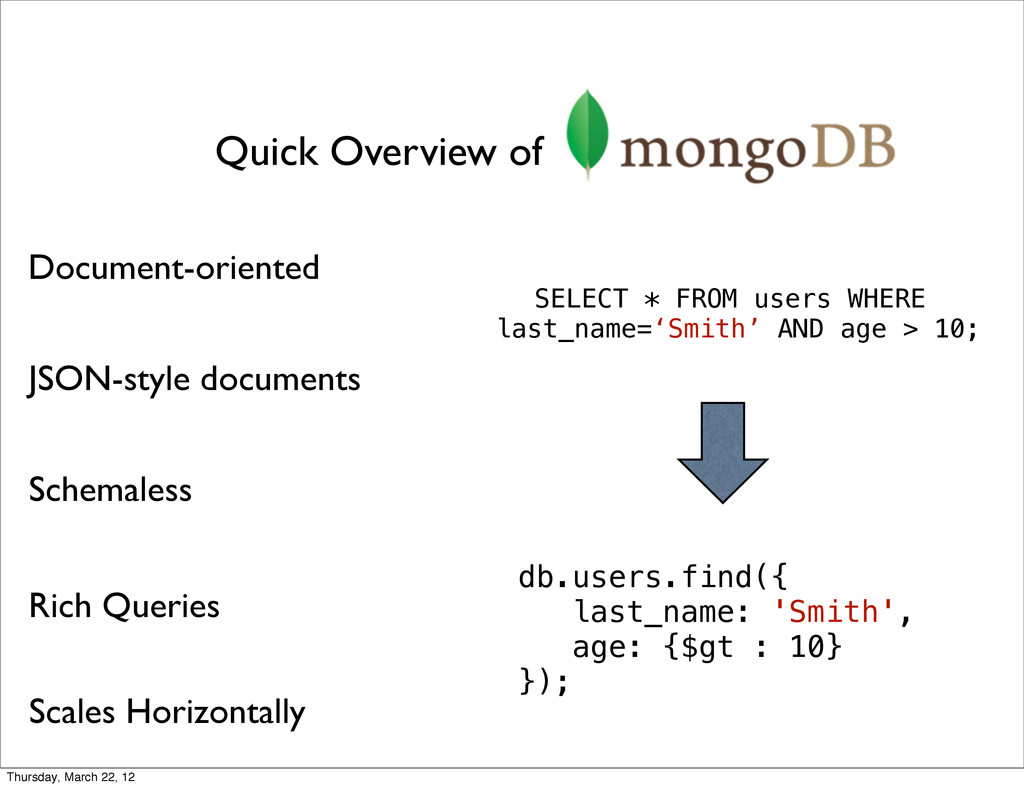
  1. Quick Overview of Document-oriented Schemaless JSON-style documents Rich Queries Scales

    Horizontally db.users.find({ last_name: 'Smith', age: {$gt : 10} }); SELECT * FROM users WHERE last_name=‘Smith’ AND age > 10; Thursday, March 22, 12
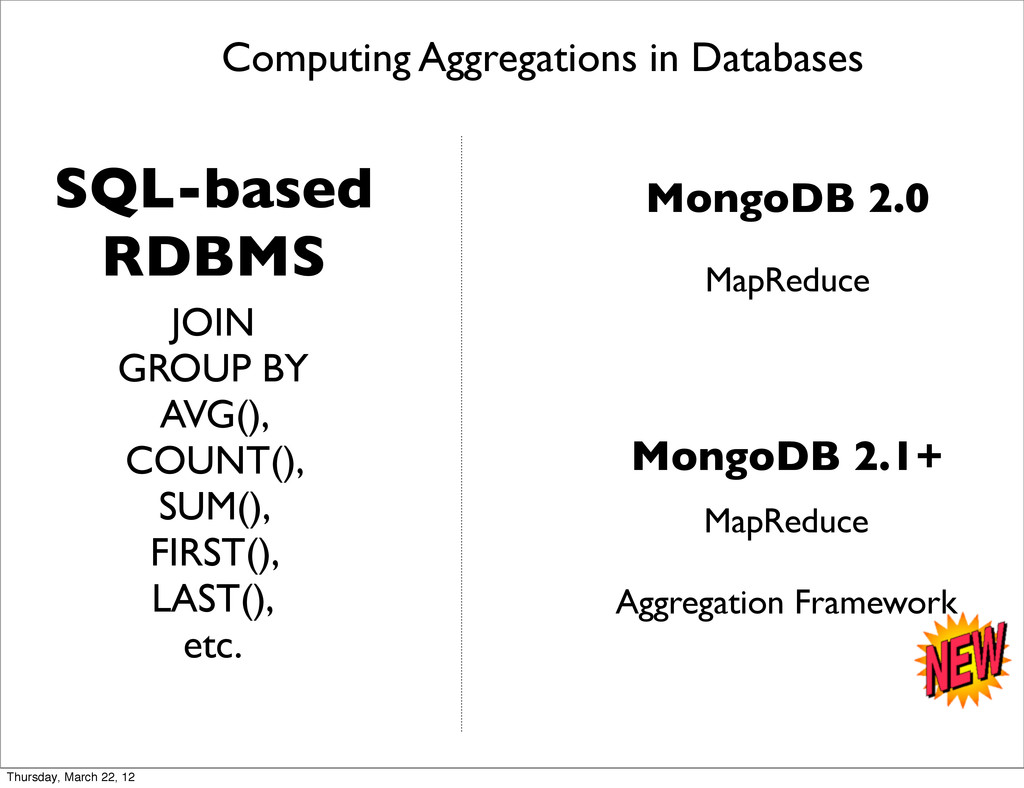
  2. Computing Aggregations in Databases SQL-based RDBMS JOIN GROUP BY AVG(),

    COUNT(), SUM(), FIRST(), LAST(), etc. MongoDB 2.0 MapReduce MongoDB 2.1+ MapReduce Aggregation Framework Thursday, March 22, 12
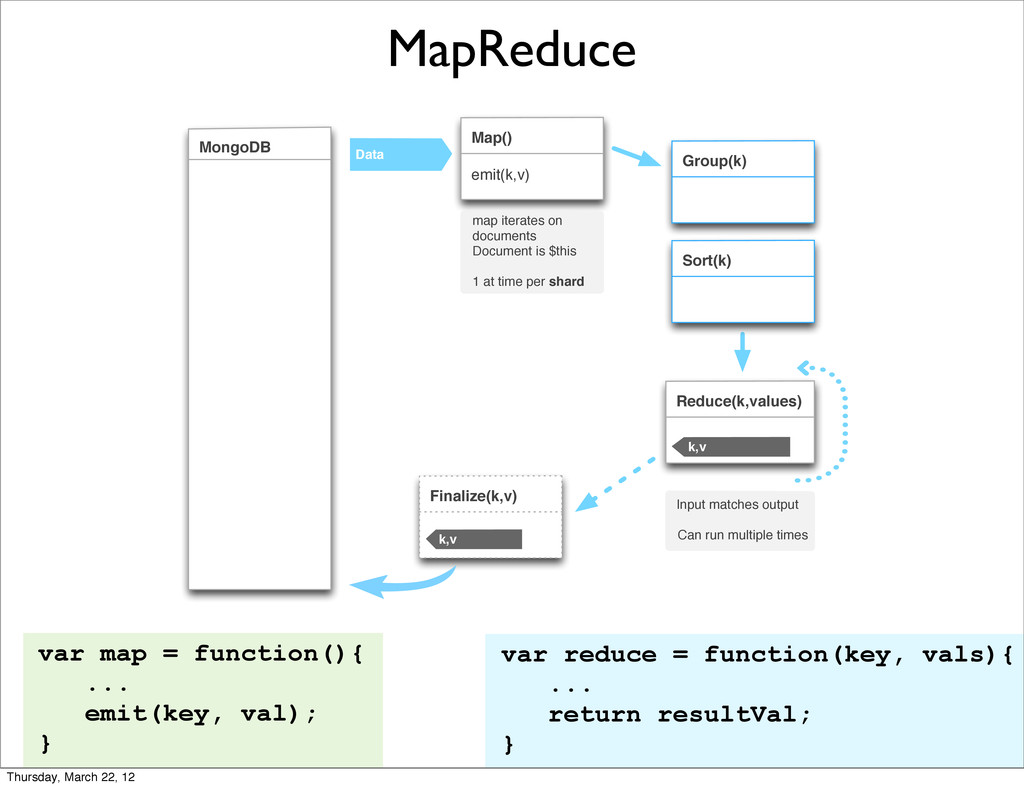
  3. MapReduce var map = function(){ ... emit(key, val); } var

    reduce = function(key, vals){ ... return resultVal; } Data Map() emit(k,v) Sort(k) Group(k) Reduce(k,values) k,v Finalize(k,v) k,v MongoDB map iterates on documents Document is $this 1 at time per shard Input matches output Can run multiple times Thursday, March 22, 12
  4. What’s wrong with just using MapReduce? • Map/Reduce is very

    powerful, but often overkill • Lots of users relying on it for simple aggregation tasks Thursday, March 22, 12
  5. What’s wrong with just using MapReduce? • Easy to screw

    up JavaScript • Debugging a M/R job sucks • Writing more JS for simple tasks should not be necessary (ಠợಠ) Thursday, March 22, 12
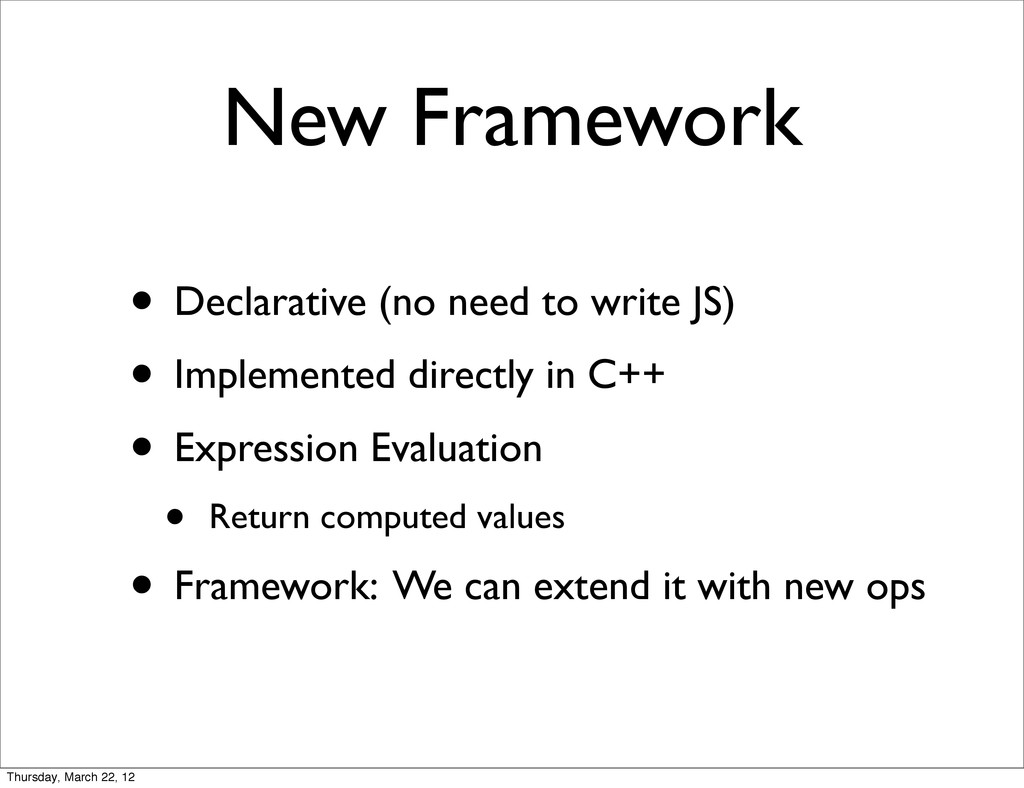
  6. New Framework • Declarative (no need to write JS) •

    Implemented directly in C++ • Expression Evaluation • Return computed values • Framework: We can extend it with new ops Thursday, March 22, 12
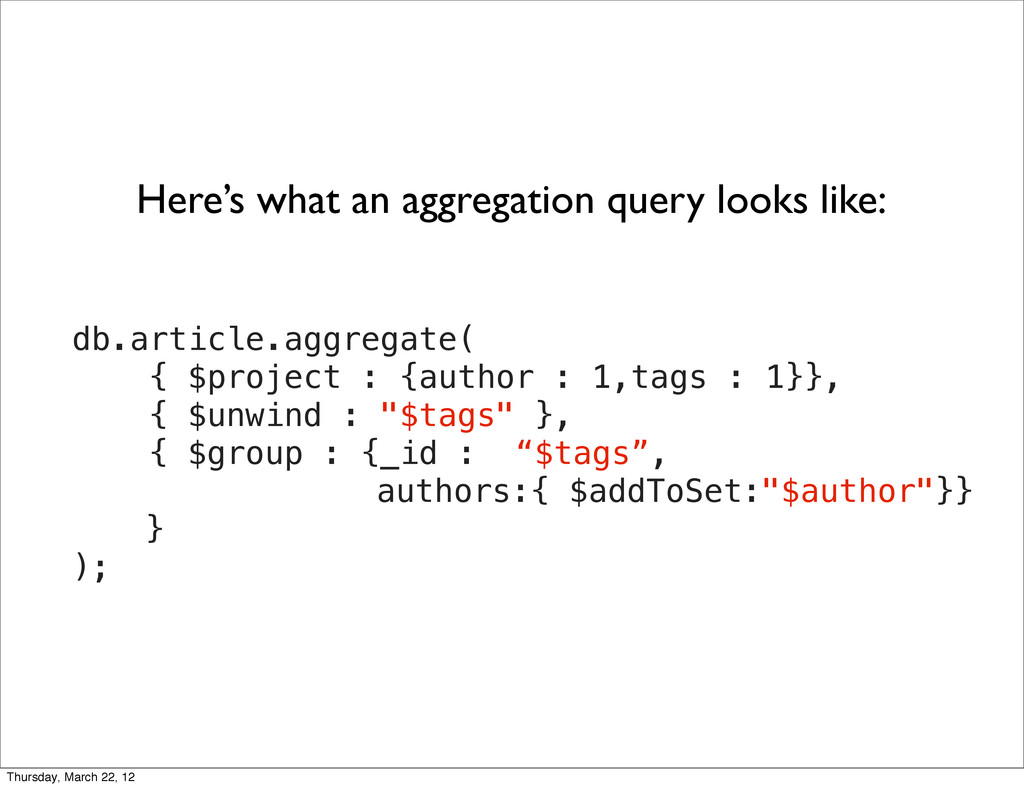
  7. db.article.aggregate( { $project : {author : 1,tags : 1}}, {

    $unwind : "$tags" }, { $group : {_id : “$tags”, authors:{ $addToSet:"$author"}} } ); Here’s what an aggregation query looks like: Thursday, March 22, 12
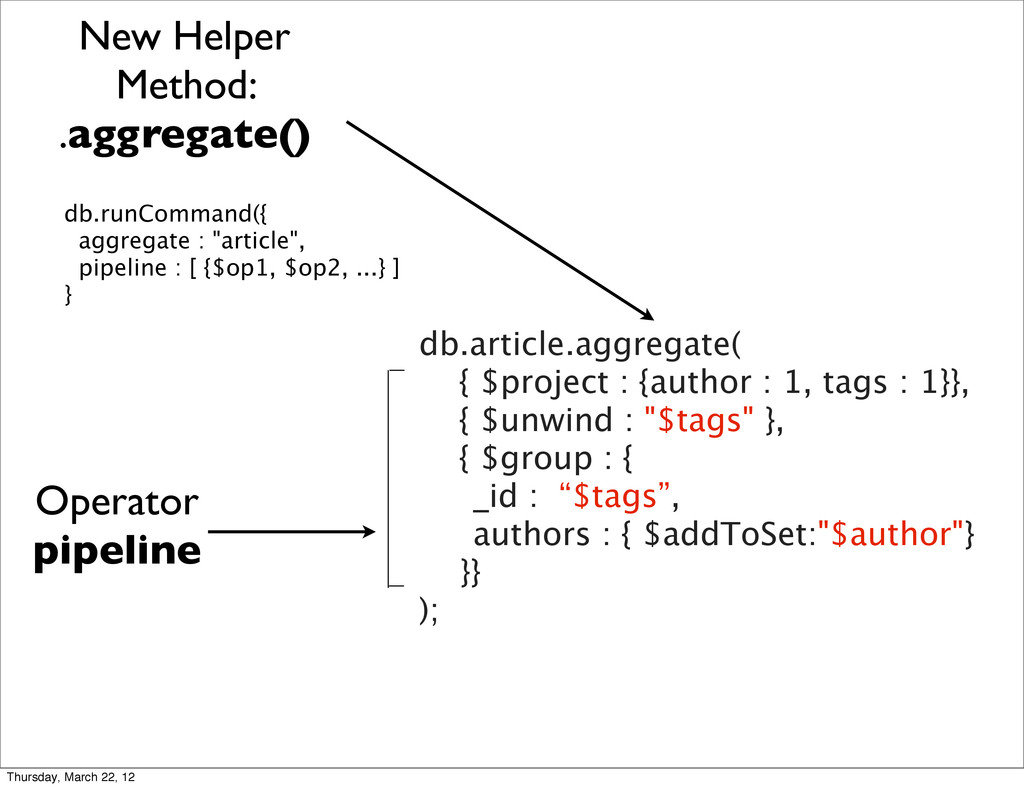
  8. db.article.aggregate( { $project : {author : 1, tags : 1}},

    { $unwind : "$tags" }, { $group : { _id : “$tags”, authors : { $addToSet:"$author"} }} ); New Helper Method: .aggregate() Operator pipeline db.runCommand({ aggregate : "article", pipeline : [ {$op1, $op2, ...} ] } Thursday, March 22, 12
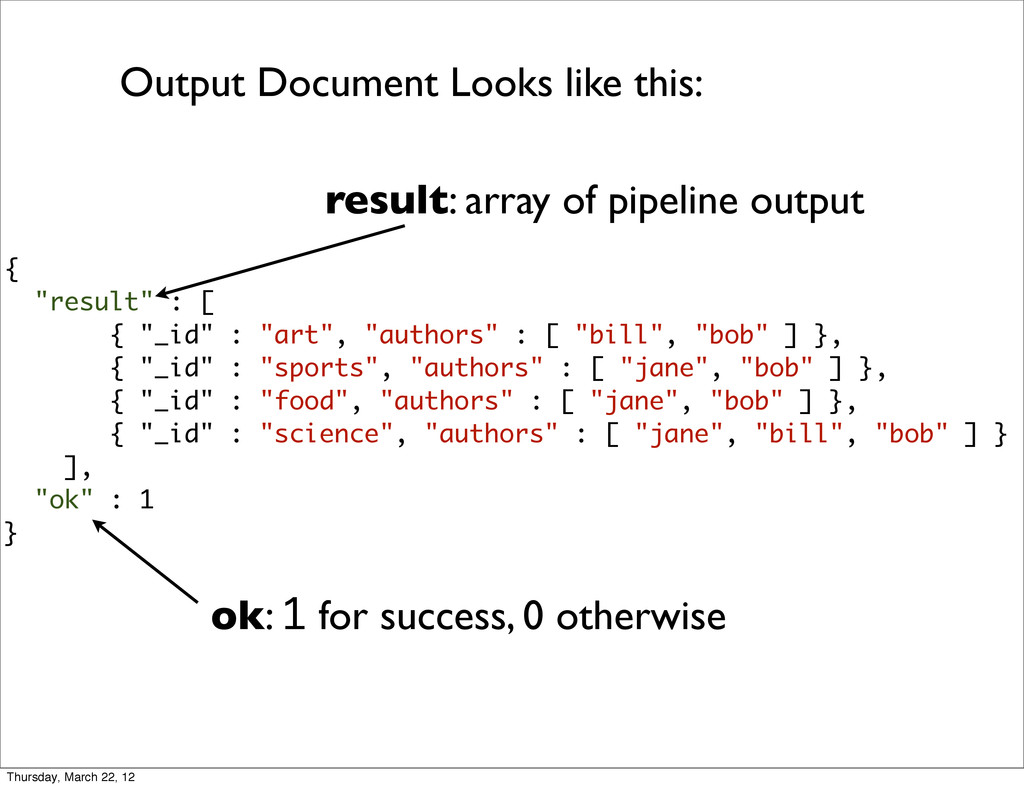
  9. { "result" : [ { "_id" : "art", "authors" :

    [ "bill", "bob" ] }, { "_id" : "sports", "authors" : [ "jane", "bob" ] }, { "_id" : "food", "authors" : [ "jane", "bob" ] }, { "_id" : "science", "authors" : [ "jane", "bill", "bob" ] } ], "ok" : 1 } Output Document Looks like this: result: array of pipeline output ok: 1 for success, 0 otherwise Thursday, March 22, 12
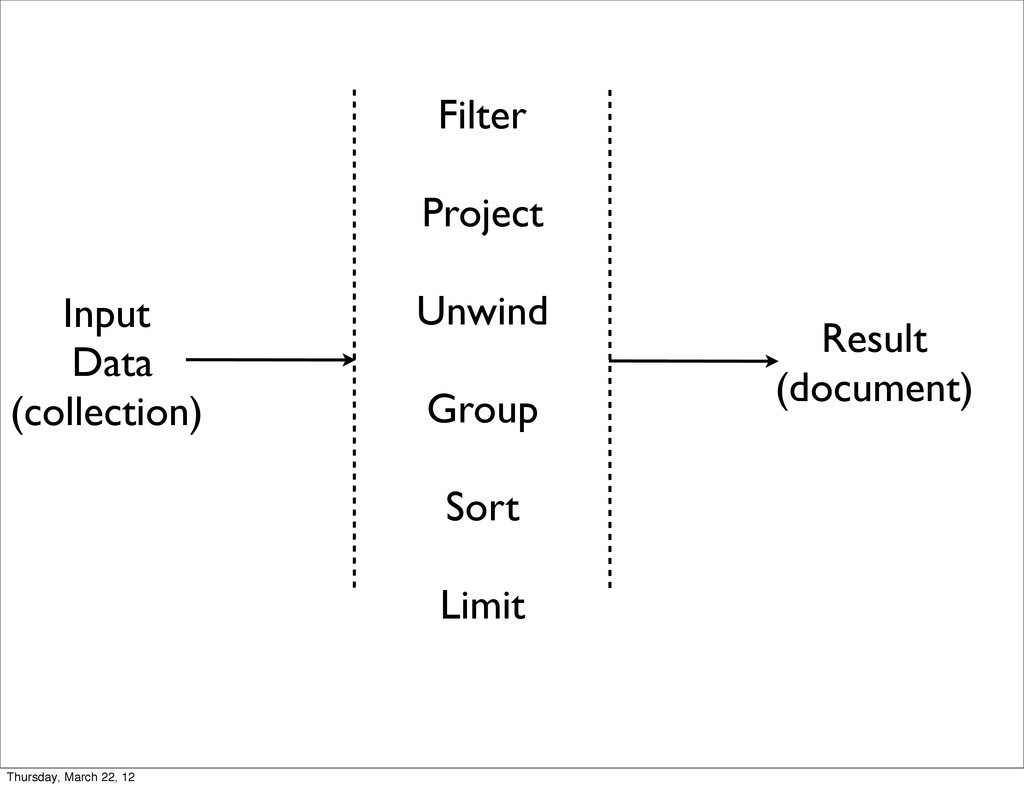
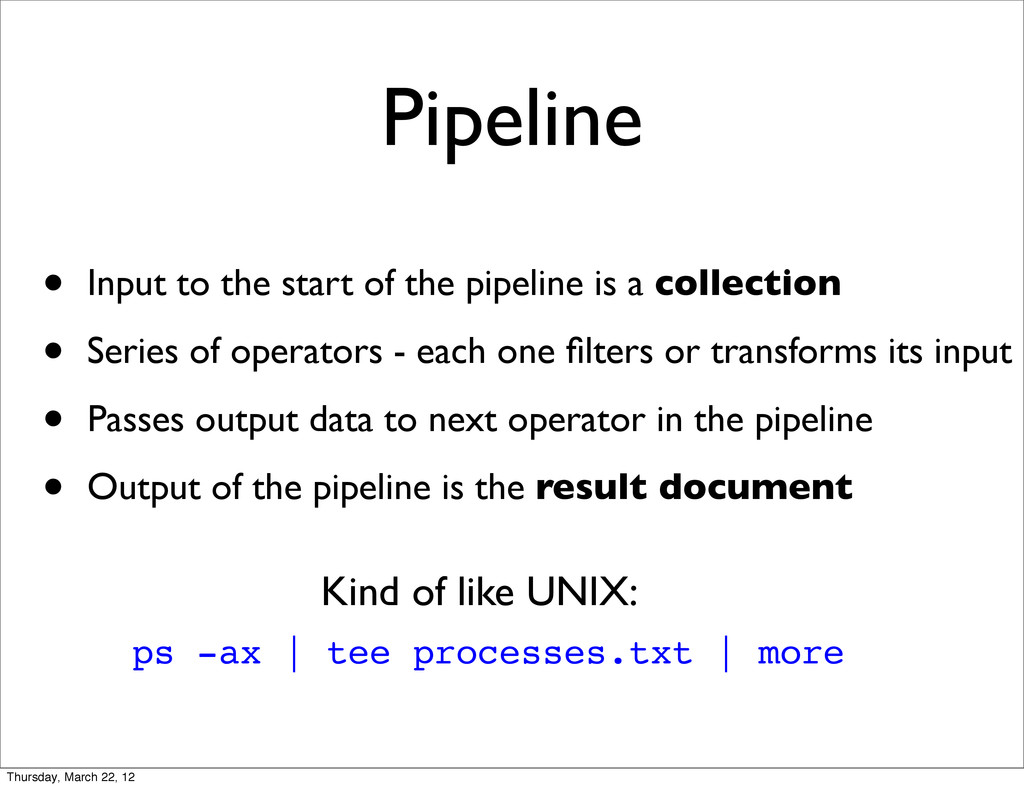
  10. Pipeline • Input to the start of the pipeline is

    a collection • Series of operators - each one filters or transforms its input • Passes output data to next operator in the pipeline • Output of the pipeline is the result document ps -ax | tee processes.txt | more Kind of like UNIX: Thursday, March 22, 12
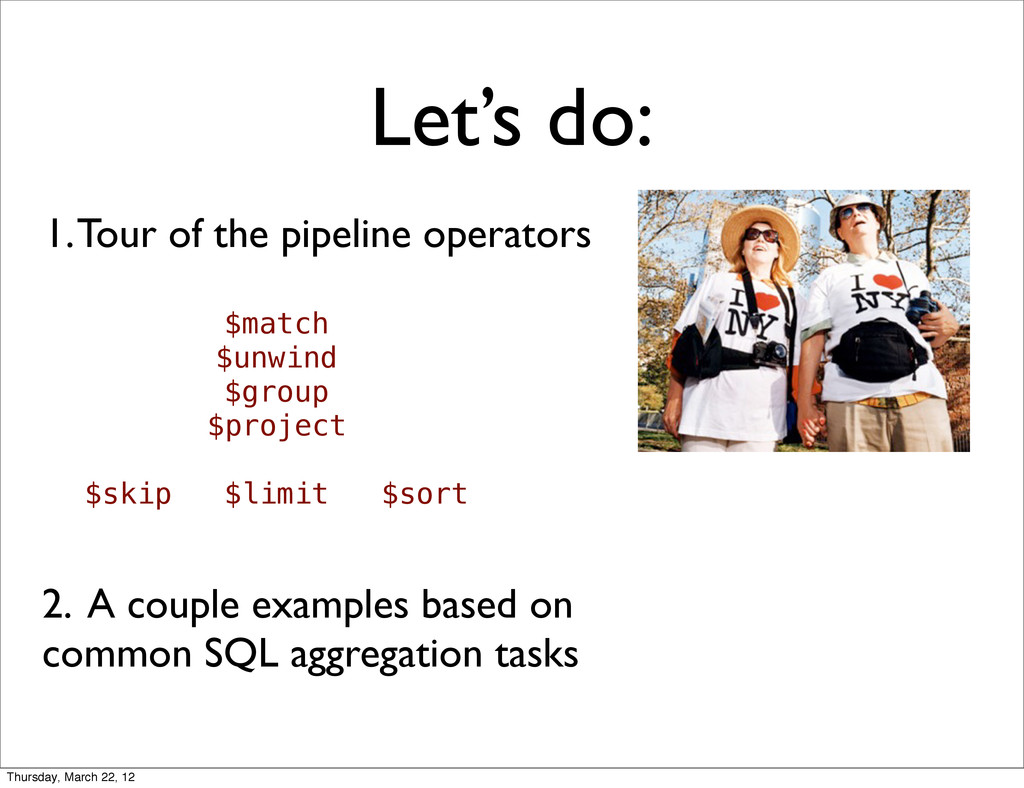
  11. Let’s do: 1. Tour of the pipeline operators 2. A

    couple examples based on common SQL aggregation tasks $match $unwind $group $project $skip $limit $sort Thursday, March 22, 12
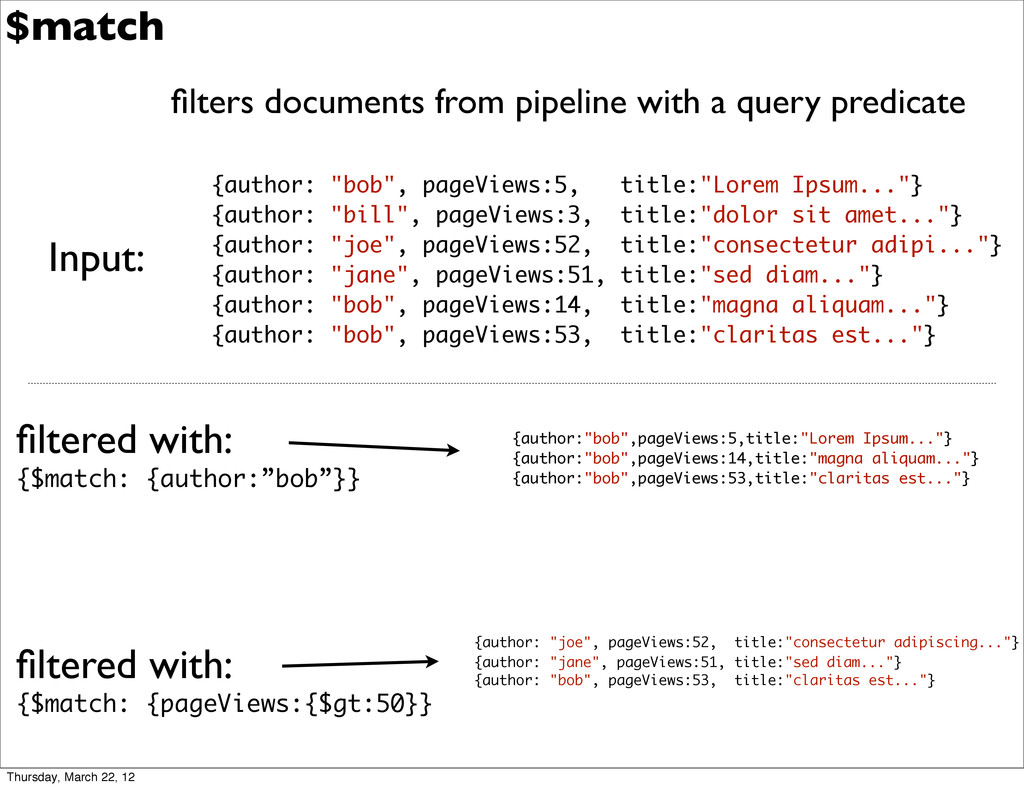
  12. filters documents from pipeline with a query predicate filtered with:

    {$match: {author:”bob”}} $match {author: "bob", pageViews:5, title:"Lorem Ipsum..."} {author: "bill", pageViews:3, title:"dolor sit amet..."} {author: "joe", pageViews:52, title:"consectetur adipi..."} {author: "jane", pageViews:51, title:"sed diam..."} {author: "bob", pageViews:14, title:"magna aliquam..."} {author: "bob", pageViews:53, title:"claritas est..."} filtered with: {$match: {pageViews:{$gt:50}} {author:"bob",pageViews:5,title:"Lorem Ipsum..."} {author:"bob",pageViews:14,title:"magna aliquam..."} {author:"bob",pageViews:53,title:"claritas est..."} {author: "joe", pageViews:52, title:"consectetur adipiscing..."} {author: "jane", pageViews:51, title:"sed diam..."} {author: "bob", pageViews:53, title:"claritas est..."} Input: Thursday, March 22, 12
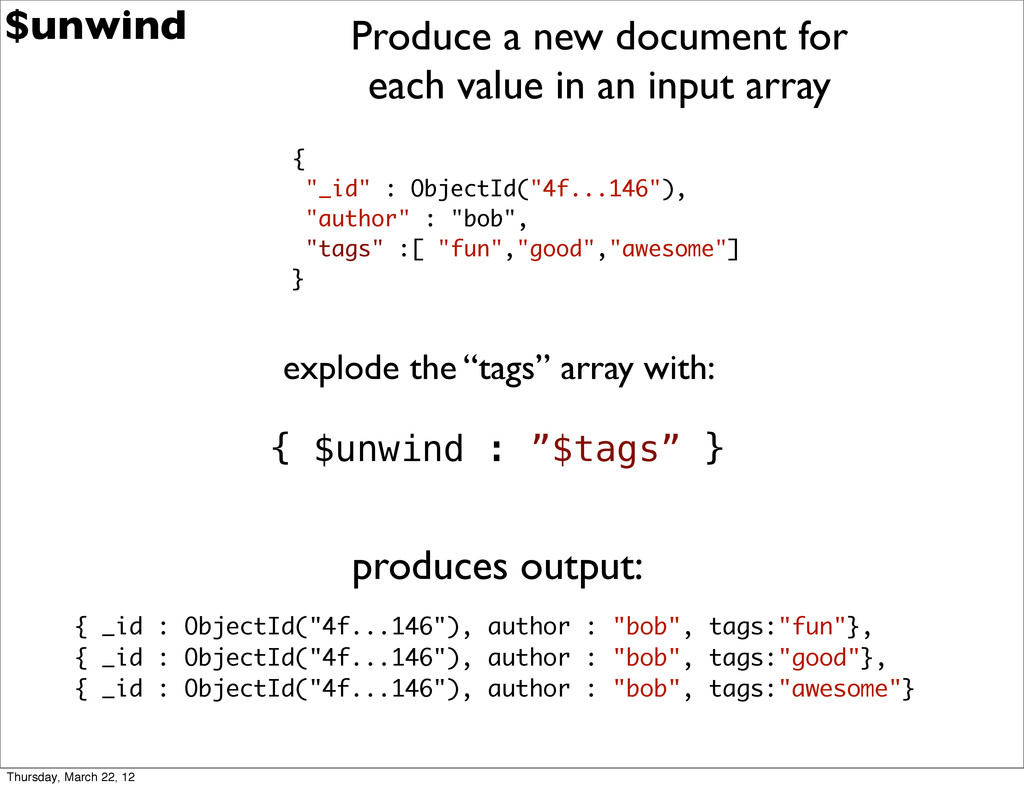
  13. $unwind { "_id" : ObjectId("4f...146"), "author" : "bob", "tags" :[

    "fun","good","awesome"] } explode the “tags” array with: { $unwind : ”$tags” } { _id : ObjectId("4f...146"), author : "bob", tags:"fun"}, { _id : ObjectId("4f...146"), author : "bob", tags:"good"}, { _id : ObjectId("4f...146"), author : "bob", tags:"awesome"} produces output: Produce a new document for each value in an input array Thursday, March 22, 12
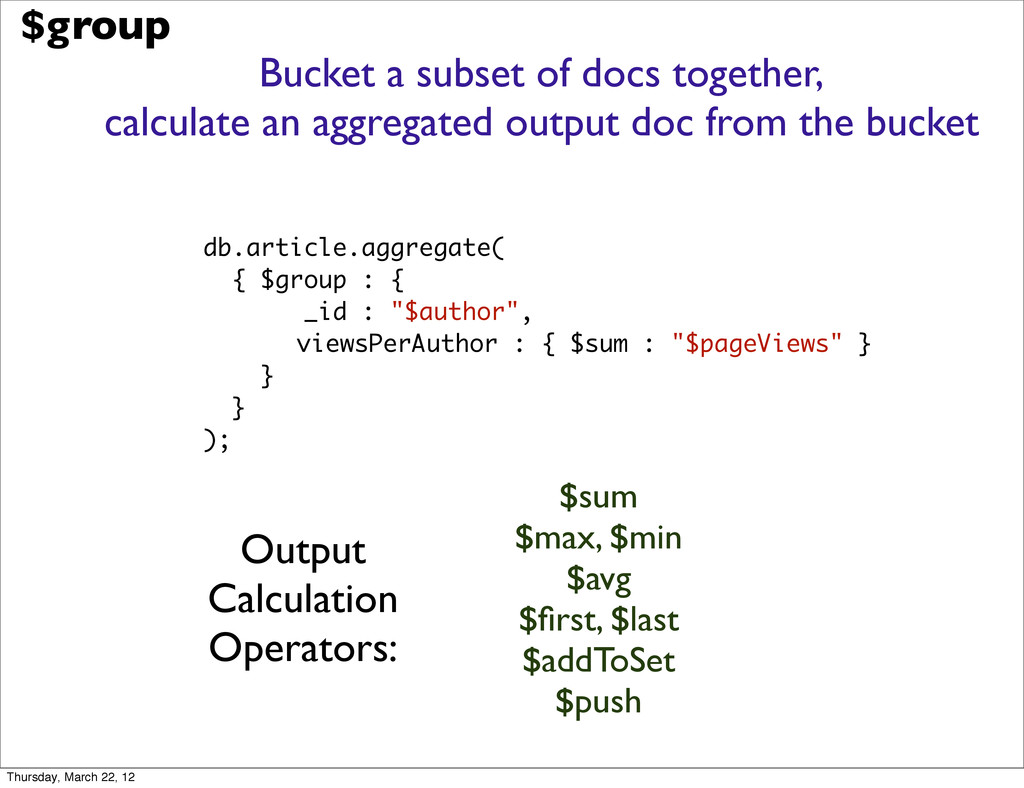
  14. Bucket a subset of docs together, calculate an aggregated output

    doc from the bucket $sum $max, $min $avg $first, $last $addToSet $push db.article.aggregate( { $group : { _id : "$author", viewsPerAuthor : { $sum : "$pageViews" } } } ); $group Output Calculation Operators: Thursday, March 22, 12
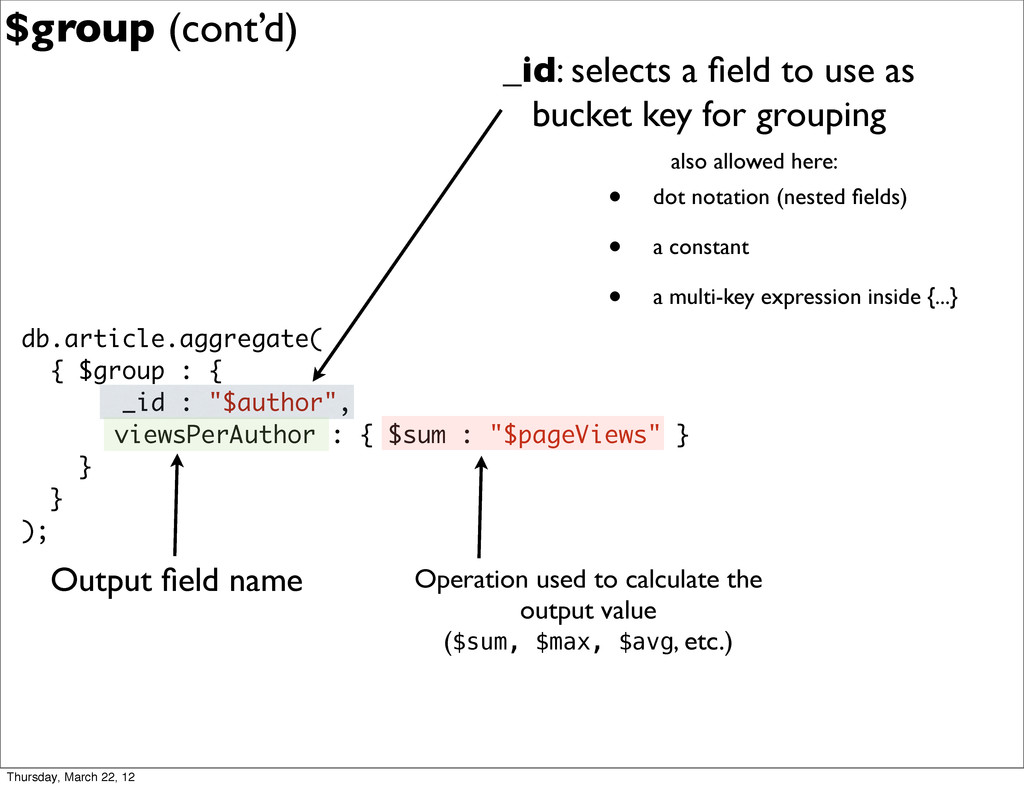
  15. db.article.aggregate( { $group : { _id : "$author", viewsPerAuthor :

    { $sum : "$pageViews" } } } ); _id: selects a field to use as bucket key for grouping Output field name Operation used to calculate the output value ($sum, $max, $avg, etc.) $group (cont’d) • dot notation (nested fields) • a constant • a multi-key expression inside {...} also allowed here: Thursday, March 22, 12
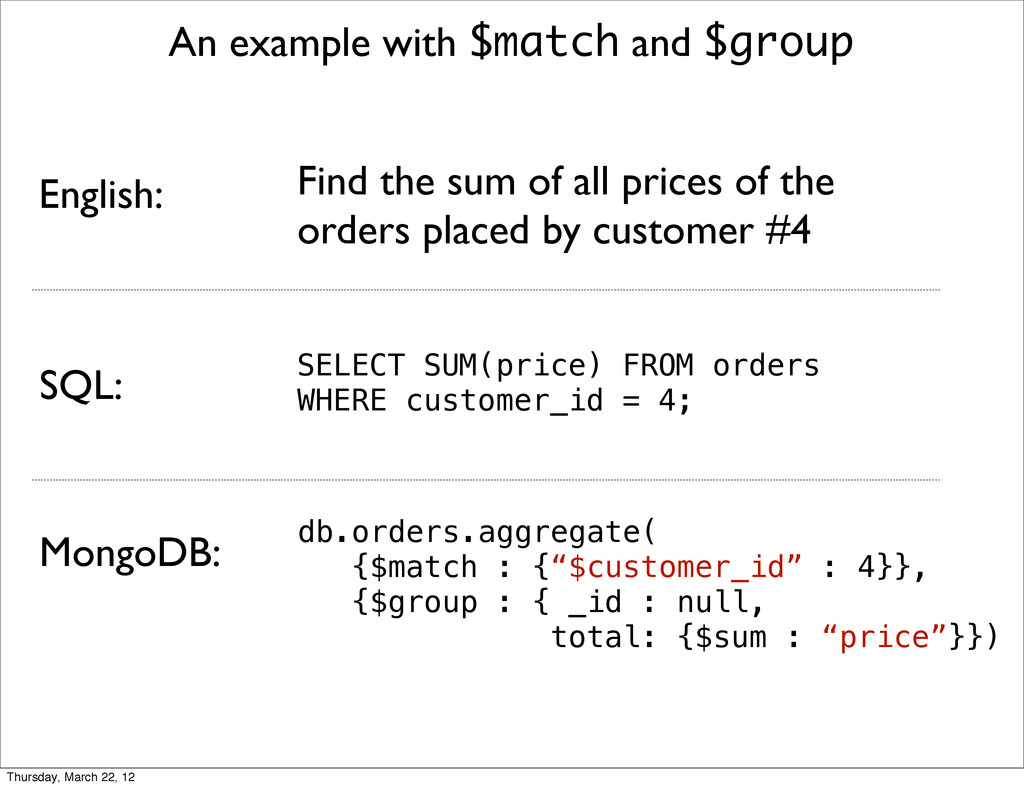
  16. An example with $match and $group SELECT SUM(price) FROM orders

    WHERE customer_id = 4; MongoDB: SQL: db.orders.aggregate( {$match : {“$customer_id” : 4}}, {$group : { _id : null, total: {$sum : “price”}}) English: Find the sum of all prices of the orders placed by customer #4 Thursday, March 22, 12
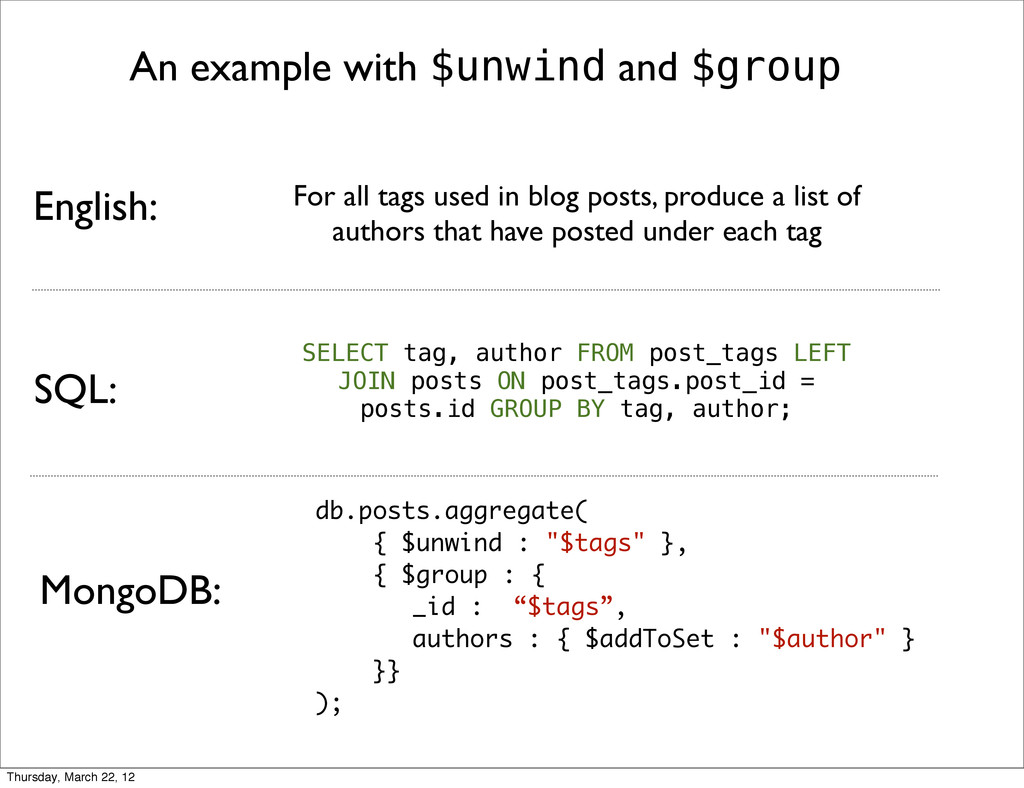
  17. An example with $unwind and $group MongoDB: SQL: English: db.posts.aggregate(

    { $unwind : "$tags" }, { $group : { _id : “$tags”, authors : { $addToSet : "$author" } }} ); For all tags used in blog posts, produce a list of authors that have posted under each tag SELECT tag, author FROM post_tags LEFT JOIN posts ON post_tags.post_id = posts.id GROUP BY tag, author; Thursday, March 22, 12
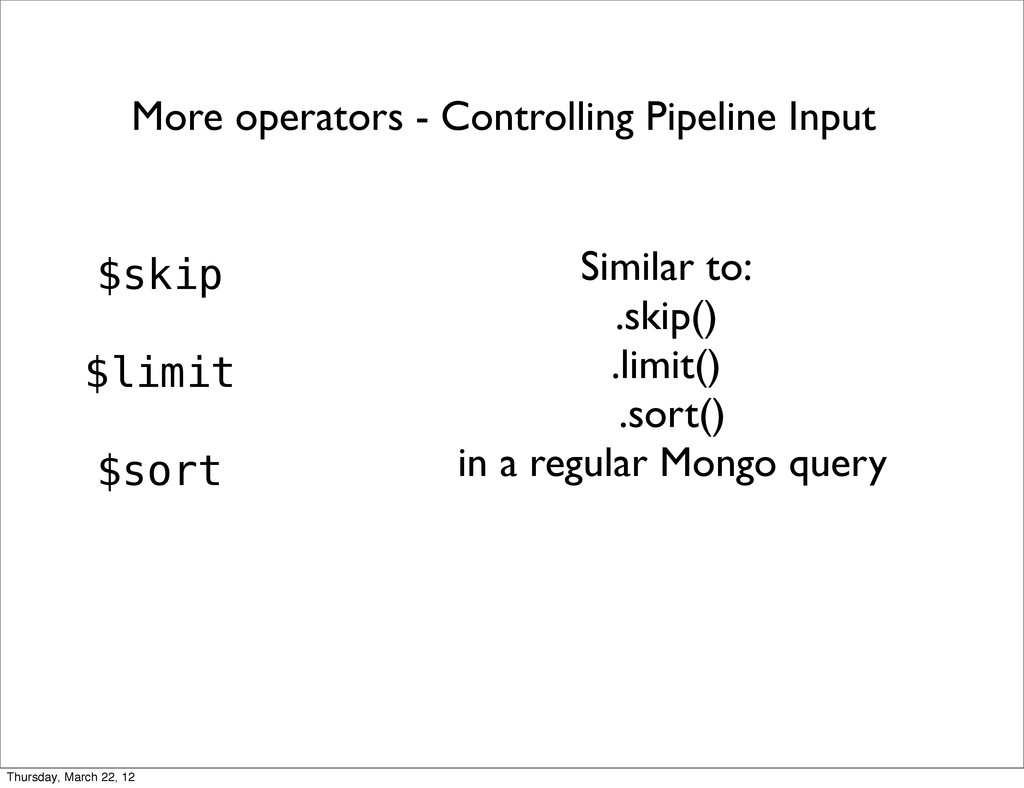
  18. More operators - Controlling Pipeline Input $skip $limit $sort Similar

    to: .skip() .limit() .sort() in a regular Mongo query Thursday, March 22, 12
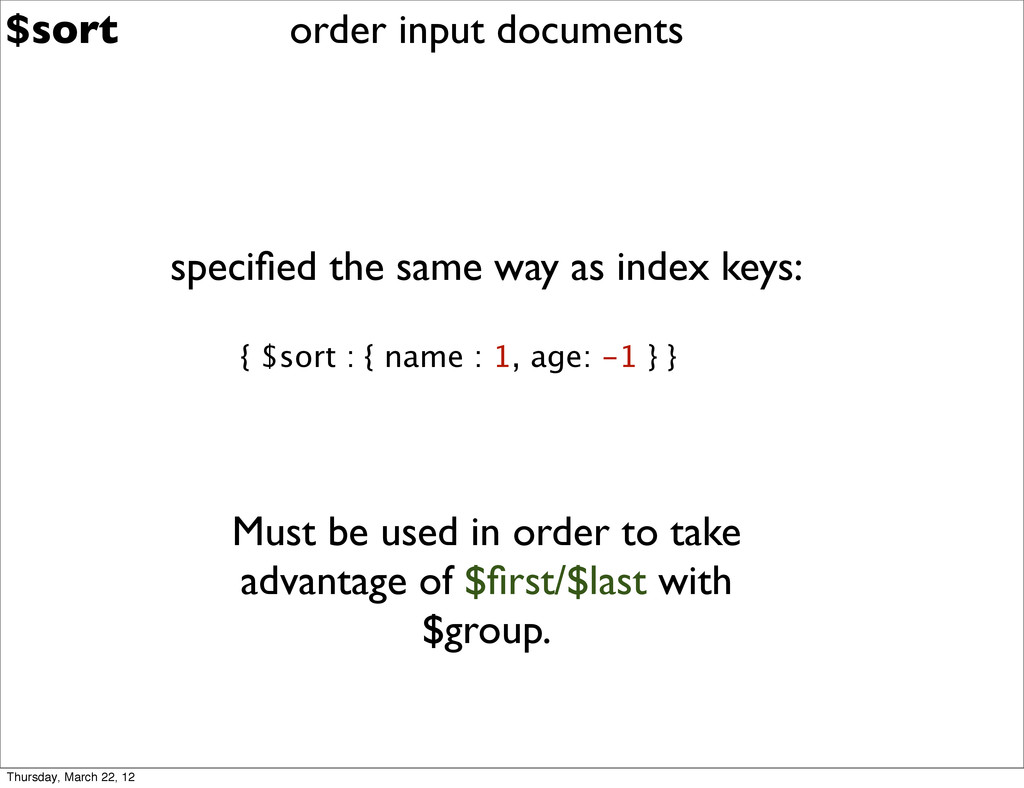
  19. $sort specified the same way as index keys: { $sort

    : { name : 1, age: -1 } } Must be used in order to take advantage of $first/$last with $group. order input documents Thursday, March 22, 12
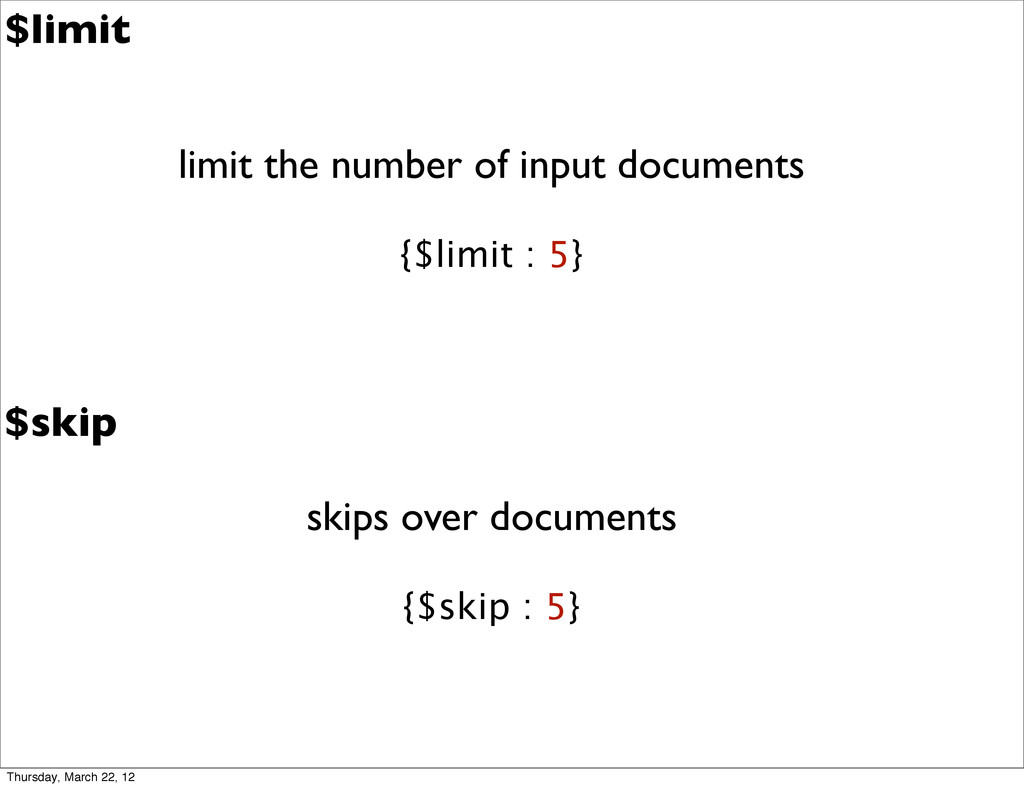
  20. $limit limit the number of input documents {$limit : 5}

    $skip skips over documents {$skip : 5} Thursday, March 22, 12
  21. $project Use for: Add, Remove, Pull up, Push down, Rename

    Fields Building computed fields Reshape a document Thursday, March 22, 12
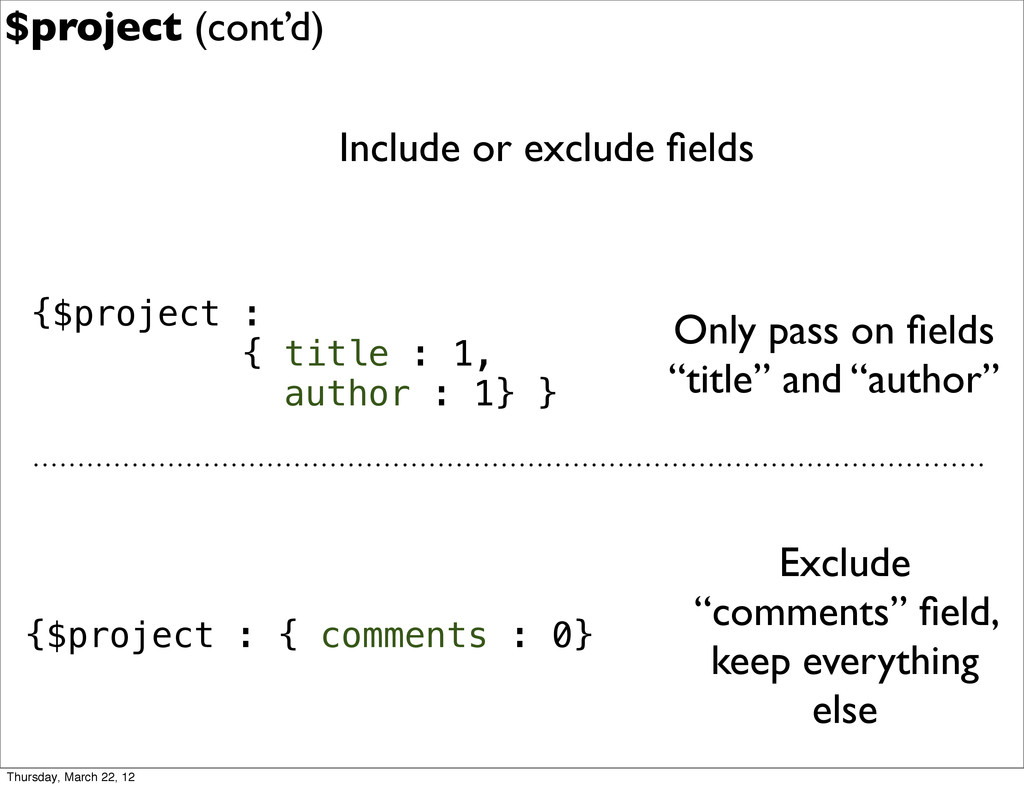
  22. $project (cont’d) Include or exclude fields {$project : { title

    : 1, author : 1} } Only pass on fields “title” and “author” {$project : { comments : 0} Exclude “comments” field, keep everything else Thursday, March 22, 12
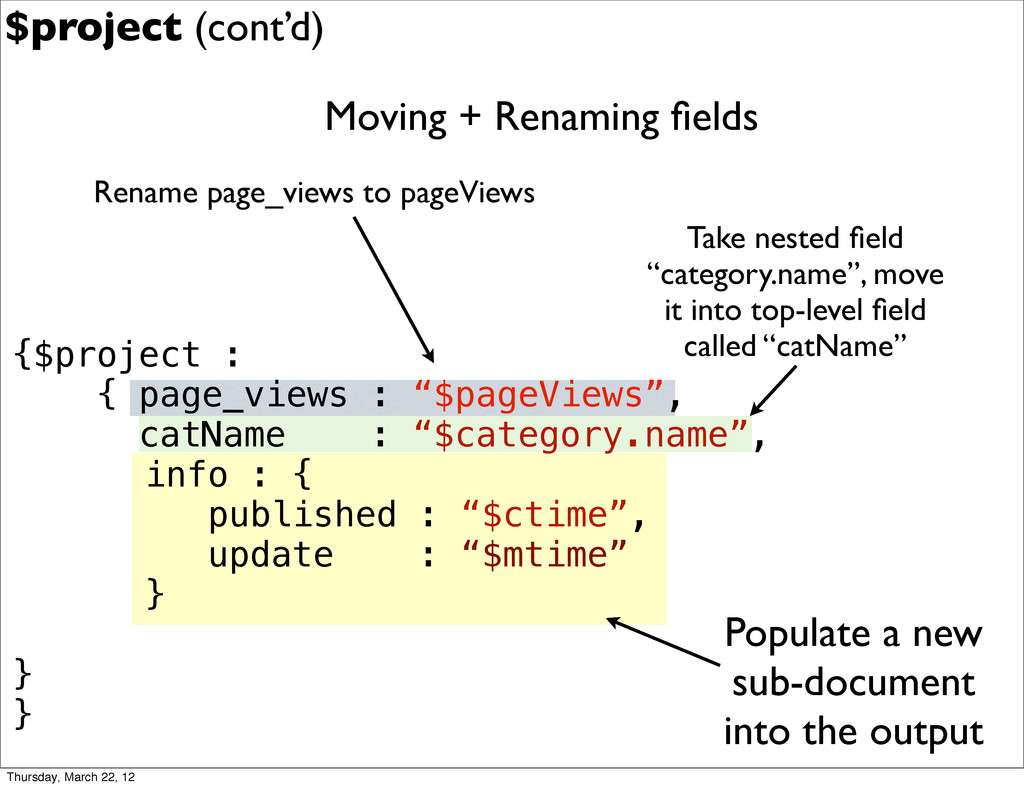
  23. Moving + Renaming fields {$project : { page_views : “$pageViews”,

    catName : “$category.name”, info : { published : “$ctime”, update : “$mtime” } } } Rename page_views to pageViews Take nested field “category.name”, move it into top-level field called “catName” Populate a new sub-document into the output $project (cont’d) Thursday, March 22, 12
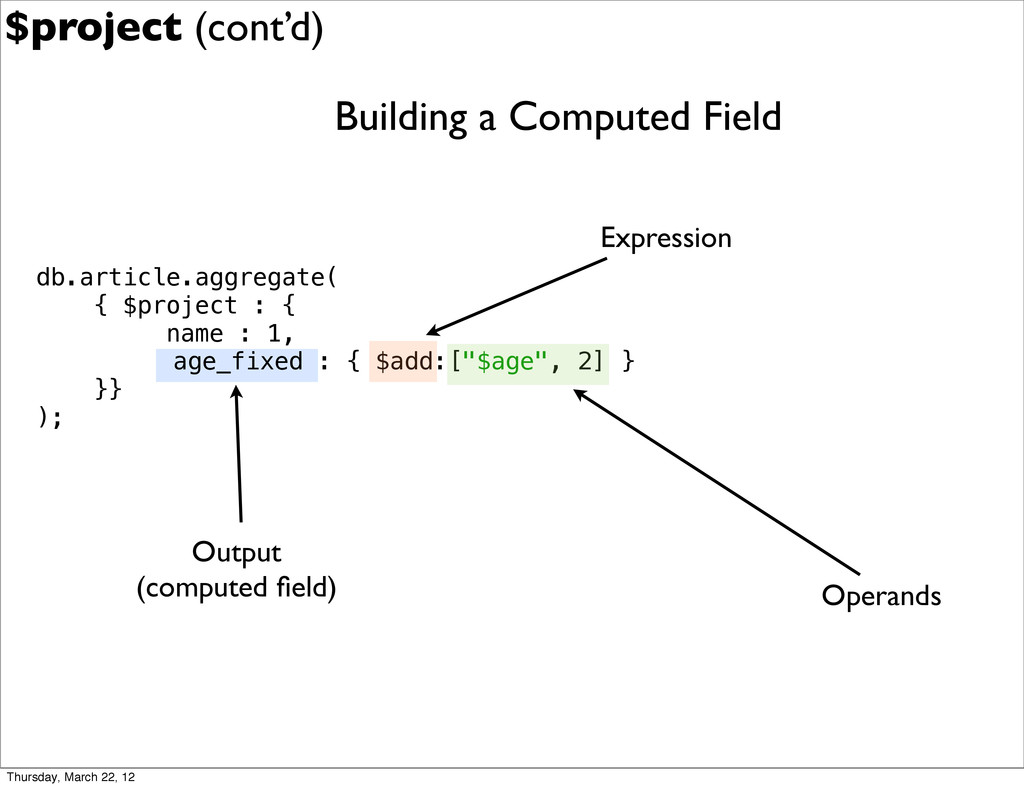
  24. db.article.aggregate( { $project : { name : 1, ! age_fixed

    : { $add:["$age", 2] } }} ); Building a Computed Field Output (computed field) Operands Expression $project (cont’d) Thursday, March 22, 12
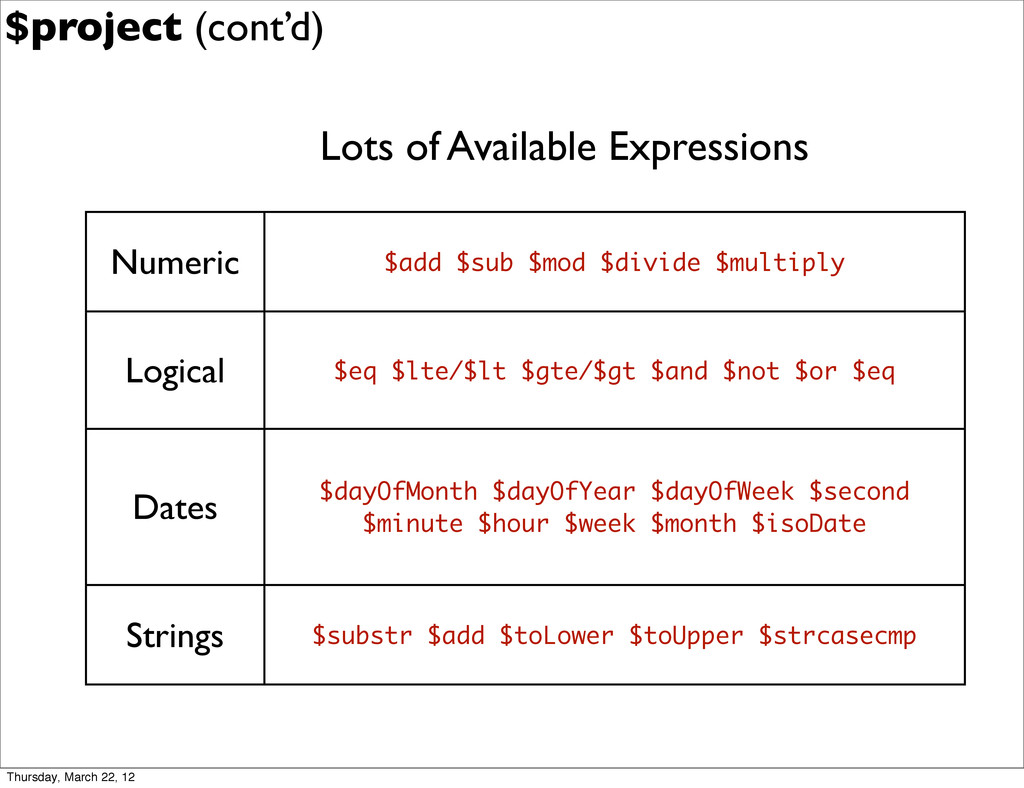
  25. Lots of Available Expressions $project (cont’d) Numeric $add $sub $mod

    $divide $multiply Logical $eq $lte/$lt $gte/$gt $and $not $or $eq Dates $dayOfMonth $dayOfYear $dayOfWeek $second $minute $hour $week $month $isoDate Strings $substr $add $toLower $toUpper $strcasecmp Thursday, March 22, 12
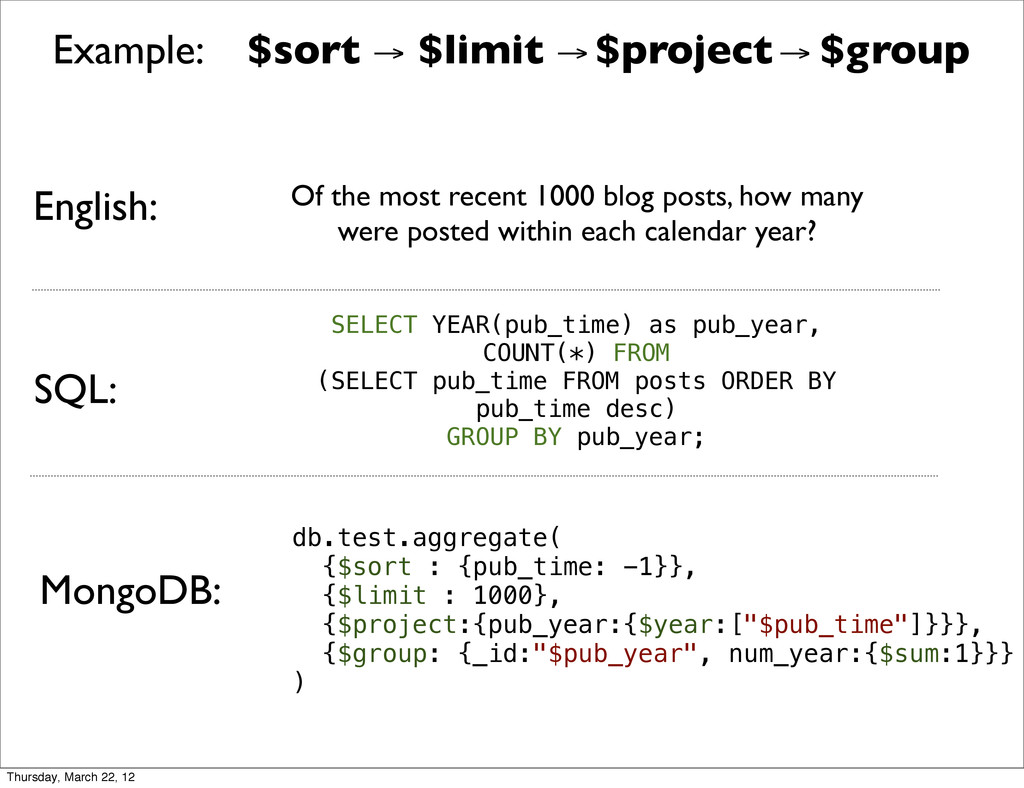
  26. Example: $sort → $limit → $project → $group MongoDB: SQL:

    English: Of the most recent 1000 blog posts, how many were posted within each calendar year? SELECT YEAR(pub_time) as pub_year, COUNT(*) FROM (SELECT pub_time FROM posts ORDER BY pub_time desc) GROUP BY pub_year; db.test.aggregate( {$sort : {pub_time: -1}}, {$limit : 1000}, {$project:{pub_year:{$year:["$pub_time"]}}}, {$group: {_id:"$pub_year", num_year:{$sum:1}}} ) Thursday, March 22, 12
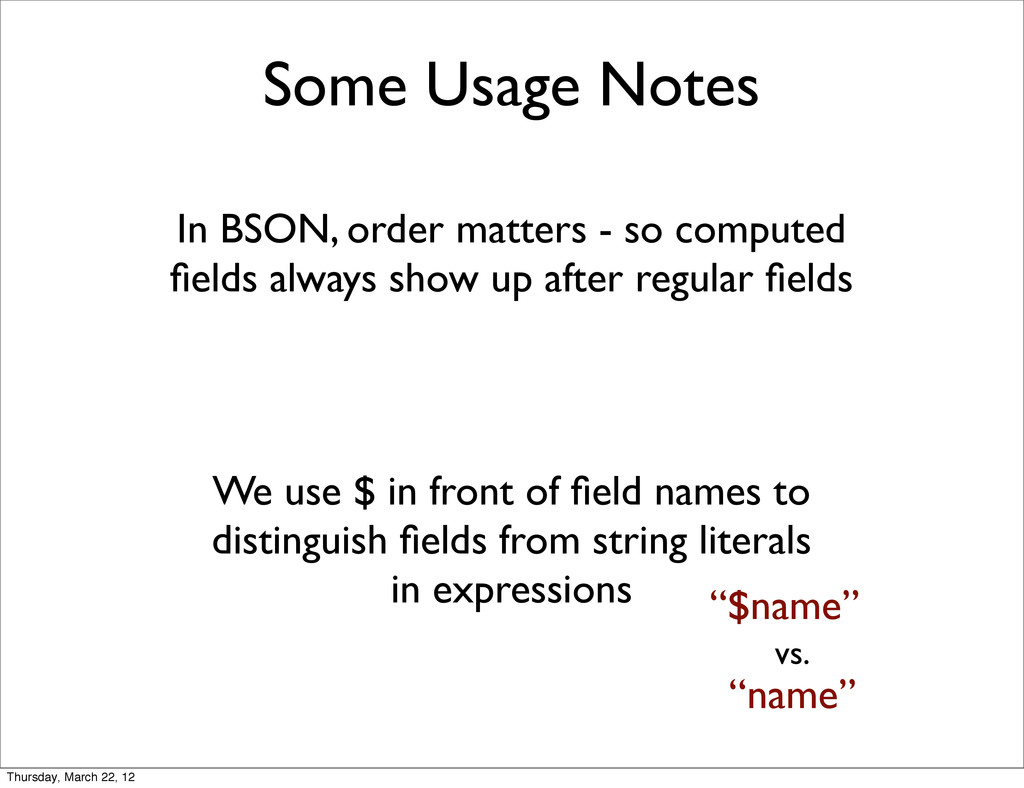
  27. Some Usage Notes In BSON, order matters - so computed

    fields always show up after regular fields We use $ in front of field names to distinguish fields from string literals in expressions “$name” “name” vs. Thursday, March 22, 12
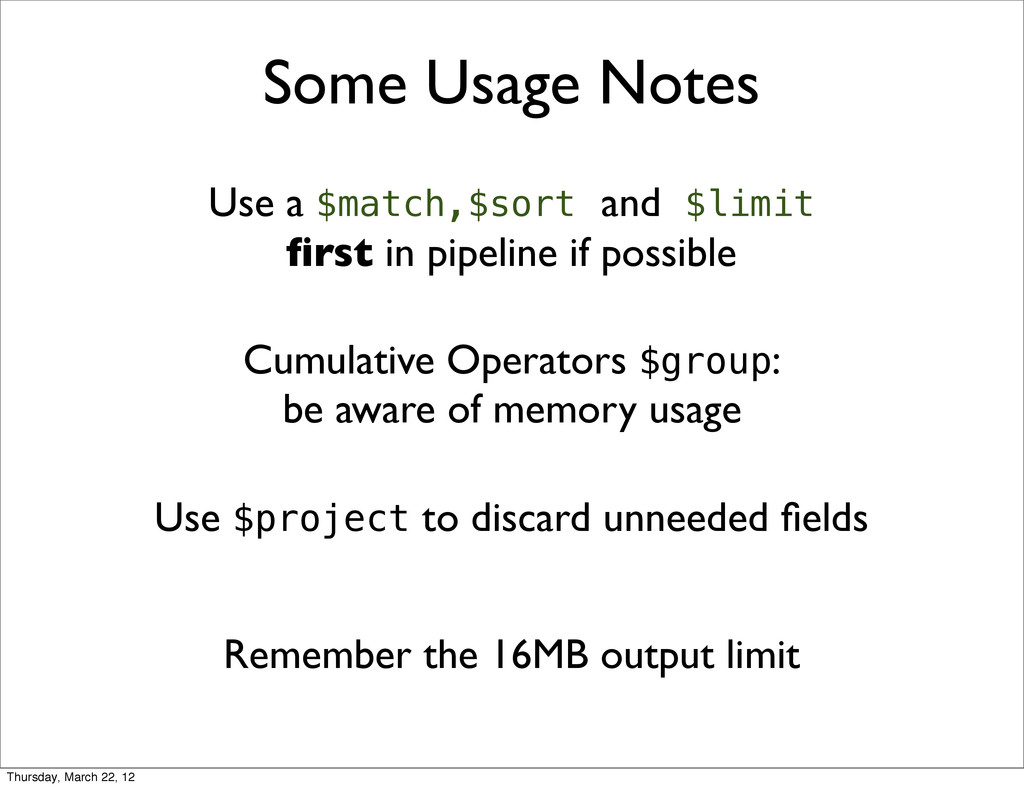
  28. Some Usage Notes Use a $match,$sort and $limit first in

    pipeline if possible Cumulative Operators $group: be aware of memory usage Use $project to discard unneeded fields Remember the 16MB output limit Thursday, March 22, 12
  29. MapReduce is still important • Framework is geared towards counting/accumulating

    • If you need something more exotic, use MapReduce • No 16MB constraint on output size with MapReduce • JS in M/R is not limited to any fixed set of expressions • Hadoop Thursday, March 22, 12
  30. thanks! ✌(-‿-)✌ questions? $$$ BTW: we are hiring! http://10gen.com/jobs $$$

    @mpobrien github.com/mpobrien hit me up: Thursday, March 22, 12