Upgrade to Pro
— share decks privately, control downloads, hide ads and more …
Speaker Deck
Sign up for free
Menu
Search
Features
All features
Private URLs
Password Protection
Custom URLS
Scheduled publishing
Remove Branding
Restrict embedding
Deck Collections
Notes
Features
All features
Private URLs
Password Protection
Custom URLS
Scheduled publishing
Remove Branding
Restrict embedding
Deck Collections
Notes
Explore
Featured decks
Featured speakers
Programming
Technology
Storyboards
Explore
Featured decks
Featured speakers
Programming
Technology
Storyboards
Pricing
Search
Sign in
Sign up for free
pnpm monorepo で ビルドいらずの パッケージ参照を実現する
Search
offich
May 12, 2026
Programming
20
0
Share
Embed
Copy iframe code
Copy JS code
Copy link
Start on current slide
pnpm monorepo で ビルドいらずの パッケージ参照を実現する
offich
May 12, 2026
More Decks by offich
See All by offich
Firebase Dynamic Link が非推奨になったのでふりかえる
offich
0
840
Nuxt 3 移行に向けてがんばっています
offich
0
2.8k
Other Decks in Programming
See All in Programming
Next.js: The final boss of Web Performance
guaca
0
380
GraphQL の onError と Nullability のこれから
quramy
0
200
Python Lambdaにおけるテストしやすい設計とAI支援の活用 / Designing Testable Python Lambda Functions with AI
kitano_yuichi
1
290
AIが生成したコードは読むべきか?抽象化設計とコードの品質保証 / abstraction-design-and-quality
minodriven
16
8.5k
AI駆動開発4年目の現在地(『あなたはFDEになるべきか?』イベント資料)
kumaiu
0
130
Apple Intelligenceとオンデバイス時代の到来
yahir0
0
200
Lambda durable functionsでHuman in the Loopを楽に…楽に……
har1101
2
270
オーケストレーション記述言語 Katari
yukikurage
0
220
AIで開発が速くなった先で、開発チームは何を目指すか
shihochan
1
2k
TanStack Vue Query と Pinia Colada から学ぶ非同期状態の型設計
aoshi
0
610
AI-Powered Domain-Driven Design
ziobrando
0
380
全ての永続トークンを、生まれる前に消し去りたい!
sylph01
3
1.7k
Featured
See All Featured
The Curious Case for Waylosing
cassininazir
1
610
Why You Should Never Use an ORM
jnunemaker
PRO
61
10k
From Legacy to Launchpad: Building Startup-Ready Communities
dugsong
0
370
The Success of Rails: Ensuring Growth for the Next 100 Years
eileencodes
47
8.4k
Building an army of robots
kneath
307
47k
[RailsConf 2023 Opening Keynote] The Magic of Rails
eileencodes
31
10k
How to Get Subject Matter Experts Bought In and Actively Contributing to SEO & PR Initiatives.
livdayseo
0
240
Prompt Engineering for Job Search
mfonobong
0
570
Build your cross-platform service in a week with App Engine
jlugia
234
19k
Data-driven link building: lessons from a $708K investment (BrightonSEO talk)
szymonslowik
1
1.4k
Heart Work Chapter 1 - Part 1
lfama
PRO
10
37k
What Being in a Rock Band Can Teach Us About Real World SEO
427marketing
0
1.1k
Transcript
pnpm monorepo で ビルドいらずの パッケージ参照を実現する Custom Condition という選択肢 1
自己紹介 offich 時期によって Flutter か Web の開発をやっています 一児のパパ 趣味はカラオケと居酒屋巡り 2
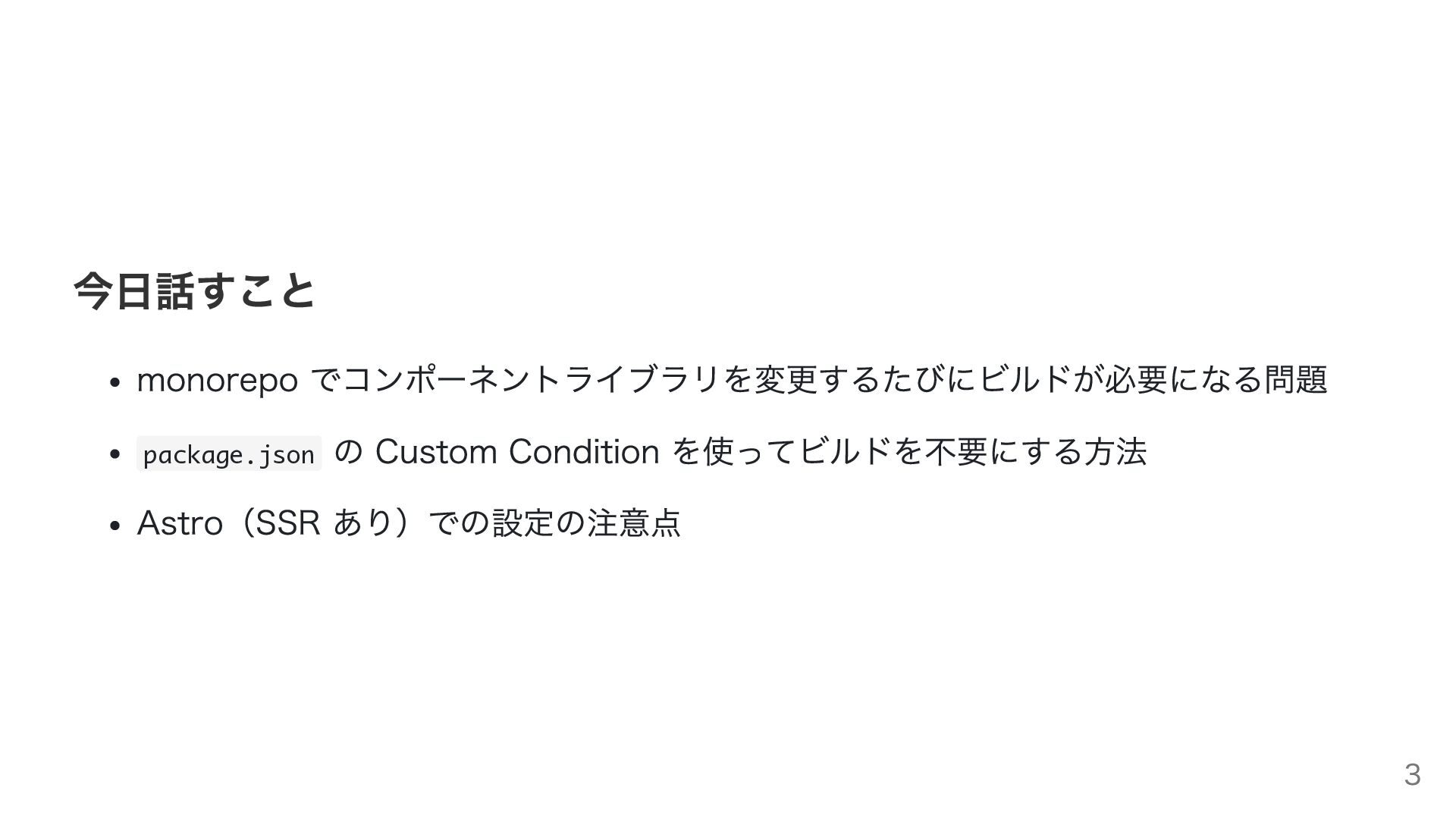
今日話すこと monorepo でコンポーネントライブラリを変更するたびにビルドが必要になる問題 package.json の Custom Condition を使ってビルドを不要にする方法 Astro(SSR あり)での設定の注意点
3
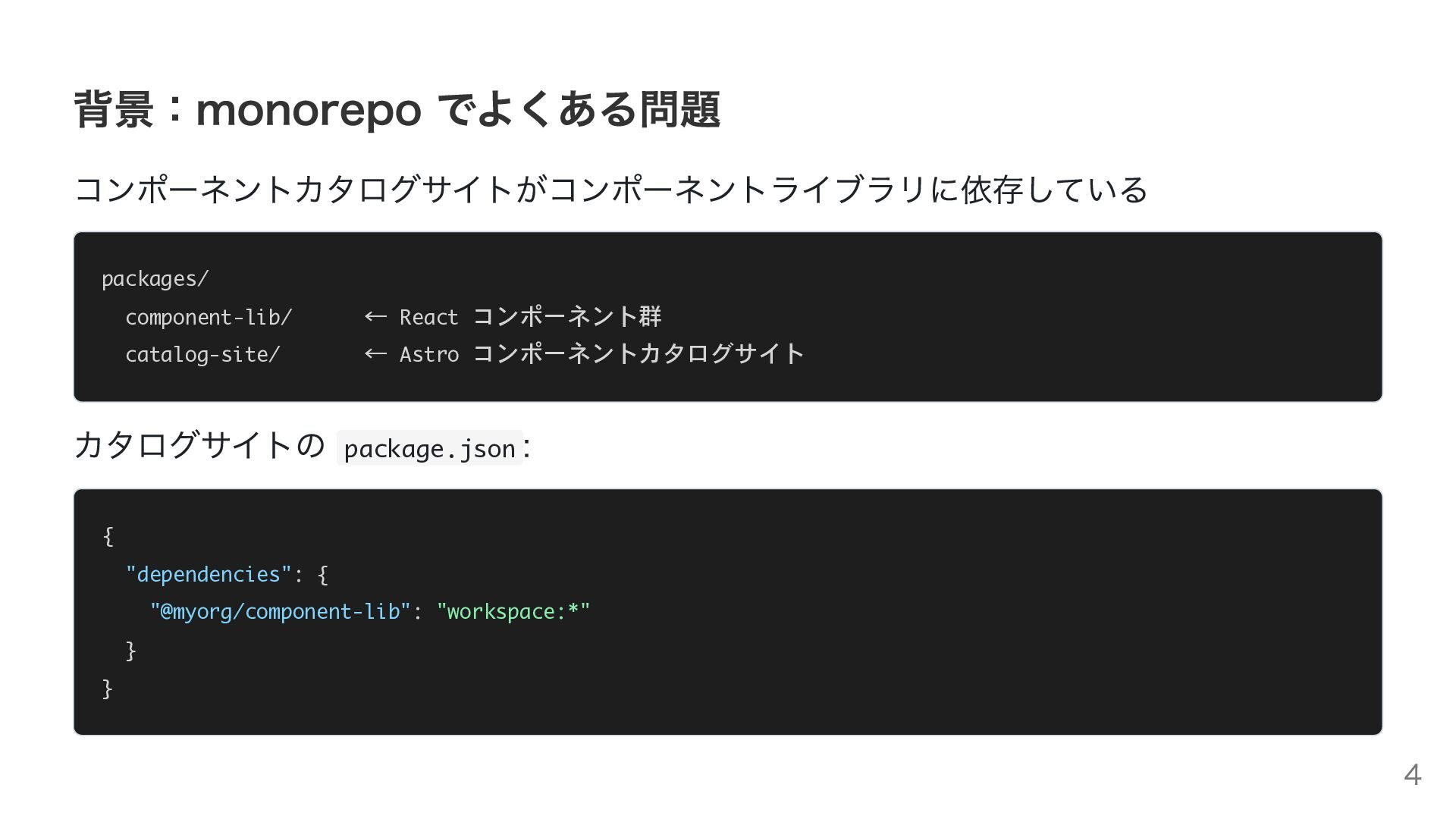
背景:monorepo でよくある問題 コンポーネントカタログサイトがコンポーネントライブラリに依存している packages/ component-lib/ ← React コンポーネント群 catalog-site/ ←
Astro コンポーネントカタログサイト カタログサイトの package.json : { "dependencies": { "@myorg/component-lib": "workspace:*" } } 4
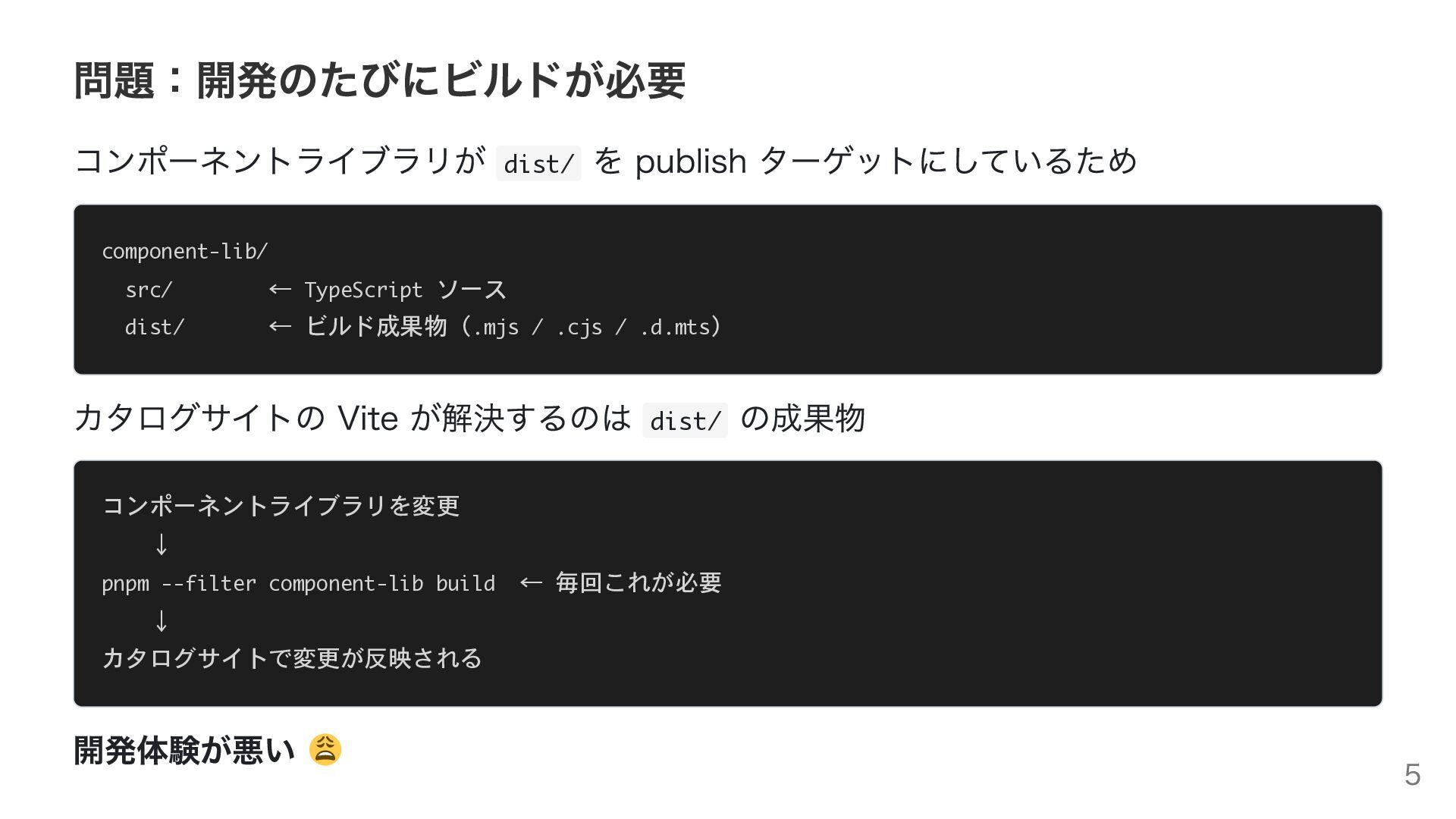
問題:開発のたびにビルドが必要 コンポーネントライブラリが dist/ を publish ターゲットにしているため component-lib/ src/ ← TypeScript
ソース dist/ ← ビルド成果物(.mjs / .cjs / .d.mts) カタログサイトの Vite が解決するのは dist/ の成果物 コンポーネントライブラリを変更 ↓ pnpm --filter component-lib build ← 毎回これが必要 ↓ カタログサイトで変更が反映される 開発体験が悪い 5
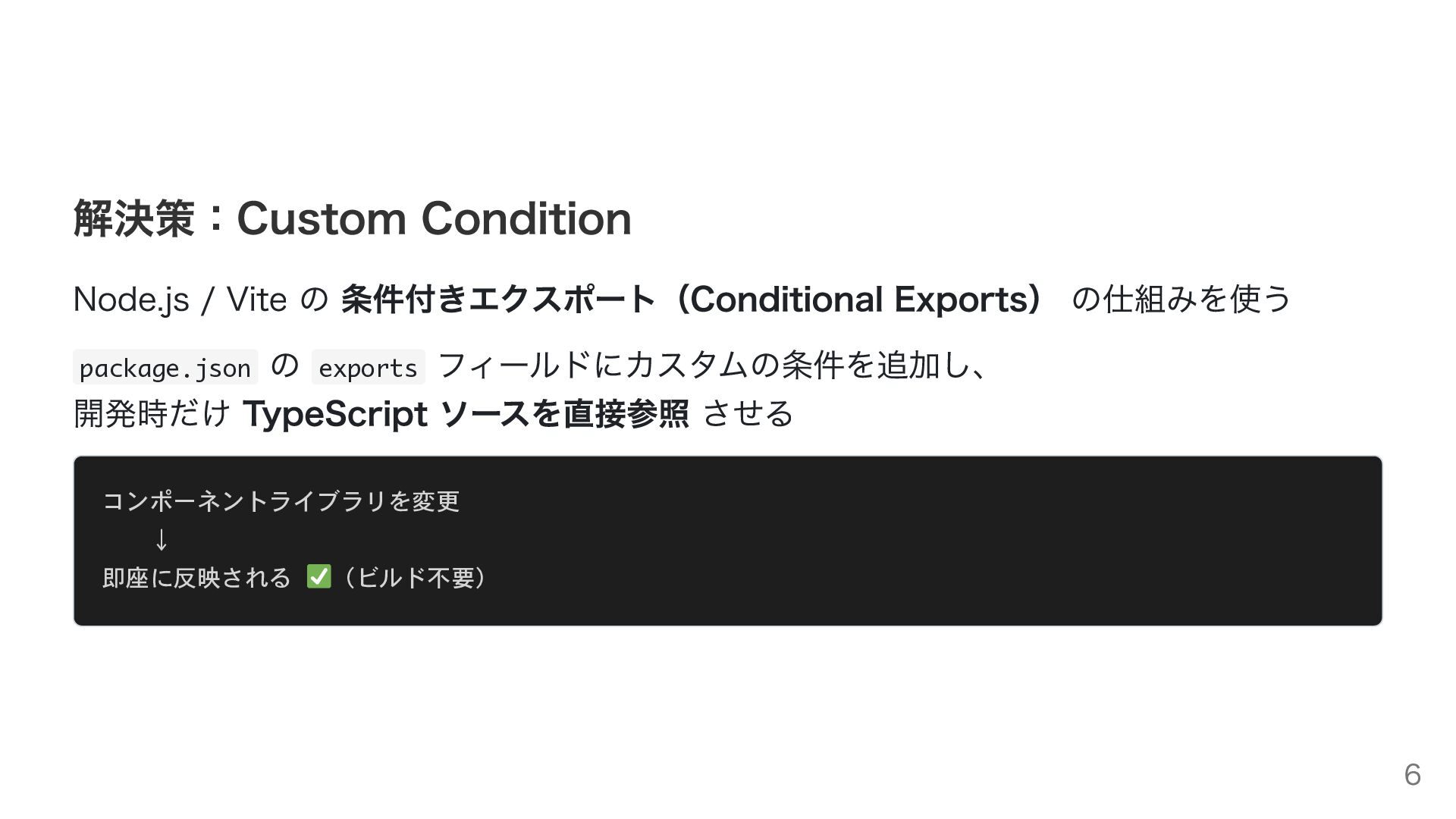
解決策:Custom Condition Node.js / Vite の 条件付きエクスポート(Conditional Exports) の仕組みを使う package.json
の exports フィールドにカスタムの条件を追加し、 開発時だけ TypeScript ソースを直接参照 させる コンポーネントライブラリを変更 ↓ 即座に反映される (ビルド不要) 6
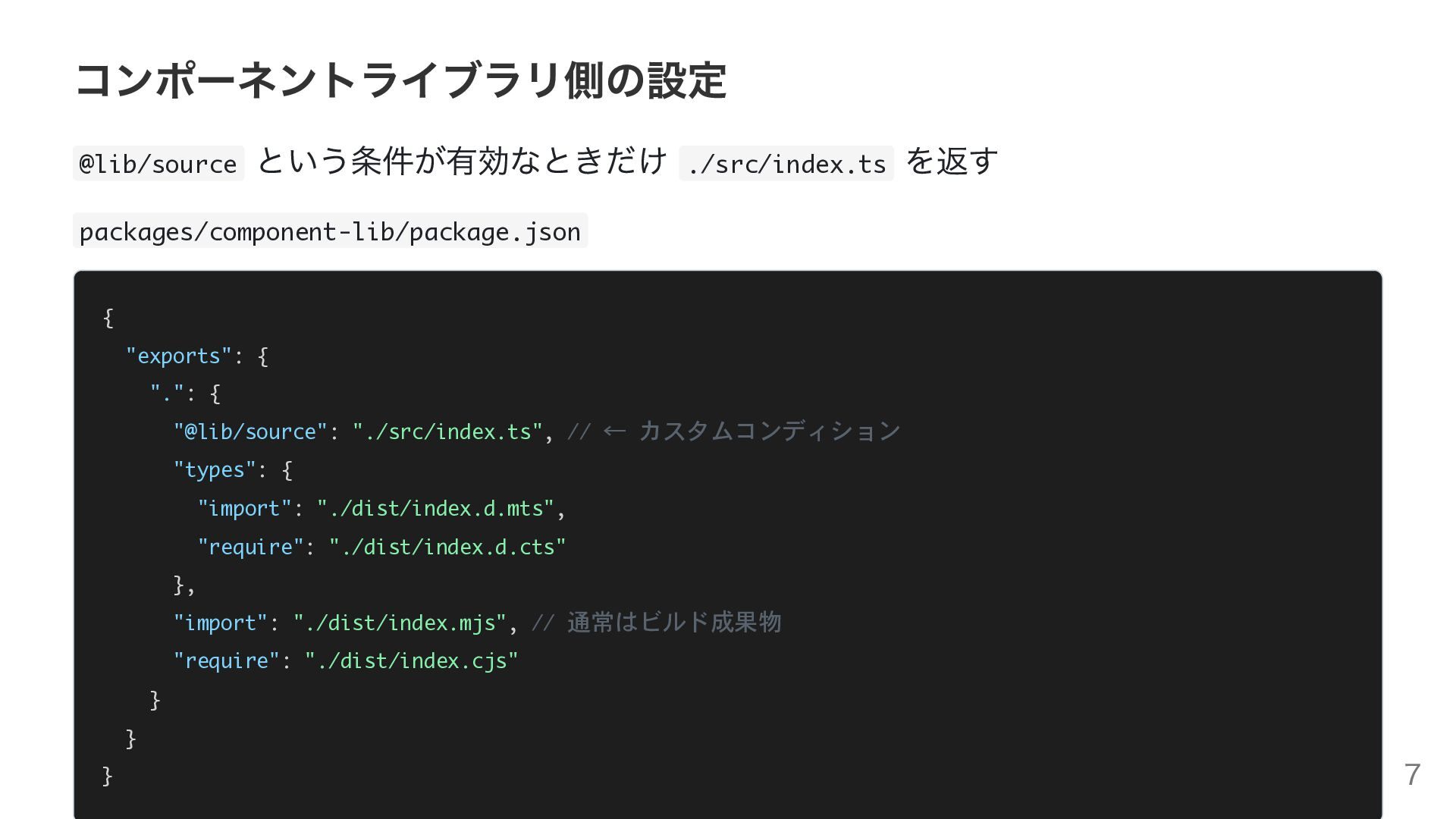
コンポーネントライブラリ側の設定 @lib/source という条件が有効なときだけ ./src/index.ts を返す packages/component-lib/package.json { "exports": { ".":
{ "@lib/source": "./src/index.ts", // ← カスタムコンディション "types": { "import": "./dist/index.d.mts", "require": "./dist/index.d.cts" }, "import": "./dist/index.mjs", // 通常はビルド成果物 "require": "./dist/index.cjs" } } } 7
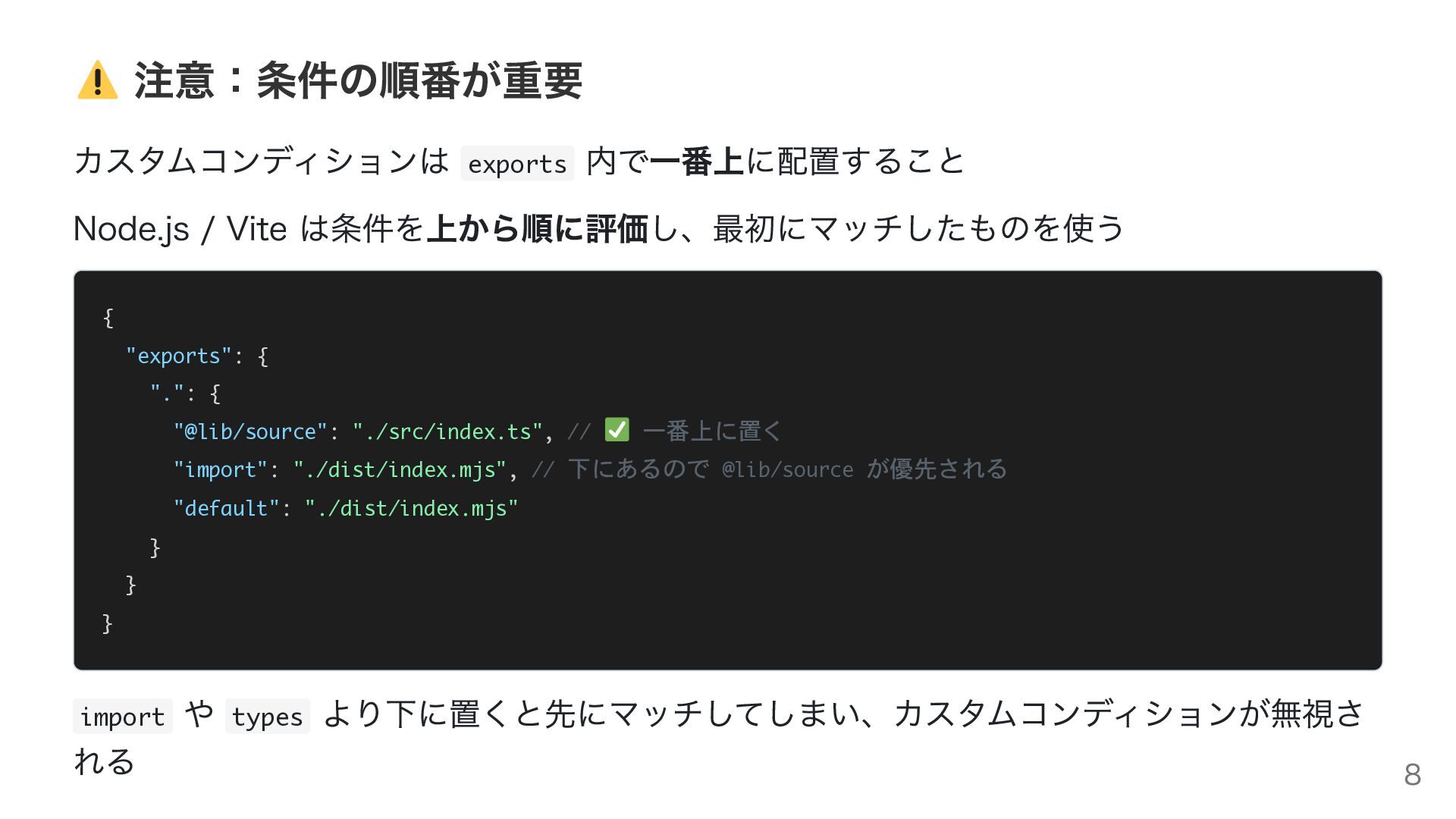
注意:条件の順番が重要 カスタムコンディションは exports 内で一番上に配置すること Node.js / Vite は条件を上から順に評価し、最初にマッチしたものを使う { "exports":
{ ".": { "@lib/source": "./src/index.ts", // 一番上に置く "import": "./dist/index.mjs", // 下にあるので @lib/source が優先される "default": "./dist/index.mjs" } } } import れる や types より下に置くと先にマッチしてしまい、カスタムコンディションが無視さ 8
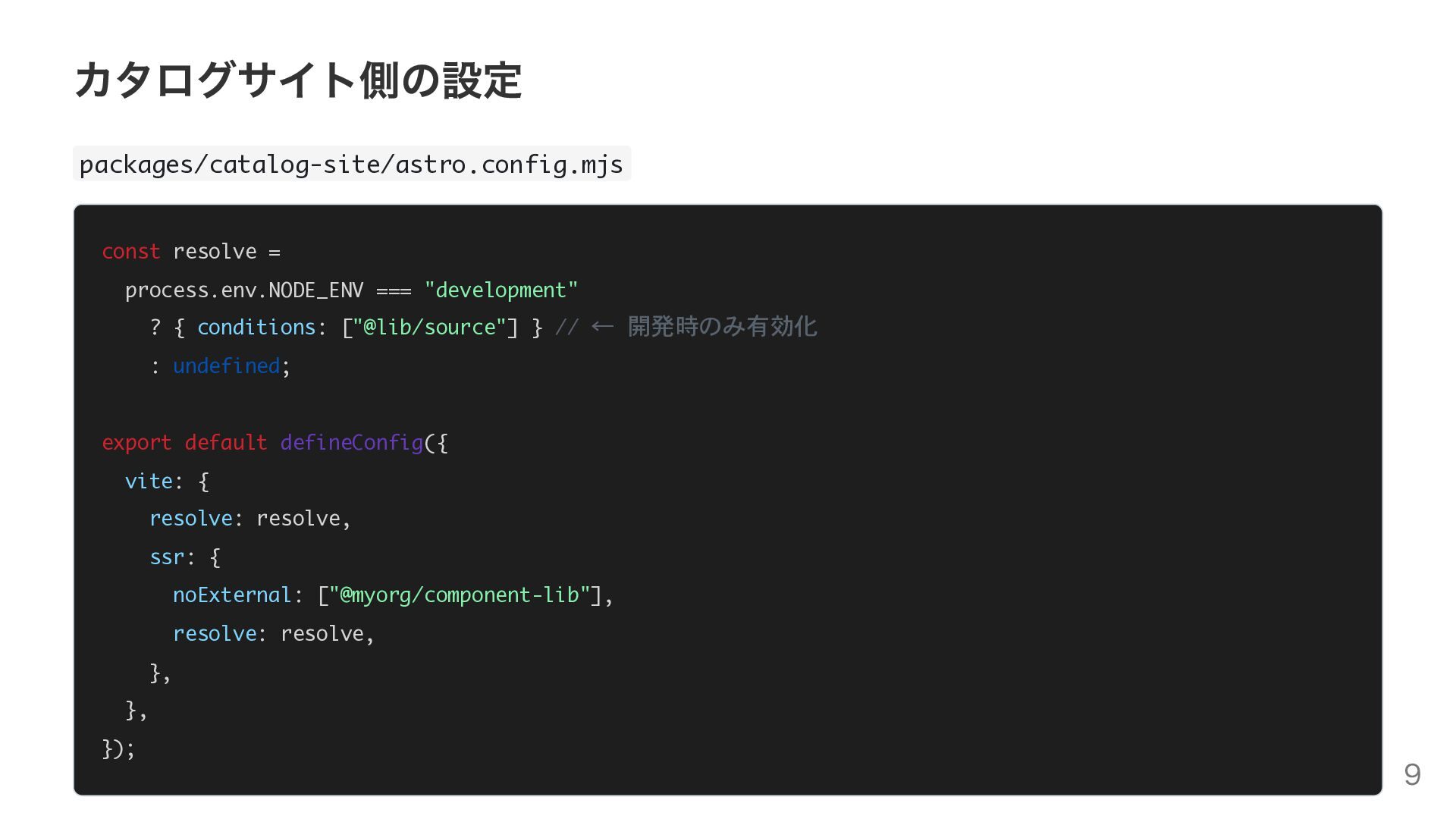
カタログサイト側の設定 packages/catalog-site/astro.config.mjs const resolve = process.env.NODE_ENV === "development" ? {
conditions: ["@lib/source"] } // ← 開発時のみ有効化 : undefined; export default defineConfig({ vite: { resolve: resolve, ssr: { noExternal: ["@myorg/component-lib"], resolve: resolve, }, }, }); 9
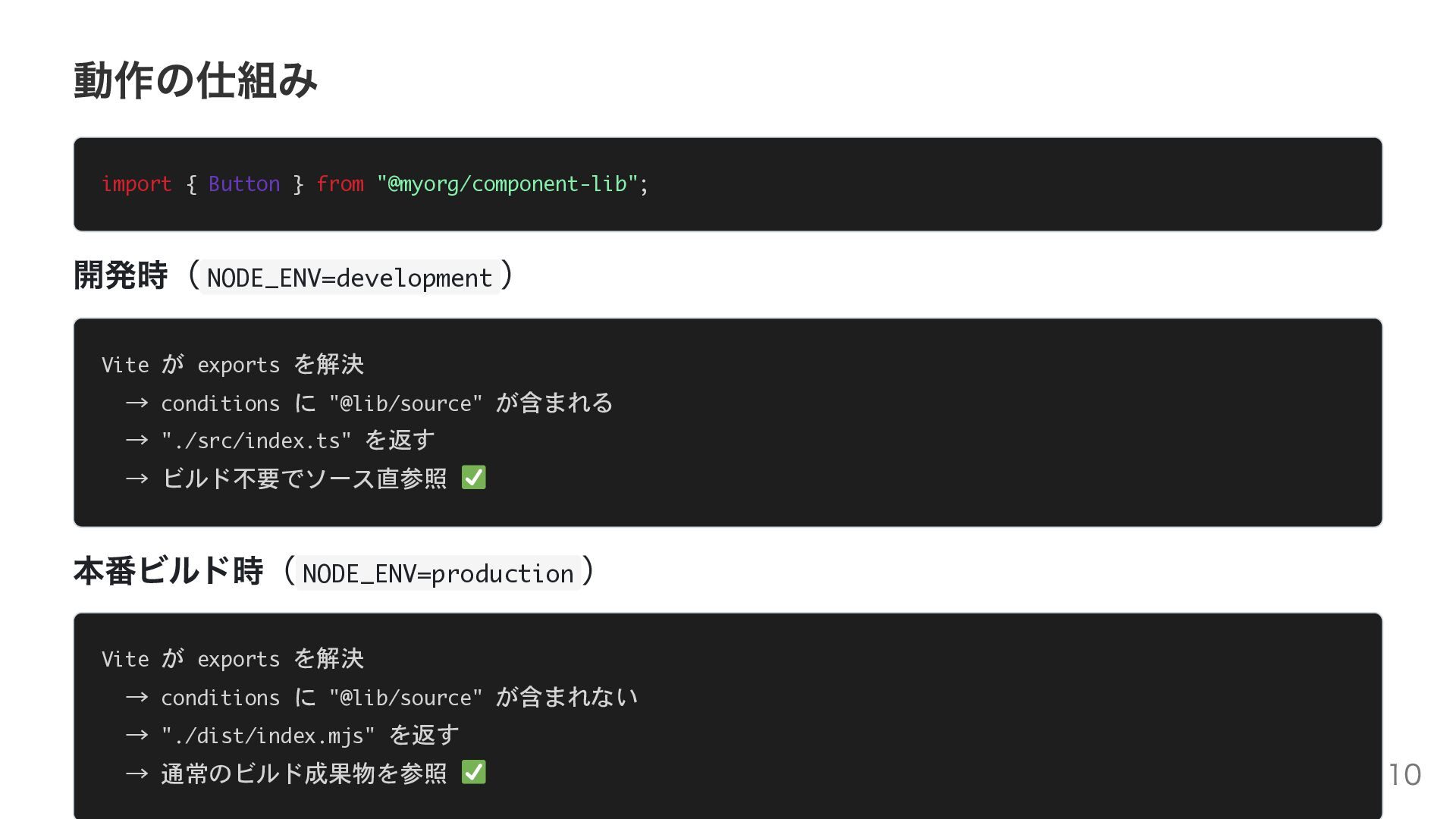
動作の仕組み import { Button } from "@myorg/component-lib"; 開発時( NODE_ENV=development )
Vite が exports を解決 → conditions に "@lib/source" が含まれる → "./src/index.ts" を返す → ビルド不要でソース直参照 本番ビルド時( NODE_ENV=production ) Vite が exports を解決 → conditions に "@lib/source" が含まれない → "./dist/index.mjs" を返す → 通常のビルド成果物を参照 10
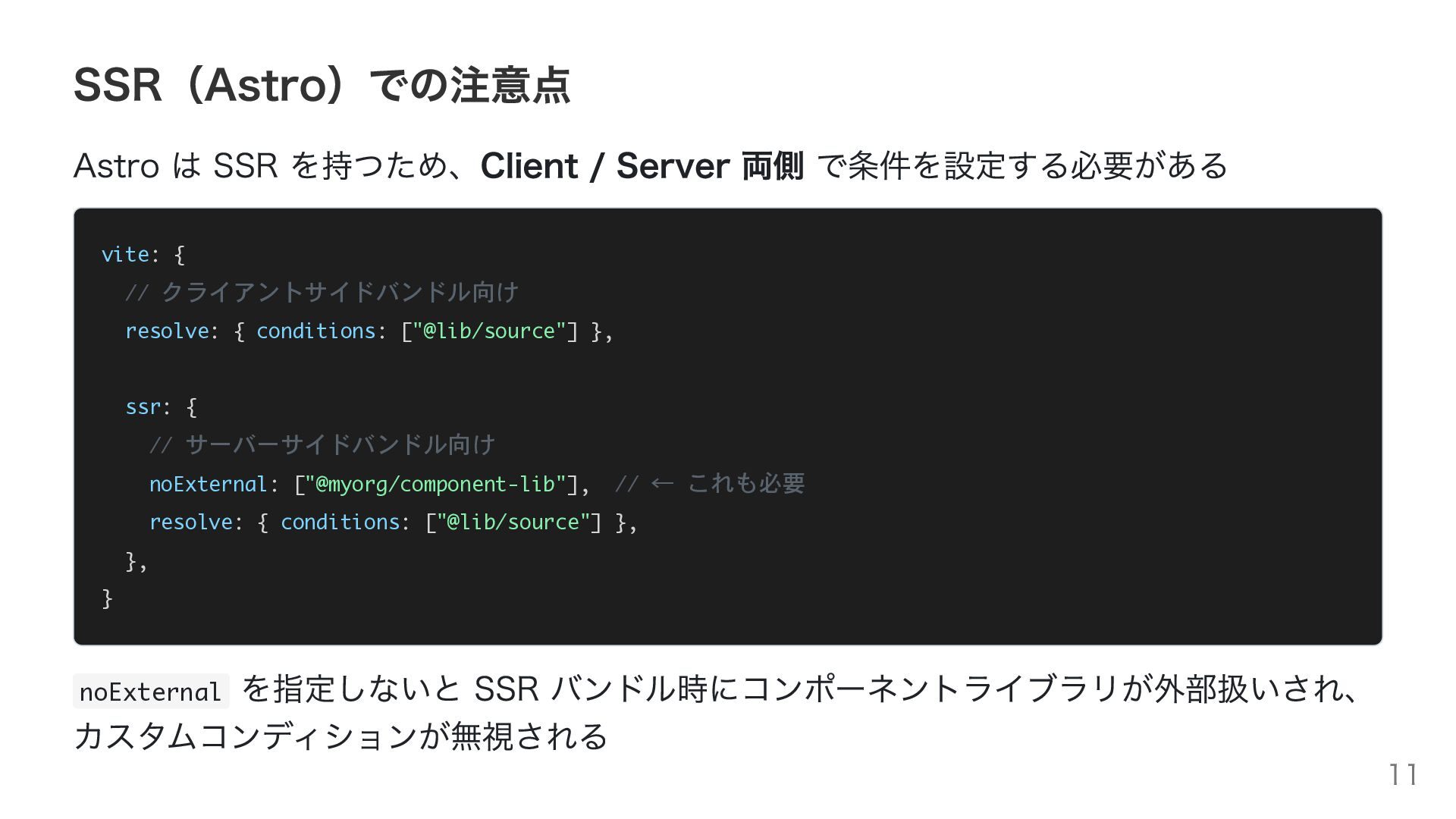
SSR(Astro)での注意点 Astro は SSR を持つため、Client / Server 両側 で条件を設定する必要がある vite:
{ // クライアントサイドバンドル向け resolve: { conditions: ["@lib/source"] }, ssr: { // サーバーサイドバンドル向け noExternal: ["@myorg/component-lib"], // ← これも必要 resolve: { conditions: ["@lib/source"] }, }, } を指定しないと SSR バンドル時にコンポーネントライブラリが外部扱いされ、 カスタムコンディションが無視される noExternal 11
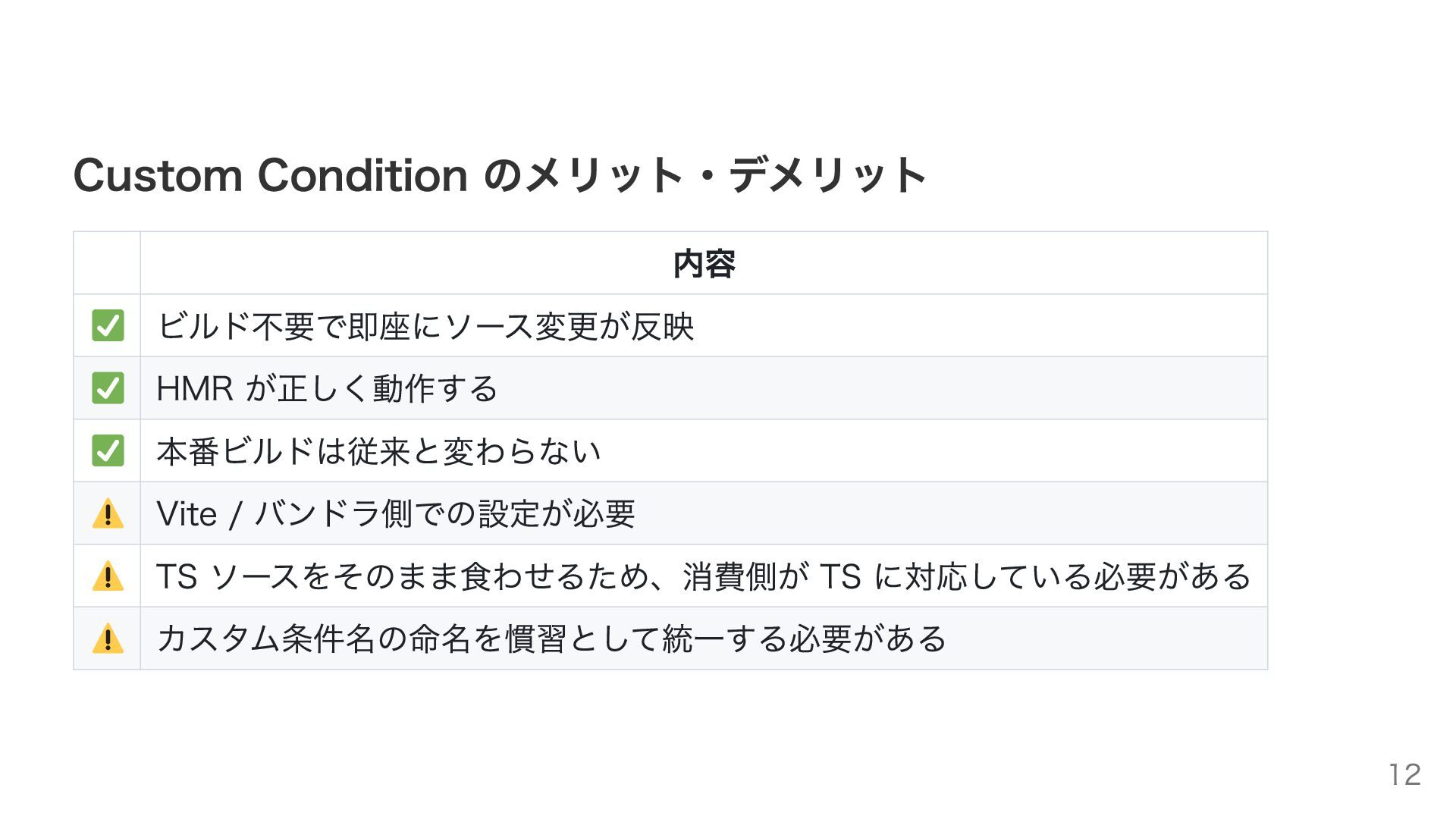
Custom Condition のメリット・デメリット 内容 ビルド不要で即座にソース変更が反映 HMR が正しく動作する 本番ビルドは従来と変わらない Vite /
バンドラ側での設定が必要 TS ソースをそのまま食わせるため、消費側が TS に対応している必要がある カスタム条件名の命名を慣習として統一する必要がある 12
代替手法との比較 手法 Custom Condition exports["."]=src/ に直接向け る vite-plugin-turbo-resolve 等 tsconfig
paths 毎回 build ビルド不 設定コス 備考 要 ト 低 今日の話 本番も src 参照になってしま 低 う 中 追加依存が増える 中 バンドラによっては動かない なし 開発体験が辛い 13
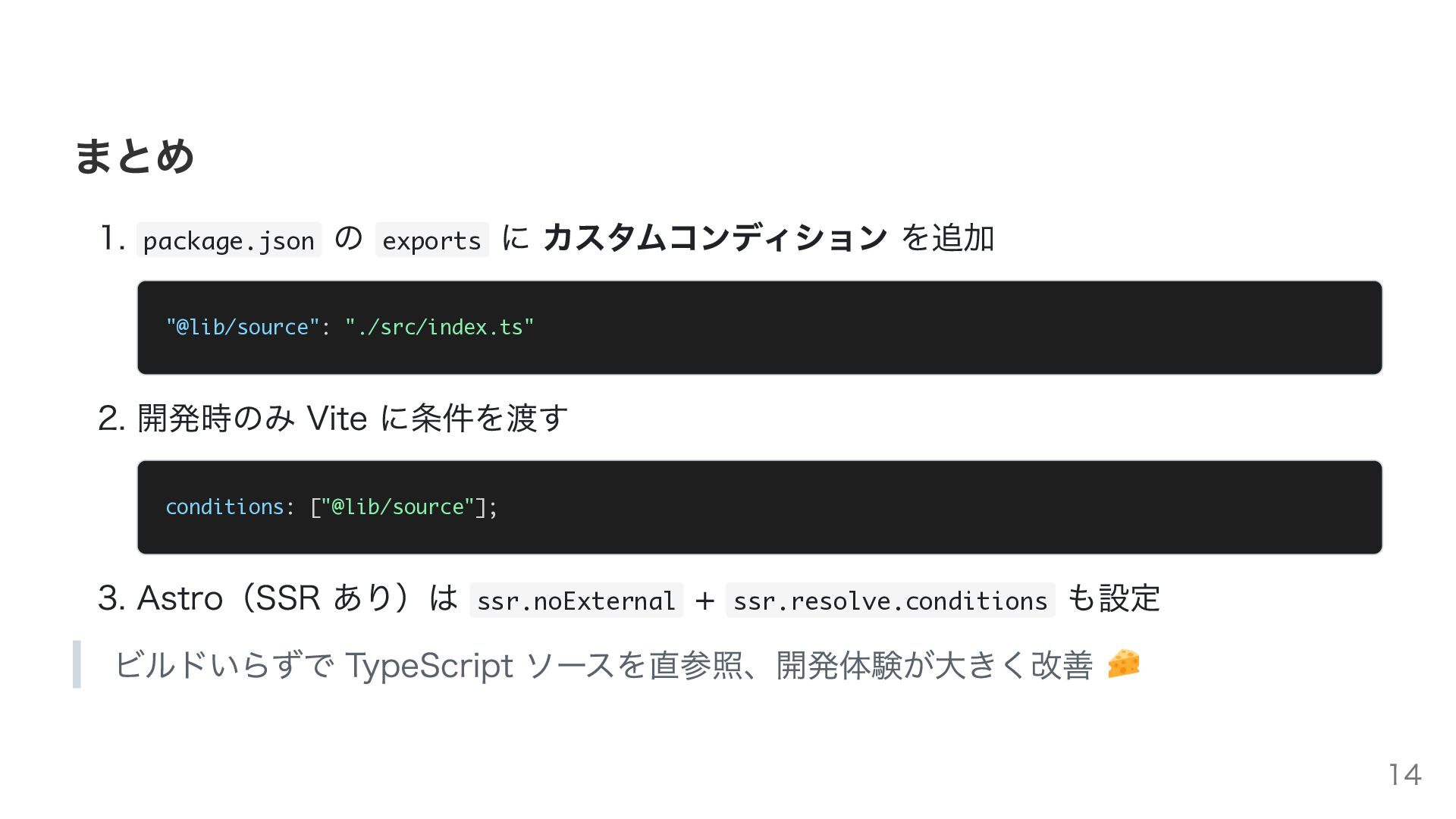
まとめ 1. package.json の exports に カスタムコンディション を追加 "@lib/source": "./src/index.ts"
2. 開発時のみ Vite に条件を渡す conditions: ["@lib/source"]; 3. Astro(SSR あり)は ssr.noExternal + ssr.resolve.conditions も設定 ビルドいらずで TypeScript ソースを直参照、開発体験が大きく改善 14
ありがとうございました コンポーネントライブラリ × コンポーネントカタログサイト 15


 offich
 guaca
guaca
 quramy
 kitano_yuichi
 minodriven
 kumaiu
 yahir0
 har1101
 yukikurage
 shihochan
 aoshi
aoshi
 ziobrando
 sylph01
 cassininazir
 jnunemaker
 dugsong
 eileencodes
 kneath
 livdayseo
 mfonobong
 jlugia
 szymonslowik
 lfama
lfama
 427marketing

![代替手法との比較 手法 Custom Condition exports["."]=src/ に直接向け る vite-plugin-turbo-resolve 等 tsconfig](https://files.speakerdeck.com/presentations/7178f6140ba4412ca8c26413858a7a5d/slide_12.jpg)