Upgrade to Pro
— share decks privately, control downloads, hide ads and more …
Speaker Deck
Sign up for free
Menu
Search
Features
All features
Private URLs
Password Protection
Custom URLS
Scheduled publishing
Remove Branding
Restrict embedding
Deck Collections
Notes
Features
All features
Private URLs
Password Protection
Custom URLS
Scheduled publishing
Remove Branding
Restrict embedding
Deck Collections
Notes
Explore
Featured decks
Featured speakers
Programming
Technology
Storyboards
Explore
Featured decks
Featured speakers
Programming
Technology
Storyboards
Pricing
Search
Sign in
Sign up for free
空間情報システム入門I
Search
Rena Sassa
June 21, 2016
230
0
Share
Embed
Copy iframe code
Copy JS code
Copy link
Start on current slide
空間情報システム入門I
Rena Sassa
June 21, 2016
More Decks by Rena Sassa
See All by Rena Sassa
Overpassのやり方
renasassa
0
48
Featured
See All Featured
Pawsitive SEO: Lessons from My Dog (and Many Mistakes) on Thriving as a Consultant in the Age of AI
davidcarrasco
0
260
Designing Experiences People Love
moore
143
24k
DBのスキルで生き残る技術 - AI時代におけるテーブル設計の勘所
soudai
PRO
68
58k
We Are The Robots
honzajavorek
0
400
Connecting the Dots Between Site Speed, User Experience & Your Business [WebExpo 2025]
tammyeverts
11
1.1k
Claude Code どこまでも/ Claude Code Everywhere
nwiizo
68
59k
Fight the Zombie Pattern Library - RWD Summit 2016
marcelosomers
234
18k
Marketing to machines
jonoalderson
1
5.9k
Redefining SEO in the New Era of Traffic Generation
szymonslowik
1
480
What does AI have to do with Human Rights?
axbom
PRO
1
2.5k
The Director’s Chair: Orchestrating AI for Truly Effective Learning
tmiket
1
330
Game over? The fight for quality and originality in the time of robots
wayneb77
1
310
Transcript
Tasking Managerマッピングマニュアル 佐々 怜奈 1A116100
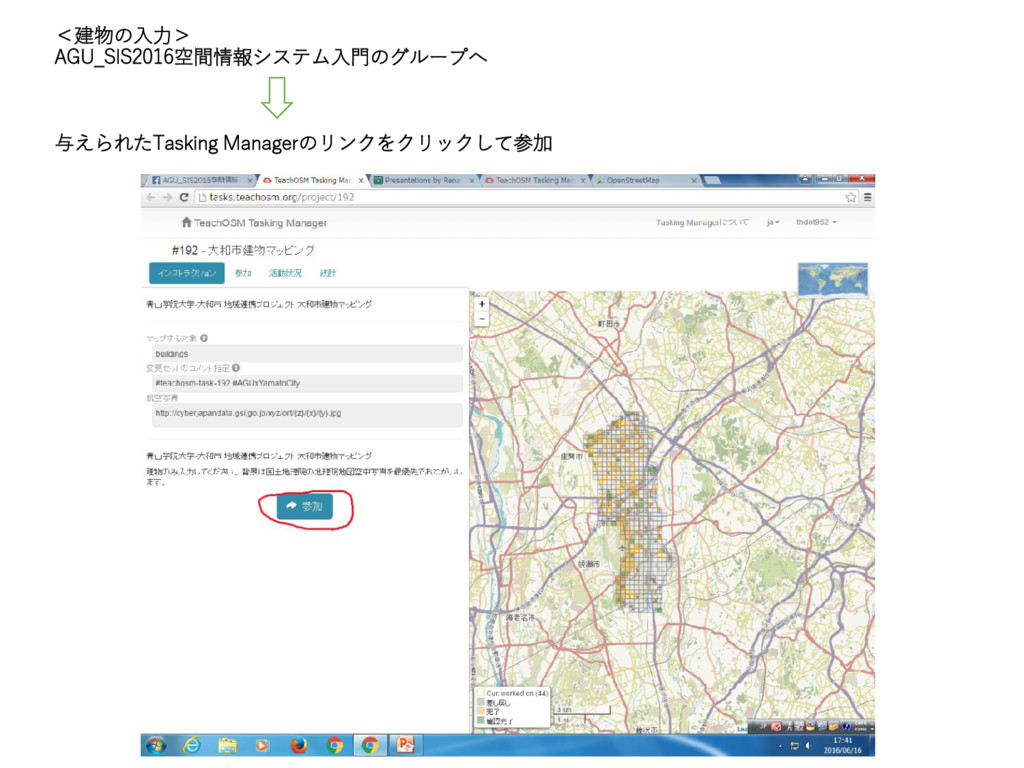
<建物の入力> AGU_SIS2016空間情報システム入門のグループへ 与えられたTasking Managerのリンクをクリックして参加
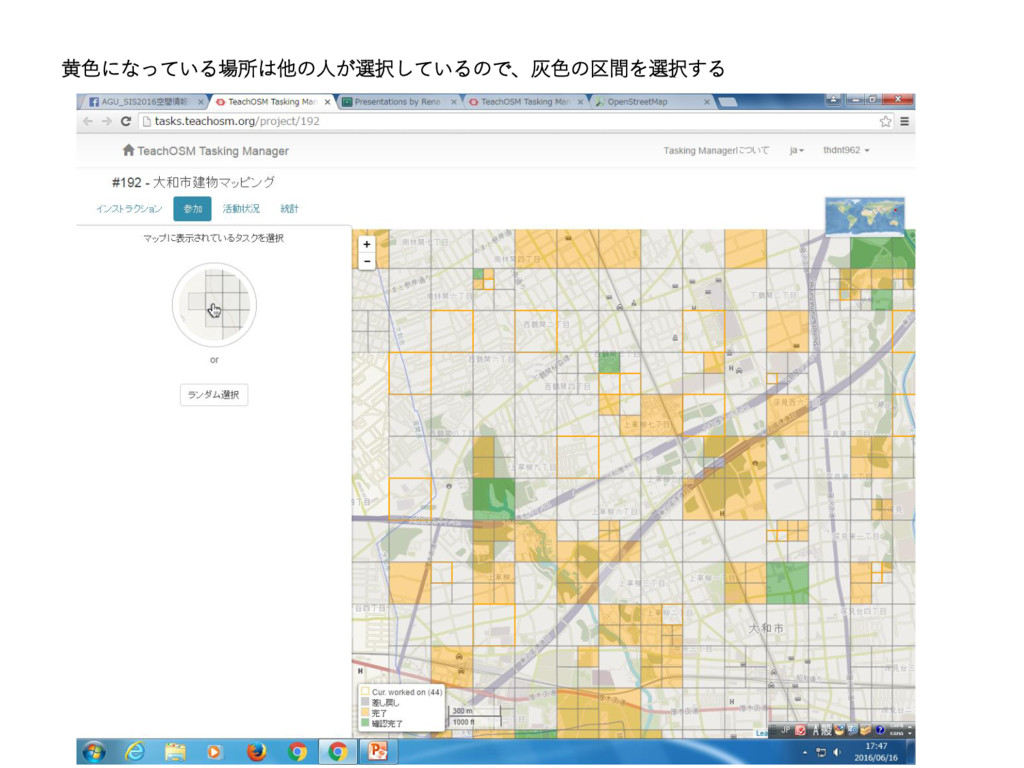
黄色になっている場所は他の人が選択しているので、灰色の区間を選択する
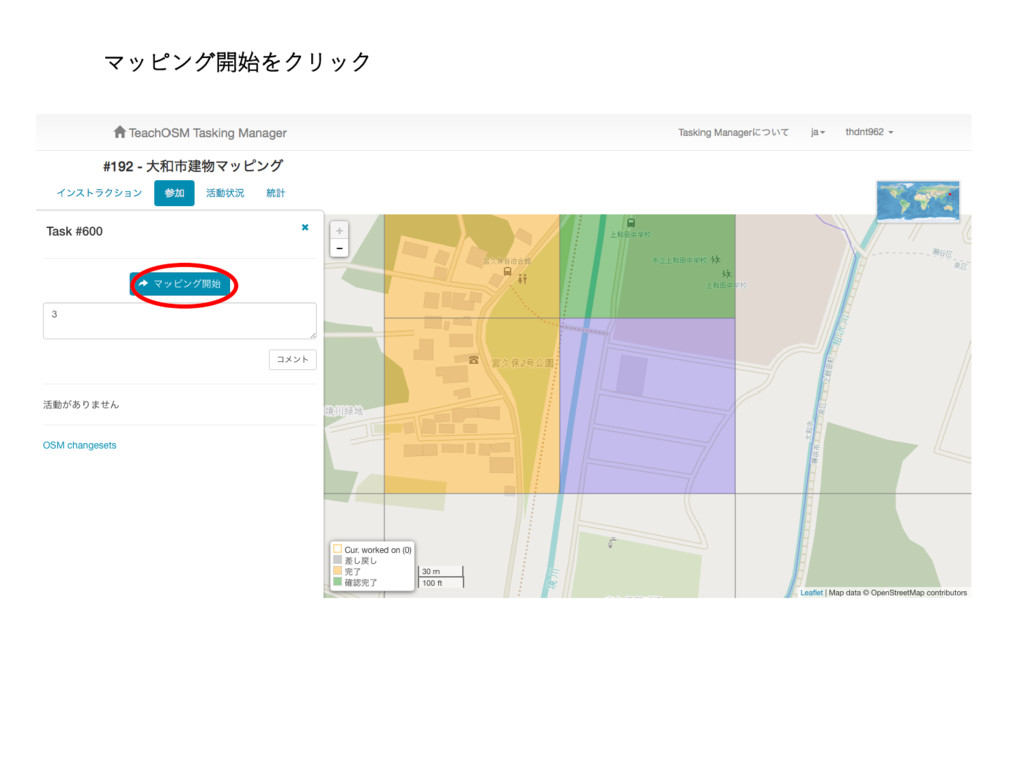
マッピング開始をクリック
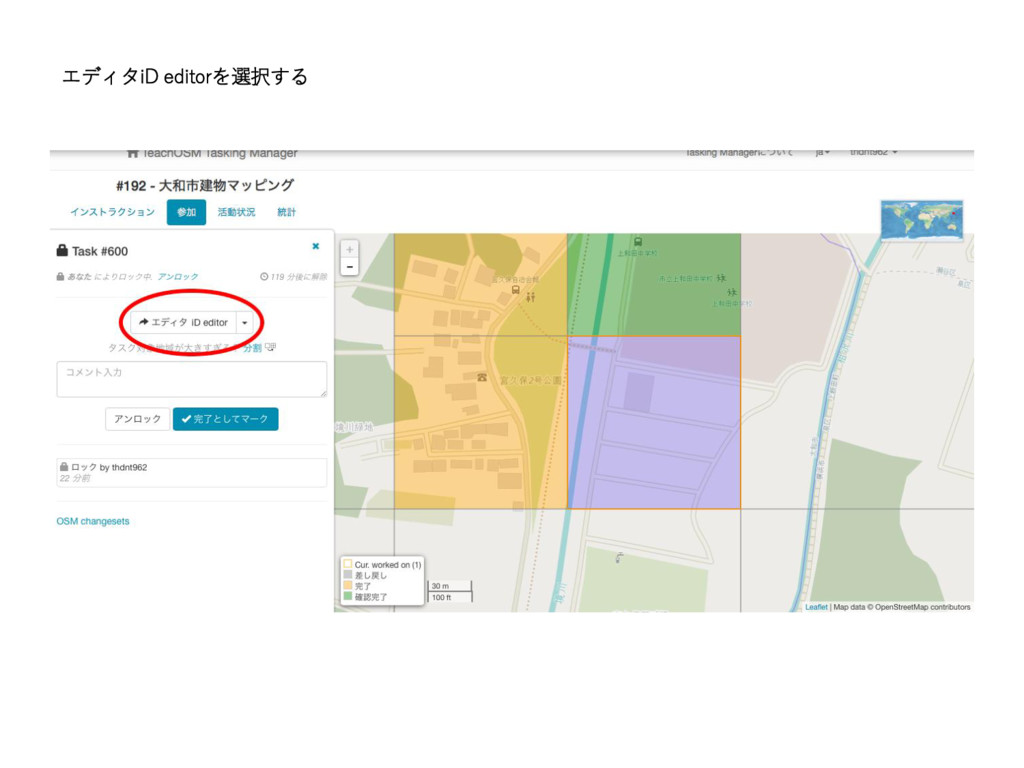
エディタiD editorを選択する
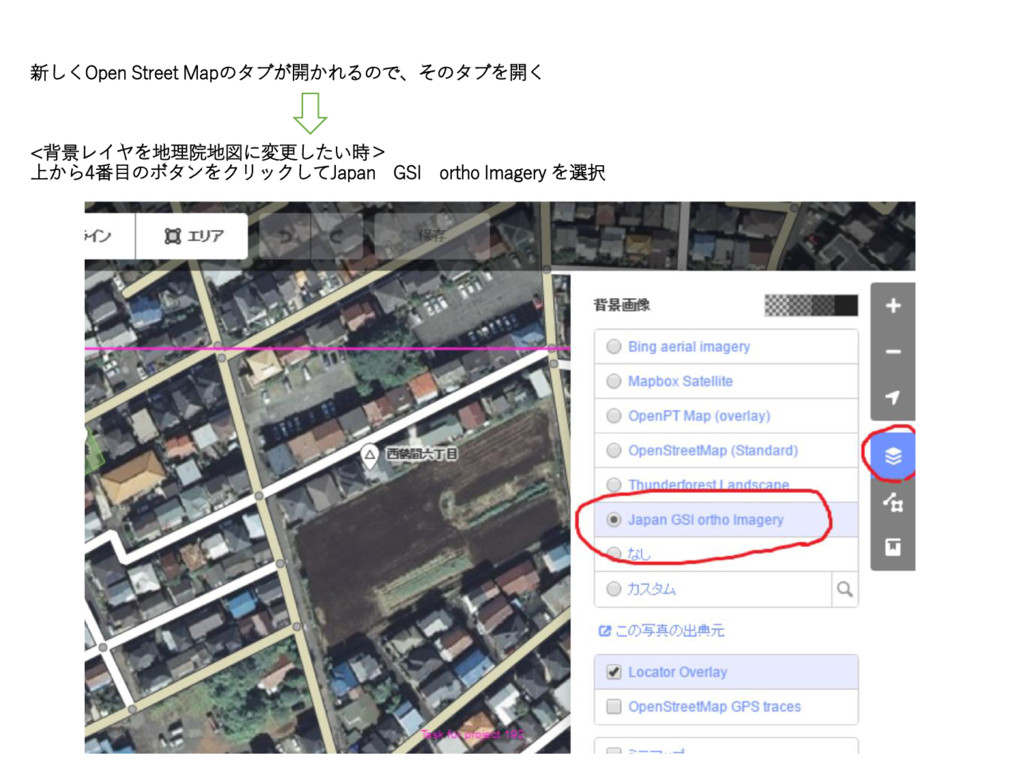
新しくOpen Street Mapのタブが開かれるので、そのタブを開く <背景レイヤを地理院地図に変更したい時> 上から4番目のボタンをクリックしてJapan GSI ortho Imagery を選択
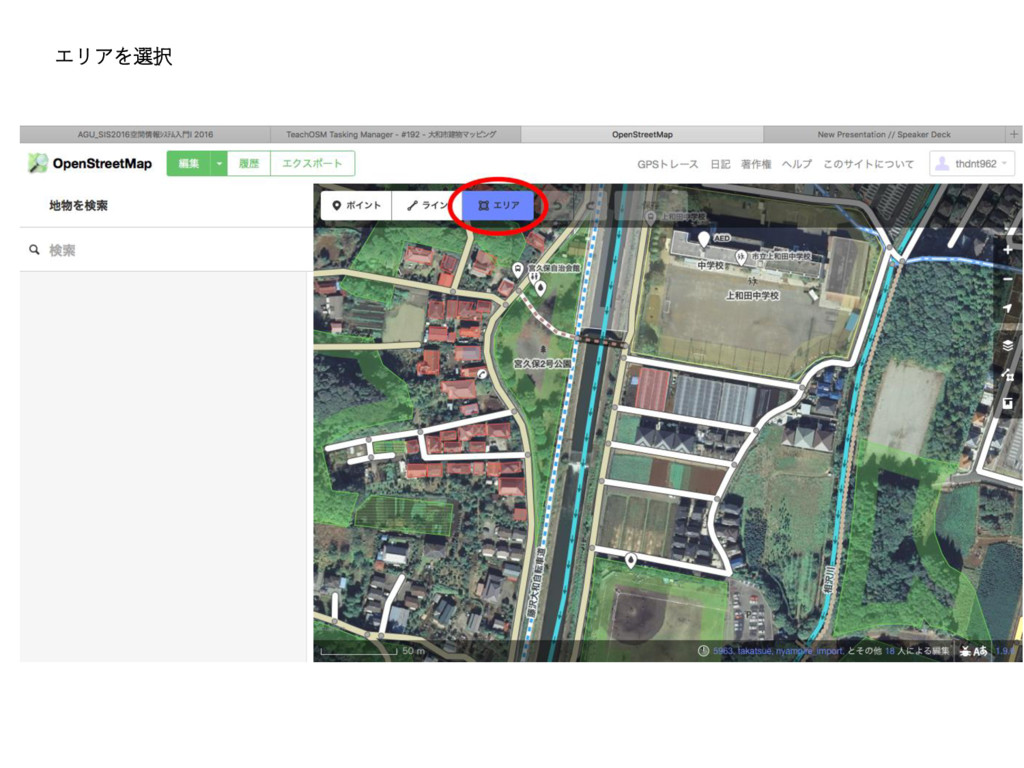
エリアを選択
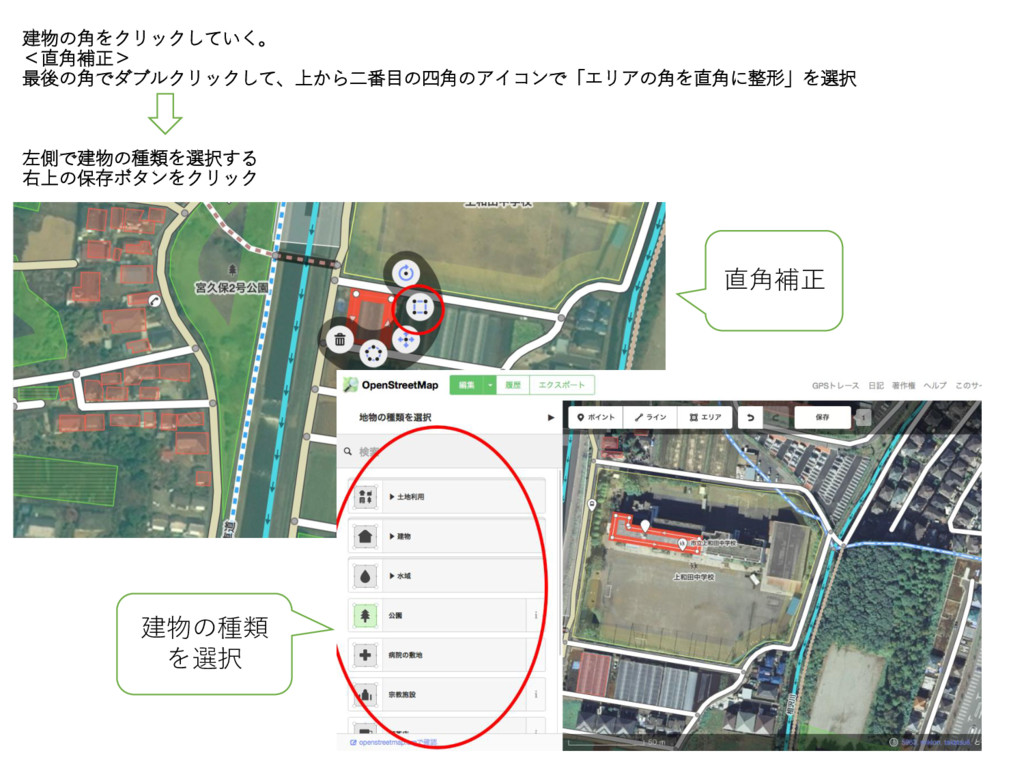
建物の角をクリックしていく。 <直角補正> 最後の角でダブルクリックして、上から二番目の四角のアイコンで「エリアの角を直角に整形」を選択 左側で建物の種類を選択する 右上の保存ボタンをクリック 直角補正 建物の種類 を選択
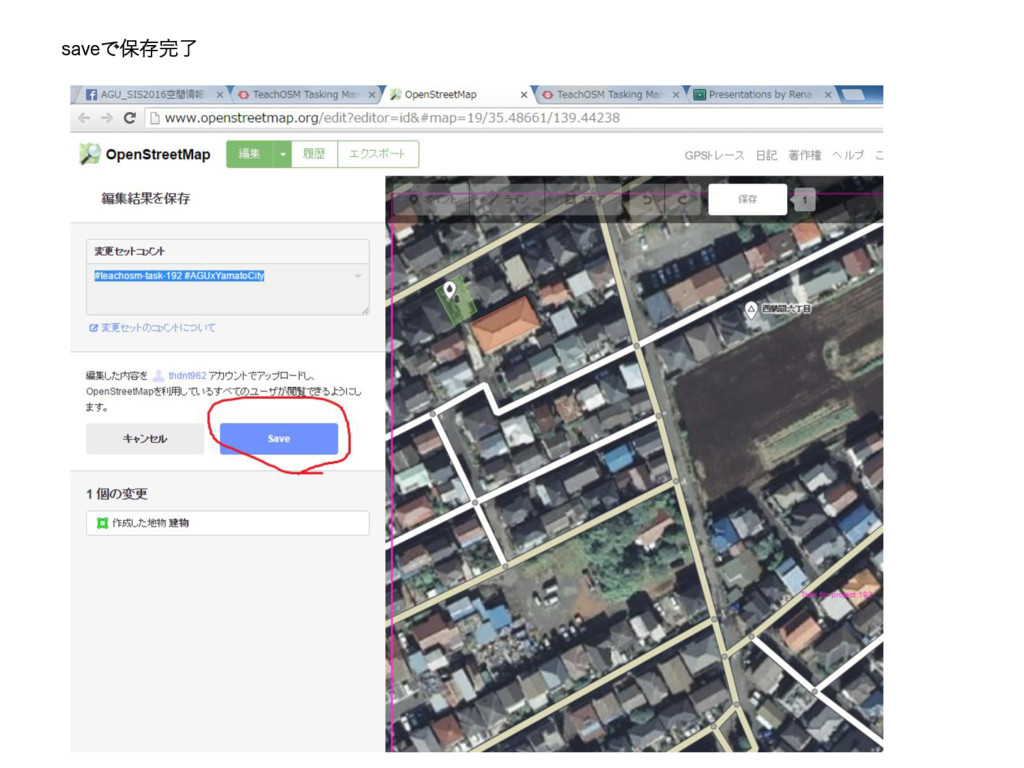
saveで保存完了
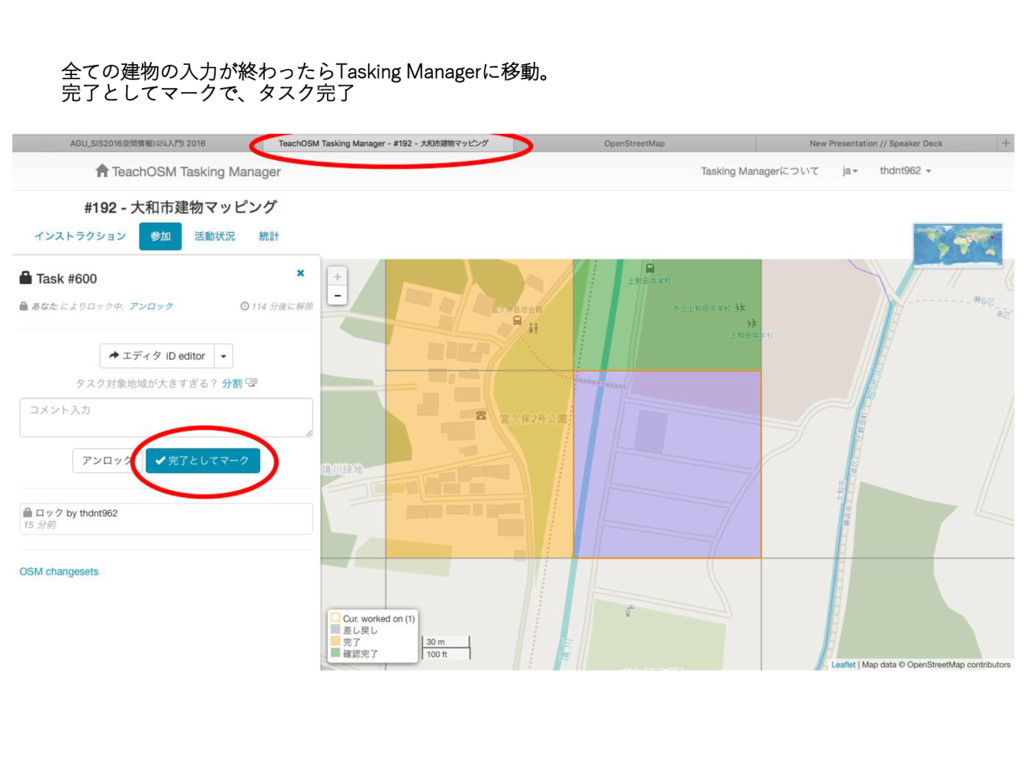
全ての建物の入力が終わったらTasking Managerに移動。 完了としてマークで、タスク完了
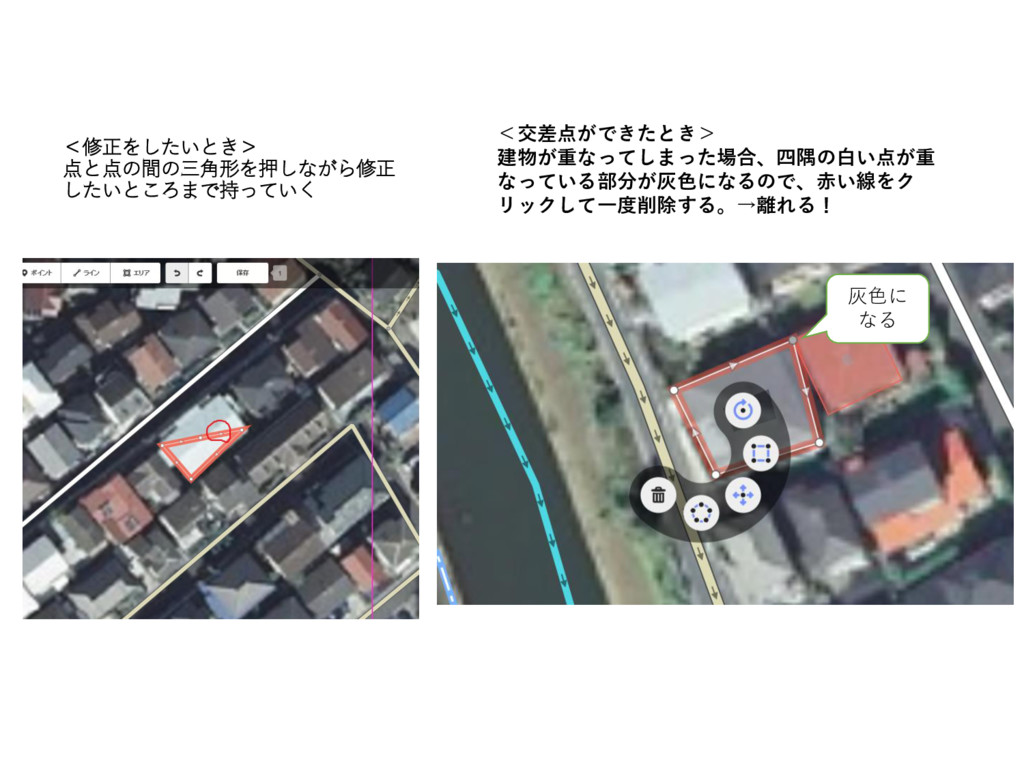
<修正をしたいとき> 点と点の間の三角形を押しながら修正 したいところまで持っていく <交差点ができたとき> 建物が重なってしまった場合、四隅の白い点が重 なっている部分が灰色になるので、赤い線をク リックして一度削除する。→離れる! 灰色に なる
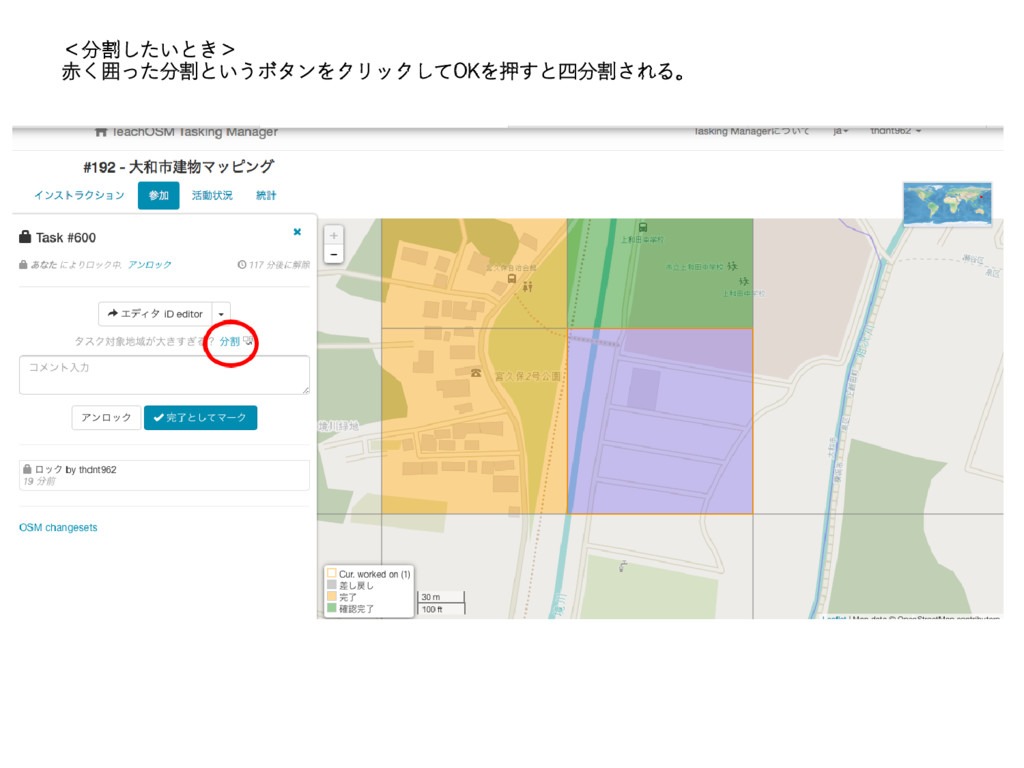
<分割したいとき> 赤く囲った分割というボタンをクリックしてOKを押すと四分割される。


 renasassa
 davidcarrasco
 moore
moore
 soudai
 honzajavorek
 tammyeverts
 nwiizo
 marcelosomers
 jonoalderson
 szymonslowik
 axbom
axbom
 tmiket
 wayneb77