Upgrade to Pro
— share decks privately, control downloads, hide ads and more …
Speaker Deck
Sign up for free
Menu
Search
Features
All features
Private URLs
Password Protection
Custom URLS
Scheduled publishing
Remove Branding
Restrict embedding
Deck Collections
Notes
Features
All features
Private URLs
Password Protection
Custom URLS
Scheduled publishing
Remove Branding
Restrict embedding
Deck Collections
Notes
Explore
Featured decks
Featured speakers
Programming
Technology
Storyboards
Explore
Featured decks
Featured speakers
Programming
Technology
Storyboards
Pricing
Search
Sign in
Sign up for free
Open_Street_Map_マニュアル.pdf
Search
Sponsored
·
Your Podcast. Everywhere. Effortlessly.
Share. Educate. Inspire. Entertain. You do you. We'll handle the rest.
→
riko
June 22, 2016
50
0
Share
Embed
Copy iframe code
Copy JS code
Copy link
Start on current slide
Open_Street_Map_マニュアル.pdf
riko
June 22, 2016
More Decks by riko
See All by riko
Presentation1.pdf
riko
0
27
Featured
See All Featured
The MySQL Ecosystem @ GitHub 2015
samlambert
251
13k
Skip the Path - Find Your Career Trail
mkilby
1
260
Scaling GitHub
holman
464
140k
Collaborative Software Design: How to facilitate domain modelling decisions
baasie
1
340
Principles of Awesome APIs and How to Build Them.
keavy
128
18k
Art, The Web, and Tiny UX
lynnandtonic
304
22k
職位にかかわらず全員がリーダーシップを発揮するチーム作り / Building a team where everyone can demonstrate leadership regardless of position
madoxten
69
67k
Imperfection Machines: The Place of Print at Facebook
scottboms
270
14k
Crafting Experiences
bethany
1
380
Building a Scalable Design System with Sketch
lauravandoore
464
34k
Ruling the World: When Life Gets Gamed
codingconduct
0
400
Color Theory Basics | Prateek | Gurzu
gurzu
1
490
Transcript
Open Street Map マニュアル 空間情報システム入門 1A116078 川上 莉子
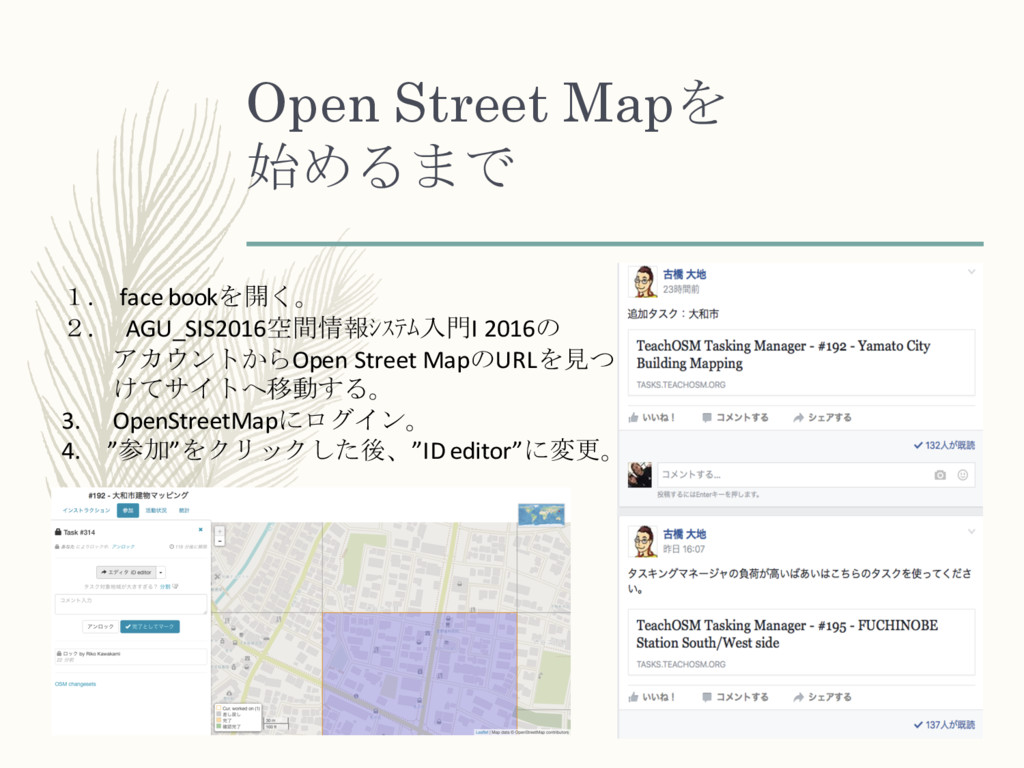
Open Street Mapを 始めるまで 1. face bookを開く。 2. AGU_SIS2016空間情報システム入門I 2016の
アカウントからOpen Street MapのURLを見つ けてサイトへ移動する。 3. OpenStreetMapにログイン。 4. ”参加”をクリックした後、”ID editor”に変更。
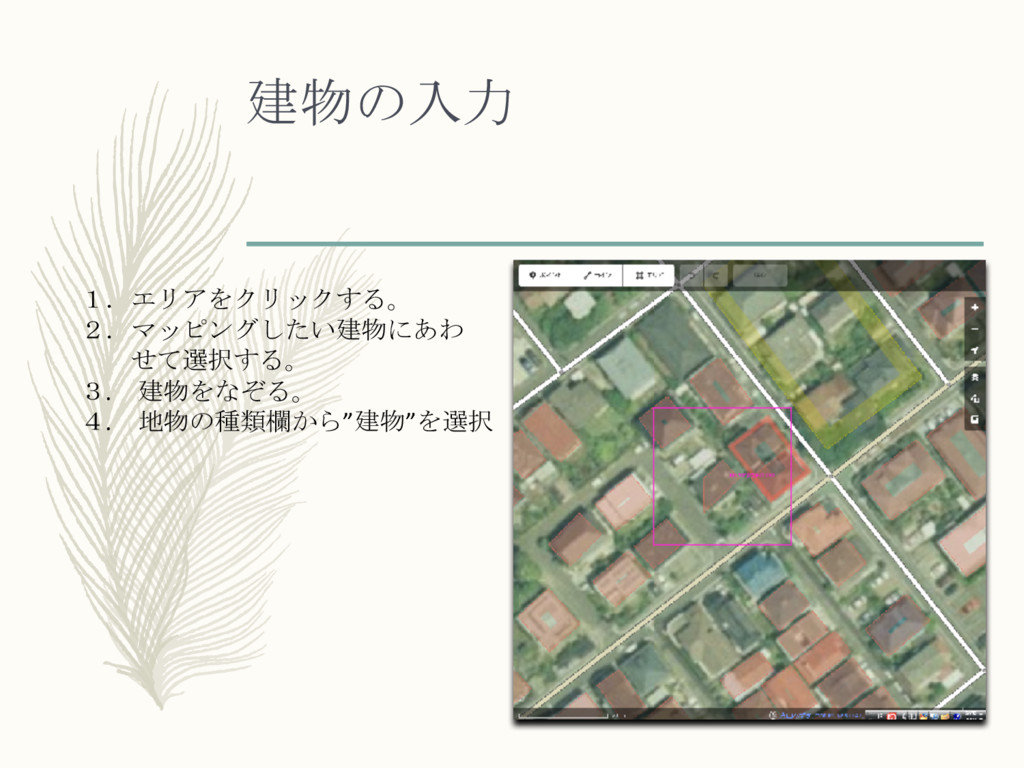
建物の入力 1.エリアをクリックする。 2.マッピングしたい建物にあわ せて選択する。 3. 建物をなぞる。 4. 地物の種類欄から”建物”を選択
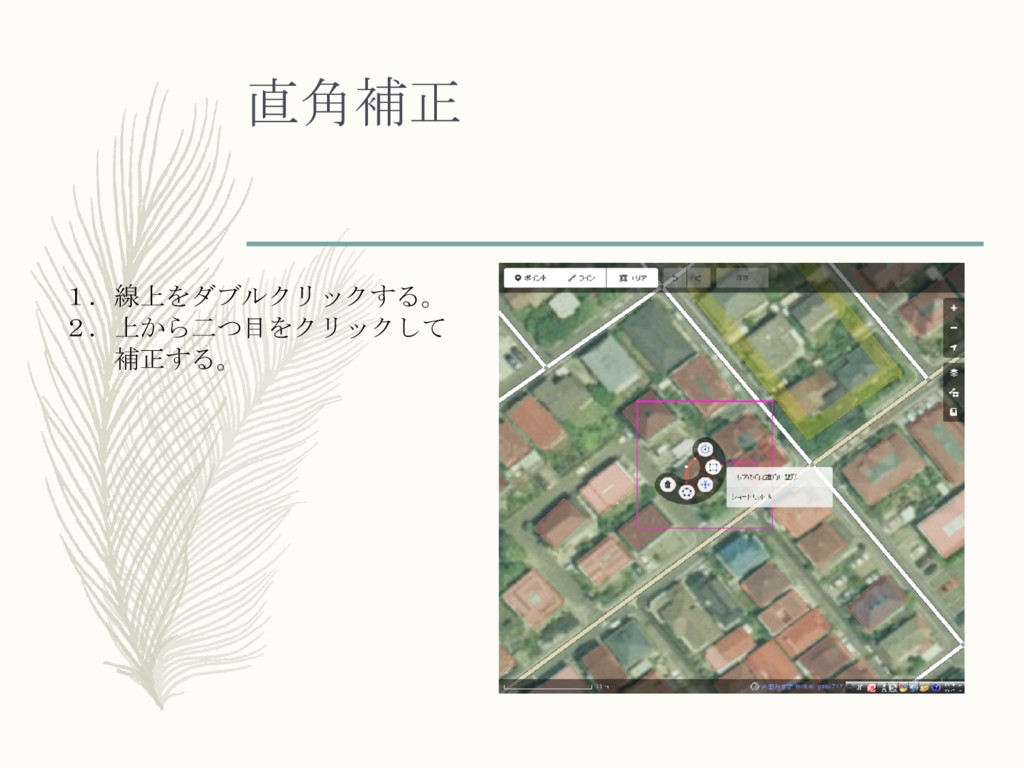
直角補正 1.線上をダブルクリックする。 2.上から二つ目をクリックして 補正する。
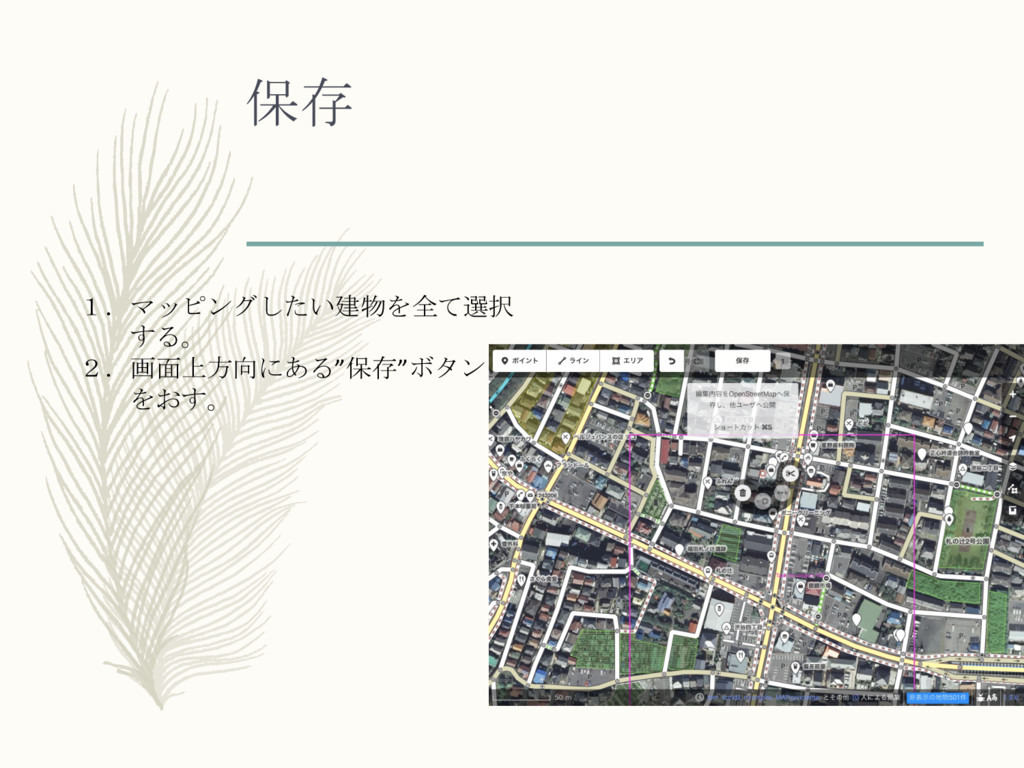
保存 1.マッピングしたい建物を全て選択 する。 2.画面上方向にある”保存”ボタン をおす。
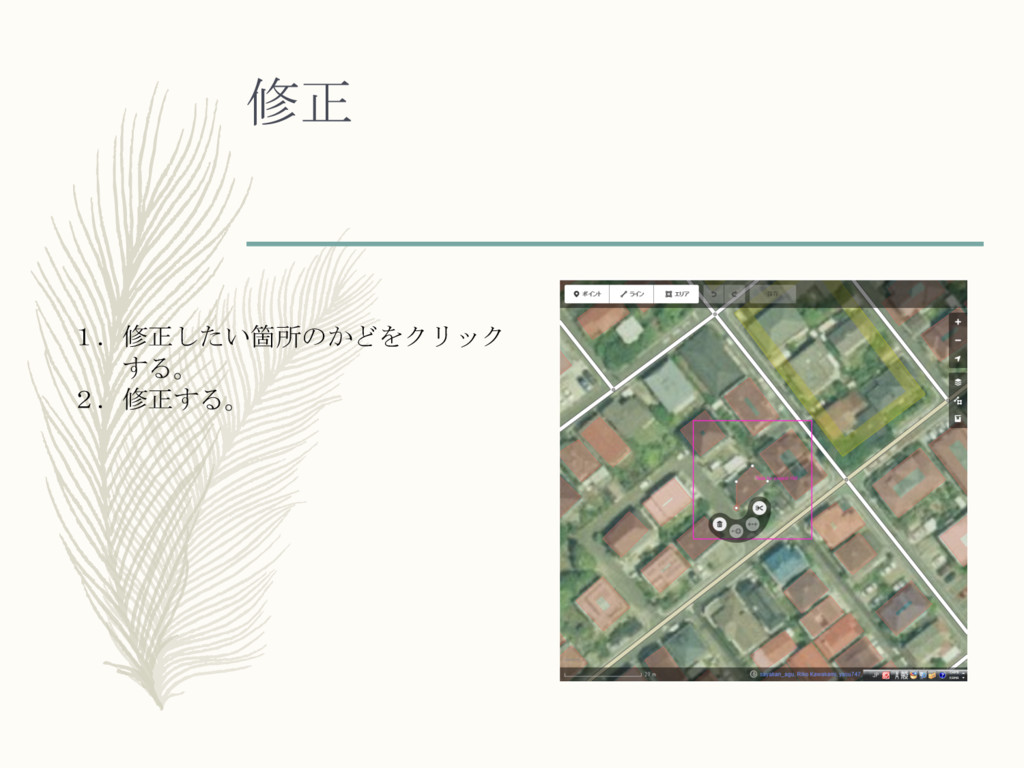
修正 1.修正したい箇所のかどをクリック する。 2.修正する。
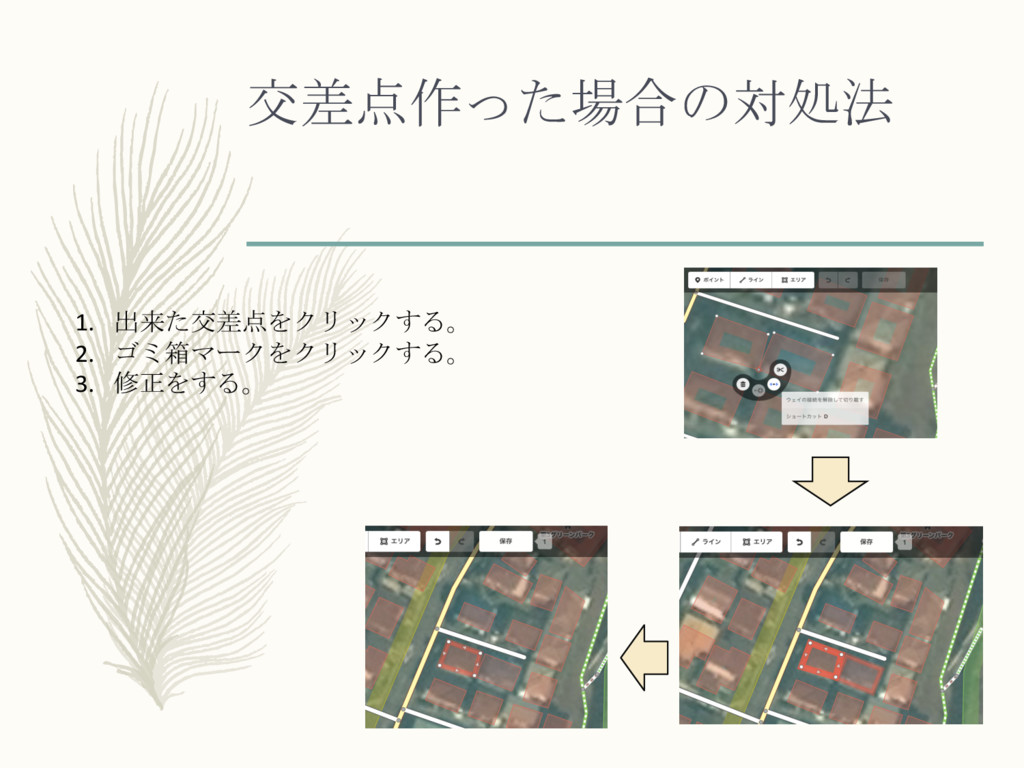
交差点作った場合の対処法 1. 出来た交差点をクリックする。 2. ゴミ箱マークをクリックする。 3. 修正をする。
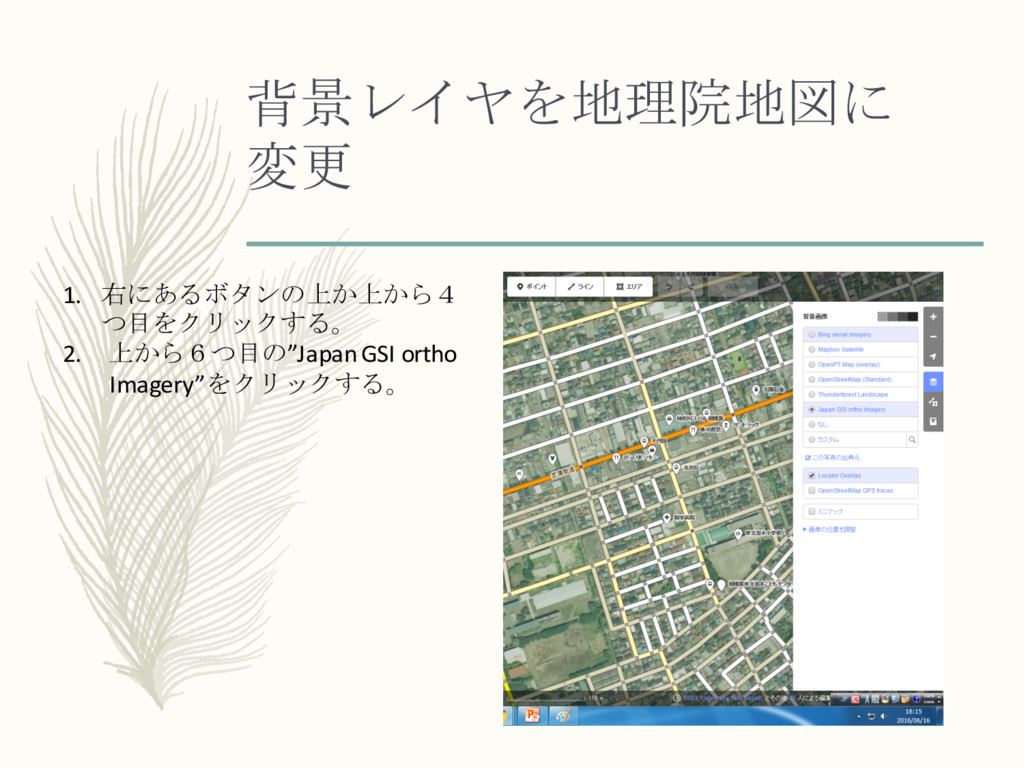
背景レイヤを地理院地図に 変更 1. 右にあるボタンの上か上から4 つ目をクリックする。 2. 上から6つ目の”JapanGSI ortho Imagery”をクリックする。
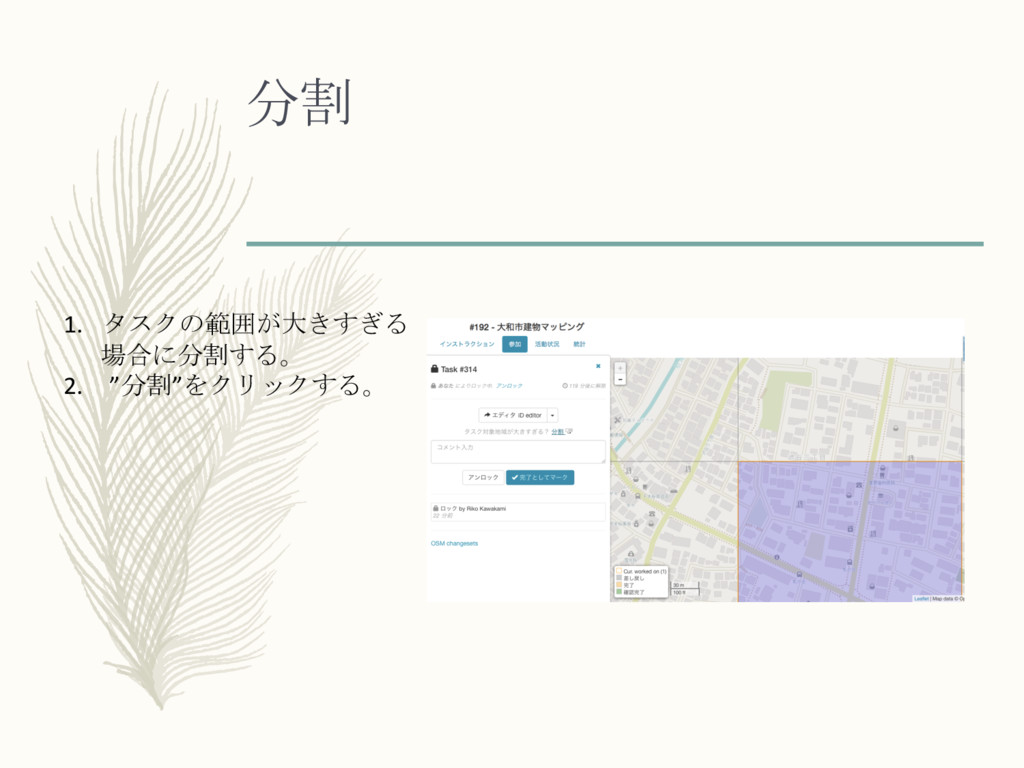
分割 1. タスクの範囲が大きすぎる 場合に分割する。 2. ”分割”をクリックする。
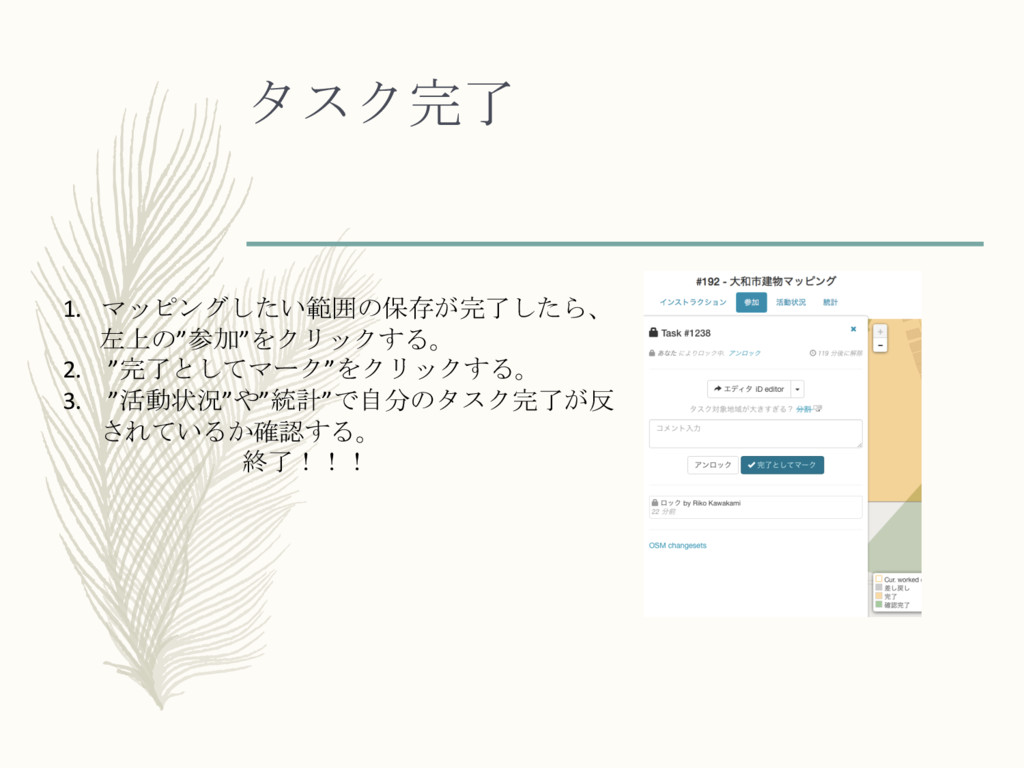
タスク完了 1. マッピングしたい範囲の保存が完了したら、 左上の”参加”をクリックする。 2. ”完了としてマーク”をクリックする。 3. ”活動状況”や”統計”で自分のタスク完了が反 されているか確認する。 終了!!!


 riko
riko
 samlambert
 mkilby
 holman
 baasie
 keavy
keavy
 lynnandtonic
 madoxten
 scottboms
 bethany
 lauravandoore
 codingconduct
 gurzu
gurzu