26 - PHP Outline 26.1 Introduction 26.2 PHP 26.3 String Processing and Regular Expressions 26.4 Viewing Client/Server Environment Variables 26.5 Form Processing and Business Logic 26.6 Verifying a Username and Password 26.7 Connecting to a Database 26.8 Cookies 26.9 Dynamic Content in PHP 26.10 Operator Precedence 26.11 Web Resources
In this chapter, you will learn: – To understand PHP data types, operators, arrays and control structures. – To understand string processing and regular expressions in PHP. – To construct programs that process form data. – To be able to read and write client data using cookies. – To construct programs that interact with MySQL databases.
Introduction • PHP – PHP: Hypertext Preprocessor – Originally called “Personal Home Page Tools” – Popular server-side scripting technology – Open-source • Anyone may view, modify and redistribute source code • Supported freely by community – Platform independent
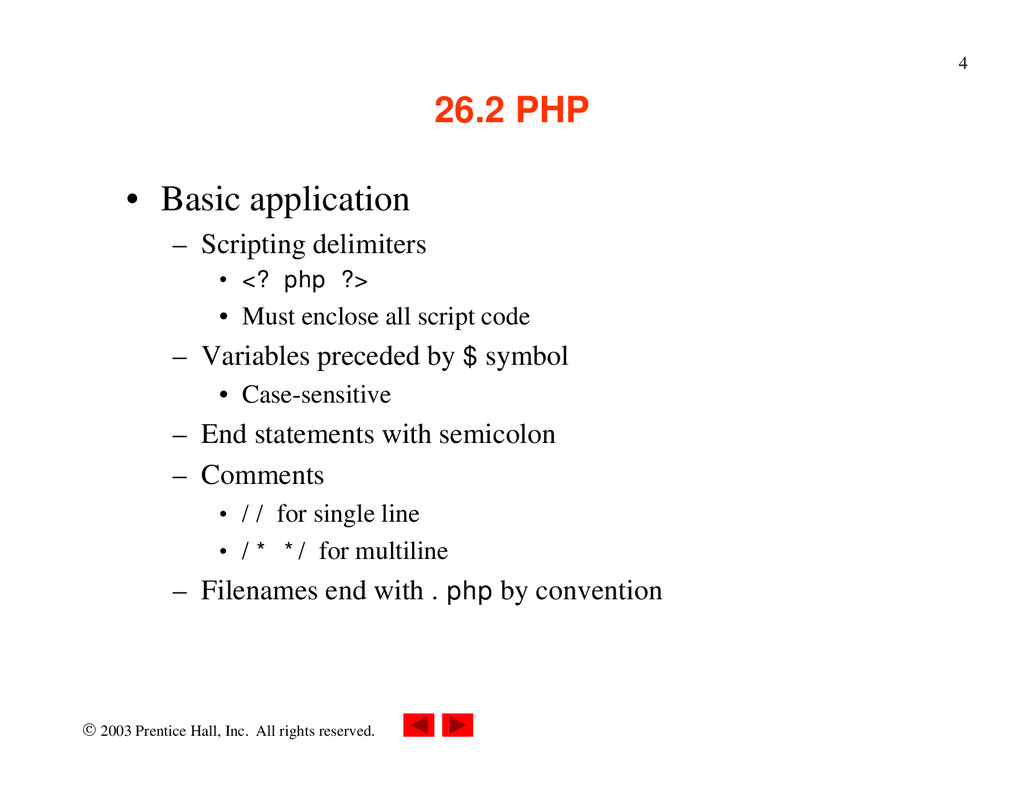
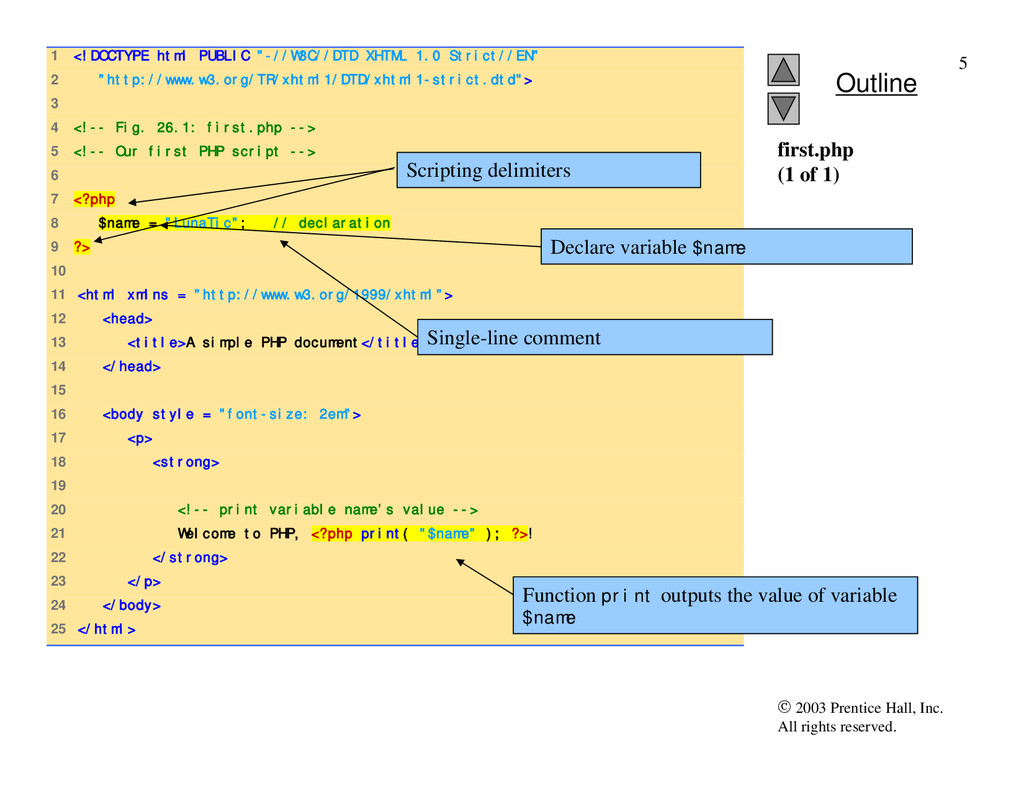
PHP • Basic application – Scripting delimiters • <? php ?> • Must enclose all script code – Variables preceded by $ symbol • Case-sensitive – End statements with semicolon – Comments • // for single line • /* */ for multiline – Filenames end with .php by convention
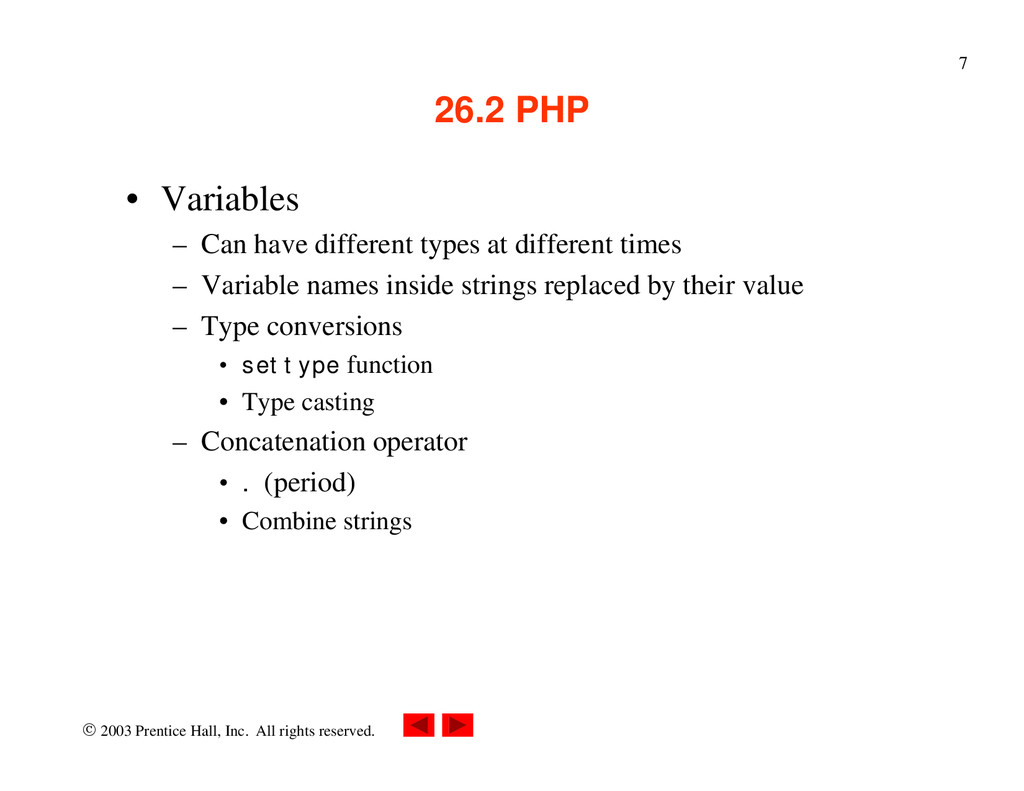
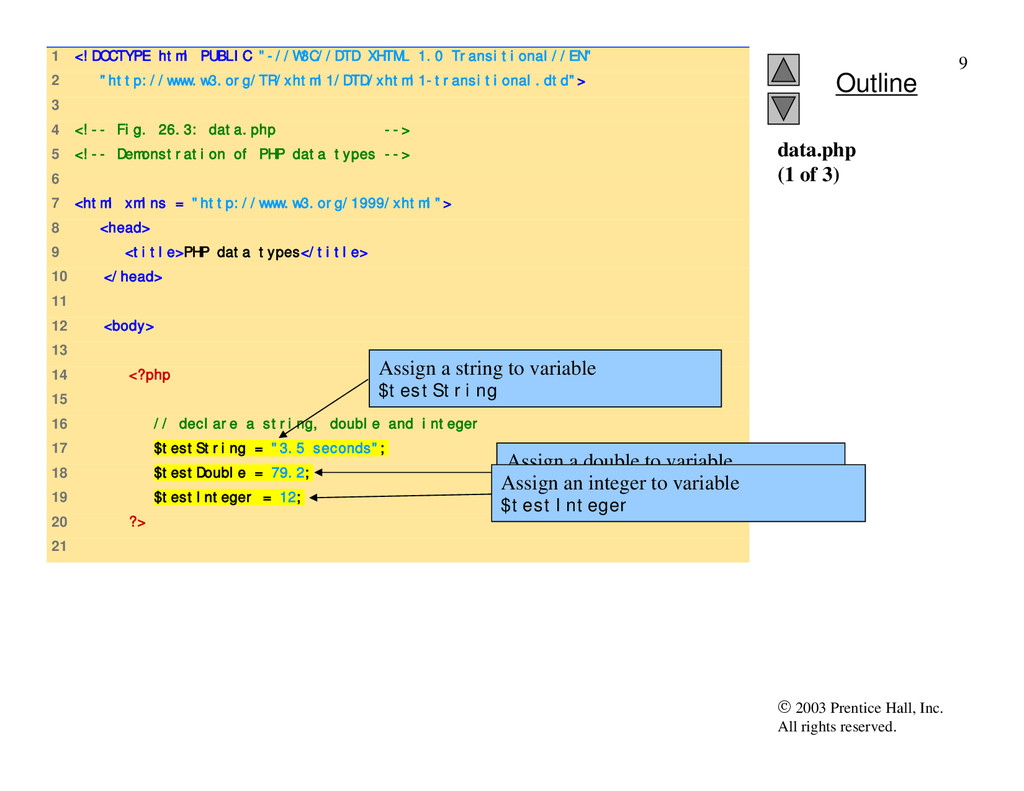
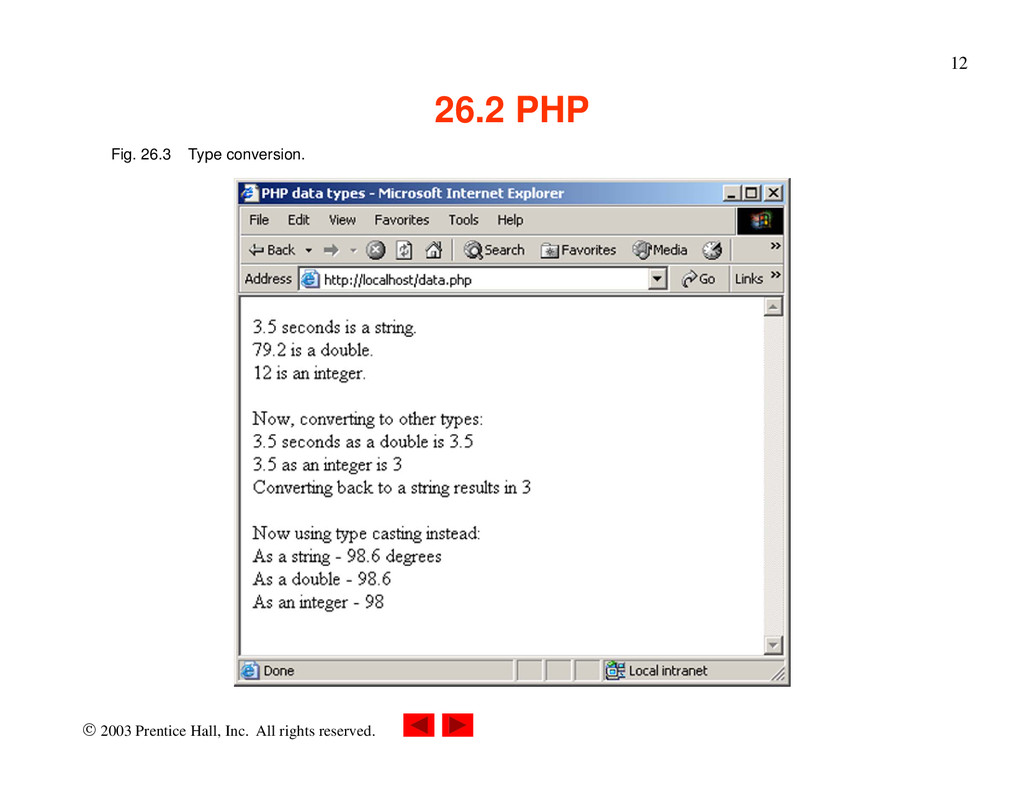
PHP • Variables – Can have different types at different times – Variable names inside strings replaced by their value – Type conversions • settype function • Type casting – Concatenation operator • . (period) • Combine strings
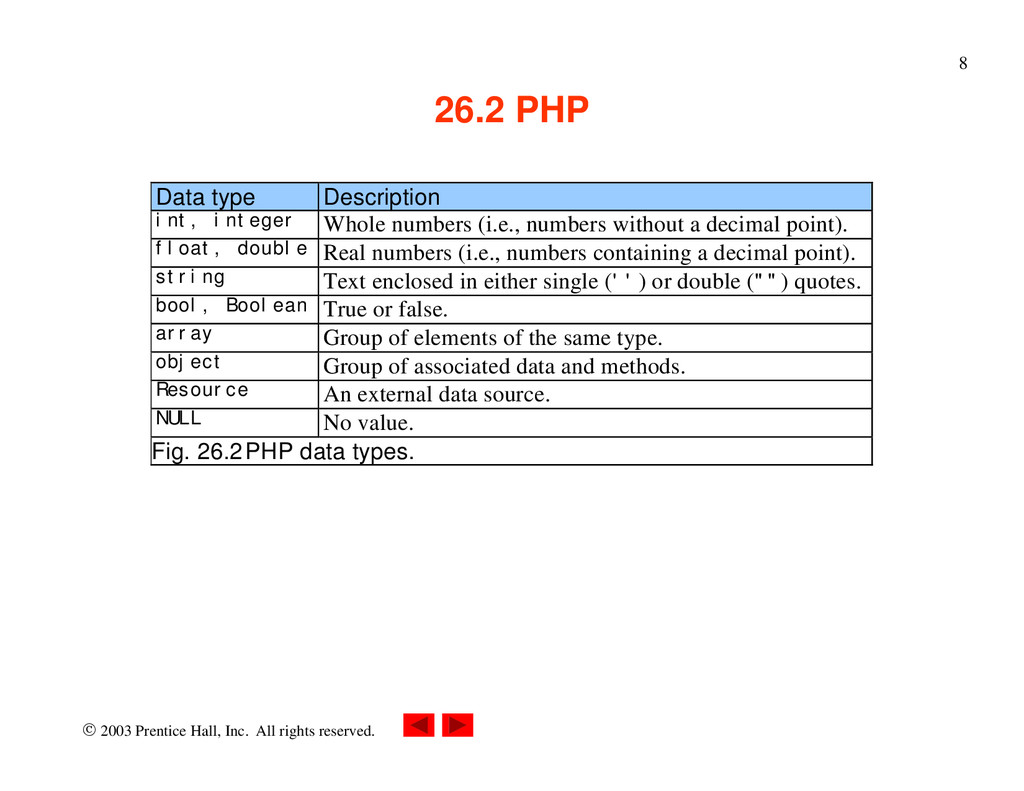
PHP Data type Description int, integer Whole numbers (i.e., numbers without a decimal point). float, double Real numbers (i.e., numbers containing a decimal point). string Text enclosed in either single ('') or double ("") quotes. bool, Boolean True or false. array Group of elements of the same type. object Group of associated data and methods. Resource An external data source. NULL No value. Fig. 26.2 PHP data types.
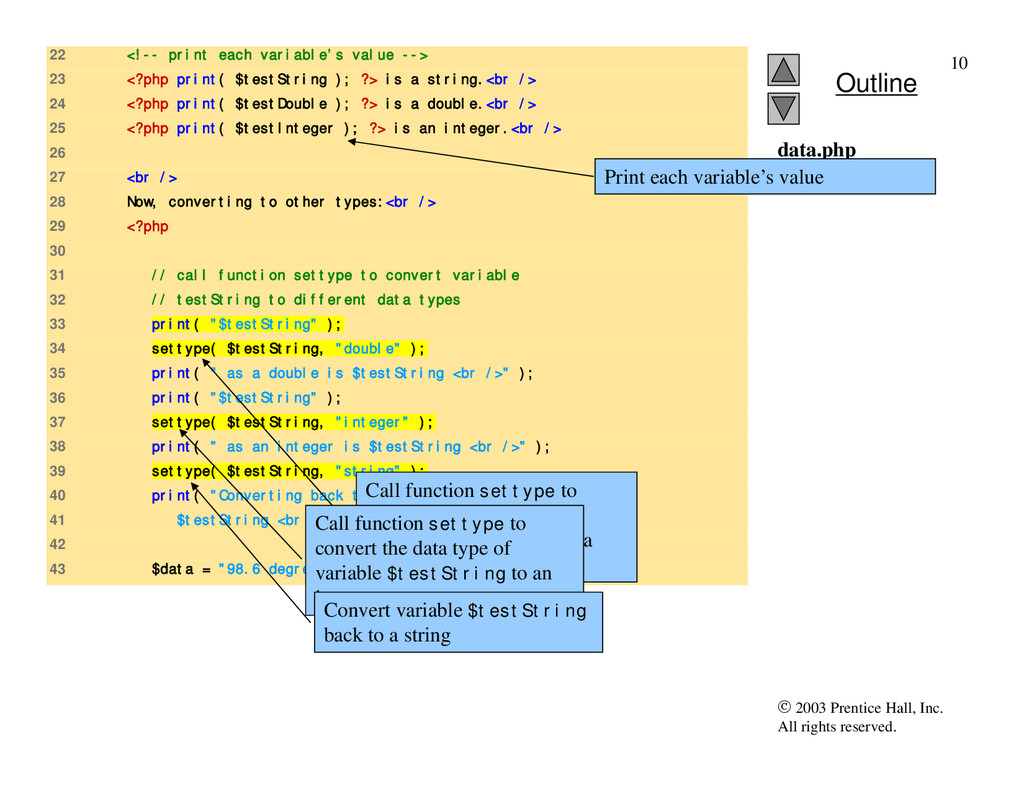
22 <!-- print each variable’s value --> 23 <?php print( $testString ); ?> is a string.<br /> 24 <?php print( $testDouble ); ?> is a double.<br /> 25 <?php print( $testInteger ); ?> is an integer.<br /> 26 27 <br /> 28 Now, converting to other types:<br /> 29 <?php 30 31 // call function settype to convert variable 32 // testString to different data types 33 print( "$testString" ); 34 settype( $testString, "double" ); 35 print( " as a double is $testString <br />" ); 36 print( "$testString" ); 37 settype( $testString, "integer" ); 38 print( " as an integer is $testString <br />" ); 39 settype( $testString, "string" ); 40 print( "Converting back to a string results in 41 $testString <br /><br />" ); 42 43 $data = "98.6 degrees"; data.php (2 of 3) Print each variable’s value Call function settype to convert the data type of variable $testString to a double. Call function settype to convert the data type of variable $testString to an integer. Convert variable $testString back to a string
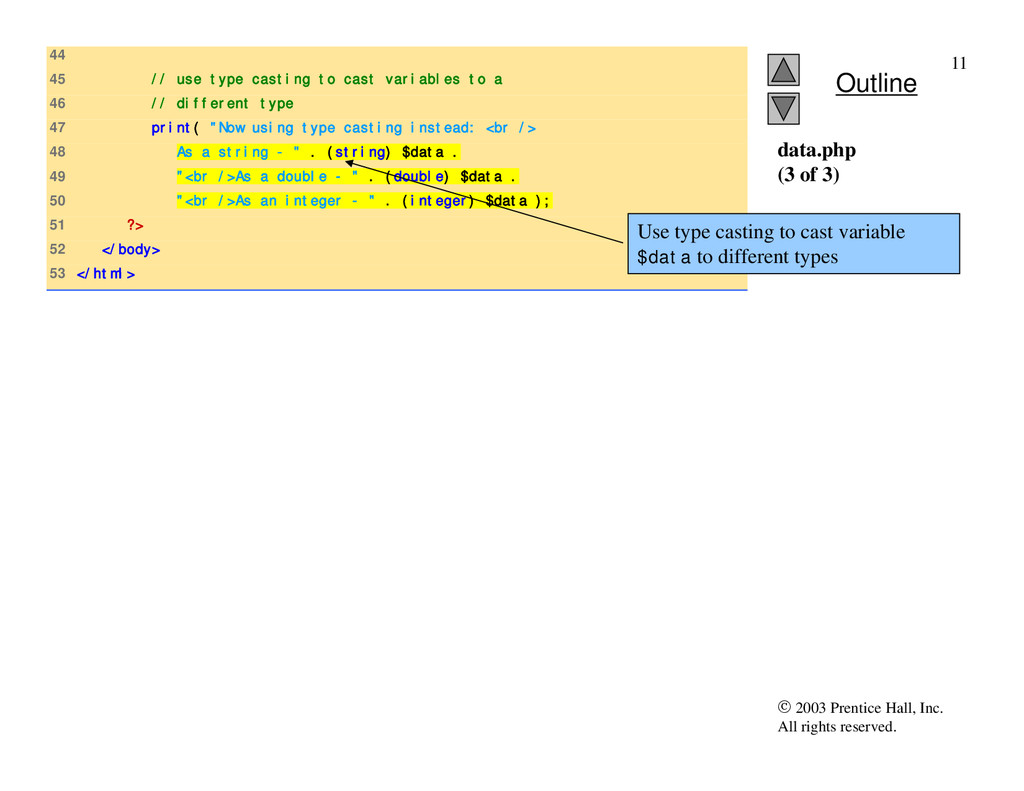
44 45 // use type casting to cast variables to a 46 // different type 47 print( "Now using type casting instead: <br /> 48 As a string - " . (string) $data . 49 "<br />As a double - " . (double) $data . 50 "<br />As an integer - " . (integer) $data ); 51 ?> 52 </body> 53 </html> data.php (3 of 3) Use type casting to cast variable $data to different types
PHP • Arithmetic operators – Assignment operators • Syntactical shortcuts • Before being assigned values, variables have value undef • Constants – Named values – define function
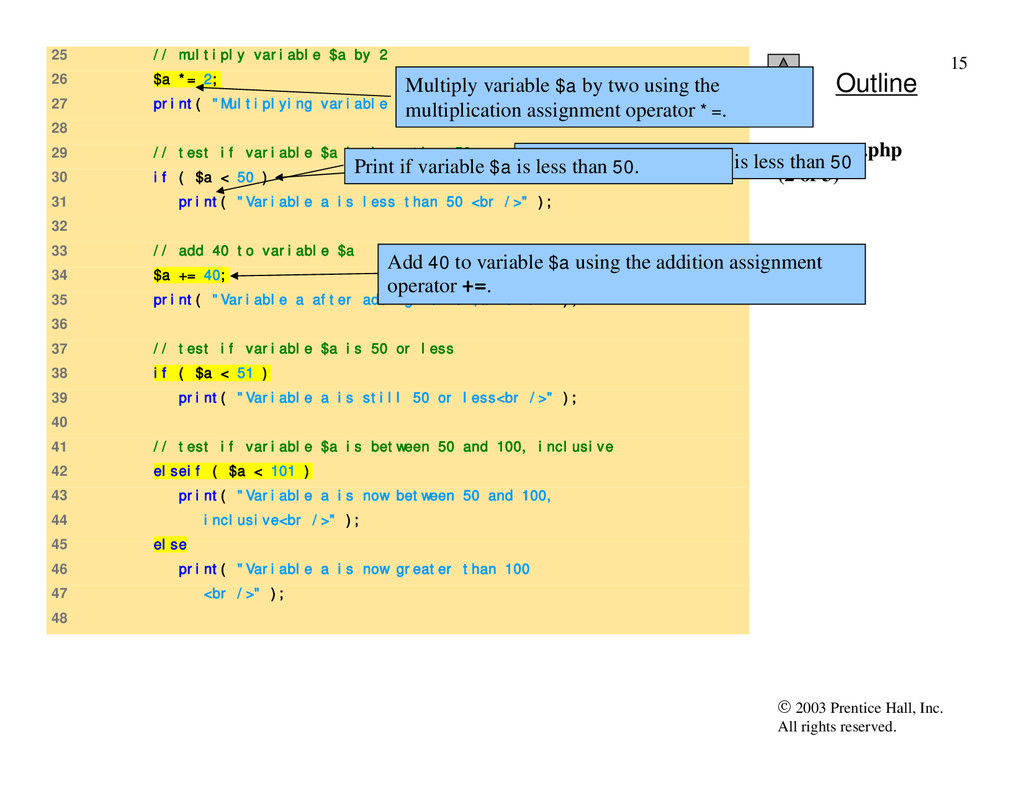
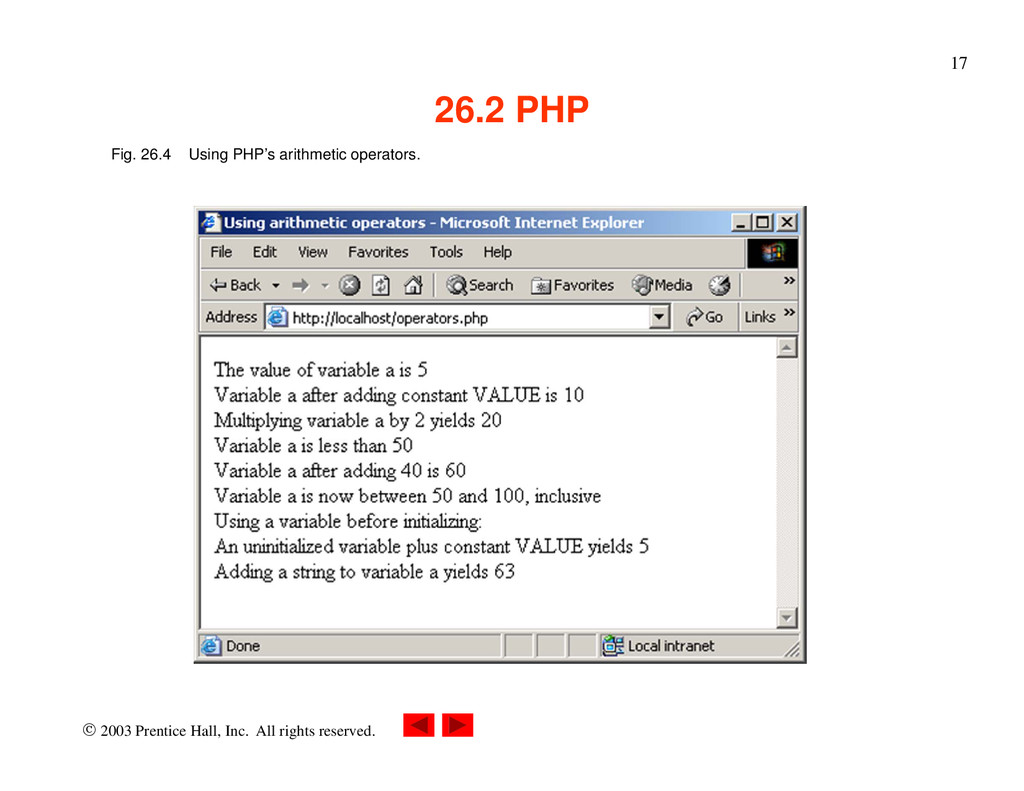
25 // multiply variable $a by 2 26 $a *= 2; 27 print( "Multiplying variable a by 2 yields $a <br />" ); 28 29 // test if variable $a is less than 50 30 if ( $a < 50 ) 31 print( "Variable a is less than 50 <br />" ); 32 33 // add 40 to variable $a 34 $a += 40; 35 print( "Variable a after adding 40 is $a <br />" ); 36 37 // test if variable $a is 50 or less 38 if ( $a < 51 ) 39 print( "Variable a is still 50 or less<br />" ); 40 41 // test if variable $a is between 50 and 100, inclusive 42 elseif ( $a < 101 ) 43 print( "Variable a is now between 50 and 100, 44 inclusive<br />" ); 45 else 46 print( "Variable a is now greater than 100 47 <br />" ); 48 operators.php (2 of 3) Multiply variable $a by two using the multiplication assignment operator *=. Test whether variable $a is less than 50 Add 40 to variable $a using the addition assignment operator +=. Print if variable $a is less than 50.
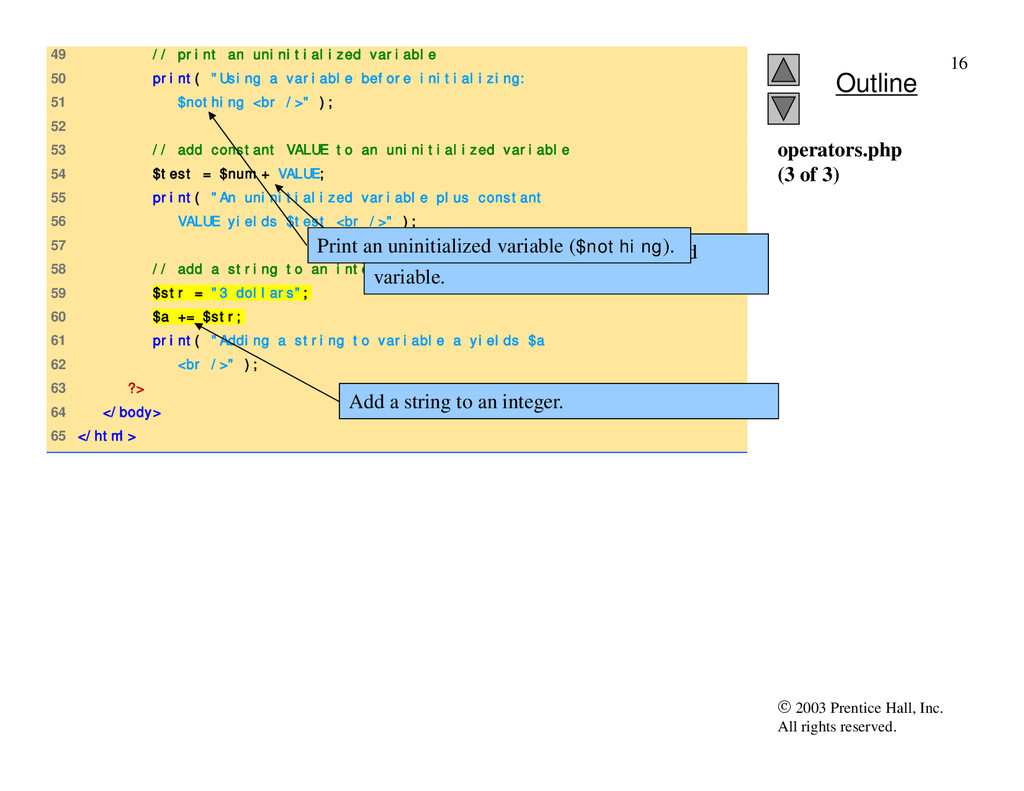
49 // print an uninitialized variable 50 print( "Using a variable before initializing: 51 $nothing <br />" ); 52 53 // add constant VALUE to an uninitialized variable 54 $test = $num + VALUE; 55 print( "An uninitialized variable plus constant 56 VALUE yields $test <br />" ); 57 58 // add a string to an integer 59 $str = "3 dollars"; 60 $a += $str; 61 print( "Adding a string to variable a yields $a 62 <br />" ); 63 ?> 64 </body> 65 </html> operators.php (3 of 3) Add constant VALUE to an uninitialized variable. Add a string to an integer. Print an uninitialized variable ($nothing).
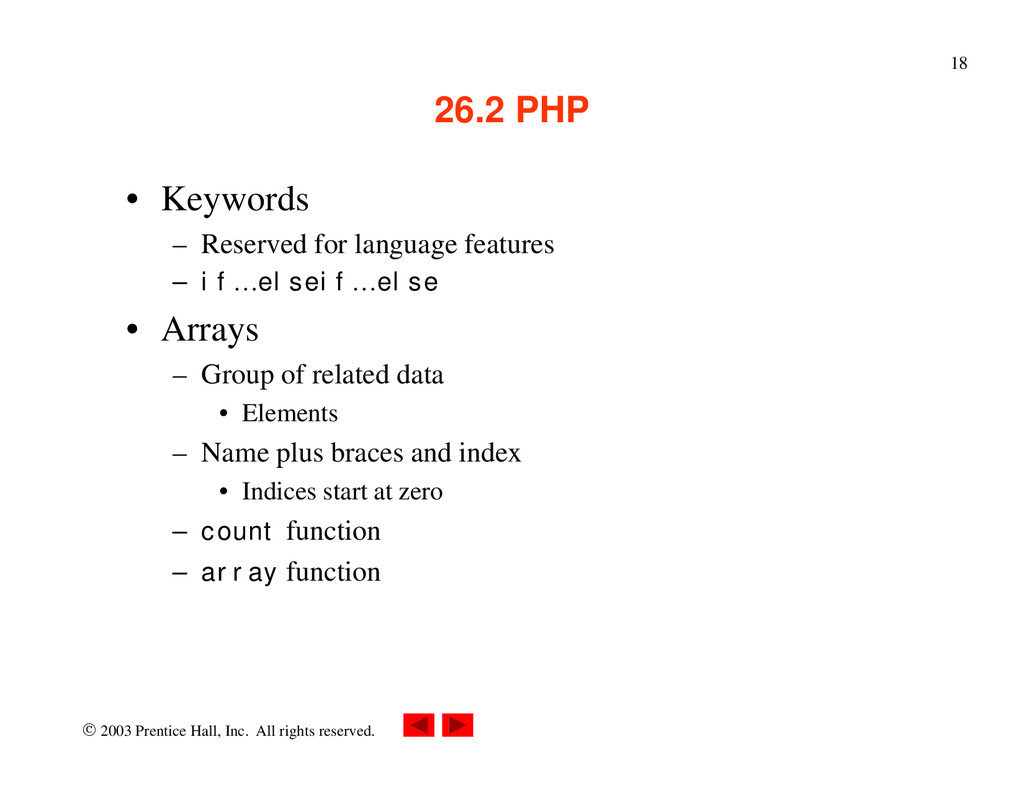
PHP • Keywords – Reserved for language features – if…elseif…else • Arrays – Group of related data • Elements – Name plus braces and index • Indices start at zero – count function – array function
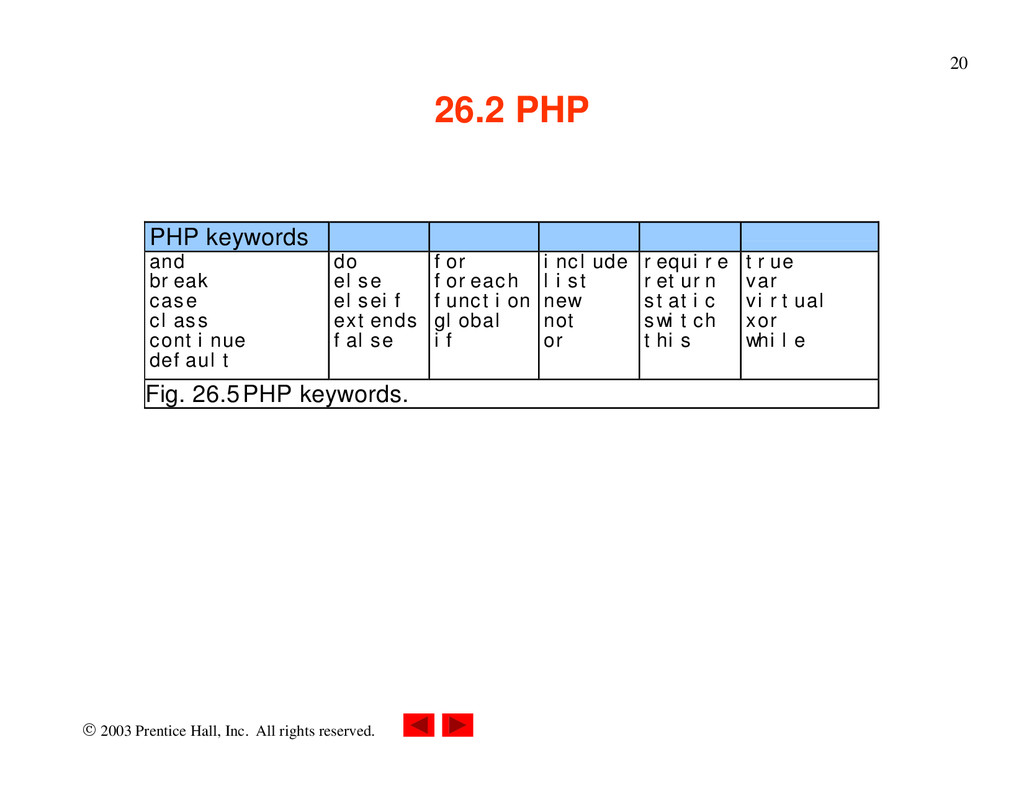
PHP PHP keywords and break case class continue default do else elseif extends false for foreach function global if include list new not or require return static switch this true var virtual xor while Fig. 26.5 PHP keywords.
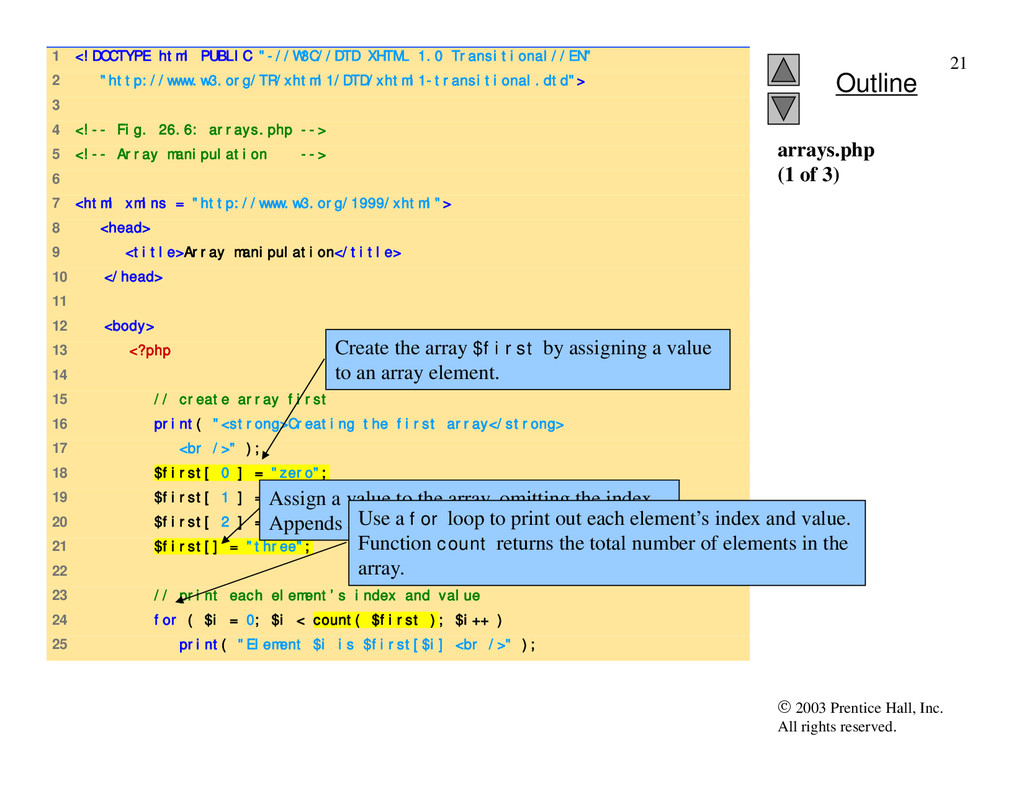
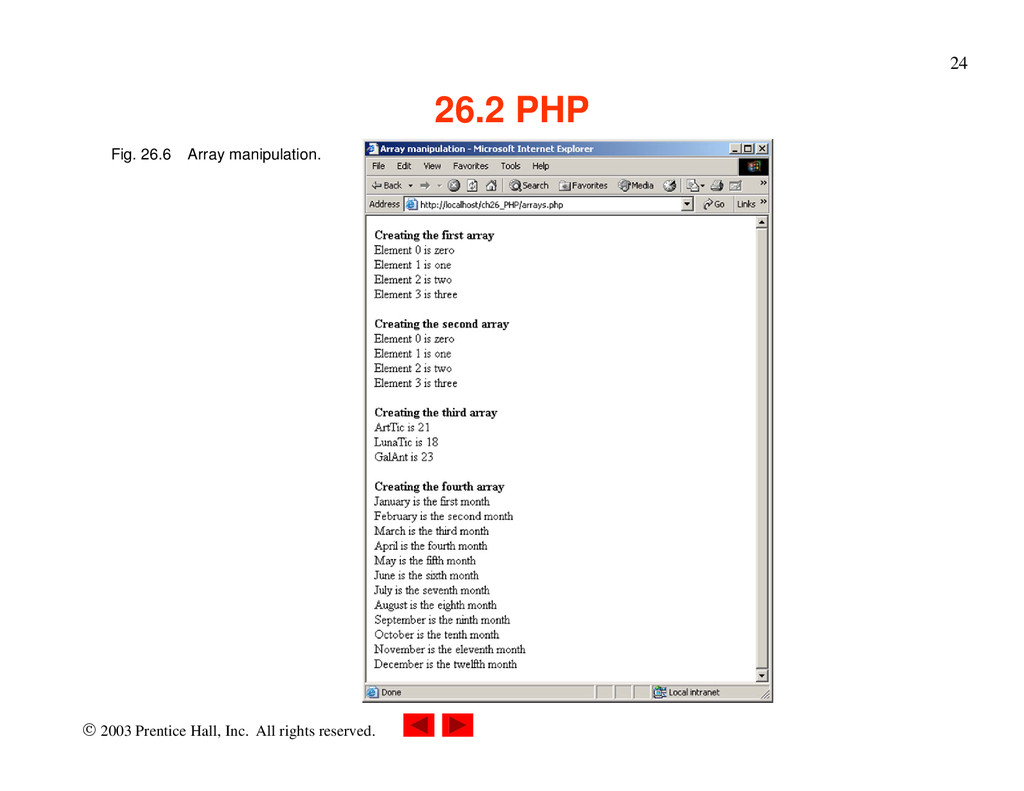
1 <!DOCTYPE html PUBLIC "-//W3C//DTD XHTML 1.0 Transitional//EN" 2 "http://www.w3.org/TR/xhtml1/DTD/xhtml1-transitional.dtd"> 3 4 <!-- Fig. 26.6: arrays.php --> 5 <!-- Array manipulation --> 6 7 <html xmlns = "http://www.w3.org/1999/xhtml"> 8 <head> 9 <title>Array manipulation</title> 10 </head> 11 12 <body> 13 <?php 14 15 // create array first 16 print( "<strong>Creating the first array</strong> 17 <br />" ); 18 $first[ 0 ] = "zero"; 19 $first[ 1 ] = "one"; 20 $first[ 2 ] = "two"; 21 $first[] = "three"; 22 23 // print each element’s index and value 24 for ( $i = 0; $i < count( $first ); $i++ ) 25 print( "Element $i is $first[$i] <br />" ); arrays.php (1 of 3) Create the array $first by assigning a value to an array element. Assign a value to the array, omitting the index. Appends a new element to the end of the array. Use a for loop to print out each element’s index and value. Function count returns the total number of elements in the array.
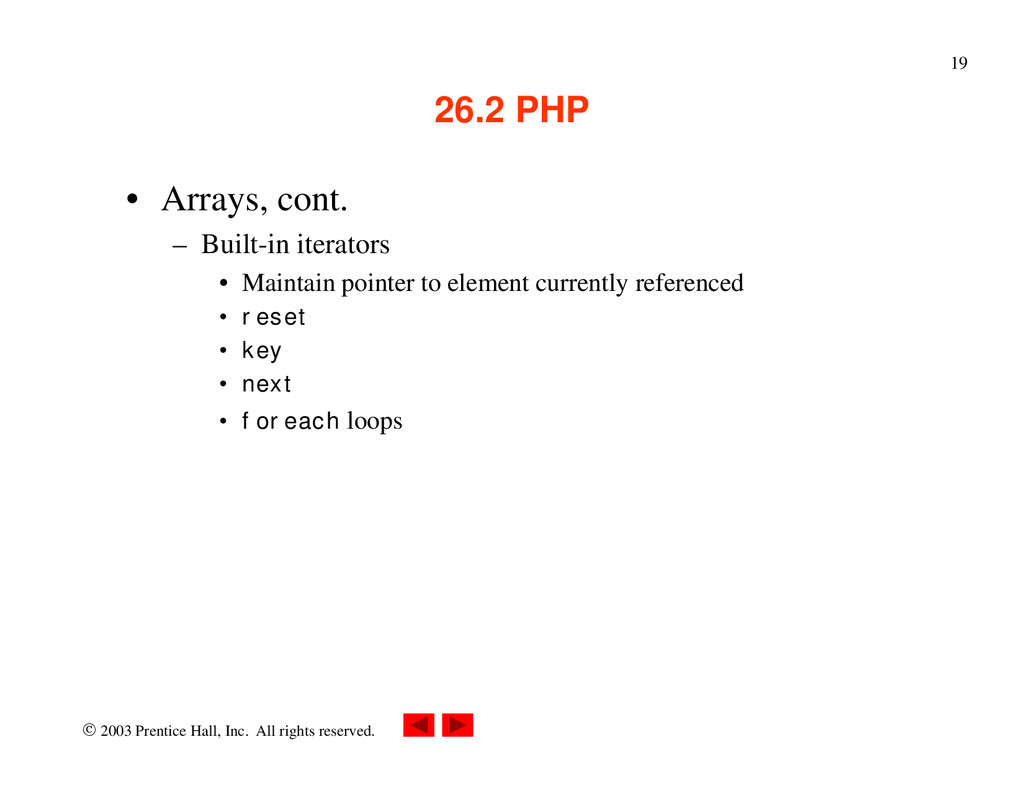
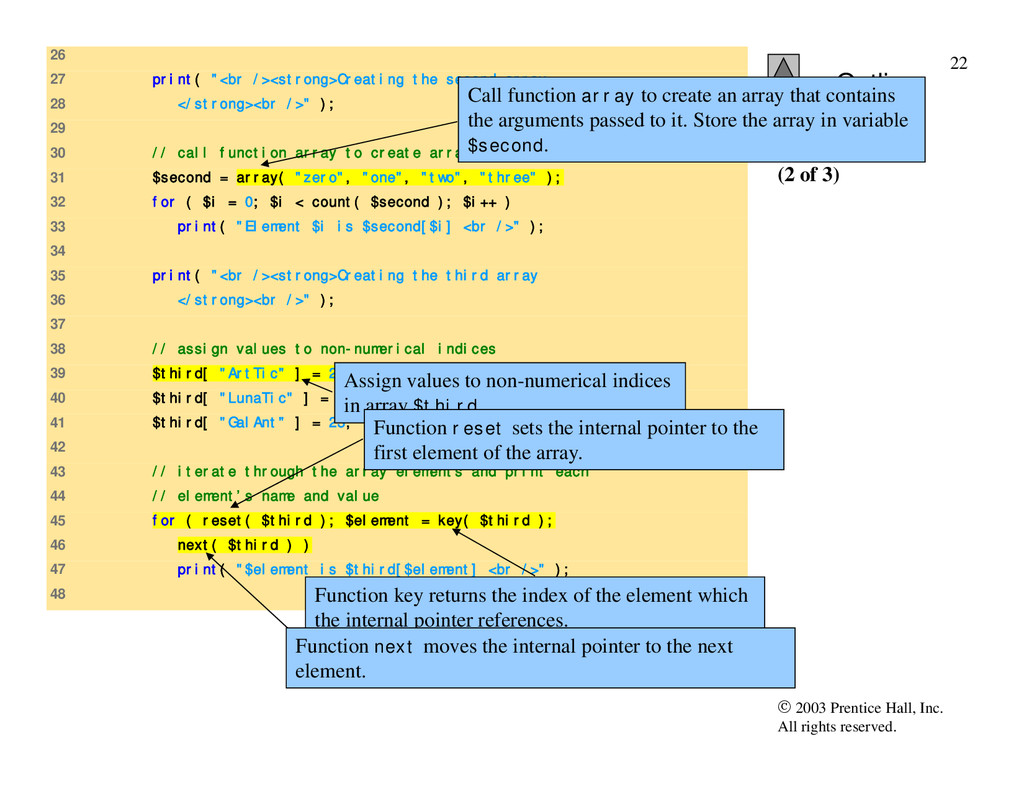
26 27 print( "<br /><strong>Creating the second array 28 </strong><br />" ); 29 30 // call function array to create array second 31 $second = array( "zero", "one", "two", "three" ); 32 for ( $i = 0; $i < count( $second ); $i++ ) 33 print( "Element $i is $second[$i] <br />" ); 34 35 print( "<br /><strong>Creating the third array 36 </strong><br />" ); 37 38 // assign values to non-numerical indices 39 $third[ "ArtTic" ] = 21; 40 $third[ "LunaTic" ] = 18; 41 $third[ "GalAnt" ] = 23; 42 43 // iterate through the array elements and print each 44 // element’s name and value 45 for ( reset( $third ); $element = key( $third ); 46 next( $third ) ) 47 print( "$element is $third[$element] <br />" ); 48 arrays.php (2 of 3) Call function array to create an array that contains the arguments passed to it. Store the array in variable $second. Assign values to non-numerical indices in array $third. Function reset sets the internal pointer to the first element of the array. Function key returns the index of the element which the internal pointer references. Function next moves the internal pointer to the next element.
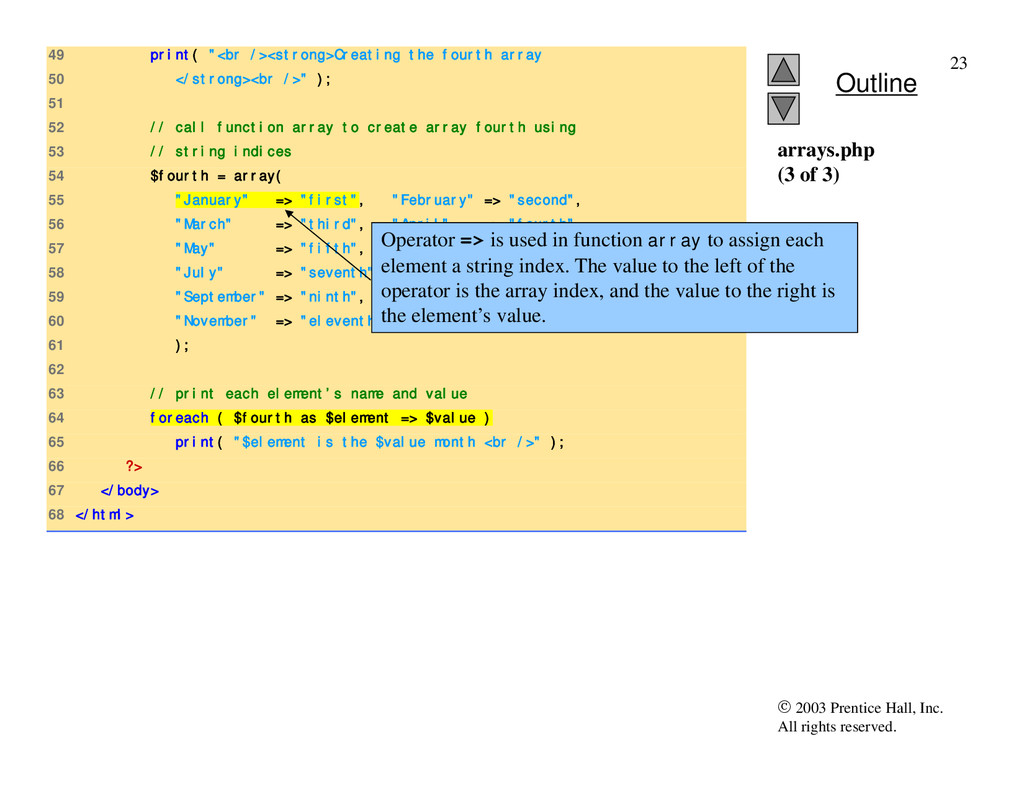
49 print( "<br /><strong>Creating the fourth array 50 </strong><br />" ); 51 52 // call function array to create array fourth using 53 // string indices 54 $fourth = array( 55 "January" => "first", "February" => "second", 56 "March" => "third", "April" => "fourth", 57 "May" => "fifth", "June" => "sixth", 58 "July" => "seventh", "August" => "eighth", 59 "September" => "ninth", "October" => "tenth", 60 "November" => "eleventh","December" => "twelfth" 61 ); 62 63 // print each element’s name and value 64 foreach ( $fourth as $element => $value ) 65 print( "$element is the $value month <br />" ); 66 ?> 67 </body> 68 </html> arrays.php (3 of 3) Operator => is used in function array to assign each element a string index. The value to the left of the operator is the array index, and the value to the right is the element’s value.
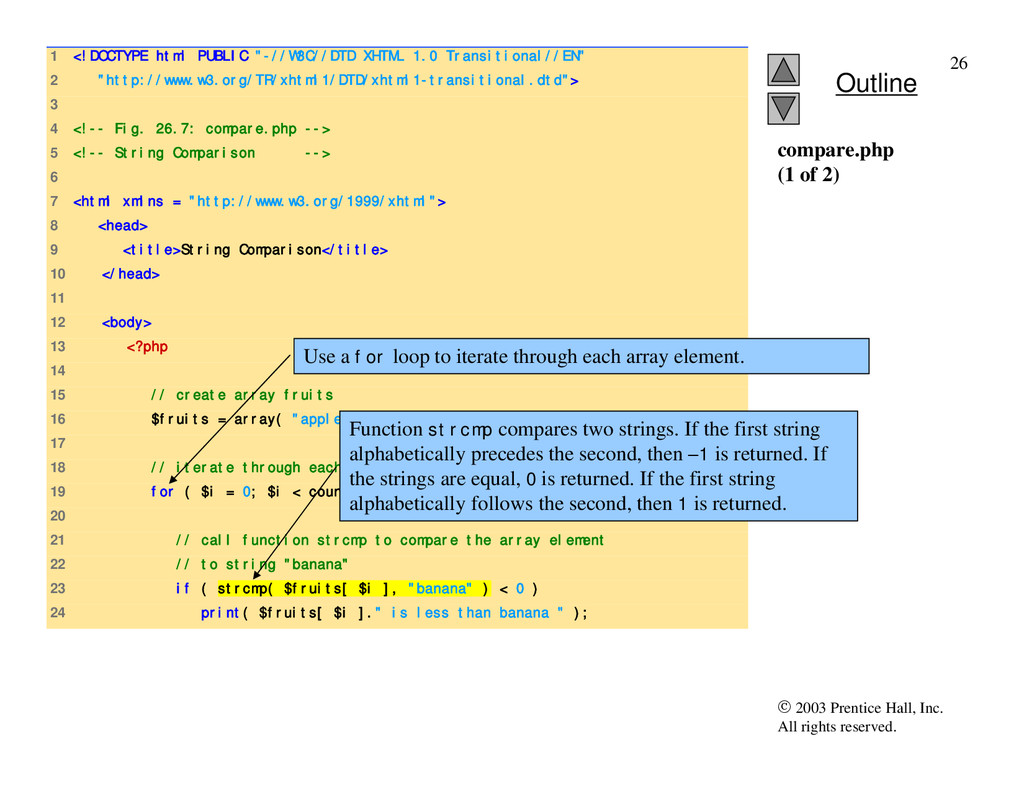
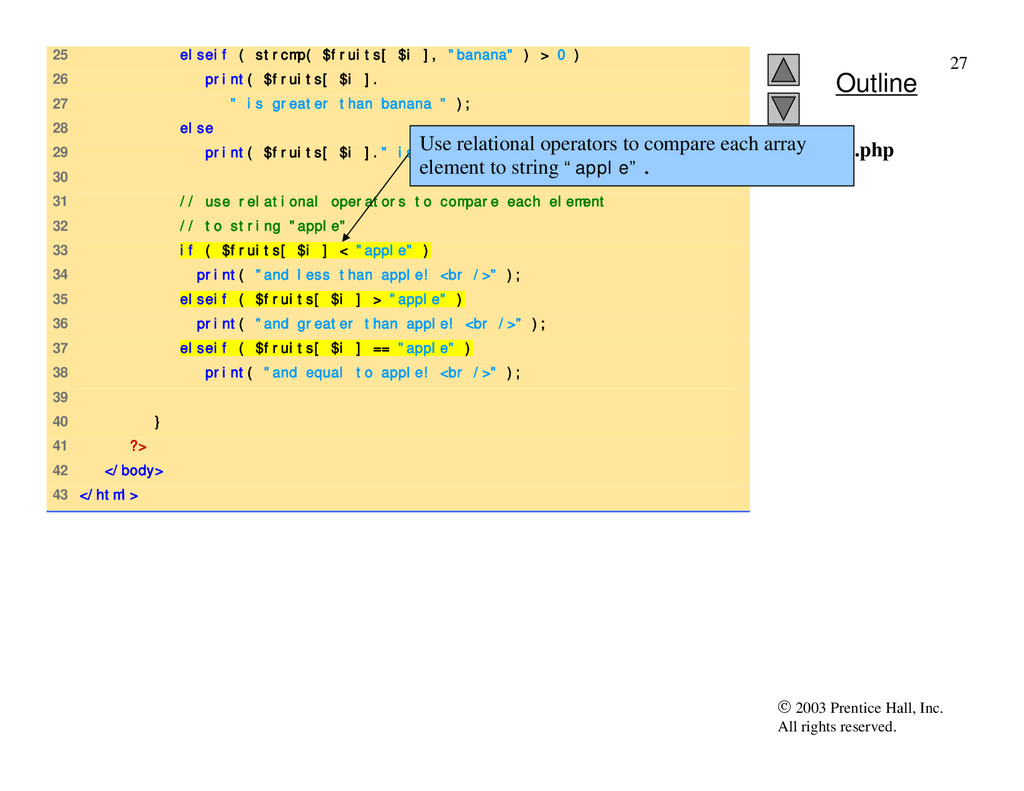
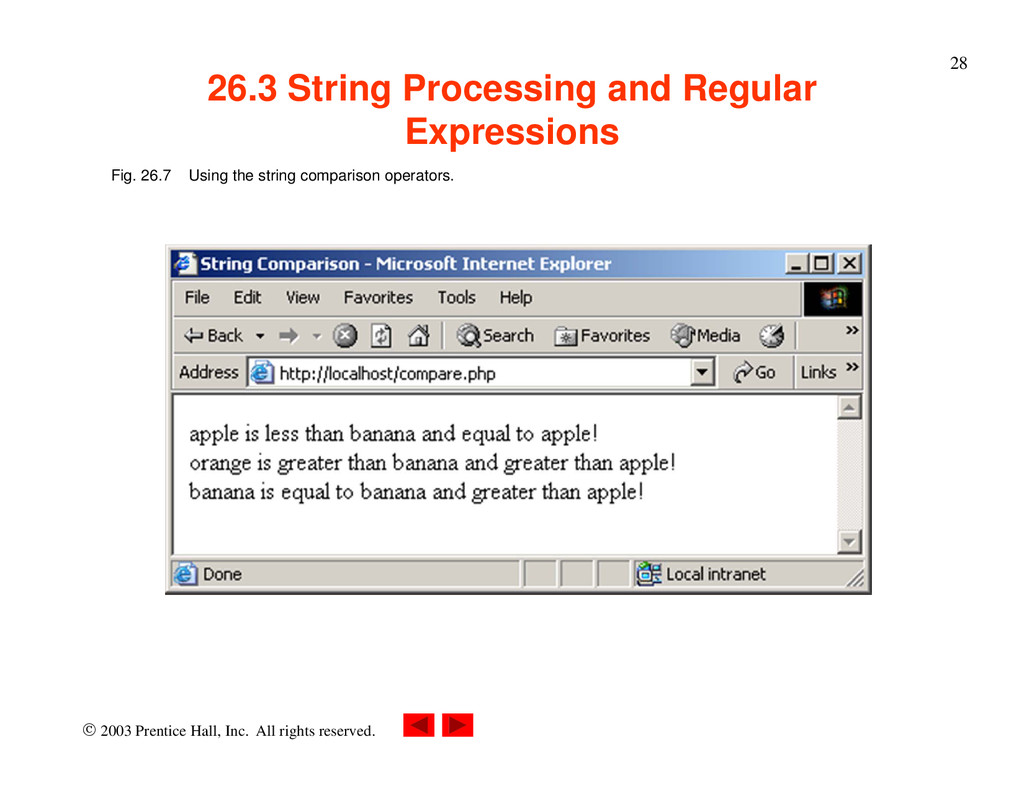
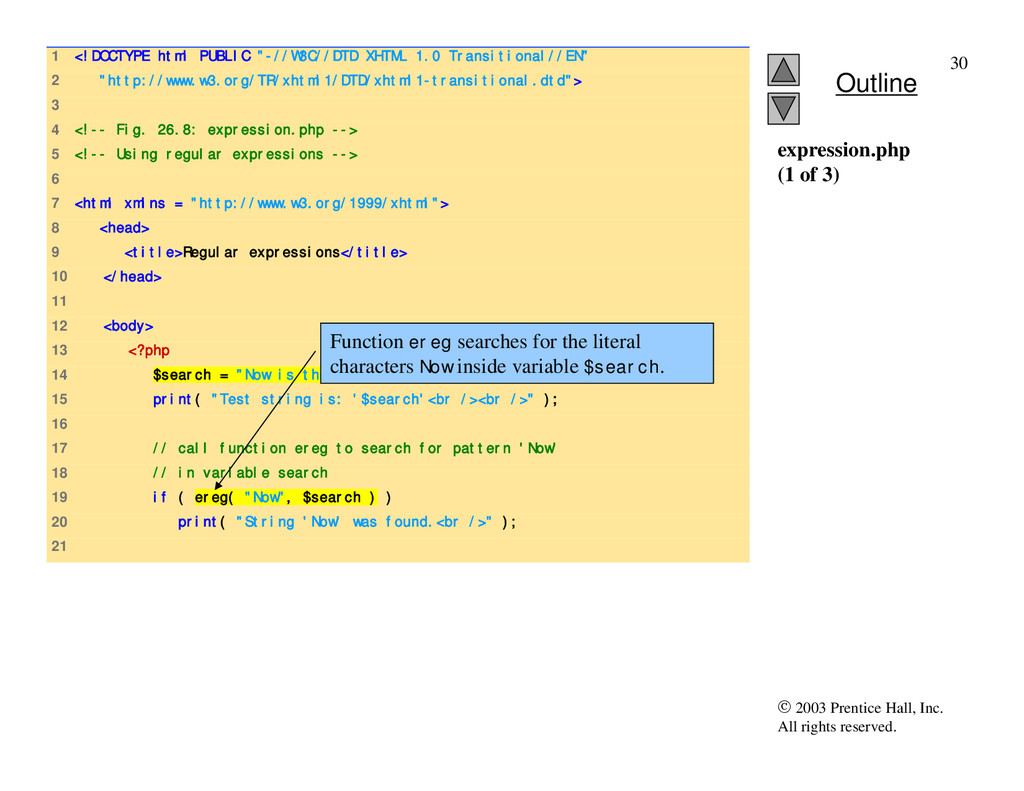
1 <!DOCTYPE html PUBLIC "-//W3C//DTD XHTML 1.0 Transitional//EN" 2 "http://www.w3.org/TR/xhtml1/DTD/xhtml1-transitional.dtd"> 3 4 <!-- Fig. 26.7: compare.php --> 5 <!-- String Comparison --> 6 7 <html xmlns = "http://www.w3.org/1999/xhtml"> 8 <head> 9 <title>String Comparison</title> 10 </head> 11 12 <body> 13 <?php 14 15 // create array fruits 16 $fruits = array( "apple", "orange", "banana" ); 17 18 // iterate through each array element 19 for ( $i = 0; $i < count( $fruits ); $i++ ) { 20 21 // call function strcmp to compare the array element 22 // to string "banana" 23 if ( strcmp( $fruits[ $i ], "banana" ) < 0 ) 24 print( $fruits[ $i ]." is less than banana " ); compare.php (1 of 2) Use a for loop to iterate through each array element. Function strcmp compares two strings. If the first string alphabetically precedes the second, then –1 is returned. If the strings are equal, 0 is returned. If the first string alphabetically follows the second, then 1 is returned.
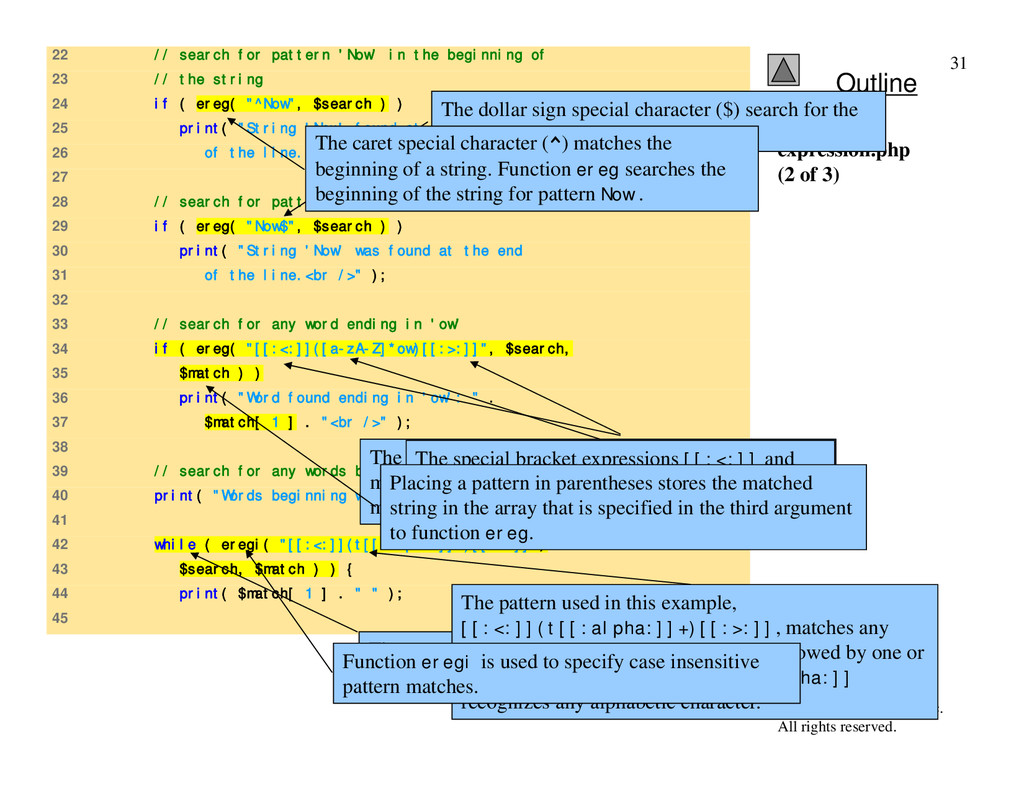
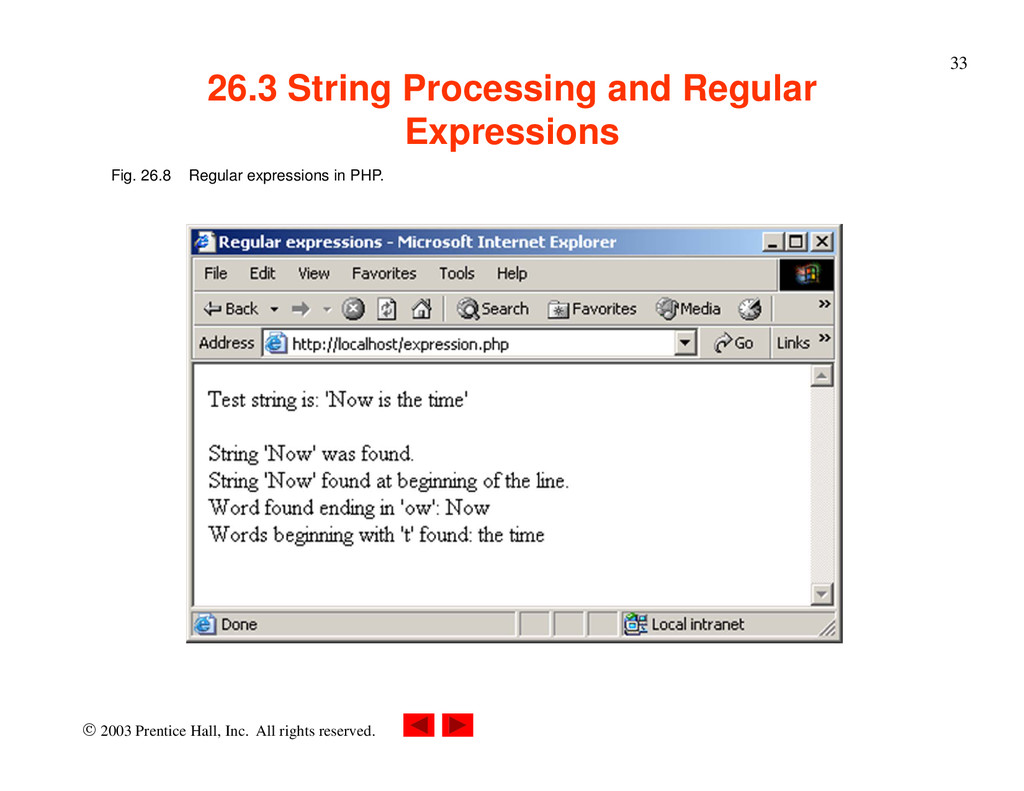
22 // search for pattern 'Now' in the beginning of 23 // the string 24 if ( ereg( "^Now", $search ) ) 25 print( "String 'Now' found at beginning 26 of the line.<br />" ); 27 28 // search for pattern 'Now' at the end of the string 29 if ( ereg( "Now$", $search ) ) 30 print( "String 'Now' was found at the end 31 of the line.<br />" ); 32 33 // search for any word ending in 'ow' 34 if ( ereg( "[[:<:]]([a-zA-Z]*ow)[[:>:]]", $search, 35 $match ) ) 36 print( "Word found ending in 'ow': " . 37 $match[ 1 ] . "<br />" ); 38 39 // search for any words beginning with 't' 40 print( "Words beginning with 't' found: "); 41 42 while ( eregi( "[[:<:]](t[[:alpha:]]+)[[:>:]]", 43 $search, $match ) ) { 44 print( $match[ 1 ] . " " ); 45 expression.php (2 of 3) The dollar sign special character ($) search for the pattern Now at the end of the string. The expression inside the parentheses, [a-zA-Z]*ow, matches any word ending in ow. The quantifier * matches the preceding pattern 0 or more times. The special bracket expressions [[:<:]] and [[:>:]] match the beginning and end of a word, respectively. Placing a pattern in parentheses stores the matched string in the array that is specified in the third argument to function ereg. The while loop is used to find each occurrence of a word in the string beginning with t. The pattern used in this example, [[:<:]](t[[:alpha:]]+)[[:>:]], matches any word beginning with the character t followed by one or more characters. Character class [[:alpha:]] recognizes any alphabetic character. Function eregi is used to specify case insensitive pattern matches. The caret special character (^) matches the beginning of a string. Function ereg searches the beginning of the string for pattern Now .
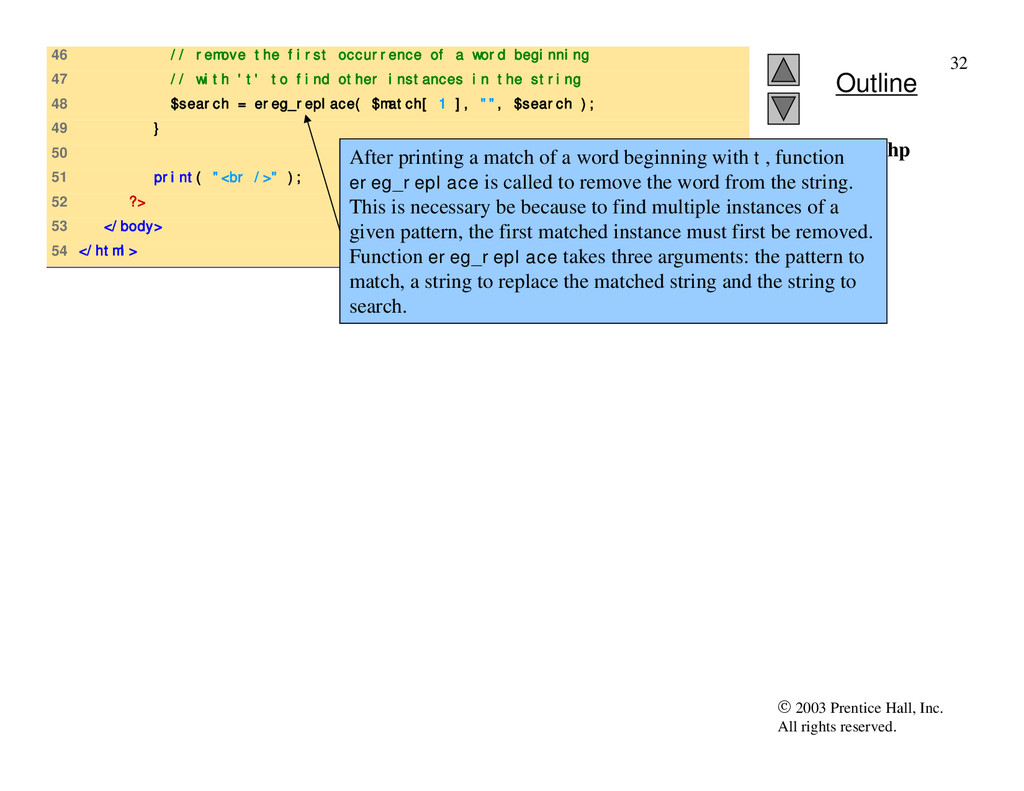
expression.php (3 of 3) 46 // remove the first occurrence of a word beginning 47 // with 't' to find other instances in the string 48 $search = ereg_replace( $match[ 1 ], "", $search ); 49 } 50 51 print( "<br />" ); 52 ?> 53 </body> 54 </html> After printing a match of a word beginning with t, function ereg_replace is called to remove the word from the string. This is necessary be because to find multiple instances of a given pattern, the first matched instance must first be removed. Function ereg_replace takes three arguments: the pattern to match, a string to replace the matched string and the string to search.
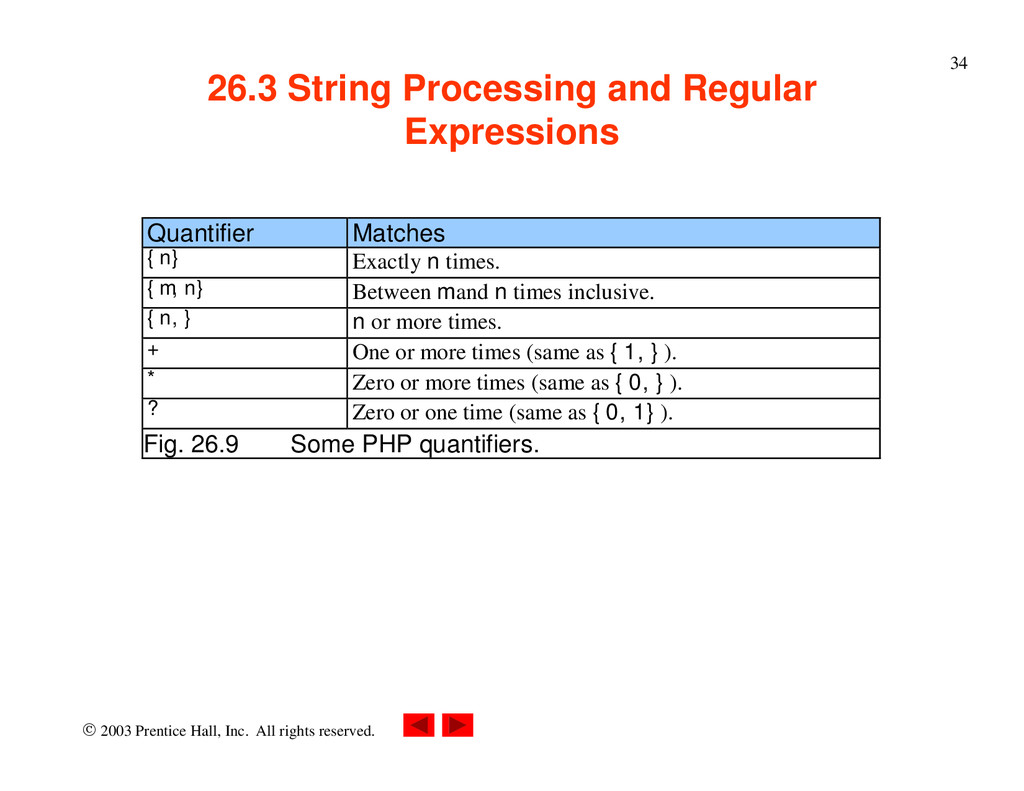
String Processing and Regular Expressions Quantifier Matches {n} Exactly n times. {m,n} Between m and n times inclusive. {n,} n or more times. + One or more times (same as {1,}). * Zero or more times (same as {0,}). ? Zero or one time (same as {0,1}). Fig. 26.9 Some PHP quantifiers.
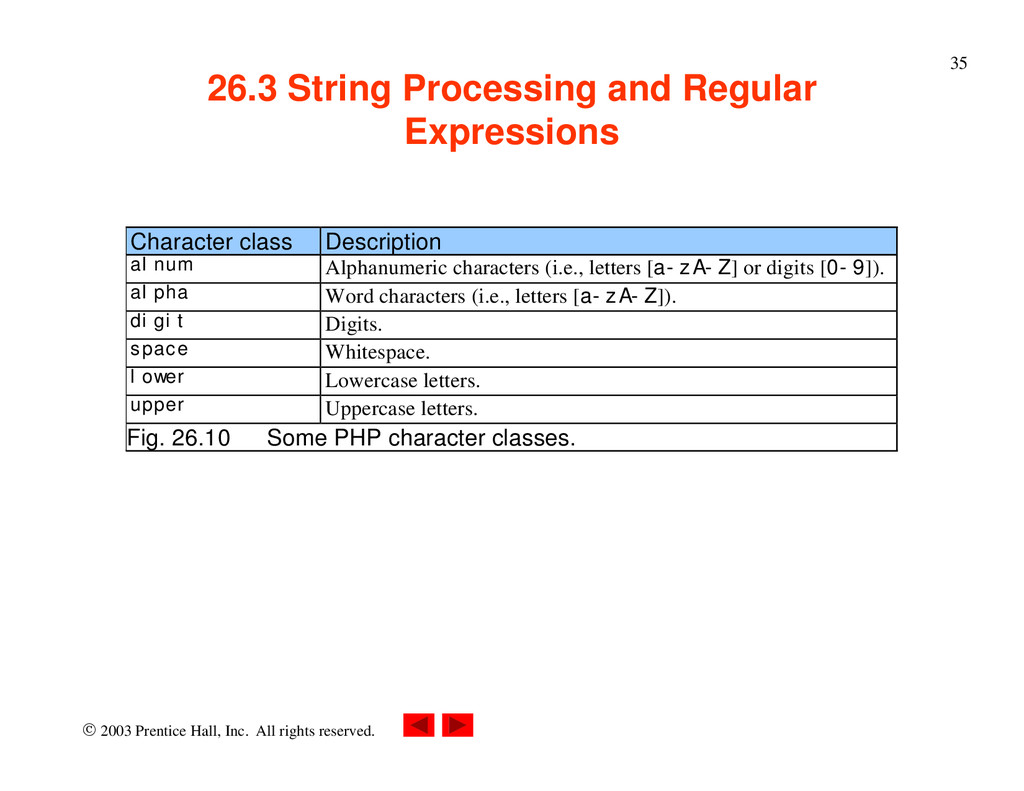
String Processing and Regular Expressions Character class Description alnum Alphanumeric characters (i.e., letters [a-zA-Z] or digits [0-9]). alpha Word characters (i.e., letters [a-zA-Z]). digit Digits. space Whitespace. lower Lowercase letters. upper Uppercase letters. Fig. 26.10 Some PHP character classes.
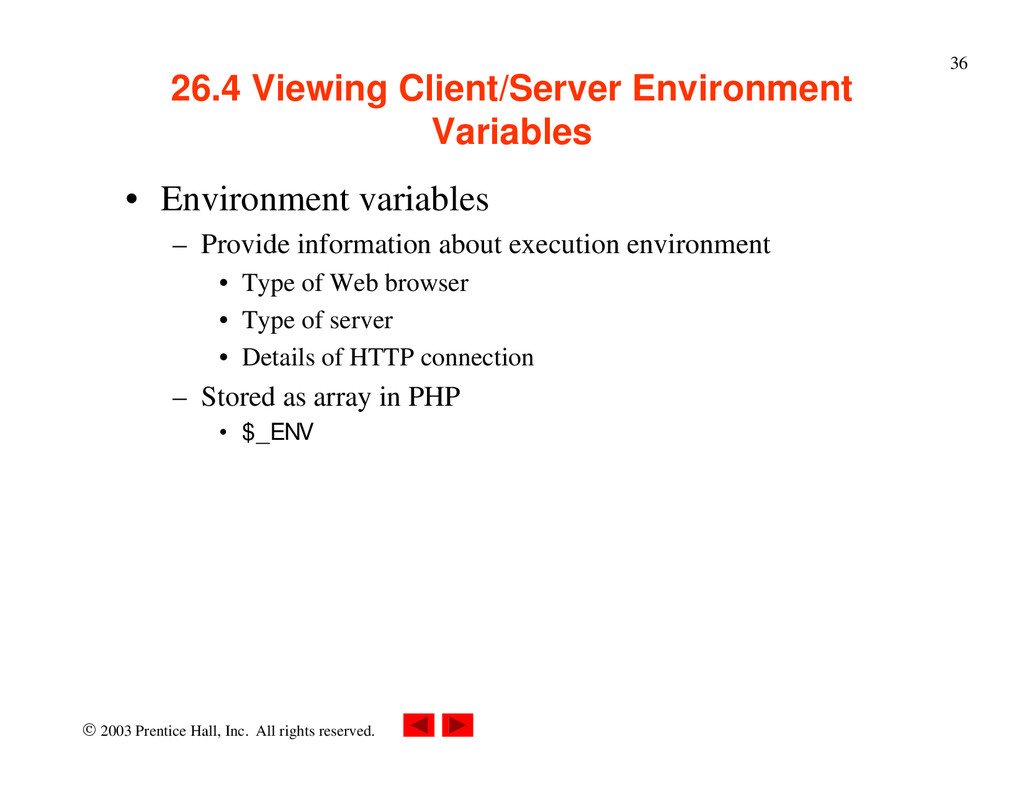
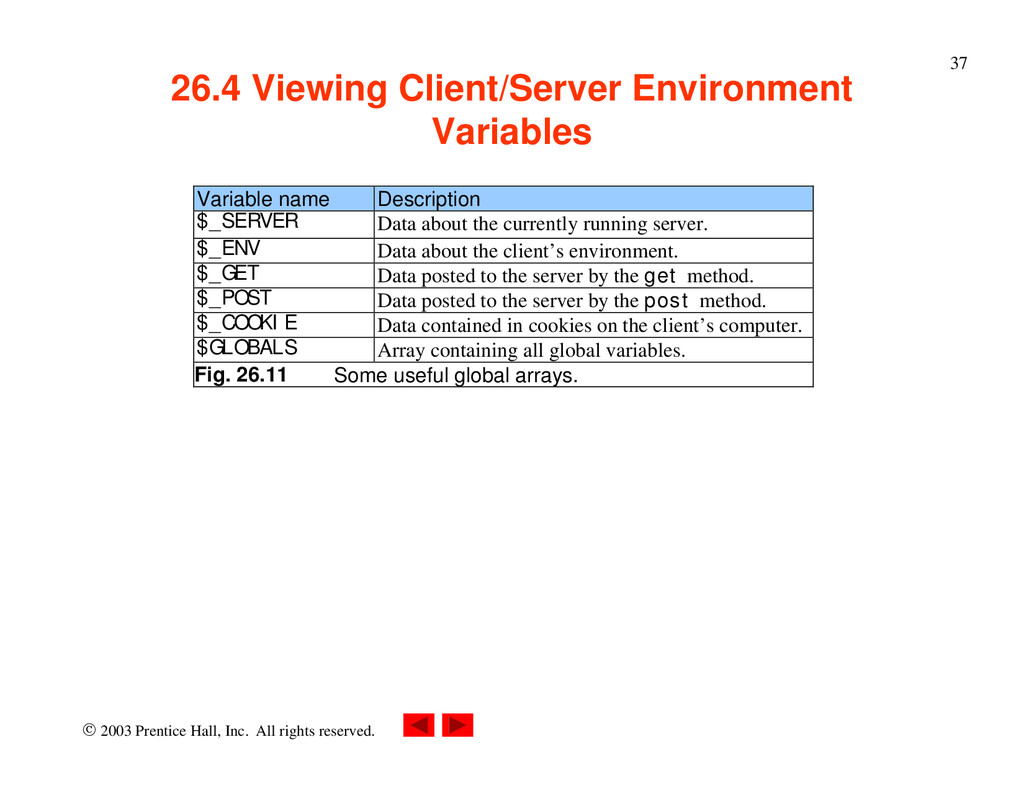
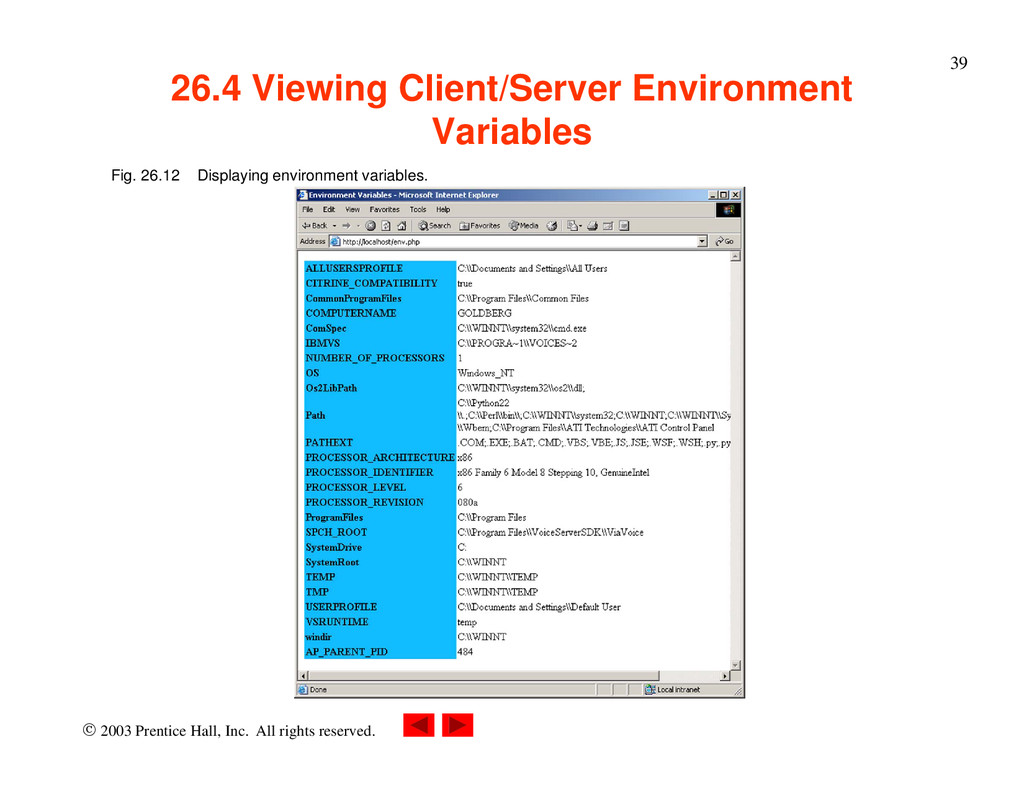
Viewing Client/Server Environment Variables • Environment variables – Provide information about execution environment • Type of Web browser • Type of server • Details of HTTP connection – Stored as array in PHP • $_ENV
Viewing Client/Server Environment Variables Variable name Description $_SERVER Data about the currently running server. $_ENV Data about the client’s environment. $_GET Data posted to the server by the get method. $_POST Data posted to the server by the post method. $_COOKIE Data contained in cookies on the client’s computer. $GLOBALS Array containing all global variables. Fig. 26.11 Some useful global arrays.
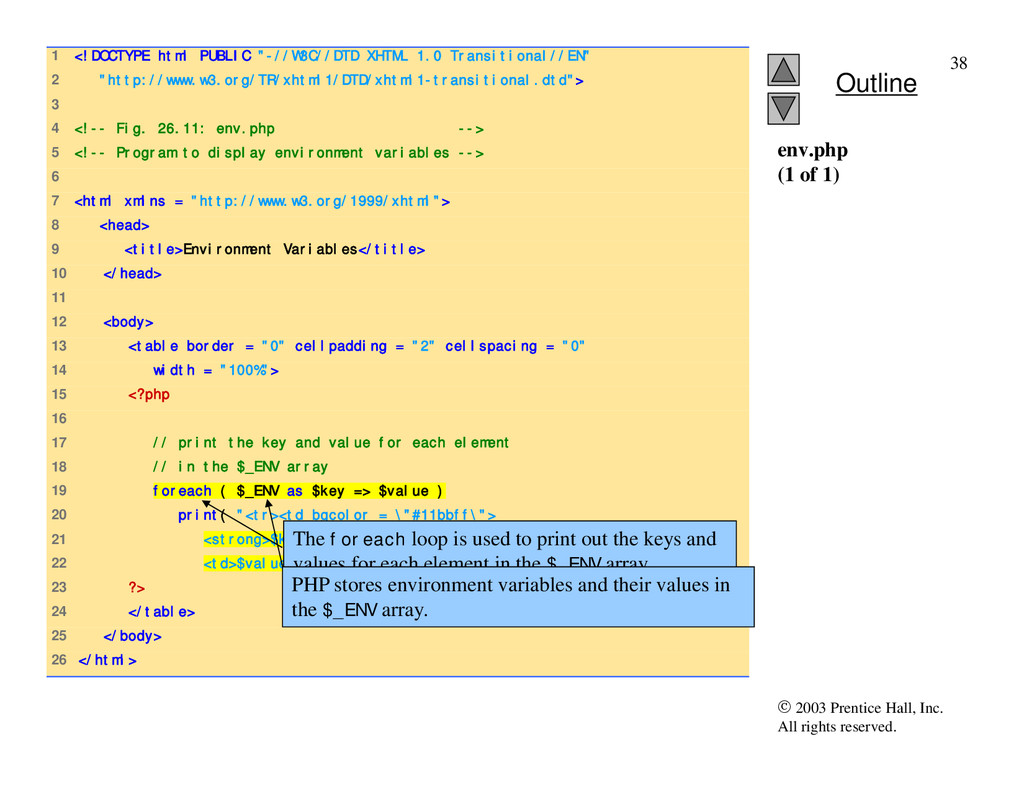
1 <!DOCTYPE html PUBLIC "-//W3C//DTD XHTML 1.0 Transitional//EN" 2 "http://www.w3.org/TR/xhtml1/DTD/xhtml1-transitional.dtd"> 3 4 <!-- Fig. 26.11: env.php --> 5 <!-- Program to display environment variables --> 6 7 <html xmlns = "http://www.w3.org/1999/xhtml"> 8 <head> 9 <title>Environment Variables</title> 10 </head> 11 12 <body> 13 <table border = "0" cellpadding = "2" cellspacing = "0" 14 width = "100%"> 15 <?php 16 17 // print the key and value for each element 18 // in the $_ENV array 19 foreach ( $_ENV as $key => $value ) 20 print( "<tr><td bgcolor = \"#11bbff\"> 21 <strong>$key</strong></td> 22 <td>$value</td></tr>" ); 23 ?> 24 </table> 25 </body> 26 </html> env.php (1 of 1) The foreach loop is used to print out the keys and values for each element in the $_ENV array. PHP stores environment variables and their values in the $_ENV array.
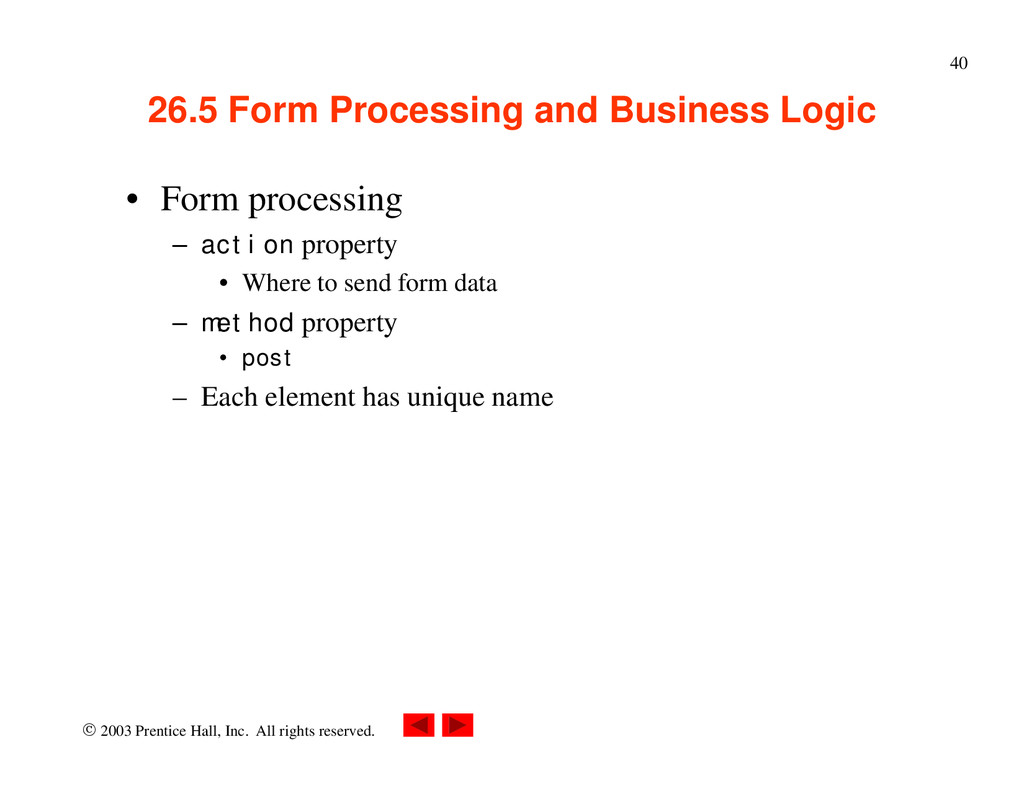
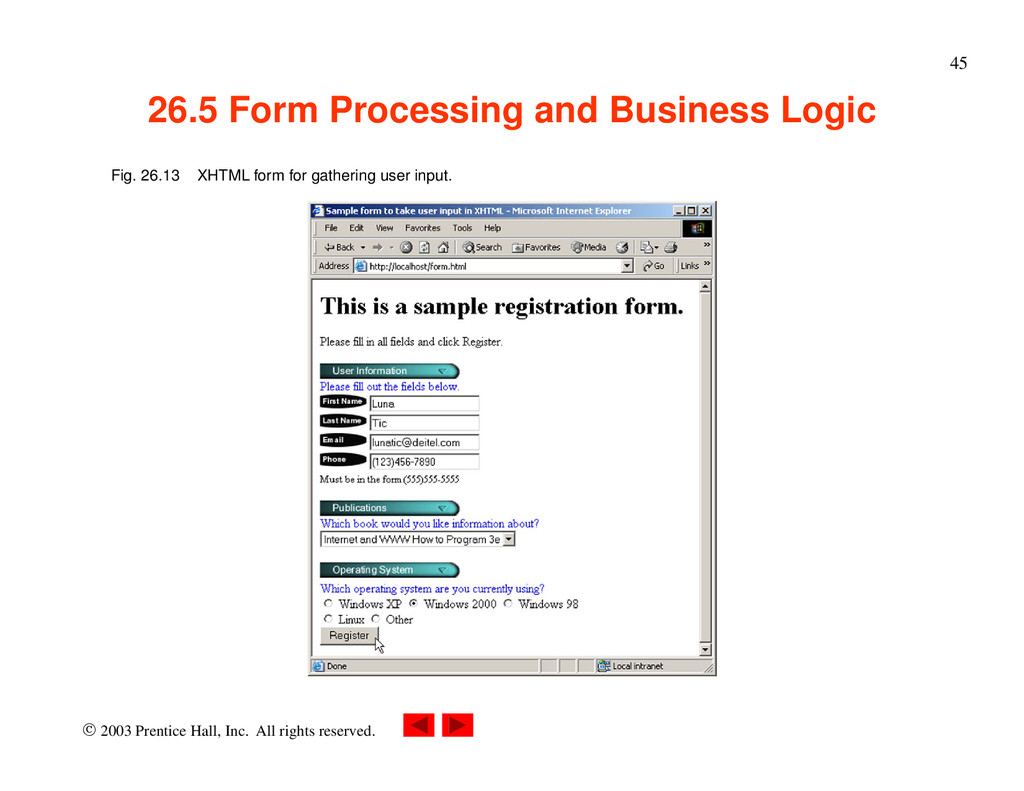
Form Processing and Business Logic • Form processing – action property • Where to send form data – method property • post – Each element has unique name
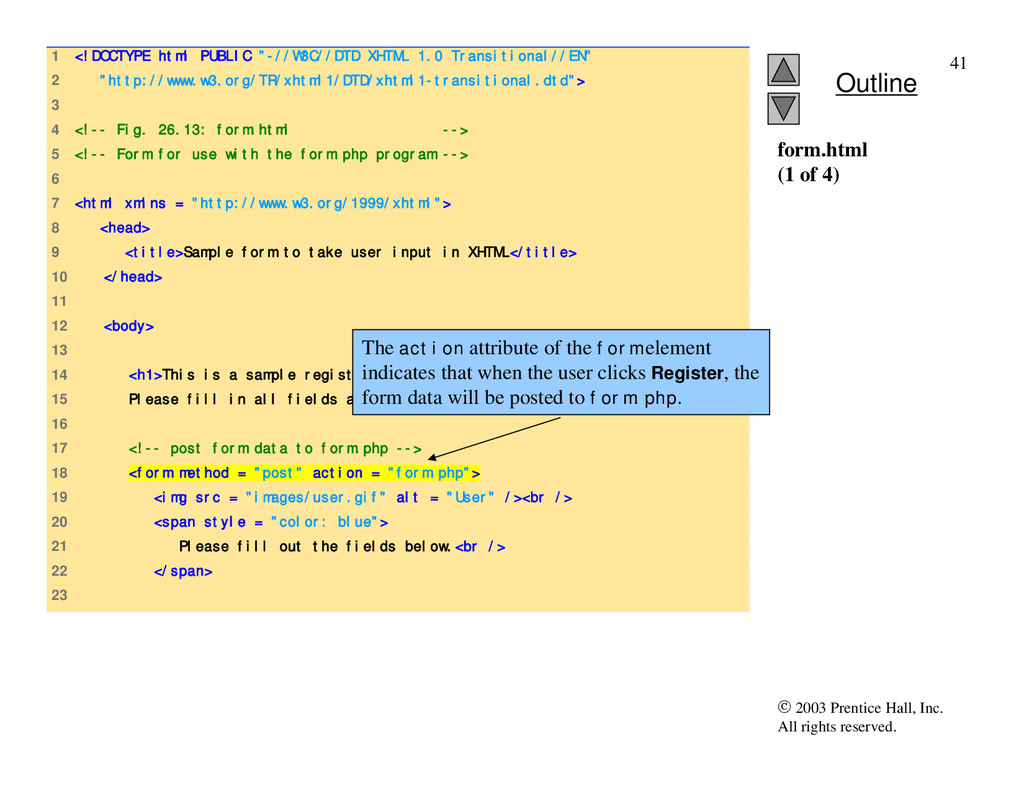
1 <!DOCTYPE html PUBLIC "-//W3C//DTD XHTML 1.0 Transitional//EN" 2 "http://www.w3.org/TR/xhtml1/DTD/xhtml1-transitional.dtd"> 3 4 <!-- Fig. 26.13: form.html --> 5 <!-- Form for use with the form.php program --> 6 7 <html xmlns = "http://www.w3.org/1999/xhtml"> 8 <head> 9 <title>Sample form to take user input in XHTML</title> 10 </head> 11 12 <body> 13 14 <h1>This is a sample registration form.</h1> 15 Please fill in all fields and click Register. 16 17 <!-- post form data to form.php --> 18 <form method = "post" action = "form.php"> 19 <img src = "images/user.gif" alt = "User" /><br /> 20 <span style = "color: blue"> 21 Please fill out the fields below.<br /> 22 </span> 23 form.html (1 of 4) The action attribute of the form element indicates that when the user clicks Register, the form data will be posted to form.php.
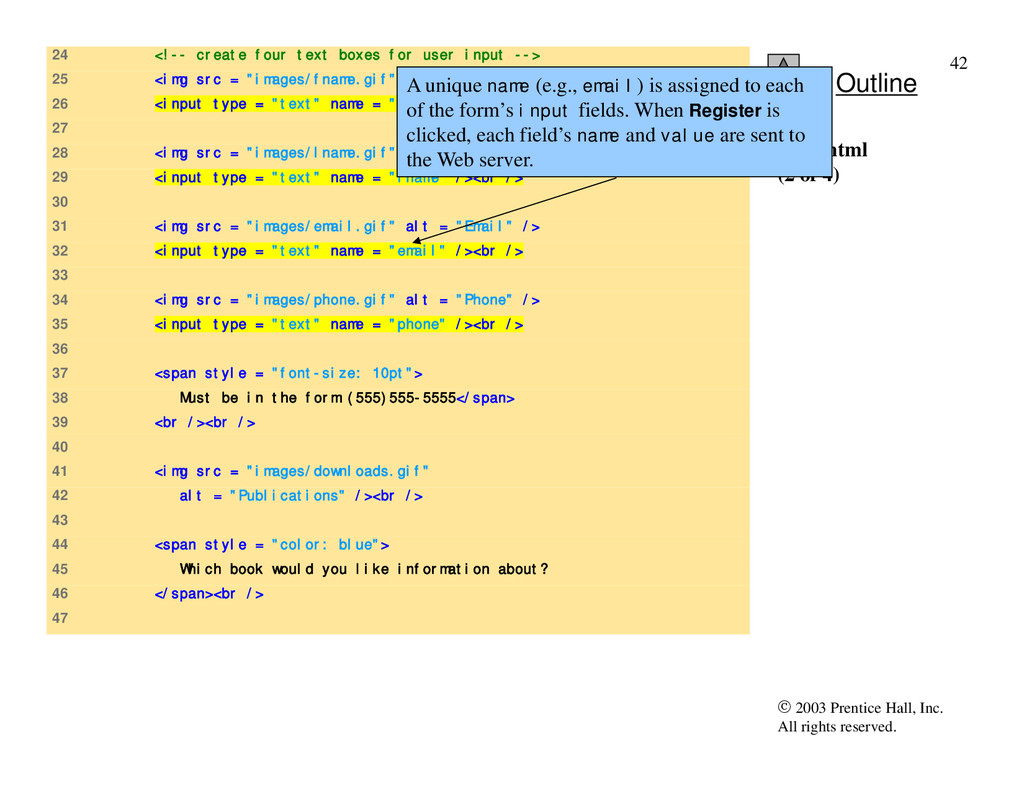
24 <!-- create four text boxes for user input --> 25 <img src = "images/fname.gif" alt = "First Name" /> 26 <input type = "text" name = "fname" /><br /> 27 28 <img src = "images/lname.gif" alt = "Last Name" /> 29 <input type = "text" name = "lname" /><br /> 30 31 <img src = "images/email.gif" alt = "Email" /> 32 <input type = "text" name = "email" /><br /> 33 34 <img src = "images/phone.gif" alt = "Phone" /> 35 <input type = "text" name = "phone" /><br /> 36 37 <span style = "font-size: 10pt"> 38 Must be in the form (555)555-5555</span> 39 <br /><br /> 40 41 <img src = "images/downloads.gif" 42 alt = "Publications" /><br /> 43 44 <span style = "color: blue"> 45 Which book would you like information about? 46 </span><br /> 47 form.html (2 of 4) A unique name (e.g., email) is assigned to each of the form’s input fields. When Register is clicked, each field’s name and value are sent to the Web server.
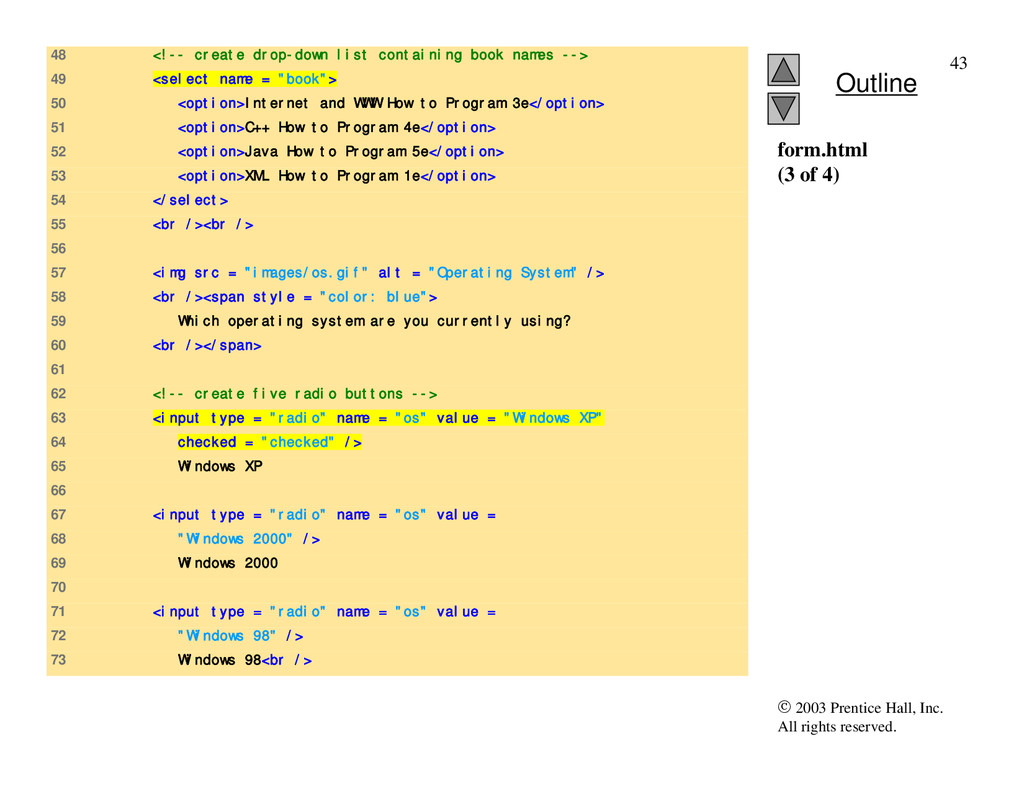
48 <!-- create drop-down list containing book names --> 49 <select name = "book"> 50 <option>Internet and WWW How to Program 3e</option> 51 <option>C++ How to Program 4e</option> 52 <option>Java How to Program 5e</option> 53 <option>XML How to Program 1e</option> 54 </select> 55 <br /><br /> 56 57 <img src = "images/os.gif" alt = "Operating System" /> 58 <br /><span style = "color: blue"> 59 Which operating system are you currently using? 60 <br /></span> 61 62 <!-- create five radio buttons --> 63 <input type = "radio" name = "os" value = "Windows XP" 64 checked = "checked" /> 65 Windows XP 66 67 <input type = "radio" name = "os" value = 68 "Windows 2000" /> 69 Windows 2000 70 71 <input type = "radio" name = "os" value = 72 "Windows 98" /> 73 Windows 98<br /> form.html (3 of 4)
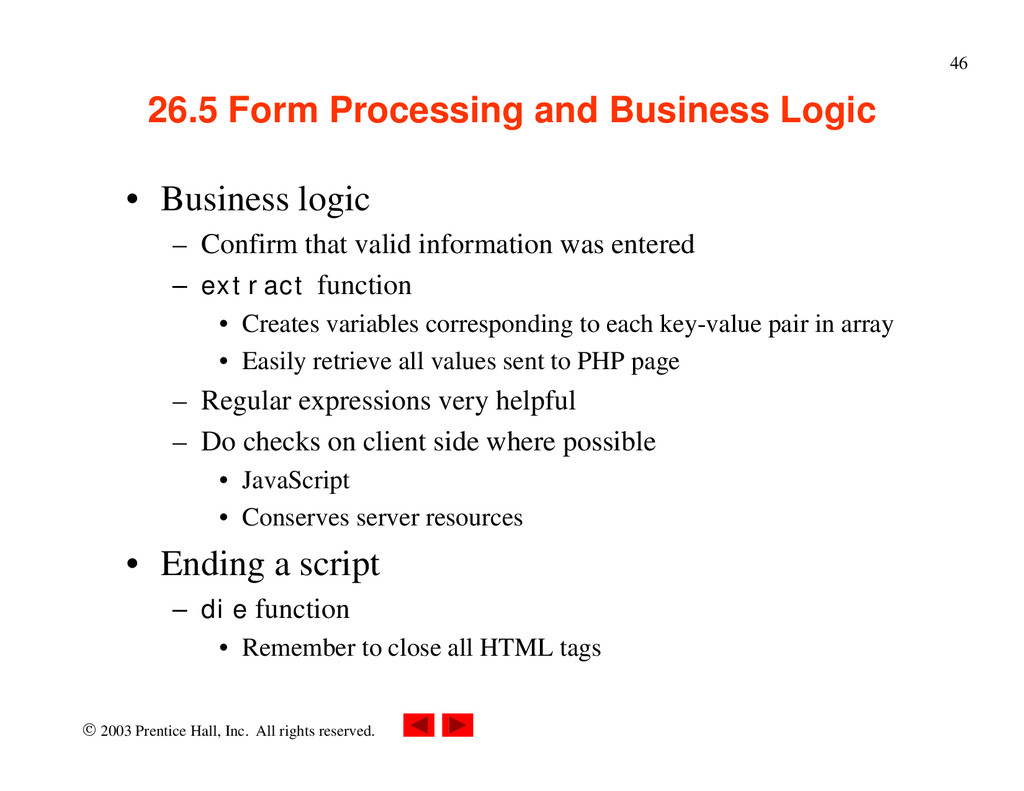
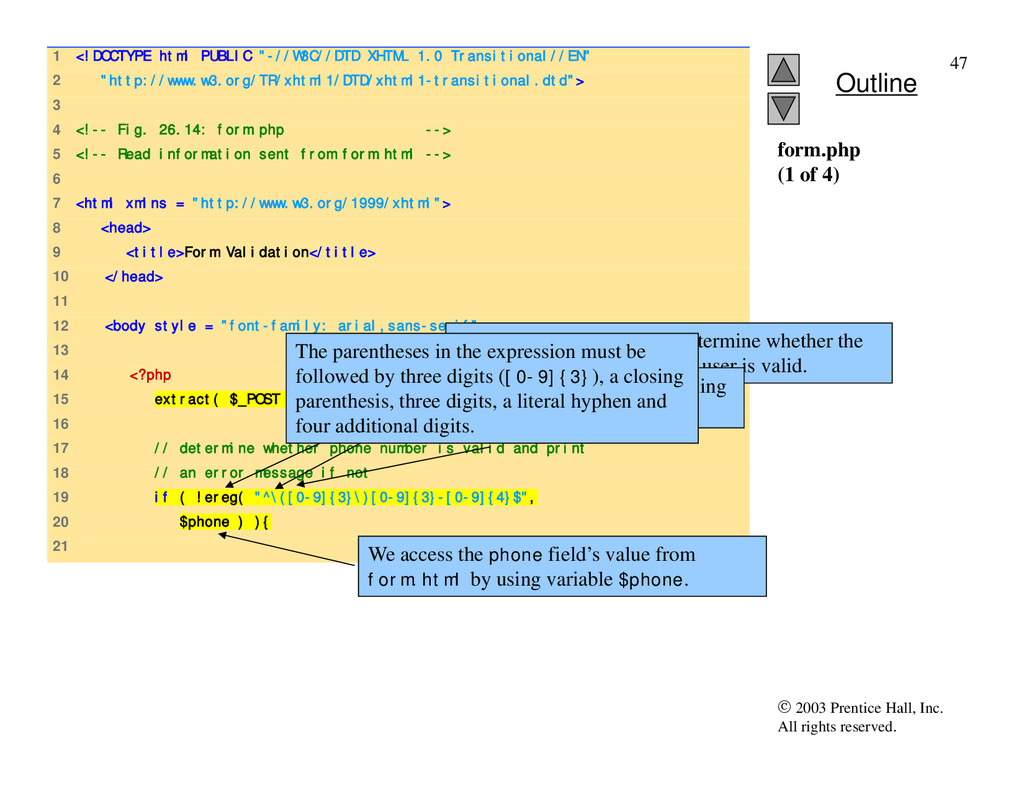
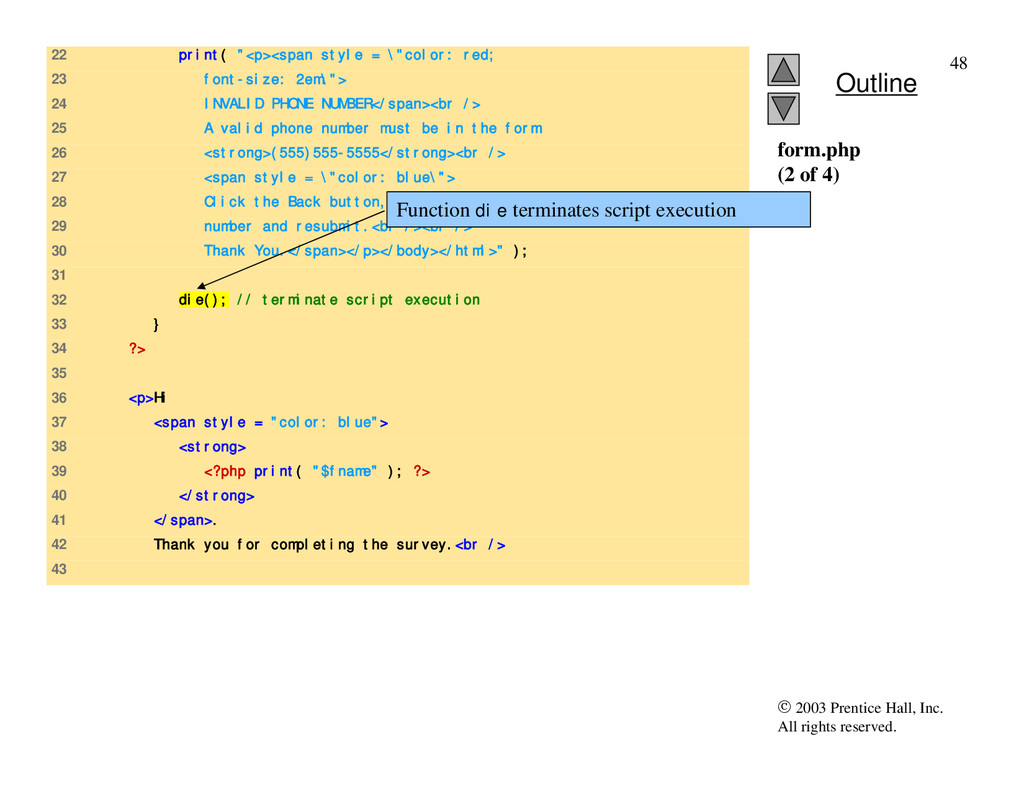
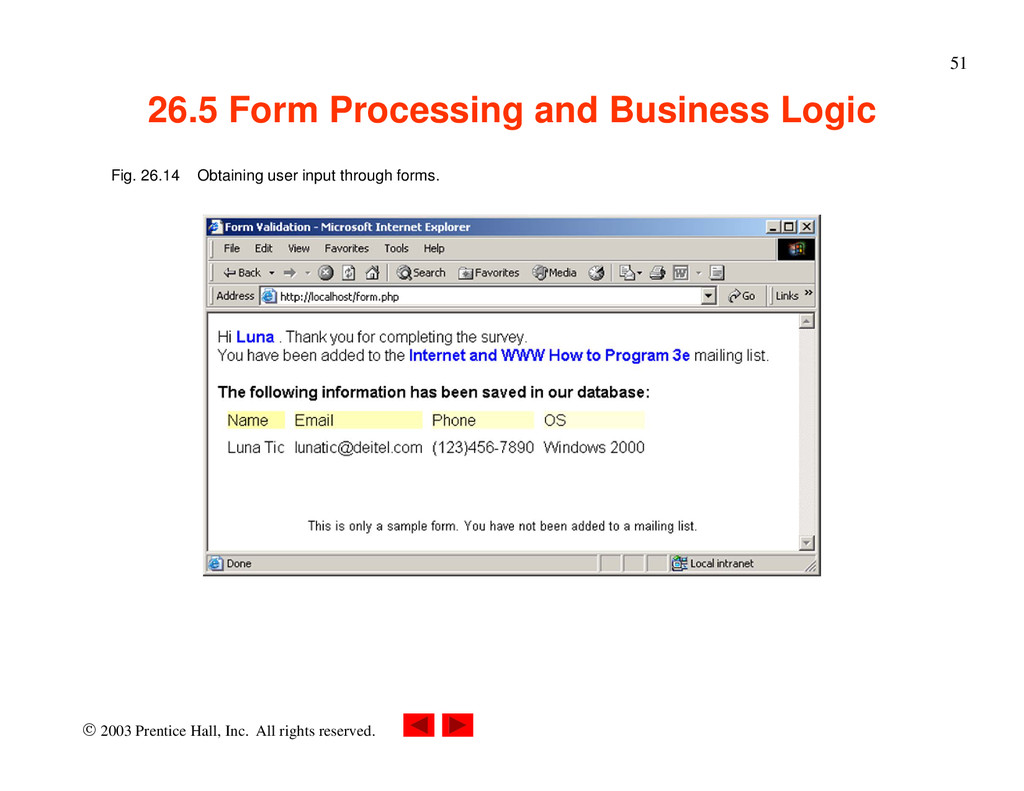
Form Processing and Business Logic • Business logic – Confirm that valid information was entered – extract function • Creates variables corresponding to each key-value pair in array • Easily retrieve all values sent to PHP page – Regular expressions very helpful – Do checks on client side where possible • JavaScript • Conserves server resources • Ending a script – die function • Remember to close all HTML tags
1 <!DOCTYPE html PUBLIC "-//W3C//DTD XHTML 1.0 Transitional//EN" 2 "http://www.w3.org/TR/xhtml1/DTD/xhtml1-transitional.dtd"> 3 4 <!-- Fig. 26.14: form.php --> 5 <!-- Read information sent from form.html --> 6 7 <html xmlns = "http://www.w3.org/1999/xhtml"> 8 <head> 9 <title>Form Validation</title> 10 </head> 11 12 <body style = "font-family: arial,sans-serif"> 13 14 <?php 15 extract( $_POST ); 16 17 // determine whether phone number is valid and print 18 // an error message if not 19 if ( !ereg( "^\([0-9]{3}\)[0-9]{3}-[0-9]{4}$", 20 $phone ) ){ 21 form.php (1 of 4) Function ereg is called to determine whether the phone number entered by the user is valid. The expression \( matches the opening parentheses of a phone number. We access the phone field’s value from form.html by using variable $phone. The parentheses in the expression must be followed by three digits ([0-9]{3}), a closing parenthesis, three digits, a literal hyphen and four additional digits.
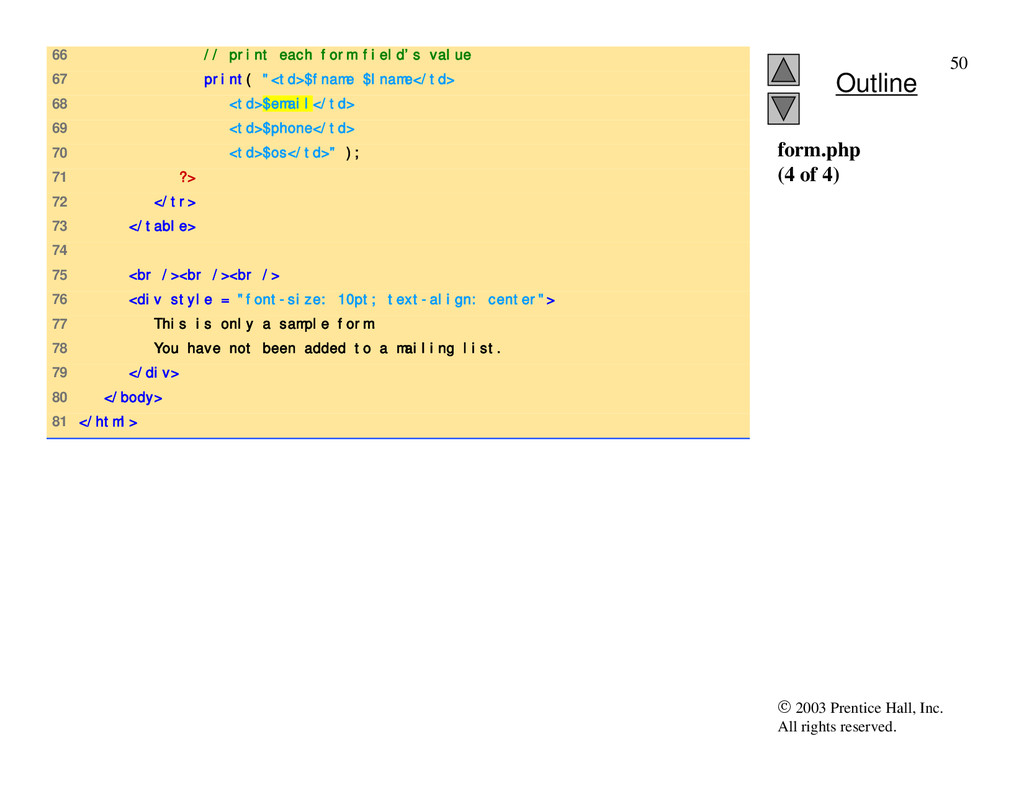
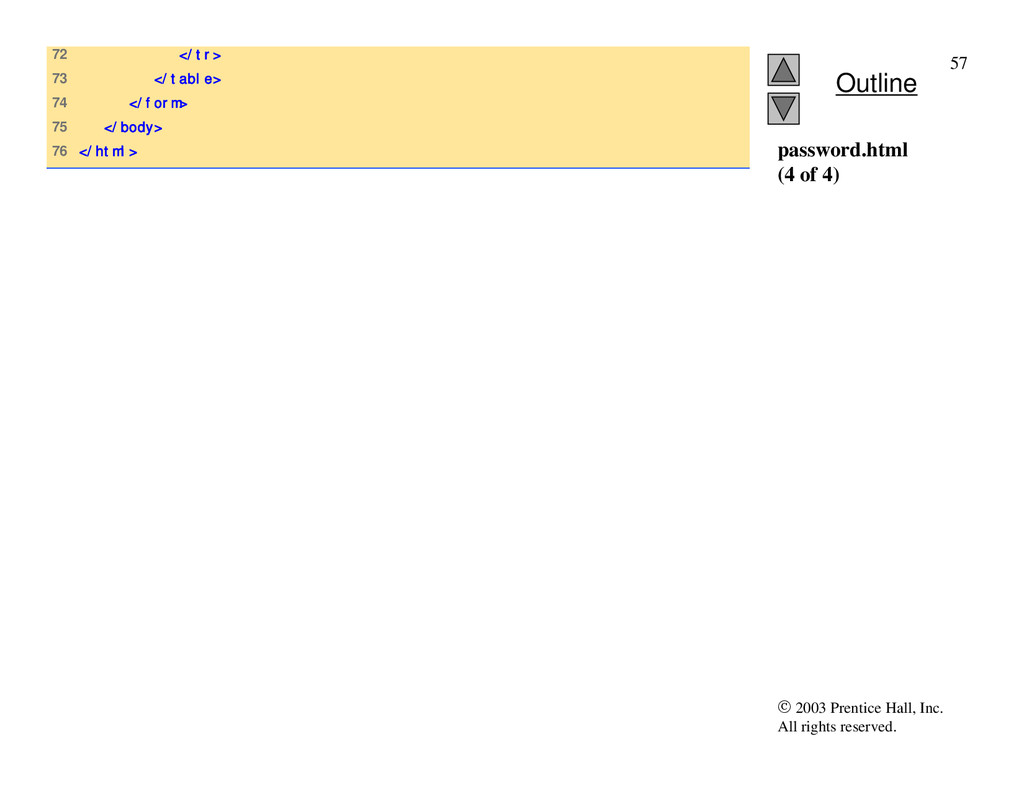
form.php (4 of 4) 66 // print each form field’s value 67 print( "<td>$fname $lname</td> 68 <td>$email</td> 69 <td>$phone</td> 70 <td>$os</td>" ); 71 ?> 72 </tr> 73 </table> 74 75 <br /><br /><br /> 76 <div style = "font-size: 10pt; text-align: center"> 77 This is only a sample form. 78 You have not been added to a mailing list. 79 </div> 80 </body> 81 </html>
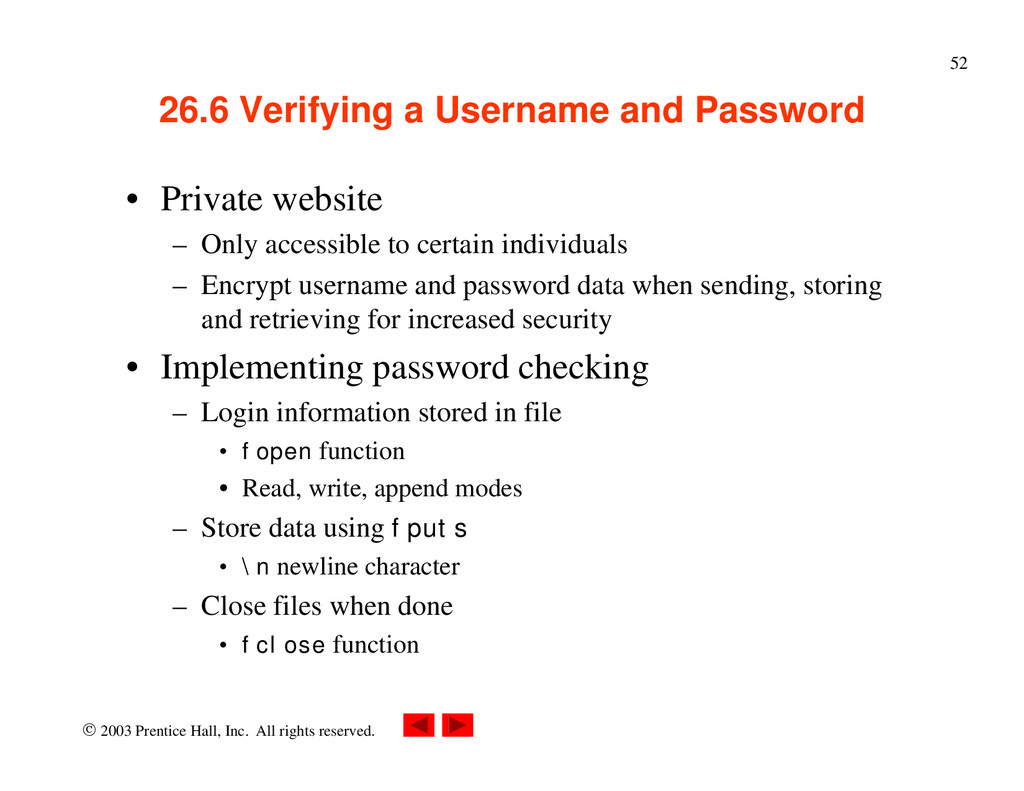
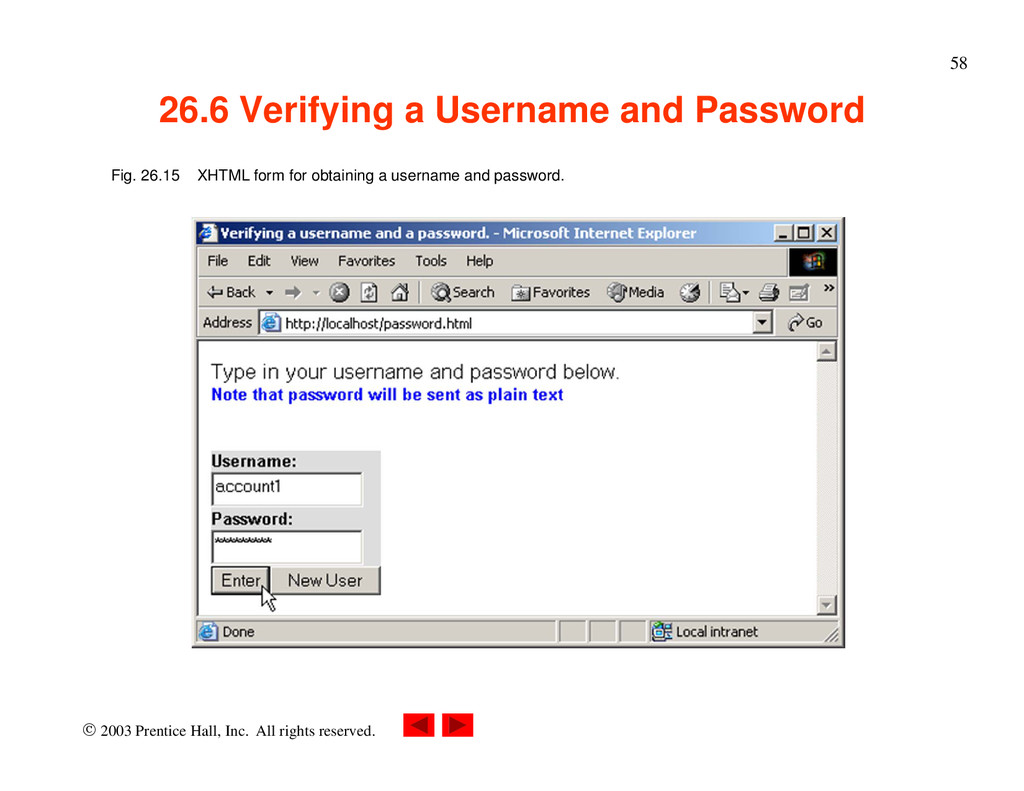
Verifying a Username and Password • Private website – Only accessible to certain individuals – Encrypt username and password data when sending, storing and retrieving for increased security • Implementing password checking – Login information stored in file • fopen function • Read, write, append modes – Store data using fputs • \n newline character – Close files when done • fclose function
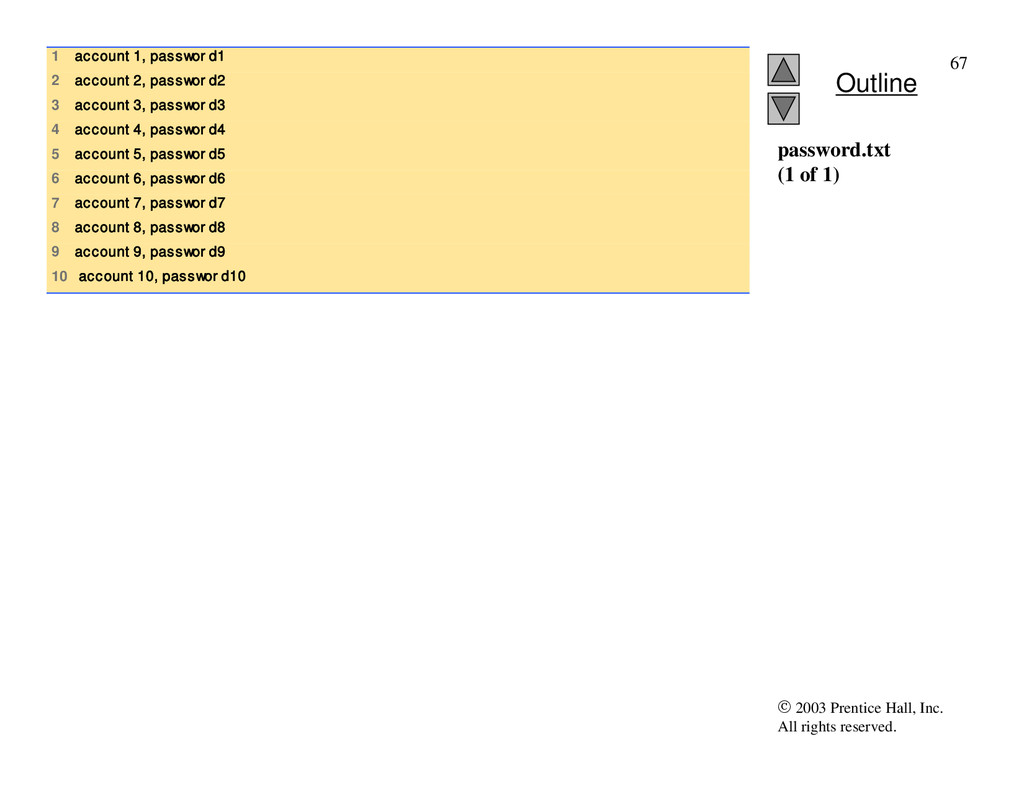
Verifying a Username and Password • Implementing password checking, cont. – Trim newline character • chop function – Split string into substrings given a certain delimiter • split function – If username/password match list, allow access
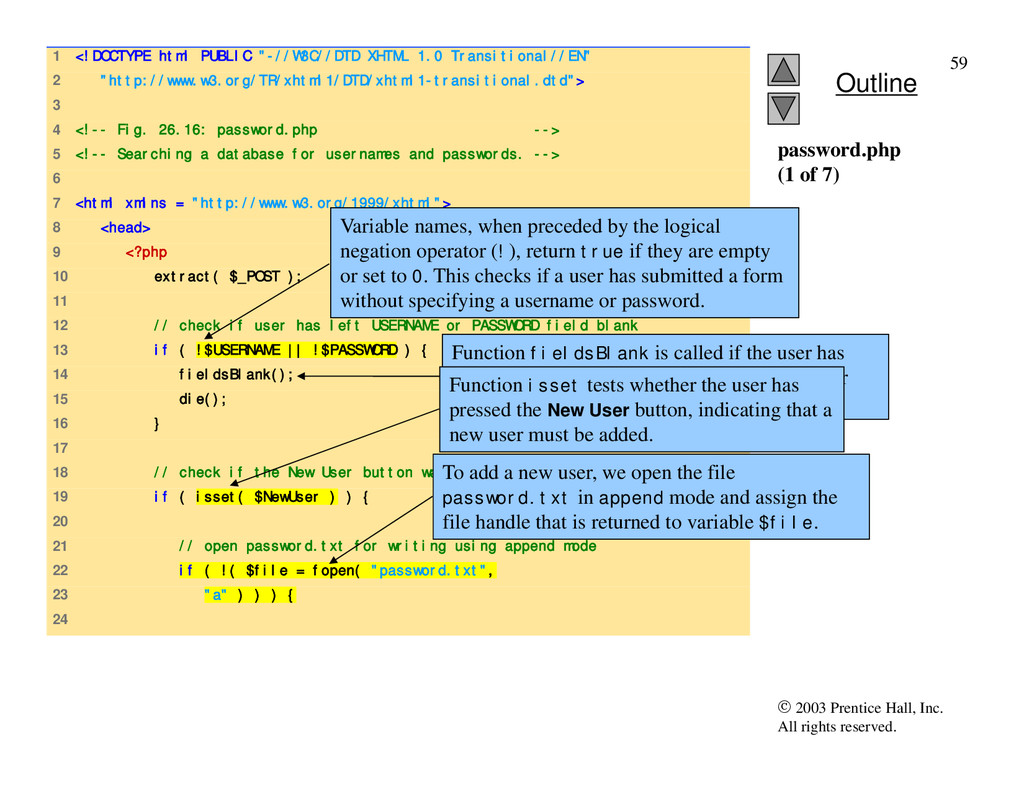
1 <!DOCTYPE html PUBLIC "-//W3C//DTD XHTML 1.0 Transitional//EN" 2 "http://www.w3.org/TR/xhtml1/DTD/xhtml1-transitional.dtd"> 3 4 <!-- Fig. 26.16: password.php --> 5 <!-- Searching a database for usernames and passwords. --> 6 7 <html xmlns = "http://www.w3.org/1999/xhtml"> 8 <head> 9 <?php 10 extract( $_POST ); 11 12 // check if user has left USERNAME or PASSWORD field blank 13 if ( !$USERNAME || !$PASSWORD ) { 14 fieldsBlank(); 15 die(); 16 } 17 18 // check if the New User button was clicked 19 if ( isset( $NewUser ) ) { 20 21 // open password.txt for writing using append mode 22 if ( !( $file = fopen( "password.txt", 23 "a" ) ) ) { 24 password.php (1 of 7) Variable names, when preceded by the logical negation operator (!), return true if they are empty or set to 0. This checks if a user has submitted a form without specifying a username or password. Function fieldsBlank is called if the user has submitted an incomplete form to notify the user that all form fields must be completed. Function isset tests whether the user has pressed the New User button, indicating that a new user must be added. To add a new user, we open the file password.txt in append mode and assign the file handle that is returned to variable $file.
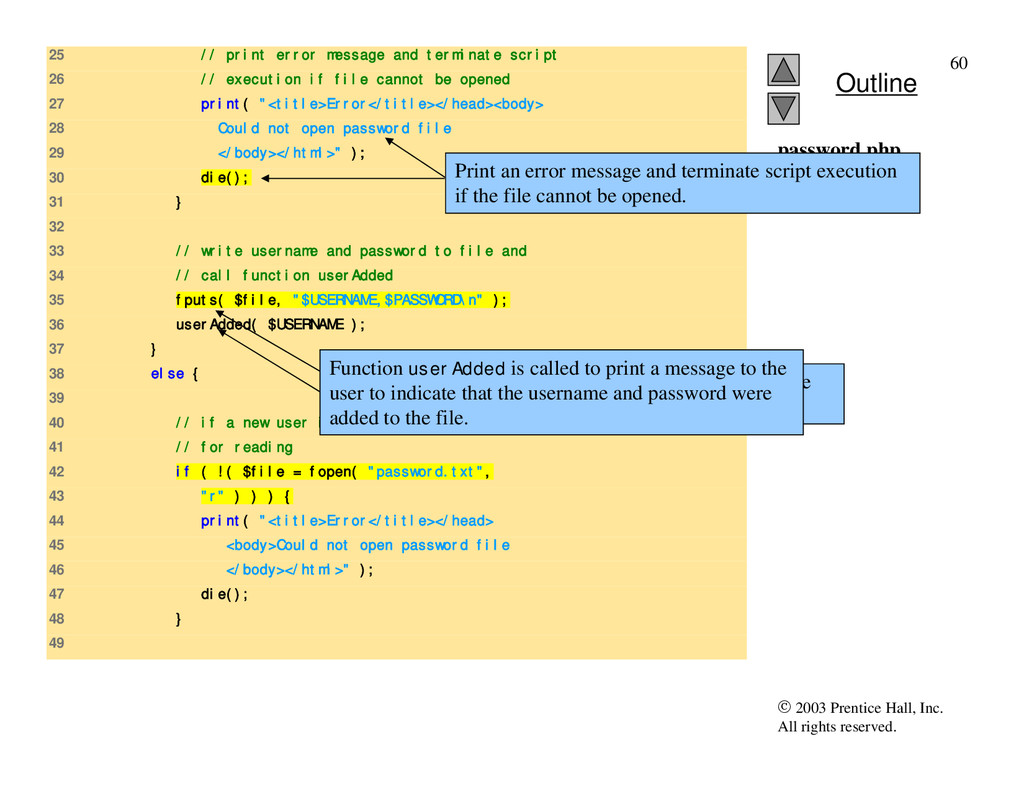
25 // print error message and terminate script 26 // execution if file cannot be opened 27 print( "<title>Error</title></head><body> 28 Could not open password file 29 </body></html>" ); 30 die(); 31 } 32 33 // write username and password to file and 34 // call function userAdded 35 fputs( $file, "$USERNAME,$PASSWORD\n" ); 36 userAdded( $USERNAME ); 37 } 38 else { 39 40 // if a new user is not being added, open file 41 // for reading 42 if ( !( $file = fopen( "password.txt", 43 "r" ) ) ) { 44 print( "<title>Error</title></head> 45 <body>Could not open password file 46 </body></html>" ); 47 die(); 48 } 49 password.php (2 of 7) Print an error message and terminate script execution if the file cannot be opened. Function fputs writes the name and password to the text file.. Function userAdded is called to print a message to the user to indicate that the username and password were added to the file.
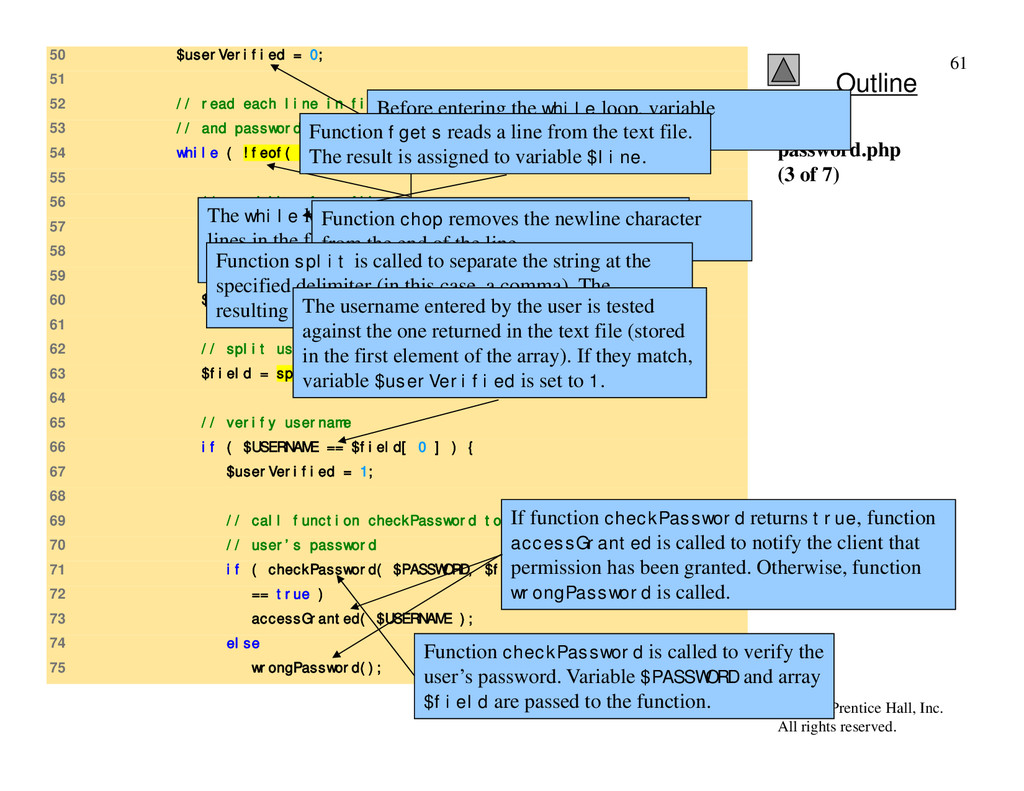
50 $userVerified = 0; 51 52 // read each line in file and check username 53 // and password 54 while ( !feof( $file ) && !$userVerified ) { 55 56 // read line from file 57 $line = fgets( $file, 255 ); 58 59 // remove newline character from end of line 60 $line = chop( $line ); 61 62 // split username and password 63 $field = split( ",", $line, 2 ); 64 65 // verify username 66 if ( $USERNAME == $field[ 0 ] ) { 67 $userVerified = 1; 68 69 // call function checkPassword to verify 70 // user’s password 71 if ( checkPassword( $PASSWORD, $field ) 72 == true ) 73 accessGranted( $USERNAME ); 74 else 75 wrongPassword(); password.php (3 of 7) Before entering the while loop, variable $userVerified is set to 0. The while loop executes as long as the there are more lines in the file to read and variable $userVerified is still 0 or empty. Function fgets reads a line from the text file. The result is assigned to variable $line. Function chop removes the newline character from the end of the line. Function split is called to separate the string at the specified delimiter (in this case, a comma). The resulting array is stored in array $field. The username entered by the user is tested against the one returned in the text file (stored in the first element of the array). If they match, variable $userVerified is set to 1. Function checkPassword is called to verify the user’s password. Variable $PASSWORD and array $field are passed to the function. If function checkPassword returns true, function accessGranted is called to notify the client that permission has been granted. Otherwise, function wrongPassword is called.
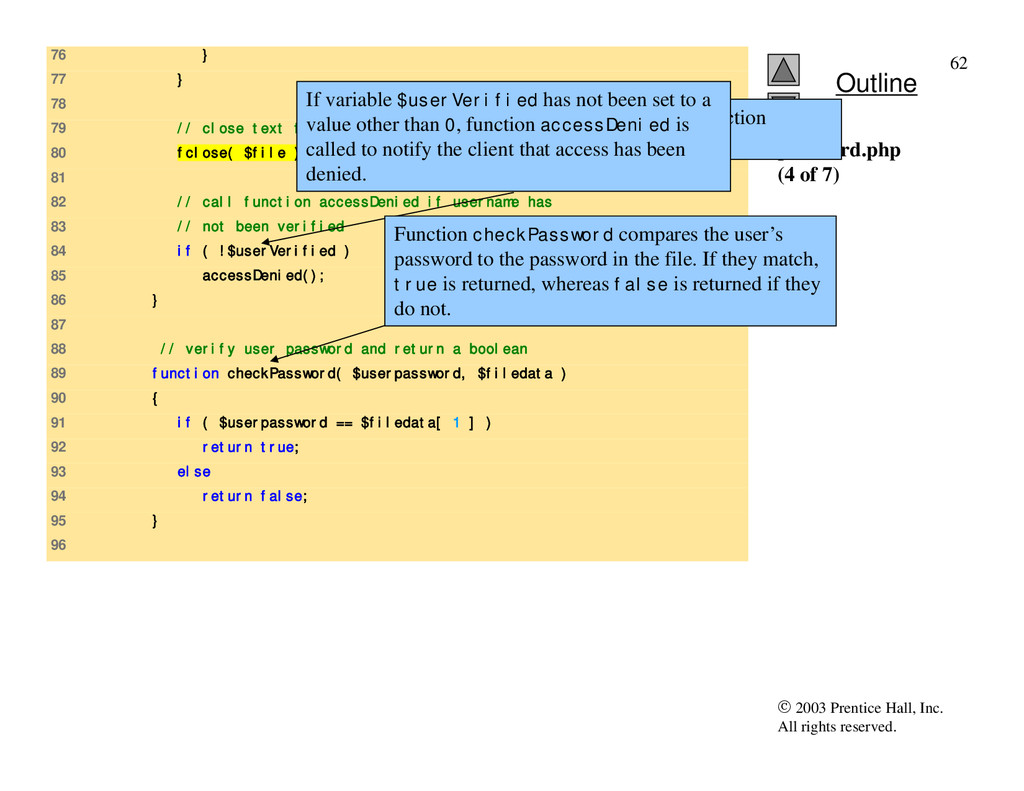
76 } 77 } 78 79 // close text file 80 fclose( $file ); 81 82 // call function accessDenied if username has 83 // not been verified 84 if ( !$userVerified ) 85 accessDenied(); 86 } 87 88 // verify user password and return a boolean 89 function checkPassword( $userpassword, $filedata ) 90 { 91 if ( $userpassword == $filedata[ 1 ] ) 92 return true; 93 else 94 return false; 95 } 96 password.php (4 of 7) After the while loop has executed, function fclose is called to close the file. If variable $userVerified has not been set to a value other than 0, function accessDenied is called to notify the client that access has been denied. Function checkPassword compares the user’s password to the password in the file. If they match, true is returned, whereas false is returned if they do not.
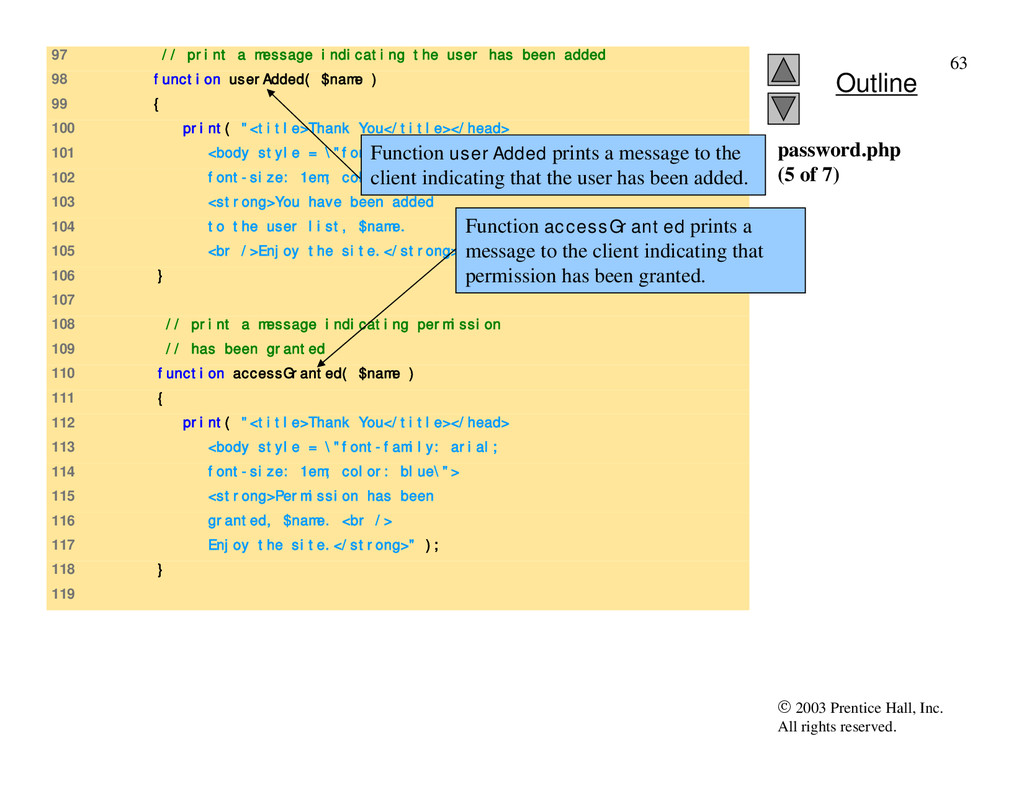
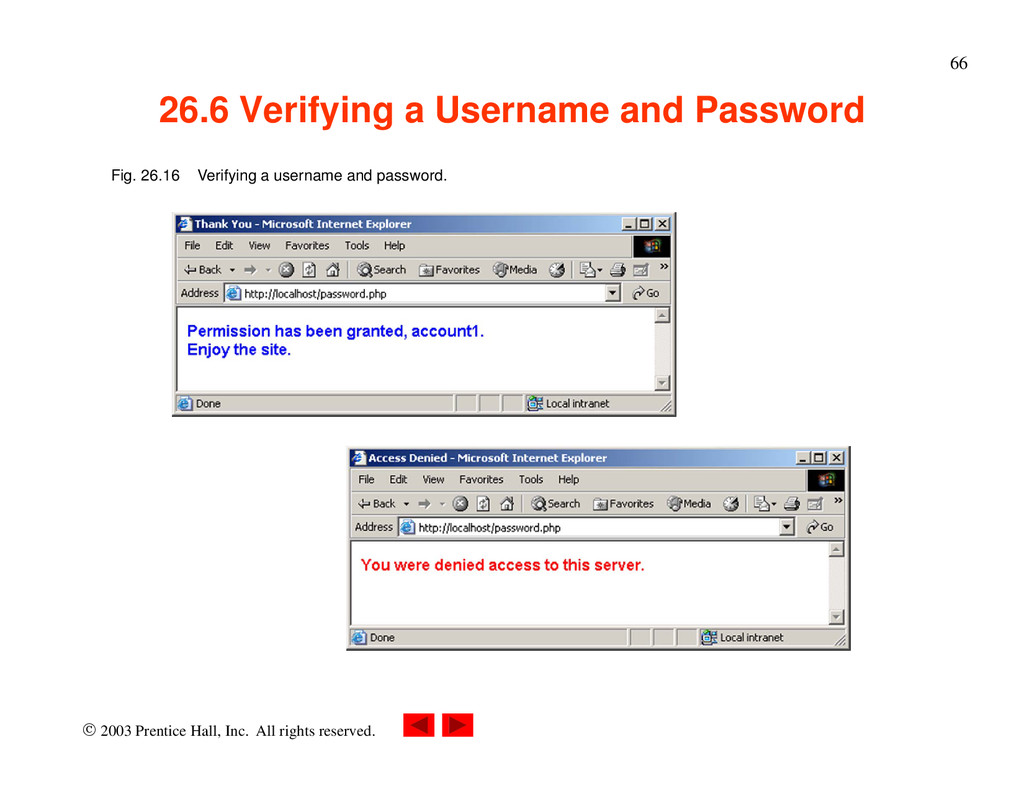
97 // print a message indicating the user has been added 98 function userAdded( $name ) 99 { 100 print( "<title>Thank You</title></head> 101 <body style = \"font-family: arial; 102 font-size: 1em; color: blue\"> 103 <strong>You have been added 104 to the user list, $name. 105 <br />Enjoy the site.</strong>" ); 106 } 107 108 // print a message indicating permission 109 // has been granted 110 function accessGranted( $name ) 111 { 112 print( "<title>Thank You</title></head> 113 <body style = \"font-family: arial; 114 font-size: 1em; color: blue\"> 115 <strong>Permission has been 116 granted, $name. <br /> 117 Enjoy the site.</strong>" ); 118 } 119 password.php (5 of 7) Function userAdded prints a message to the client indicating that the user has been added. Function accessGranted prints a message to the client indicating that permission has been granted.
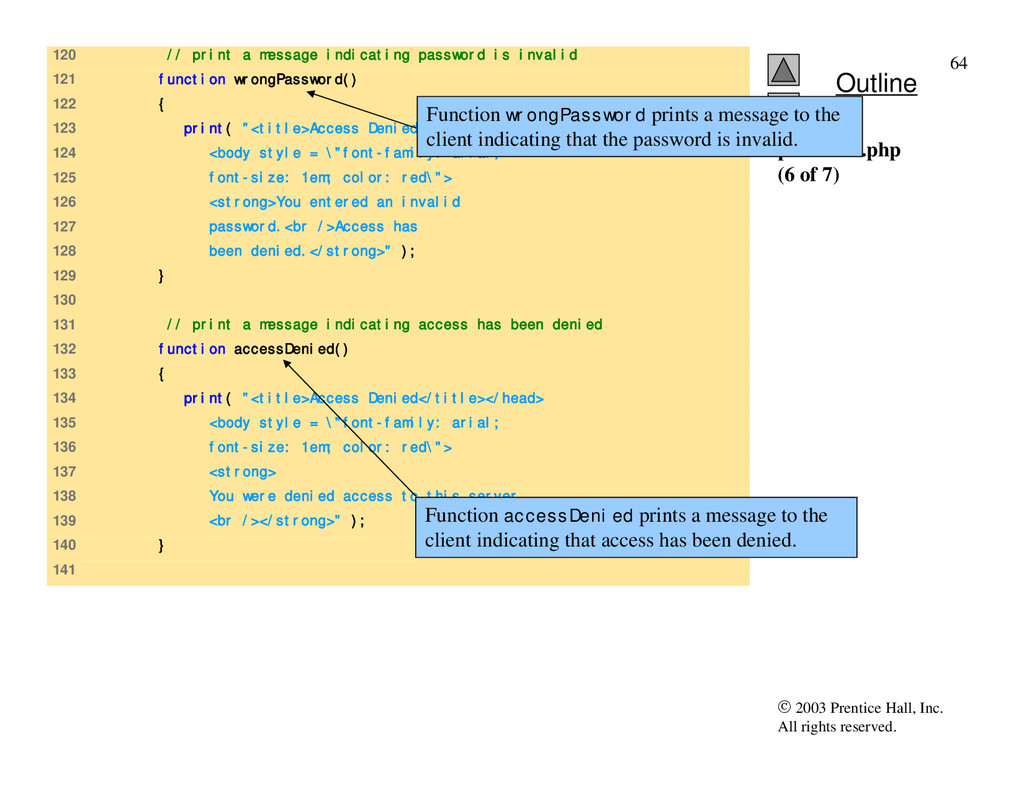
120 // print a message indicating password is invalid 121 function wrongPassword() 122 { 123 print( "<title>Access Denied</title></head> 124 <body style = \"font-family: arial; 125 font-size: 1em; color: red\"> 126 <strong>You entered an invalid 127 password.<br />Access has 128 been denied.</strong>" ); 129 } 130 131 // print a message indicating access has been denied 132 function accessDenied() 133 { 134 print( "<title>Access Denied</title></head> 135 <body style = \"font-family: arial; 136 font-size: 1em; color: red\"> 137 <strong> 138 You were denied access to this server. 139 <br /></strong>" ); 140 } 141 password.php (6 of 7) Function wrongPassword prints a message to the client indicating that the password is invalid. Function accessDenied prints a message to the client indicating that access has been denied.
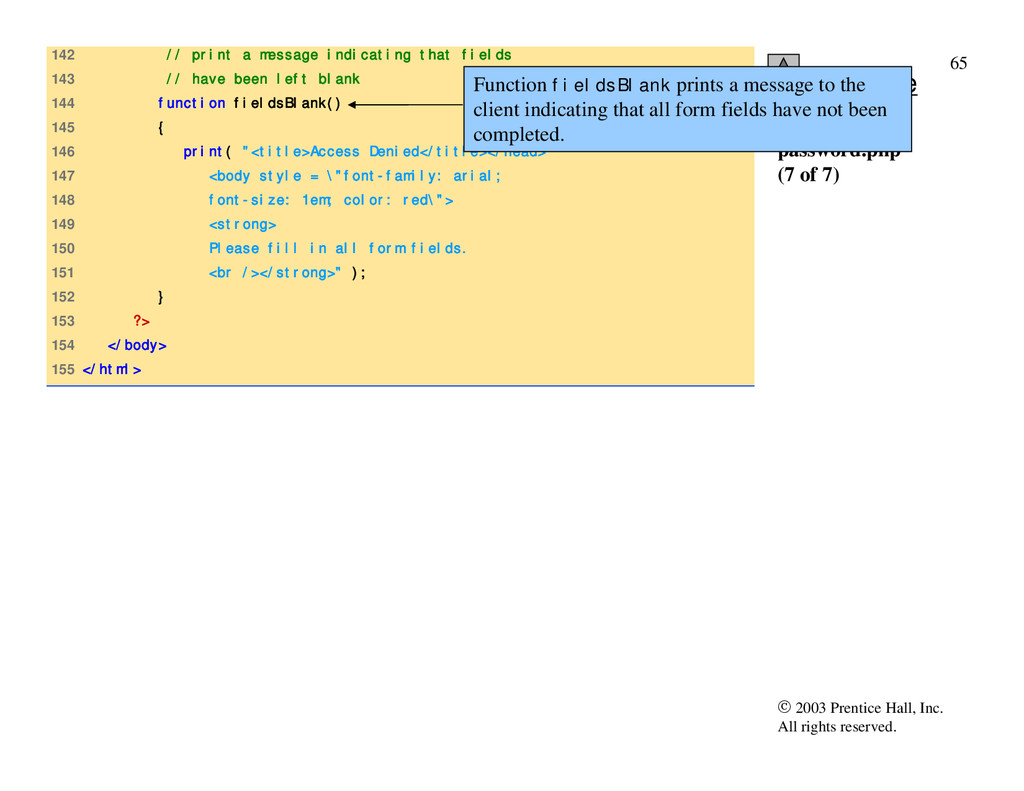
142 // print a message indicating that fields 143 // have been left blank 144 function fieldsBlank() 145 { 146 print( "<title>Access Denied</title></head> 147 <body style = \"font-family: arial; 148 font-size: 1em; color: red\"> 149 <strong> 150 Please fill in all form fields. 151 <br /></strong>" ); 152 } 153 ?> 154 </body> 155 </html> password.php (7 of 7) Function fieldsBlank prints a message to the client indicating that all form fields have not been completed.
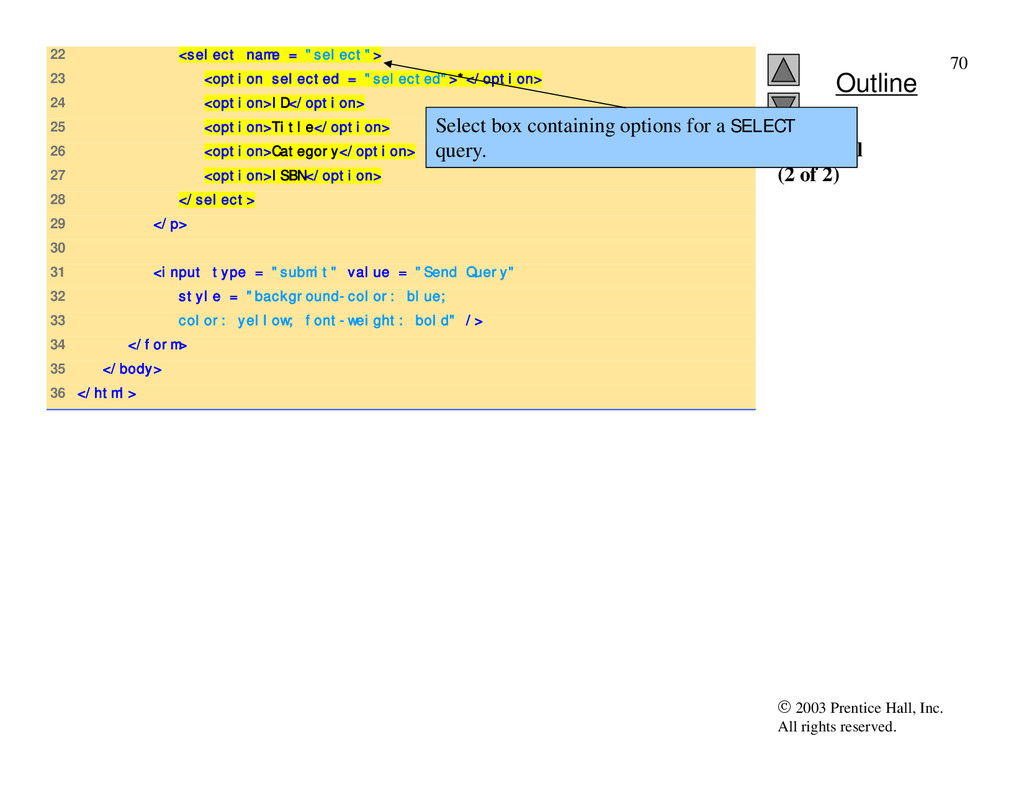
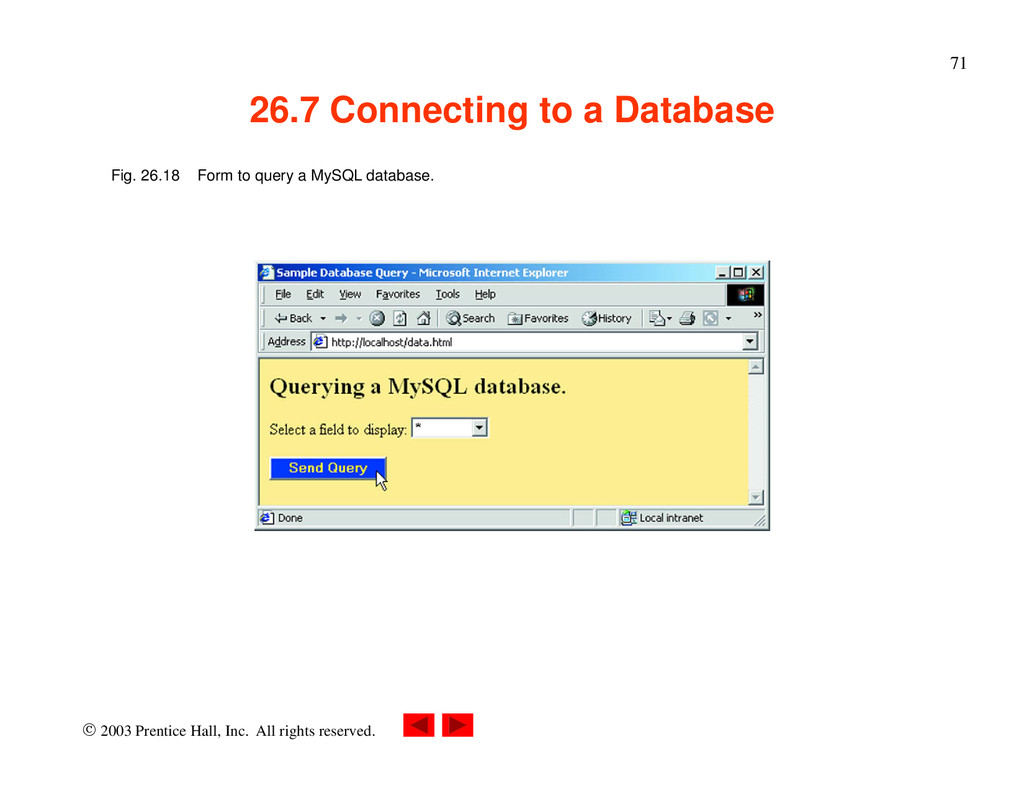
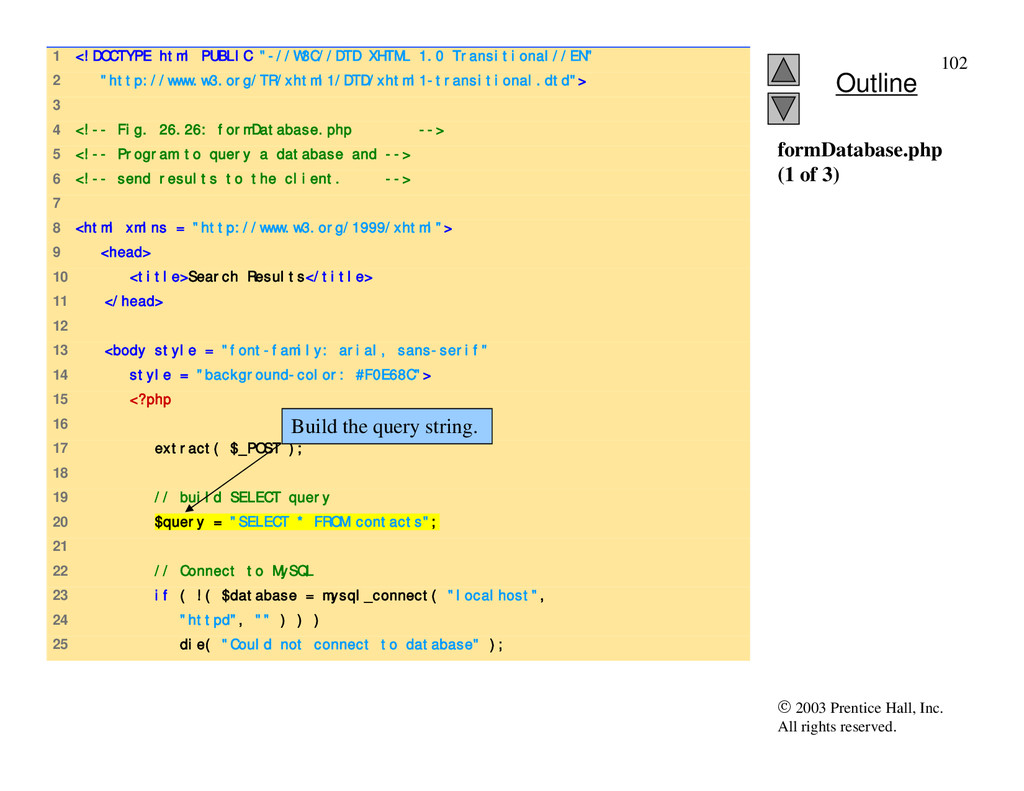
Connecting to a Database • Databases – Store and maintain data – MySQL is a free database product – PHP supports many database operations • Access databases from Web pages
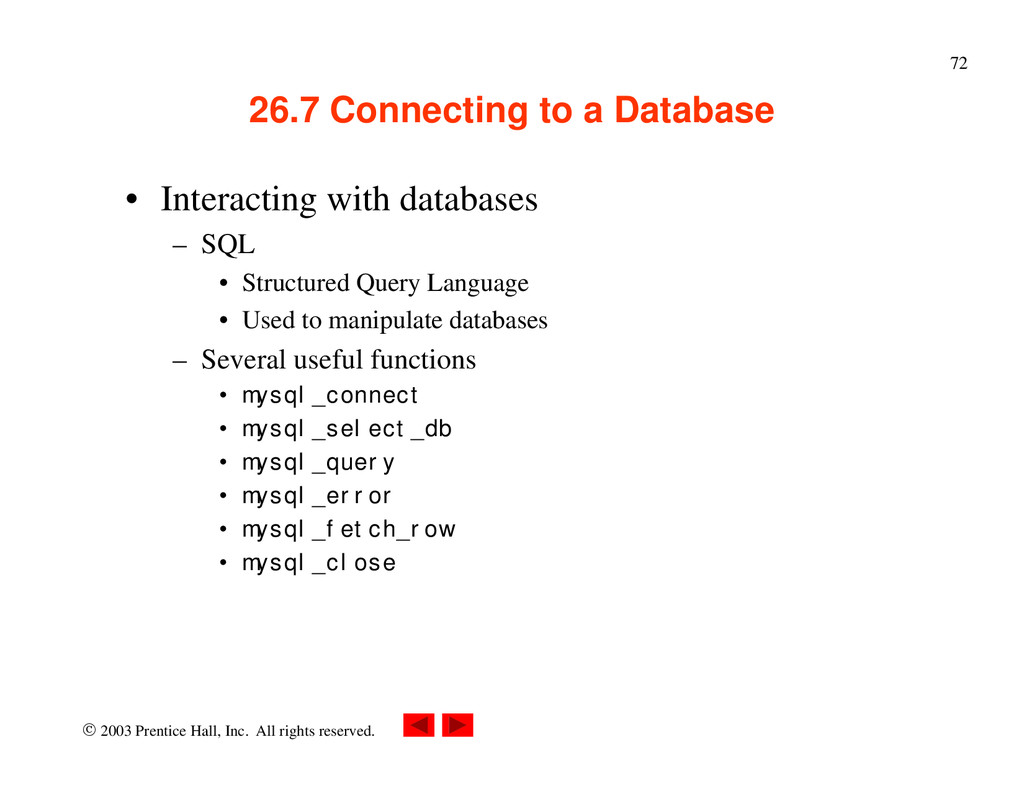
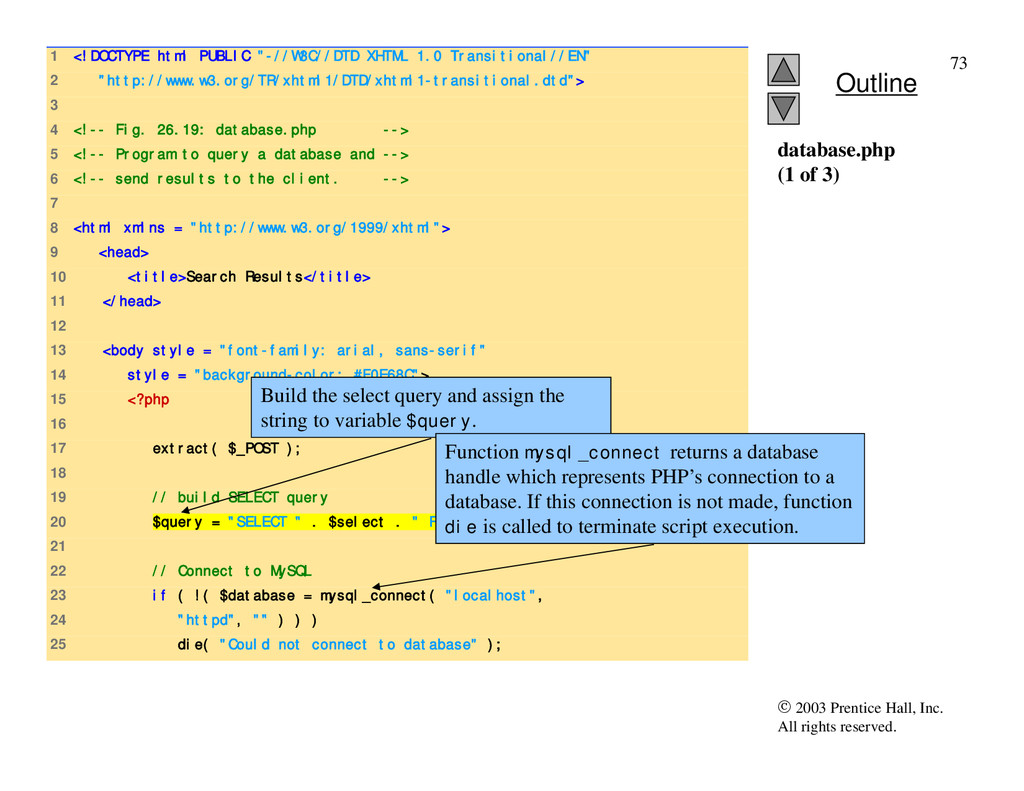
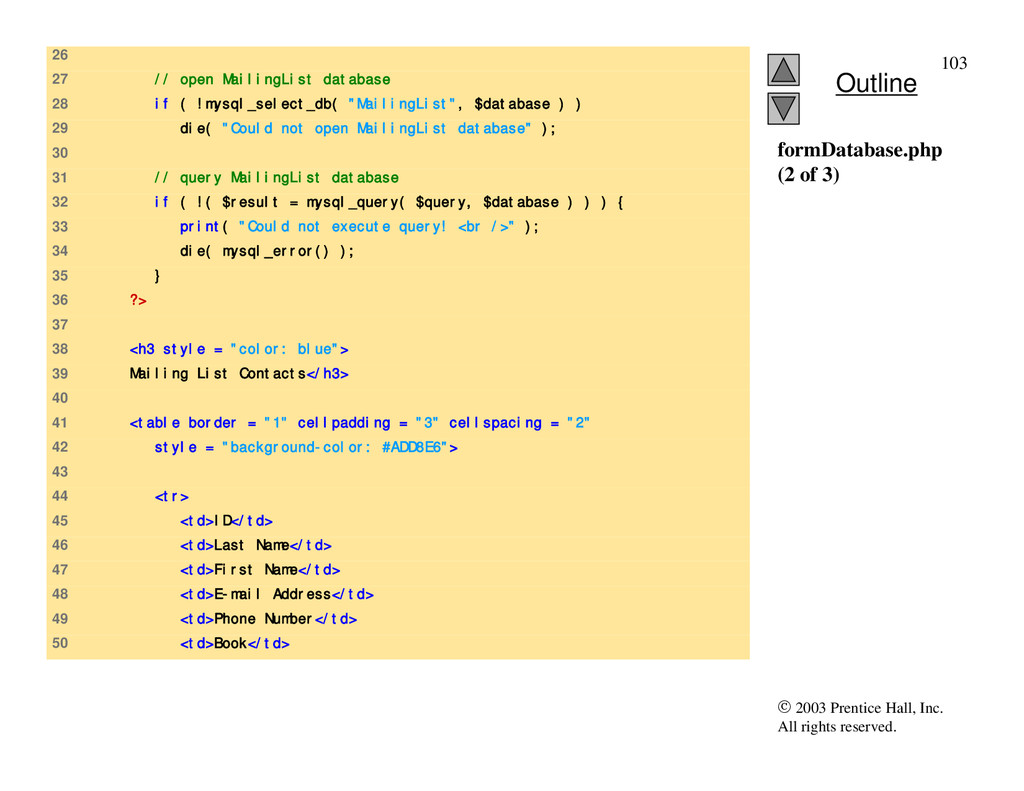
Connecting to a Database • Interacting with databases – SQL • Structured Query Language • Used to manipulate databases – Several useful functions • mysql_connect • mysql_select_db • mysql_query • mysql_error • mysql_fetch_row • mysql_close
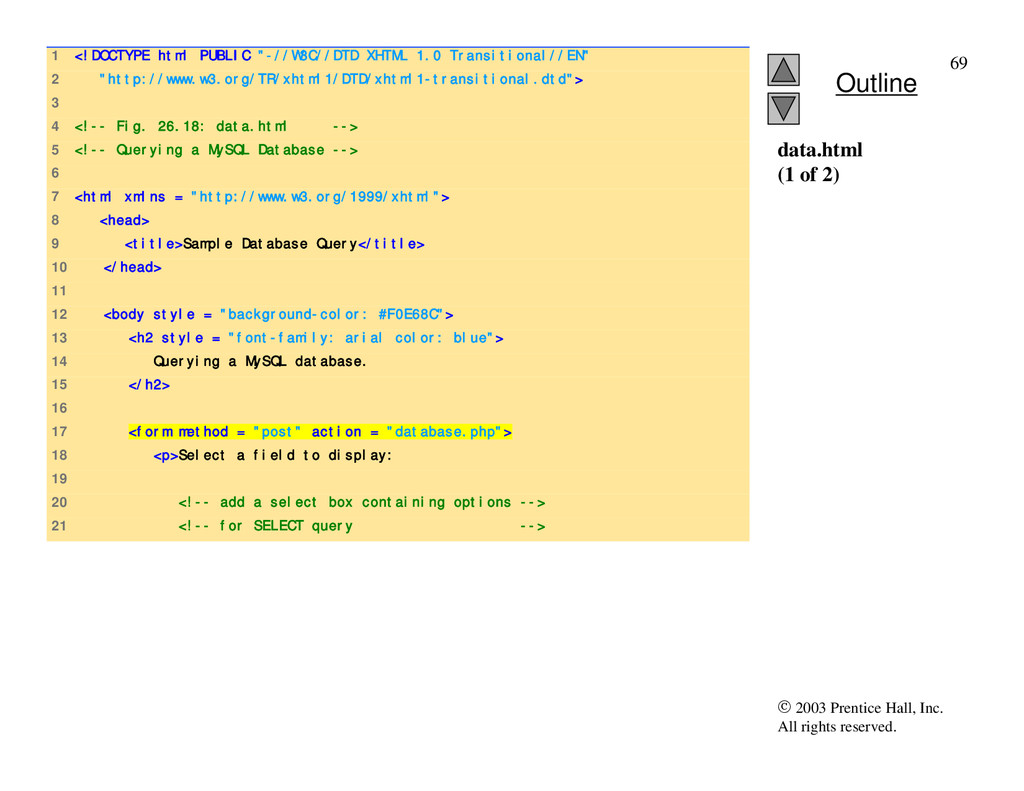
1 <!DOCTYPE html PUBLIC "-//W3C//DTD XHTML 1.0 Transitional//EN" 2 "http://www.w3.org/TR/xhtml1/DTD/xhtml1-transitional.dtd"> 3 4 <!-- Fig. 26.19: database.php --> 5 <!-- Program to query a database and --> 6 <!-- send results to the client. --> 7 8 <html xmlns = "http://www.w3.org/1999/xhtml"> 9 <head> 10 <title>Search Results</title> 11 </head> 12 13 <body style = "font-family: arial, sans-serif" 14 style = "background-color: #F0E68C"> 15 <?php 16 17 extract( $_POST ); 18 19 // build SELECT query 20 $query = "SELECT " . $select . " FROM Books"; 21 22 // Connect to MySQL 23 if ( !( $database = mysql_connect( "localhost", 24 "httpd", "" ) ) ) 25 die( "Could not connect to database" ); database.php (1 of 3) Build the select query and assign the string to variable $query. Function mysql_connect returns a database handle which represents PHP’s connection to a database. If this connection is not made, function die is called to terminate script execution.
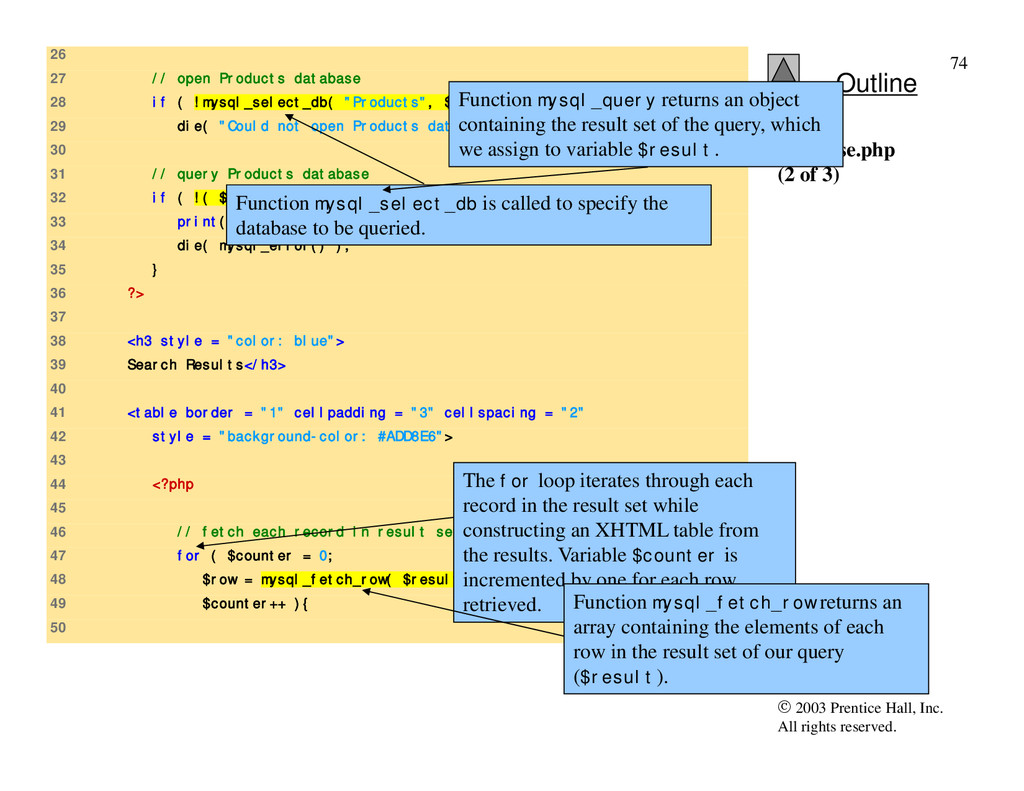
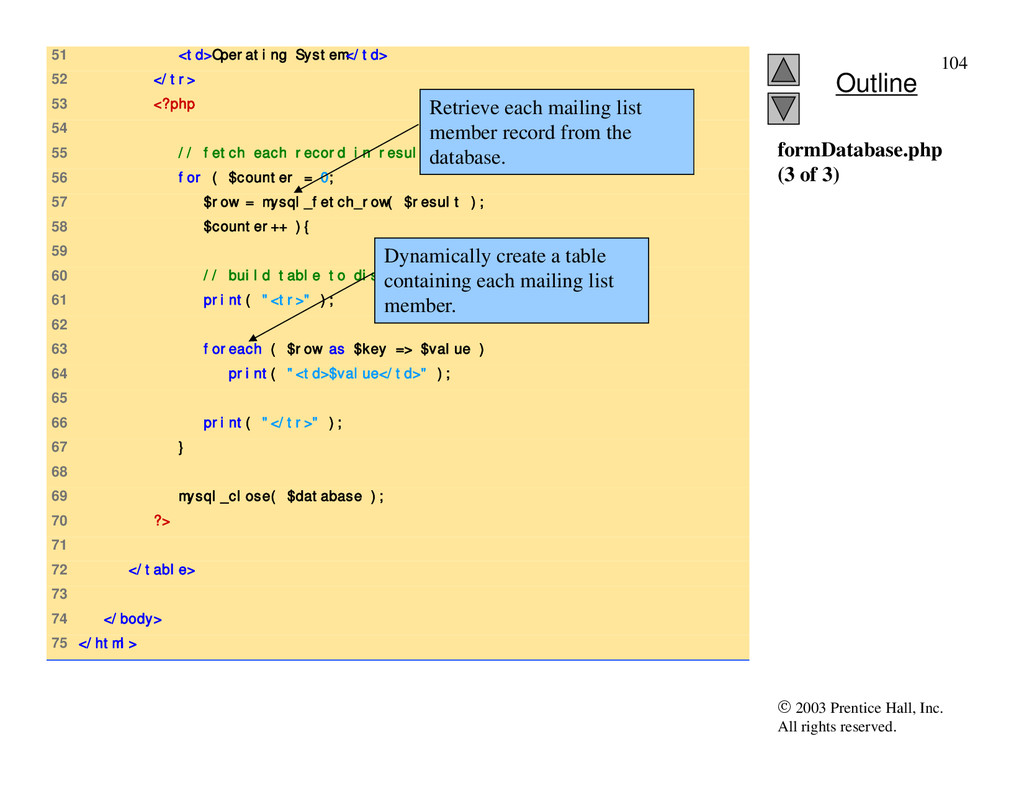
26 27 // open Products database 28 if ( !mysql_select_db( "Products", $database ) ) 29 die( "Could not open Products database" ); 30 31 // query Products database 32 if ( !( $result = mysql_query( $query, $database ) ) ) { 33 print( "Could not execute query! <br />" ); 34 die( mysql_error() ); 35 } 36 ?> 37 38 <h3 style = "color: blue"> 39 Search Results</h3> 40 41 <table border = "1" cellpadding = "3" cellspacing = "2" 42 style = "background-color: #ADD8E6"> 43 44 <?php 45 46 // fetch each record in result set 47 for ( $counter = 0; 48 $row = mysql_fetch_row( $result ); 49 $counter++ ){ 50 database.php (2 of 3) Function mysql_select_db is called to specify the database to be queried. Function mysql_query returns an object containing the result set of the query, which we assign to variable $result. The for loop iterates through each record in the result set while constructing an XHTML table from the results. Variable $counter is incremented by one for each row retrieved. Function mysql_fetch_row returns an array containing the elements of each row in the result set of our query ($result).
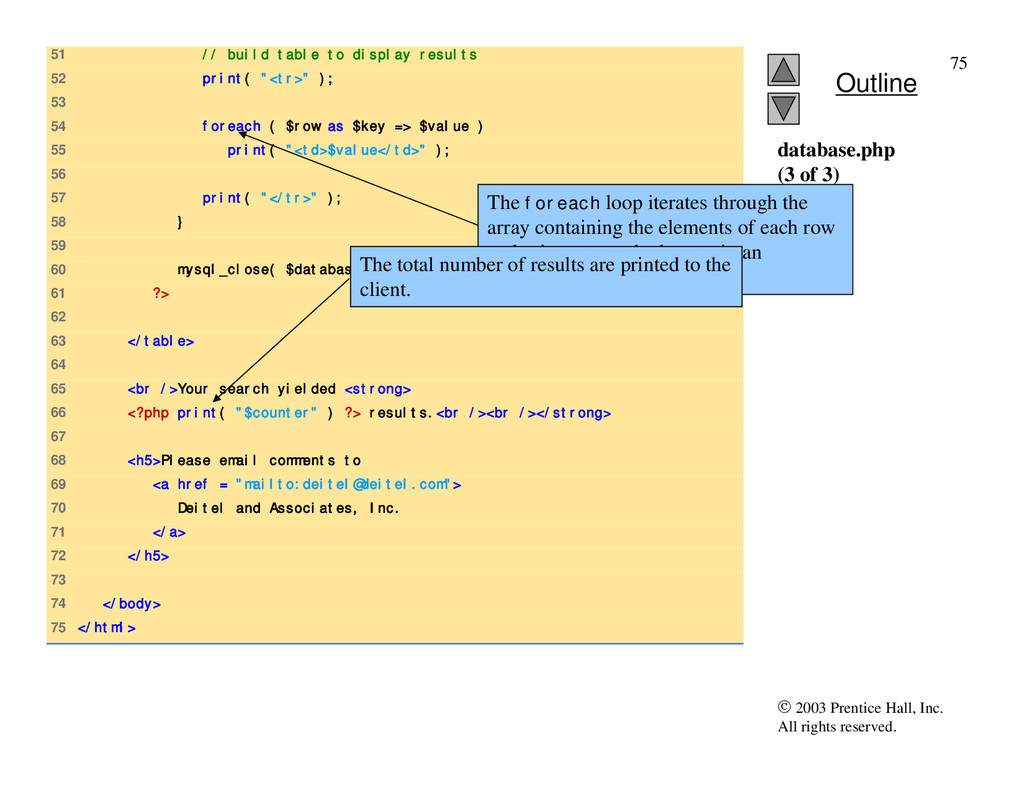
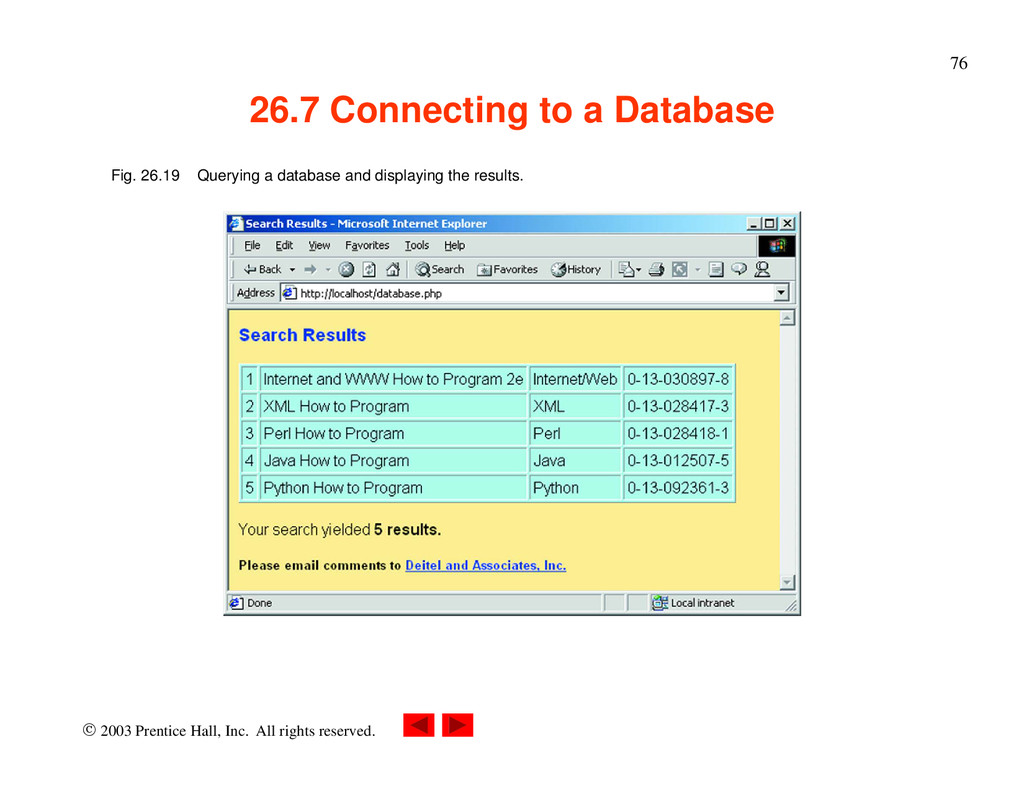
51 // build table to display results 52 print( "<tr>" ); 53 54 foreach ( $row as $key => $value ) 55 print( "<td>$value</td>" ); 56 57 print( "</tr>" ); 58 } 59 60 mysql_close( $database ); 61 ?> 62 63 </table> 64 65 <br />Your search yielded <strong> 66 <?php print( "$counter" ) ?> results.<br /><br /></strong> 67 68 <h5>Please email comments to 69 <a href = "mailto:[email protected]"> 70 Deitel and Associates, Inc. 71 </a> 72 </h5> 73 74 </body> 75 </html> database.php (3 of 3) The foreach loop iterates through the array containing the elements of each row and prints out each element in an individual table cell. The total number of results are printed to the client.
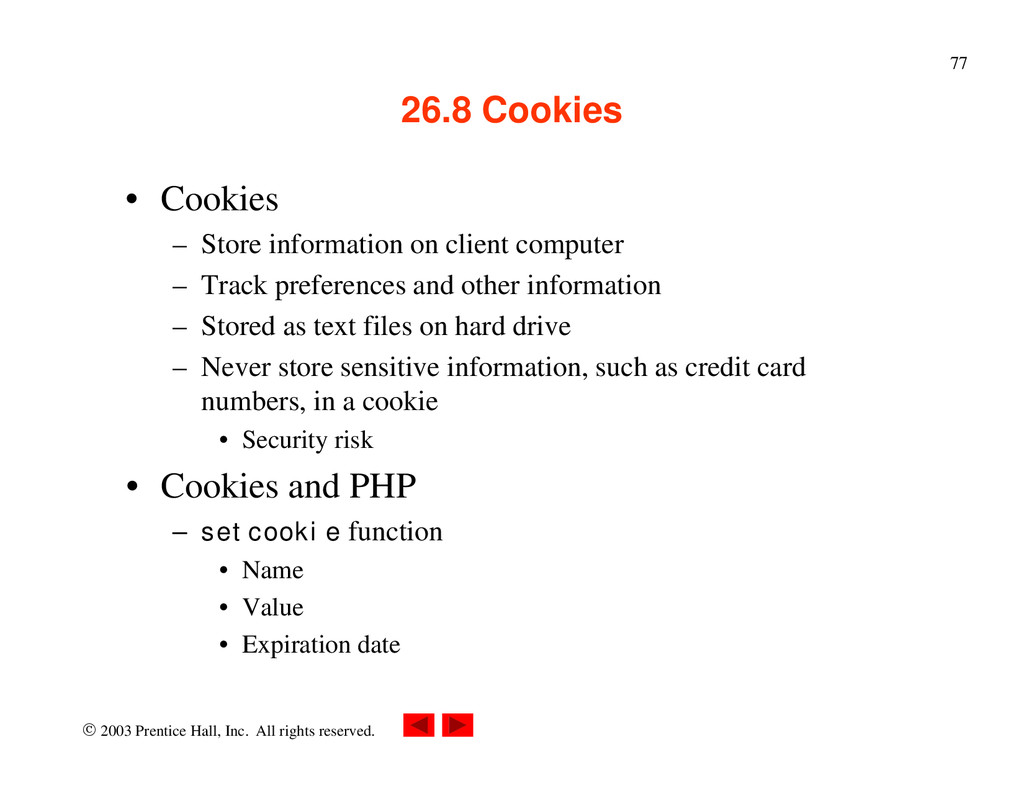
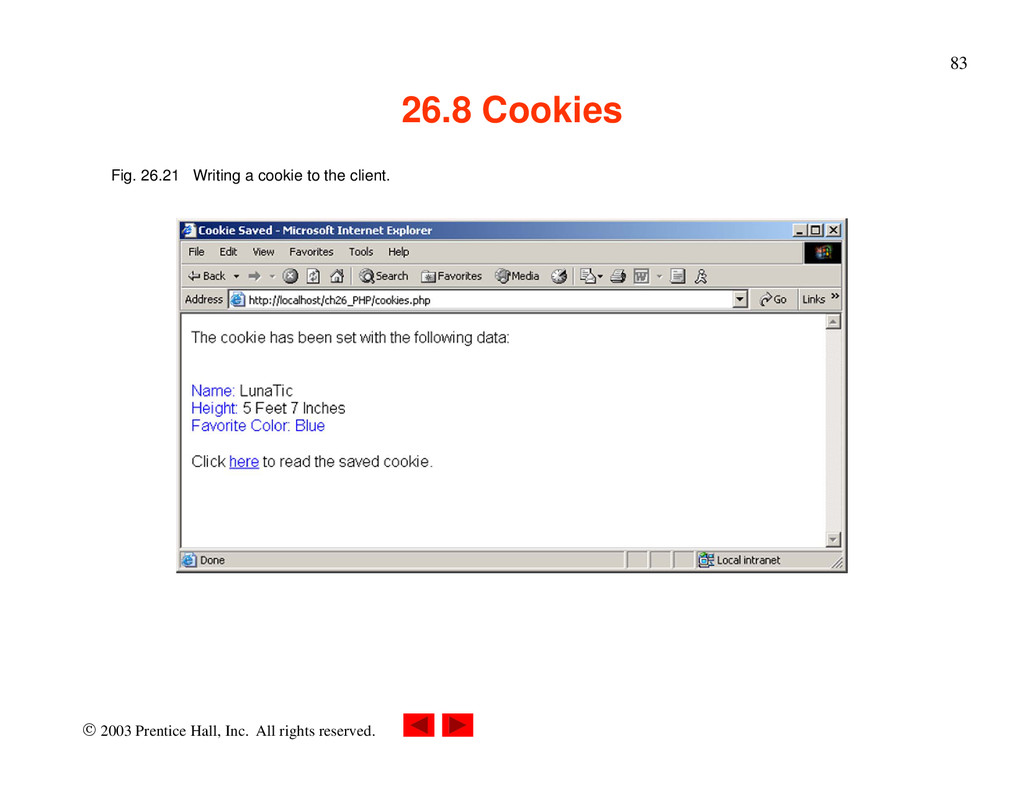
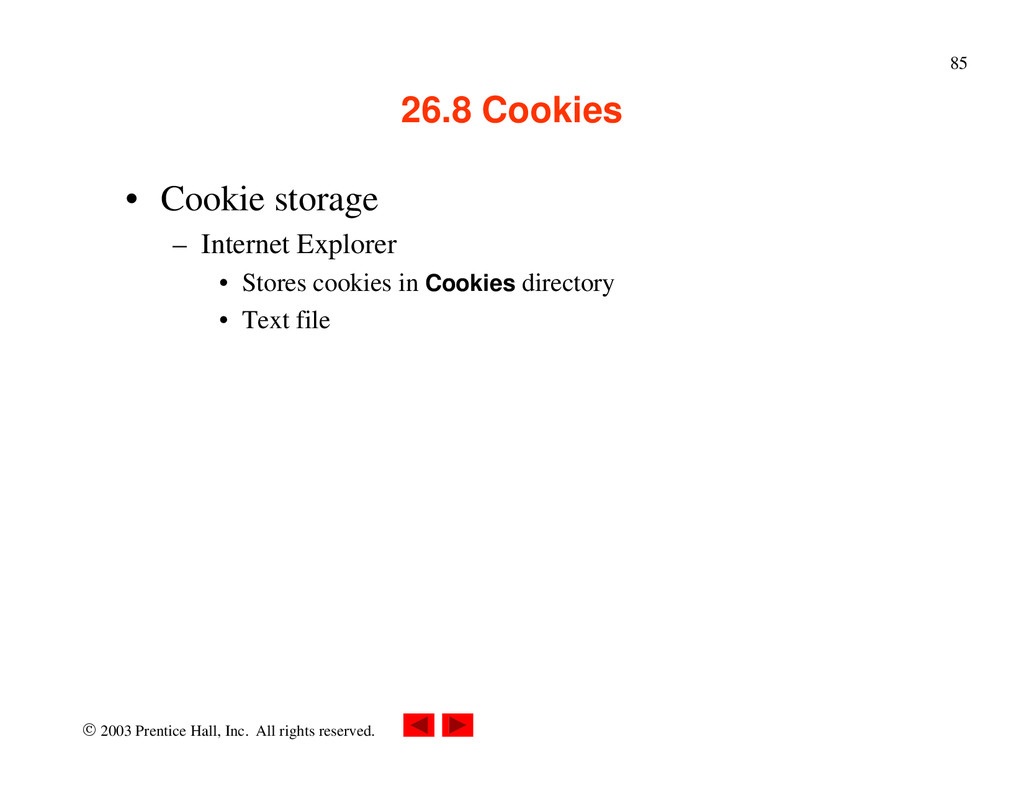
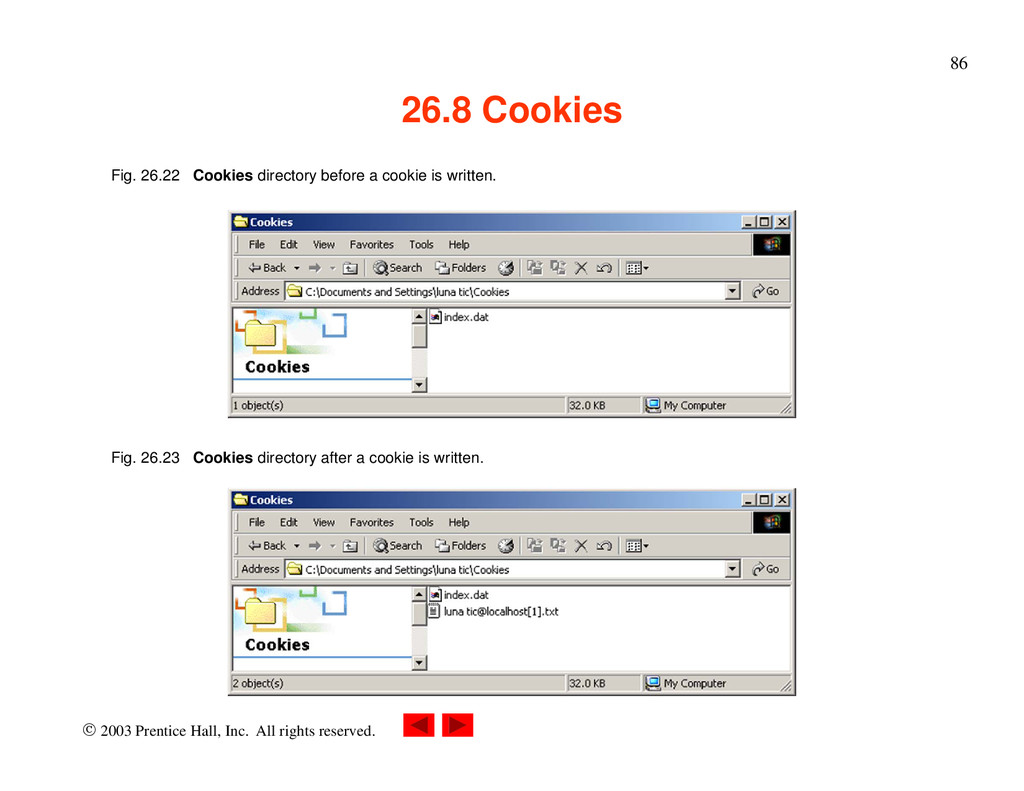
Cookies • Cookies – Store information on client computer – Track preferences and other information – Stored as text files on hard drive – Never store sensitive information, such as credit card numbers, in a cookie • Security risk • Cookies and PHP – setcookie function • Name • Value • Expiration date
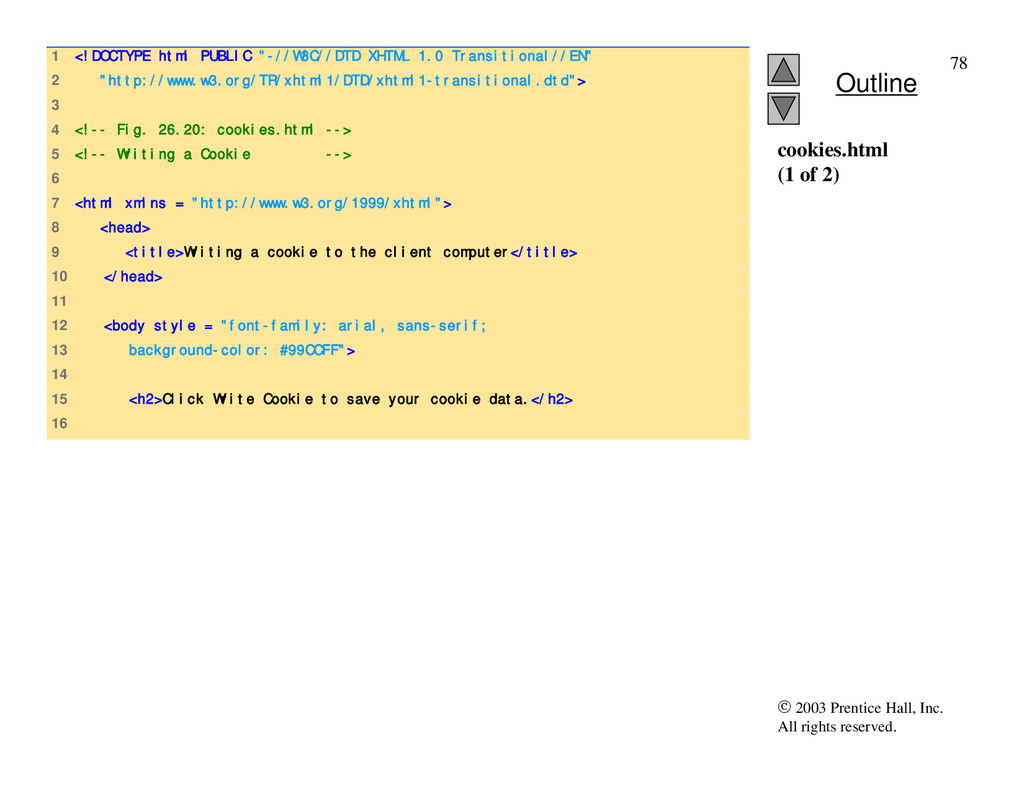
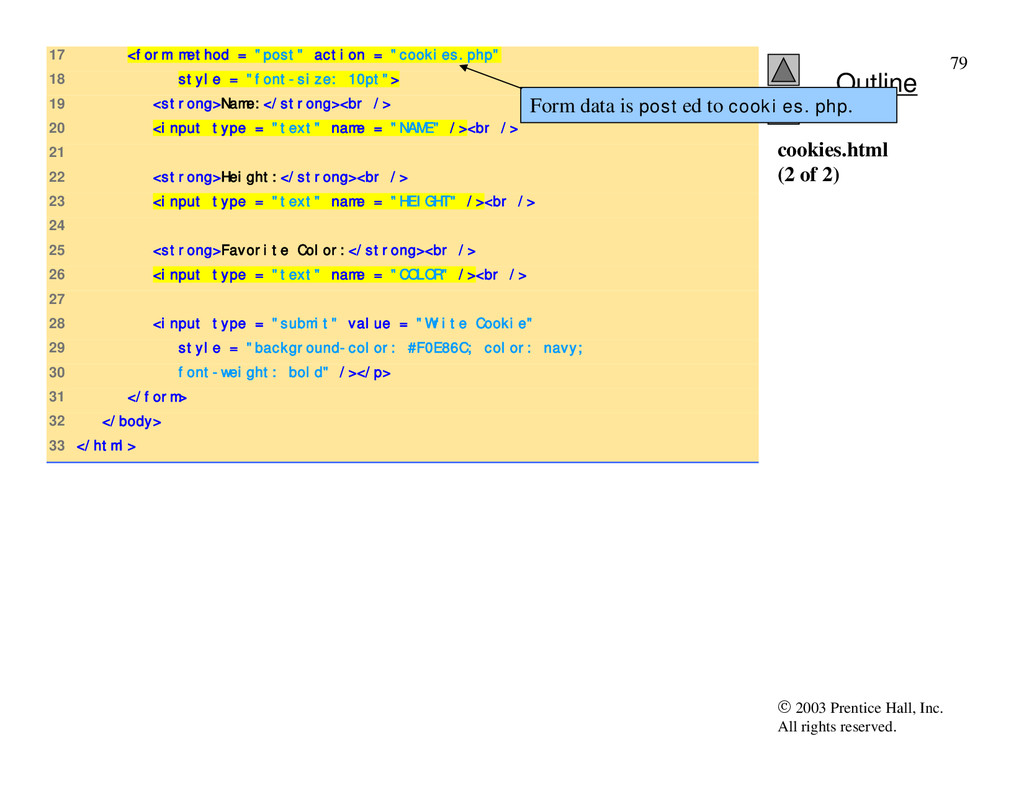
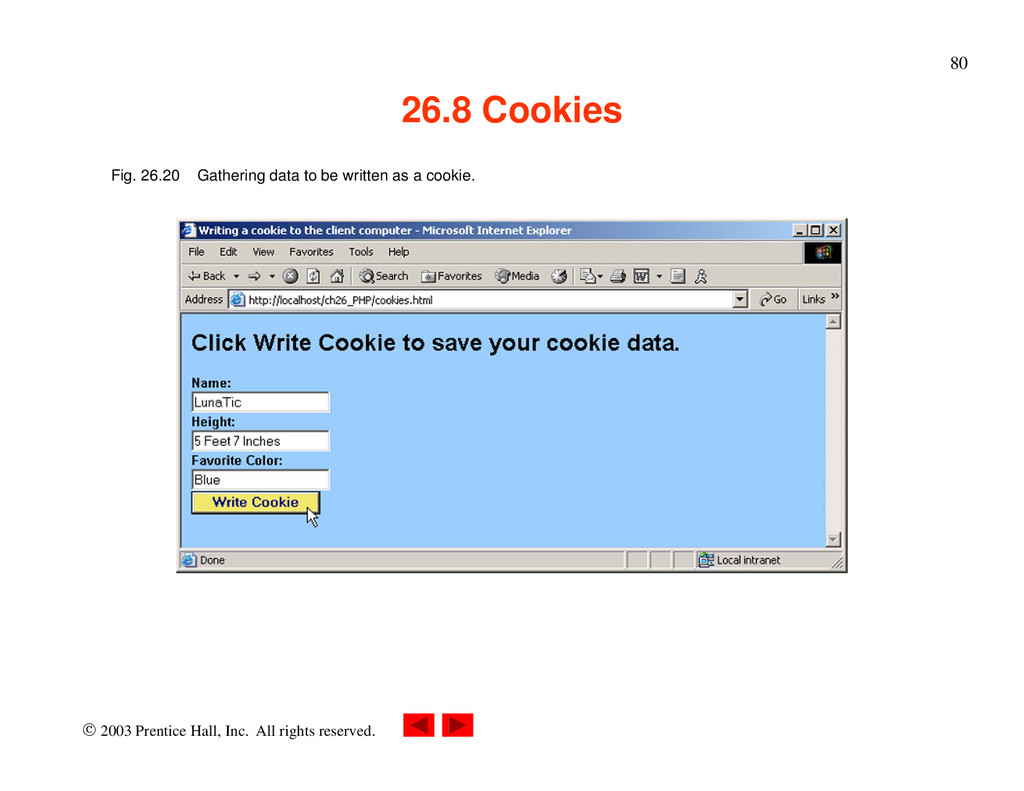
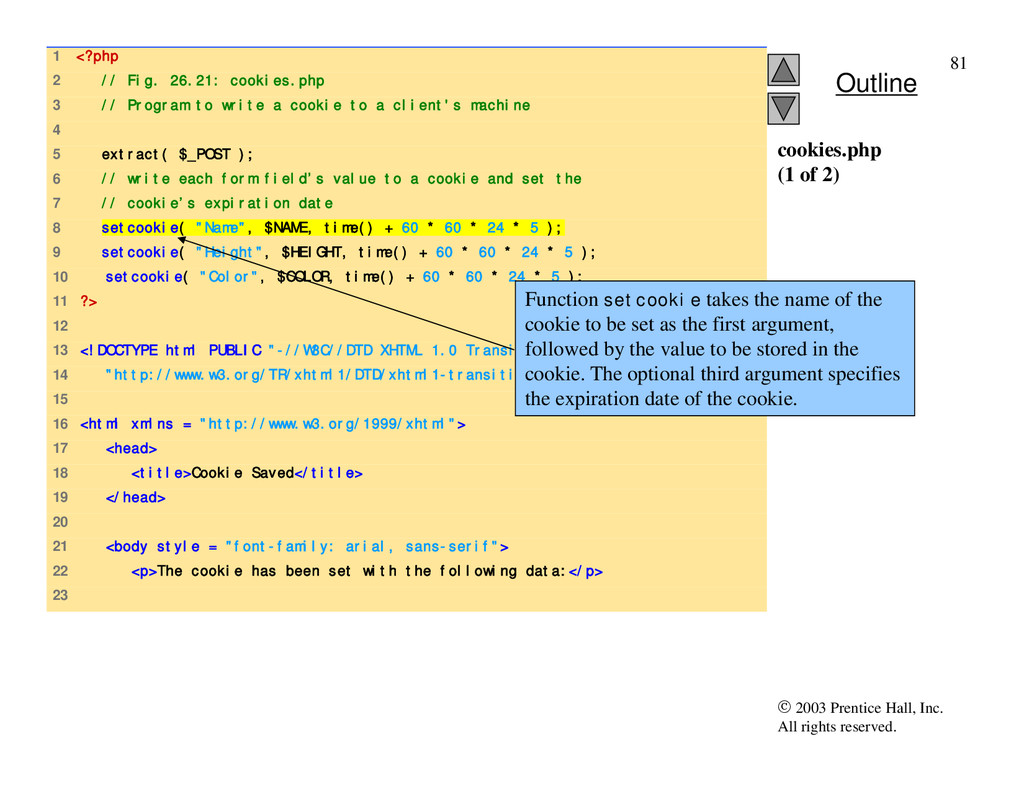
1 <?php 2 // Fig. 26.21: cookies.php 3 // Program to write a cookie to a client's machine 4 5 extract( $_POST ); 6 // write each form field’s value to a cookie and set the 7 // cookie’s expiration date 8 setcookie( "Name", $NAME, time() + 60 * 60 * 24 * 5 ); 9 setcookie( "Height", $HEIGHT, time() + 60 * 60 * 24 * 5 ); 10 setcookie( "Color", $COLOR, time() + 60 * 60 * 24 * 5 ); 11 ?> 12 13 <!DOCTYPE html PUBLIC "-//W3C//DTD XHTML 1.0 Transitional//EN" 14 "http://www.w3.org/TR/xhtml1/DTD/xhtml1-transitional.dtd"> 15 16 <html xmlns = "http://www.w3.org/1999/xhtml"> 17 <head> 18 <title>Cookie Saved</title> 19 </head> 20 21 <body style = "font-family: arial, sans-serif"> 22 <p>The cookie has been set with the following data:</p> 23 cookies.php (1 of 2) Function setcookie takes the name of the cookie to be set as the first argument, followed by the value to be stored in the cookie. The optional third argument specifies the expiration date of the cookie.
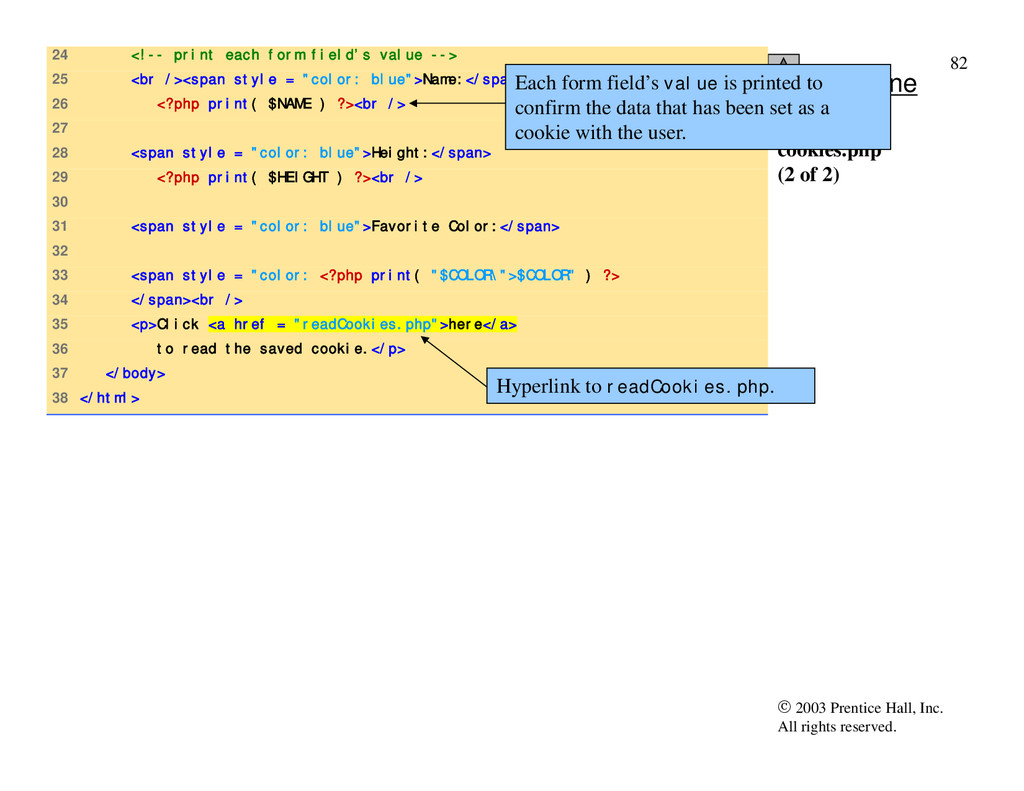
24 <!-- print each form field’s value --> 25 <br /><span style = "color: blue">Name:</span> 26 <?php print( $NAME ) ?><br /> 27 28 <span style = "color: blue">Height:</span> 29 <?php print( $HEIGHT ) ?><br /> 30 31 <span style = "color: blue">Favorite Color:</span> 32 33 <span style = "color: <?php print( "$COLOR\">$COLOR" ) ?> 34 </span><br /> 35 <p>Click <a href = "readCookies.php">here</a> 36 to read the saved cookie.</p> 37 </body> 38 </html> cookies.php (2 of 2) Each form field’s value is printed to confirm the data that has been set as a cookie with the user. Hyperlink to readCookies.php.
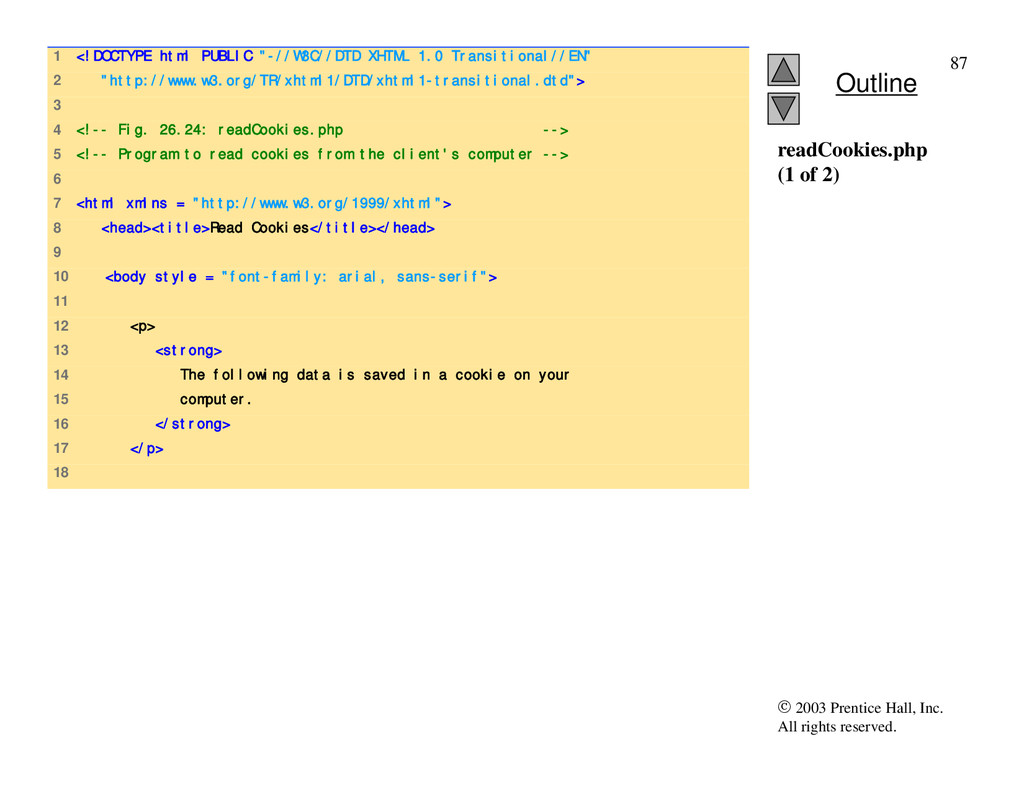
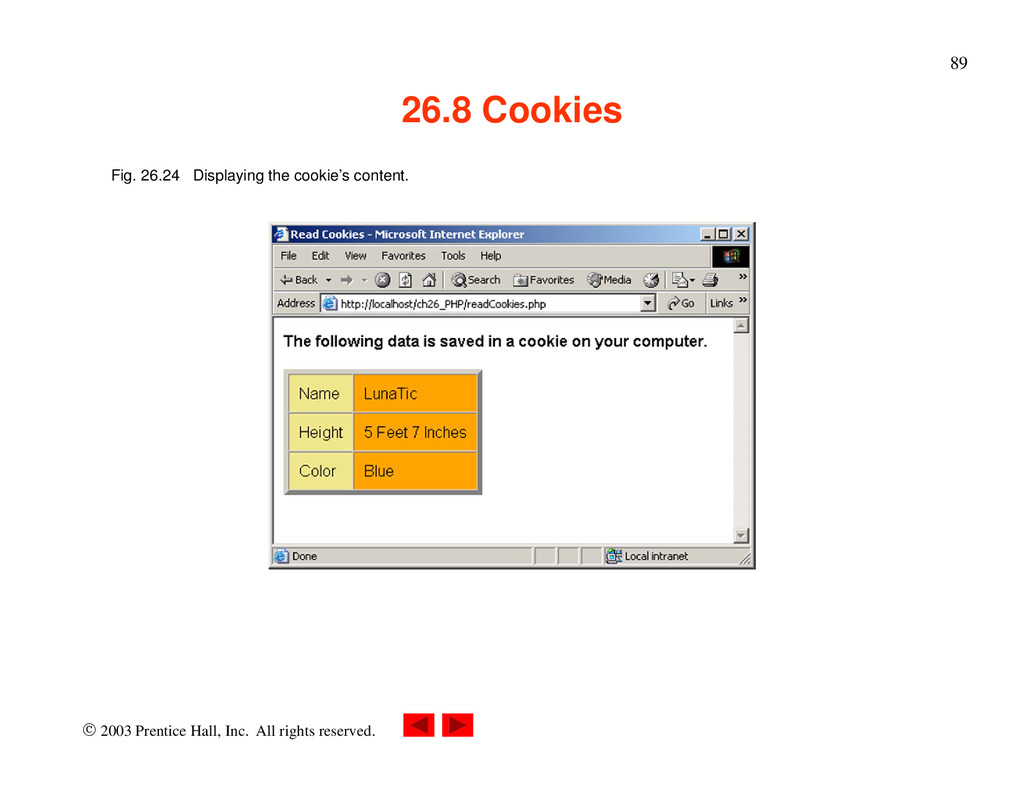
1 <!DOCTYPE html PUBLIC "-//W3C//DTD XHTML 1.0 Transitional//EN" 2 "http://www.w3.org/TR/xhtml1/DTD/xhtml1-transitional.dtd"> 3 4 <!-- Fig. 26.24: readCookies.php --> 5 <!-- Program to read cookies from the client's computer --> 6 7 <html xmlns = "http://www.w3.org/1999/xhtml"> 8 <head><title>Read Cookies</title></head> 9 10 <body style = "font-family: arial, sans-serif"> 11 12 <p> 13 <strong> 14 The following data is saved in a cookie on your 15 computer. 16 </strong> 17 </p> 18 readCookies.php (1 of 2)
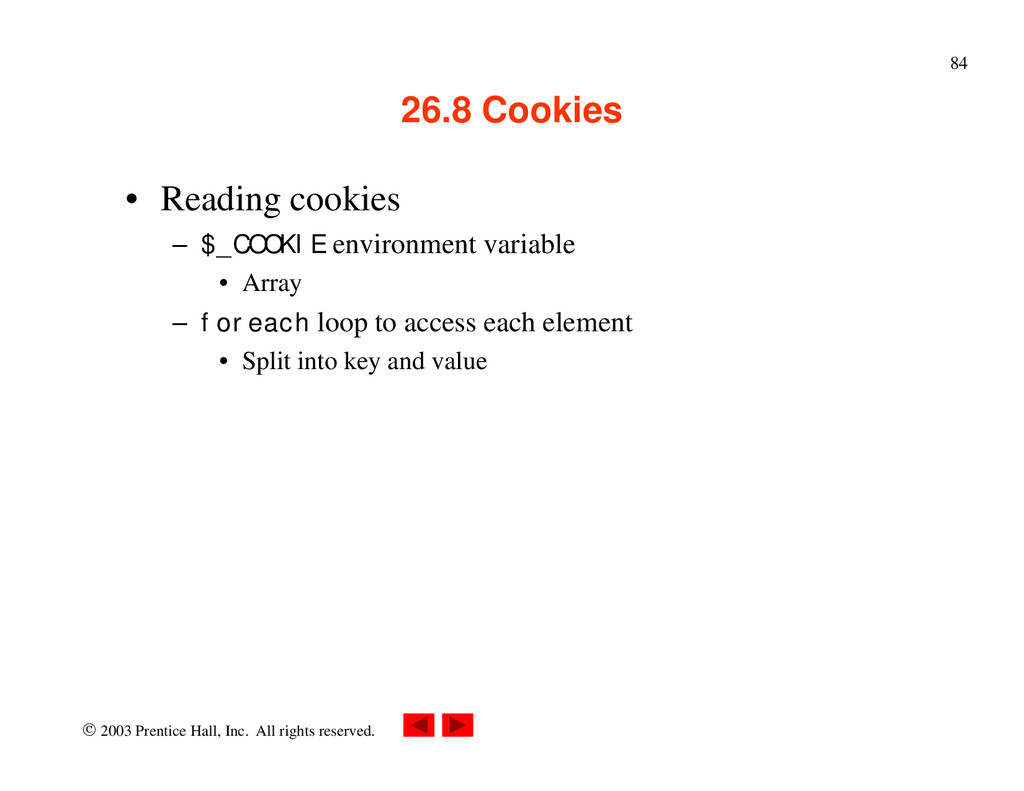
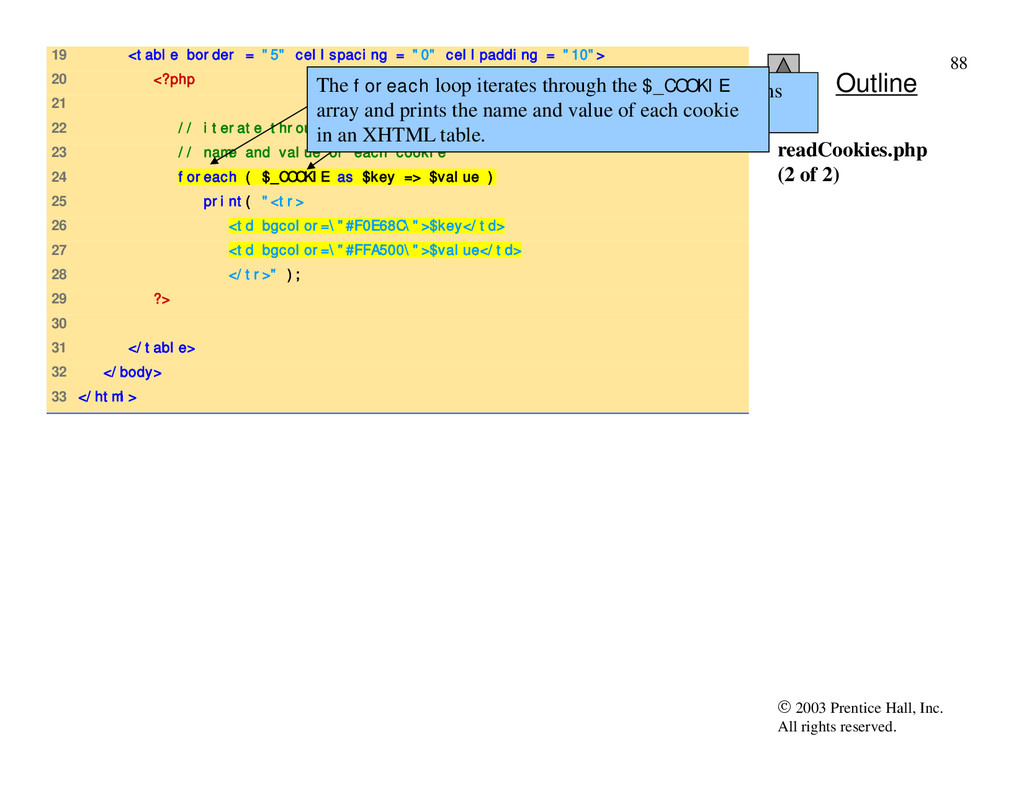
19 <table border = "5" cellspacing = "0" cellpadding = "10"> 20 <?php 21 22 // iterate through array $_COOKIE and print 23 // name and value of each cookie 24 foreach ( $_COOKIE as $key => $value ) 25 print( "<tr> 26 <td bgcolor=\"#F0E68C\">$key</td> 27 <td bgcolor=\"#FFA500\">$value</td> 28 </tr>" ); 29 ?> 30 31 </table> 32 </body> 33 </html> readCookies.php (2 of 2) PHP creates array $_COOKIE which contains all cookie values indexed by their names. The foreach loop iterates through the $_COOKIE array and prints the name and value of each cookie in an XHTML table.
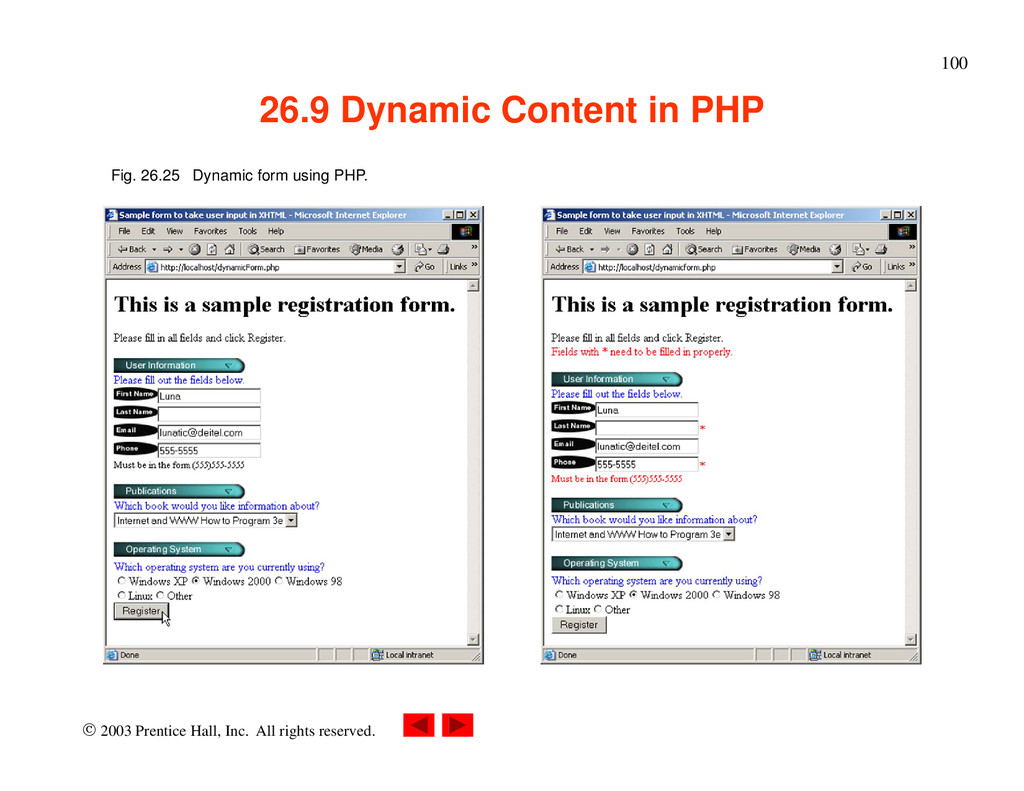
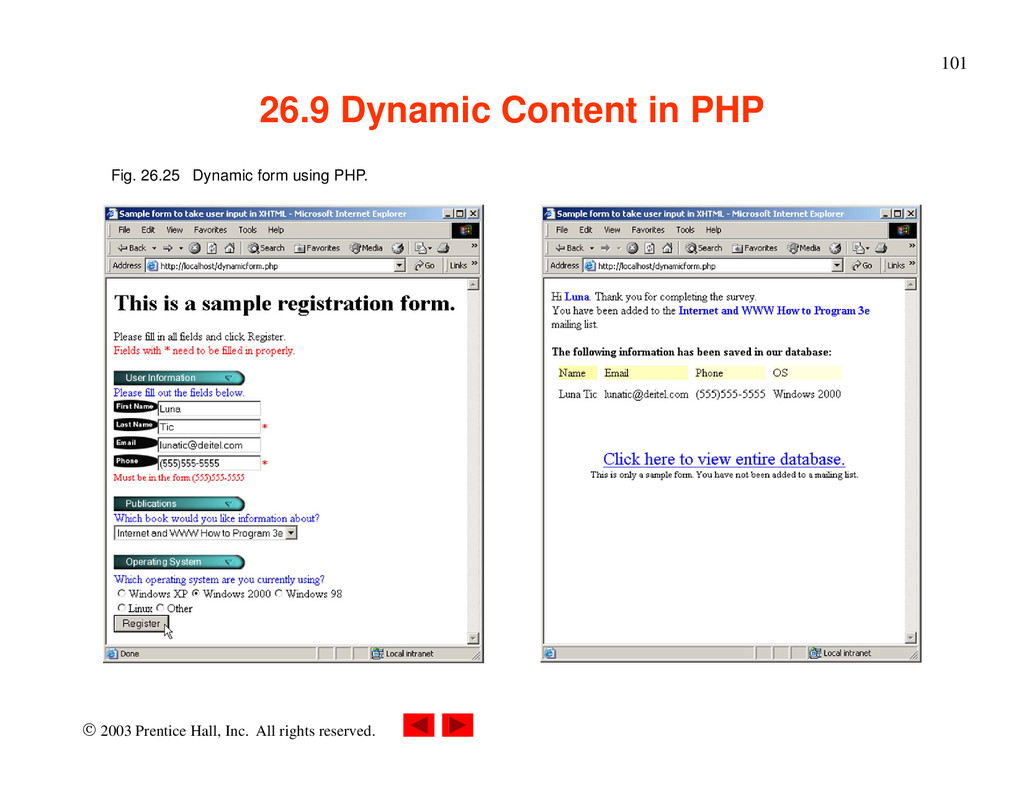
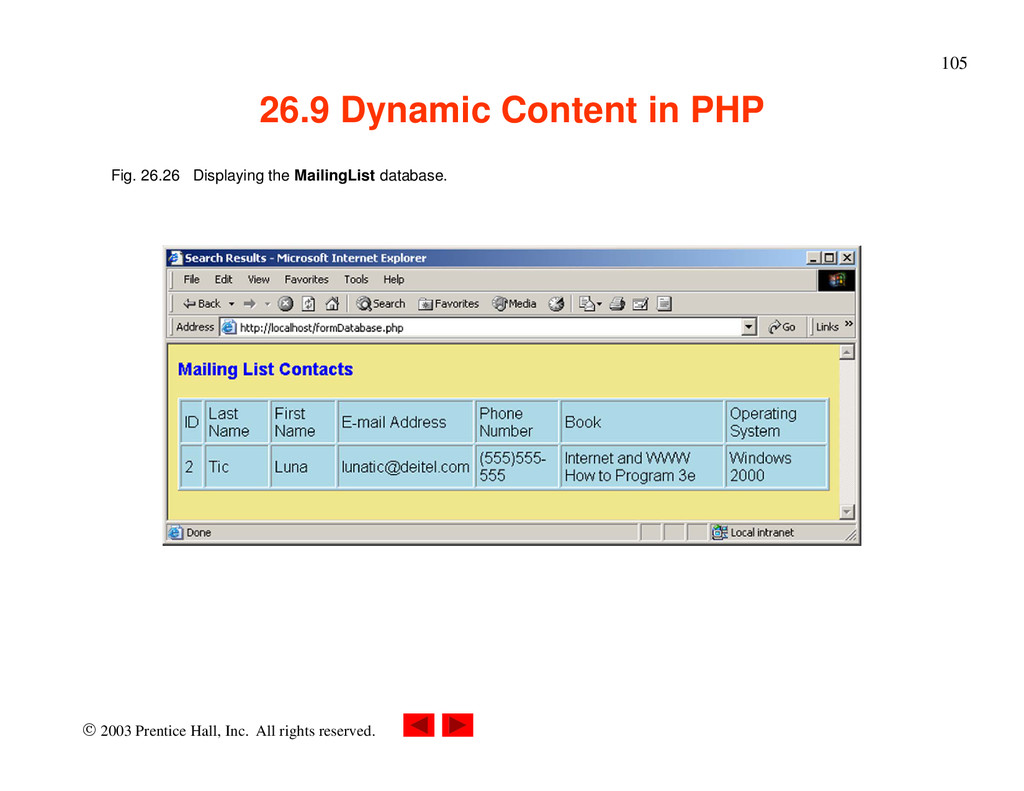
Dynamic Content in PHP • Dynamically alter XHTML content – Form’s action property set to same page that contains it – Perform different actions when page is loaded and form is submitted • isset variable – Check for errors • Write different XHTML when errors encountered – $$variable syntax • References variable whose name equals the value of $variable – If input is valid, make MySQL database calls
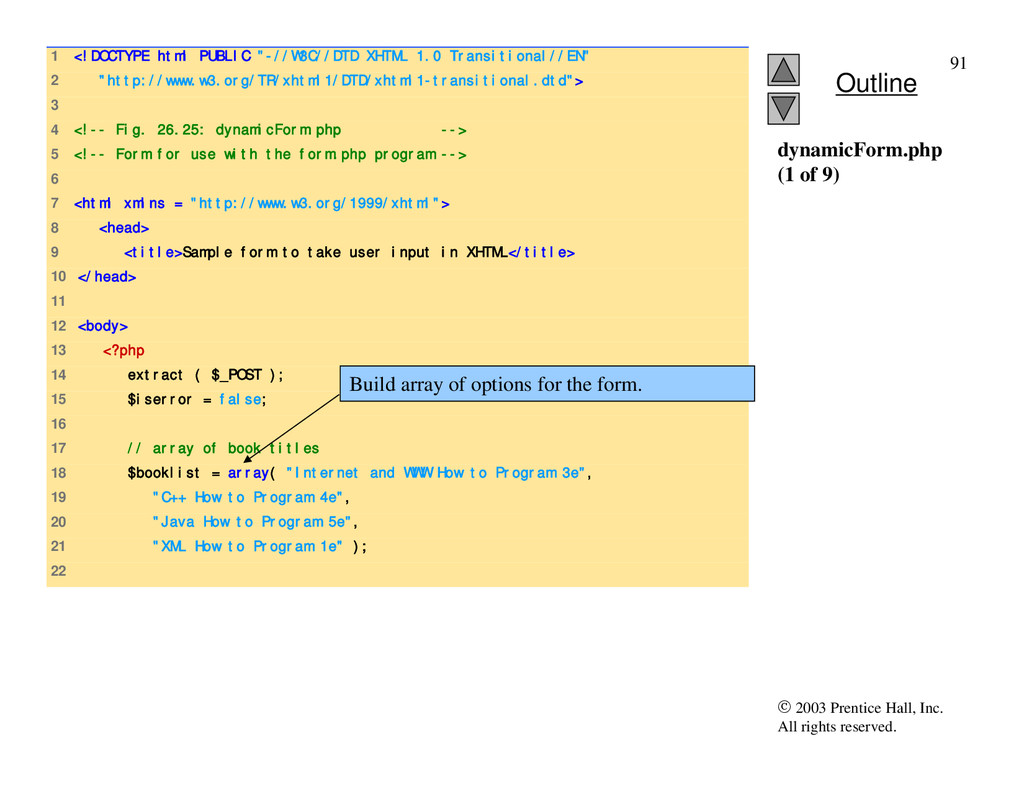
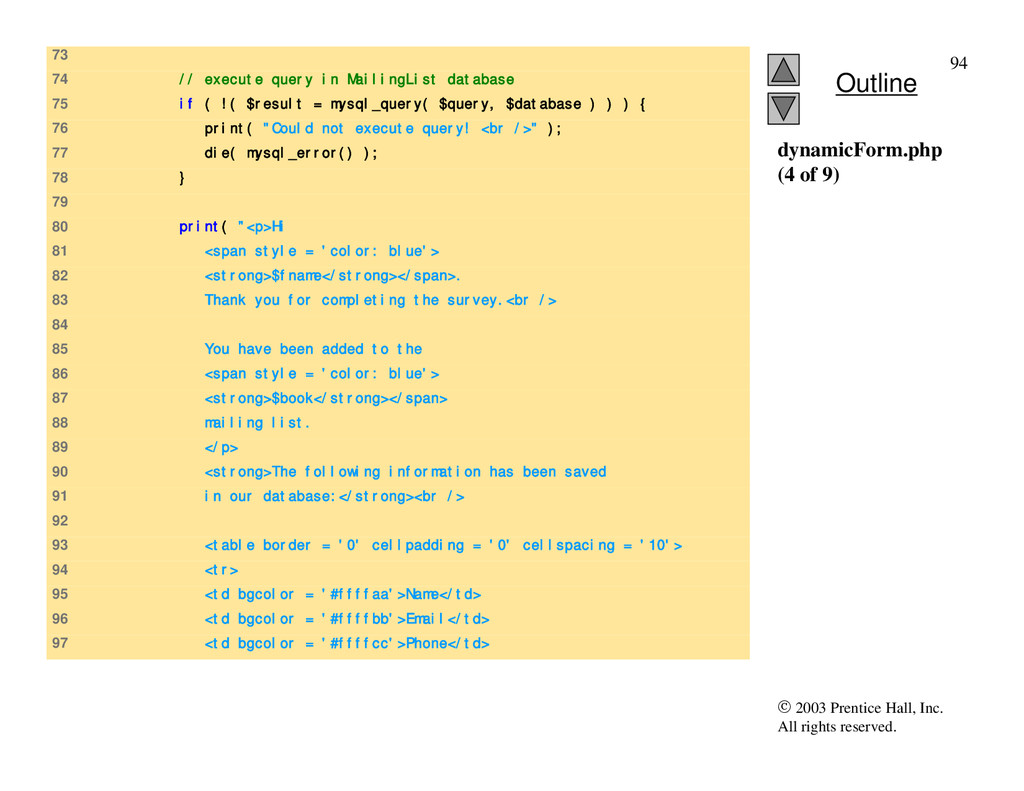
1 <!DOCTYPE html PUBLIC "-//W3C//DTD XHTML 1.0 Transitional//EN" 2 "http://www.w3.org/TR/xhtml1/DTD/xhtml1-transitional.dtd"> 3 4 <!-- Fig. 26.25: dynamicForm.php --> 5 <!-- Form for use with the form.php program --> 6 7 <html xmlns = "http://www.w3.org/1999/xhtml"> 8 <head> 9 <title>Sample form to take user input in XHTML</title> 10 </head> 11 12 <body> 13 <?php 14 extract ( $_POST ); 15 $iserror = false; 16 17 // array of book titles 18 $booklist = array( "Internet and WWW How to Program 3e", 19 "C++ How to Program 4e", 20 "Java How to Program 5e", 21 "XML How to Program 1e" ); 22 dynamicForm.php (1 of 9) Build array of options for the form.
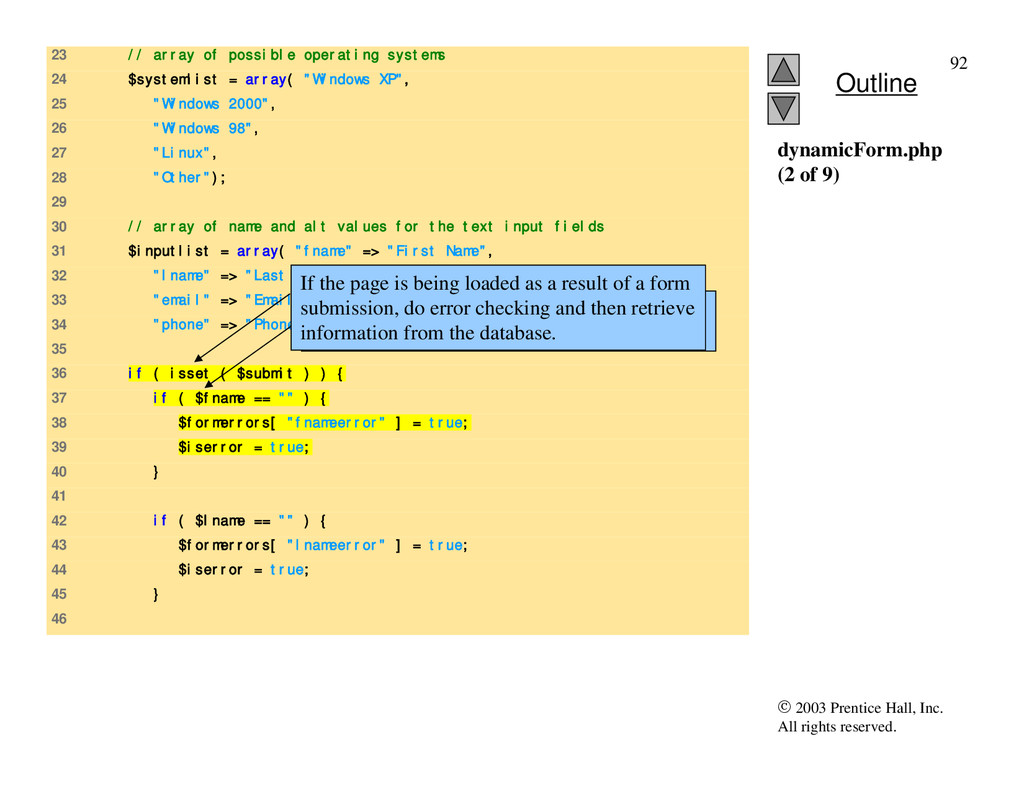
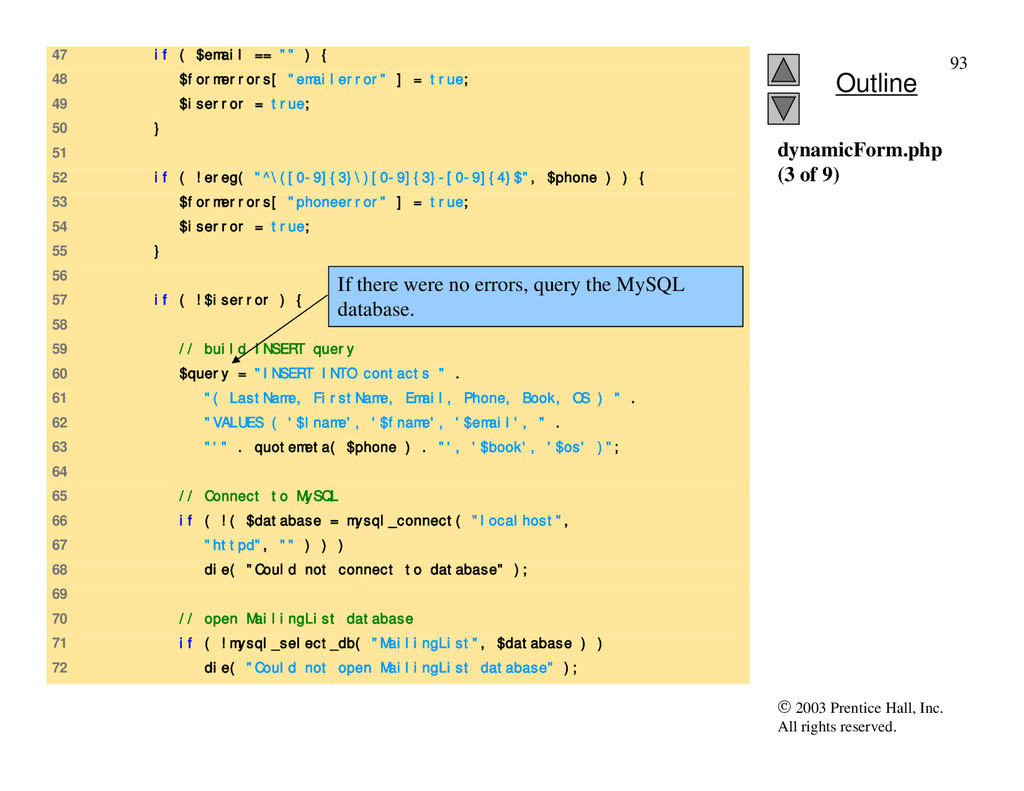
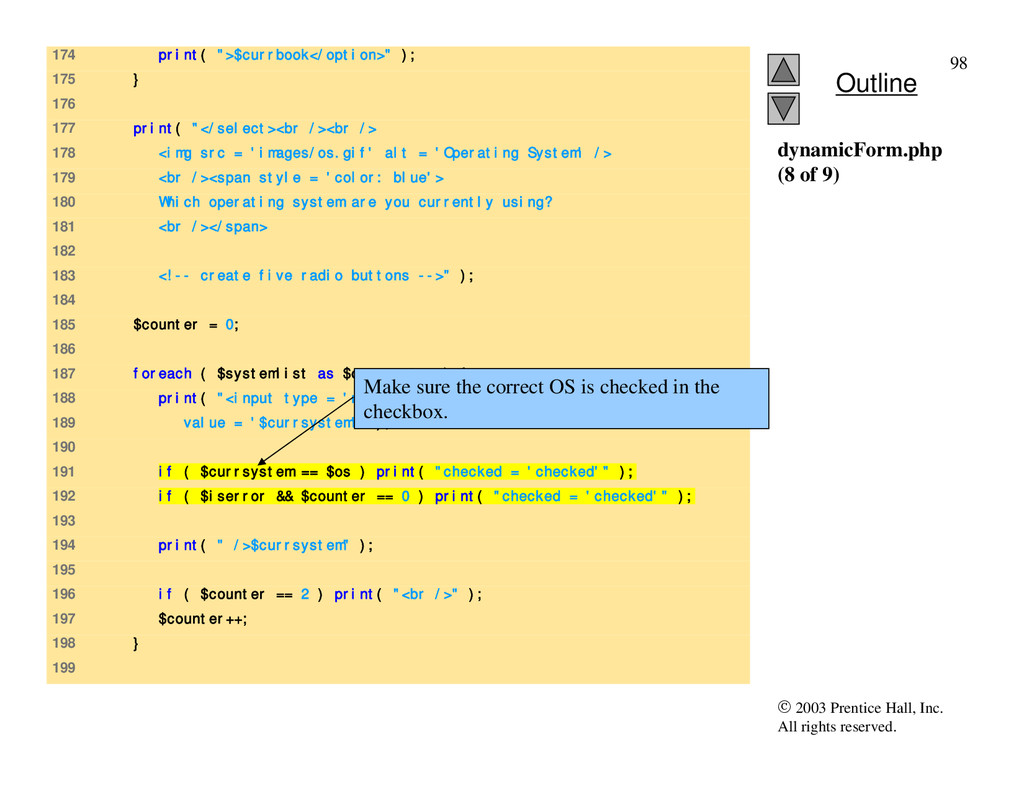
23 // array of possible operating systems 24 $systemlist = array( "Windows XP", 25 "Windows 2000", 26 "Windows 98", 27 "Linux", 28 "Other"); 29 30 // array of name and alt values for the text input fields 31 $inputlist = array( "fname" => "First Name", 32 "lname" => "Last Name", 33 "email" => "Email", 34 "phone" => "Phone" ); 35 36 if ( isset ( $submit ) ) { 37 if ( $fname == "" ) { 38 $formerrors[ "fnameerror" ] = true; 39 $iserror = true; 40 } 41 42 if ( $lname == "" ) { 43 $formerrors[ "lnameerror" ] = true; 44 $iserror = true; 45 } 46 dynamicForm.php (2 of 9) Check for errors or omissions in form field input. If the page is being loaded as a result of a form submission, do error checking and then retrieve information from the database.
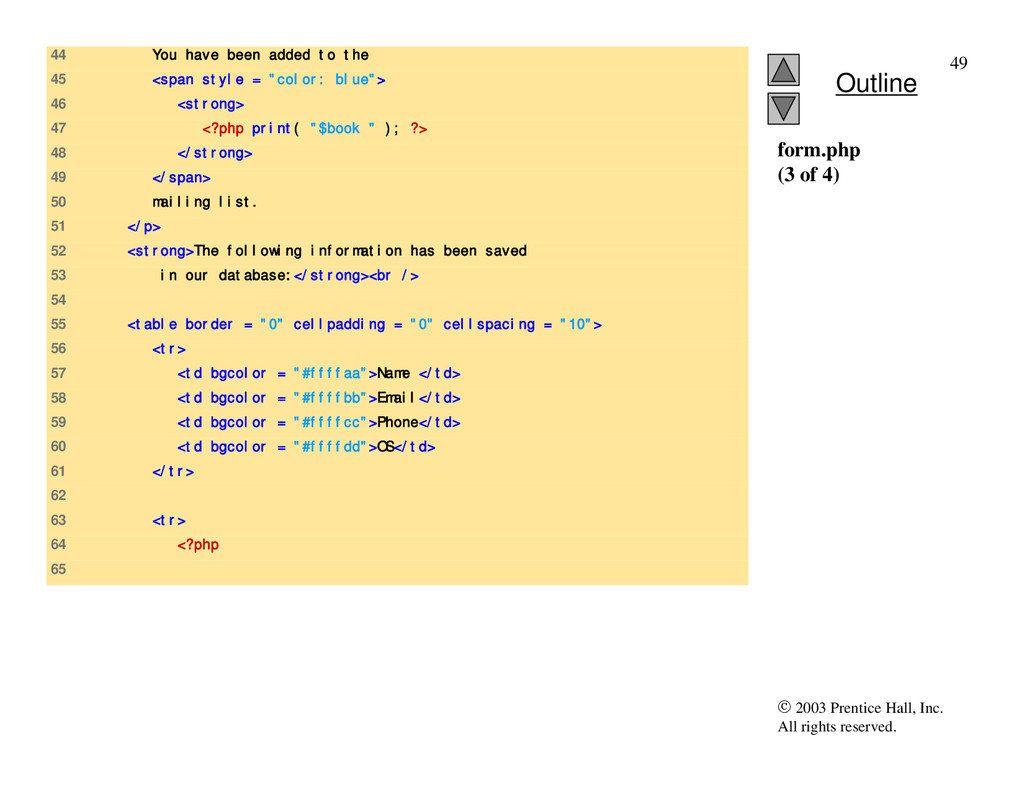
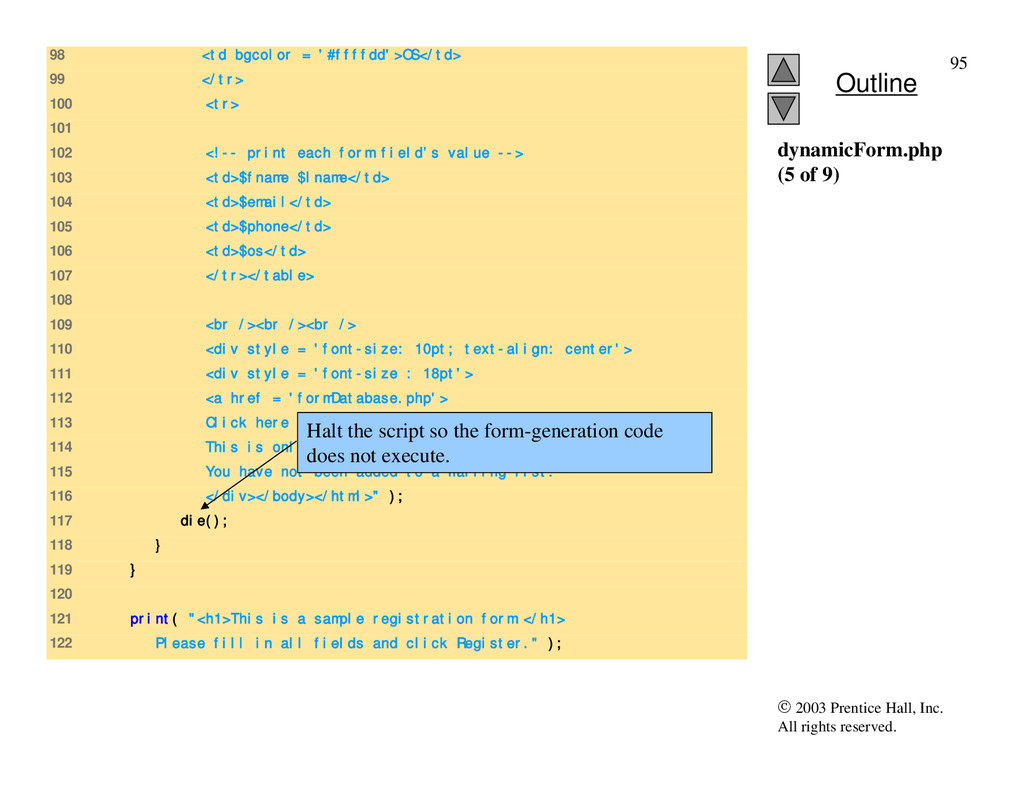
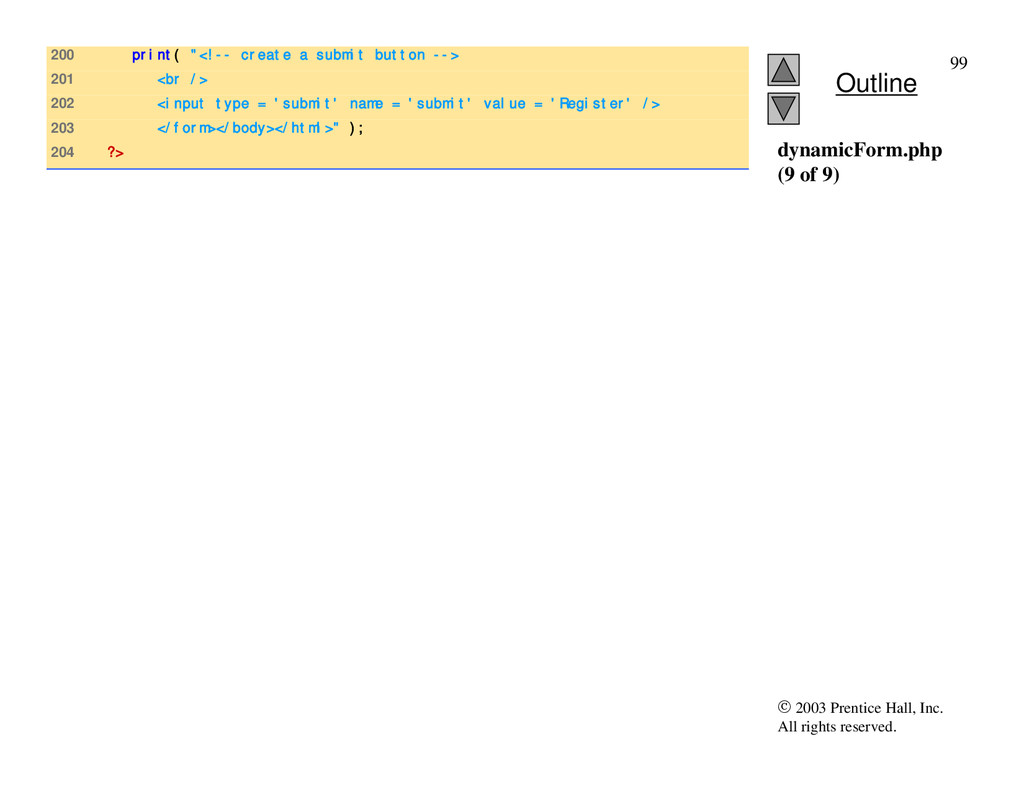
98 <td bgcolor = '#ffffdd'>OS</td> 99 </tr> 100 <tr> 101 102 <!-- print each form field’s value --> 103 <td>$fname $lname</td> 104 <td>$email</td> 105 <td>$phone</td> 106 <td>$os</td> 107 </tr></table> 108 109 <br /><br /><br /> 110 <div style = 'font-size: 10pt; text-align: center'> 111 <div style = 'font-size : 18pt'> 112 <a href = 'formDatabase.php'> 113 Click here to view entire database.</a></div> 114 This is only a sample form. 115 You have not been added to a mailing list. 116 </div></body></html>" ); 117 die(); 118 } 119 } 120 121 print( "<h1>This is a sample registration form.</h1> 122 Please fill in all fields and click Register." ); dynamicForm.php (5 of 9) Halt the script so the form-generation code does not execute.
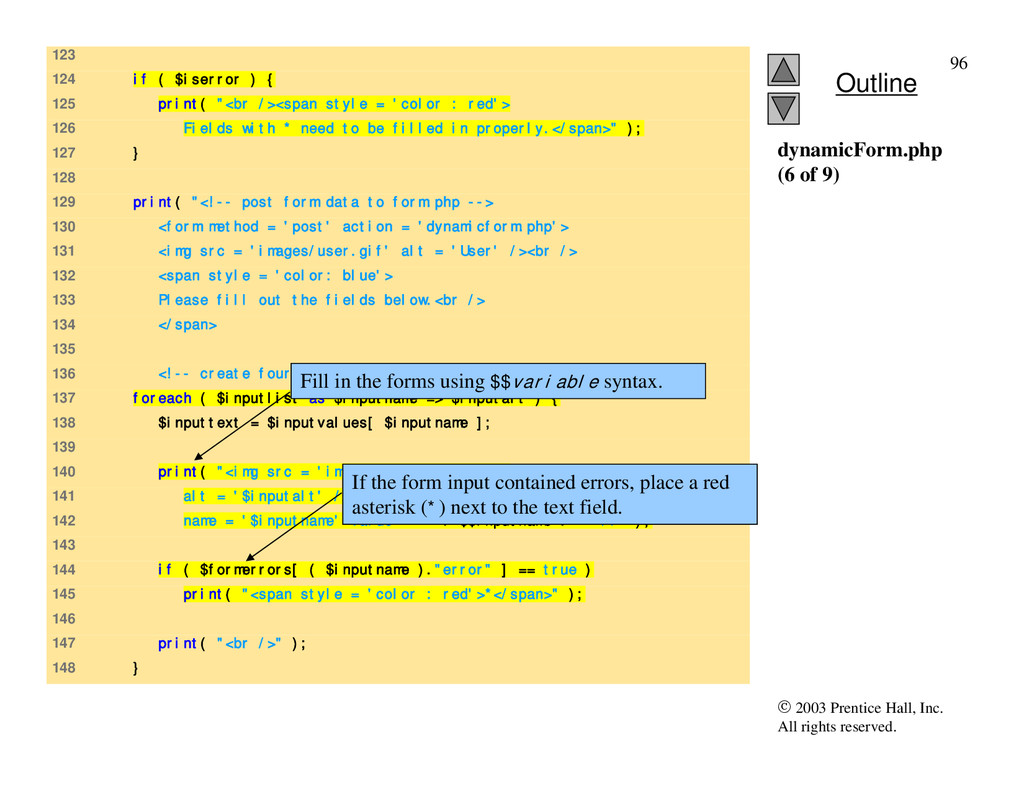
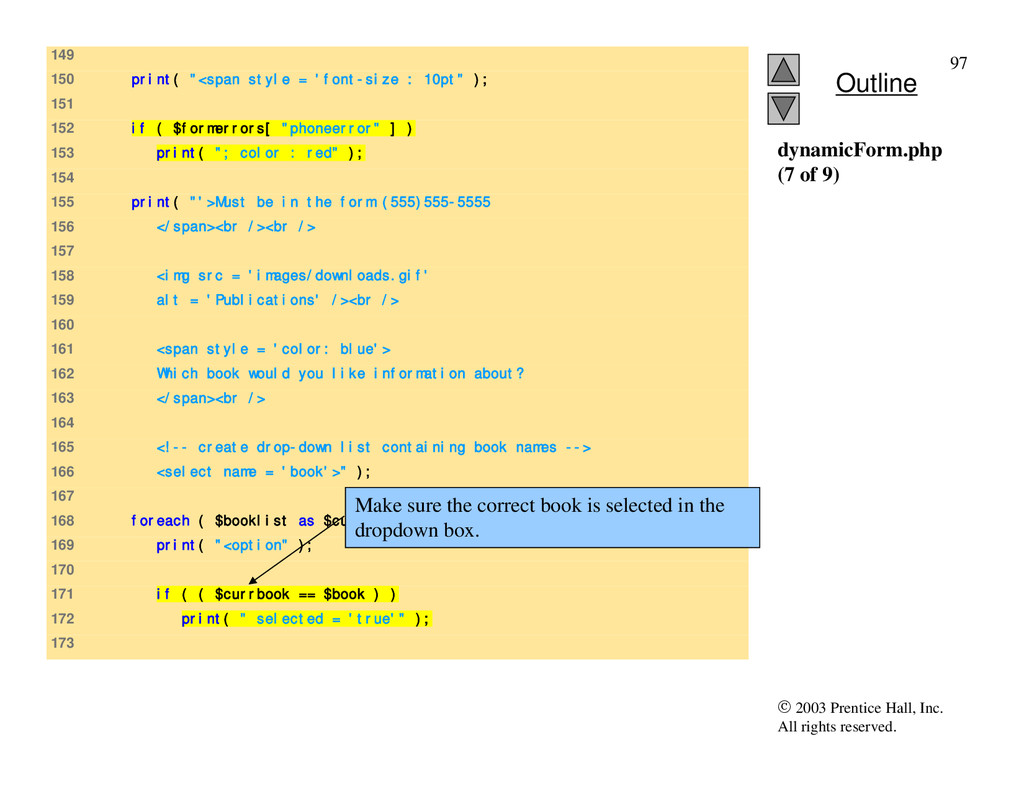
123 124 if ( $iserror ) { 125 print( "<br /><span style = 'color : red'> 126 Fields with * need to be filled in properly.</span>" ); 127 } 128 129 print( "<!-- post form data to form.php --> 130 <form method = 'post' action = 'dynamicform.php'> 131 <img src = 'images/user.gif' alt = 'User' /><br /> 132 <span style = 'color: blue'> 133 Please fill out the fields below.<br /> 134 </span> 135 136 <!-- create four text boxes for user input -->" ); 137 foreach ( $inputlist as $inputname => $inputalt ) { 138 $inputtext = $inputvalues[ $inputname ]; 139 140 print( "<img src = 'images/$inputname.gif' 141 alt = '$inputalt' /><input type = 'text' 142 name = '$inputname' value = '" . $$inputname . "' />" ); 143 144 if ( $formerrors[ ( $inputname )."error" ] == true ) 145 print( "<span style = 'color : red'>*</span>" ); 146 147 print( "<br />" ); 148 } dynamicForm.php (6 of 9) If the form input contained errors, place a red asterisk (*) next to the text field. Fill in the forms using $$variable syntax.
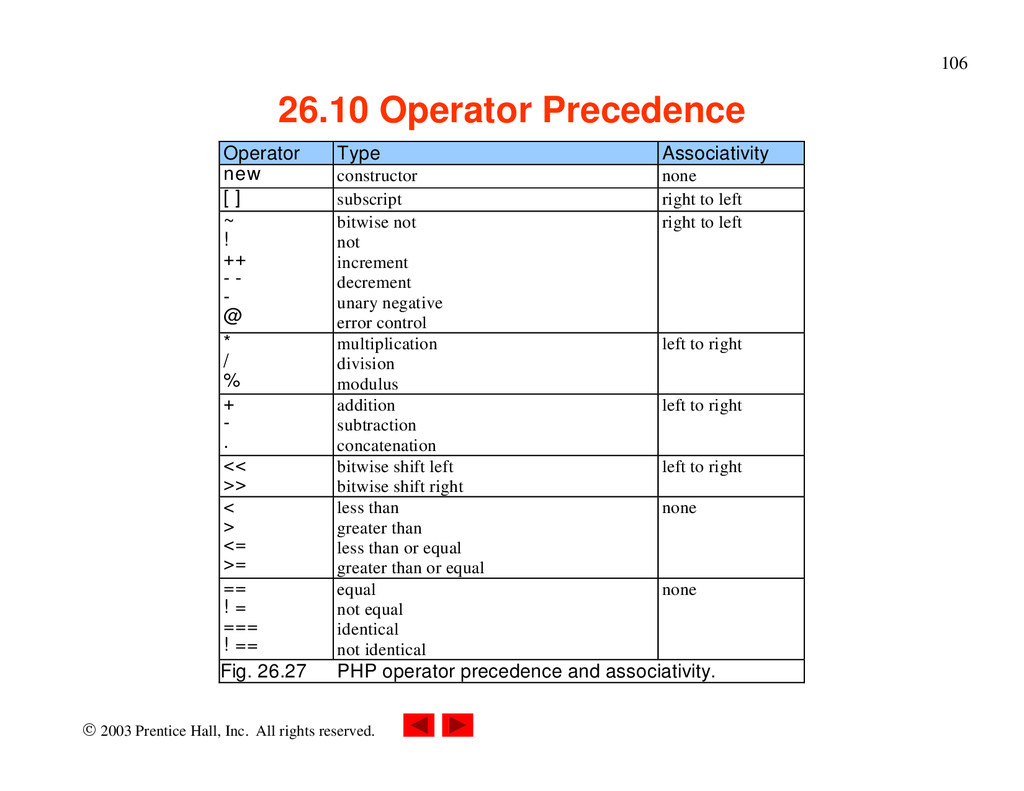
Operator Precedence Operator Type Associativity new constructor none [] subscript right to left ~ ! ++ -- - @ bitwise not not increment decrement unary negative error control right to left * / % multiplication division modulus left to right + - . addition subtraction concatenation left to right << >> bitwise shift left bitwise shift right left to right < > <= >= less than greater than less than or equal greater than or equal none == != === !== equal not equal identical not identical none Fig. 26.27 PHP operator precedence and associativity.
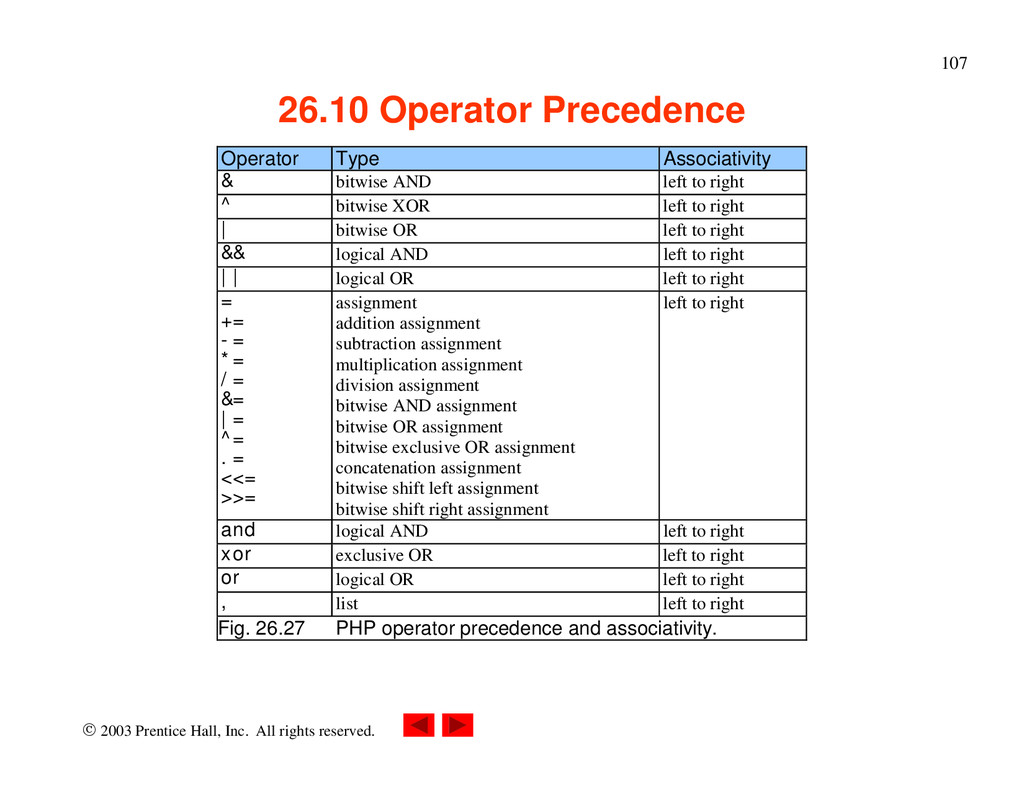
Operator Precedence Operator Type Associativity & bitwise AND left to right ^ bitwise XOR left to right | bitwise OR left to right && logical AND left to right || logical OR left to right = += -= *= /= &= |= ^= .= <<= >>= assignment addition assignment subtraction assignment multiplication assignment division assignment bitwise AND assignment bitwise OR assignment bitwise exclusive OR assignment concatenation assignment bitwise shift left assignment bitwise shift right assignment left to right and logical AND left to right xor exclusive OR left to right or logical OR left to right , list left to right Fig. 26.27 PHP operator precedence and associativity.


 jonoalderson
 katarinadahlin
 mfonobong
 tanoku
 ks91
ks91
 twada
twada
 baasie
 codingconduct
 tmiket
 chikuwait
 keathley
 lauravandoore