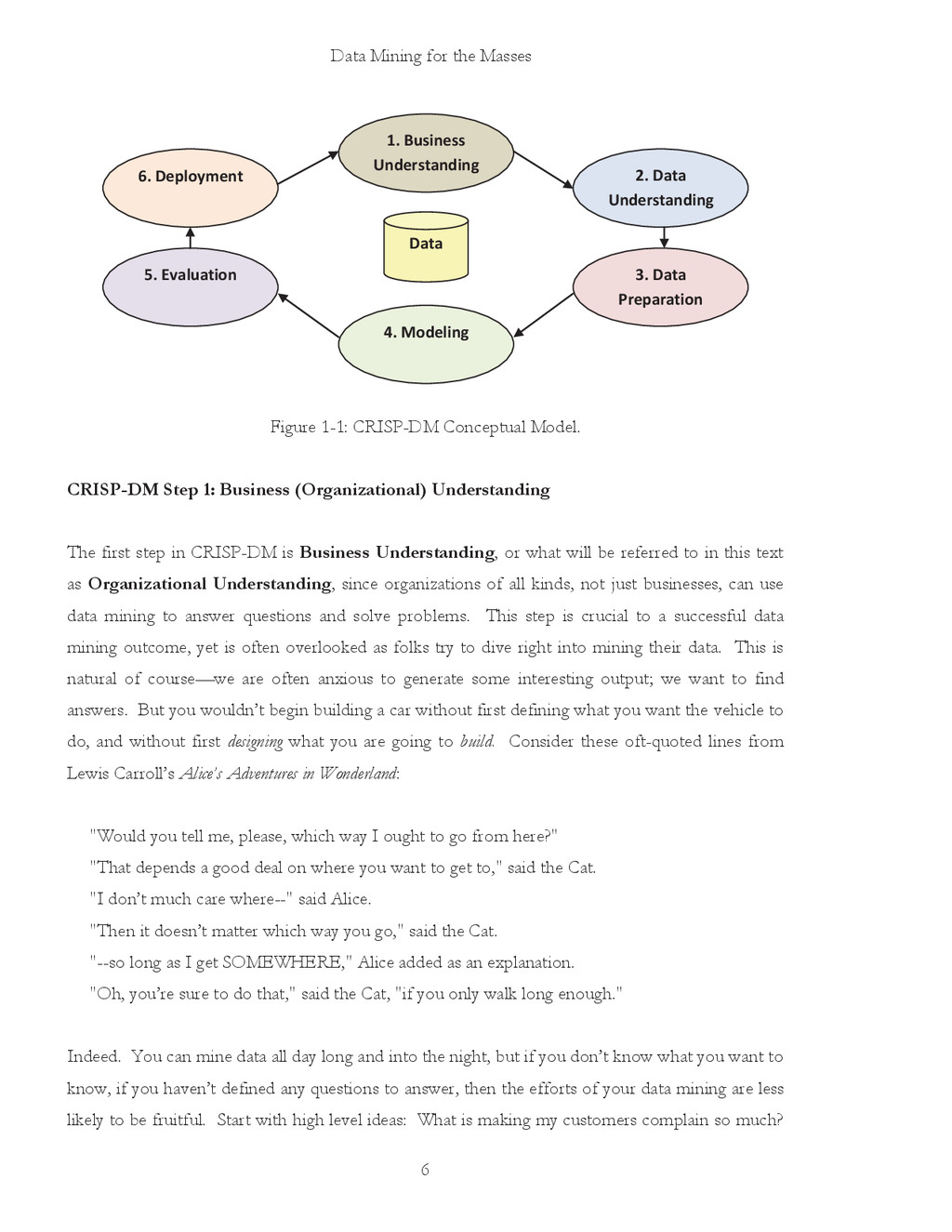
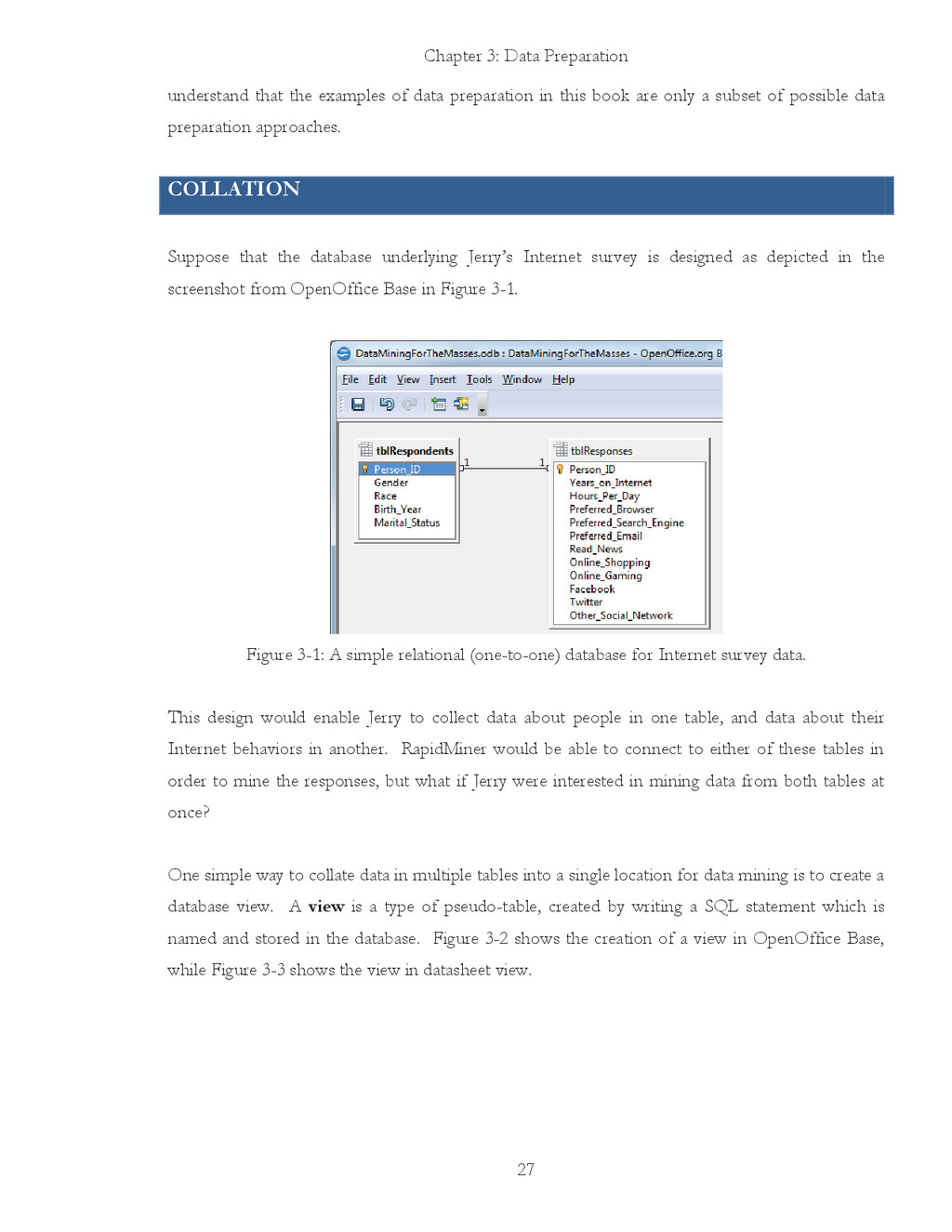
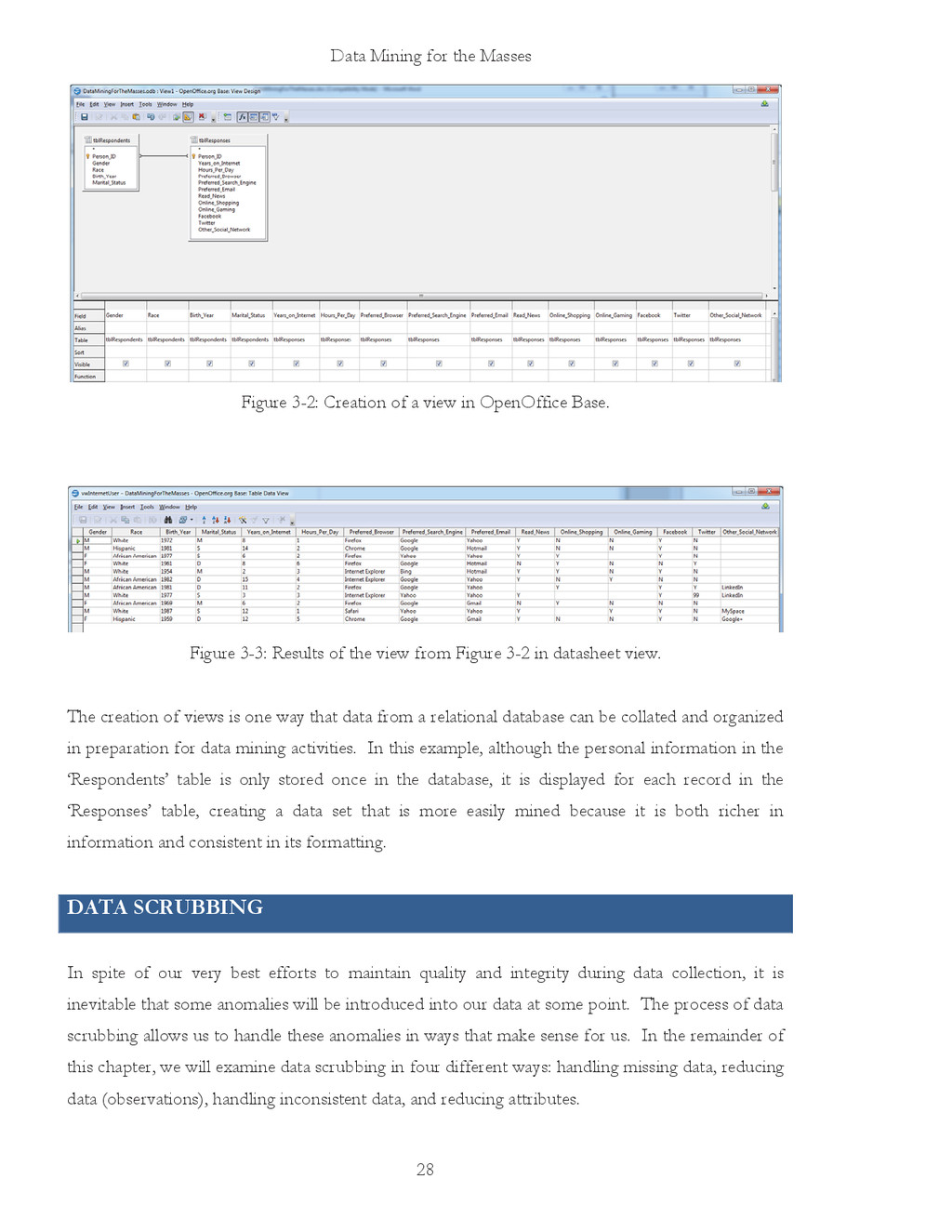
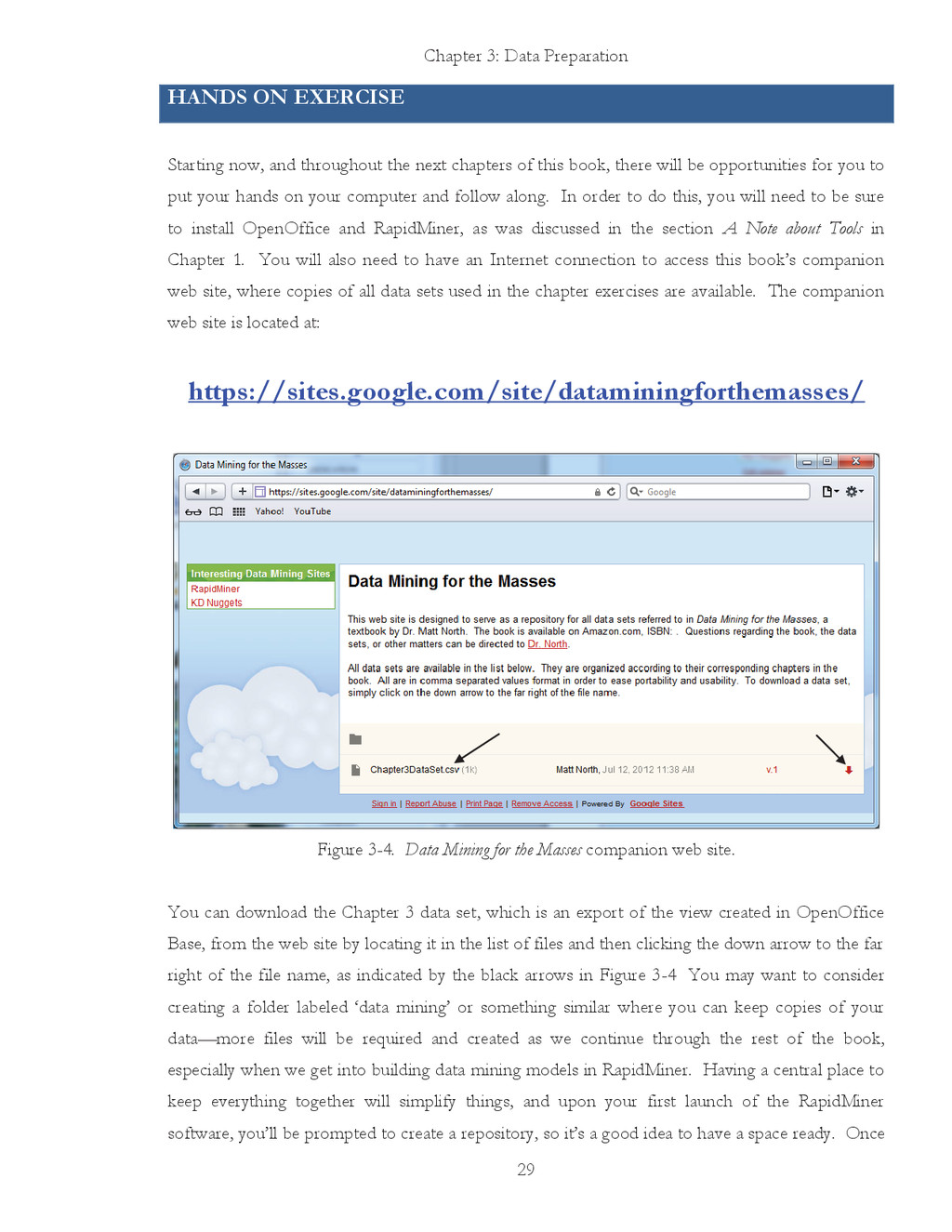
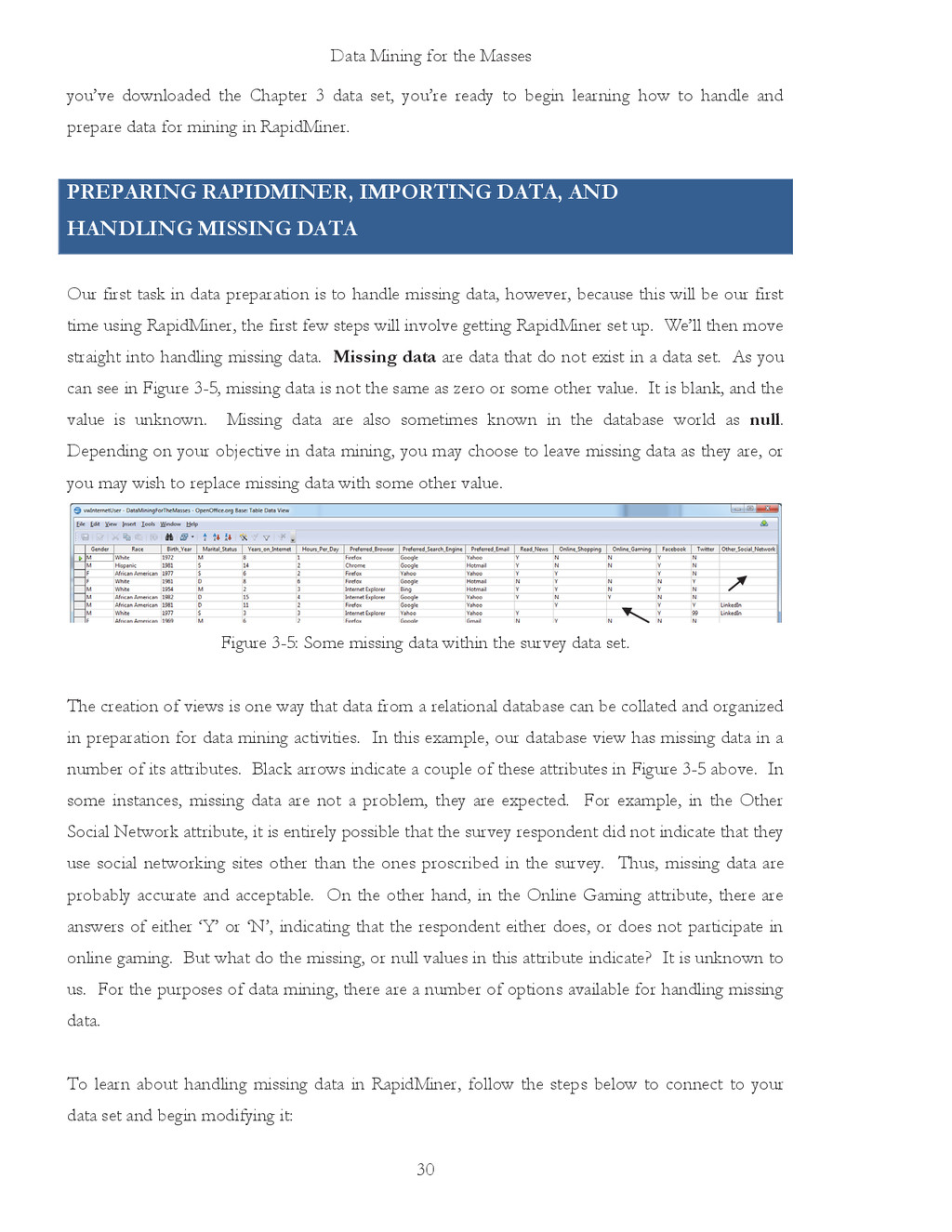
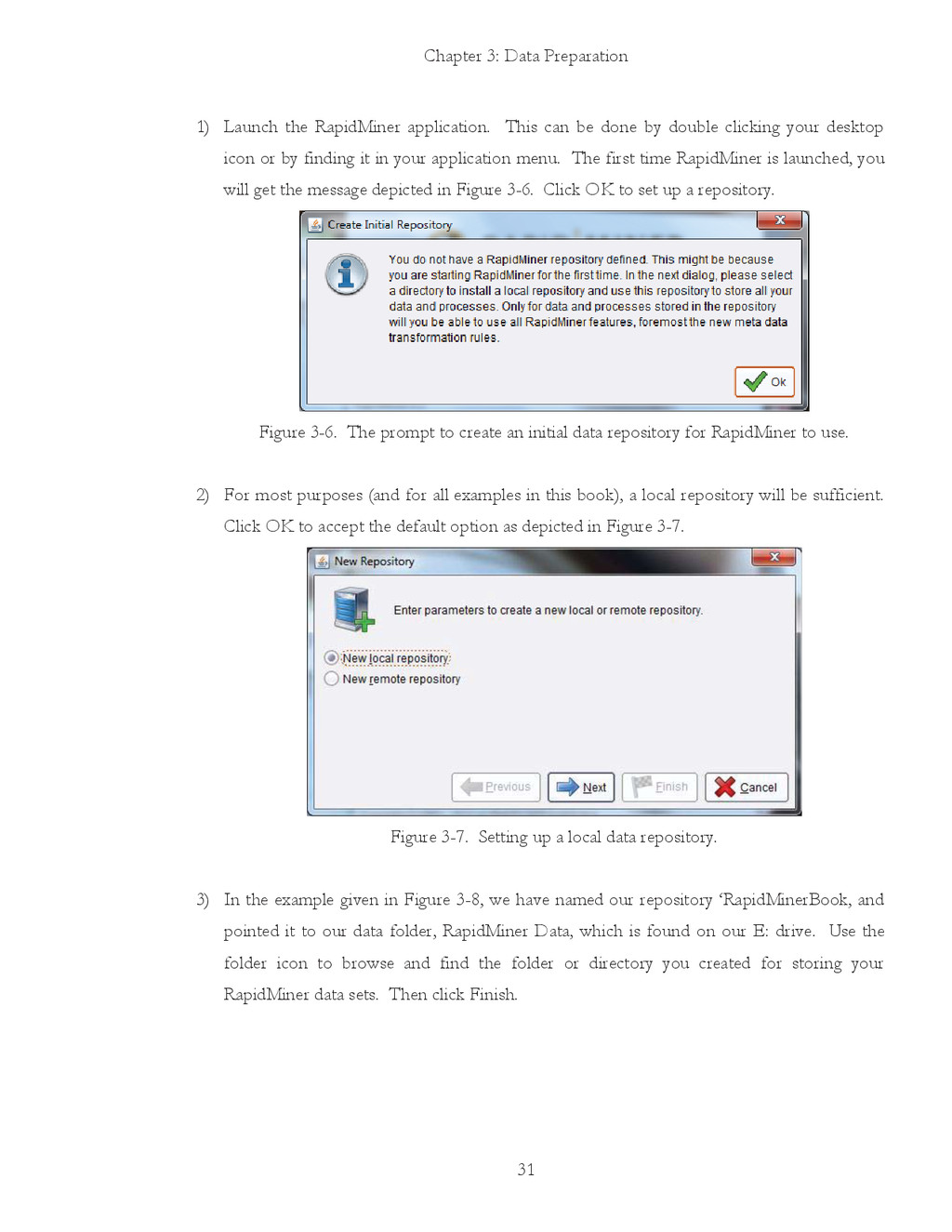
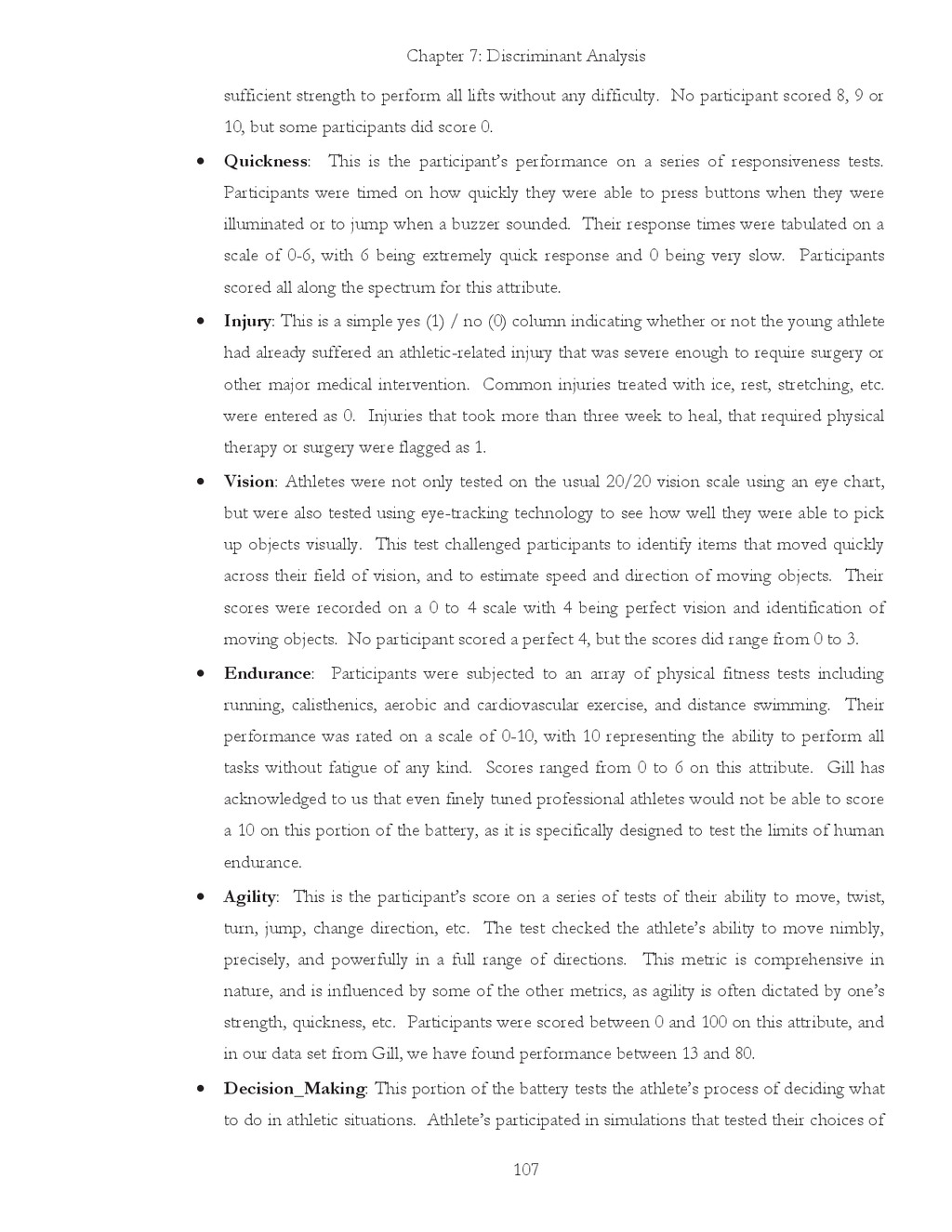
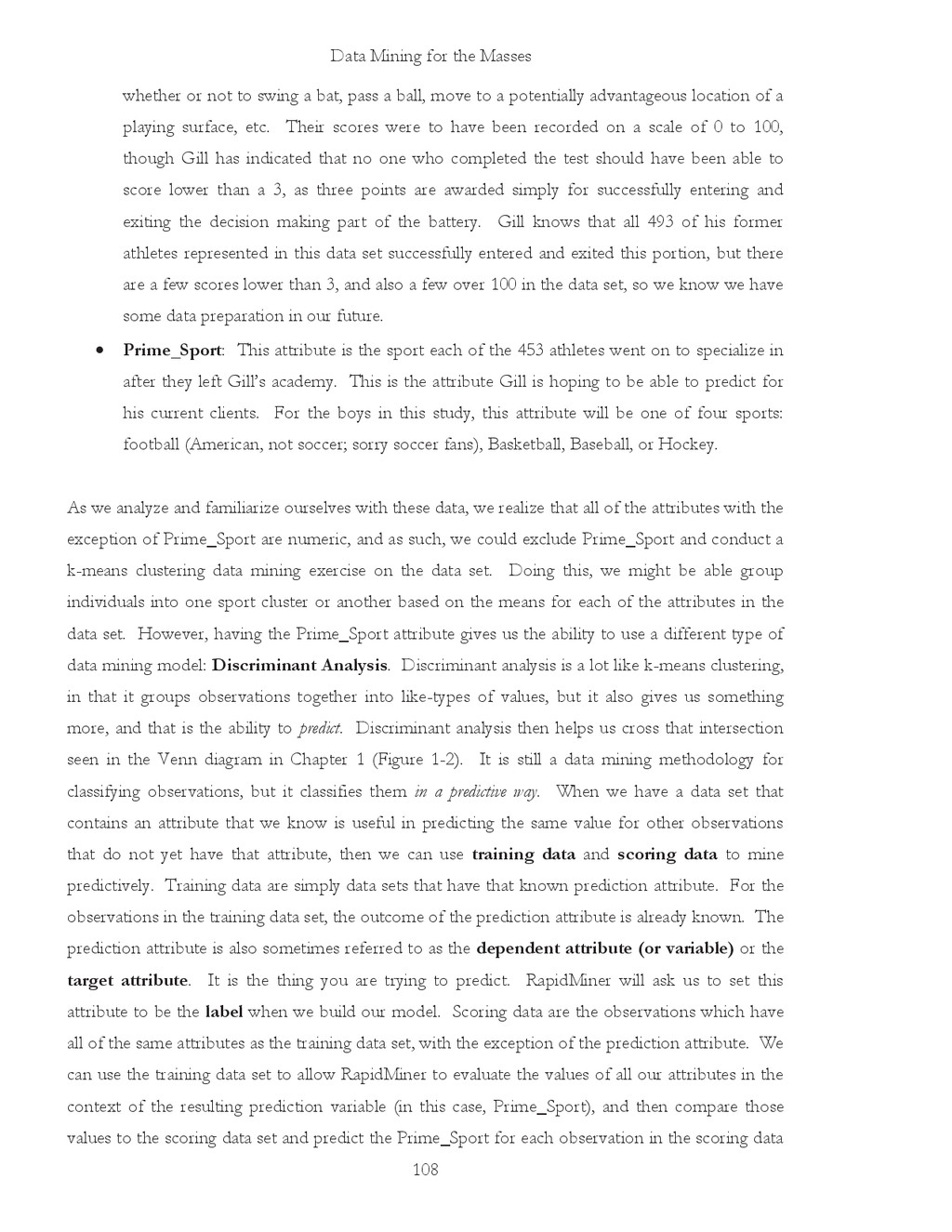
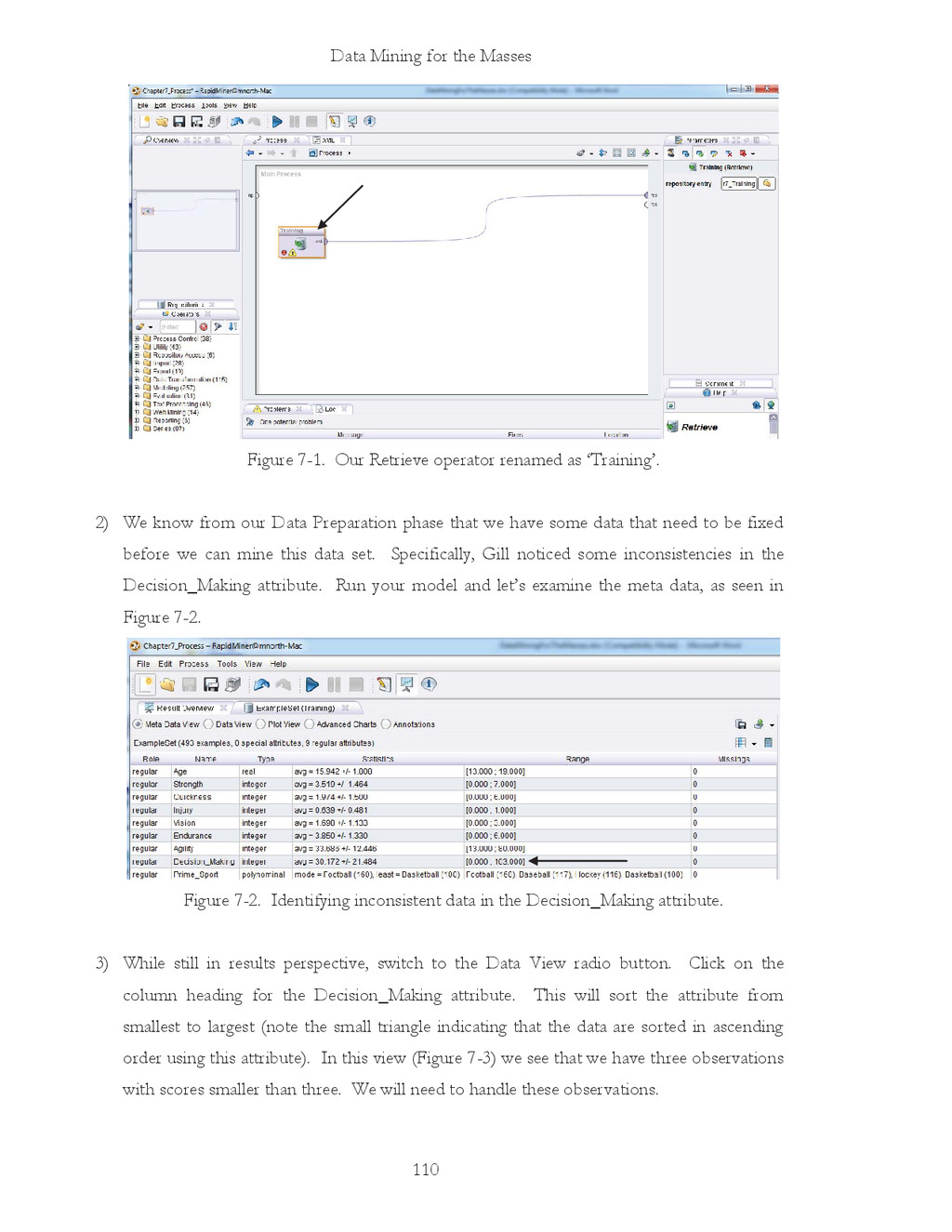
tasks before him, each of which fall into one of the first three phases of CRISP. First, Jerry must ensure that he has developed a clear Organizational Understanding. What is the purpose of this project for his employer? Why is he surveying Internet users? Which data points are important to collect, which would be nice to have, and which would be irrelevant or even distracting to the project? Once the data are collected, who will have access to the data set and through what mechanisms? How will the business ensure privacy is protected? All of these questions, and perhaps others, should be answered before Jerry even creates the survey mentioned in the second paragraph above. Once answered, Jerry can then begin to craft his survey. This is where Data Understanding enters the process. What database system will he use? What survey software? Will he use a publicly available tool like SurveyMonkey™, a commercial product, or something homegrown? If he uses publicly available tool, how will he access and extract data for mining? Can he trust this third-party to secure his data and if so, why? How will the underlying database be designed? What mechanisms will be put in place to ensure consistency and integrity in the data? These are all questions of data understanding. An easy example of ensuring consistency might be if a person’s home city were to be collected as part of the data. If the online survey just provides an open text box for entry, respondents could put just about anything as their home city. They might put New York, NY, N.Y., Nwe York, or any number of other possible combinations, including typos. This could be avoided by forcing users to select their home city from a dropdown menu, but considering the number cities there are in most countries, that list could be unacceptably long! So the choice of how to handle this potential data consistency problem isn’t necessarily an obvious or easy one, and this is just one of many data points to be collected. While ‘home state’ or ‘country’ may be reasonable to constrain to a dropdown, ‘city’ may have to be entered freehand into a textbox, with some sort of data correction process to be applied later. The ‘later’ would come once the survey has been developed and deployed, and data have been collected. With the data in place, the third CRISP-DM phase, Data Preparation, can begin. If you haven’t installed OpenOffice and RapidMiner yet, and you want to work along with the examples given in the rest of the book, now would be a good time to go ahead and install these applications. Remember that both are freely available for download and installation via the Internet, and the links to both applications are given in Chapter 1. We’ll begin by doing some data preparation in OpenOffice Base (the database application), OpenOffice Calc (the spreadsheet application), and then move on to other data preparation tools in RapidMiner. You should


 holman
 chikuwait
 moore
moore
 lcolladotor
 chriscoyier
 ryanjones
 aleyda
 marcelosomers
 soudai
 skipperchong
 stuffmc
 reverentgeek