Upgrade to Pro — share decks privately, control downloads, hide ads and more …

知っておけばよかったコーディングテクニックと設計

Avatar for seiya2130 seiya2130
October 03, 2022

 知っておけばよかったコーディングテクニックと設計

Avatar for seiya2130

seiya2130

October 03, 2022

Other Decks in Technology

Transcript

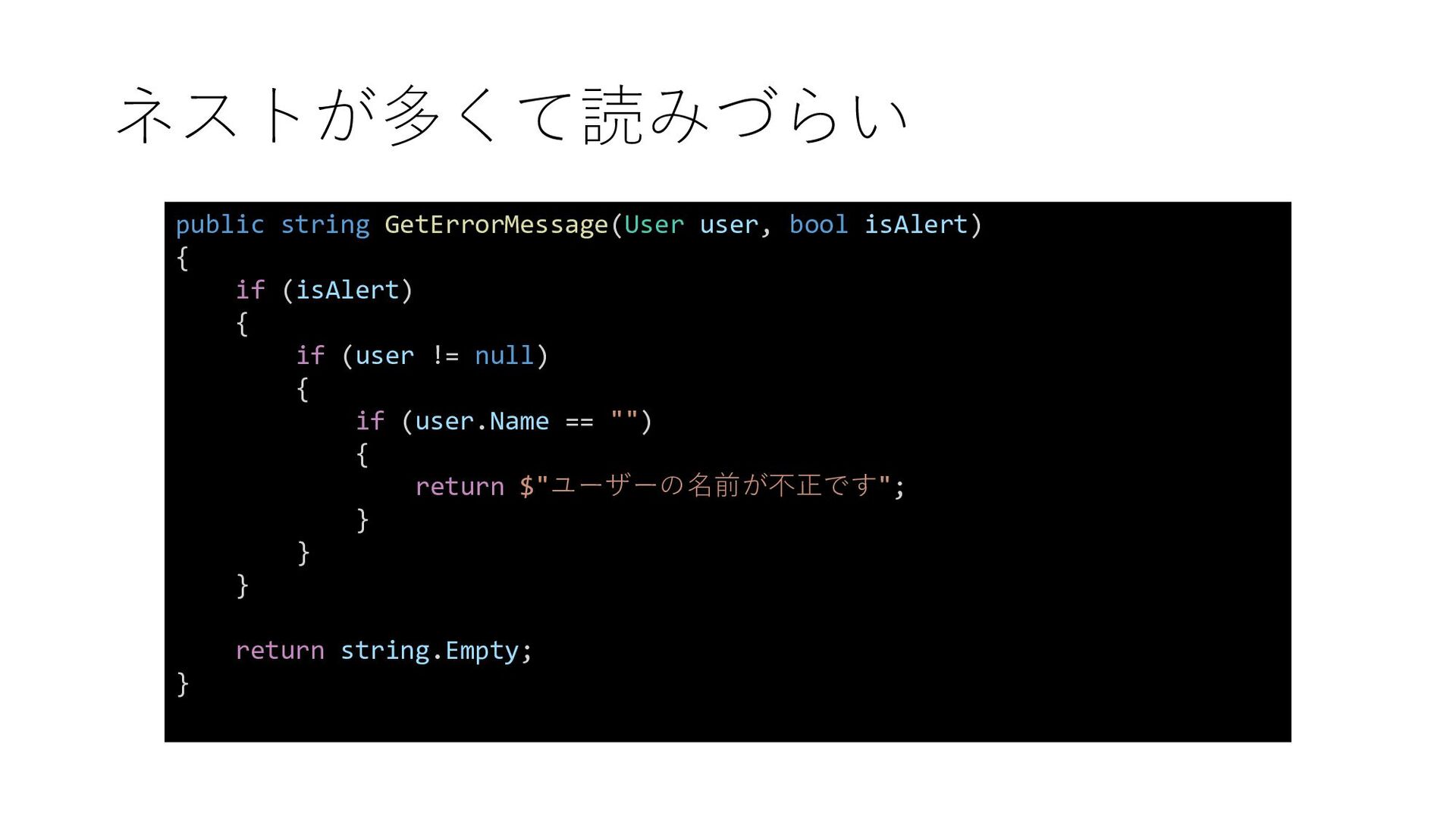
  1. ネストが多くて読みづらい public string GetErrorMessage(User user, bool isAlert) { if (isAlert)

    { if (user != null) { if (user.Name == "") { return $"ユーザーの名前が不正です"; } } } return string.Empty; }
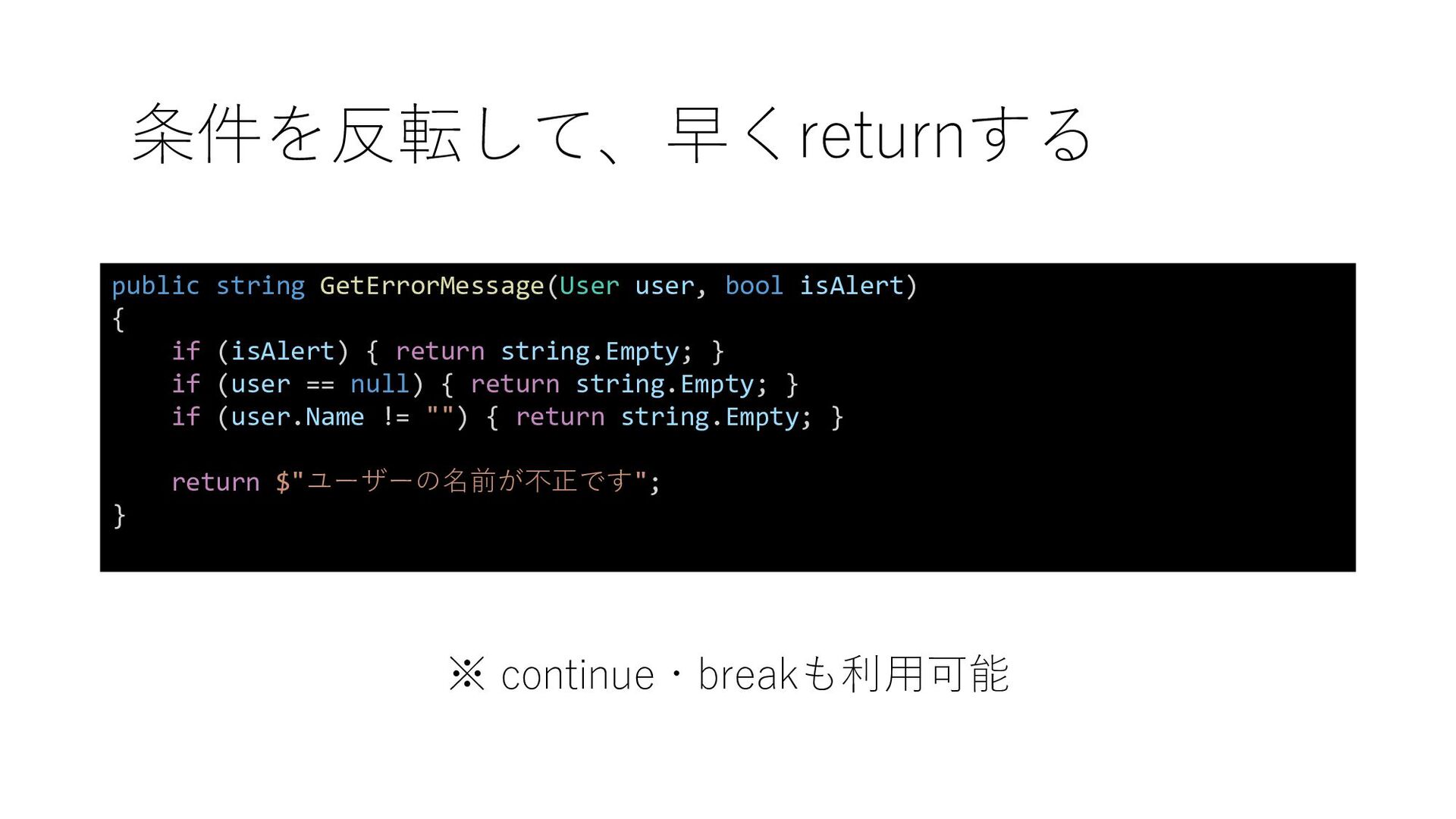
  2. ※ continue・breakも利用可能 public string GetErrorMessage(User user, bool isAlert) { if

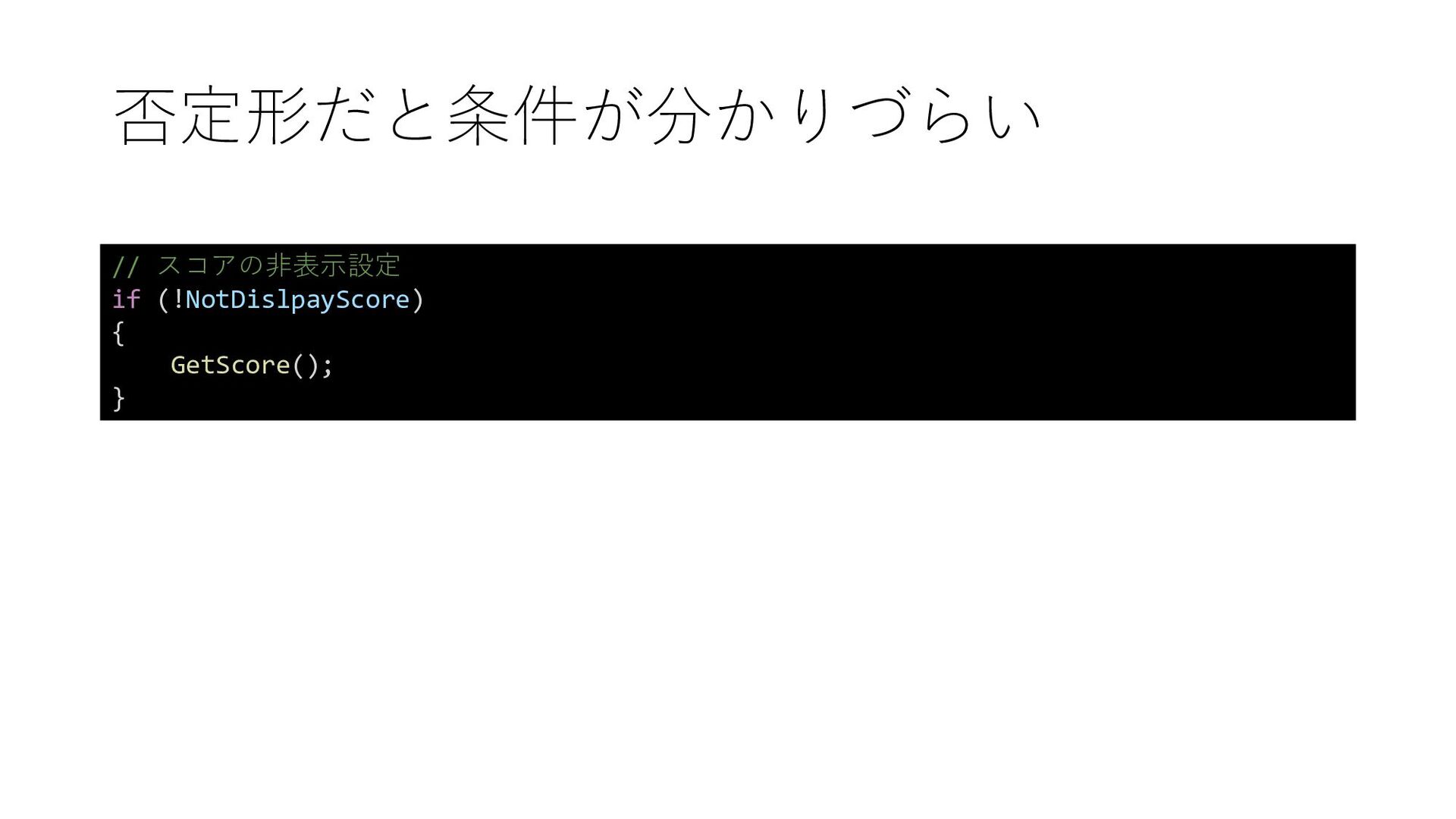
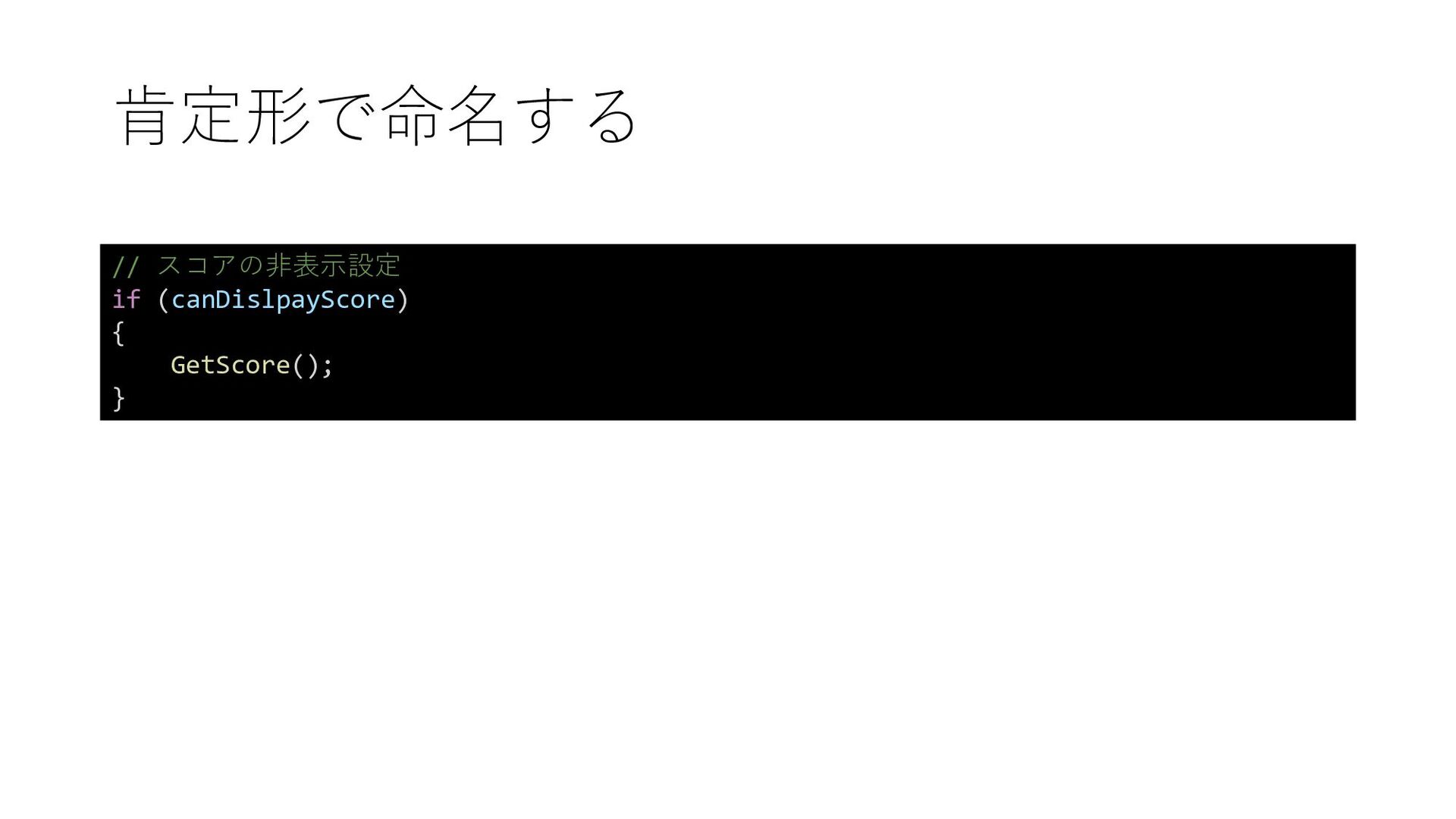
    (isAlert) { return string.Empty; } if (user == null) { return string.Empty; } if (user.Name != "") { return string.Empty; } return $"ユーザーの名前が不正です"; } 条件を反転して、早くreturnする
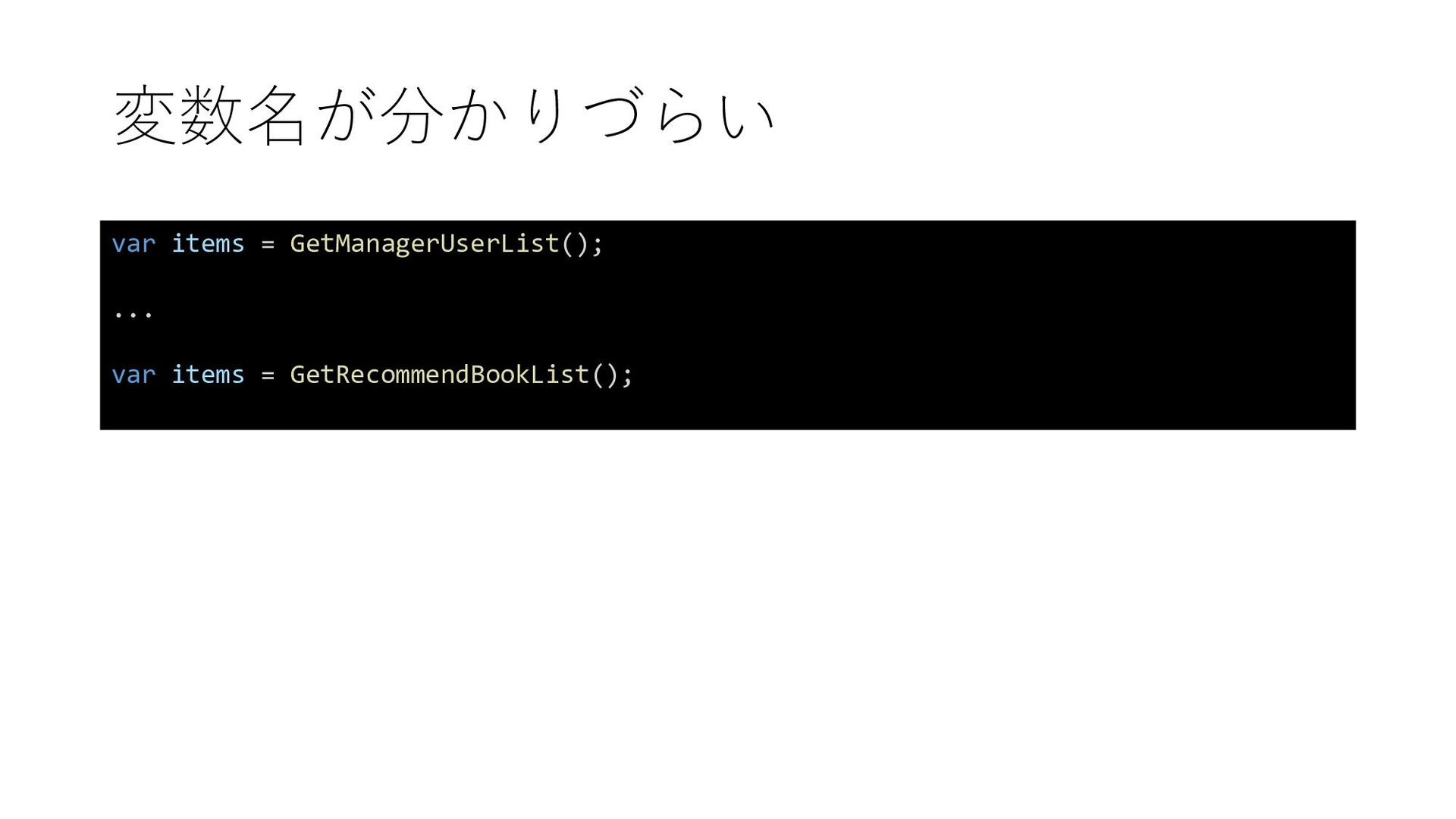
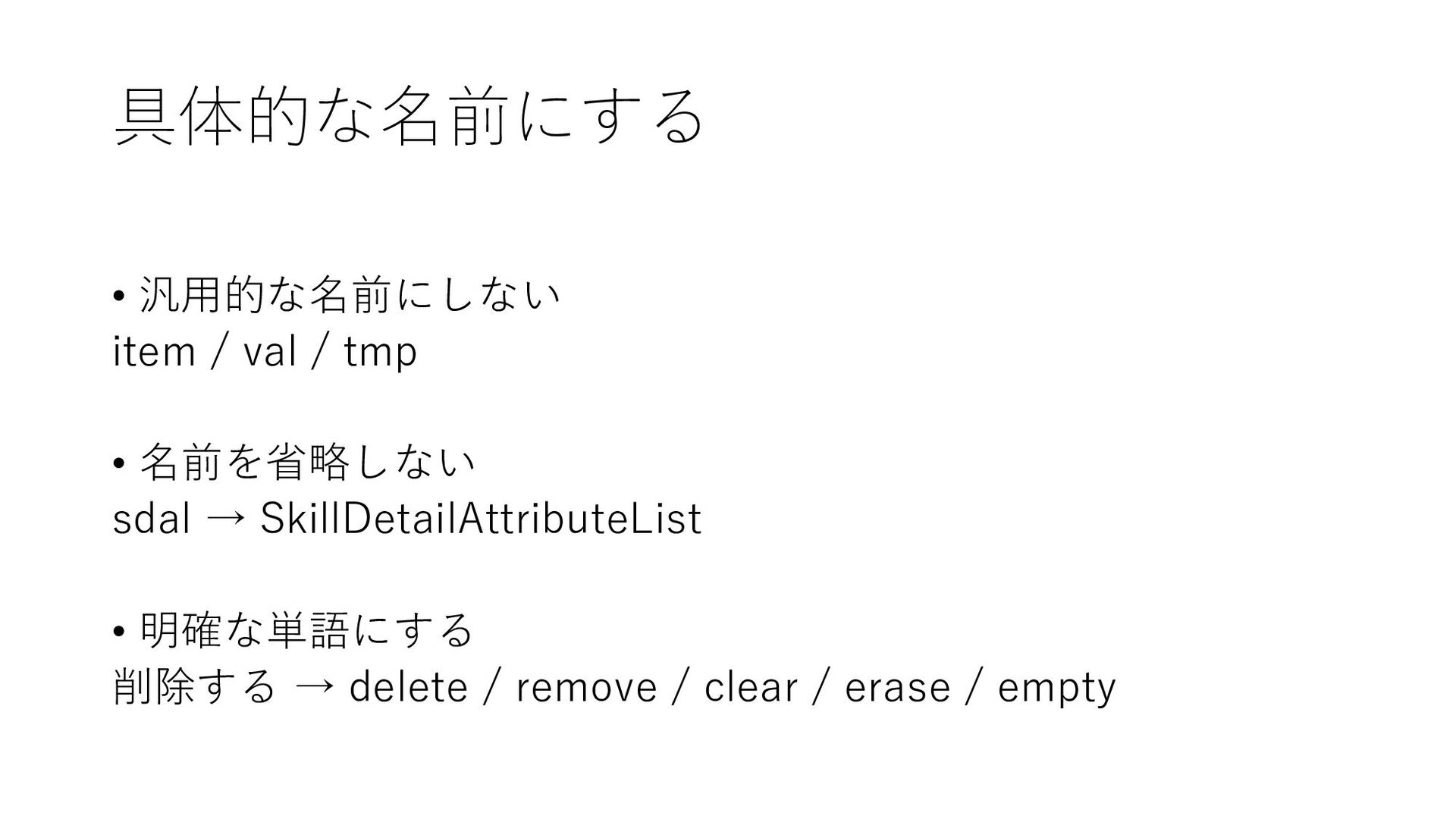
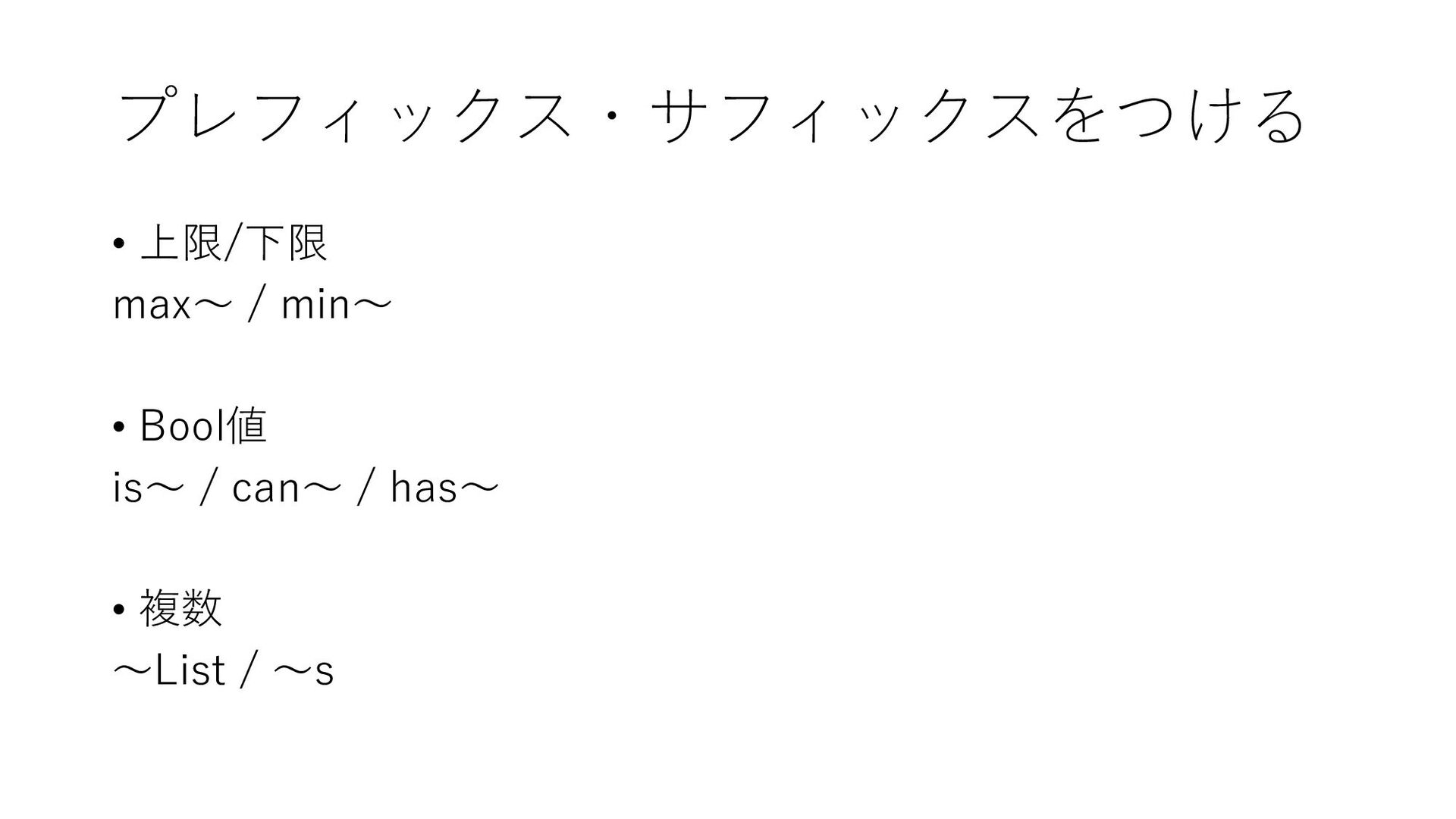
  3. 具体的な名前にする • 汎用的な名前にしない item / val / tmp • 名前を省略しない

    sdal → SkillDetailAttributeList • 明確な単語にする 削除する → delete / remove / clear / erase / empty
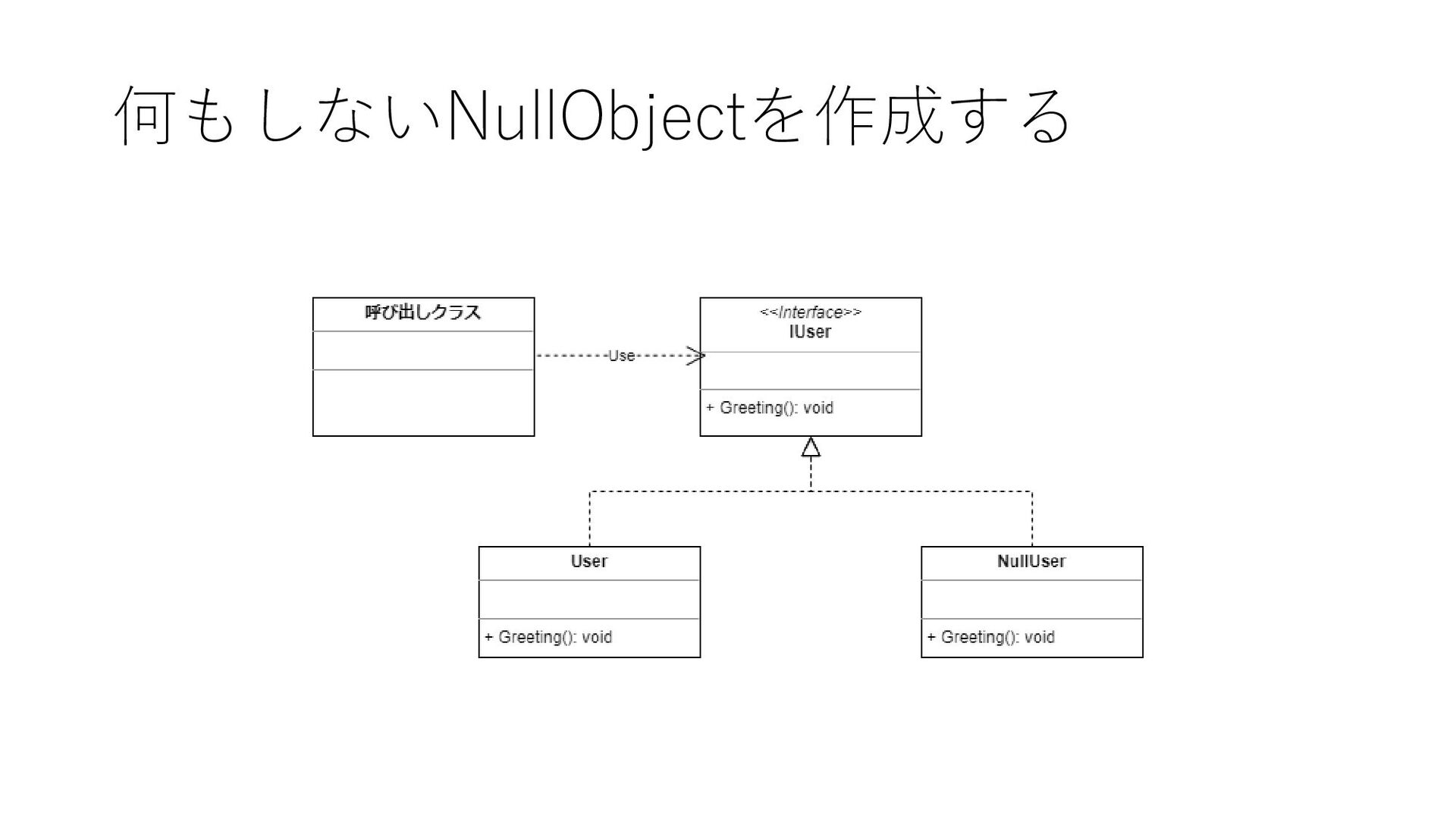
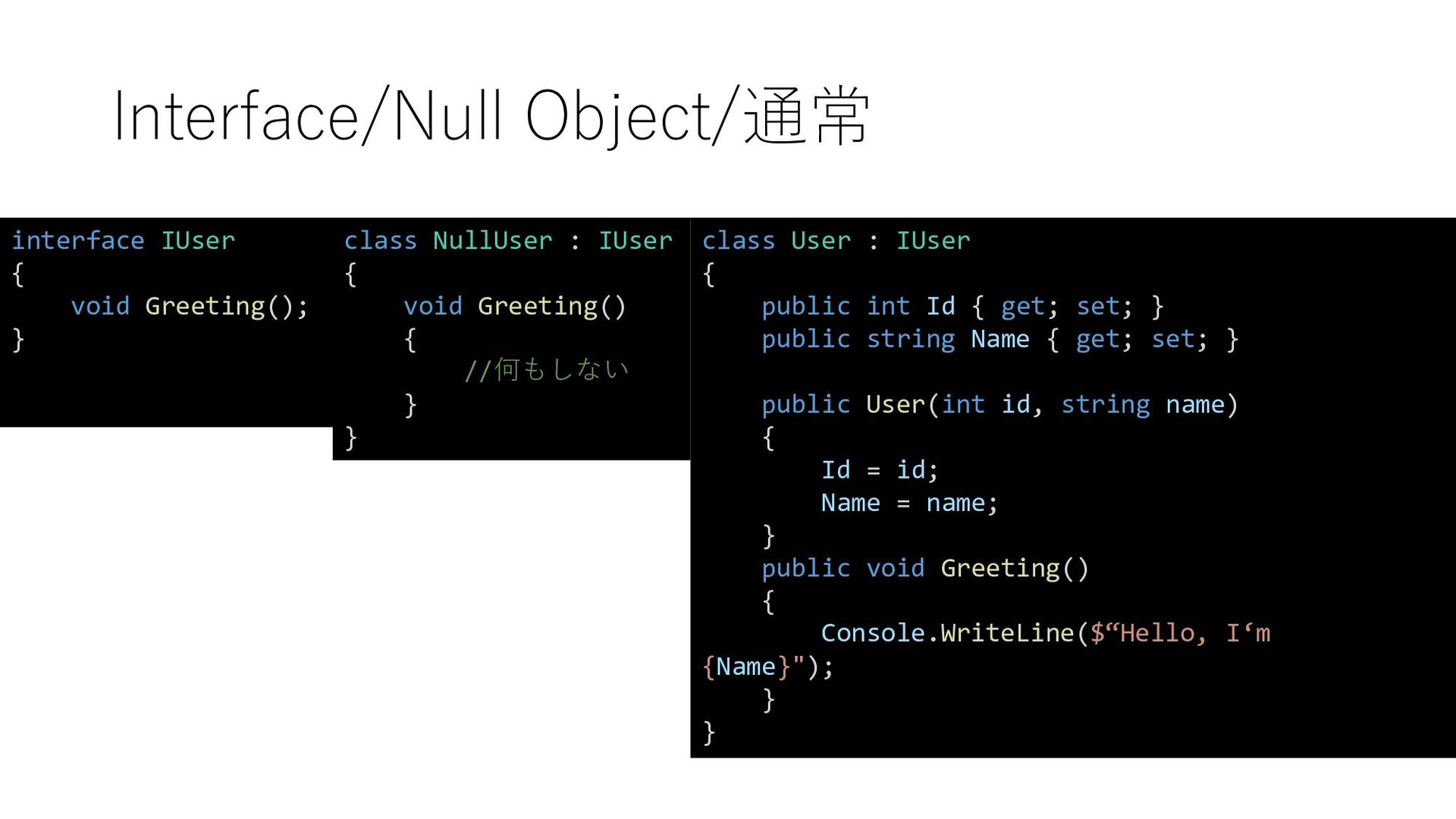
  4. Interface/Null Object/通常 interface IUser { void Greeting(); } class NullUser

    : IUser { void Greeting() { //何もしない } } class User : IUser { public int Id { get; set; } public string Name { get; set; } public User(int id, string name) { Id = id; Name = name; } public void Greeting() { Console.WriteLine($“Hello, I‘m {Name}"); } }
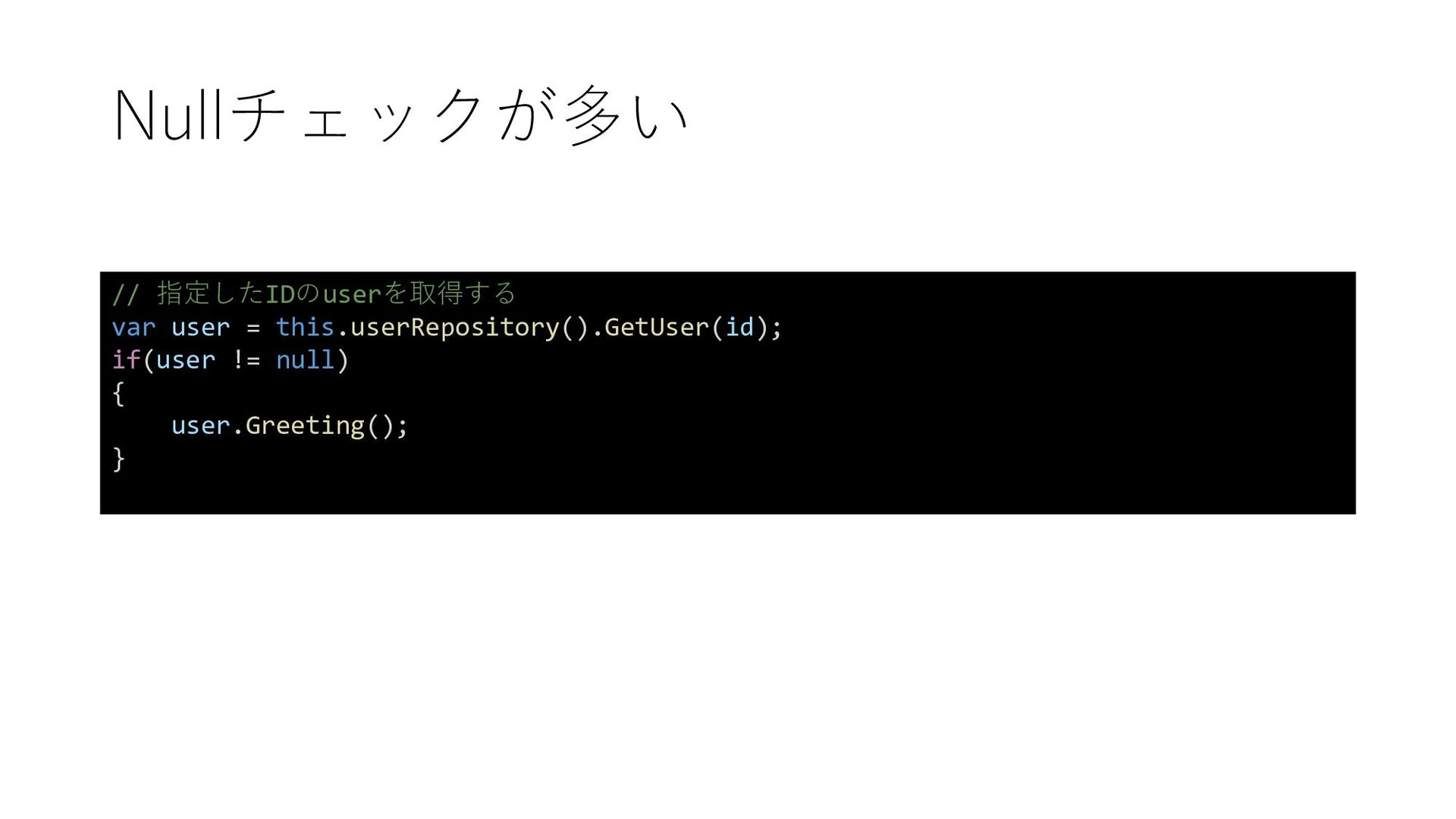
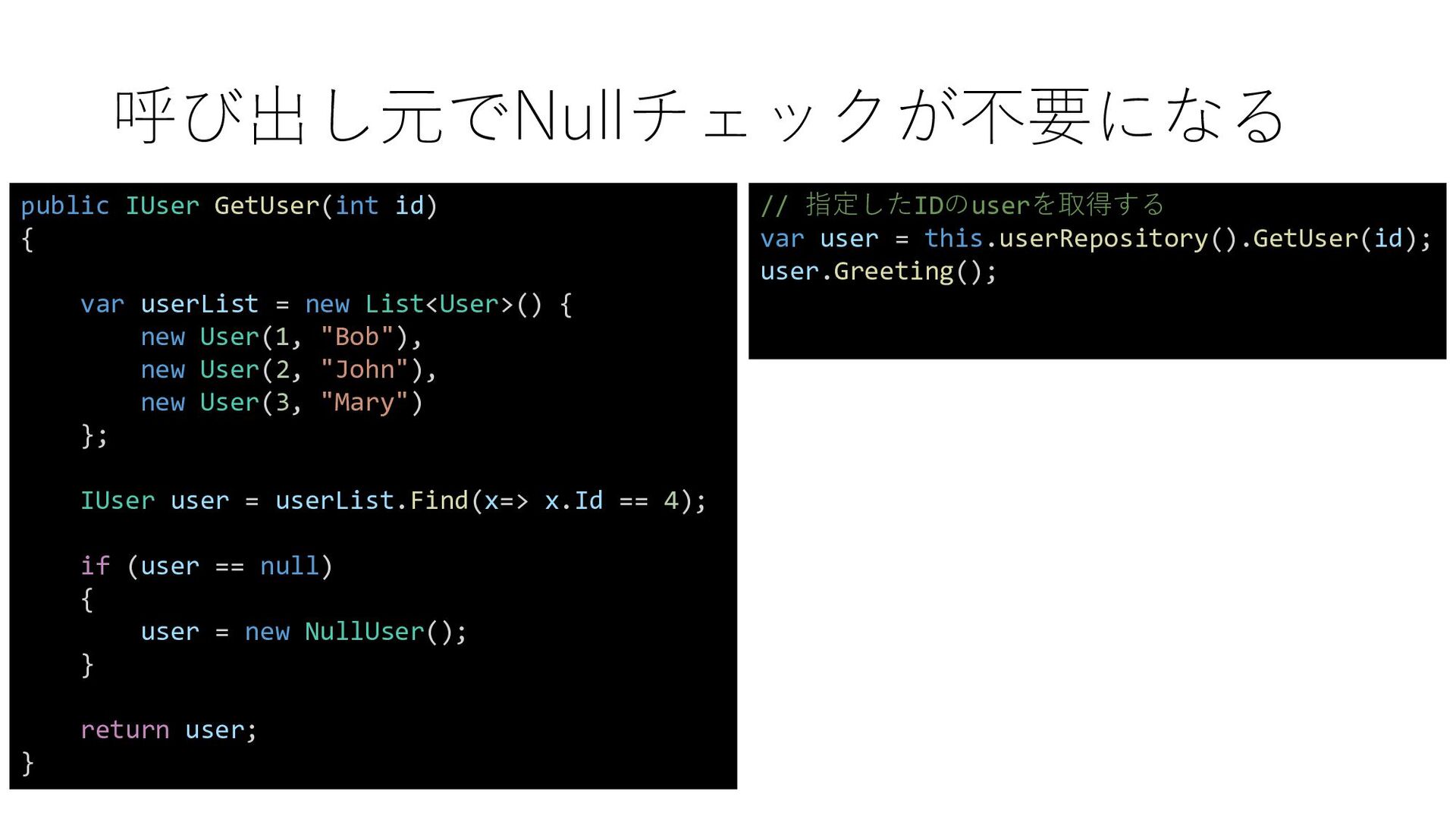
  5. 呼び出し元でNullチェックが不要になる public IUser GetUser(int id) { var userList = new

    List<User>() { new User(1, "Bob"), new User(2, "John"), new User(3, "Mary") }; IUser user = userList.Find(x=> x.Id == 4); if (user == null) { user = new NullUser(); } return user; } // 指定したIDのuserを取得する var user = this.userRepository().GetUser(id); user.Greeting();
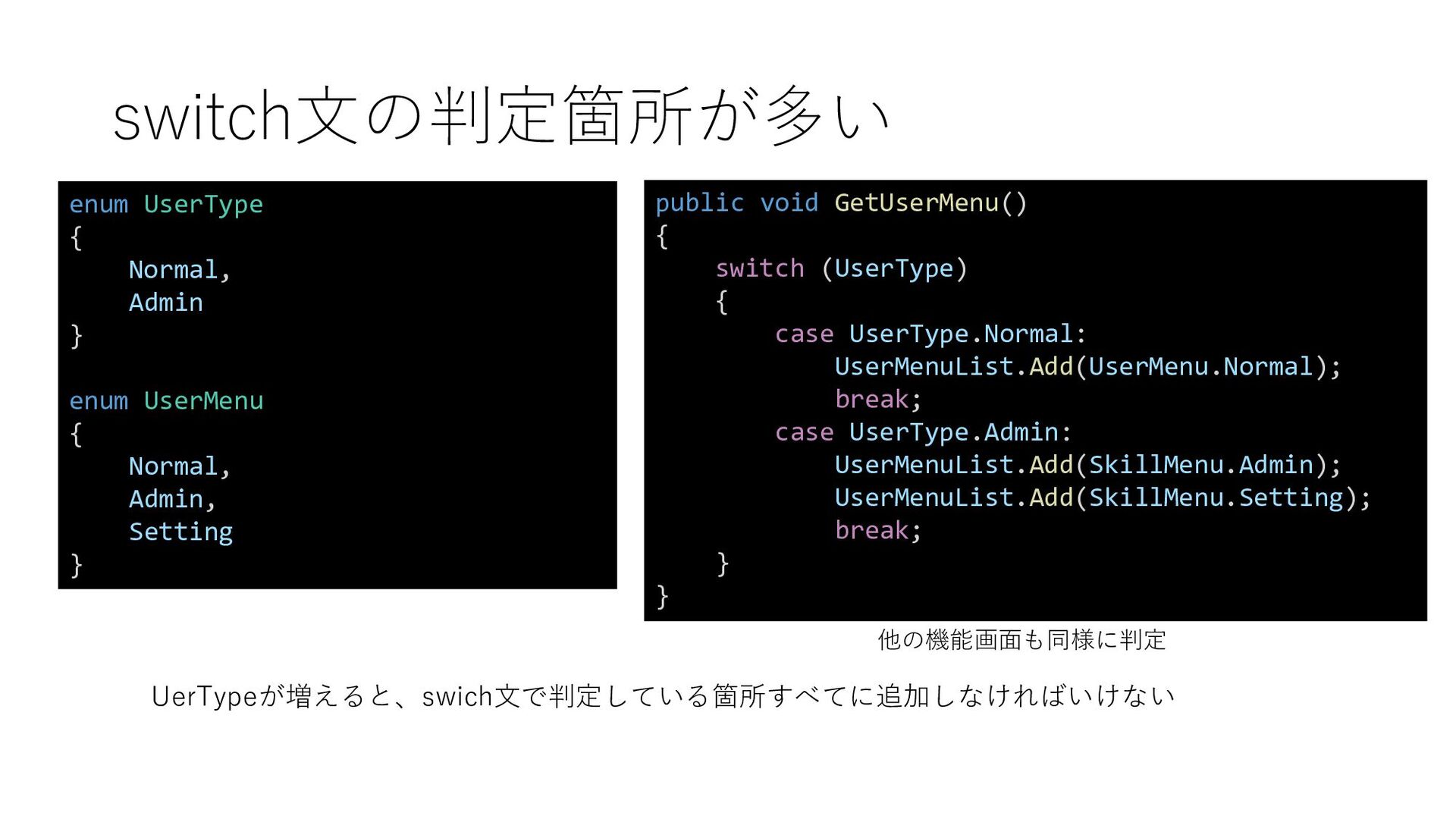
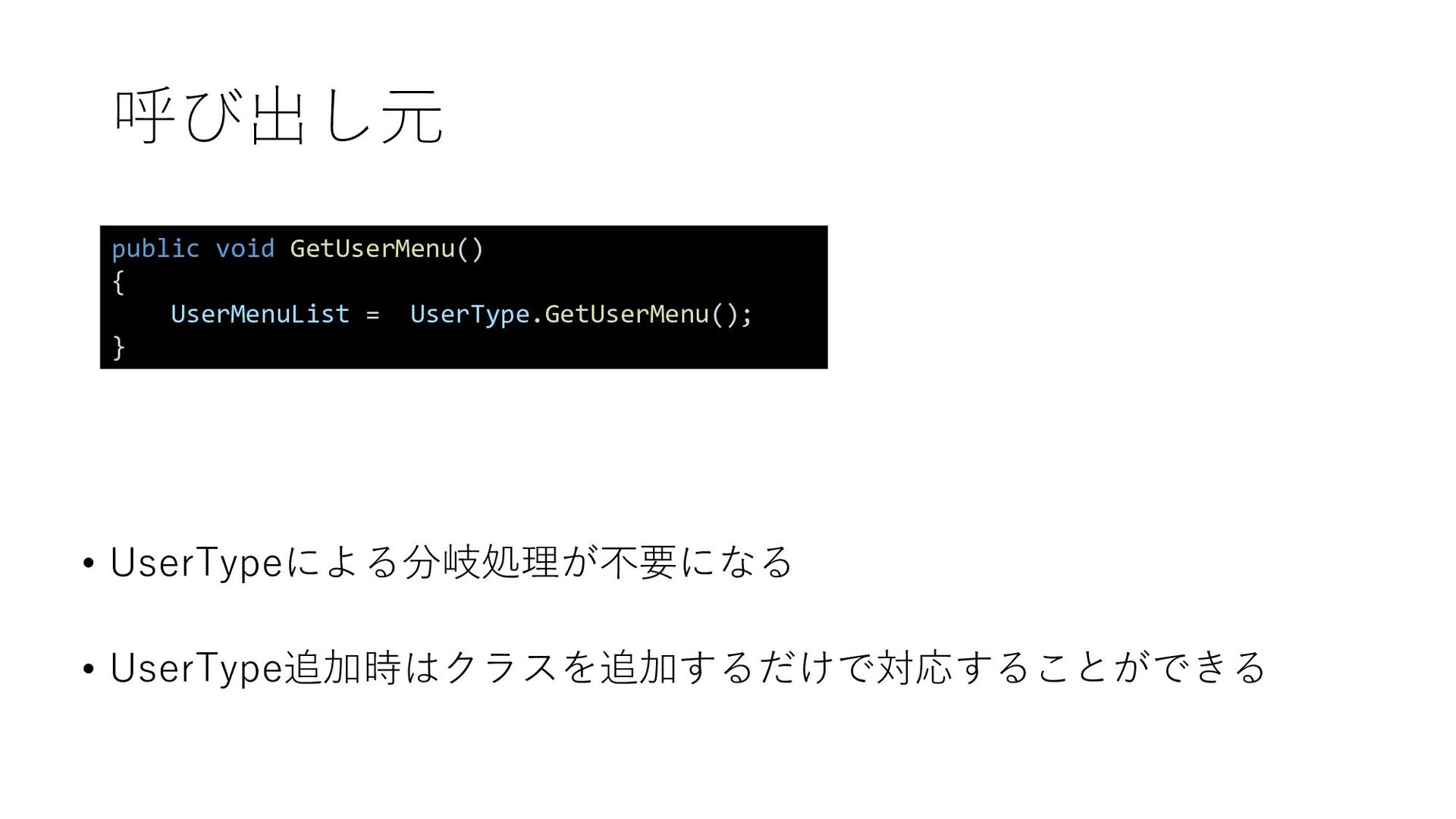
  6. switch文の判定箇所が多い public void GetUserMenu() { switch (UserType) { case UserType.Normal:

    UserMenuList.Add(UserMenu.Normal); break; case UserType.Admin: UserMenuList.Add(SkillMenu.Admin); UserMenuList.Add(SkillMenu.Setting); break; } } 他の機能画面も同様に判定 enum UserType { Normal, Admin } enum UserMenu { Normal, Admin, Setting } UerTypeが増えると、swich文で判定している箇所すべてに追加しなければいけない
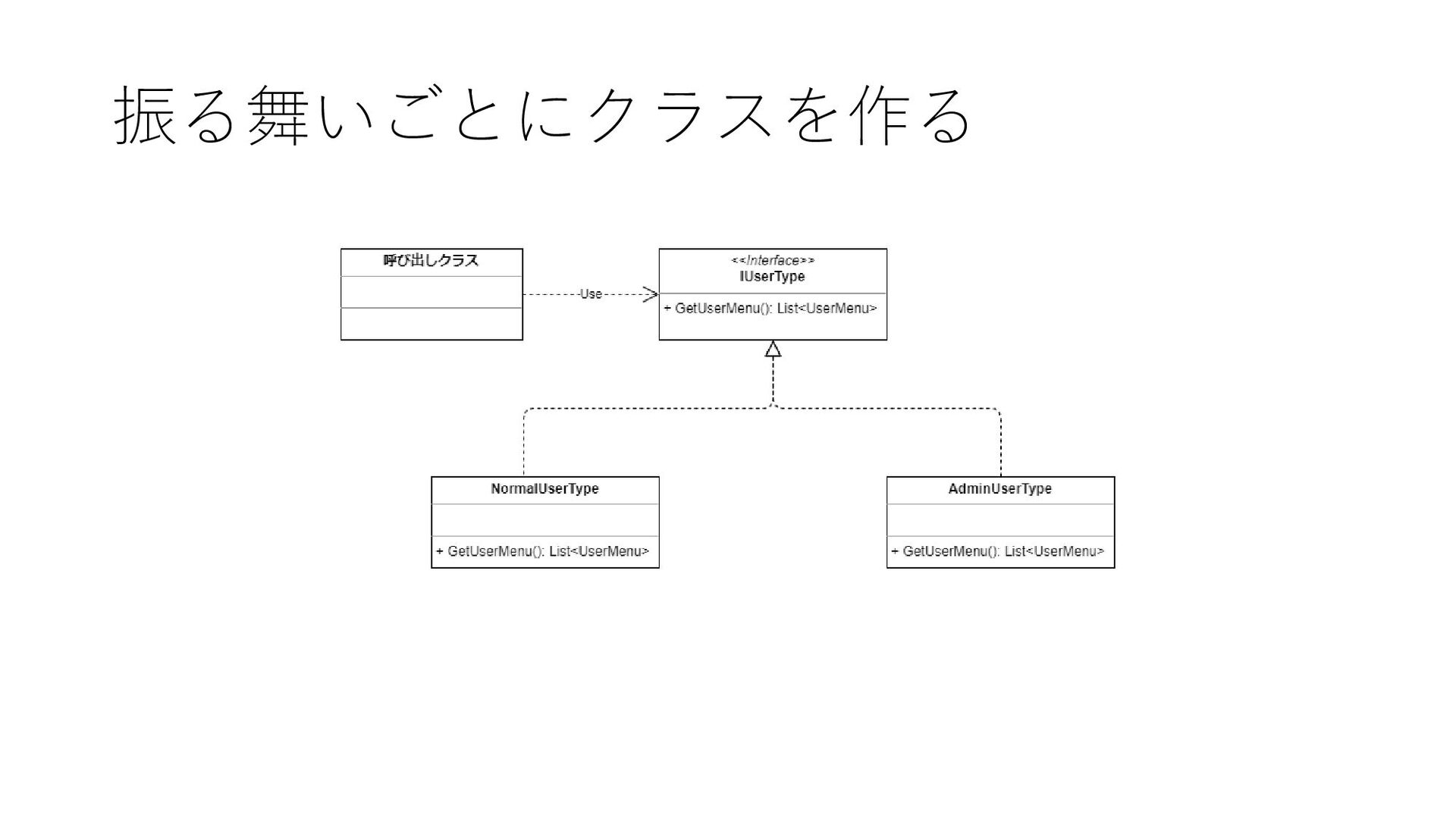
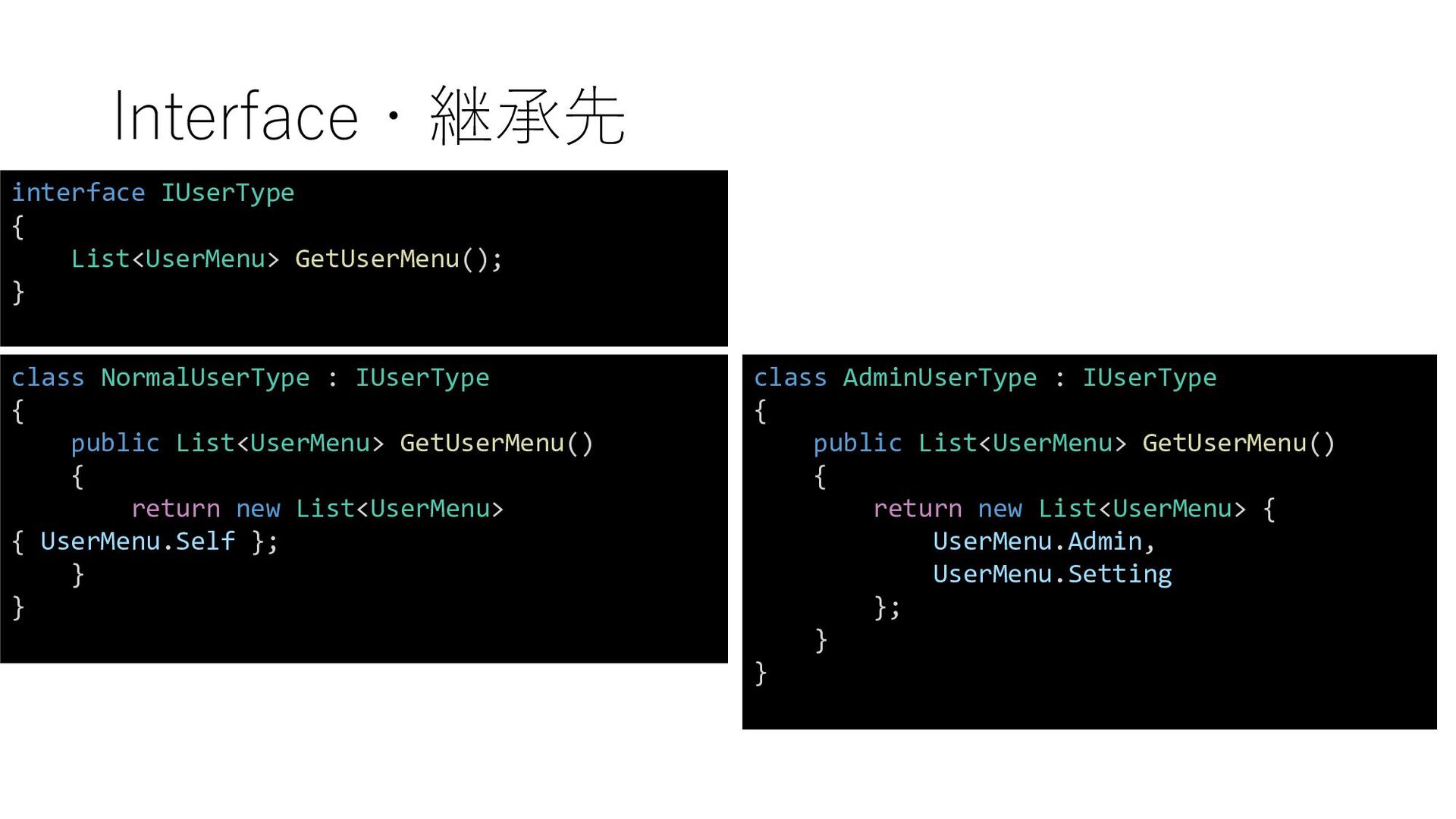
  7. Interface・継承先 interface IUserType { List<UserMenu> GetUserMenu(); } class NormalUserType :

    IUserType { public List<UserMenu> GetUserMenu() { return new List<UserMenu> { UserMenu.Self }; } } class AdminUserType : IUserType { public List<UserMenu> GetUserMenu() { return new List<UserMenu> { UserMenu.Admin, UserMenu.Setting }; } }
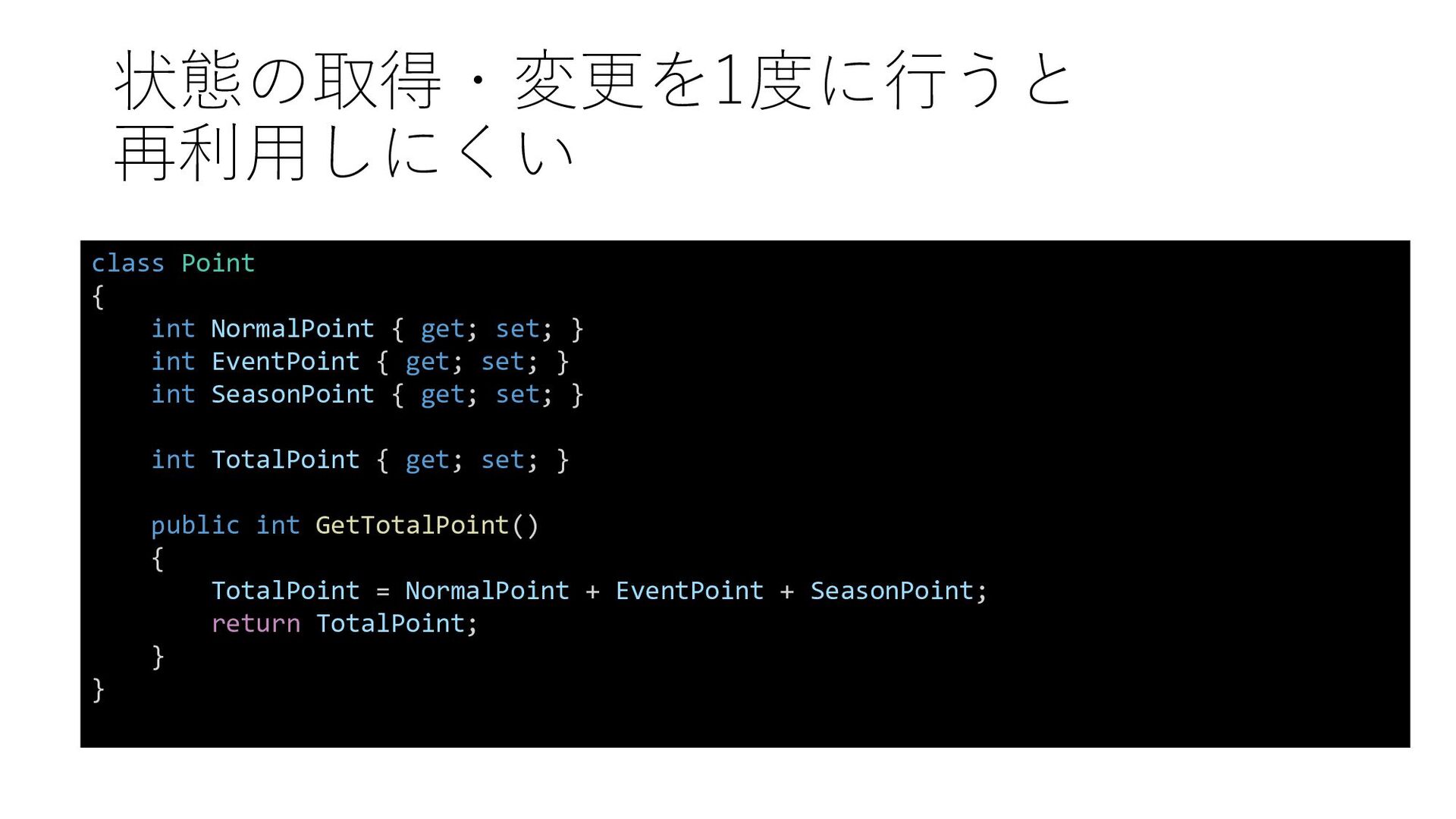
  8. 状態の取得・変更を1度に行うと 再利用しにくい class Point { int NormalPoint { get; set;

    } int EventPoint { get; set; } int SeasonPoint { get; set; } int TotalPoint { get; set; } public int GetTotalPoint() { TotalPoint = NormalPoint + EventPoint + SeasonPoint; return TotalPoint; } }
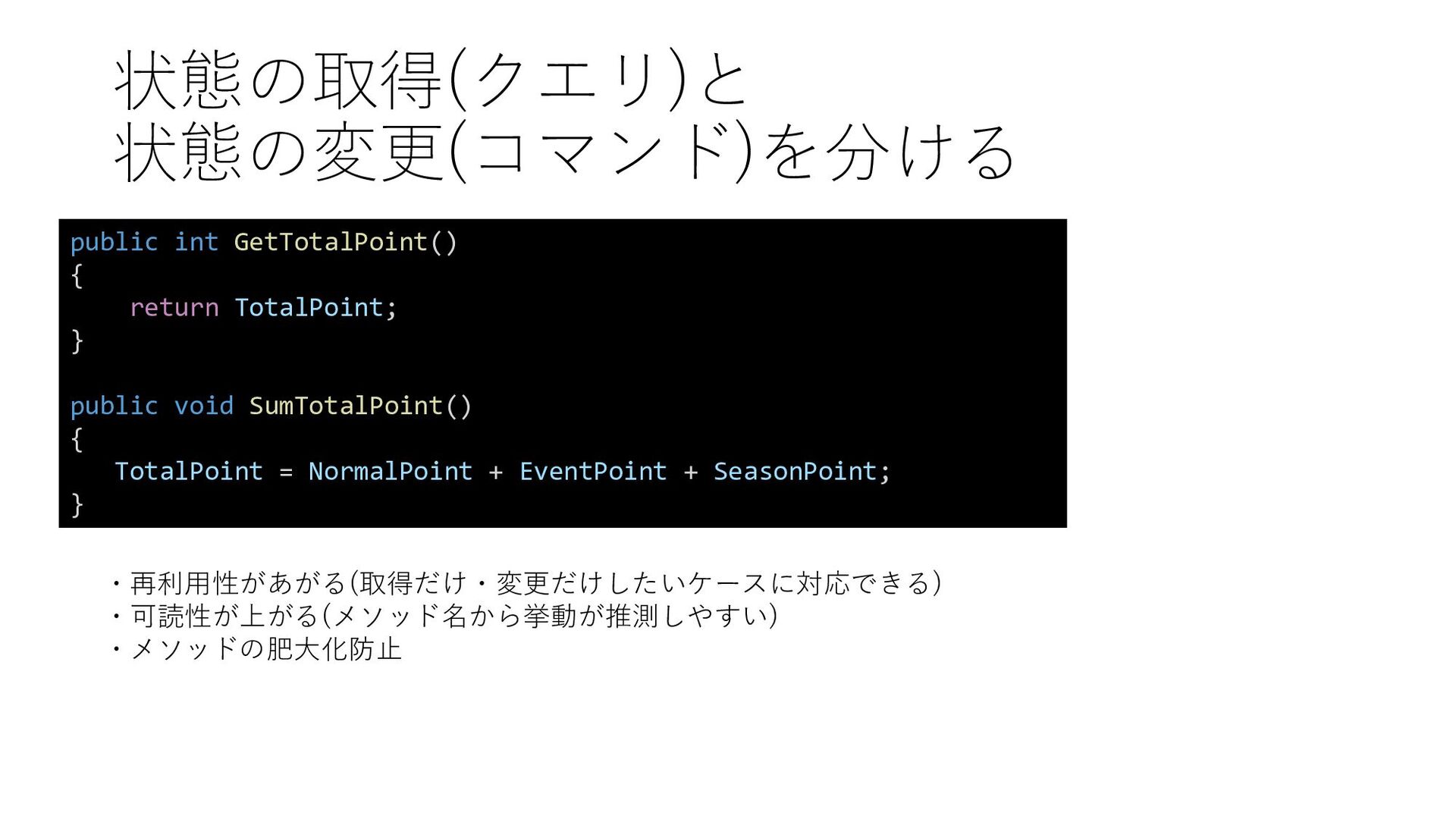
  9. 状態の取得(クエリ)と 状態の変更(コマンド)を分ける public int GetTotalPoint() { return TotalPoint; } public

    void SumTotalPoint() { TotalPoint = NormalPoint + EventPoint + SeasonPoint; } ・再利用性があがる(取得だけ・変更だけしたいケースに対応できる) ・可読性が上がる(メソッド名から挙動が推測しやすい) ・メソッドの肥大化防止
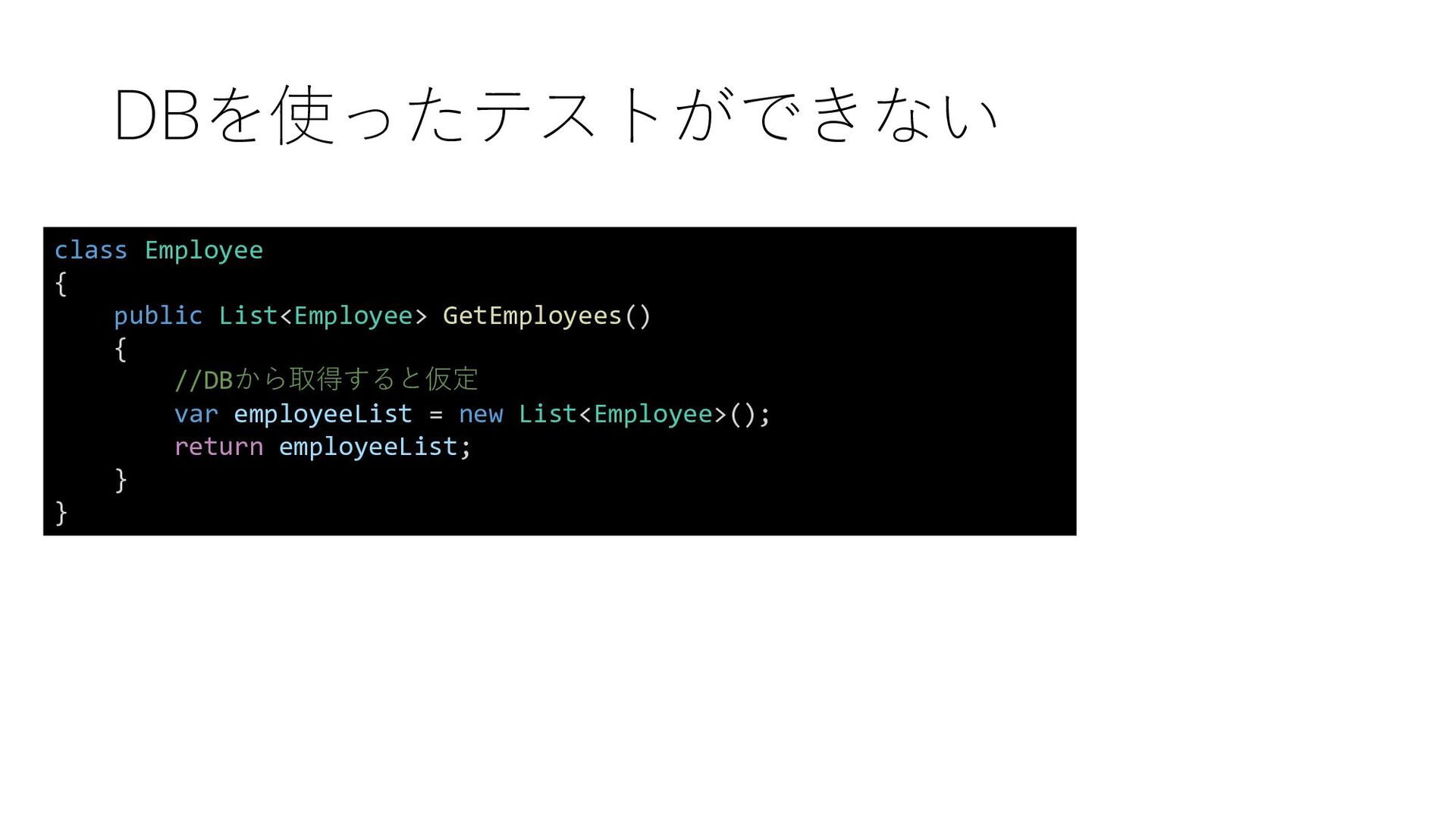
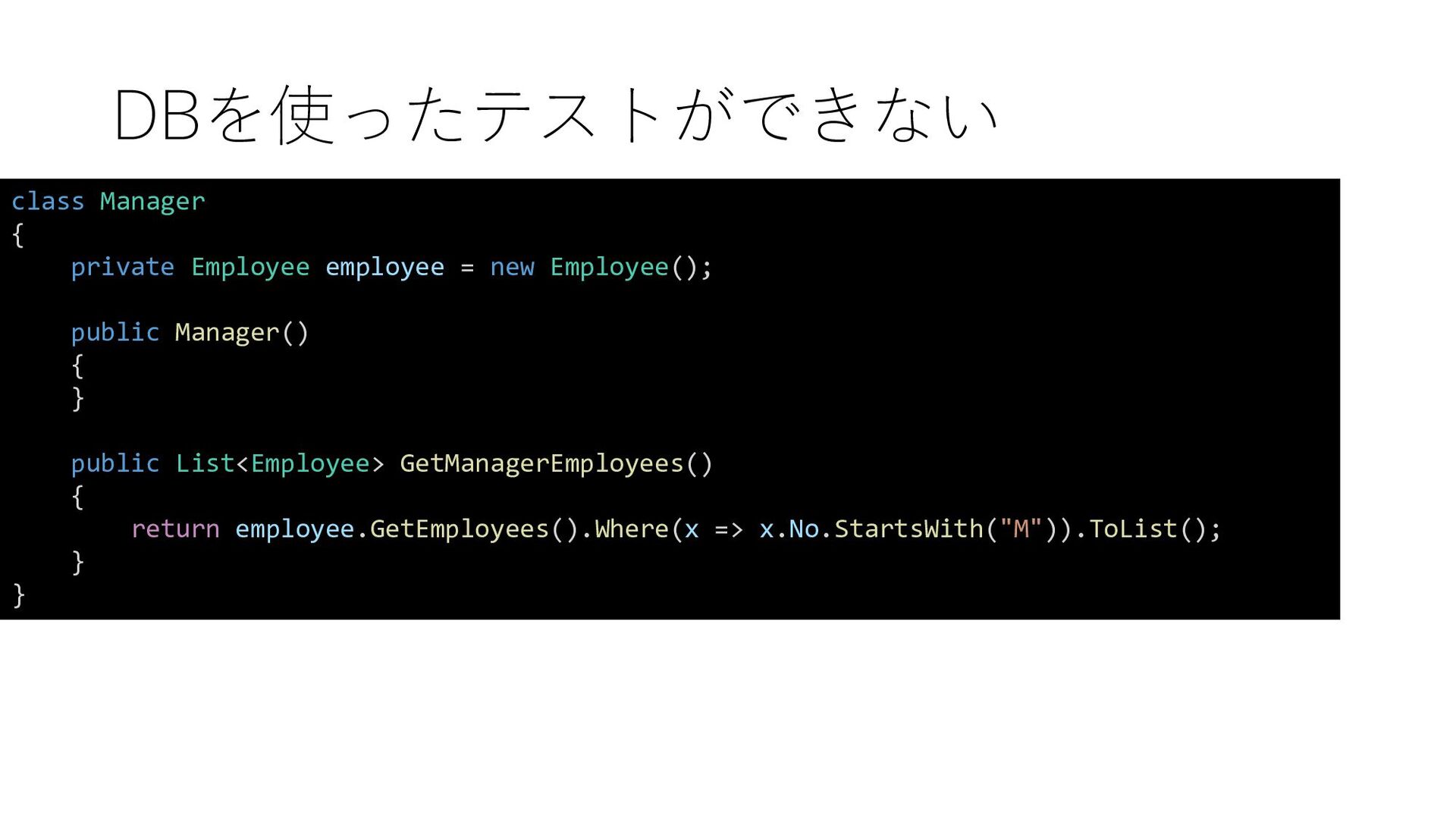
  10. DBを使ったテストができない class Manager { private Employee employee = new Employee();

    public Manager() { } public List<Employee> GetManagerEmployees() { return employee.GetEmployees().Where(x => x.No.StartsWith("M")).ToList(); } }
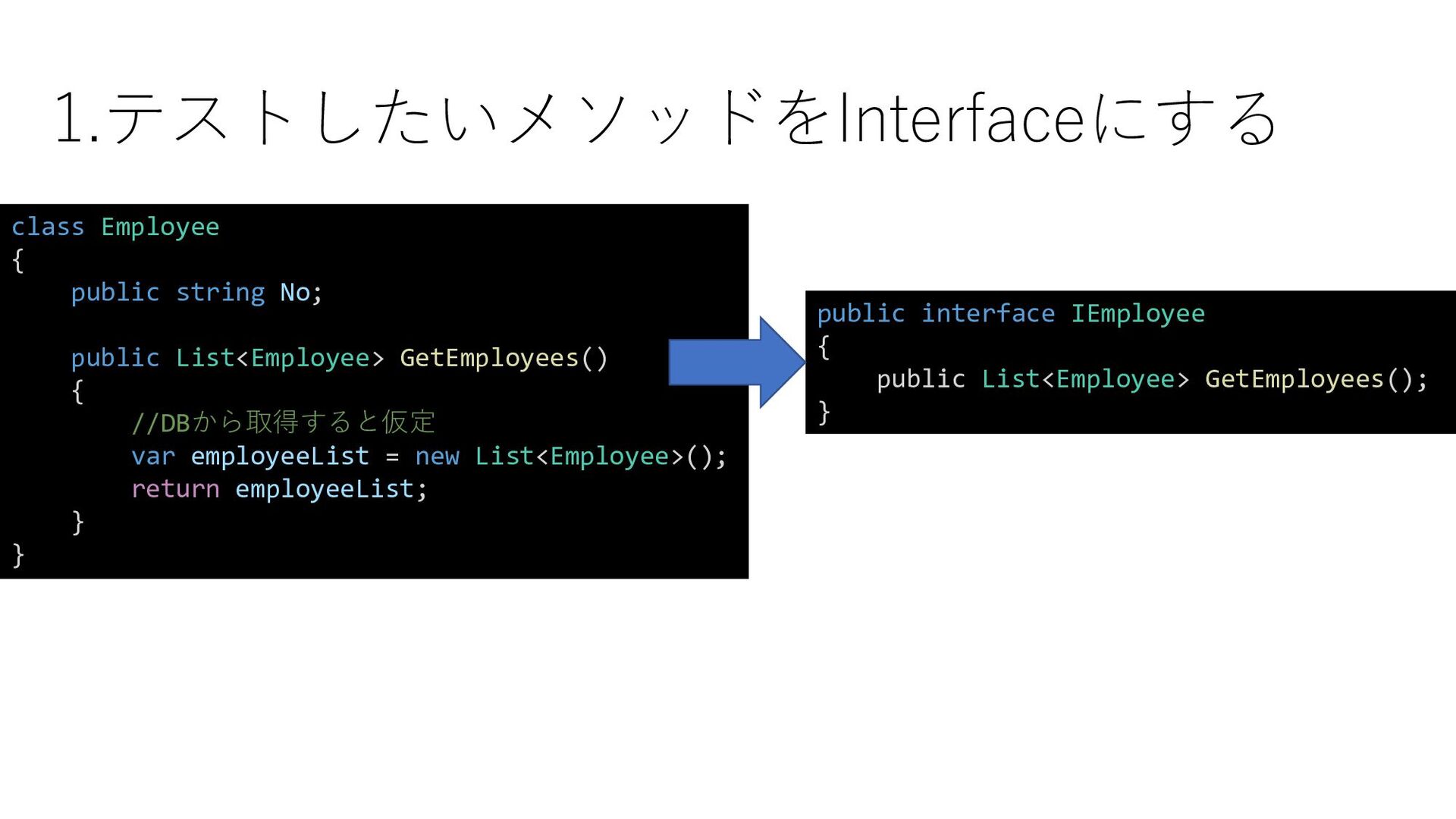
  11. 1.テストしたいメソッドをInterfaceにする public interface IEmployee { public List<Employee> GetEmployees(); } class

    Employee { public string No; public List<Employee> GetEmployees() { //DBから取得すると仮定 var employeeList = new List<Employee>(); return employeeList; } }
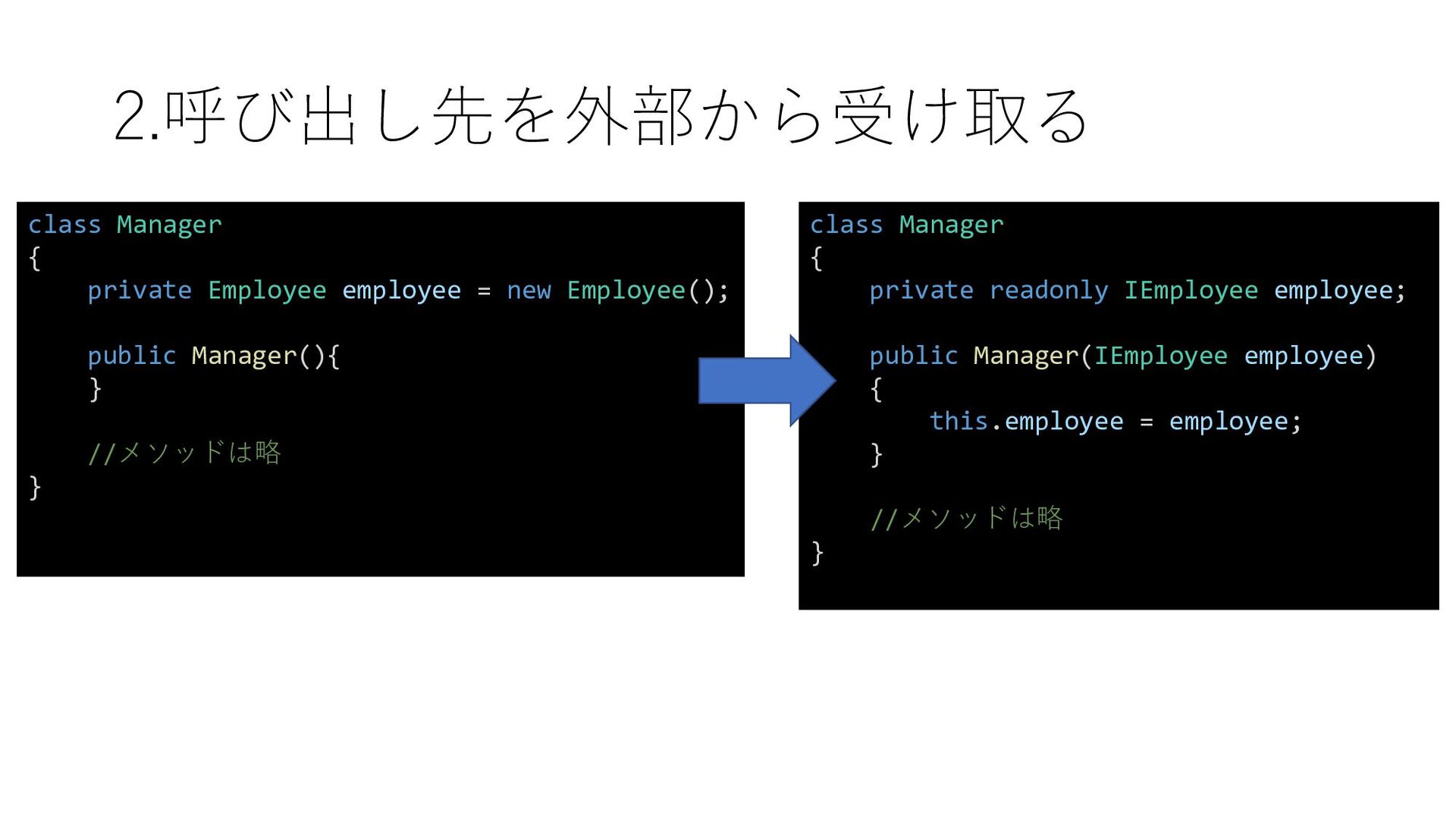
  12. 2.呼び出し先を外部から受け取る class Manager { private readonly IEmployee employee; public Manager(IEmployee

    employee) { this.employee = employee; } //メソッドは略 } class Manager { private Employee employee = new Employee(); public Manager(){ } //メソッドは略 }
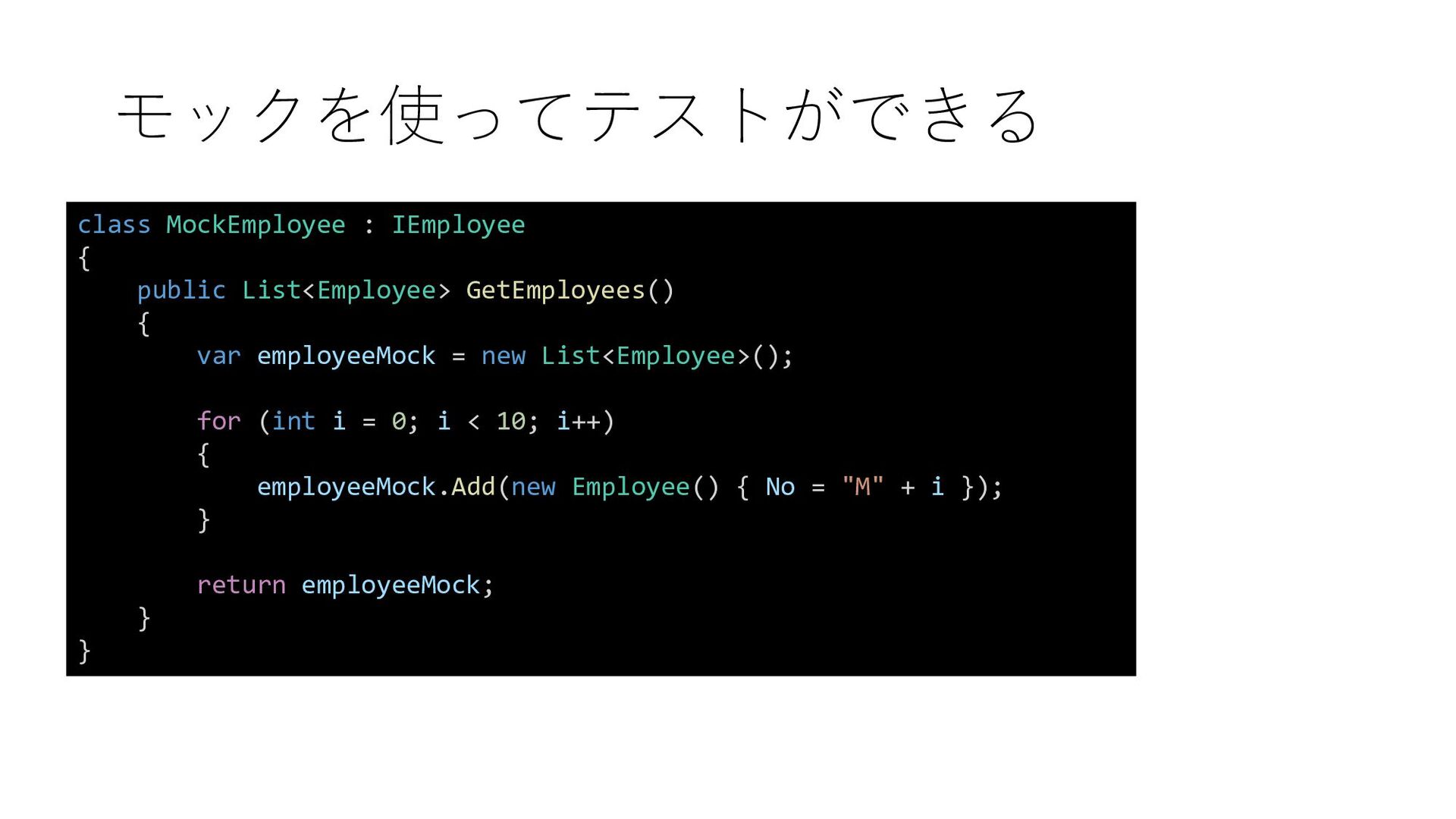
  13. モックを使ってテストができる class MockEmployee : IEmployee { public List<Employee> GetEmployees() {

    var employeeMock = new List<Employee>(); for (int i = 0; i < 10; i++) { employeeMock.Add(new Employee() { No = "M" + i }); } return employeeMock; } }
  14. モックを使ってテストができる class ManagerTest { [Test] public void GetManagerEmployeesTest() { IEmployee

    employeeMock = new MockEmployee(); var manager = new Manager(employeeMock); Assert.AreEqual(10, manager.GetManagerEmployees().Count); } }
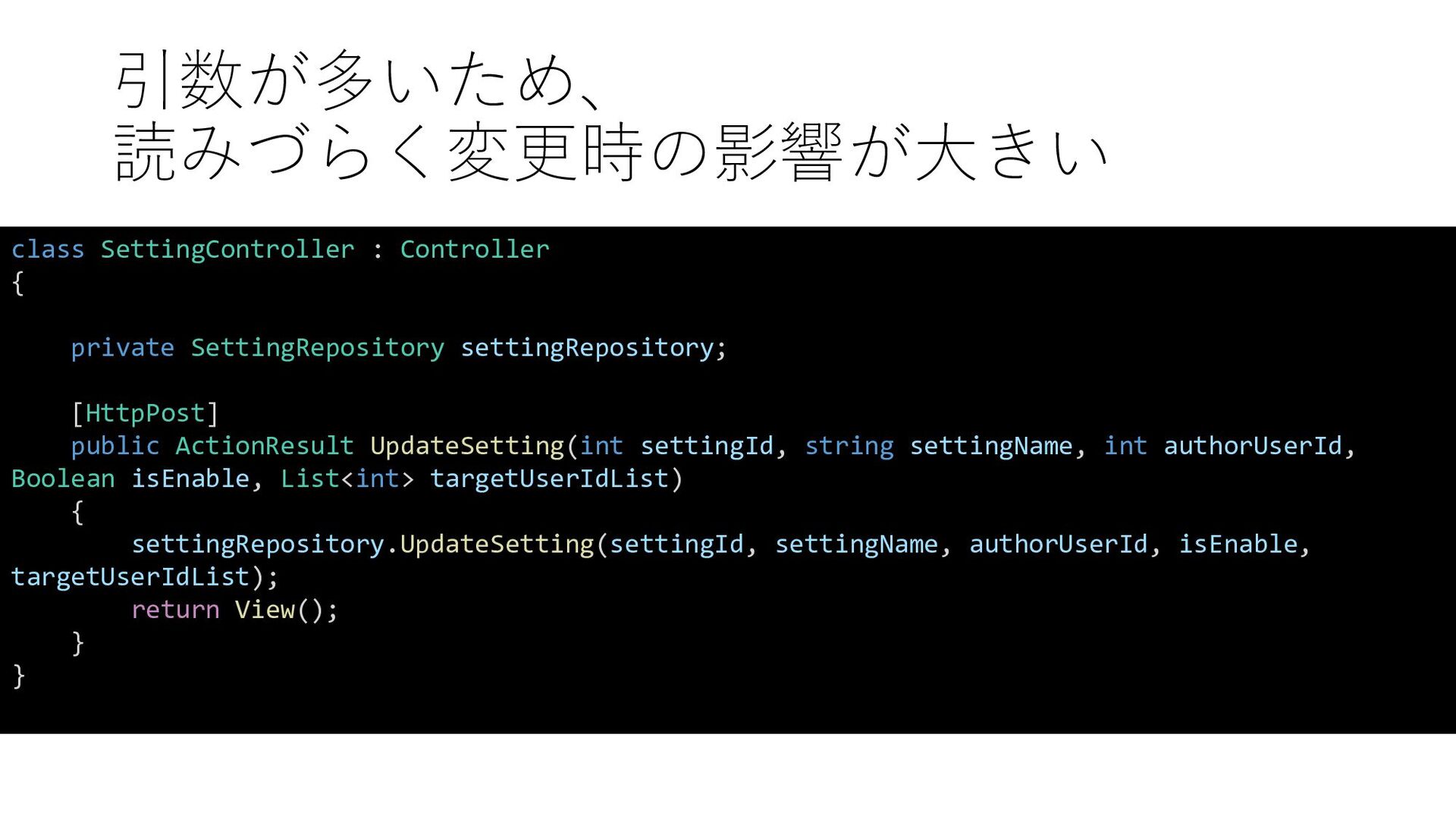
  15. 引数が多いため、 読みづらく変更時の影響が大きい class SettingController : Controller { private SettingRepository settingRepository;

    [HttpPost] public ActionResult UpdateSetting(int settingId, string settingName, int authorUserId, Boolean isEnable, List<int> targetUserIdList) { settingRepository.UpdateSetting(settingId, settingName, authorUserId, isEnable, targetUserIdList); return View(); } }
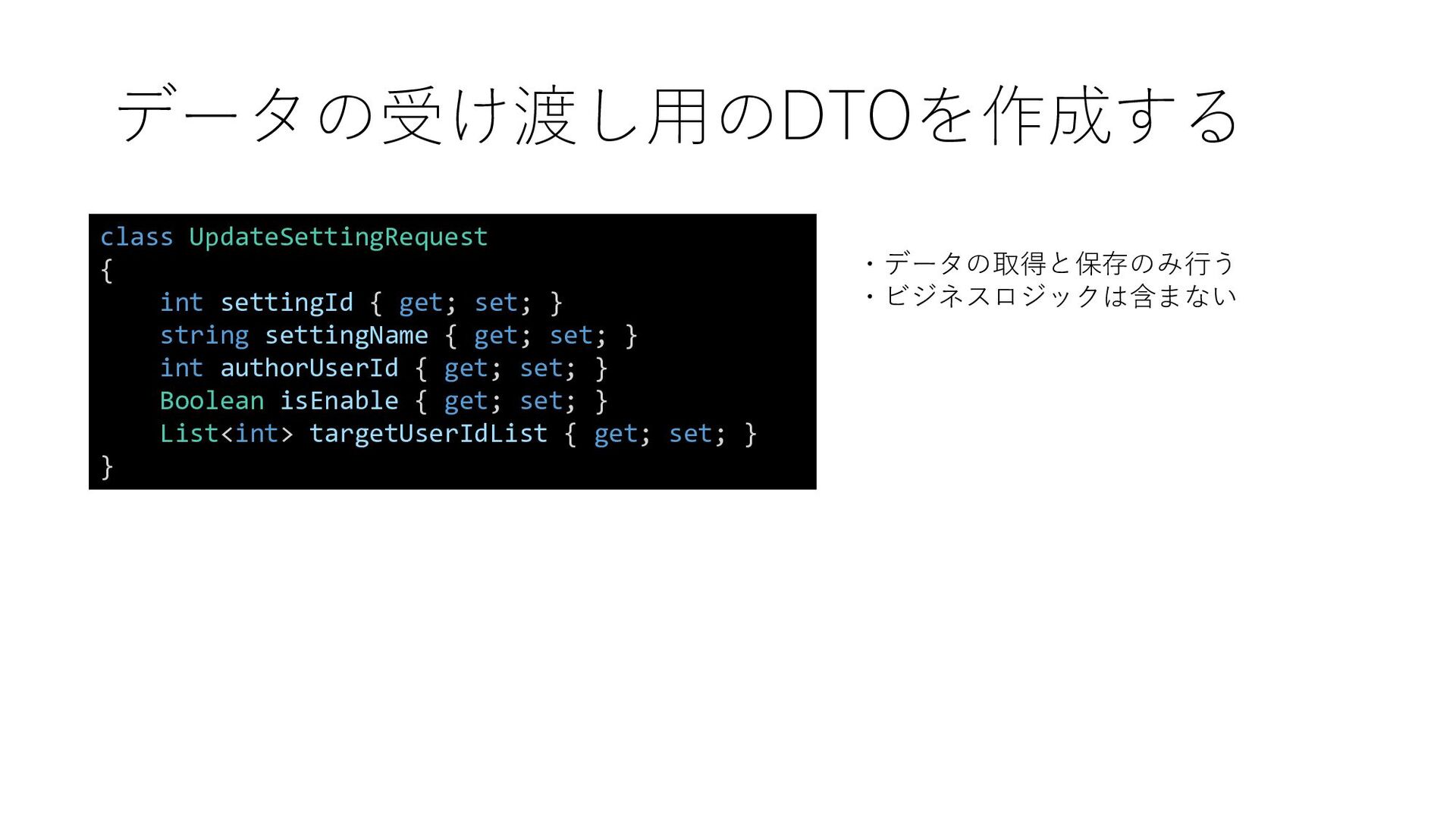
  16. データの受け渡し用のDTOを作成する class UpdateSettingRequest { int settingId { get; set; }

    string settingName { get; set; } int authorUserId { get; set; } Boolean isEnable { get; set; } List<int> targetUserIdList { get; set; } } ・データの取得と保存のみ行う ・ビジネスロジックは含まない
  17. 読みやすくなり、変更箇所が少なくなる class SettingController : Controller { private SettingRepository settingRepository; [HttpPost]

    public ActionResult UpdateSetting(UpdateSettingRequest updateSettingRequest) { settingRepository.UpdateSetting(updateSettingRequest); return View(); } }
  18. チェック処理が分離されていると チェック漏れの可能性がある [HttpPost] public ActionResult RegisterSkill(RegisterSkillRequest registerSkillRequest) { ValidateSkill(registerSkillRequest.Skill); //

    問題なければ登録処理 return View(); } private void ValidateSkill(Skill skill) { if (skill.Score < 0) { throw new ValidationException("スコアが不正です"); } }
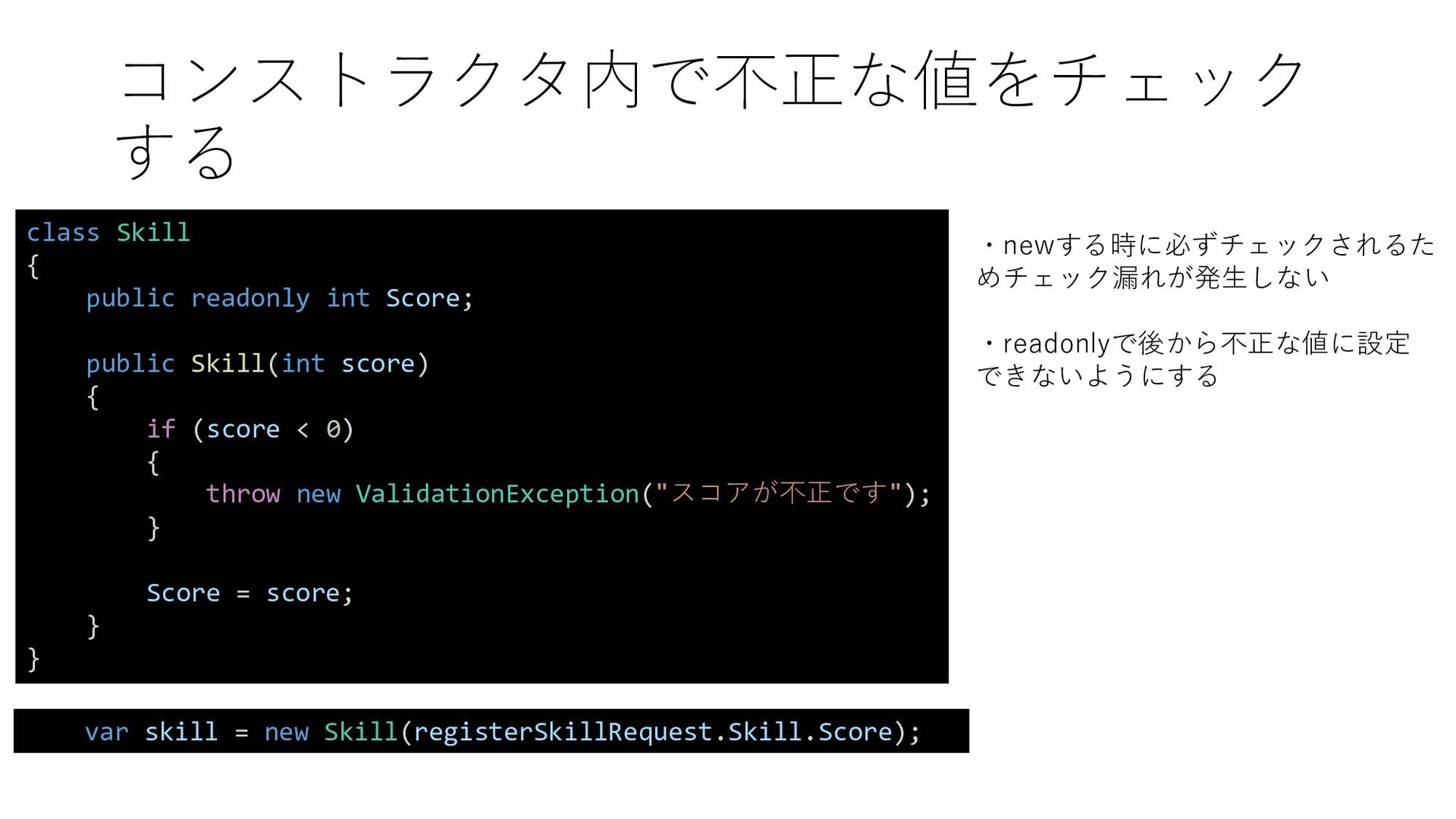
  19. コンストラクタ内で不正な値をチェック する ・newする時に必ずチェックされるた めチェック漏れが発生しない ・readonlyで後から不正な値に設定 できないようにする var skill = new

    Skill(registerSkillRequest.Skill.Score); class Skill { public readonly int Score; public Skill(int score) { if (score < 0) { throw new ValidationException("スコアが不正です"); } Score = score; } }
  20. 参考 • リーダブルコード ―より良いコードを書くためのシンプルで実践的なテ クニック • 良いコード/悪いコードで学ぶ設計入門 ―保守しやすい 成長し続けるコー ドの書き方

    • 現場で役立つシステム設計の原則 ~変更を楽で安全にするオブジェクト指 向の実践技法 • Adaptive Code C#実践開発手法 第2版 • うっかりミスの予防策 その「削除する」で大丈夫?