Upgrade to Pro
— share decks privately, control downloads, hide ads and more …
Speaker Deck
Sign up for free
Menu
Search
Features
All features
Private URLs
Password Protection
Custom URLS
Scheduled publishing
Remove Branding
Restrict embedding
Deck Collections
Notes
Features
All features
Private URLs
Password Protection
Custom URLS
Scheduled publishing
Remove Branding
Restrict embedding
Deck Collections
Notes
Explore
Featured decks
Featured speakers
Programming
Technology
Storyboards
Explore
Featured decks
Featured speakers
Programming
Technology
Storyboards
Pricing
Search
Sign in
Sign up for free
【After iOSDC LT Night〜ピクシブ×日経×タイミー〜】実装!Interact...
Search
tatsubee
September 12, 2024
87
0
Share
Embed
Copy iframe code
Copy JS code
Copy link
Start on current slide
【After iOSDC LT Night〜ピクシブ×日経×タイミー〜】実装!Interactive Widgets
tatsubee
September 12, 2024
More Decks by tatsubee
See All by tatsubee
マルチウィンドウ実践ガイド
shoryuyamamoto
0
360
Create Spatial Photo with ImagePresentationComponent
shoryuyamamoto
0
120
pixivのリアーキテクチャにおける The Composable Architecter活用
shoryuyamamoto
0
250
pixivアプリは変化する
shoryuyamamoto
0
1.2k
マルチウィンドウでアプリケーションの表現を拡張する
shoryuyamamoto
1
450
SwiftPM マルチモジュール構成への第一歩
shoryuyamamoto
0
3.4k
TCA with UIKit [TCAでわいわいLT会]
shoryuyamamoto
1
1.5k
Dart Macrosに願いを [YOUTRUST x ゆめみ Flutter LT会@渋谷 #4]
shoryuyamamoto
0
940
riverpodを理解したい
shoryuyamamoto
0
220
Featured
See All Featured
Building an army of robots
kneath
307
47k
AI Search: Where Are We & What Can We Do About It?
aleyda
0
8.1k
Art, The Web, and Tiny UX
lynnandtonic
304
22k
HU Berlin: Industrial-Strength Natural Language Processing with spaCy and Prodigy
inesmontani
PRO
0
760
The Language of Interfaces
destraynor
162
27k
The agentic SEO stack - context over prompts
schlessera
0
970
Why You Should Never Use an ORM
jnunemaker
PRO
61
10k
Skip the Path - Find Your Career Trail
mkilby
1
260
Ten Tips & Tricks for a 🌱 transition
stuffmc
1
270
CoffeeScript is Beautiful & I Never Want to Write Plain JavaScript Again
sstephenson
162
16k
Intergalactic Javascript Robots from Outer Space
tanoku
273
28k
Future Trends and Review - Lecture 12 - Web Technologies (1019888BNR)
signer
PRO
0
3.8k
Transcript
実装!Interactive Widgets pixiv Inc. tatsubee 2023.9.13
2 自己紹介 • ニックネーム: tatsubee • 戸籍ネーム: 山本小龍 • ピクシブ23新卒
• pixivアプリ作ってる • 最近やっていること ◦ お絵描き ◦ テニス ◦ iOS ◦ Flutter tatsubee iOSエンジニア
Widget にアクションがつきました 🎉 3
Widget の基本 4
5 Widgets の基本 • サイズの話 • 仕様 • OSバージョン毎の違い
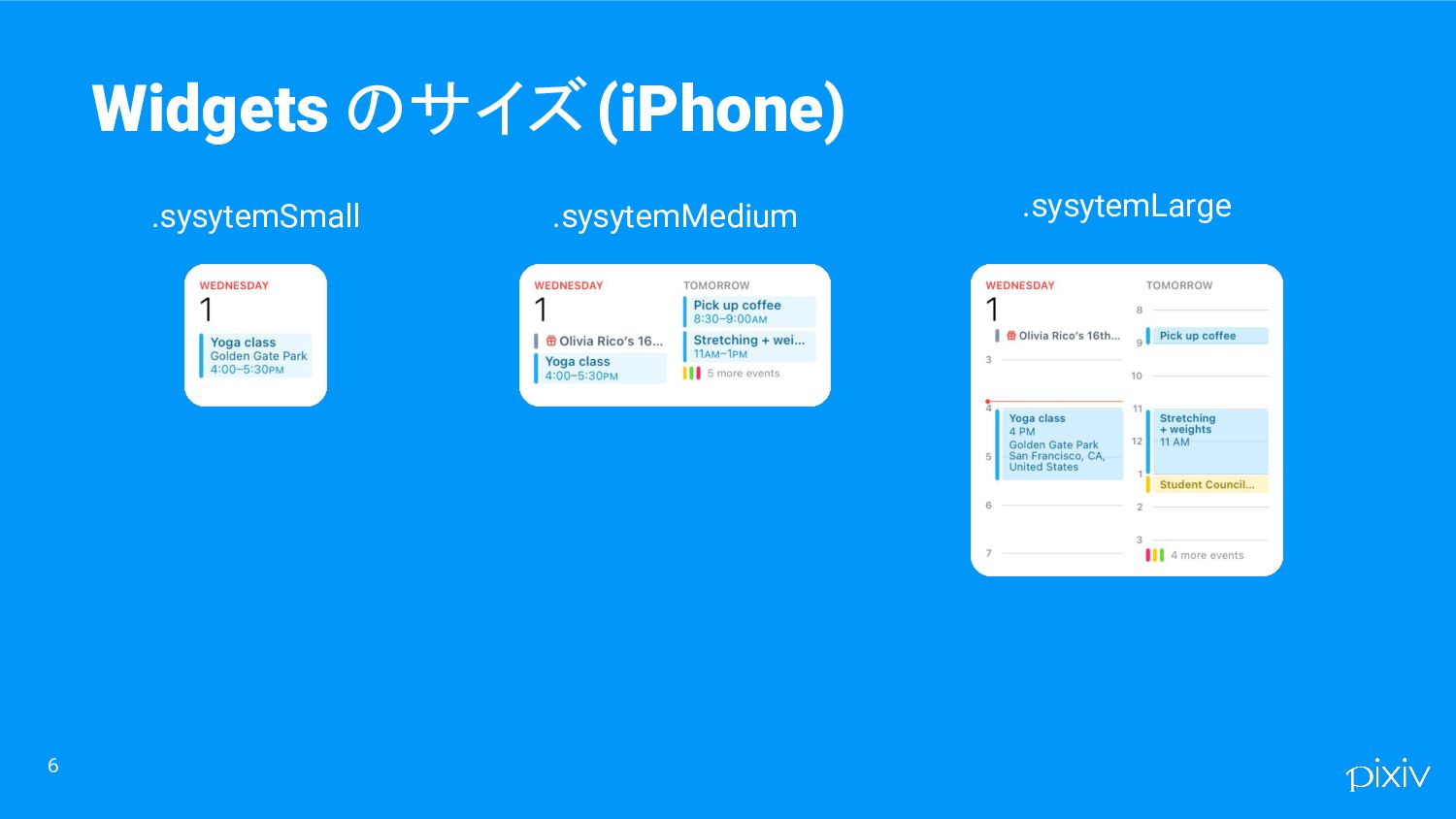
6 Widgets のサイズ(iPhone) .sysytemSmall .sysytemLarge .sysytemMedium
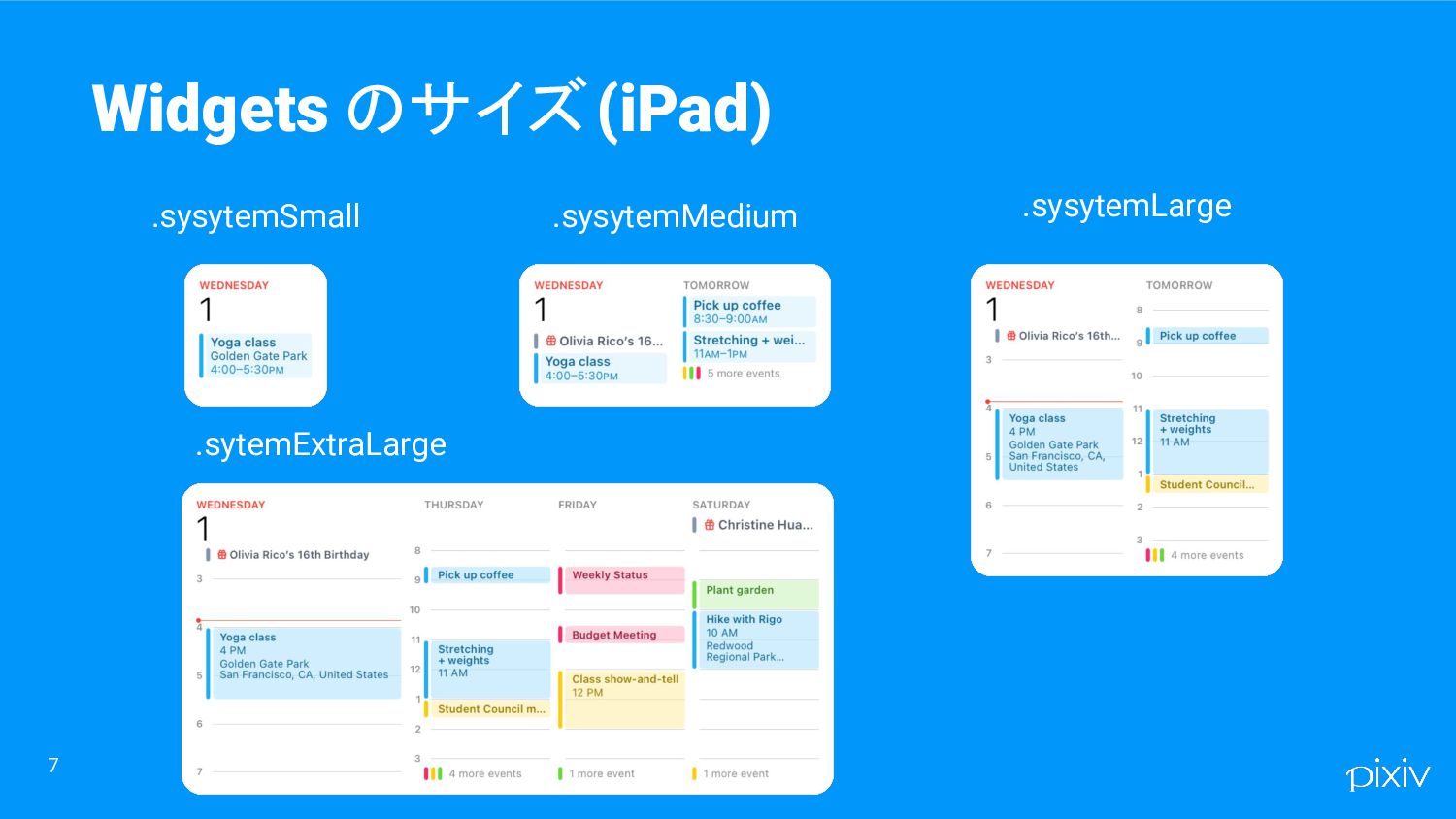
7 Widgets のサイズ(iPad) .sysytemSmall .sysytemMedium .sysytemLarge .sytemExtraLarge
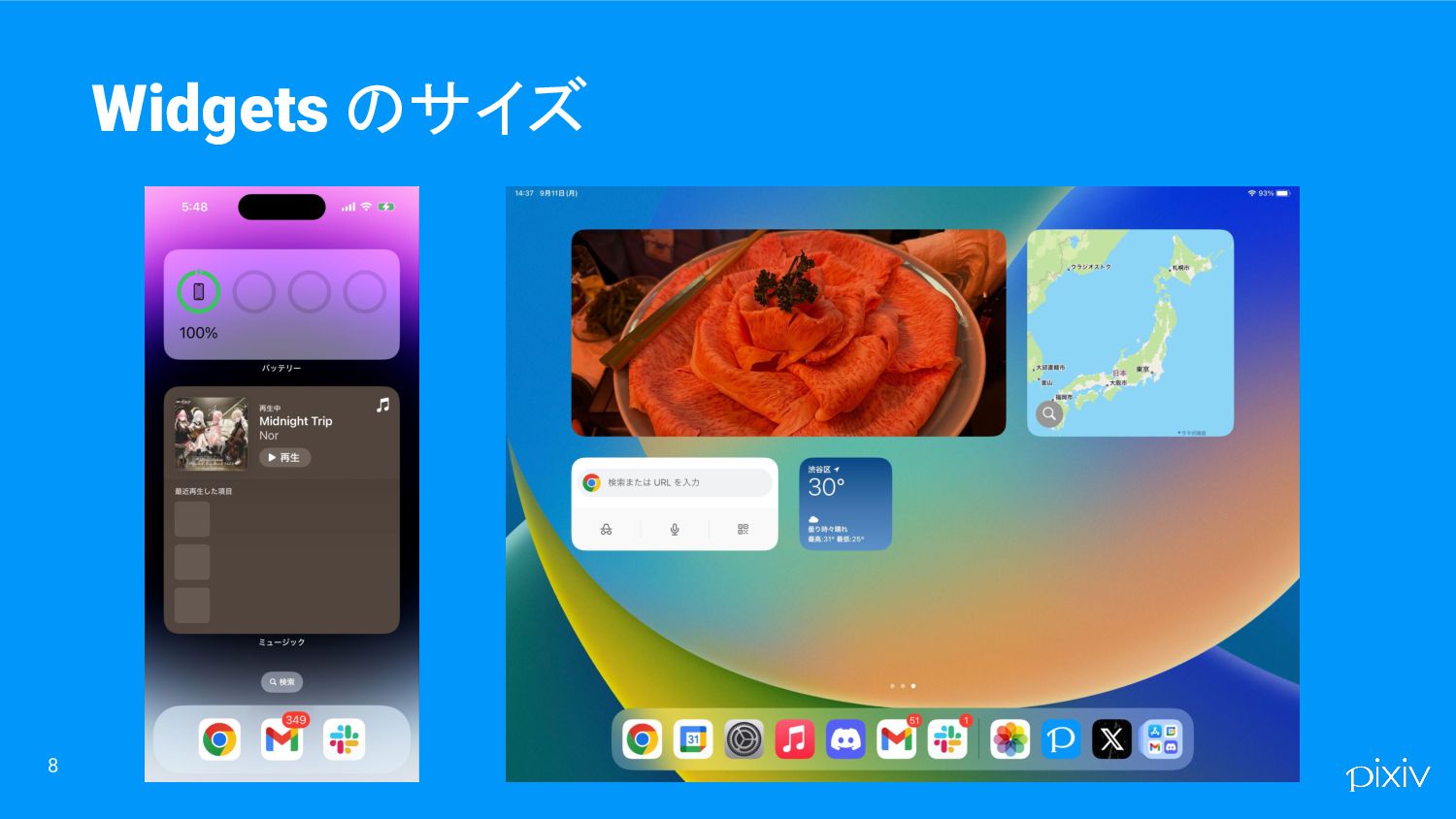
8 Widgets のサイズ
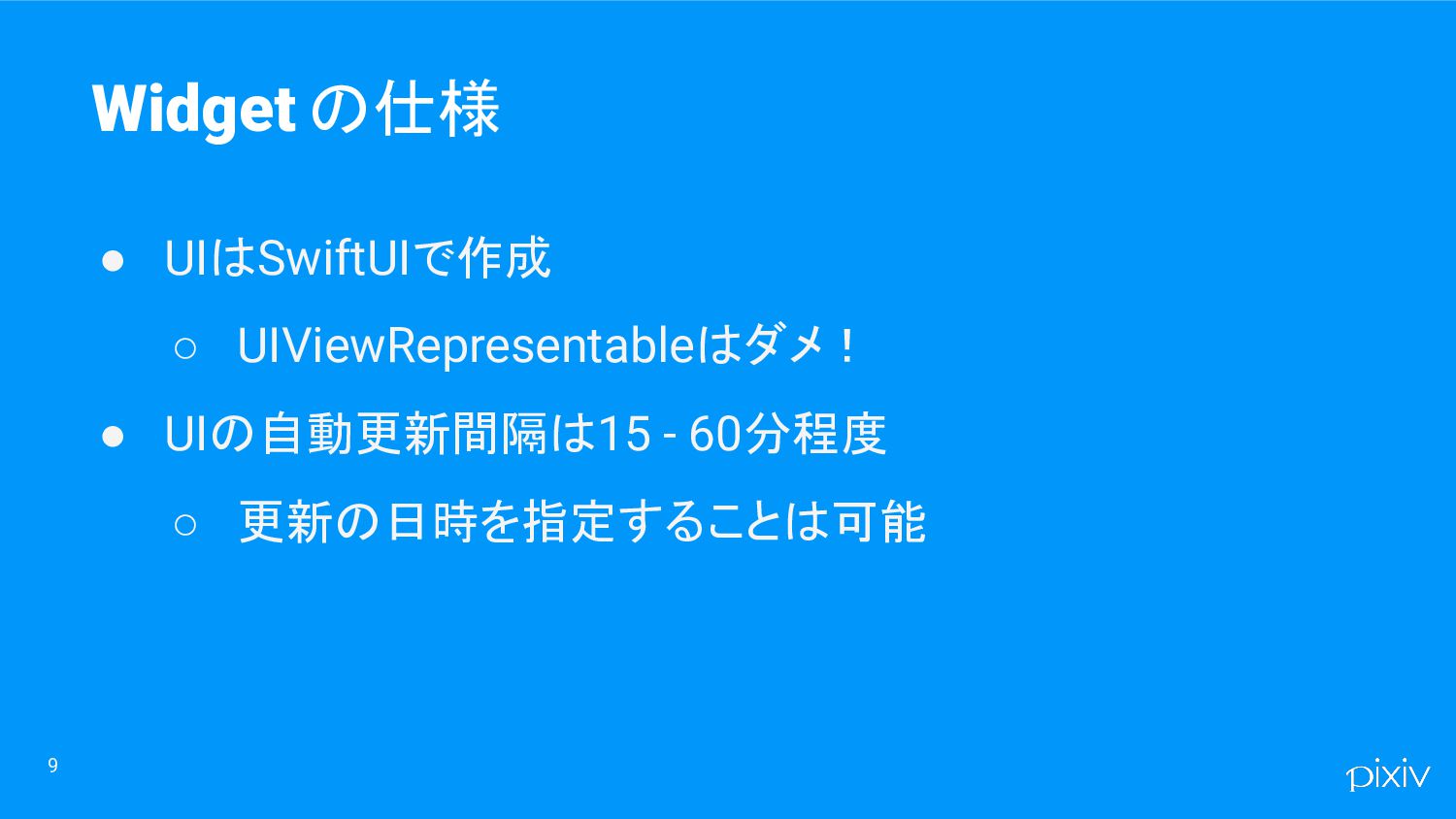
9 Widget の仕様 • UIはSwiftUIで作成 ◦ UIViewRepresentableはダメ! • UIの自動更新間隔は15 -
60分程度 ◦ 更新の日時を指定することは可能
10 iOS14 Widget登場! • ホーム画面に配置可能 • 表示と、DeepLinkによるTapしたViewに対応するアプリの 画面への遷移が可能
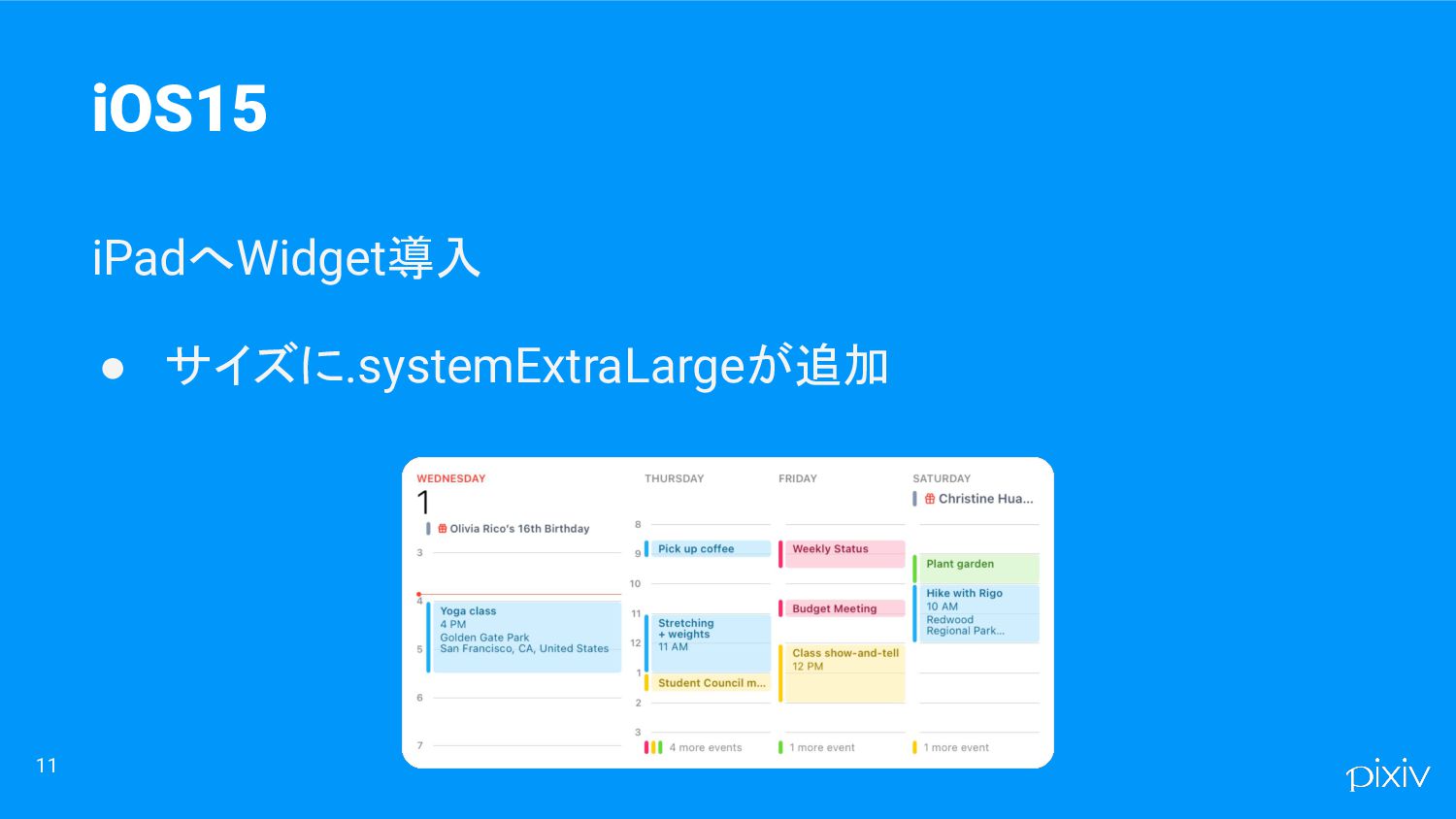
11 iOS15 iPadへWidget導入 • サイズに.systemExtraLargeが追加
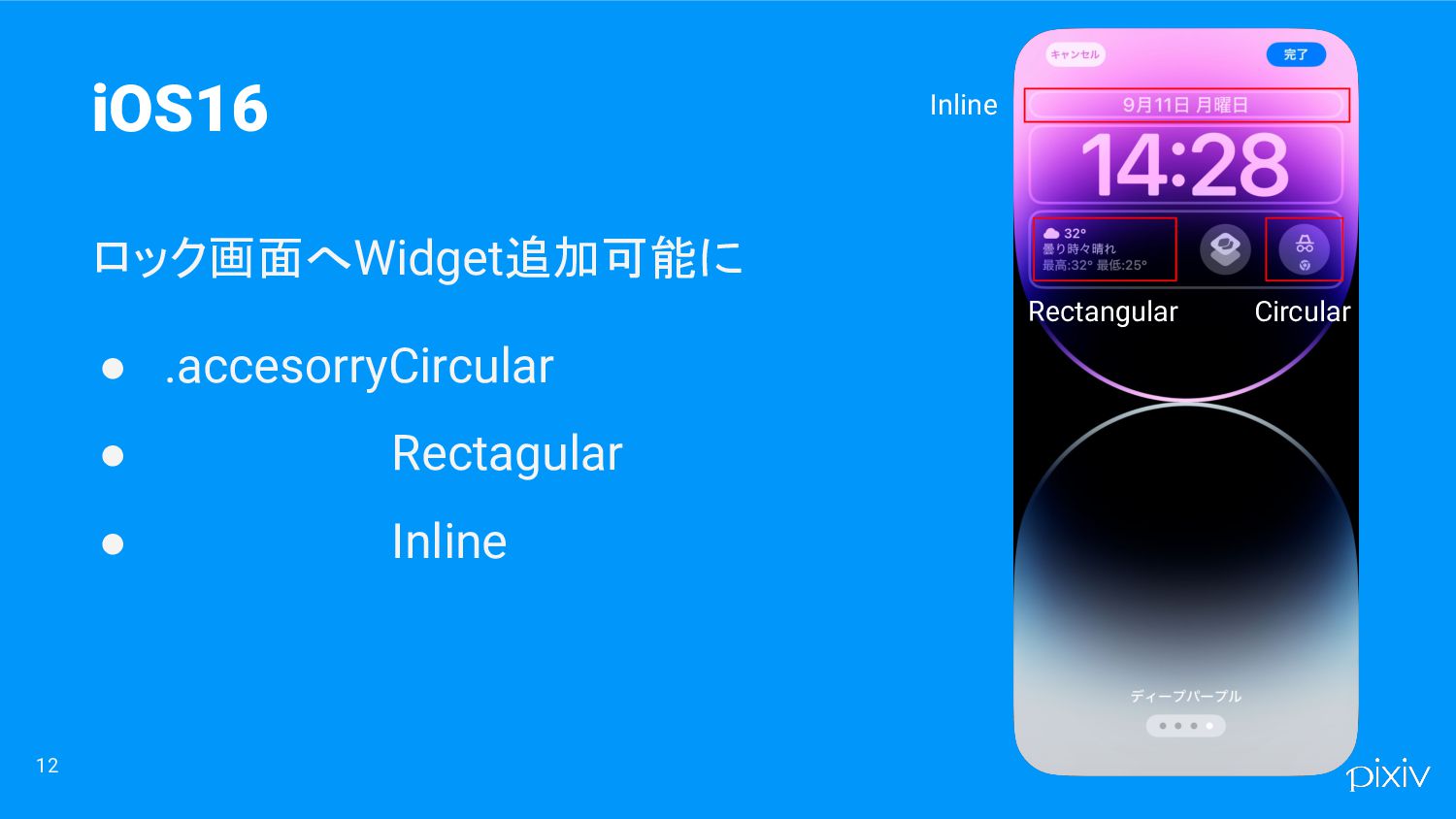
12 iOS16 ロック画面へWidget追加可能に • .accesorryCircular • Rectagular • Inline Inline
Rectangular Circular
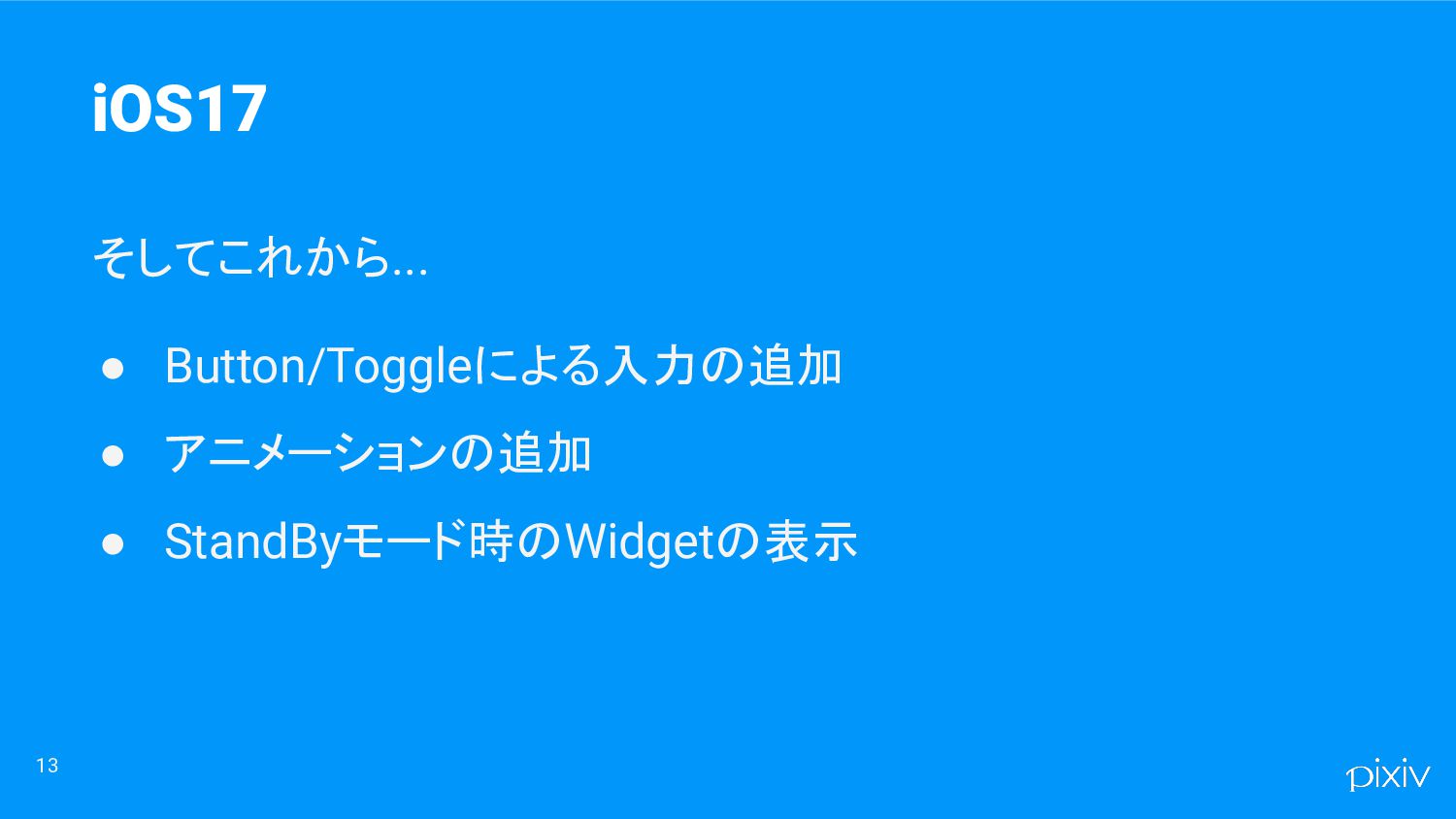
13 iOS17 そしてこれから... • Button/Toggleによる入力の追加 • アニメーションの追加 • StandByモード時のWidgetの表示
Widget の実装方法 14
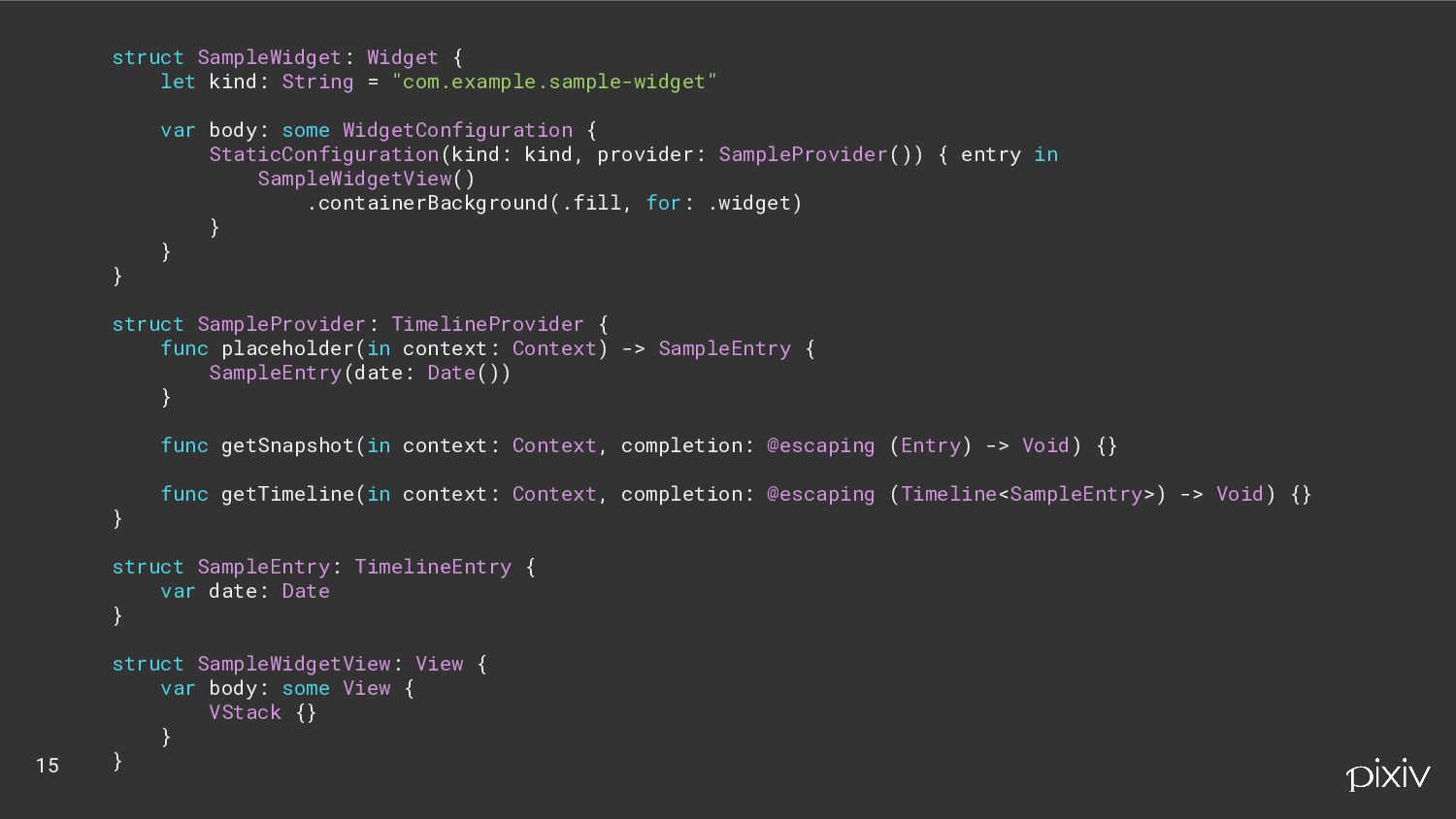
struct SampleWidget: Widget { let kind: String = "com.example.sample-widget" var
body: some WidgetConfiguration { StaticConfiguration(kind: kind, provider: SampleProvider()) { entry in SampleWidgetView() .containerBackground(.fill, for: .widget) } } } struct SampleProvider: TimelineProvider { func placeholder(in context: Context) -> SampleEntry { SampleEntry(date: Date()) } func getSnapshot(in context: Context, completion: @escaping (Entry) -> Void) {} func getTimeline(in context: Context, completion: @escaping (Timeline<SampleEntry>) -> Void) {} } struct SampleEntry: TimelineEntry { var date: Date } struct SampleWidgetView: View { var body: some View { VStack {} } } 15
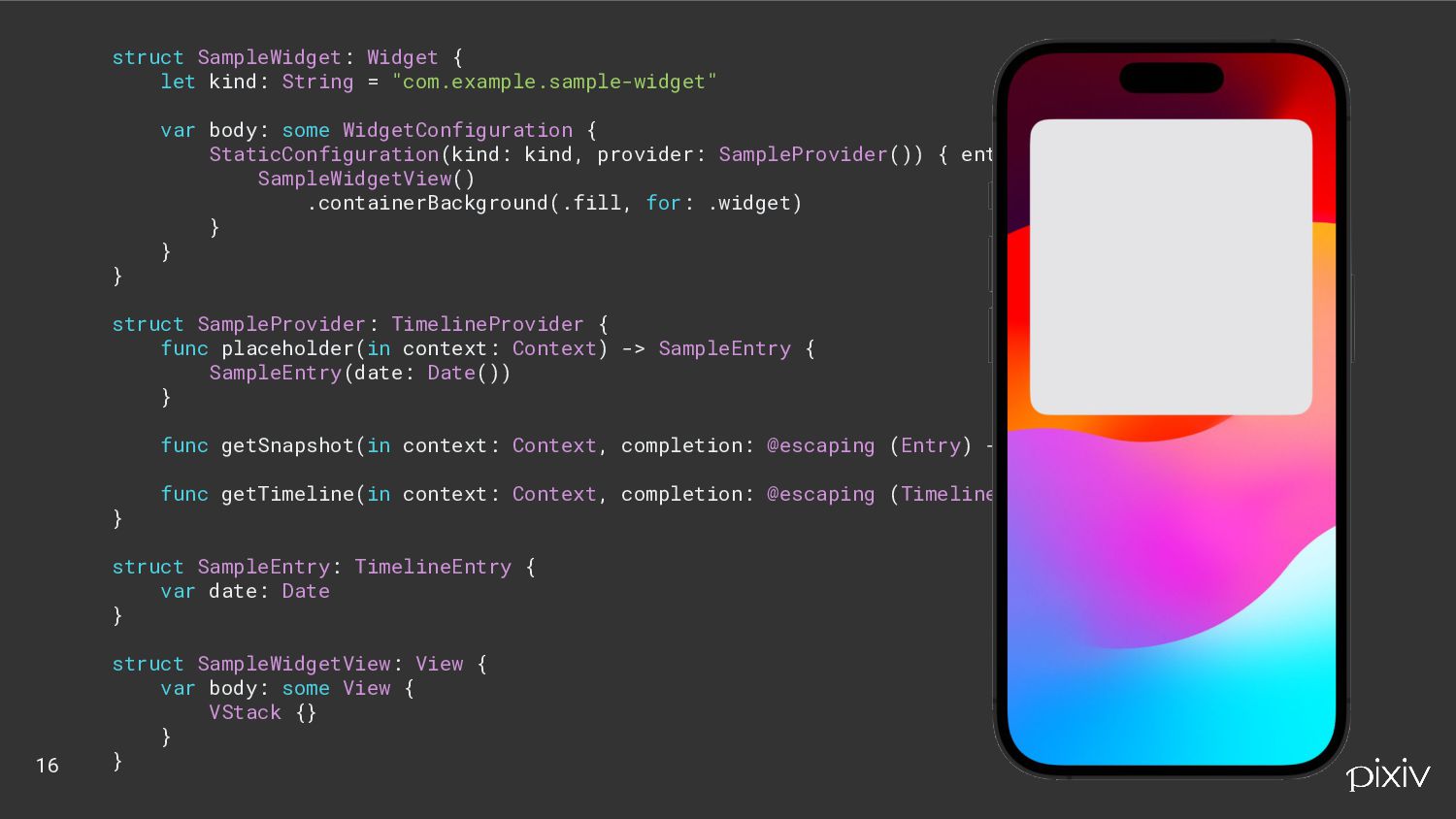
struct SampleWidget: Widget { let kind: String = "com.example.sample-widget" var
body: some WidgetConfiguration { StaticConfiguration(kind: kind, provider: SampleProvider()) { entry in SampleWidgetView() .containerBackground(.fill, for: .widget) } } } struct SampleProvider: TimelineProvider { func placeholder(in context: Context) -> SampleEntry { SampleEntry(date: Date()) } func getSnapshot(in context: Context, completion: @escaping (Entry) -> Void) {} func getTimeline(in context: Context, completion: @escaping (Timeline<SampleEntry>) -> Void) {} } struct SampleEntry: TimelineEntry { var date: Date } struct SampleWidgetView: View { var body: some View { VStack {} } } 16
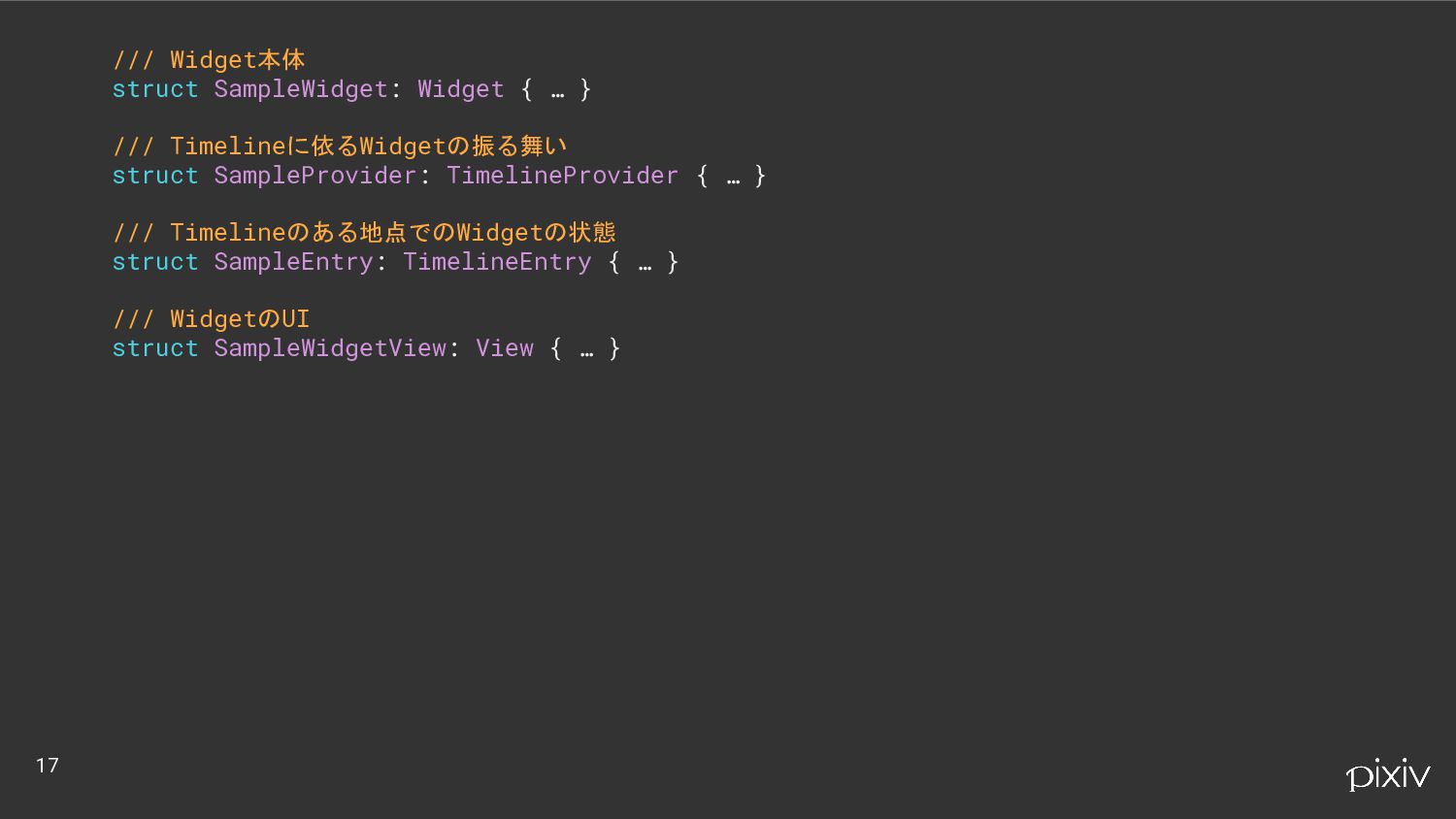
/// Widget本体 struct SampleWidget: Widget { … } /// Timelineに依るWidgetの振る舞い
struct SampleProvider: TimelineProvider { … } /// Timelineのある地点でのWidgetの状態 struct SampleEntry: TimelineEntry { … } /// WidgetのUI struct SampleWidgetView: View { … } 17
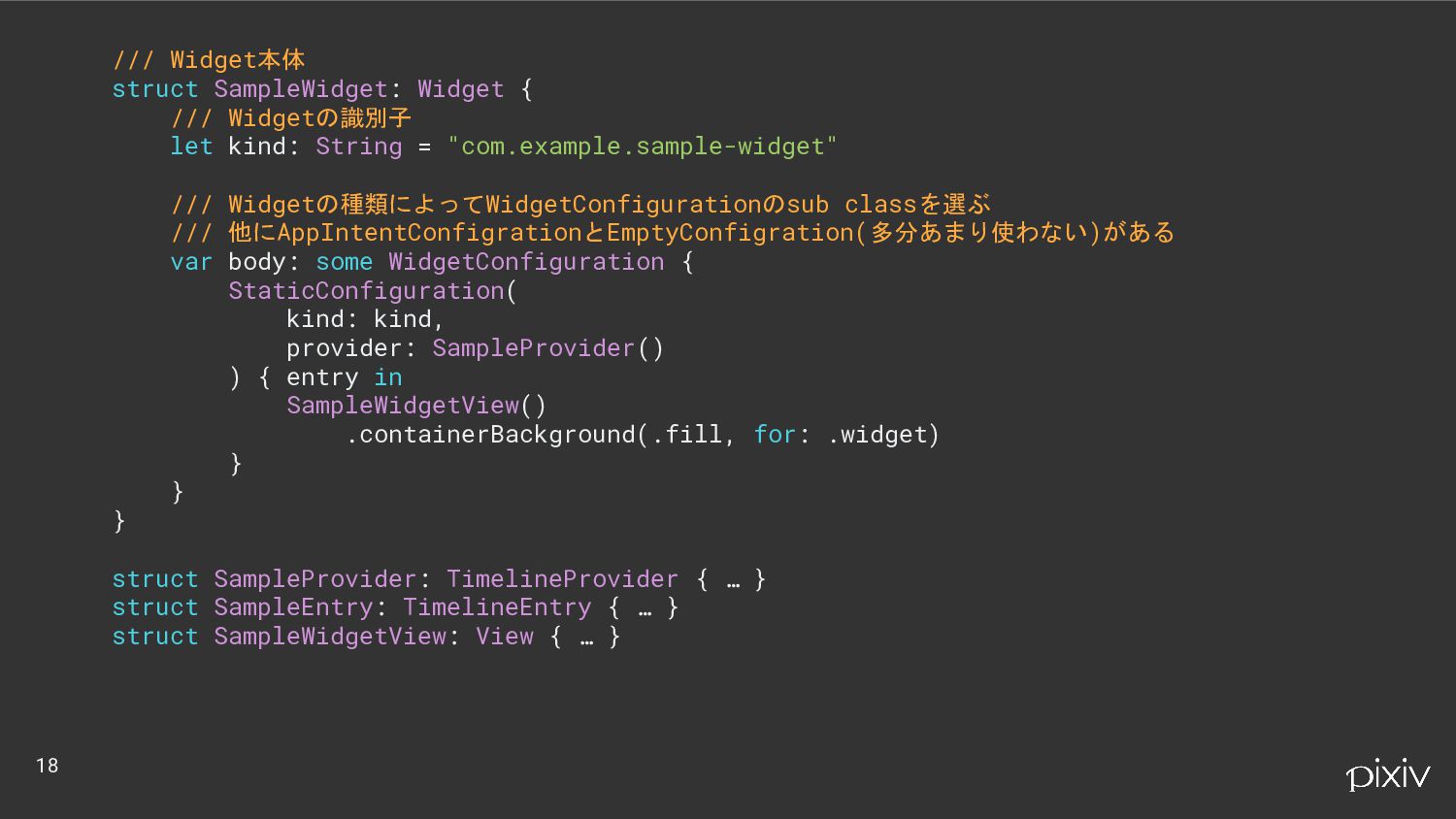
/// Widget本体 struct SampleWidget: Widget { /// Widgetの識別子 let kind:
String = "com.example.sample-widget" /// Widgetの種類によってWidgetConfigurationのsub classを選ぶ /// 他にAppIntentConfigrationとEmptyConfigration(多分あまり使わない)がある var body: some WidgetConfiguration { StaticConfiguration( kind: kind, provider: SampleProvider() ) { entry in SampleWidgetView() .containerBackground(.fill, for: .widget) } } } struct SampleProvider: TimelineProvider { … } struct SampleEntry: TimelineEntry { … } struct SampleWidgetView: View { … } 18
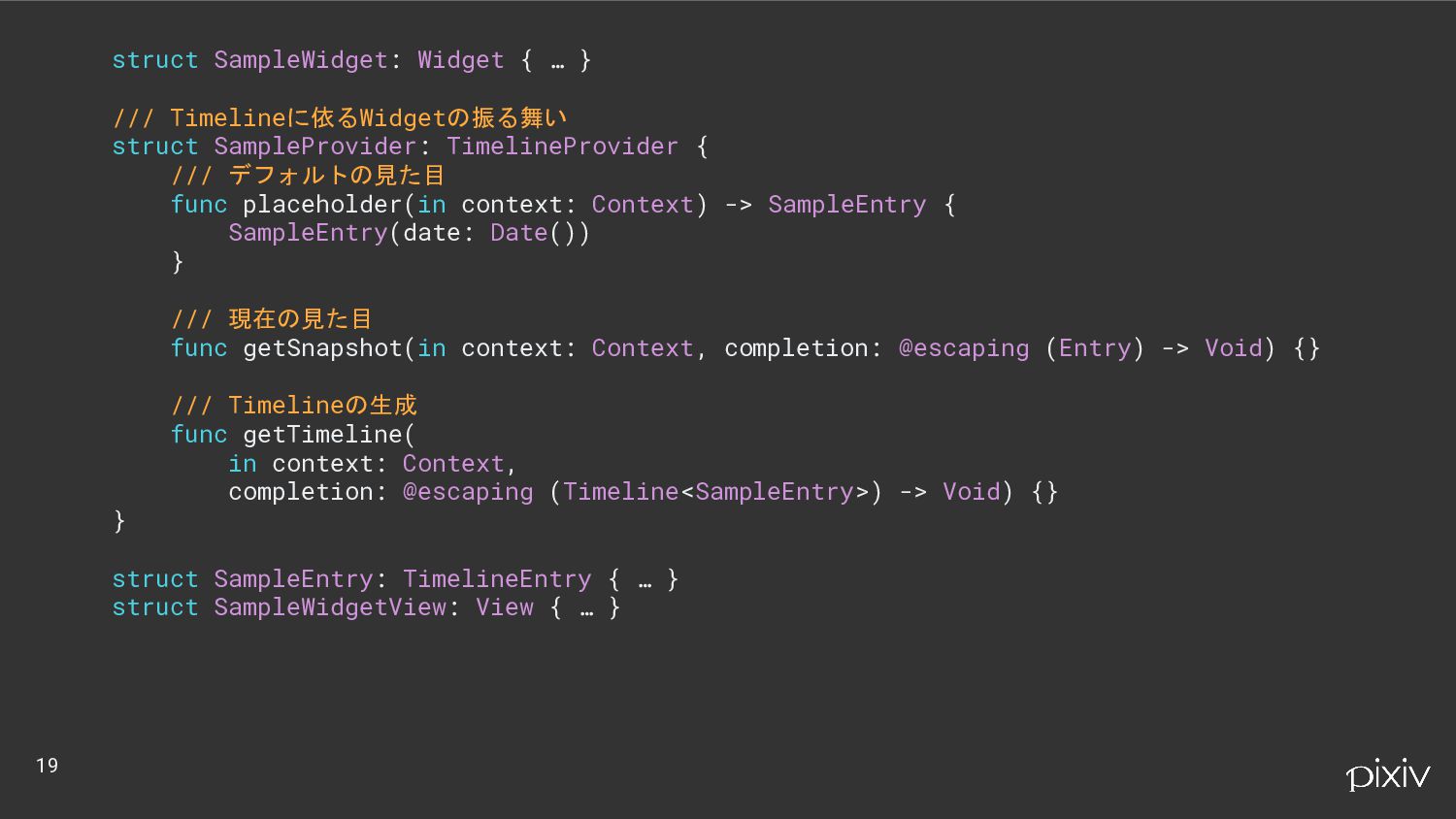
struct SampleWidget: Widget { … } /// Timelineに依るWidgetの振る舞い struct SampleProvider:
TimelineProvider { /// デフォルトの見た目 func placeholder(in context: Context) -> SampleEntry { SampleEntry(date: Date()) } /// 現在の見た目 func getSnapshot(in context: Context, completion: @escaping (Entry) -> Void) {} /// Timelineの生成 func getTimeline( in context: Context, completion: @escaping (Timeline<SampleEntry>) -> Void) {} } struct SampleEntry: TimelineEntry { … } struct SampleWidgetView: View { … } 19
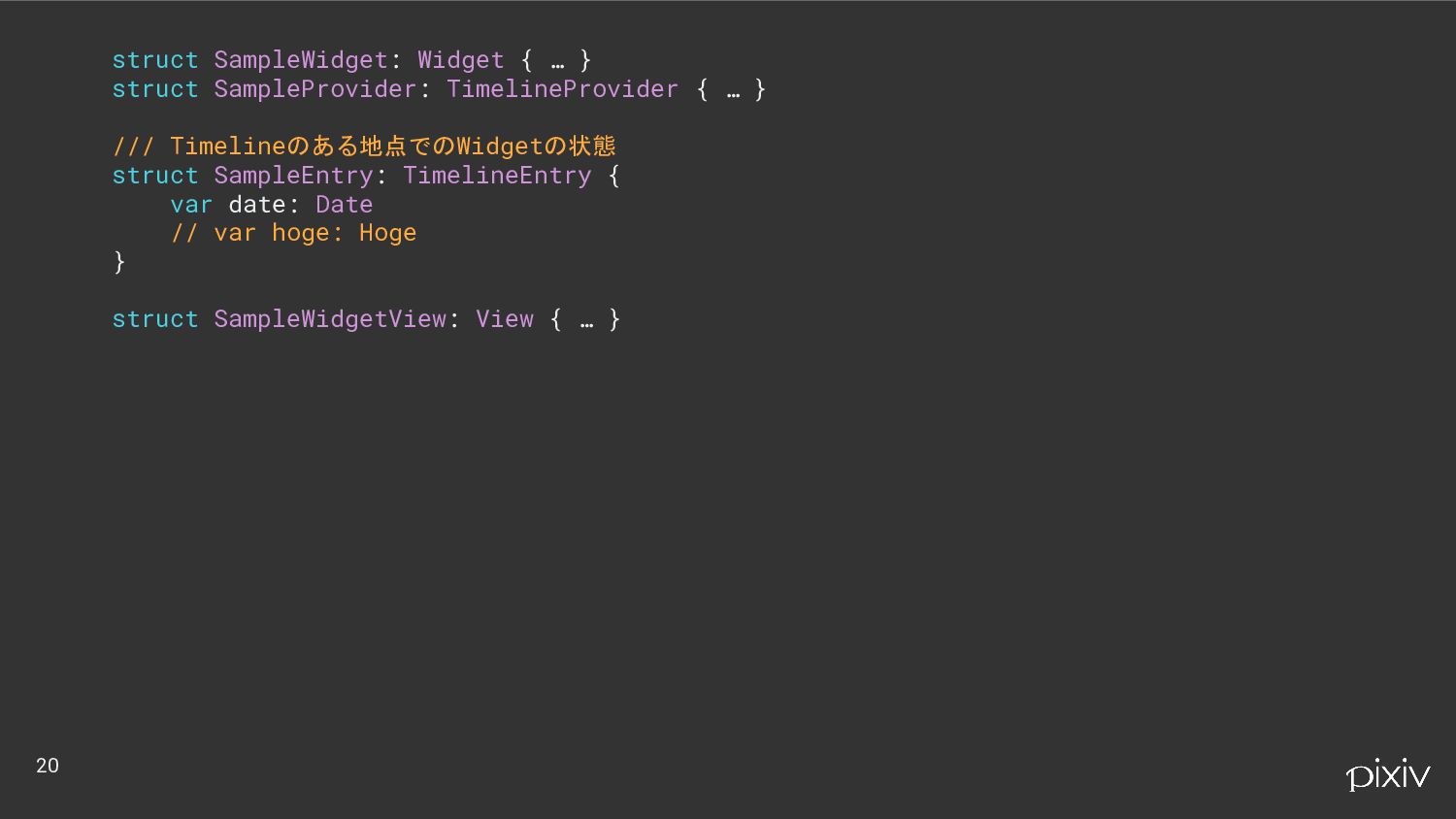
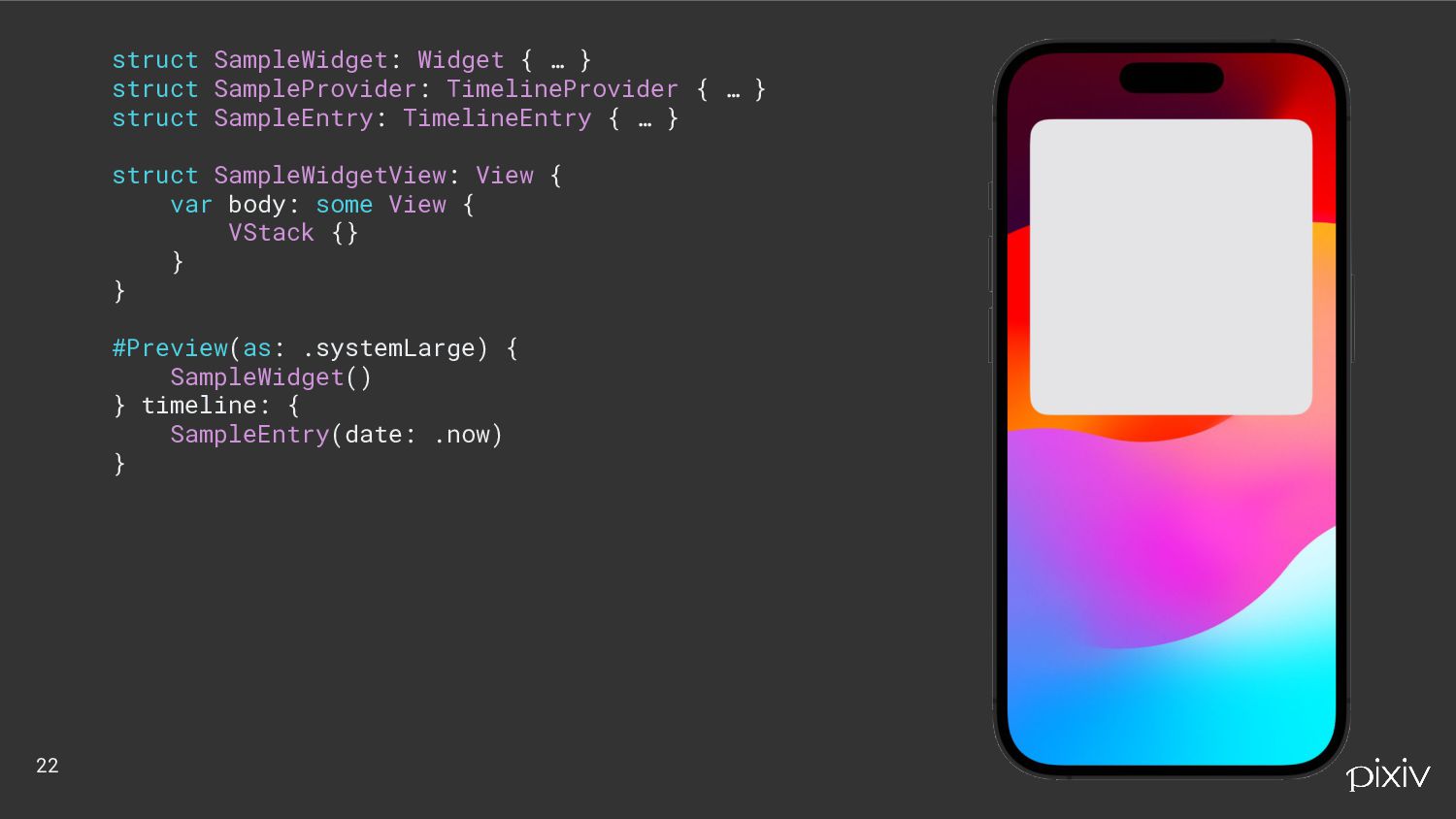
struct SampleWidget: Widget { … } struct SampleProvider: TimelineProvider {
… } /// Timelineのある地点でのWidgetの状態 struct SampleEntry: TimelineEntry { var date: Date // var hoge: Hoge } struct SampleWidgetView: View { … } 20
struct SampleWidget: Widget { … } struct SampleProvider: TimelineProvider {
… } struct SampleEntry: TimelineEntry { … } /// WidgetのUI struct SampleWidgetView: View { var body: some View { VStack {} } } 21
struct SampleWidget: Widget { … } struct SampleProvider: TimelineProvider {
… } struct SampleEntry: TimelineEntry { … } struct SampleWidgetView: View { var body: some View { VStack {} } } #Preview(as: .systemLarge) { SampleWidget() } timeline: { SampleEntry(date: .now) } 22
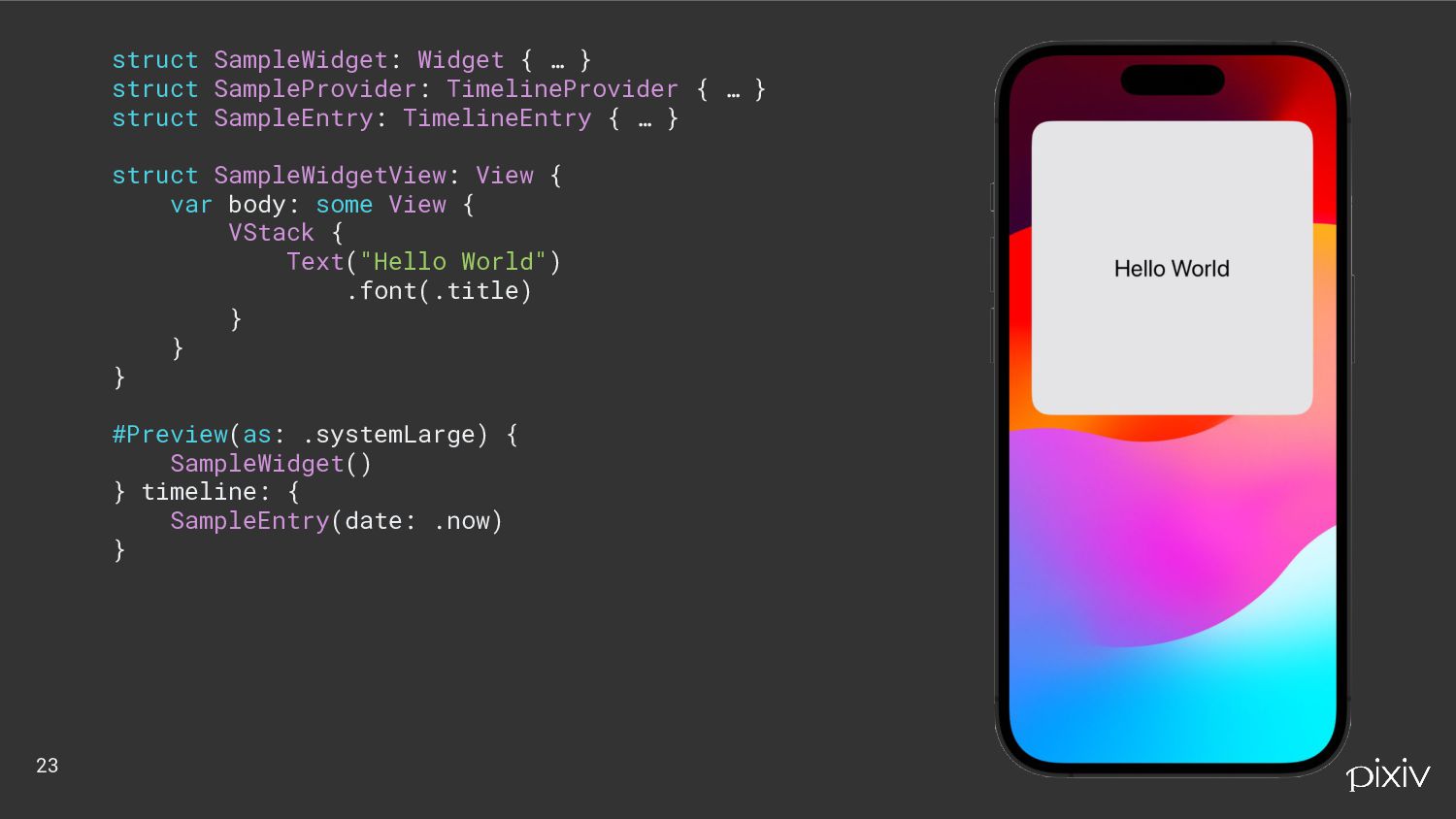
struct SampleWidget: Widget { … } struct SampleProvider: TimelineProvider {
… } struct SampleEntry: TimelineEntry { … } struct SampleWidgetView: View { var body: some View { VStack { Text("Hello World") .font(.title) } } } #Preview(as: .systemLarge) { SampleWidget() } timeline: { SampleEntry(date: .now) } 23
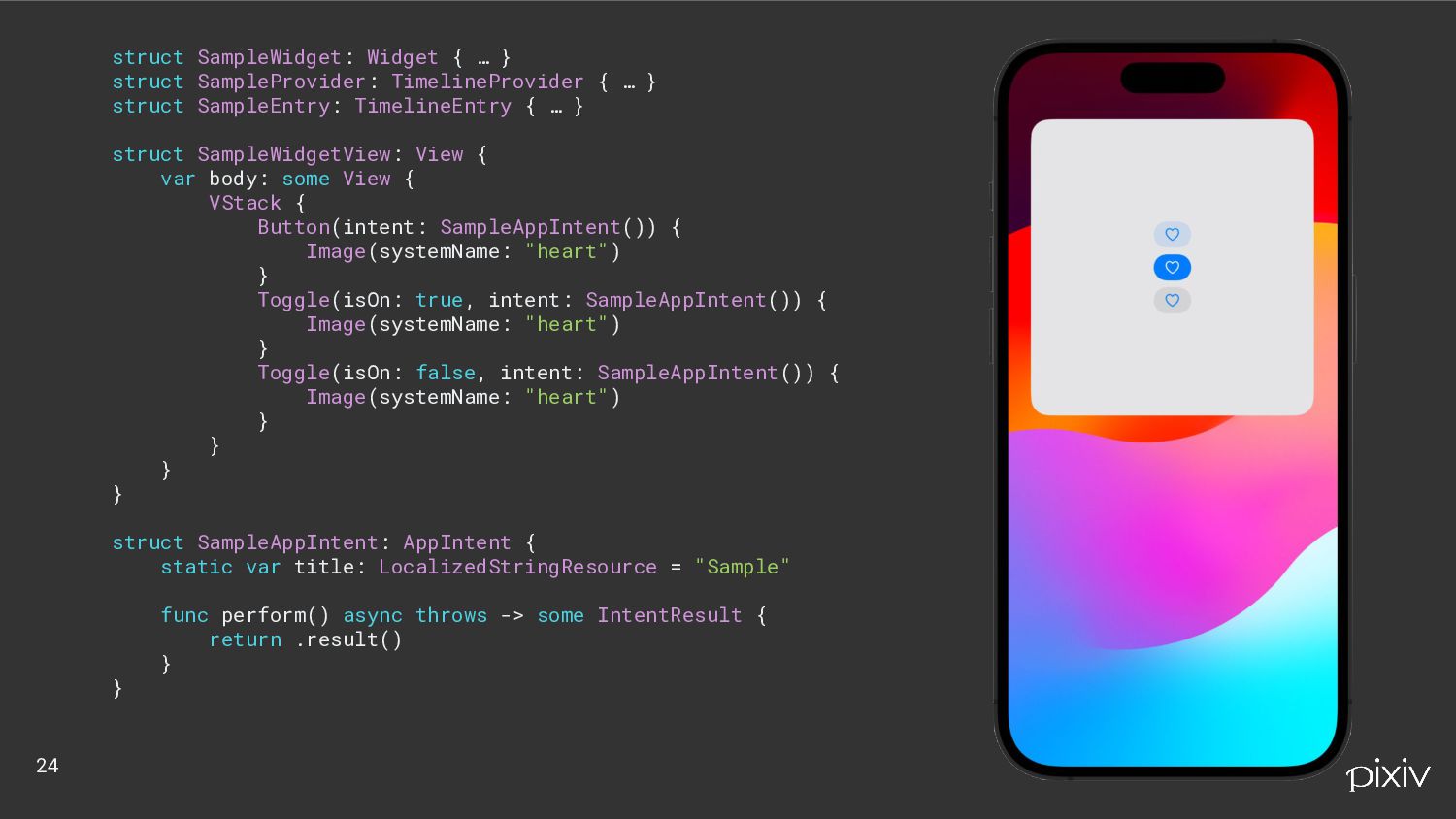
struct SampleWidget: Widget { … } struct SampleProvider: TimelineProvider {
… } struct SampleEntry: TimelineEntry { … } struct SampleWidgetView: View { var body: some View { VStack { Button(intent: SampleAppIntent()) { Image(systemName: "heart") } Toggle(isOn: true, intent: SampleAppIntent()) { Image(systemName: "heart") } Toggle(isOn: false, intent: SampleAppIntent()) { Image(systemName: "heart") } } } } struct SampleAppIntent: AppIntent { static var title: LocalizedStringResource = "Sample" func perform() async throws -> some IntentResult { return .result() } } 24
Widget のアクション活用法を考える 25
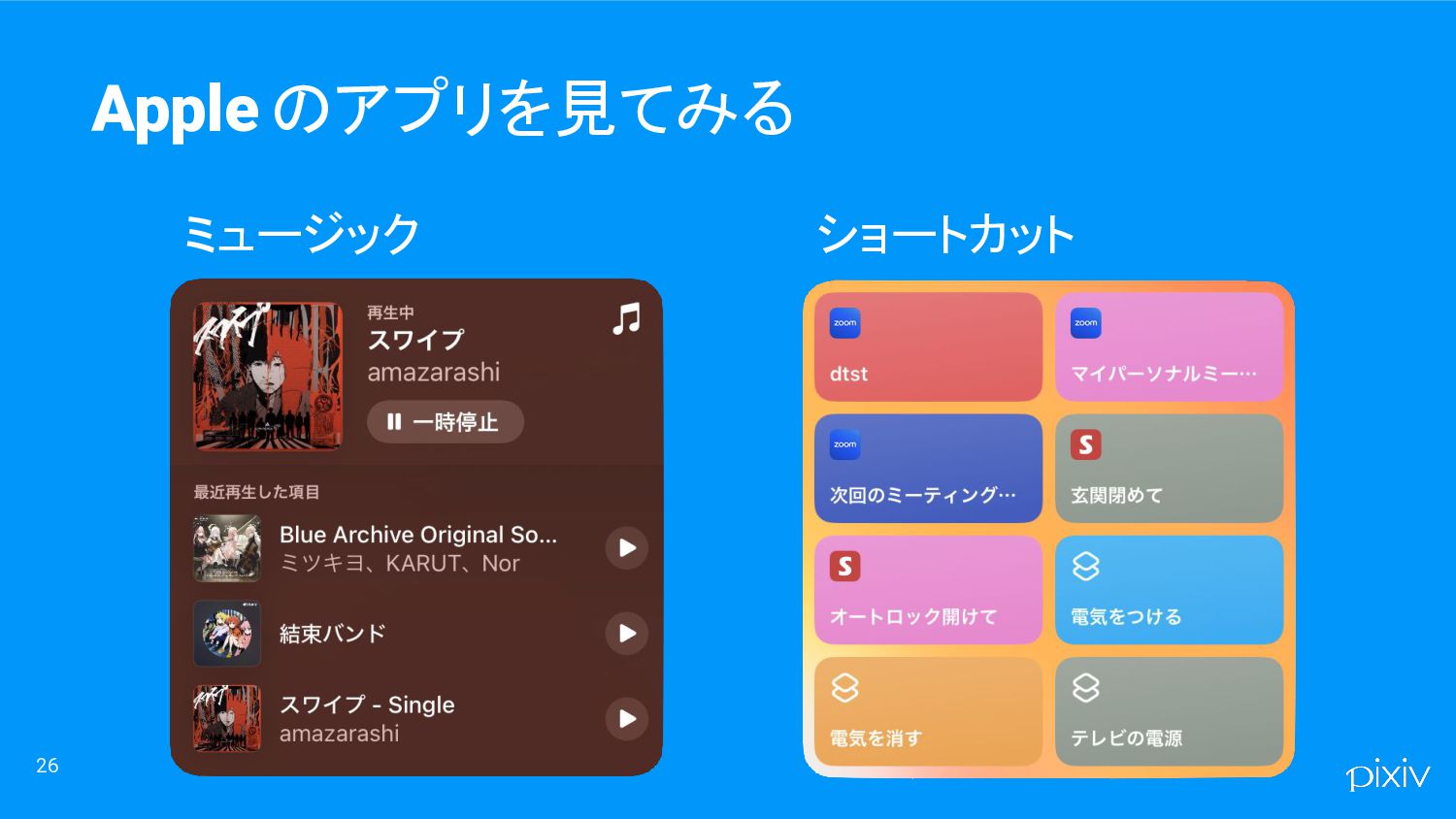
26 Apple のアプリを見てみる ミュージック ショートカット
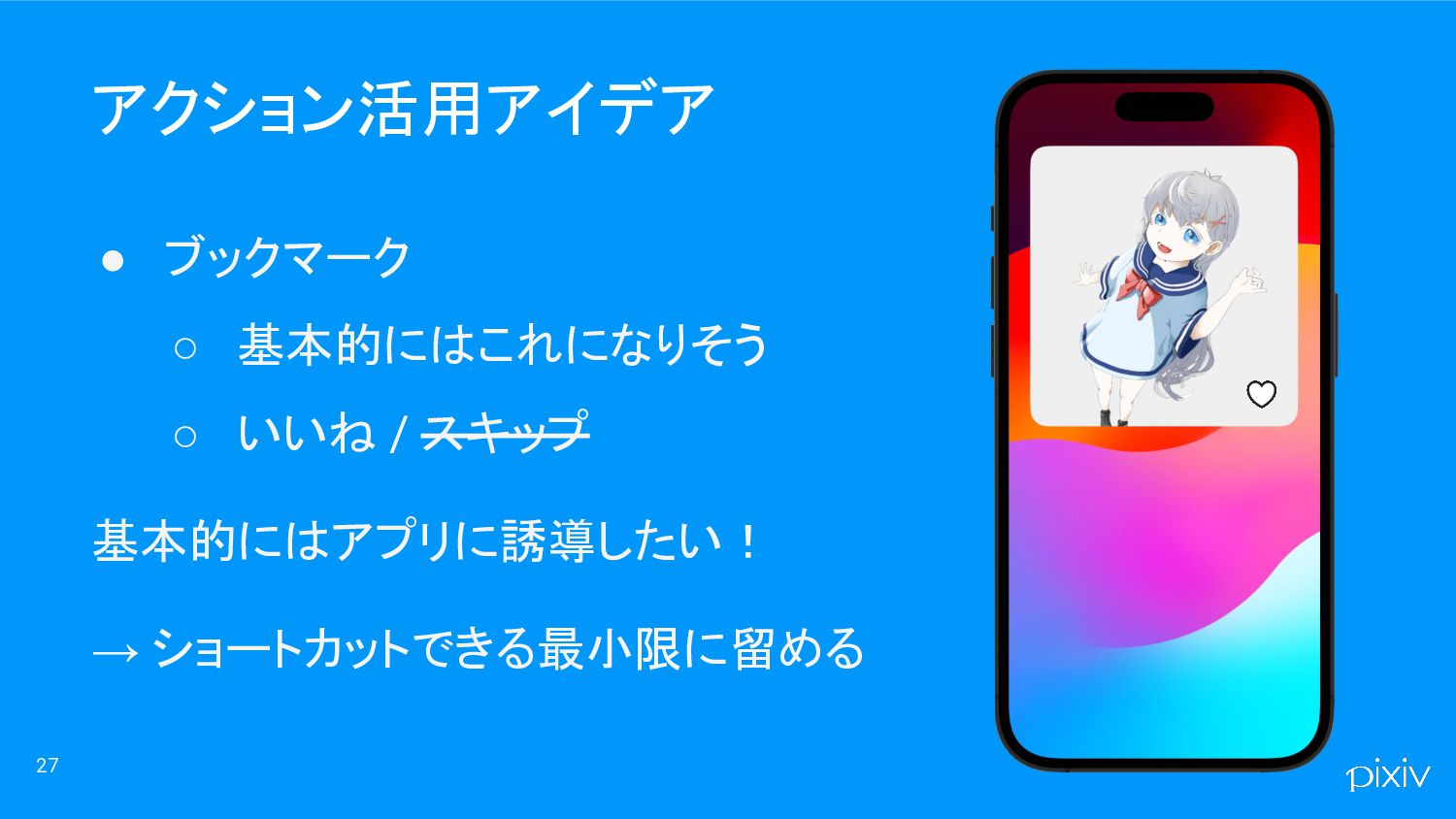
27 アクション活用アイデア • ブックマーク ◦ 基本的にはこれになりそう ◦ いいね / スキップ
基本的にはアプリに誘導したい! → ショートカットできる最小限に留める
Widget の今後予想 妄想 28
29 Widget の今後妄想 Androidでできること • 動的なWidgetサイズの変更 • スワイプ・スクロール • 文字列の入力
• Widget → アプリ → Widgetのシームレスな切り替え • そもそもWidgetとして独立
30 Widgetでモバイルアプリの体験を作ろう! 伝えたいこと


 shoryuyamamoto
 kneath
 aleyda
 lynnandtonic
 inesmontani
 destraynor
 schlessera
 jnunemaker
 mkilby
 stuffmc
 sstephenson
 tanoku
 signer