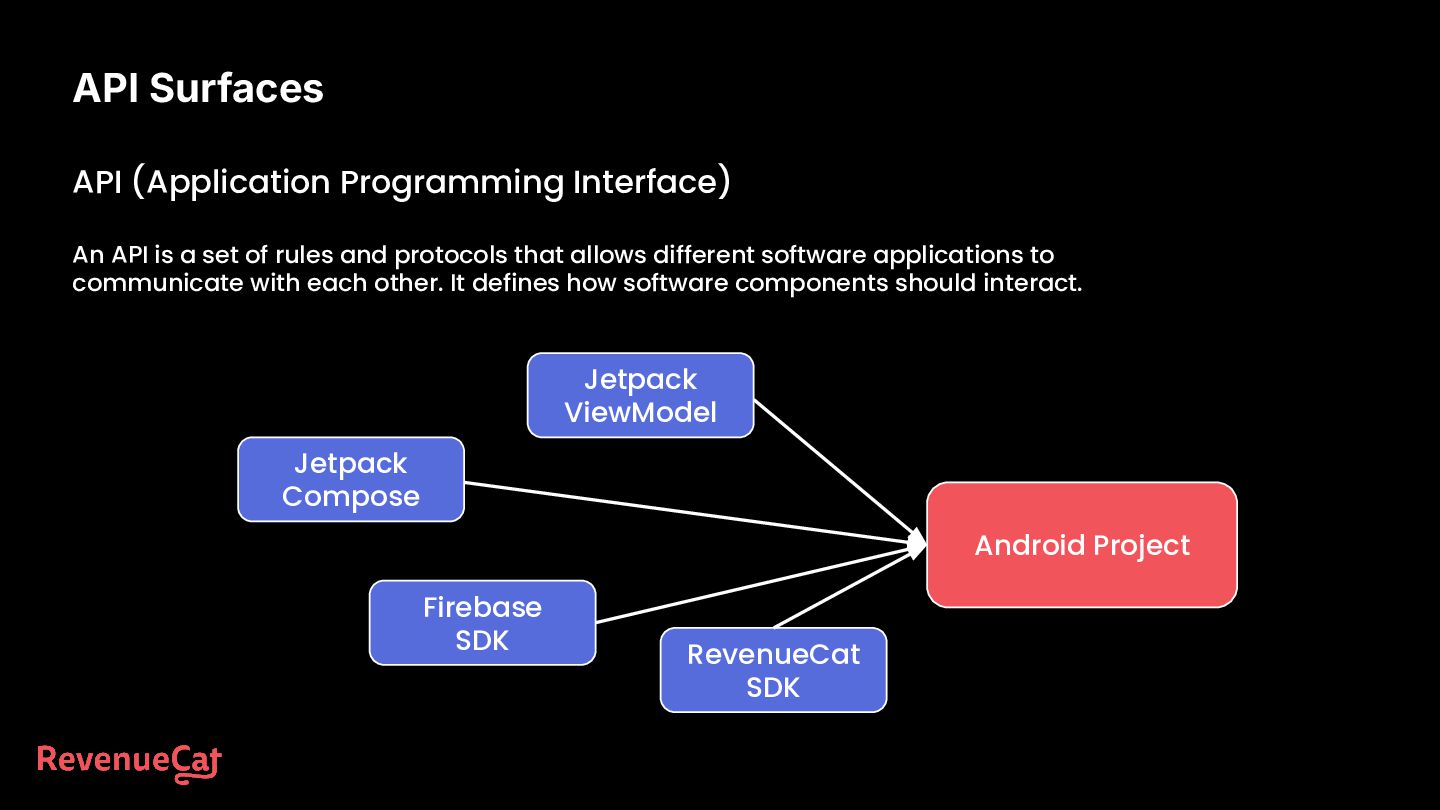
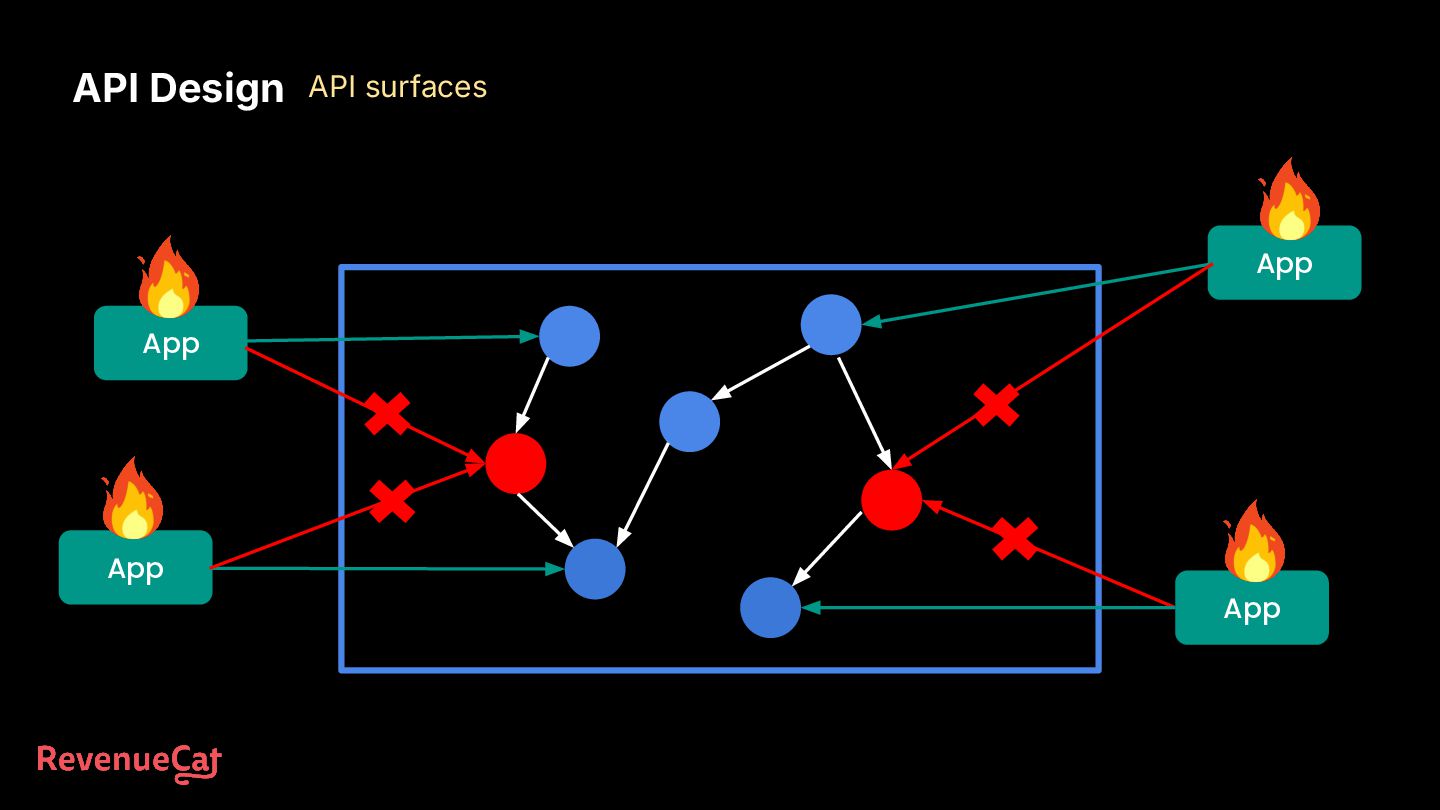
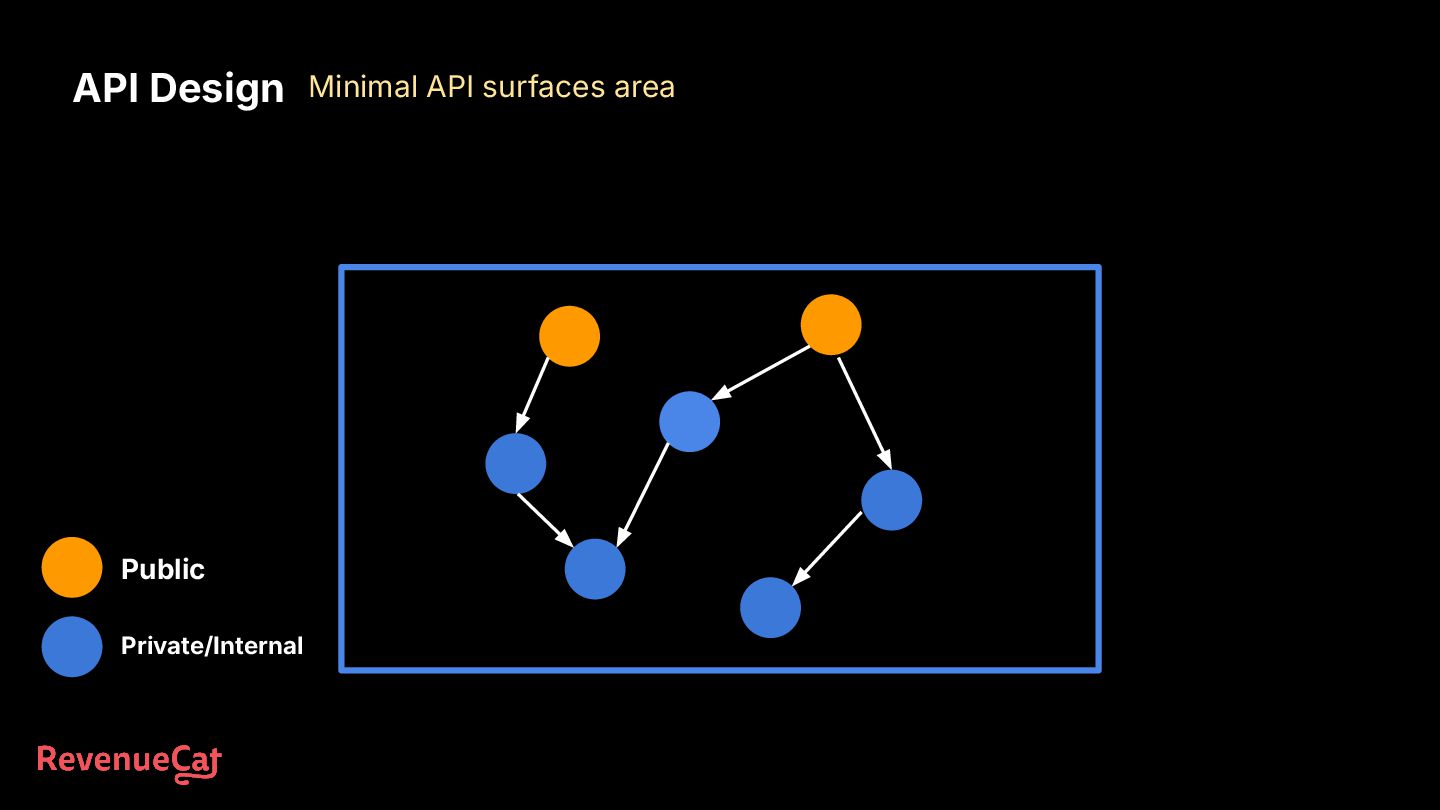
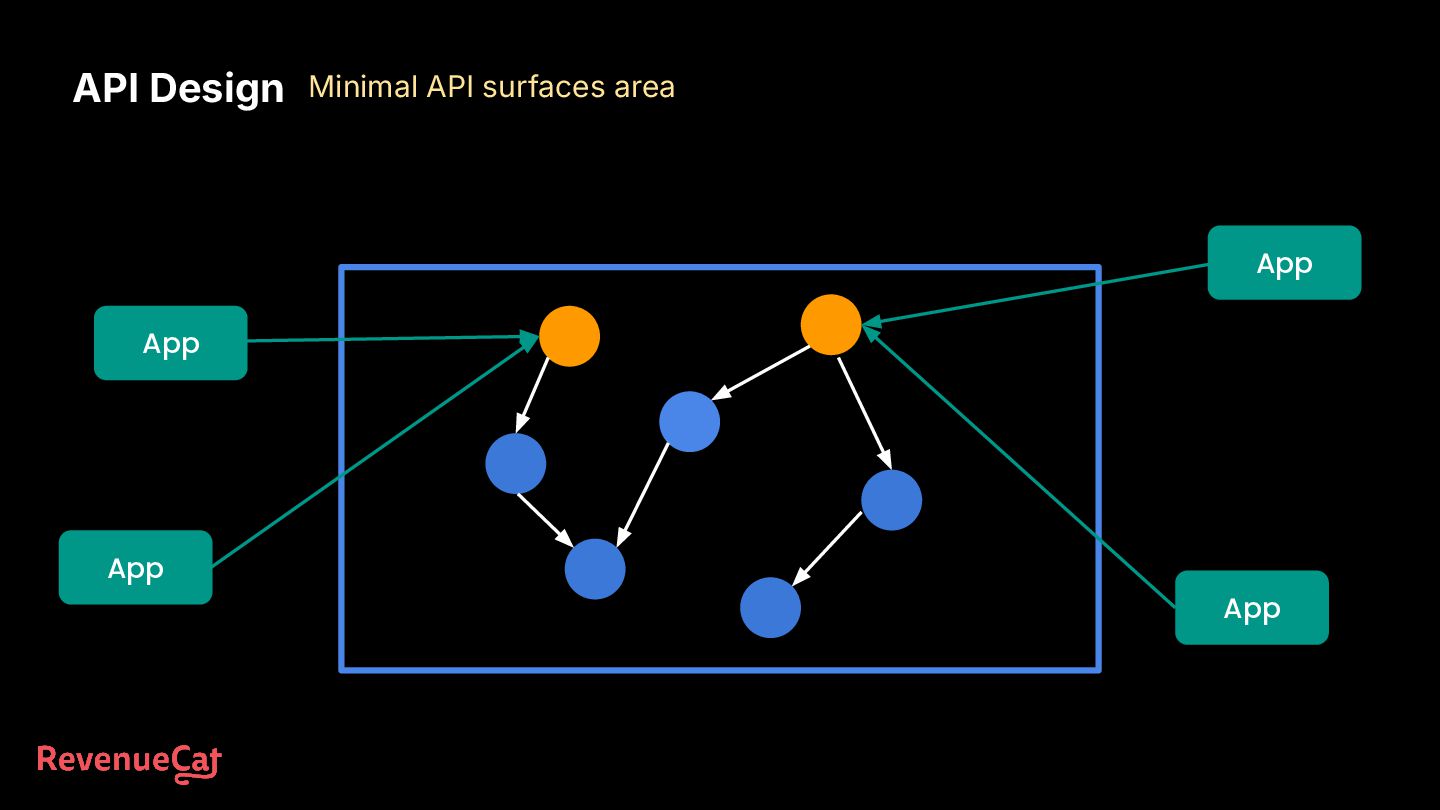
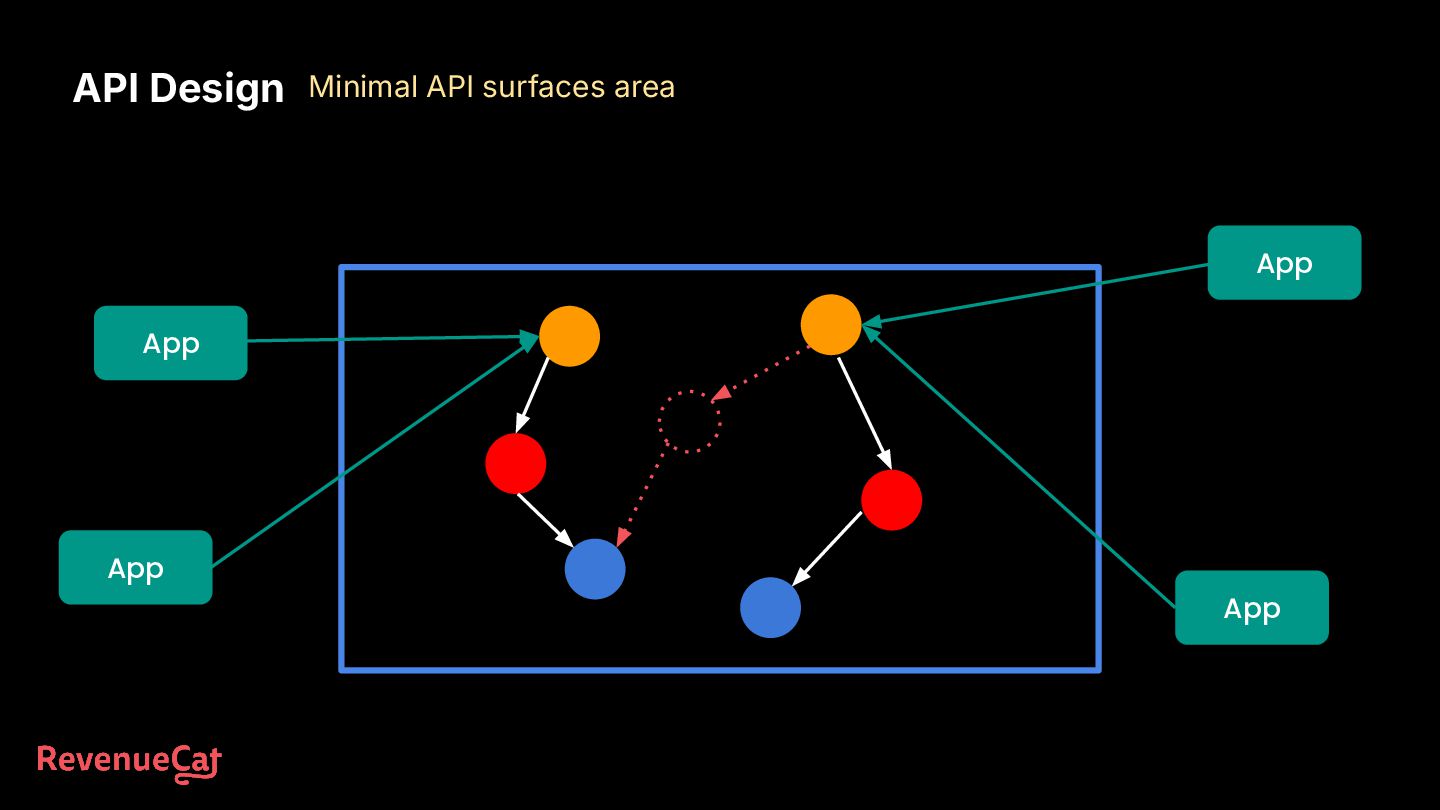
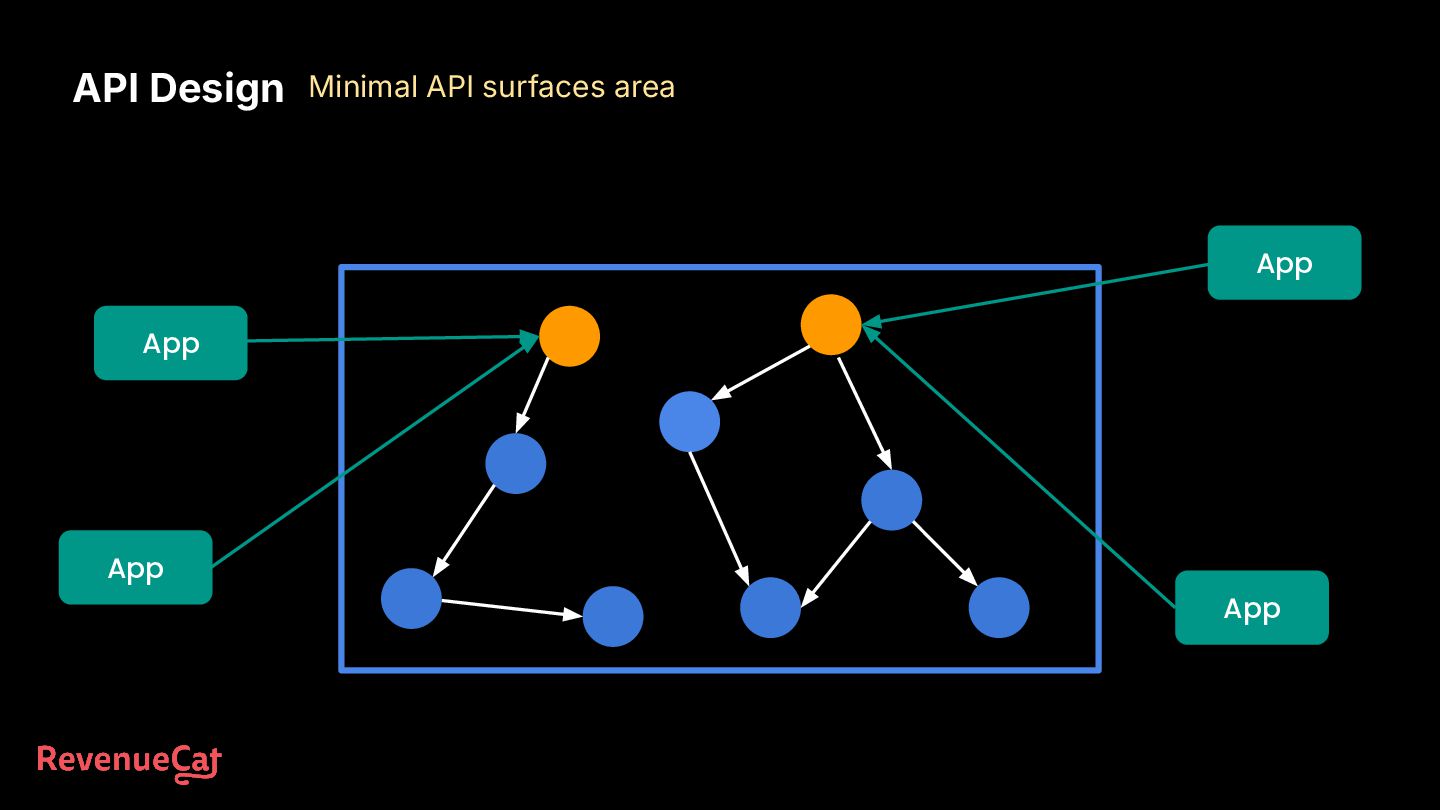
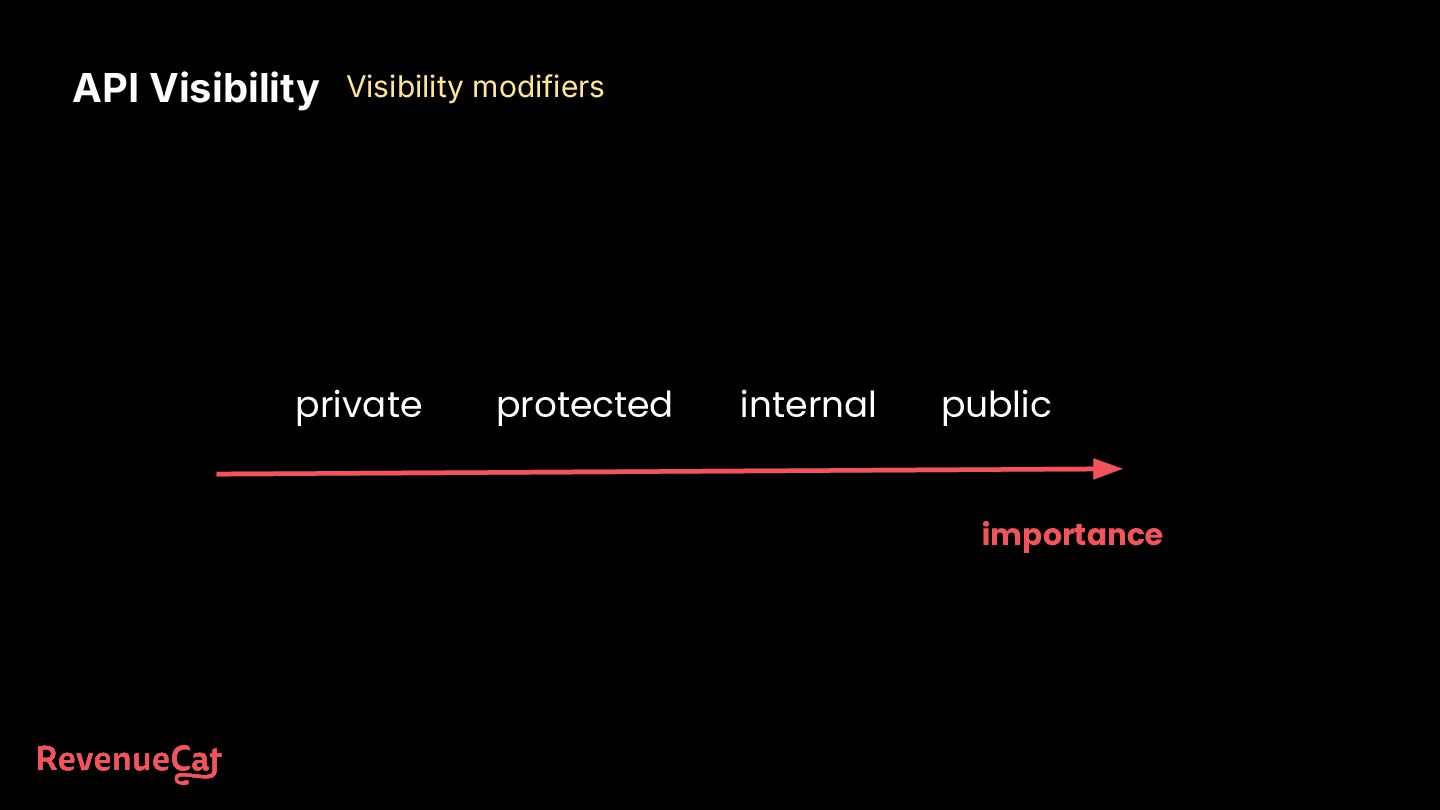
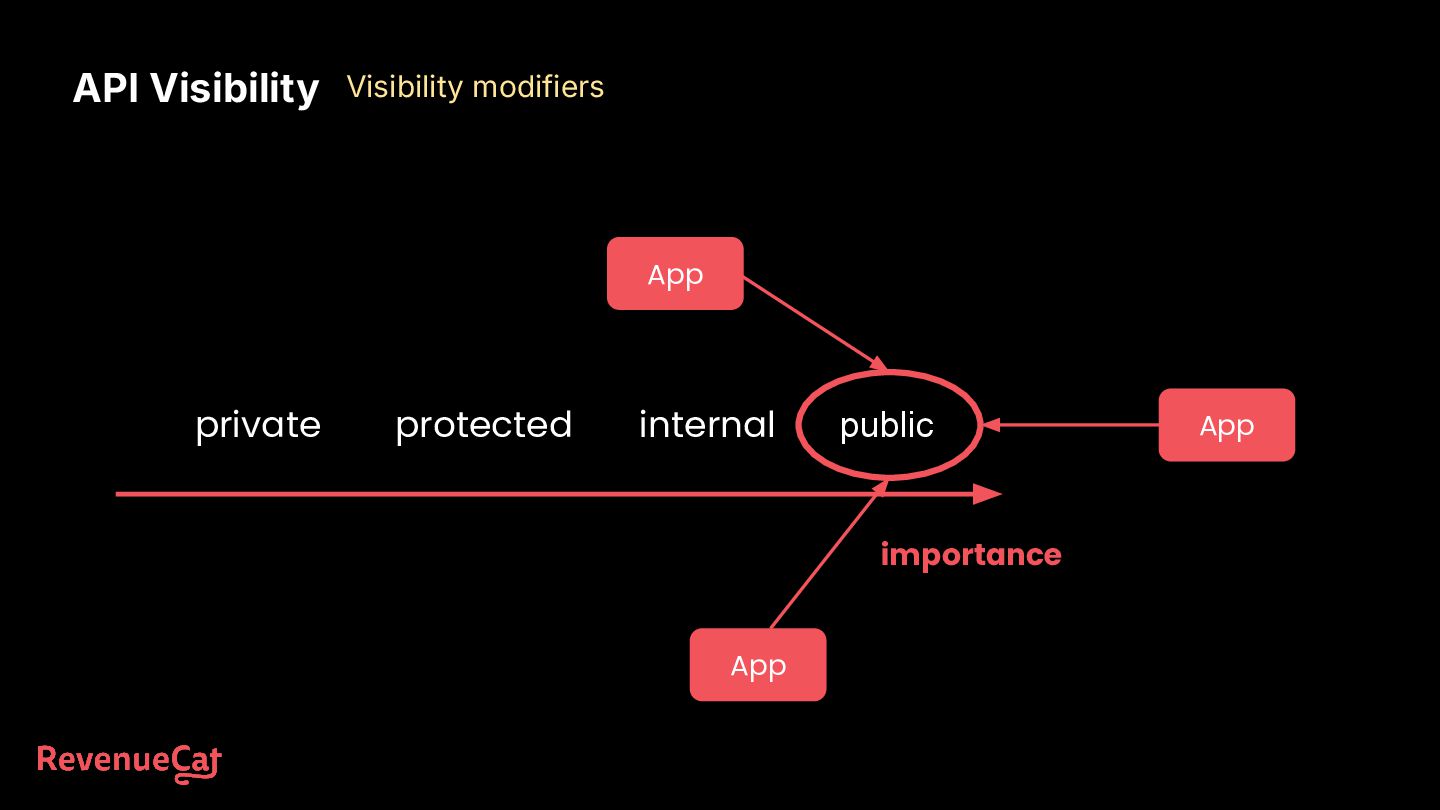
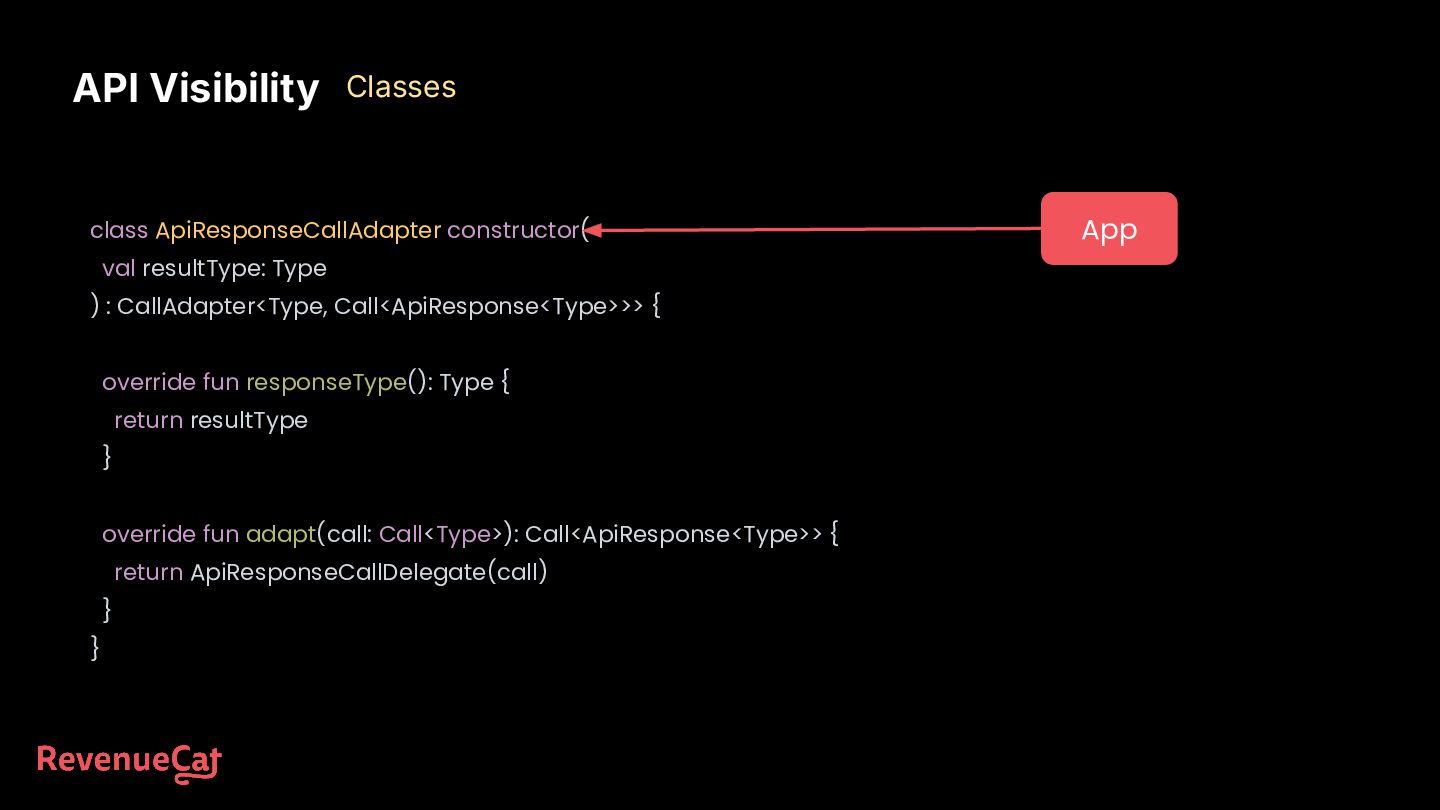
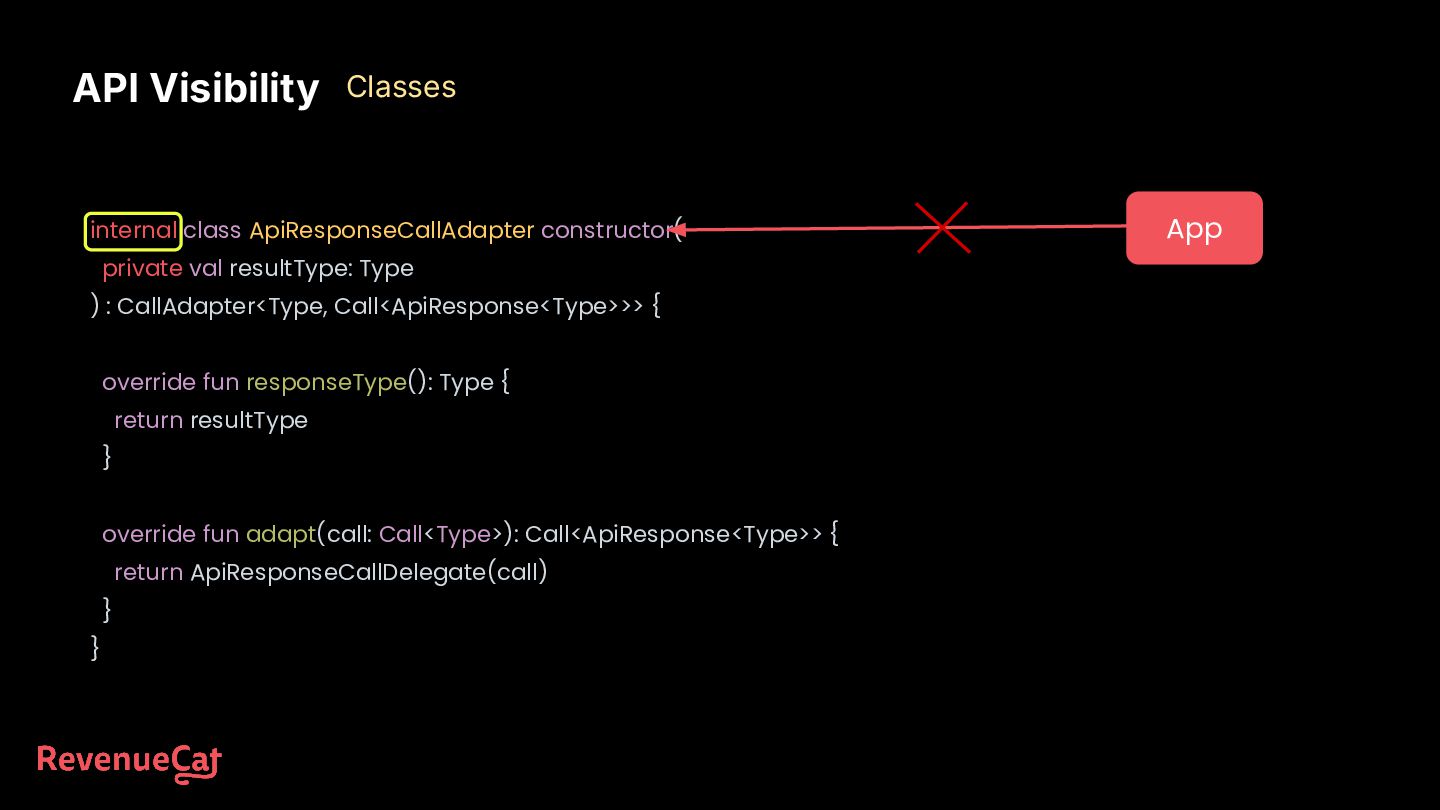
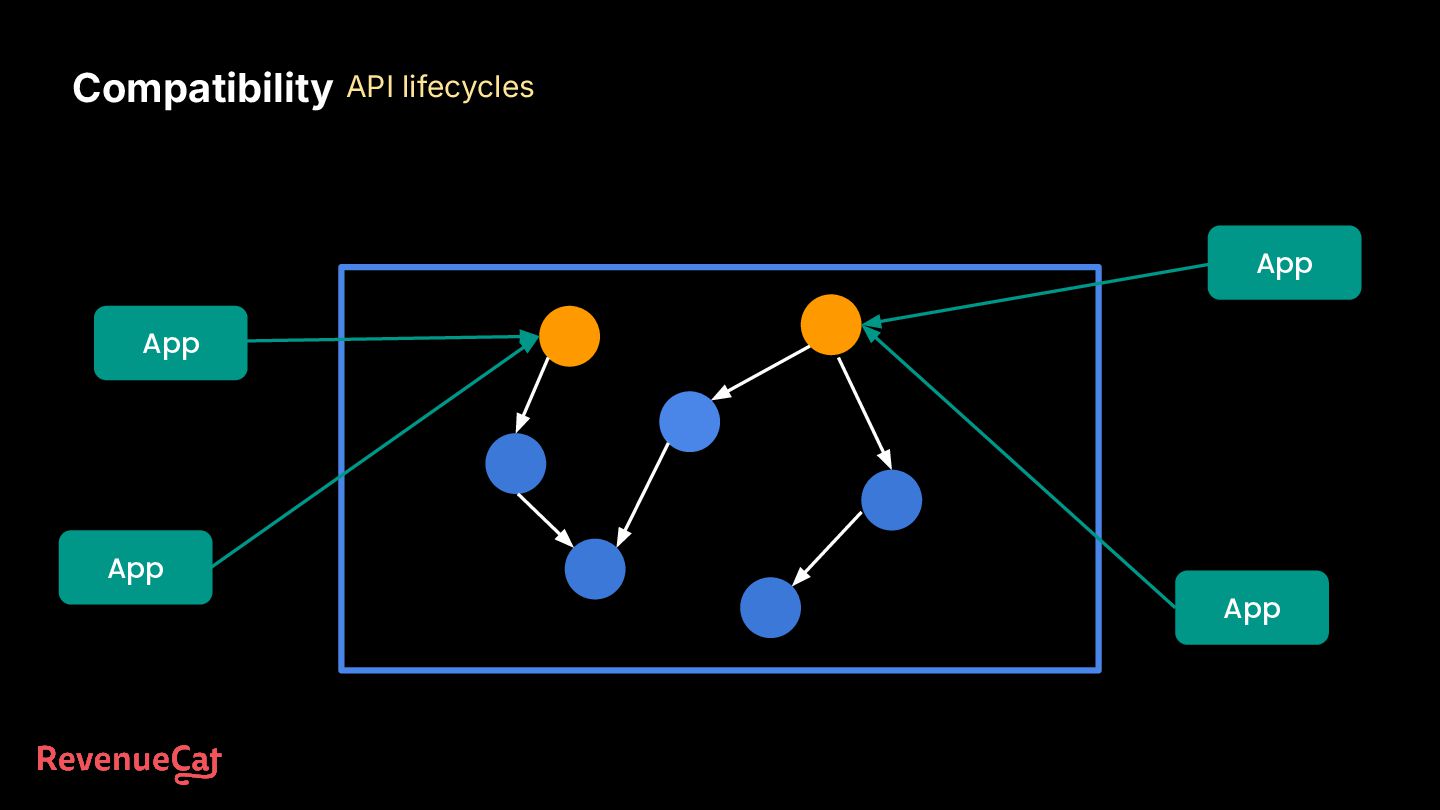
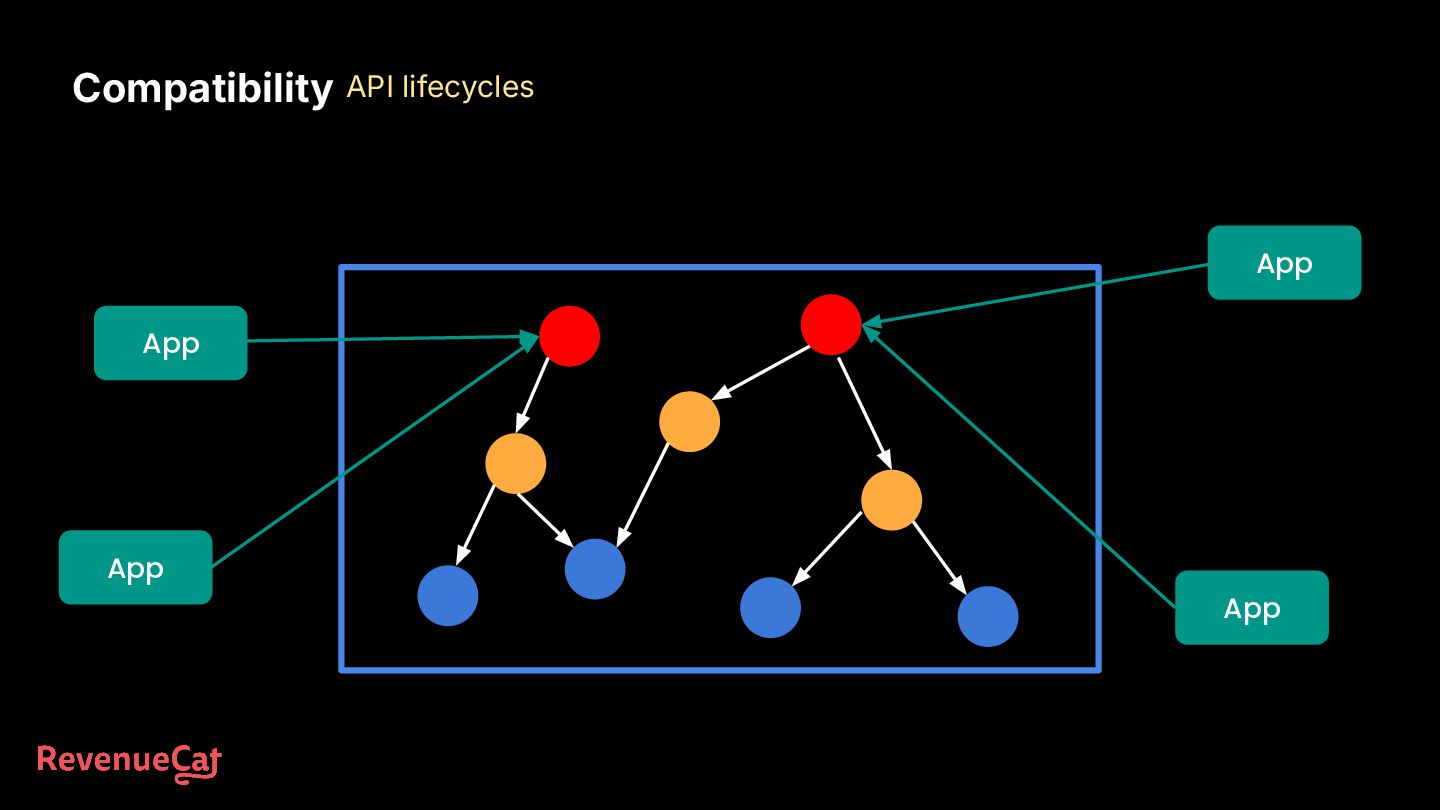
set of rules and protocols that allows different software applications to communicate with each other. It defines how software components should interact. Android Project Jetpack ViewModel Jetpack Compose Firebase SDK RevenueCat SDK
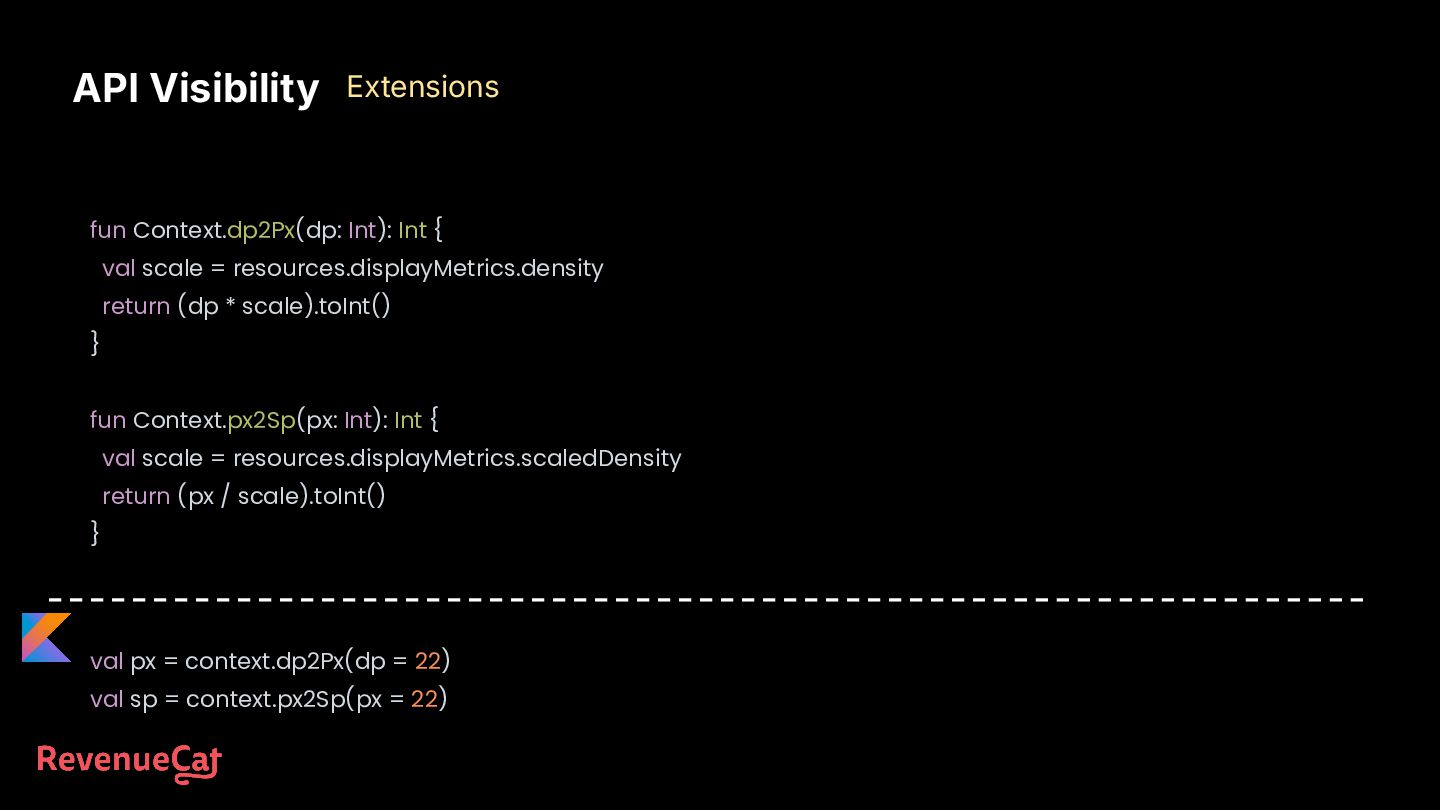
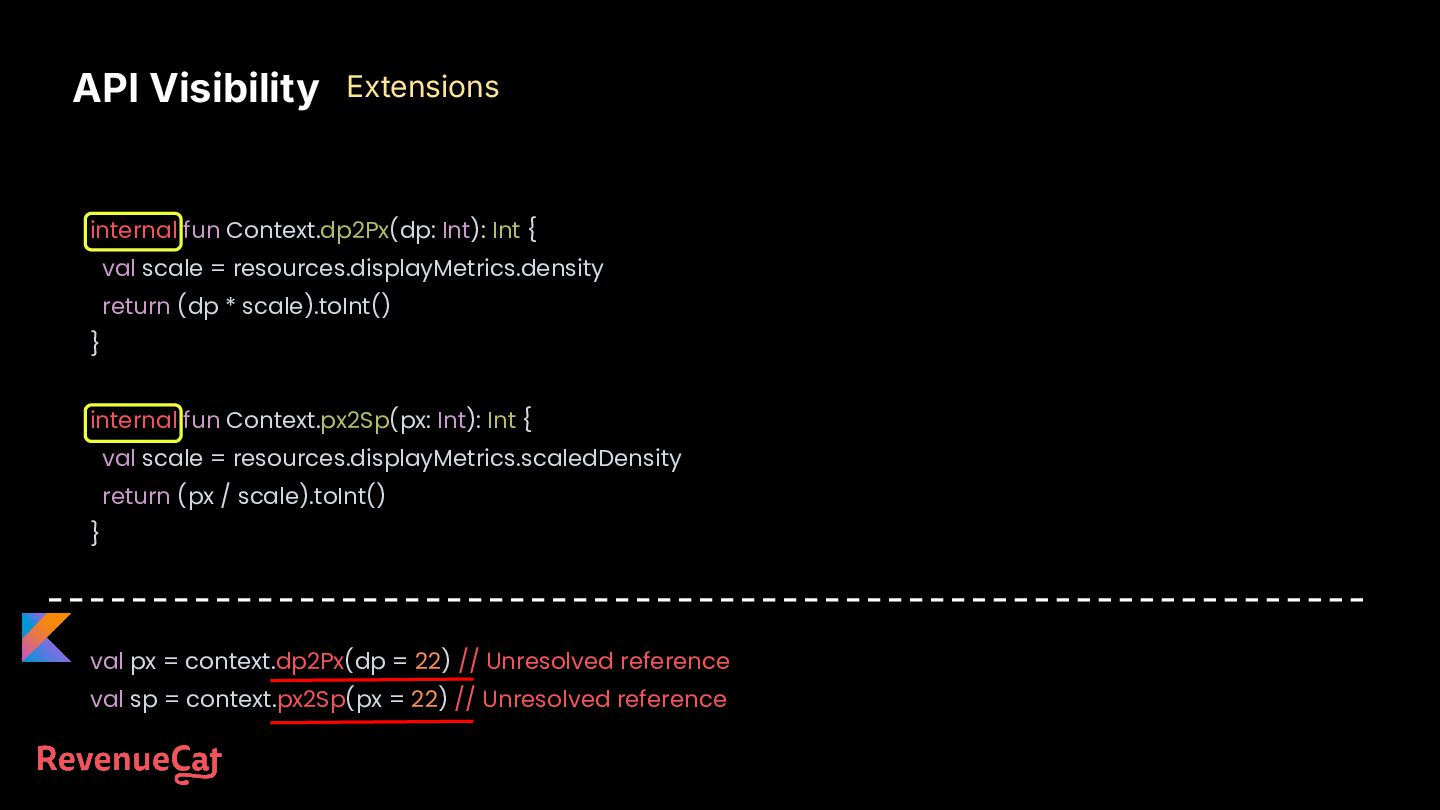
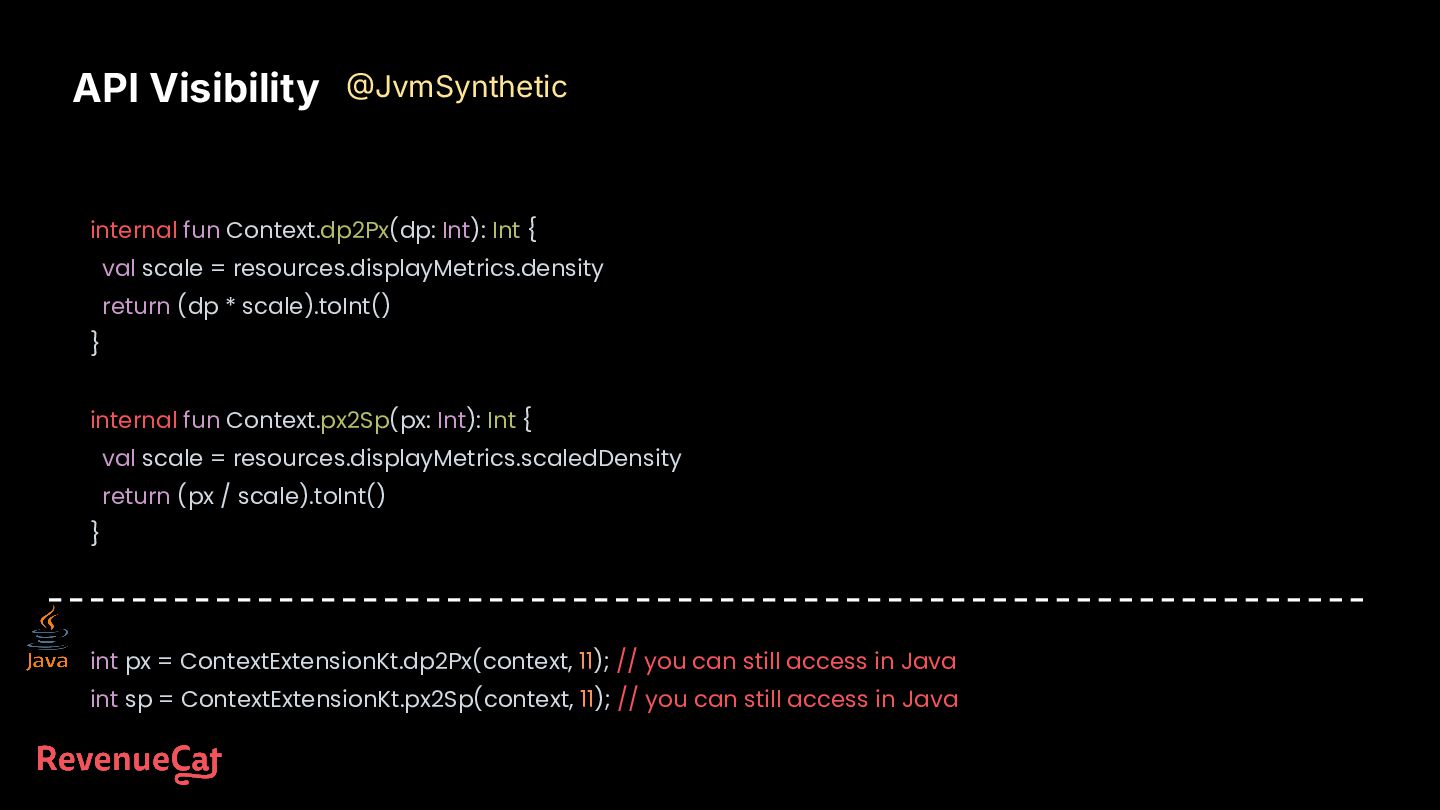
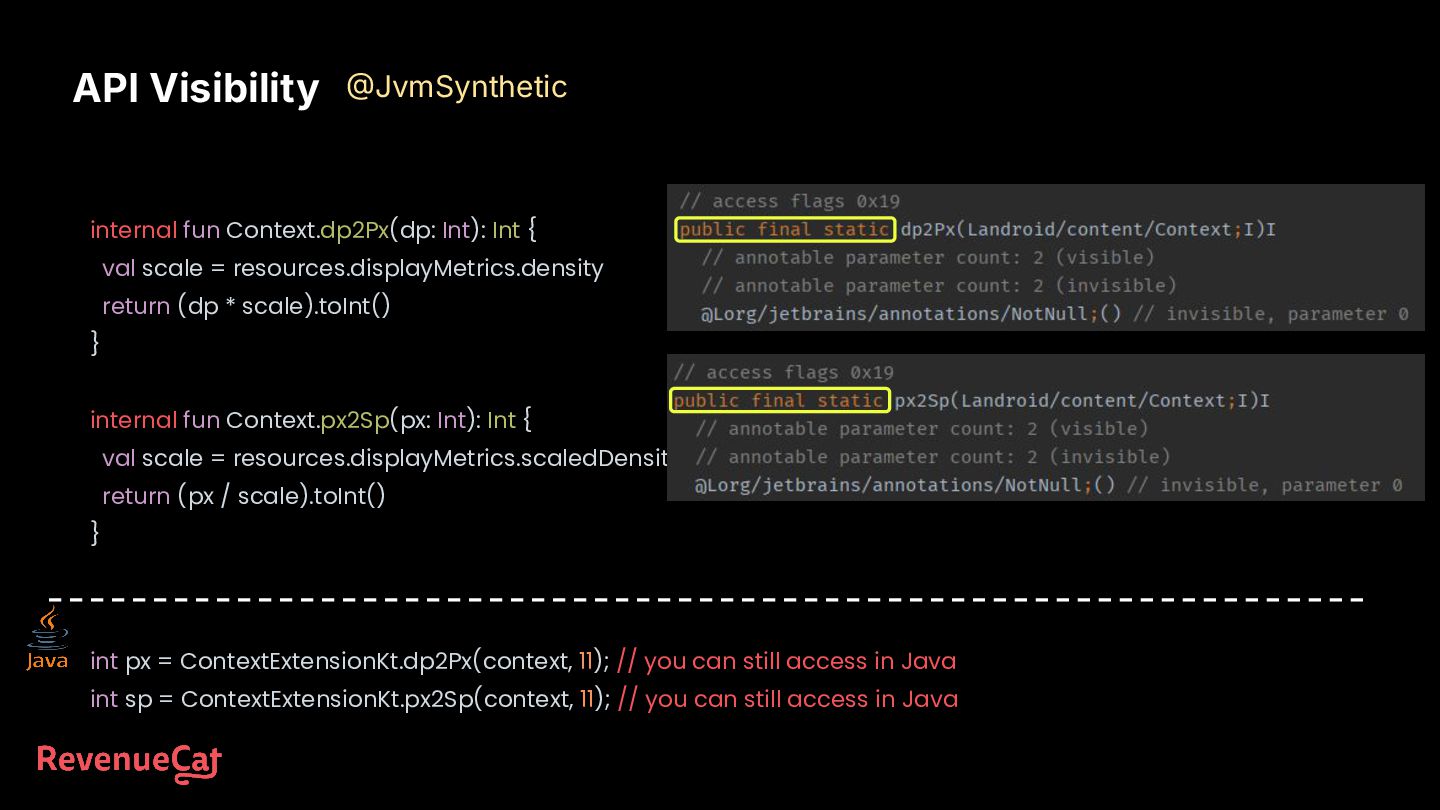
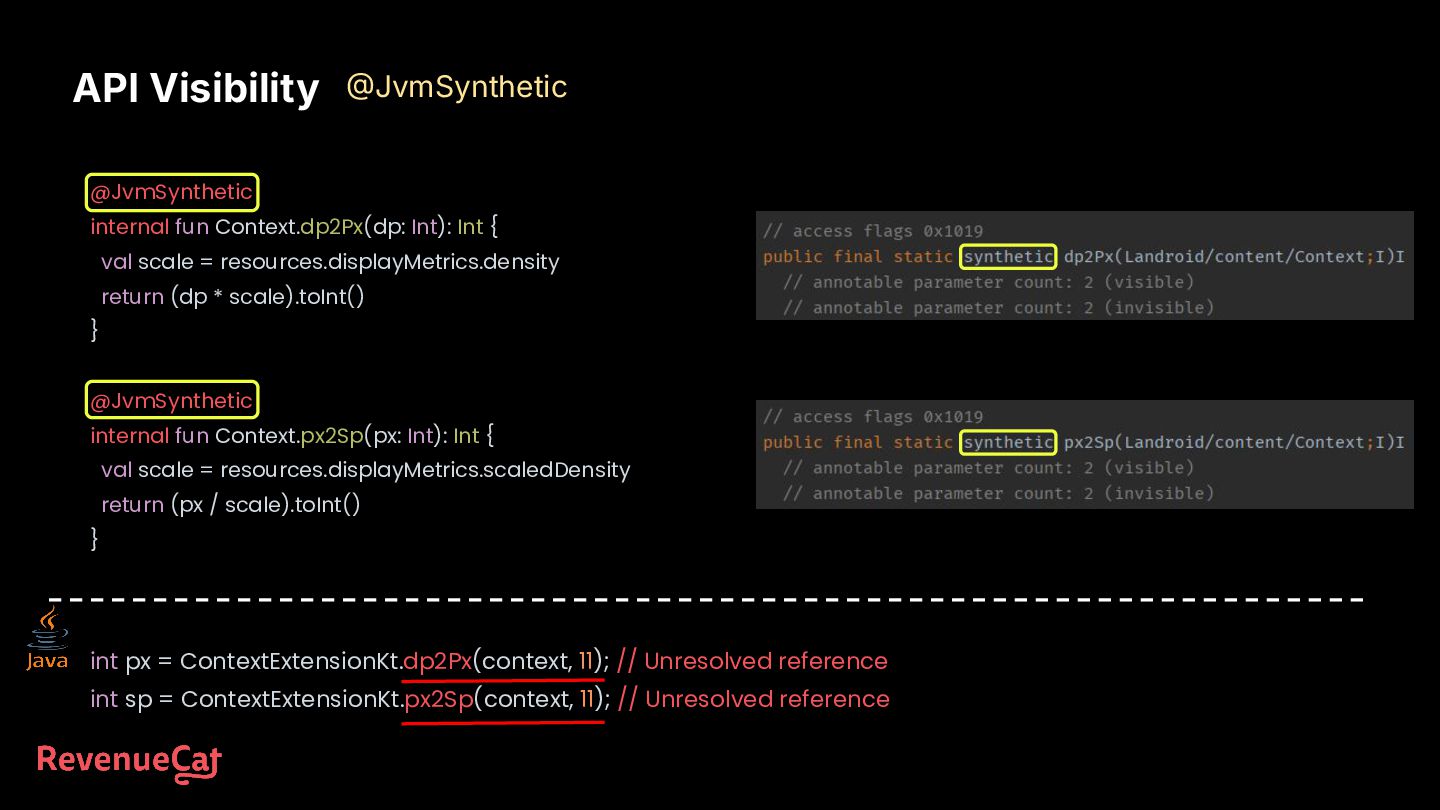
return (dp * scale).toInt() } internal fun Context.px2Sp(px: Int): Int { val scale = resources.displayMetrics.scaledDensity return (px / scale).toInt() } int px = ContextExtensionKt.dp2Px(context, 11); // you can still access in Java int sp = ContextExtensionKt.px2Sp(context, 11); // you can still access in Java API Visibility JvmSynthetic
return (dp * scale).toInt() } internal fun Context.px2Sp(px: Int): Int { val scale = resources.displayMetrics.scaledDensity return (px / scale).toInt() } API Visibility JvmSynthetic int px = ContextExtensionKt.dp2Px(context, 11); // you can still access in Java int sp = ContextExtensionKt.px2Sp(context, 11); // you can still access in Java
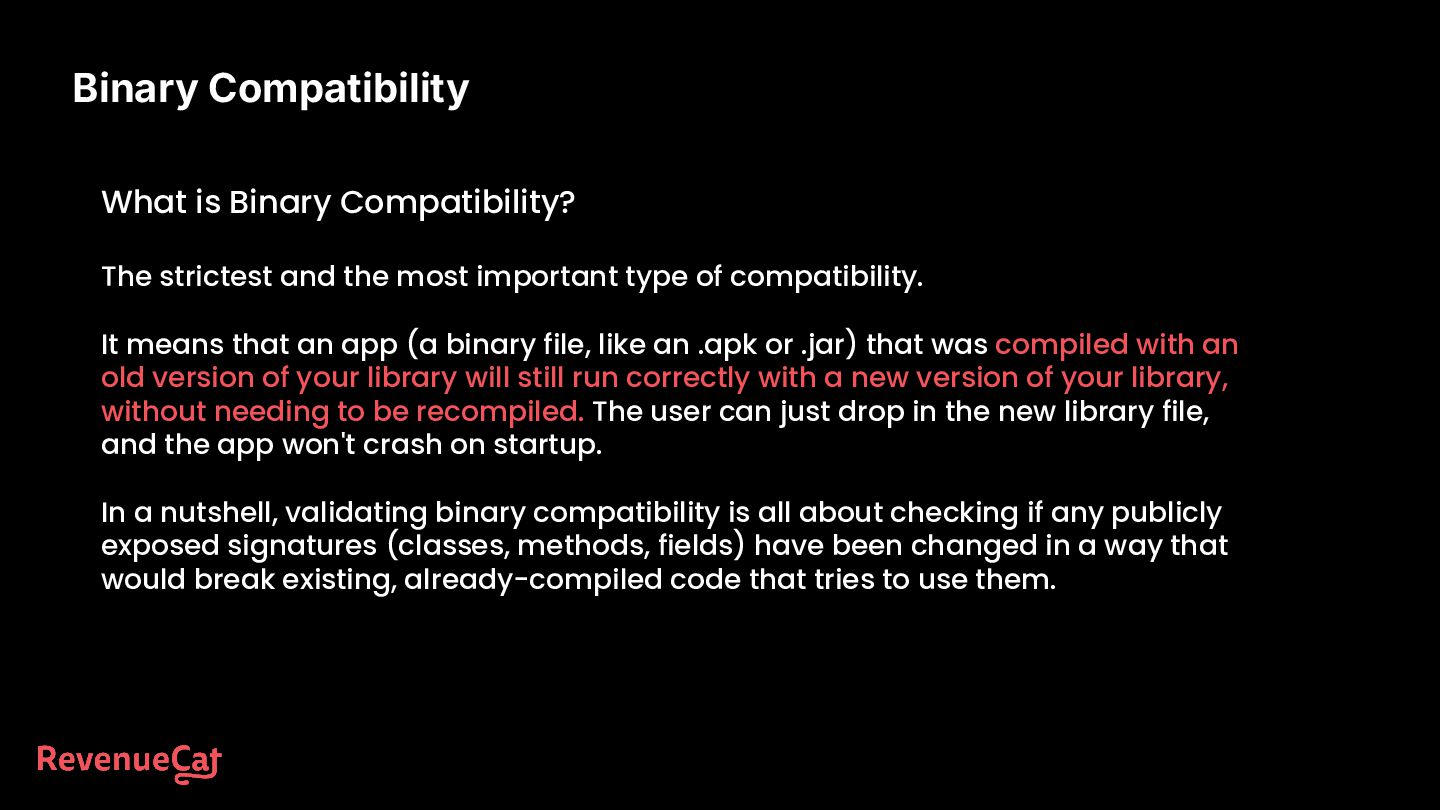
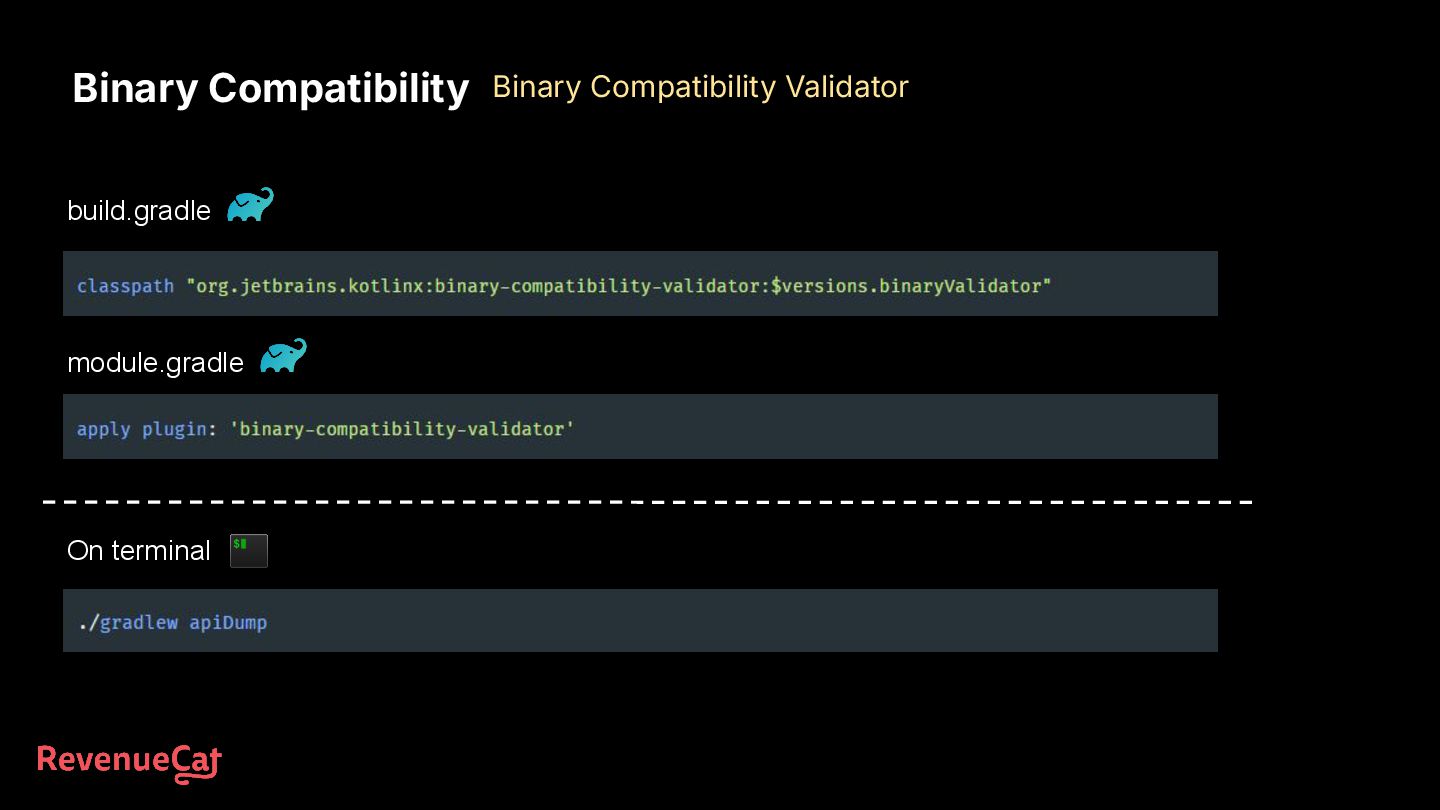
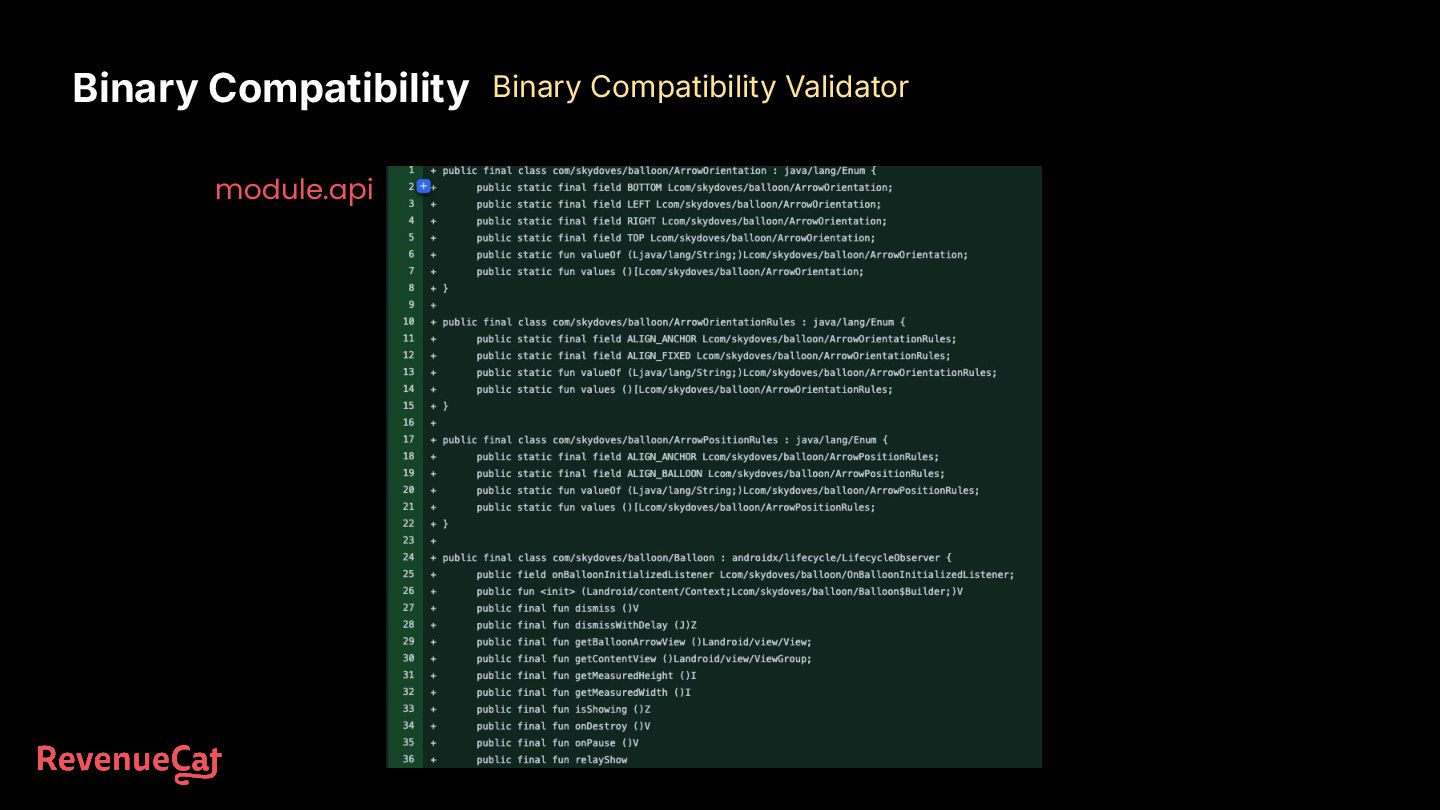
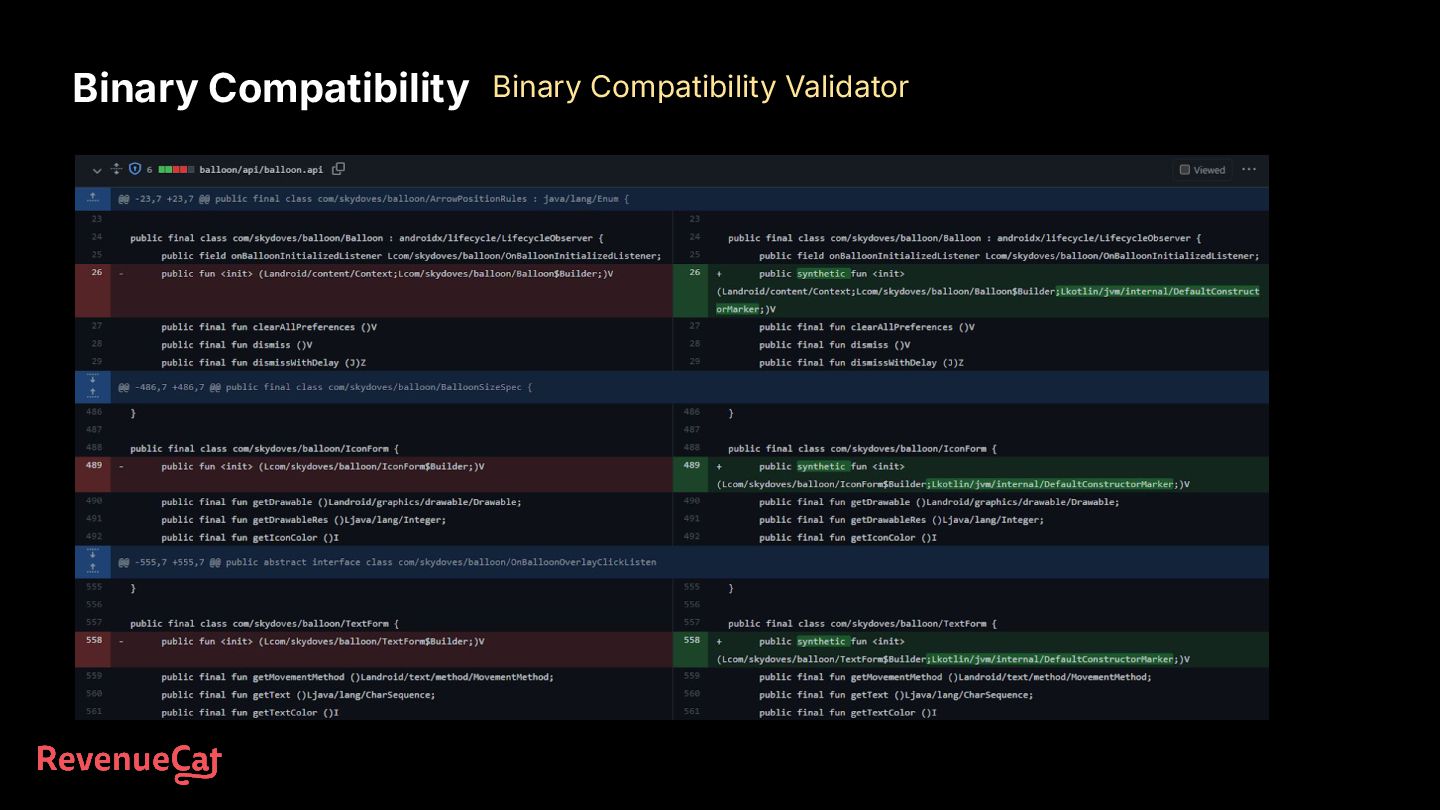
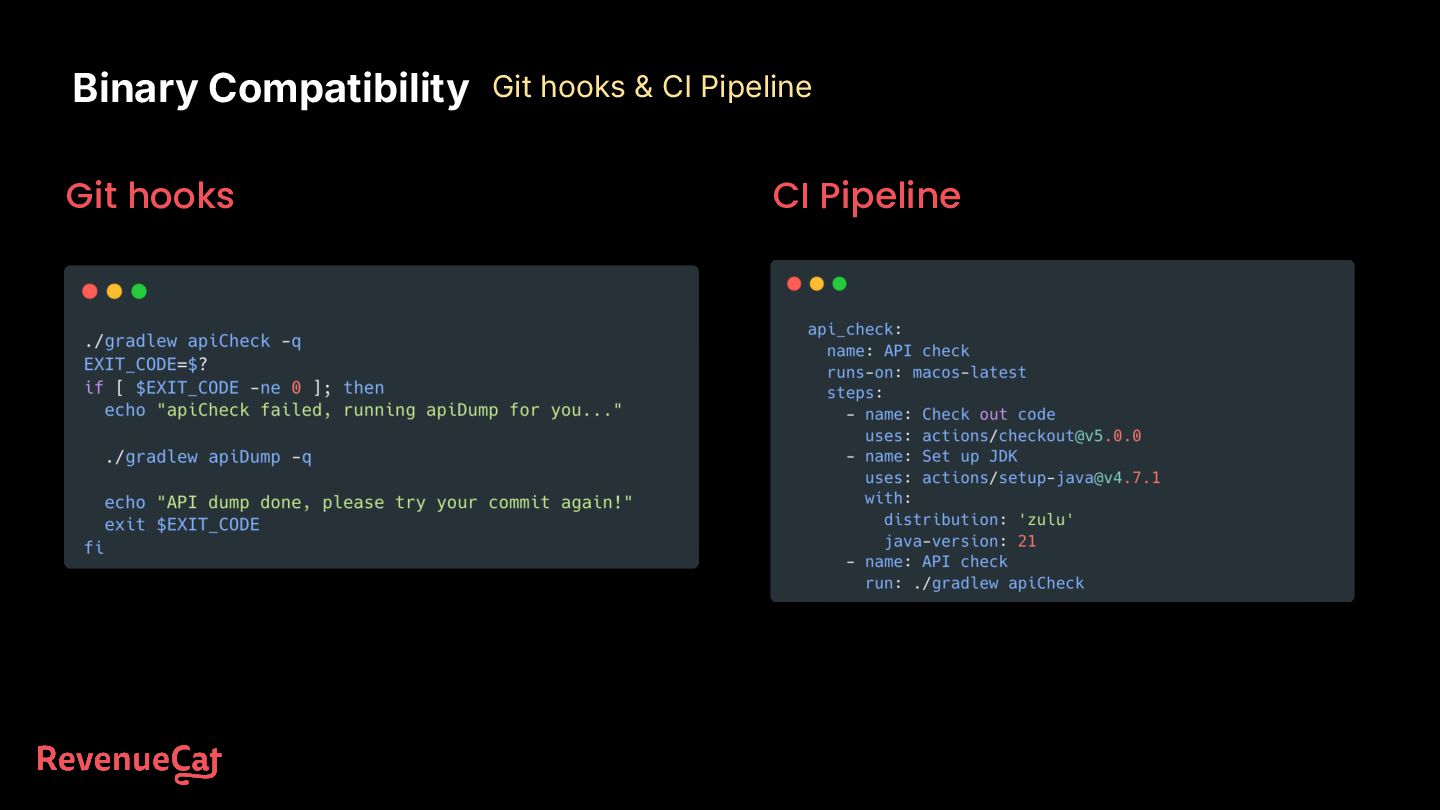
most important type of compatibility. It means that an app (a binary file, like an .apk or .jar) that was compiled with an old version of your library will still run correctly with a new version of your library, without needing to be recompiled. The user can just drop in the new library file, and the app won't crash on startup. In a nutshell, validating binary compatibility is all about checking if any publicly exposed signatures (classes, methods, fields) have been changed in a way that would break existing, already-compiled code that tries to use them.
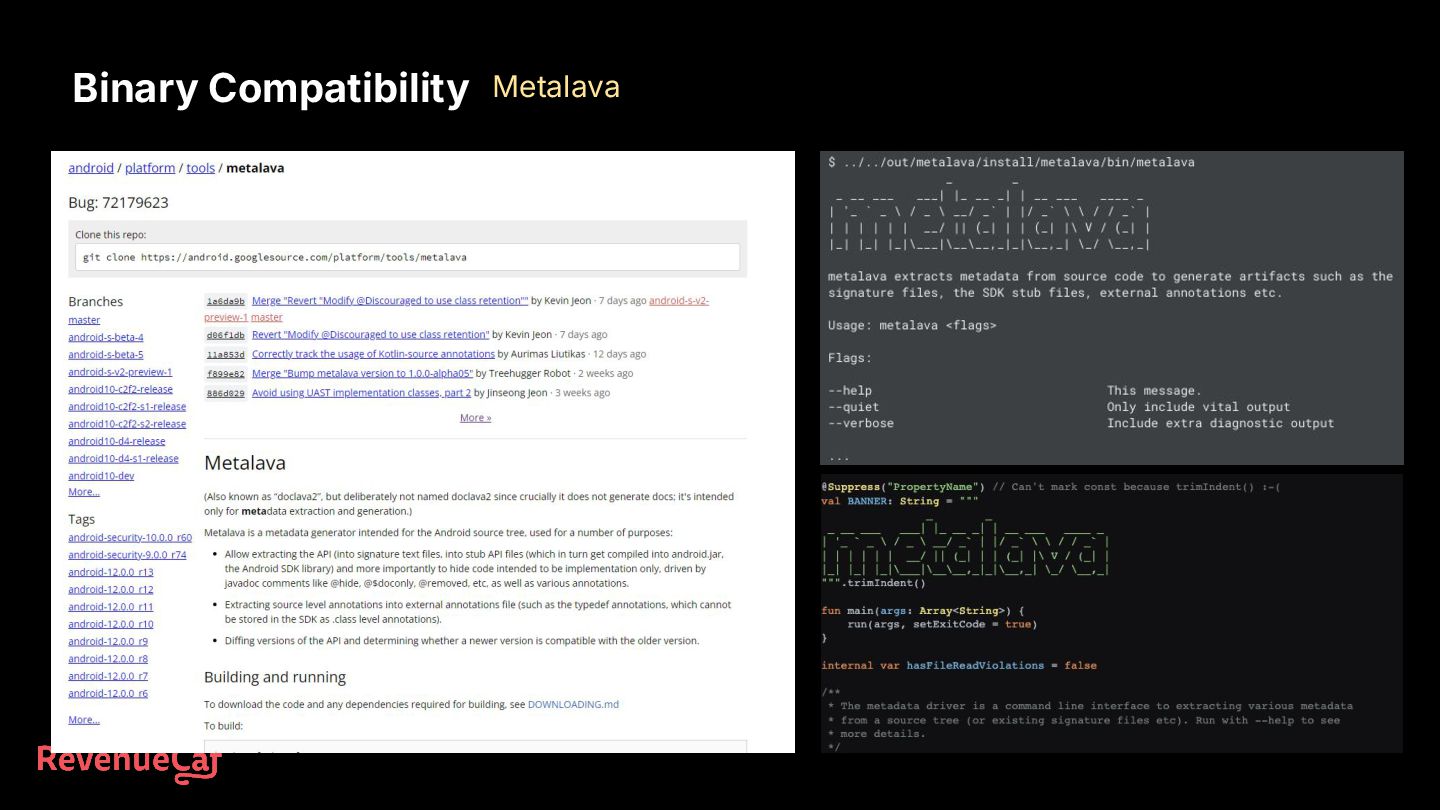
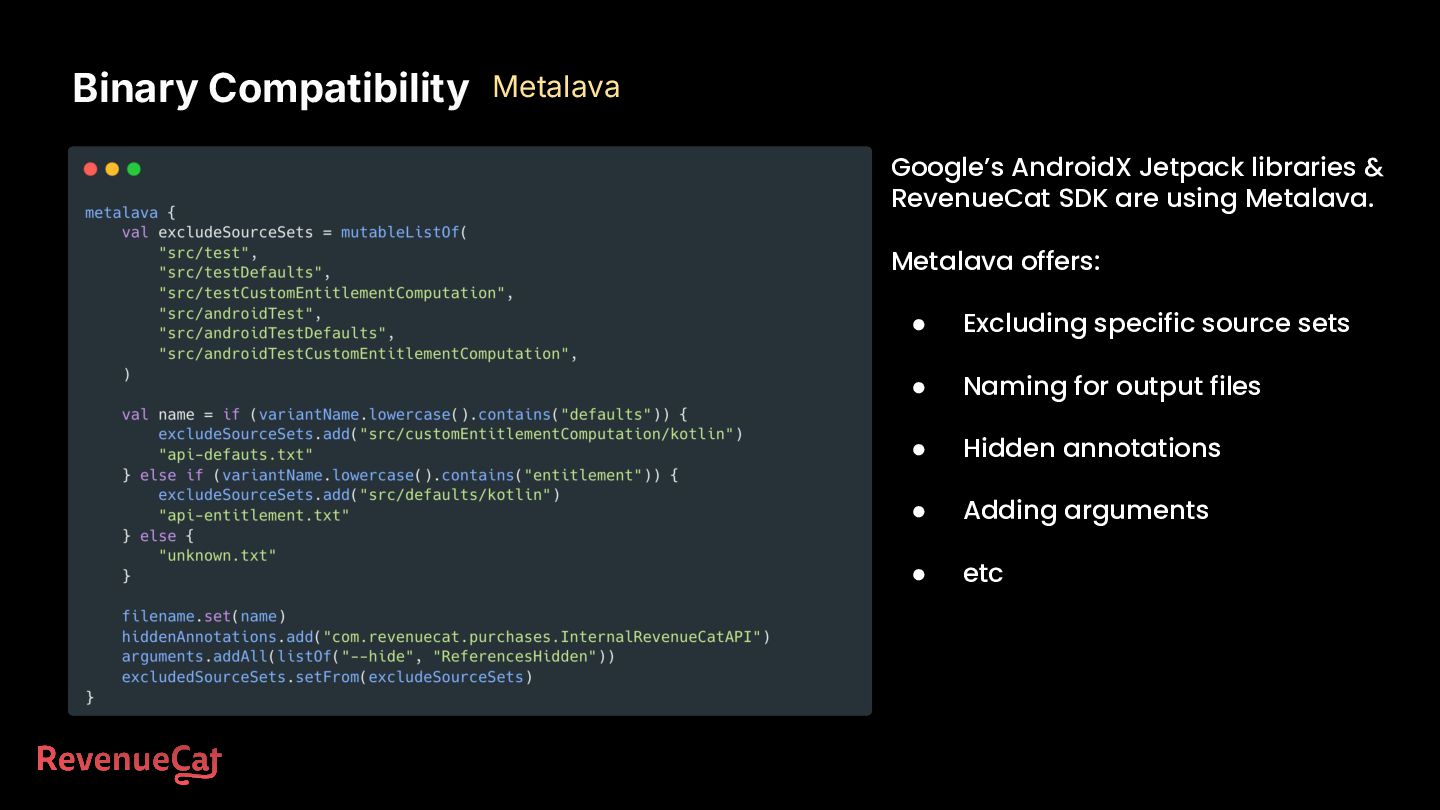
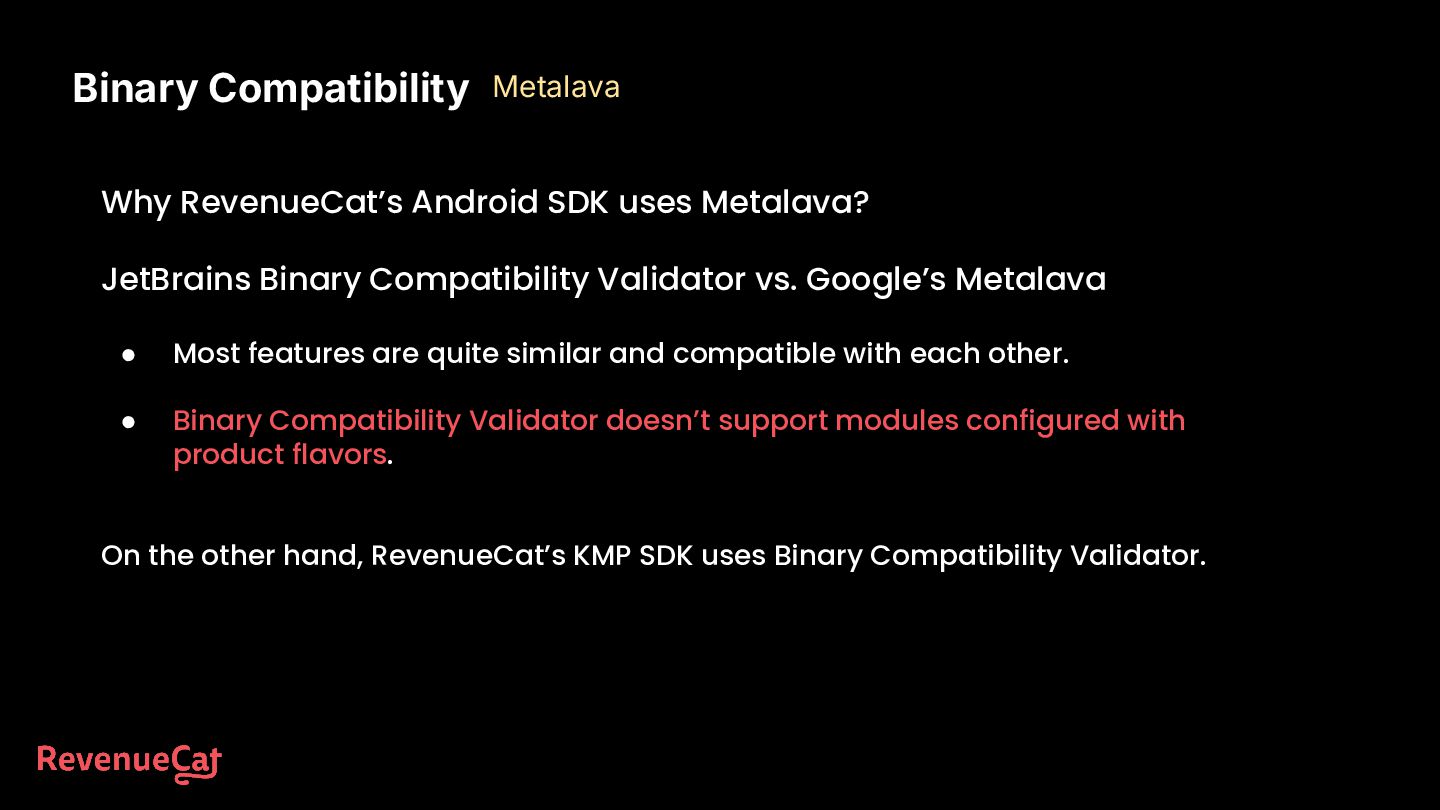
vs. Google’s Metalava • Most features are quite similar and compatible with each other. • Binary Compatibility Validator doesn’t support modules configured with product flavors. On the other hand, RevenueCat’s KMP SDK uses Binary Compatibility Validator. Binary Compatibility Metalava
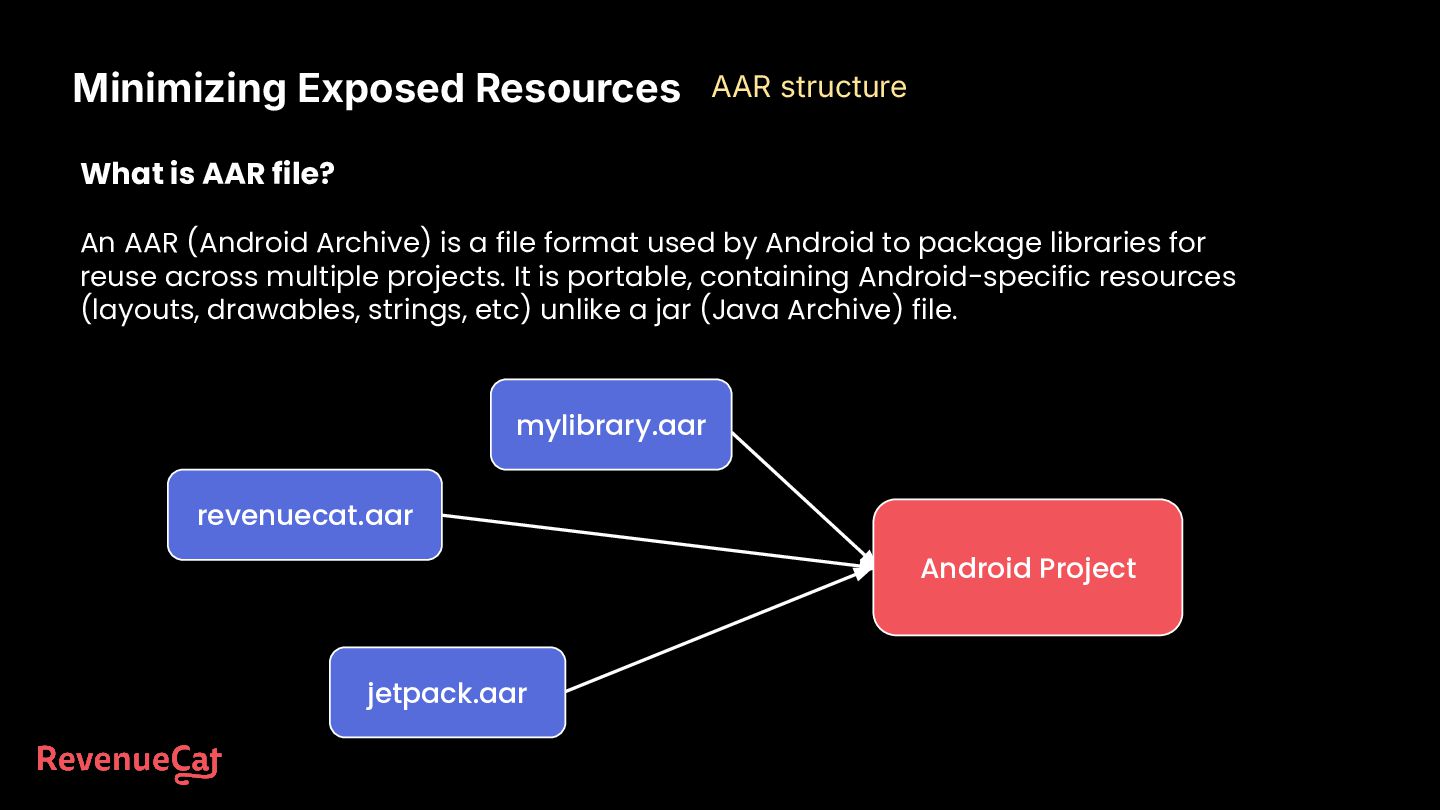
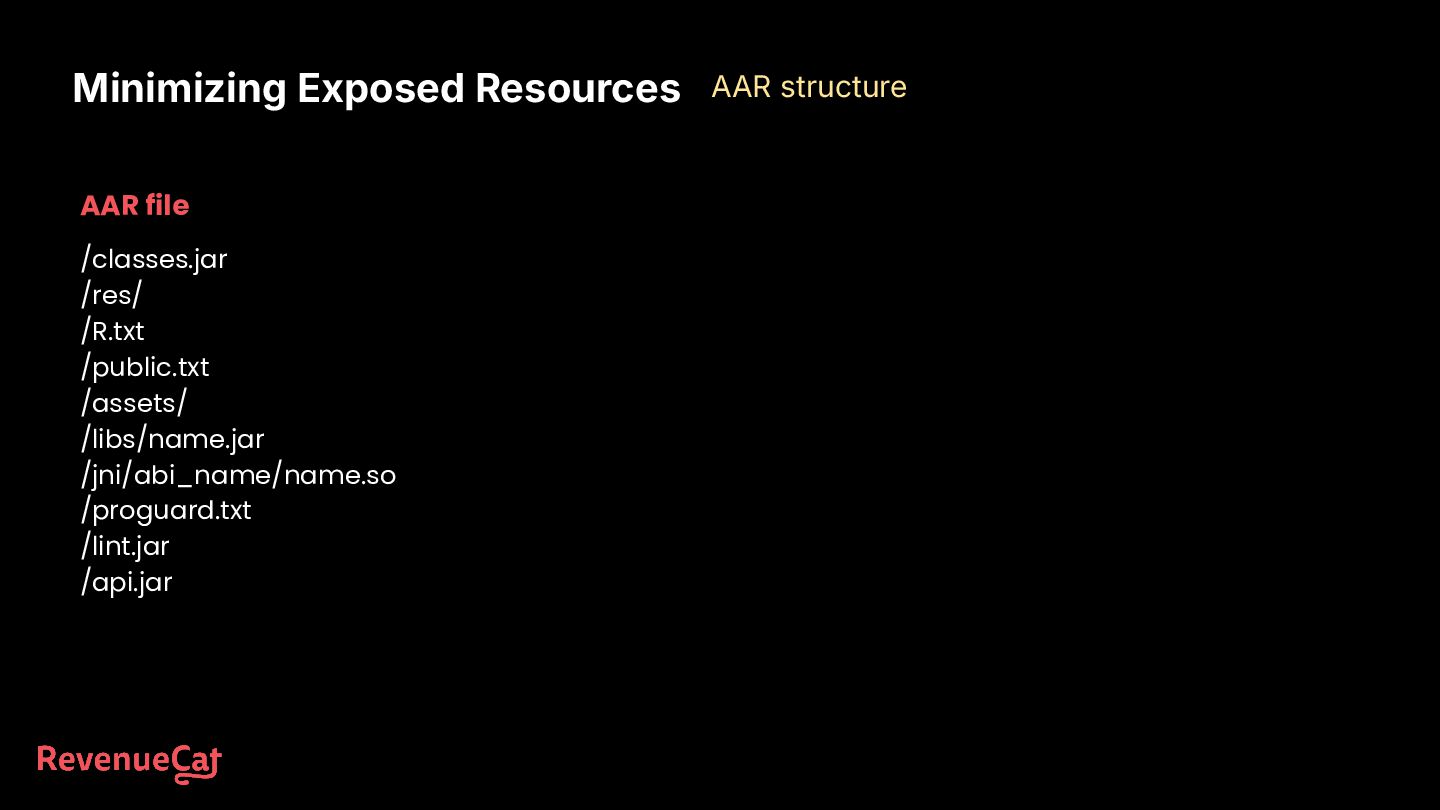
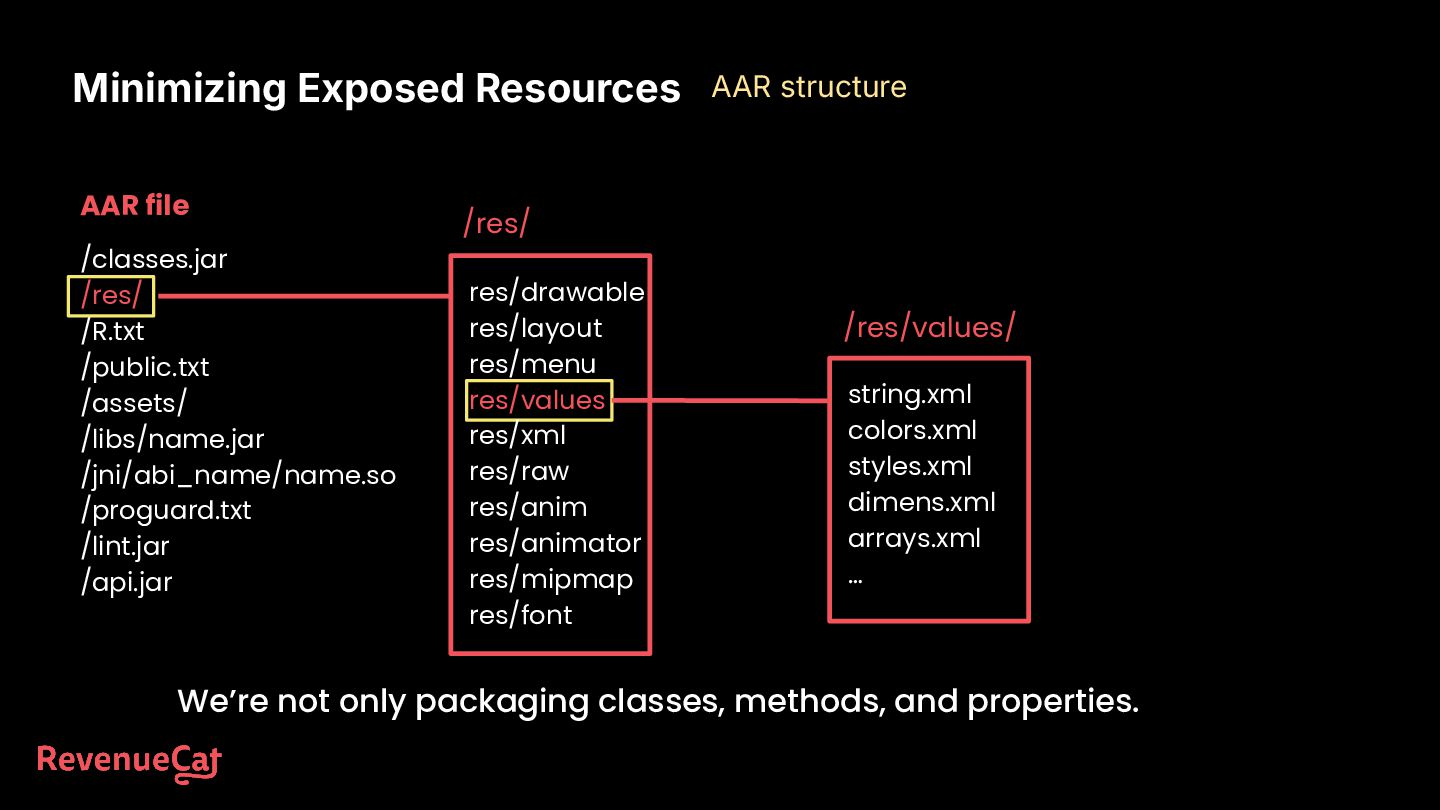
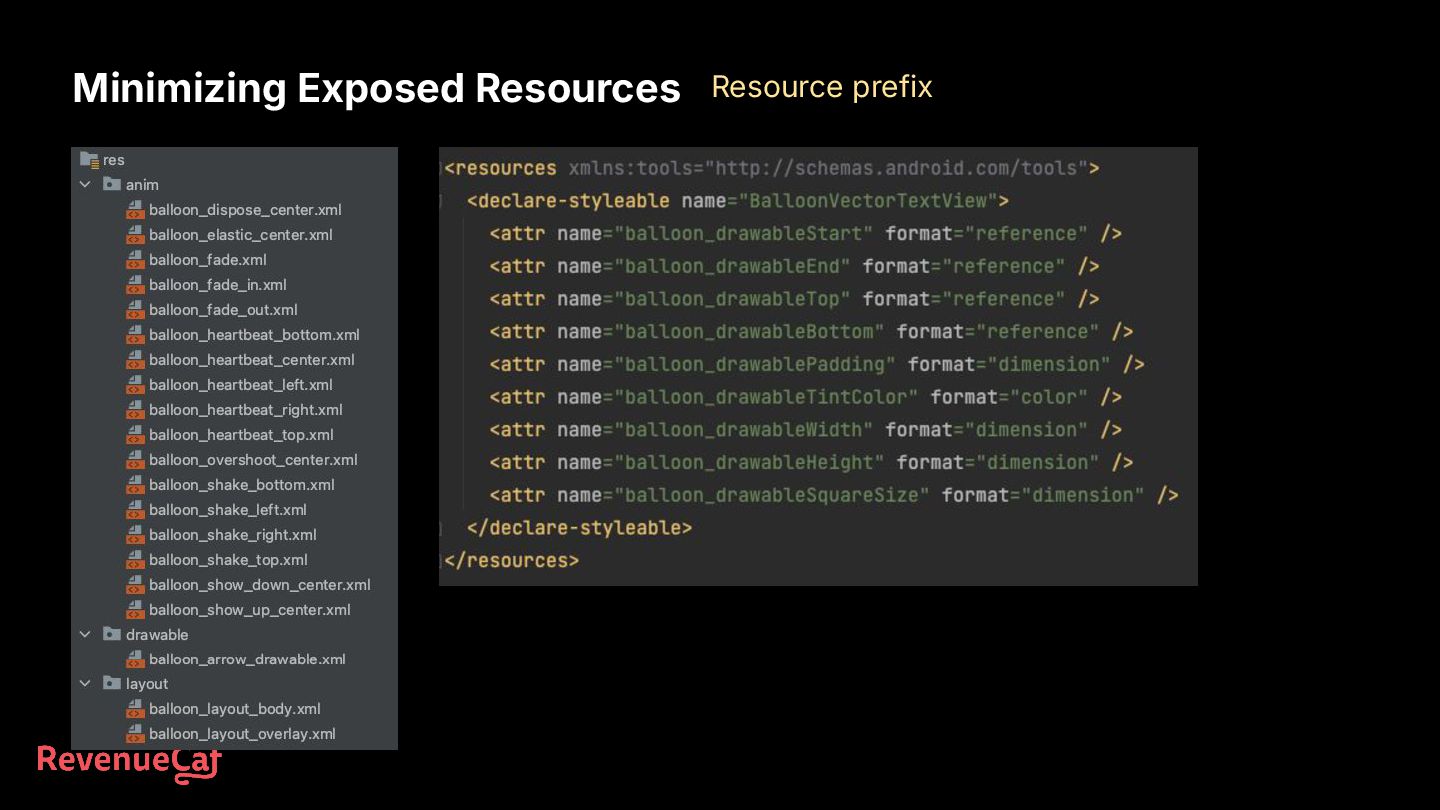
file format used by Android to package libraries for reuse across multiple projects. It is portable, containing Android-specific resources (layouts, drawables, strings, etc) unlike a jar (Java Archive) file. Minimizing Exposed Resources AAR structure mylibrary.aar revenuecat.aar jetpack.aar Android Project
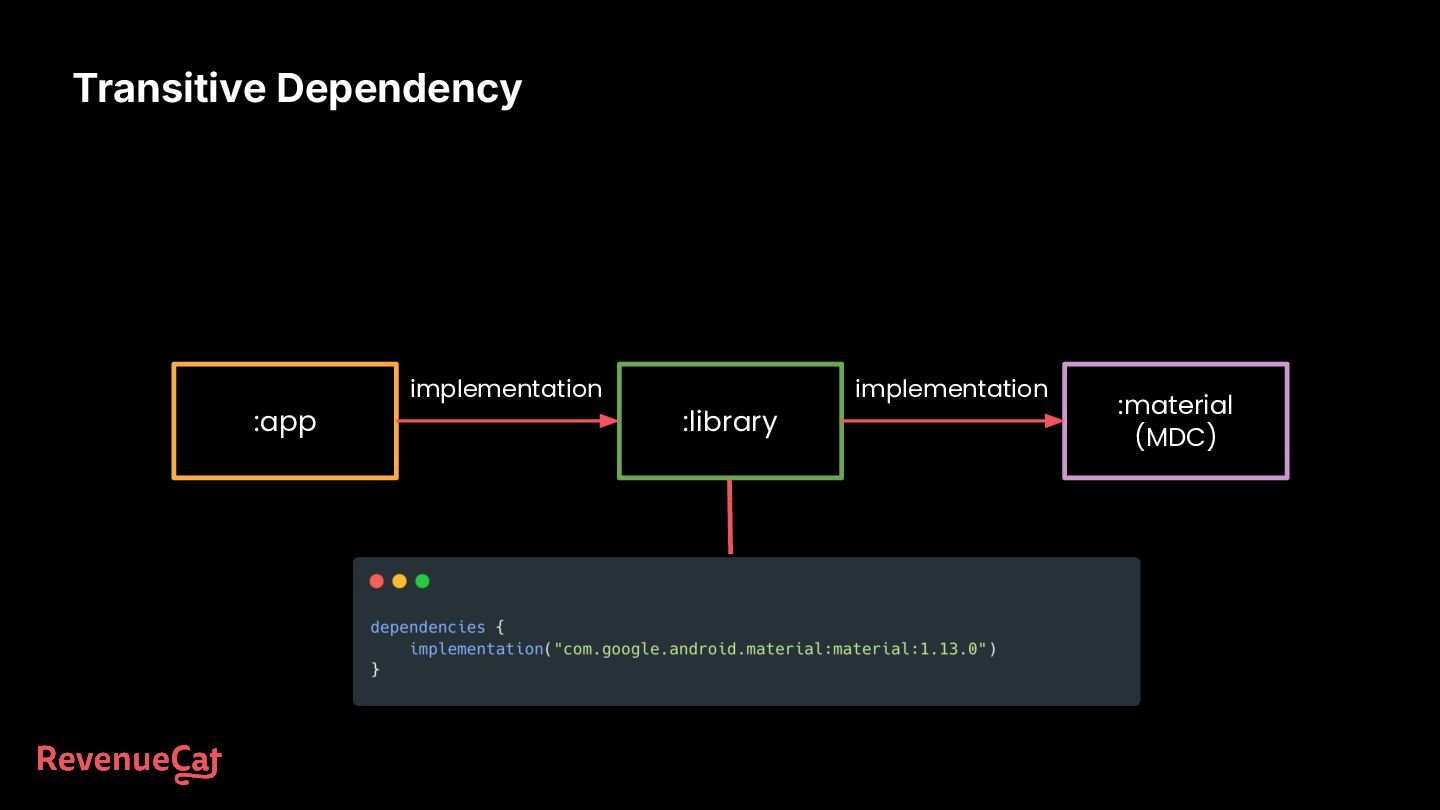
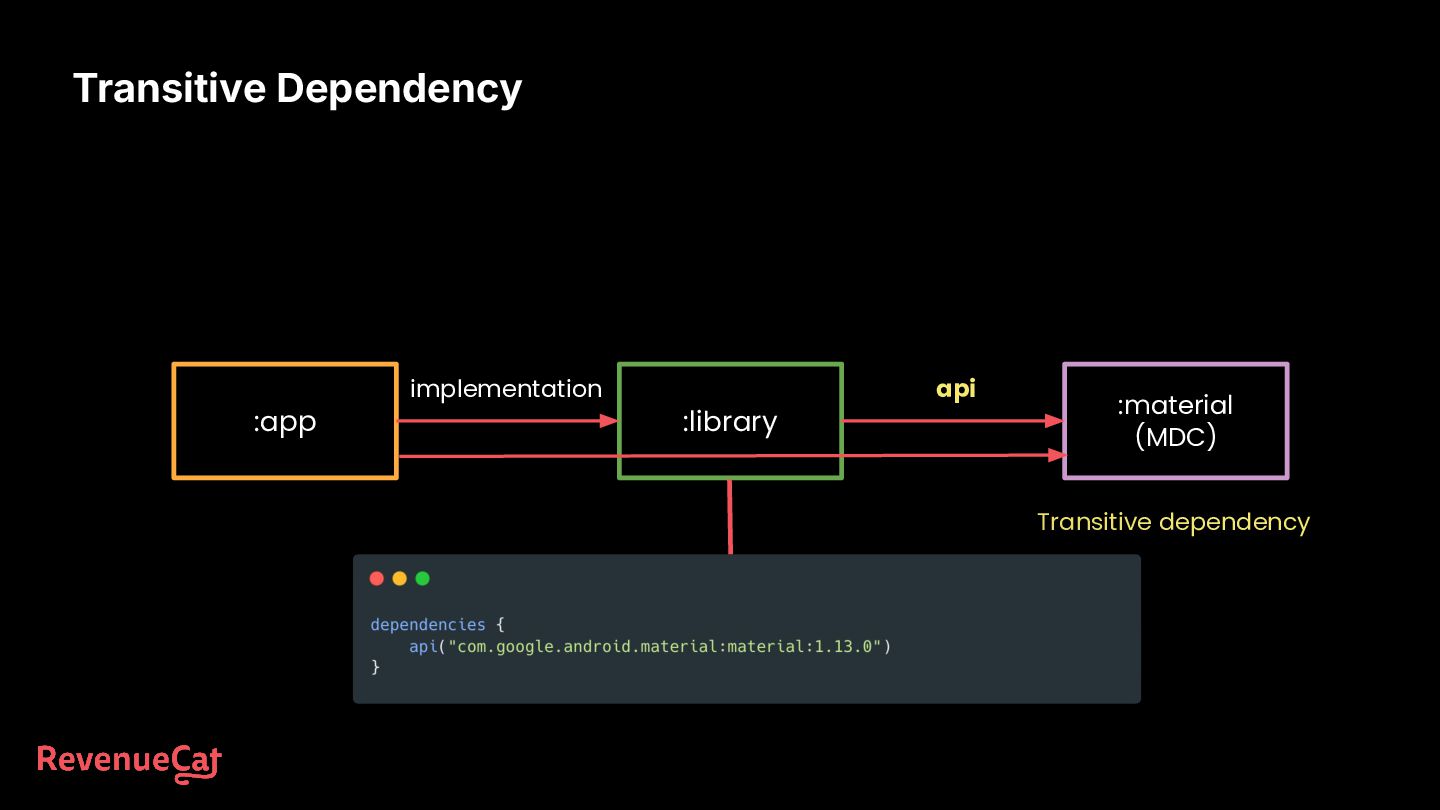
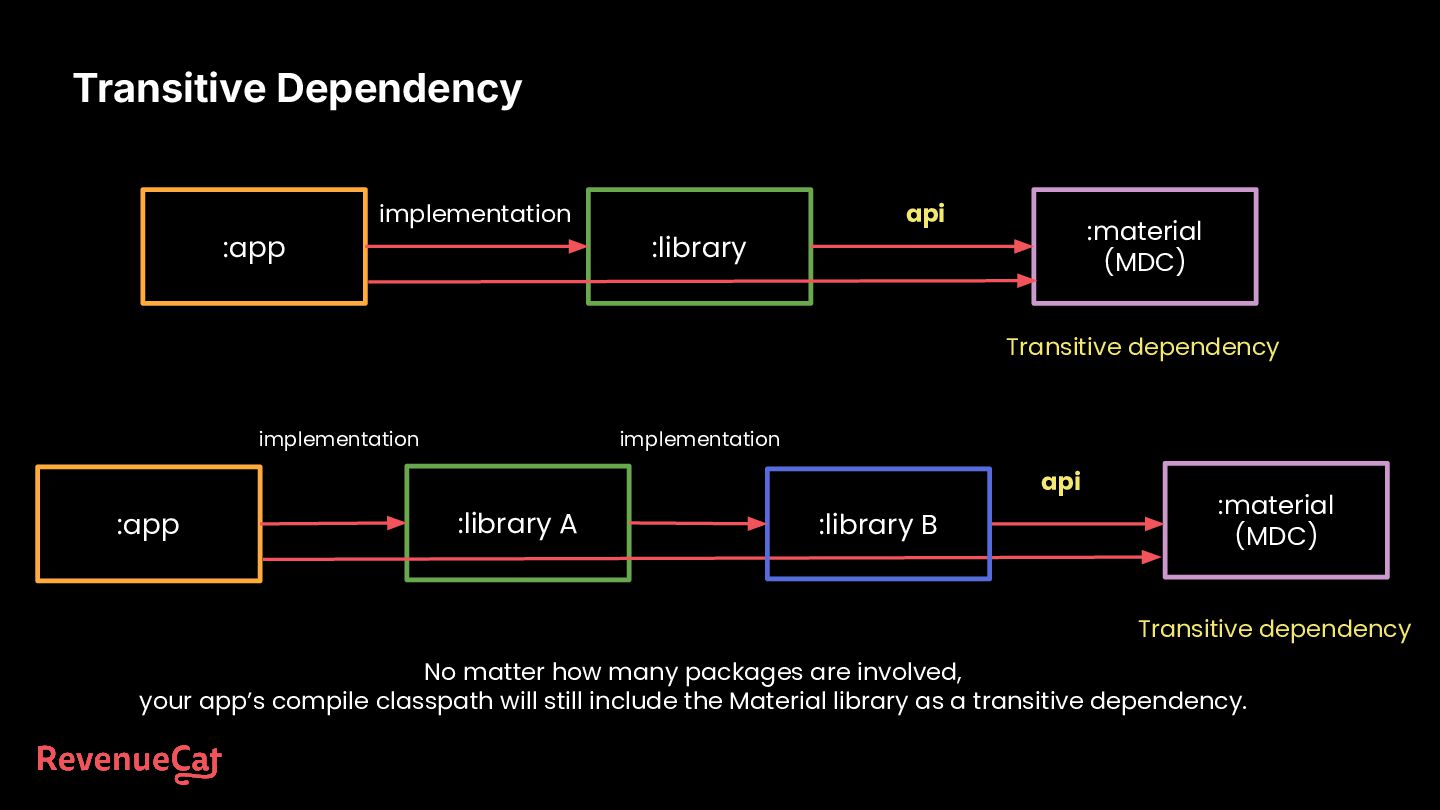
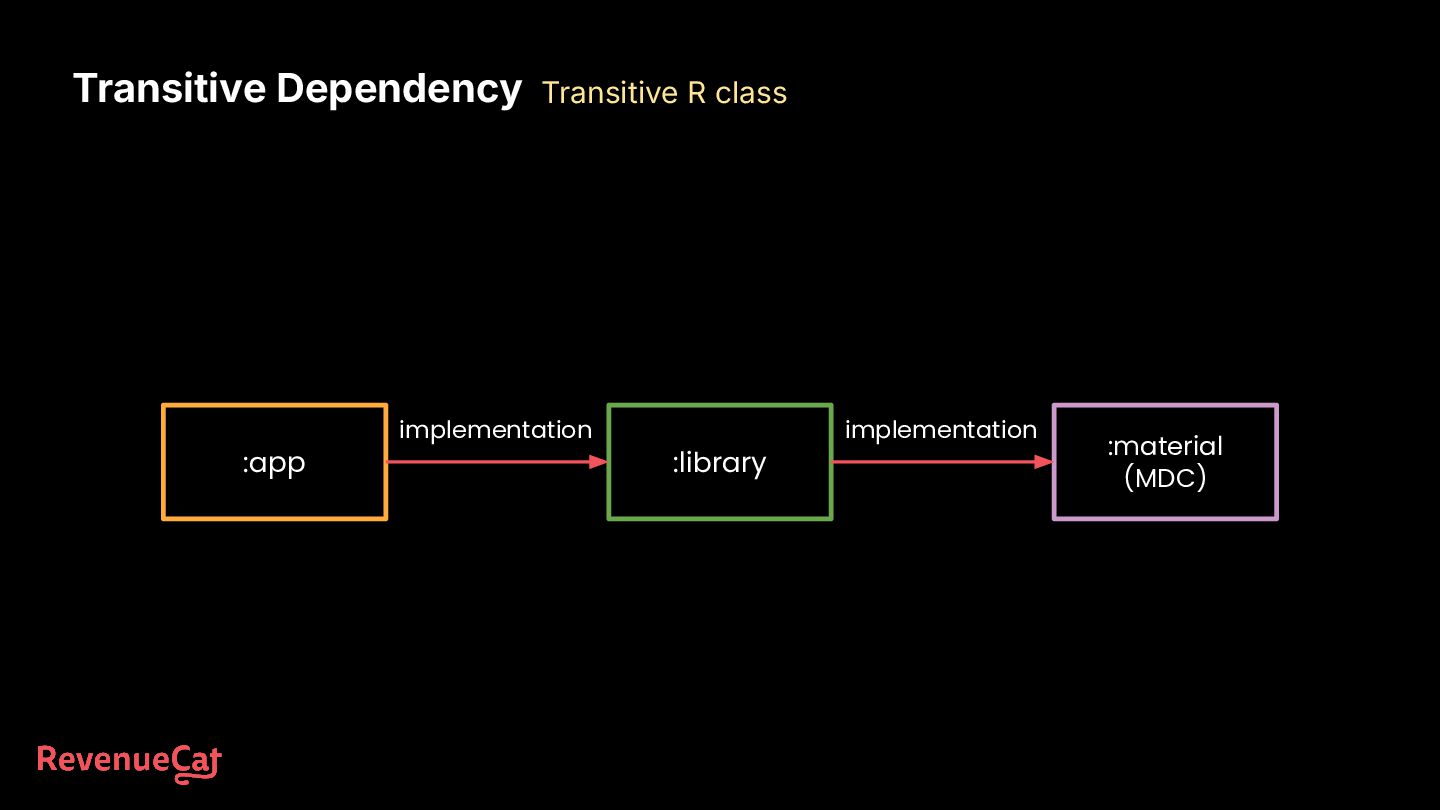
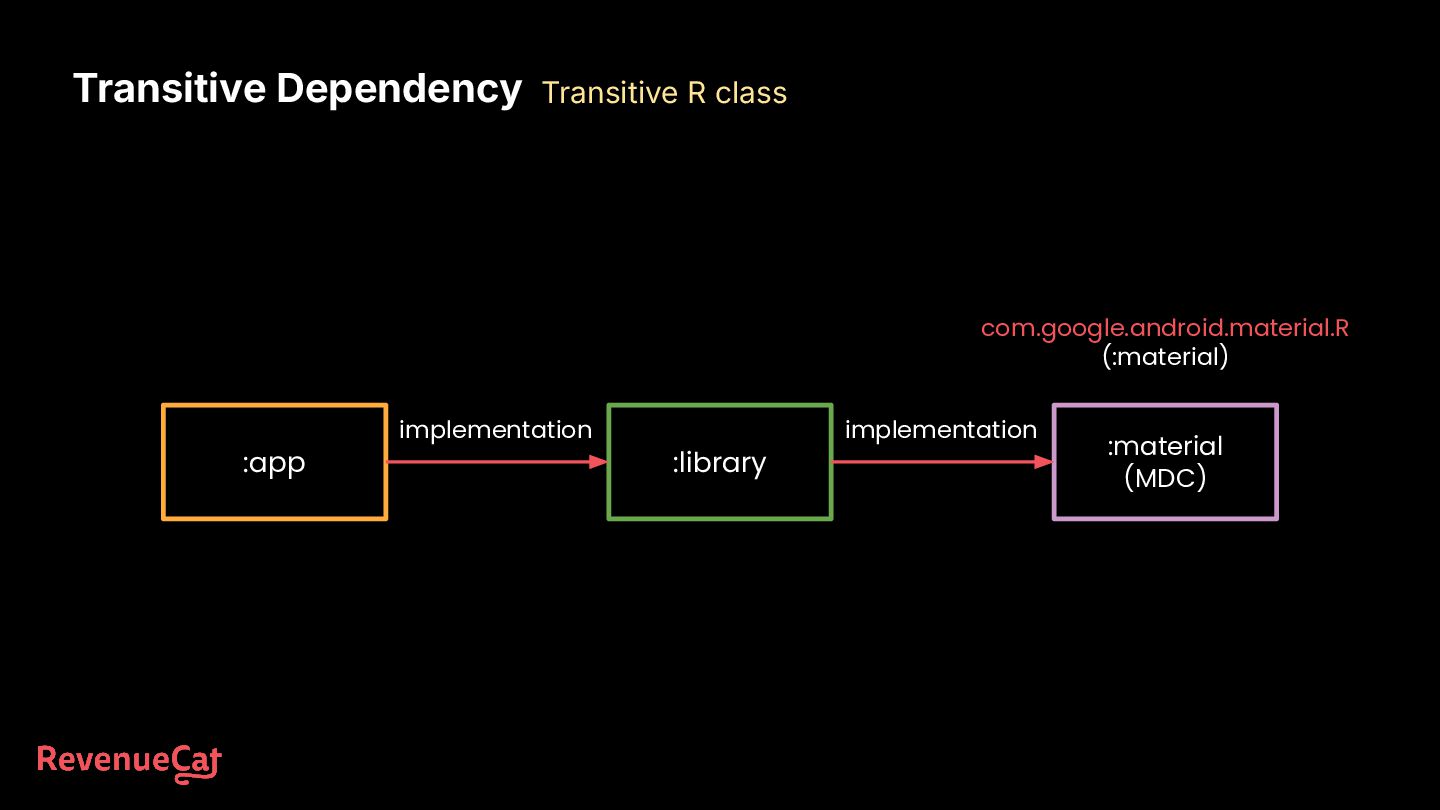
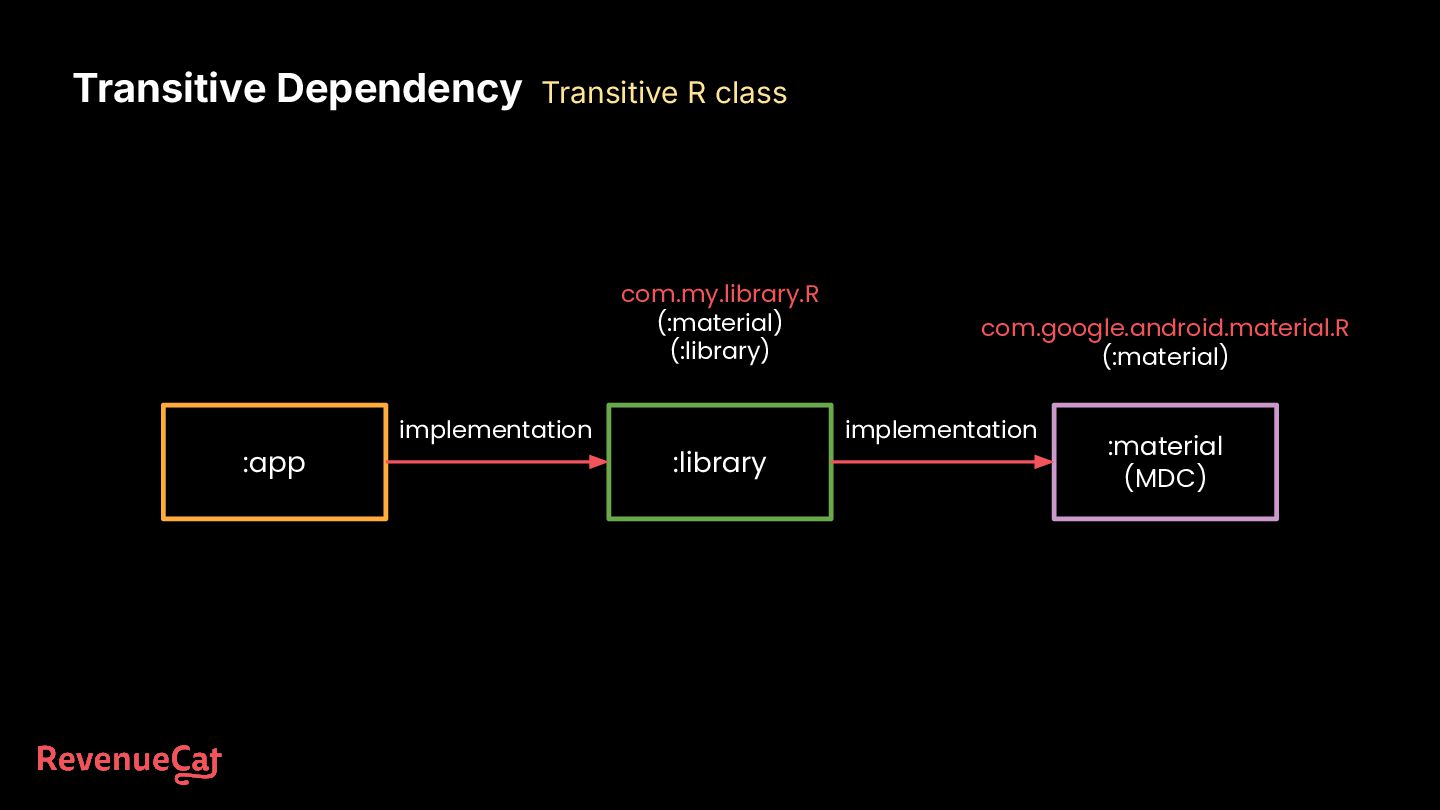
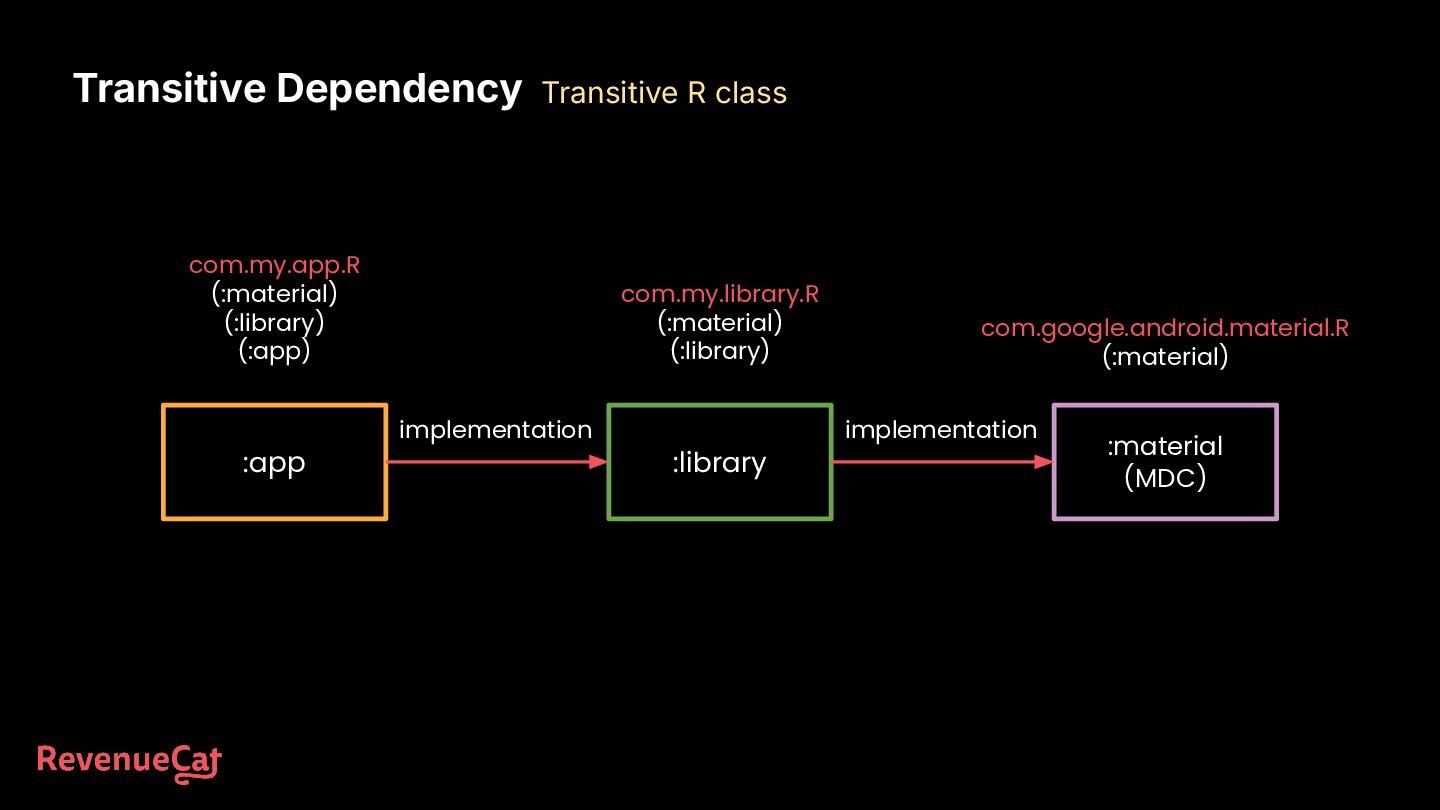
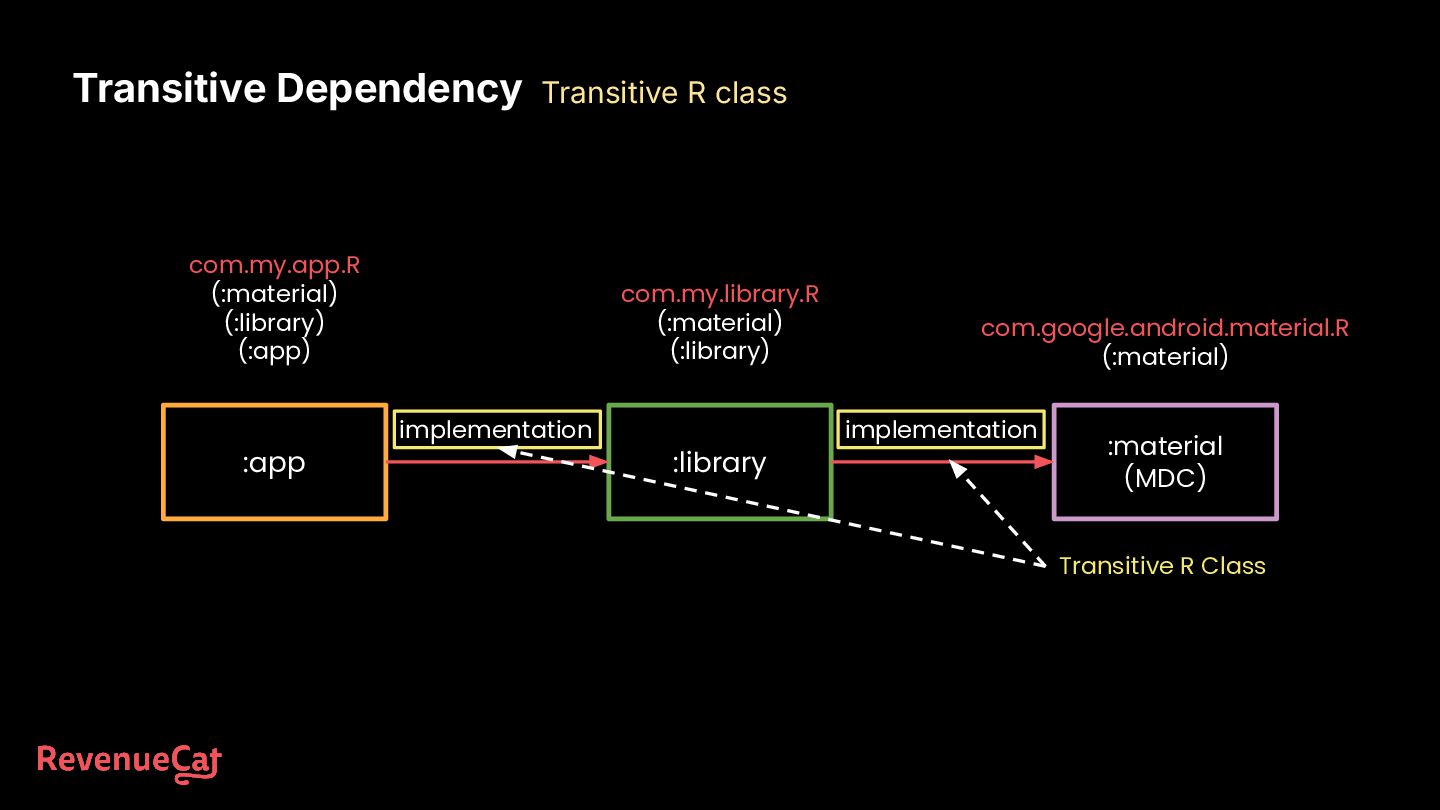
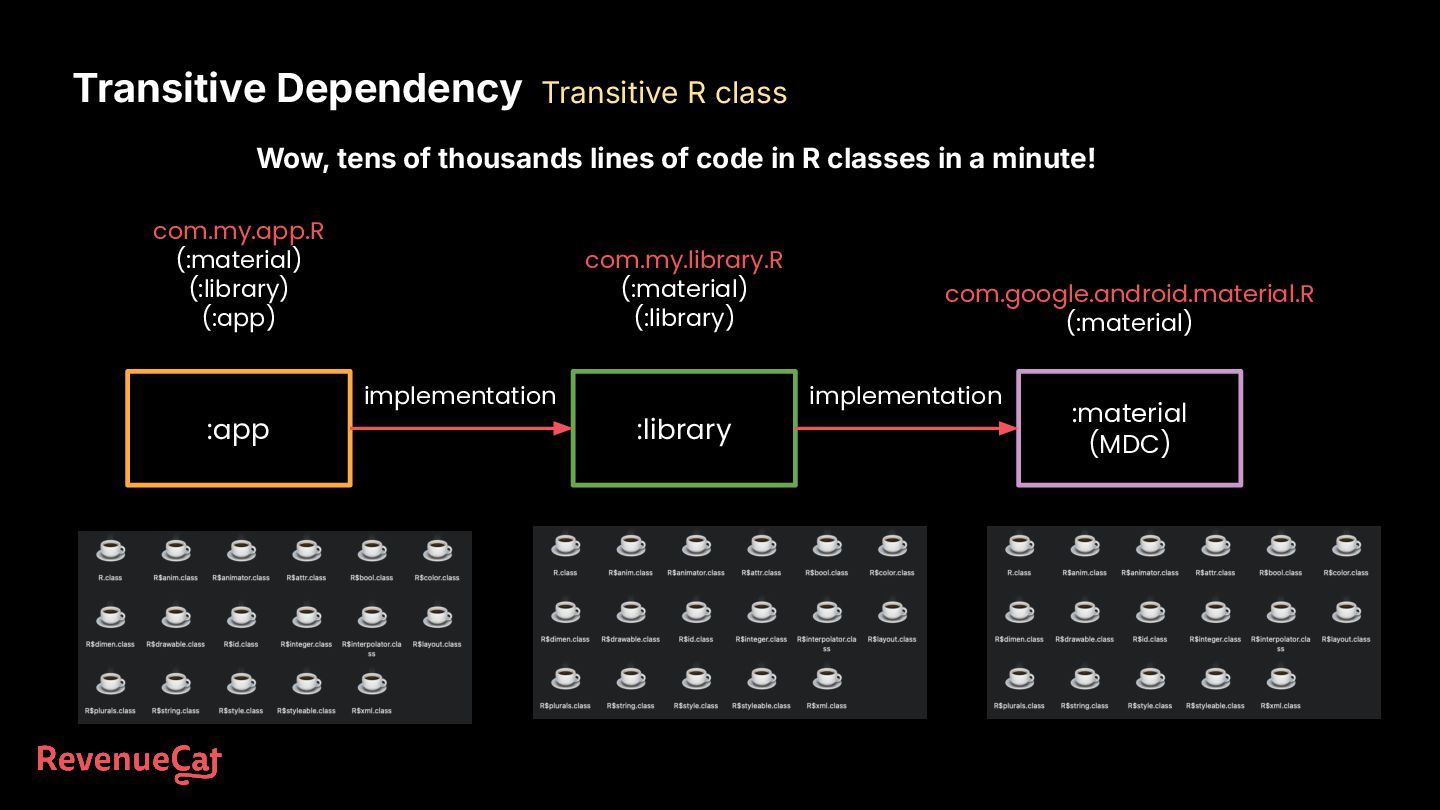
:app :library A :material (MDC) implementation api Transitive dependency :library B implementation No matter how many packages are involved, your app’s compile classpath will still include the Material library as a transitive dependency.
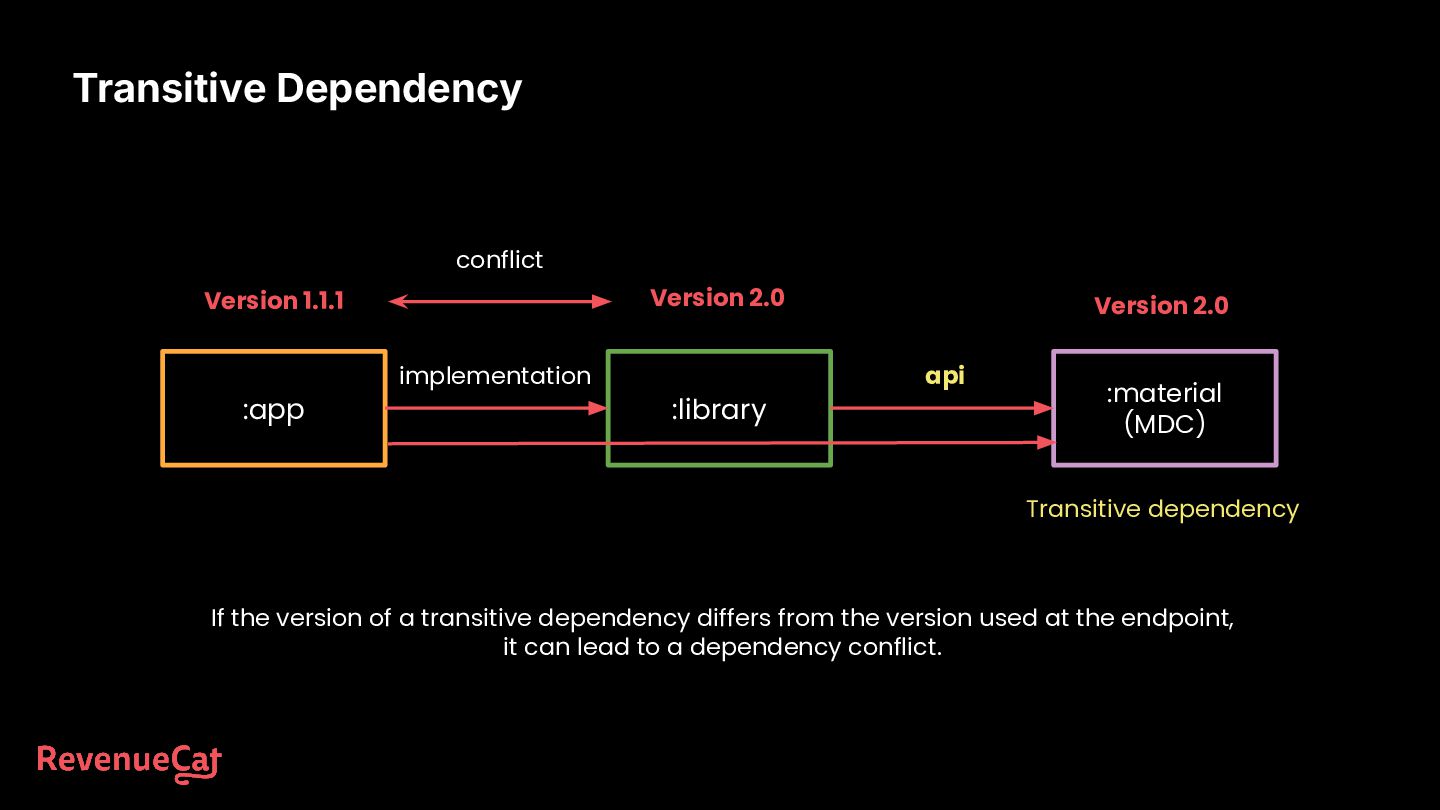
If the version of a transitive dependency differs from the version used at the endpoint, it can lead to a dependency conflict. Version 2.0 Version 1.1.1 Version 2.0 conflict
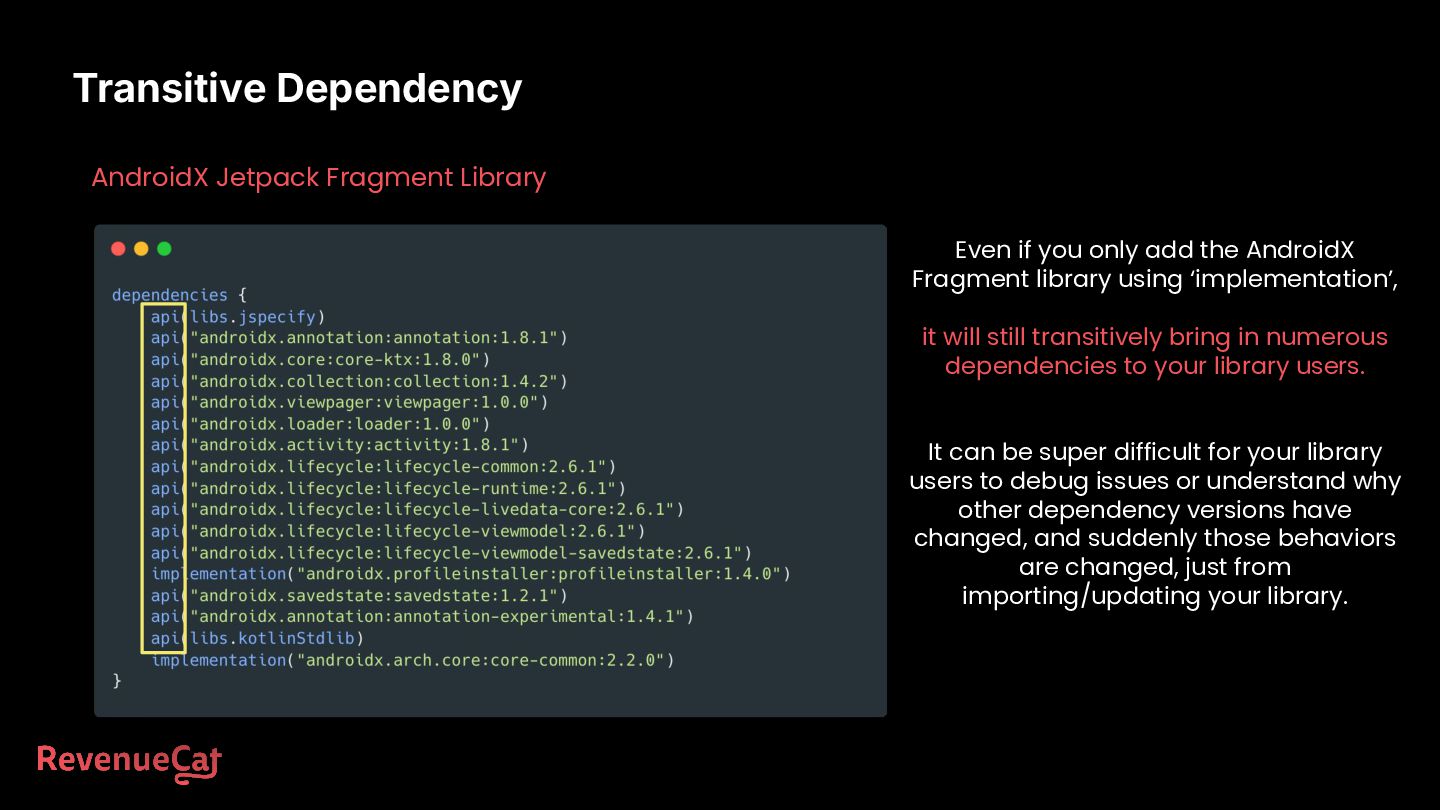
add the AndroidX Fragment library using ‘implementation’, it will still transitively bring in numerous dependencies to your library users. It can be super difficult for your library users to debug issues or understand why other dependency versions have changed, and suddenly those behaviors are changed, just from importing/updating your library.
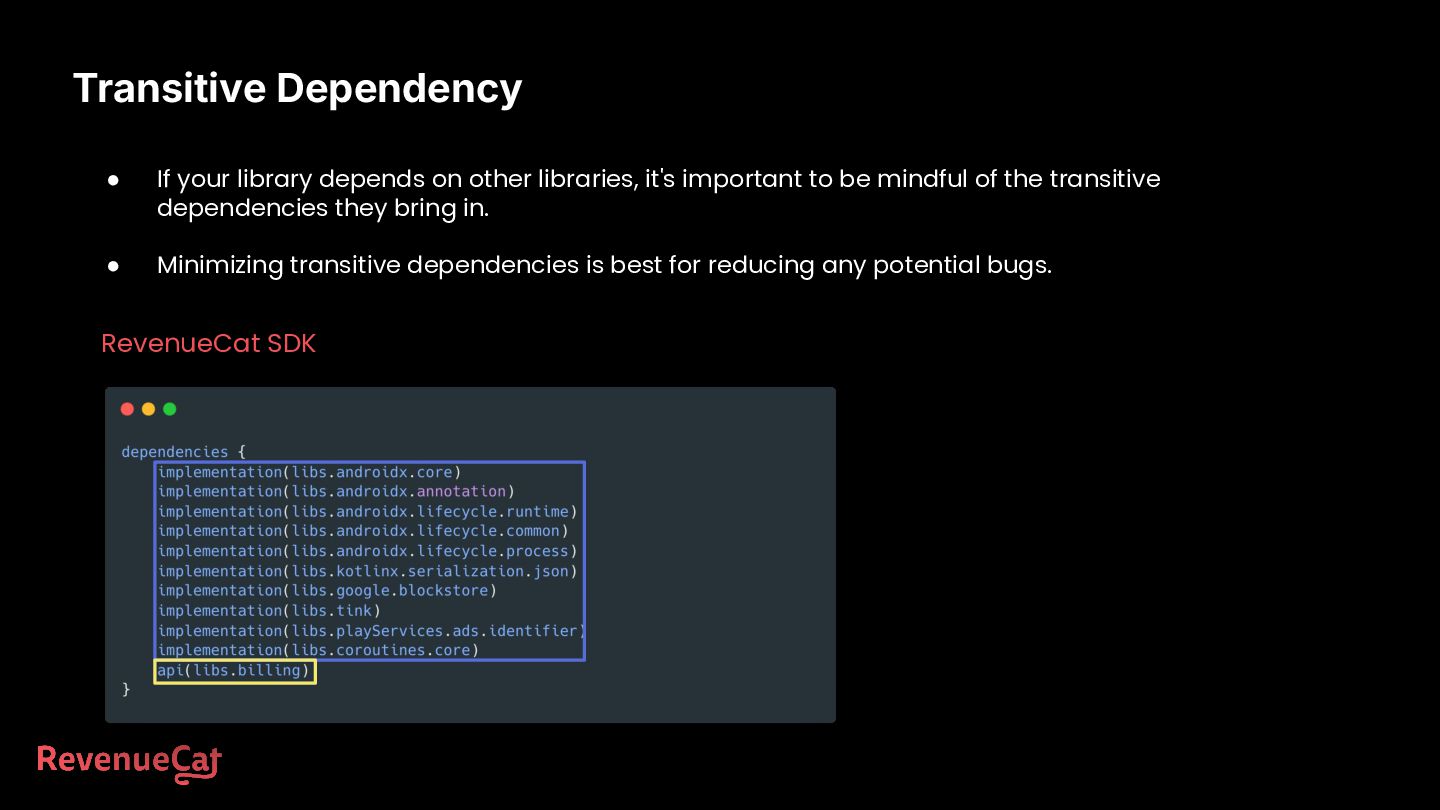
it's important to be mindful of the transitive dependencies they bring in. • Minimizing transitive dependencies is best for reducing any potential bugs. RevenueCat SDK
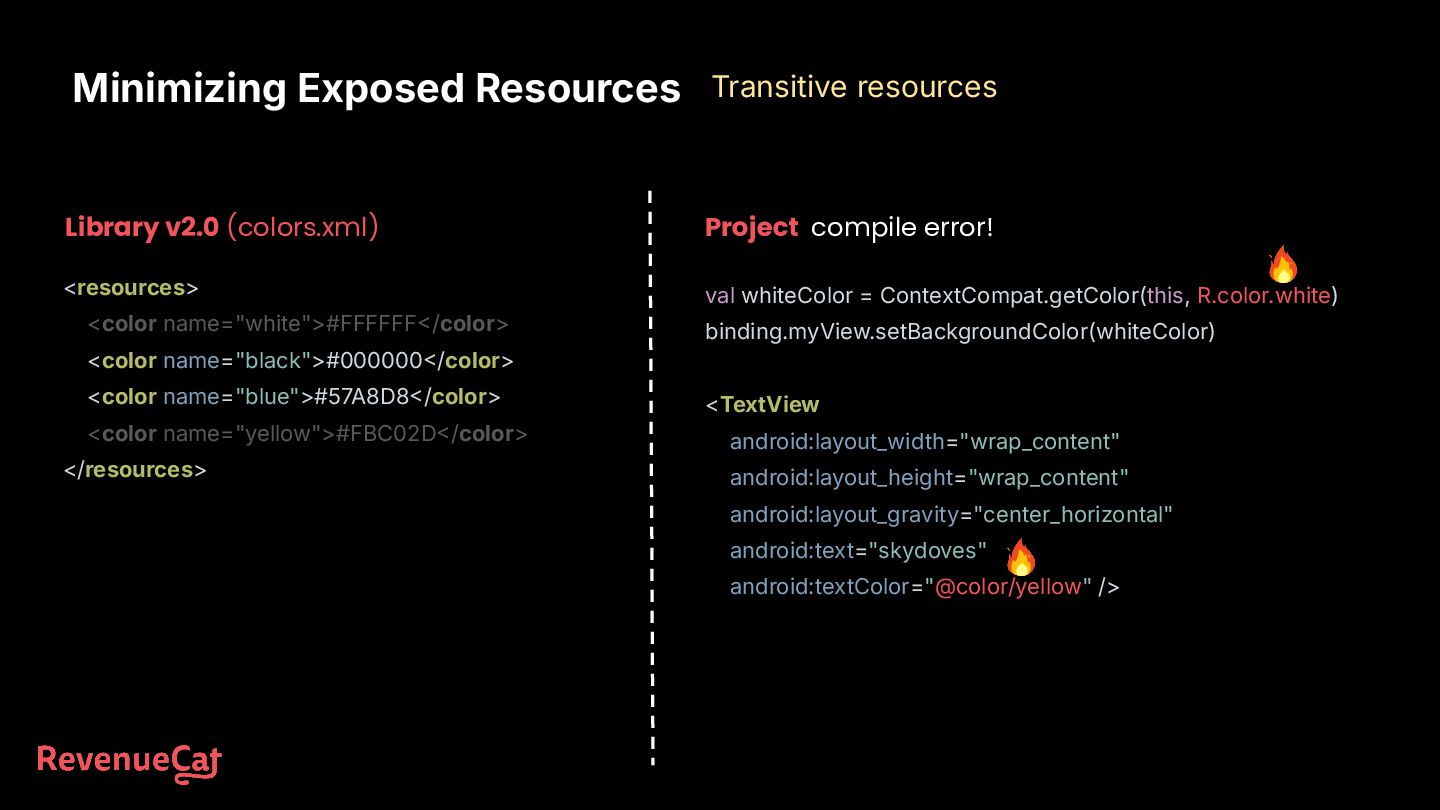
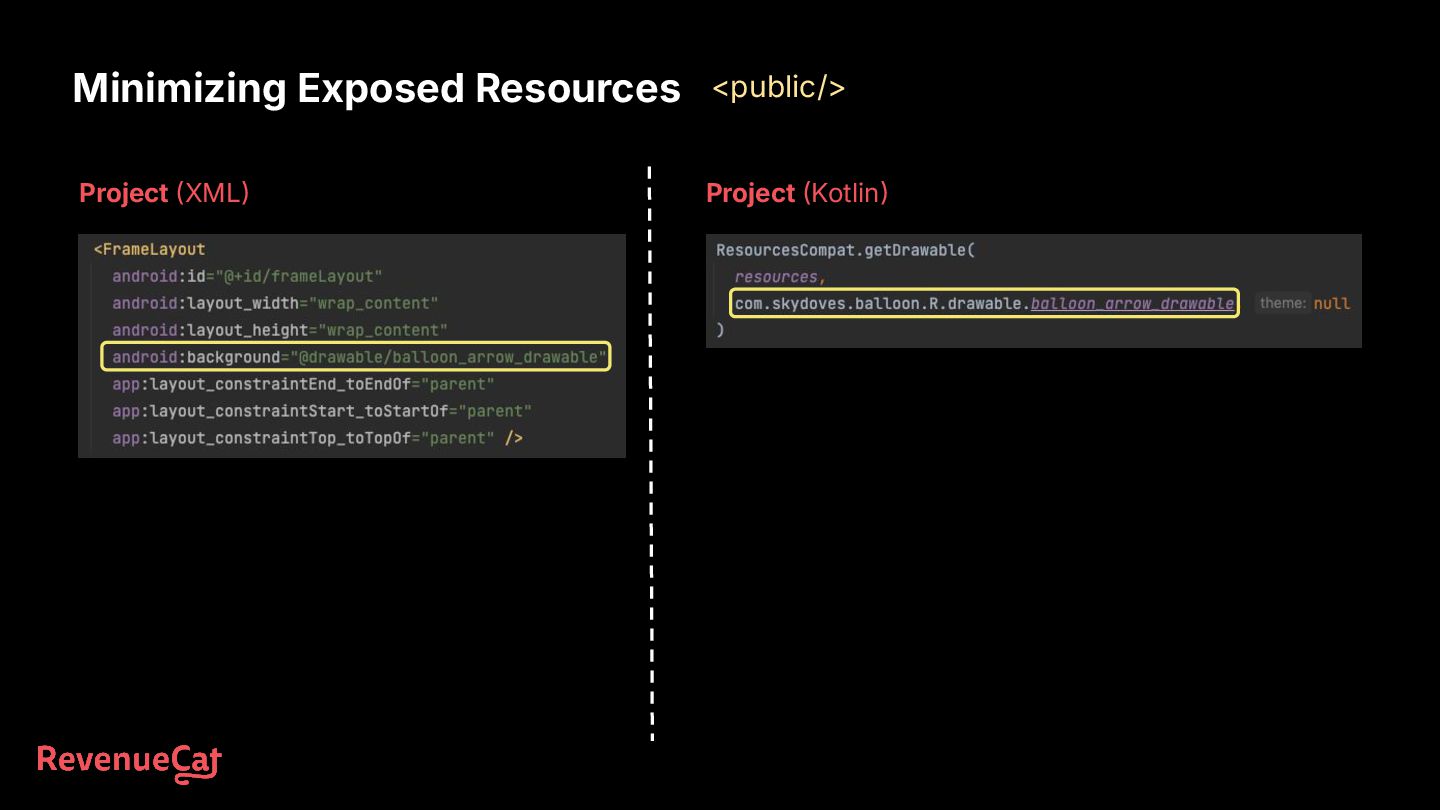
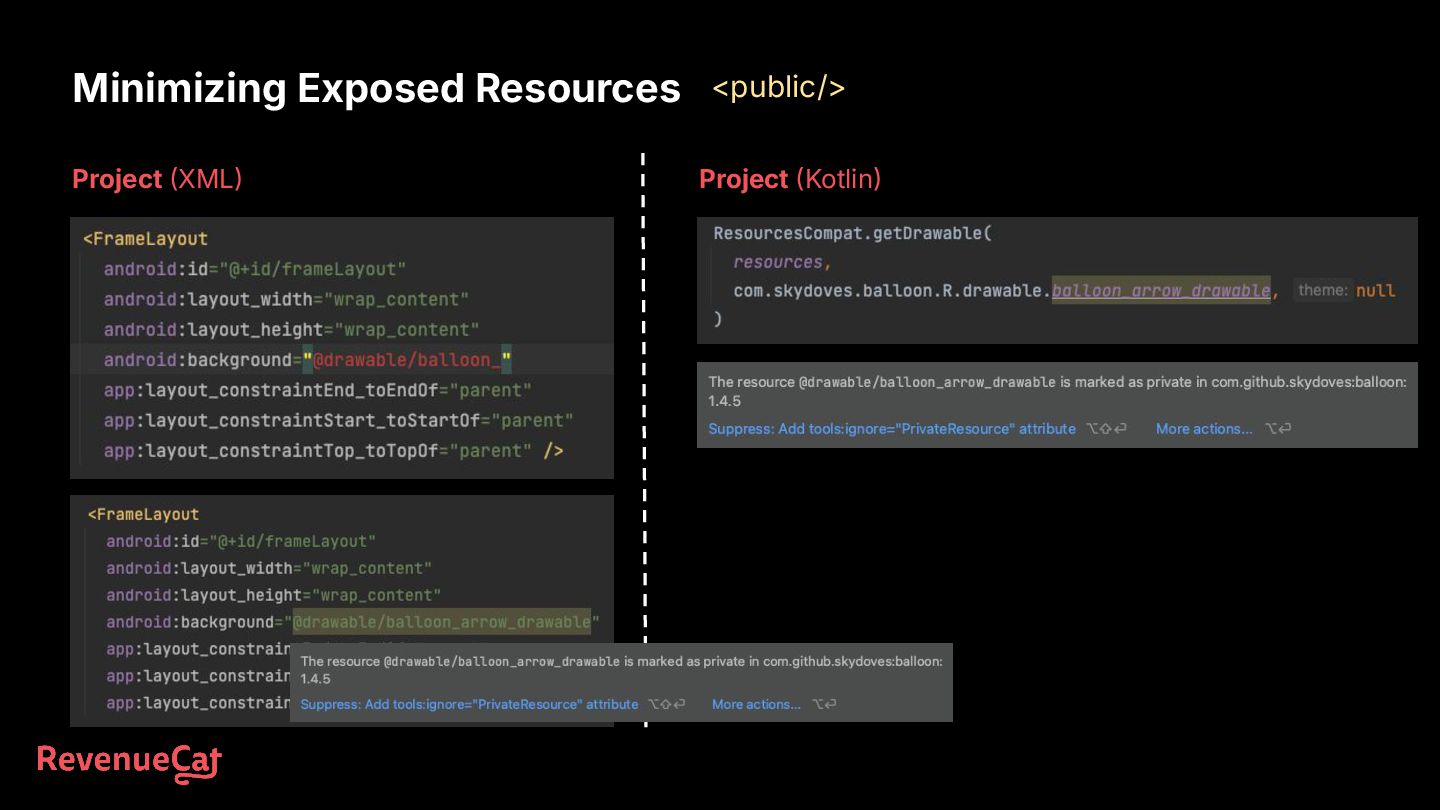
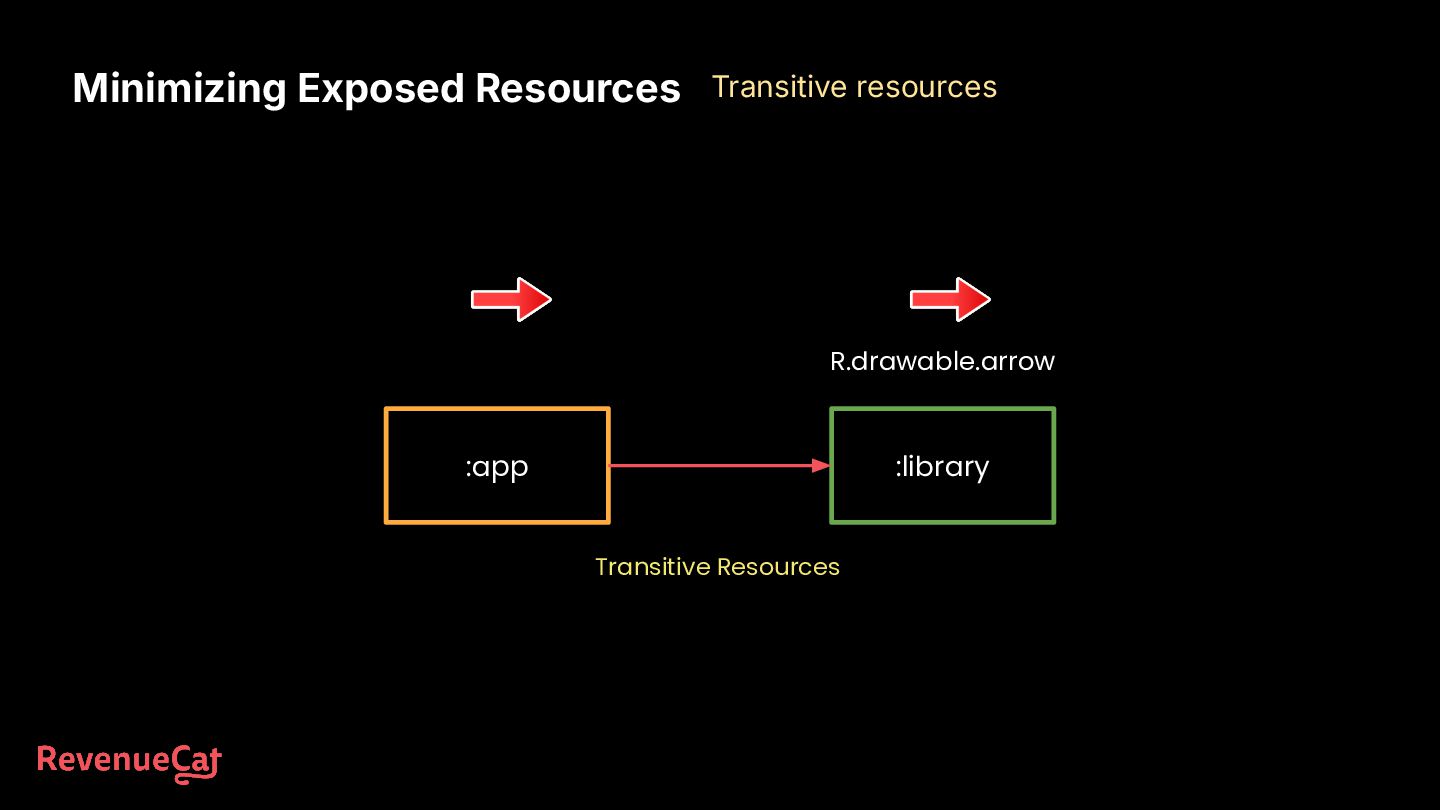
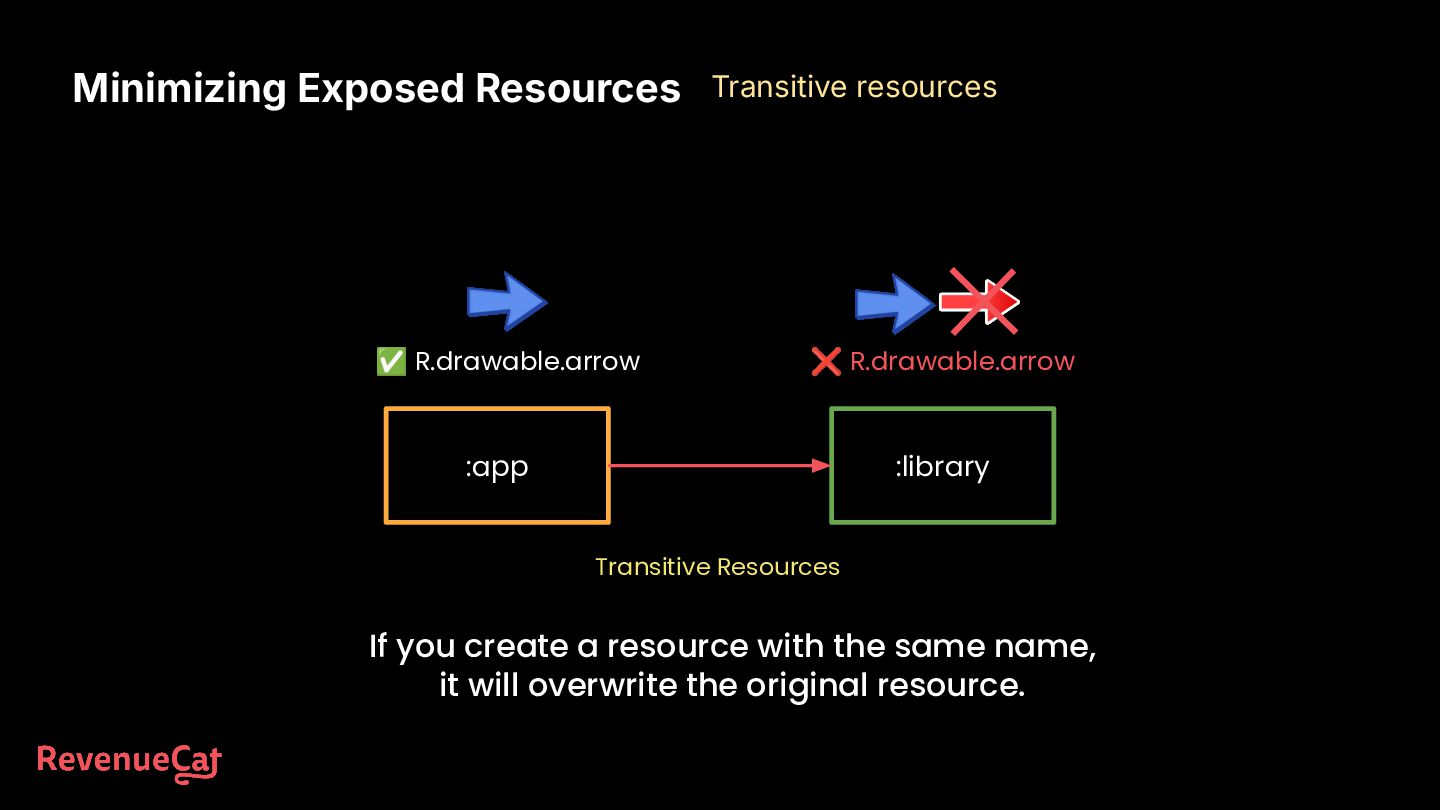
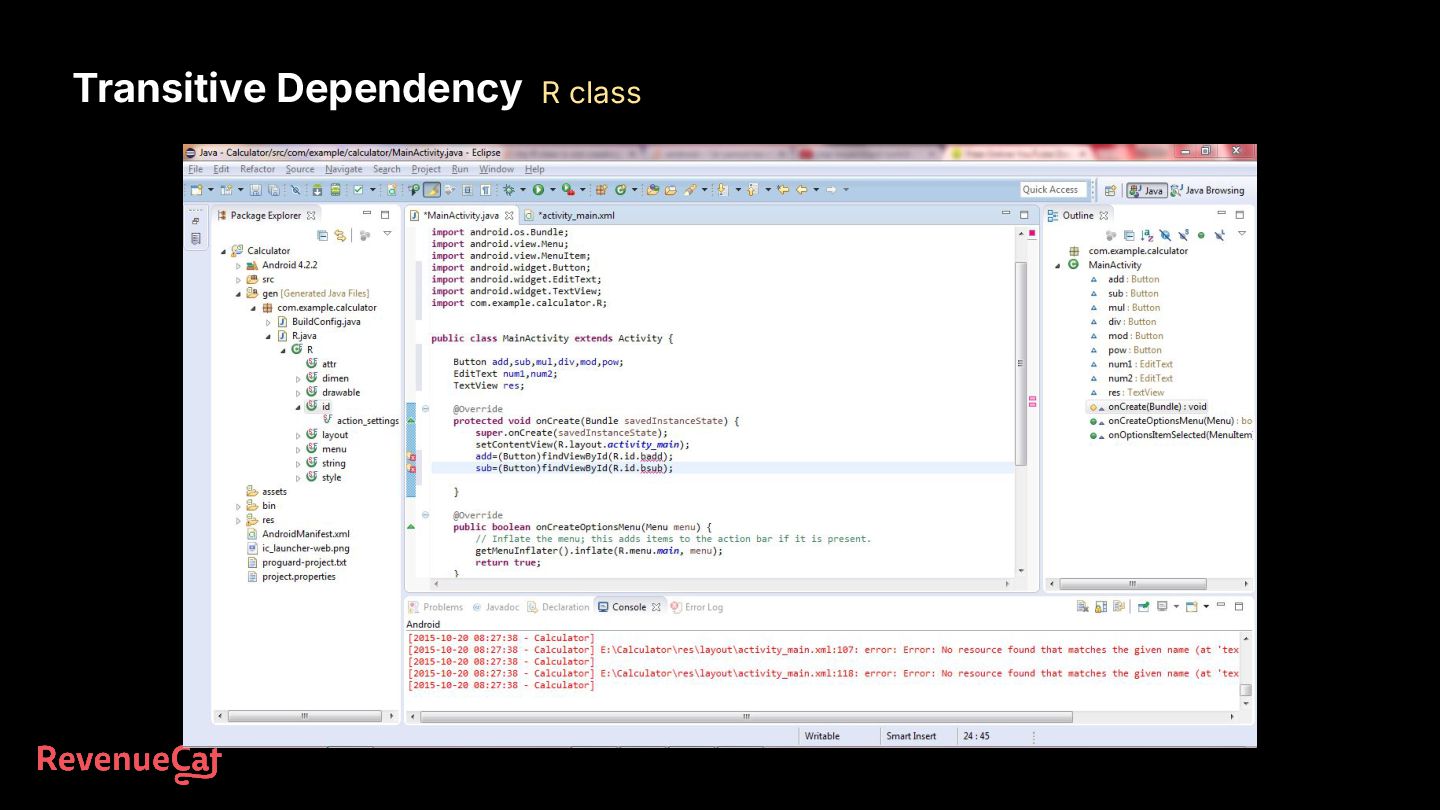
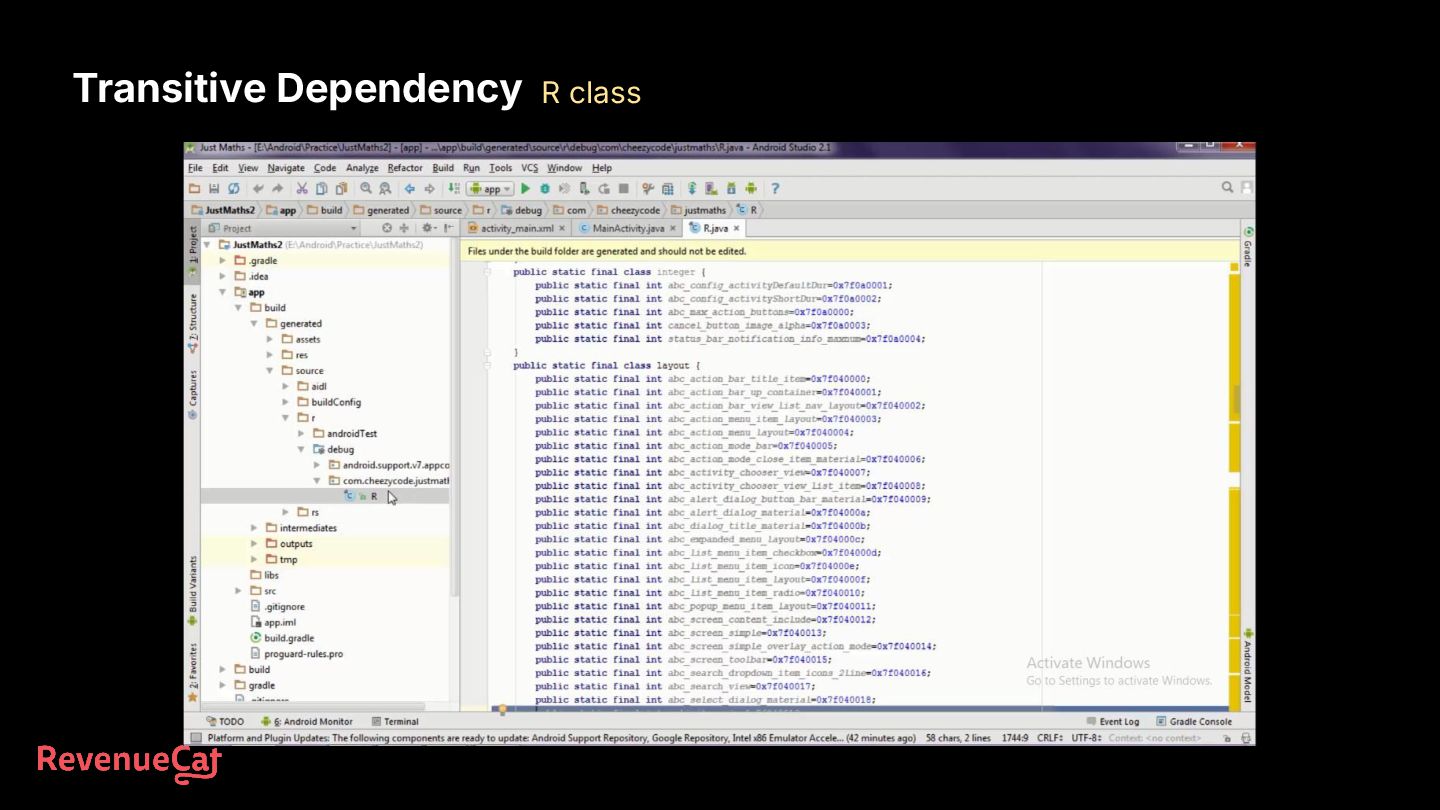
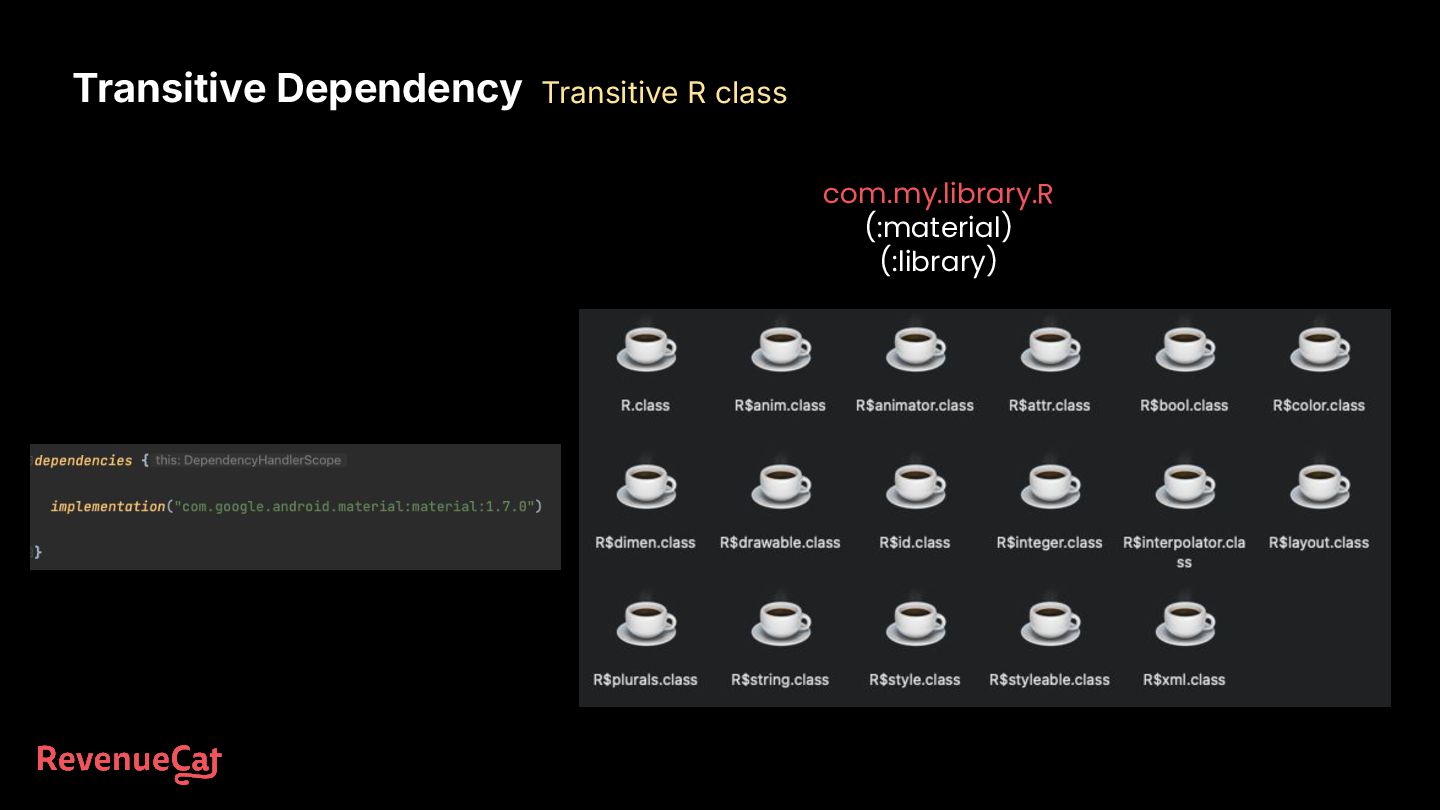
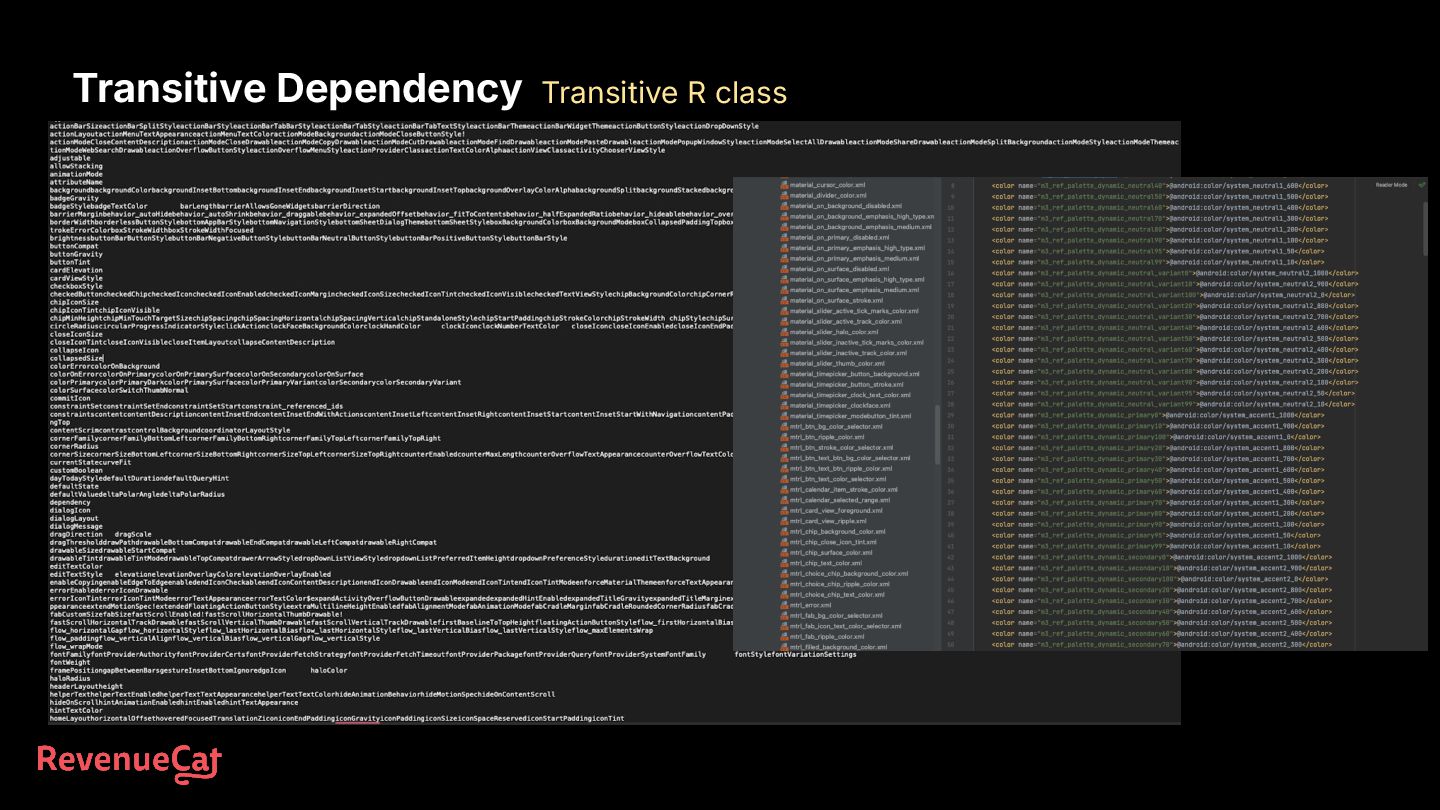
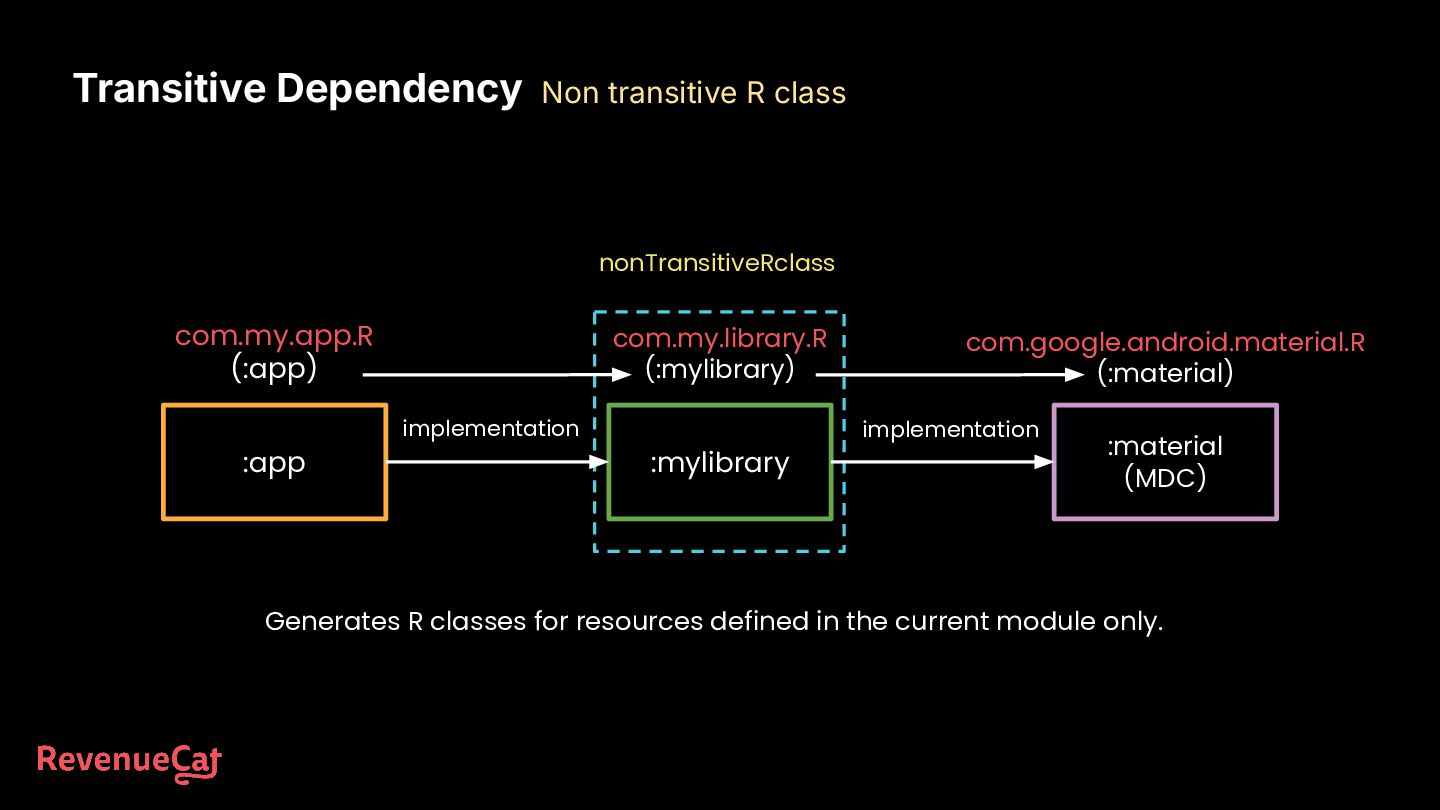
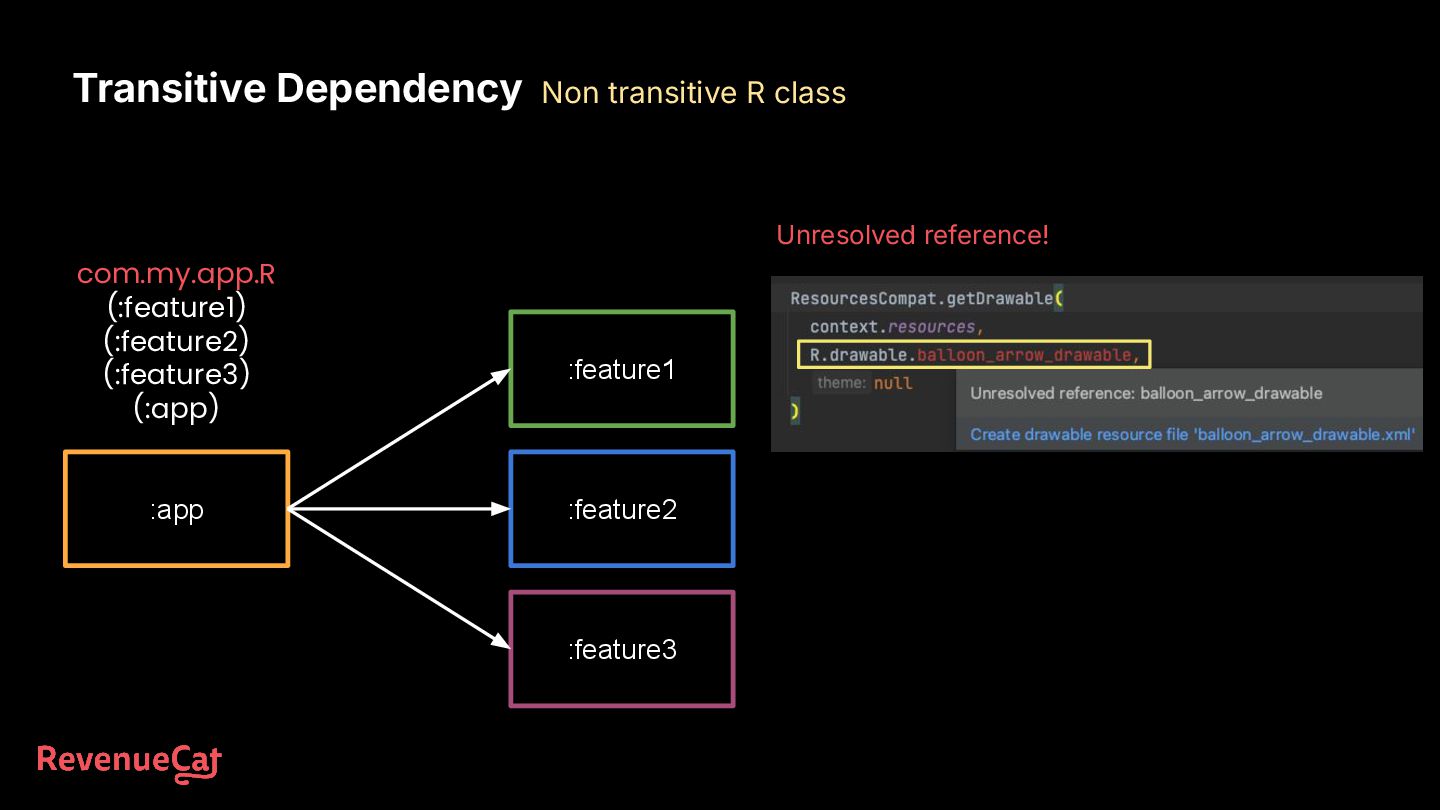
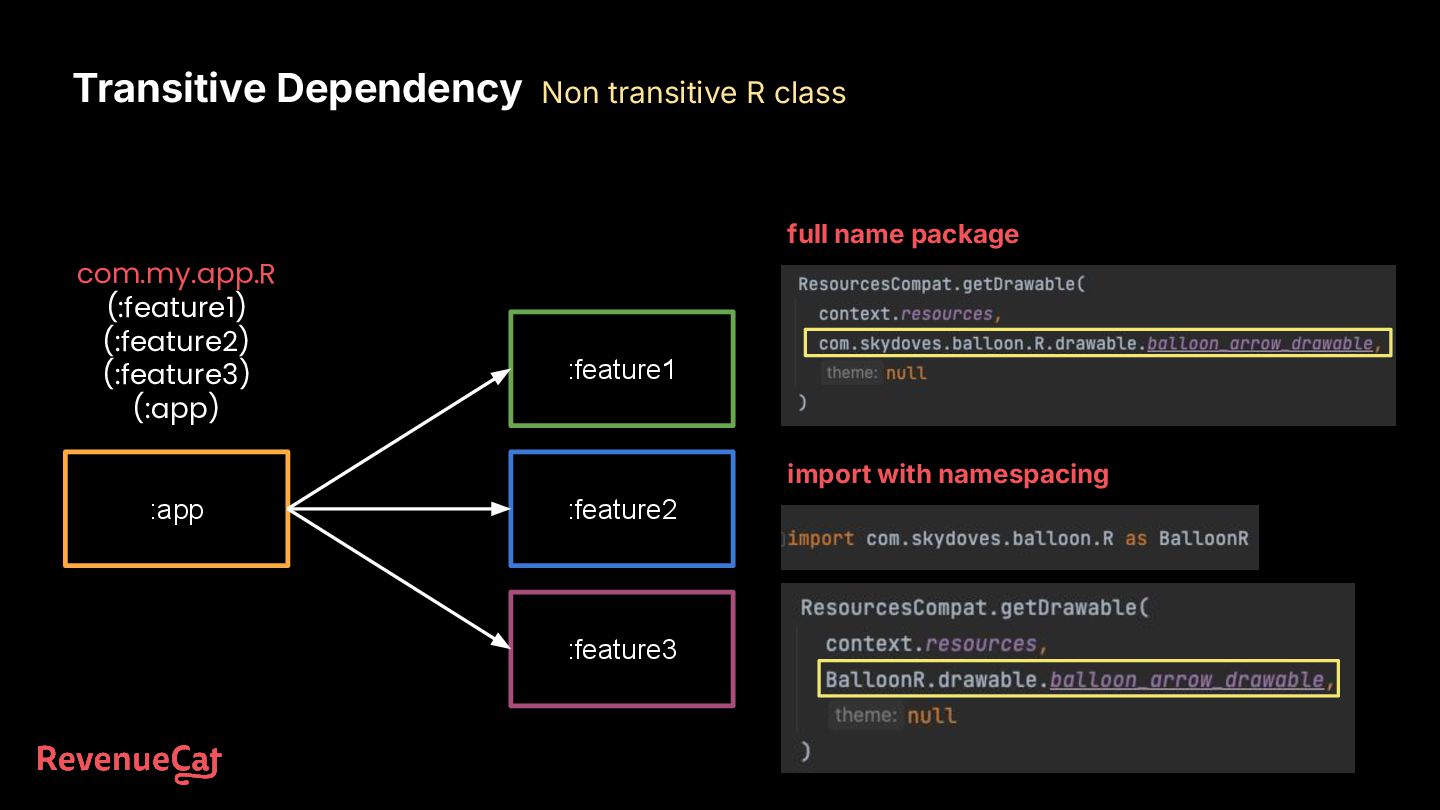
com.my.app.R (:app) Generates R classes for resources defined in the current module only. Transitive Dependency Non transitive R class nonTransitiveRclass

 Your Podcast. Everywhere. Effortlessly.


 skydoves
 inesmontani
 cassininazir
 letsgokoyo
 geoffreycrofte
 baasie
 csswizardry
 hannesfritz
 sachag
 moore
moore
 axbom
axbom
 tammyeverts

![Contact https://github.com/skydoves [email protected] https://twitter.com/github_skydoves https://medium.com/@skydoves](https://files.speakerdeck.com/presentations/a9f9db759ab94399b14bfa86d1ae755e/slide_96.jpg)