Upgrade to Pro — share decks privately, control downloads, hide ads and more …

Intro to Cassandra for Java Developers

Sponsored · Your Podcast. Everywhere. Effortlessly. Share. Educate. Inspire. Entertain. You do you. We'll handle the rest. →

Intro to Cassandra for Java Developers

Are you a developer tired of being let down by a database? Need scale and just can’t get it? Old solutions are just that, OLD! This online introductory talk is perfect for those looking to migrate to, or build cloud-native applications with NoSQL technology and embrace the future of data driven applications.

Session Details:
- Fundamental NoSQL concepts with Apache Cassandra™
- Why Cassandra and what it can do
- Data modeling concepts in NoSQL Apache Cassandra™ to make cloud-native application development a breeze
- Resources for Java developers
- Where to go next to continue your learning

Avatar for David Jones-Gilardi

David Jones-Gilardi

May 05, 2021

Other Decks in Technology

Transcript

  1. David Jones-Gilardi 🚀 DevRel @SonicDMG @SonicDMG ➢ Training ➢ Teaching

    ➢ Reference Applications ➢ Support ➢ Public Speaking ➢ Advanced User
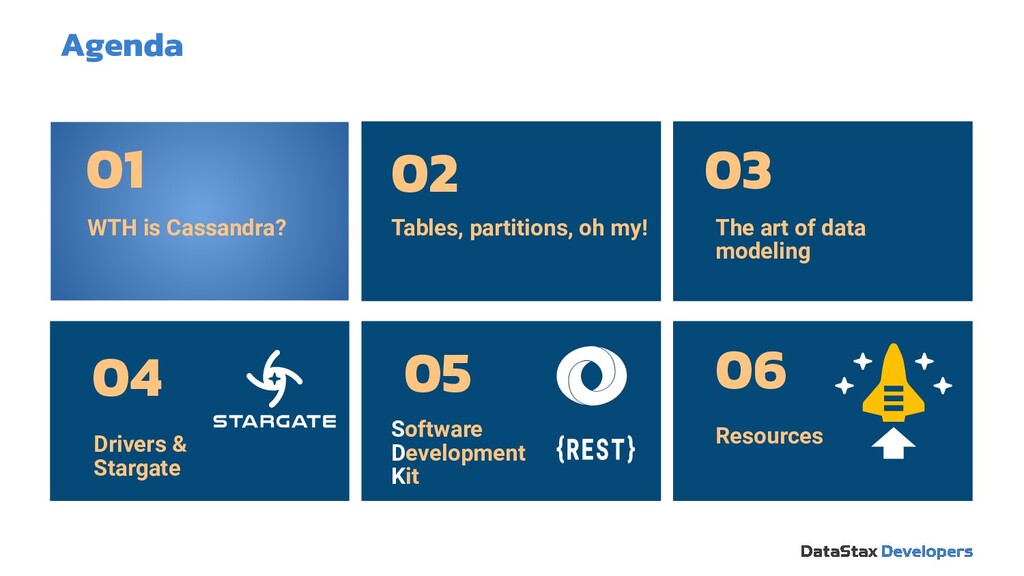
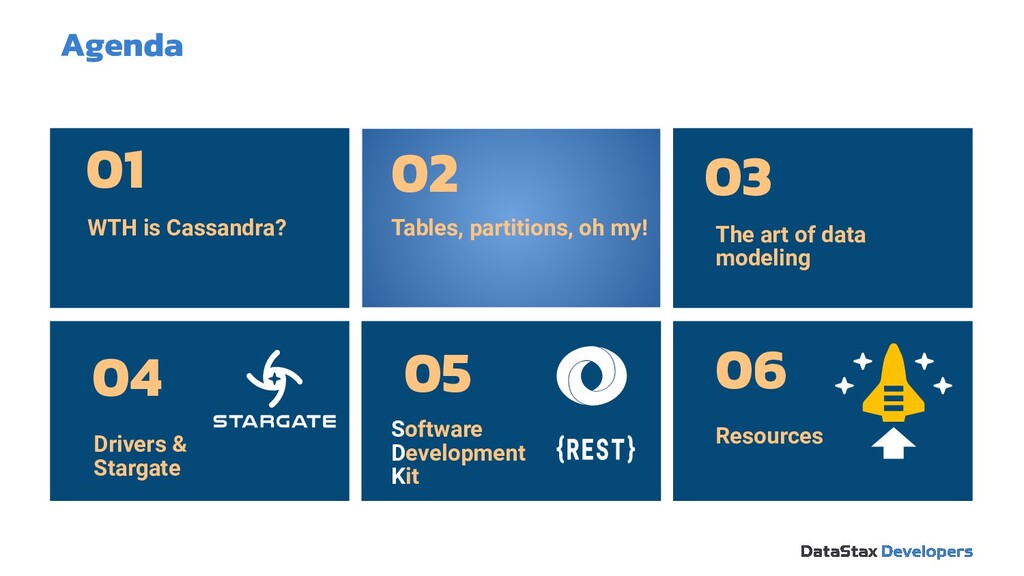
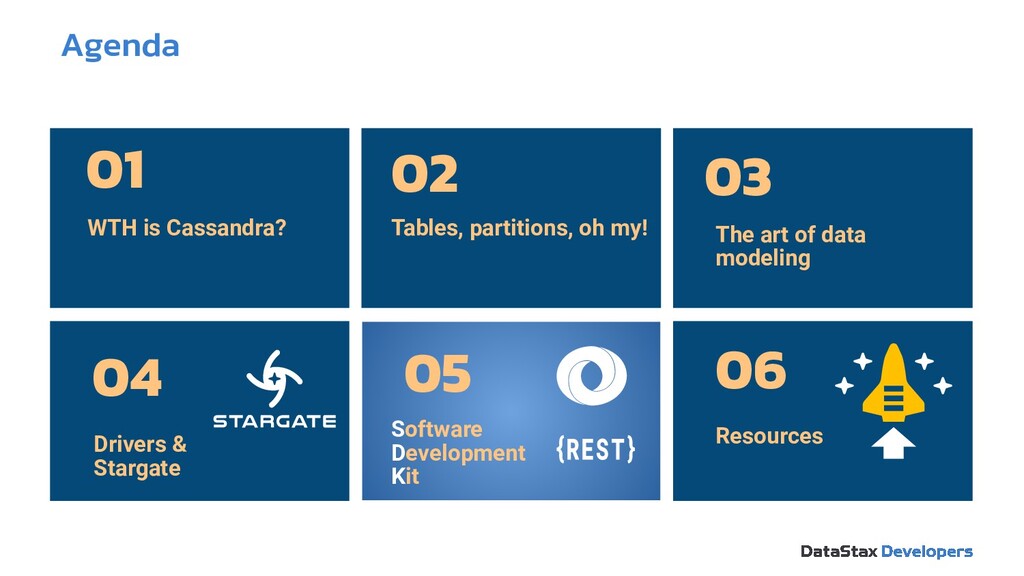
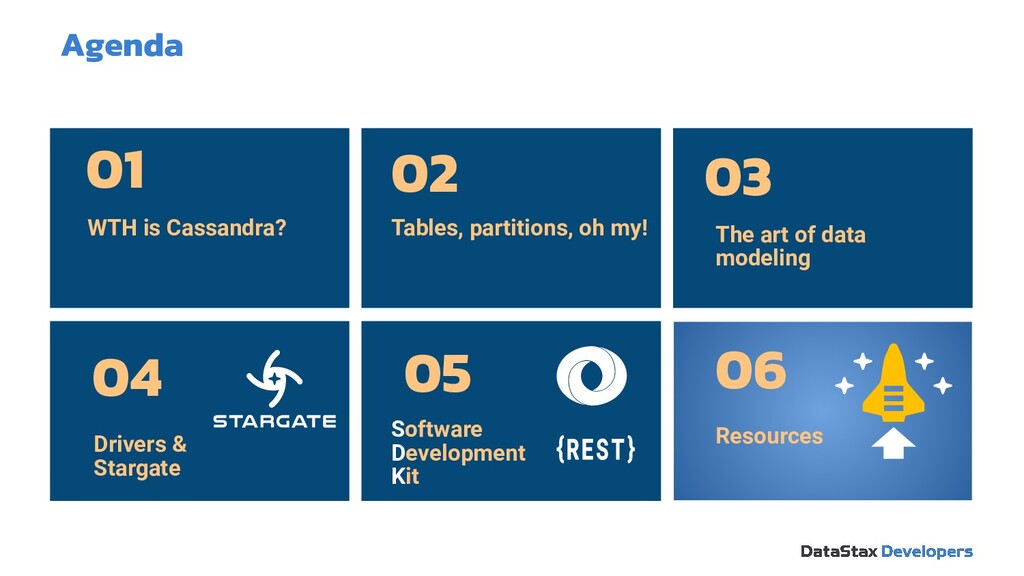
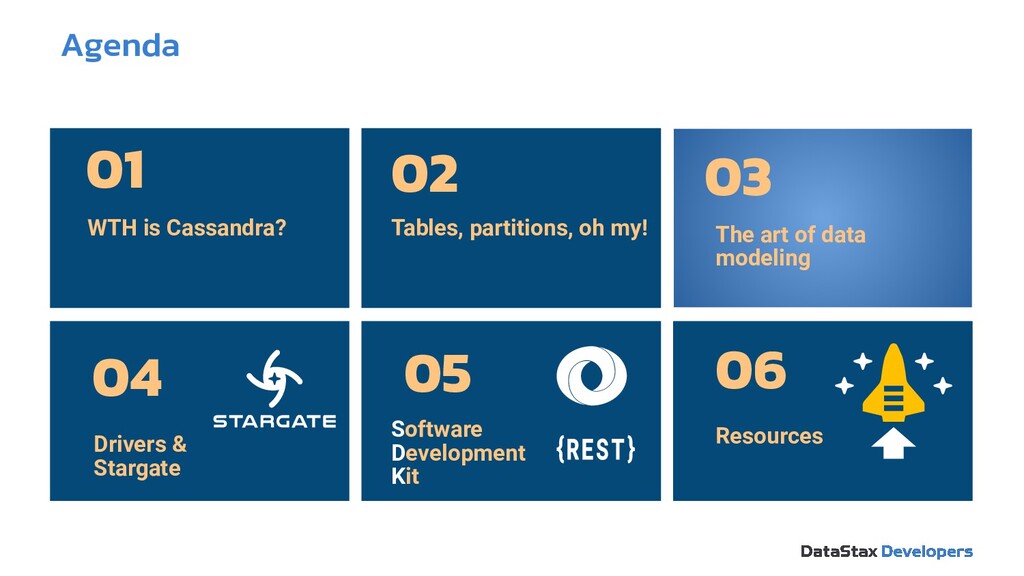
  2. Drivers & Stargate 04 Software Development Kit 05 Agenda WTH

    is Cassandra? 01 Tables, partitions, oh my! 02 The art of data modeling 03 Resources 06
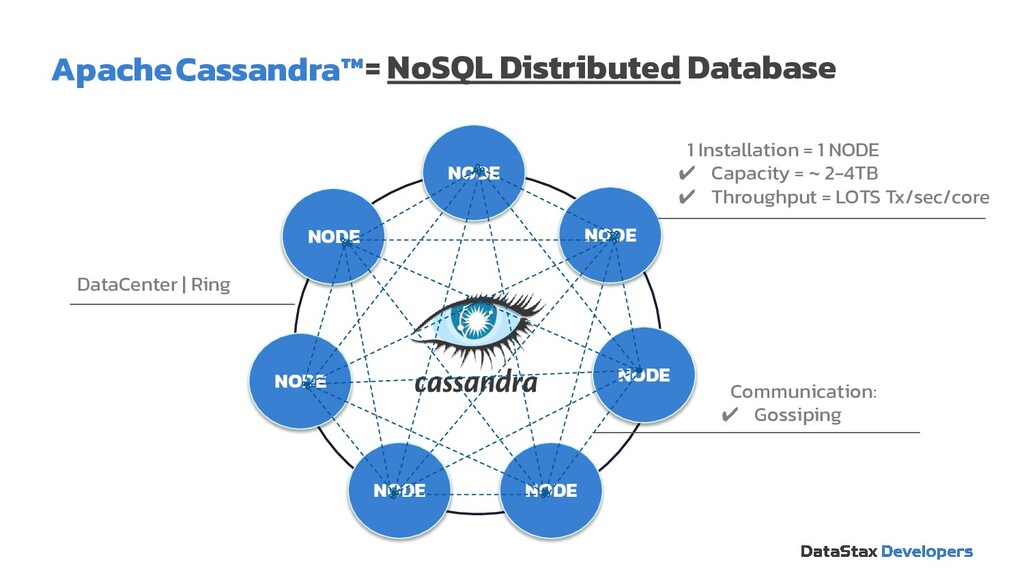
  3. NODE NODE NODE NODE NODE NODE NODE Apache Cassandra™ 1

    Installation = 1 NODE ✔ Capacity = ~ 2-4TB ✔ Throughput = LOTS Tx/sec/core Communication: ✔ Gossiping DataCenter | Ring = NoSQL Distributed Database
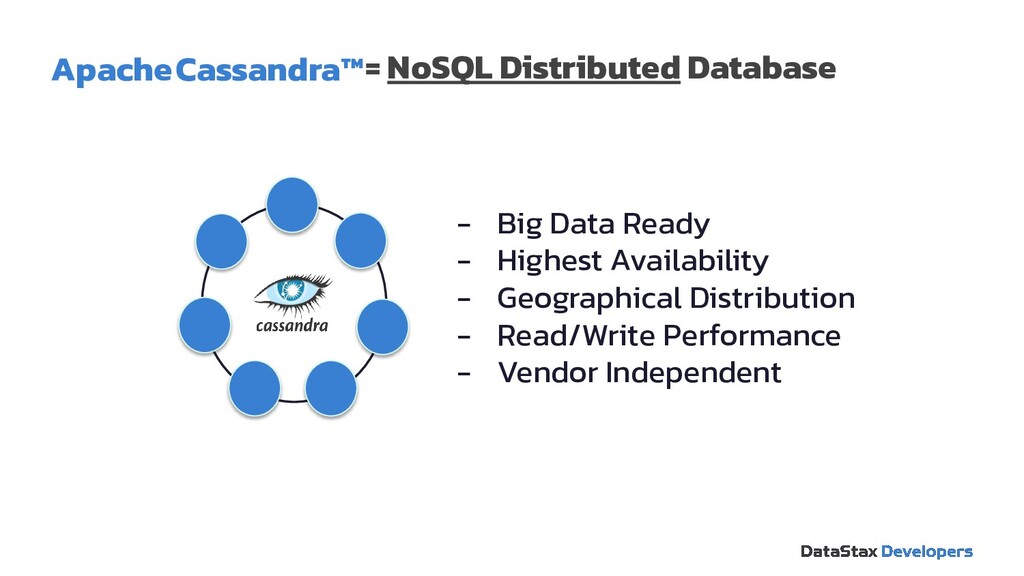
  4. - Big Data Ready - Highest Availability - Geographical Distribution

    - Read/Write Performance - Vendor Independent Apache Cassandra™= NoSQL Distributed Database
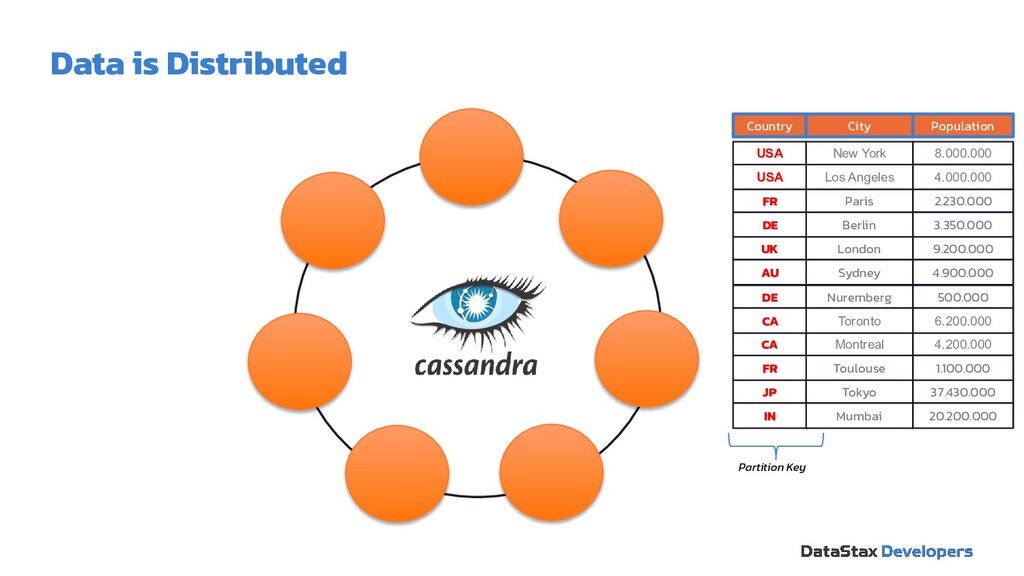
  5. Country City Population USA New York 8.000.000 USA Los Angeles

    4.000.000 FR Paris 2.230.000 DE Berlin 3.350.000 UK London 9.200.000 AU Sydney 4.900.000 FR Toulouse 1.100.000 JP Tokyo 37.430.000 IN Mumbai 20.200.000 DE Nuremberg 500.000 CA Montreal 4.200.000 CA Toronto 6.200.000 Partition Key Data is Distributed
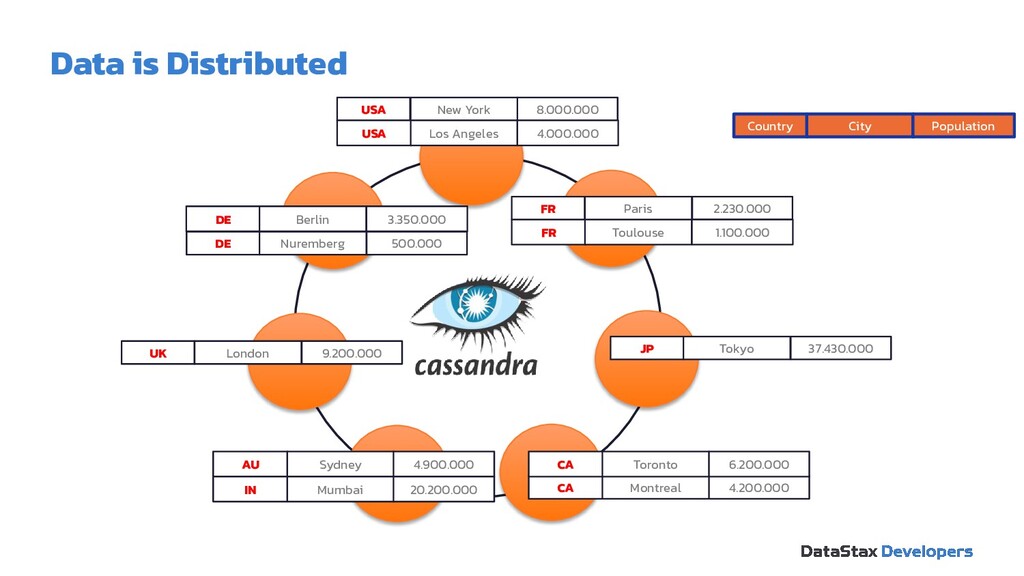
  6. Country City Population USA New York 8.000.000 USA Los Angeles

    4.000.000 UK London 9.200.000 AU Sydney 4.900.000 JP Tokyo 37.430.000 IN Mumbai 20.200.000 DE Berlin 3.350.000 DE Nuremberg 500.000 CA Montreal 4.200.000 CA Toronto 6.200.000 FR Toulouse 1.100.000 FR Paris 2.230.000 Data is Distributed
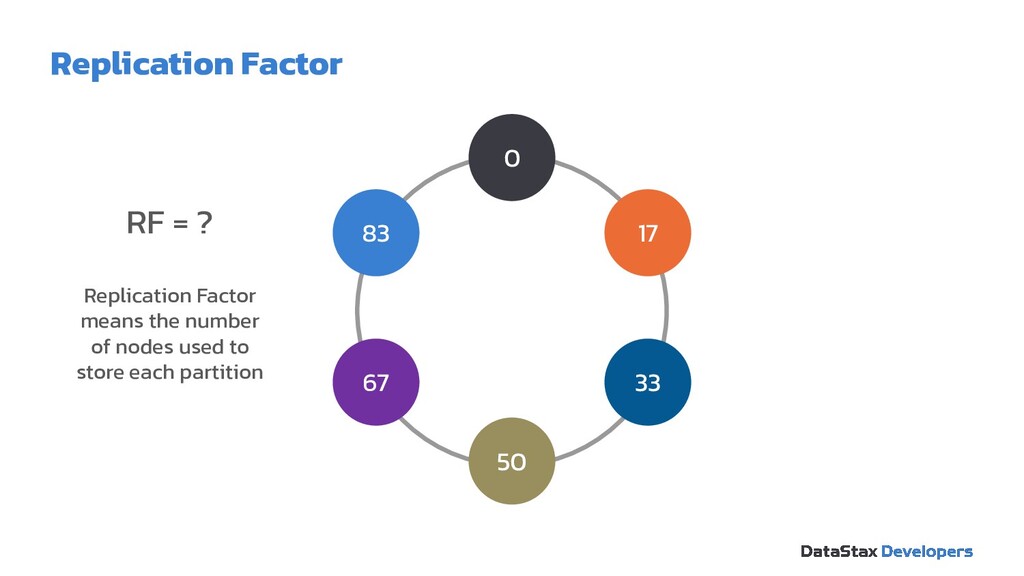
  7. RF = ? Replication Factor means the number of nodes
    used to store each partition 0 50 33 17 83 67 Replication Factor
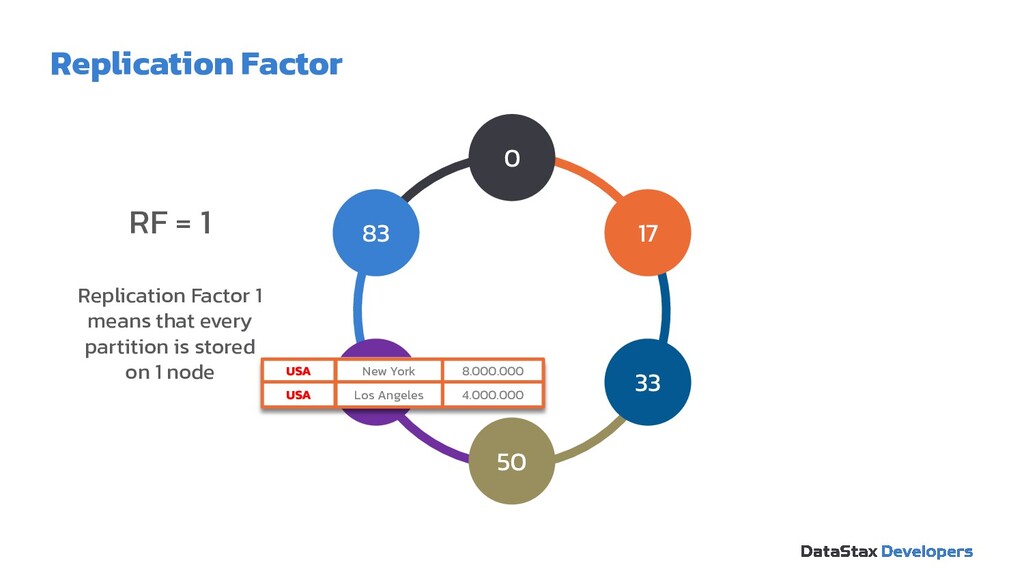
  8. RF = 1 Replication Factor 1 means that every partition

    is stored on 1 node 0 50 33 17 83 67 USA New York 8.000.000 4.000.000 Los Angeles USA Replication Factor
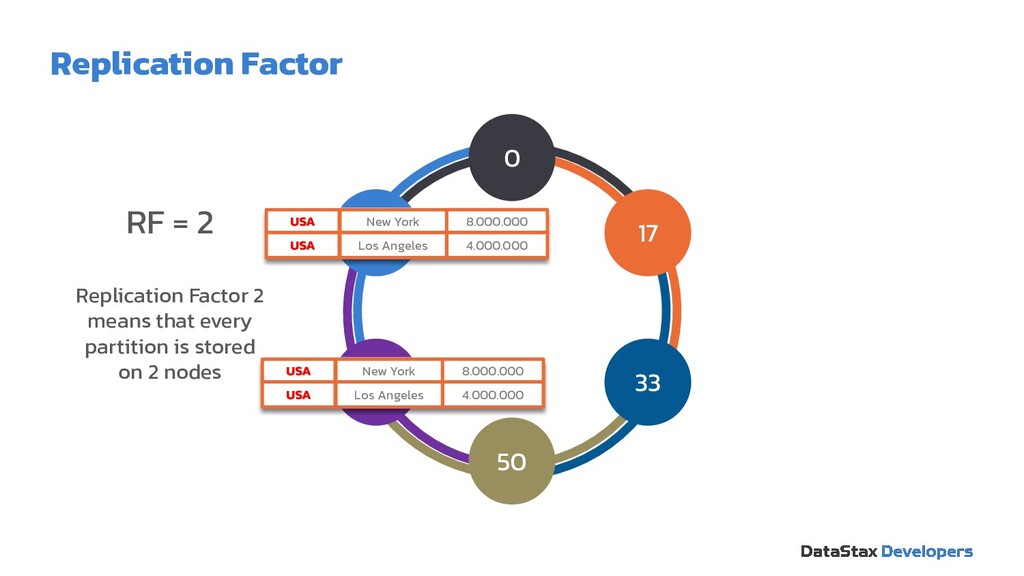
  9. RF = 2 Replication Factor 2 means that every partition

    is stored on 2 nodes 0 50 33 17 83 67 USA New York 8.000.000 4.000.000 Los Angeles USA USA New York 8.000.000 4.000.000 Los Angeles USA Replication Factor
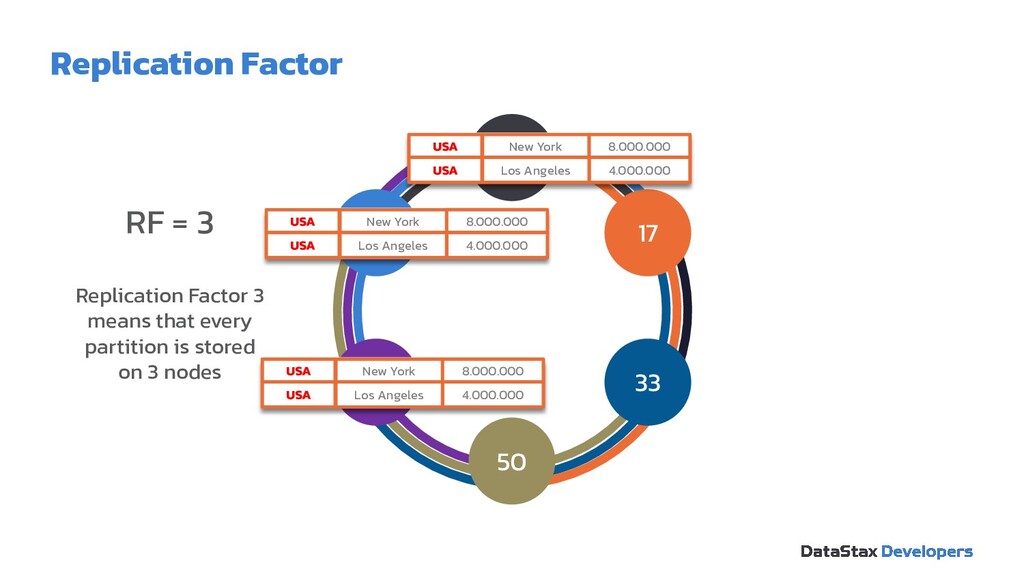
  10. RF = 3 Replication Factor 3 means that every partition

    is stored on 3 nodes 0 50 33 17 83 67 USA New York 8.000.000 4.000.000 Los Angeles USA USA New York 8.000.000 4.000.000 Los Angeles USA USA New York 8.000.000 4.000.000 Los Angeles USA Replication Factor
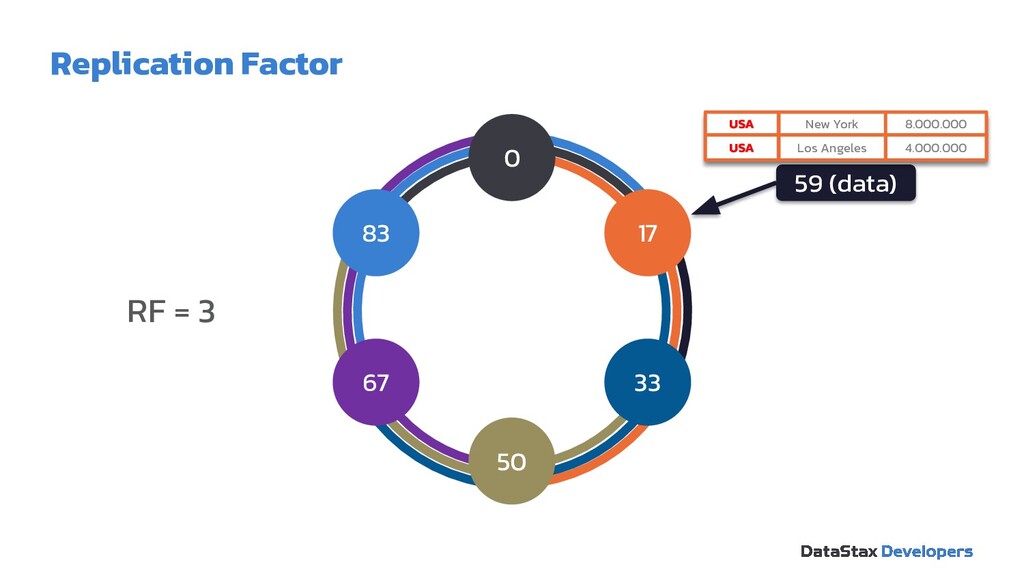
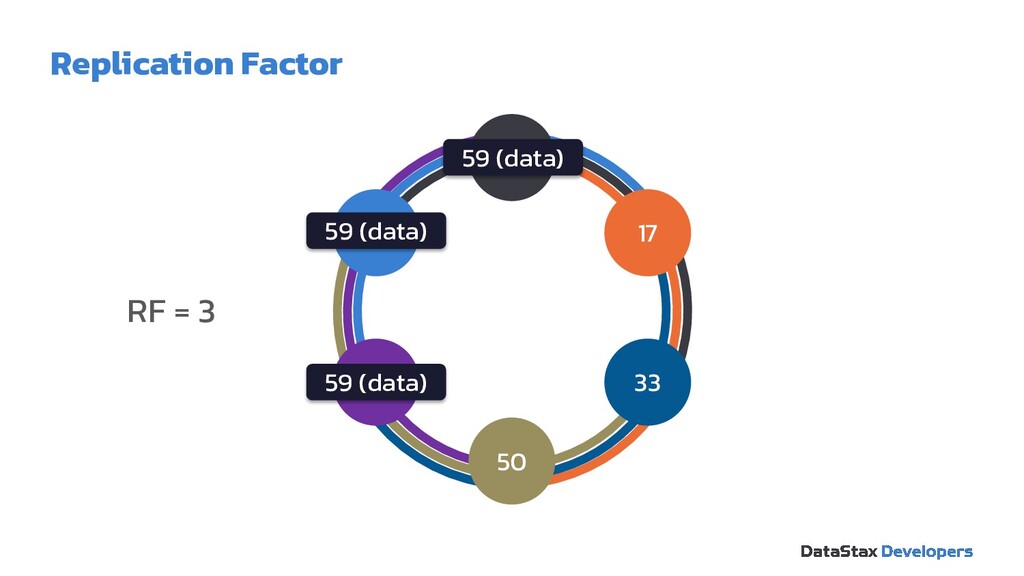
  11. 59 (data) RF = 3 0 50 33 17 83

    67 USA New York 8.000.000 4.000.000 Los Angeles USA Replication Factor
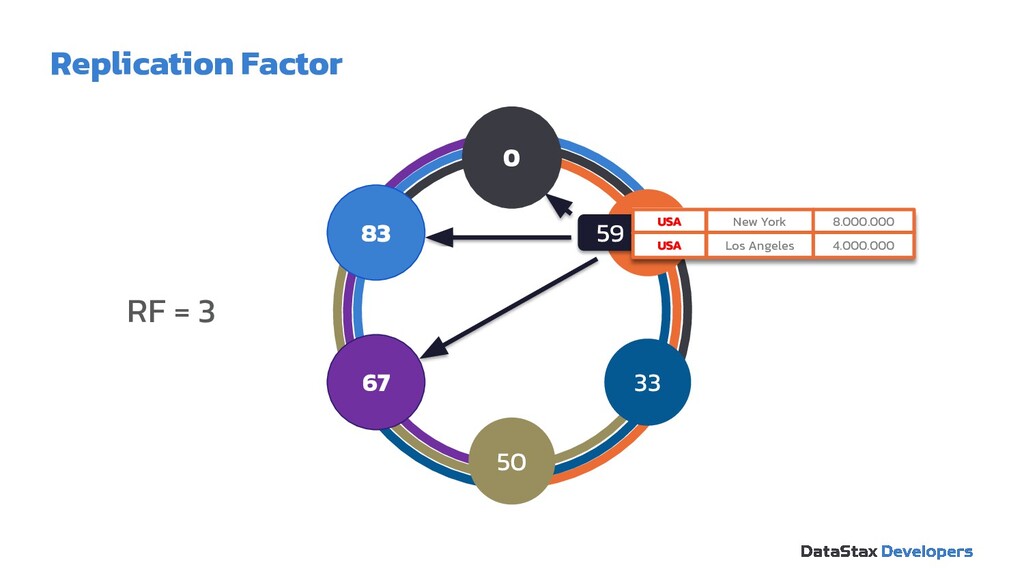
  12. RF = 3 0 50 33 17 83 67 59

    (data) USA New York 8.000.000 4.000.000 Los Angeles USA 67 83 0 Replication Factor
  13. RF = 3 0 50 33 17 83 67 59

    (data) 59 (data) 59 (data) Replication Factor
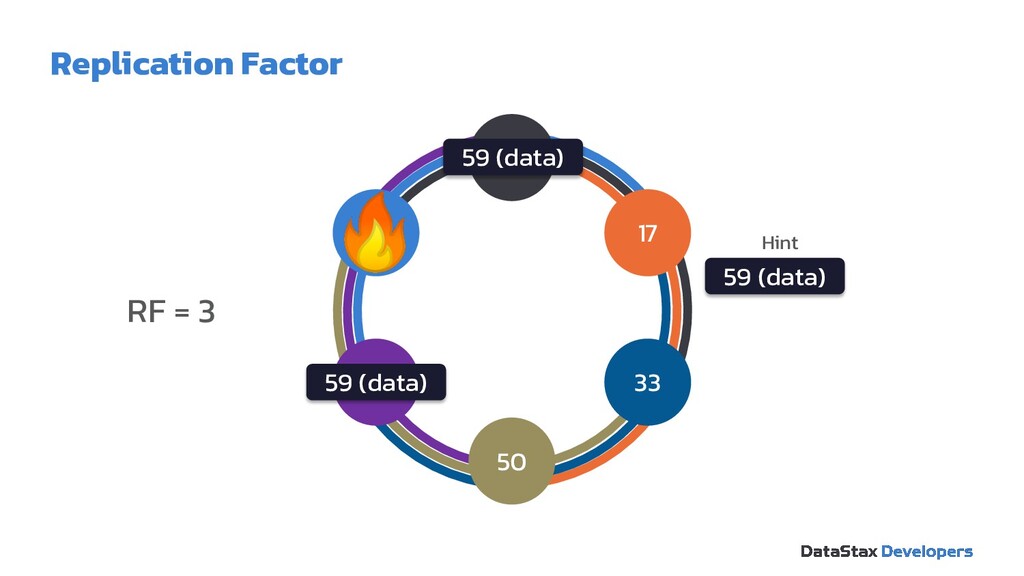
  14. RF = 3 0 50 33 17 83 67 59

    (data) 59 (data) 59 (data) Hint Replication Factor
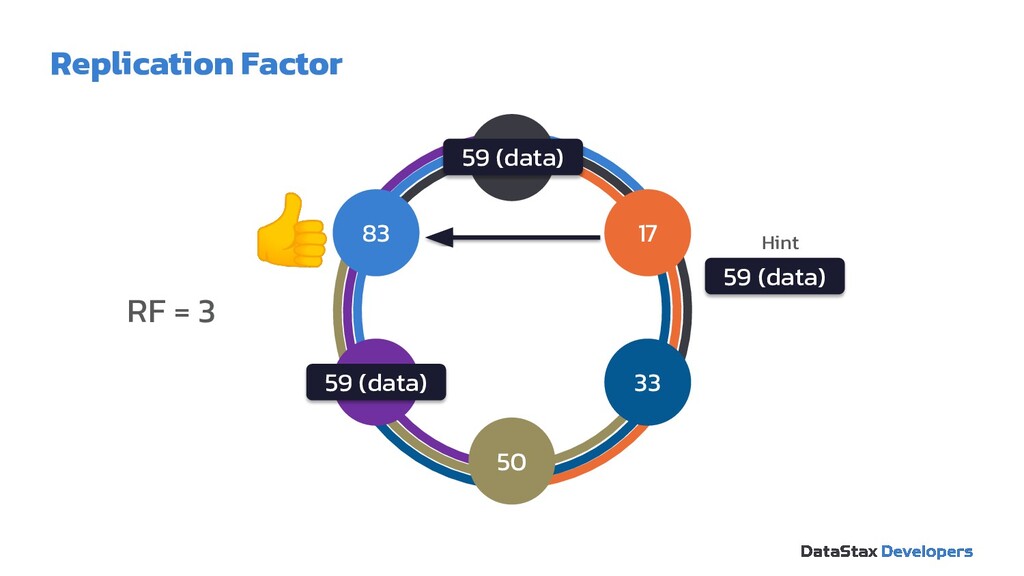
  15. RF = 3 0 50 33 17 83 67 59

    (data) 59 (data) 59 (data) Hint Replication Factor
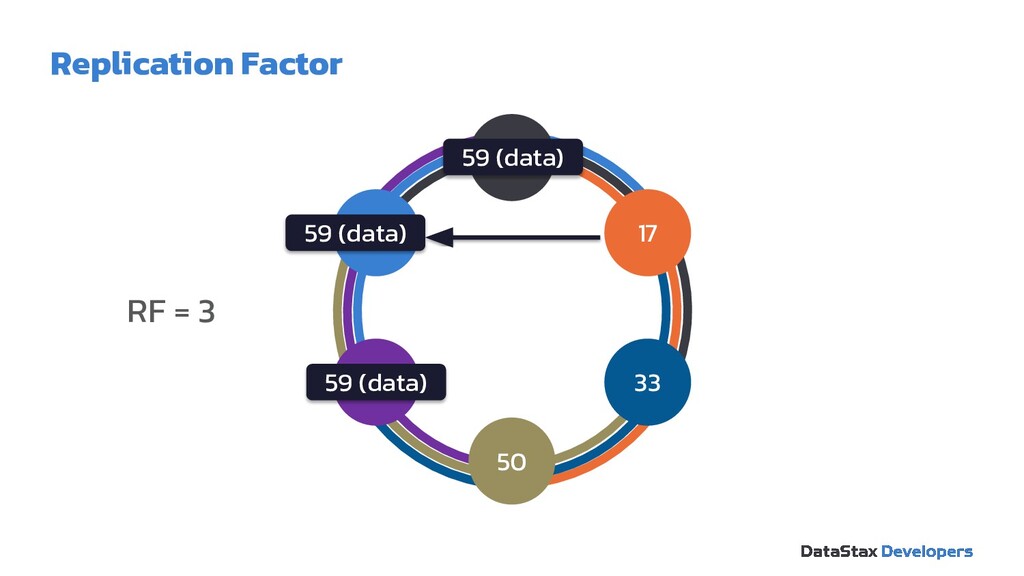
  16. RF = 3 0 50 33 17 83 67 59

    (data) 59 (data) 59 (data) Replication Factor
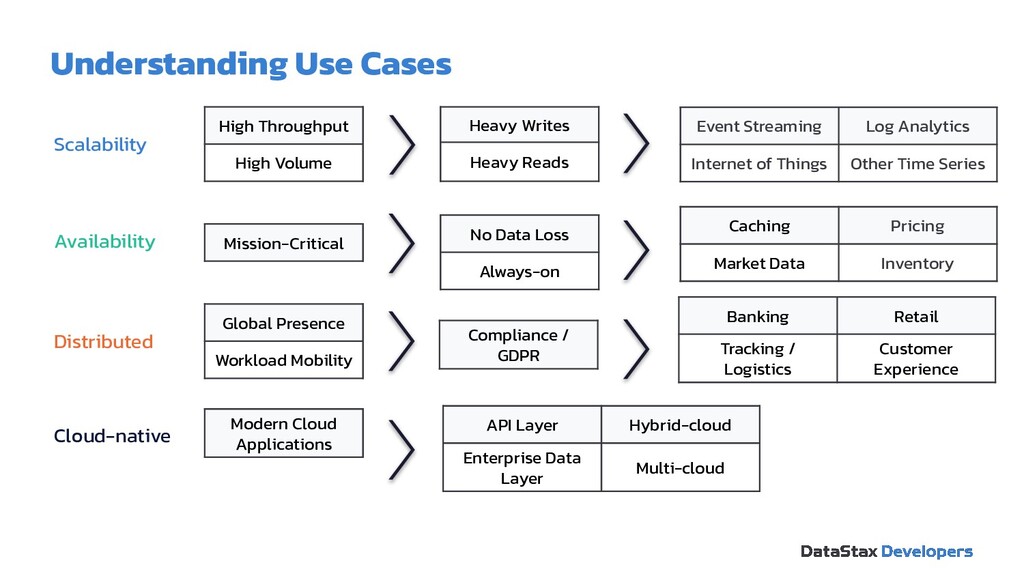
  17. High Throughput High Volume Heavy Writes Heavy Reads Event Streaming

    Log Analytics Internet of Things Other Time Series Mission-Critical No Data Loss Always-on Scalability Availability Distributed Cloud-native Caching Pricing Market Data Inventory Banking Retail Tracking / Logistics Customer Experience API Layer Hybrid-cloud Enterprise Data Layer Multi-cloud Modern Cloud Applications Global Presence Workload Mobility Compliance / GDPR Understanding Use Cases
  18. Drivers & Stargate 04 Software Development Kit 05 Agenda WTH

    is Cassandra? 01 Tables, partitions, oh my! 02 The art of data modeling 03 Resources 06
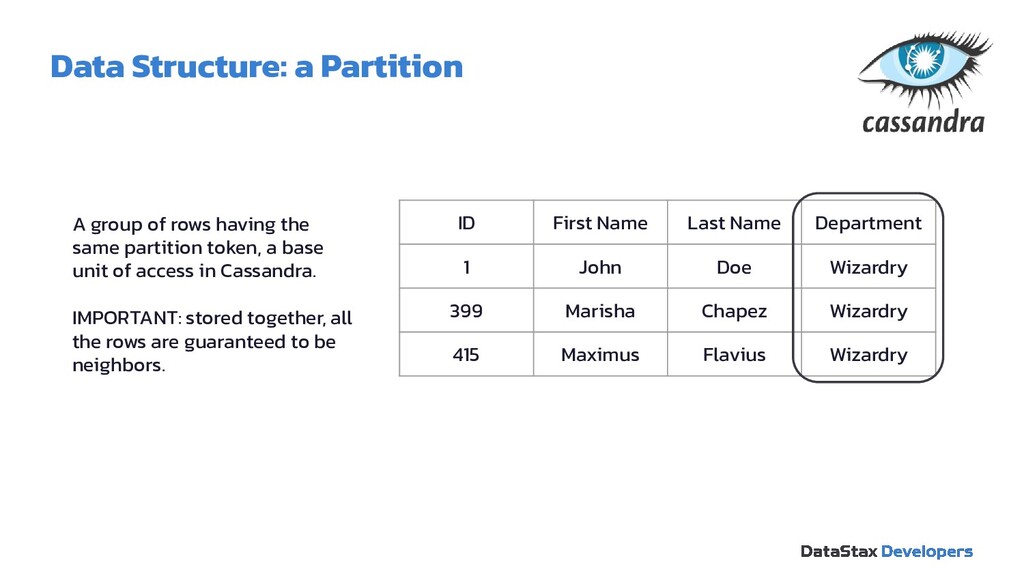
  19. Data Structure: a Partition A group of rows having the

    same partition token, a base unit of access in Cassandra. IMPORTANT: stored together, all the rows are guaranteed to be neighbors. ID First Name Last Name Department 1 John Doe Wizardry 399 Marisha Chapez Wizardry 415 Maximus Flavius Wizardry
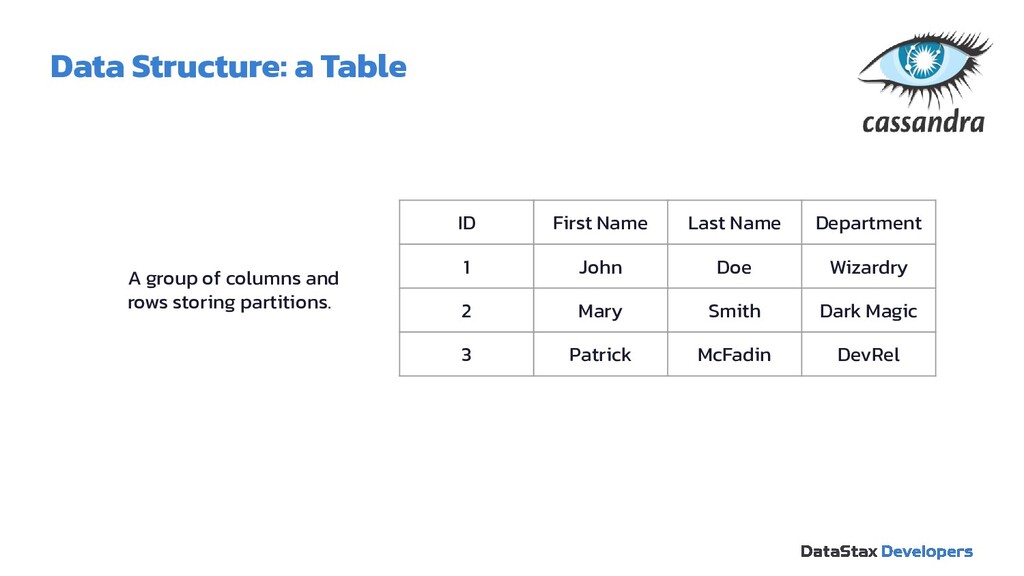
  20. Data Structure: a Table A group of columns and rows

    storing partitions. ID First Name Last Name Department 1 John Doe Wizardry 2 Mary Smith Dark Magic 3 Patrick McFadin DevRel
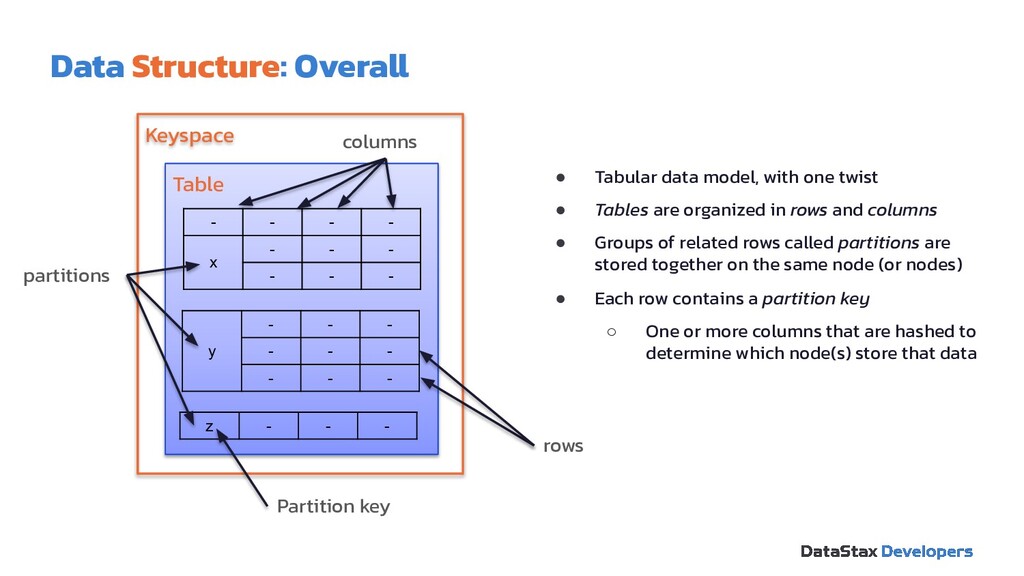
  21. • Tabular data model, with one twist • Tables are

    organized in rows and columns • Groups of related rows called partitions are stored together on the same node (or nodes) • Each row contains a partition key ◦ One or more columns that are hashed to determine which node(s) store that data Data Structure: Overall Keyspace Table - - - - x - - - - - - y - - - - - - - - - z - - - columns partitions rows Partition key
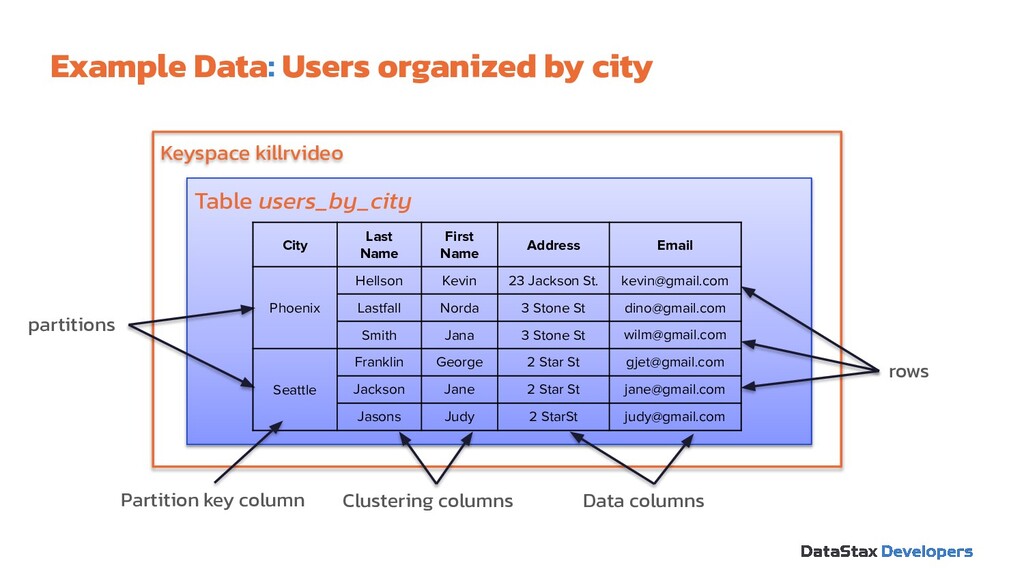
  22. Example Data: Users organized by city Keyspace killrvideo Table users_by_city

    Clustering columns partitions rows Partition key column City Last Name First Name Address Email Phoenix Hellson Kevin 23 Jackson St. [email protected] Lastfall Norda 3 Stone St [email protected] Smith Jana 3 Stone St [email protected] Seattle Franklin George 2 Star St [email protected] Jackson Jane 2 Star St [email protected] Jasons Judy 2 StarSt [email protected] Data columns
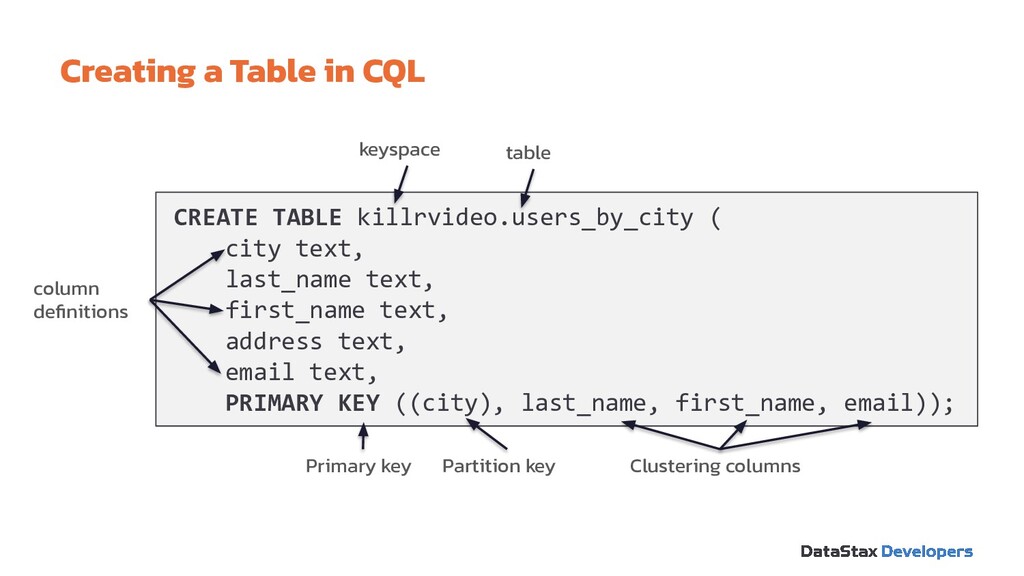
  23. Creating a Table in CQL CREATE TABLE killrvideo.users_by_city ( city

    text, last_name text, first_name text, address text, email text, PRIMARY KEY ((city), last_name, first_name, email)); keyspace column definitions Partition key Primary key table Clustering columns
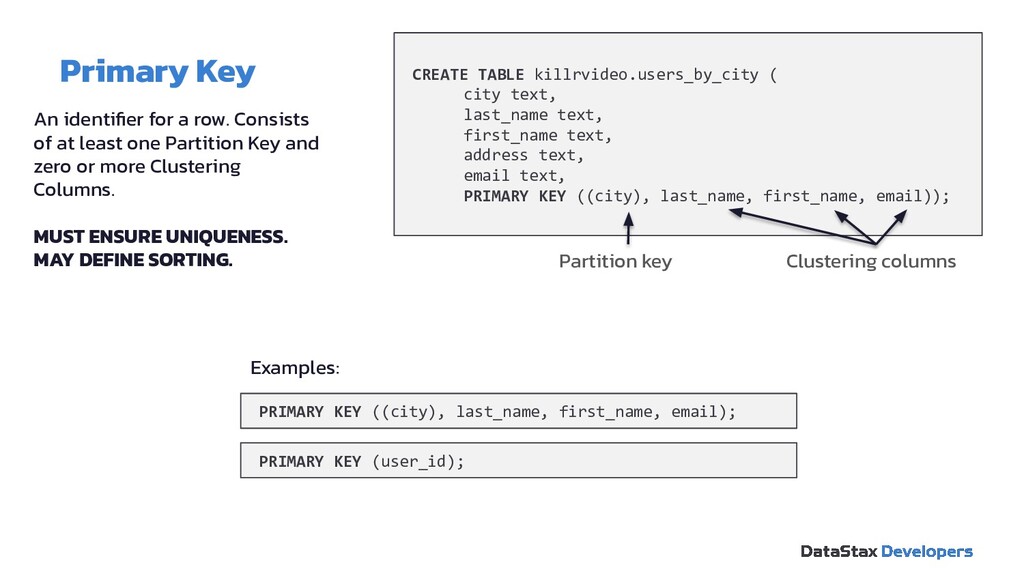
  24. Primary Key CREATE TABLE killrvideo.users_by_city ( city text, last_name text,

    first_name text, address text, email text, PRIMARY KEY ((city), last_name, first_name, email)); An identifier for a row. Consists of at least one Partition Key and zero or more Clustering Columns. MUST ENSURE UNIQUENESS. MAY DEFINE SORTING. Partition key Clustering columns PRIMARY KEY ((city), last_name, first_name, email); PRIMARY KEY (user_id); Examples:
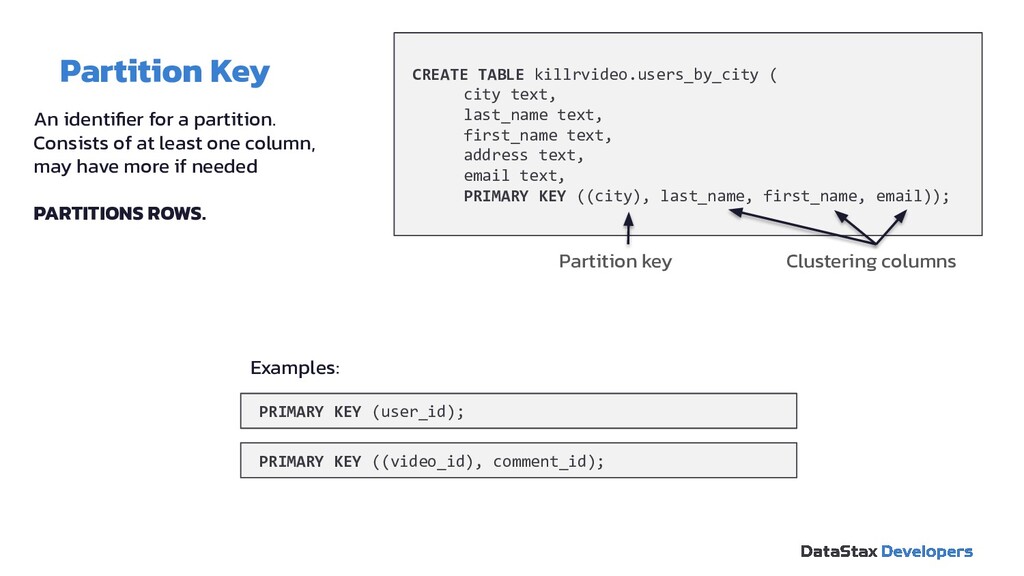
  25. Partition Key CREATE TABLE killrvideo.users_by_city ( city text, last_name text,

    first_name text, address text, email text, PRIMARY KEY ((city), last_name, first_name, email)); An identifier for a partition. Consists of at least one column, may have more if needed PARTITIONS ROWS. Partition key Clustering columns PRIMARY KEY (user_id); PRIMARY KEY ((video_id), comment_id); Examples:
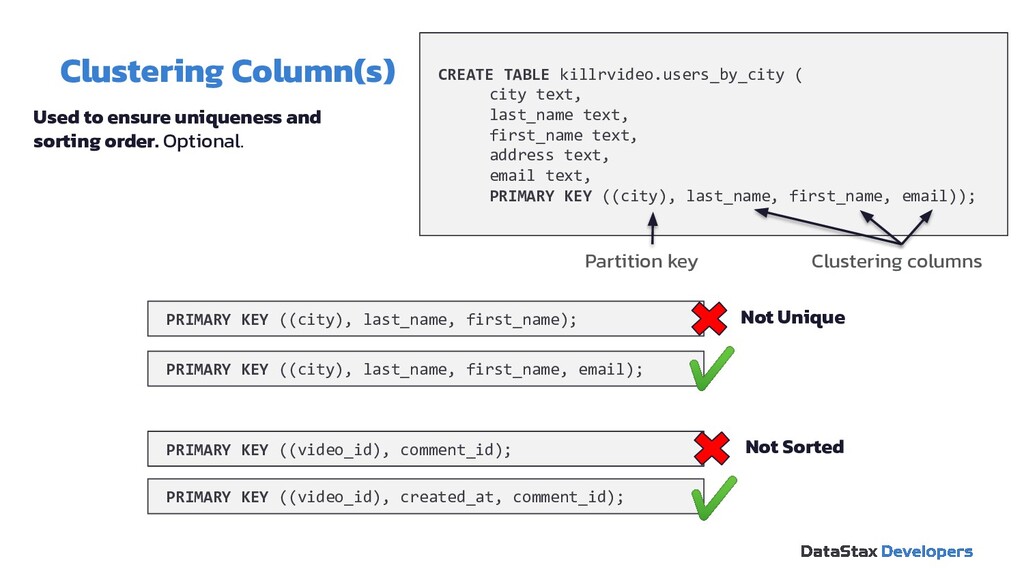
  26. Clustering Column(s) CREATE TABLE killrvideo.users_by_city ( city text, last_name text,

    first_name text, address text, email text, PRIMARY KEY ((city), last_name, first_name, email)); Used to ensure uniqueness and sorting order. Optional. Partition key Clustering columns PRIMARY KEY ((video_id), comment_id); PRIMARY KEY ((city), last_name, first_name); PRIMARY KEY ((city), last_name, first_name, email); PRIMARY KEY ((video_id), created_at, comment_id); Not Unique Not Sorted
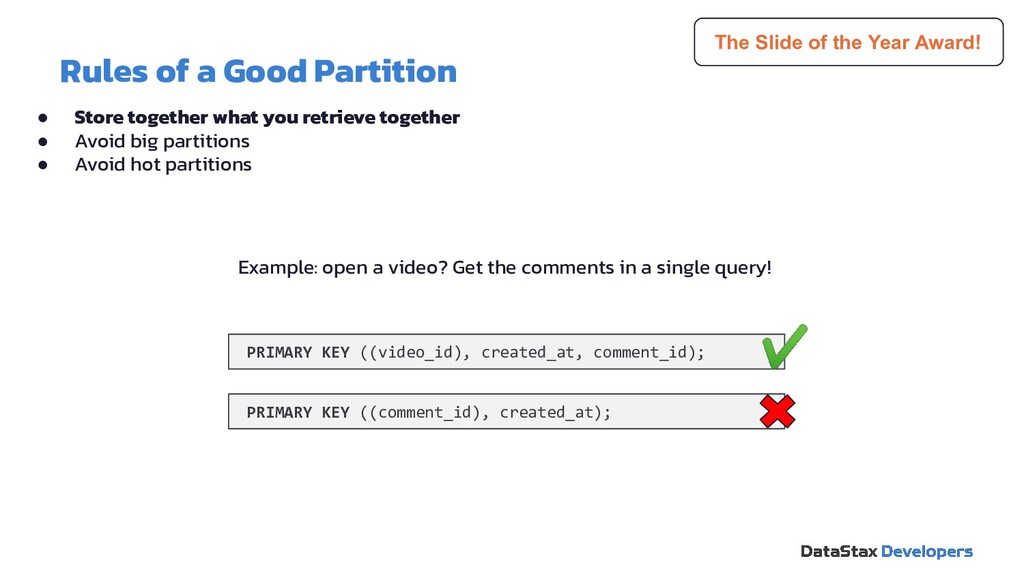
  27. Rules of a Good Partition • Store together what you

    retrieve together • Avoid big partitions • Avoid hot partitions PRIMARY KEY ((video_id), created_at, comment_id); PRIMARY KEY ((comment_id), created_at); The Slide of the Year Award! Example: open a video? Get the comments in a single query!
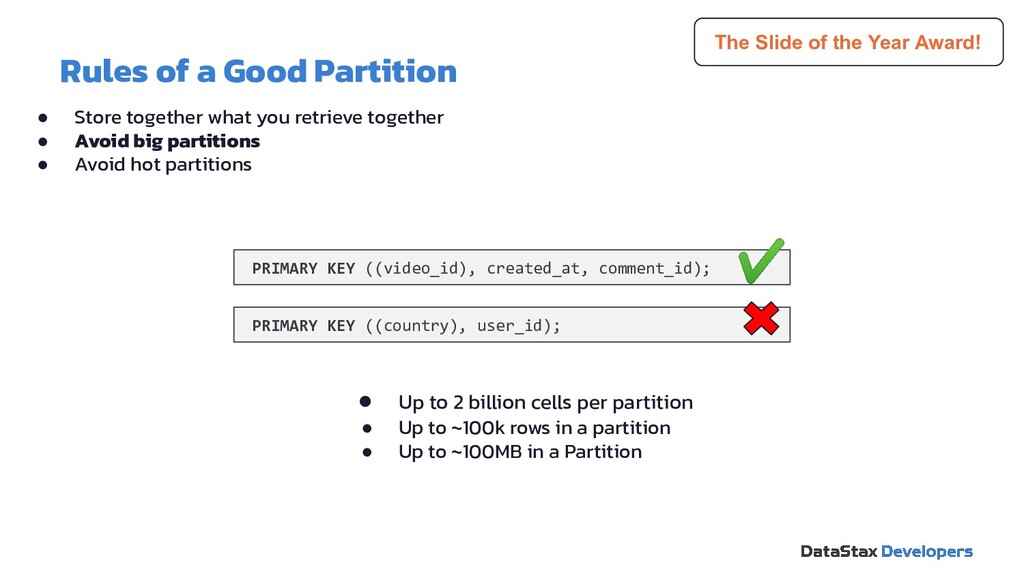
  28. Rules of a Good Partition PRIMARY KEY ((video_id), created_at, comment_id);

    The Slide of the Year Award! PRIMARY KEY ((country), user_id); • Up to 2 billion cells per partition • Up to ~100k rows in a partition • Up to ~100MB in a Partition • Store together what you retrieve together • Avoid big partitions • Avoid hot partitions
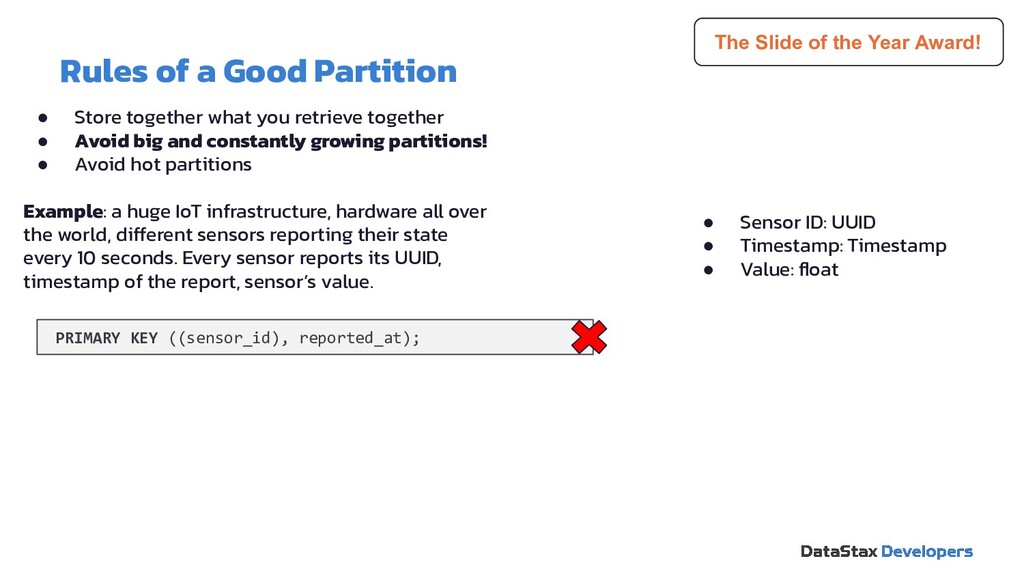
  29. Rules of a Good Partition PRIMARY KEY ((sensor_id), reported_at); The

    Slide of the Year Award! • Store together what you retrieve together • Avoid big and constantly growing partitions! • Avoid hot partitions Example: a huge IoT infrastructure, hardware all over the world, different sensors reporting their state every 10 seconds. Every sensor reports its UUID, timestamp of the report, sensor’s value. • Sensor ID: UUID • Timestamp: Timestamp • Value: float
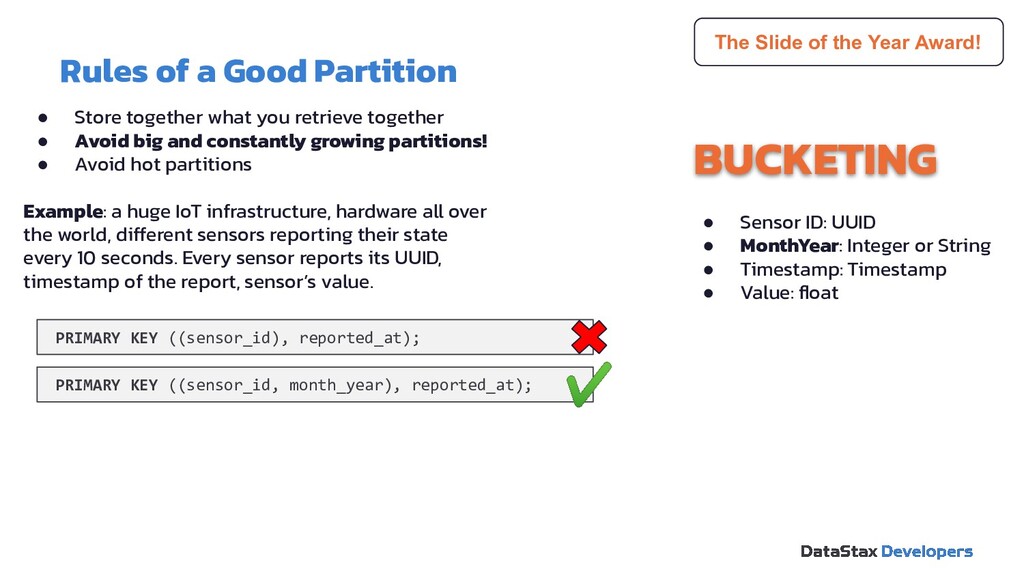
  30. Rules of a Good Partition PRIMARY KEY ((sensor_id), reported_at); The

    Slide of the Year Award! BUCKETING PRIMARY KEY ((sensor_id, month_year), reported_at); • Sensor ID: UUID • MonthYear: Integer or String • Timestamp: Timestamp • Value: float • Store together what you retrieve together • Avoid big and constantly growing partitions! • Avoid hot partitions Example: a huge IoT infrastructure, hardware all over the world, different sensors reporting their state every 10 seconds. Every sensor reports its UUID, timestamp of the report, sensor’s value.
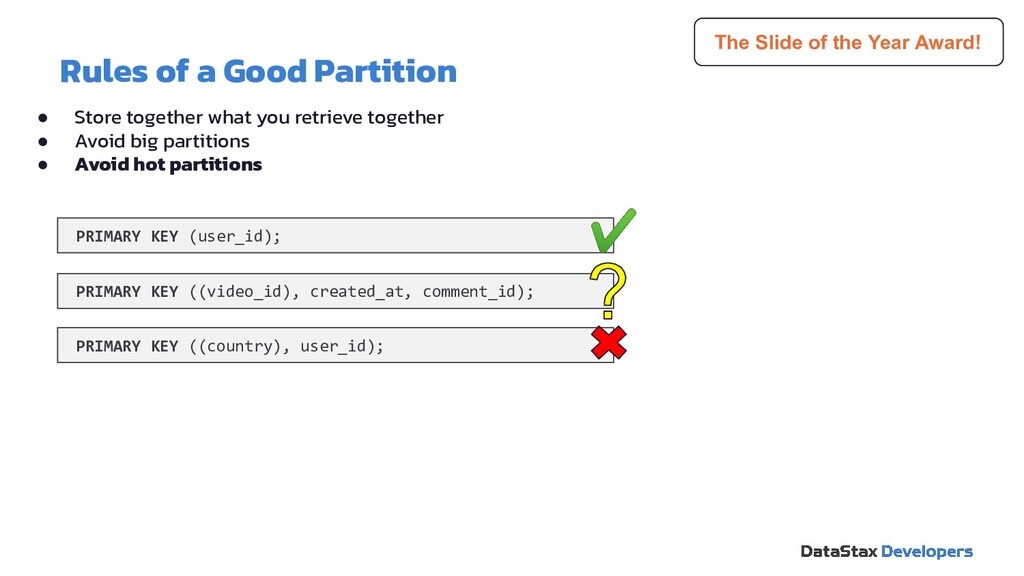
  31. Rules of a Good Partition PRIMARY KEY ((video_id), created_at, comment_id);

    PRIMARY KEY (user_id); The Slide of the Year Award! PRIMARY KEY ((country), user_id); • Store together what you retrieve together • Avoid big partitions • Avoid hot partitions
  32. Drivers & Stargate 04 Software Development Kit 05 Agenda WTH

    is Cassandra? 01 Tables, partitions, oh my! 02 The art of data modeling 03 Resources 06
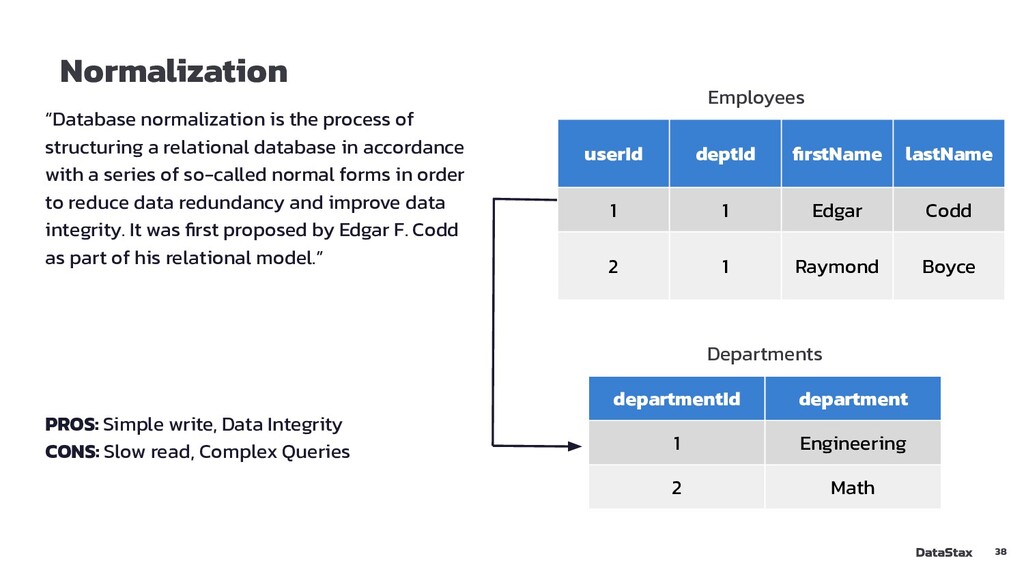
  33. Normalization “Database normalization is the process of structuring a relational

    database in accordance with a series of so-called normal forms in order to reduce data redundancy and improve data integrity. It was first proposed by Edgar F. Codd as part of his relational model.” PROS: Simple write, Data Integrity CONS: Slow read, Complex Queries userId deptId firstName lastName 1 1 Edgar Codd 2 1 Raymond Boyce departmentId department 1 Engineering 2 Math Employees Departments 38
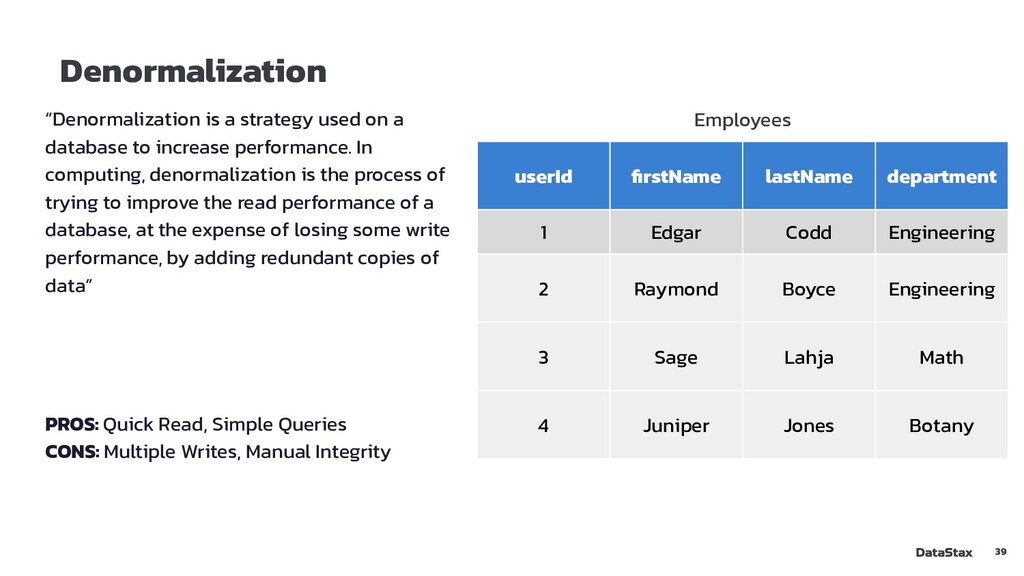
  34. Denormalization “Denormalization is a strategy used on a database to

    increase performance. In computing, denormalization is the process of trying to improve the read performance of a database, at the expense of losing some write performance, by adding redundant copies of data” PROS: Quick Read, Simple Queries CONS: Multiple Writes, Manual Integrity userId firstName lastName department 1 Edgar Codd Engineering 2 Raymond Boyce Engineering 3 Sage Lahja Math 4 Juniper Jones Botany Employees 39
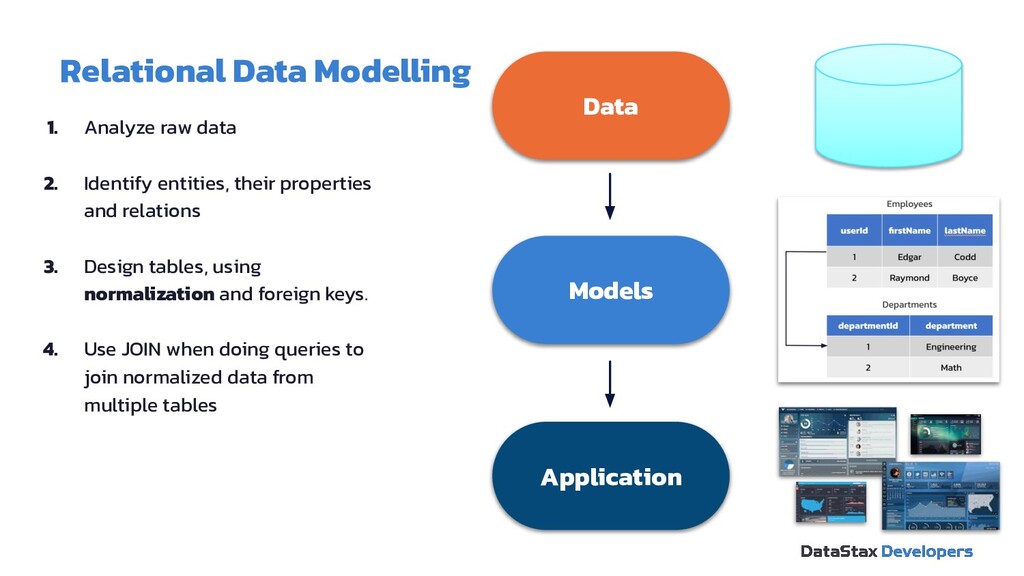
  35. Relational Data Modelling 1. Analyze raw data 2. Identify entities,

    their properties and relations 3. Design tables, using normalization and foreign keys. 4. Use JOIN when doing queries to join normalized data from multiple tables Data Models Application
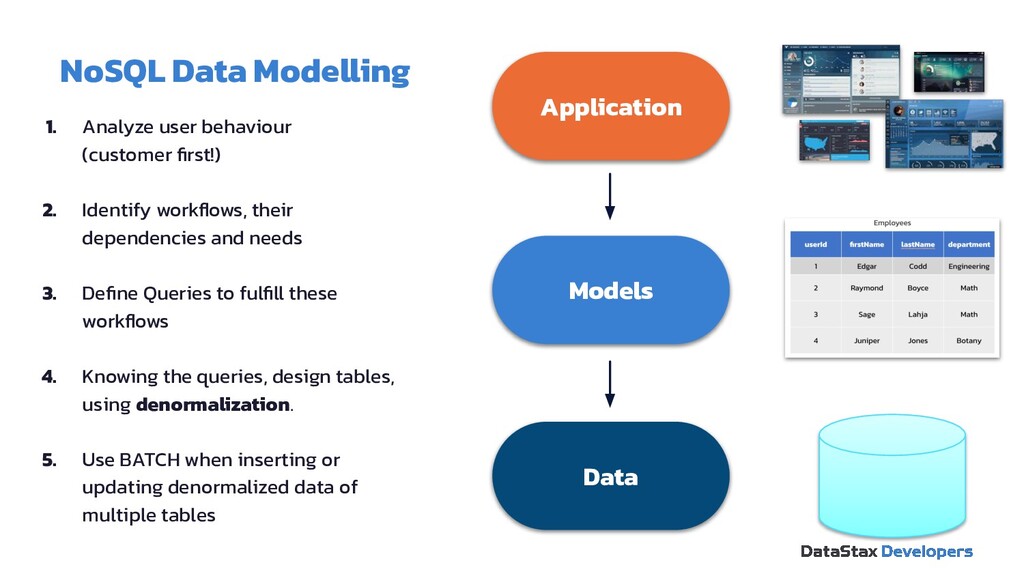
  36. NoSQL Data Modelling 1. Analyze user behaviour (customer first!) 2.

    Identify workflows, their dependencies and needs 3. Define Queries to fulfill these workflows 4. Knowing the queries, design tables, using denormalization. 5. Use BATCH when inserting or updating denormalized data of multiple tables Application Models Data
  37. Designing Process: Application Workflow Use-Case I: • A User opens

    a Profile WF2: Find comments related to target user using its identifier, get most recent first Use-Case II: • A User opens a Video Page WF1: Find comments related to target video using its identifier, most recent first
  38. Designing Process: Mapping Query I: Find comments posted for a

    user with a known id (show most recent first) Query II: Find comments for a video with a known id (show most recent first) comments_by_video comments_by_user
  39. Designing Process: Mapping SELECT * FROM comments_by_user WHERE userid =

    <some UUID> SELECT * FROM comments_by_video WHERE videoid = <some UUID> comments_by_video comments_by_user
  40. Designing Process: Logical Data Model userid creationdate commentid videoid comment

    comments_by_user K C ↑ videoid creationdate commentid userid comment comments_by_video C ↑ K C ↑ ↑ C
  41. Designing Process: Physical Data Model userid commentid videoid comment comments_by_user

    TIMEUUID K TEXT C UUID UUID ↑ videoid commentid userid comment comments_by_video TIMEUUID K TEXT C UUID UUID ↑
  42. Designing Process: Schema DDL CREATE TABLE IF NOT EXISTS comments_by_user

    ( userid uuid, commentid timeuuid, videoid uuid, comment text, PRIMARY KEY ((userid), commentid) ) WITH CLUSTERING ORDER BY (commentid DESC); CREATE TABLE IF NOT EXISTS comments_by_video ( videoid uuid, commentid timeuuid, userid uuid, comment text, PRIMARY KEY ((videoid), commentid) ) WITH CLUSTERING ORDER BY (commentid DESC);
  43. Drivers & Stargate 04 Software Development Kit 05 Agenda WTH

    is Cassandra? 01 Tables, partitions, oh my! 02 The art of data modeling 03 Resources 06
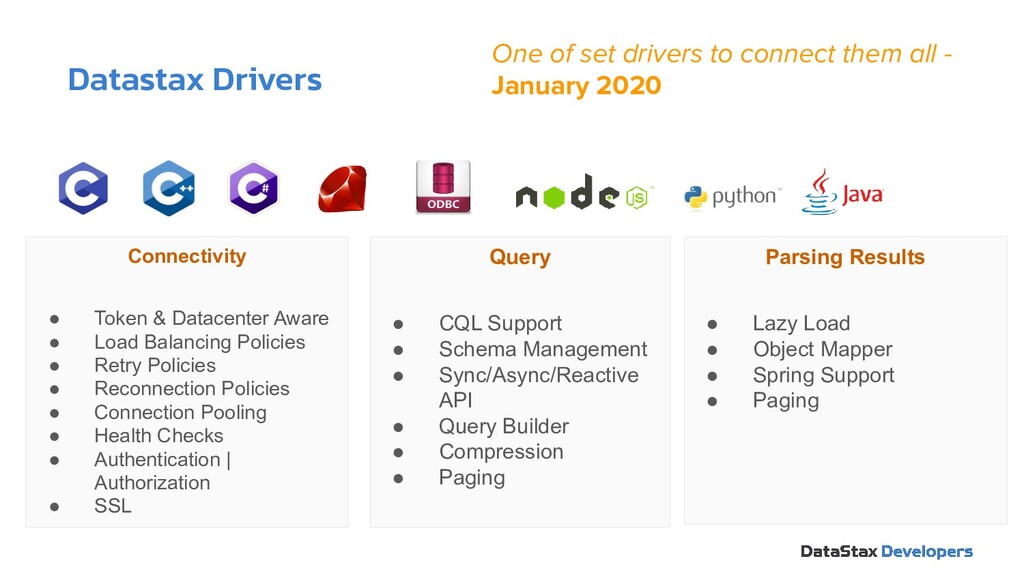
  44. Datastax Drivers One of set drivers to connect them all

    - January 2020 Connectivity • Token & Datacenter Aware • Load Balancing Policies • Retry Policies • Reconnection Policies • Connection Pooling • Health Checks • Authentication | Authorization • SSL Query • CQL Support • Schema Management • Sync/Async/Reactive API • Query Builder • Compression • Paging Parsing Results • Lazy Load • Object Mapper • Spring Support • Paging
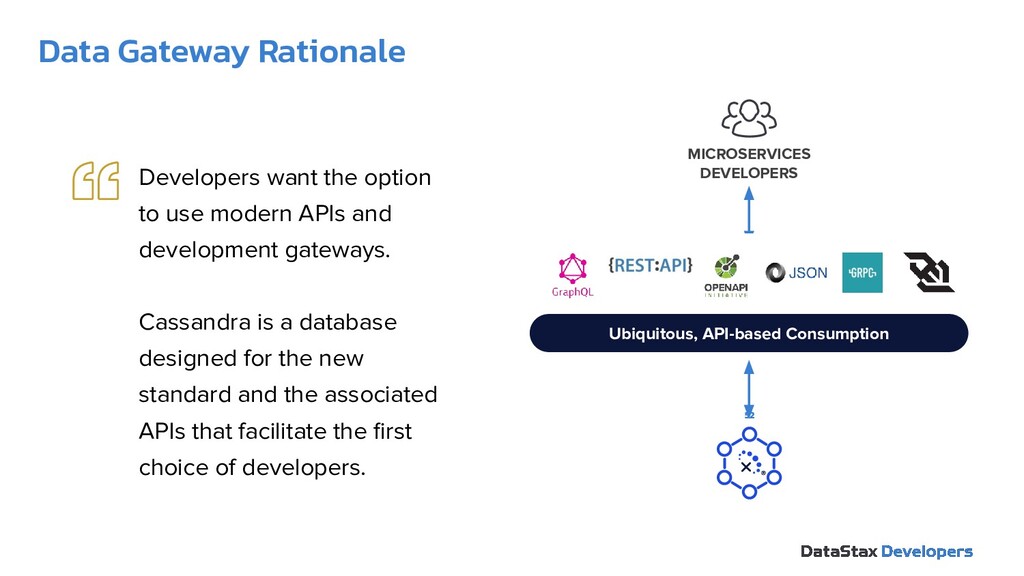
  45. Data Gateway Rationale 52 Ubiquitous, API-based Consumption MICROSERVICES DEVELOPERS Developers

    want the option to use modern APIs and development gateways. Cassandra is a database designed for the new standard and the associated APIs that facilitate the first choice of developers.
  46. Drivers & Stargate 04 Software Development Kit 05 Agenda WTH

    is Cassandra? 01 Tables, partitions, oh my! 02 The art of data modeling 03 Resources 06
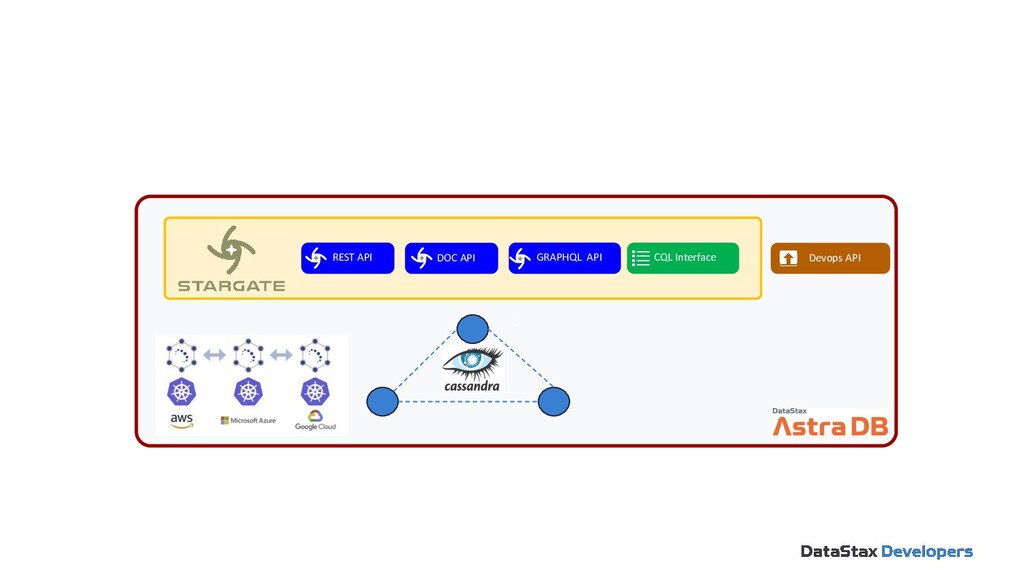
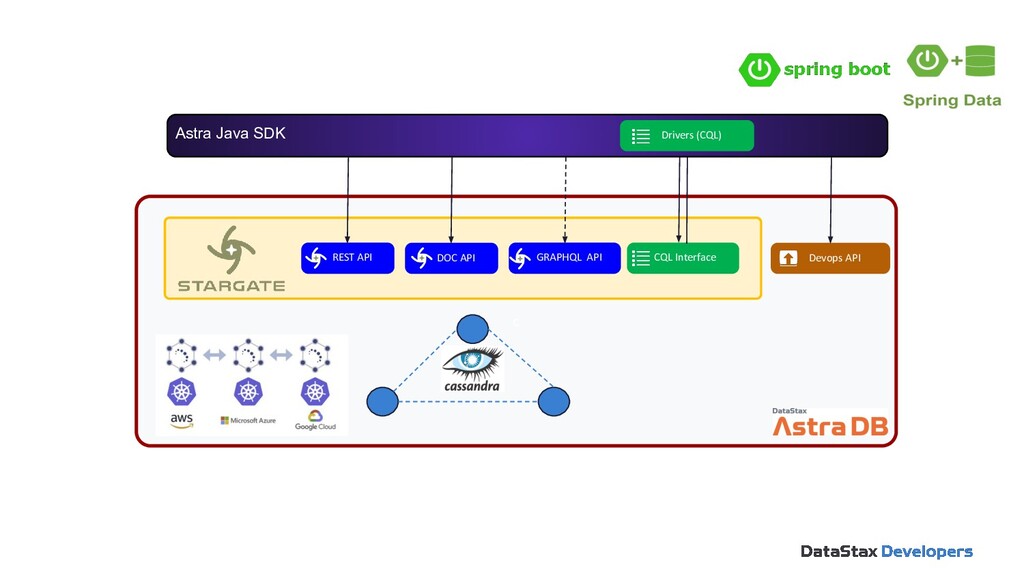
  47. c REST API DOC API GRAPHQL API CQL Interface Devops

    API Astra Java SDK Drivers (CQL)
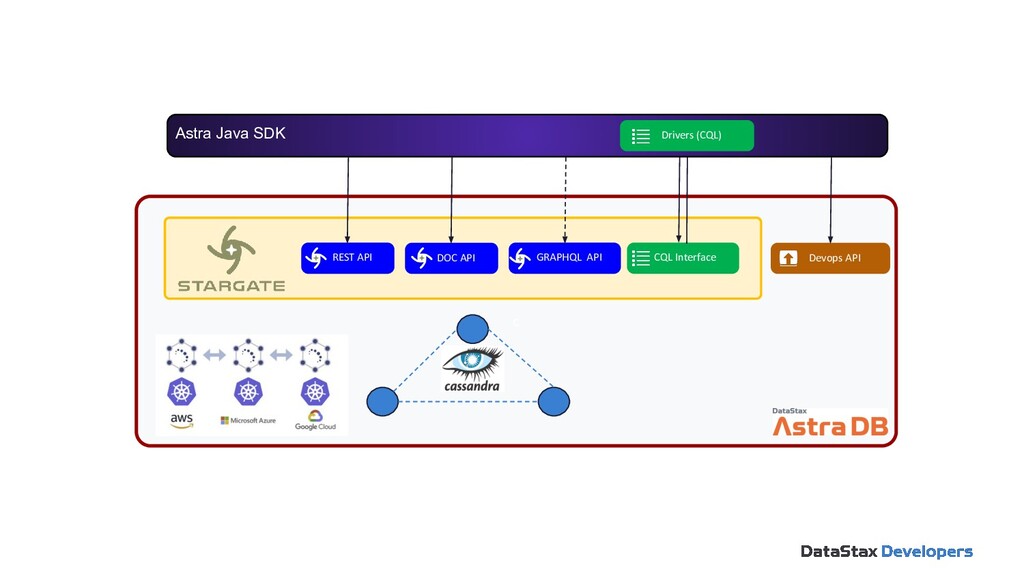
  48. c REST API DOC API GRAPHQL API CQL Interface Devops

    API Astra Java SDK Drivers (CQL)
  49. Drivers & Stargate 04 Software Development Kit 05 Agenda WTH

    is Cassandra? 01 Tables, partitions, oh my! 02 The art of data modeling 03 Resources 06
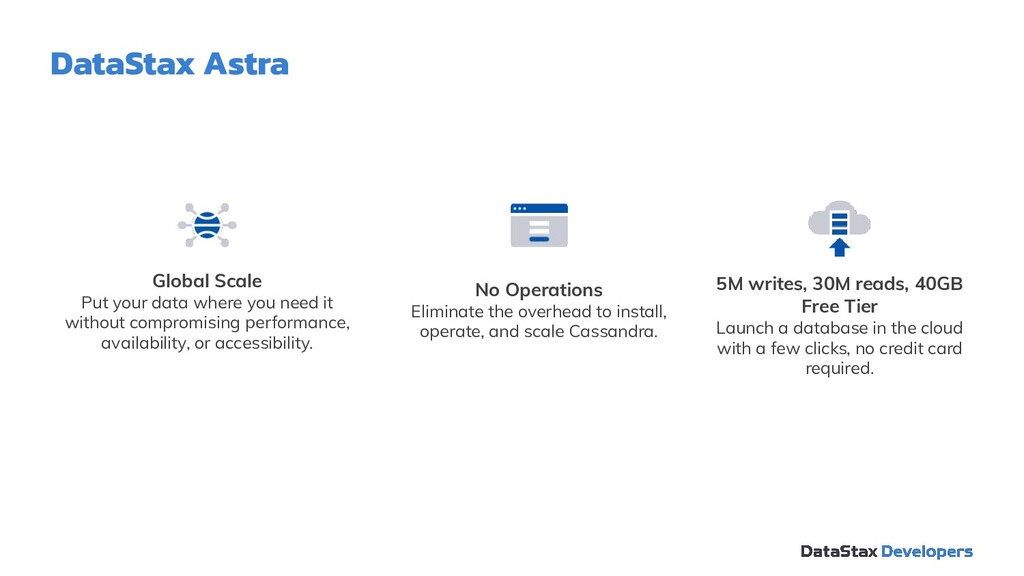
  50. DataStax Astra Global Scale Put your data where you need

    it without compromising performance, availability, or accessibility. No Operations Eliminate the overhead to install, operate, and scale Cassandra. 5M writes, 30M reads, 40GB Free Tier Launch a database in the cloud with a few clicks, no credit card required.
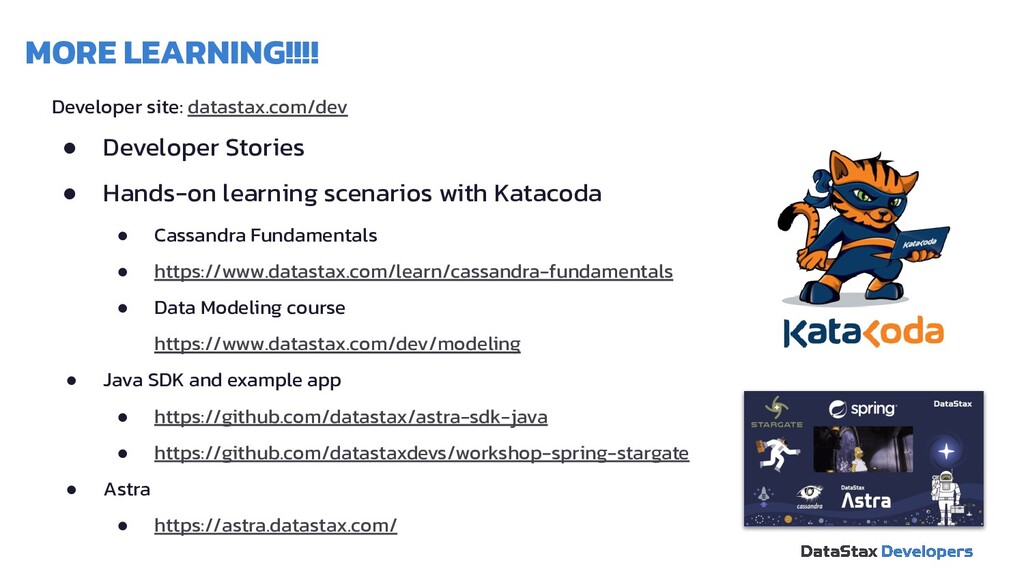
  51. MORE LEARNING!!!! Developer site: datastax.com/dev • Developer Stories • Hands-on

    learning scenarios with Katacoda • Cassandra Fundamentals • https://www.datastax.com/learn/cassandra-fundamentals • Data Modeling course https://www.datastax.com/dev/modeling • Java SDK and example app • https://github.com/datastax/astra-sdk-java • https://github.com/datastaxdevs/workshop-spring-stargate • Astra • https://astra.datastax.com/
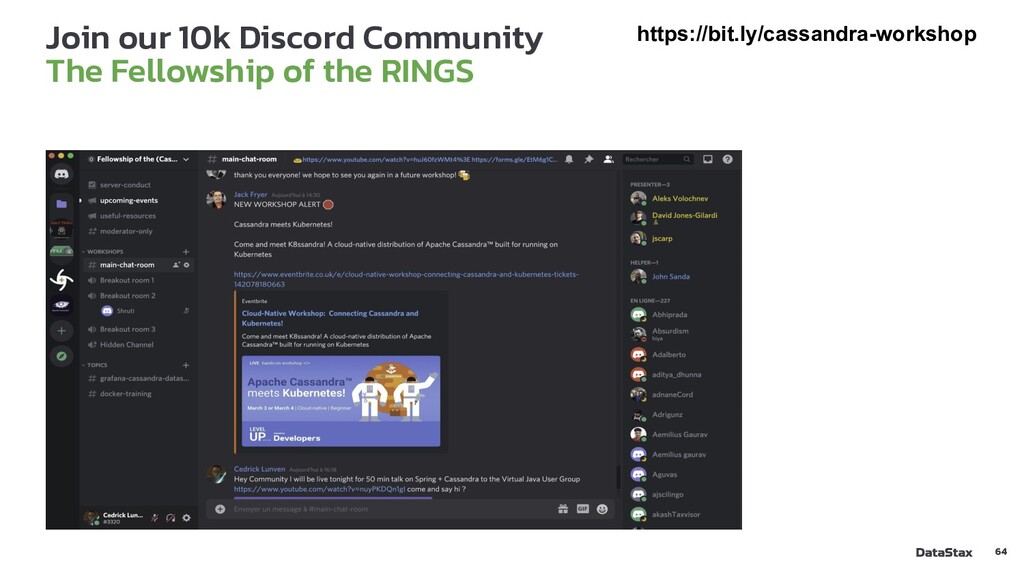
  52. Join our 10k Discord Community The Fellowship of the RINGS

    https://bit.ly/cassandra-workshop 64