Upgrade to Pro — share decks privately, control downloads, hide ads and more …

elasticsearch and Tire

Sponsored · Ship Features Fearlessly Turn features on and off without deploys. Used by thousands of Ruby developers.

elasticsearch and Tire

Avatar for Travis Douce

Travis Douce

October 01, 2013
Tweet

More Decks by Travis Douce

Other Decks in Programming

Transcript

  1. • Do you need elasticsearch? • What is elasticsearch •

    What I needed to understand to be productive with Elasticsearch and Tire – Document Oriented – Restful – Searching Basics (Basic queries, Facets) What will we be talking about?
  2. • All books with “Apple” in the title • All

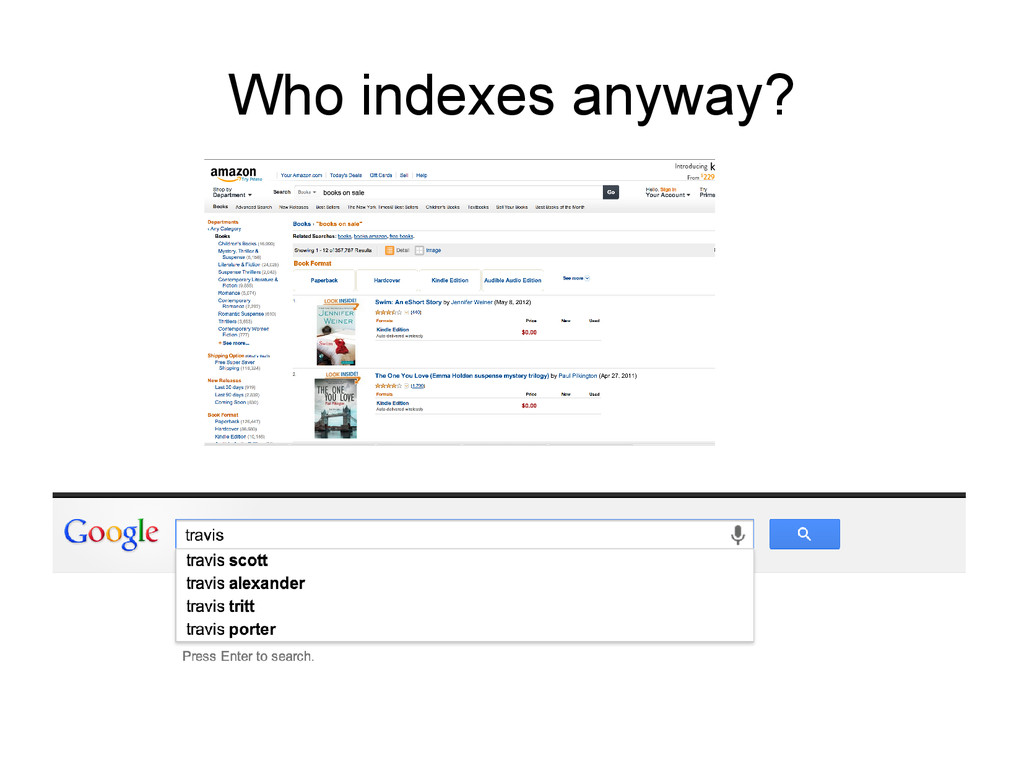
    book authors who have written books with “Apple” in title • Searching text for words that sound like “season” • Auto-completing a search box based on previously issued searches while accounting for mis-spellings http://exploringelasticsearch.com/book/an-overview/what-is-elasticsearch.html
  3. Solving problems for which relational databases are optimized. – Calculating

    how many items are left in the inventory – Figuring out the sum of all line-items on all the invoices sent out in a given month – Executing two operations transactionally with rollback support – Creating records that are guaranteed to be unique across multiple given terms, for instance a phone number and extension http://exploringelasticsearch.com/book/an-overview/what-is-elasticsearch.html
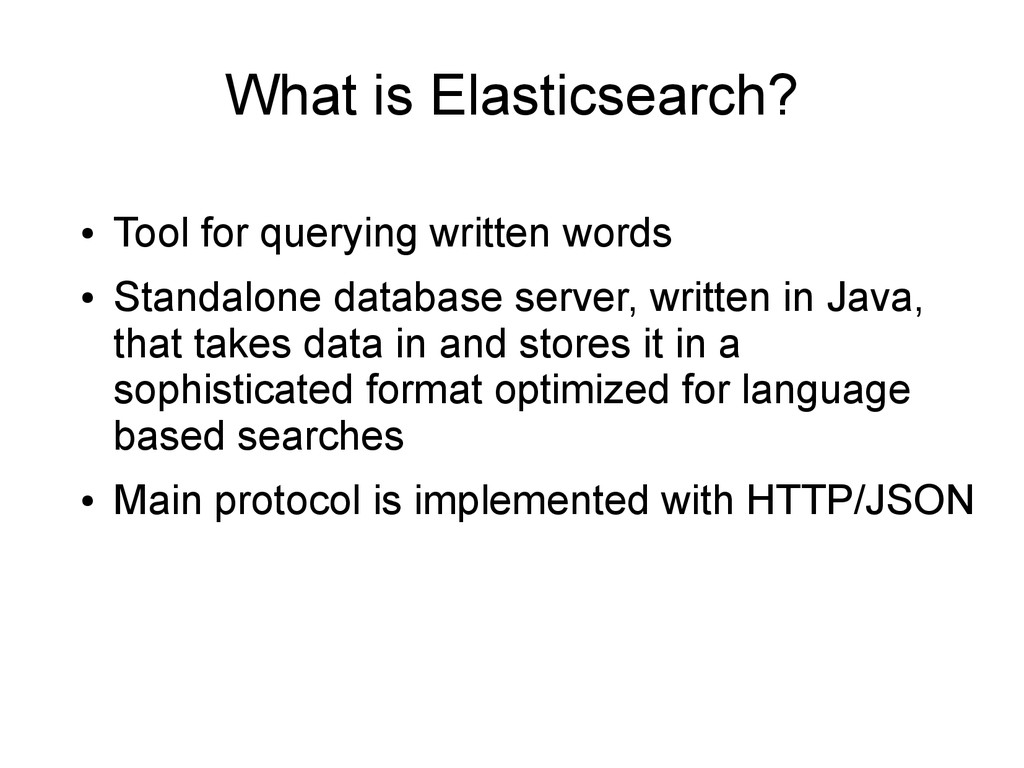
  4. What is Elasticsearch? • Tool for querying written words •

    Standalone database server, written in Java, that takes data in and stores it in a sophisticated format optimized for language based searches • Main protocol is implemented with HTTP/JSON
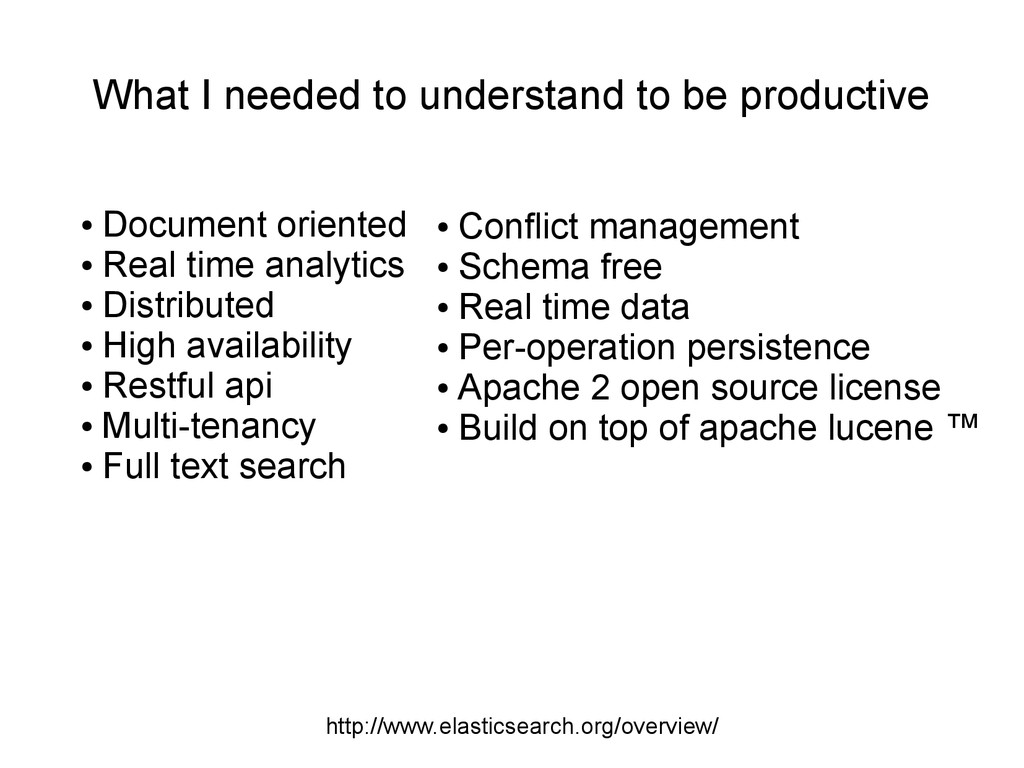
  5. http://www.elasticsearch.org/overview/ • Document oriented • Real time analytics • Distributed

    • High availability • Restful api • Multi-tenancy • Full text search • Conflict management • Schema free • Real time data • Per-operation persistence • Apache 2 open source license • Build on top of apache lucene ™ What I needed to understand to be productive
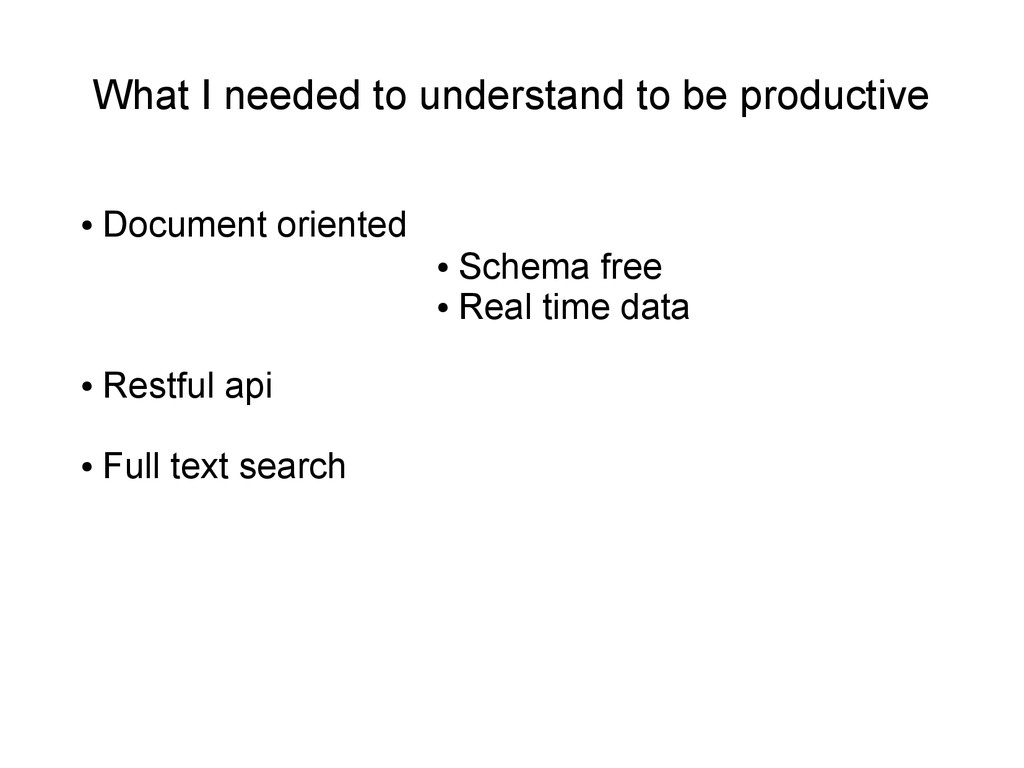
  6. • Document oriented • Restful api • Full text search

    • Schema free • Real time data What I needed to understand to be productive
  7. • Document oriented • Restful api • Full text search

    • Schema free • Real time data What I needed to understand to be productive
  8. • Document oriented • Restful api • Full text search

    • Schema free • Real time data What I needed to understand to be productive
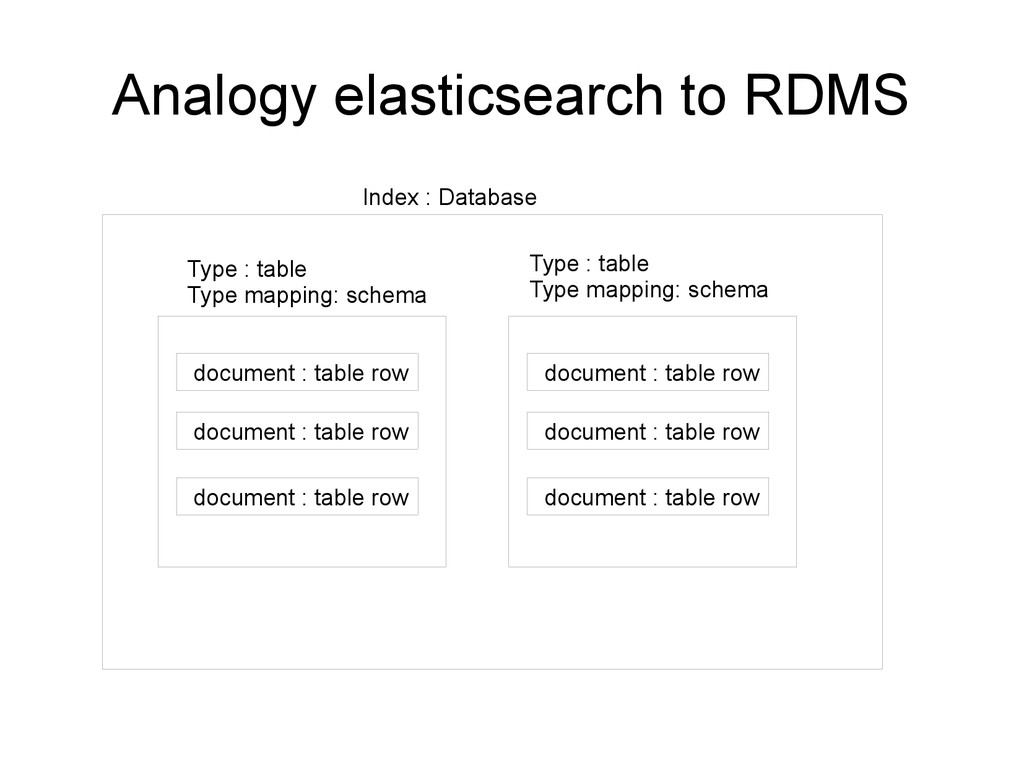
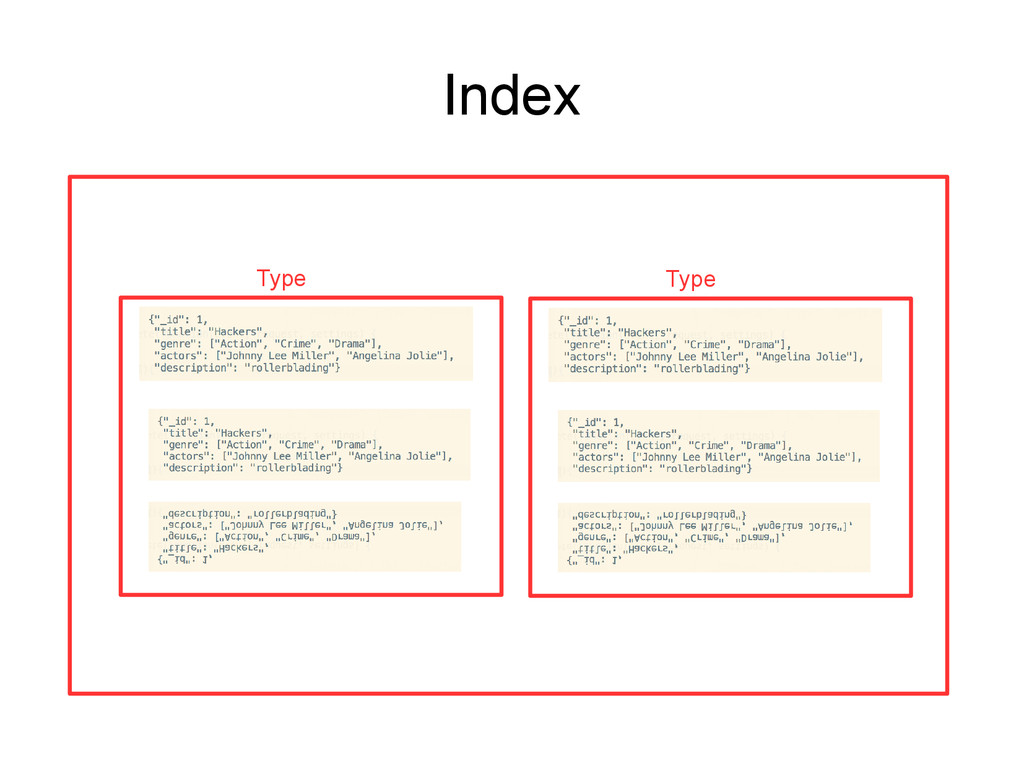
  9. Analogy elasticsearch to RDMS Index : Database Type : table

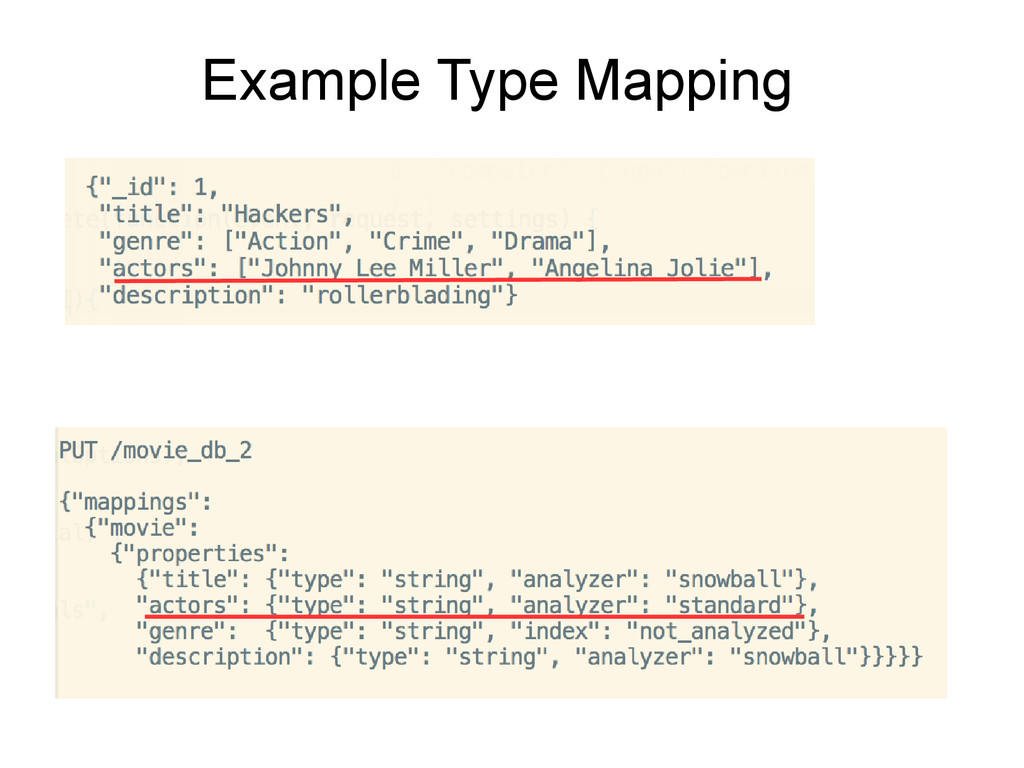
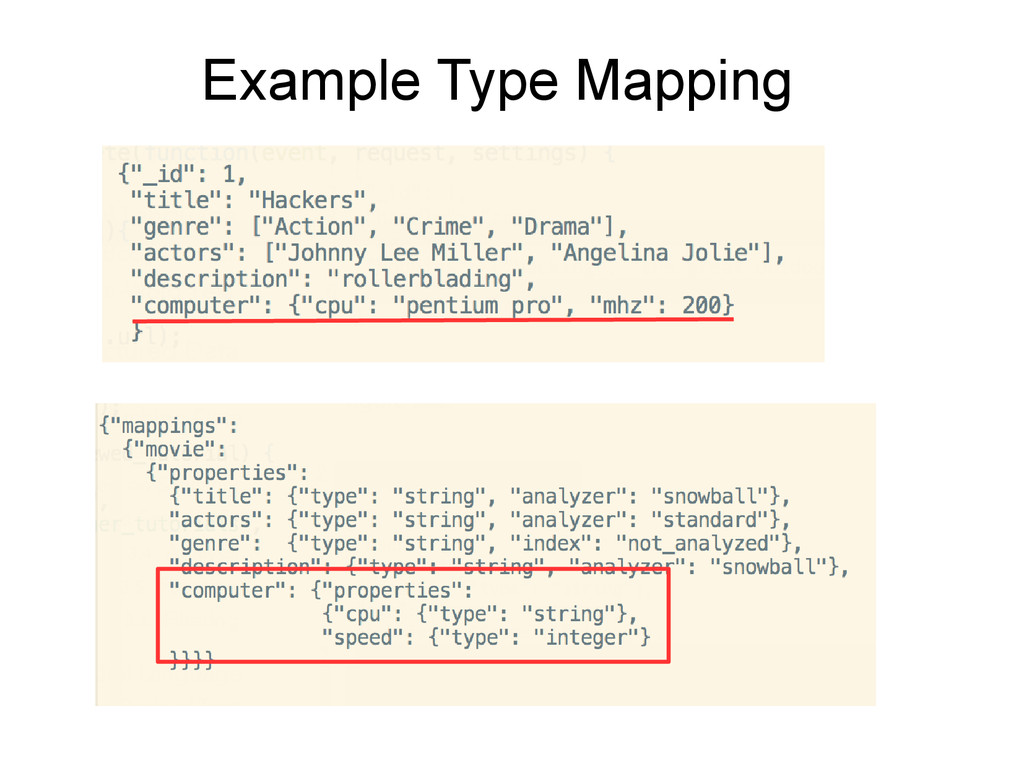
    Type mapping: schema document : table row document : table row document : table row document : table row document : table row document : table row Type : table Type mapping: schema
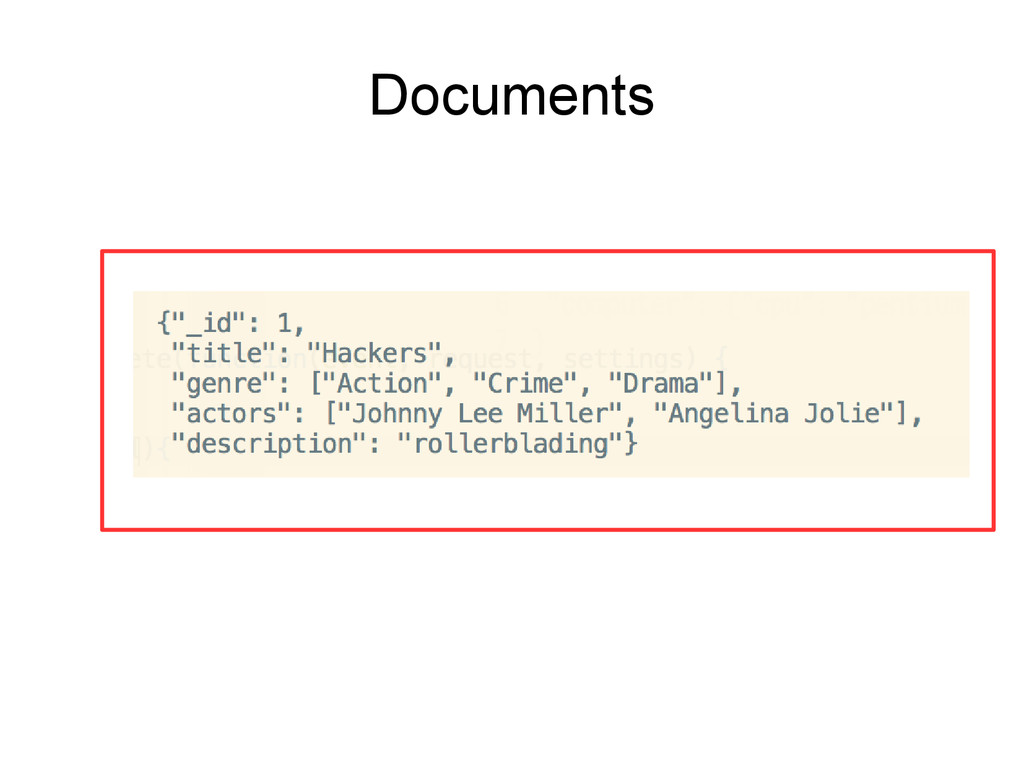
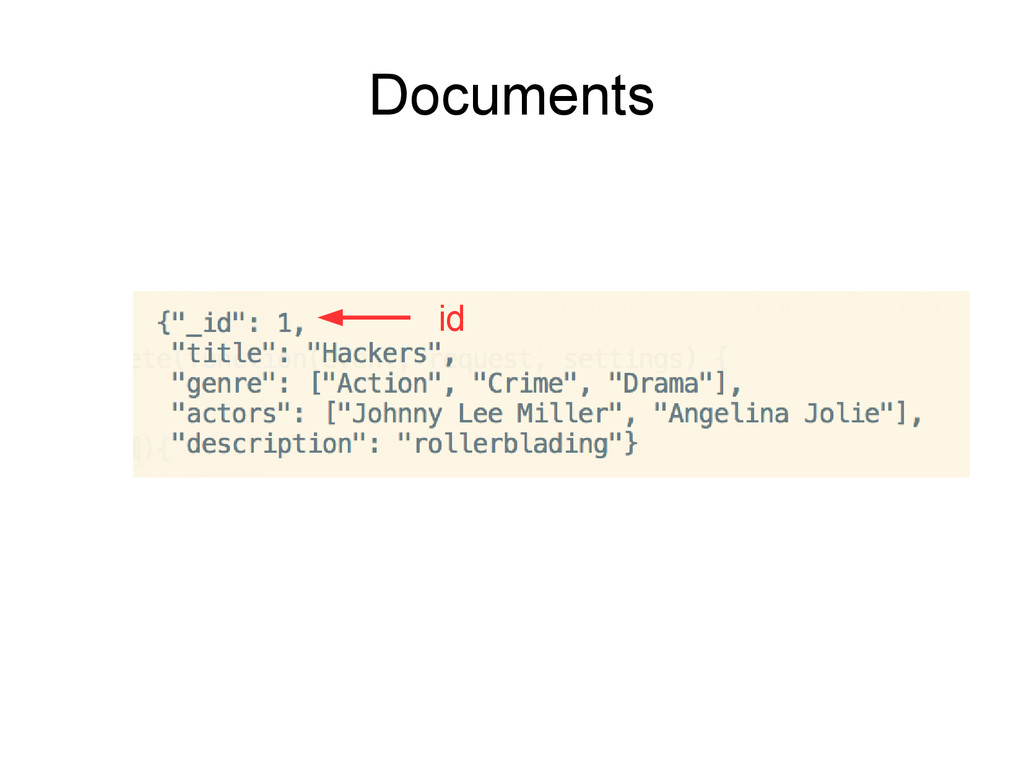
  10. document : like a row in RDBMS id : like

    a primary key in RDBMS http://wac.450f.edgecastcdn.net/80450F/k2radio.com/files/2012/11/food-for-thought-630x596.jpg
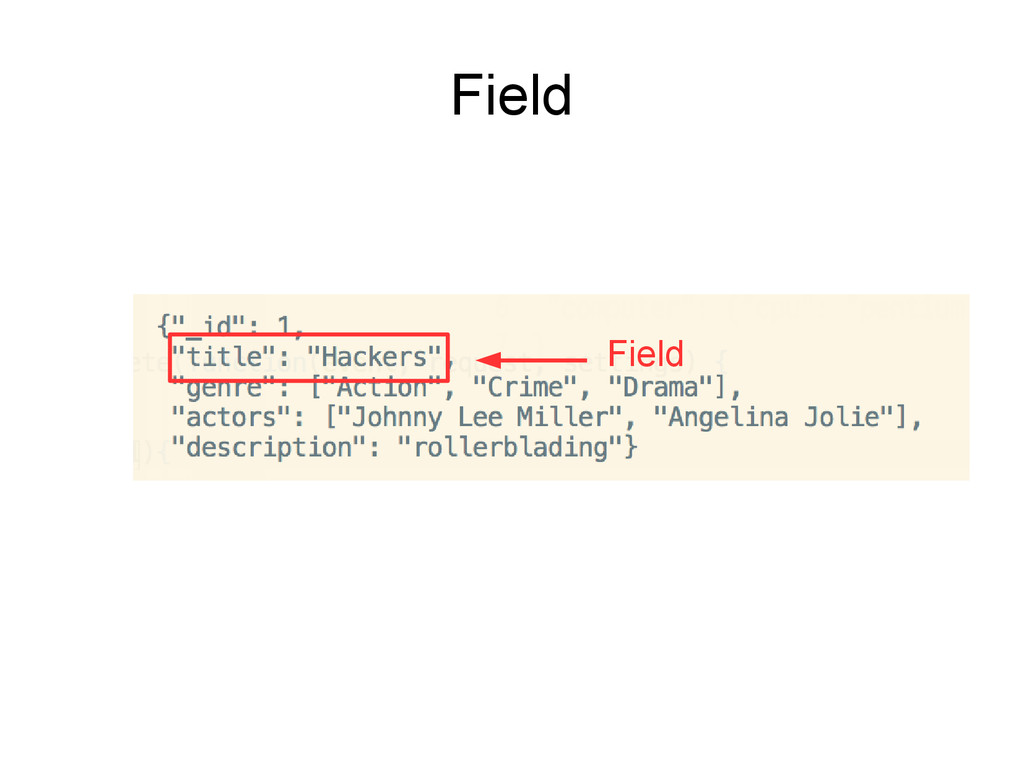
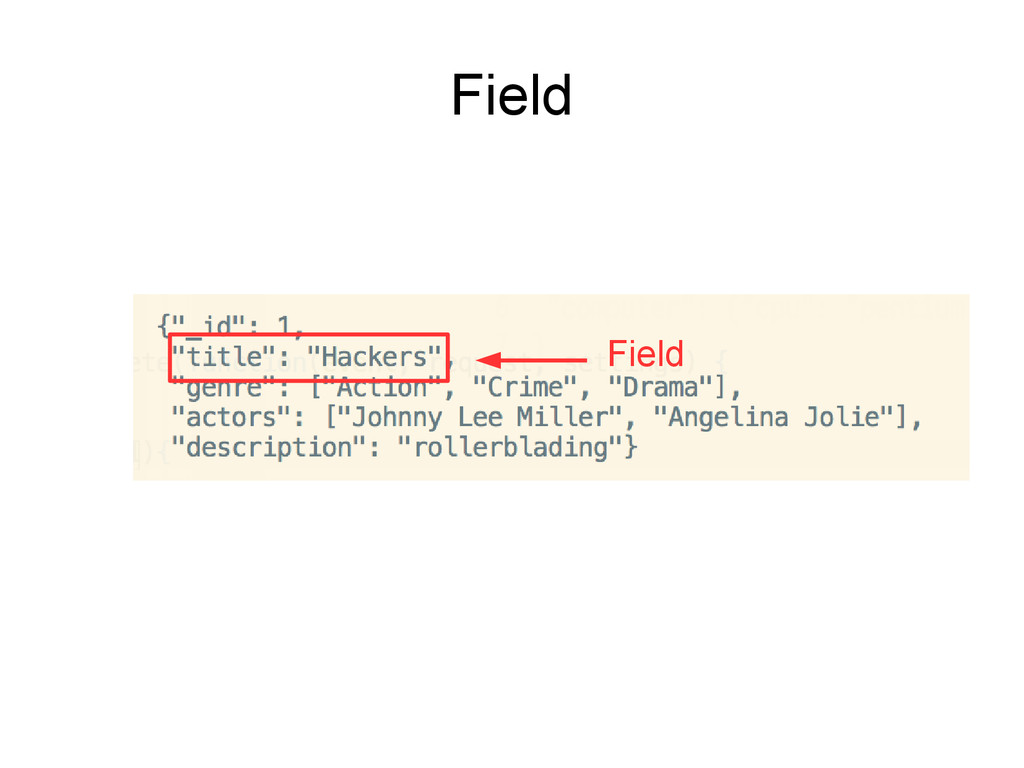
  11. Field • Smallest individual unit of data • Has a

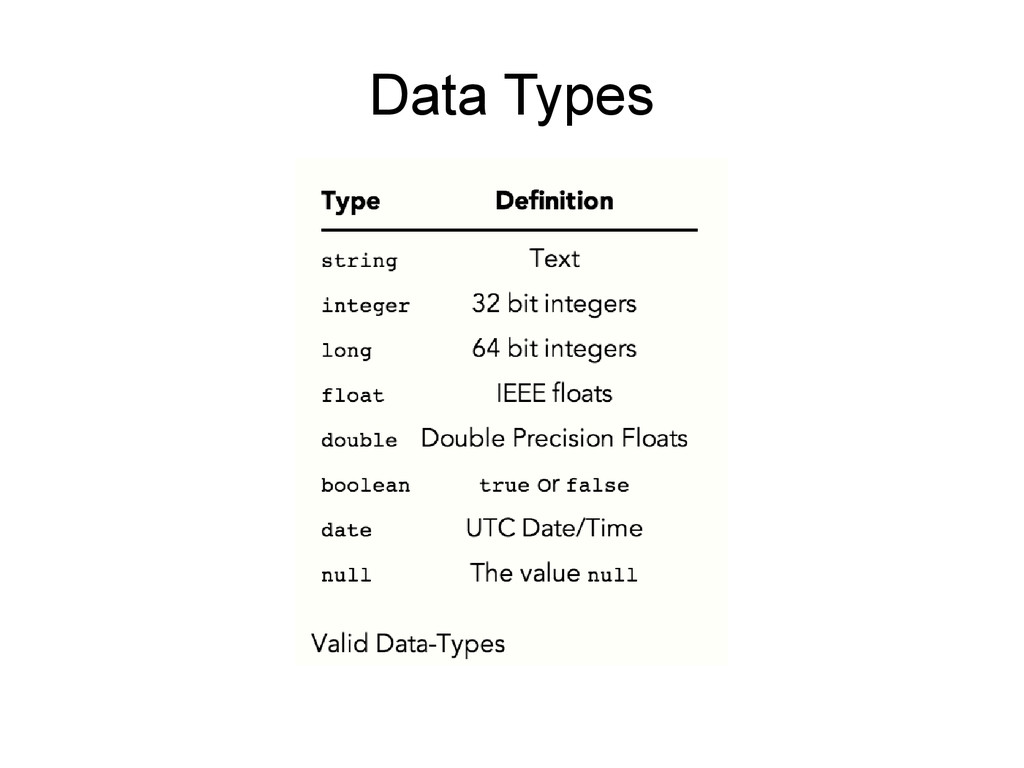
    defined type and has one or many values of that type. • Contains a single piece of data: – Like the number 42 – The string "Hello, World!" – An array like: [5, 6, 7, 8].
  12. Type • List of fields that can be specified for

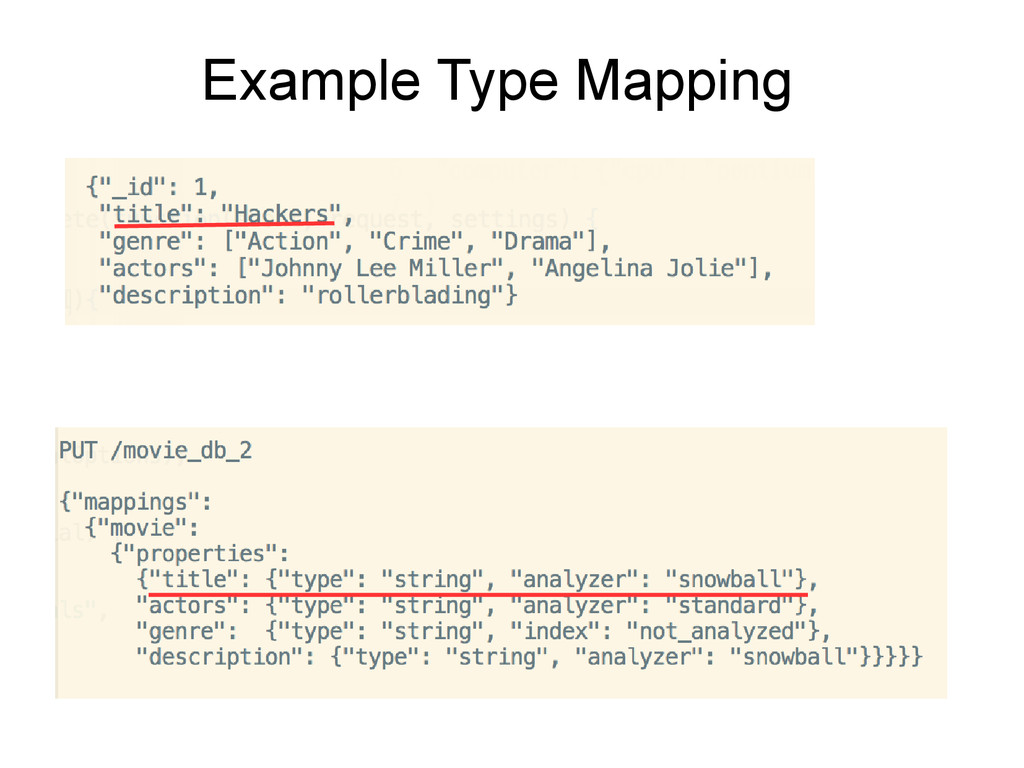
    documents of that type. • Each document has a type mapping – Either user-defined, or – Inferred • Defines the types of its fields (integer, string, etc.) http://exploringelasticsearch.com/
  13. Index • The largest single unit of data is an

    index • Documents are unique per-index http://exploringelasticsearch.com/
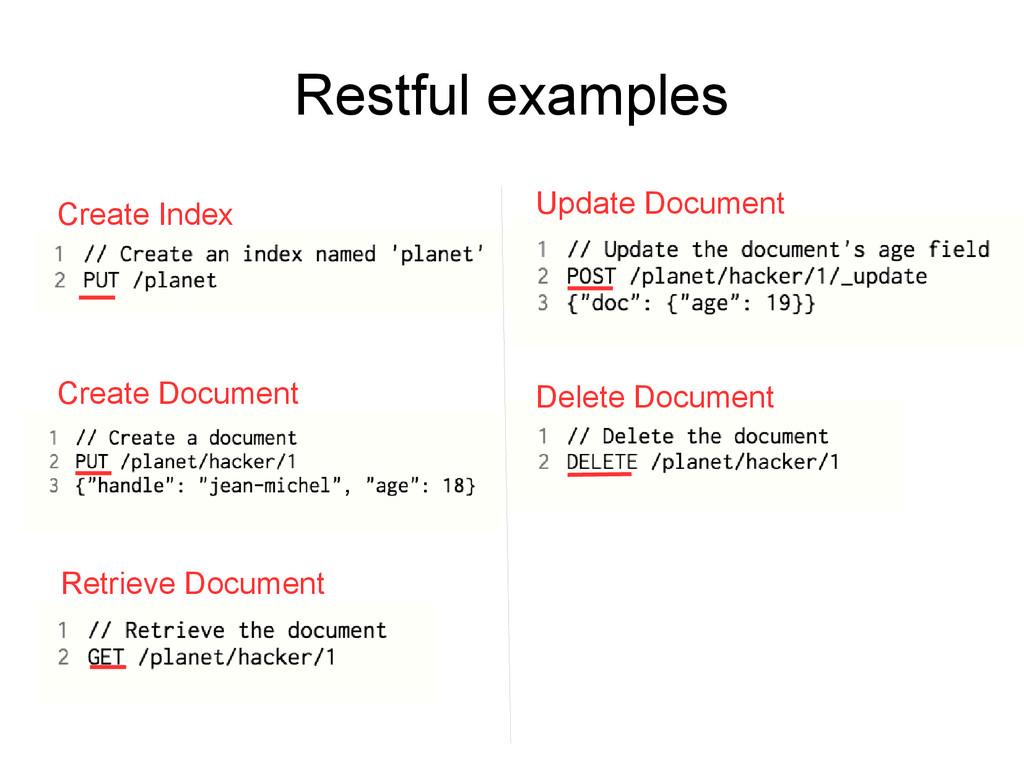
  14. Restful • Tends to match HTTP verbs up to the

    Create, Read, Update, and Delete operations that are fundamental to most databases http://exploringelasticsearch.com/
  15. Movie Web Application • Want to be able to search

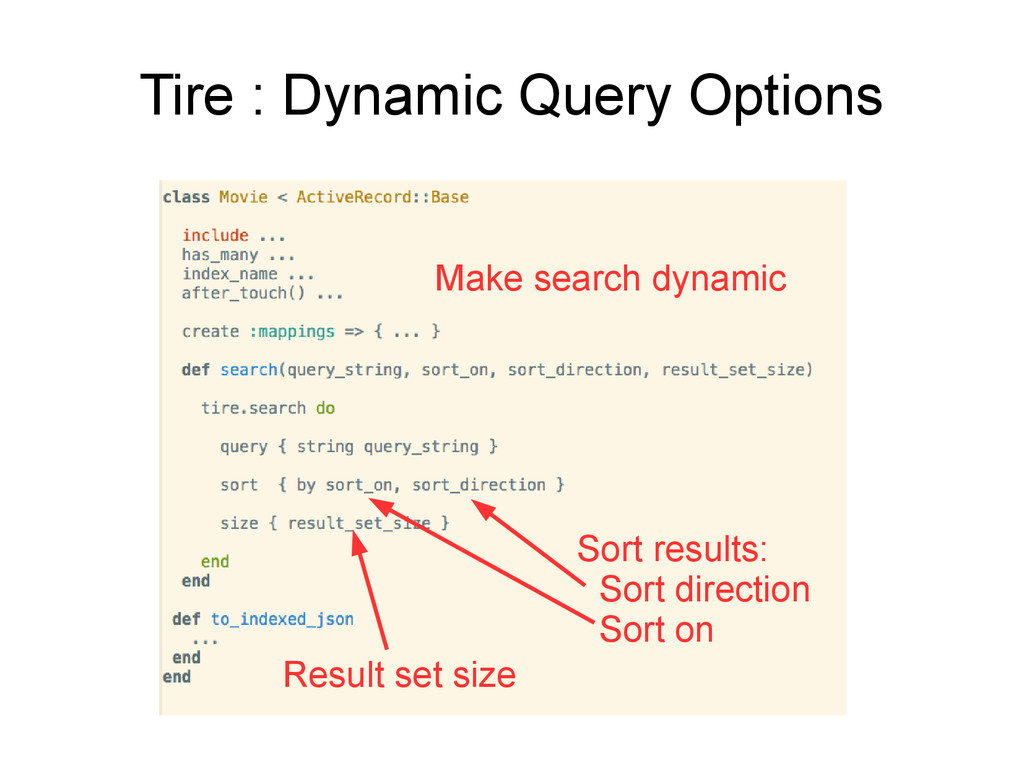
    movies by – Movie description – Movie name – Actor name • Sort results in direction • Sort results by an attribute • Facet on genre – Aggregate counts of distinct genres within the result-set
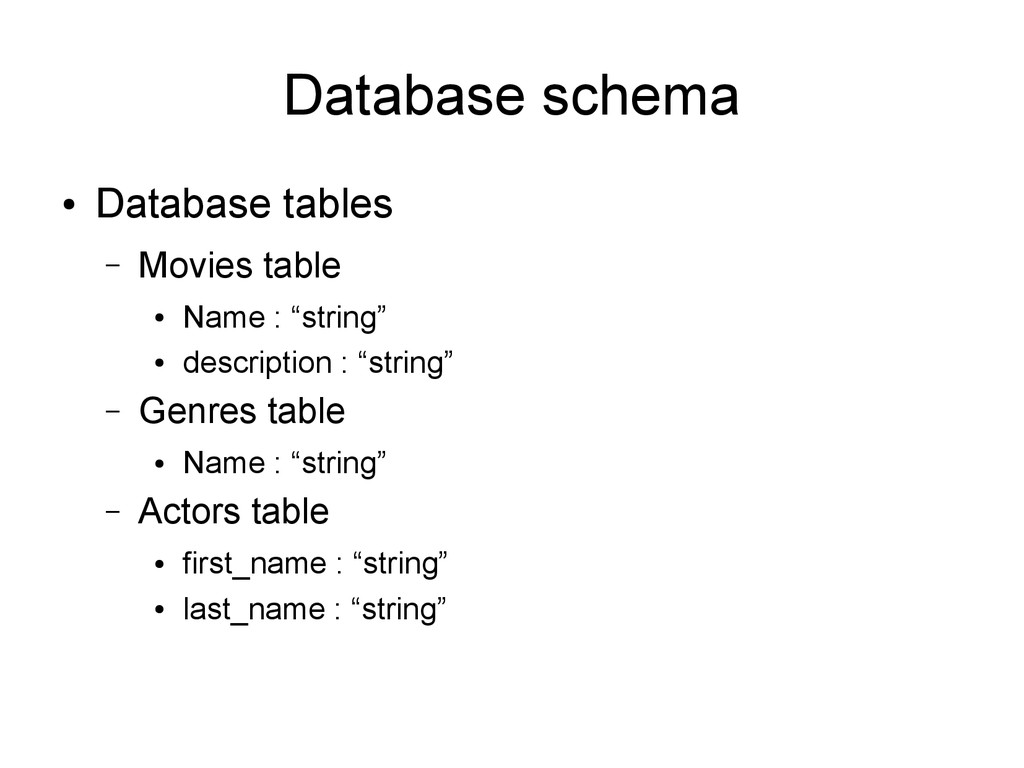
  16. Database schema • Database tables – Movies table • Name

    : “string” • description : “string” – Genres table • Name : “string” – Actors table • first_name : “string” • last_name : “string”
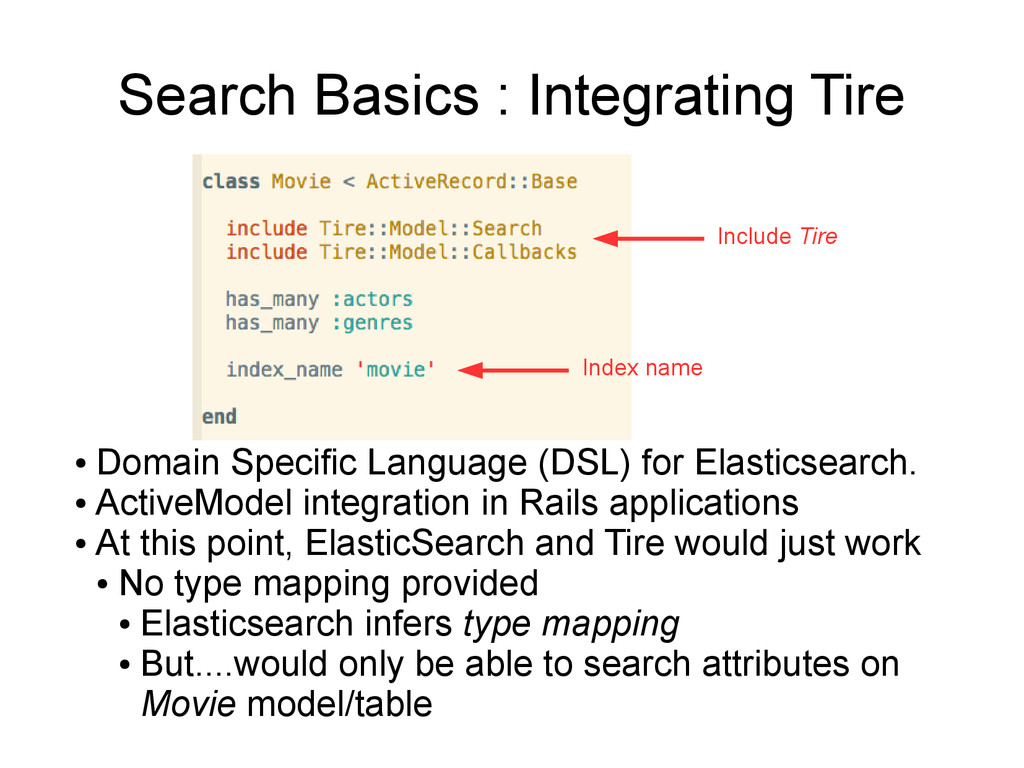
  17. Search Basics : Integrating Tire • Domain Specific Language (DSL)

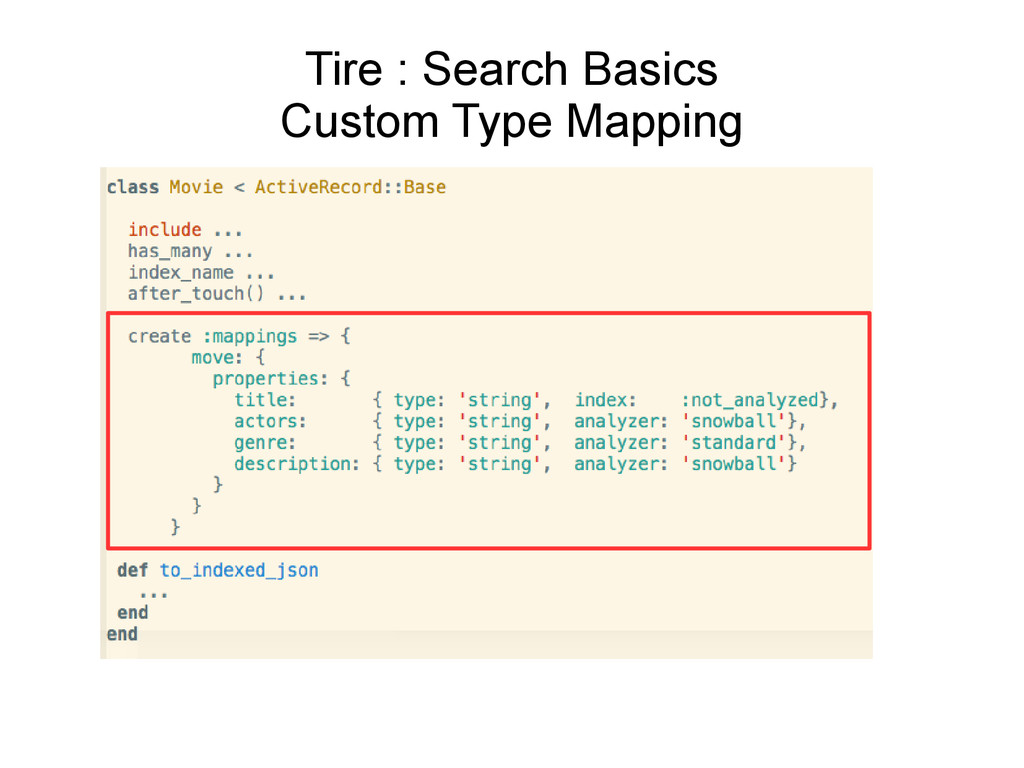
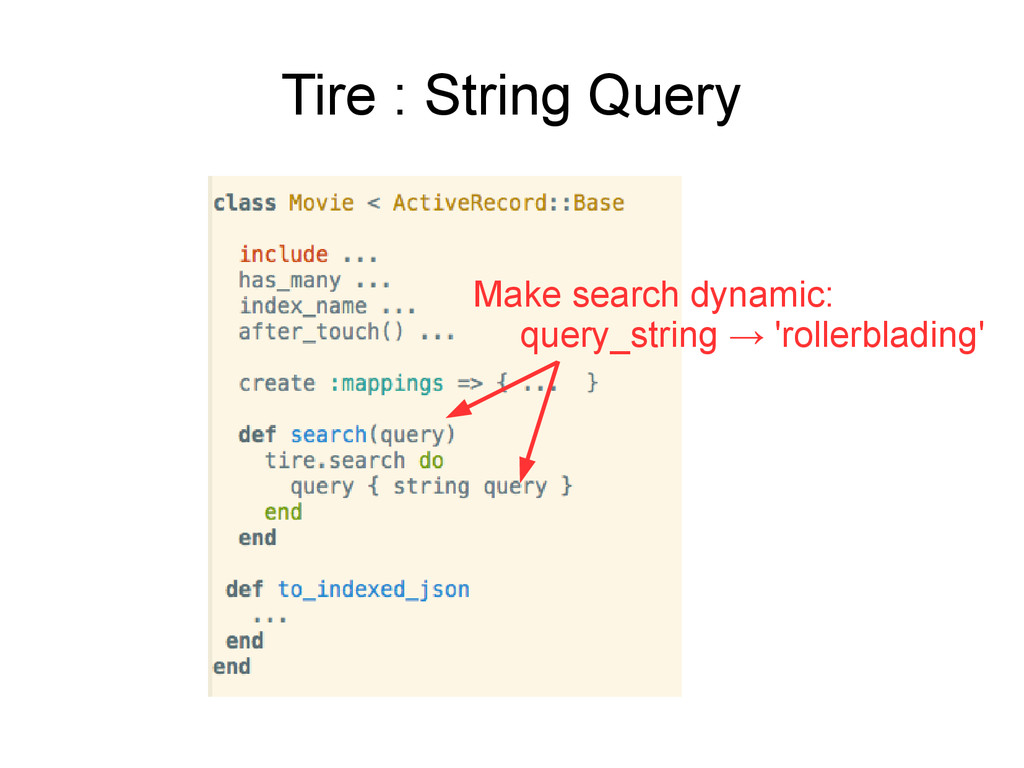
    for Elasticsearch. • ActiveModel integration in Rails applications • At this point, ElasticSearch and Tire would just work • No type mapping provided • Elasticsearch infers type mapping • But....would only be able to search attributes on Movie model/table Include Tire Index name
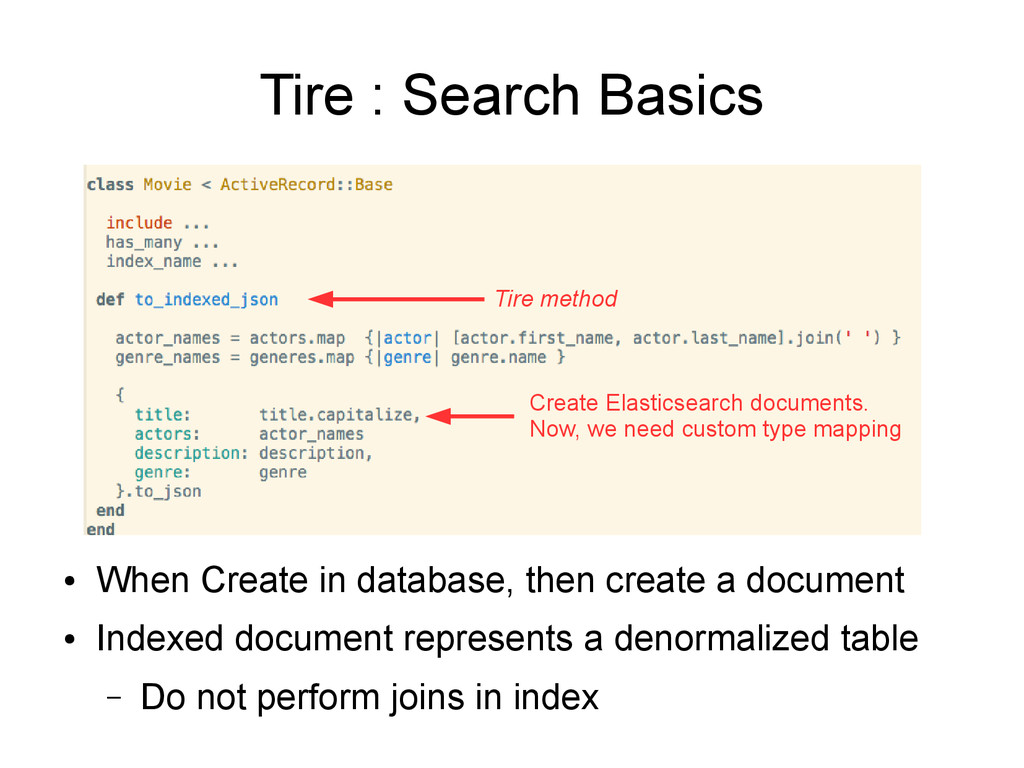
  18. • When Create in database, then create a document •

    Indexed document represents a denormalized table – Do not perform joins in index Tire : Search Basics Create Elasticsearch documents. Now, we need custom type mapping Tire method
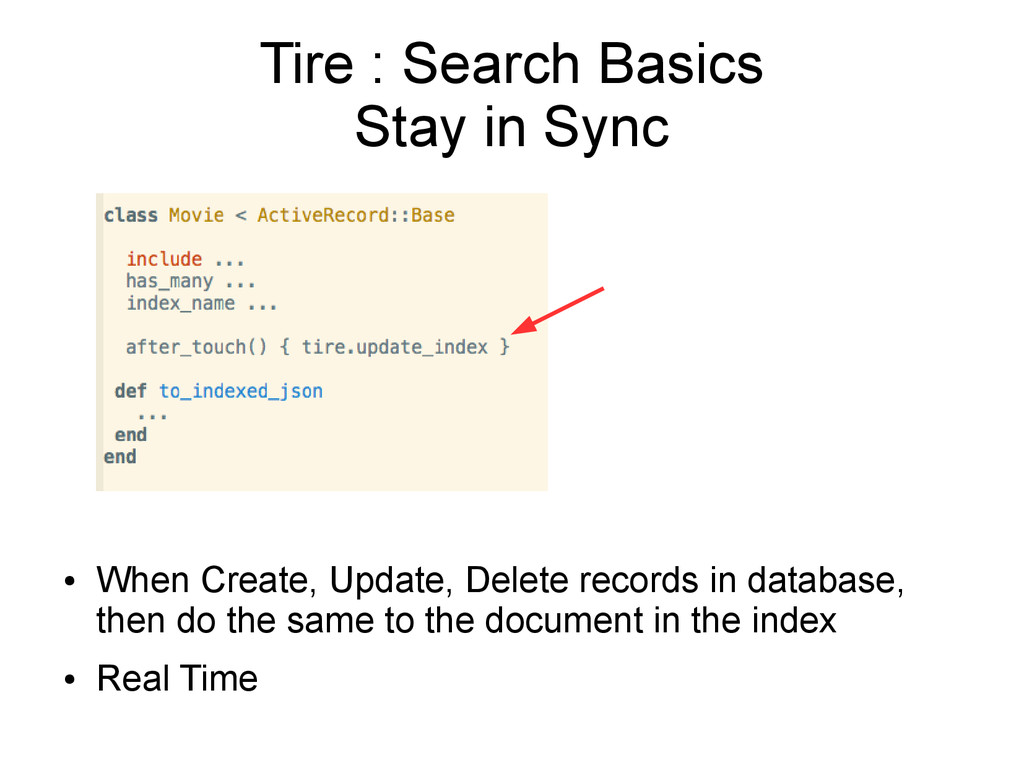
  19. • When Create, Update, Delete records in database, then do

    the same to the document in the index • Real Time Tire : Search Basics Stay in Sync
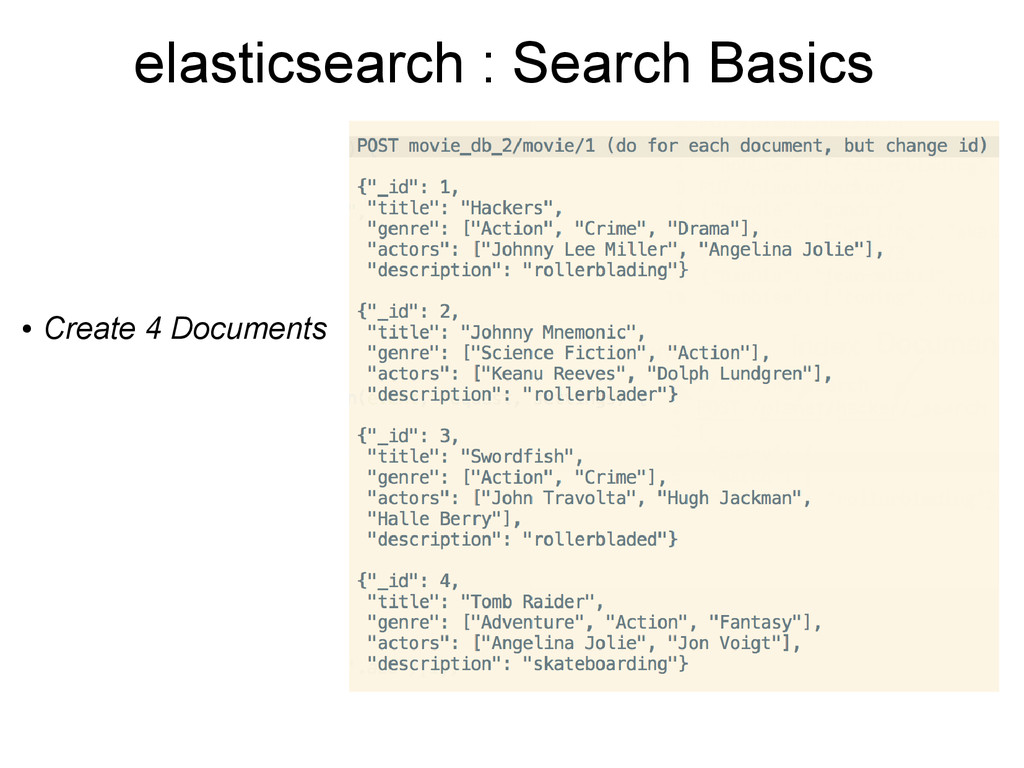
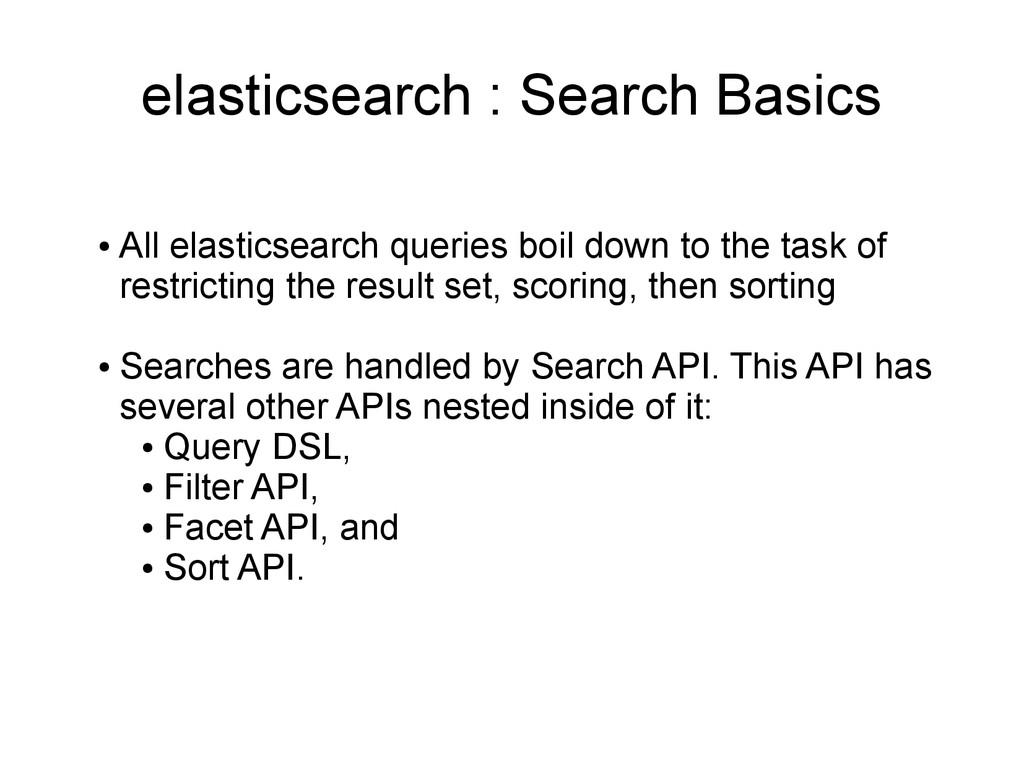
  20. elasticsearch : Search Basics • All elasticsearch queries boil down

    to the task of restricting the result set, scoring, then sorting • Searches are handled by Search API. This API has several other APIs nested inside of it: • Query DSL, • Filter API, • Facet API, and • Sort API.
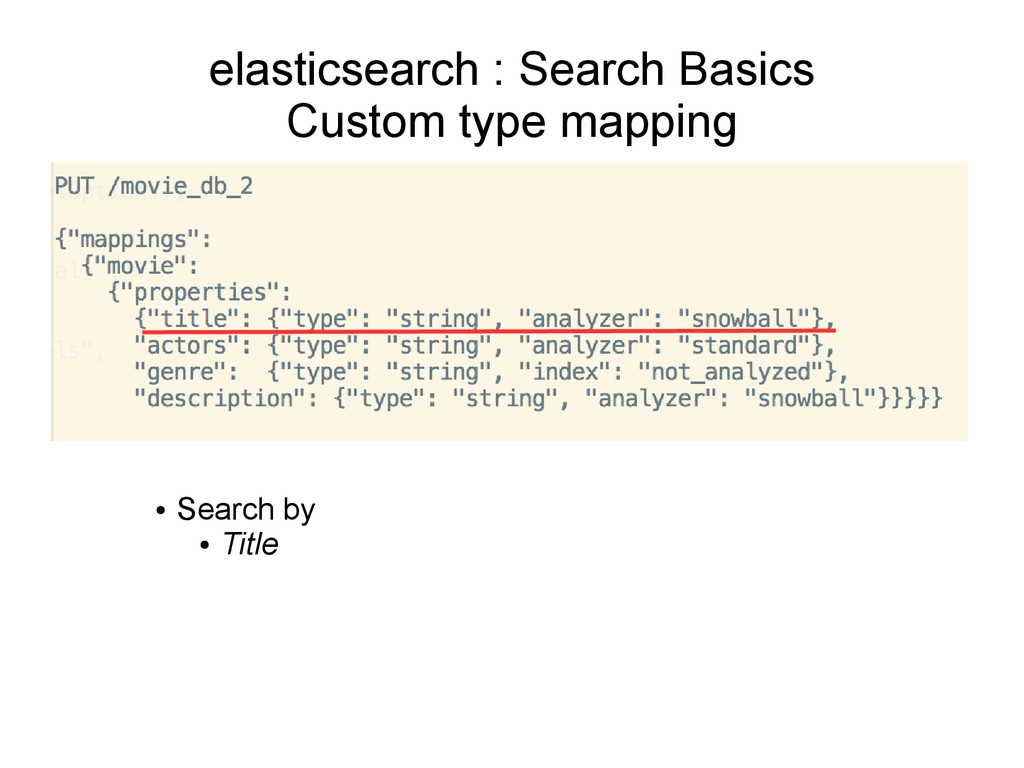
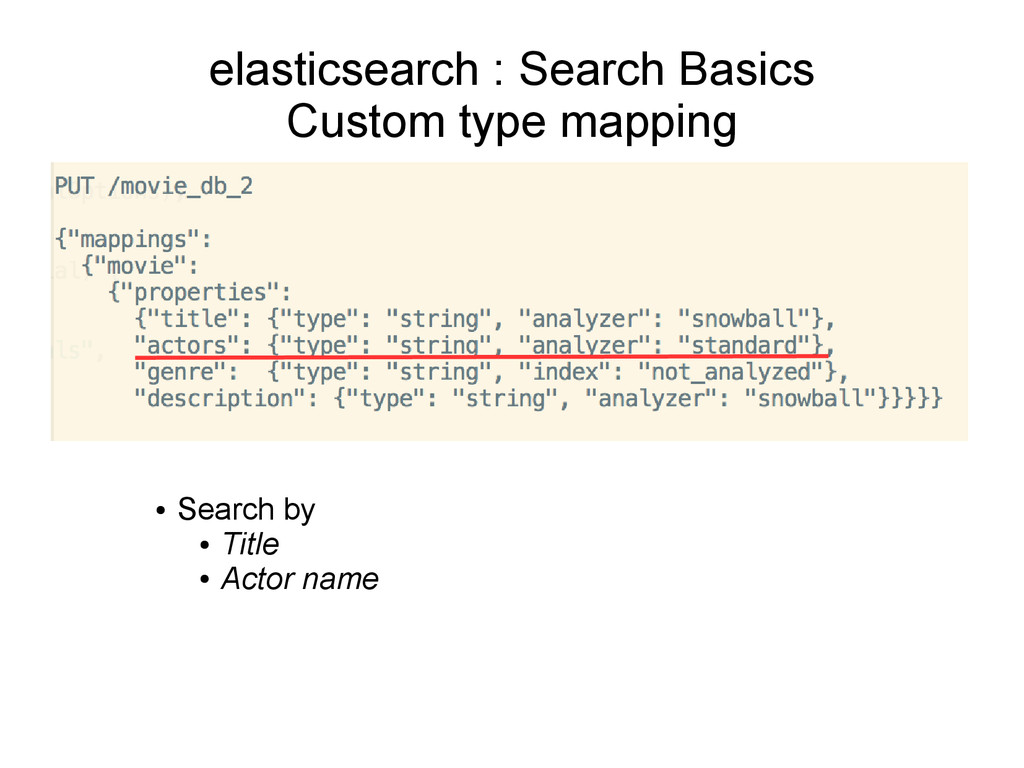
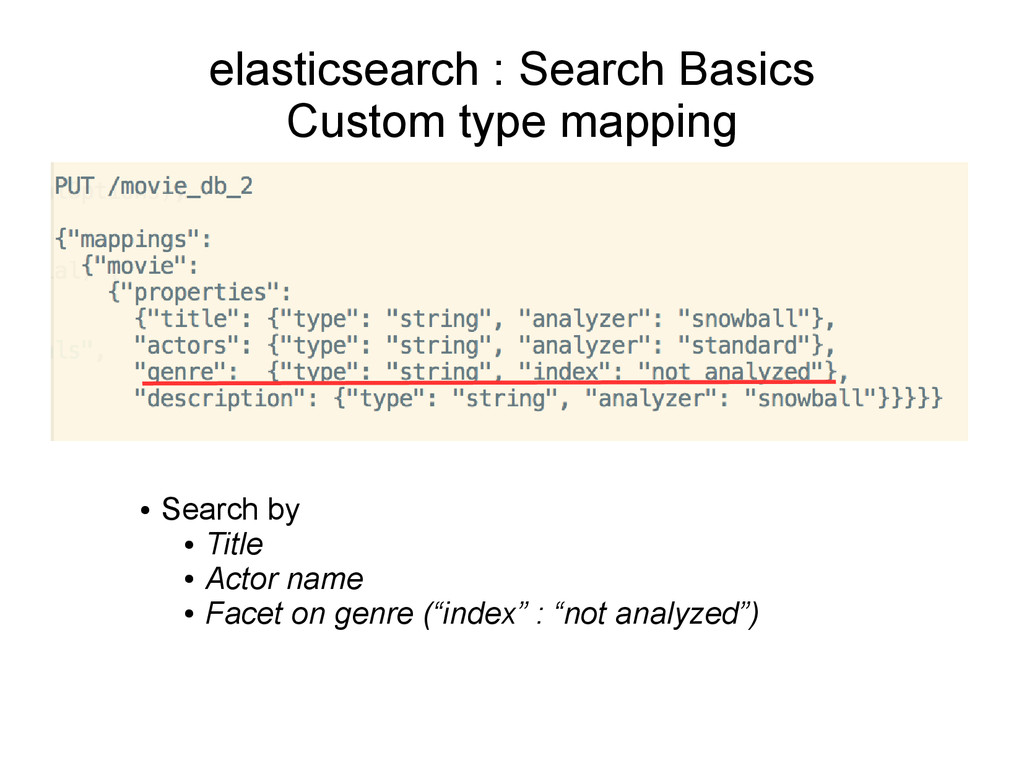
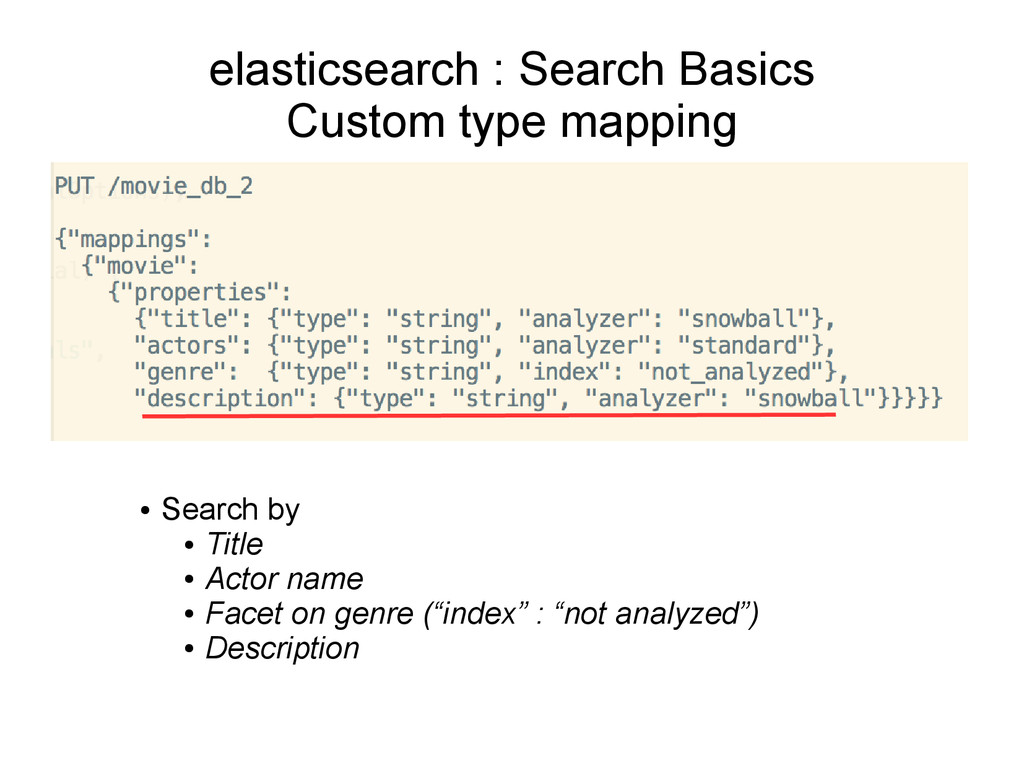
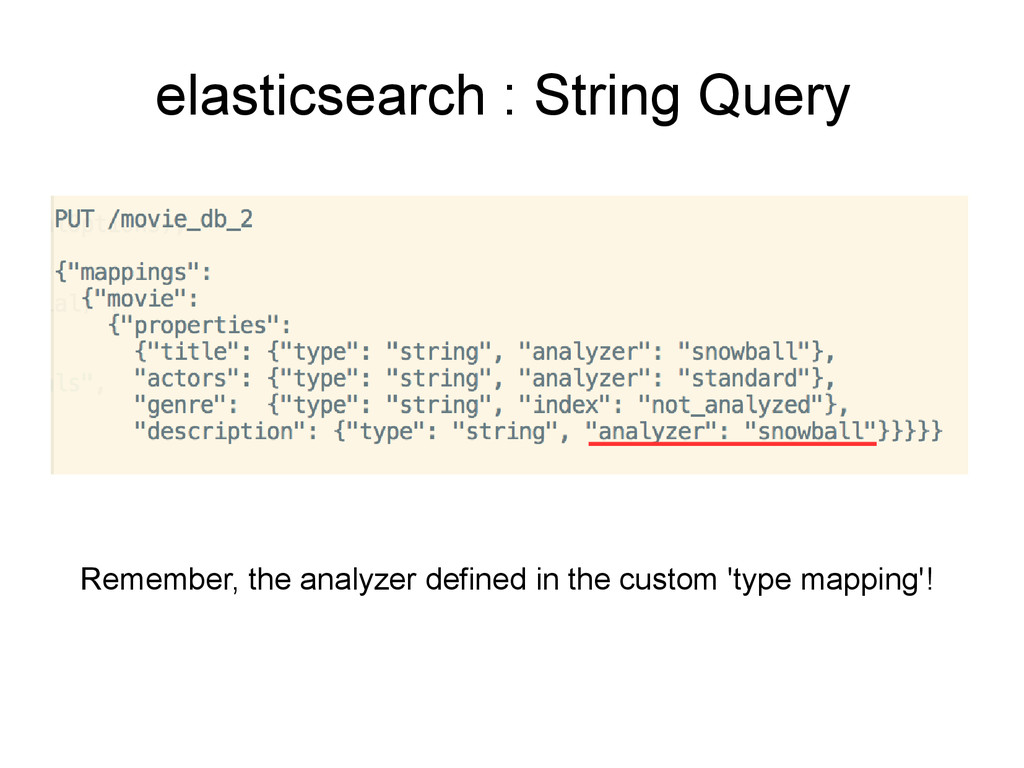
  21. elasticsearch : Search Basics Custom type mapping • Search by

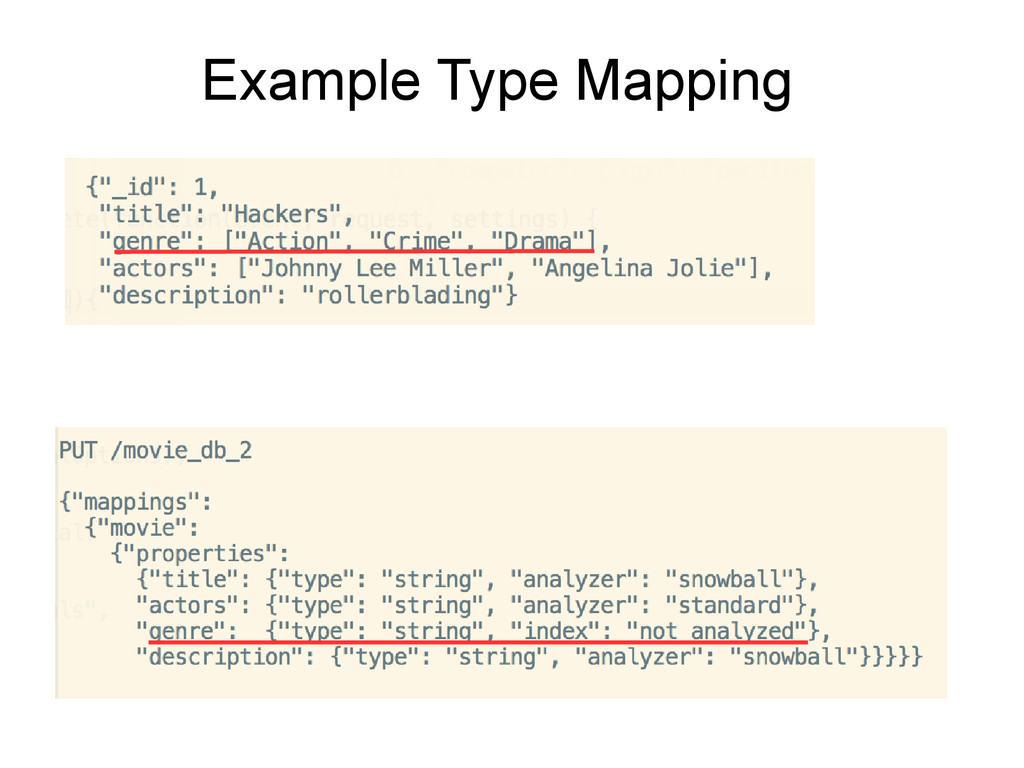
    • Title • Actor name • Facet on genre (“index” : “not analyzed”)
  22. elasticsearch : Search Basics Custom type mapping • Search by

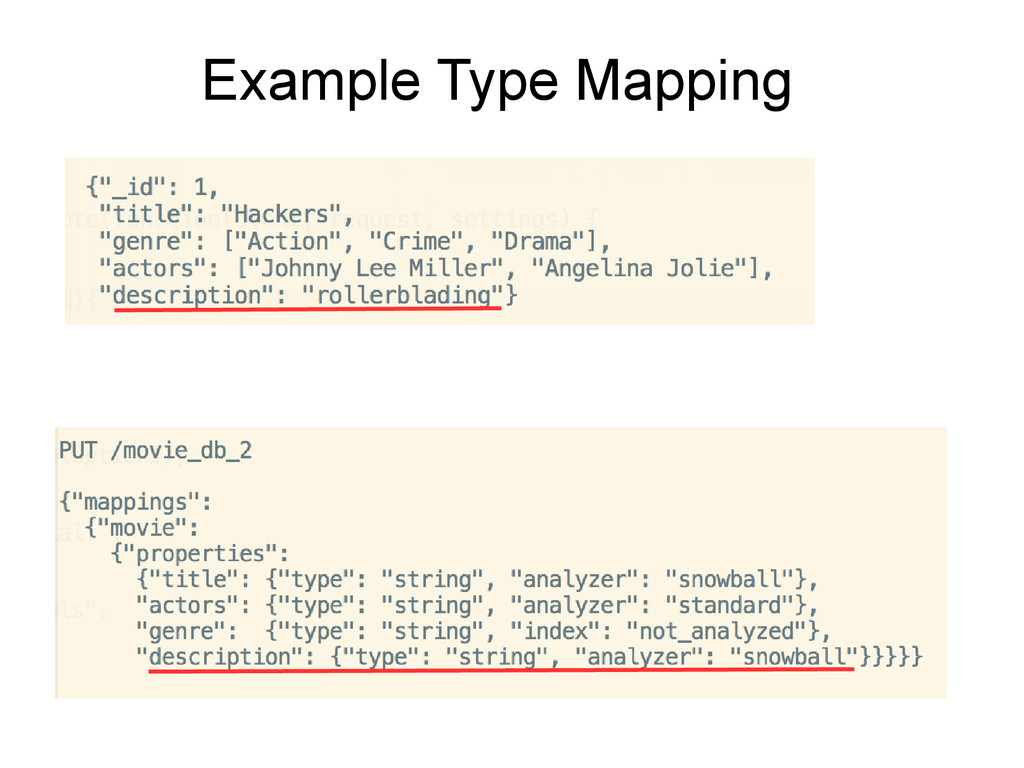
    • Title • Actor name • Facet on genre (“index” : “not analyzed”) • Description
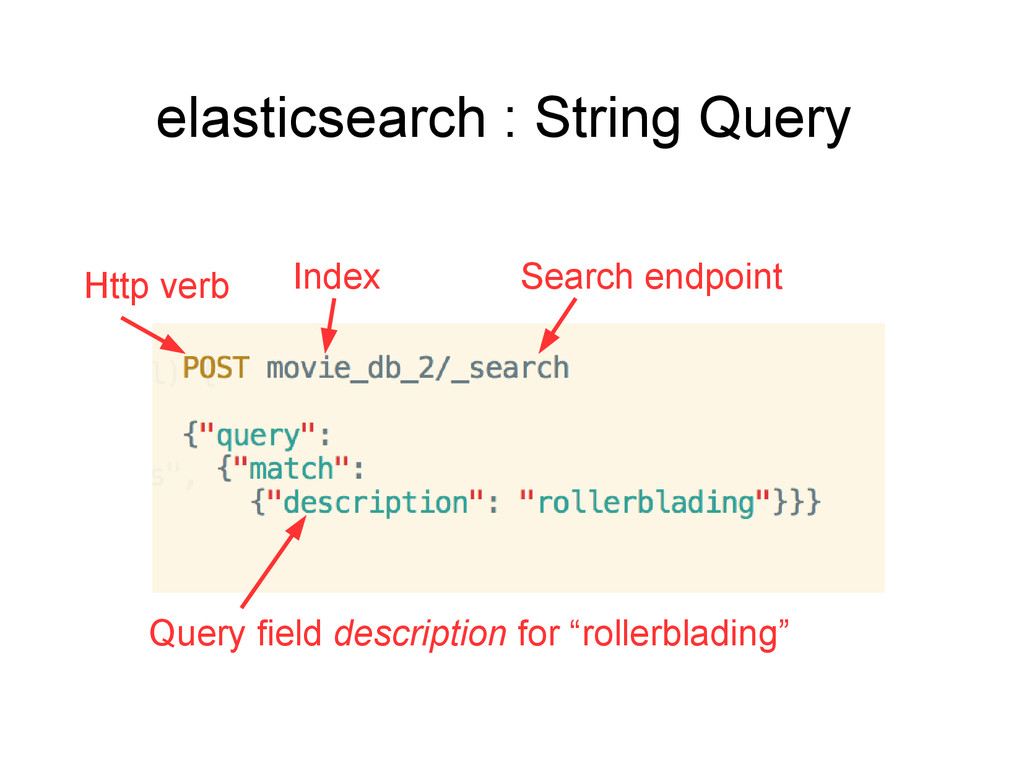
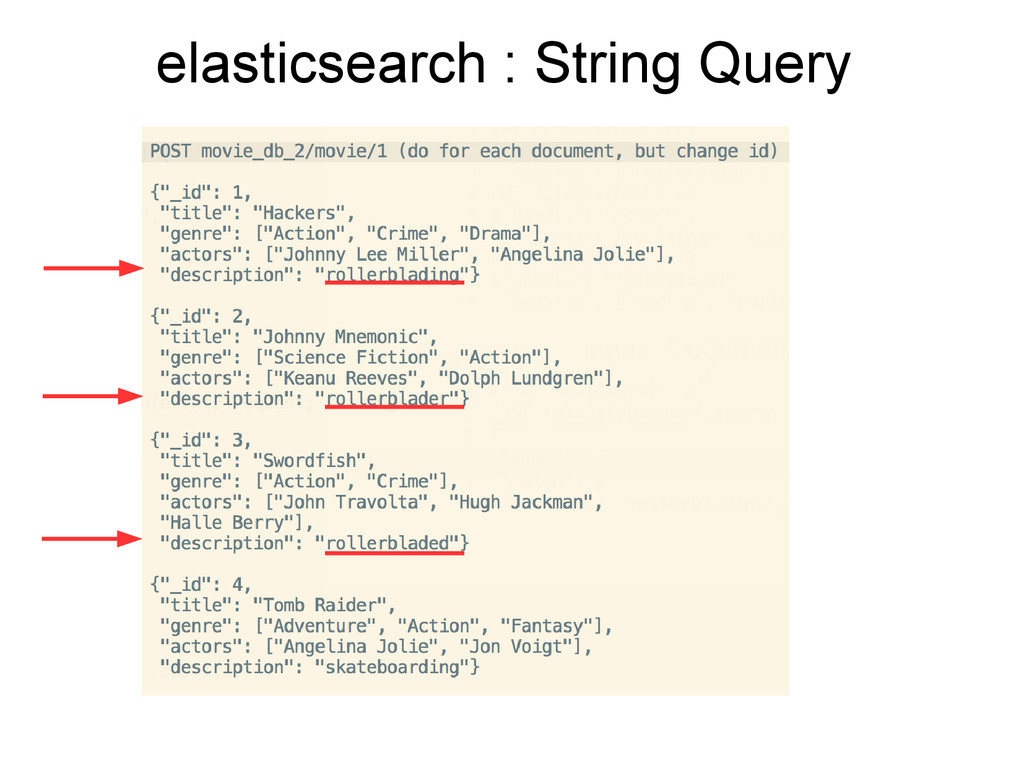
  23. elasticsearch : String Query Index Search endpoint Http verb Query

    field description for “rollerblading”
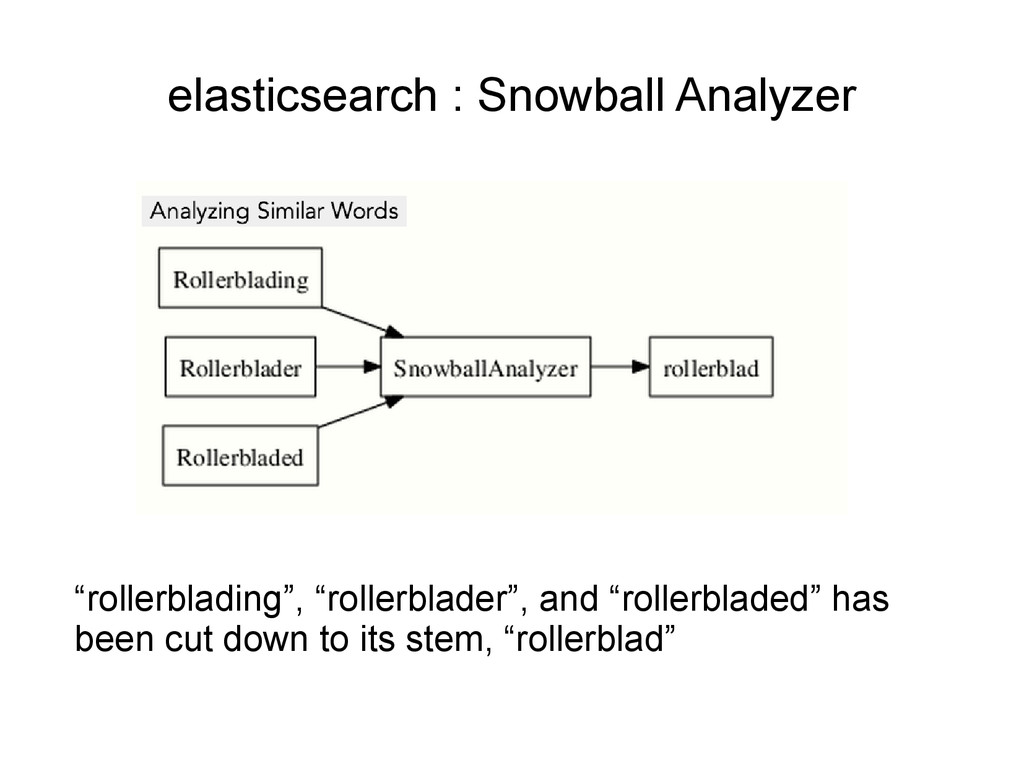
  24. elasticsearch : String Query ….but what ???? How did elasticsearch

    understand that 'rollerblading' and 'rollerblades' were related words?
  25. elasticsearch : String Query ….but what ???? How did elasticsearch

    understand that 'rollerblading' and 'rollerblades' were related words? 'snowball analyzer' in the type mapping
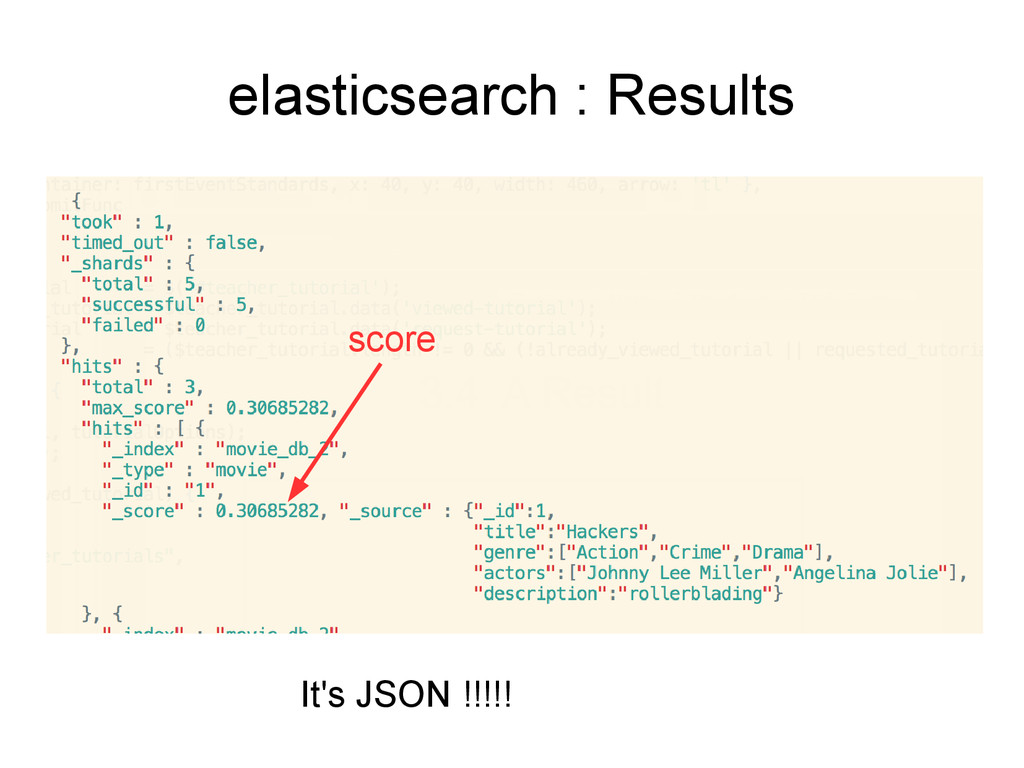
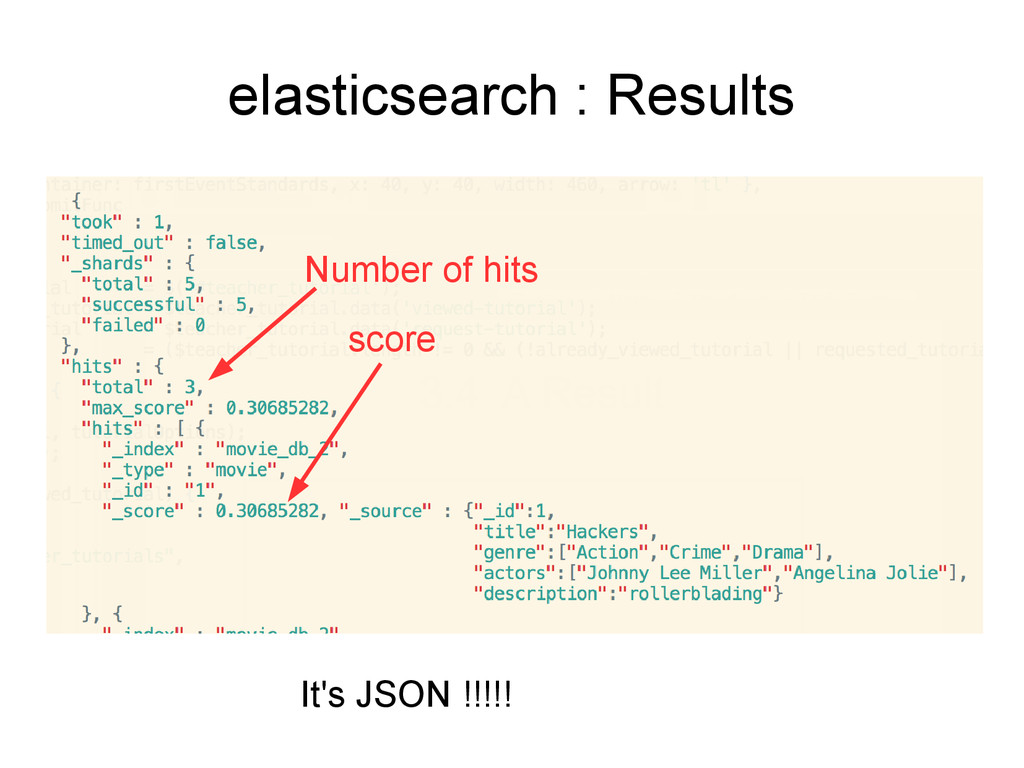
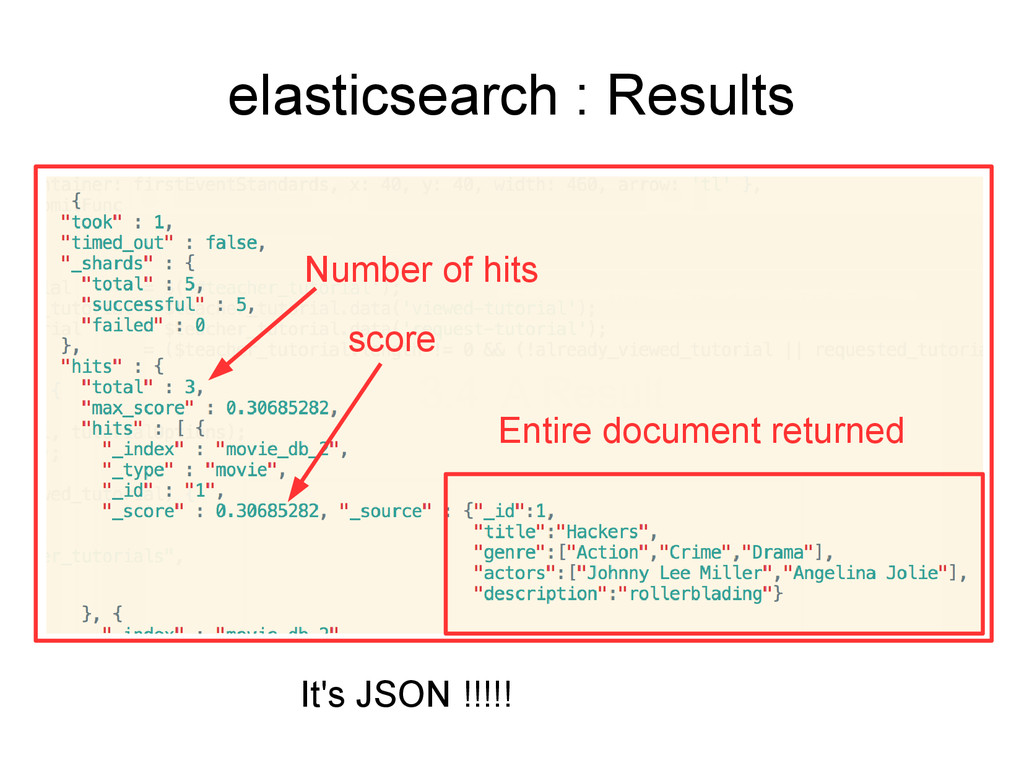
  26. elasticsearch : Scoring Scores the documents based on similarity to

    the query • The similarity’s value is usually known as the document’s score
  27. elasticsearch : Scoring Scores the documents based on similarity to

    the query • The similarity’s value is usually known as the document’s score
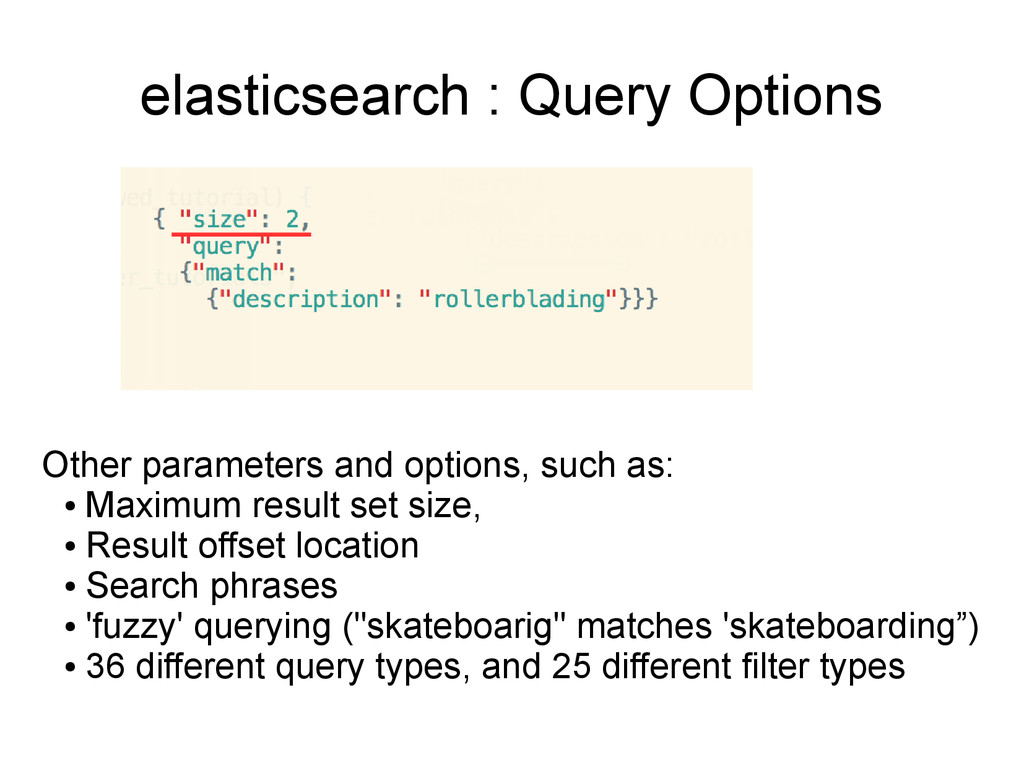
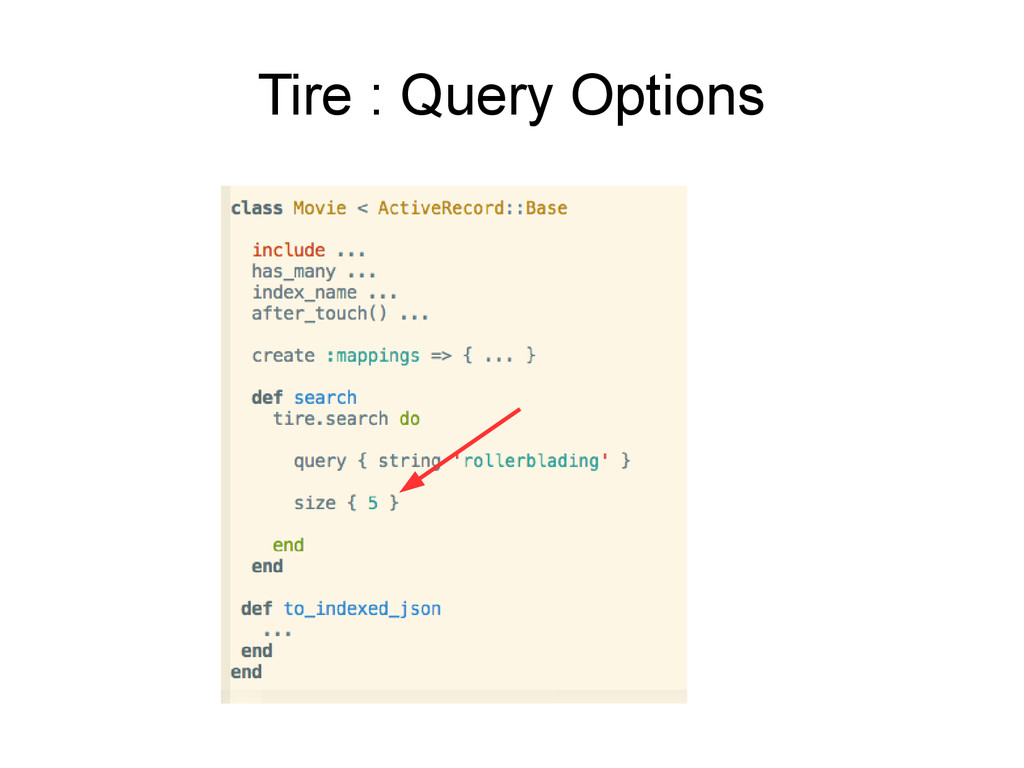
  28. elasticsearch : Query Options Other parameters and options, such as:

    • Maximum result set size, • Result offset location • Search phrases • 'fuzzy' querying ("skateboarig" matches 'skateboarding”) • 36 different query types, and 25 different filter types
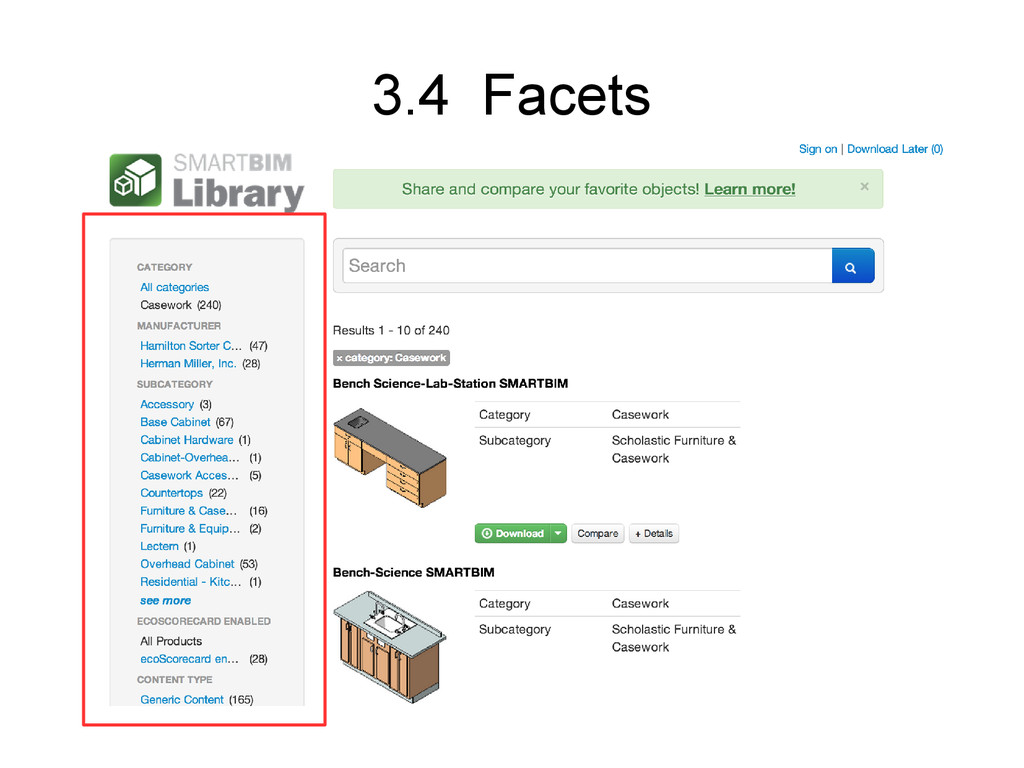
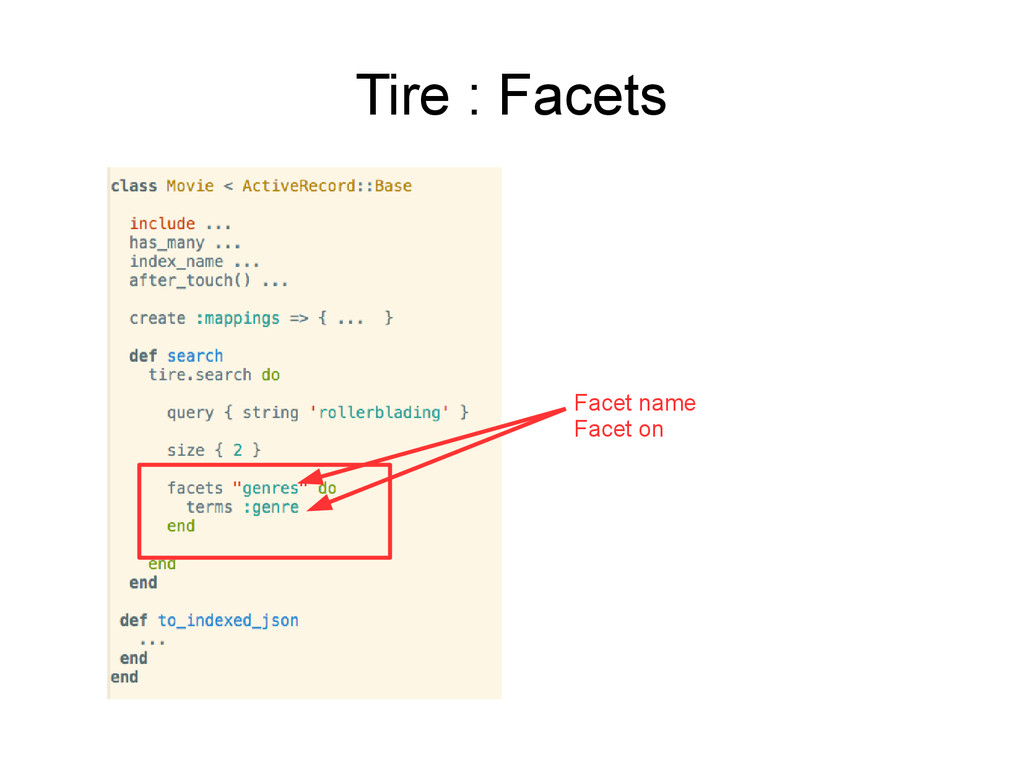
  29. elasticsearch : Facets • Aggregate statistics for query results •

    Example: – Consider a user searching for movies by title – Provide aggregate counts of distinct genres within the result-set.
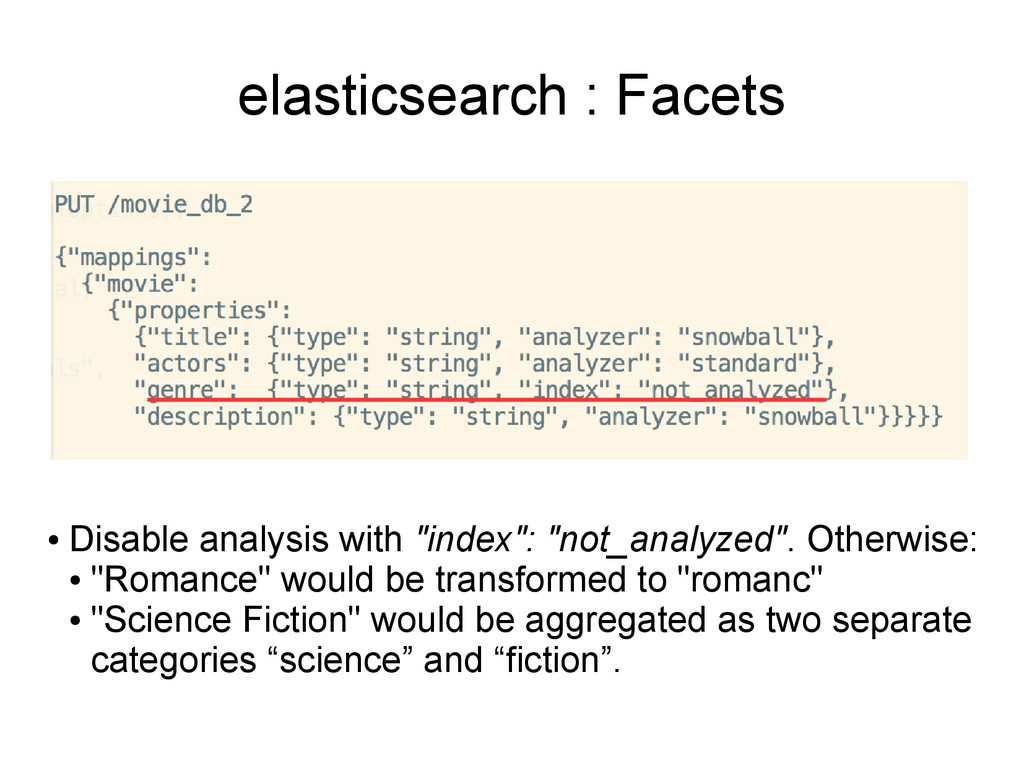
  30. elasticsearch : Facets • Disable analysis with "index": "not_analyzed". Otherwise:

    • "Romance" would be transformed to "romanc" • "Science Fiction" would be aggregated as two separate categories “science” and “fiction”.
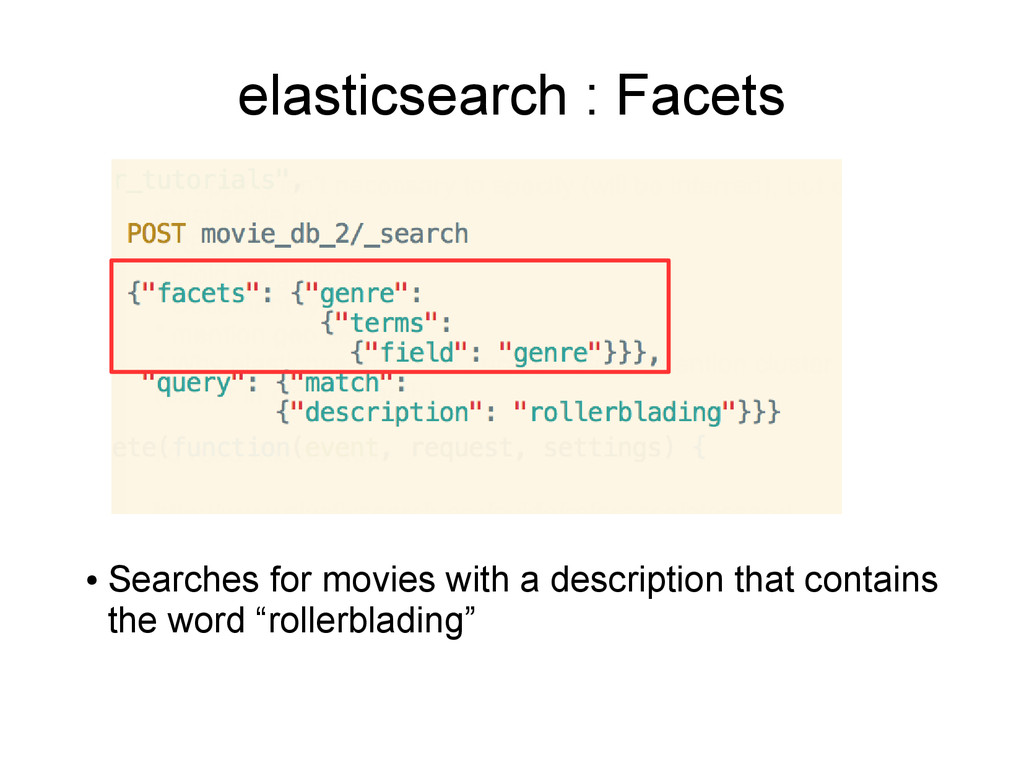
  31. elasticsearch : Facets • Searches for movies with a description

    that contains the word “rollerblading”
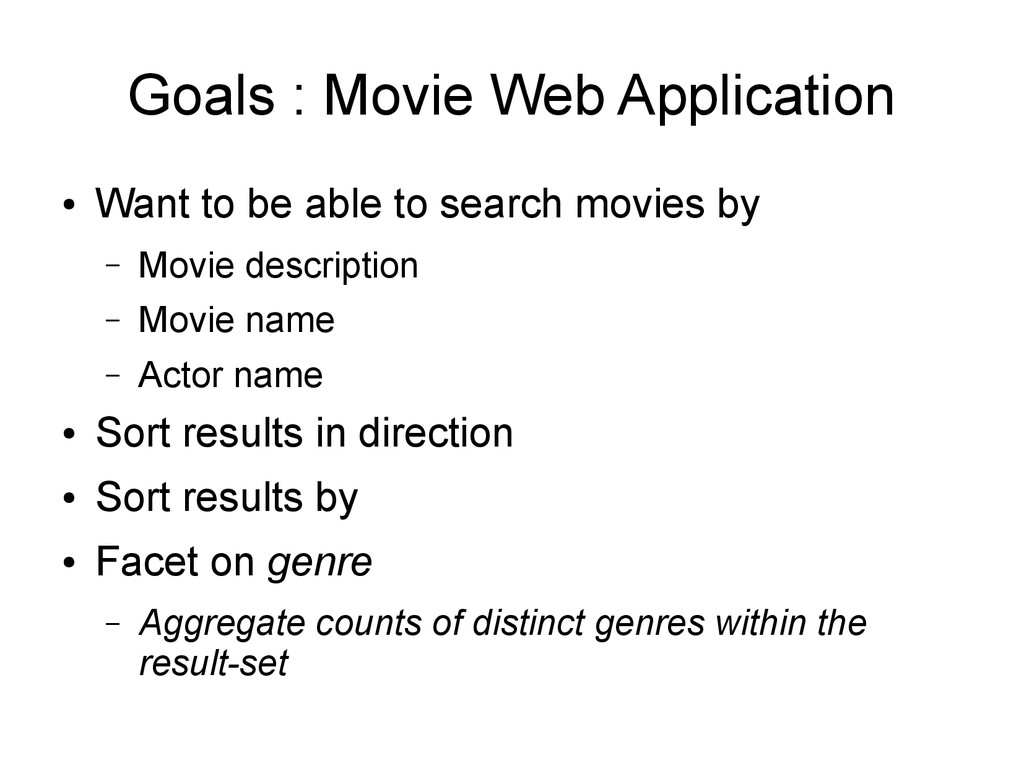
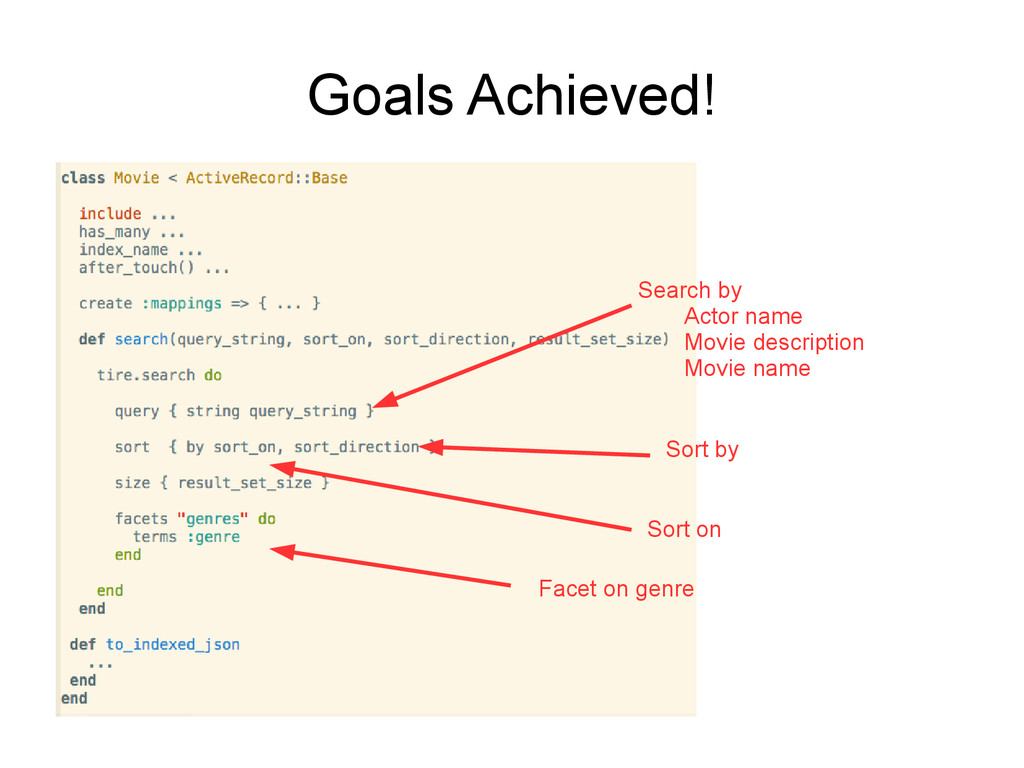
  32. Goals : Movie Web Application • Want to be able

    to search movies by – Movie description – Movie name – Actor name • Sort results in direction • Sort results by • Facet on genre – Aggregate counts of distinct genres within the result-set
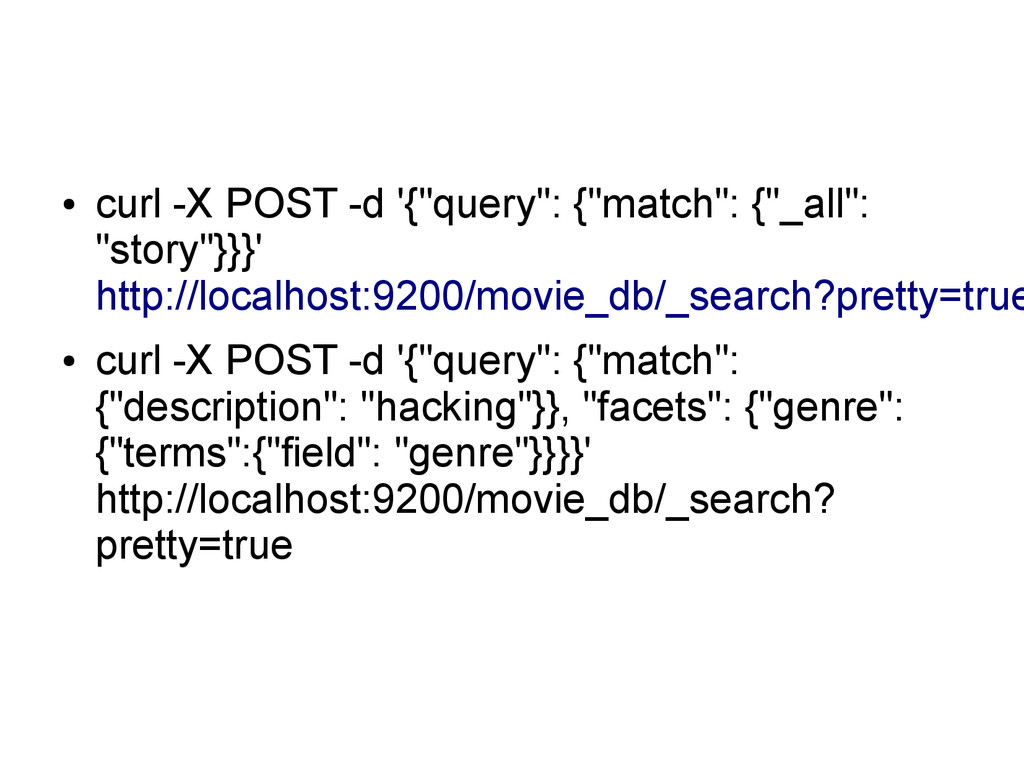
  33. • curl -X POST -d '{"query": {"match": {"_all": "story"}}}' http://localhost:9200/movie_db/_search?pretty=true

    • curl -X POST -d '{"query": {"match": {"description": "hacking"}}, "facets": {"genre": {"terms":{"field": "genre"}}}}' http://localhost:9200/movie_db/_search? pretty=true
  34. Elasticsearch Searching Steps • The first step is matching all

    documents that meet the given criteria • The second step is scoring the documents based on similarity to the query •