Upgrade to Pro
— share decks privately, control downloads, hide ads and more …
Speaker Deck
Sign up for free
Menu
Search
Features
All features
Private URLs
Password Protection
Custom URLS
Scheduled publishing
Remove Branding
Restrict embedding
Deck Collections
Notes
Features
All features
Private URLs
Password Protection
Custom URLS
Scheduled publishing
Remove Branding
Restrict embedding
Deck Collections
Notes
Explore
Featured decks
Featured speakers
Programming
Technology
Storyboards
Explore
Featured decks
Featured speakers
Programming
Technology
Storyboards
Pricing
Search
Sign in
Sign up for free
宣言的パッケージマネージャー
Search
tositada_nakada
March 10, 2025
13
0
Share
Embed
Copy iframe code
Copy JS code
Copy link
Start on current slide
宣言的パッケージマネージャー
tositada_nakada
March 10, 2025
More Decks by tositada_nakada
See All by tositada_nakada
とあるAWS開発者の開発環境
tositada17
0
280
Featured
See All Featured
AI Search: Where Are We & What Can We Do About It?
aleyda
0
8.1k
Designing for Timeless Needs
cassininazir
1
530
Primal Persuasion: How to Engage the Brain for Learning That Lasts
tmiket
0
500
How to build a perfect <img>
jonoalderson
1
6.1k
Mozcon NYC 2025: Stop Losing SEO Traffic
samtorres
1
580
SEO for Brand Visibility & Recognition
aleyda
0
4.8k
Navigating the moral maze — ethical principles for Al-driven product design
skipperchong
2
630
エンジニアに許された特別な時間の終わり
watany
109
250k
A Guide to Academic Writing Using Generative AI - A Workshop
ks91
PRO
1
520
I Don’t Have Time: Getting Over the Fear to Launch Your Podcast
jcasabona
35
2.9k
Code Reviewing Like a Champion
maltzj
529
40k
職位にかかわらず全員がリーダーシップを発揮するチーム作り / Building a team where everyone can demonstrate leadership regardless of position
madoxten
69
67k
Transcript
purely functional package manager tositada 宣言的パッケージマネージャー
プレゼンの概要 • 宣言的パッケージマネージャーとは
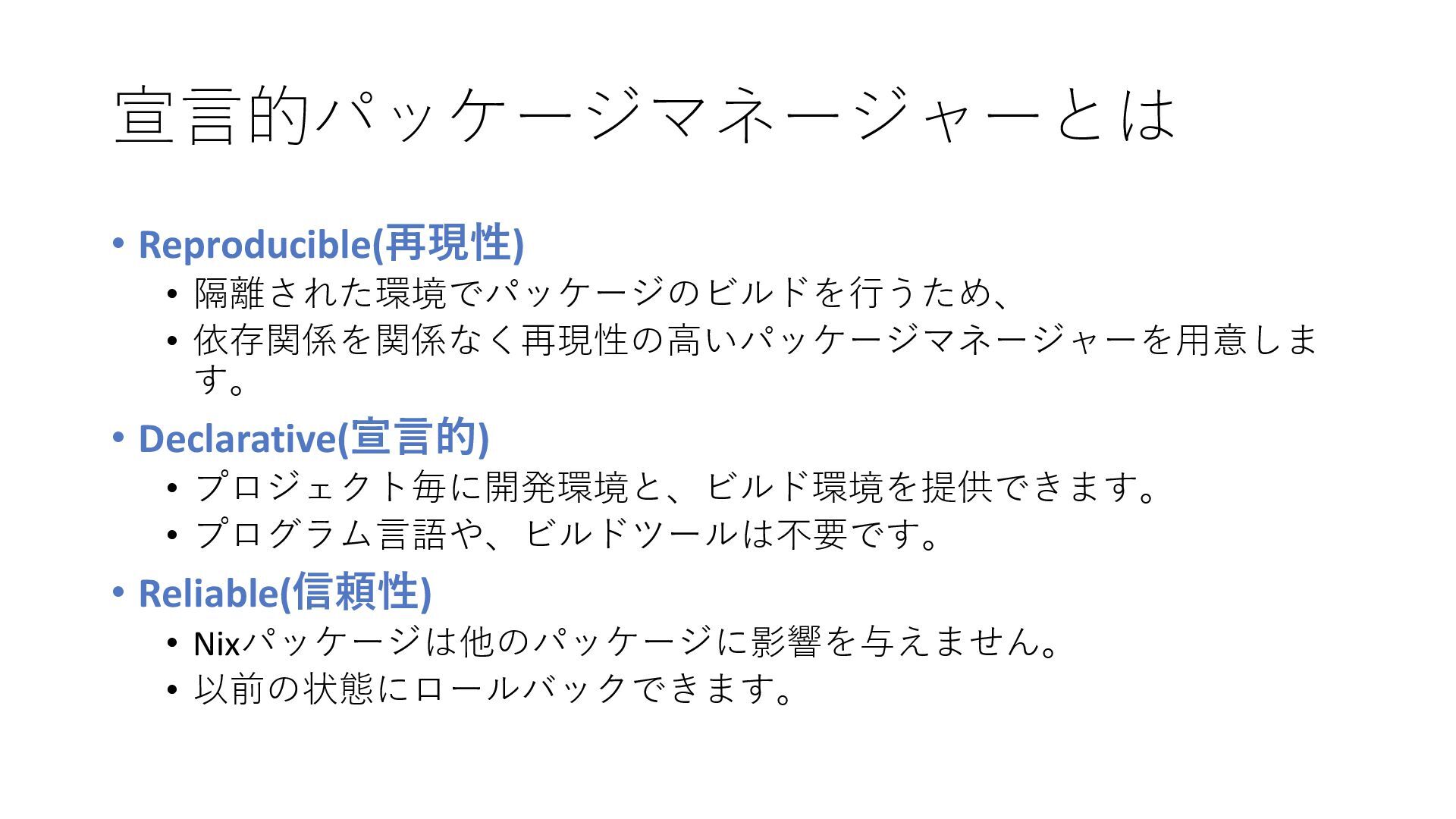
宣言的パッケージマネージャーとは • Reproducible(再現性) • 隔離された環境でパッケージのビルドを行うため、 • 依存関係を関係なく再現性の高いパッケージマネージャーを用意しま す。 • Declarative(宣言的)
• プロジェクト毎に開発環境と、ビルド環境を提供できます。 • プログラム言語や、ビルドツールは不要です。 • Reliable(信頼性) • Nixパッケージは他のパッケージに影響を与えません。 • 以前の状態にロールバックできます。
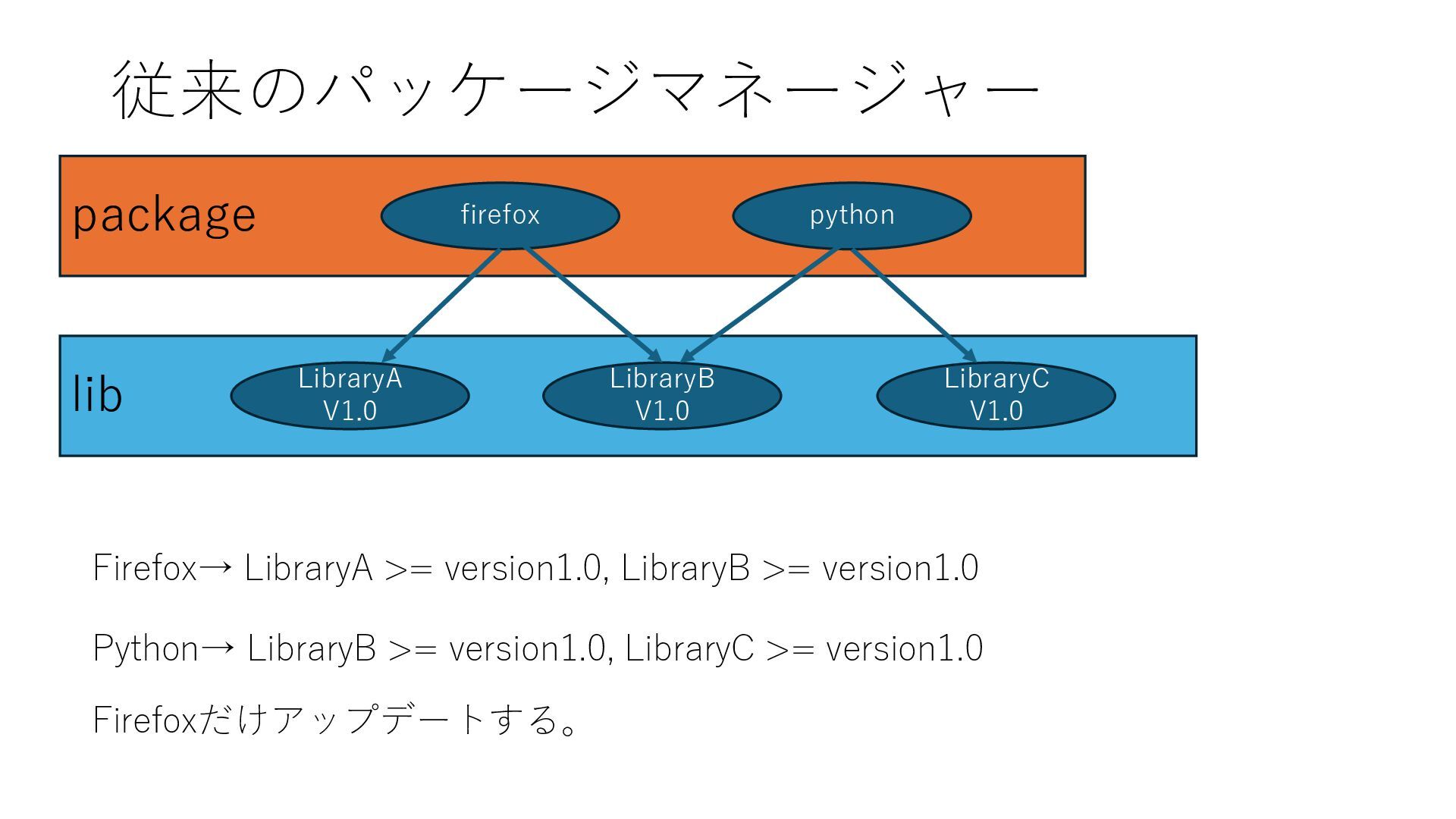
従来のパッケージマネージャー package lib firefox LibraryA V1.0 LibraryB V1.0 python LibraryC
V1.0 Firefox→ LibraryA >= version1.0, LibraryB >= version1.0 Python→ LibraryB >= version1.0, LibraryC >= version1.0 Firefoxだけアップデートする。
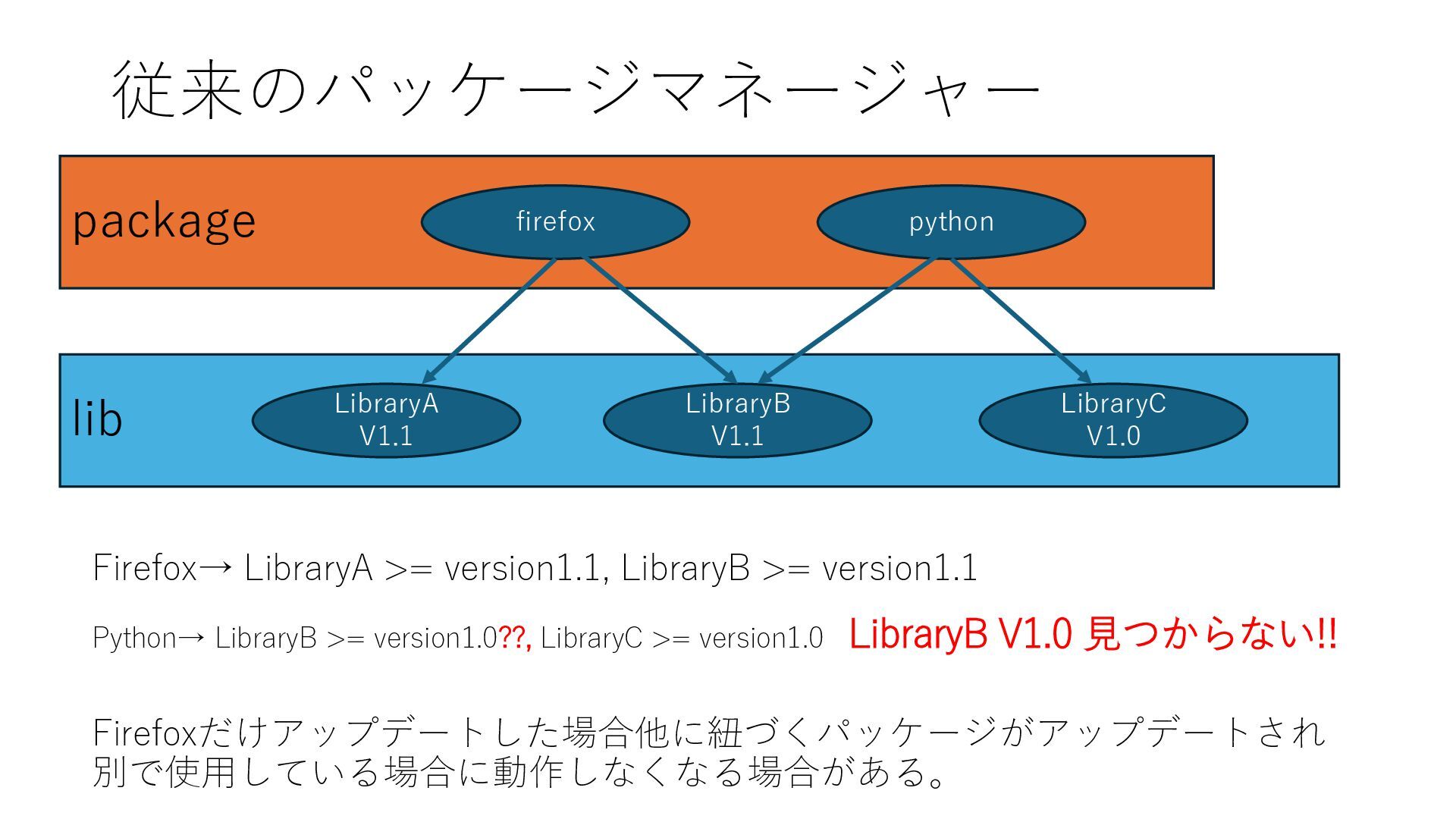
従来のパッケージマネージャー package lib firefox LibraryA V1.1 LibraryB V1.1 python LibraryC
V1.0 Firefox→ LibraryA >= version1.1, LibraryB >= version1.1 Python→ LibraryB >= version1.0??, LibraryC >= version1.0 LibraryB V1.0 見つからない!! Firefoxだけアップデートした場合他に紐づくパッケージがアップデートされ 別で使用している場合に動作しなくなる場合がある。
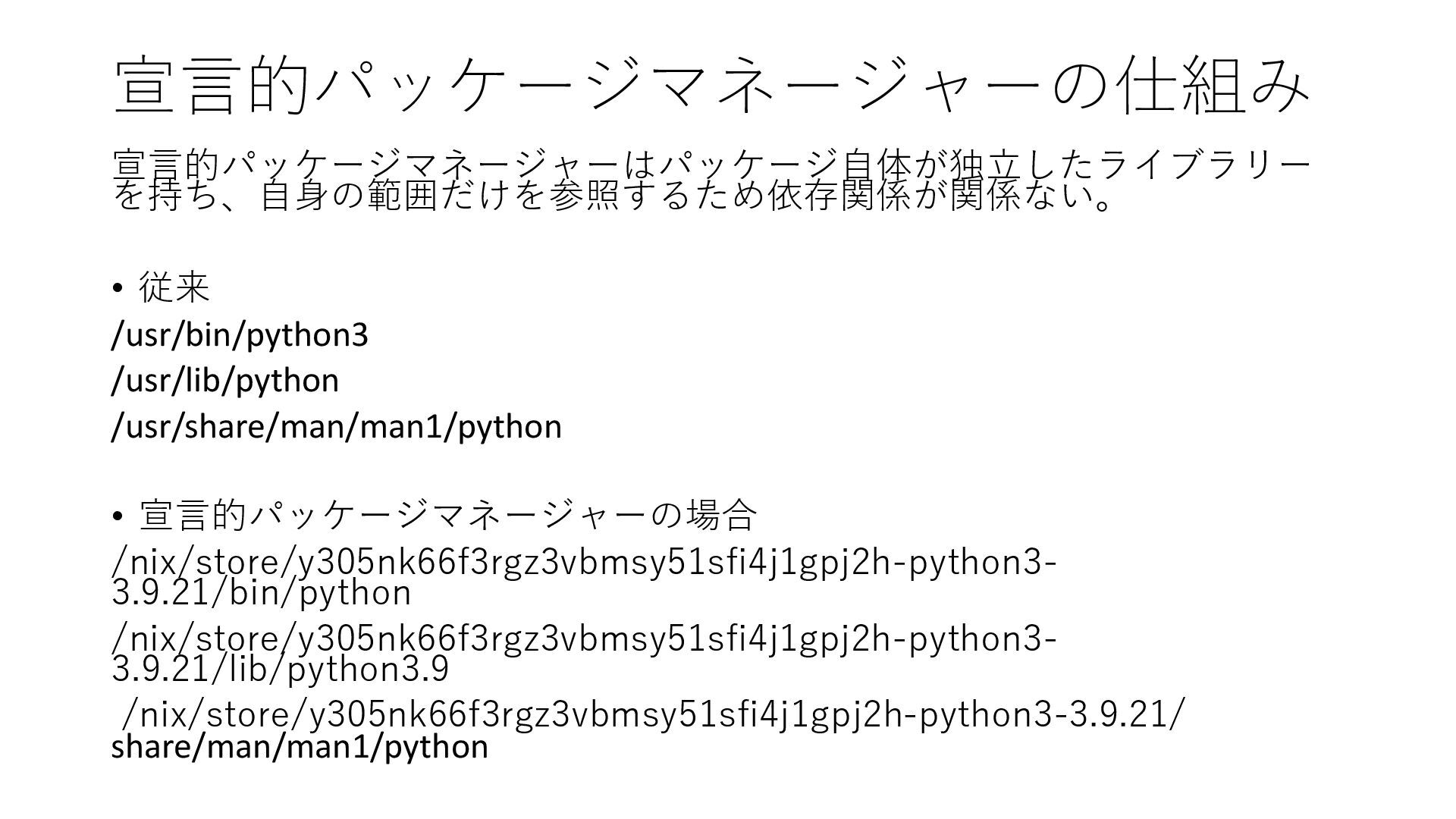
宣言的パッケージマネージャーの仕組み 宣言的パッケージマネージャーはパッケージ自体が独立したライブラリー を持ち、自身の範囲だけを参照するため依存関係が関係ない。 • 従来 /usr/bin/python3 /usr/lib/python /usr/share/man/man1/python • 宣言的パッケージマネージャーの場合
/nix/store/y305nk66f3rgz3vbmsy51sfi4j1gpj2h-python3- 3.9.21/bin/python /nix/store/y305nk66f3rgz3vbmsy51sfi4j1gpj2h-python3- 3.9.21/lib/python3.9 /nix/store/y305nk66f3rgz3vbmsy51sfi4j1gpj2h-python3-3.9.21/ share/man/man1/python
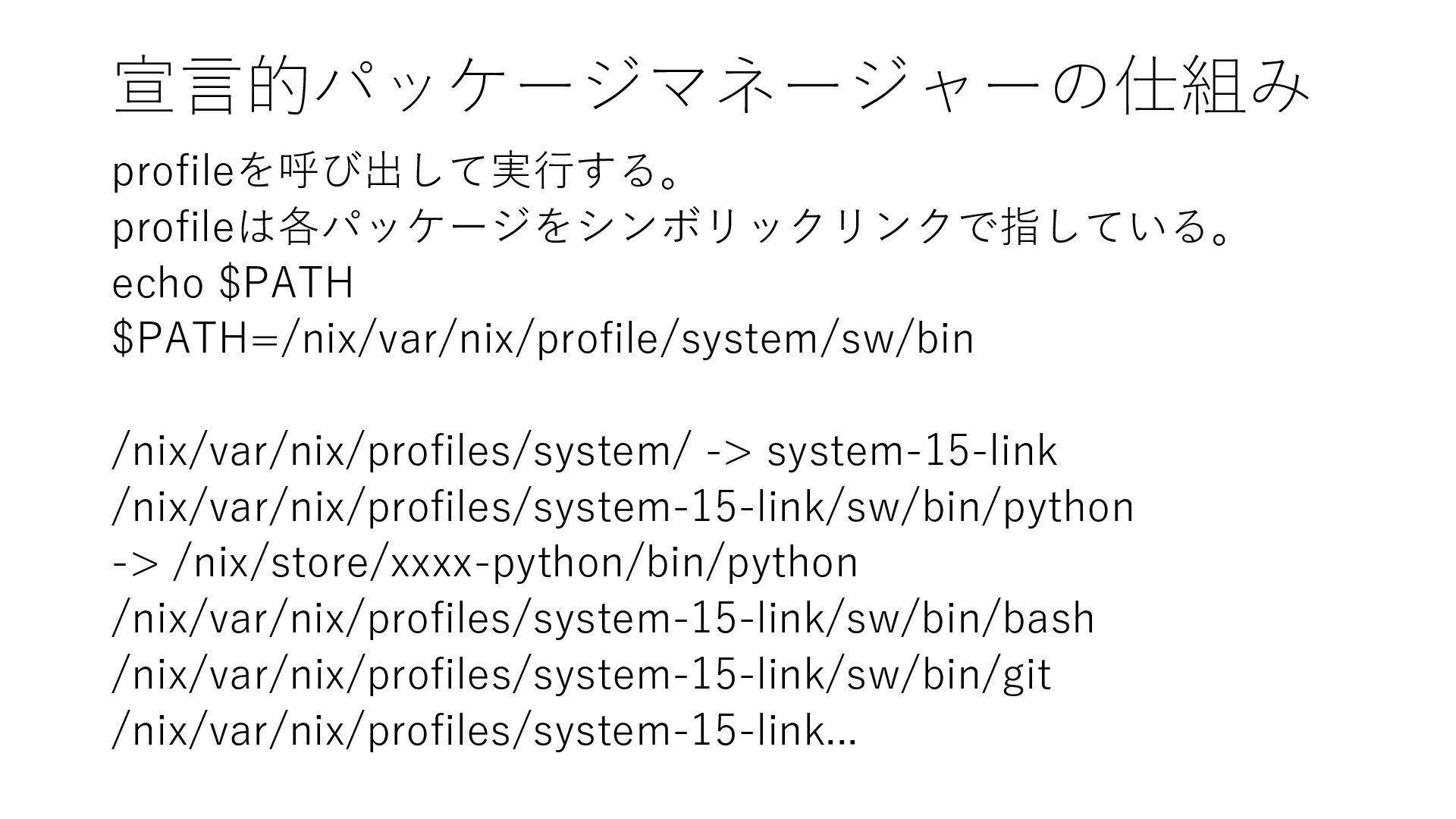
宣言的パッケージマネージャーの仕組み profileを呼び出して実行する。 profileは各パッケージをシンボリックリンクで指している。 echo $PATH $PATH=/nix/var/nix/profile/system/sw/bin /nix/var/nix/profiles/system/ -> system-15-link /nix/var/nix/profiles/system-15-link/sw/bin/python
-> /nix/store/xxxx-python/bin/python /nix/var/nix/profiles/system-15-link/sw/bin/bash /nix/var/nix/profiles/system-15-link/sw/bin/git /nix/var/nix/profiles/system-15-link...
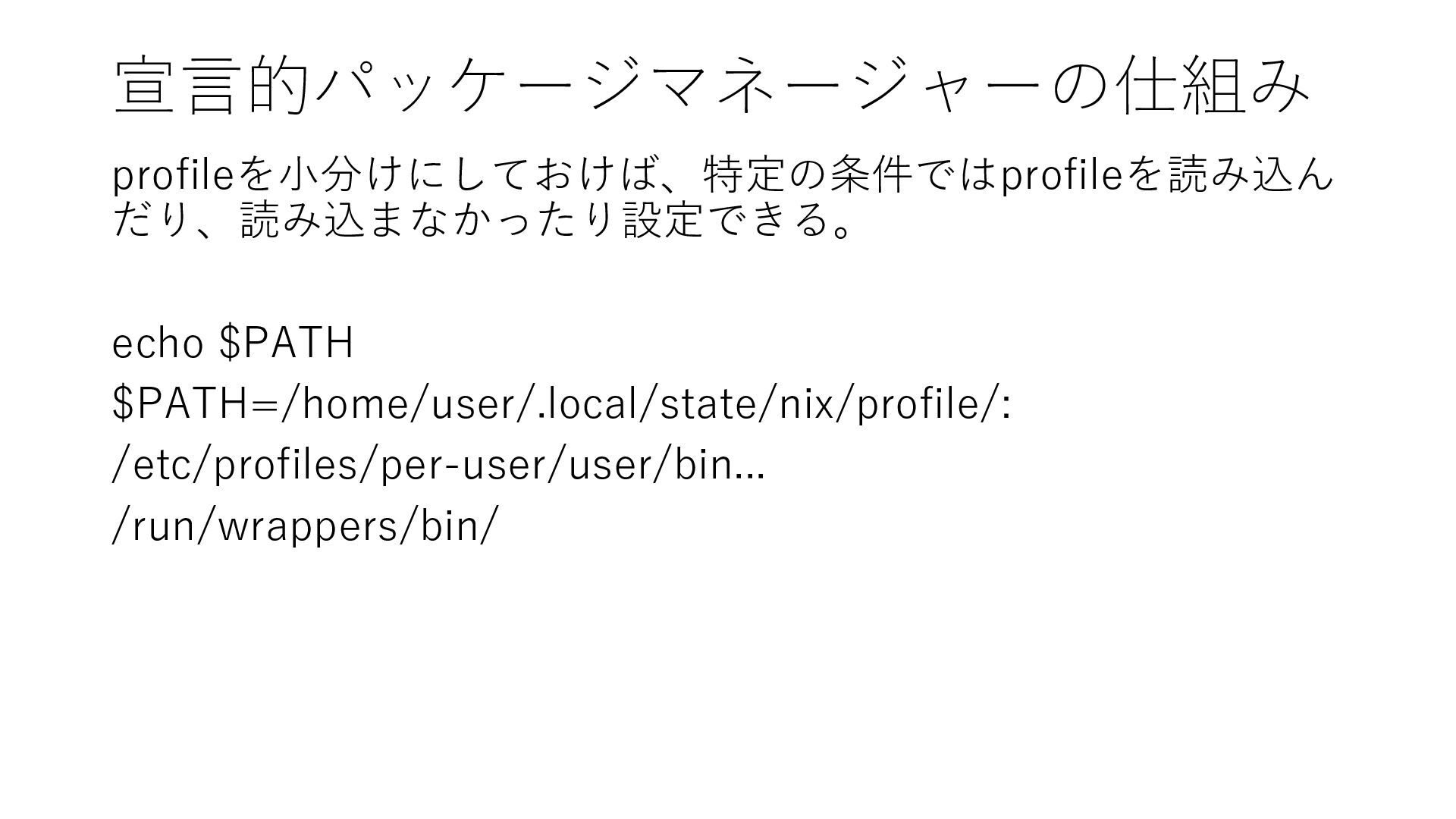
宣言的パッケージマネージャーの仕組み profileを小分けにしておけば、特定の条件ではprofileを読み込ん だり、読み込まなかったり設定できる。 echo $PATH $PATH=/home/user/.local/state/nix/profile/: /etc/profiles/per-user/user/bin... /run/wrappers/bin/
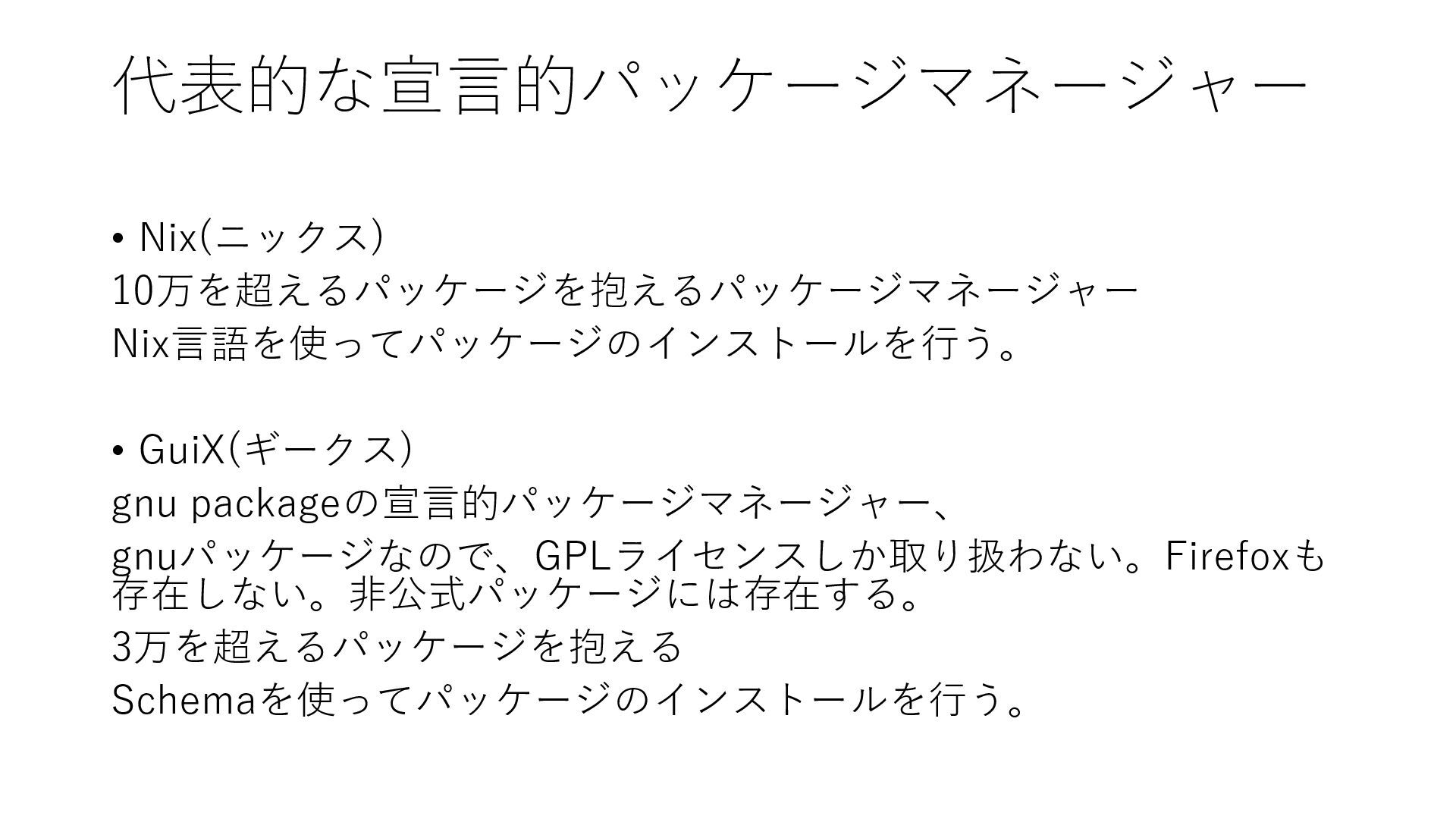
代表的な宣言的パッケージマネージャー • Nix(ニックス) 10万を超えるパッケージを抱えるパッケージマネージャー Nix言語を使ってパッケージのインストールを行う。 • GuiX(ギークス) gnu packageの宣言的パッケージマネージャー、 gnuパッケージなので、GPLライセンスしか取り扱わない。Firefoxも
存在しない。非公式パッケージには存在する。 3万を超えるパッケージを抱える Schemaを使ってパッケージのインストールを行う。


 tositada17
 aleyda
 cassininazir
 tmiket
 jonoalderson
 samtorres
 skipperchong
 watany
 ks91
ks91
 jcasabona
 maltzj
 madoxten