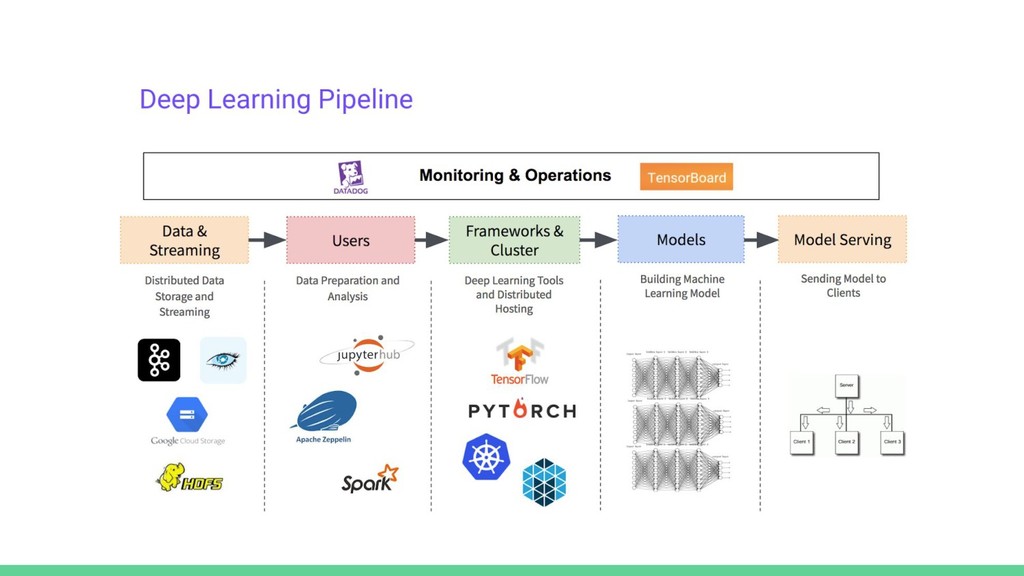
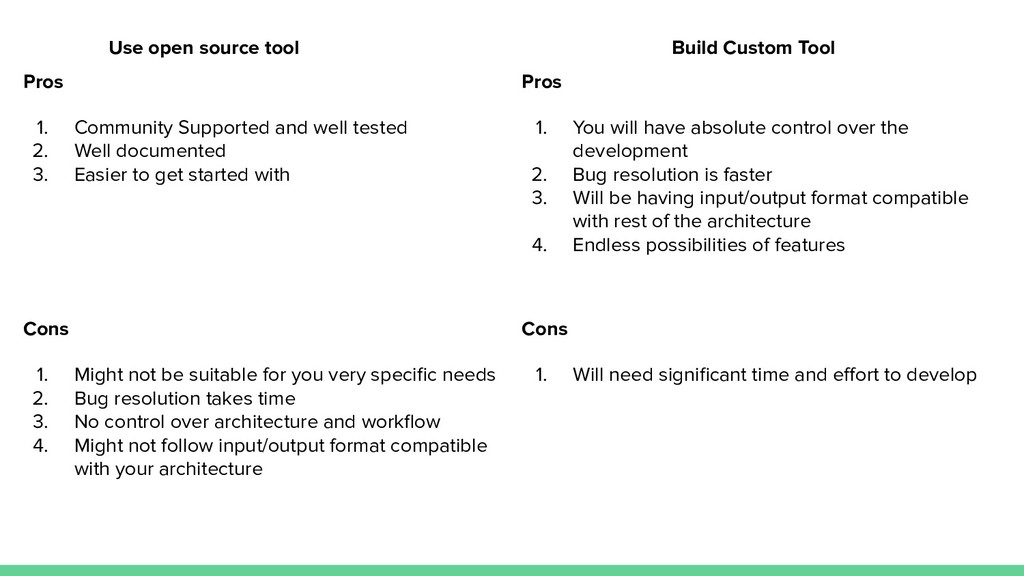
This talk will focus on the areas of Machine Learning development (specifically Computer Vision problems) and will discuss how using certain tools will make your life easier. Also, discuss some areas where developing custom tools is beneficial instead of using open-source tools and the trade-off for making this choice.
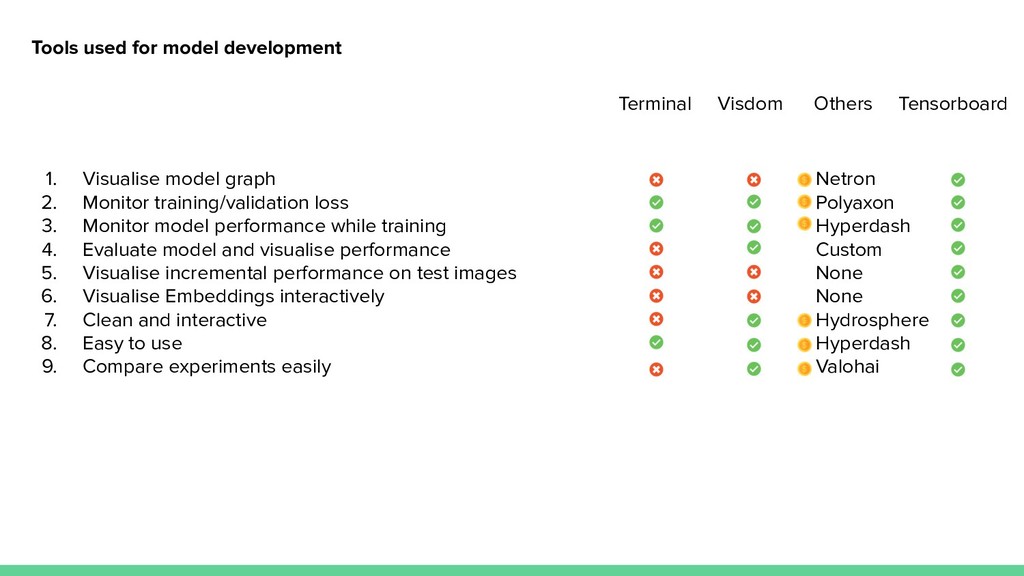
We will discuss why we should be using Tensorboard and why it is the only tool you will need to do machine learning development. We will see how it compares to other model development tools such as Visdom, Netron and several other Proprietary(and expensive) tools.
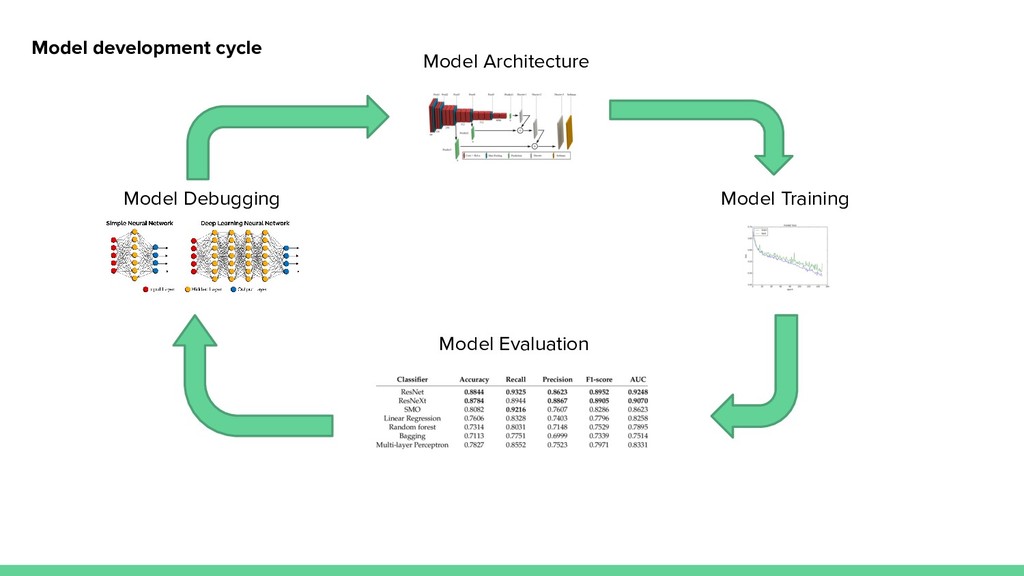
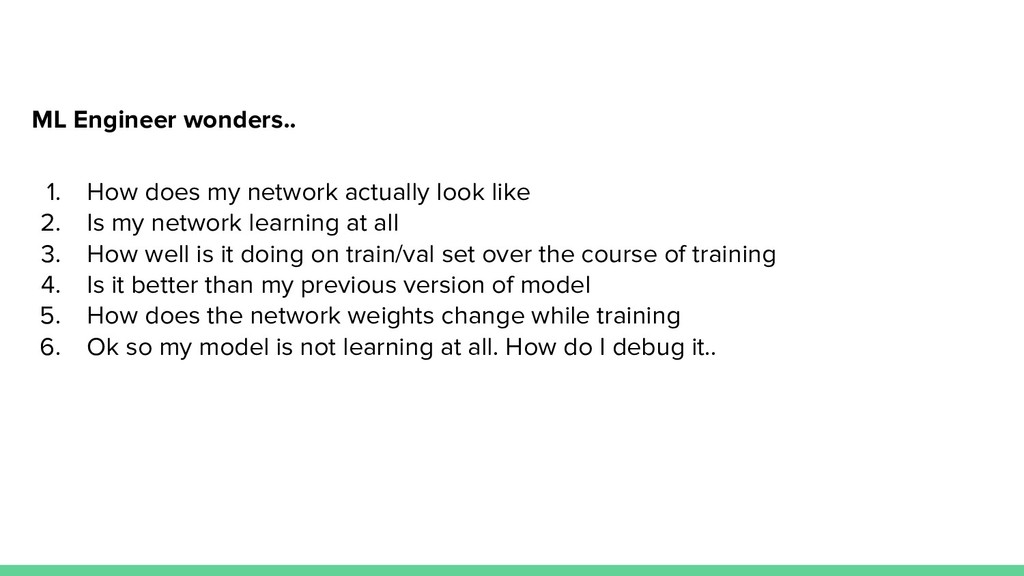
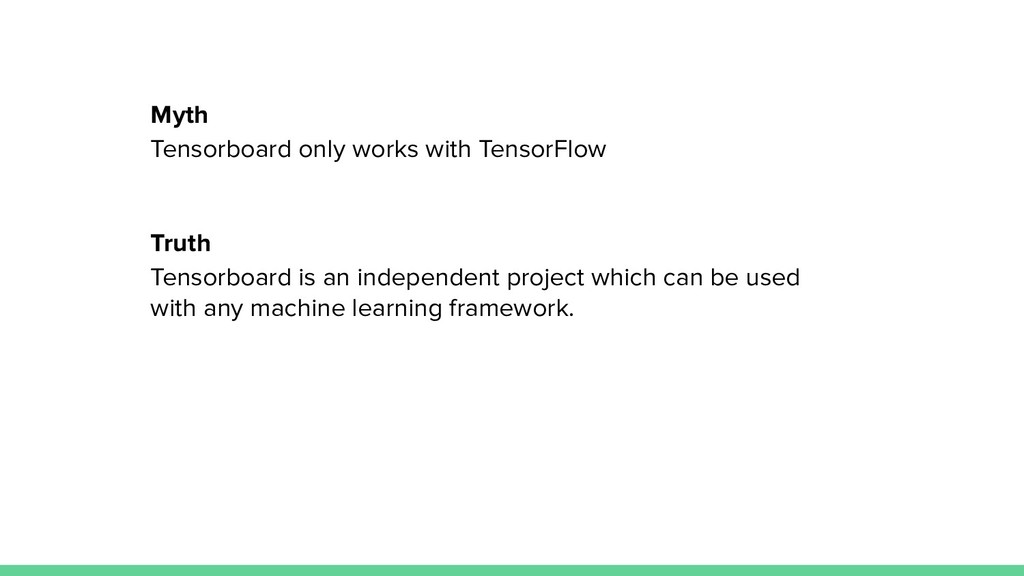
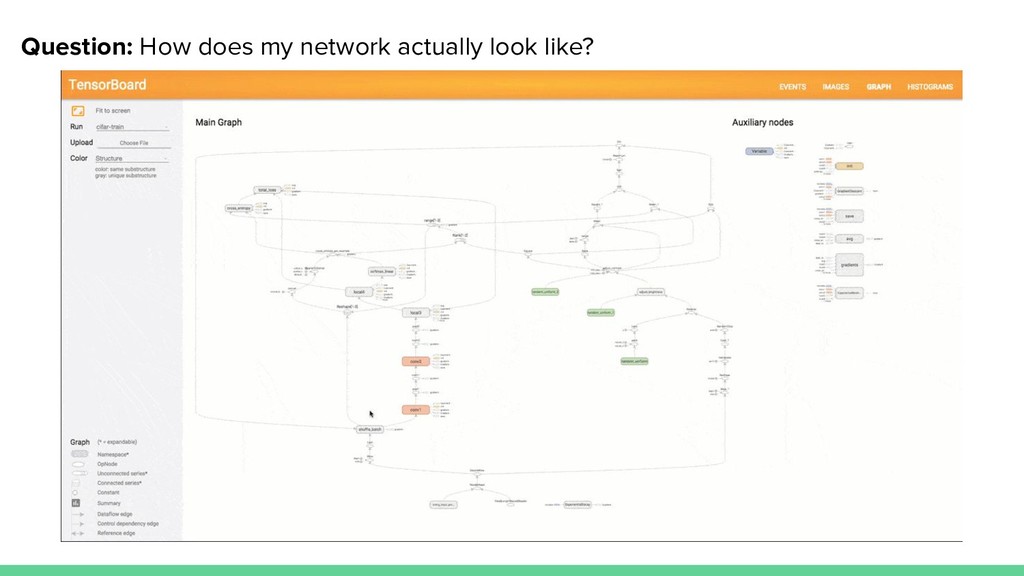
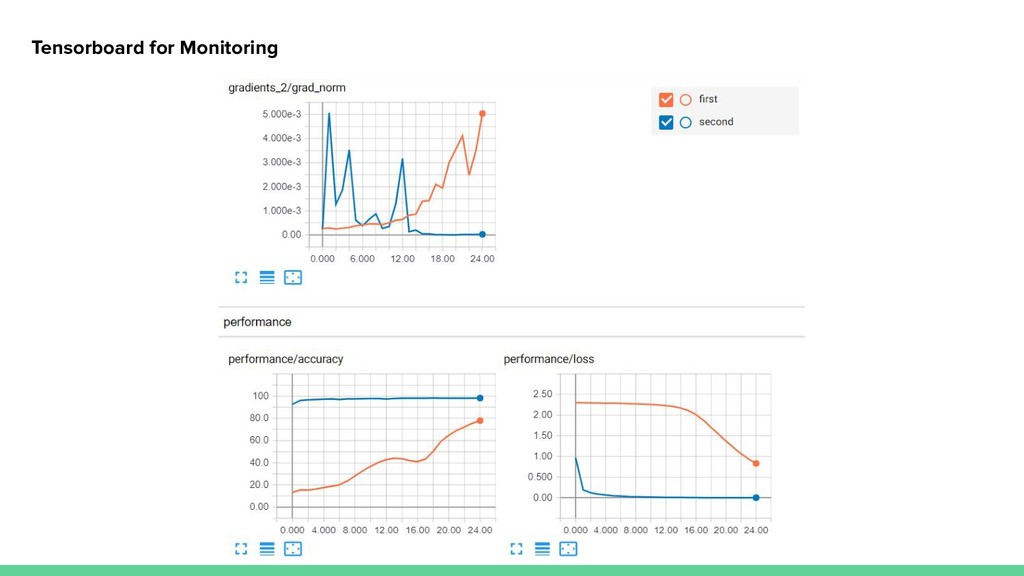
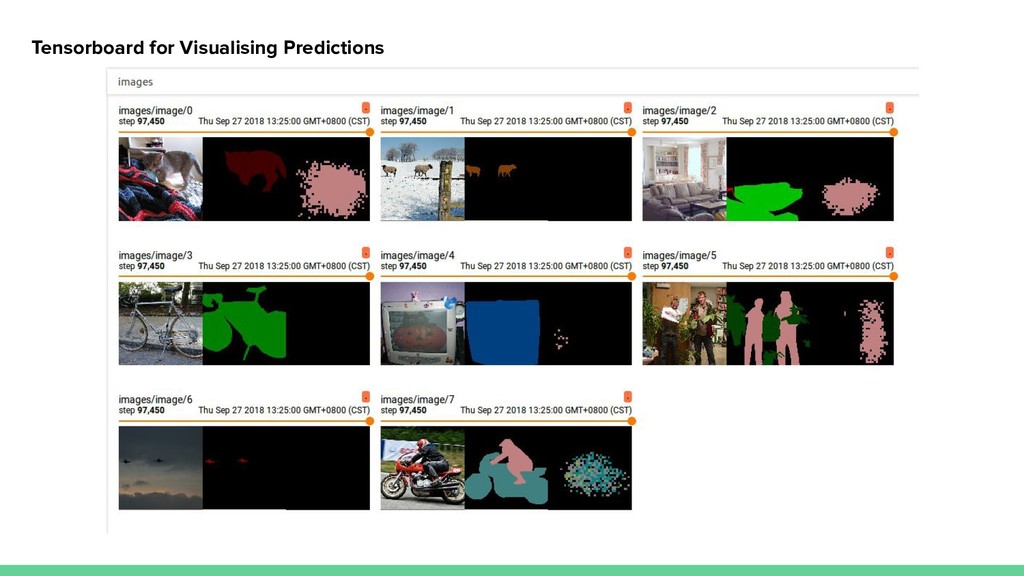
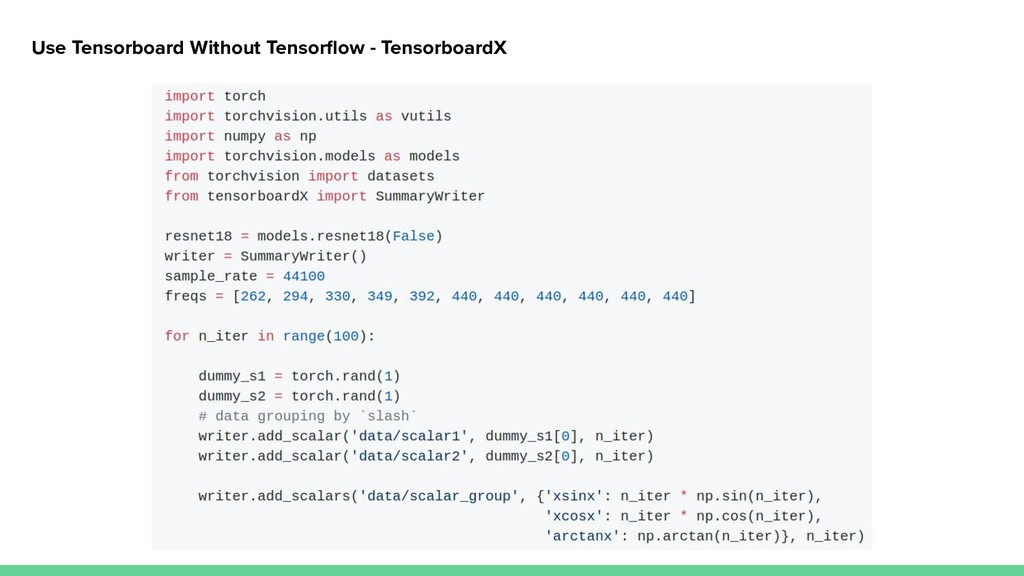
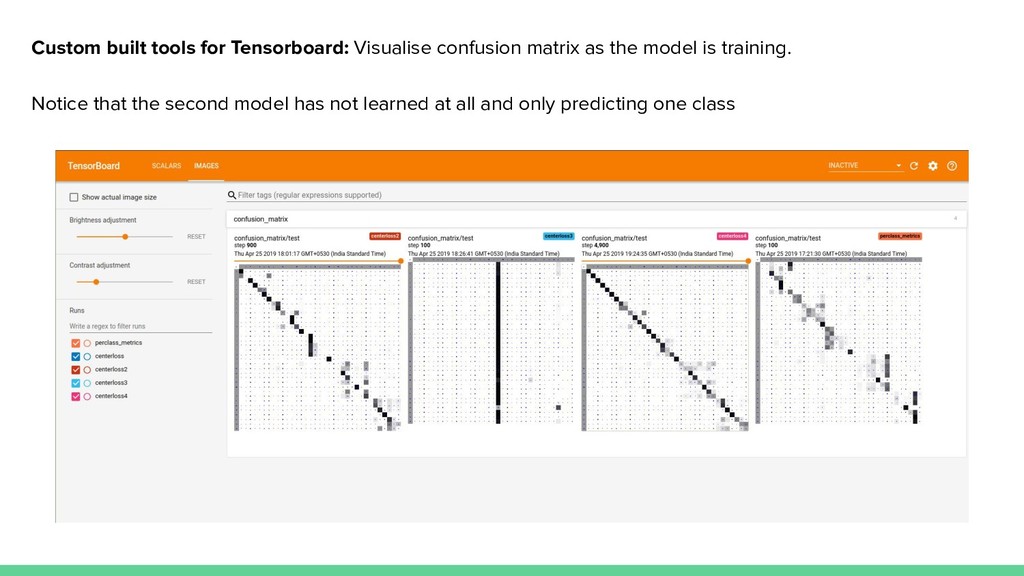
We will also see some small snippets of examples of what is possible with Tensorboard and how to interpret machine learning models, monitor training stats, debug models and compare experiments. This includes using tensorboard as an interactive front-end for monitoring the models and visualising its performance on test set and how we can make it to be framework agnostic and work with Pytorch, Keras and not be dependent on tensorflow.
Key Takeaways.
1. Understand the features available in Tensorboard and why it is the only tool that you will ever need.
2. How to make it work with any machine learning framework.


 tuuushaar
 ichirokano2
 yub0n
yub0n
 rshindo
 akase244
 lef237
 florets1
 kmars0605
 y0hgi
y0hgi
 colorful12
 neuecc
 kishida
 palkan
 samtorres
 kneath
 sarafernandez
 akademiya2063
 addyosmani
 tammyeverts
 davidcarrasco
 portentint
 lara
lara
 nmsamuel
 rocio
rocio
 lemiorhan