Upgrade to Pro
— share decks privately, control downloads, hide ads and more …
Speaker Deck
Sign up for free
Menu
Search
Features
All features
Private URLs
Password Protection
Custom URLS
Scheduled publishing
Remove Branding
Restrict embedding
Deck Collections
Notes
Features
All features
Private URLs
Password Protection
Custom URLS
Scheduled publishing
Remove Branding
Restrict embedding
Deck Collections
Notes
Explore
Featured decks
Featured speakers
Programming
Technology
Storyboards
Explore
Featured decks
Featured speakers
Programming
Technology
Storyboards
Pricing
Search
Sign in
Sign up for free
空間情報システム入門Ⅰ overpass turbo のマニュアル
Search
Yae
July 14, 2016
150
0
Share
Embed
Copy iframe code
Copy JS code
Copy link
Start on current slide
空間情報システム入門Ⅰ overpass turbo のマニュアル
課題 7月14日
Yae
July 14, 2016
More Decks by Yae
See All by Yae
食べ残し文化ってあるの?ないの?
yaemitsuishitsuka
0
320
マッピング作業のマニュアル
yaemitsuishitsuka
0
68
Featured
See All Featured
Digital Ethics as a Driver of Design Innovation
axbom
PRO
1
460
Claude Code のすすめ
schroneko
67
230k
ReactJS: Keep Simple. Everything can be a component!
pedronauck
666
130k
Navigating the moral maze — ethical principles for Al-driven product design
skipperchong
2
630
Jamie Indigo - Trashchat’s Guide to Black Boxes: Technical SEO Tactics for LLMs
techseoconnect
PRO
0
710
30 Presentation Tips
portentint
PRO
1
430
Raft: Consensus for Rubyists
vanstee
142
7.8k
Fight the Zombie Pattern Library - RWD Summit 2016
marcelosomers
234
18k
[Rails World 2023 - Day 1 Closing Keynote] - The Magic of Rails
eileencodes
38
3.1k
Designing for Timeless Needs
cassininazir
1
530
svc-hook: hooking system calls on ARM64 by binary rewriting
retrage
2
630
Understanding Cognitive Biases in Performance Measurement
bluesmoon
32
3.1k
Transcript
Overpass-turboのマニュアル ~Pokemon GOのPokestopの場所を予想しながら~
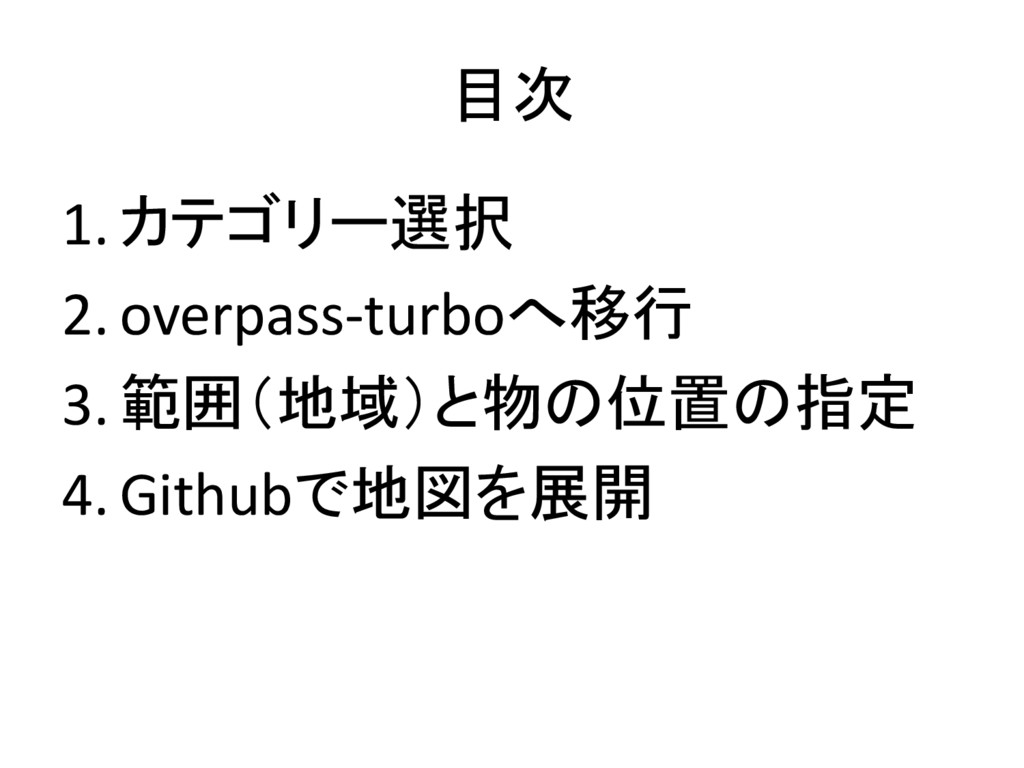
目次 1. カテゴリー選択 2. overpass-turboへ移行 3. 範囲(地域)と物の位置の指定 4. Githubで地図を展開
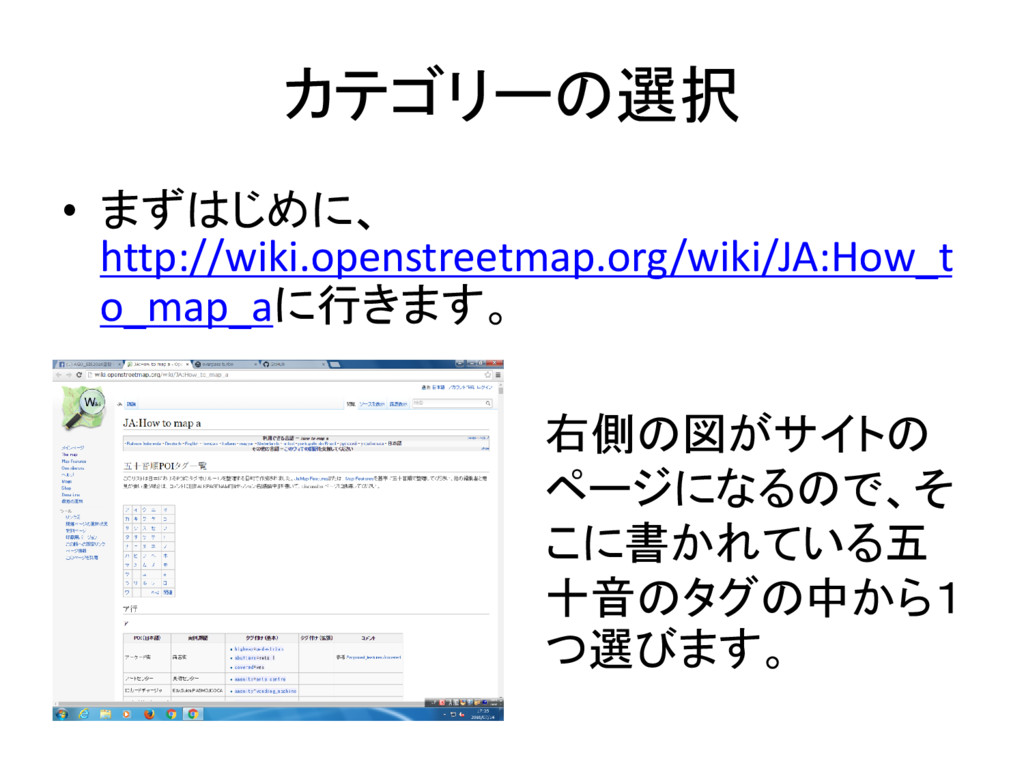
カテゴリーの選択 • まずはじめに、 http://wiki.openstreetmap.org/wiki/JA:How_t o_map_aに行きます。 右側の図がサイトの ページになるので、そ こに書かれている五 十音のタグの中から1 つ選びます。
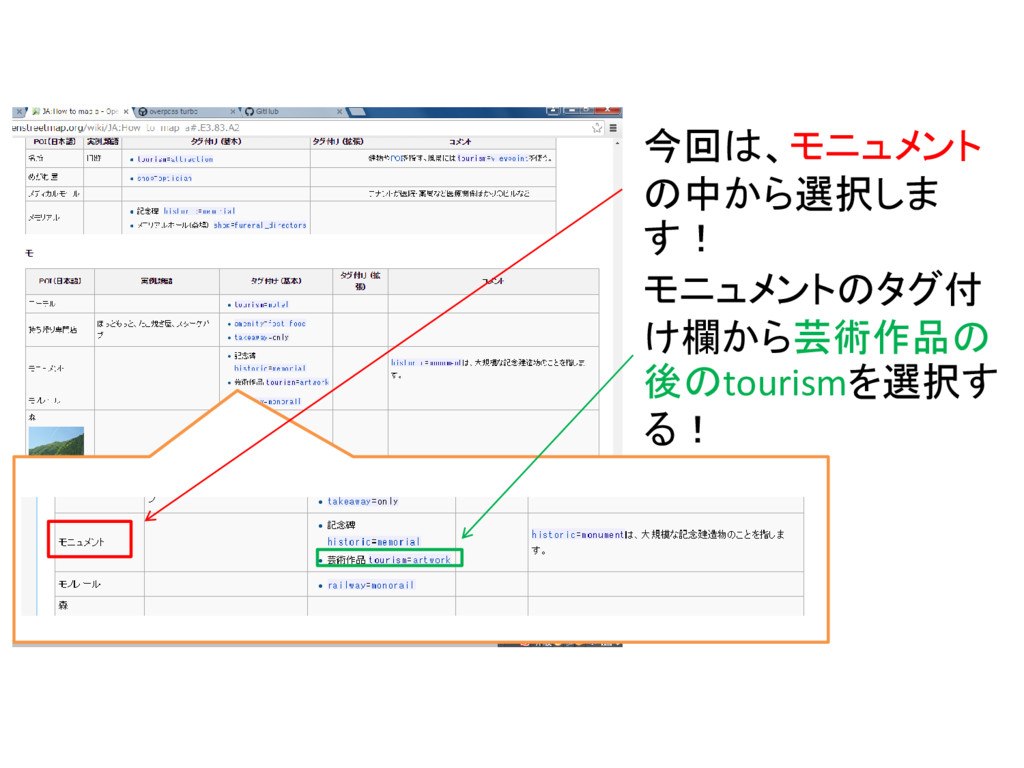
今回は、モニュメント の中から選択しま す! モニュメントのタグ付 け欄から芸術作品の 後のtourismを選択す る!
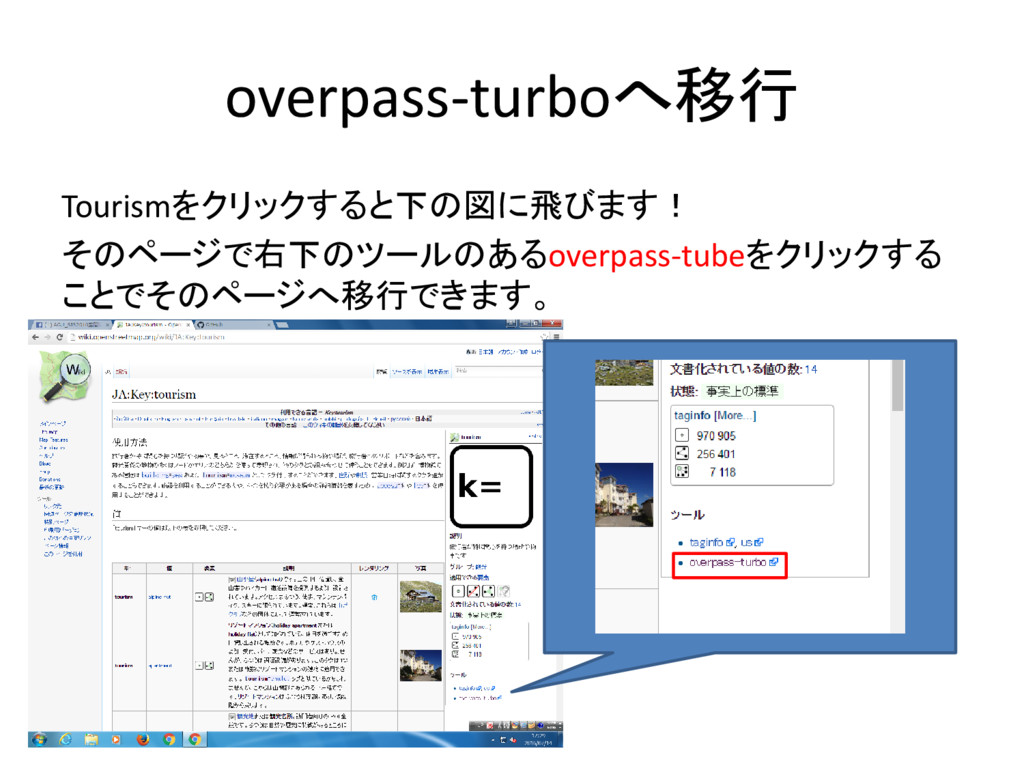
overpass-turboへ移行 Tourismをクリックすると下の図に飛びます! そのページで右下のツールのあるoverpass-tubeをクリックする ことでそのページへ移行できます。
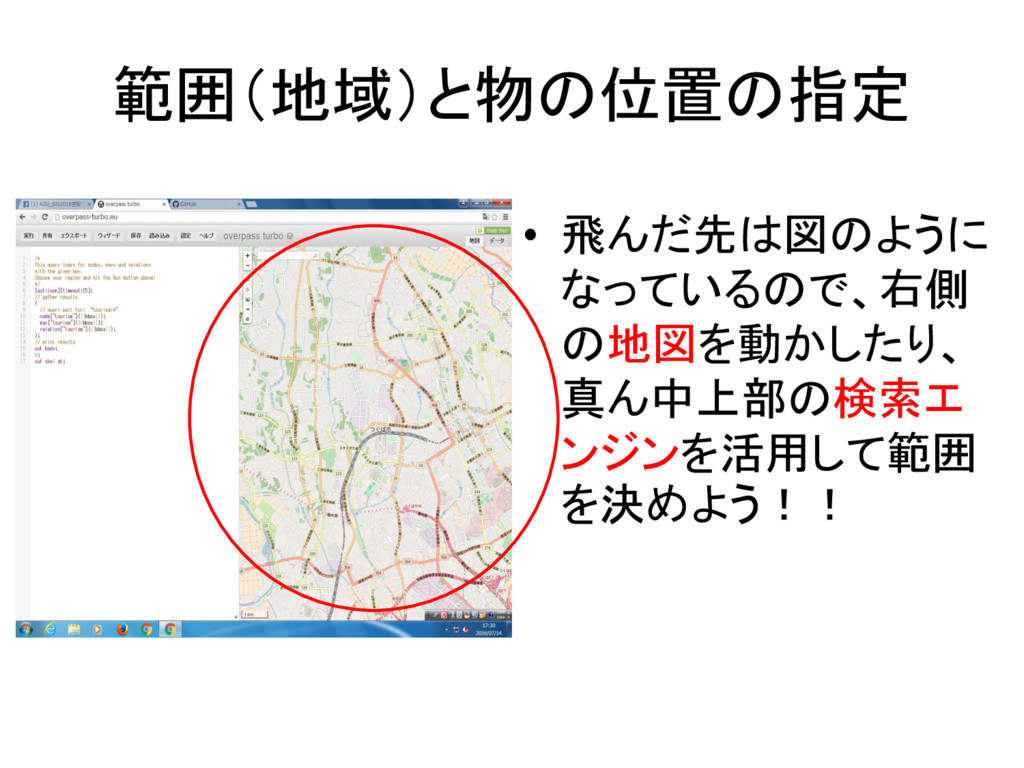
範囲(地域)と物の位置の指定 • 飛んだ先は図のように なっているので、右側 の地図を動かしたり、 真ん中上部の検索エ ンジンを活用して範囲 を決めよう!!
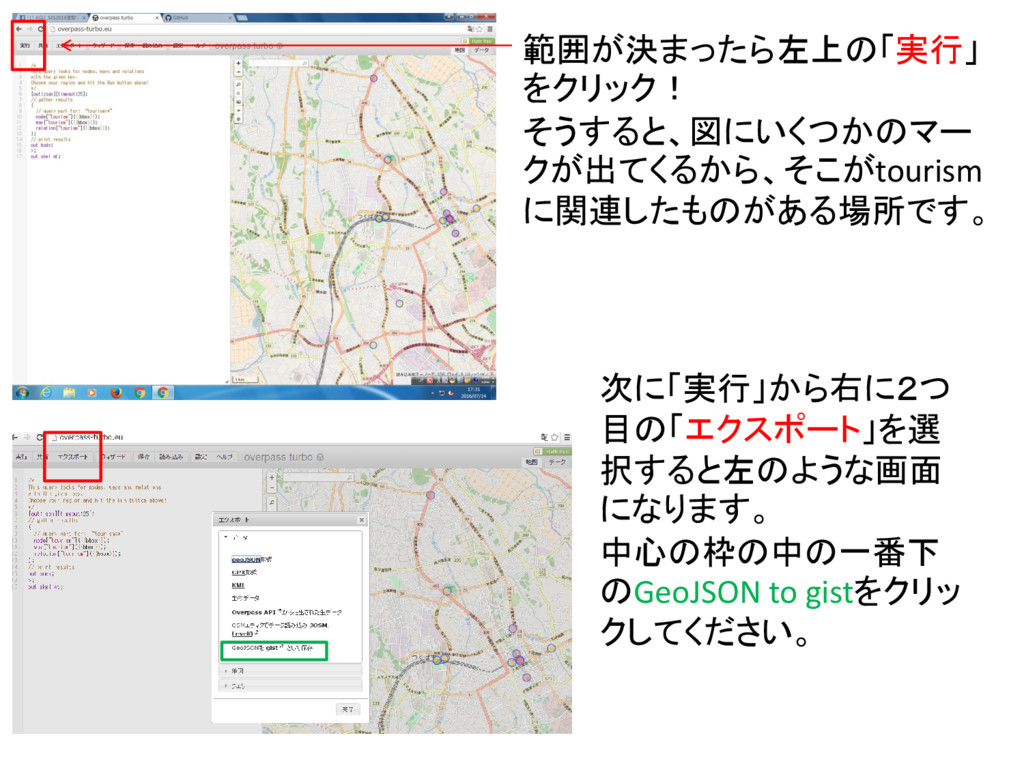
範囲が決まったら左上の「実行」 をクリック! そうすると、図にいくつかのマー クが出てくるから、そこがtourism に関連したものがある場所です。 次に「実行」から右に2つ 目の「エクスポート」を選 択すると左のような画面 になります。 中心の枠の中の一番下
のGeoJSON to gistをクリッ クしてください。
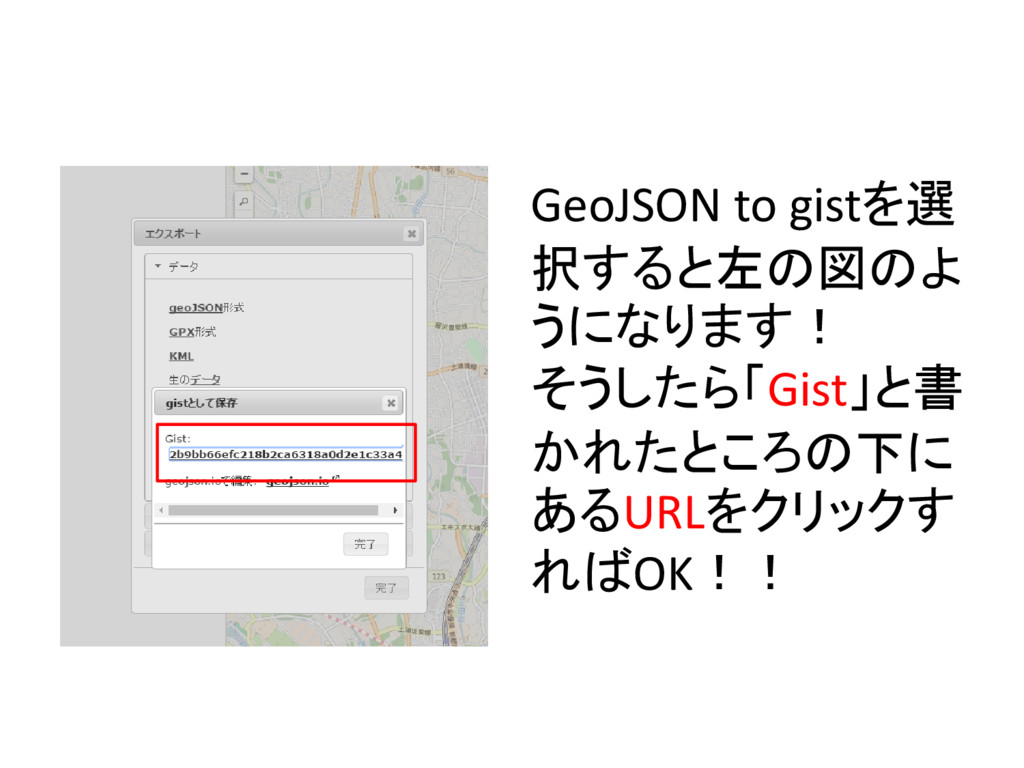
GeoJSON to gistを選 択すると左の図のよ うになります! そうしたら「Gist」と書 かれたところの下に あるURLをクリックす ればOK!!
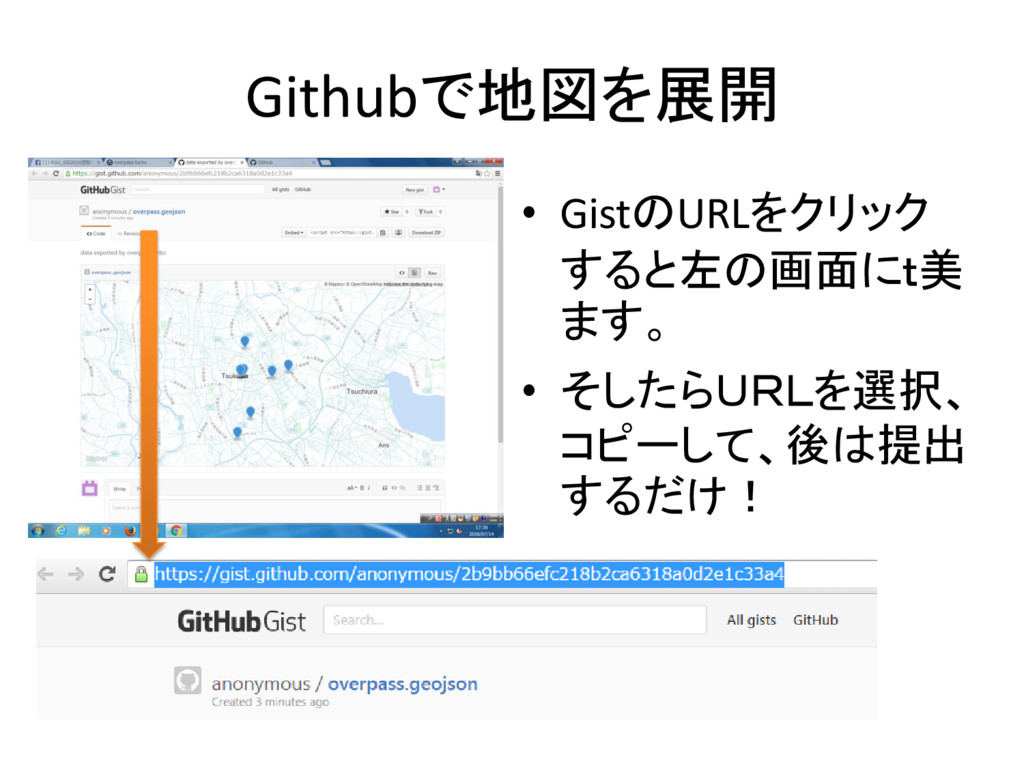
Githubで地図を展開 • GistのURLをクリック すると左の画面にt美 ます。 • そしたらURLを選択、 コピーして、後は提出 するだけ!
None


 yaemitsuishitsuka
 axbom
axbom
 schroneko
 pedronauck
 skipperchong
 techseoconnect
 portentint
 vanstee
 marcelosomers
 eileencodes
 cassininazir
 retrage
 bluesmoon