Upgrade to Pro
— share decks privately, control downloads, hide ads and more …
Speaker Deck
Sign up for free
Menu
Search
Features
All features
Private URLs
Password Protection
Custom URLS
Scheduled publishing
Remove Branding
Restrict embedding
Deck Collections
Notes
Features
All features
Private URLs
Password Protection
Custom URLS
Scheduled publishing
Remove Branding
Restrict embedding
Deck Collections
Notes
Explore
Featured decks
Featured speakers
Programming
Technology
Storyboards
Explore
Featured decks
Featured speakers
Programming
Technology
Storyboards
Pricing
Search
Sign in
Sign up for free
フロントエンドの実装をAIに任せるとうまくいかないを小さく解決する
Search
Sponsored
·
Your Podcast. Everywhere. Effortlessly.
Share. Educate. Inspire. Entertain. You do you. We'll handle the rest.
→
yo-hattori
July 17, 2026
220
0
Share
Embed
Copy iframe code
Copy JS code
Copy link
Start on current slide
フロントエンドの実装をAIに任せるとうまくいかないを小さく解決する
yo-hattori
July 17, 2026
More Decks by yo-hattori
See All by yo-hattori
エンジニアのモチベーション AIが暴く「駆動力」の正体
yoshiakih
0
5
仕様駆動開発とどう向き合うか 導入の前に考えたいこと
yoshiakih
0
8
仕様駆動FWを使ってみての振り返り
yoshiakih
0
2
Featured
See All Featured
Embracing the Ebb and Flow
colly
88
5.2k
Code Review Best Practice
trishagee
74
20k
Collaborative Software Design: How to facilitate domain modelling decisions
baasie
1
340
BBQ
matthewcrist
90
10k
Unlocking the hidden potential of vector embeddings in international SEO
frankvandijk
0
1k
How to Get Subject Matter Experts Bought In and Actively Contributing to SEO & PR Initiatives.
livdayseo
0
220
Chasing Engaging Ingredients in Design
codingconduct
0
360
The Mindset for Success: Future Career Progression
greggifford
PRO
0
540
From π to Pie charts
rasagy
1
400
How to Grow Your eCommerce with AI & Automation
katarinadahlin
PRO
2
330
How to Ace a Technical Interview
jacobian
280
24k
[Rails World 2023 - Day 1 Closing Keynote] - The Magic of Rails
eileencodes
38
3.1k
Transcript
フロントエンドの実装をAIに 任せるとうまくいかないを⼩さ く解決する 2026.7.17 Atomic Design × Playwright CT による段階的アプローチ
服部 好晃
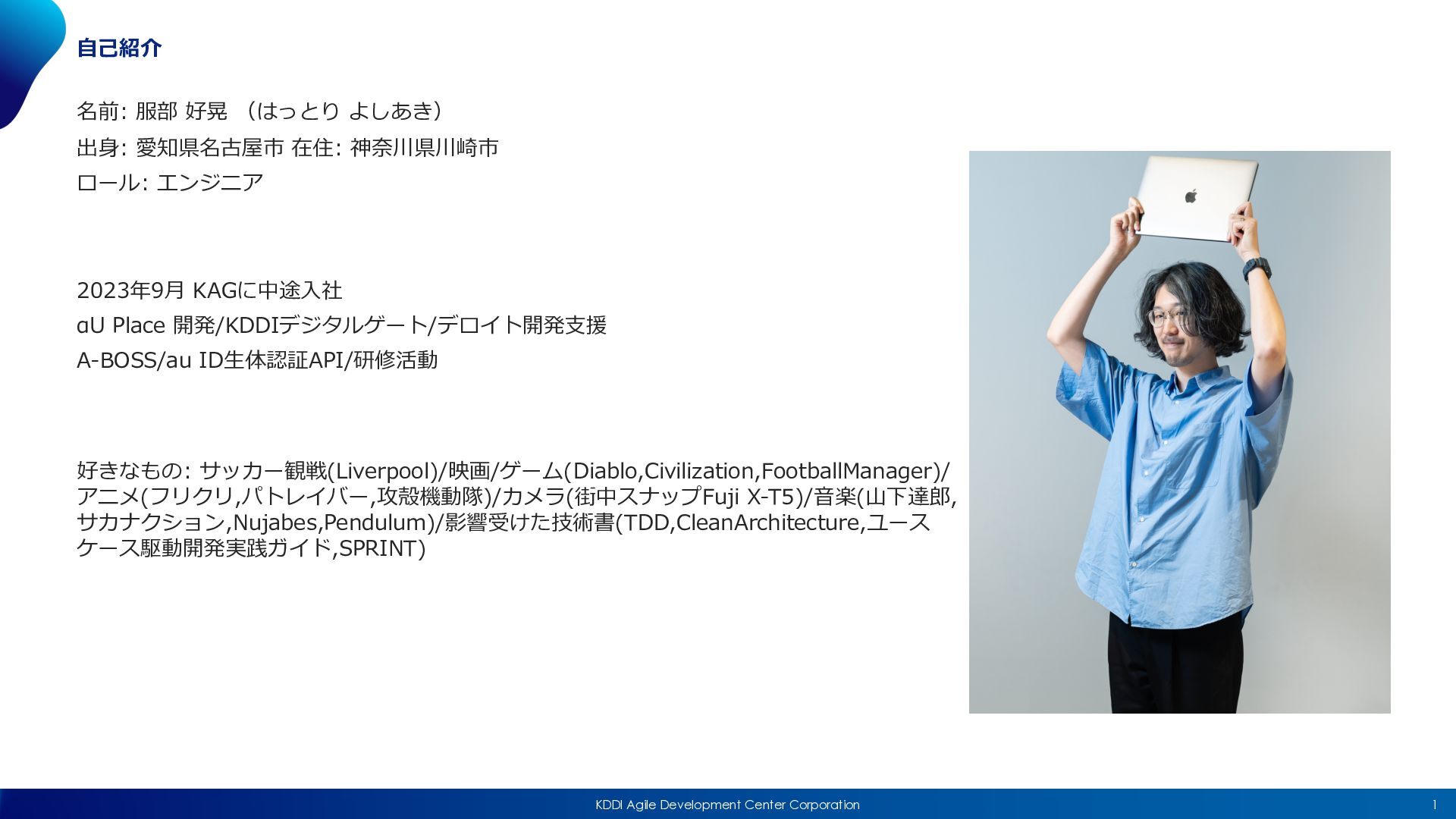
1 KDDI Agile Development Center Corporation ⾃⼰紹介 名前: 服部 好晃
(はっとり よしあき) 出⾝: 愛知県名古屋市 在住: 神奈川県川崎市 ロール: エンジニア 2023年9⽉ KAGに中途⼊社 αU Place 開発/KDDIデジタルゲート/デロイト開発⽀援 A-BOSS/au ID⽣体認証API/研修活動 好きなもの: サッカー観戦(Liverpool)/映画/ゲーム(Diablo,Civilization,FootballManager)/ アニメ(フリクリ,パトレイバー,攻殻機動隊)/カメラ(街中スナップFuji X-T5)/⾳楽(⼭下達郎, サカナクション,Nujabes,Pendulum)/影響受けた技術書(TDD,CleanArchitecture,ユース ケース駆動開発実践ガイド,SPRINT)
2 KDDI Agile Development Center Corporation 皆さん、フロントエンドの実装って どう AI に⾏わせていますか︖
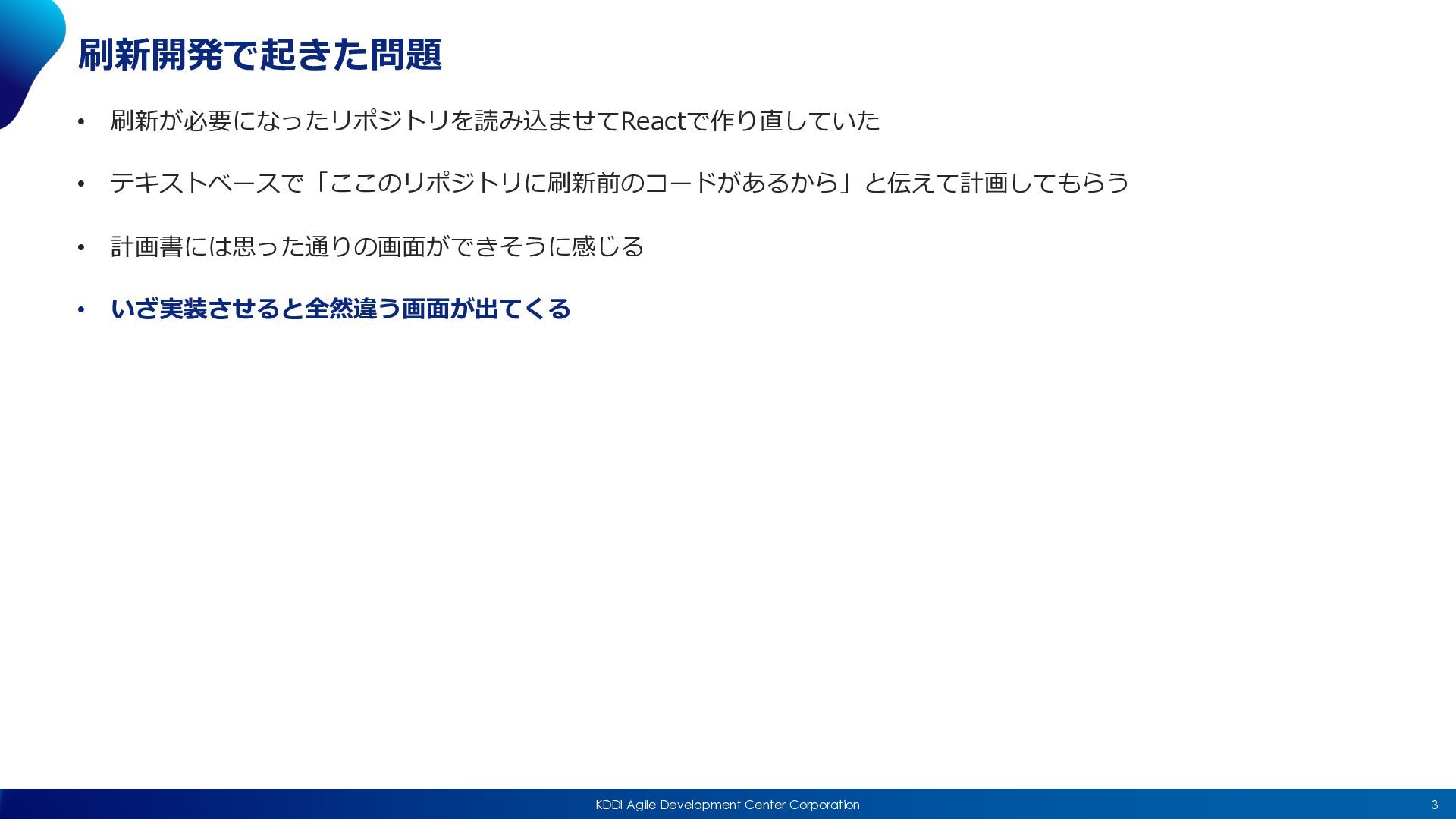
3 KDDI Agile Development Center Corporation 刷新開発で起きた問題 • 刷新が必要になったリポジトリを読み込ませてReactで作り直していた •
テキストベースで「ここのリポジトリに刷新前のコードがあるから」と伝えて計画してもらう • 計画書には思った通りの画⾯ができそうに感じる • いざ実装させると全然違う画⾯が出てくる
4 KDDI Agile Development Center Corporation なぜ起きるのか︖
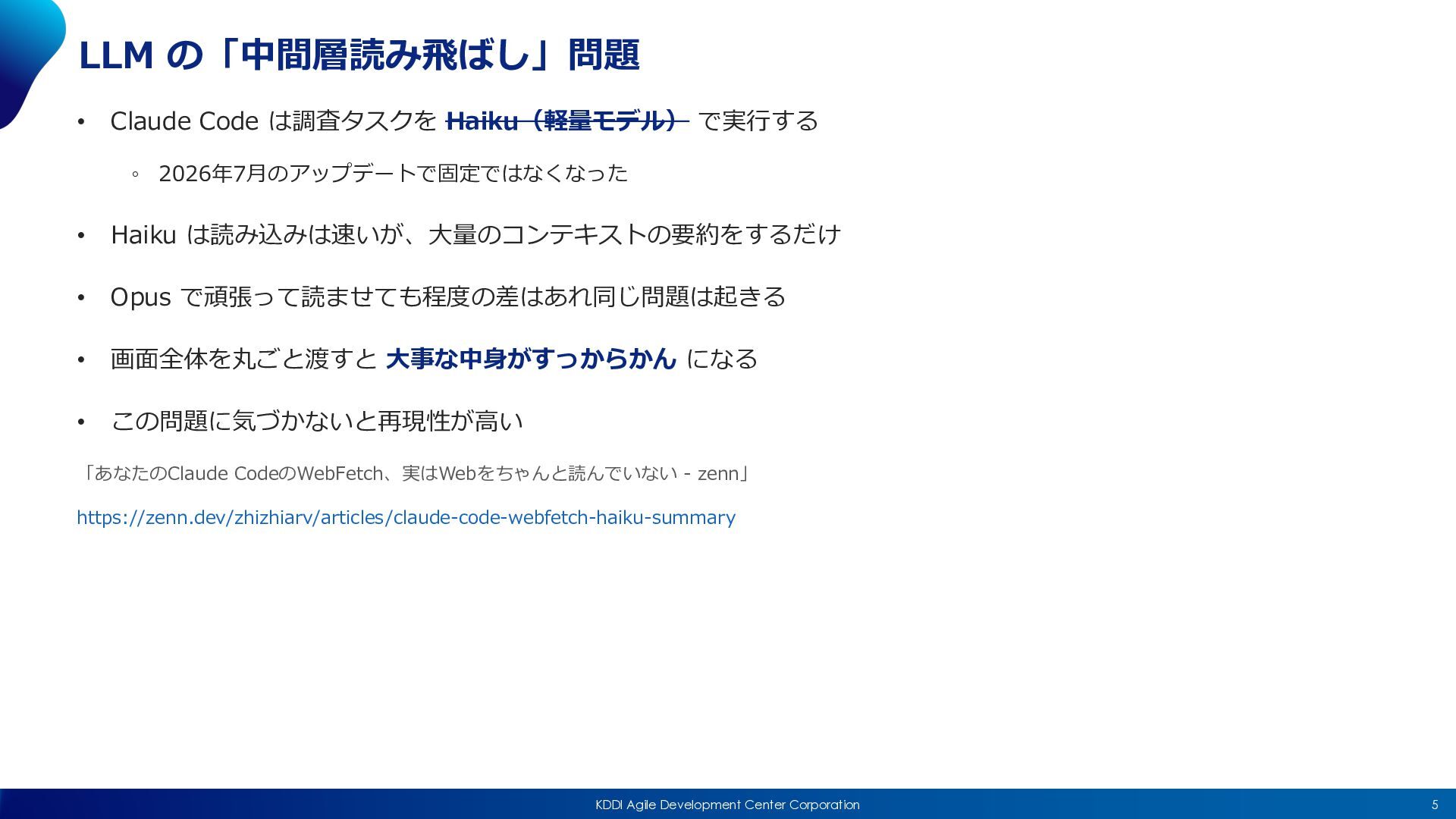
5 KDDI Agile Development Center Corporation LLM の「中間層読み⾶ばし」問題 • Claude
Code は調査タスクを Haiku(軽量モデル) で実⾏する ◦ 2026年7⽉のアップデートで固定ではなくなった • Haiku は読み込みは速いが、⼤量のコンテキストの要約をするだけ • Opus で頑張って読ませても程度の差はあれ同じ問題は起きる • 画⾯全体を丸ごと渡すと ⼤事な中⾝がすっからかん になる • この問題に気づかないと再現性が⾼い 「あなたのClaude CodeのWebFetch、実はWebをちゃんと読んでいない - zenn」 https://zenn.dev/zhizhiarv/articles/claude-code-webfetch-haiku-summary
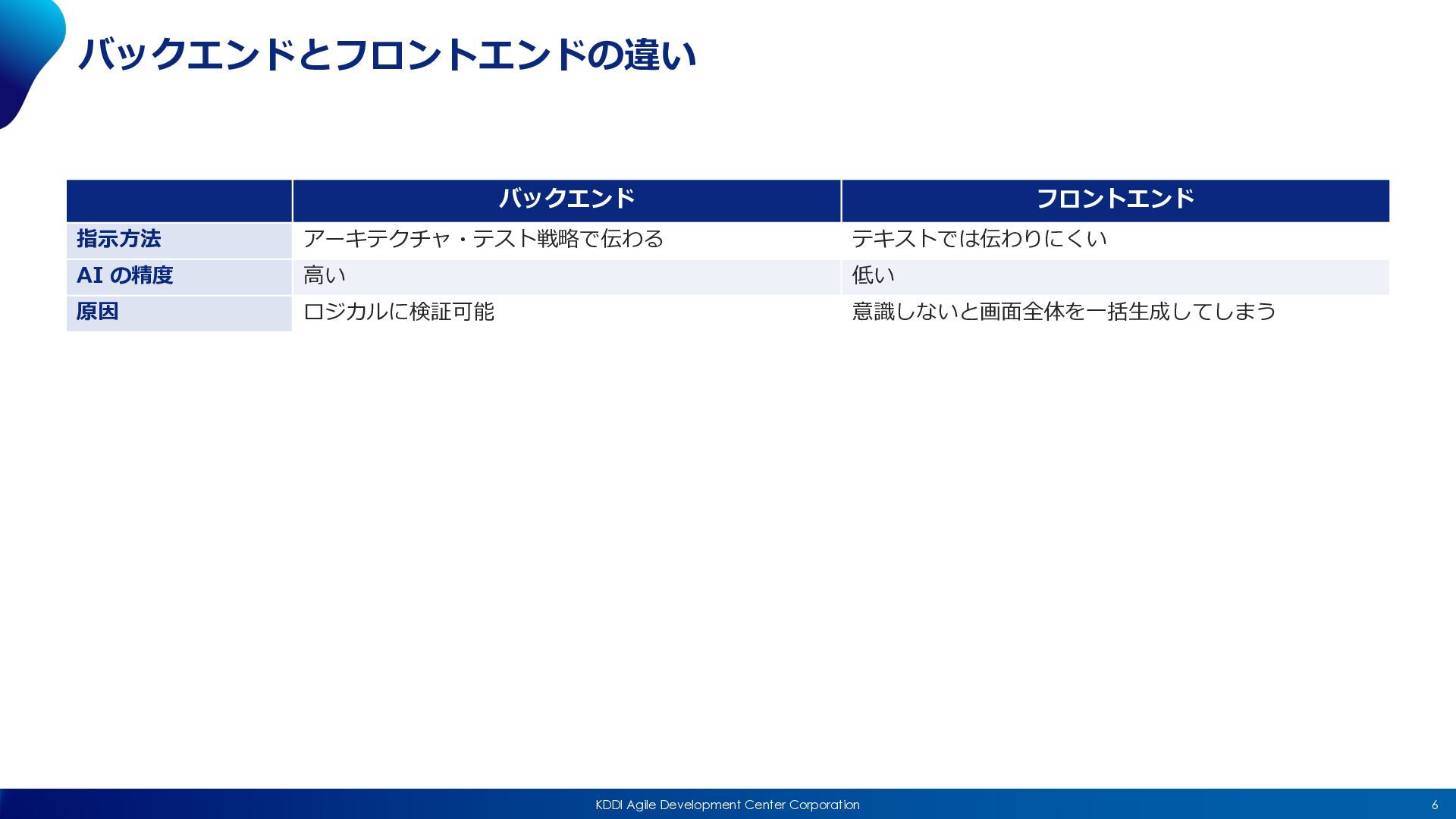
6 KDDI Agile Development Center Corporation バックエンドとフロントエンドの違い バックエンド フロントエンド 指⽰⽅法
アーキテクチャ・テスト戦略で伝わる テキストでは伝わりにくい AI の精度 ⾼い 低い 原因 ロジカルに検証可能 意識しないと画⾯全体を⼀括⽣成してしまう
7 KDDI Agile Development Center Corporation どうするか
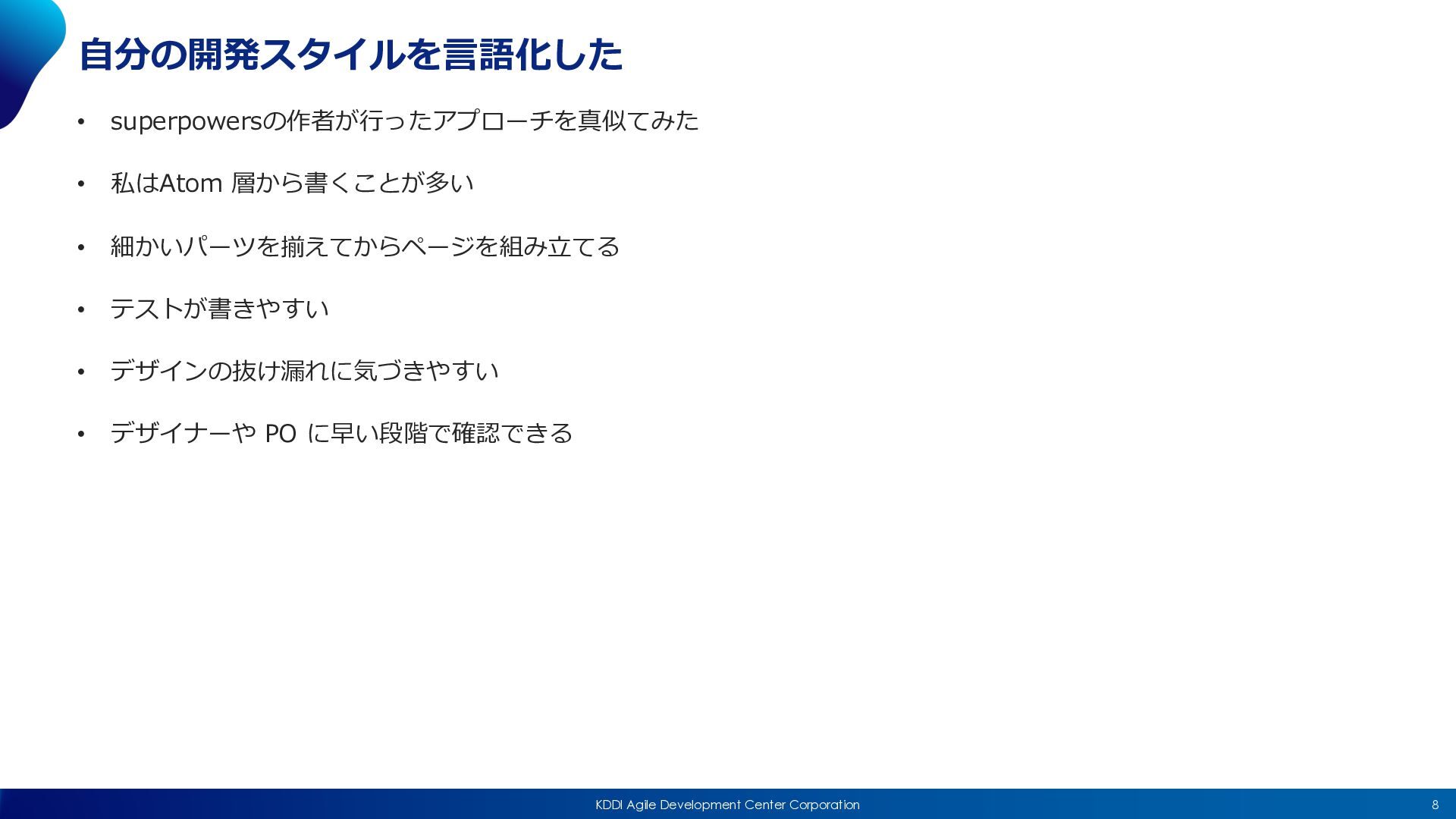
8 KDDI Agile Development Center Corporation ⾃分の開発スタイルを⾔語化した • superpowersの作者が⾏ったアプローチを真似てみた •
私はAtom 層から書くことが多い • 細かいパーツを揃えてからページを組み⽴てる • テストが書きやすい • デザインの抜け漏れに気づきやすい • デザイナーや PO に早い段階で確認できる
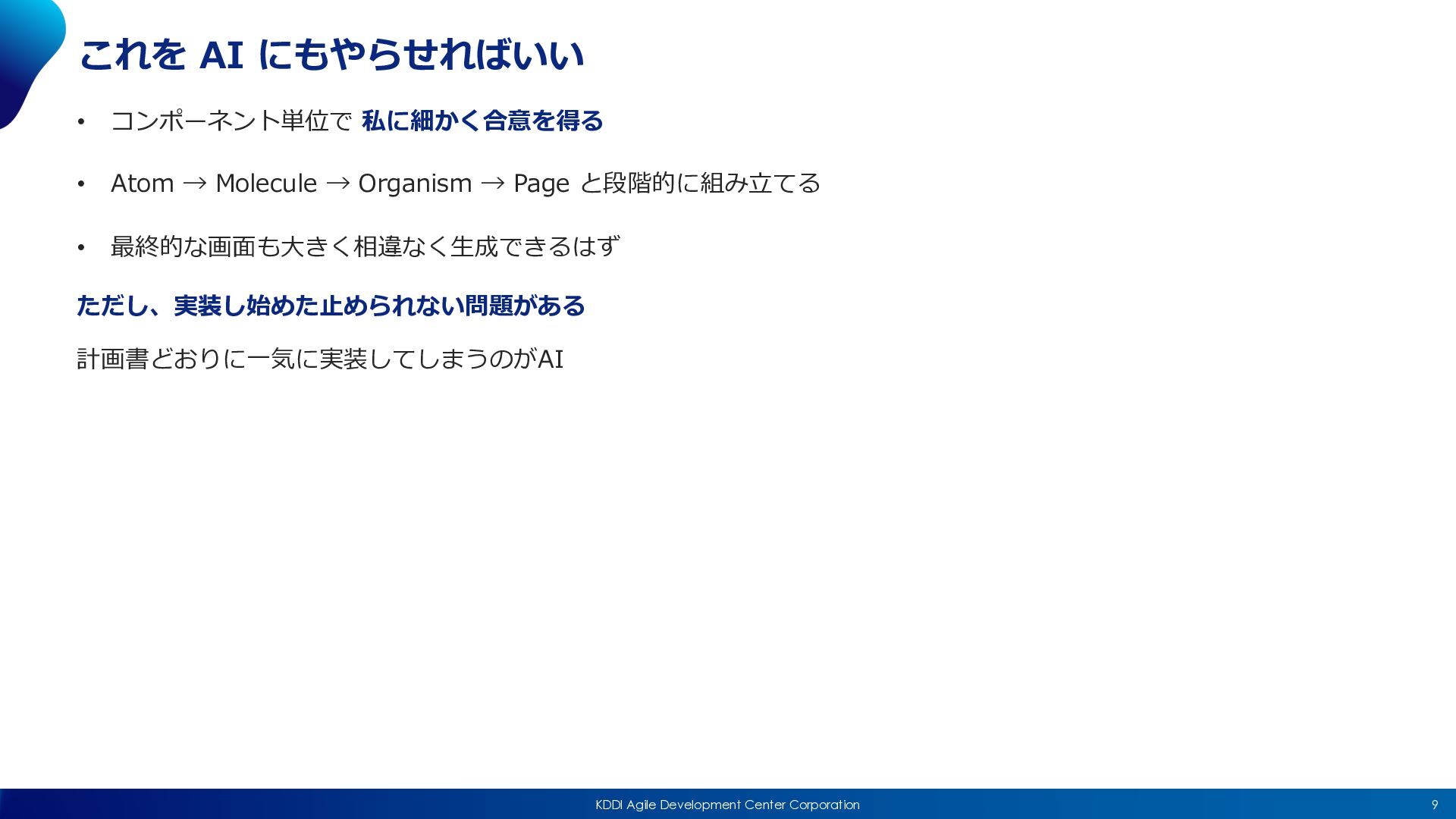
9 KDDI Agile Development Center Corporation これを AI にもやらせればいい •
コンポーネント単位で 私に細かく合意を得る • Atom → Molecule → Organism → Page と段階的に組み⽴てる • 最終的な画⾯も⼤きく相違なく⽣成できるはず ただし、実装し始めた⽌められない問題がある 計画書どおりに⼀気に実装してしまうのがAI
10 KDDI Agile Development Center Corporation Playwright Component Test
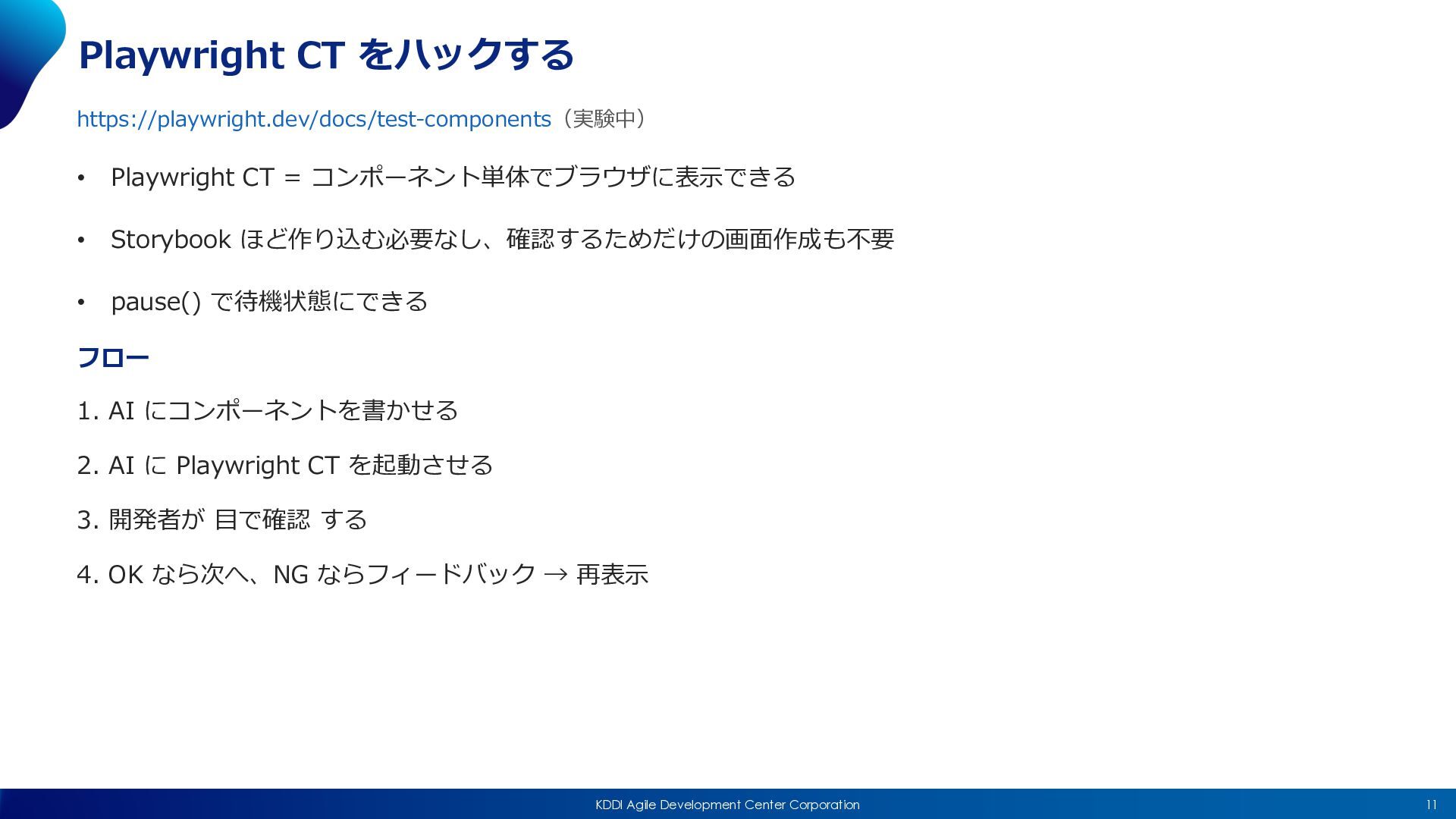
11 KDDI Agile Development Center Corporation Playwright CT をハックする https://playwright.dev/docs/test-components(実験中)
• Playwright CT = コンポーネント単体でブラウザに表⽰できる • Storybook ほど作り込む必要なし、確認するためだけの画⾯作成も不要 • pause() で待機状態にできる フロー 1. AI にコンポーネントを書かせる 2. AI に Playwright CT を起動させる 3. 開発者が ⽬で確認 する 4. OK なら次へ、NG ならフィードバック → 再表⽰
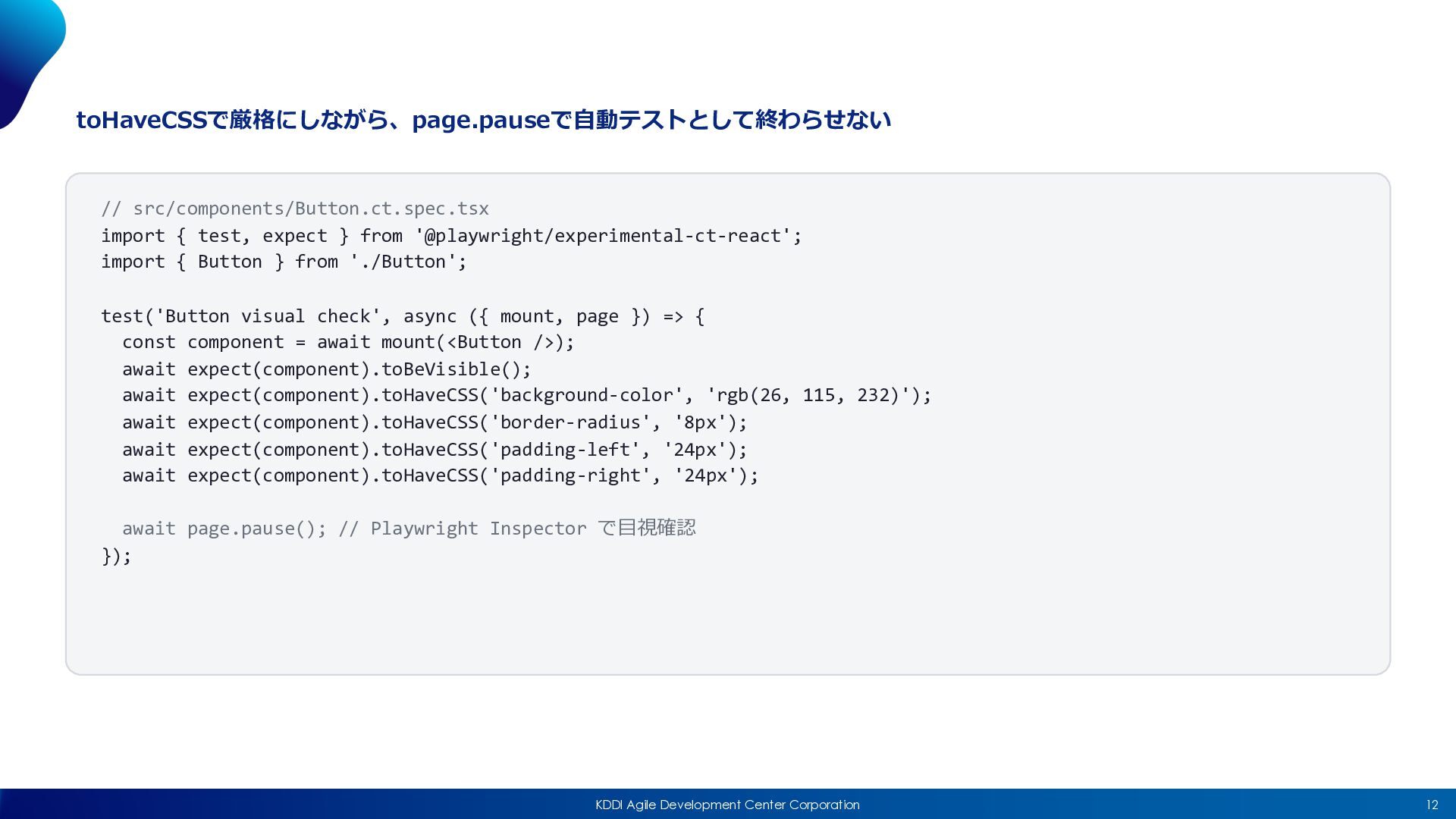
12 KDDI Agile Development Center Corporation toHaveCSSで厳格にしながら、page.pauseで⾃動テストとして終わらせない // src/components/Button.ct.spec.tsx import
{ test, expect } from '@playwright/experimental-ct-react'; import { Button } from './Button'; test('Button visual check', async ({ mount, page }) => { const component = await mount(<Button />); await expect(component).toBeVisible(); await expect(component).toHaveCSS('background-color', 'rgb(26, 115, 232)'); await expect(component).toHaveCSS('border-radius', '8px'); await expect(component).toHaveCSS('padding-left', '24px'); await expect(component).toHaveCSS('padding-right', '24px'); await page.pause(); // Playwright Inspector で⽬視確認 });
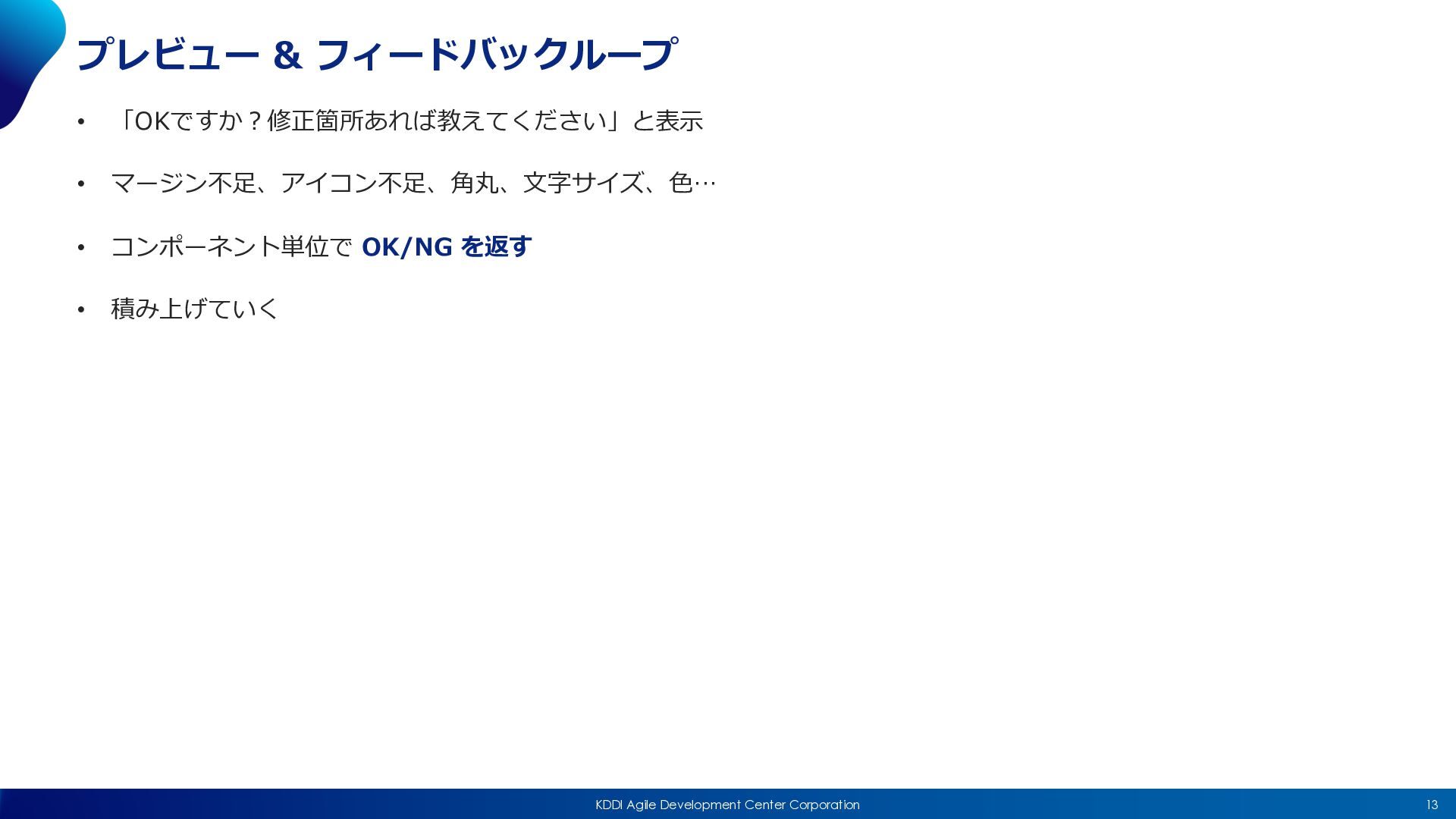
13 KDDI Agile Development Center Corporation プレビュー & フィードバックループ •
「OKですか︖修正箇所あれば教えてください」と表⽰ • マージン不⾜、アイコン不⾜、⾓丸、⽂字サイズ、⾊… • コンポーネント単位で OK/NG を返す • 積み上げていく
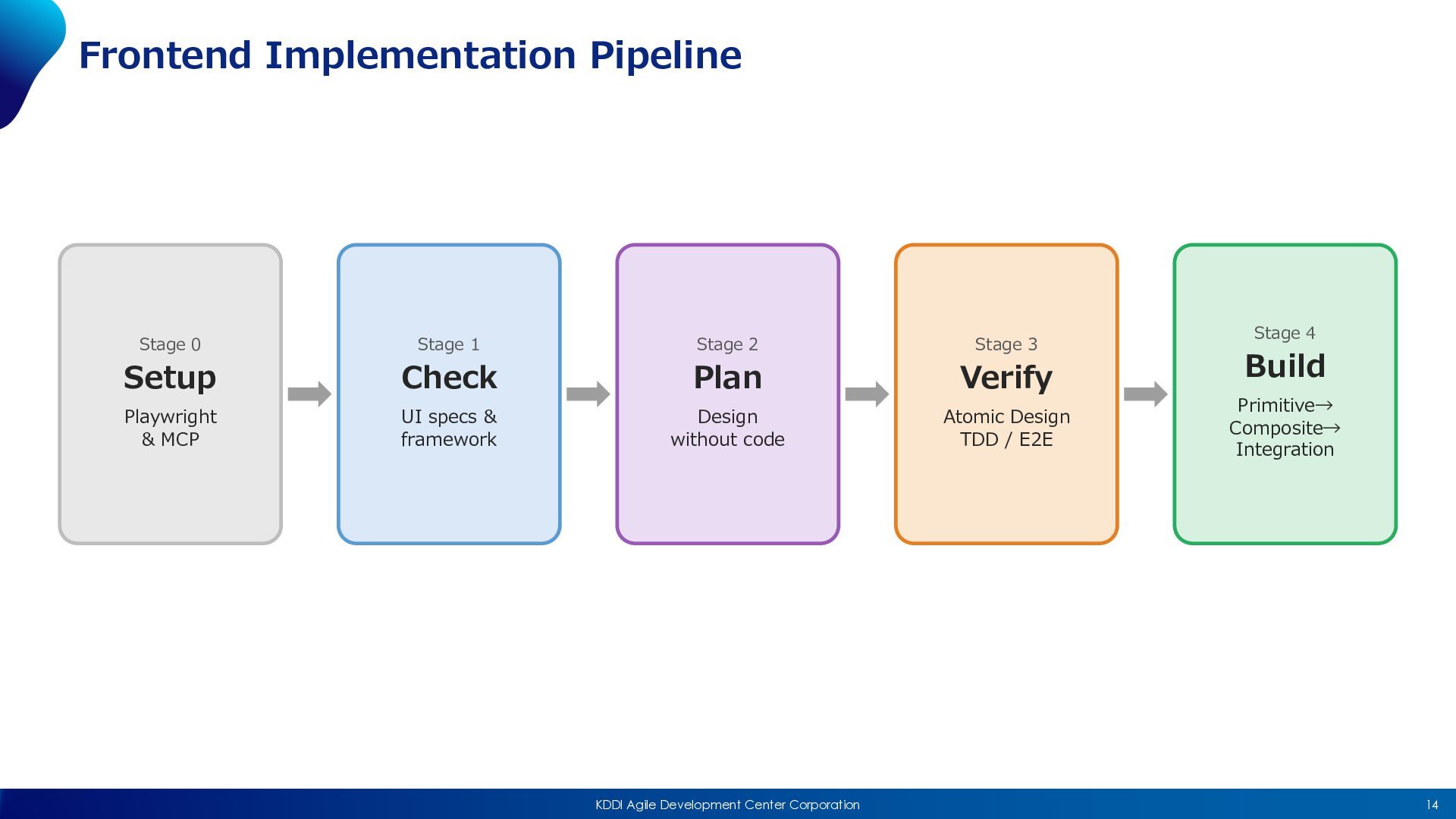
14 KDDI Agile Development Center Corporation Frontend Implementation Pipeline Stage
0 Setup Playwright & MCP Stage 1 Check UI specs & framework Stage 2 Plan Design without code Stage 3 Verify Atomic Design TDD / E2E Stage 4 Build Primitive→ Composite→ Integration
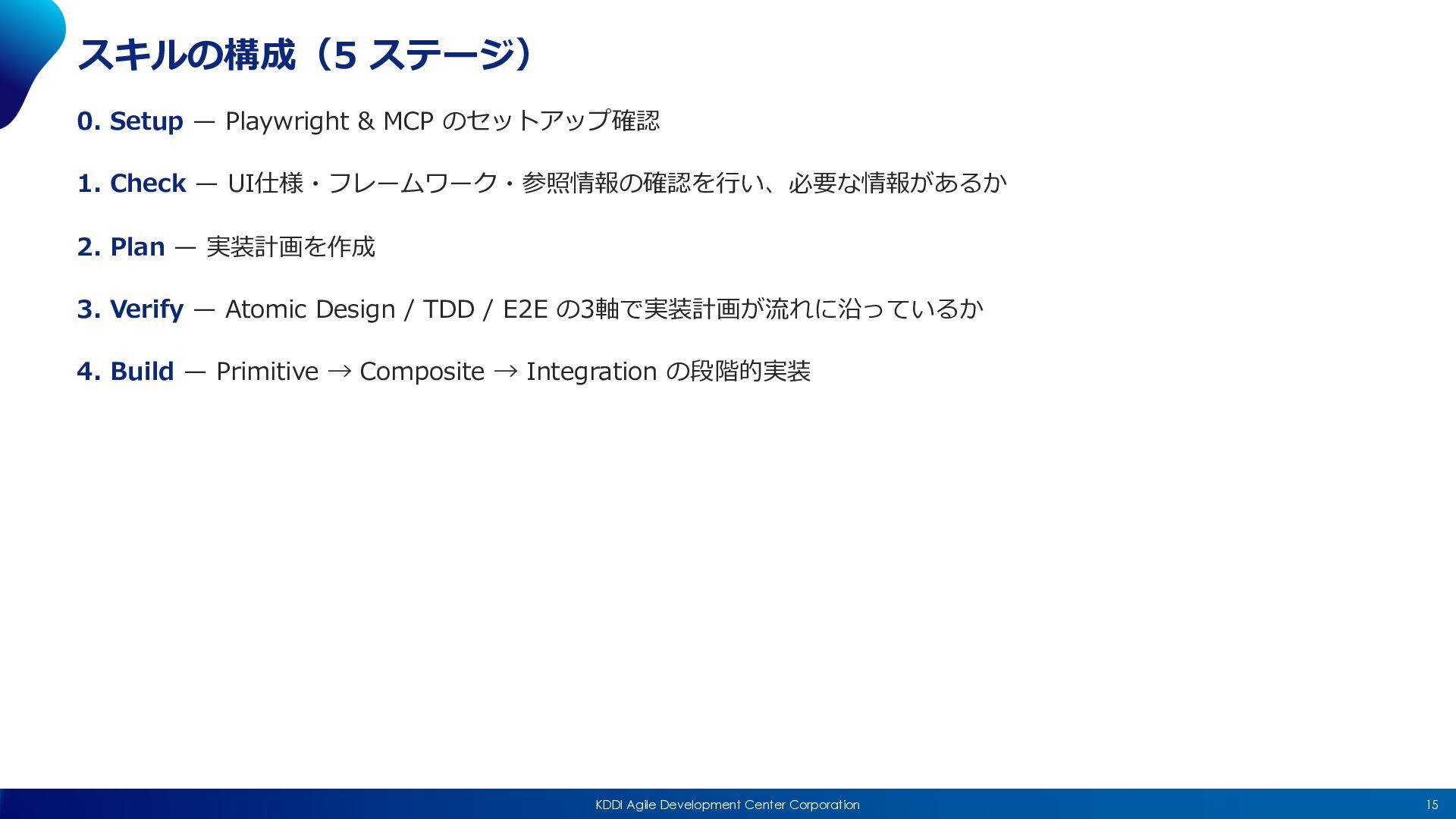
15 KDDI Agile Development Center Corporation スキルの構成(5 ステージ) 0. Setup
̶ Playwright & MCP のセットアップ確認 1. Check ̶ UI仕様・フレームワーク・参照情報の確認を⾏い、必要な情報があるか 2. Plan ̶ 実装計画を作成 3. Verify ̶ Atomic Design / TDD / E2E の3軸で実装計画が流れに沿っているか 4. Build ̶ Primitive → Composite → Integration の段階的実装
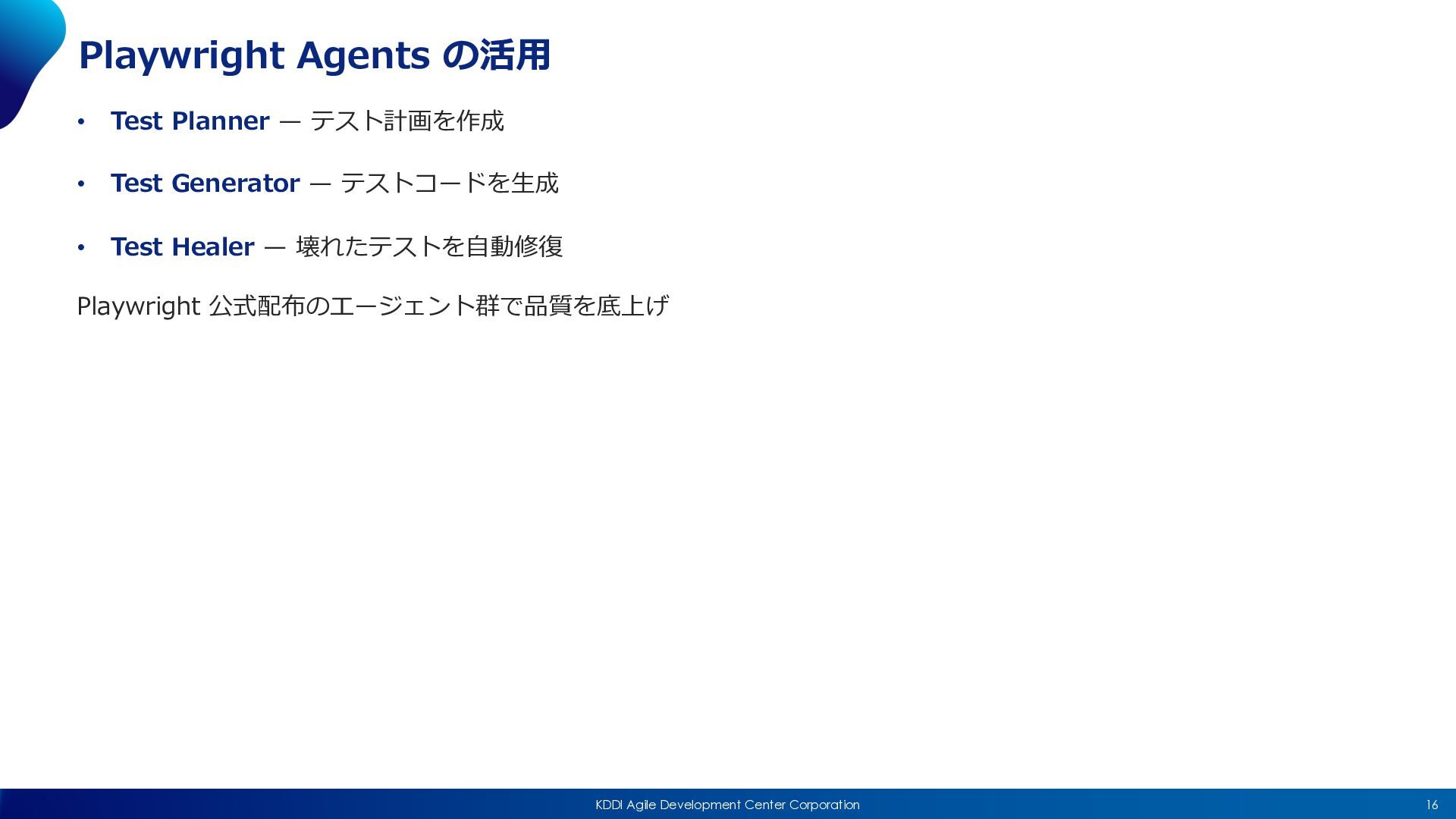
16 KDDI Agile Development Center Corporation Playwright Agents の活⽤ •
Test Planner ̶ テスト計画を作成 • Test Generator ̶ テストコードを⽣成 • Test Healer ̶ 壊れたテストを⾃動修復 Playwright 公式配布のエージェント群で品質を底上げ
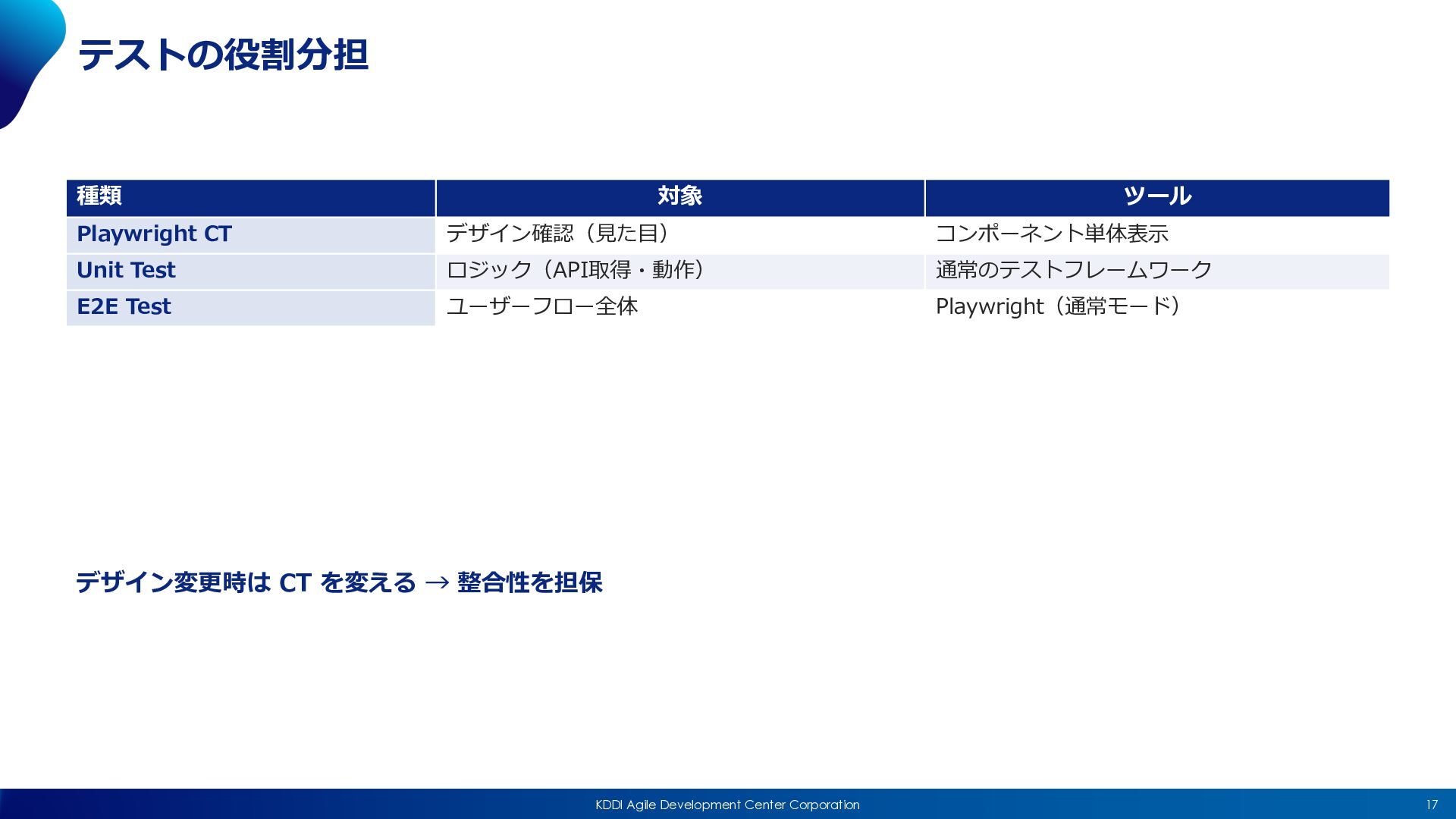
17 KDDI Agile Development Center Corporation テストの役割分担 デザイン変更時は CT を変える
→ 整合性を担保 種類 対象 ツール Playwright CT デザイン確認(⾒た⽬) コンポーネント単体表⽰ Unit Test ロジック(API取得・動作) 通常のテストフレームワーク E2E Test ユーザーフロー全体 Playwright(通常モード)
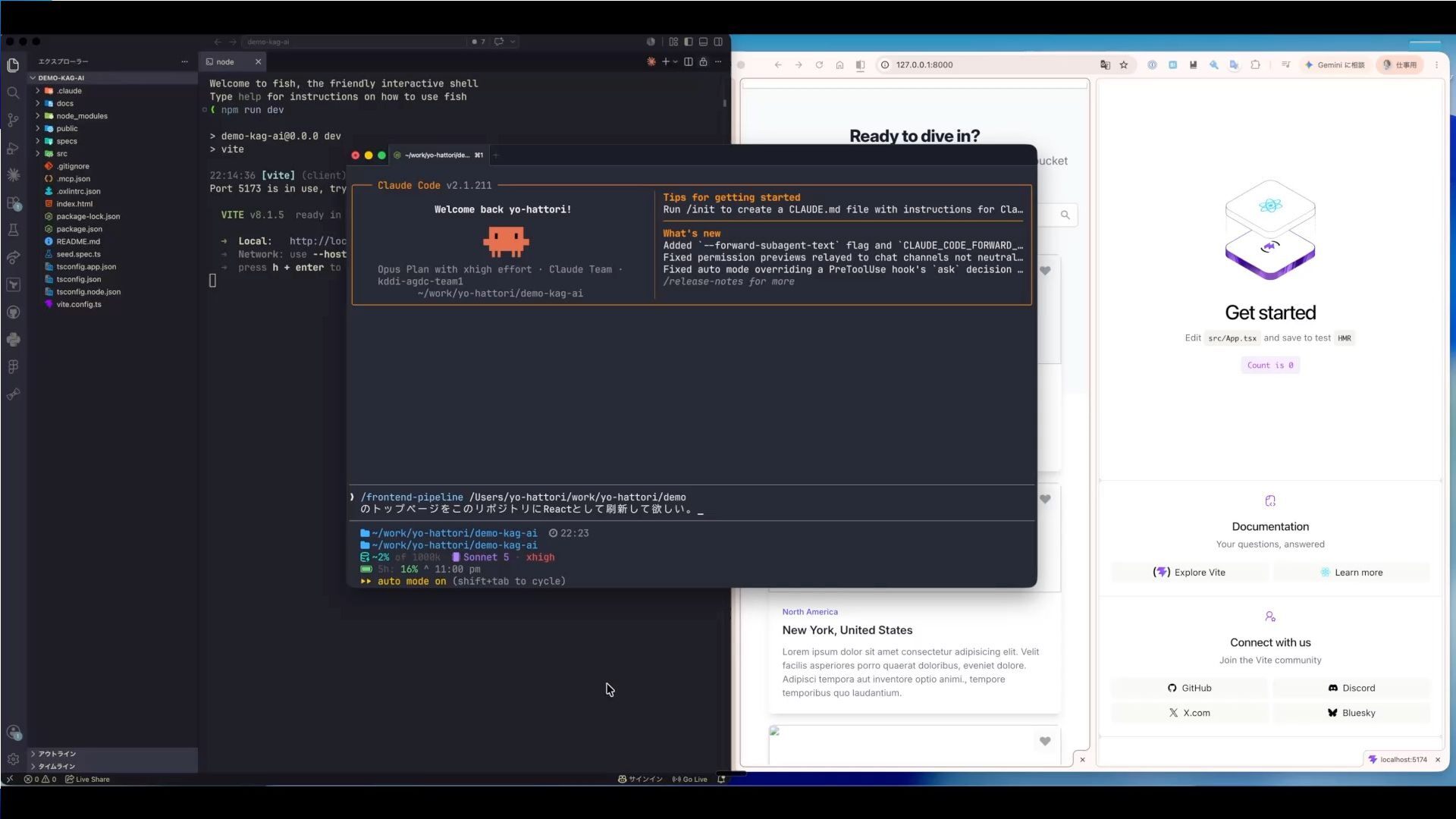
18 KDDI Agile Development Center Corporation Demo動画
19 KDDI Agile Development Center Corporation Demo動画
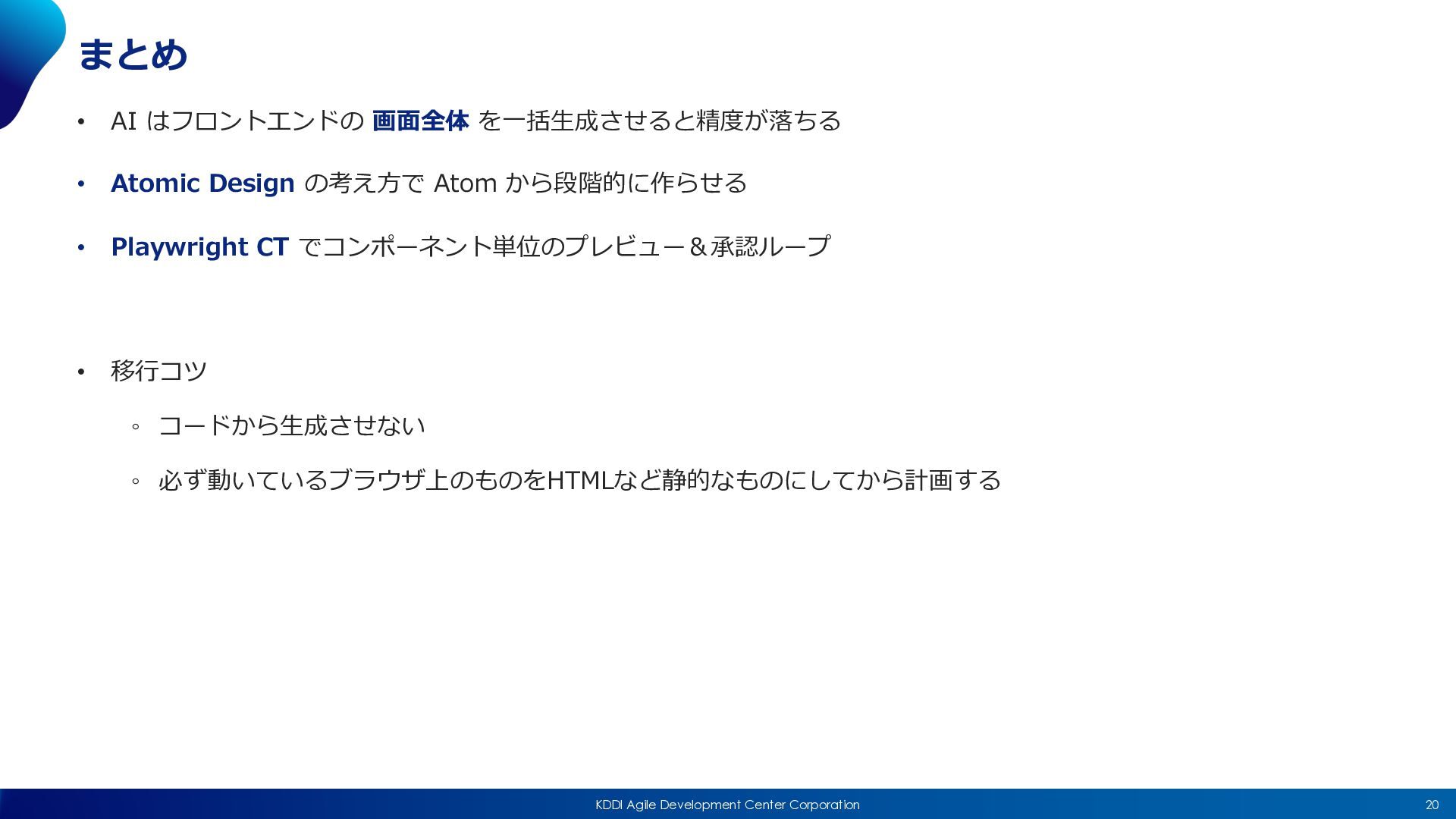
20 KDDI Agile Development Center Corporation まとめ • AI はフロントエンドの
画⾯全体 を⼀括⽣成させると精度が落ちる • Atomic Design の考え⽅で Atom から段階的に作らせる • Playwright CT でコンポーネント単位のプレビュー&承認ループ • 移⾏コツ ◦ コードから⽣成させない ◦ 必ず動いているブラウザ上のものをHTMLなど静的なものにしてから計画する
Be a Change Leader. アジャイルに⼒を与え 共に成⻑し続ける社会を創る


 yoshiakih
 colly
colly
 trishagee
 baasie
 matthewcrist
 frankvandijk
 livdayseo
 codingconduct
 greggifford
 rasagy
 katarinadahlin
 jacobian
 eileencodes