Upgrade to Pro
— share decks privately, control downloads, hide ads and more …
Speaker Deck
Sign up for free
Menu
Search
Features
All features
Private URLs
Password Protection
Custom URLS
Scheduled publishing
Remove Branding
Restrict embedding
Deck Collections
Notes
Features
All features
Private URLs
Password Protection
Custom URLS
Scheduled publishing
Remove Branding
Restrict embedding
Deck Collections
Notes
Explore
Featured decks
Featured speakers
Programming
Technology
Storyboards
Explore
Featured decks
Featured speakers
Programming
Technology
Storyboards
Pricing
Search
Sign in
Sign up for free
Pokestopに採用されそうな地物
Search
Sponsored
·
Your Podcast. Everywhere. Effortlessly.
Share. Educate. Inspire. Entertain. You do you. We'll handle the rest.
→
yxxxn
July 14, 2016
110
1
Share
Embed
Copy iframe code
Copy JS code
Copy link
Start on current slide
Pokestopに採用されそうな地物
近日リリースされるPoketGoのポケモン捕獲場所として採用されそうなスポットを予想したもの
yxxxn
July 14, 2016
More Decks by yxxxn
See All by yxxxn
Yuna Katayaangi
yxxxn
0
87
Featured
See All Featured
Building a Scalable Design System with Sketch
lauravandoore
464
34k
SEO Brein meetup: CTRL+C is not how to scale international SEO
lindahogenes
2
2.9k
SEOcharity - Dark patterns in SEO and UX: How to avoid them and build a more ethical web
sarafernandez
0
300
Raft: Consensus for Rubyists
vanstee
142
7.8k
How to Create Impact in a Changing Tech Landscape [PerfNow 2023]
tammyeverts
56
3.5k
職位にかかわらず全員がリーダーシップを発揮するチーム作り / Building a team where everyone can demonstrate leadership regardless of position
madoxten
69
67k
[RailsConf 2023 Opening Keynote] The Magic of Rails
eileencodes
31
10k
Max Prin - Stacking Signals: How International SEO Comes Together (And Falls Apart)
techseoconnect
PRO
0
490
Paper Plane (Part 1)
katiecoart
PRO
2
12k
Six Lessons from altMBA
skipperchong
29
4.5k
Rails Girls Zürich Keynote
gr2m
96
14k
Ethics towards AI in product and experience design
skipperchong
2
440
Transcript
Pokestopに採用されそうな地物 自分用マニュアル(作業手順) 片柳 由菜 1A115068 ー空間情報ー
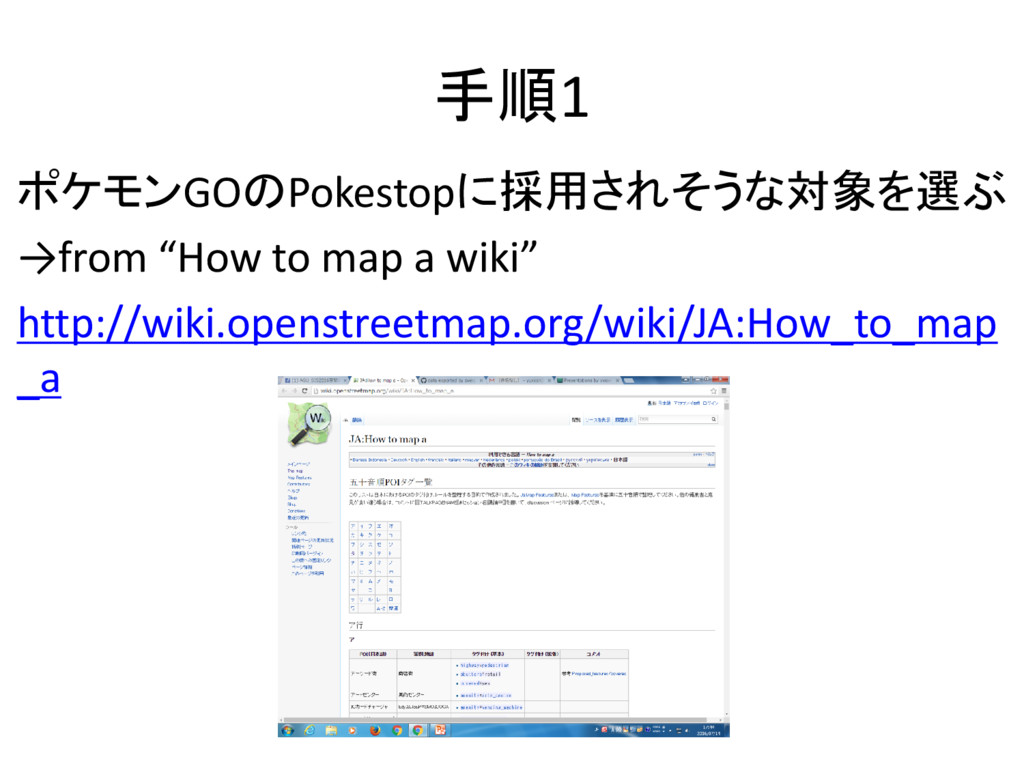
手順1 ポケモンGOのPokestopに採用されそうな対象を選ぶ →from “How to map a wiki” http://wiki.openstreetmap.org/wiki/JA:How_to_map _a
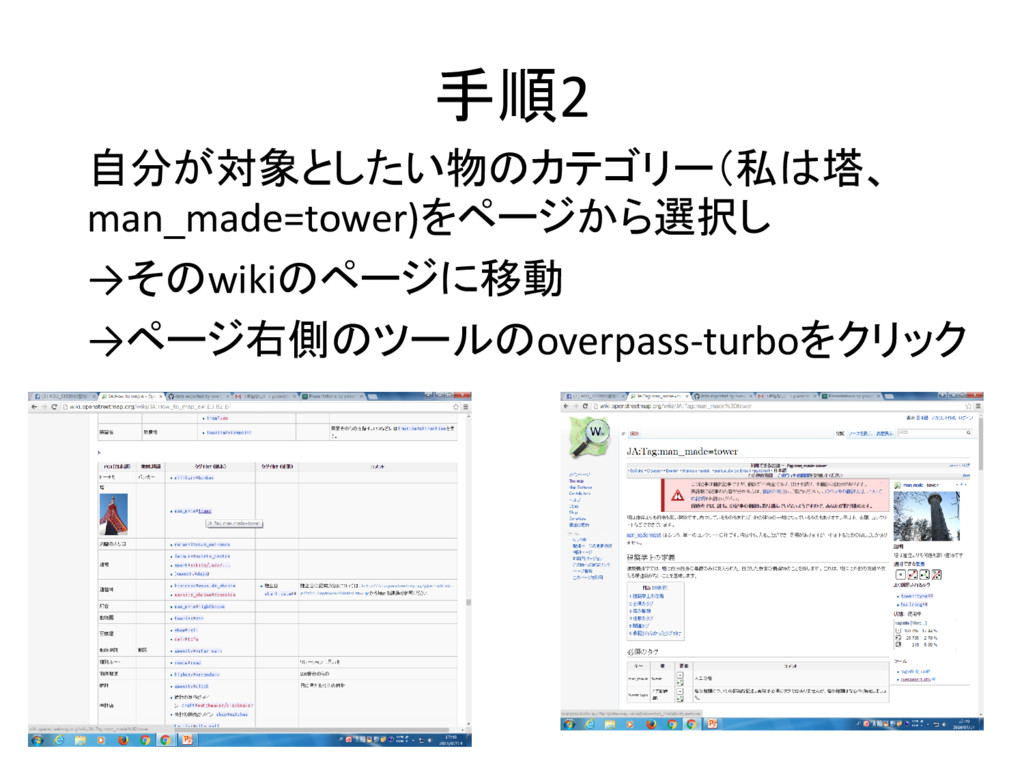
手順2 自分が対象としたい物のカテゴリー(私は塔、 man_made=tower)をページから選択し →そのwikiのページに移動 →ページ右側のツールのoverpass-turboをクリック
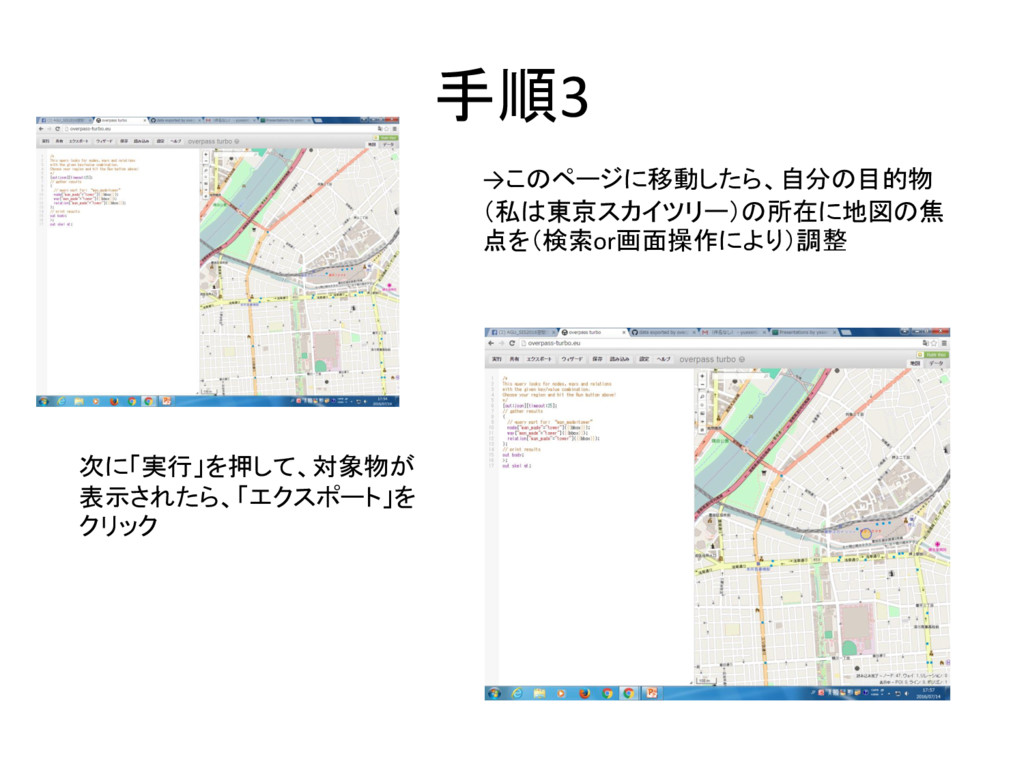
手順3 →このページに移動したら、自分の目的物 (私は東京スカイツリー)の所在に地図の焦 点を(検索or画面操作により)調整 次に「実行」を押して、対象物が 表示されたら、「エクスポート」を クリック
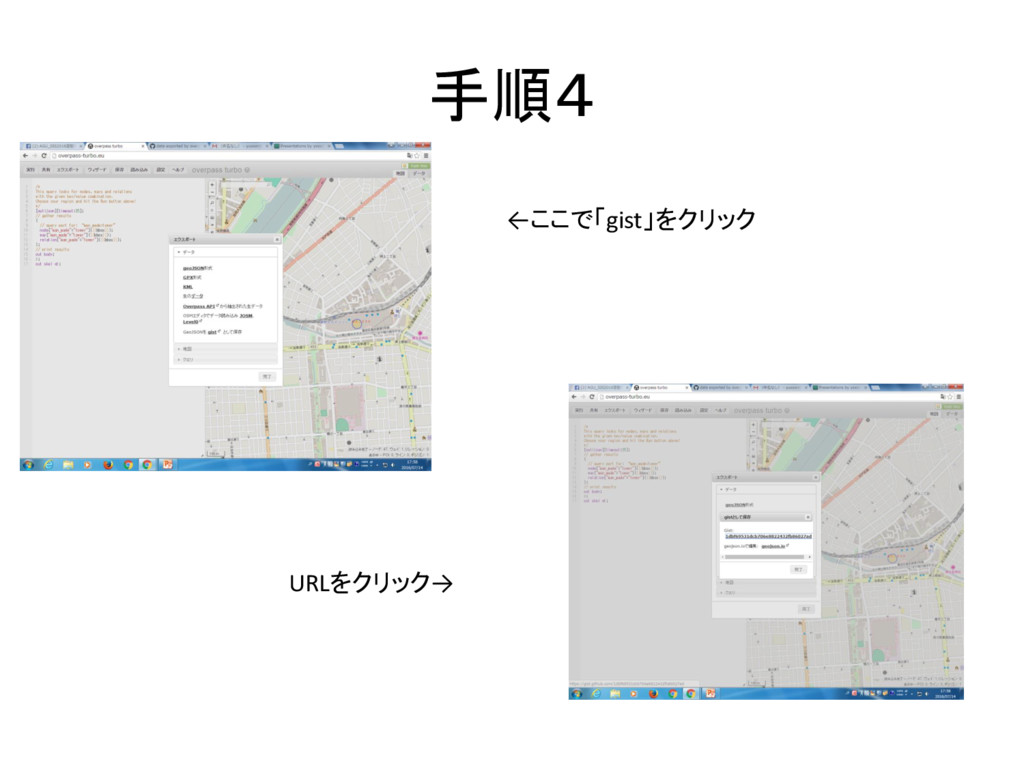
手順4 ←ここで「gist」をクリック URLをクリック→
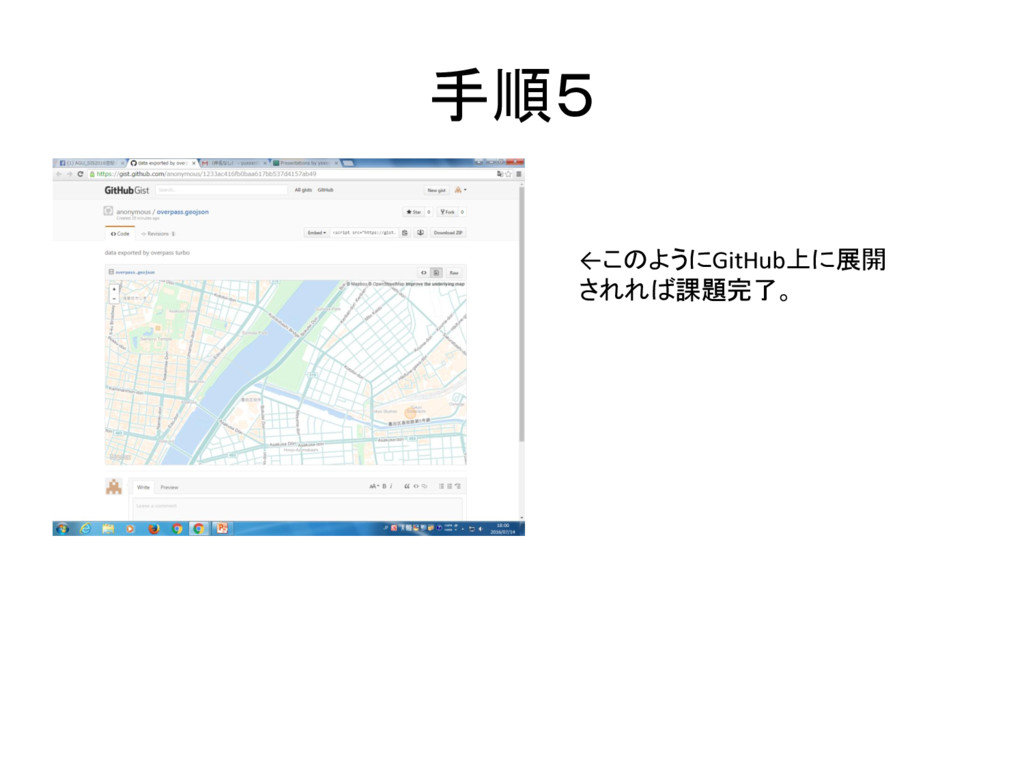
手順5 ←このようにGitHub上に展開 されれば課題完了。


 yxxxn
yxxxn
 lauravandoore
 lindahogenes
 sarafernandez
 vanstee
 tammyeverts
 madoxten
 eileencodes
 techseoconnect
 katiecoart
 skipperchong
 gr2m
gr2m