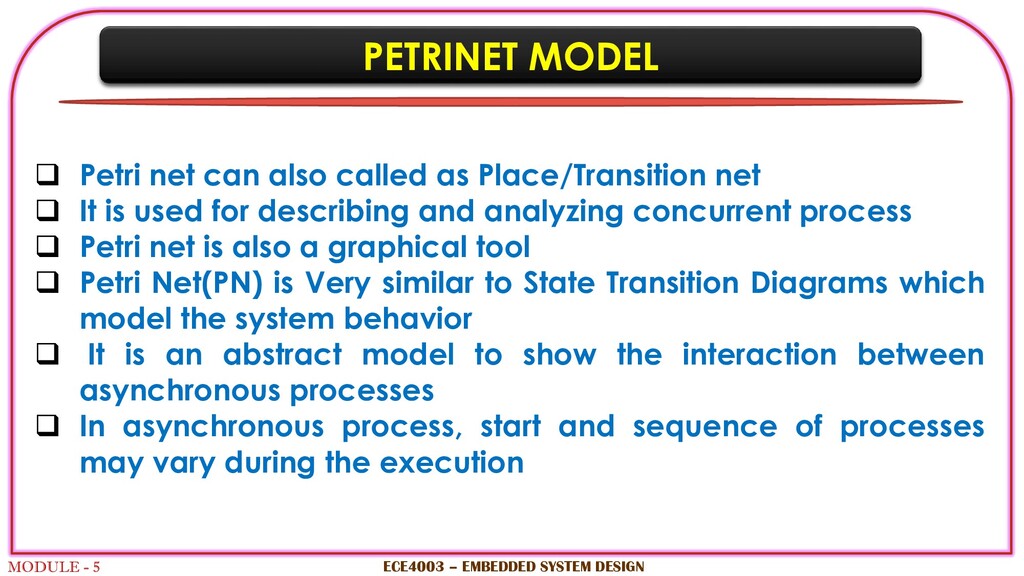
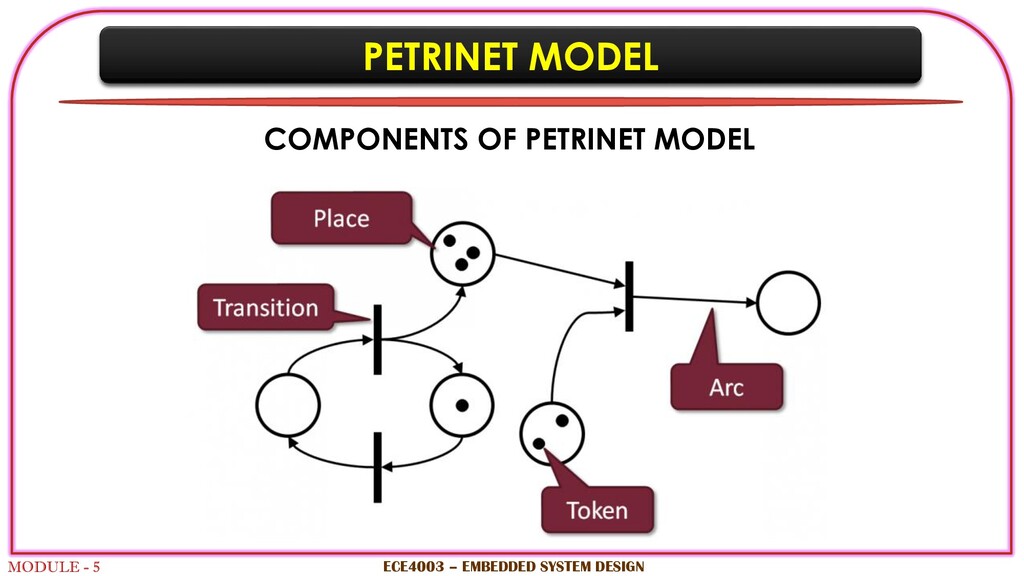
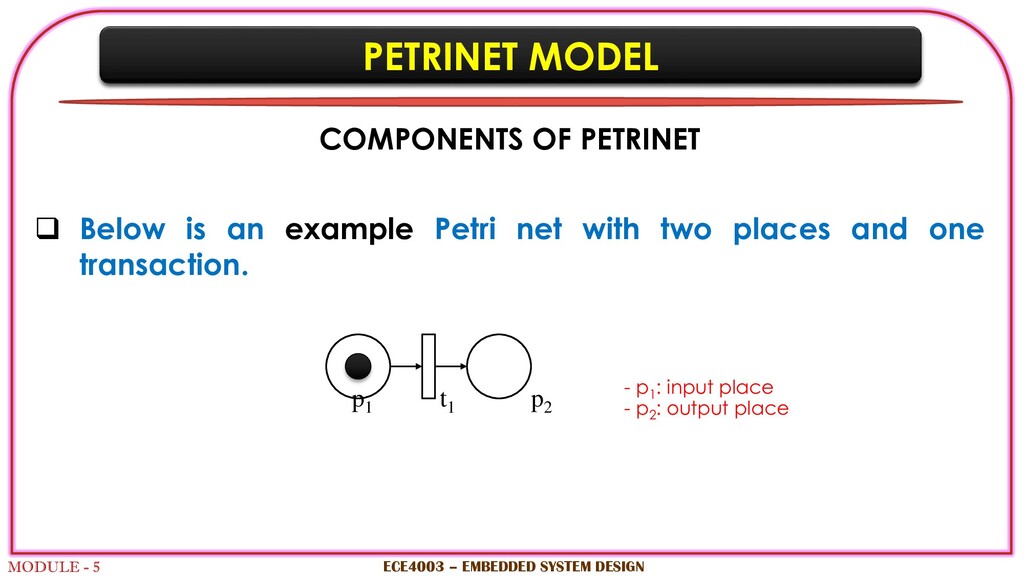
called as Place/Transition net It is used for describing and analyzing concurrent process Petri net is also a graphical tool Petri Net(PN) is Very similar to State Transition Diagrams which model the system behavior It is an abstract model to show the interaction between asynchronous processes In asynchronous process, start and sequence of processes may vary during the execution ECE4003 – EMBEDDED SYSTEM DESIGN
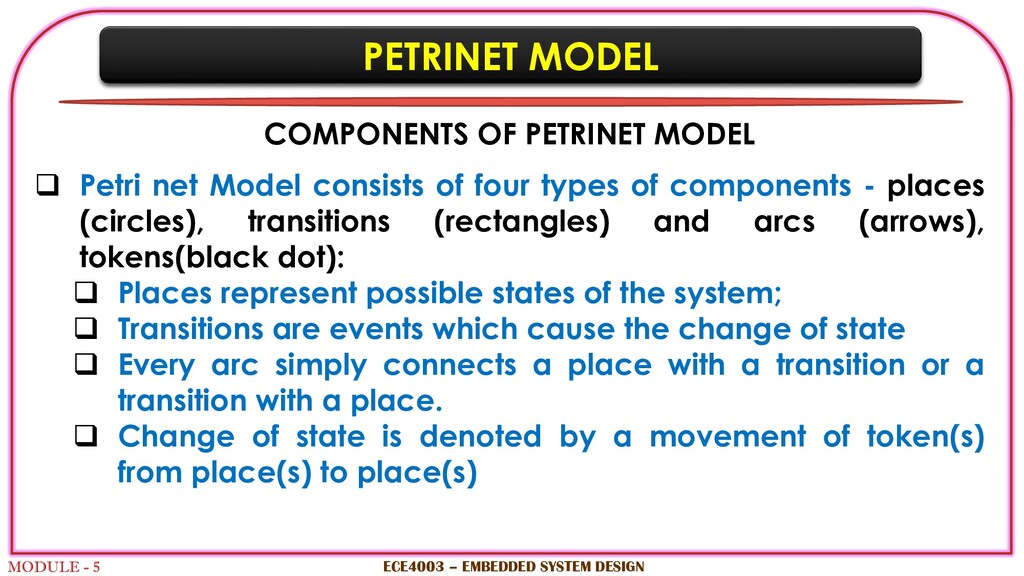
Petri net Model consists of four types of components - places (circles), transitions (rectangles) and arcs (arrows), tokens(black dot): Places represent possible states of the system; Transitions are events which cause the change of state Every arc simply connects a place with a transition or a transition with a place. Change of state is denoted by a movement of token(s) from place(s) to place(s) ECE4003 – EMBEDDED SYSTEM DESIGN
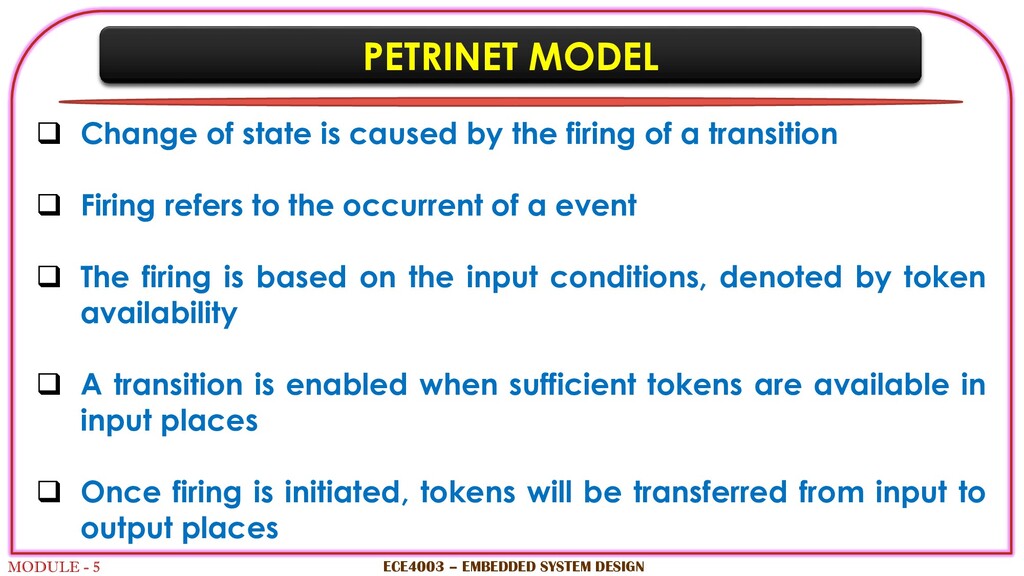
caused by the firing of a transition Firing refers to the occurrent of a event The firing is based on the input conditions, denoted by token availability A transition is enabled when sufficient tokens are available in input places Once firing is initiated, tokens will be transferred from input to output places ECE4003 – EMBEDDED SYSTEM DESIGN
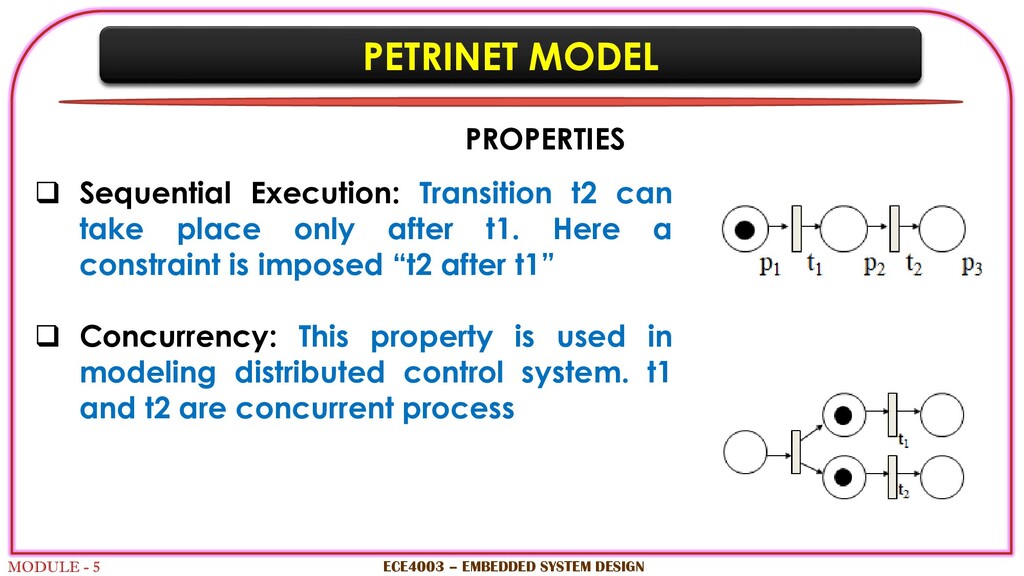
can take place only after t1. Here a constraint is imposed “t2 after t1” Concurrency: This property is used in modeling distributed control system. t1 and t2 are concurrent process ECE4003 – EMBEDDED SYSTEM DESIGN PROPERTIES
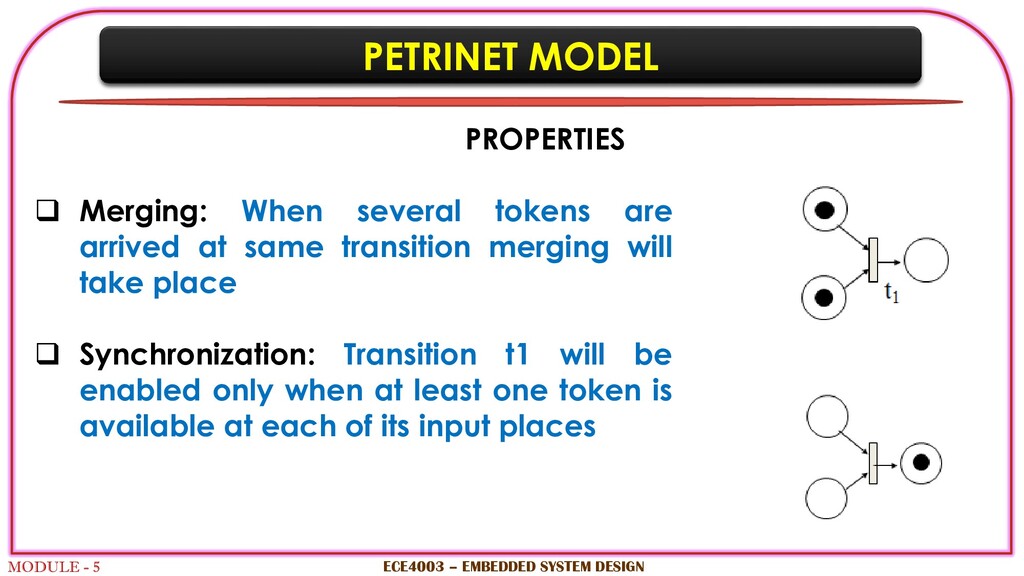
are arrived at same transition merging will take place Synchronization: Transition t1 will be enabled only when at least one token is available at each of its input places ECE4003 – EMBEDDED SYSTEM DESIGN PROPERTIES
MACHINE A point of sale terminal (POS terminal) is an electronic device used to process card payments at retail locations. A POS terminal generally does the following: Reads the information of a customer’s credit or debit card Validate the user using 4-digit PIN number Checks whether the funds in a customer’s bank account are sufficient Transfers the funds from the customer’s account to the seller’s account Records the transaction and prints a receipt ECE4003 – EMBEDDED SYSTEM DESIGN
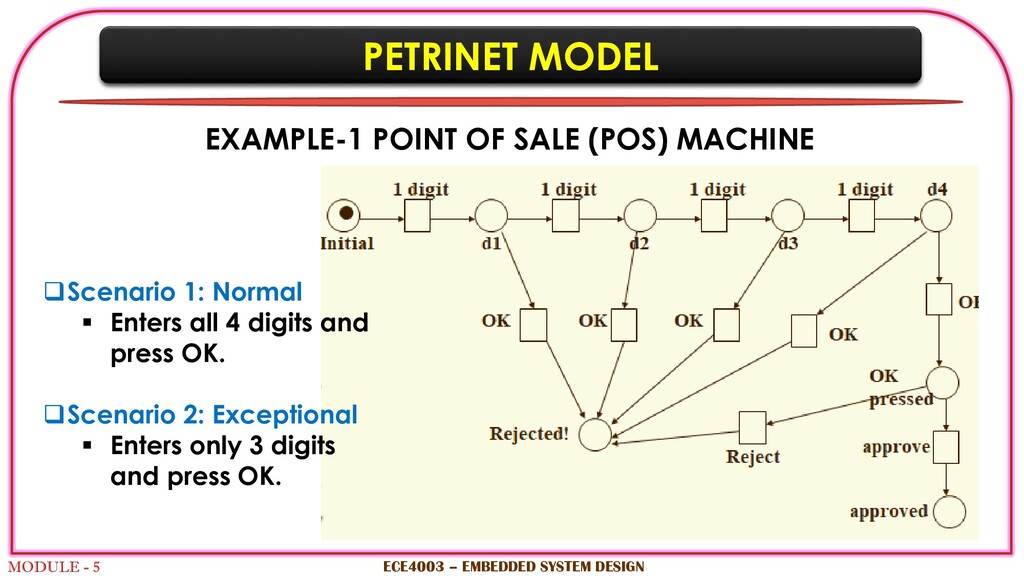
MACHINE ECE4003 – EMBEDDED SYSTEM DESIGN Scenario 1: Normal Enters all 4 digits and press OK. Scenario 2: Exceptional Enters only 3 digits and press OK.
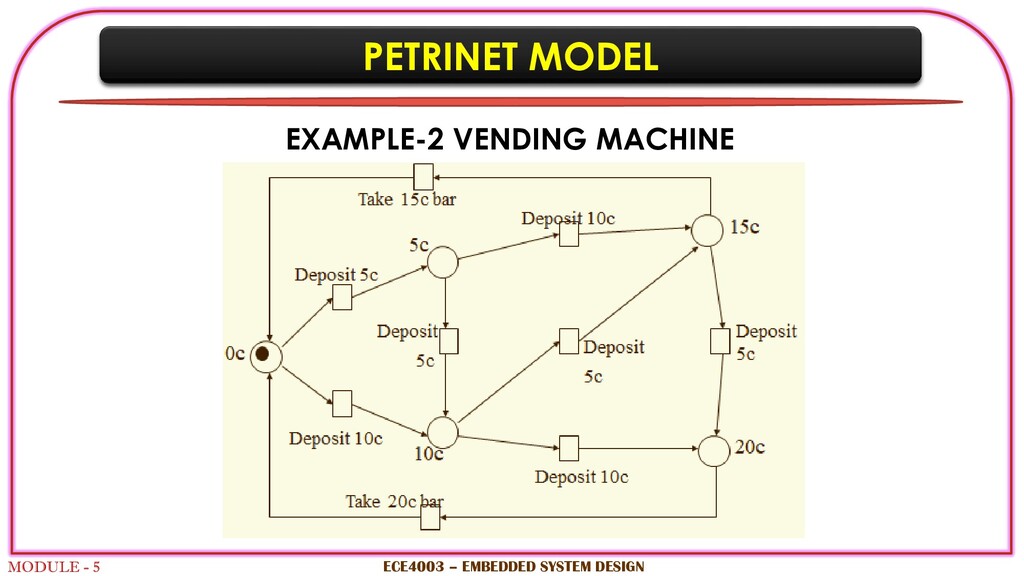
machine dispenses two kinds of snack bars 20c and 15c. Constraint: 10c and 5c coins can only be used Scenario 1: Deposit four 5c, take 20c snack bar. Scenario 2: Deposit 10 + 5c, take 15c snack bar. Scenario 3: Deposit 5 + 10 + 5c, take 20c snack bar. ECE4003 – EMBEDDED SYSTEM DESIGN
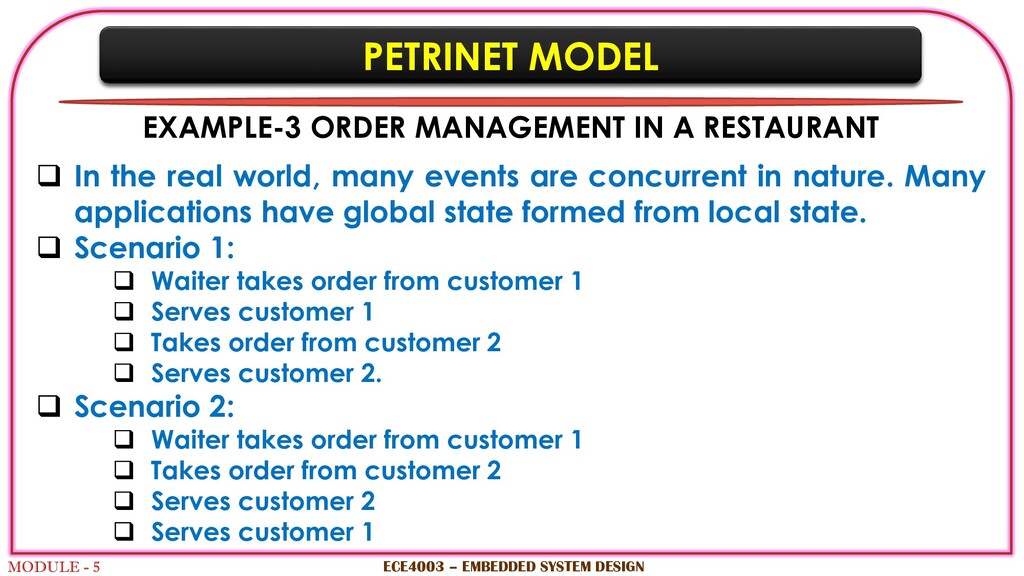
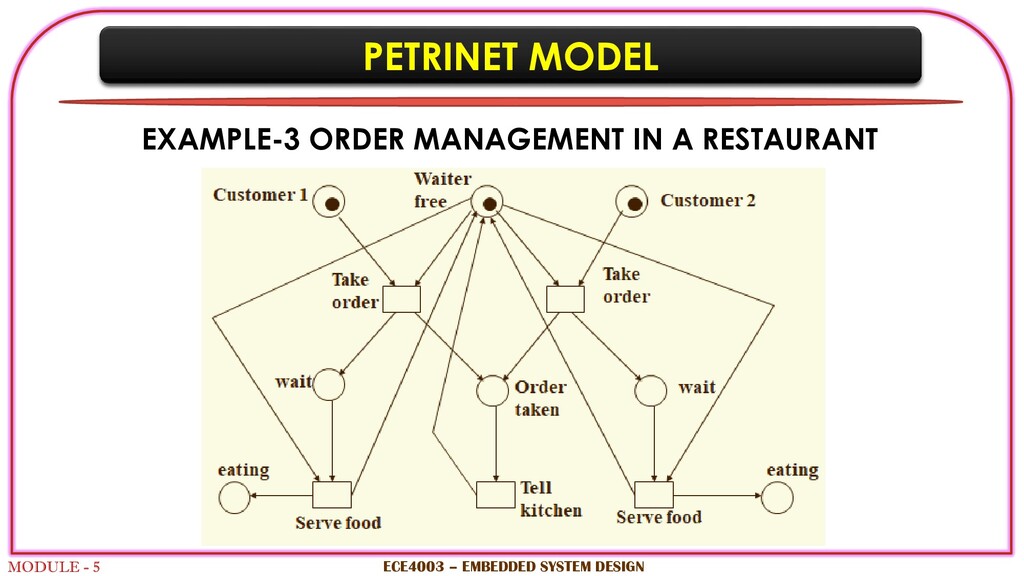
RESTAURANT In the real world, many events are concurrent in nature. Many applications have global state formed from local state. Scenario 1: Waiter takes order from customer 1 Serves customer 1 Takes order from customer 2 Serves customer 2. Scenario 2: Waiter takes order from customer 1 Takes order from customer 2 Serves customer 2 Serves customer 1 ECE4003 – EMBEDDED SYSTEM DESIGN
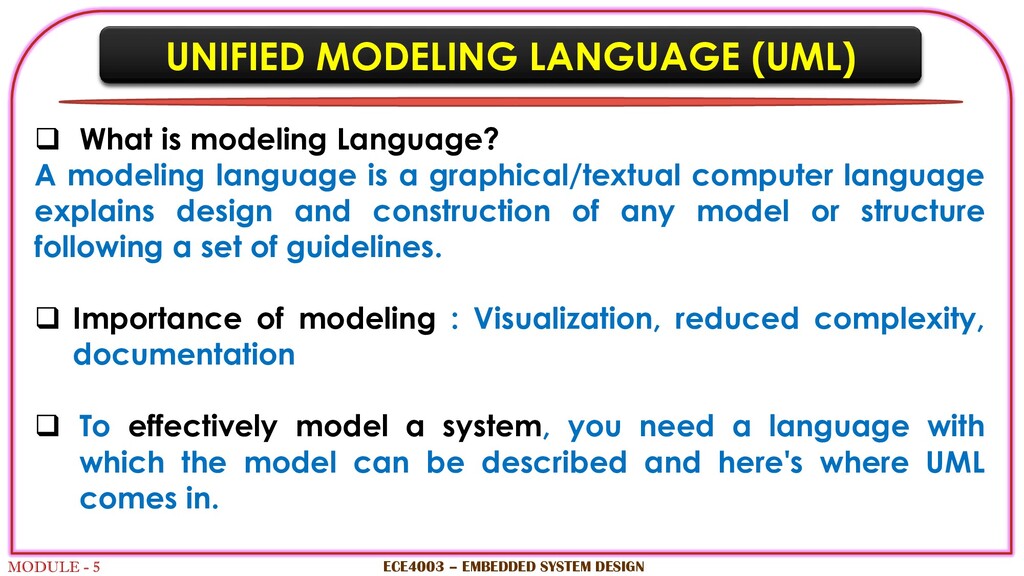
modeling Language? A modeling language is a graphical/textual computer language explains design and construction of any model or structure following a set of guidelines. Importance of modeling : Visualization, reduced complexity, documentation To effectively model a system, you need a language with which the model can be described and here's where UML comes in. ECE4003 – EMBEDDED SYSTEM DESIGN
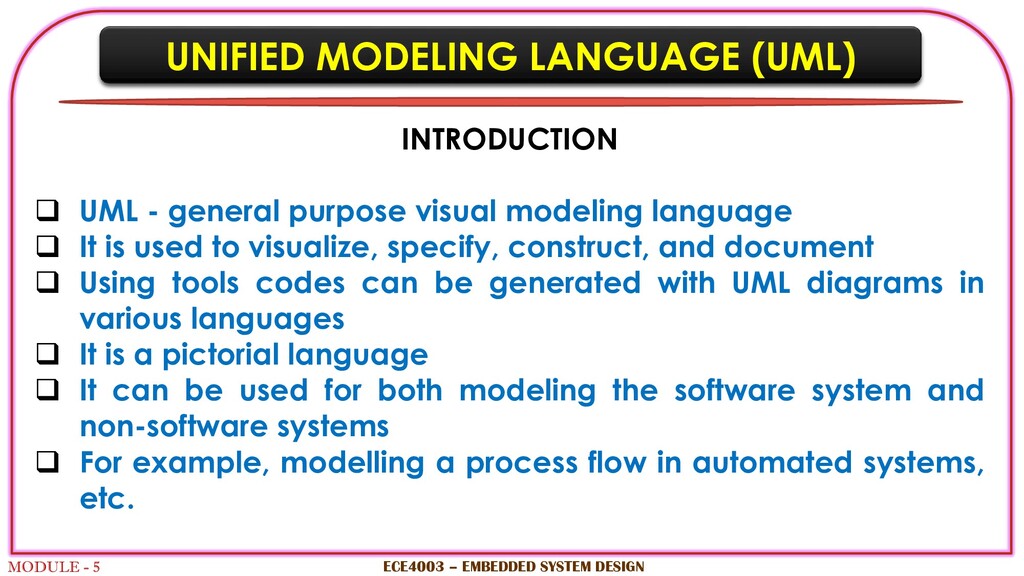
- general purpose visual modeling language It is used to visualize, specify, construct, and document Using tools codes can be generated with UML diagrams in various languages It is a pictorial language It can be used for both modeling the software system and non-software systems For example, modelling a process flow in automated systems, etc. ECE4003 – EMBEDDED SYSTEM DESIGN
is used in many applications by many people like business users, common people to make the system simple, clear and understandable It is a simple modelling mechanism to model most of the practical systems It is a object-oriented analysis based method ECE4003 – EMBEDDED SYSTEM DESIGN
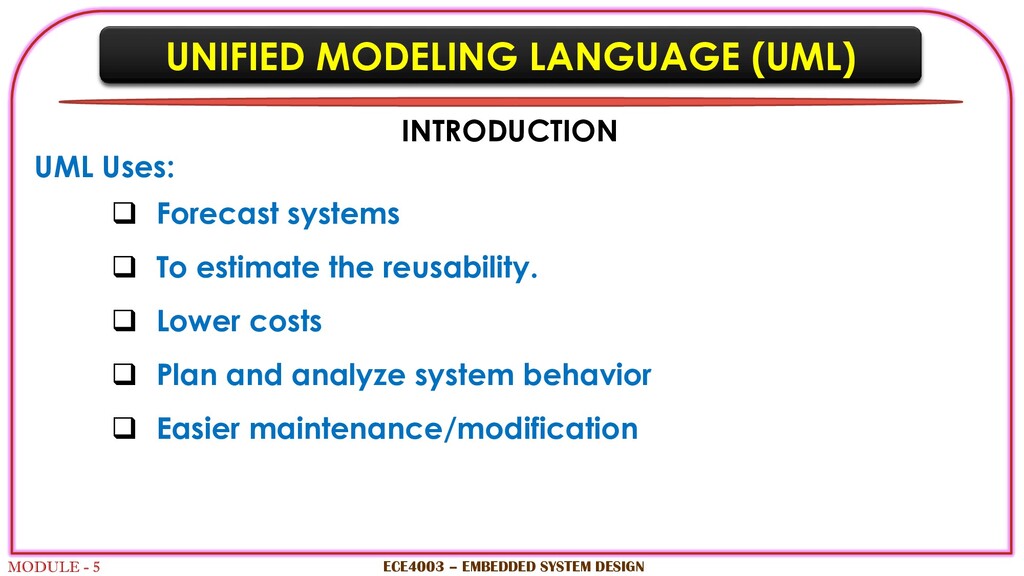
Forecast systems To estimate the reusability. Lower costs Plan and analyze system behavior Easier maintenance/modification ECE4003 – EMBEDDED SYSTEM DESIGN
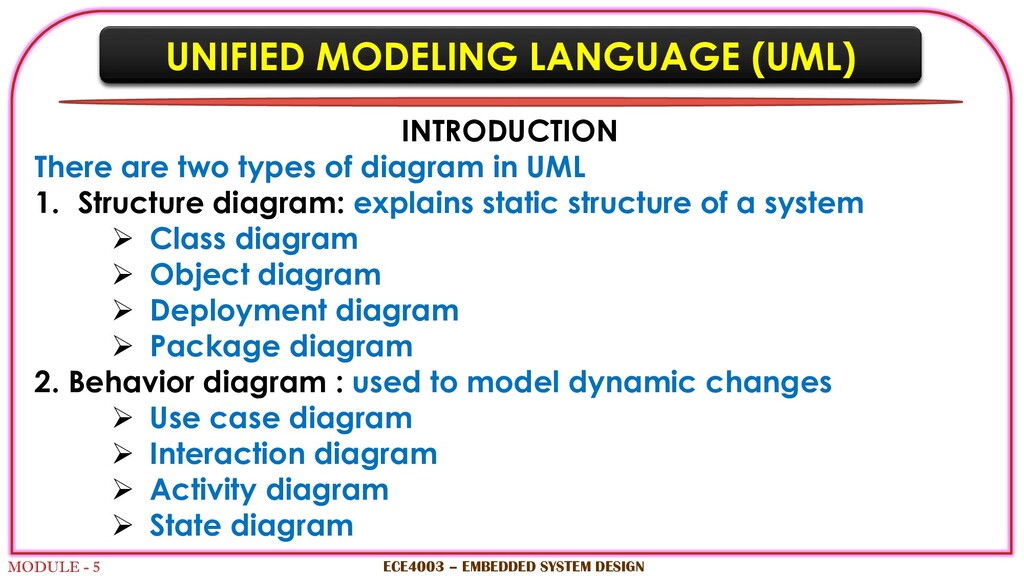
two types of diagram in UML 1. Structure diagram: explains static structure of a system Class diagram Object diagram Deployment diagram Package diagram 2. Behavior diagram : used to model dynamic changes Use case diagram Interaction diagram Activity diagram State diagram ECE4003 – EMBEDDED SYSTEM DESIGN
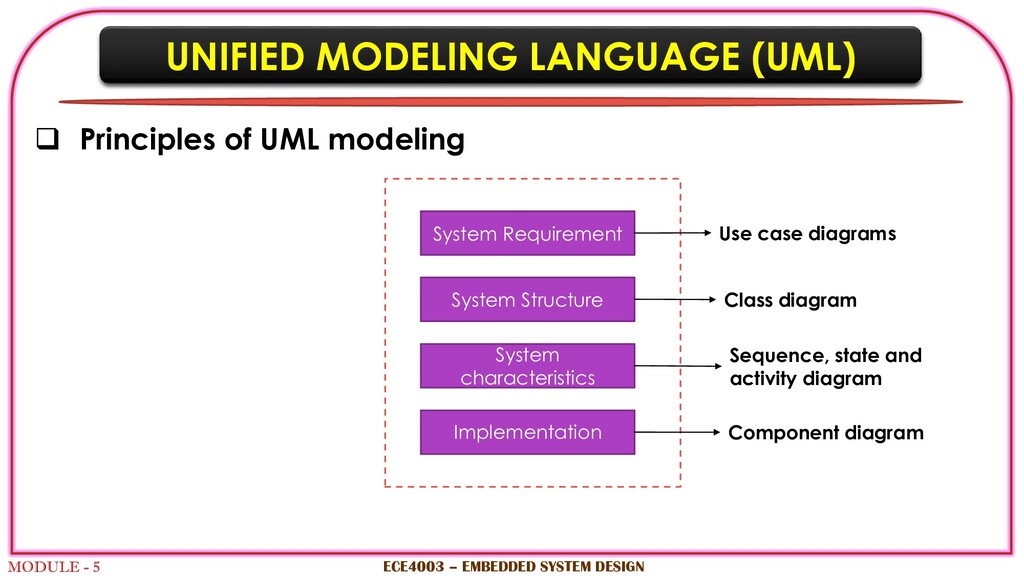
UML modeling ECE4003 – EMBEDDED SYSTEM DESIGN Sequence, state and activity diagram System Requirement System Structure System characteristics Use case diagrams Class diagram Implementation Component diagram
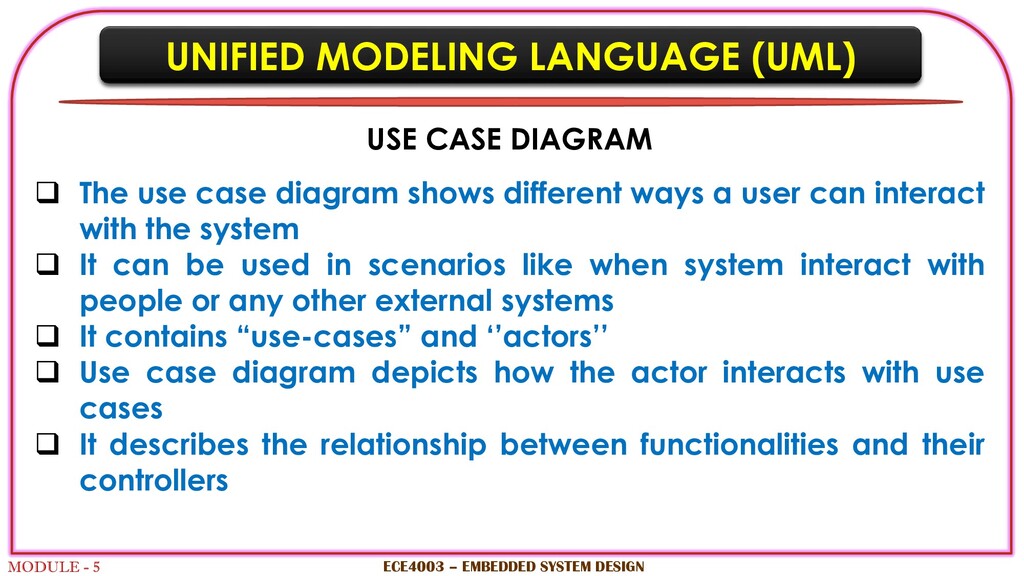
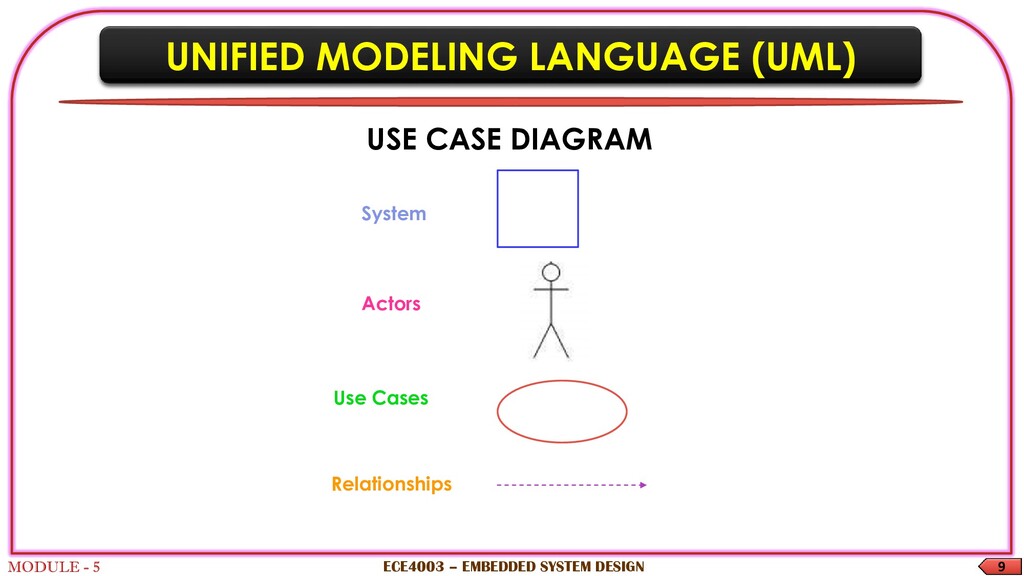
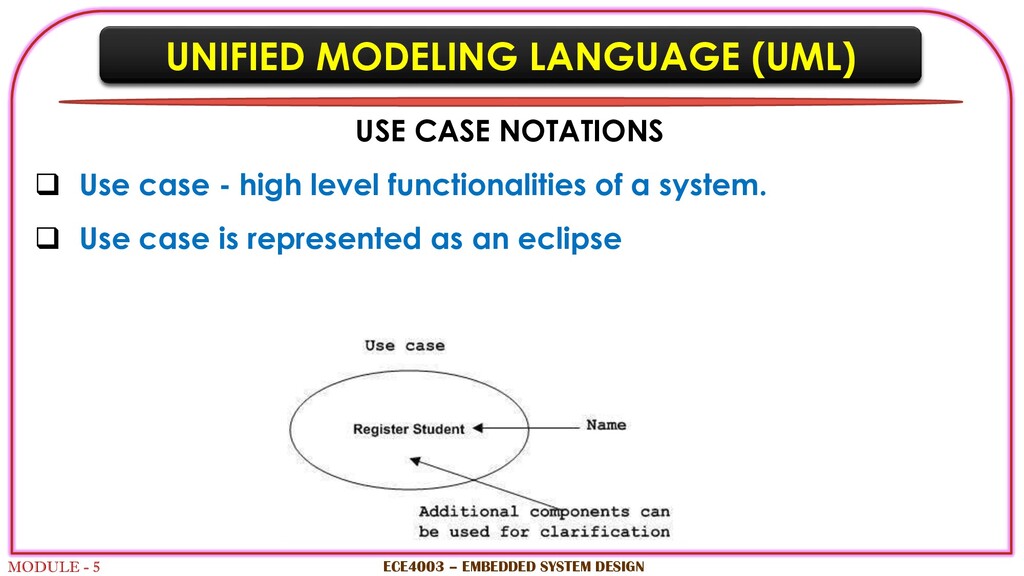
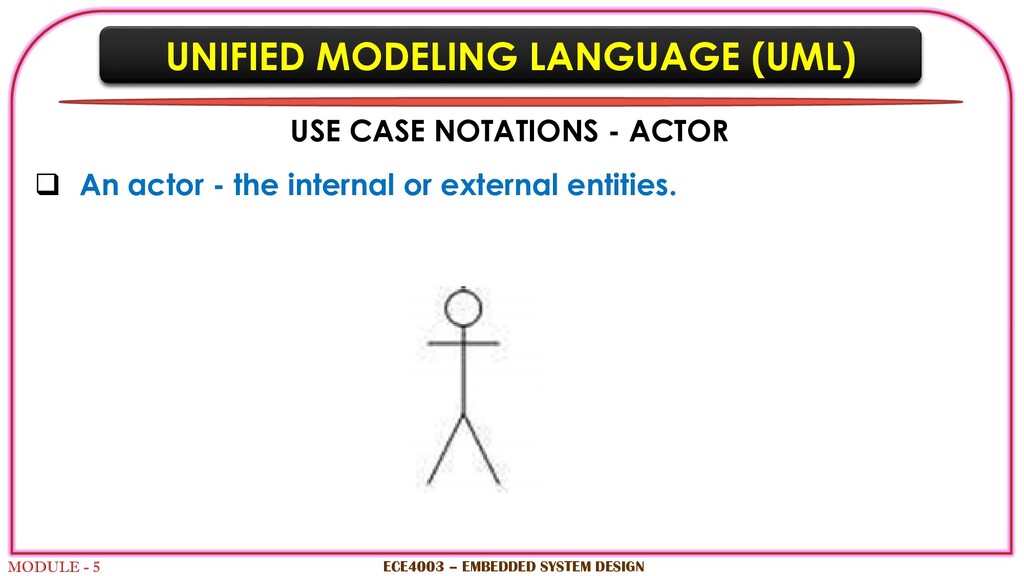
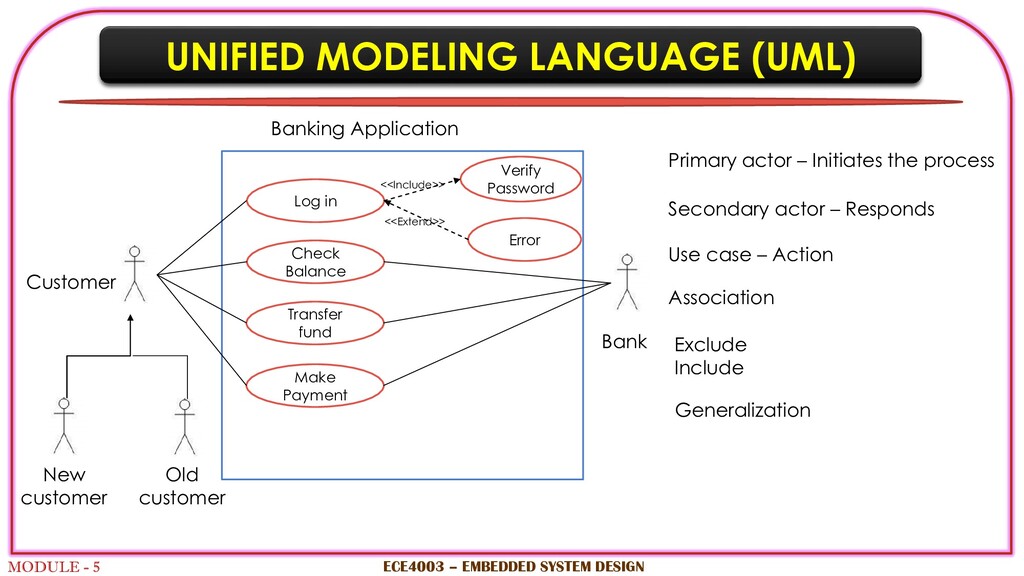
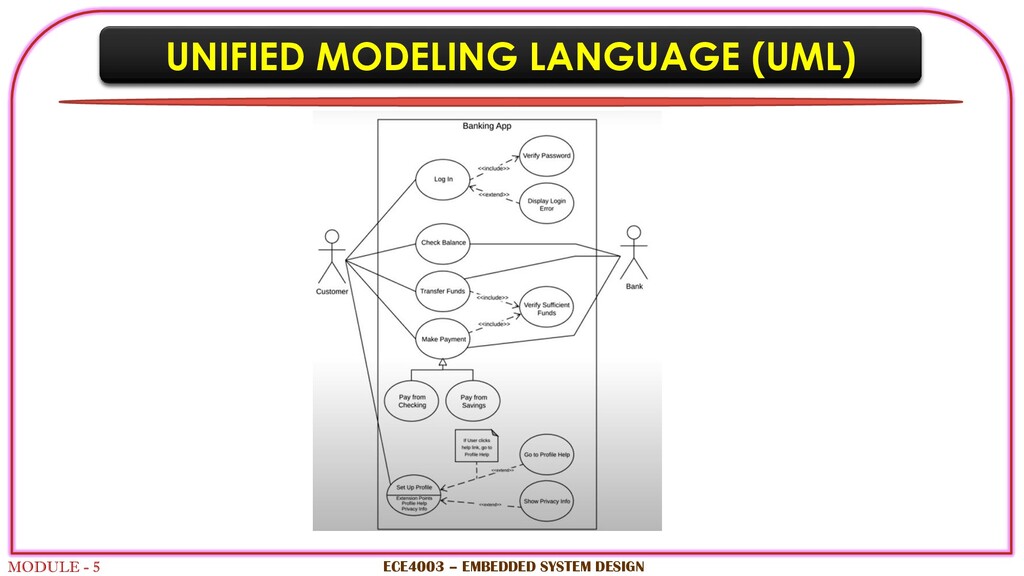
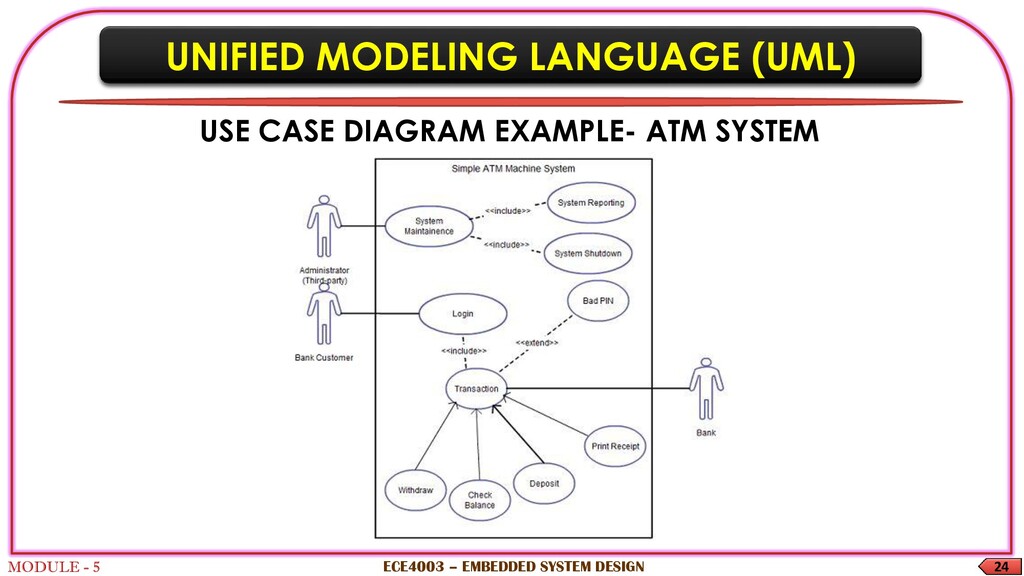
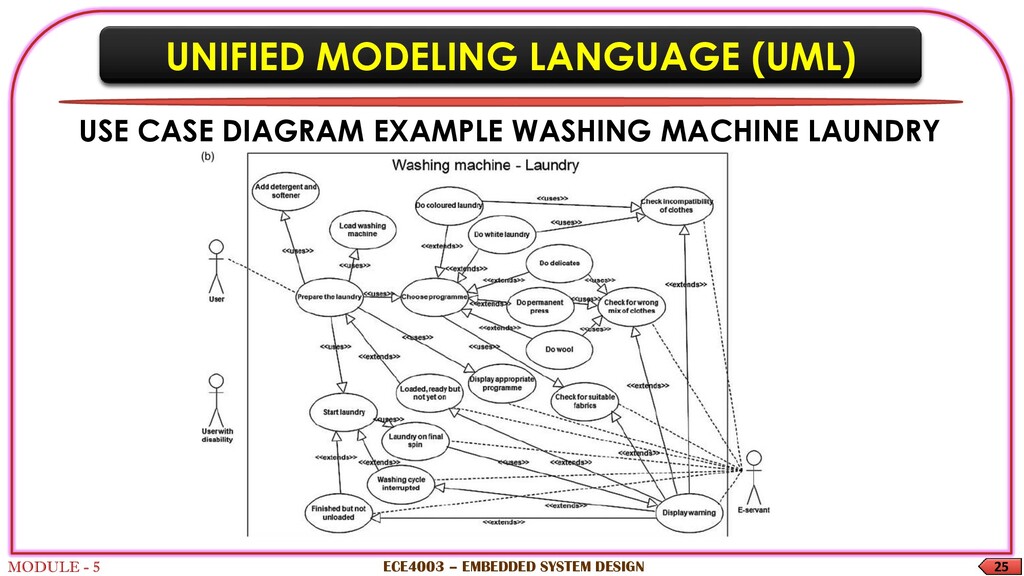
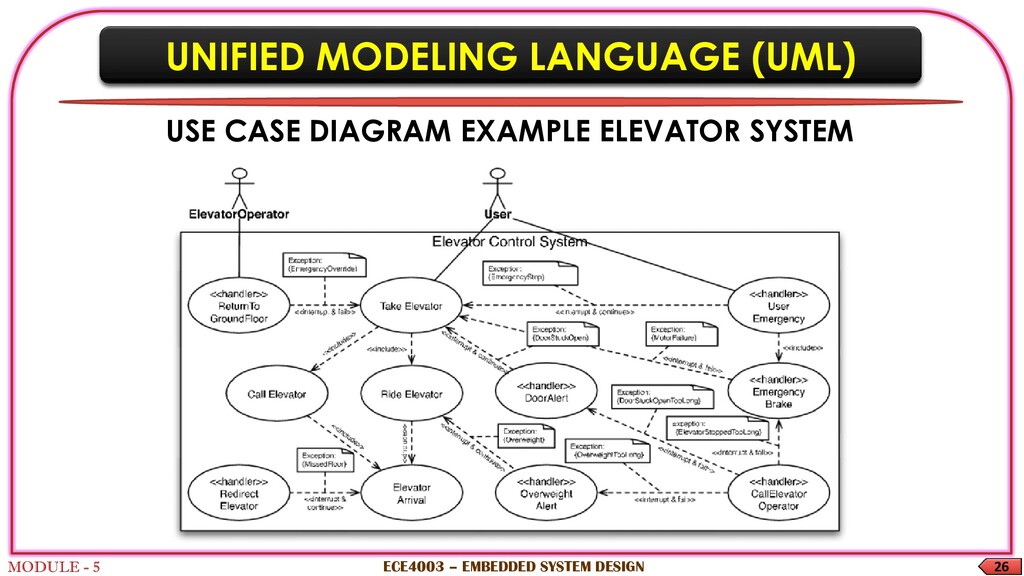
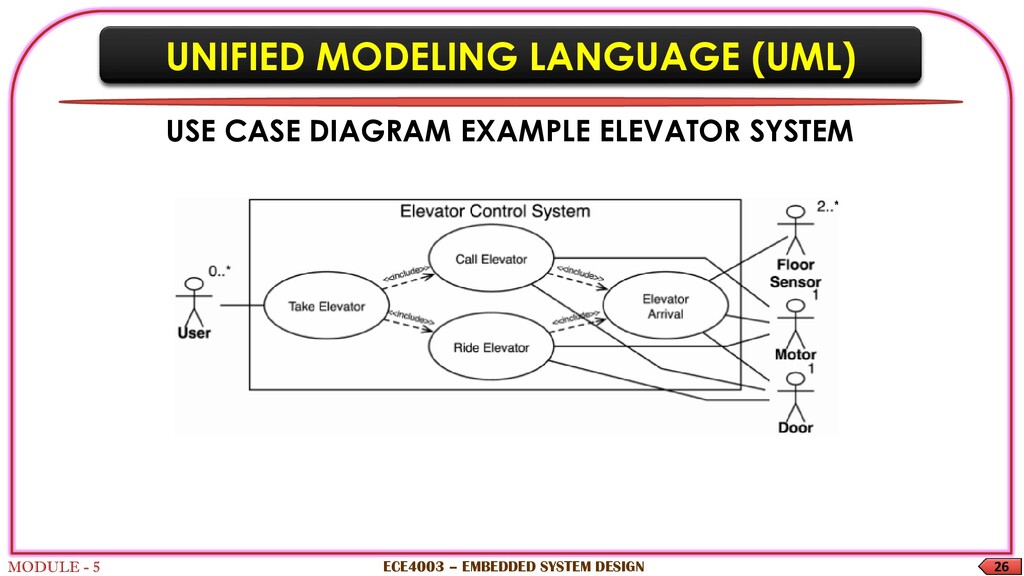
The use case diagram shows different ways a user can interact with the system It can be used in scenarios like when system interact with people or any other external systems It contains “use-cases” and ‘’actors’’ Use case diagram depicts how the actor interacts with use cases It describes the relationship between functionalities and their controllers ECE4003 – EMBEDDED SYSTEM DESIGN
Notations are very important in any modelling language Efficient use of notations play a major role in making any model meaningful Use case diagram: Notations of things and relationships Extensibility makes UML more powerful and flexible. ECE4003 – EMBEDDED SYSTEM DESIGN
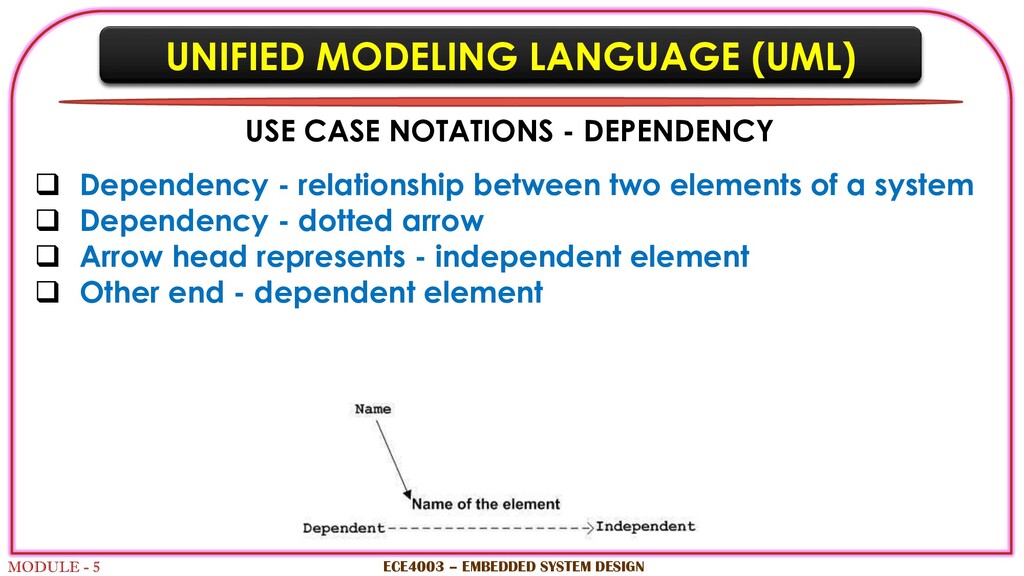
- DEPENDENCY Dependency - relationship between two elements of a system Dependency - dotted arrow Arrow head represents - independent element Other end - dependent element ECE4003 – EMBEDDED SYSTEM DESIGN
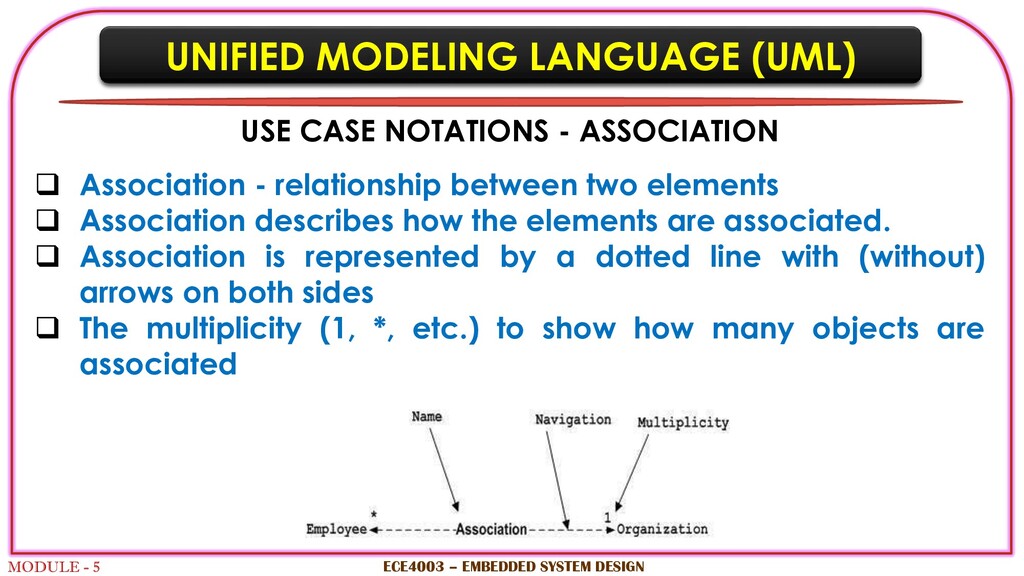
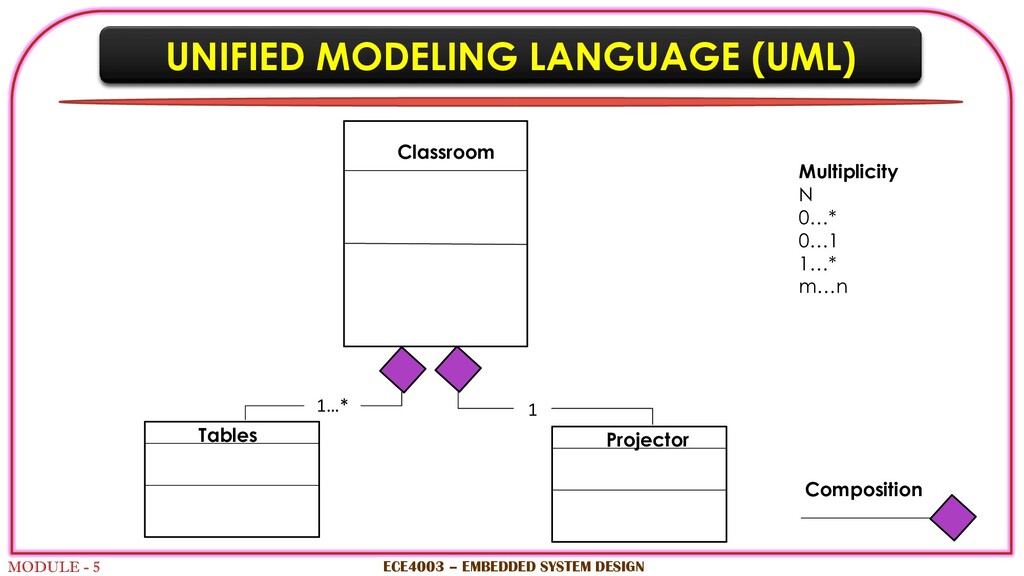
- ASSOCIATION Association - relationship between two elements Association describes how the elements are associated. Association is represented by a dotted line with (without) arrows on both sides The multiplicity (1, *, etc.) to show how many objects are associated ECE4003 – EMBEDDED SYSTEM DESIGN
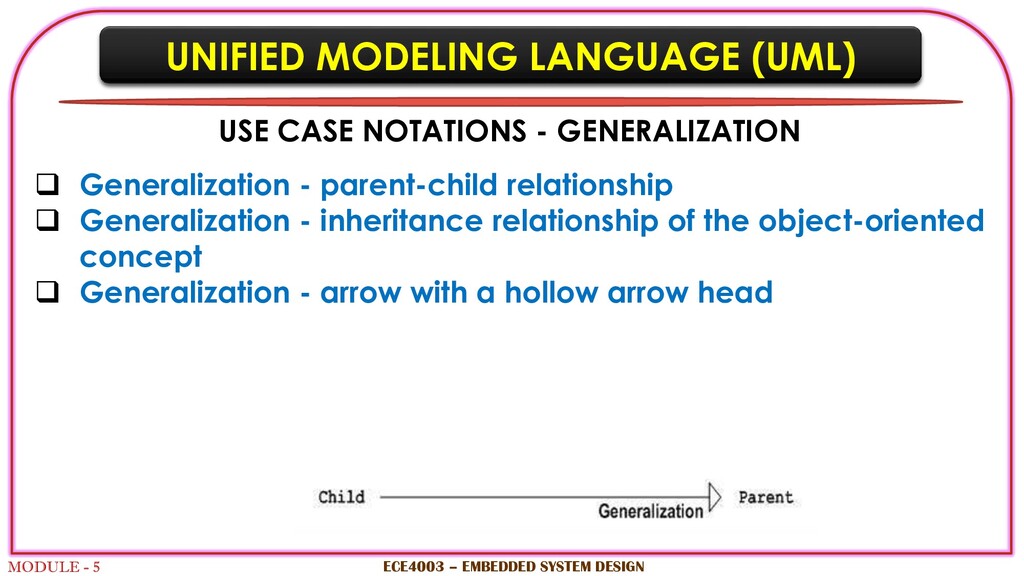
- GENERALIZATION Generalization - parent-child relationship Generalization - inheritance relationship of the object-oriented concept Generalization - arrow with a hollow arrow head ECE4003 – EMBEDDED SYSTEM DESIGN
- <<include>> and <<extend>> ‘Extend’ and ‘Include’ – between use cases Include: invocation of one use case by the other Extend: extending use case will work exactly like the base use case ECE4003 – EMBEDDED SYSTEM DESIGN
SYSTEM DESIGN Primary actor – Initiates the process Secondary actor – Responds Customer Bank Banking Application Use case – Action Log in Check Balance Transfer fund Make Payment Association Verify Password Error <<Include>> <<Extend>> New customer Old customer Exclude Include Generalization
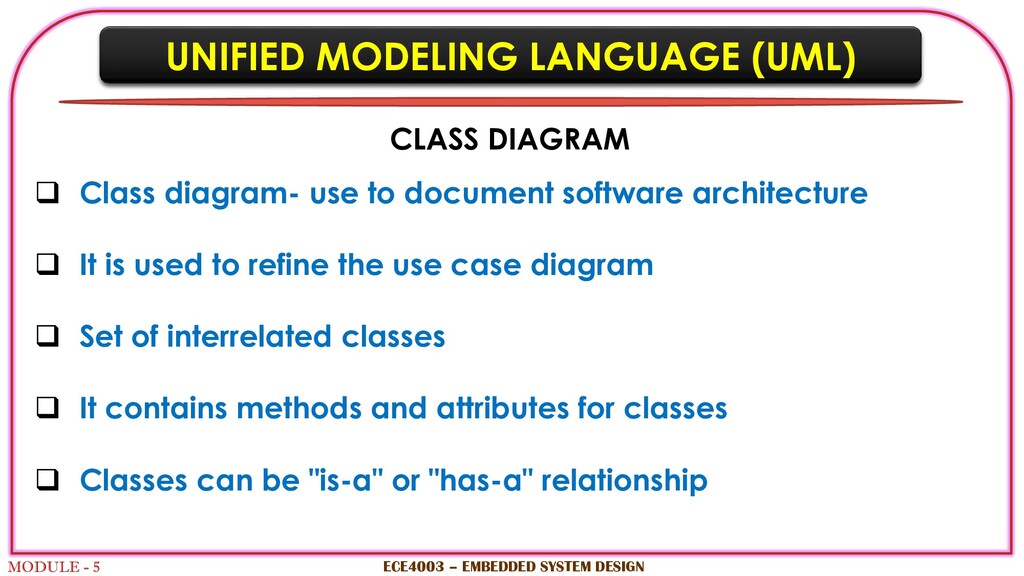
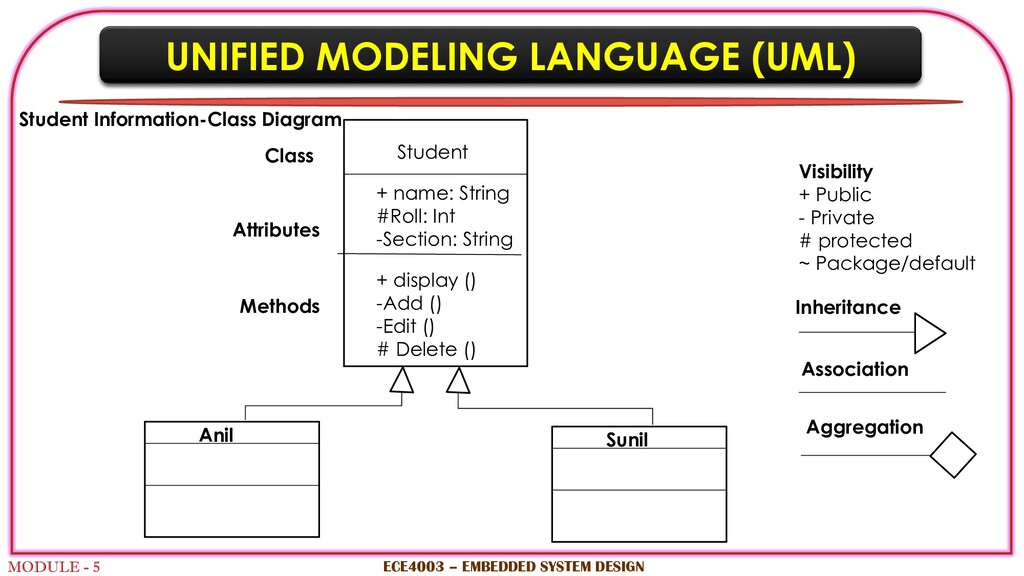
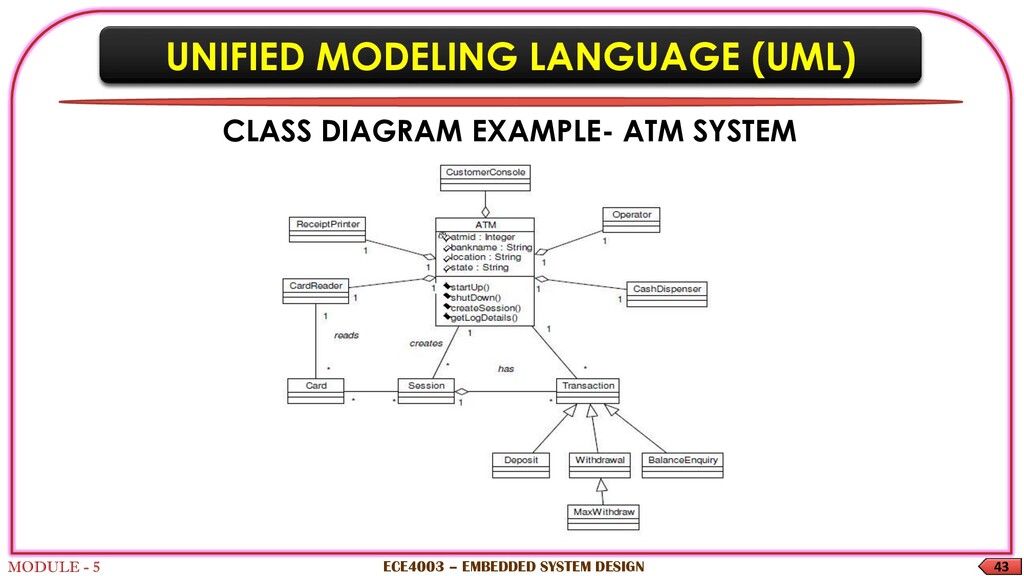
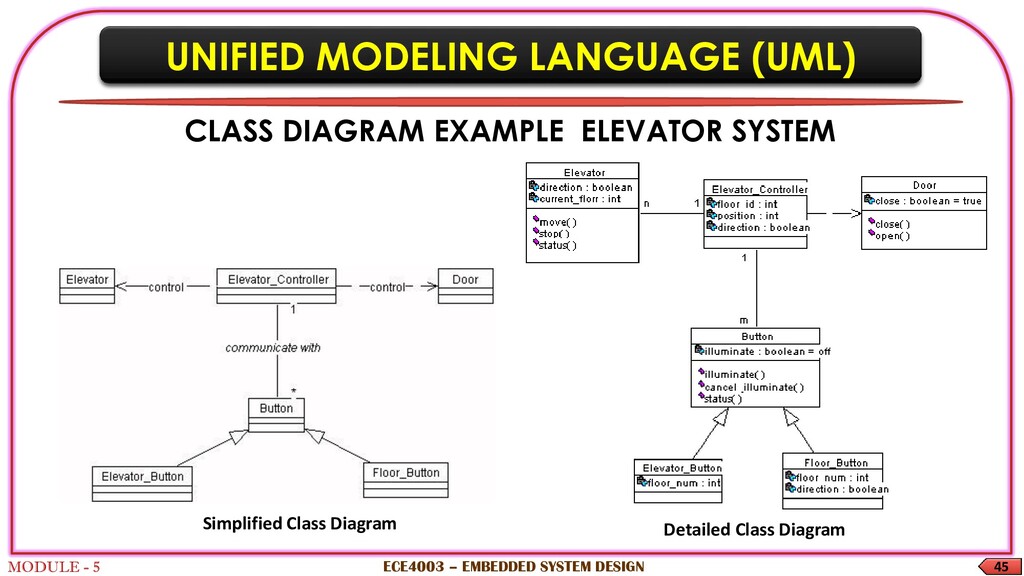
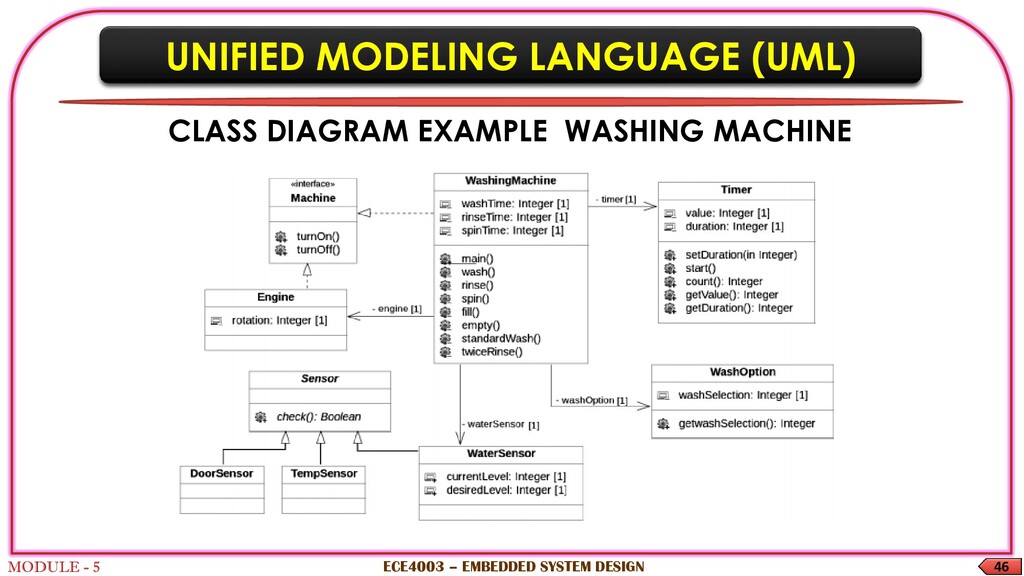
Class diagram- use to document software architecture It is used to refine the use case diagram Set of interrelated classes It contains methods and attributes for classes Classes can be "is-a" or "has-a" relationship ECE4003 – EMBEDDED SYSTEM DESIGN
Class diagram - Static diagram, Structural diagram Class diagram - attributes and operations of a class It explains the constraints on the system It is a collection of classes, interfaces, associations, collaborations and constraints ECE4003 – EMBEDDED SYSTEM DESIGN
The purpose of the class diagram can be summarized as − Analysis and design of system Describe responsibilities of a system Conceptual modelling Forward and reverse engineering ECE4003 – EMBEDDED SYSTEM DESIGN
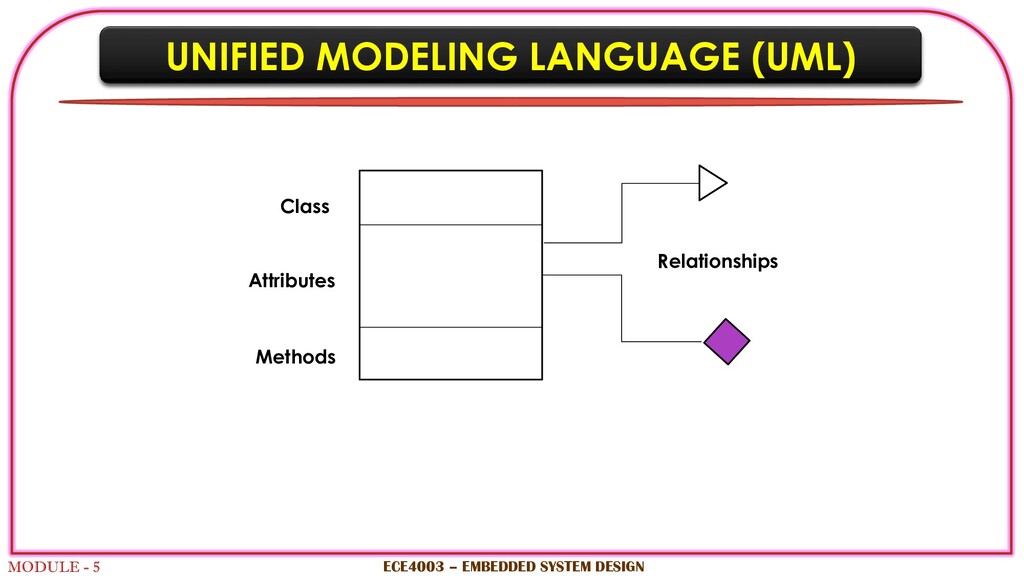
CLASS Classes are used to represent objects UML class diagram is divided into four parts. Top section - name the class. Second - attributes of the class. Third - operations or methods performed by the class. Fourth - any additional components. ECE4003 – EMBEDDED SYSTEM DESIGN
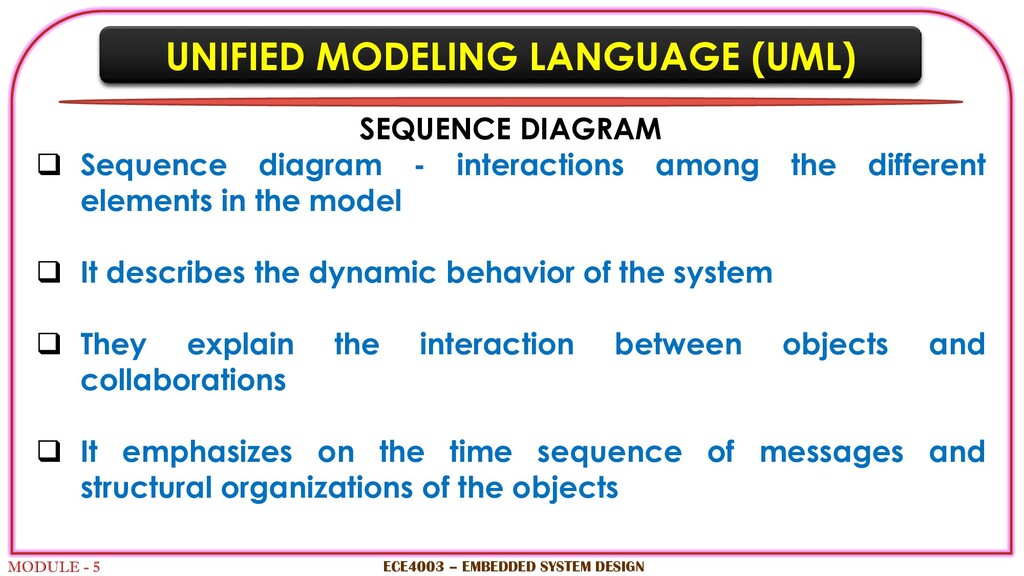
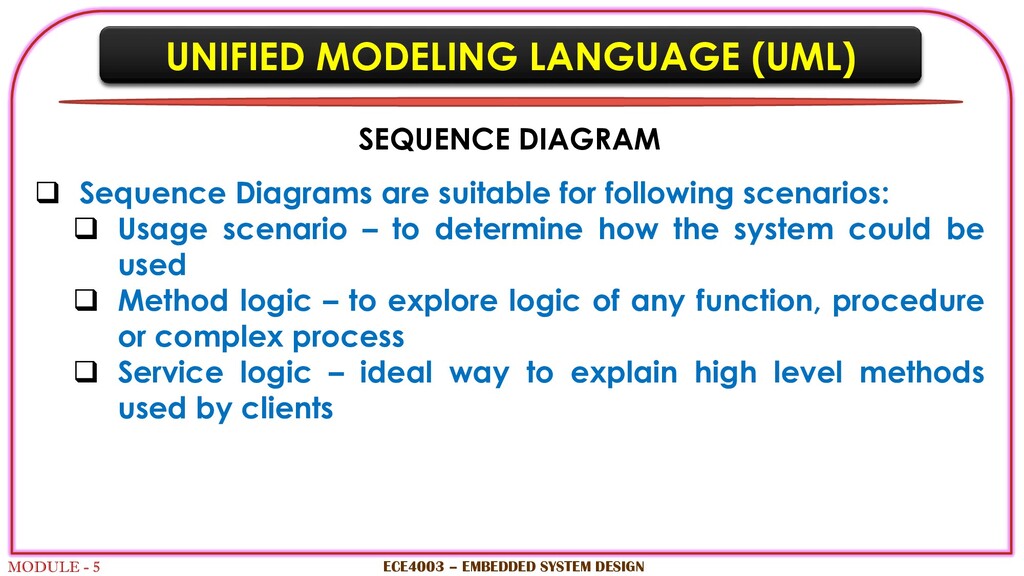
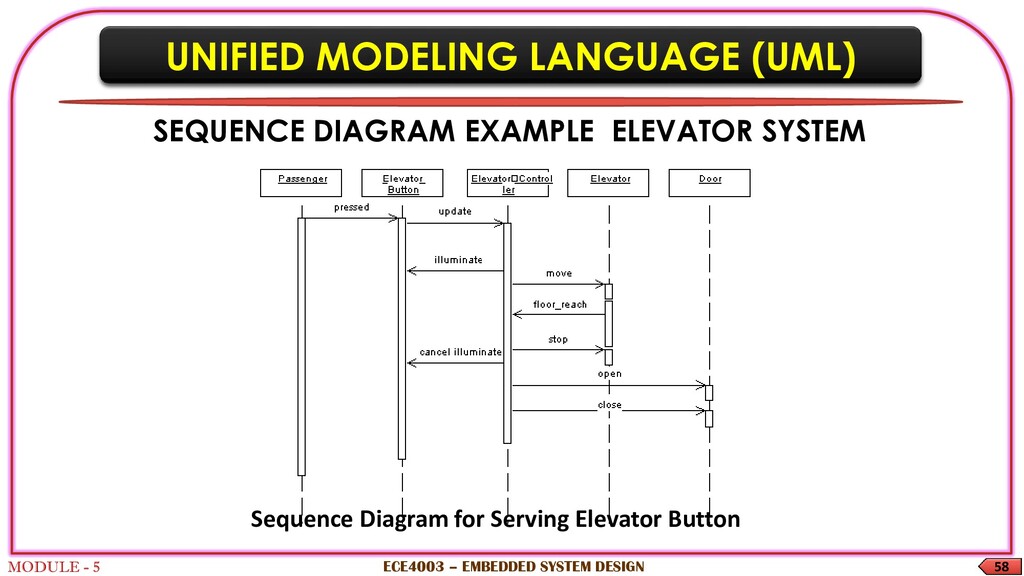
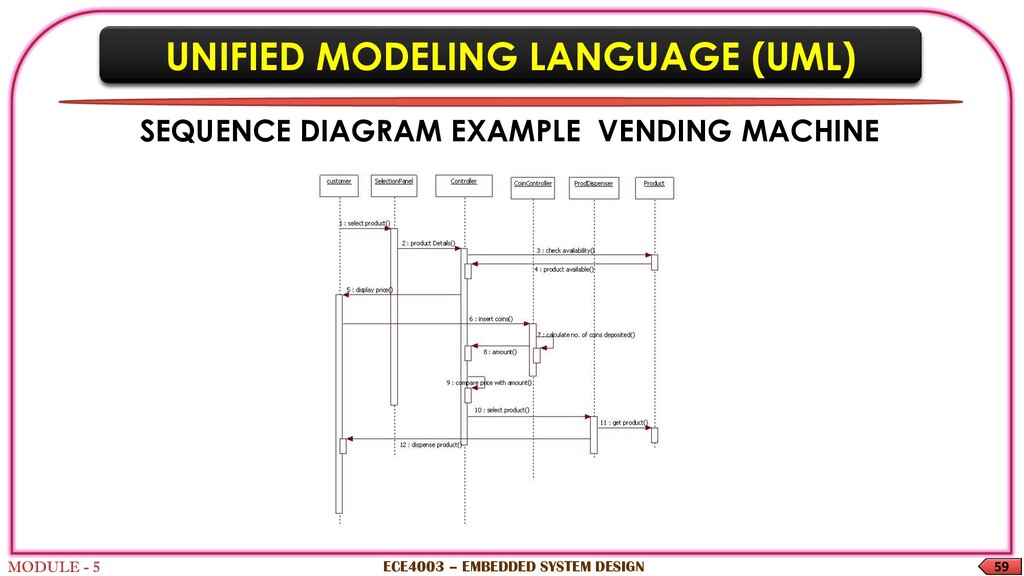
Sequence diagram - interactions among the different elements in the model It describes the dynamic behavior of the system They explain the interaction between objects and collaborations It emphasizes on the time sequence of messages and structural organizations of the objects ECE4003 – EMBEDDED SYSTEM DESIGN
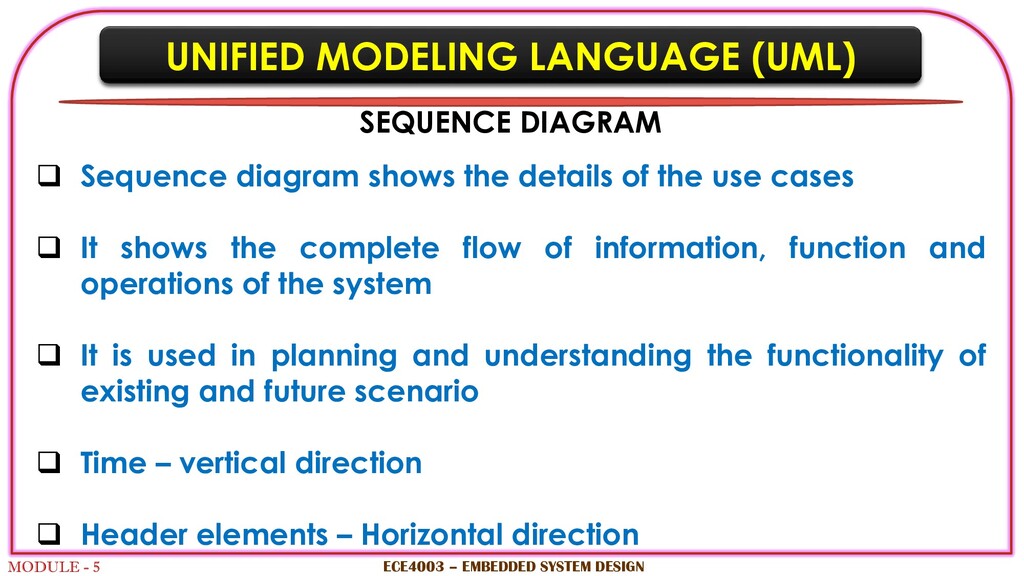
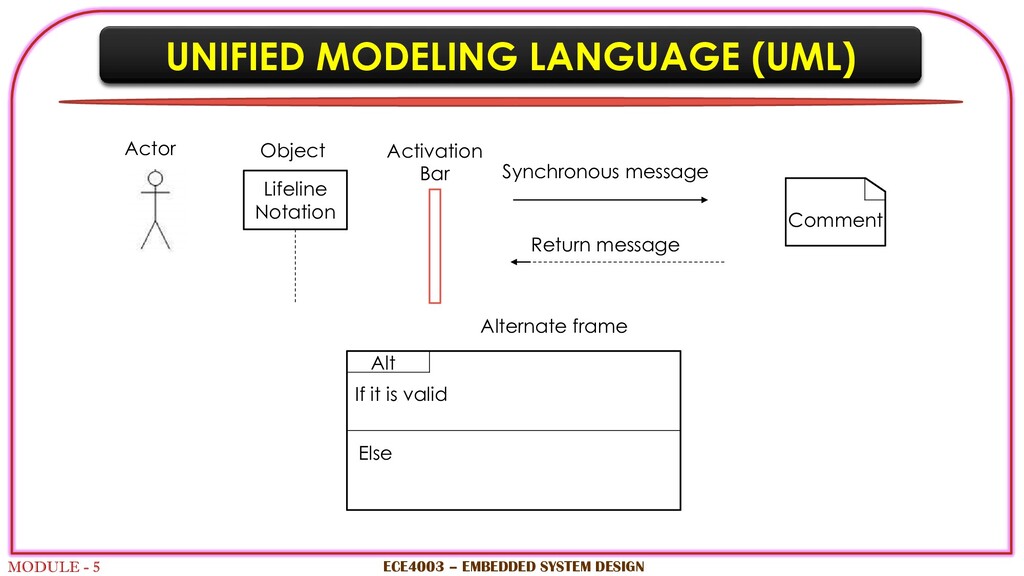
Sequence diagram shows the details of the use cases It shows the complete flow of information, function and operations of the system It is used in planning and understanding the functionality of existing and future scenario Time – vertical direction Header elements – Horizontal direction ECE4003 – EMBEDDED SYSTEM DESIGN
Sequence Diagrams are suitable for following scenarios: Usage scenario – to determine how the system could be used Method logic – to explore logic of any function, procedure or complex process Service logic – ideal way to explain high level methods used by clients ECE4003 – EMBEDDED SYSTEM DESIGN
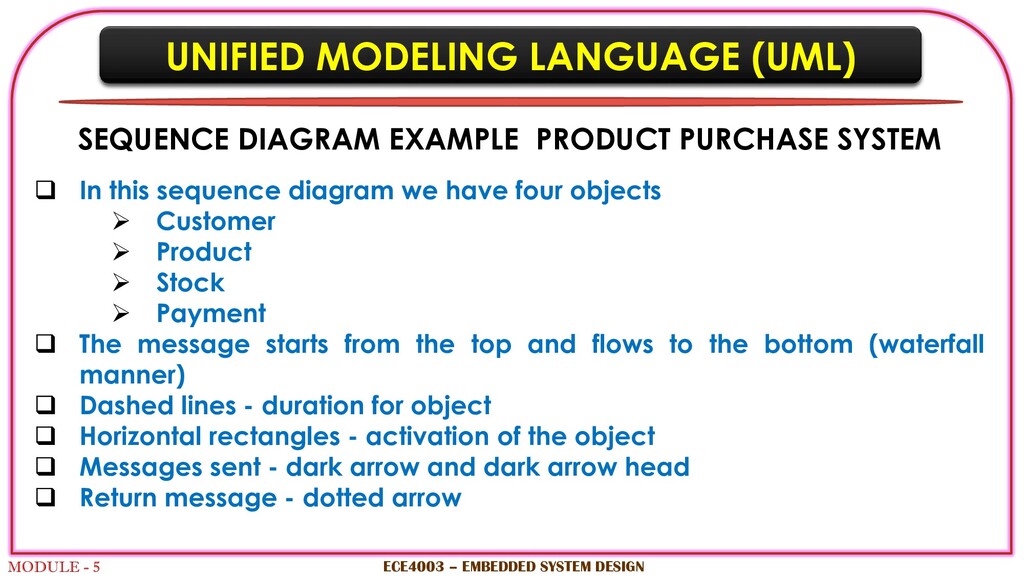
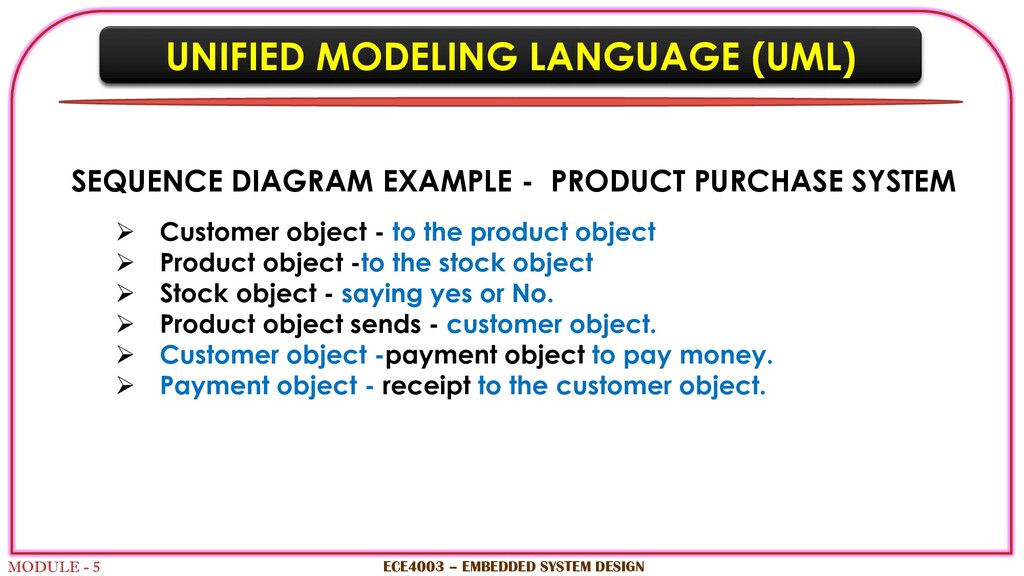
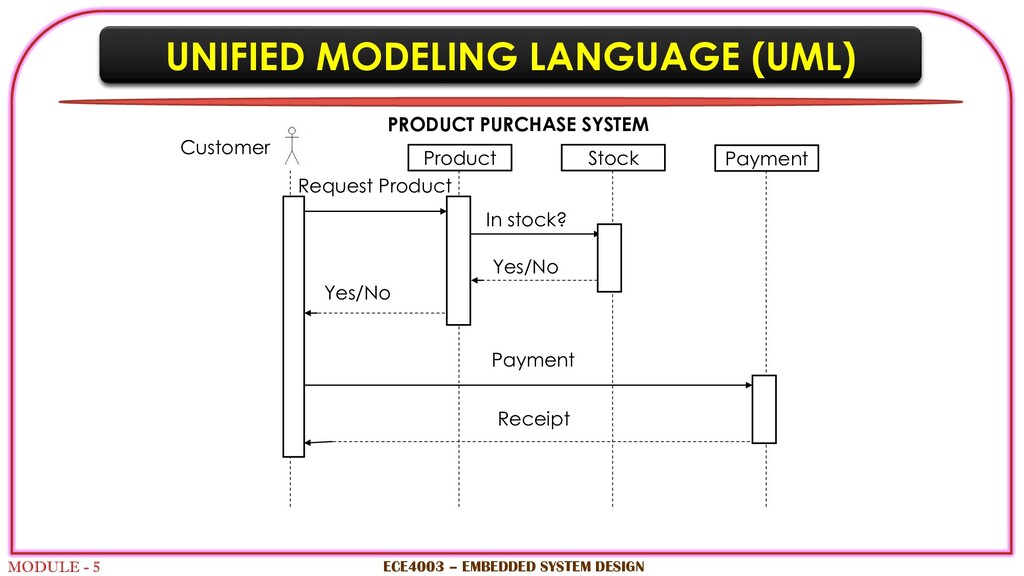
PRODUCT PURCHASE SYSTEM In this sequence diagram we have four objects Customer Product Stock Payment The message starts from the top and flows to the bottom (waterfall manner) Dashed lines - duration for object Horizontal rectangles - activation of the object Messages sent - dark arrow and dark arrow head Return message - dotted arrow ECE4003 – EMBEDDED SYSTEM DESIGN
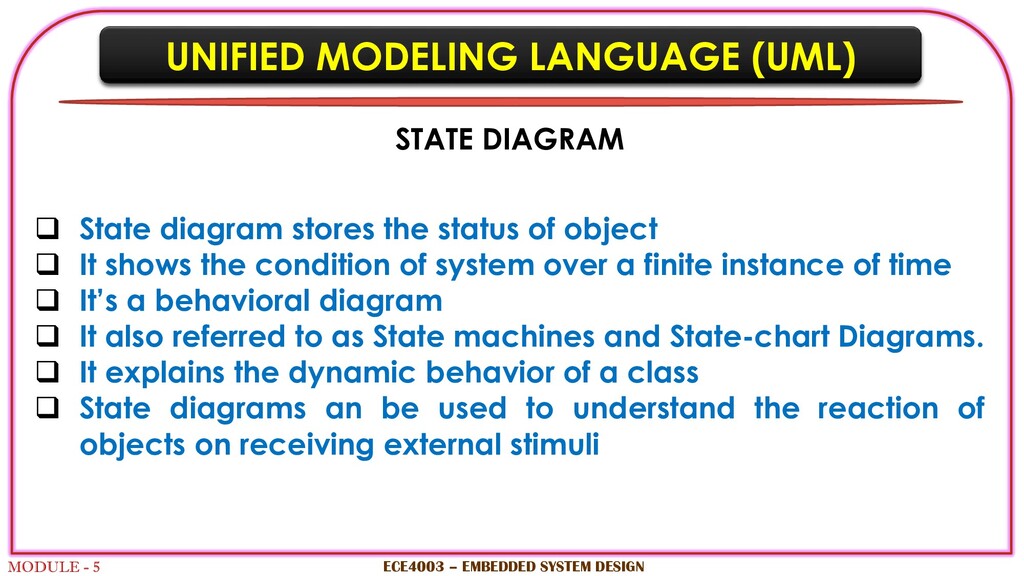
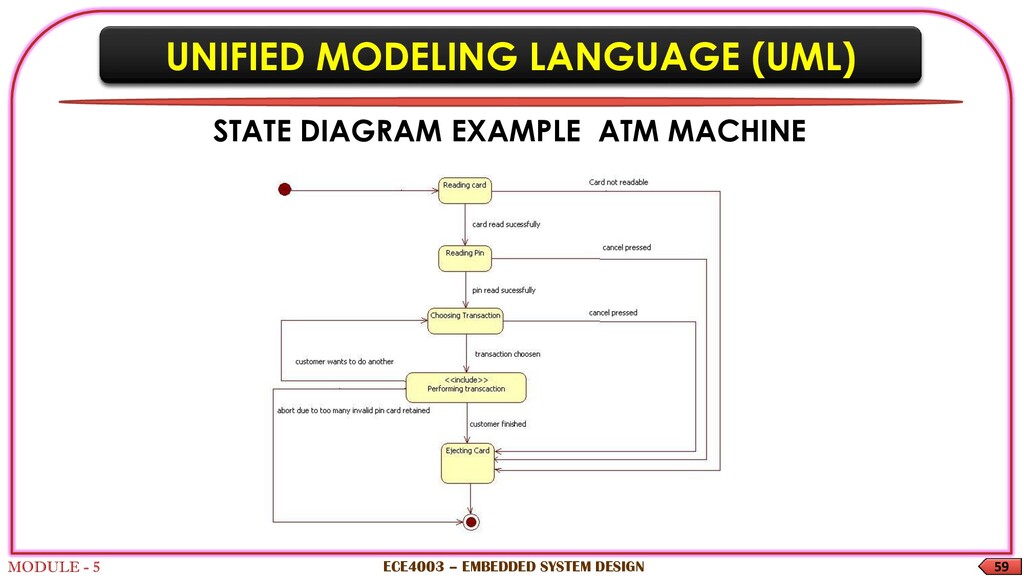
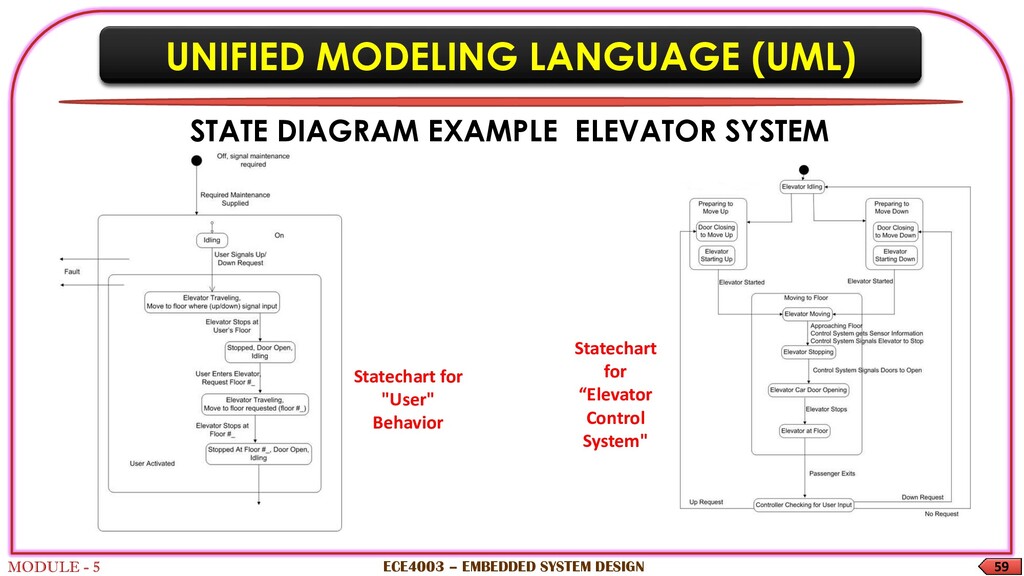
State diagram stores the status of object It shows the condition of system over a finite instance of time It’s a behavioral diagram It also referred to as State machines and State-chart Diagrams. It explains the dynamic behavior of a class State diagrams an be used to understand the reaction of objects on receiving external stimuli ECE4003 – EMBEDDED SYSTEM DESIGN
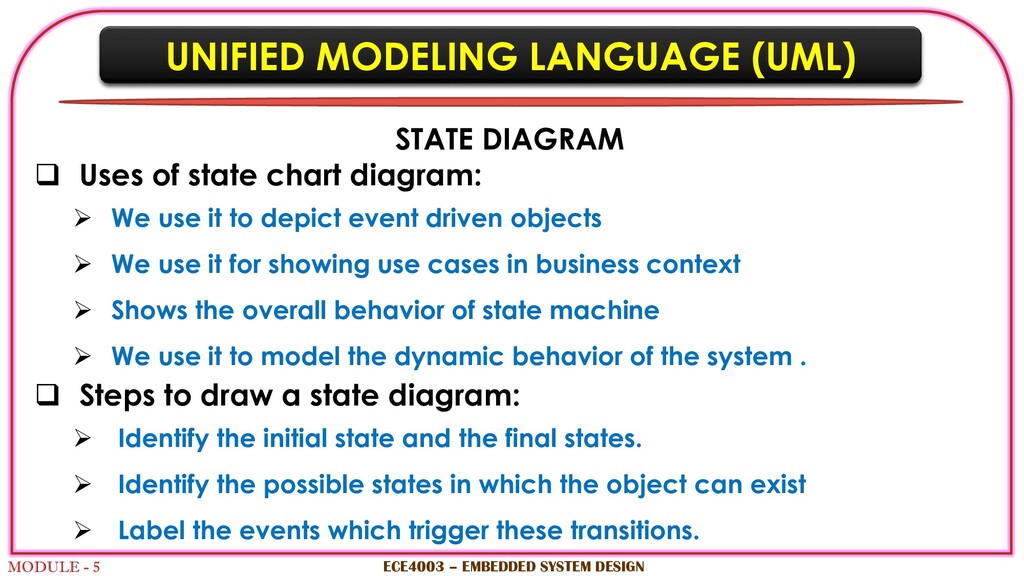
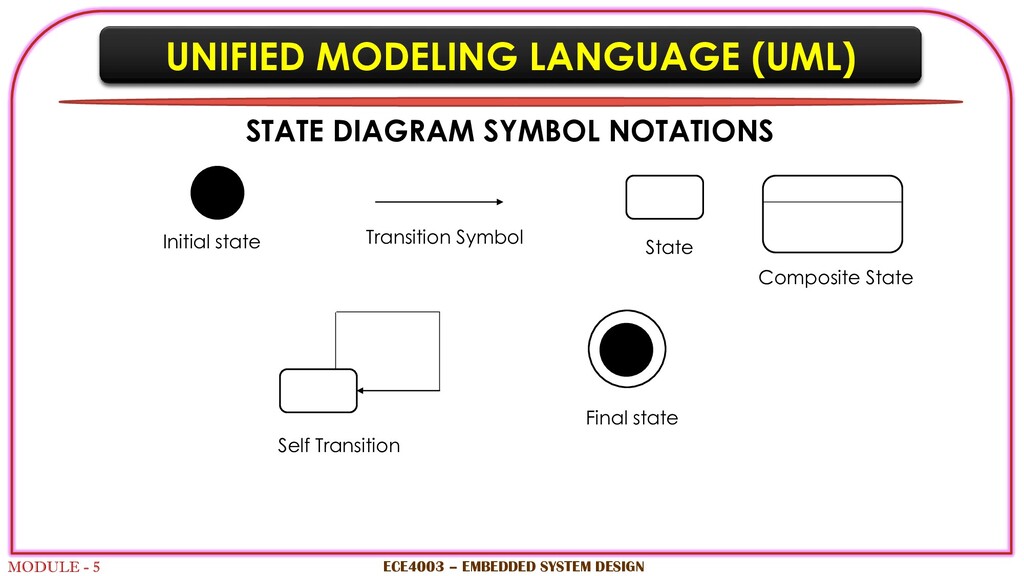
Uses of state chart diagram: We use it to depict event driven objects We use it for showing use cases in business context Shows the overall behavior of state machine We use it to model the dynamic behavior of the system . Steps to draw a state diagram: Identify the initial state and the final states. Identify the possible states in which the object can exist Label the events which trigger these transitions. ECE4003 – EMBEDDED SYSTEM DESIGN
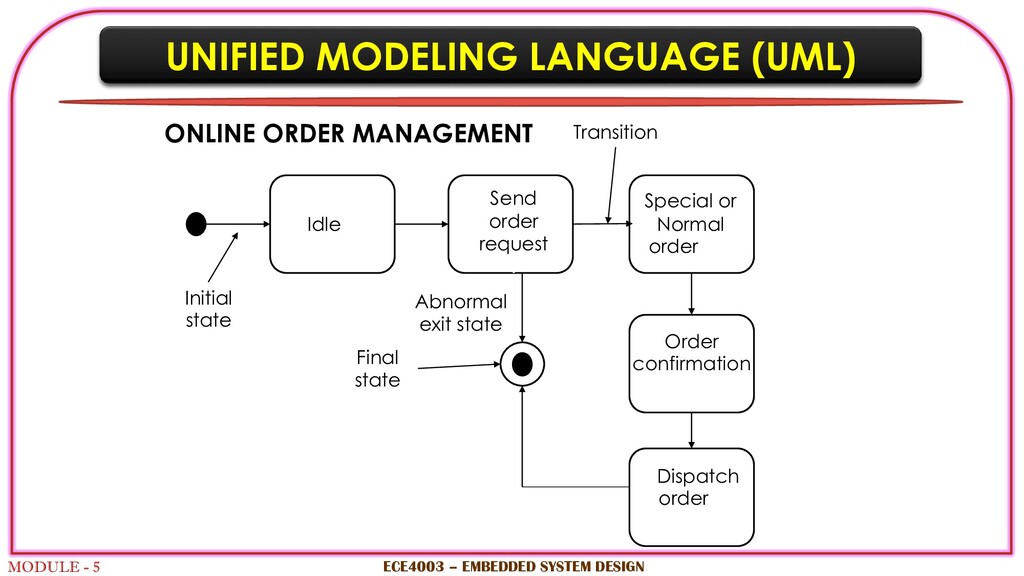
SYSTEM DESIGN Idle Send order request v Special or Normal order v Order confirmation v Dispatch order v Initial state Final state Transition Abnormal exit state ONLINE ORDER MANAGEMENT
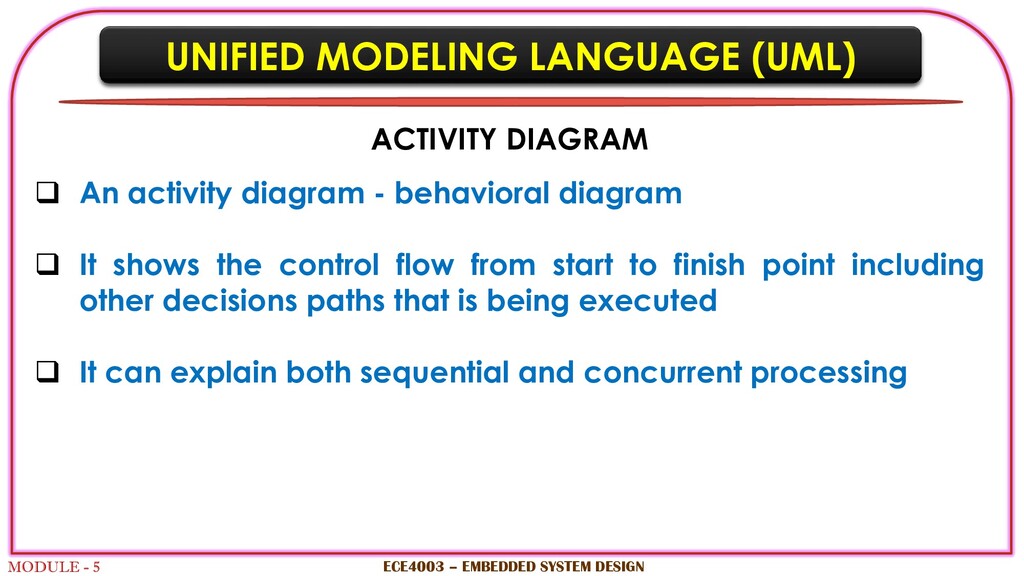
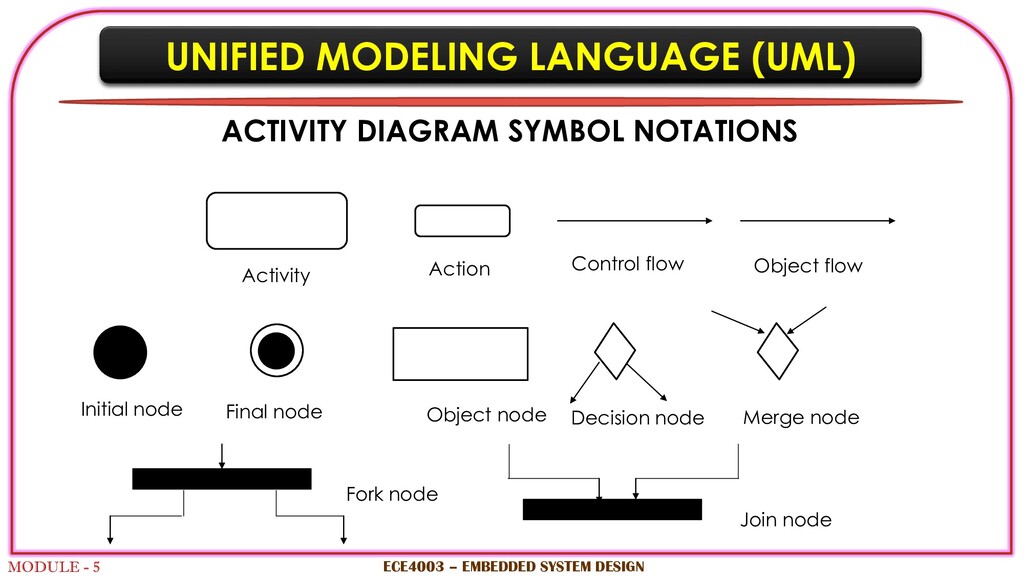
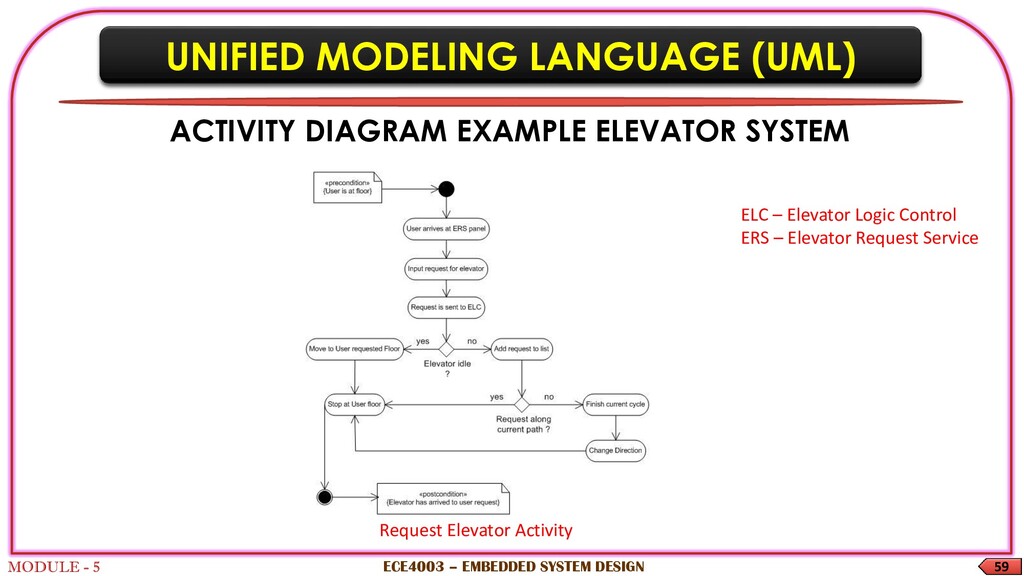
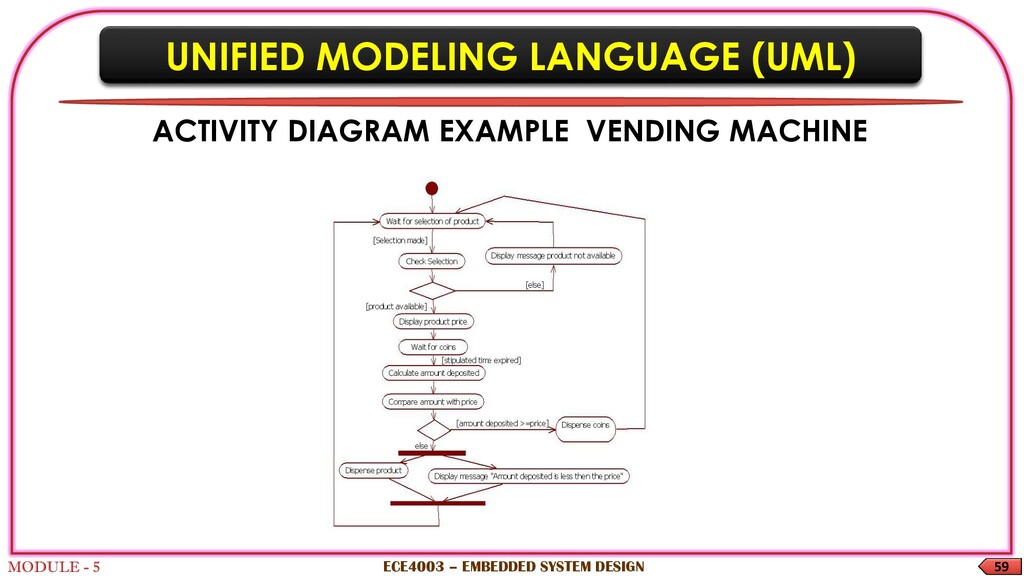
An activity diagram - behavioral diagram It shows the control flow from start to finish point including other decisions paths that is being executed It can explain both sequential and concurrent processing ECE4003 – EMBEDDED SYSTEM DESIGN
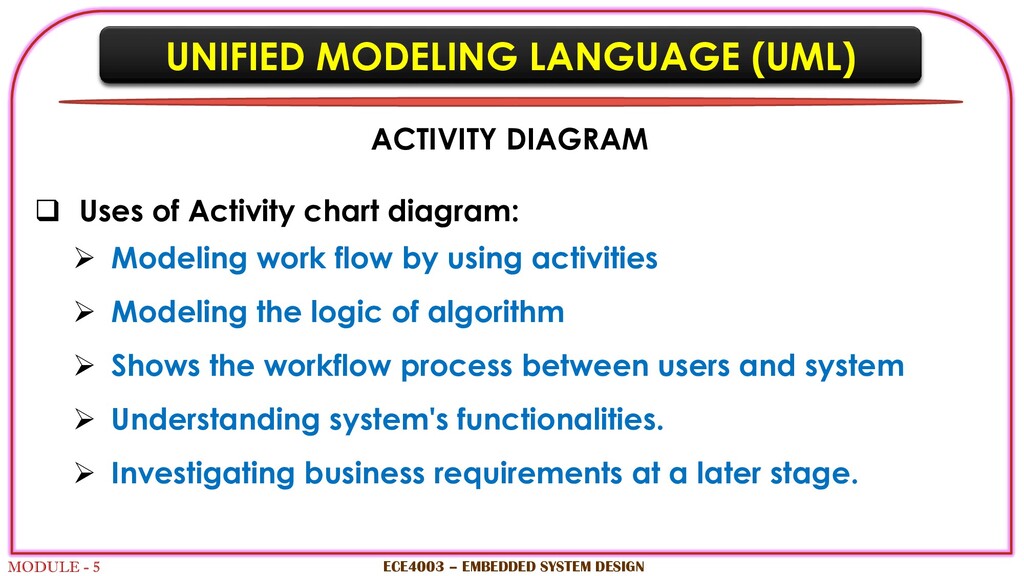
Uses of Activity chart diagram: Modeling work flow by using activities Modeling the logic of algorithm Shows the workflow process between users and system Understanding system's functionalities. Investigating business requirements at a later stage. ECE4003 – EMBEDDED SYSTEM DESIGN
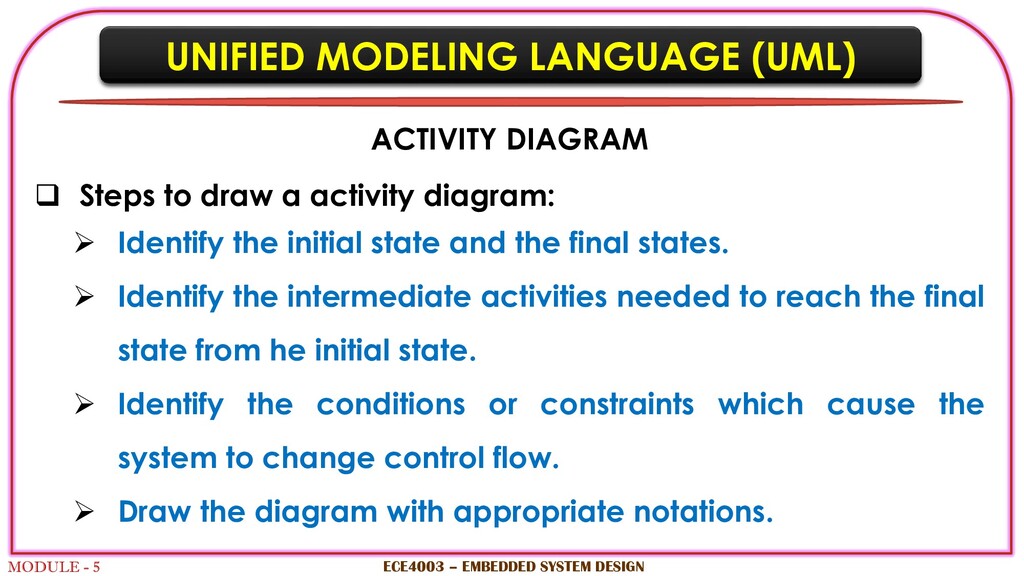
Steps to draw a activity diagram: Identify the initial state and the final states. Identify the intermediate activities needed to reach the final state from he initial state. Identify the conditions or constraints which cause the system to change control flow. Draw the diagram with appropriate notations. ECE4003 – EMBEDDED SYSTEM DESIGN
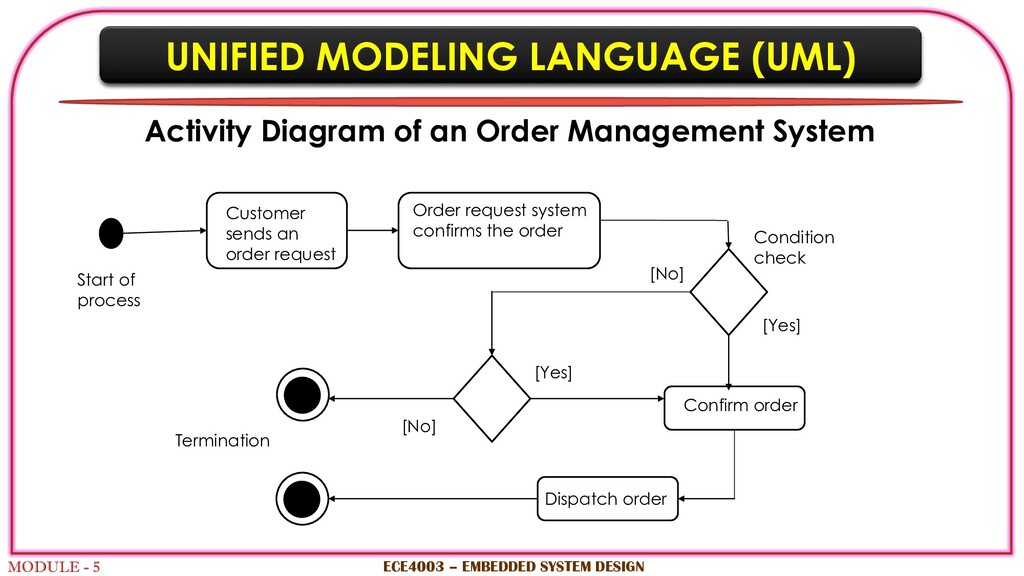
an Order Management System ECE4003 – EMBEDDED SYSTEM DESIGN Customer sends an order request Order request system confirms the order Confirm order Dispatch order Start of process Termination [Yes] [No] Condition check [Yes] [No]
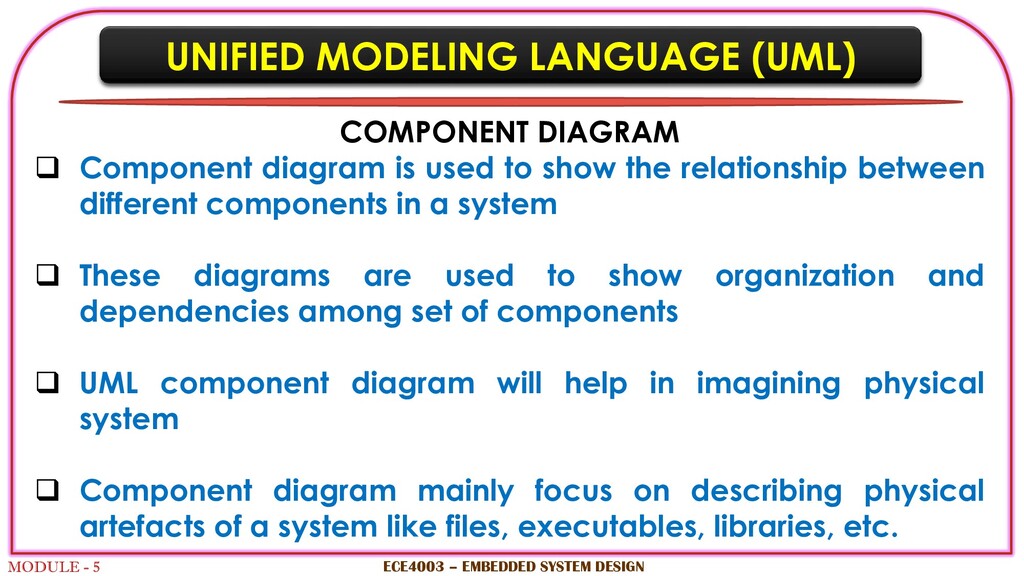
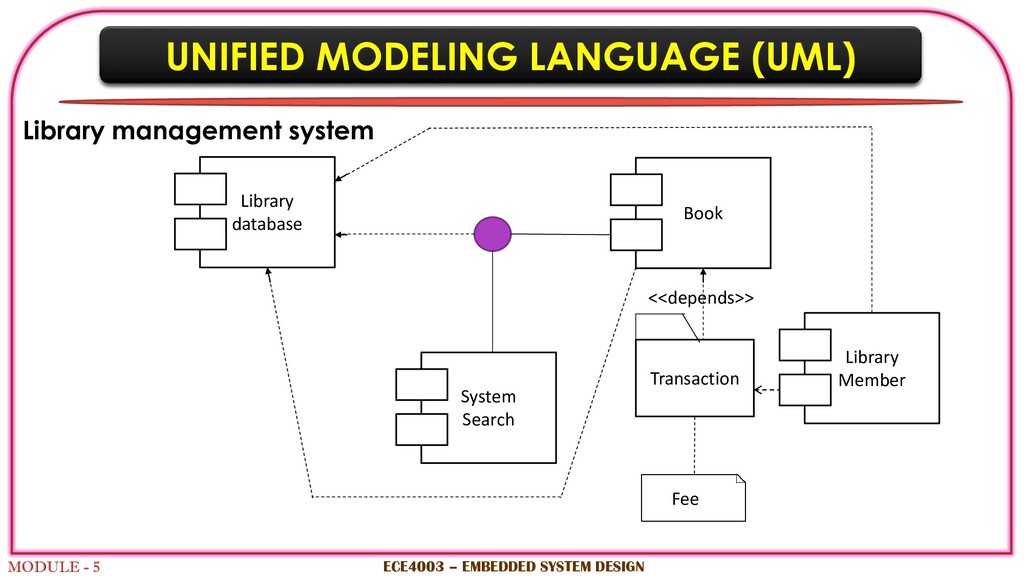
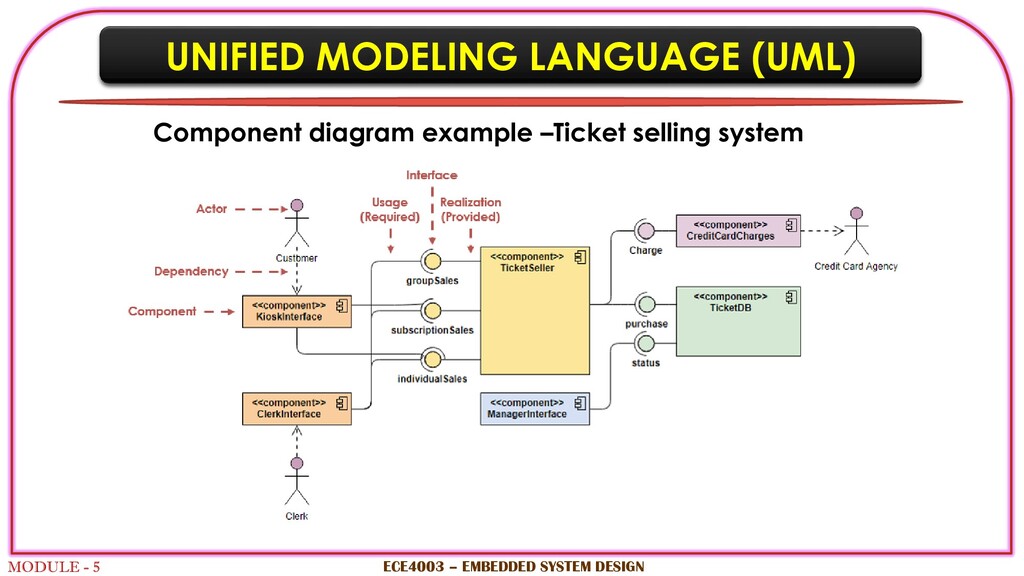
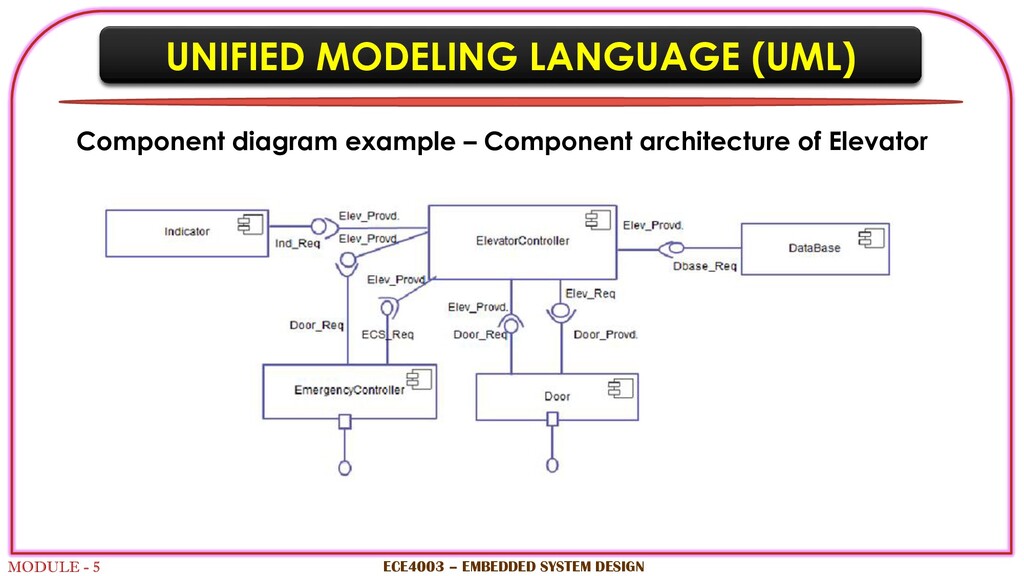
to show the relationship between different components in a system These diagrams are used to show organization and dependencies among set of components UML component diagram will help in imagining physical system Component diagram mainly focus on describing physical artefacts of a system like files, executables, libraries, etc. ECE4003 – EMBEDDED SYSTEM DESIGN UNIFIED MODELING LANGUAGE (UML)
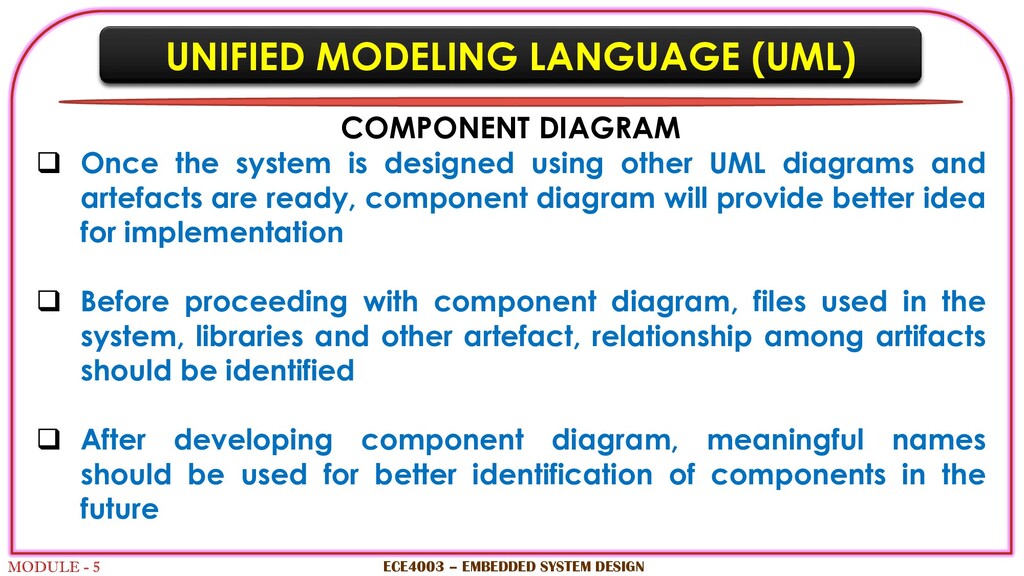
designed using other UML diagrams and artefacts are ready, component diagram will provide better idea for implementation Before proceeding with component diagram, files used in the system, libraries and other artefact, relationship among artifacts should be identified After developing component diagram, meaningful names should be used for better identification of components in the future ECE4003 – EMBEDDED SYSTEM DESIGN UNIFIED MODELING LANGUAGE (UML)
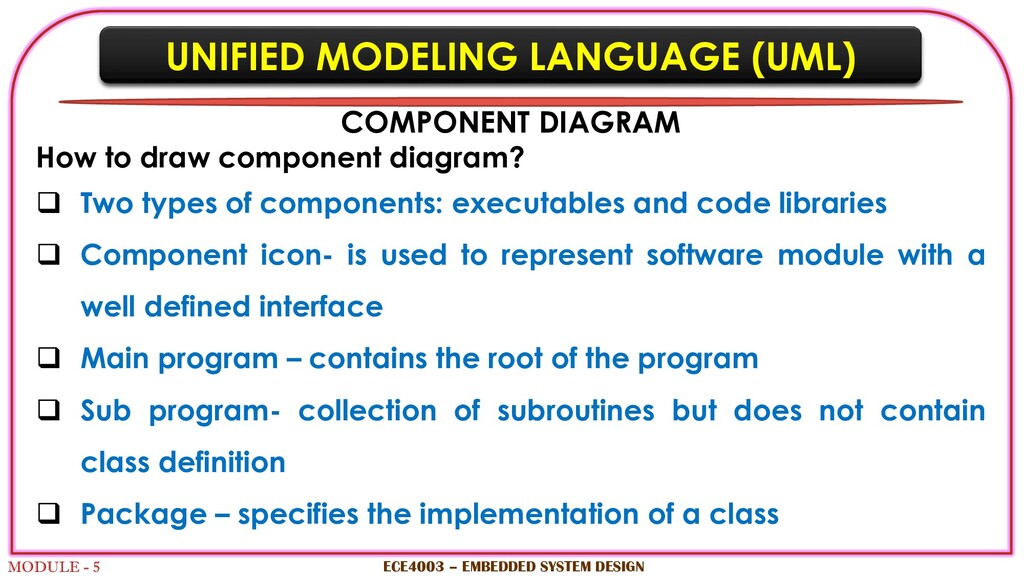
Two types of components: executables and code libraries Component icon- is used to represent software module with a well defined interface Main program – contains the root of the program Sub program- collection of subroutines but does not contain class definition Package – specifies the implementation of a class ECE4003 – EMBEDDED SYSTEM DESIGN UNIFIED MODELING LANGUAGE (UML)
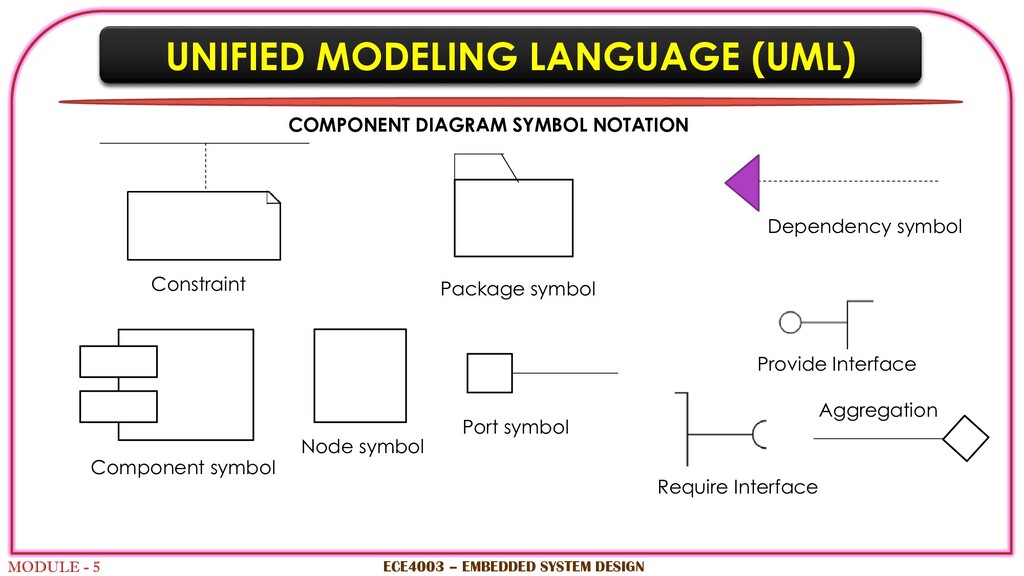
symbol Component symbol Node symbol Port symbol Provide Interface Require Interface Package symbol UNIFIED MODELING LANGUAGE (UML) COMPONENT DIAGRAM SYMBOL NOTATION Aggregation


 ak1957
 techseoconnect
 mayunak
 lauravandoore
 portentint
 jonoalderson
 skipperchong
 addyosmani
 rkendrick25
 bluesmoon
 lara
lara
 tammyeverts
 signer