Upgrade to Pro — share decks privately, control downloads, hide ads and more …

The Cost of Modularization

Avatar for Aldo Aldo
October 25, 2022

The Cost of Modularization

Presented on Android Worldwide and Mobile DevOps Summit 2022
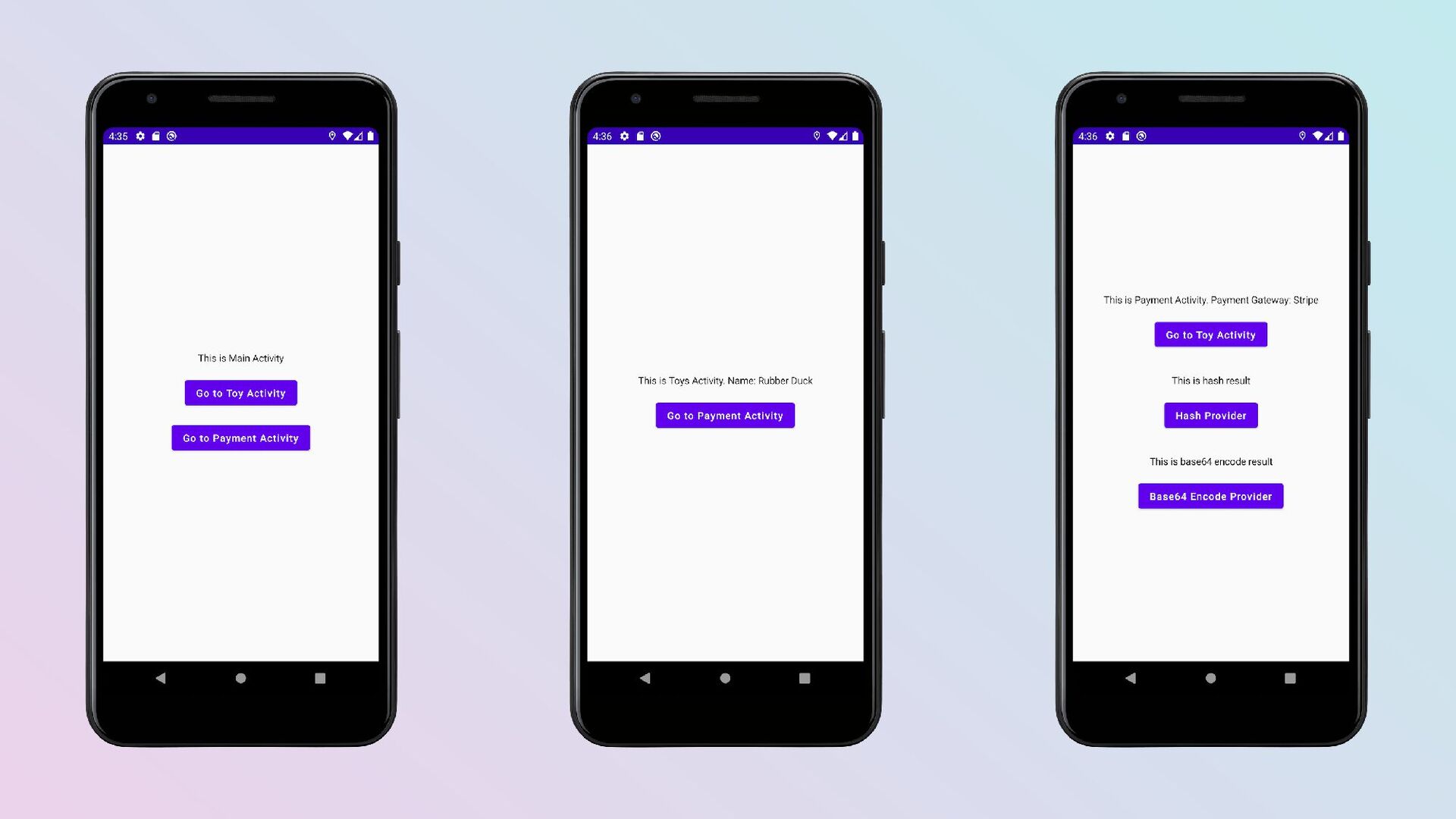
Source code: https://github.com/aldoKelvianto/ToysApp

Modularization offers many benefits, including reducing build time, improving scalability, and easier testing; if implemented correctly. If we're not careful, modularization can cause more problems than benefits. In this session, I'll share the cost of implementing modularization and its solutions. So that we're making a more conscious decision when modularizing a project, whether migrating from a single-module to a multi-module project or starting a new multi-module project.

Avatar for Aldo

Aldo

October 25, 2022

More Decks by Aldo

Other Decks in Technology

Transcript

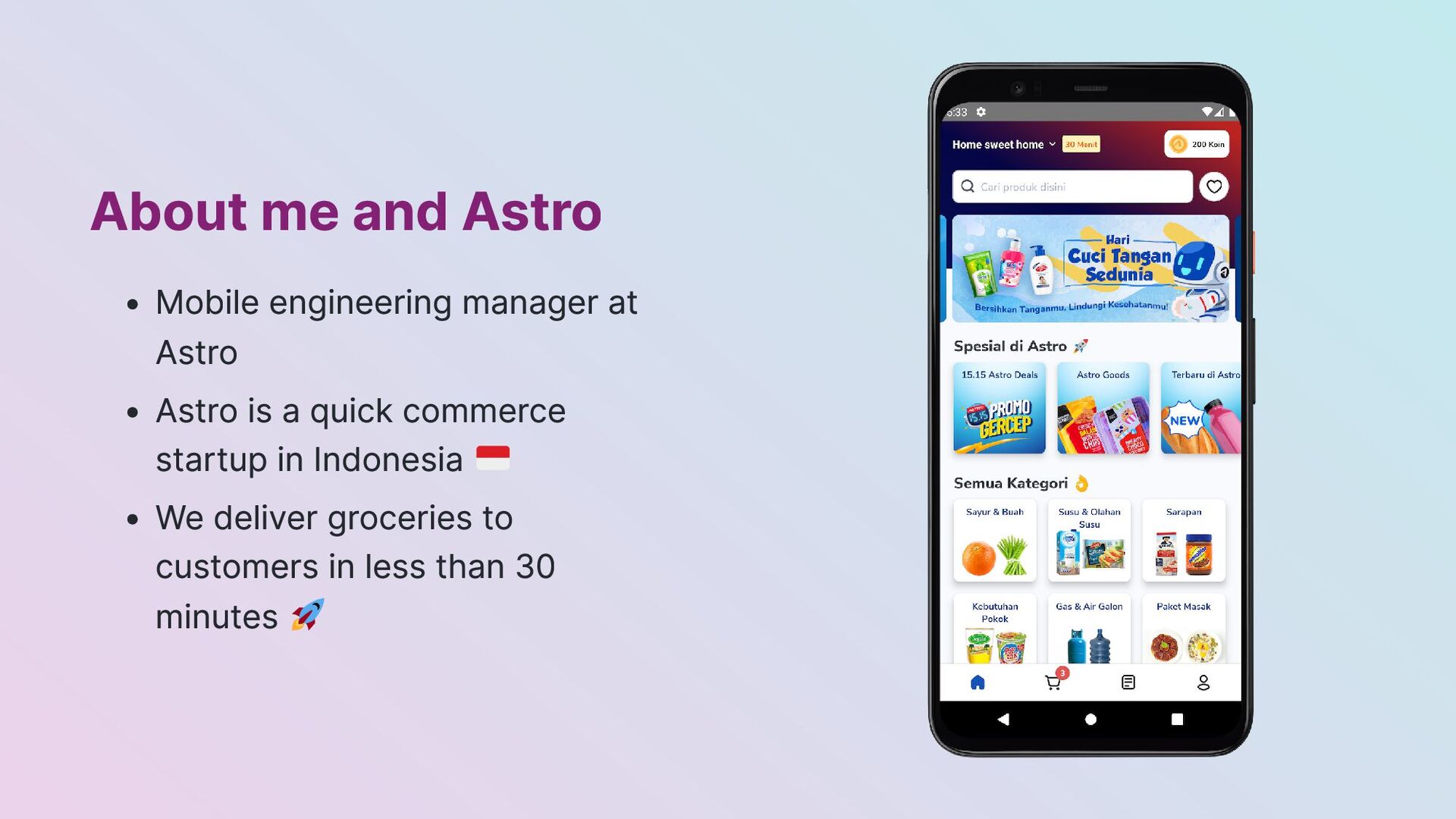
  1. About me and Astro Mobile engineering manager at Astro Astro

    is a quick commerce startup in Indonesia We deliver groceries to customers in less than 30 minutes
  2. About Modularization Breaking down one module into multiple Gradle modules

    Module = Project and Multimodule = Multi projects
  3. Cost 1: Organizing Modules Situation You want to breakdown your

    module into multimodule Problems Unclear boundary Too many modules Not enough modules
  4. Solution Decide the app architecture and module convention with your

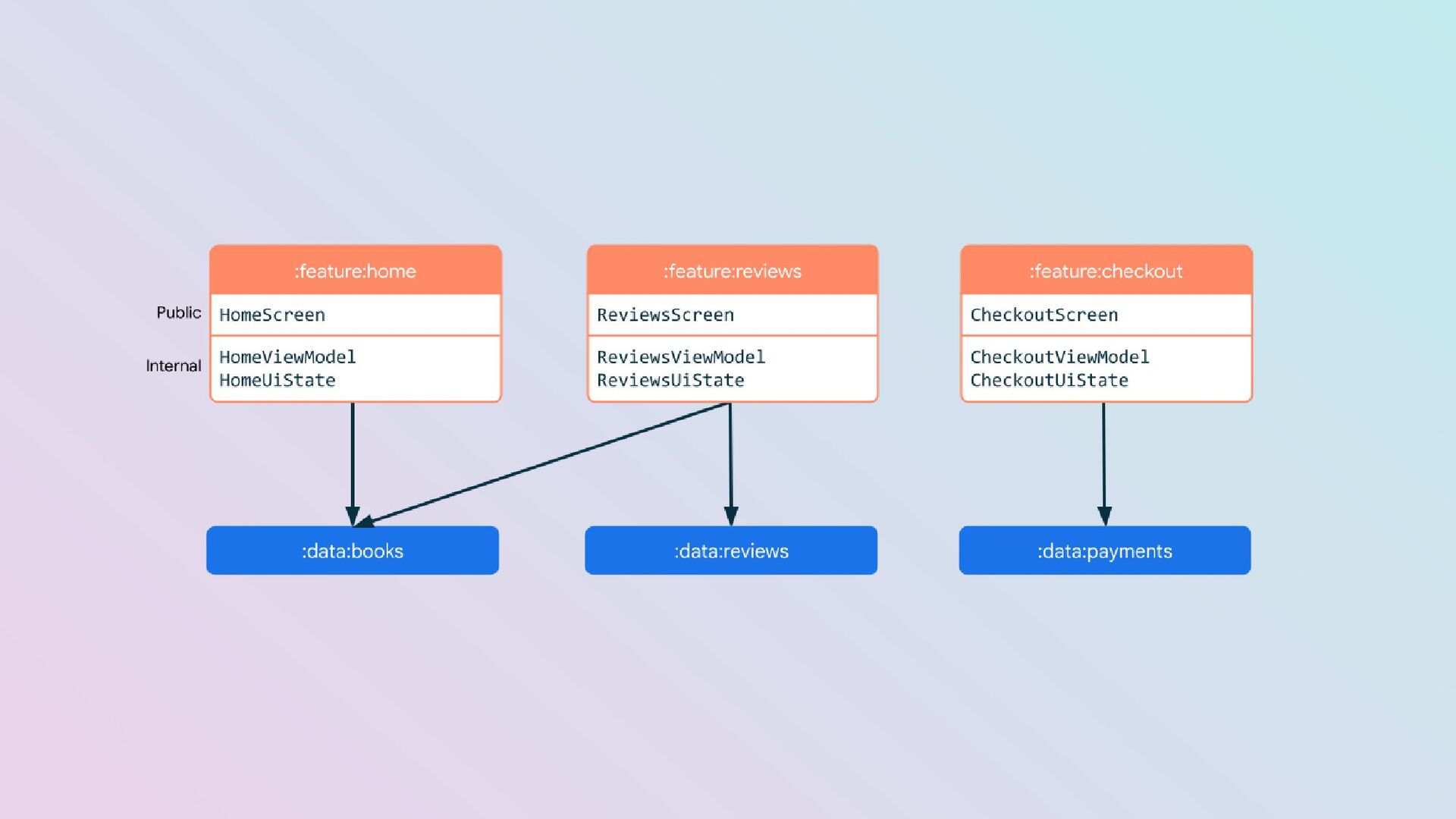
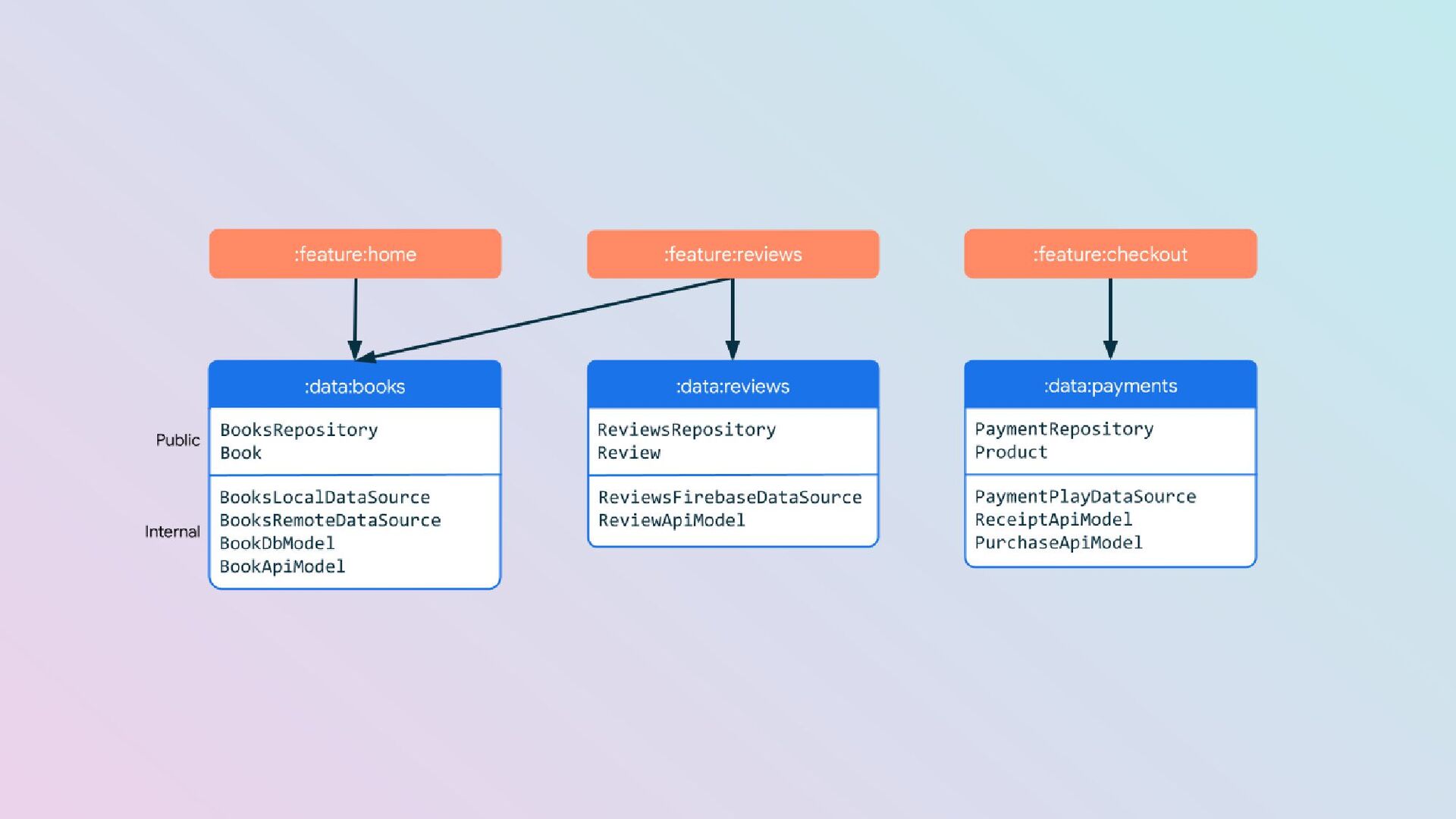
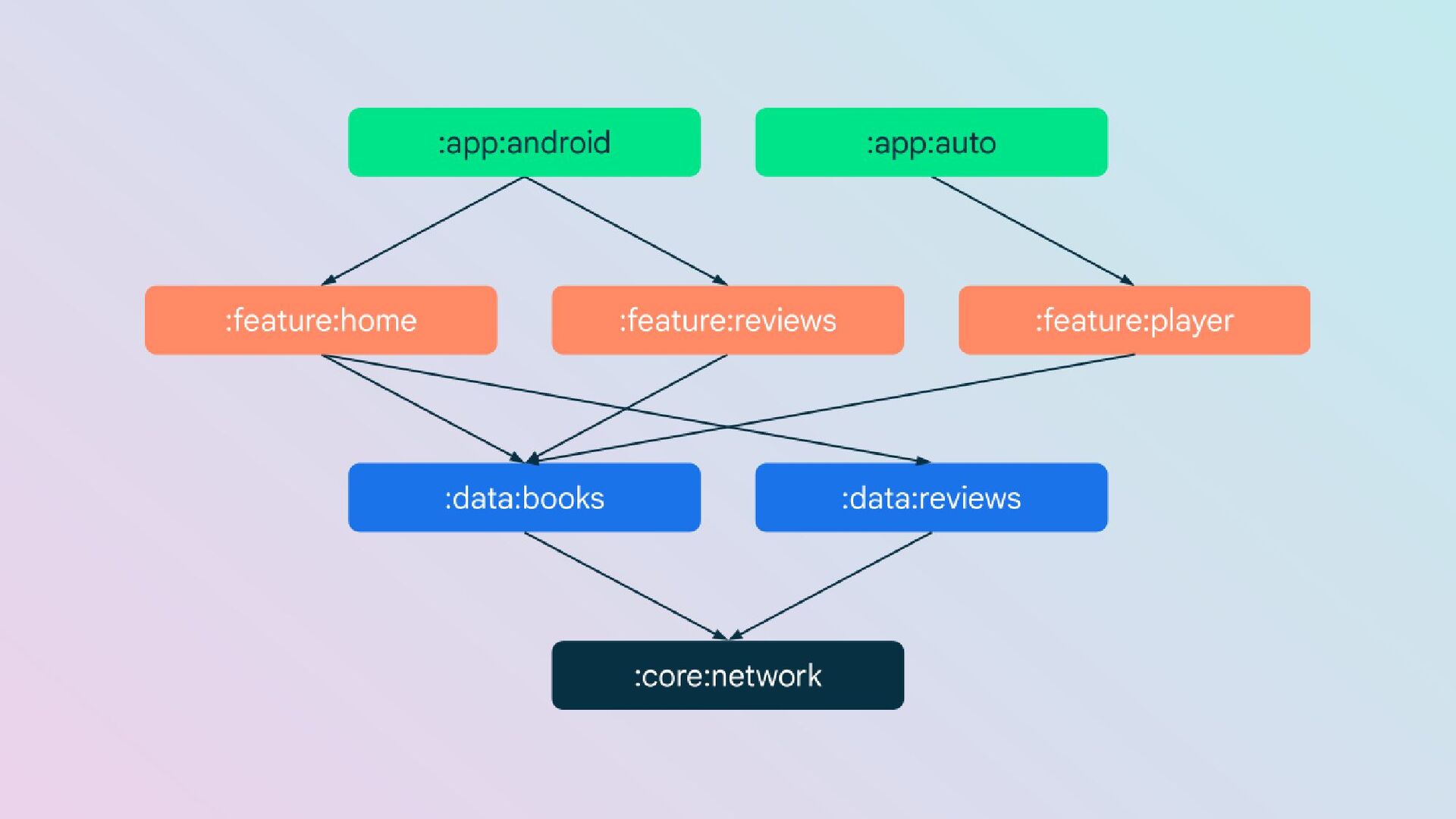
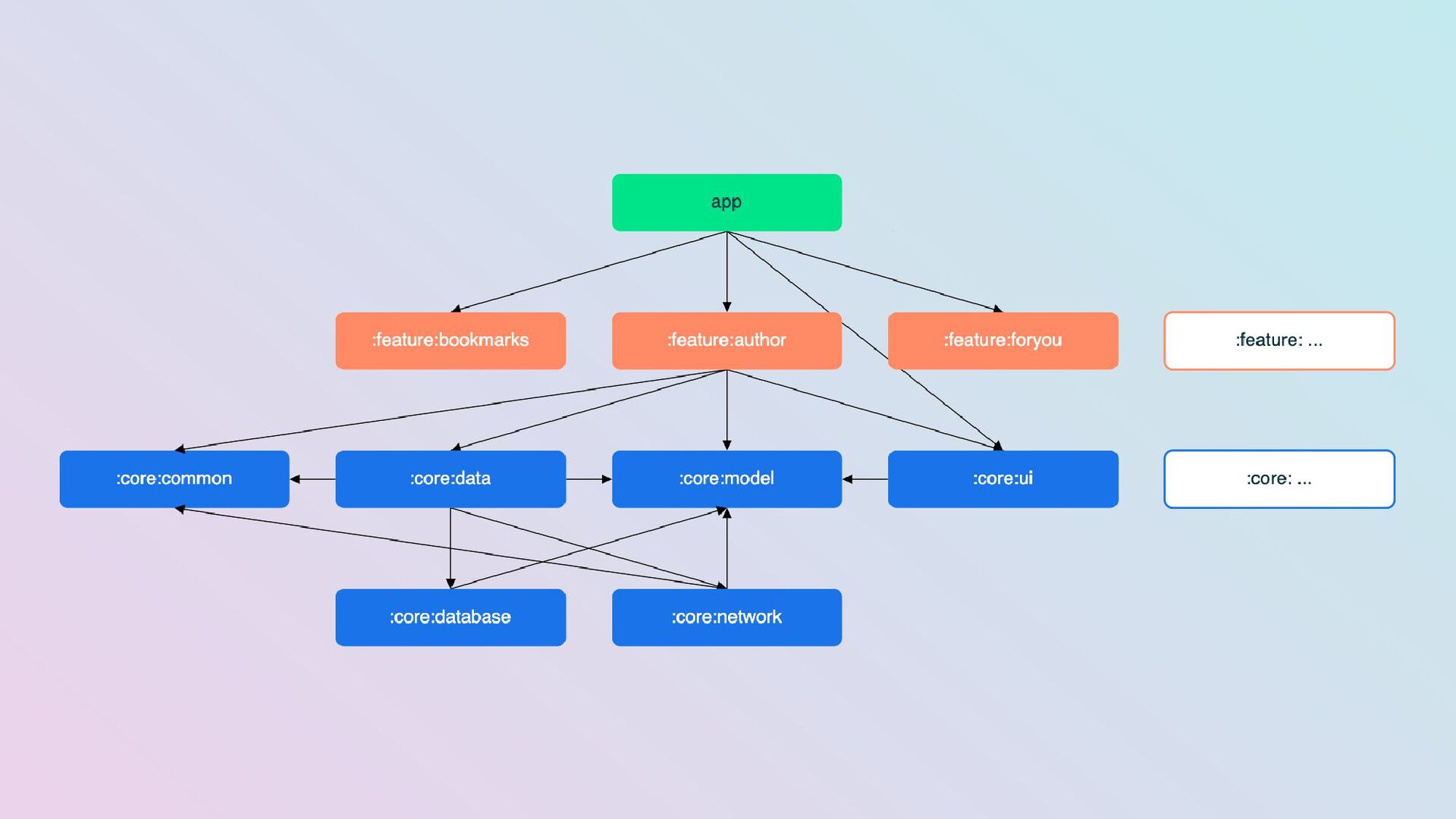
    team(s) App architecture/Data Flow (MVVM, MVP, MVI, etc.) Module convention (App, feature, library, etc.) What's included & not included in the module The relationship between modules
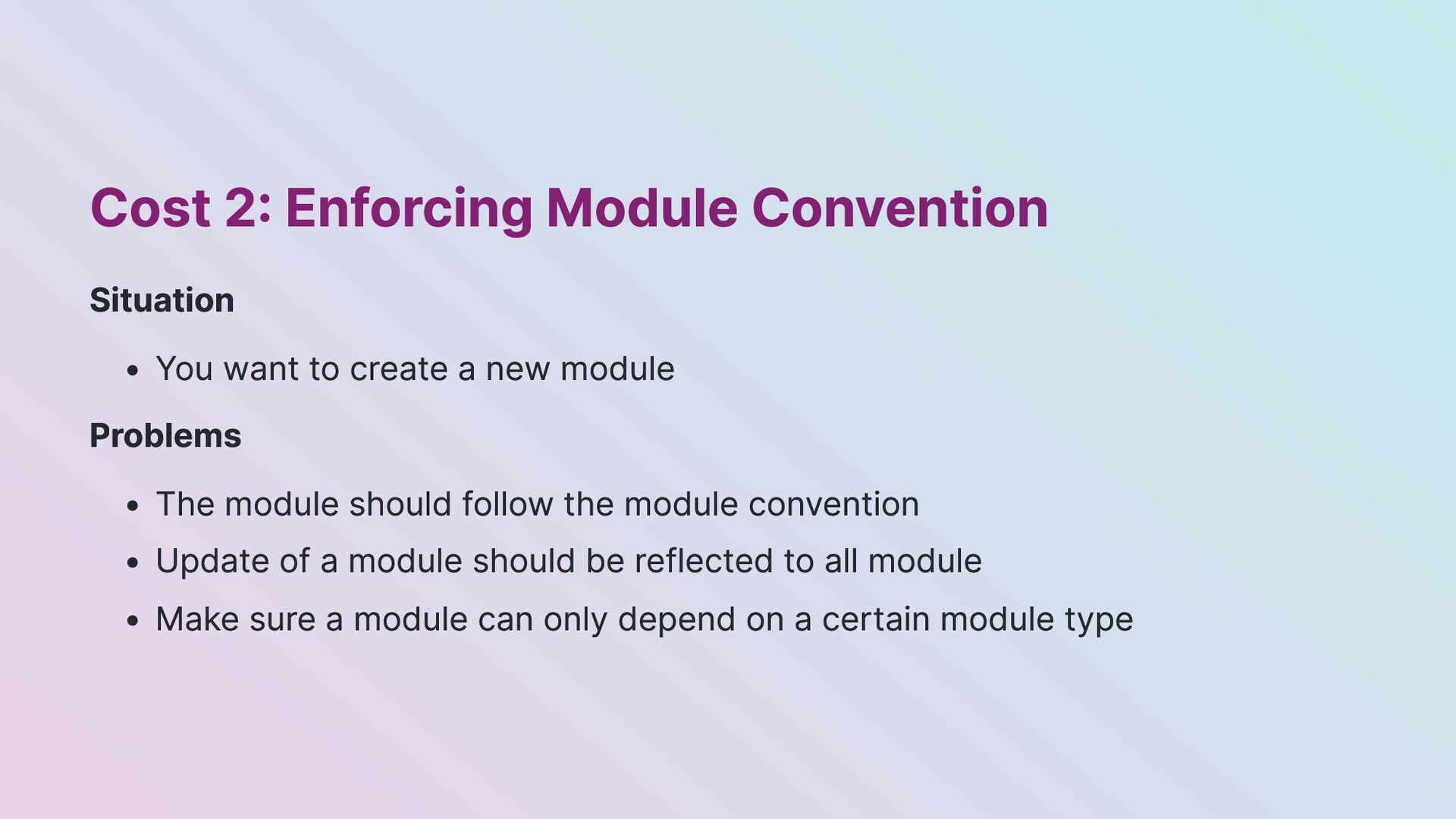
  5. Cost 2: Enforcing Module Convention Situation You want to create

    a new module Problems The module should follow the module convention Update of a module should be reflected to all module Make sure a module can only depend on a certain module type
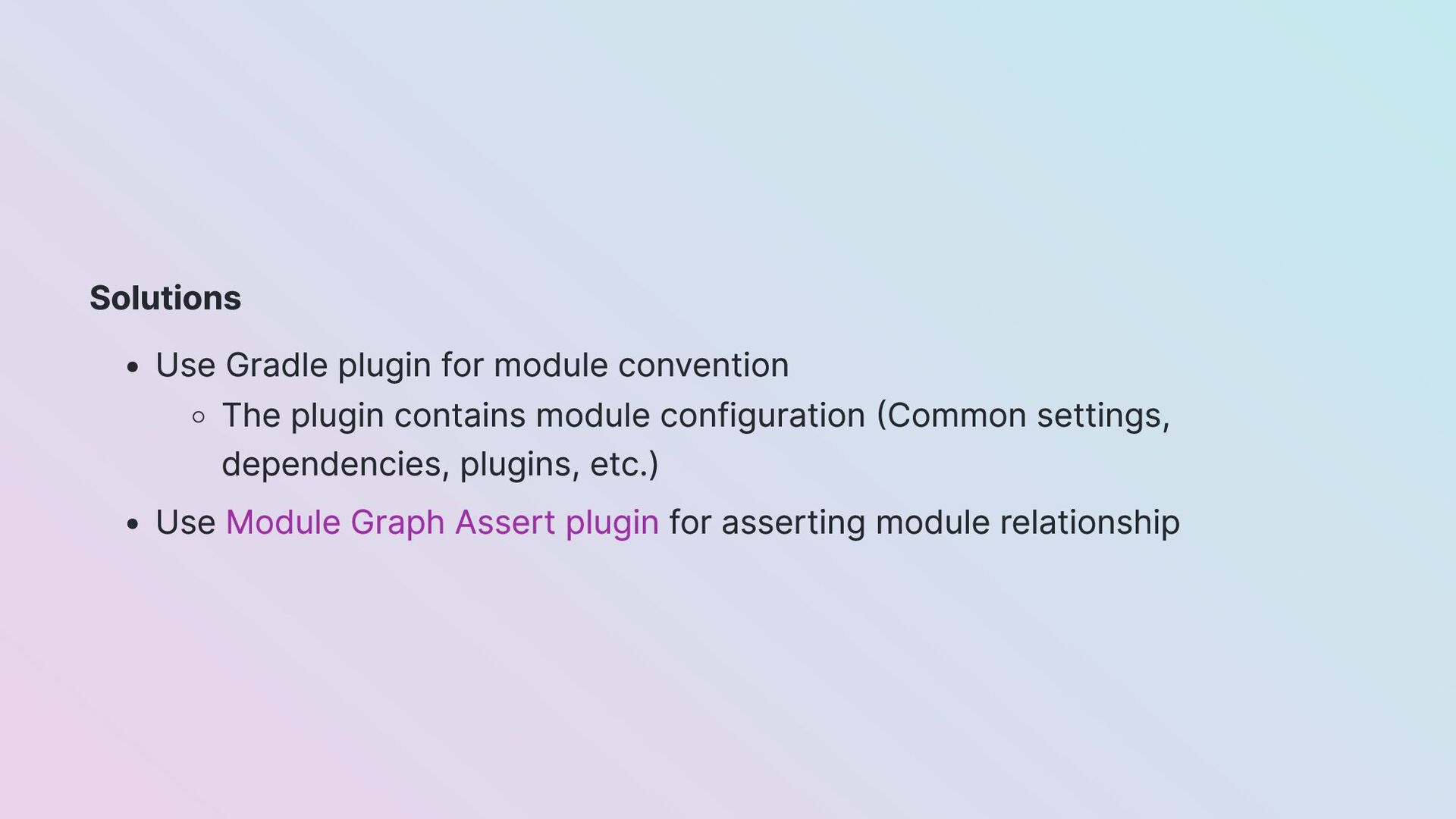
  6. Solutions Use Gradle plugin for module convention The plugin contains

    module configuration (Common settings, dependencies, plugins, etc.) Use Module Graph Assert plugin for asserting module relationship
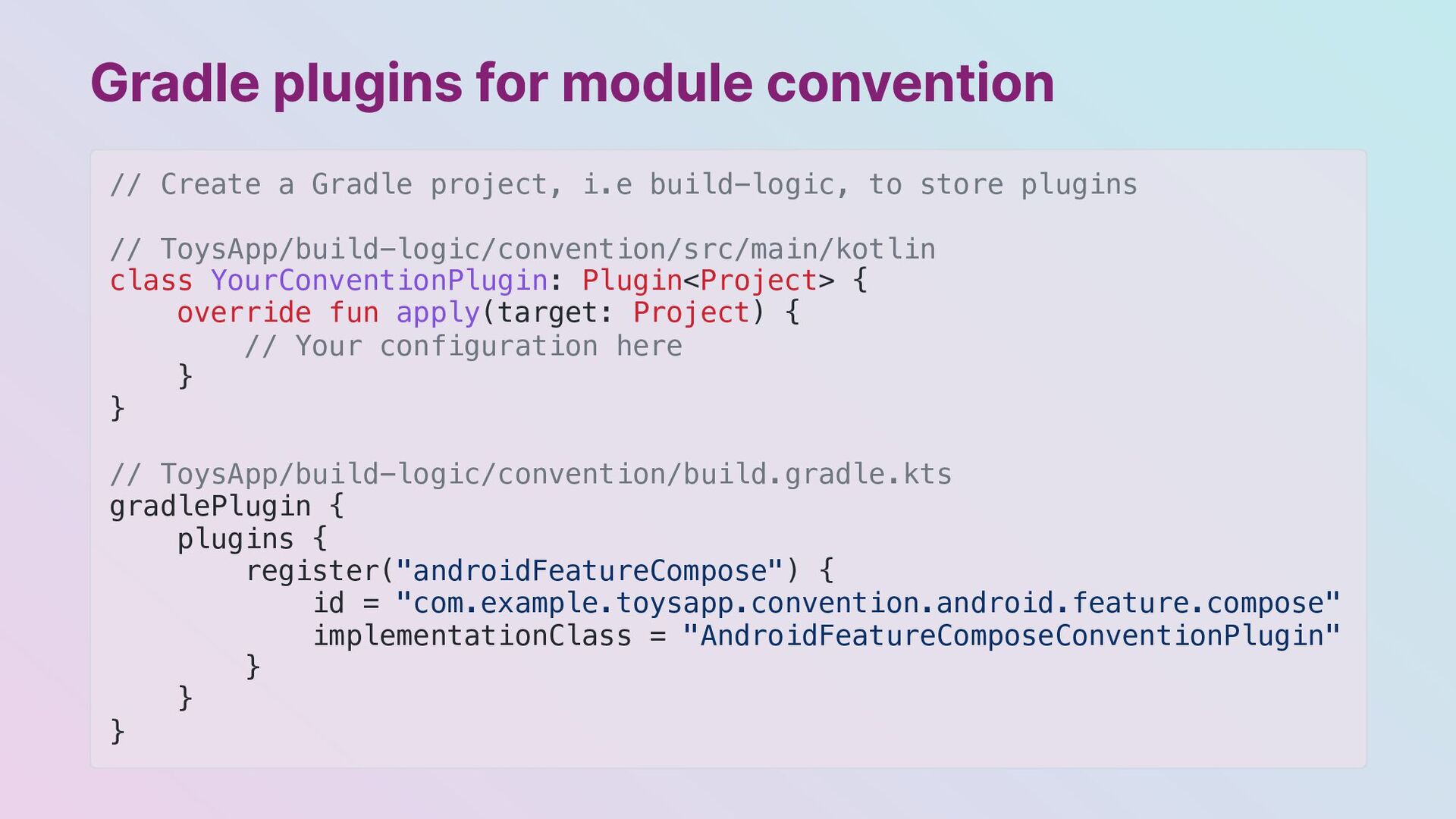
  7. Gradle plugins for module convention // Create a Gradle project,

    i.e build-logic, to store plugins // ToysApp/build-logic/convention/src/main/kotlin class YourConventionPlugin: Plugin<Project> { override fun apply(target: Project) { // Your configuration here } } // ToysApp/build-logic/convention/build.gradle.kts gradlePlugin { plugins { register("androidFeatureCompose") { id = "com.example.toysapp.convention.android.feature.compose" implementationClass = "AndroidFeatureComposeConventionPlugin" } } }
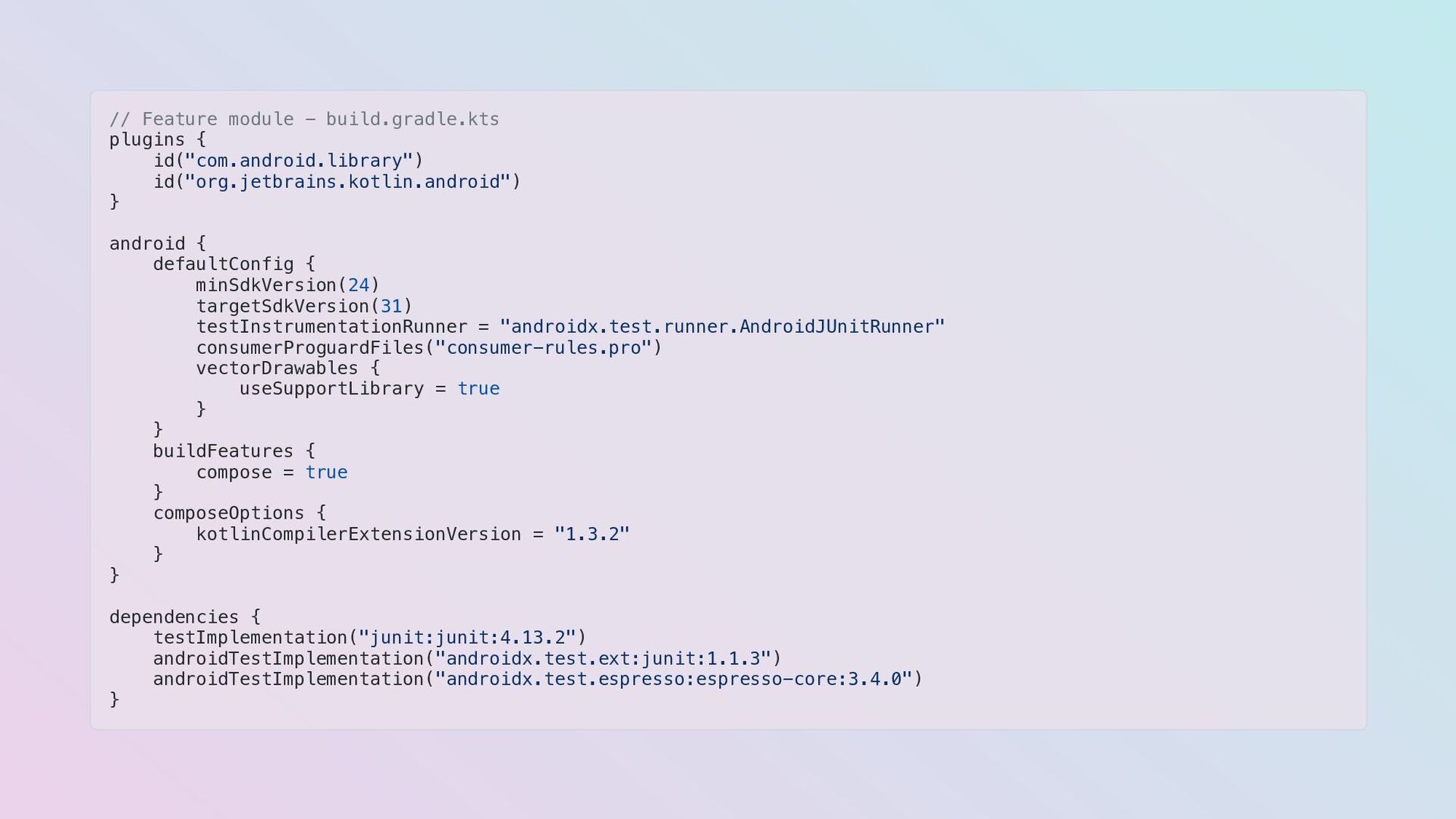
  8. // Feature module - build.gradle.kts plugins { id("com.android.library") id("org.jetbrains.kotlin.android") }

    android { defaultConfig { minSdkVersion(24) targetSdkVersion(31) testInstrumentationRunner = "androidx.test.runner.AndroidJUnitRunner" consumerProguardFiles("consumer-rules.pro") vectorDrawables { useSupportLibrary = true } } buildFeatures { compose = true } composeOptions { kotlinCompilerExtensionVersion = "1.3.2" } } dependencies { testImplementation("junit:junit:4.13.2") androidTestImplementation("androidx.test.ext:junit:1.1.3") androidTestImplementation("androidx.test.espresso:espresso-core:3.4.0") }
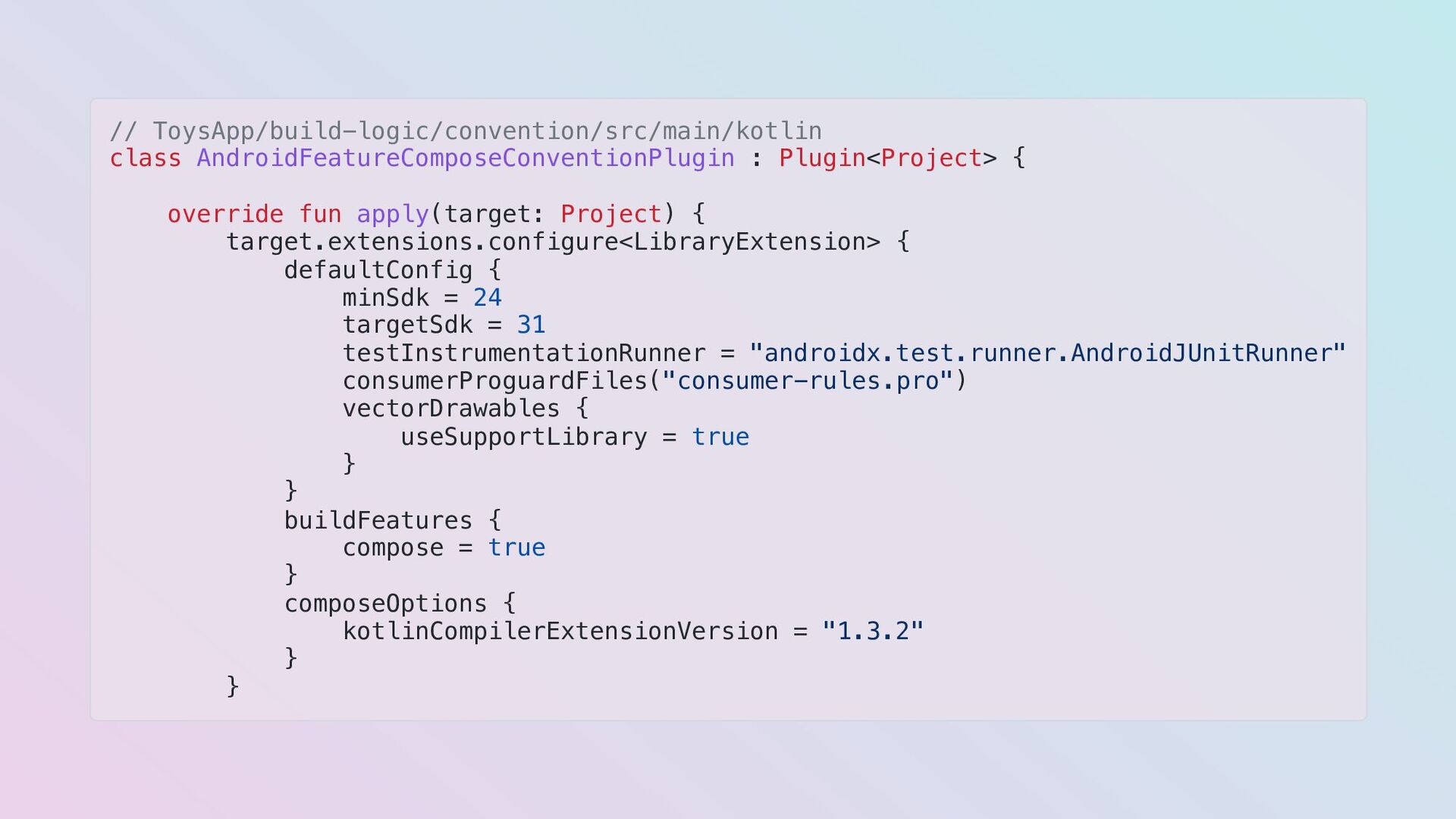
  9. // ToysApp/build-logic/convention/src/main/kotlin class AndroidFeatureComposeConventionPlugin : Plugin<Project> { override fun apply(target:

    Project) { target.extensions.configure<LibraryExtension> { defaultConfig { minSdk = 24 targetSdk = 31 testInstrumentationRunner = "androidx.test.runner.AndroidJUnitRunner" consumerProguardFiles("consumer-rules.pro") vectorDrawables { useSupportLibrary = true } } buildFeatures { compose = true } composeOptions { kotlinCompilerExtensionVersion = "1.3.2" } }
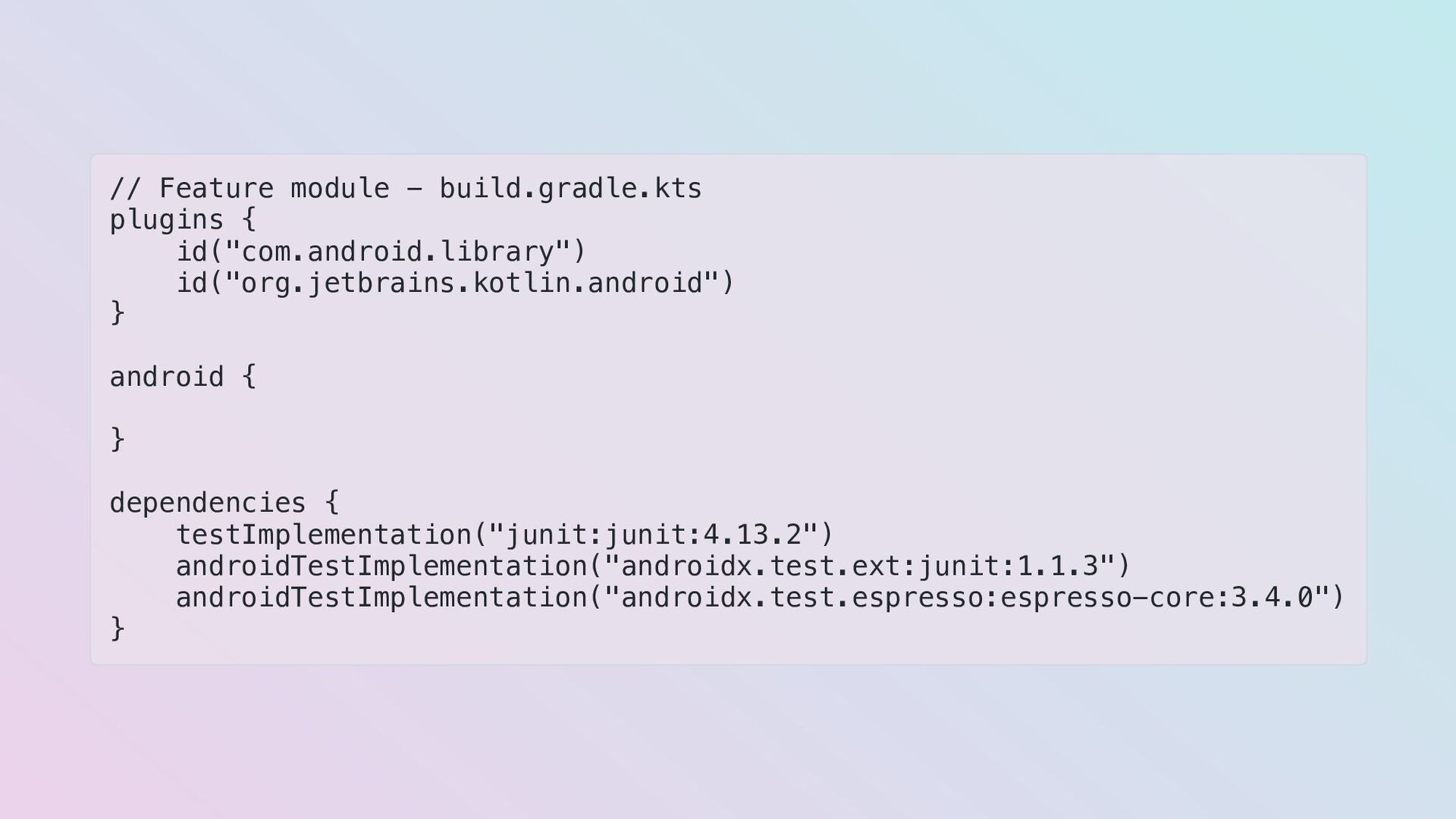
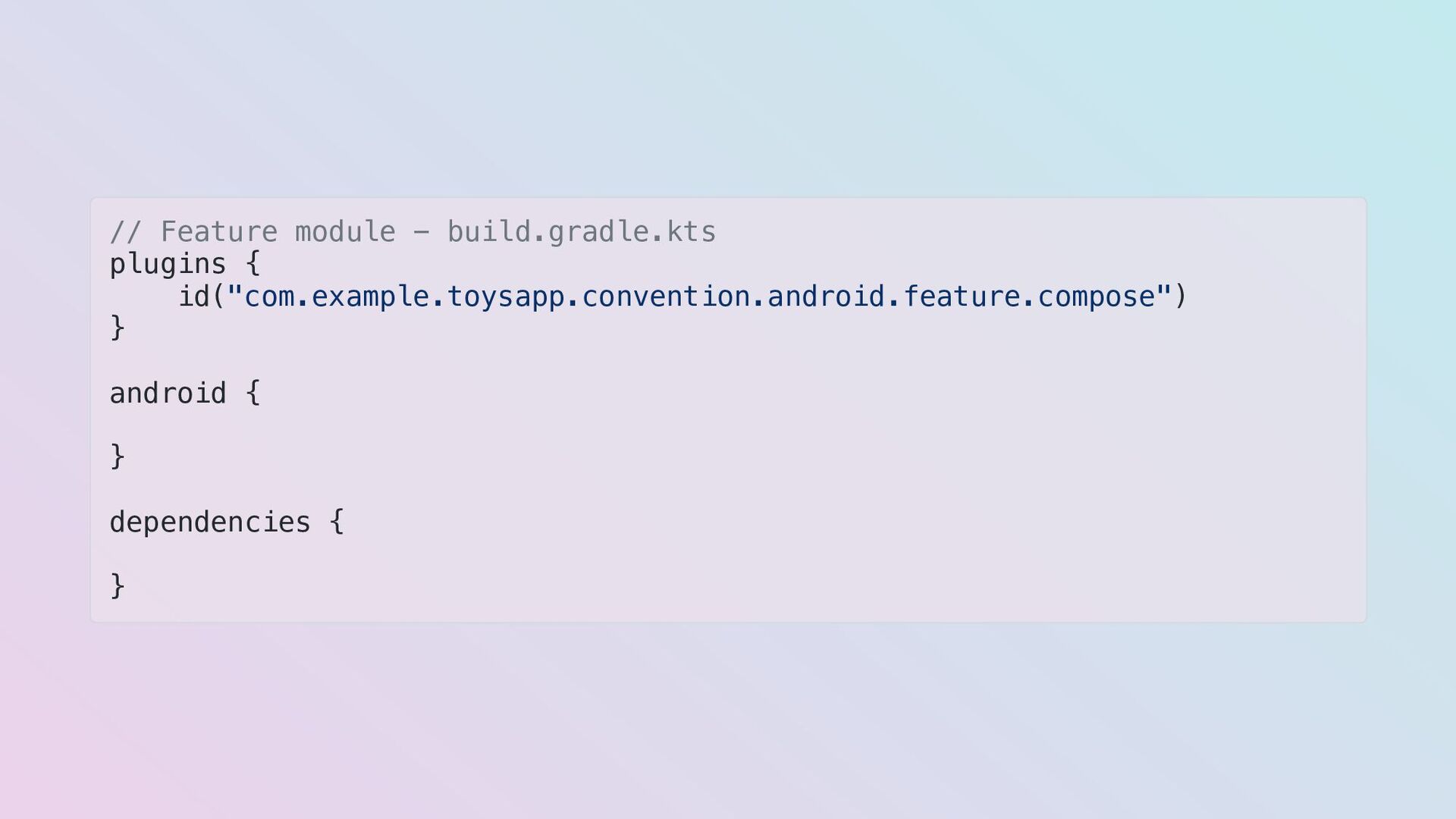
  10. // Feature module - build.gradle.kts plugins { id("com.android.library") id("org.jetbrains.kotlin.android") }

    android { } dependencies { testImplementation("junit:junit:4.13.2") androidTestImplementation("androidx.test.ext:junit:1.1.3") androidTestImplementation("androidx.test.espresso:espresso-core:3.4.0") }
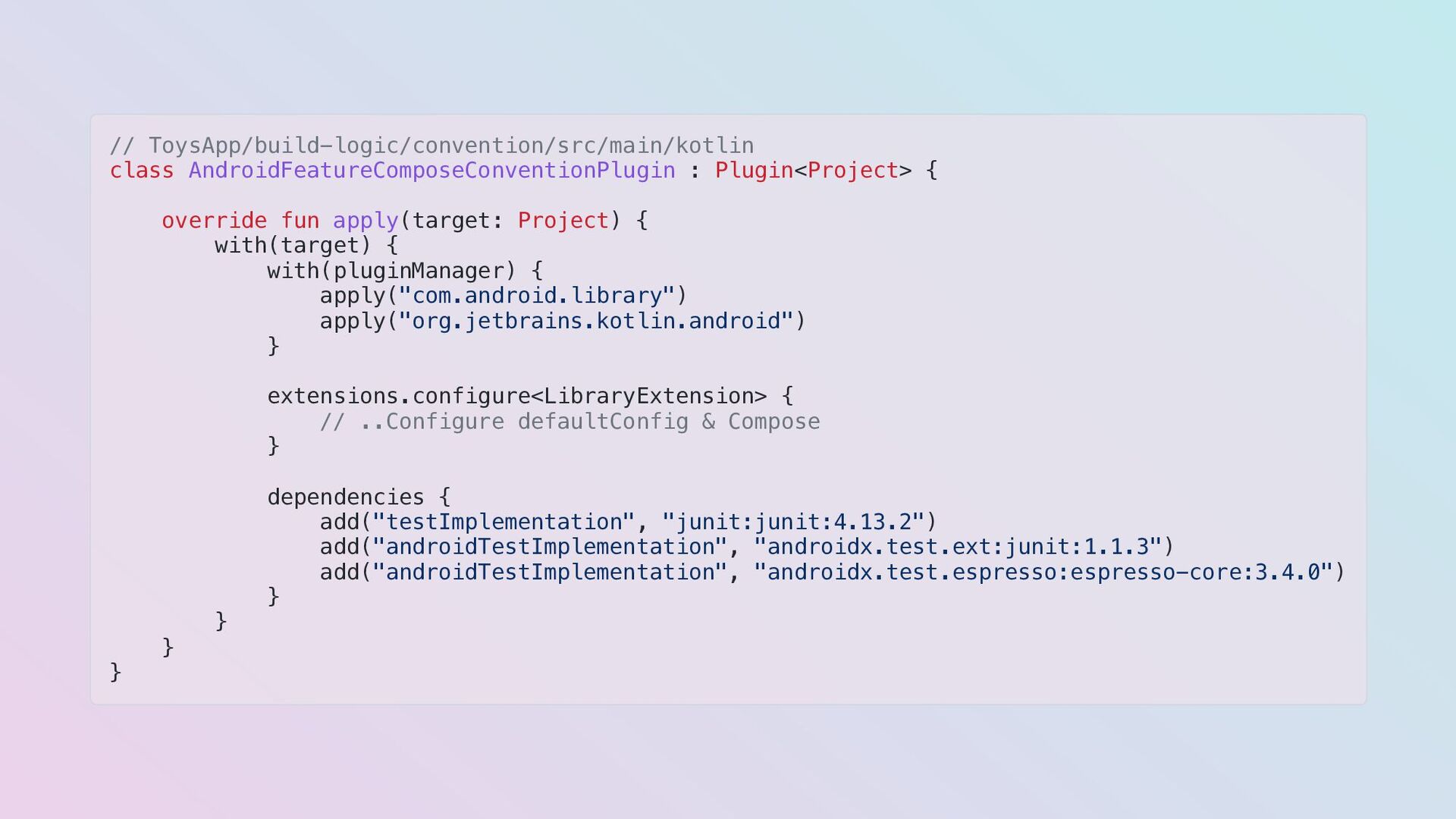
  11. // ToysApp/build-logic/convention/src/main/kotlin class AndroidFeatureComposeConventionPlugin : Plugin<Project> { override fun apply(target:

    Project) { with(target) { with(pluginManager) { apply("com.android.library") apply("org.jetbrains.kotlin.android") } extensions.configure<LibraryExtension> { // ..Configure defaultConfig & Compose } dependencies { add("testImplementation", "junit:junit:4.13.2") add("androidTestImplementation", "androidx.test.ext:junit:1.1.3") add("androidTestImplementation", "androidx.test.espresso:espresso-core:3.4.0") } } } }
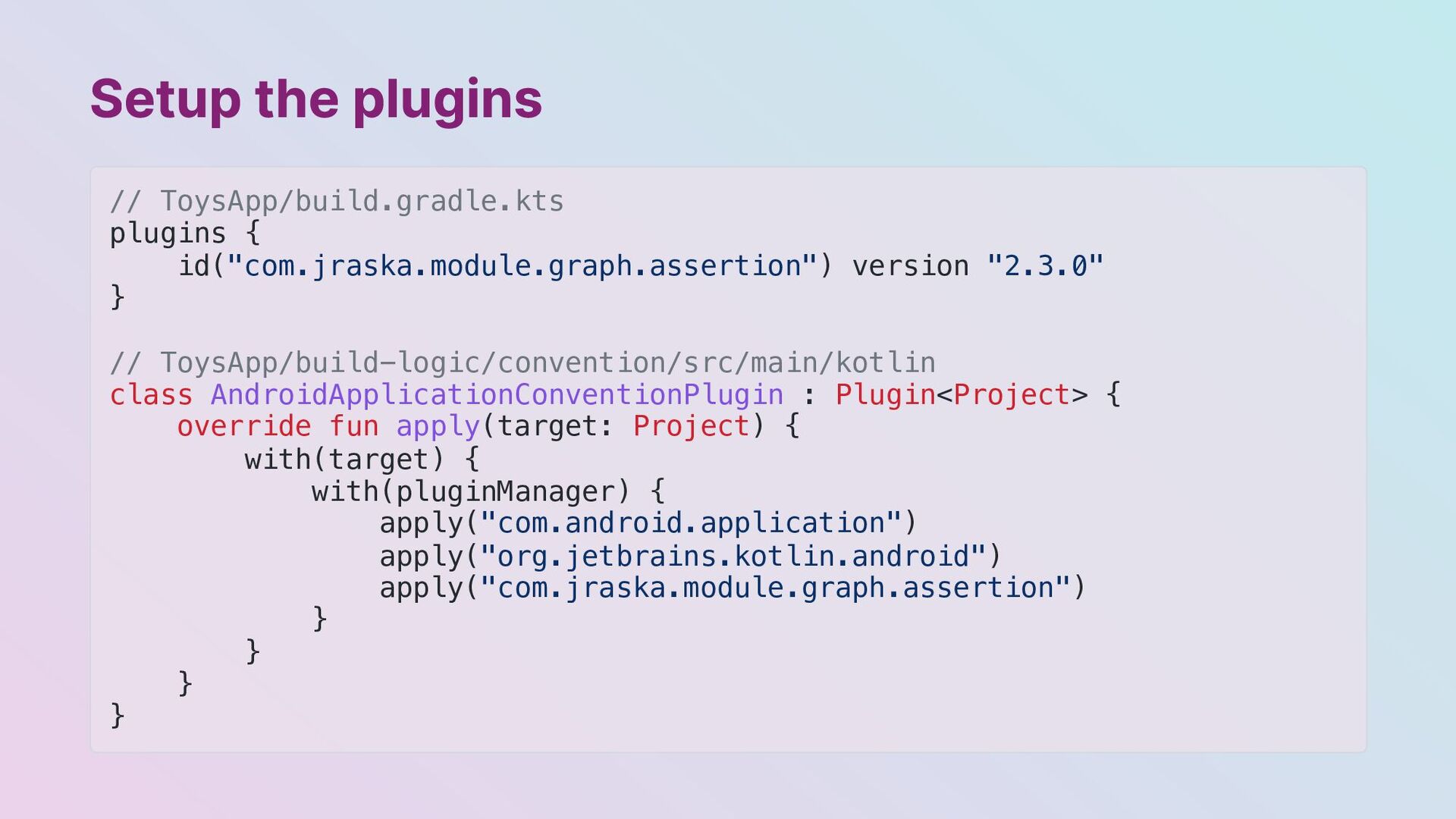
  12. Setup the plugins // ToysApp/build.gradle.kts plugins { id("com.jraska.module.graph.assertion") version "2.3.0"

    } // ToysApp/build-logic/convention/src/main/kotlin class AndroidApplicationConventionPlugin : Plugin<Project> { override fun apply(target: Project) { with(target) { with(pluginManager) { apply("com.android.application") apply("org.jetbrains.kotlin.android") apply("com.jraska.module.graph.assertion") } } } }
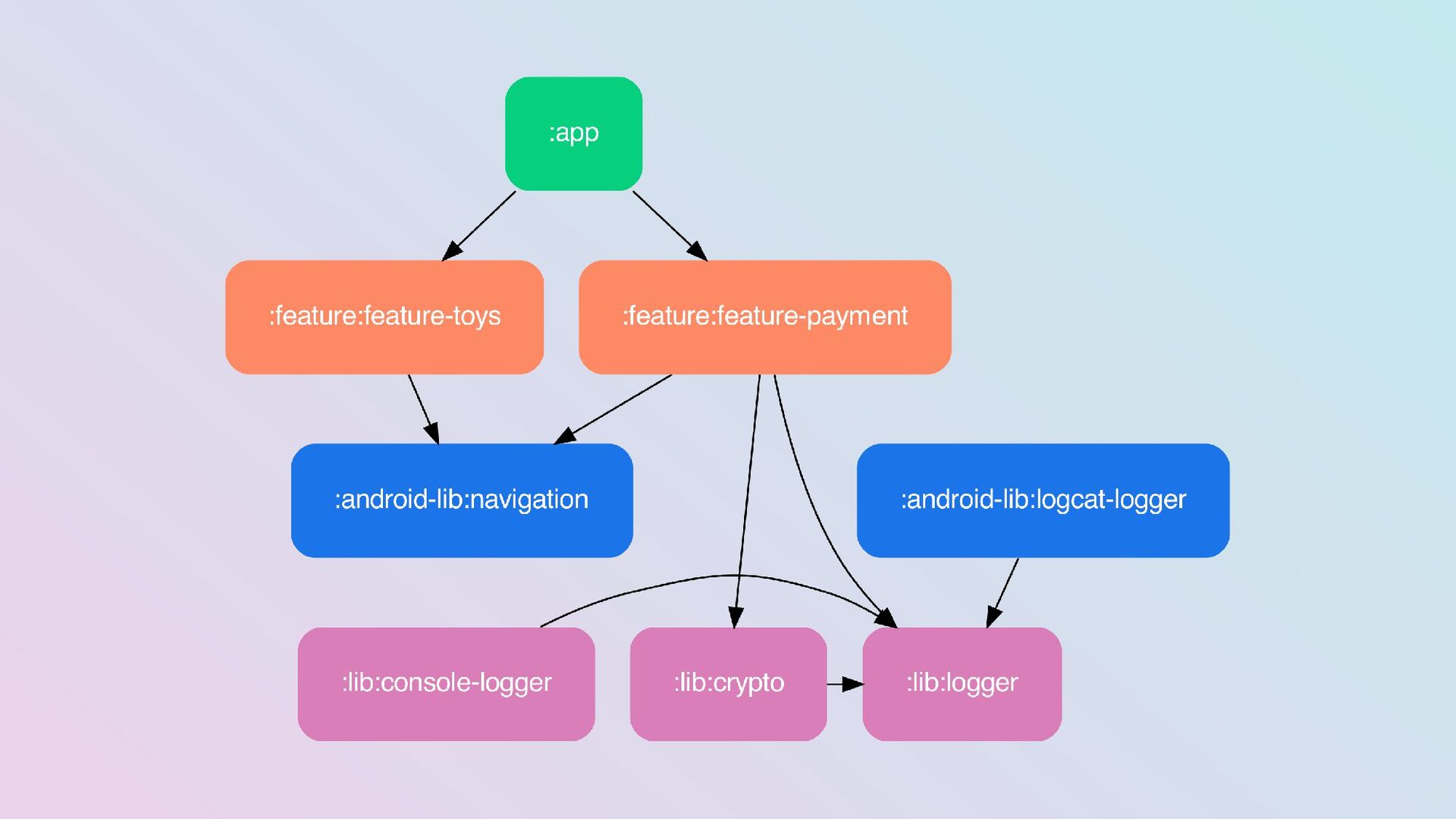
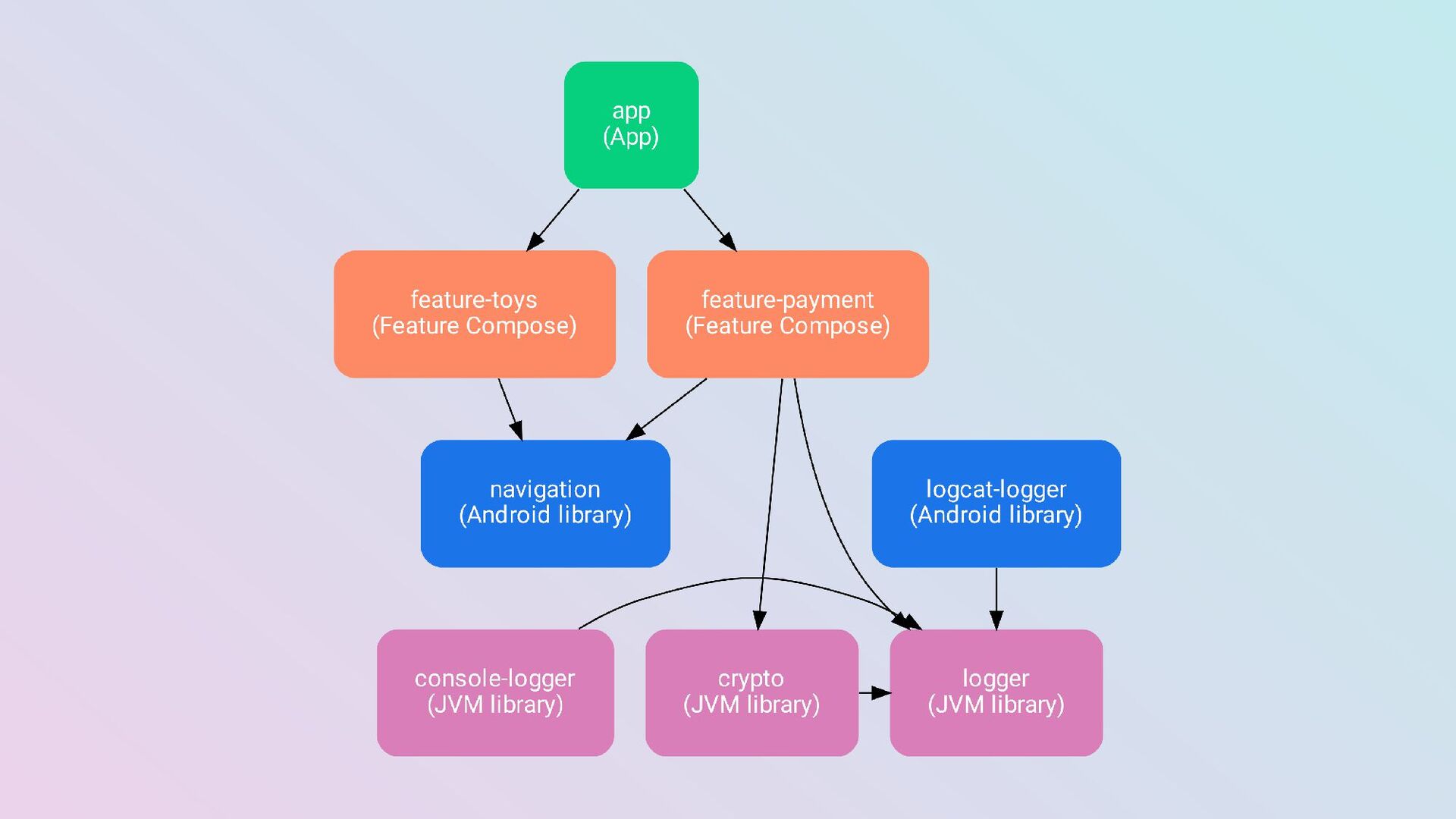
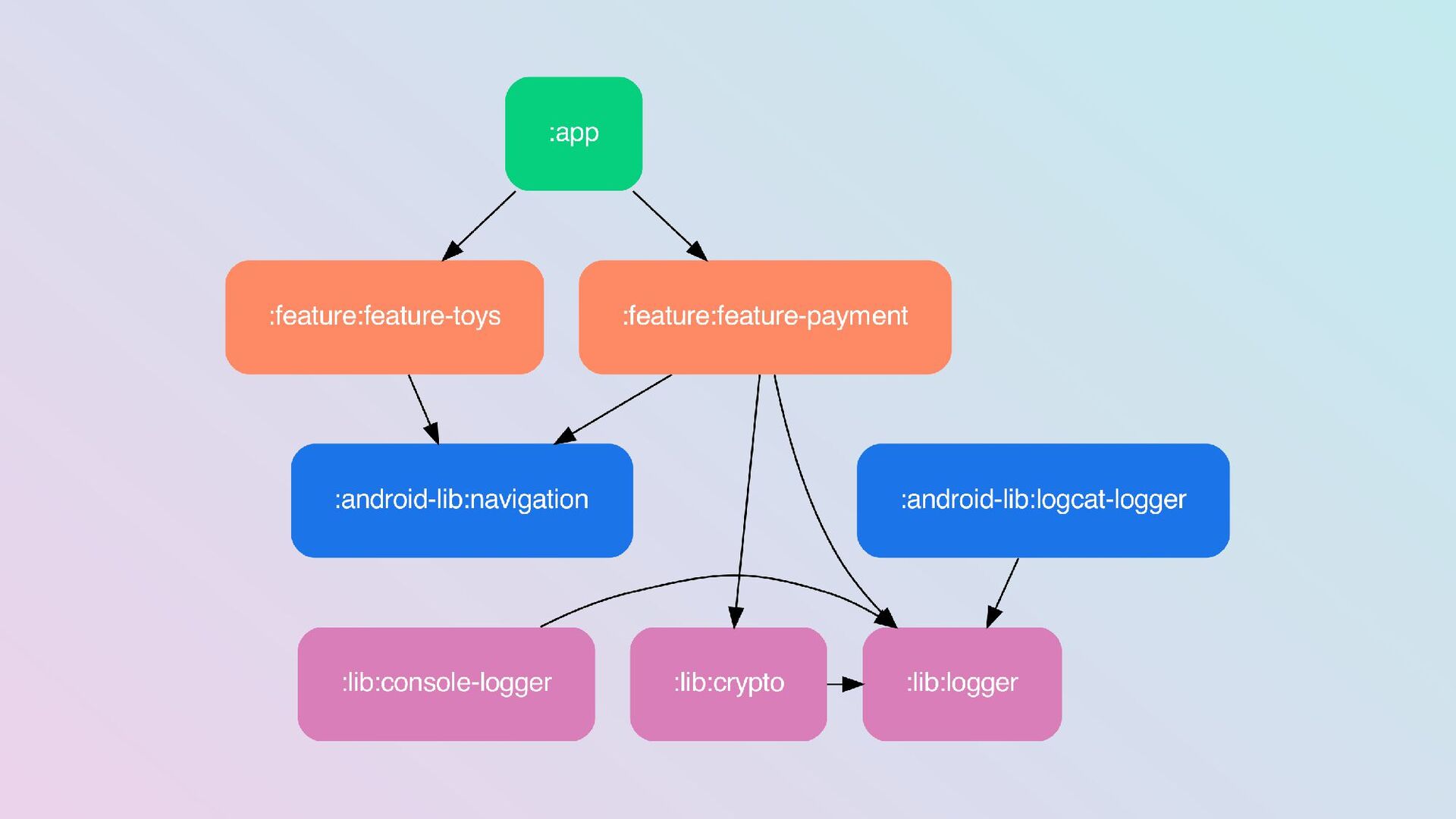
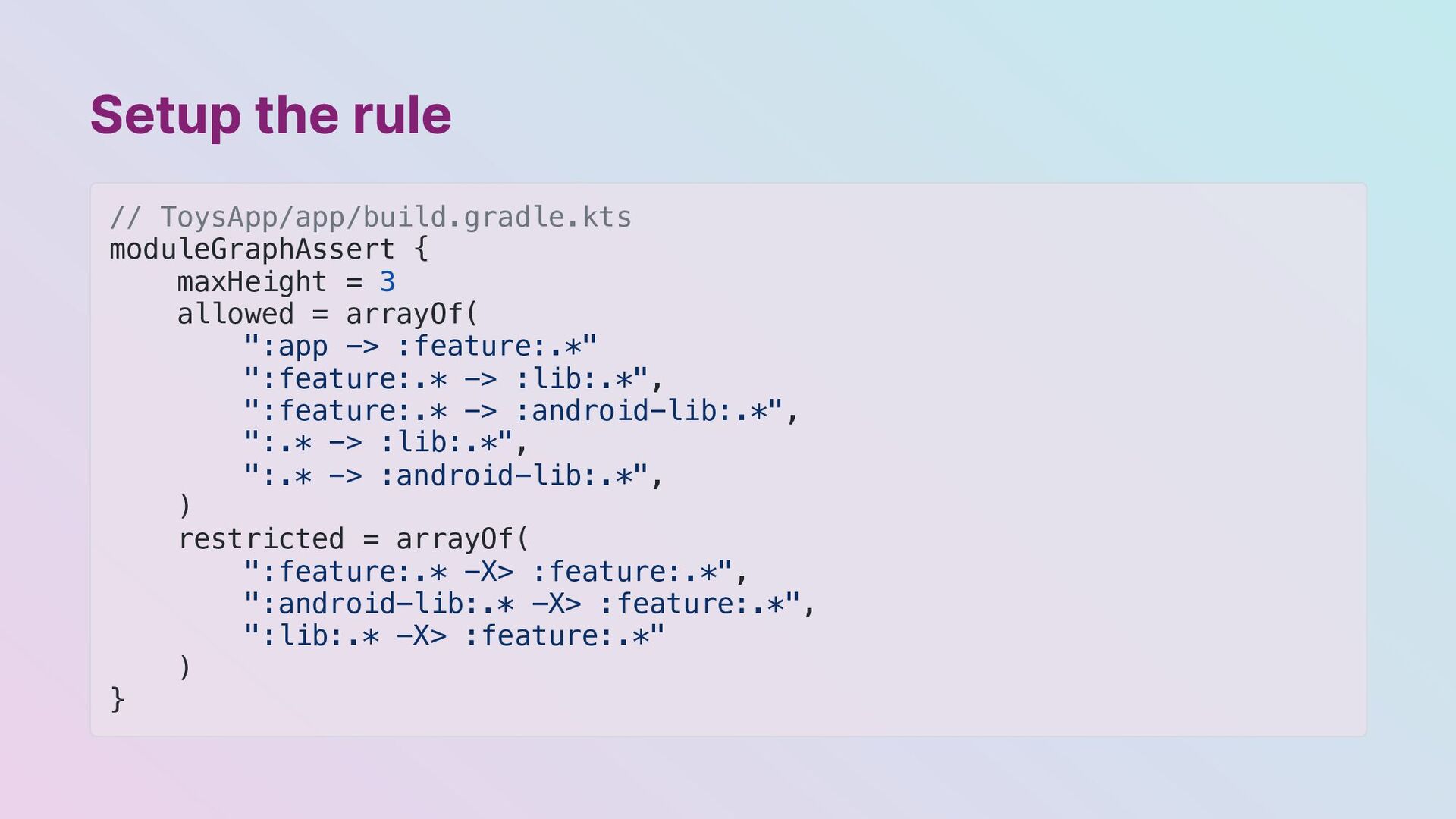
  13. Setup the rule // ToysApp/app/build.gradle.kts moduleGraphAssert { maxHeight = 3

    allowed = arrayOf( ":app -> :feature:.*" ":feature:.* -> :lib:.*", ":feature:.* -> :android-lib:.*", ":.* -> :lib:.*", ":.* -> :android-lib:.*", ) restricted = arrayOf( ":feature:.* -X> :feature:.*", ":android-lib:.* -X> :feature:.*", ":lib:.* -X> :feature:.*" ) }
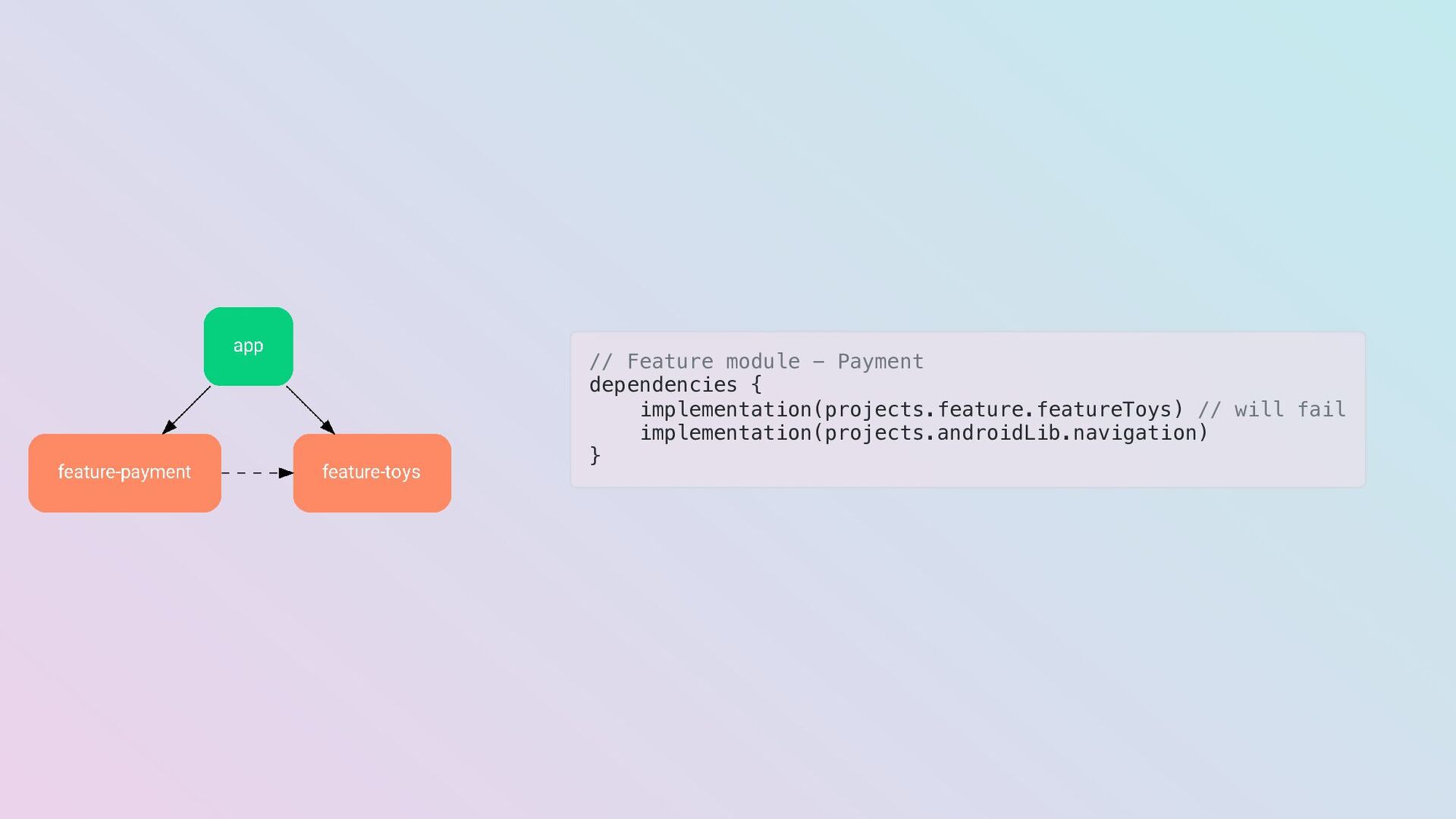
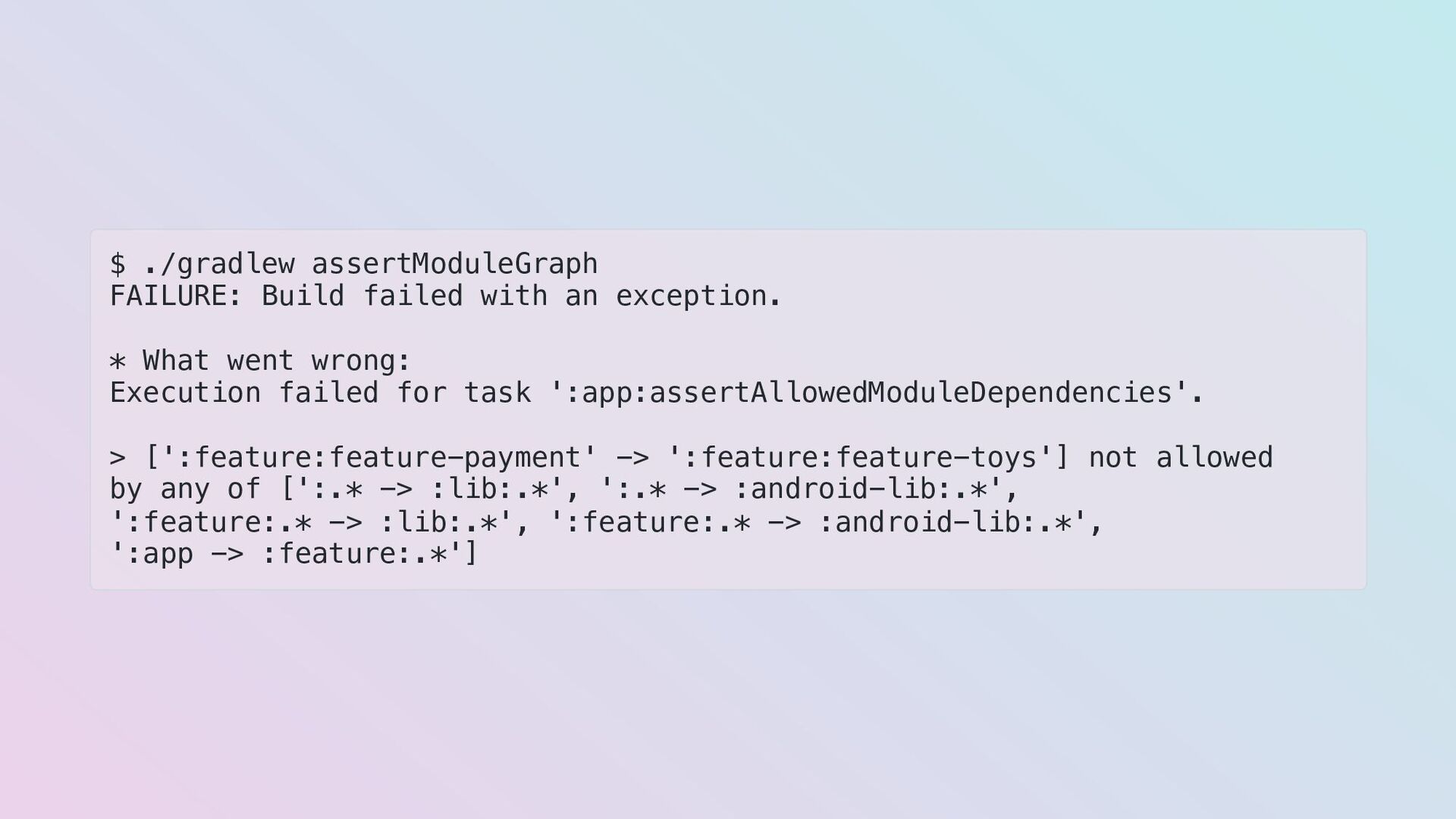
  14. $ ./gradlew assertModuleGraph FAILURE: Build failed with an exception. *

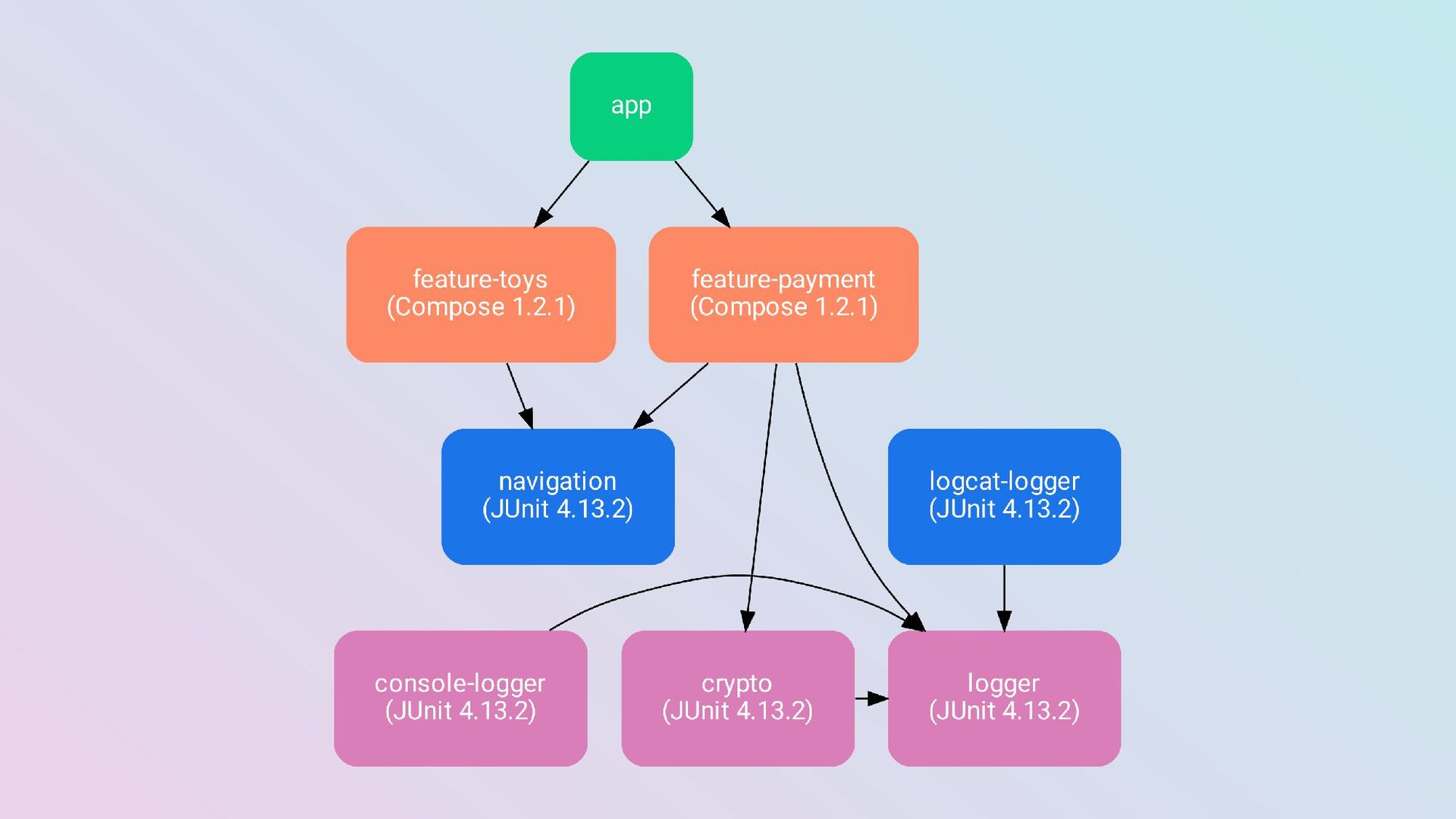
    What went wrong: Execution failed for task ':app:assertAllowedModuleDependencies'. > [':feature:feature-payment' -> ':feature:feature-toys'] not allowed by any of [':.* -> :lib:.*', ':.* -> :android-lib:.*', ':feature:.* -> :lib:.*', ':feature:.* -> :android-lib:.*', ':app -> :feature:.*']
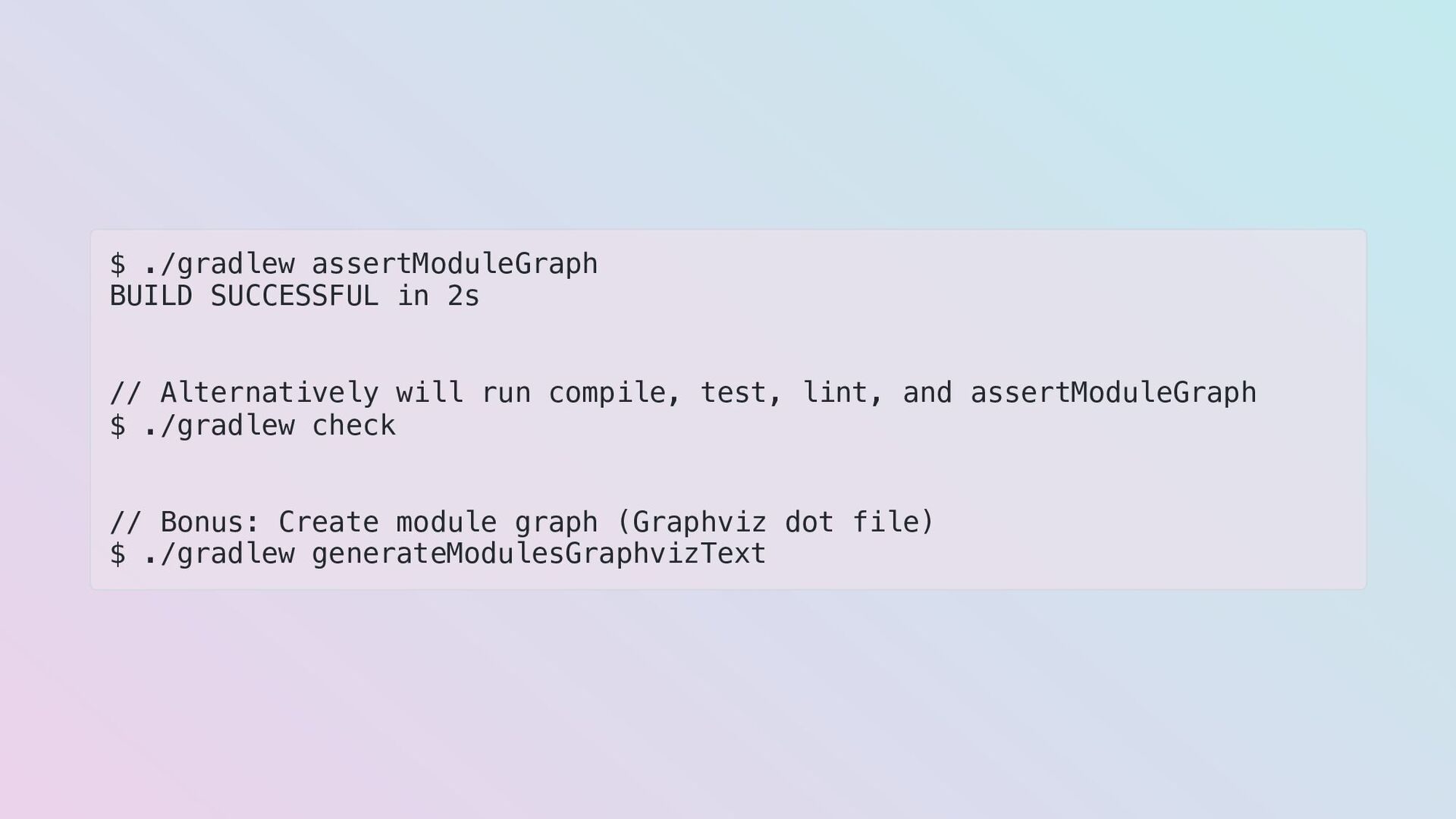
  15. $ ./gradlew assertModuleGraph BUILD SUCCESSFUL in 2s // Alternatively will

    run compile, test, lint, and assertModuleGraph $ ./gradlew check // Bonus: Create module graph (Graphviz dot file) $ ./gradlew generateModulesGraphvizText
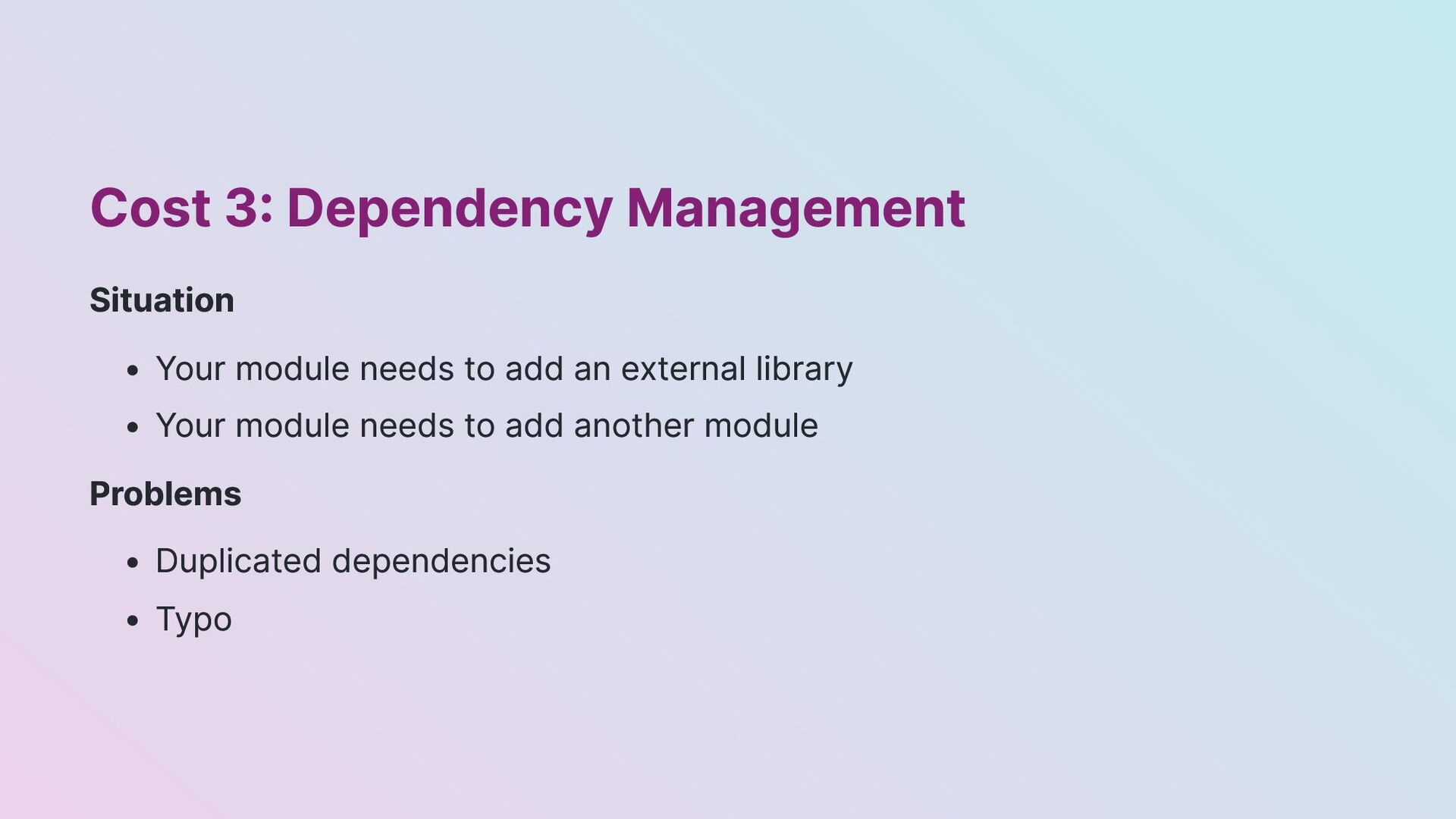
  16. Cost 3: Dependency Management Situation Your module needs to add

    an external library Your module needs to add another module Problems Duplicated dependencies Typo
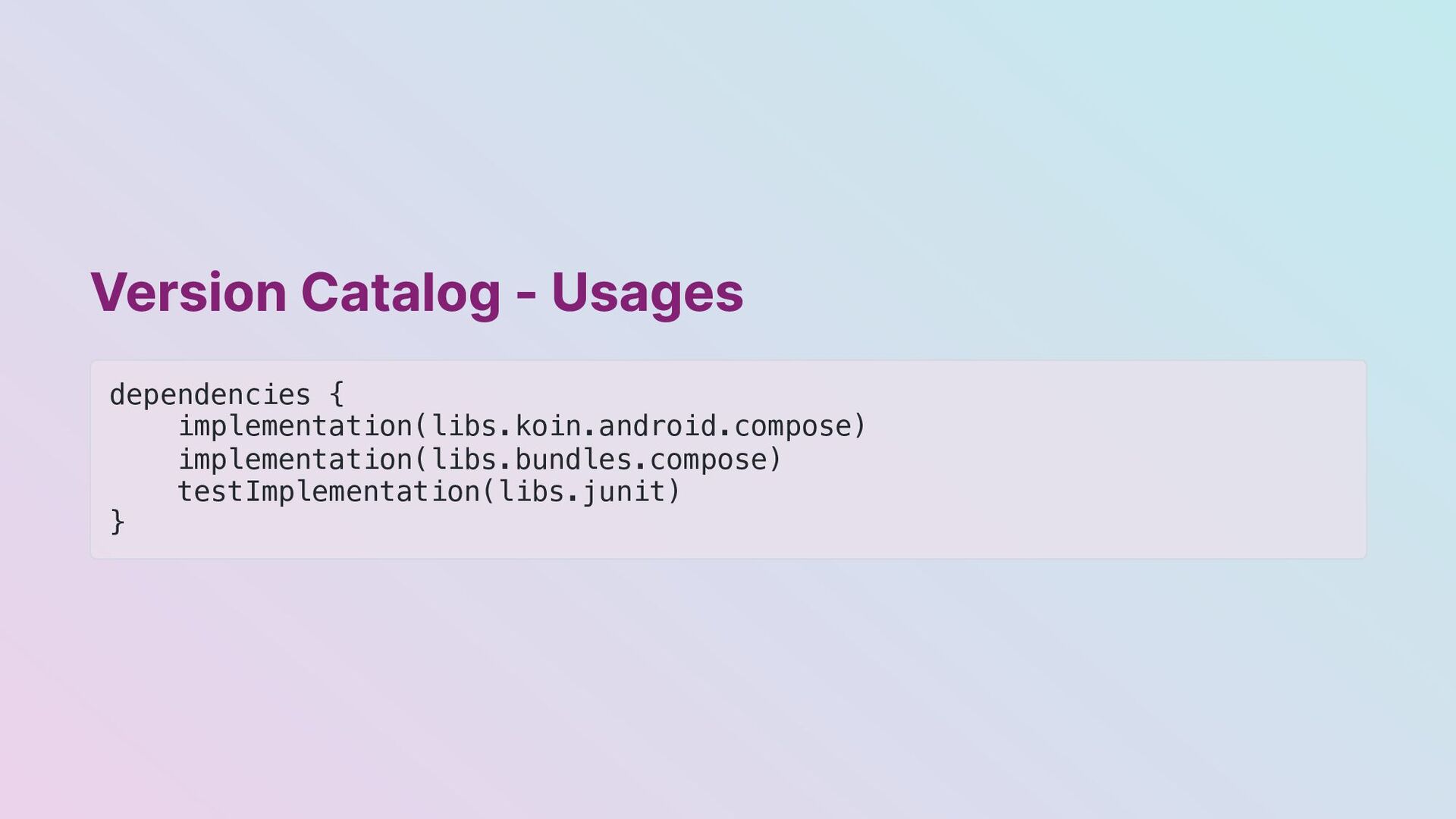
  17. Version Catalog - Libraries & Bundles // ToysApp/gradle/libs.versions.toml [versions] compose

    = "1.2.1" [libraries] compose-ui = { module = "androidx.compose.ui:ui", version.ref = "compose" } compose-tooling = { module = "androidx.compose.ui:ui-tooling", version.ref = "compose" } koin-android-compose = "io.insert-koin:koin-androidx-compose:3.2.1" [bundles] compose = ["compose-ui", "compose-tooling", "compose-activity", "compose-material"]
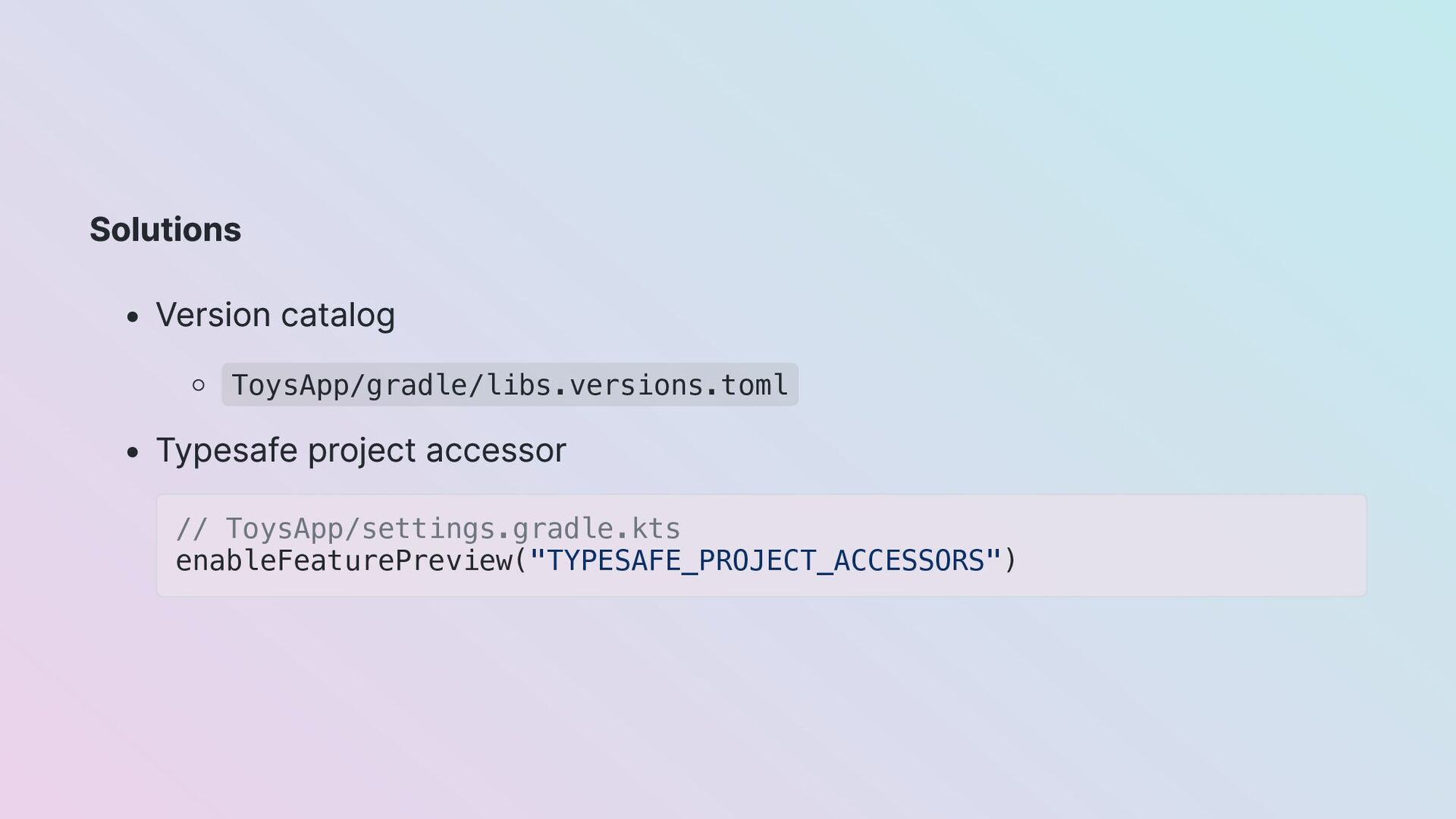
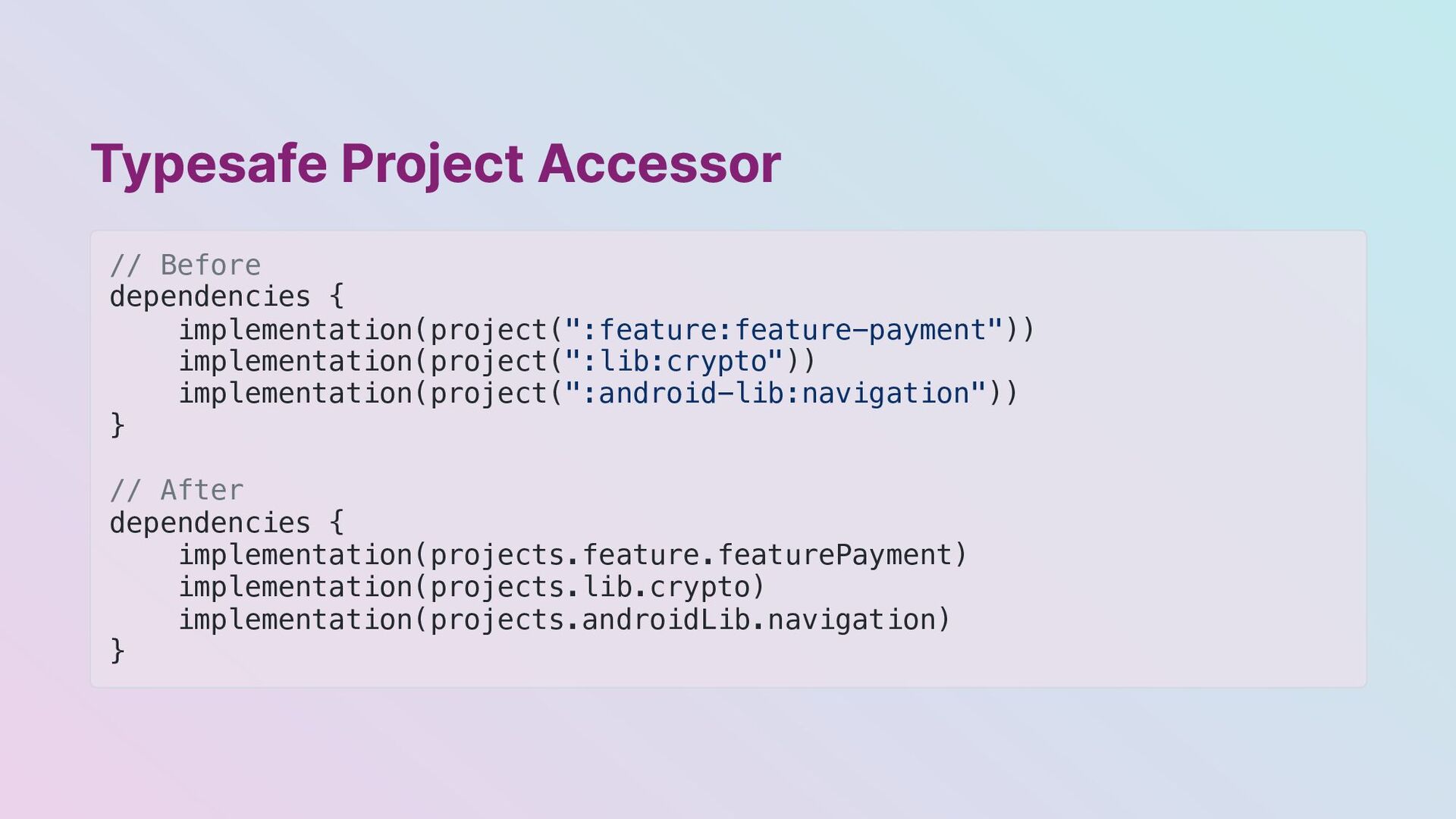
  18. Typesafe Project Accessor // Before dependencies { implementation(project(":feature:feature-payment")) implementation(project(":lib:crypto")) implementation(project(":android-lib:navigation"))

    } // After dependencies { implementation(projects.feature.featurePayment) implementation(projects.lib.crypto) implementation(projects.androidLib.navigation) }
  19. Cost 4: Dependency Injection Situation Your class needs an instance

    of a class/interface Problems The implementation class/interface is in another module
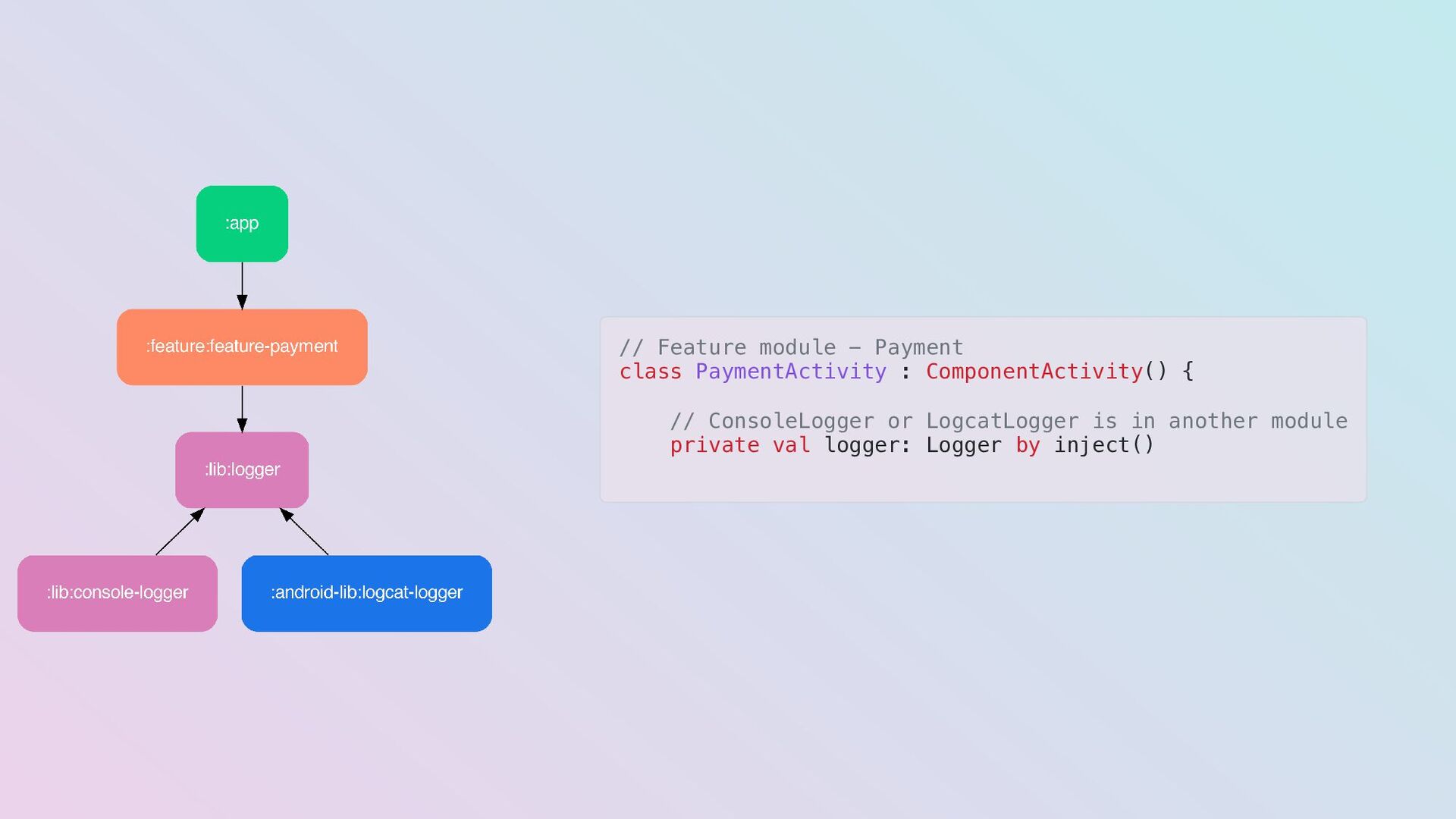
  20. // Feature module - Payment class PaymentActivity : ComponentActivity() {

    // ConsoleLogger or LogcatLogger is in another module private val logger: Logger by inject()
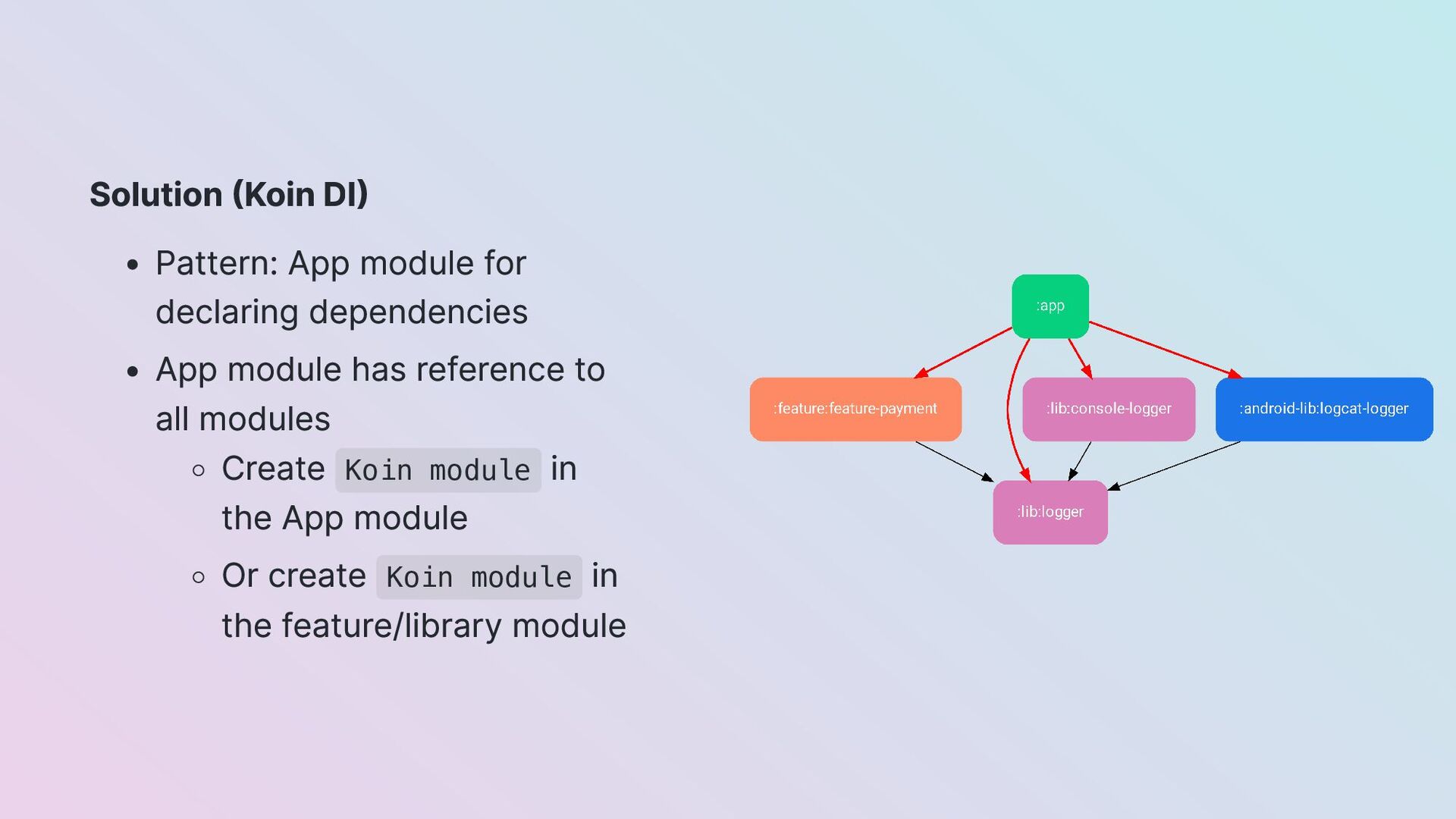
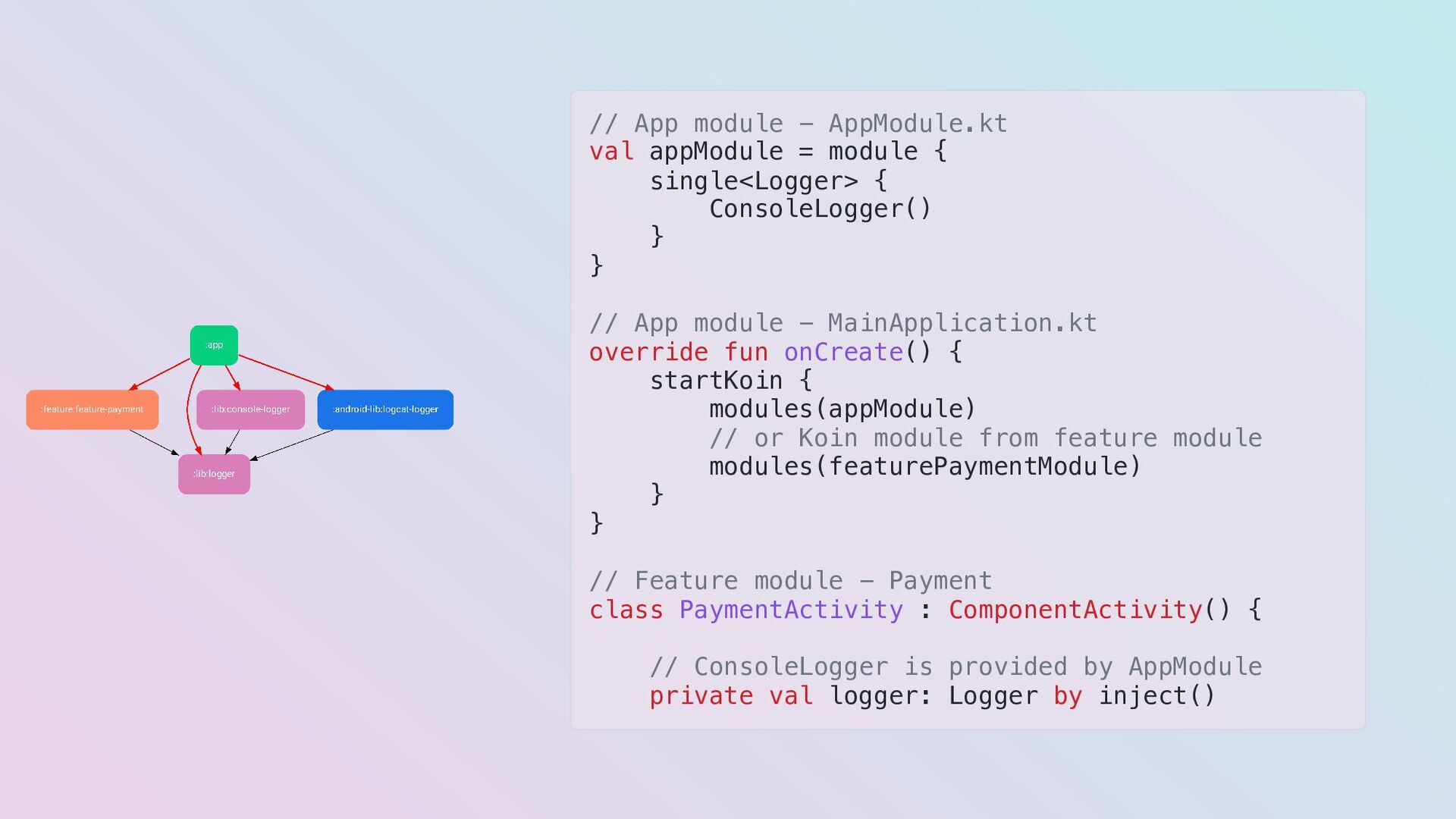
  21. Solution (Koin DI) Pattern: App module for declaring dependencies App

    module has reference to all modules Create Koin module in the App module Or create Koin module in the feature/library module
  22. // App module - AppModule.kt val appModule = module {

    single<Logger> { ConsoleLogger() } } // App module - MainApplication.kt override fun onCreate() { startKoin { modules(appModule) // or Koin module from feature module modules(featurePaymentModule) } } // Feature module - Payment class PaymentActivity : ComponentActivity() { // ConsoleLogger is provided by AppModule private val logger: Logger by inject()
  23. Cost 5: Navigation Situation Your Activity needs to call another

    Activity, and vice-versa Problems The Activity is in another module If you add the module, you'll have a cyclic dependency
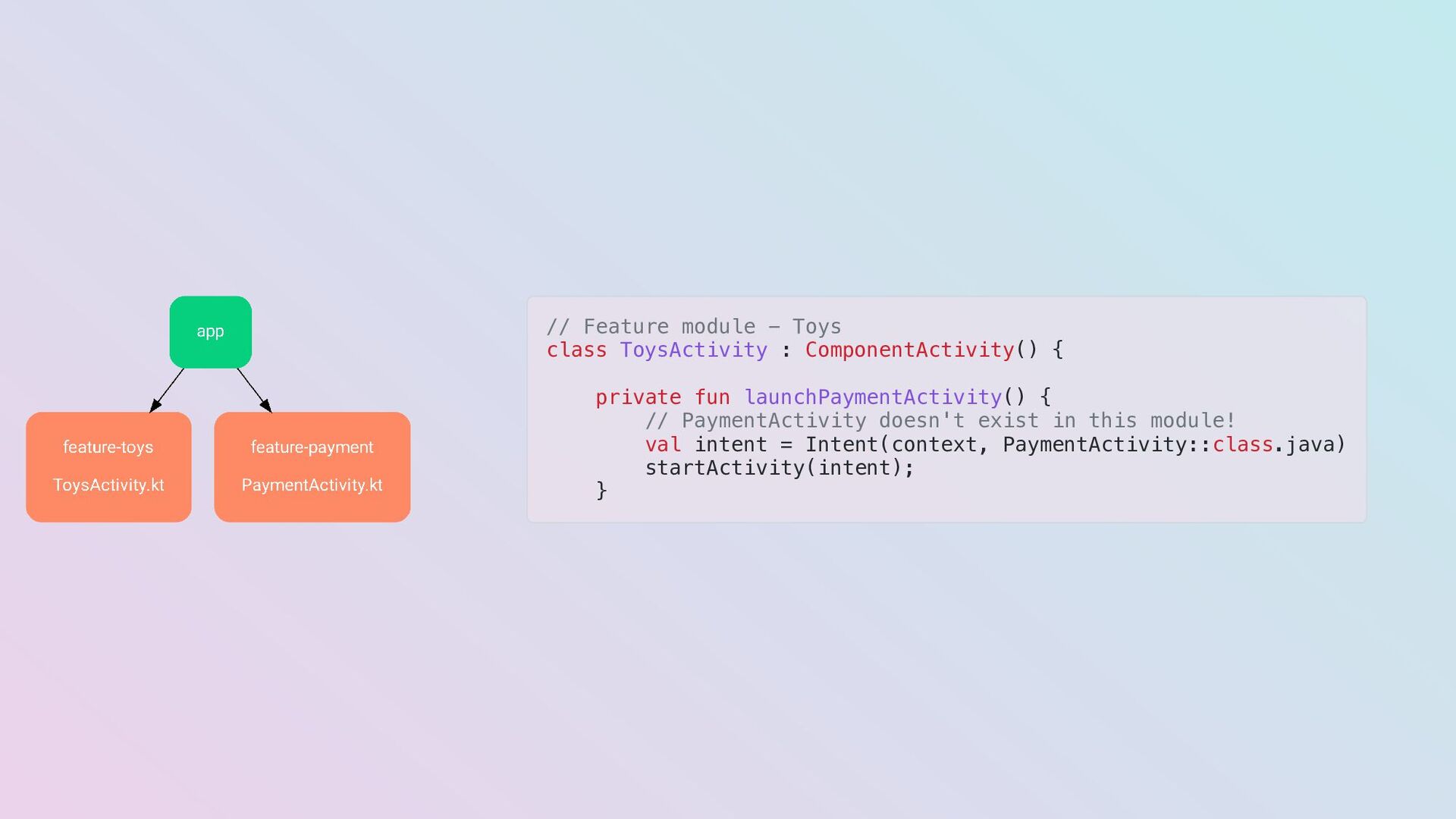
  24. // Feature module - Toys class ToysActivity : ComponentActivity() {

    private fun launchPaymentActivity() { // PaymentActivity doesn't exist in this module! val intent = Intent(context, PaymentActivity::class.java) startActivity(intent); }
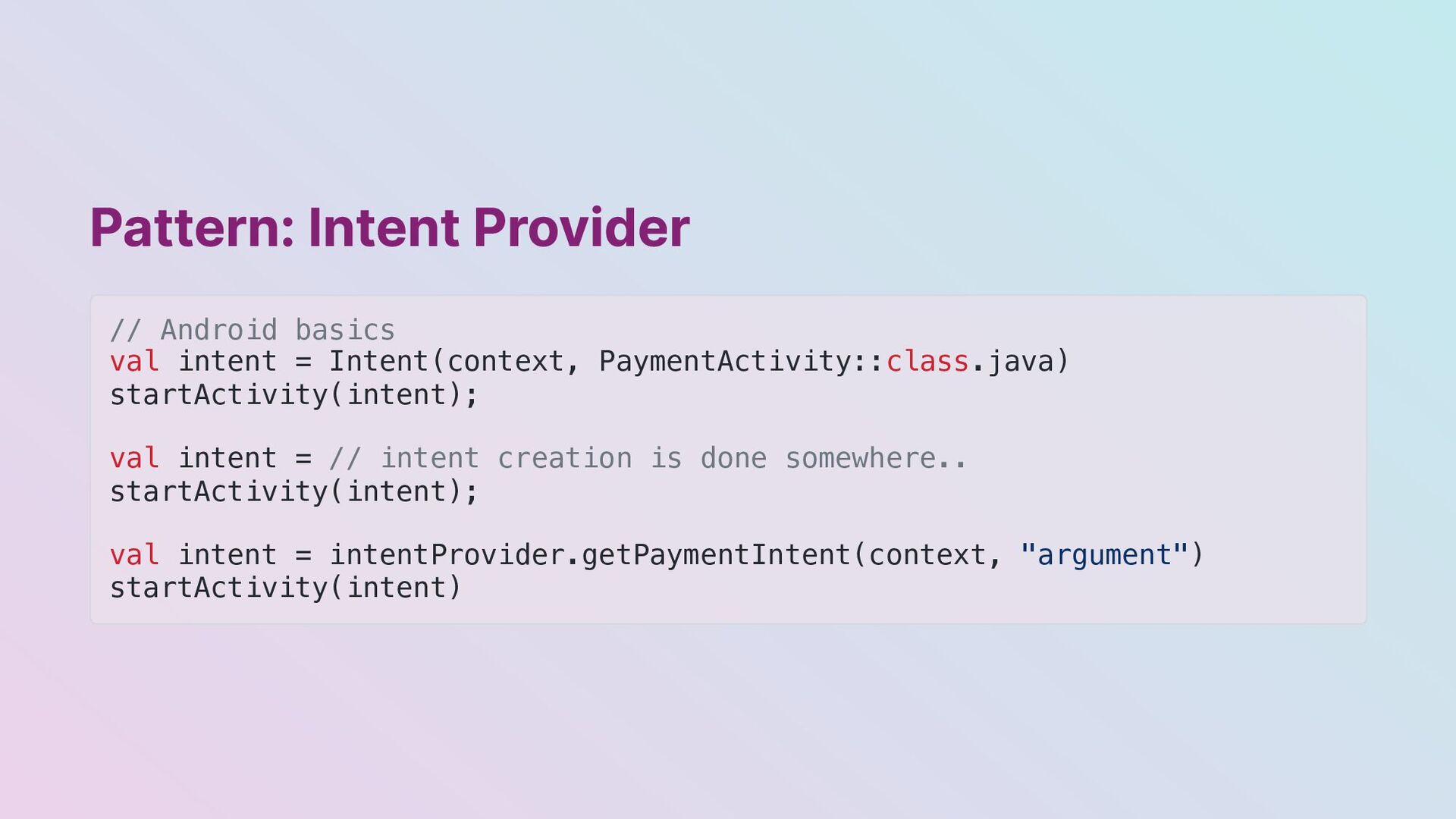
  25. Pattern: Intent Provider // Android basics val intent = Intent(context,

    PaymentActivity::class.java) startActivity(intent); val intent = // intent creation is done somewhere.. startActivity(intent); val intent = intentProvider.getPaymentIntent(context, "argument") startActivity(intent)
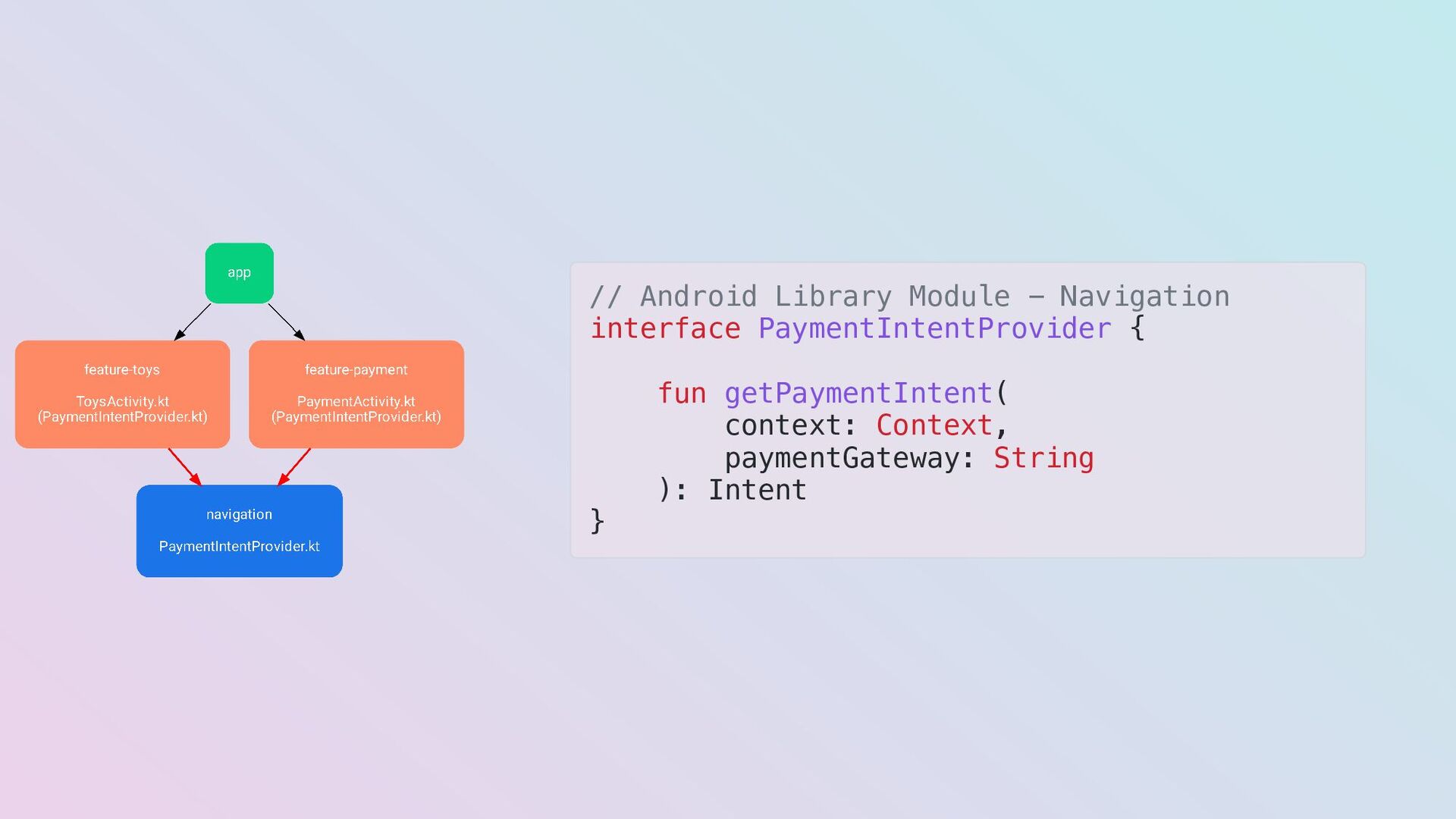
  26. // Android Library Module - Navigation interface PaymentIntentProvider { fun

    getPaymentIntent( context: Context, paymentGateway: String ): Intent }
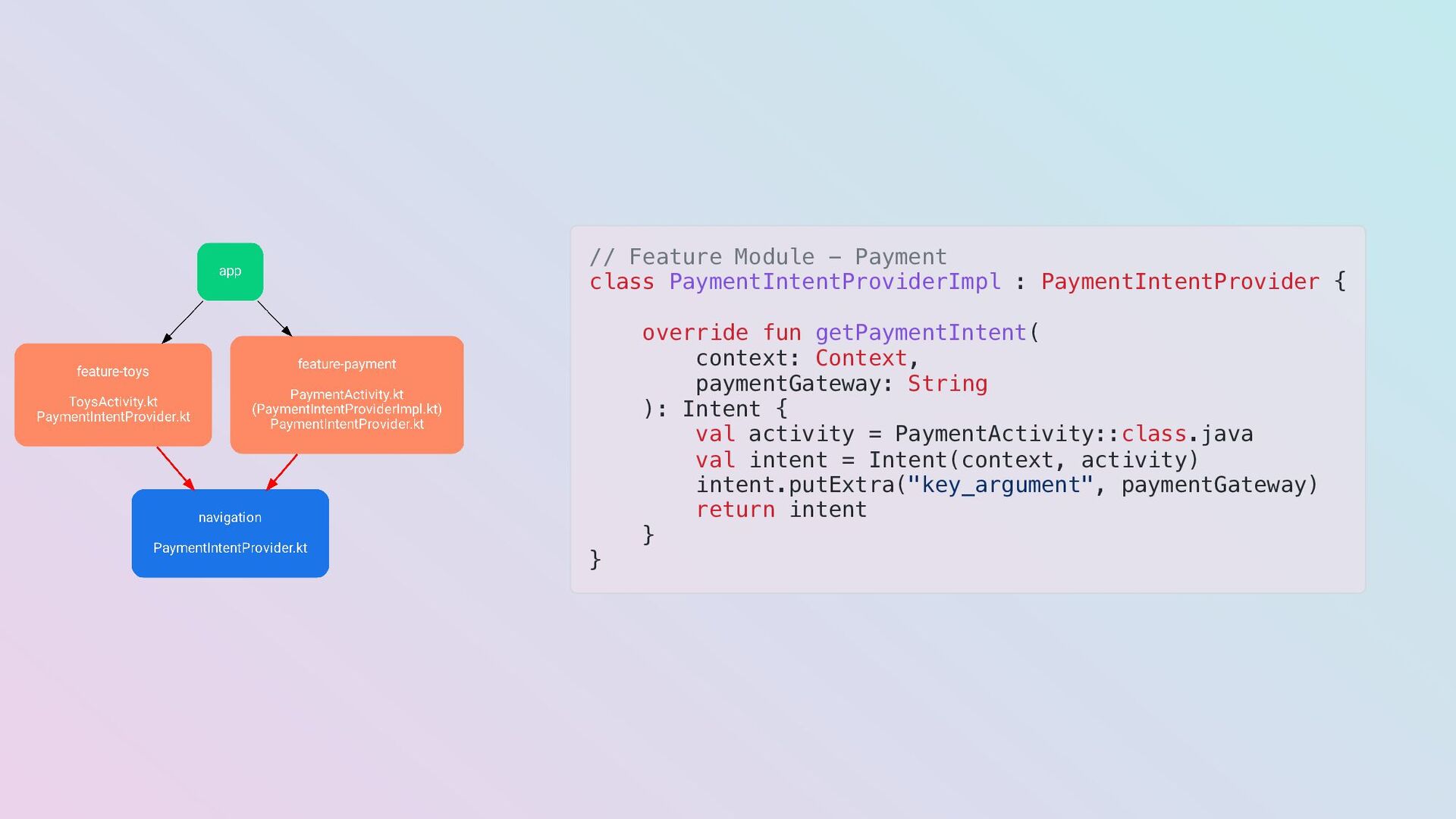
  27. // Feature Module - Payment class PaymentIntentProviderImpl : PaymentIntentProvider {

    override fun getPaymentIntent( context: Context, paymentGateway: String ): Intent { val activity = PaymentActivity::class.java val intent = Intent(context, activity) intent.putExtra("key_argument", paymentGateway) return intent } }
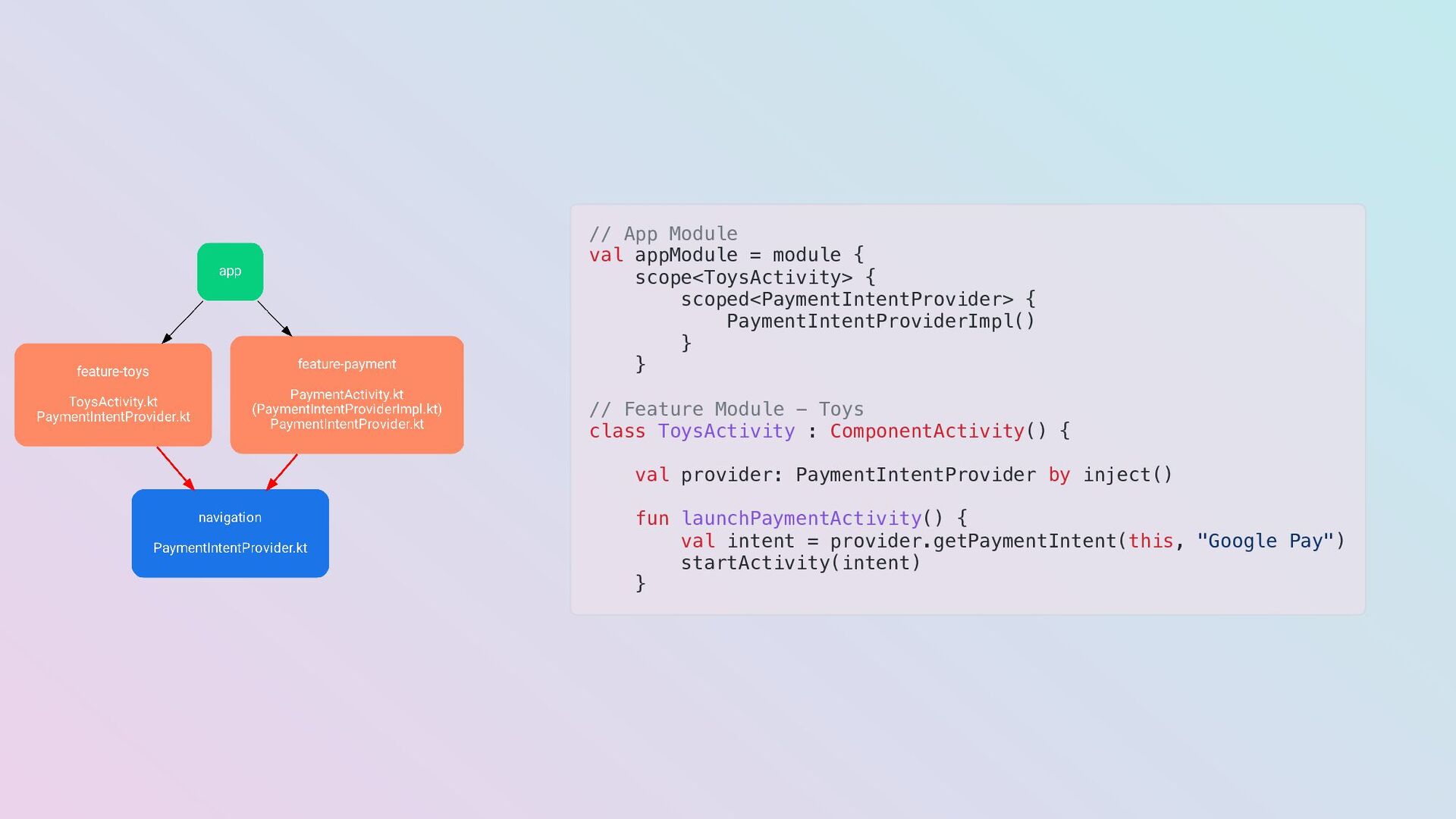
  28. // App Module val appModule = module { scope<ToysActivity> {

    scoped<PaymentIntentProvider> { PaymentIntentProviderImpl() } } // Feature Module - Toys class ToysActivity : ComponentActivity() { val provider: PaymentIntentProvider by inject() fun launchPaymentActivity() { val intent = provider.getPaymentIntent(this, "Google Pay") startActivity(intent) }
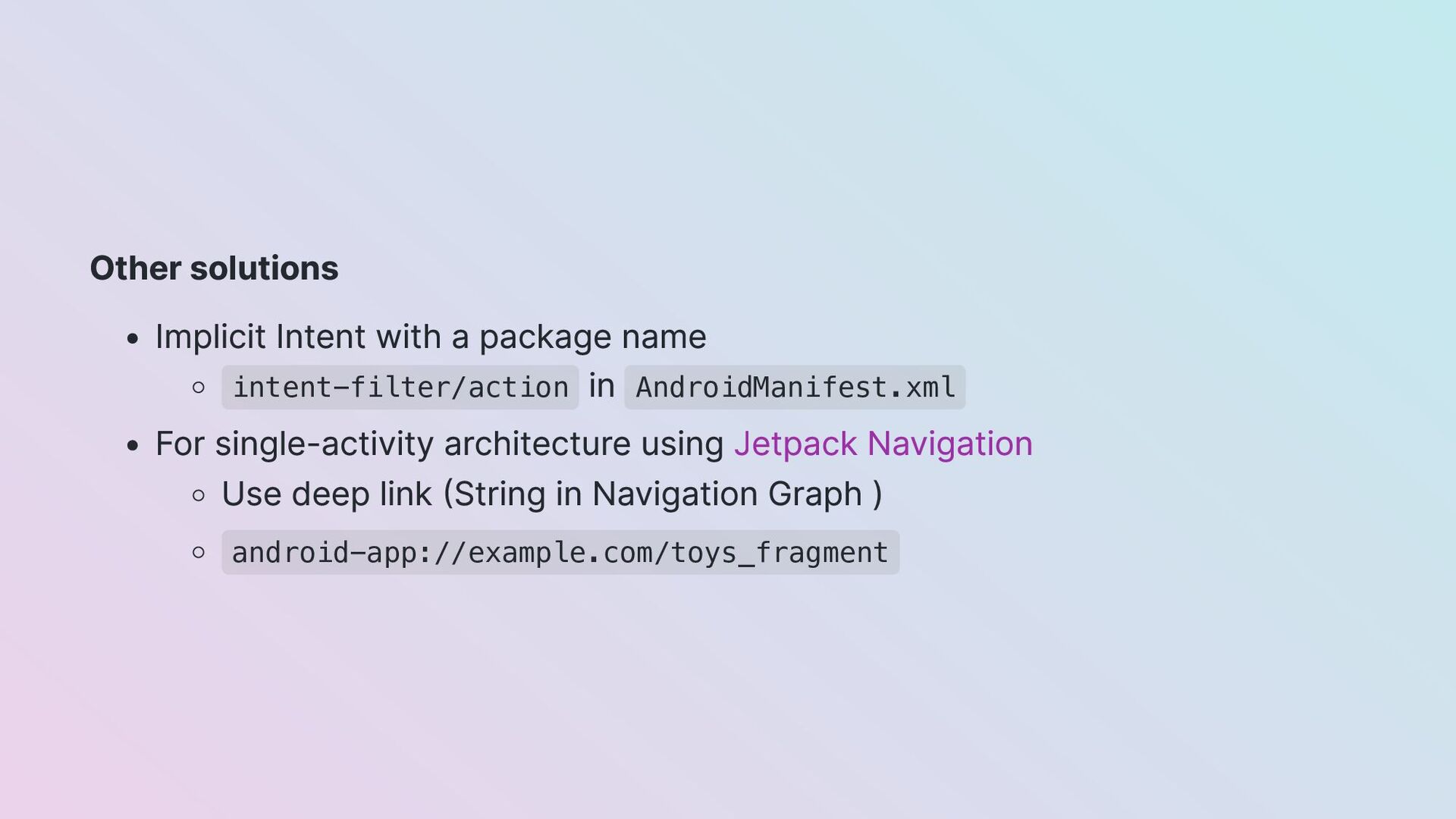
  29. Other solutions Implicit Intent with a package name intent-filter/action in

    AndroidManifest.xml For single-activity architecture using Jetpack Navigation Use deep link (String in Navigation Graph ) android-app://example.com/toys_fragment
  30. When should you do modularization? When you and your team

    have time and effort to pay the cost
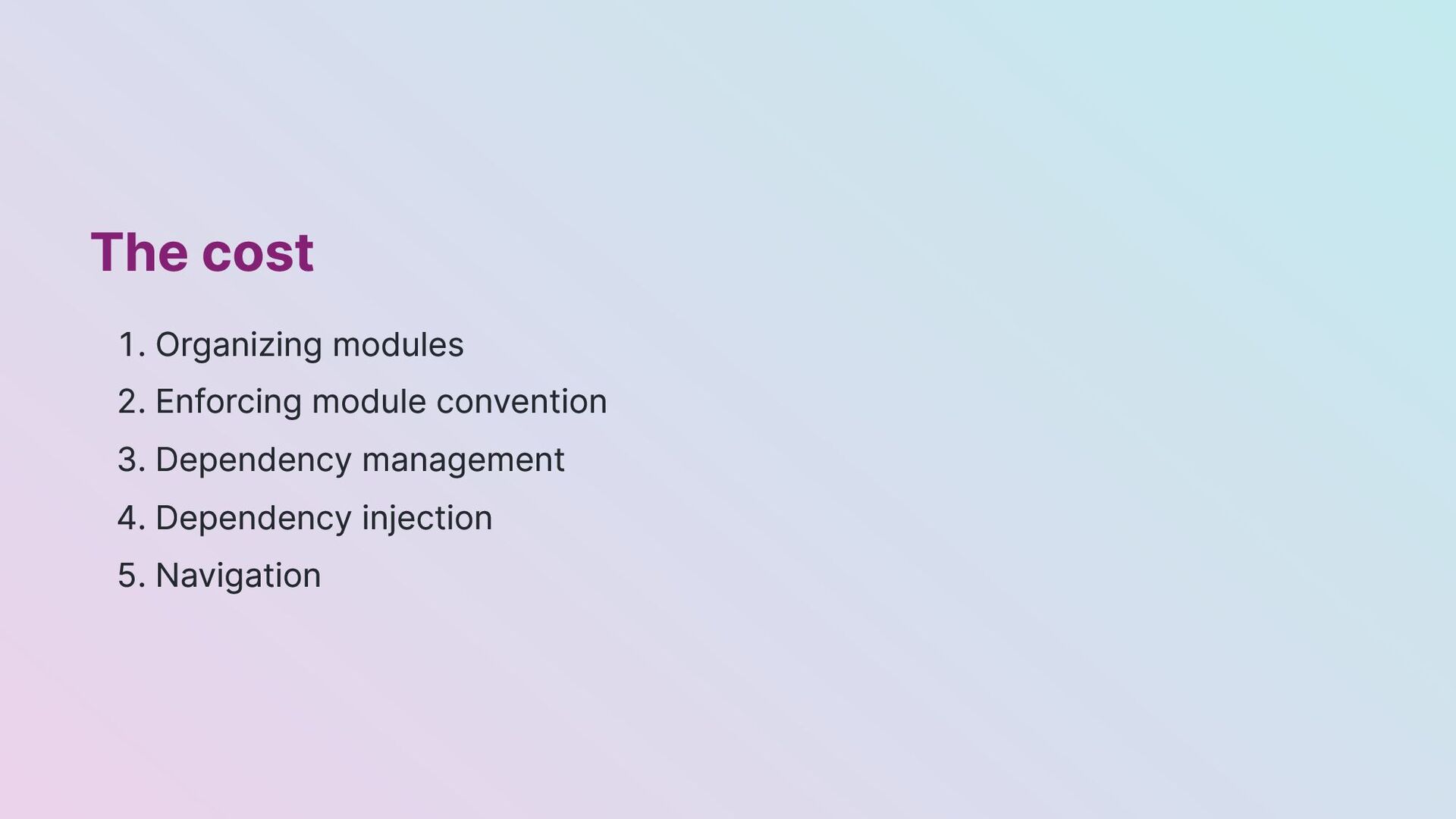
  31. The cost 1. Organizing modules 2. Enforcing module convention 3.

    Dependency management 4. Dependency injection 5. Navigation