Upgrade to Pro
— share decks privately, control downloads, hide ads and more …
Speaker Deck
Sign up for free
Menu
Search
Features
All features
Private URLs
Password Protection
Custom URLS
Scheduled publishing
Remove Branding
Restrict embedding
Deck Collections
Notes
Features
All features
Private URLs
Password Protection
Custom URLS
Scheduled publishing
Remove Branding
Restrict embedding
Deck Collections
Notes
Explore
Featured decks
Featured speakers
Programming
Technology
Storyboards
Explore
Featured decks
Featured speakers
Programming
Technology
Storyboards
Pricing
Search
Sign in
Sign up for free
Ingresar, mover y editar datos
Search
Felipe
January 09, 2022
Education
88
0
Share
Embed
Copy iframe code
Copy JS code
Copy link
Start on current slide
Ingresar, mover y editar datos
Felipe
January 09, 2022
More Decks by Felipe
See All by Felipe
Ingresar estilos e insertar una tabla
alejandrom
0
120
Crear un blog
alejandrom
0
95
Other Decks in Education
See All in Education
Merger Process
bvr7352
0
170
AIでアウトプットできる時代だからこそ、自分の言葉で考えることの大切さ / What's Left to Think, When AI Can Write?
masakiokuda
1
360
[2026後期火5] 論理学(京都大学文学部 後期 第2回)「量化子の導入」
yatabe
0
180
1人 × AI、1か月でここまで作れる ー 数年前の外注換算3.8〜7.4億円・241〜379人月分の作業を、AI費用 約10万円・31日で
frievea
0
580
2026年度秋学期 統計学 第2回 統計資料の収集と読み方 (2026. 10. 6)
akiraasano
PRO
0
270
Introduction - Lecture 1 - Human-Computer Interaction (1023841ANR)
signer
PRO
0
3.5k
1007
cbtlibrary
0
220
ちいかわを読め
uchi8977
1
410
学生のうちに考えておきたい信頼の話
suisan
1
840
Introduction - Lecture 1 - Web Technologies (1019888BNR)
signer
PRO
0
6.6k
HTML5 and the Open Web Platform - Lecture 3 - Web Technologies (1019888BNR)
signer
PRO
3
3.6k
HCI and Interaction Design - Lecture 2 - Human-Computer Interaction (1023841ANR)
signer
PRO
0
2k
Featured
See All Featured
世界の人気アプリ100個を分析して見えたペイウォール設計の心得
akihiro_kokubo
PRO
74
43k
The B2B funnel & how to create a winning content strategy
katarinadahlin
PRO
1
570
Claude Code のすすめ
schroneko
67
230k
Mind Mapping
helmedeiros
1
400
The Director’s Chair: Orchestrating AI for Truly Effective Learning
tmiket
1
330
Noah Learner - AI + Me: how we built a GSC Bulk Export data pipeline
techseoconnect
PRO
0
460
Sam Torres - BigQuery for SEOs
techseoconnect
PRO
0
580
Performance Is Good for Brains [We Love Speed 2024]
tammyeverts
12
1.9k
Designing Dashboards & Data Visualisations in Web Apps
destraynor
232
55k
Paper Plane
katiecoart
PRO
5
54k
Navigating the moral maze — ethical principles for Al-driven product design
skipperchong
2
630
The AI Revolution Will Not Be Monopolized: How open-source beats economies of scale, even for LLMs
inesmontani
PRO
3
3.8k
Transcript
Ingresar, mover y copiar datos Docente: Ing. Felipe Montero Pinta
Mover datos
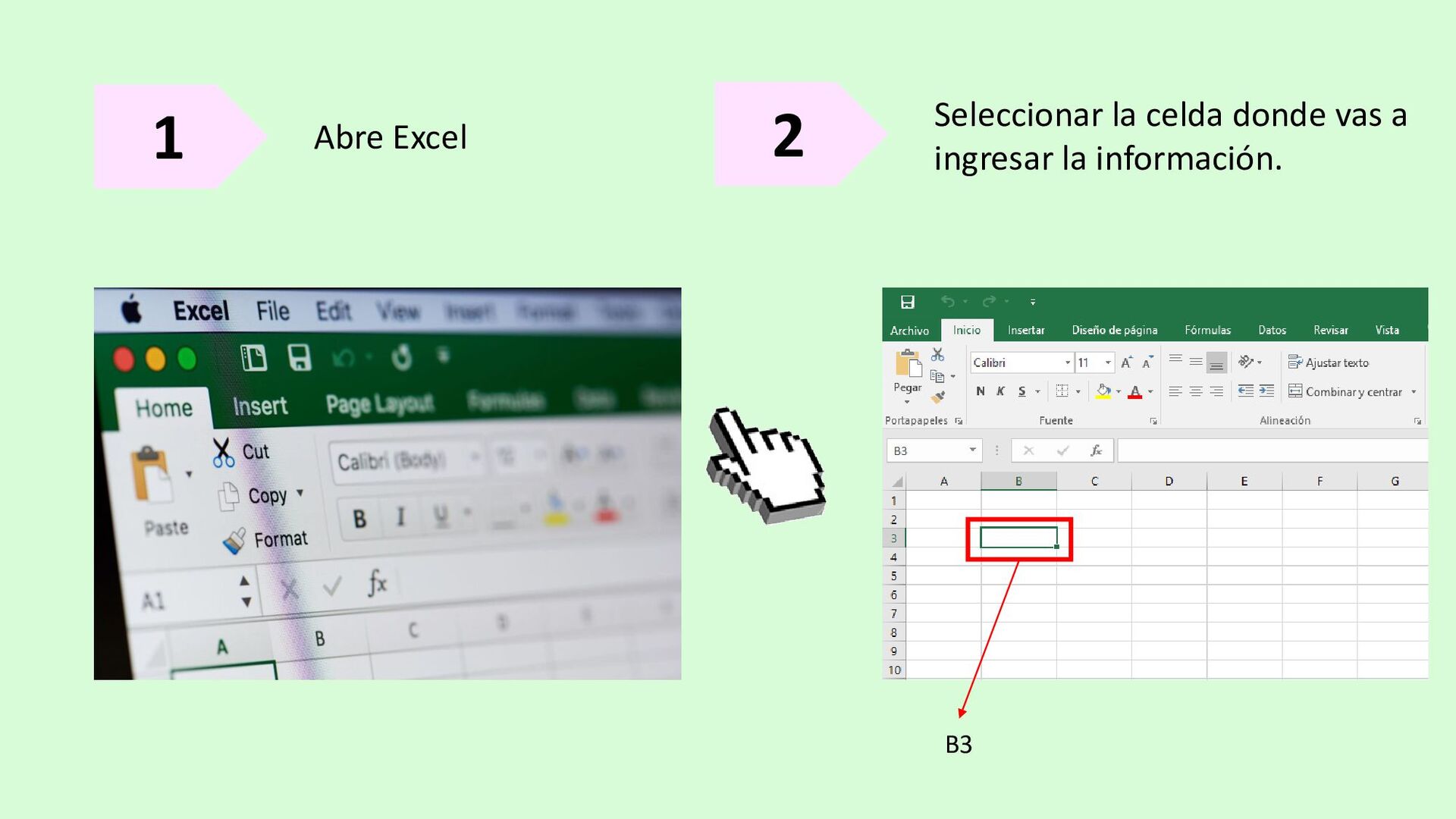
1 Abre Excel 2 Seleccionar la celda donde vas a
ingresar la información. B3
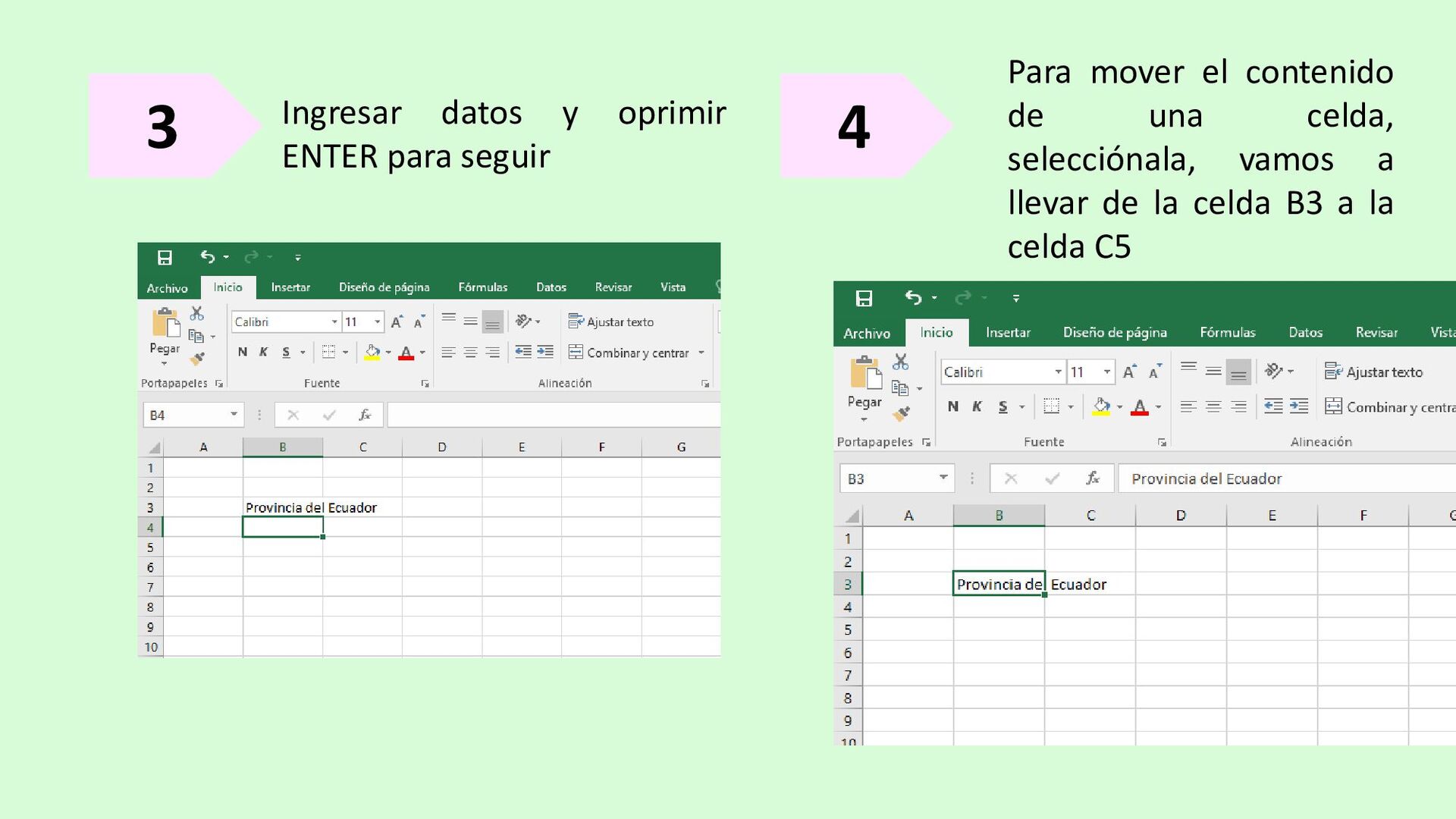
3 Ingresar datos y oprimir ENTER para seguir 4 Para
mover el contenido de una celda, selecciónala, vamos a llevar de la celda B3 a la celda C5
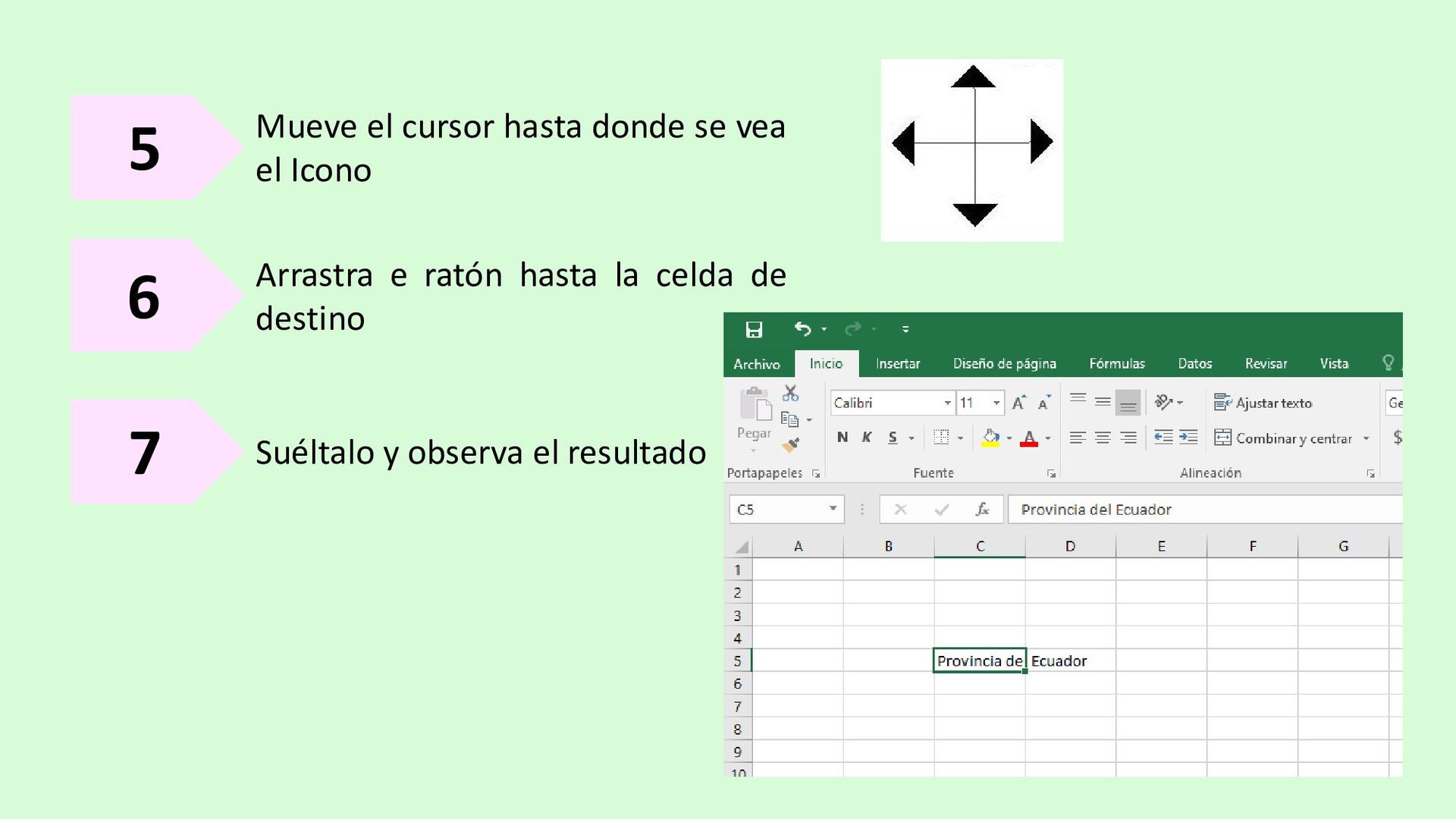
5 Mueve el cursor hasta donde se vea el Icono
6 Arrastra e ratón hasta la celda de destino 7 Suéltalo y observa el resultado
Copiar datos
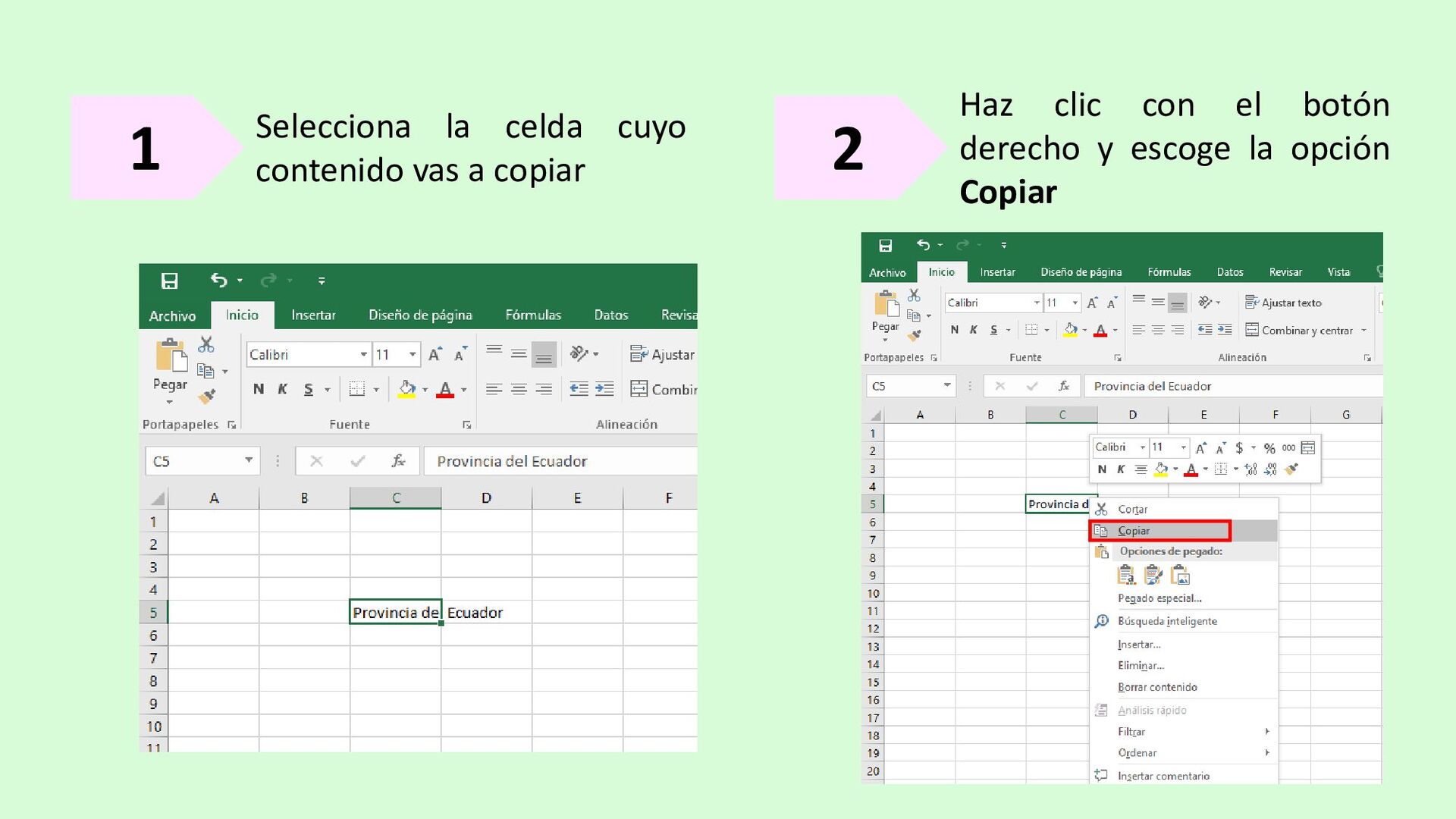
1 Selecciona la celda cuyo contenido vas a copiar 2
Haz clic con el botón derecho y escoge la opción Copiar
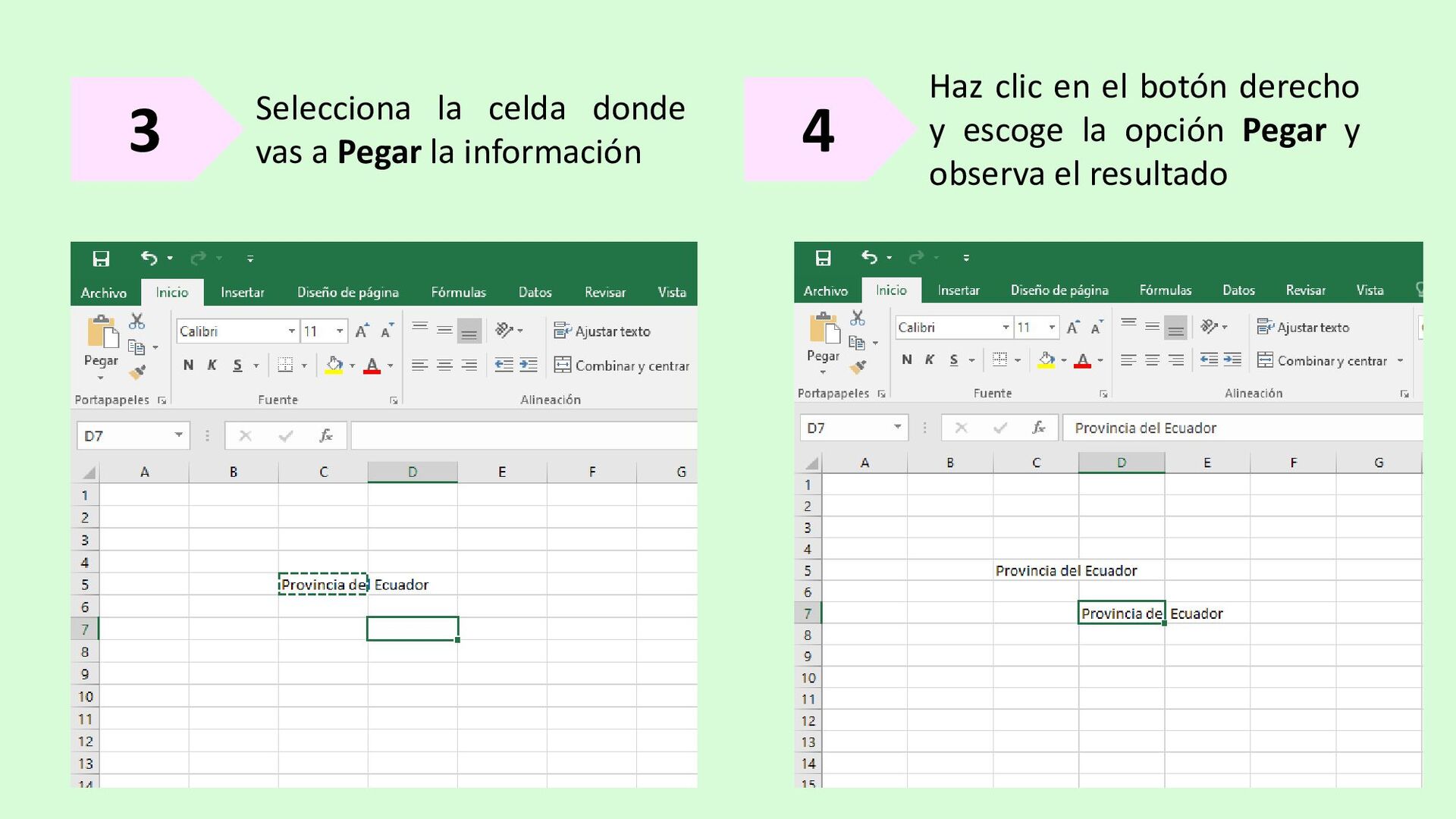
3 Selecciona la celda donde vas a Pegar la información
4 Haz clic en el botón derecho y escoge la opción Pegar y observa el resultado
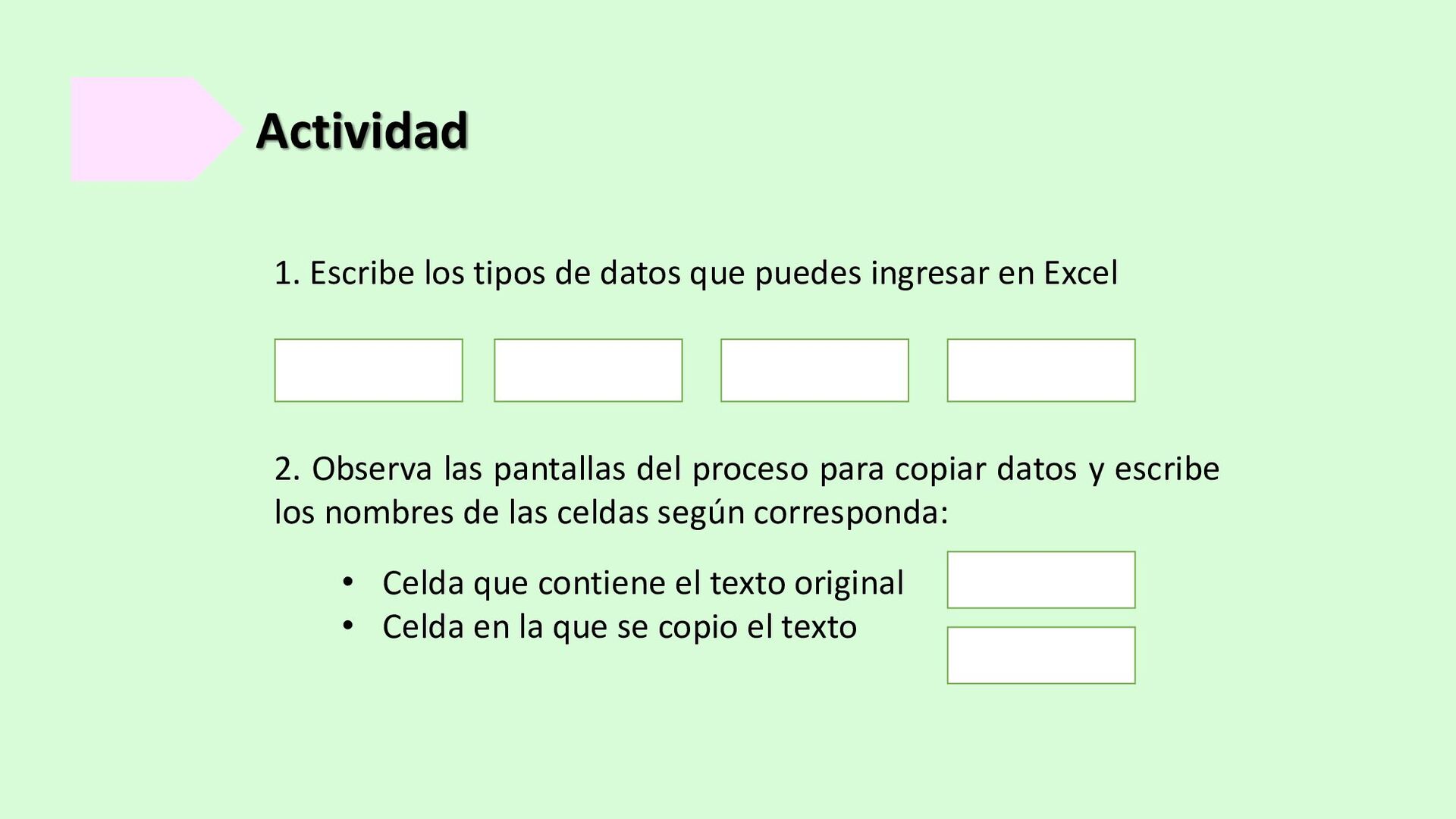
Actividad 2. Observa las pantallas del proceso para copiar datos
y escribe los nombres de las celdas según corresponda: 1. Escribe los tipos de datos que puedes ingresar en Excel • Celda que contiene el texto original • Celda en la que se copio el texto


 alejandrom
 bvr7352
 masakiokuda
 yatabe
 frievea
 akiraasano
 signer
 cbtlibrary
 uchi8977
 suisan
 akihiro_kokubo
 katarinadahlin
 schroneko
 helmedeiros
 tmiket
 techseoconnect
 tammyeverts
 destraynor
 katiecoart
 skipperchong
 inesmontani