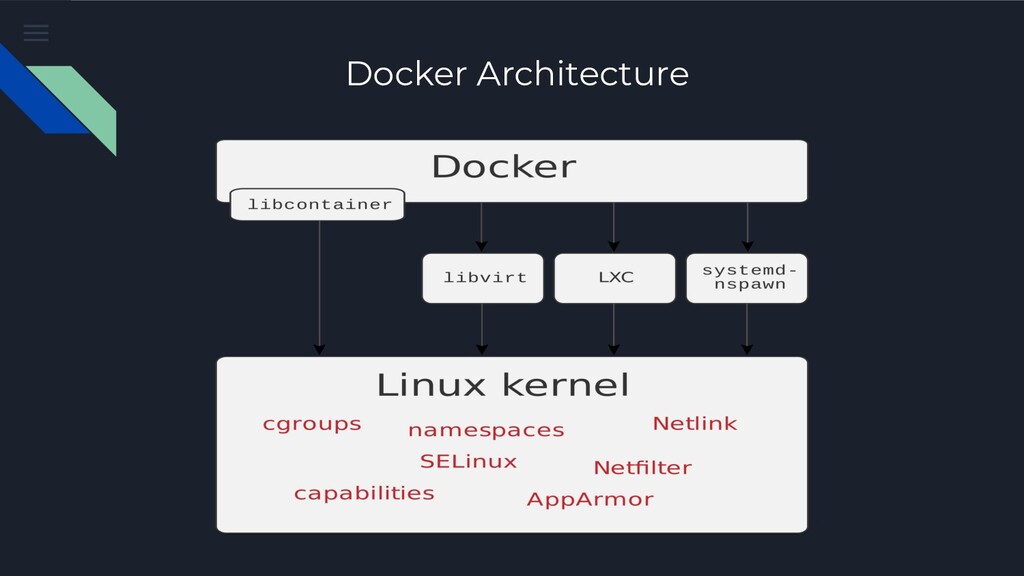
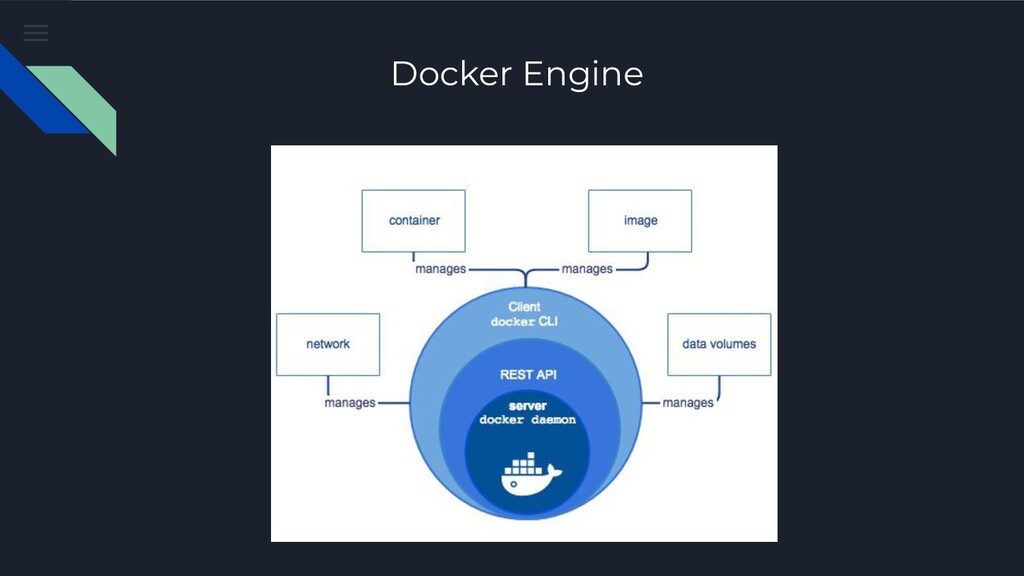
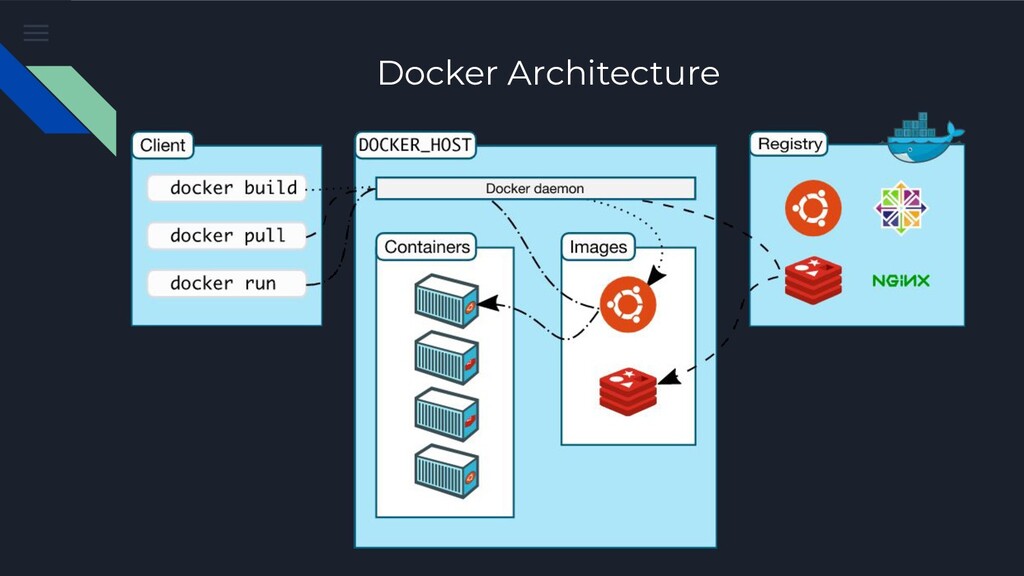
developing, shipping, and running applications in an isolated environment. 02 Docker allows you to package an application with all of its dependencies into a standardized unit for software development. 03 This guarantees that it will always run the same, regardless of the environment it is running in.
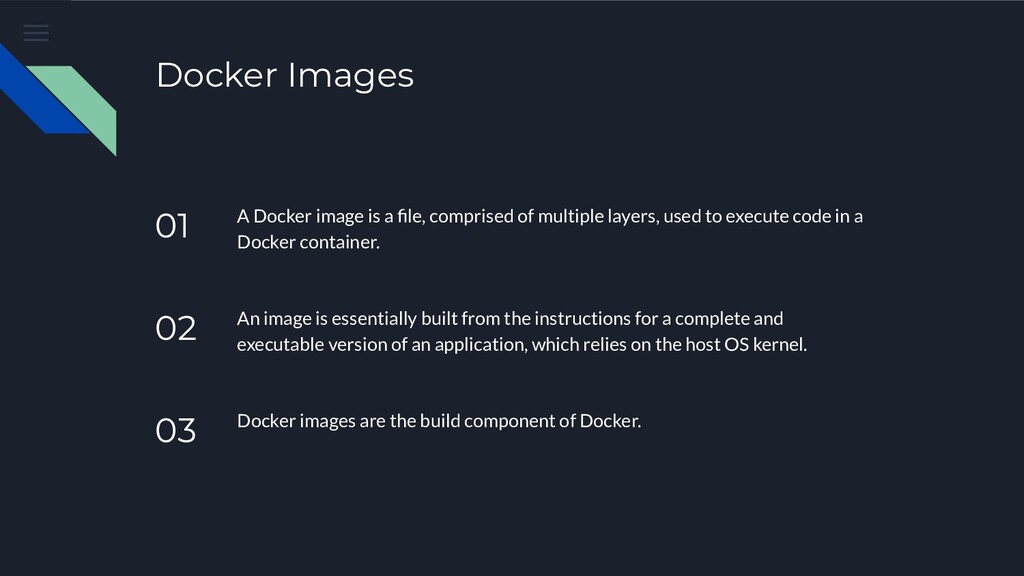
of multiple layers, used to execute code in a Docker container. 02 An image is essentially built from the instructions for a complete and executable version of an application, which relies on the host OS kernel. 03 Docker images are the build component of Docker.
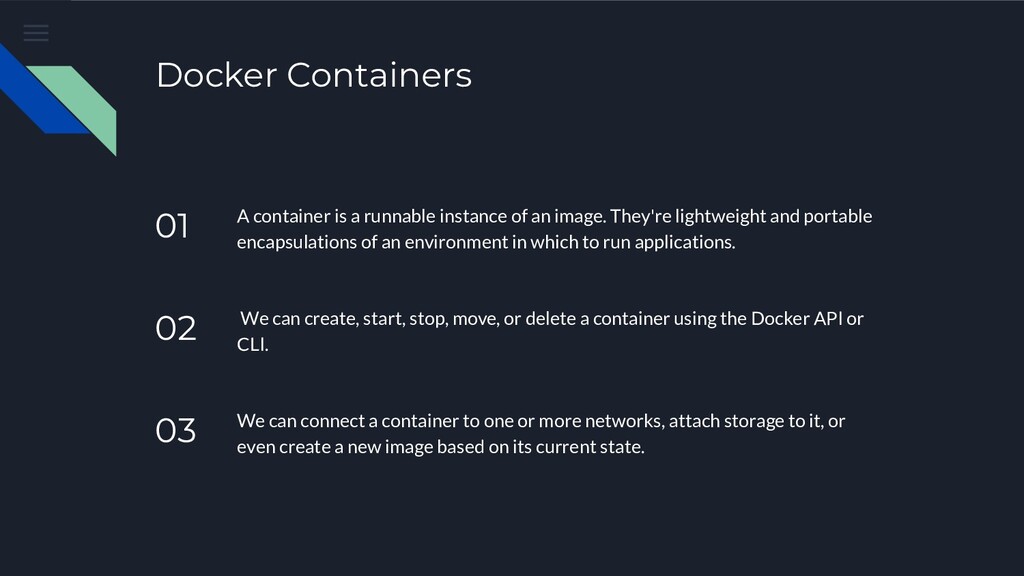
an image. They're lightweight and portable encapsulations of an environment in which to run applications. 02 We can create, start, stop, move, or delete a container using the Docker API or CLI. 03 We can connect a container to one or more networks, attach storage to it, or even create a new image based on its current state.


 taketakekaho
 endonanana
 nealle
 gogutan
 persolserverworks
 takanorip
 satoshi7
 prog893
 pfn
pfn
 akhino
 yazm
yazm
 hiracky16
 davidcarrasco
 ivargrimstad
 notwaldorf
 eileencodes
 khoart
 skipperchong
 katarinadahlin
 speakerdeck
 bkeepers
 greggifford
 stephaniewalter