Share
Embed
Modular JavaScript with Browserify & CommonJS
Why writing front end JavaScript as CommonJS modules and using browserify is awesome.
Bastian Krol
February 19, 2014
Transcript
22 slides
-
Browserify CommonJS + Browserify = Modular Frontend JavaScript Bastian Krol
GitHub: Twitter: basti1302 @bastiankrol -
Why Modules? You start like this... ... adding more and
more ... < s c r i p t s r c = " m y _ j a v a s c r i p t _ f i l e . j s " > < / s c r i p t > < s c r i p t s r c = " m o r e _ j a v a s c r i p t . j s " > < / s c r i p t > < s c r i p t s r c = " s p e c i a l _ j a v a s c r i p t _ c o d e . j s " > < / s c r i p t > < s c r i p t s r c = " v e r y _ s p e c i a l _ j a v a s c r i p t _ c o d e . j s " > < / s c r i p t > -
Why Modules? (2) Pollution of global scope Name clashes and
conflicts Implicit dependencies, need to be loaded in correct order -
Why Modules? (3) Files become large and bloated No separation
of concerns Hard to test -
CommonJS Modules m a t h . j s e
x p o r t s . a d d = f u n c t i o n ( a , b ) { r e t u r n a + b ; } ; e x p o r t s . m u l t i p l y = f u n c t i o n ( a , b ) { r e t u r n a * b ; } ; m a i n - m o d u l e . j s v a r m a t h = r e q u i r e ( ' . / m a t h ' ) ; e x p o r t s . c a l c u l a t e = f u n c t i o n ( x , y , z ) { r e t u r n m a t h . a d d ( m a t h . m u l t i p l y ( x , y ) , m a t h . m u l t i p l y ( y , z ) ) ; } ; Hint: Node.js modules = CommonJS modules -
Advantages of Modules Global scope is not used Separation of
concerns Dependencies are explicit Easy to test -
Hello Browserify! $ b r o w s e r
i f y m a i n - m o d u l e . j s - - o u t f i l e b u n d l e . j s -
Using the Bundle < s c r i p t
s r c = " b u n d l e . j s " > < / s c r i p t > Loads and executes everything in the browserified bundle. -
Using the Bundle (2) Nothing in the global scope What
about inline JavaScript that needs to call functions in the browserified bundle? -
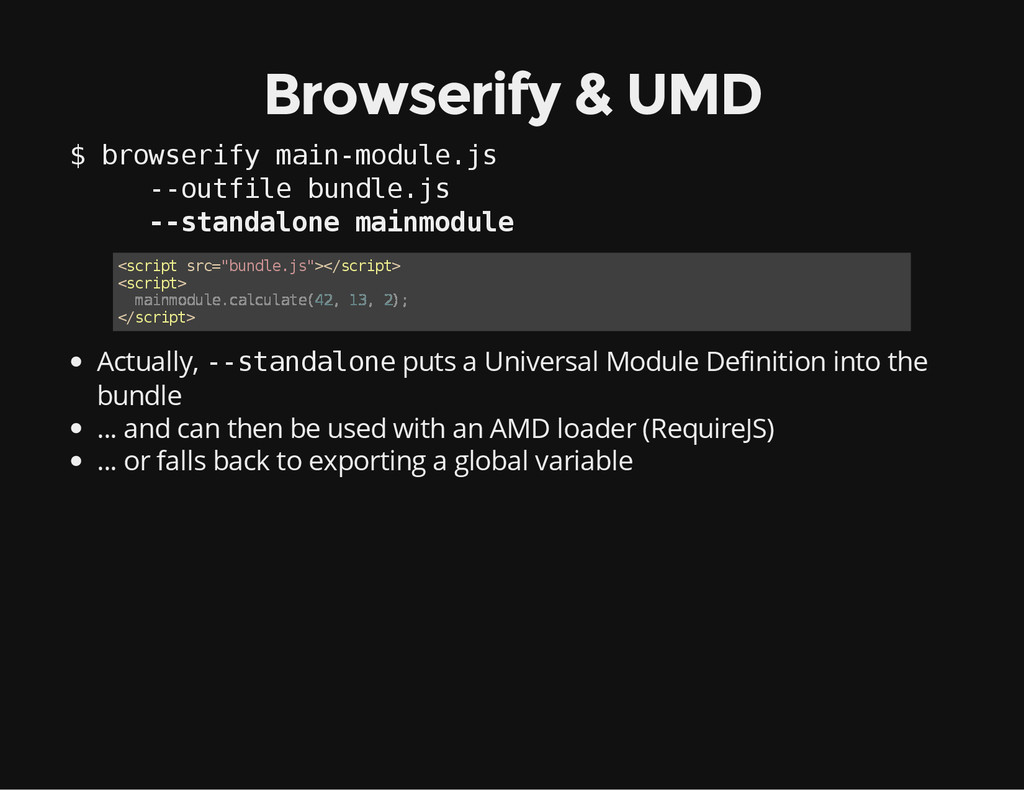
Browserify & UMD $ b r o w s e
r i f y m a i n - m o d u l e . j s - - o u t f i l e b u n d l e . j s - - s t a n d a l o n e m a i n m o d u l e Actually, - - s t a n d a l o n e puts a Universal Module Definition into the bundle ... and can then be used with an AMD loader (RequireJS) ... or falls back to exporting a global variable < s c r i p t s r c = " b u n d l e . j s " > < / s c r i p t > < s c r i p t > < / s c r i p t > m a i n m o d u l e . c a l c u l a t e ( 4 2 , 1 3 , 2 ) ; -
Multiple Bundles You can require modules from another script tag
Build bundle A with - - r e q u i r e m o d u l e –> exports m o d u l e Build bundle B with - - e x t e r n a l m o d u l e –> uses m o d u l e from bundle A -
Browserify & npm Use packages from npm Require them in
your modules Browserify will browserify your stuff and your dependencies Publish your own (browserifiable) packages an npm! -
Browserify & Node.js Use Node.js core API: events stream url
path querystring http crypto ... Browserify has shims for those -
Transforms uglify/minify bundled modules (uglifyify) compile coffee script (coffeeify) inline
file contents (brfs) convert AMD modules to CommonJS modules (deAMDify) include bower components in your bundle (debowerify) include component.js components in your bundle (decomponentify) ... many, many more -
Cross Platform JavaScript 1. Writing a library that works in
Node.js and in the browser? 2. Build it with browserify! 3. Let browserify generate a UMD 4. Publish to npm 5. Others can use it via npm/browserify, AMD or script tag 6. The world has just become a better place -
Browserify – Pain Points Build step is required Watch out
for file size (Node core & npm) Browserify adds some boilerplate code Frameworks that have a built-in module system (like AngularJS) + CommonJS modules –> might be confusing -
Useful Tools Watchify – rebuild bundle when files change -
quite fast Grunt or Gulp with browserify/watchify plug-ins -
Alternatives AMD (RequireJS) battle tested for frontend projects no build
step required clunky syntax no npm (though there is bower) EcmaScript 6 Modules with transpiler will become standard currently: build step required in future: directly supported by browsers