Upgrade to Pro
— share decks privately, control downloads, hide ads and more …
Speaker Deck
Sign up for free
Menu
Search
Features
All features
Private URLs
Password Protection
Custom URLS
Scheduled publishing
Remove Branding
Restrict embedding
Deck Collections
Notes
Features
All features
Private URLs
Password Protection
Custom URLS
Scheduled publishing
Remove Branding
Restrict embedding
Deck Collections
Notes
Explore
Featured decks
Featured speakers
Programming
Technology
Storyboards
Explore
Featured decks
Featured speakers
Programming
Technology
Storyboards
Pricing
Search
Sign in
Sign up for free
Running Microservices Successfully
Search
Bastian Hofmann
August 11, 2018
Programming
100
3
Share
Embed
Copy iframe code
Copy JS code
Copy link
Start on current slide
Running Microservices Successfully
Bastian Hofmann
August 11, 2018
More Decks by Bastian Hofmann
See All by Bastian Hofmann
Monitoring in Kubernetes with Prometheus and Grafana
bastianhofmann
0
380
Creating a fast Kubernetes Development Workflow
bastianhofmann
0
150
Highly available cross-region deployments with Kubernetes
bastianhofmann
1
190
From source to Kubernetes in 30 minutes
bastianhofmann
0
200
Introduction to Kubernetes
bastianhofmann
1
140
CI/CD with Kubernetes
bastianhofmann
0
260
Creating a fast Kubernetes Development Workflow
bastianhofmann
1
290
Deploying your first Micro-Service application to Kubernetes
bastianhofmann
2
220
Creating a fast Kubernetes Development Workflow
bastianhofmann
0
290
Other Decks in Programming
See All in Programming
FactoryBotをやめればRSpecは速くなるのか?
yuta_onishi_97
0
290
sbt 2.0: takeoff
eed3si9n
0
160
全ての永続トークンを、生まれる前に消し去りたい!
sylph01
2
880
個人開発者よ、Honoを使え(おじさんver)
tanahiro2010
2
260
作って学ぶSpring BootのAuto Configuration / JJUG Night Seminar 2026-10-19
rshindo
0
140
複雑なUIコンポーネントとの ⻑い付き合い⽅:波及するバグからテスト戦略を経て、安全な再設計へ
mixplace
0
410
ハーネス設計入門 〜 基礎知識の整理から実務へのステップアップ 〜
kinopeee
28
32k
コードレビューのボトルネックを"する側"と"される側"の両面から解消する
yub0n
2
1.6k
見えないものを探る要求要件定義に必要な基本的思考 / invisible-requirement-thinking
minodriven
15
8.5k
半永久的に提供し続けられるプライベートクラウドを目指して ― 利用者の認知負荷を抑えるAPI抽象化とハードウェア世代交代の基盤設計
tomokon
0
500
contenteditable と日本語入力に向き合う
colorful12
0
200
Jetpack Compose Mechanisms
skydoves
3
820
Featured
See All Featured
How to Talk to Developers About Accessibility
jct
2
580
Design of three-dimensional binary manipulators for pick-and-place task avoiding obstacles (IECON2024)
konakalab
0
620
Money Talks: Using Revenue to Get Sh*t Done
nikkihalliwell
0
520
DevOps and Value Stream Thinking: Enabling flow, efficiency and business value
helenjbeal
2
410
Building an army of robots
kneath
307
47k
Navigating Weather and Climate Data
rabernat
0
560
The Success of Rails: Ensuring Growth for the Next 100 Years
eileencodes
47
8.4k
Agile that works and the tools we love
rasmusluckow
331
22k
What’s in a name? Adding method to the madness
productmarketing
PRO
24
4.2k
Ten Tips & Tricks for a 🌱 transition
stuffmc
1
270
Design and Strategy: How to Deal with People Who Don’t "Get" Design
morganepeng
133
20k
Believing is Seeing
oripsolob
1
240
Transcript
@BastianHofmann Running Microservices Successfully Bastian Hofmann
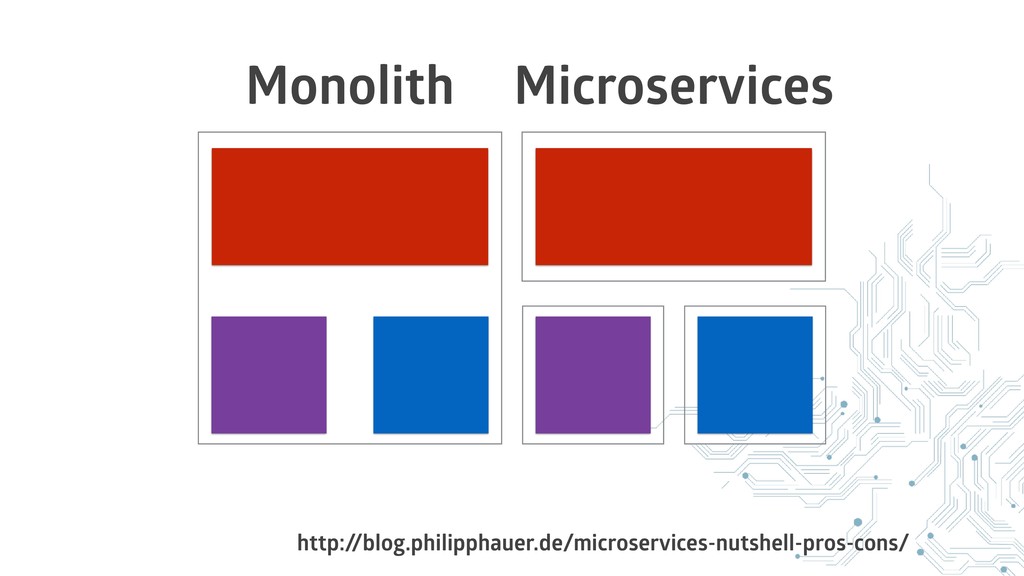
Microservices
Monolith
http:/ /blog.philipphauer.de/microservices-nutshell-pros-cons/ Monolith Microservices
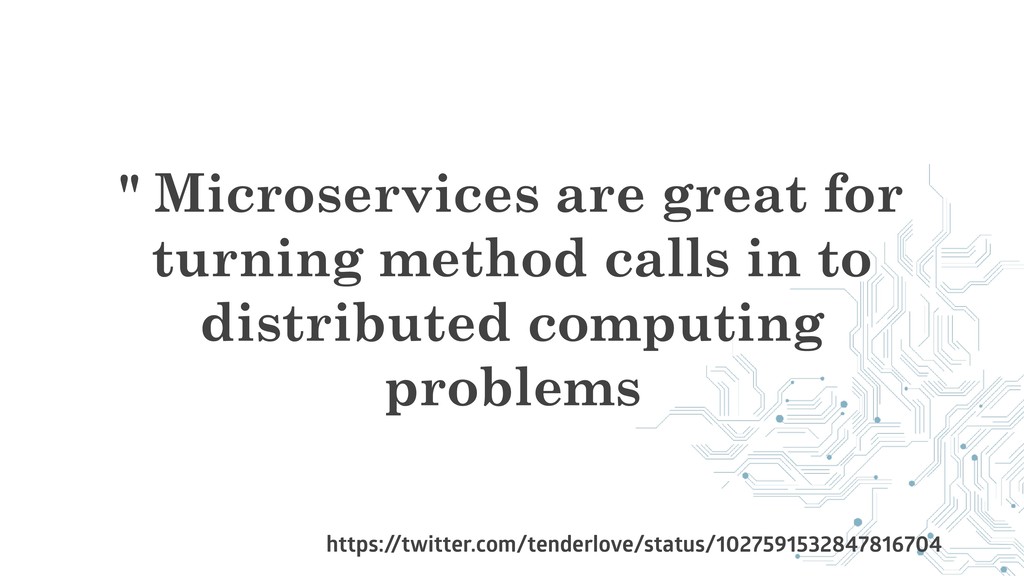
" Microservices are great for turning method calls in to
distributed computing problems https:/ /twitter.com/tenderlove/status/1027591532847816704
Challenges
Performance
Latency
Operational overhead
Monitoring
Learning Curves
Code Reuse
Maintenance
Benefits
Enforces stricter separation of concerns
Diverse technology stacks
Independent scaling
Independent development
Independent deployments
There are good reasons to split off functionality into independent
services
How to run Microservices without shooting yourself in the foot
Let's talk about • Deploying • Running • Configuring •
Discovering • Monitoring • Scaling
A lot of this is also useful for monoliths
https:/ /www.flickr.com/photos/npobre/2601582256/
Let's define our requirements
Deployment
How to get the services on our servers?
Diverse technology stacks
The same approach for every service
Fast deployments
Automation
One Click Deployment
Fast rollbacks
Availability
Zero Downtime Deployments
Running the service
How do I stop and start a service and ensure
it keeps running?
Diverse technology stacks
Diverse system dependencies
The same approach for every service
Configuration Management
How do I synchronize configuration over services?
Config file on disk
[ "db_user": "user", "db_pw": "pw", "serviceA": "serviceA.local:8018" ]
Duplication
Inconsistencies
Security
Cycling of credentials
Service Discovery
How does one service know where another service is?
Load balancing?
Service/Server down?
Health checks
Monitoring
How do I know how my application is behaving?
Distributed Systems
We want to measure
Latency
Availability
Throughput
We want all logs aggregated and searchable
Scaling
How can I cope with growing traffic?
Reacting to changes in traffic?
You have to take care about a lot of things
when doing Microservices!
There are tools that can help us with this
None
Container orchestration platform
Deploy, run and scale your services in isolated containers
Very Powerful
Large community
Lot’s of large company backers
Compared to other cloud technoligies
No vendor lock in
Runs on
AWS
Azure
Google Cloud Platform
Bare metal
Your laptop
SysEleven
Learning curve
Why containers?
Services run in isolation
Everything needed to run a service in one image
Decouple Ops and Dev
Make things …
Easier to deploy
Easier to upgrade system dependencies
Easier to scale
Easier to develop
Leaner than Virtual Machines
None
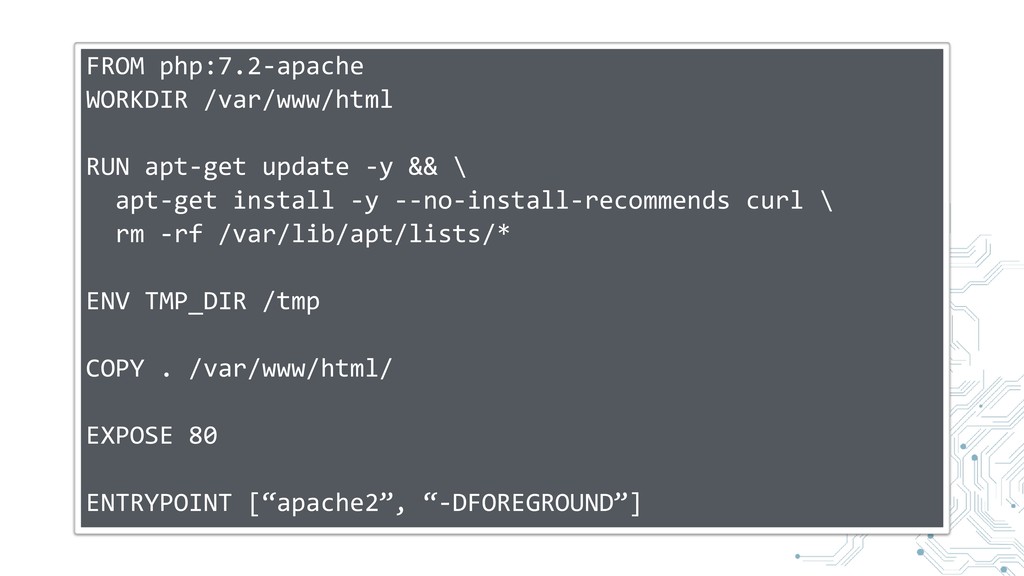
FROM php:7.2-apache WORKDIR /var/www/html RUN apt-get update -y && \
apt-get install -y --no-install-recommends curl \ rm -rf /var/lib/apt/lists/* ENV TMP_DIR /tmp COPY . /var/www/html/ EXPOSE 80 ENTRYPOINT [“apache2”, “-DFOREGROUND”]
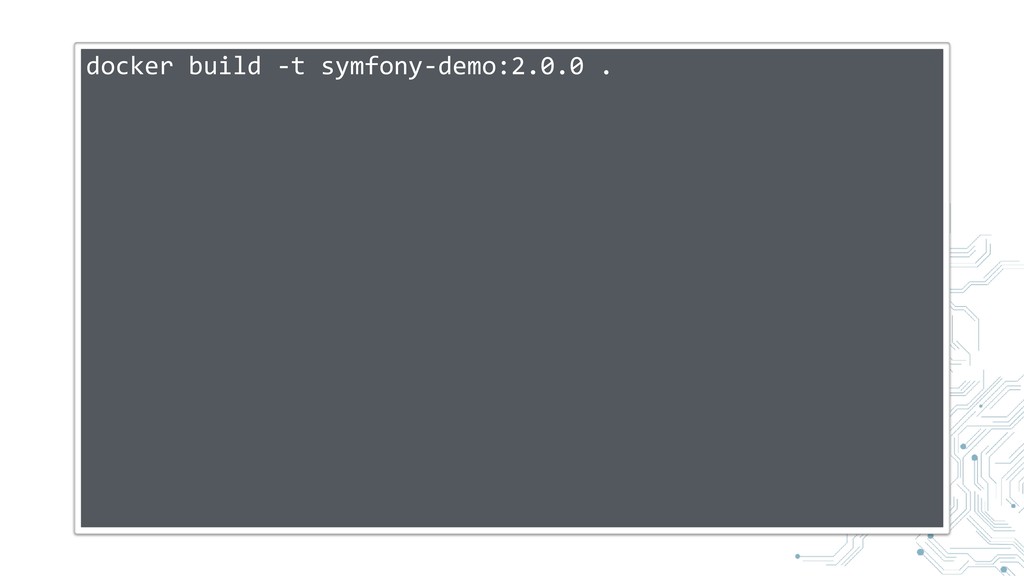
docker build -t symfony-demo:2.0.0 .
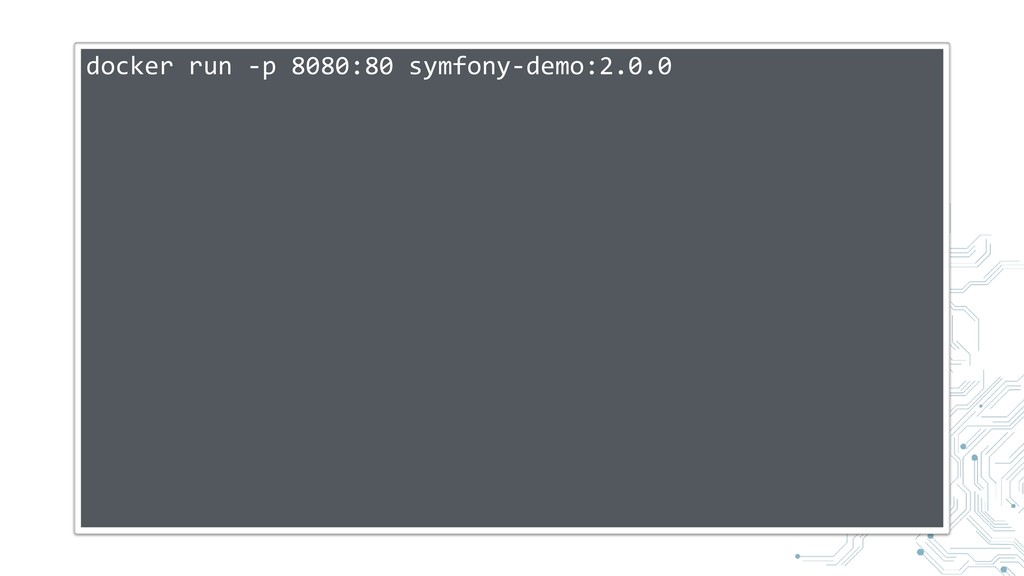
docker run -p 8080:80 symfony-demo:2.0.0
Kubernetes helps you running containers
Let’s define some core Kubernetes concepts
Kubernetes Cluster
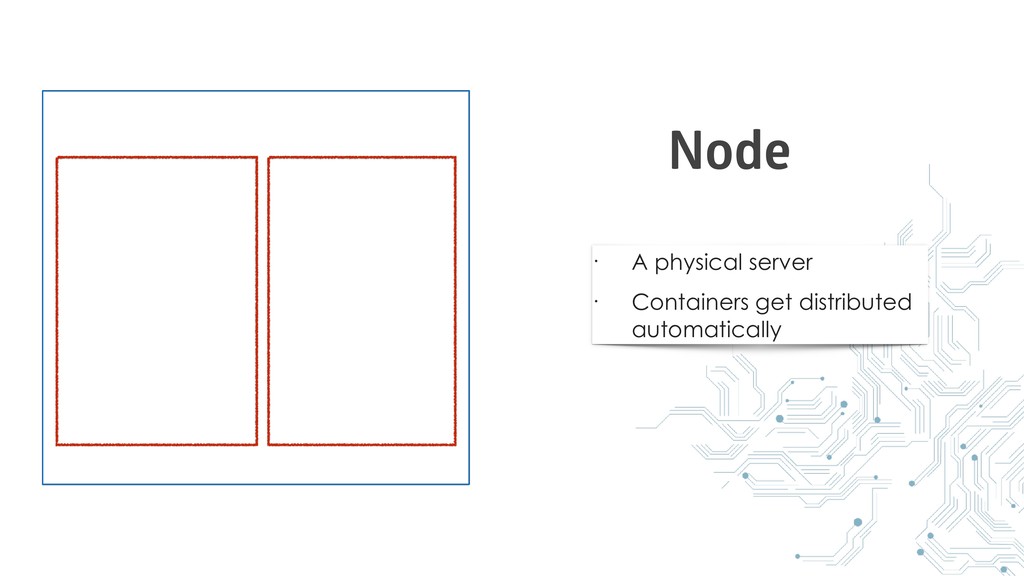
• A physical server • Containers get distributed automatically Node
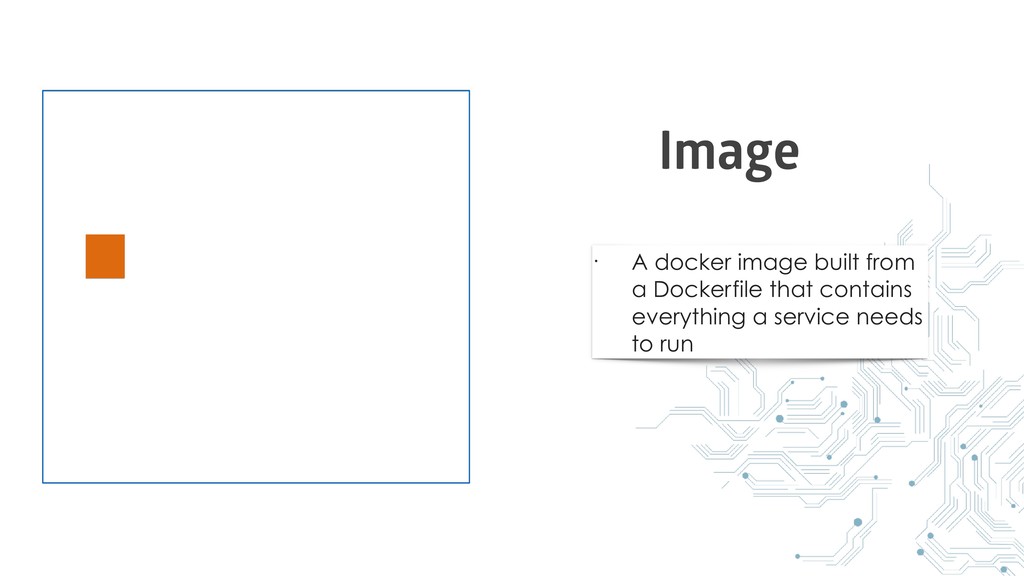
• A docker image built from a Dockerfile that contains
everything a service needs to run Image
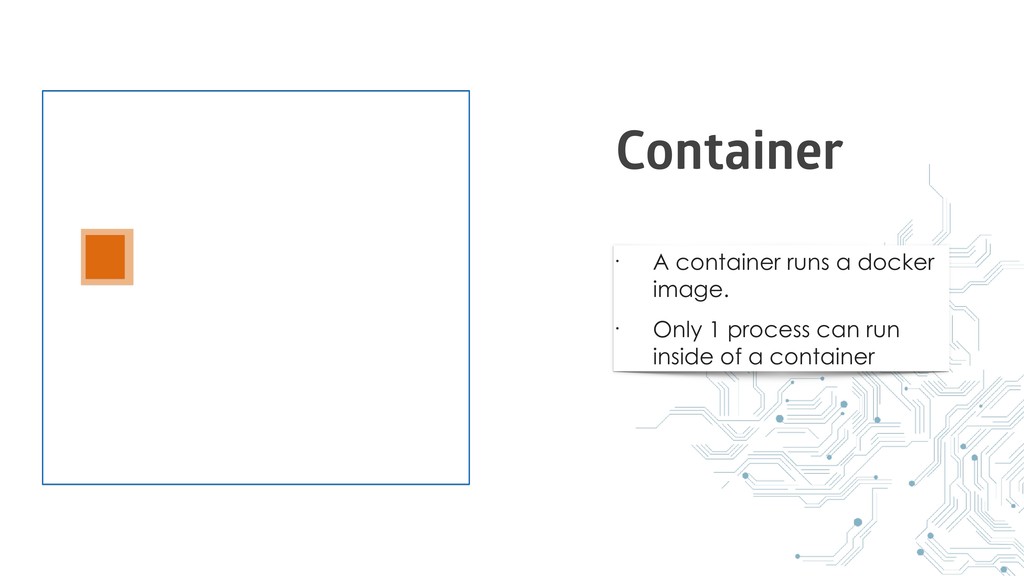
• A container runs a docker image. • Only 1
process can run inside of a container Container
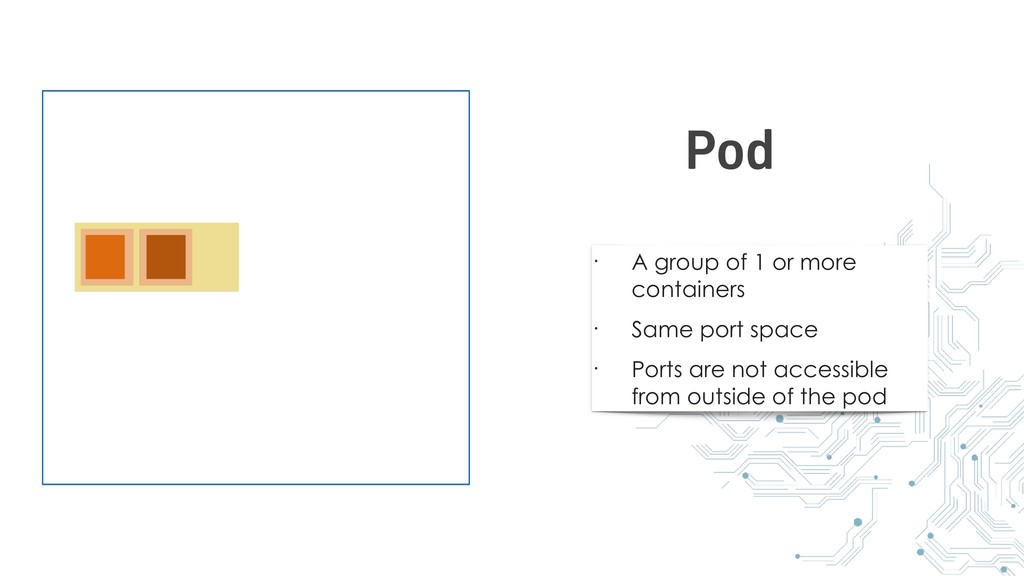
• A group of 1 or more containers • Same
port space • Ports are not accessible from outside of the pod Pod
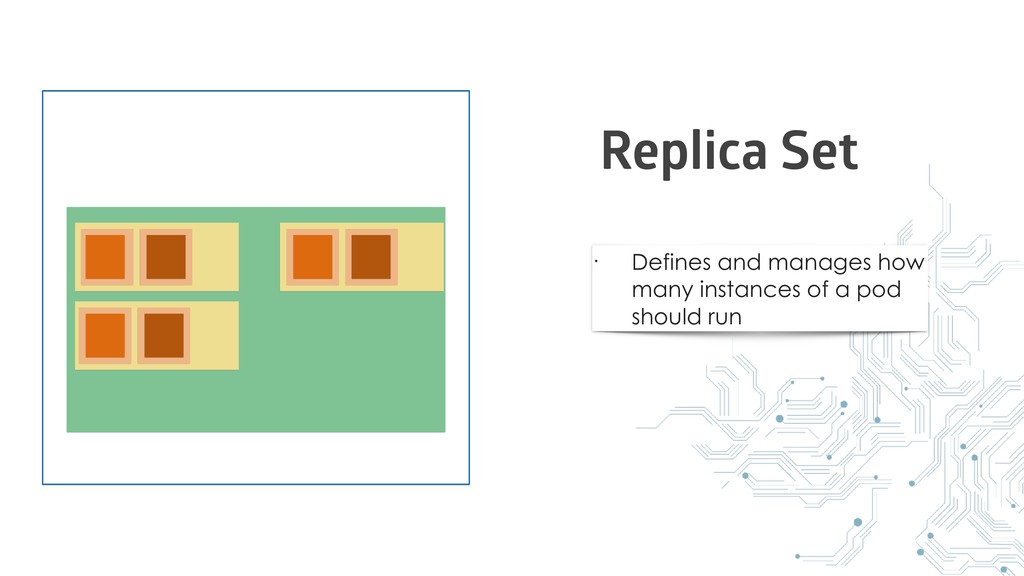
• Defines and manages how many instances of a pod
should run Replica Set
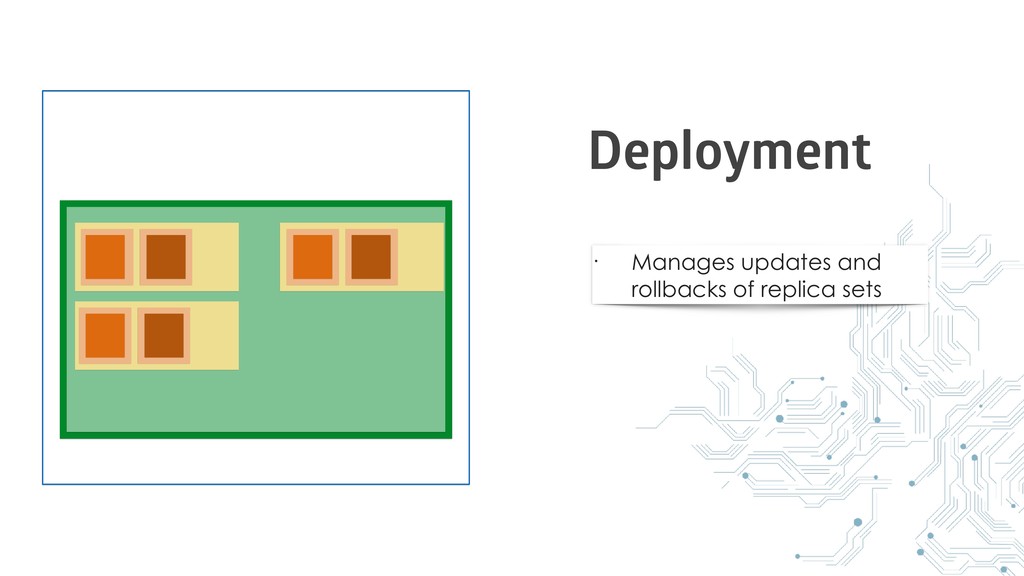
• Manages updates and rollbacks of replica sets Deployment
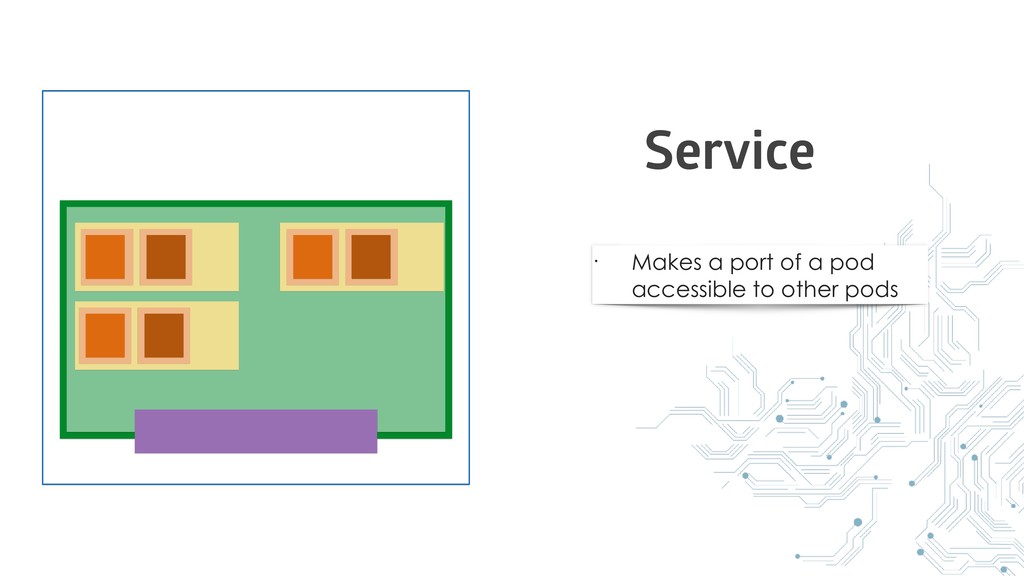
• Makes a port of a pod accessible to other
pods Service
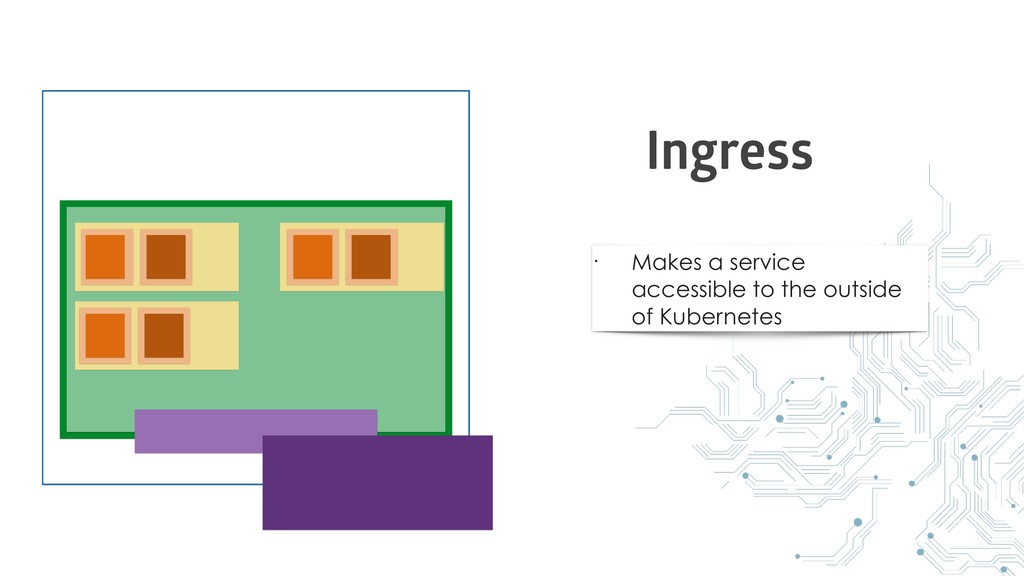
• Makes a service accessible to the outside of Kubernetes
Ingress
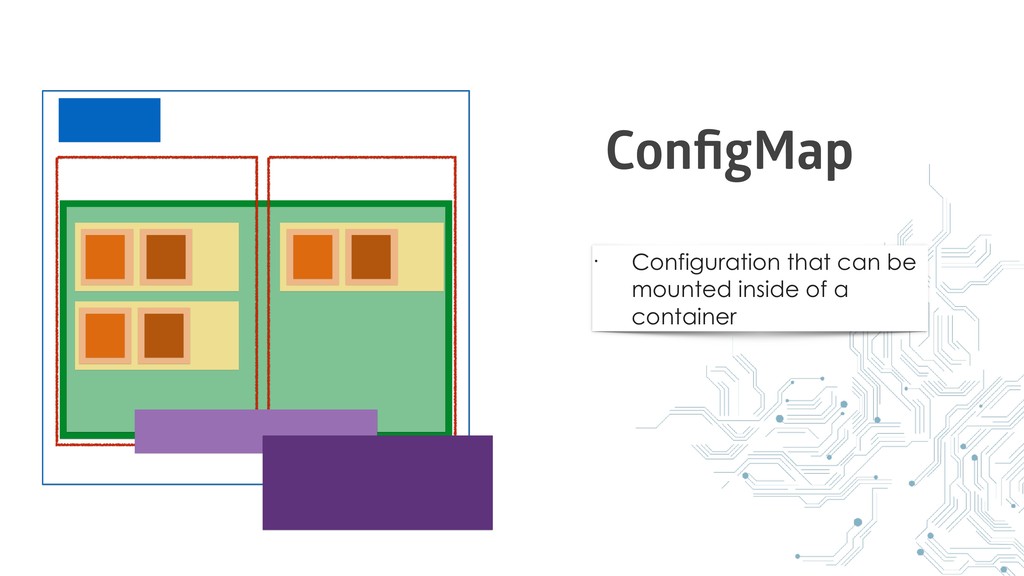
• Configuration that can be mounted inside of a container
ConfigMap
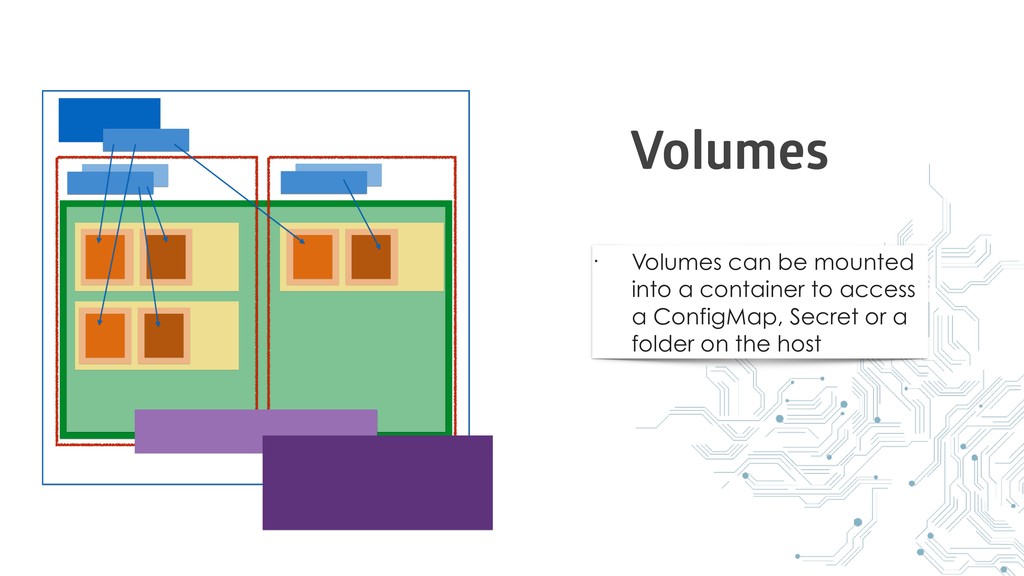
• Volumes can be mounted into a container to access
a ConfigMap, Secret or a folder on the host Volumes
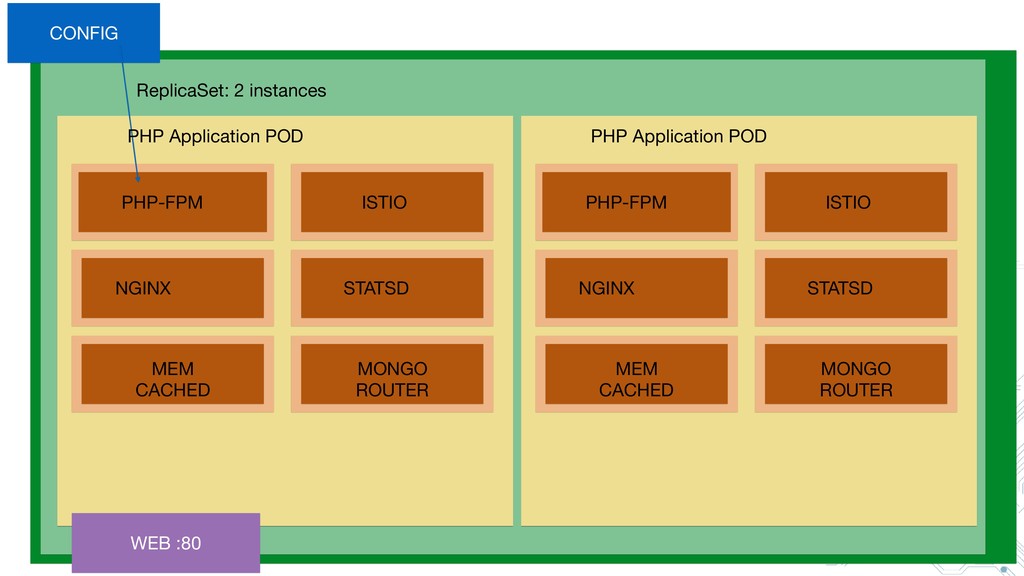
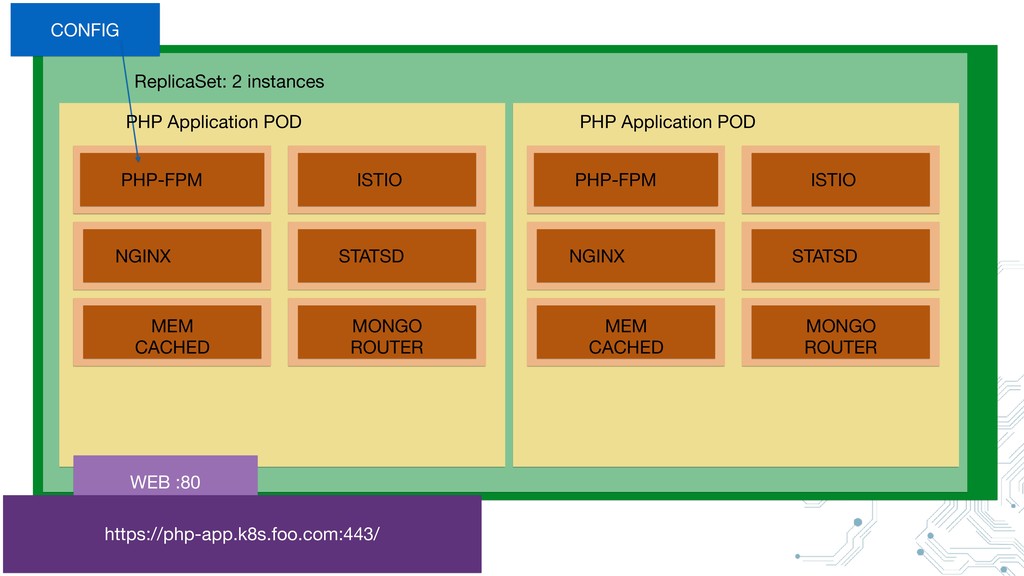
Example
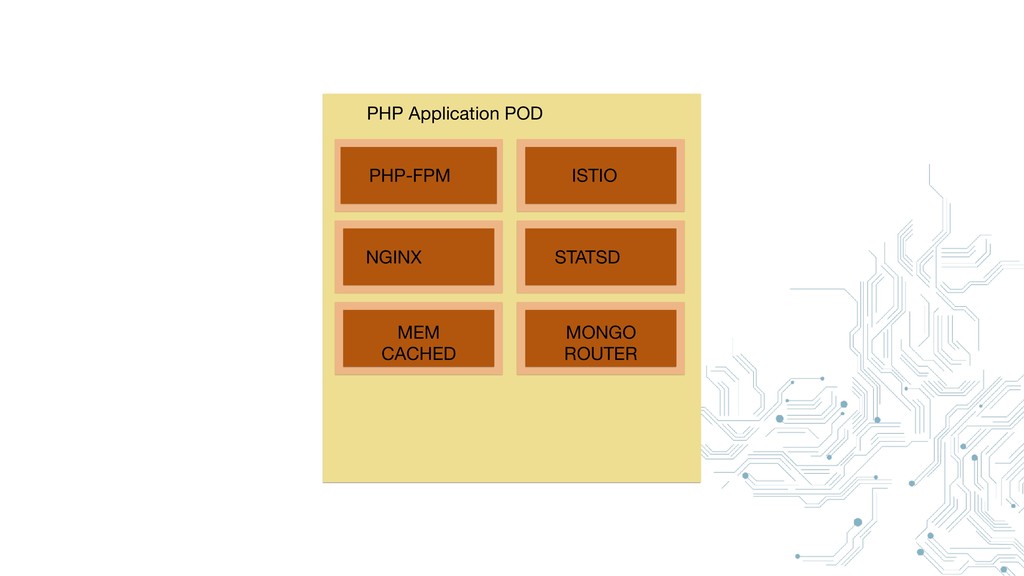
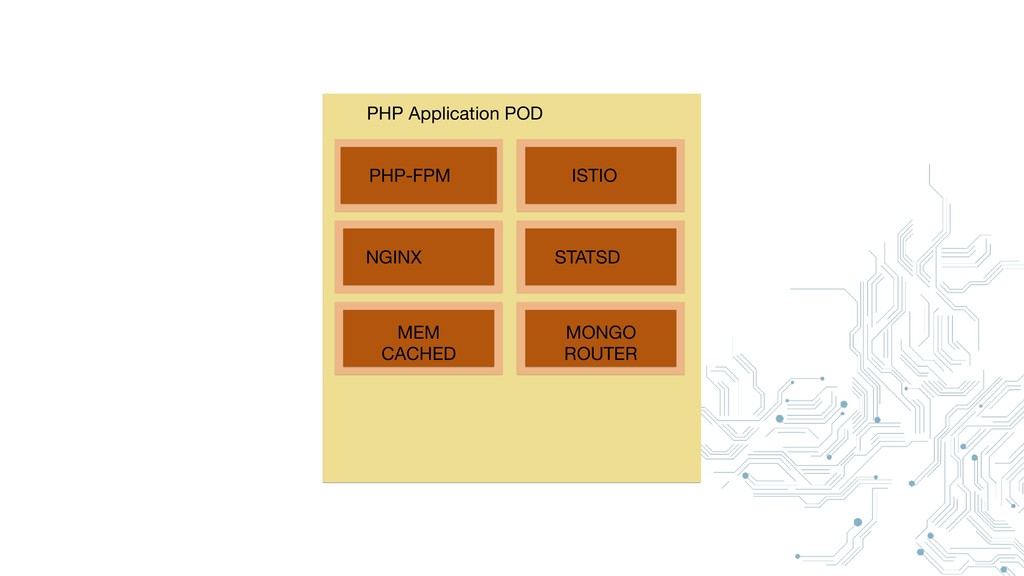
PHP-FPM NGINX ISTIO STATSD MEM CACHED MONGO ROUTER PHP Application
POD
PHP-FPM NGINX ISTIO STATSD MEM CACHED MONGO ROUTER PHP Application
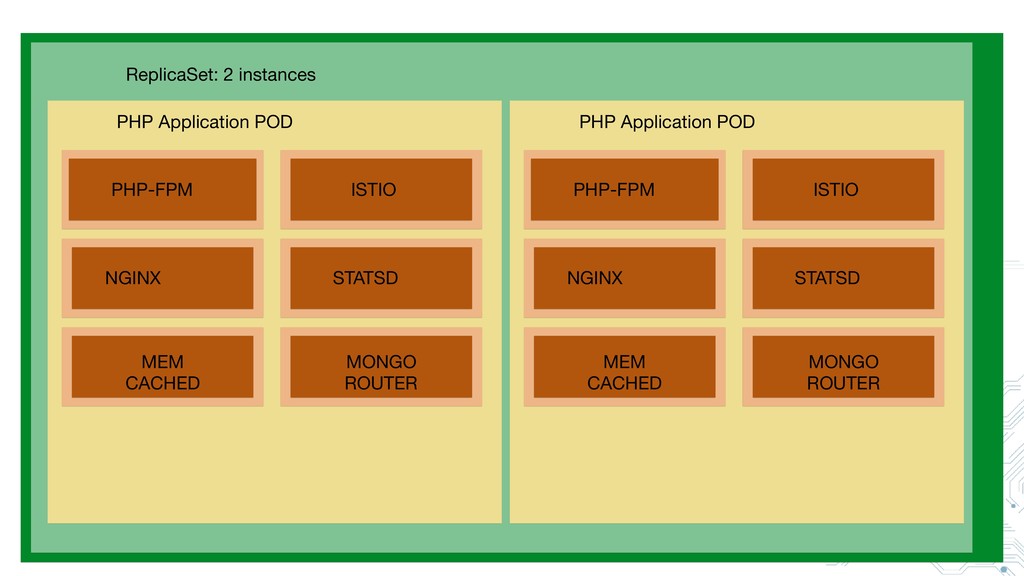
POD ReplicaSet: 2 instances PHP-FPM NGINX ISTIO STATSD MEM CACHED MONGO ROUTER PHP Application POD
PHP-FPM NGINX ISTIO STATSD MEM CACHED MONGO ROUTER ReplicaSet: 2
instances PHP-FPM NGINX ISTIO STATSD MEM CACHED MONGO ROUTER CONFIG WEB :80 PHP Application POD PHP Application POD
PHP-FPM NGINX ISTIO STATSD MEM CACHED MONGO ROUTER ReplicaSet: 2
instances PHP-FPM NGINX ISTIO STATSD MEM CACHED MONGO ROUTER CONFIG WEB :80 https://php-app.k8s.foo.com:443/ PHP Application POD PHP Application POD
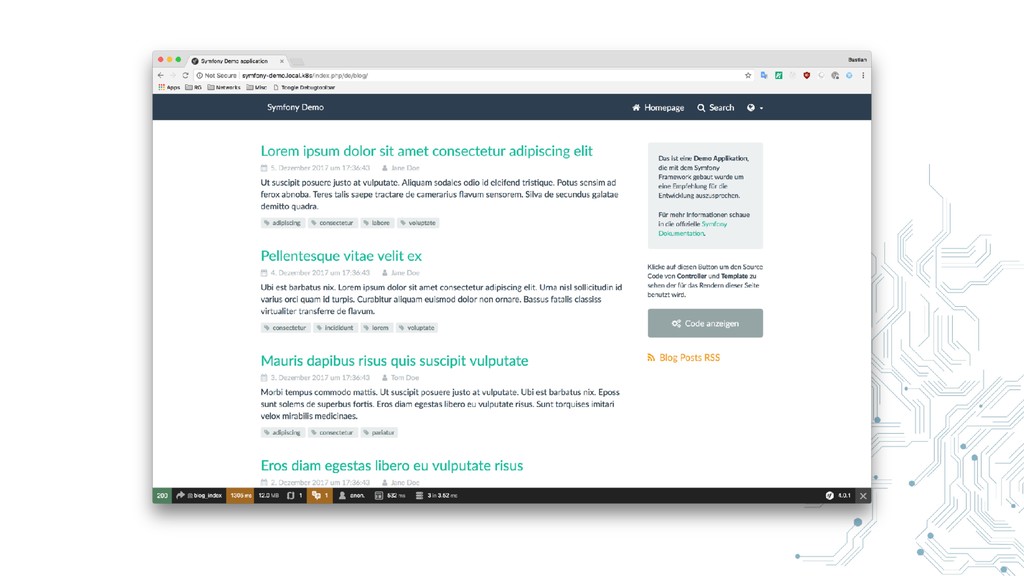
Let’s deploy the symfony demo app
https:/ /github.com/symfony/demo
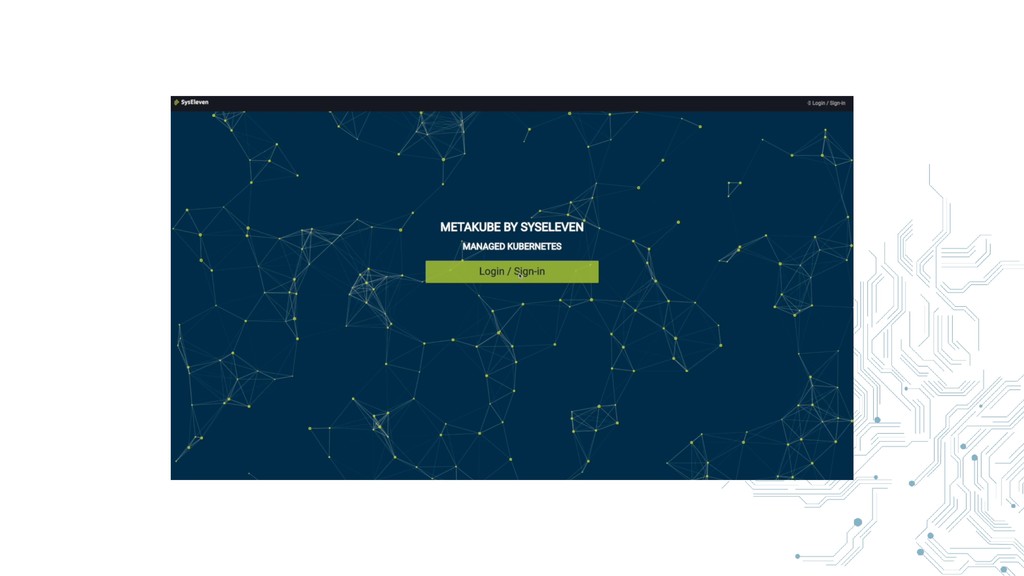
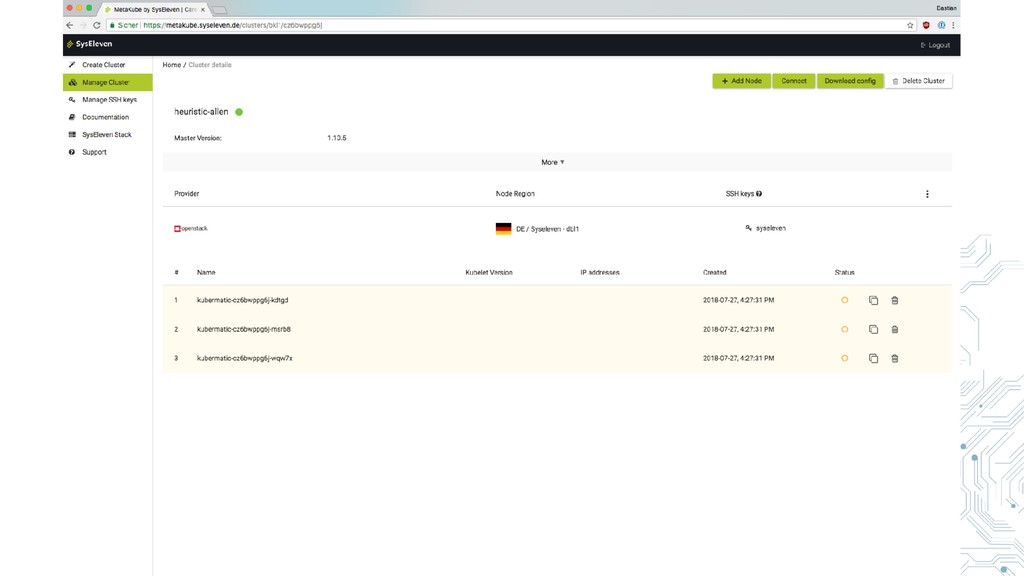
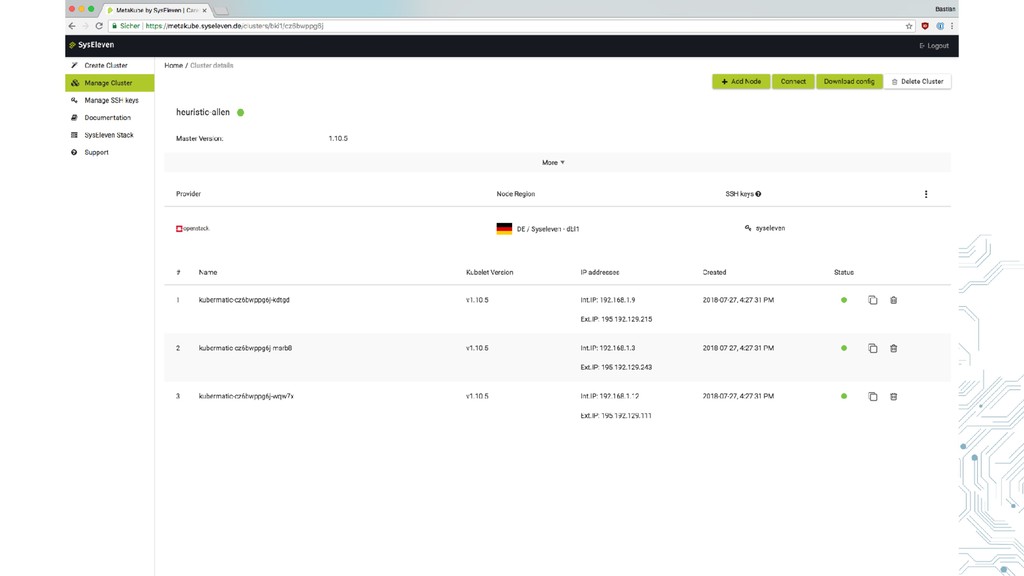
First we need a Kubernetes cluster
None
None
None
None
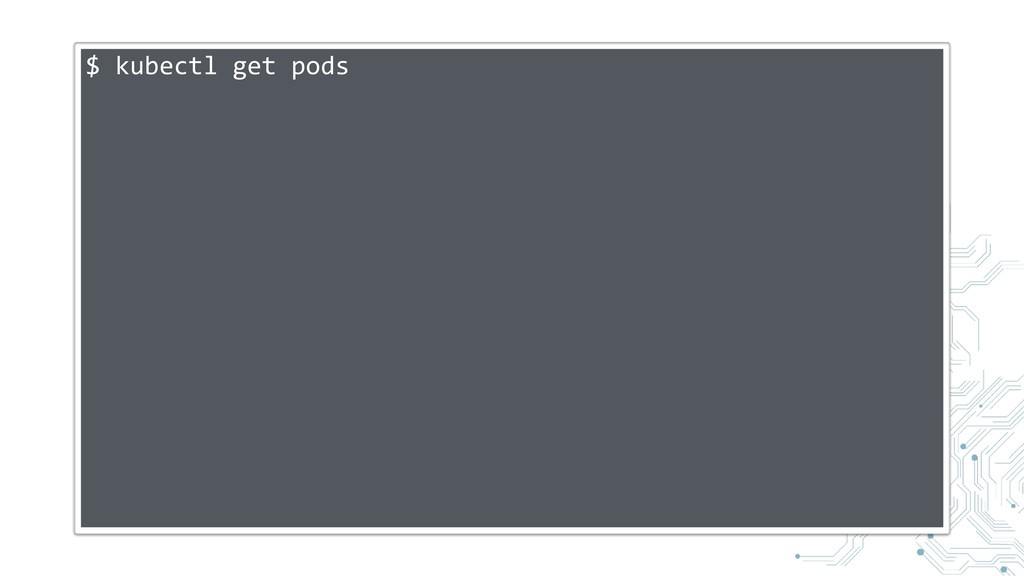
kubectl
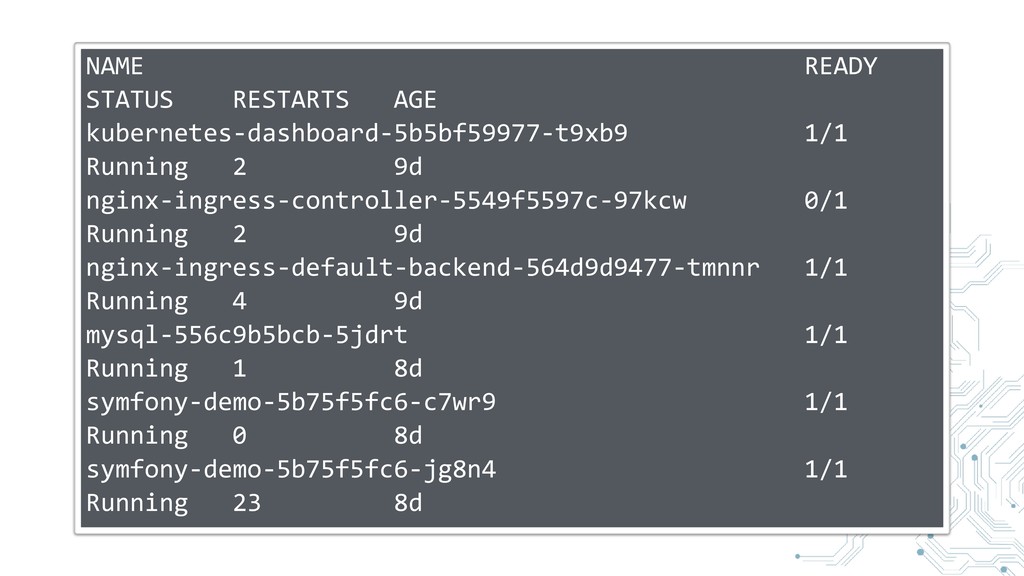
$ kubectl get pods
NAME READY STATUS RESTARTS AGE kubernetes-dashboard-5b5bf59977-t9xb9 1/1 Running 2 9d
nginx-ingress-controller-5549f5597c-97kcw 0/1 Running 2 9d nginx-ingress-default-backend-564d9d9477-tmnnr 1/1 Running 4 9d mysql-556c9b5bcb-5jdrt 1/1 Running 1 8d symfony-demo-5b75f5fc6-c7wr9 1/1 Running 0 8d symfony-demo-5b75f5fc6-jg8n4 1/1 Running 23 8d
Demo
Creating a Docker image
PHP
Copy our code
Build the project
Composer install
yarn install
yarn run build
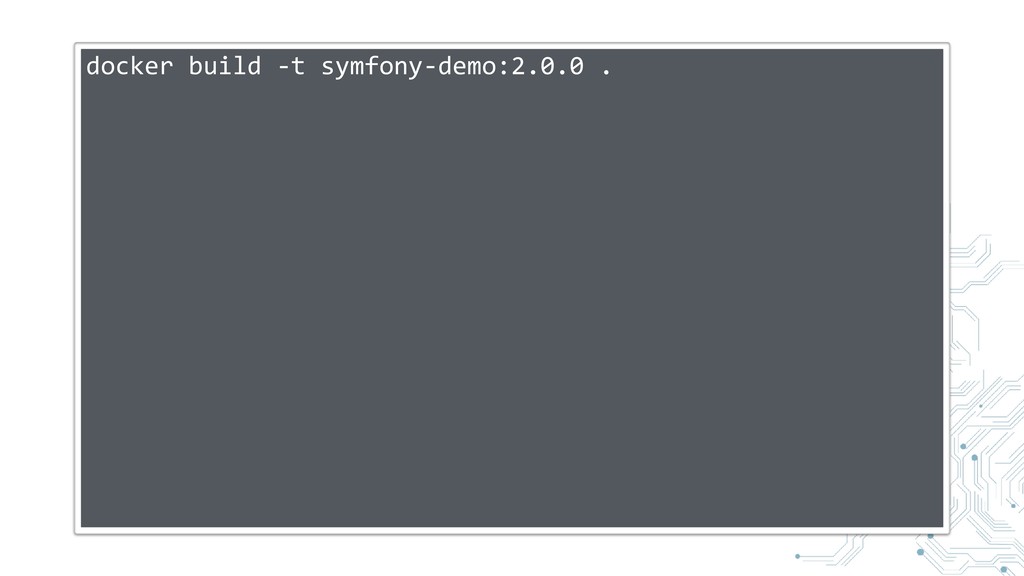
Building the image
docker build -t symfony-demo:2.0.0 .
Now we have to tell Kubernetes what to do with
the image
Resources are defined in YAML or JSON
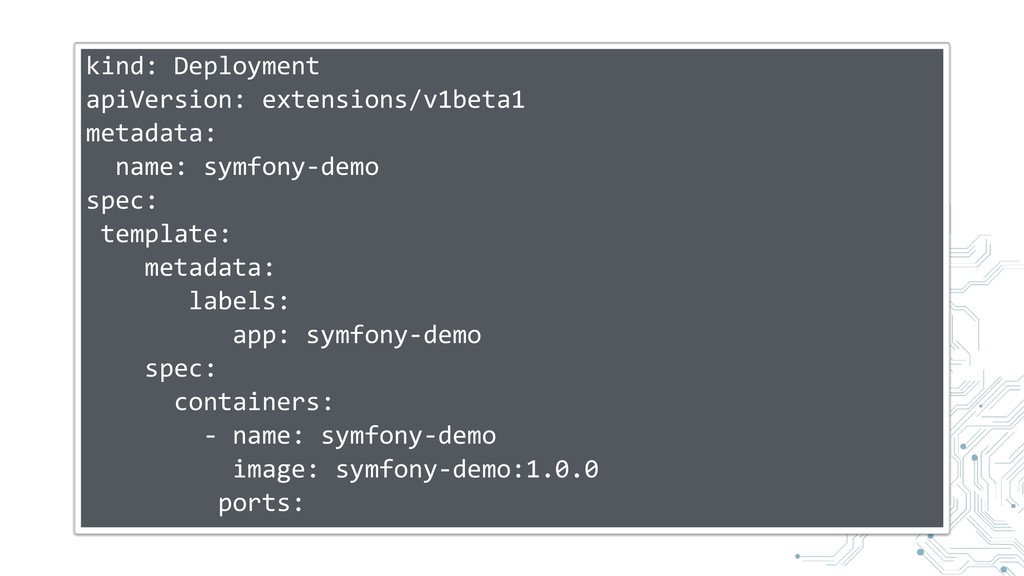
Deployment
kind: Deployment apiVersion: extensions/v1beta1 metadata: name: symfony-demo spec: template: metadata:
labels: app: symfony-demo spec: containers: - name: symfony-demo image: symfony-demo:1.0.0 ports:
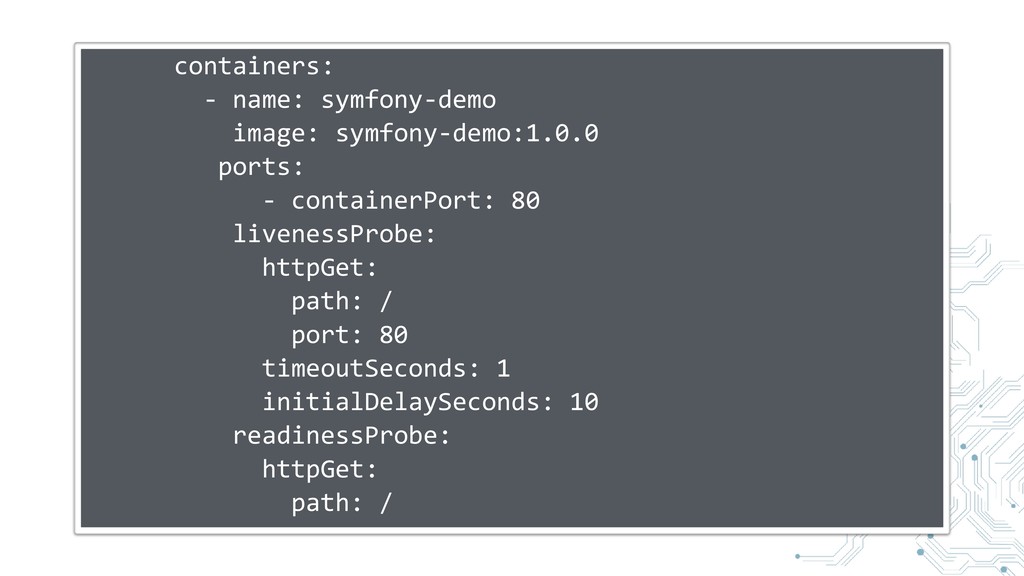
containers: - name: symfony-demo image: symfony-demo:1.0.0 ports: - containerPort: 80
livenessProbe: httpGet: path: / port: 80 timeoutSeconds: 1 initialDelaySeconds: 10 readinessProbe: httpGet: path: /
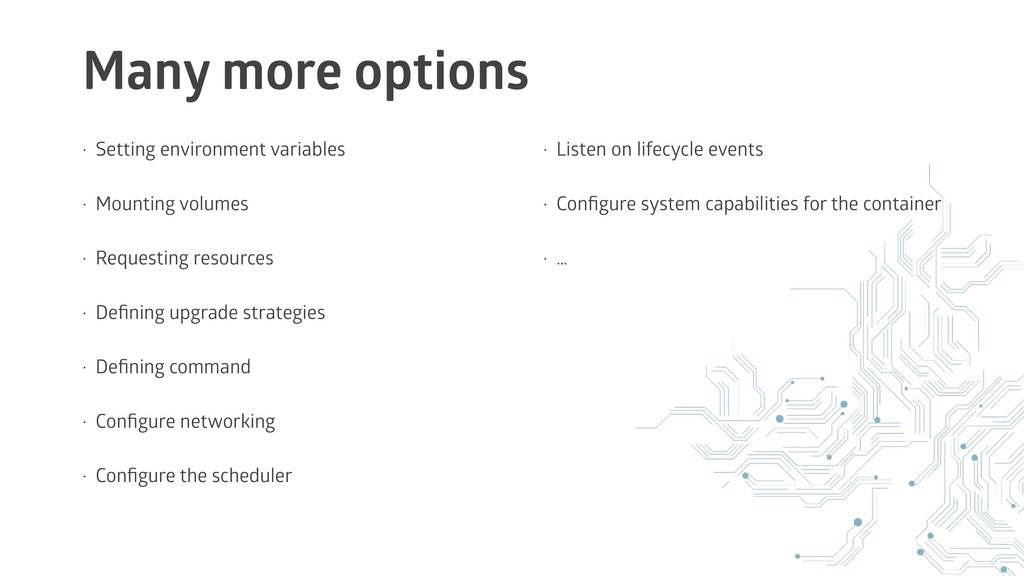
Many more options configurable
Many more options • Setting environment variables • Mounting volumes
• Requesting resources • Defining upgrade strategies • Defining command • Configure networking • Configure the scheduler • Listen on lifecycle events • Configure system capabilities for the container • …
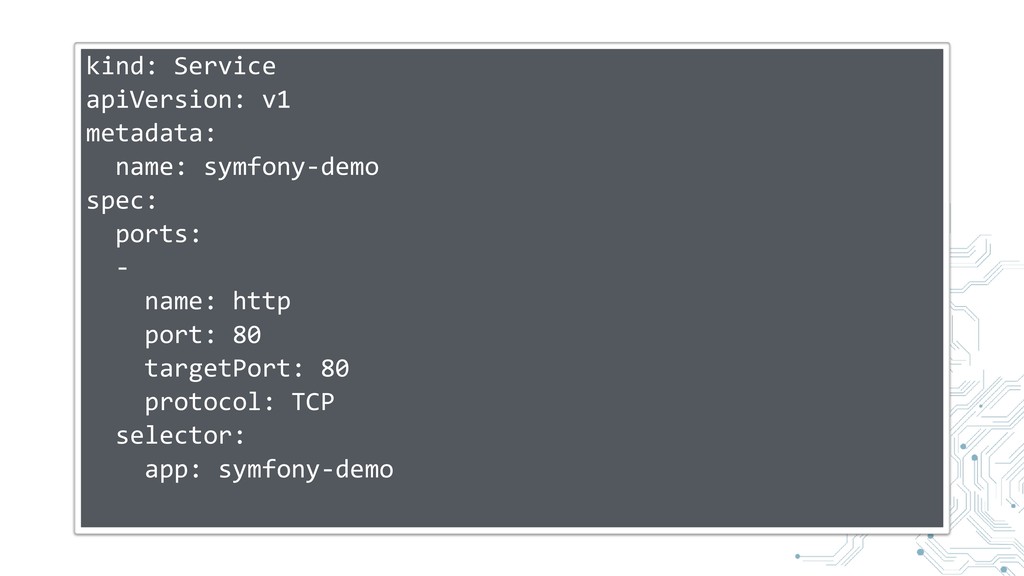
Service
kind: Service apiVersion: v1 metadata: name: symfony-demo spec: ports: -
name: http port: 80 targetPort: 80 protocol: TCP selector: app: symfony-demo
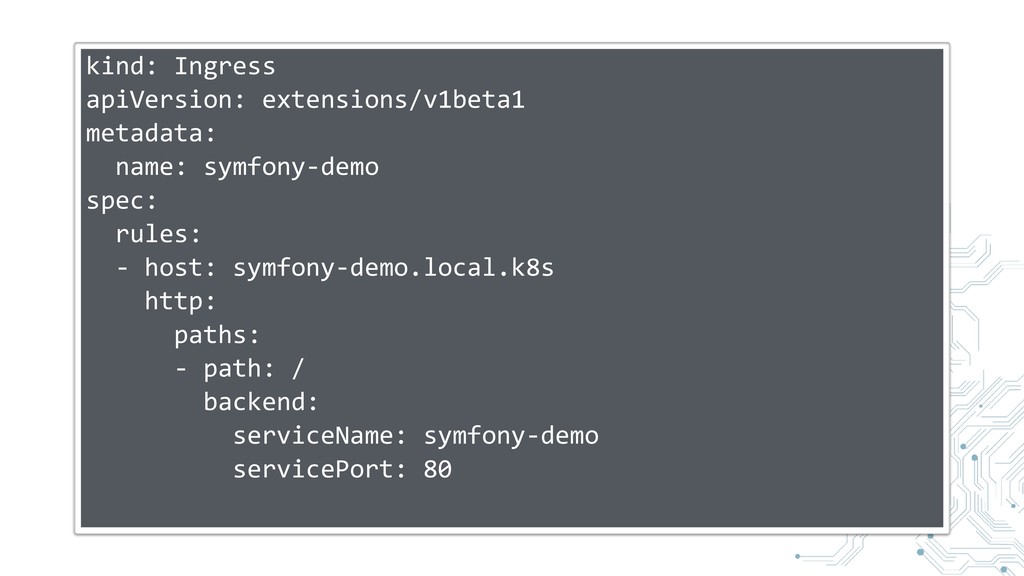
Ingress
kind: Ingress apiVersion: extensions/v1beta1 metadata: name: symfony-demo spec: rules: -
host: symfony-demo.local.k8s http: paths: - path: / backend: serviceName: symfony-demo servicePort: 80
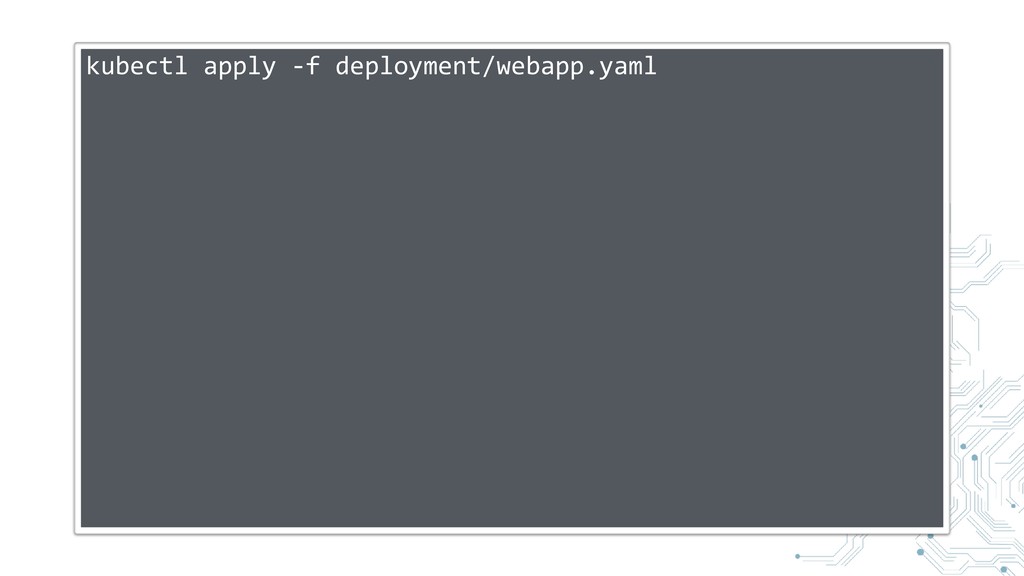
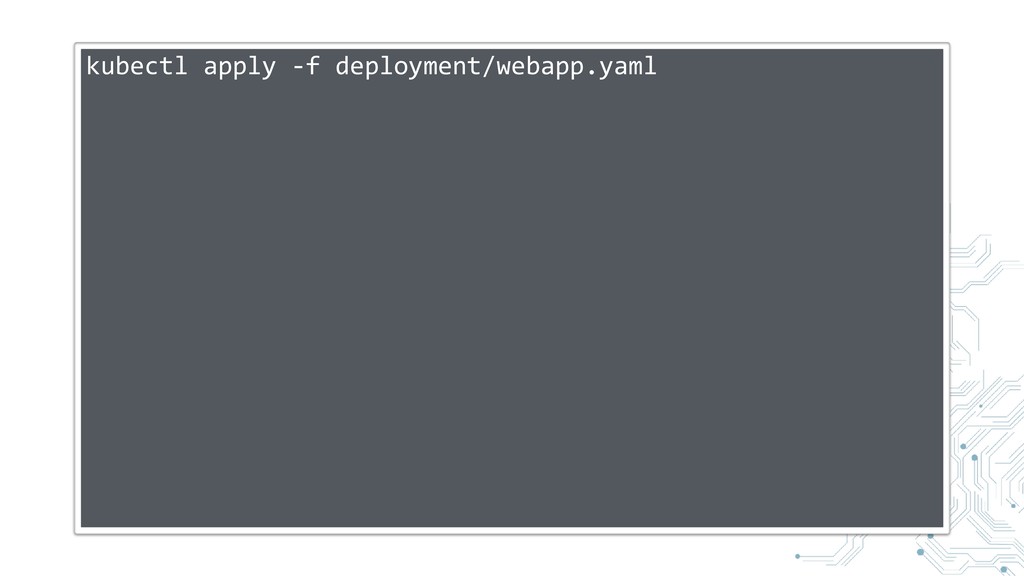
Creating everything
kubectl apply -f deployment/webapp.yaml
None
Rolling Deployments
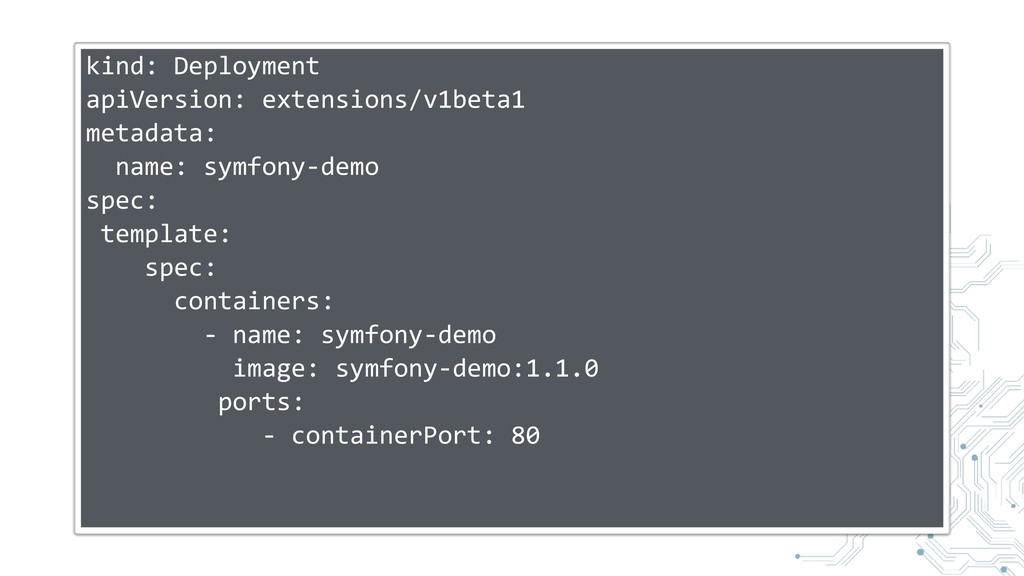
kind: Deployment apiVersion: extensions/v1beta1 metadata: name: symfony-demo spec: template: spec:
containers: - name: symfony-demo image: symfony-demo:1.1.0 ports: - containerPort: 80
kubectl apply -f deployment/webapp.yaml
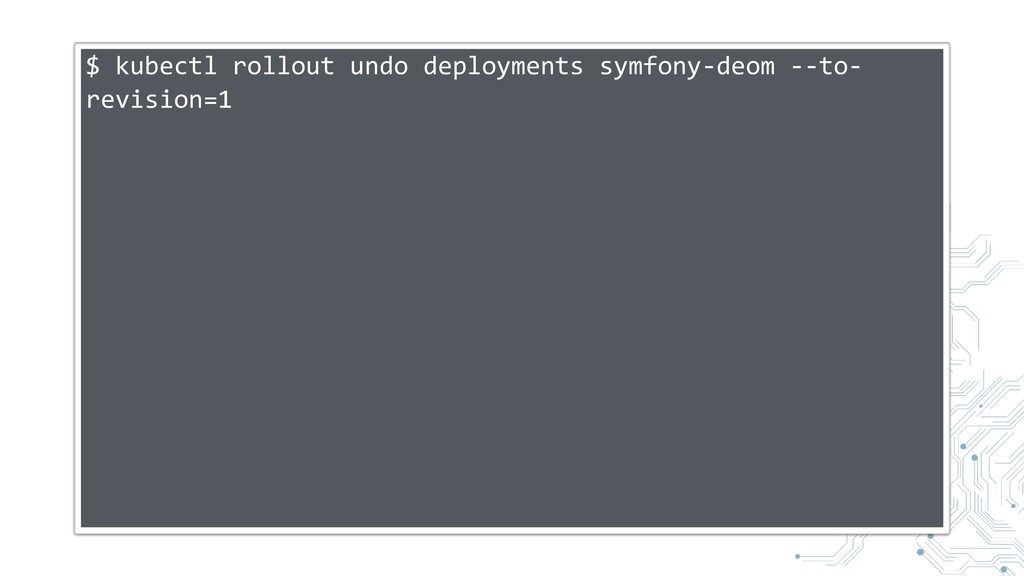
Rollback
$ kubectl rollout undo deployments symfony-deom --to- revision=1
Configuration
Should not be included in the docker image
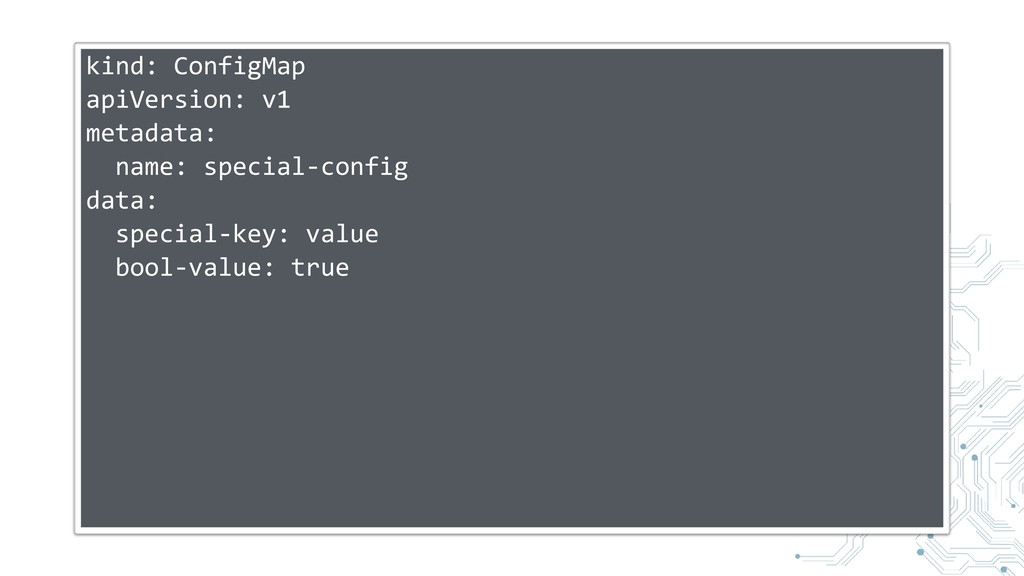
ConfigMap
Key/Value Store
kind: ConfigMap apiVersion: v1 metadata: name: special-config data: special-key: value
bool-value: true
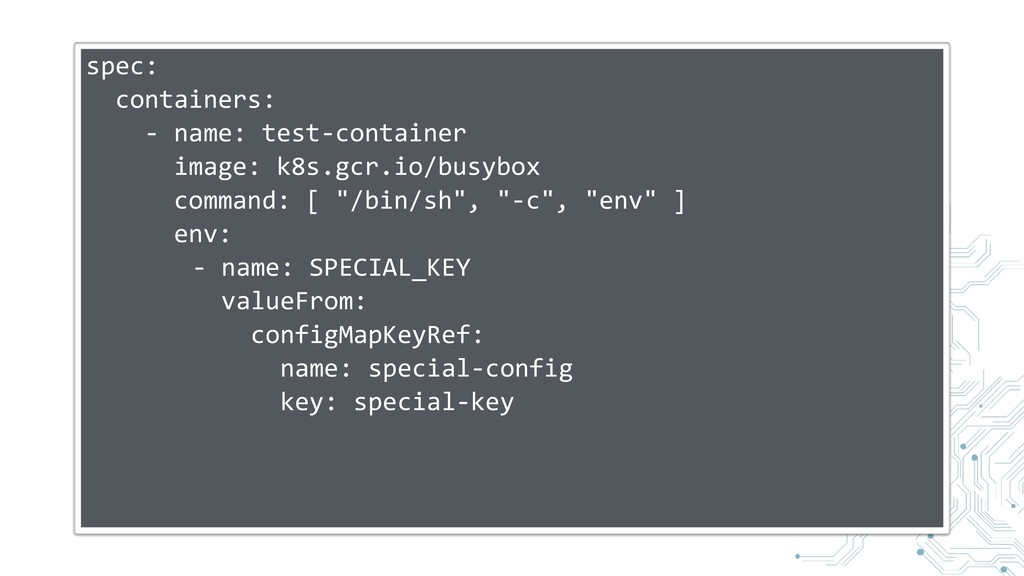
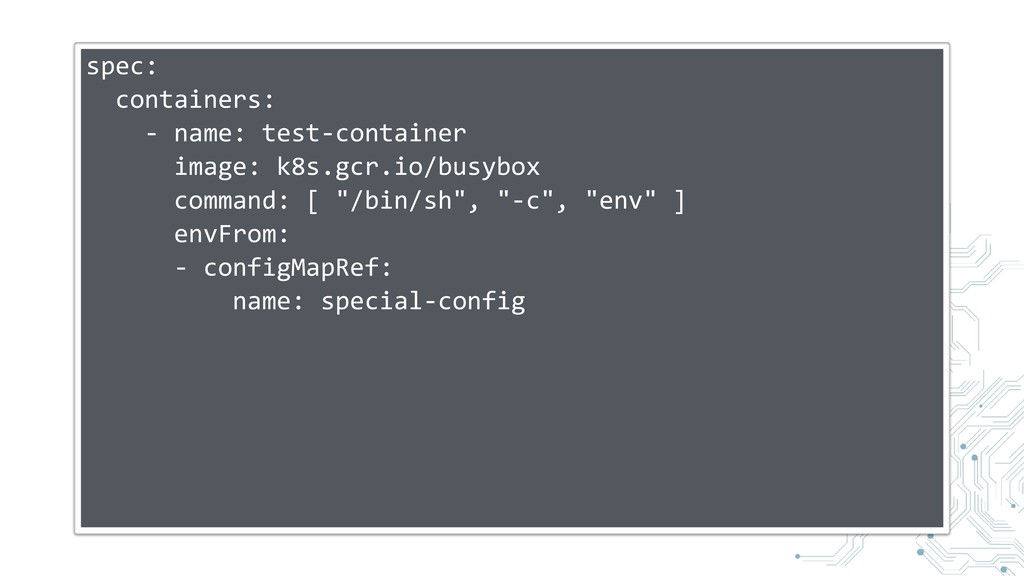
Can be accessed in a pod through environment variables
spec: containers: - name: test-container image: k8s.gcr.io/busybox command: [ "/bin/sh",
"-c", "env" ] env: - name: SPECIAL_KEY valueFrom: configMapKeyRef: name: special-config key: special-key
spec: containers: - name: test-container image: k8s.gcr.io/busybox command: [ "/bin/sh",
"-c", "env" ] envFrom: - configMapRef: name: special-config
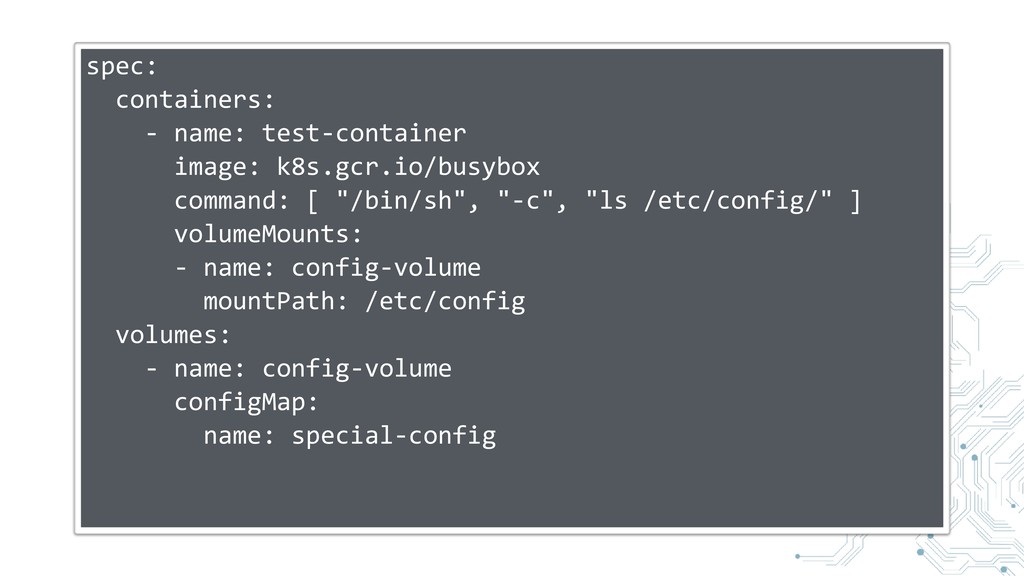
Can be accessed through volumes
spec: containers: - name: test-container image: k8s.gcr.io/busybox command: [ "/bin/sh",
"-c", "ls /etc/config/" ] volumeMounts: - name: config-volume mountPath: /etc/config volumes: - name: config-volume configMap: name: special-config
Service Discovery
Within a pod
Shared port namespace
Separate file systems
Separate process spaces
Network wise everything behaves like localhost
Between pods
You have to expose ports with services
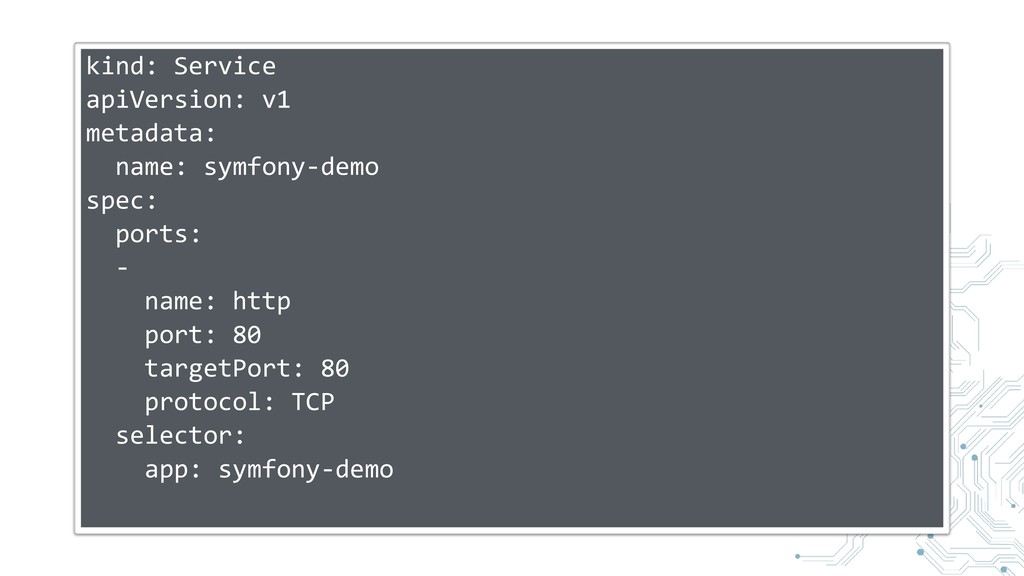
kind: Service apiVersion: v1 metadata: name: symfony-demo spec: ports: -
name: http port: 80 targetPort: 80 protocol: TCP selector: app: symfony-demo
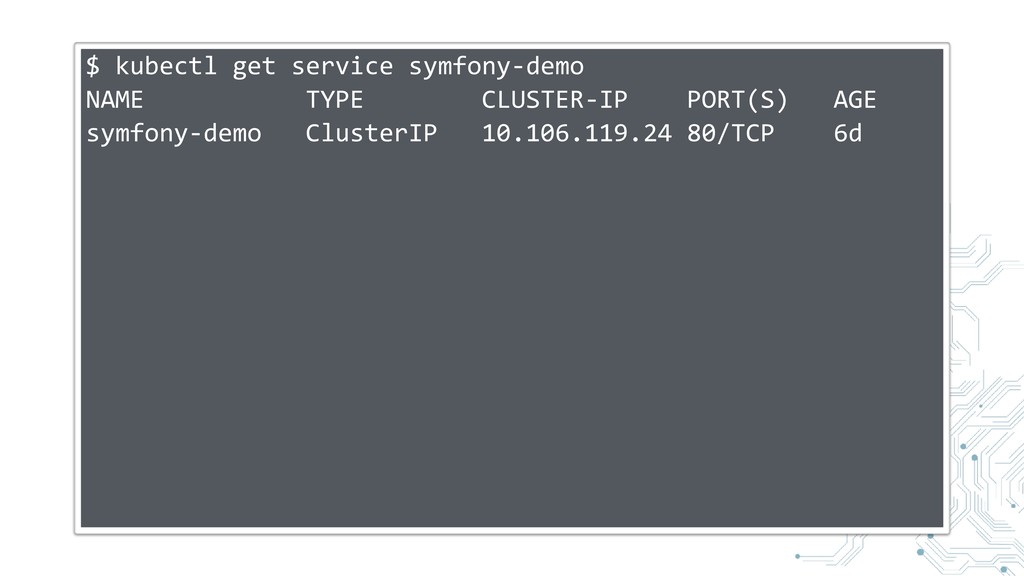
Every service has a virtual IP address
$ kubectl get service symfony-demo NAME TYPE CLUSTER-IP PORT(S) AGE
symfony-demo ClusterIP 10.106.119.24 80/TCP 6d
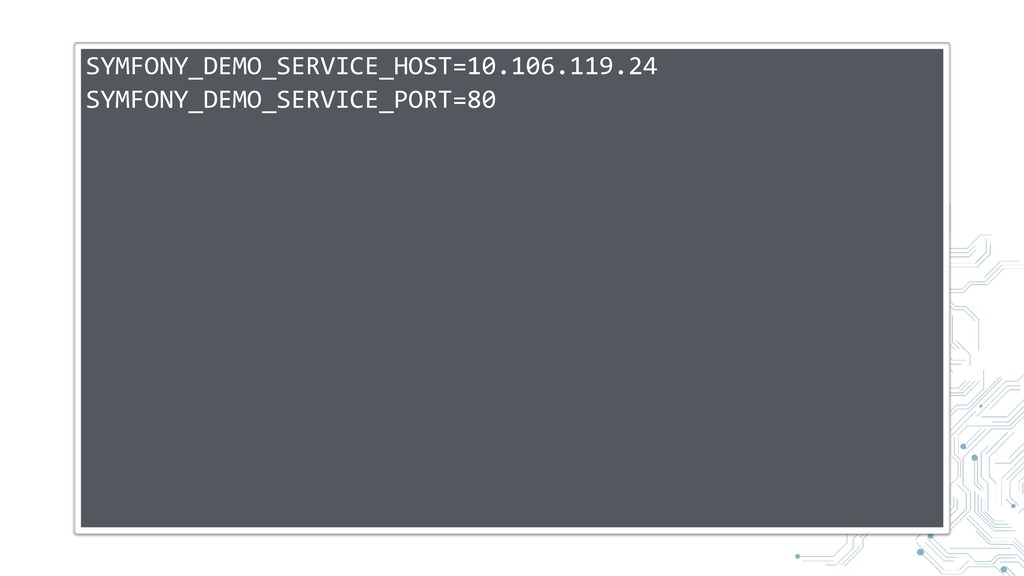
Discoverable in other containers by
Environment Variables
SYMFONY_DEMO_SERVICE_HOST=10.106.119.24 SYMFONY_DEMO_SERVICE_PORT=80
DNS
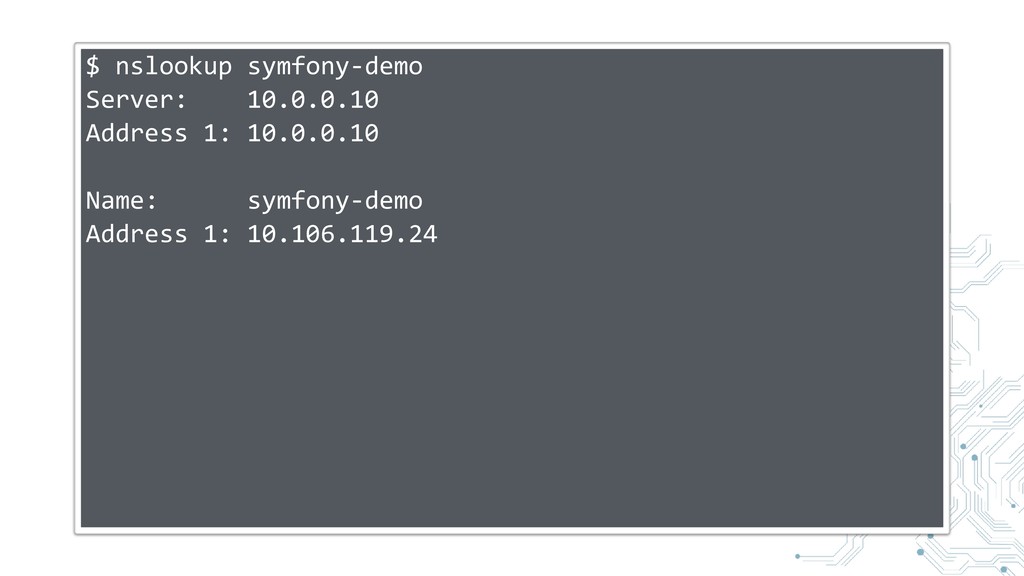
$ nslookup symfony-demo Server: 10.0.0.10 Address 1: 10.0.0.10 Name: symfony-demo
Address 1: 10.106.119.24
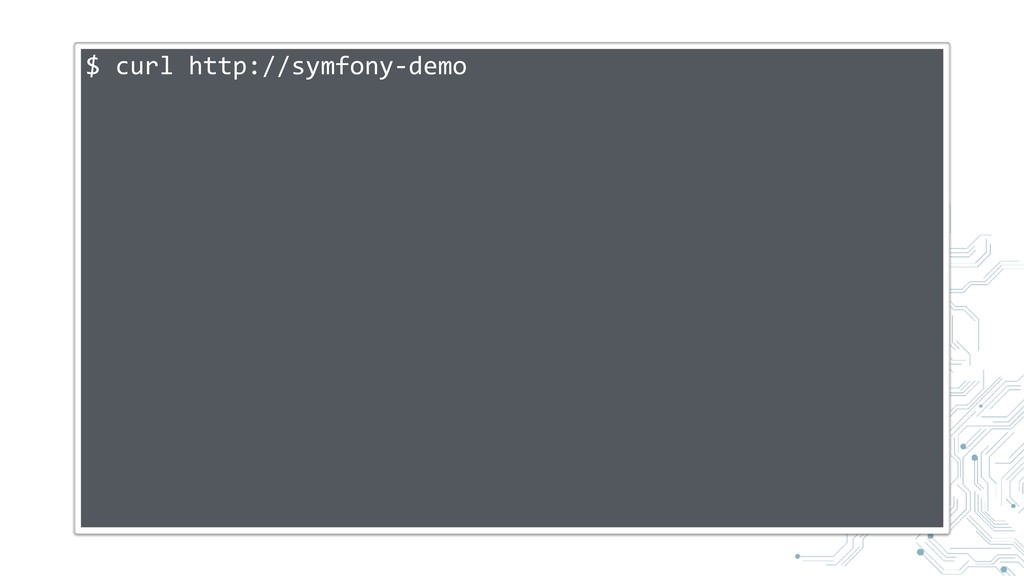
$ curl http://symfony-demo
Service Mesh
Istio https:/ /istio.io/
LinkerD https:/ /linkerd.io/
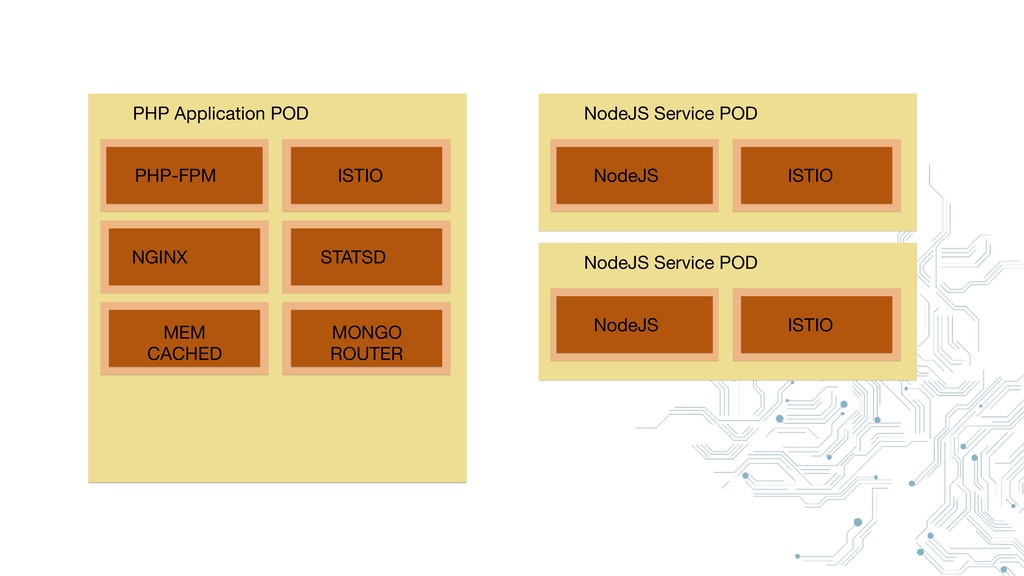
PHP-FPM NGINX ISTIO STATSD MEM CACHED MONGO ROUTER PHP Application
POD
PHP-FPM NGINX ISTIO STATSD MEM CACHED MONGO ROUTER PHP Application
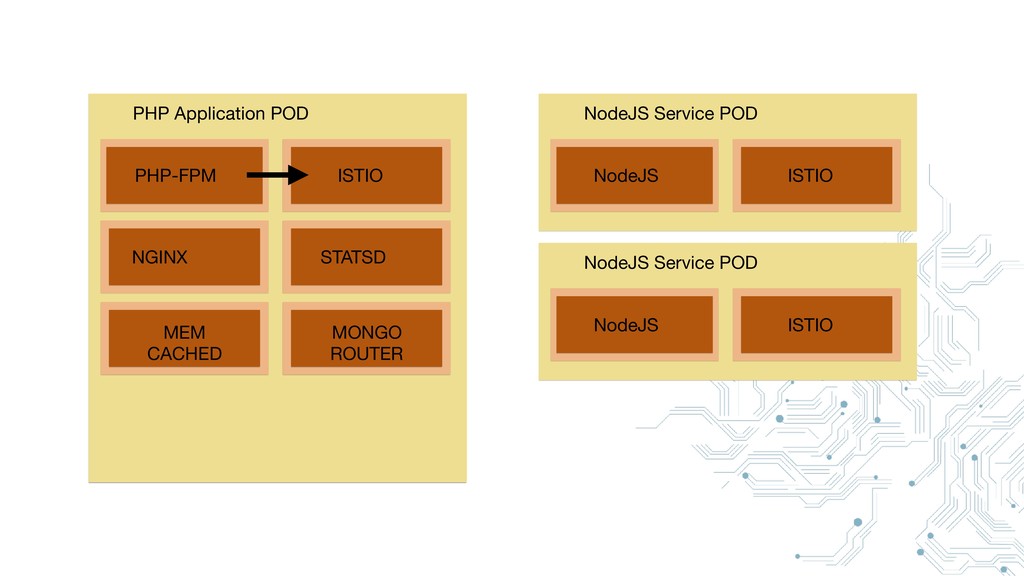
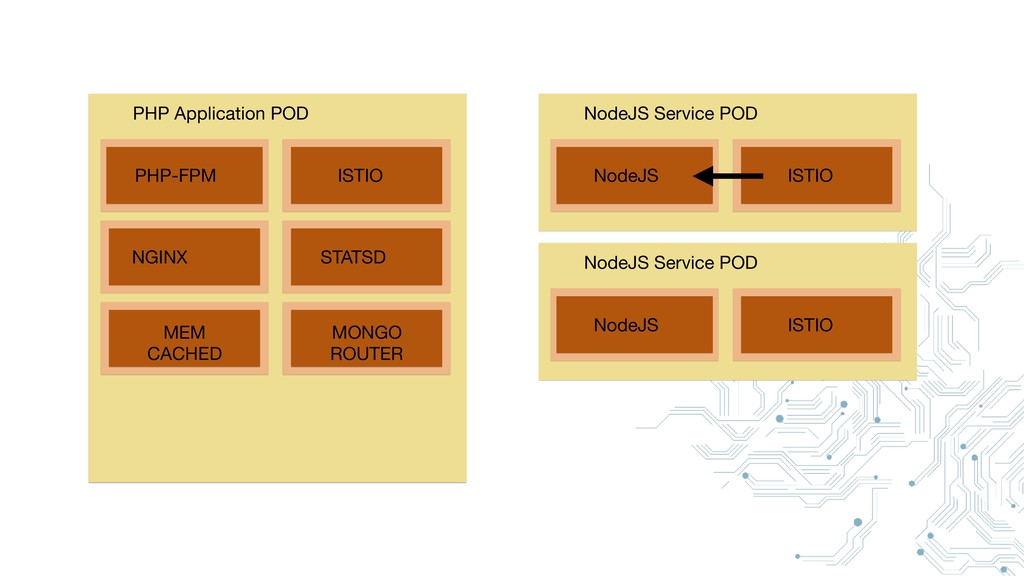
POD NodeJS ISTIO NodeJS Service POD NodeJS ISTIO NodeJS Service POD
PHP-FPM NGINX ISTIO STATSD MEM CACHED MONGO ROUTER PHP Application
POD NodeJS ISTIO NodeJS Service POD NodeJS ISTIO NodeJS Service POD
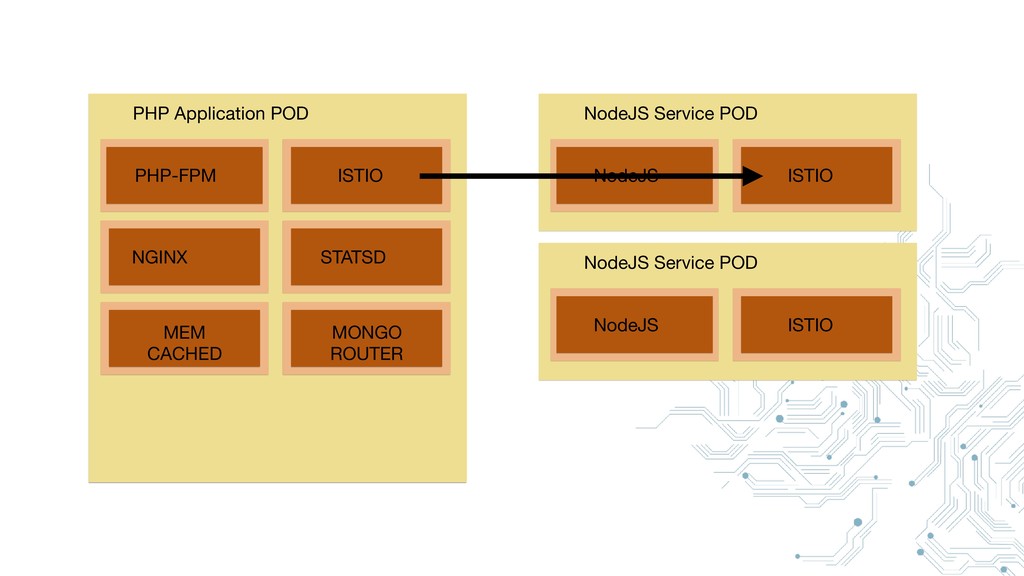
PHP-FPM NGINX ISTIO STATSD MEM CACHED MONGO ROUTER PHP Application
POD NodeJS ISTIO NodeJS Service POD NodeJS ISTIO NodeJS Service POD
PHP-FPM NGINX ISTIO STATSD MEM CACHED MONGO ROUTER PHP Application
POD NodeJS ISTIO NodeJS Service POD NodeJS ISTIO NodeJS Service POD
Benefits
Advanced routing
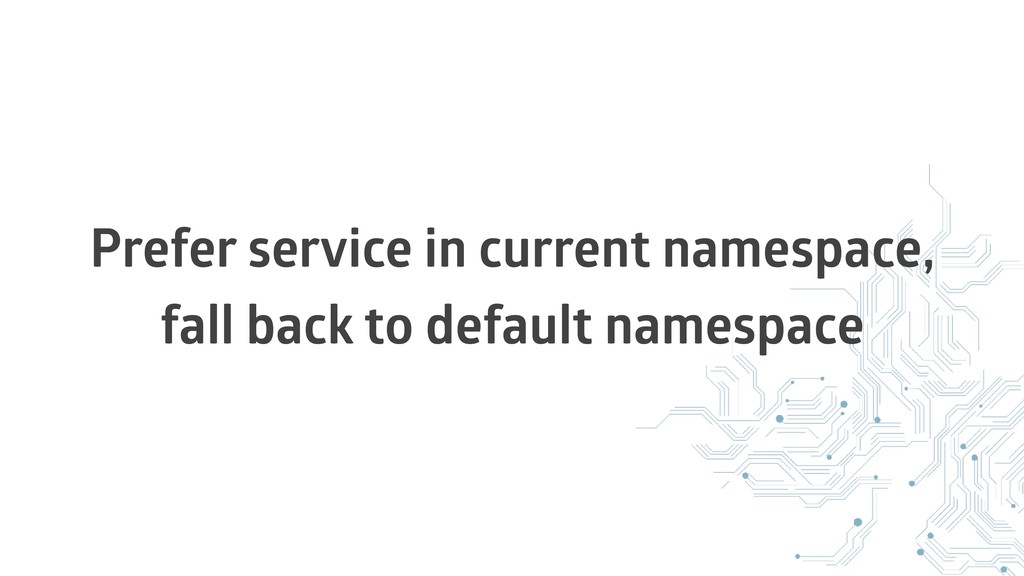
Prefer service in current namespace, fall back to default namespace
A/B Testing https:/ /medium.com/vamp-io/a-b-testing-on-kubernetes-with-istio-0-8-6323efa2b4e2
Canary deployments https:/ /istio.io/blog/2017/0.1-canary/
Circuit Breakers https:/ /istio.io/docs/tasks/traffic-management/circuit-breaking/
Security https:/ /istio.io/blog/2017/0.1-auth/
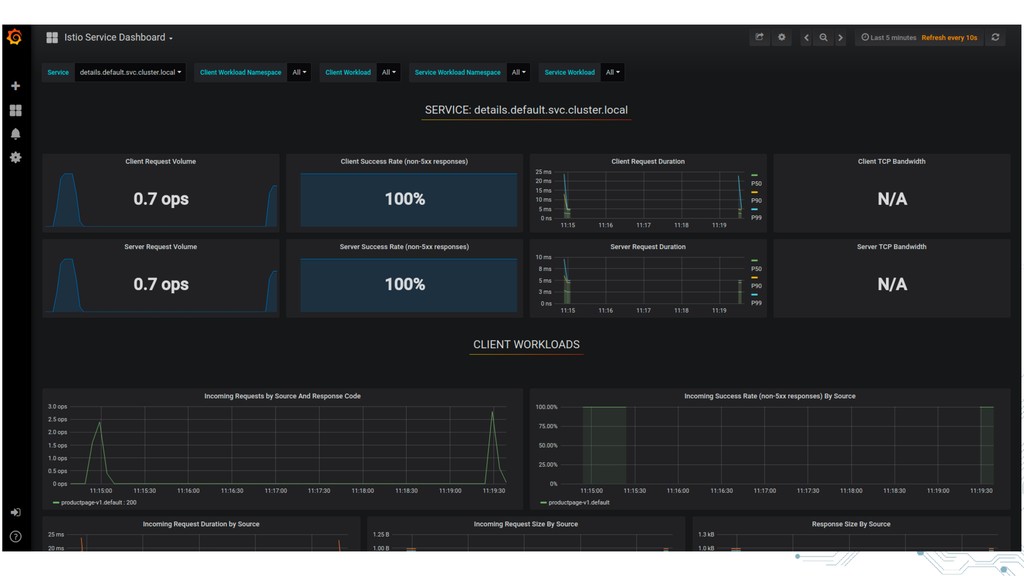
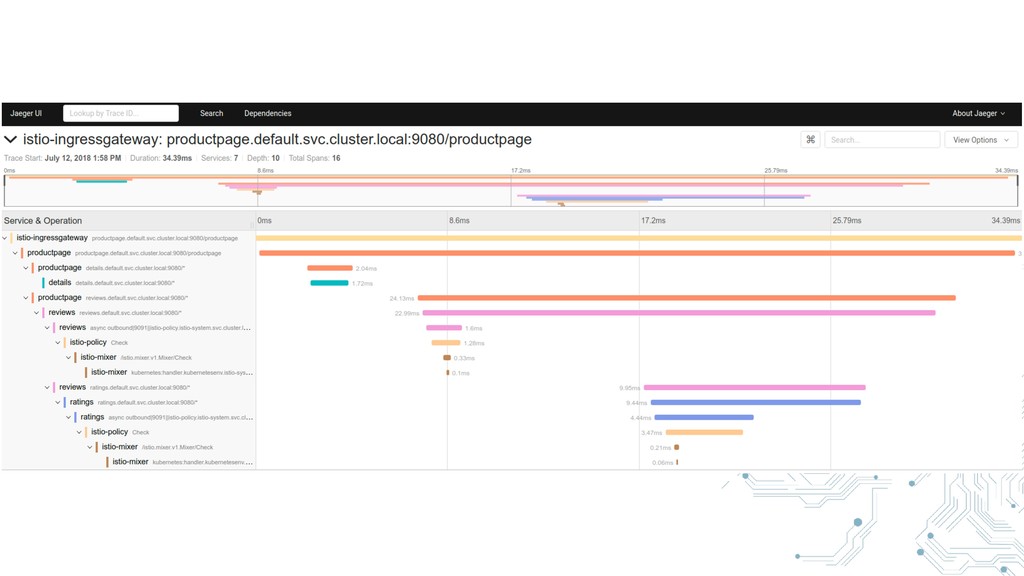
Advanced monitoring
None
Profiling
None
Monitoring
Metrics-Server
Takes metrics from Kubernetes and stores them in a monitoring
solution
e.g. Prometheus
Combine with metrics of other components
Service Mesh
Your services
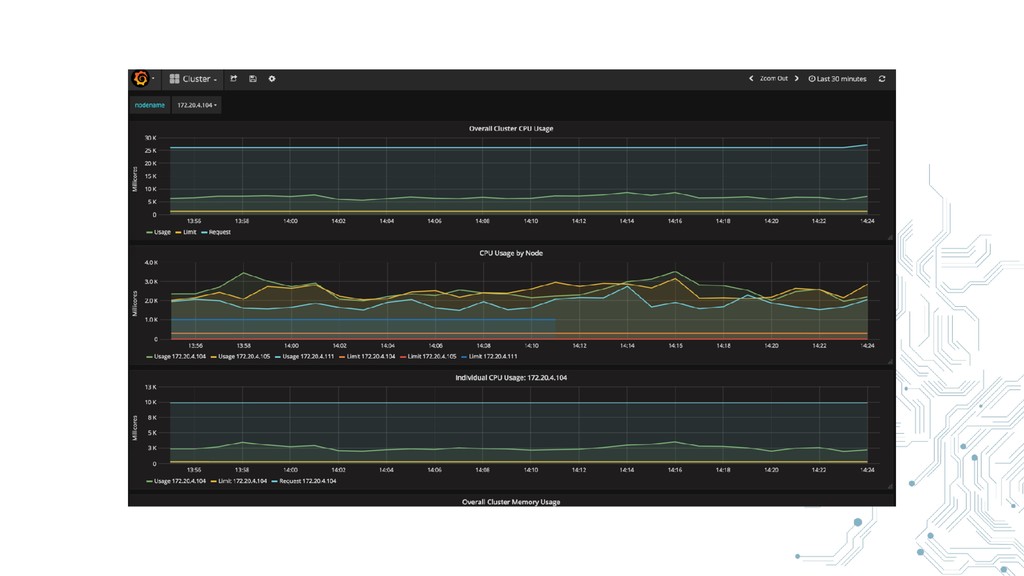
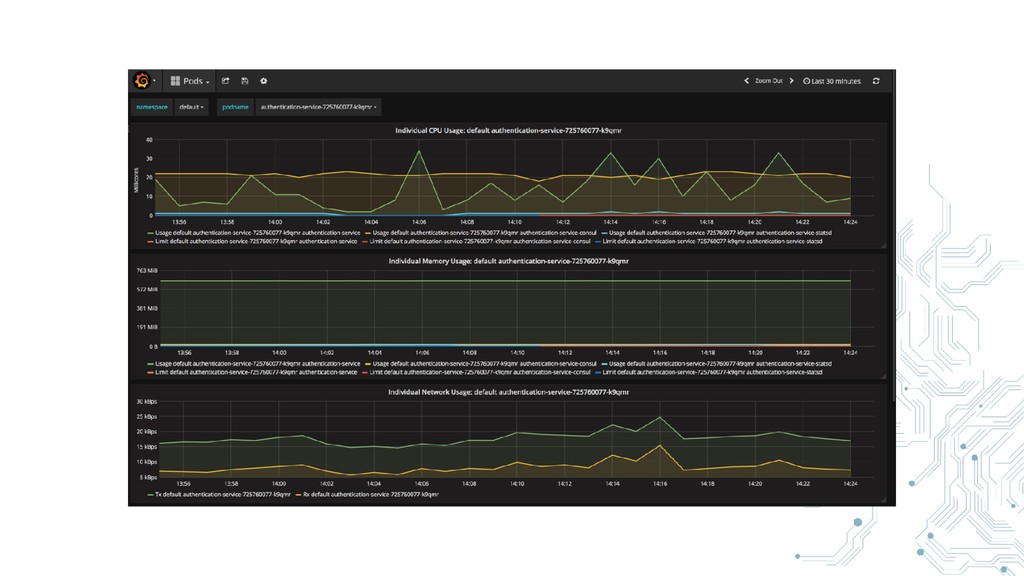
Grafana for displaying the data
None
None
Logging
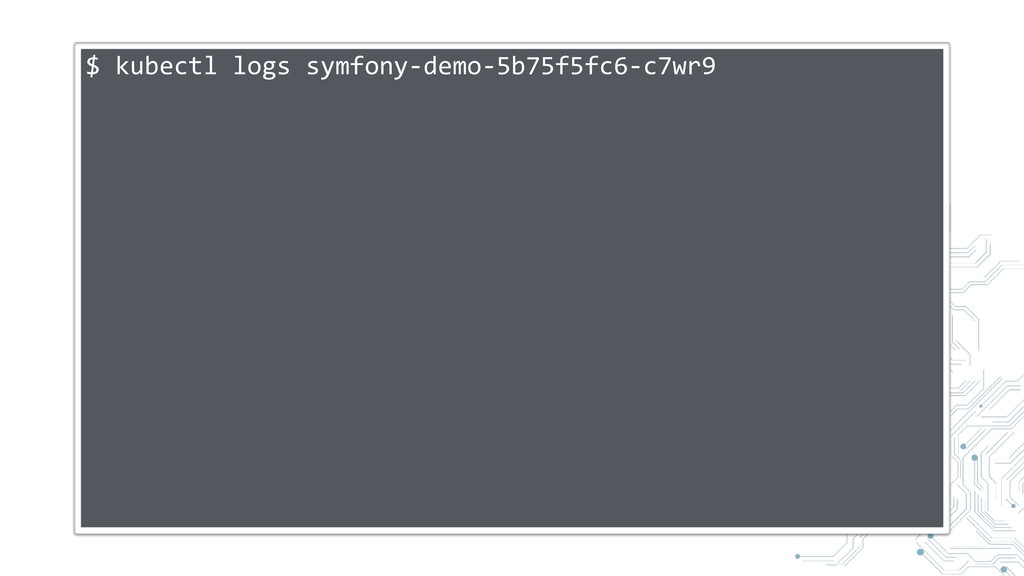
kubectl logs
$ kubectl logs symfony-demo-5b75f5fc6-c7wr9
One interface
Easy to pipe into central log management system
Scaling
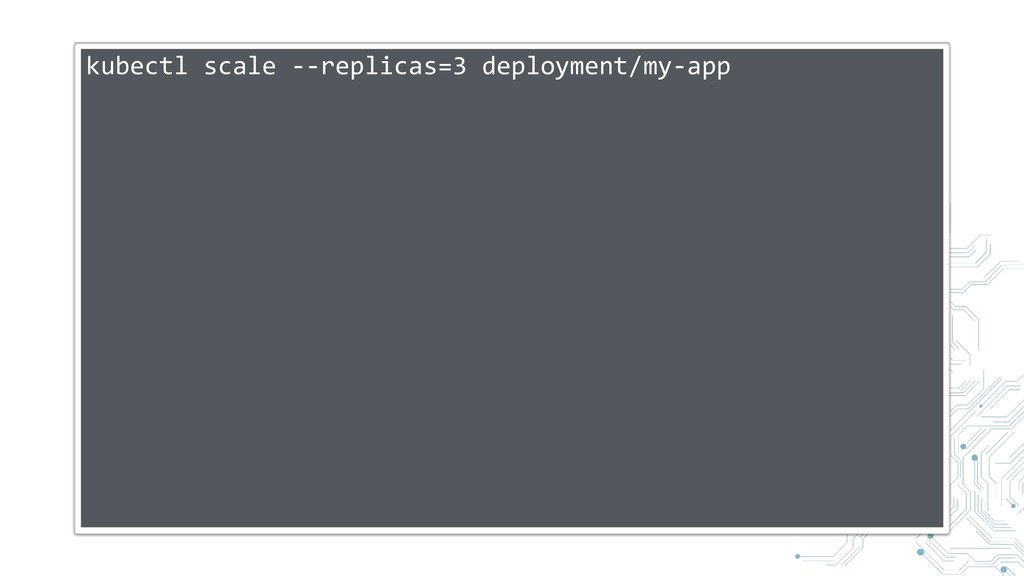
Manual Scaling
kubectl scale --replicas=3 deployment/my-app
AutoScaling
https:/ /kubernetes.io/docs/user-guide/ horizontal-pod-autoscaling/
Summary
Powerful
Helpful
Together with the whole Eco-System
And Docker
Kubernetes helps you to run microservices successfully
By standardizing Deployment, Scaling, Configuration, Monitoring, Service Discovery, Health Checks,
...
http:/ /speakerdeck.com/ u/bastianhofmann
Vielen Dank für Ihre Aufmerksamkeit!


 bastianhofmann
 yuta_onishi_97
 eed3si9n
 sylph01
 tanahiro2010
 rshindo
 mixplace
 kinopeee
 yub0n
yub0n
 minodriven
 tomokon
 colorful12
 skydoves
 jct
jct
 konakalab
 nikkihalliwell
.png) helenjbeal
helenjbeal
 kneath
 rabernat
 eileencodes
 rasmusluckow
 productmarketing
 stuffmc
 morganepeng
 oripsolob




































![[ "db_user": "user", "db_pw": "pw", "serviceA": "serviceA.local:8018" ]](https://files.speakerdeck.com/presentations/ad4049f78b8d428a9429c33fb1b84831/slide_43.jpg)