Upgrade to Pro
— share decks privately, control downloads, hide ads and more …
Speaker Deck
Sign up for free
Menu
Search
Features
All features
Private URLs
Password Protection
Custom URLS
Scheduled publishing
Remove Branding
Restrict embedding
Deck Collections
Notes
Features
All features
Private URLs
Password Protection
Custom URLS
Scheduled publishing
Remove Branding
Restrict embedding
Deck Collections
Notes
Explore
Featured decks
Featured speakers
Programming
Technology
Storyboards
Explore
Featured decks
Featured speakers
Programming
Technology
Storyboards
Pricing
Search
Sign in
Sign up for free
iOS for Web Developers
Search
Ben Howdle
August 22, 2014
Programming
320
0
Share
Embed
Copy iframe code
Copy JS code
Copy link
Start on current slide
iOS for Web Developers
Ben Howdle
August 22, 2014
Other Decks in Programming
See All in Programming
JAWS-UG 東京支部が始める、JAWS-UG支部コラボ / JAWS-UG lunchtime LT Collaboration
y0hgi
0
180
AWSに止められる覚悟してますか?
morizo_1984
2
510
GemmaをJevのように使ってみる / Use Gemma like Jev
kishida
5
550
Java 27新機能 / Java 27 new features
kishida
2
190
MVNOの申込からeSIM開通までをiOSアプリでつなぐ- 本人確認・MNP・通信事業者基盤をまたぐ実装
satotakeshi
0
530
AI Agent時代のリアーキテクチャ戦略と実践
hokaccha
9
5.3k
Are APIs Still Relevant in the AI Era?
soyuka
0
410
プロダクトコードからライブラリの境界を見つける
elmetal
PRO
0
100
半永久的に提供し続けられるプライベートクラウドを目指して ― 利用者の認知負荷を抑えるAPI抽象化とハードウェア世代交代の基盤設計
tomokon
0
420
仕様駆動開発による爆速プロダクト開発 / Bakusoku Spec Driven Development
kobakei
0
170
更なる可用性を求めて、5年間運用したKotlinのアプリケーションをGoでリプレイスする話
ken_tunc
0
430
C#の現在地 進化の歴史と、AI時代の.NET Everywhere
neuecc
5
4.9k
Featured
See All Featured
Art, The Web, and Tiny UX
lynnandtonic
304
22k
Hiding What from Whom? A Critical Review of the History of Programming languages for Music
tomoyanonymous
3
1.3k
Understanding Cognitive Biases in Performance Measurement
bluesmoon
32
3k
Marketing Yourself as an Engineer | Alaka | Gurzu
gurzu
0
320
実際に使うSQLの書き方 徹底解説 / pgcon21j-tutorial
soudai
PRO
203
76k
16th Malabo Montpellier Forum Presentation
akademiya2063
PRO
0
390
個人開発の失敗を避けるイケてる考え方 / tips for indie hackers
panda_program
123
22k
CSS Pre-Processors: Stylus, Less & Sass
bermonpainter
360
31k
Connecting the Dots Between Site Speed, User Experience & Your Business [WebExpo 2025]
tammyeverts
11
1k
Let's Do A Bunch of Simple Stuff to Make Websites Faster
chriscoyier
508
140k
Principles of Awesome APIs and How to Build Them.
keavy
128
18k
Technical Leadership for Architectural Decision Making
baasie
3
590
Transcript
iOS for web developers site: http://benhowdle.im twitter: @benhowdle
Today’s menu • Why give this talk? • An Objective-C
crash course • The building blocks of an iOS app • New things • Warm & fuzzy familiar things • Greener pastures & pain-points
Why give this talk?
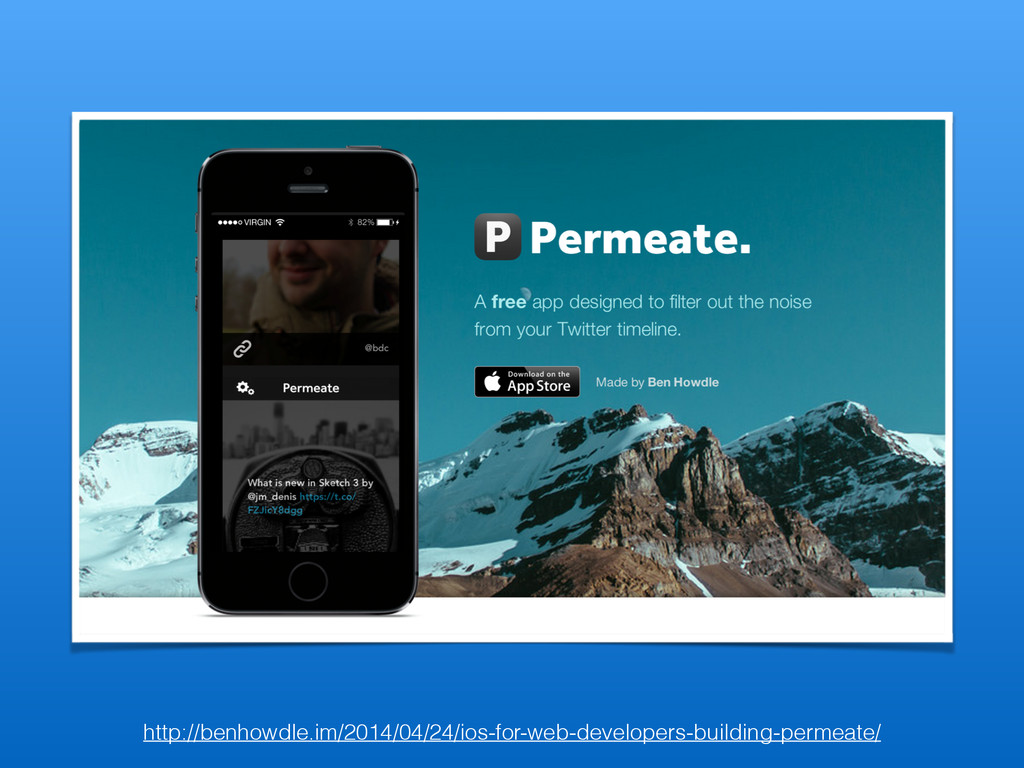
http://benhowdle.im/2014/04/24/ios-for-web-developers-building-permeate/
None
Objective-C .page > #menu li:nth-child(2n+1) ~ a:focus Not so fast
on the hatin’
Classes & Objects
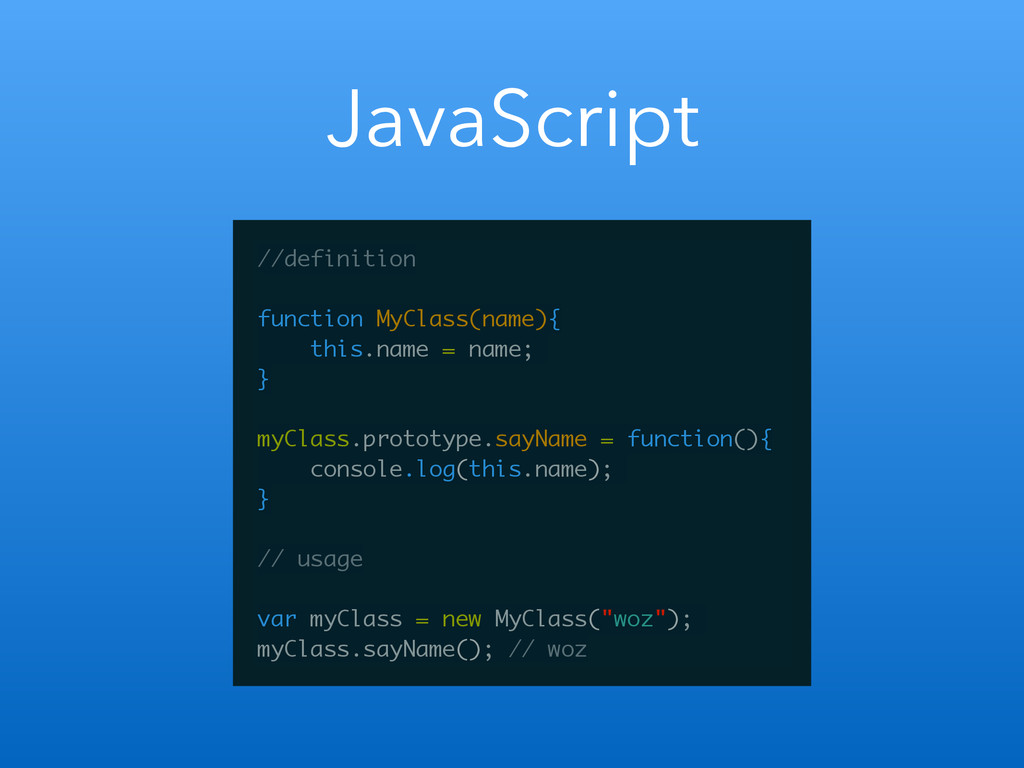
JavaScript //definition ! function MyClass(name){ this.name = name; } !
myClass.prototype.sayName = function(){ console.log(this.name); } ! // usage ! var myClass = new MyClass("woz"); myClass.sayName(); // woz
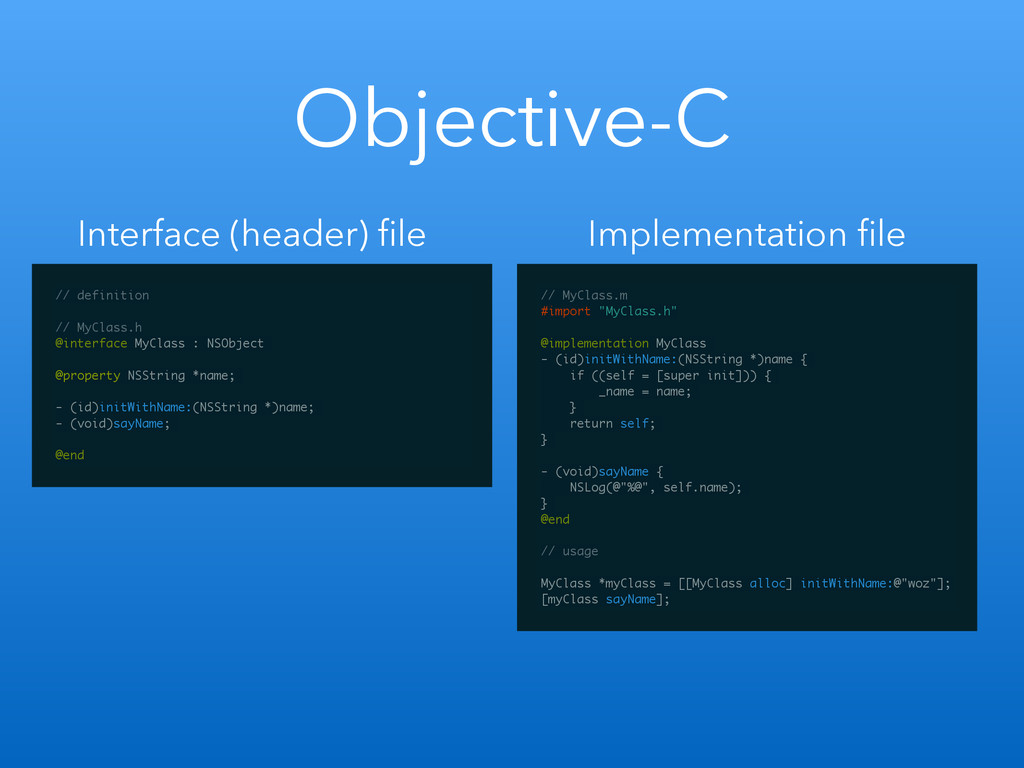
Objective-C // definition ! // MyClass.h @interface MyClass : NSObject
! @property NSString *name; ! - (id)initWithName:(NSString *)name; - (void)sayName; ! @end // MyClass.m #import "MyClass.h" ! @implementation MyClass - (id)initWithName:(NSString *)name { if ((self = [super init])) { _name = name; } return self; } ! - (void)sayName { NSLog(@"%@", self.name); } @end ! // usage ! MyClass *myClass = [[MyClass alloc] initWithName:@"woz"]; [myClass sayName]; Interface (header) file Implementation file
Variables
JavaScript var myNum = 2; var myDictionary = { foo:
"bar" } var myArray = ["foo", "bar"];
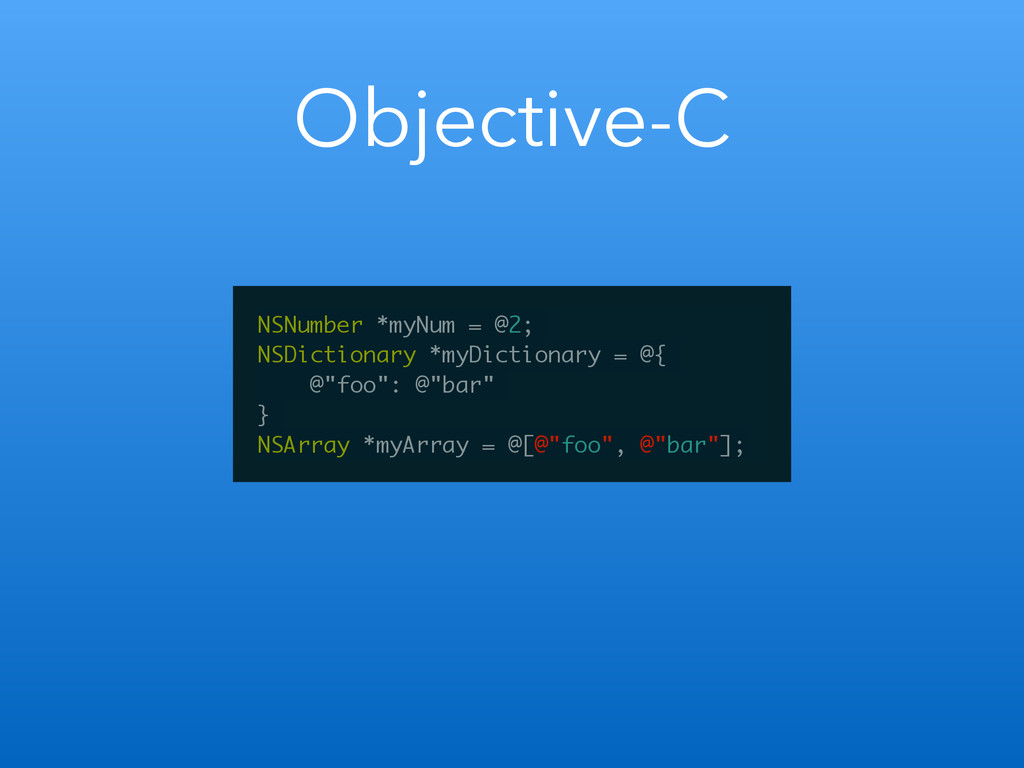
Objective-C NSNumber *myNum = @2; NSDictionary *myDictionary = @{ @"foo":
@"bar" } NSArray *myArray = @[@"foo", @"bar"];
Methods (functions)
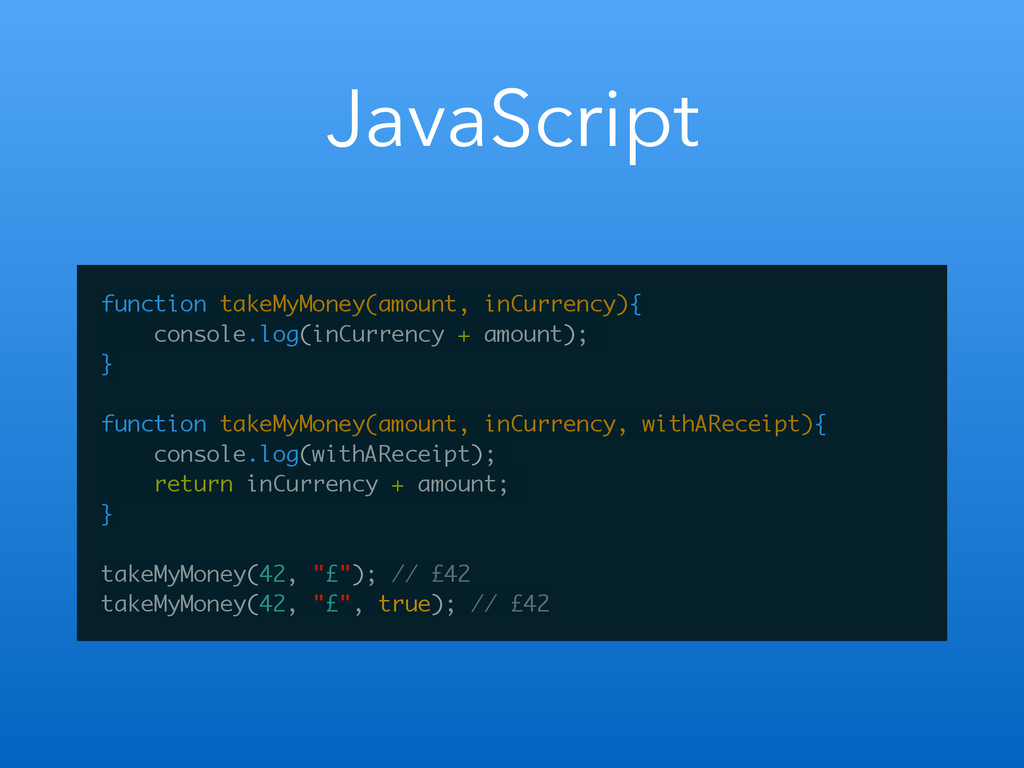
JavaScript function takeMyMoney(amount, inCurrency){ console.log(inCurrency + amount); } ! function
takeMyMoney(amount, inCurrency, withAReceipt){ console.log(withAReceipt); return inCurrency + amount; } ! takeMyMoney(42, "£"); // £42 takeMyMoney(42, "£", true); // £42
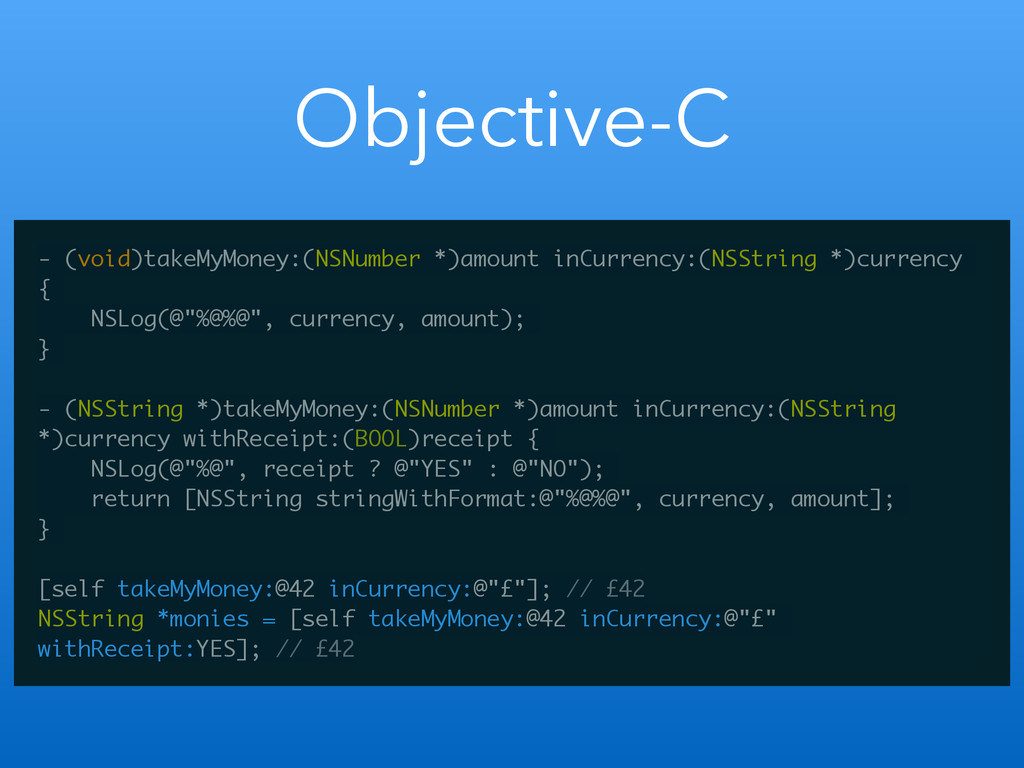
Objective-C - (void)takeMyMoney:(NSNumber *)amount inCurrency:(NSString *)currency { NSLog(@"%@%@", currency, amount);
} ! - (NSString *)takeMyMoney:(NSNumber *)amount inCurrency:(NSString *)currency withReceipt:(BOOL)receipt { NSLog(@"%@", receipt ? @"YES" : @"NO"); return [NSString stringWithFormat:@"%@%@", currency, amount]; } ! [self takeMyMoney:@42 inCurrency:@"£"]; // £42 NSString *monies = [self takeMyMoney:@42 inCurrency:@"£" withReceipt:YES]; // £42
Anatomy of an iOS app
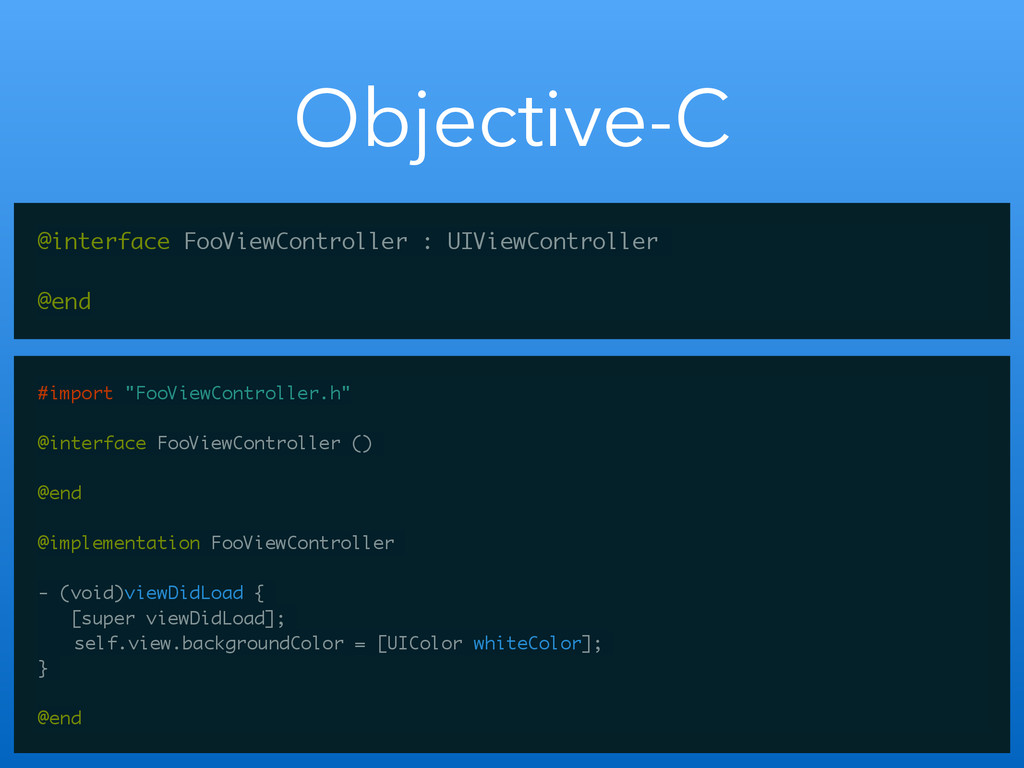
View Controllers
Objective-C @interface FooViewController : UIViewController ! @end #import "FooViewController.h" !
@interface FooViewController () ! @end ! @implementation FooViewController ! - (void)viewDidLoad { [super viewDidLoad]; self.view.backgroundColor = [UIColor whiteColor]; } ! @end
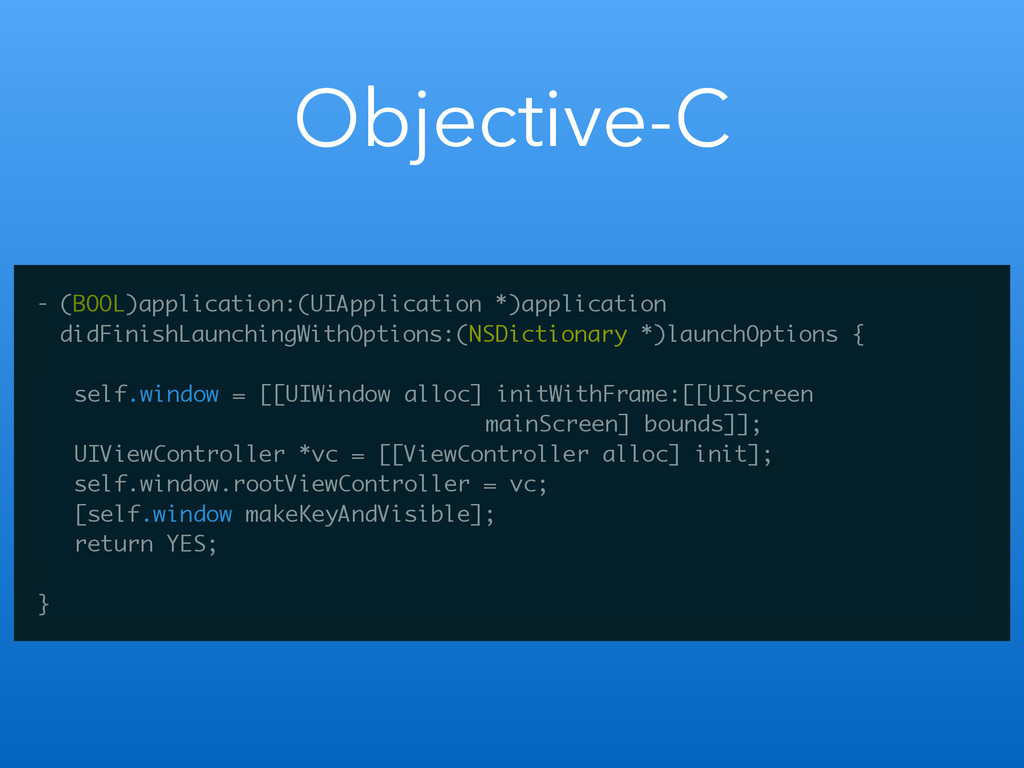
Objective-C - (BOOL)application:(UIApplication *)application didFinishLaunchingWithOptions:(NSDictionary *)launchOptions { ! self.window =
[[UIWindow alloc] initWithFrame:[[UIScreen mainScreen] bounds]]; UIViewController *vc = [[ViewController alloc] init]; self.window.rootViewController = vc; [self.window makeKeyAndVisible]; return YES; ! }
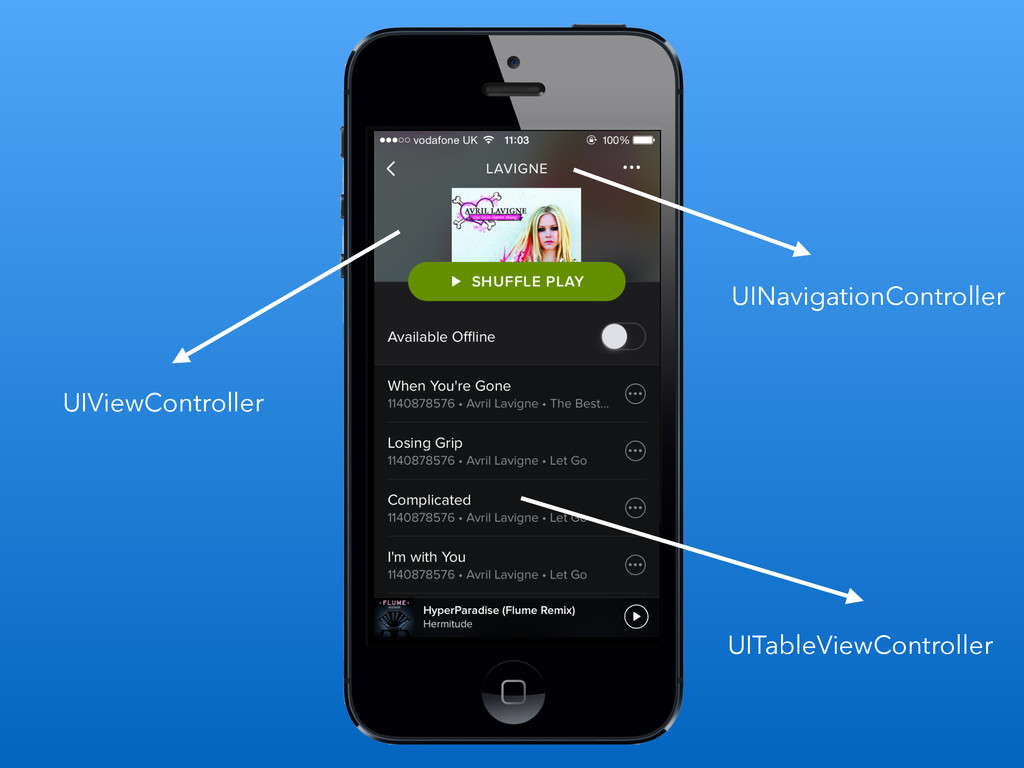
UIViewController UITableViewController UINavigationController
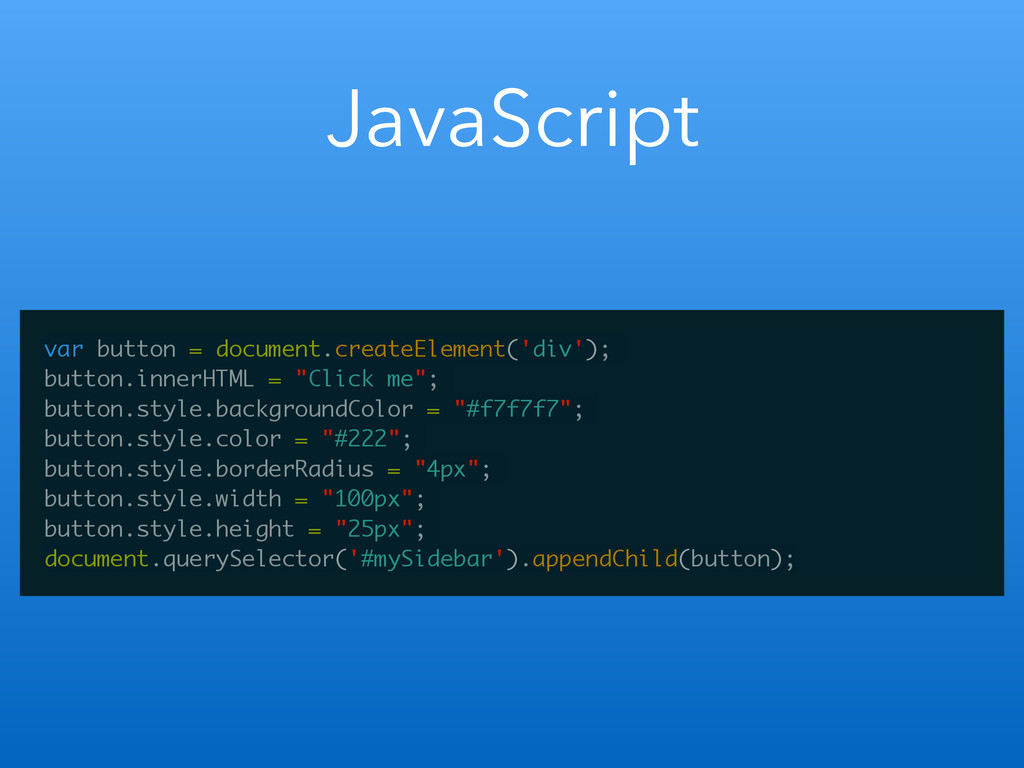
Views
JavaScript var button = document.createElement('div'); button.innerHTML = "Click me"; button.style.backgroundColor
= "#f7f7f7"; button.style.color = "#222"; button.style.borderRadius = "4px"; button.style.width = "100px"; button.style.height = "25px"; document.querySelector('#mySidebar').appendChild(button);
Objective-C UIButton *myButton = [[UIButton alloc] init]; myButton.frame = CGRectMake(0,
0, 100, 25); [myButton setTitle:@"Tap me" forState:UIControlStateNormal]; myButton.layer.cornerRadius = 4; myButton.backgroundColor = [UIColor blueColor]; myButton.titleLabel.textColor = [UIColor whiteColor]; [self.view addSubview:myButton];
New things to learn
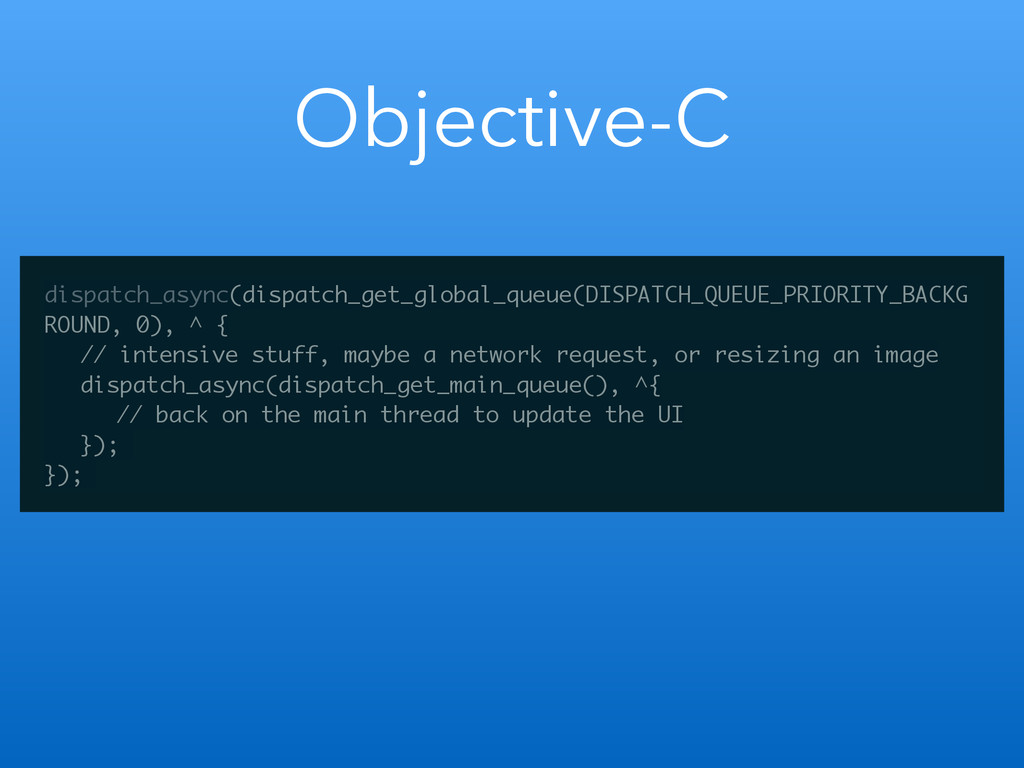
Multithreading
Objective-C dispatch_async(dispatch_get_global_queue(DISPATCH_QUEUE_PRIORITY_BACKG ROUND, 0), ^ { // intensive stuff, maybe
a network request, or resizing an image dispatch_async(dispatch_get_main_queue(), ^{ // back on the main thread to update the UI }); });
Dependency Management
Delegates
Objective-C - (void)viewDidLoad { [super viewDidLoad]; self.passwordTextField = [[UITextField alloc]
initWithFrame:CGRectMake(10, 316, 300, 44)]; self.passwordTextField.placeholder = @"Password"; self.passwordTextField.secureTextEntry = YES; self.passwordTextField.delegate = self; [self.view addSubview:self.passwordTextField]; } ! -(BOOL)textFieldShouldReturn:(UITextField *)textField { if(textField == self.passwordTextField){ [textField resignFirstResponder]; // do what we want now return NO; } return YES; }
No HTML
Typed language
Warm, fuzzy familiar things
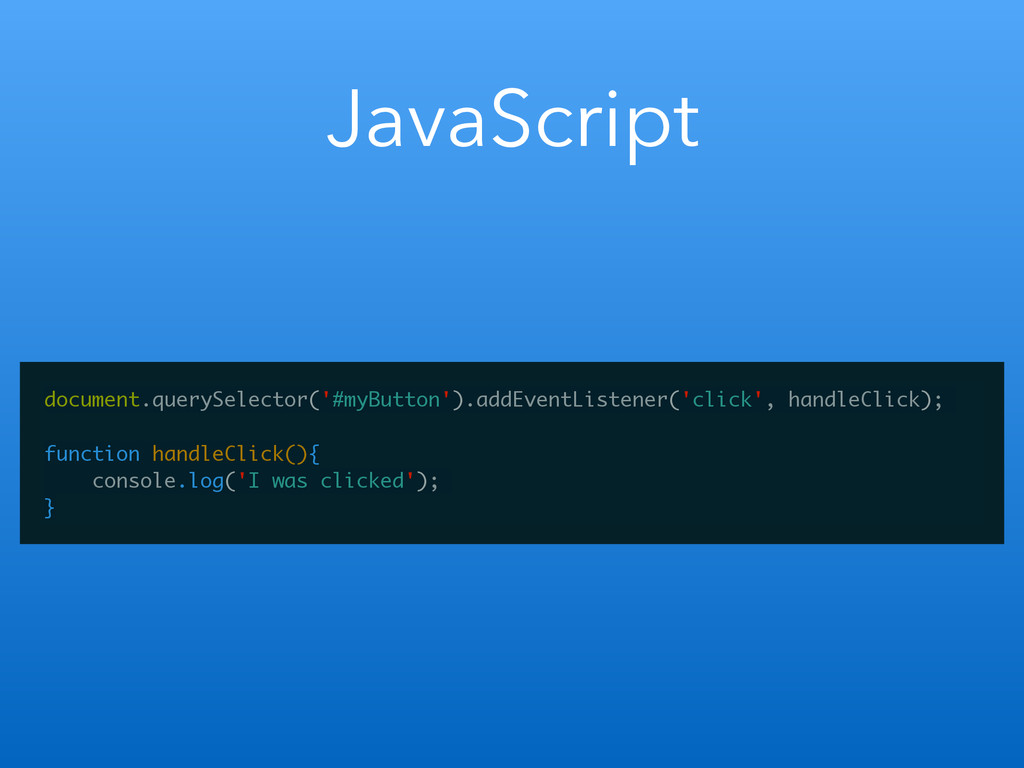
Handling Events
JavaScript document.querySelector('#myButton').addEventListener('click', handleClick); ! function handleClick(){ console.log('I was clicked'); }
Objective-C UITapGestureRecognizer *singleFingerTap = [[UITapGestureRecognizer alloc] initWithTarget:self action:@selector(handleSingleTap:)]; ! [self.myButton
addGestureRecognizer:singleFingerTap]; ! - (void)handleSingleTap:(UITapGestureRecognizer *)recognizer { NSLog(@"I was tapped"); }
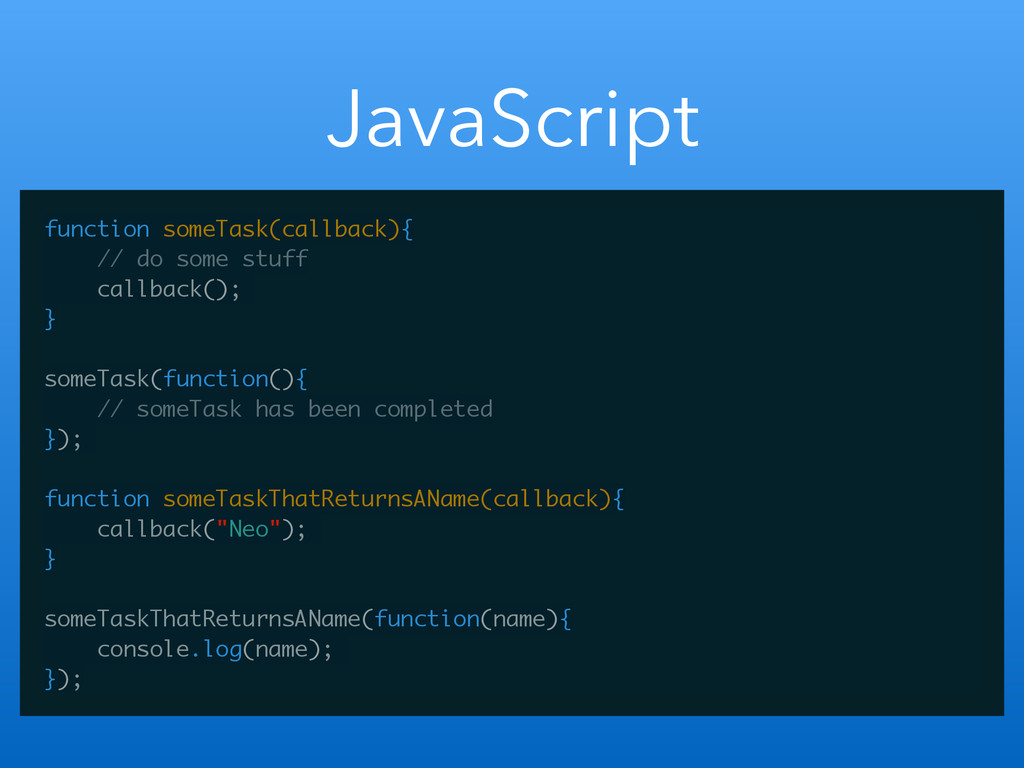
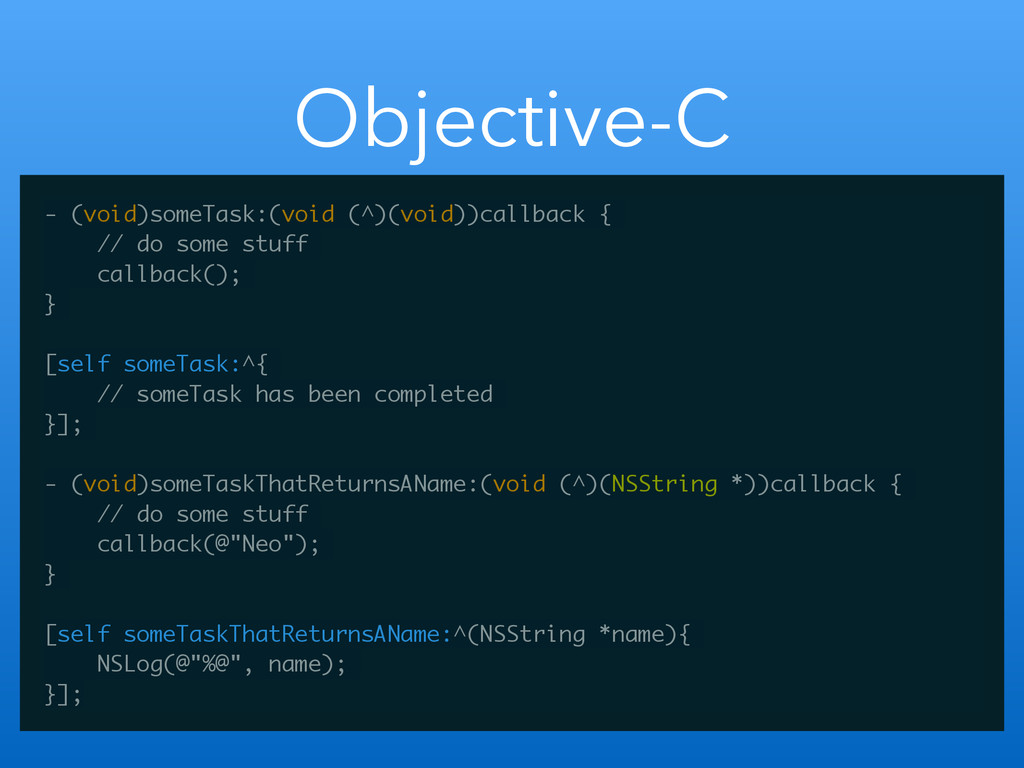
Blocks
JavaScript function someTask(callback){ // do some stuff callback(); } !
someTask(function(){ // someTask has been completed }); ! function someTaskThatReturnsAName(callback){ callback("Neo"); } ! someTaskThatReturnsAName(function(name){ console.log(name); });
Objective-C - (void)someTask:(void (^)(void))callback { // do some stuff callback();
} ! [self someTask:^{ // someTask has been completed }]; ! - (void)someTaskThatReturnsAName:(void (^)(NSString *))callback { // do some stuff callback(@"Neo"); } ! [self someTaskThatReturnsAName:^(NSString *name){ NSLog(@"%@", name); }];
Package Management
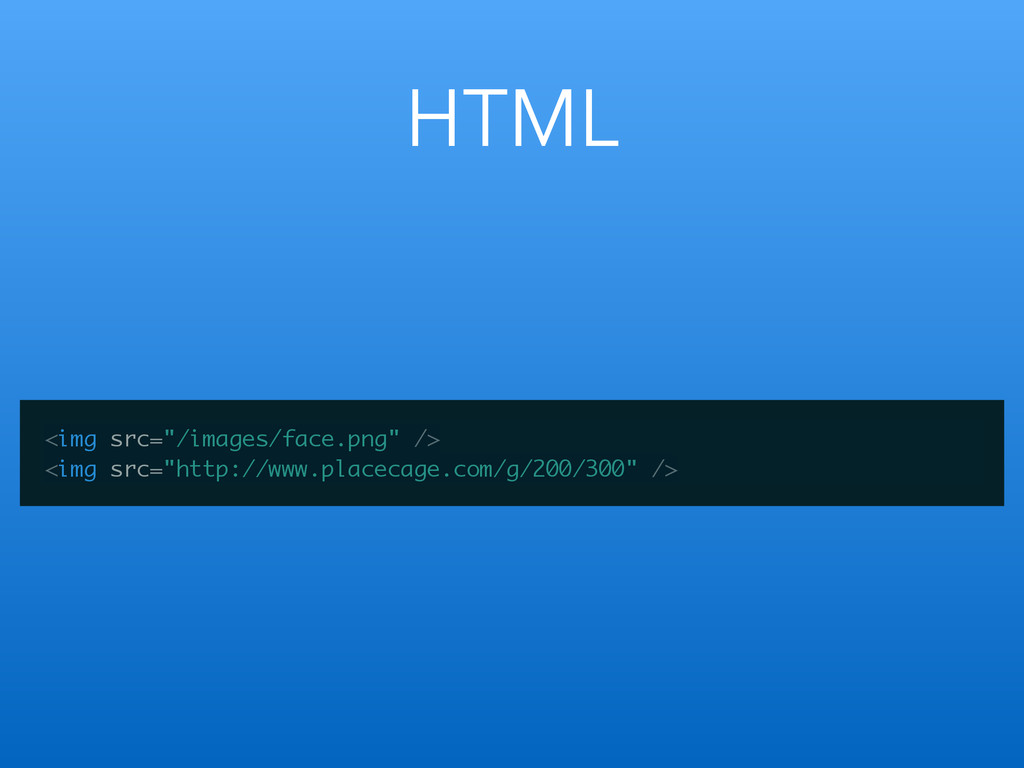
Images
HTML <img src="/images/face.png" /> <img src="http://www.placecage.com/g/200/300" />
Objective-C // local UIImage *img = [UIImage imageNamed:@"bg.jpeg"]; ! //
remote UIImage *img = [UIImage imageWithData:[NSData dataWithContentsOfURL: [NSURL URLWithString:@"http://www.placecage.com/g/200/300"]]]; ! UIImageView *bg = [[UIImageView alloc] initWithImage:img]; [self.view addSubview:bg]; https://github.com/nicklockwood/AsyncImageView
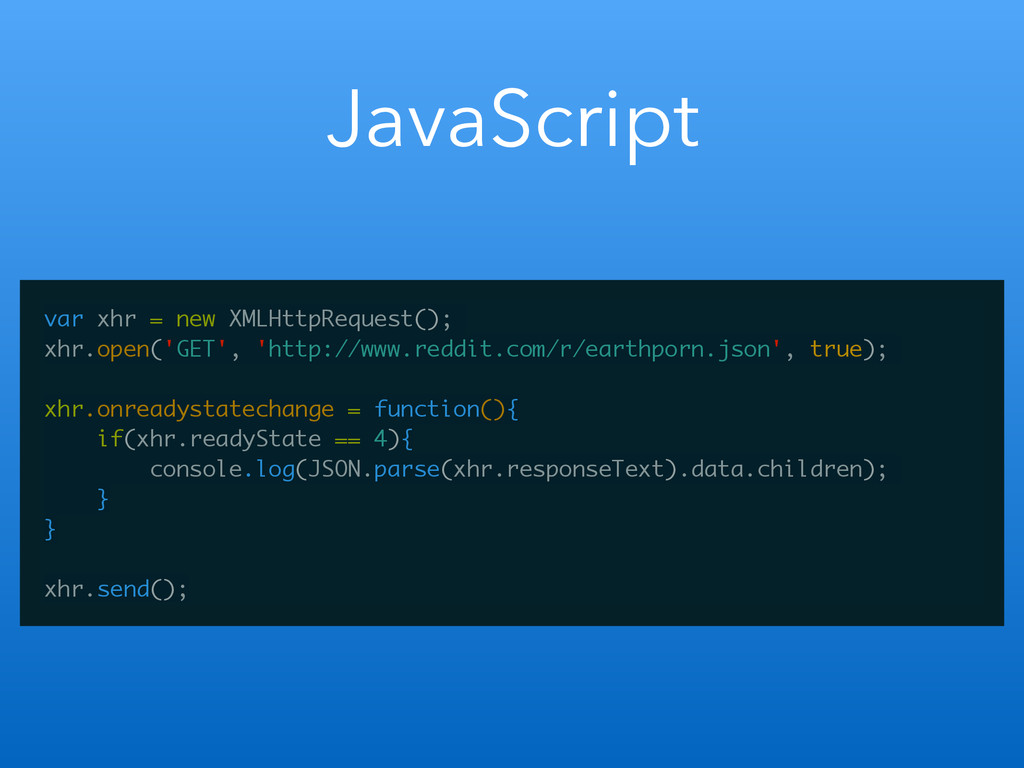
AJAX & JSON
JavaScript var xhr = new XMLHttpRequest(); xhr.open('GET', 'http://www.reddit.com/r/earthporn.json', true); !
xhr.onreadystatechange = function(){ if(xhr.readyState == 4){ console.log(JSON.parse(xhr.responseText).data.children); } } ! xhr.send();
Objective-C NSURL *url = [NSURL URLWithString:@"http://www.reddit.com/r/earthporn.json"]; ! NSURLSessionDataTask *dataTask =
[[NSURLSession sharedSession] dataTaskWithURL:url completionHandler:^(NSData *data, NSURLResponse *response, NSError *error) { if(error == nil){ id json = [NSJSONSerialization JSONObjectWithData:data options:0 error:nil]; NSArray *results = [json valueForKeyPath:@“data.children”]; NSLog(@"%@", results); } }]; ! [dataTask resume];
Greener pastures
Fewer screen sizes
Xcode
Documentation
Views (vs. HTML)
Pain points
Learning curve
Deployments & updating
Provisioning Portal
Thanks for listening…


 y0hgi
y0hgi
 morizo_1984
 kishida
 satotakeshi
 hokaccha
 soyuka
 elmetal
 tomokon
 kobakei
 ken_tunc
 neuecc
 lynnandtonic
 tomoyanonymous
 bluesmoon
 gurzu
gurzu
 soudai
 akademiya2063
 panda_program
 bermonpainter
 tammyeverts
 chriscoyier
 keavy
keavy
 baasie



![Objective-C UIButton *myButton = [[UIButton alloc] init]; myButton.frame = CGRectMake(0,](https://files.speakerdeck.com/presentations/c0da8d200c21013224d41eb14f30e1c6/slide_22.jpg)



![Objective-C - (void)viewDidLoad { [super viewDidLoad]; self.passwordTextField = [[UITextField alloc]](https://files.speakerdeck.com/presentations/c0da8d200c21013224d41eb14f30e1c6/slide_28.jpg)

![Objective-C UITapGestureRecognizer *singleFingerTap = [[UITapGestureRecognizer alloc] initWithTarget:self action:@selector(handleSingleTap:)]; ! [self.myButton](https://files.speakerdeck.com/presentations/c0da8d200c21013224d41eb14f30e1c6/slide_34.jpg)



![Objective-C // local UIImage *img = [UIImage imageNamed:@"bg.jpeg"]; ! //](https://files.speakerdeck.com/presentations/c0da8d200c21013224d41eb14f30e1c6/slide_41.jpg)

![Objective-C NSURL *url = [NSURL URLWithString:@"http://www.reddit.com/r/earthporn.json"]; ! NSURLSessionDataTask *dataTask =](https://files.speakerdeck.com/presentations/c0da8d200c21013224d41eb14f30e1c6/slide_44.jpg)