Upgrade to Pro
— share decks privately, control downloads, hide ads and more …
Speaker Deck
Sign up for free
Menu
Search
Features
All features
Private URLs
Password Protection
Custom URLS
Scheduled publishing
Remove Branding
Restrict embedding
Deck Collections
Notes
Features
All features
Private URLs
Password Protection
Custom URLS
Scheduled publishing
Remove Branding
Restrict embedding
Deck Collections
Notes
Explore
Featured decks
Featured speakers
Programming
Technology
Storyboards
Explore
Featured decks
Featured speakers
Programming
Technology
Storyboards
Pricing
Search
Sign in
Sign up for free
javascriptの基本からjavascriptを使った動的な動きについて柔軟に対応できる力...
Search
BigWestGang
January 21, 2019
33
0
Share
Embed
Copy iframe code
Copy JS code
Copy link
Start on current slide
javascriptの基本からjavascriptを使った動的な動きについて柔軟に対応できる力をつけるjs勉強会 第四回
BigWestGang
January 21, 2019
More Decks by BigWestGang
See All by BigWestGang
javascriptの基本からjavascriptを使った動的な動きについて柔軟に対応できる力をつけるjs勉強会 第三回
bigwestgang
0
67
javascriptの基本からjavascriptを使った動的な動きについて柔軟に対応できる力をつけるjs勉強会 第二回
bigwestgang
0
60
javascriptの基本からjavascriptを使った動的な動きについて柔軟に対応できる力をつけるjs勉強会 第一回
bigwestgang
0
26
Featured
See All Featured
Game over? The fight for quality and originality in the time of robots
wayneb77
1
310
Site-Speed That Sticks
csswizardry
13
1.6k
Building Better People: How to give real-time feedback that sticks.
wjessup
371
20k
AI in Enterprises - Java and Open Source to the Rescue
ivargrimstad
0
1.5k
HU Berlin: Industrial-Strength Natural Language Processing with spaCy and Prodigy
inesmontani
PRO
0
760
Joys of Absence: A Defence of Solitary Play
codingconduct
1
550
The Curious Case for Waylosing
cassininazir
1
570
A Modern Web Designer's Workflow
chriscoyier
699
190k
Beyond borders and beyond the search box: How to win the global "messy middle" with AI-driven SEO
davidcarrasco
3
280
Navigating Team Friction
lara
192
16k
CoffeeScript is Beautiful & I Never Want to Write Plain JavaScript Again
sstephenson
162
16k
Amusing Abliteration
ianozsvald
1
350
Transcript
オブジェクト
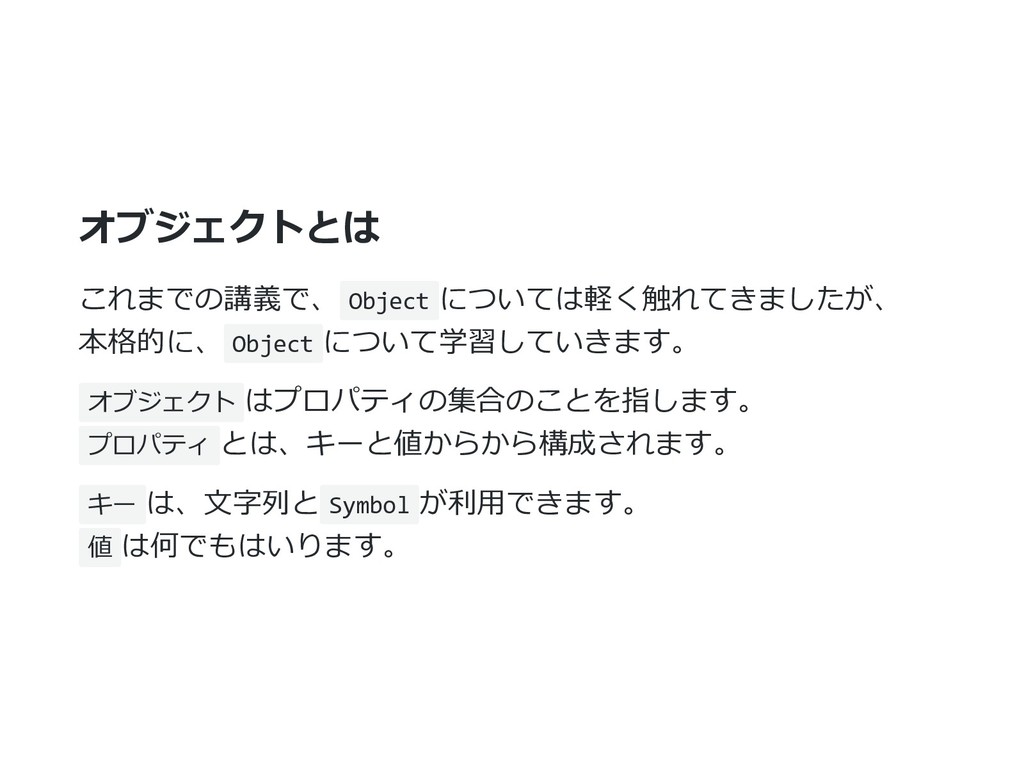
オブジェクトとは これまでの講義で、 Object については軽く触れてきましたが、 本格的に、 Object について学習していきます。 オブジェクト はプロパティの集合のことを指します。 プロパティ
とは、キーと値からから構成されます。 キー は、⽂字列と Symbol が利⽤できます。 値 は何でもはいります。
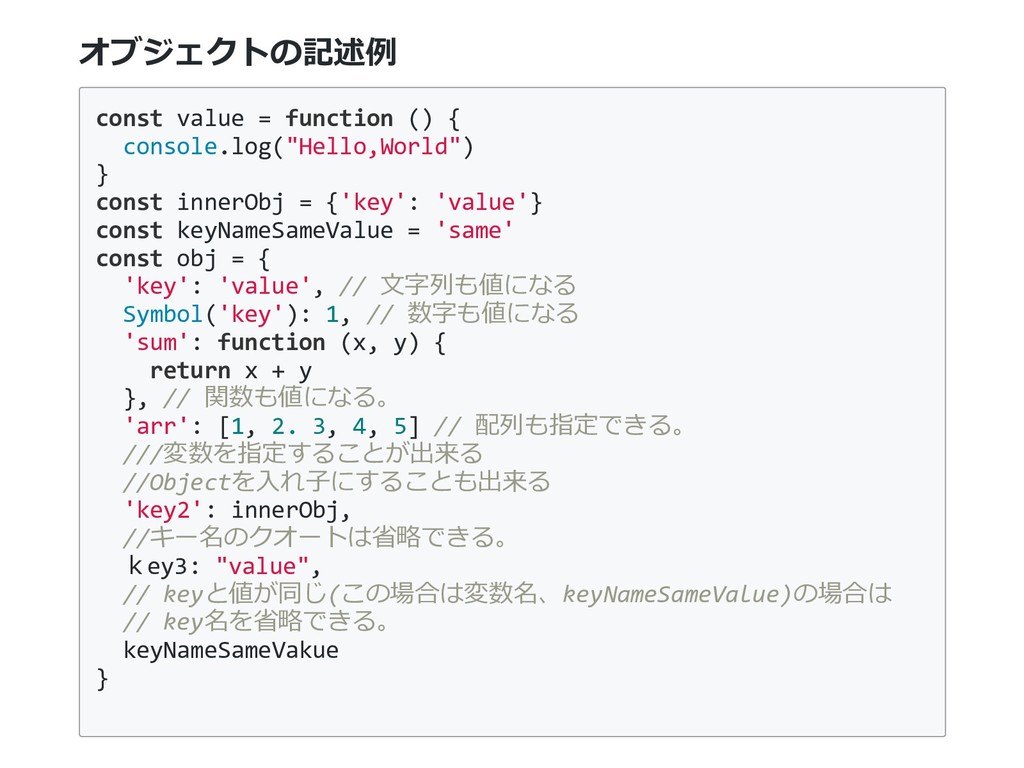
オブジェクトの記述例 const value = function () { console.log("Hello,World") } const
innerObj = {'key': 'value'} const keyNameSameValue = 'same' const obj = { 'key': 'value', // ⽂字列も値になる Symbol('key'): 1, // 数字も値になる 'sum': function (x, y) { return x + y }, // 関数も値になる。 'arr': [1, 2. 3, 4, 5] // 配列も指定できる。 ///変数を指定することが出来る //Objectを⼊れ⼦にすることも出来る 'key2': innerObj, //キー名のクオートは省略できる。 key3: "value", // keyと値が同じ(この場合は変数名、keyNameSameValue)の場合は // key名を省略できる。 keyNameSameVakue }
MDN(Mozilla Developer Network)を読む ために JavaScriptのリファレンスを読むために、必要となる前提知識をお 伝えします。 JavaScriptは現在、Ecma Internationalという標準化団体が仕様の策 定を⾏い、ECMAScriptを公表している。 ECMAScriptに準拠するように、各ブラウザはJavascriptの実装を⾏
っている。 EcmaはMozilla(Firefoxの開発をしている団体)が中⼼となっている ので、基本的にMDNを読んでおけばJavascriptの事はほぼ理解でき ると思って良い。
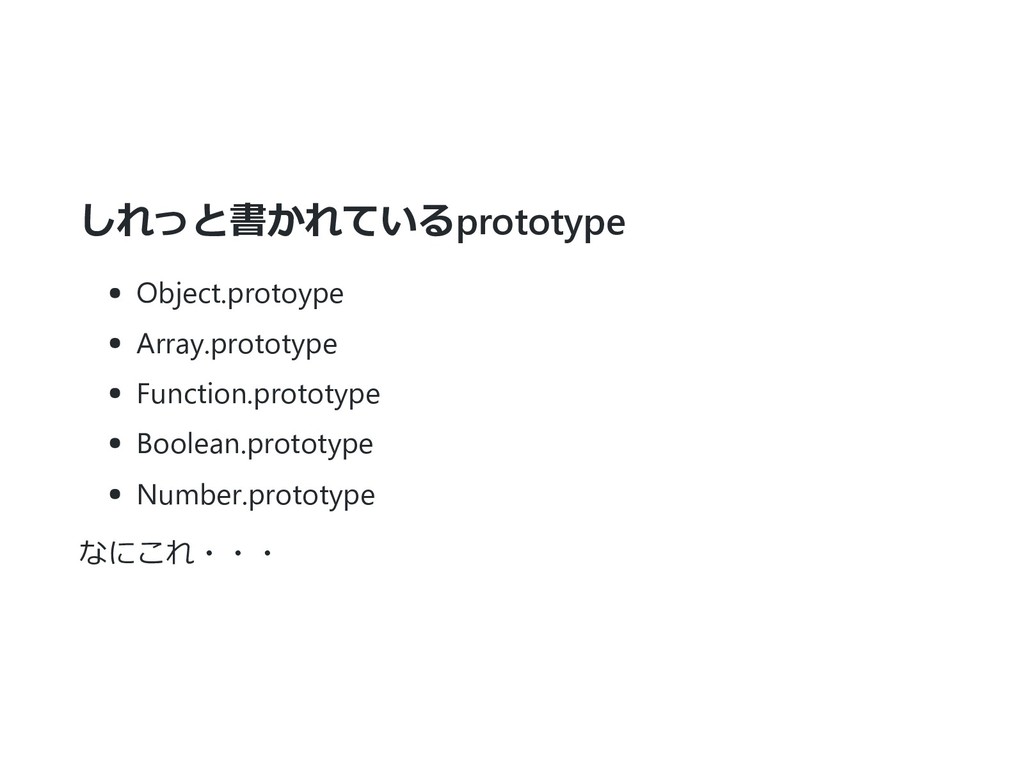
しれっと書かれているprototype Object.protoype Array.prototype Function.prototype Boolean.prototype Number.prototype なにこれ・・・
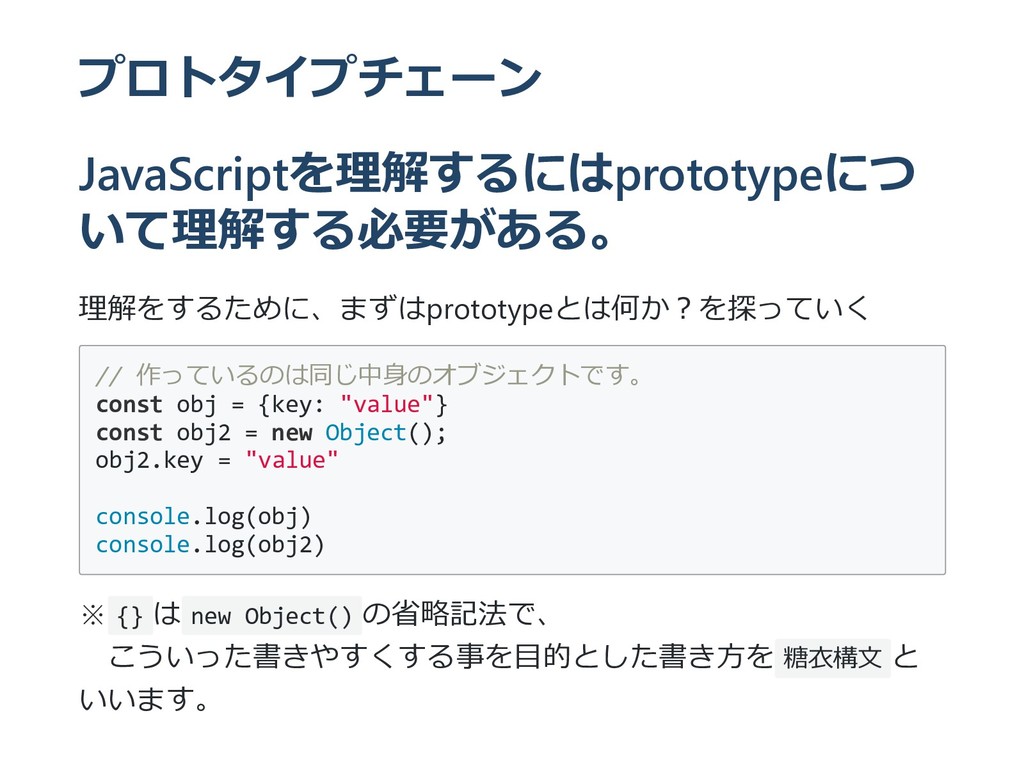
プロトタイプチェーン JavaScriptを理解するにはprototypeにつ いて理解する必要がある。 理解をするために、まずはprototypeとは何か︖を探っていく // 作っているのは同じ中⾝のオブジェクトです。 const obj = {key:
"value"} const obj2 = new Object(); obj2.key = "value" console.log(obj) console.log(obj2) ※ {} は new Object() の省略記法で、 こういった書きやすくする事を⽬的とした書き⽅を 糖⾐構⽂ と いいます。
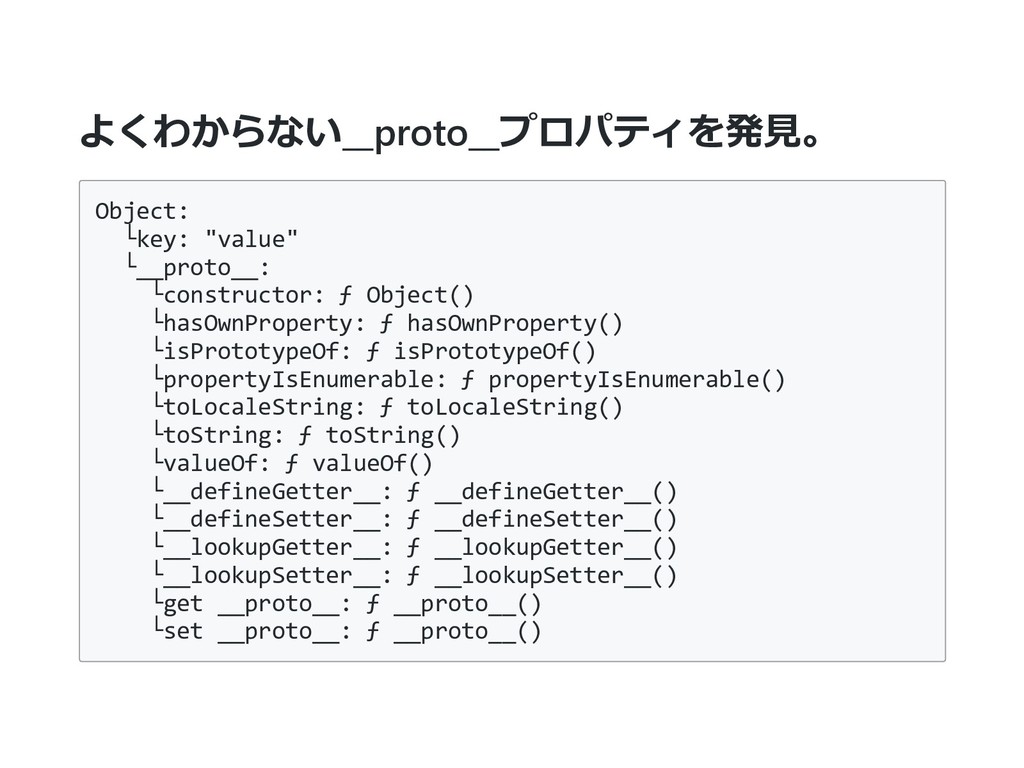
よくわからない__proto__プロパティを発⾒。 Object: └key: "value" └__proto__: └constructor: ƒ Object() └hasOwnProperty: ƒ
hasOwnProperty() └isPrototypeOf: ƒ isPrototypeOf() └propertyIsEnumerable: ƒ propertyIsEnumerable() └toLocaleString: ƒ toLocaleString() └toString: ƒ toString() └valueOf: ƒ valueOf() └__defineGetter__: ƒ __defineGetter__() └__defineSetter__: ƒ __defineSetter__() └__lookupGetter__: ƒ __lookupGetter__() └__lookupSetter__: ƒ __lookupSetter__() └get __proto__: ƒ __proto__() └set __proto__: ƒ __proto__()
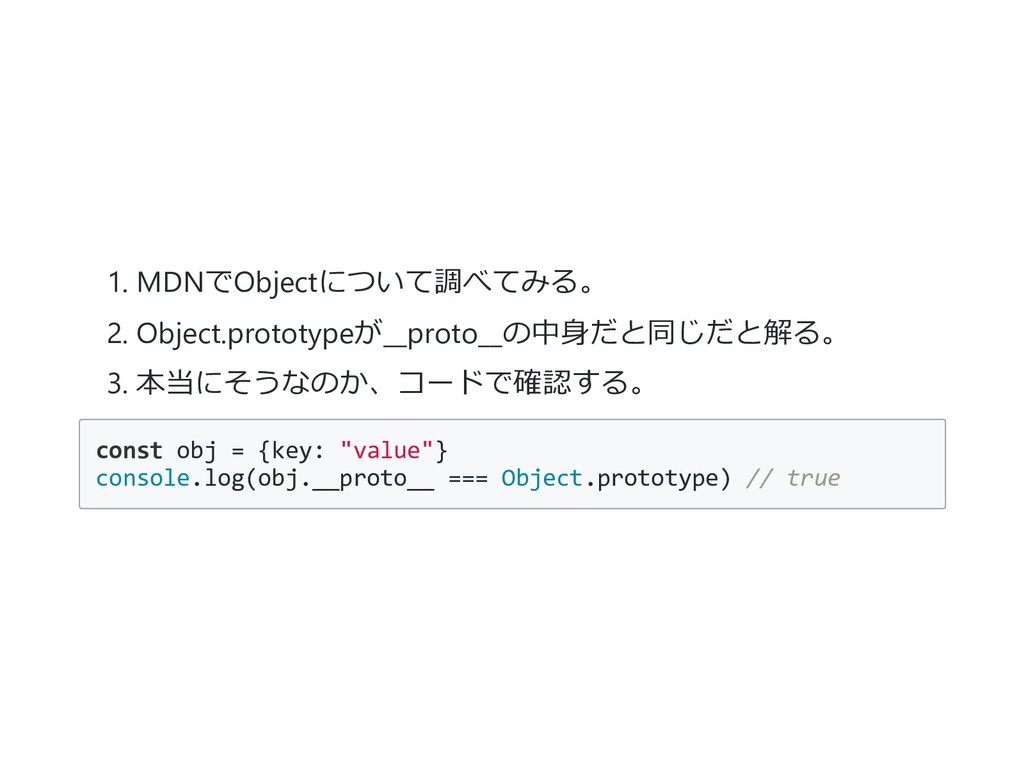
1. MDNでObjectについて調べてみる。 2. Object.prototypeが__proto__の中⾝だと同じだと解る。 3. 本当にそうなのか、コードで確認する。 const obj = {key:
"value"} console.log(obj.__proto__ === Object.prototype) // true
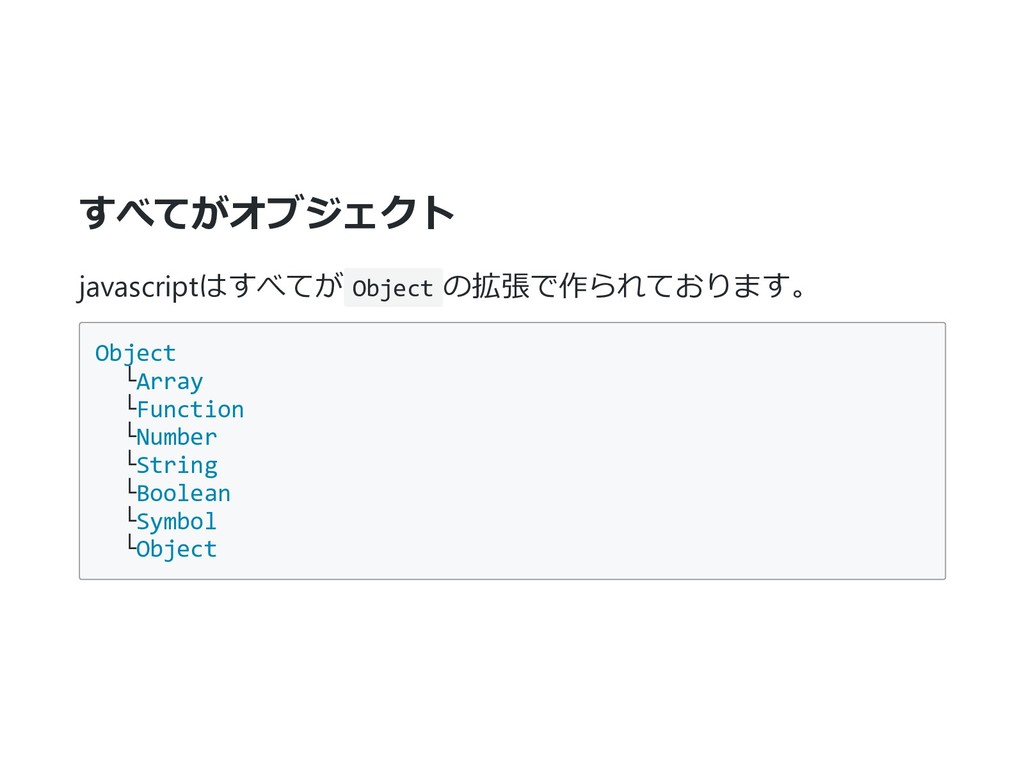
すべてがオブジェクト javascriptはすべてが Object の拡張で作られております。 Object └Array └Function └Number └String └Boolean
└Symbol └Object
そして、これらのプロパティは__proto__として下のオブジェクト に格納されていきます。 const arr = []; // これはArrayの__proto__に格納されているメソッドから呼べる arr.push("hoge"); //undefined
console.log(arr.isArray); // arrにはisArrayメソッドは定義されていないのでエラーとなる。 arr.isArray(); const arr = []; arr.isArray = function () { console.log("定義が変わった") } arr.isArray() // 定義が変わった Array.isArray(myArray); // true
あまり良くない例ですが__proto__も書き換え可能。 const arr = []; // これはArrayの__proto__に格納されているメソッドから呼べる arr.push("hoge"); arr.__proto__.isArray =
function () { return Array.isArray(this) } // true ⾃⾝が配列かどうかを調べるメソッドが // プロトタイプチェーンに加わった。 console.log(arr.isArray())
あとは調べる癖をつければ⼤丈夫。 あとはMDNでオブジェクトの使い⽅を学習することが出来るよう になりました。 細かい仕様については、各々把握しておいてください。 オブジェクトとクラス
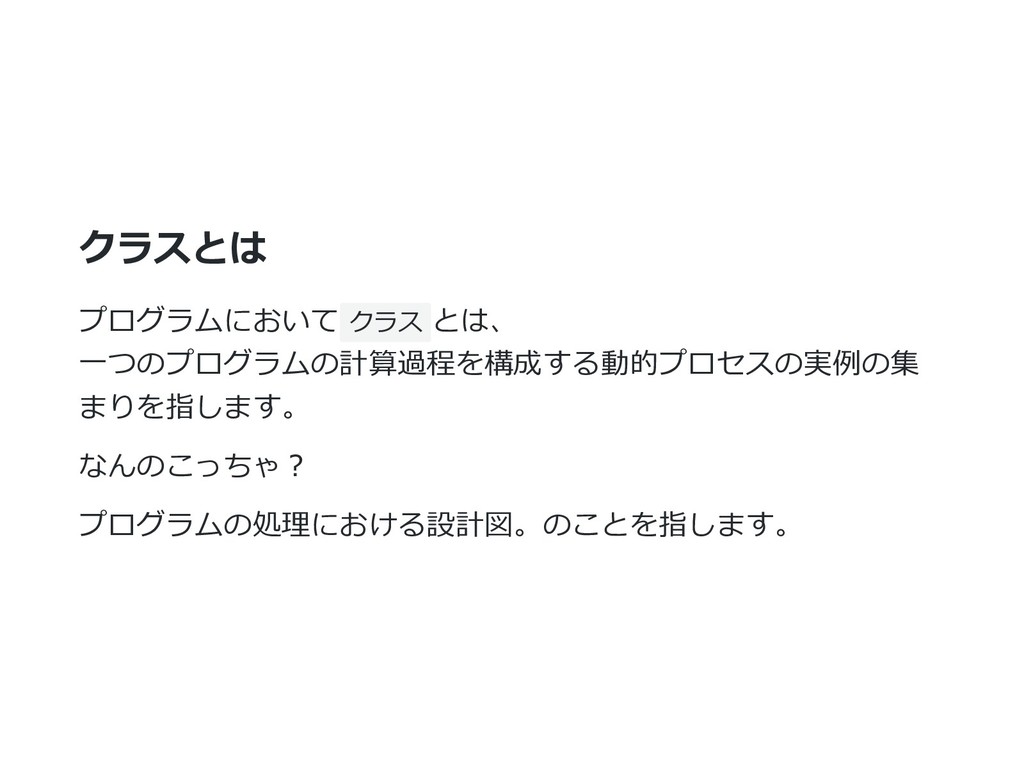
クラスとは プログラムにおいて クラス とは、 ⼀つのプログラムの計算過程を構成する動的プロセスの実例の集 まりを指します。 なんのこっちゃ︖ プログラムの処理における設計図。のことを指します。
javascriptってクラス使えたっけ︖ ES2015からjavascriptでもクラスが利⽤できるようになりました。 つまり、Chrome, Firefox, Edgeで クラス が利⽤できます、 これを理解すると他⾔語でも理解が早まりますので、ここで学習 してしまいます。
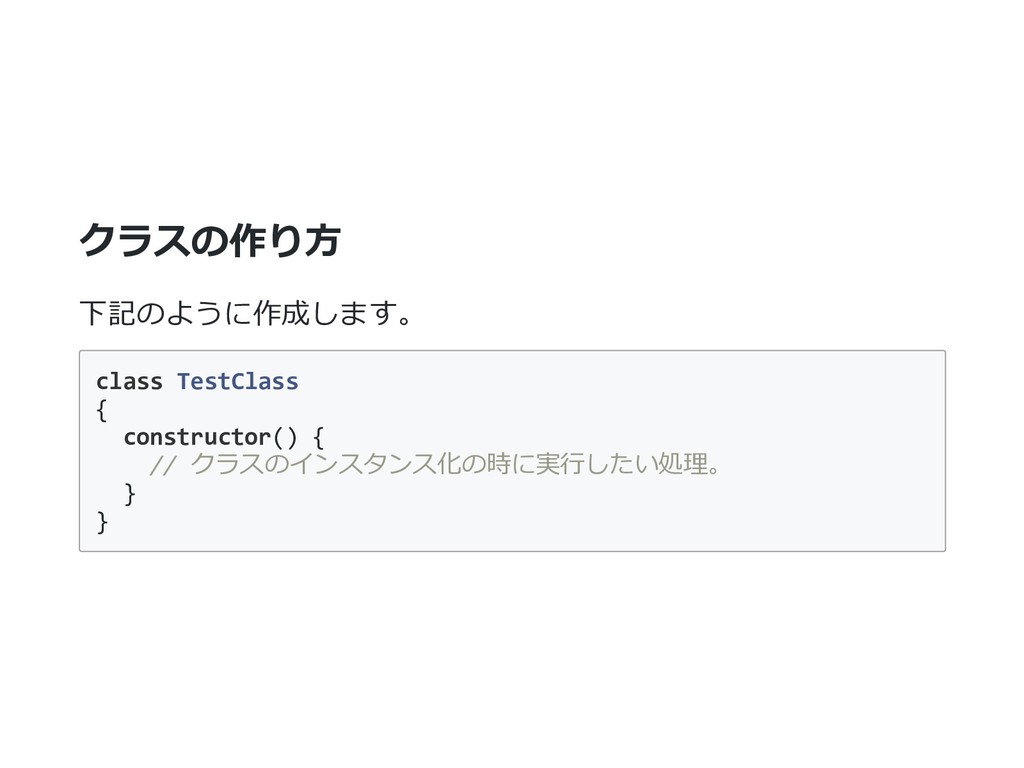
クラスの作り⽅ 下記のように作成します。 class TestClass { constructor() { // クラスのインスタンス化の時に実⾏したい処理。 }
}
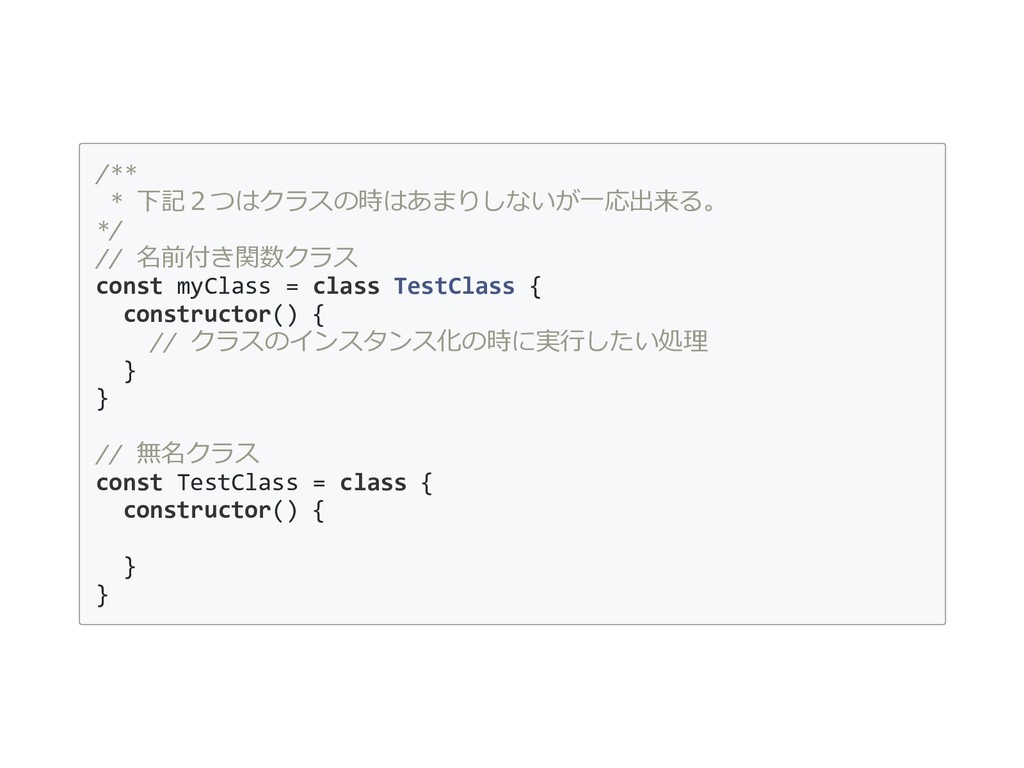
/** * 下記2つはクラスの時はあまりしないが⼀応出来る。 */ // 名前付き関数クラス const myClass = class
TestClass { constructor() { // クラスのインスタンス化の時に実⾏したい処理 } } // 無名クラス const TestClass = class { constructor() { } }
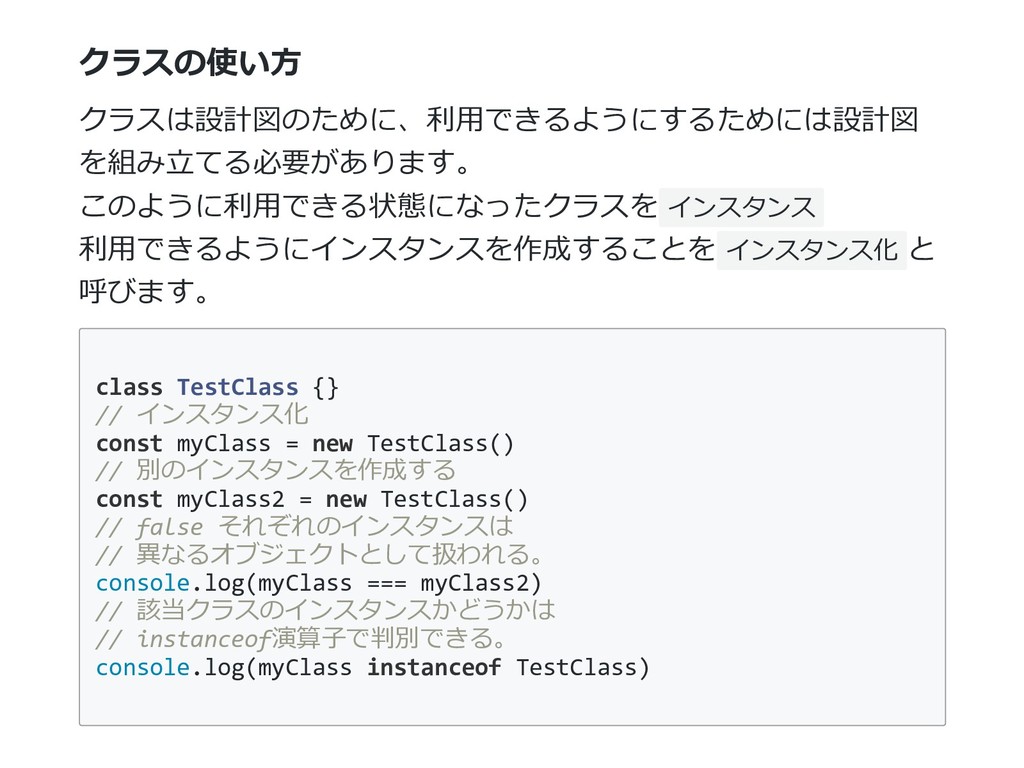
クラスの使い⽅ クラスは設計図のために、利⽤できるようにするためには設計図 を組み⽴てる必要があります。 このように利⽤できる状態になったクラスを インスタンス 利⽤できるようにインスタンスを作成することを インスタンス化 と 呼びます。 class
TestClass {} // インスタンス化 const myClass = new TestClass() // 別のインスタンスを作成する const myClass2 = new TestClass() // false それぞれのインスタンスは // 異なるオブジェクトとして扱われる。 console.log(myClass === myClass2) // 該当クラスのインスタンスかどうかは // instanceof演算⼦で判別できる。 console.log(myClass instanceof TestClass)
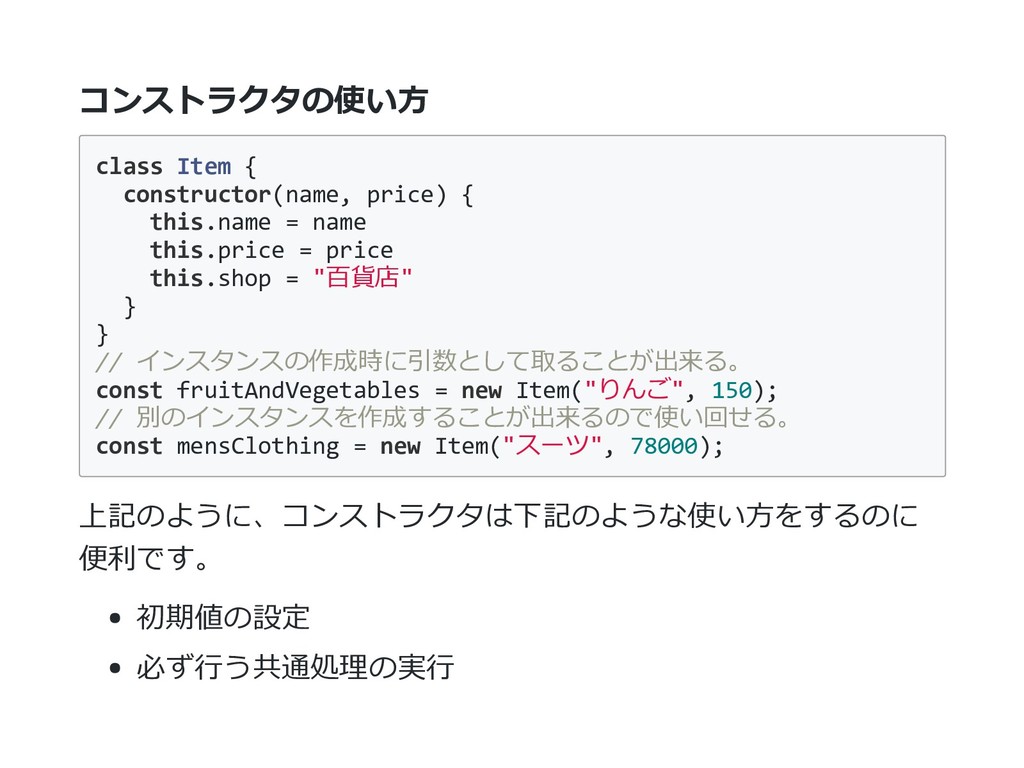
コンストラクタの使い⽅ class Item { constructor(name, price) { this.name = name
this.price = price this.shop = "百貨店" } } // インスタンスの作成時に引数として取ることが出来る。 const fruitAndVegetables = new Item("りんご", 150); // 別のインスタンスを作成することが出来るので使い回せる。 const mensClothing = new Item("スーツ", 78000); 上記のように、コンストラクタは下記のような使い⽅をするのに 便利です。 初期値の設定 必ず⾏う共通処理の実⾏
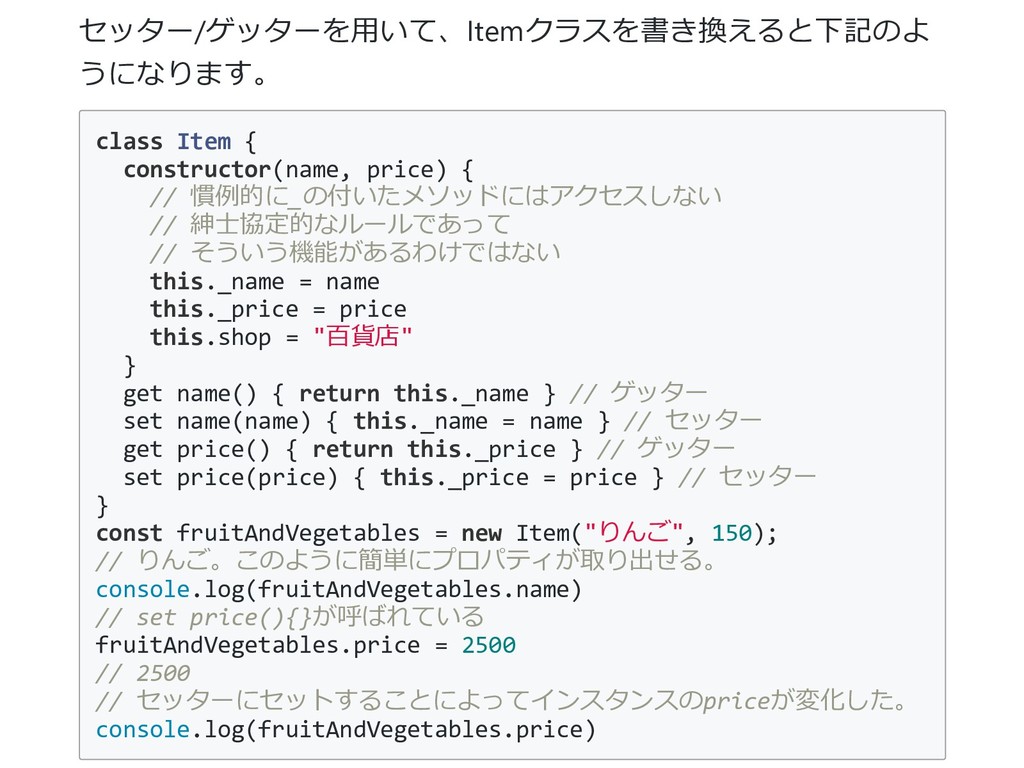
ゲッター/セッター さて、このままだと名前と価格は設定できても、実際に利⽤でき ません。 利⽤できるようにプロパティの呼び出し値を作成することをゲッ ター/セッターメソッドを作成しなくてはいけません。 javaScriptのclassは後発なだけあって、リッチなゲッター、セッタ ーを備えています。
セッター/ゲッターを⽤いて、Itemクラスを書き換えると下記のよ うになります。 class Item { constructor(name, price) { // 慣例的に_の付いたメソッドにはアクセスしない
// 紳⼠協定的なルールであって // そういう機能があるわけではない this._name = name this._price = price this.shop = "百貨店" } get name() { return this._name } // ゲッター set name(name) { this._name = name } // セッター get price() { return this._price } // ゲッター set price(price) { this._price = price } // セッター } const fruitAndVegetables = new Item("りんご", 150); // りんご。このように簡単にプロパティが取り出せる。 console.log(fruitAndVegetables.name) // set price(){}が呼ばれている fruitAndVegetables.price = 2500 // 2500 // セッターにセットすることによってインスタンスのpriceが変化した。 console.log(fruitAndVegetables.price)
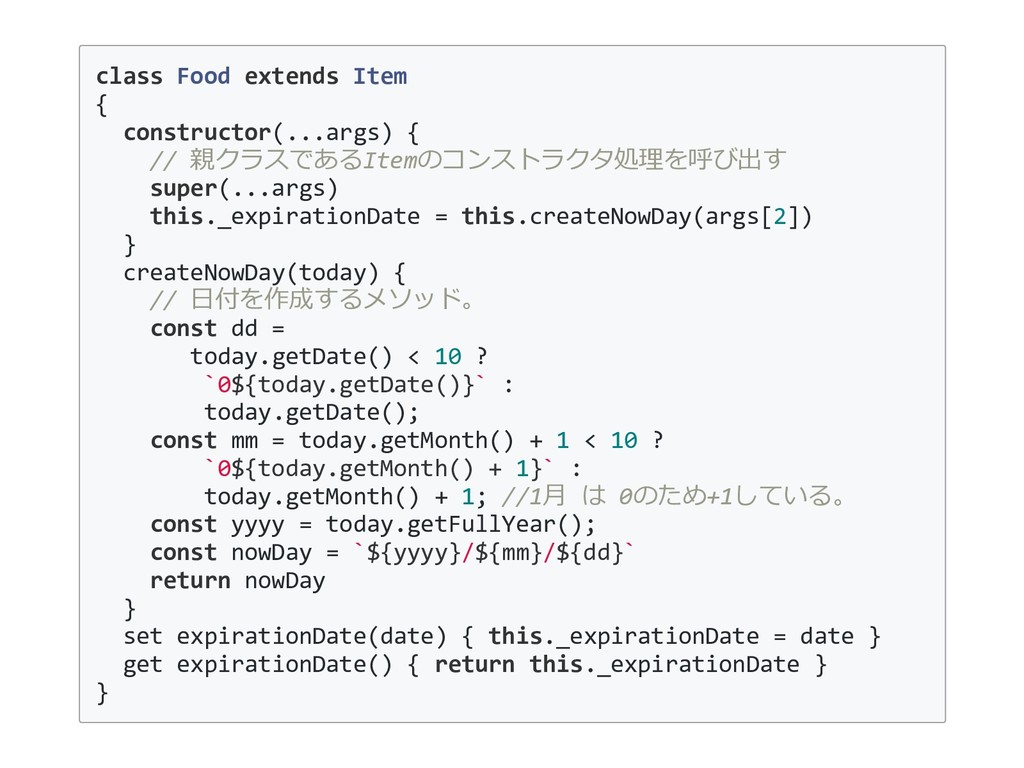
継承 クラスを扱う上で⼤切な概念が継承という考え⽅です。 Itemクラスは価格と名前の呼び出しと設定をする機能しかありま せん。 これを利⽤して賞味期限のあるFoodクラスを作成してみます。
class Food extends Item { constructor(...args) { // 親クラスであるItemのコンストラクタ処理を呼び出す super(...args)
this._expirationDate = this.createNowDay(args[2]) } createNowDay(today) { // ⽇付を作成するメソッド。 const dd = today.getDate() < 10 ? `0${today.getDate()}` : today.getDate(); const mm = today.getMonth() + 1 < 10 ? `0${today.getMonth() + 1}` : today.getMonth() + 1; //1⽉ は 0のため+1している。 const yyyy = today.getFullYear(); const nowDay = `${yyyy}/${mm}/${dd}` return nowDay } set expirationDate(date) { this._expirationDate = date } get expirationDate() { return this._expirationDate } }
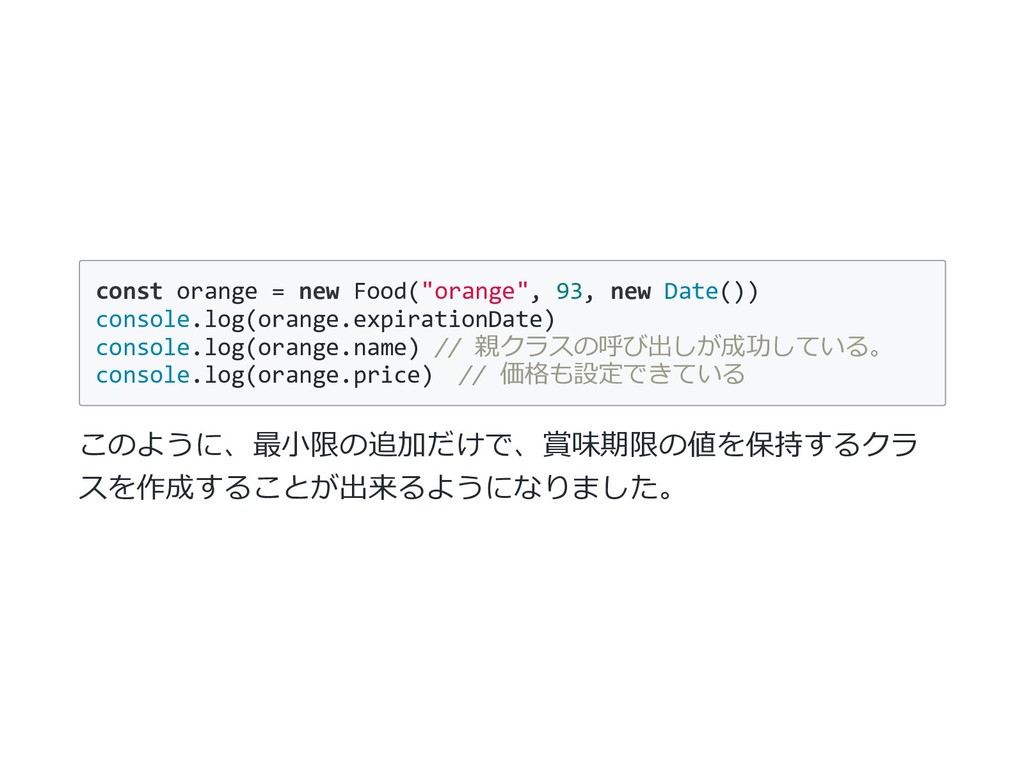
const orange = new Food("orange", 93, new Date()) console.log(orange.expirationDate) console.log(orange.name)
// 親クラスの呼び出しが成功している。 console.log(orange.price) // 価格も設定できている このように、最⼩限の追加だけで、賞味期限の値を保持するクラ スを作成することが出来るようになりました。
次回予告 次回からはついにDOMの操作に⼊ります。


 bigwestgang
 wayneb77
 csswizardry
 wjessup
 ivargrimstad
 inesmontani
 codingconduct
 cassininazir
 chriscoyier
 davidcarrasco
 lara
lara
 sstephenson
 ianozsvald

![そして、これらのプロパティは__proto__として下のオブジェクト に格納されていきます。 const arr = []; // これはArrayの__proto__に格納されているメソッドから呼べる arr.push("hoge"); //undefined](https://files.speakerdeck.com/presentations/ac0403aabb8c4d85b25e8776232ce3da/slide_9.jpg)
![あまり良くない例ですが__proto__も書き換え可能。 const arr = []; // これはArrayの__proto__に格納されているメソッドから呼べる arr.push("hoge"); arr.__proto__.isArray =](https://files.speakerdeck.com/presentations/ac0403aabb8c4d85b25e8776232ce3da/slide_10.jpg)