Upgrade to Pro
— share decks privately, control downloads, hide ads and more …
Speaker Deck
Sign up for free
Menu
Search
Features
All features
Private URLs
Password Protection
Custom URLS
Scheduled publishing
Remove Branding
Restrict embedding
Deck Collections
Notes
Features
All features
Private URLs
Password Protection
Custom URLS
Scheduled publishing
Remove Branding
Restrict embedding
Deck Collections
Notes
Explore
Featured decks
Featured speakers
Programming
Technology
Storyboards
Explore
Featured decks
Featured speakers
Programming
Technology
Storyboards
Pricing
Search
Sign in
Sign up for free
Tasking Manager の使い方
Search
bisaiji
June 13, 2018
25
0
Share
Embed
Copy iframe code
Copy JS code
Copy link
Start on current slide
Tasking Manager の使い方
bisaiji
June 13, 2018
More Decks by bisaiji
See All by bisaiji
Tasking Manager の使い方
bisaiji
0
26
Featured
See All Featured
SEOcharity - Dark patterns in SEO and UX: How to avoid them and build a more ethical web
sarafernandez
0
300
Neural Spatial Audio Processing for Sound Field Analysis and Control
skoyamalab
0
570
Everyday Curiosity
cassininazir
0
350
It's Worth the Effort
3n
188
29k
The Illustrated Guide to Node.js - THAT Conference 2024
reverentgeek
1
570
[SF Ruby Conf 2025] Rails X
palkan
3
1.5k
Design and Strategy: How to Deal with People Who Don’t "Get" Design
morganepeng
133
20k
実際に使うSQLの書き方 徹底解説 / pgcon21j-tutorial
soudai
PRO
203
77k
Ten Tips & Tricks for a 🌱 transition
stuffmc
1
270
Mozcon NYC 2025: Stop Losing SEO Traffic
samtorres
1
570
Reflections from 52 weeks, 52 projects
jeffersonlam
356
22k
Ethics towards AI in product and experience design
skipperchong
2
430
Transcript
Tasking Managerの 使い方 1A118129 美才治凜花
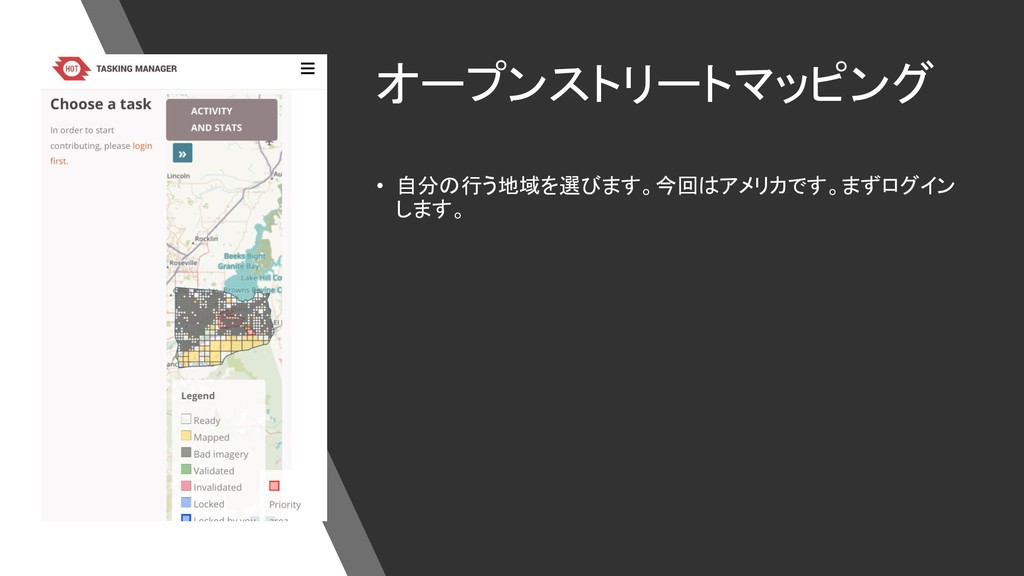
オープンストリートマッピング • 自分の行う地域を選びます。今回はアメリカです。まずログイン します。
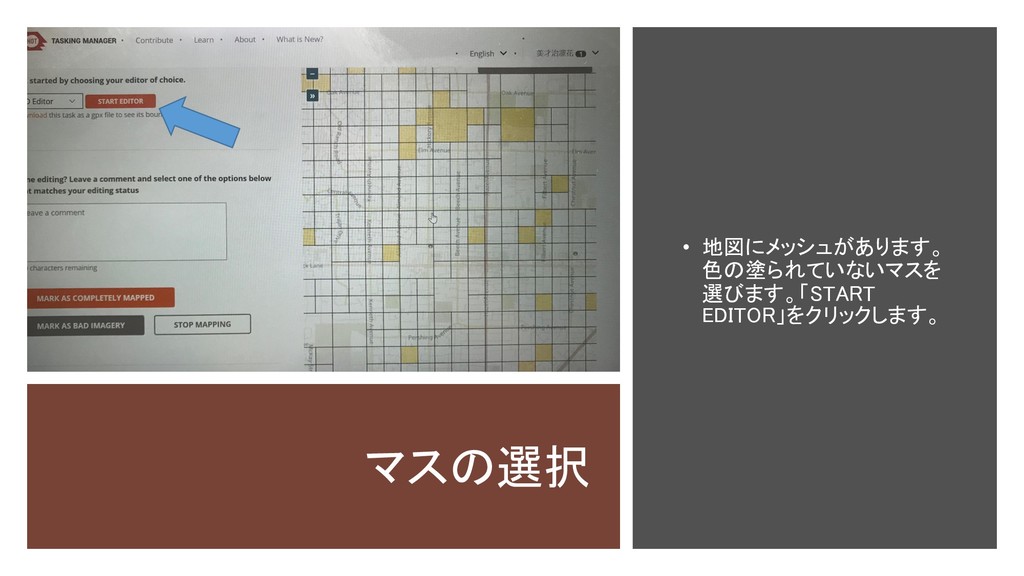
マスの選択 • 地図にメッシュがあります。 色の塗られていないマスを 選びます。「START EDITOR」をクリックします。
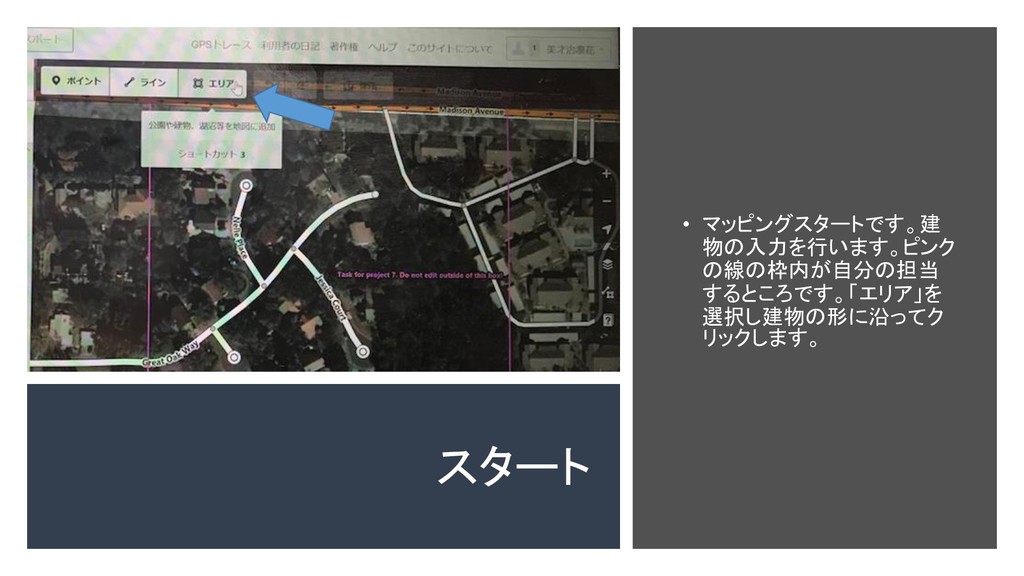
スタート • マッピングスタートです。建 物の入力を行います。ピンク の線の枠内が自分の担当 するところです。「エリア」を 選択し建物の形に沿ってク リックします。
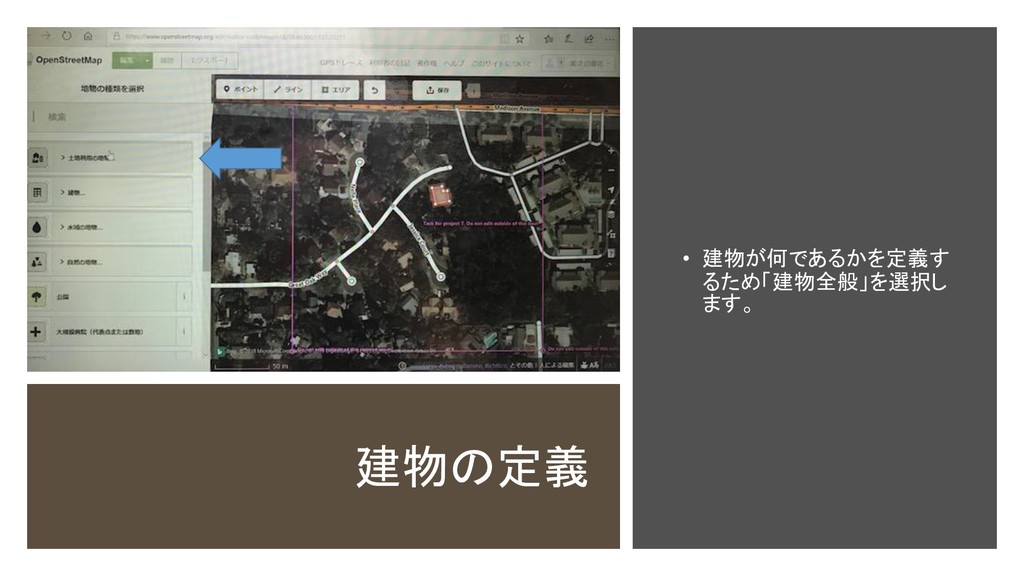
建物の定義 • 建物が何であるかを定義す るため「建物全般」を選択し ます。
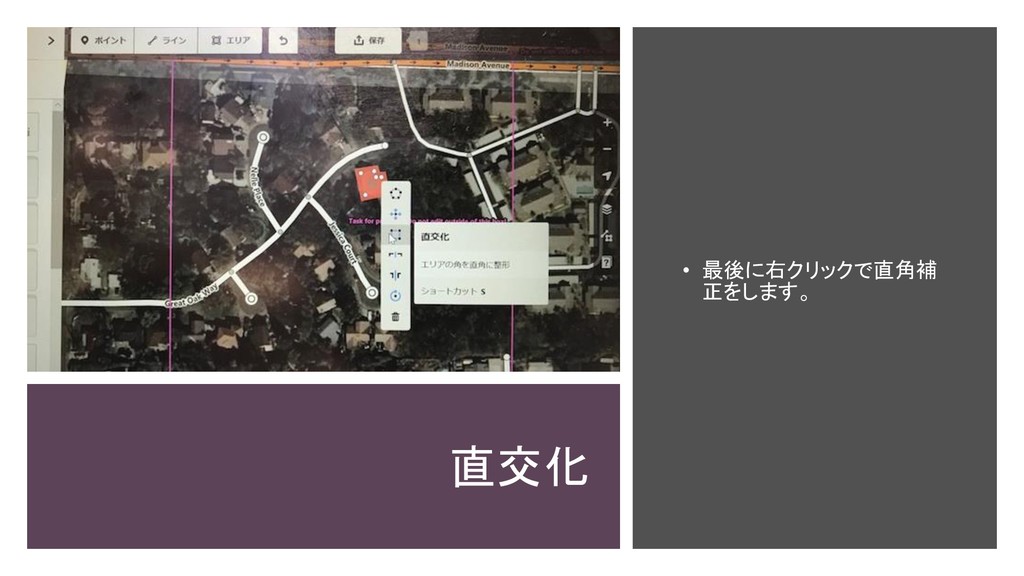
直交化 • 最後に右クリックで直角補 正をします。
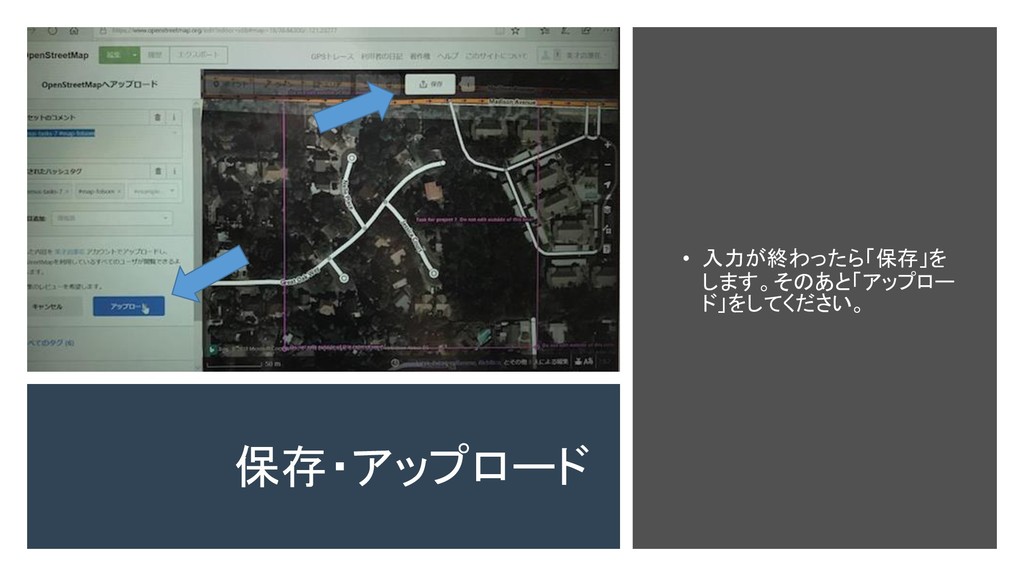
保存・アップロード • 入力が終わったら「保存」を します。そのあと「アップロー ド」をしてください。
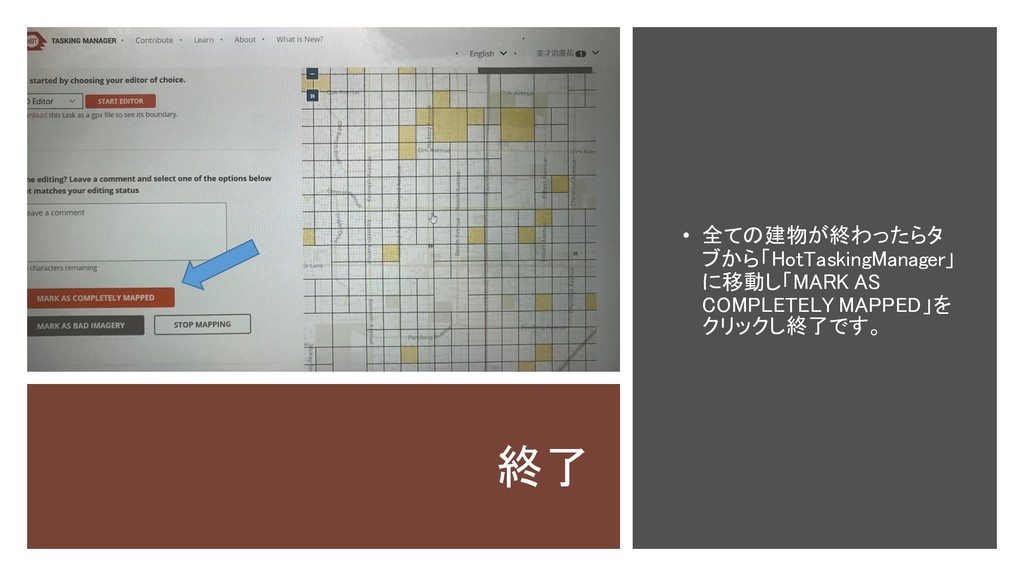
終了 • 全ての建物が終わったらタ ブから「HotTaskingManager」 に移動し「MARK AS COMPLETELY MAPPED」を クリックし終了です。


 bisaiji
 sarafernandez
 skoyamalab
 cassininazir
 3n
3n
 reverentgeek
 palkan
 morganepeng
 soudai
 stuffmc
 samtorres
 jeffersonlam
 skipperchong