Upgrade to Pro — share decks privately, control downloads, hide ads and more …

MongoDB-Training

Avatar for BobHo BobHo
October 25, 2019

 MongoDB-Training

MongoDB Training

Avatar for BobHo

BobHo

October 25, 2019

Other Decks in Technology

Transcript

  1. 課程大綱 • NoSQL 資料庫介紹 • MongoDB 資料庫介紹 • 安裝 MongoDB

    • 建立資料庫與基本設定 • CRUD 操作 • 索引介紹 • 綱要設計 • 彙集 • 複製集設定 • 資料分片 • 安全性設定 • 備份與復原 • 效能調整與問題解決
  2. 課程時間 • Day 1 – NoSQL 資料庫介紹 – MongoDB 資料庫介紹

    – 安裝 MongoDB – 建立資料庫與基本設定 – CRUD 操作 • Day 2 – 索引介紹 – 綱要設計 – 彙集 – 複製集設定 • Day 3 – 資料分片 – 安全性設定 – 備份與復原 – 效能調整與問題解決
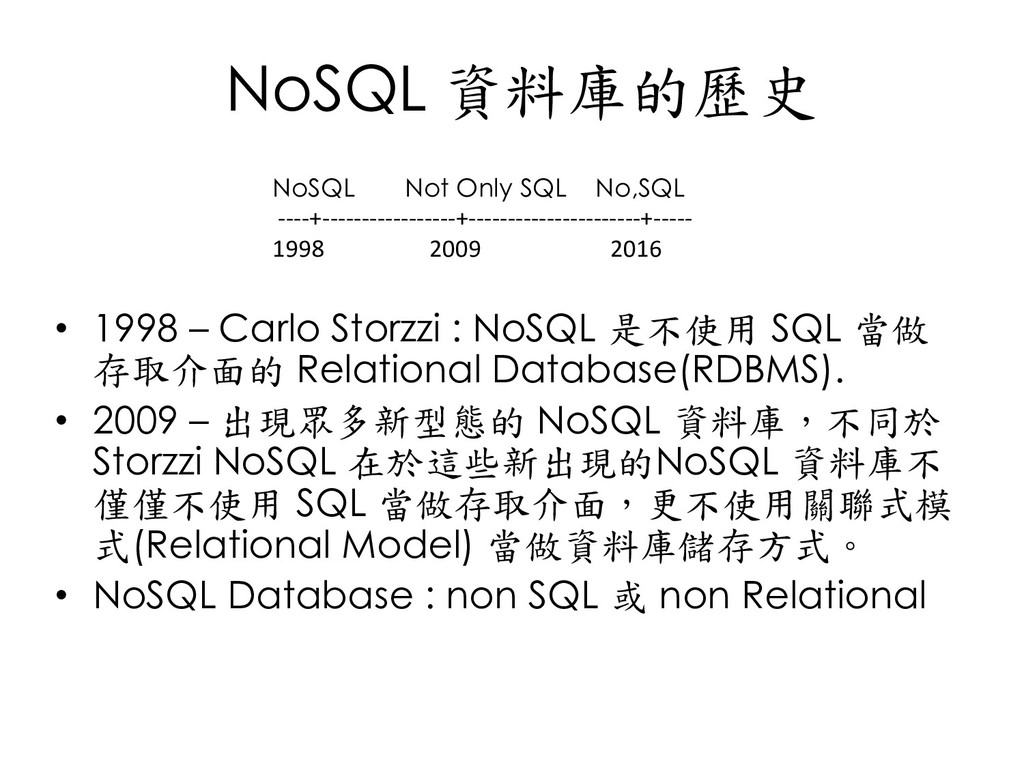
  3. NoSQL 資料庫的歷史 • 1998 – Carlo Storzzi : NoSQL 是不使用

    SQL 當做 存取介面的 Relational Database(RDBMS). • 2009 – 出現眾多新型態的 NoSQL 資料庫,不同於 Storzzi NoSQL 在於這些新出現的NoSQL 資料庫不 僅僅不使用 SQL 當做存取介面,更不使用關聯式模 式(Relational Model) 當做資料庫儲存方式。 • NoSQL Database : non SQL 或 non Relational NoSQL Not Only SQL No,SQL ----+-----------------+----------------------+----- 1998 2009 2016
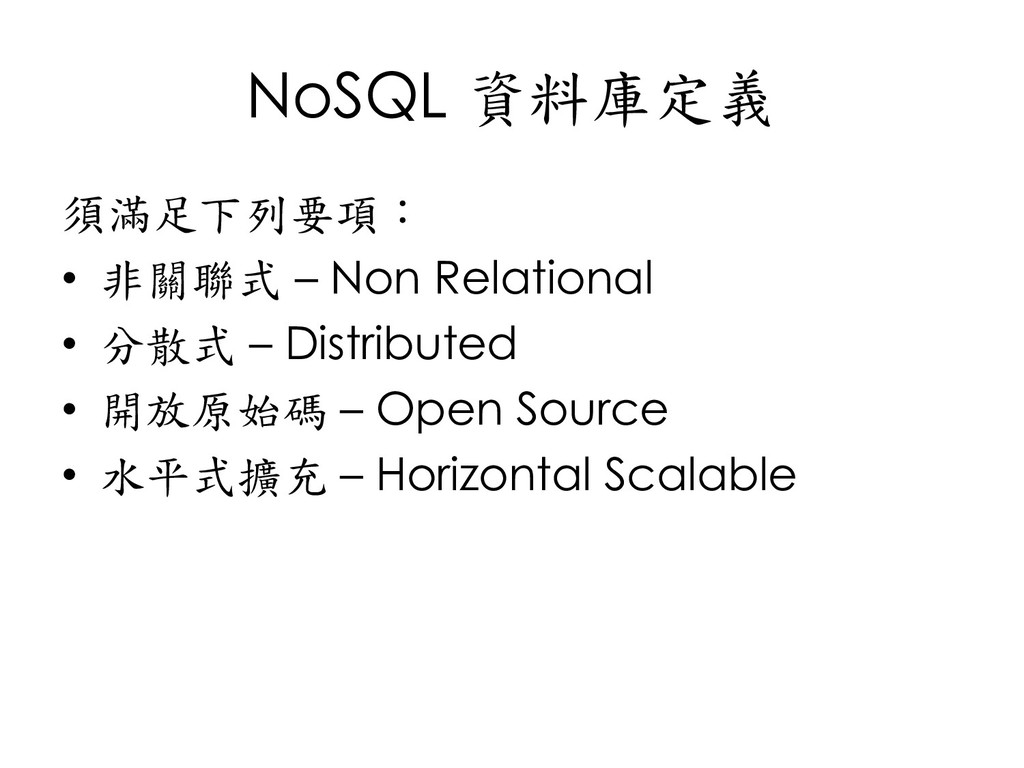
  4. NoSQL 資料庫定義 須滿足下列要項: • 非關聯式 – Non Relational • 分散式

    – Distributed • 開放原始碼 – Open Source • 水平式擴充 – Horizontal Scalable
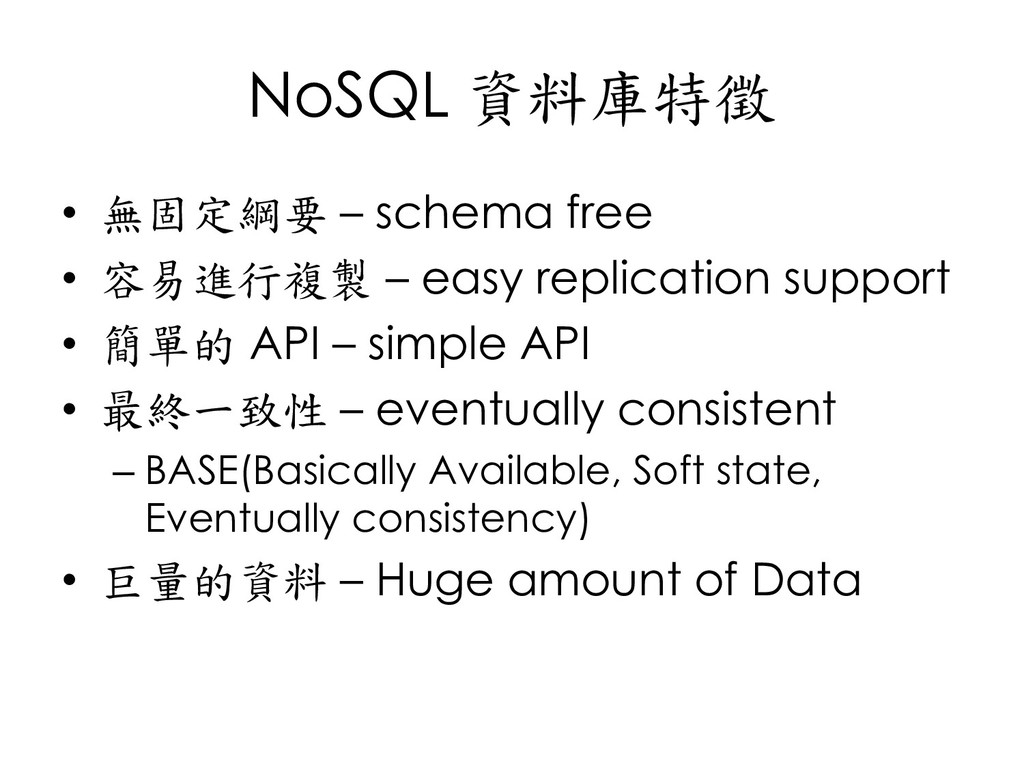
  5. NoSQL 資料庫特徵 • 無固定綱要 – schema free • 容易進行複製 –

    easy replication support • 簡單的 API – simple API • 最終一致性 – eventually consistent – BASE(Basically Available, Soft state, Eventually consistency) • 巨量的資料 – Huge amount of Data
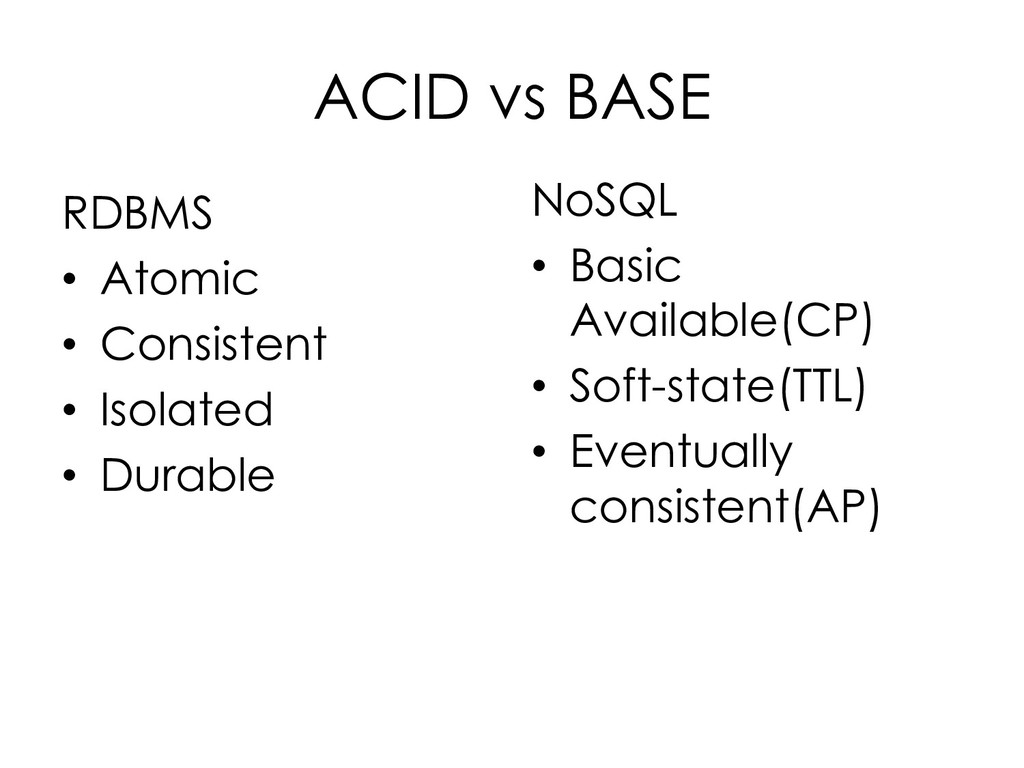
  6. ACID vs BASE RDBMS • Atomic • Consistent • Isolated

    • Durable NoSQL • Basic Available(CP) • Soft-state(TTL) • Eventually consistent(AP)
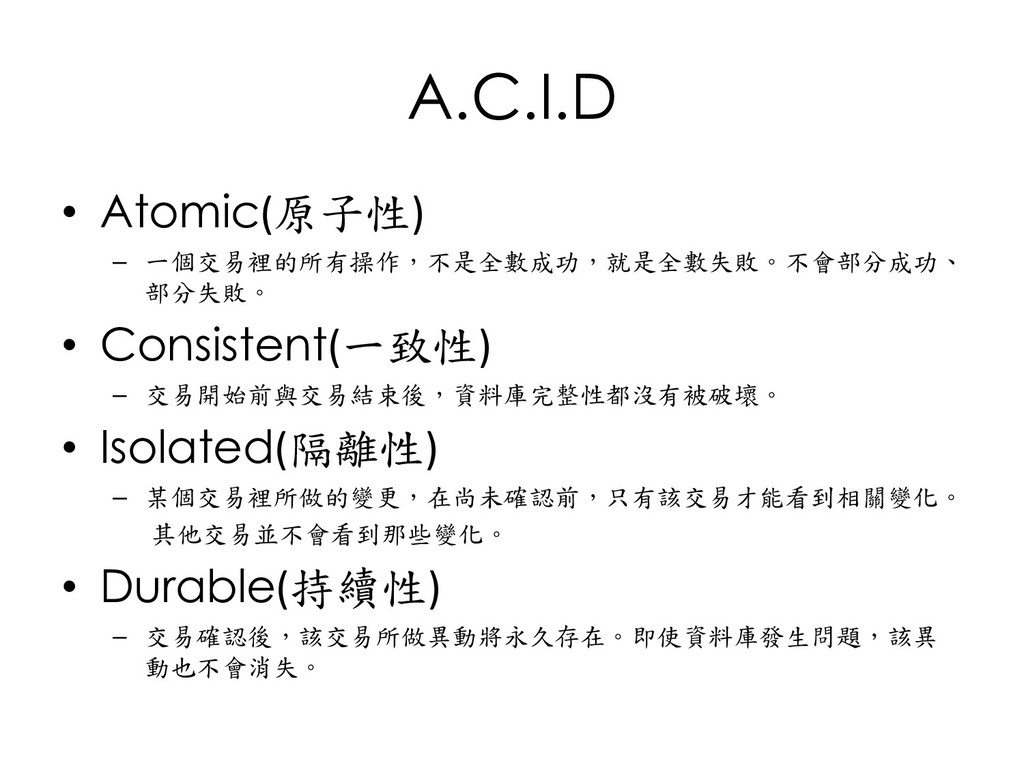
  7. A.C.I.D • Atomic(原子性) – 一個交易裡的所有操作,不是全數成功,就是全數失敗。不會部分成功、 部分失敗。 • Consistent(一致性) – 交易開始前與交易結束後,資料庫完整性都沒有被破壞。

    • Isolated(隔離性) – 某個交易裡所做的變更,在尚未確認前,只有該交易才能看到相關變化。 其他交易並不會看到那些變化。 • Durable(持續性) – 交易確認後,該交易所做異動將永久存在。即使資料庫發生問題,該異 動也不會消失。
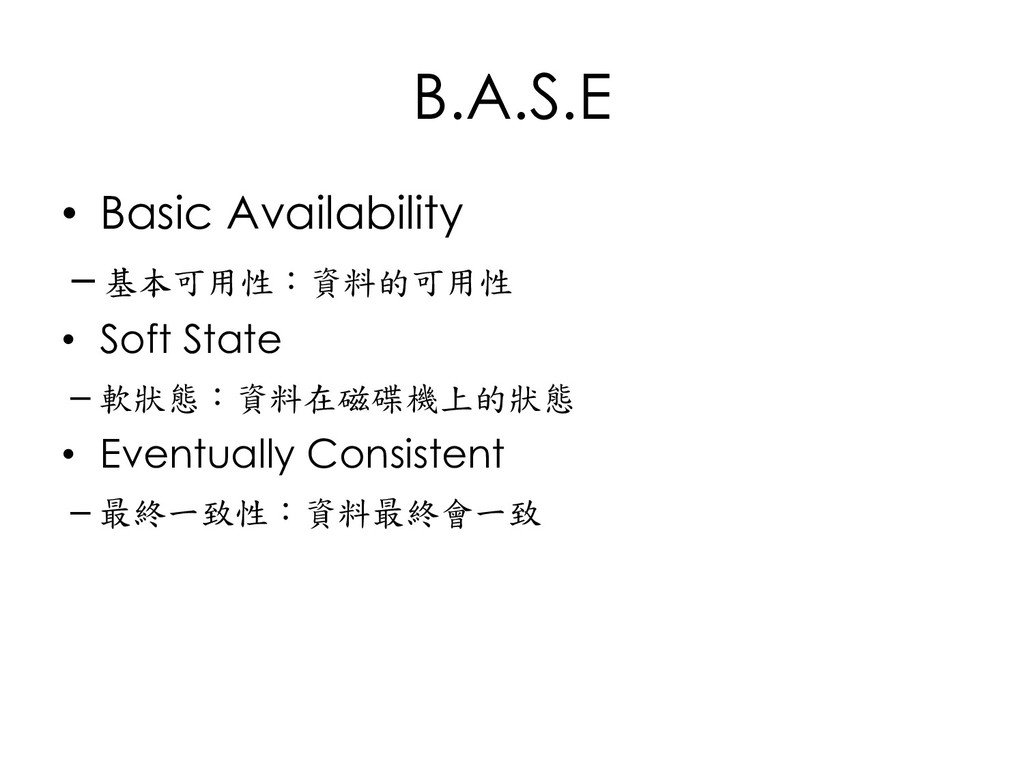
  8. B.A.S.E • Basic Availability ─ 基本可用性:資料的可用性 • Soft State ─

    軟狀態:資料在磁碟機上的狀態 • Eventually Consistent ─ 最終一致性:資料最終會一致
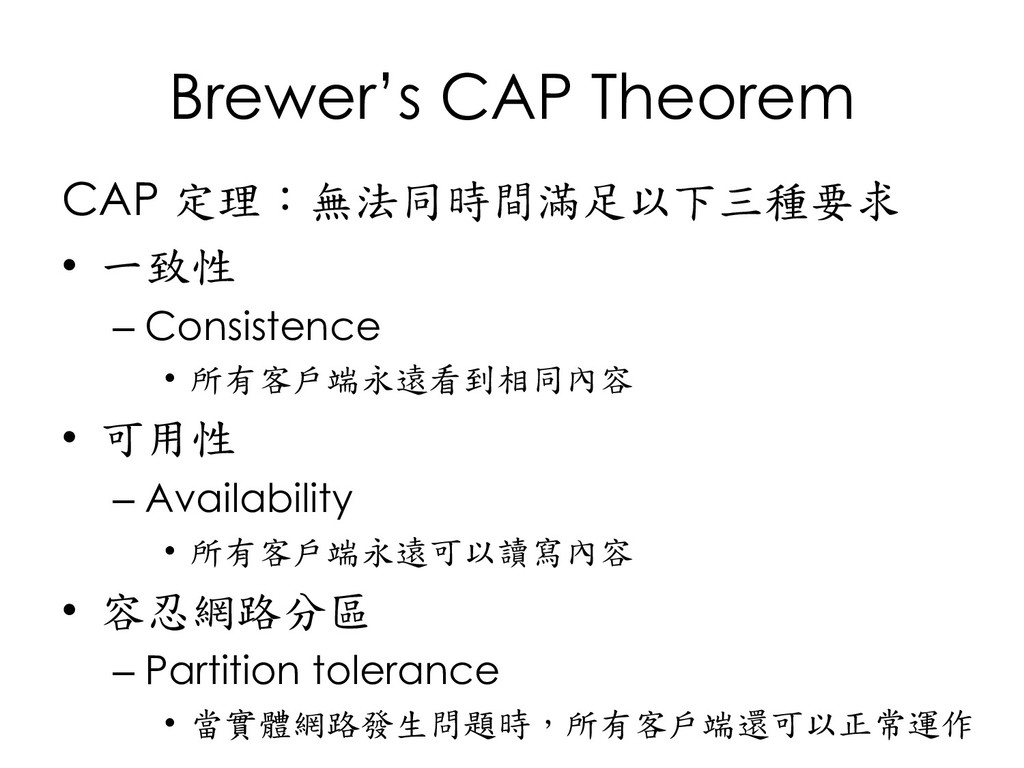
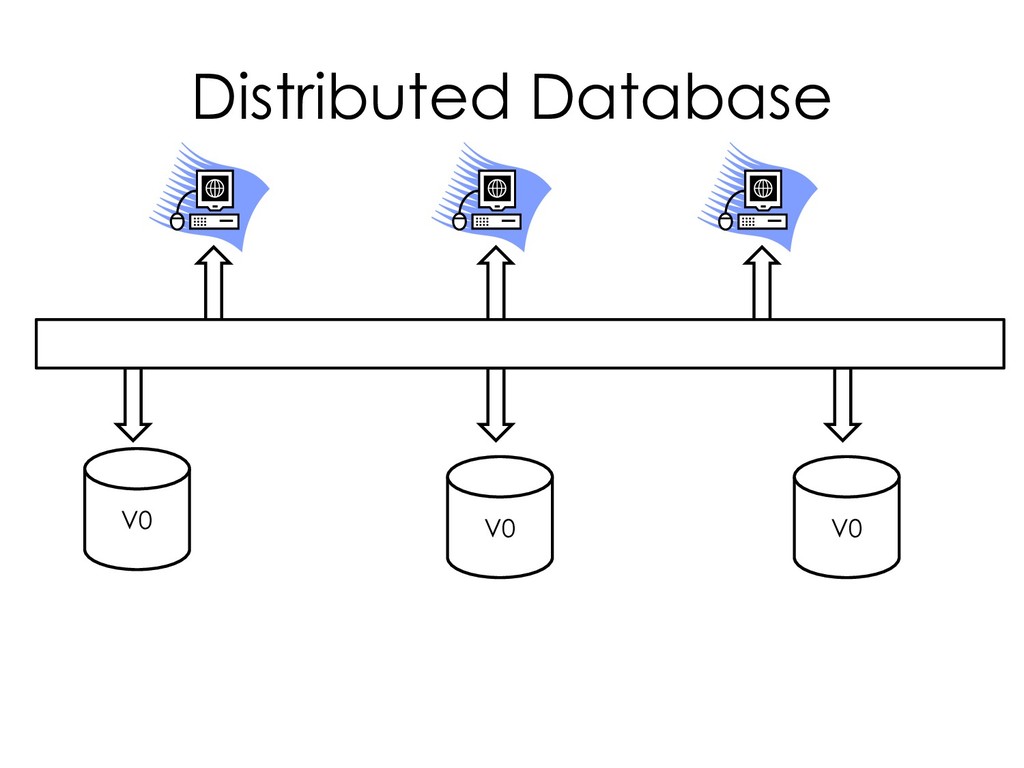
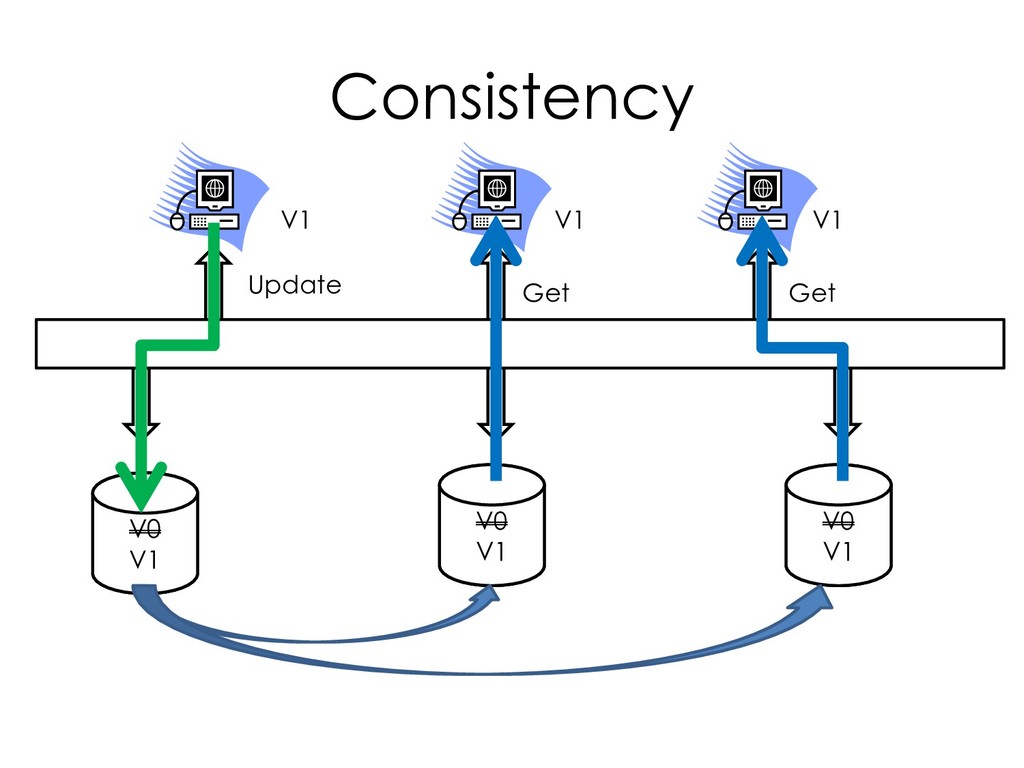
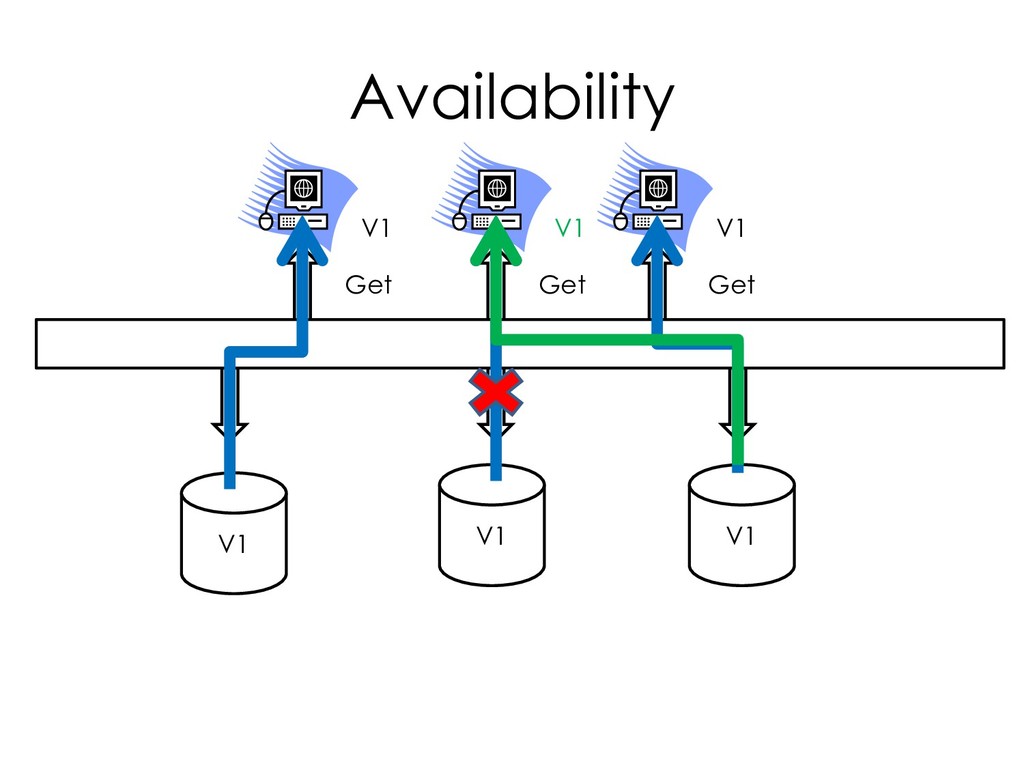
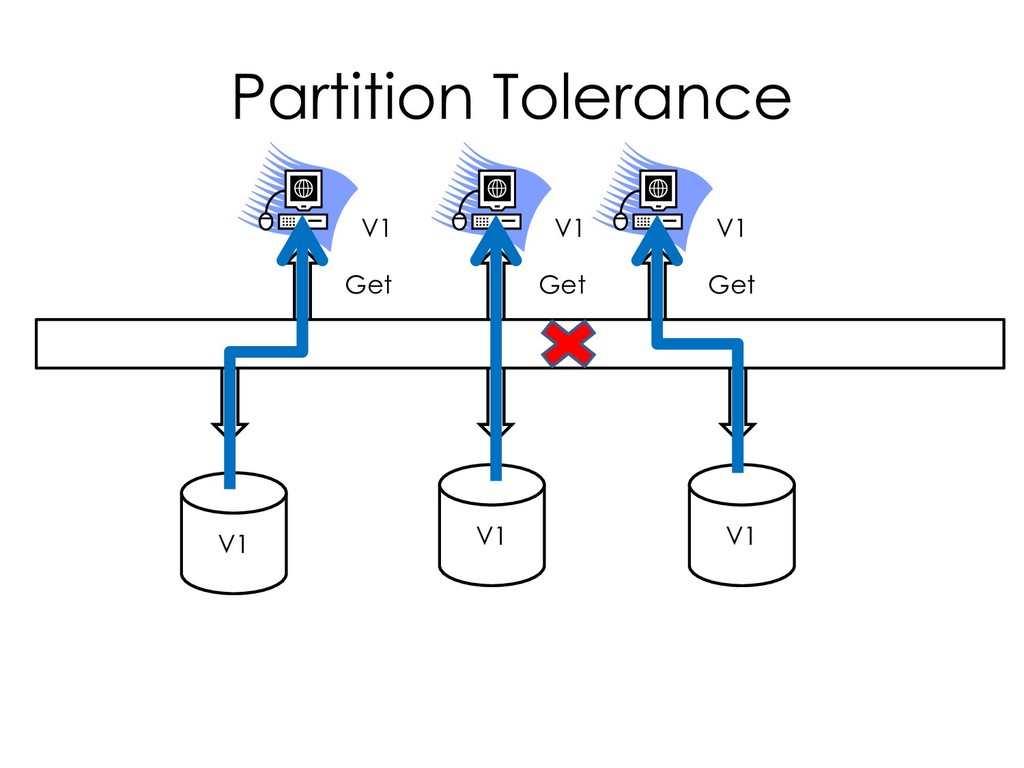
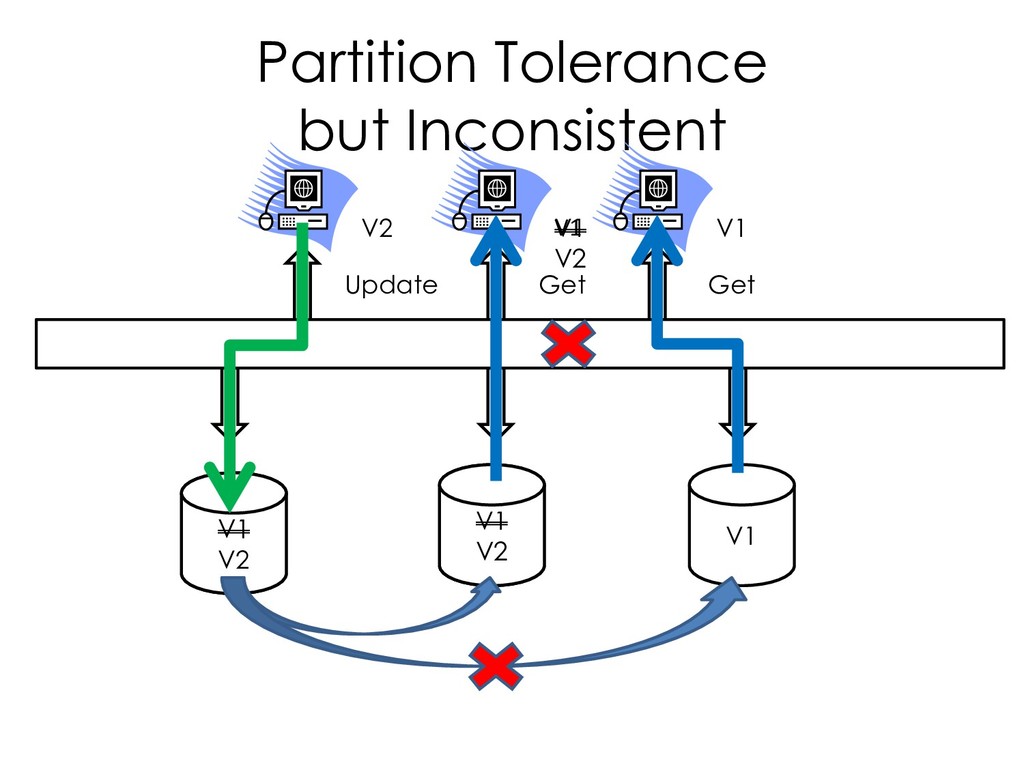
  9. Brewer’s CAP Theorem CAP 定理:無法同時間滿足以下三種要求 • 一致性 – Consistence •

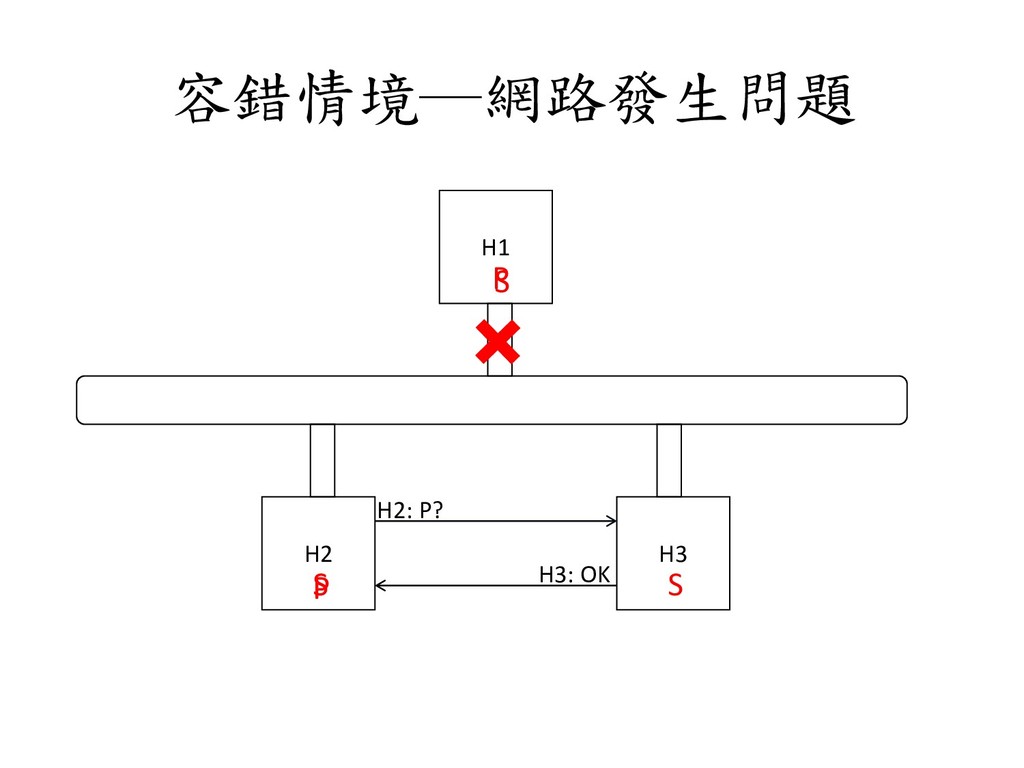
    所有客戶端永遠看到相同內容 • 可用性 – Availability • 所有客戶端永遠可以讀寫內容 • 容忍網路分區 – Partition tolerance • 當實體網路發生問題時,所有客戶端還可以正常運作
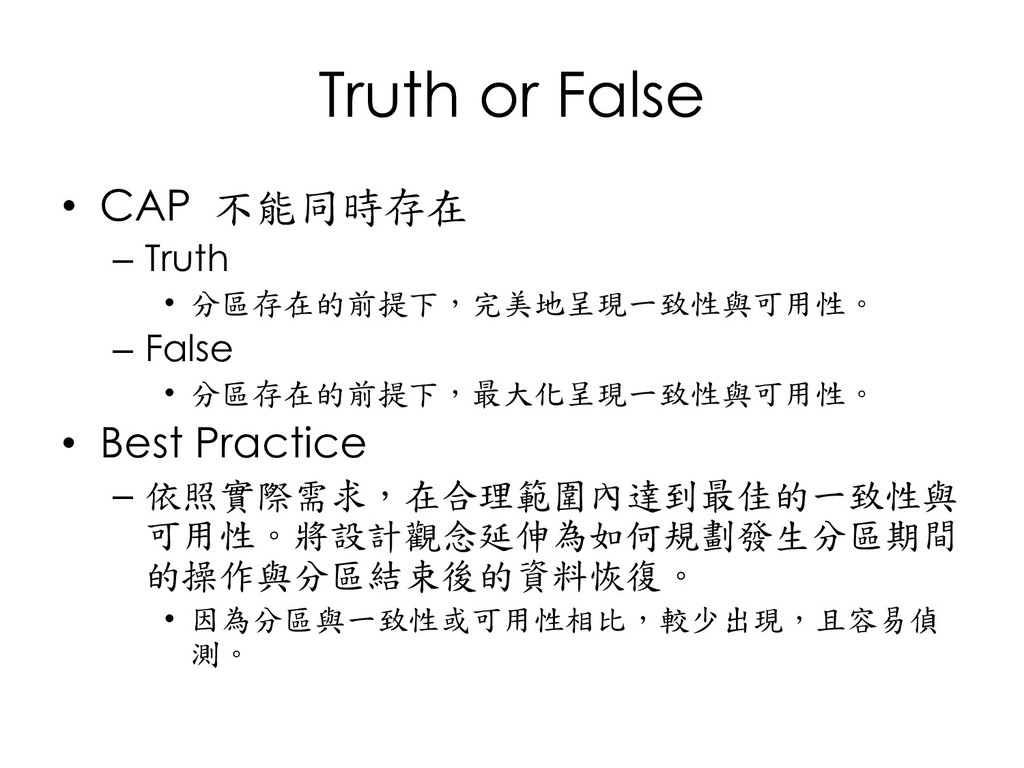
  10. Truth or False • CAP 不能同時存在 – Truth • 分區存在的前提下,完美地呈現一致性與可用性。

    – False • 分區存在的前提下,最大化呈現一致性與可用性。 • Best Practice – 依照實際需求,在合理範圍內達到最佳的一致性與 可用性。將設計觀念延伸為如何規劃發生分區期間 的操作與分區結束後的資料恢復。 • 因為分區與一致性或可用性相比,較少出現,且容易偵 測。
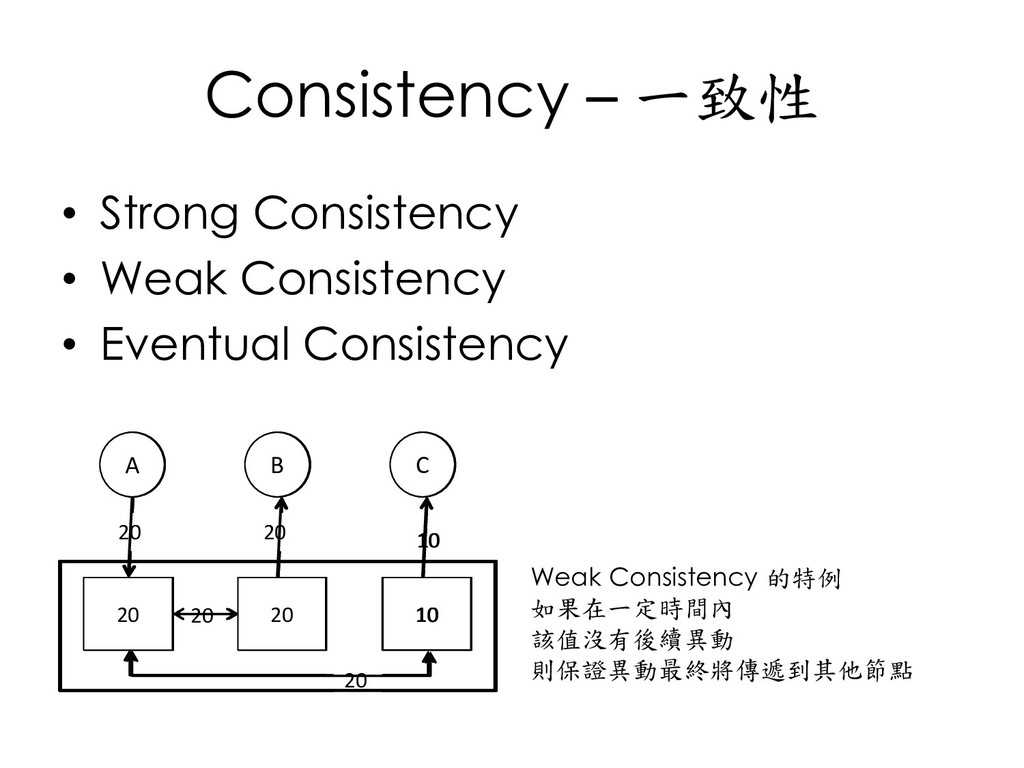
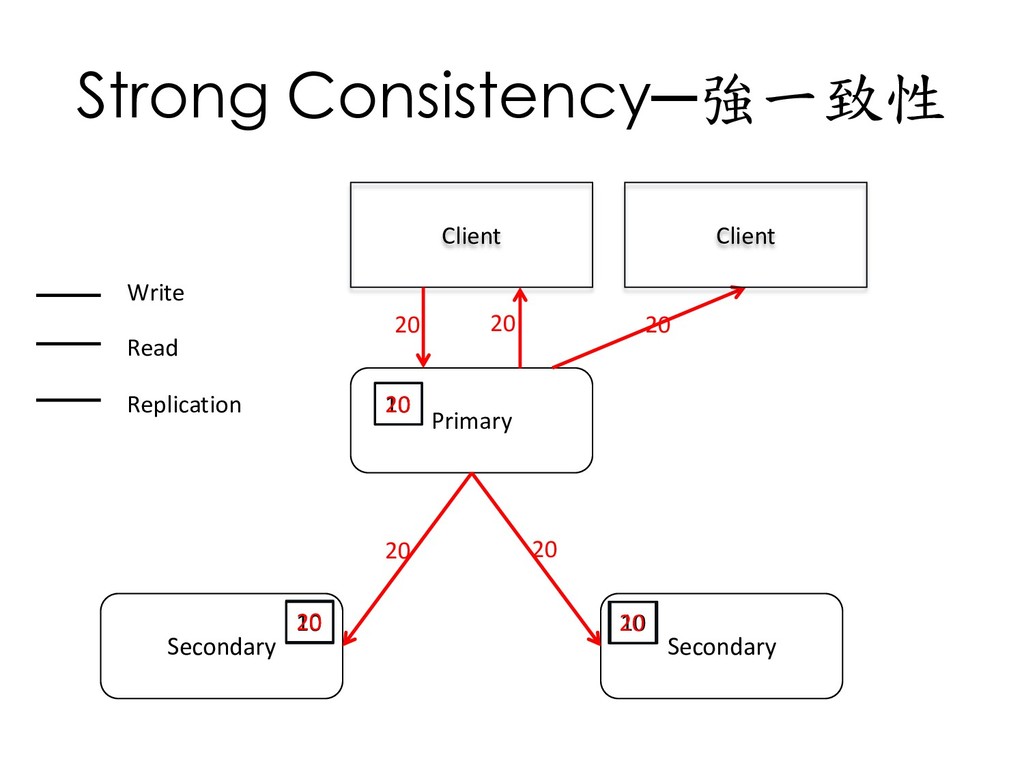
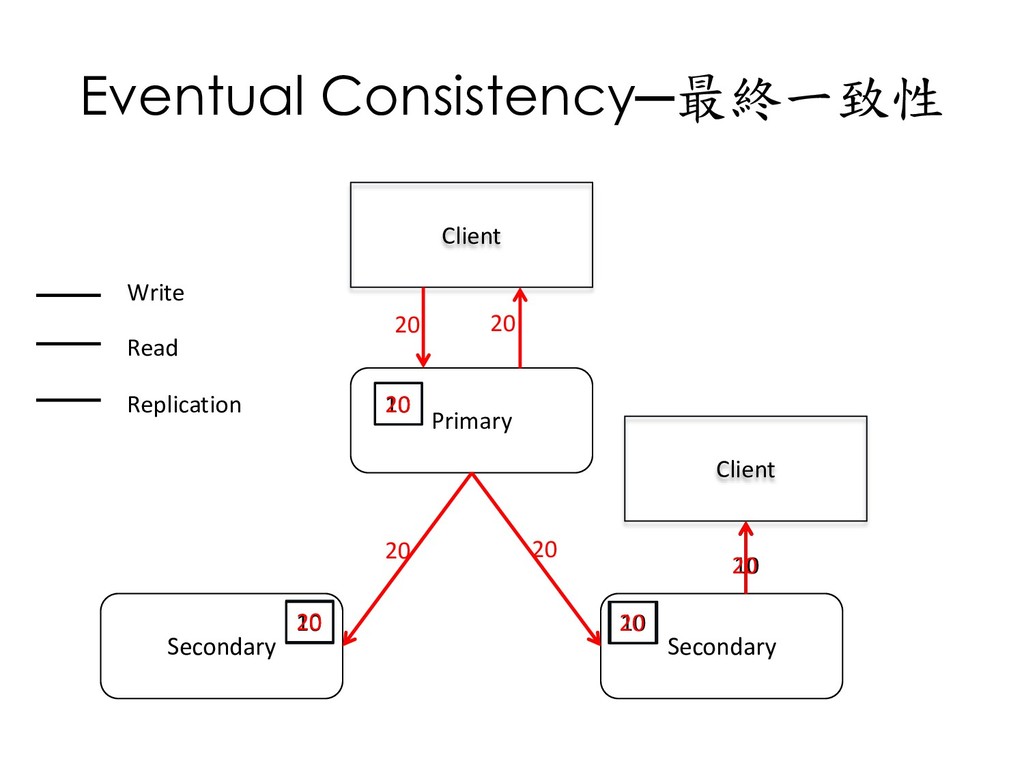
  11. Consistency – 一致性 • Strong Consistency • Weak Consistency •

    Eventual Consistency A B C 10 10 10 10 10 10 10 異動必須傳遞到其他節點後 才能被其他用戶使用 A B C 20 10 10 20 10 20 20 異動尚未傳遞到其他節點 就可以被其他用戶使用 但可能看到不一致的內容 Inconsistent window 10 A B C 20 20 10 20 20 10 20 20 Weak Consistency 的特例 如果在一定時間內 該值沒有後續異動 則保證異動最終將傳遞到其他節點
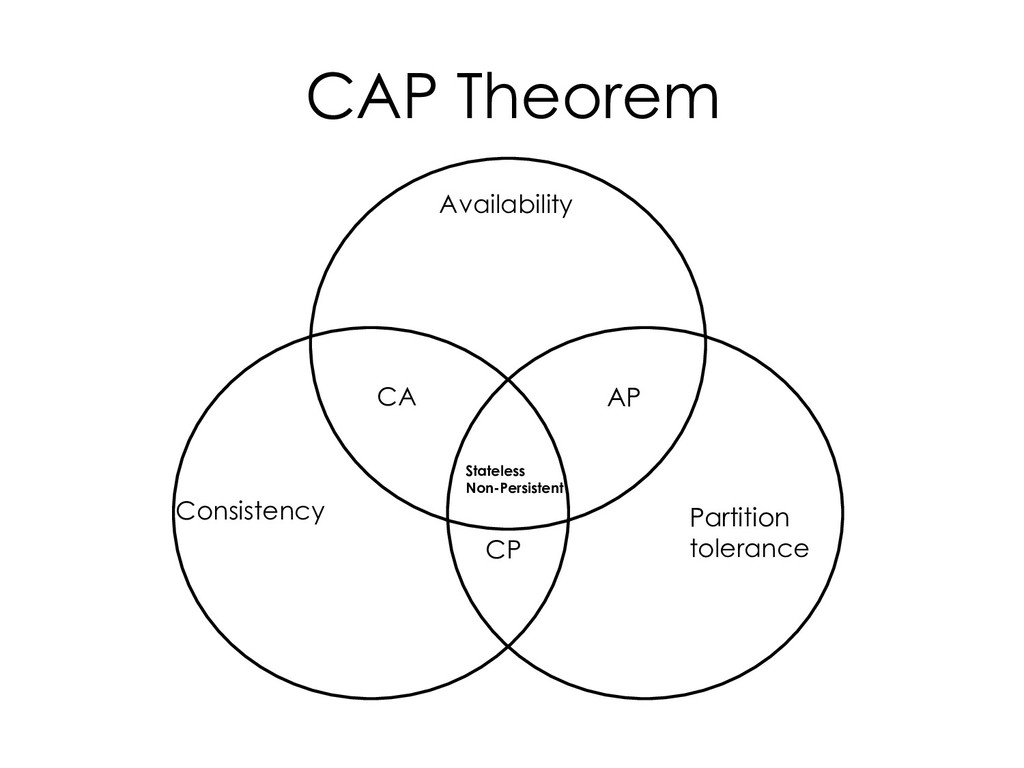
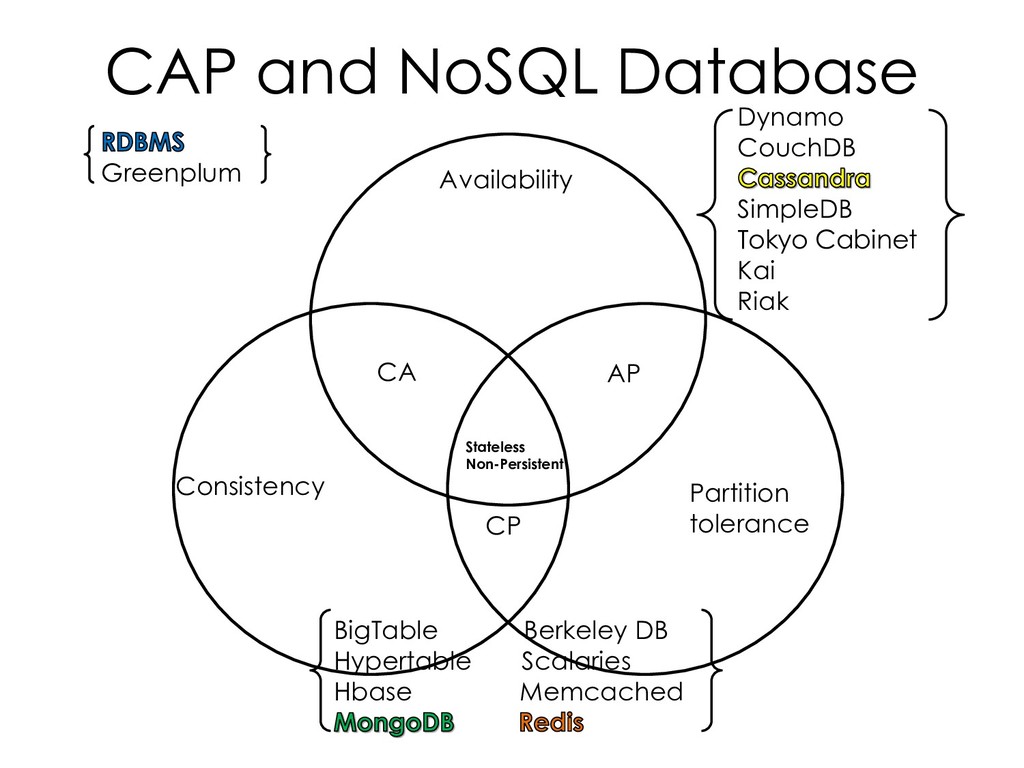
  12. CAP and NoSQL Database Availability Consistency Partition tolerance CA AP

    CP Stateless Non-Persistent Greenplum Dynamo CouchDB SimpleDB Tokyo Cabinet Kai Riak BigTable Berkeley DB Hypertable Scalaries Hbase Memcached
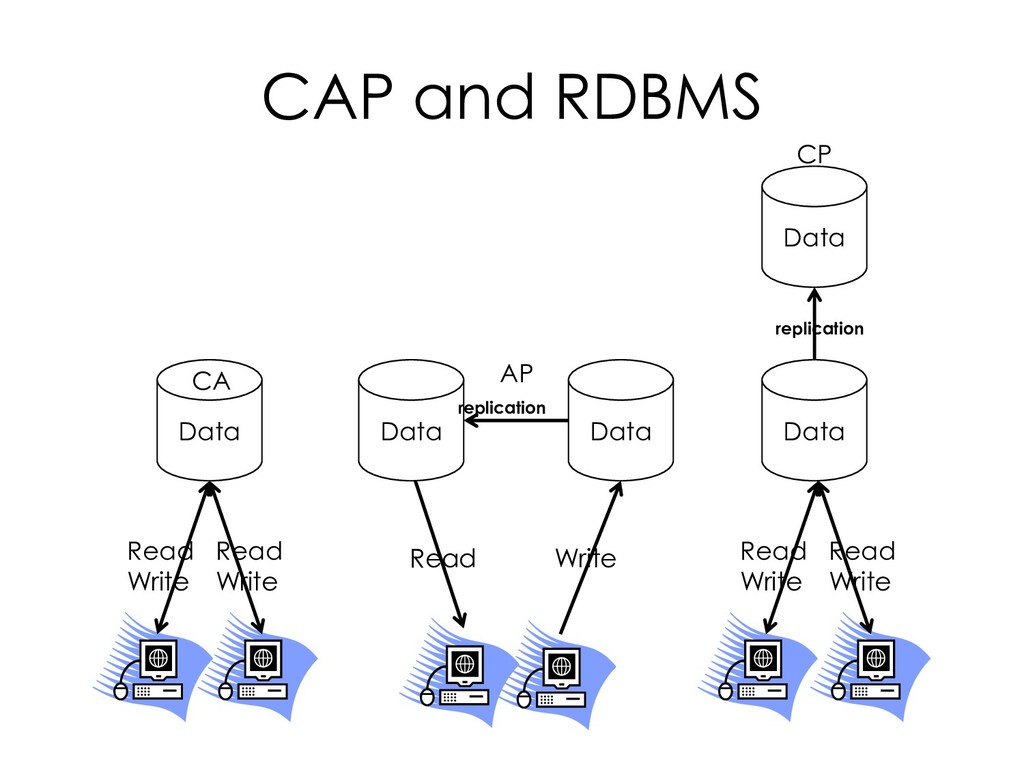
  13. CAP and RDBMS Data Data Data Data Data CA AP

    CP replication replication Read Write Read Write Read Write Read Write Read Write
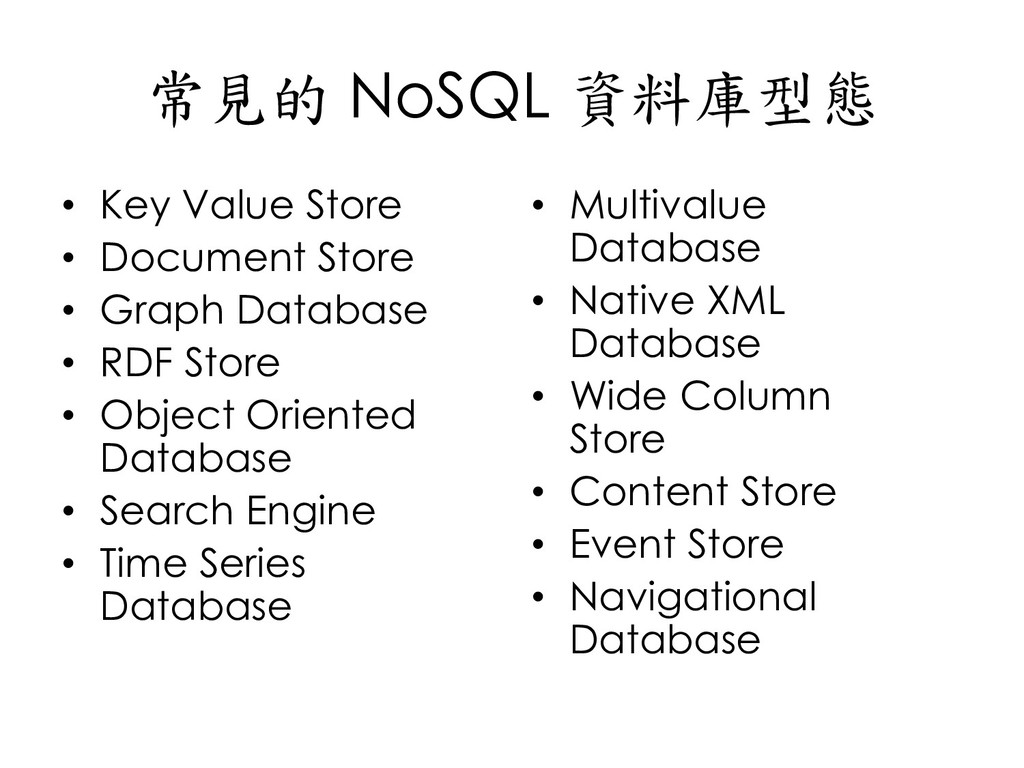
  14. 常見的 NoSQL 資料庫型態 • Key Value Store • Document Store

    • Graph Database • RDF Store • Object Oriented Database • Search Engine • Time Series Database • Multivalue Database • Native XML Database • Wide Column Store • Content Store • Event Store • Navigational Database
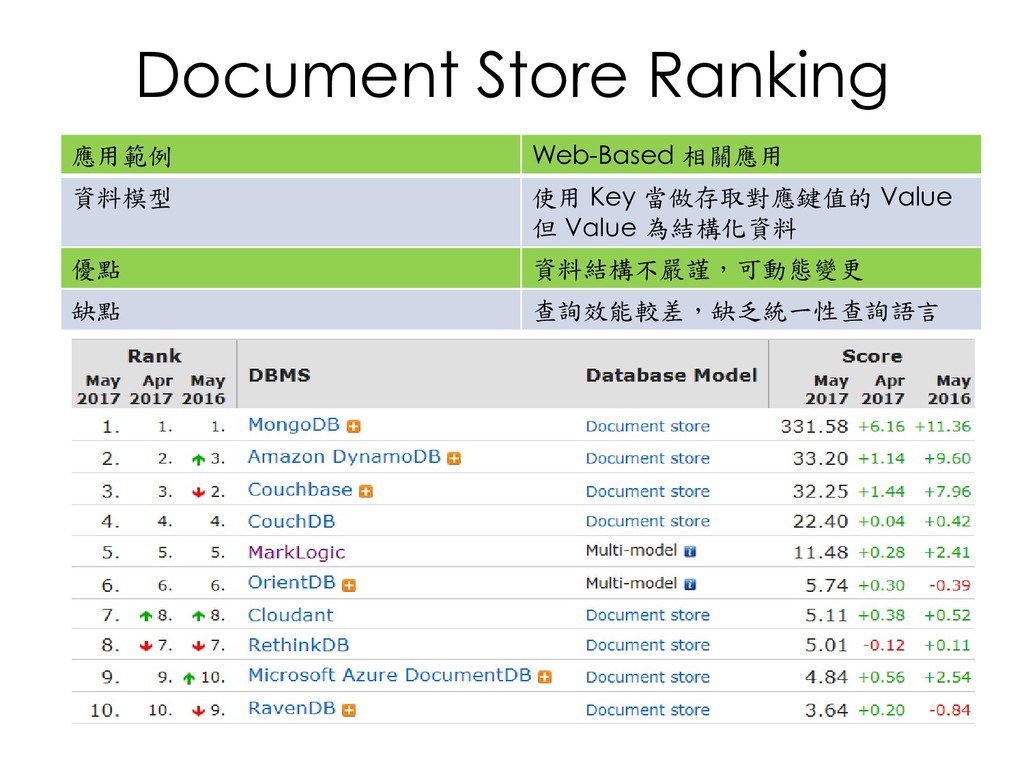
  15. Document Store Ranking 應用範例 Web-Based 相關應用 資料模型 使用 Key 當做存取對應鍵值的

    Value 但 Value 為結構化資料 優點 資料結構不嚴謹,可動態變更 缺點 查詢效能較差,缺乏統一性查詢語言
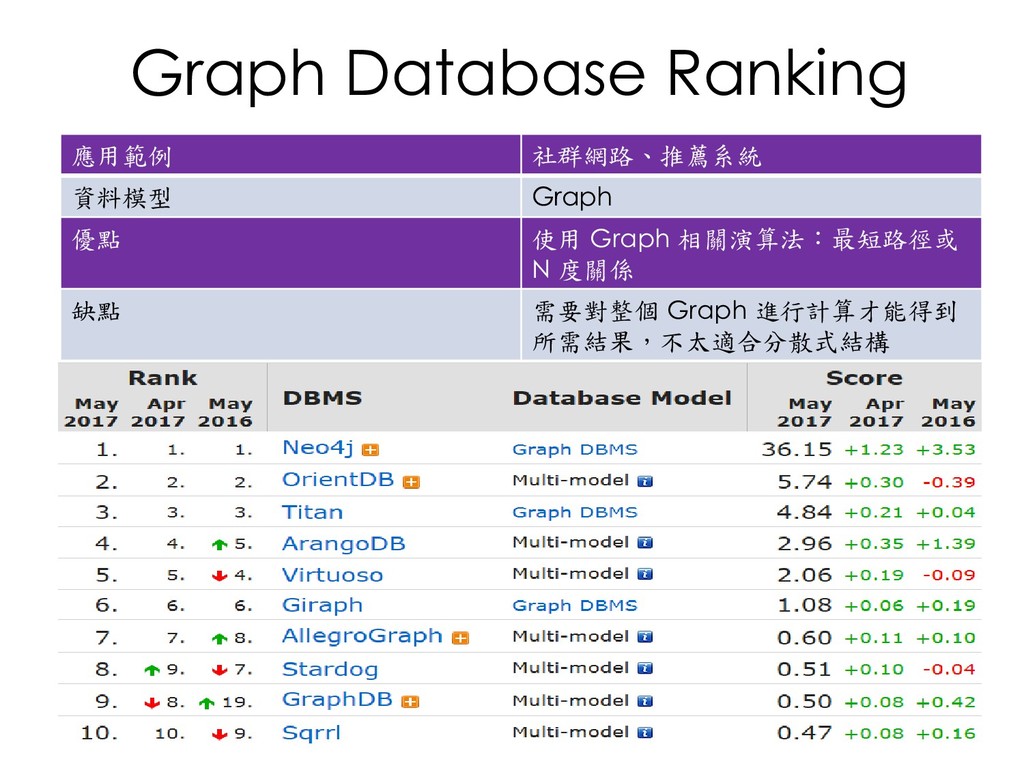
  16. Graph Database Ranking 應用範例 社群網路、推薦系統 資料模型 Graph 優點 使用 Graph

    相關演算法:最短路徑或 N 度關係 缺點 需要對整個 Graph 進行計算才能得到 所需結果,不太適合分散式結構
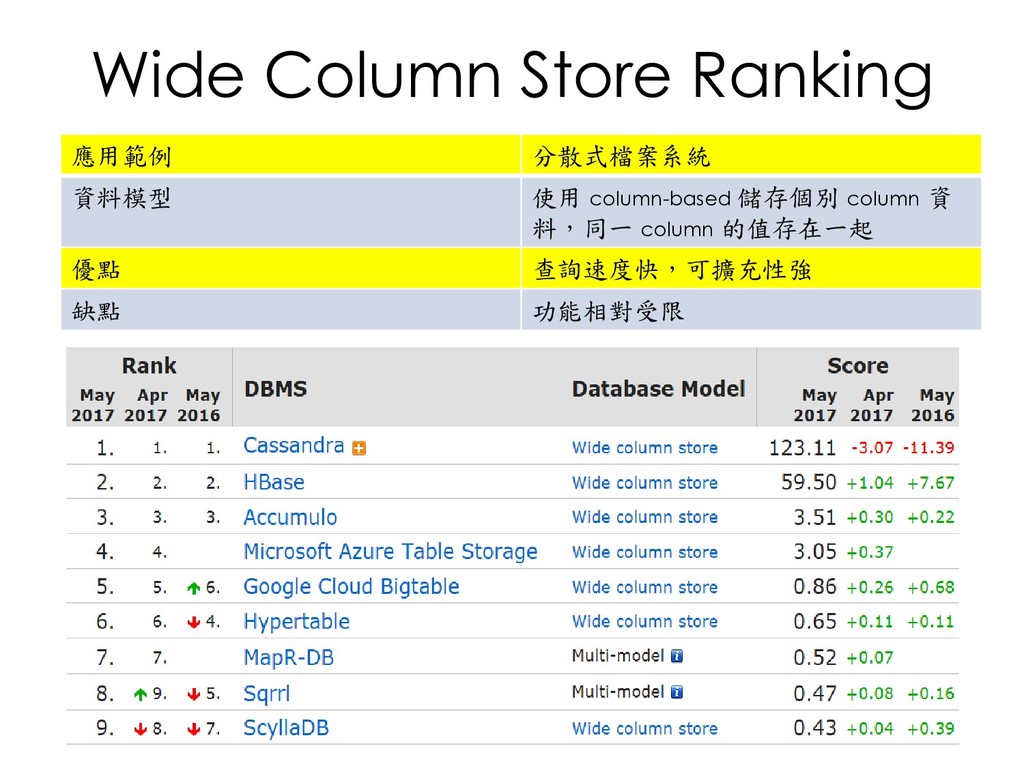
  17. Wide Column Store Ranking 應用範例 分散式檔案系統 資料模型 使用 column-based 儲存個別

    column 資 料,同一 column 的值存在一起 優點 查詢速度快,可擴充性強 缺點 功能相對受限
  18. Q&A

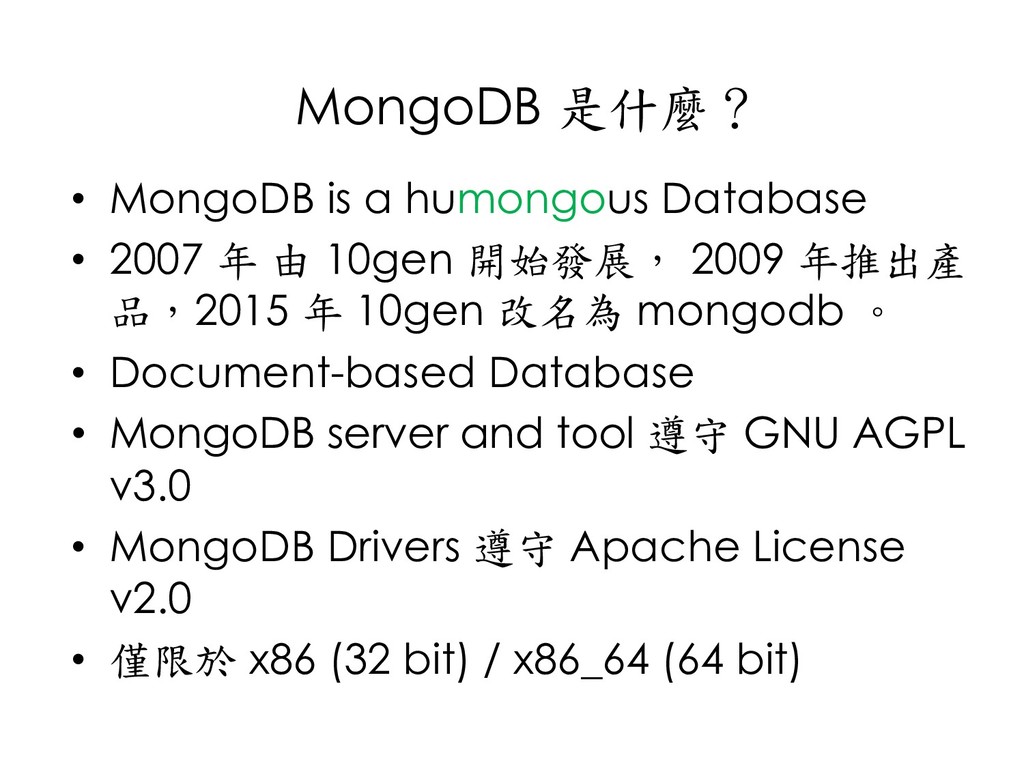
  19. MongoDB 是什麼? • MongoDB is a humongous Database • 2007

    年 由 10gen 開始發展, 2009 年推出產 品,2015 年 10gen 改名為 mongodb 。 • Document-based Database • MongoDB server and tool 遵守 GNU AGPL v3.0 • MongoDB Drivers 遵守 Apache License v2.0 • 僅限於 x86 (32 bit) / x86_64 (64 bit)
  20. C++

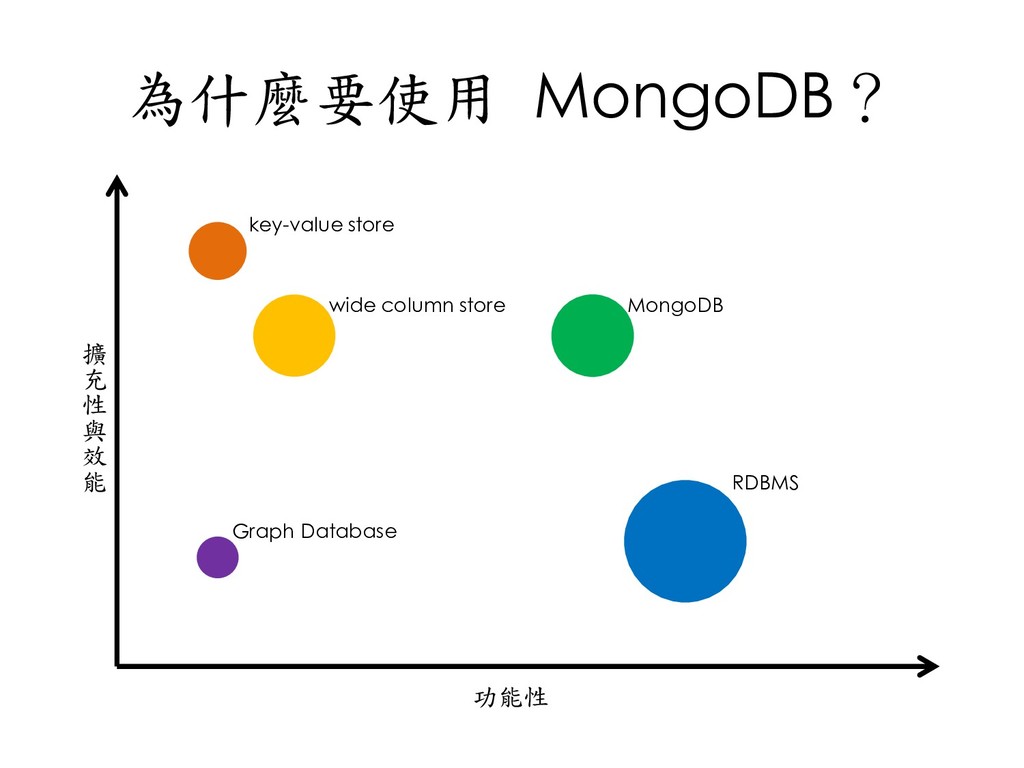
  21. 為什麼要使用 MongoDB? 功能性 擴 充 性 與 效 能 key-value

    store wide column store MongoDB Graph Database RDBMS
  22. Critical capabilities of RDBMS • Expressive query language & secondary

    index • Strong consistency • Enterprise Management and Integrations
  23. Innovations of NoSQL • Flexible Data Model • Scalability and

    Performance • Always-On Global Deployments
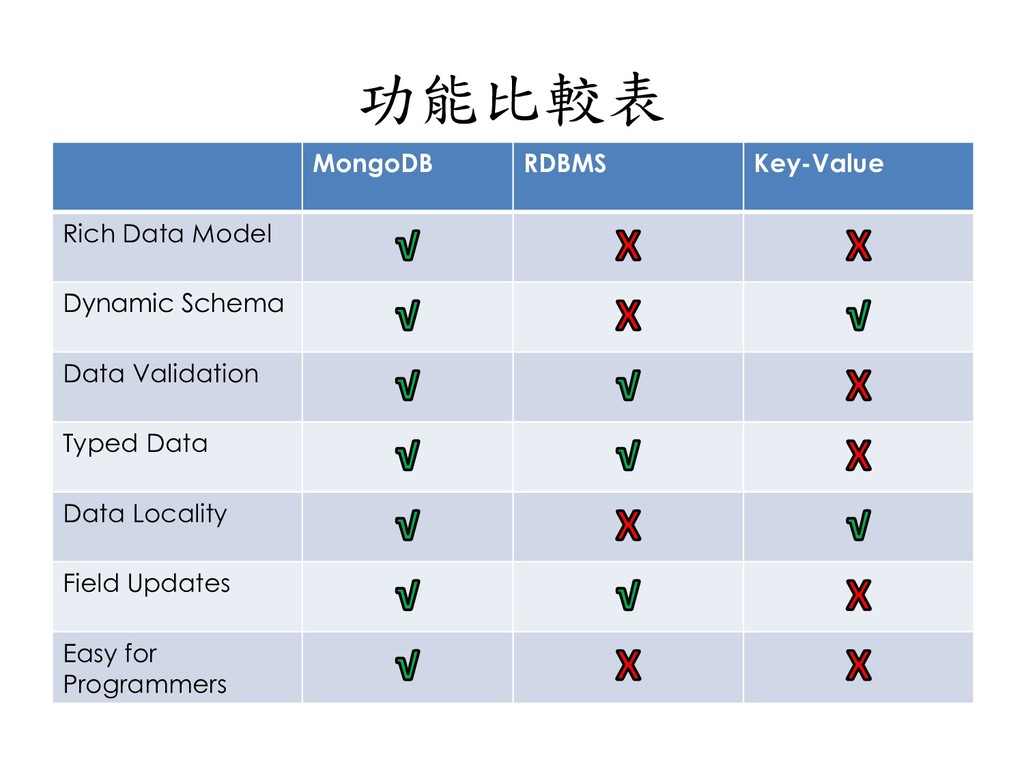
  24. 功能比較表 MongoDB RDBMS Key-Value Rich Data Model Dynamic Schema Data

    Validation Typed Data Data Locality Field Updates Easy for Programmers
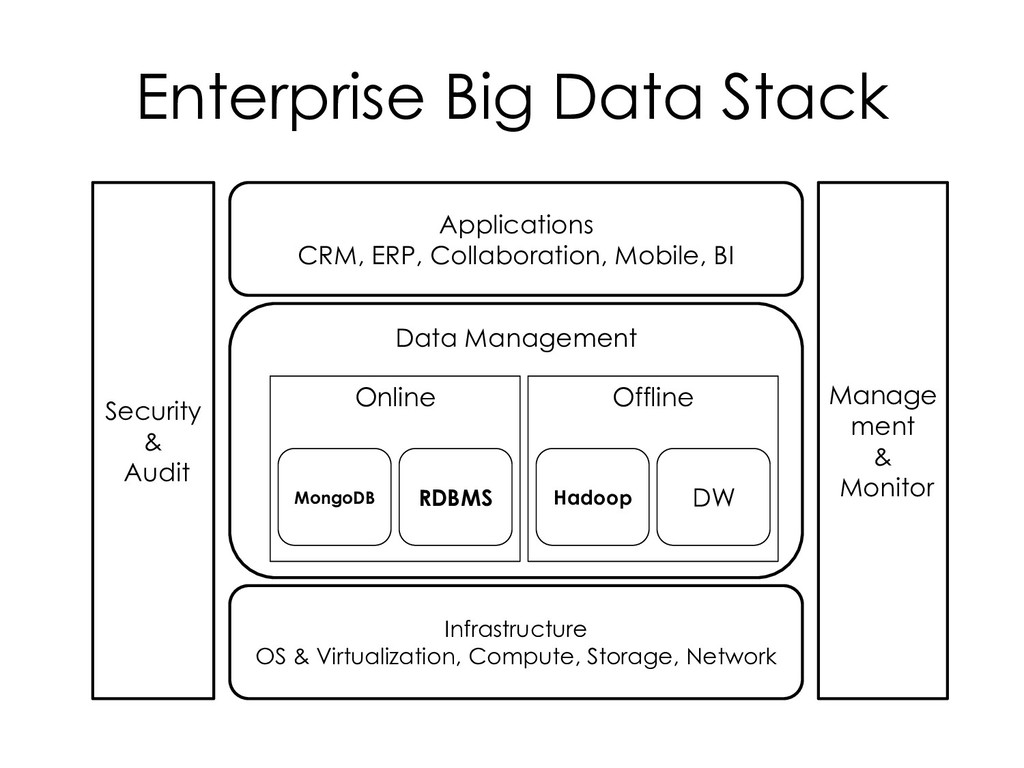
  25. Enterprise Big Data Stack Security & Audit Manage ment &

    Monitor Applications CRM, ERP, Collaboration, Mobile, BI Infrastructure OS & Virtualization, Compute, Storage, Network Data Management Online MongoDB RDBMS Offline Hadoop DW
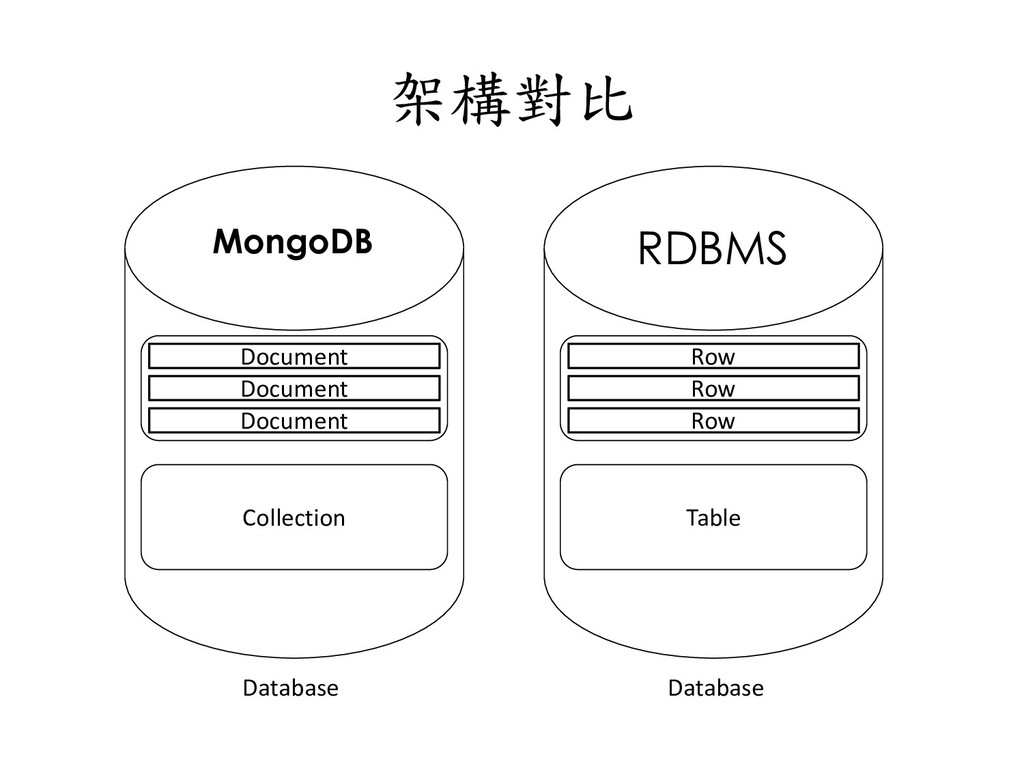
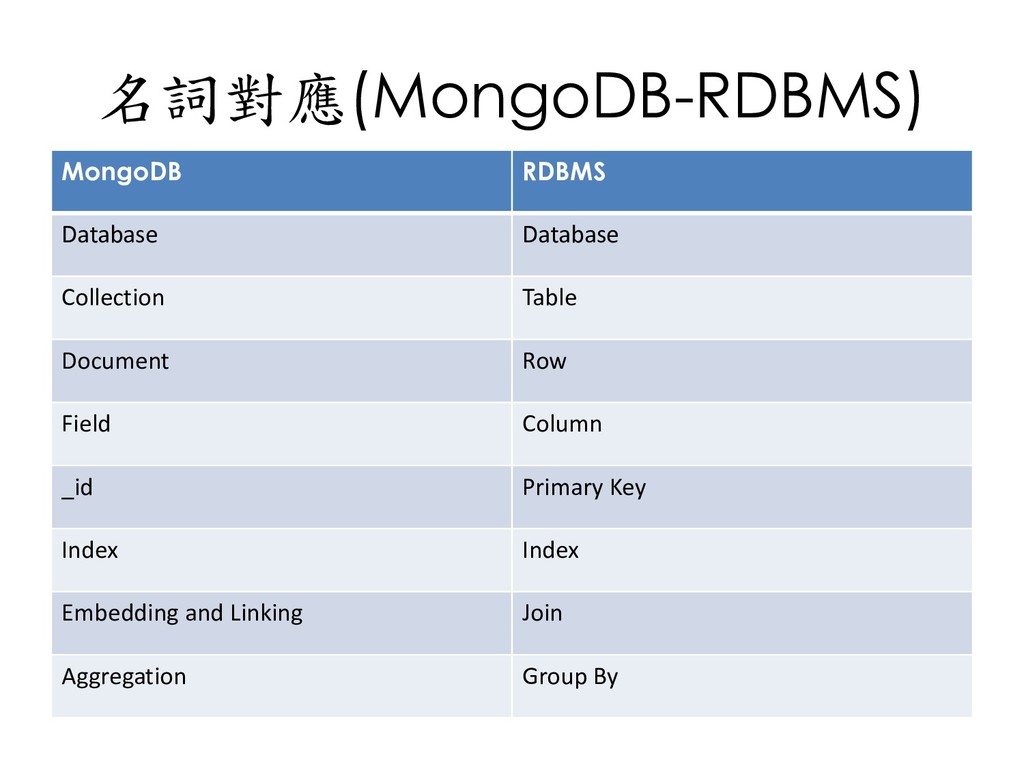
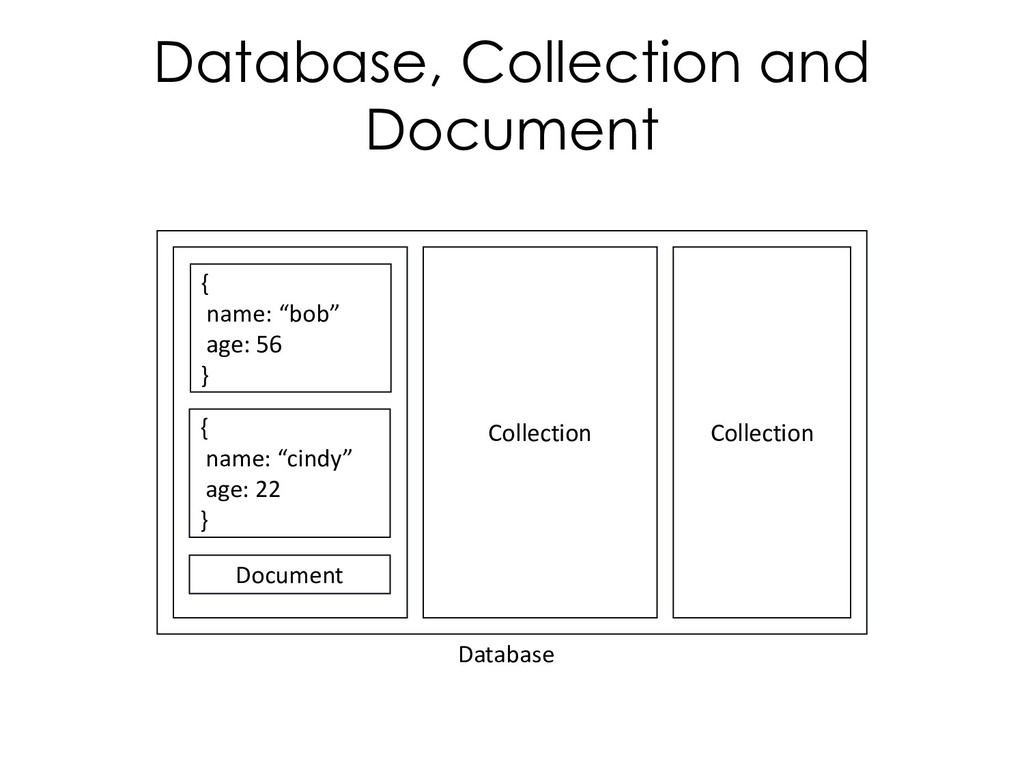
  26. 名詞對應(MongoDB-RDBMS) MongoDB RDBMS Database Database Collection Table Document Row Field

    Column _id Primary Key Index Index Embedding and Linking Join Aggregation Group By
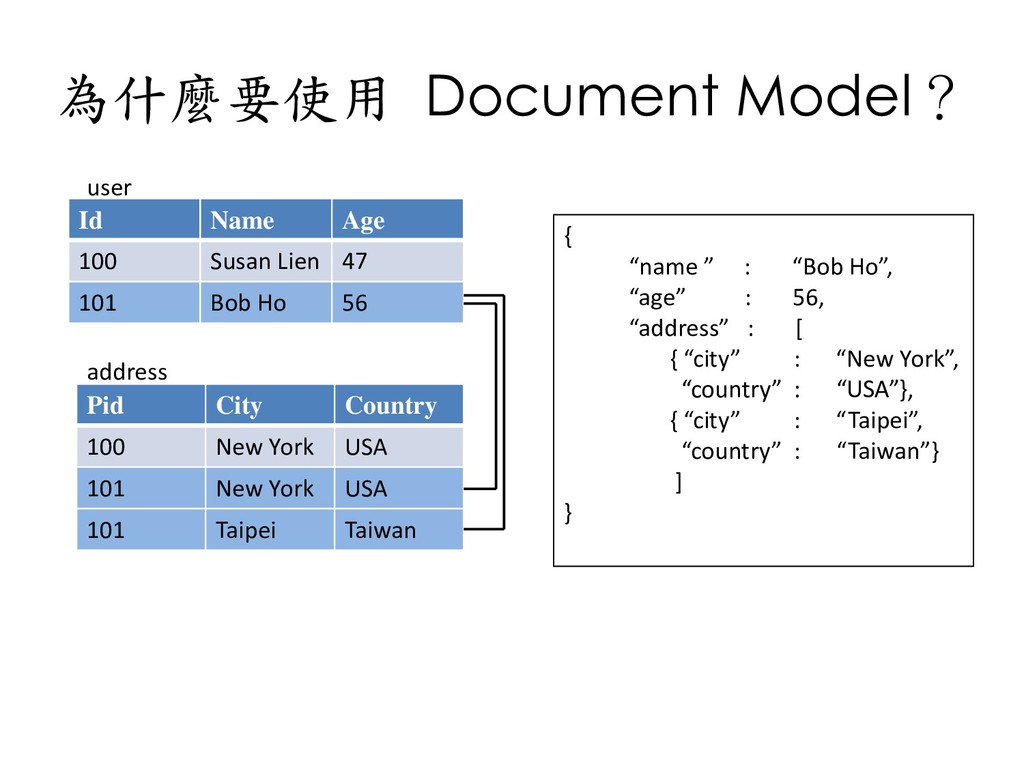
  27. 為什麼要使用 Document Model? Id Name Age 100 Susan Lien 47

    101 Bob Ho 56 Pid City Country 100 New York USA 101 New York USA 101 Taipei Taiwan { “name ” : “Bob Ho”, “age” : 56, “address” : [ { “city” : “New York”, “country” : “USA”}, { “city” : “Taipei”, “country” : “Taiwan”} ] } user address
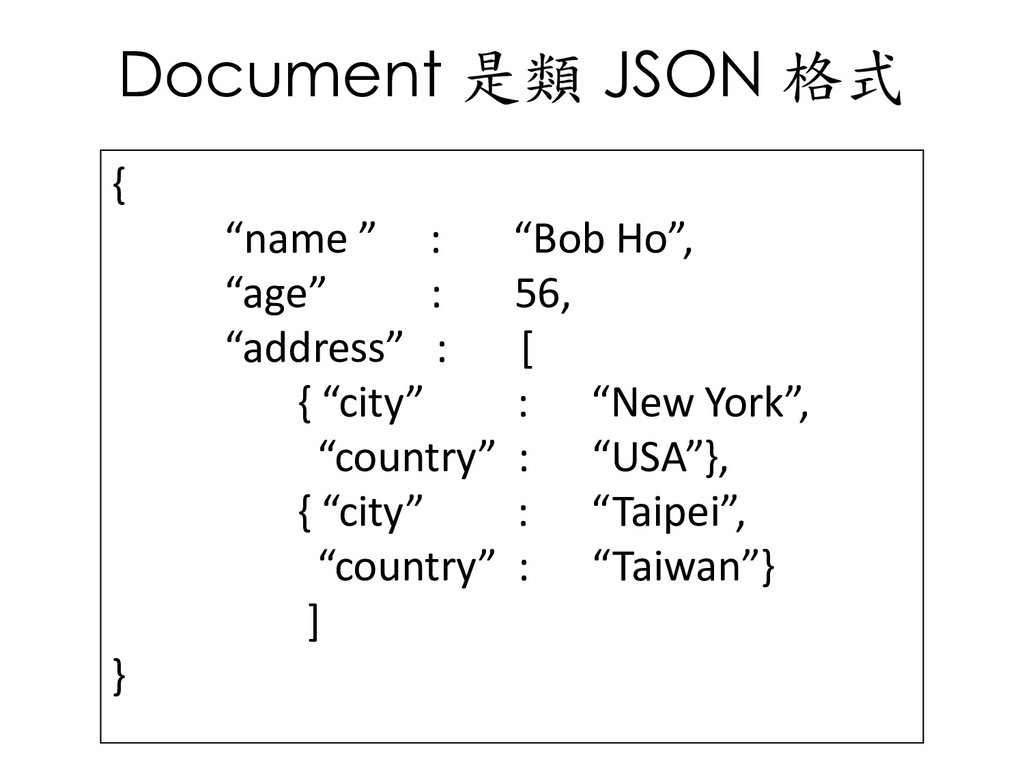
  28. Document 是類 JSON 格式 { “name ” : “Bob Ho”,

    “age” : 56, “address” : [ { “city” : “New York”, “country” : “USA”}, { “city” : “Taipei”, “country” : “Taiwan”} ] }
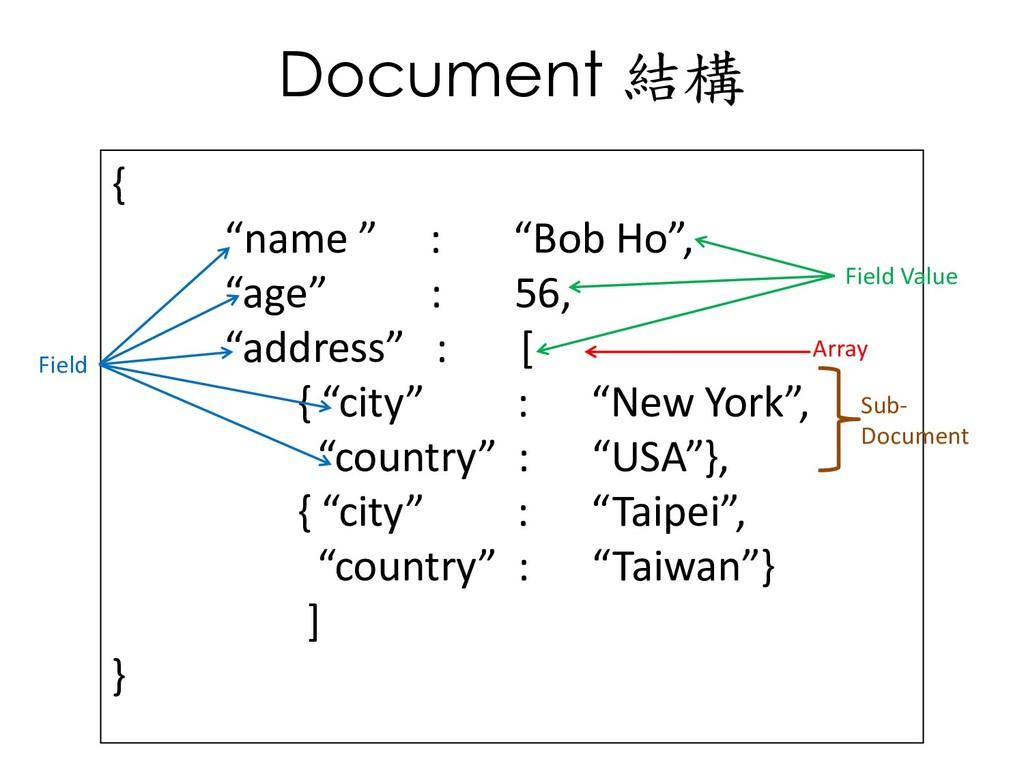
  29. Document 結構 { “name ” : “Bob Ho”, “age” :

    56, “address” : [ { “city” : “New York”, “country” : “USA”}, { “city” : “Taipei”, “country” : “Taiwan”} ] } Field Field Value Array Sub- Document
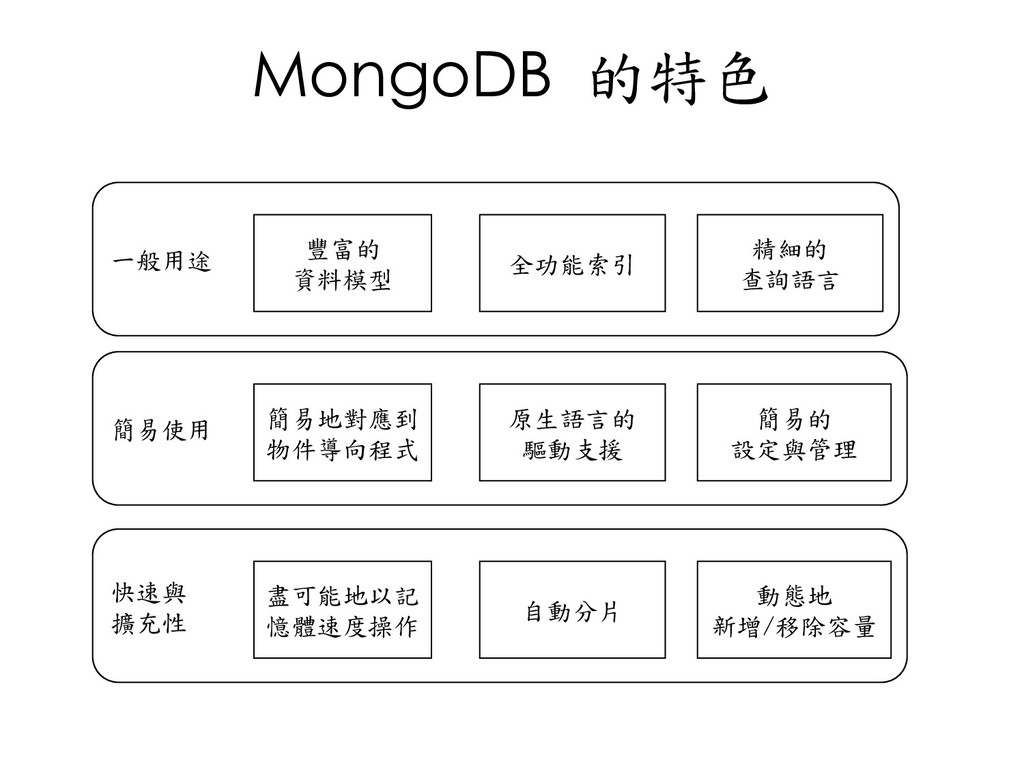
  30. MongoDB 的特色 一般用途 簡易使用 快速與 擴充性 豐富的 資料模型 全功能索引 精細的

    查詢語言 簡易地對應到 物件導向程式 原生語言的 驅動支援 簡易的 設定與管理 盡可能地以記 憶體速度操作 自動分片 動態地 新增/移除容量
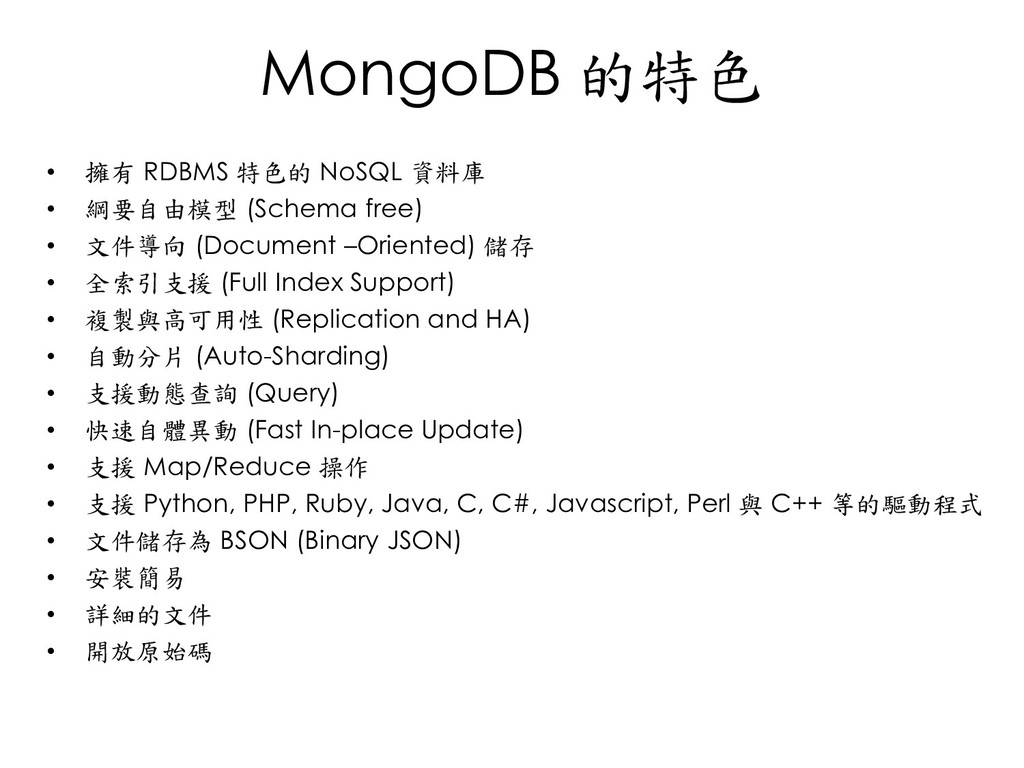
  31. MongoDB 的特色 • 擁有 RDBMS 特色的 NoSQL 資料庫 • 綱要自由模型

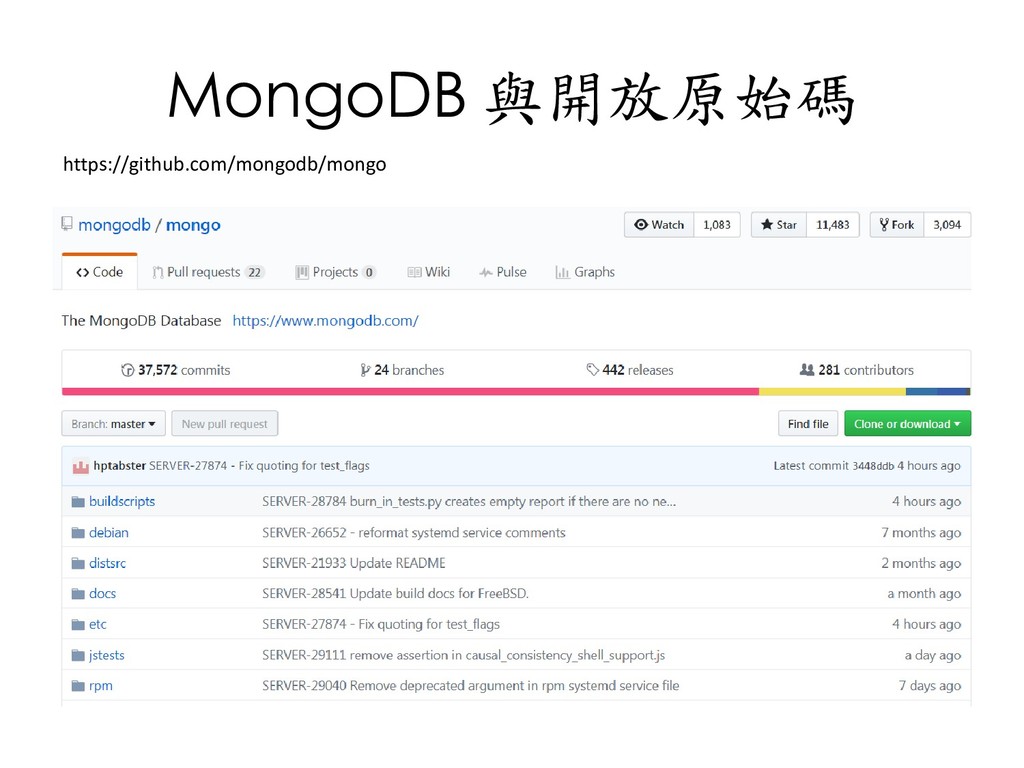
    (Schema free) • 文件導向 (Document –Oriented) 儲存 • 全索引支援 (Full Index Support) • 複製與高可用性 (Replication and HA) • 自動分片 (Auto-Sharding) • 支援動態查詢 (Query) • 快速自體異動 (Fast In-place Update) • 支援 Map/Reduce 操作 • 支援 Python, PHP, Ruby, Java, C, C#, Javascript, Perl 與 C++ 等的驅動程式 • 文件儲存為 BSON (Binary JSON) • 安裝簡易 • 詳細的文件 • 開放原始碼
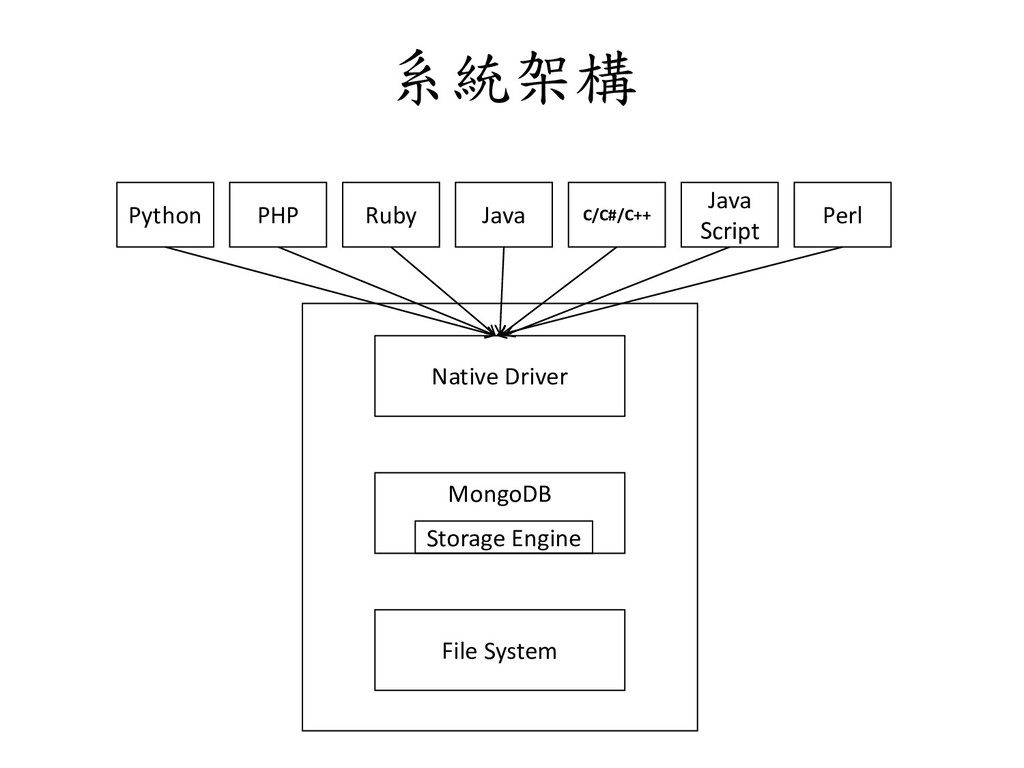
  32. 系統架構 Python PHP Ruby Java C/C#/C++ Java Script Perl Native

    Driver MongoDB File System Storage Engine
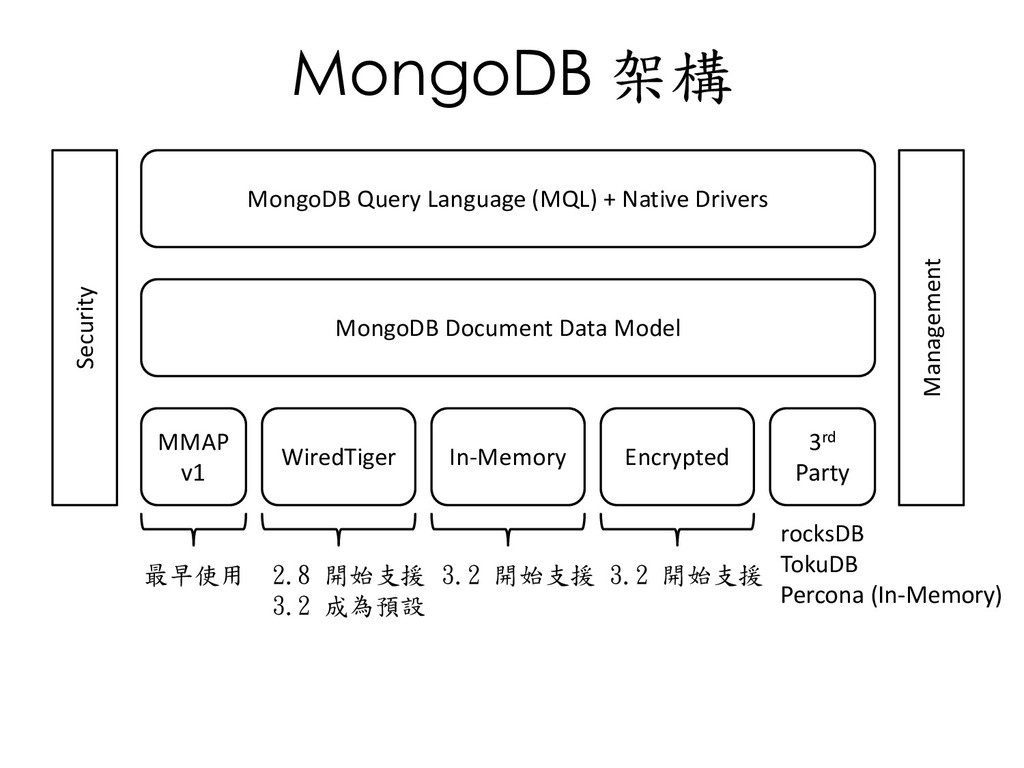
  33. MongoDB 架構 Security Management MongoDB Query Language (MQL) + Native

    Drivers MongoDB Document Data Model MMAP v1 3rd Party WiredTiger In-Memory Encrypted rocksDB TokuDB Percona (In-Memory) 最早使用 2.8 開始支援 3.2 成為預設 3.2 開始支援 3.2 開始支援
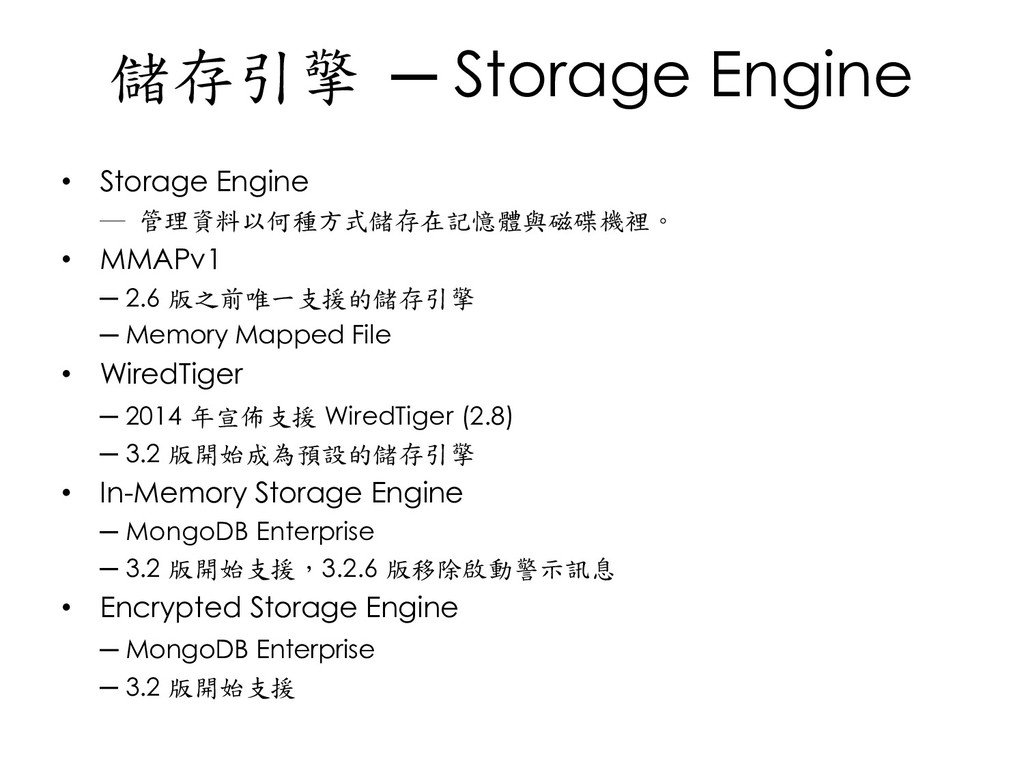
  34. 儲存引擎 ─ Storage Engine • Storage Engine ─ 管理資料以何種方式儲存在記憶體與磁碟機裡。 •

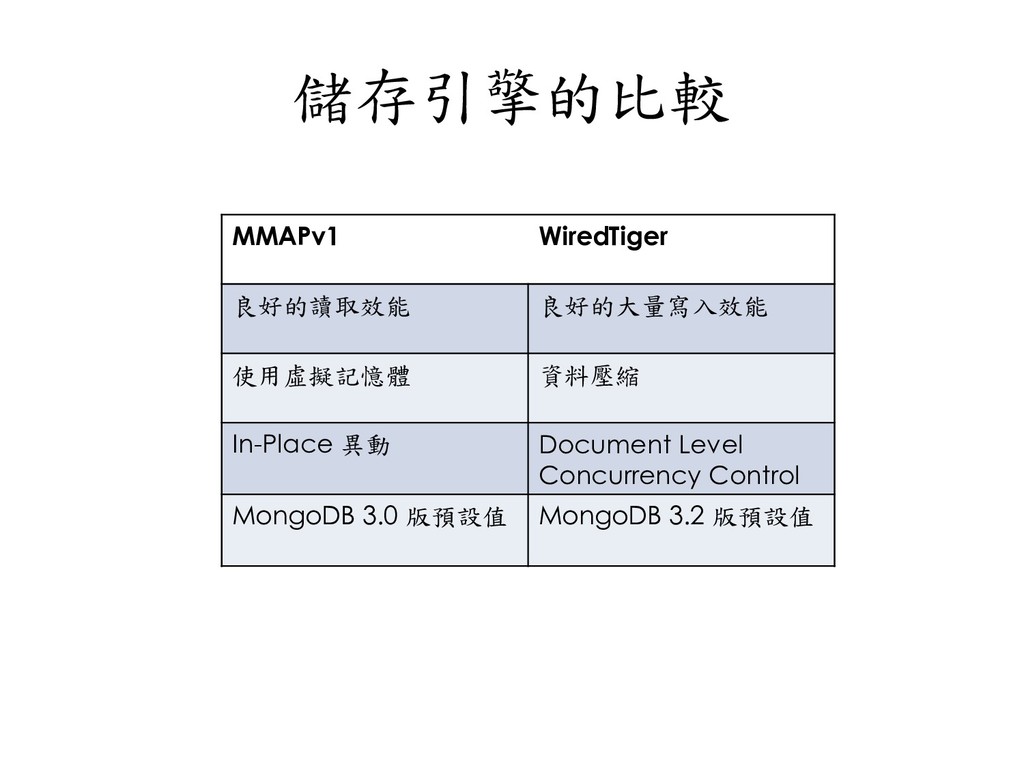
    MMAPv1 ─ 2.6 版之前唯一支援的儲存引擎 ─ Memory Mapped File • WiredTiger ─ 2014 年宣佈支援 WiredTiger (2.8) ─ 3.2 版開始成為預設的儲存引擎 • In-Memory Storage Engine ─ MongoDB Enterprise ─ 3.2 版開始支援,3.2.6 版移除啟動警示訊息 • Encrypted Storage Engine ─ MongoDB Enterprise ─ 3.2 版開始支援
  35. MMAPv1 • Memory Mapping • 2.6 版之前唯一支援的儲存引擎 • 使用 mmap

    方式將檔案映射到記憶體, 直接透過操作記憶體的方式來存取資料。
  36. MMAPv1 的優點 • 提昇同時性控制 • 適用於大量讀取的操作系統 • 資料與索引對應到 OS 虛擬記憶體

    • 資料讀取等同於 page-in • 使用 OS 內建的 LRU (Least Recently Used) 機制
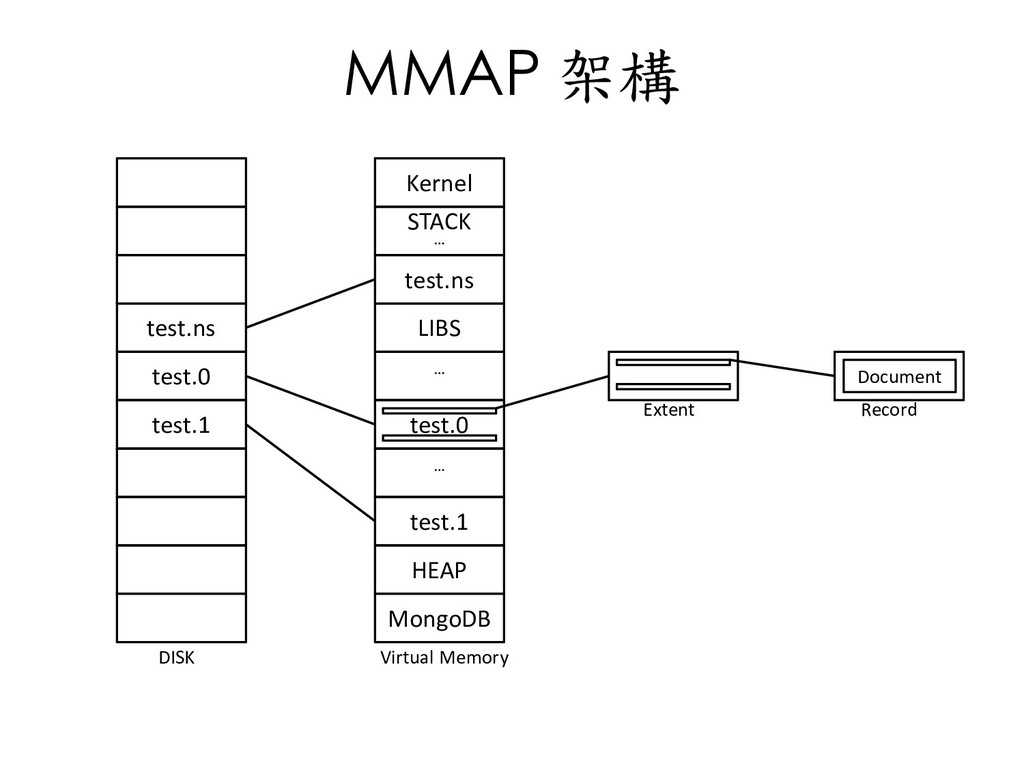
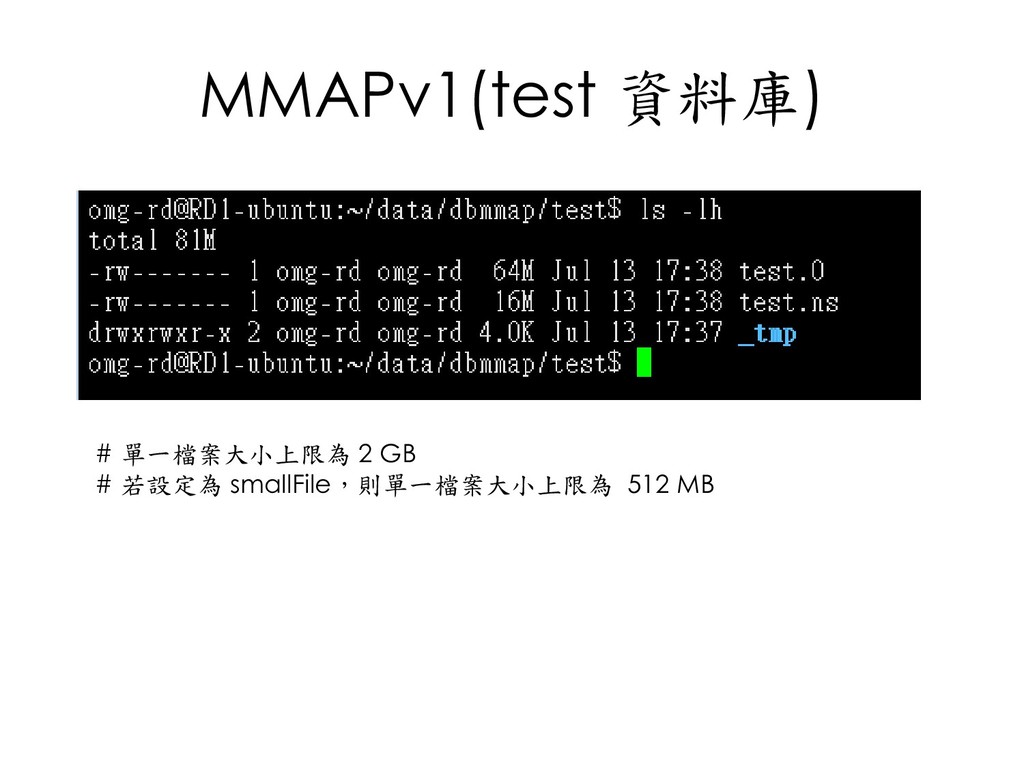
  37. MMAP 架構 test.ns test.0 test.1 Kernel STACK … test.ns LIBS

    … test.0 … test.1 HEAP MongoDB DISK Virtual Memory Extent Record Document
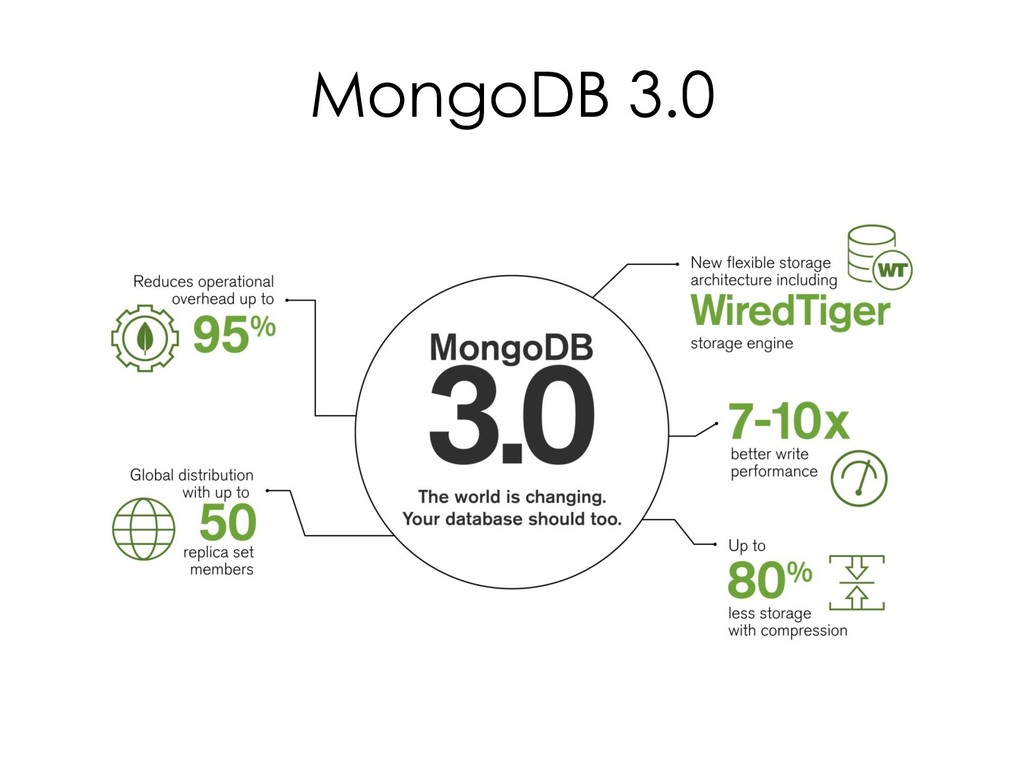
  38. WiredTiger • 2014 年 MongoDB 收購 WiredTiger • 2.8 版開始支援,3.2

    版成為預設儲存引擎 • 提供以下在 MMAPv1無法達到的功能 – MVCC(MultiVersion Concurrency Control) – Document level lock – In-Memory 效能 – 支援多 CPU 核心 – 加總檢查碼 (Checksum) – 資料壓縮 (Compression) – 資料加密 (Encryption) – 無論使用日誌功能 (Journaling) 與否,皆能保證資料耐久性 (Durability) – 100% 相容於 MMAPv1
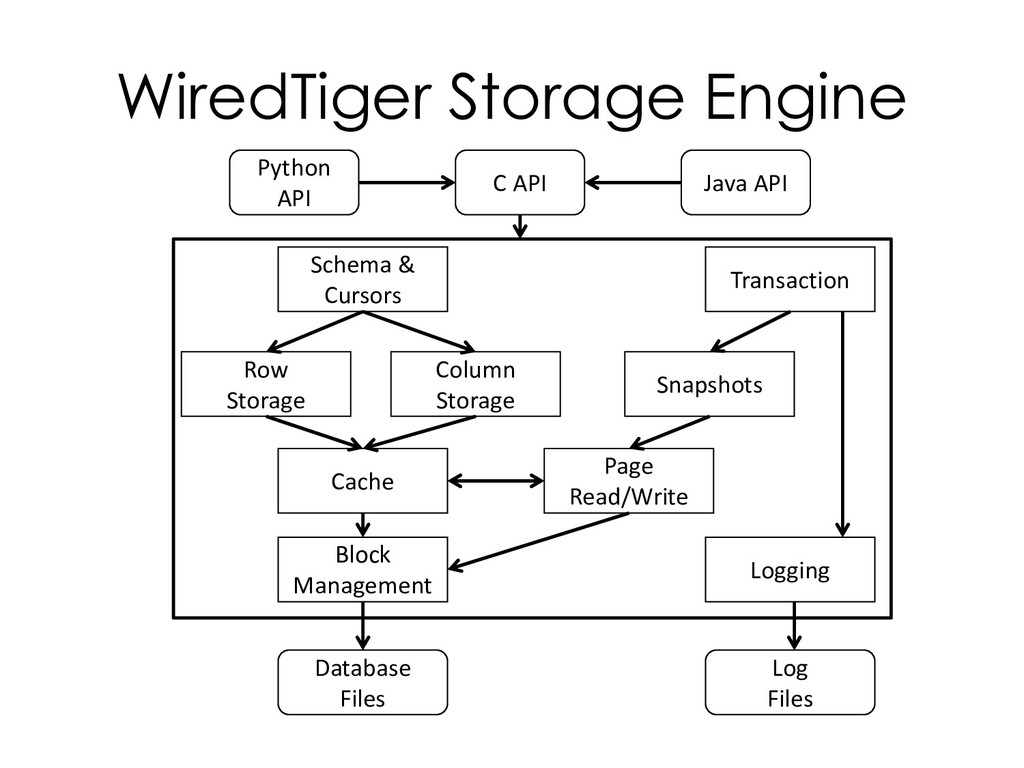
  39. WiredTiger Storage Engine Python API C API Java API Database

    Files Log Files Transaction Block Management Schema & Cursors Row Storage Column Storage Snapshots Cache Page Read/Write Logging
  40. In-Memory • 基於 WiredTiger Storage Engine • 除部分 metadata 及診斷資料外,不會將

    其他資料 (資料、索引、使用者憑證等)儲存 在磁碟機之上。 • 無論是正常或異常導致 mongod 程序關閉, 資料將會遺失。
  41. Encrypted Storage Engine • 基於 WiredTiger Storage Engine • Data

    at-rest (vs. data in-use) • Encryption Algorithm – AES-256 in CBC mode – AES-256 in GCM mode • 遵守 FIPS 140-2 規範 • 約略增加 15% overhead • 每個資料庫使用獨立的 key – Local key management : keyfile – 3rd party key management appliance using KMIP
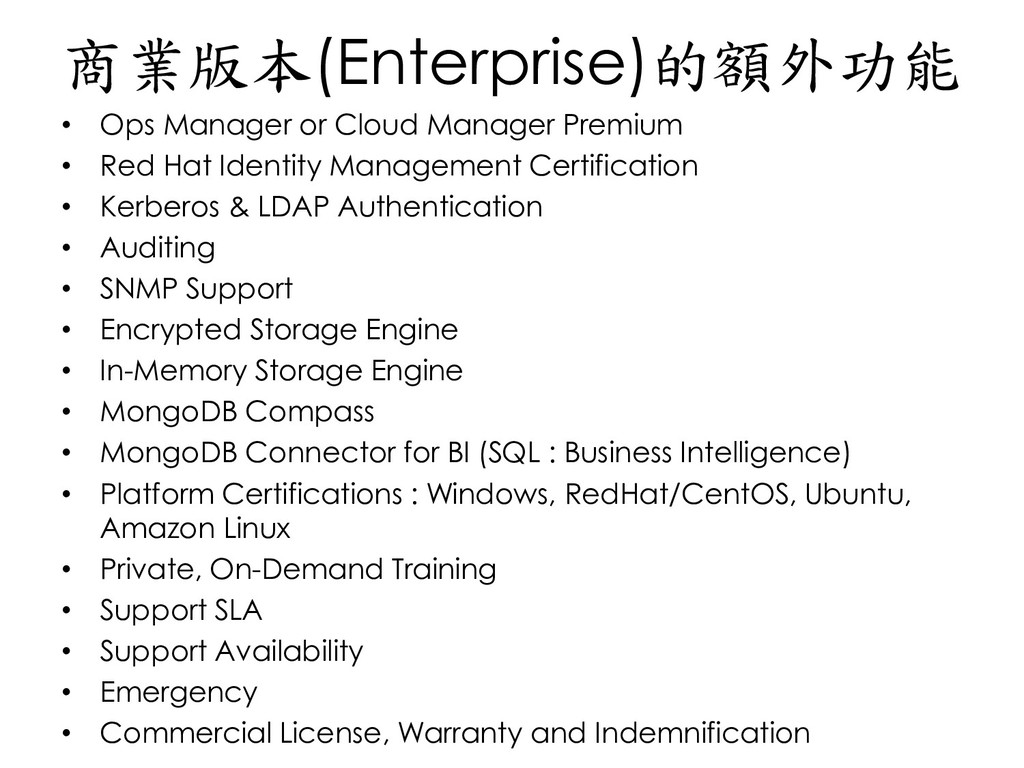
  42. 商業版本(Enterprise)的額外功能 • Ops Manager or Cloud Manager Premium • Red

    Hat Identity Management Certification • Kerberos & LDAP Authentication • Auditing • SNMP Support • Encrypted Storage Engine • In-Memory Storage Engine • MongoDB Compass • MongoDB Connector for BI (SQL : Business Intelligence) • Platform Certifications : Windows, RedHat/CentOS, Ubuntu, Amazon Linux • Private, On-Demand Training • Support SLA • Support Availability • Emergency • Commercial License, Warranty and Indemnification
  43. Q&A

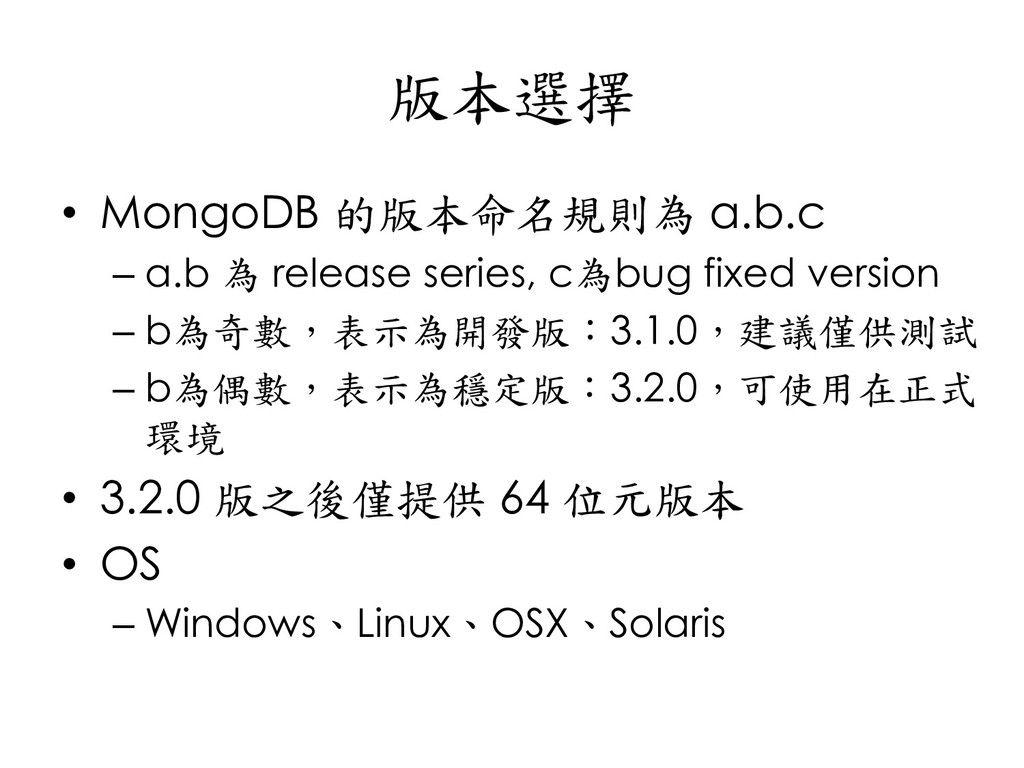
  44. 版本選擇 • MongoDB 的版本命名規則為 a.b.c – a.b 為 release series,

    c為bug fixed version – b為奇數,表示為開發版:3.1.0,建議僅供測試 – b為偶數,表示為穩定版:3.2.0,可使用在正式 環境 • 3.2.0 版之後僅提供 64 位元版本 • OS – Windows、Linux、OSX、Solaris
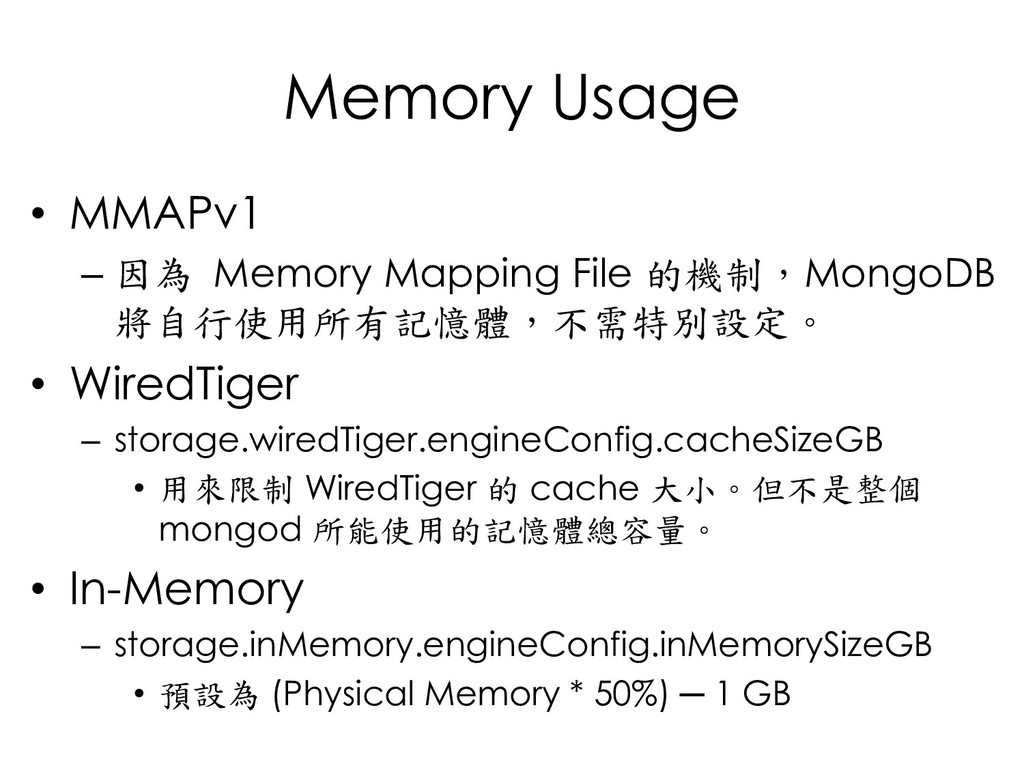
  45. Memory Usage • MMAPv1 – 因為 Memory Mapping File 的機制,MongoDB

    將自行使用所有記憶體,不需特別設定。 • WiredTiger – storage.wiredTiger.engineConfig.cacheSizeGB • 用來限制 WiredTiger 的 cache 大小。但不是整個 mongod 所能使用的記憶體總容量。 • In-Memory – storage.inMemory.engineConfig.inMemorySizeGB • 預設為 (Physical Memory * 50%) ─ 1 GB
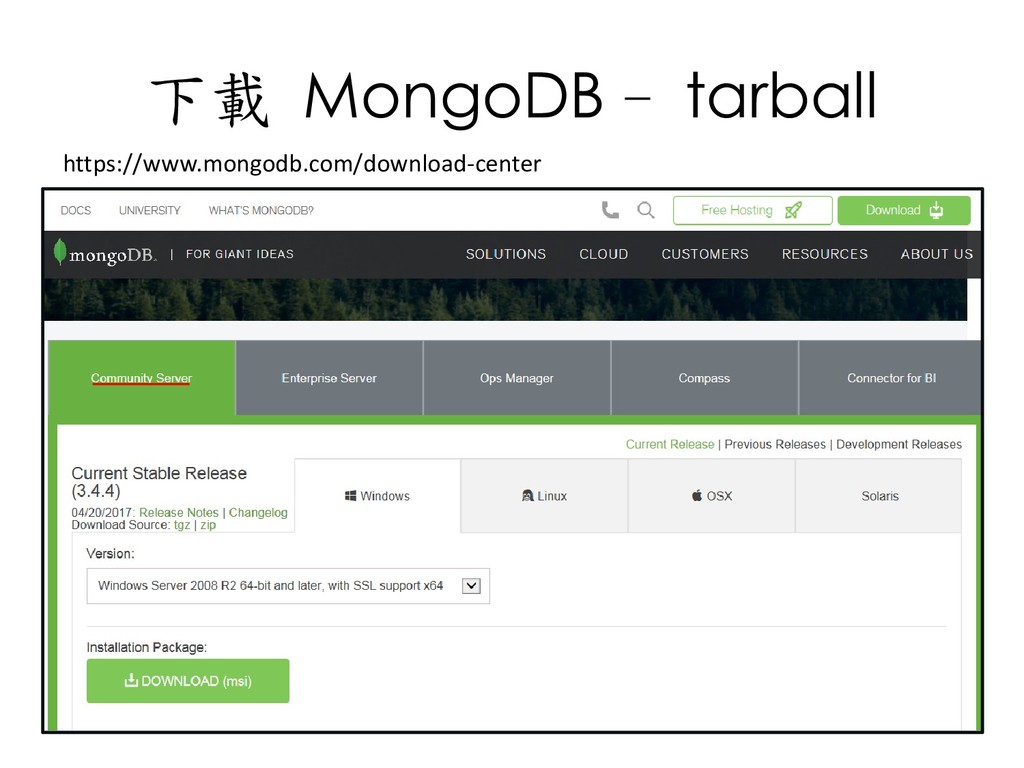
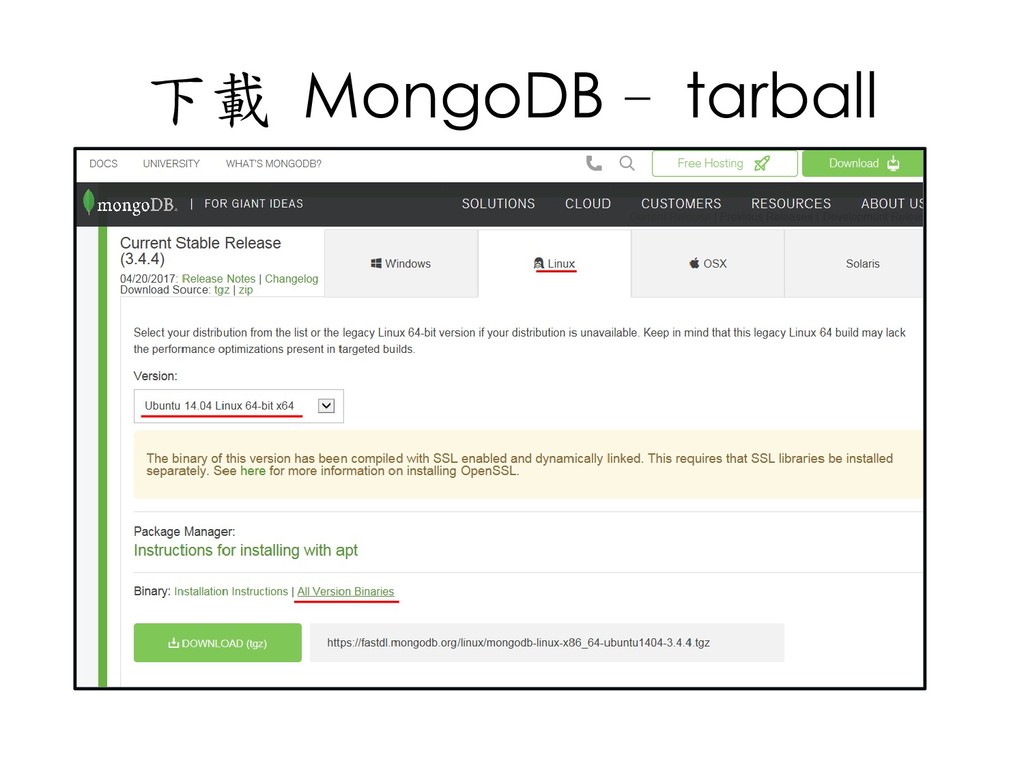
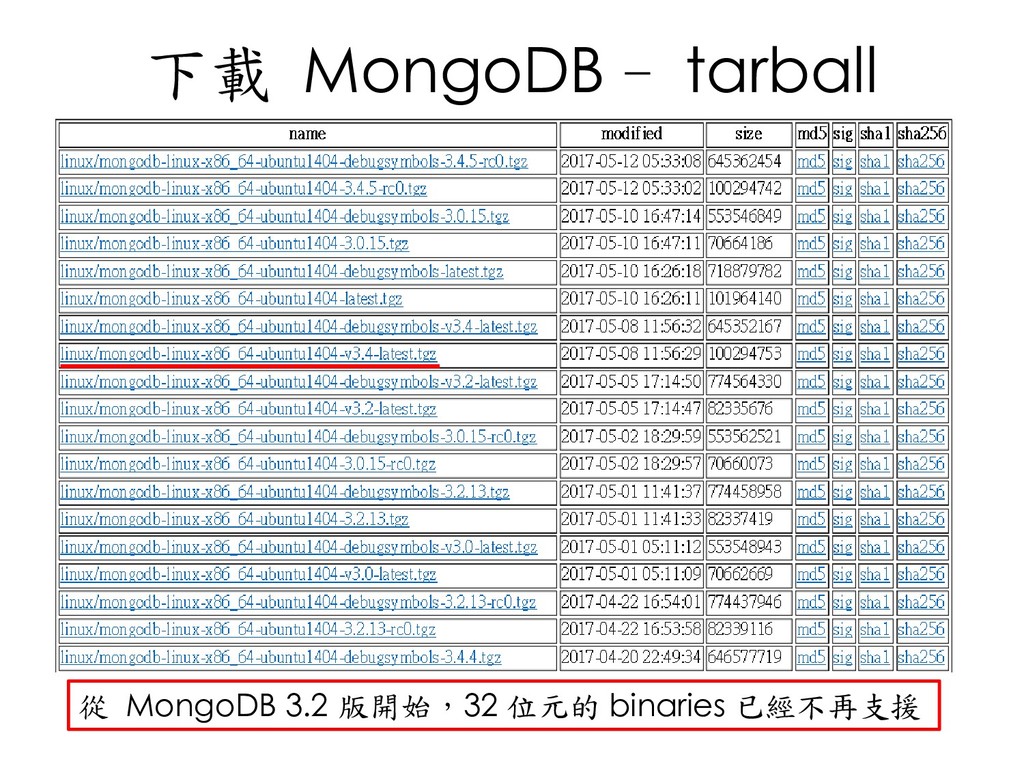
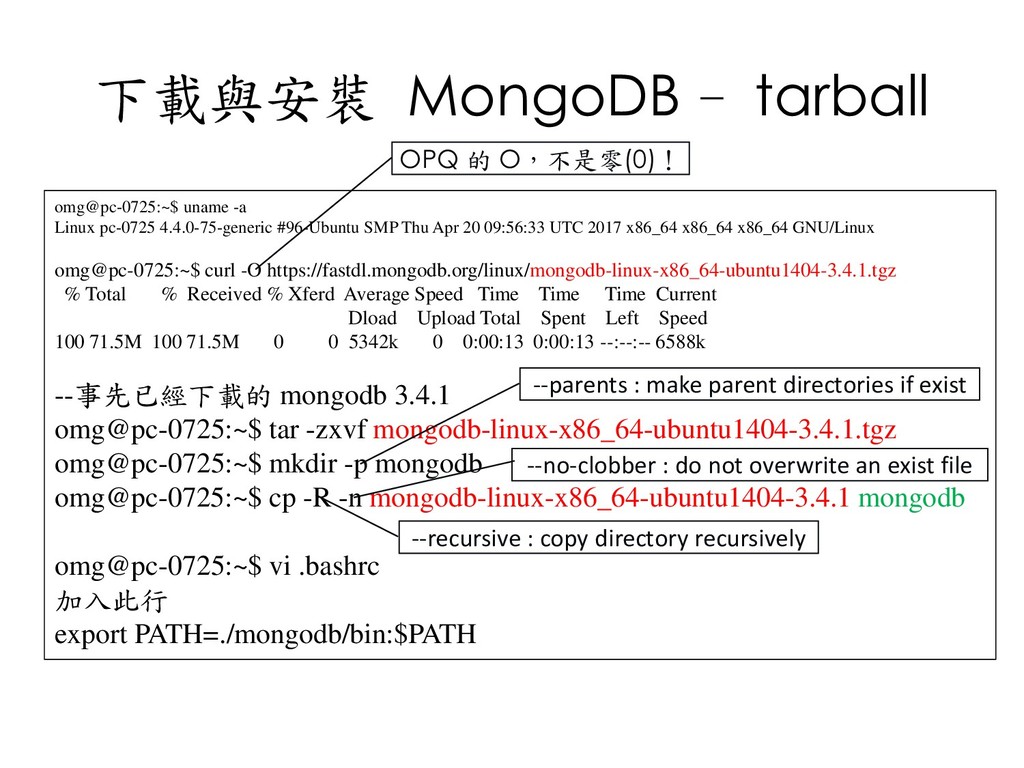
  46. 下載與安裝 MongoDB - tarball omg@pc-0725:~$ uname -a Linux pc-0725 4.4.0-75-generic

    #96-Ubuntu SMP Thu Apr 20 09:56:33 UTC 2017 x86_64 x86_64 x86_64 GNU/Linux omg@pc-0725:~$ curl -O https://fastdl.mongodb.org/linux/mongodb-linux-x86_64-ubuntu1404-3.4.1.tgz % Total % Received % Xferd Average Speed Time Time Time Current Dload Upload Total Spent Left Speed 100 71.5M 100 71.5M 0 0 5342k 0 0:00:13 0:00:13 --:--:-- 6588k --事先已經下載的 mongodb 3.4.1 omg@pc-0725:~$ tar -zxvf mongodb-linux-x86_64-ubuntu1404-3.4.1.tgz omg@pc-0725:~$ mkdir -p mongodb omg@pc-0725:~$ cp -R -n mongodb-linux-x86_64-ubuntu1404-3.4.1 mongodb omg@pc-0725:~$ vi .bashrc 加入此行 export PATH=./mongodb/bin:$PATH --parents : make parent directories if exist --no-clobber : do not overwrite an exist file --recursive : copy directory recursively OPQ 的 O,不是零(0)!
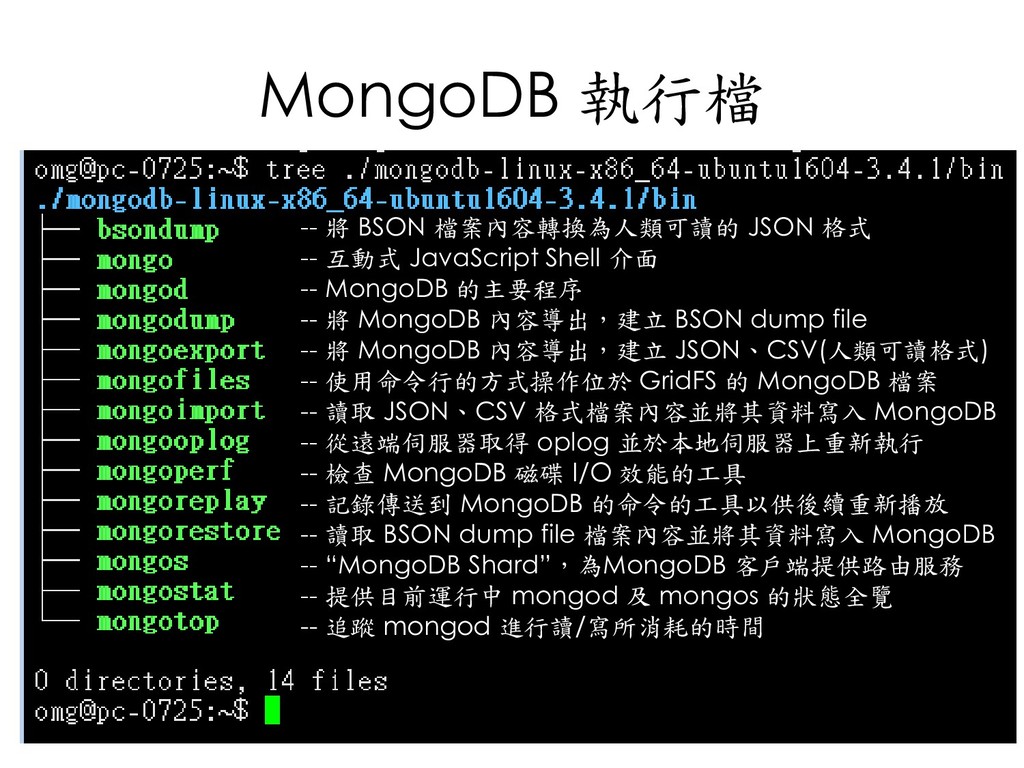
  47. MongoDB 執行檔 -- 將 BSON 檔案內容轉換為人類可讀的 JSON 格式 -- 互動式

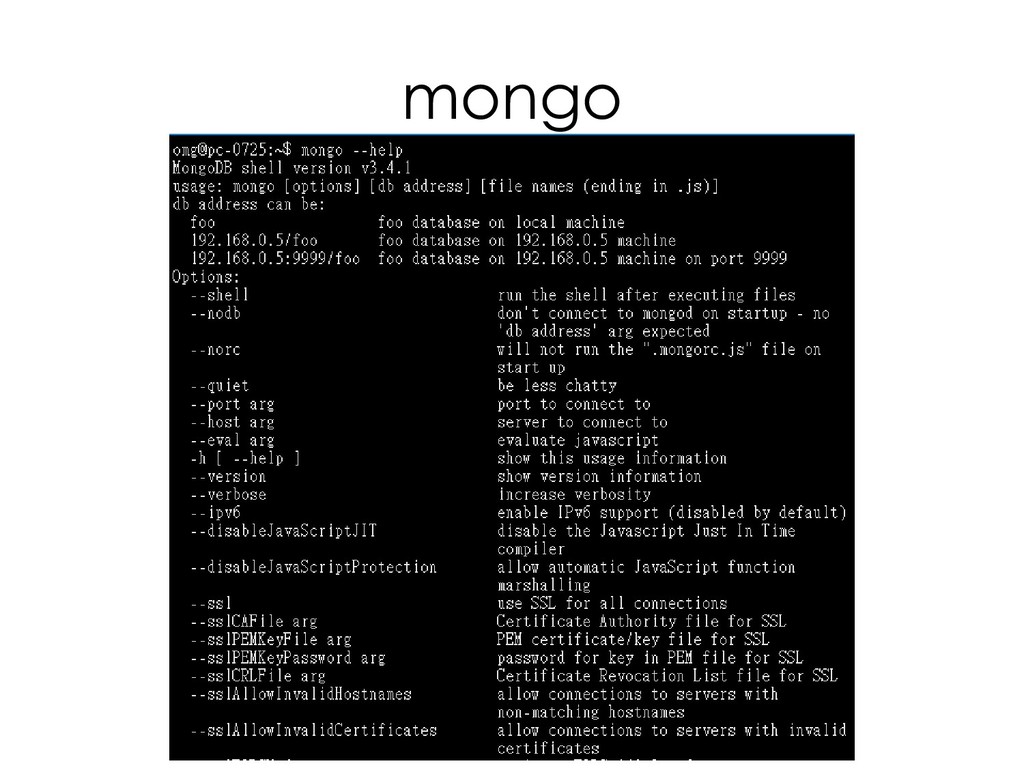
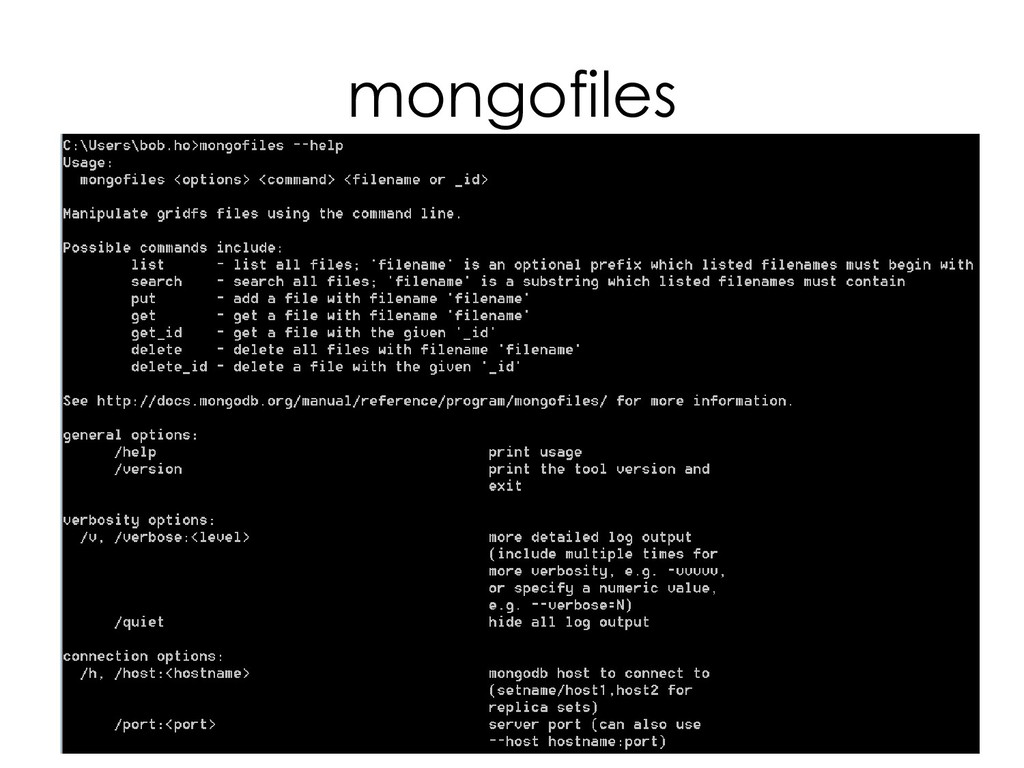
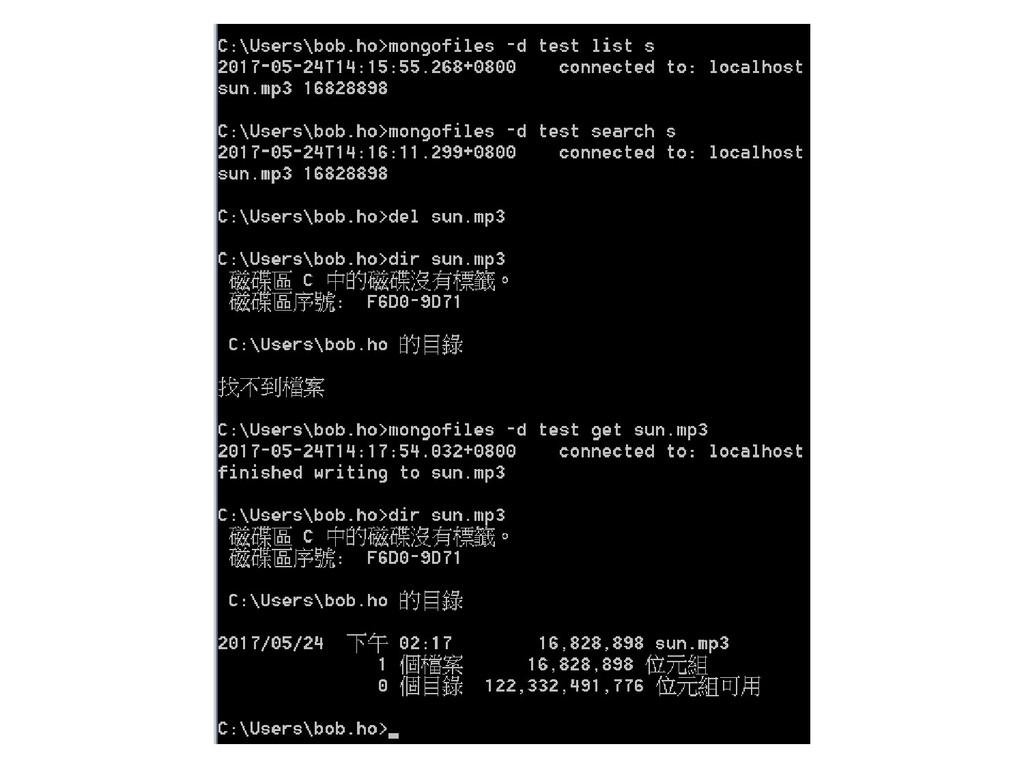
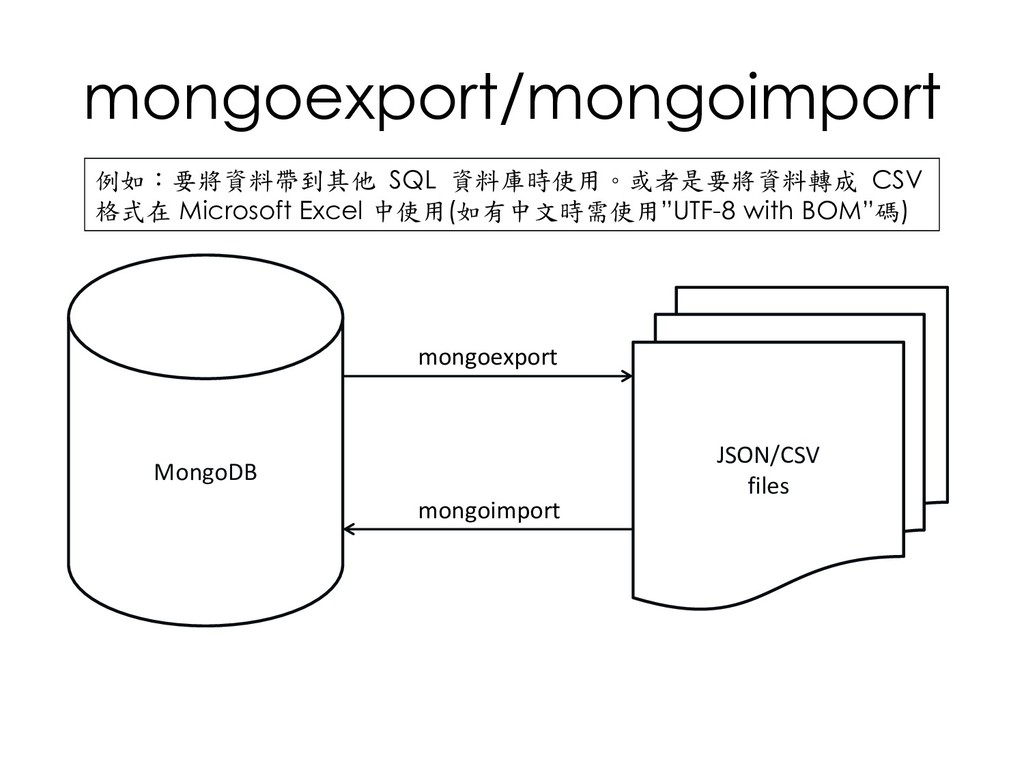
    JavaScript Shell 介面 -- MongoDB 的主要程序 -- 將 MongoDB 內容導出,建立 BSON dump file -- 將 MongoDB 內容導出,建立 JSON、CSV(人類可讀格式) -- 使用命令行的方式操作位於 GridFS 的 MongoDB 檔案 -- 讀取 JSON、CSV 格式檔案內容並將其資料寫入 MongoDB -- 從遠端伺服器取得 oplog 並於本地伺服器上重新執行 -- 檢查 MongoDB 磁碟 I/O 效能的工具 -- 記錄傳送到 MongoDB 的命令的工具以供後續重新播放 -- 讀取 BSON dump file 檔案內容並將其資料寫入 MongoDB -- “MongoDB Shard”,為MongoDB 客戶端提供路由服務 -- 提供目前運行中 mongod 及 mongos 的狀態全覽 -- 追蹤 mongod 進行讀/寫所消耗的時間
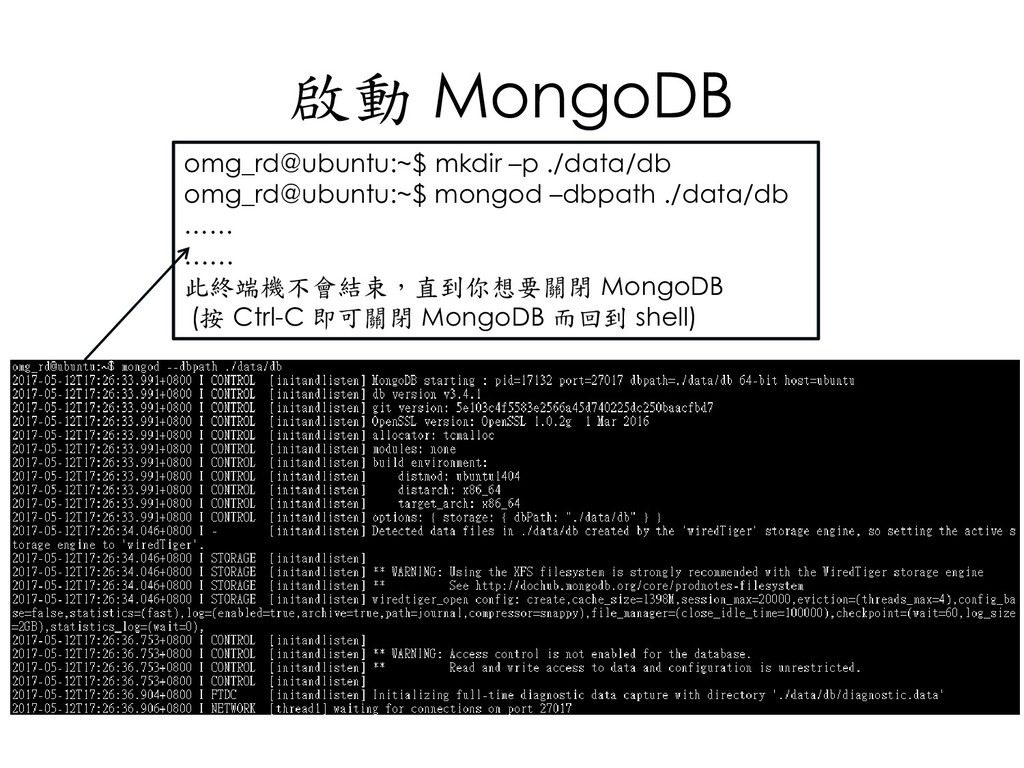
  48. 啟動 MongoDB omg_rd@ubuntu:~$ mkdir –p ./data/db omg_rd@ubuntu:~$ mongod –dbpath ./data/db

    …… …… 此終端機不會結束,直到你想要關閉 MongoDB (按 Ctrl-C 即可關閉 MongoDB 而回到 shell)
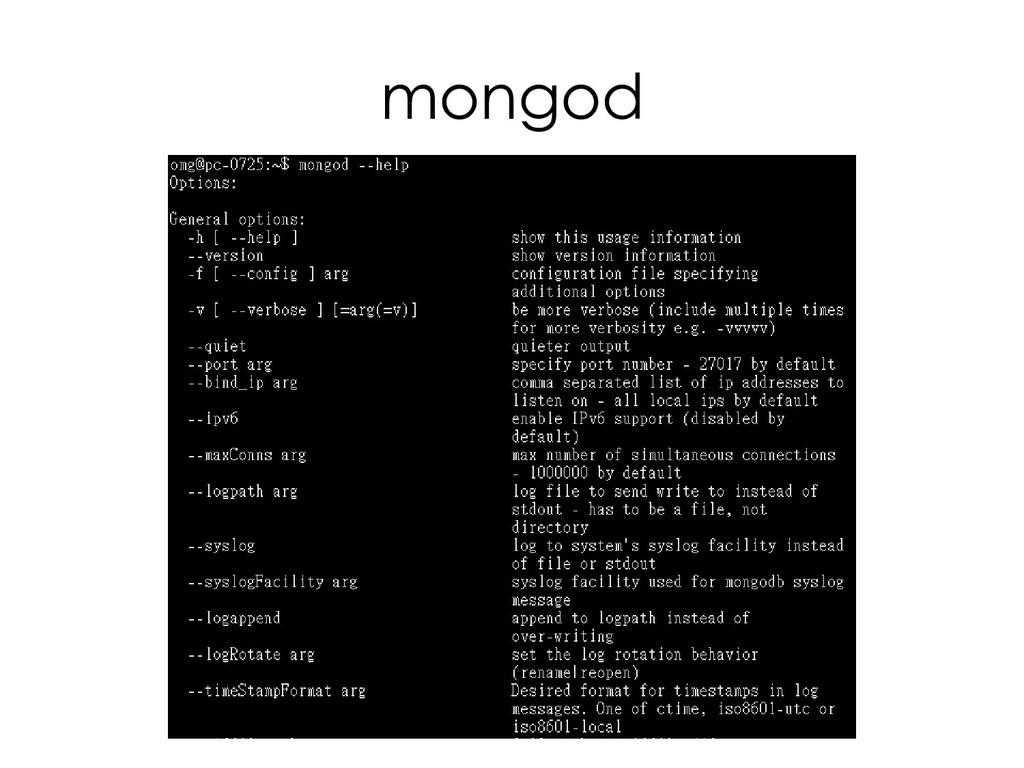
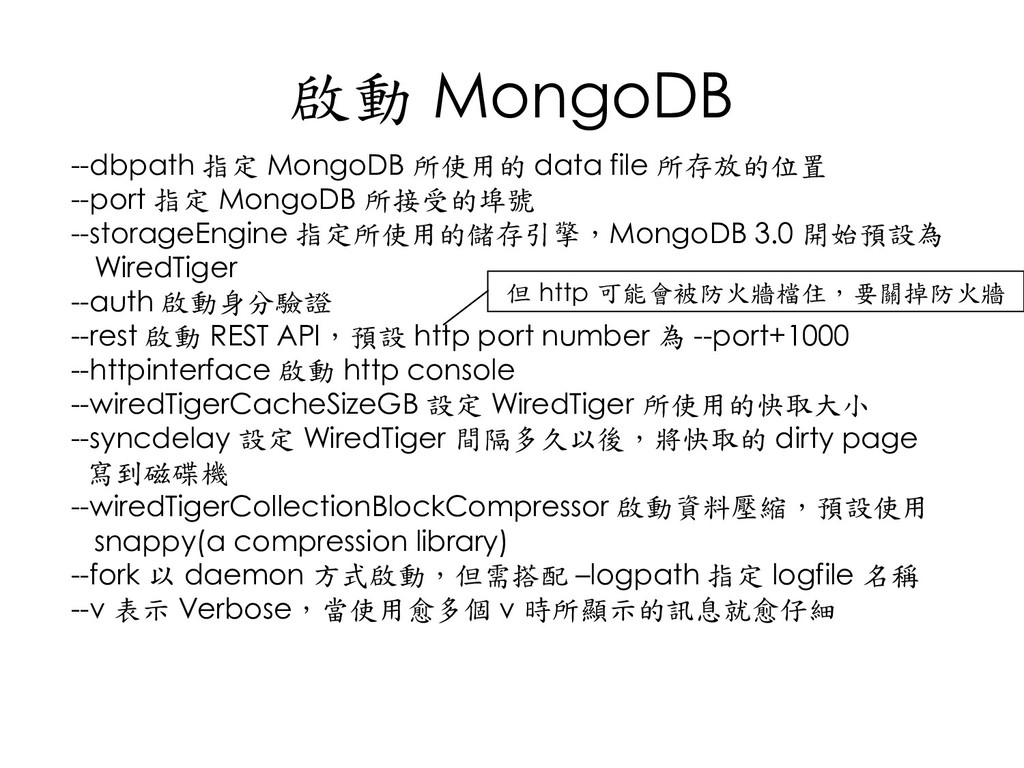
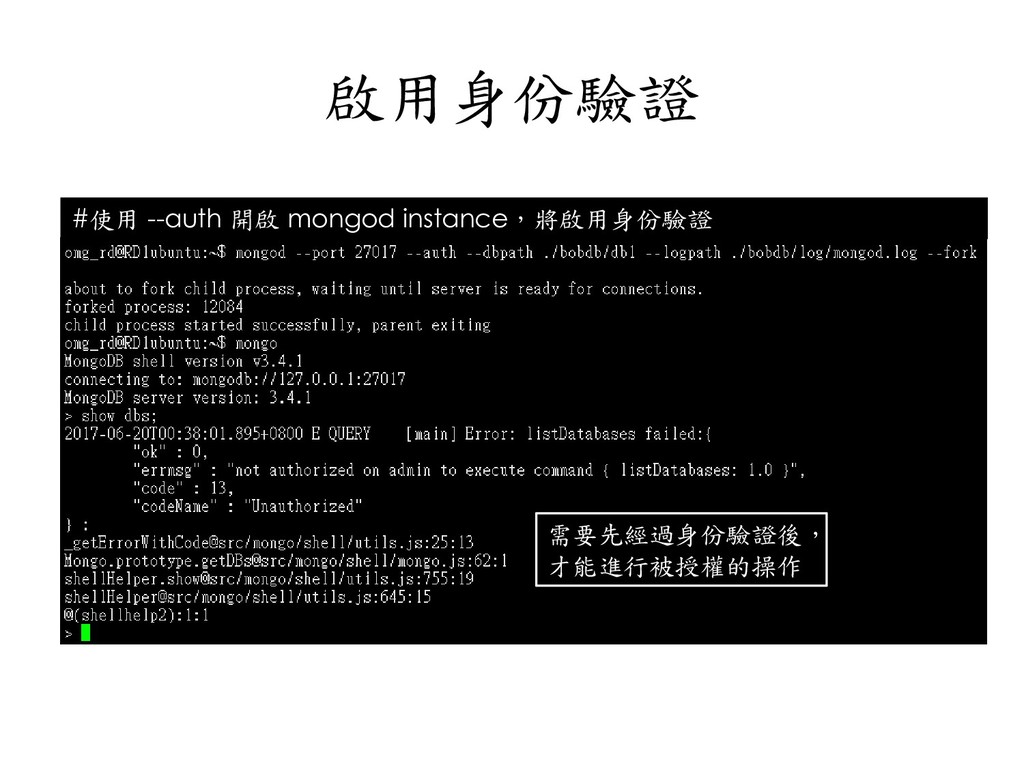
  49. 啟動 MongoDB --dbpath 指定 MongoDB 所使用的 data file 所存放的位置 --port

    指定 MongoDB 所接受的埠號 --storageEngine 指定所使用的儲存引擎,MongoDB 3.0 開始預設為 WiredTiger --auth 啟動身分驗證 --rest 啟動 REST API,預設 http port number 為 --port+1000 --httpinterface 啟動 http console --wiredTigerCacheSizeGB 設定 WiredTiger 所使用的快取大小 --syncdelay 設定 WiredTiger 間隔多久以後,將快取的 dirty page 寫到磁碟機 --wiredTigerCollectionBlockCompressor 啟動資料壓縮,預設使用 snappy(a compression library) --fork 以 daemon 方式啟動,但需搭配 –logpath 指定 logfile 名稱 --v 表示 Verbose,當使用愈多個 v 時所顯示的訊息就愈仔細 但 http 可能會被防火牆檔住,要關掉防火牆
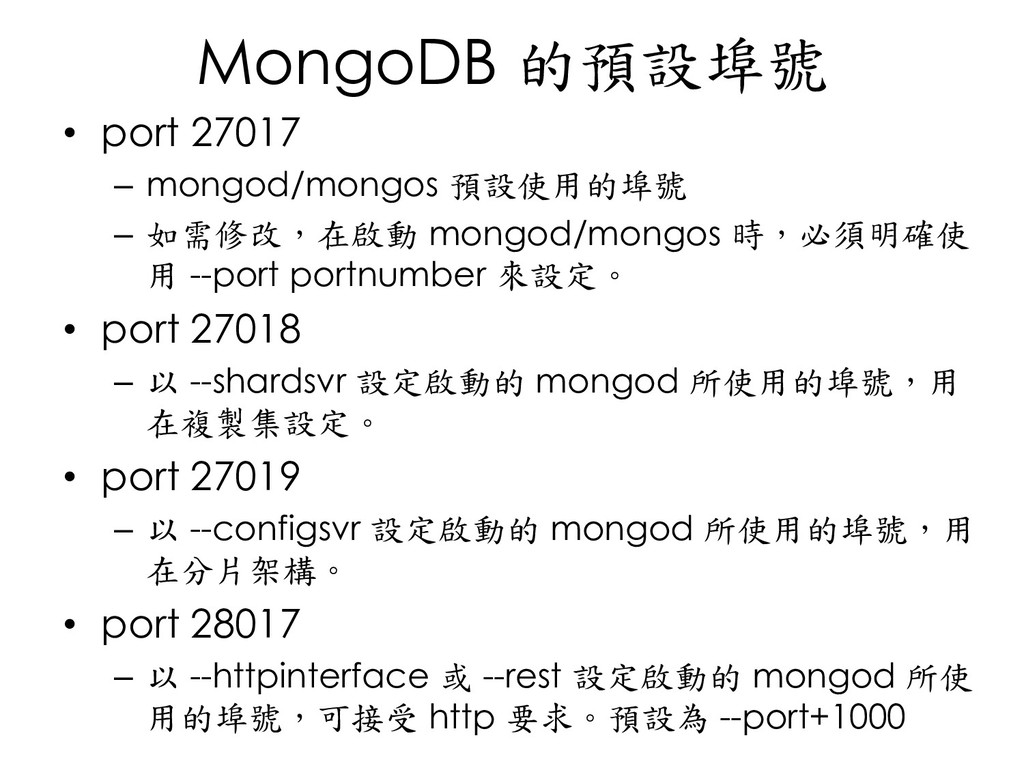
  50. MongoDB 的預設埠號 • port 27017 – mongod/mongos 預設使用的埠號 – 如需修改,在啟動

    mongod/mongos 時,必須明確使 用 --port portnumber 來設定。 • port 27018 – 以 --shardsvr 設定啟動的 mongod 所使用的埠號,用 在複製集設定。 • port 27019 – 以 --configsvr 設定啟動的 mongod 所使用的埠號,用 在分片架構。 • port 28017 – 以 --httpinterface 或 --rest 設定啟動的 mongod 所使 用的埠號,可接受 http 要求。預設為 --port+1000
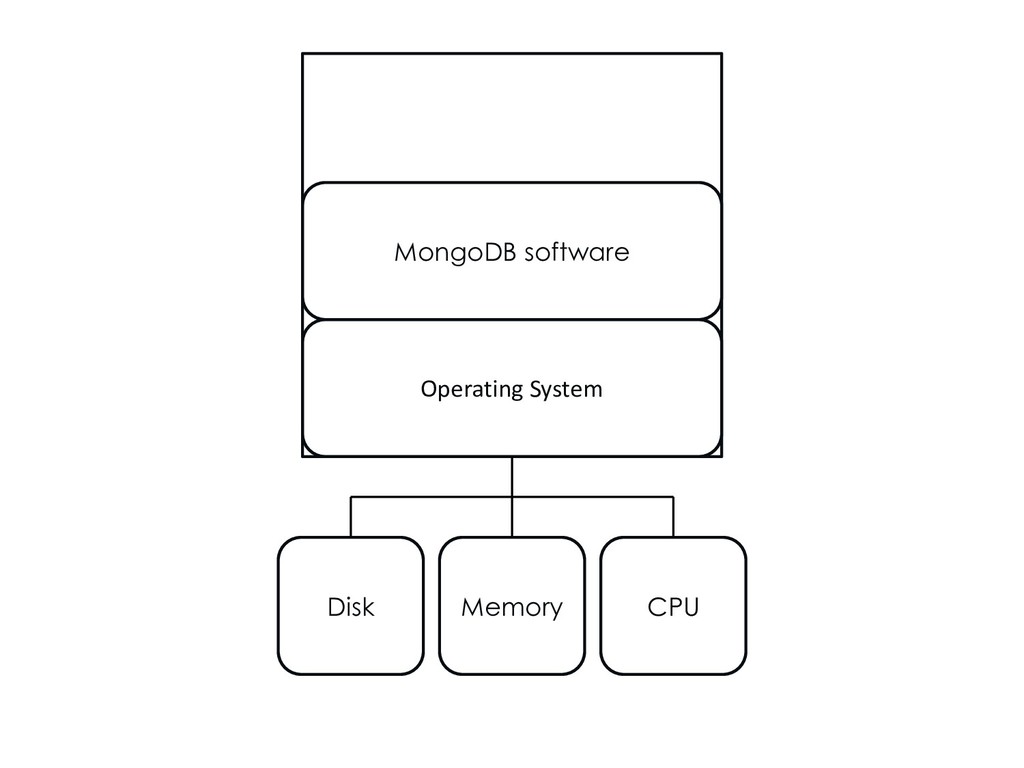
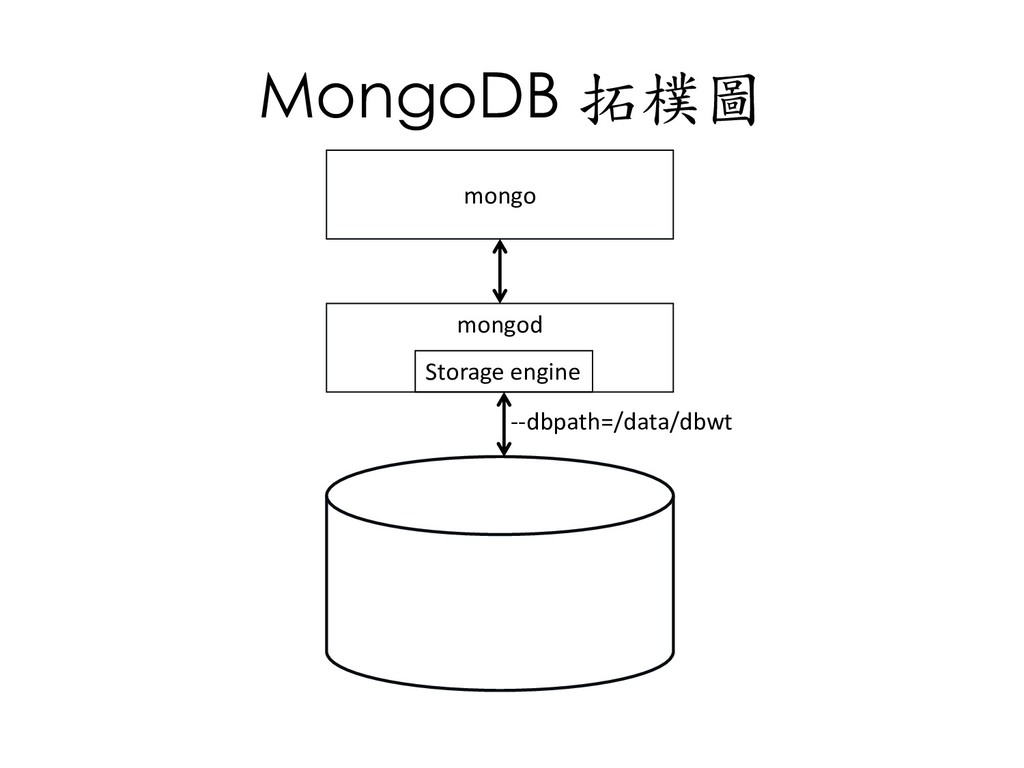
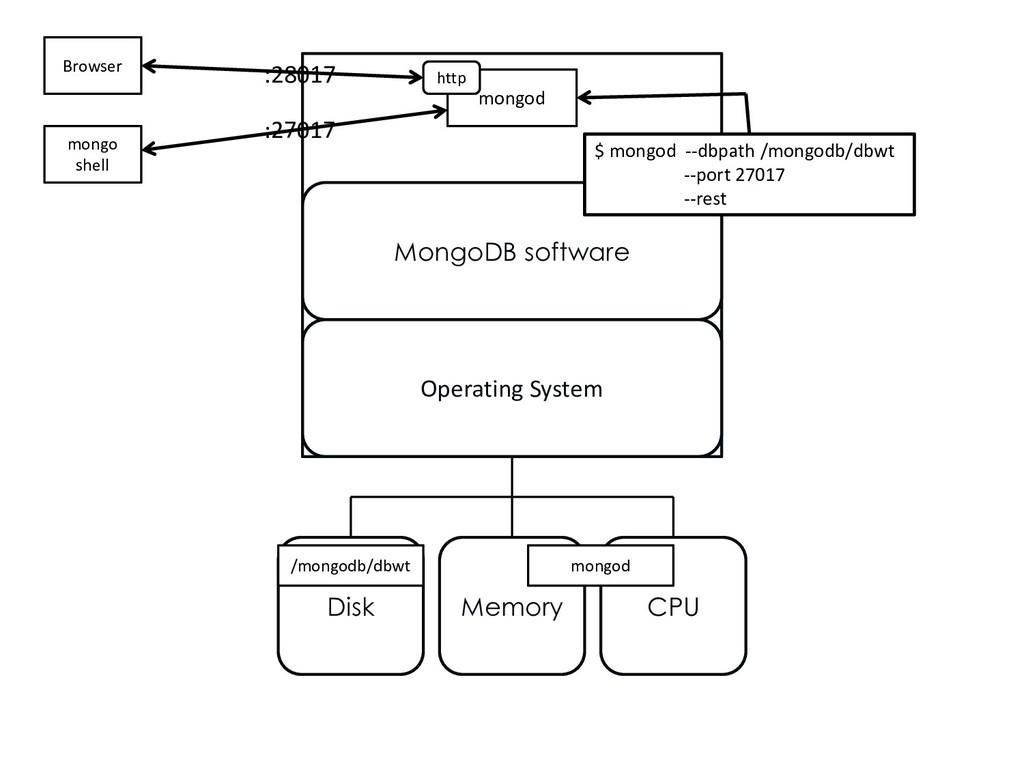
  51. MongoDB software Operating System Memory CPU Disk /mongodb/dbwt mongod $

    mongod --dbpath /mongodb/dbwt --port 27017 --rest mongod Browser mongo shell http :28017 :27017
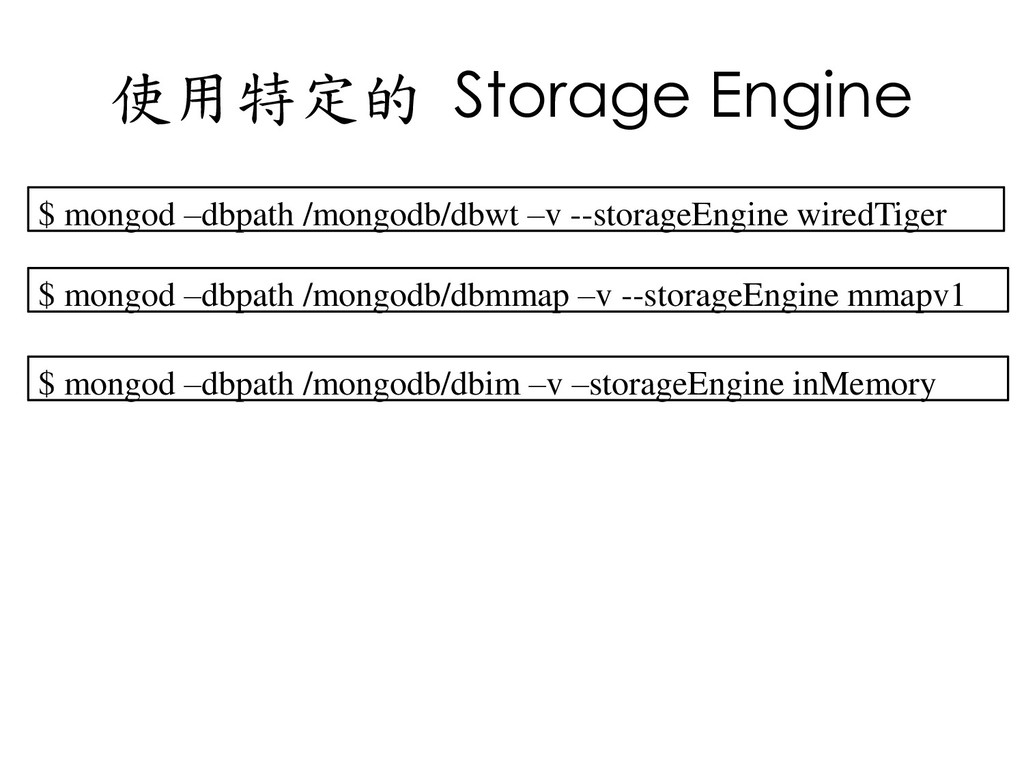
  52. 使用特定的 Storage Engine $ mongod –dbpath /mongodb/dbwt –v --storageEngine wiredTiger

    $ mongod –dbpath /mongodb/dbmmap –v --storageEngine mmapv1 $ mongod –dbpath /mongodb/dbim –v –storageEngine inMemory
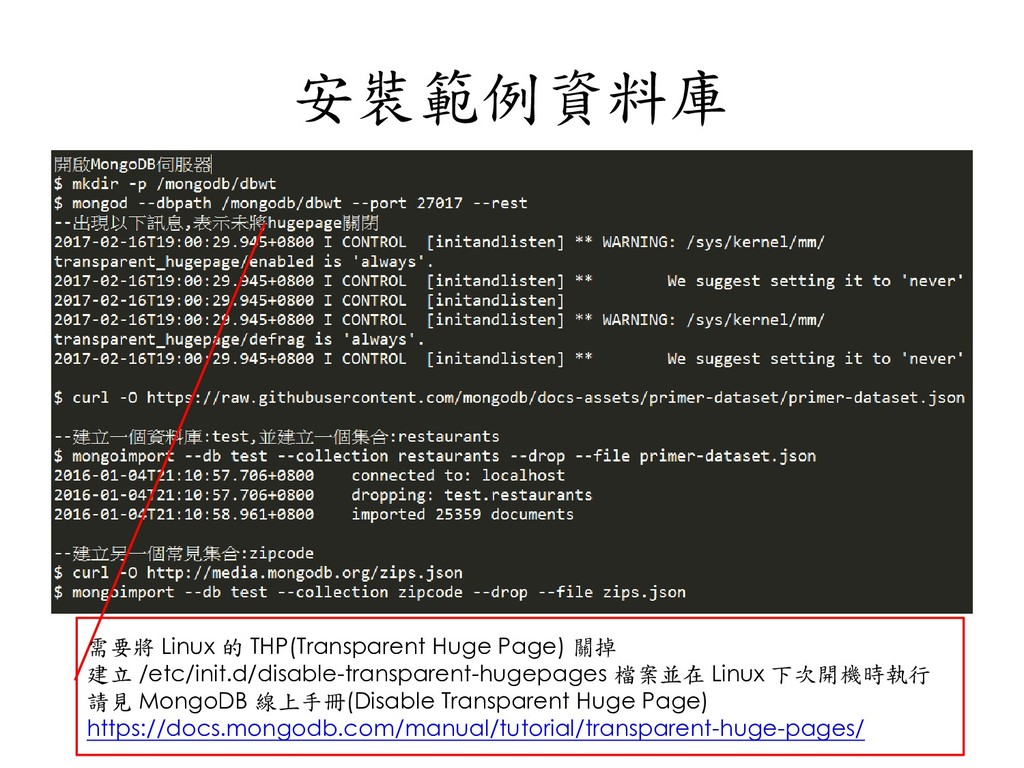
  53. 安裝範例資料庫 需要將 Linux 的 THP(Transparent Huge Page) 關掉 建立 /etc/init.d/disable-transparent-hugepages

    檔案並在 Linux 下次開機時執行 請見 MongoDB 線上手冊(Disable Transparent Huge Page) https://docs.mongodb.com/manual/tutorial/transparent-huge-pages/
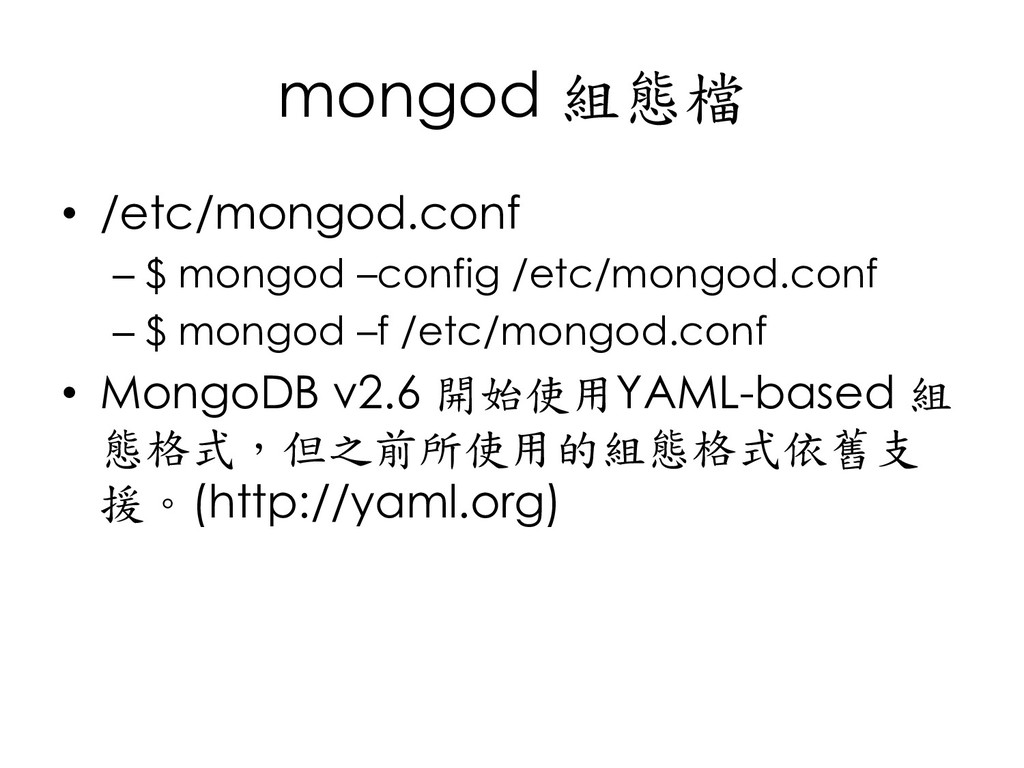
  54. mongod 組態檔 • /etc/mongod.conf – $ mongod –config /etc/mongod.conf –

    $ mongod –f /etc/mongod.conf • MongoDB v2.6 開始使用YAML-based 組 態格式,但之前所使用的組態格式依舊支 援。(http://yaml.org)
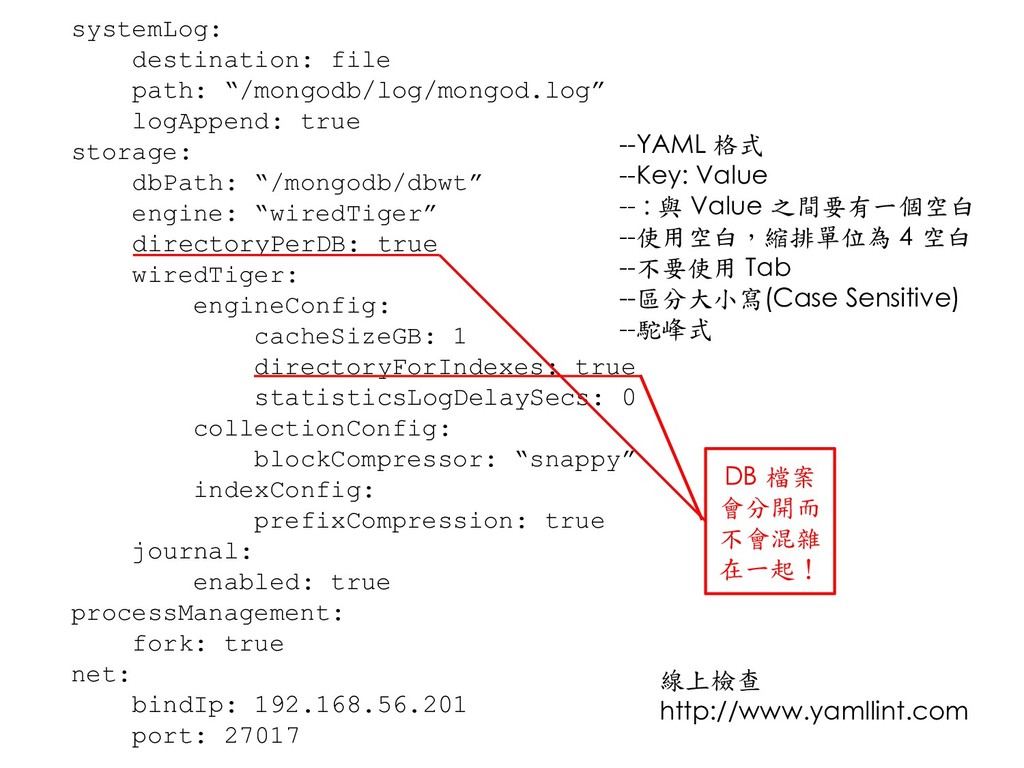
  55. systemLog: destination: file path: “/mongodb/log/mongod.log” logAppend: true storage: dbPath: “/mongodb/dbwt”

    engine: “wiredTiger” directoryPerDB: true wiredTiger: engineConfig: cacheSizeGB: 1 directoryForIndexes: true statisticsLogDelaySecs: 0 collectionConfig: blockCompressor: “snappy” indexConfig: prefixCompression: true journal: enabled: true processManagement: fork: true net: bindIp: 192.168.56.201 port: 27017 --YAML 格式 --Key: Value -- : 與 Value 之間要有一個空白 --使用空白,縮排單位為 4 空白 --不要使用 Tab --區分大小寫(Case Sensitive) --駝峰式 DB 檔案 會分開而 不會混雜 在一起! 線上檢查 http://www.yamllint.com
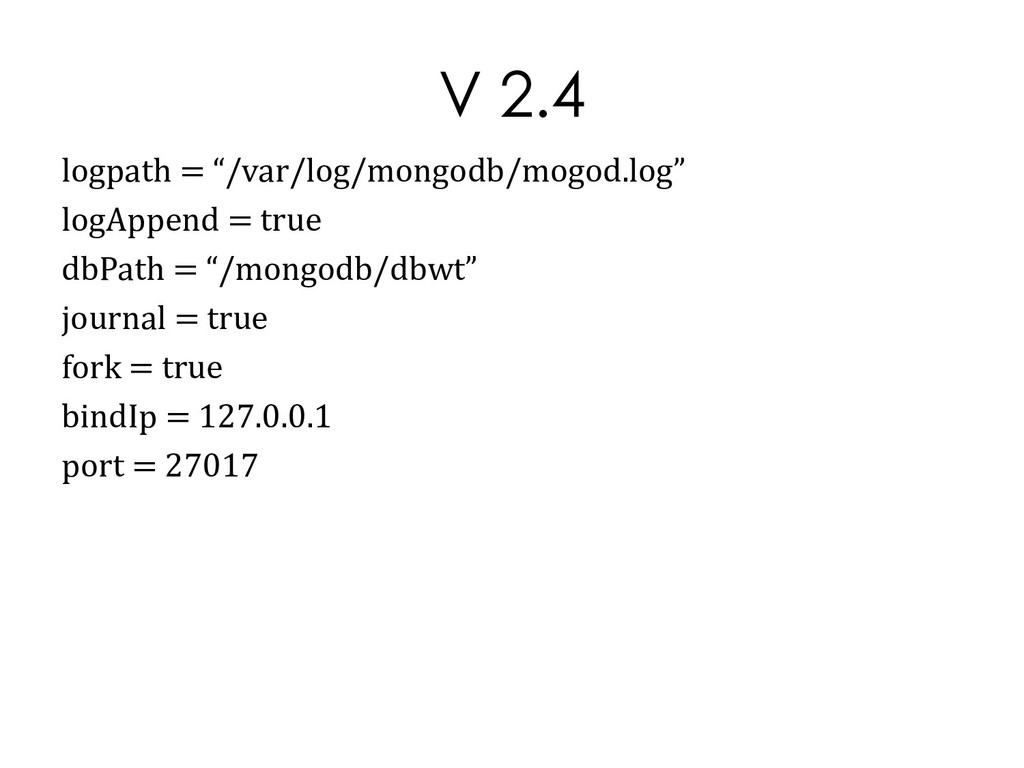
  56. V 2.4 logpath = “/var/log/mongodb/mogod.log” logAppend = true dbPath =

    “/mongodb/dbwt” journal = true fork = true bindIp = 127.0.0.1 port = 27017
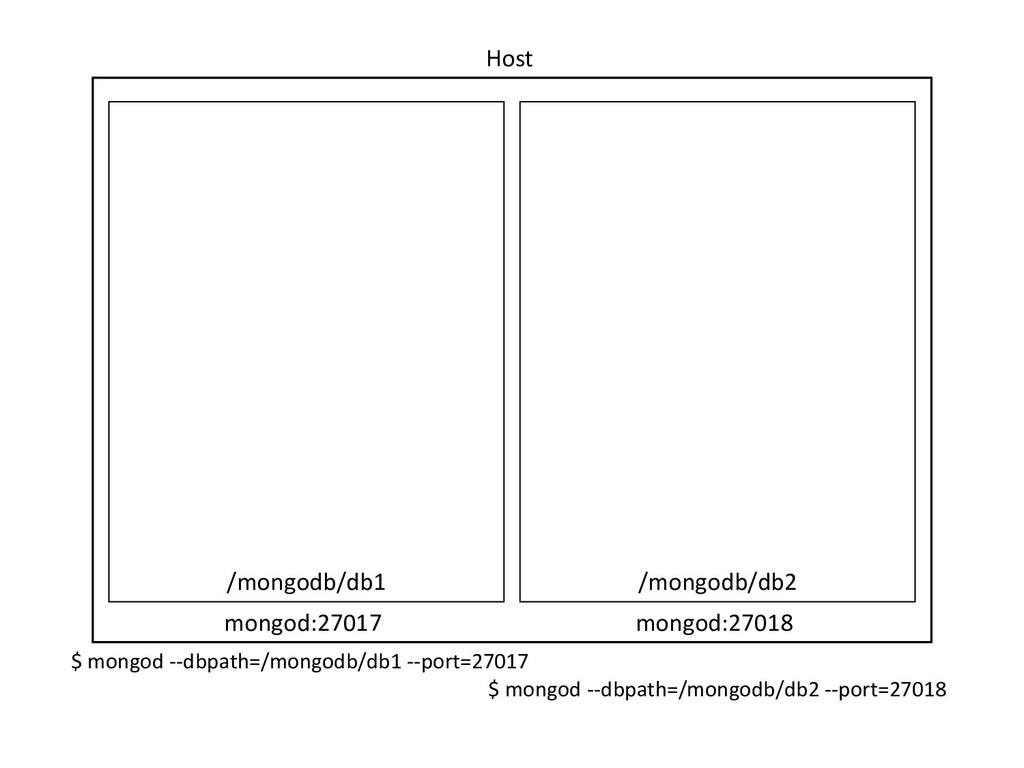
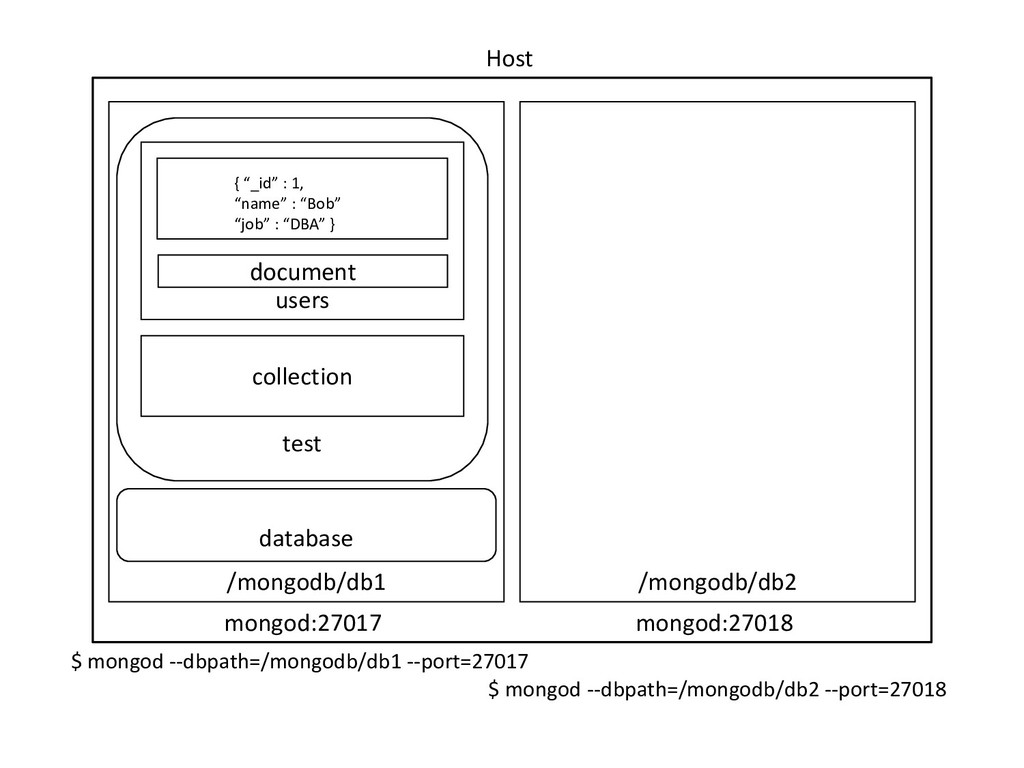
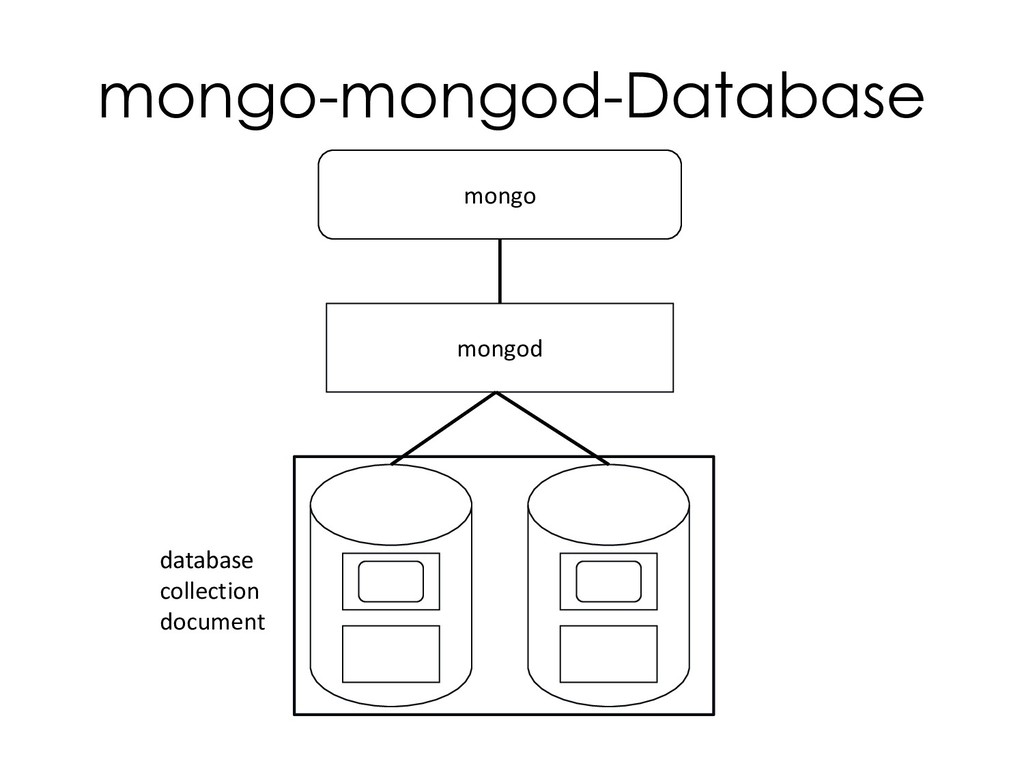
  57. Host mongod:27017 mongod:27018 /mongodb/db1 /mongodb/db2 $ mongod --dbpath=/mongodb/db1 --port=27017 $

    mongod --dbpath=/mongodb/db2 --port=27018 database test collection users document { “_id” : 1, “name” : “Bob” “job” : “DBA” }
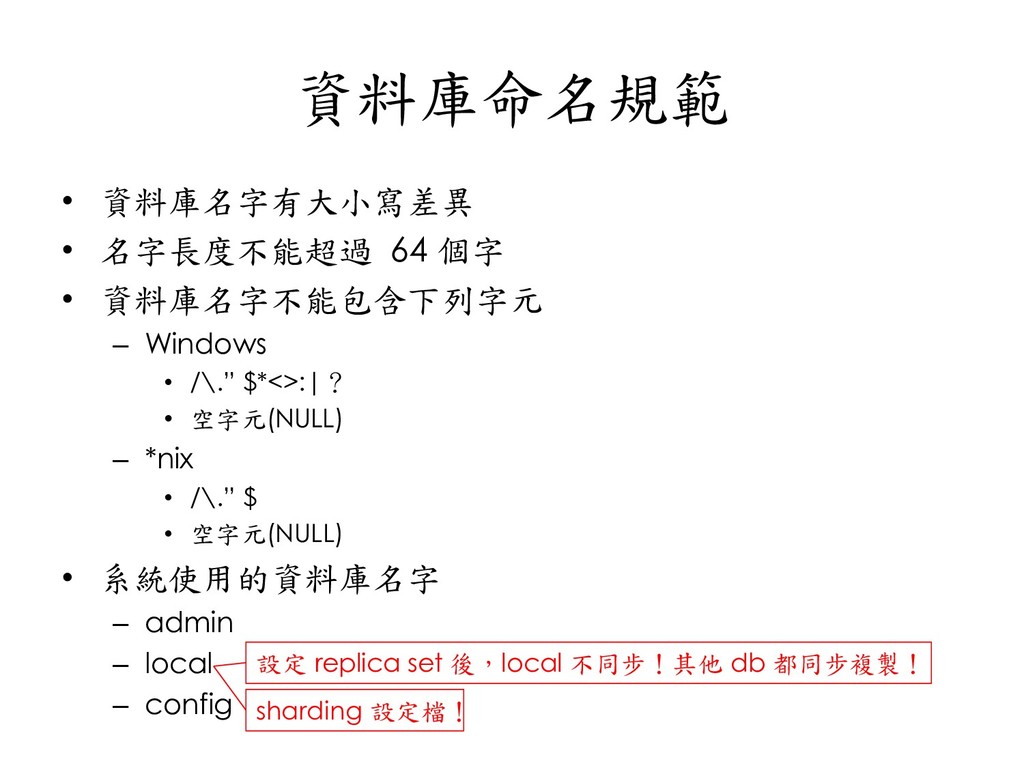
  58. 資料庫命名規範 • 資料庫名字有大小寫差異 • 名字長度不能超過 64 個字 • 資料庫名字不能包含下列字元 –

    Windows • /\.” $*<>:|? • 空字元(NULL) – *nix • /\.” $ • 空字元(NULL) • 系統使用的資料庫名字 – admin – local – config 設定 replica set 後,local 不同步!其他 db 都同步複製! sharding 設定檔!
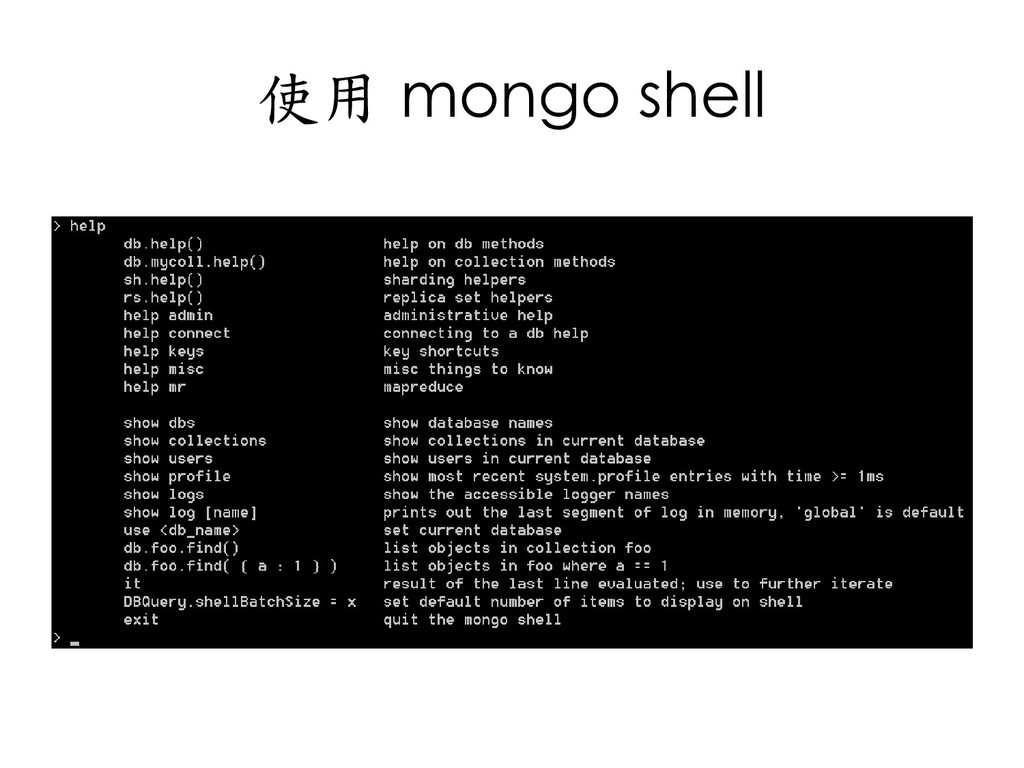
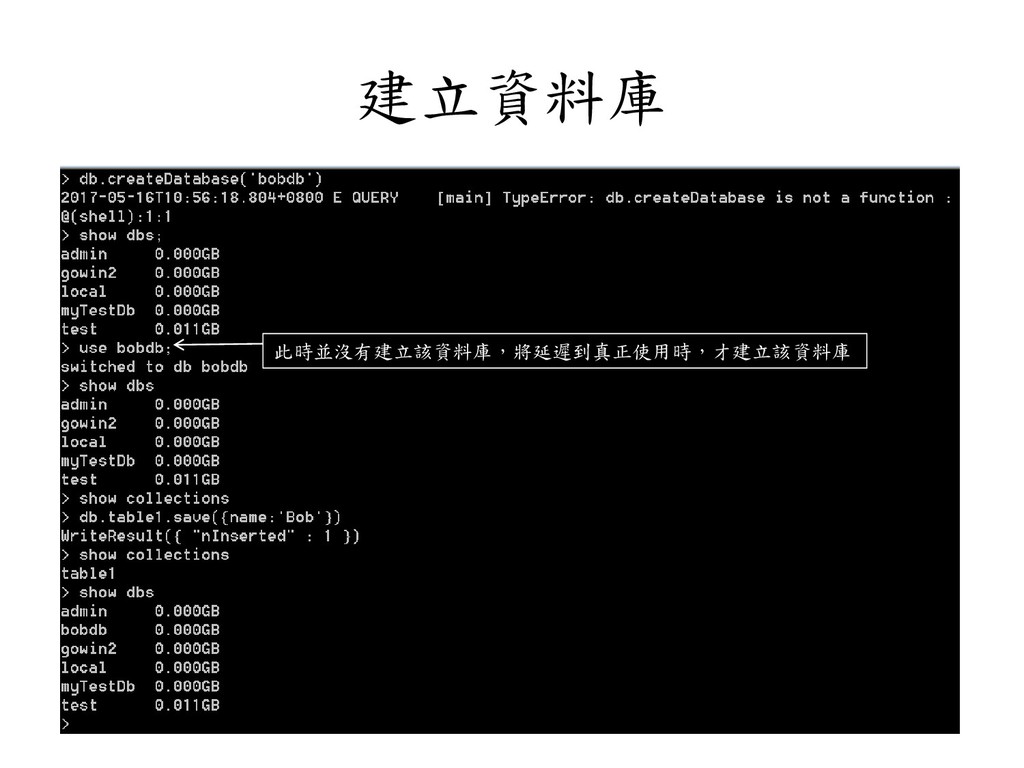
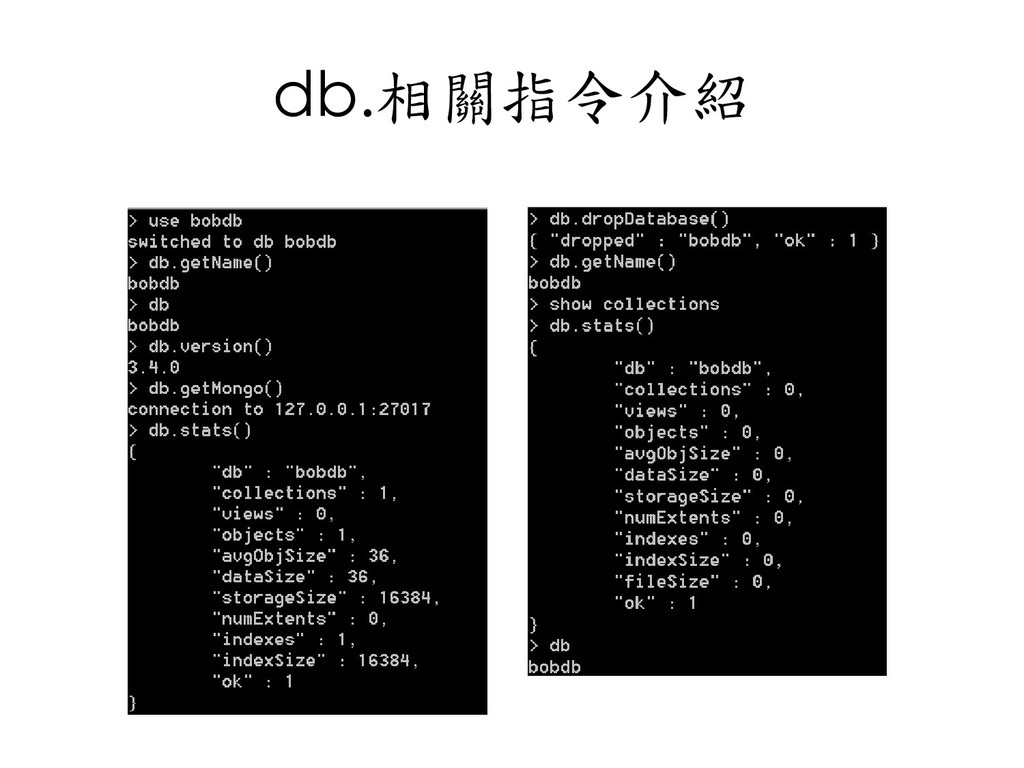
  59. 資料庫常用指令 • db.help(); • show dbs; • use dbname; •

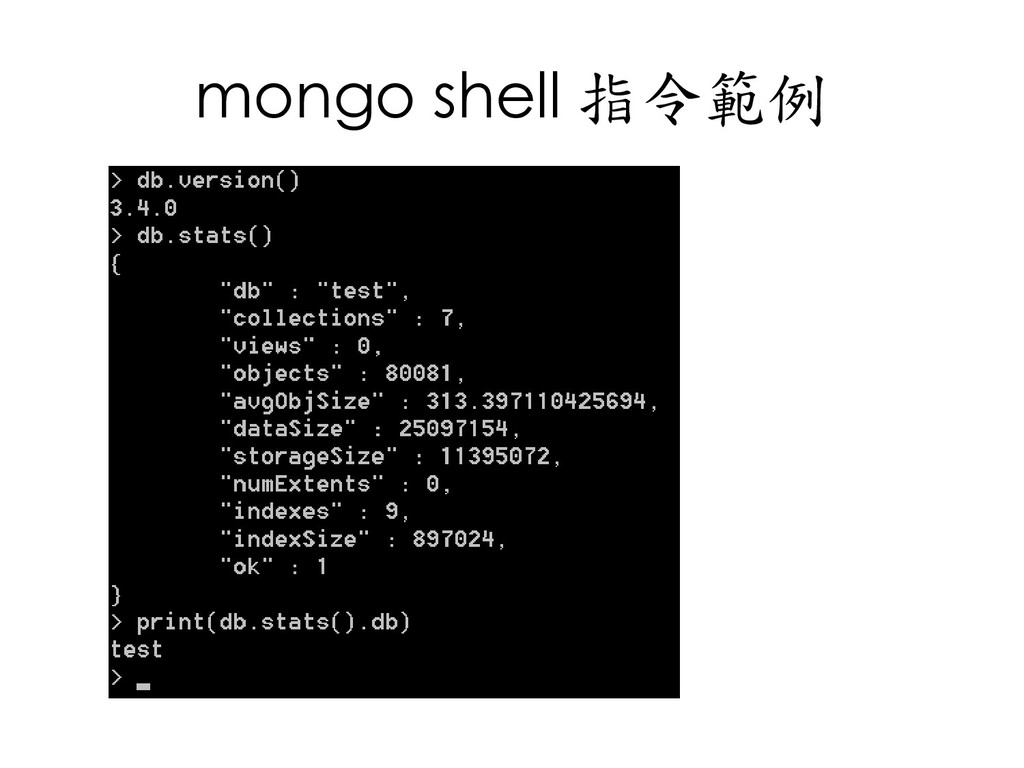
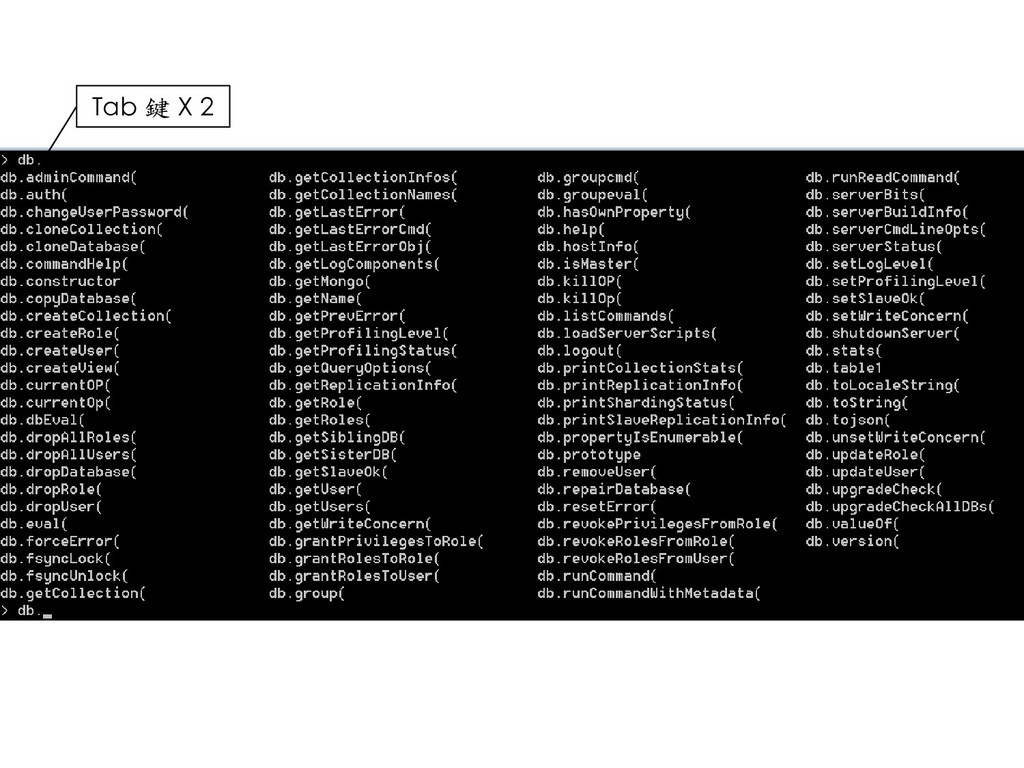
    db.getName(); • db.stats(); • db.version(); • db.getMongo(); • db.dropDatabase(); • db.repaireDatabase(); 區分大小寫
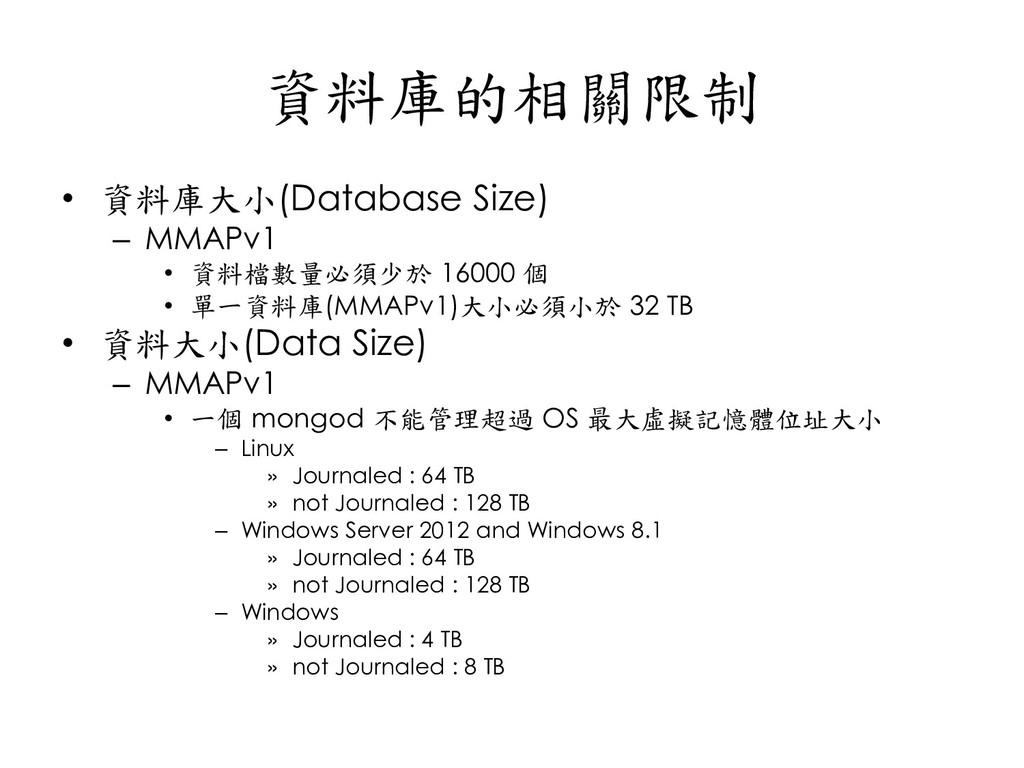
  60. 資料庫的相關限制 • 資料庫大小(Database Size) – MMAPv1 • 資料檔數量必須少於 16000 個

    • 單一資料庫(MMAPv1)大小必須小於 32 TB • 資料大小(Data Size) – MMAPv1 • 一個 mongod 不能管理超過 OS 最大虛擬記憶體位址大小 – Linux » Journaled : 64 TB » not Journaled : 128 TB – Windows Server 2012 and Windows 8.1 » Journaled : 64 TB » not Journaled : 128 TB – Windows » Journaled : 4 TB » not Journaled : 8 TB
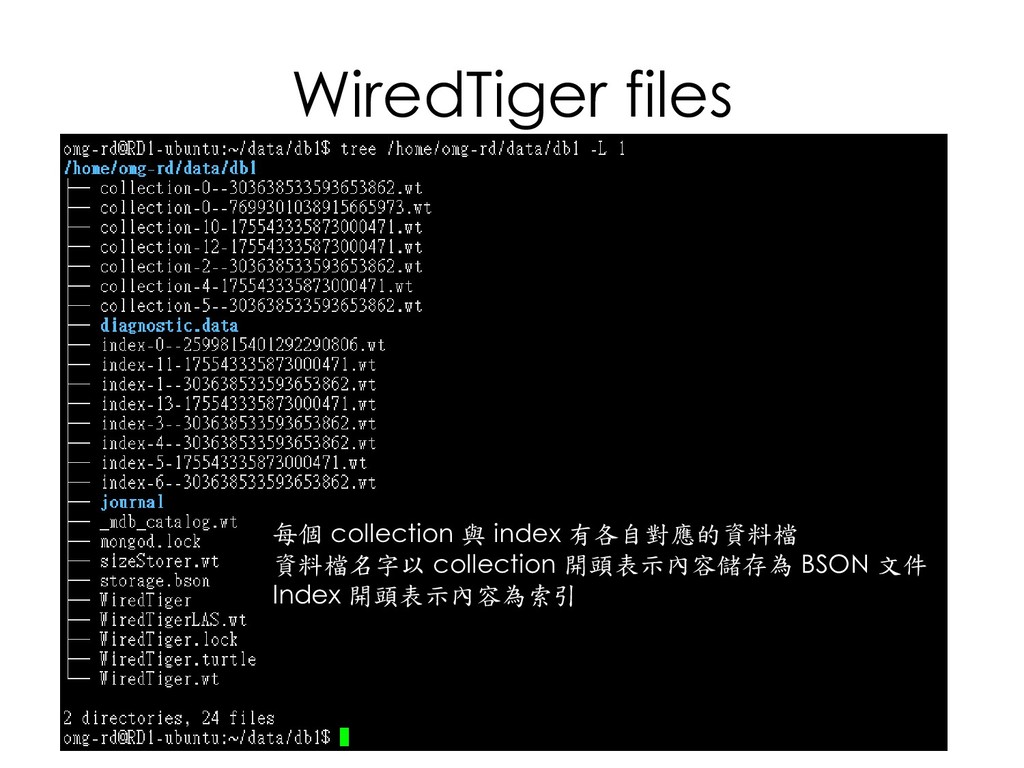
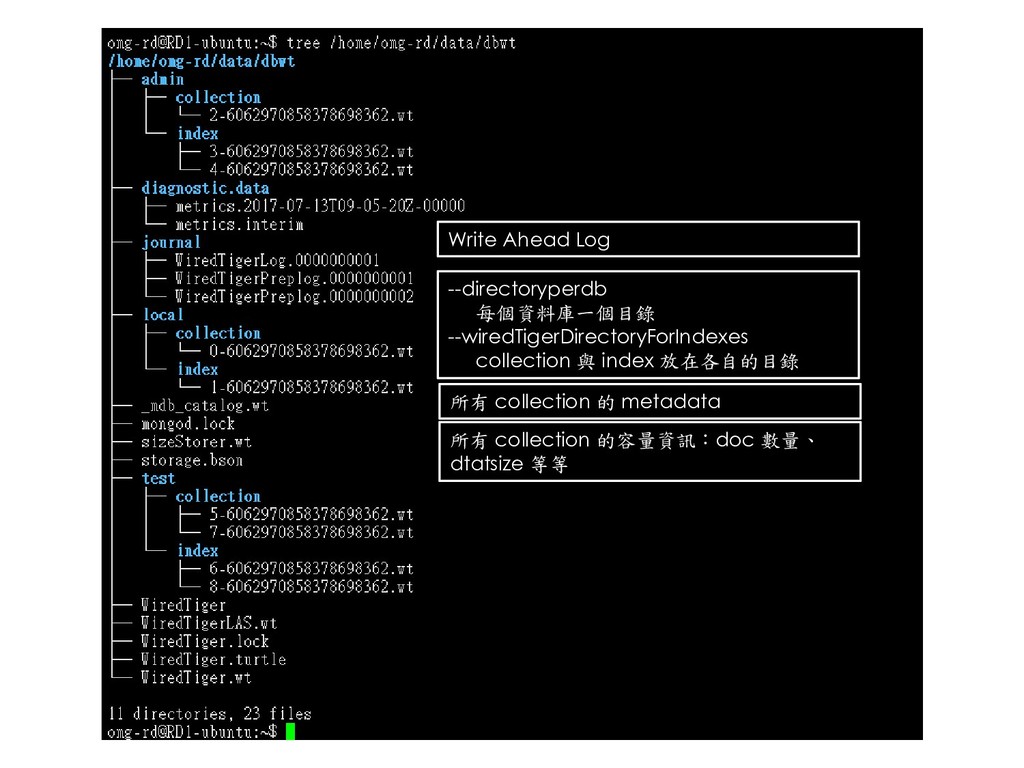
  61. Write Ahead Log --directoryperdb 每個資料庫一個目錄 --wiredTigerDirectoryForIndexes collection 與 index 放在各自的目錄

    所有 collection 的 metadata 所有 collection 的容量資訊:doc 數量、 dtatsize 等等
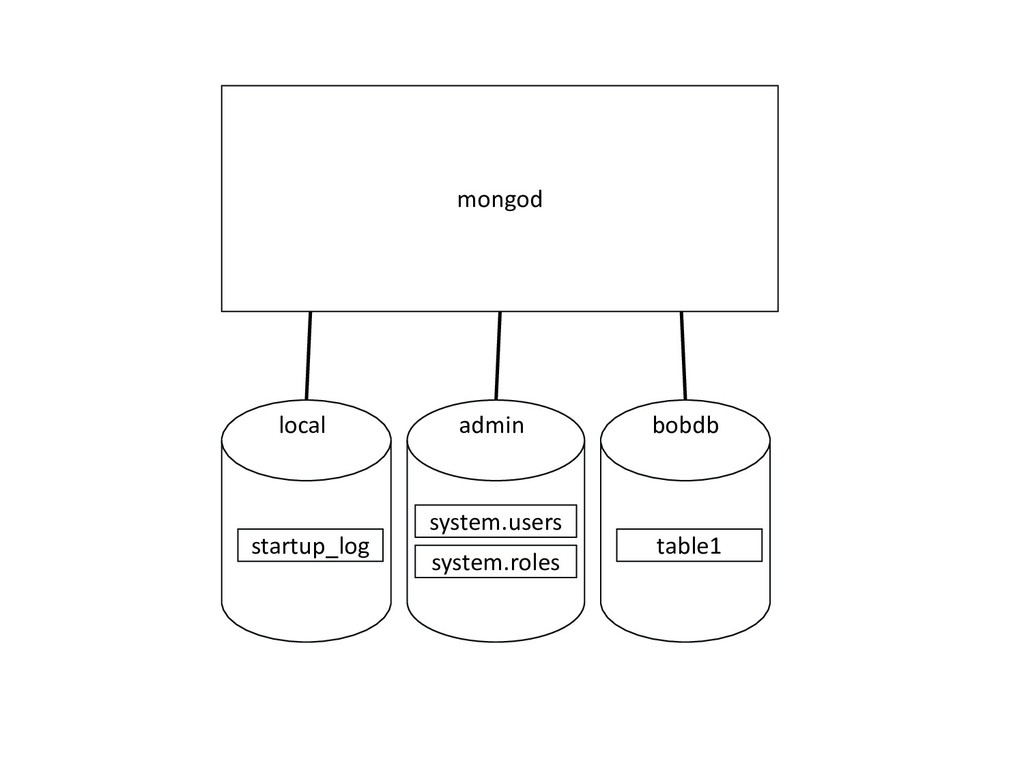
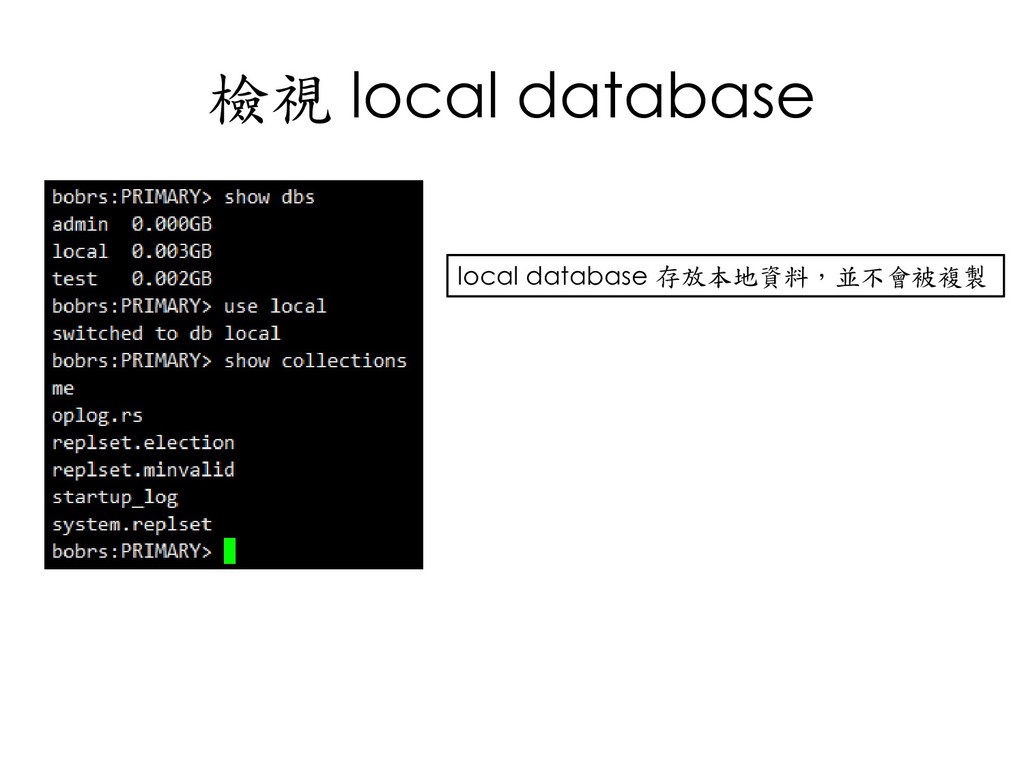
  62. local/admin資料庫 • local – 在 ReplicaSet 架構下,用來儲存 replicaset 的 metadata,如設定資

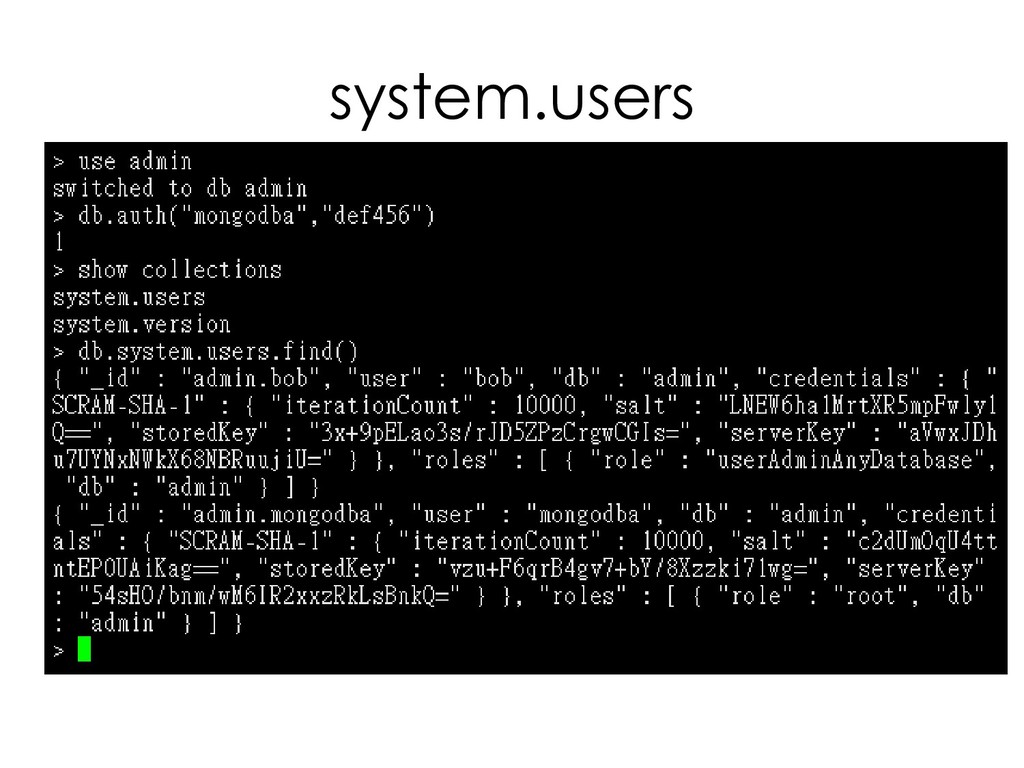
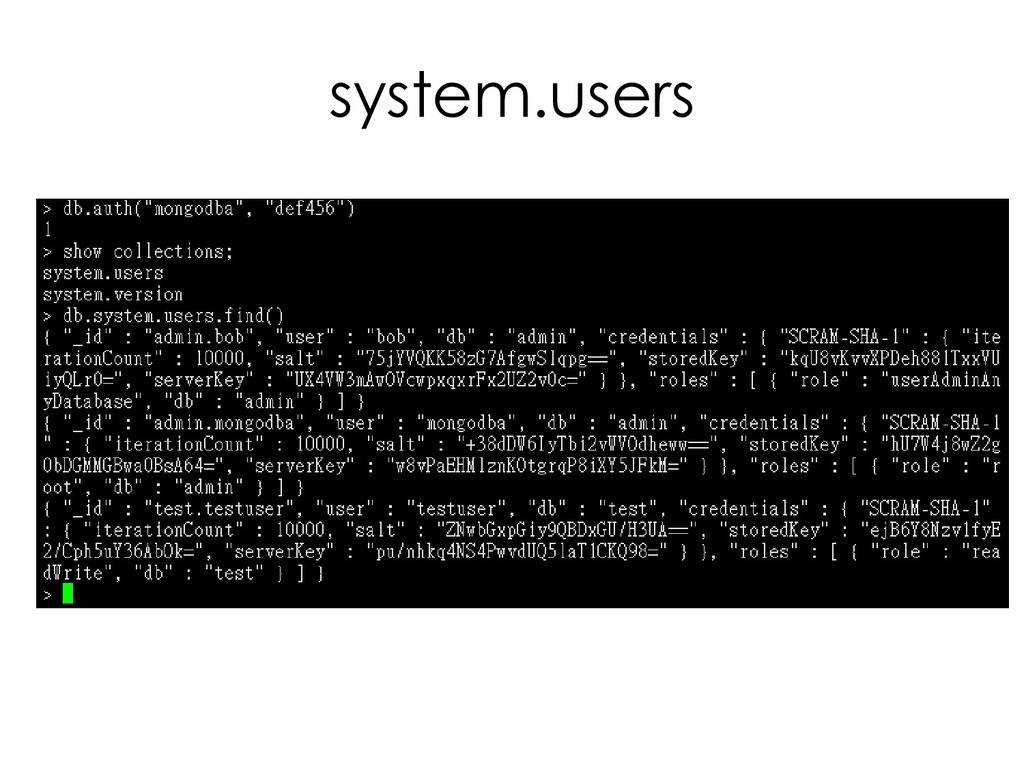
    訊、oplog資訊等。這些資料是個別 mongod 所獨有,不會被複製到其 他 mongod。 – me – oplog.rs – replset.election – srartup_log – system.replset • Admin – 儲存使用者、角色等資訊 – system.profile – system.roles – system.users – system.version
  63. Q&A

  64. 什麼是 CRUD • C – Create – 新增(INSERT) • R

    – Read – 查詢(FIND) • U – Update – 修改(UPDATE) • D – Delete – 刪除(REMOVE)
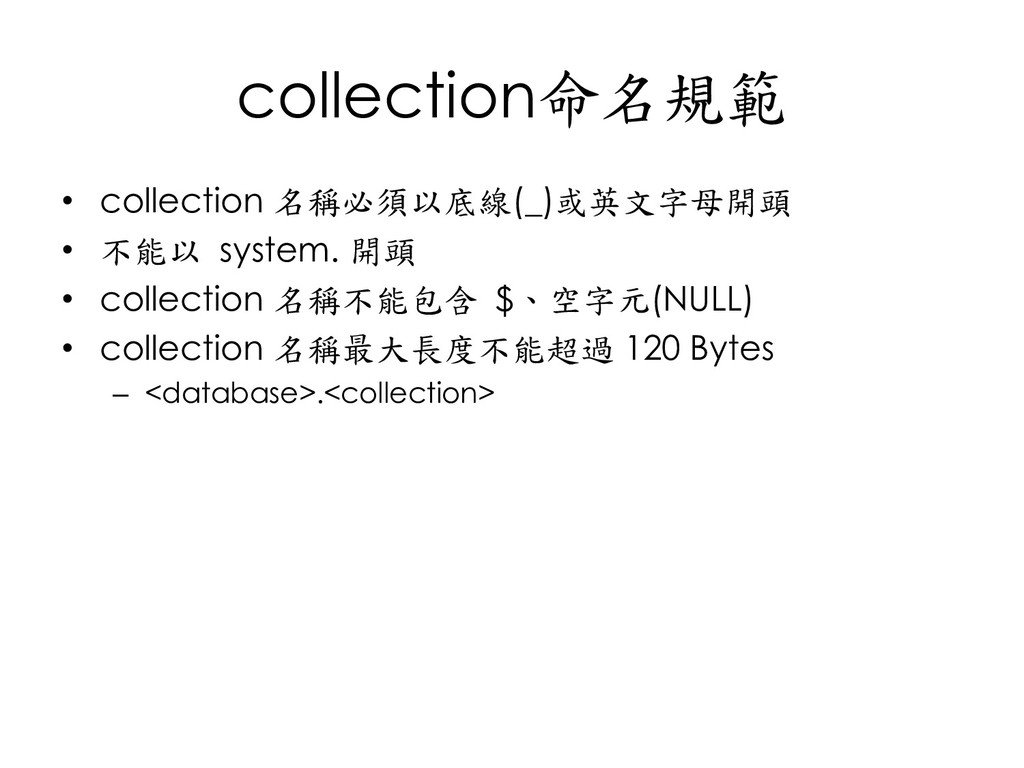
  65. collection命名規範 • collection 名稱必須以底線(_)或英文字母開頭 • 不能以 system. 開頭 • collection

    名稱不能包含 $、空字元(NULL) • collection 名稱最大長度不能超過 120 Bytes – <database>.<collection>
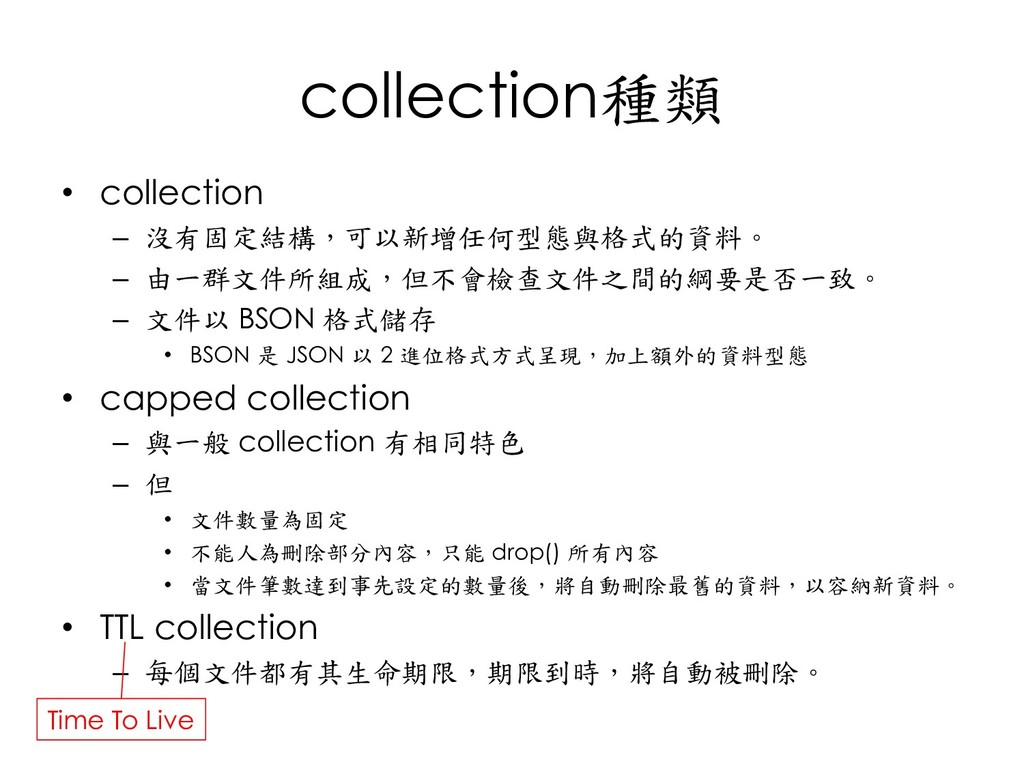
  66. collection種類 • collection – 沒有固定結構,可以新增任何型態與格式的資料。 – 由一群文件所組成,但不會檢查文件之間的綱要是否一致。 – 文件以 BSON

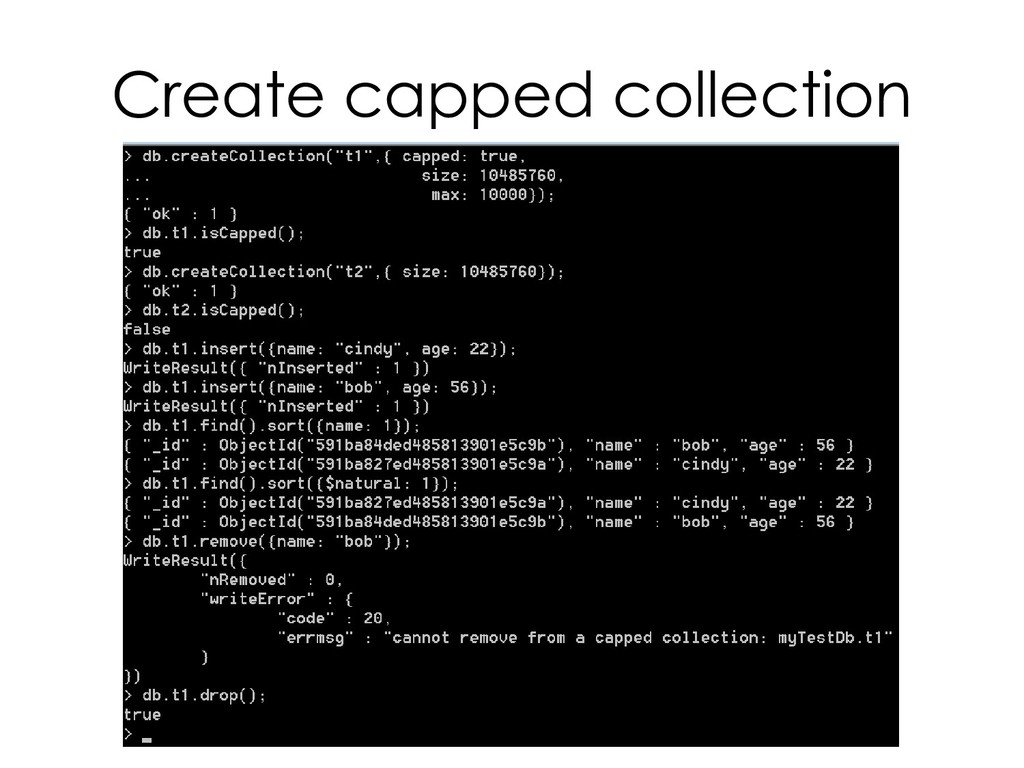
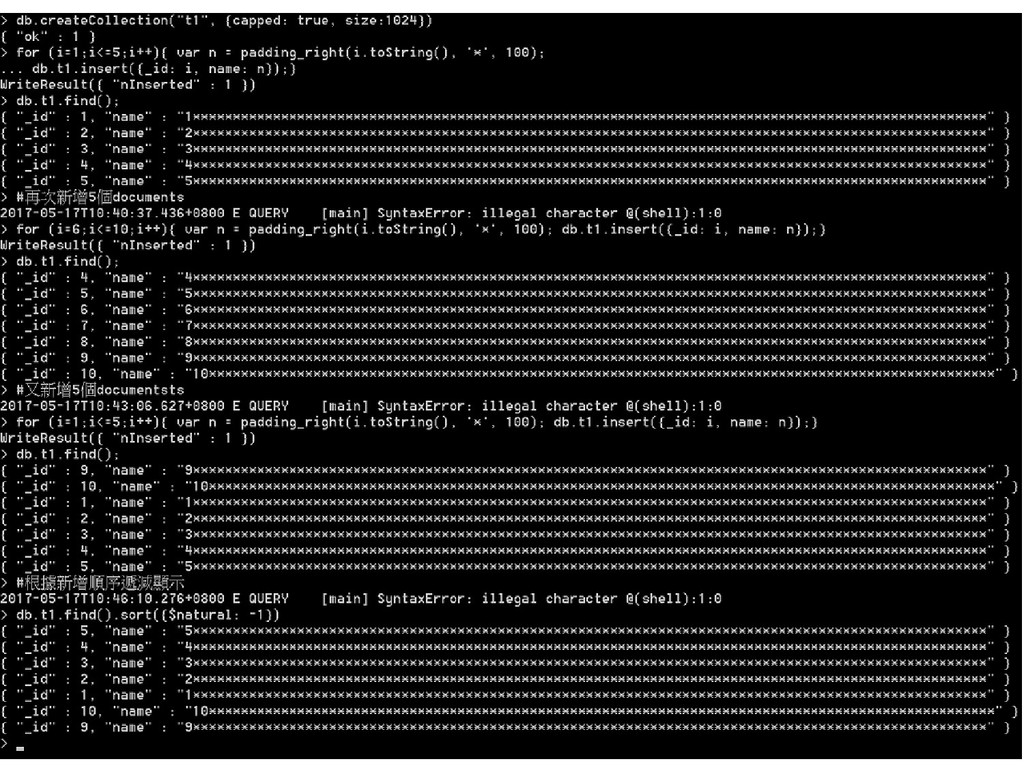
    格式儲存 • BSON 是 JSON 以 2 進位格式方式呈現,加上額外的資料型態 • capped collection – 與一般 collection 有相同特色 – 但 • 文件數量為固定 • 不能人為刪除部分內容,只能 drop() 所有內容 • 當文件筆數達到事先設定的數量後,將自動刪除最舊的資料,以容納新資料。 • TTL collection – 每個文件都有其生命期限,期限到時,將自動被刪除。 Time To Live
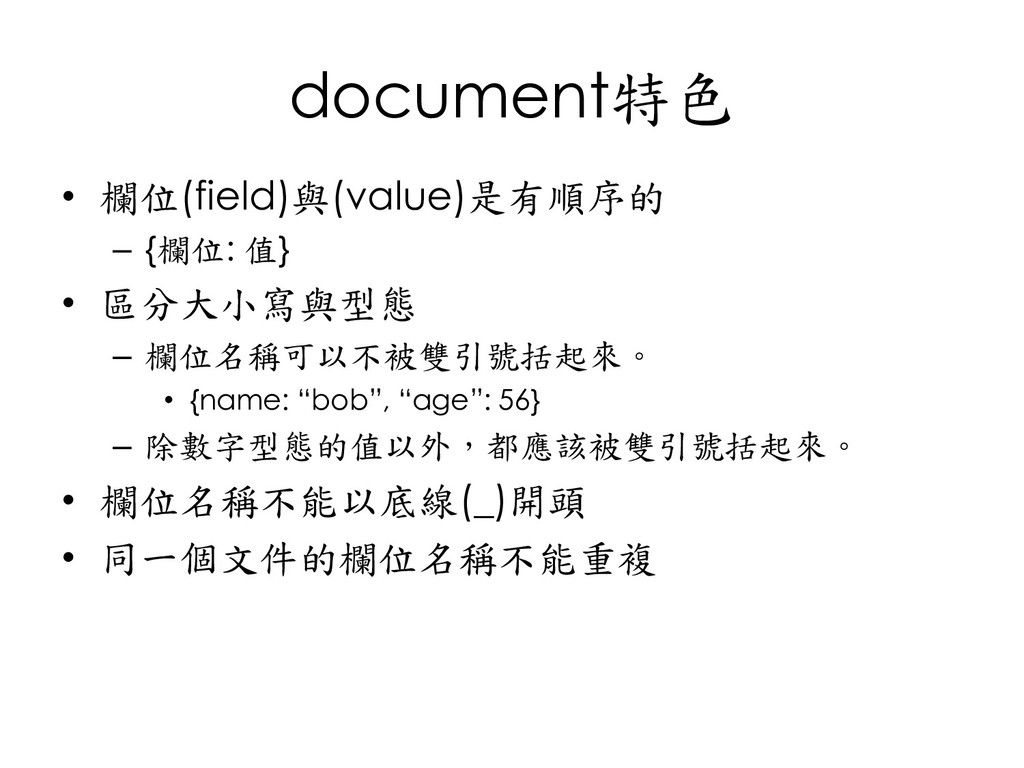
  67. document特色 • 欄位(field)與(value)是有順序的 – {欄位: 值} • 區分大小寫與型態 – 欄位名稱可以不被雙引號括起來。

    • {name: “bob”, “age”: 56} – 除數字型態的值以外,都應該被雙引號括起來。 • 欄位名稱不能以底線(_)開頭 • 同一個文件的欄位名稱不能重複
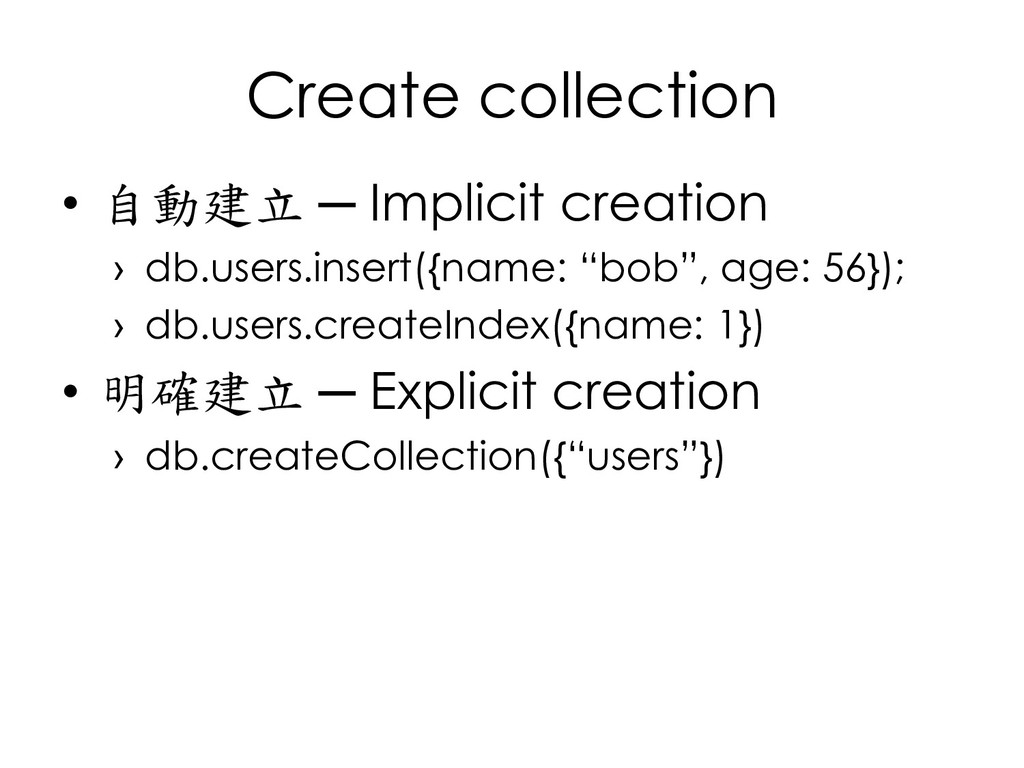
  68. Create collection • 自動建立 ─ Implicit creation › db.users.insert({name: “bob”,

    age: 56}); › db.users.createIndex({name: 1}) • 明確建立 ─ Explicit creation › db.createCollection({“users”})
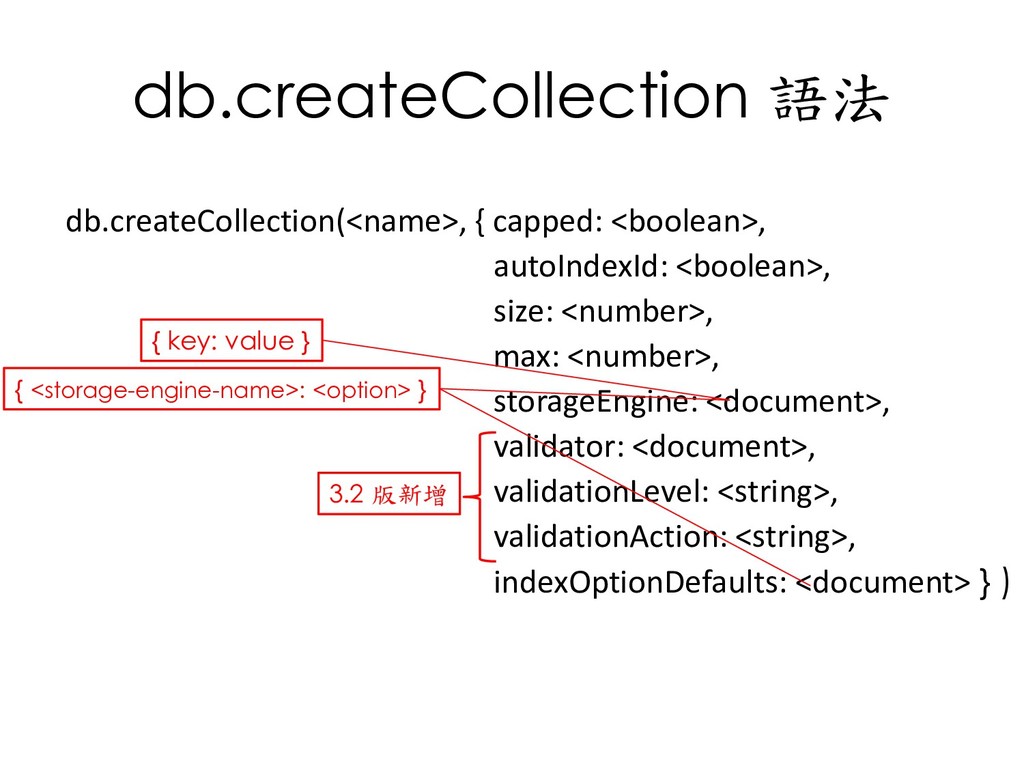
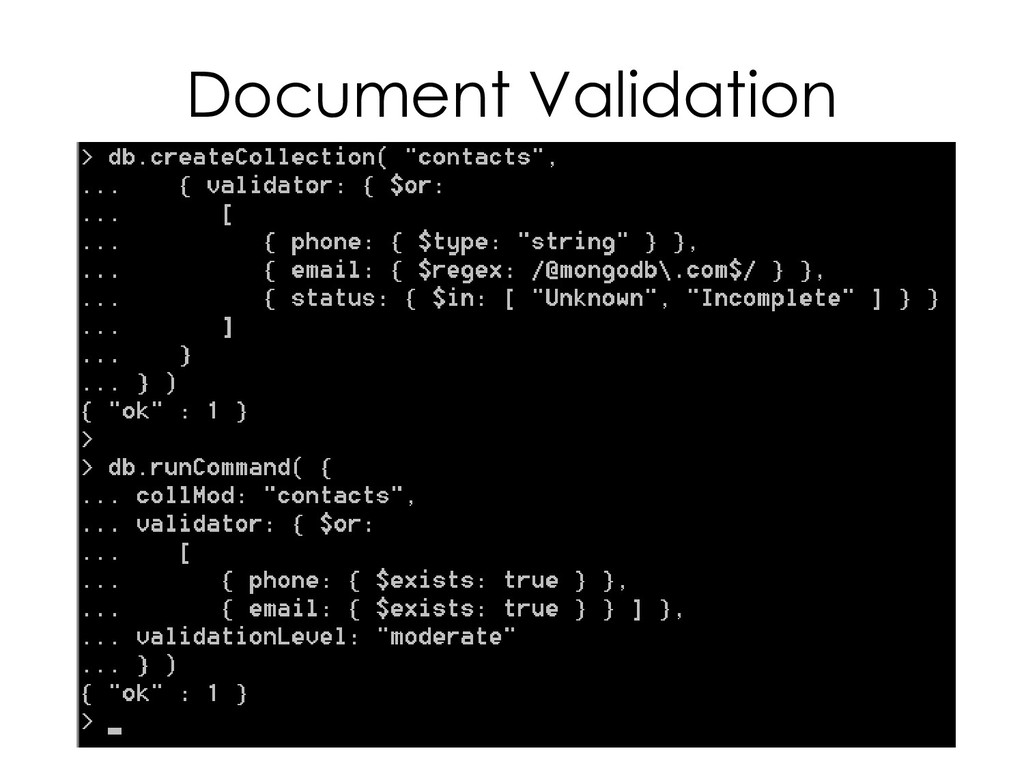
  69. db.createCollection 語法 db.createCollection(<name>, { capped: <boolean>, autoIndexId: <boolean>, size: <number>,

    max: <number>, storageEngine: <document>, validator: <document>, validationLevel: <string>, validationAction: <string>, indexOptionDefaults: <document> } ) 3.2 版新增 { key: value } { <storage-engine-name>: <option> }
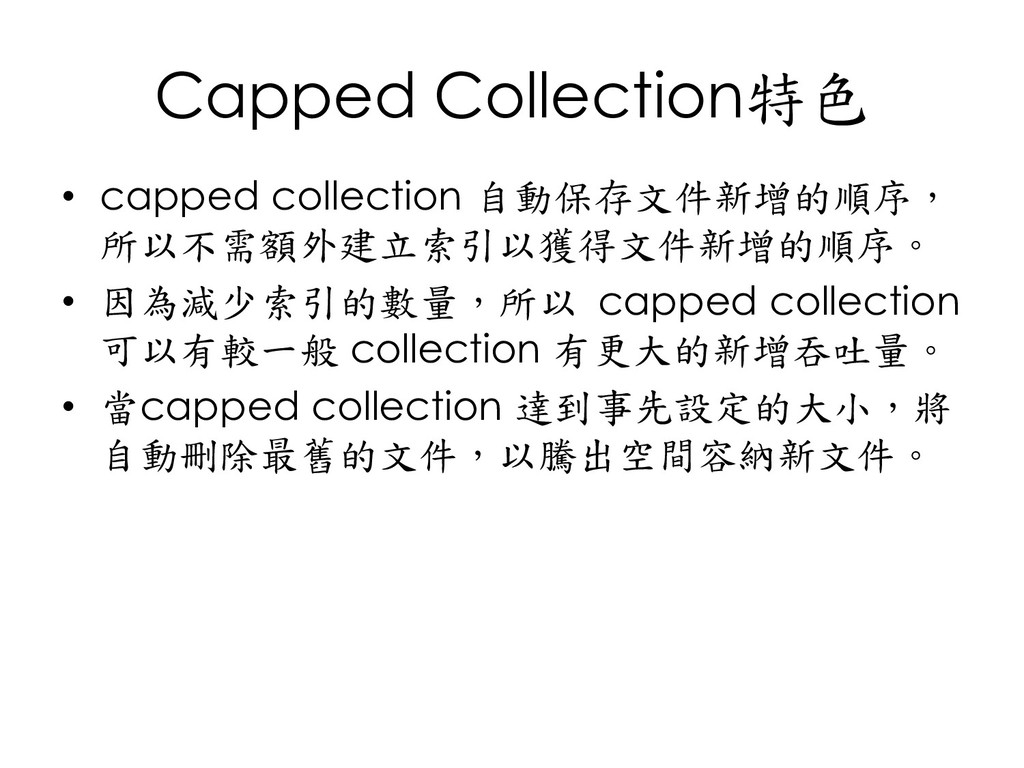
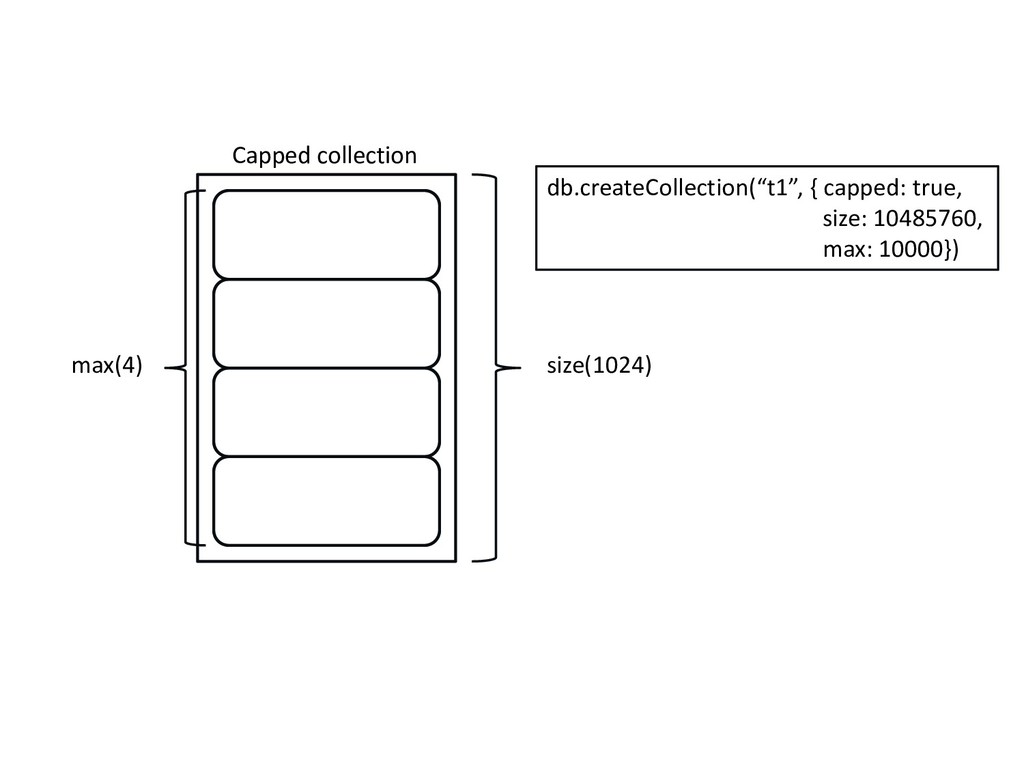
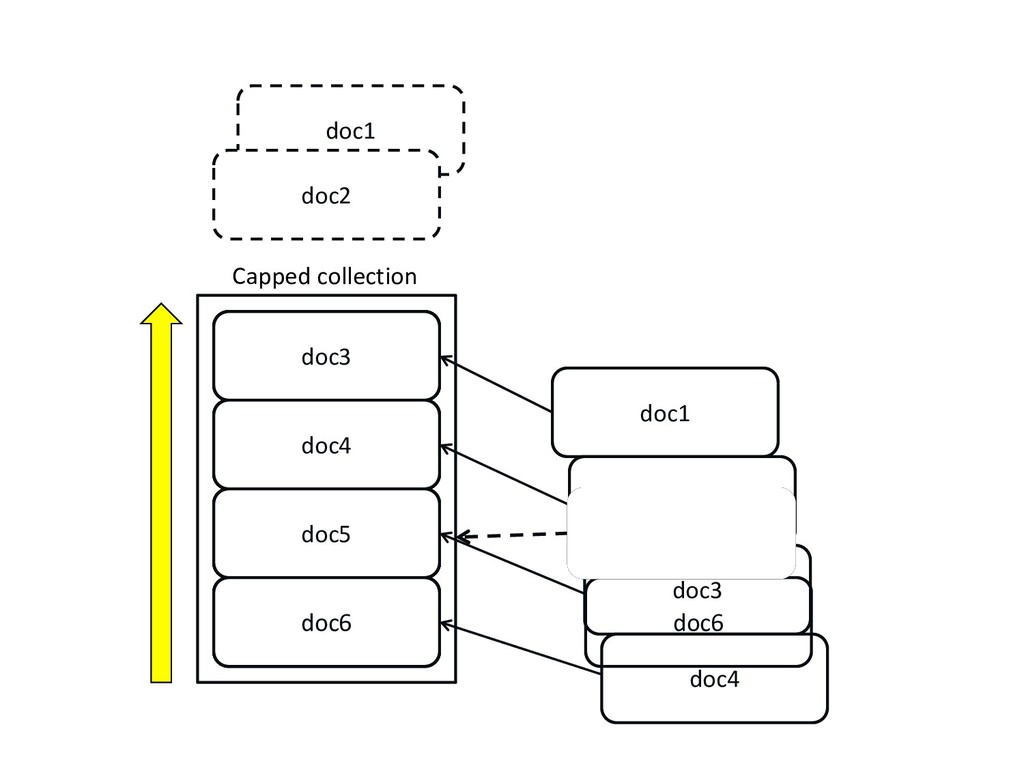
  70. Capped Collection特色 • capped collection 自動保存文件新增的順序, 所以不需額外建立索引以獲得文件新增的順序。 • 因為減少索引的數量,所以 capped

    collection 可以有較一般 collection 有更大的新增吞吐量。 • 當capped collection 達到事先設定的大小,將 自動刪除最舊的文件,以騰出空間容納新文件。
  71. doc1 doc2 doc3 doc1 Capped collection doc2 doc3 doc4 doc4

    doc5 doc6 doc1 doc2 doc3 doc4 doc5 doc6 doc2 doc3 doc4 doc5 doc6
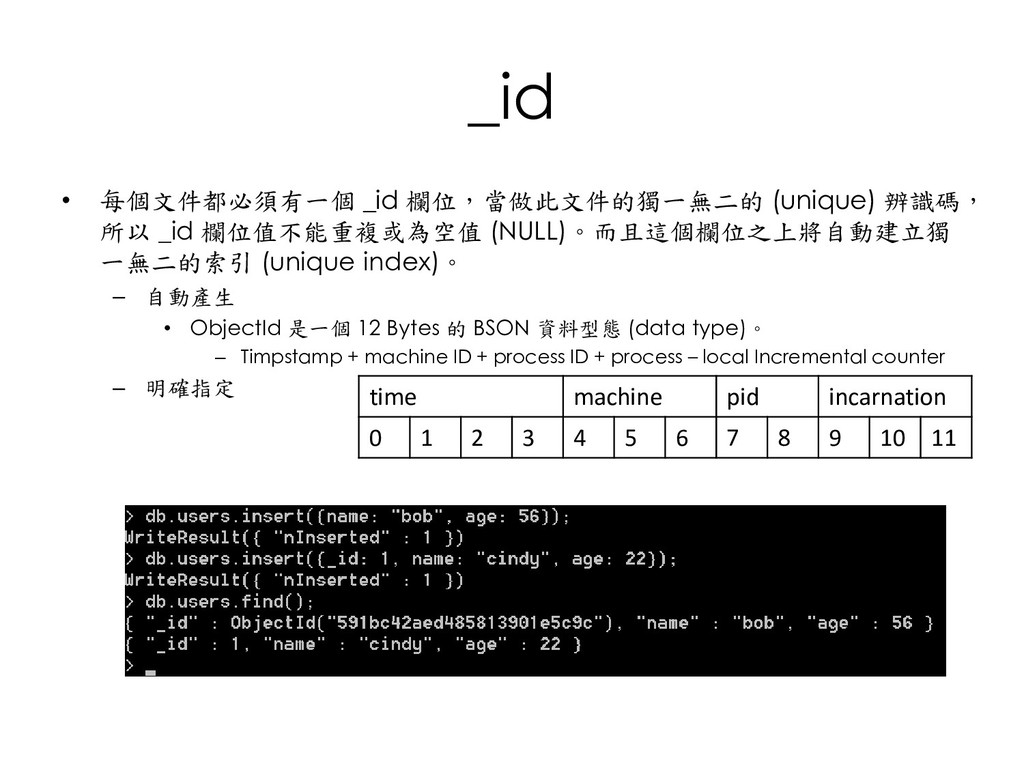
  72. _id • 每個文件都必須有一個 _id 欄位,當做此文件的獨一無二的 (unique) 辨識碼, 所以 _id 欄位值不能重複或為空值

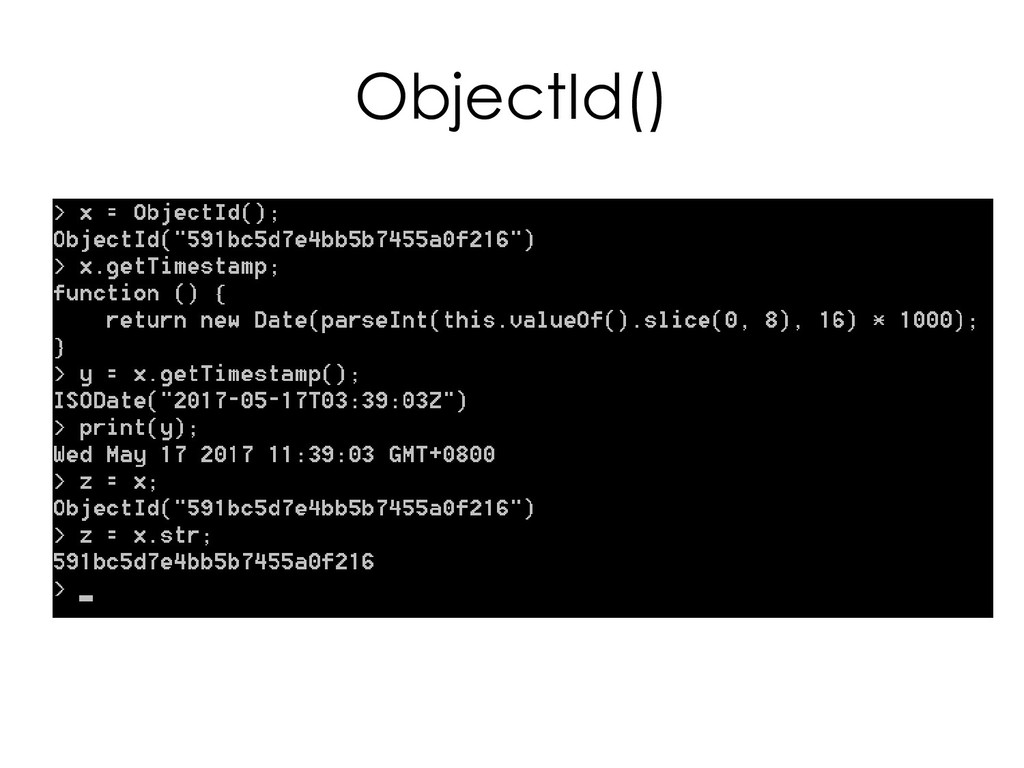
    (NULL)。而且這個欄位之上將自動建立獨 一無二的索引 (unique index)。 – 自動產生 • ObjectId 是一個 12 Bytes 的 BSON 資料型態 (data type)。 – Timpstamp + machine ID + process ID + process – local Incremental counter – 明確指定 time machine pid incarnation 0 1 2 3 4 5 6 7 8 9 10 11
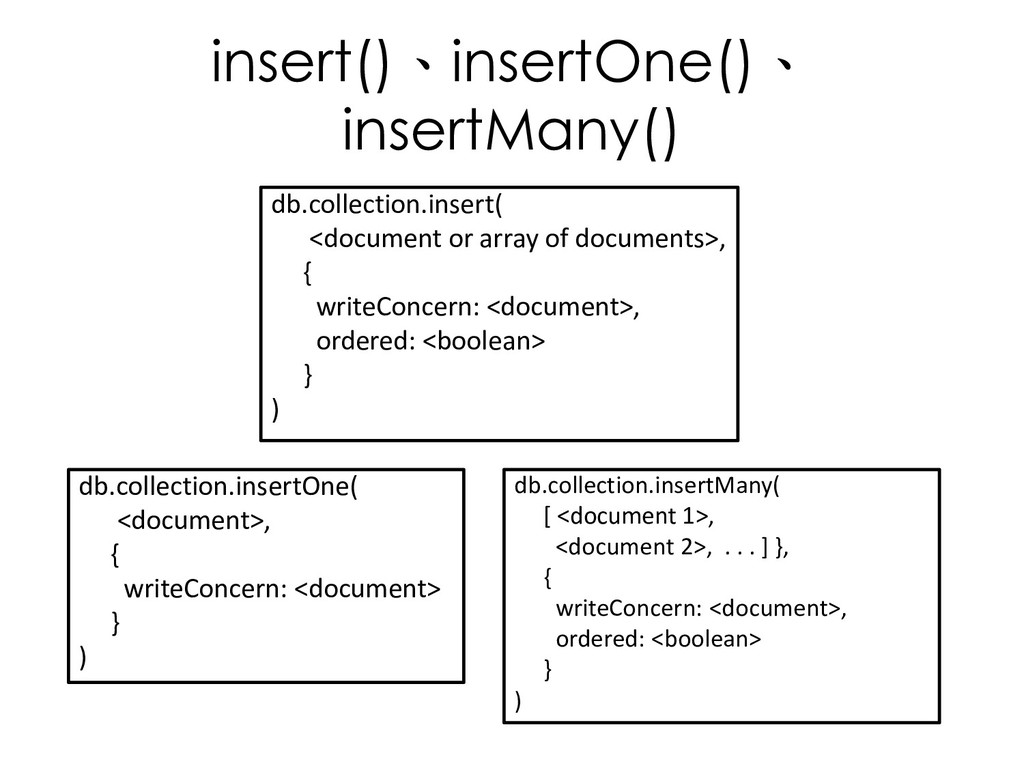
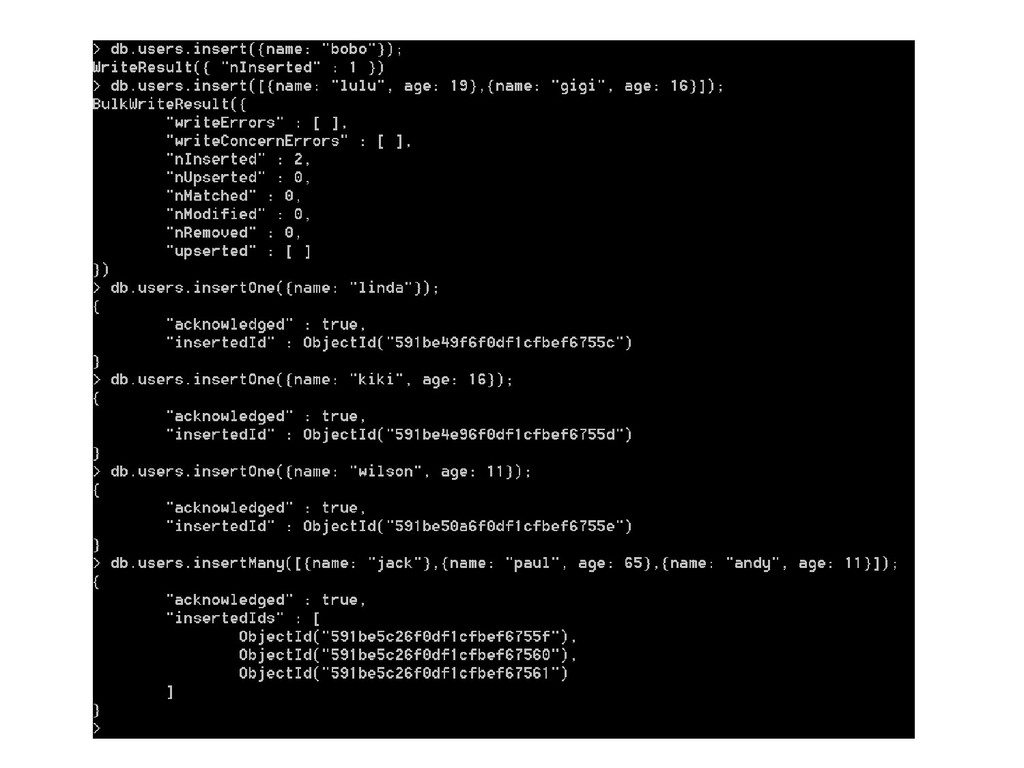
  73. insert()、insertOne()、 insertMany() db.collection.insert( <document or array of documents>, { writeConcern:

    <document>, ordered: <boolean> } ) db.collection.insertMany( [ <document 1>, <document 2>, . . . ] }, { writeConcern: <document>, ordered: <boolean> } ) db.collection.insertOne( <document>, { writeConcern: <document> } )
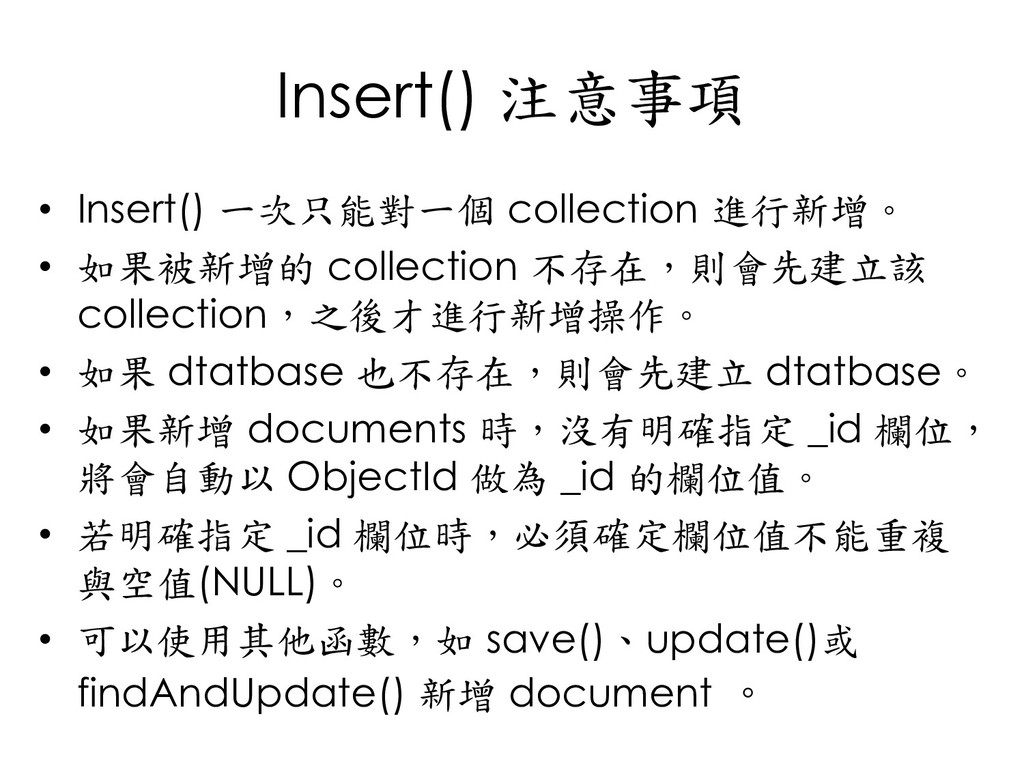
  74. Insert() 注意事項 • Insert() 一次只能對一個 collection 進行新增。 • 如果被新增的 collection

    不存在,則會先建立該 collection,之後才進行新增操作。 • 如果 dtatbase 也不存在,則會先建立 dtatbase。 • 如果新增 documents 時,沒有明確指定 _id 欄位, 將會自動以 ObjectId 做為 _id 的欄位值。 • 若明確指定 _id 欄位時,必須確定欄位值不能重複 與空值(NULL)。 • 可以使用其他函數,如 save()、update()或 findAndUpdate() 新增 document 。
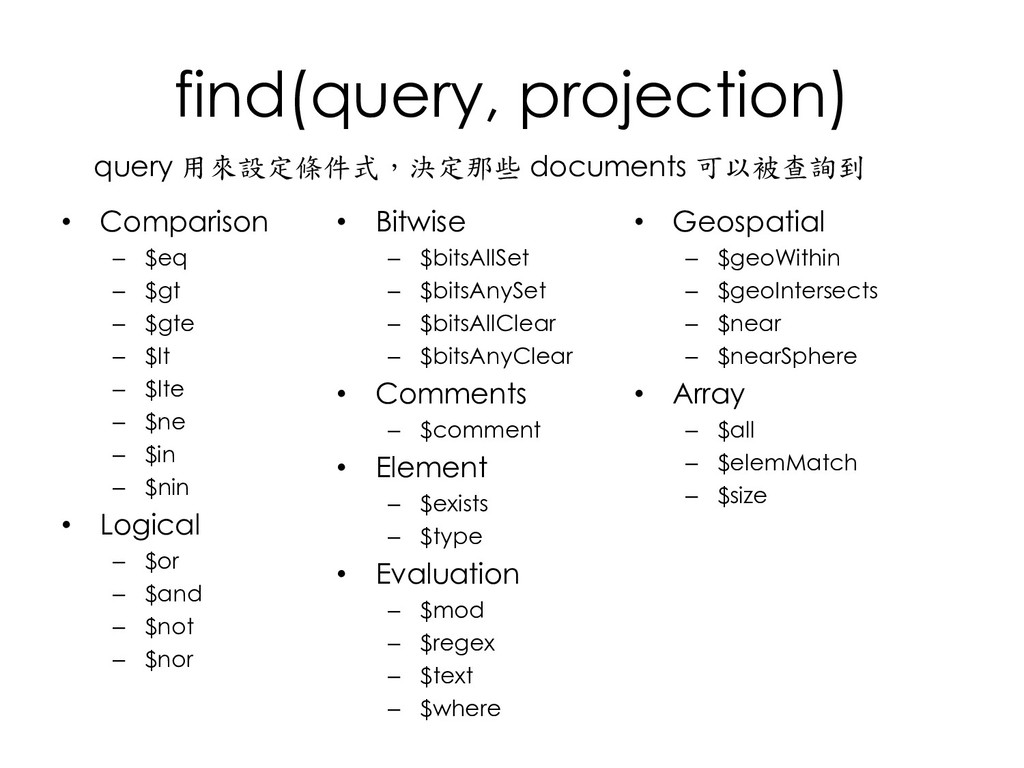
  75. find(query, projection) • Comparison – $eq – $gt – $gte

    – $lt – $lte – $ne – $in – $nin • Logical – $or – $and – $not – $nor query 用來設定條件式,決定那些 documents 可以被查詢到 • Bitwise – $bitsAllSet – $bitsAnySet – $bitsAllClear – $bitsAnyClear • Comments – $comment • Element – $exists – $type • Evaluation – $mod – $regex – $text – $where • Geospatial – $geoWithin – $geoIntersects – $near – $nearSphere • Array – $all – $elemMatch – $size
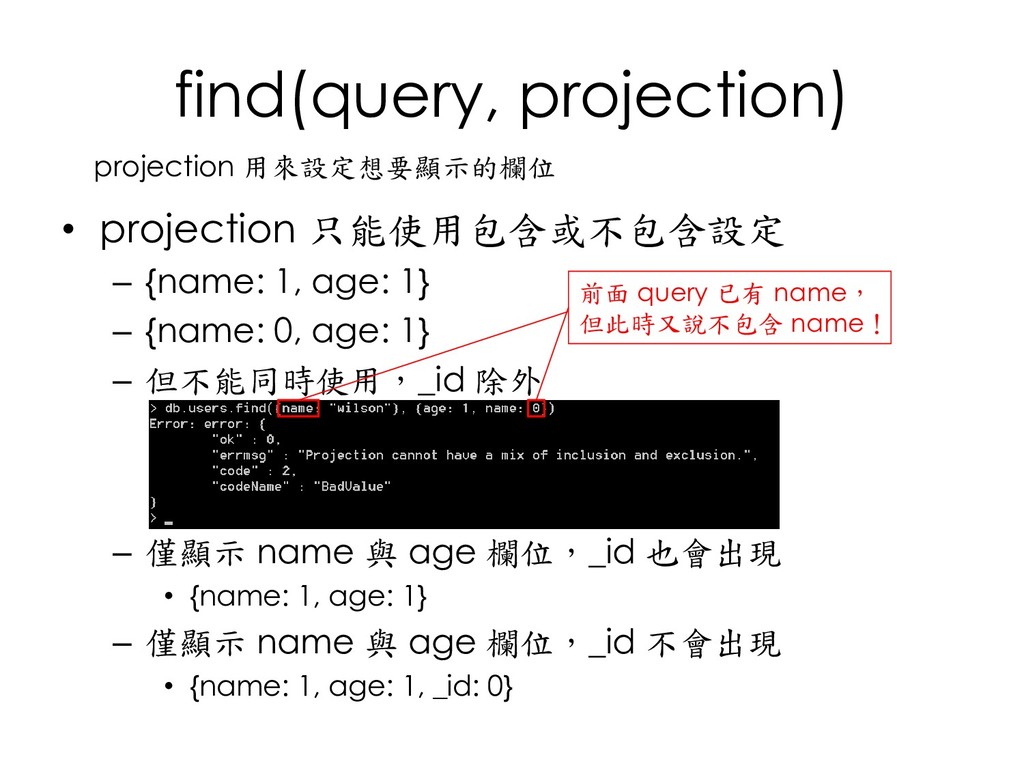
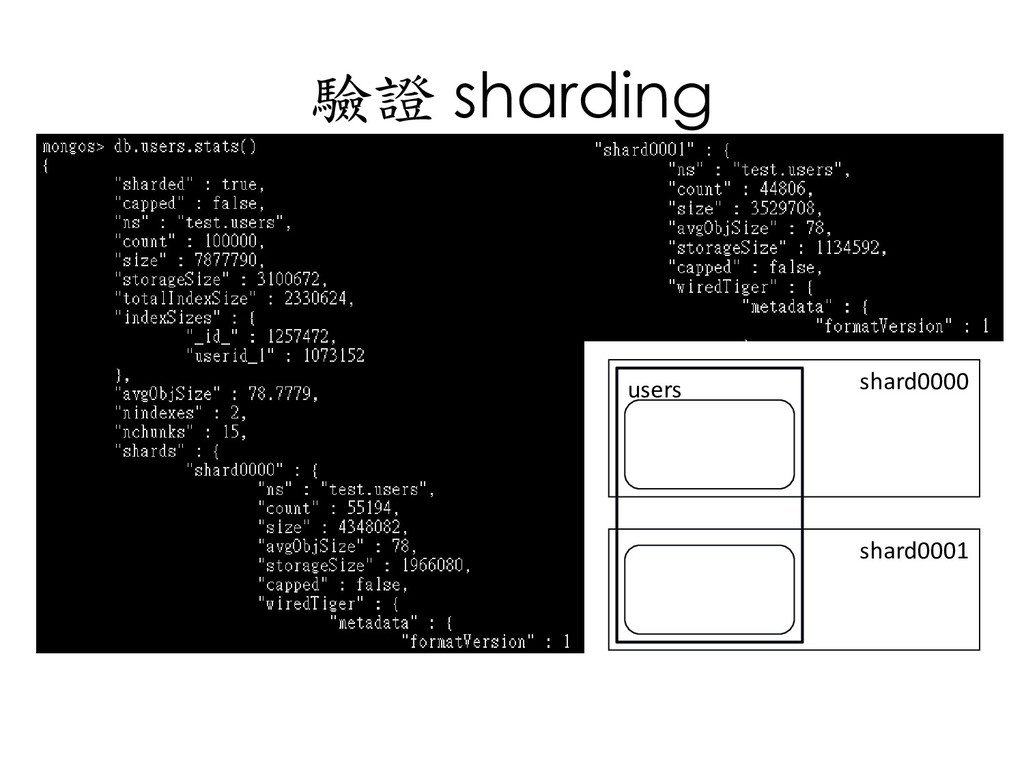
  76. find(query, projection) • projection 只能使用包含或不包含設定 – {name: 1, age: 1}

    – {name: 0, age: 1} – 但不能同時使用,_id 除外 – 僅顯示 name 與 age 欄位,_id 也會出現 • {name: 1, age: 1} – 僅顯示 name 與 age 欄位,_id 不會出現 • {name: 1, age: 1, _id: 0} projection 用來設定想要顯示的欄位 前面 query 已有 name, 但此時又說不包含 name!
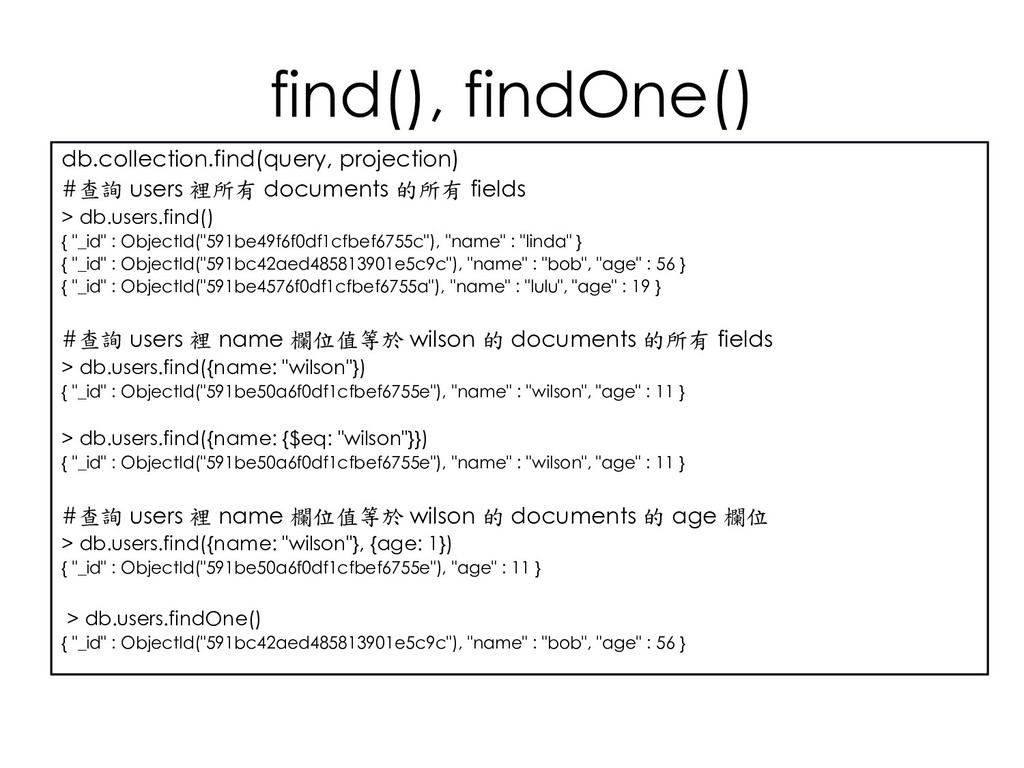
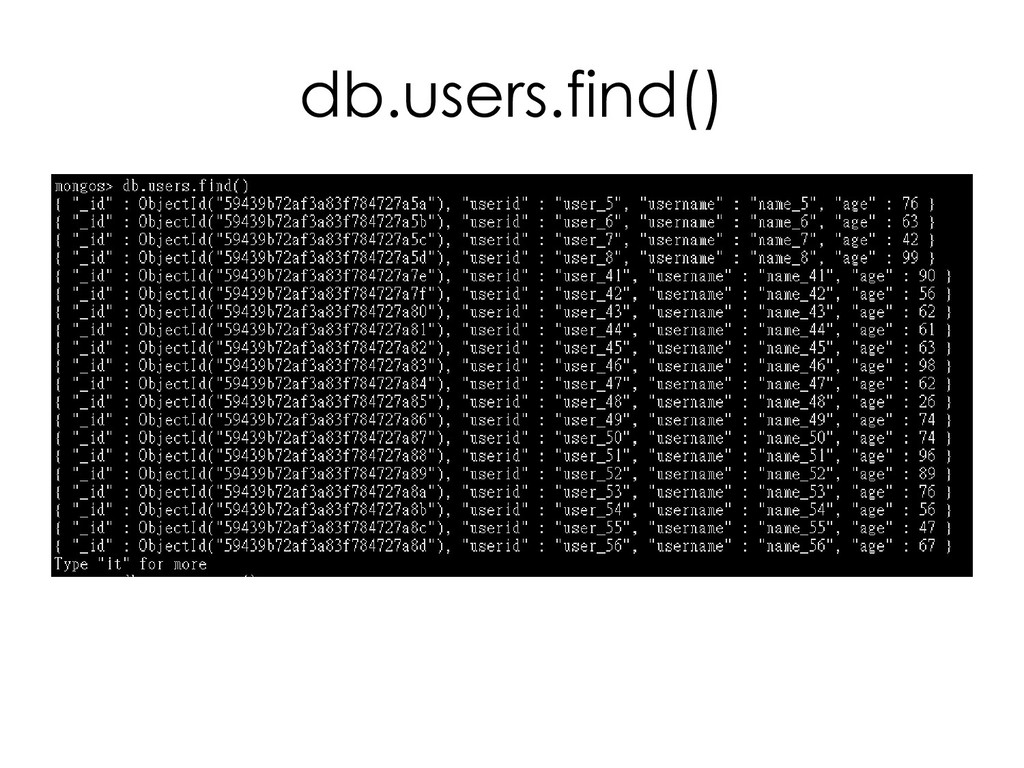
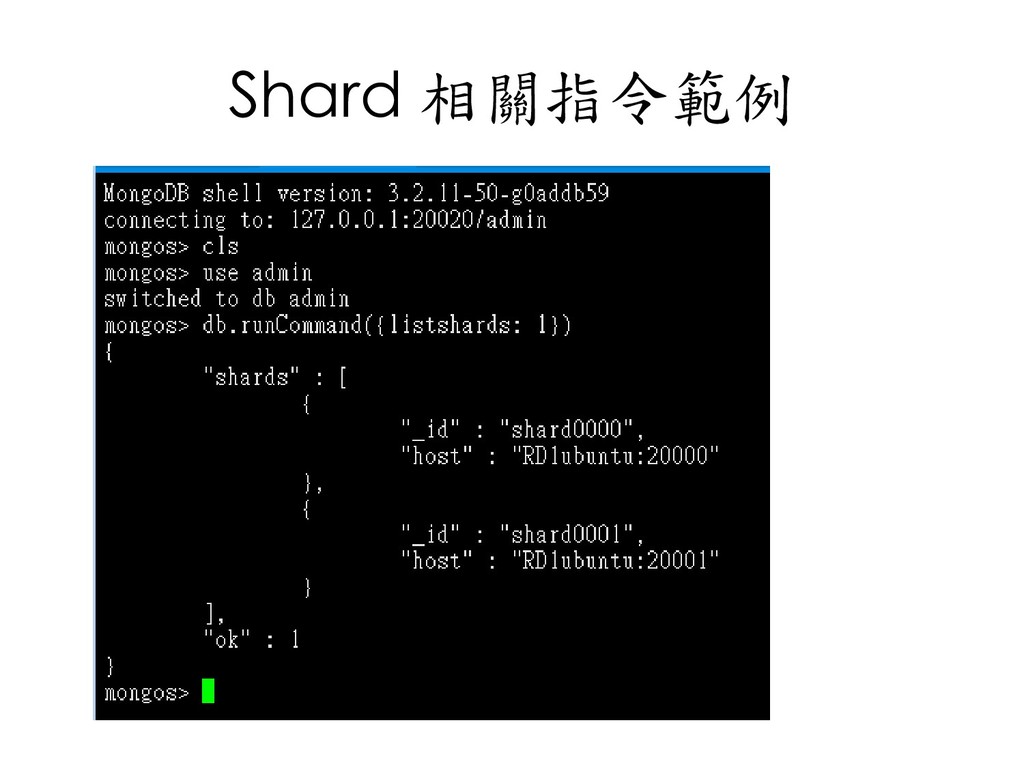
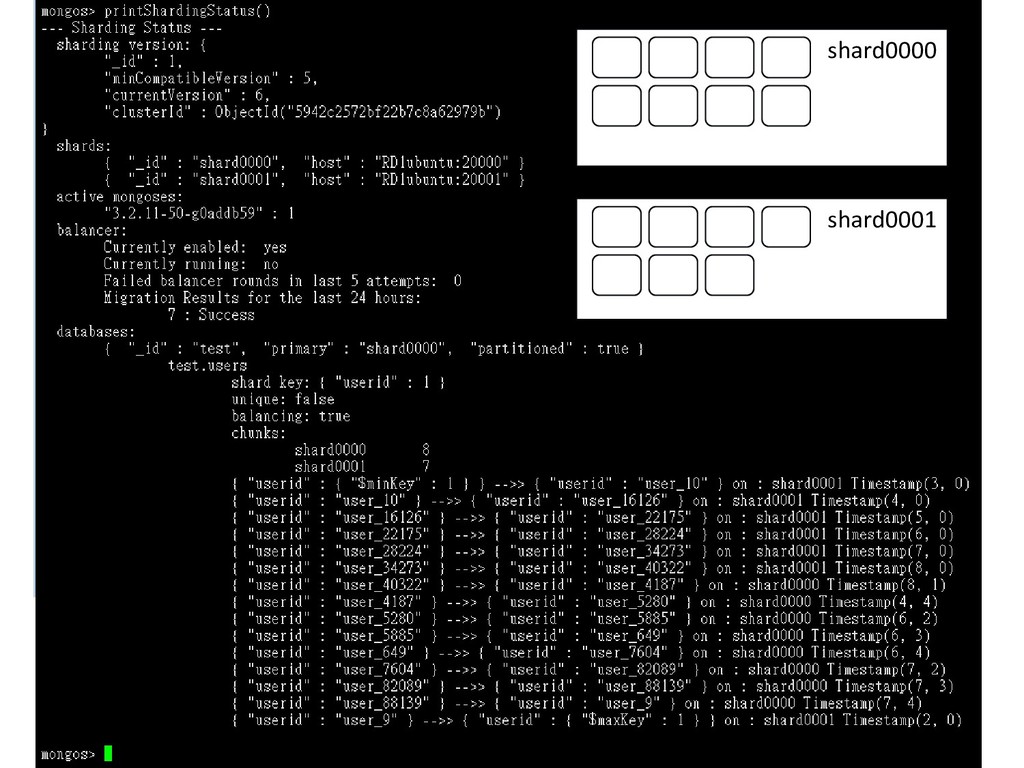
  77. find(), findOne() db.collection.find(query, projection) #查詢 users 裡所有 documents 的所有 fields

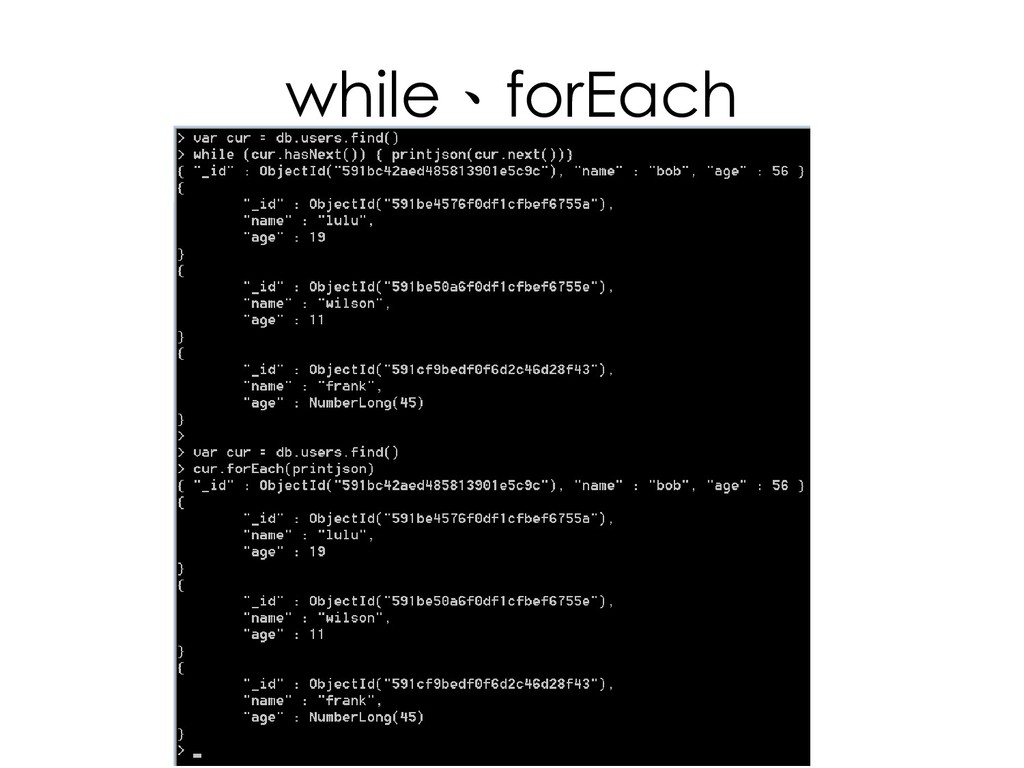
    > db.users.find() { "_id" : ObjectId("591be49f6f0df1cfbef6755c"), "name" : "linda" } { "_id" : ObjectId("591bc42aed485813901e5c9c"), "name" : "bob", "age" : 56 } { "_id" : ObjectId("591be4576f0df1cfbef6755a"), "name" : "lulu", "age" : 19 } #查詢 users 裡 name 欄位值等於 wilson 的 documents 的所有 fields > db.users.find({name: "wilson"}) { "_id" : ObjectId("591be50a6f0df1cfbef6755e"), "name" : "wilson", "age" : 11 } > db.users.find({name: {$eq: "wilson"}}) { "_id" : ObjectId("591be50a6f0df1cfbef6755e"), "name" : "wilson", "age" : 11 } #查詢 users 裡 name 欄位值等於 wilson 的 documents 的 age 欄位 > db.users.find({name: "wilson"}, {age: 1}) { "_id" : ObjectId("591be50a6f0df1cfbef6755e"), "age" : 11 } > db.users.findOne() { "_id" : ObjectId("591bc42aed485813901e5c9c"), "name" : "bob", "age" : 56 }
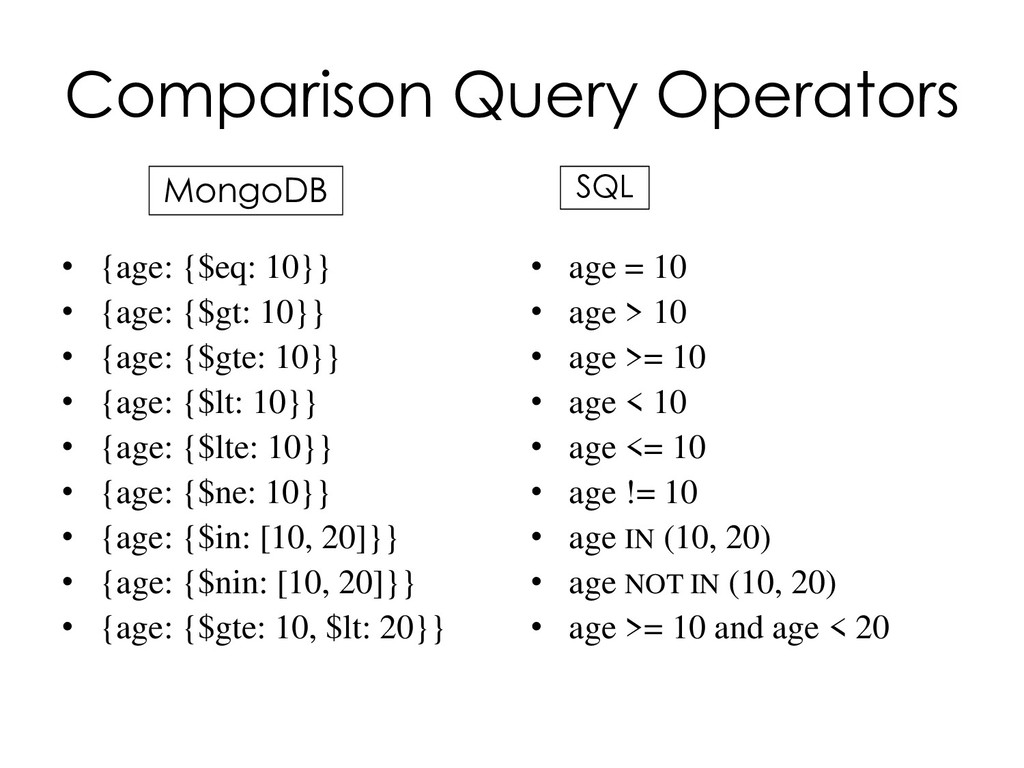
  78. Comparison Query Operators MongoDB • {age: {$eq: 10}} • {age:

    {$gt: 10}} • {age: {$gte: 10}} • {age: {$lt: 10}} • {age: {$lte: 10}} • {age: {$ne: 10}} • {age: {$in: [10, 20]}} • {age: {$nin: [10, 20]}} • {age: {$gte: 10, $lt: 20}} SQL • age = 10 • age > 10 • age >= 10 • age < 10 • age <= 10 • age != 10 • age IN (10, 20) • age NOT IN (10, 20) • age >= 10 and age < 20
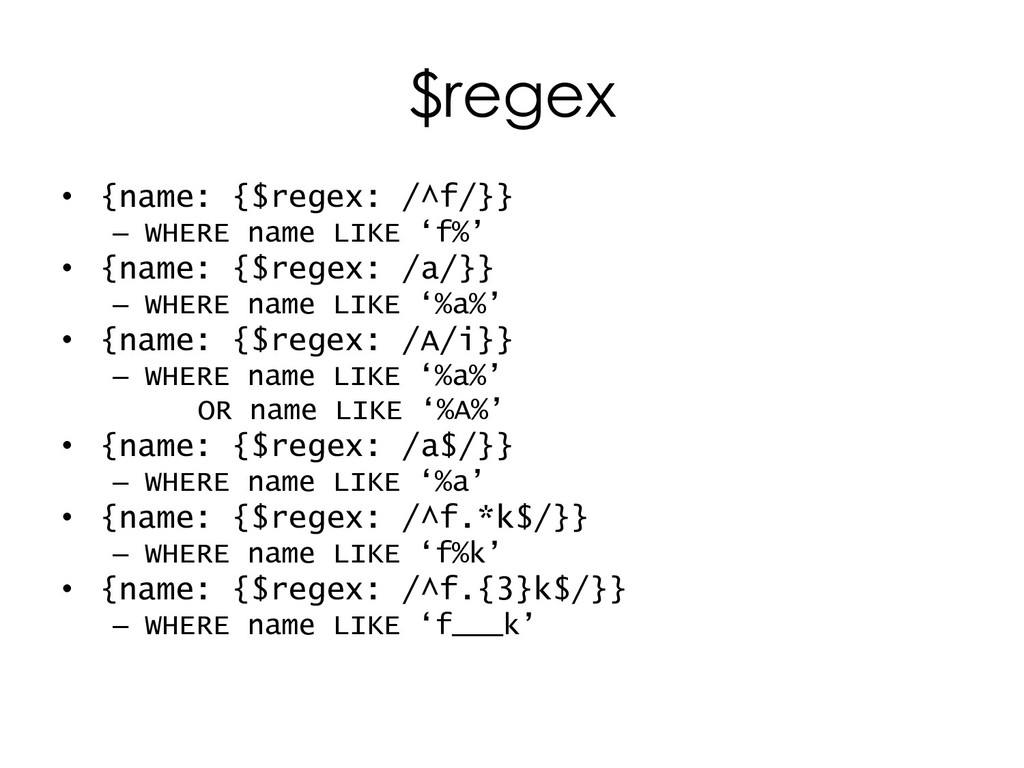
  79. $regex • {name: {$regex: /^f/}} – WHERE name LIKE ‘f%’

    • {name: {$regex: /a/}} – WHERE name LIKE ‘%a%’ • {name: {$regex: /A/i}} – WHERE name LIKE ‘%a%’ OR name LIKE ‘%A%’ • {name: {$regex: /a$/}} – WHERE name LIKE ‘%a’ • {name: {$regex: /^f.*k$/}} – WHERE name LIKE ‘f%k’ • {name: {$regex: /^f.{3}k$/}} – WHERE name LIKE ‘f___k’
  80. Logical Query Operators • $and: [{age: {$gte: 10}},{age: {$lt: 20}}]

    – {age: {$gte: 10, $lt: 20}} – SQL: WHERE age>=10 AND age<20 • $or: [{age: {$gte: 10}},{name: “linda”}] – SQL: WHERE age>=10 OR name=‘linda’ • {age: {$not: {$gte: 10}}} – SQL: WHERE NOT(age>=10) – 不等同於 {age: {$lt: 10}} • 顯示 age 欄位存在且小於 10 • $nor: [{age: {$gte: 10}},{name: “linda”}] – SQL: WHERE NOT(age>=10) AND NOT(name=‘linda’)
  81. Element Query Operators • {age: {$exists: true, $nin: [5, 16]}}

    – SQL: WHERE age IS NOT NULL AND age NOT IN (5, 16) • {age: {$exists: false}} – SQL: WHERE age IS NULL • {age: {$type: 1}} – SQL: WHERE type(age)=1 • {name: {$type: “string”}} – SQL: WHERE type(name)=‘string’
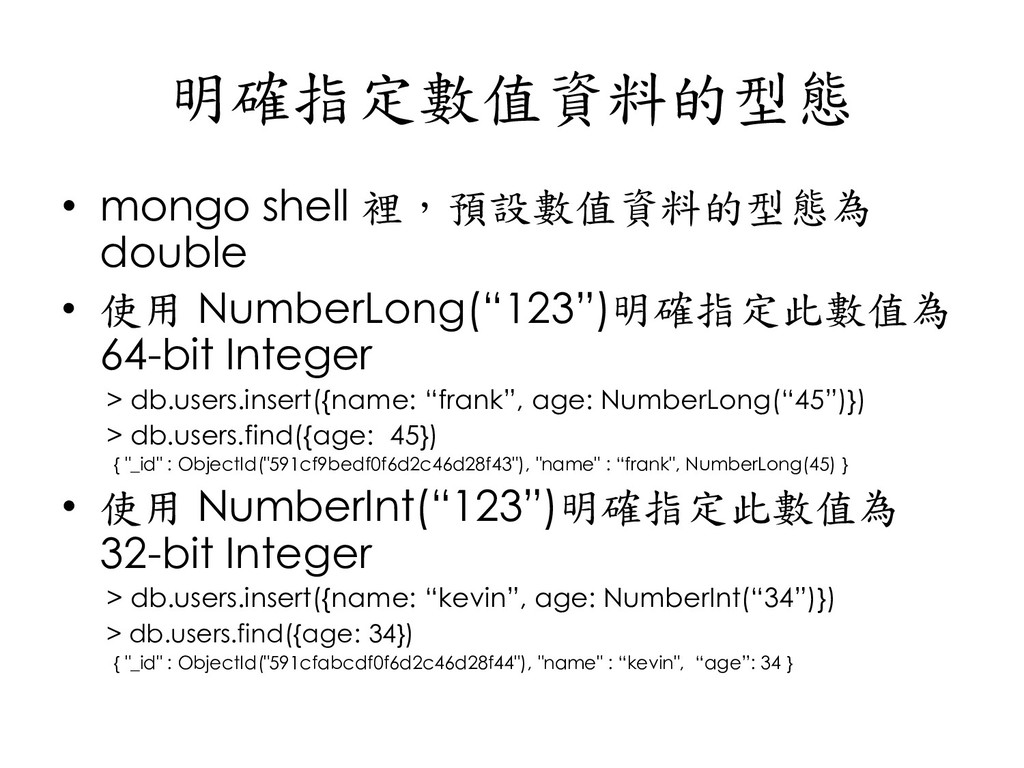
  82. 明確指定數值資料的型態 • mongo shell 裡,預設數值資料的型態為 double • 使用 NumberLong(“123”)明確指定此數值為 64-bit

    Integer > db.users.insert({name: “frank”, age: NumberLong(“45”)}) > db.users.find({age: 45}) { "_id" : ObjectId("591cf9bedf0f6d2c46d28f43"), "name" : “frank", NumberLong(45) } • 使用 NumberInt(“123”)明確指定此數值為 32-bit Integer > db.users.insert({name: “kevin”, age: NumberInt(“34”)}) > db.users.find({age: 34}) { "_id" : ObjectId("591cfabcdf0f6d2c46d28f44"), "name" : “kevin", “age”: 34 }
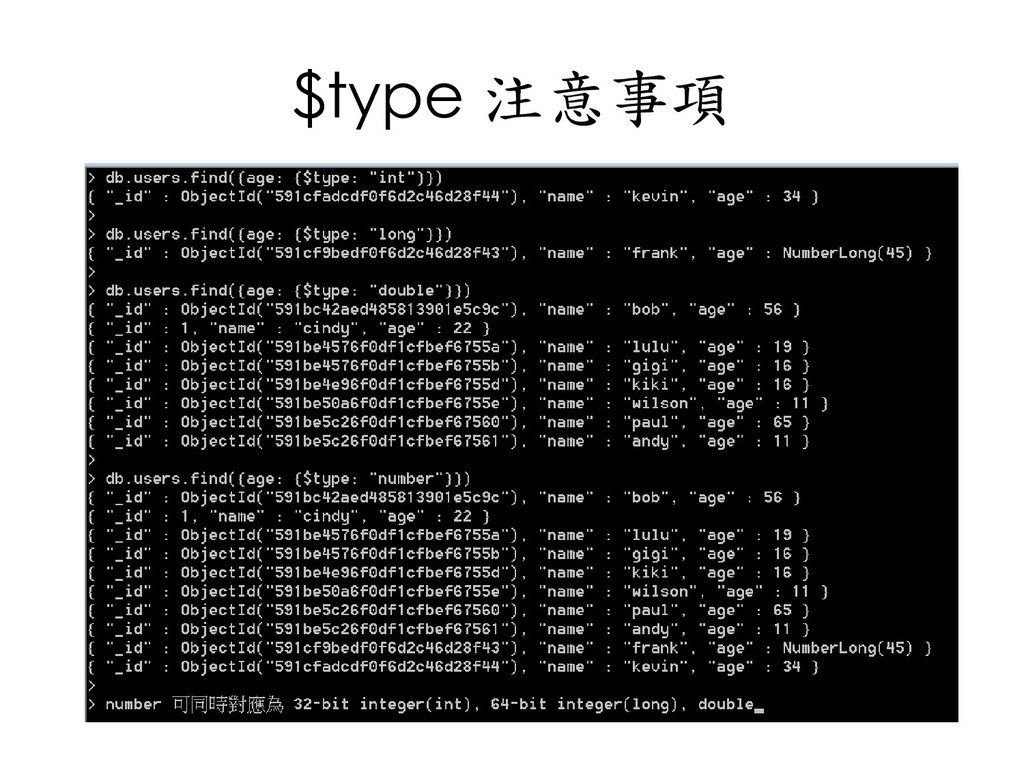
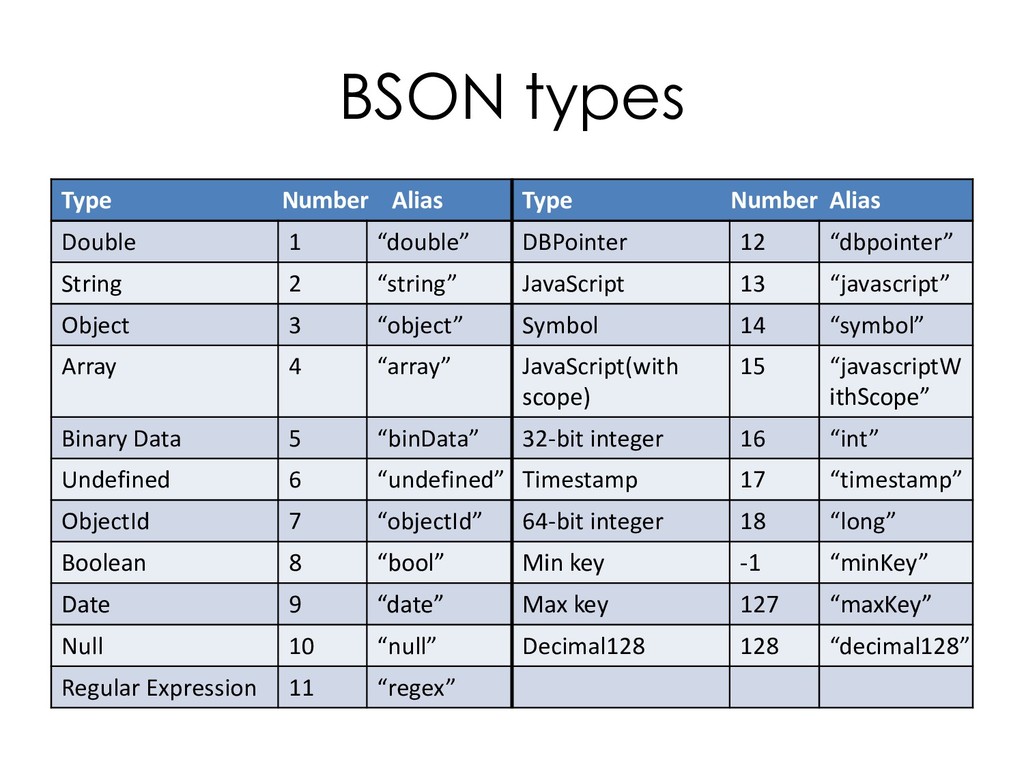
  83. BSON types Type Number Alias Type Number Alias Double 1

    “double” DBPointer 12 “dbpointer” String 2 “string” JavaScript 13 “javascript” Object 3 “object” Symbol 14 “symbol” Array 4 “array” JavaScript(with scope) 15 “javascriptW ithScope” Binary Data 5 “binData” 32-bit integer 16 “int” Undefined 6 “undefined” Timestamp 17 “timestamp” ObjectId 7 “objectId” 64-bit integer 18 “long” Boolean 8 “bool” Min key -1 “minKey” Date 9 “date” Max key 127 “maxKey” Null 10 “null” Decimal128 128 “decimal128” Regular Expression 11 “regex”
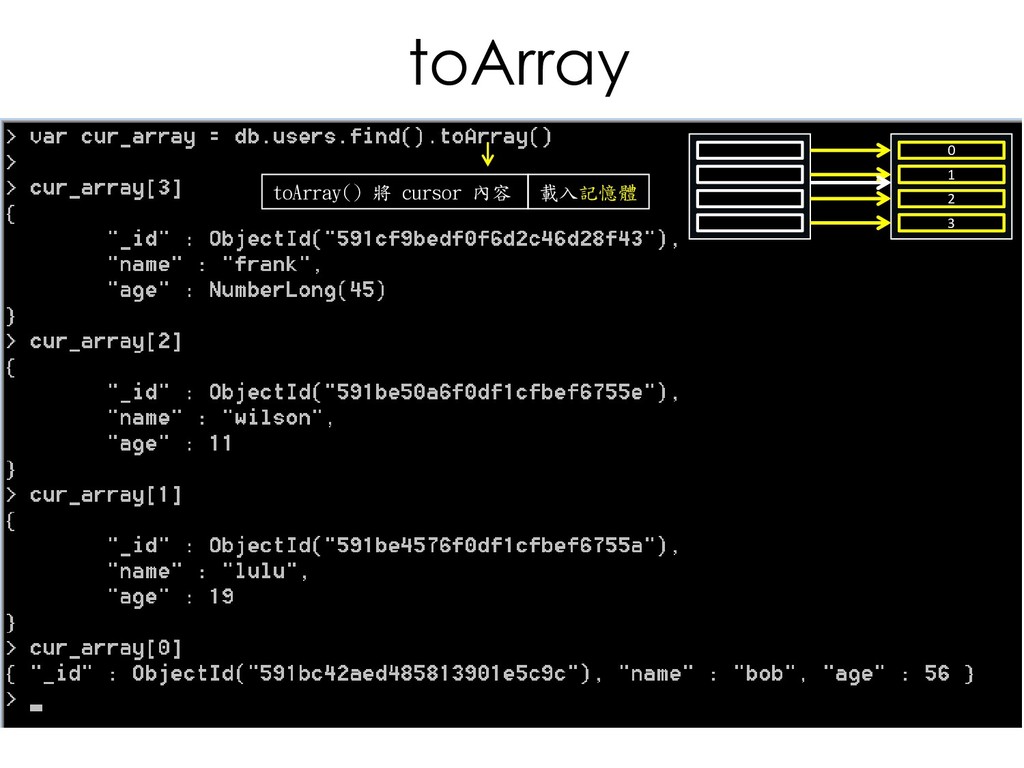
  84. toArray 0 1 2 3 3 2 1 0 toArray()

    將 cursor 內容 載入記憶體
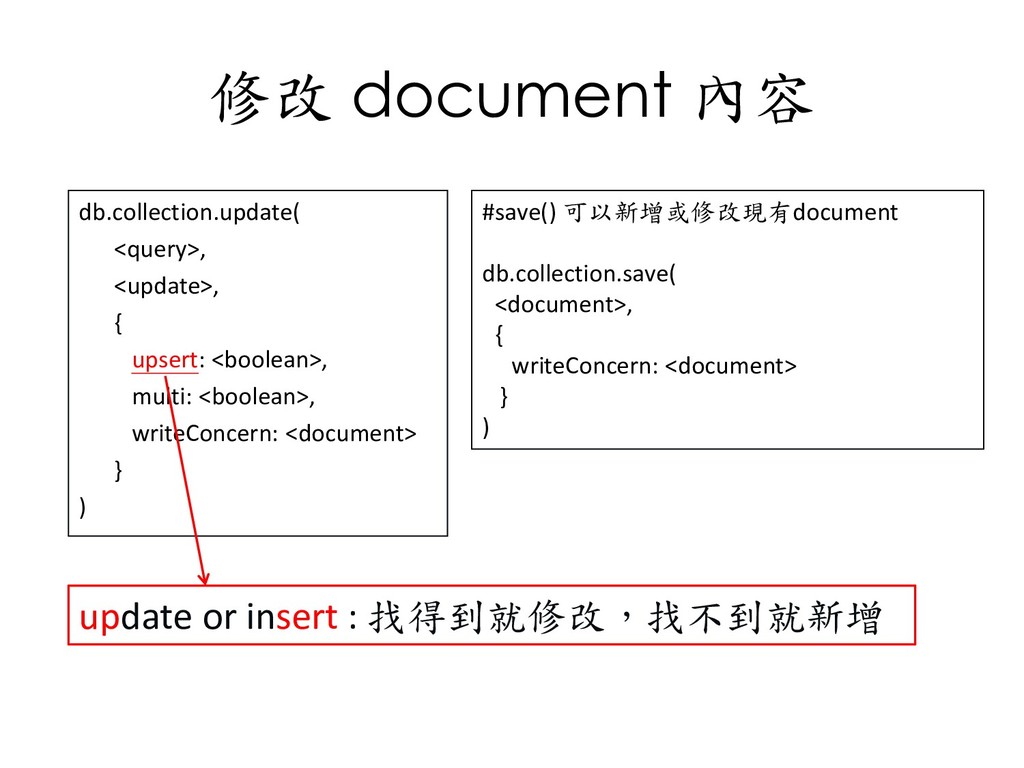
  85. 修改 document 內容 db.collection.update( <query>, <update>, { upsert: <boolean>, multi:

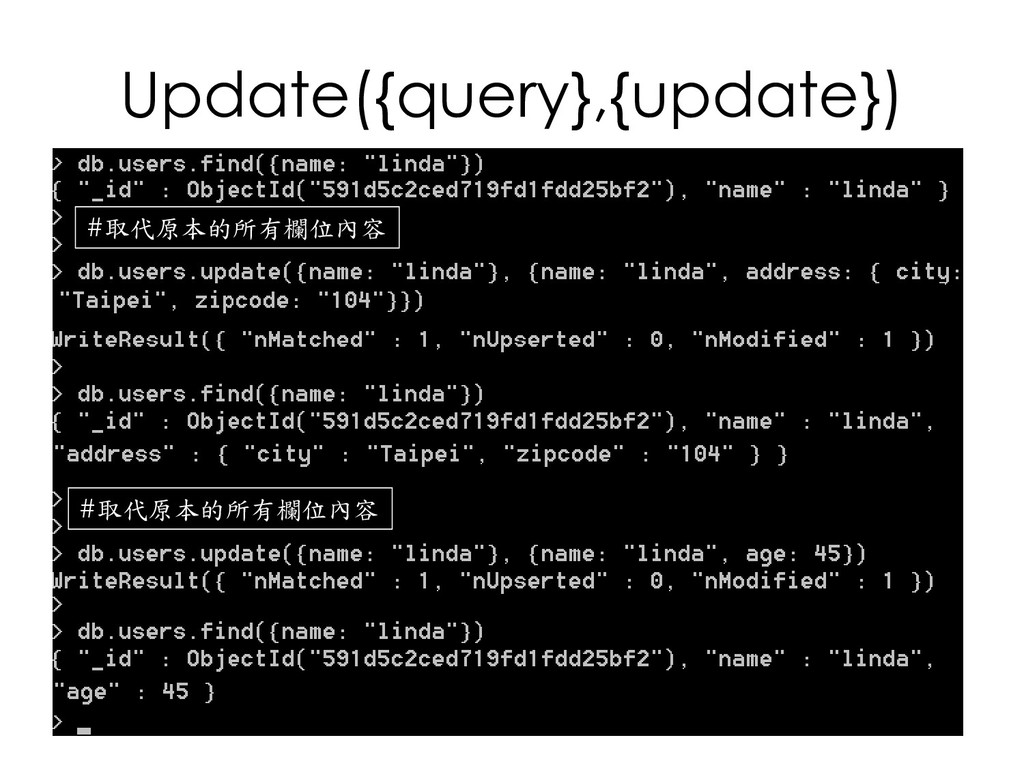
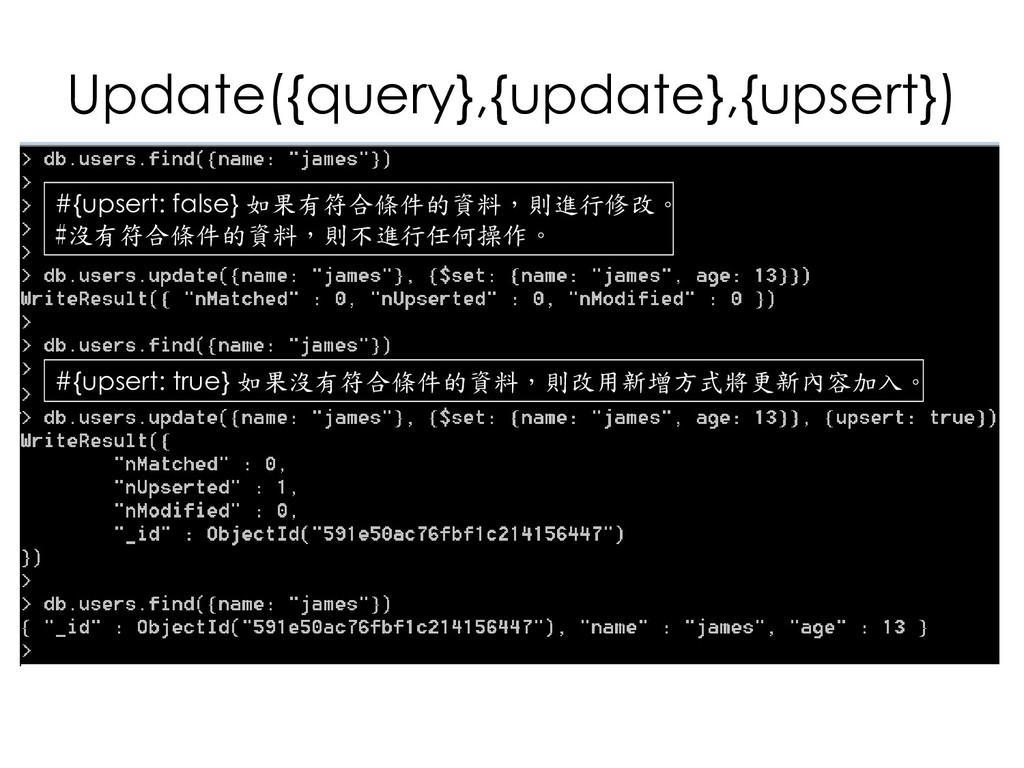
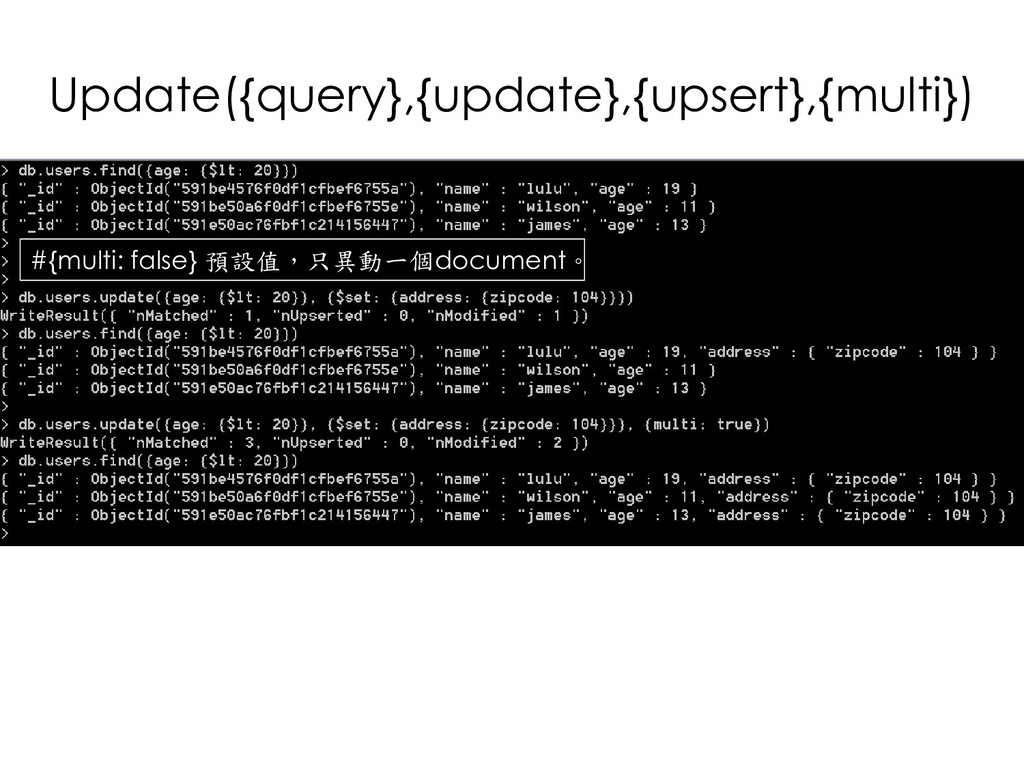
    <boolean>, writeConcern: <document> } ) #save() 可以新增或修改現有document db.collection.save( <document>, { writeConcern: <document> } ) update or insert : 找得到就修改,找不到就新增
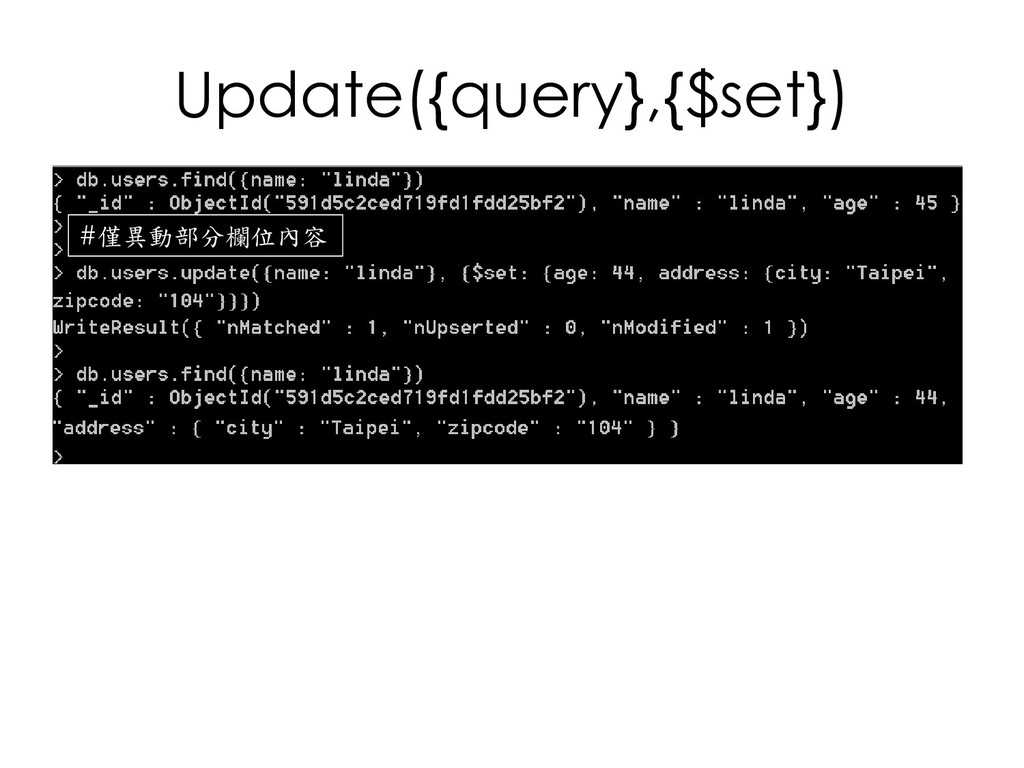
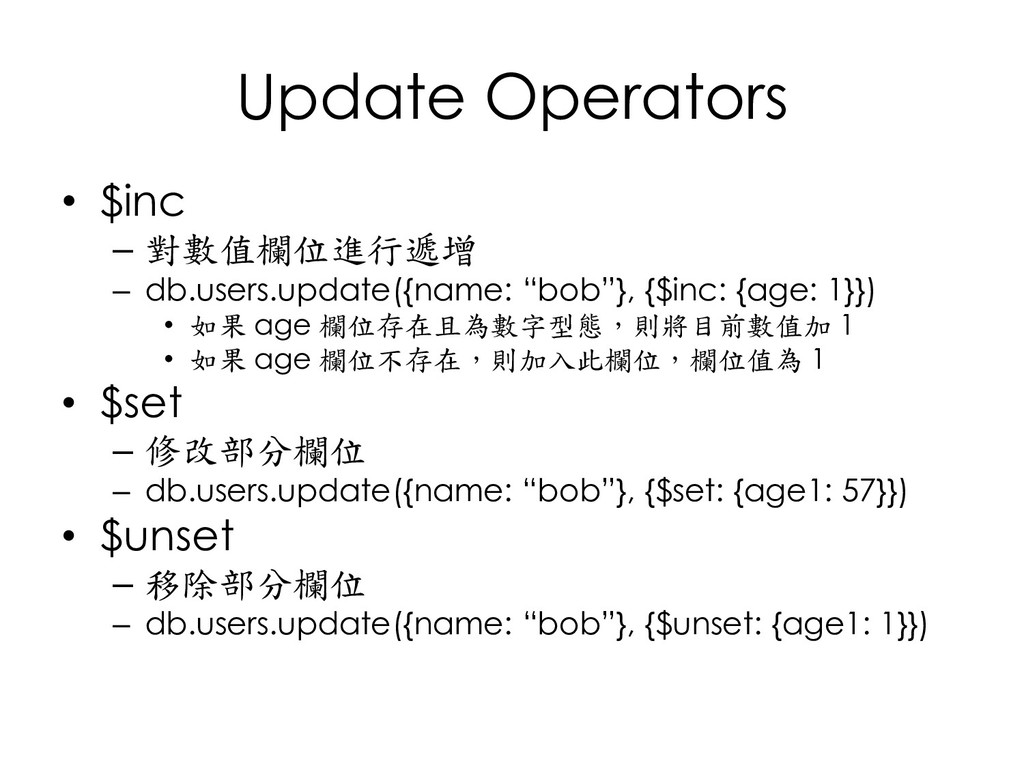
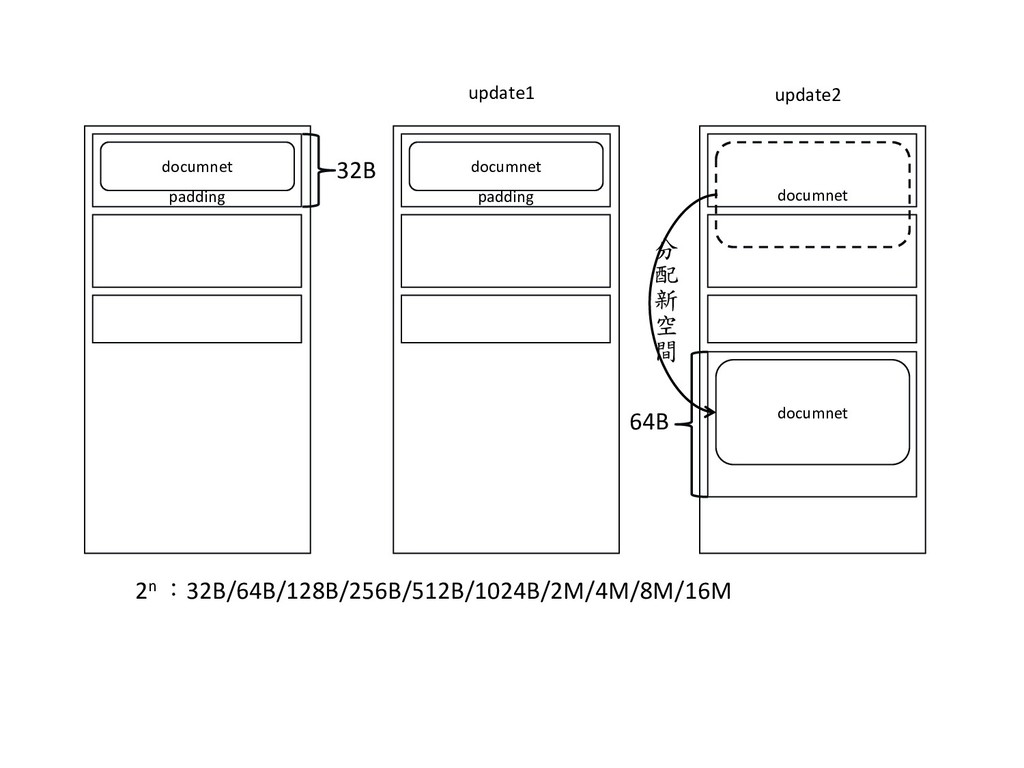
  86. Update Operators • $inc – 對數值欄位進行遞增 – db.users.update({name: “bob”}, {$inc:

    {age: 1}}) • 如果 age 欄位存在且為數字型態,則將目前數值加 1 • 如果 age 欄位不存在,則加入此欄位,欄位值為 1 • $set – 修改部分欄位 – db.users.update({name: “bob”}, {$set: {age1: 57}}) • $unset – 移除部分欄位 – db.users.update({name: “bob”}, {$unset: {age1: 1}})
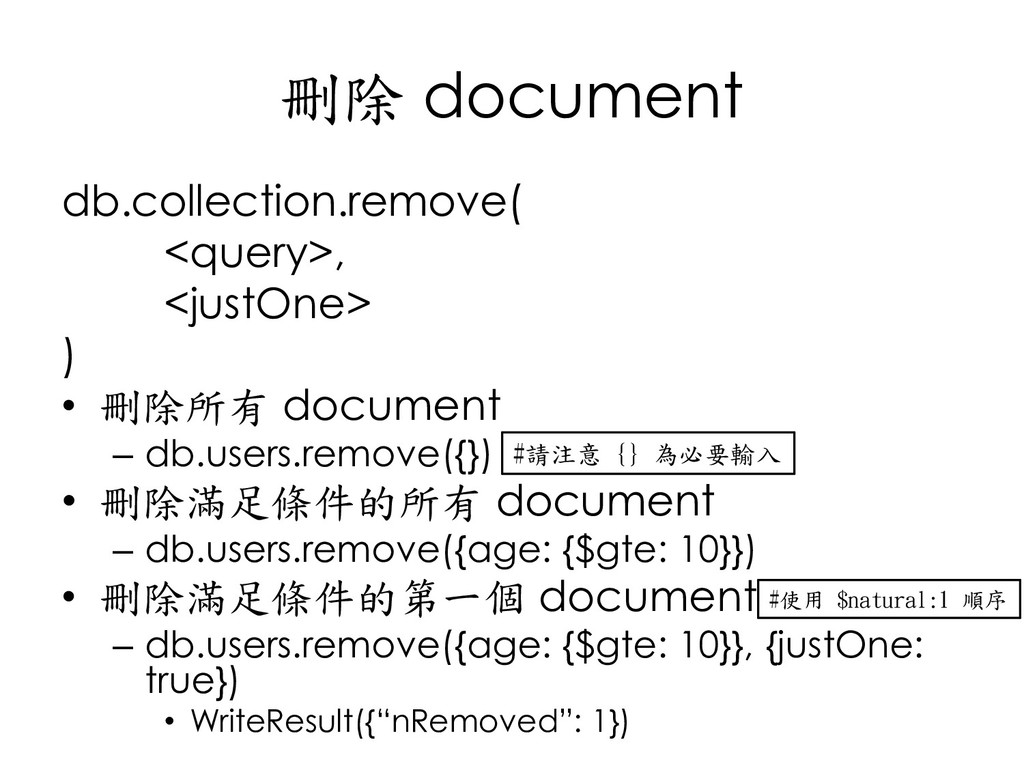
  87. 刪除 document db.collection.remove( <query>, <justOne> ) • 刪除所有 document –

    db.users.remove({}) • 刪除滿足條件的所有 document – db.users.remove({age: {$gte: 10}}) • 刪除滿足條件的第一個 document – db.users.remove({age: {$gte: 10}}, {justOne: true}) • WriteResult({“nRemoved”: 1}) #請注意 {} 為必要輸入 #使用 $natural:1 順序
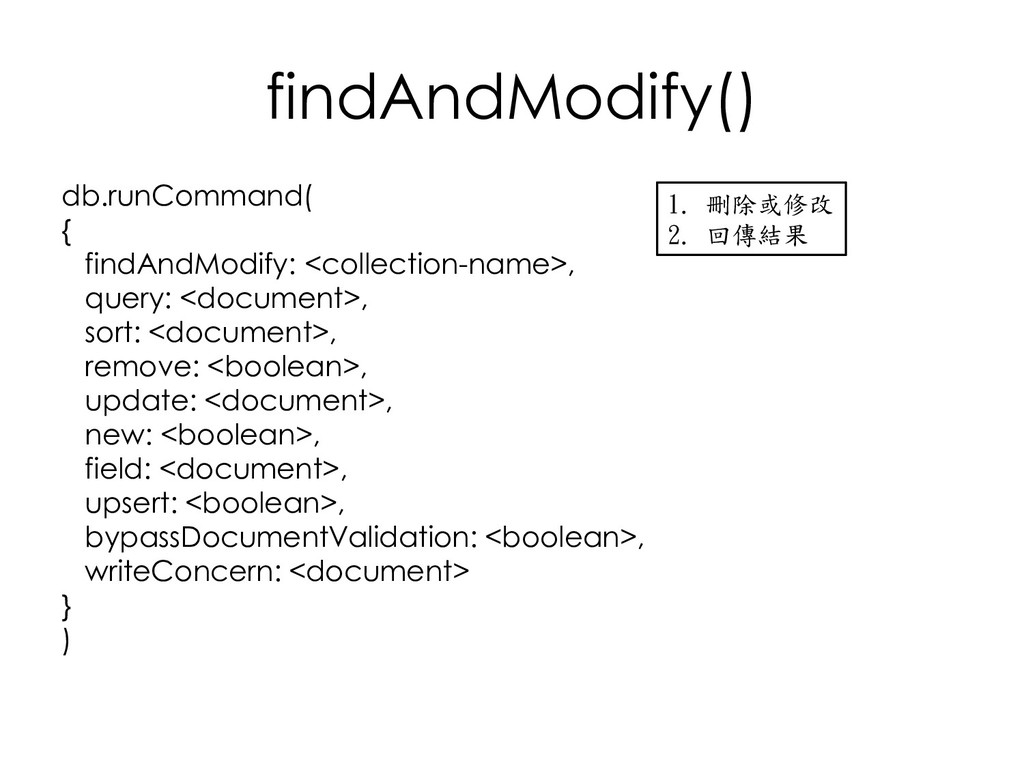
  88. findAndModify() db.runCommand( { findAndModify: <collection-name>, query: <document>, sort: <document>, remove:

    <boolean>, update: <document>, new: <boolean>, field: <document>, upsert: <boolean>, bypassDocumentValidation: <boolean>, writeConcern: <document> } ) 1. 刪除或修改 2. 回傳結果
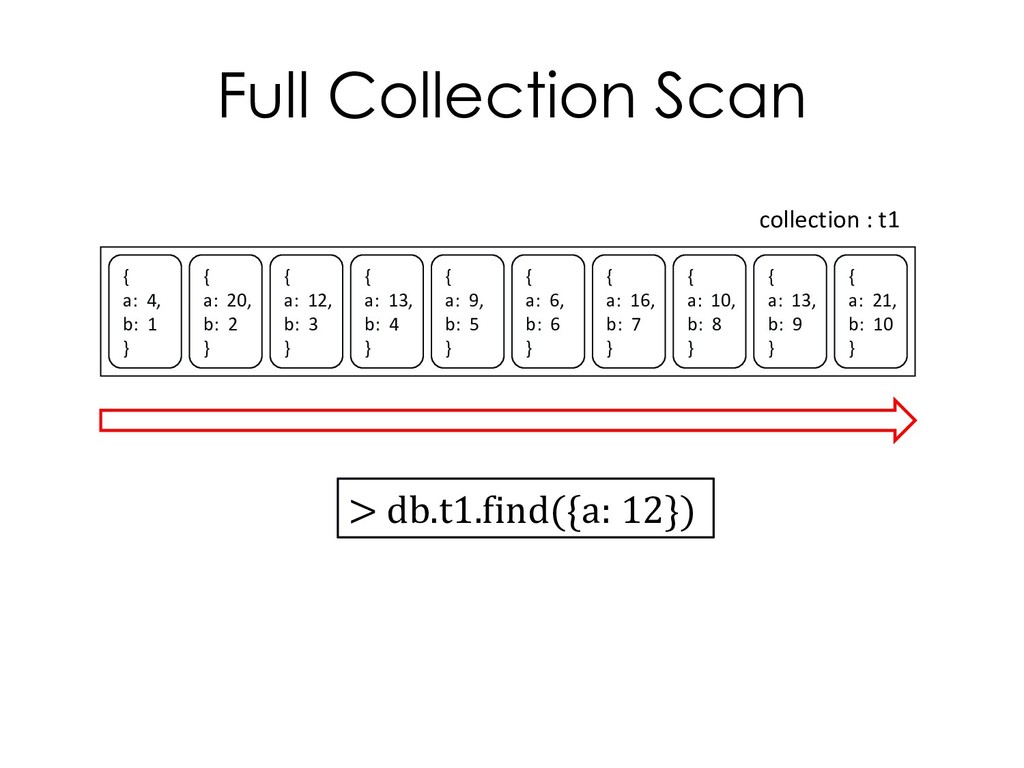
  89. Full Collection Scan > db.t1.find({a: 12}) { a: 4, b:

    1 } { a: 20, b: 2 } { a: 12, b: 3 } { a: 13, b: 4 } { a: 9, b: 5 } { a: 6, b: 6 } { a: 16, b: 7 } { a: 10, b: 8 } { a: 13, b: 9 } { a: 21, b: 10 } collection : t1
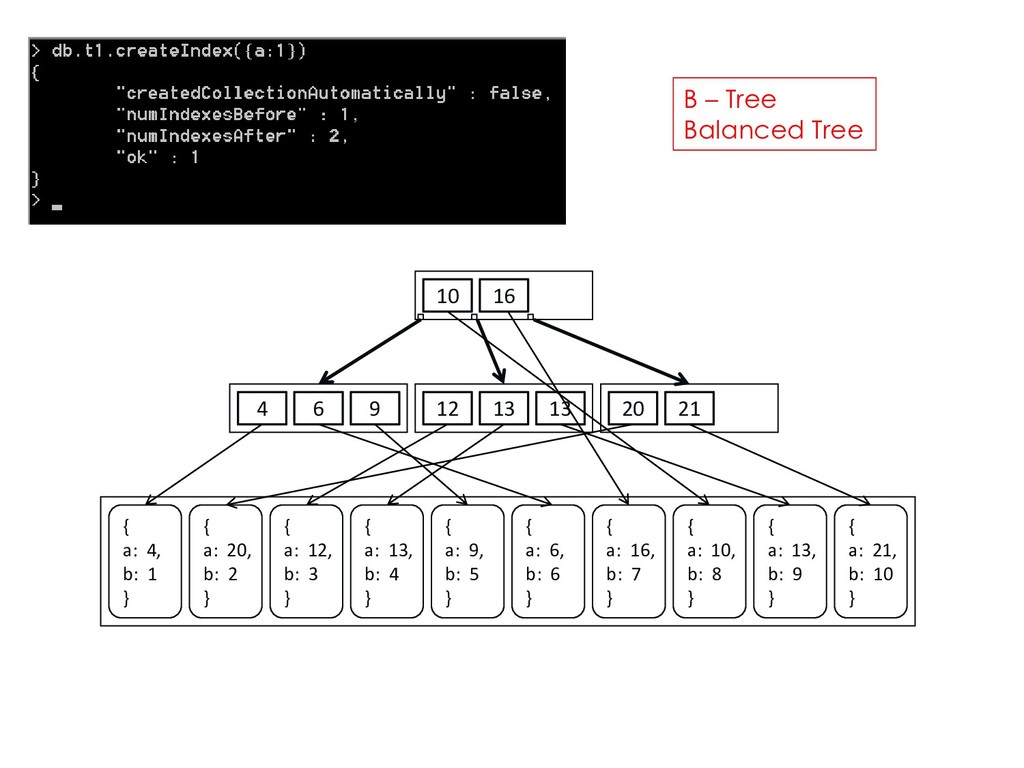
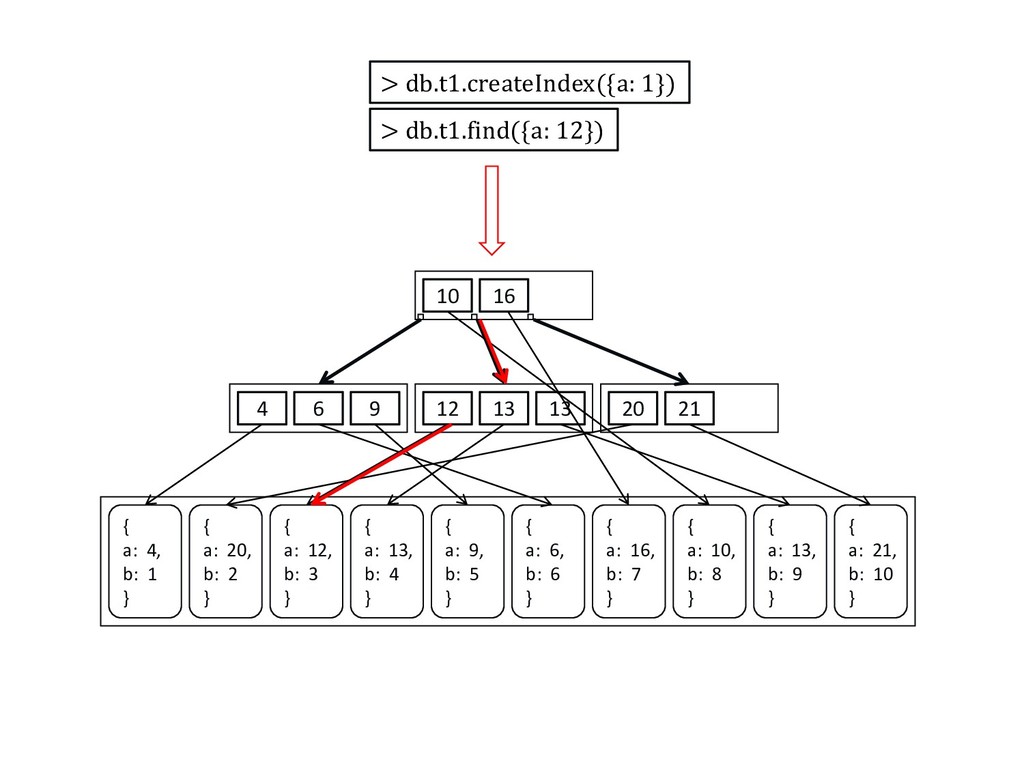
  90. 10 16 4 6 9 12 13 13 20 21

    { a: 4, b: 1 } { a: 20, b: 2 } { a: 12, b: 3 } { a: 13, b: 4 } { a: 9, b: 5 } { a: 6, b: 6 } { a: 16, b: 7 } { a: 10, b: 8 } { a: 13, b: 9 } { a: 21, b: 10 } B – Tree Balanced Tree
  91. 10 16 4 6 9 12 13 13 20 21

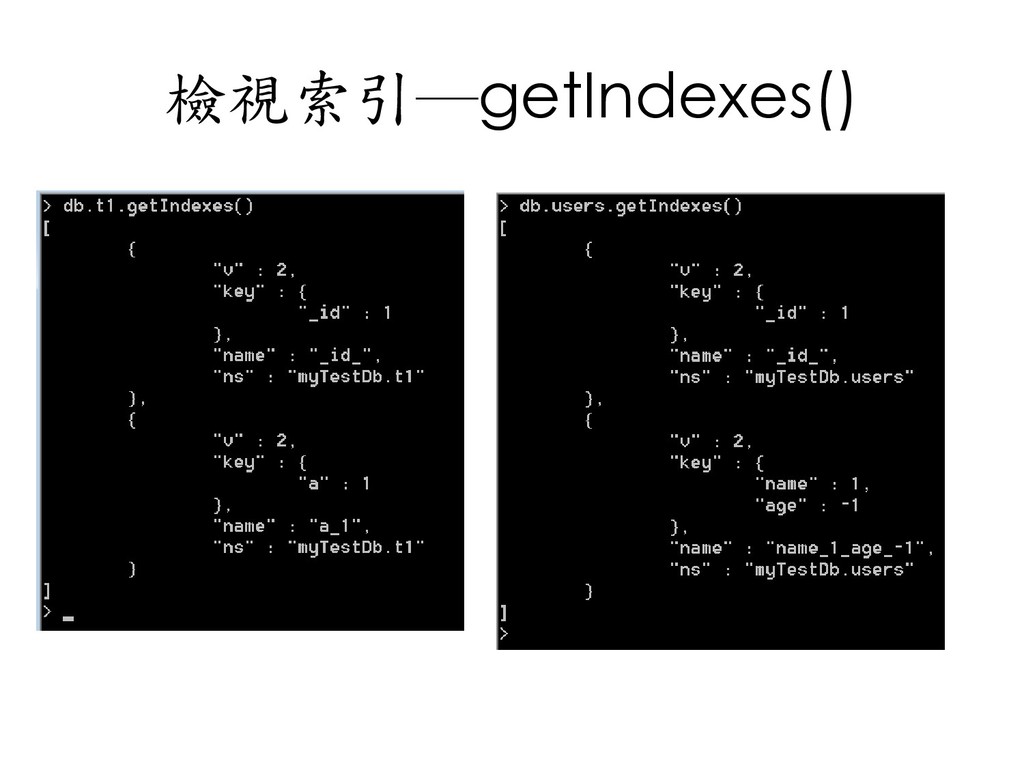
    { a: 4, b: 1 } { a: 20, b: 2 } { a: 12, b: 3 } { a: 13, b: 4 } { a: 9, b: 5 } { a: 6, b: 6 } { a: 16, b: 7 } { a: 10, b: 8 } { a: 13, b: 9 } { a: 21, b: 10 } > db.t1.createIndex({a: 1}) > db.t1.find({a: 12})
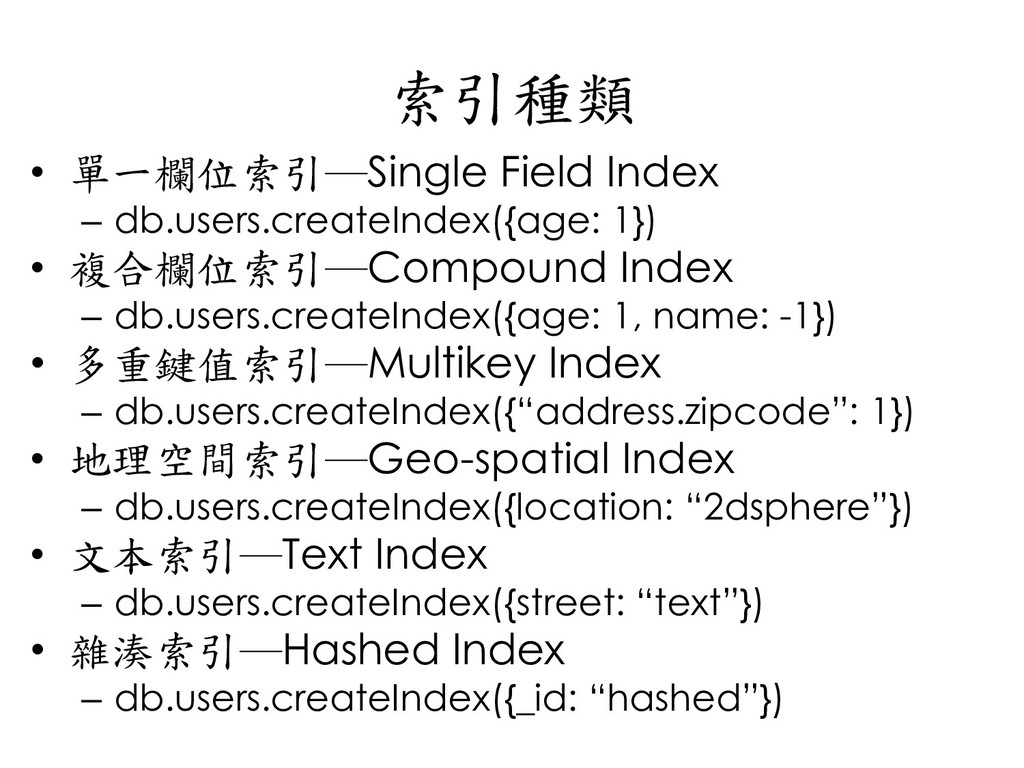
  92. 索引種類 • 單一欄位索引─Single Field Index – db.users.createIndex({age: 1}) • 複合欄位索引─Compound

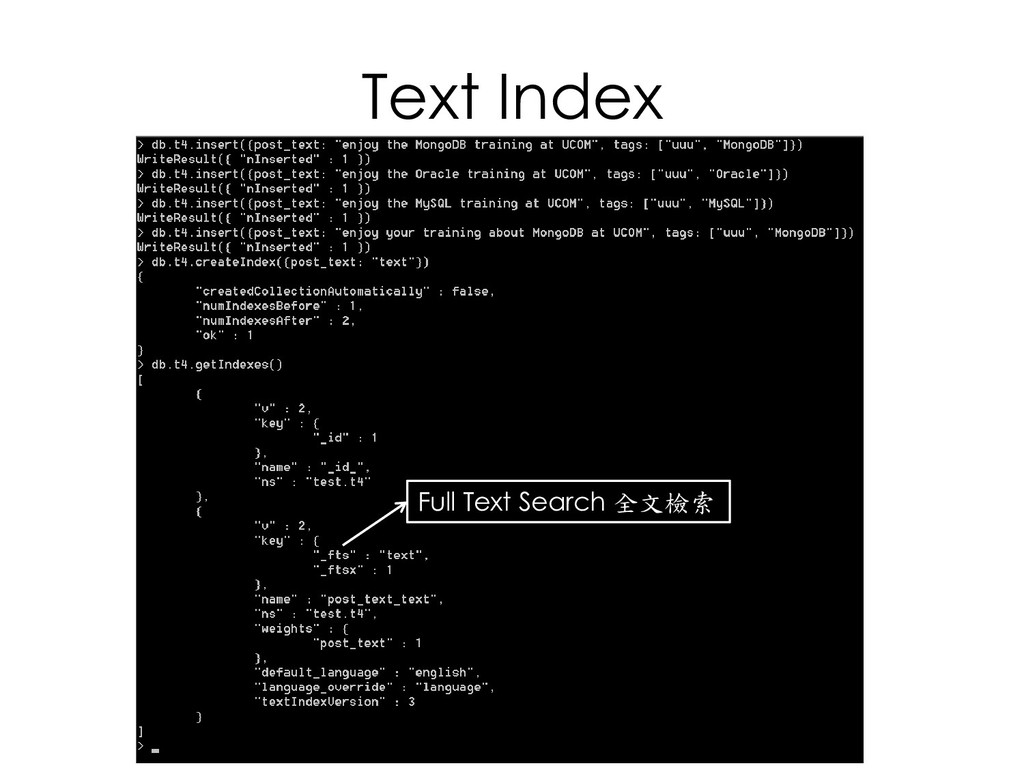
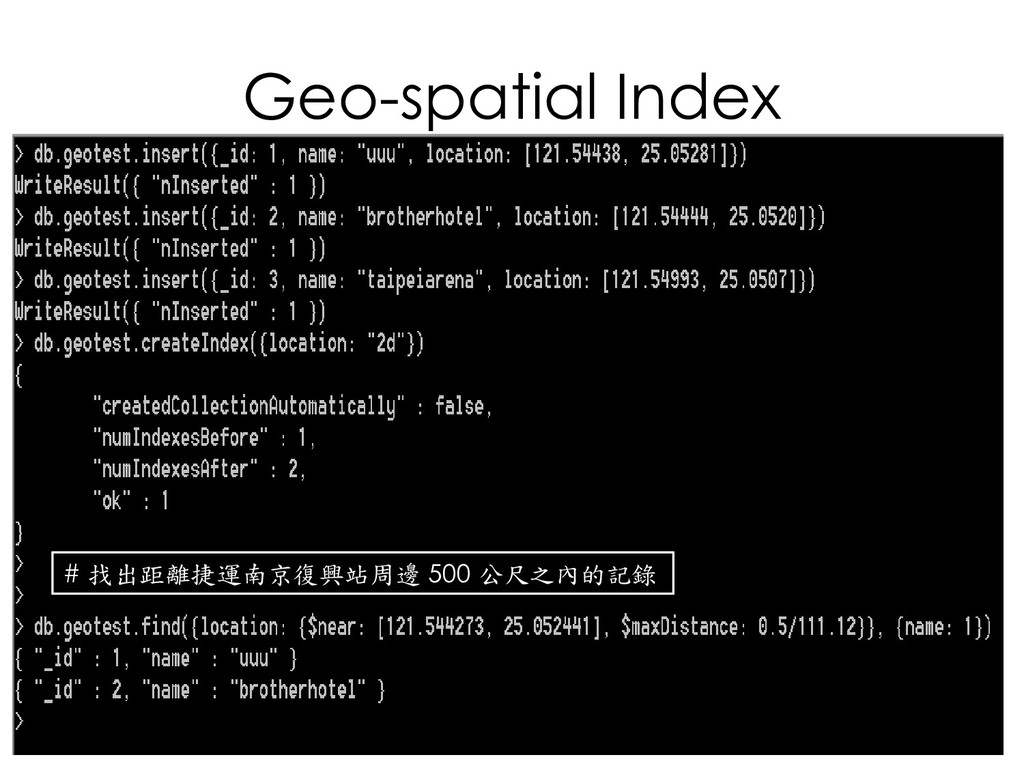
    Index – db.users.createIndex({age: 1, name: -1}) • 多重鍵值索引─Multikey Index – db.users.createIndex({“address.zipcode”: 1}) • 地理空間索引─Geo-spatial Index – db.users.createIndex({location: “2dsphere”}) • 文本索引─Text Index – db.users.createIndex({street: “text”}) • 雜湊索引─Hashed Index – db.users.createIndex({_id: “hashed”})
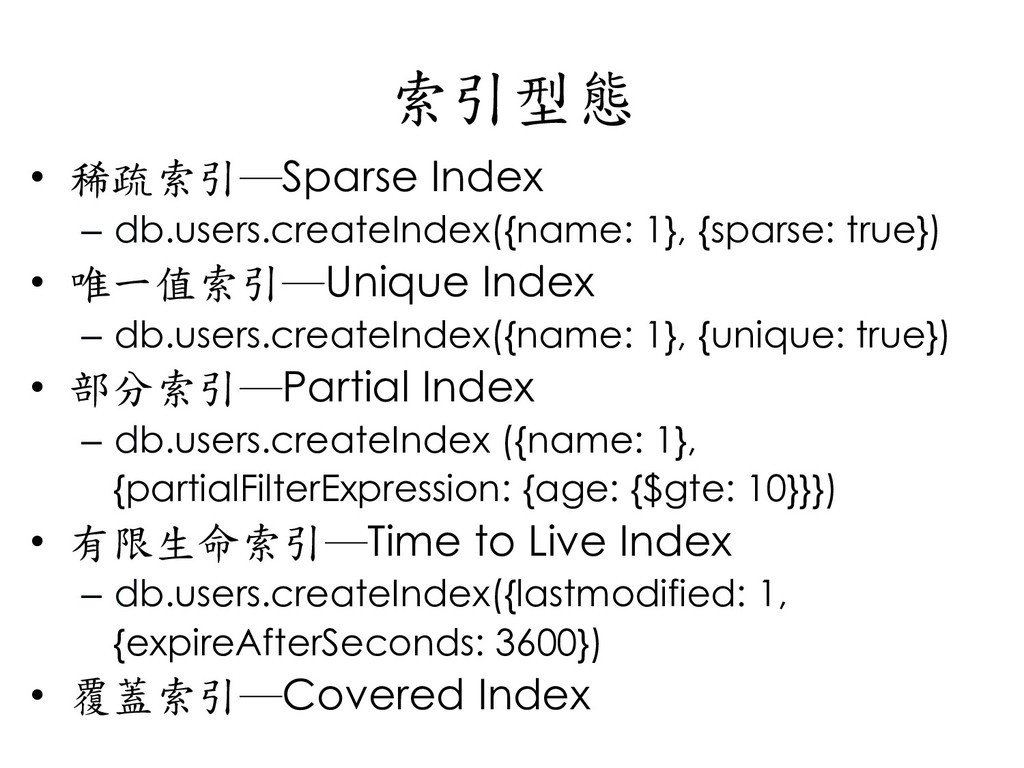
  93. 索引型態 • 稀疏索引─Sparse Index – db.users.createIndex({name: 1}, {sparse: true}) •

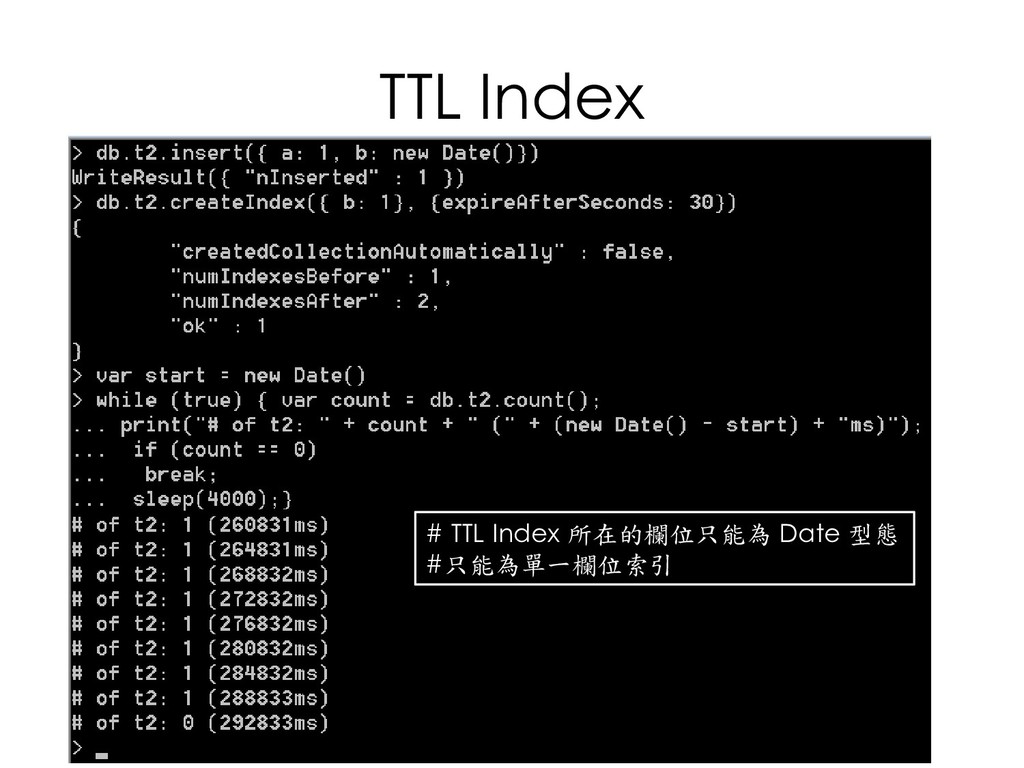
    唯一值索引─Unique Index – db.users.createIndex({name: 1}, {unique: true}) • 部分索引─Partial Index – db.users.createIndex ({name: 1}, {partialFilterExpression: {age: {$gte: 10}}}) • 有限生命索引─Time to Live Index – db.users.createIndex({lastmodified: 1, {expireAfterSeconds: 3600}) • 覆蓋索引─Covered Index
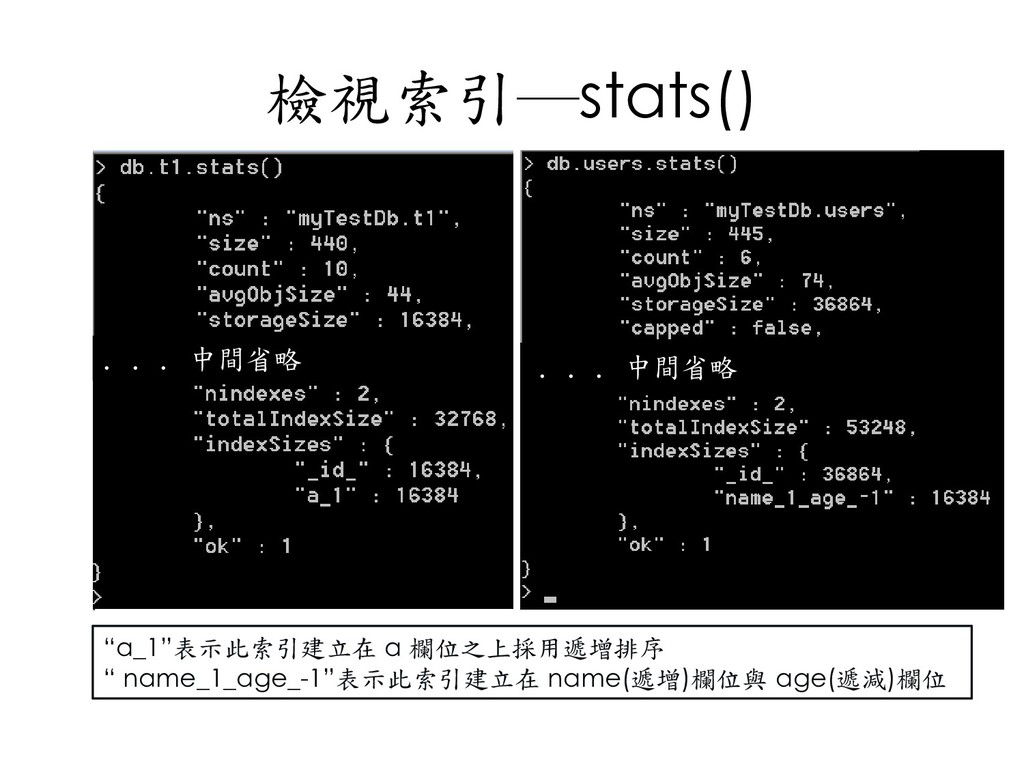
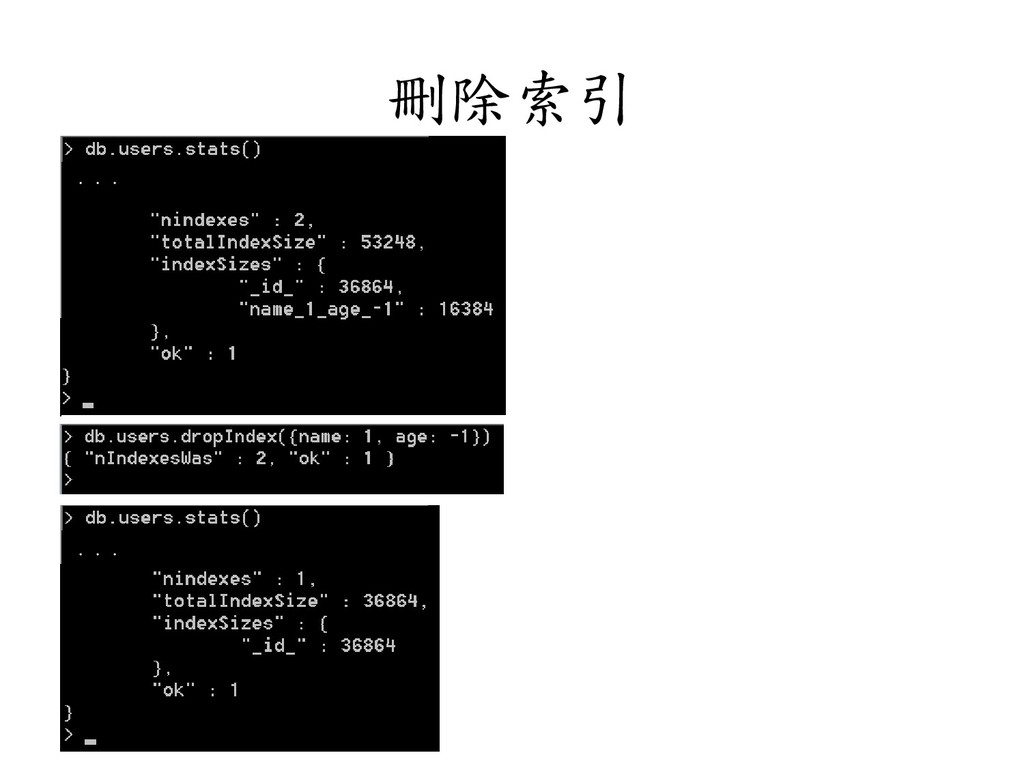
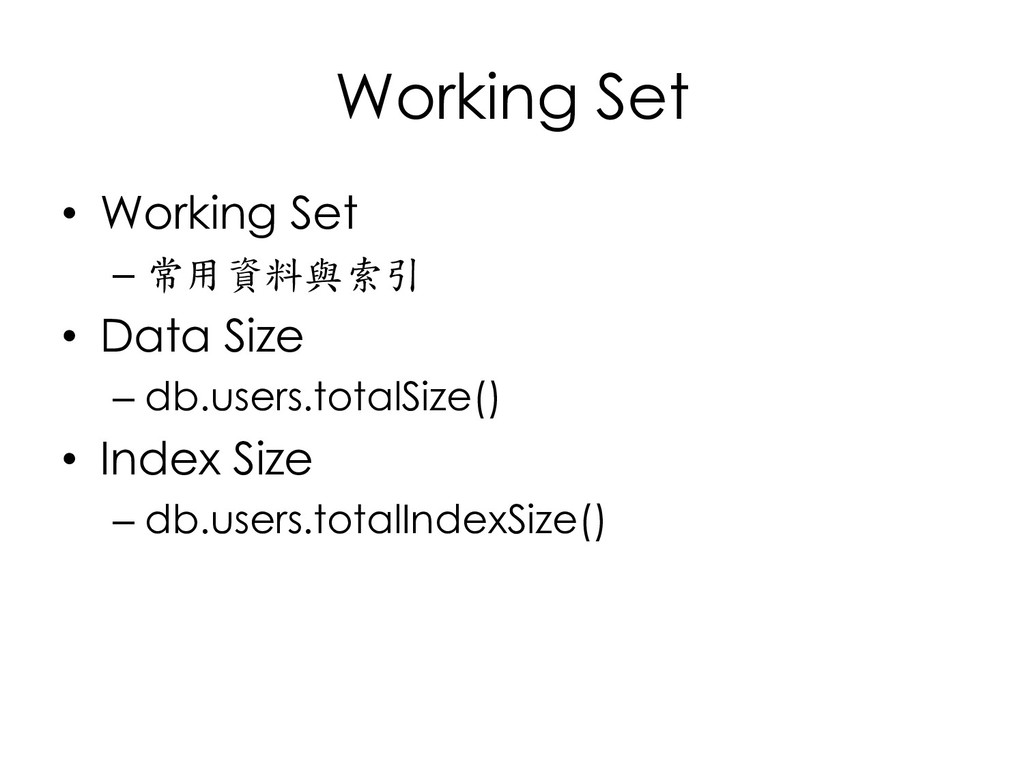
  94. Working Set • Working Set – 常用資料與索引 • Data Size

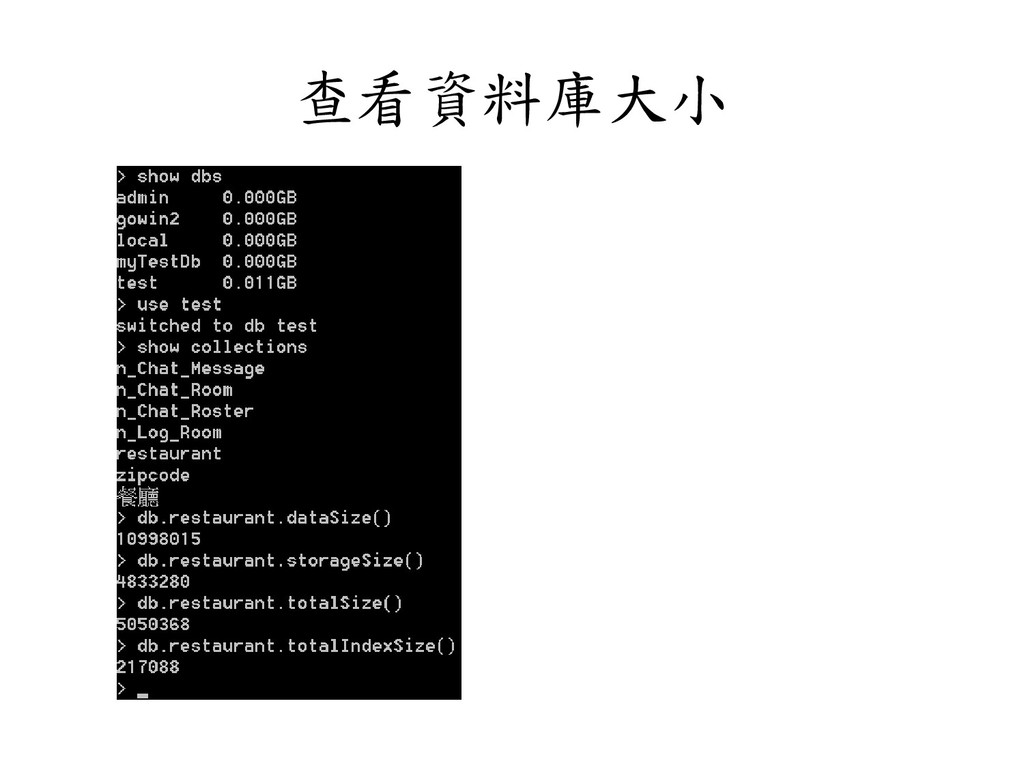
    – db.users.totalSize() • Index Size – db.users.totalIndexSize()
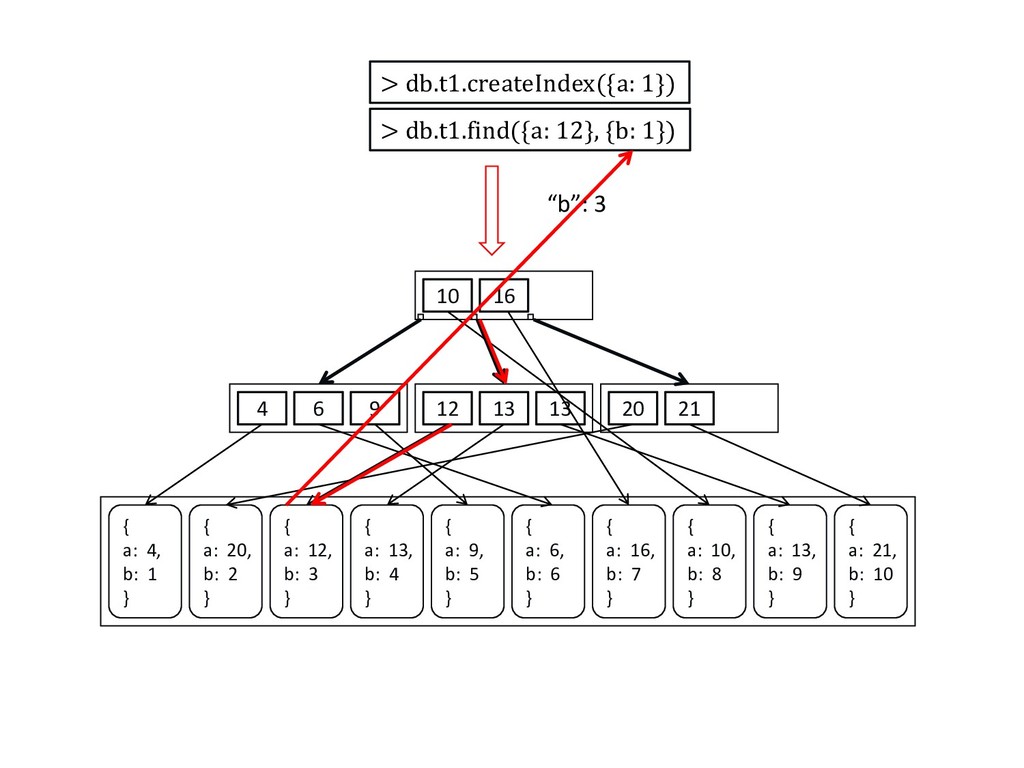
  95. 10 16 4 6 9 12 13 13 20 21

    { a: 4, b: 1 } { a: 20, b: 2 } { a: 12, b: 3 } { a: 13, b: 4 } { a: 9, b: 5 } { a: 6, b: 6 } { a: 16, b: 7 } { a: 10, b: 8 } { a: 13, b: 9 } { a: 21, b: 10 } > db.t1.createIndex({a: 1}) > db.t1.find({a: 12}, {b: 1}) “b”: 3
  96. 10, 8 16, 7 4, 1 6, 6 9, 5

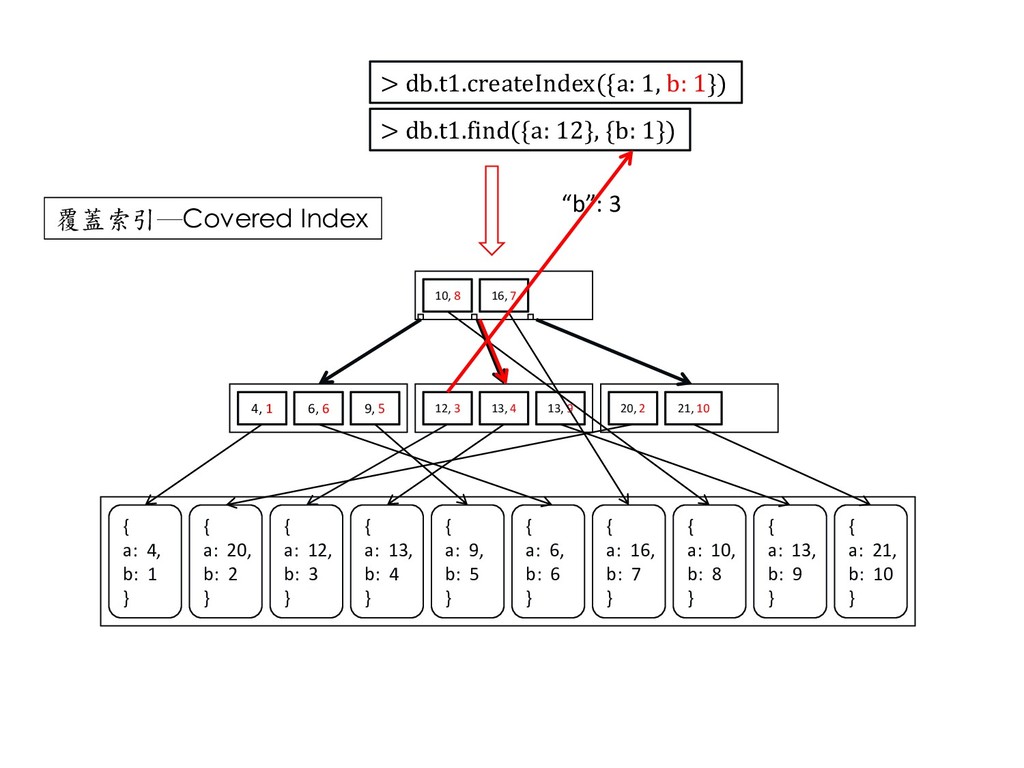
    12, 3 13, 4 13, 9 20, 2 21, 10 { a: 4, b: 1 } { a: 20, b: 2 } { a: 12, b: 3 } { a: 13, b: 4 } { a: 9, b: 5 } { a: 6, b: 6 } { a: 16, b: 7 } { a: 10, b: 8 } { a: 13, b: 9 } { a: 21, b: 10 } > db.t1.createIndex({a: 1, b: 1}) > db.t1.find({a: 12}, {b: 1}) “b”: 3 覆蓋索引─Covered Index
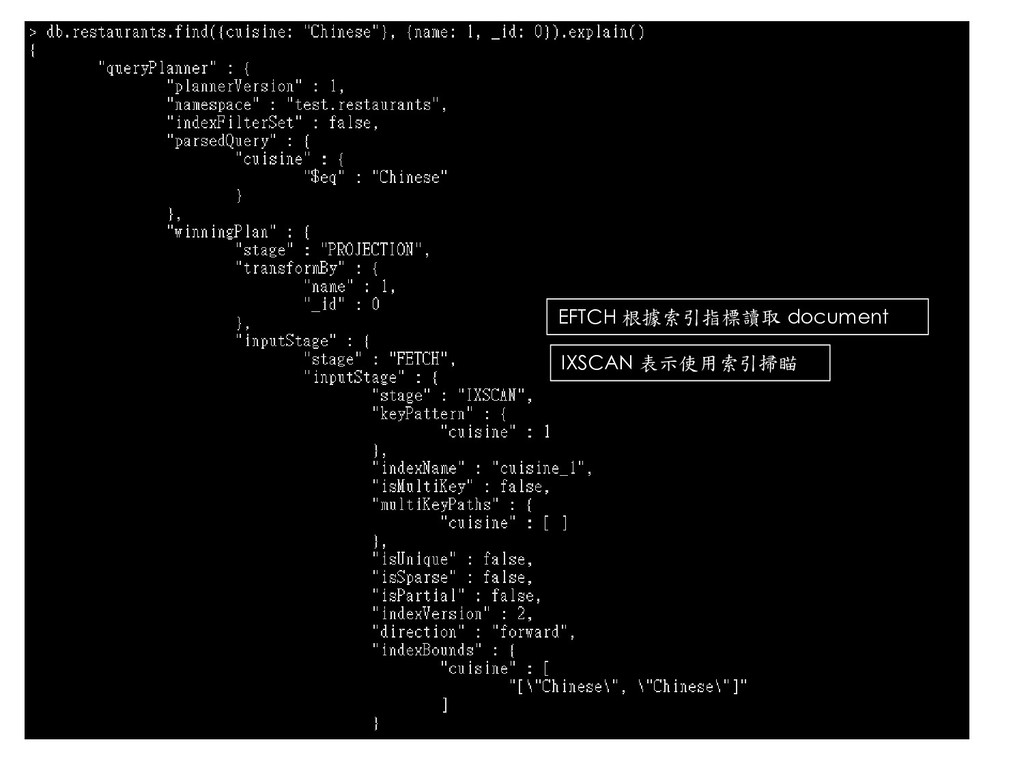
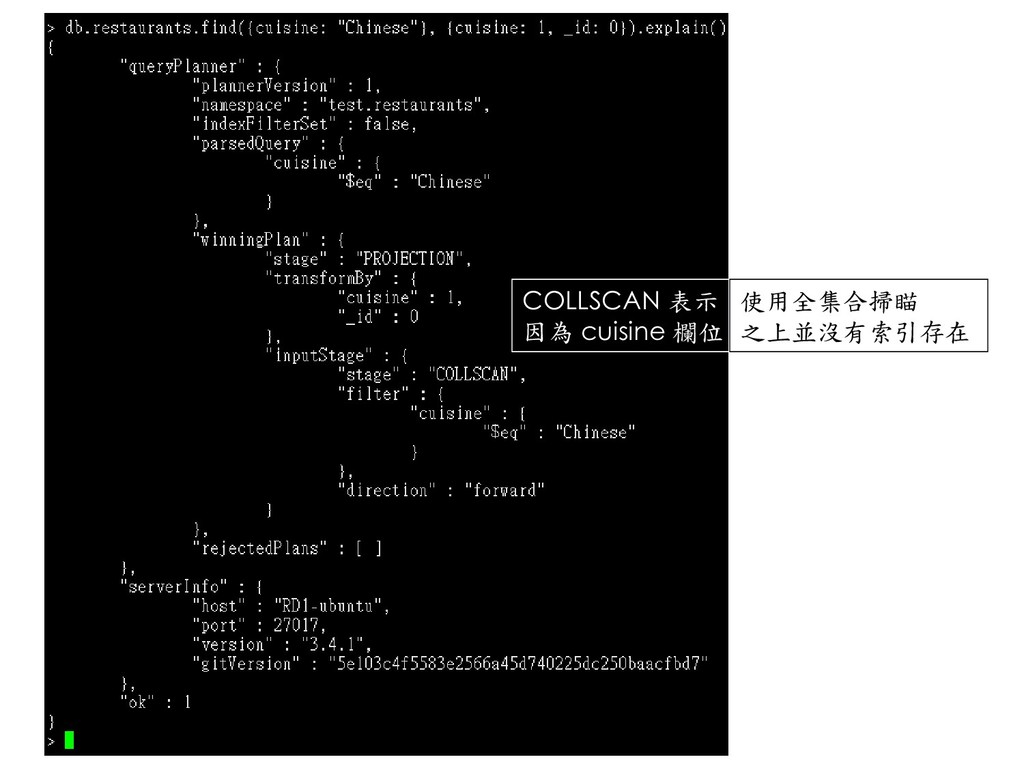
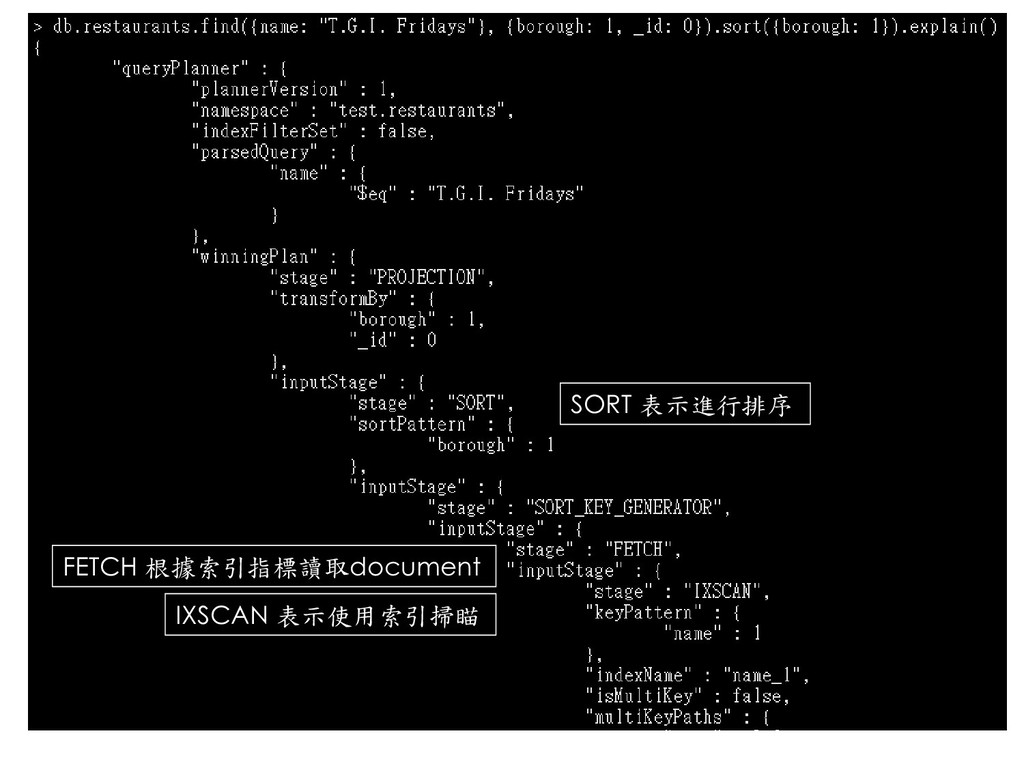
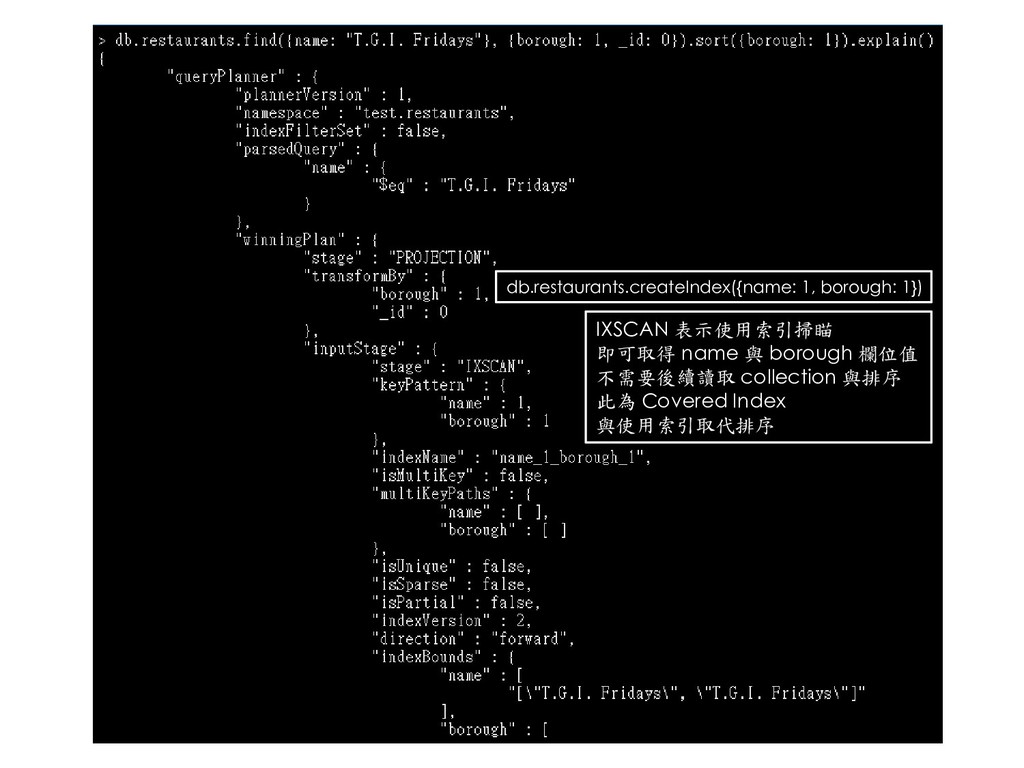
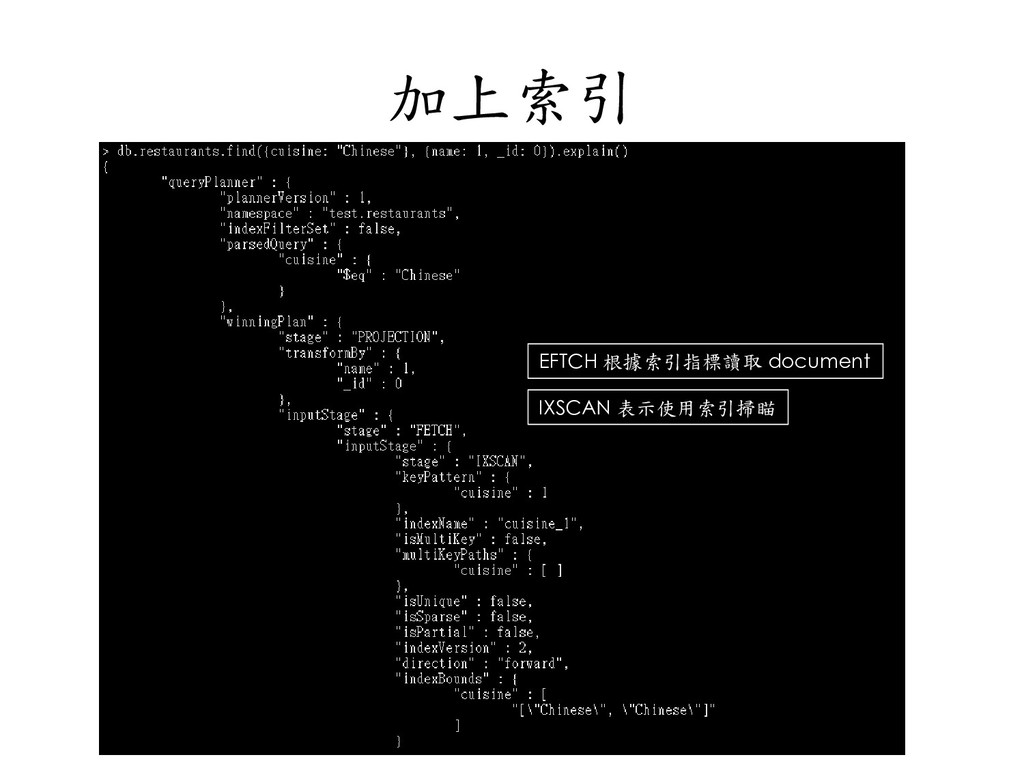
  97. db.restaurants.createIndex({name: 1, borough: 1}) IXSCAN 表示使用索引掃瞄 即可取得 name 與 borough

    欄位值 不需要後續讀取 collection 與排序 此為 Covered Index 與使用索引取代排序
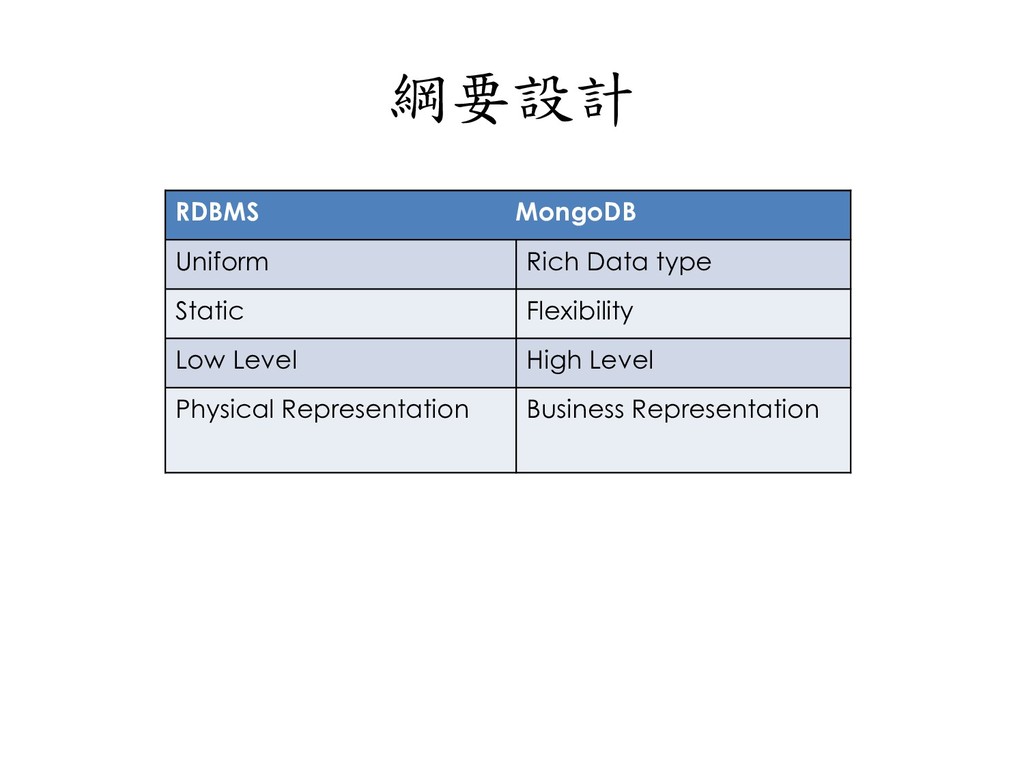
  98. 綱要設計 RDBMS MongoDB Uniform Rich Data type Static Flexibility Low

    Level High Level Physical Representation Business Representation
  99. Schema Free 的好處 • 不是 Schemaless (無綱要) • JSON •

    讀、寫效能高 • 有彈性的綱要設計
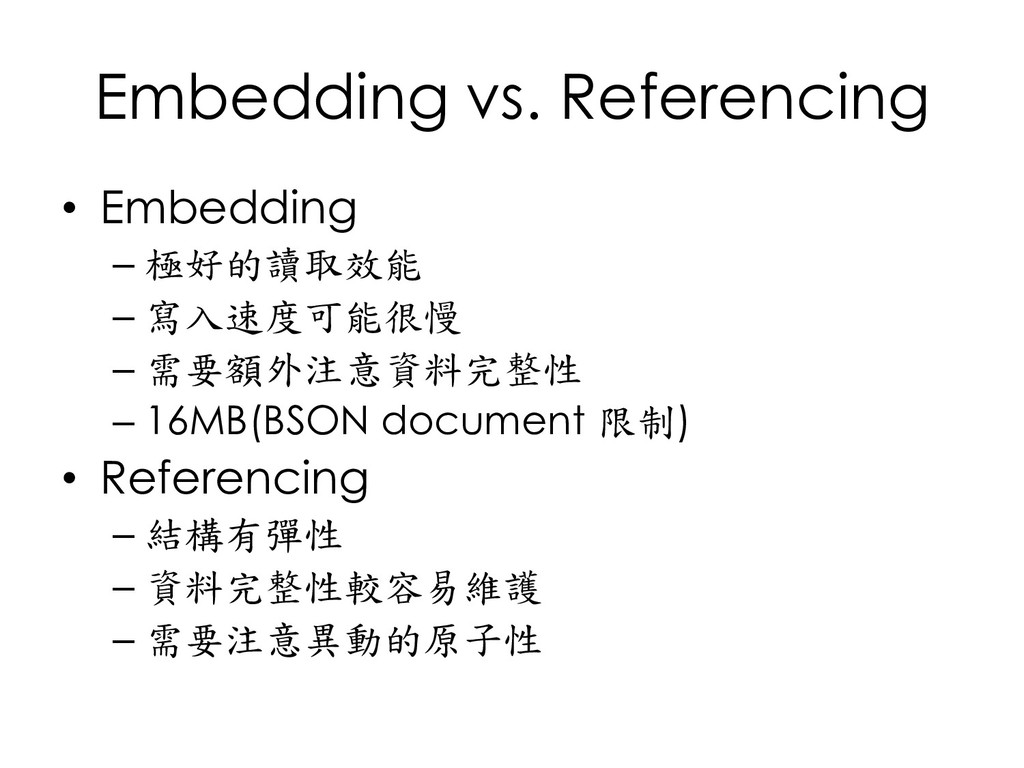
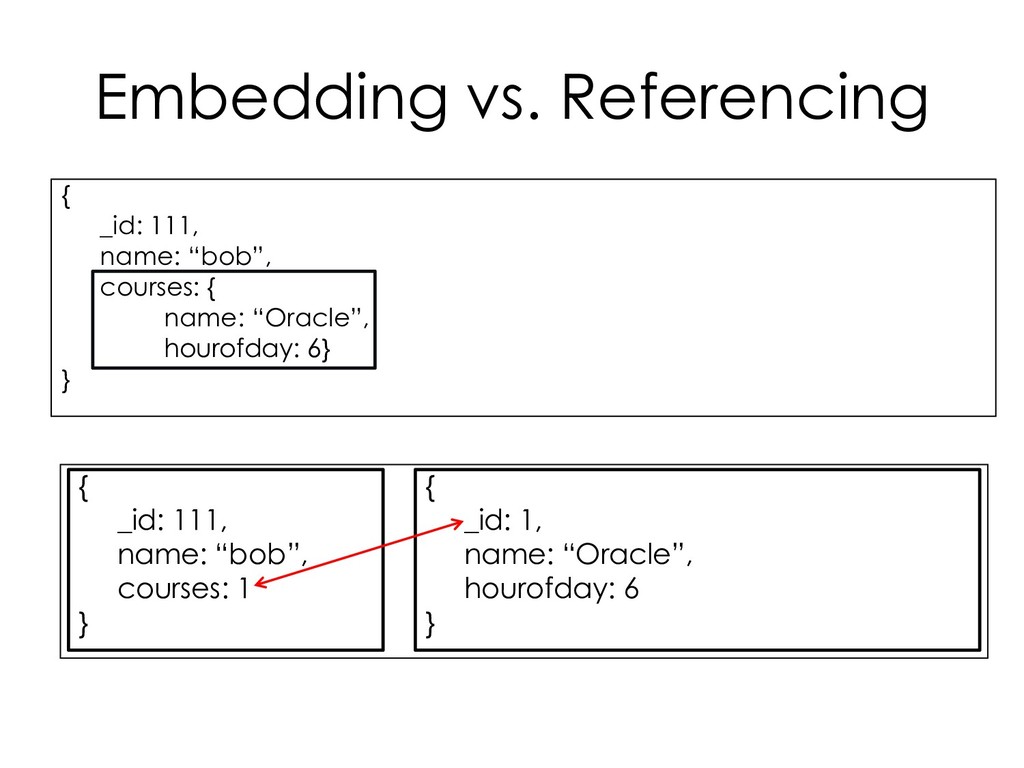
  100. Embedding vs. Referencing • Embedding – 極好的讀取效能 – 寫入速度可能很慢 –

    需要額外注意資料完整性 – 16MB(BSON document 限制) • Referencing – 結構有彈性 – 資料完整性較容易維護 – 需要注意異動的原子性
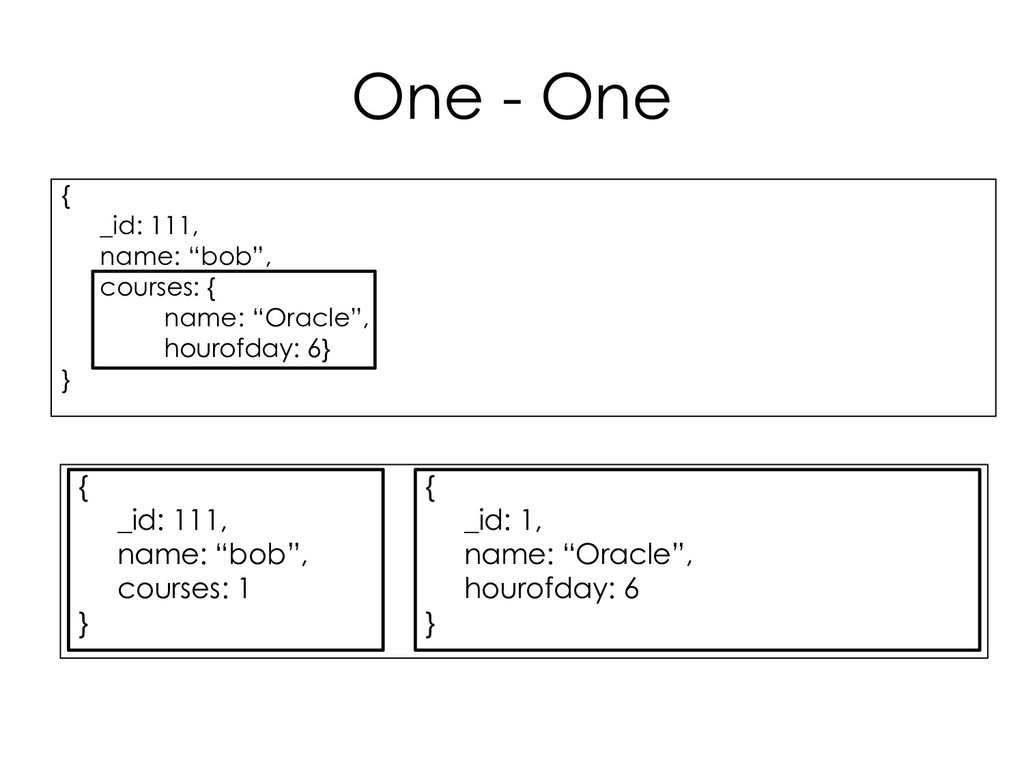
  101. Embedding vs. Referencing { _id: 111, name: “bob”, courses: {

    name: “Oracle”, hourofday: 6} } { _id: 111, name: “bob”, courses: 1 } { _id: 1, name: “Oracle”, hourofday: 6 }
  102. One - One { _id: 111, name: “bob”, courses: {

    name: “Oracle”, hourofday: 6} } { _id: 111, name: “bob”, courses: 1 } { _id: 1, name: “Oracle”, hourofday: 6 }
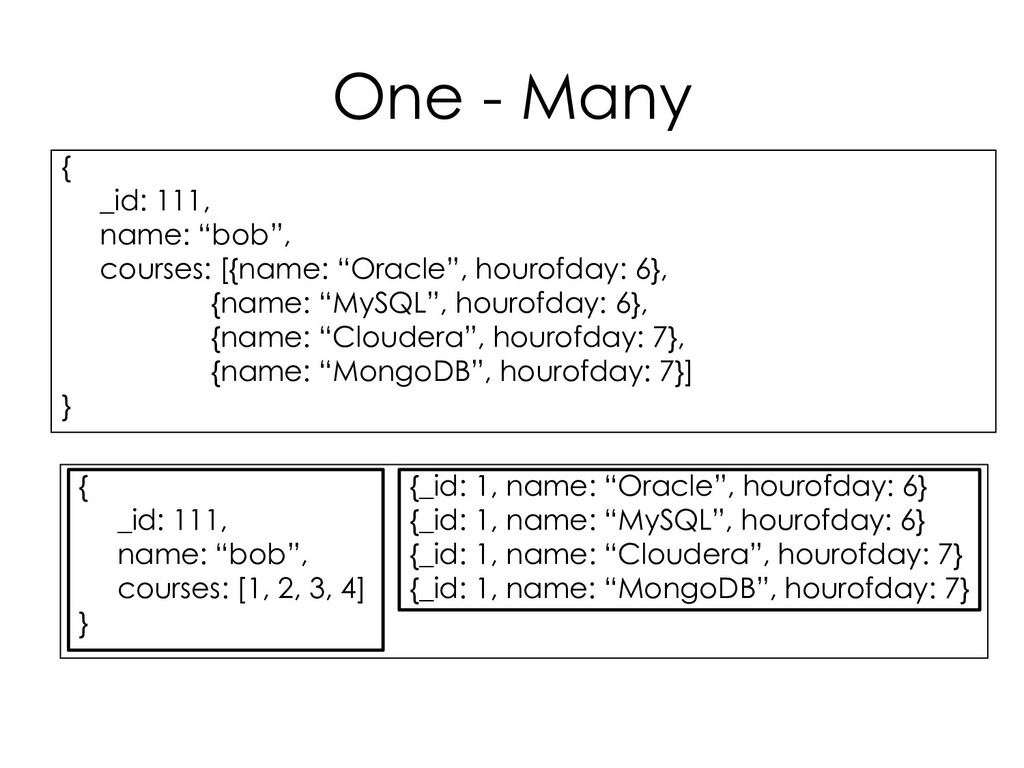
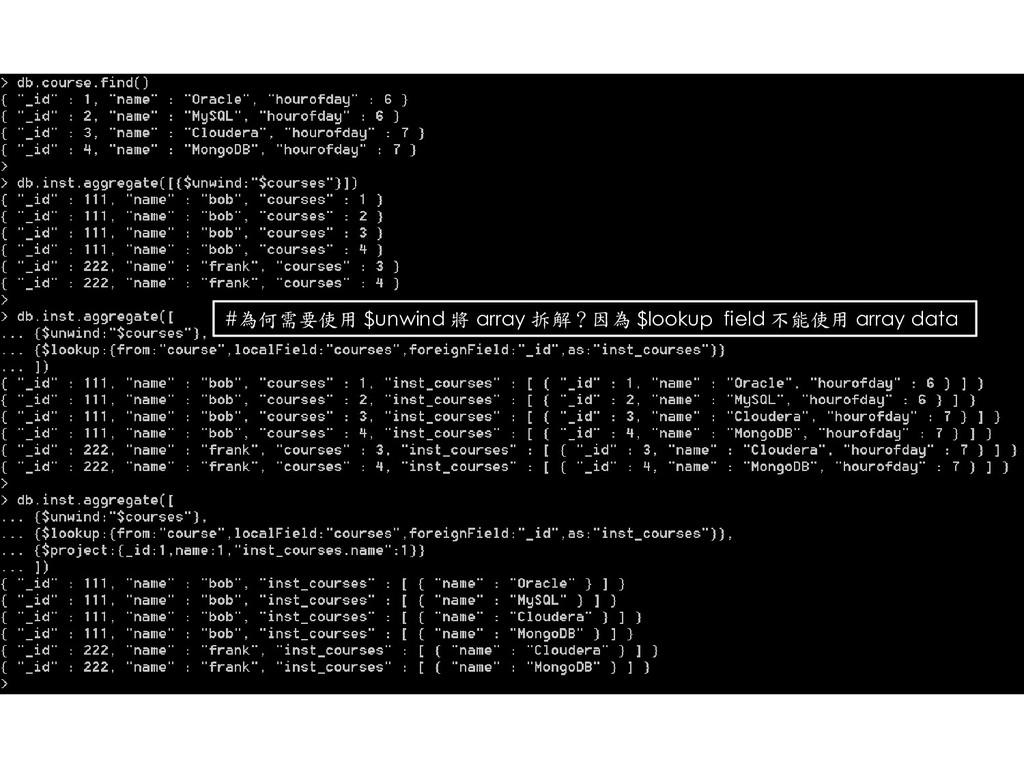
  103. One - Many { _id: 111, name: “bob”, courses: [{name:

    “Oracle”, hourofday: 6}, {name: “MySQL”, hourofday: 6}, {name: “Cloudera”, hourofday: 7}, {name: “MongoDB”, hourofday: 7}] } { _id: 111, name: “bob”, courses: [1, 2, 3, 4] } {_id: 1, name: “Oracle”, hourofday: 6} {_id: 1, name: “MySQL”, hourofday: 6} {_id: 1, name: “Cloudera”, hourofday: 7} {_id: 1, name: “MongoDB”, hourofday: 7}
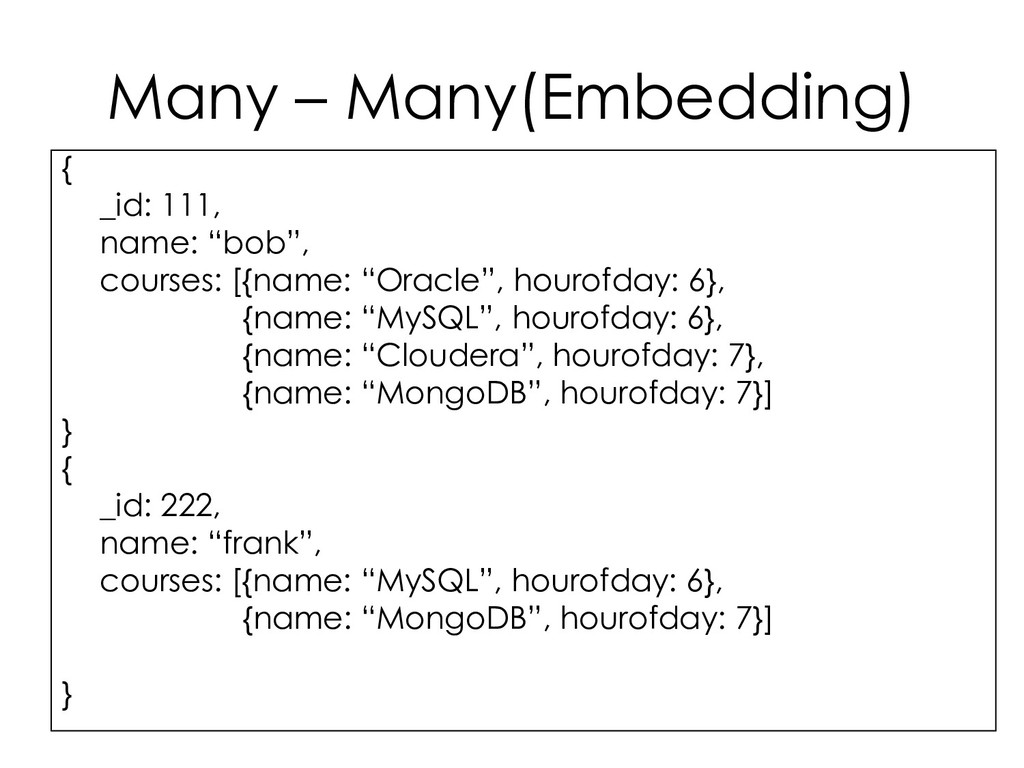
  104. Many – Many(Embedding) { _id: 111, name: “bob”, courses: [{name:

    “Oracle”, hourofday: 6}, {name: “MySQL”, hourofday: 6}, {name: “Cloudera”, hourofday: 7}, {name: “MongoDB”, hourofday: 7}] } { _id: 222, name: “frank”, courses: [{name: “MySQL”, hourofday: 6}, {name: “MongoDB”, hourofday: 7}] }
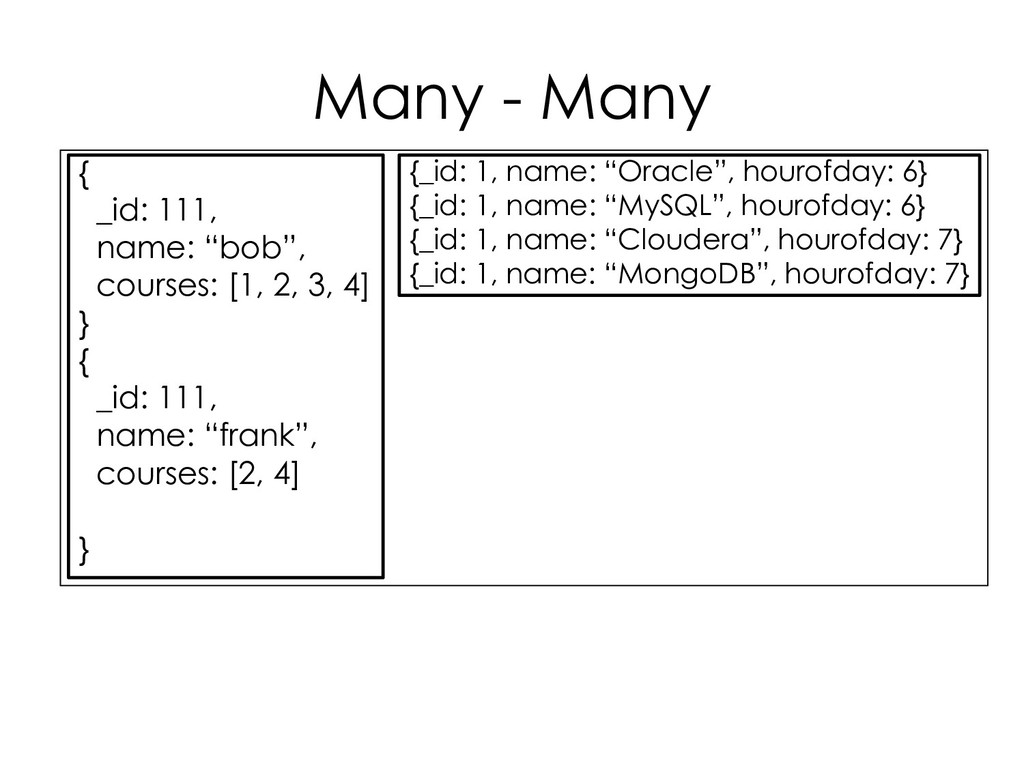
  105. Many - Many { _id: 111, name: “bob”, courses: [1,

    2, 3, 4] } { _id: 111, name: “frank”, courses: [2, 4] } {_id: 1, name: “Oracle”, hourofday: 6} {_id: 1, name: “MySQL”, hourofday: 6} {_id: 1, name: “Cloudera”, hourofday: 7} {_id: 1, name: “MongoDB”, hourofday: 7}
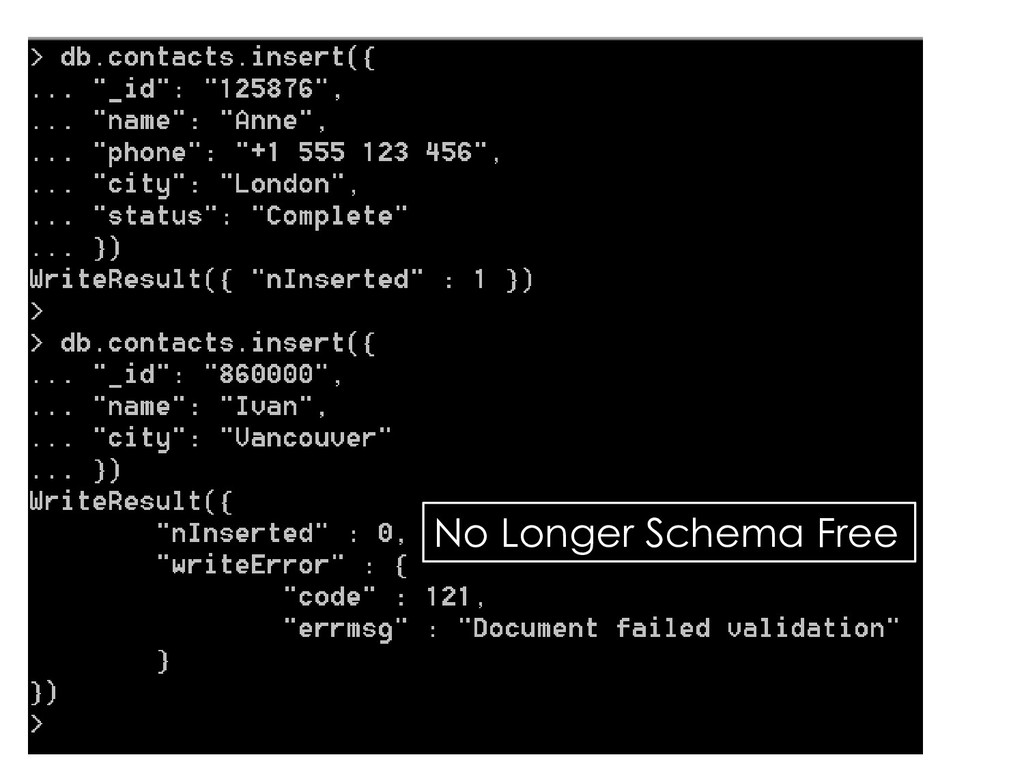
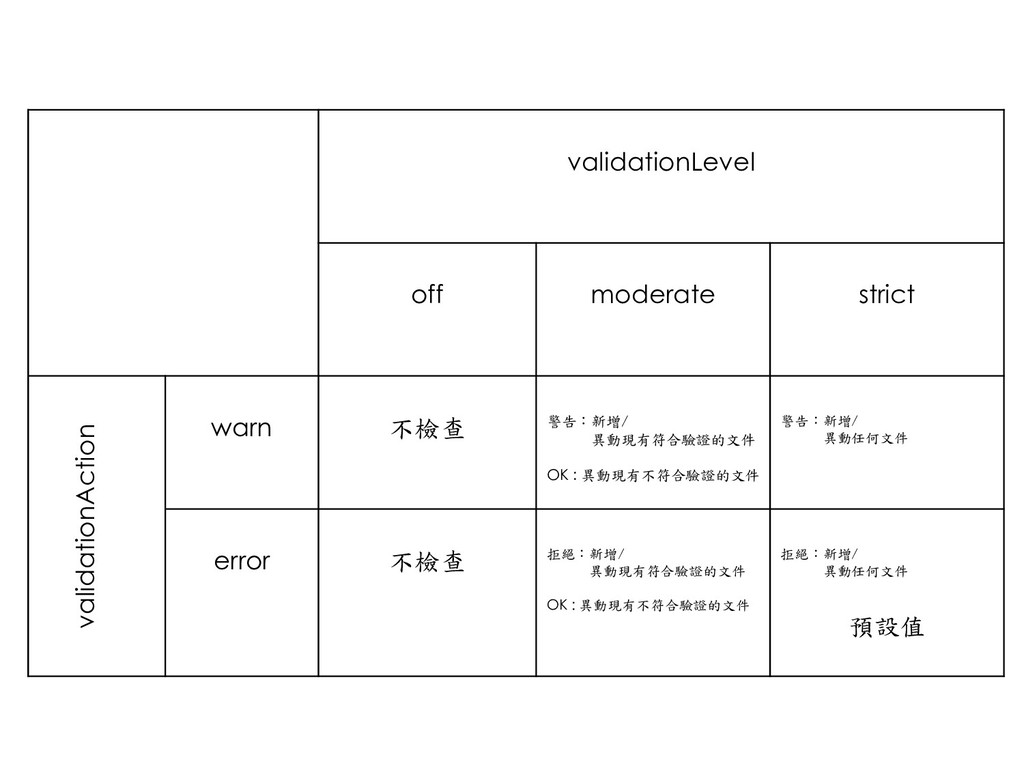
  106. validationLevel off moderate strict validationAction warn 不檢查 警告:新增/ 異動現有符合驗證的文件 OK

    : 異動現有不符合驗證的文件 警告:新增/ 異動任何文件 error 不檢查 拒絕:新增/ 異動現有符合驗證的文件 OK : 異動現有不符合驗證的文件 拒絕:新增/ 異動任何文件 預設值
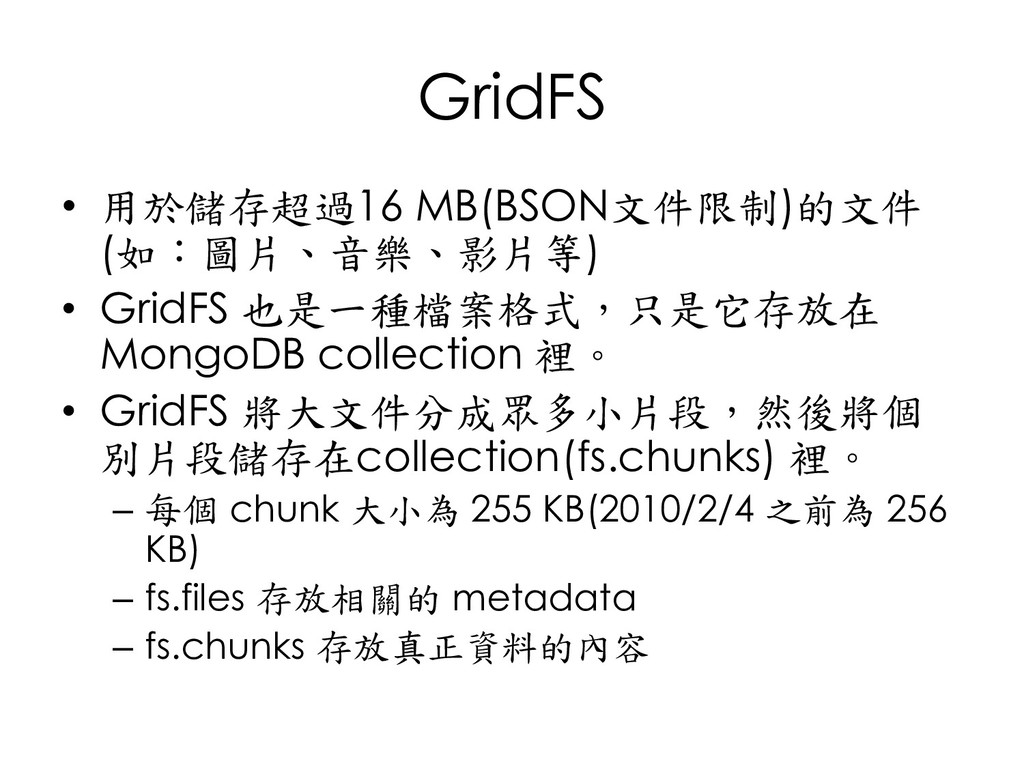
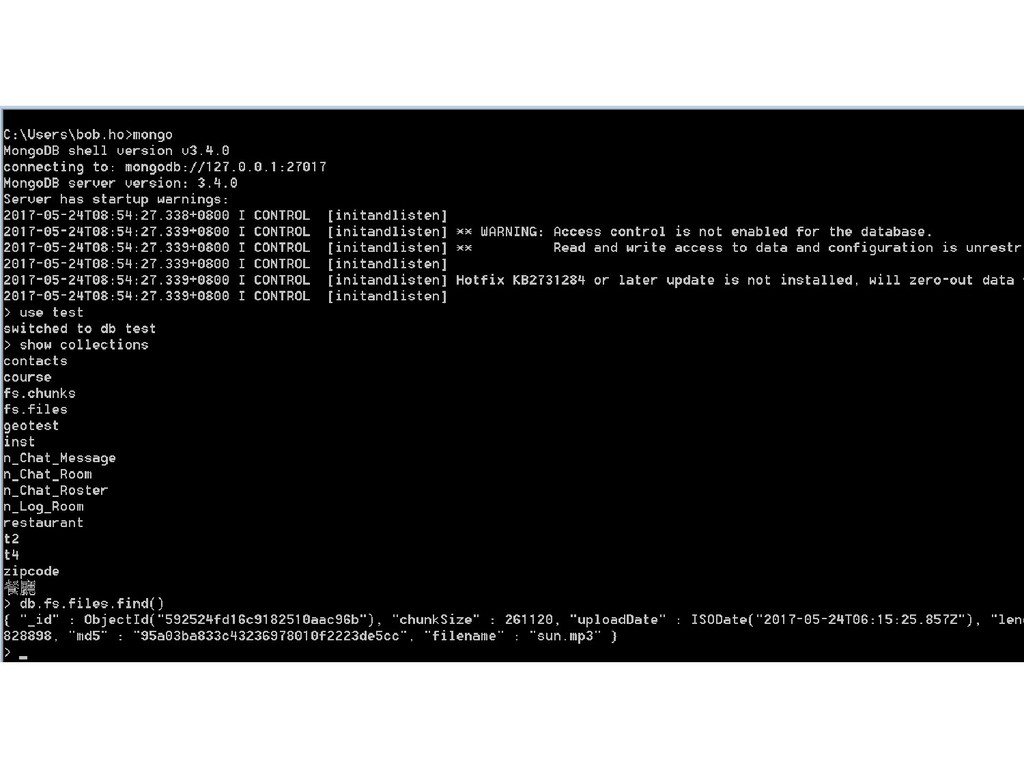
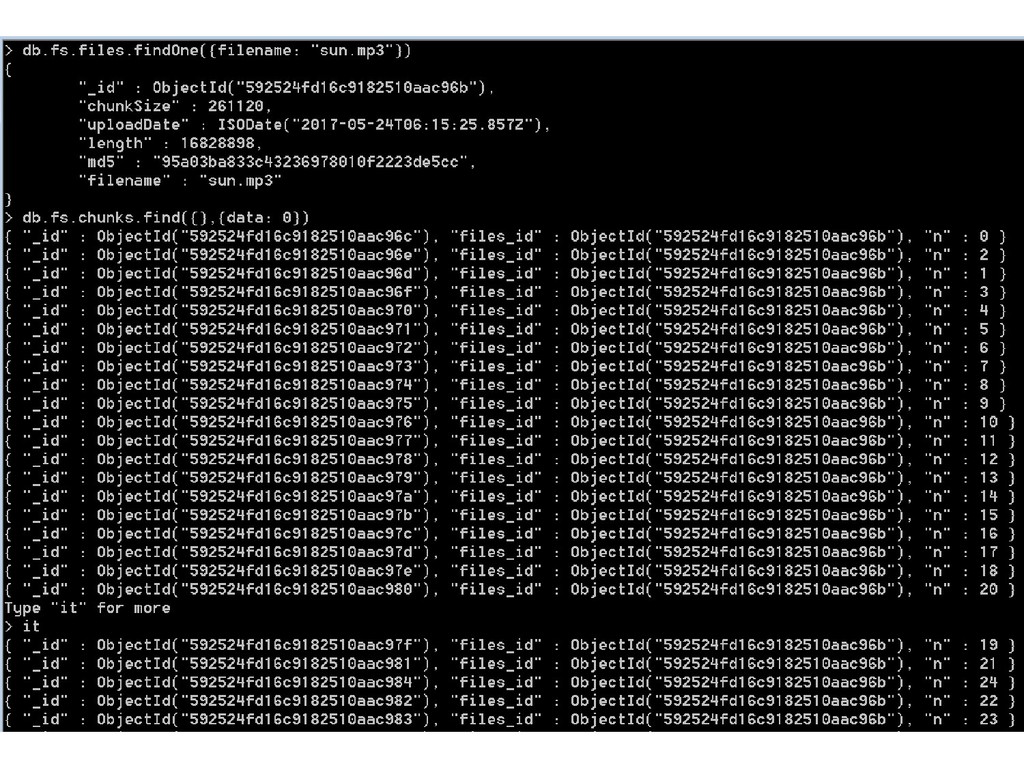
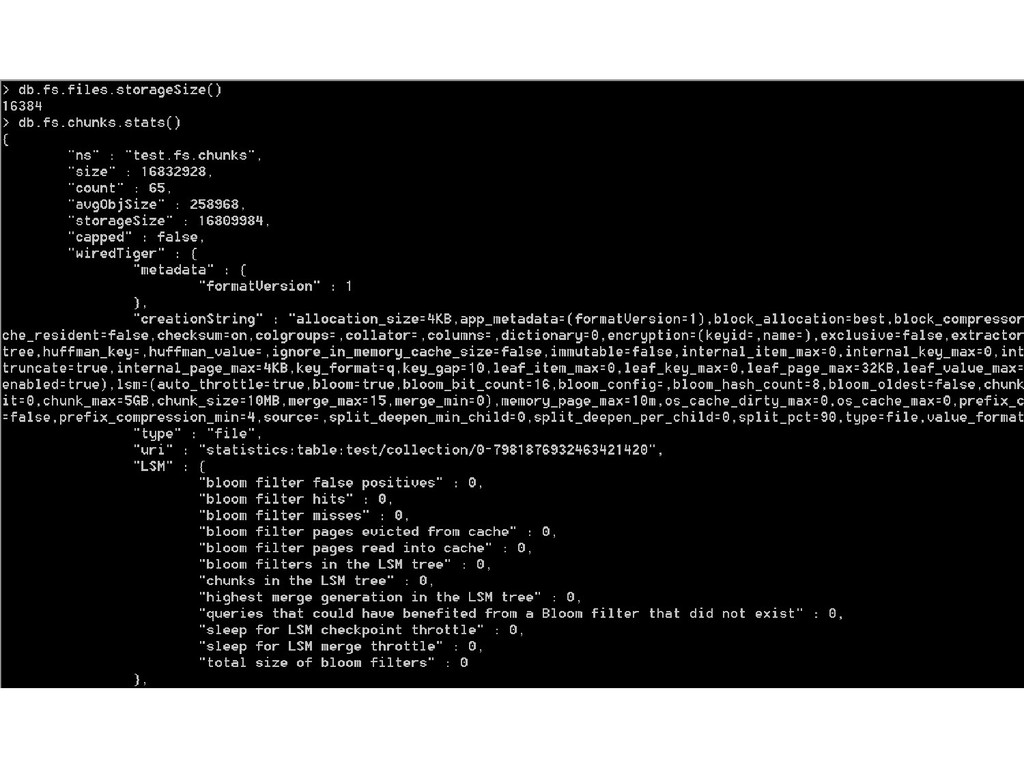
  107. GridFS • 用於儲存超過16 MB(BSON文件限制)的文件 (如:圖片、音樂、影片等) • GridFS 也是一種檔案格式,只是它存放在 MongoDB collection

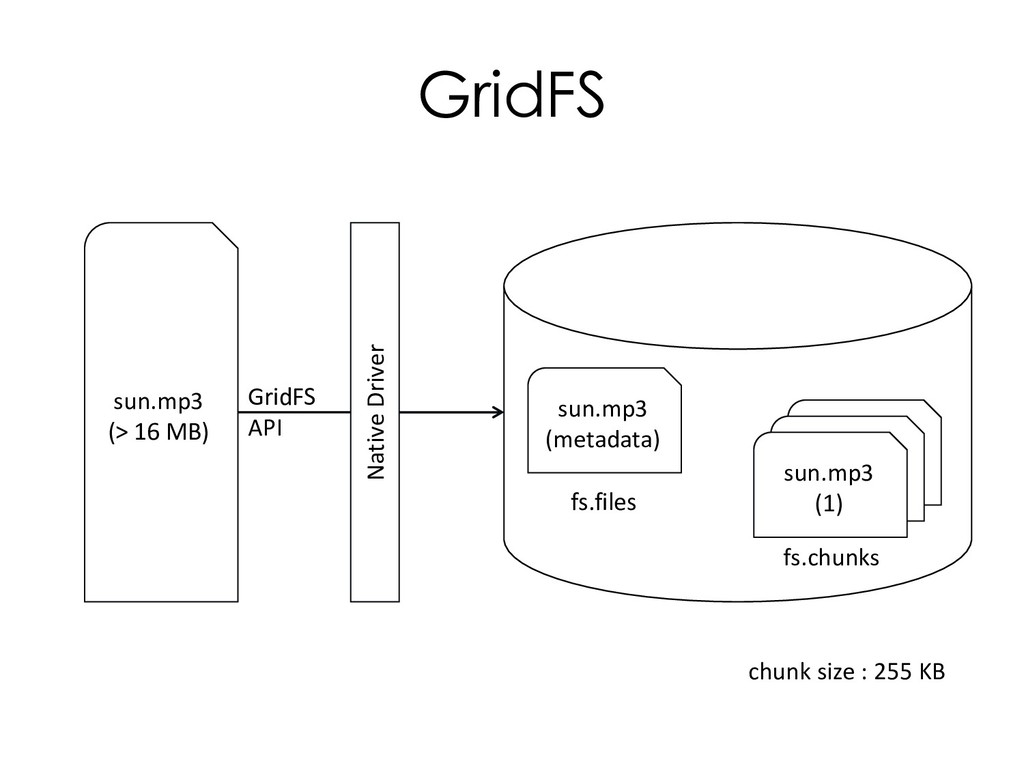
    裡。 • GridFS 將大文件分成眾多小片段,然後將個 別片段儲存在collection(fs.chunks) 裡。 – 每個 chunk 大小為 255 KB(2010/2/4 之前為 256 KB) – fs.files 存放相關的 metadata – fs.chunks 存放真正資料的內容
  108. GridFS sun.mp3 (> 16 MB) Native Driver GridFS API sun.mp3

    (metadata) sun.mp3 (1) fs.files fs.chunks chunk size : 255 KB
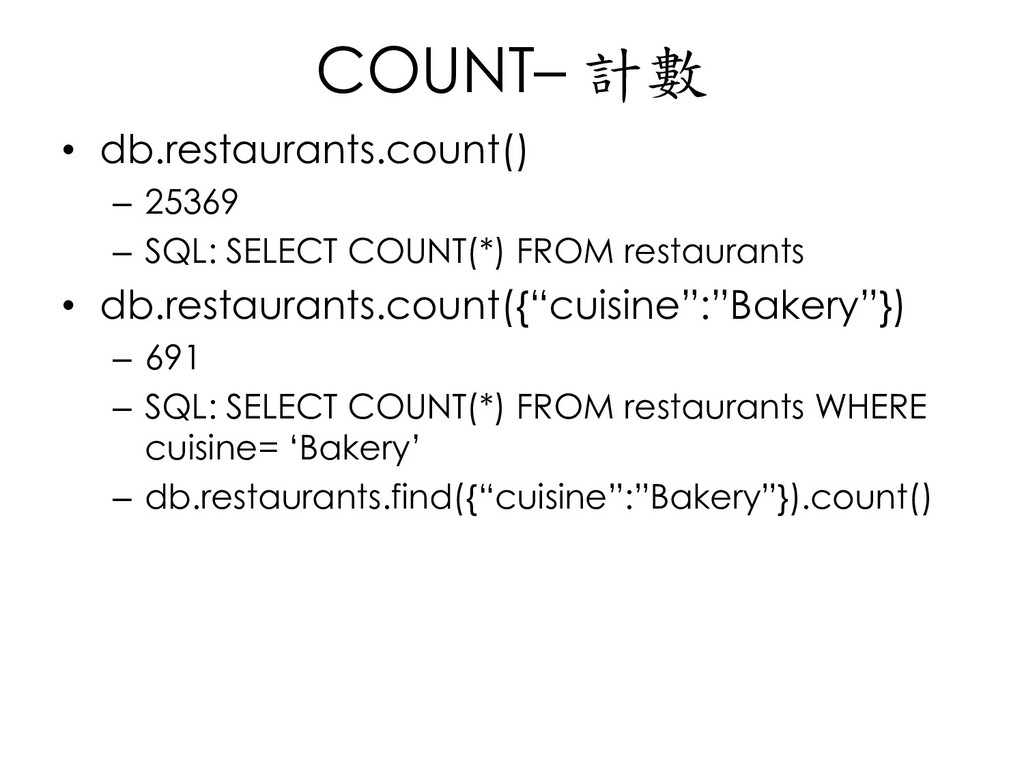
  109. COUNT– 計數 • db.restaurants.count() – 25369 – SQL: SELECT COUNT(*)

    FROM restaurants • db.restaurants.count({“cuisine”:”Bakery”}) – 691 – SQL: SELECT COUNT(*) FROM restaurants WHERE cuisine= ‘Bakery’ – db.restaurants.find({“cuisine”:”Bakery”}).count()
  110. 不同– DISTINCT • db.restaurants.distinct(“borough”) [“Brooklyn”,”Queens”,”Bronx”,”Manhattan”,”Staten Island”,”Missing”] – SQL: SELECT DISTINCT

    borough FROM restaurants • db.restaurants. Distinct (“borough”, {cuisine: ”Indian”}) [”Manhattan”,”Queens”,”Brooklyn”,”Staten Island”,”Bronx”] – SQL: SELECT DISTINCT borough FROM restaurants WHERE cuisine= ‘Indian’
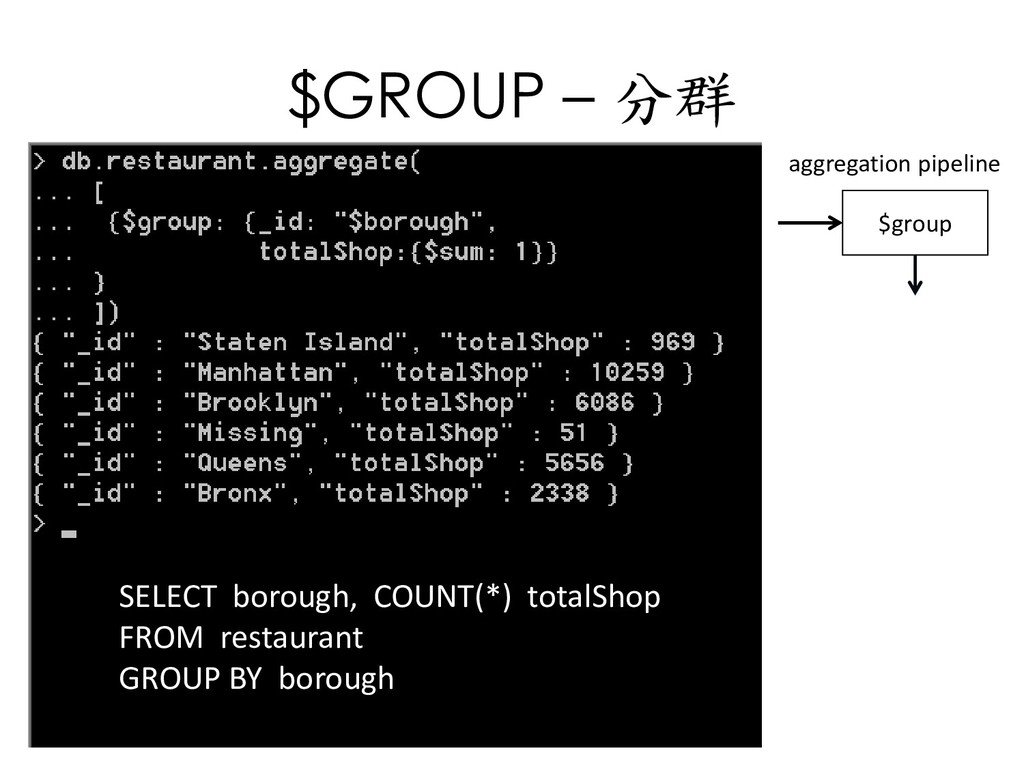
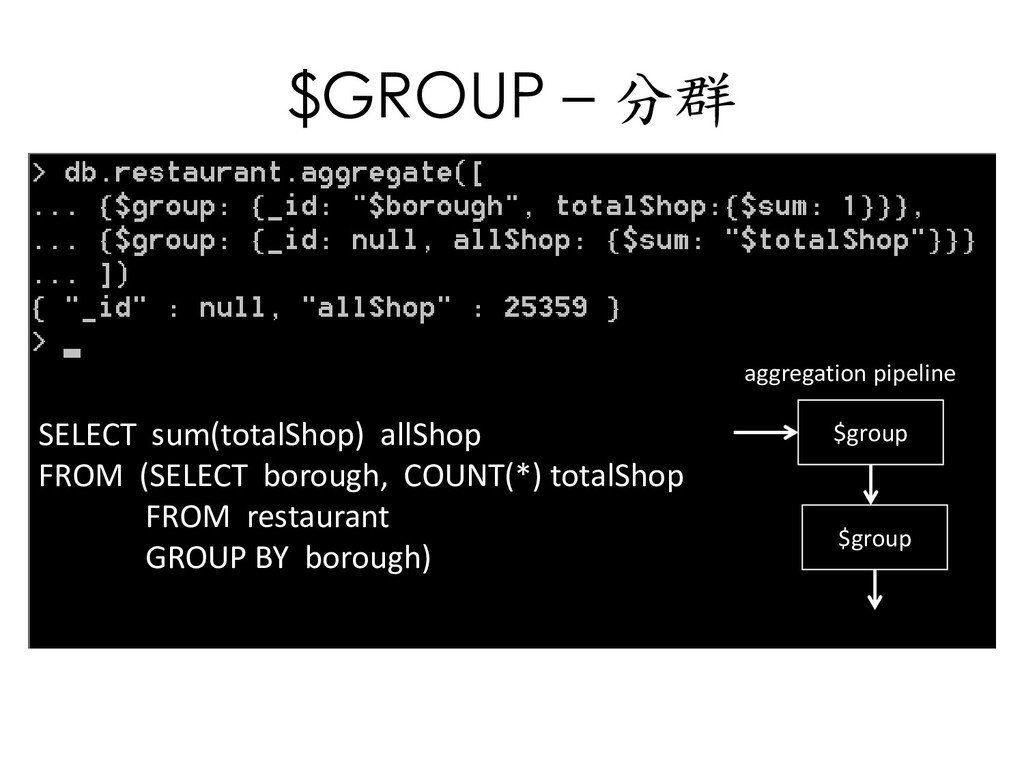
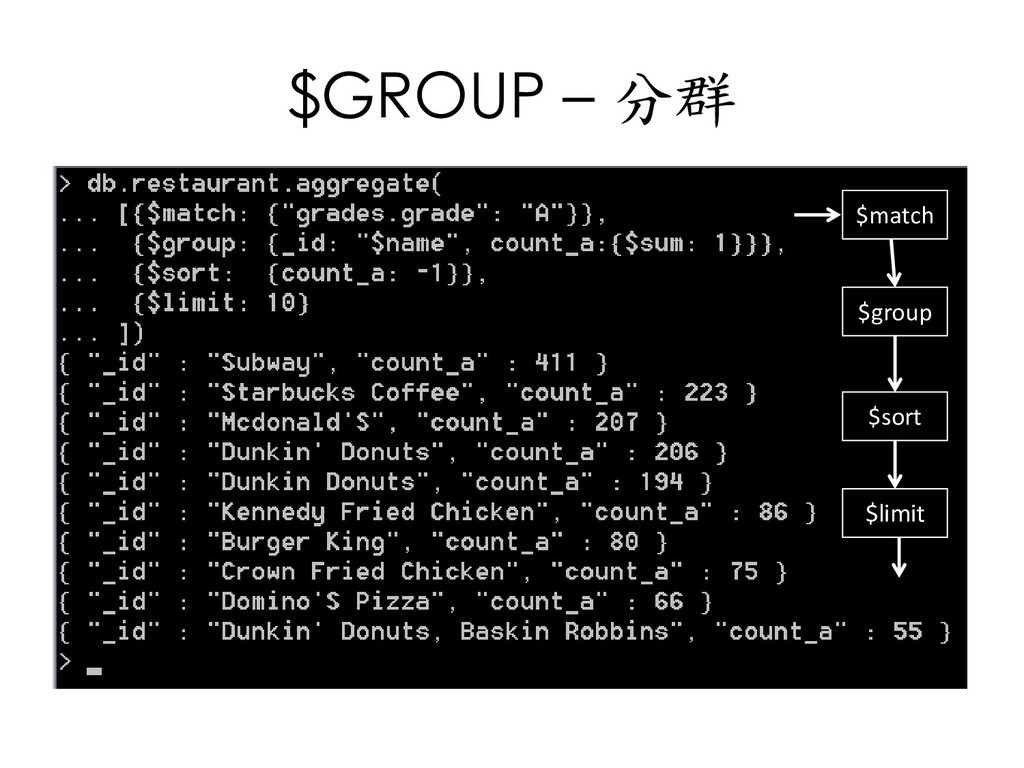
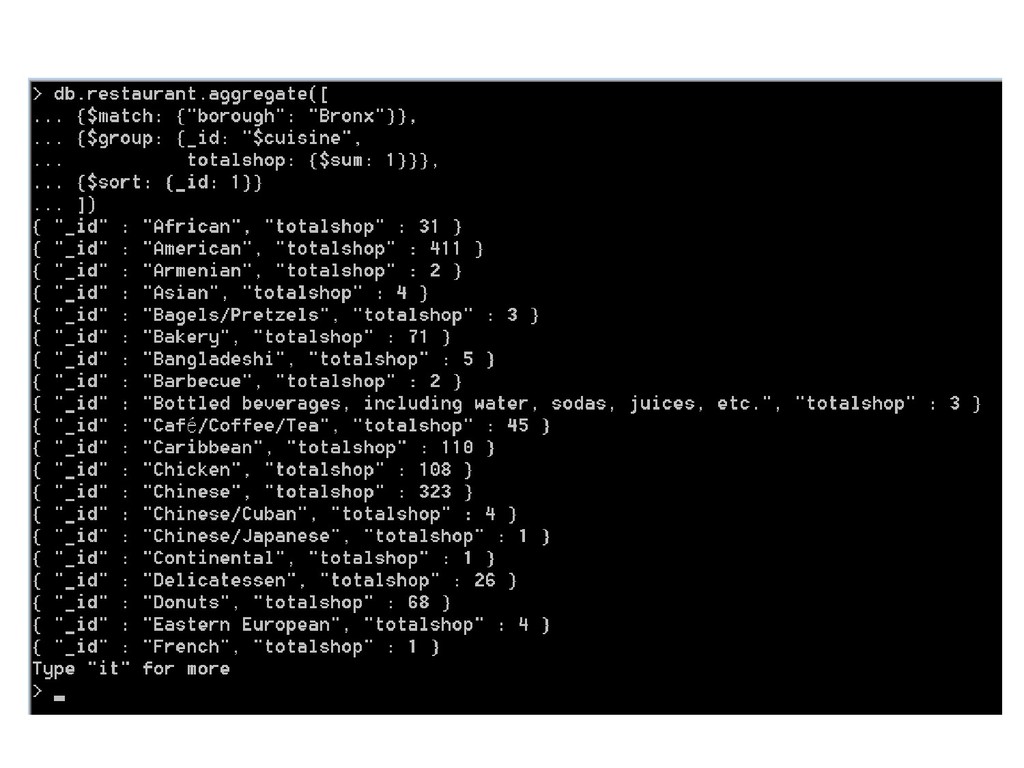
  111. $GROUP – 分群 SELECT sum(totalShop) allShop FROM (SELECT borough, COUNT(*)

    totalShop FROM restaurant GROUP BY borough) aggregation pipeline $group $group
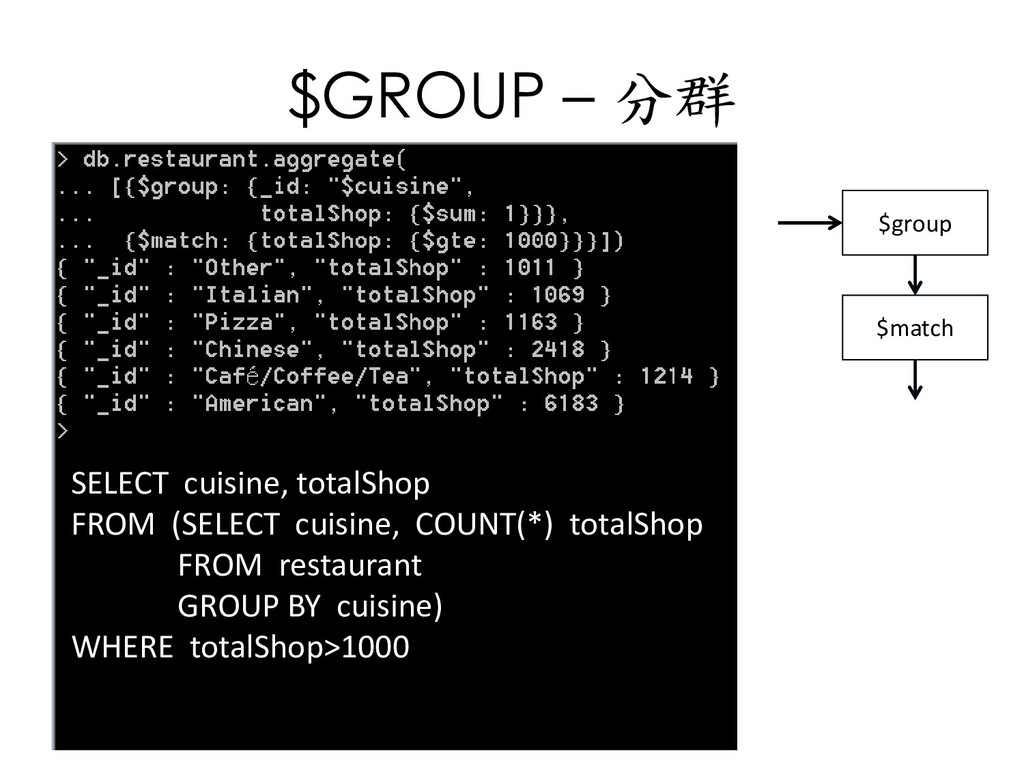
  112. $GROUP – 分群 SELECT cuisine, totalShop FROM (SELECT cuisine, COUNT(*)

    totalShop FROM restaurant GROUP BY cuisine) WHERE totalShop>1000 $group $match
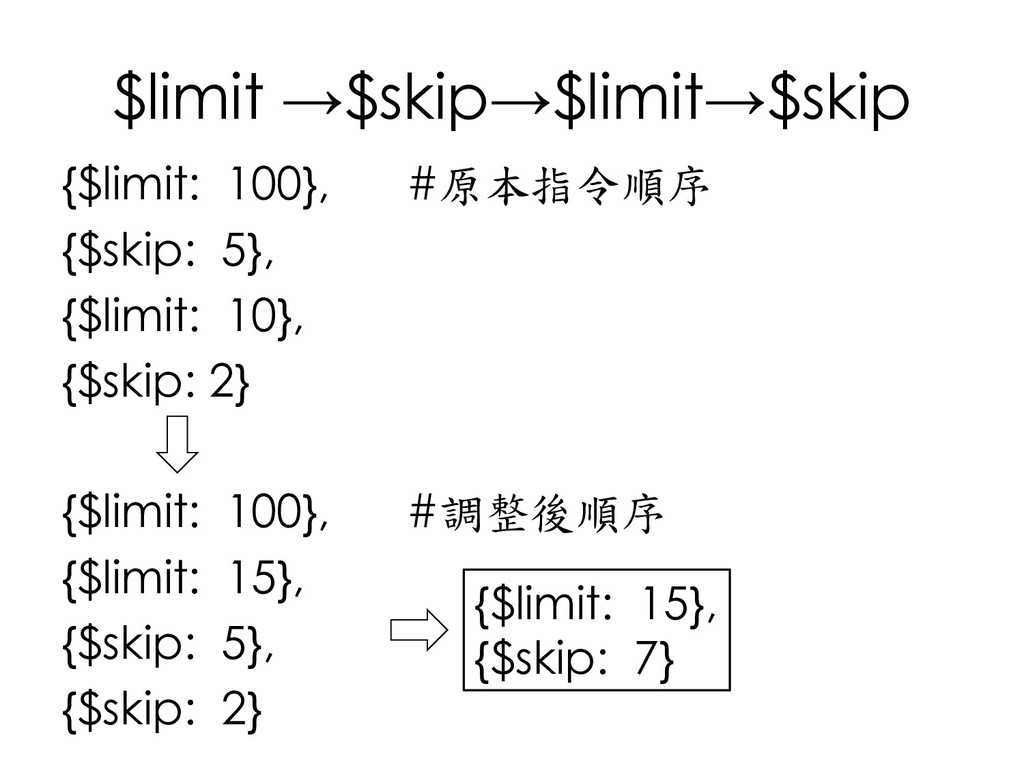
  113. $limit →$skip→$limit→$skip {$limit: 100}, #原本指令順序 {$skip: 5}, {$limit: 10}, {$skip:

    2} {$limit: 100}, #調整後順序 {$limit: 15}, {$skip: 5}, {$skip: 2} {$limit: 15}, {$skip: 7}
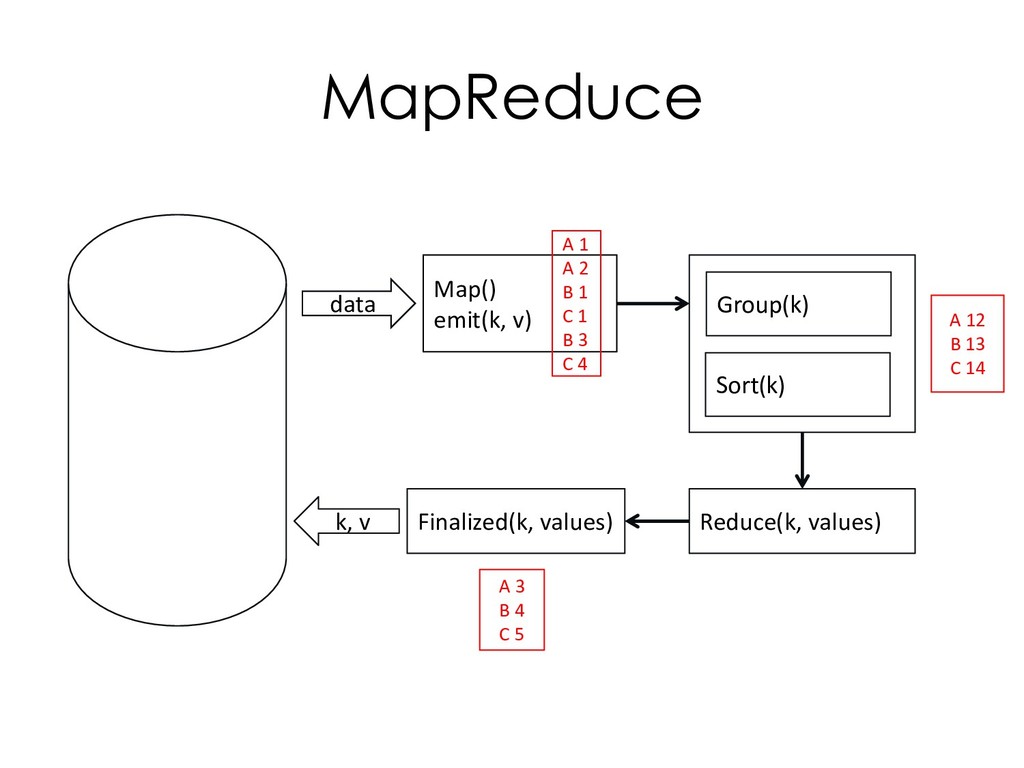
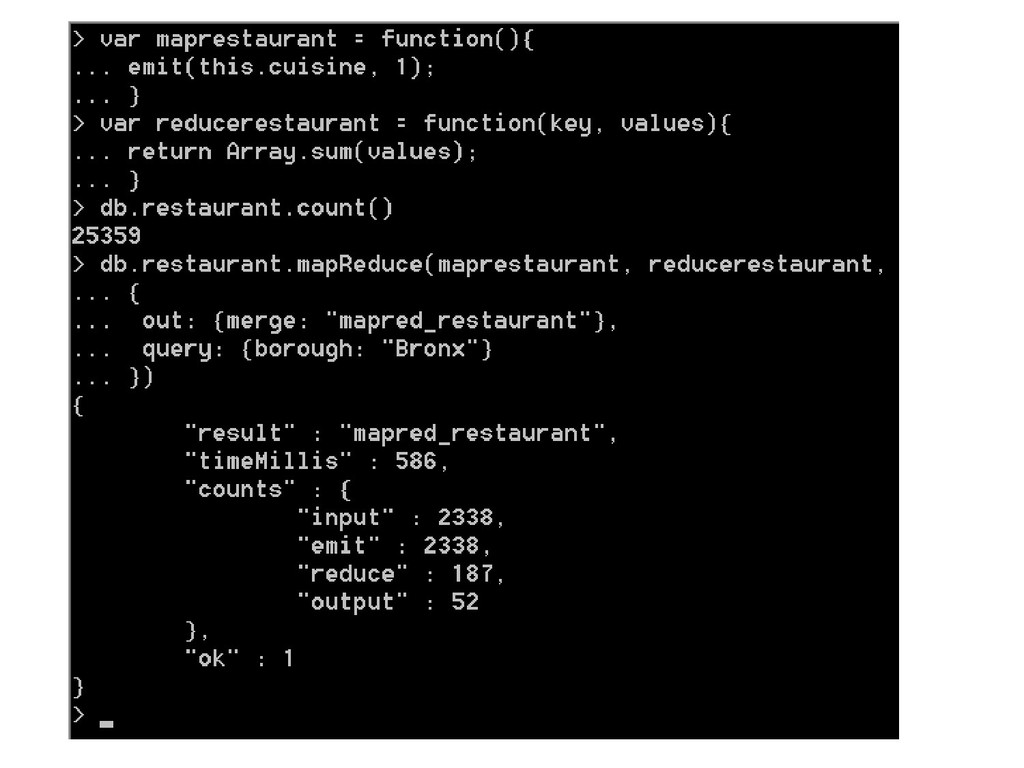
  114. MapReduce data k, v Map() emit(k, v) Group(k) Sort(k) Reduce(k,

    values) Finalized(k, values) A 1 A 2 B 1 C 1 B 3 C 4 A 12 B 13 C 14 A 3 B 4 C 5
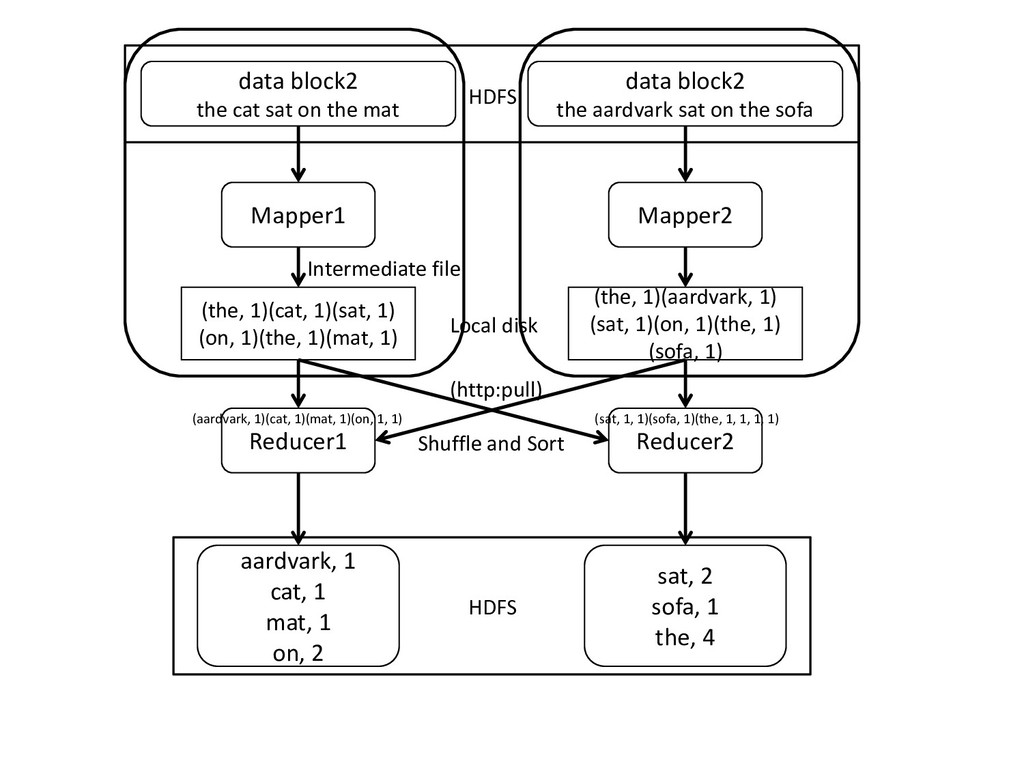
  115. Mapper1 (the, 1)(cat, 1)(sat, 1) (on, 1)(the, 1)(mat, 1) Reducer1

    aardvark, 1 cat, 1 mat, 1 on, 2 data block2 the aardvark sat on the sofa Mapper2 (the, 1)(aardvark, 1) (sat, 1)(on, 1)(the, 1) (sofa, 1) Reducer2 sat, 2 sofa, 1 the, 4 data block2 the cat sat on the mat HDFS HDFS Intermediate file Local disk (http:pull) Shuffle and Sort (aardvark, 1)(cat, 1)(mat, 1)(on, 1, 1) (sat, 1, 1)(sofa, 1)(the, 1, 1, 1, 1)
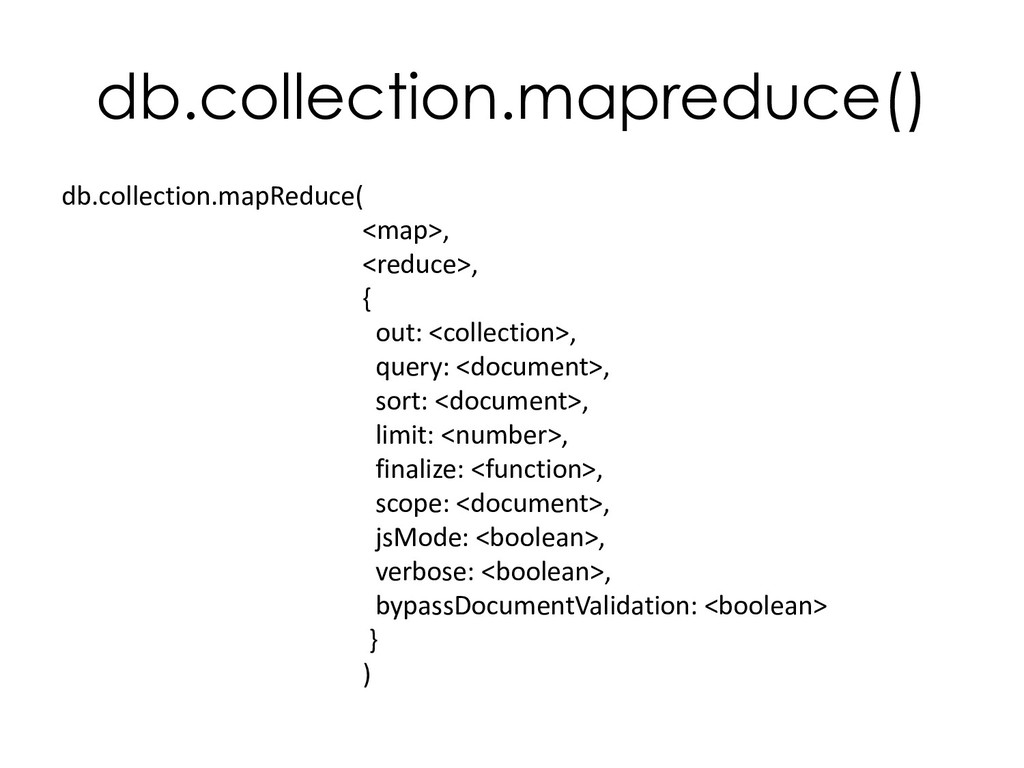
  116. db.collection.mapreduce() db.collection.mapReduce( <map>, <reduce>, { out: <collection>, query: <document>, sort:

    <document>, limit: <number>, finalize: <function>, scope: <document>, jsMode: <boolean>, verbose: <boolean>, bypassDocumentValidation: <boolean> } )
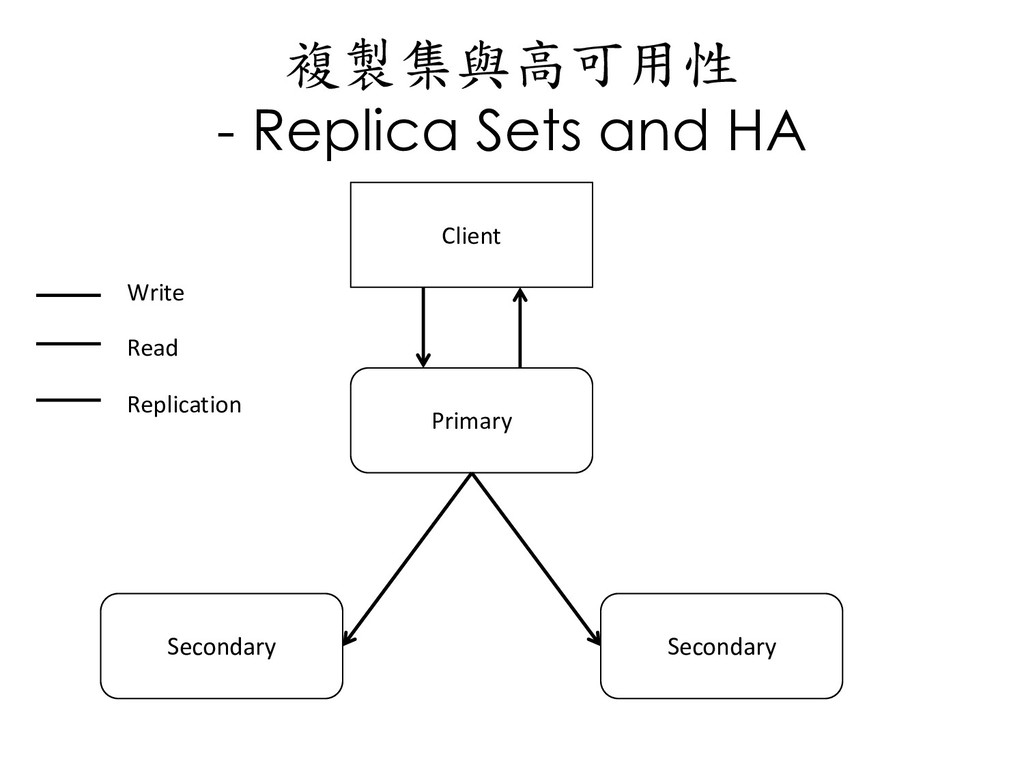
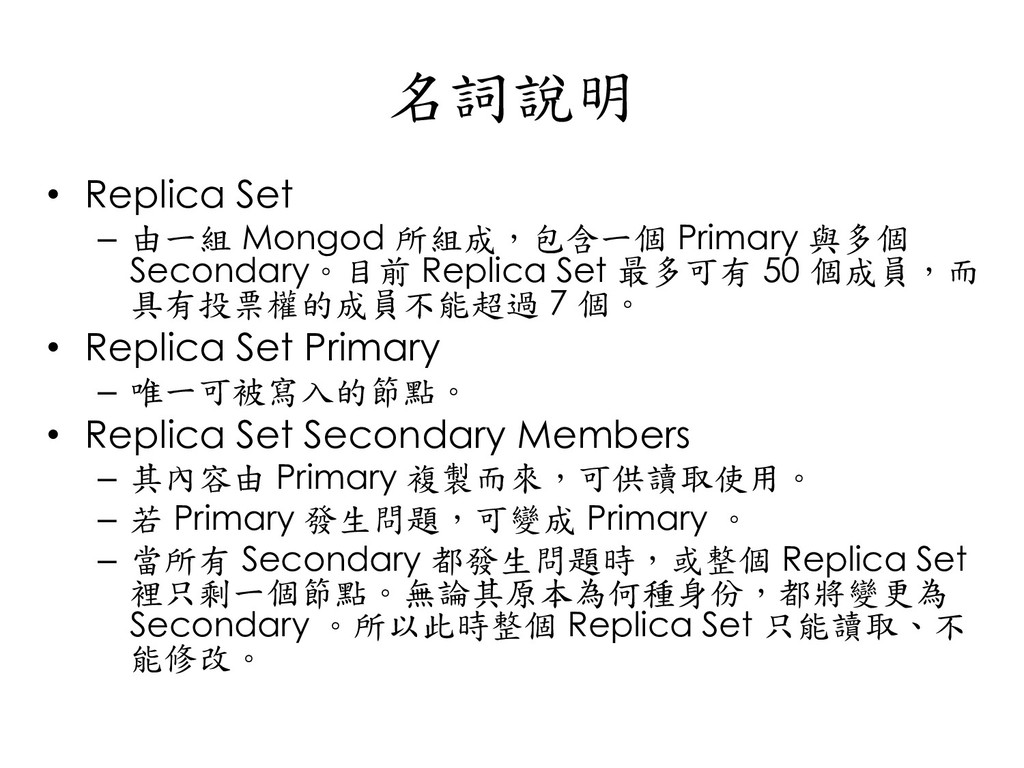
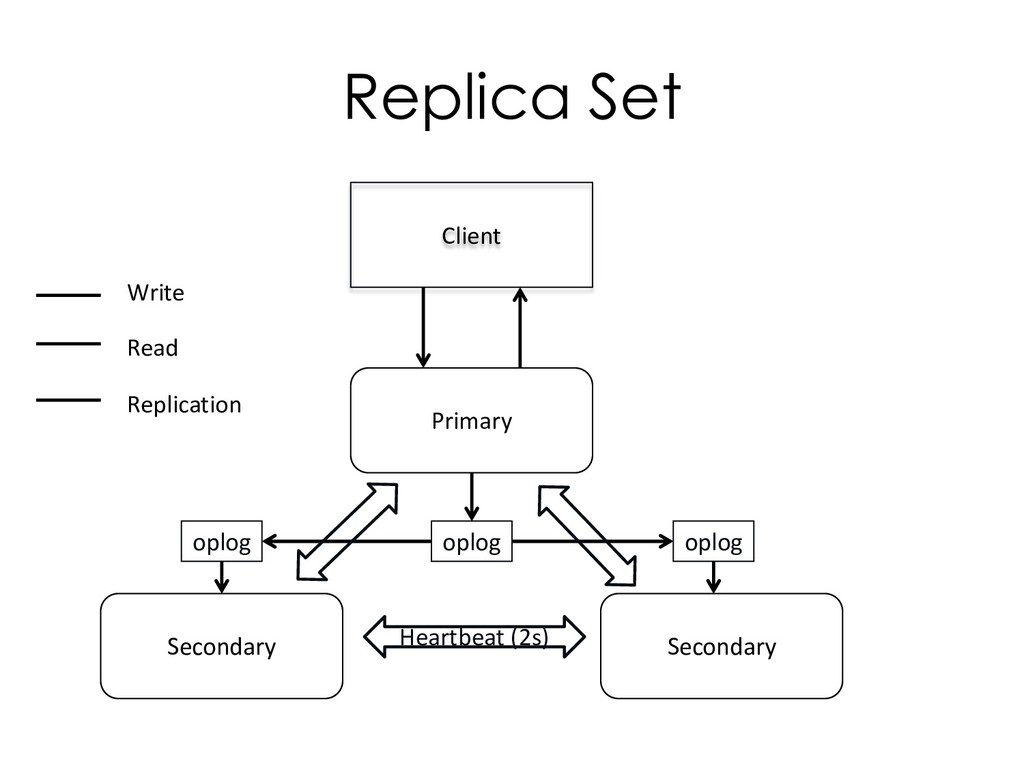
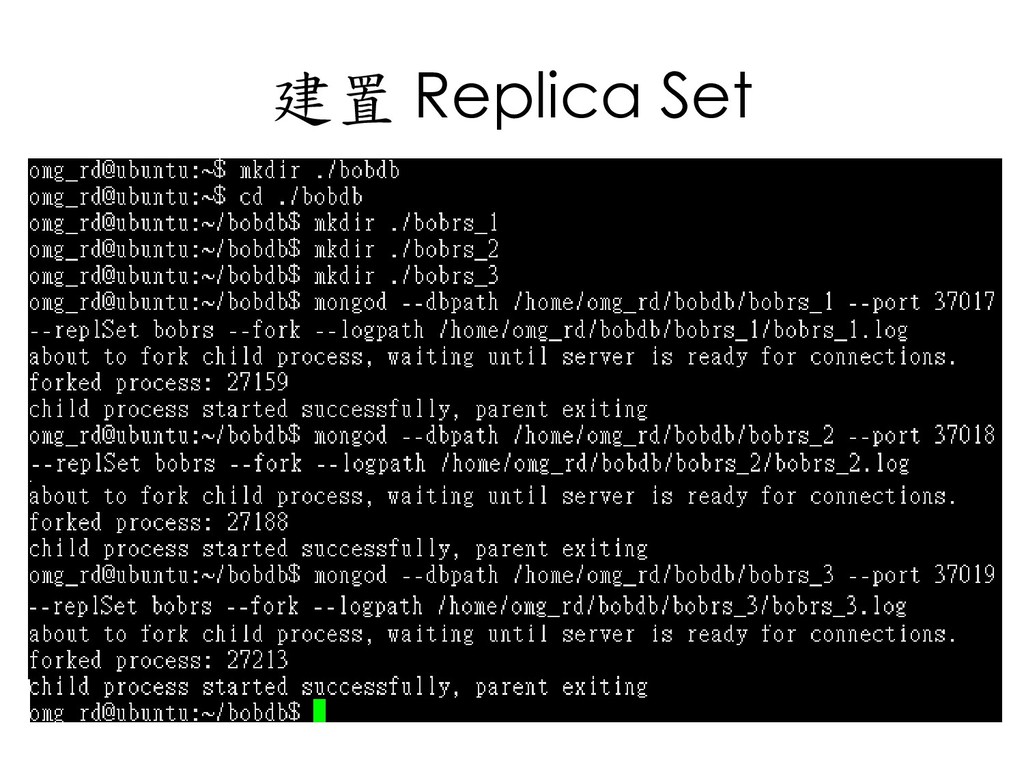
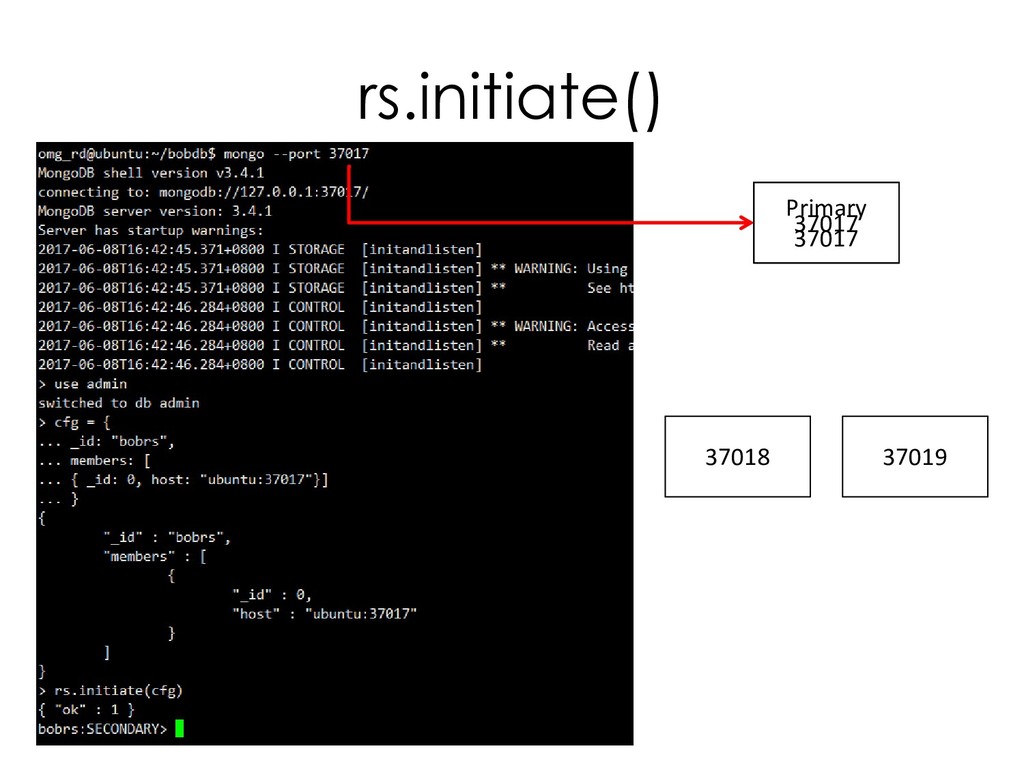
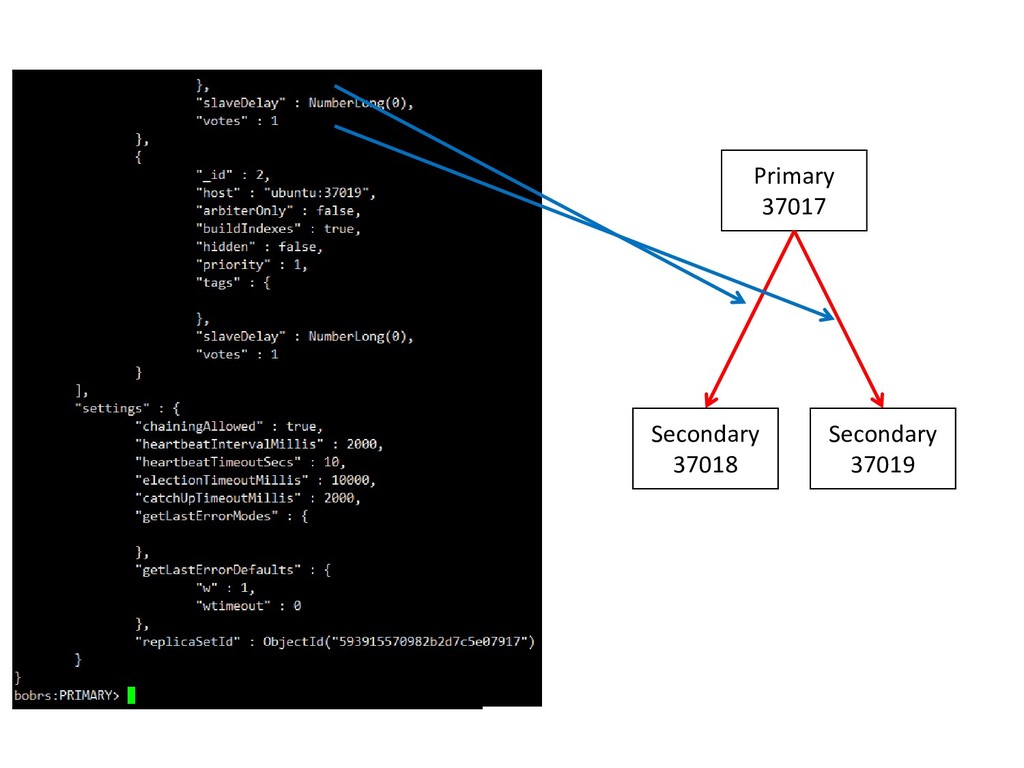
  117. 名詞說明 • Replica Set – 由一組 Mongod 所組成,包含一個 Primary 與多個

    Secondary。目前 Replica Set 最多可有 50 個成員,而 具有投票權的成員不能超過 7 個。 • Replica Set Primary – 唯一可被寫入的節點。 • Replica Set Secondary Members – 其內容由 Primary 複製而來,可供讀取使用。 – 若 Primary 發生問題,可變成 Primary 。 – 當所有 Secondary 都發生問題時,或整個 Replica Set 裡只剩一個節點。無論其原本為何種身份,都將變更為 Secondary 。所以此時整個 Replica Set 只能讀取、不 能修改。
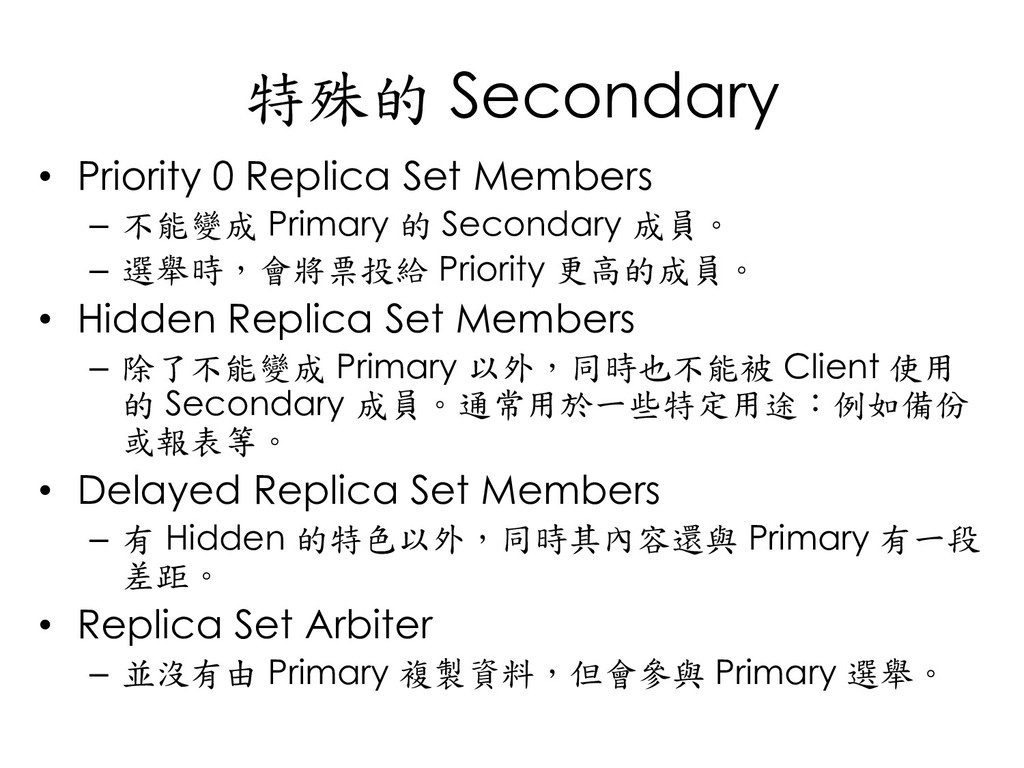
  118. 特殊的 Secondary • Priority 0 Replica Set Members – 不能變成

    Primary 的 Secondary 成員。 – 選舉時,會將票投給 Priority 更高的成員。 • Hidden Replica Set Members – 除了不能變成 Primary 以外,同時也不能被 Client 使用 的 Secondary 成員。通常用於一些特定用途:例如備份 或報表等。 • Delayed Replica Set Members – 有 Hidden 的特色以外,同時其內容還與 Primary 有一段 差距。 • Replica Set Arbiter – 並沒有由 Primary 複製資料,但會參與 Primary 選舉。
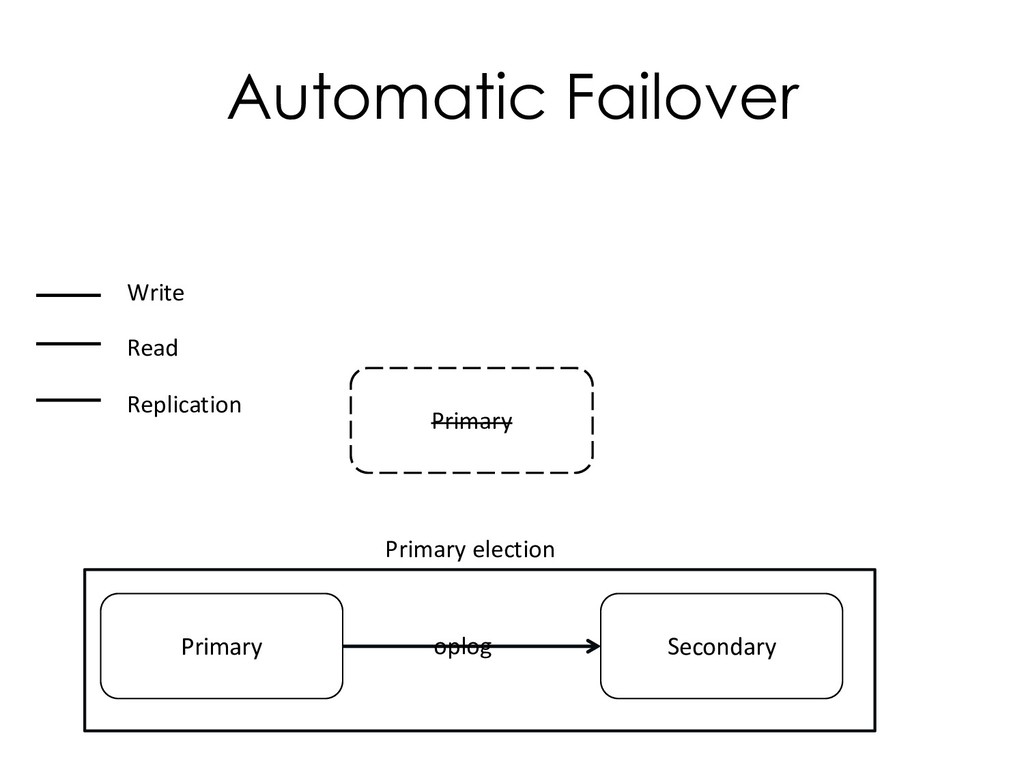
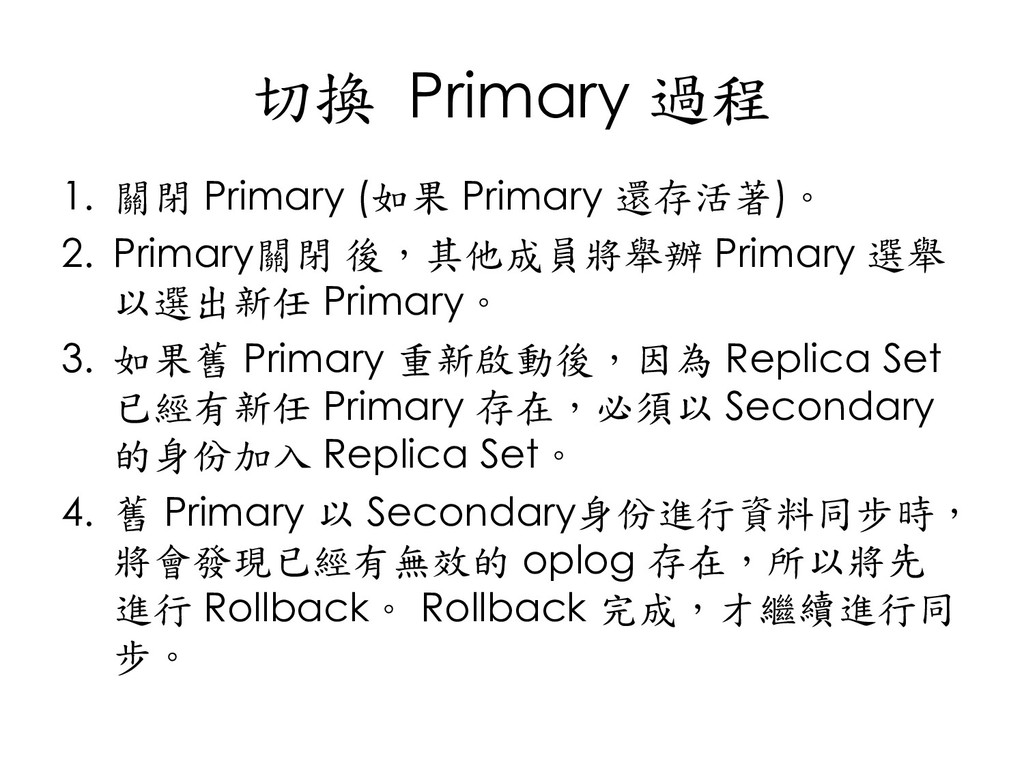
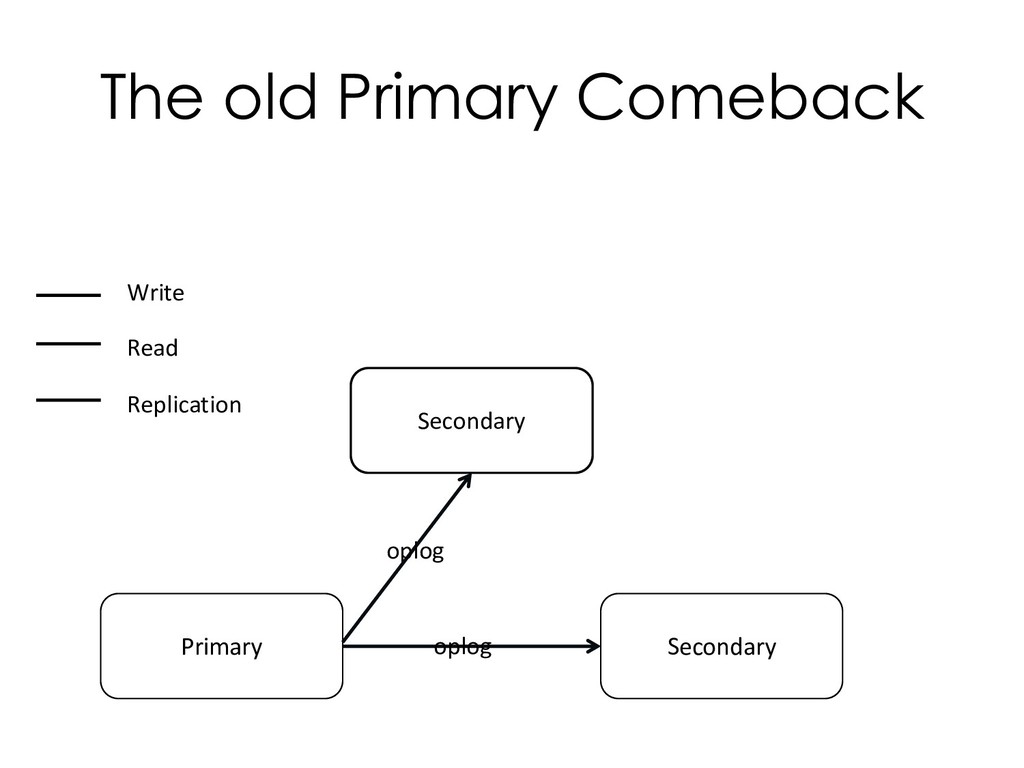
  119. 切換 Primary 過程 1. 關閉 Primary (如果 Primary 還存活著)。 2.

    Primary關閉 後,其他成員將舉辦 Primary 選舉 以選出新任 Primary。 3. 如果舊 Primary 重新啟動後,因為 Replica Set 已經有新任 Primary 存在,必須以 Secondary 的身份加入 Replica Set。 4. 舊 Primary 以 Secondary身份進行資料同步時, 將會發現已經有無效的 oplog 存在,所以將先 進行 Rollback。 Rollback 完成,才繼續進行同 步。
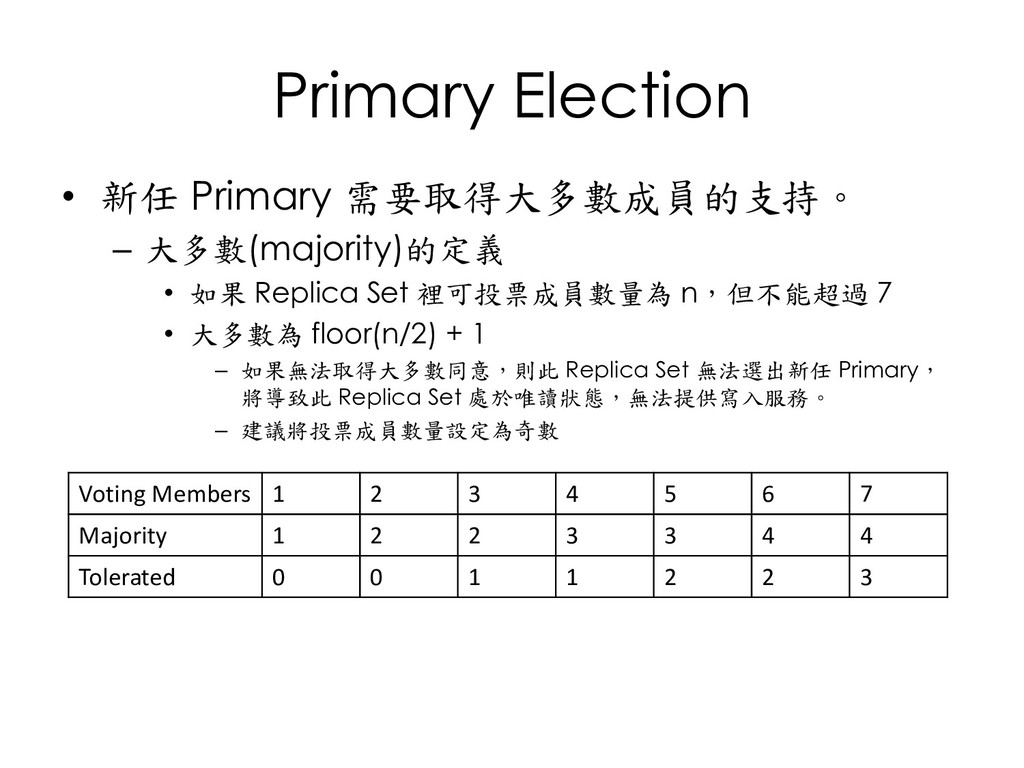
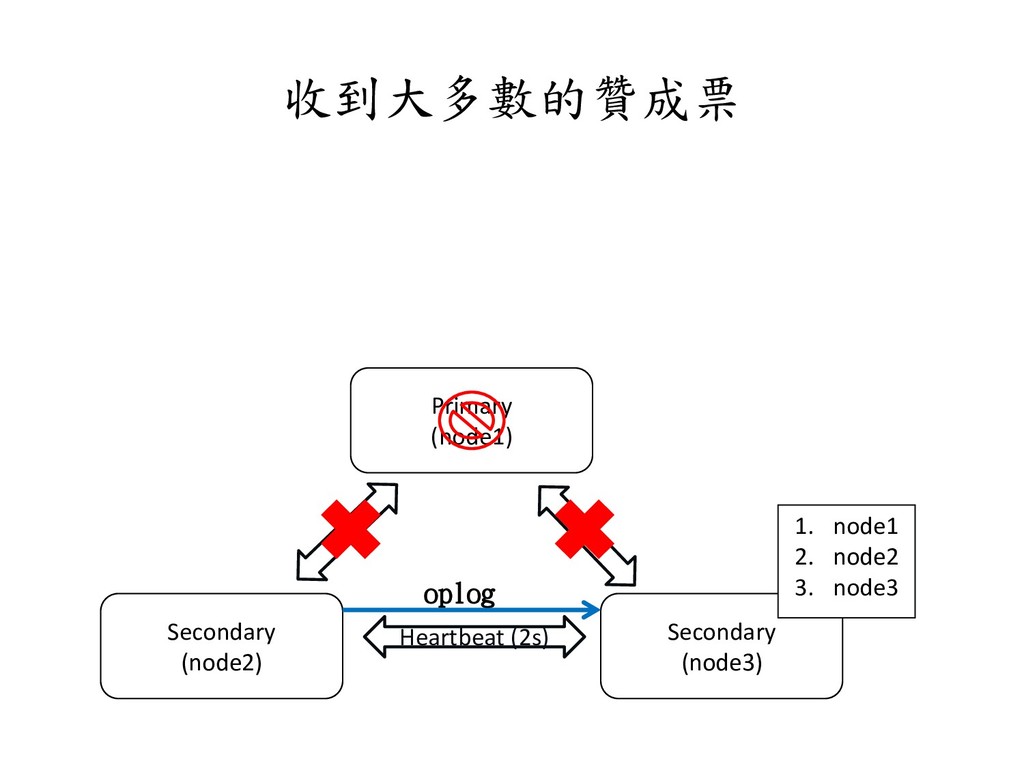
  120. Primary Election • 新任 Primary 需要取得大多數成員的支持。 – 大多數(majority)的定義 • 如果

    Replica Set 裡可投票成員數量為 n,但不能超過 7 • 大多數為 floor(n/2) + 1 – 如果無法取得大多數同意,則此 Replica Set 無法選出新任 Primary, 將導致此 Replica Set 處於唯讀狀態,無法提供寫入服務。 – 建議將投票成員數量設定為奇數 Voting Members 1 2 3 4 5 6 7 Majority 1 2 2 3 3 4 4 Tolerated 0 0 1 1 2 2 3
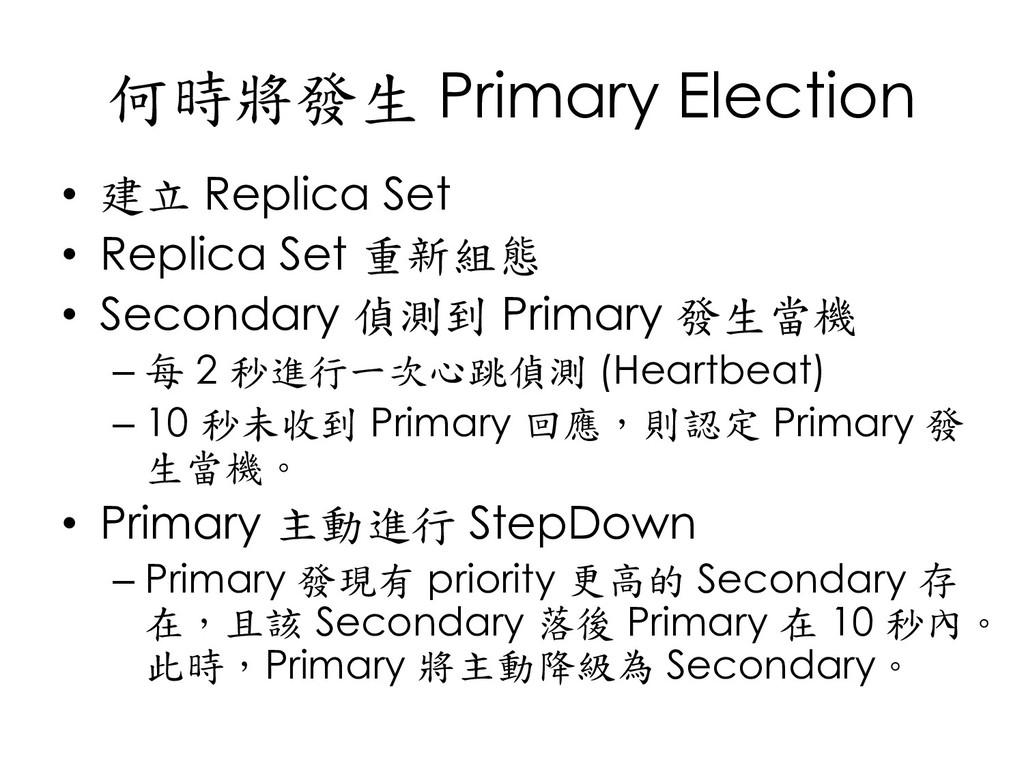
  121. 何時將發生 Primary Election • 建立 Replica Set • Replica Set

    重新組態 • Secondary 偵測到 Primary 發生當機 – 每 2 秒進行一次心跳偵測 (Heartbeat) – 10 秒未收到 Primary 回應,則認定 Primary 發 生當機。 • Primary 主動進行 StepDown – Primary 發現有 priority 更高的 Secondary 存 在,且該 Secondary 落後 Primary 在 10 秒內。 此時,Primary 將主動降級為 Secondary。
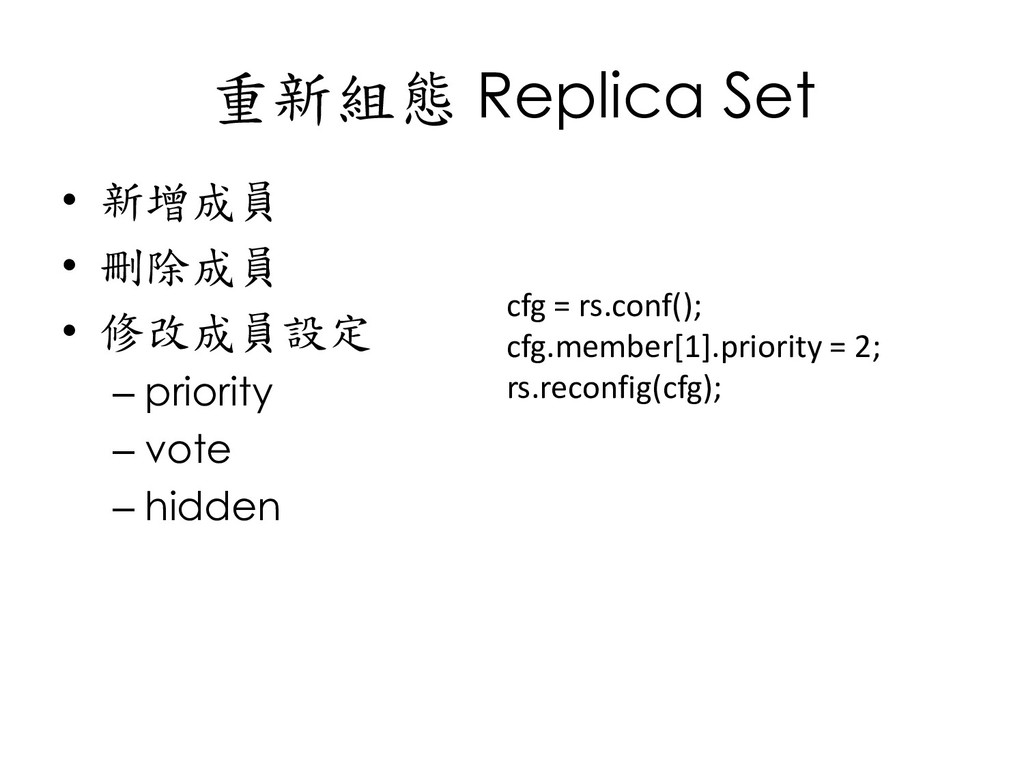
  122. 重新組態 Replica Set • 新增成員 • 刪除成員 • 修改成員設定 –

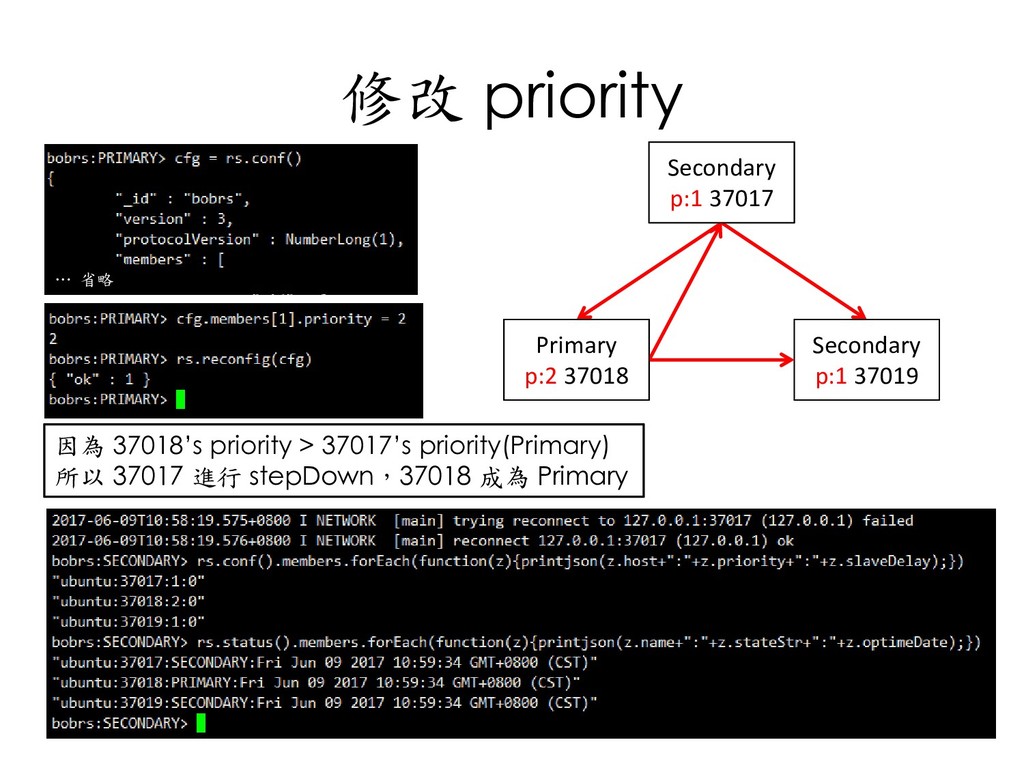
    priority – vote – hidden cfg = rs.conf(); cfg.member[1].priority = 2; rs.reconfig(cfg);
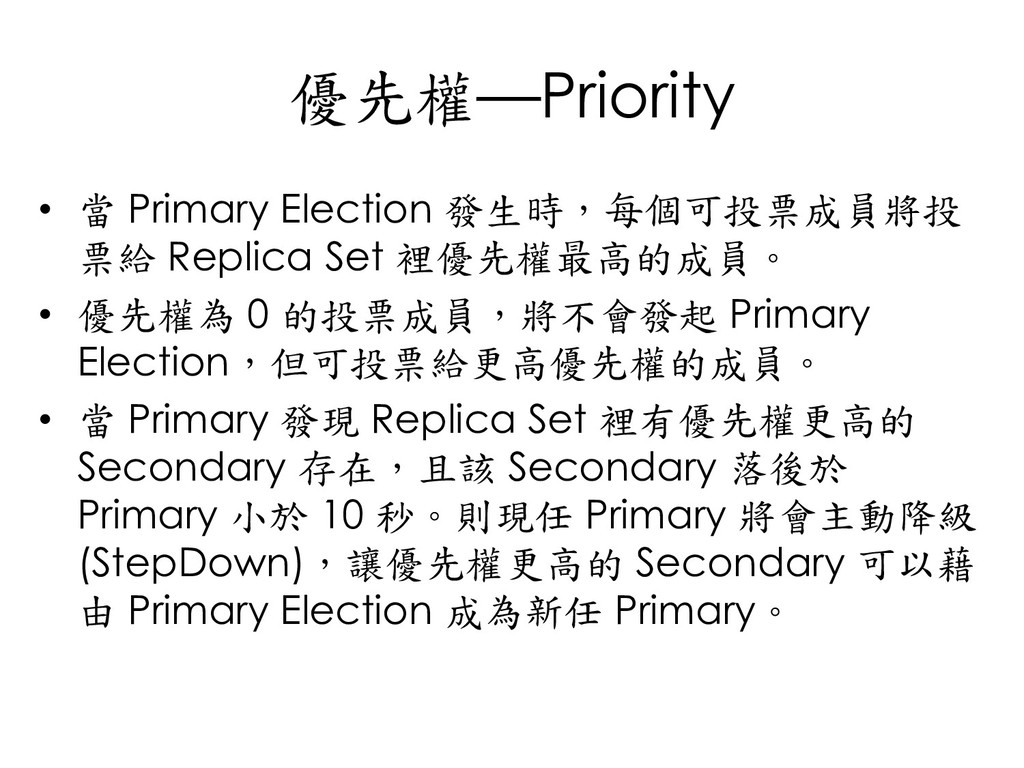
  123. 優先權─Priority • 當 Primary Election 發生時,每個可投票成員將投 票給 Replica Set 裡優先權最高的成員。

    • 優先權為 0 的投票成員,將不會發起 Primary Election,但可投票給更高優先權的成員。 • 當 Primary 發現 Replica Set 裡有優先權更高的 Secondary 存在,且該 Secondary 落後於 Primary 小於 10 秒。則現任 Primary 將會主動降級 (StepDown),讓優先權更高的 Secondary 可以藉 由 Primary Election 成為新任 Primary。
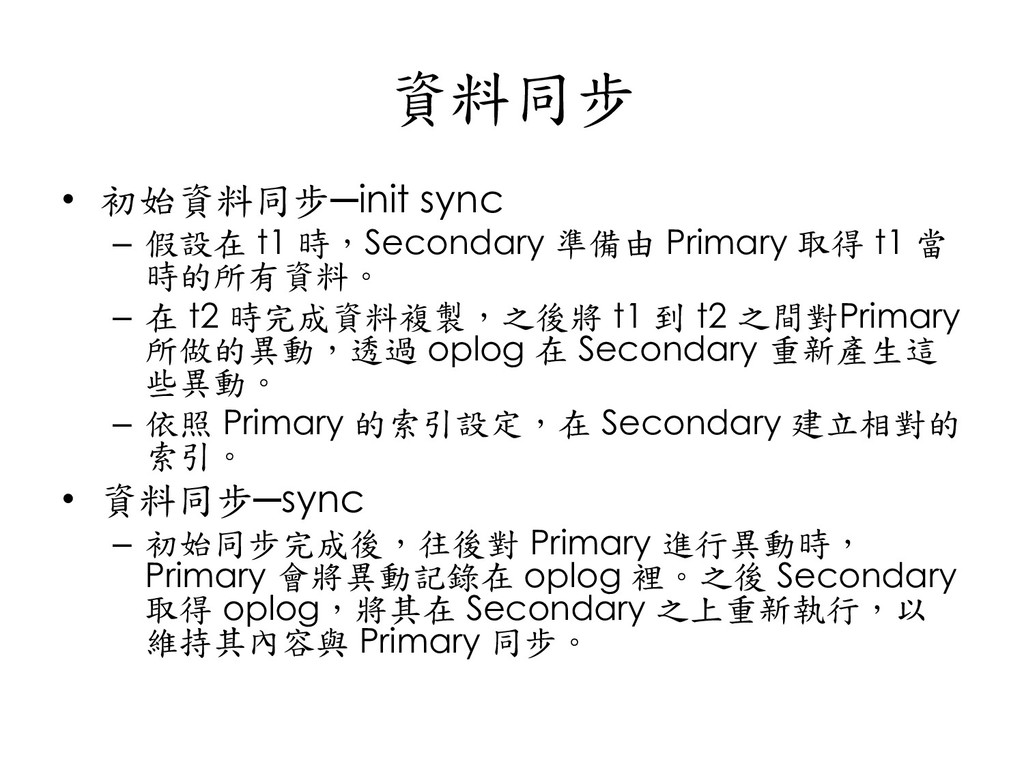
  124. 資料同步 • 初始資料同步─init sync – 假設在 t1 時,Secondary 準備由 Primary

    取得 t1 當 時的所有資料。 – 在 t2 時完成資料複製,之後將 t1 到 t2 之間對Primary 所做的異動,透過 oplog 在 Secondary 重新產生這 些異動。 – 依照 Primary 的索引設定,在 Secondary 建立相對的 索引。 • 資料同步─sync – 初始同步完成後,往後對 Primary 進行異動時, Primary 會將異動記錄在 oplog 裡。之後 Secondary 取得 oplog,將其在 Secondary 之上重新執行,以 維持其內容與 Primary 同步。
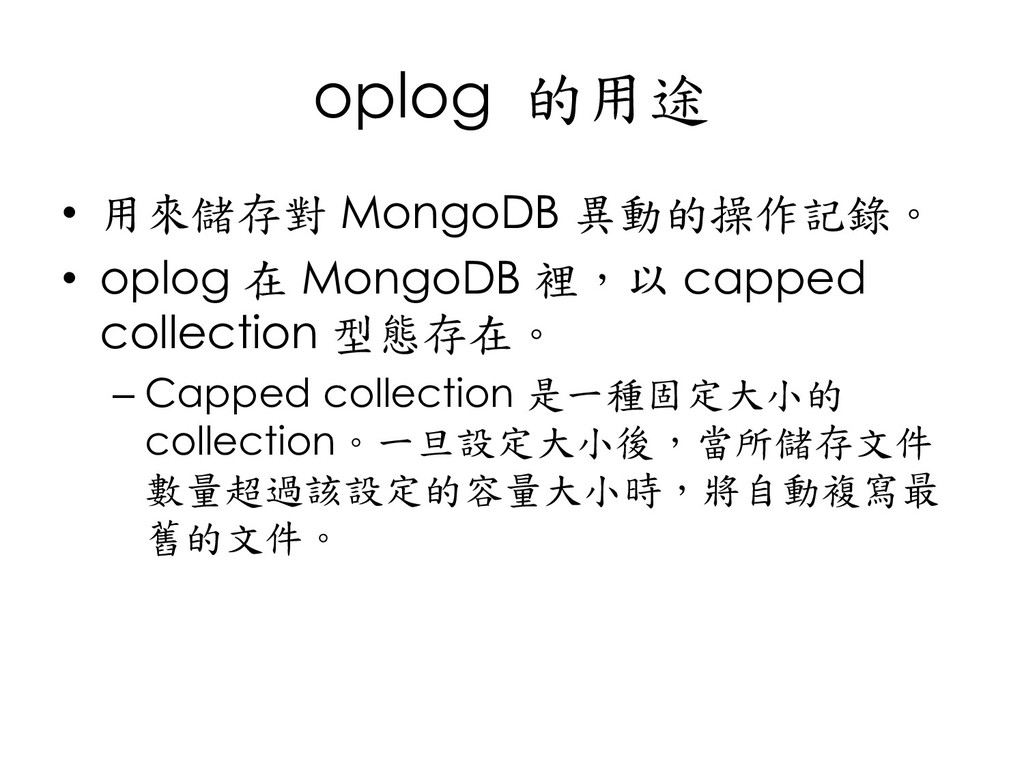
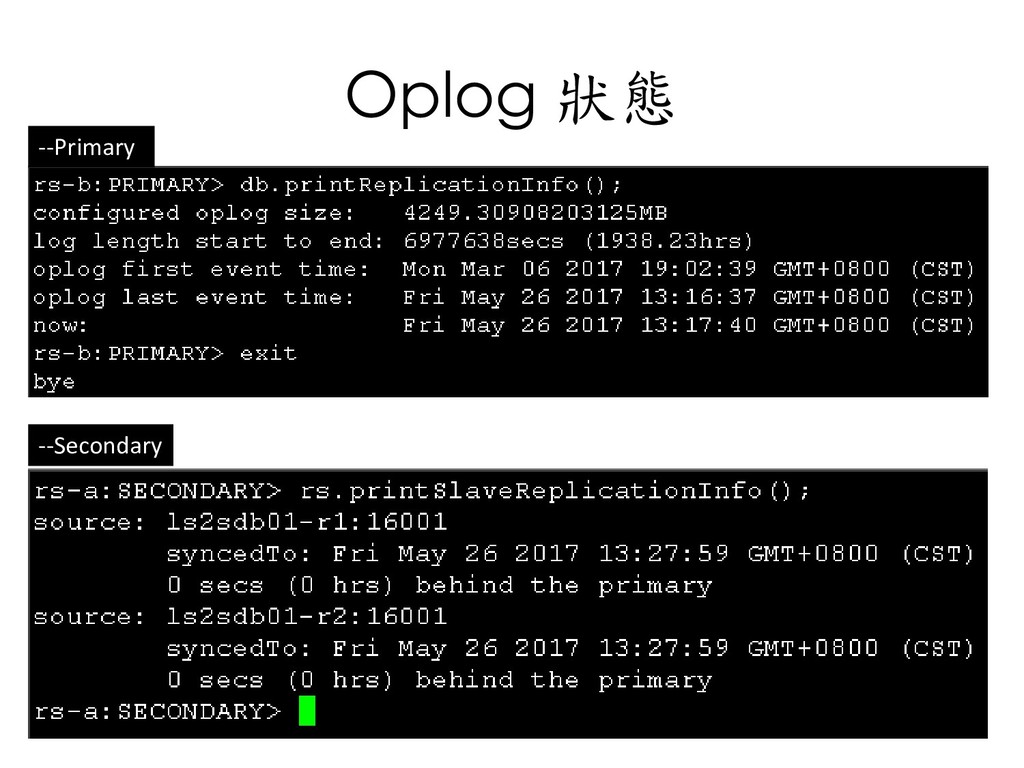
  125. oplog 的用途 • 用來儲存對 MongoDB 異動的操作記錄。 • oplog 在 MongoDB

    裡,以 capped collection 型態存在。 – Capped collection 是一種固定大小的 collection。一旦設定大小後,當所儲存文件 數量超過該設定的容量大小時,將自動複寫最 舊的文件。
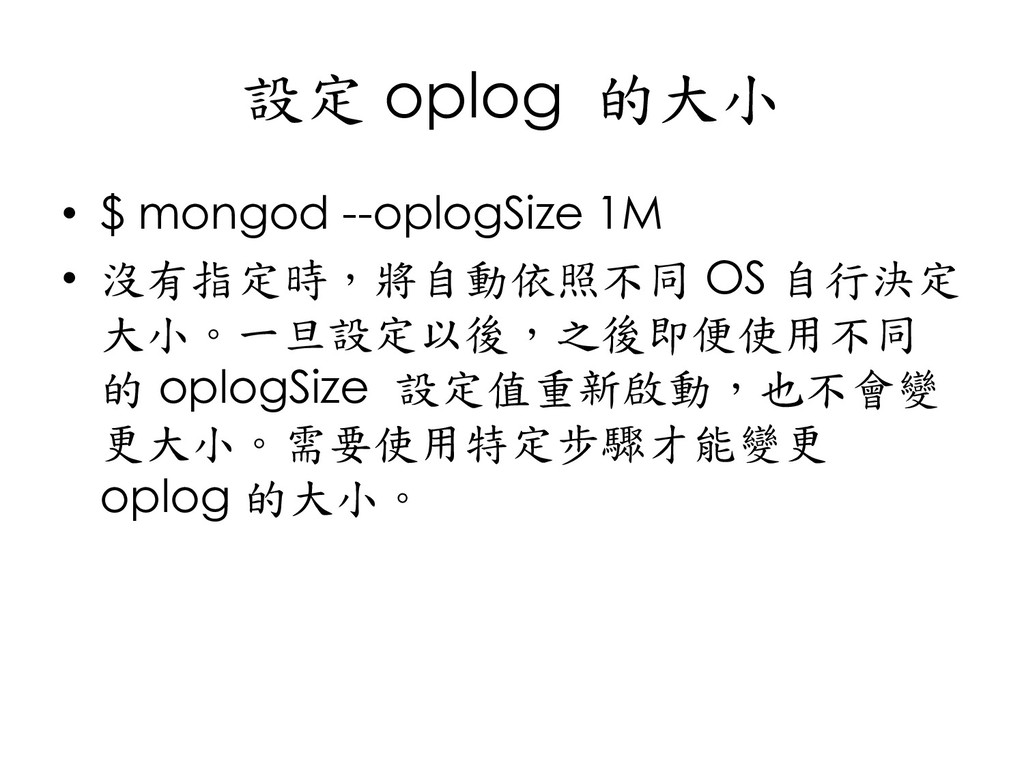
  126. 設定 oplog 的大小 • $ mongod --oplogSize 1M • 沒有指定時,將自動依照不同

    OS 自行決定 大小。一旦設定以後,之後即便使用不同 的 oplogSize 設定值重新啟動,也不會變 更大小。需要使用特定步驟才能變更 oplog 的大小。
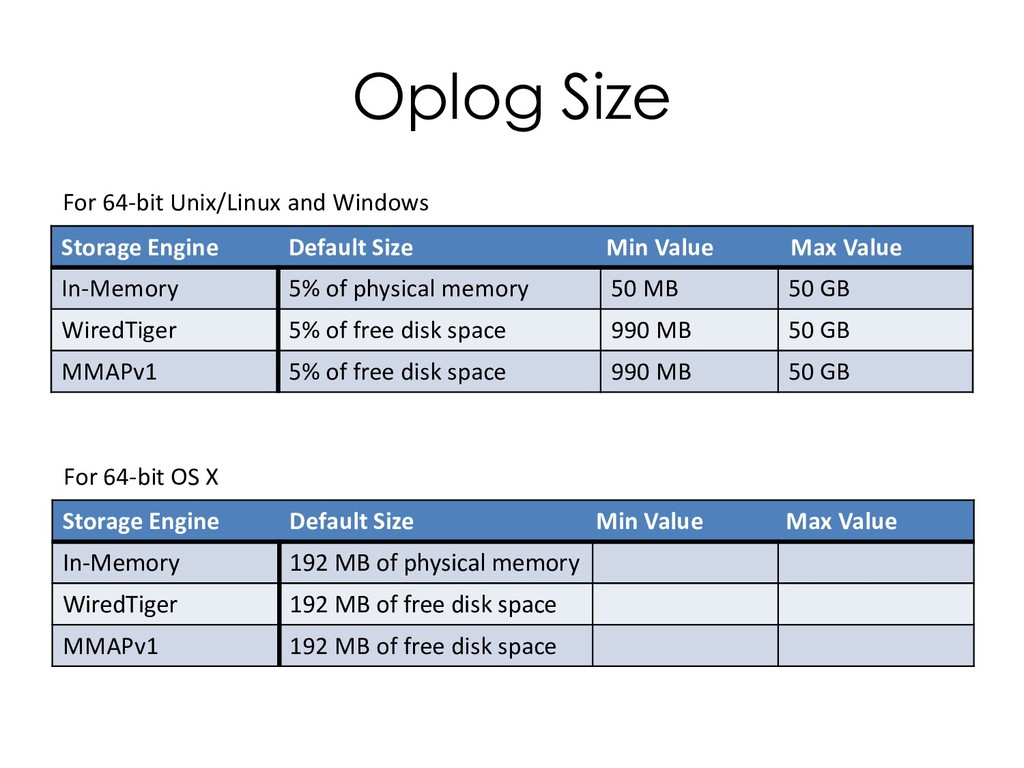
  127. Oplog Size Storage Engine Default Size Min Value Max Value

    In-Memory 5% of physical memory 50 MB 50 GB WiredTiger 5% of free disk space 990 MB 50 GB MMAPv1 5% of free disk space 990 MB 50 GB For 64-bit Unix/Linux and Windows Storage Engine Default Size Min Value Max Value In-Memory 192 MB of physical memory WiredTiger 192 MB of free disk space MMAPv1 192 MB of free disk space For 64-bit OS X
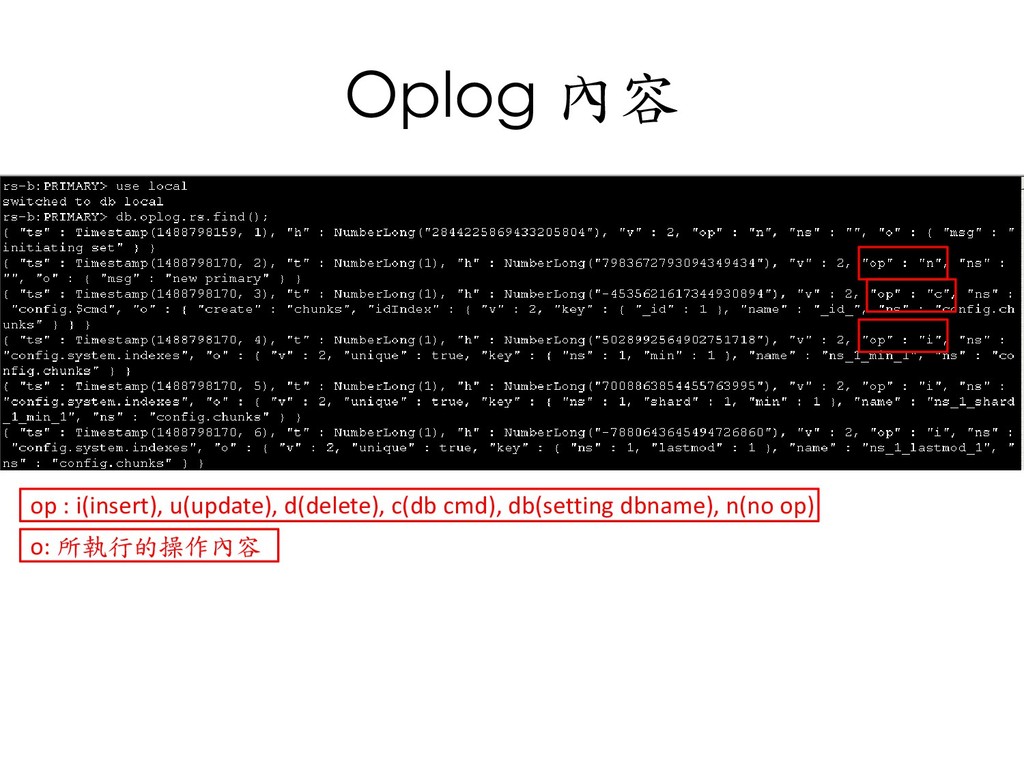
  128. Oplog 內容 op : i(insert), u(update), d(delete), c(db cmd), db(setting

    dbname), n(no op) o: 所執行的操作內容
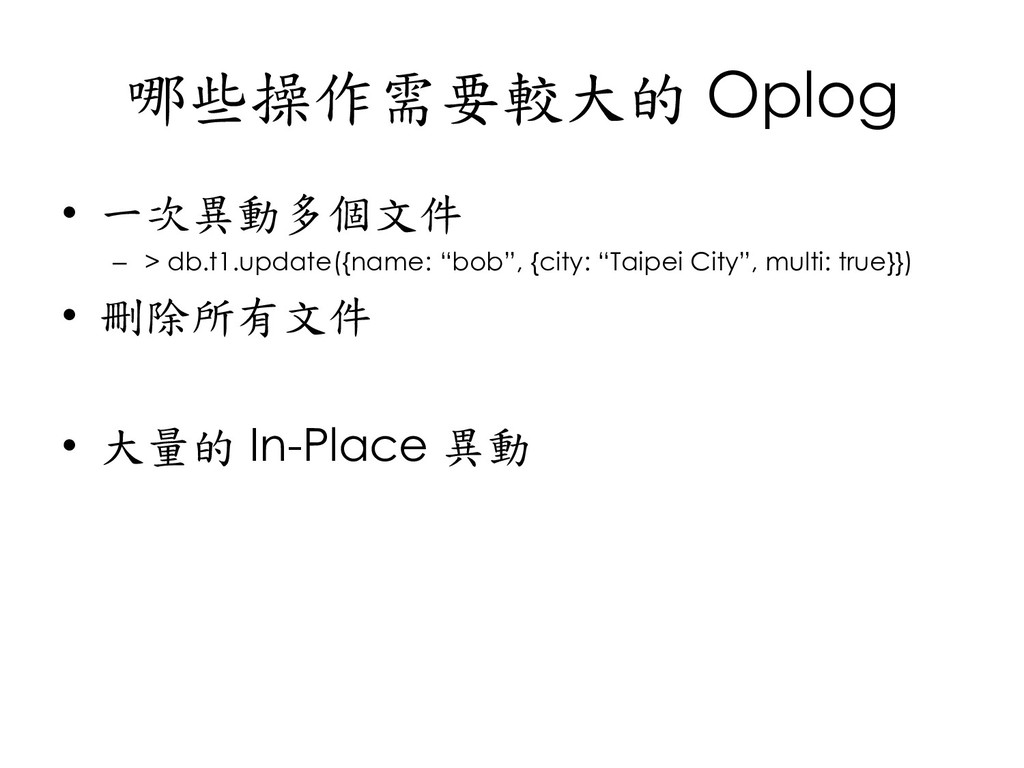
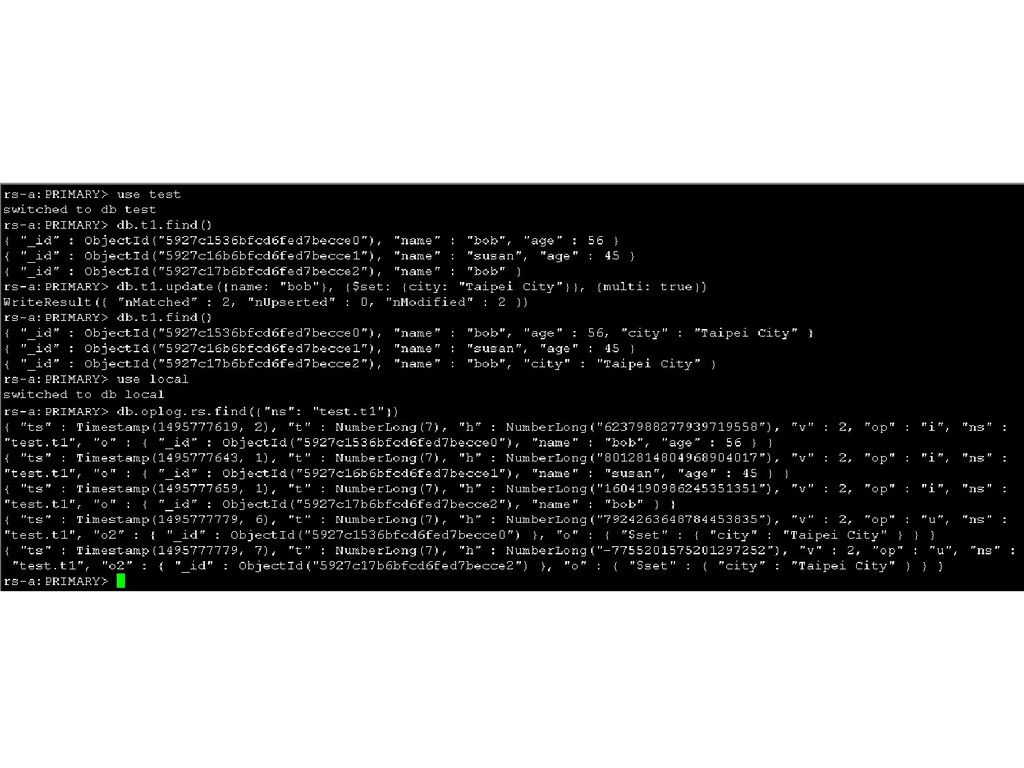
  129. 哪些操作需要較大的 Oplog • 一次異動多個文件 – > db.t1.update({name: “bob”, {city: “Taipei

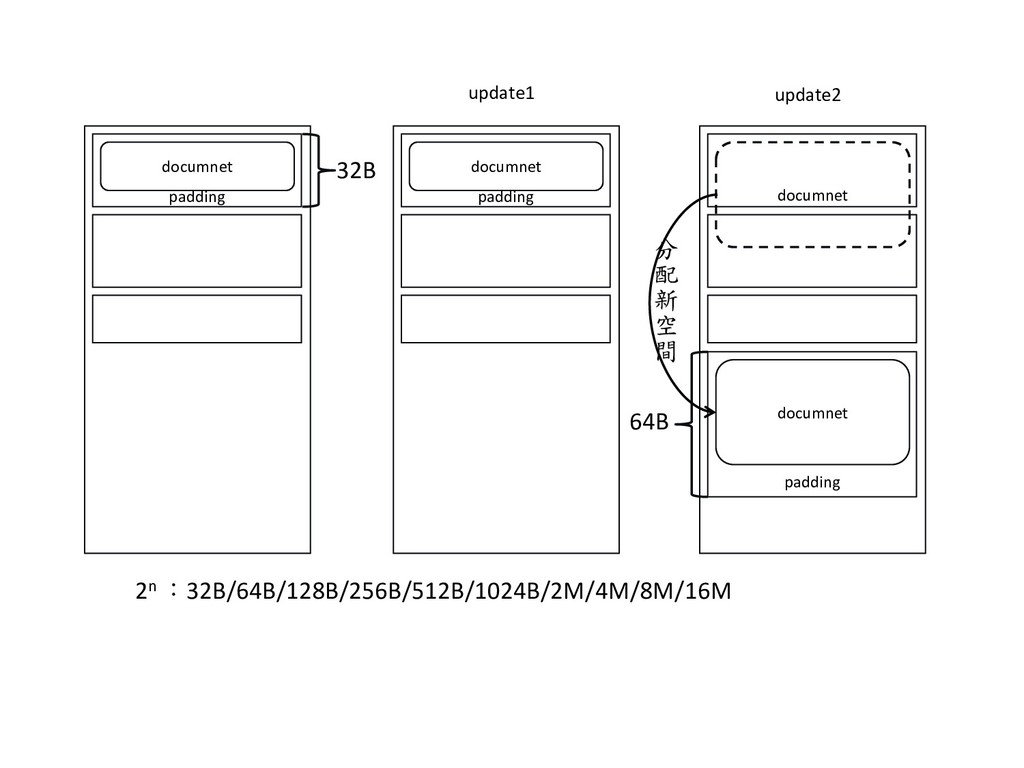
    City”, multi: true}}) • 刪除所有文件 • 大量的 In-Place 異動
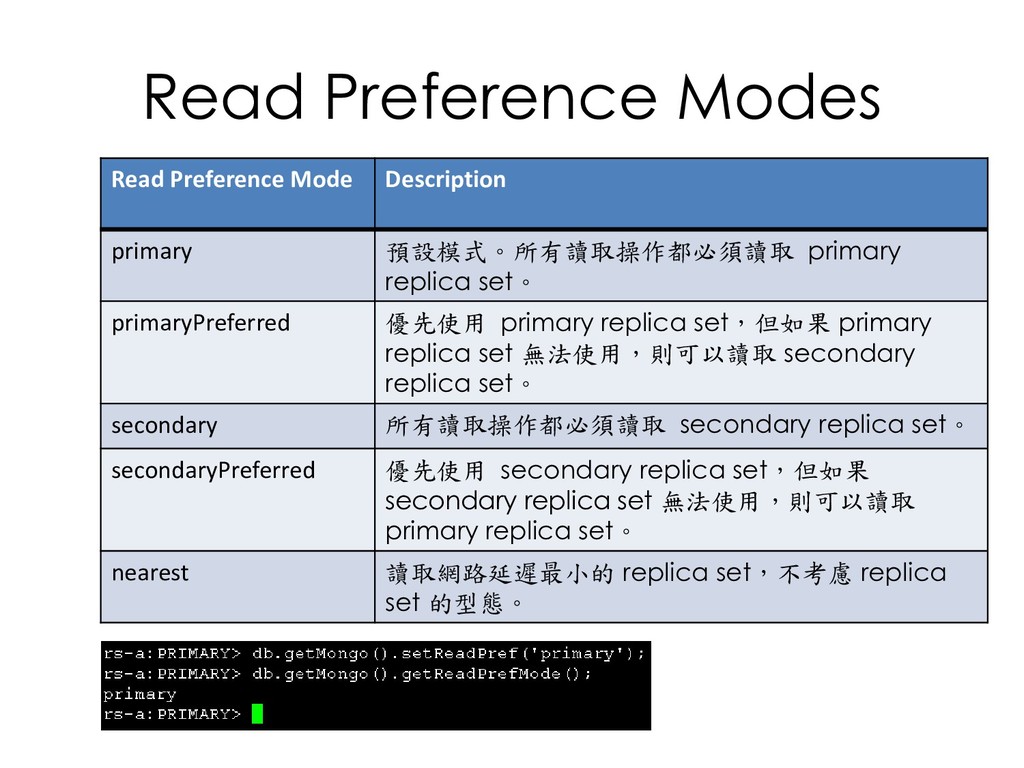
  130. Read Preference Modes Read Preference Mode Description primary 預設模式。所有讀取操作都必須讀取 primary

    replica set。 primaryPreferred 優先使用 primary replica set,但如果 primary replica set 無法使用,則可以讀取 secondary replica set。 secondary 所有讀取操作都必須讀取 secondary replica set。 secondaryPreferred 優先使用 secondary replica set,但如果 secondary replica set 無法使用,則可以讀取 primary replica set。 nearest 讀取網路延遲最小的 replica set,不考慮 replica set 的型態。
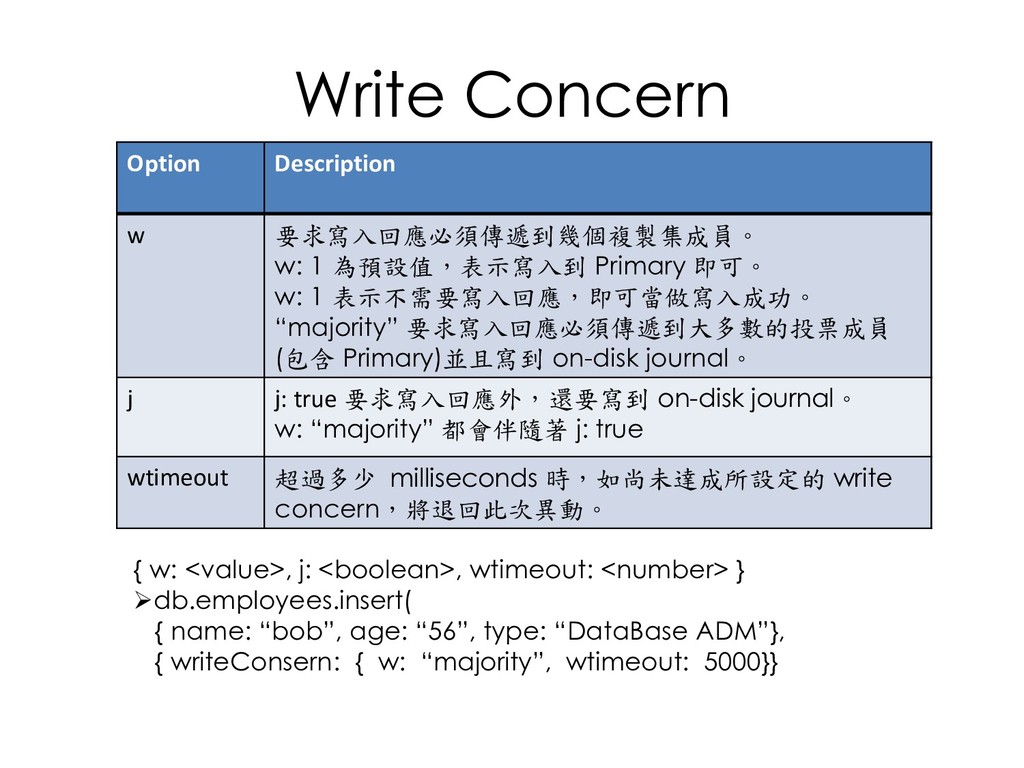
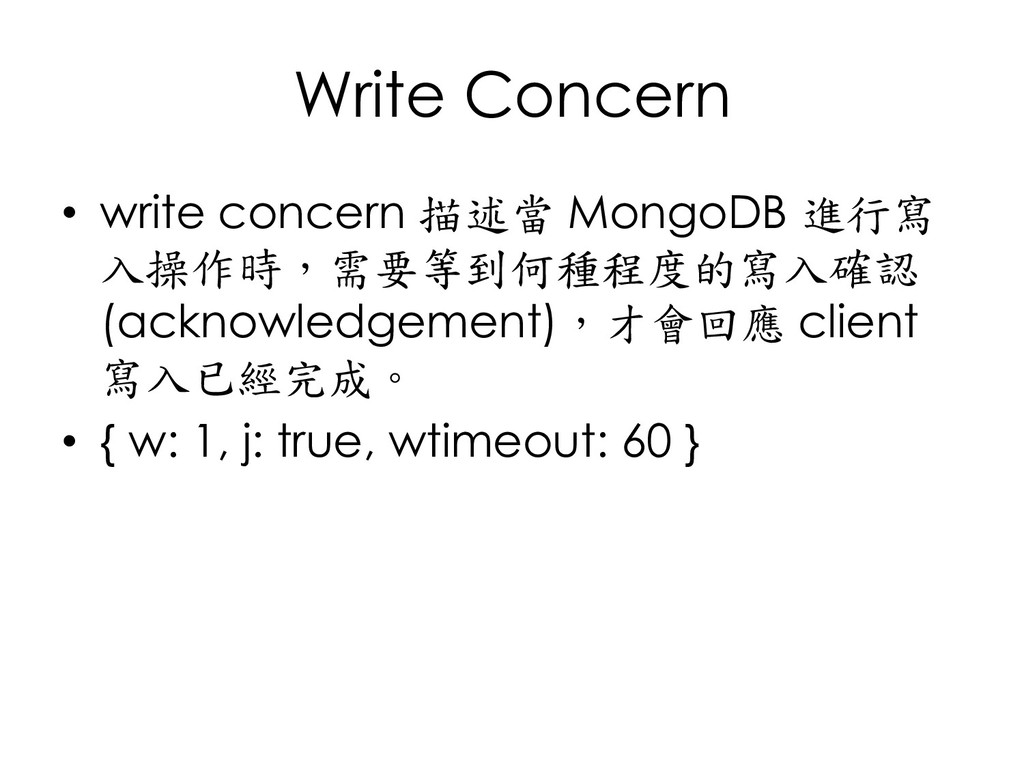
  131. Write Concern { w: <value>, j: <boolean>, wtimeout: <number> }

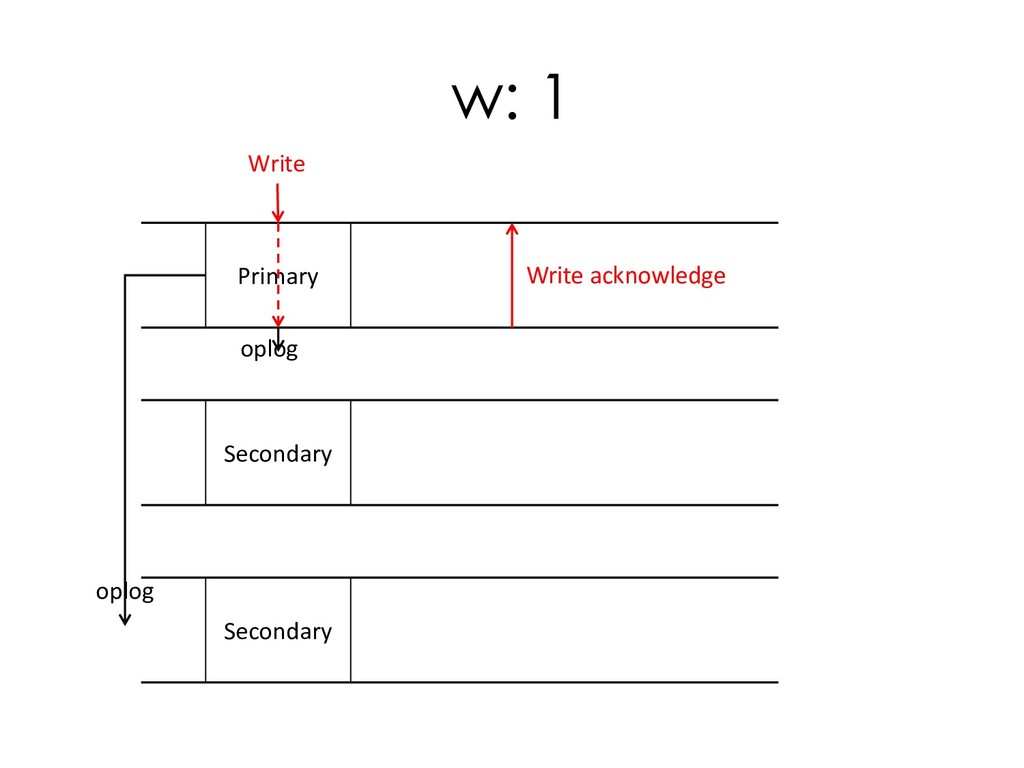
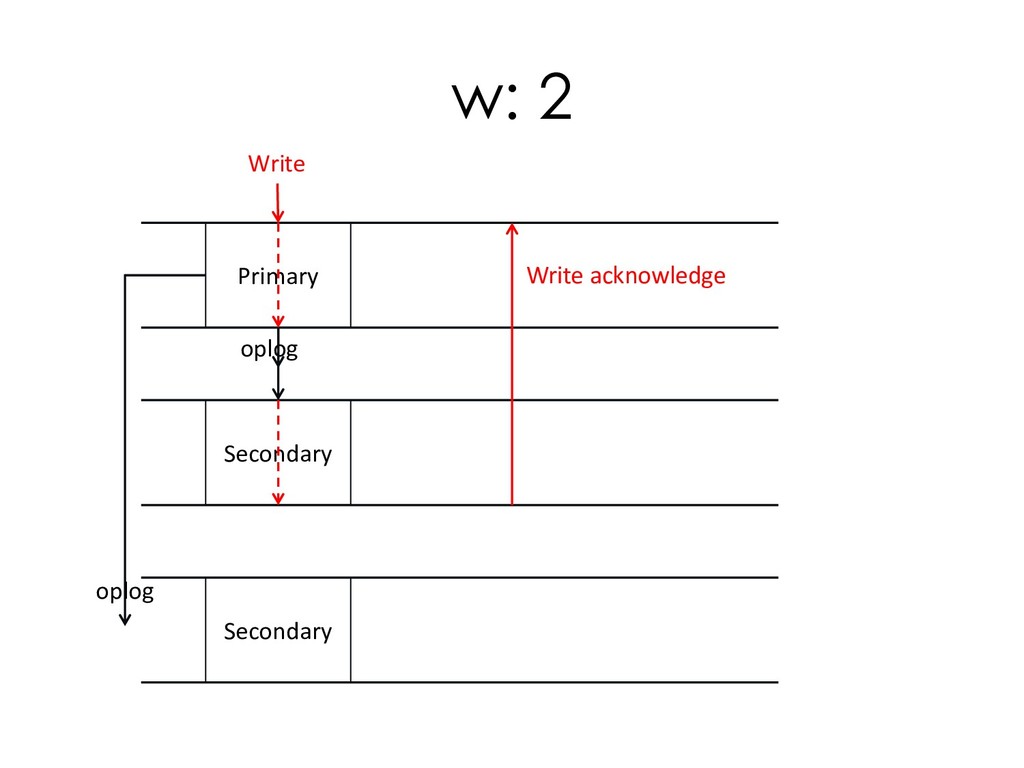
    ➢db.employees.insert( { name: “bob”, age: “56”, type: “DataBase ADM”}, { writeConsern: { w: “majority”, wtimeout: 5000}} Option Description w 要求寫入回應必須傳遞到幾個複製集成員。 w: 1 為預設值,表示寫入到 Primary 即可。 w: 1 表示不需要寫入回應,即可當做寫入成功。 “majority” 要求寫入回應必須傳遞到大多數的投票成員 (包含 Primary)並且寫到 on-disk journal。 j j: true 要求寫入回應外,還要寫到 on-disk journal。 w: “majority” 都會伴隨著 j: true wtimeout 超過多少 milliseconds 時,如尚未達成所設定的 write concern,將退回此次異動。
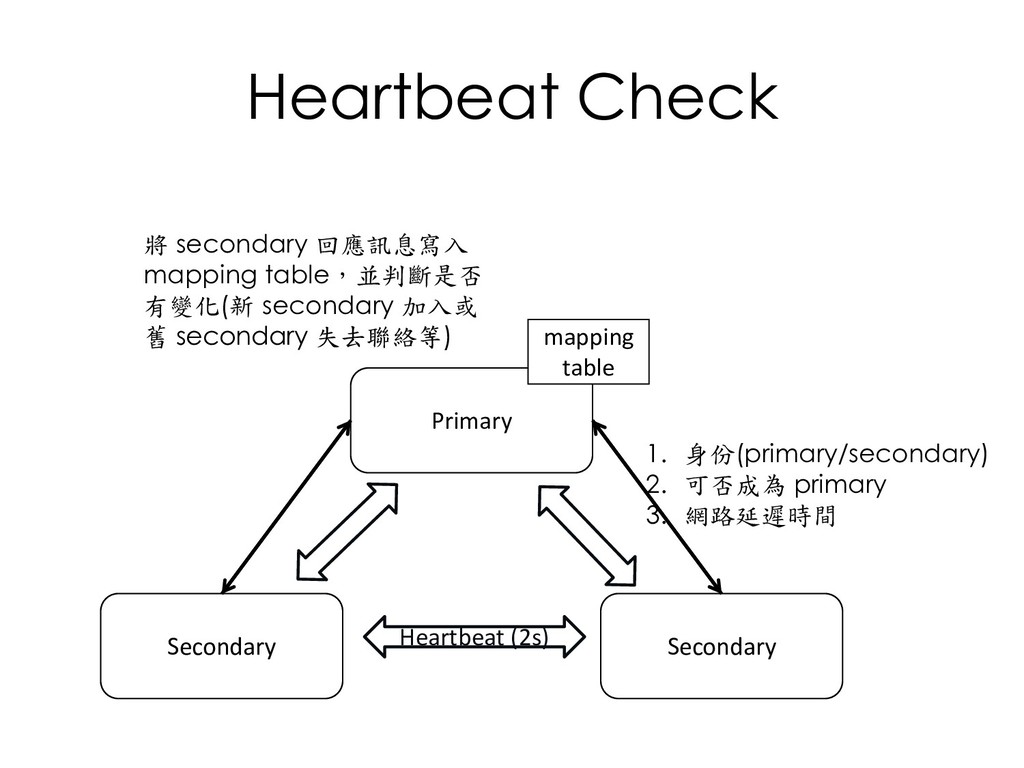
  132. Heartbeat Check Primary Secondary Secondary Heartbeat (2s) mapping table 將

    secondary 回應訊息寫入 mapping table,並判斷是否 有變化(新 secondary 加入或 舊 secondary 失去聯絡等) 1. 身份(primary/secondary) 2. 可否成為 primary 3. 網路延遲時間
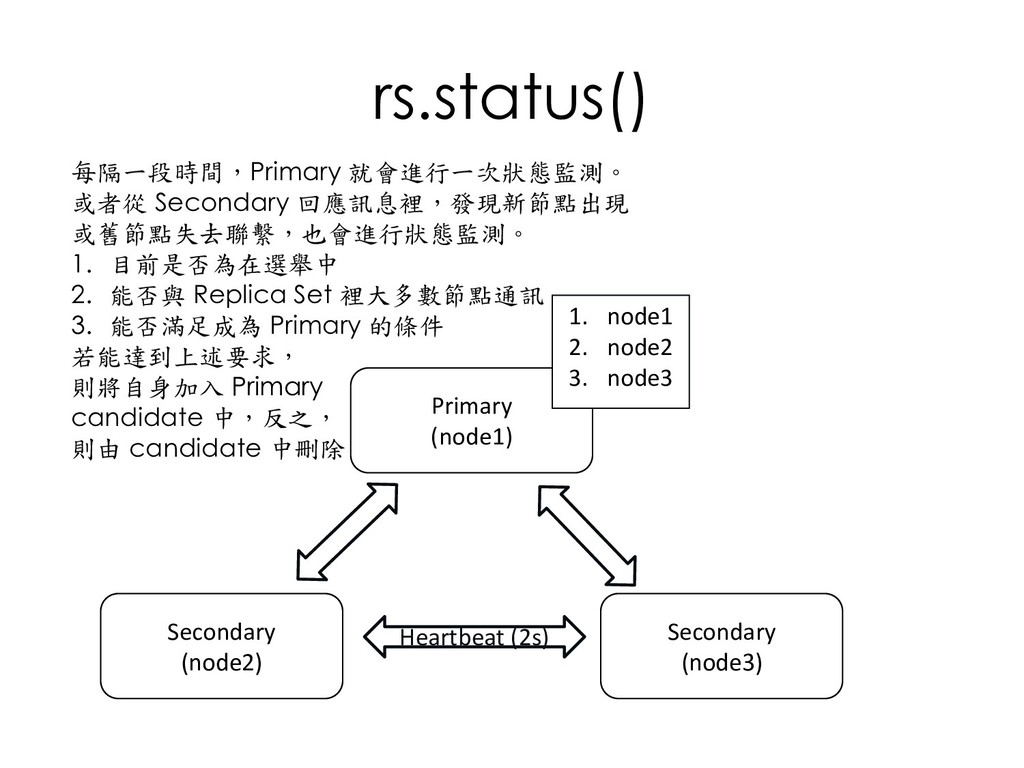
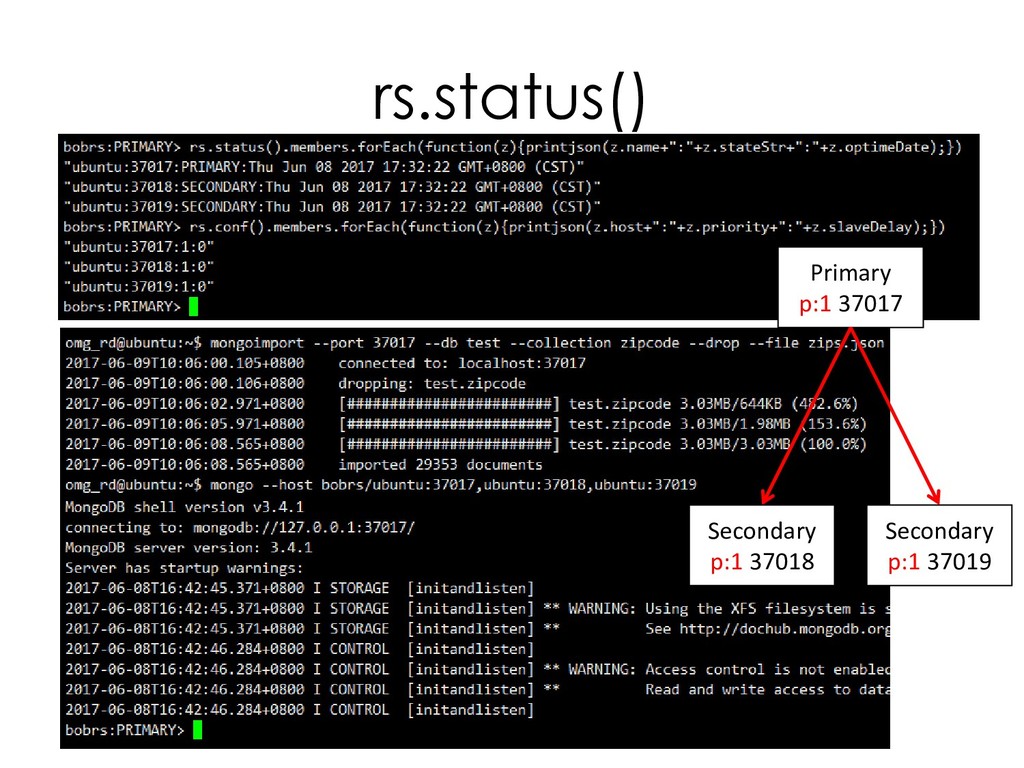
  133. rs.status() Primary (node1) Secondary (node2) Secondary (node3) Heartbeat (2s) 1.

    node1 2. node2 3. node3 每隔一段時間,Primary 就會進行一次狀態監測。 或者從 Secondary 回應訊息裡,發現新節點出現 或舊節點失去聯繫,也會進行狀態監測。 1. 目前是否為在選舉中 2. 能否與 Replica Set 裡大多數節點通訊 3. 能否滿足成為 Primary 的條件 若能達到上述要求, 則將自身加入 Primary candidate 中,反之, 則由 candidate 中刪除
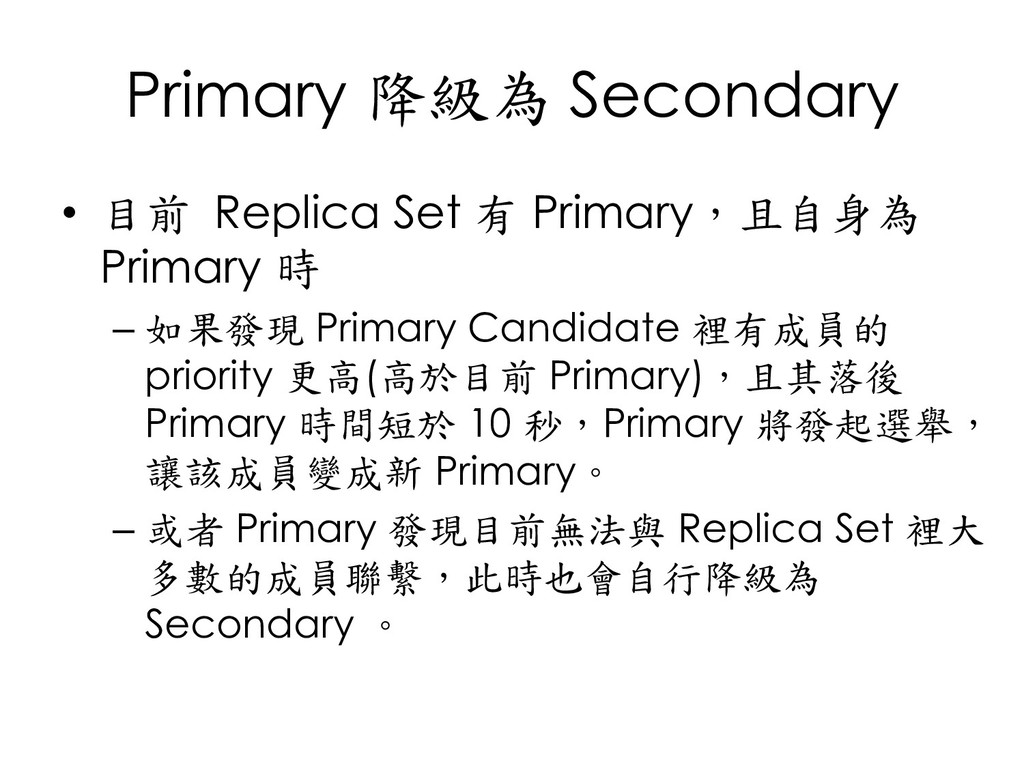
  134. Primary 降級為 Secondary • 目前 Replica Set 有 Primary,且自身為 Primary

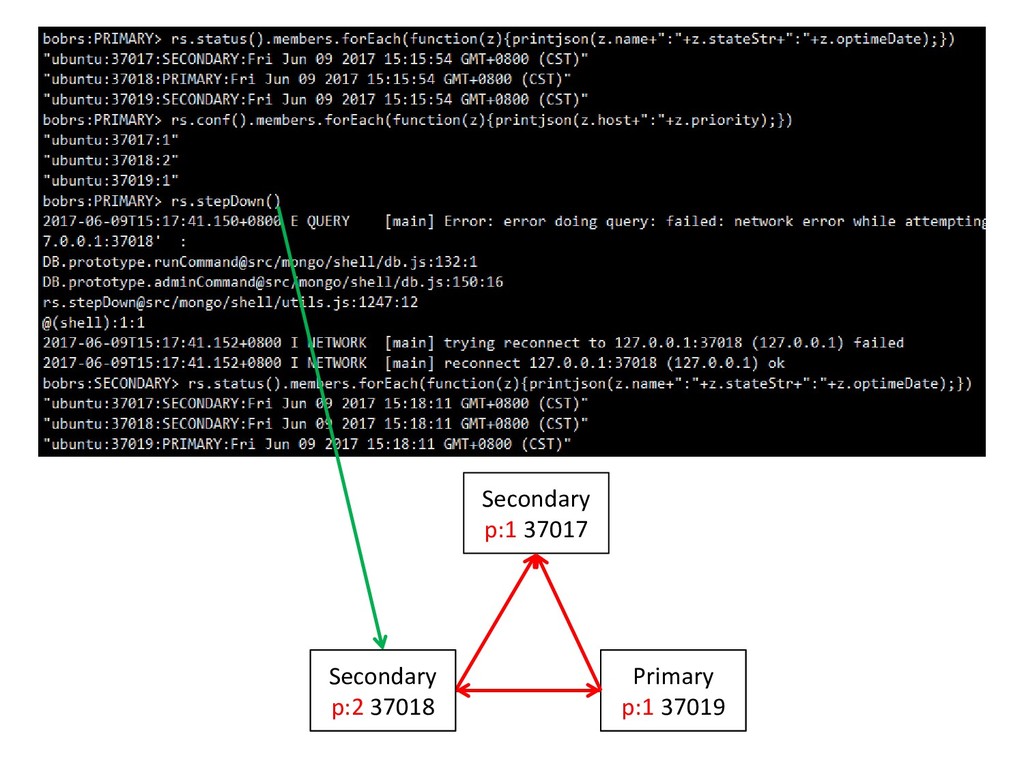
    時 – 如果發現 Primary Candidate 裡有成員的 priority 更高(高於目前 Primary),且其落後 Primary 時間短於 10 秒,Primary 將發起選舉, 讓該成員變成新 Primary。 – 或者 Primary 發現目前無法與 Replica Set 裡大 多數的成員聯繫,此時也會自行降級為 Secondary 。
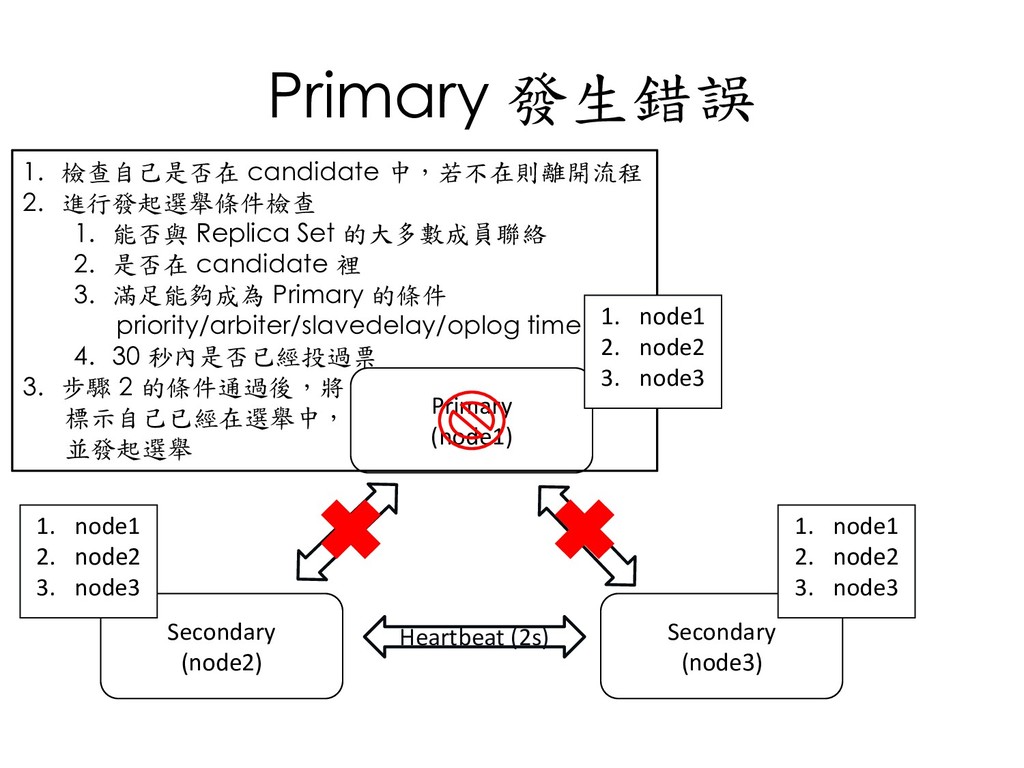
  135. Primary 發生錯誤 Primary (node1) Secondary (node2) Secondary (node3) Heartbeat (2s)

    1. 檢查自己是否在 candidate 中,若不在則離開流程 2. 進行發起選舉條件檢查 1. 能否與 Replica Set 的大多數成員聯絡 2. 是否在 candidate 裡 3. 滿足能夠成為 Primary 的條件 priority/arbiter/slavedelay/oplog time 4. 30 秒內是否已經投過票 3. 步驟 2 的條件通過後,將 標示自己已經在選舉中, 並發起選舉 1. node1 2. node2 3. node3 1. node1 2. node2 3. node3 1. node1 2. node2 3. node3
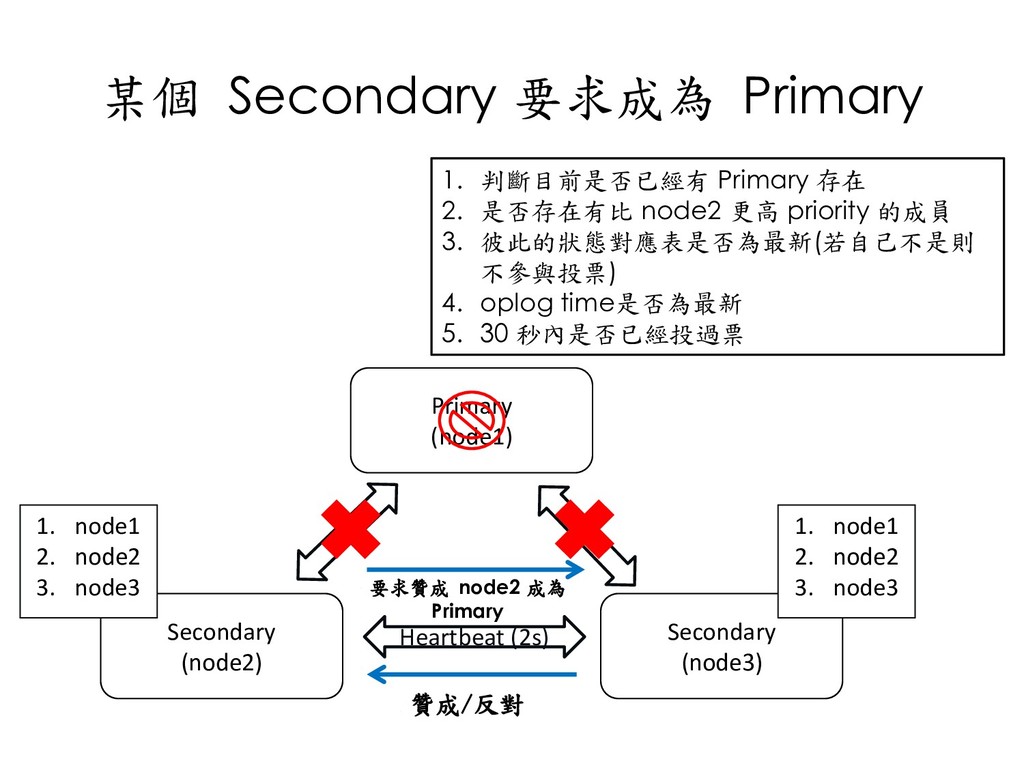
  136. 某個 Secondary 要求成為 Primary Primary (node1) Secondary (node2) Secondary (node3)

    Heartbeat (2s) 1. 判斷目前是否已經有 Primary 存在 2. 是否存在有比 node2 更高 priority 的成員 3. 彼此的狀態對應表是否為最新(若自己不是則 不參與投票) 4. oplog time是否為最新 5. 30 秒內是否已經投過票 1. node1 2. node2 3. node3 1. node1 2. node2 3. node3 要求贊成 node2 成為 Primary 贊成/反對
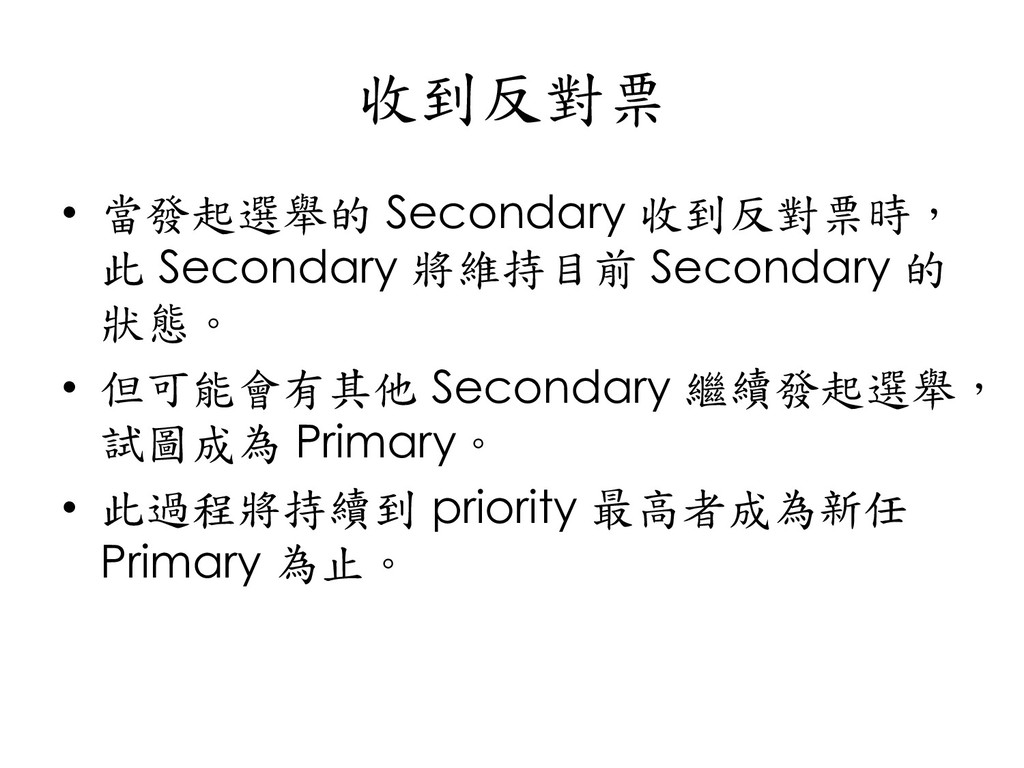
  137. 收到反對票 • 當發起選舉的 Secondary 收到反對票時, 此 Secondary 將維持目前 Secondary 的

    狀態。 • 但可能會有其他 Secondary 繼續發起選舉, 試圖成為 Primary。 • 此過程將持續到 priority 最高者成為新任 Primary 為止。
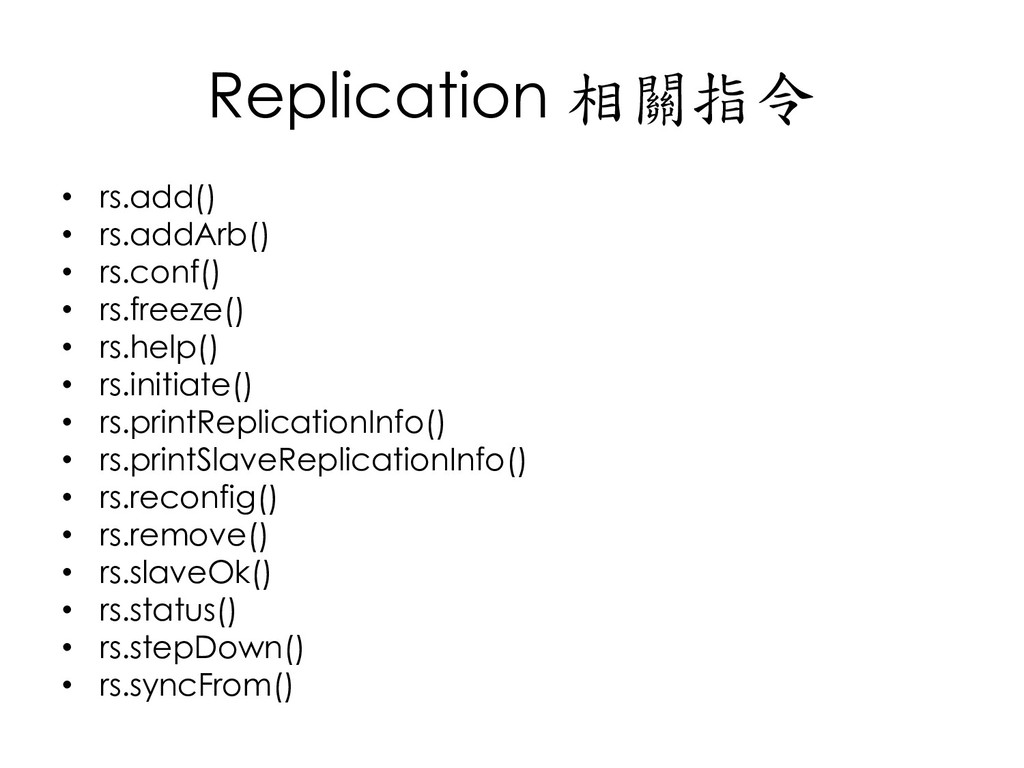
  138. Replication 相關指令 • rs.add() • rs.addArb() • rs.conf() • rs.freeze()

    • rs.help() • rs.initiate() • rs.printReplicationInfo() • rs.printSlaveReplicationInfo() • rs.reconfig() • rs.remove() • rs.slaveOk() • rs.status() • rs.stepDown() • rs.syncFrom()
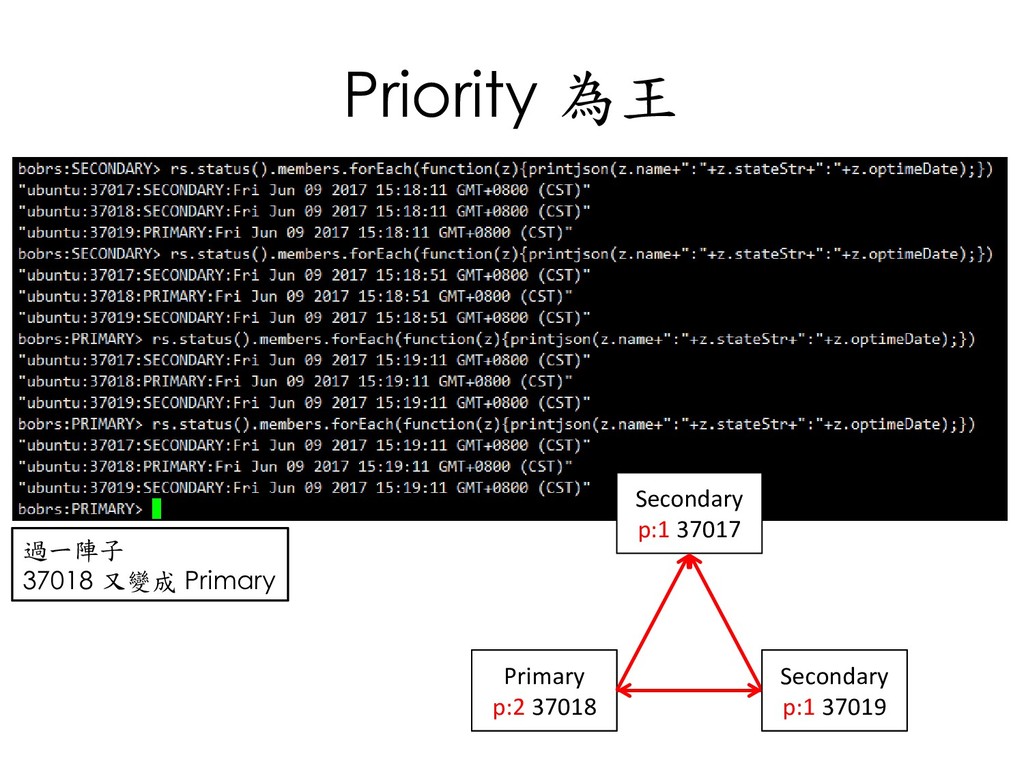
  139. 修改 priority … 省略 因為 37018’s priority > 37017’s priority(Primary)

    所以 37017 進行 stepDown,37018 成為 Primary Primary p:1 37017 Secondary p:1 37018 Secondary p:1 37019 Secondary p:1 37017 Secondary p:2 37018 Primary p:2 37018
  140. Priority 為王 過一陣子 37018 又變成 Primary Secondary p:1 37017 Secondary

    p:2 37018 Primary p:1 37019 Secondary p:1 37019 Primary p:2 37018
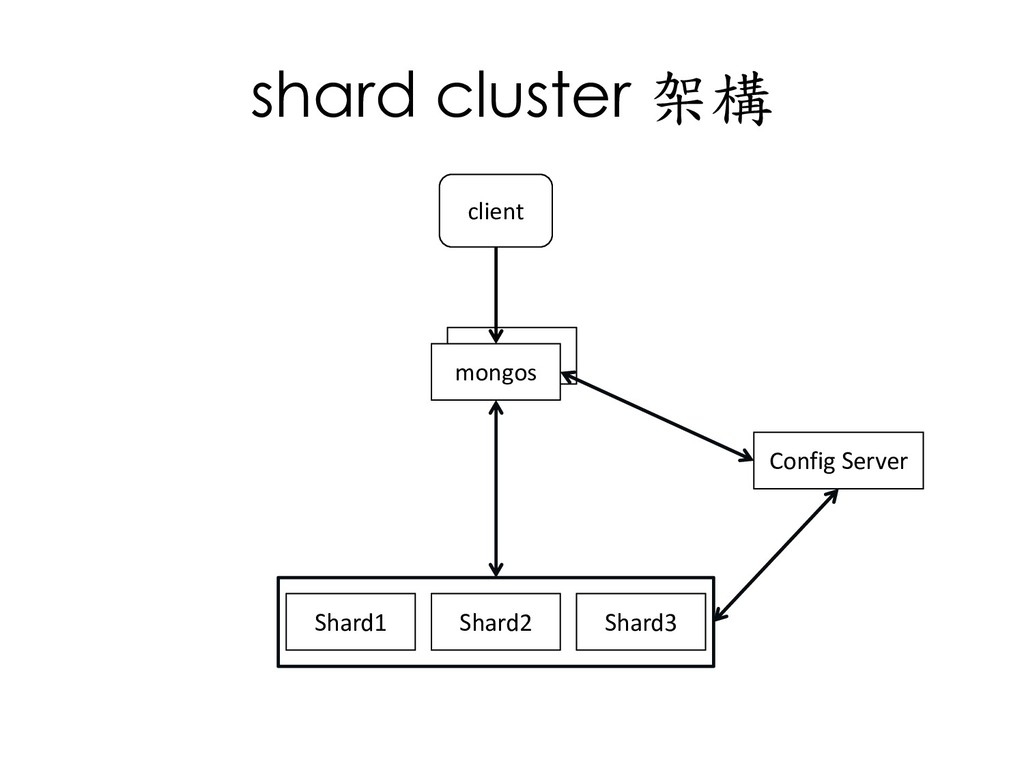
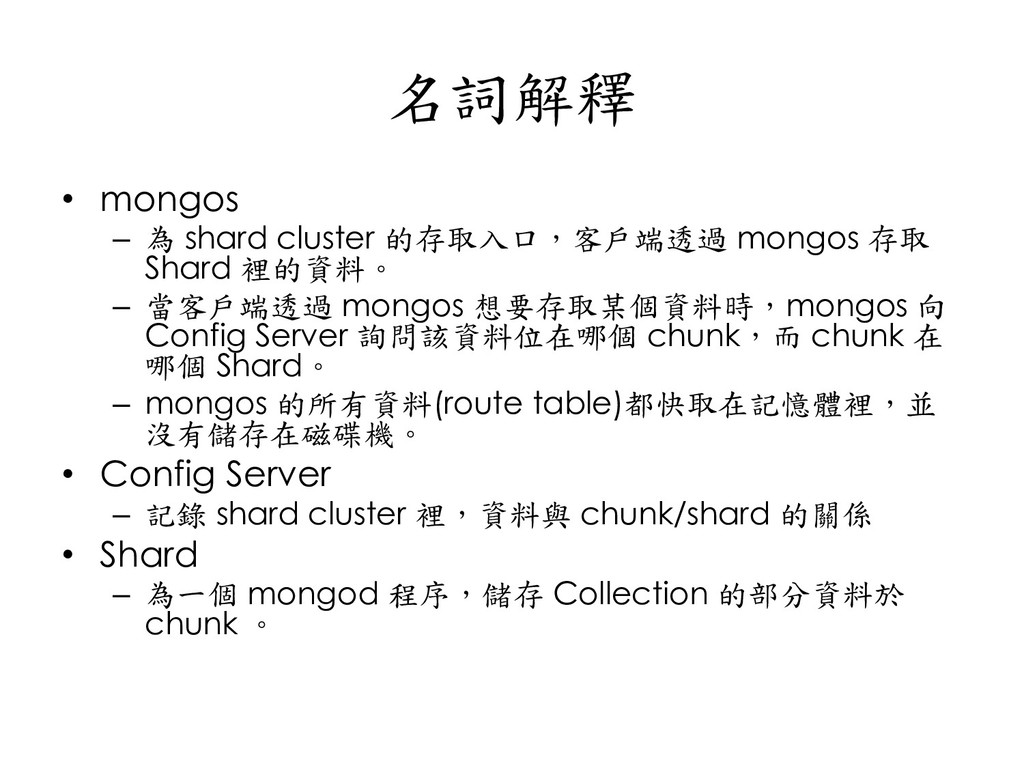
  141. 名詞解釋 • mongos – 為 shard cluster 的存取入口,客戶端透過 mongos 存取

    Shard 裡的資料。 – 當客戶端透過 mongos 想要存取某個資料時,mongos 向 Config Server 詢問該資料位在哪個 chunk,而 chunk 在 哪個 Shard。 – mongos 的所有資料(route table)都快取在記憶體裡,並 沒有儲存在磁碟機。 • Config Server – 記錄 shard cluster 裡,資料與 chunk/shard 的關係 • Shard – 為一個 mongod 程序,儲存 Collection 的部分資料於 chunk 。
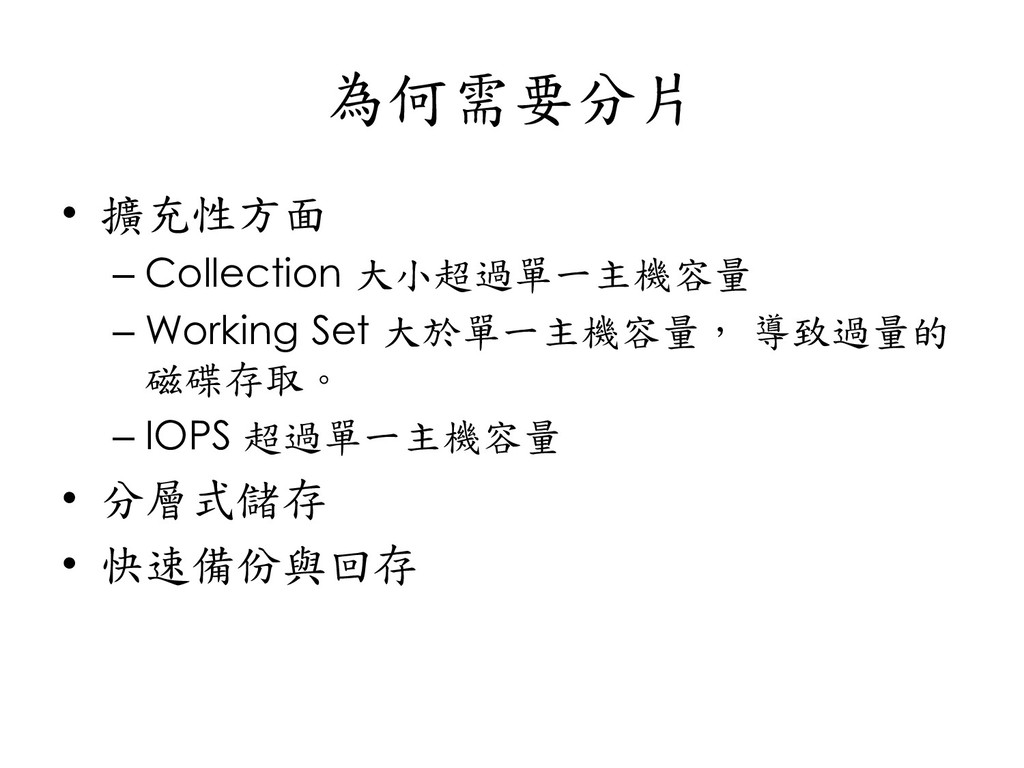
  142. 為何需要分片 • 擴充性方面 – Collection 大小超過單一主機容量 – Working Set 大於單一主機容量,

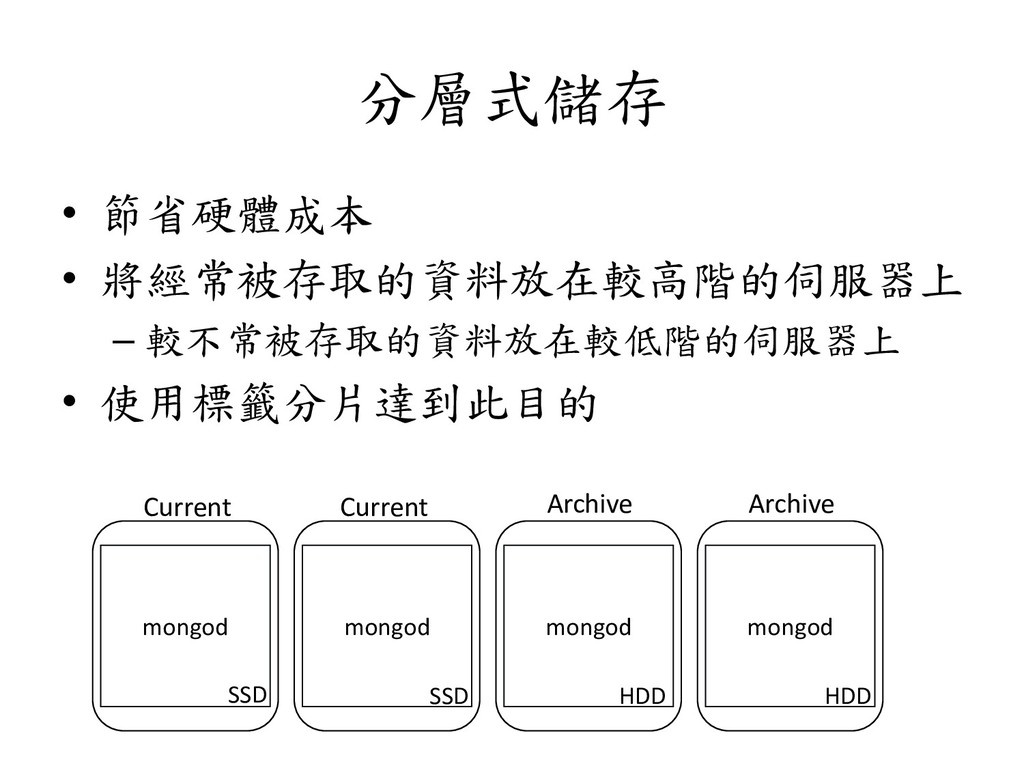
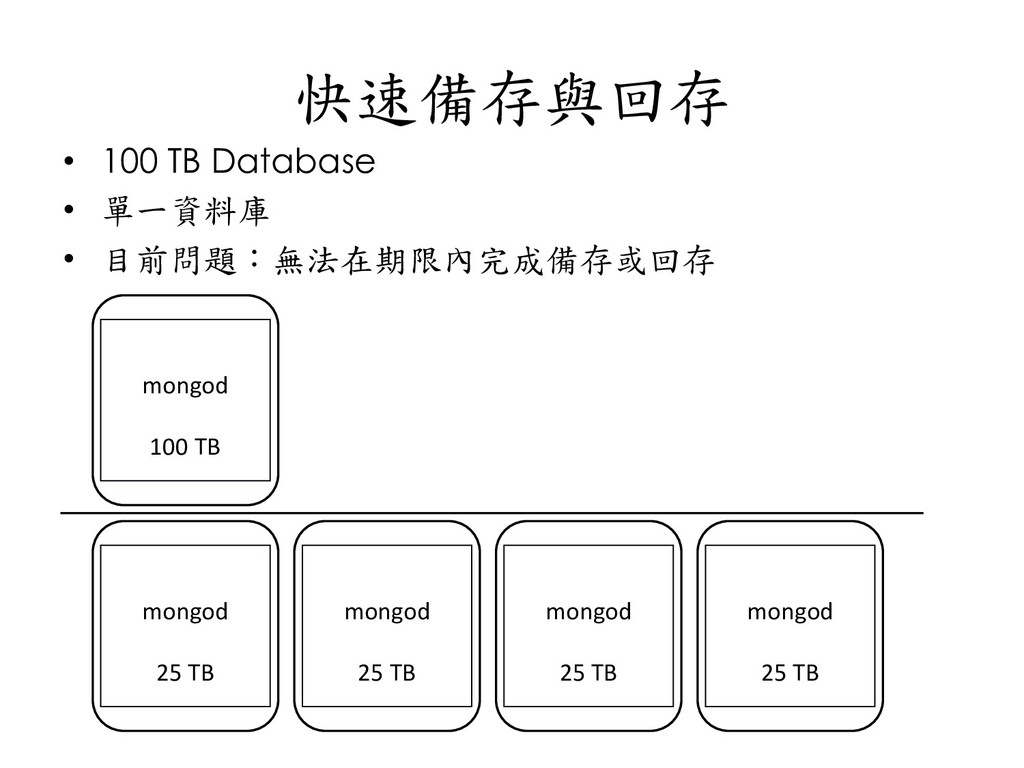
    導致過量的 磁碟存取。 – IOPS 超過單一主機容量 • 分層式儲存 • 快速備份與回存
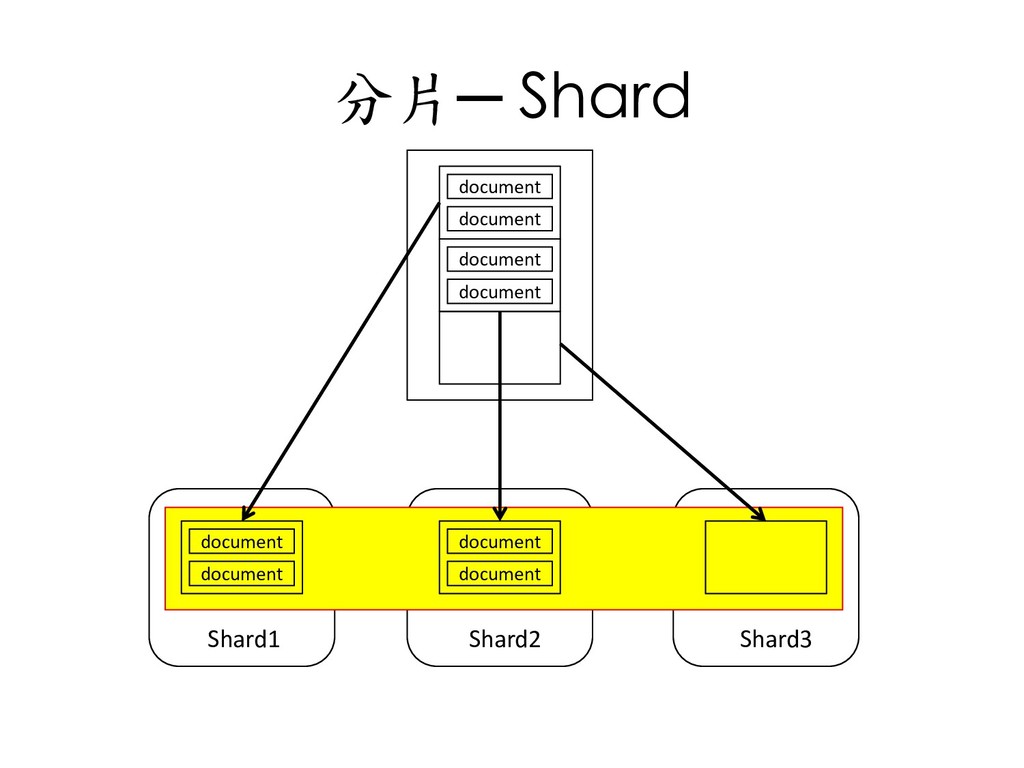
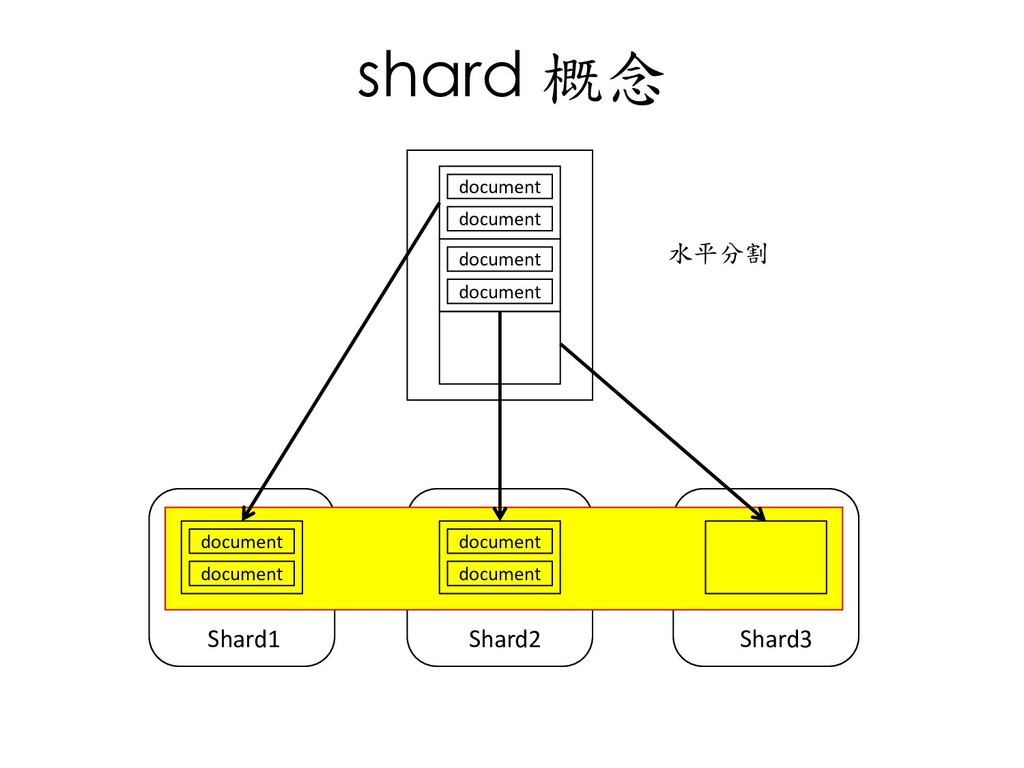
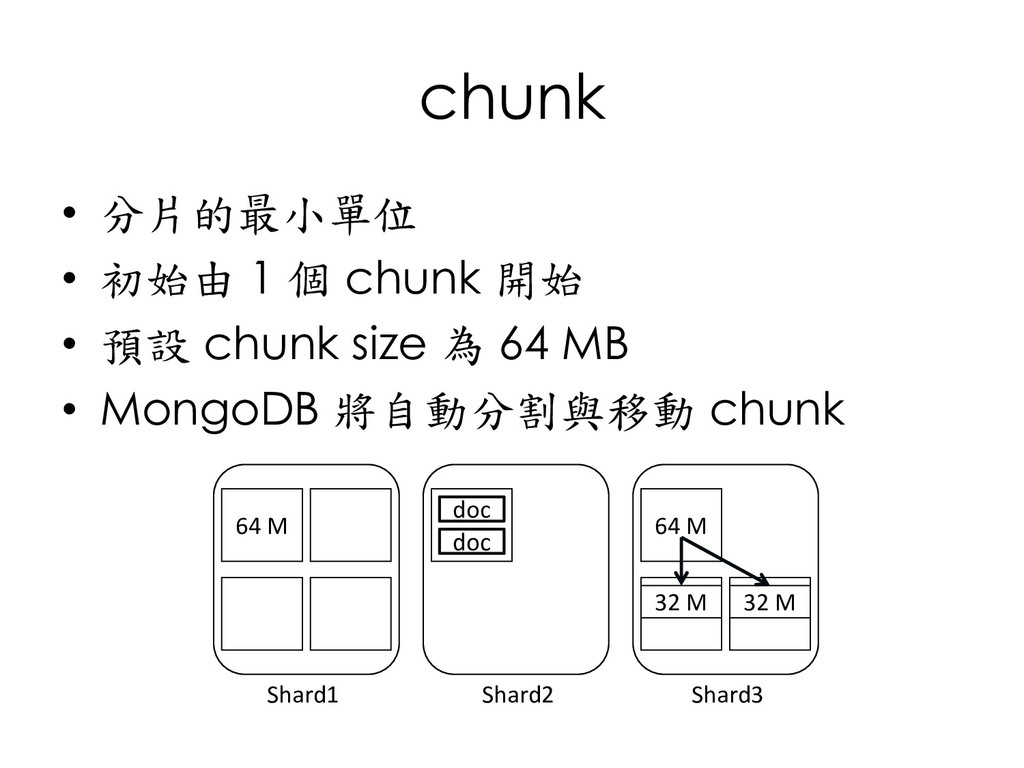
  143. chunk • 分片的最小單位 • 初始由 1 個 chunk 開始 •

    預設 chunk size 為 64 MB • MongoDB 將自動分割與移動 chunk Shard1 Shard2 Shard3 64 M 64 M doc doc 32 M 32 M
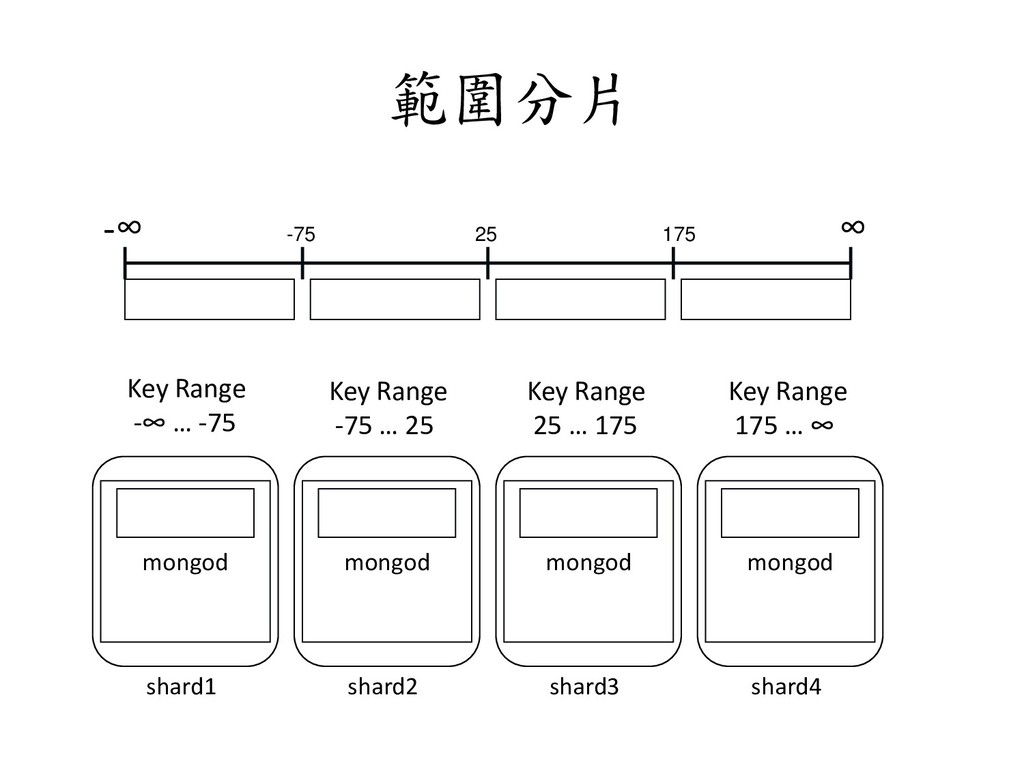
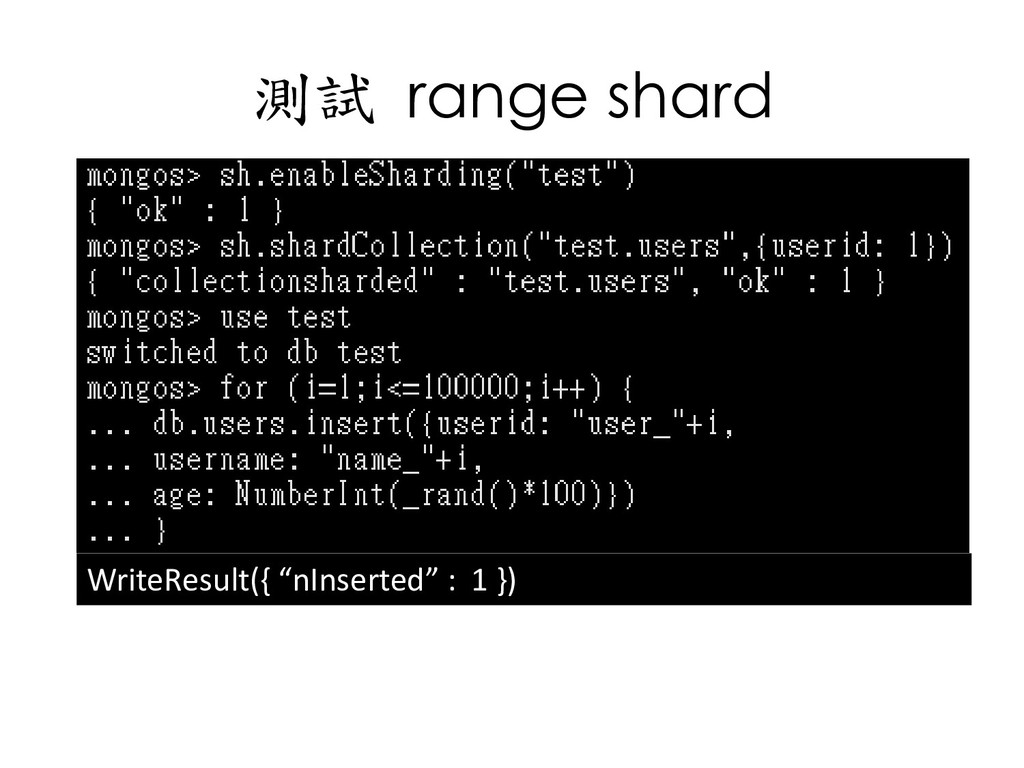
  144. 範圍分片 -∞ -75 25 175 ∞ shard1 mongod shard2 mongod

    shard3 mongod shard4 mongod Key Range -∞ … -75 Key Range -75 … 25 Key Range 25 … 175 Key Range 175 … ∞
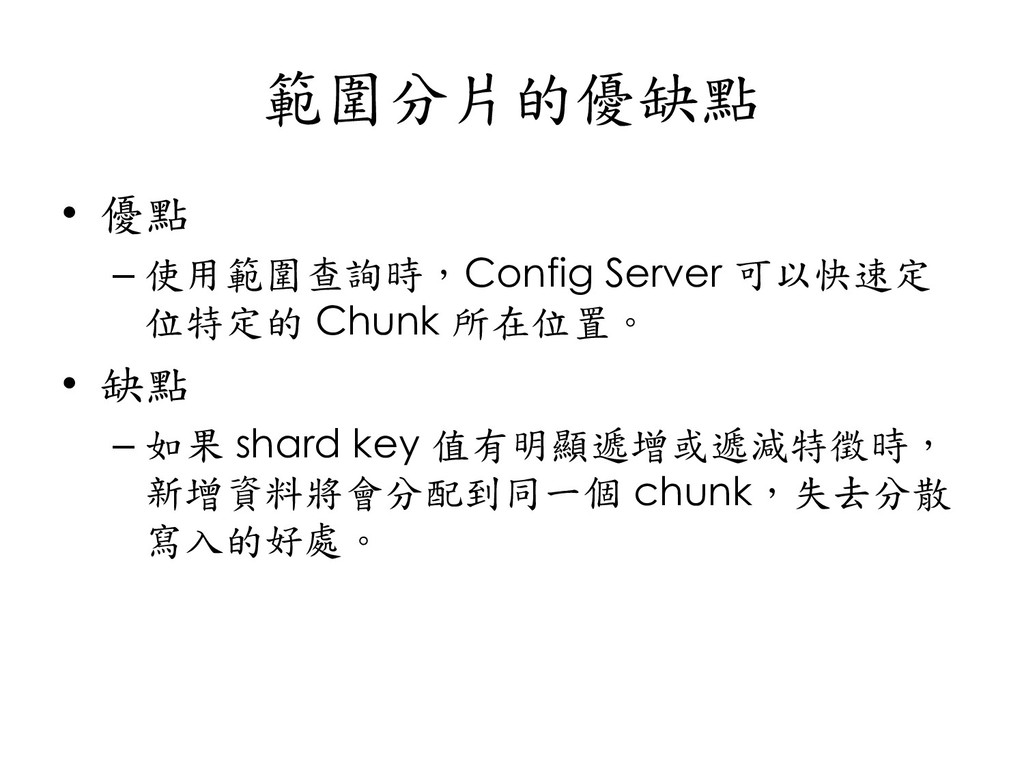
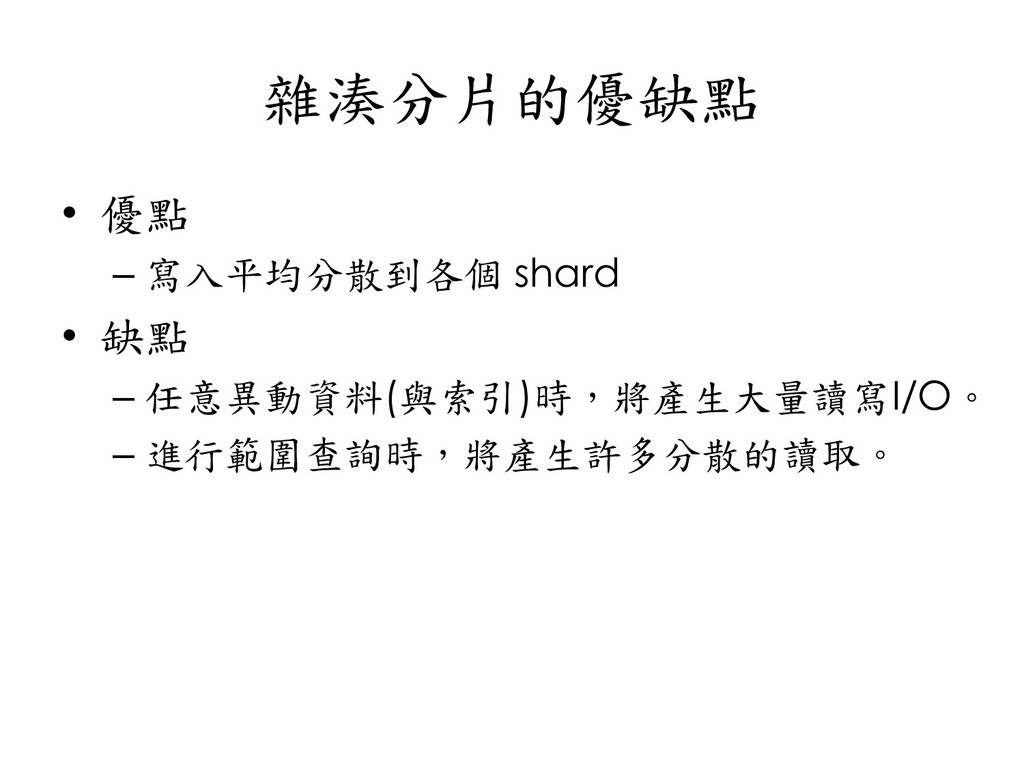
  145. 範圍分片的優缺點 • 優點 – 使用範圍查詢時,Config Server 可以快速定 位特定的 Chunk 所在位置。

    • 缺點 – 如果 shard key 值有明顯遞增或遞減特徵時, 新增資料將會分配到同一個 chunk,失去分散 寫入的好處。
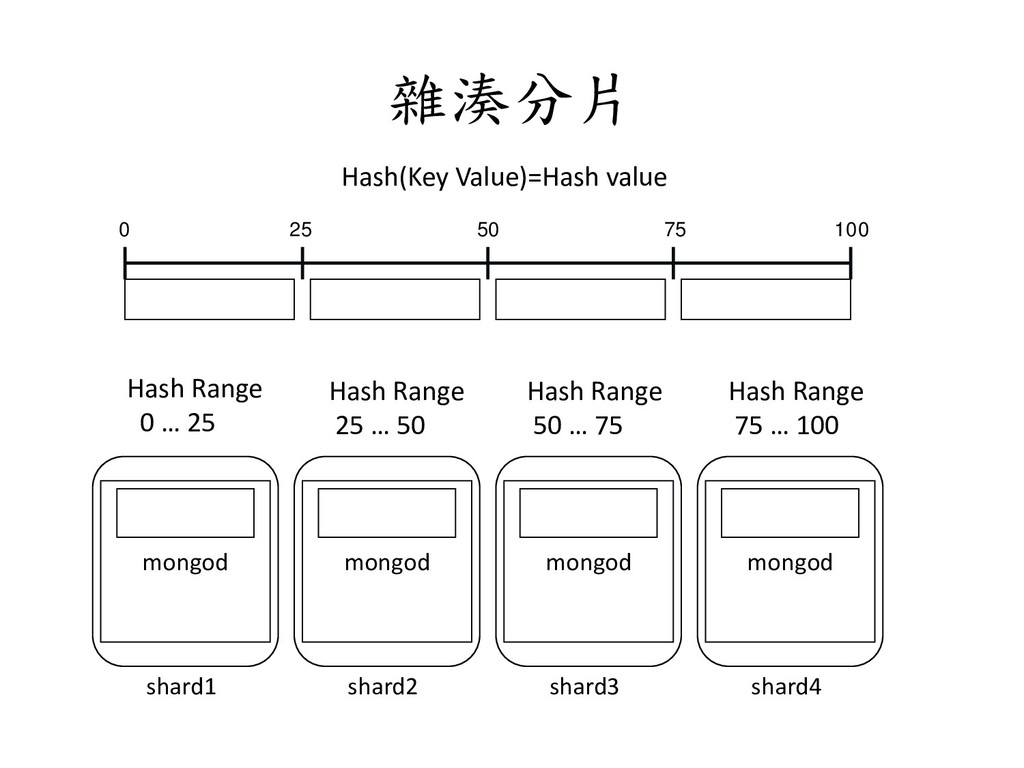
  146. 雜湊分片 0 25 50 75 100 shard1 mongod shard2 mongod

    shard3 mongod shard4 mongod Hash Range 0 … 25 Hash Range 25 … 50 Hash Range 50 … 75 Hash Range 75 … 100 Hash(Key Value)=Hash value
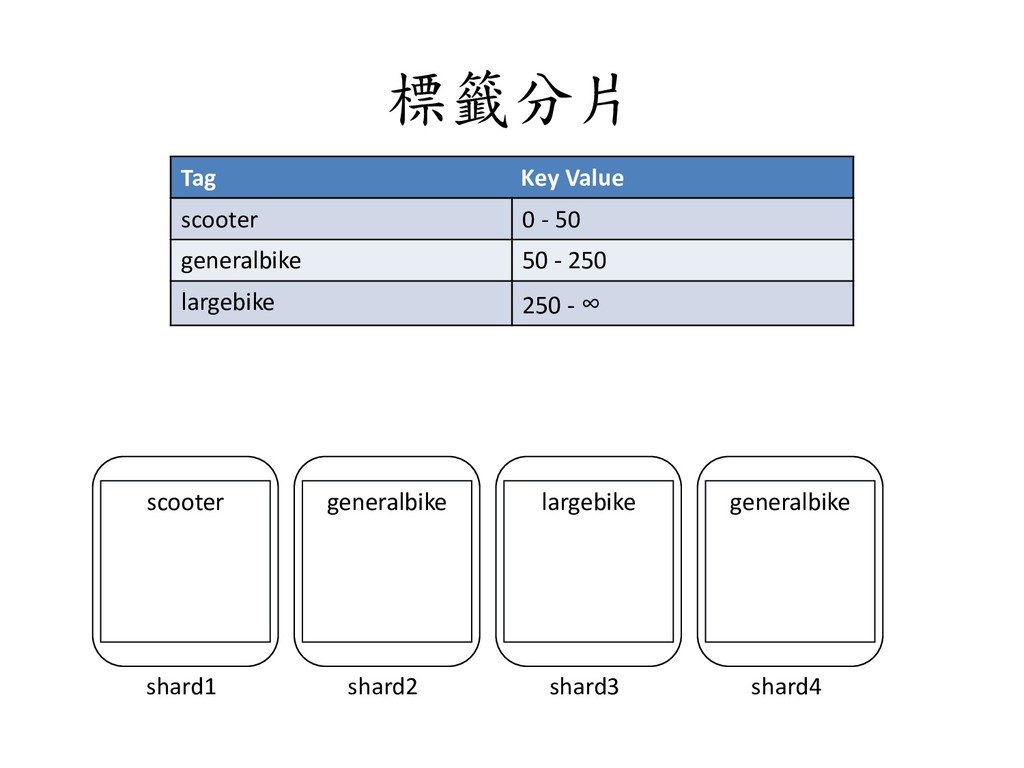
  147. 標籤分片 shard1 scooter shard2 generalbike shard3 largebike shard4 generalbike Tag

    Key Value scooter 0 - 50 generalbike 50 - 250 largebike 250 - ∞
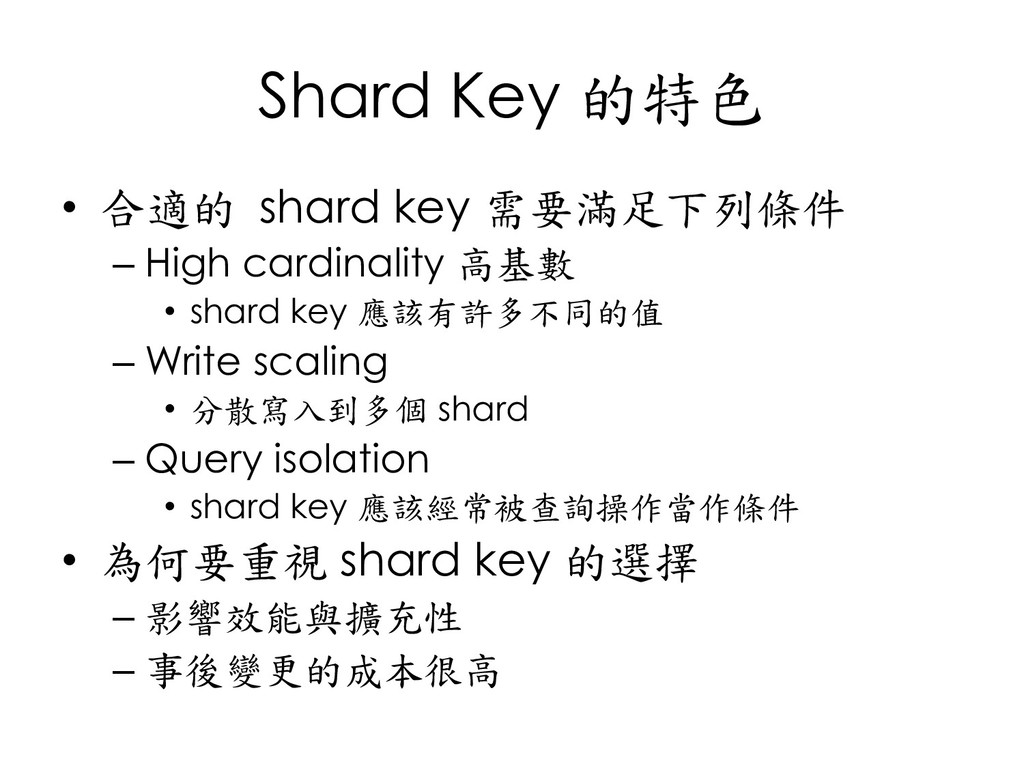
  148. Shard Key 的特色 • 合適的 shard key 需要滿足下列條件 – High

    cardinality 高基數 • shard key 應該有許多不同的值 – Write scaling • 分散寫入到多個 shard – Query isolation • shard key 應該經常被查詢操作當作條件 • 為何要重視 shard key 的選擇 – 影響效能與擴充性 – 事後變更的成本很高
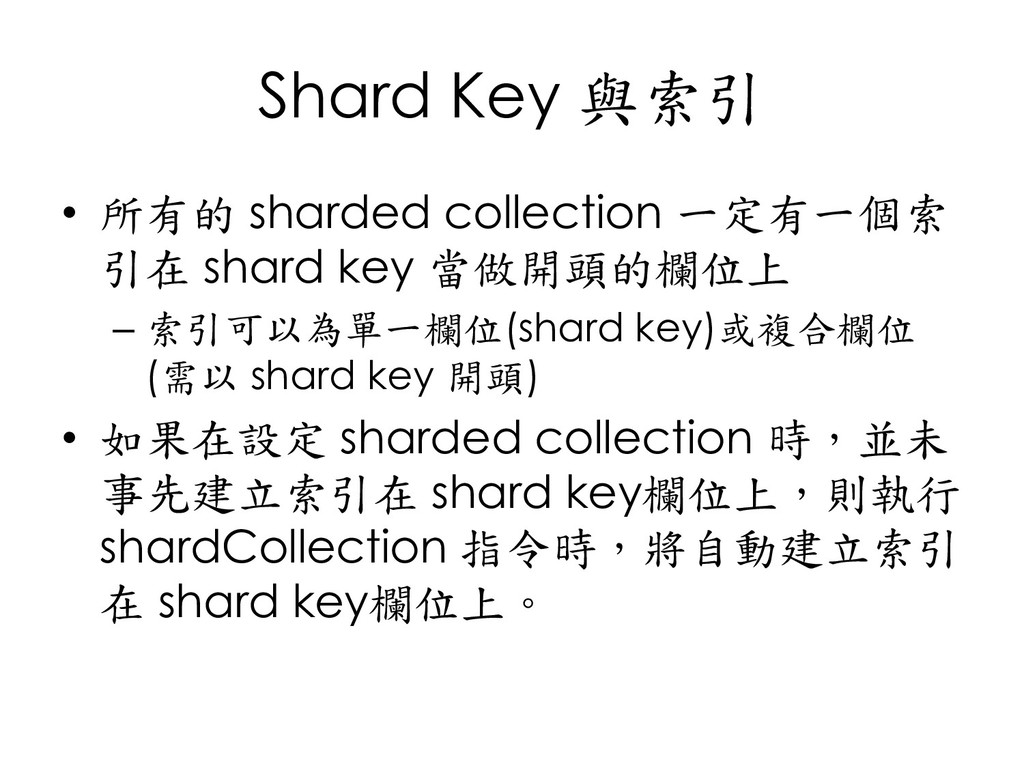
  149. Shard Key 與索引 • 所有的 sharded collection 一定有一個索 引在 shard

    key 當做開頭的欄位上 – 索引可以為單一欄位(shard key)或複合欄位 (需以 shard key 開頭) • 如果在設定 sharded collection 時,並未 事先建立索引在 shard key欄位上,則執行 shardCollection 指令時,將自動建立索引 在 shard key欄位上。
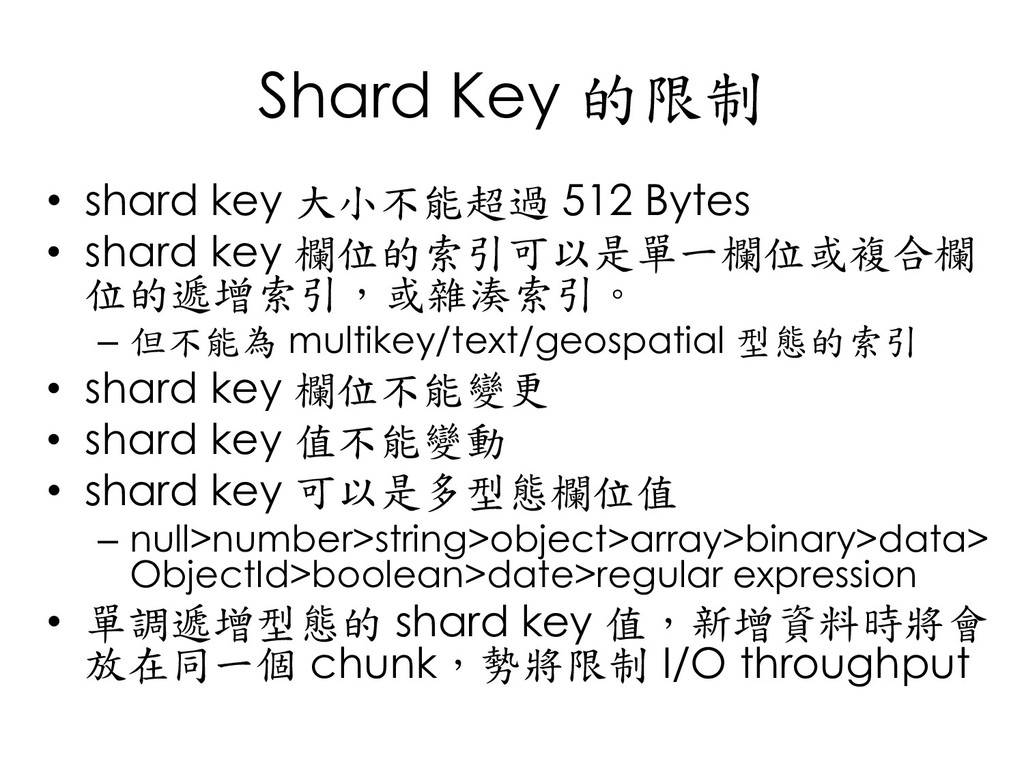
  150. Shard Key 的限制 • shard key 大小不能超過 512 Bytes •

    shard key 欄位的索引可以是單一欄位或複合欄 位的遞增索引,或雜湊索引。 – 但不能為 multikey/text/geospatial 型態的索引 • shard key 欄位不能變更 • shard key 值不能變動 • shard key 可以是多型態欄位值 – null>number>string>object>array>binary>data> ObjectId>boolean>date>regular expression • 單調遞增型態的 shard key 值,新增資料時將會 放在同一個 chunk,勢將限制 I/O throughput
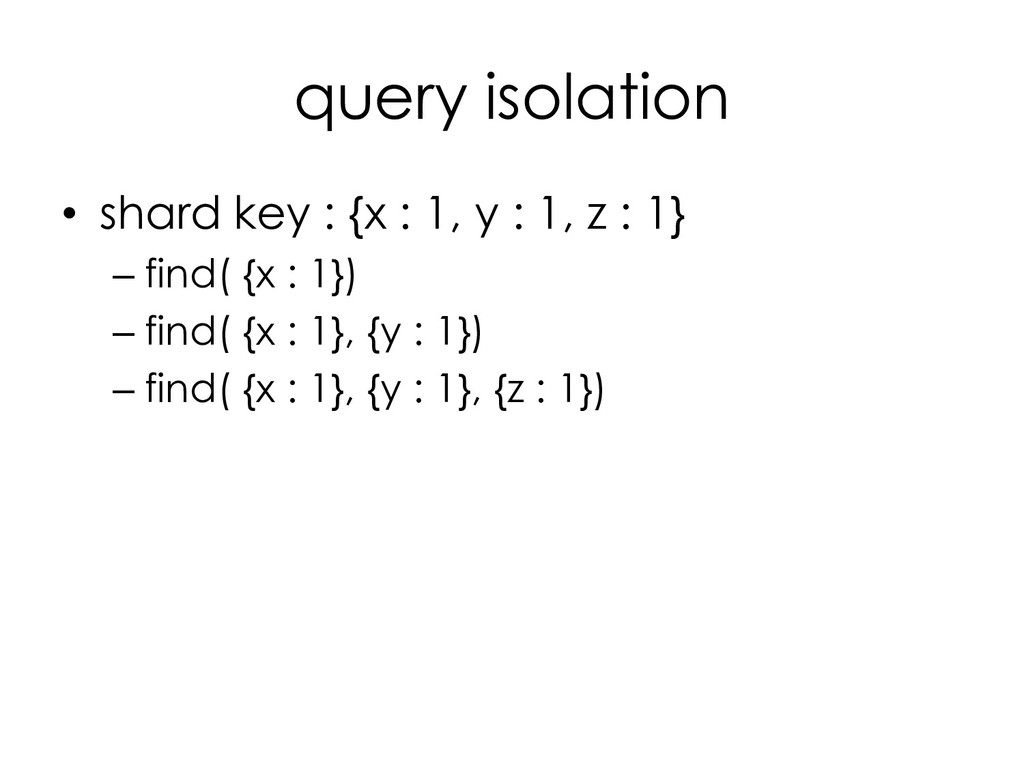
  151. query isolation • shard key : {x : 1, y

    : 1, z : 1} – find( {x : 1}) – find( {x : 1}, {y : 1}) – find( {x : 1}, {y : 1}, {z : 1})
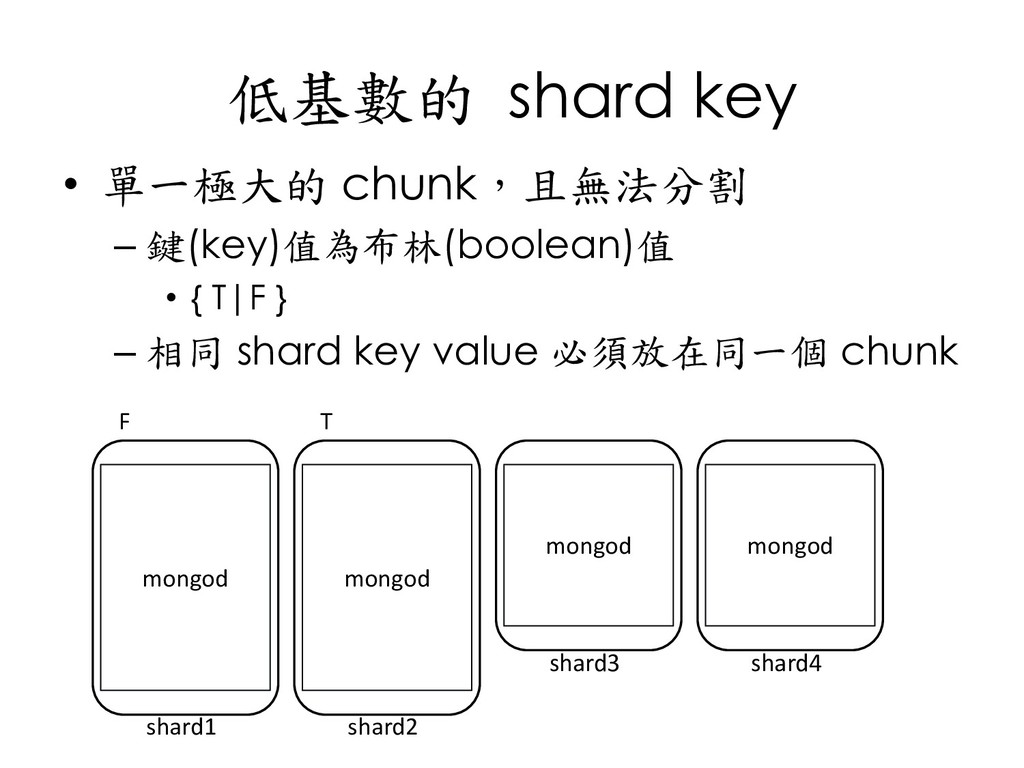
  152. 低基數的 shard key • 單一極大的 chunk,且無法分割 – 鍵(key)值為布林(boolean)值 • {

    T|F } – 相同 shard key value 必須放在同一個 chunk mongod mongod mongod mongod shard1 shard2 shard3 shard4 F T
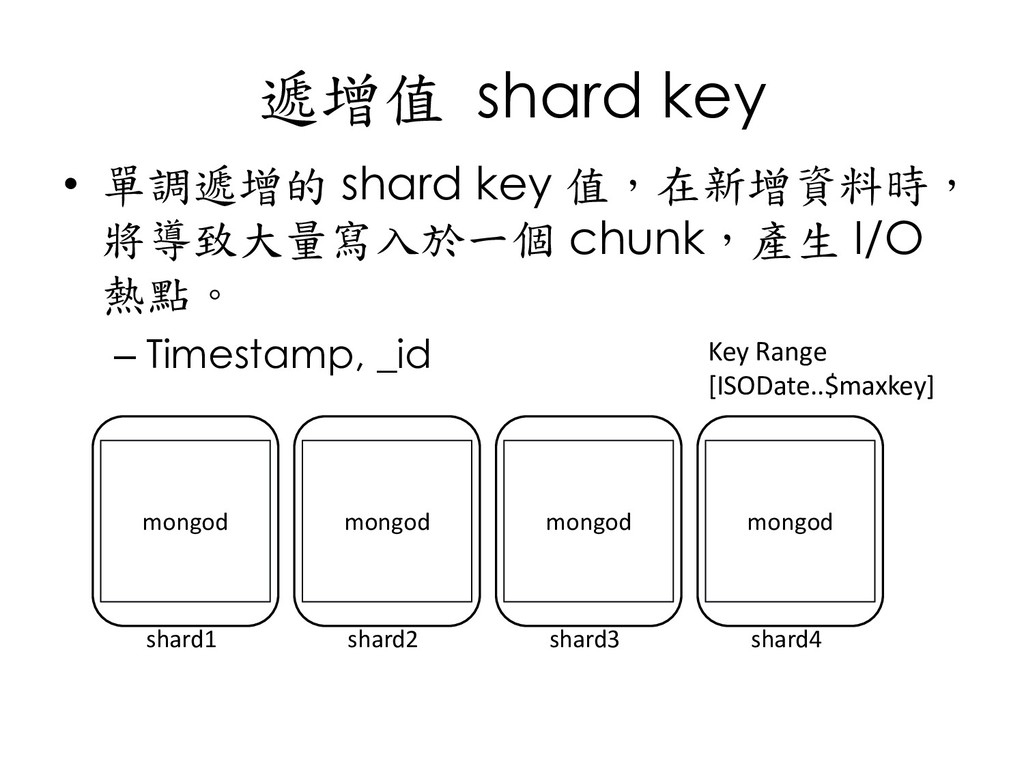
  153. 遞增值 shard key • 單調遞增的 shard key 值,在新增資料時, 將導致大量寫入於一個 chunk,產生

    I/O 熱點。 – Timestamp, _id mongod mongod mongod mongod shard1 shard2 shard3 shard4 Key Range [ISODate..$maxkey]
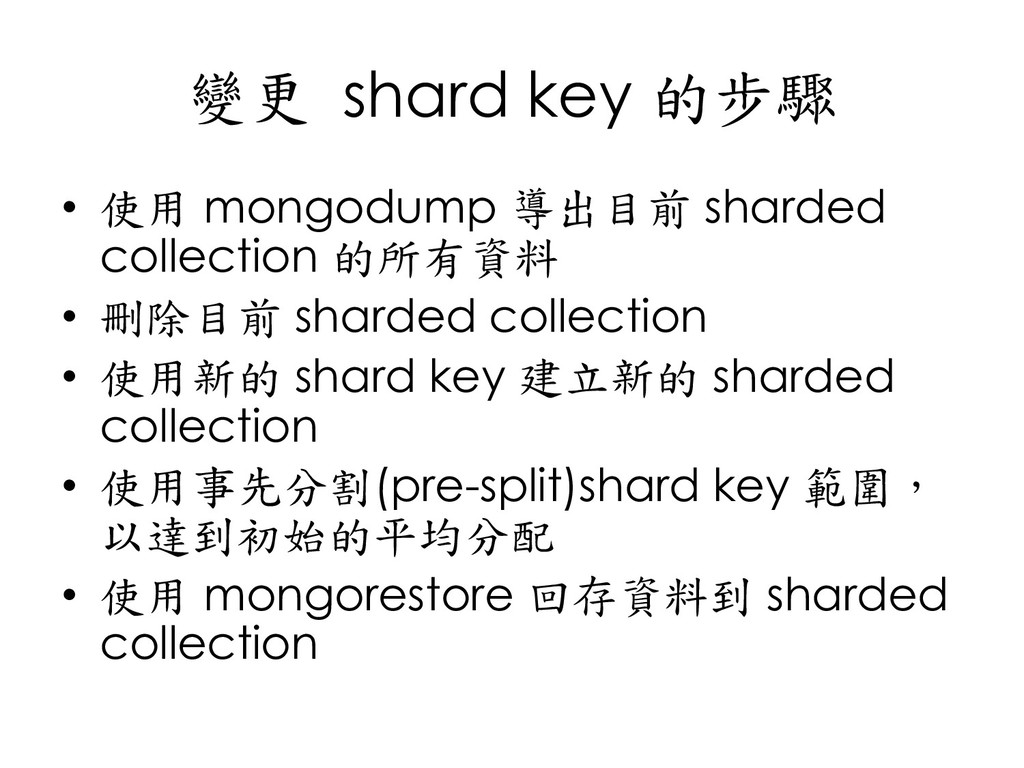
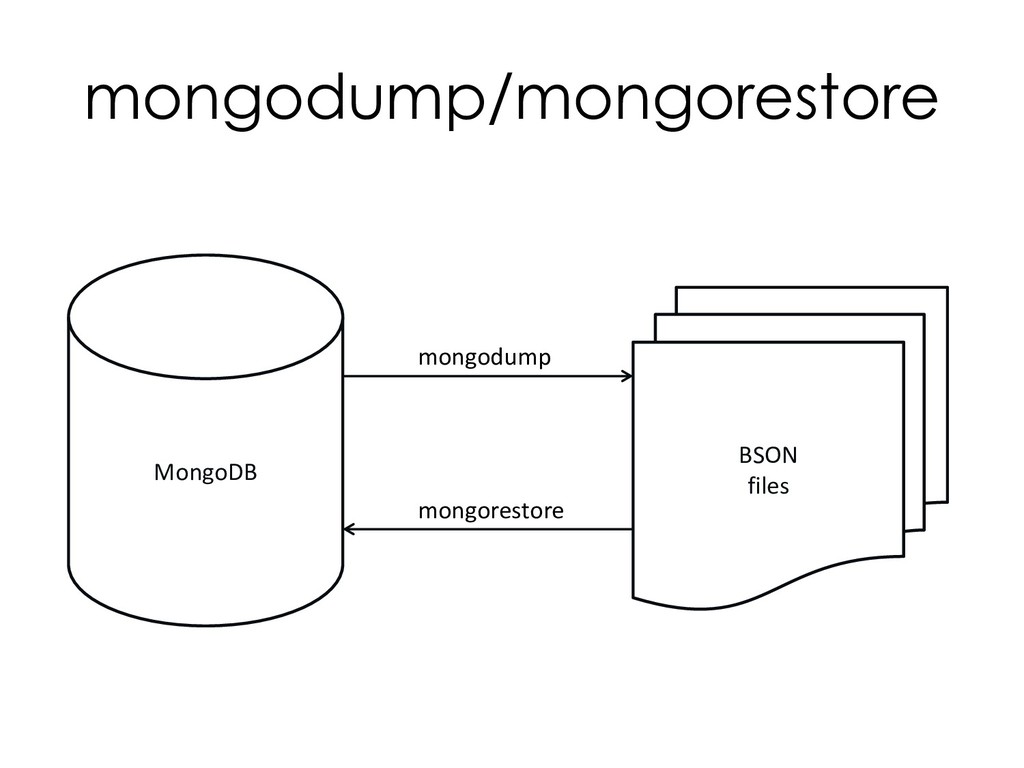
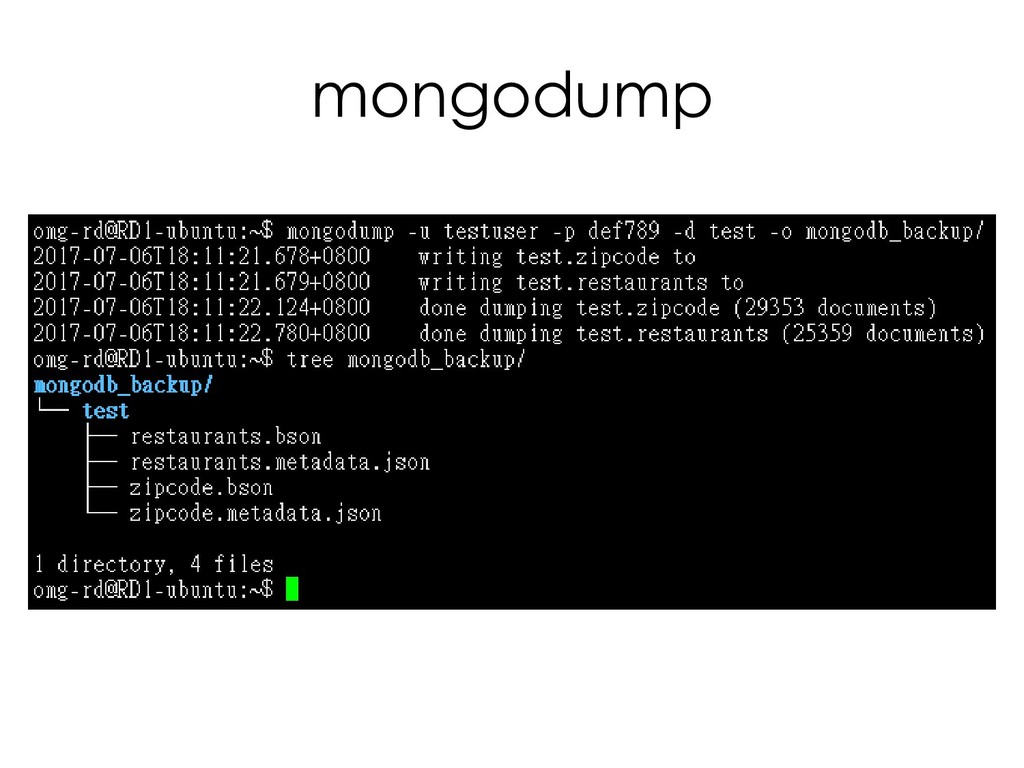
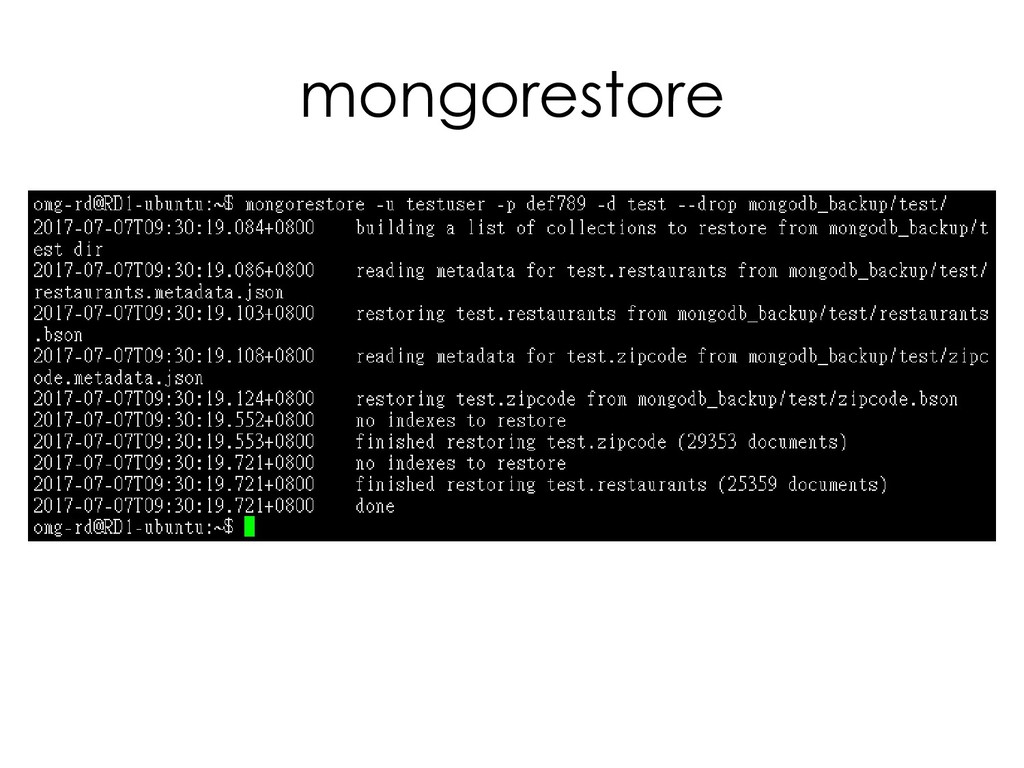
  154. 變更 shard key 的步驟 • 使用 mongodump 導出目前 sharded collection

    的所有資料 • 刪除目前 sharded collection • 使用新的 shard key 建立新的 sharded collection • 使用事先分割(pre-split)shard key 範圍, 以達到初始的平均分配 • 使用 mongorestore 回存資料到 sharded collection
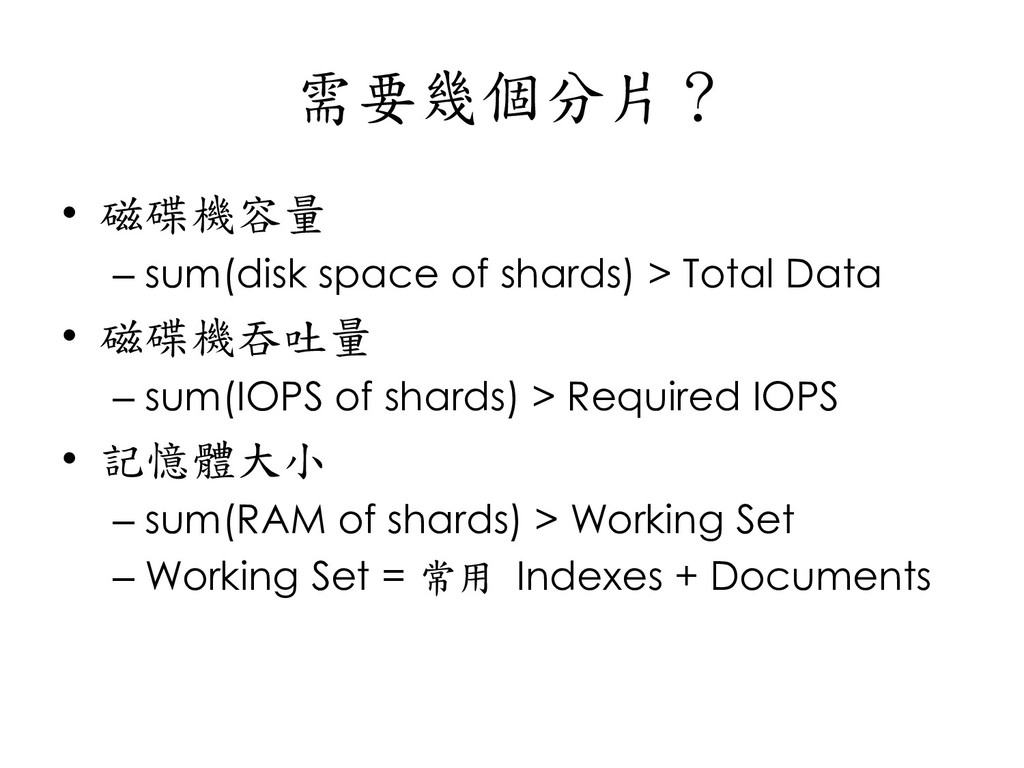
  155. 需要幾個分片? • 磁碟機容量 – sum(disk space of shards) > Total

    Data • 磁碟機吞吐量 – sum(IOPS of shards) > Required IOPS • 記憶體大小 – sum(RAM of shards) > Working Set – Working Set = 常用 Indexes + Documents
  156. 資料操作 • 查詢 – 包含 shard key 時,mongos 將查詢分散到對應的 shard。

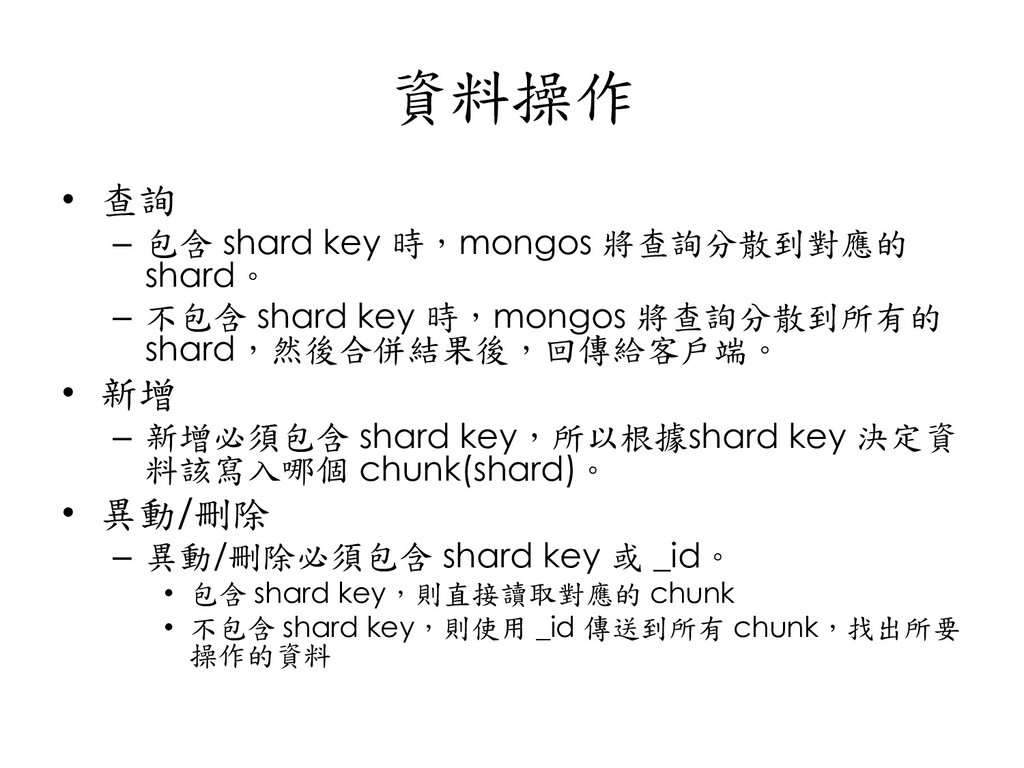
    – 不包含 shard key 時,mongos 將查詢分散到所有的 shard,然後合併結果後,回傳給客戶端。 • 新增 – 新增必須包含 shard key,所以根據shard key 決定資 料該寫入哪個 chunk(shard)。 • 異動/刪除 – 異動/刪除必須包含 shard key 或 _id。 • 包含 shard key,則直接讀取對應的 chunk • 不包含 shard key,則使用 _id 傳送到所有 chunk,找出所要 操作的資料
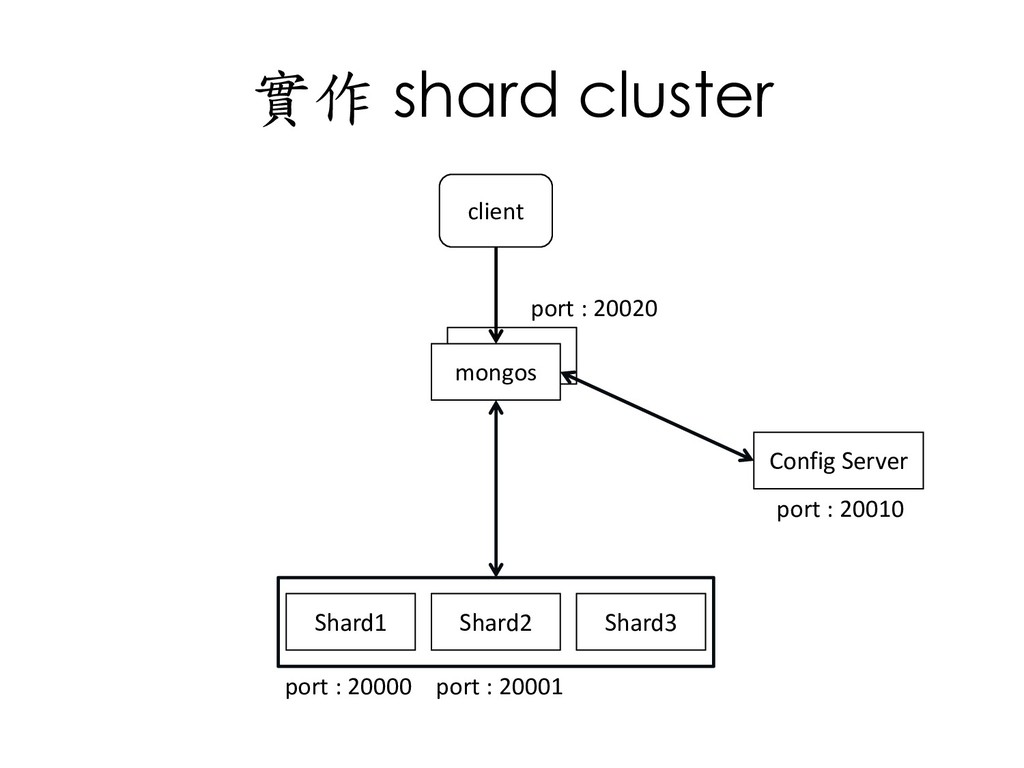
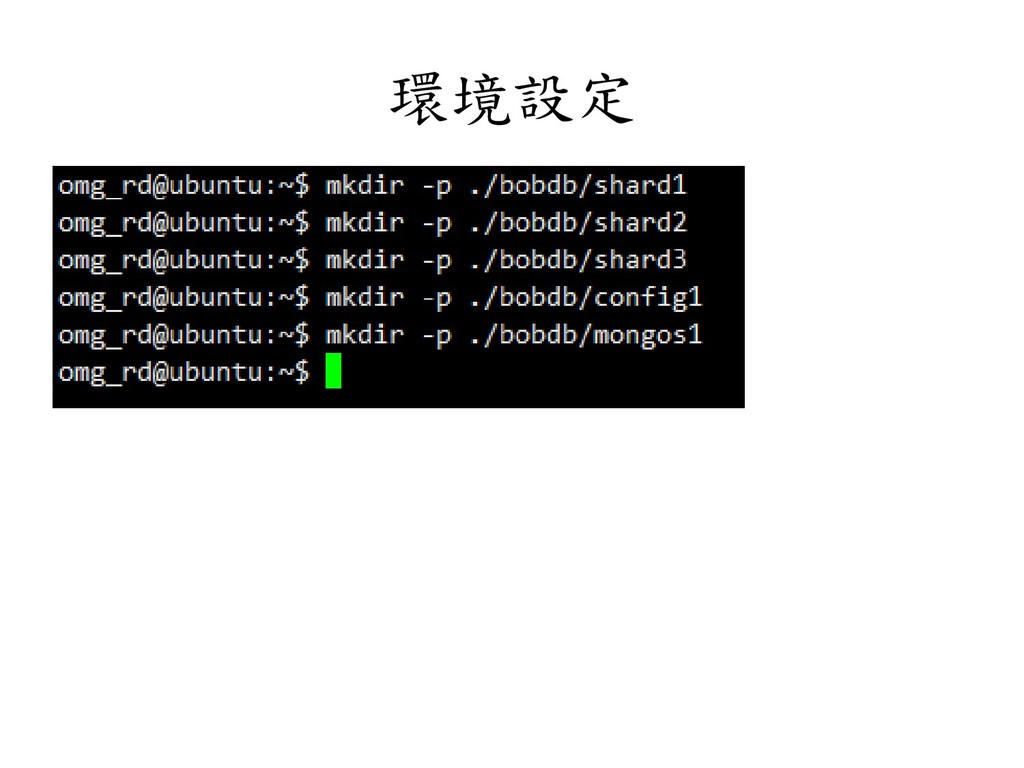
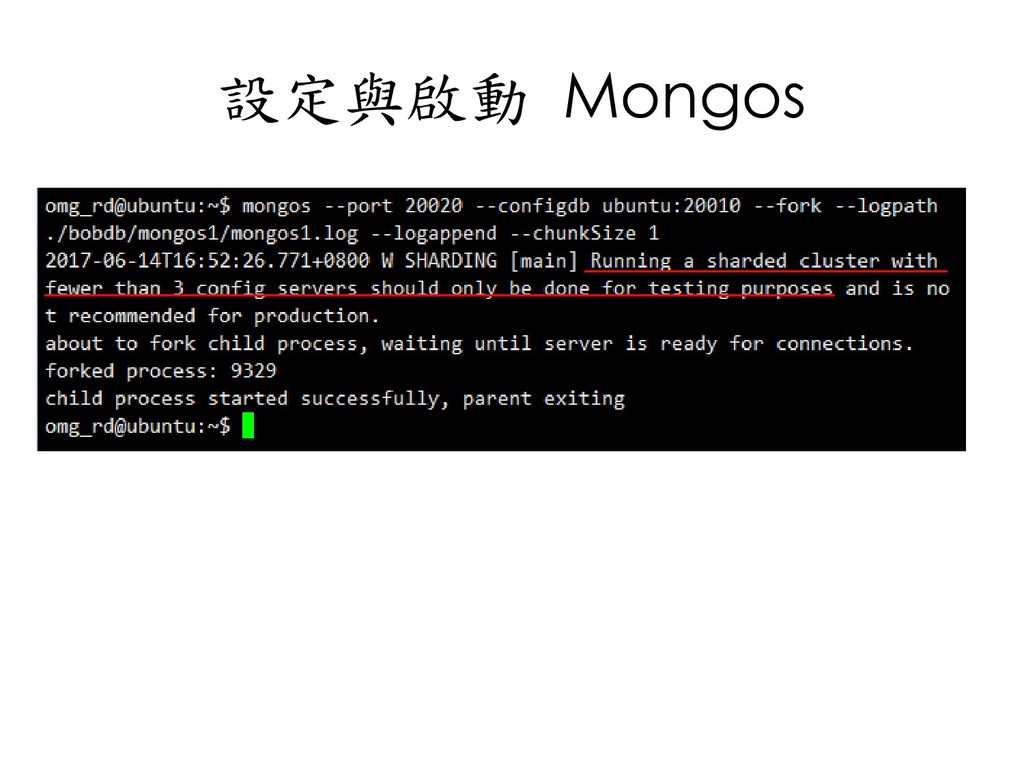
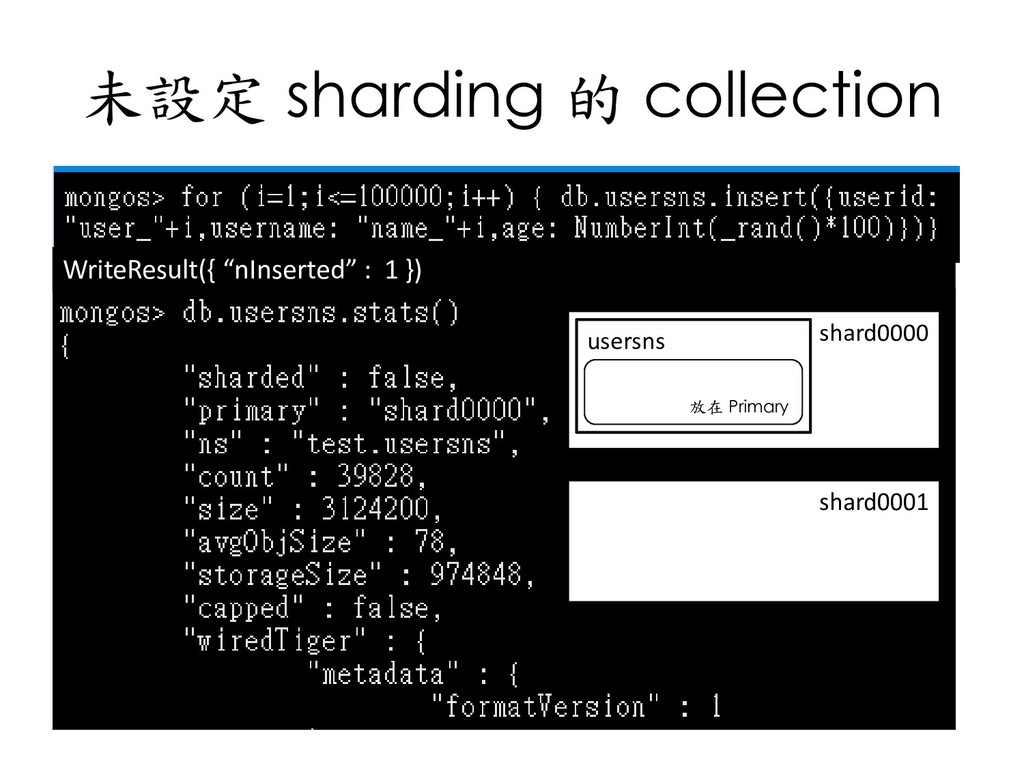
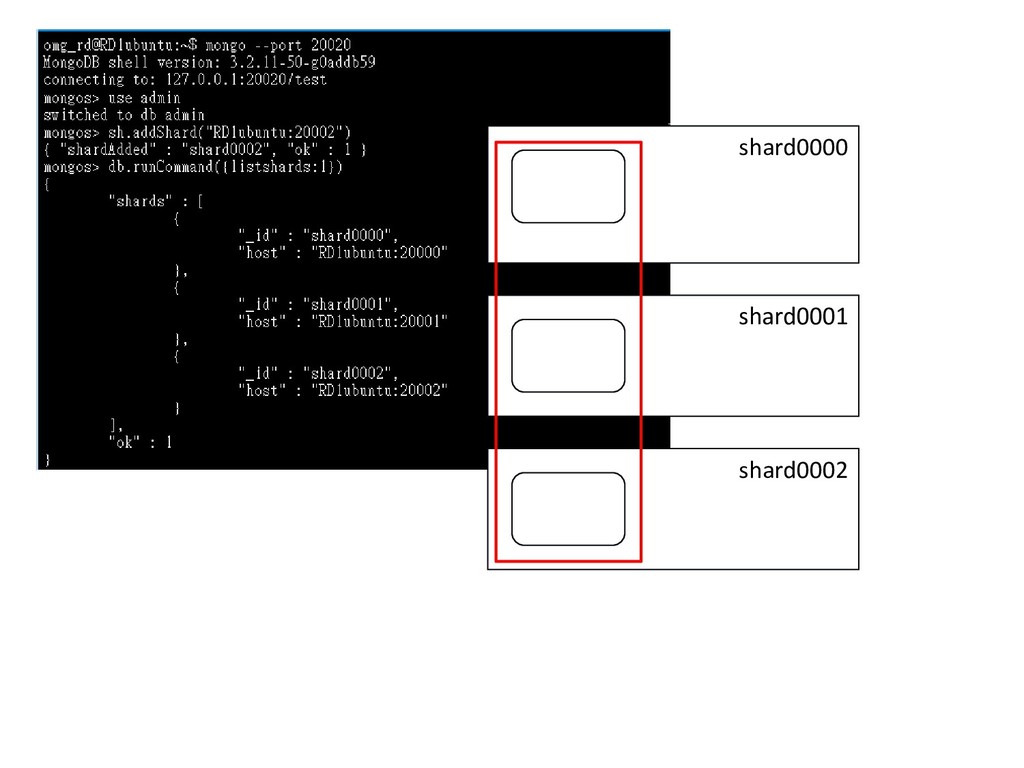
  157. 實作 shard cluster client mongos Shard2 Shard1 Shard3 Config Server

    port : 20020 port : 20010 port : 20000 port : 20001
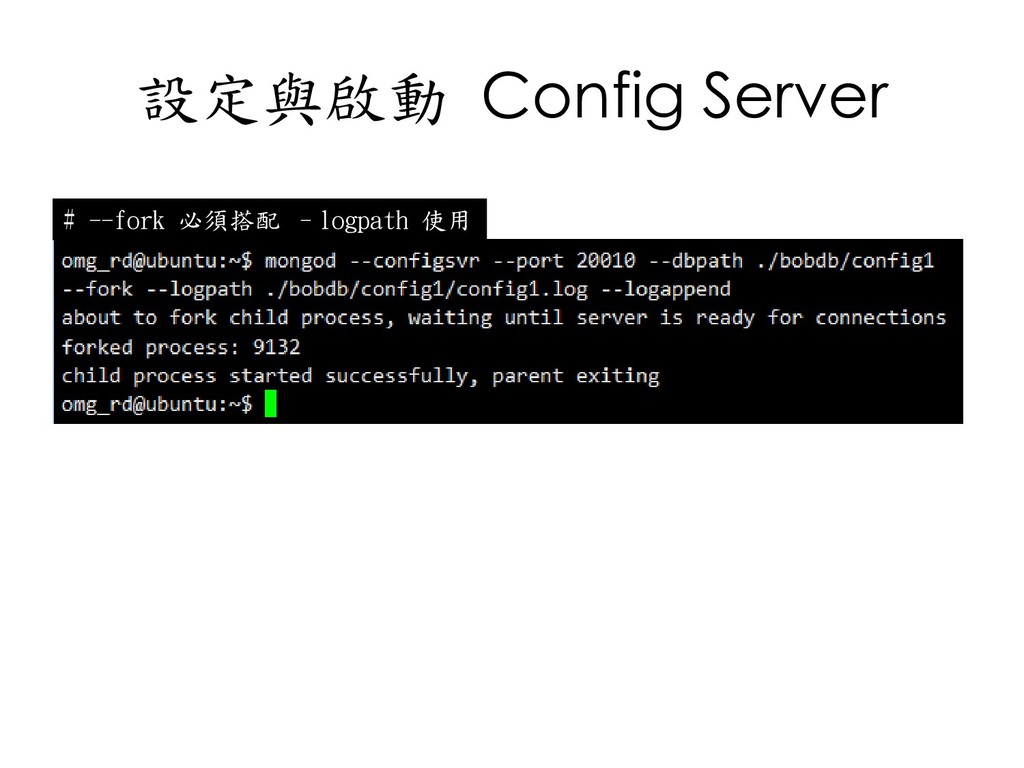
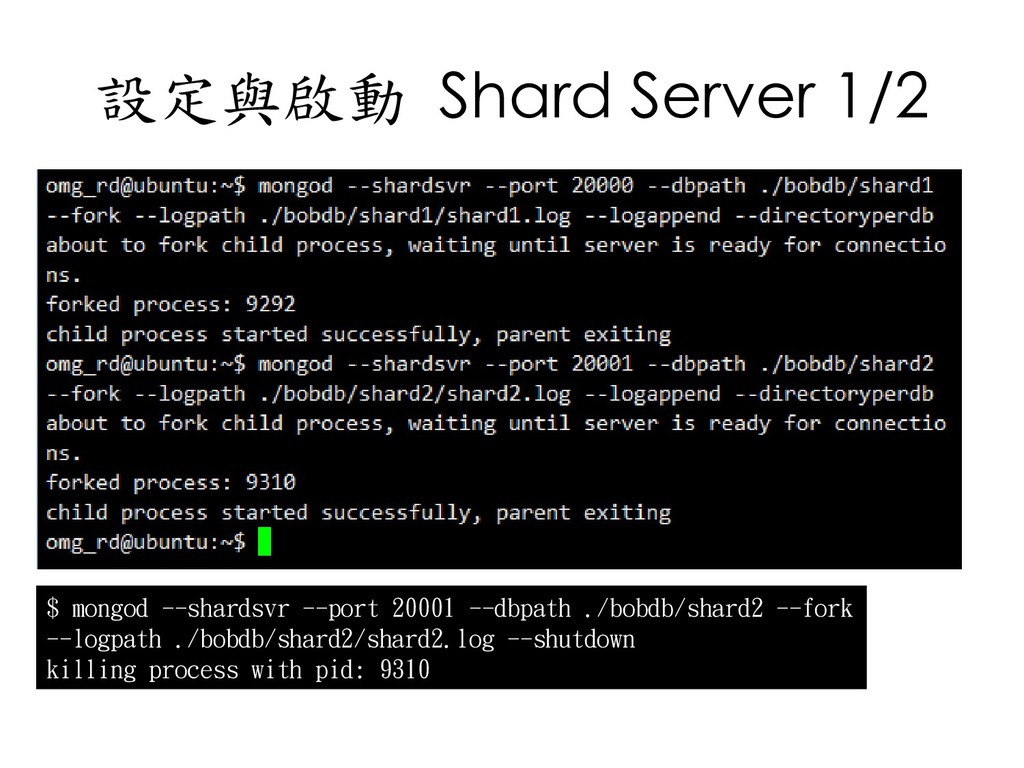
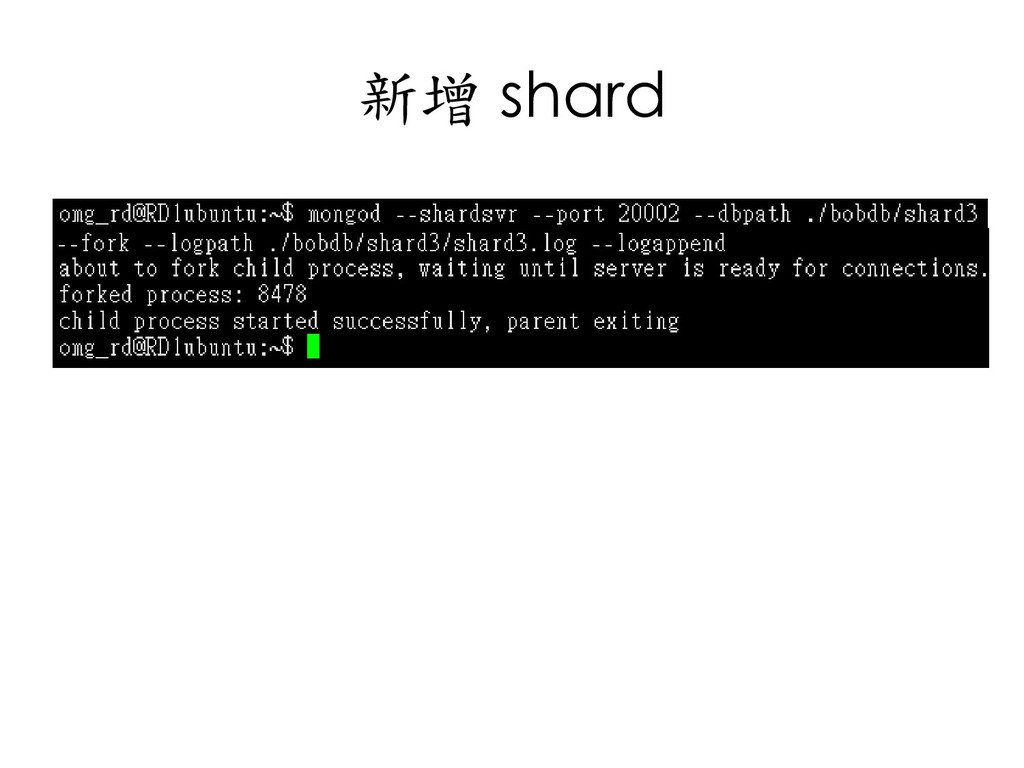
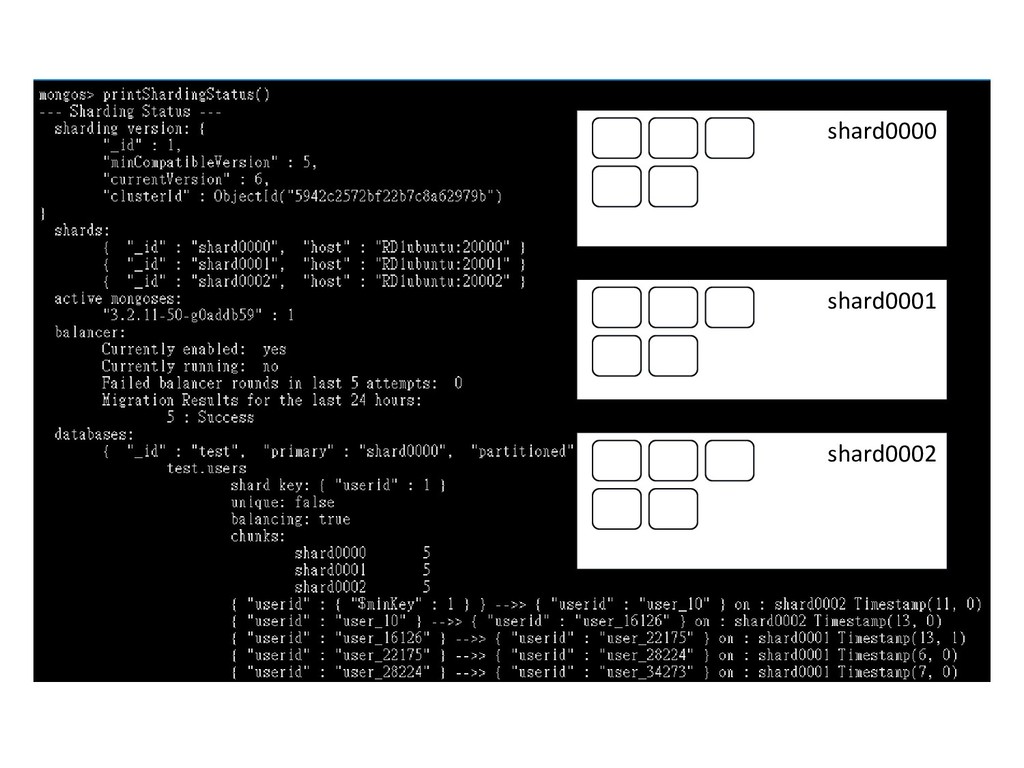
  158. 設定與啟動 Shard Server 1/2 $ mongod --shardsvr --port 20001 --dbpath

    ./bobdb/shard2 --fork --logpath ./bobdb/shard2/shard2.log --shutdown killing process with pid: 9310
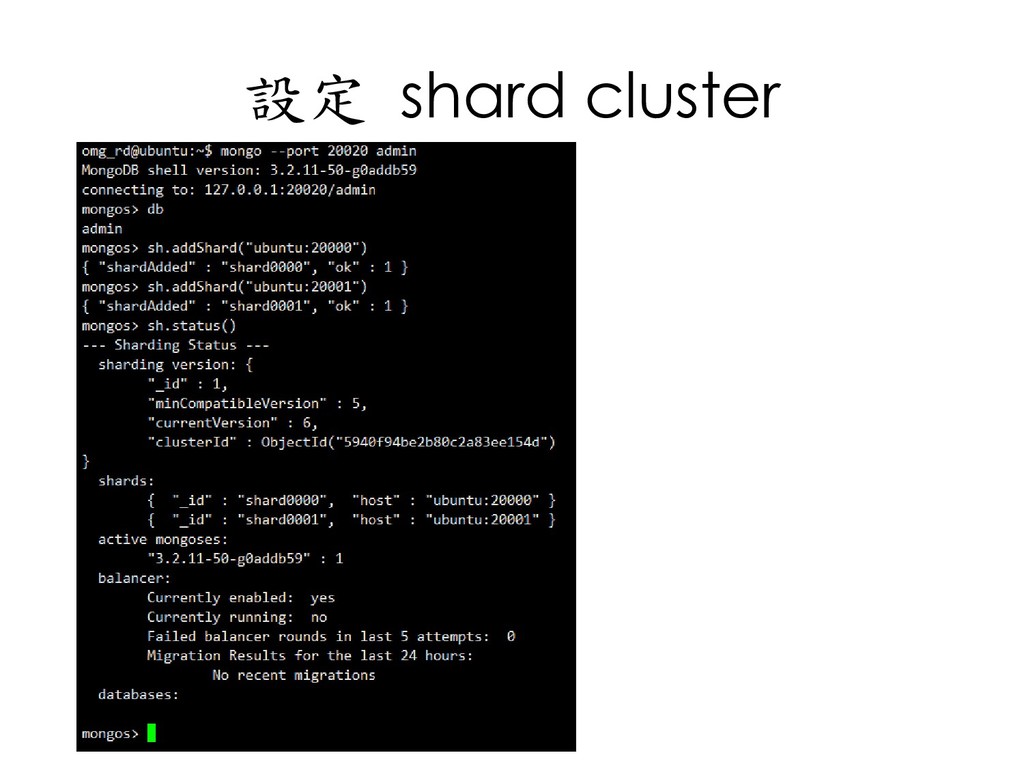
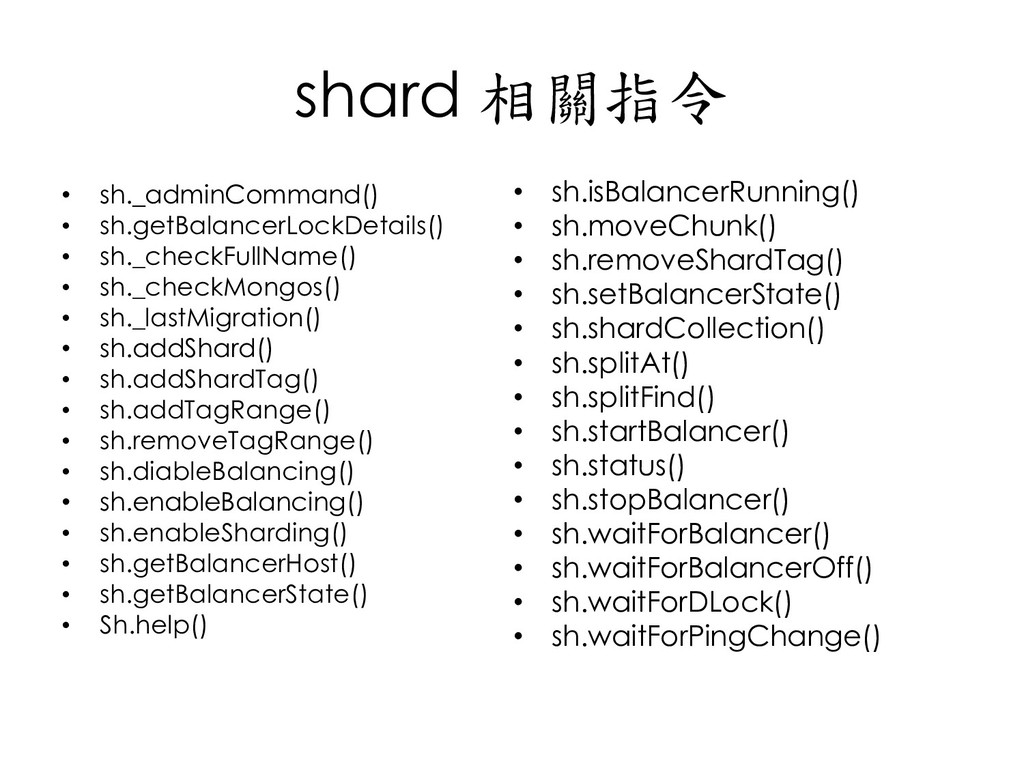
  159. shard 相關指令 • sh._adminCommand() • sh.getBalancerLockDetails() • sh._checkFullName() • sh._checkMongos()

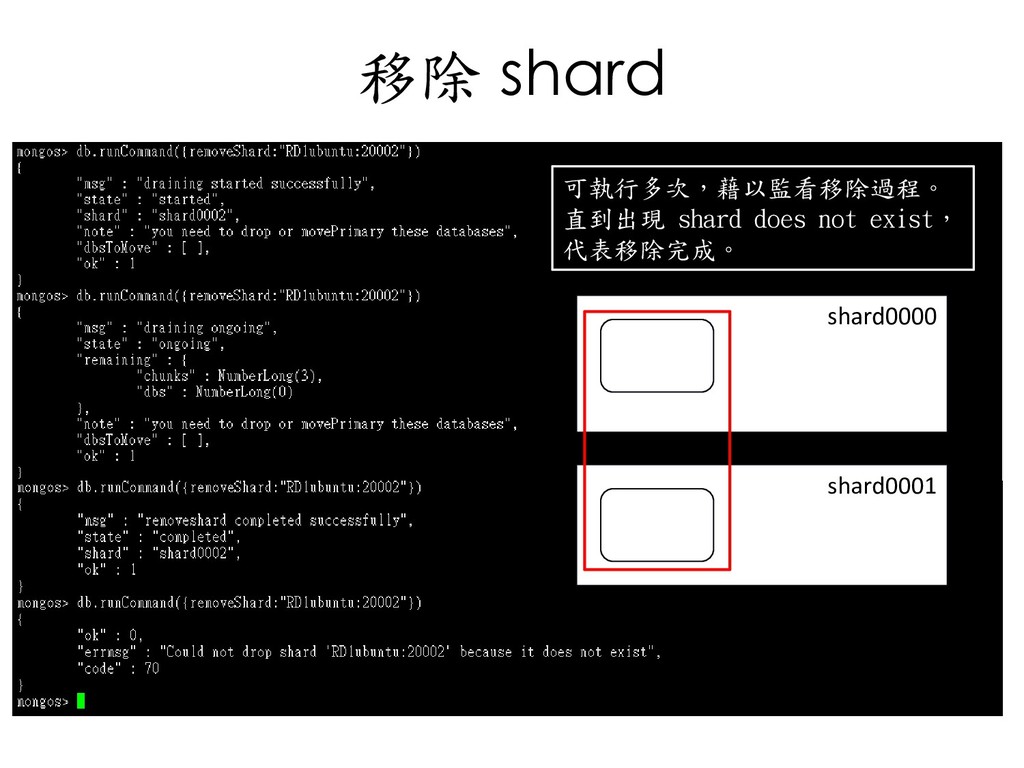
    • sh._lastMigration() • sh.addShard() • sh.addShardTag() • sh.addTagRange() • sh.removeTagRange() • sh.diableBalancing() • sh.enableBalancing() • sh.enableSharding() • sh.getBalancerHost() • sh.getBalancerState() • Sh.help() • sh.isBalancerRunning() • sh.moveChunk() • sh.removeShardTag() • sh.setBalancerState() • sh.shardCollection() • sh.splitAt() • sh.splitFind() • sh.startBalancer() • sh.status() • sh.stopBalancer() • sh.waitForBalancer() • sh.waitForBalancerOff() • sh.waitForDLock() • sh.waitForPingChange()
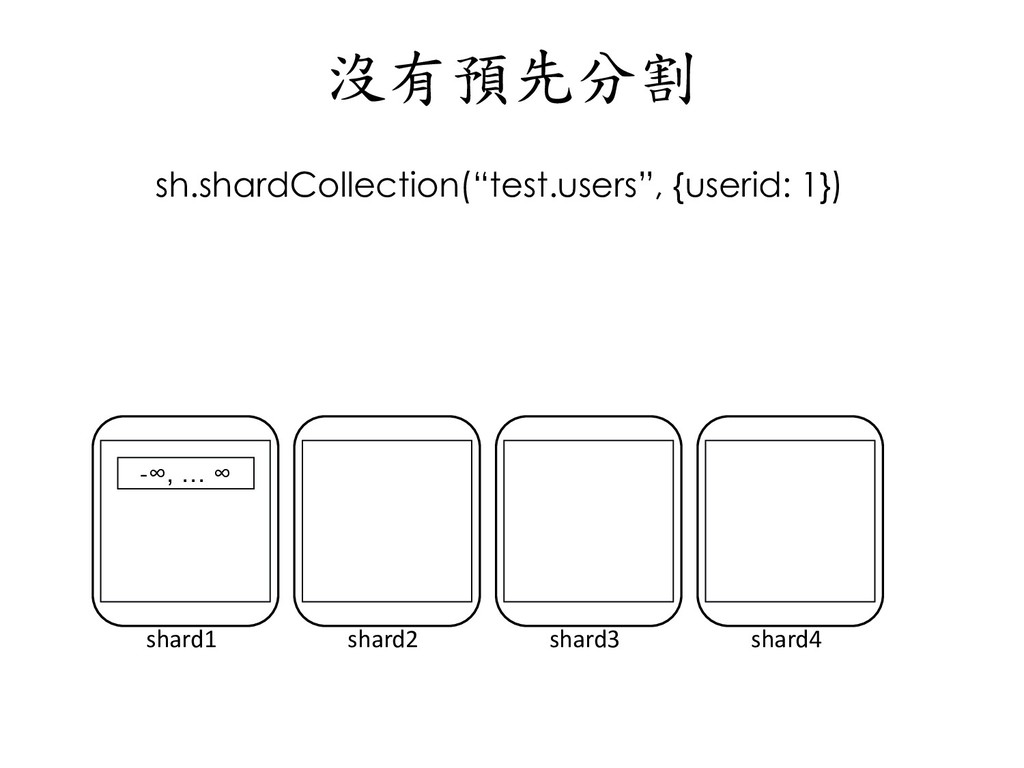
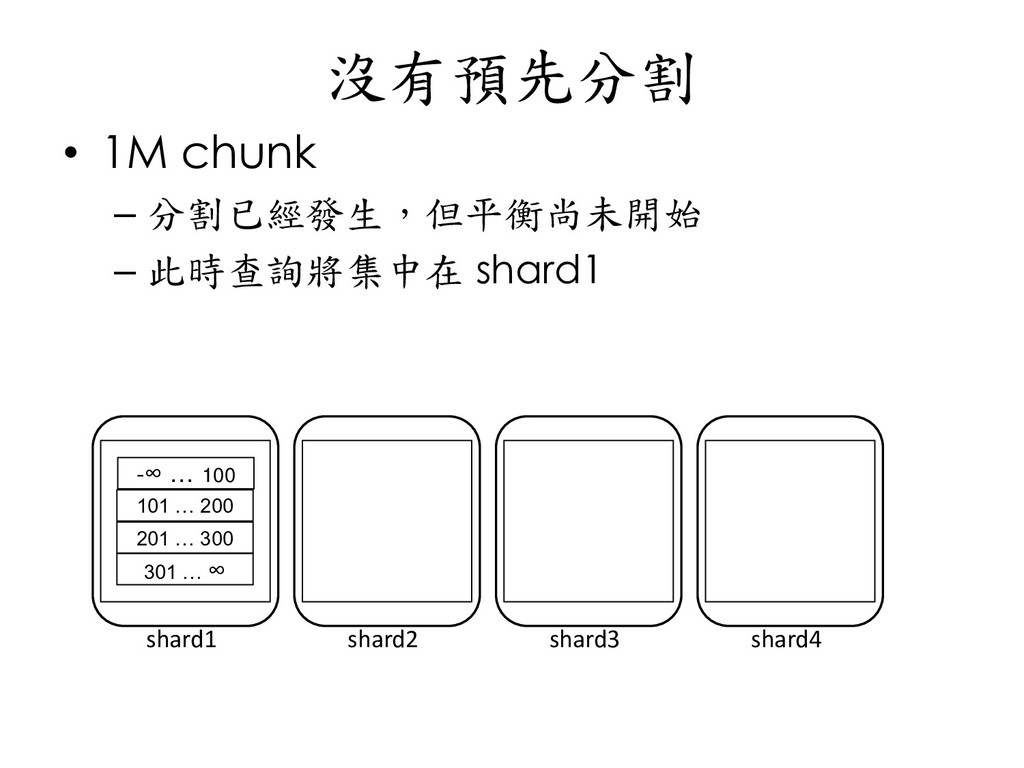
  160. 沒有預先分割 shard1 shard2 shard3 shard4 -∞ … 100 • 1M

    chunk – 分割已經發生,但平衡尚未開始 – 此時查詢將集中在 shard1 101 … 200 201 … 300 301 … ∞
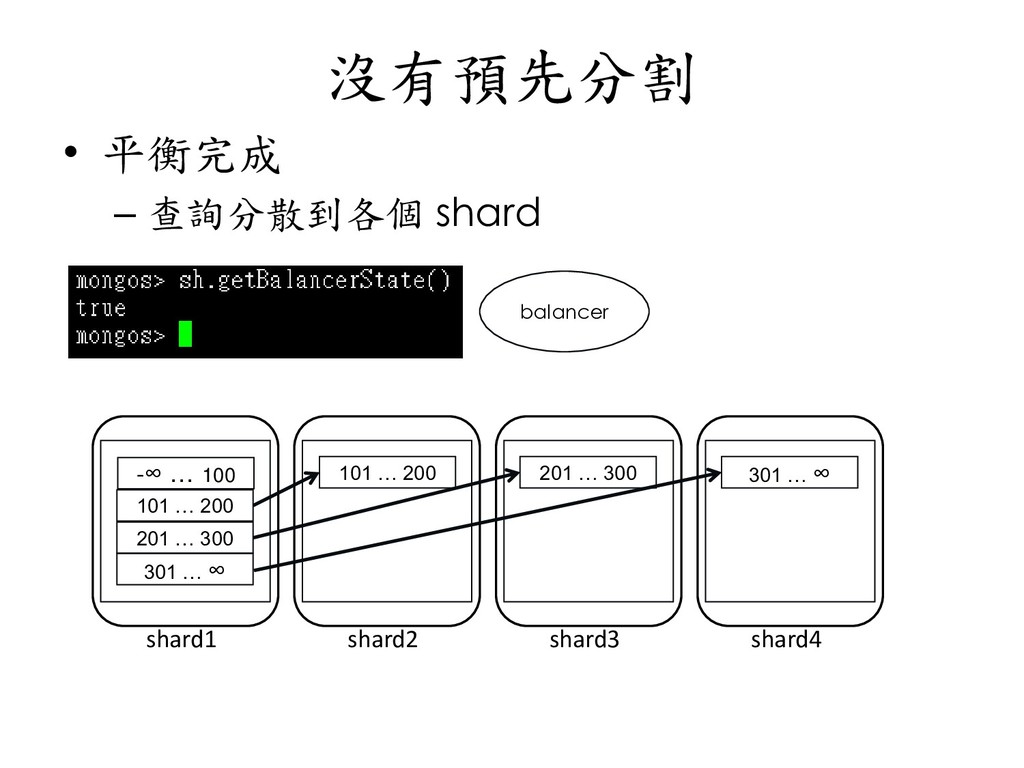
  161. 沒有預先分割 shard1 shard2 shard3 shard4 -∞ … 100 • 平衡完成

    – 查詢分散到各個 shard 101 … 200 201 … 300 301 … ∞ balancer 101 … 200 201 … 300 301 … ∞
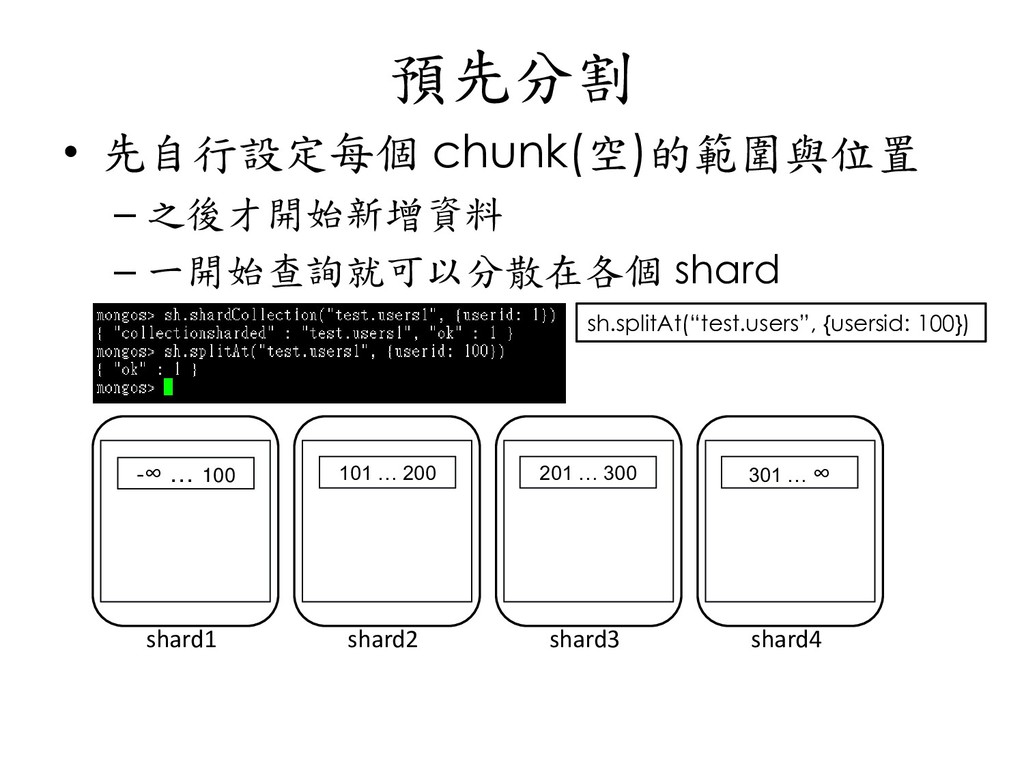
  162. 預先分割 shard1 shard2 shard3 shard4 -∞ … 100 • 先自行設定每個

    chunk(空)的範圍與位置 – 之後才開始新增資料 – 一開始查詢就可以分散在各個 shard 101 … 200 201 … 300 301 … ∞ sh.splitAt(“test.users”, {usersid: 100})
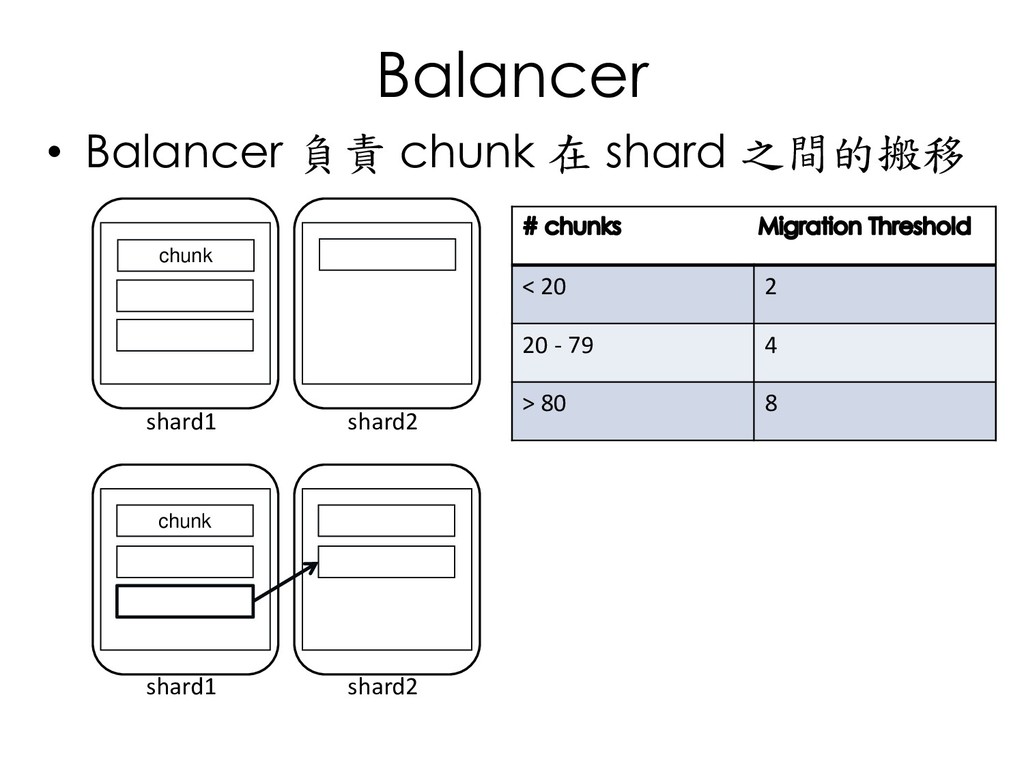
  163. Balancer shard1 shard2 shard1 shard2 chunk • Balancer 負責 chunk

    在 shard 之間的搬移 chunk < 20 2 20 - 79 4 > 80 8
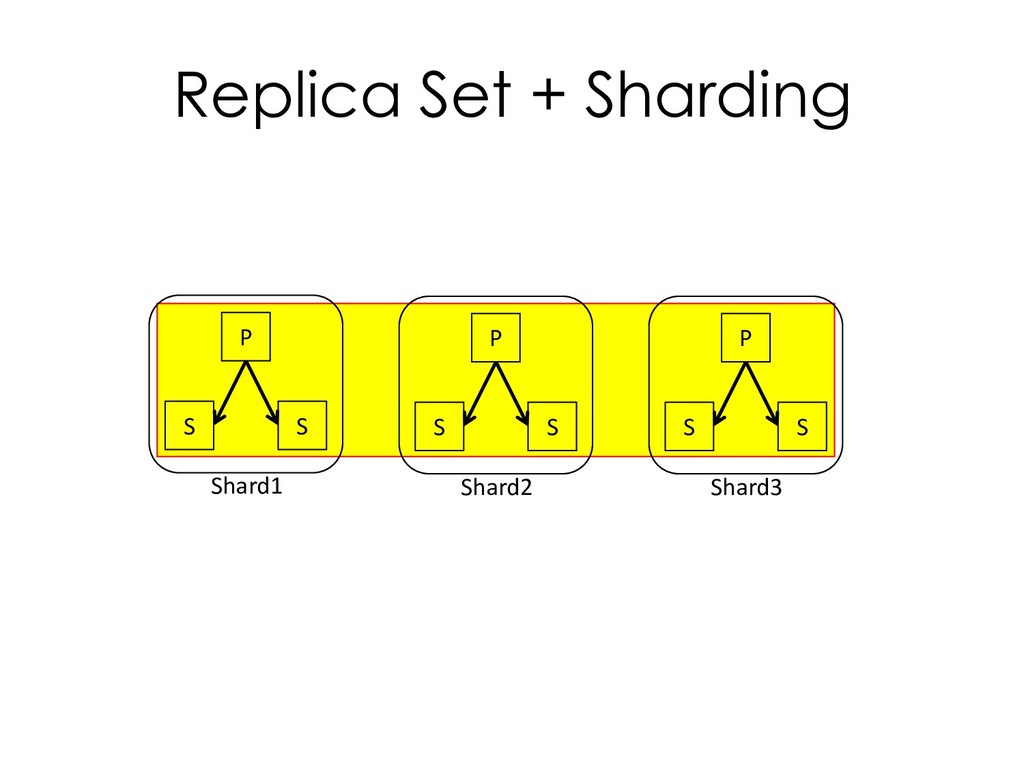
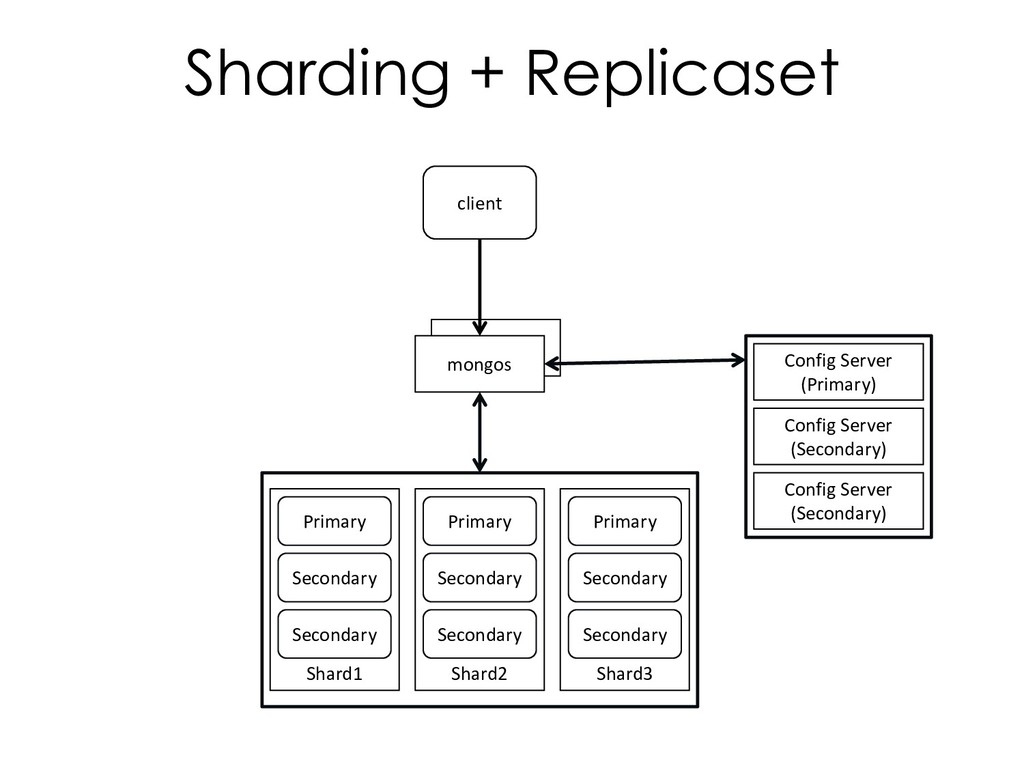
  164. Sharding + Replicaset client mongos Shard1 Config Server (Secondary) Config

    Server (Secondary) Config Server (Primary) Primary Secondary Secondary Shard2 Primary Secondary Secondary Shard3 Primary Secondary Secondary
  165. 安全檢查要點 • 啟動存取控制與強化身份驗證 • 設定以角色為基礎的存取控制機制 • 通訊加密 • 減少網路暴露 •

    稽核系統活動 • 加密與保護資料 • 以特定使用者執行 MongoDB 程式 • 以安全模式選項啟動 – --noscripting – Disable REST/HTTP • 依照 MongoDB 安全實作建議來部署 MongoDB • 遵守標準的安全規範
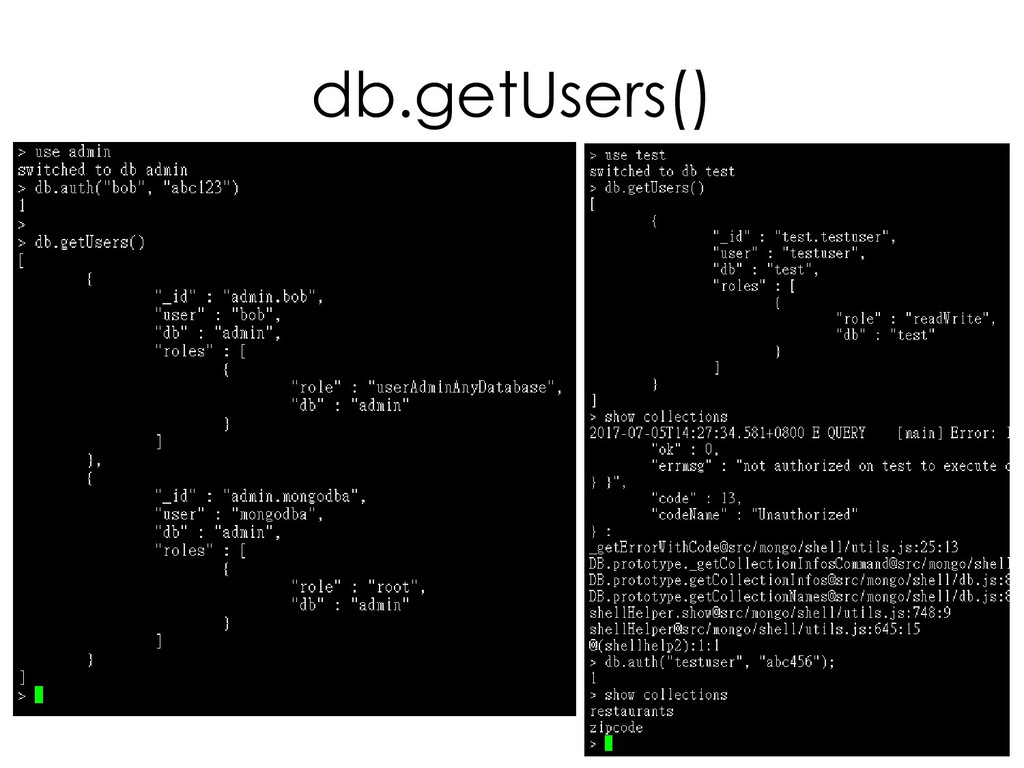
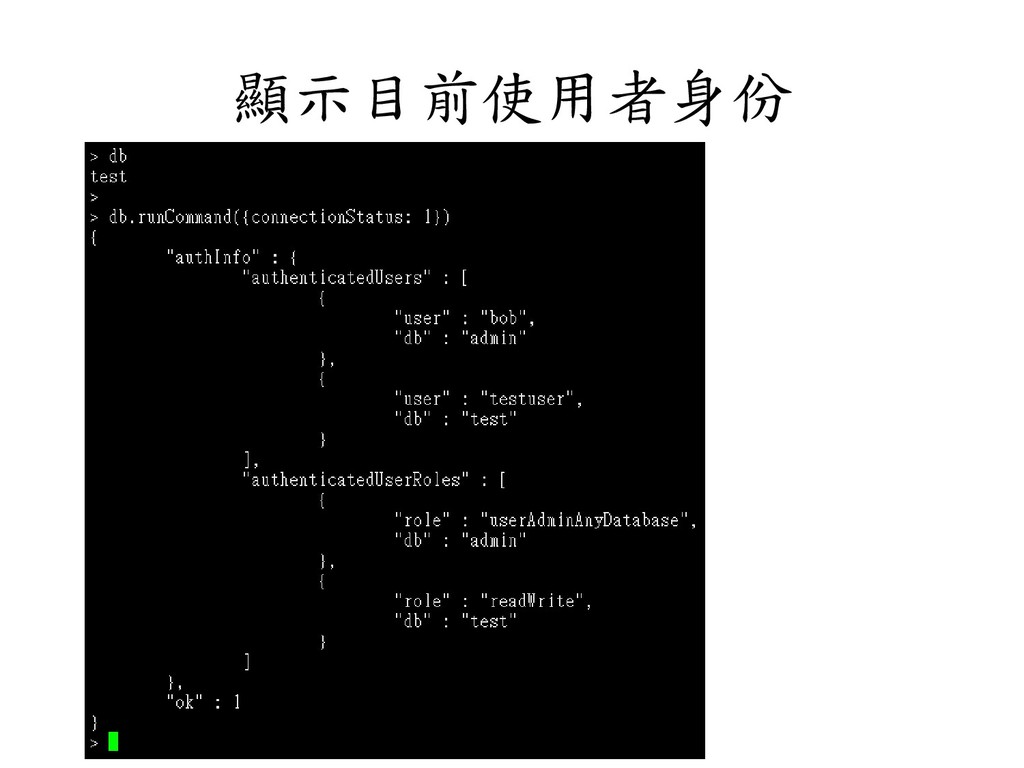
  166. 身份驗證─Authentication • 驗證方法 ➢ db.auth() • 驗證機制 – SCRAM-SHA-1(預設值) •

    ITEF 標準、RFC 5802 • 驗證 username、password、authentication database • MongoDB Challenge and Response(MongoDB-CR) • MongoDB Enterprise – LDAP proxy authentication – Kerberos authentication • 內部驗證 – 驗證 replica sets 與 sharded cluster 的成員 – Keyfiles(SCRAM-SHA-1) – x.509
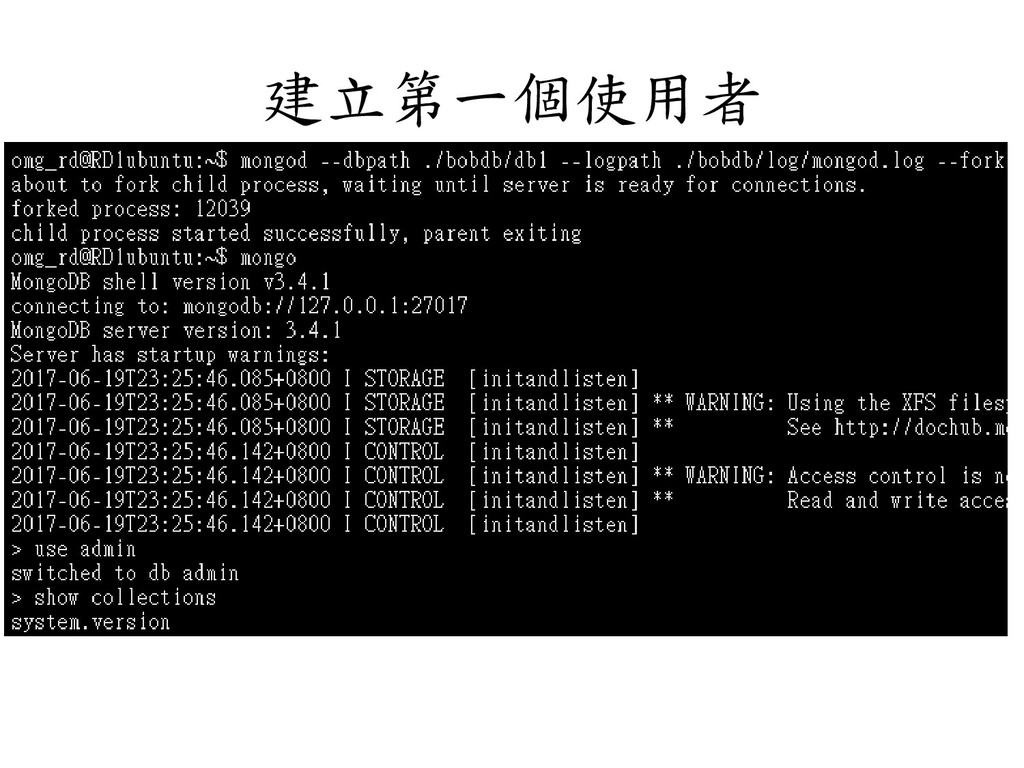
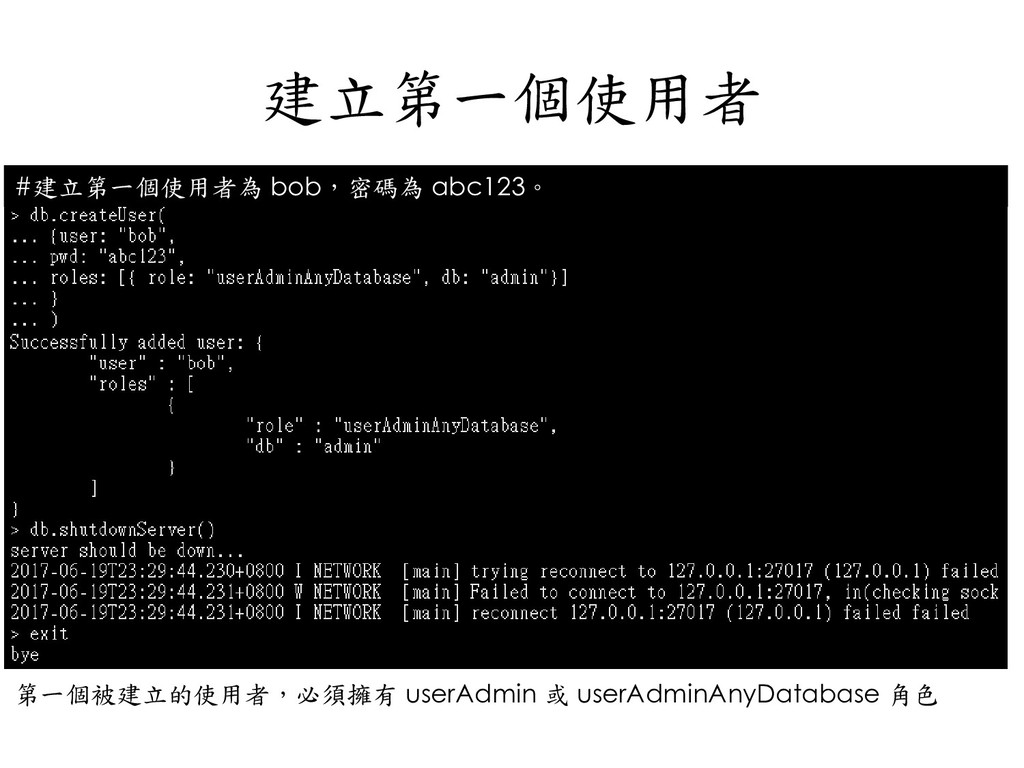
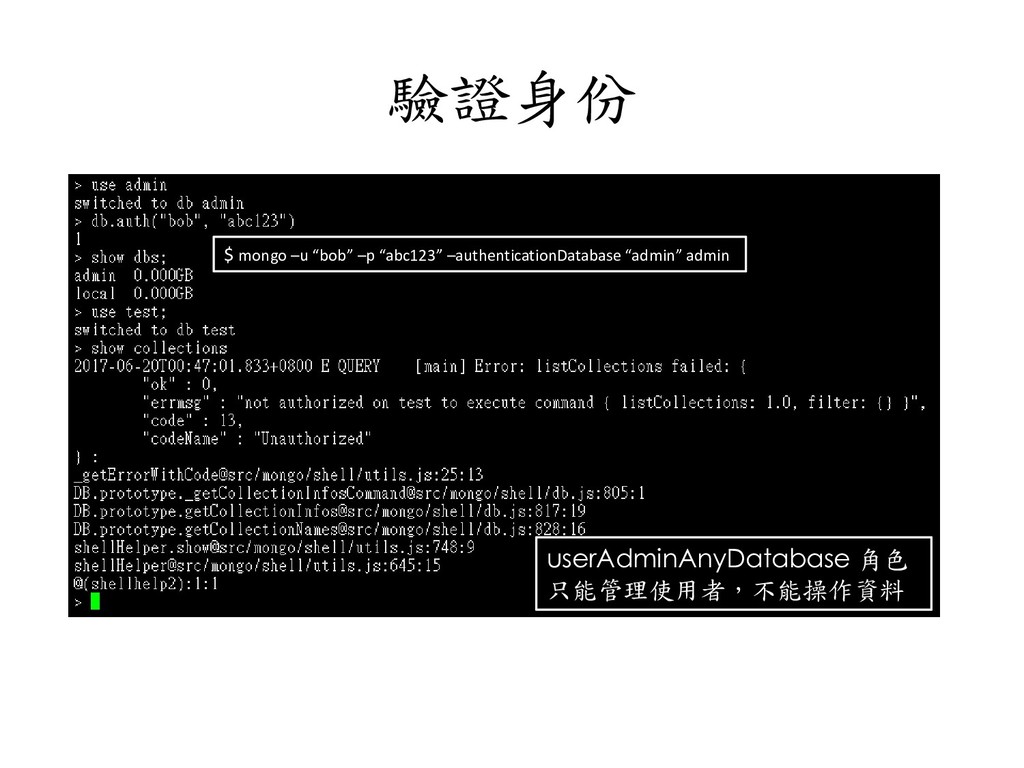
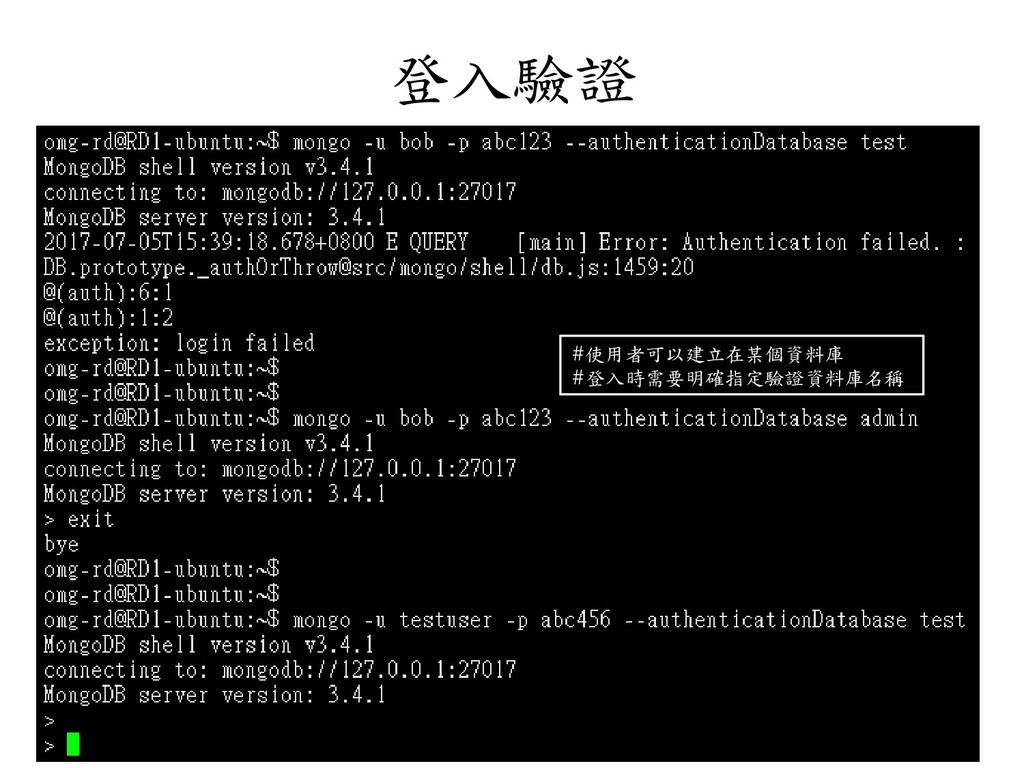
  167. 驗證身份 $ mongo –u “bob” –p “abc123” –authenticationDatabase “admin” admin

    userAdminAnyDatabase 角色 只能管理使用者,不能操作資料
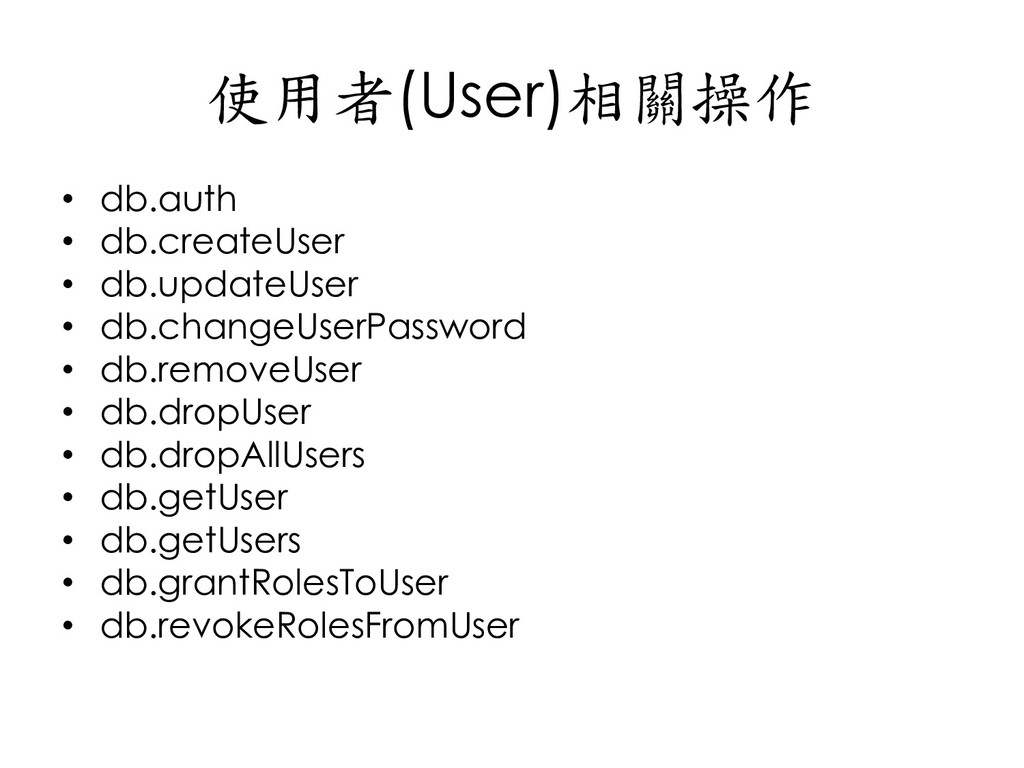
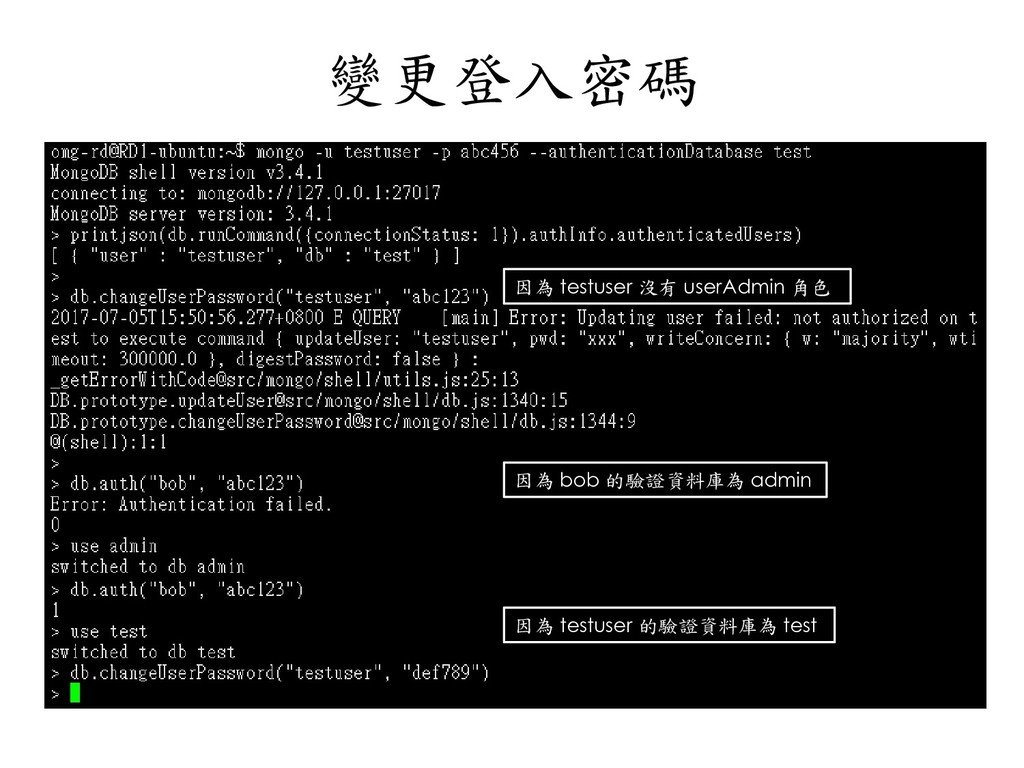
  168. 使用者(User)相關操作 • db.auth • db.createUser • db.updateUser • db.changeUserPassword •

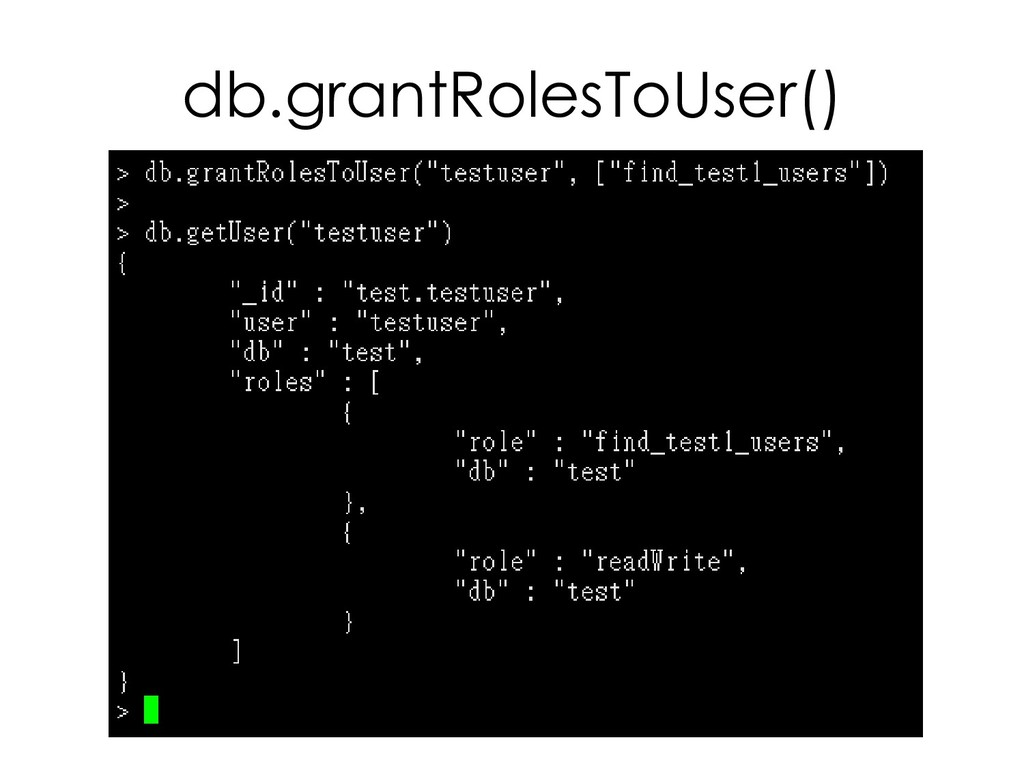
    db.removeUser • db.dropUser • db.dropAllUsers • db.getUser • db.getUsers • db.grantRolesToUser • db.revokeRolesFromUser
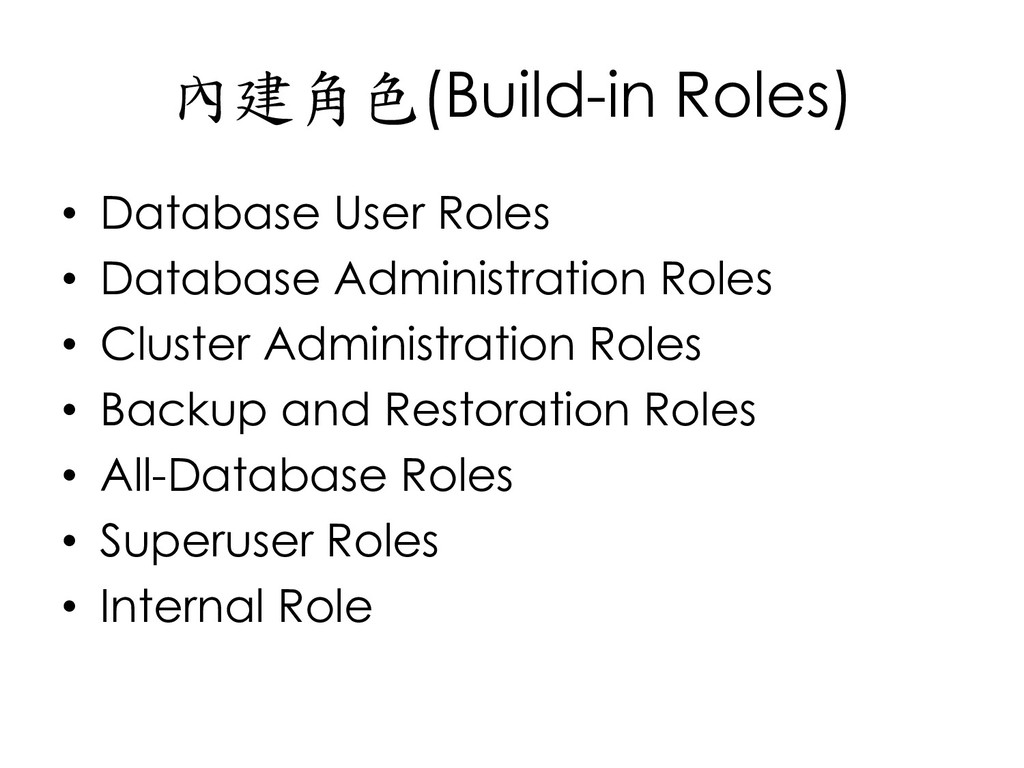
  169. 內建角色(Build-in Roles) • Database User Roles • Database Administration Roles

    • Cluster Administration Roles • Backup and Restoration Roles • All-Database Roles • Superuser Roles • Internal Role
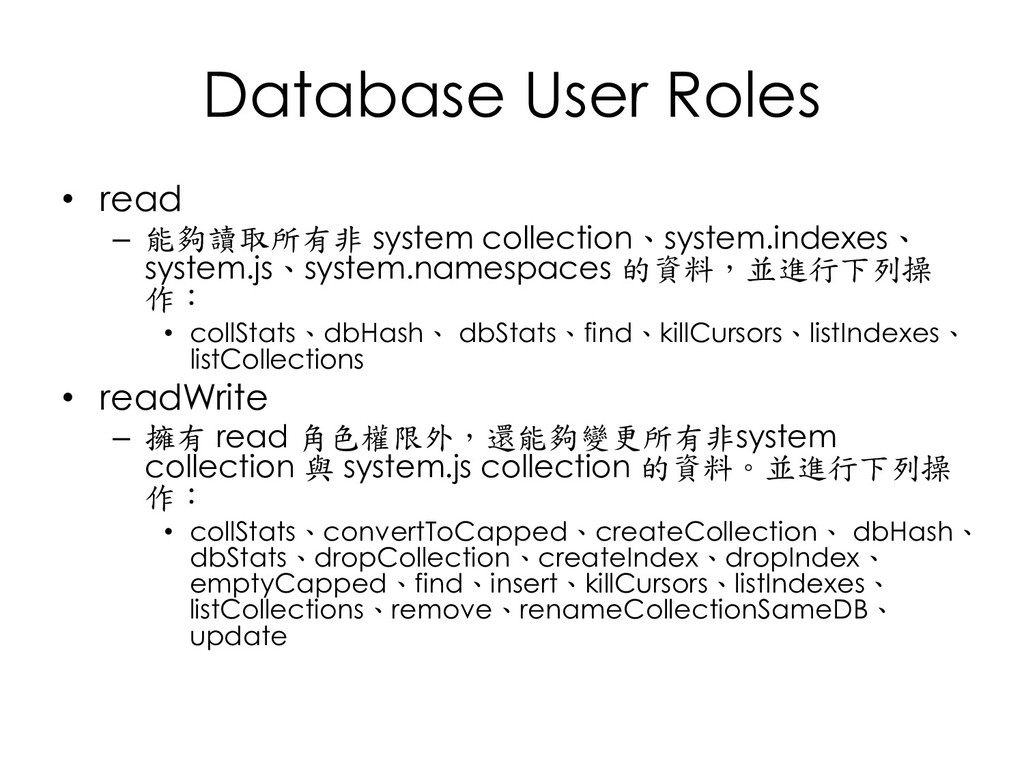
  170. Database User Roles • read – 能夠讀取所有非 system collection、system.indexes、 system.js、system.namespaces

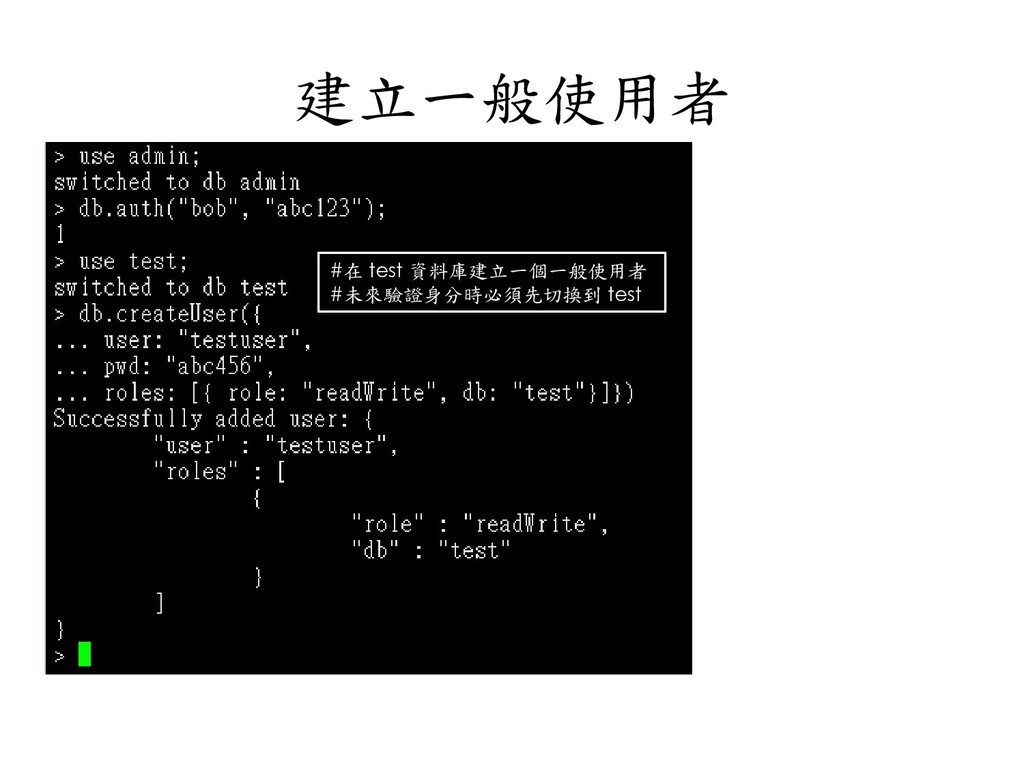
    的資料,並進行下列操 作: • collStats、dbHash、 dbStats、find、killCursors、listIndexes、 listCollections • readWrite – 擁有 read 角色權限外,還能夠變更所有非system collection 與 system.js collection 的資料。並進行下列操 作: • collStats、convertToCapped、createCollection、 dbHash、 dbStats、dropCollection、createIndex、dropIndex、 emptyCapped、find、insert、killCursors、listIndexes、 listCollections、remove、renameCollectionSameDB、 update
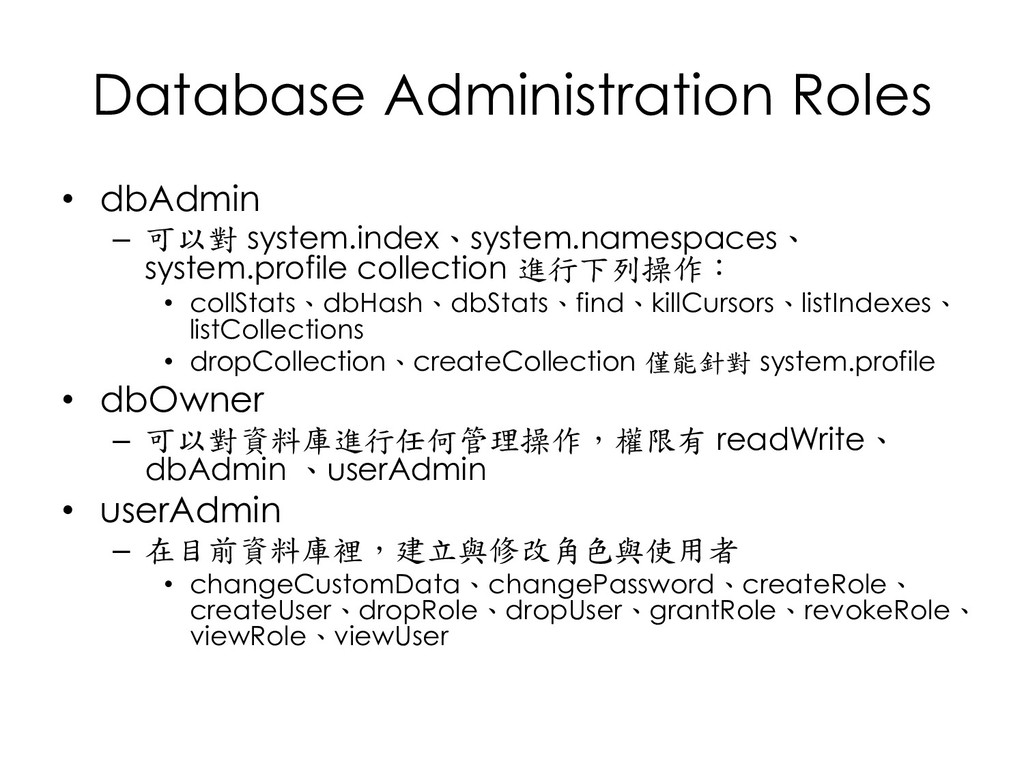
  171. Database Administration Roles • dbAdmin – 可以對 system.index、system.namespaces、 system.profile collection

    進行下列操作: • collStats、dbHash、dbStats、find、killCursors、listIndexes、 listCollections • dropCollection、createCollection 僅能針對 system.profile • dbOwner – 可以對資料庫進行任何管理操作,權限有 readWrite、 dbAdmin 、userAdmin • userAdmin – 在目前資料庫裡,建立與修改角色與使用者 • changeCustomData、changePassword、createRole、 createUser、dropRole、dropUser、grantRole、revokeRole、 viewRole、viewUser
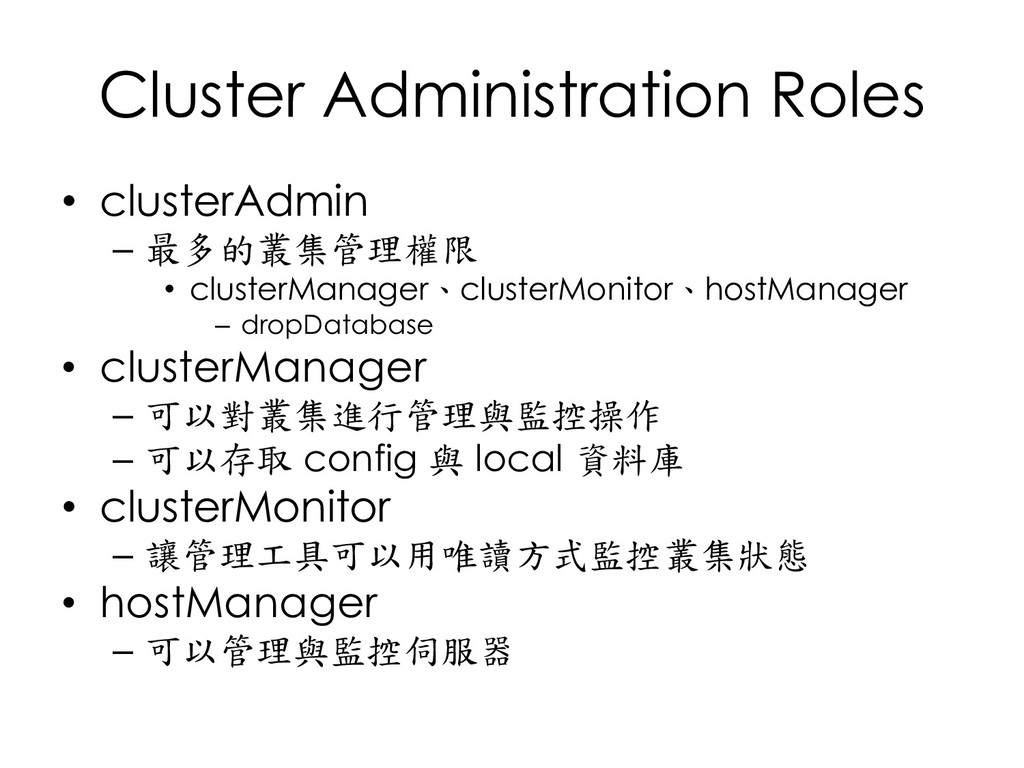
  172. Cluster Administration Roles • clusterAdmin – 最多的叢集管理權限 • clusterManager、clusterMonitor、hostManager –

    dropDatabase • clusterManager – 可以對叢集進行管理與監控操作 – 可以存取 config 與 local 資料庫 • clusterMonitor – 讓管理工具可以用唯讀方式監控叢集狀態 • hostManager – 可以管理與監控伺服器
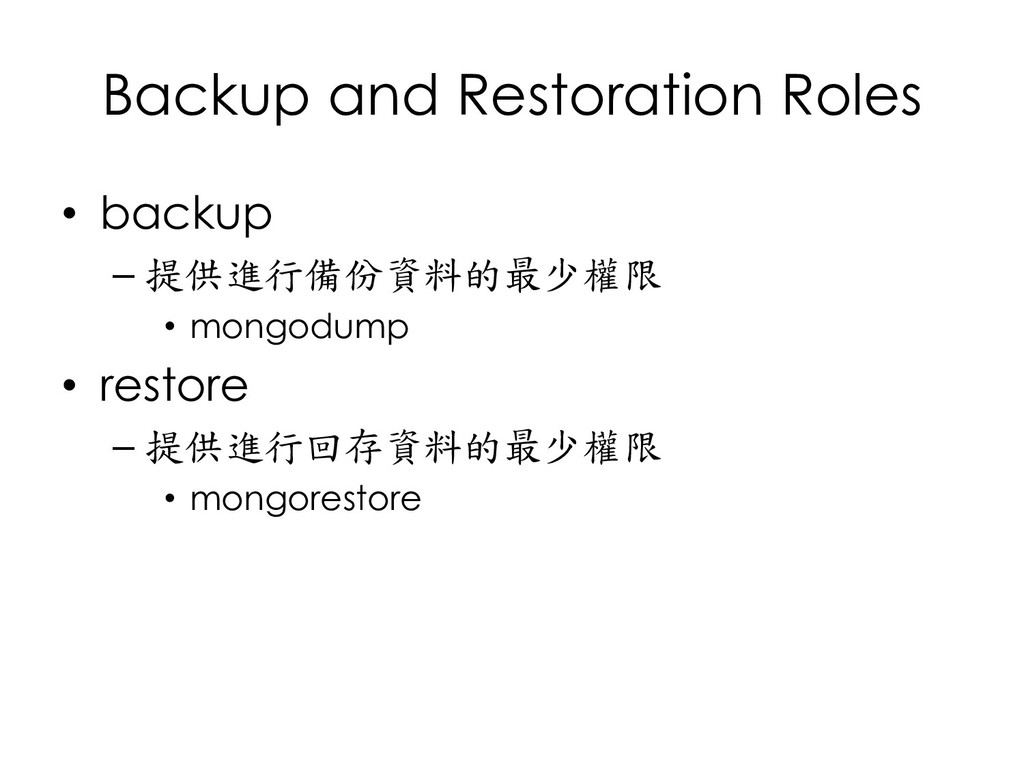
  173. Backup and Restoration Roles • backup – 提供進行備份資料的最少權限 • mongodump

    • restore – 提供進行回存資料的最少權限 • mongorestore
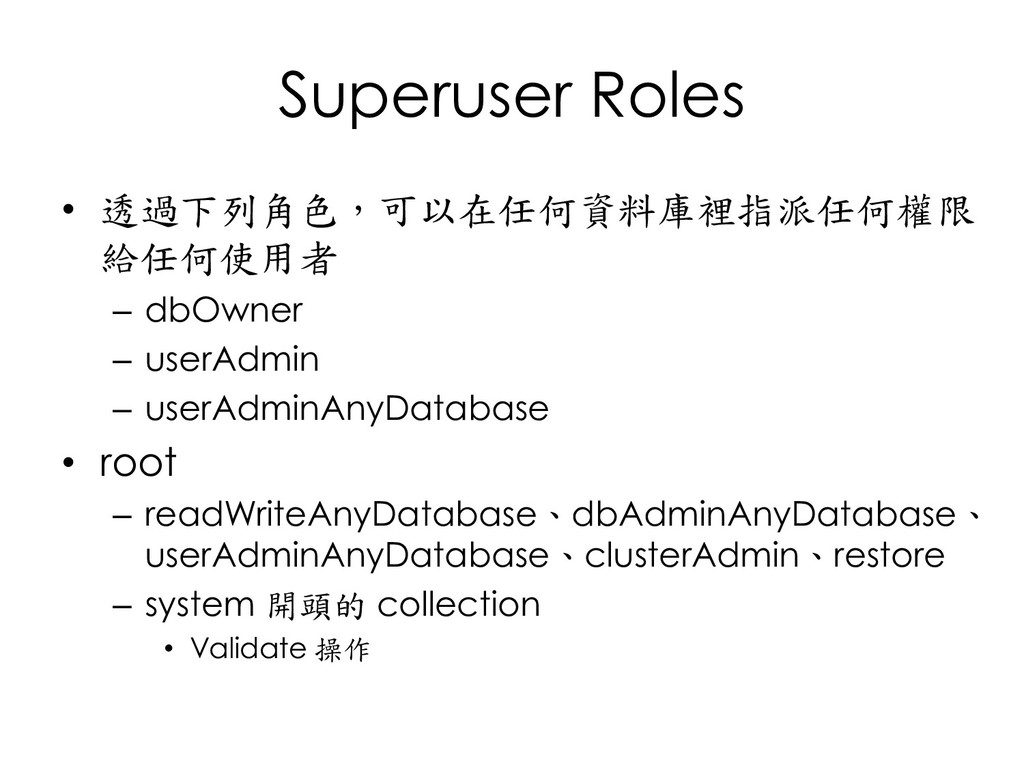
  174. Superuser Roles • 透過下列角色,可以在任何資料庫裡指派任何權限 給任何使用者 – dbOwner – userAdmin –

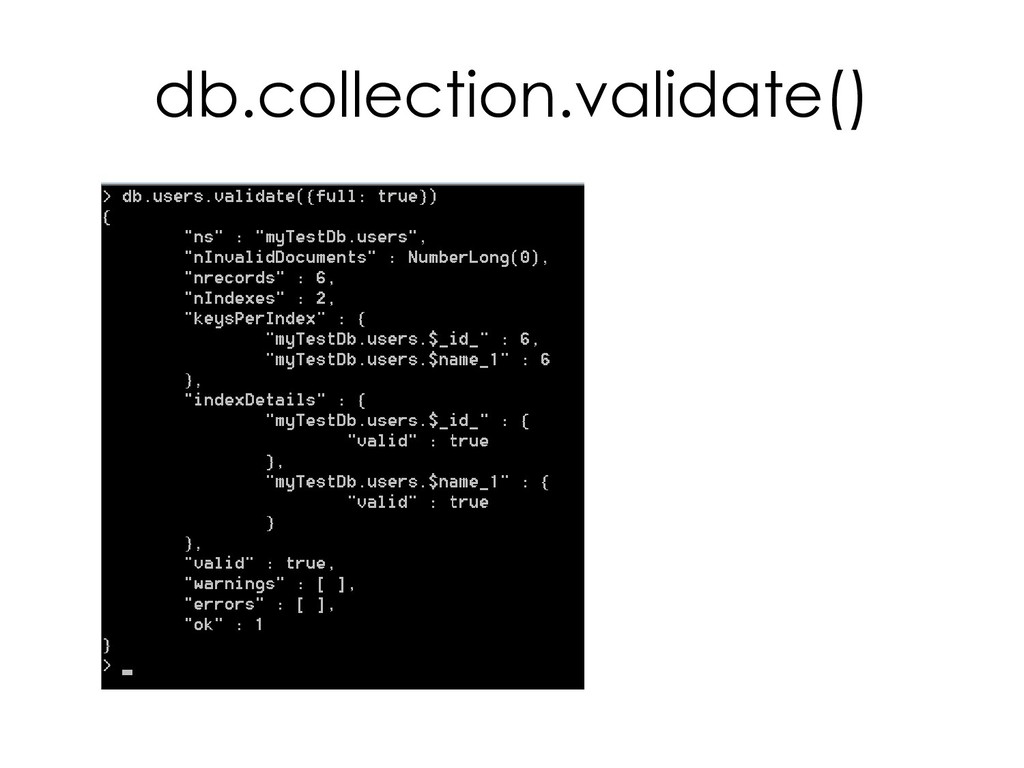
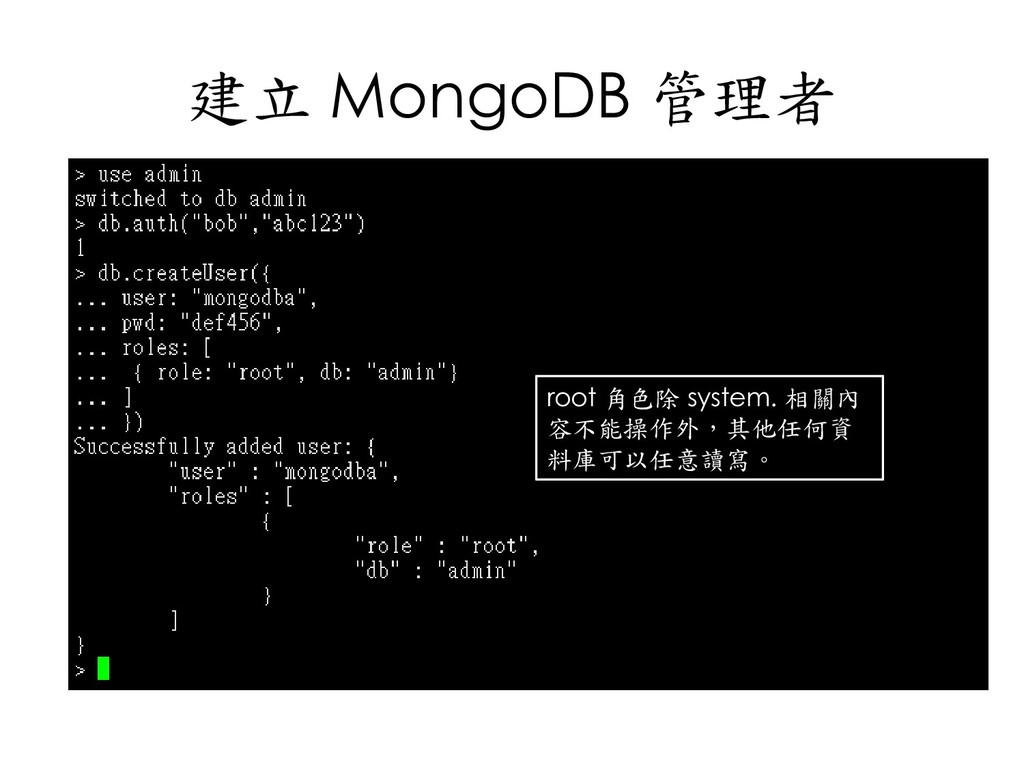
    userAdminAnyDatabase • root – readWriteAnyDatabase、dbAdminAnyDatabase、 userAdminAnyDatabase、clusterAdmin、restore – system 開頭的 collection • Validate 操作
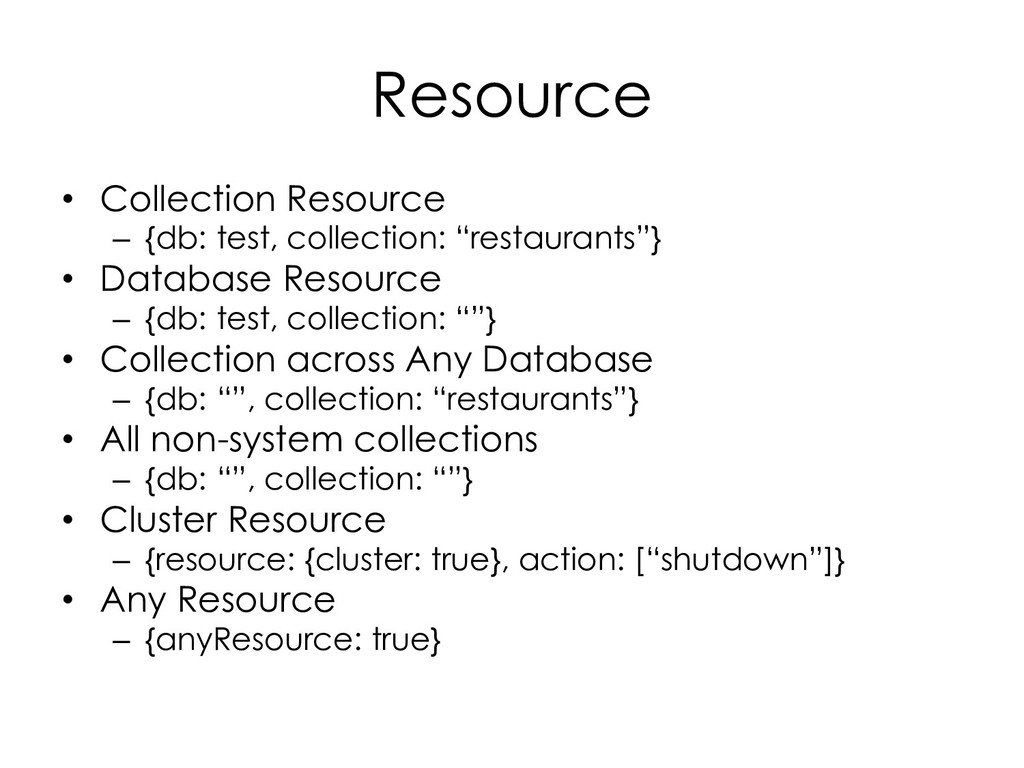
  175. Resource • Collection Resource – {db: test, collection: “restaurants”} •

    Database Resource – {db: test, collection: “”} • Collection across Any Database – {db: “”, collection: “restaurants”} • All non-system collections – {db: “”, collection: “”} • Cluster Resource – {resource: {cluster: true}, action: [“shutdown”]} • Any Resource – {anyResource: true}
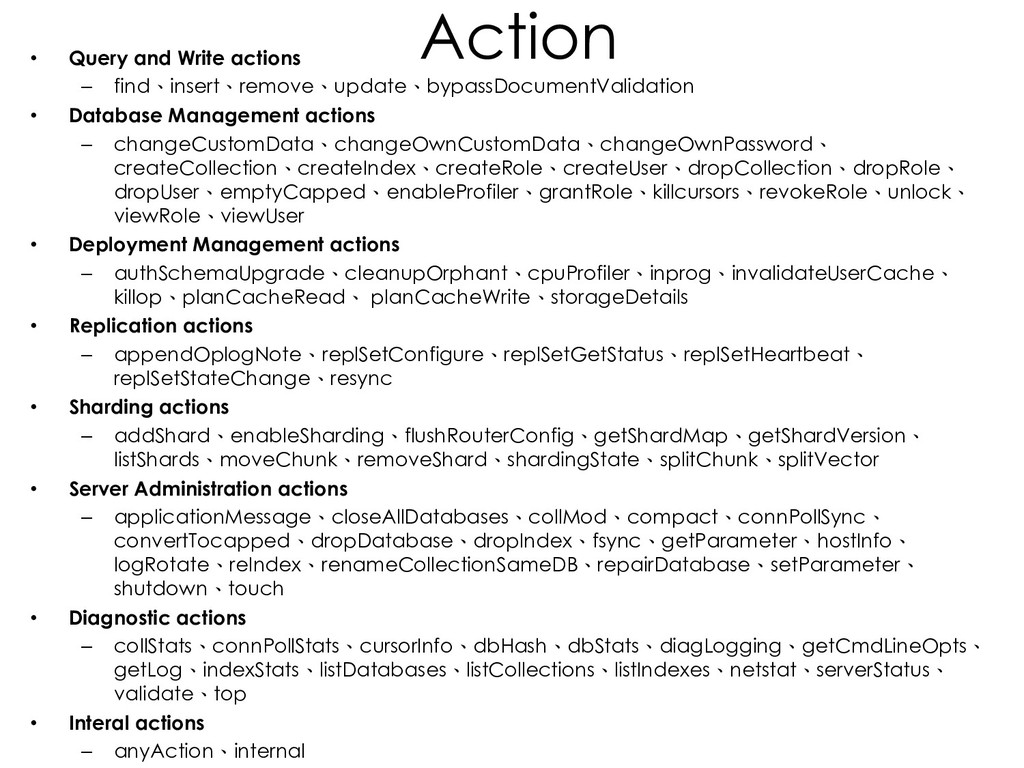
  176. Action • Query and Write actions – find、insert、remove、update、bypassDocumentValidation • Database

    Management actions – changeCustomData、changeOwnCustomData、changeOwnPassword、 createCollection、createIndex、createRole、createUser、dropCollection、dropRole、 dropUser、emptyCapped、enableProfiler、grantRole、killcursors、revokeRole、unlock、 viewRole、viewUser • Deployment Management actions – authSchemaUpgrade、cleanupOrphant、cpuProfiler、inprog、invalidateUserCache、 killop、planCacheRead、 planCacheWrite、storageDetails • Replication actions – appendOplogNote、replSetConfigure、replSetGetStatus、replSetHeartbeat、 replSetStateChange、resync • Sharding actions – addShard、enableSharding、flushRouterConfig、getShardMap、getShardVersion、 listShards、moveChunk、removeShard、shardingState、splitChunk、splitVector • Server Administration actions – applicationMessage、closeAllDatabases、collMod、compact、connPollSync、 convertTocapped、dropDatabase、dropIndex、fsync、getParameter、hostInfo、 logRotate、reIndex、renameCollectionSameDB、repairDatabase、setParameter、 shutdown、touch • Diagnostic actions – collStats、connPollStats、cursorInfo、dbHash、dbStats、diagLogging、getCmdLineOpts、 getLog、indexStats、listDatabases、listCollections、listIndexes、netstat、serverStatus、 validate、top • Interal actions – anyAction、internal

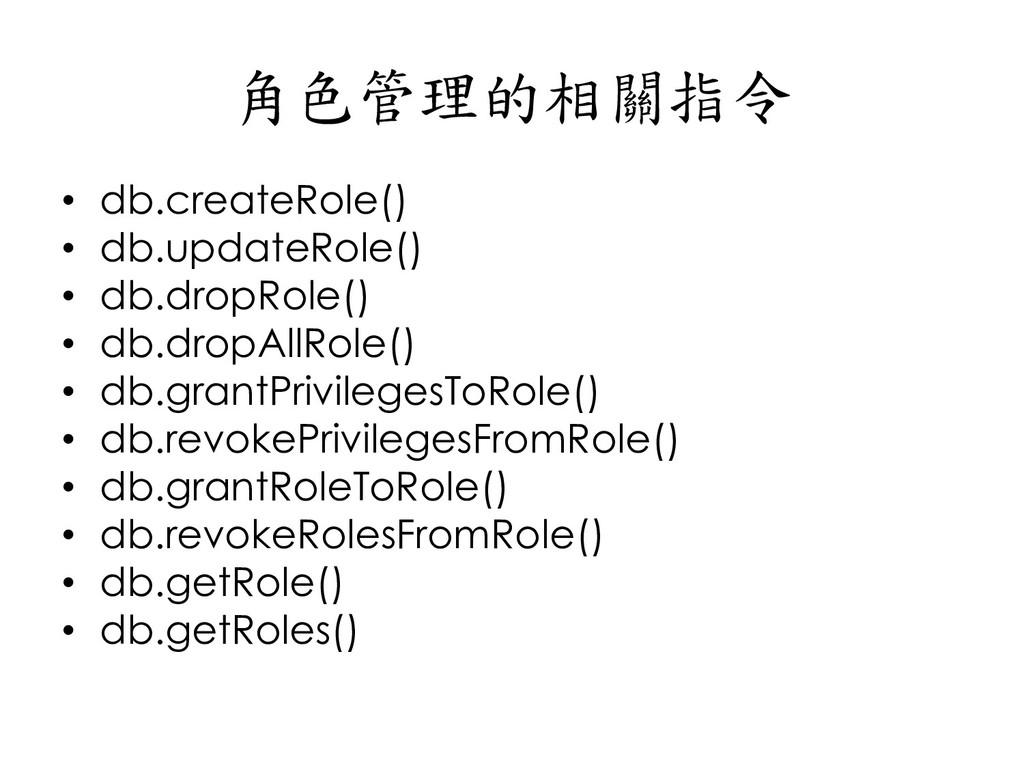
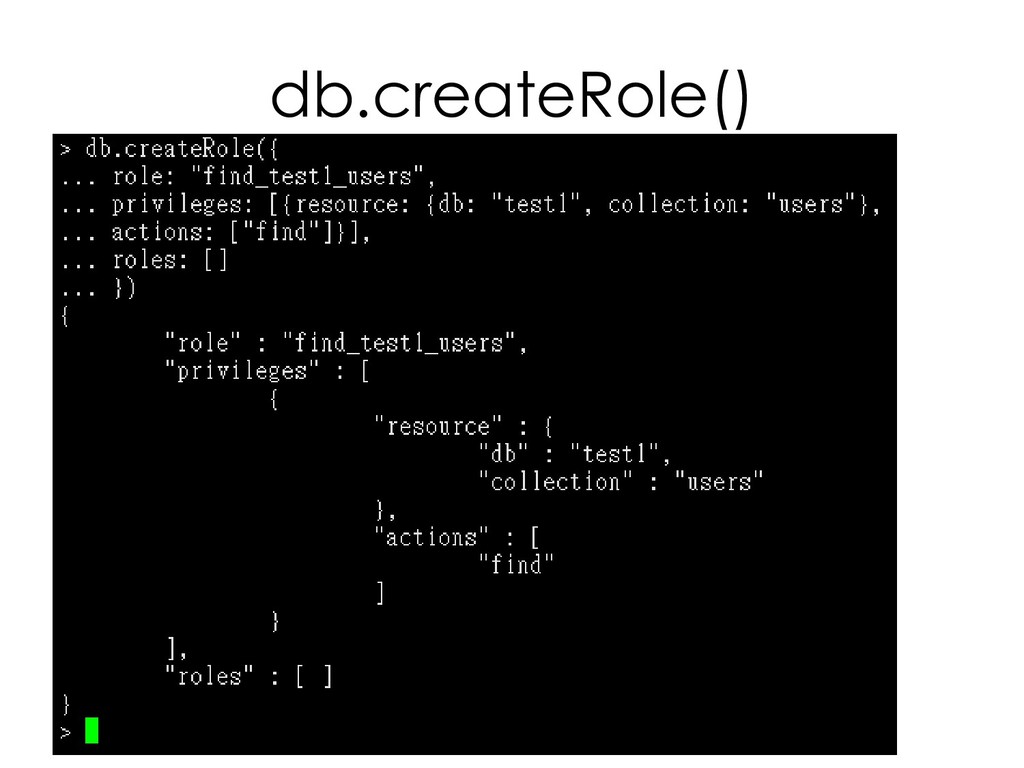
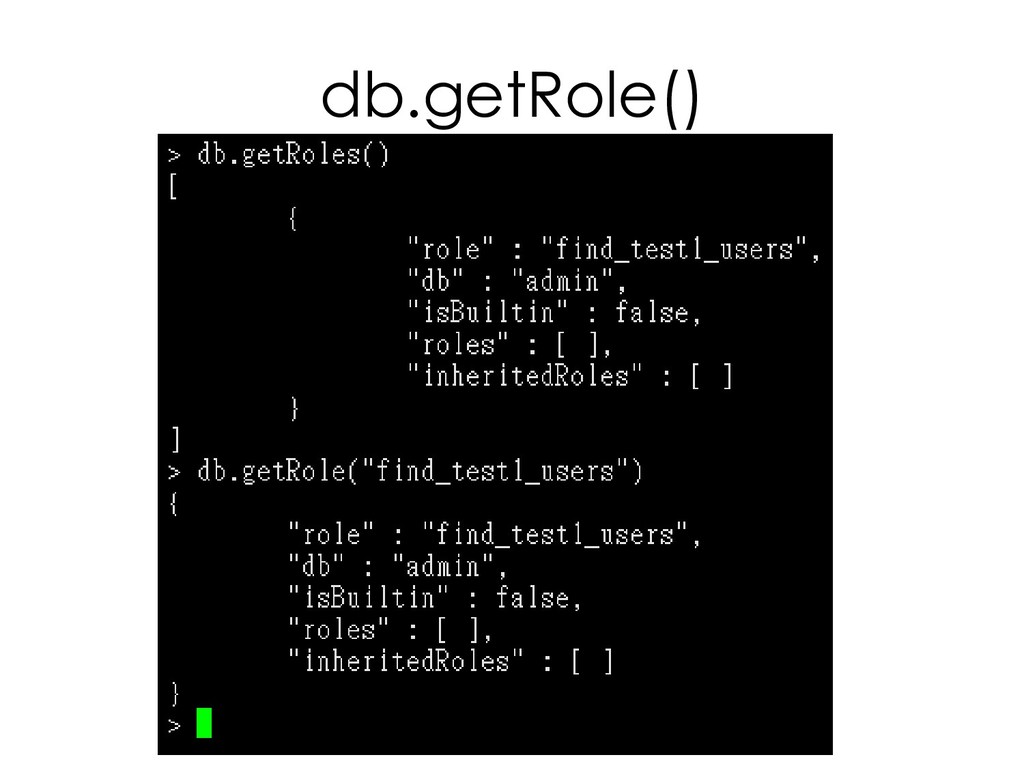
  177. 角色管理的相關指令 • db.createRole() • db.updateRole() • db.dropRole() • db.dropAllRole() •

    db.grantPrivilegesToRole() • db.revokePrivilegesFromRole() • db.grantRoleToRole() • db.revokeRolesFromRole() • db.getRole() • db.getRoles()
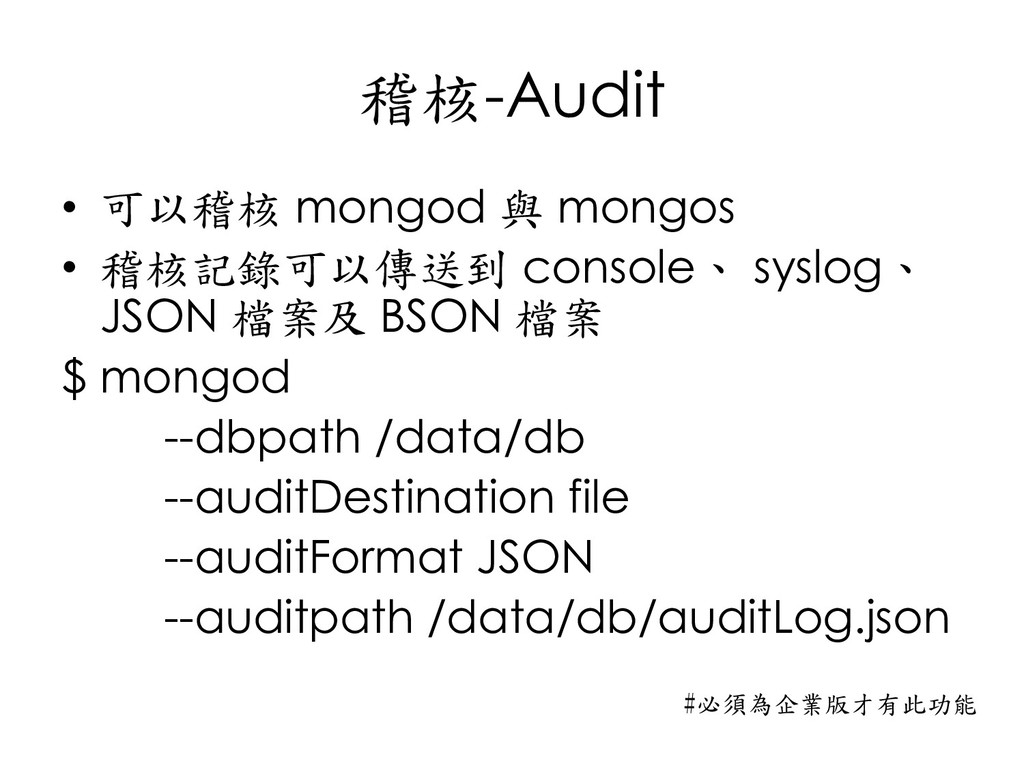
  178. 稽核-Audit • 可以稽核 mongod 與 mongos • 稽核記錄可以傳送到 console、 syslog、

    JSON 檔案及 BSON 檔案 $ mongod --dbpath /data/db --auditDestination file --auditFormat JSON --auditpath /data/db/auditLog.json #必須為企業版才有此功能
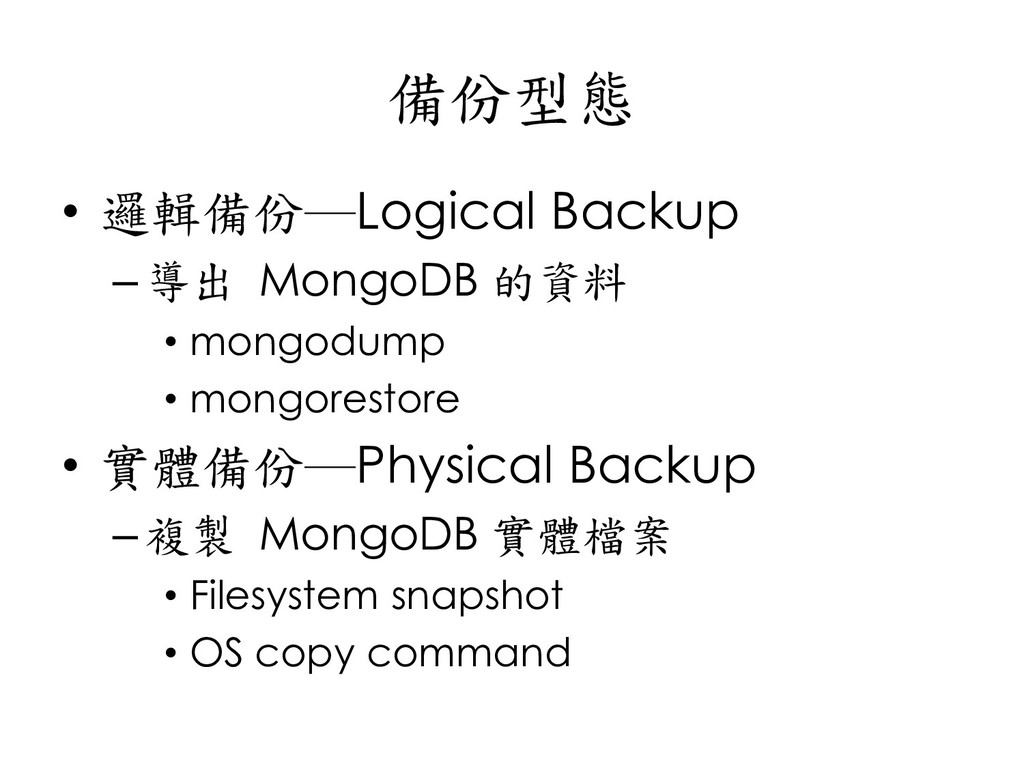
  179. 備份型態 • 邏輯備份─Logical Backup –導出 MongoDB 的資料 • mongodump •

    mongorestore • 實體備份─Physical Backup –複製 MongoDB 實體檔案 • Filesystem snapshot • OS copy command
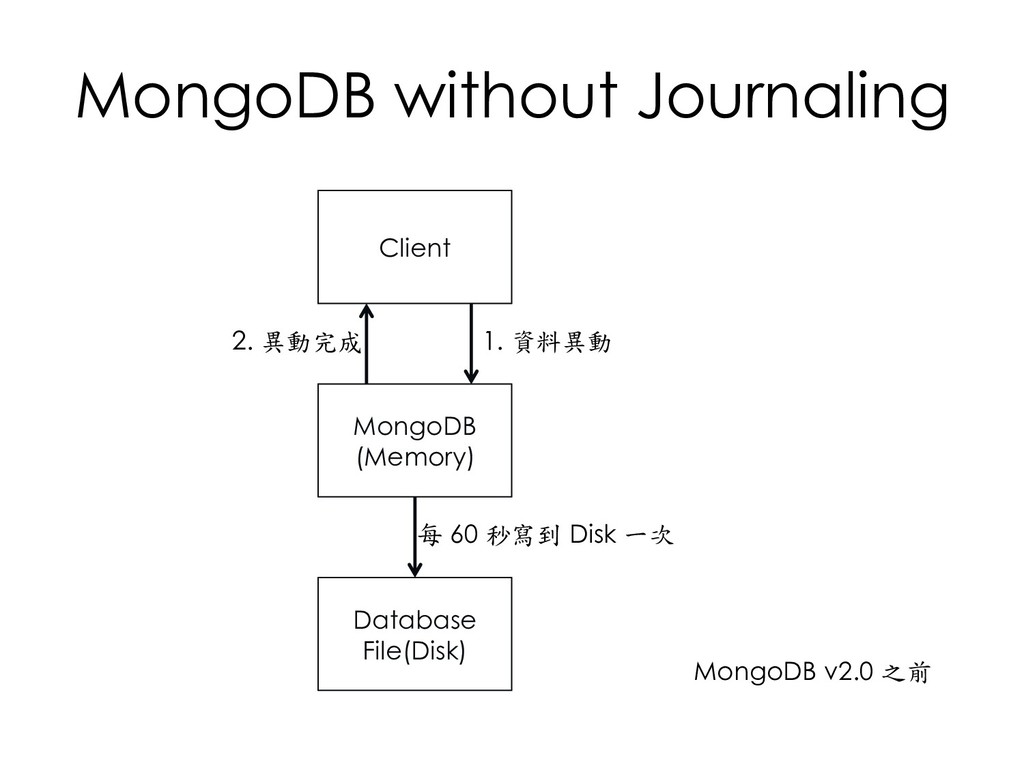
  180. MongoDB without Journaling Client MongoDB (Memory) Database File(Disk) 1. 資料異動

    2. 異動完成 每 60 秒寫到 Disk 一次 MongoDB v2.0 之前
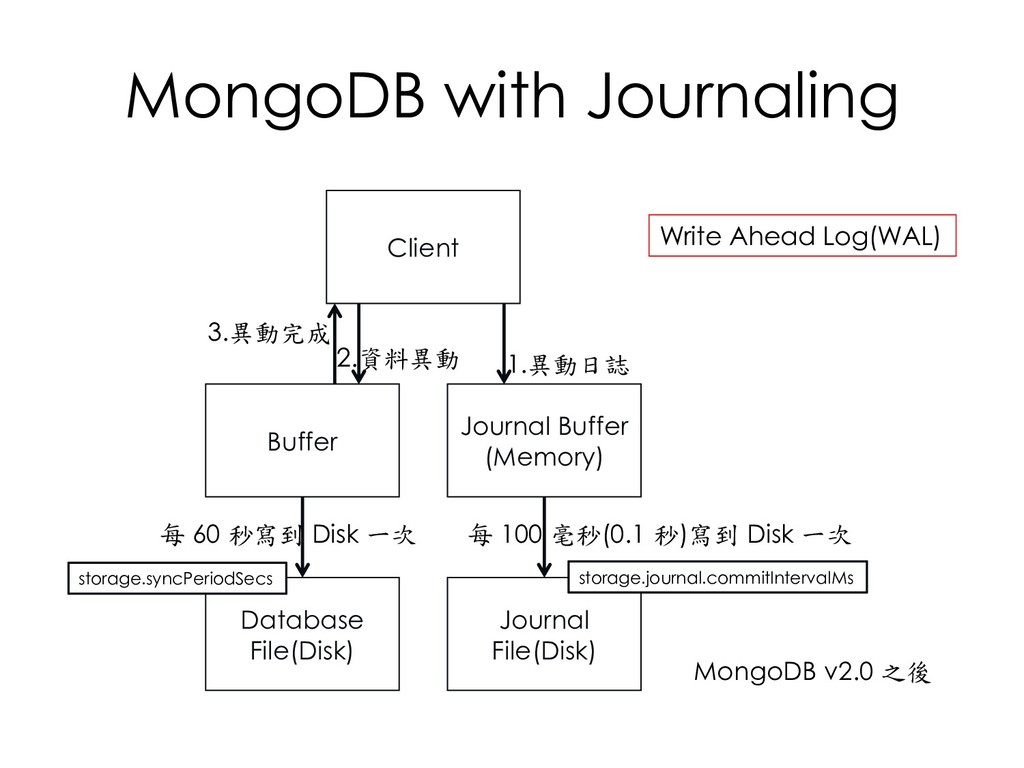
  181. MongoDB with Journaling Client Buffer Database File(Disk) 1.異動日誌 3.異動完成 每

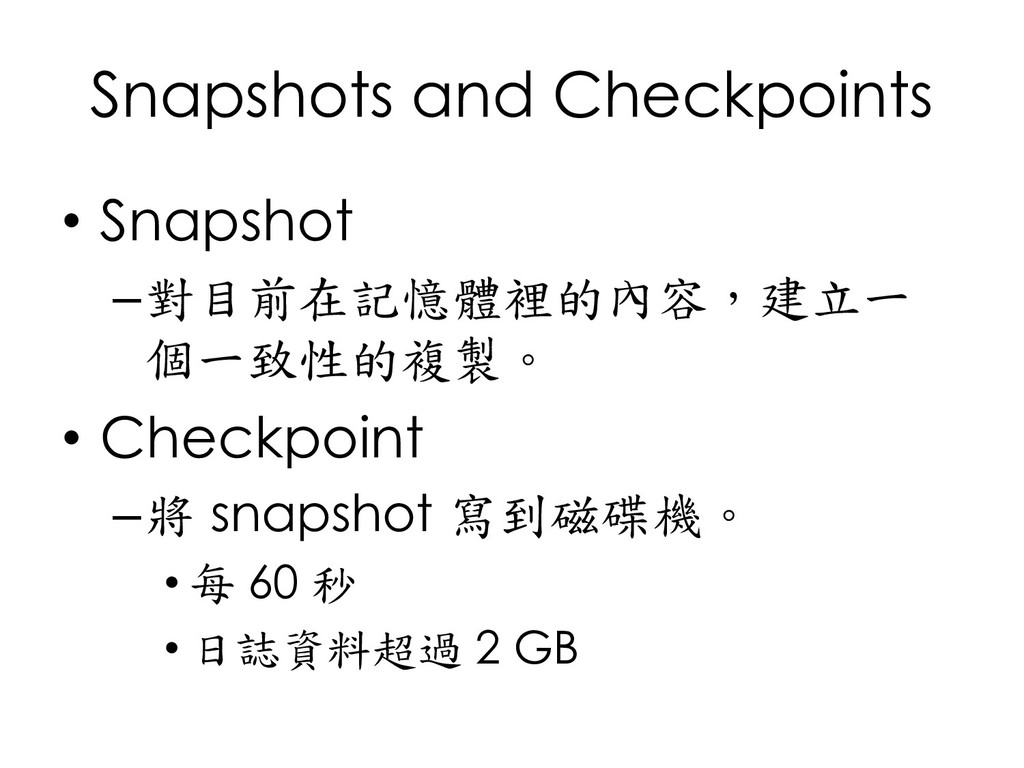
    100 毫秒(0.1 秒)寫到 Disk 一次 MongoDB v2.0 之後 Journal Buffer (Memory) Journal File(Disk) 每 60 秒寫到 Disk 一次 2.資料異動 Write Ahead Log(WAL) storage.syncPeriodSecs storage.journal.commitIntervalMs
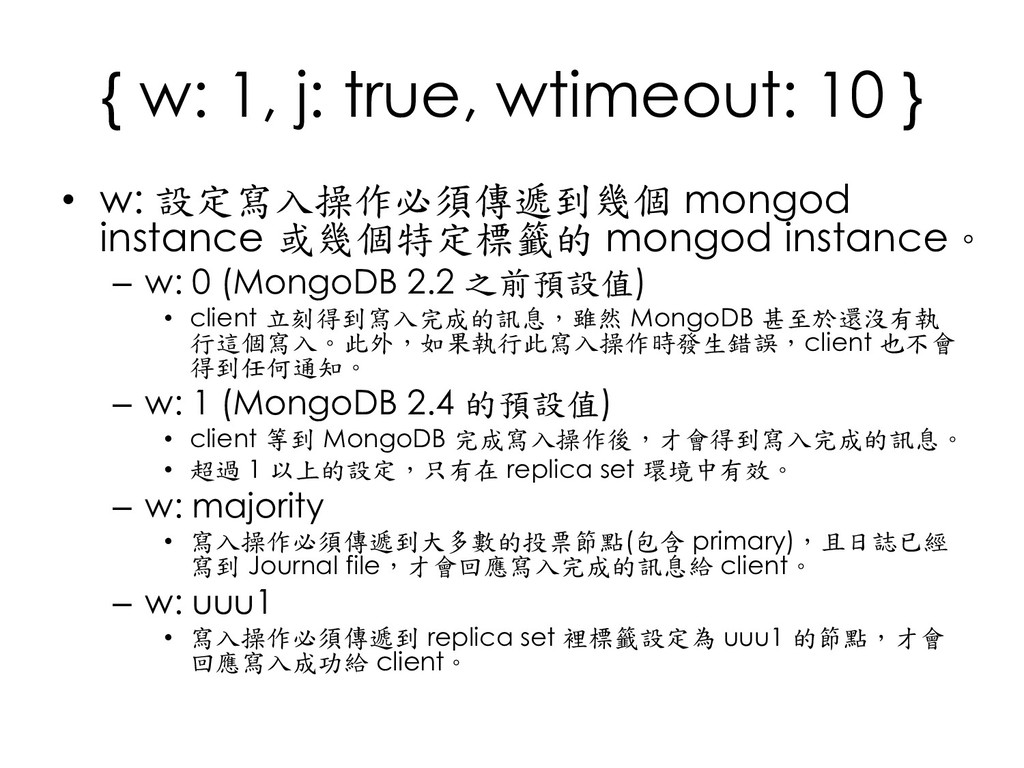
  182. { w: 1, j: true, wtimeout: 10 } • w:

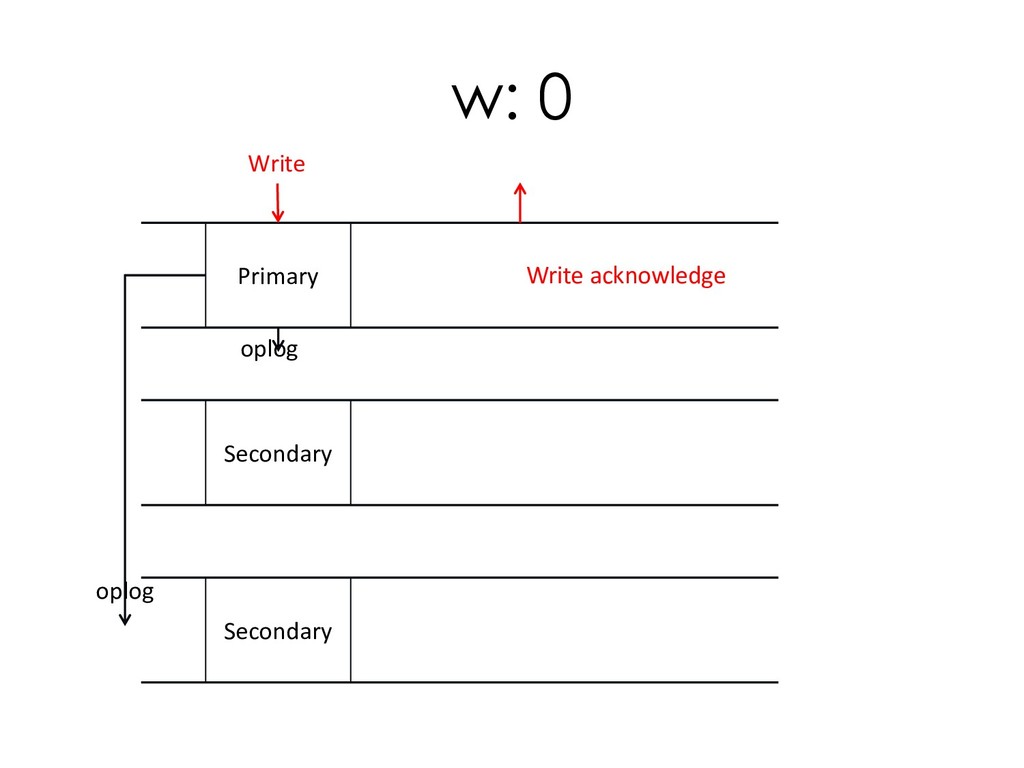
    設定寫入操作必須傳遞到幾個 mongod instance 或幾個特定標籤的 mongod instance。 – w: 0 (MongoDB 2.2 之前預設值) • client 立刻得到寫入完成的訊息,雖然 MongoDB 甚至於還沒有執 行這個寫入。此外,如果執行此寫入操作時發生錯誤,client 也不會 得到任何通知。 – w: 1 (MongoDB 2.4 的預設值) • client 等到 MongoDB 完成寫入操作後,才會得到寫入完成的訊息。 • 超過 1 以上的設定,只有在 replica set 環境中有效。 – w: majority • 寫入操作必須傳遞到大多數的投票節點(包含 primary),且日誌已經 寫到 Journal file,才會回應寫入完成的訊息給 client。 – w: uuu1 • 寫入操作必須傳遞到 replica set 裡標籤設定為 uuu1 的節點,才會 回應寫入成功給 client。
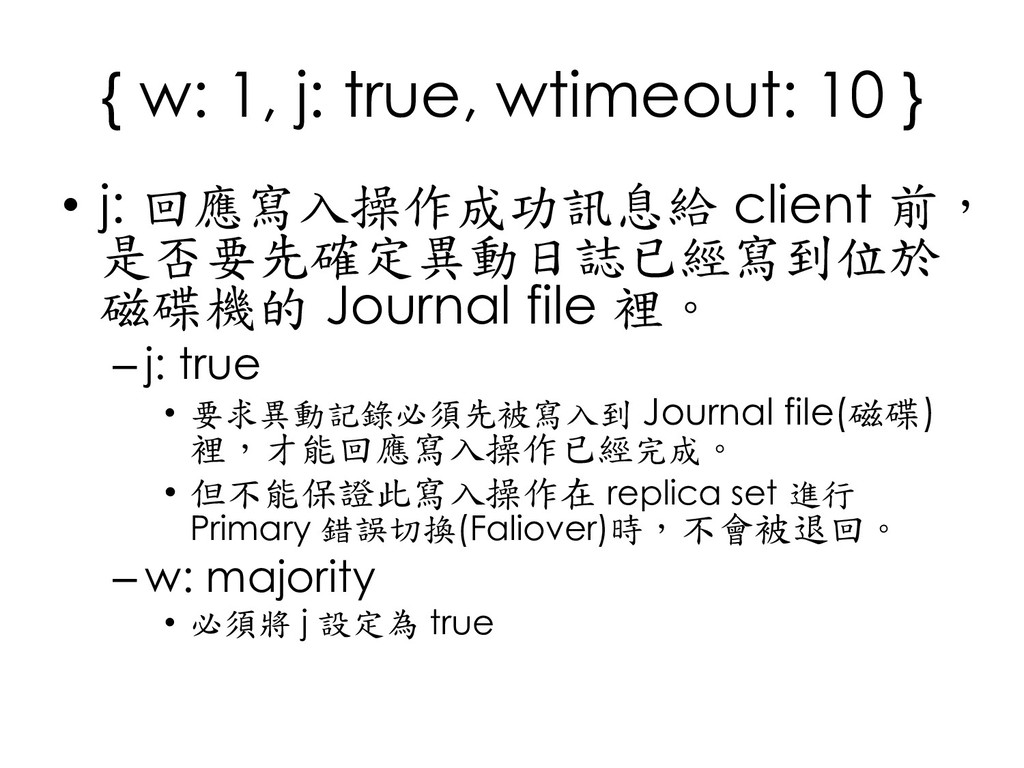
  183. { w: 1, j: true, wtimeout: 10 } • j:

    回應寫入操作成功訊息給 client 前, 是否要先確定異動日誌已經寫到位於 磁碟機的 Journal file 裡。 – j: true • 要求異動記錄必須先被寫入到 Journal file(磁碟) 裡,才能回應寫入操作已經完成。 • 但不能保證此寫入操作在 replica set 進行 Primary 錯誤切換(Faliover)時,不會被退回。 – w: majority • 必須將 j 設定為 true
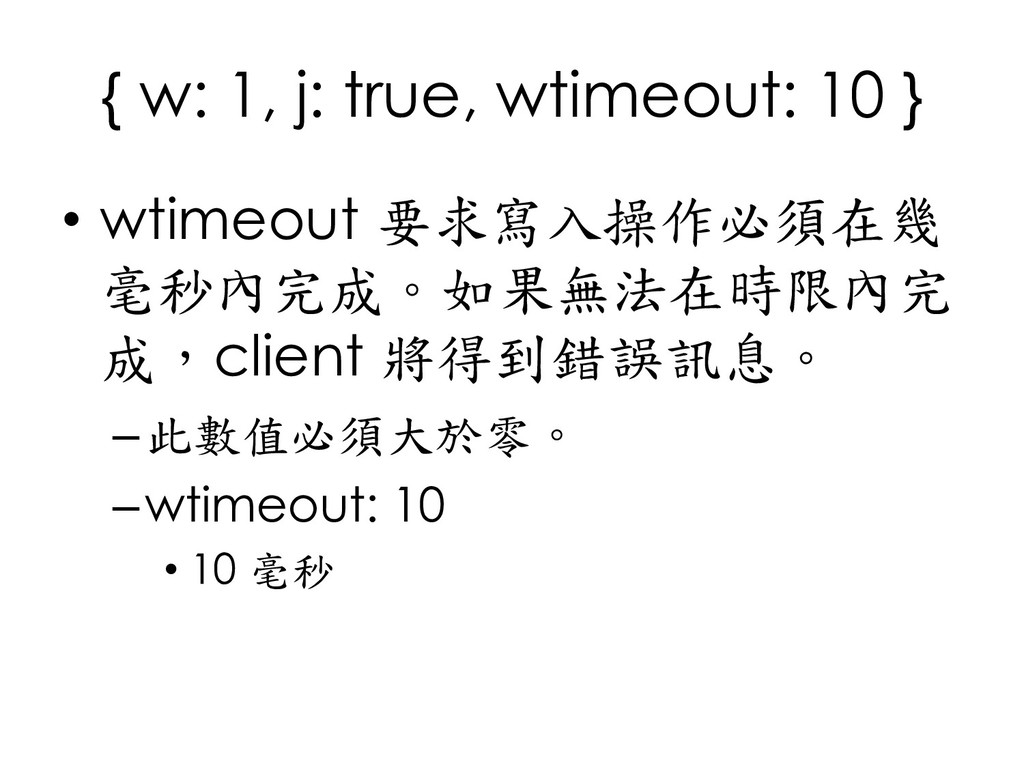
  184. { w: 1, j: true, wtimeout: 10 } • wtimeout

    要求寫入操作必須在幾 毫秒內完成。如果無法在時限內完 成,client 將得到錯誤訊息。 –此數值必須大於零。 –wtimeout: 10 • 10 毫秒
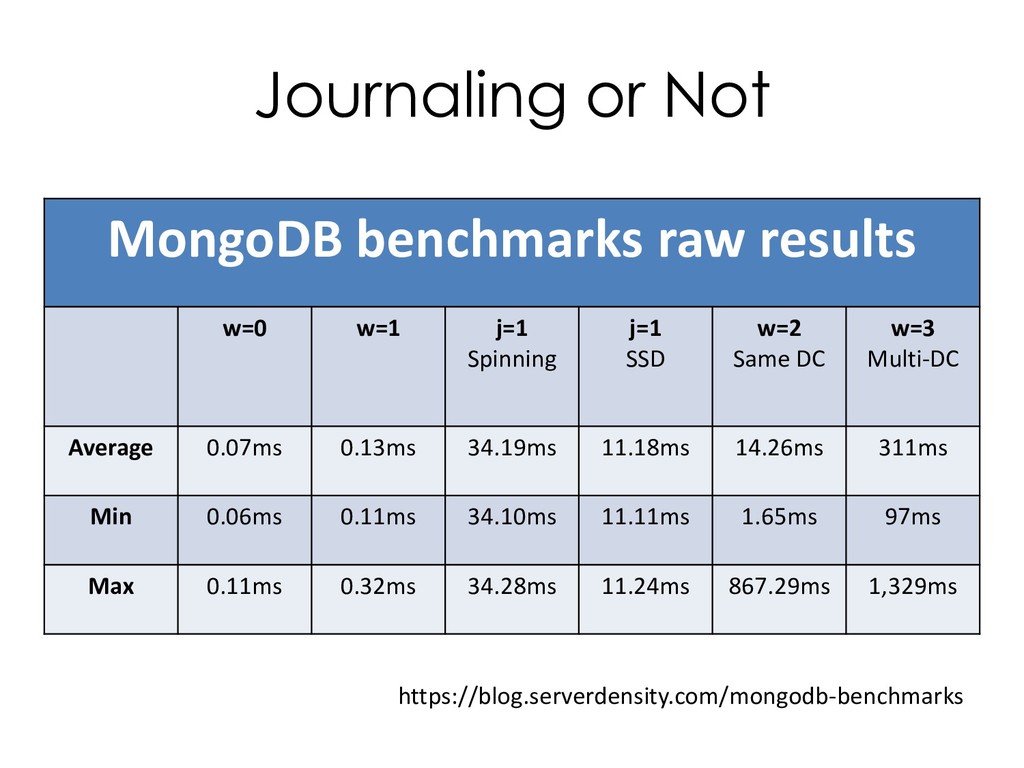
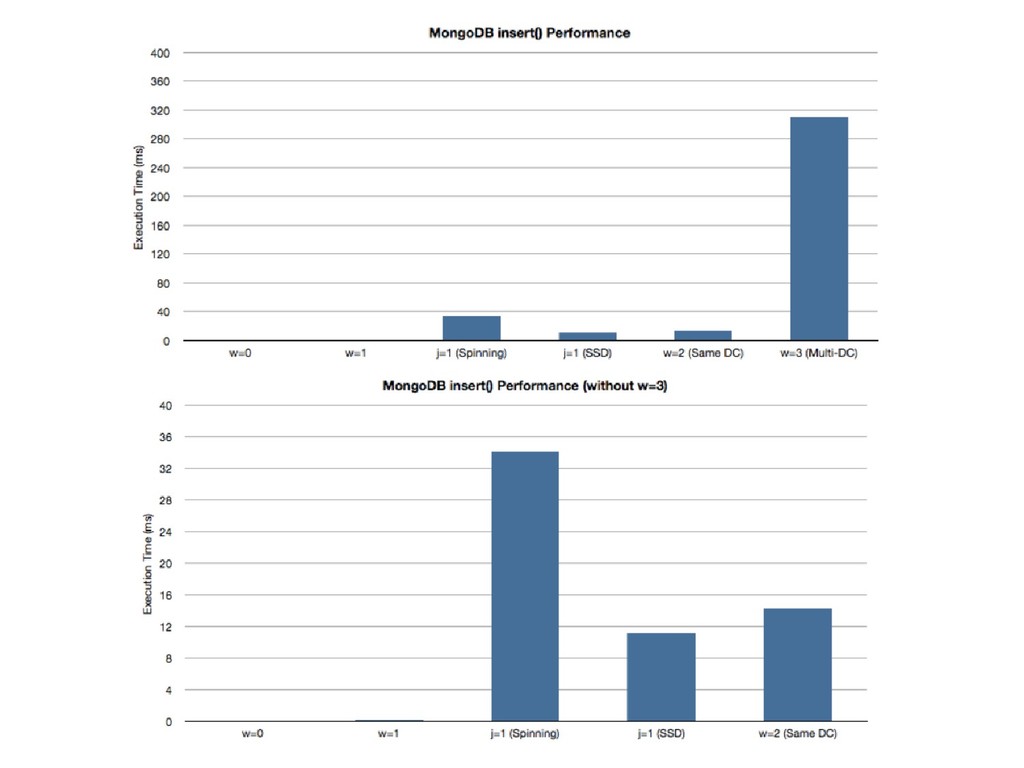
  185. Journaling or Not MongoDB benchmarks raw results w=0 w=1 j=1
    Spinning j=1 SSD w=2 Same DC w=3 Multi-DC Average 0.07ms 0.13ms 34.19ms 11.18ms 14.26ms 311ms Min 0.06ms 0.11ms 34.10ms 11.11ms 1.65ms 97ms Max 0.11ms 0.32ms 34.28ms 11.24ms 867.29ms 1,329ms https://blog.serverdensity.com/mongodb-benchmarks
  186. WT 日誌機制─Journaling • WAL (Write Ahead Logging) – 每個 client

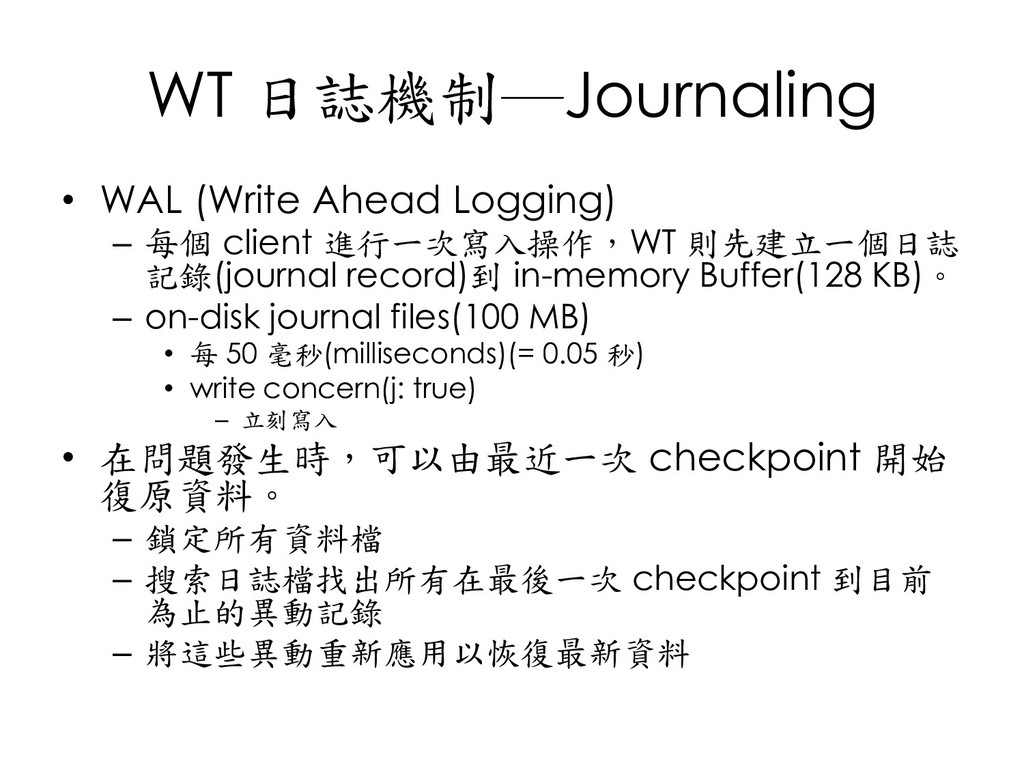
    進行一次寫入操作,WT 則先建立一個日誌 記錄(journal record)到 in-memory Buffer(128 KB)。 – on-disk journal files(100 MB) • 每 50 毫秒(milliseconds)(= 0.05 秒) • write concern(j: true) – 立刻寫入 • 在問題發生時,可以由最近一次 checkpoint 開始 復原資料。 – 鎖定所有資料檔 – 搜索日誌檔找出所有在最後一次 checkpoint 到目前 為止的異動記錄 – 將這些異動重新應用以恢復最新資料
  187. snapshots and checkpoints Python API C API Java API Database

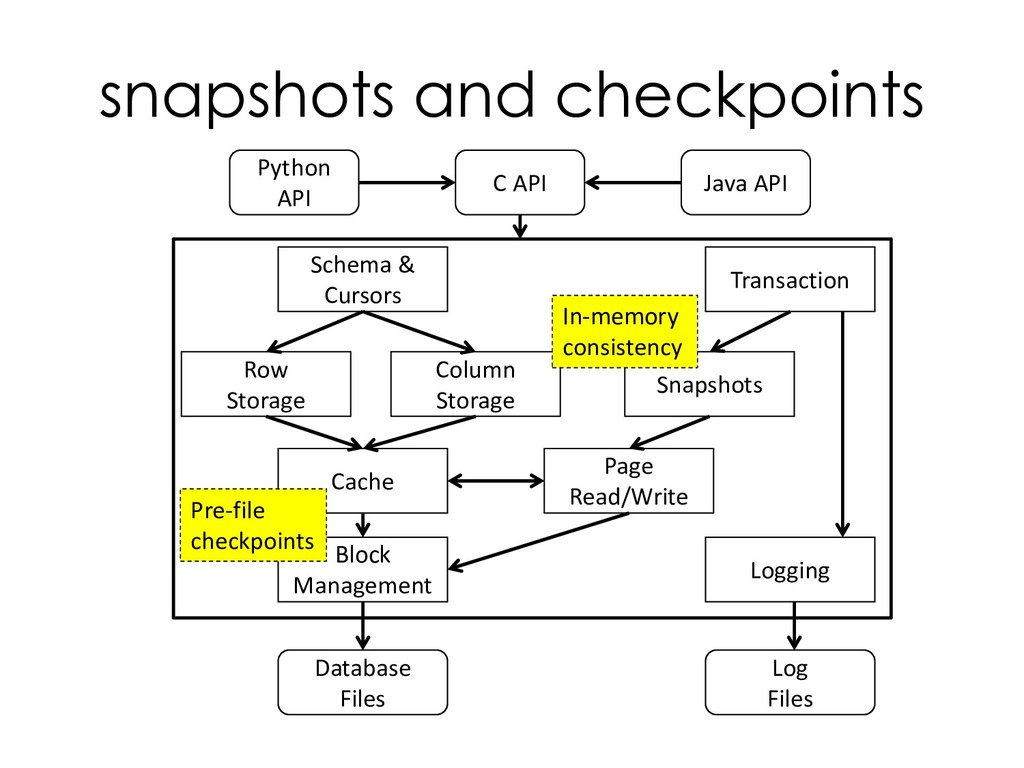
    Files Log Files Transaction Block Management Schema & Cursors Row Storage Column Storage Snapshots Cache Page Read/Write Logging In-memory consistency Pre-file checkpoints
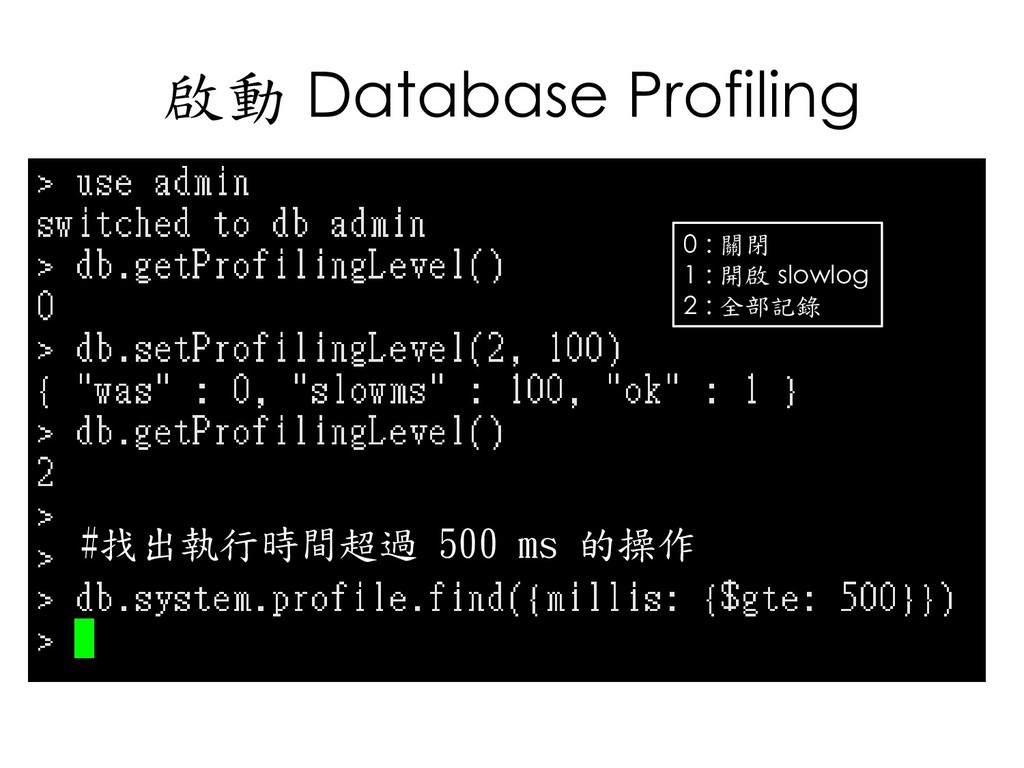
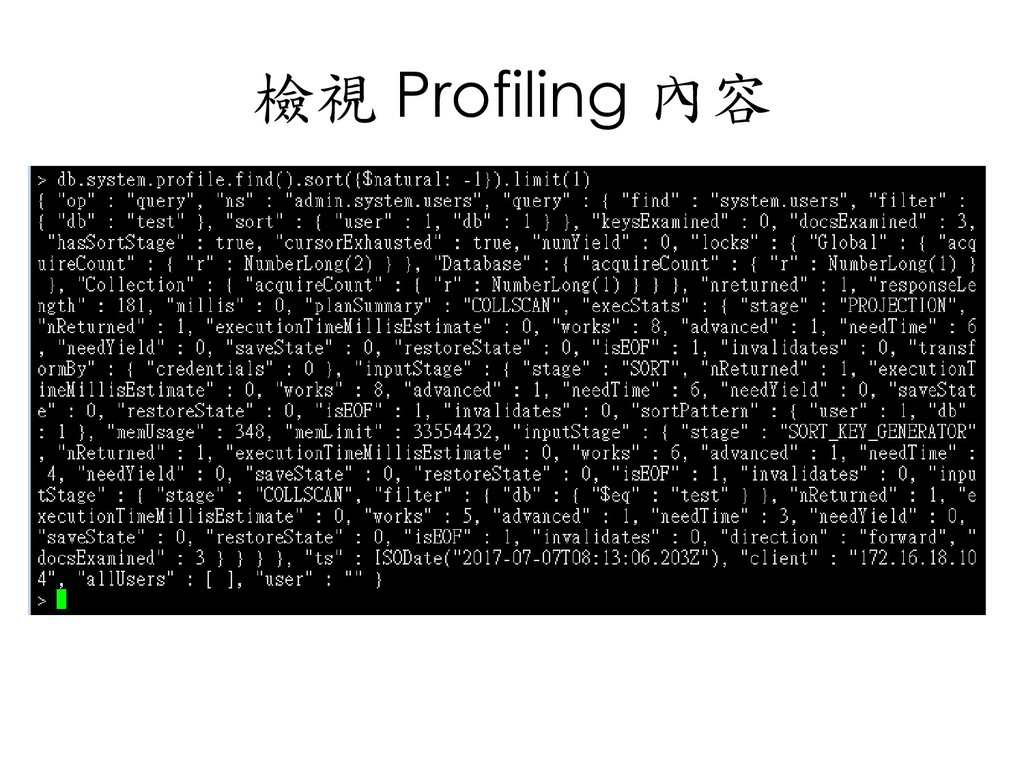
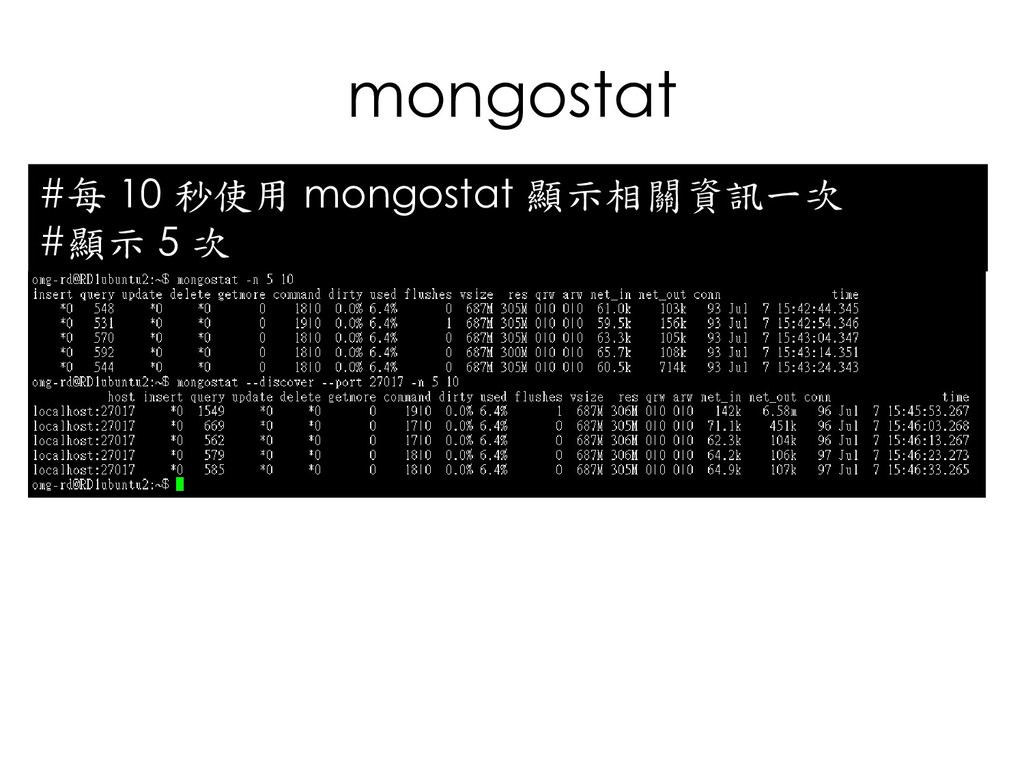
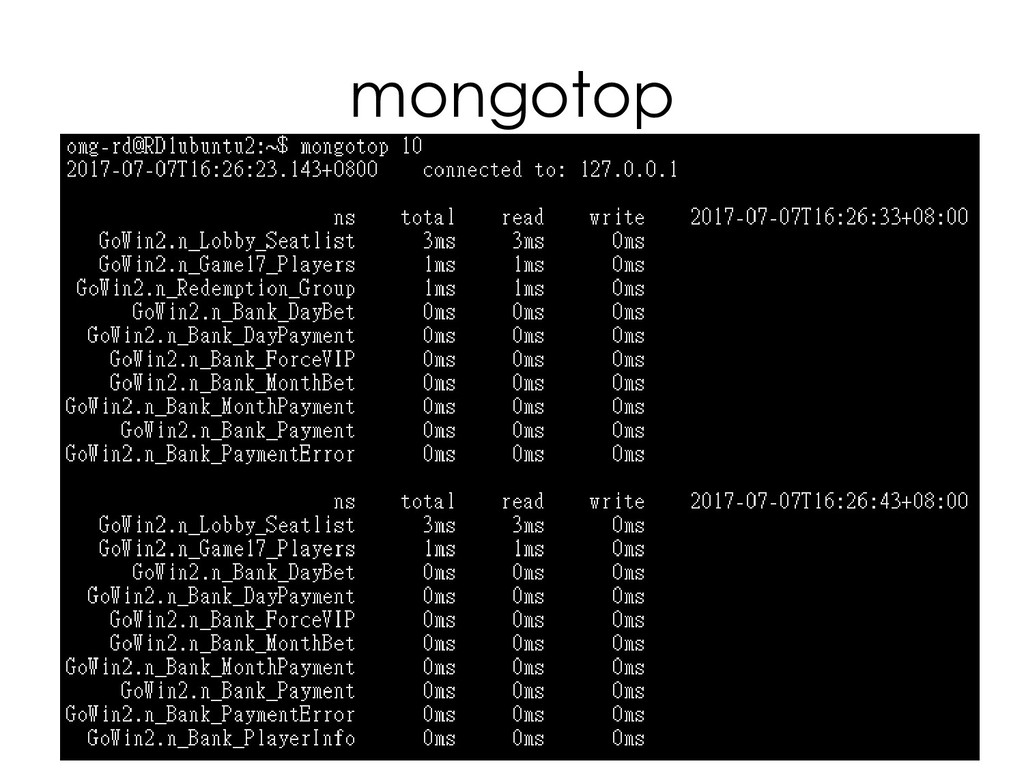
  188. MongoDB 監控 • Database profiling • mongostat • mongotop •

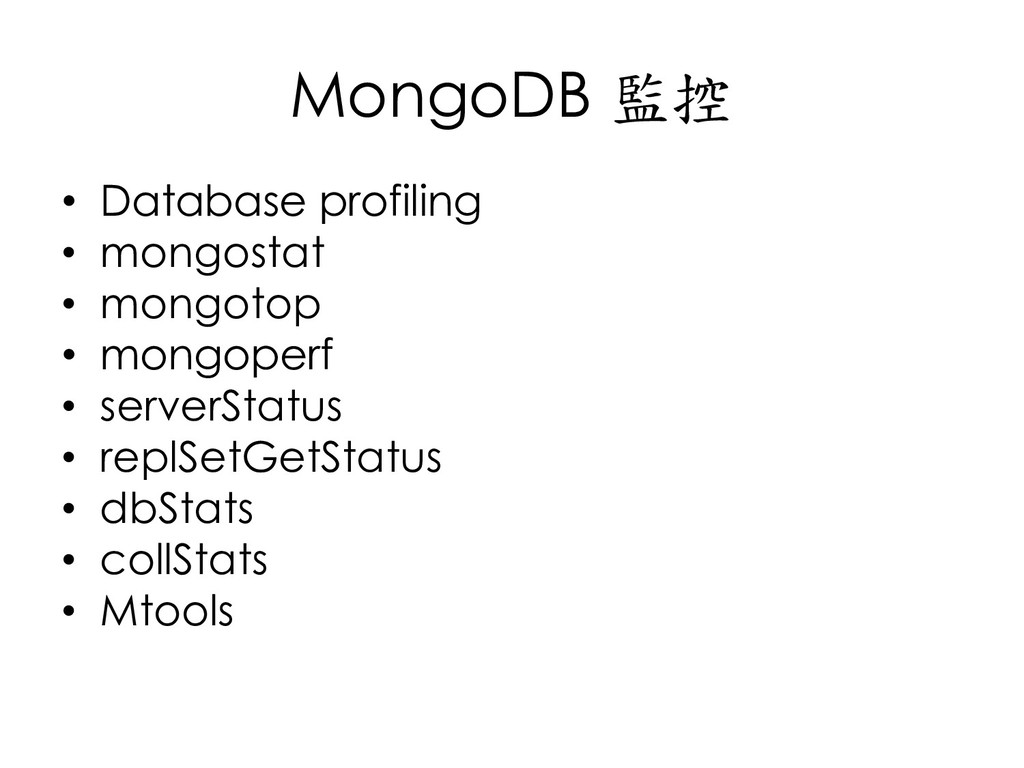
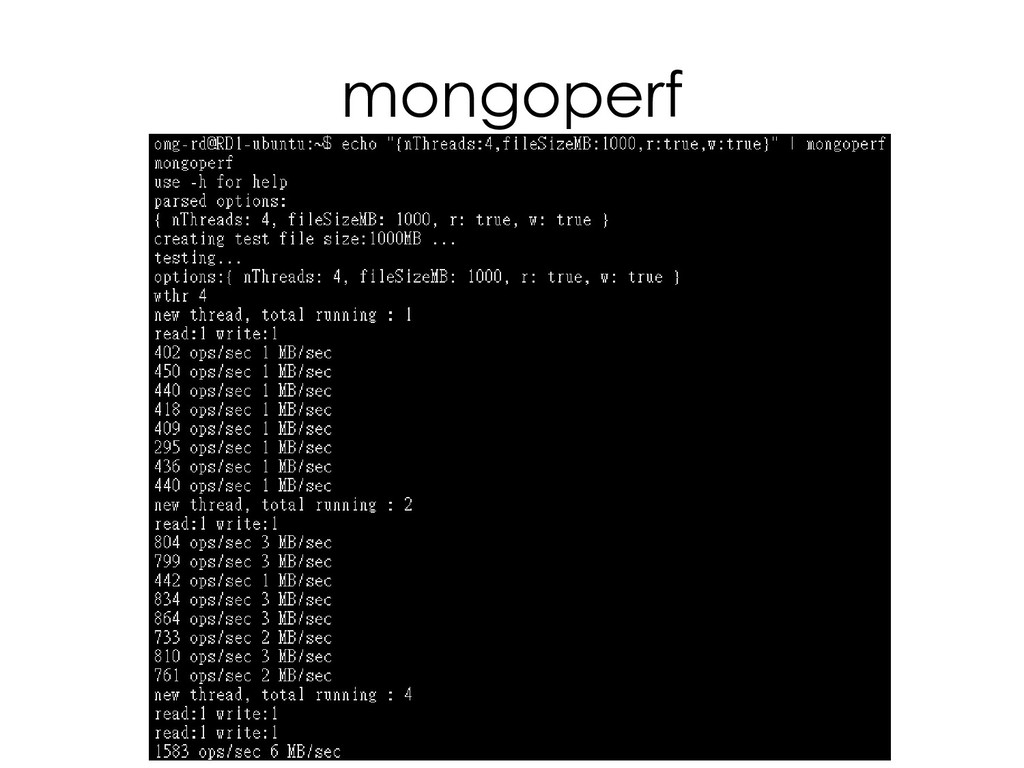
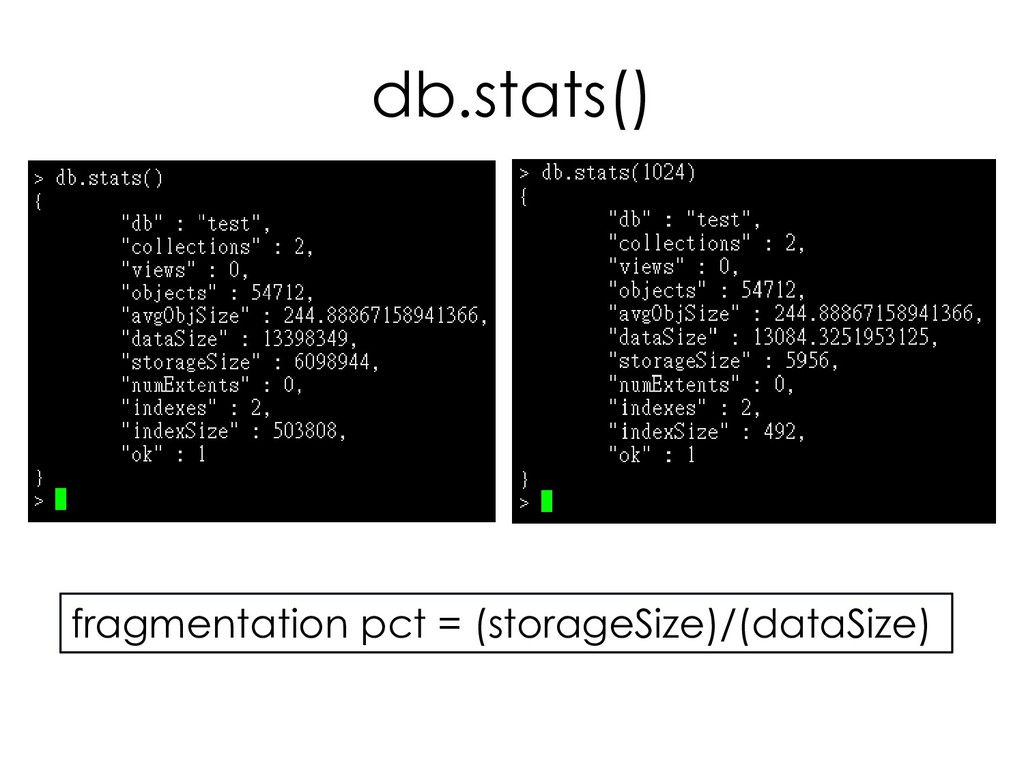
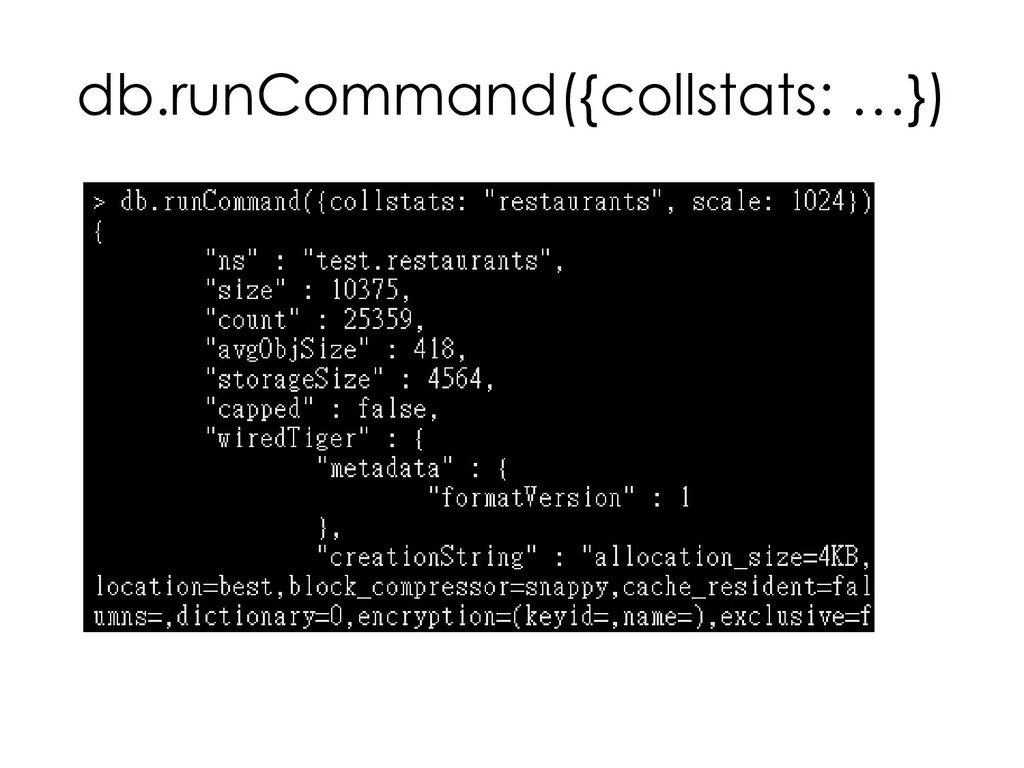
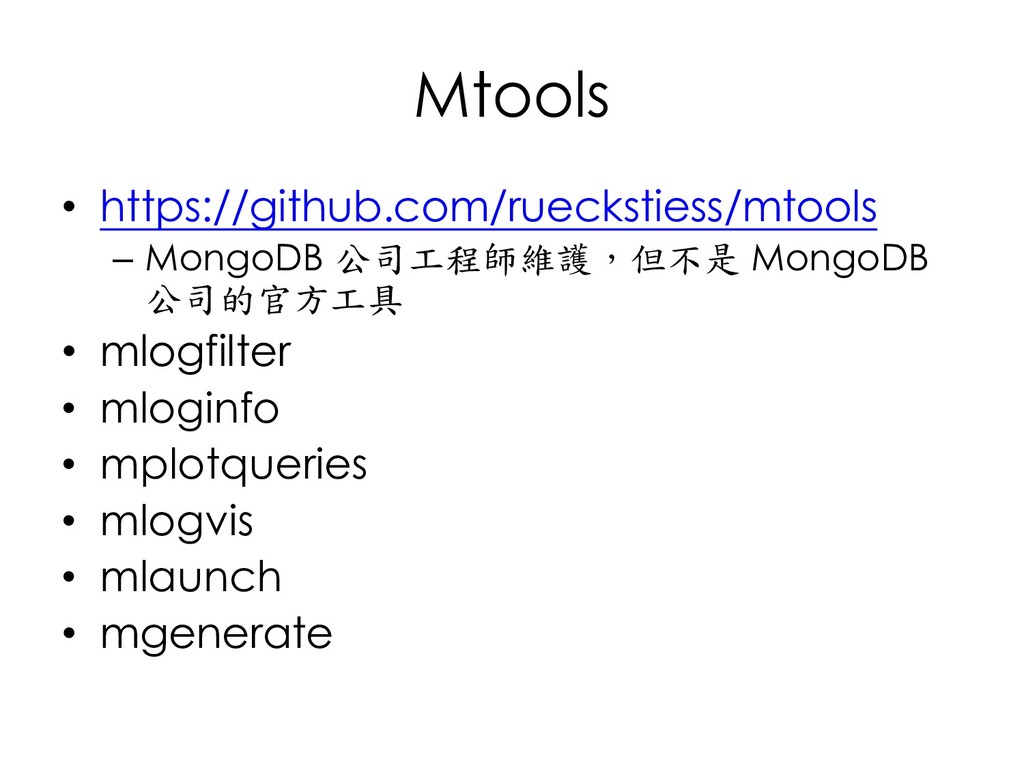
    mongoperf • serverStatus • replSetGetStatus • dbStats • collStats • Mtools
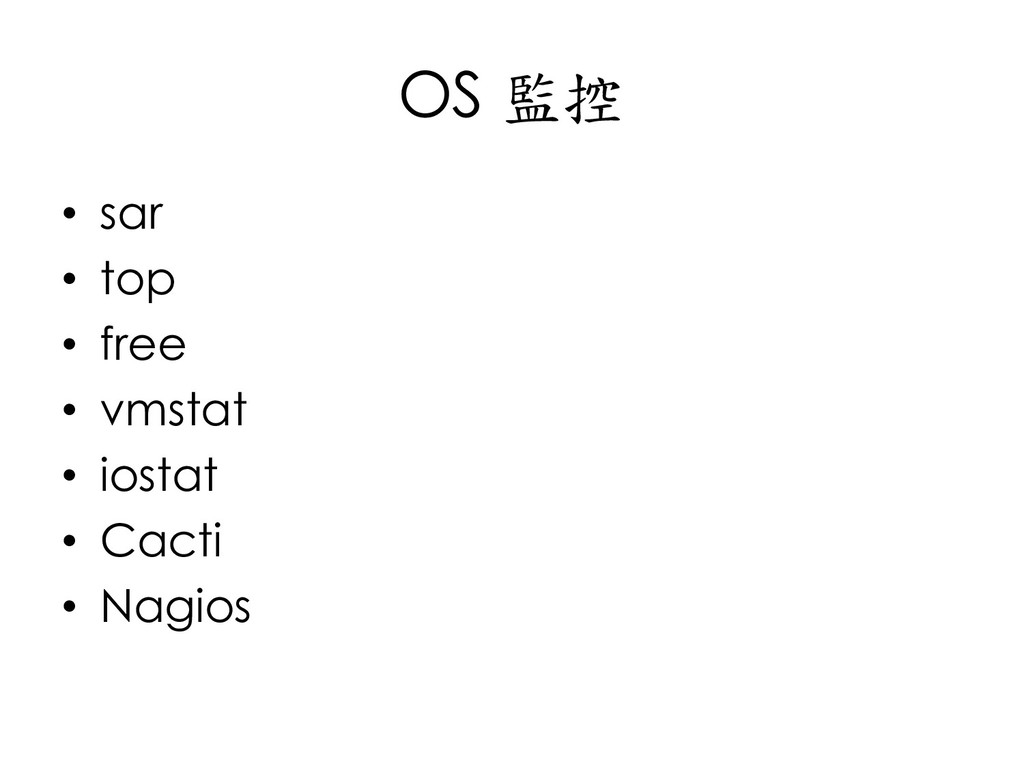
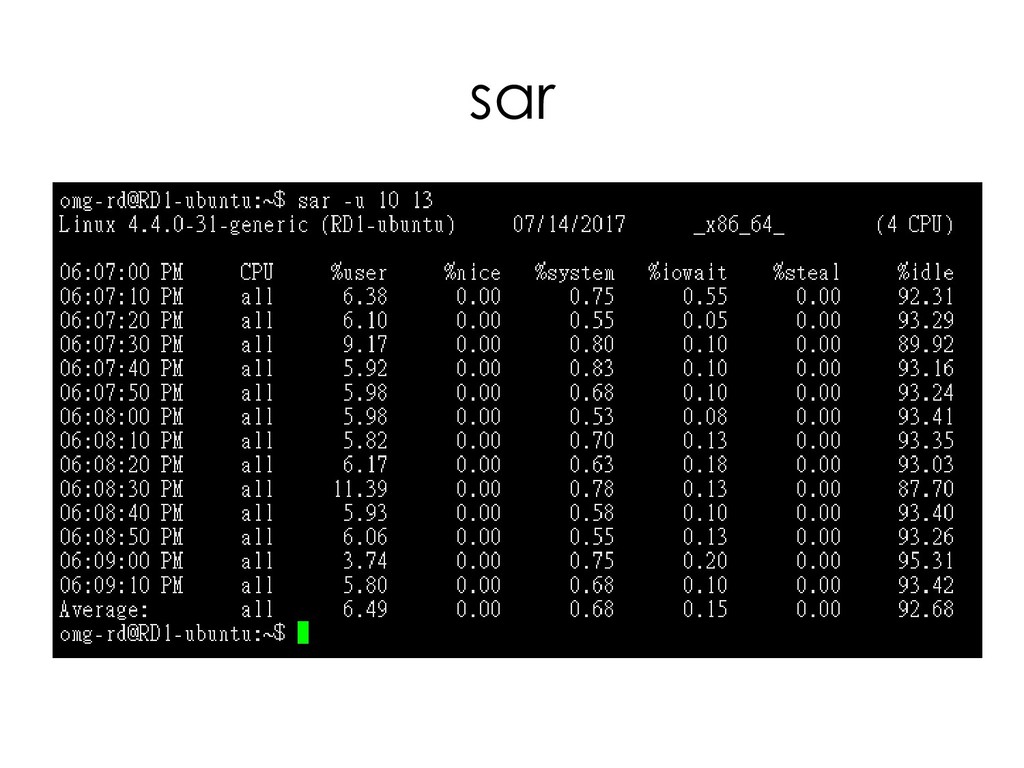
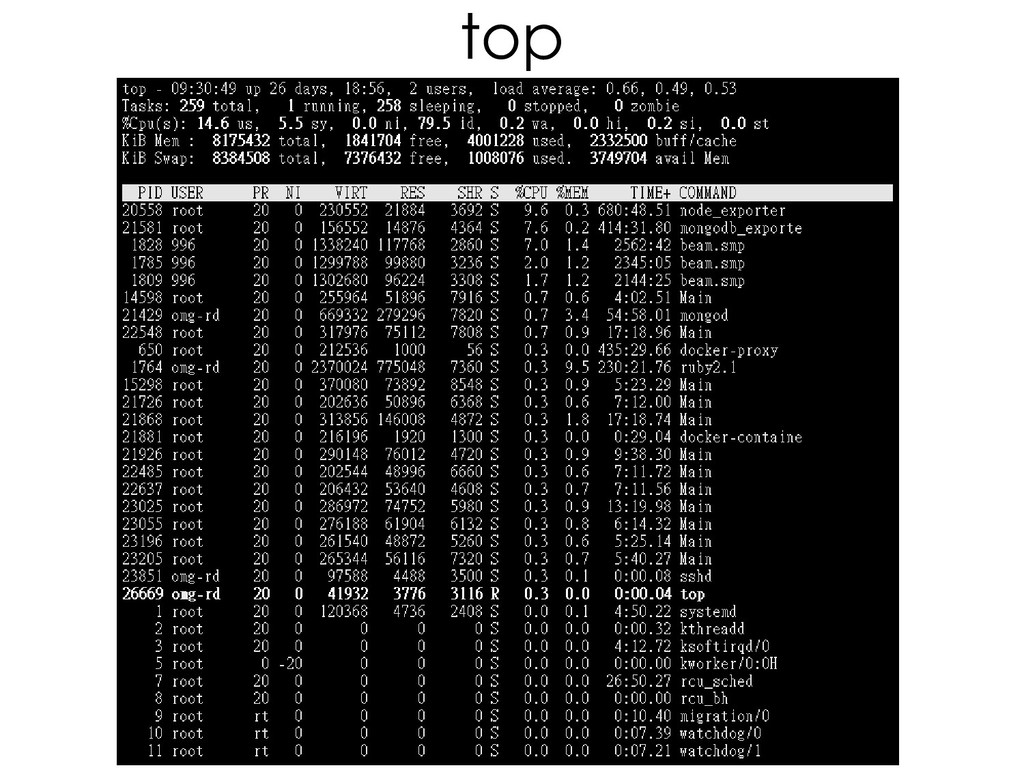
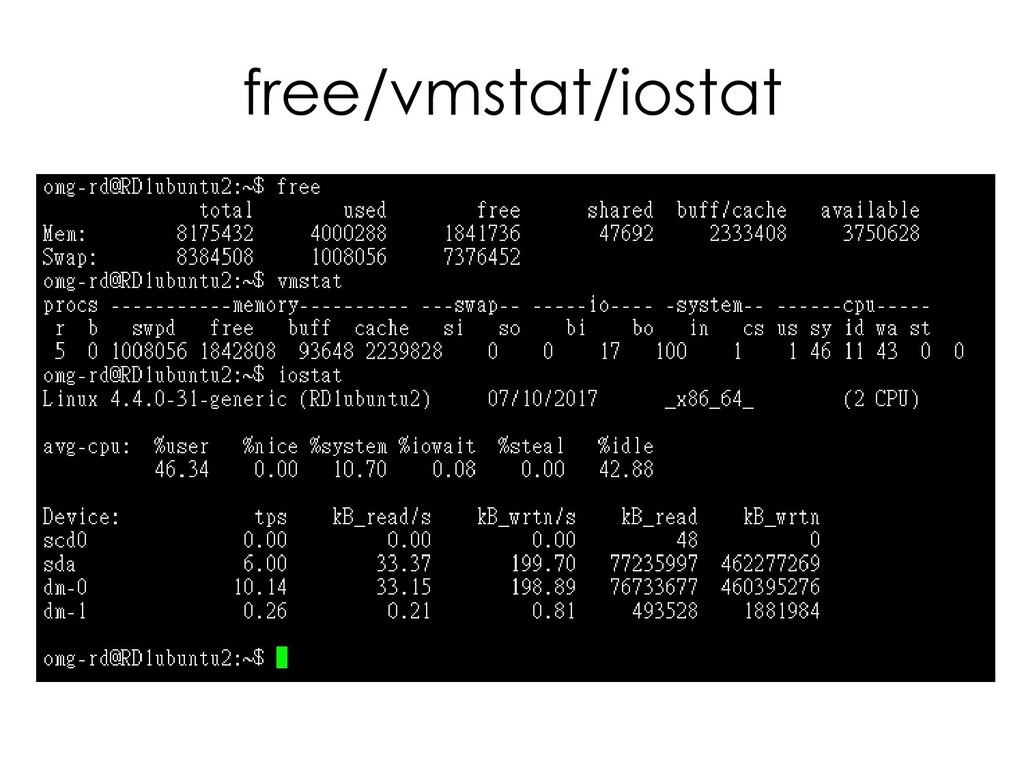
  189. OS 監控 • sar • top • free • vmstat
    • iostat • Cacti • Nagios
  190. sar

  191. top

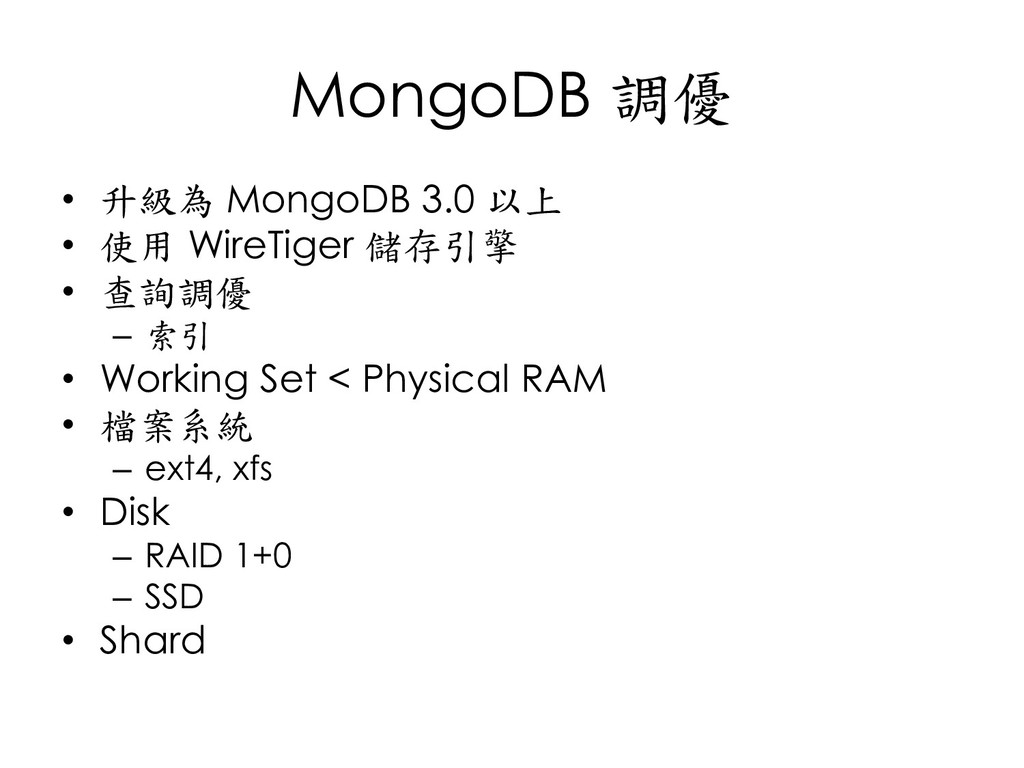
  192. MongoDB 調優 • 升級為 MongoDB 3.0 以上 • 使用 WireTiger

    儲存引擎 • 查詢調優 – 索引 • Working Set < Physical RAM • 檔案系統 – ext4, xfs • Disk – RAID 1+0 – SSD • Shard
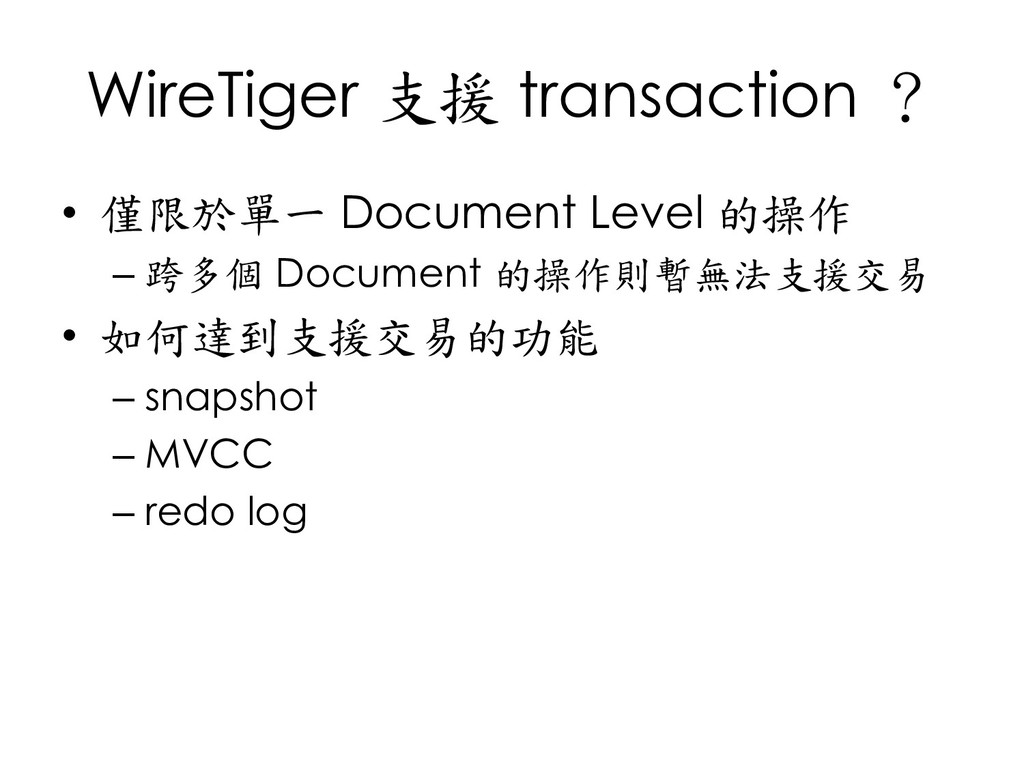
  193. WireTiger 支援 transaction ? • 僅限於單一 Document Level 的操作 –

    跨多個 Document 的操作則暫無法支援交易 • 如何達到支援交易的功能 – snapshot – MVCC – redo log
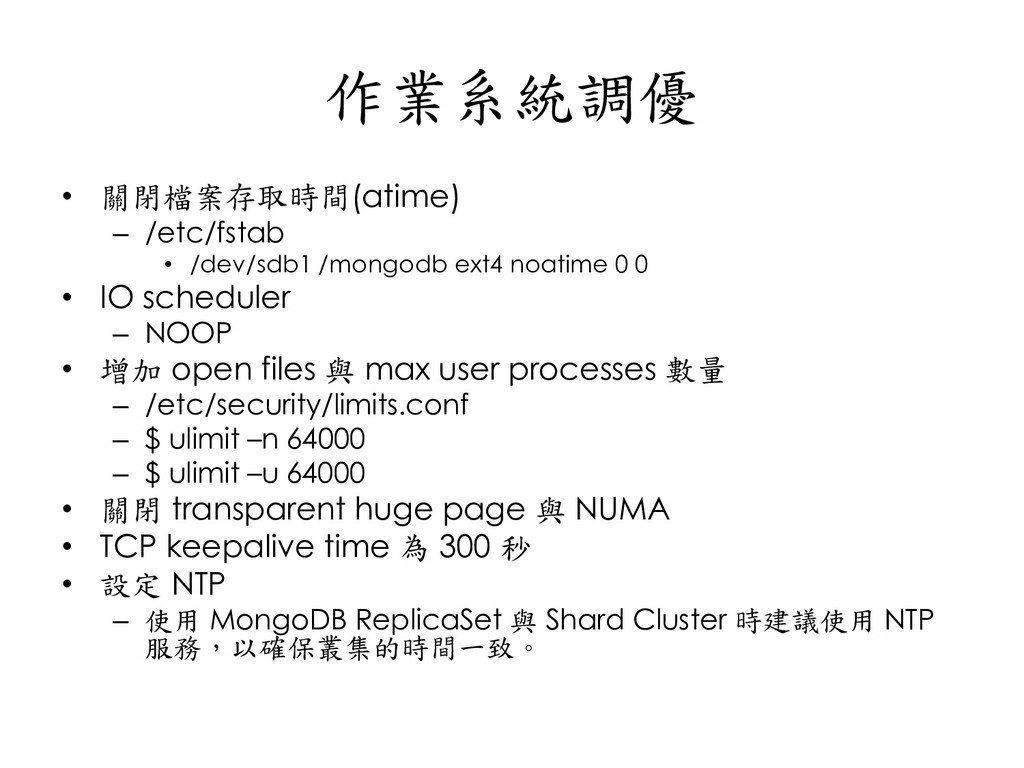
  194. 作業系統調優 • 關閉檔案存取時間(atime) – /etc/fstab • /dev/sdb1 /mongodb ext4 noatime

    0 0 • IO scheduler – NOOP • 增加 open files 與 max user processes 數量 – /etc/security/limits.conf – $ ulimit –n 64000 – $ ulimit –u 64000 • 關閉 transparent huge page 與 NUMA • TCP keepalive time 為 300 秒 • 設定 NTP – 使用 MongoDB ReplicaSet 與 Shard Cluster 時建議使用 NTP 服務,以確保叢集的時間一致。
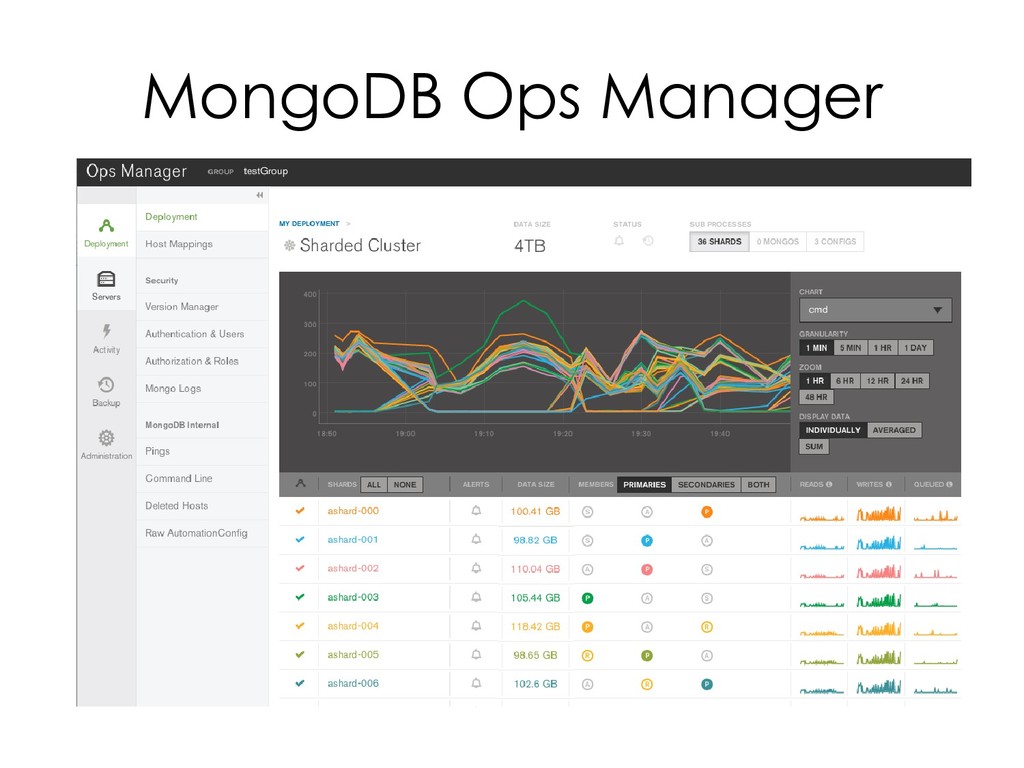
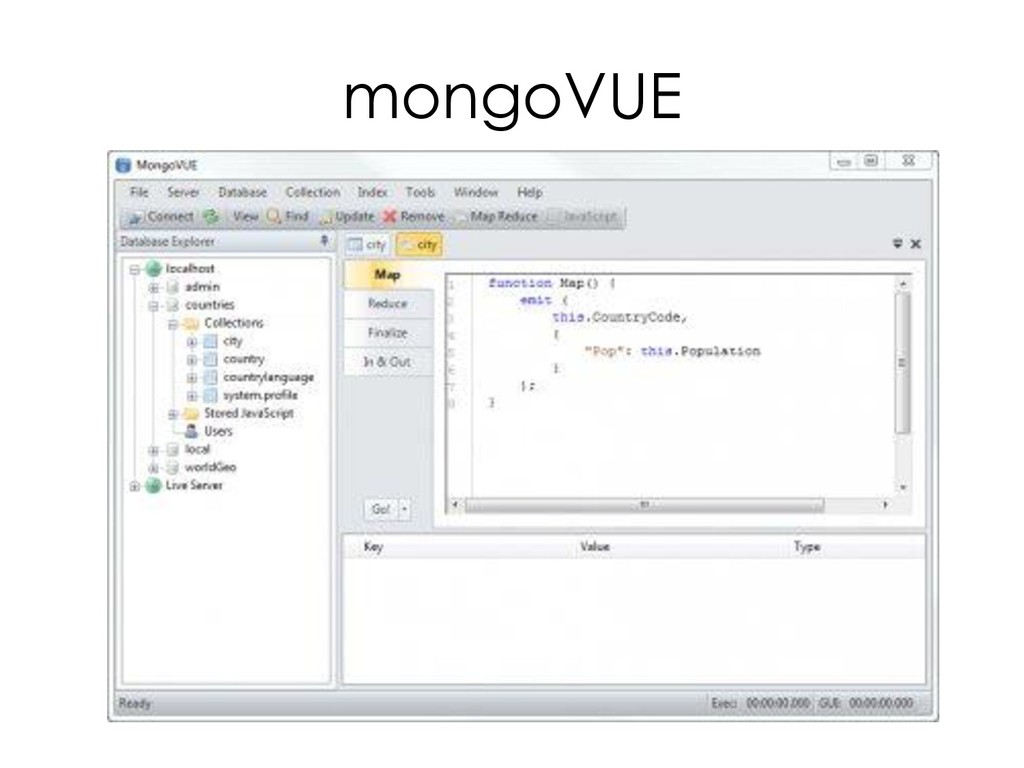
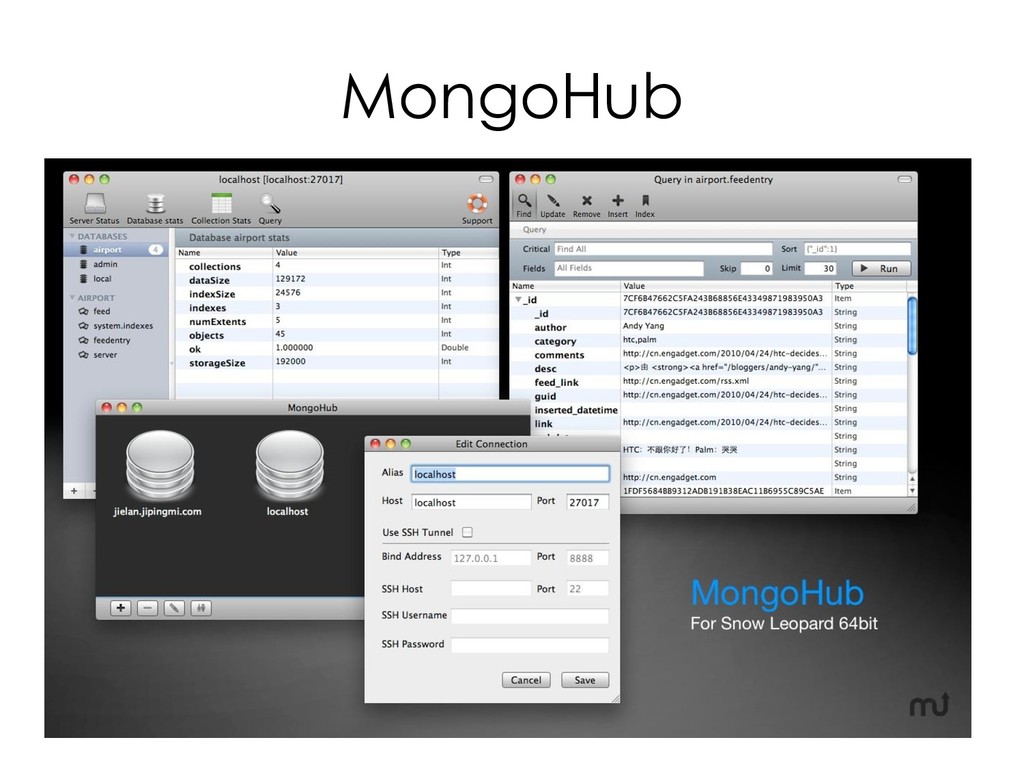
  195. 圖形化管理介面 • Ops Manager – http://www.mongodb.com – MongoDB 官方支援的企業版功能 –

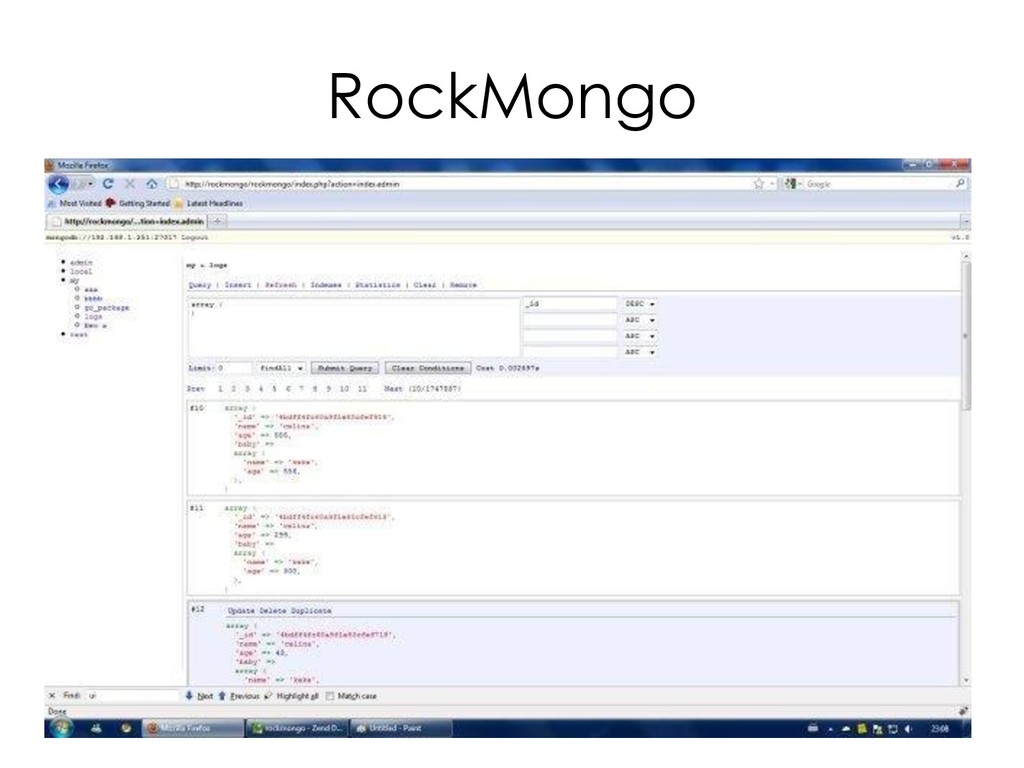
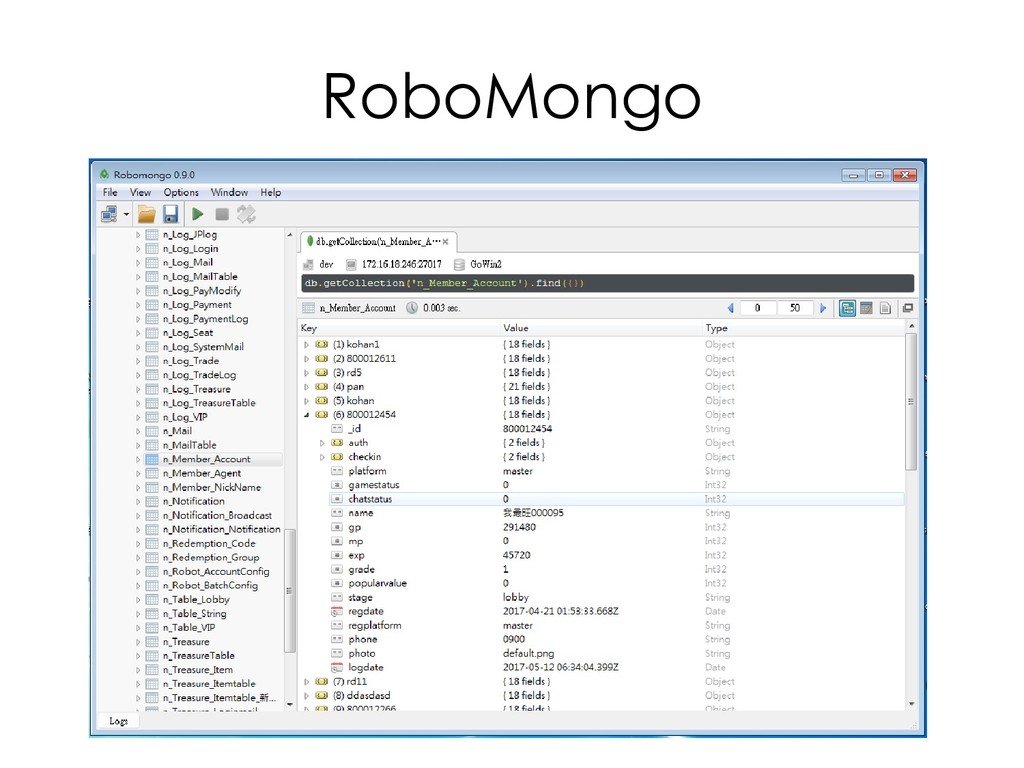
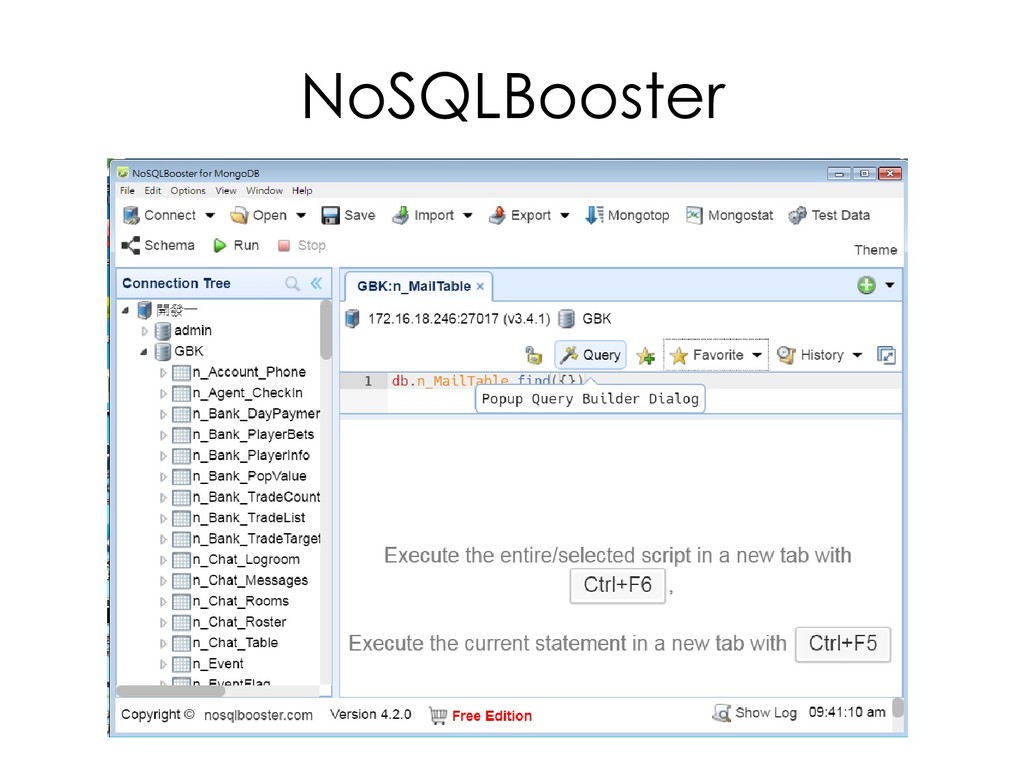
    Linux/Windows 2008 • MongoVUE – http://www.mongovue.com – 免費版與企業版 – Windows • MongoHub – https://gihub.com/jeromelebel/MongoHub-Mac – OSX – SSH tunnel 連線 • RockMongo – http://rockmongo.com/ – 開放原始碼(PHP) – HTML based • RoboMongo – https://robomongo.org – Linux/Windows/OSX • NoSQLBooster – https://nosqlbooster.com/ – Linux/Windows/OSX • Percona Monitoring & Management (PMM) – https://www.percona.com/softw are/database-tools/percona- monitoring-and-management – Linux/Windows
  196. RAM • 夠大就好 – MMAPv1 無法限制記憶體大小,而且將盡其所能地 使用所有記憶體。 – 但其他應用程式需要記憶體時,MMAPv1 將會讓出

    部分記憶體,此部分交由 OS 記憶體管理機制管理。 – WireTiger 可以使用 cacheSizeGB 限制所使用的記 憶體大小。 • RAM > Workingset – Working Set • 在正常情況下,經常被存取的 documents 與 indexes 總和大小。 – > db.runCommand({ serverStatus: 1}) – > db.serverStatus()
  197. Storage • RAID 10 • Btrfs、Ext4 或 XFS • IOPS(IO

    per second) • Random Disk Access • 將 datafile/journal log/log 分開放置在不 同磁碟機上