Upgrade to Pro — share decks privately, control downloads, hide ads and more …

Elevating OAuth Security

Avatar for Charles Rea Charles Rea
April 26, 2024
38

Elevating OAuth Security

Avatar for Charles Rea

Charles Rea

April 26, 2024

Transcript

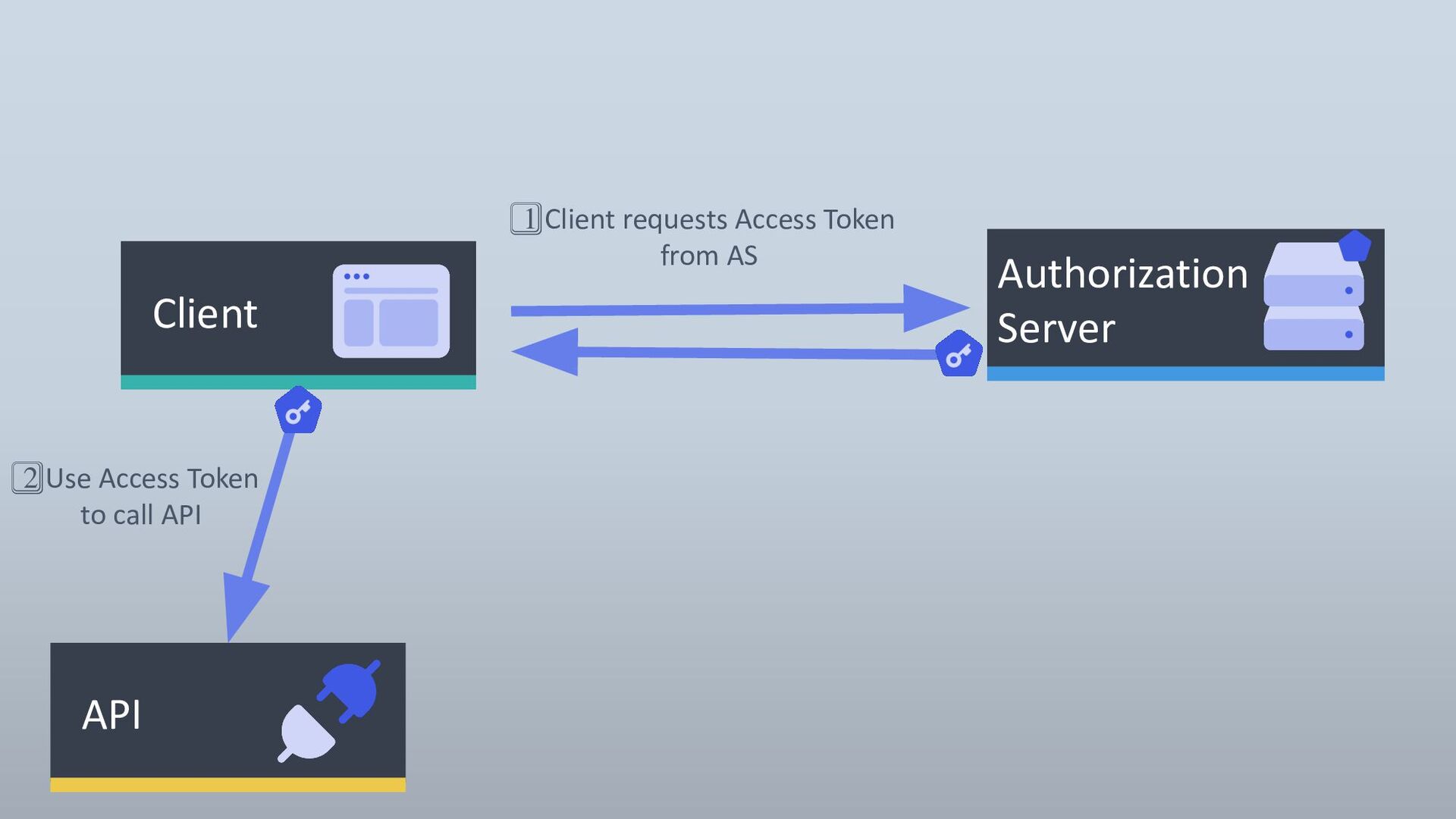
  1. API 2⃣ Use Access Token to call API Client Authorization

    Server 1⃣ Client requests Access Token from AS
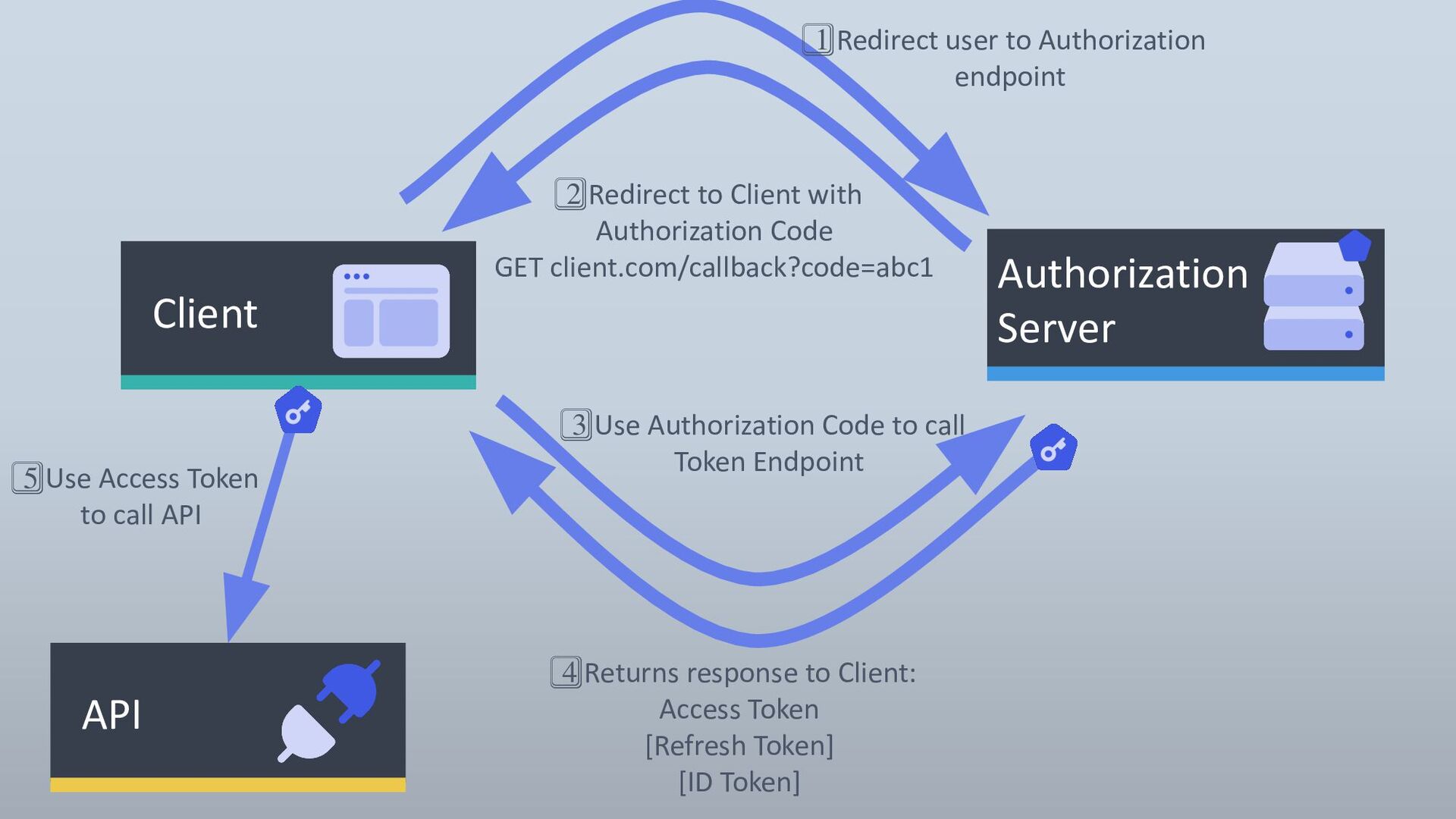
  2. API 5⃣ Use Access Token to call API Client Authorization

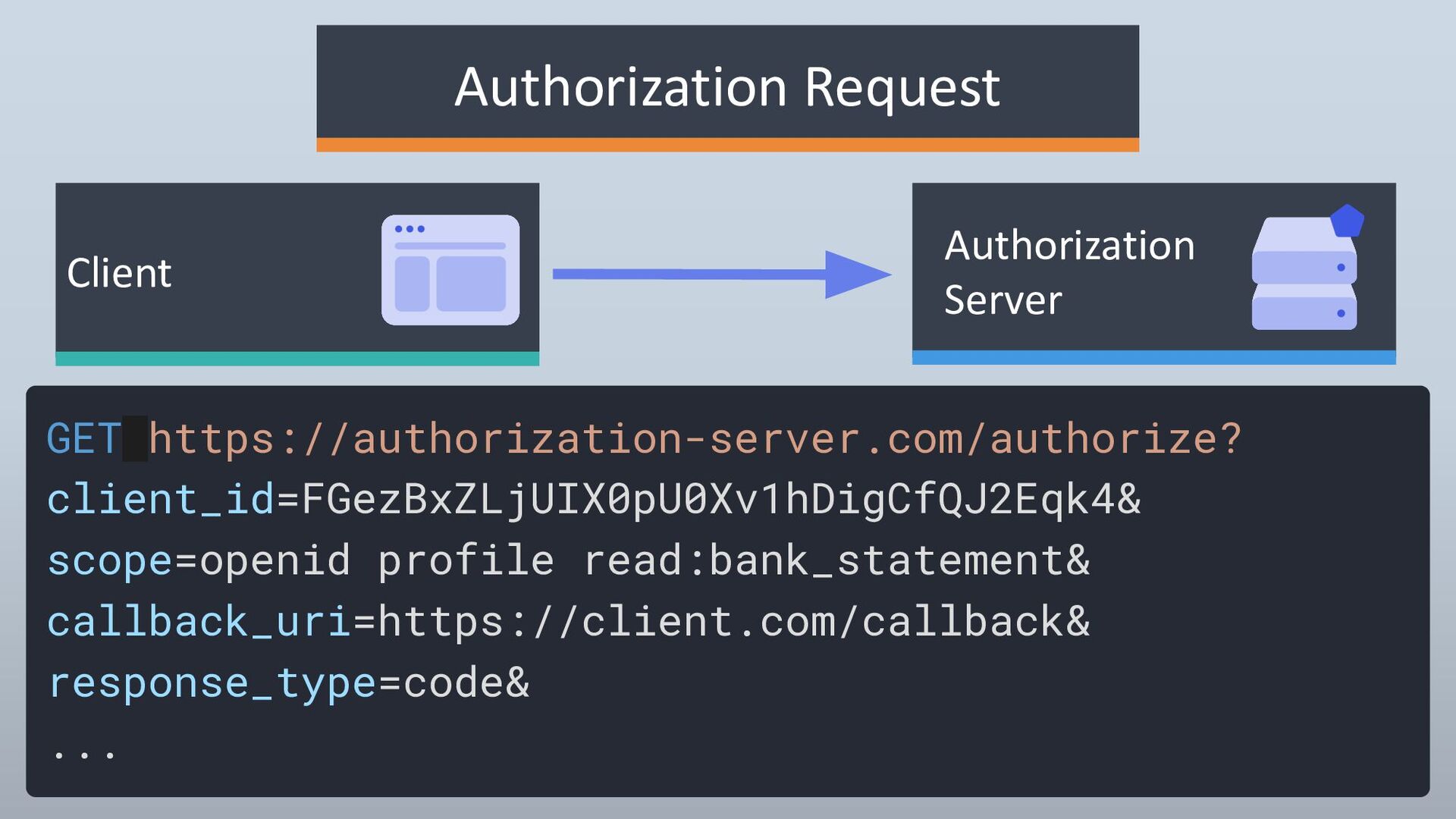
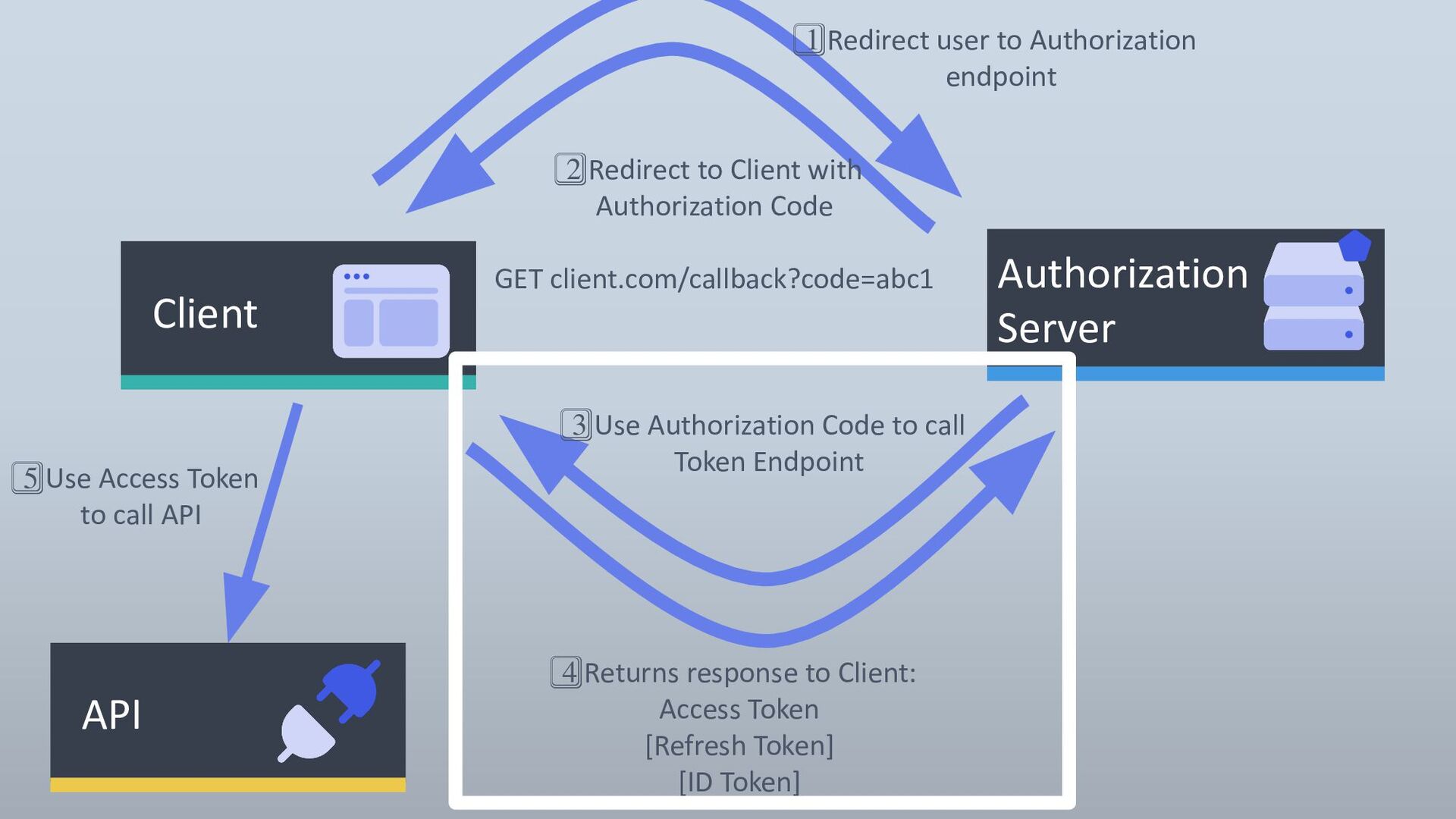
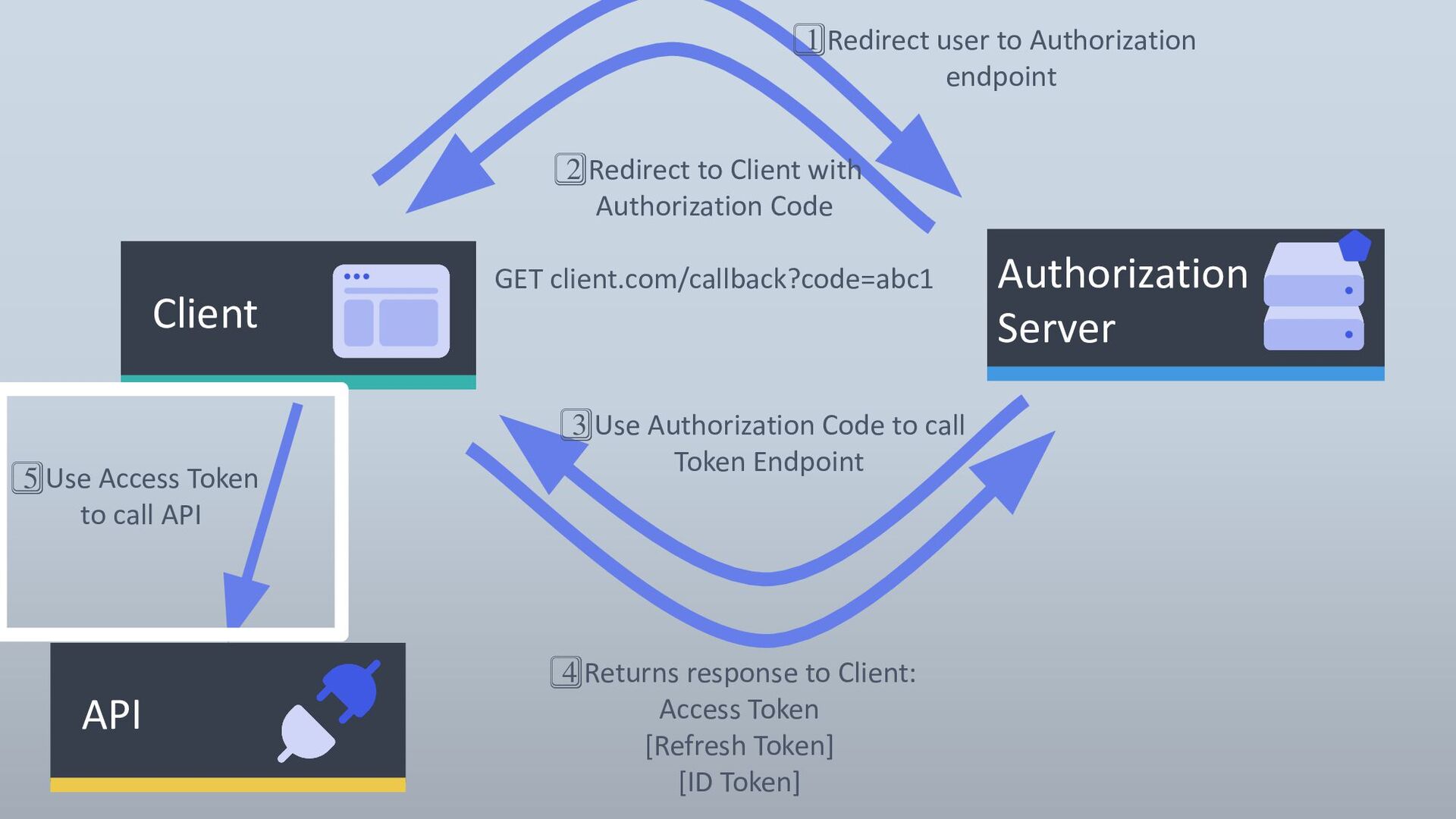
    Server 1⃣ Redirect user to Authorization endpoint 2⃣ Redirect to Client with Authorization Code GET client.com/callback?code=abc1 3⃣ Use Authorization Code to call Token Endpoint 4⃣ Returns response to Client: Access Token [Refresh Token] [ID Token]
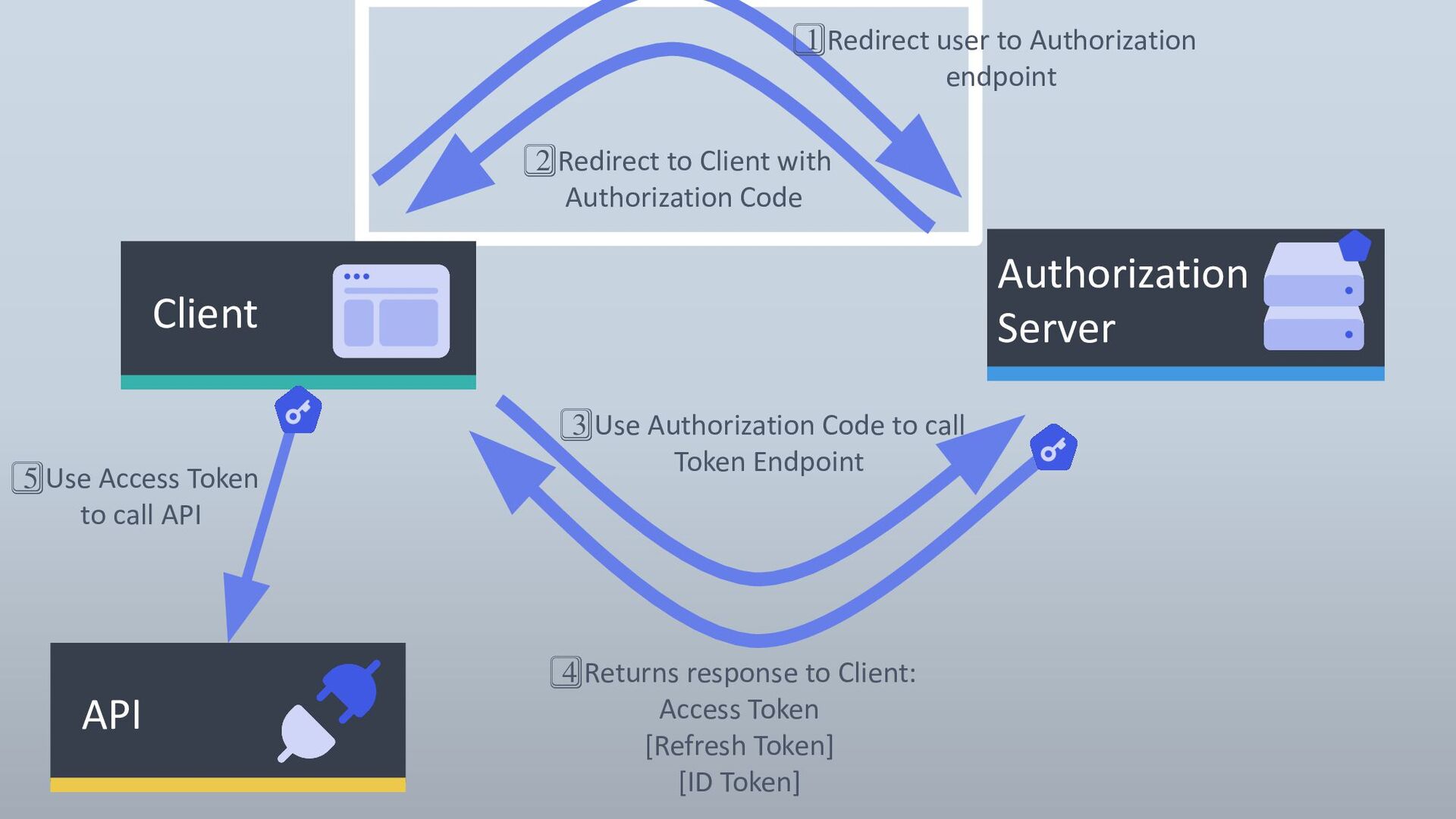
  3. API 5⃣ Use Access Token to call API Client Authorization

    Server 1⃣ Redirect user to Authorization endpoint 2⃣ Redirect to Client with Authorization Code 3⃣ Use Authorization Code to call Token Endpoint 4⃣ Returns response to Client: Access Token [Refresh Token] [ID Token]
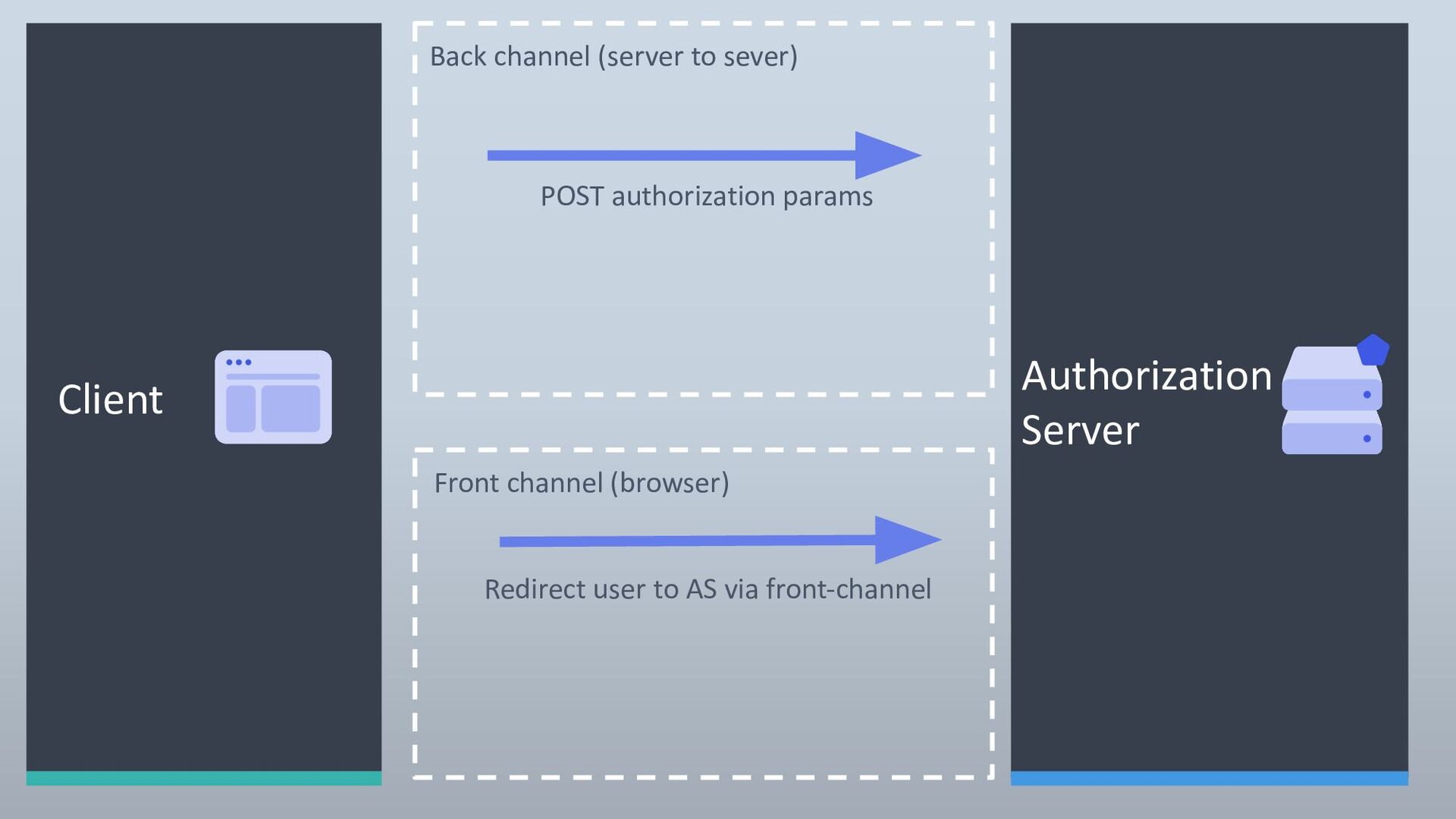
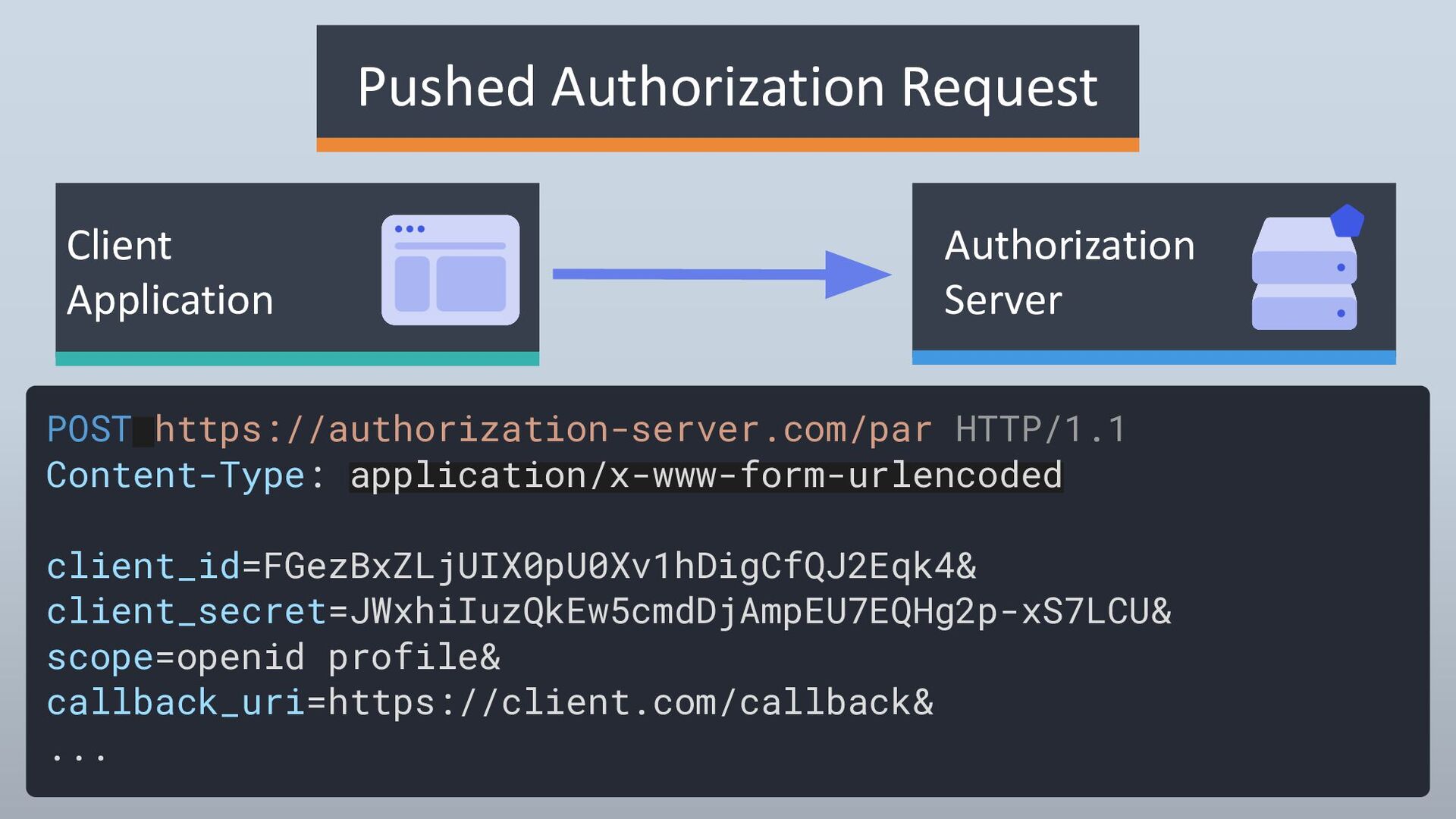
  4. Authorization Server POST authorization params Back channel (server to sever)

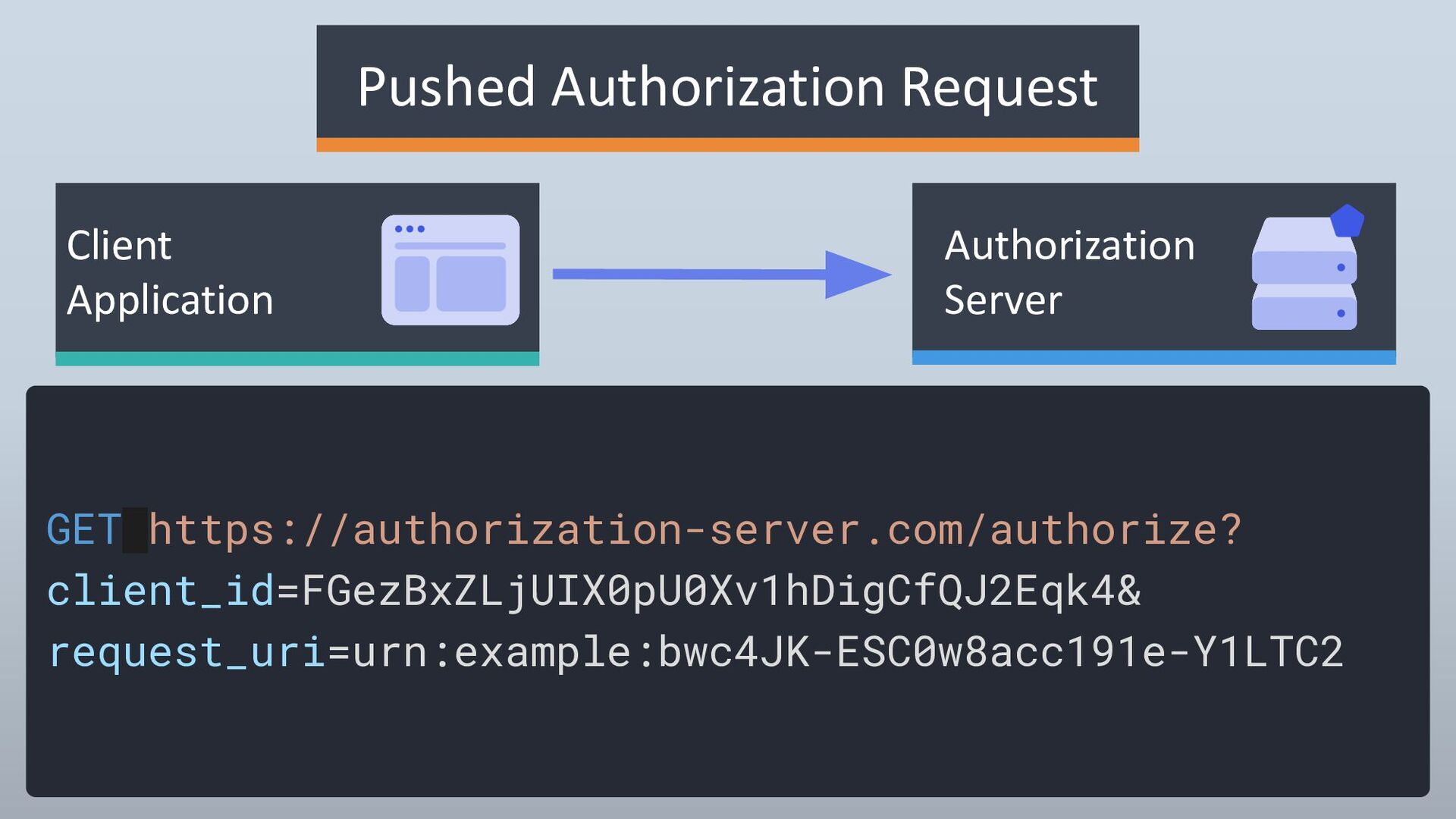
    Front channel (browser) Client Redirect user to AS via front-channel
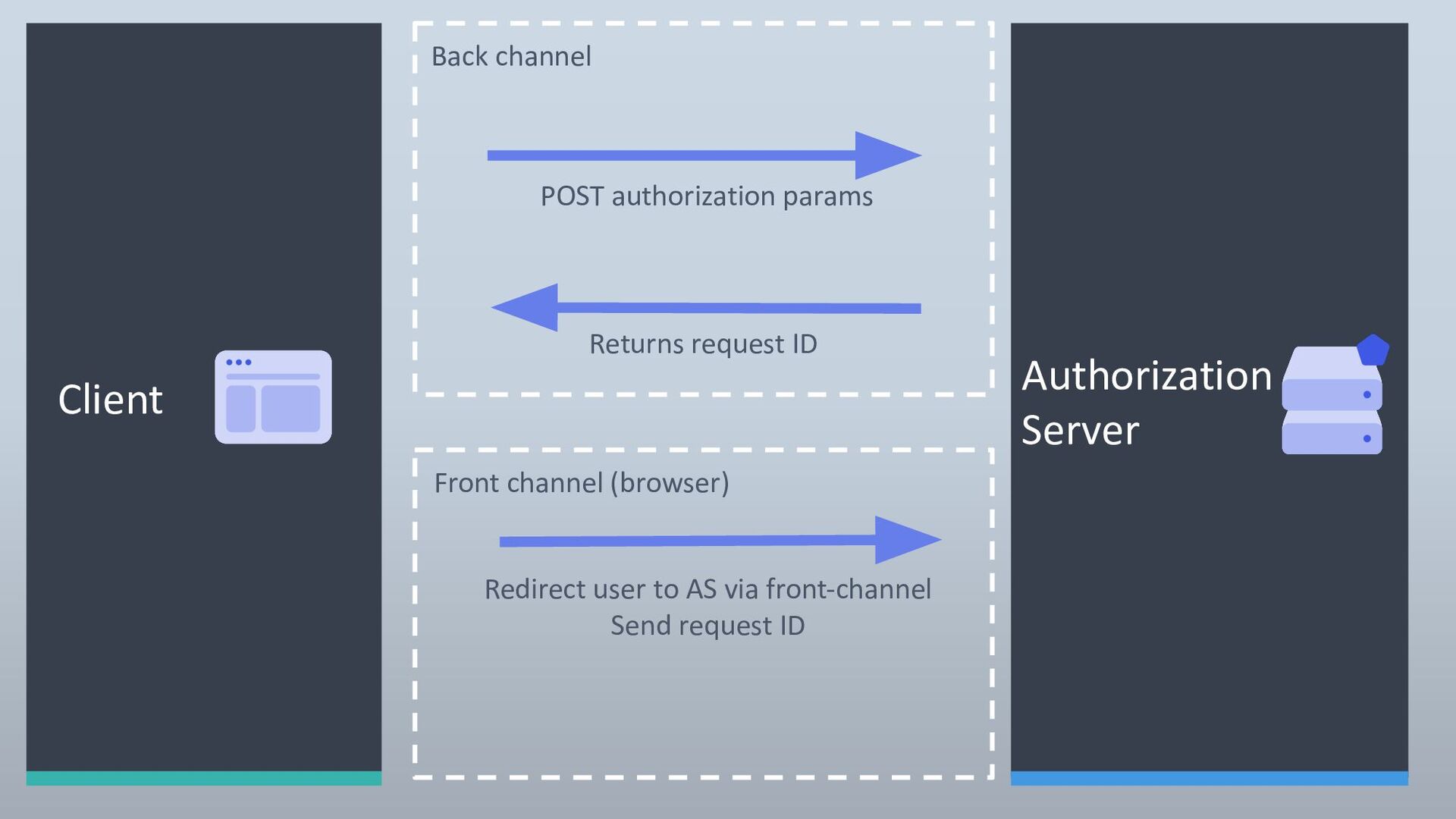
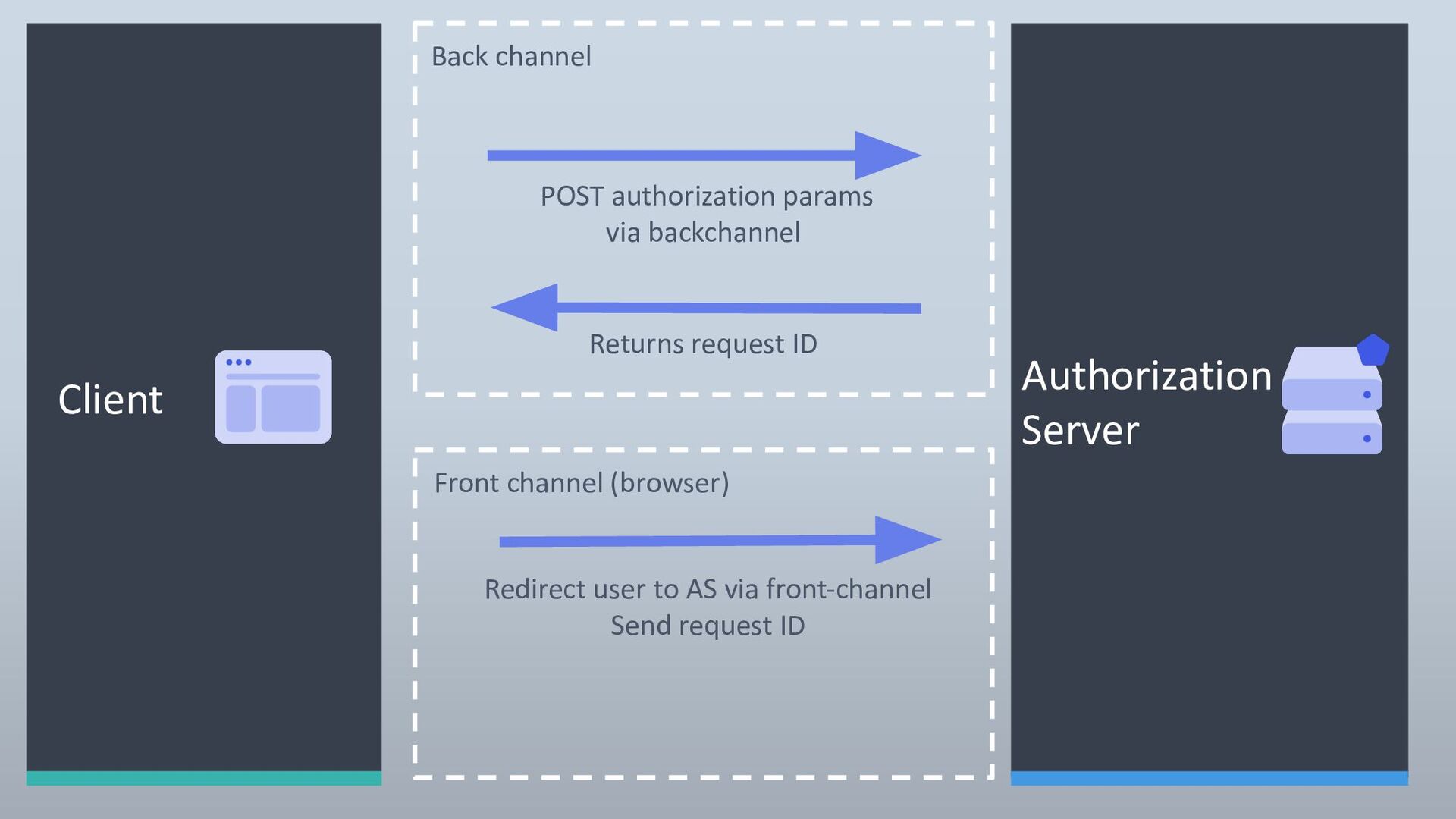
  5. POST authorization params Redirect user to AS via front-channel Send

    request ID Back channel Front channel (browser) Returns request ID Client Authorization Server
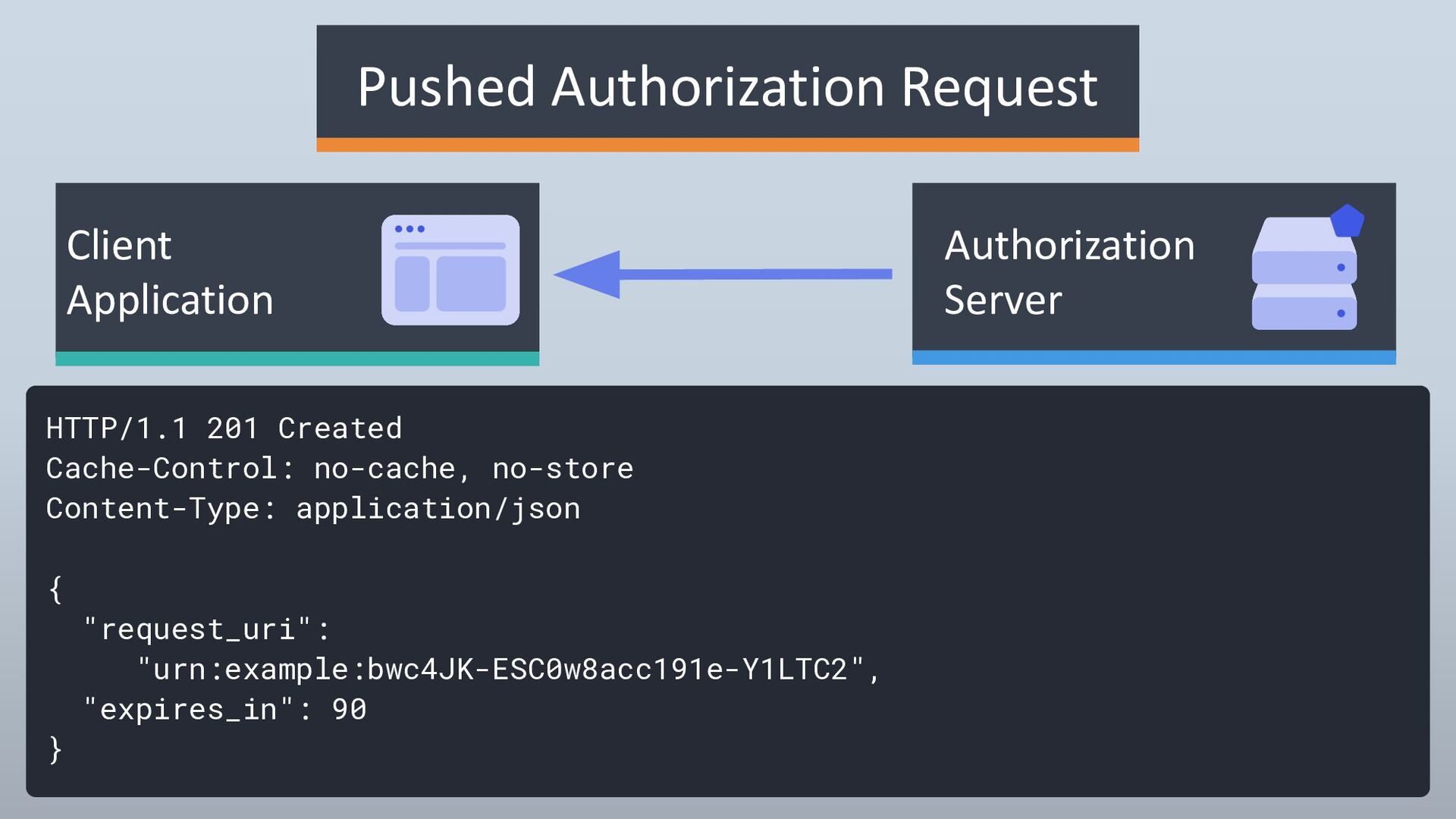
  6. HTTP/1.1 201 Created Cache-Control: no-cache, no-store Content-Type: application/json { "request_uri":

    "urn:example:bwc4JK-ESC0w8acc191e-Y1LTC2", "expires_in": 90 } Authorization Server Client Application Pushed Authorization Request
  7. POST authorization params via backchannel Redirect user to AS via

    front-channel Send request ID Back channel Front channel (browser) Returns request ID Client Authorization Server
  8. API 5⃣ Use Access Token to call API Client Authorization

    Server 1⃣ Redirect user to Authorization endpoint 2⃣ Redirect to Client with Authorization Code GET client.com/callback?code=abc1 3⃣ Use Authorization Code to call Token Endpoint 4⃣ Returns response to Client: Access Token [Refresh Token] [ID Token]
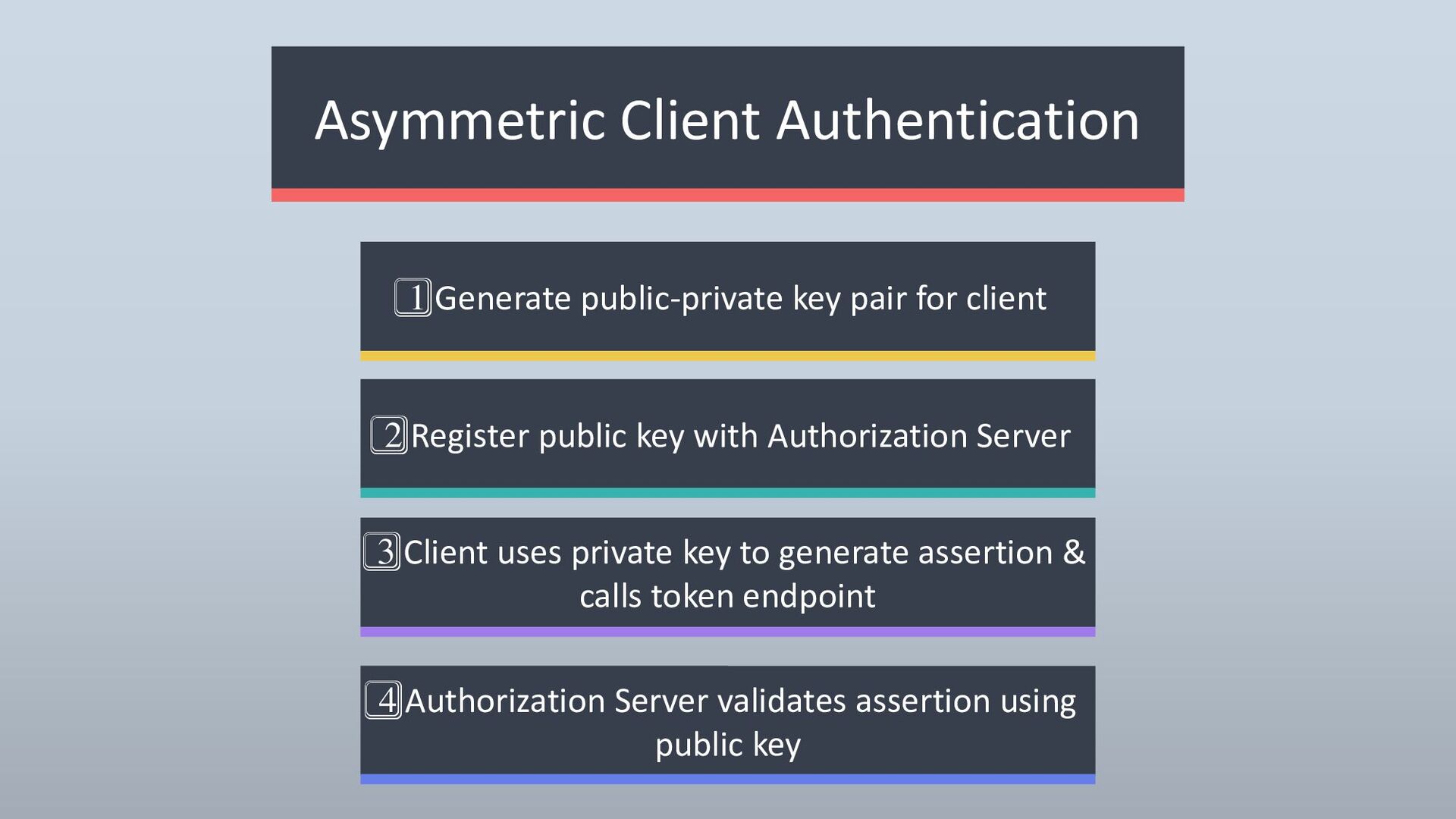
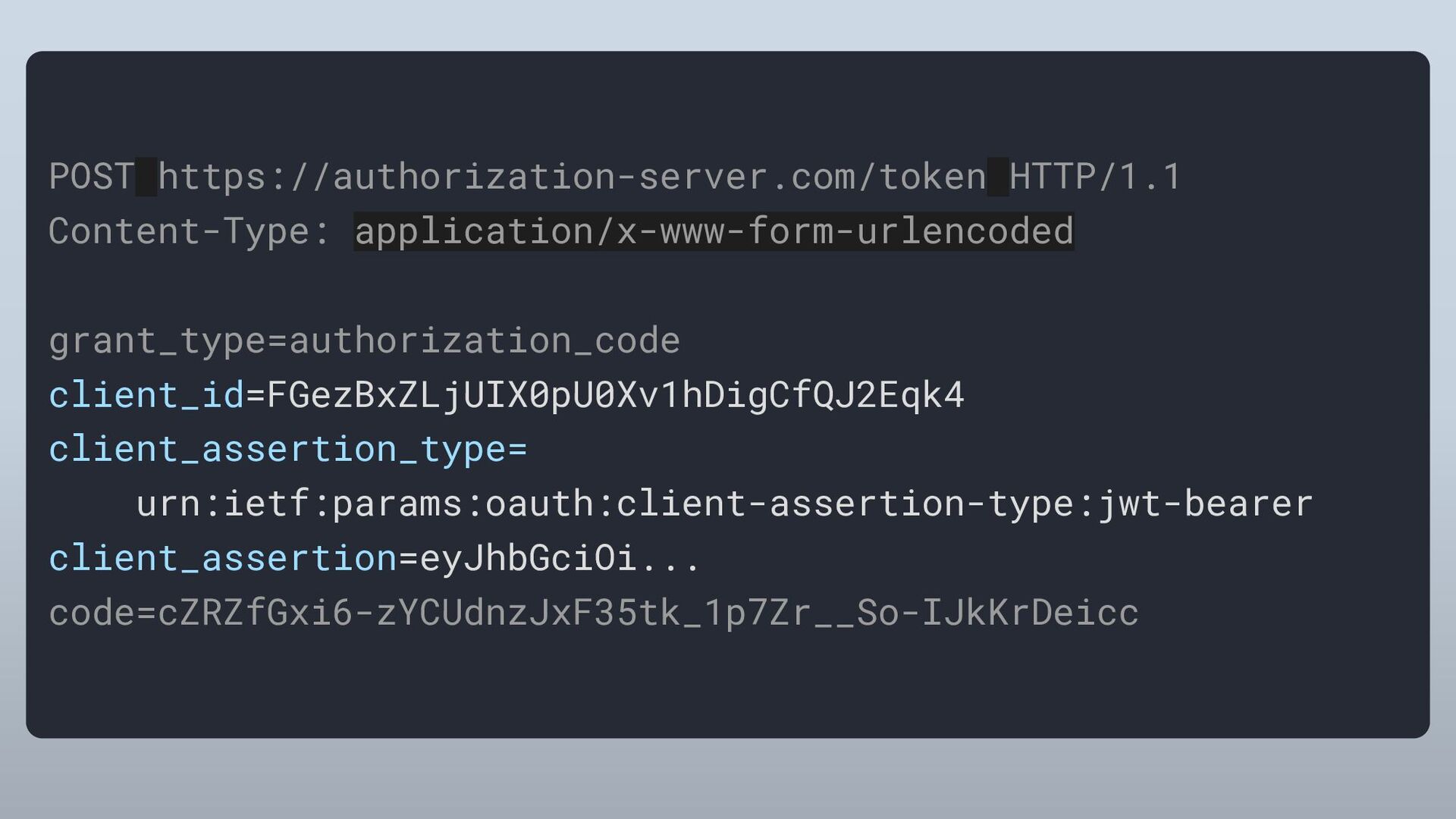
  9. Asymmetric Client Authentication 1⃣ Generate public-private key pair for client

    3⃣ Client uses private key to generate assertion & calls token endpoint 4⃣ Authorization Server validates assertion using public key 2⃣ Register public key with Authorization Server
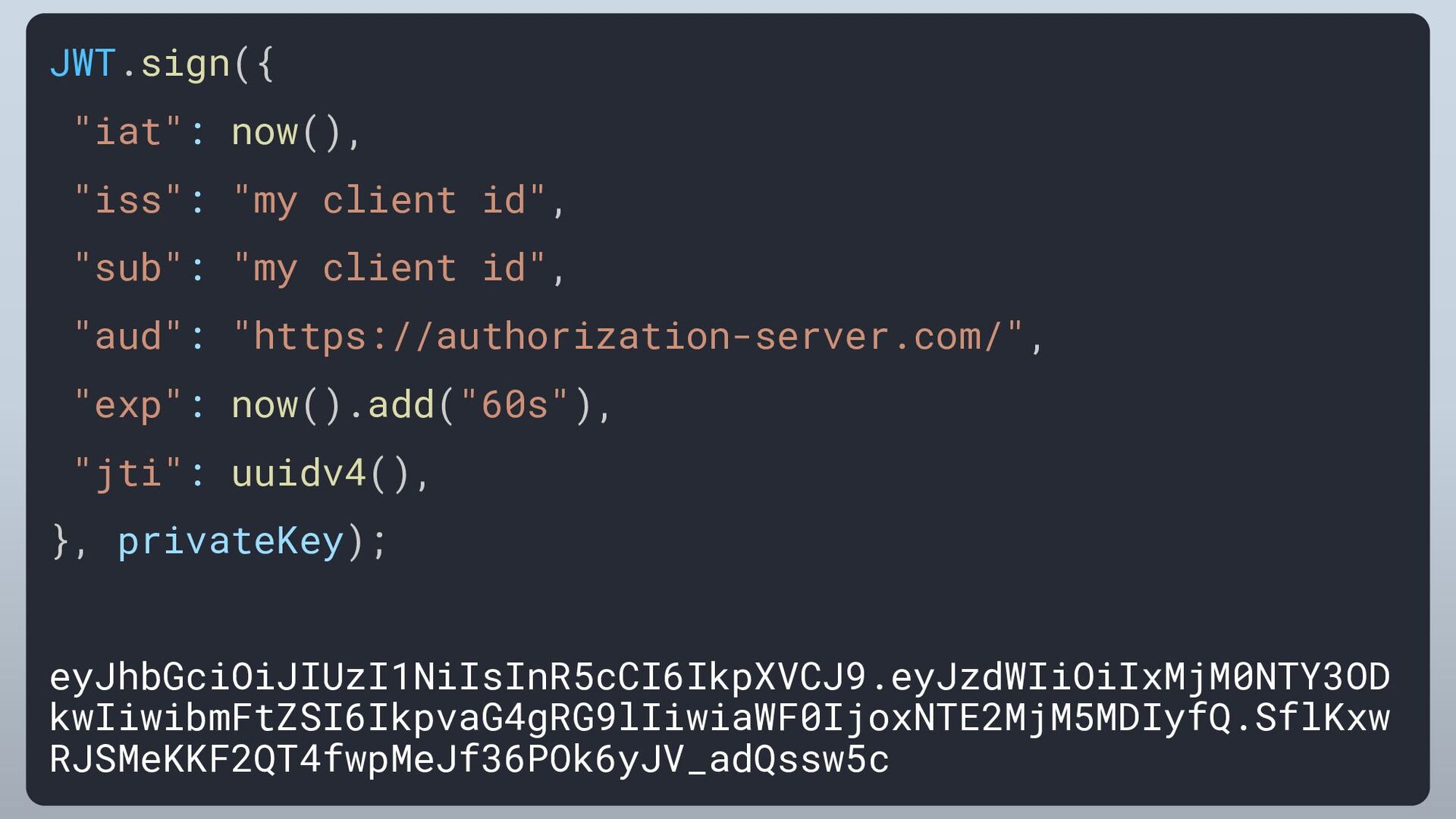
  10. JWT.sign({ "iat": now(), "iss": "my client id", "sub": "my client

    id", "aud": "https://authorization-server.com/", "exp": now().add("60s"), "jti": uuidv4(), }, privateKey); eyJhbGciOiJIUzI1NiIsInR5cCI6IkpXVCJ9.eyJzdWIiOiIxMjM0NTY3OD kwIiwibmFtZSI6IkpvaG4gRG9lIiwiaWF0IjoxNTE2MjM5MDIyfQ.SflKxw RJSMeKKF2QT4fwpMeJf36POk6yJV_adQssw5c
  11. API 5⃣ Use Access Token to call API Client Authorization

    Server 1⃣ Redirect user to Authorization endpoint 2⃣ Redirect to Client with Authorization Code GET client.com/callback?code=abc1 3⃣ Use Authorization Code to call Token Endpoint 4⃣ Returns response to Client: Access Token [Refresh Token] [ID Token]
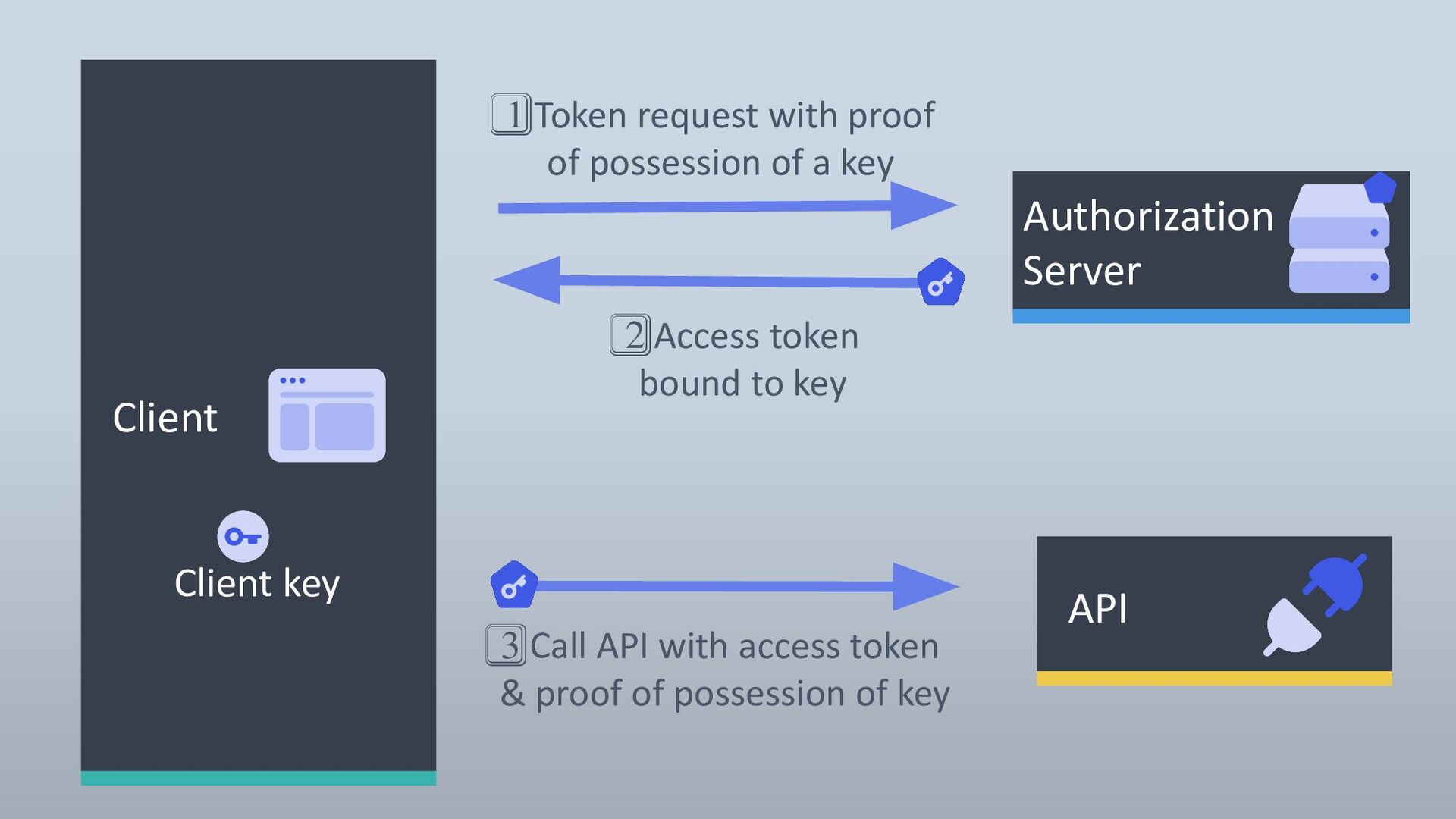
  12. 3⃣ Call API with access token & proof of possession

    of key API Client Authorization Server 1⃣ Token request with proof of possession of a key 2⃣ Access token bound to key Client key
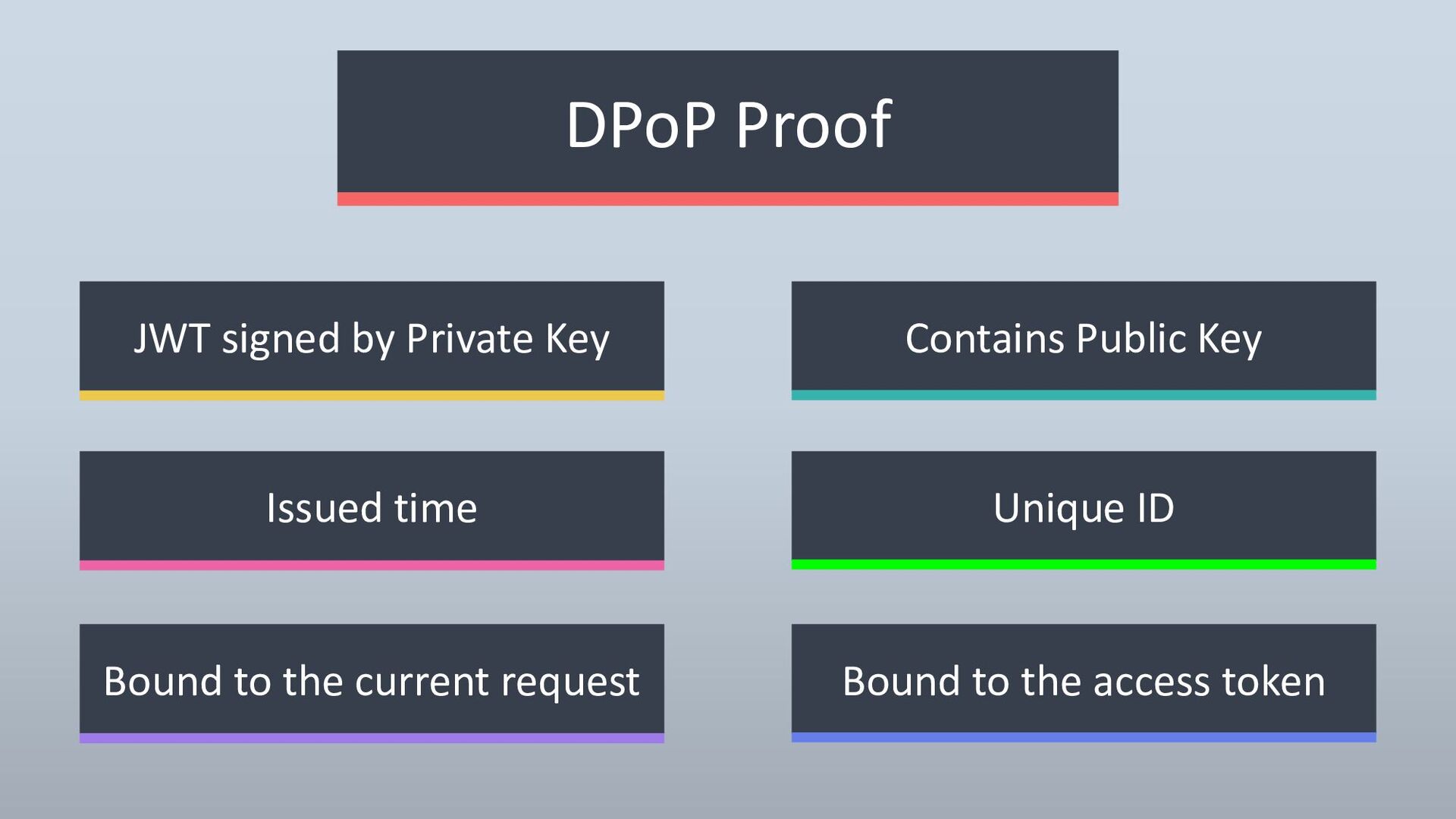
  13. DPoP Proof JWT signed by Private Key Bound to the

    current request Bound to the access token Contains Public Key Issued time Unique ID
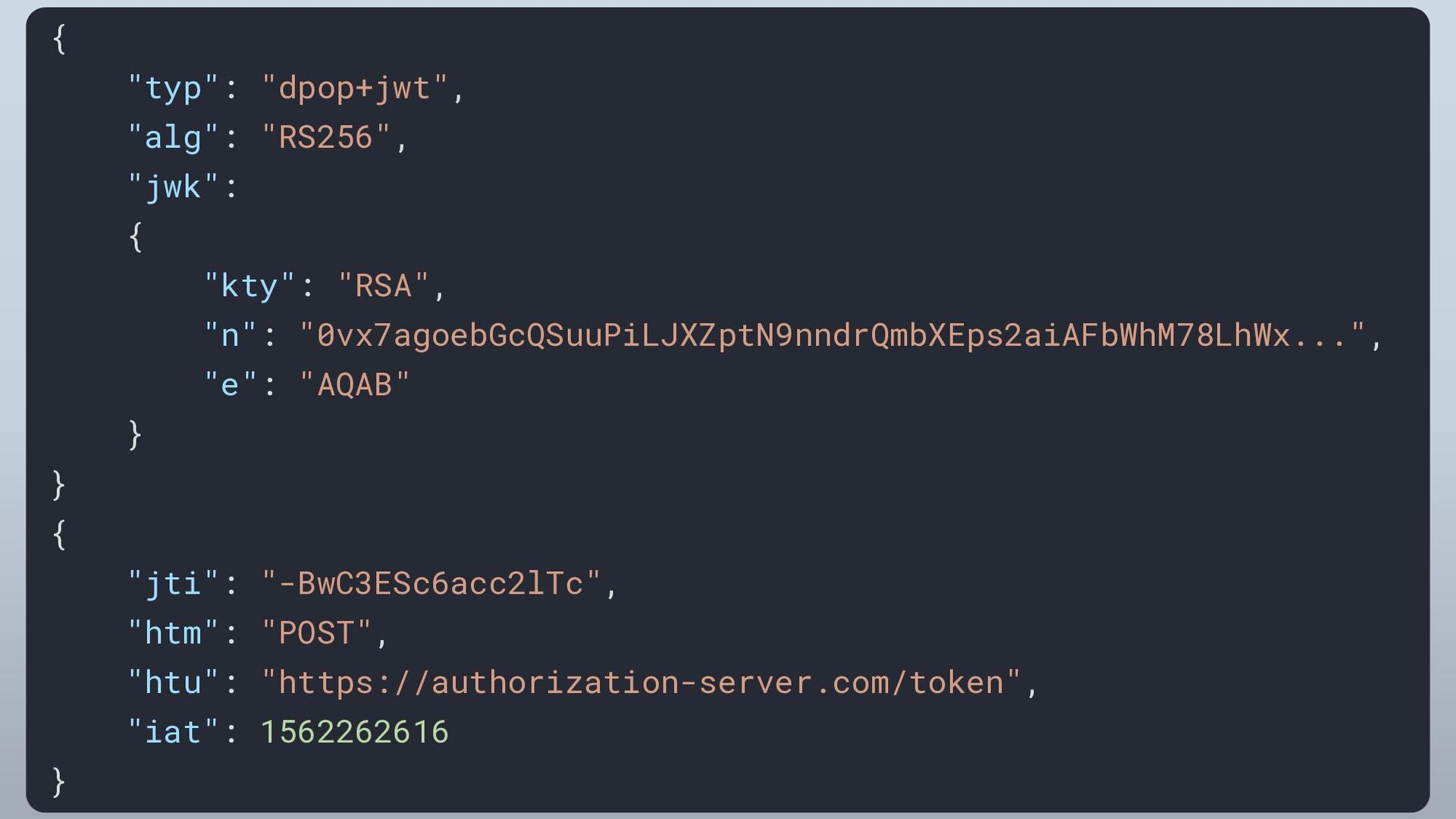
  14. { "typ": "dpop+jwt", "alg": "RS256", "jwk": { "kty": "RSA", "n":

    "0vx7agoebGcQSuuPiLJXZptN9nndrQmbXEps2aiAFbWhM78LhWx...", "e": "AQAB" } } { "jti": "-BwC3ESc6acc2lTc", "htm": "POST", "htu": "https://authorization-server.com/token", "iat": 1562262616 }
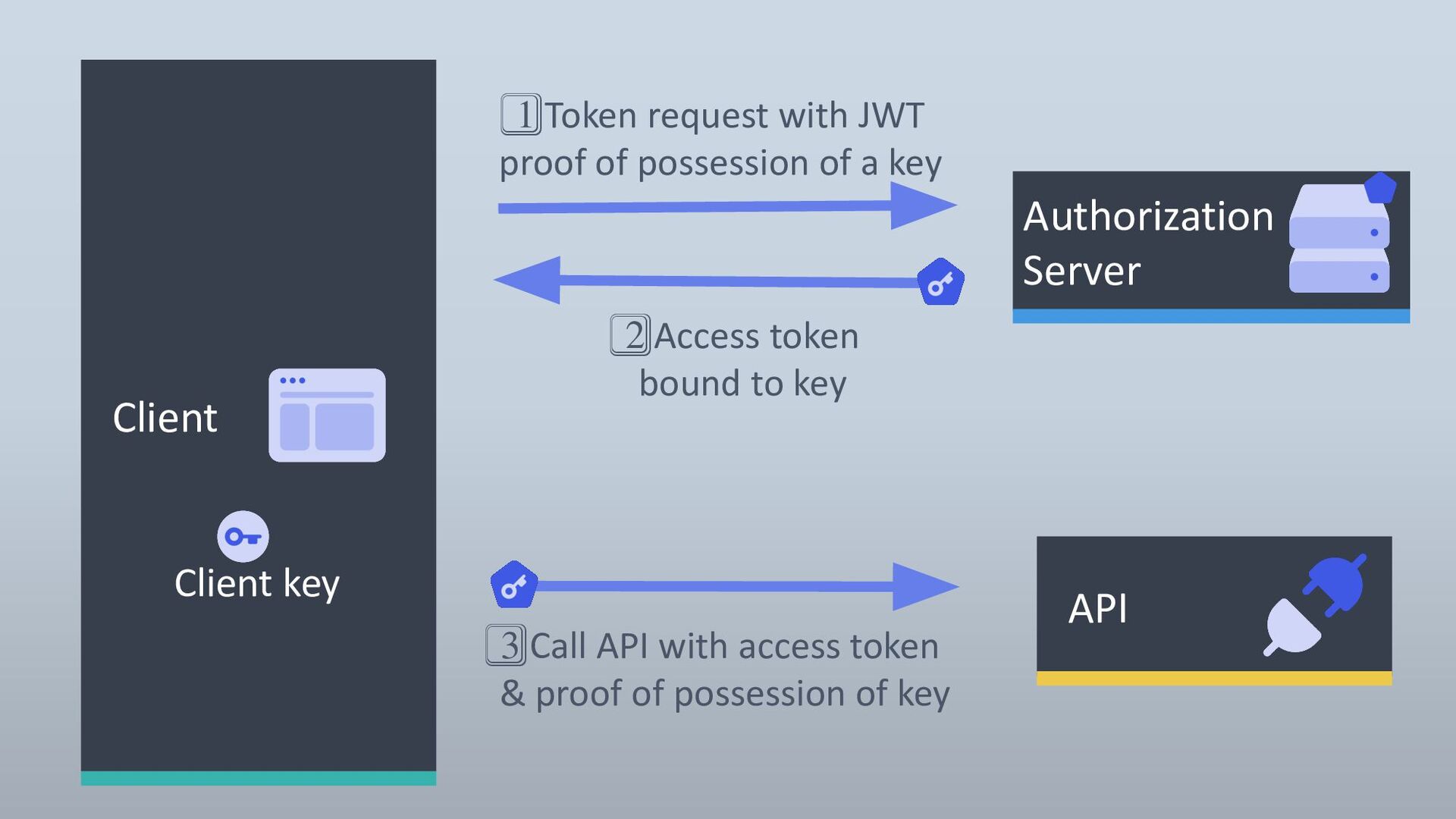
  15. 3⃣ Call API with access token & proof of possession

    of key API Client Authorization Server 1⃣ Token request with JWT proof of possession of a key 2⃣ Access token bound to key Client key
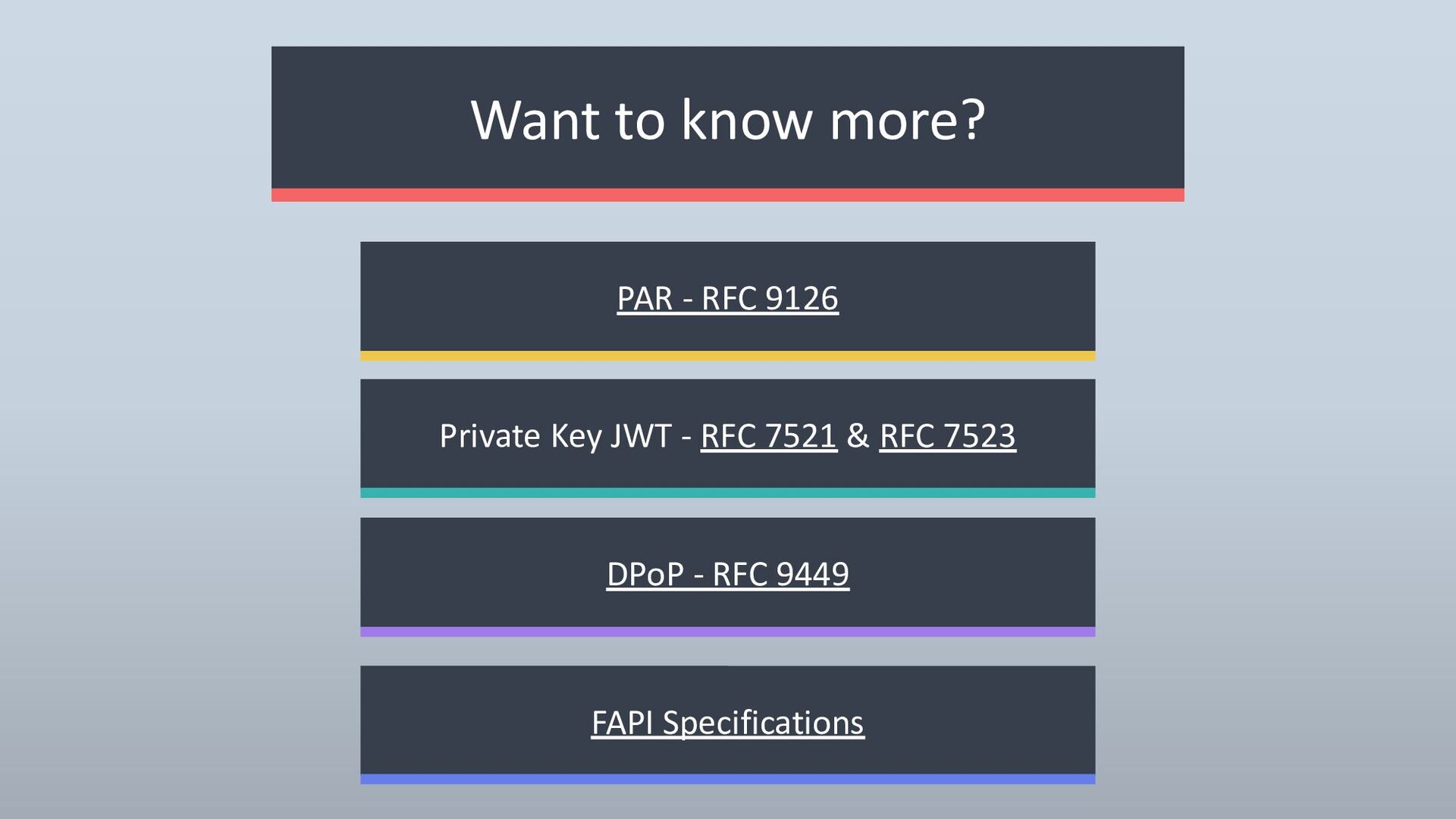
  16. Want to know more? PAR - RFC 9126 DPoP -

    RFC 9449 FAPI Specifications Private Key JWT - RFC 7521 & RFC 7523