Share
Embed
Transcript
63 slides
-
Kotlin Statically typed, modern language for industry Not swift of
Android Nevin Chen @Mozilla -
Agenda • Overview • Kotlin Basics • Work with Android
• Adoption • Resources • Testing -
Kotlin • Build and used by JetBrain • Since 2010,
now v1.0.4 • IDE support • Very low learning curve (<100hr) • Expressive, Safe, Interoperable -
Expressive public class Person{ private String id; private String
name; private String height; private String weight; public Person(String id, String name, String height, String weight) { this.id = id; this.name = name; this.height = height; this.weight = weight; } public String getId() { return id; } public void setId(String id) { this.id = id; } public String getName() { return name; } public void setName(String name) { this.name = name; } public String getHeight() { return height; } public void setHeight(String height) { this.height = height; } public String getWeight() { return weight; } public void setWeight(String weight) { this.weight = weight; } } class Person( var id: String, var name: String, var weight: String, var height: String ) getter / setter for free -
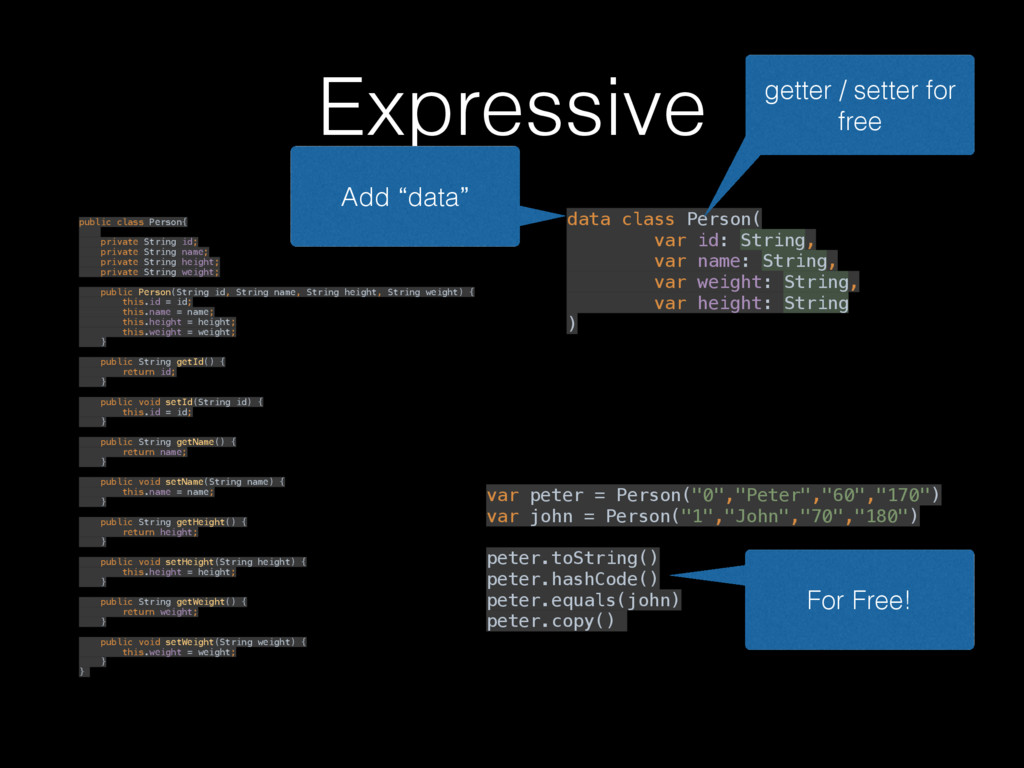
Expressive public class Person{ private String id; private String
name; private String height; private String weight; public Person(String id, String name, String height, String weight) { this.id = id; this.name = name; this.height = height; this.weight = weight; } public String getId() { return id; } public void setId(String id) { this.id = id; } public String getName() { return name; } public void setName(String name) { this.name = name; } public String getHeight() { return height; } public void setHeight(String height) { this.height = height; } public String getWeight() { return weight; } public void setWeight(String weight) { this.weight = weight; } } data class Person( var id: String, var name: String, var weight: String, var height: String ) var peter = Person("0","Peter","60","170") var john = Person("1","John","70","180") peter.toString() peter.hashCode() peter.equals(john) peter.copy() For Free! Add “data” getter / setter for free -
Null safety var a: String = "abc" a = null
//compilation error var b: String? = null // OK! b = bob?.department?.name // safe chained calls val l = b!!.length() // YOYO (NPE-lovers) // default value if var is null val l = b?.length ?: -1 -
Smart Cast // Safe cast. cast fail will return null
val x: String? = y as? String // smart cast fun demo(x: Any) { if (x is String) { print(x.length) } } -
Extension functions package com.nevin // scope : within the same
package fun Int.beforeKitkat()= this < Build.VERSION_CODES.KITKAT // usage in Kotlin if (Build.VERSION.SDK_INT.beforeKitkat()){ // do something… } extend function name caller return type is inferred Usage in Kotlin -
MyHelper.kt Interoperable package com.nevin // scope : within the same
package fun Int.beforeKitkat()= this < Build.VERSION_CODES.KITKAT Just like helper method in Java // usage in Java if (com.nevin.MyHelperKt.beforeKitkat(Build.VERSION.SDK_INT)){ // do something… } -
First class citizen package boo.bar //normal class A { fun
foo(){ //………… } } //package level fun foo(){ //……… } A package level class is auto created using “<file name>Kt” -
default value & named param fun cal(x: Int = 1,
y: Int = 2){ print("x+y=${x + y}”) } fun main(args: Array<String>) { val a = A() cal(100) // 102 cal(x = 200) // 202 cal(y = 300) // 301 a.cal(y = 400, x = 500) // 900 } -
When when (x) { 0, 1 -> print("x == 0
or x == 1”) 2 -> print("x == 2") true -> print("true") is String -> x.startsWith("prefix") is File -> x.getFreeSpace() else -> { // Note the block print("x is funny") } } No need to cast again -
Exception • Exception is an expression val a: Int? =
try { Int.parseInt("300") } catch (e: NumberFormatException) { null } • There’s no checked Exception [1] [2] Can receive value -
Class • Final by default. With Android in mind •
Main constructor must be called • Parent’s constructor must be called class MyView : View { constructor(ctx: Context) : super(ctx) { } constructor(ctx: Context, attrs: AttributeSet) : super(ctx, attrs) { } } default constructor must called -
Function expression // normal function fun sum(x: Int, y: Int):
Int { return x + y } // function expression val sum = fun(x: Int, y: Int): Int { return x + y } // one liner val sum = fun(x: Int, y: Int): Int = x + y -
Lambda • function literal • Surrounded by curly braces, {}
• parameters (if any) are declared before -> • The body goes after -> -
Function expression // normal function fun sum(x: Int, y: Int):
Int { return x + y } // function expression val sum = fun(x: Int, y: Int): Int { return x + y } // one liner val sum = fun(x: Int, y: Int): Int = x + y -
Lambda val sum = { : Int, : Int ->
} x y x + y // one liner val sum = fun(x: Int, y: Int): Int = x + y -
Lambda val sum = { : Int, : Int ->
} x y x + y -
Lambda val sum : (Int,Int) -> Int = { ,
-> } x y x + y (Int, Int) -> Int -
Higher-order function // function that take functions as parameter, //
or return a function fun calculate(x: Int, y: Int, formula: { } (Int, Int) -> Int println("the result is ${formula(x, y)}") // usage fun main(args: Array<String>) { calculate(1,5, ) calculate(1,5, ) } sum { x, y -> x + y } -
Extension Function // Extension Function fun Int.sum(other: Int): Int =
this + other // Extension Function Expressions val sum = fun Int.(other: Int): Int = this + other // usage 1.sum(2) -
Sample // scope : within the same package fun Int.beforeKitkat():
Boolean{ return this < Build.VERSION_CODES.KITKAT } if (Build.VERSION.SDK_INT.beforeKitkat()){ // do something… } -
Sample fun String.bd() = BigDecimal(this) fun main(args: Array<String>) { //0.06
println("0.05".bd().add("0.01".bd()) ) //0.060000000000000005 println(0.05+0.01) } -
Function Expression val validator: (String) -> Boolean = { it.length
> 2 } fun EditText.validateWith(check: (String) -> Boolean){ val content = this.text.toString() if (check(content)) { context.toast("Welcome $content!") } else { context.toast("Name not valid") } } -
Anko • Why Anko ? (sample) • type safe builder
for view • null-safe (findViewById(….) return null) • avoid XML parsing (save CPU and battery) -
Anko val layout = LinearLayout(context) layout.orientation = LinearLayout.VERTICAL val name
= EditText(act) val button = Button(act) button.text = "Say Hello" button.setOnClickListener { Toast.makeText(act, .....).show() } layout.addView(name) layout.addView(button) -
Anko verticalLayout { val name = editText() button("Say Hello") {
onClick { toast(“HI!,${name.text}!") } } } -
Anko longToast("Halo")) info(“info”) warn(“warn”) debug(“debug”) async { var result =
readDataFromServer(); uiThread { warn(result + "") halo.text = result } } -
Steps to convert • Start small (ex. convert POJO into
data class) • When you got NPE , Cast Exception • Check all !!s , make them ? or non-null • Check the difference between Java and Kotlin -
Other difference • Invariant array • No raw types •
No private fields • Smaller type is not a subtype of bigger types • Calling Java code from Kotlin • Calling Kotlin from Java -
Other tips • std-lib : let() , apply() , with()
,run(), use() • Not a completely new language, very handy • A great place to learn functional programming • Droidcon talks may not up-to-date. Some issues are fixed. -
Other tips • How to return from lambda • Don’t
use inheritance with data class • Pass in function instead of object • Almost everything in Kotlin is an expression ( can return value) • Just “convert Java code to Kotlin” and “Config Kotlin in Project” -
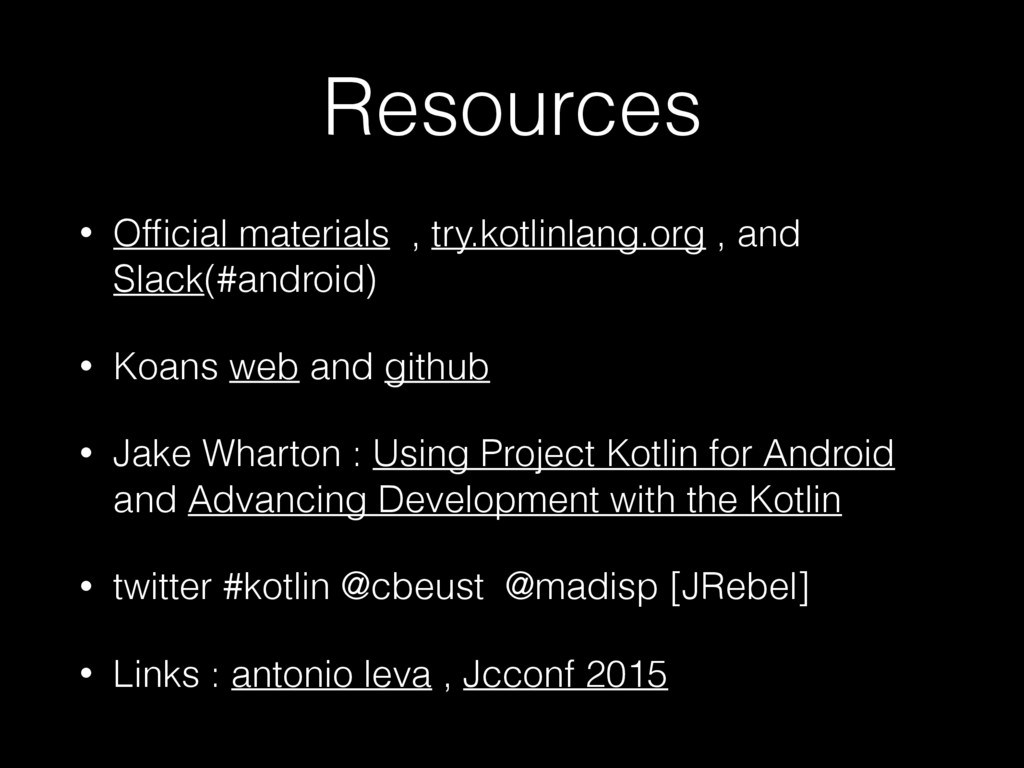
Resources • Official materials , try.kotlinlang.org , and Slack(#android) •
Koans web and github • Jake Wharton : Using Project Kotlin for Android and Advancing Development with the Kotlin • twitter #kotlin @cbeust @madisp [JRebel] • Links : antonio leva , Jcconf 2015 -
Testing • Sample Project( Android Testing) • Testing with Kotlin
• Instrumentation Testing Robots -
Usage • Swing: PokemonGoBot • Backend Frontend • Testing •
Web , backend , and other list of Kotlin Projects • Hot on Github • Gradle (sample) (talk) (Groovy)