Upgrade to Pro
— share decks privately, control downloads, hide ads and more …
Speaker Deck
Sign up for free
Menu
Search
Features
All features
Private URLs
Password Protection
Custom URLS
Scheduled publishing
Remove Branding
Restrict embedding
Deck Collections
Notes
Features
All features
Private URLs
Password Protection
Custom URLS
Scheduled publishing
Remove Branding
Restrict embedding
Deck Collections
Notes
Explore
Featured decks
Featured speakers
Programming
Technology
Storyboards
Explore
Featured decks
Featured speakers
Programming
Technology
Storyboards
Pricing
Search
Sign in
Sign up for free
空間情報システム入門I#02 2016/06/16
Search
daisuke takeuchi
June 16, 2016
37
0
Share
Embed
Copy iframe code
Copy JS code
Copy link
Start on current slide
空間情報システム入門I#02 2016/06/16
daisuke takeuchi
June 16, 2016
More Decks by daisuke takeuchi
See All by daisuke takeuchi
ポケモンGoのポイントパわぽ.pdf
daaaisuke
0
88
Featured
See All Featured
jQuery: Nuts, Bolts and Bling
dougneiner
66
8.6k
The AI Revolution Will Not Be Monopolized: How open-source beats economies of scale, even for LLMs
inesmontani
PRO
3
3.8k
SEO in 2025: How to Prepare for the Future of Search
ipullrank
3
3.9k
I Don’t Have Time: Getting Over the Fear to Launch Your Podcast
jcasabona
35
2.9k
The Cost Of JavaScript in 2023
addyosmani
55
10k
Code Review Best Practice
trishagee
74
20k
Leo the Paperboy
mayatellez
10
2.4k
SEO for Brand Visibility & Recognition
aleyda
0
4.8k
Mobile First: as difficult as doing things right
swwweet
225
10k
The Illustrated Guide to Node.js - THAT Conference 2024
reverentgeek
1
570
[Rails World 2026] Durable orchestration on Rails: from continuation to workflow
palkan
1
750
Evolution of real-time – Irina Nazarova, EuRuKo, 2024
irinanazarova
9
1.6k
Transcript
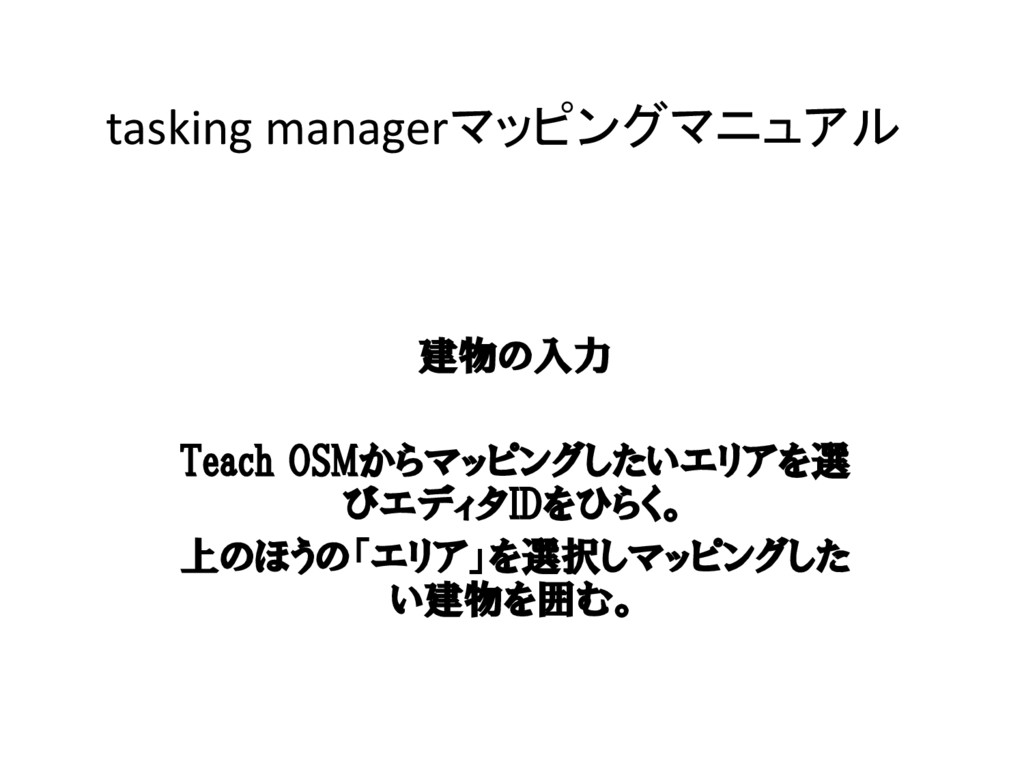
tasking managerマッピングマニュアル 建物の入力 Teach OSMからマッピングしたいエリアを選 びエディタIDをひらく。 上のほうの「エリア」を選択しマッピングした い建物を囲む。
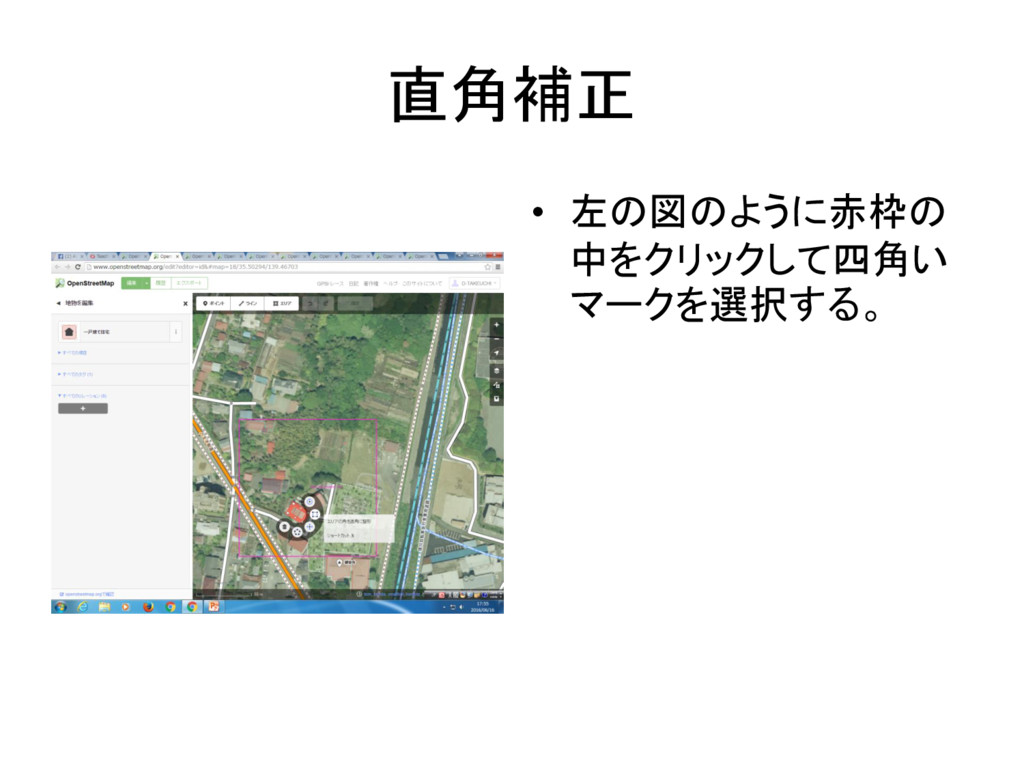
直角補正 • 左の図のように赤枠の 中をクリックして四角い マークを選択する。
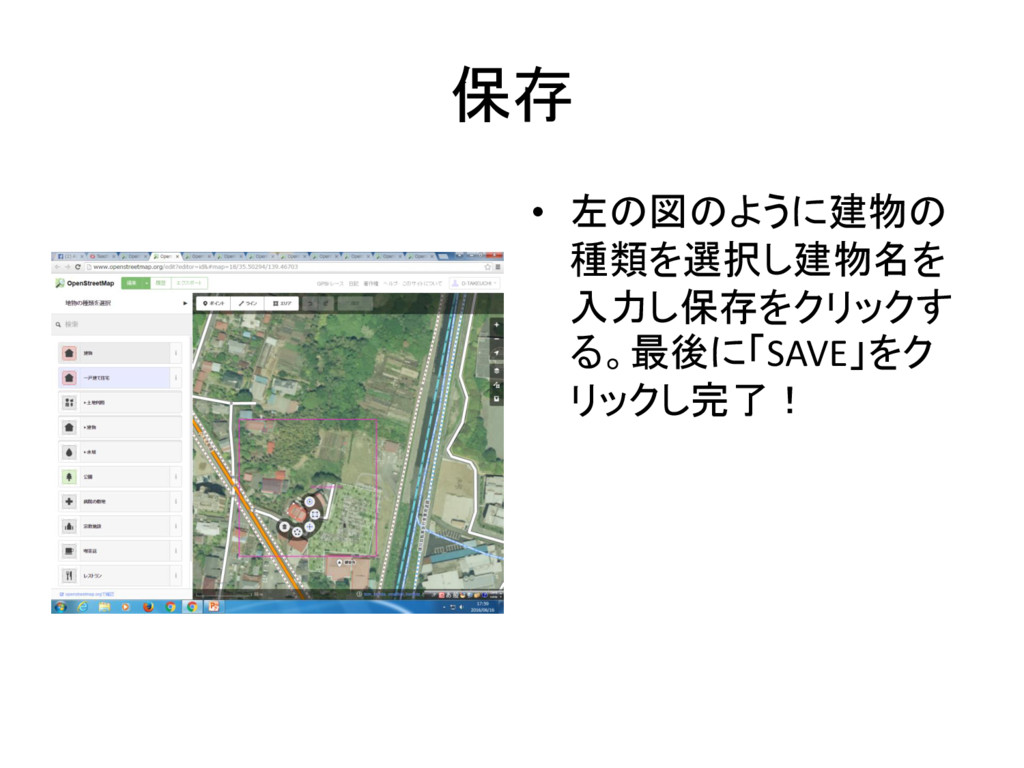
保存 • 左の図のように建物の 種類を選択し建物名を 入力し保存をクリックす る。最後に「SAVE」をク リックし完了!
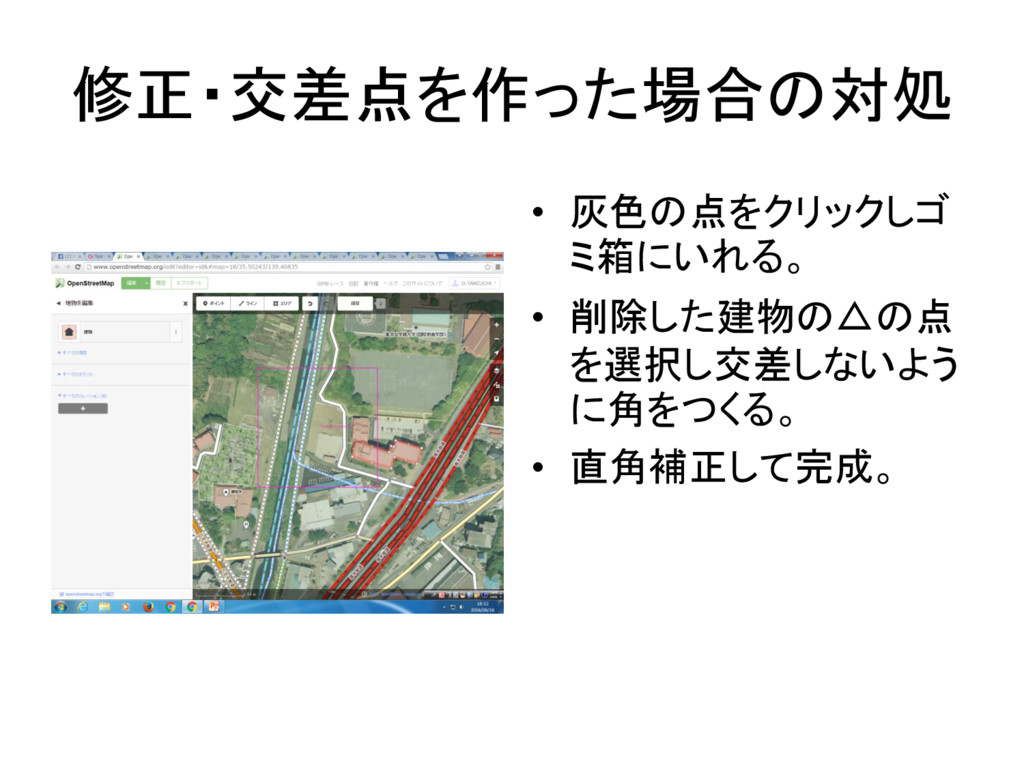
修正・交差点を作った場合の対処 • 灰色の点をクリックしゴ ミ箱にいれる。 • 削除した建物の△の点 を選択し交差しないよう に角をつくる。 • 直角補正して完成。
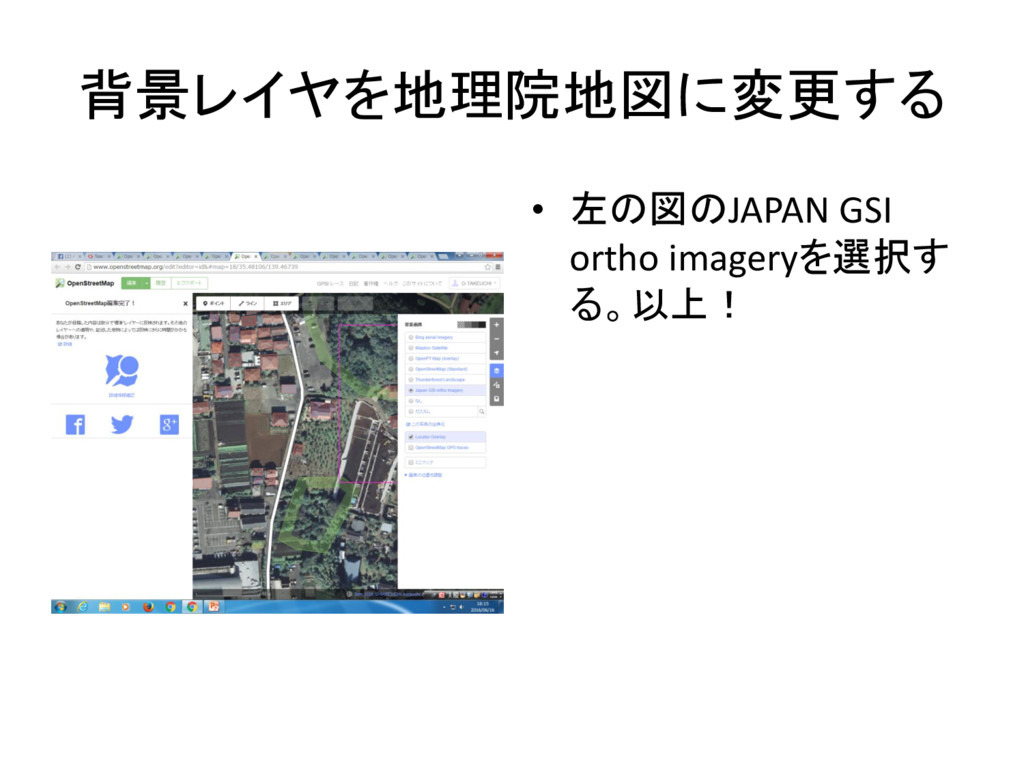
背景レイヤを地理院地図に変更する • 左の図のJAPAN GSI ortho imageryを選択す る。以上!
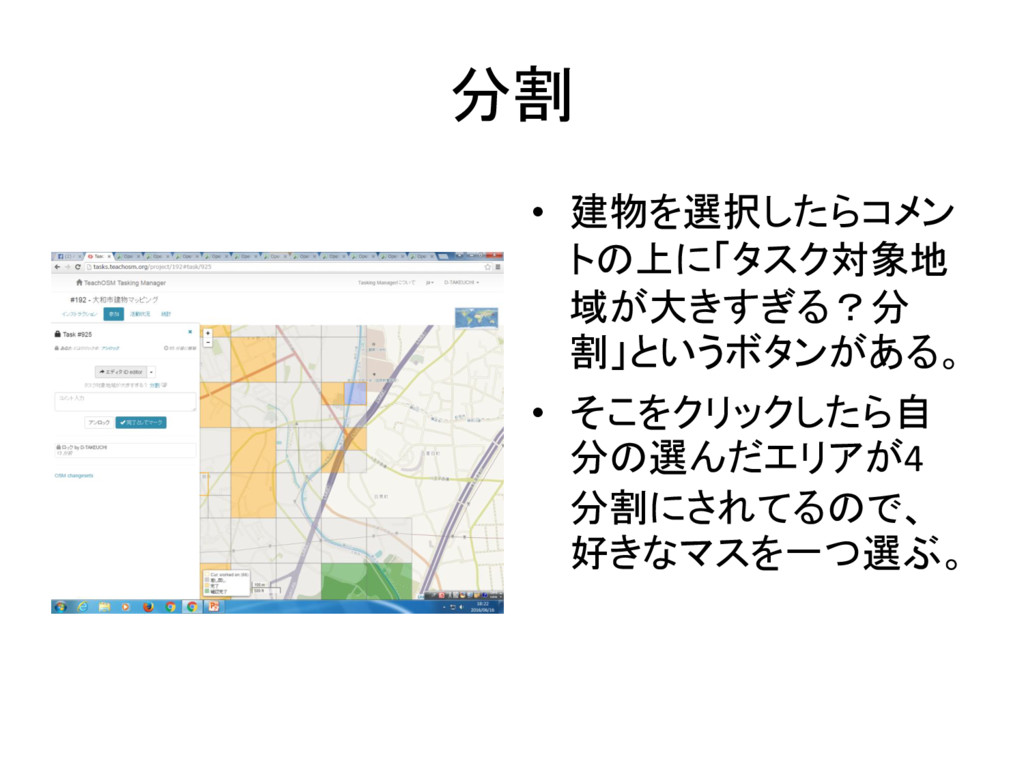
分割 • 建物を選択したらコメン トの上に「タスク対象地 域が大きすぎる?分 割」というボタンがある。 • そこをクリックしたら自 分の選んだエリアが4 分割にされてるので、
好きなマスを一つ選ぶ。
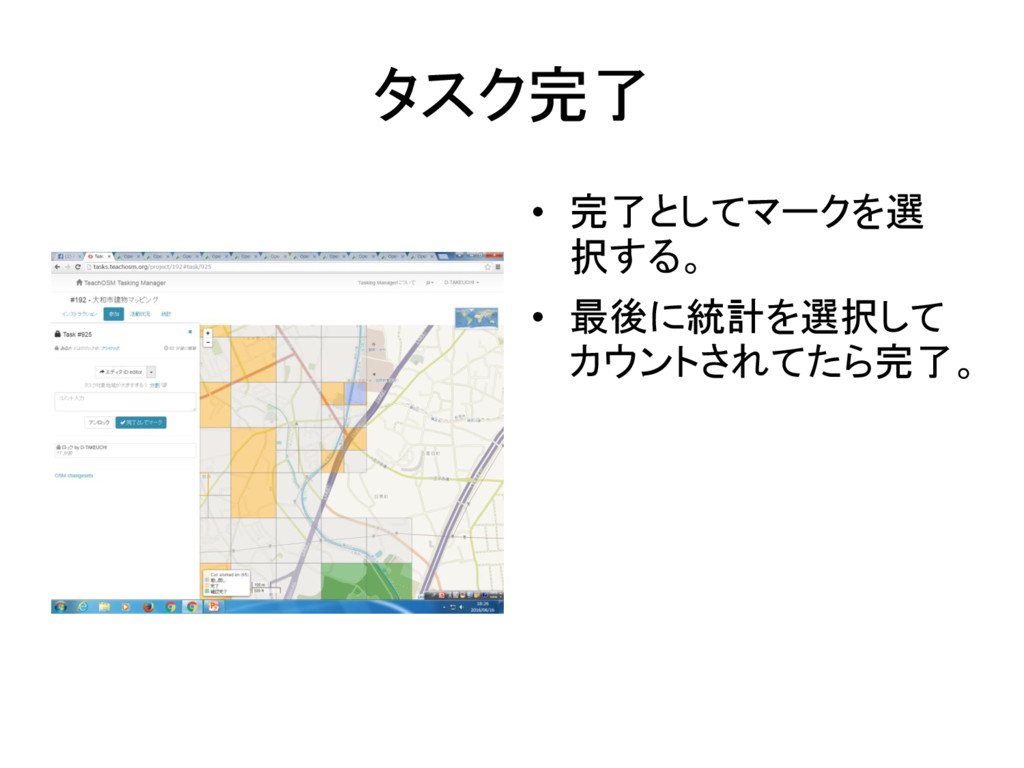
タスク完了 • 完了としてマークを選 択する。 • 最後に統計を選択して カウントされてたら完了。


 daaaisuke
 dougneiner
 inesmontani
 ipullrank
 jcasabona
 addyosmani
 trishagee
 mayatellez
 aleyda
 swwweet
 reverentgeek
 palkan
 irinanazarova