Upgrade to Pro
— share decks privately, control downloads, hide ads and more …
Speaker Deck
Sign up for free
Menu
Search
Features
All features
Private URLs
Password Protection
Custom URLS
Scheduled publishing
Remove Branding
Restrict embedding
Deck Collections
Notes
Features
All features
Private URLs
Password Protection
Custom URLS
Scheduled publishing
Remove Branding
Restrict embedding
Deck Collections
Notes
Explore
Featured decks
Featured speakers
Programming
Technology
Storyboards
Explore
Featured decks
Featured speakers
Programming
Technology
Storyboards
Pricing
Search
Sign in
Sign up for free
k
Search
Daiki
July 14, 2016
47
0
Share
Embed
Copy iframe code
Copy JS code
Copy link
Start on current slide
k
Daiki
July 14, 2016
More Decks by Daiki
See All by Daiki
タイの車の売り方
daikitaniguchi
0
59
空間情報システム入門Ⅰ 7/14
daikitaniguchi
0
88
空間情報システム入門Ⅰ#02 2016/06/20
daikitaniguchi
0
48
Featured
See All Featured
Agile that works and the tools we love
rasmusluckow
331
22k
The Art of Delivering Value - GDevCon NA Keynote
reverentgeek
16
2.2k
Tell your own story through comics
letsgokoyo
1
1.1k
SEO in 2025: How to Prepare for the Future of Search
ipullrank
3
3.9k
JAMstack: Web Apps at Ludicrous Speed - All Things Open 2022
reverentgeek
1
640
VelocityConf: Rendering Performance Case Studies
addyosmani
331
25k
Code Reviewing Like a Champion
maltzj
529
40k
GraphQLとの向き合い方2022年版
quramy
50
15k
Building a Modern Day E-commerce SEO Strategy
aleyda
45
9.3k
A Modern Web Designer's Workflow
chriscoyier
699
190k
How Software Deployment tools have changed in the past 20 years
geshan
2
35k
Site-Speed That Sticks
csswizardry
13
1.6k
Transcript
PokemonGOのPokestopに 採用されそうな対象を選ぶ! 1A116141 谷口大輝
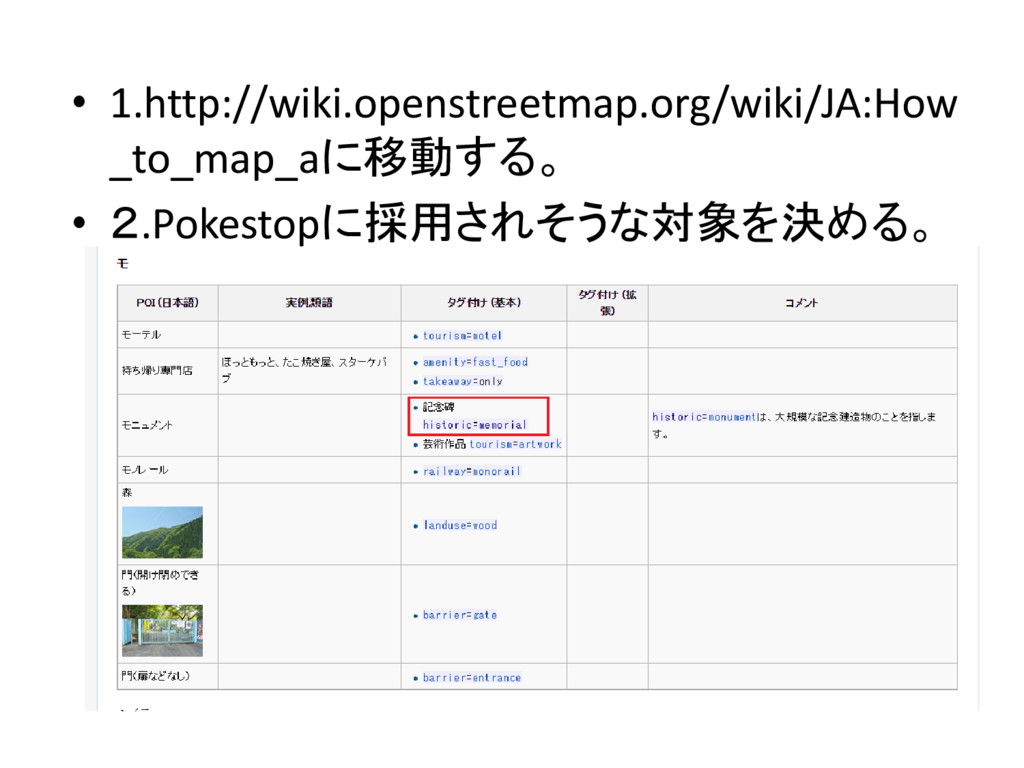
• 1.http://wiki.openstreetmap.org/wiki/JA:How _to_map_aに移動する。 • 2.Pokestopに採用されそうな対象を決める。
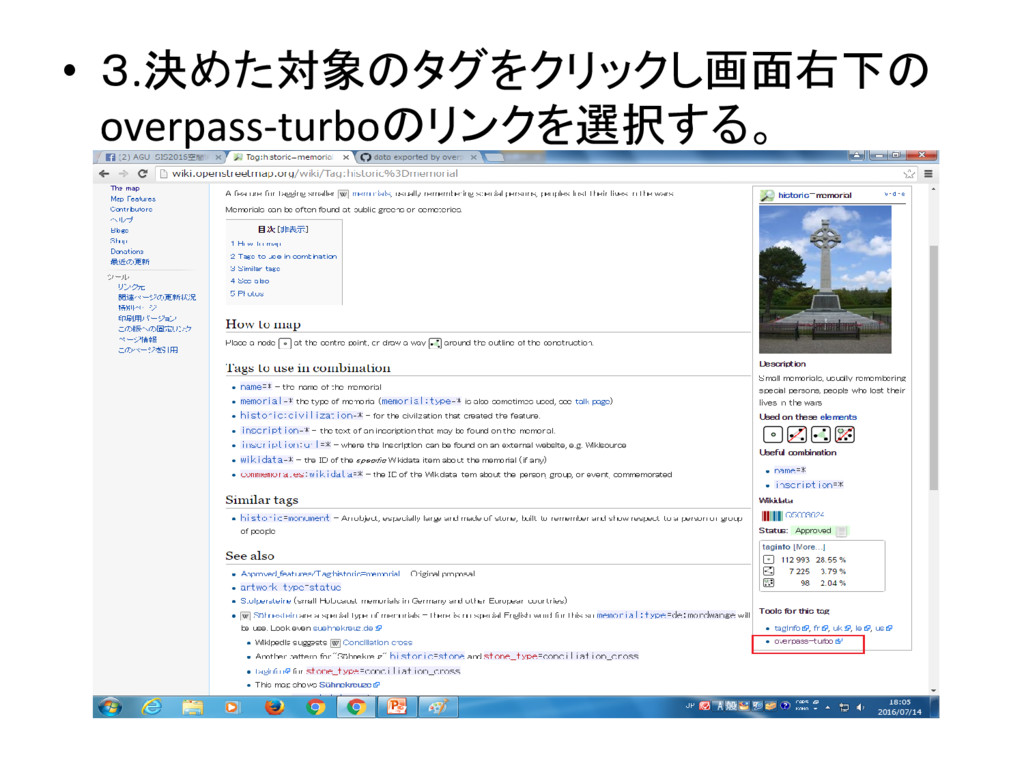
• 3.決めた対象のタグをクリックし画面右下の overpass-turboのリンクを選択する。
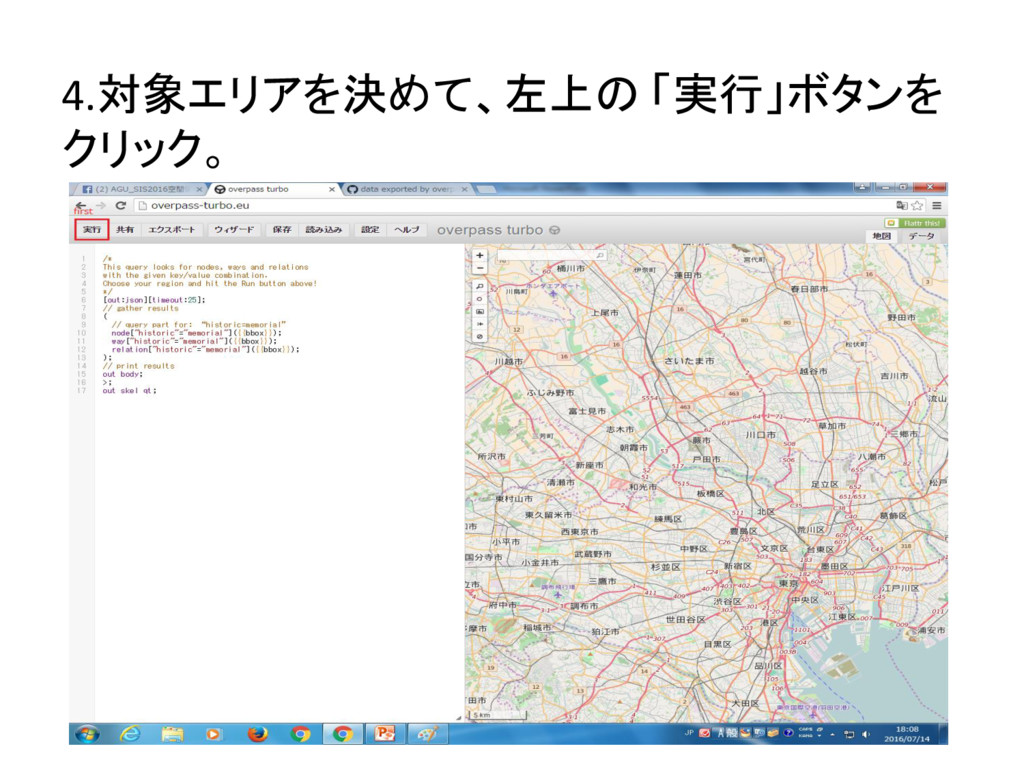
4.対象エリアを決めて、左上の 「実行」ボタンを クリック。
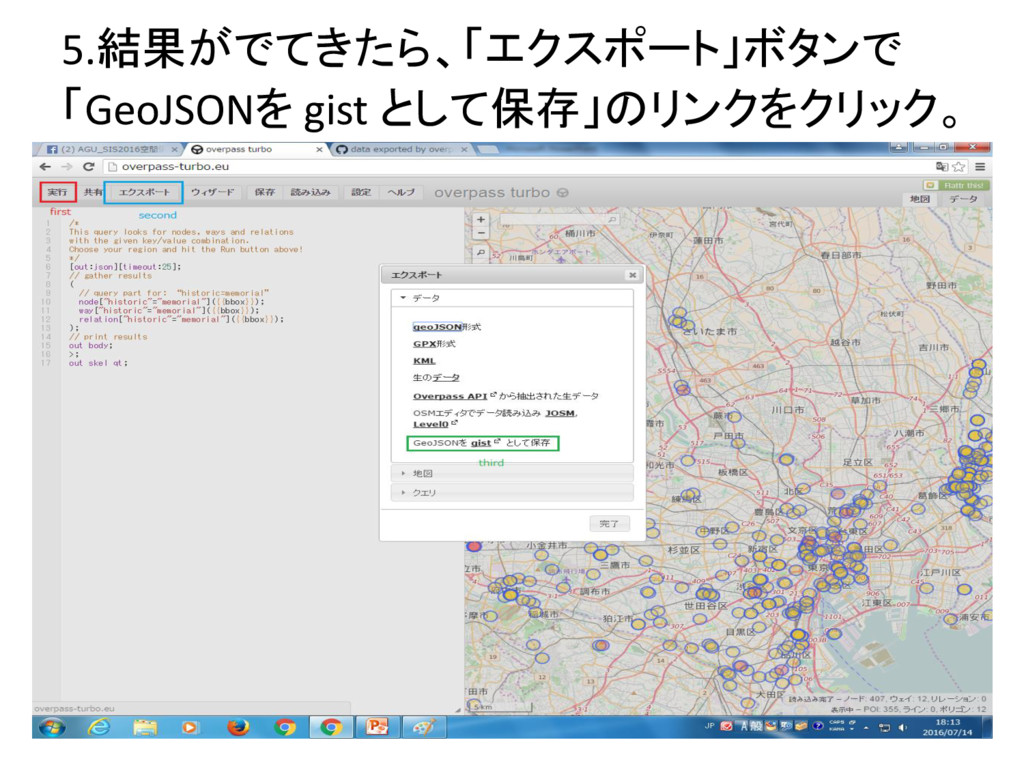
5.結果がでてきたら、「エクスポート」ボタンで 「GeoJSONを gist として保存」のリンクをクリック。
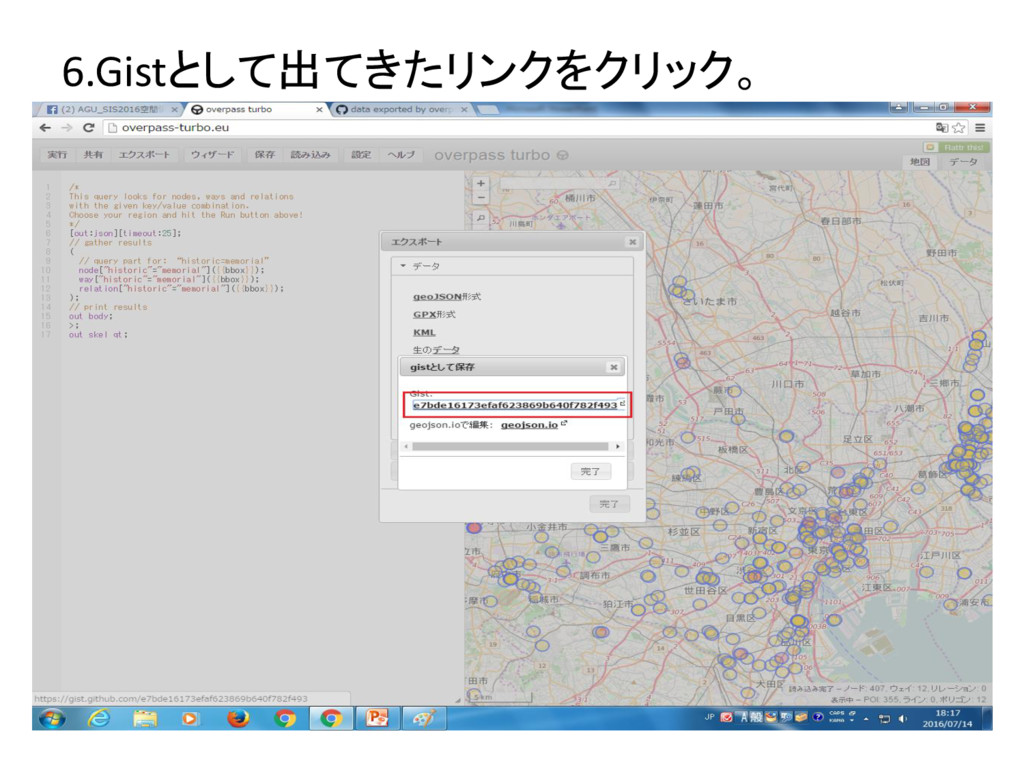
6.Gistとして出てきたリンクをクリック。


 daikitaniguchi
 rasmusluckow
 reverentgeek
 letsgokoyo
 ipullrank
 addyosmani
 maltzj
 quramy
 aleyda
 chriscoyier
 geshan
 csswizardry