Upgrade to Pro
— share decks privately, control downloads, hide ads and more …
Speaker Deck
Sign up for free
Menu
Search
Features
All features
Private URLs
Password Protection
Custom URLS
Scheduled publishing
Remove Branding
Restrict embedding
Deck Collections
Notes
Features
All features
Private URLs
Password Protection
Custom URLS
Scheduled publishing
Remove Branding
Restrict embedding
Deck Collections
Notes
Explore
Featured decks
Featured speakers
Programming
Technology
Storyboards
Explore
Featured decks
Featured speakers
Programming
Technology
Storyboards
Pricing
Search
Sign in
Sign up for free
Help
Search
davidbanham
October 29, 2011
39
0
Share
Embed
Copy iframe code
Copy JS code
Copy link
Start on current slide
Help
Provides a walkthrough for purchasing items on
http://www.honey.mn
davidbanham
October 29, 2011
More Decks by davidbanham
See All by davidbanham
help.pdf
davidbanham
0
50
Featured
See All Featured
Designing for Timeless Needs
cassininazir
1
530
A Soul's Torment
seathinner
8
3.8k
I Don’t Have Time: Getting Over the Fear to Launch Your Podcast
jcasabona
35
2.9k
How to build a perfect <img>
jonoalderson
1
6.1k
4 Signs Your Business is Dying
shpigford
187
23k
SERP Conf. Vienna - Web Accessibility: Optimizing for Inclusivity and SEO
sarafernandez
2
1.6k
ReactJS: Keep Simple. Everything can be a component!
pedronauck
666
130k
Designing Powerful Visuals for Engaging Learning
tmiket
1
610
From π to Pie charts
rasagy
1
400
CoffeeScript is Beautiful & I Never Want to Write Plain JavaScript Again
sstephenson
162
16k
Digital Ethics as a Driver of Design Innovation
axbom
PRO
1
460
Paper Plane
katiecoart
PRO
5
54k
Transcript
Welcome to Honeymoon! This presenta1on will tell you
everything you need to know. Click the arrows to move between slides.
Honey.mn is a gi/ registry. You can buy items
from the list which contribute towards the couple’s fabulous honeymoon!
All the items on the list have been chosen by
the couple. Honey.mn makes it simple to buy them something they’ll really love.
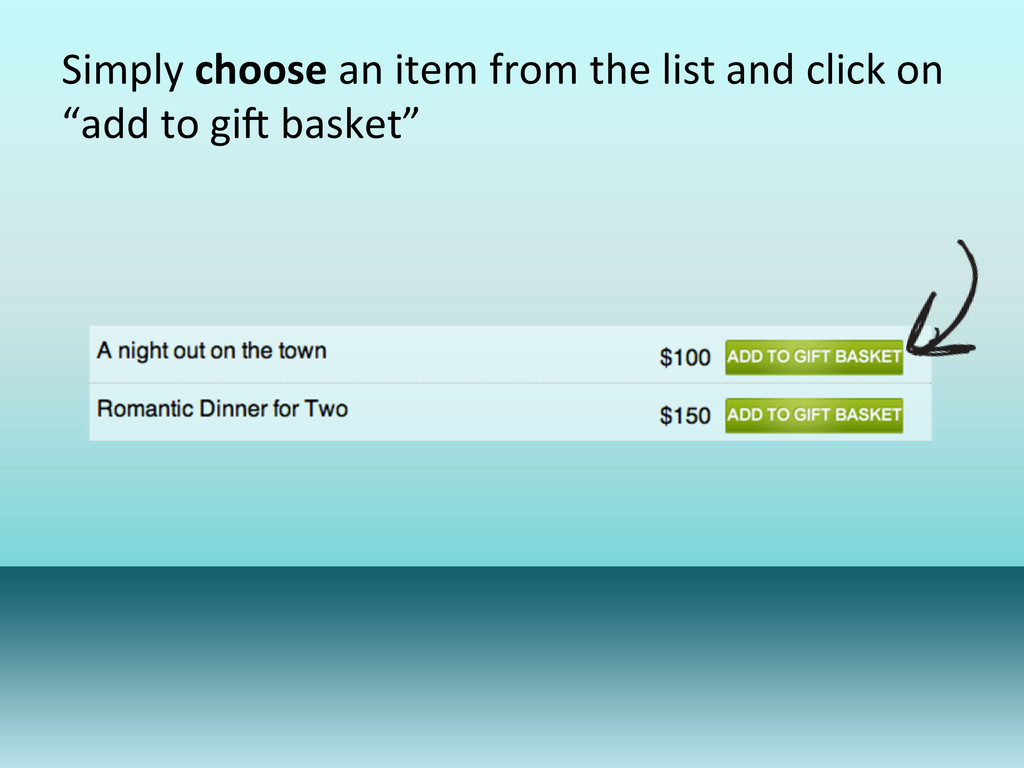
Simply choose an item from the list and click on
“add to giC basket”
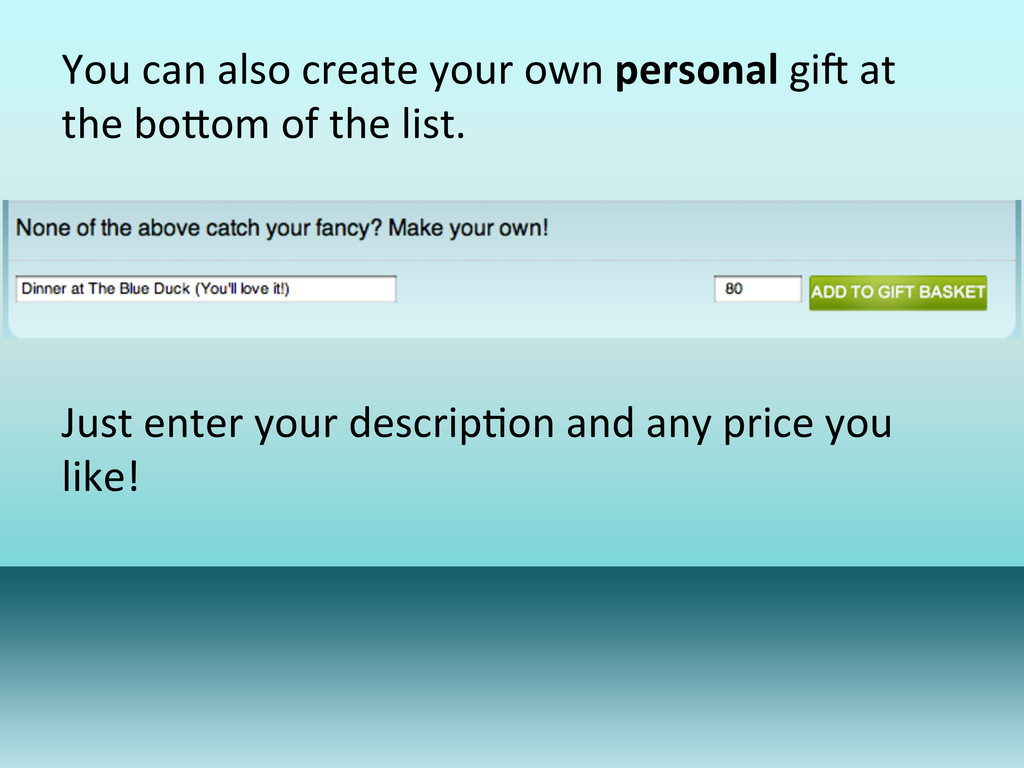
You can also create your own personal giC at
the boEom of the list. Just enter your descrip1on and any price you like!
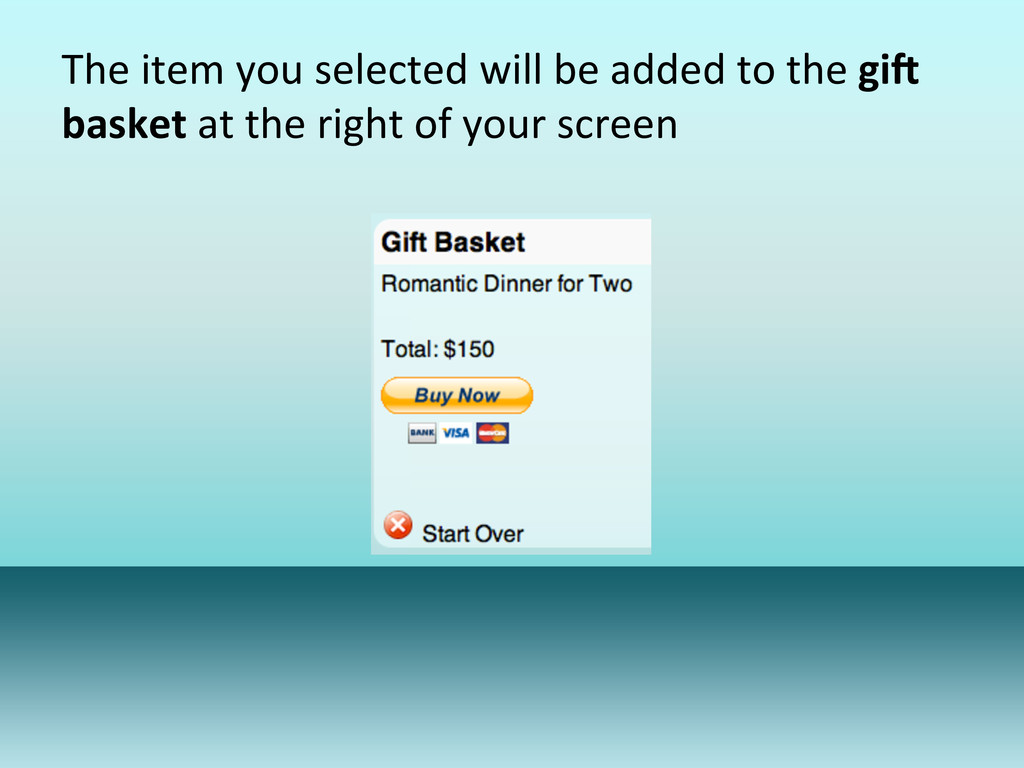
The item you selected will be added to the gi/
basket at the right of your screen
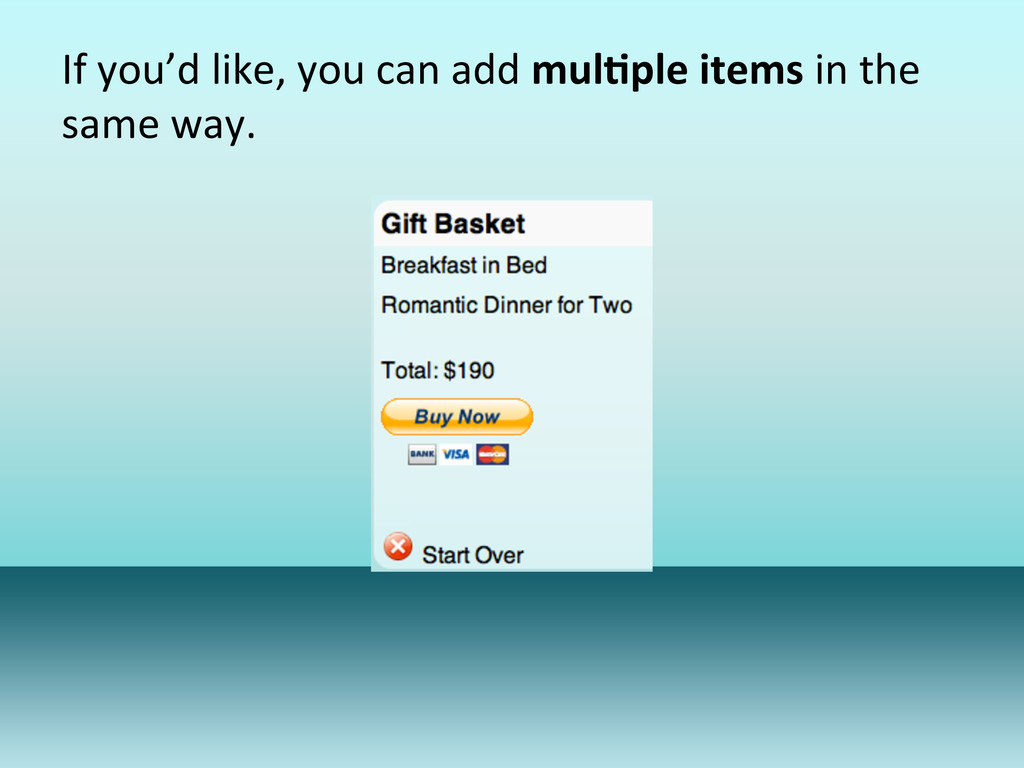
If you’d like, you can add mul9ple items in the
same way.
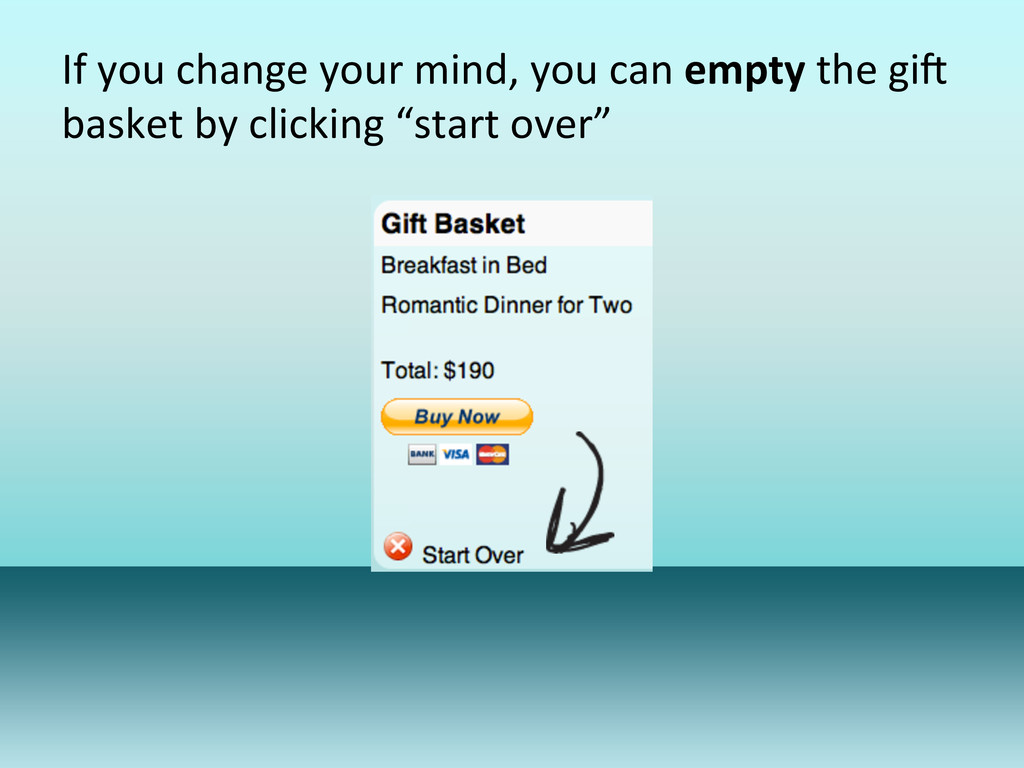
If you change your mind, you can empty the giC
basket by clicking “start over”
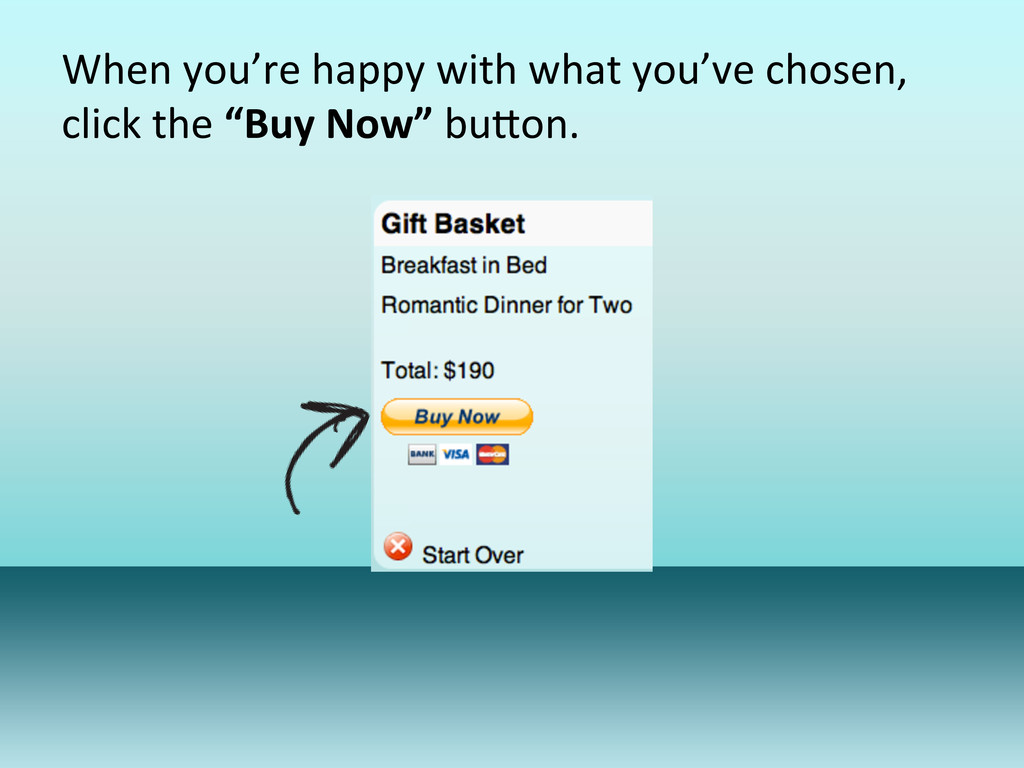
When you’re happy with what you’ve chosen, click the
“Buy Now” buEon.
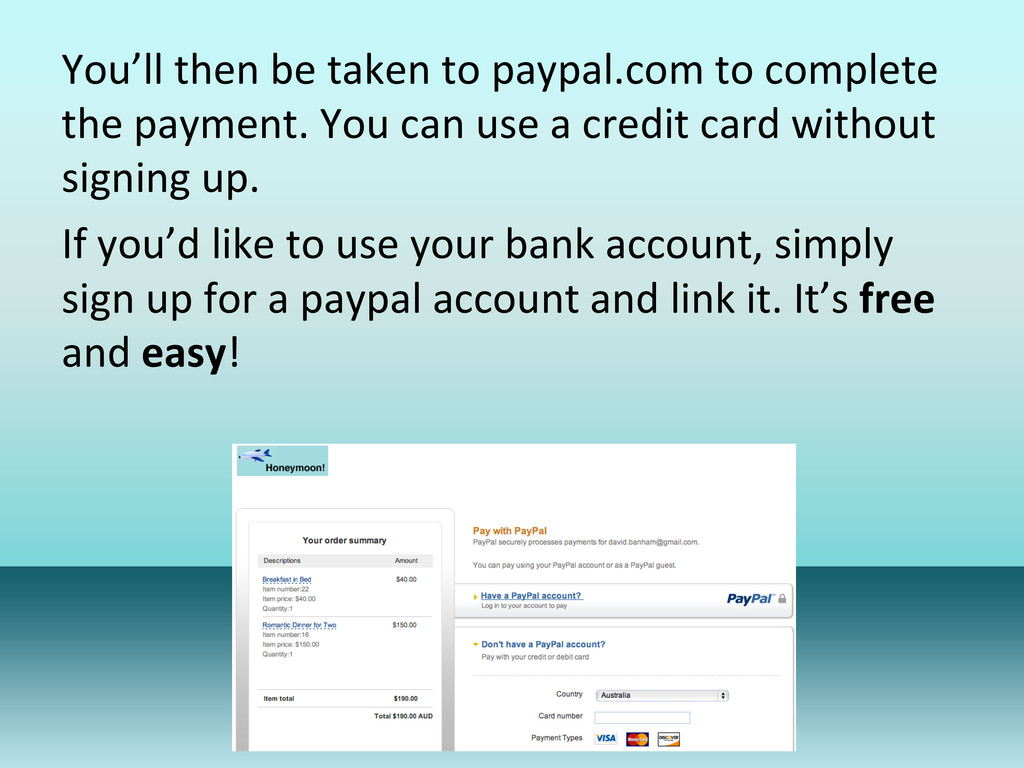
You’ll then be taken to paypal.com to complete the
payment. You can use a credit card without signing up. If you’d like to use your bank account, simply sign up for a paypal account and link it. It’s free and easy!
PayPal is a leading online payment processor. They’re owned
by eBay, so you can be sure your transac1on is secure. Your payment goes straight to the couple and they’ll get a no1fica1on email right away!


 davidbanham
 cassininazir
 seathinner
 jcasabona
 jonoalderson
 shpigford
 sarafernandez
 pedronauck
 tmiket
 rasagy
 sstephenson
 axbom
axbom
 katiecoart