Upgrade to Pro — share decks privately, control downloads, hide ads and more …

Automatisation in development and testing - wit...

Automatisation in development and testing - within budget [DrupalCamp Bratislava 2016-05]

Working on client projects with very strict budget and resource restrictions, tight deadlines and pressure, many times does not allow for full blown Test Driven Development, Continuous Delivery and other software engineering goodness we would love to have. We will show you easily accessible and quickly implementable options, that allow you to automate your development and testing process, or at least the most painful parts, without blowing the budget. Finally you can relax during deployments of the code to production! :-)

Avatar for David Lukac

David Lukac

May 28, 2016

More Decks by David Lukac

Other Decks in Technology

Transcript

  1. Automatisation Automatisation In Development and Quality Process (Within budget) David

    Lukac Senior Technical Consultant @ Inviqa Ltd. UK @davidlukac https://legacy.joind.in/18271 1
  2. Software Engineer @ Siemens Software Engineer @ Siemens Java Consultant

    @ T-Mobile Austria Java Consultant @ T-Mobile Austria CTO @ Mogdesign.eu CTO @ Mogdesign.eu Head of Project Operations @ iKOS Ltd. Head of Project Operations @ iKOS Ltd. Senior Technical Consultant @ Inviqa Senior Technical Consultant @ Inviqa 3 . 2
  3. Why CI/CD? Why CI/CD? What? Merging Immediate testing & reporting

    G: Feedback ... ... Defects identified and corrected ASAP 6 . 2
  4. Why CI/CD? Why CI/CD? What? Short cycles Releasebility G: Build,

    test, release ... ... fast, frequently 6 . 3
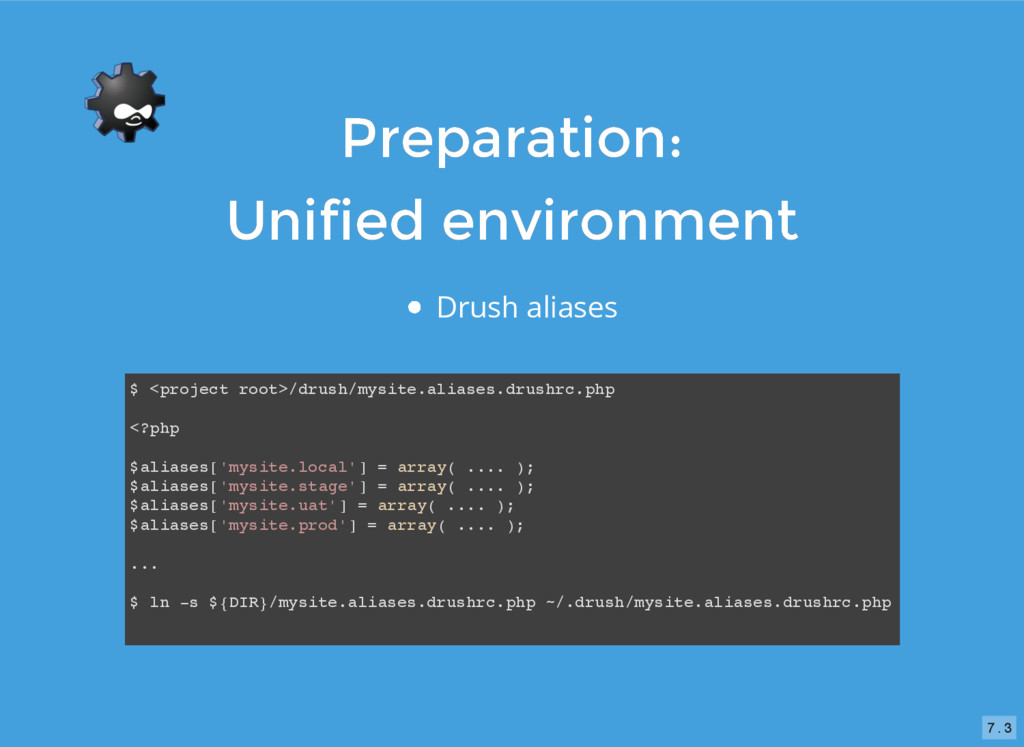
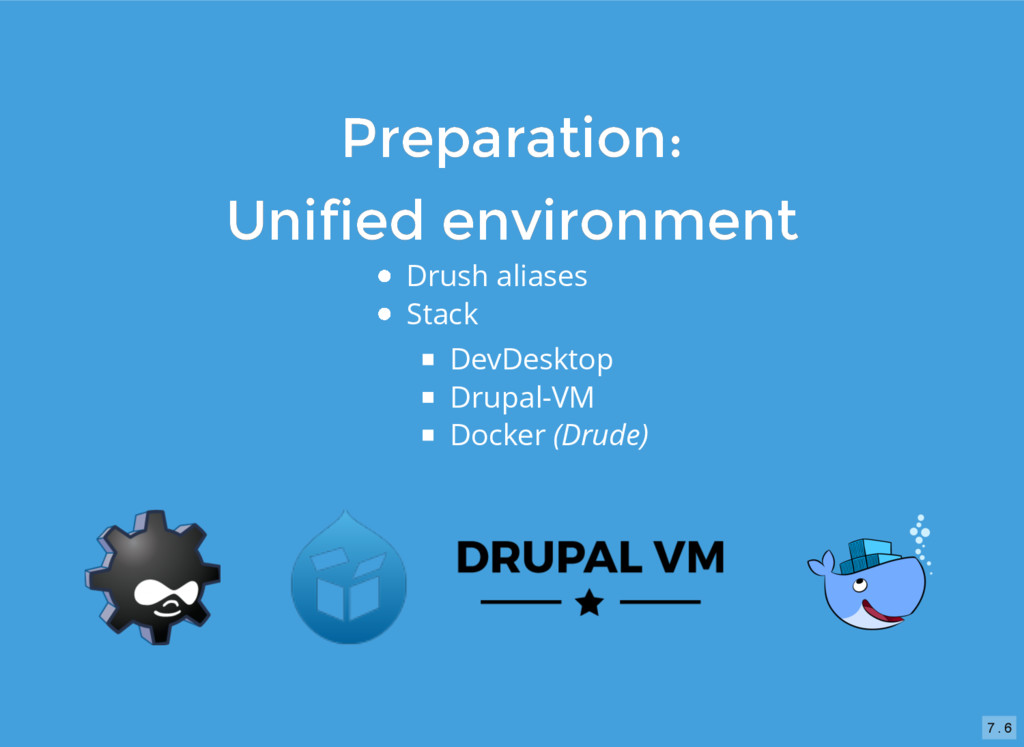
  5. Preparation: Preparation: Unified environment Unified environment Drush aliases $ <project

    root>/drush/mysite.aliases.drushrc.php <?php $aliases['mysite.local'] = array( .... ); $aliases['mysite.stage'] = array( .... ); $aliases['mysite.uat'] = array( .... ); $aliases['mysite.prod'] = array( .... ); ... $ ln -s ${DIR}/mysite.aliases.drushrc.php ~/.drush/mysite.aliases.drushrc.php 7 . 3
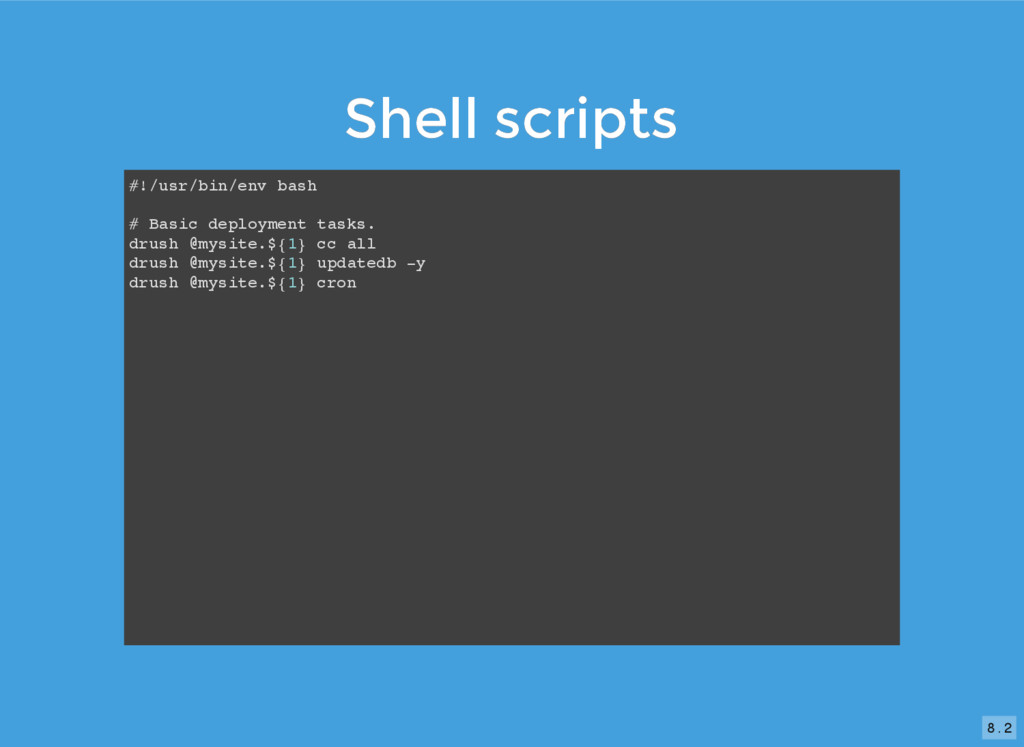
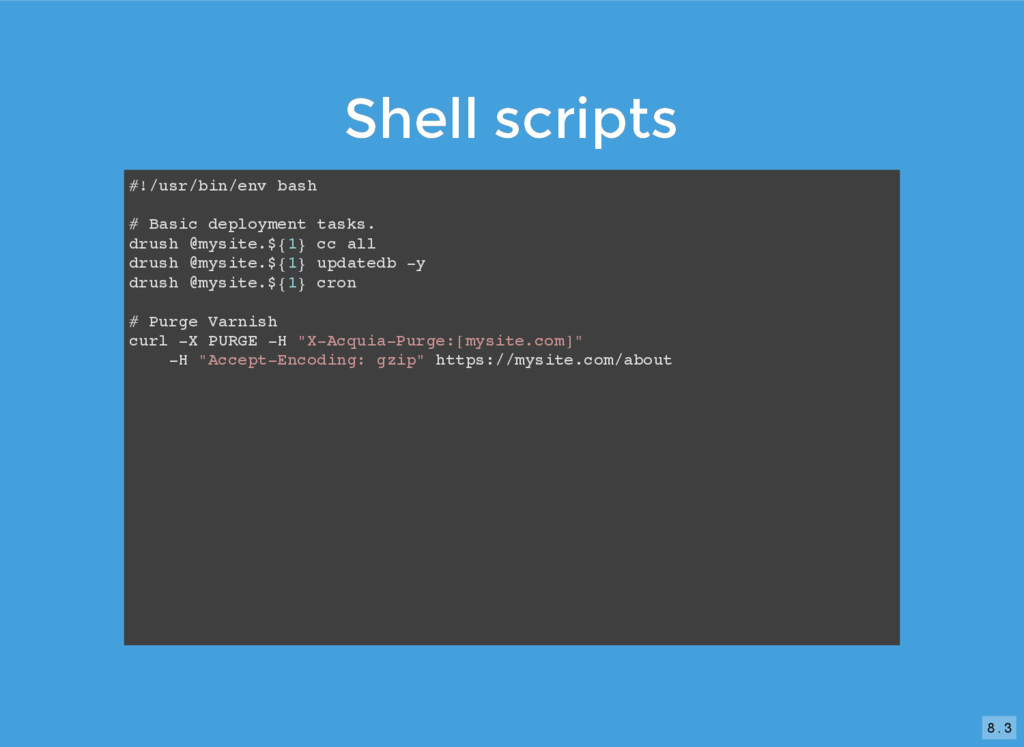
  6. Shell scripts Shell scripts #!/usr/bin/env bash # Basic deployment tasks.

    drush @mysite.${1} cc all drush @mysite.${1} updatedb -y drush @mysite.${1} cron 8 . 2
  7. Shell scripts Shell scripts #!/usr/bin/env bash # Basic deployment tasks.

    drush @mysite.${1} cc all drush @mysite.${1} updatedb -y drush @mysite.${1} cron # Purge Varnish curl -X PURGE -H "X-Acquia-Purge:[mysite.com]" -H "Accept-Encoding: gzip" https://mysite.com/about 8 . 3
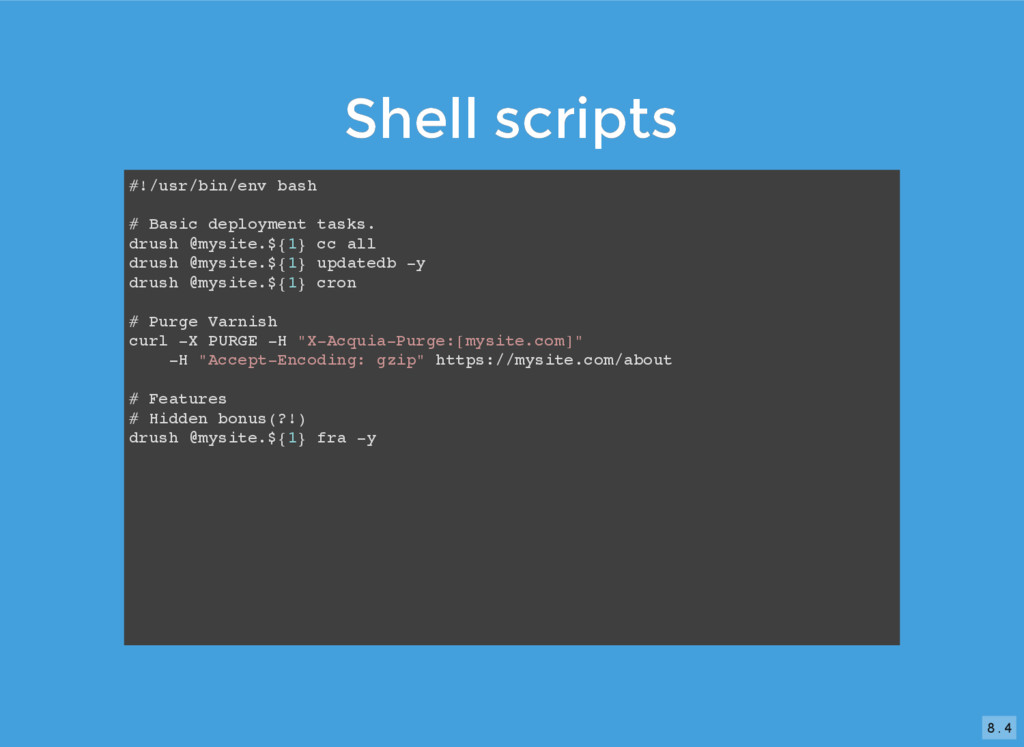
  8. Shell scripts Shell scripts #!/usr/bin/env bash # Basic deployment tasks.

    drush @mysite.${1} cc all drush @mysite.${1} updatedb -y drush @mysite.${1} cron # Purge Varnish curl -X PURGE -H "X-Acquia-Purge:[mysite.com]" -H "Accept-Encoding: gzip" https://mysite.com/about # Features # Hidden bonus(?!) drush @mysite.${1} fra -y 8 . 4
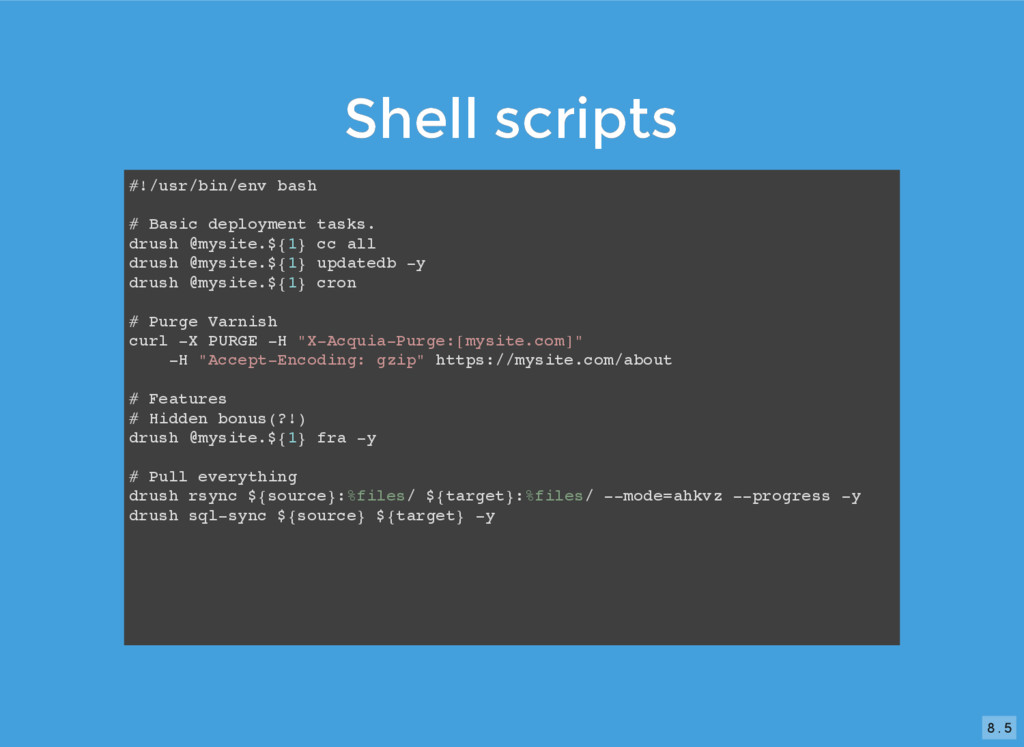
  9. Shell scripts Shell scripts #!/usr/bin/env bash # Basic deployment tasks.

    drush @mysite.${1} cc all drush @mysite.${1} updatedb -y drush @mysite.${1} cron # Purge Varnish curl -X PURGE -H "X-Acquia-Purge:[mysite.com]" -H "Accept-Encoding: gzip" https://mysite.com/about # Features # Hidden bonus(?!) drush @mysite.${1} fra -y # Pull everything drush rsync ${source}:%files/ ${target}:%files/ --mode=ahkvz --progress -y drush sql-sync ${source} ${target} -y 8 . 5
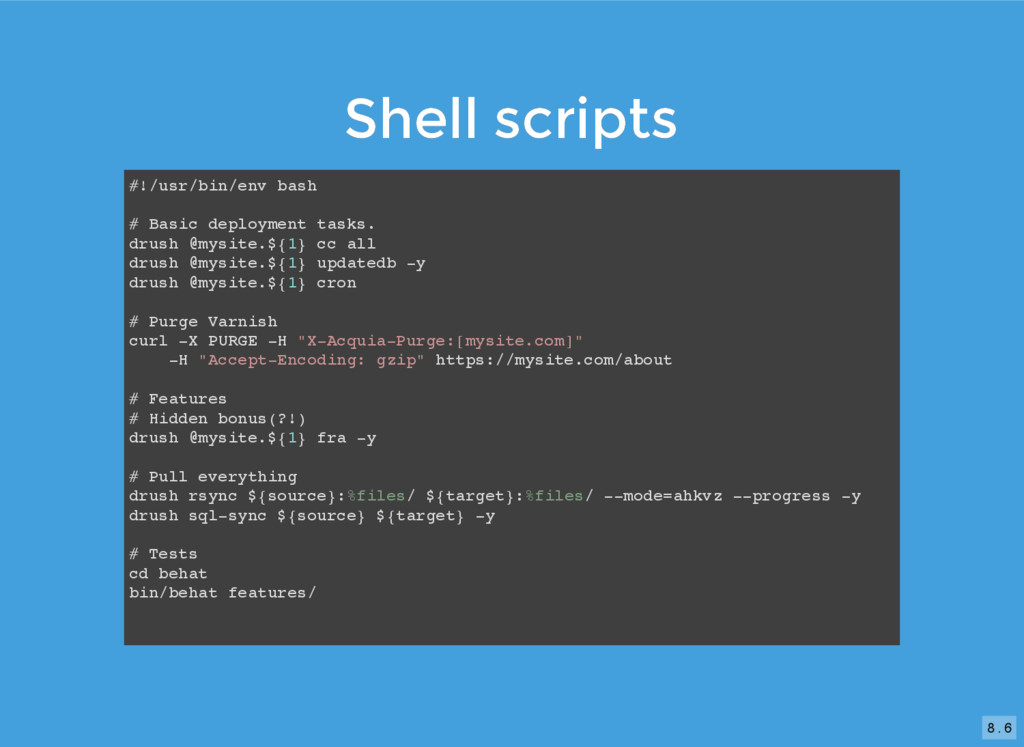
  10. Shell scripts Shell scripts #!/usr/bin/env bash # Basic deployment tasks.

    drush @mysite.${1} cc all drush @mysite.${1} updatedb -y drush @mysite.${1} cron # Purge Varnish curl -X PURGE -H "X-Acquia-Purge:[mysite.com]" -H "Accept-Encoding: gzip" https://mysite.com/about # Features # Hidden bonus(?!) drush @mysite.${1} fra -y # Pull everything drush rsync ${source}:%files/ ${target}:%files/ --mode=ahkvz --progress -y drush sql-sync ${source} ${target} -y # Tests cd behat bin/behat features/ 8 . 6
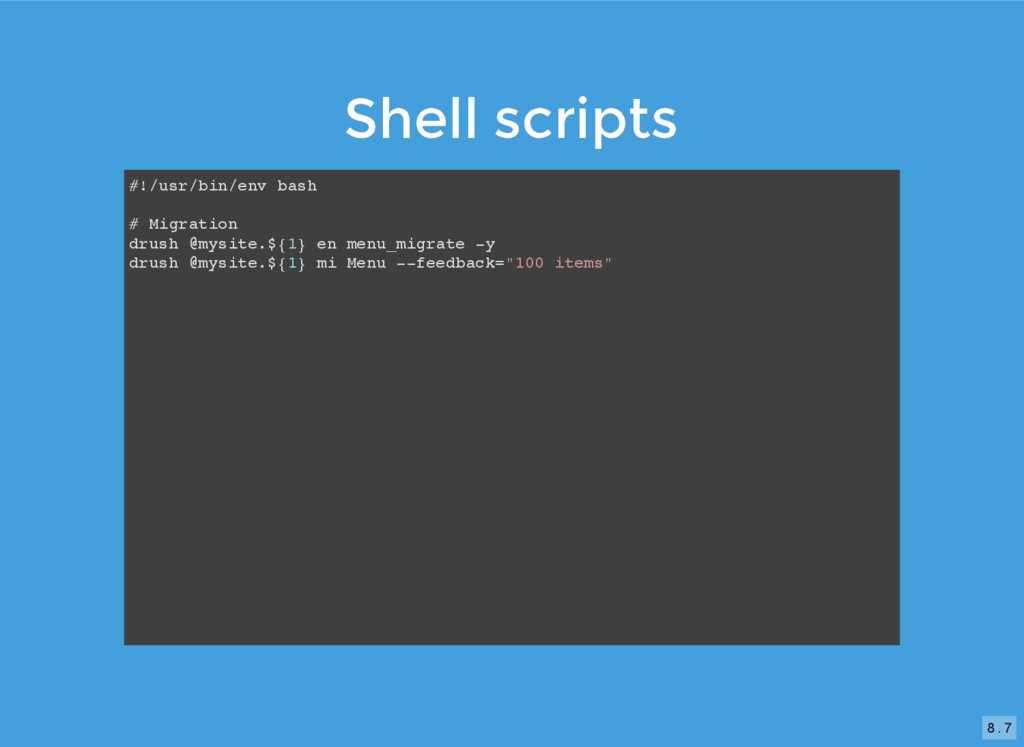
  11. Shell scripts Shell scripts #!/usr/bin/env bash # Migration drush @mysite.${1}

    en menu_migrate -y drush @mysite.${1} mi Menu --feedback="100 items" 8 . 7
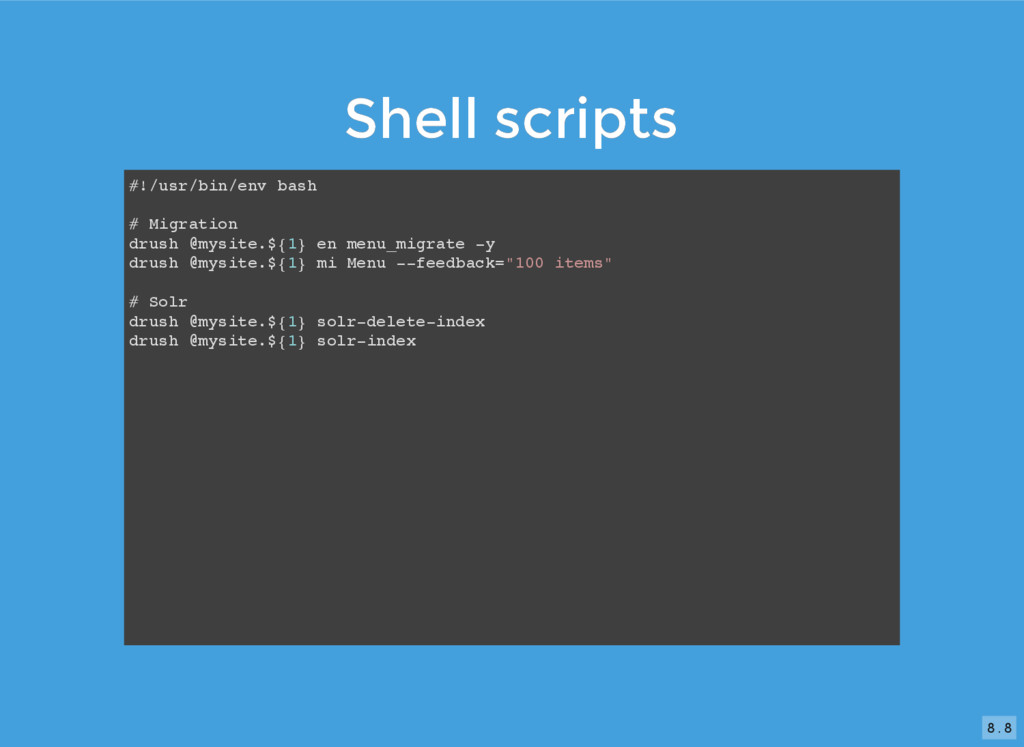
  12. Shell scripts Shell scripts #!/usr/bin/env bash # Migration drush @mysite.${1}

    en menu_migrate -y drush @mysite.${1} mi Menu --feedback="100 items" # Solr drush @mysite.${1} solr-delete-index drush @mysite.${1} solr-index 8 . 8
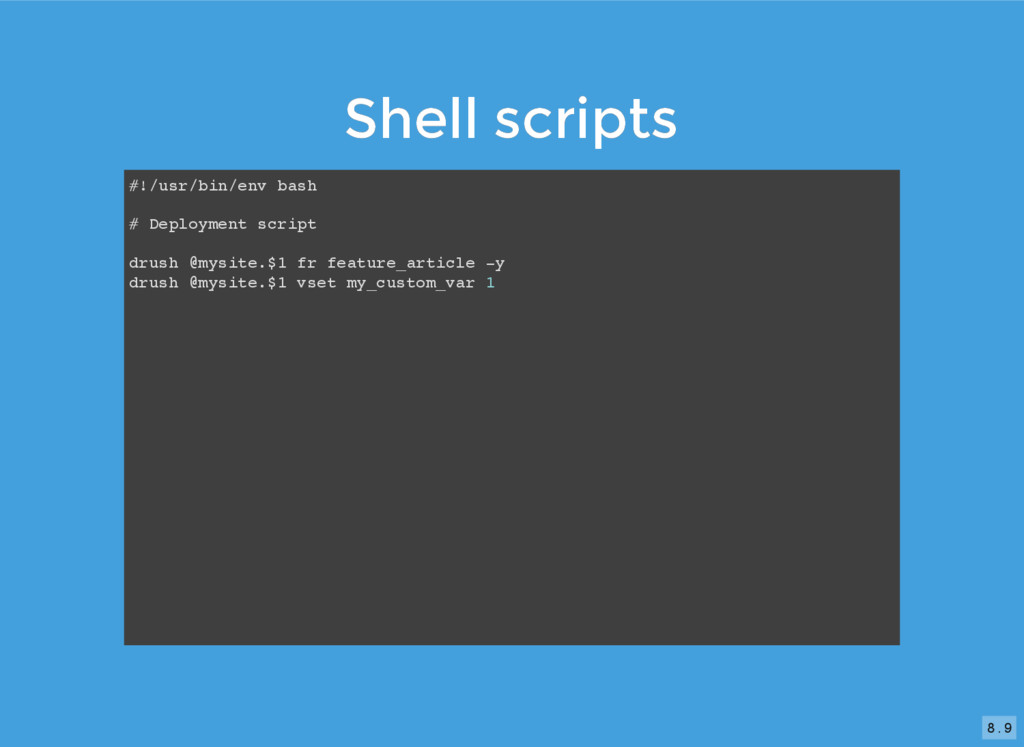
  13. Shell scripts Shell scripts #!/usr/bin/env bash # Deployment script drush

    @mysite.$1 fr feature_article -y drush @mysite.$1 vset my_custom_var 1 8 . 9
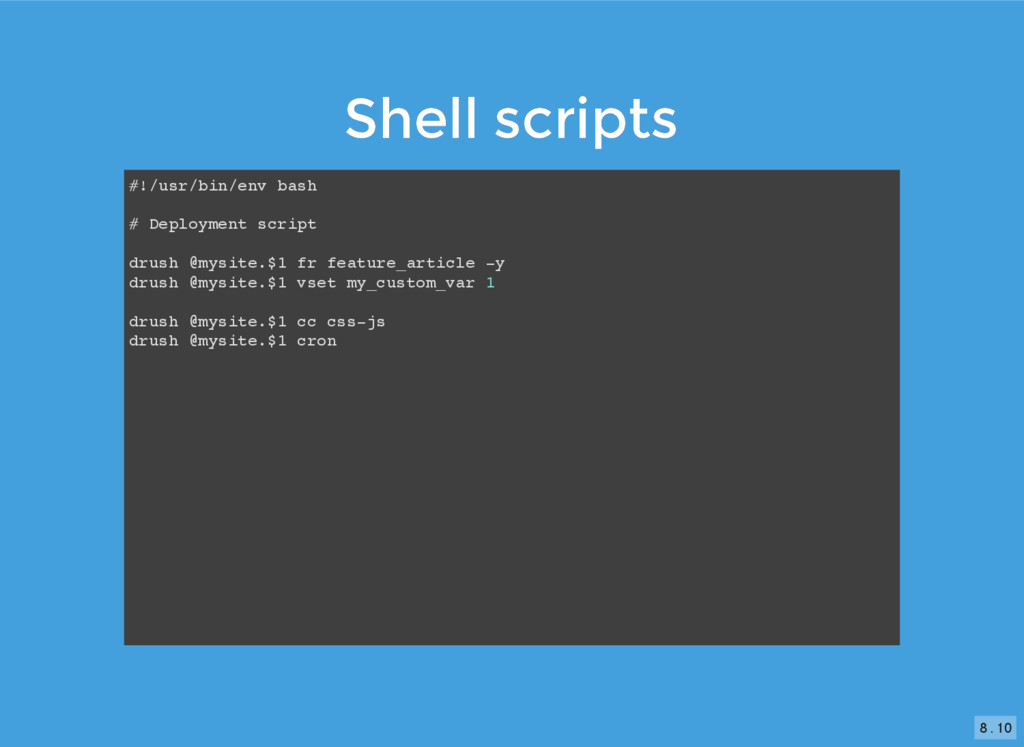
  14. Shell scripts Shell scripts #!/usr/bin/env bash # Deployment script drush

    @mysite.$1 fr feature_article -y drush @mysite.$1 vset my_custom_var 1 drush @mysite.$1 cc css-js drush @mysite.$1 cron 8 . 10
  15. 10

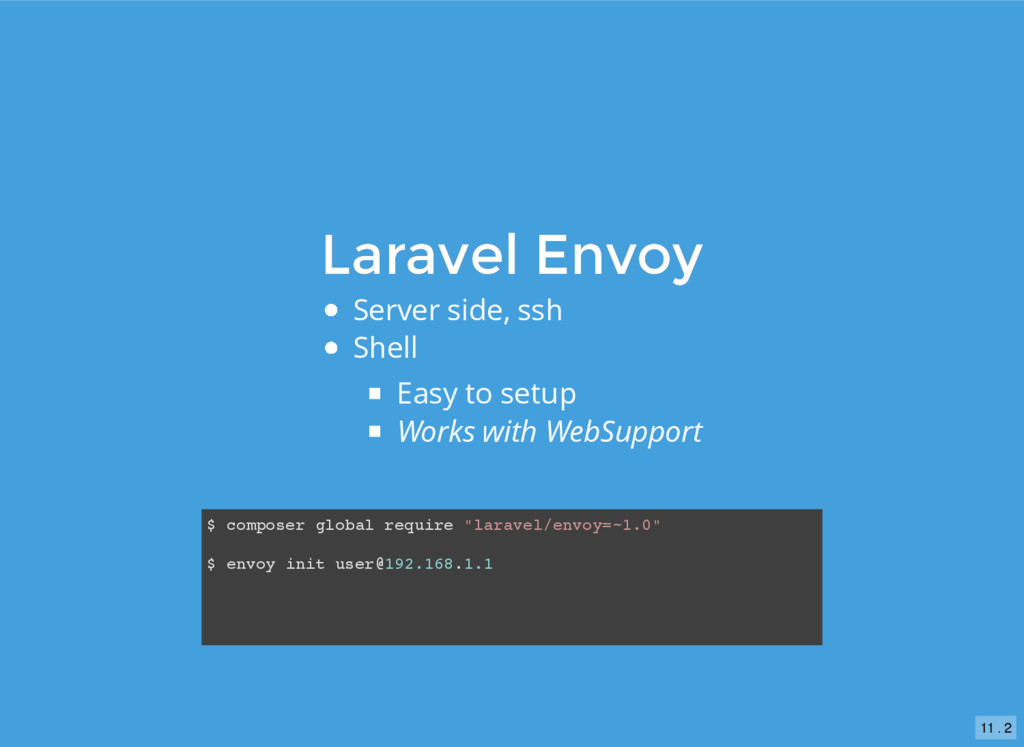
  16. Laravel Envoy Laravel Envoy Server side, ssh Shell Easy to
    setup Works with WebSupport $ composer global require "laravel/envoy=~1.0" $ envoy init [email protected] 11 . 2
  17. Envoy Envoy Envoy.blade.php --------------- @servers(['s1' => '[email protected] -p 12345']) @setup

    $now = new DateTime(); $environment = isset($env) ? $env : "testing"; @endsetup @task('deploy-prod', ['on' => 's1']) cd /var/www echo {{ $now }}; echo {{ $environment }} drush @mysite.prod sql-dump --result-file --gzip git checkout master git pull drush @mysite.prod updb drush @mysite.prod cc all drush @mysite.prod cron @endtask @macro('deploy') deploy-prod clean-up @endmacro 11 . 4
  18. Envoy Envoy Envoy.blade.php --------------- @servers(['s1' => '[email protected] -p 12345']) @task('deploy-prod',

    ['on' => 's1']) cd /var/www drush @mysite.prod sql-dump --result-file --gzip git checkout master git pull drush @mysite.prod updb drush @mysite.prod cc all drush @mysite.prod cron @endtask ... $ envoy run deploy-prod 11 . 5
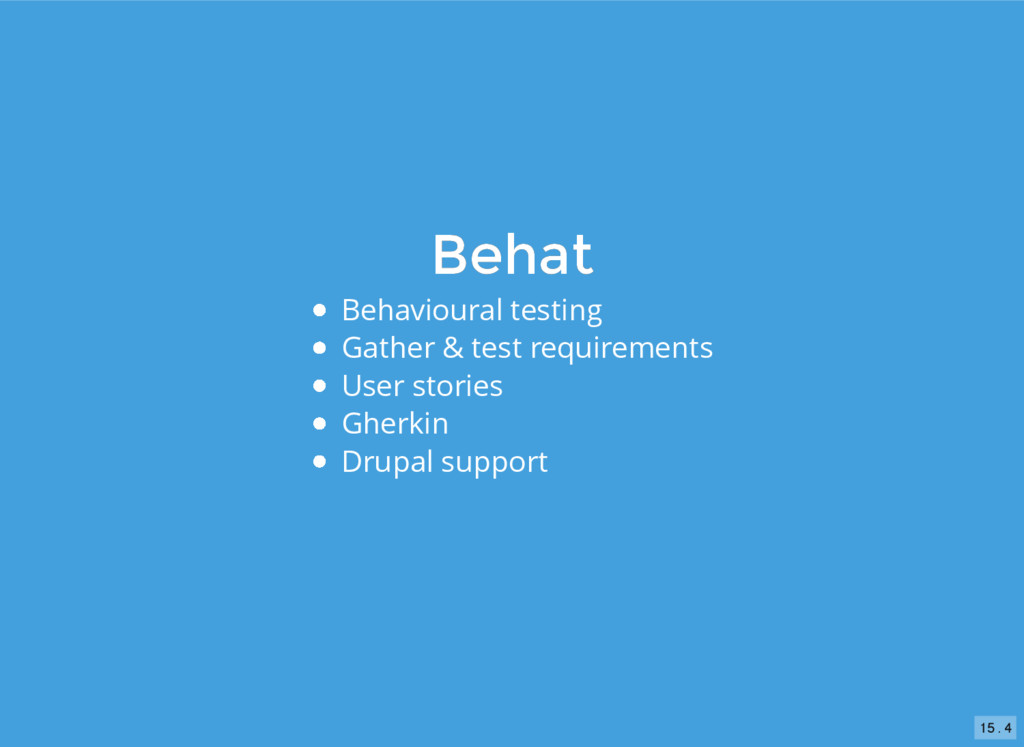
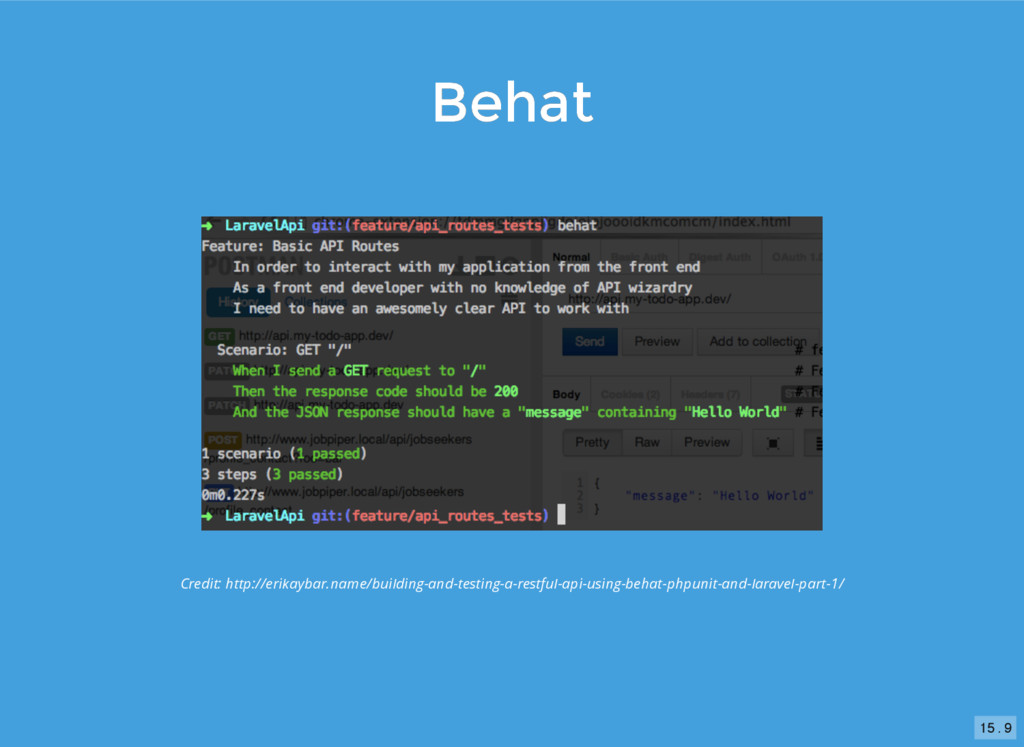
  19. Behat Behat Behavioural testing Gather & test requirements User stories

    Gherkin Critical functionality Login Purchase Post ... 15 . 3
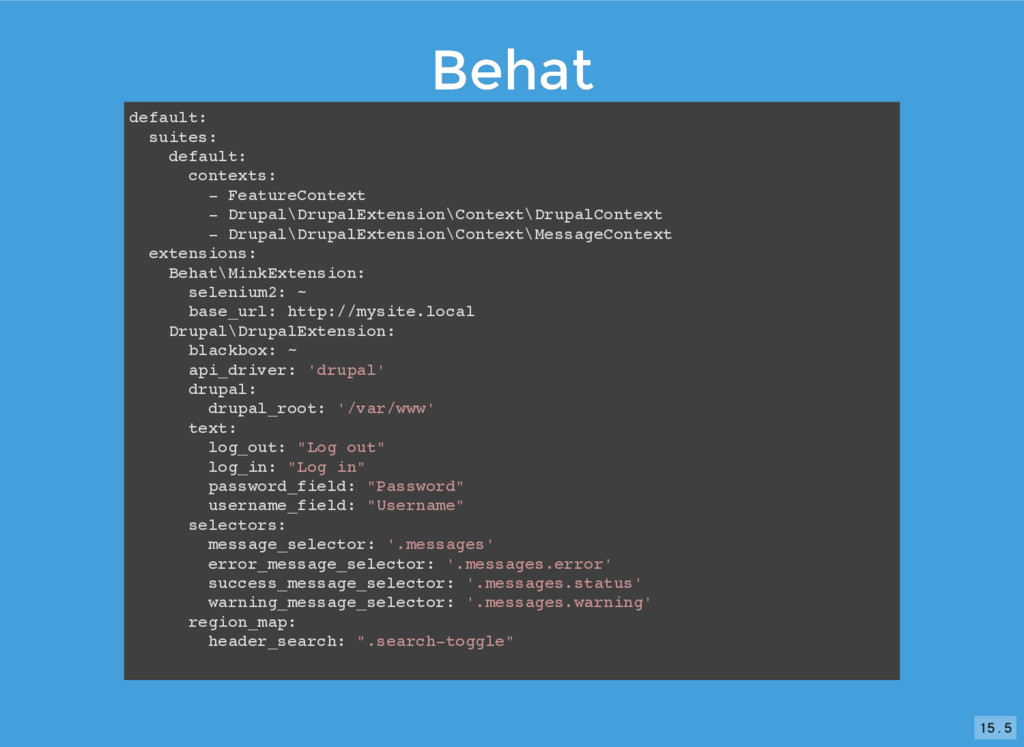
  20. Behat Behat default: suites: default: contexts: - FeatureContext - Drupal\DrupalExtension\Context\DrupalContext

    - Drupal\DrupalExtension\Context\MessageContext extensions: Behat\MinkExtension: selenium2: ~ base_url: http://mysite.local Drupal\DrupalExtension: blackbox: ~ api_driver: 'drupal' drupal: drupal_root: '/var/www' text: log_out: "Log out" log_in: "Log in" password_field: "Password" username_field: "Username" selectors: message_selector: '.messages' error_message_selector: '.messages.error' success_message_selector: '.messages.status' warning_message_selector: '.messages.warning' region_map: header_search: ".search-toggle" 15 . 5
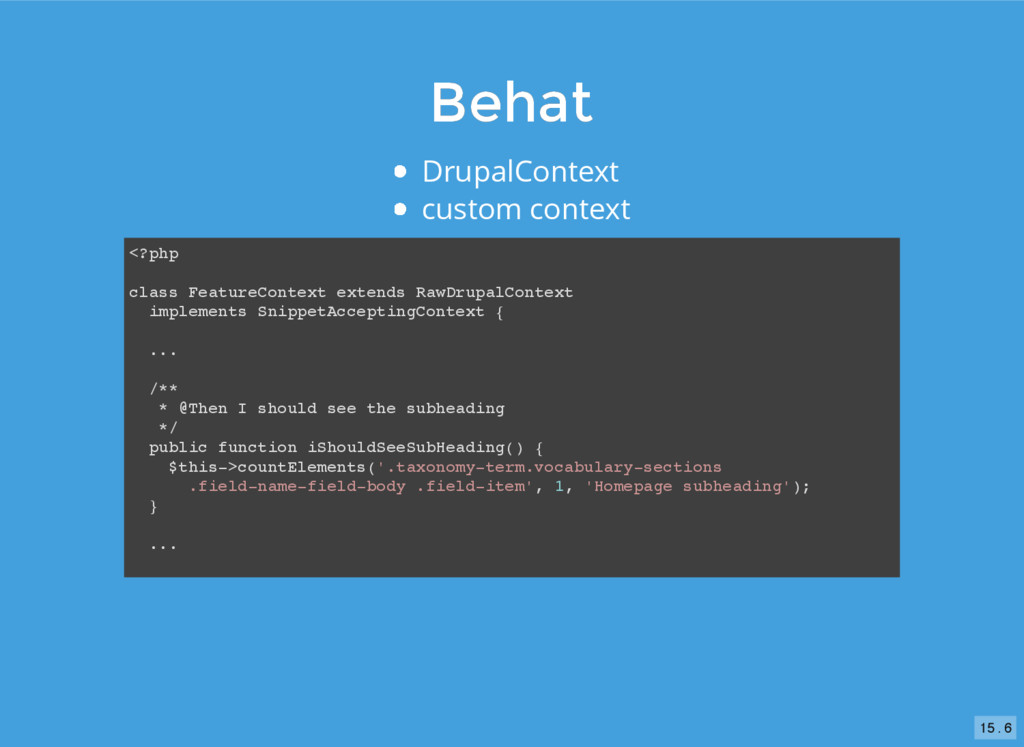
  21. Behat Behat DrupalContext custom context <?php class FeatureContext extends RawDrupalContext

    implements SnippetAcceptingContext { ... /** * @Then I should see the subheading */ public function iShouldSeeSubHeading() { $this->countElements('.taxonomy-term.vocabulary-sections .field-name-field-body .field-item', 1, 'Homepage subheading'); } ... 15 . 6
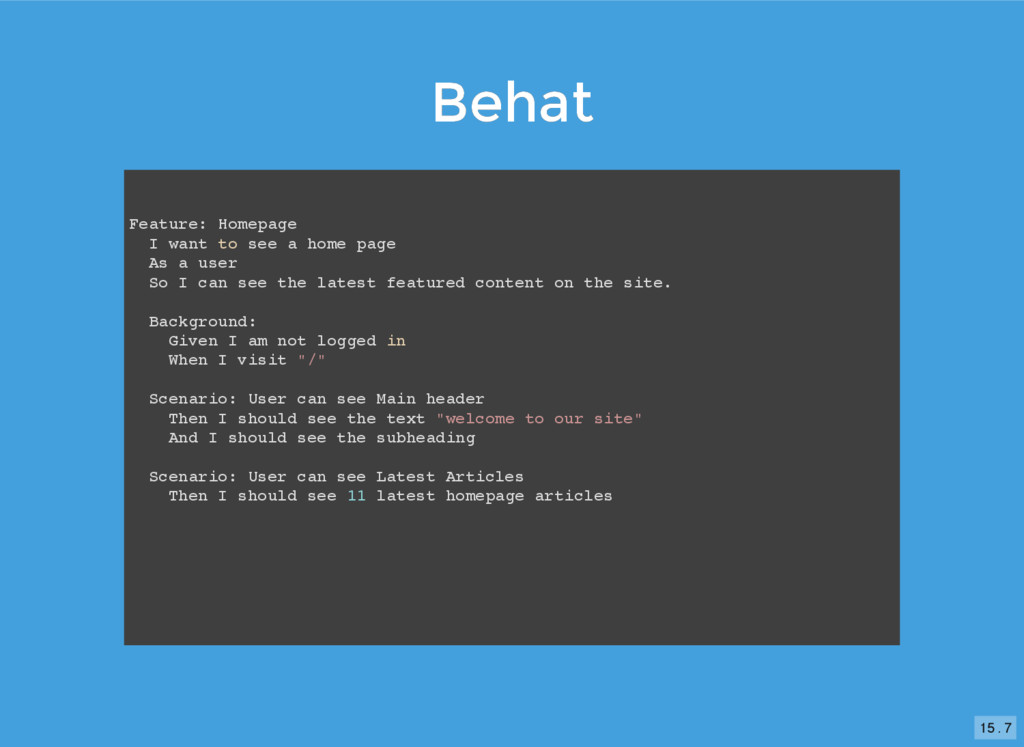
  22. Behat Behat Feature: Homepage I want to see a home

    page As a user So I can see the latest featured content on the site. Background: Given I am not logged in When I visit "/" Scenario: User can see Main header Then I should see the text "welcome to our site" And I should see the subheading Scenario: User can see Latest Articles Then I should see 11 latest homepage articles 15 . 7
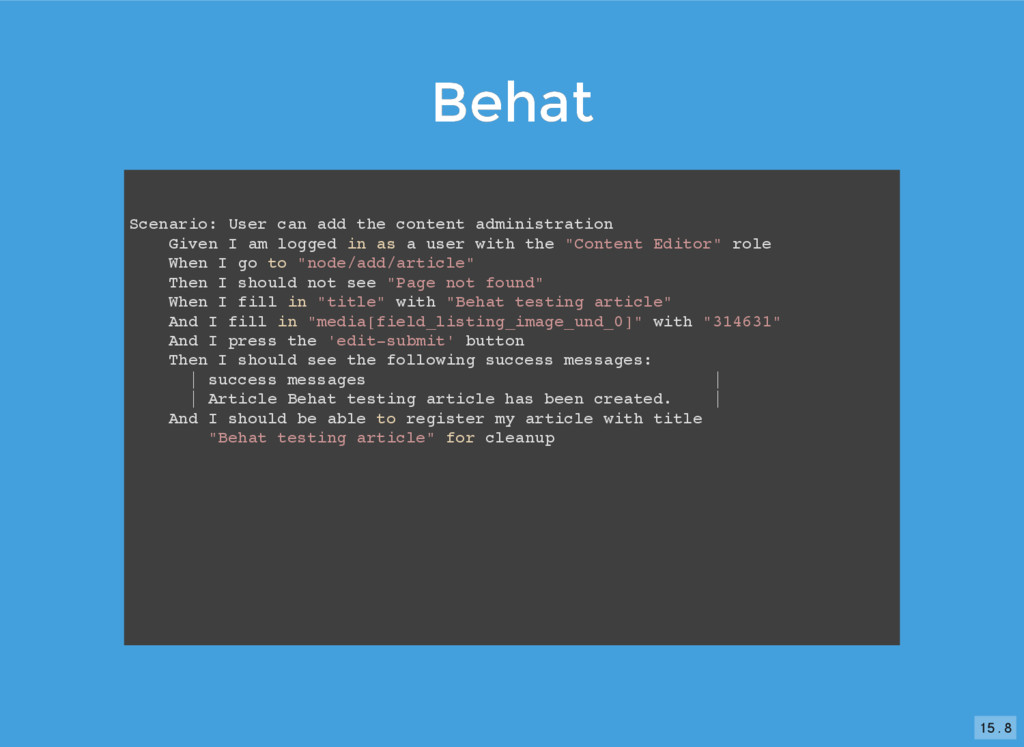
  23. Behat Behat Scenario: User can add the content administration Given

    I am logged in as a user with the "Content Editor" role When I go to "node/add/article" Then I should not see "Page not found" When I fill in "title" with "Behat testing article" And I fill in "media[field_listing_image_und_0]" with "314631" And I press the 'edit-submit' button Then I should see the following success messages: | success messages | | Article Behat testing article has been created. | And I should be able to register my article with title "Behat testing article" for cleanup 15 . 8