Upgrade to Pro
— share decks privately, control downloads, hide ads and more …
Speaker Deck
Sign up for free
Menu
Search
Features
All features
Private URLs
Password Protection
Custom URLS
Scheduled publishing
Remove Branding
Restrict embedding
Deck Collections
Notes
Features
All features
Private URLs
Password Protection
Custom URLS
Scheduled publishing
Remove Branding
Restrict embedding
Deck Collections
Notes
Explore
Featured decks
Featured speakers
Programming
Technology
Storyboards
Explore
Featured decks
Featured speakers
Programming
Technology
Storyboards
Pricing
Search
Sign in
Sign up for free
Useful Tools for Hardware Design
Search
dppa1008
April 30, 2020
1.6k
0
Share
Embed
Copy iframe code
Copy JS code
Copy link
Start on current slide
Useful Tools for Hardware Design
dppa1008
April 30, 2020
More Decks by dppa1008
See All by dppa1008
Testbench
dppa1008
0
1.5k
Simple Makefile
dppa1008
0
1.5k
Simple nWave
dppa1008
0
1.5k
nWave compressed
dppa1008
0
33
Verlilog Lab 1 Tutorial
dppa1008
0
2.2k
Lab 1 example
dppa1008
0
2.1k
Featured
See All Featured
Speed Design
sergeychernyshev
33
2.2k
What's in a price? How to price your products and services
michaelherold
247
13k
Fantastic passwords and where to find them - at NoRuKo
philnash
53
4k
Paper Plane (Part 1)
katiecoart
PRO
2
12k
How to Create Impact in a Changing Tech Landscape [PerfNow 2023]
tammyeverts
56
3.5k
Deep Space Network (abreviated)
tonyrice
0
370
The Curious Case for Waylosing
cassininazir
1
570
Stop Working from a Prison Cell
hatefulcrawdad
274
21k
Faster Mobile Websites
deanohume
310
32k
SEO in 2025: How to Prepare for the Future of Search
ipullrank
3
3.9k
How People are Using Generative and Agentic AI to Supercharge Their Products, Projects, Services and Value Streams Today
helenjbeal
2
360
Amusing Abliteration
ianozsvald
1
350
Transcript
Useful Tools Kai-Chen Lin Logic Design 2020 Prof. Wai Kei
Mak
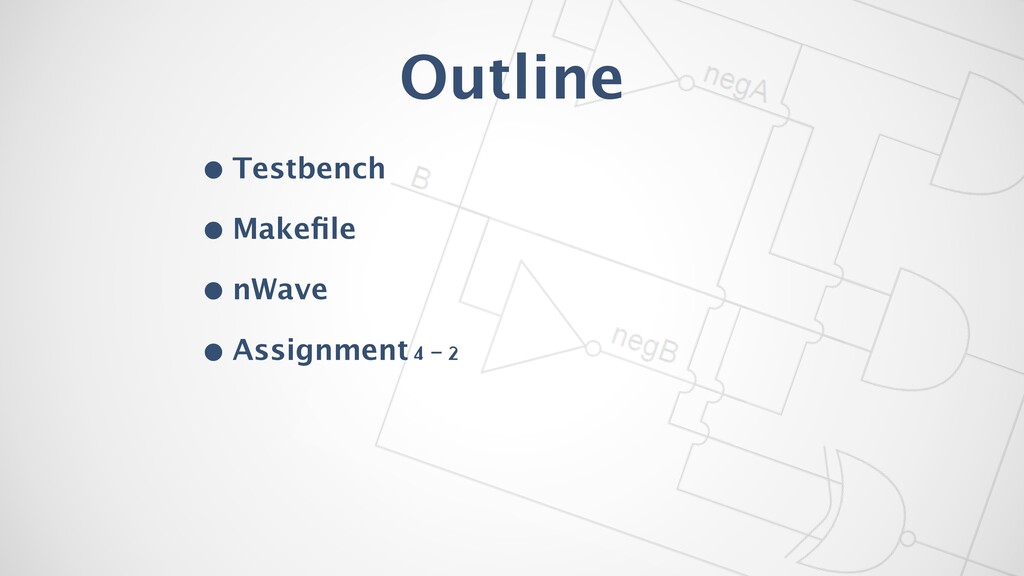
Outline • Testbench • Makefile • nWave • Assignment 4
- 2
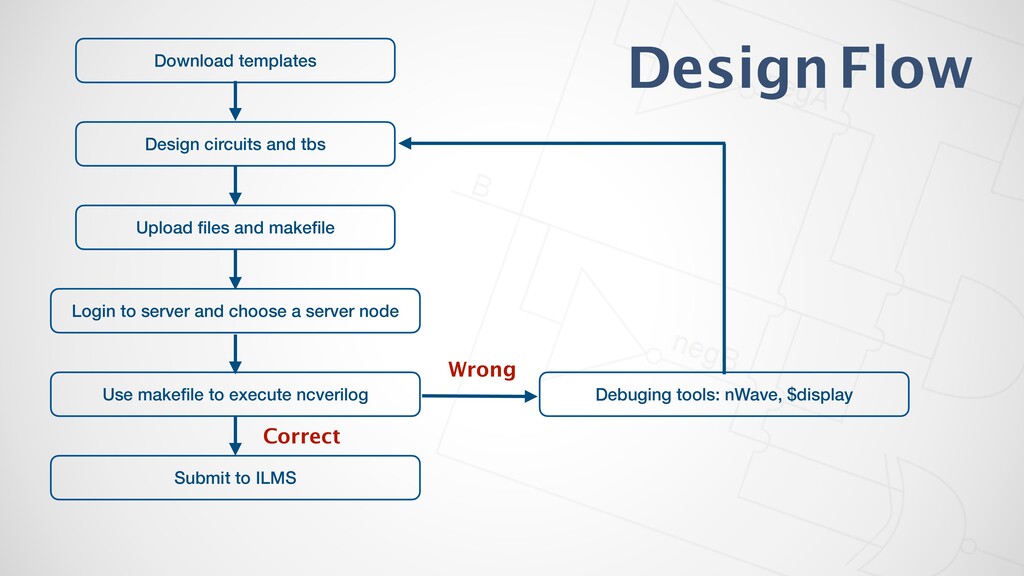
Correct Download templates Design circuits and tbs Upload files and
makefile Login to server and choose a server node Use makefile to execute ncverilog Debuging tools: nWave, $display Submit to ILMS Wrong Design Flow
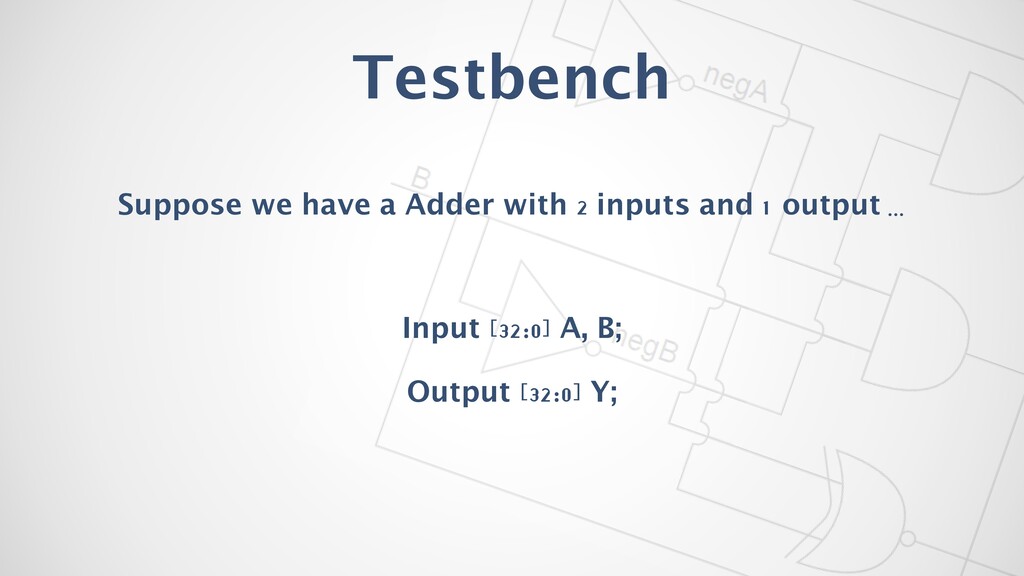
Testbench Suppose we have a Adder with 2 inputs and
1 output … Input [32:0] A, B; Output [32:0] Y;
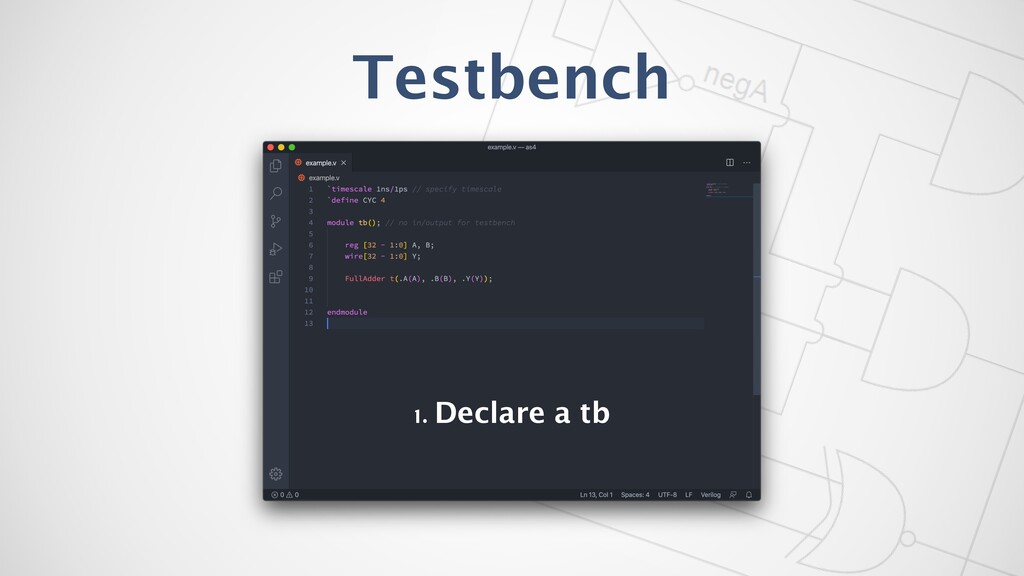
Testbench 1. Declare a tb
Testbench 1. Declare a tb
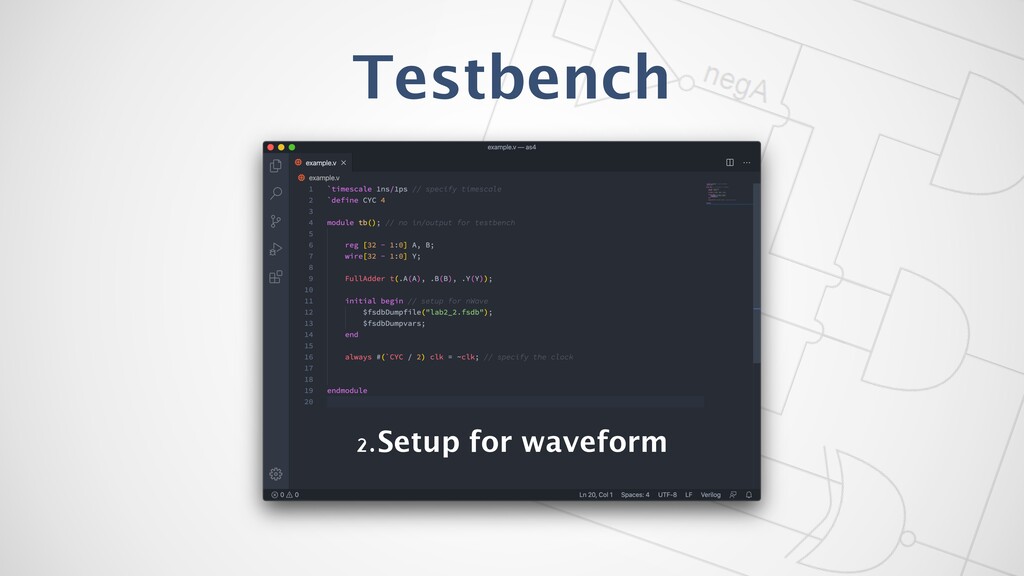
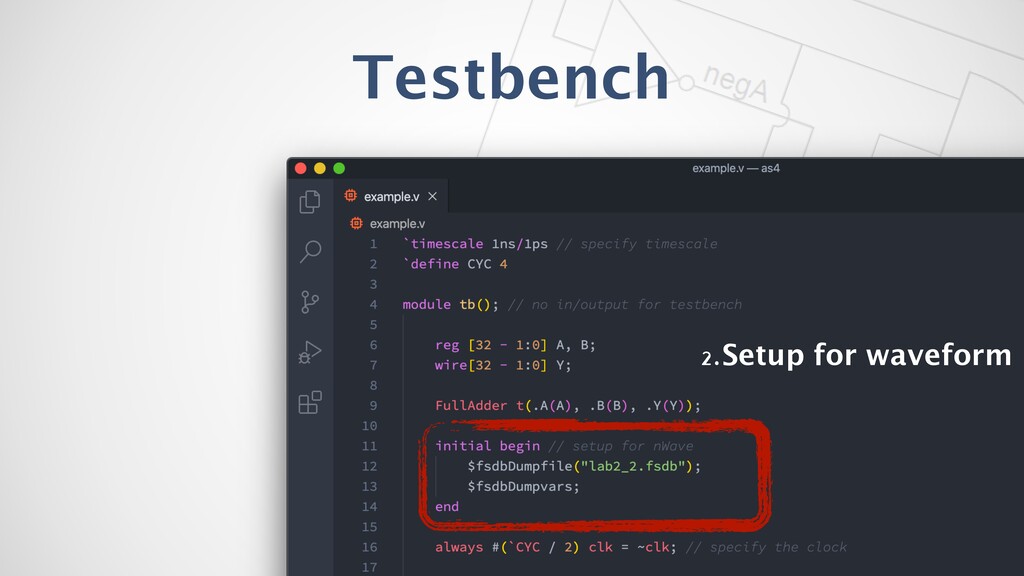
Testbench 2.Setup for waveform
Testbench 2.Setup for waveform
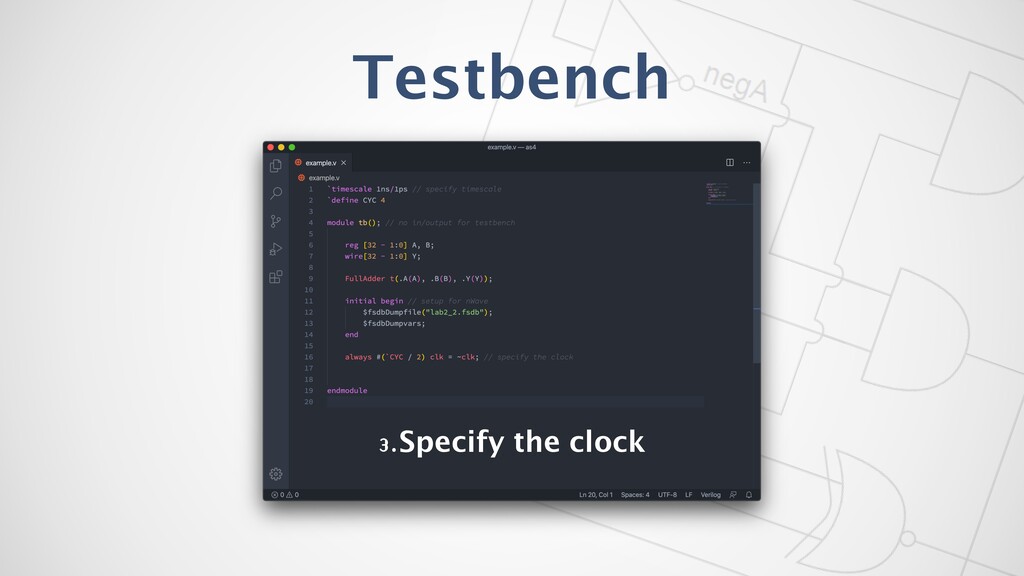
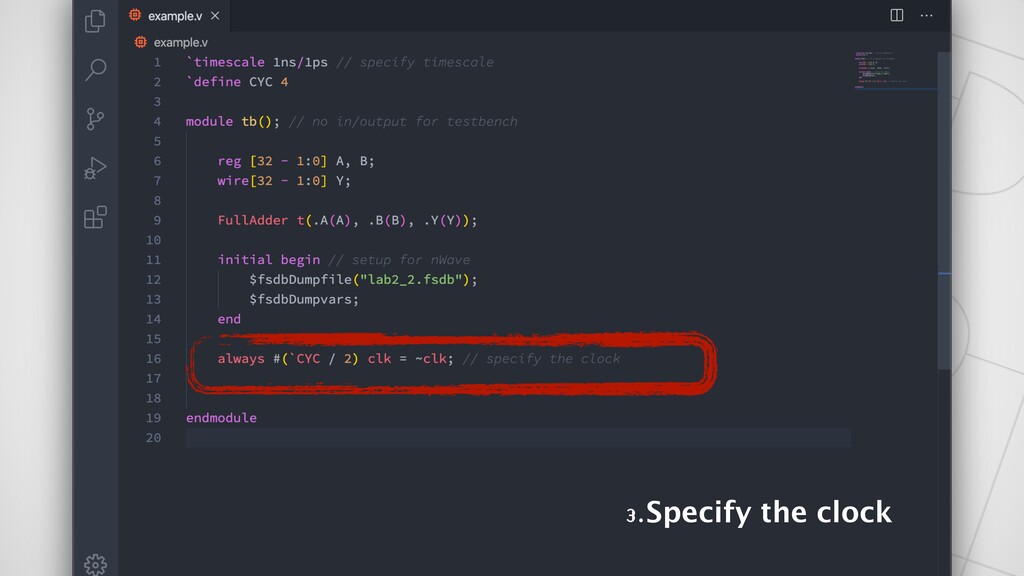
Testbench 3.Specify the clock
3.Specify the clock
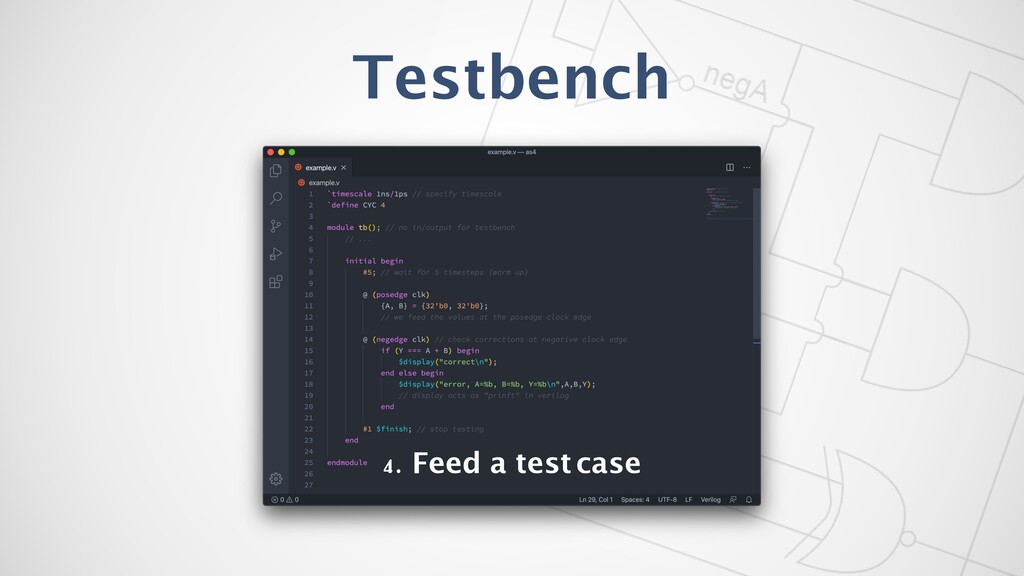
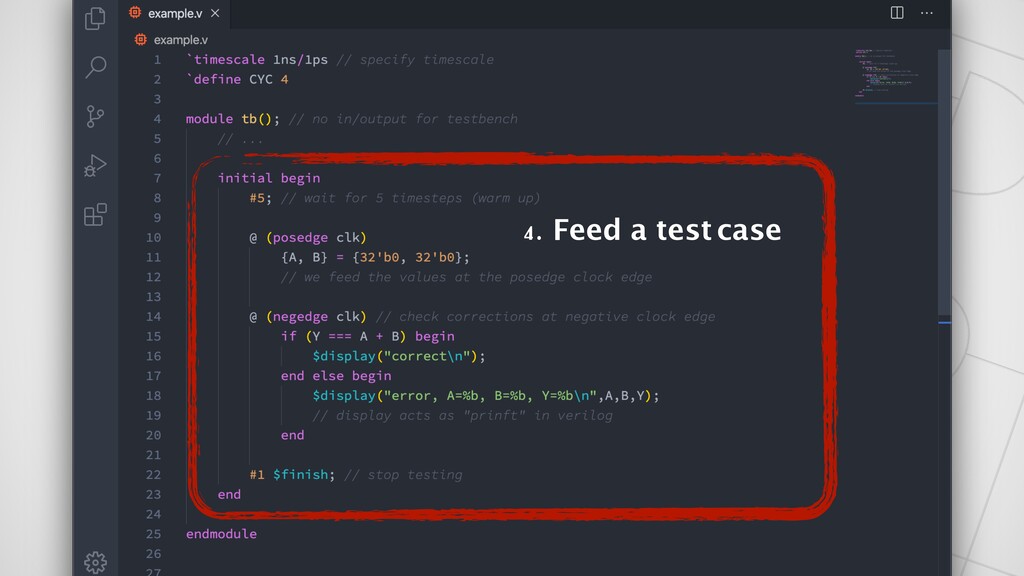
4. Feed a test case Testbench
4. Feed a test case
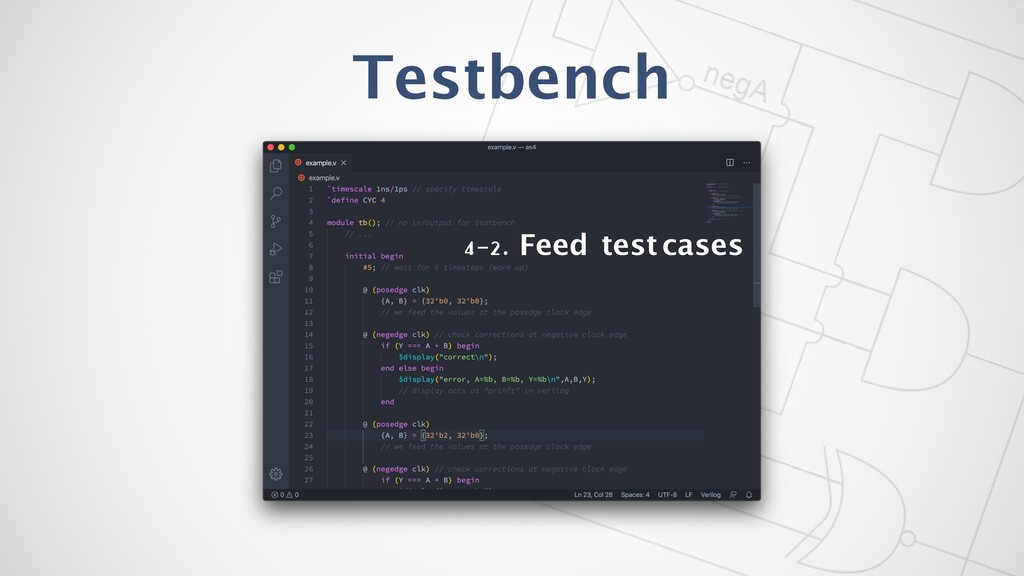
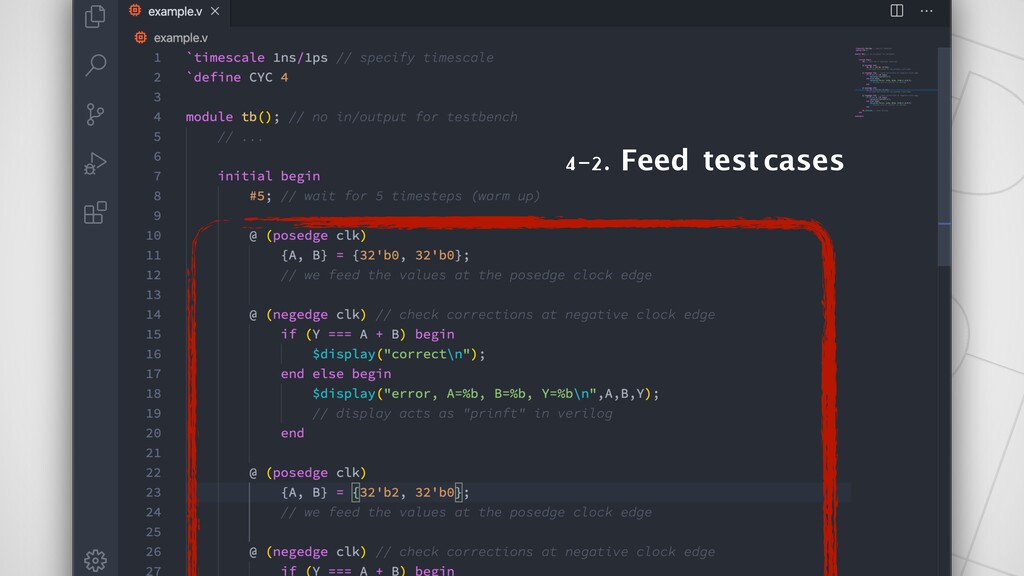
Testbench 4-2. Feed test cases
Testbench 4-2. Feed test cases
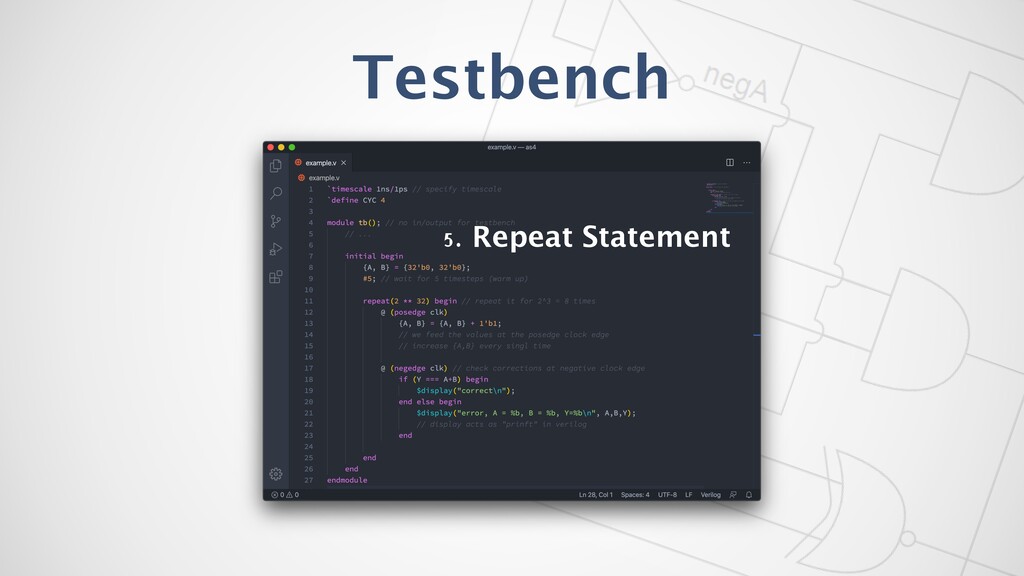
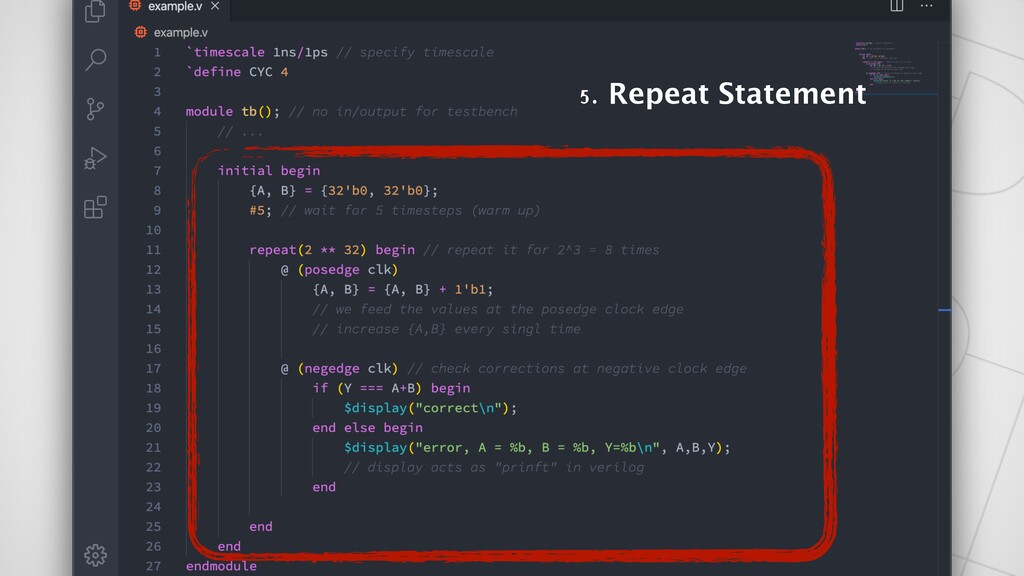
Testbench 5. Repeat Statement
Testbench 5. Repeat Statement
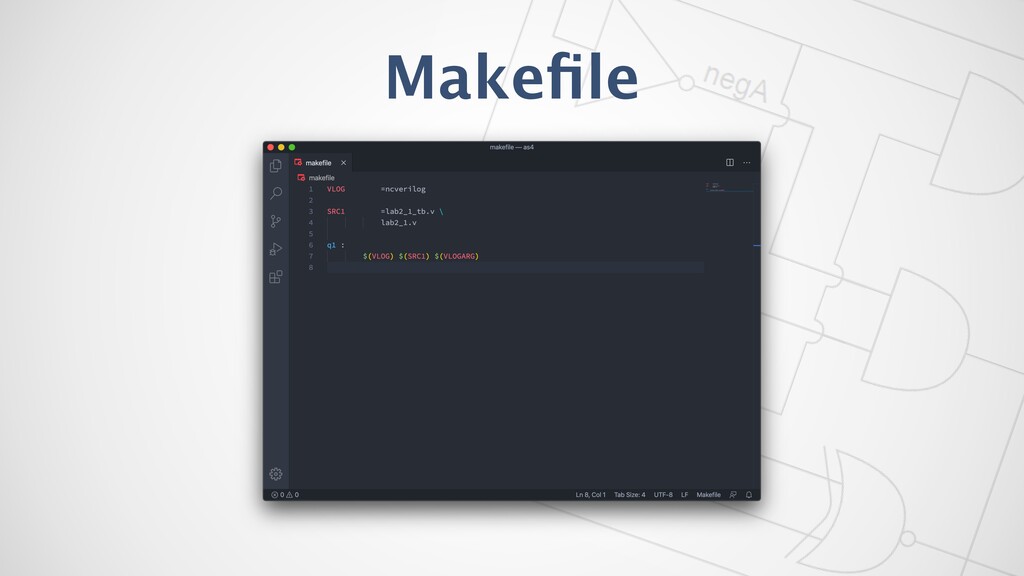
Makefile
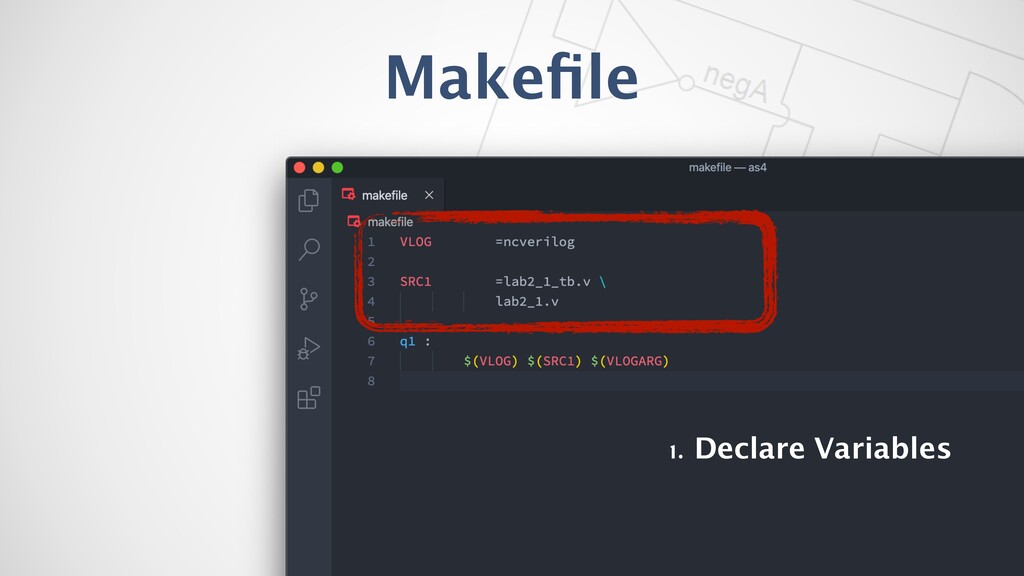
Makefile 1. Declare Variables
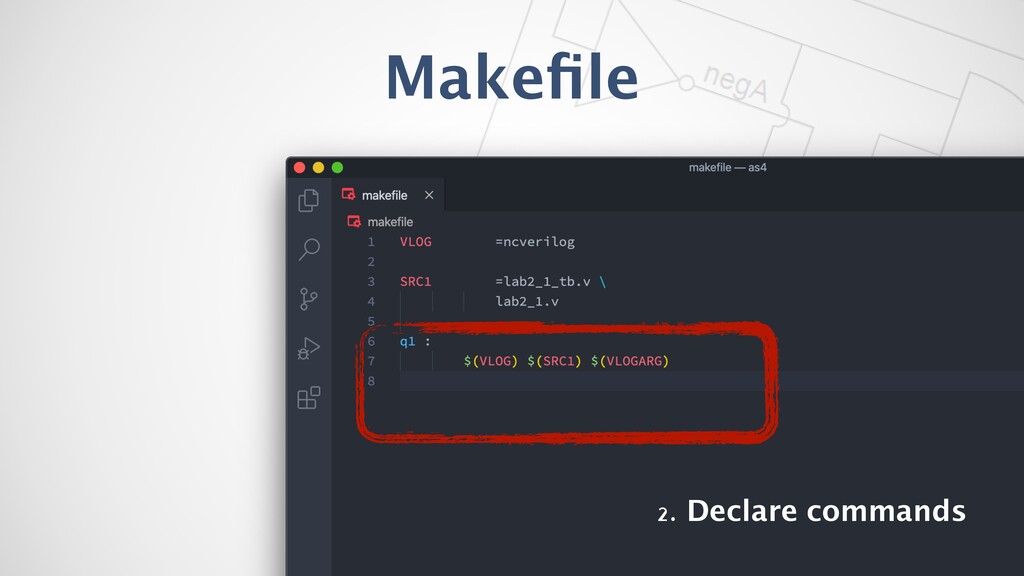
Makefile 2. Declare commands
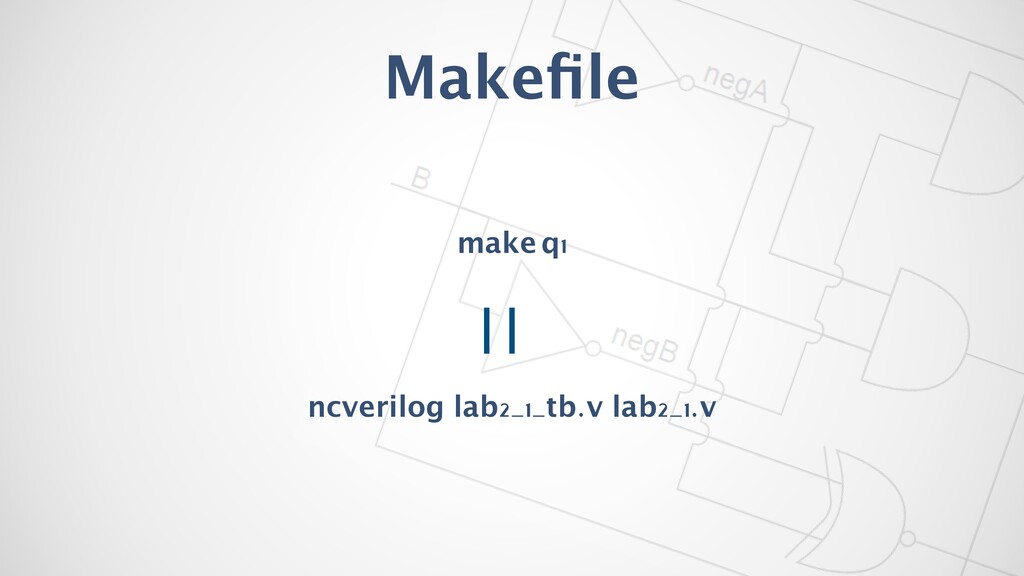
Makefile make q1 ncverilog lab2_1_tb.v lab2_1.v
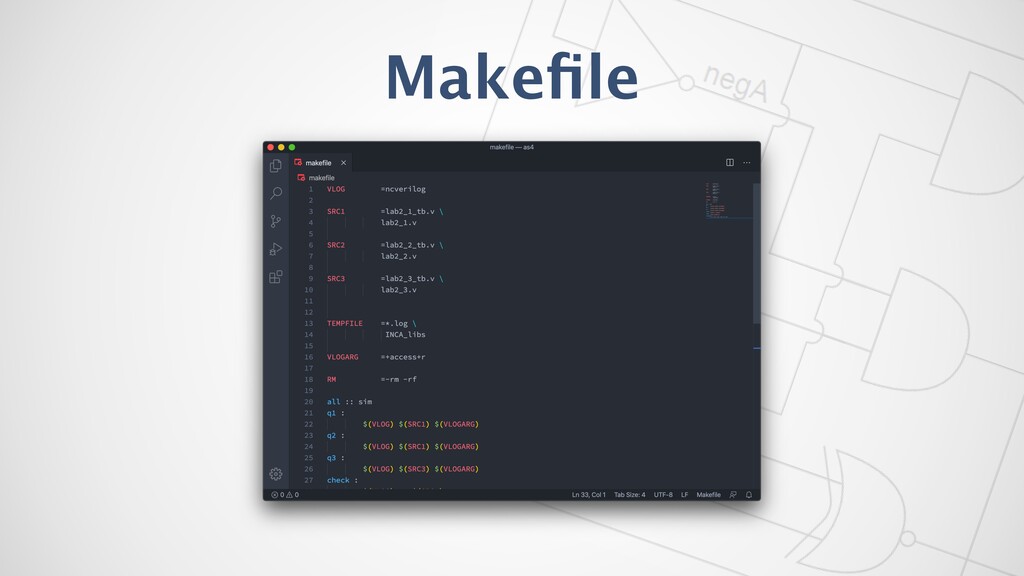
Makefile
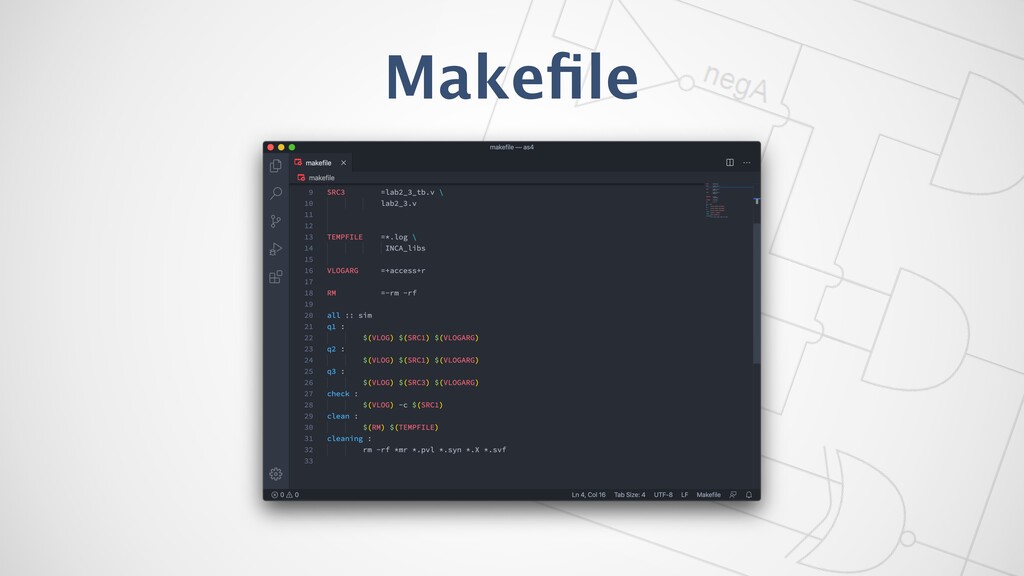
Makefile
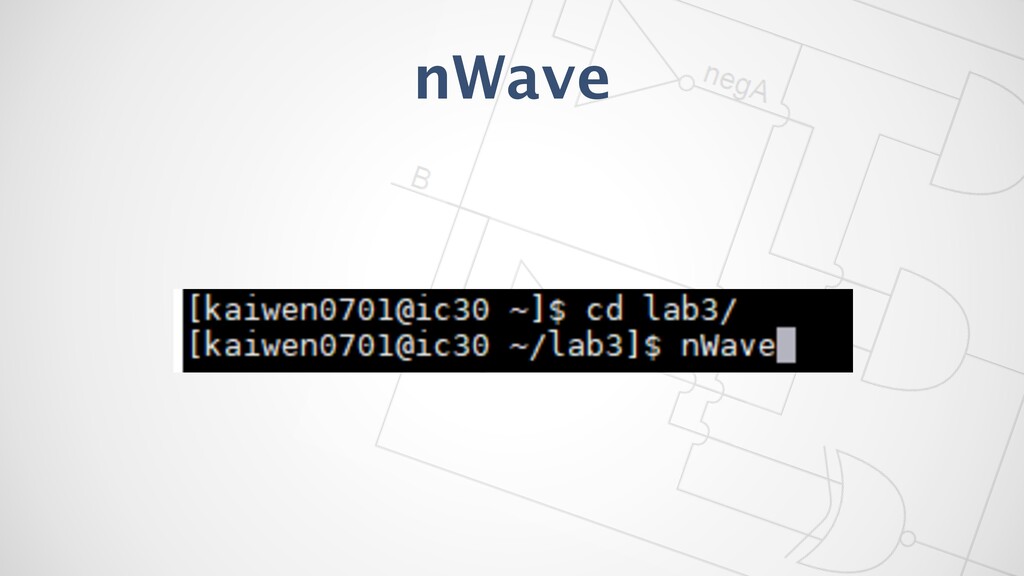
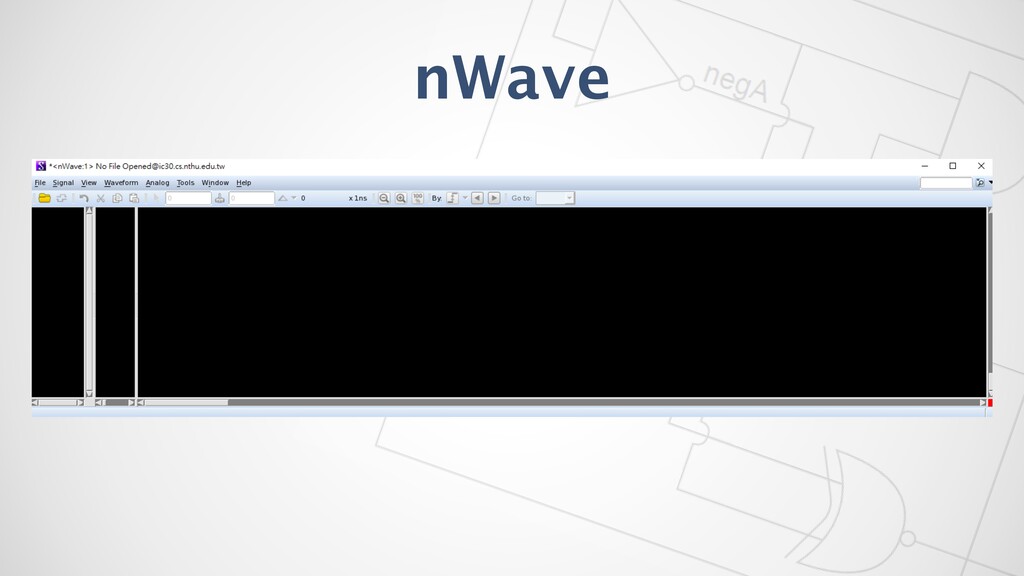
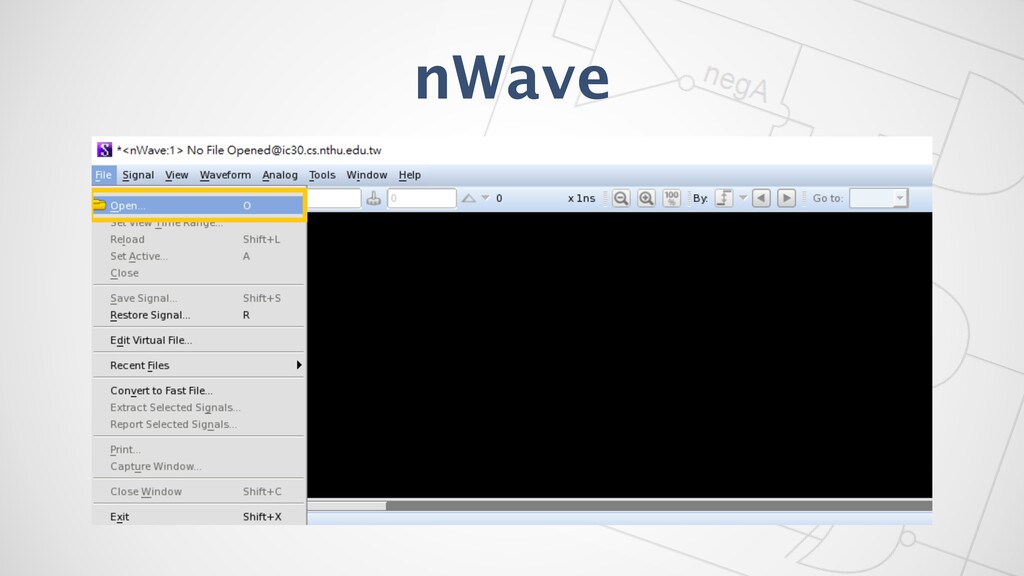
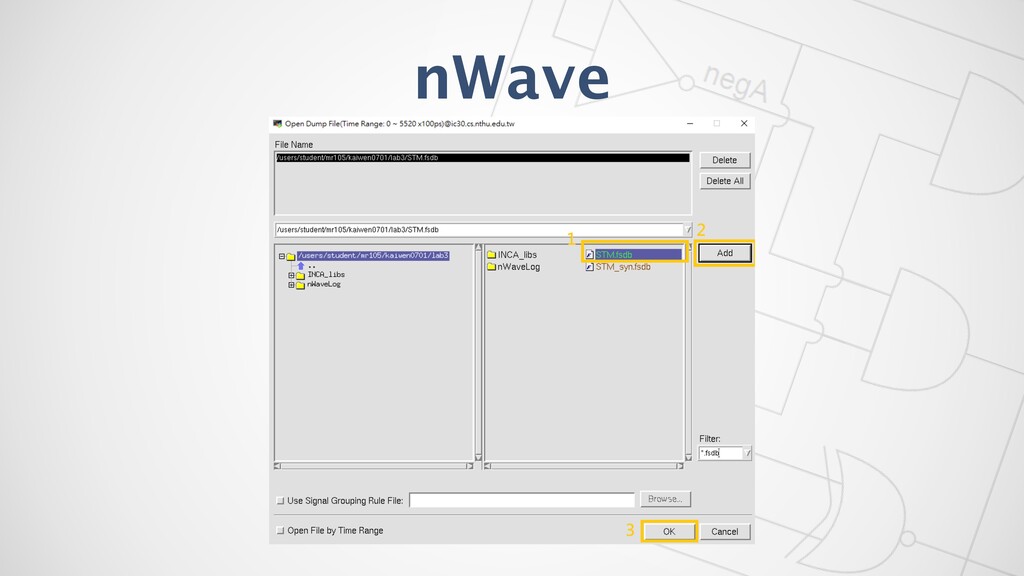
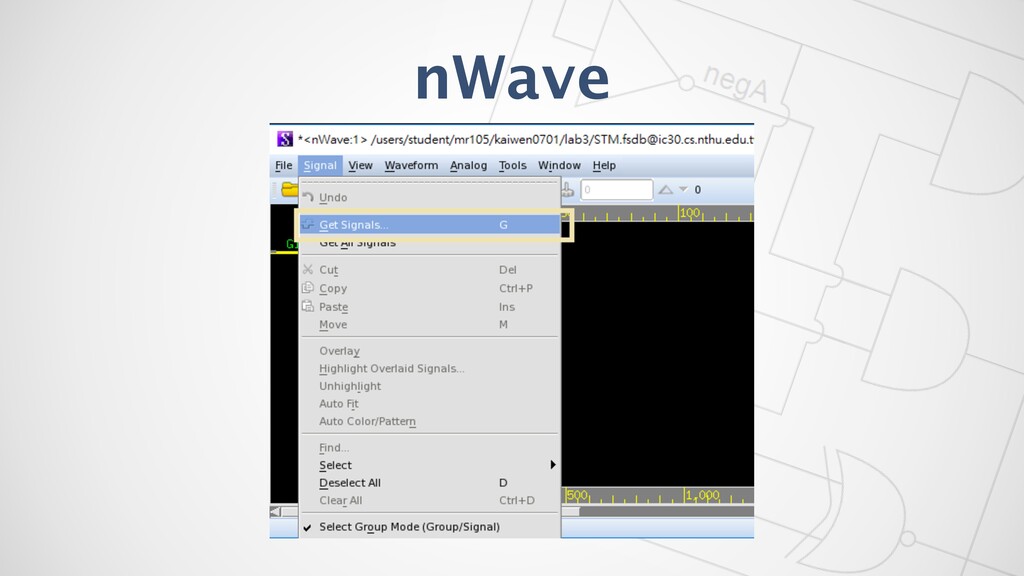
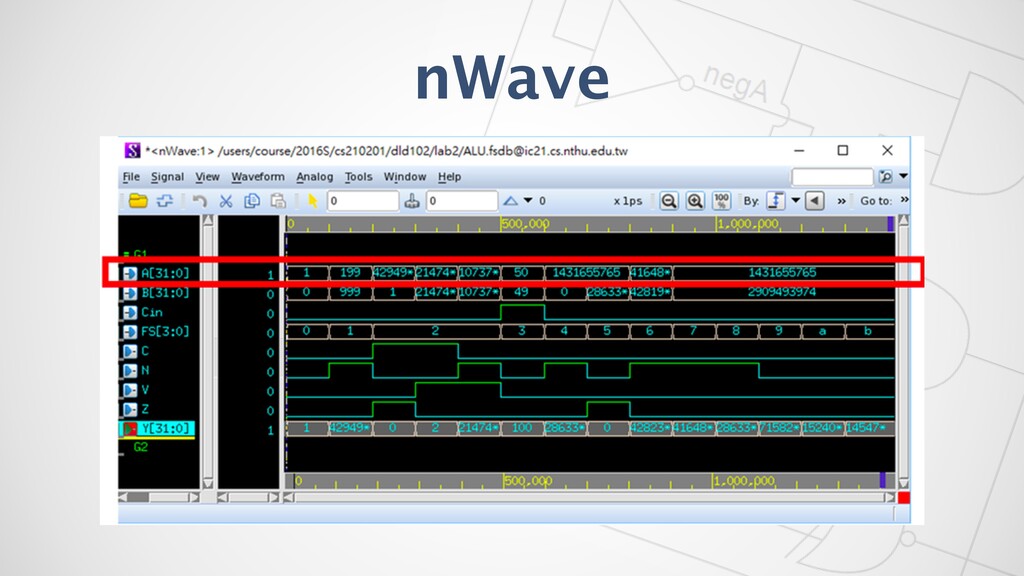
nWave
nWave
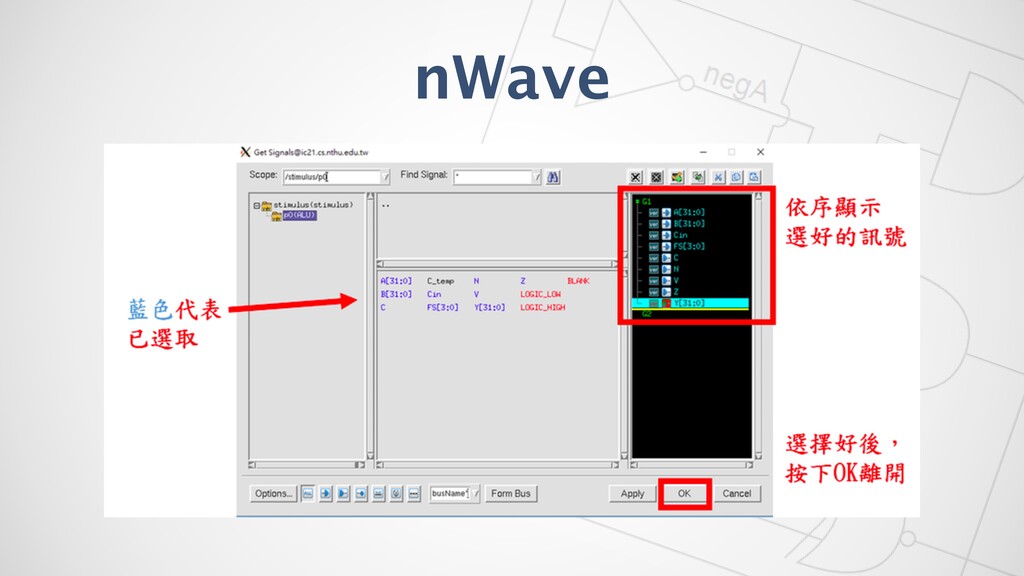
nWave
nWave
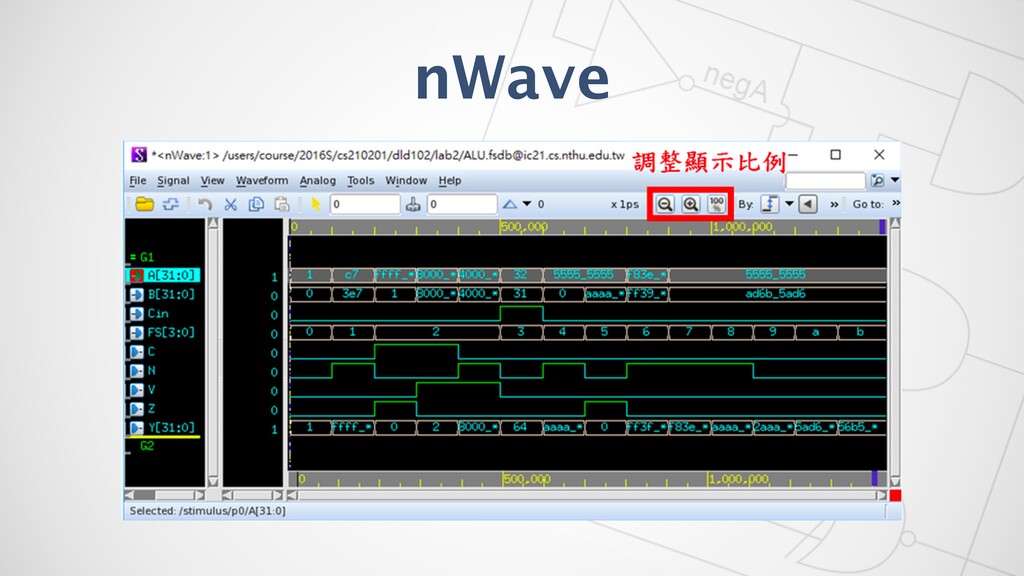
nWave
nWave
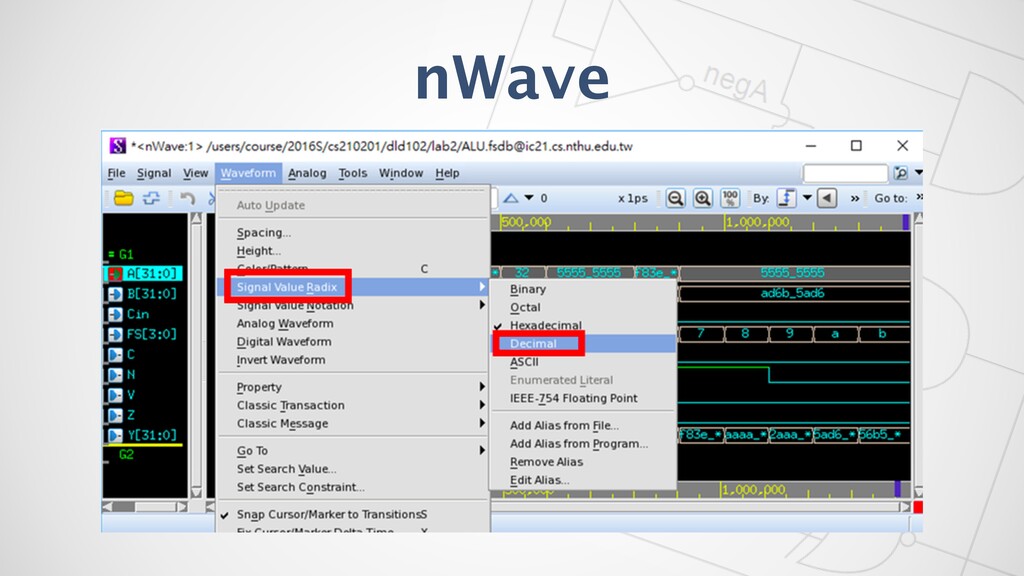
nWave
nWave
nWave
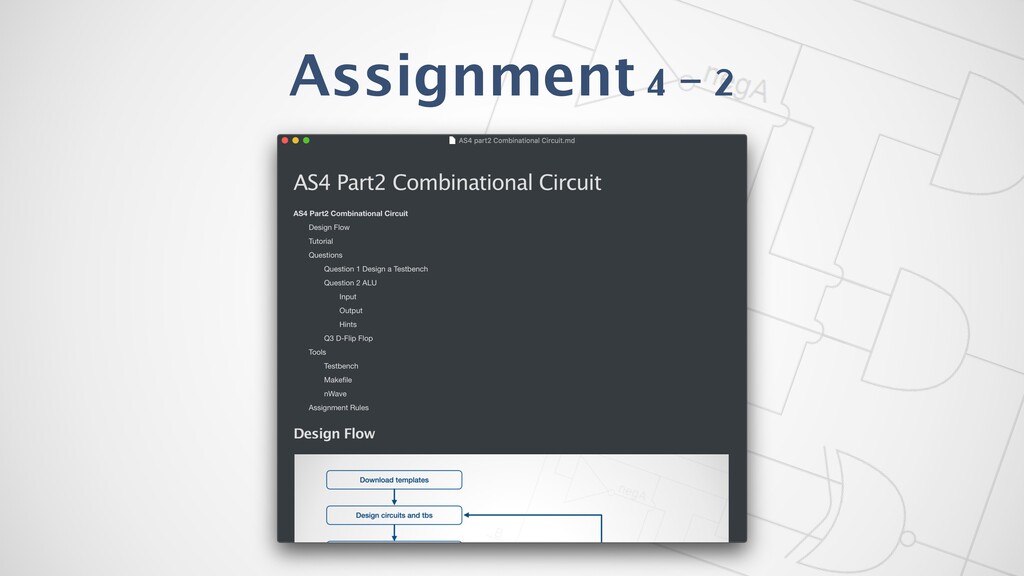
Assignment 4 - 2


 dppa1008
 sergeychernyshev
 michaelherold
 philnash
 katiecoart
 tammyeverts
 tonyrice
 cassininazir
 hatefulcrawdad
 deanohume
 ipullrank
.png) helenjbeal
helenjbeal
 ianozsvald