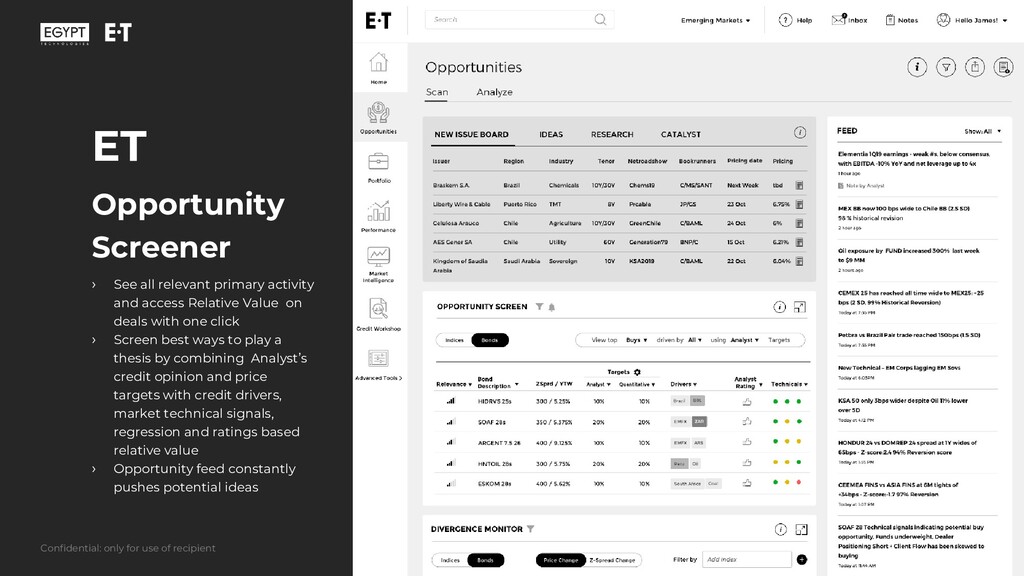
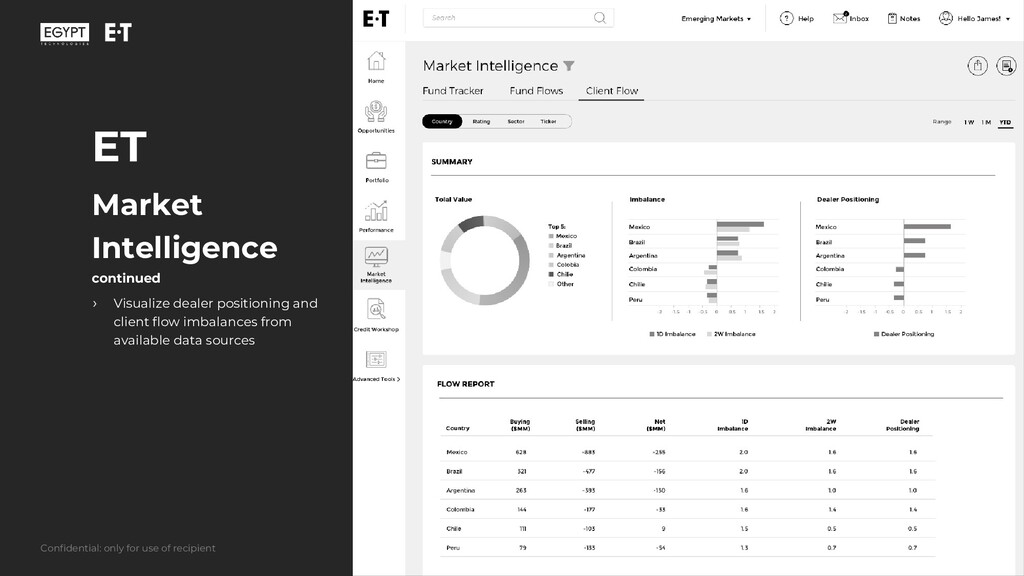
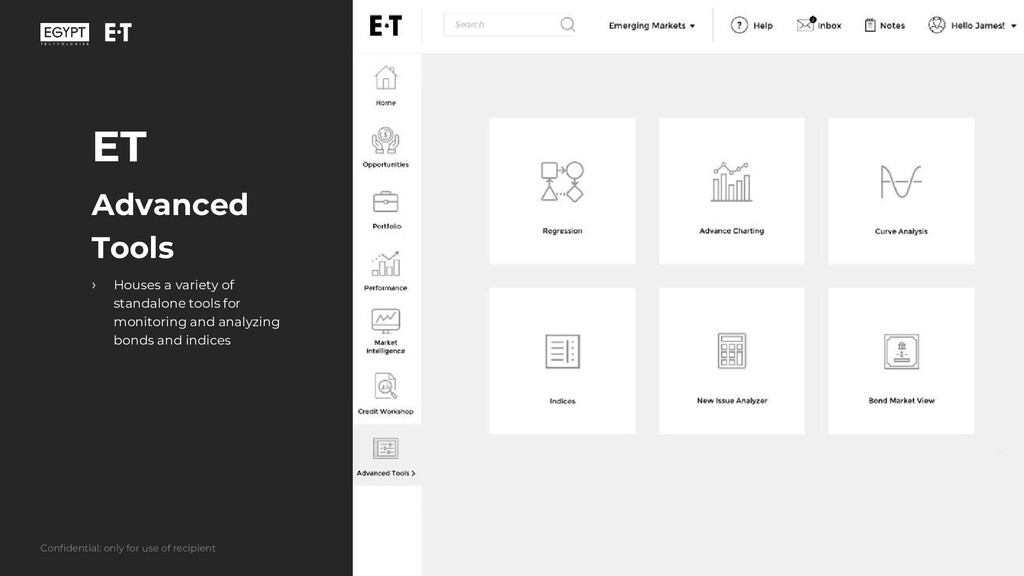
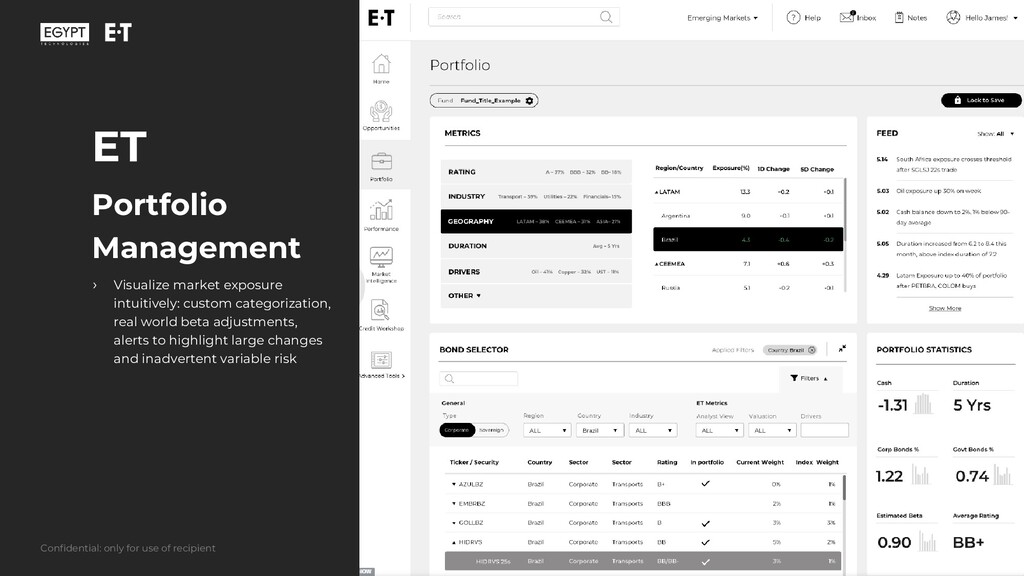
access Relative Value on deals with one click › Screen best ways to play a thesis by combining Analyst’s credit opinion and price targets with credit drivers, market technical signals, regression and ratings based relative value › Opportunity feed constantly pushes potential ideas Confidential: only for use of recipient
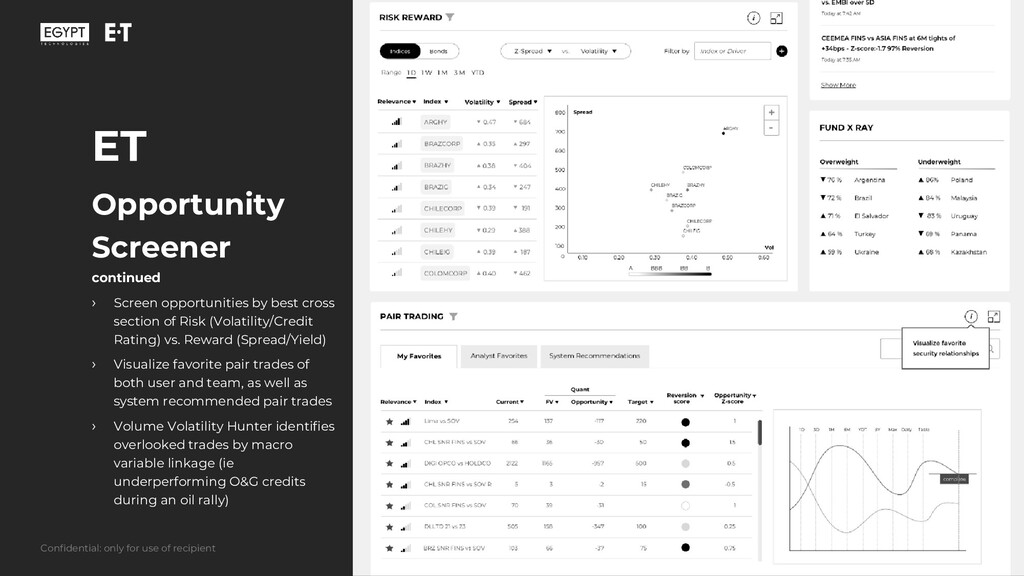
› Screen opportunities by best cross section of Risk (Volatility/Credit Rating) vs. Reward (Spread/Yield) › Visualize favorite pair trades of both user and team, as well as system recommended pair trades › Volume Volatility Hunter identifies overlooked trades by macro variable linkage (ie underperforming O&G credits during an oil rally)
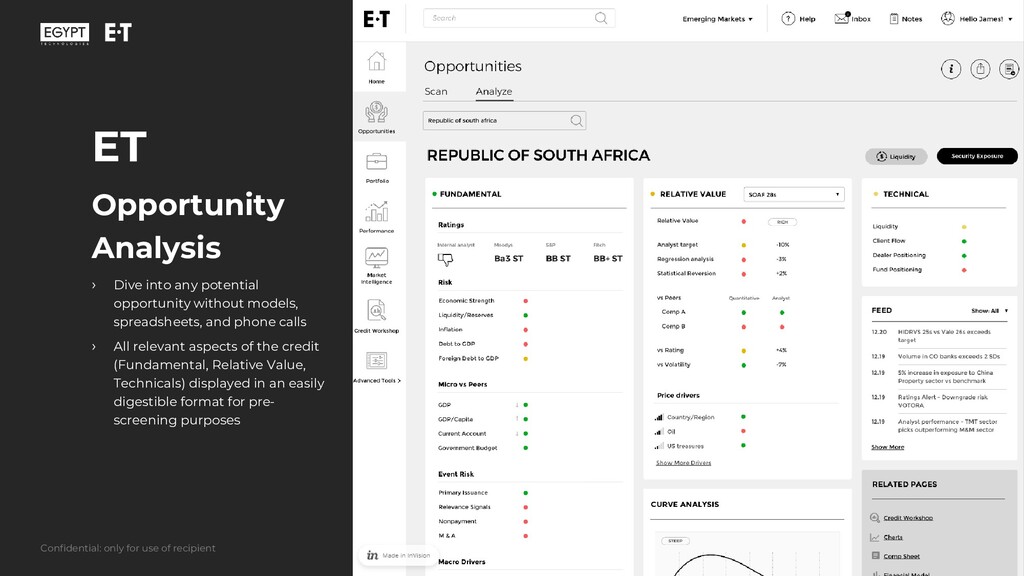
models, spreadsheets, and phone calls › All relevant aspects of the credit (Fundamental, Relative Value, Technicals) displayed in an easily digestible format for pre- screening purposes Confidential: only for use of recipient
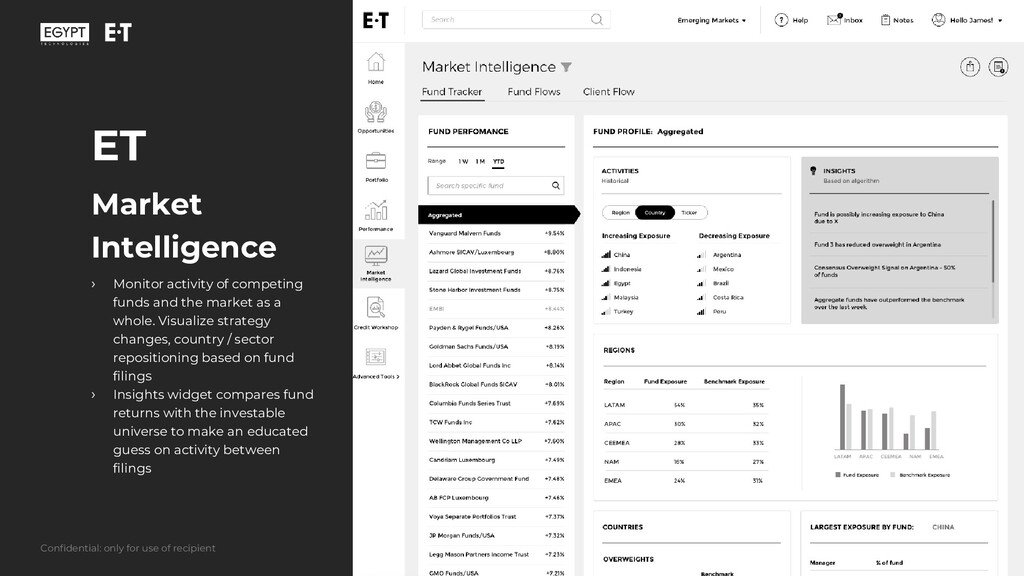
the market as a whole. Visualize strategy changes, country / sector repositioning based on fund filings › Insights widget compares fund returns with the investable universe to make an educated guess on activity between filings Confidential: only for use of recipient
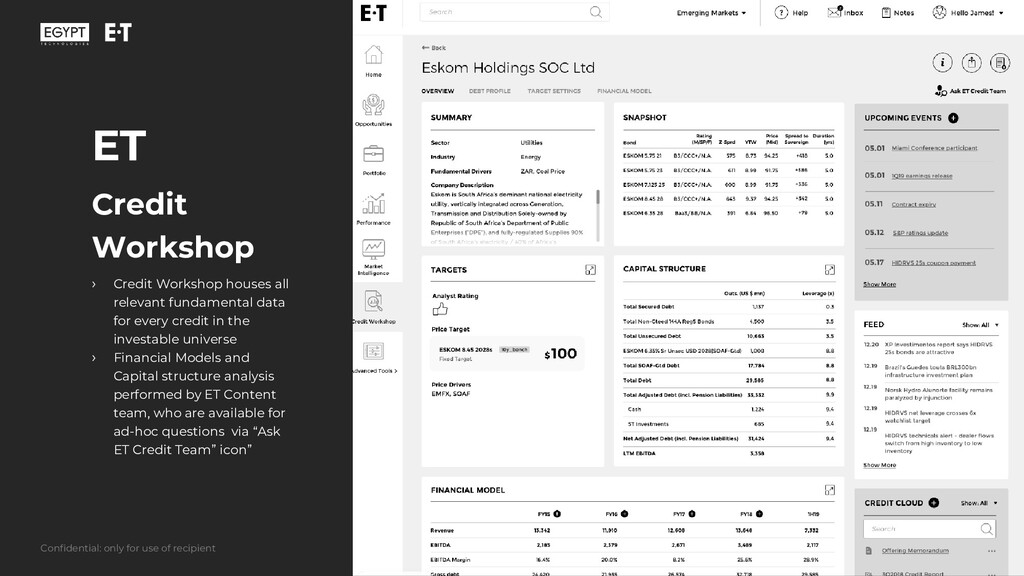
data for every credit in the investable universe › Financial Models and Capital structure analysis performed by ET Content team, who are available for ad-hoc questions via “Ask ET Credit Team” icon” Confidential: only for use of recipient
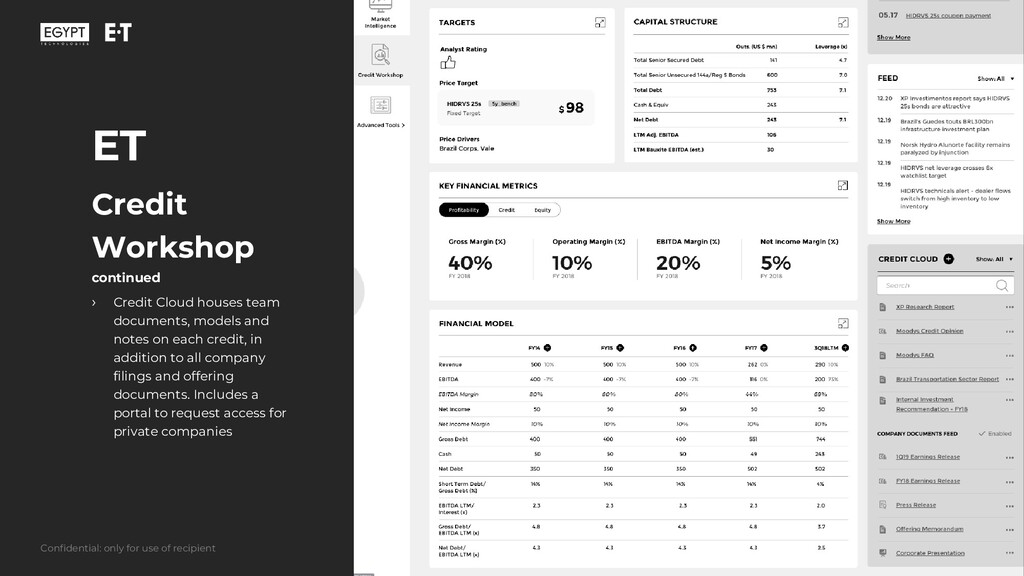
models and notes on each credit, in addition to all company filings and offering documents. Includes a portal to request access for private companies Confidential: only for use of recipient
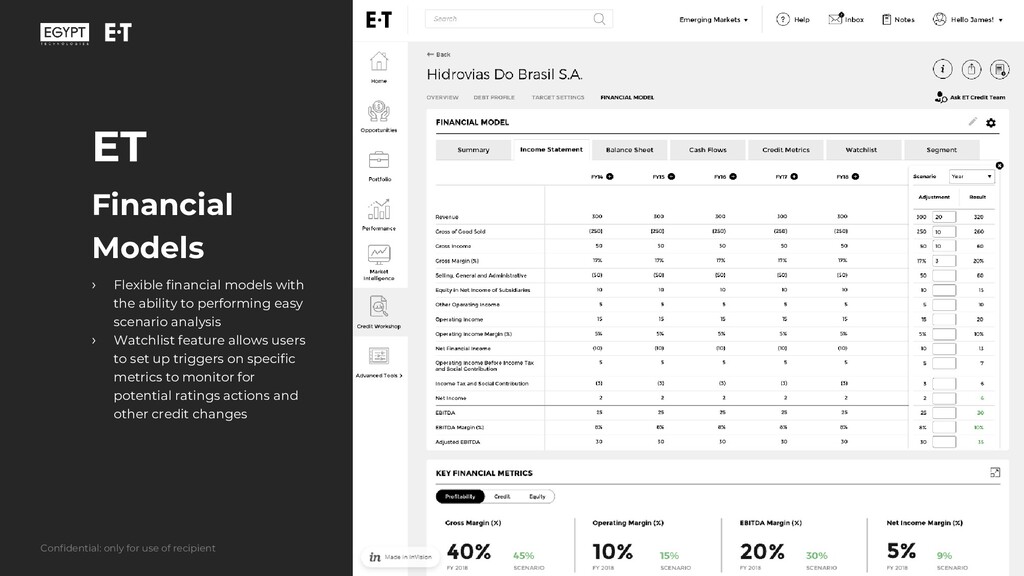
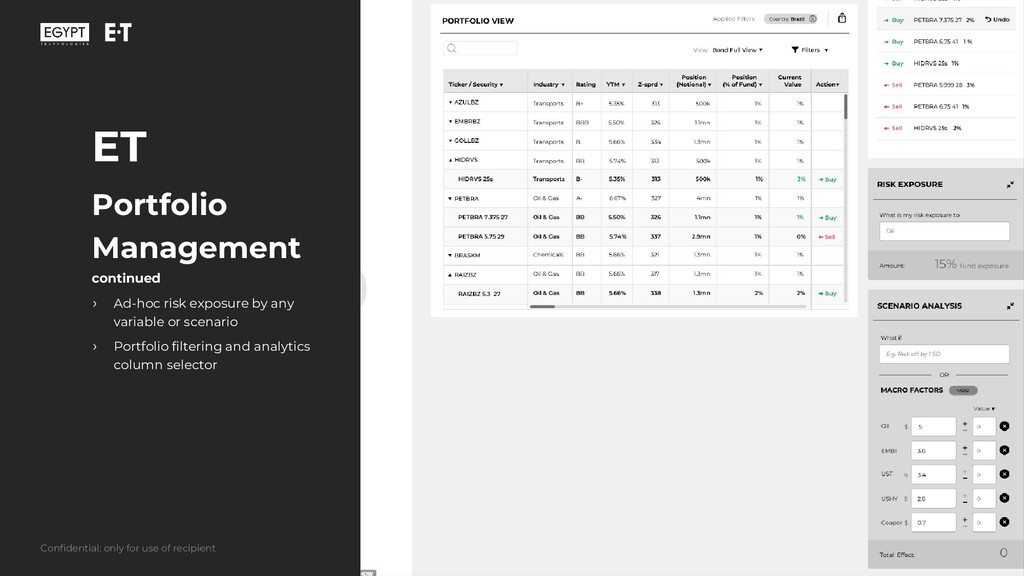
to performing easy scenario analysis › Watchlist feature allows users to set up triggers on specific metrics to monitor for potential ratings actions and other credit changes Confidential: only for use of recipient
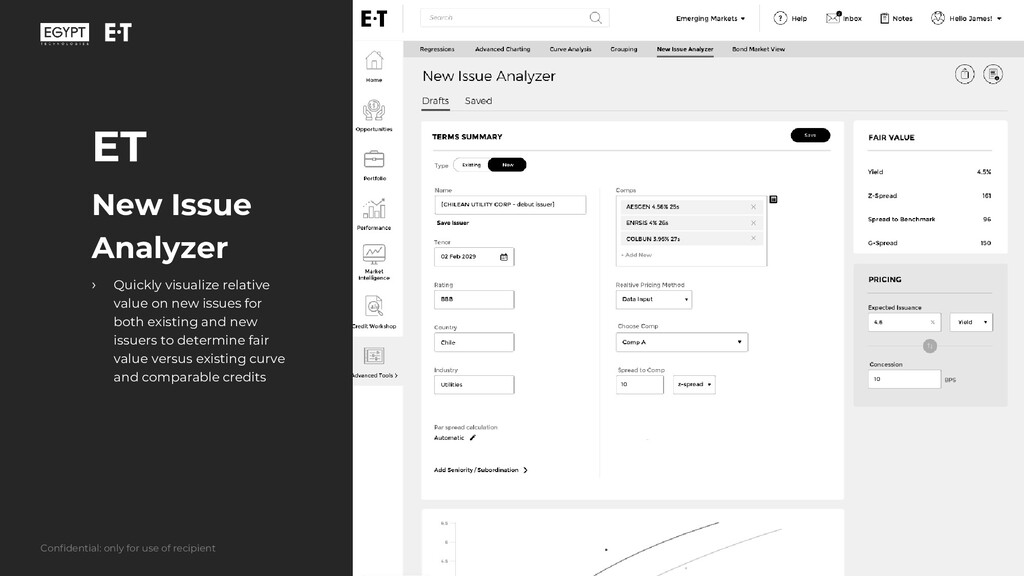
new issues for both existing and new issuers to determine fair value versus existing curve and comparable credits Confidential: only for use of recipient
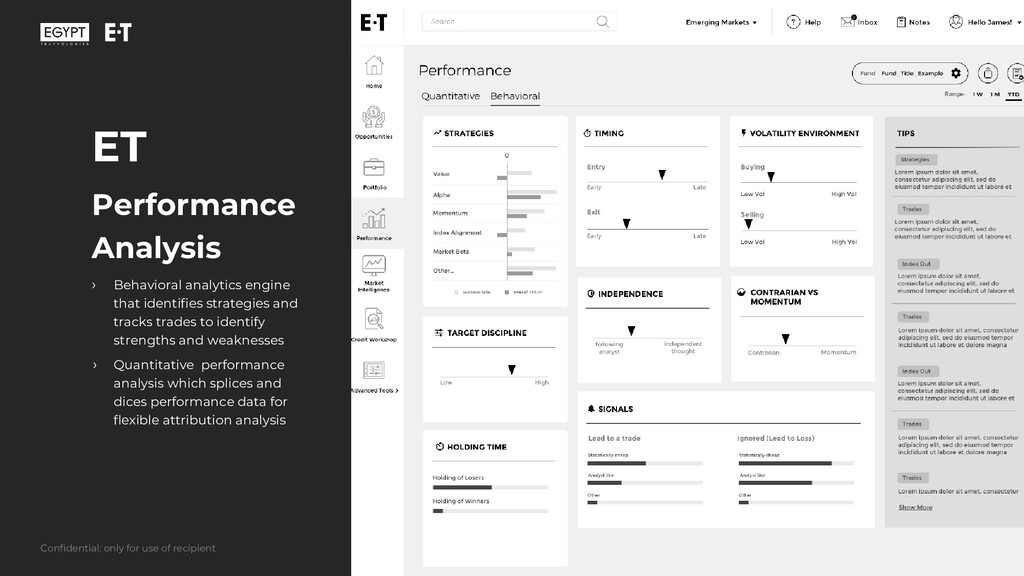
and tracks trades to identify strengths and weaknesses › Quantitative performance analysis which splices and dices performance data for flexible attribution analysis Confidential: only for use of recipient
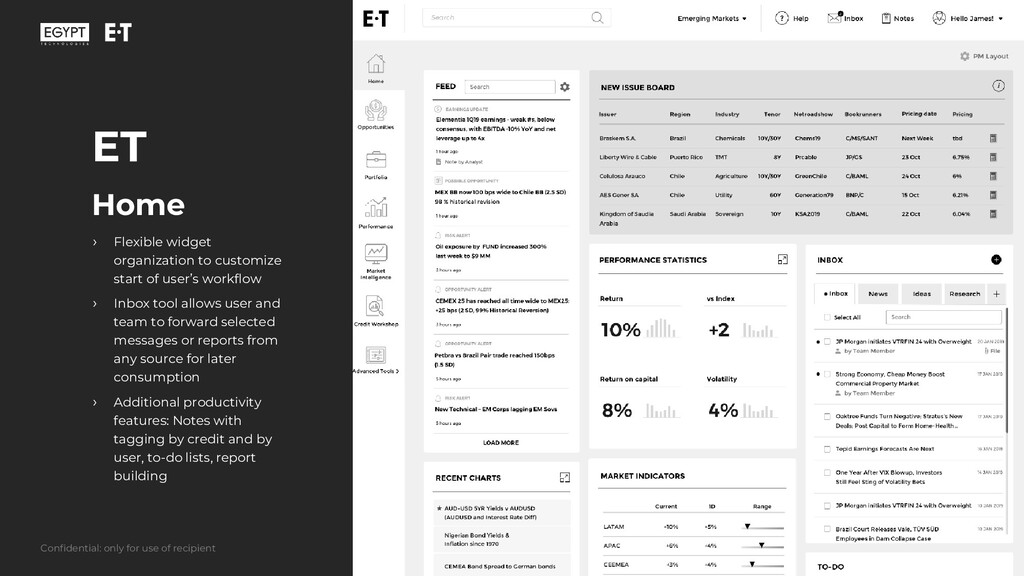
user’s workflow › Inbox tool allows user and team to forward selected messages or reports from any source for later consumption › Additional productivity features: Notes with tagging by credit and by user, to-do lists, report building Confidential: only for use of recipient


 egypt_tech
 lara
lara
 tenderlove
 retrage
 mfonobong
 wayneb77
 rasmusluckow
 takai
takai
 addyosmani
 gurzu
gurzu
 bkeepers
 tammyeverts
 aleyda
![Confidential: only for use of recipient Arkady Lefkowitz [email protected] 914-282-6264](https://files.speakerdeck.com/presentations/face23d0eb7041d0b0ab1debafd6c2dd/slide_0.jpg)