Upgrade to Pro — share decks privately, control downloads, hide ads and more …

Introduction to Basic Web Development

Avatar for Eka Eka
March 22, 2018

Introduction to Basic Web Development

A quick look into how the browser works, what frontend development is, and the basic syntax of HTML and CSS for frontend web development.

Originally presented as part of HONF Citizen Lab’s “Courses” and “Citizen Classes” programs, March - May 2018.
https://www.instagram.com/p/BfigoKQA25S
https://www.instagram.com/p/Bg3o22ZAebd
https://www.instagram.com/p/BiTYfMyjIYg

Avatar for Eka

Eka

March 22, 2018

More Decks by Eka

Other Decks in Programming

Transcript

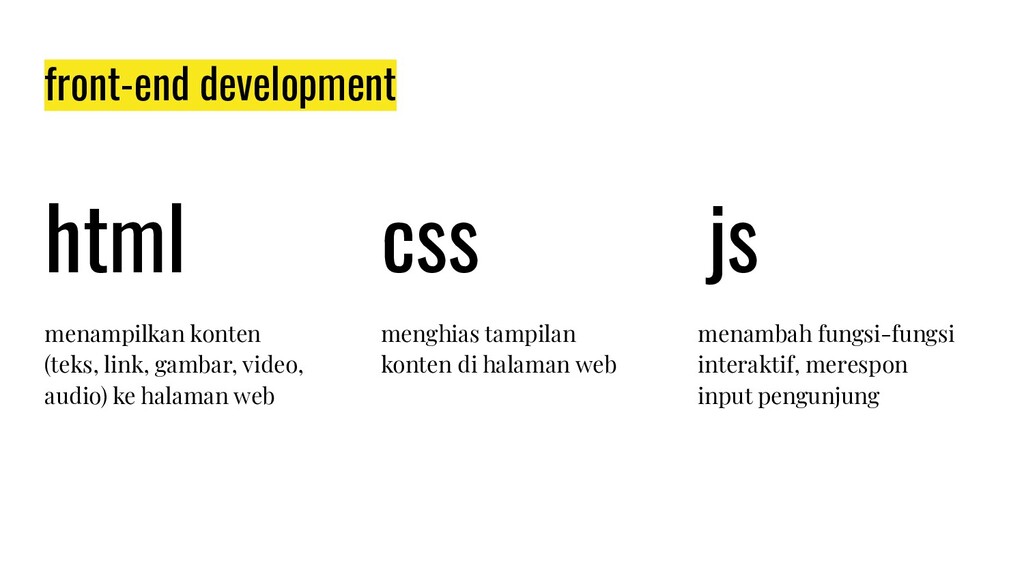
  1. front-end development html css js menampilkan konten (teks, link, gambar,

    video, audio) ke halaman web menghias tampilan konten di halaman web menambah fungsi-fungsi interaktif, merespon input pengunjung
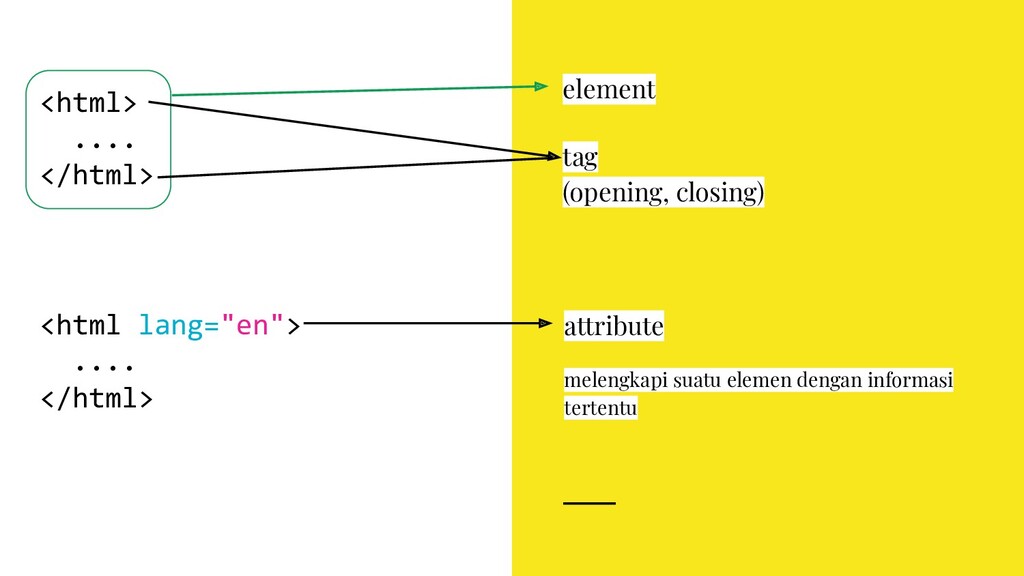
  2. <html> .... </html> element tag (opening, closing) <html lang="en"> ....

    </html> attribute melengkapi suatu elemen dengan informasi tertentu
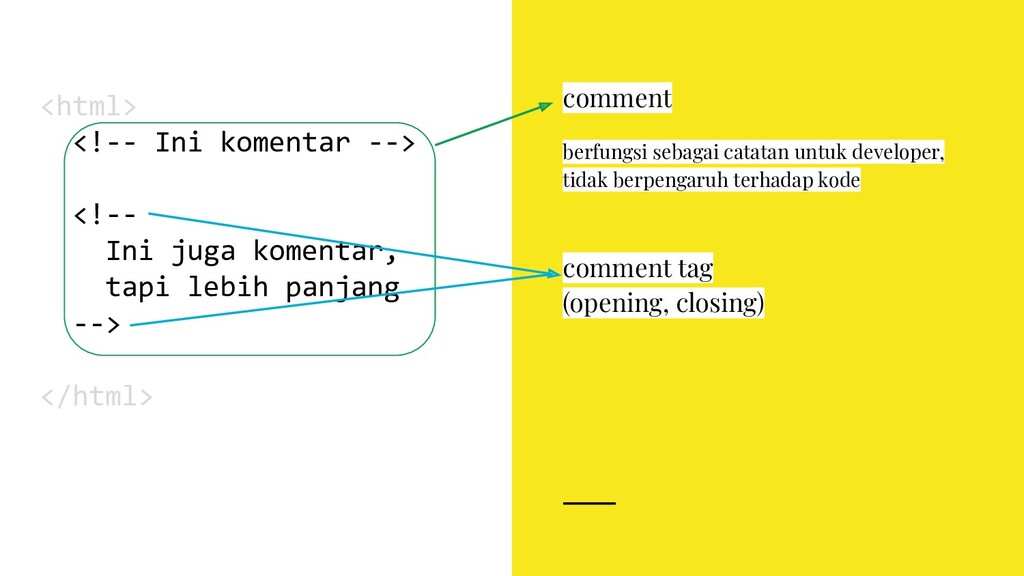
  3. <html> <!-- Ini komentar --> <!-- Ini juga komentar, tapi

    lebih panjang --> </html> comment berfungsi sebagai catatan untuk developer, tidak berpengaruh terhadap kode comment tag (opening, closing)
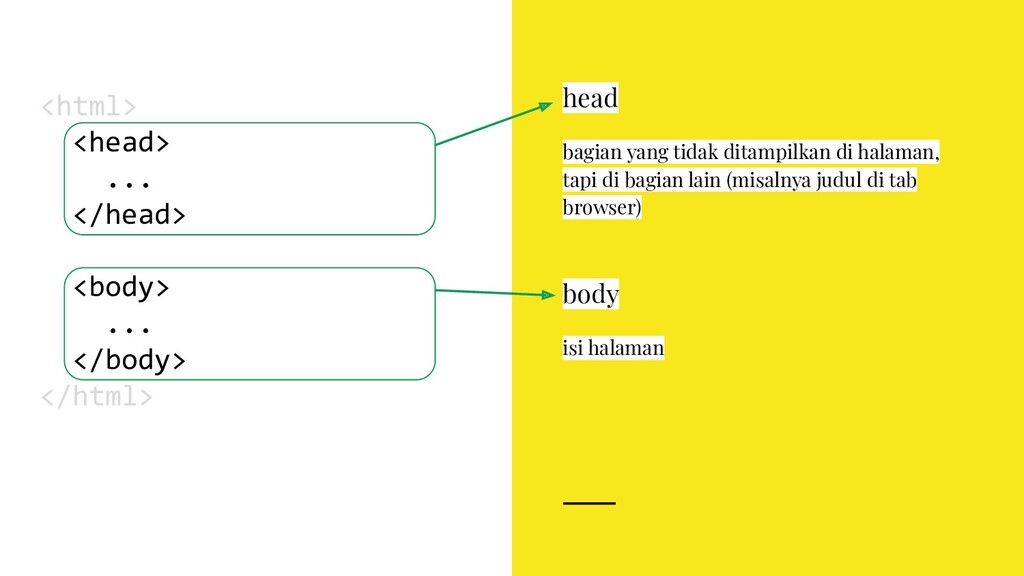
  4. body isi halaman <html> <head> ... </head> <body> ... </body>

    </html> head bagian yang tidak ditampilkan di halaman, tapi di bagian lain (misalnya judul di tab browser)
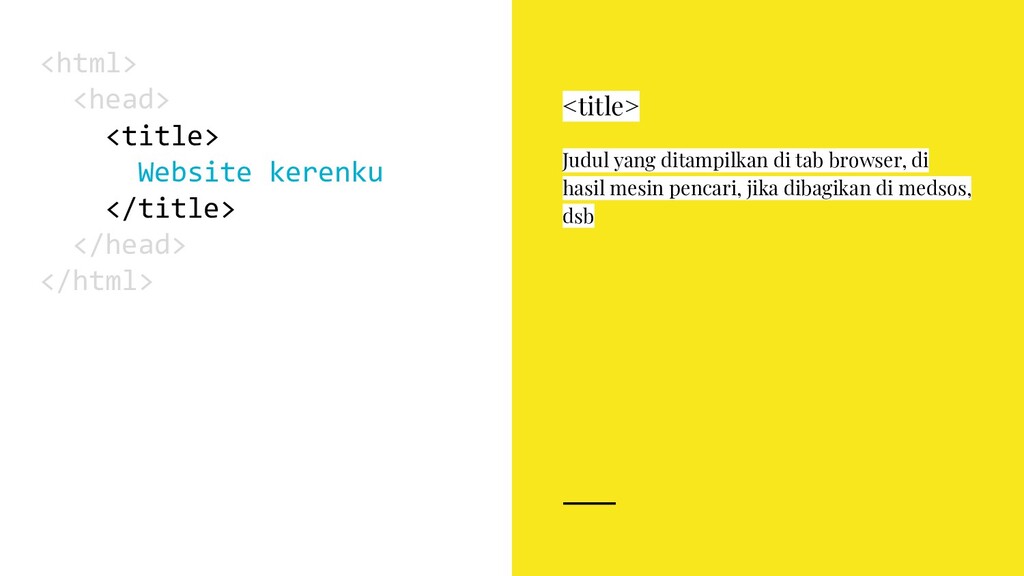
  5. <html> <head> <title> Website kerenku </title> </head> </html> <title> Judul

    yang ditampilkan di tab browser, di hasil mesin pencari, jika dibagikan di medsos, dsb
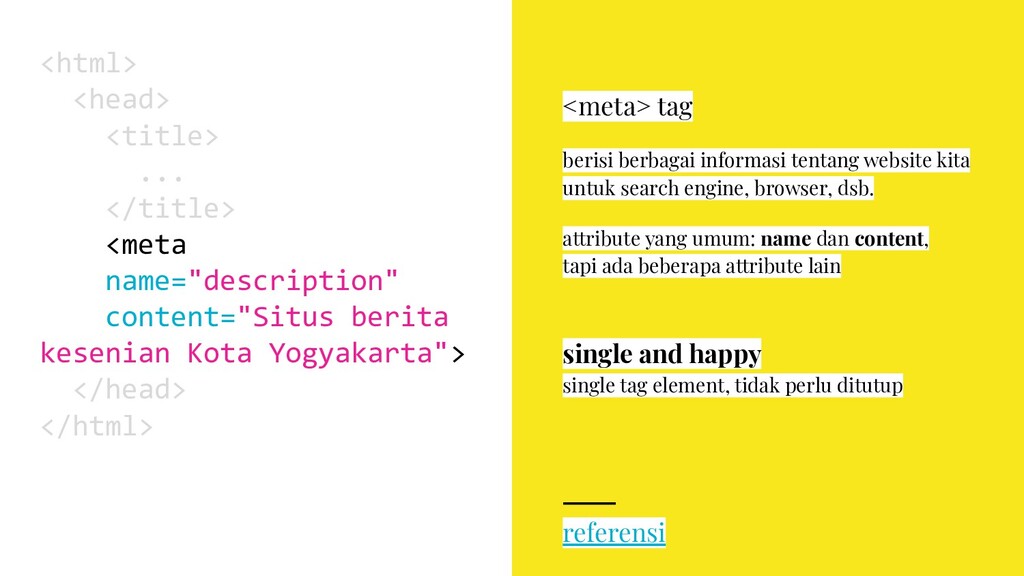
  6. single and happy single tag element, tidak perlu ditutup <html>

    <head> <title> ... </title> <meta name="description" content="Situs berita kesenian Kota Yogyakarta"> </head> </html> <meta> tag berisi berbagai informasi tentang website kita untuk search engine, browser, dsb. attribute yang umum: name dan content, tapi ada beberapa attribute lain referensi
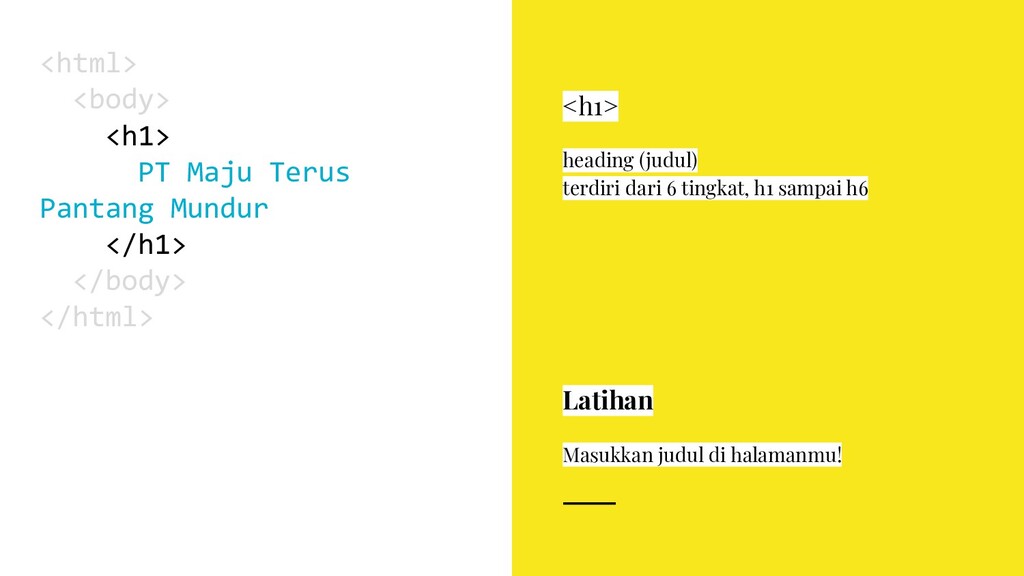
  7. Latihan Masukkan judul di halamanmu! <html> <body> <h1> PT Maju

    Terus Pantang Mundur </h1> </body> </html> <h1> heading (judul) terdiri dari 6 tingkat, h1 sampai h6
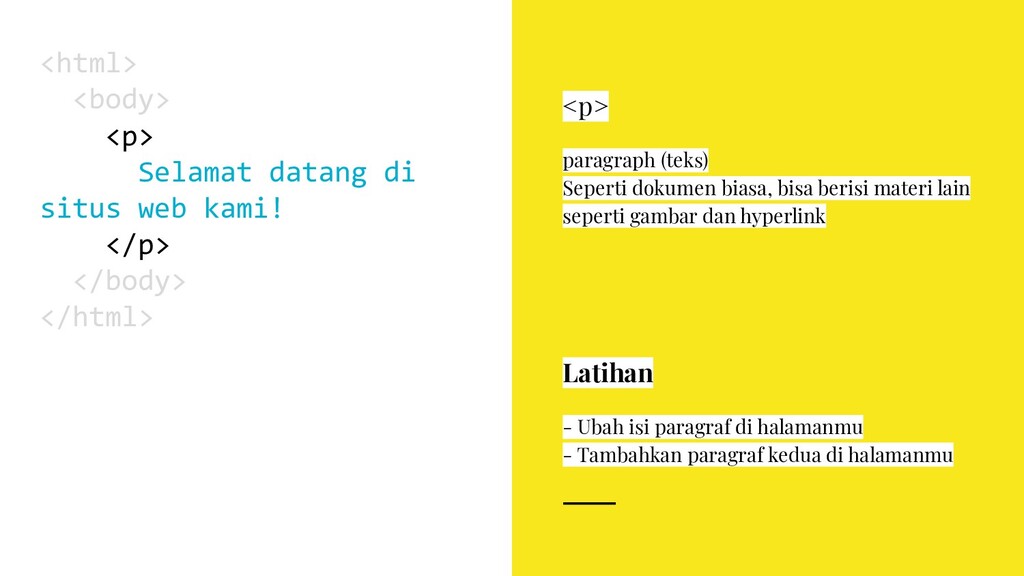
  8. <html> <body> <p> Selamat datang di situs web kami! </p>

    </body> </html> <p> paragraph (teks) Seperti dokumen biasa, bisa berisi materi lain seperti gambar dan hyperlink Latihan - Ubah isi paragraf di halamanmu - Tambahkan paragraf kedua di halamanmu
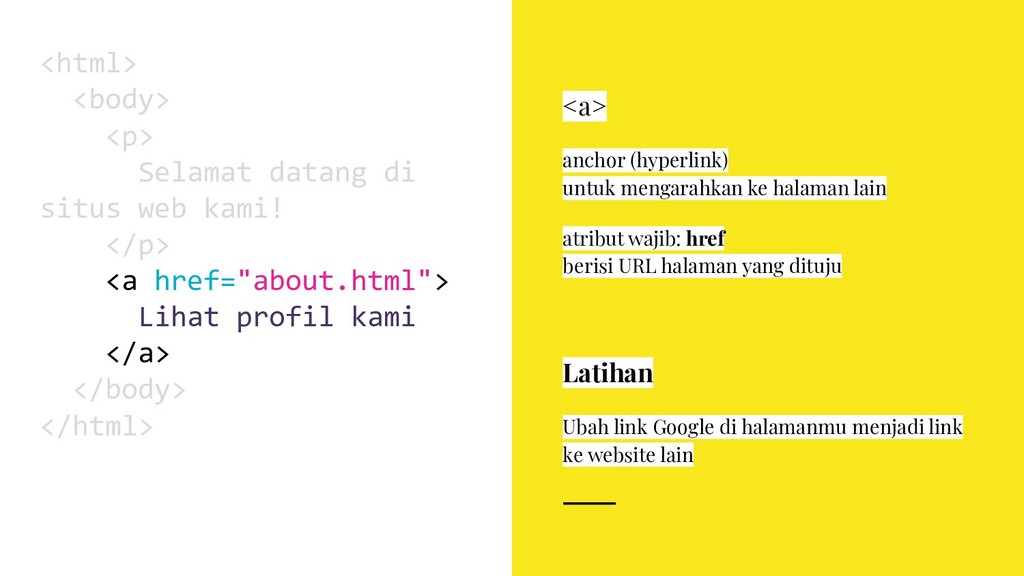
  9. <a> anchor (hyperlink) untuk mengarahkan ke halaman lain atribut wajib:

    href berisi URL halaman yang dituju <html> <body> <p> Selamat datang di situs web kami! </p> <a href="about.html"> Lihat profil kami </a> </body> </html> Latihan Ubah link Google di halamanmu menjadi link ke website lain
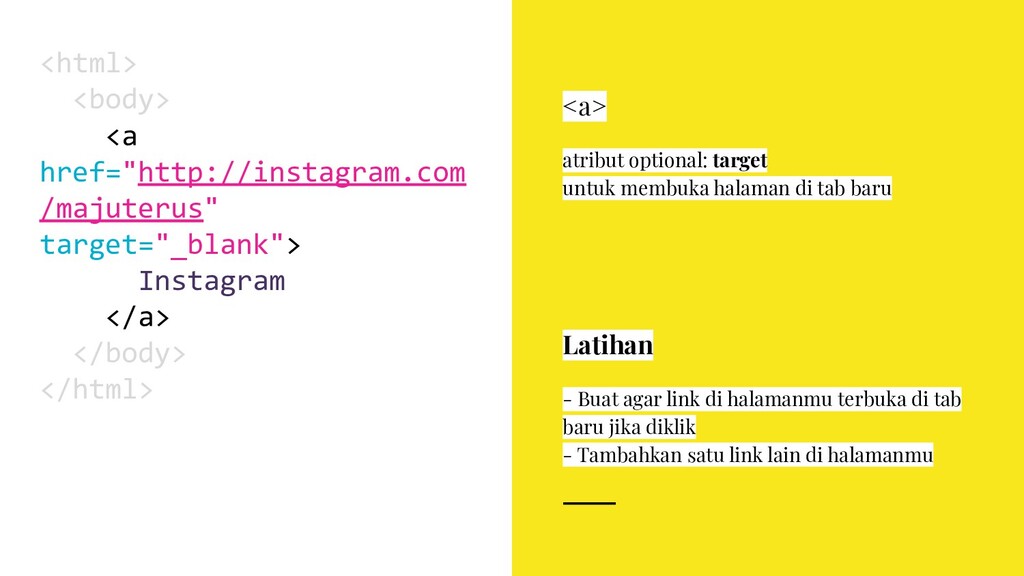
  10. <a> atribut optional: target untuk membuka halaman di tab baru

    <html> <body> <a href="http://instagram.com /majuterus" target="_blank"> Instagram </a> </body> </html> Latihan - Buat agar link di halamanmu terbuka di tab baru jika diklik - Tambahkan satu link lain di halamanmu
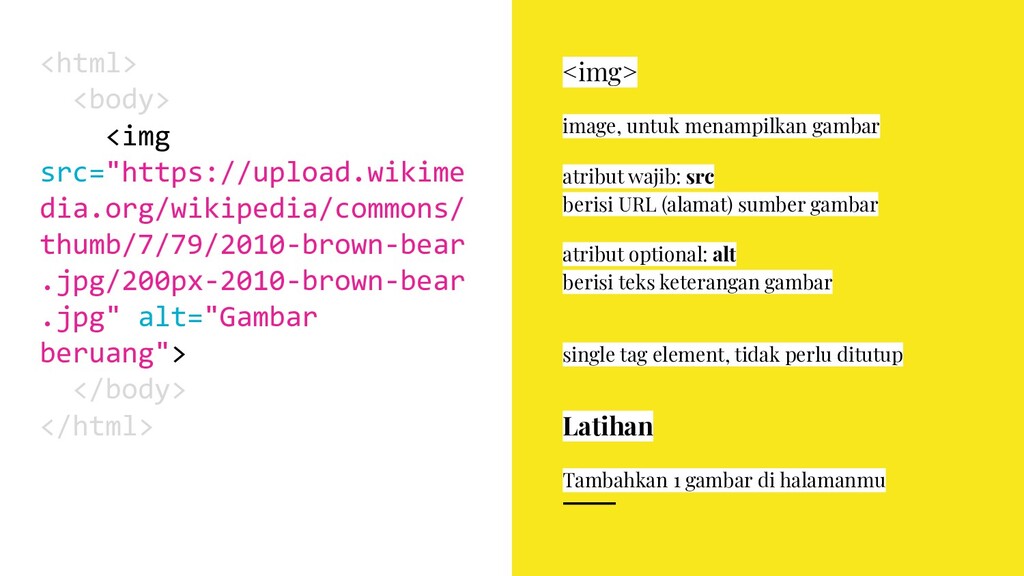
  11. <img> image, untuk menampilkan gambar atribut wajib: src berisi URL

    (alamat) sumber gambar atribut optional: alt berisi teks keterangan gambar <html> <body> <img src="https://upload.wikime dia.org/wikipedia/commons/ thumb/7/79/2010-brown-bear .jpg/200px-2010-brown-bear .jpg" alt="Gambar beruang"> </body> </html> single tag element, tidak perlu ditutup Latihan Tambahkan 1 gambar di halamanmu
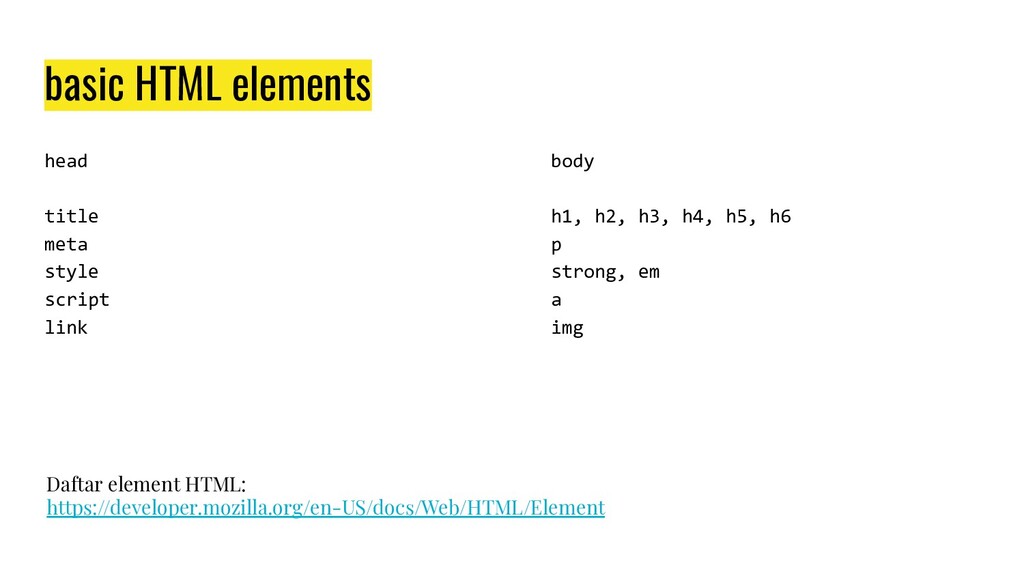
  12. head title meta style script link basic HTML elements body

    h1, h2, h3, h4, h5, h6 p strong, em a img Daftar element HTML: https://developer.mozilla.org/en-US/docs/Web/HTML/Element
  13. Confidential Customized for Lorem Ipsum LLC Version 1.0 practice HTML

    buat 1 halaman minisite dengan materimu sendiri
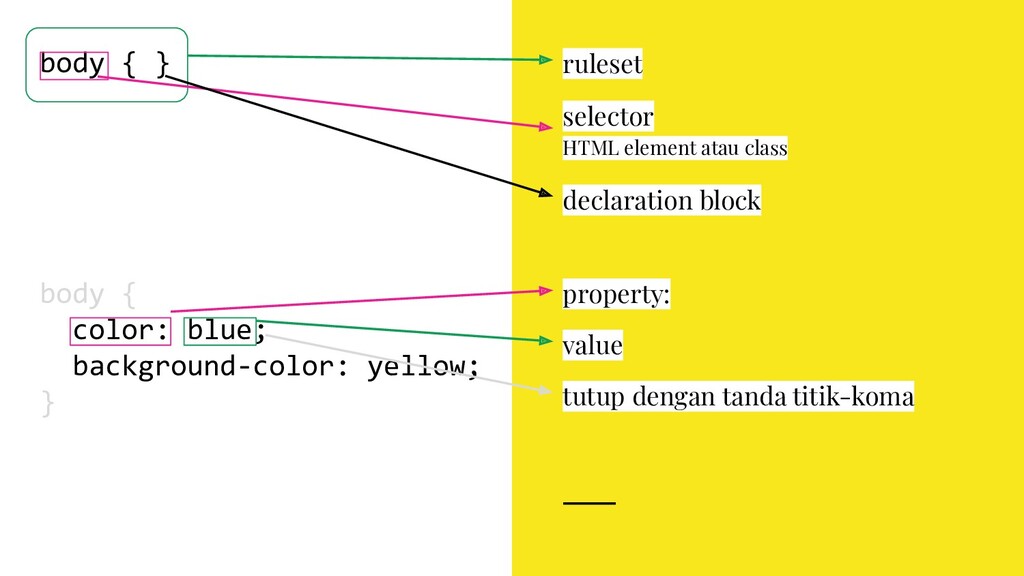
  14. body { } ruleset selector HTML element atau class declaration
    block body { color: blue; background-color: yellow; } property: value tutup dengan tanda titik-koma
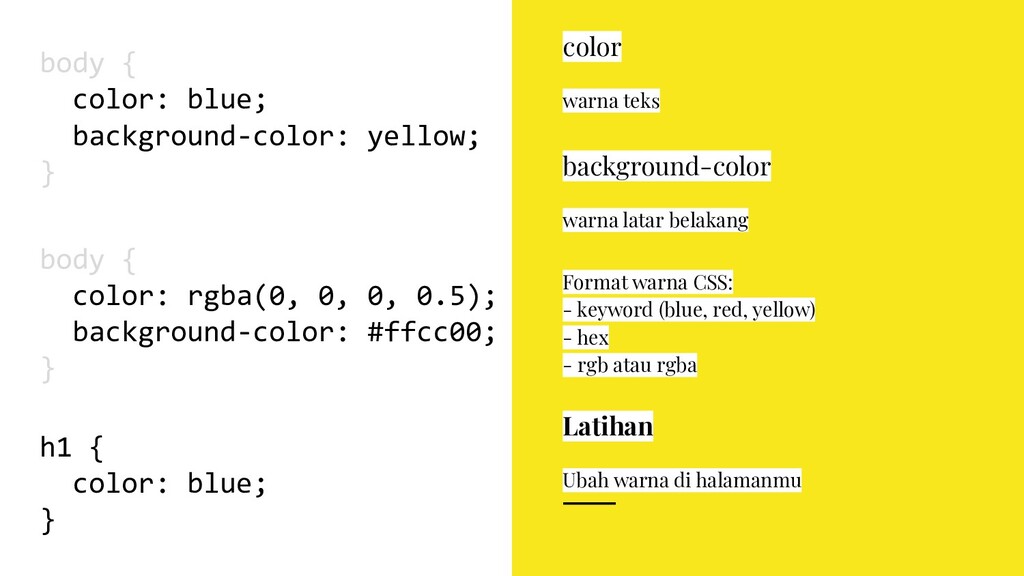
  15. Format warna CSS: - keyword (blue, red, yellow) - hex

    - rgb atau rgba body { color: blue; background-color: yellow; } color warna teks background-color warna latar belakang body { color: rgba(0, 0, 0, 0.5); background-color: #ffcc00; } Latihan Ubah warna di halamanmu h1 { color: blue; }
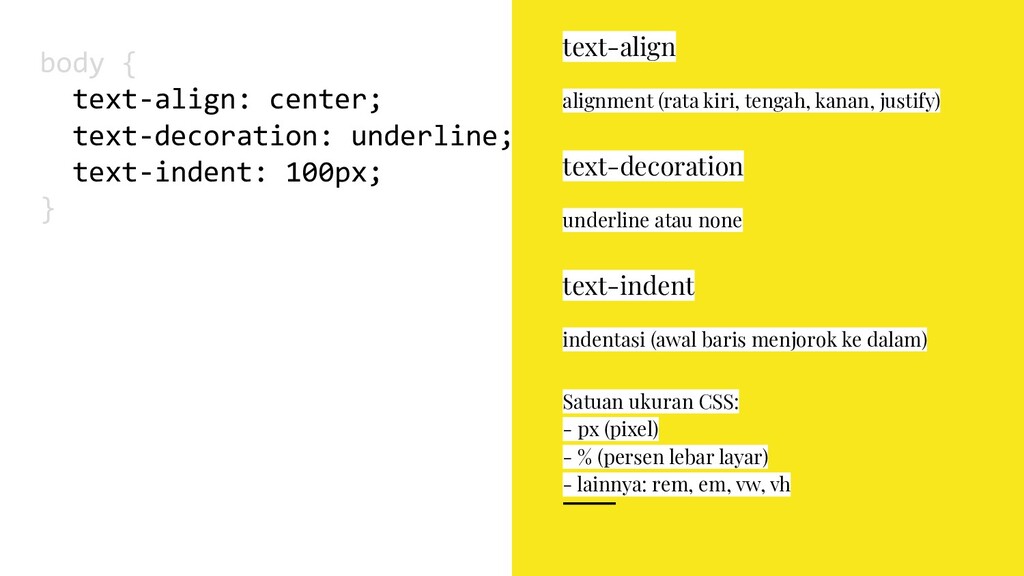
  16. body { text-align: center; text-decoration: underline; text-indent: 100px; } text-align

    alignment (rata kiri, tengah, kanan, justify) text-decoration underline atau none text-indent indentasi (awal baris menjorok ke dalam) Satuan ukuran CSS: - px (pixel) - % (persen lebar layar) - lainnya: rem, em, vw, vh
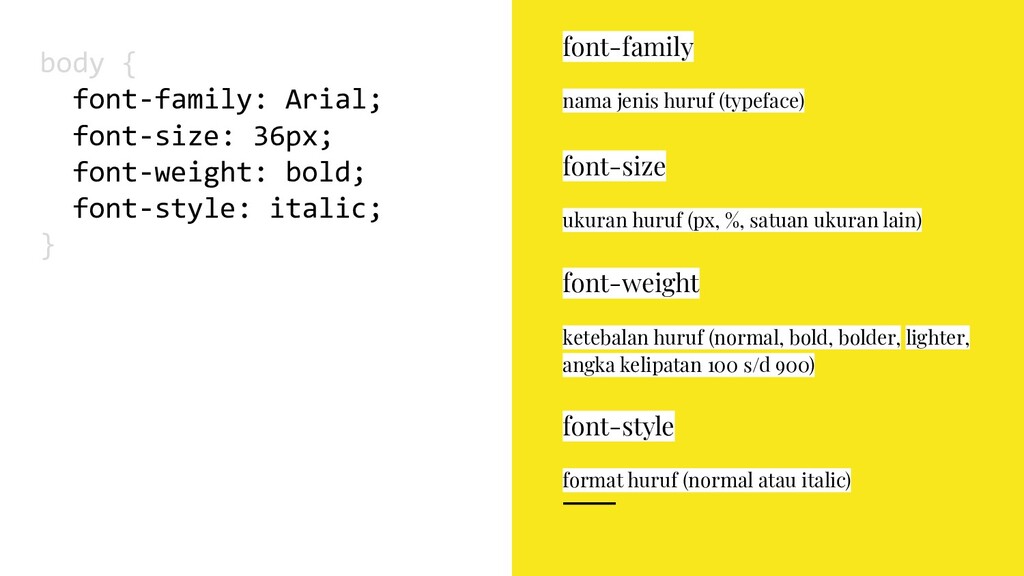
  17. body { font-family: Arial; font-size: 36px; font-weight: bold; font-style: italic;

    } font-family nama jenis huruf (typeface) font-size ukuran huruf (px, %, satuan ukuran lain) font-weight ketebalan huruf (normal, bold, bolder, lighter, angka kelipatan 100 s/d 900) font-style format huruf (normal atau italic)
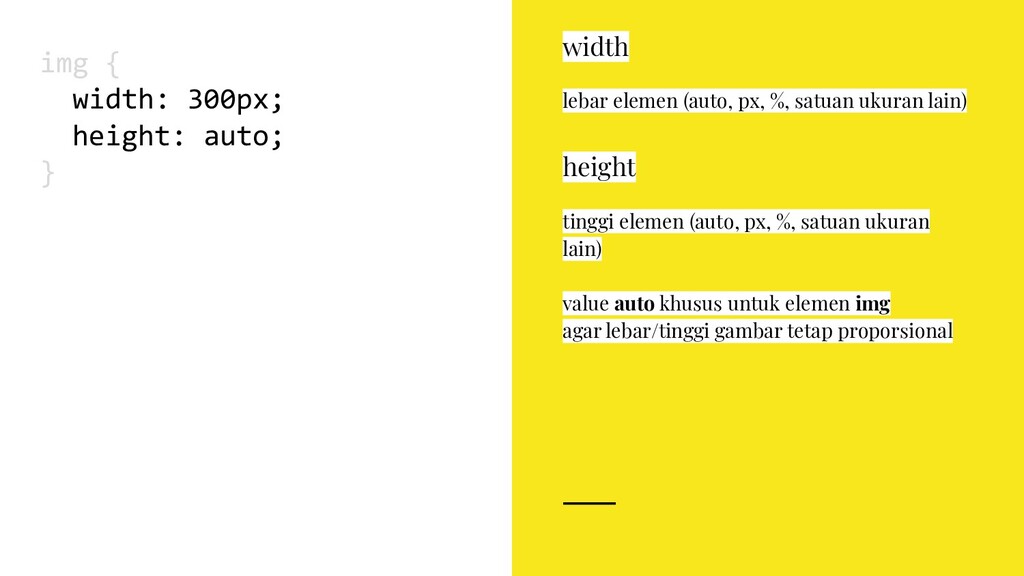
  18. value auto khusus untuk elemen img agar lebar/tinggi gambar tetap

    proporsional img { width: 300px; height: auto; } width lebar elemen (auto, px, %, satuan ukuran lain) height tinggi elemen (auto, px, %, satuan ukuran lain)
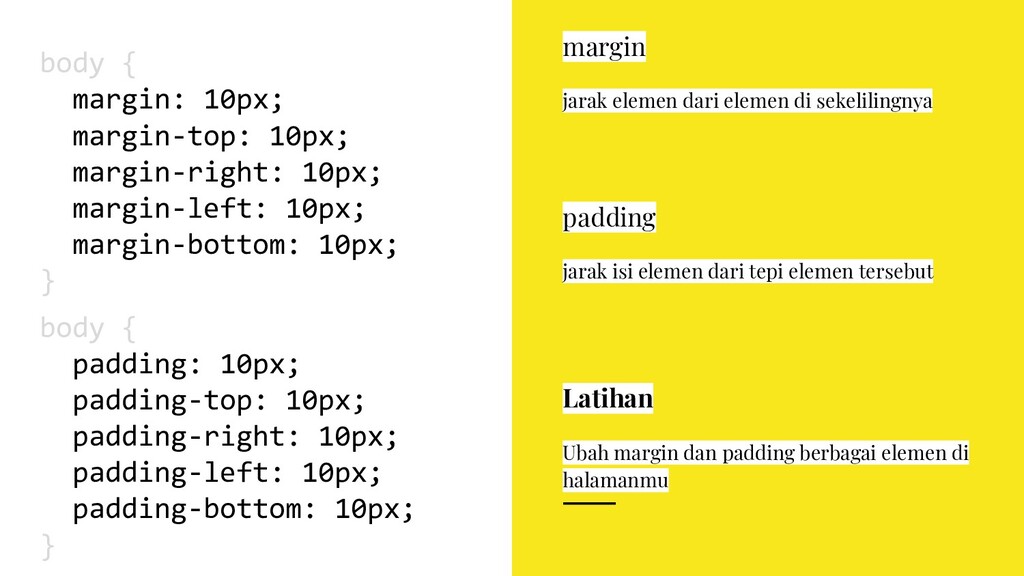
  19. body { margin: 10px; margin-top: 10px; margin-right: 10px; margin-left: 10px;

    margin-bottom: 10px; } margin jarak elemen dari elemen di sekelilingnya body { padding: 10px; padding-top: 10px; padding-right: 10px; padding-left: 10px; padding-bottom: 10px; } padding jarak isi elemen dari tepi elemen tersebut Latihan Ubah margin dan padding berbagai elemen di halamanmu
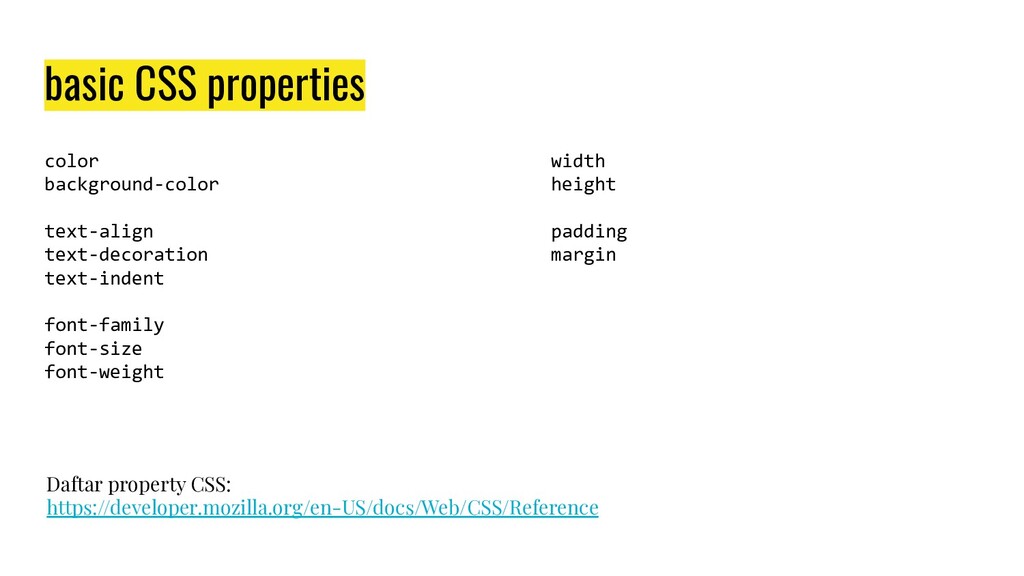
  20. basic CSS properties color background-color text-align text-decoration text-indent font-family font-size

    font-weight Daftar property CSS: https://developer.mozilla.org/en-US/docs/Web/CSS/Reference width height padding margin
  21. Confidential Customized for Lorem Ipsum LLC Version 1.0 practice CSS

    modifikasi layout halaman minisite yang sudah kamu buat dengan tipografi, warna, dan unsur visual lain