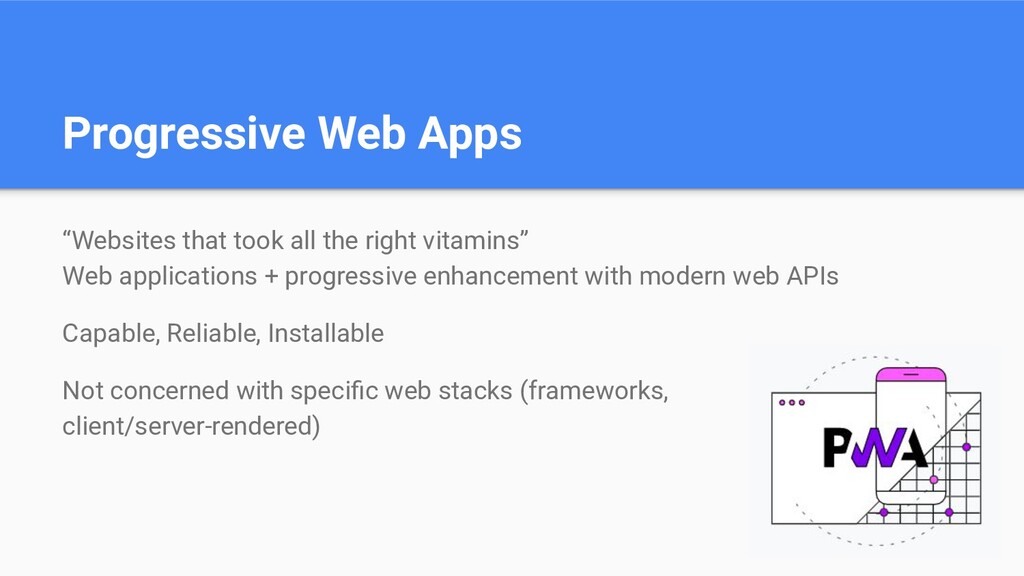
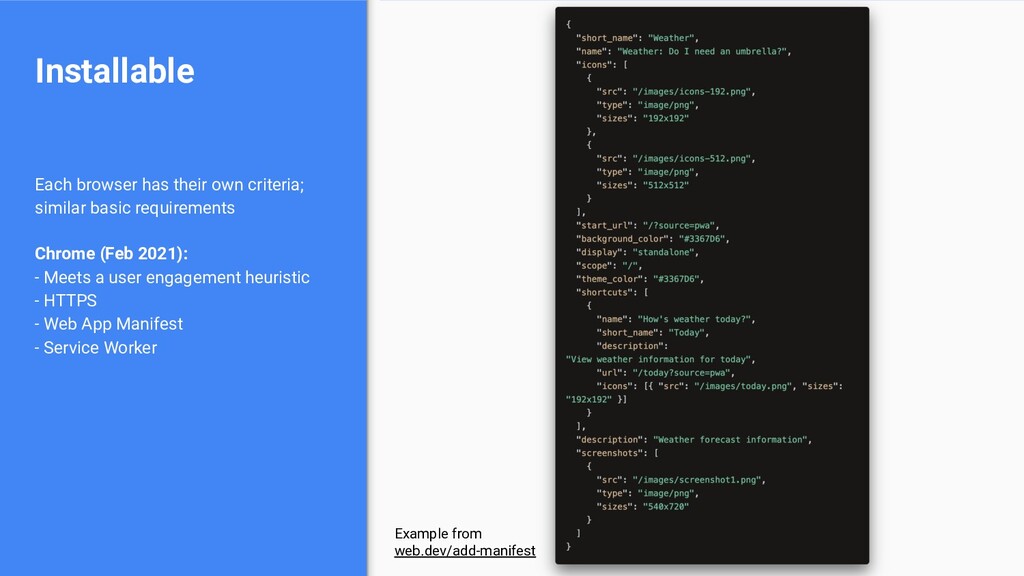
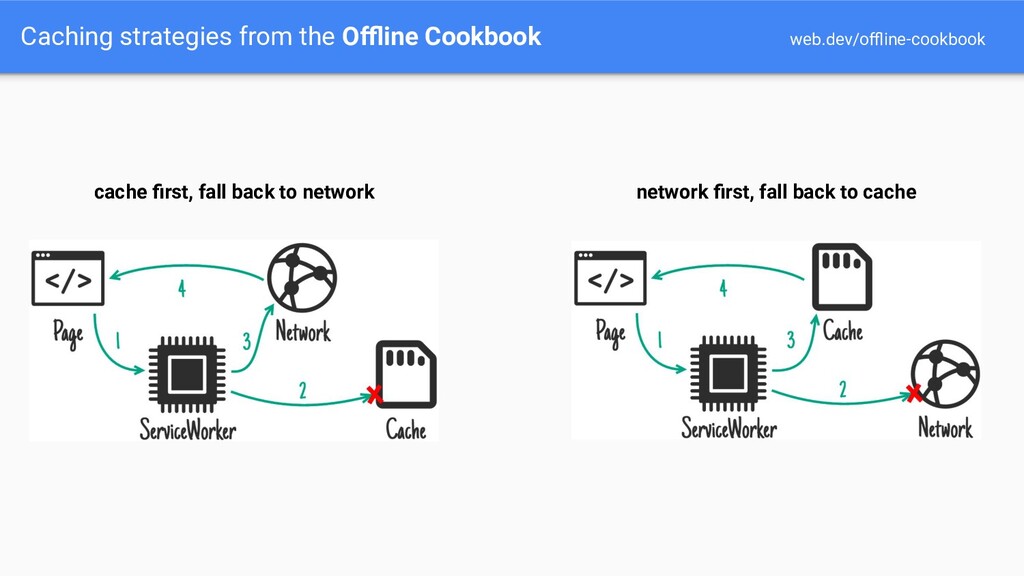
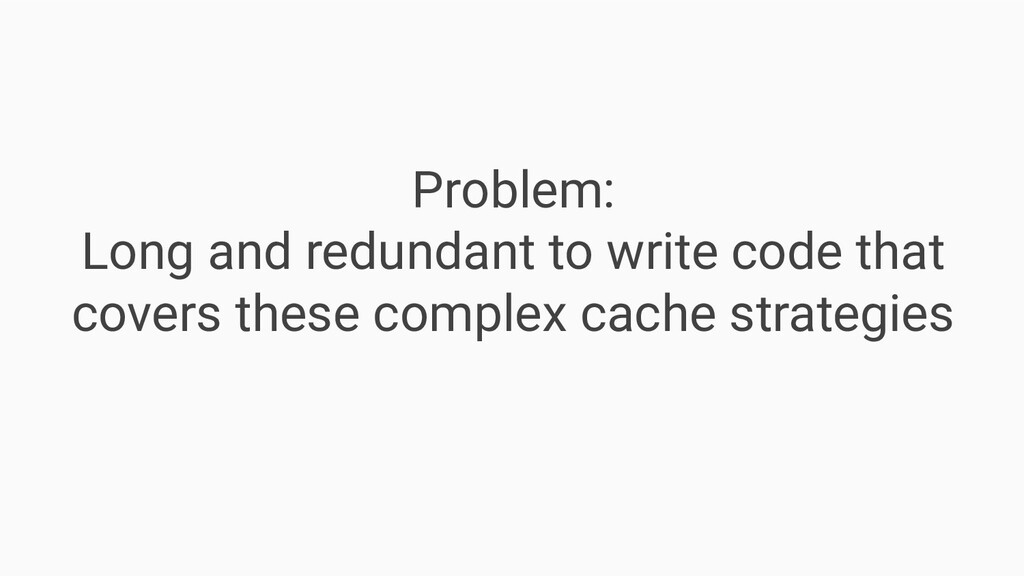
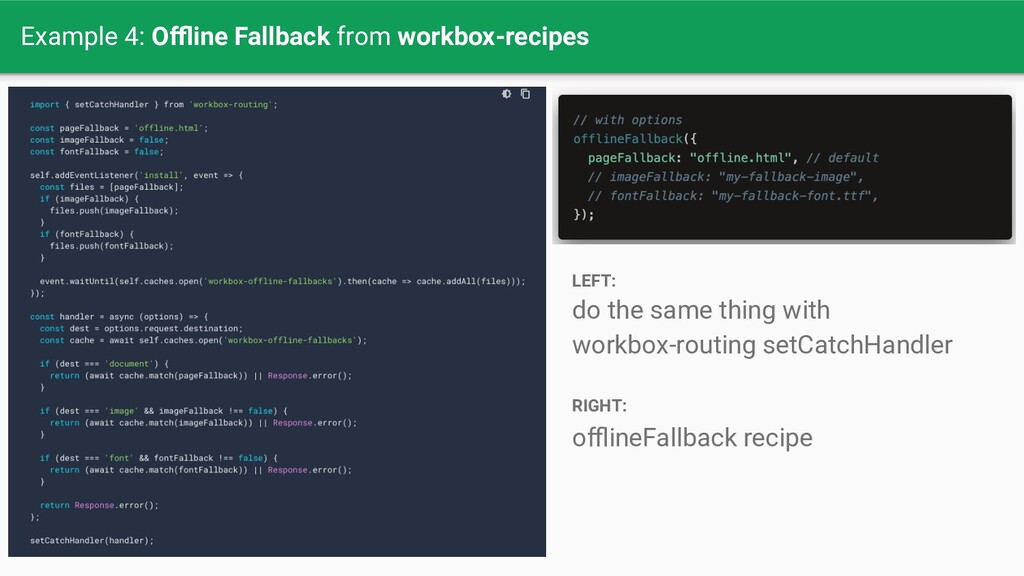
Web applications + progressive enhancement with modern web APIs Capable, Reliable, Installable Not concerned with specific web stacks (frameworks, client/server-rendered)
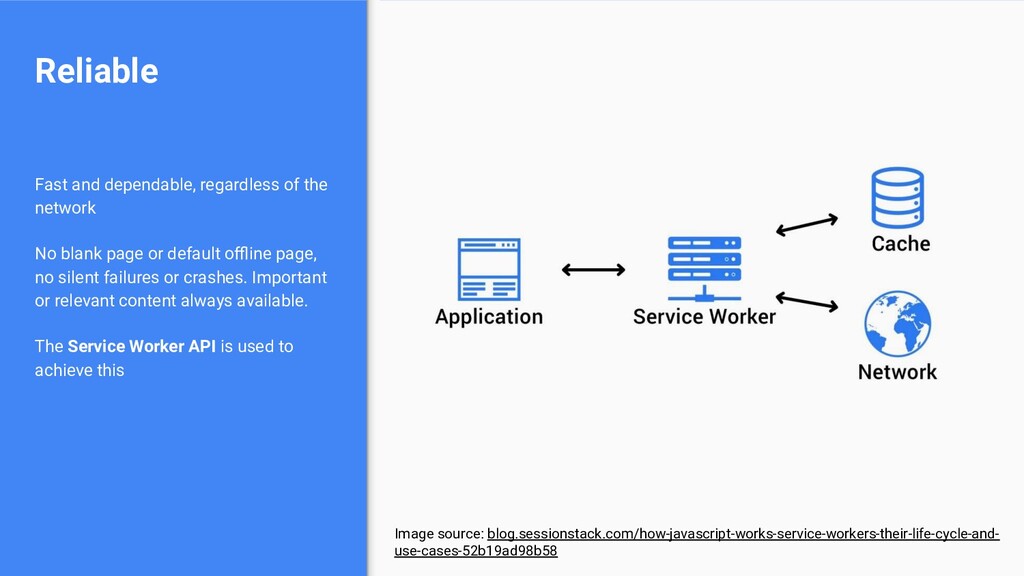
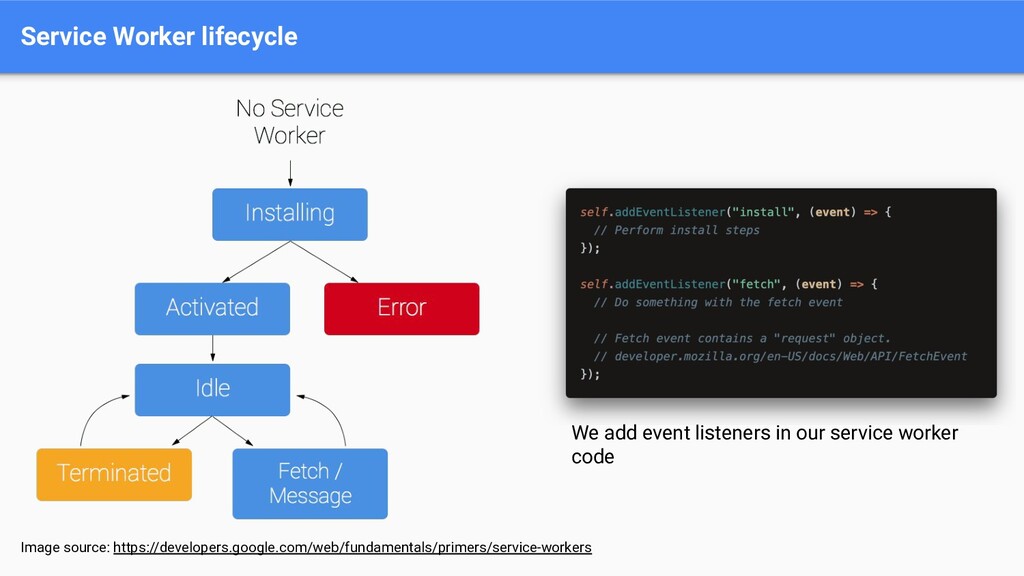
or default offline page, no silent failures or crashes. Important or relevant content always available. The Service Worker API is used to achieve this Reliable Image source: blog.sessionstack.com/how-javascript-works-service-workers-their-life-cycle-and- use-cases-52b19ad98b58
be open) Worker runs in a separate background thread (see: Web Workers API) Service Worker is a subset of Web Worker registered against an origin and a path “[A service worker] takes the form of a JavaScript file that can control the web-page/site that it is associated with, intercepting and modifying navigation and resource requests, and caching resources in a very granular fashion to give you complete control over how your app behaves in certain situation” — MDN Service Worker
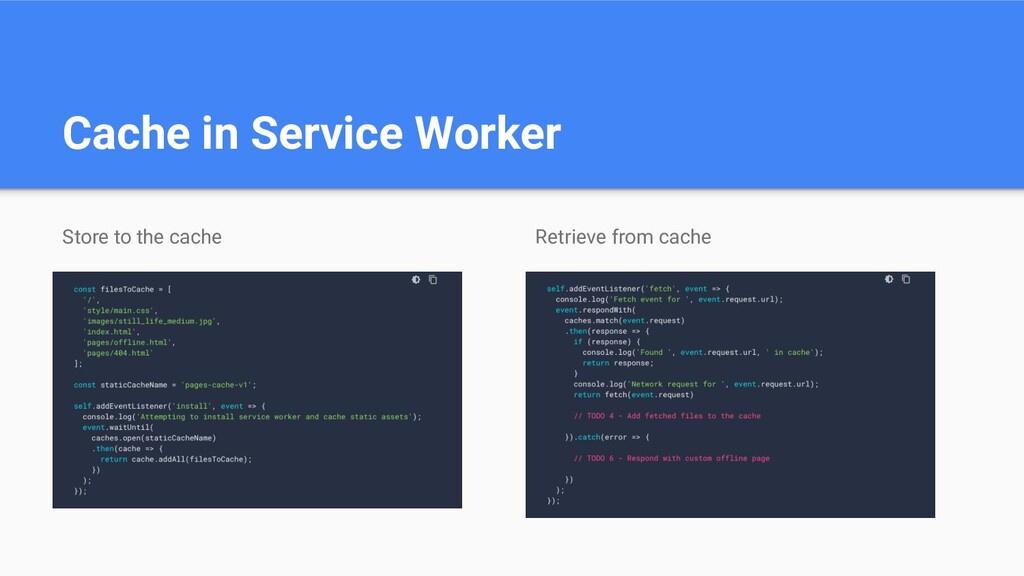
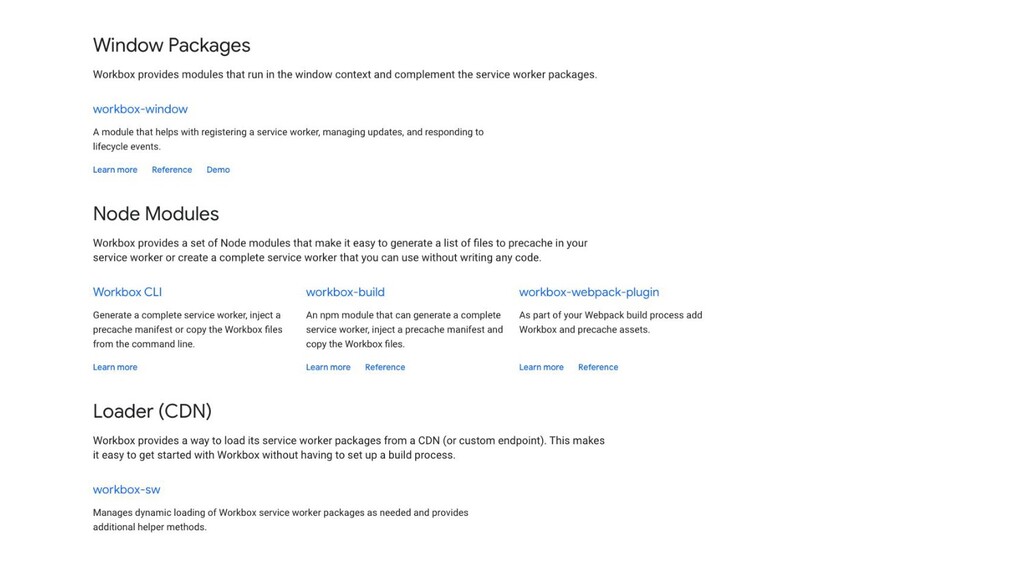
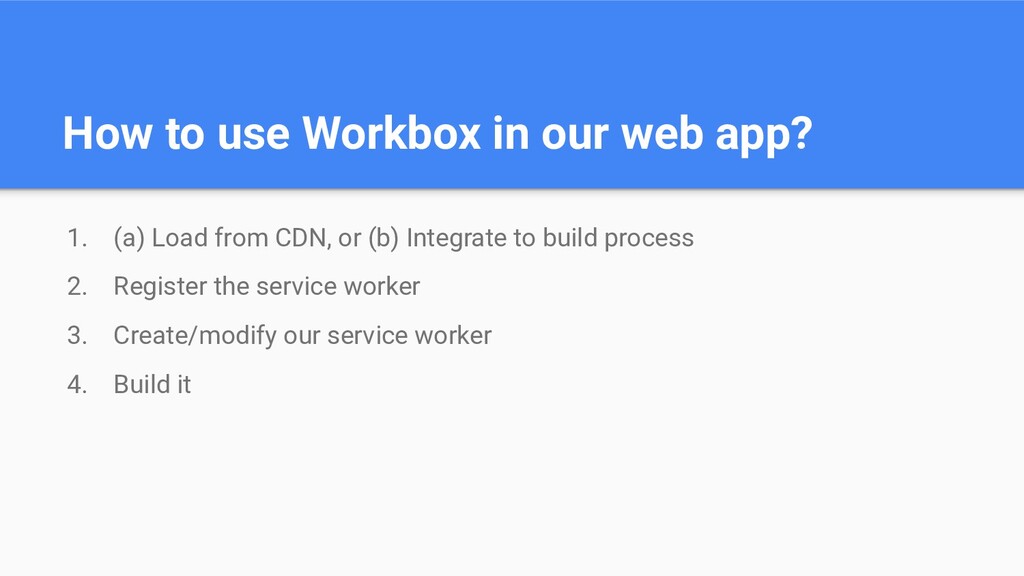
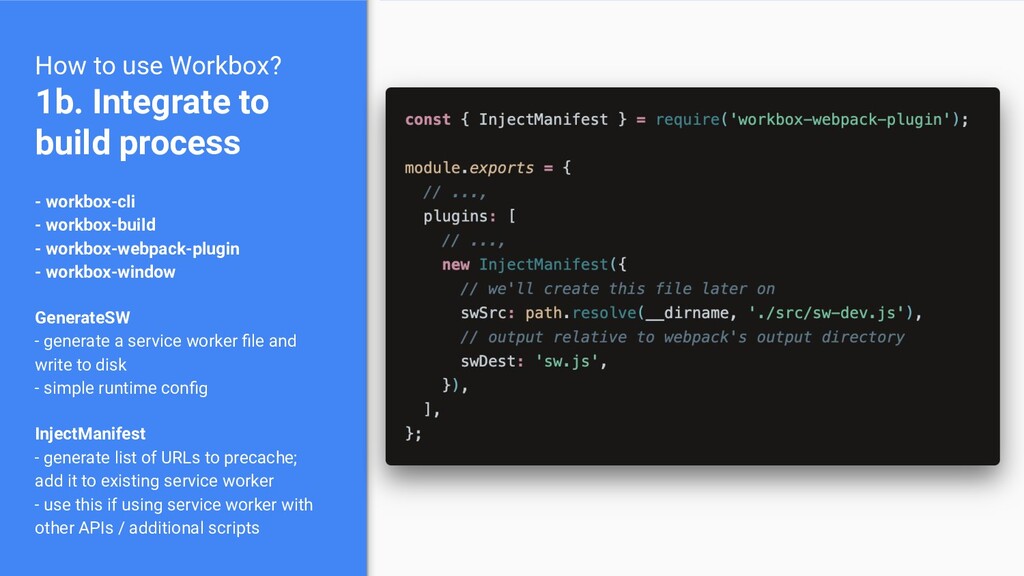
workbox-cli - workbox-build - workbox-webpack-plugin - workbox-window GenerateSW - generate a service worker file and write to disk - simple runtime config InjectManifest - generate list of URLs to precache; add it to existing service worker - use this if using service worker with other APIs / additional scripts
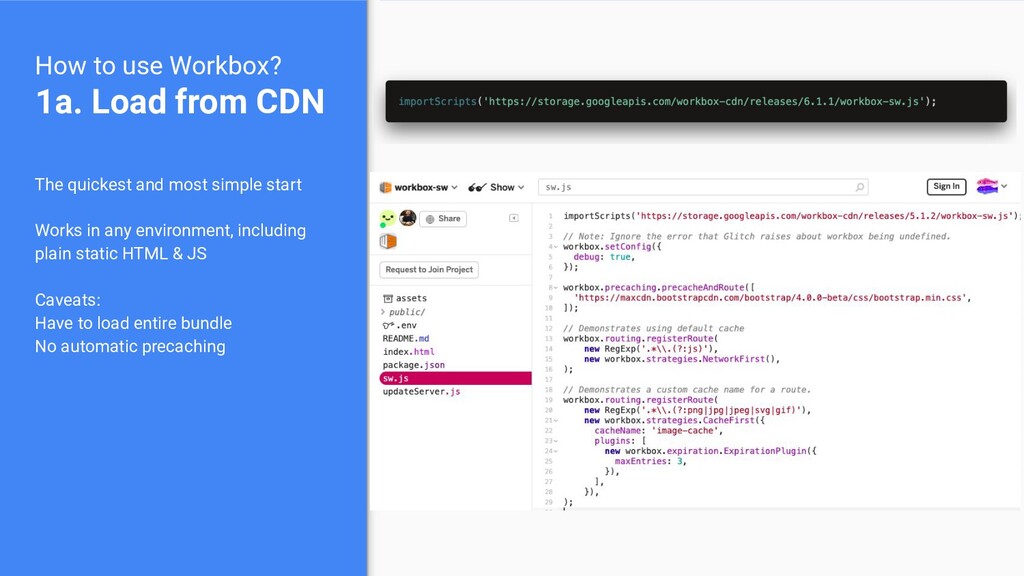
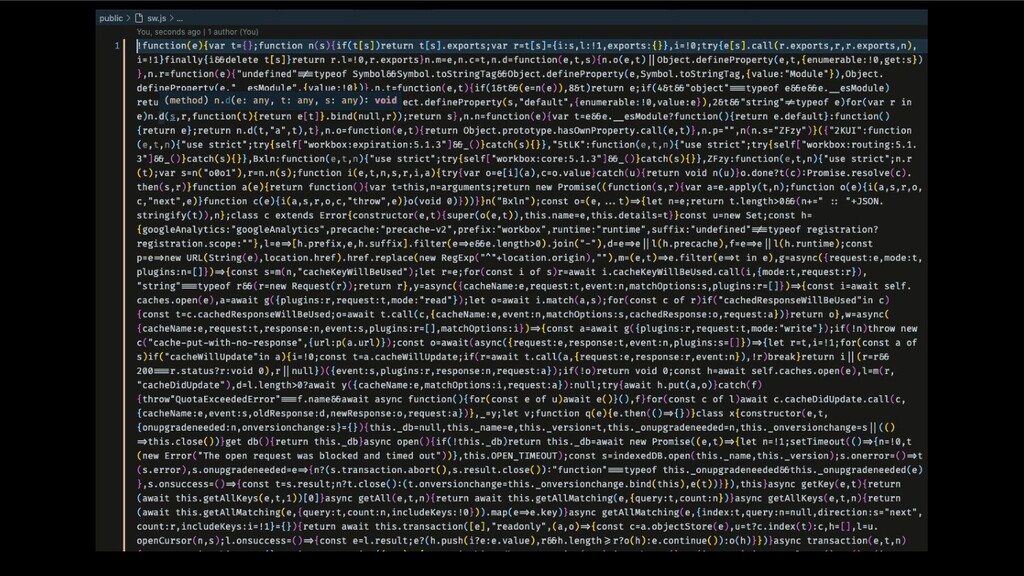
build service worker file (not the source!) on your web page If using a frontend framework, make sure to do this in the HTML template or in a mounted component
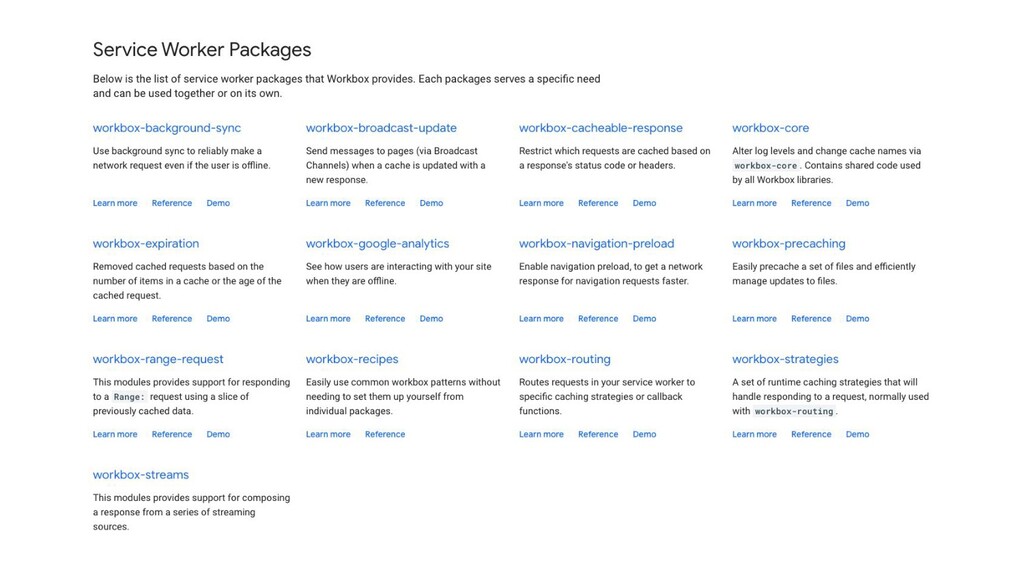
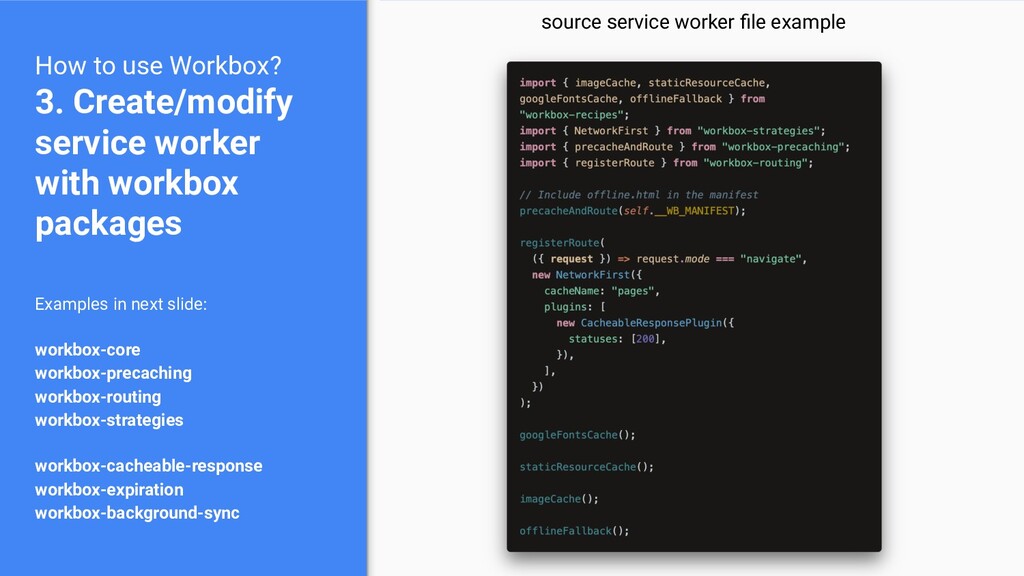
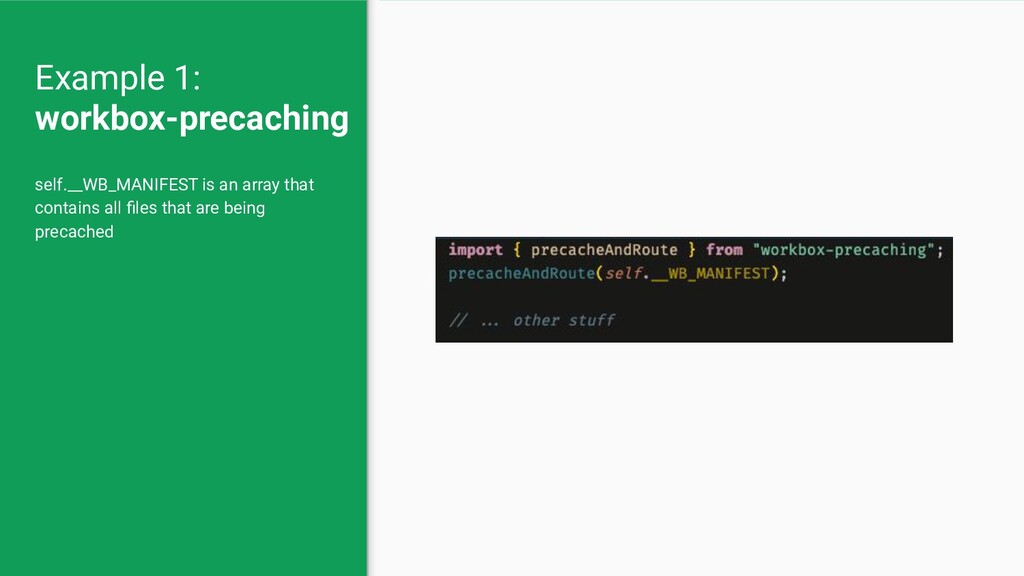
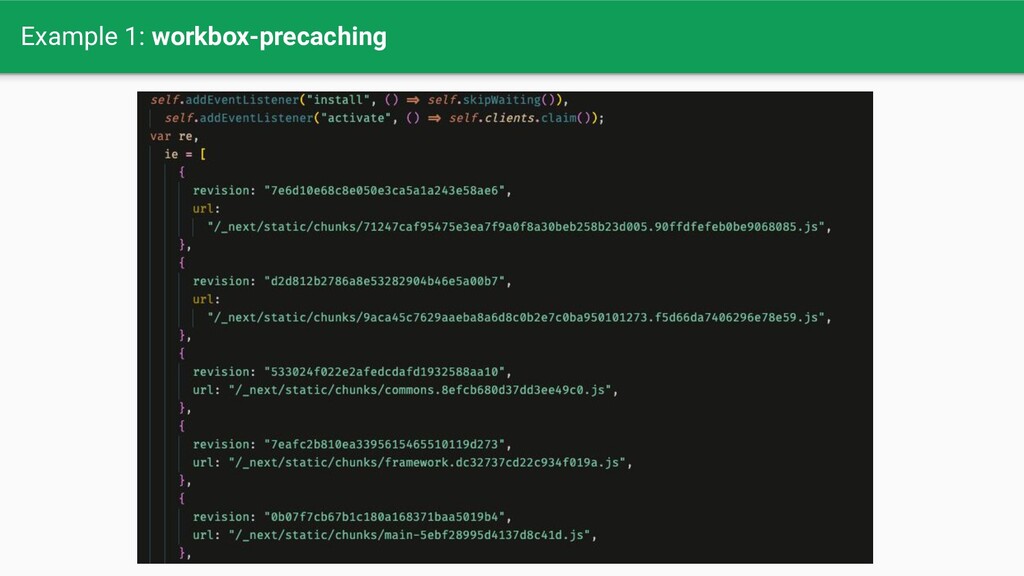
packages Examples in next slide: workbox-core workbox-precaching workbox-routing workbox-strategies workbox-cacheable-response workbox-expiration workbox-background-sync source service worker file example
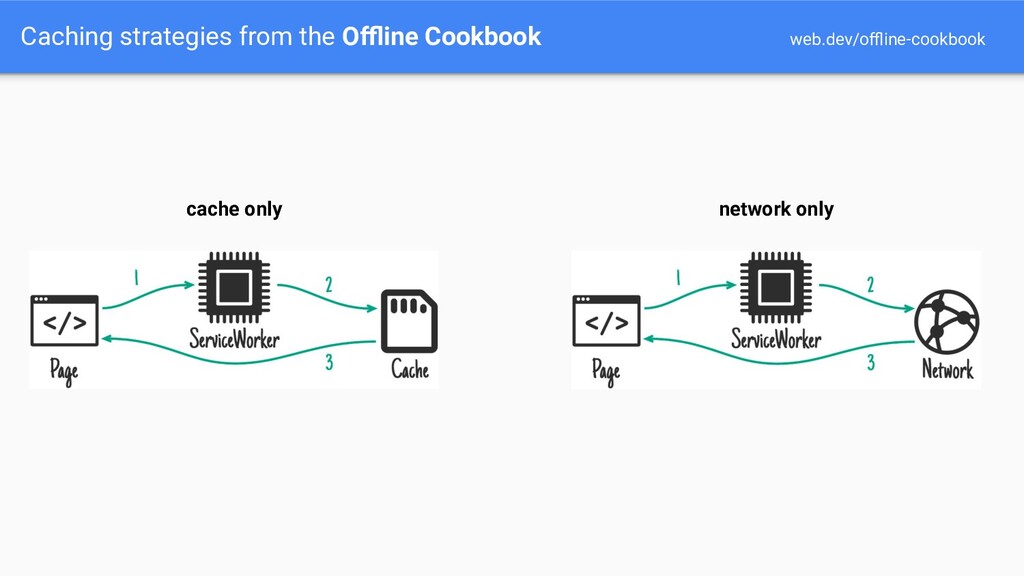
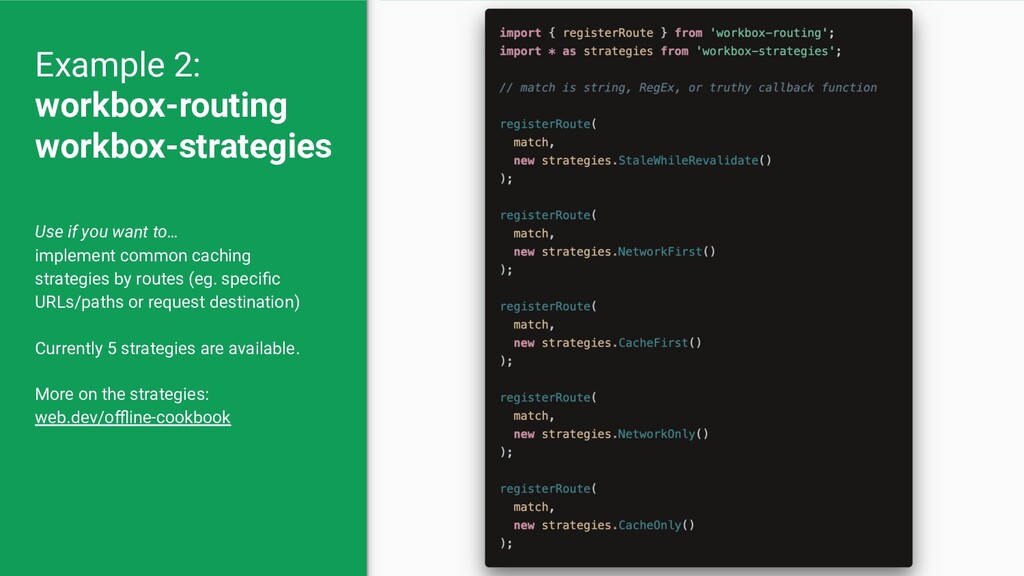
common caching strategies by routes (eg. specific URLs/paths or request destination) Currently 5 strategies are available. More on the strategies: web.dev/offline-cookbook
be a string, regular expression, or callback function returning truthy value The callback function gets an argument that consists of: developer.mozilla.org/en-US/docs/We b/API/URL developer.mozilla.org/en-US/docs/We b/API/Request developer.mozilla.org/en-US/docs/We b/API/Event
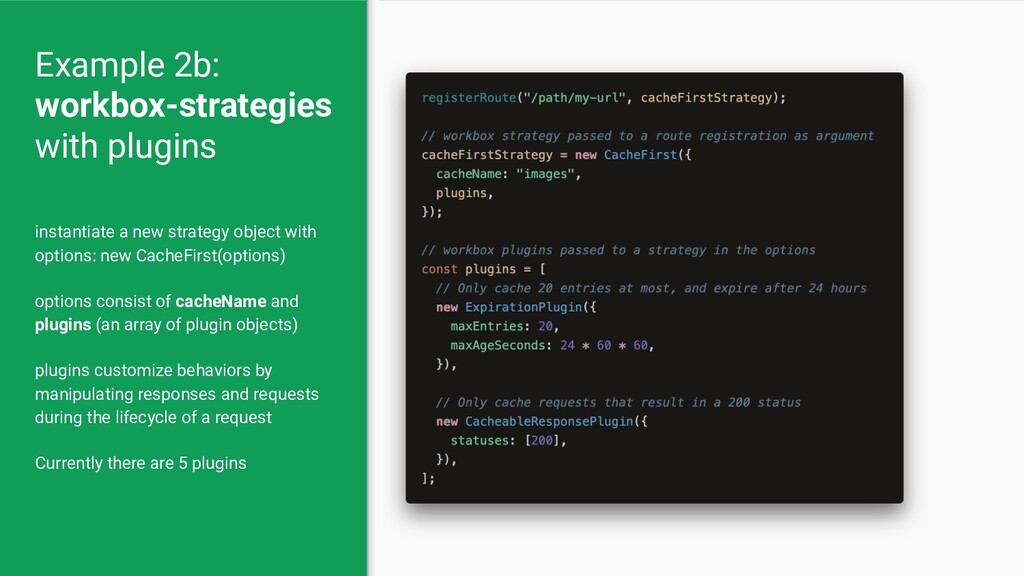
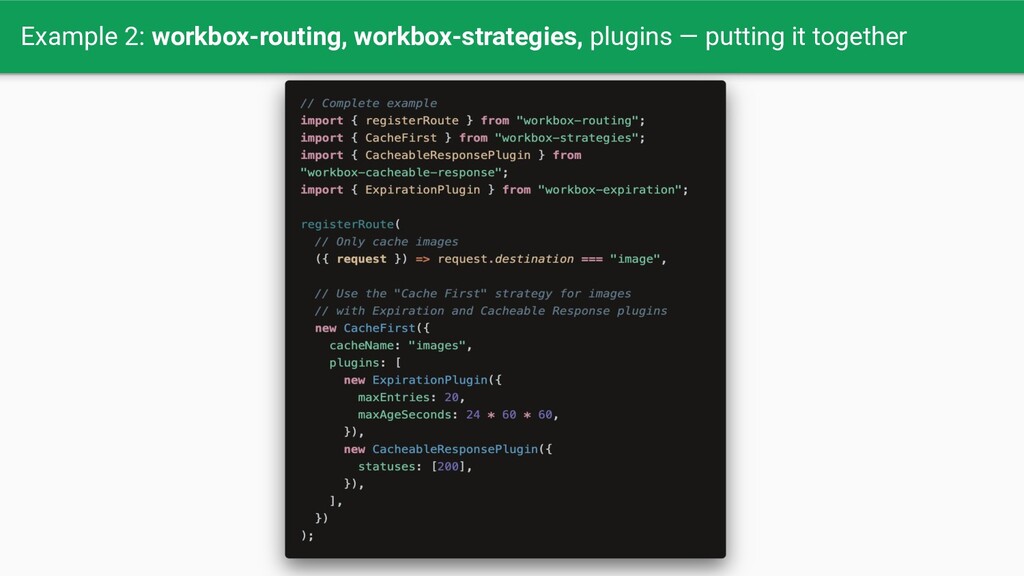
consist of cacheName and plugins (an array of plugin objects) plugins customize behaviors by manipulating responses and requests during the lifecycle of a request Currently there are 5 plugins Example 2b: workbox-strategies with plugins
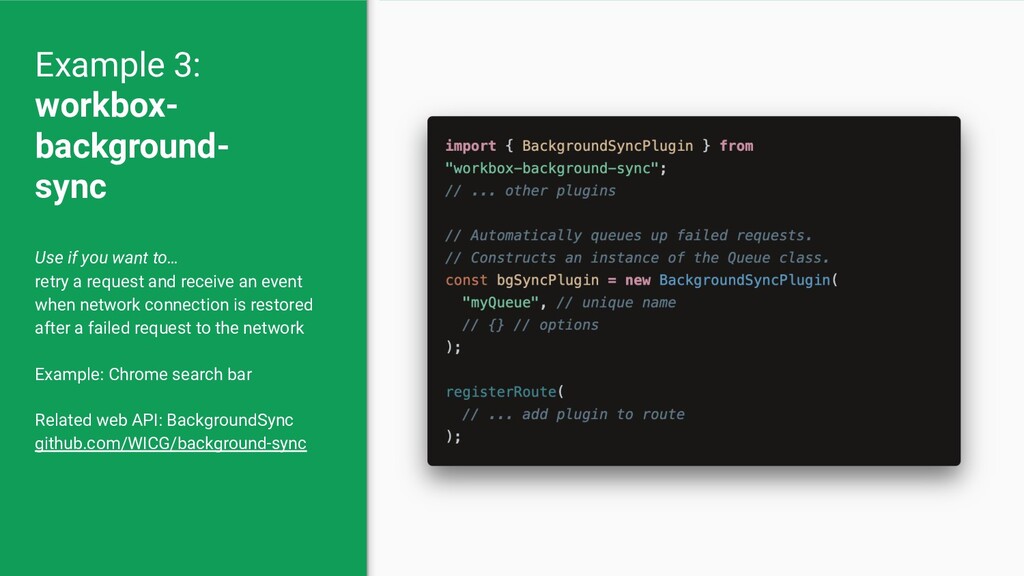
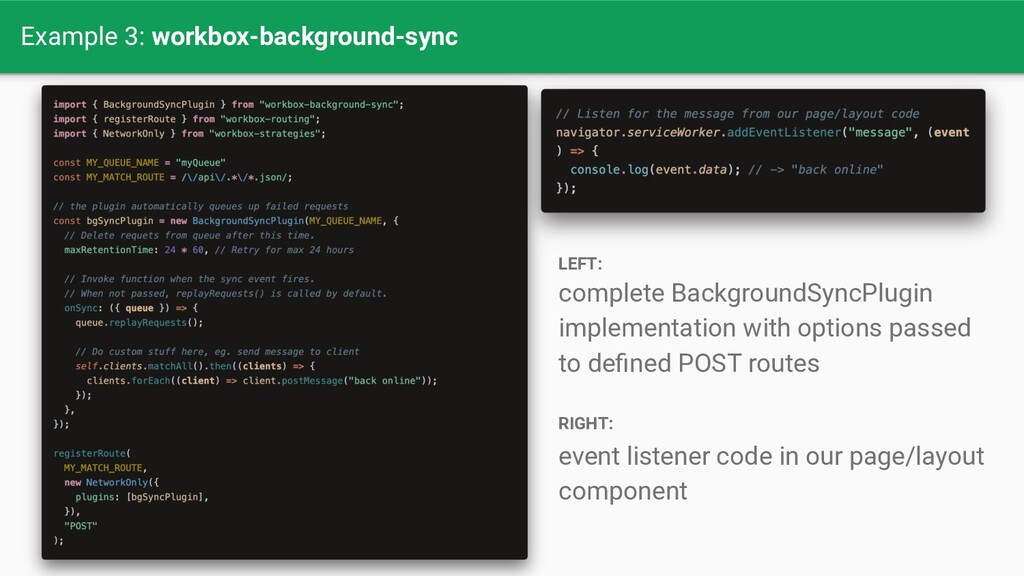
an event when network connection is restored after a failed request to the network Example: Chrome search bar Related web API: BackgroundSync github.com/WICG/background-sync Example 3: workbox- background- sync
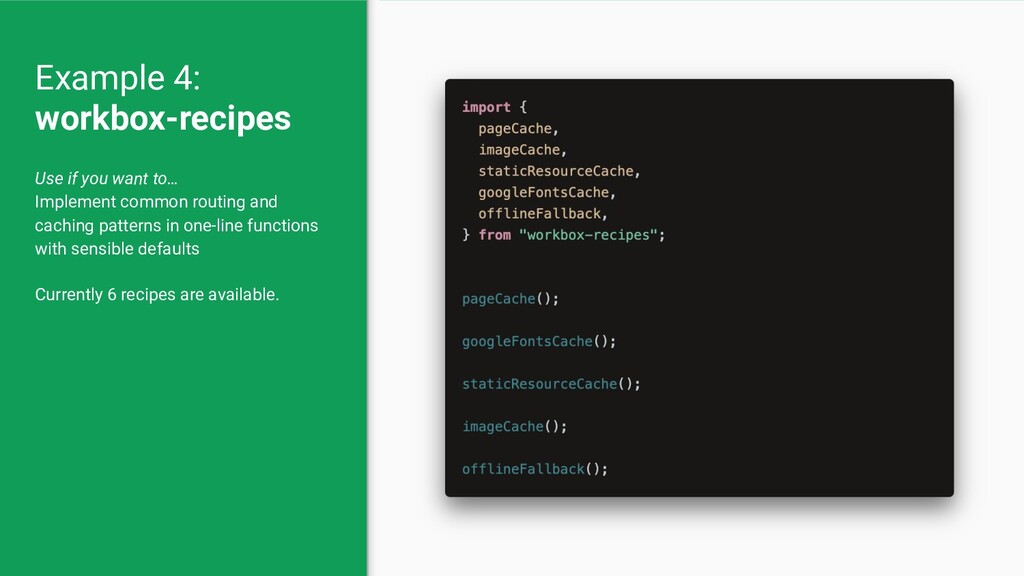
classes for less common ones Less time on redundant boilerplate code, focus on features, ie. PWA best practices Less friction to give user a faster, more resilient and delightful web experience


 ekafyi
 florets1
 morizo_1984
 nabondance
 akihisaikeda
 minodriven
 rollbear
 hschwentner
 mofurune
 marcoroth
 palkan
 teyamagu
 akase244
 dougneiner
.jpg) cargoodrich
cargoodrich
 twada
twada
 keathley
 oripsolob
 asonas
 signer
 destraynor
 elsirapls
 sarafernandez
 aki_iinuma
 lynnandtonic