Upgrade to Pro — share decks privately, control downloads, hide ads and more …

Asking Nicely — Practical tips for requesting u...

Avatar for Eka Eka
December 08, 2019

Asking Nicely — Practical tips for requesting user action in your PWA

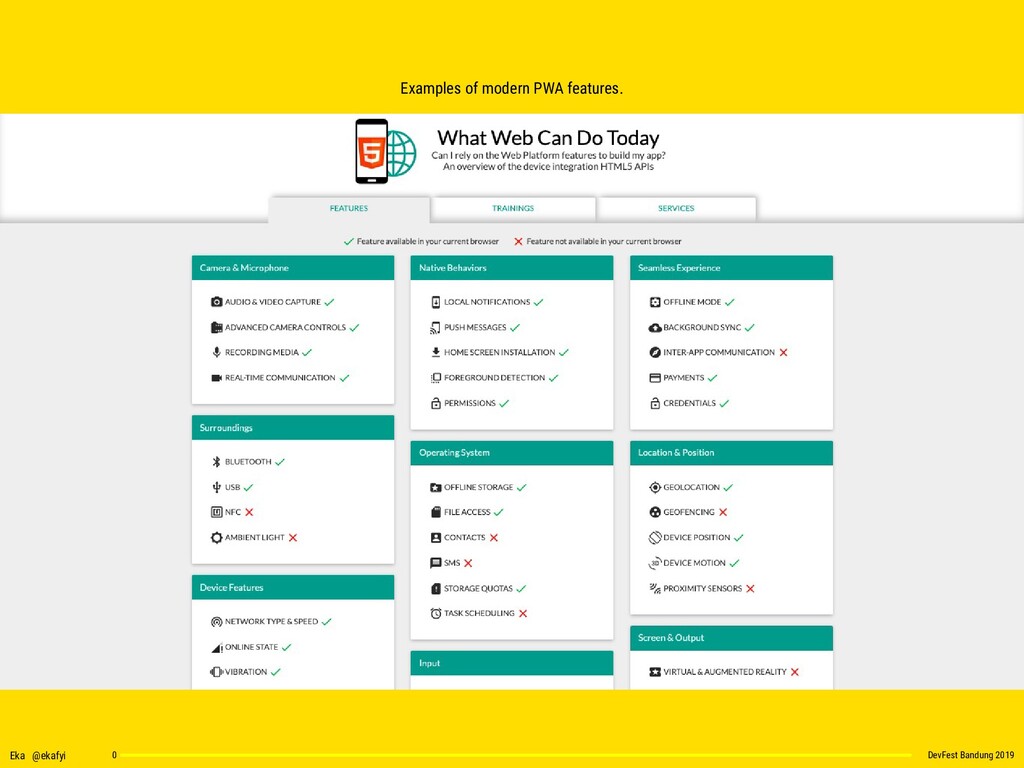
With Progressive Web Apps, we can implement native-like features on the web, such as Install and Notifications. When implemented inconsiderately, not only does the request dialog harm user experience (eg. pop-ups jumping on users on page load), but it may also hinder users from using those features. This talk discusses API we can use do request user actions in a more considerate way.

Originally presented in GDG Bandung DevFest 2019.

Avatar for Eka
Eka

December 08, 2019

More Decks by Eka

Other Decks in Technology

Transcript

  1. Asking Nicely Practical tips for requesting user action in your

    PWA Eka | DevFest Bandung, 8 Dec 2019 Eka @ekafyi 0 DevFest Bandung 2019
  2. Hi~ Iʼm Eka Yogyakarta, Indonesia Frontend dev @ AtmaConnect Self-taught

    second-career dev New to web community & OSS Tinkering, naps, music, food, etc etc Eka @ekafyi 0 DevFest Bandung 2019
  3. Requesting “user action” in your PWA = so user can

    express consent eg. Adding to Home Screen, allowing access to geolocation, camera, etc Eka @ekafyi 0 DevFest Bandung 2019
  4. Progressive Web App “Just websites that took all the right

    vitamins” — Alex Russell “Installable, app-like experience on desktop and mobile that are built and delivered directly via the web.” Reliable, fast, and engaging. Eka @ekafyi 0 DevFest Bandung 2019
  5. Stakeholders work hard to keep the web ethical The web

    should not cause harm to society Security and privacy are essential The web must enhance individuals’ control and power — From “Ethical Web Principles”, World Wide Web Consortium (W3C) Eka @ekafyi 0 DevFest Bandung 2019
  6. Browsers explicitly ask for user’s active consent for each API/feature

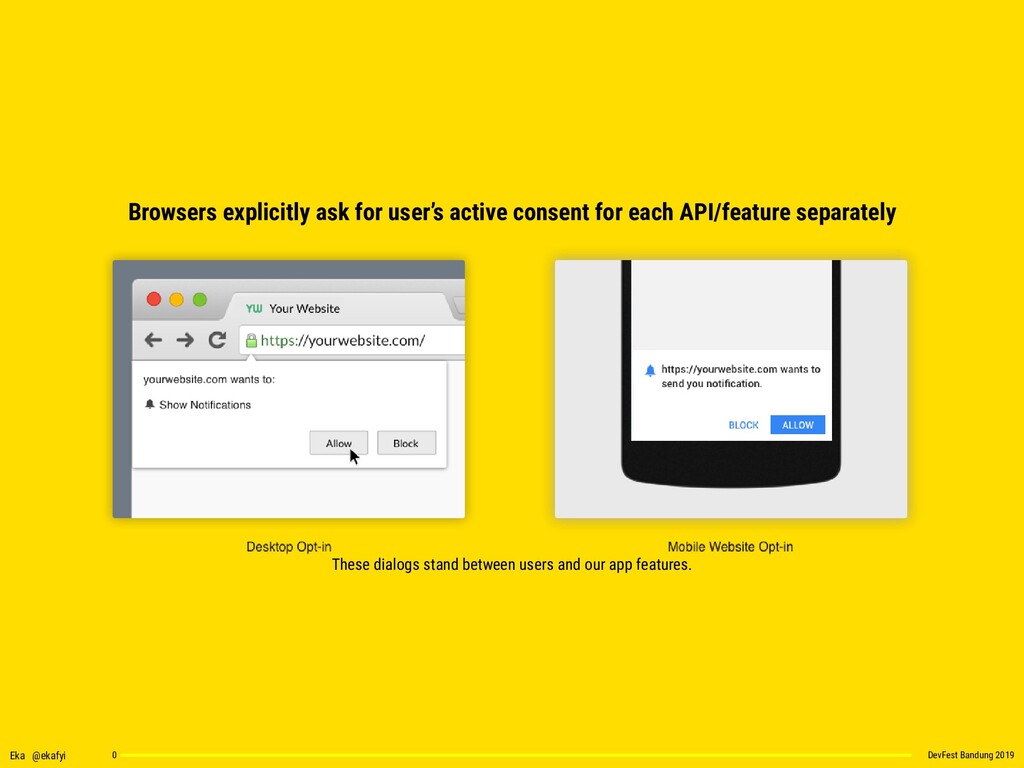
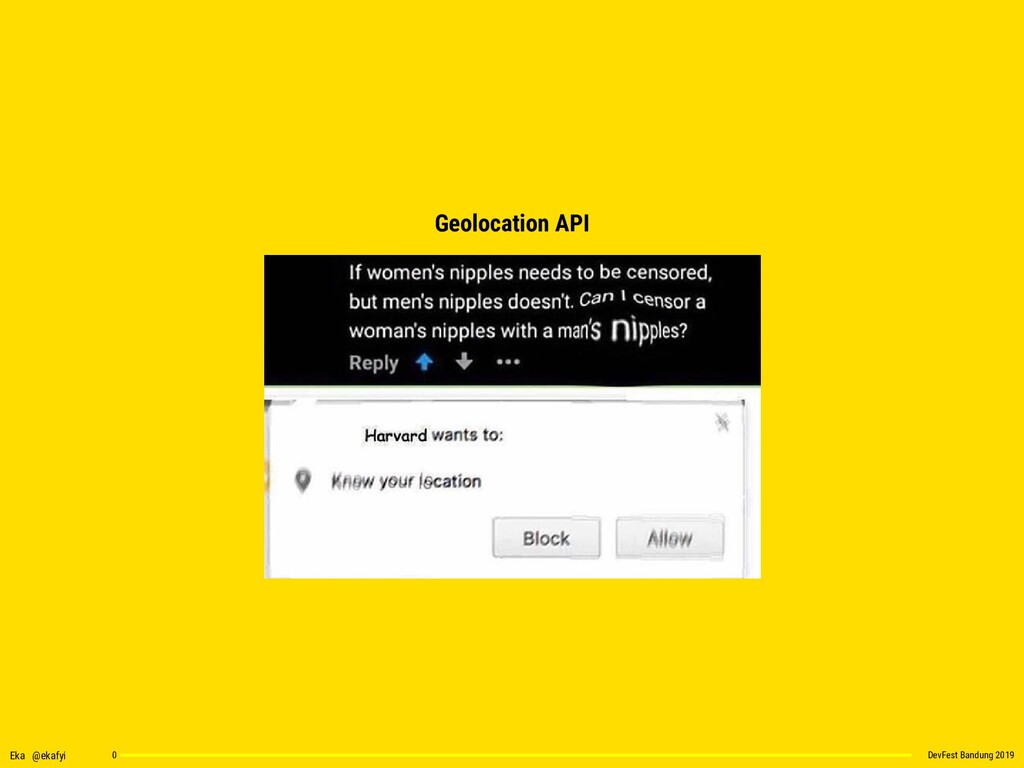
    separately These dialogs stand between users and our app features. Eka @ekafyi 0 DevFest Bandung 2019
  7. Therefore, we need to ask our users nicely Users will

    be happy to enable our features if we know how to ask—and if our features are valuable to them. Eka @ekafyi 0 DevFest Bandung 2019
  8. Why wouldn’t users enable our features right away? (They are

    awesome and I worked hard to develop them! ) There are barriers to user consent, such as... Eka @ekafyi 0 DevFest Bandung 2019
  9. Barriers to user consent 1) Many things compete for user

    attention at once. Ads! Subscribe to newsletter! More ads! Foobar.org wants to know your location! Click to Add to Home Screen! Eka @ekafyi 0 DevFest Bandung 2019
  10. Barriers to user consent 2) Language and/or terminology barrier. What

    does “Add to Home Screen” even mean? Eka @ekafyi 0 DevFest Bandung 2019
  11. Barriers to user consent 3) Lack of understanding about the

    requested feature. Why does this website want to access my camera? Eka @ekafyi 0 DevFest Bandung 2019
  12. Barriers to user consent 4) Others... They just don’t want

    to. They are on an unsupported browser/device. Eka @ekafyi 0 DevFest Bandung 2019
  13. How to mitigate those barriers? Communicate our request better by

    using existing APIs + relevant UI and UX. Eka @ekafyi 0 DevFest Bandung 2019
  14. A. Add to Home Screen (A2HS) / Install PWA Eka

    @ekafyi 0 DevFest Bandung 2019
  15. A2HS adds a shortcut icon on user’s home screen/desktop, like

    native apps No need to open browser, open new tab, type URL or open bookmarks. Takes up very little space on user device. Eka @ekafyi 0 DevFest Bandung 2019
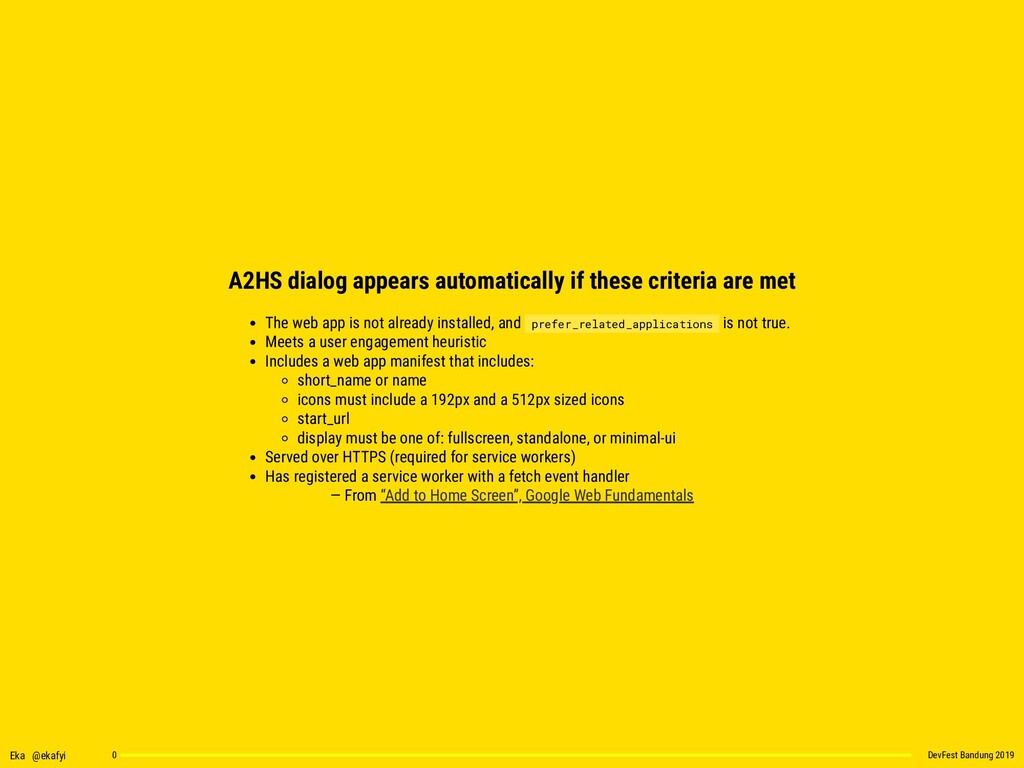
  16. A2HS dialog appears automatically if these criteria are met The

    web app is not already installed, and prefer_related_applications is not true. Meets a user engagement heuristic Includes a web app manifest that includes: short_name or name icons must include a 192px and a 512px sized icons start_url display must be one of: fullscreen, standalone, or minimal-ui Served over HTTPS (required for service workers) Has registered a service worker with a fetch event handler — From “Add to Home Screen”, Google Web Fundamentals Eka @ekafyi 0 DevFest Bandung 2019
  17. We can customize A2HS behavior with beforeinstallprompt event Show the

    A2HS dialog on user gesture (eg. “Install” banner) Control when and where to show the A2HS UI prompt Tailor the A2HS UI prompt to suit your audience Eka @ekafyi 0 DevFest Bandung 2019
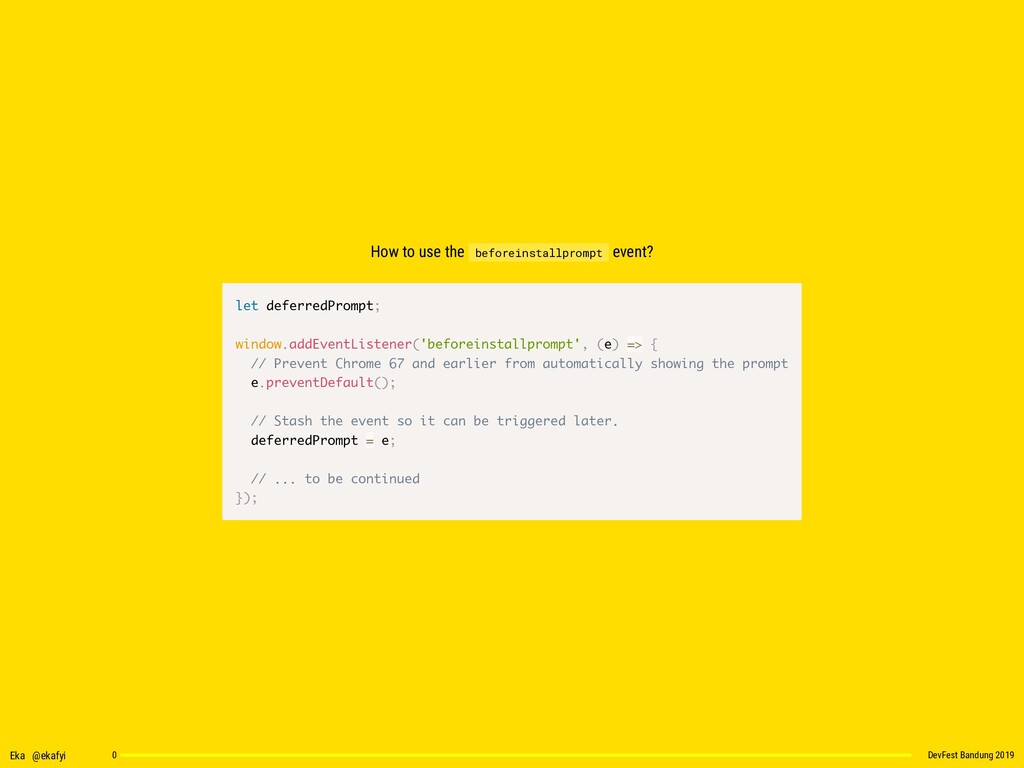
  18. How to use the beforeinstallprompt event? let let deferredPrompt deferredPrompt;

    ; window window. .addEventListener addEventListener( ('beforeinstallprompt' 'beforeinstallprompt', , ( (e e) ) => => { { // Prevent Chrome 67 and earlier from automatically showing the prompt // Prevent Chrome 67 and earlier from automatically showing the prompt e e. .preventDefault preventDefault( () ); ; // Stash the event so it can be triggered later. // Stash the event so it can be triggered later. deferredPrompt deferredPrompt = = e e; ; // ... to be continued // ... to be continued } }) ); ; Eka @ekafyi 0 DevFest Bandung 2019
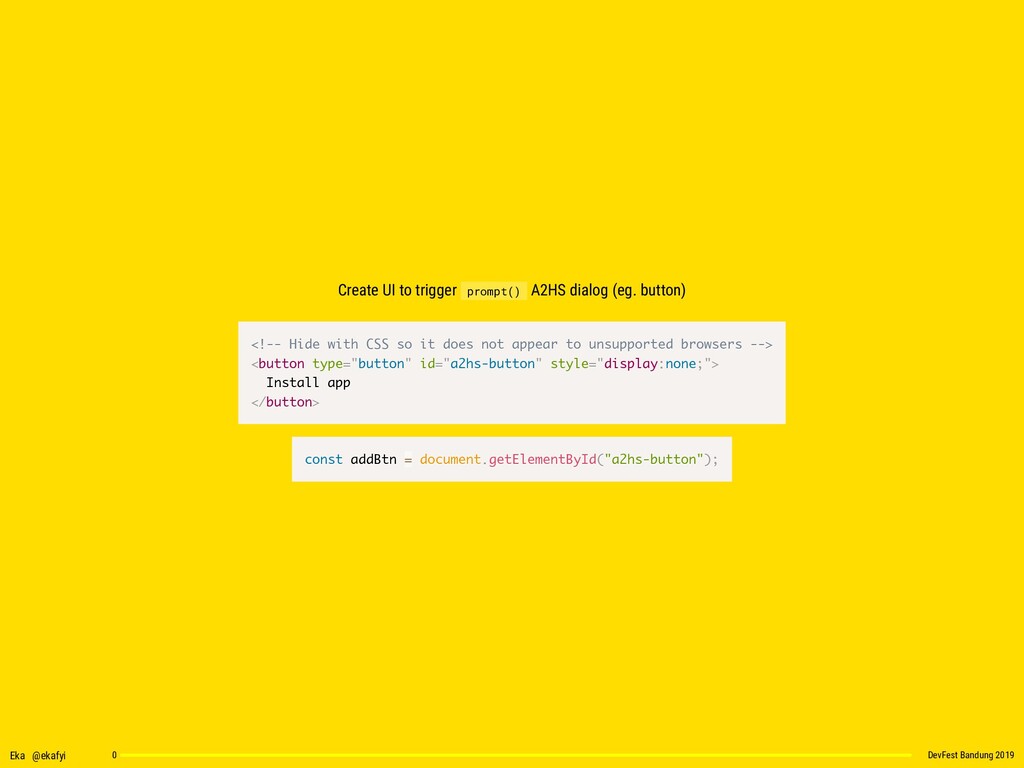
  19. Create UI to trigger prompt() A2HS dialog (eg. button) <!--

    Hide with CSS so it does not appear to unsupported browsers --> <!-- Hide with CSS so it does not appear to unsupported browsers --> < <button button type type= =" "button button" " id id= =" "a2hs-button a2hs-button" " style style=" ="display display: :none none; ;" "> > Install app Install app </ </button button> > const const addBtn addBtn = = document document. .getElementById getElementById( ("a2hs-button" "a2hs-button") ); ; Eka @ekafyi 0 DevFest Bandung 2019
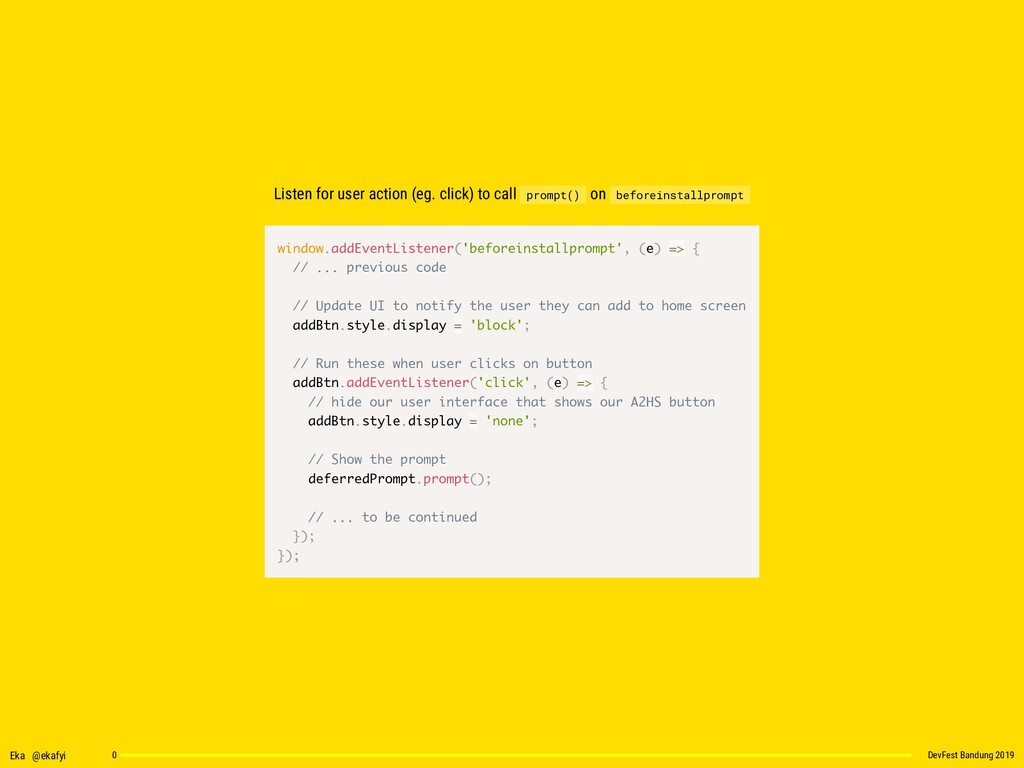
  20. Listen for user action (eg. click) to call prompt() on

    beforeinstallprompt window window. .addEventListener addEventListener( ('beforeinstallprompt' 'beforeinstallprompt', , ( (e e) ) => => { { // ... previous code // ... previous code // Update UI to notify the user they can add to home screen // Update UI to notify the user they can add to home screen addBtn addBtn. .style style. .display display = = 'block' 'block'; ; // Run these when user clicks on button // Run these when user clicks on button addBtn addBtn. .addEventListener addEventListener( ('click' 'click', , ( (e e) ) => => { { // hide our user interface that shows our A2HS button // hide our user interface that shows our A2HS button addBtn addBtn. .style style. .display display = = 'none' 'none'; ; // Show the prompt // Show the prompt deferredPrompt deferredPrompt. .prompt prompt( () ); ; // ... to be continued // ... to be continued } }) ); ; } }) ); ; Eka @ekafyi 0 DevFest Bandung 2019
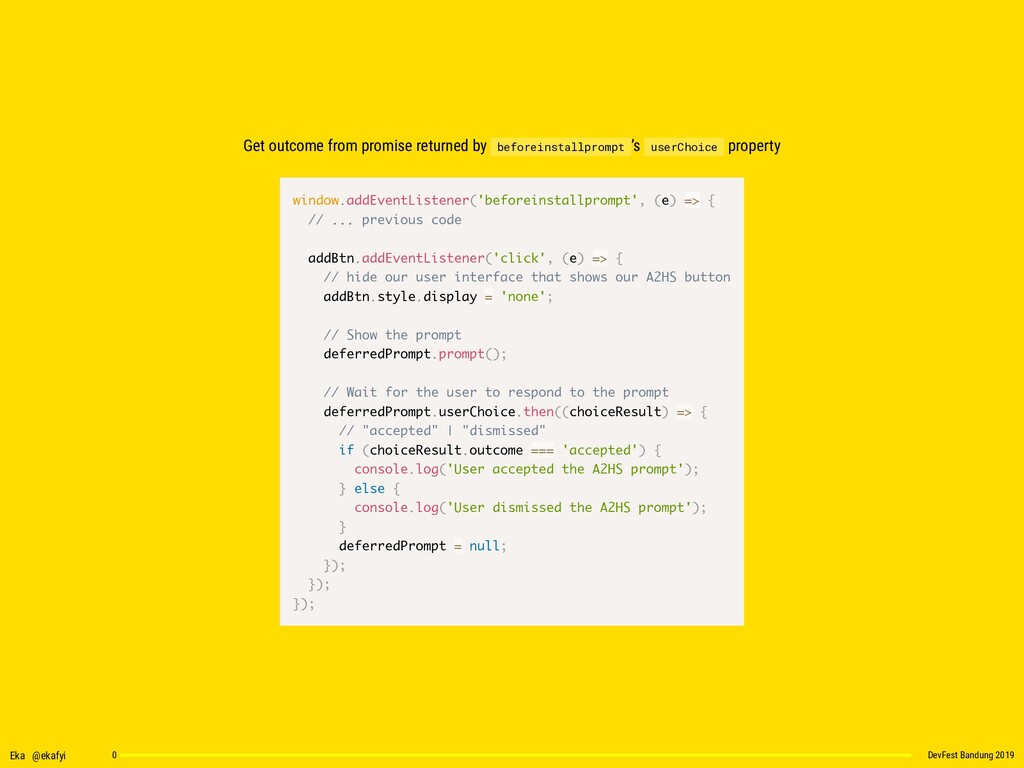
  21. Get outcome from promise returned by beforeinstallprompt ’s userChoice property

    window window. .addEventListener addEventListener( ('beforeinstallprompt' 'beforeinstallprompt', , ( (e e) ) => => { { // ... previous code // ... previous code addBtn addBtn. .addEventListener addEventListener( ('click' 'click', , ( (e e) ) => => { { // hide our user interface that shows our A2HS button // hide our user interface that shows our A2HS button addBtn addBtn. .style style. .display display = = 'none' 'none'; ; // Show the prompt // Show the prompt deferredPrompt deferredPrompt. .prompt prompt( () ); ; // Wait for the user to respond to the prompt // Wait for the user to respond to the prompt deferredPrompt deferredPrompt. .userChoice userChoice. .then then( (( (choiceResult choiceResult) ) => => { { // "accepted" | "dismissed" // "accepted" | "dismissed" if if ( (choiceResult choiceResult. .outcome outcome === === 'accepted' 'accepted') ) { { console console. .log log( ('User accepted the A2HS prompt' 'User accepted the A2HS prompt') ); ; } } else else { { console console. .log log( ('User dismissed the A2HS prompt' 'User dismissed the A2HS prompt') ); ; } } deferredPrompt deferredPrompt = = null null; ; } }) ); ; } }) ); ; } }) ); ; Eka @ekafyi 0 DevFest Bandung 2019
  22. …But wait, there’s more Do something once app is installed

    with appinstalled event Eka @ekafyi 0 DevFest Bandung 2019
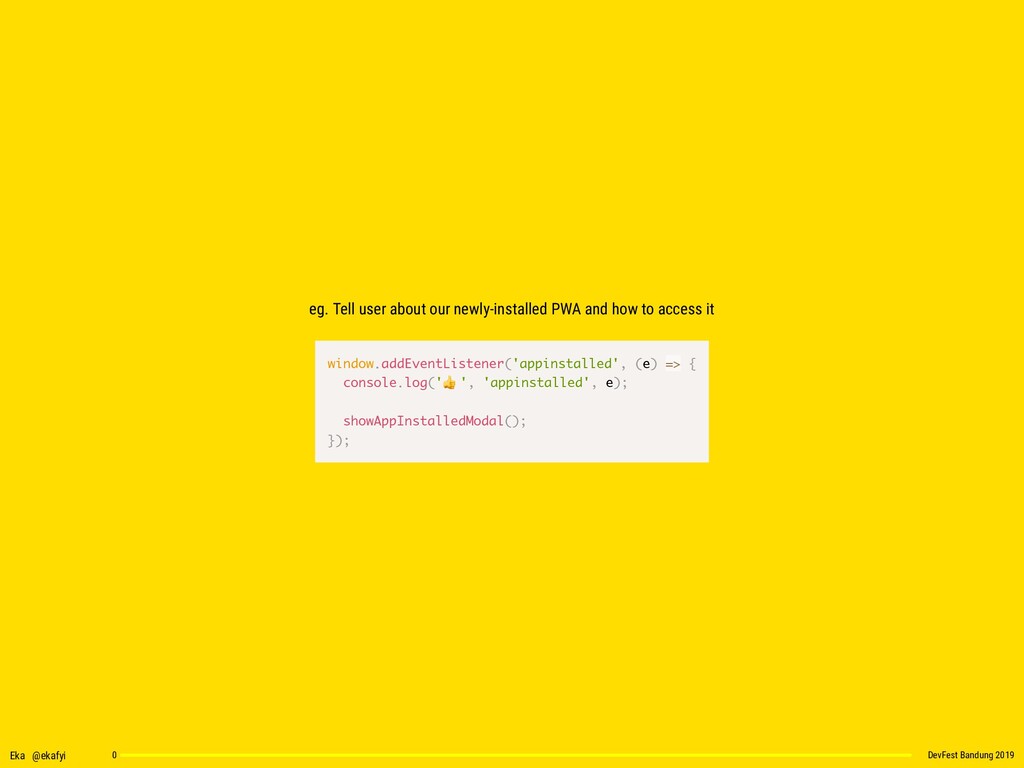
  23. eg. Tell user about our newly-installed PWA and how to

    access it window window. .addEventListener addEventListener( ('appinstalled' 'appinstalled', , ( (e e) ) => => { { console console. .log log( (' ' ' ', , 'appinstalled' 'appinstalled', , e e) ); ; showAppInstalledModal showAppInstalledModal( () ); ; } }) ); ; Eka @ekafyi 0 DevFest Bandung 2019
  24. Needs error handling so they don’t break your web app

    Our app features depend on these functionalities, so anticipate rejection. Eka @ekafyi 0 DevFest Bandung 2019
  25. Dialog appears when relevant API-speci c methods are called navigator.geolocation.getCurrentPosition(success,

    error) navigator.mediaDevices.getUserMedia({video: true}) Notification.requestPermission().then(function (permission) { ... }) Eka @ekafyi 0 DevFest Bandung 2019
  26. Browser remembers user’s choice, which can only be changed from

    user’s browser settings Protects users’ interest Annoys web devs (sometimes) Eka @ekafyi 0 DevFest Bandung 2019
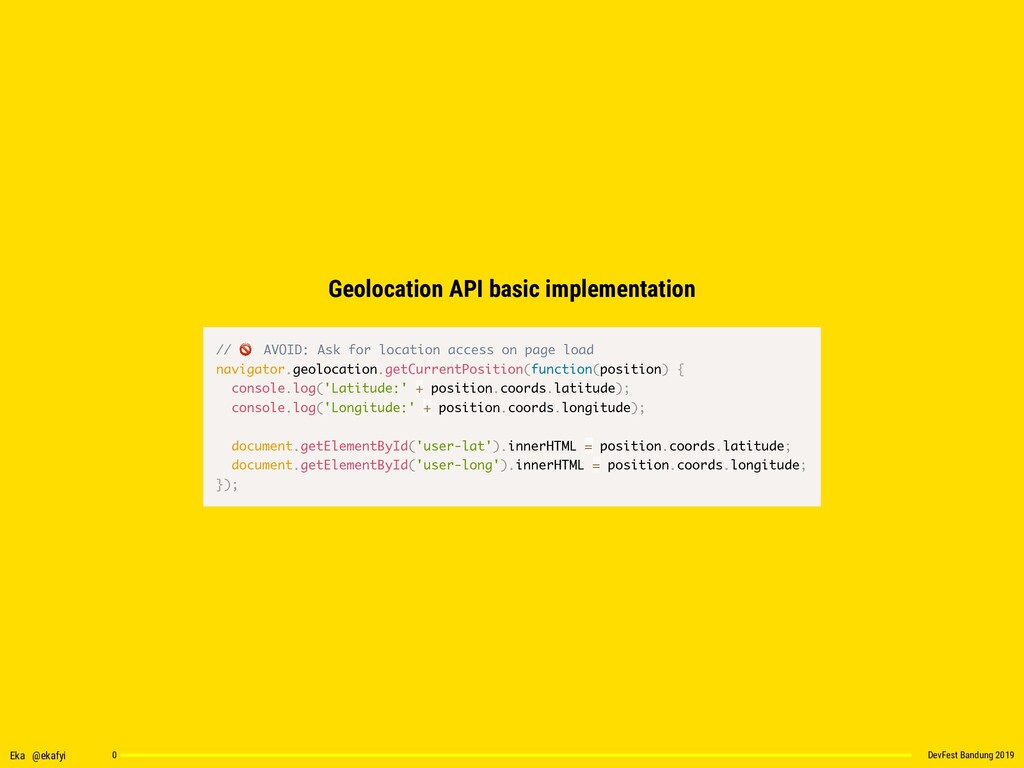
  27. Geolocation API basic implementation // AVOID: Ask for location access

    on page load // AVOID: Ask for location access on page load navigator navigator. .geolocation geolocation. .getCurrentPosition getCurrentPosition( (function function( (position position) ) { { console console. .log log( ('Latitude:' 'Latitude:' + + position position. .coords coords. .latitude latitude) ); ; console console. .log log( ('Longitude:' 'Longitude:' + + position position. .coords coords. .longitude longitude) ); ; document document. .getElementById getElementById( ('user-lat' 'user-lat') ). .innerHTML innerHTML = = position position. .coords coords. .latitude latitude; ; document document. .getElementById getElementById( ('user-long' 'user-long') ). .innerHTML innerHTML = = position position. .coords coords. .longitude longitude; ; } }) ); ; Eka @ekafyi 0 DevFest Bandung 2019
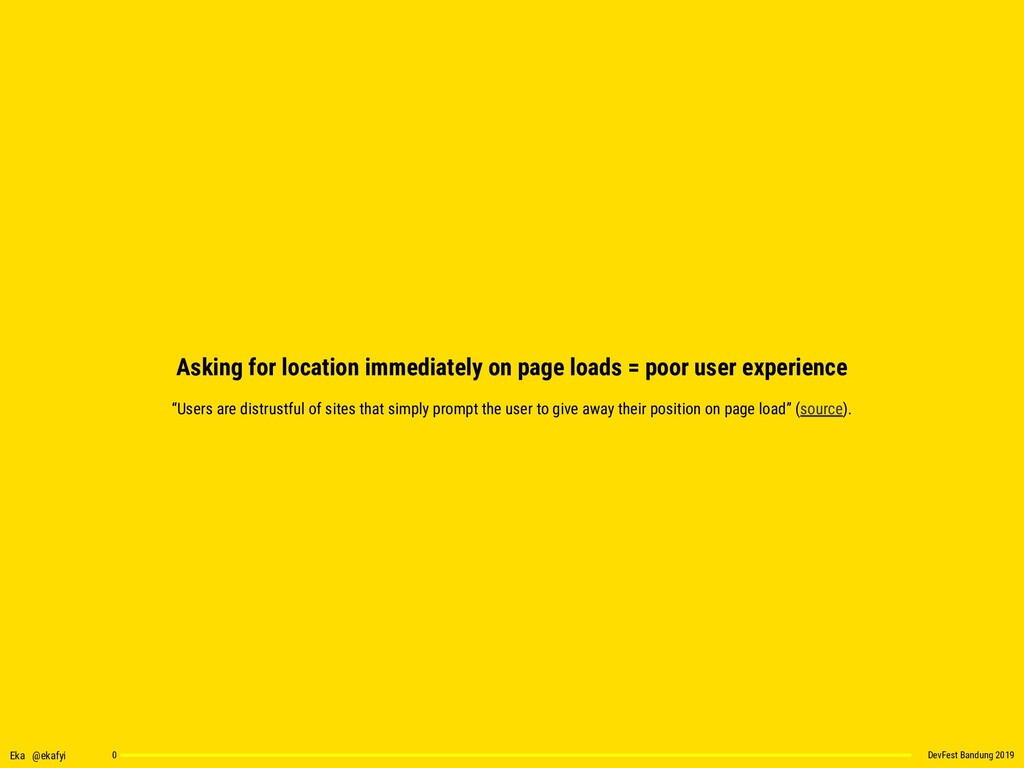
  28. Asking for location immediately on page loads = poor user

    experience “Users are distrustful of sites that simply prompt the user to give away their position on page load” (source). Eka @ekafyi 0 DevFest Bandung 2019
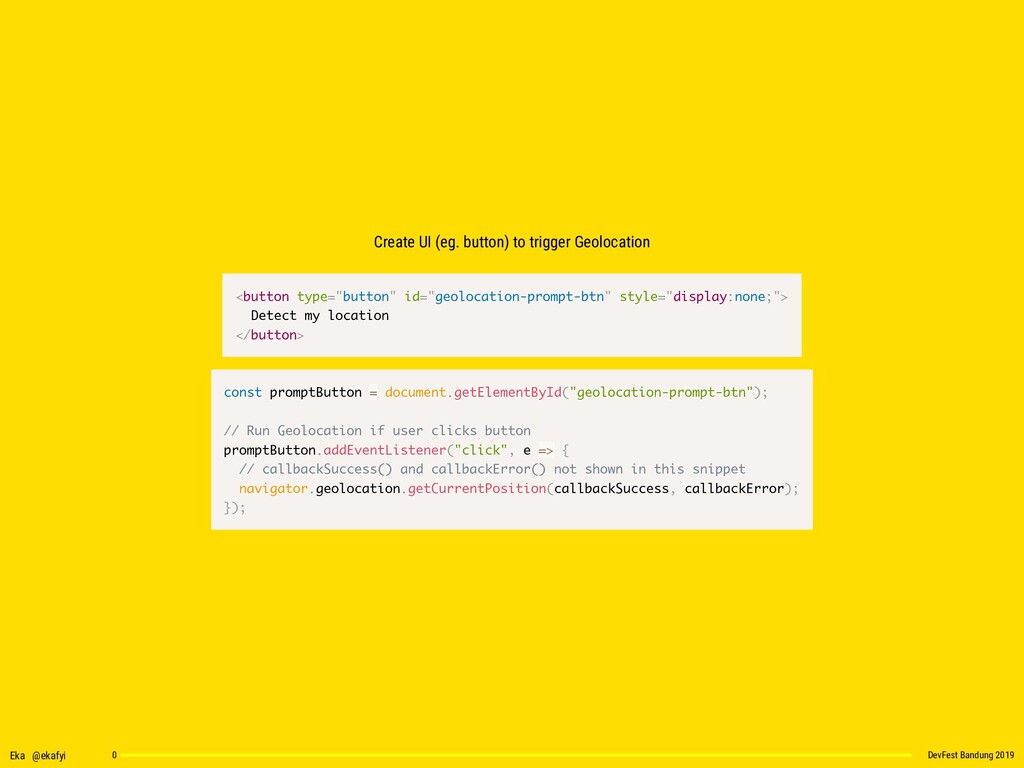
  29. Create UI (eg. button) to trigger Geolocation < <button button

    type type= =" "button button" " id id= =" "geolocation-prompt-btn geolocation-prompt-btn" " style style=" ="display display: :none none; ;" "> > Detect my location Detect my location </ </button button> > const const promptButton promptButton = = document document. .getElementById getElementById( ("geolocation-prompt-btn" "geolocation-prompt-btn") ); ; // Run Geolocation if user clicks button // Run Geolocation if user clicks button promptButton promptButton. .addEventListener addEventListener( ("click" "click", , e e => => { { // callbackSuccess() and callbackError() not shown in this snippet // callbackSuccess() and callbackError() not shown in this snippet navigator navigator. .geolocation geolocation. .getCurrentPosition getCurrentPosition( (callbackSuccess callbackSuccess, , callbackError callbackError) ); ; } }) ); ; Eka @ekafyi 0 DevFest Bandung 2019
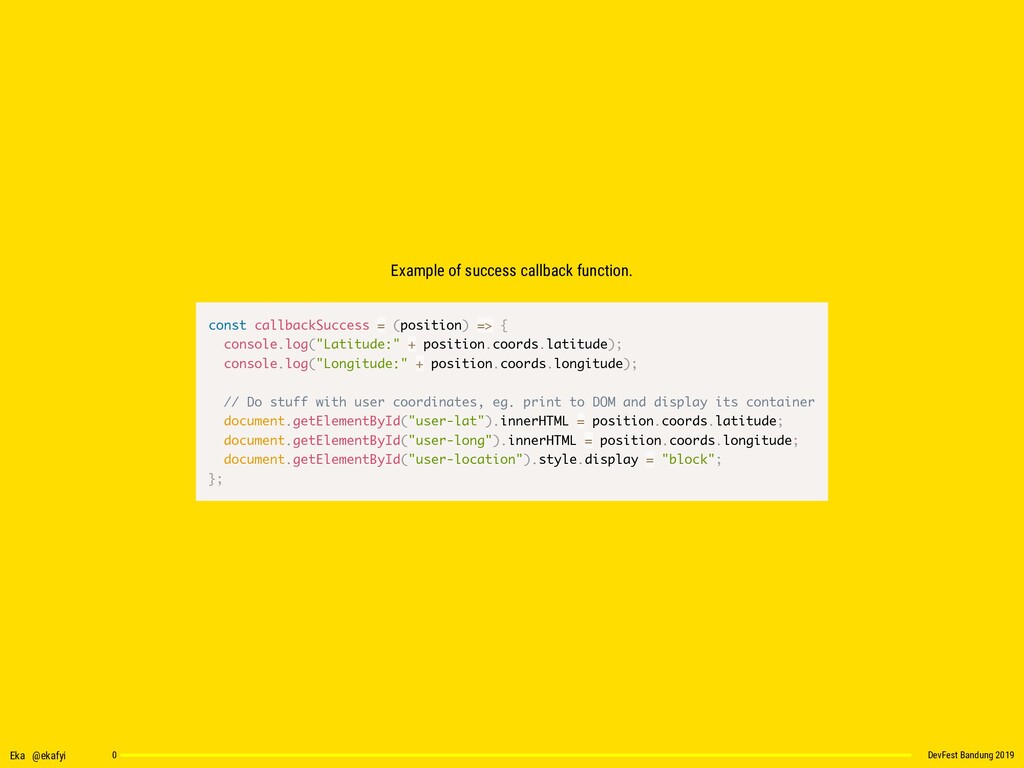
  30. Example of success callback function. const const callbackSuccess callbackSuccess =

    = ( (position position) ) => => { { console console. .log log( ("Latitude:" "Latitude:" + + position position. .coords coords. .latitude latitude) ); ; console console. .log log( ("Longitude:" "Longitude:" + + position position. .coords coords. .longitude longitude) ); ; // Do stuff with user coordinates, eg. print to DOM and display its container // Do stuff with user coordinates, eg. print to DOM and display its container document document. .getElementById getElementById( ("user-lat" "user-lat") ). .innerHTML innerHTML = = position position. .coords coords. .latitude latitude; ; document document. .getElementById getElementById( ("user-long" "user-long") ). .innerHTML innerHTML = = position position. .coords coords. .longitude longitude; ; document document. .getElementById getElementById( ("user-location" "user-location") ). .style style. .display display = = "block" "block"; ; } }; ; Eka @ekafyi 0 DevFest Bandung 2019
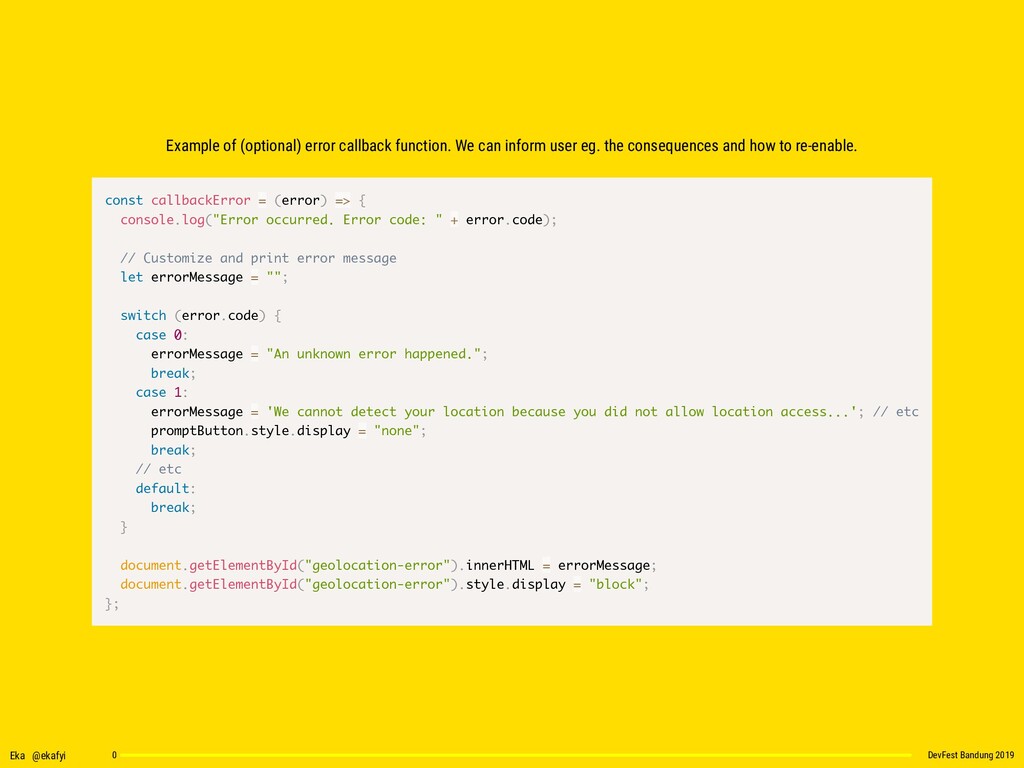
  31. Example of (optional) error callback function. We can inform user

    eg. the consequences and how to re-enable. const const callbackError callbackError = = ( (error error) ) => => { { console console. .log log( ("Error occurred. Error code: " "Error occurred. Error code: " + + error error. .code code) ); ; // Customize and print error message // Customize and print error message let let errorMessage errorMessage = = "" ""; ; switch switch ( (error error. .code code) ) { { case case 0 0: : errorMessage errorMessage = = "An unknown error happened." "An unknown error happened."; ; break break; ; case case 1 1: : errorMessage errorMessage = = 'We cannot detect your location because you did not allow location access...' 'We cannot detect your location because you did not allow location access...'; ; // etc // etc promptButton promptButton. .style style. .display display = = "none" "none"; ; break break; ; // etc // etc default default: : break break; ; } } document document. .getElementById getElementById( ("geolocation-error" "geolocation-error") ). .innerHTML innerHTML = = errorMessage errorMessage; ; document document. .getElementById getElementById( ("geolocation-error" "geolocation-error") ). .style style. .display display = = "block" "block"; ; } }; ; Eka @ekafyi 0 DevFest Bandung 2019
  32. Our code cannot check permission status without running the Geolocation

    code ie. Even when user already “Allows” geolocation access, they still have to click the “Detect location” button. Eka @ekafyi 0 DevFest Bandung 2019
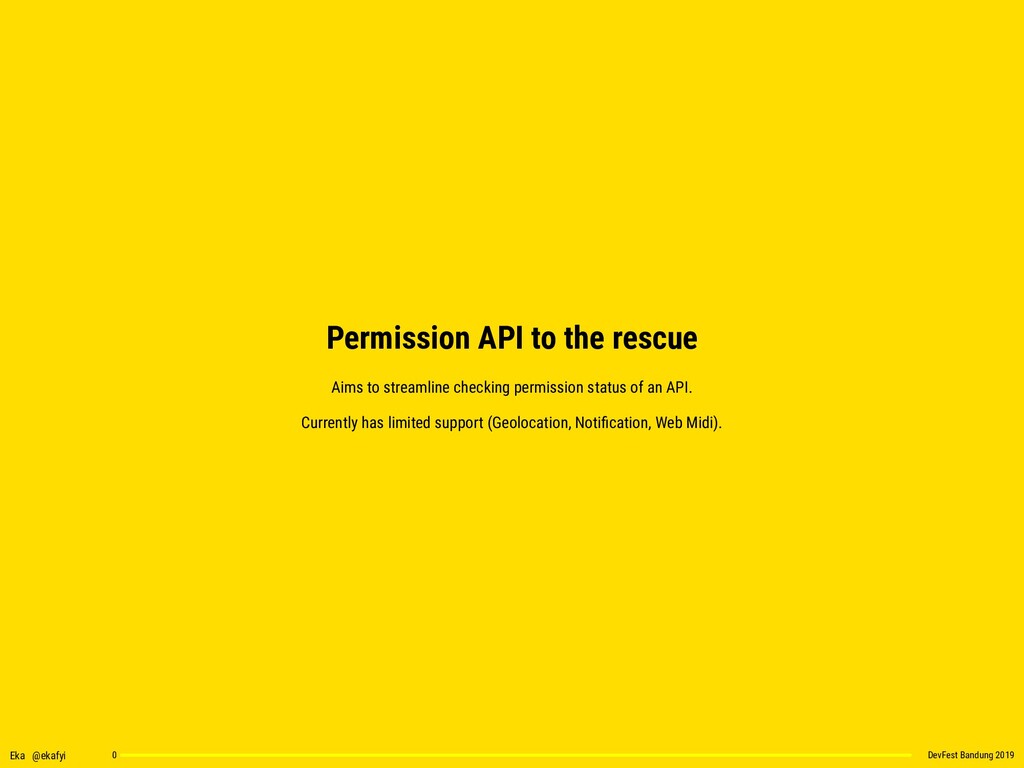
  33. Permission API to the rescue Aims to streamline checking permission

    status of an API. Currently has limited support (Geolocation, Noti cation, Web Midi). Eka @ekafyi 0 DevFest Bandung 2019
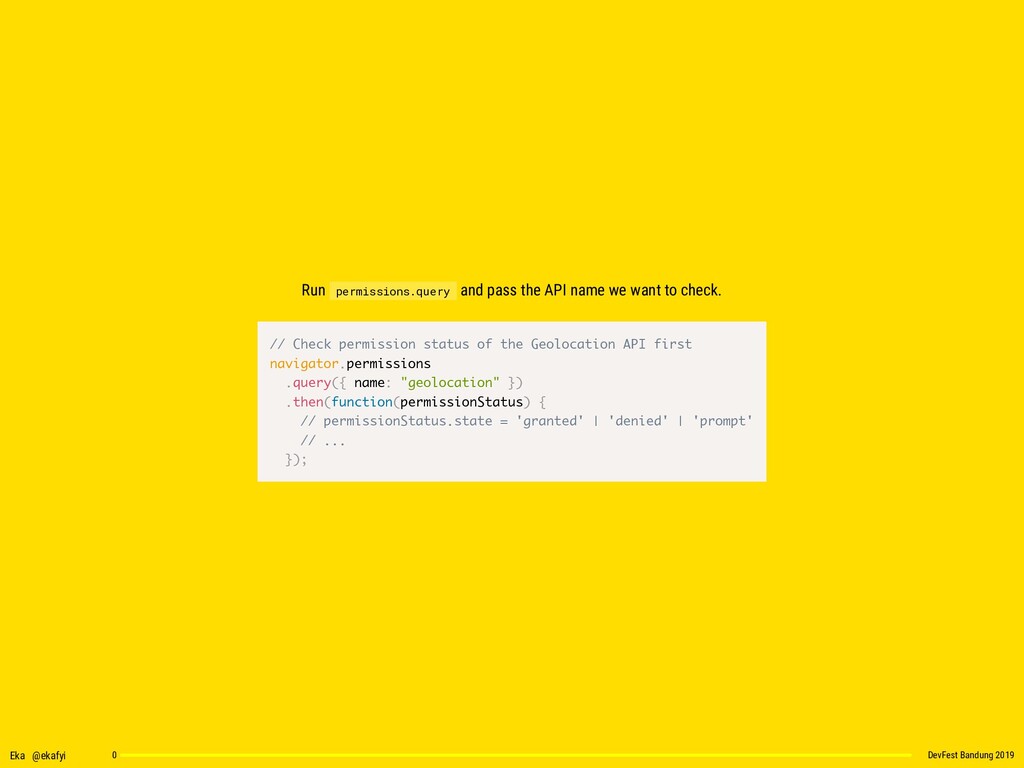
  34. Run permissions.query and pass the API name we want to

    check. // Check permission status of the Geolocation API first // Check permission status of the Geolocation API first navigator navigator. .permissions permissions . .query query( ({ { name name: : "geolocation" "geolocation" } }) ) . .then then( (function function( (permissionStatus permissionStatus) ) { { // permissionStatus.state = 'granted' | 'denied' | 'prompt' // permissionStatus.state = 'granted' | 'denied' | 'prompt' // ... // ... } }) ); ; Eka @ekafyi 0 DevFest Bandung 2019
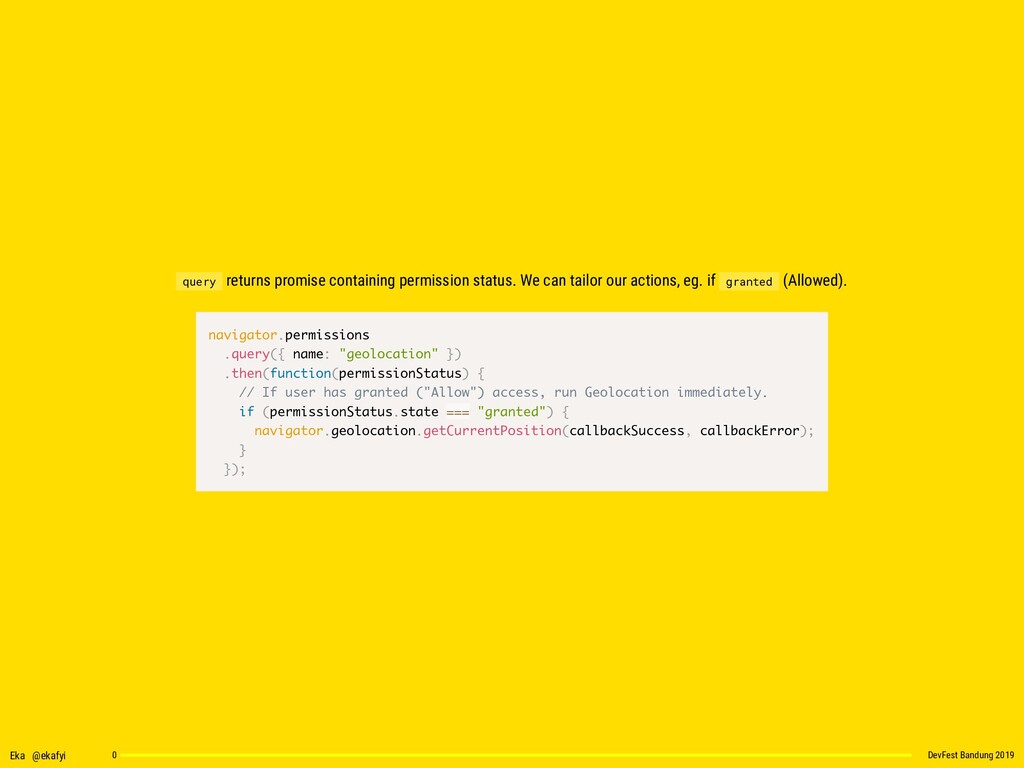
  35. query returns promise containing permission status. We can tailor our

    actions, eg. if granted (Allowed). navigator navigator. .permissions permissions . .query query( ({ { name name: : "geolocation" "geolocation" } }) ) . .then then( (function function( (permissionStatus permissionStatus) ) { { // If user has granted ("Allow") access, run Geolocation immediately. // If user has granted ("Allow") access, run Geolocation immediately. if if ( (permissionStatus permissionStatus. .state state === === "granted" "granted") ) { { navigator navigator. .geolocation geolocation. .getCurrentPosition getCurrentPosition( (callbackSuccess callbackSuccess, , callbackError callbackError) ); ; } } } }) ); ; Eka @ekafyi 0 DevFest Bandung 2019
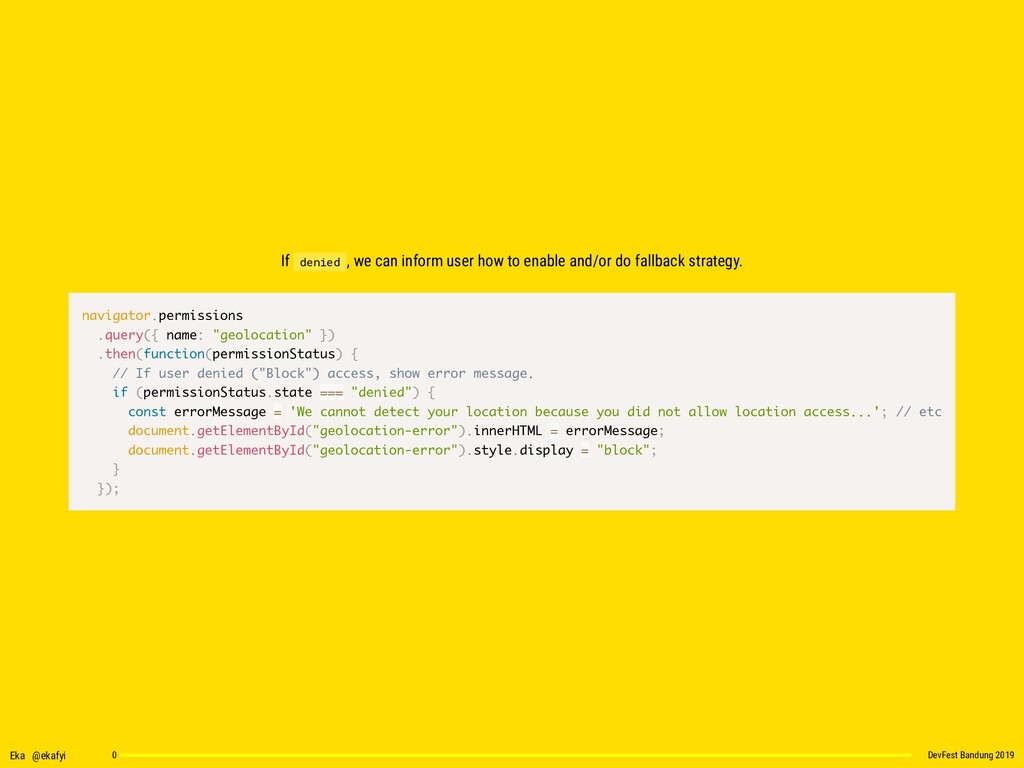
  36. If denied , we can inform user how to enable

    and/or do fallback strategy. navigator navigator. .permissions permissions . .query query( ({ { name name: : "geolocation" "geolocation" } }) ) . .then then( (function function( (permissionStatus permissionStatus) ) { { // If user denied ("Block") access, show error message. // If user denied ("Block") access, show error message. if if ( (permissionStatus permissionStatus. .state state === === "denied" "denied") ) { { const const errorMessage errorMessage = = 'We cannot detect your location because you did not allow location access...' 'We cannot detect your location because you did not allow location access...'; ; // etc // etc document document. .getElementById getElementById( ("geolocation-error" "geolocation-error") ). .innerHTML innerHTML = = errorMessage errorMessage; ; document document. .getElementById getElementById( ("geolocation-error" "geolocation-error") ). .style style. .display display = = "block" "block"; ; } } } }) ); ; Eka @ekafyi 0 DevFest Bandung 2019
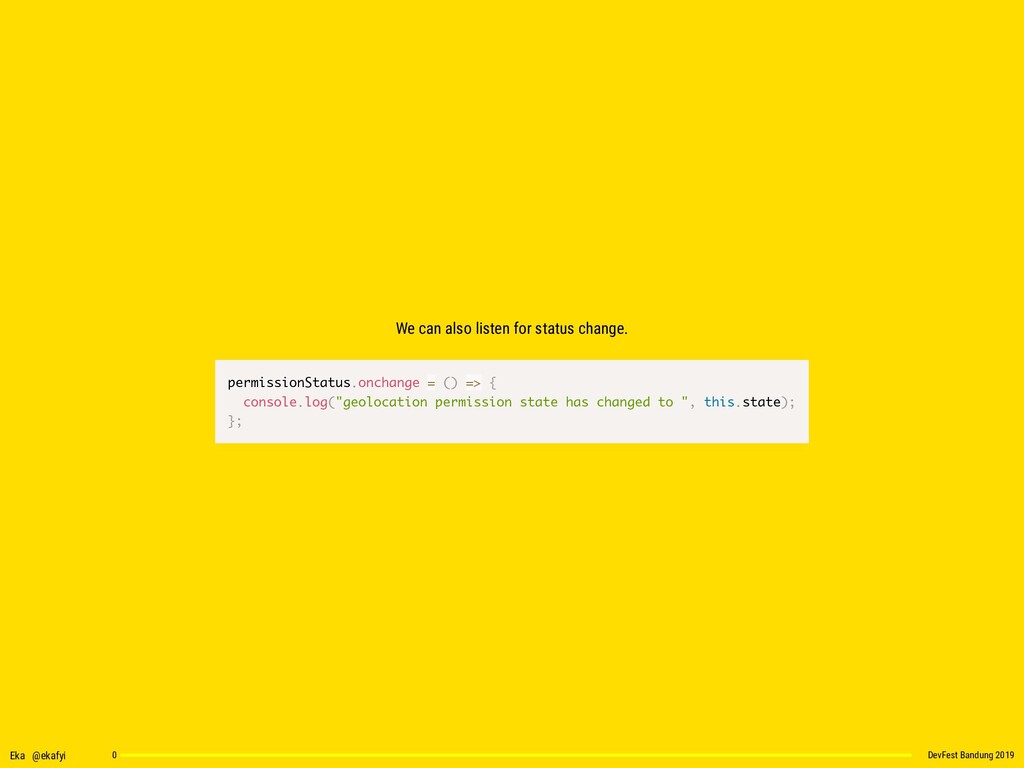
  37. We can also listen for status change. permissionStatus permissionStatus. .onchange

    onchange = = ( () ) => => { { console console. .log log( ("geolocation permission state has changed to " "geolocation permission state has changed to ", , this this. .state state) ); ; } }; ; Eka @ekafyi 0 DevFest Bandung 2019
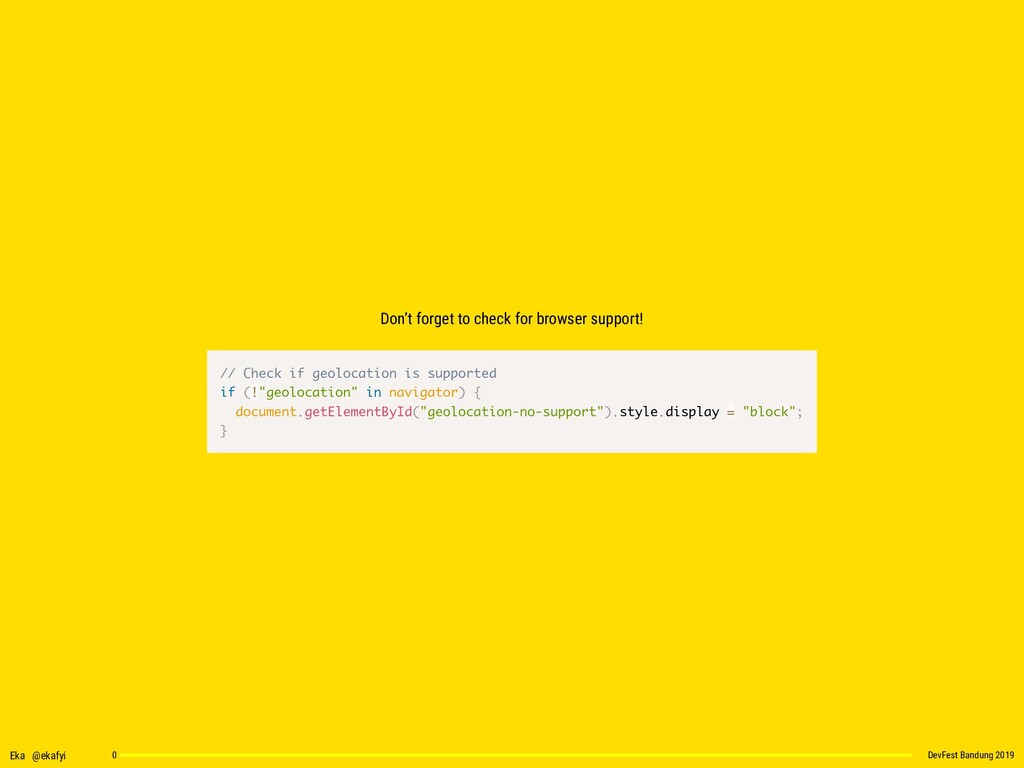
  38. Don’t forget to check for browser support! // Check if

    geolocation is supported // Check if geolocation is supported if if ( (! !"geolocation" "geolocation" in in navigator navigator) ) { { document document. .getElementById getElementById( ("geolocation-no-support" "geolocation-no-support") ). .style style. .display display = = "block" "block"; ; } } Eka @ekafyi 0 DevFest Bandung 2019
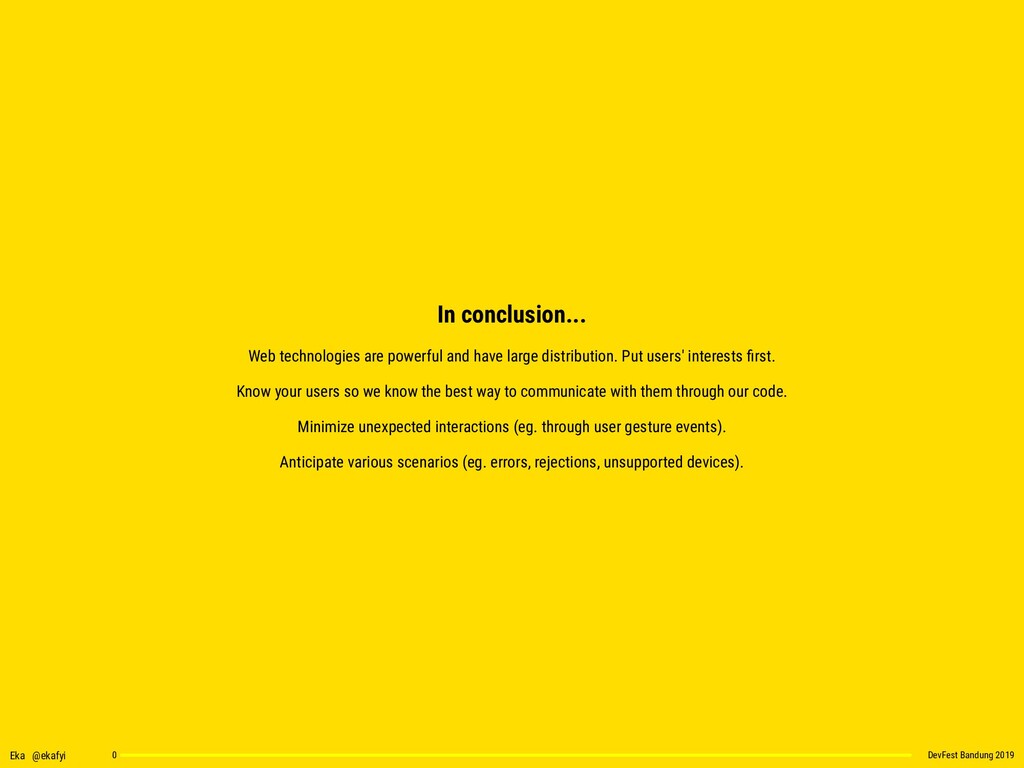
  39. In conclusion... Web technologies are powerful and have large distribution.

    Put users' interests rst. Know your users so we know the best way to communicate with them through our code. Minimize unexpected interactions (eg. through user gesture events). Anticipate various scenarios (eg. errors, rejections, unsupported devices). Eka @ekafyi 0 DevFest Bandung 2019