Share
Embed
Transcript
111 slides
-
with CSS, you become good at using a
tool like this -
css works only if you combine incredible low expectations with
a bad case of Stockholm syndrome * based on a HNews comment on something else, but It fits here nicely -
Internet Explorer 8 is the last version of IE
to run on Windows XP -
/** * For modern browsers * 1. The space content
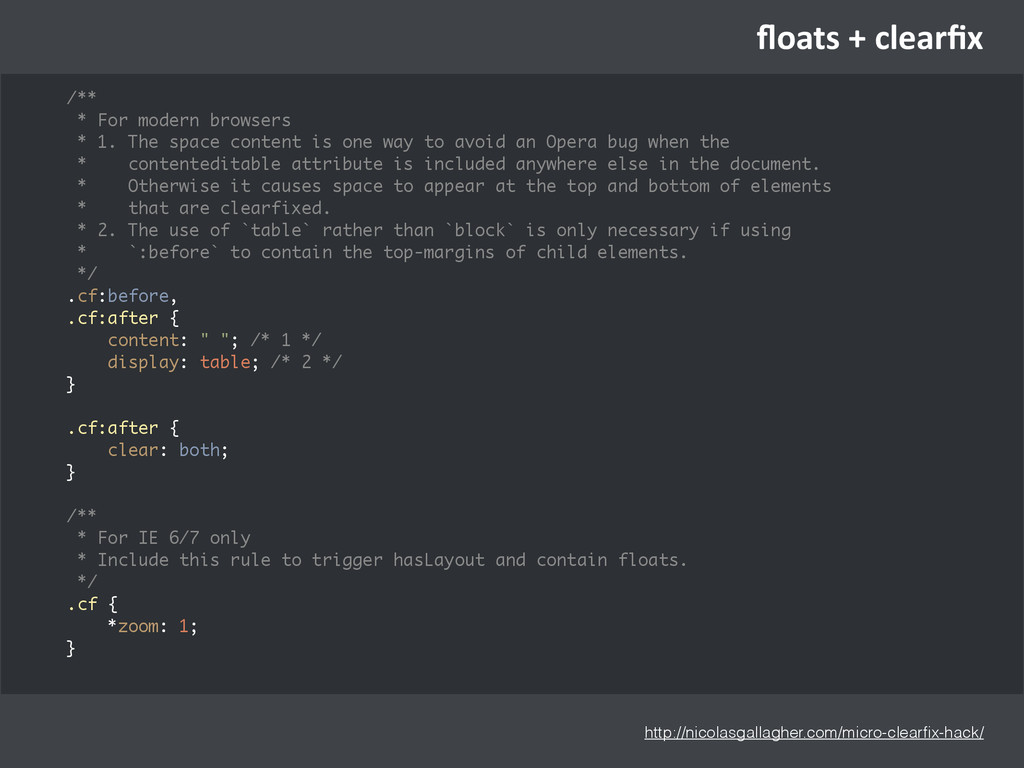
is one way to avoid an Opera bug when the * contenteditable attribute is included anywhere else in the document. * Otherwise it causes space to appear at the top and bottom of elements * that are clearfixed. * 2. The use of `table` rather than `block` is only necessary if using * `:before` to contain the top-margins of child elements. */ .cf:before, .cf:after { content: " "; /* 1 */ display: table; /* 2 */ } .cf:after { clear: both; } /** * For IE 6/7 only * Include this rule to trigger hasLayout and contain floats. */ .cf { *zoom: 1; } http://nicolasgallagher.com/micro-clearfix-hack/ floats + clearfix -
h>p://philipwalton.github.io/solved-‐by-‐flexbox/ Be[er, Simpler Grid Systems Holy Grail Layout
Input Add-‐ons Media Object S,cky Footer Ver,cal Centering -
something is a novelty -‐> the site may
look be[er than most -‐> may be worth the effort rounded corners shadows gradients s,cky footer corner images traslucid png image pa>ern hacky html/css -
something is not longer a novelty -‐> easiest
implementa,on for a large % * people with old browsers are used to ugliness rounded corners shadows gradients s,cky footer border-‐radius box-‐shadow background gradient flexbox -
Do not memorize rules in rela/on to CSS performance without
checking your own data’ They are largely useless, transient and too subjec/ve. (…) I generally never worry CSS selectors when authoring a style sheet (typically I just put a class on anything I want to style and select it directly) (…) “It is prac/cally impossible to predict the final performance impact of a given selector by just examining the selectors ( css performance ) GitHub's CSS Performance (Dec 2012) https://speakerdeck.com/jonrohan/githubs-css-performance Browser representa,ves on CSS performance (Mar 2015) -
h>ps://github.com/zweilove/css_spli>er Gem for spli,ng up stylesheets that go beyond the
IE limit of 4096 selectors (..) Older versions of Internet Explorer (version 9 and below) have a hard limit for the number of CSS selectors they can process, which is 4095 (..) CssSpliHer integrates with the Rails 3.1+ Asset Pipeline to generate addiOonal split stylesheets IE limit of 4096 selectors Use a spli[er with your pipeline -
body class=“mobile” body class=“ie9” h>ps://github.com/fnando/browser * Some ,mes media queries
are not enough * Be[er than condi,onal stylesheets in some cases /* ie10.css */ /* Lines no one remembers that exist */ /* relevant_context.css */ #foo.ie10{ /* ... */ } -
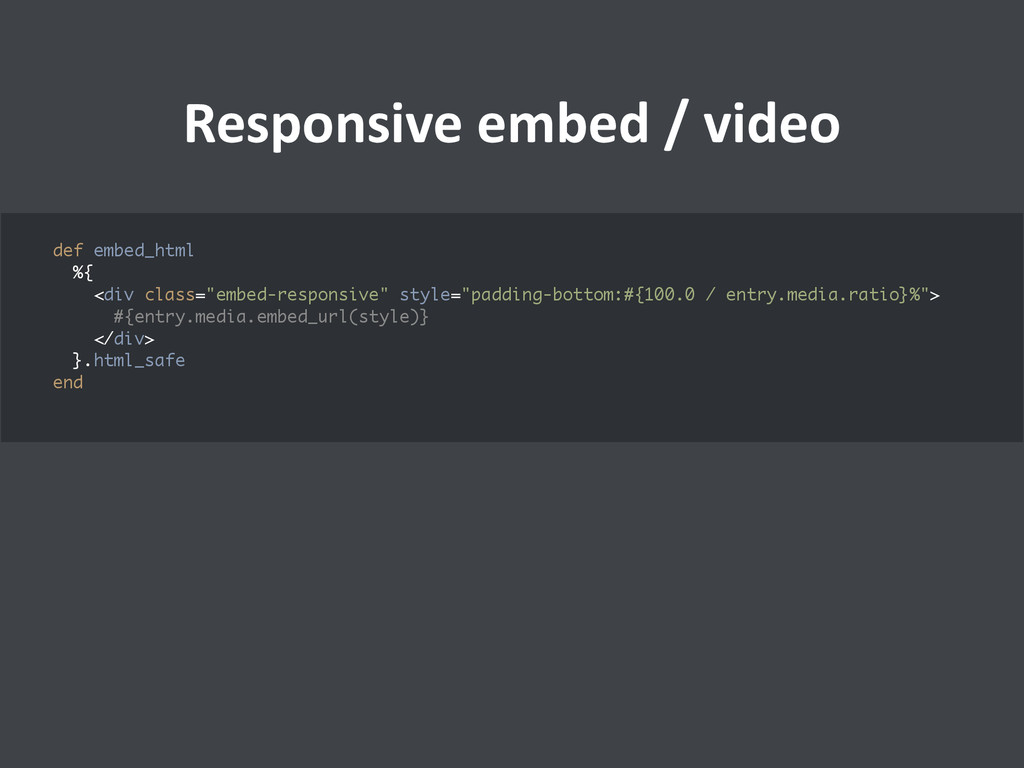
Responsive embed / video def embed_html %{ <div class="embed-responsive"
style="padding-bottom:#{100.0 / entry.media.ratio}%"> #{entry.media.embed_url(style)} </div> }.html_safe end -
#signup-‐bu>on leads to chaos (dev1) I like this buJon, let’s
reuse it for the login buJon /* signup.css */ #signup-button, #login-button { font-size: 14px; background: blue; /* … */ } -
#signup-‐bu>on leads to chaos (dev2) the customer wants to add
a larger signup in ‘pricing’ in orange, let’s make it more specific with page scope: /* signup.css */ #signup-button, #login-button { font-size: 14px; background: blue; /* … */ } /* pricing.css */ #pricing #signup-button { font-size: 20px; background: blue; } -
#signup-‐bu>on leads to chaos (dev1) I need a ‘demo’ buJon
almost like that orange signup, i’ll add it pricing… damn, doesn’t work.. ah right, forgot to add it to signup.css too… /* signup.css */ #signup-button, #login-button, #demo-button { font-size: 14px; background: blue; /* … */ } /* pricing.css */ #pricing #signup-button, #pricing #demo-button { font-size: 20px; background: blue; } -
#signup-‐bu>on leads to chaos (dev3) the customer finds the demo
buJon too big, let’s make it like the one of the signup, hmm… it’s not specific enough, let’s add more scope /* signup.css */ #signup-button, #login-button, #demo-button { font-size: 14px; background: blue; /* … */ } /* pricing.css */ #pricing #main-header #demo-button { font-size: 14px; } /* … */ #pricing #signup-button, #pricing #demo-button { font-size: 20px; background: blue; } -
#signup-‐bu>on leads to chaos (dev1) I need to add a
buJon to the user preferences almost like the one on the demo page.. damn, the rules fight each other and are split into three places, let’s just create a new one -
I’ve seen that chaos many times… In theory you could
work like this with sass: #signup-button { @extend button-basics; @extend button-large; @extend button-primary-color; } I think that requires extra discipline … you still need to design your classes/mixins like components whose permutations are not explicit … you can not copy paste html and expect it to work, you need to find similar elements and learn about them, think new names like if you were a taxonomist and add them to different stylesheets… -
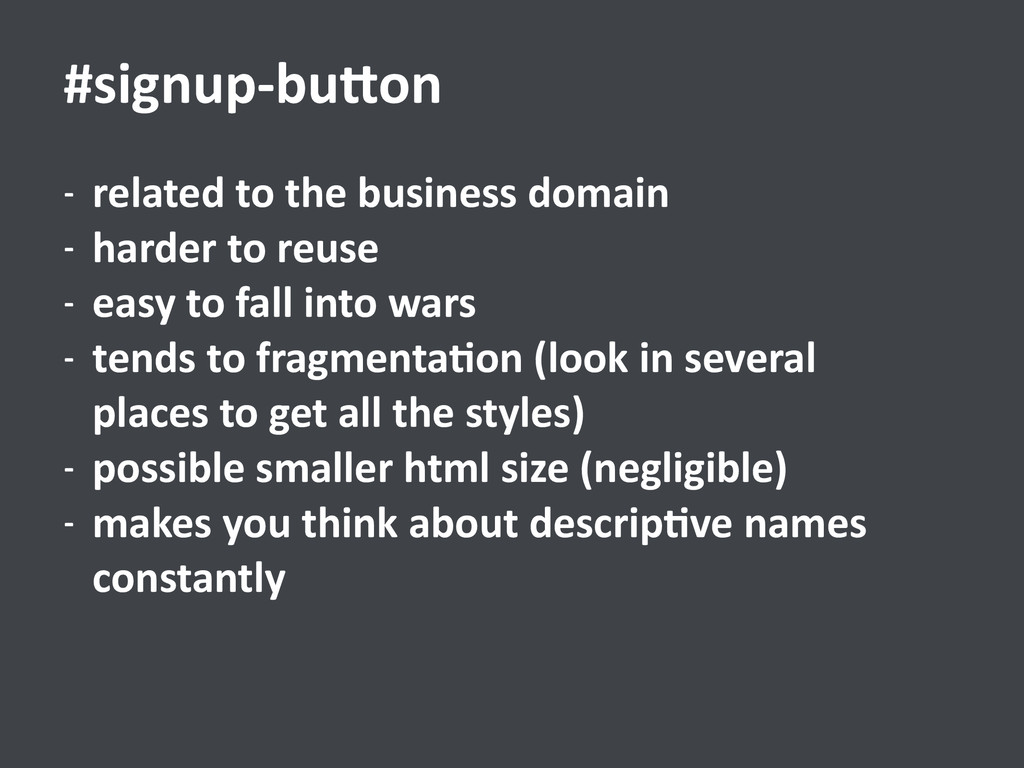
-‐ related to the business domain -‐ harder to
reuse -‐ easy to fall into wars -‐ tends to fragmenta,on (look in several places to get all the styles) -‐ possible smaller html size (negligible) -‐ makes you think about descrip,ve names constantly #signup-‐bu[on -
-‐ related to the presenta,on domain -‐ highly reusable
-‐ no-‐brainer, doesn’t need a name -‐ it comes in mul,ple colors and flavours -‐ allows html copy pas,ng .btn.btn-‐primary.btn-‐lg happy efficient programmers -
h related to headers, but applicable to p, div… A
typography style 3 font-‐size indicator within style members .hA3 .hA3 = -
h1.hA3 h2.hA3 h3.hA3 h4.hA3 h5.hA3 span.hA3 div.hA3 a.hA3 #company-‐index .foobar
p h3.hA3 a .x-‐toggle.hA3 .hA3 = -
If I move a related chunk of markup somewhere else,
it shouldn’t change how it looks -
.user-‐profile-‐info be>er than .user-‐profile
.info .user-‐profile .user-‐info /* bootstrap panels */ .panel { margin-bottom: 20px; background-color: #fff; border: 1px solid transparent; border-radius: 4px; -webkit-box-shadow: 0 1px 1px rgba(0, 0, 0, .05); box-shadow: 0 1px 1px rgba(0, 0, 0, .05); } .panel-body { padding: 15px; } .panel-heading { padding: 10px 15px; border-bottom: 1px solid transparent; border-top-left-radius: 3px; border-top-right-radius: 3px; } pick a longish name, don’t try to win => avoid nesting most of the time -
alternaUves .profile-‐a .a-‐danger
.profile a { color: red; } .profile a.btn.btn-default # wrong color! -
make it so it’s obvious which DOM renders what
you see do not modify styles from higher unexpected levels -
some excep,ons: basic layout elements -‐> you just want one
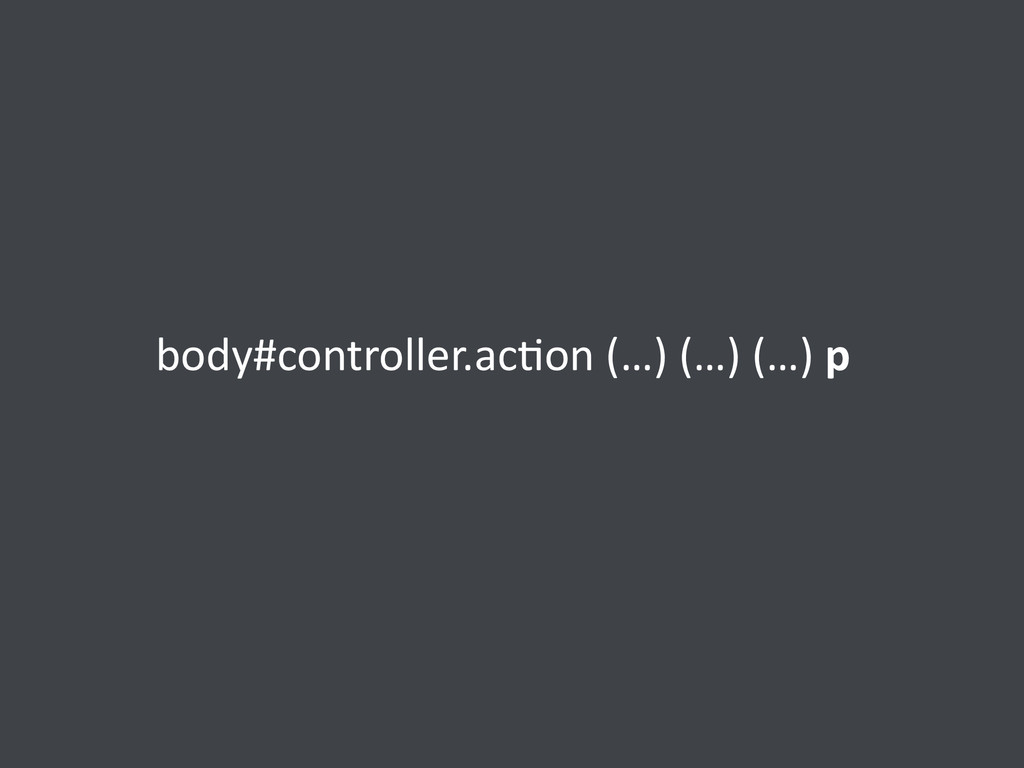
layout with a dynamic id/class for the body body#public-layout header main footer -
some excep,ons: you want to modify third-‐party components that
don’t expose sass/less variables .navbar > ul > li > a { /* … */ } -
Ideally take a look at the source But since we
are all busy, a trick is to have their sources in vendor so you can read through it with your editor any ,me -
Well wri[en components take effort, instead of trying to
get perfect css is more interes,ng to focus on reducing complexity. It could be messy, but as long as it lives isolated from the other styles, as long as it consists on a few bunch of lines in the same stylesheet, with just a couple of simple clearly related classes, it won’t hurt the development, and you could clean it in the future (or not). -
.row margin-right: -15px; margin-left: -15px; /* + clearfix /* ≈
.col-* padding-right: 15px; padding-left: 15px; position: relative; min-height: 1px; float:left; width:... .row .col-xs-12 .clearfix -
≈ .col-xs-6 .col-xs-6.col-sm-6.col-md-6.col-lg-6 .col-xs-6 { float: left; } .col-xs-6 {
width: 50%; } @media (min-width: 768px) { .col-sm-6 { float: left; } .col-sm-6 { width: 50%; } } @media (min-width: 992px) { .col-md-6 { float: left; } .col-md-6 { width: 50%; } } -
-‐ some parts will look be[er in modern browsers
-‐ some parts won’t work at all in very old browsers -‐ more support = more hours, more €€ -‐ fancy startup = early adopters = modern browsers -‐ very targeted product for a few tradi,onal customers = solves a pain -‐> you could specify your browser support, they are mo,vated to install it -
* responsive = reasonable well adapted to some resoluUons *
wide browser support = reasonable well adapted to some browsers Our support for other browsers/devices is always limited, test it and get it ~100% right is very expensive and only makes business sense for large companies -
…those widths between tablet and smartphone resolu,ons or the
.col-‐xs / .col-‐md awkward gap …that desktop browser shrunk to 400px … * responsive -
People with old browsers are used to ugliness Dealing with
old browsers has a toll on your morale. Besides ,me consider frustra,on as an extra cost factor. * wide browser support -
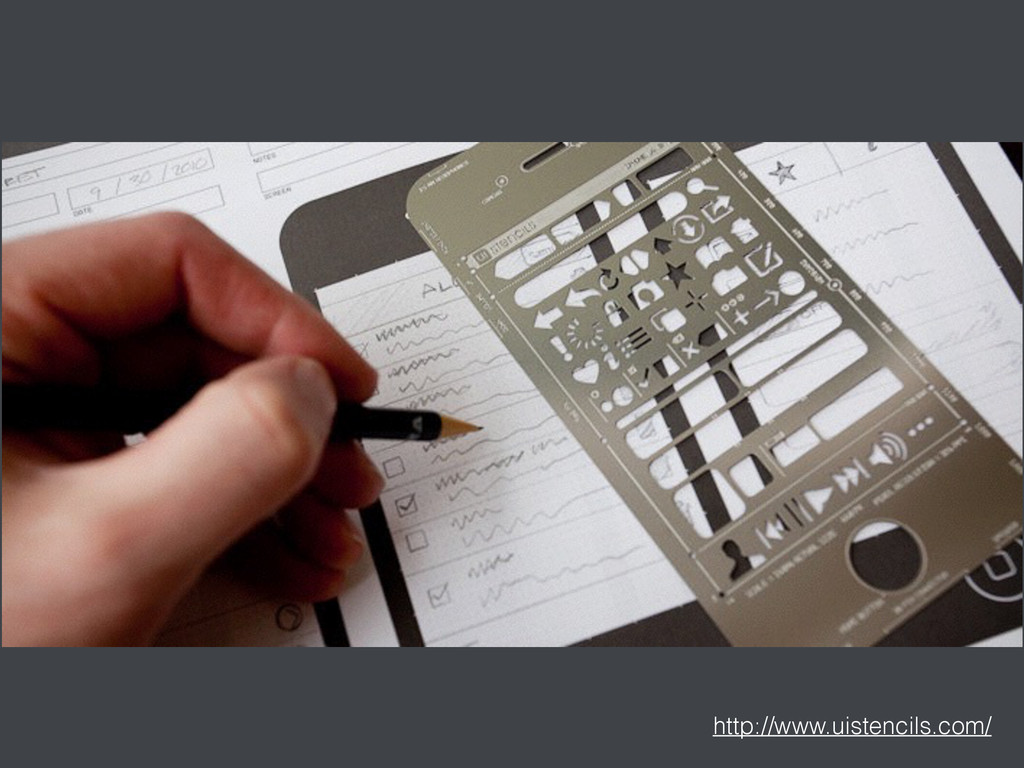
* No figh,ng * No surprises * Create
your own Stencil -
* Learn from other sites/libraries * Flexbox is the
path to sanity * Perfec,on is just not worth it.