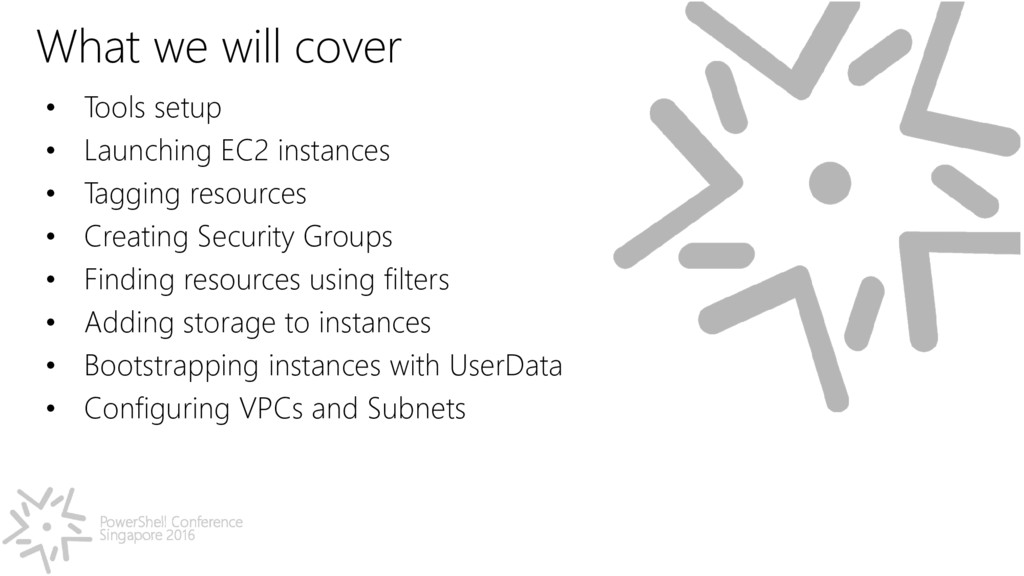
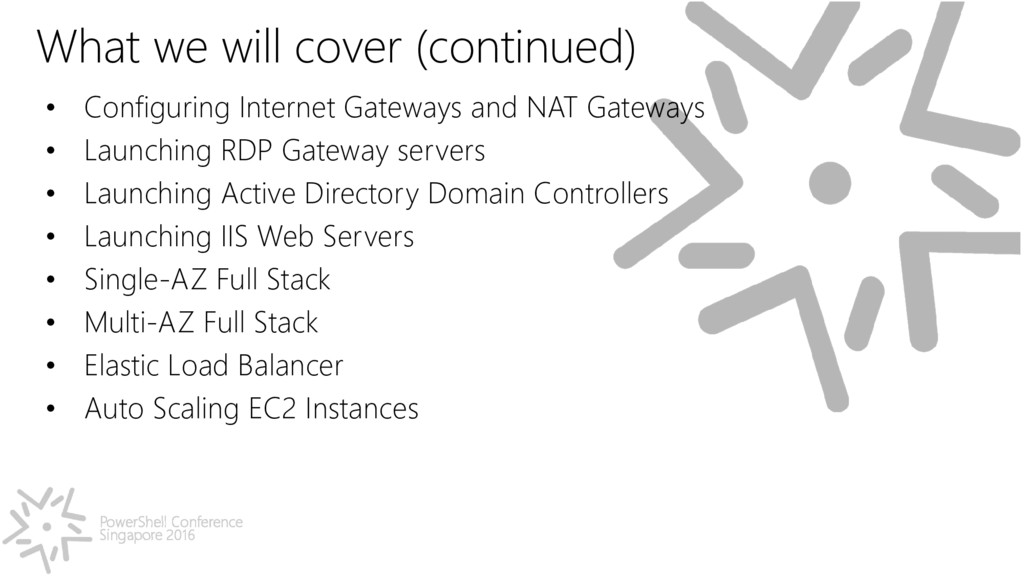
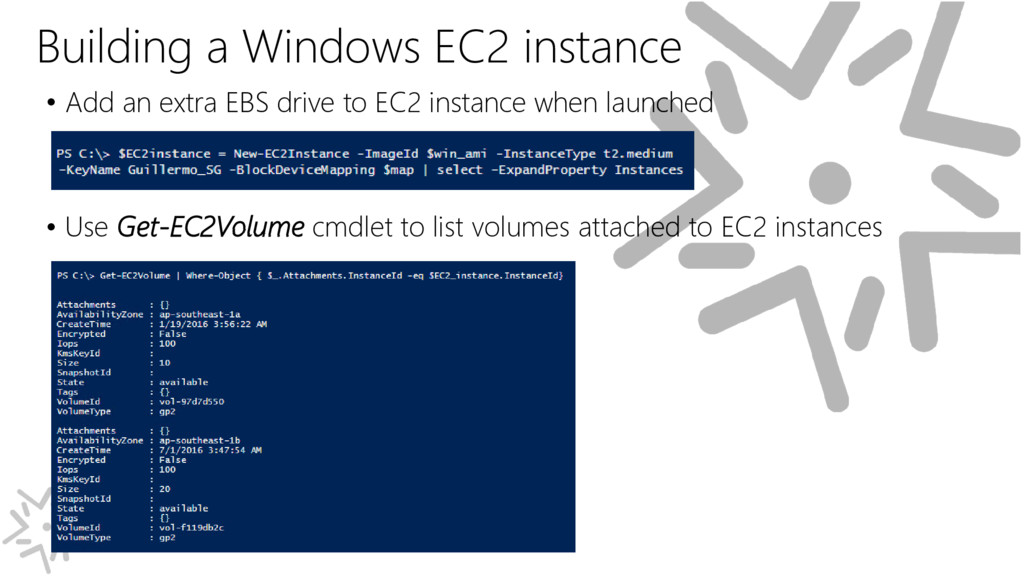
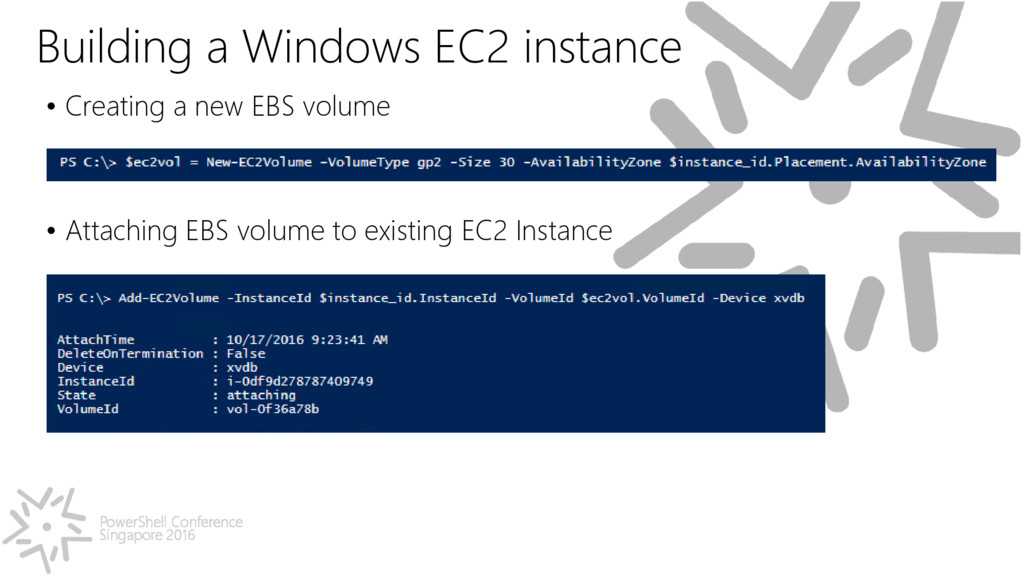
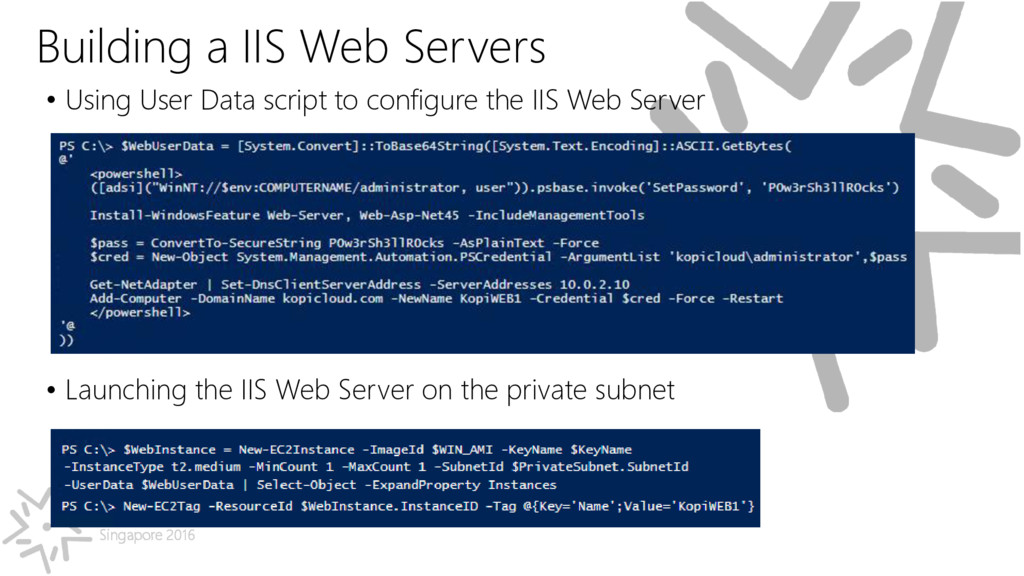
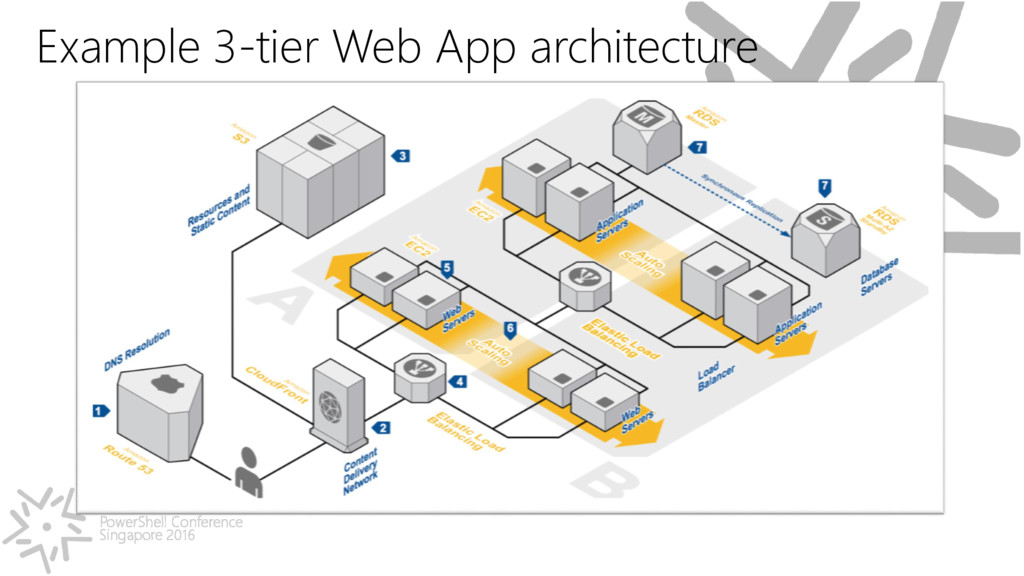
Dev Ops on Amazon Web Services Cloud with PowerShell. Use Automation to create EC2 instances, VPC, subnets, internet gateway, NAT gateway, and Multi-AZ environments.
my career in Microsoft, 20 years ago. • Lived in Buenos Aires, Washington DC, Madrid, Paris and Singapore. • Solutions Architect @ AWS Singapore, Microsoft SME for ASEAN. • Cloud Evangelist. Expert in automating and deploying Microsoft workloads in Amazon Web Services, Microsoft Azure & Google Cloud. • Love to create and build stuff. Developer. Entrepreneur. Curious. • Book author. Books lover. Husband & Dad. Foodie. • Startup Mentor. I ♥ Startups.
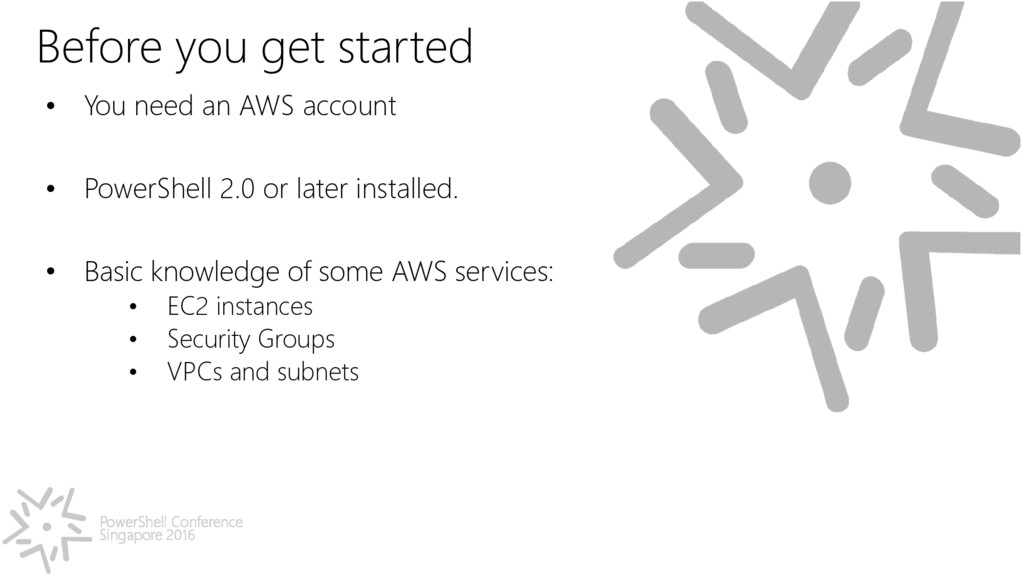
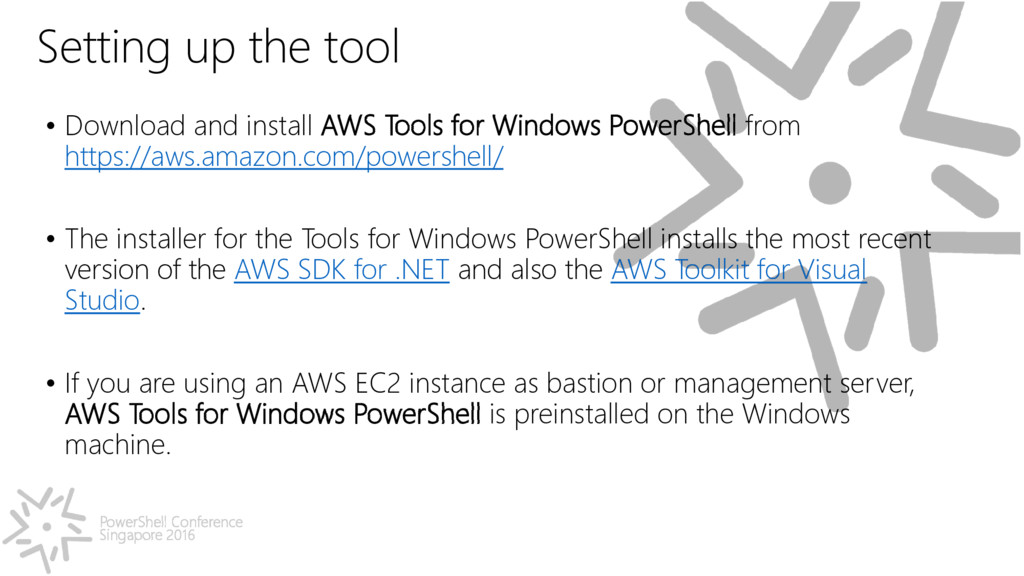
and install AWS Tools for Windows PowerShell from https://aws.amazon.com/powershell/ • The installer for the Tools for Windows PowerShell installs the most recent version of the AWS SDK for .NET and also the AWS Toolkit for Visual Studio. • If you are using an AWS EC2 instance as bastion or management server, AWS Tools for Windows PowerShell is preinstalled on the Windows machine.
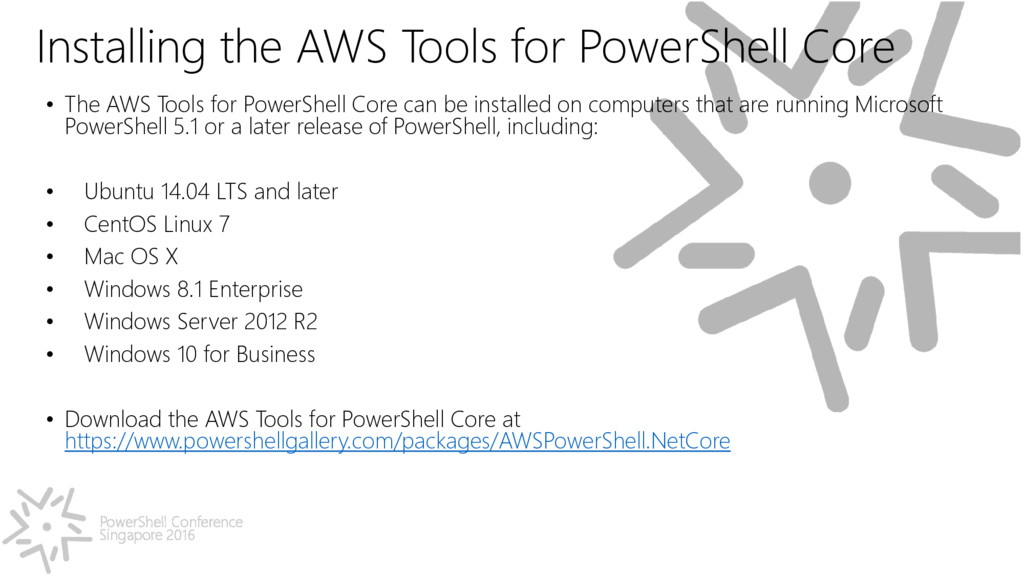
Core • The AWS Tools for PowerShell Core can be installed on computers that are running Microsoft PowerShell 5.1 or a later release of PowerShell, including: • Ubuntu 14.04 LTS and later • CentOS Linux 7 • Mac OS X • Windows 8.1 Enterprise • Windows Server 2012 R2 • Windows 10 for Business • Download the AWS Tools for PowerShell Core at https://www.powershellgallery.com/packages/AWSPowerShell.NetCore
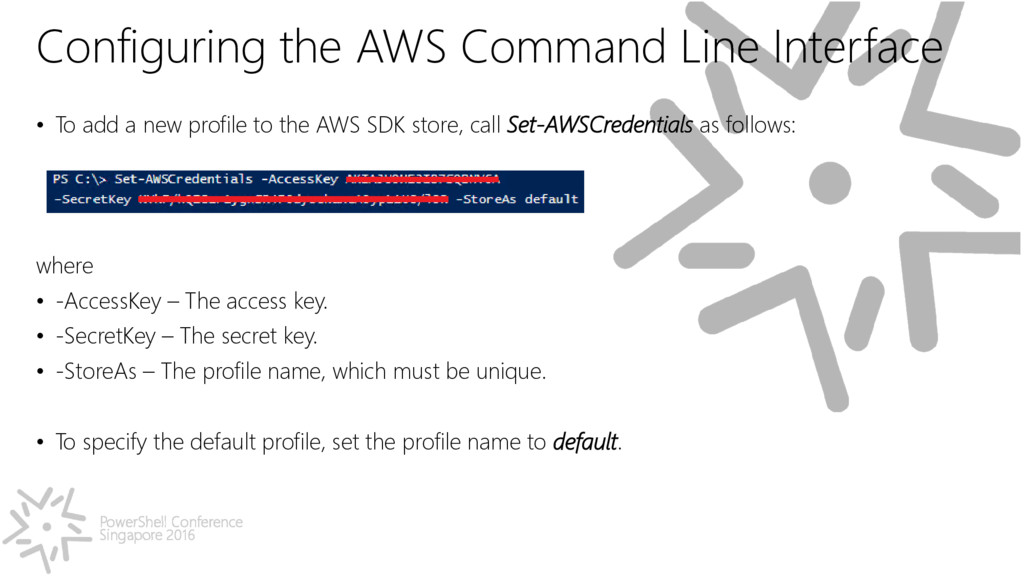
• To add a new profile to the AWS SDK store, call Set-AWSCredentials as follows: where • -AccessKey – The access key. • -SecretKey – The secret key. • -StoreAs – The profile name, which must be unique. • To specify the default profile, set the profile name to default.
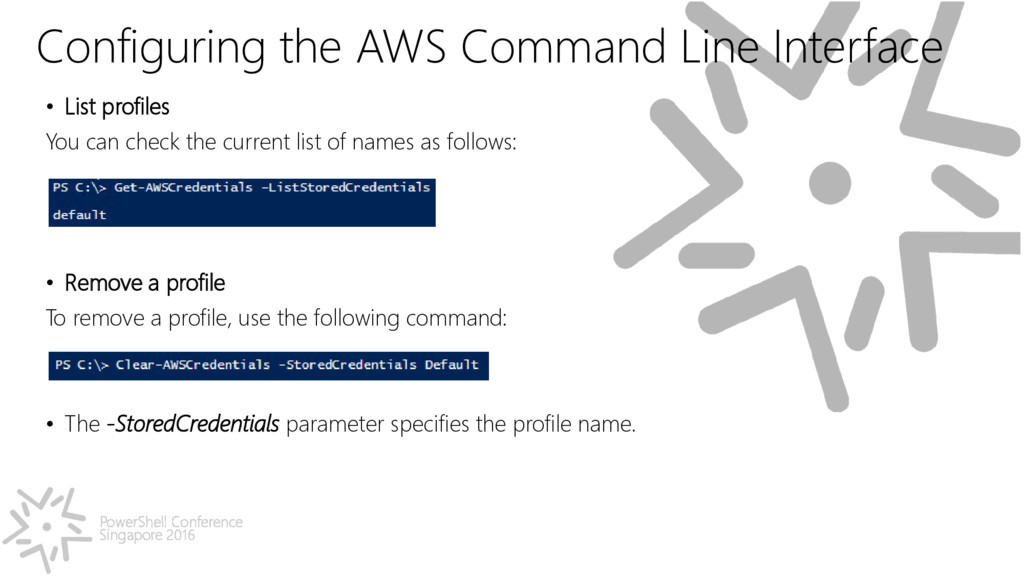
• List profiles You can check the current list of names as follows: • Remove a profile To remove a profile, use the following command: • The -StoredCredentials parameter specifies the profile name.
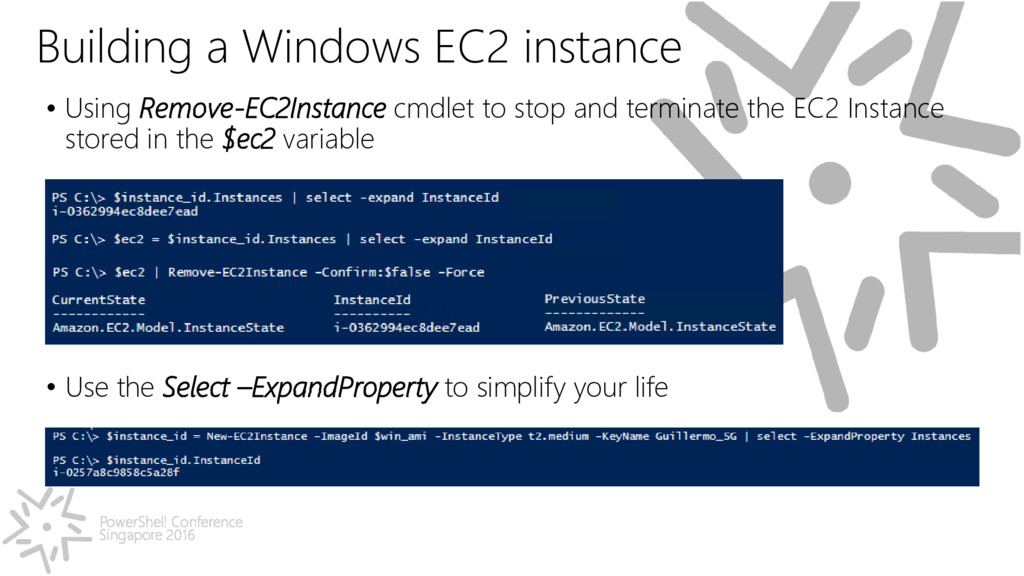
Using Remove-EC2Instance cmdlet to stop and terminate the EC2 Instance stored in the $ec2 variable • Use the Select –ExpandProperty to simplify your life
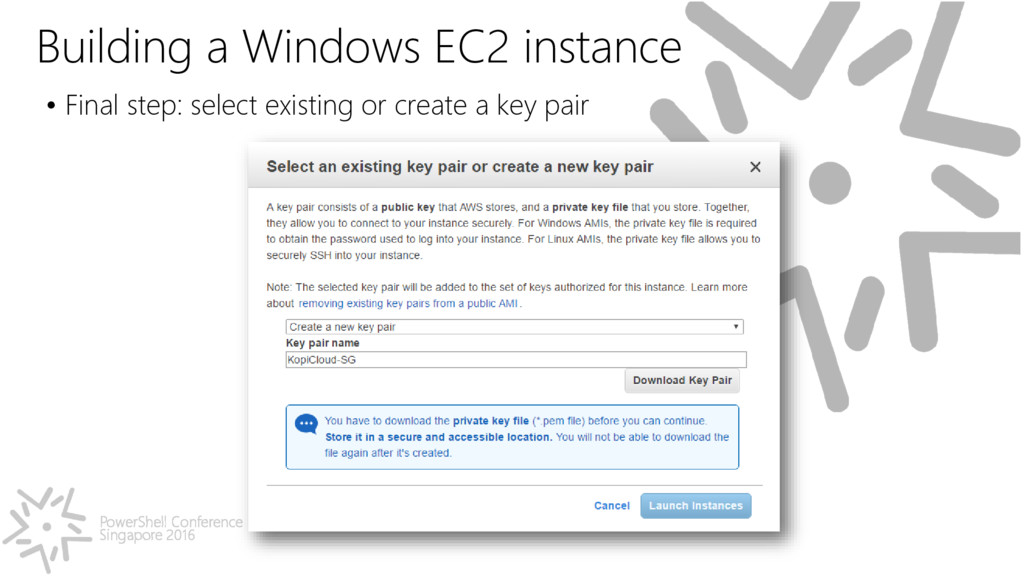
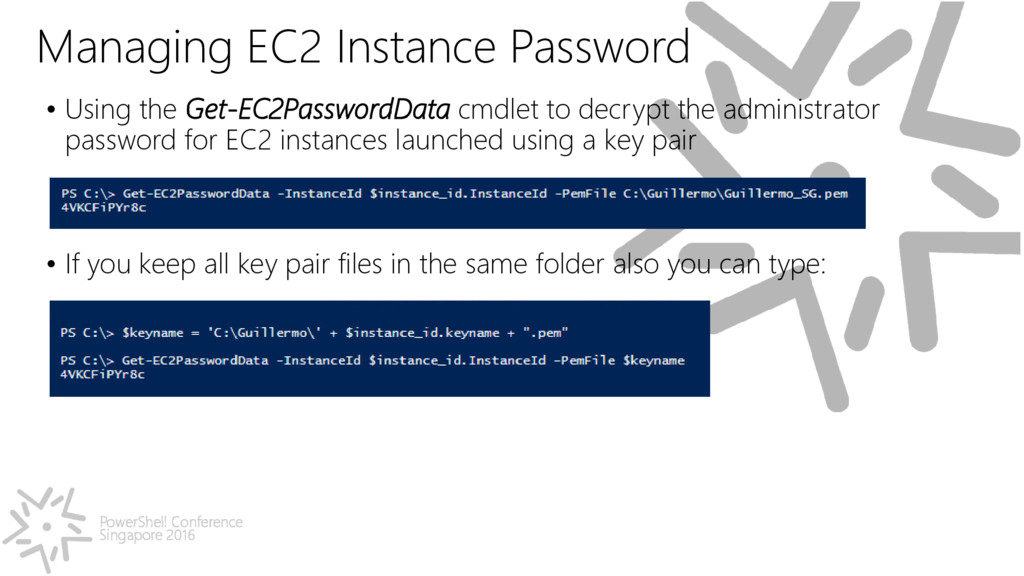
the Get-EC2PasswordData cmdlet to decrypt the administrator password for EC2 instances launched using a key pair • If you keep all key pair files in the same folder also you can type:
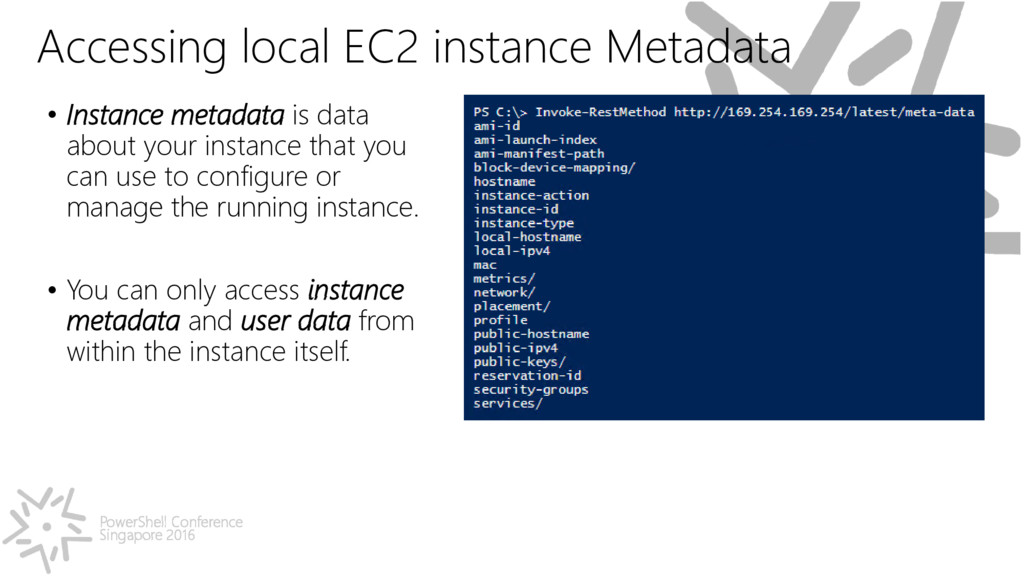
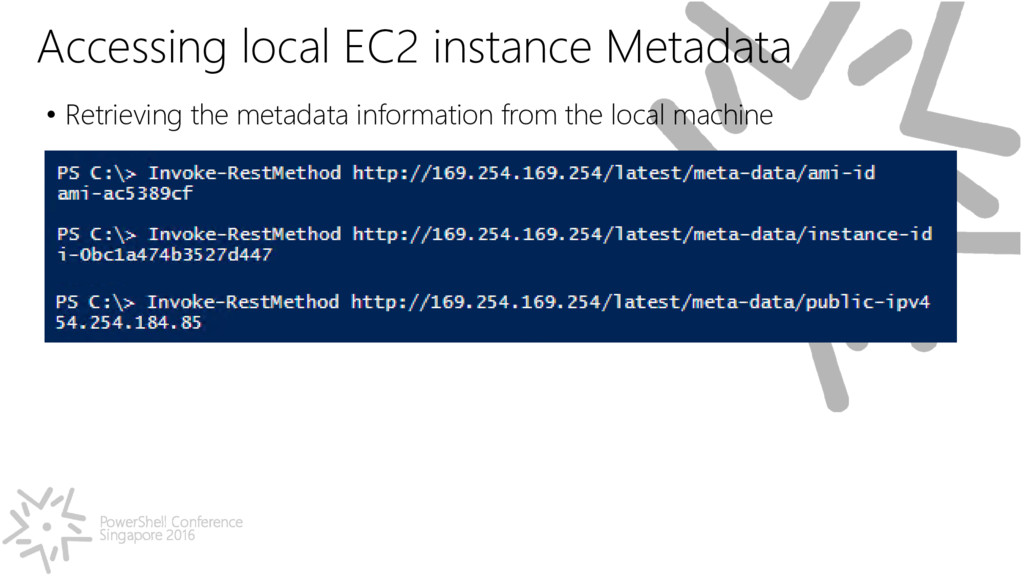
Instance metadata is data about your instance that you can use to configure or manage the running instance. • You can only access instance metadata and user data from within the instance itself.
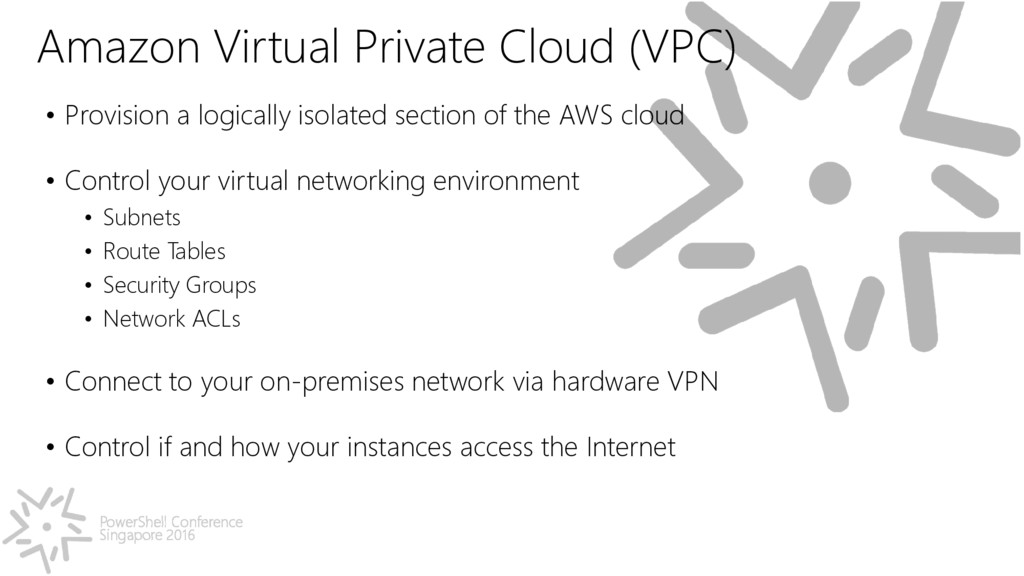
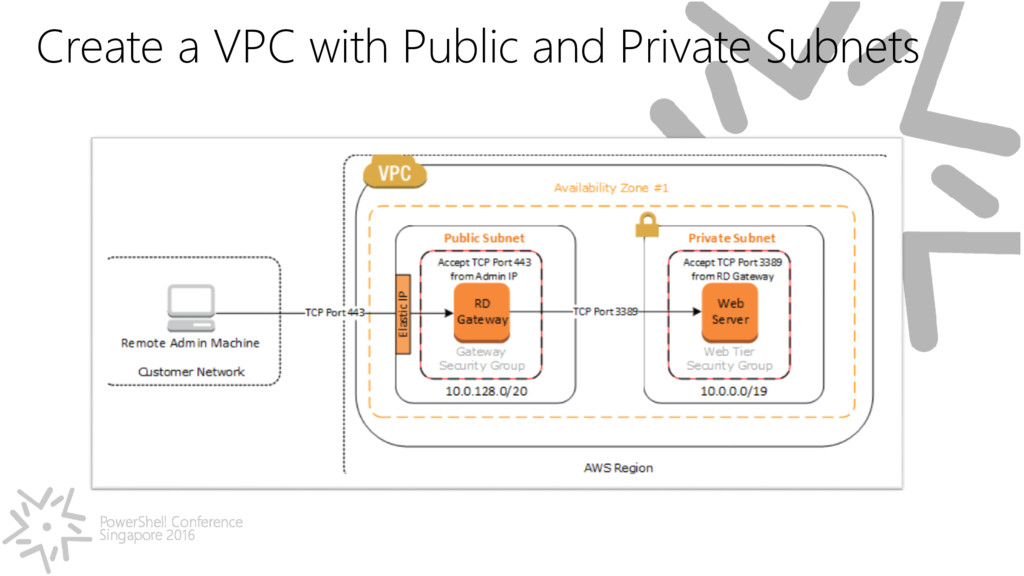
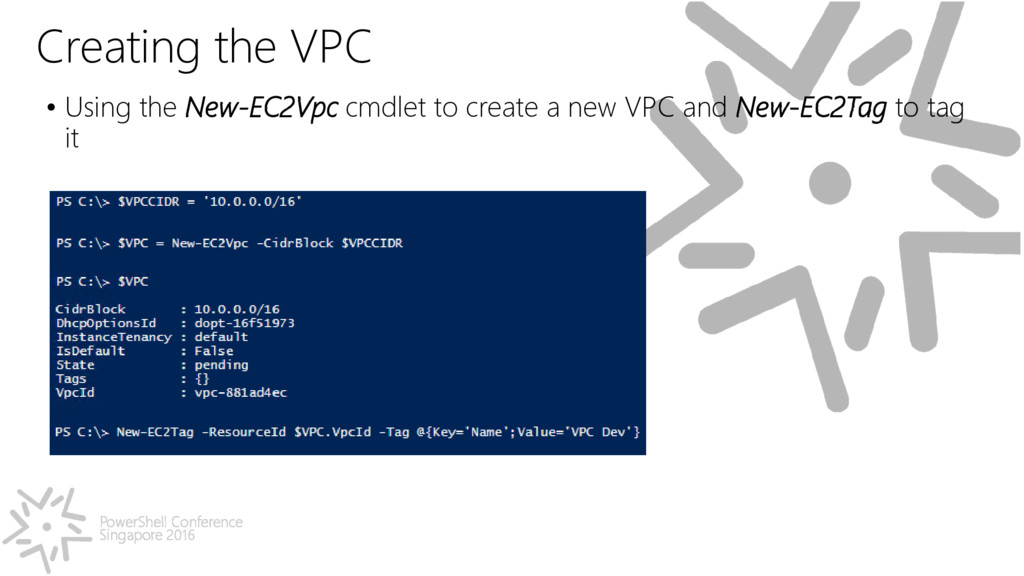
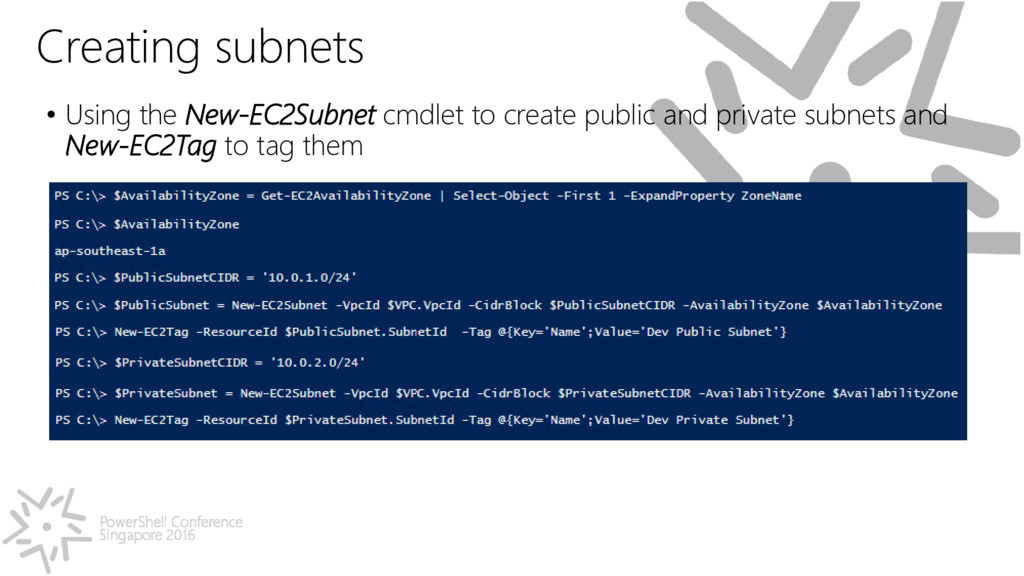
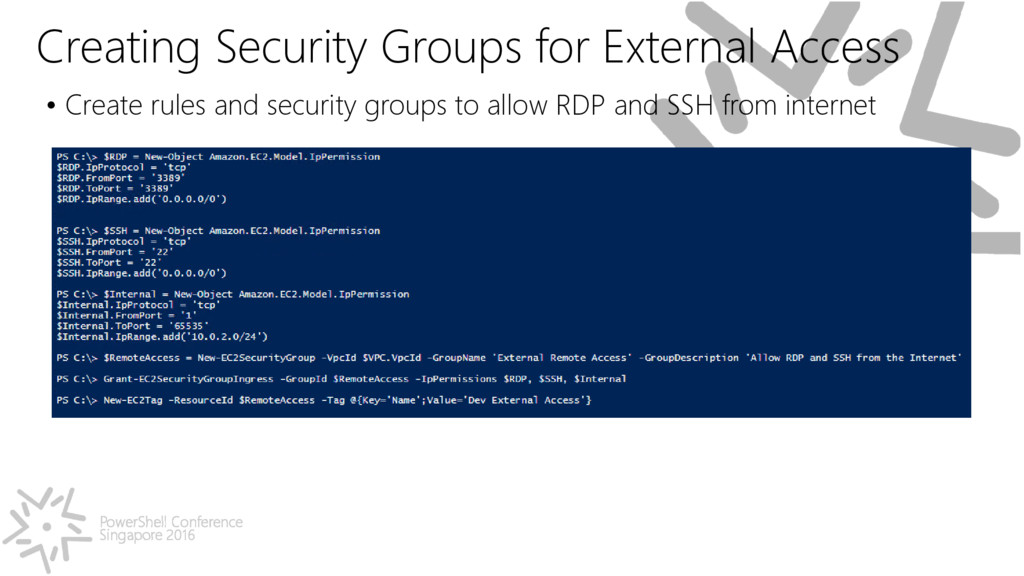
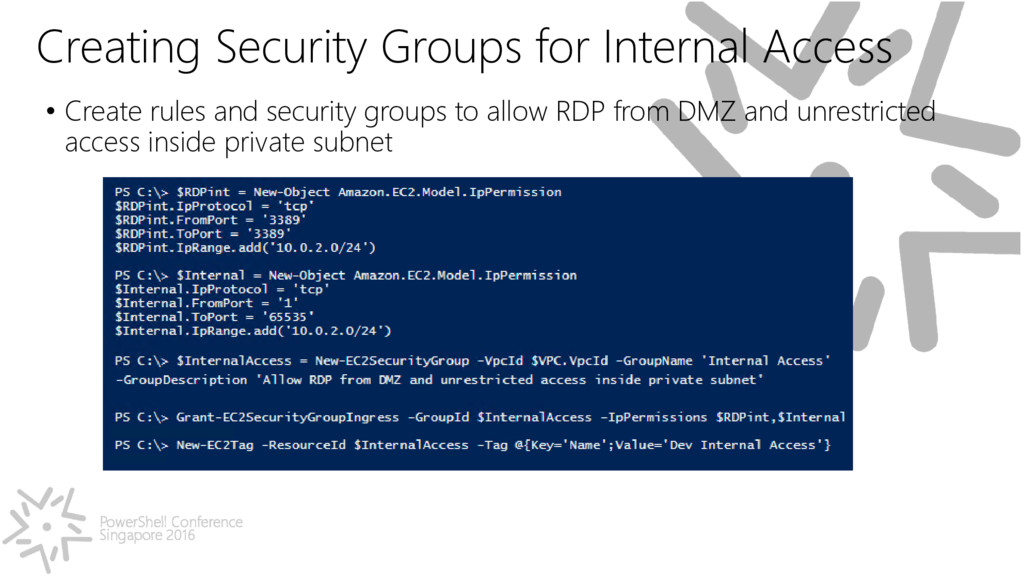
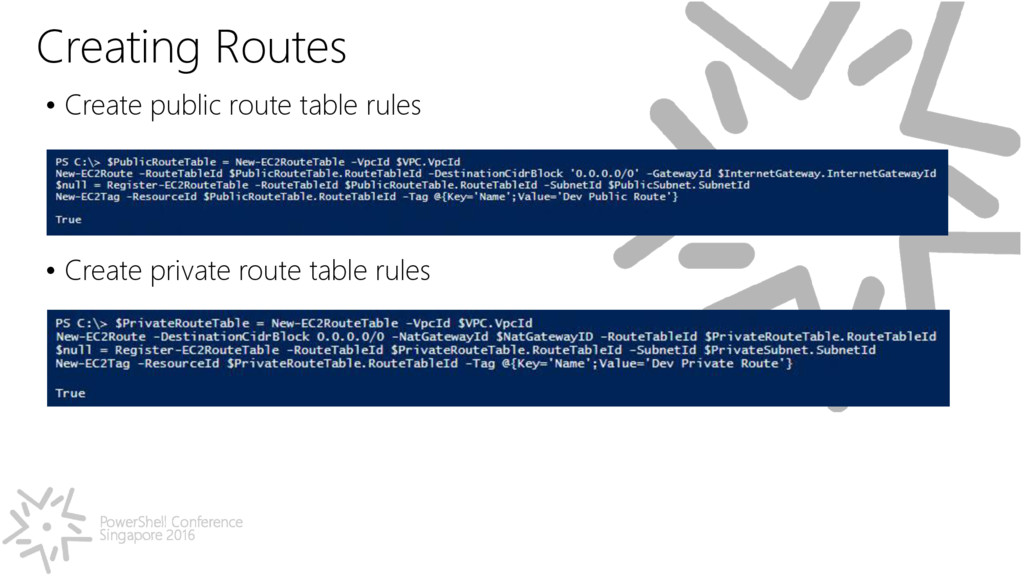
Provision a logically isolated section of the AWS cloud • Control your virtual networking environment • Subnets • Route Tables • Security Groups • Network ACLs • Connect to your on-premises network via hardware VPN • Control if and how your instances access the Internet
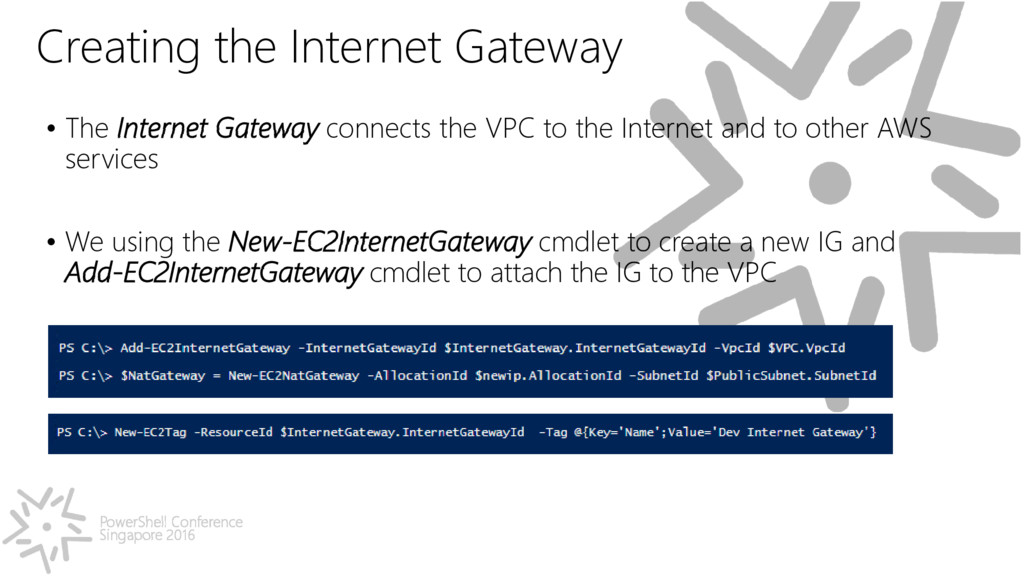
Internet Gateway connects the VPC to the Internet and to other AWS services • We using the New-EC2InternetGateway cmdlet to create a new IG and Add-EC2InternetGateway cmdlet to attach the IG to the VPC
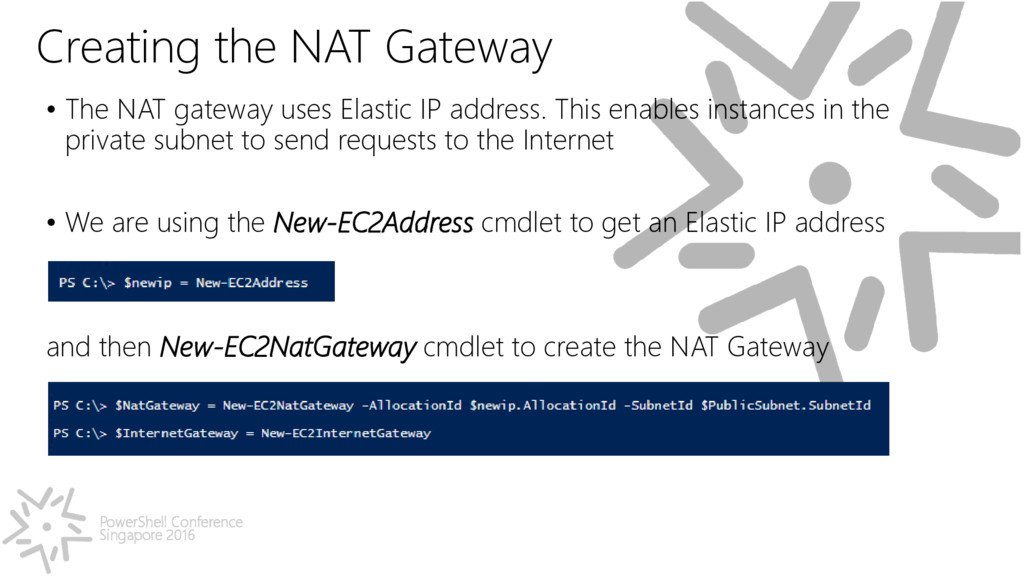
NAT gateway uses Elastic IP address. This enables instances in the private subnet to send requests to the Internet • We are using the New-EC2Address cmdlet to get an Elastic IP address and then New-EC2NatGateway cmdlet to create the NAT Gateway
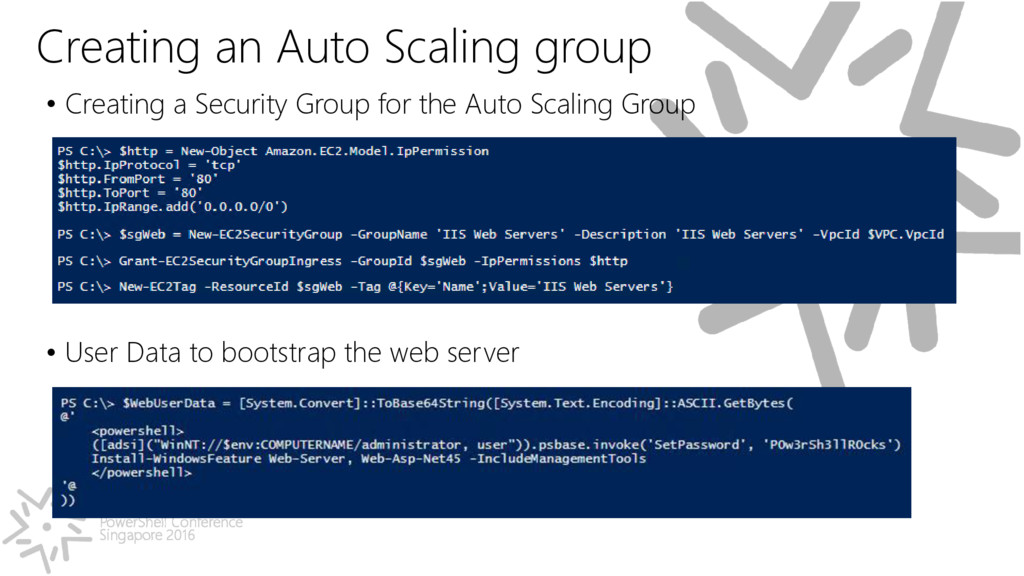
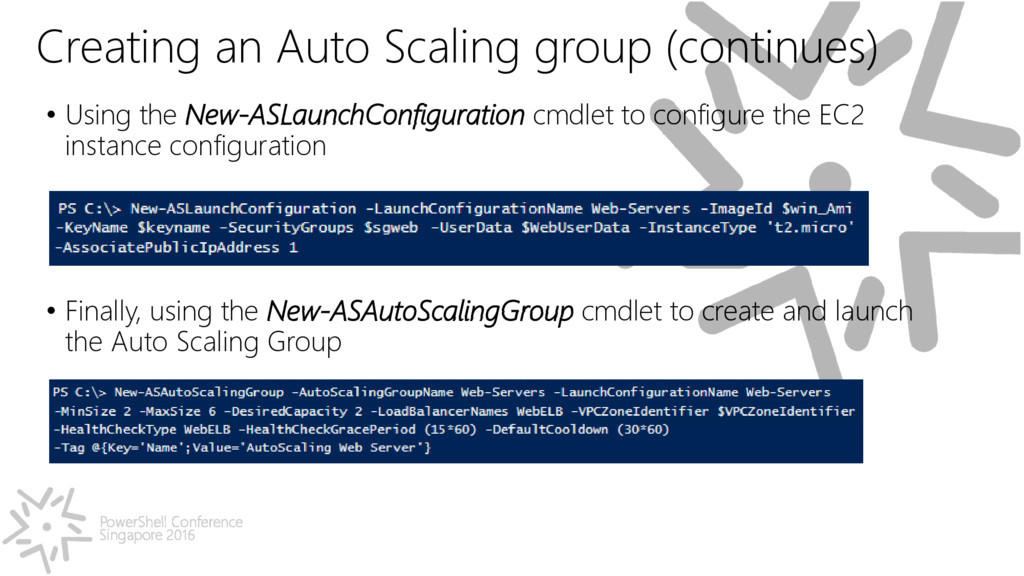
• Using the New-ASLaunchConfiguration cmdlet to configure the EC2 instance configuration • Finally, using the New-ASAutoScalingGroup cmdlet to create and launch the Auto Scaling Group


 jyouryuusui
 yahonda
 kenichiodo
 4o1sobblue
 hiracky16
 ishikawa_satoru
 kakehashi
 techtekt
 takonda
 pfn
pfn
 kaminashi
 keeg
keeg
 hatefulcrawdad
 jmmastey
 inesmontani
 mkilby
 rasagy
.jpg) cargoodrich
cargoodrich
 morganepeng
 sabderemane
 bermonpainter
 baasie
 samlambert
 csswizardry