Upgrade to Pro
— share decks privately, control downloads, hide ads and more …
Speaker Deck
Sign up for free
Menu
Search
Features
All features
Private URLs
Password Protection
Custom URLS
Scheduled publishing
Remove Branding
Restrict embedding
Deck Collections
Notes
Features
All features
Private URLs
Password Protection
Custom URLS
Scheduled publishing
Remove Branding
Restrict embedding
Deck Collections
Notes
Explore
Featured decks
Featured speakers
Programming
Technology
Storyboards
Explore
Featured decks
Featured speakers
Programming
Technology
Storyboards
Pricing
Search
Sign in
Sign up for free
vimを読もうとした話
Search
Hakkadaikon
December 13, 2023
380
0
Share
Embed
Copy iframe code
Copy JS code
Copy link
Start on current slide
vimを読もうとした話
ゴリラ.vim #29 登壇時のスライド。
https://gorillavim.connpass.com/event/301953/
Hakkadaikon
December 13, 2023
More Decks by Hakkadaikon
See All by Hakkadaikon
MoQTフルスクラッチ実装
hakkadaikon
1
100
Just do it ! で 走り抜けてきたけど ちょっと立ち止まってみた
hakkadaikon
0
930
自作WebSocket (RFC6455)
hakkadaikon
0
160
routstrについて
hakkadaikon
0
180
Nostr x BTC
hakkadaikon
0
79
Blueskyのプラグインを作ってみた
hakkadaikon
1
890
PHP x Nostr
hakkadaikon
0
190
Emacs x Nostr
hakkadaikon
2
440
My Introduction To Nostr
hakkadaikon
0
280
Featured
See All Featured
Responsive Adventures: Dirty Tricks From The Dark Corners of Front-End
smashingmag
254
22k
The untapped power of vector embeddings
frankvandijk
2
1.9k
AI in Enterprises - Java and Open Source to the Rescue
ivargrimstad
0
1.5k
Helping Users Find Their Own Way: Creating Modern Search Experiences
danielanewman
31
3.4k
Dealing with People You Can't Stand - Big Design 2015
cassininazir
367
27k
Building an army of robots
kneath
307
47k
Let's Do A Bunch of Simple Stuff to Make Websites Faster
chriscoyier
508
140k
How to Think Like a Performance Engineer
csswizardry
28
2.9k
Claude Code どこまでも/ Claude Code Everywhere
nwiizo
68
59k
The Illustrated Children's Guide to Kubernetes
chrisshort
51
53k
SEO Brein meetup: CTRL+C is not how to scale international SEO
lindahogenes
2
2.9k
The Success of Rails: Ensuring Growth for the Next 100 Years
eileencodes
47
8.4k
Transcript
を 読もうとした話 ゴリラ.VIM #29 発火大根
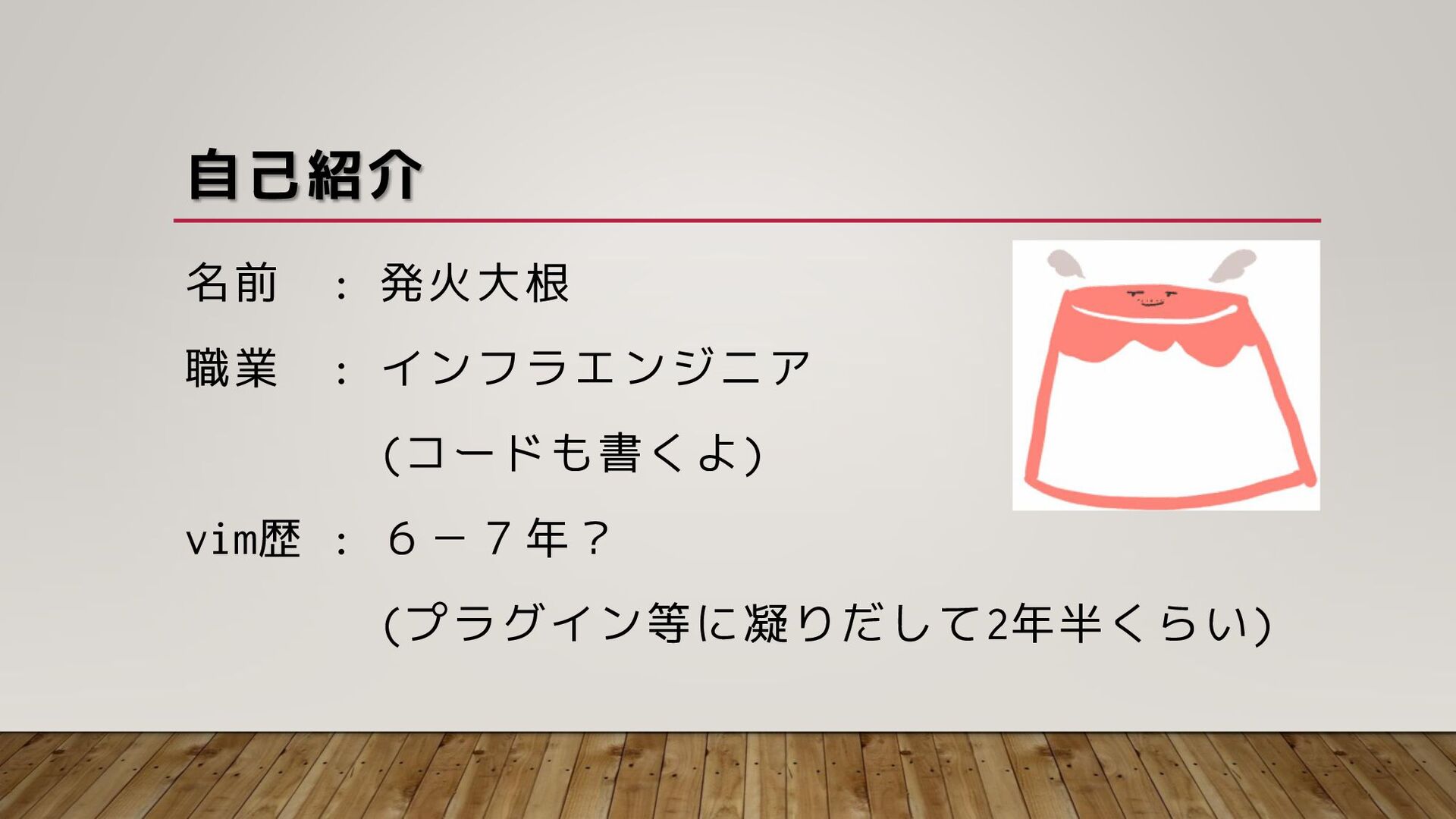
自己紹介 名前 : 発火大根 職業 : インフラエンジニア (コードも書くよ) vim歴 :
6-7年? (プラグイン等に凝りだして2年半くらい)
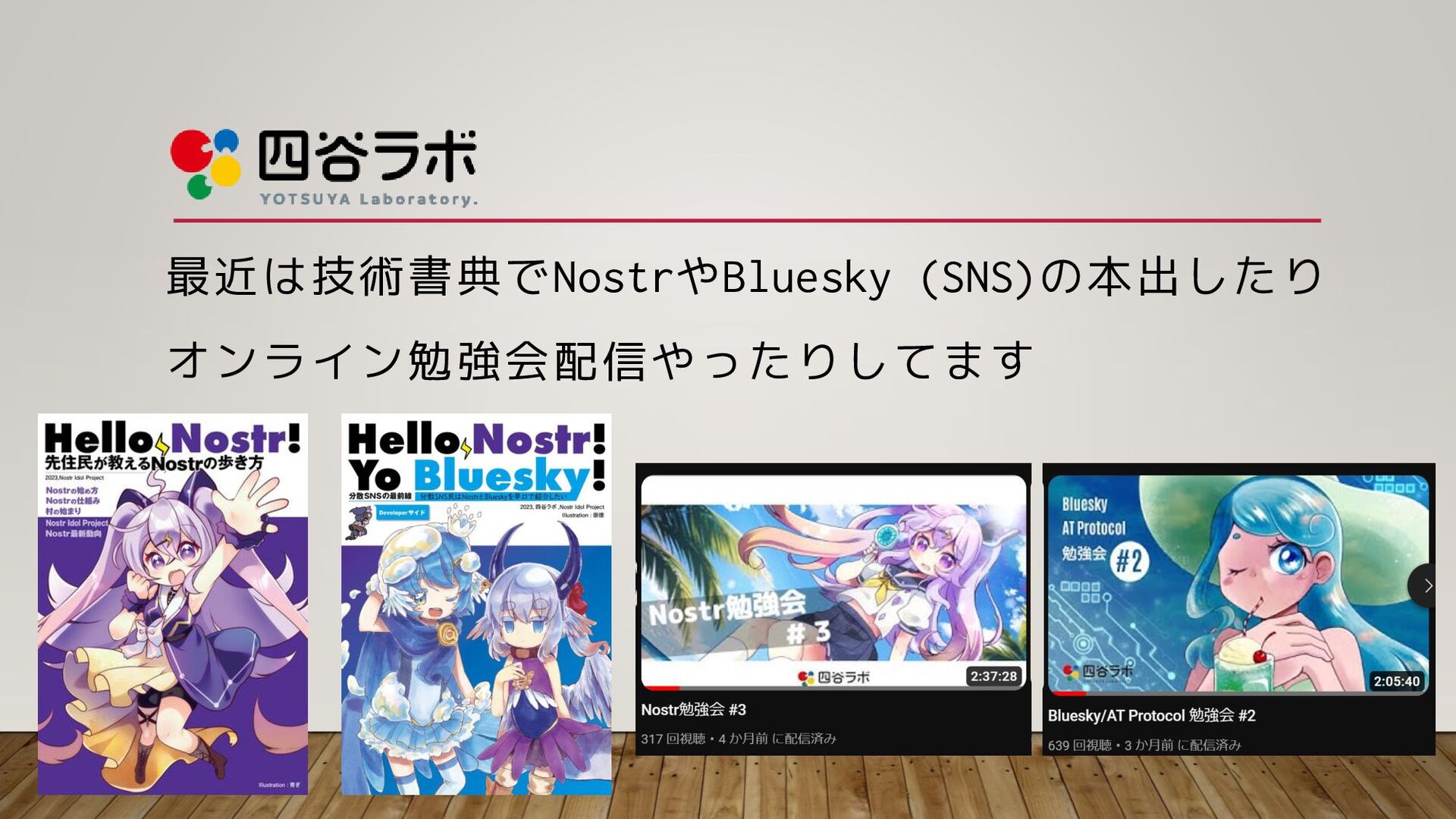
最近は技術書典でNostrやBluesky (SNS)の本出したり オンライン勉強会配信やったりしてます
ハイブリッド勉強会も! 12/8(金)開催しました!
今日は… vimを読もうとした話をします
なぜ読もうと思ったか? ・vimにいつかコントリビュートしたい ・いつも使っているvimがどう作られているか知りたい
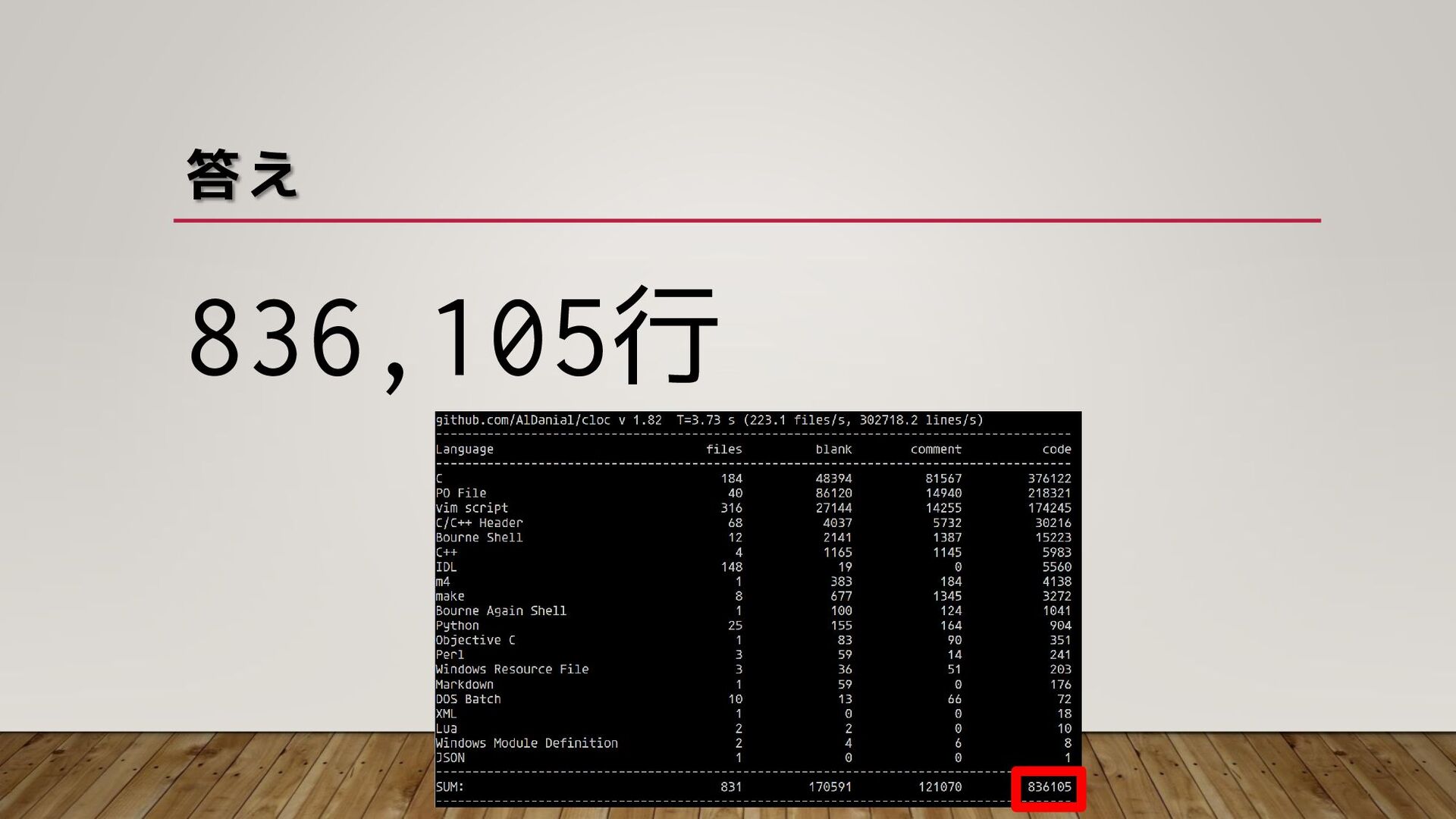
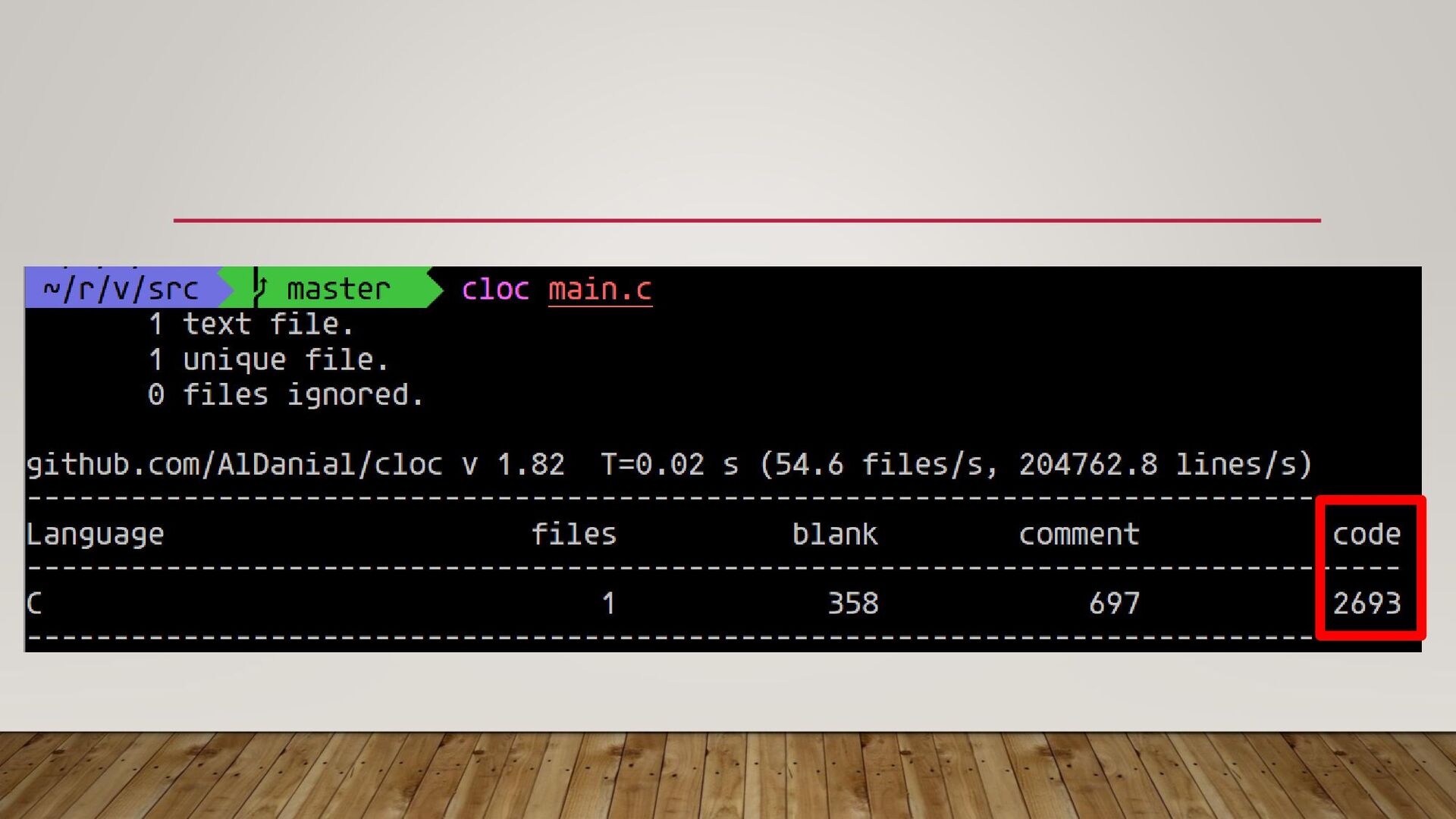
唐突にクイズ! vimリポジトリのソースコードは何行あると 思いますか? ・src/以下をclocコマンドで計測 ・11/27時点の実行行数(空行/コメントを除く)とする
答え 836,105行
多い!
ちょっと待とう まあ、落ち着いてエントリポイントから読んでみよう -> src/以下にmain.cがある!
None
main.cだけで 中々のボリューム。
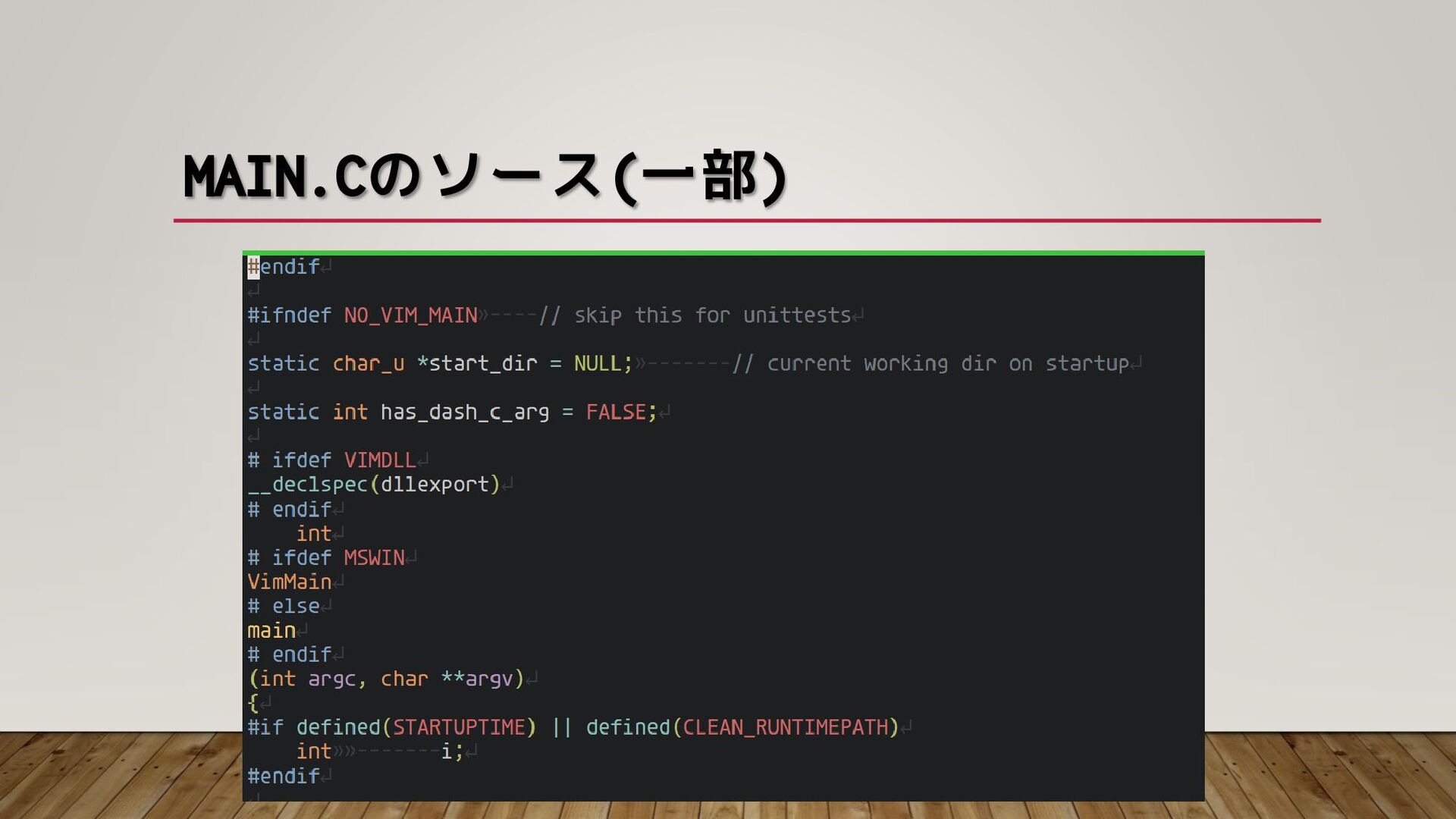
MAIN.Cのソース(一部)
VIMのソースをそのまま読むのは大変 ・main.cだけでもボリュームが多い ・ifdefが多い ・インデントが揃っていない場合も
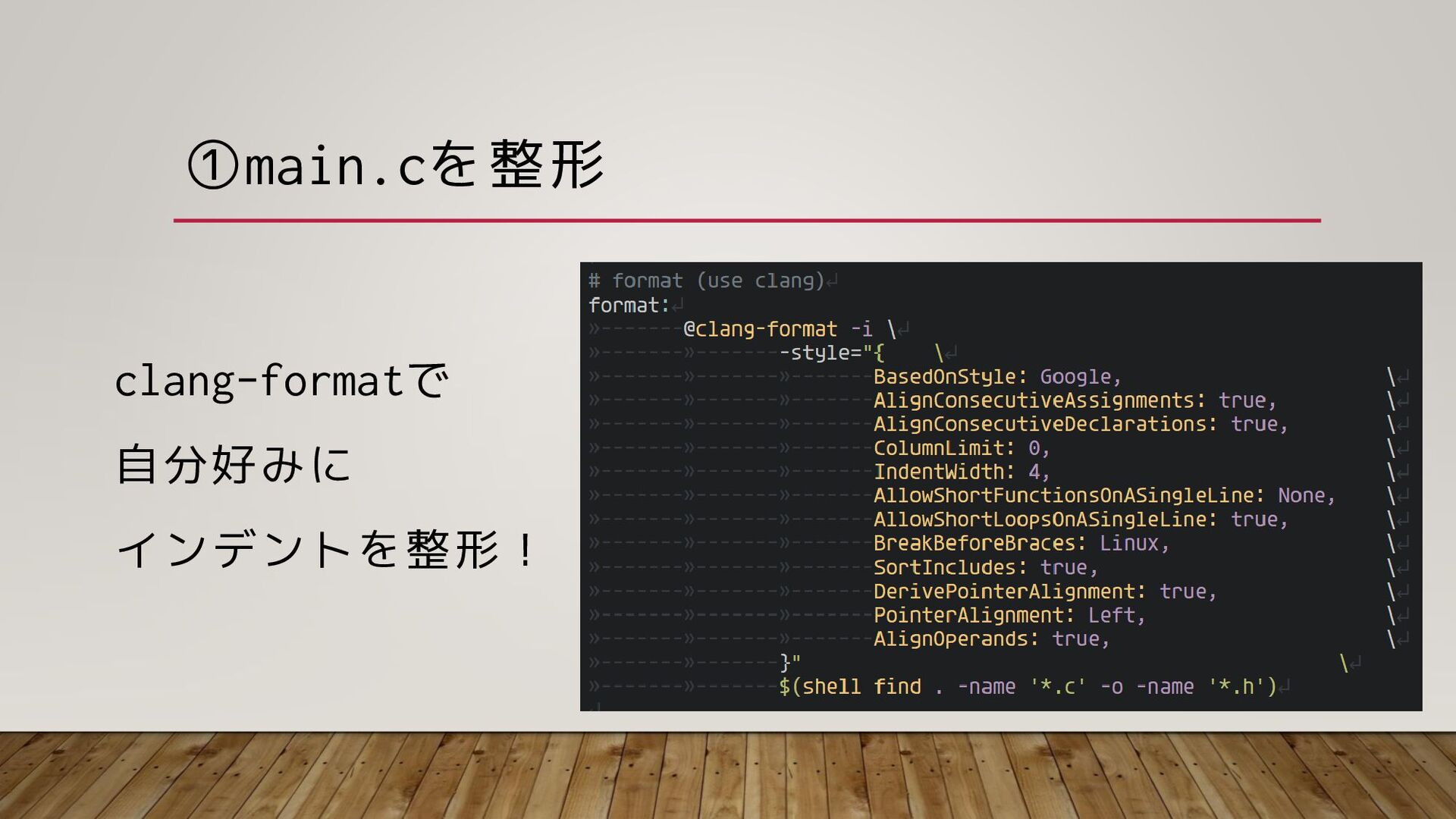
そこで、、、 ①main.cを整形 ②エントリポイント抜き出し ③ifdefを除く ④皆大好きChatGPTに説明させる
①main.cを整形 clang-formatで 自分好みに インデントを整形!
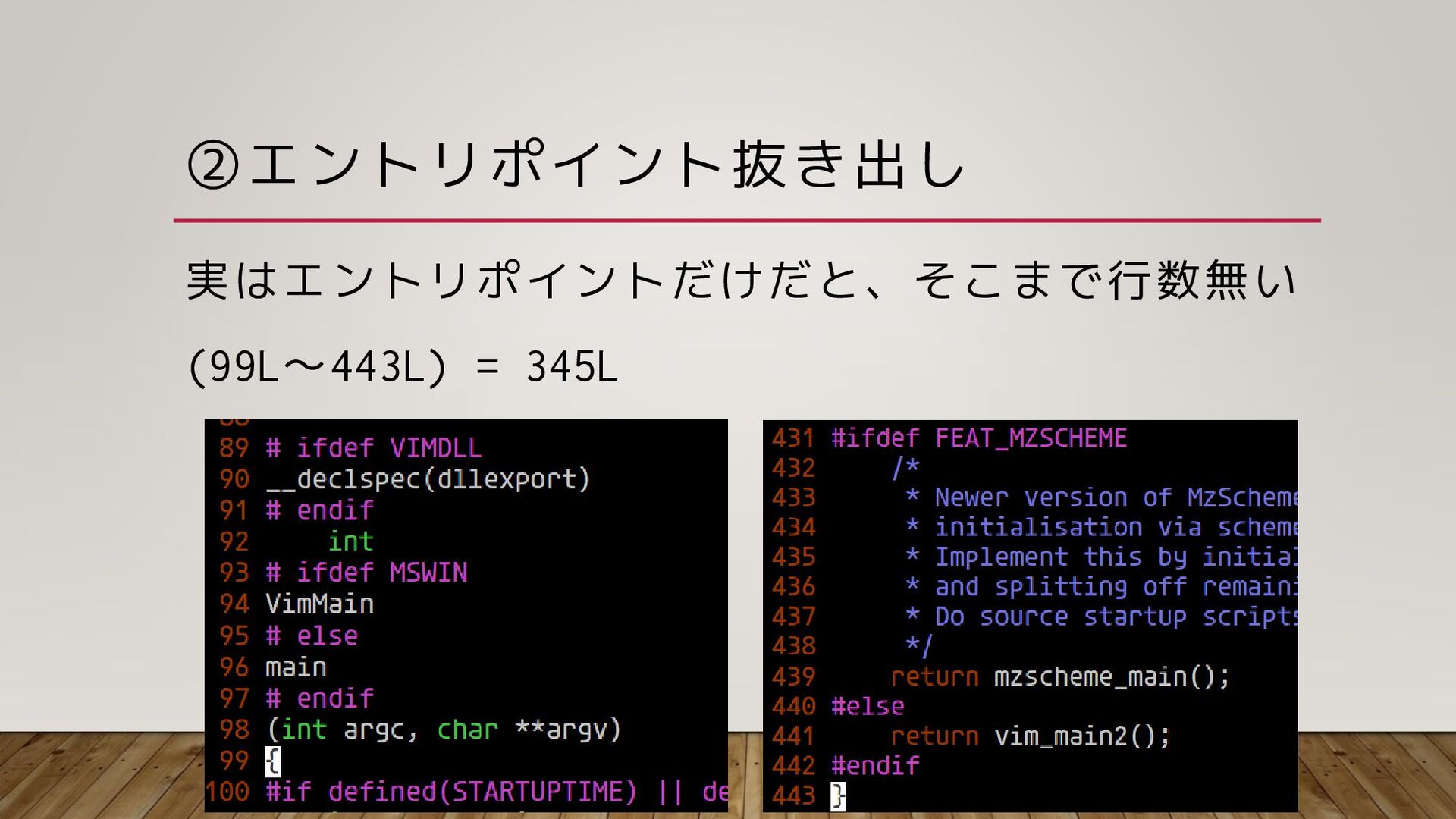
②エントリポイント抜き出し 実はエントリポイントだけだと、そこまで行数無い (99L~443L) = 345L
③ifdefを除く 「unifdef」というコマンドがある ->プロセッサ条件行を取り除ける
③ifdefを除く vimをビルド時のログをリダイレクト $ make > make.log
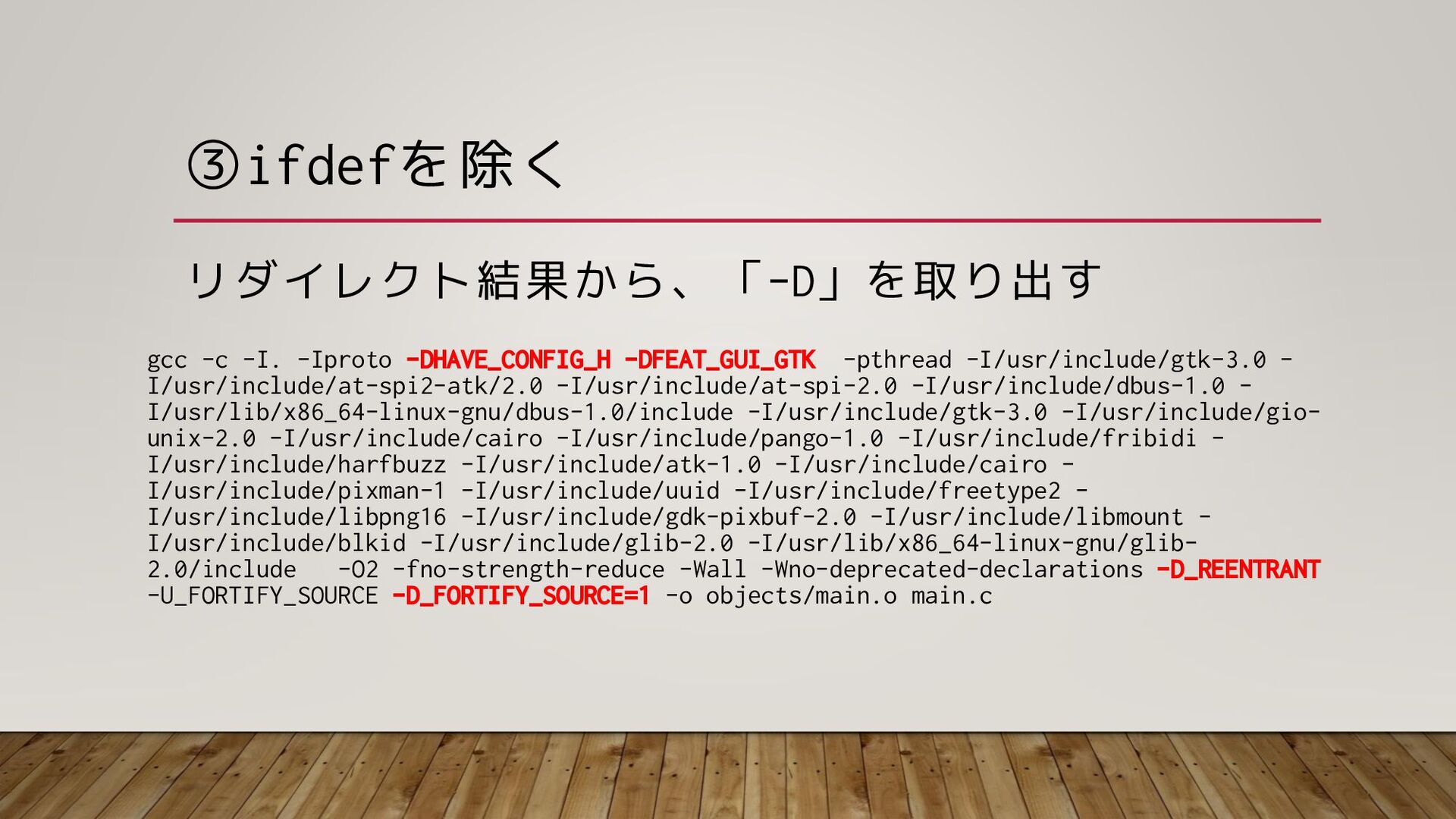
③ifdefを除く リダイレクト結果から、「-D」を取り出す gcc -c -I. -Iproto -DHAVE_CONFIG_H -DFEAT_GUI_GTK -pthread -I/usr/include/gtk-3.0
- I/usr/include/at-spi2-atk/2.0 -I/usr/include/at-spi-2.0 -I/usr/include/dbus-1.0 - I/usr/lib/x86_64-linux-gnu/dbus-1.0/include -I/usr/include/gtk-3.0 -I/usr/include/gio- unix-2.0 -I/usr/include/cairo -I/usr/include/pango-1.0 -I/usr/include/fribidi - I/usr/include/harfbuzz -I/usr/include/atk-1.0 -I/usr/include/cairo - I/usr/include/pixman-1 -I/usr/include/uuid -I/usr/include/freetype2 - I/usr/include/libpng16 -I/usr/include/gdk-pixbuf-2.0 -I/usr/include/libmount - I/usr/include/blkid -I/usr/include/glib-2.0 -I/usr/lib/x86_64-linux-gnu/glib- 2.0/include -O2 -fno-strength-reduce -Wall -Wno-deprecated-declarations -D_REENTRANT -U_FORTIFY_SOURCE -D_FORTIFY_SOURCE=1 -o objects/main.o main.c
③ifdefを除く main.cから#if/#ifdef/#ifndefを取り出す $cat main.c | grep -e “#if” -e “#elif”
-e “defined”
③ifdefを除く unifdefでifdefを取り除く $ unifdef ¥ -D[定義1] -D[定義2] … ¥ -U[定義1]
-U[定義2] … ¥ main.c
③ifdefを除く 150行くらいのエントリポイントが抽出できた!
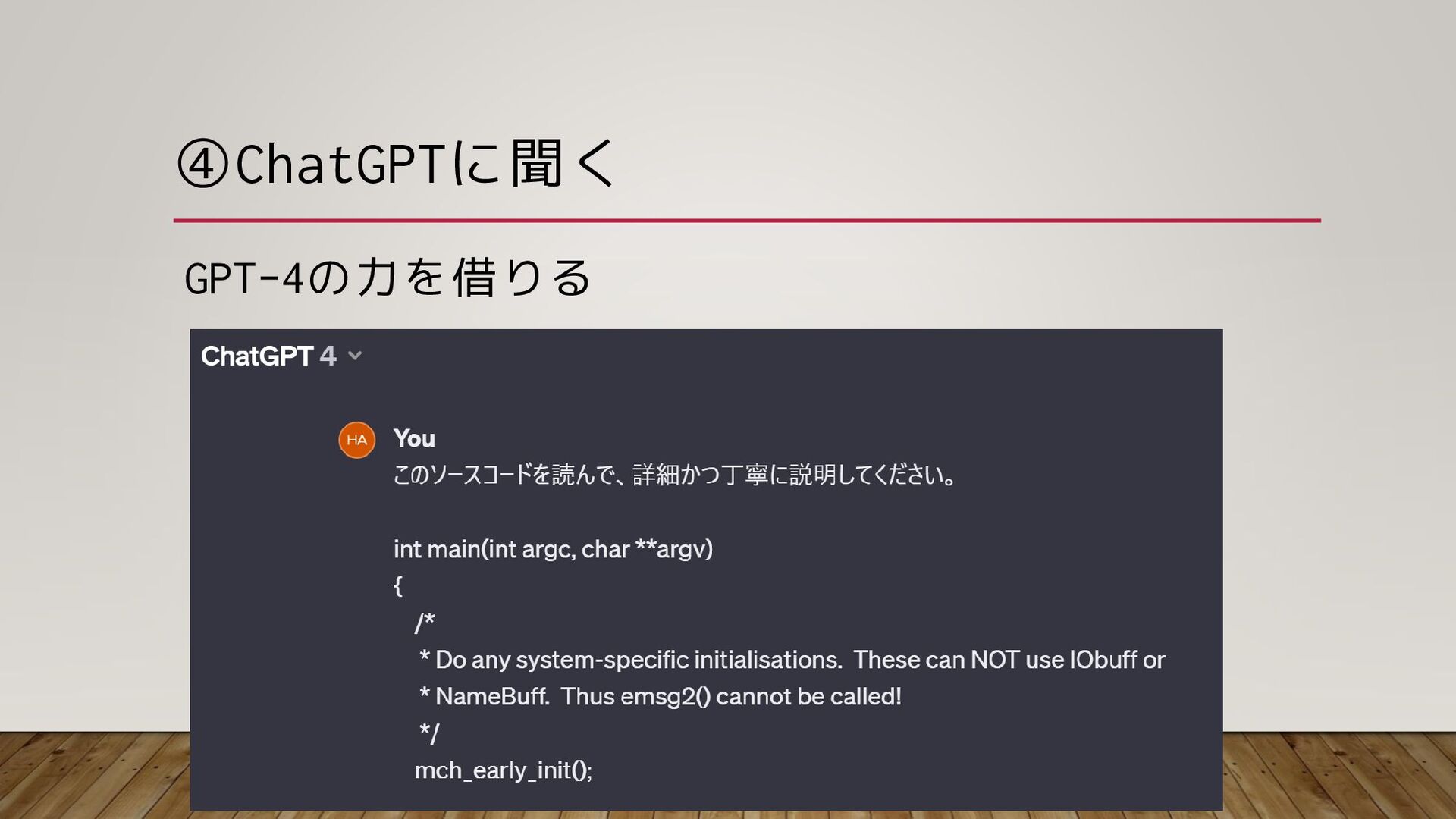
④ChatGPTに聞く GPT-4の力を借りる
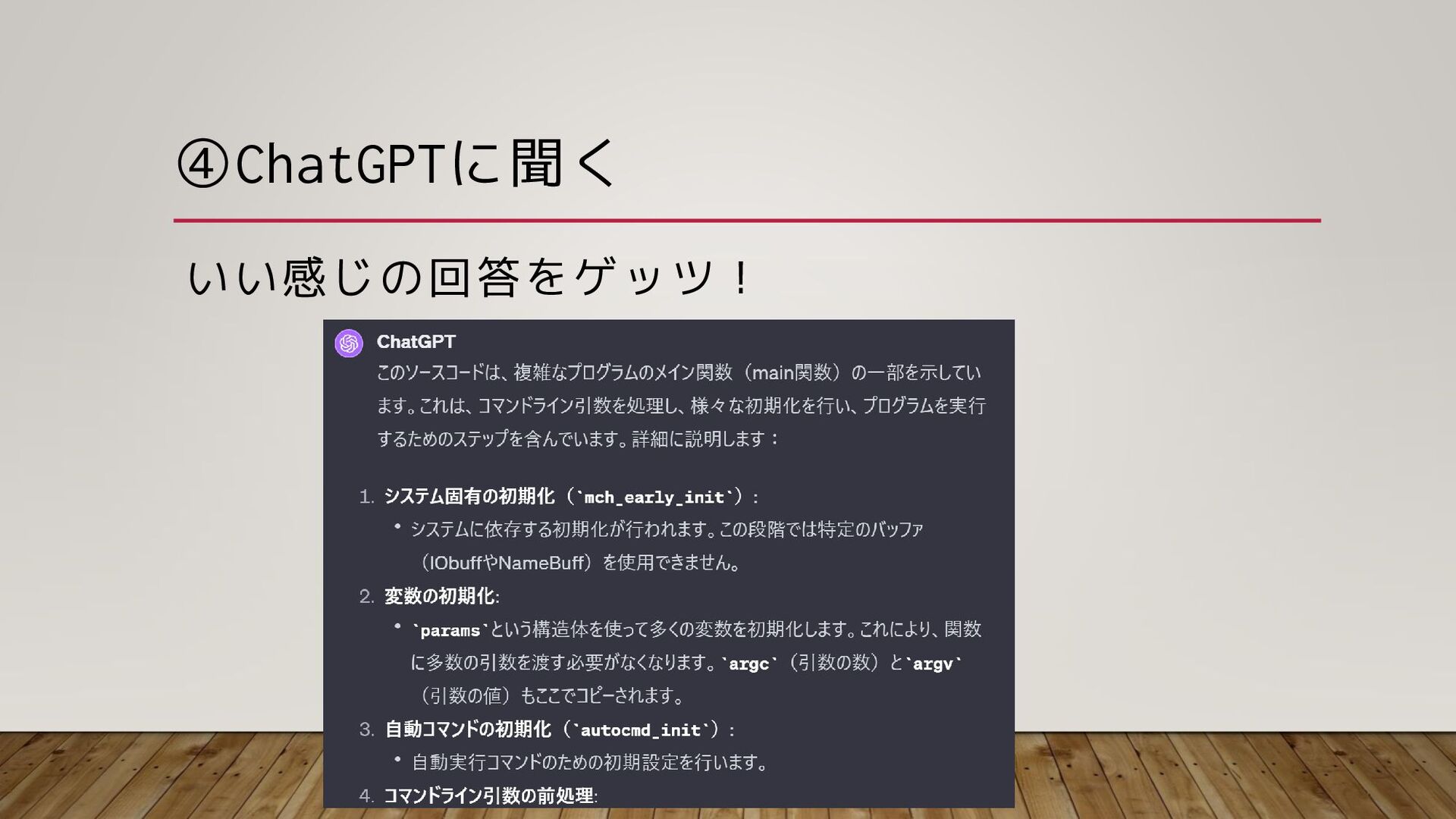
④ChatGPTに聞く いい感じの回答をゲッツ!
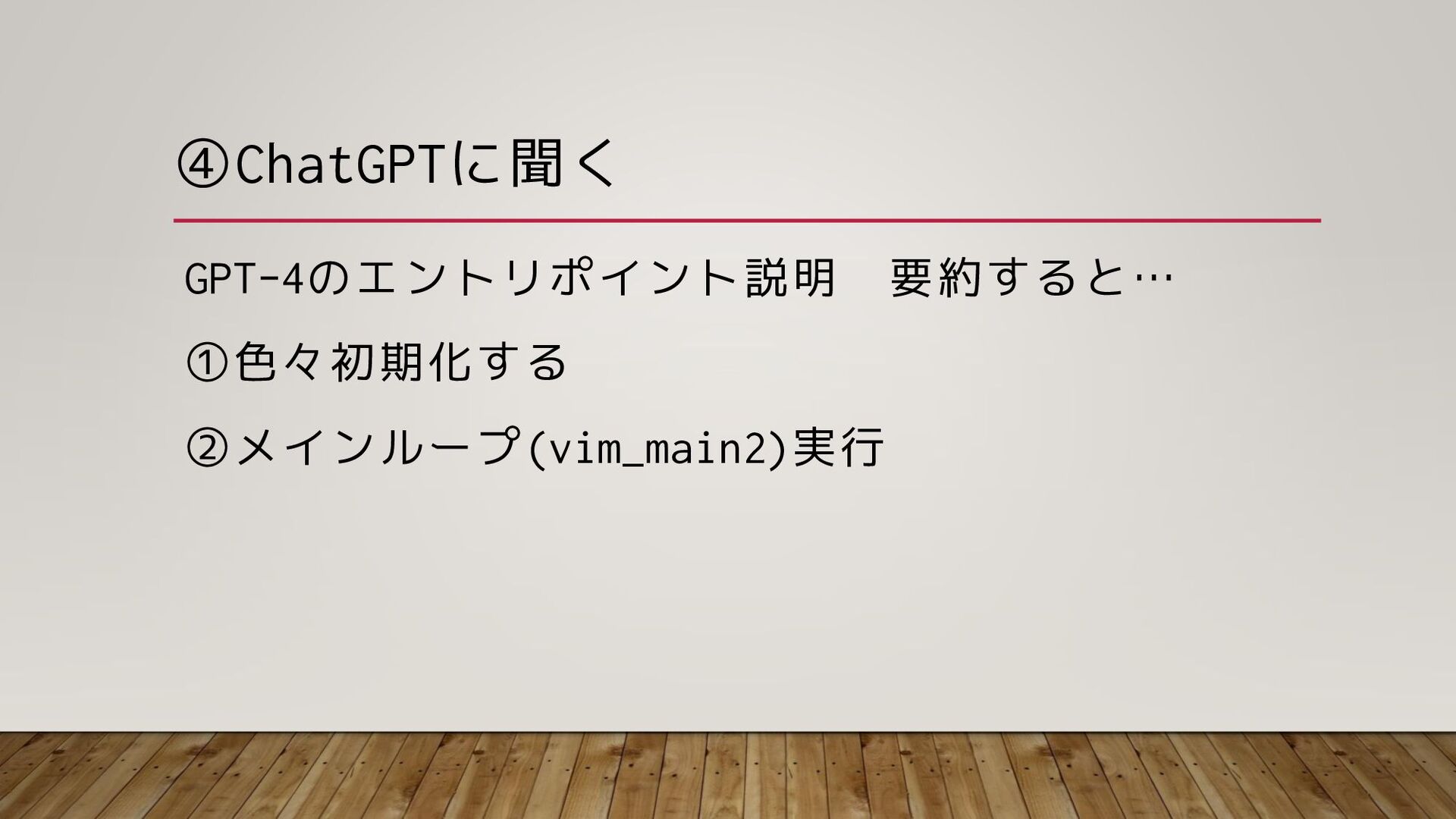
④ChatGPTに聞く GPT-4のエントリポイント説明 要約すると… ①色々初期化する ②メインループ(vim_main2)実行
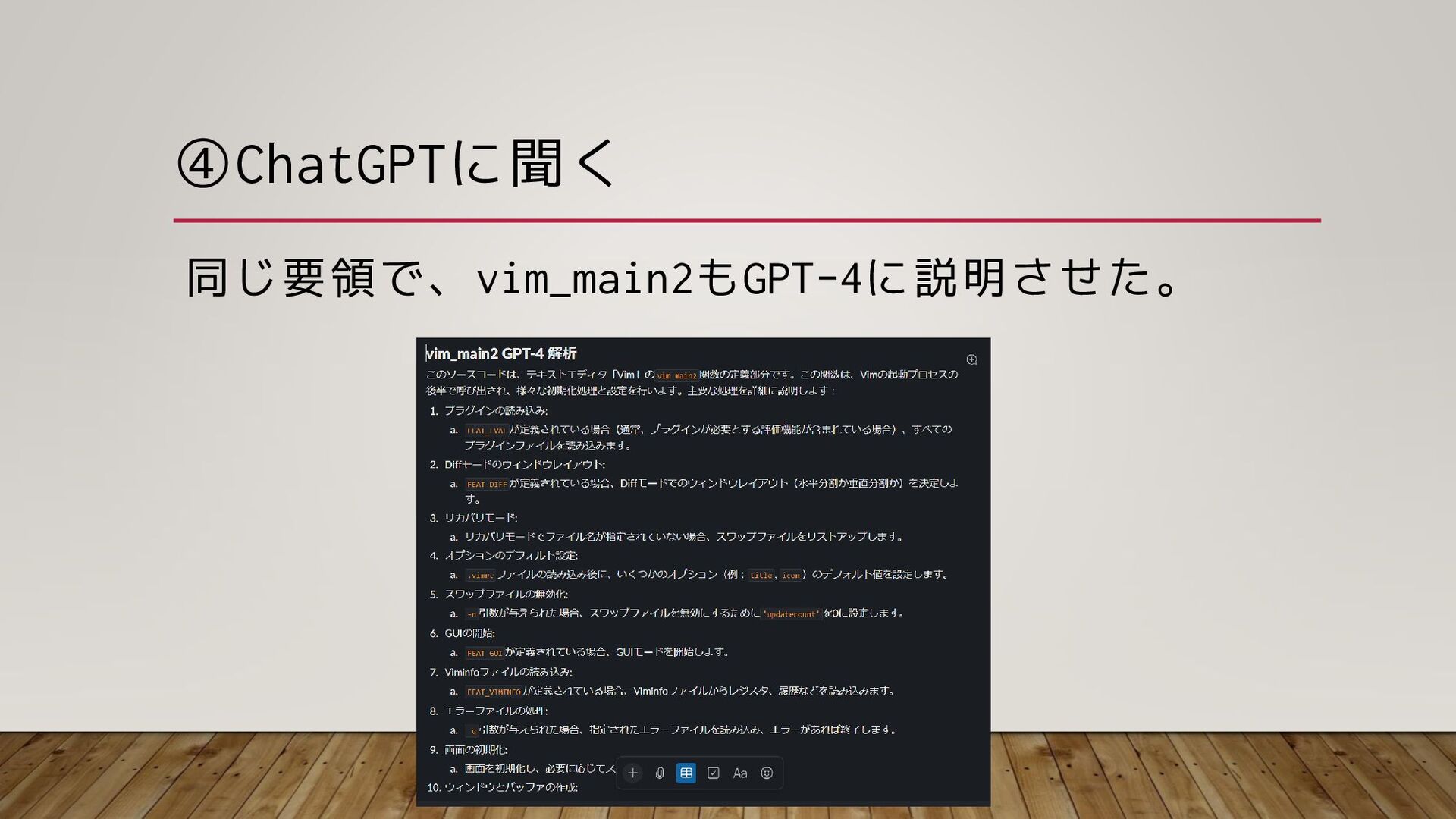
④ChatGPTに聞く 同じ要領で、vim_main2もGPT-4に説明させた。
④ChatGPTに聞く こんな感じで、 GPT-4でmainから追って概要説明させていけば 普通に読むより相当楽なはず! ※AIの性質上、たまに嘘吐かれるのでそこは注意
という話でした。
え、vim本体を解析して解説してくれるんじゃない の!? 宣伝スライド2枚も挟んだのに!? -> 別途、技術記事を作成予定!
おしまい


 hakkadaikon
 smashingmag
 frankvandijk
 ivargrimstad
 danielanewman
 cassininazir
 kneath
 chriscoyier
 csswizardry
 nwiizo
 chrisshort
 lindahogenes
 eileencodes







![③ifdefを除く unifdefでifdefを取り除く $ unifdef ¥ -D[定義1] -D[定義2] … ¥ -U[定義1]](https://files.speakerdeck.com/presentations/2fd6f1abb82042dabe4378ceabdc2189/slide_21.jpg)