Upgrade to Pro
— share decks privately, control downloads, hide ads and more …
Speaker Deck
Sign up for free
Menu
Search
Features
All features
Private URLs
Password Protection
Custom URLS
Scheduled publishing
Remove Branding
Restrict embedding
Deck Collections
Notes
Features
All features
Private URLs
Password Protection
Custom URLS
Scheduled publishing
Remove Branding
Restrict embedding
Deck Collections
Notes
Explore
Featured decks
Featured speakers
Programming
Technology
Storyboards
Explore
Featured decks
Featured speakers
Programming
Technology
Storyboards
Pricing
Search
Sign in
Sign up for free
ZD Training Deck
Search
hannahbee15
September 25, 2017
45
0
Share
Embed
Copy iframe code
Copy JS code
Copy link
Start on current slide
ZD Training Deck
ZD Training Deck
hannahbee15
September 25, 2017
Featured
See All Featured
Avoiding the “Bad Training, Faster” Trap in the Age of AI
tmiket
0
270
4 Signs Your Business is Dying
shpigford
187
23k
A Tale of Four Properties
chriscoyier
163
24k
The innovator’s Mindset - Leading Through an Era of Exponential Change - McGill University 2025
jdejongh
PRO
1
380
Imperfection Machines: The Place of Print at Facebook
scottboms
270
14k
"I'm Feeling Lucky" - Building Great Search Experiences for Today's Users (#IAC19)
danielanewman
230
23k
Helping Users Find Their Own Way: Creating Modern Search Experiences
danielanewman
31
3.4k
The Anti-SEO Checklist Checklist. Pubcon Cyber Week
ryanjones
0
270
The Pragmatic Product Professional
lauravandoore
37
7.5k
How to optimise 3,500 product descriptions for ecommerce in one day using ChatGPT
katarinadahlin
PRO
3
3.9k
Measuring Dark Social's Impact On Conversion and Attribution
stephenakadiri
2
310
Kristin Tynski - Automating Marketing Tasks With AI
techseoconnect
PRO
0
550
Transcript
Introducing Zendesk for Agents 18 August 2017, V.1.
Let’s get to know
What is ?
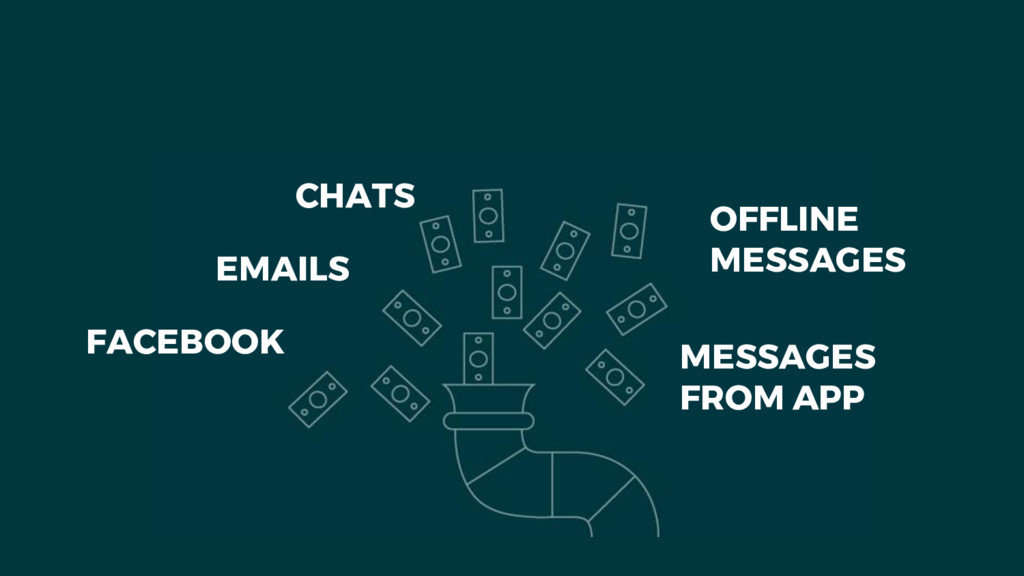
FACEBOOK EMAILS CHATS OFFLINE MESSAGES MESSAGES FROM APP
None
None
Zendesk Support
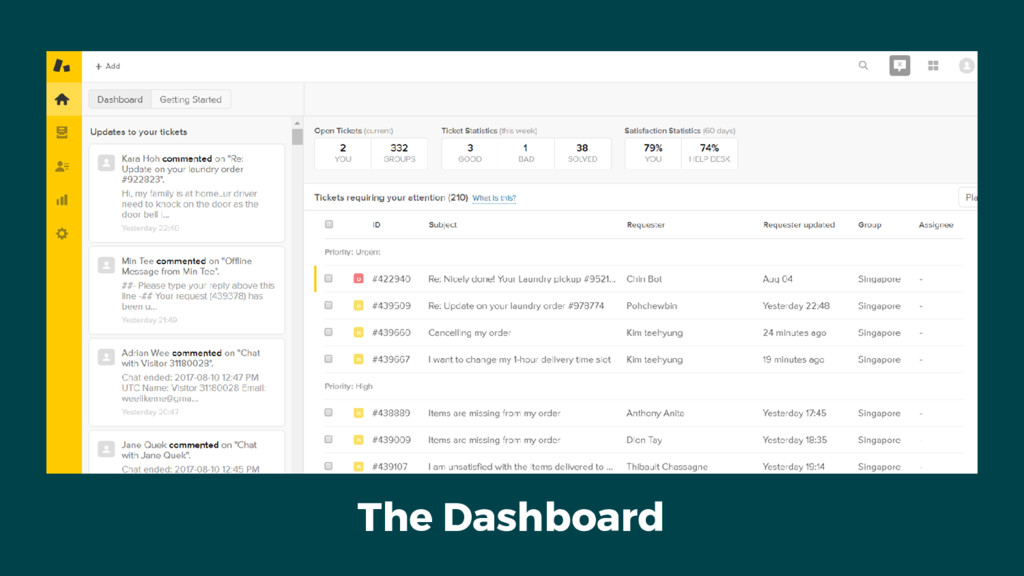
The Dashboard
None
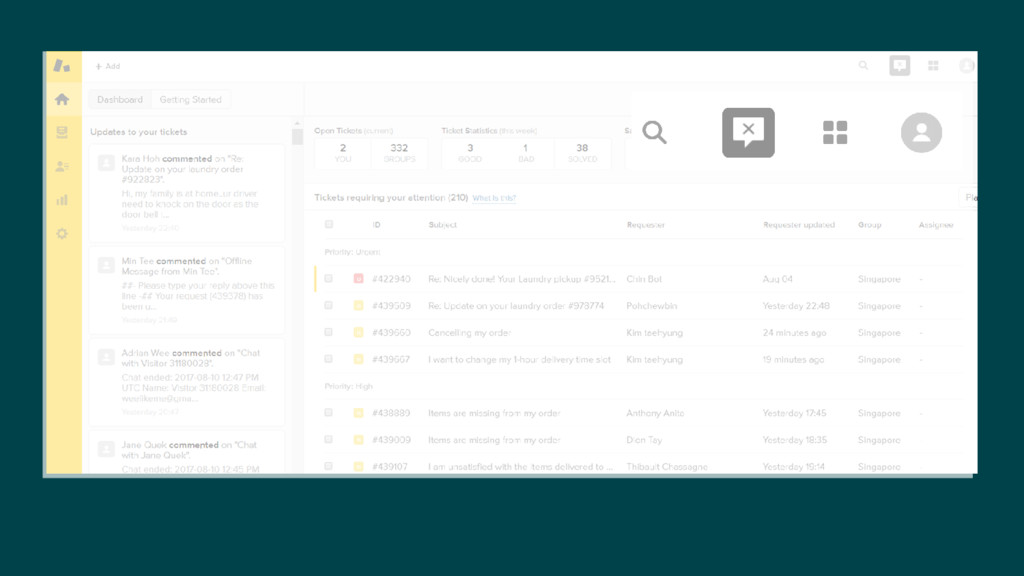
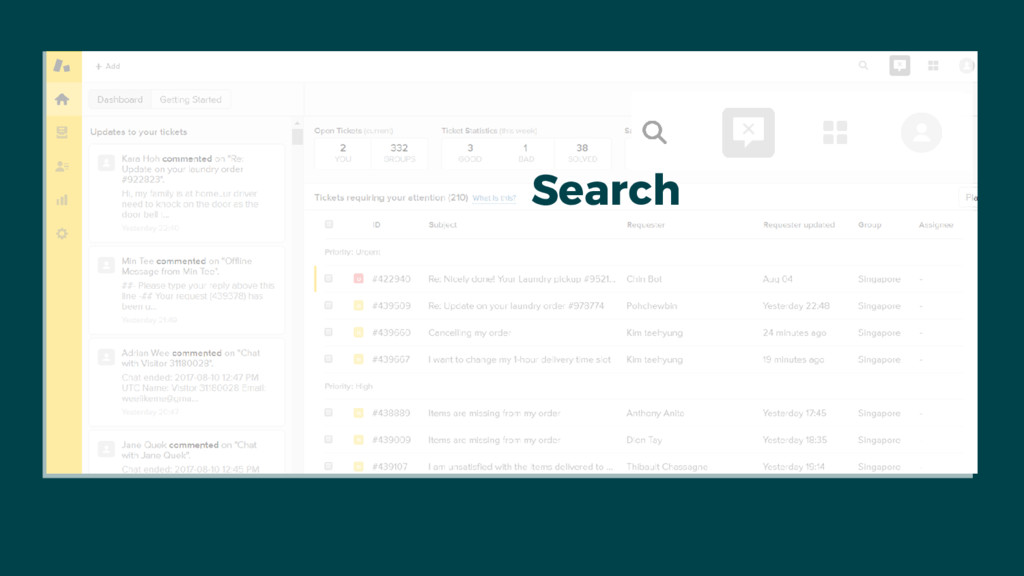
Search
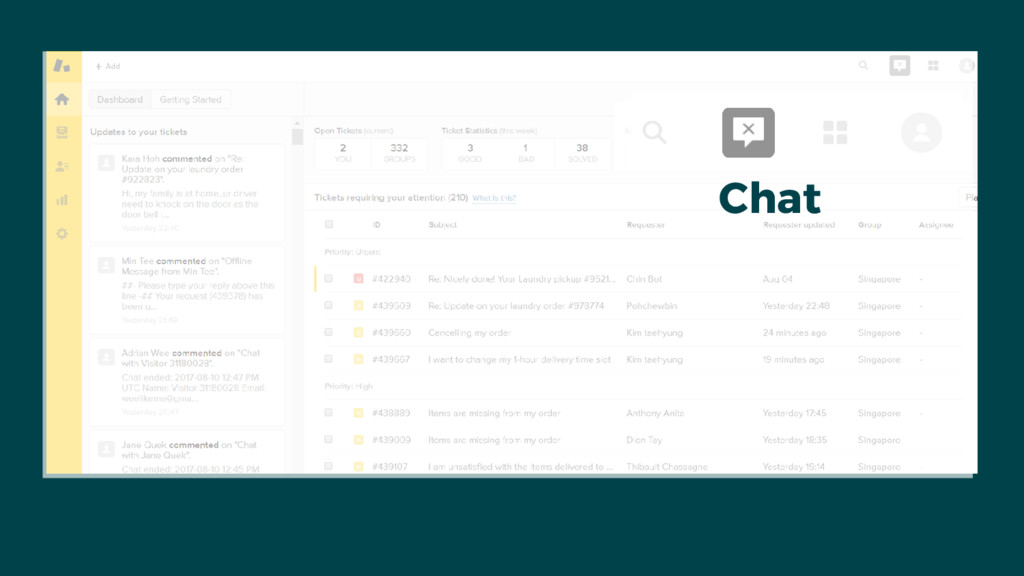
Chat
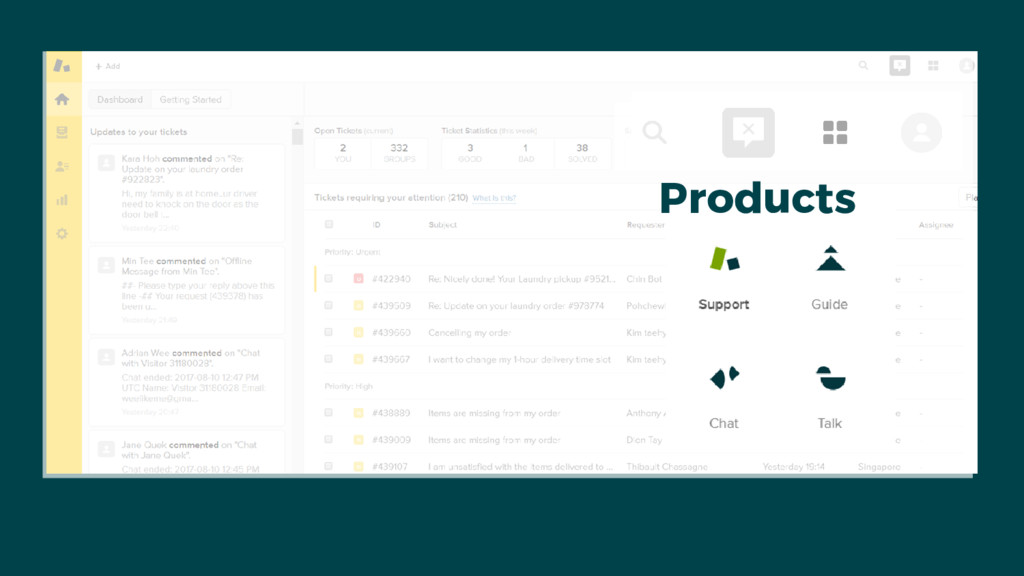
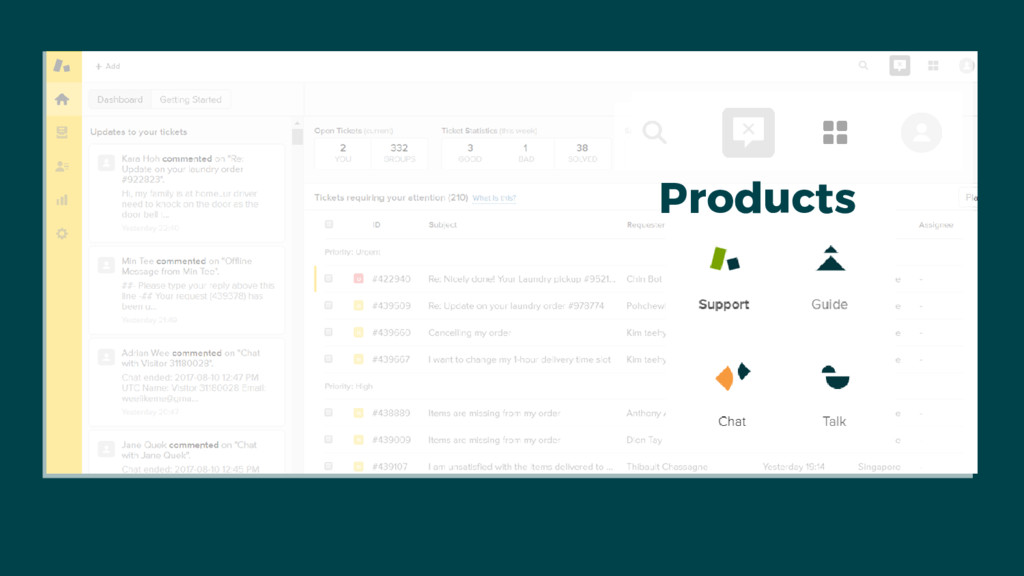
Products
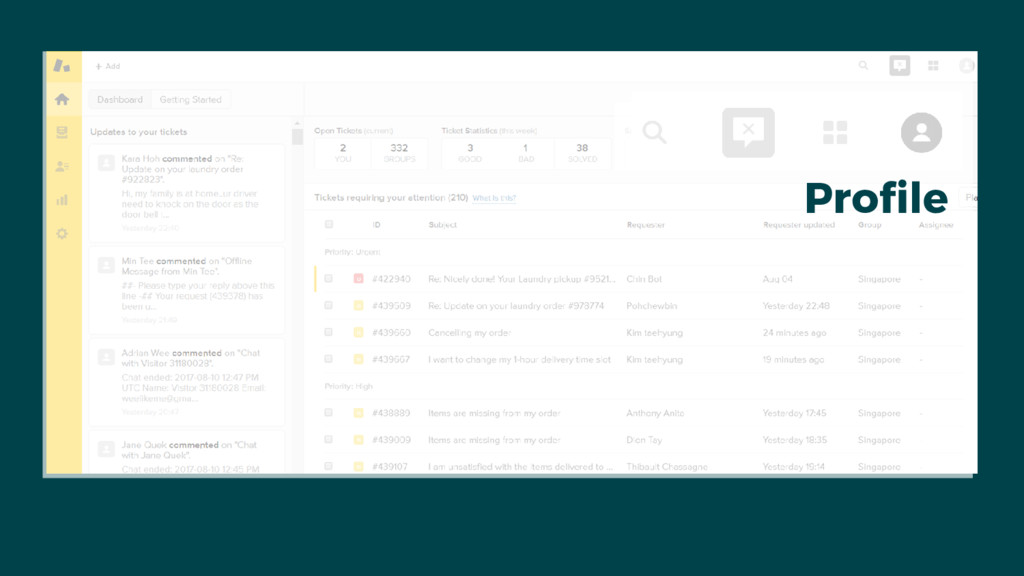
Profile
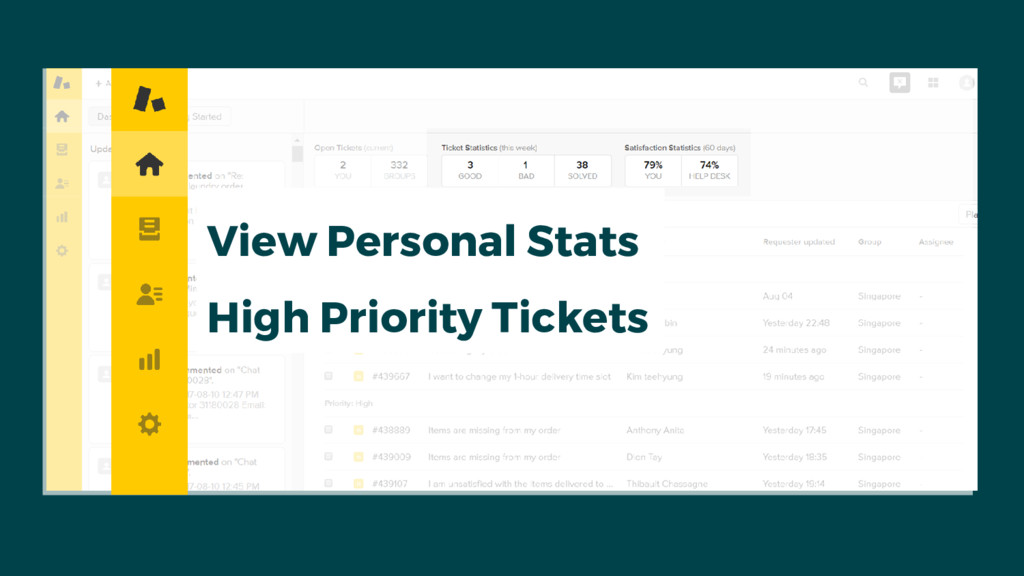
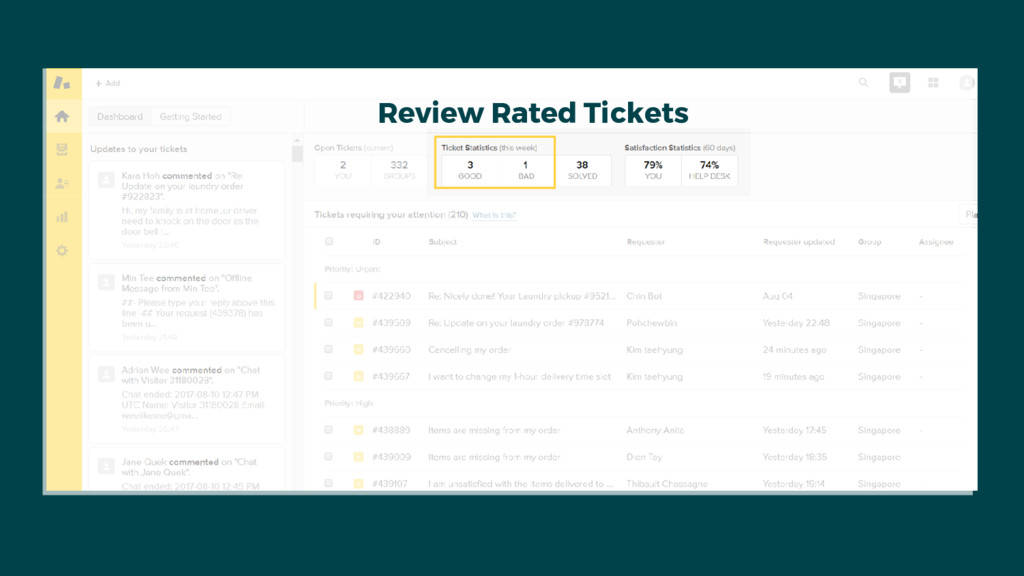
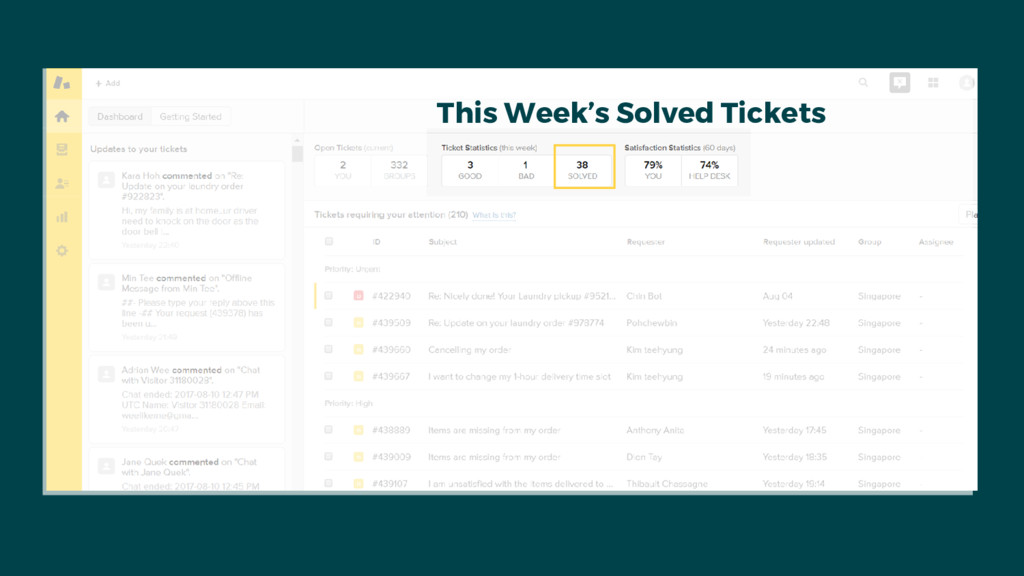
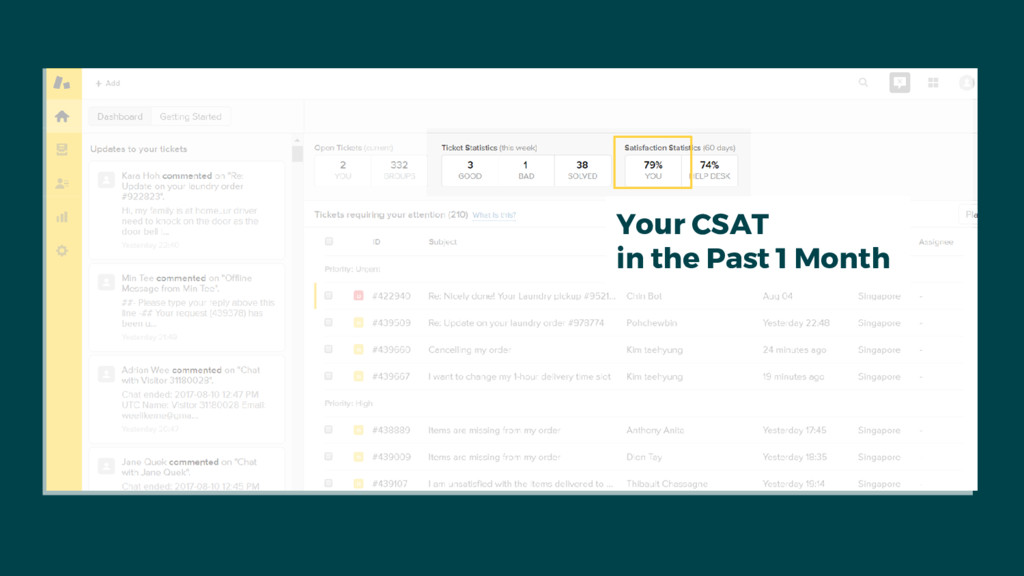
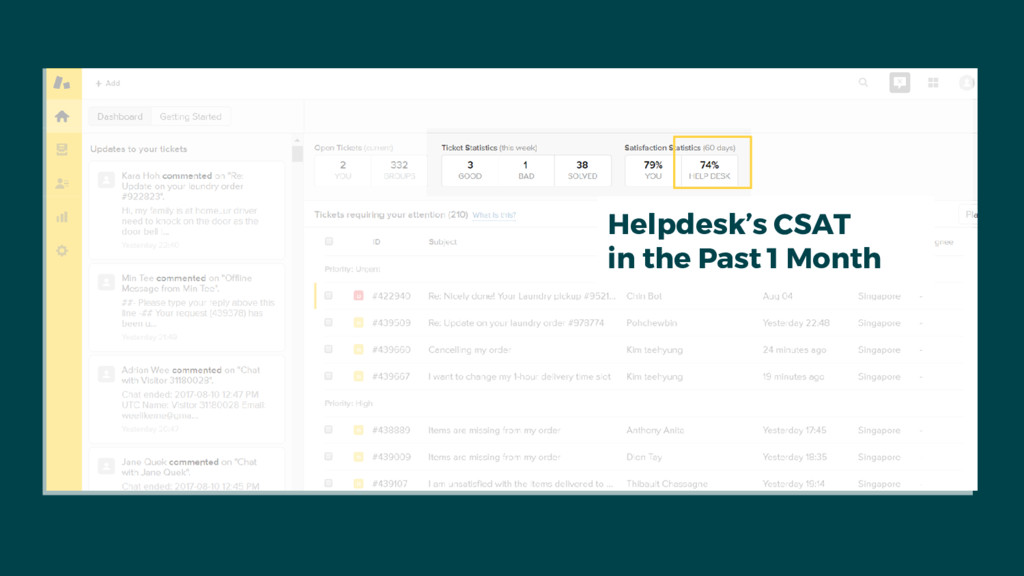
View Personal Stats High Priority Tickets
Review Rated Tickets
This Week’s Solved Tickets
Your CSAT in the Past 1 Month
Helpdesk’s CSAT in the Past 1 Month
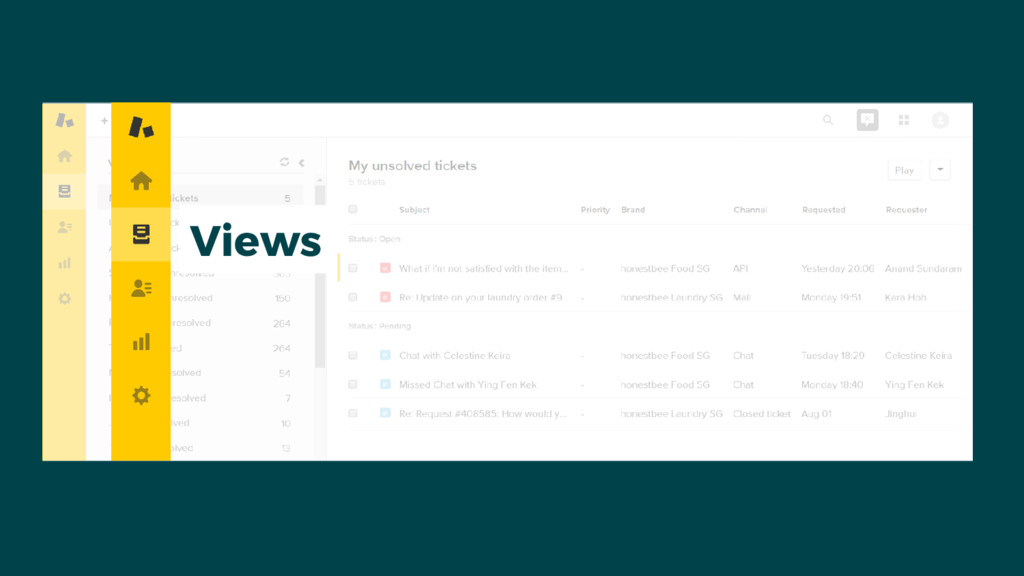
Views
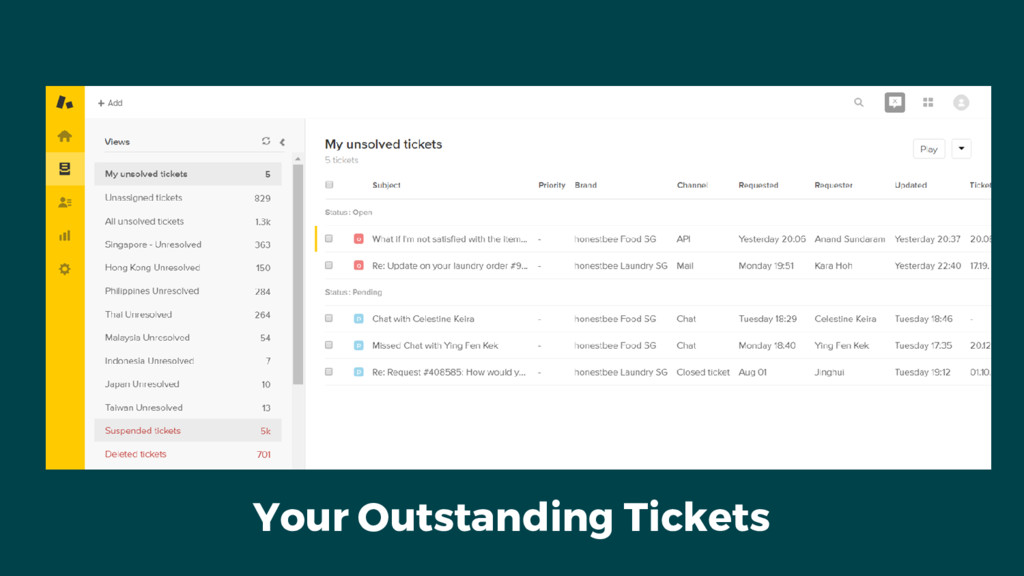
Your Outstanding Tickets
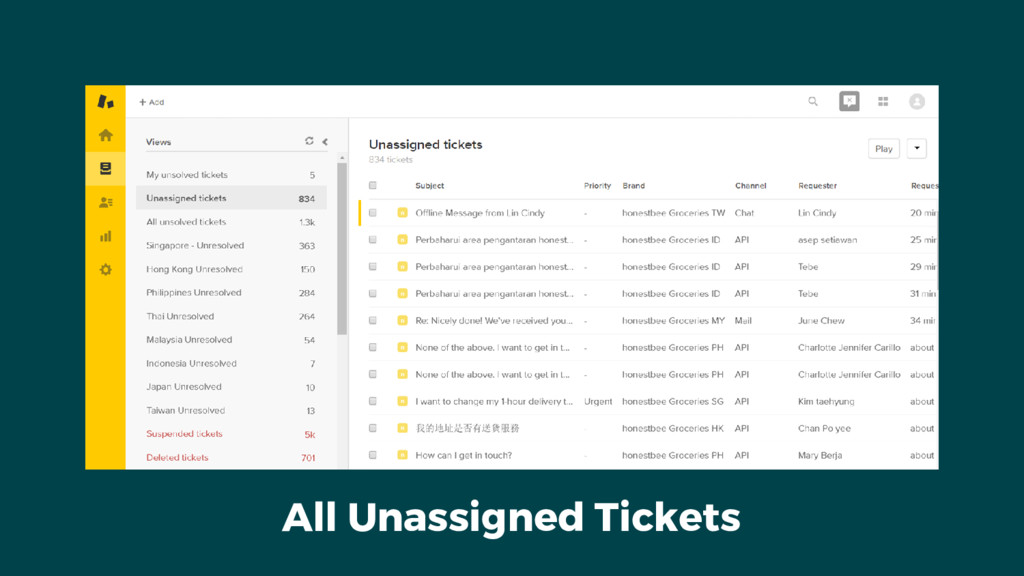
All Unassigned Tickets
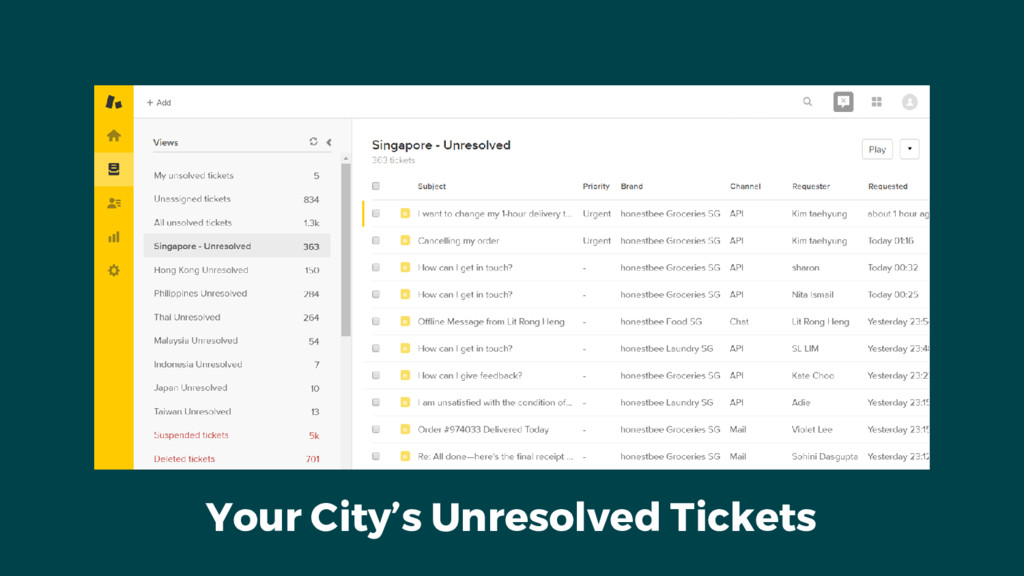
Your City’s Unresolved Tickets
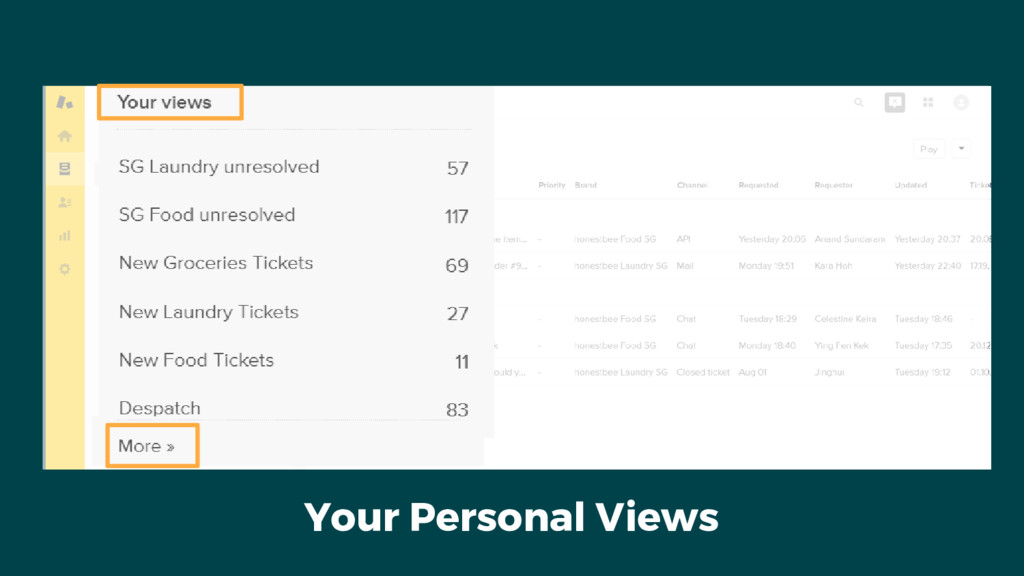
Your Personal Views
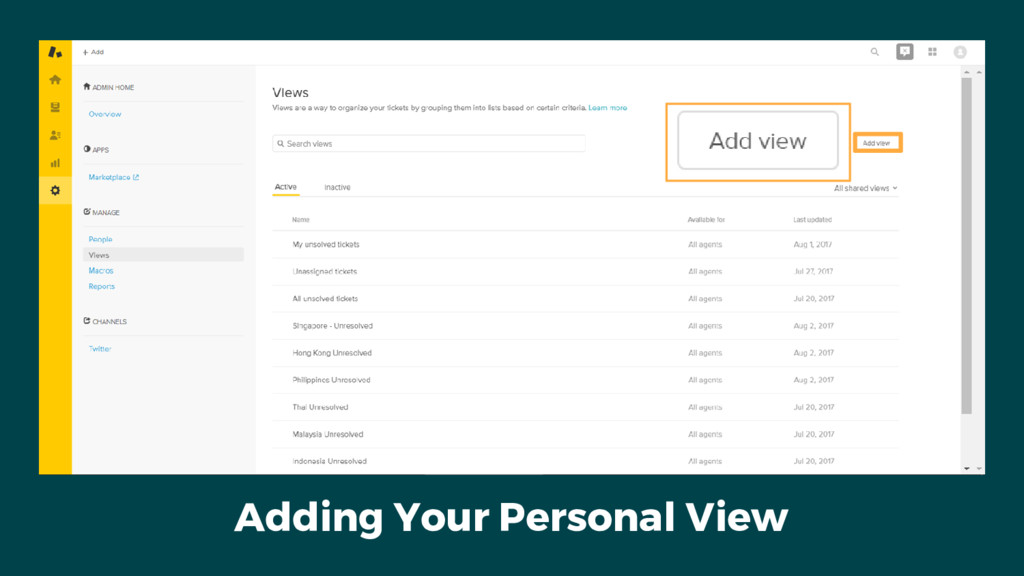
Adding Your Personal View
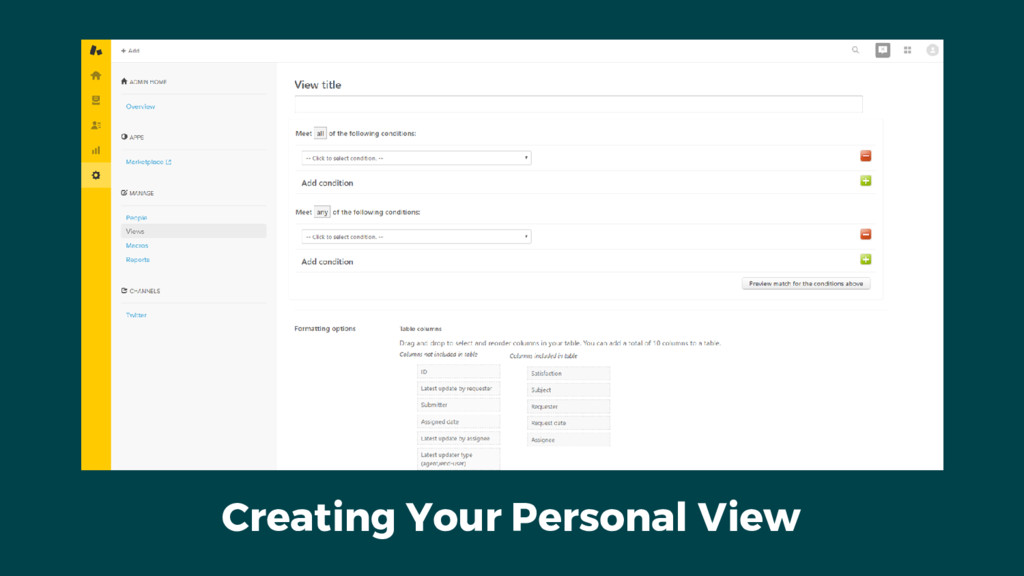
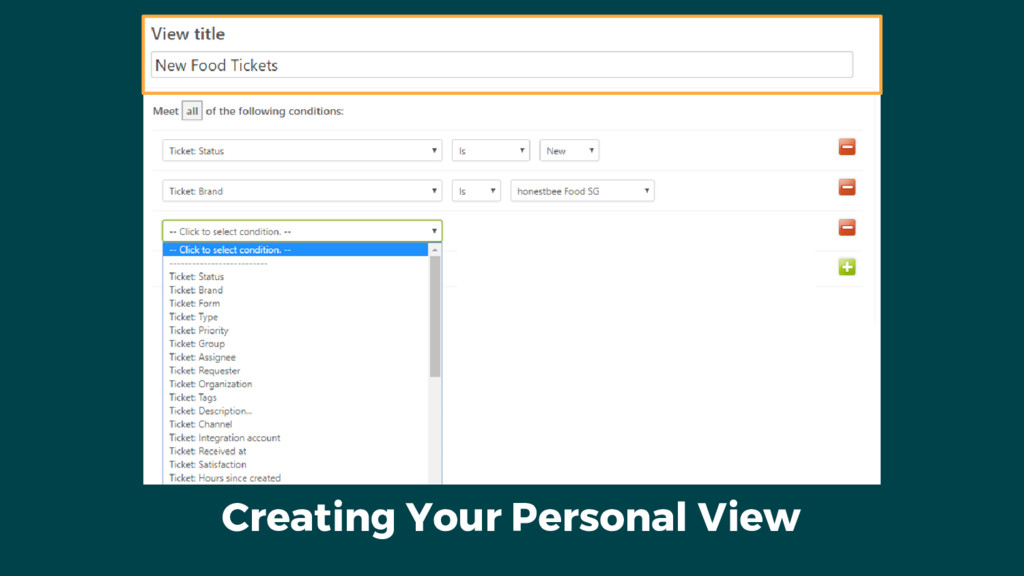
Creating Your Personal View
Creating Your Personal View
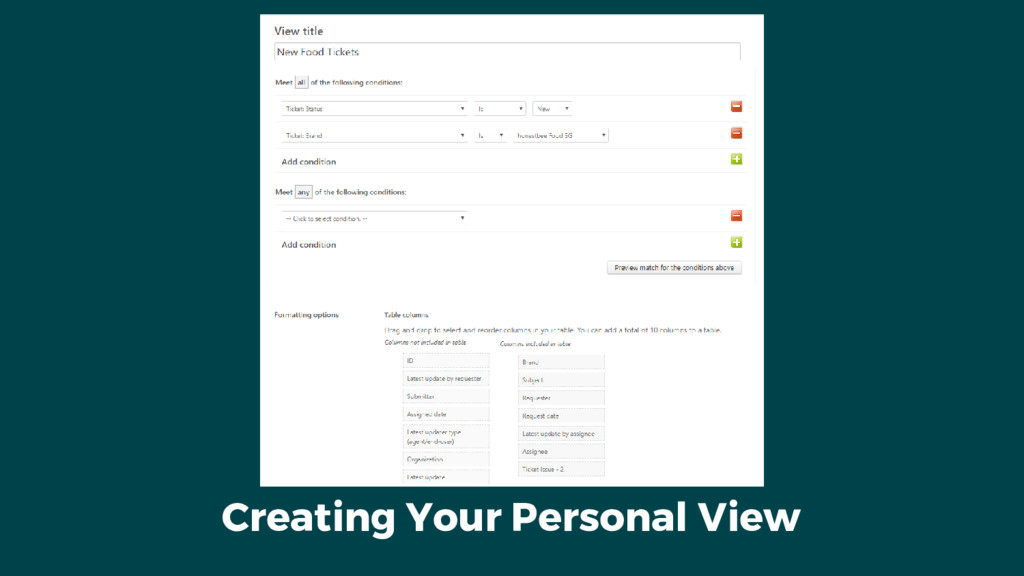
Creating Your Personal View
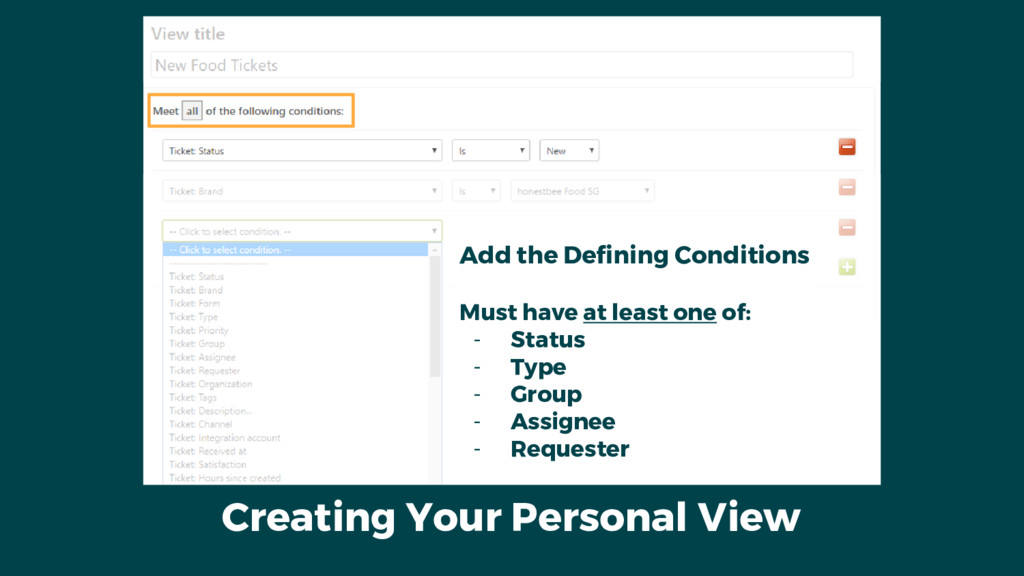
Creating Your Personal View Add the Defining Conditions Must have
at least one of: - Status - Type - Group - Assignee - Requester
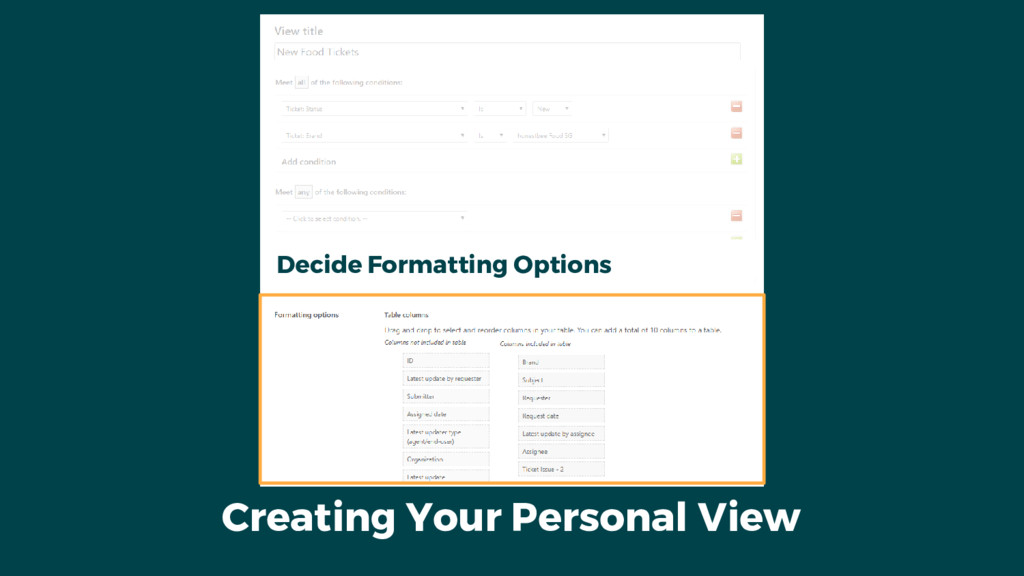
Creating Your Personal View Decide Formatting Options
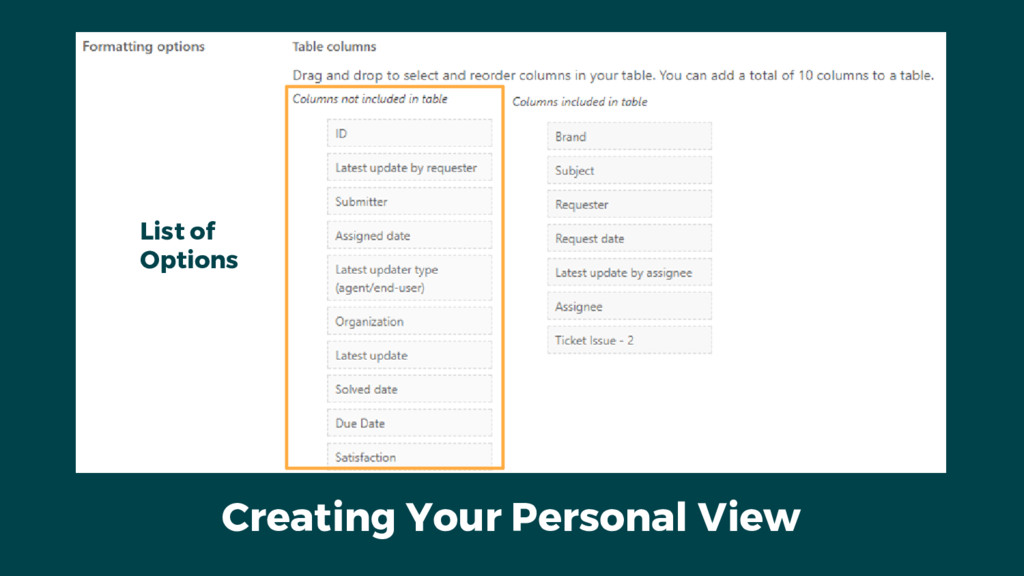
Creating Your Personal View List of Options
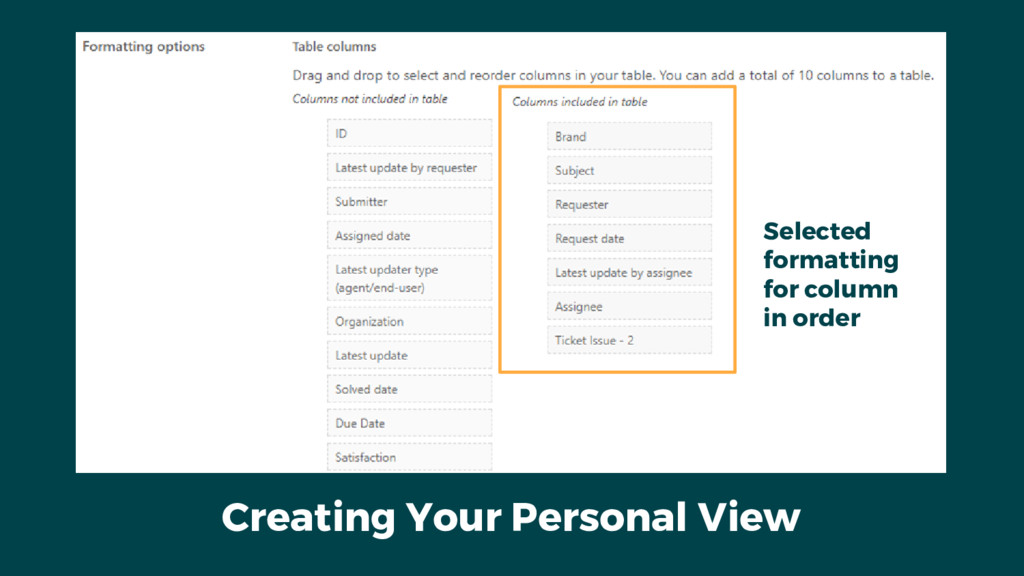
Creating Your Personal View Selected formatting for column in order
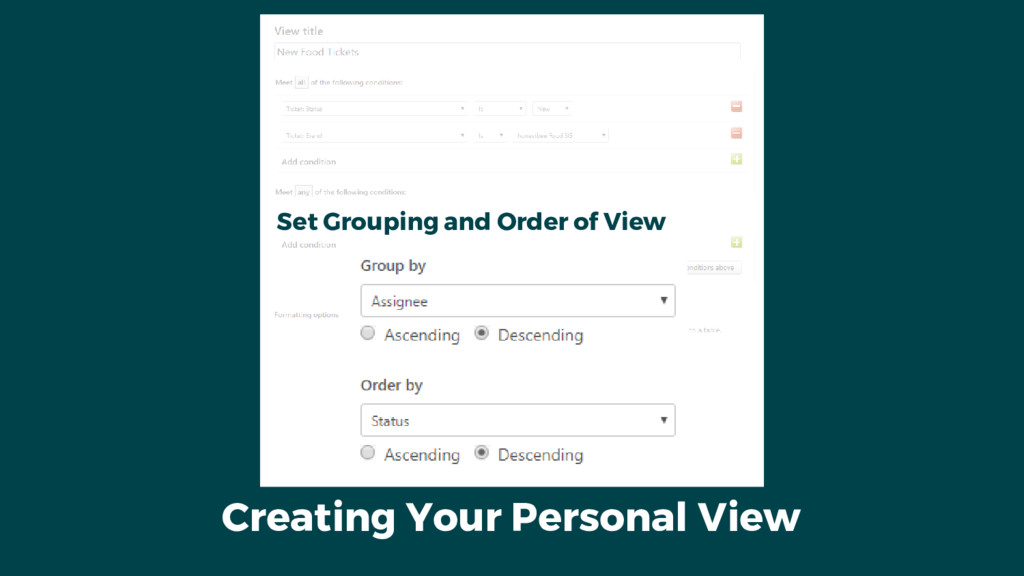
Creating Your Personal View Set Grouping and Order of View
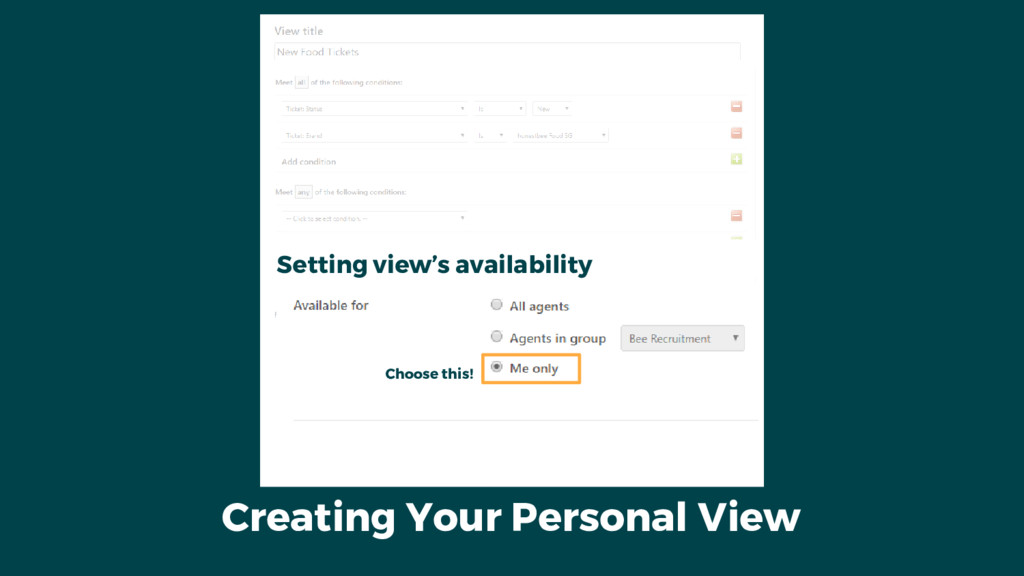
Creating Your Personal View Setting view’s availability Choose this!
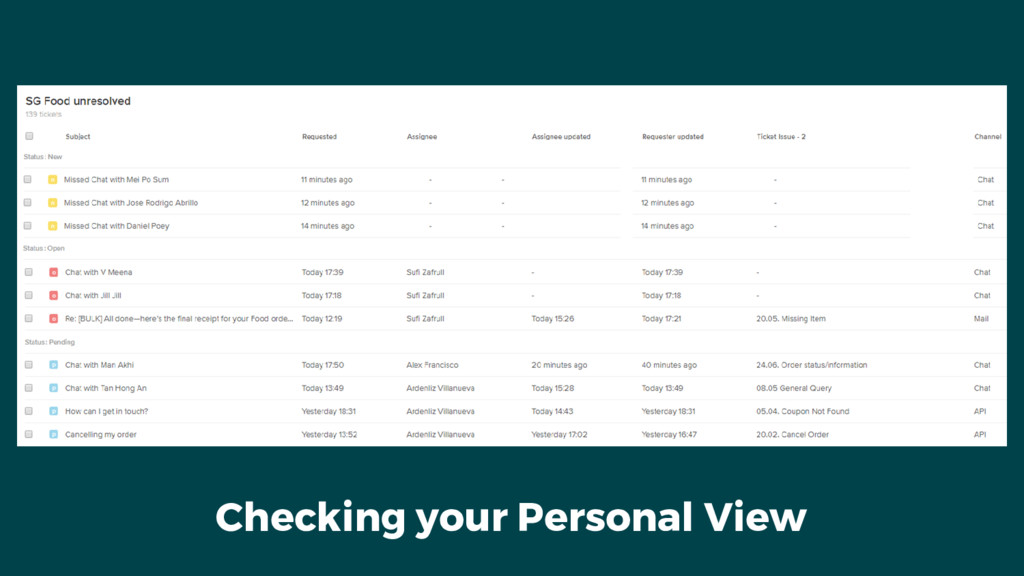
Checking your Personal View
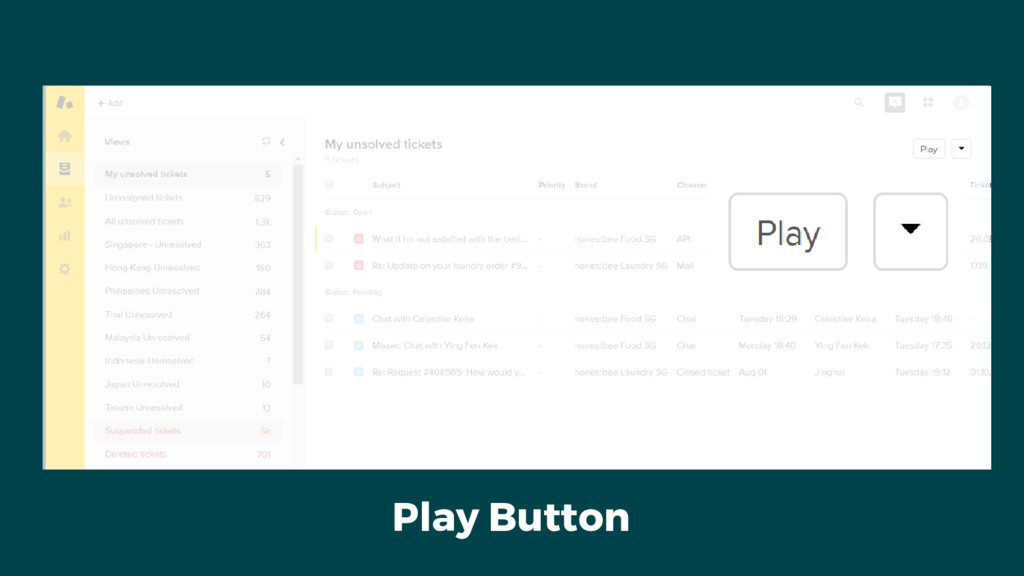
Play Button
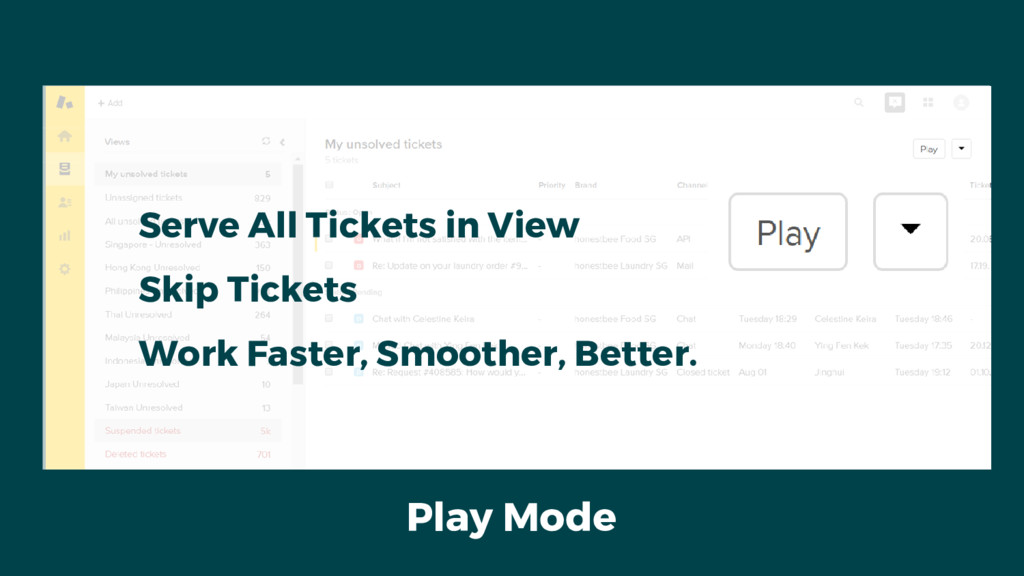
Play Mode Serve All Tickets in View Skip Tickets Work
Faster, Smoother, Better.
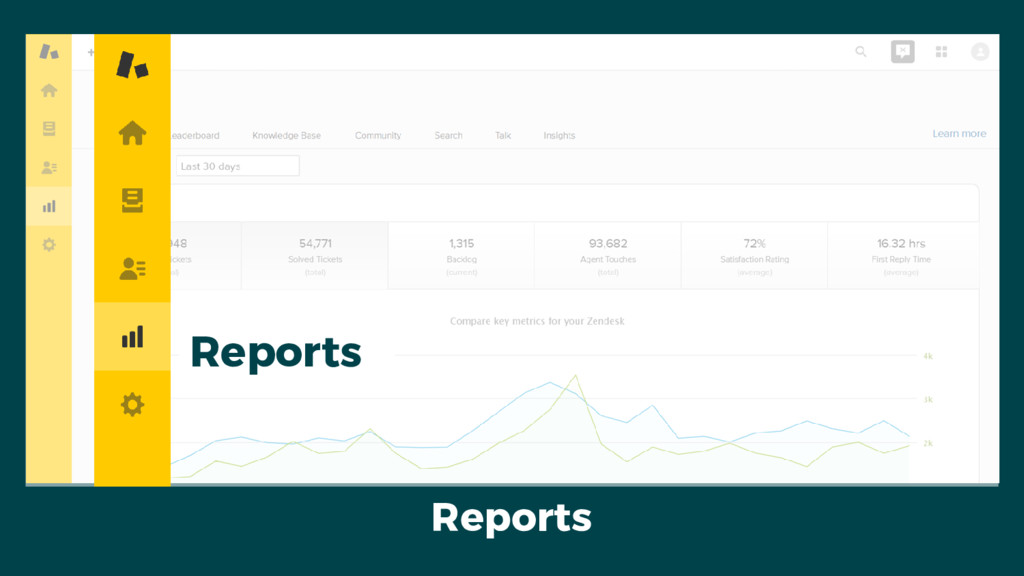
Reports Reports
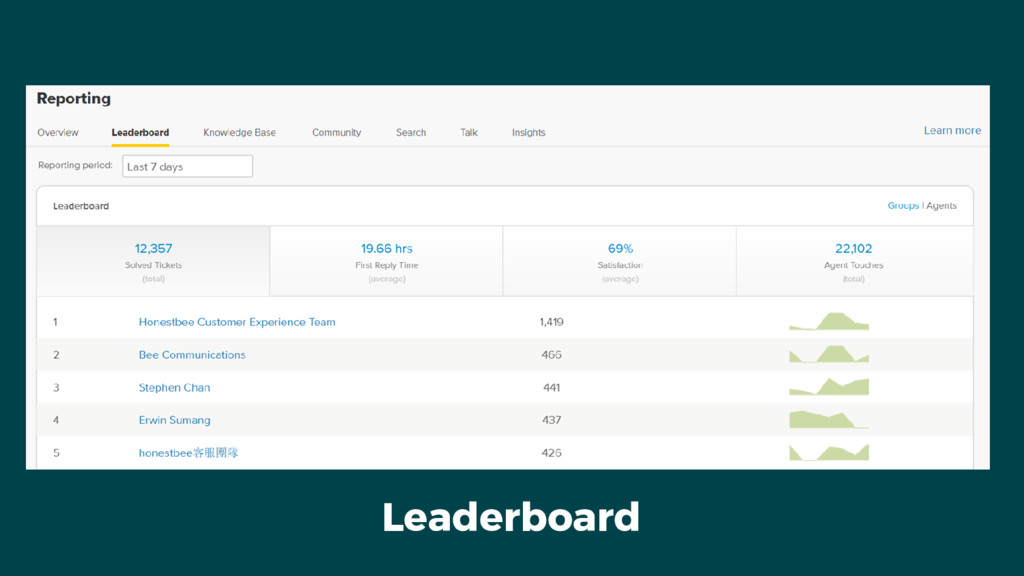
Leaderboard
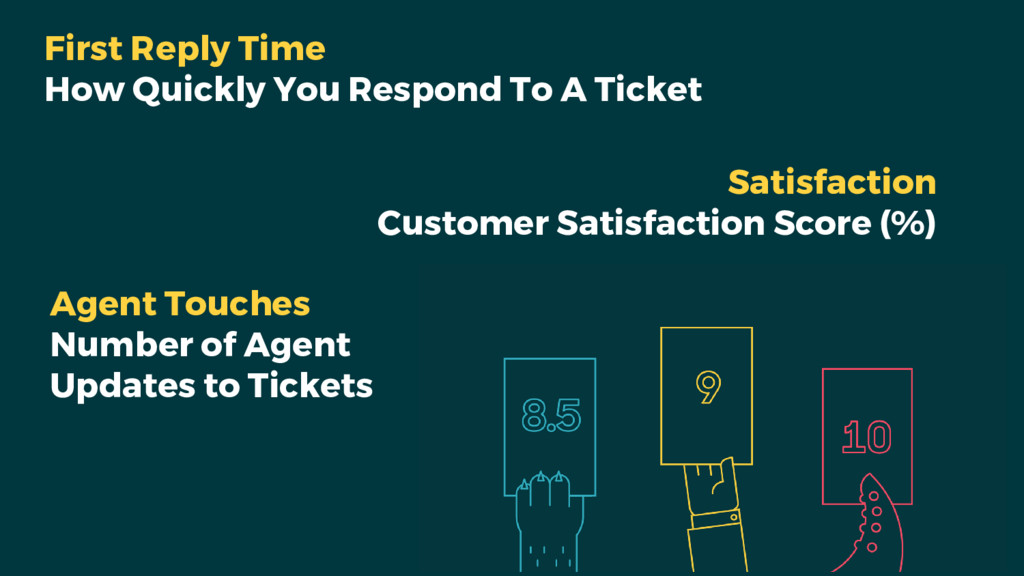
First Reply Time How Quickly You Respond To A Ticket
Satisfaction Customer Satisfaction Score (%) Agent Touches Number of Agent Updates to Tickets
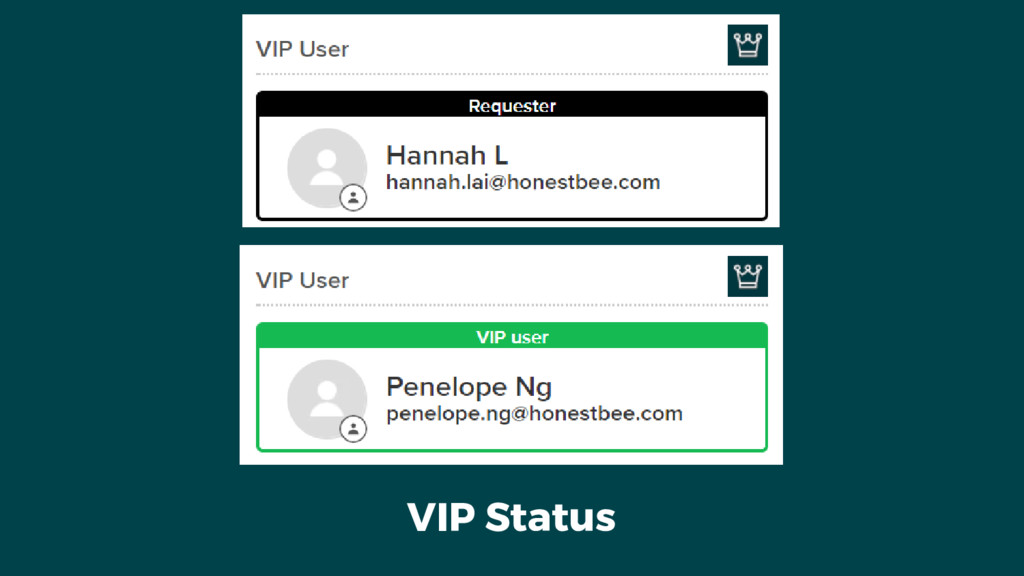
VIP Status
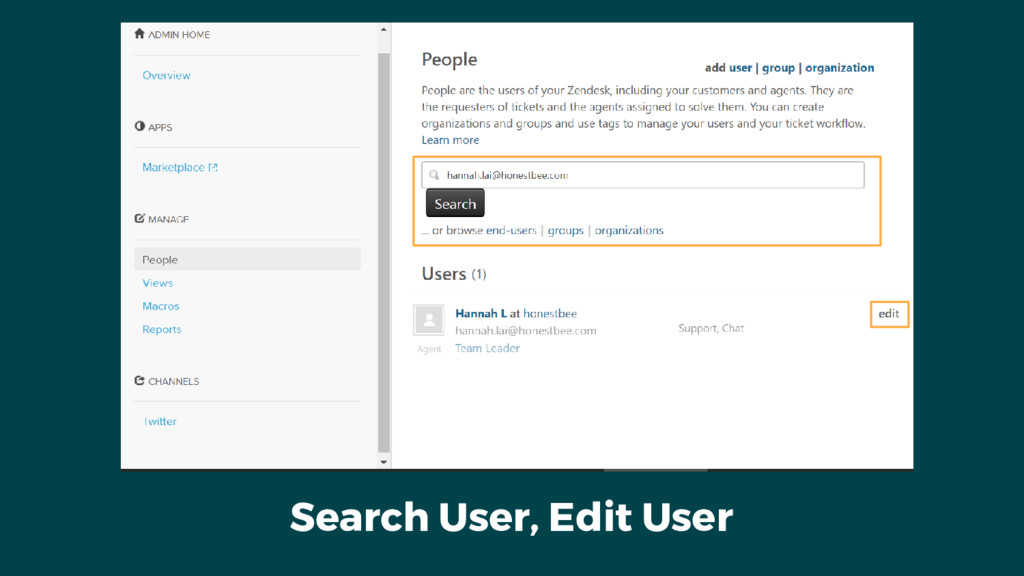
Search User, Edit User
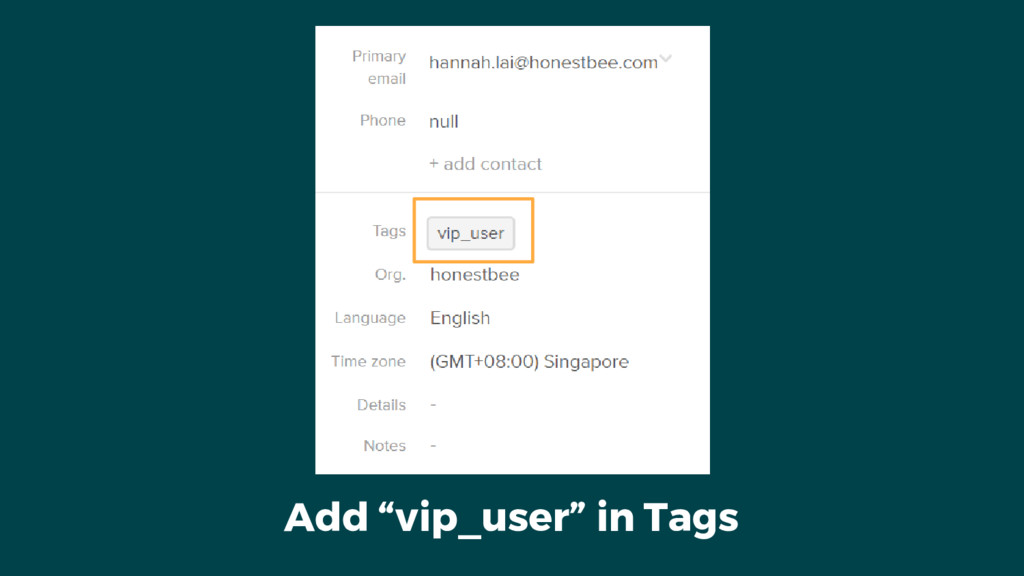
Add “vip_user” in Tags
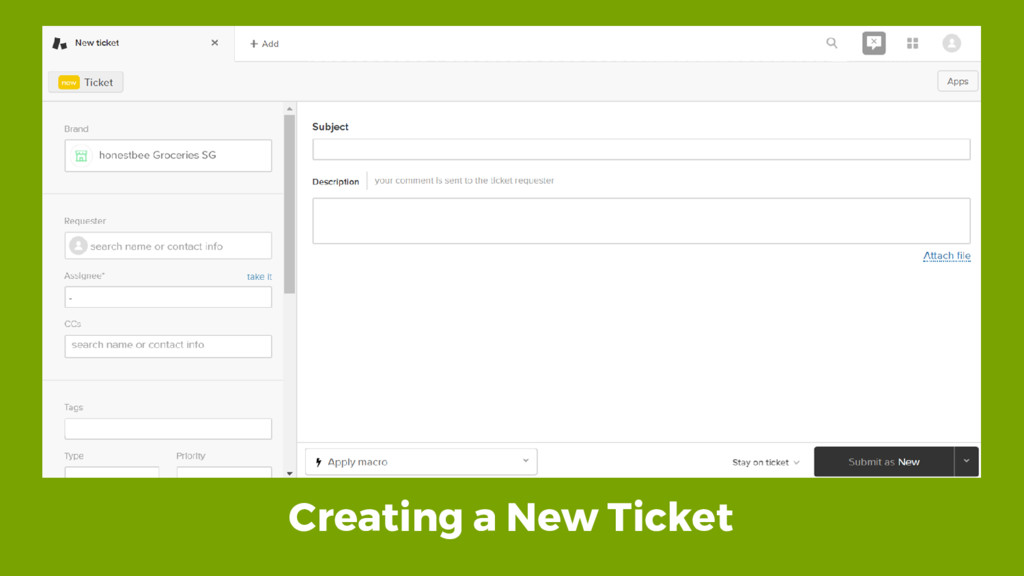
Creating a New Ticket
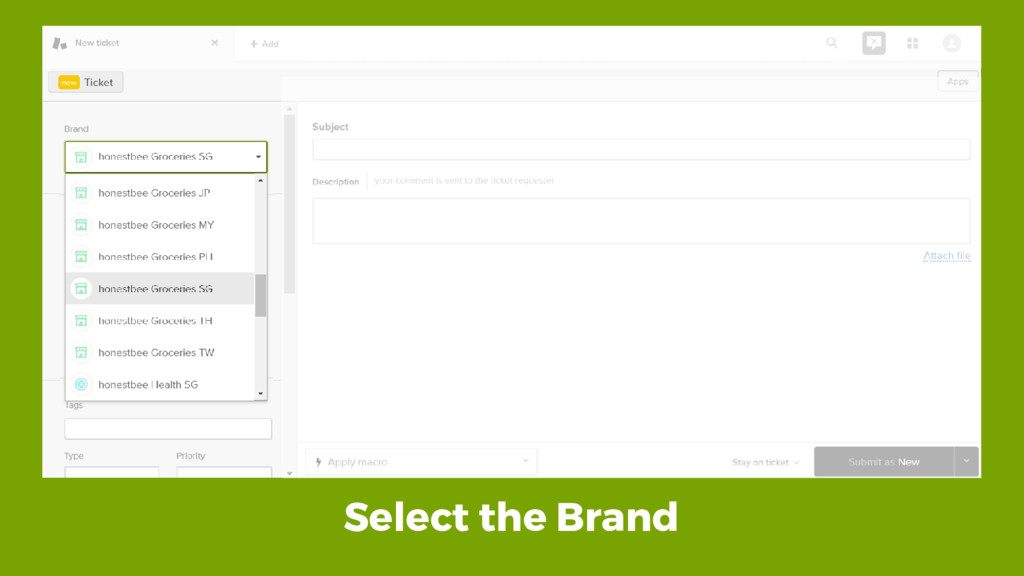
Select the Brand
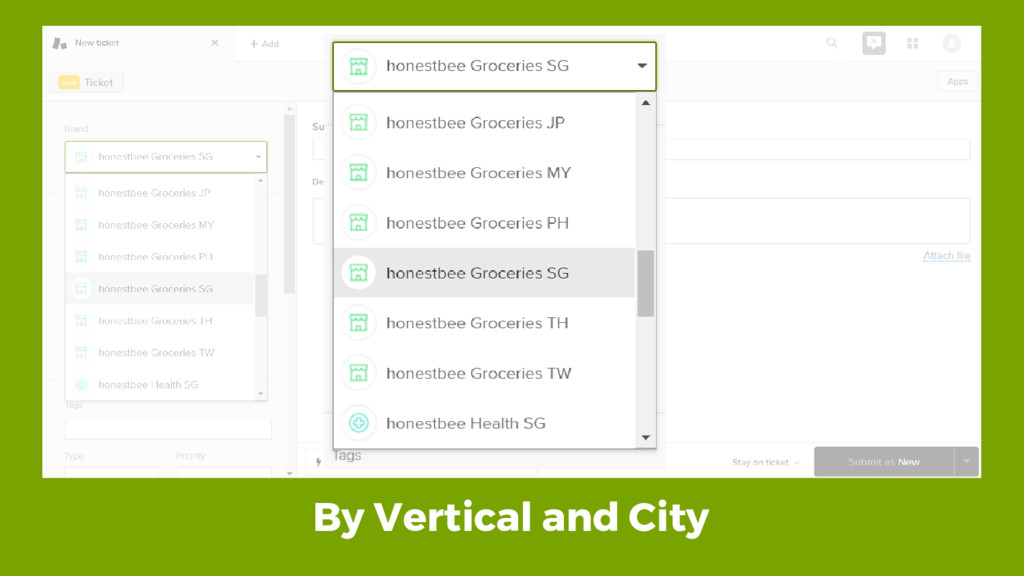
By Vertical and City
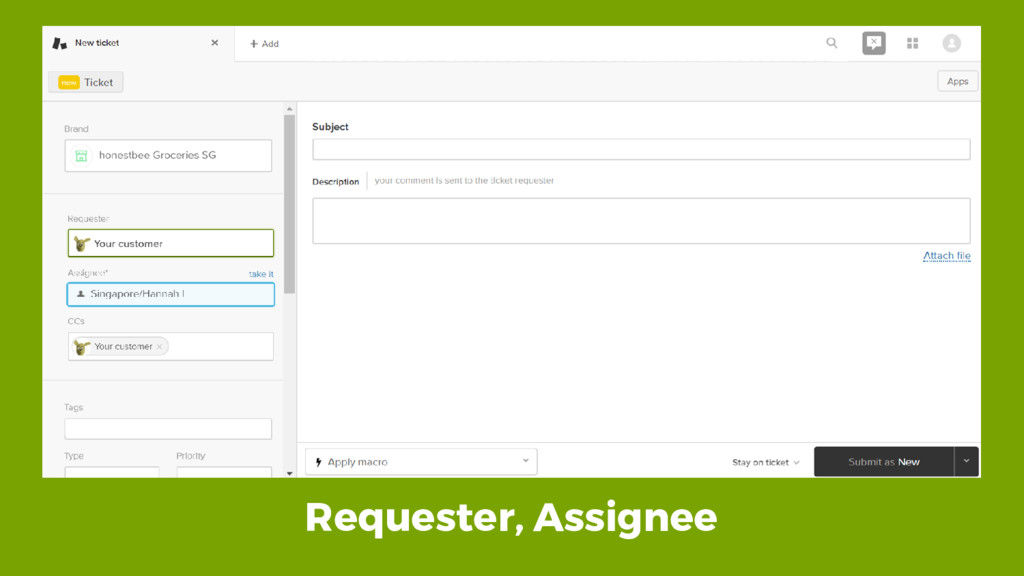
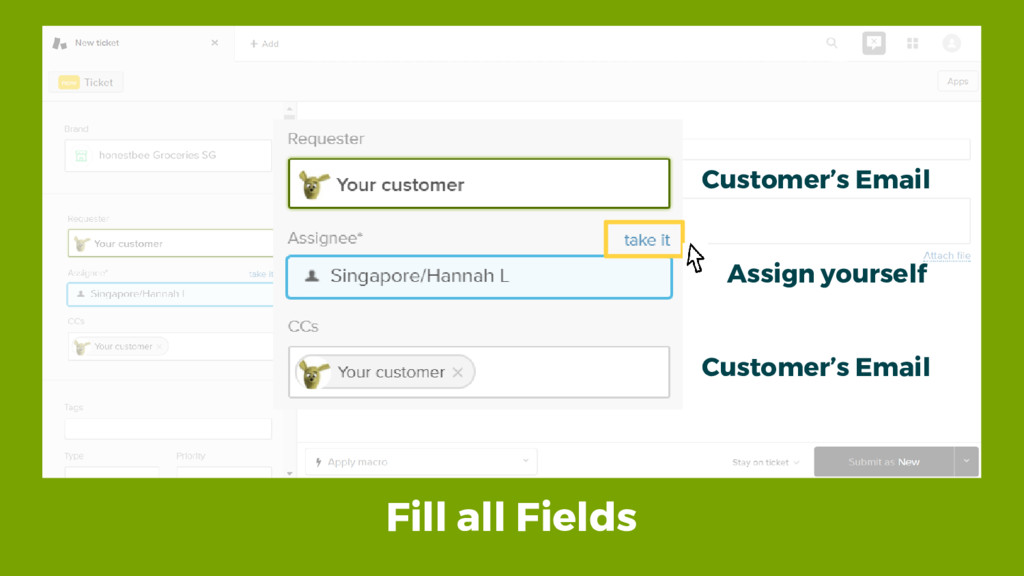
Requester, Assignee
Fill all Fields Customer’s Email Customer’s Email Assign yourself
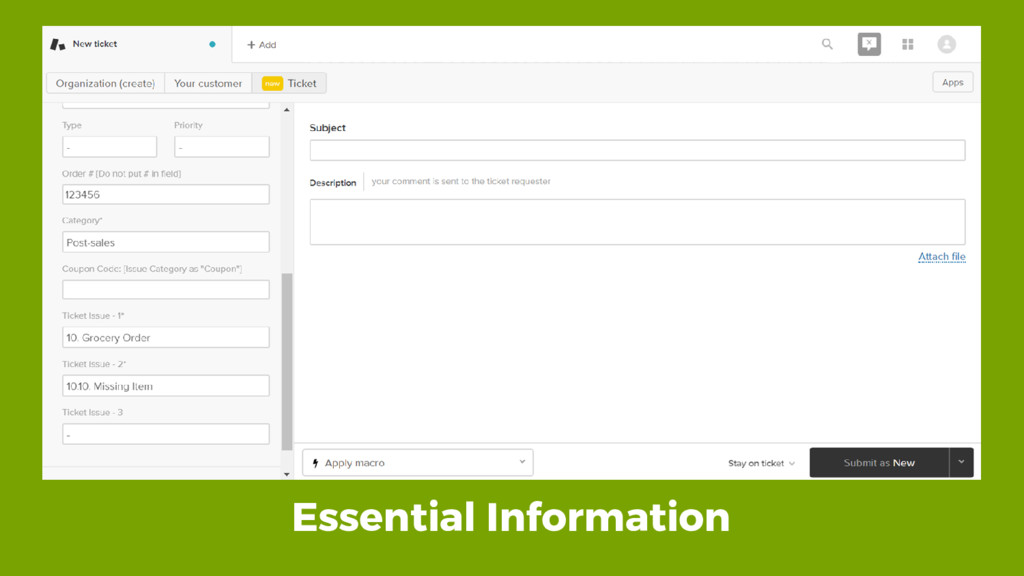
Essential Information
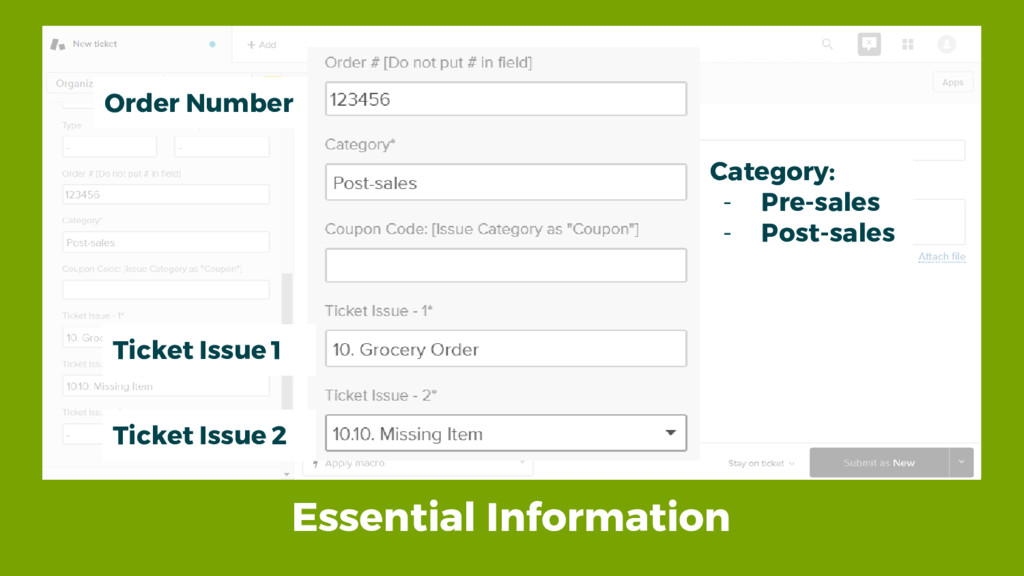
Essential Information Order Number Category: - Pre-sales - Post-sales Ticket
Issue 1 Ticket Issue 2
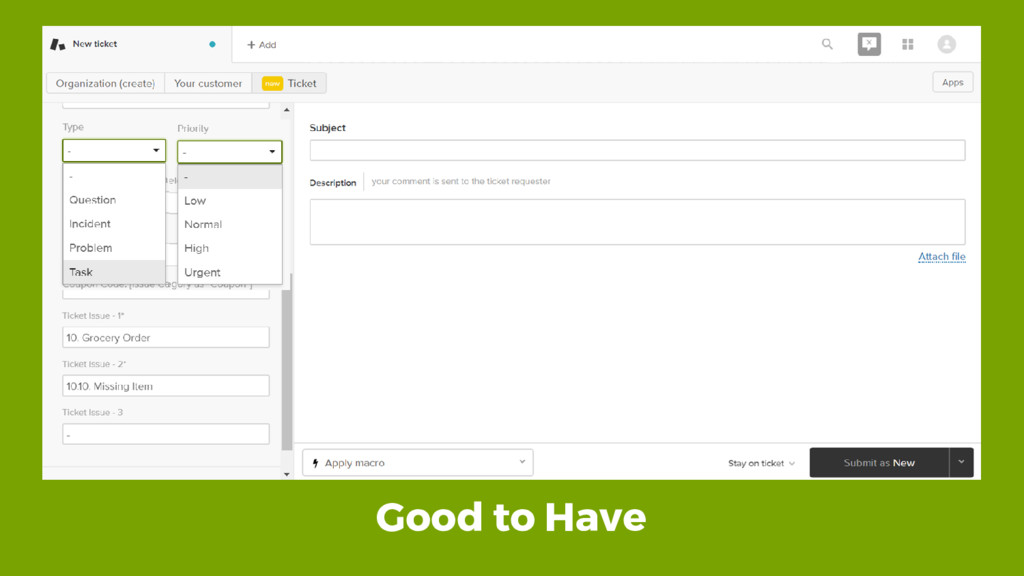
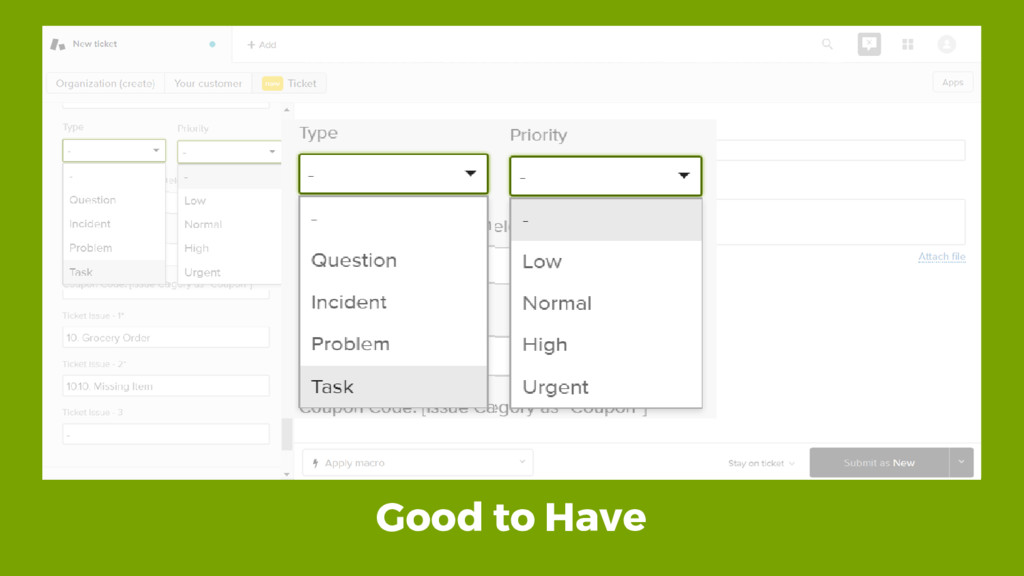
Good to Have
Good to Have
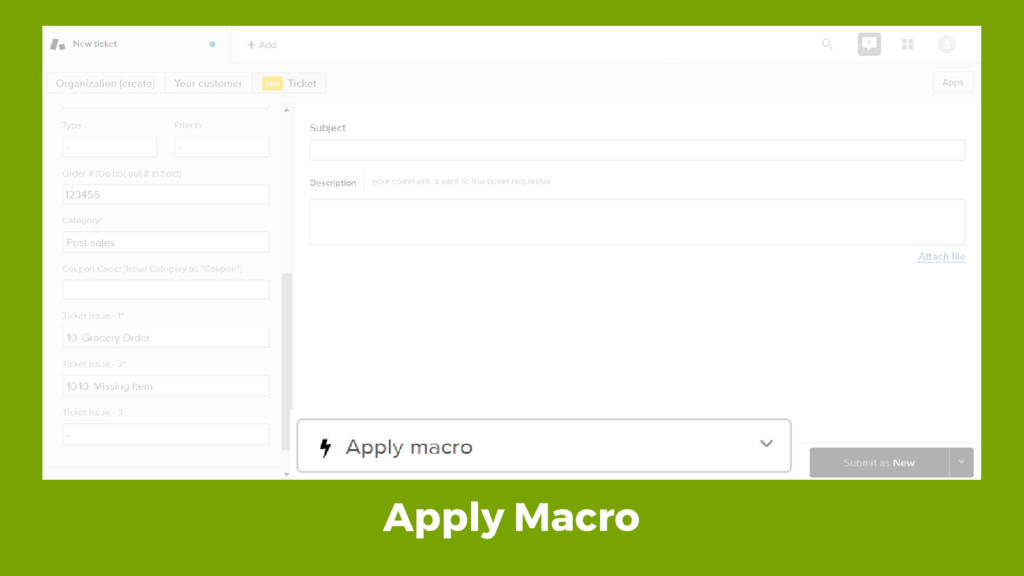
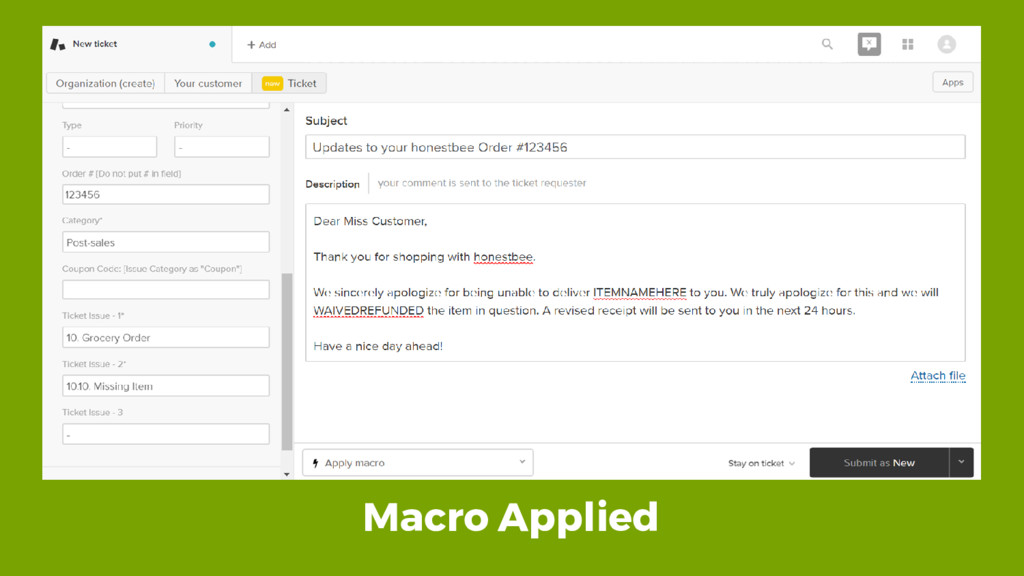
Apply Macro
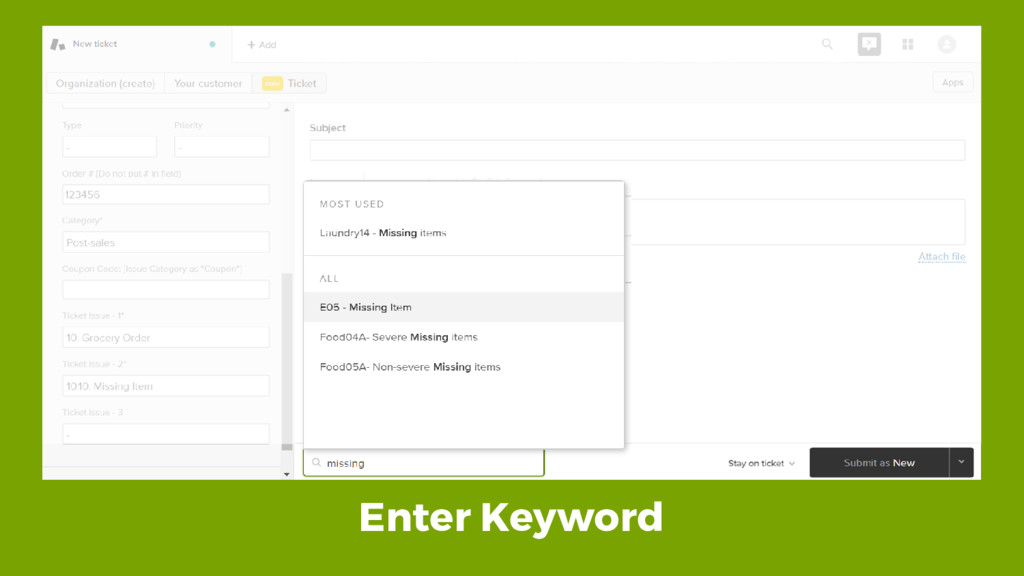
Enter Keyword
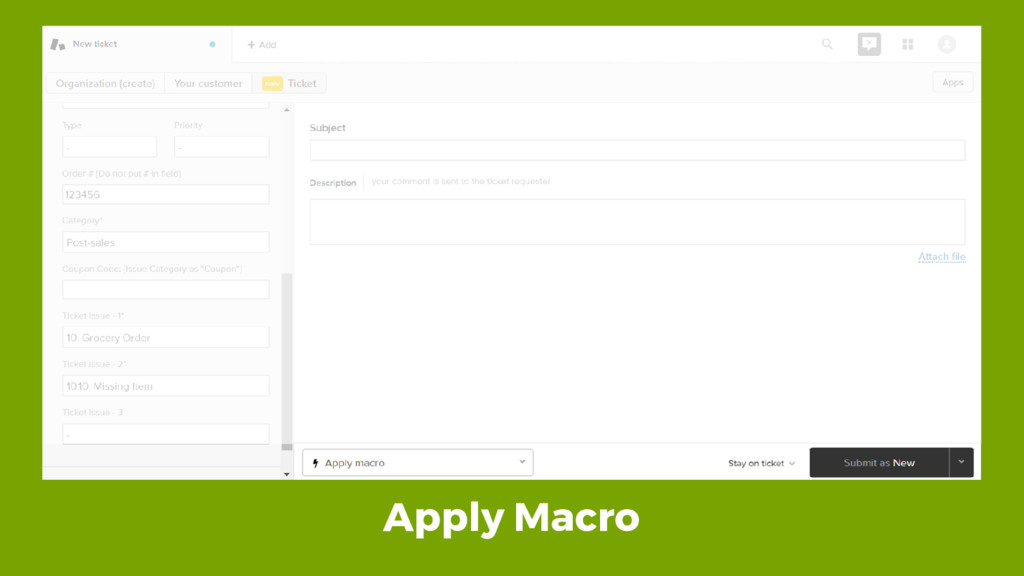
Apply Macro
Macro Applied
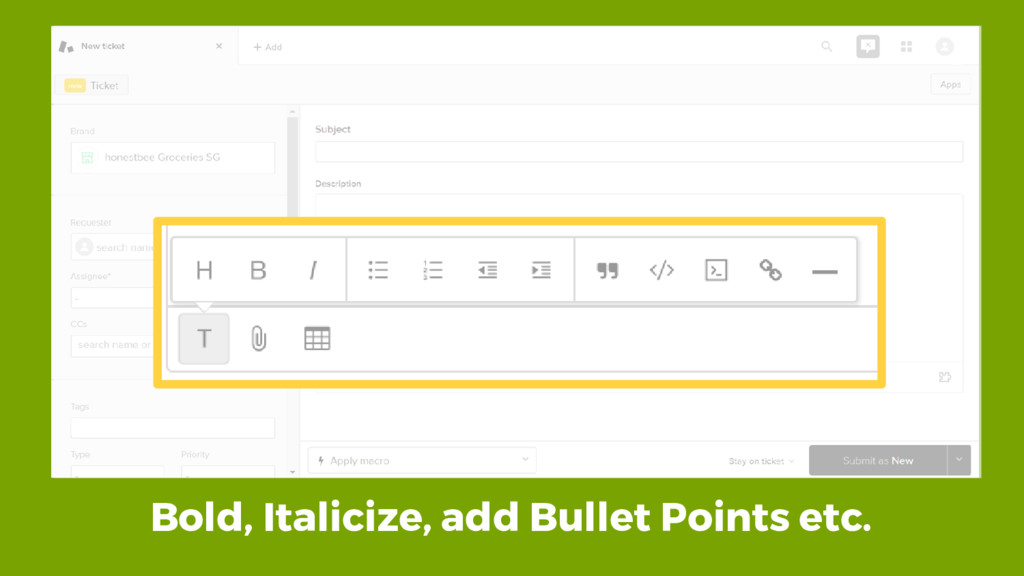
Bold, Italicize, add Bullet Points etc.
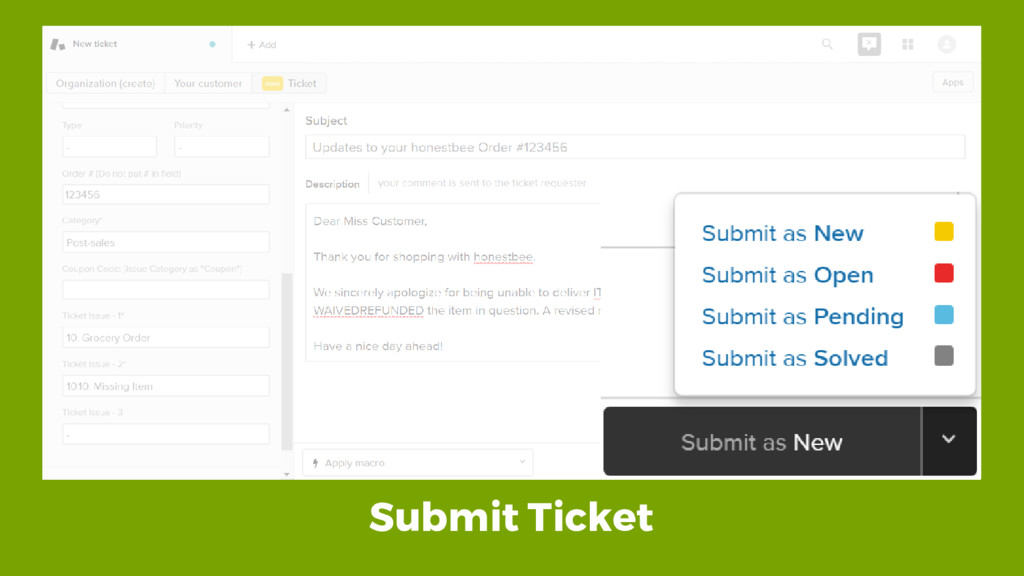
Submit Ticket
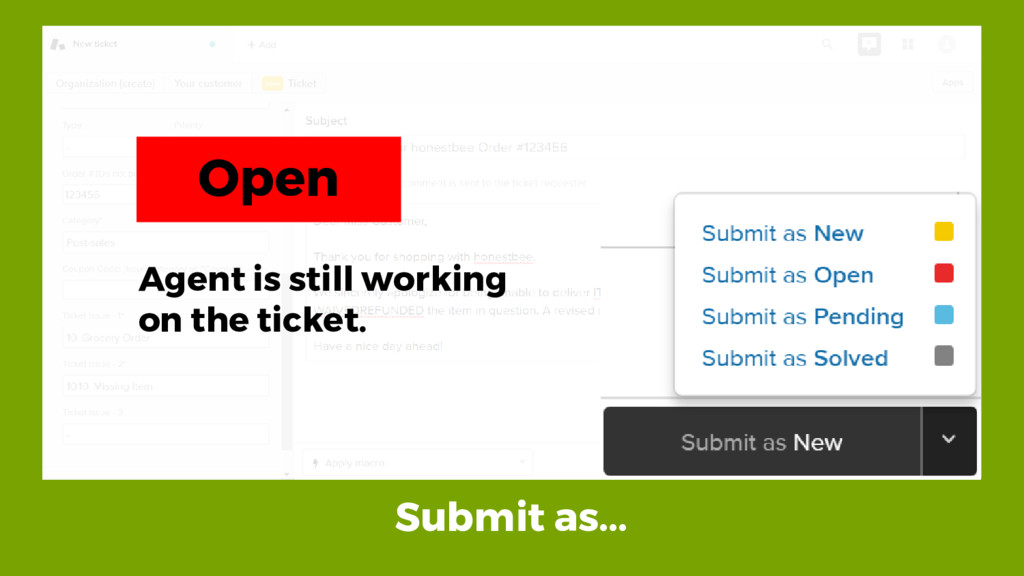
Submit as... Open Agent is still working on the ticket.
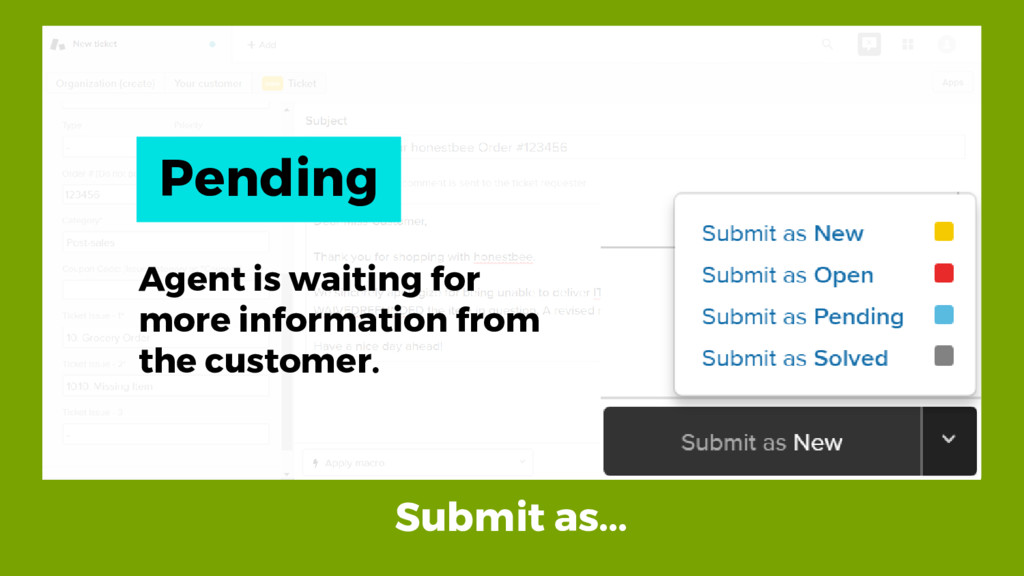
Submit as... Pending Agent is waiting for more information from
the customer.
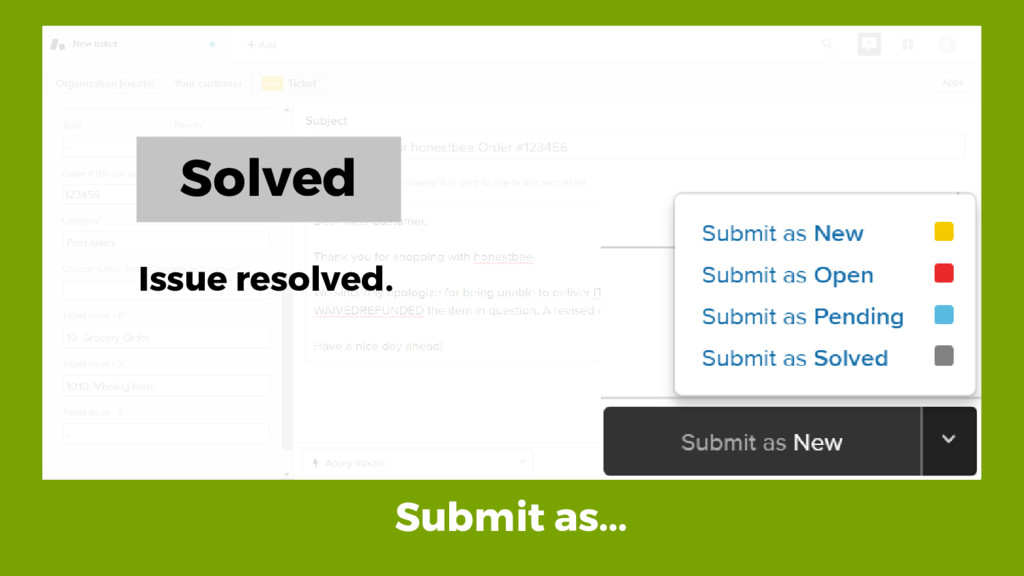
Submit as... Solved Issue resolved.
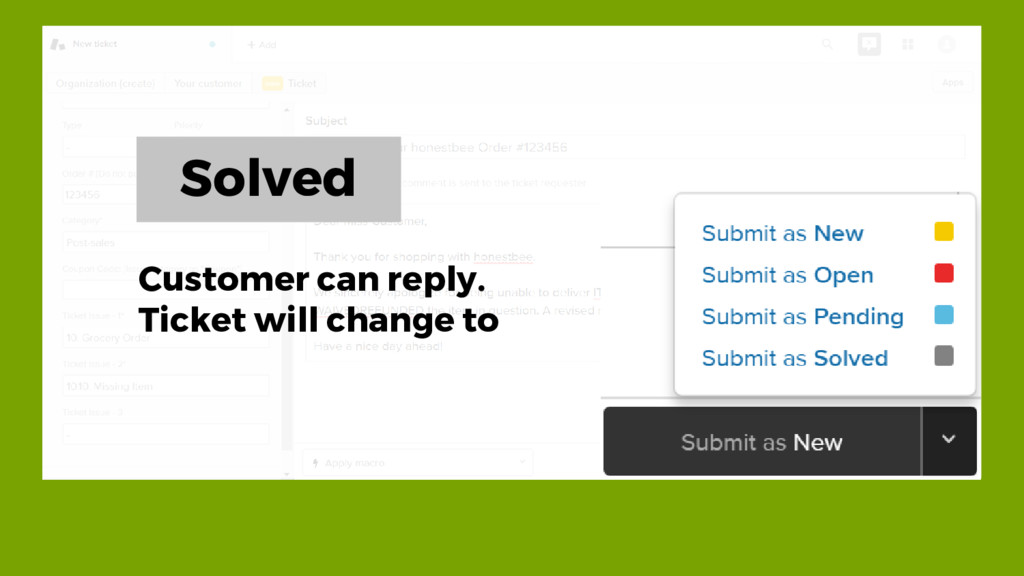
Solved Customer can reply. Ticket will change to
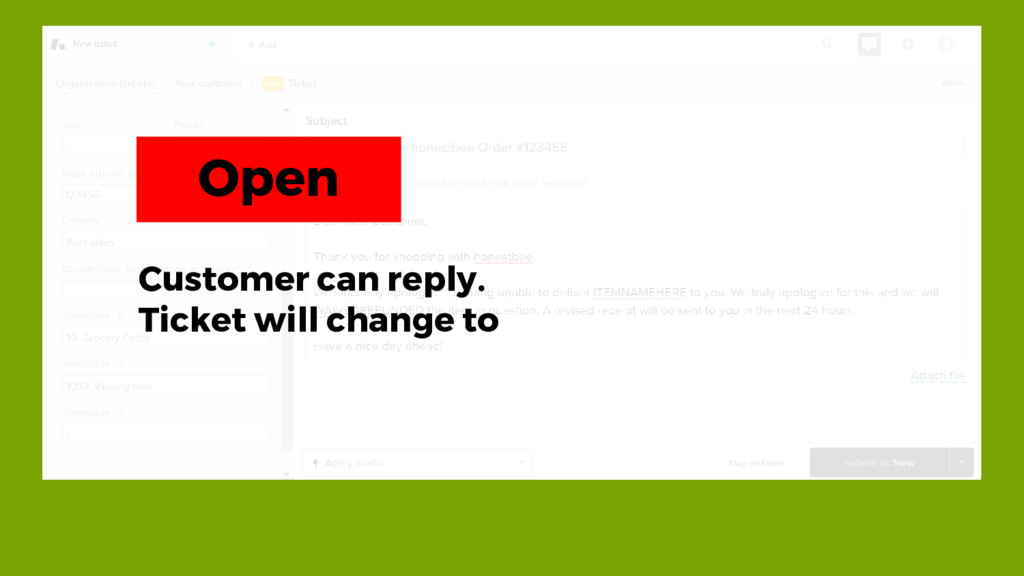
Solved Customer can reply. Ticket will change to Open
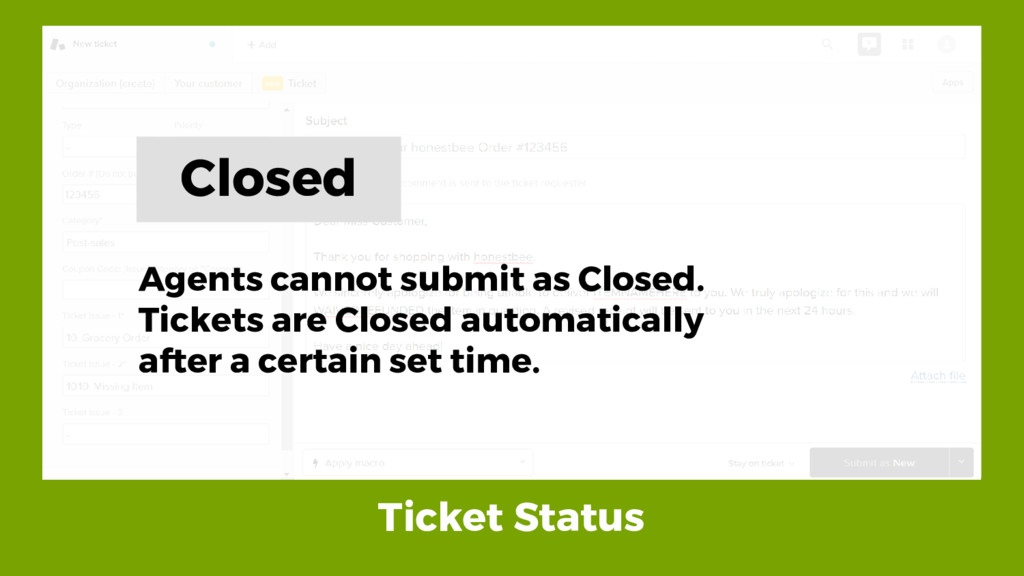
Ticket Status Closed Agents cannot submit as Closed. Tickets are
Closed automatically after a certain set time.
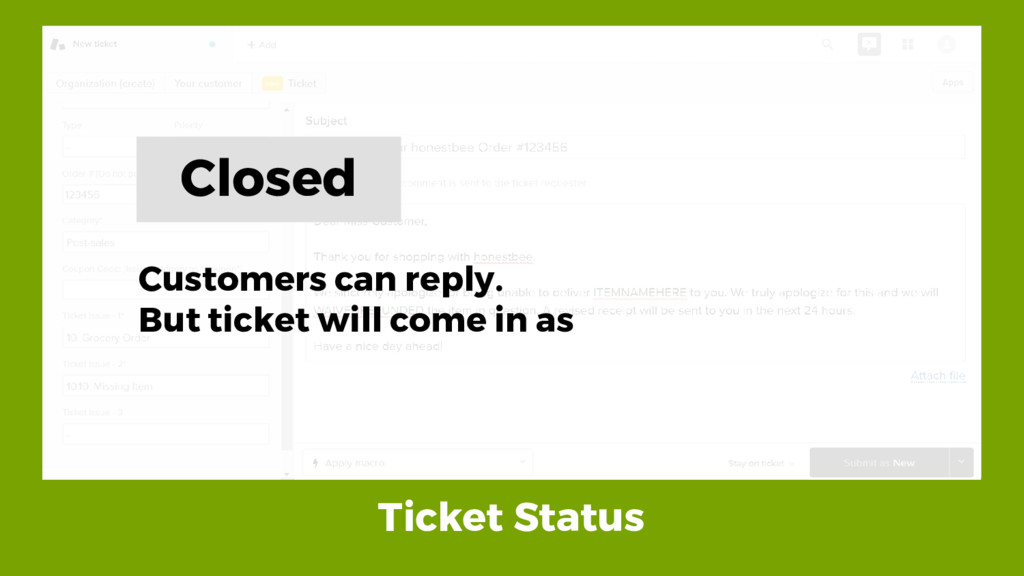
Ticket Status Closed Customers can reply. But ticket will come
in as
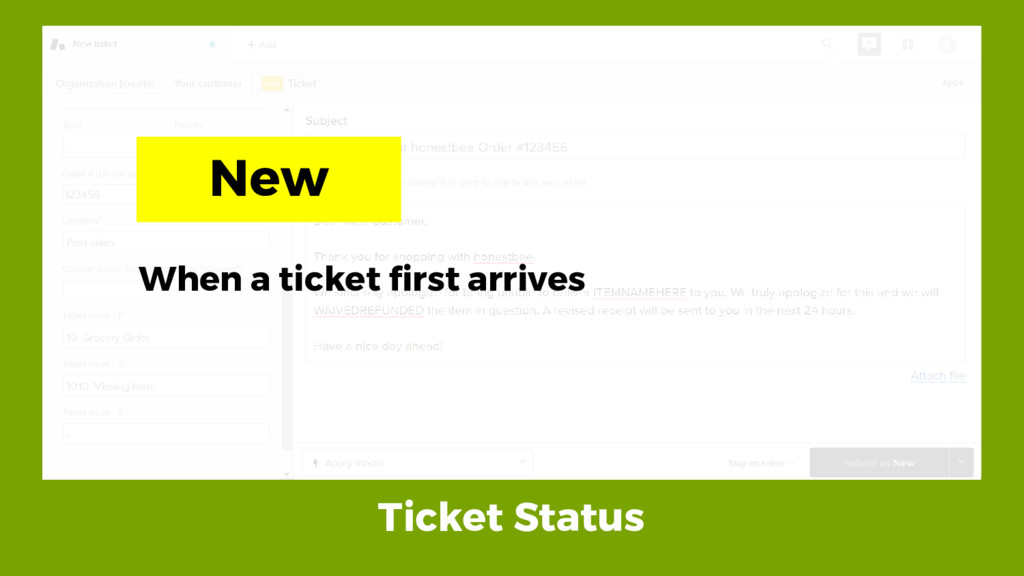
Ticket Status New When a ticket first arrives
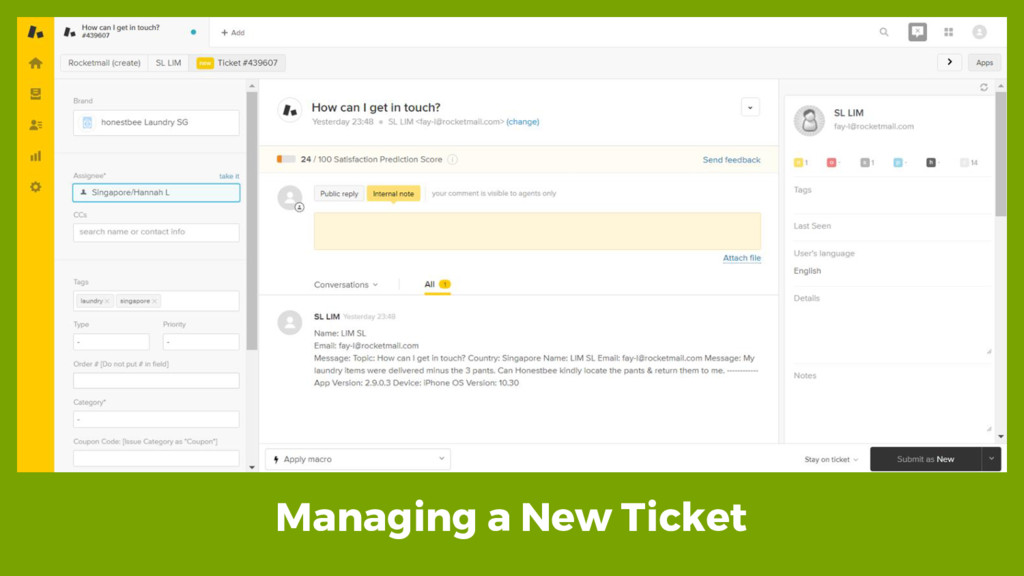
Managing a New Ticket
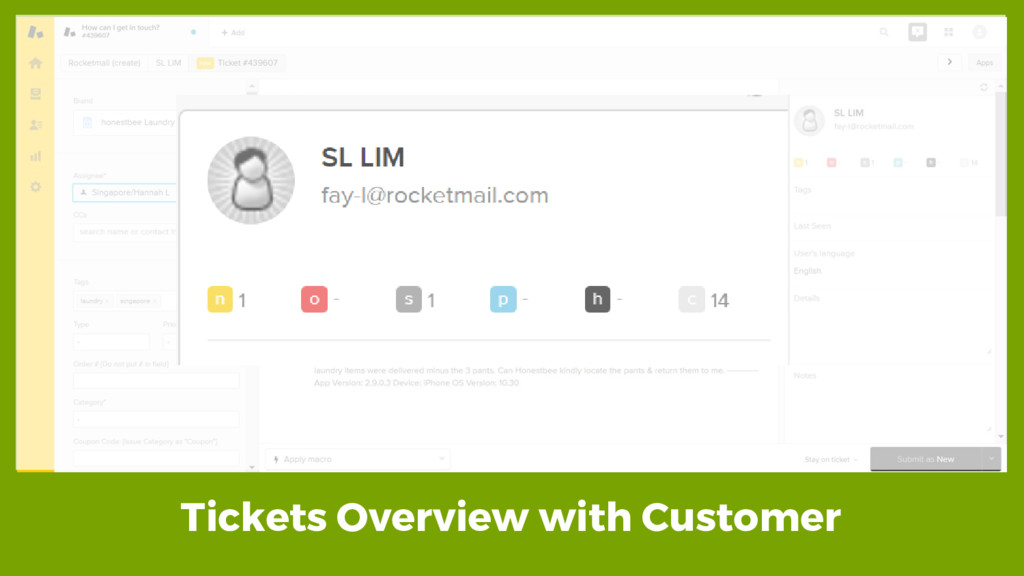
Tickets Overview with Customer
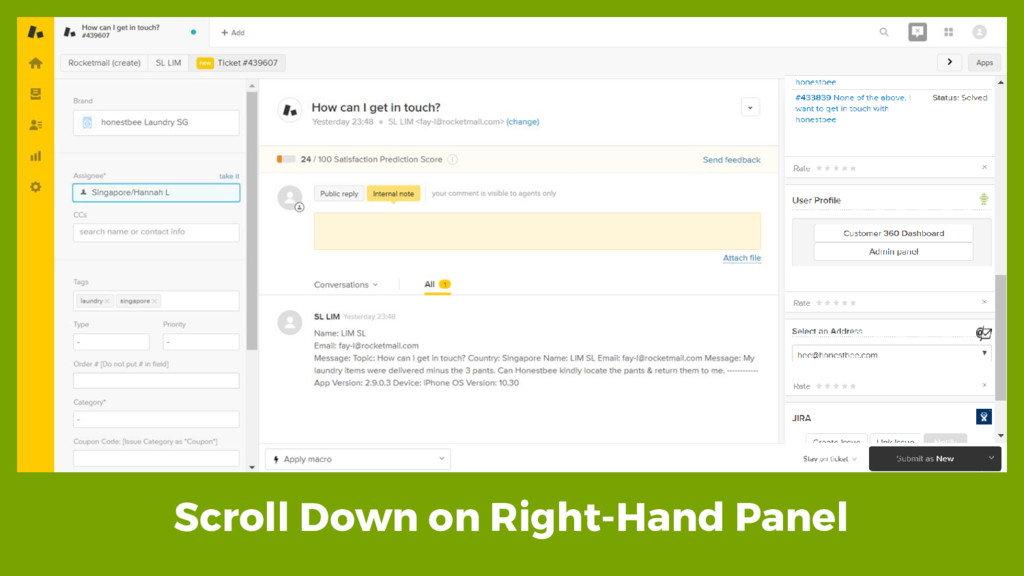
Scroll Down on Right-Hand Panel
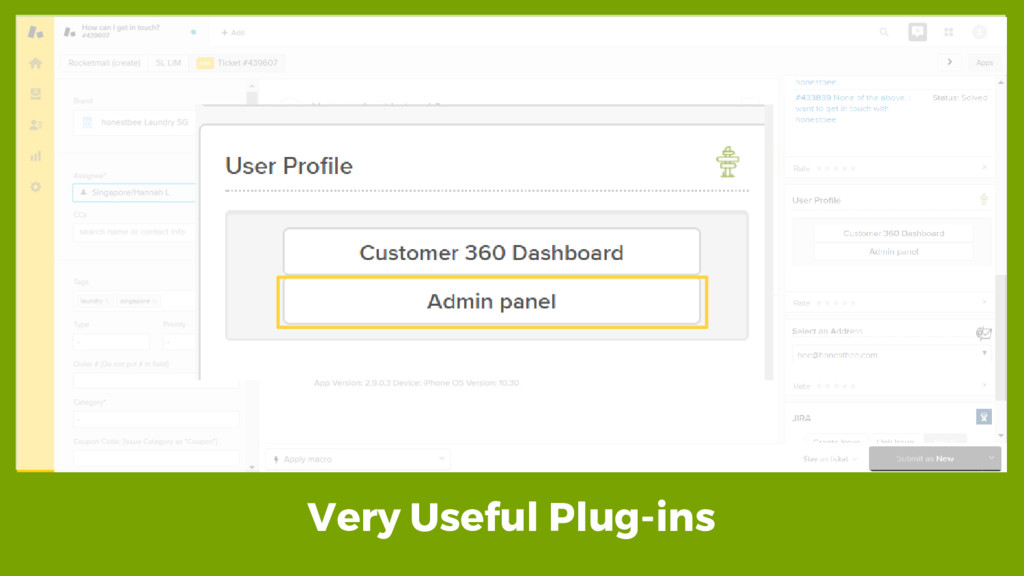
Very Useful Plug-ins
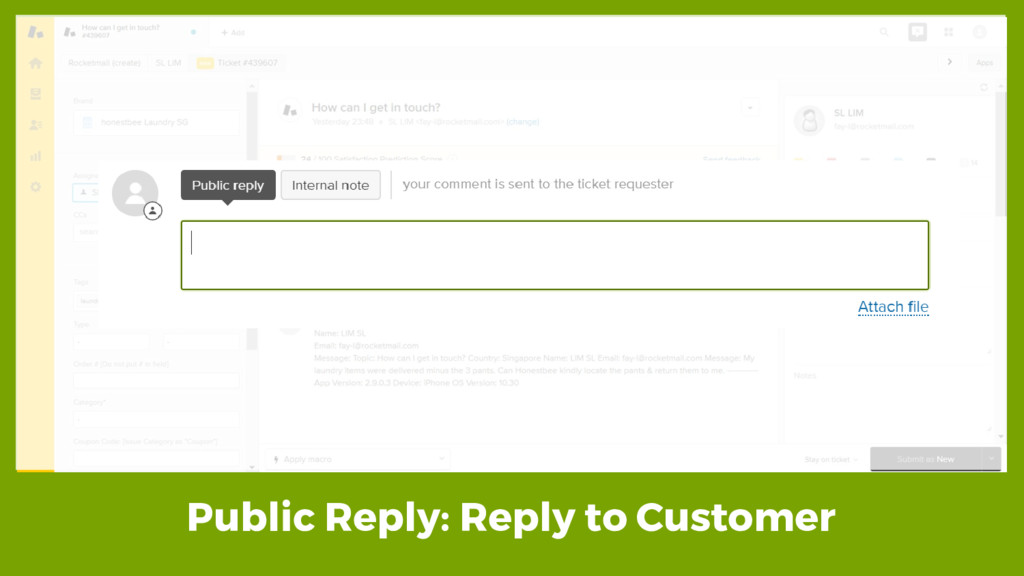
Public Reply: Reply to Customer
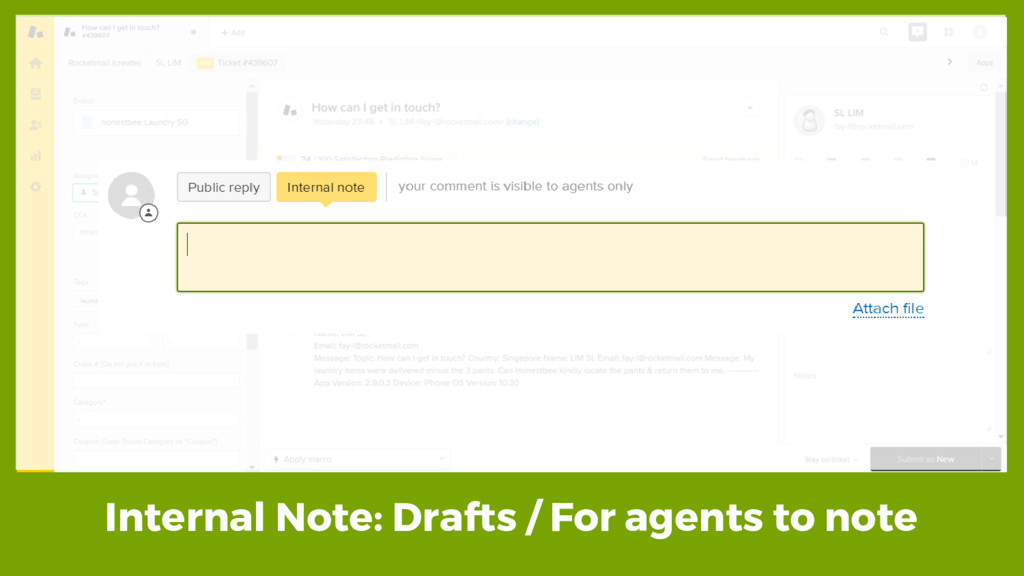
Internal Note: Drafts / For agents to note
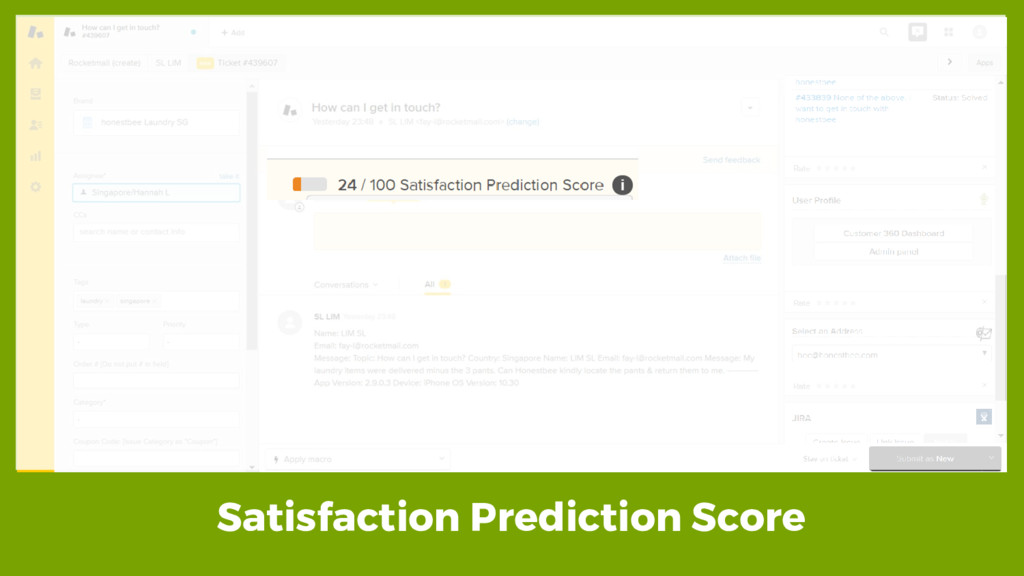
Satisfaction Prediction Score
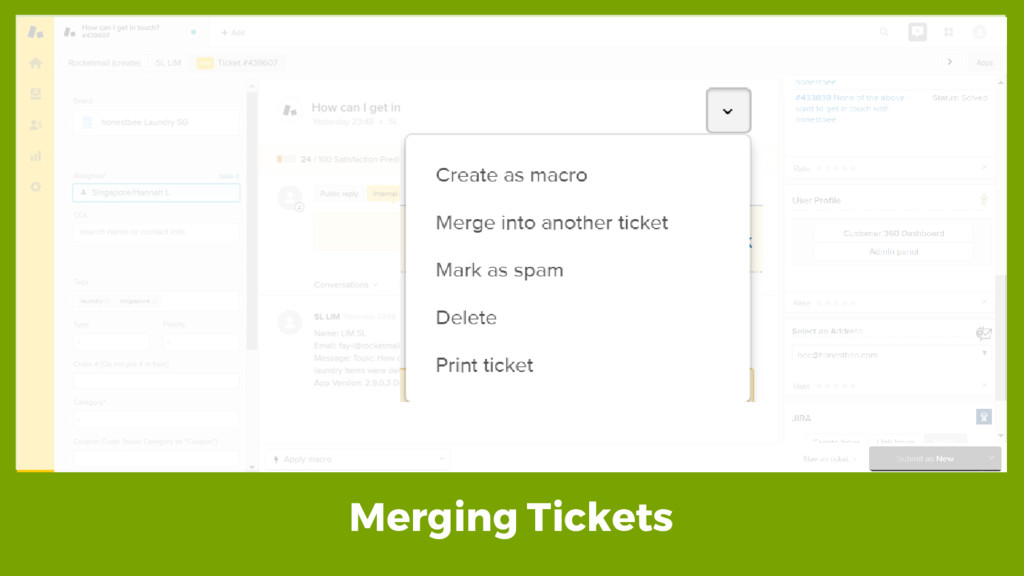
Merging Tickets
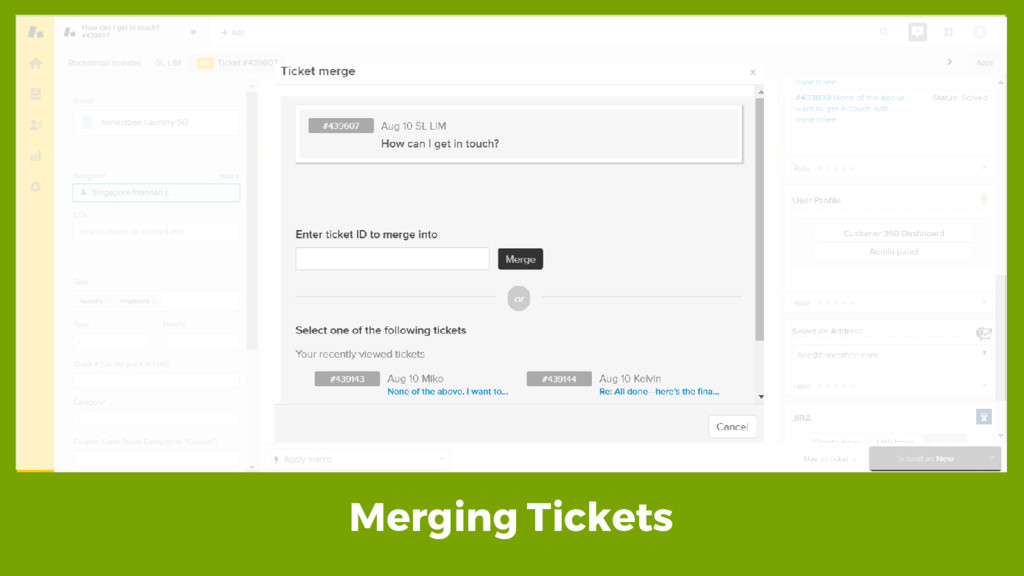
Merging Tickets
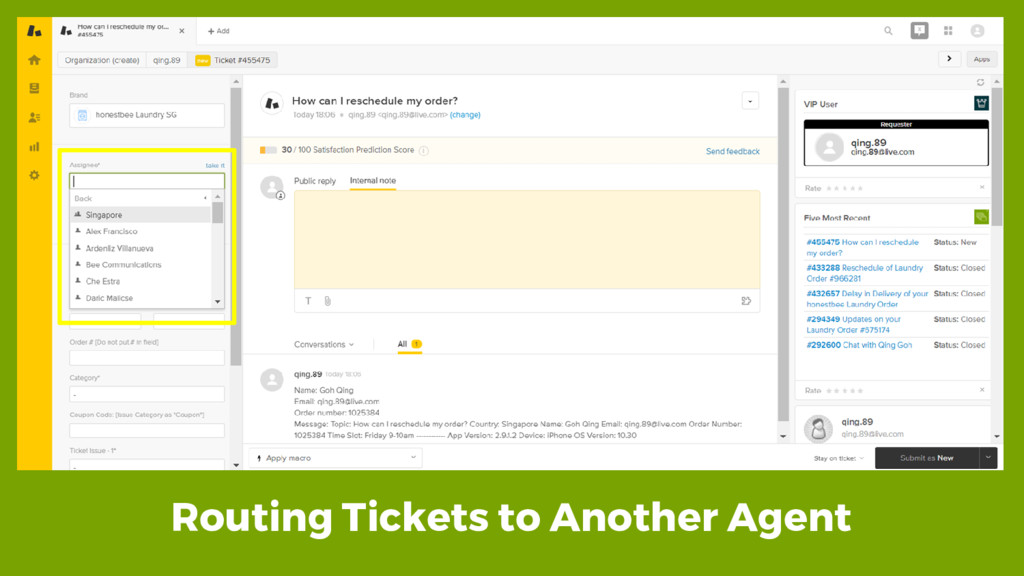
Routing Tickets to Another Agent
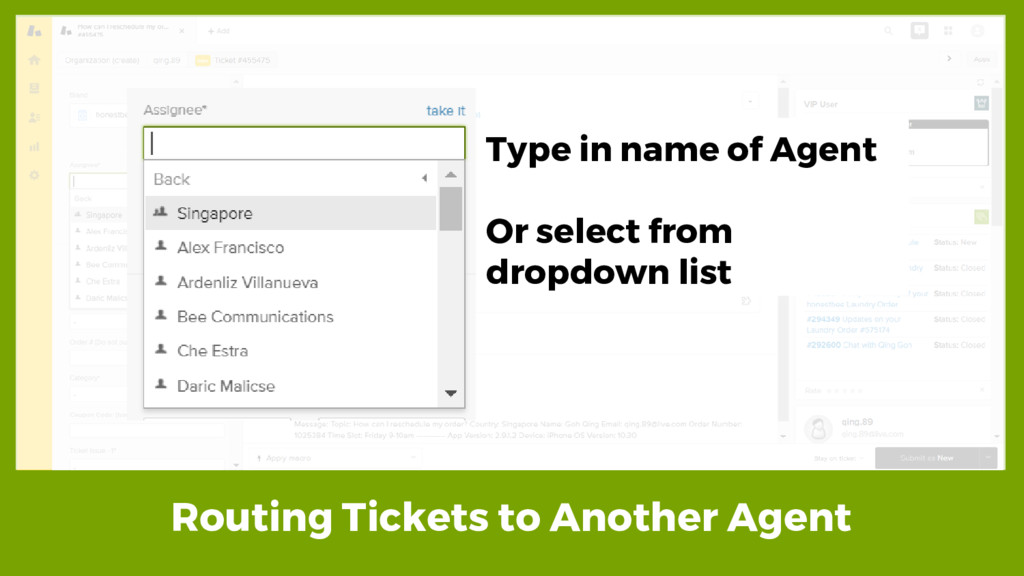
Routing Tickets to Another Agent Type in name of Agent
Or select from dropdown list
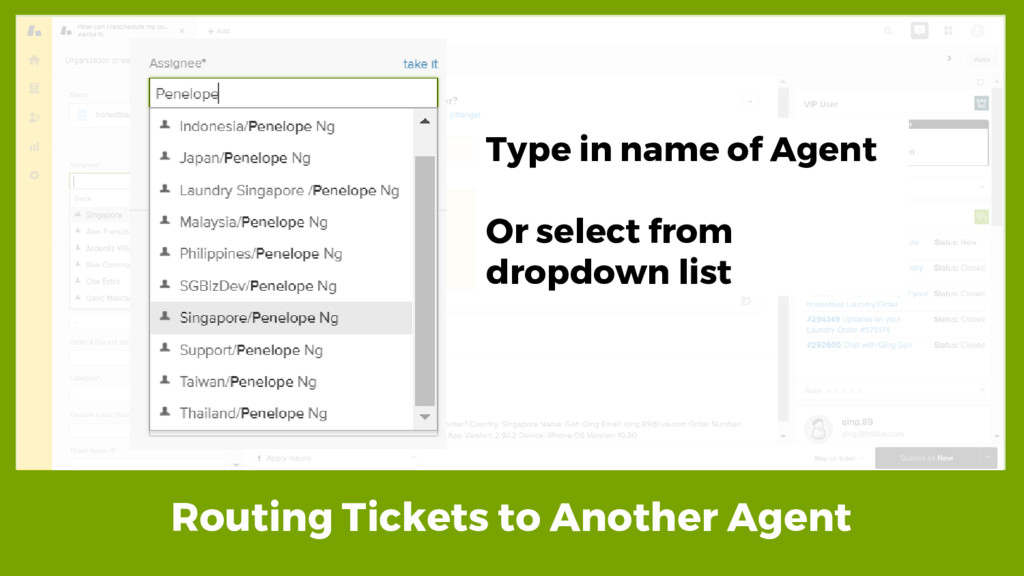
Routing Tickets to Another Agent Type in name of Agent
Or select from dropdown list
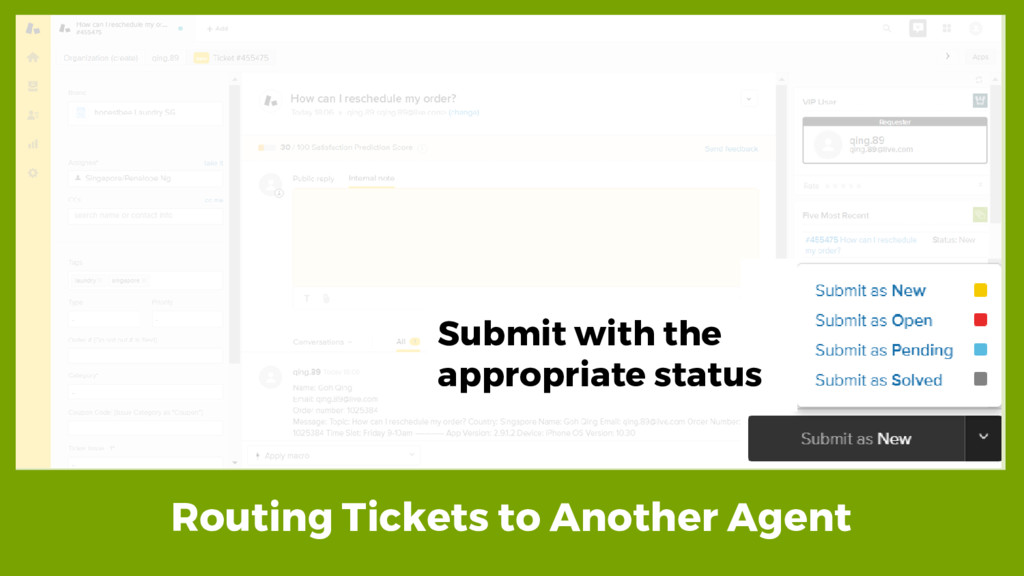
Routing Tickets to Another Agent Submit with the appropriate status
None
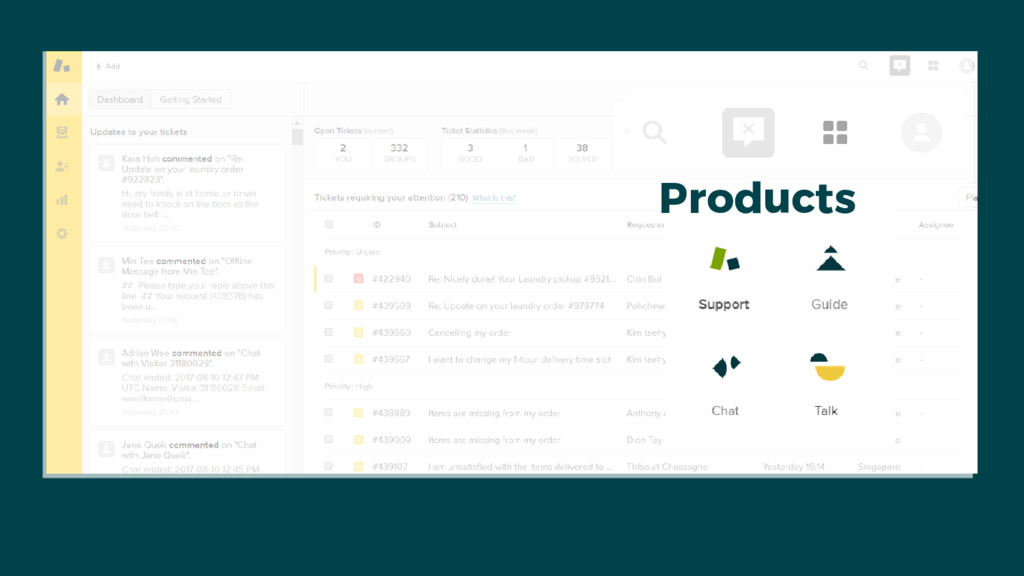
Products
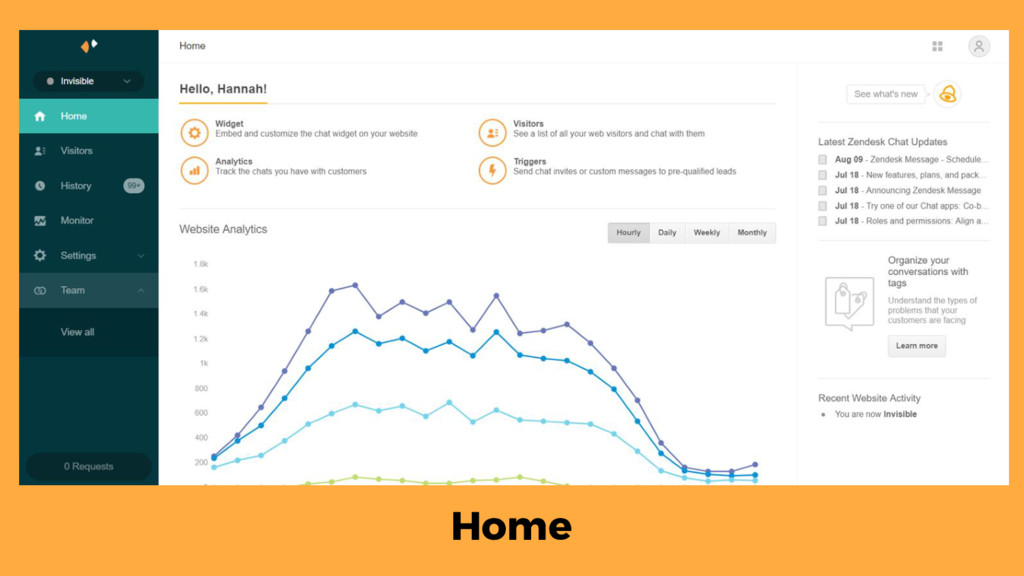
Zendesk Chat
Home
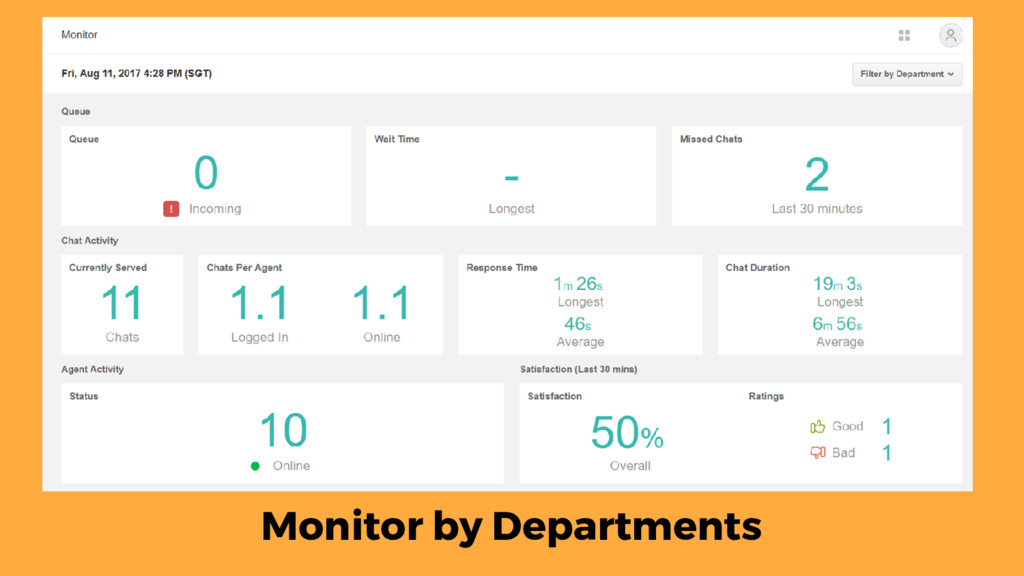
Monitor by Departments
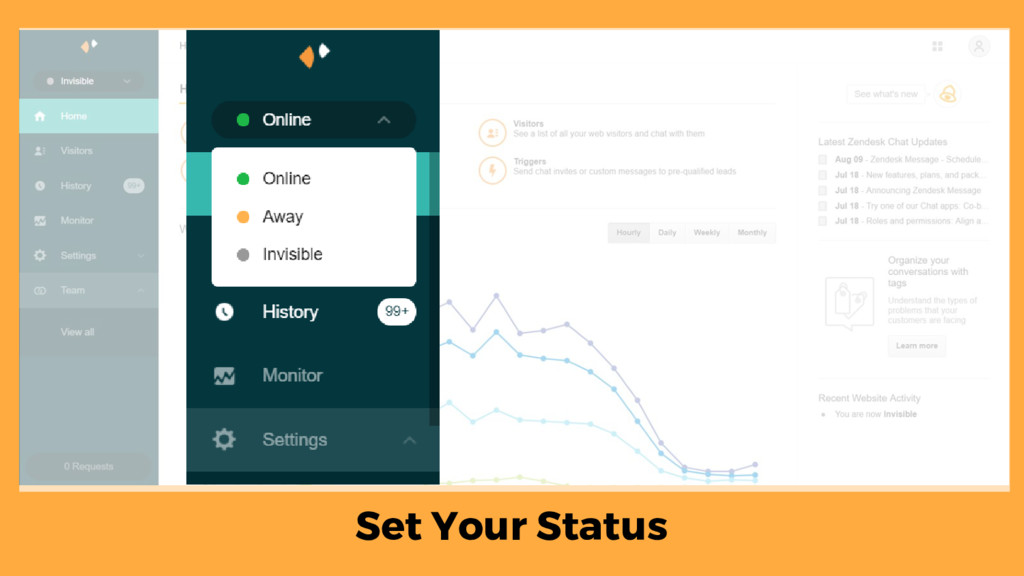
Set Your Status
None
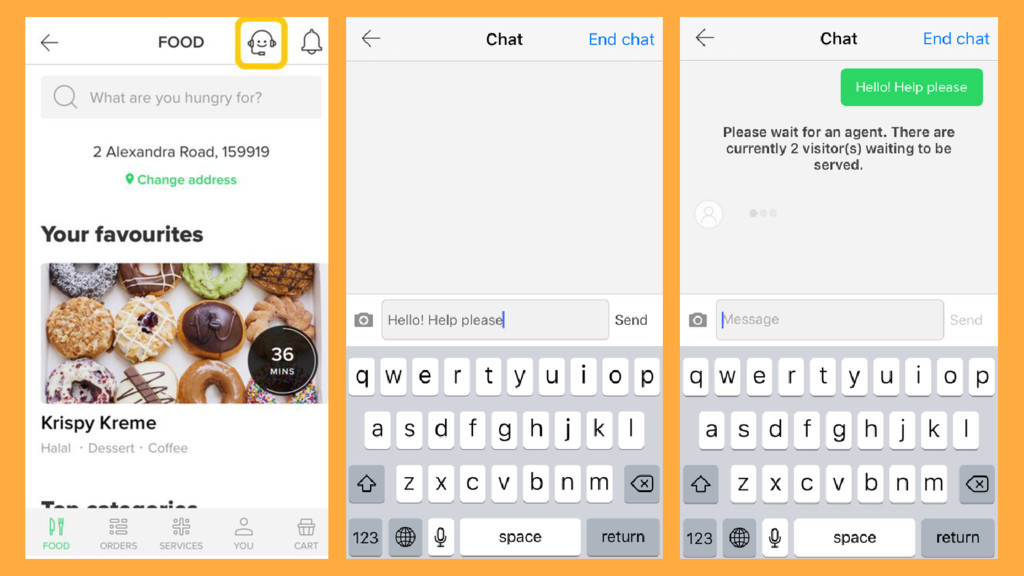
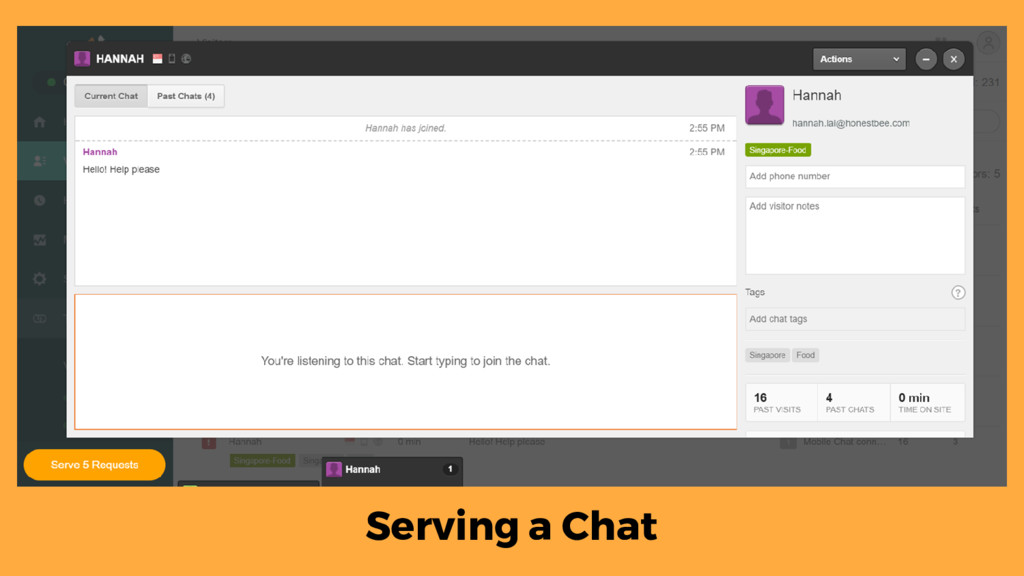
Serving a Chat
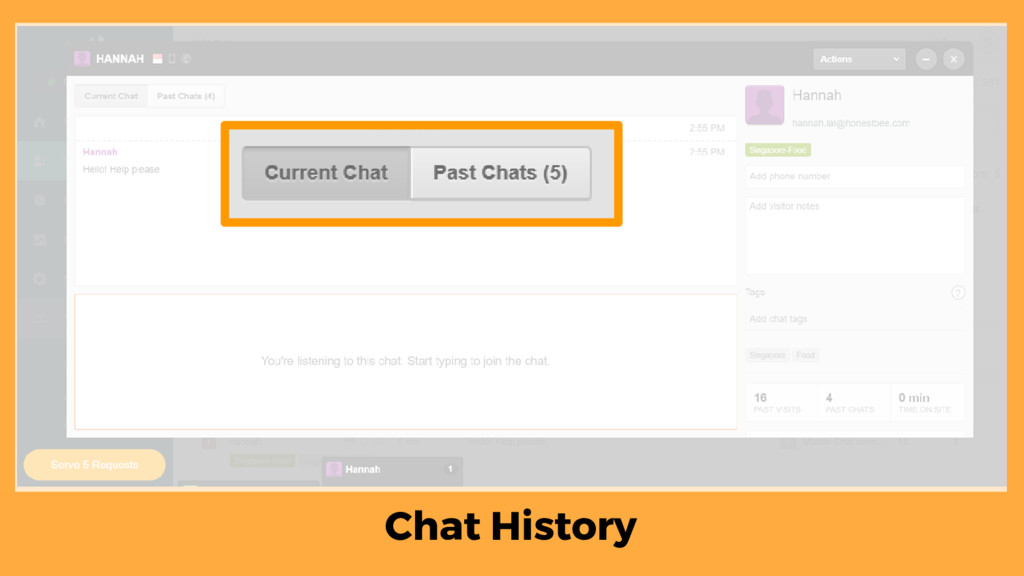
Chat History
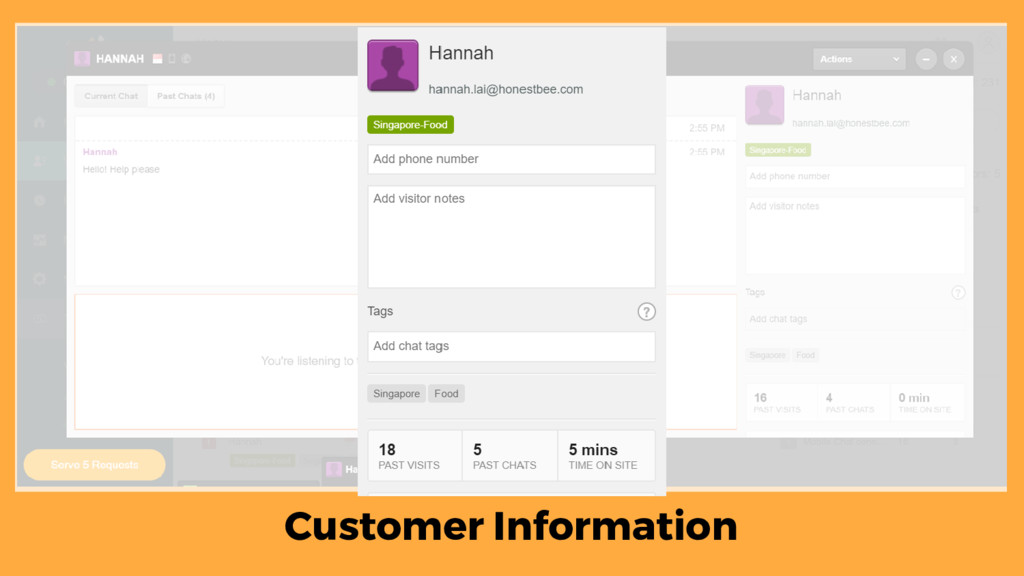
Customer Information
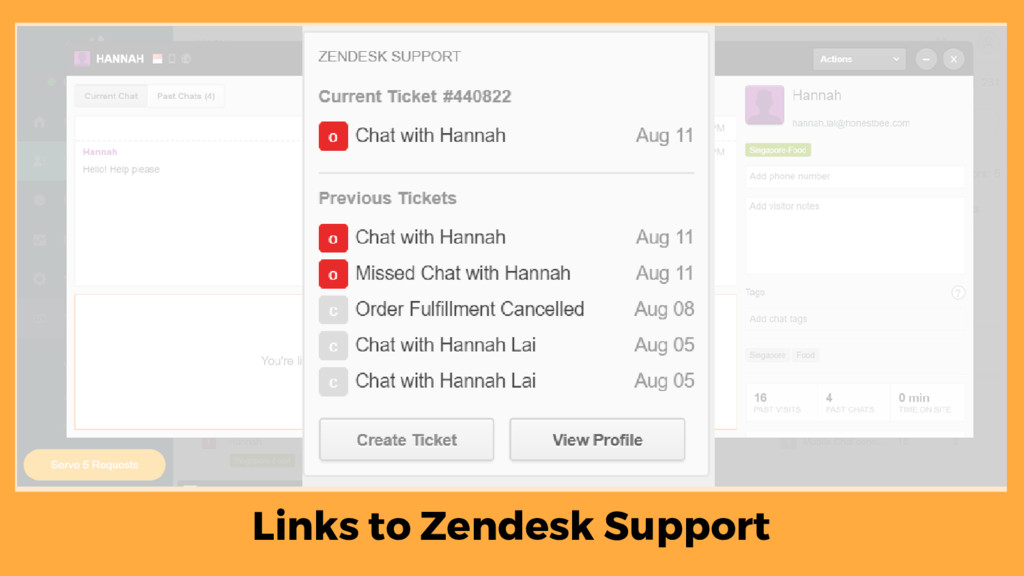
Links to Zendesk Support
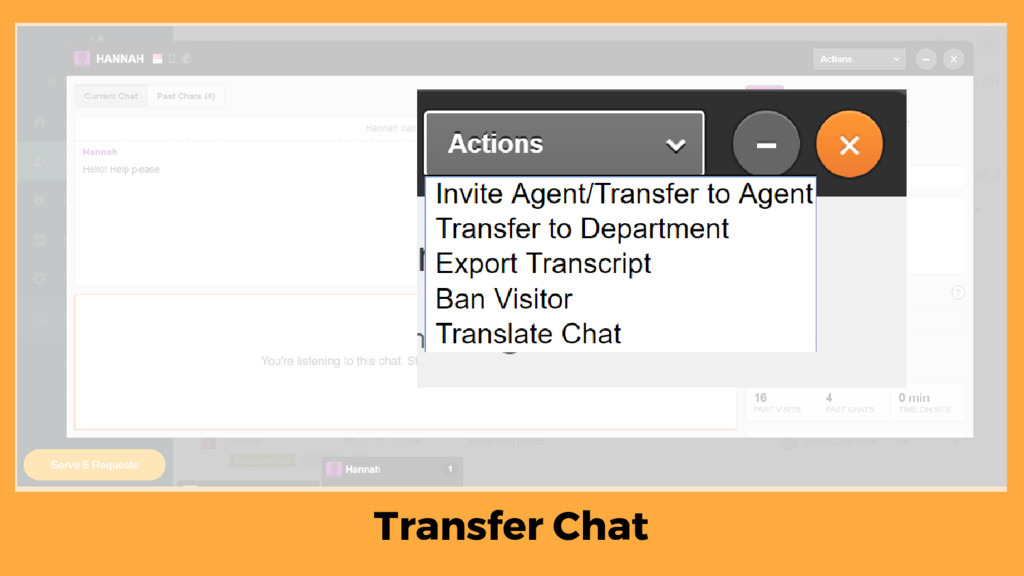
Transfer Chat
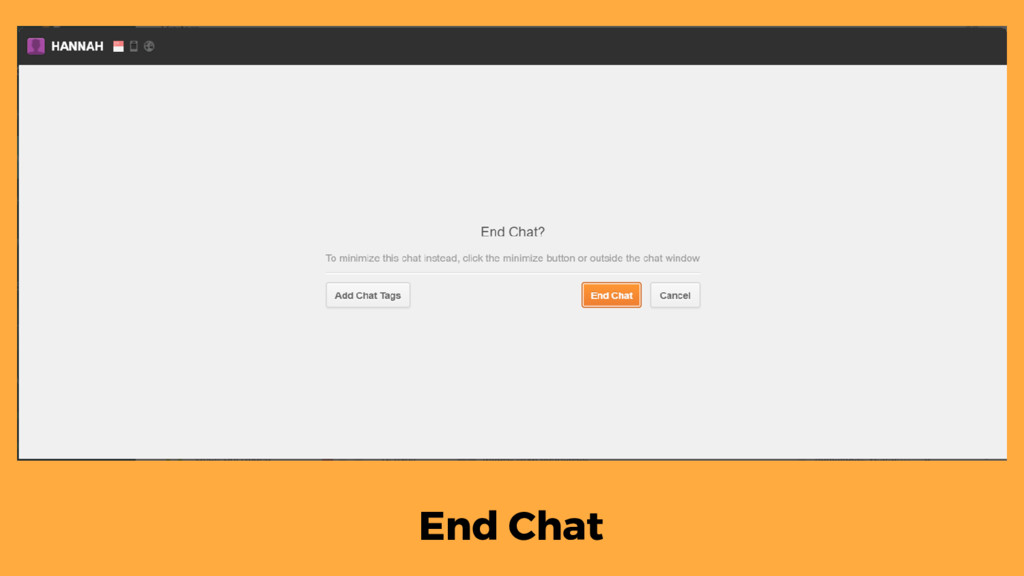
End Chat
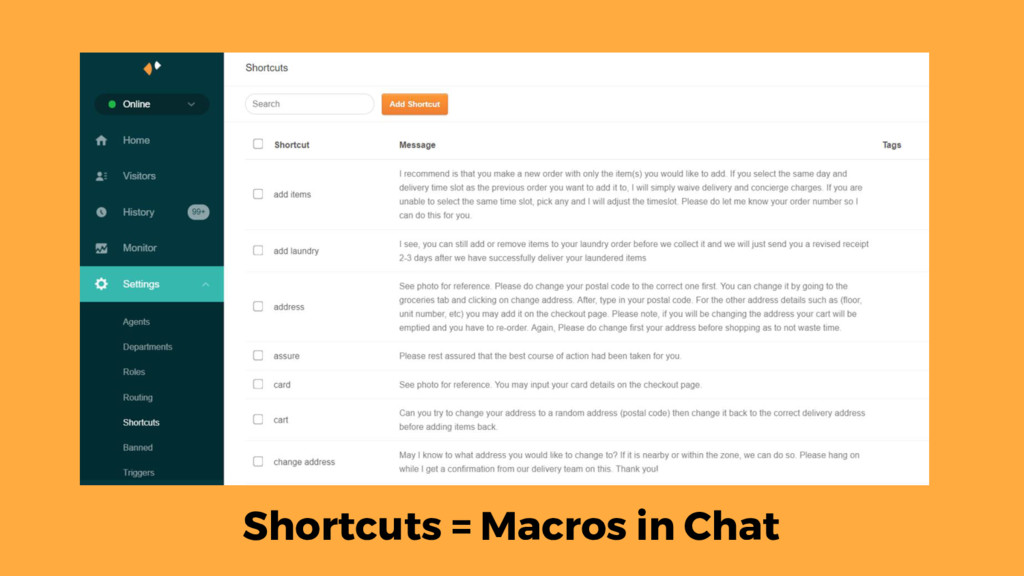
Shortcuts = Macros in Chat
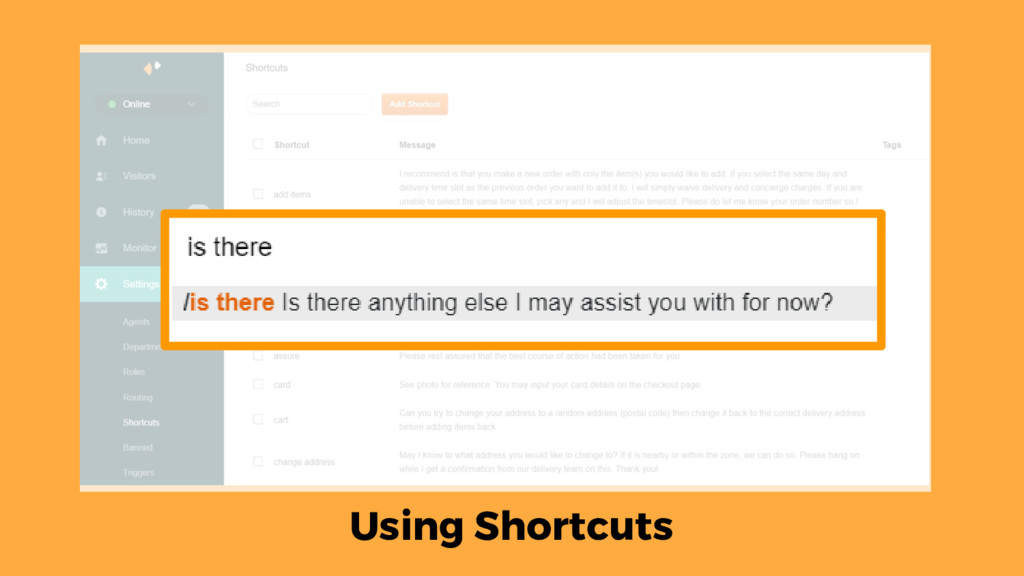
Using Shortcuts
None
Products
None
None
None
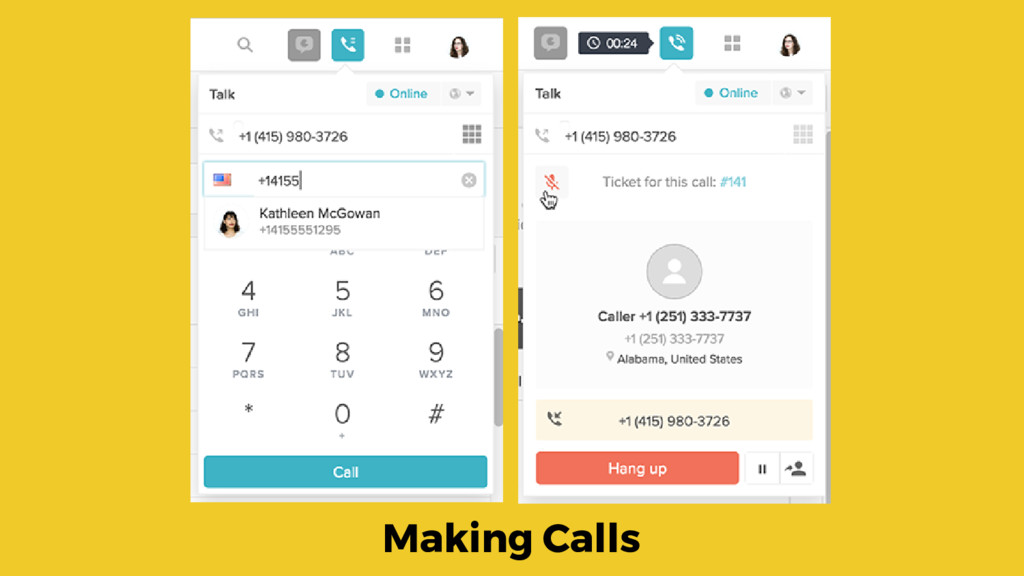
Making Calls
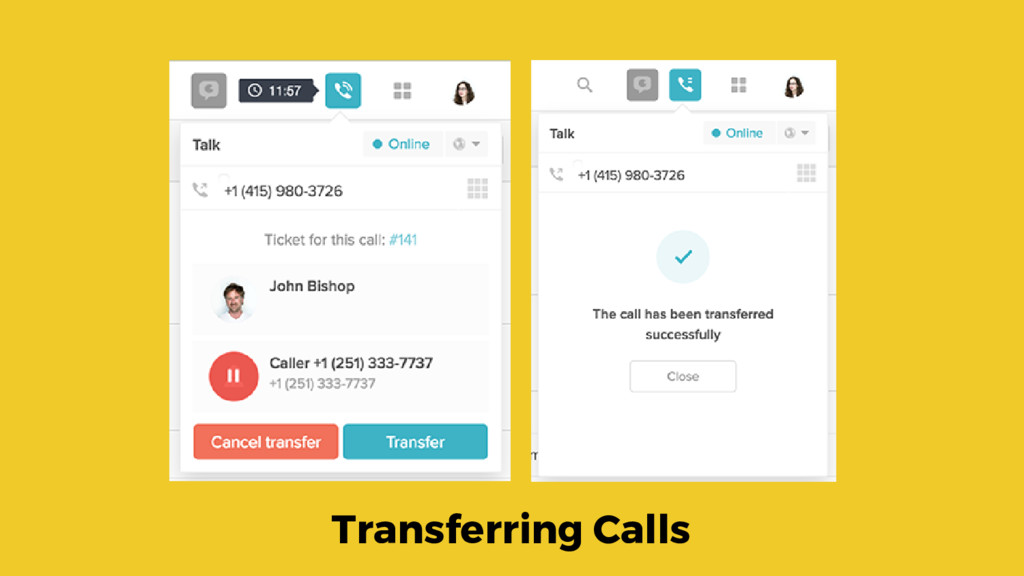
Transferring Calls
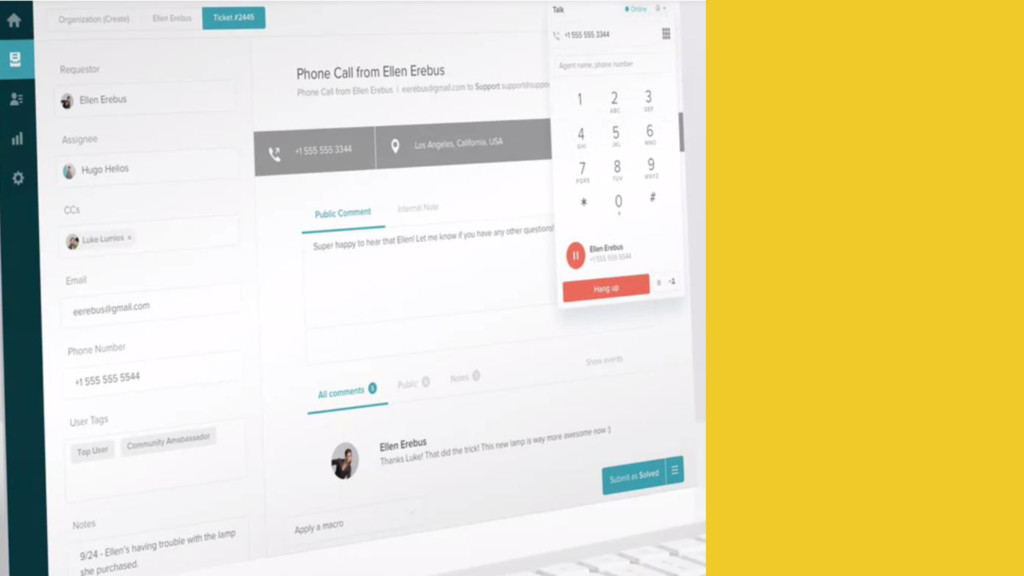
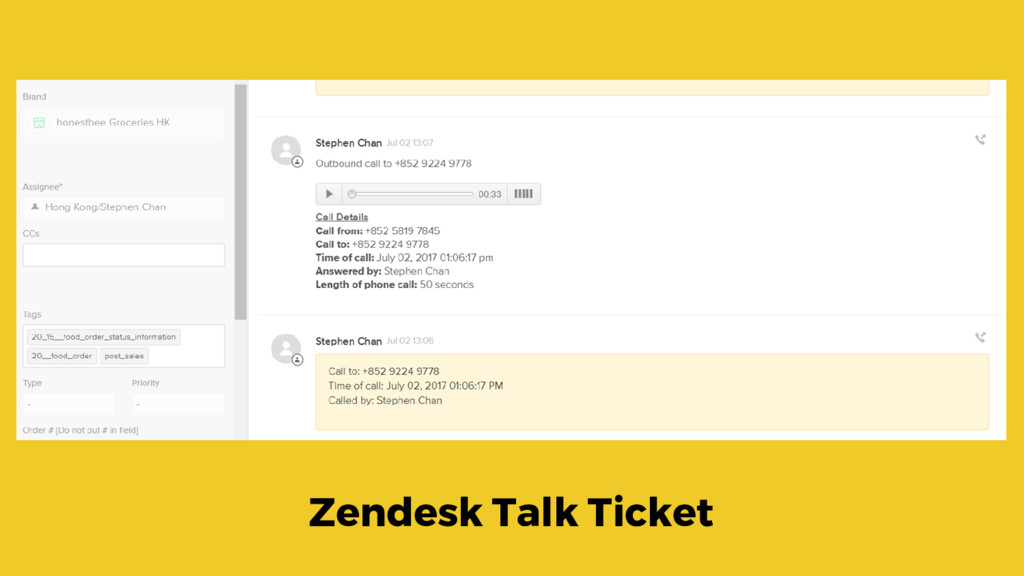
Zendesk Talk Ticket
None


 tmiket
 shpigford
 chriscoyier
 jdejongh
 scottboms
 danielanewman
 ryanjones
 lauravandoore
 katarinadahlin
 stephenakadiri
 techseoconnect