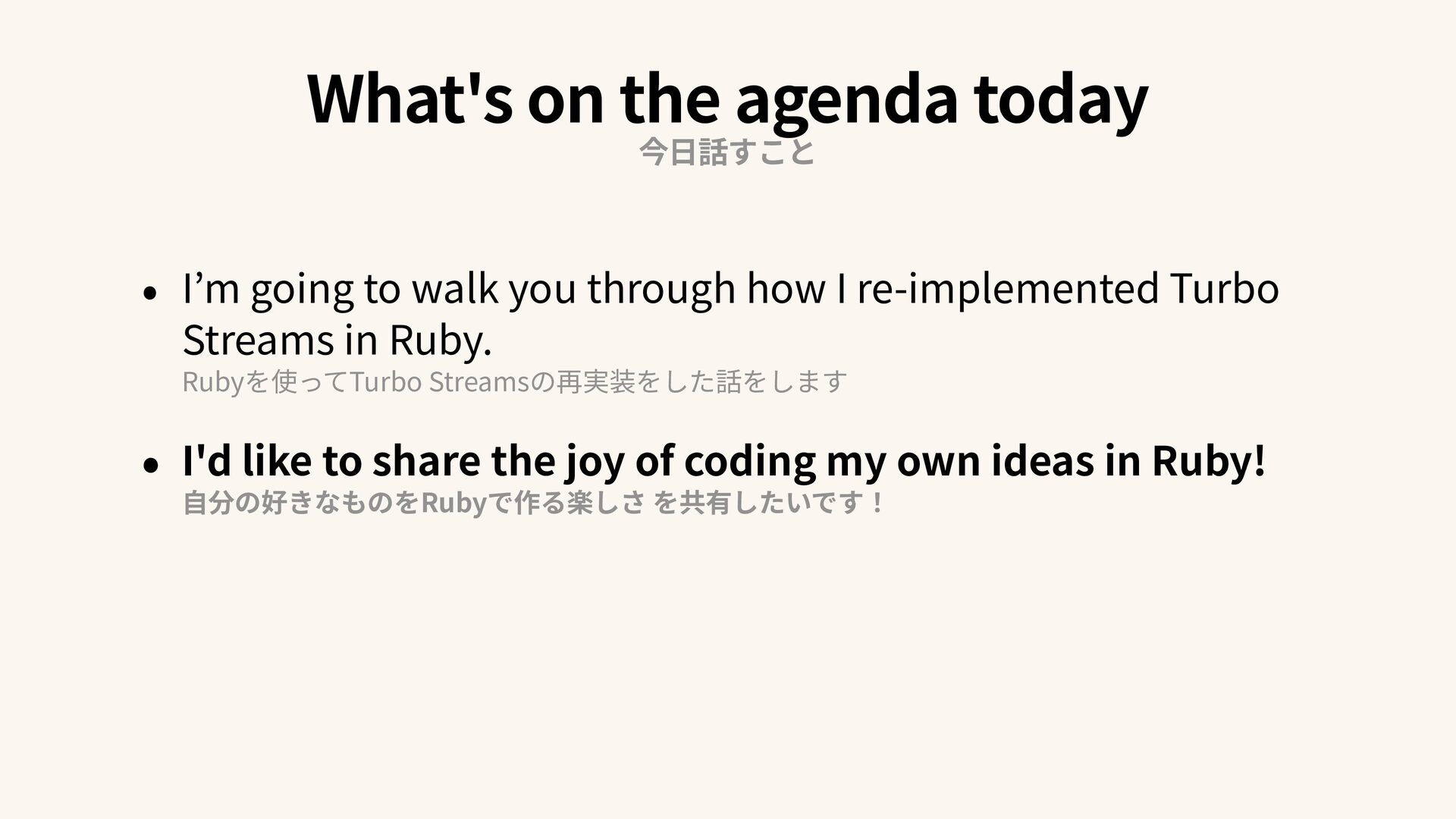
going to walk you through how I re-implemented Turbo Streams in Ruby. Rubyを使ってTurbo Streamsの再実装をした話をします • I'd like to share the joy of coding my own ideas in Ruby! 自 分の好きなものをRubyで作る楽しさ を共有したいです!
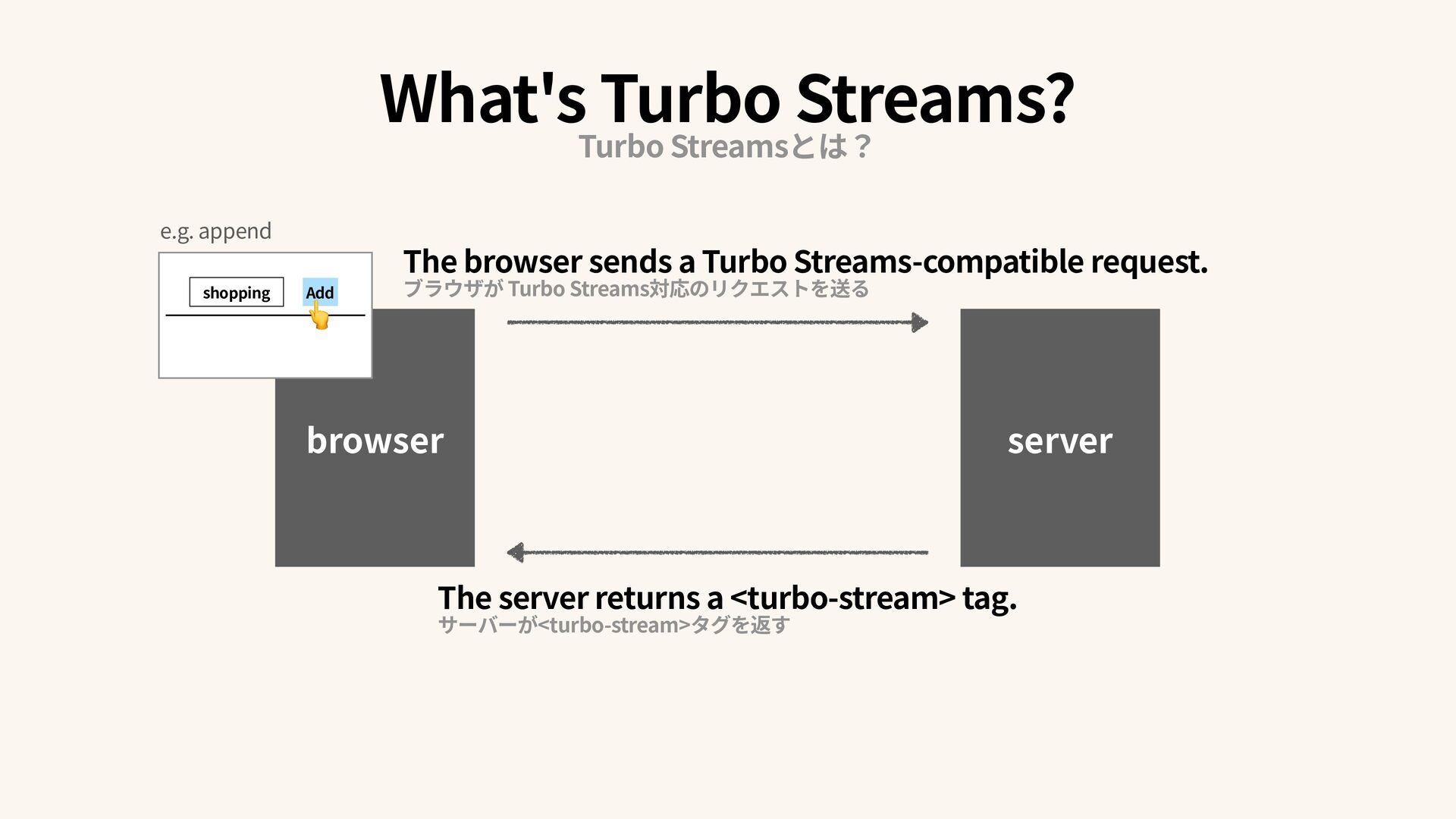
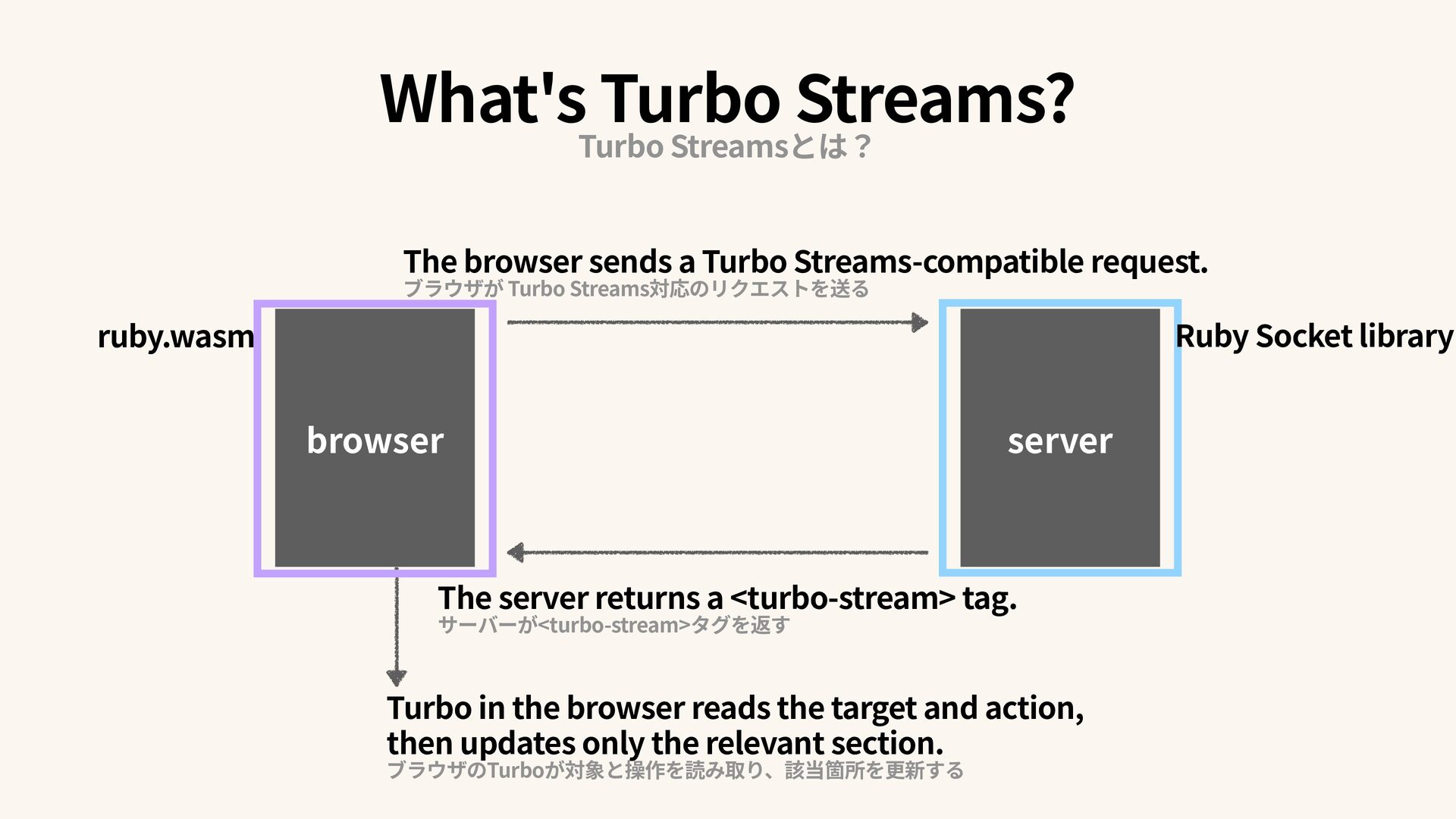
a Turbo Streams-compatible request. ブラウザが Turbo Streams対応のリクエストを送る The server returns a <turbo-stream> tag. サーバーが<turbo-stream>タグを返す What's Turbo Streams? Turbo Streamsとは?
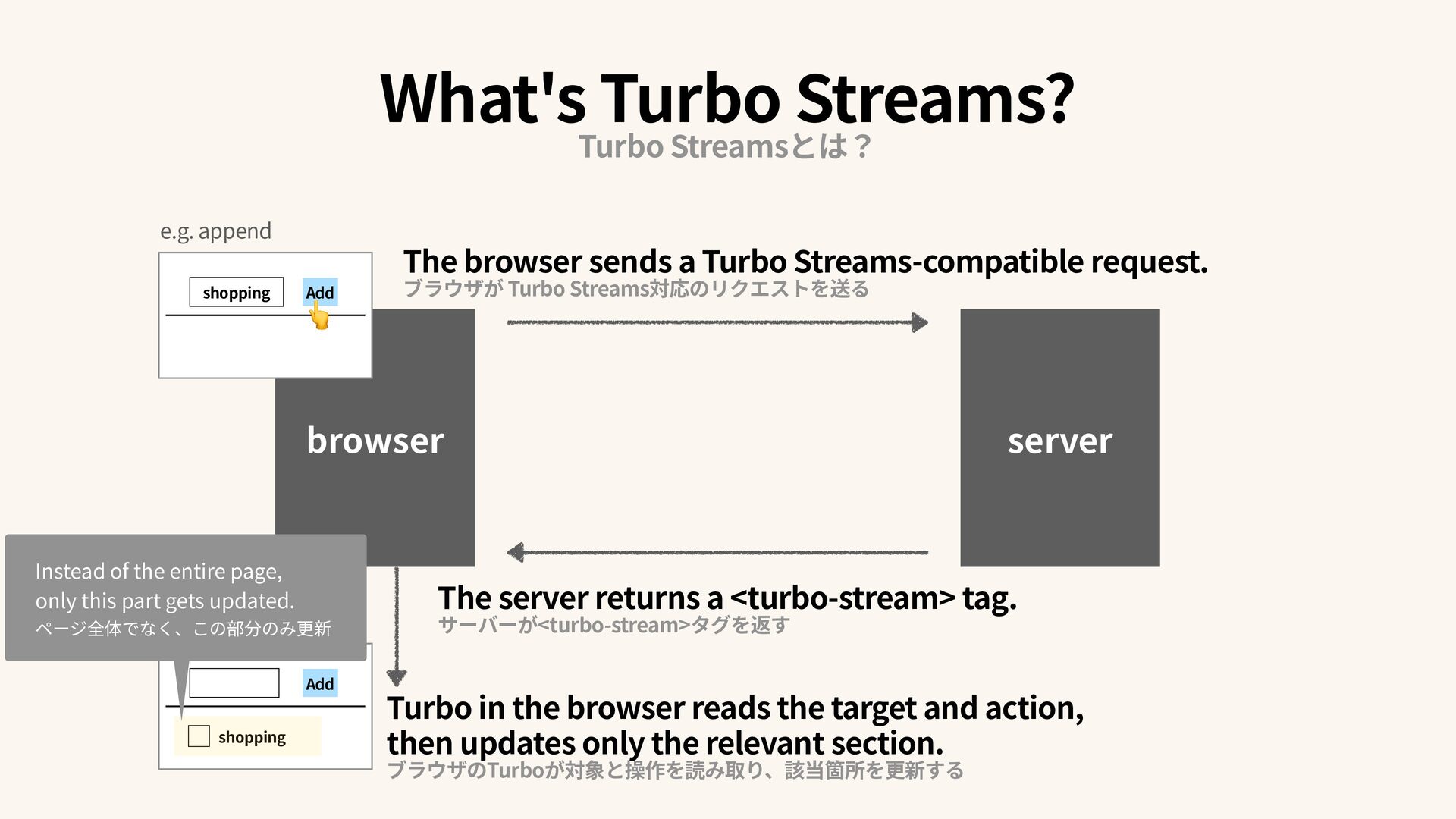
then updates only the relevant section. ブラウザのTurboが対象と操作を読み取り、該当箇所を更新する shopping Add Add shopping 👆 Instead of the entire page, only this part gets updated. ページ全体でなく、この部分のみ更新 The browser sends a Turbo Streams-compatible request. ブラウザが Turbo Streams対応のリクエストを送る server The server returns a <turbo-stream> tag. サーバーが<turbo-stream>タグを返す e.g. append What's Turbo Streams? Turbo Streamsとは?
reads the target and action, then updates only the relevant section. ブラウザのTurboが対象と操作を読み取り、該当箇所を更新する The browser sends a Turbo Streams-compatible request. ブラウザが Turbo Streams対応のリクエストを送る The server returns a <turbo-stream> tag. サーバーが<turbo-stream>タグを返す What's Turbo Streams? Turbo Streamsとは?
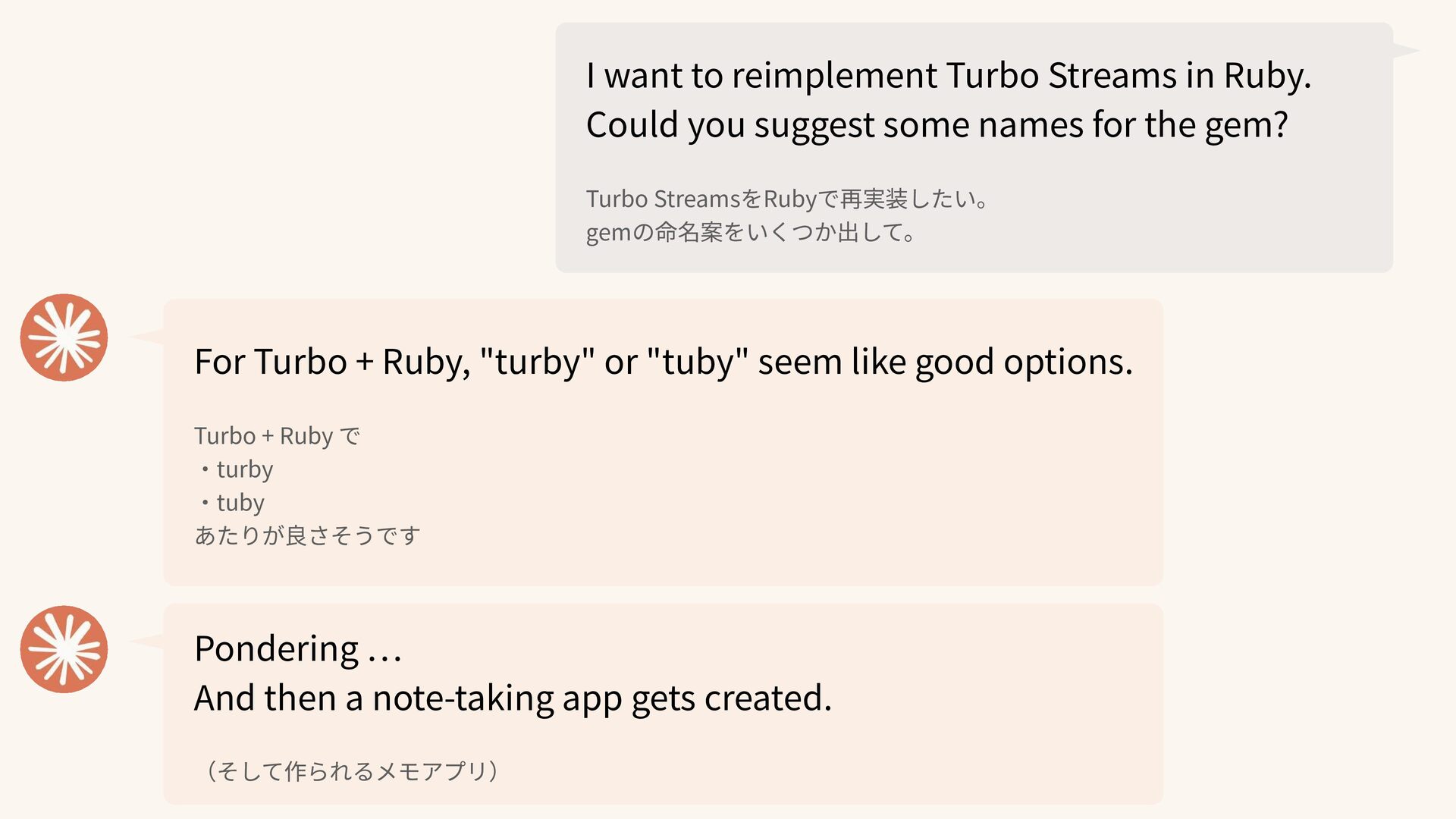
suggest some names for the gem? Turbo StreamsをRubyで再実装したい。 gemの命名案をいくつか出して。 For Turbo + Ruby, "turby" or "tuby" seem like good options. Turbo + Ruby で ・ turby ・ tuby あたりが良さそうです Pondering … And then a note-taking app gets created. (そして作られるメモアプリ)
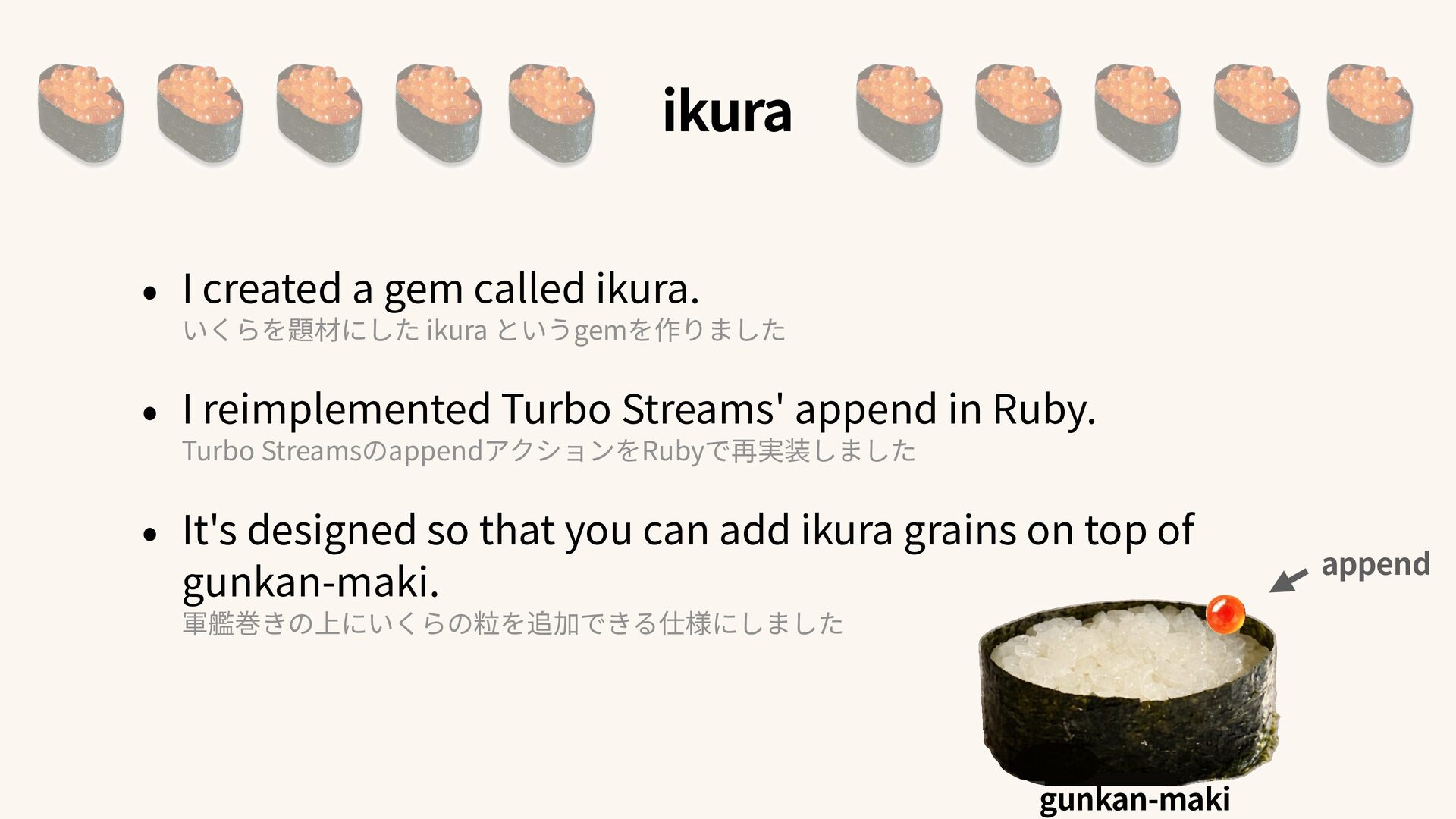
というgemを作りました • I reimplemented Turbo Streams' append in Ruby. Turbo StreamsのappendアクションをRubyで再実装しました • It's designed so that you can add ikura grains on top of gunkan-maki. 軍艦巻きの上にいくらの粒を追加できる仕様にしました append gunkan-maki
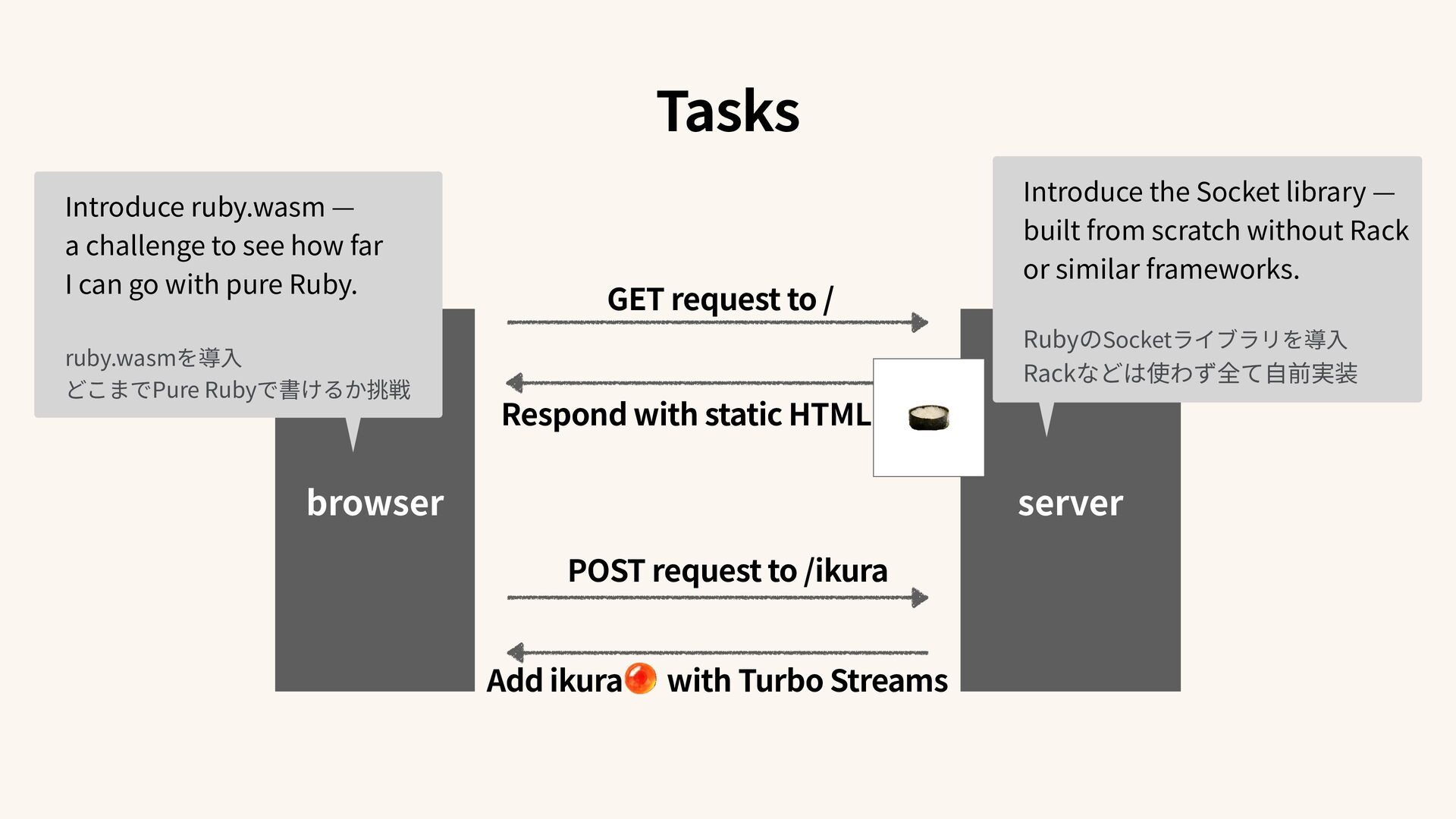
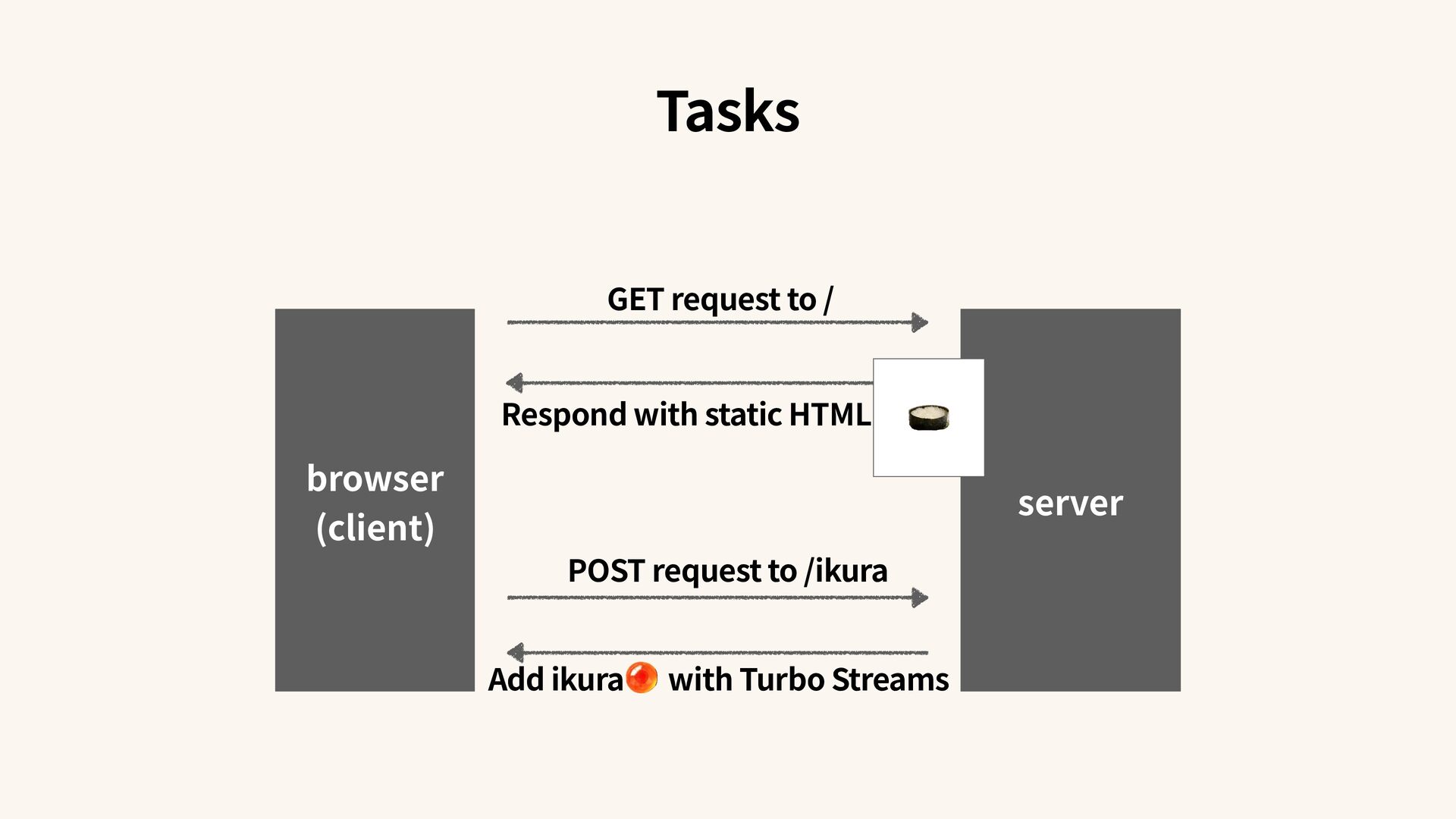
/ikura Respond with static HTML Add ikura with Turbo Streams Introduce ruby.wasm — a challenge to see how far I can go with pure Ruby. ruby.wasmを導 入 どこまでPure Rubyで書けるか挑戦 Introduce the Socket library — built from scratch without Rack or similar frameworks. RubyのSocketライブラリを導 入 Rackなどは使わず全て 自 前実装
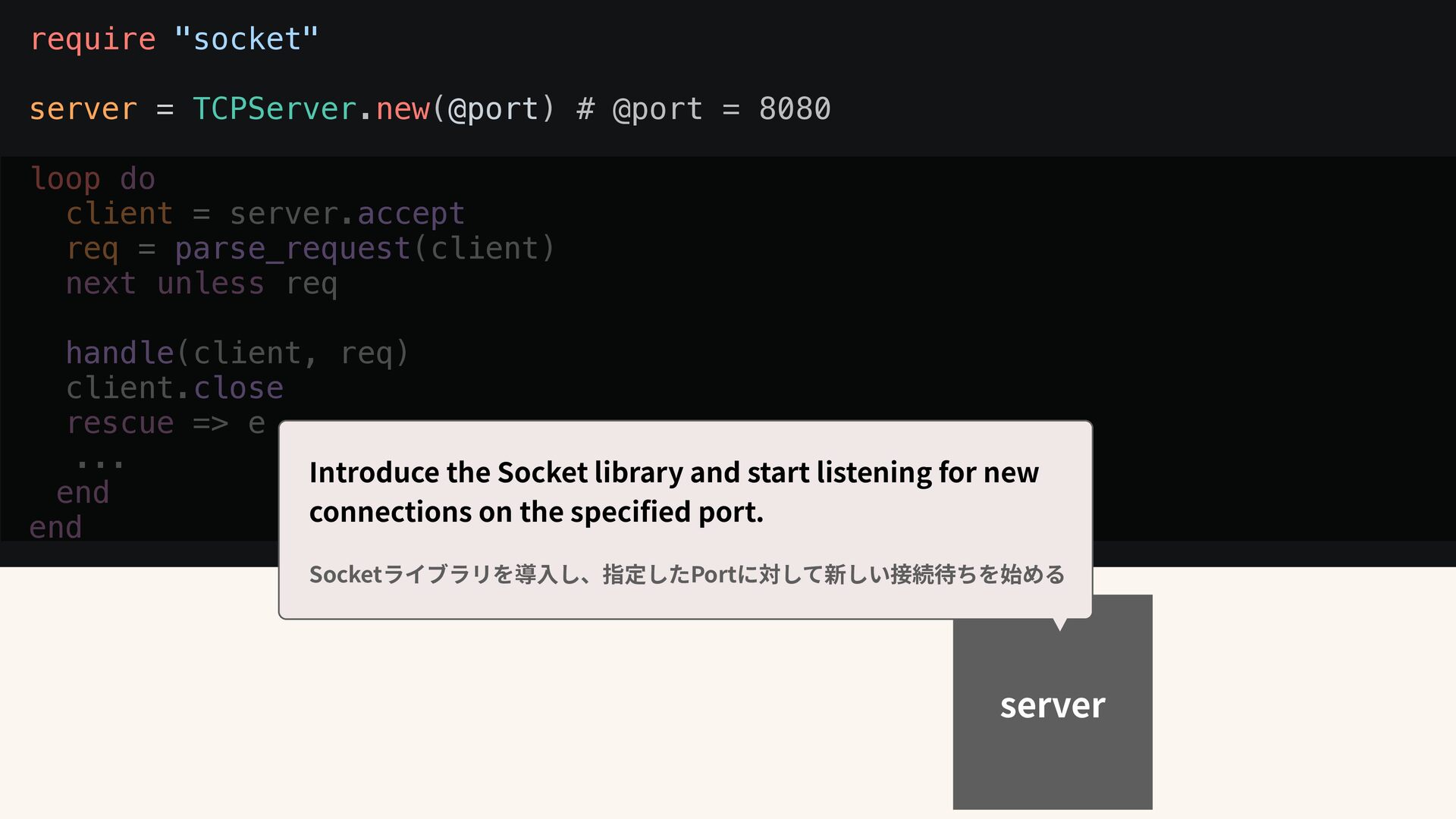
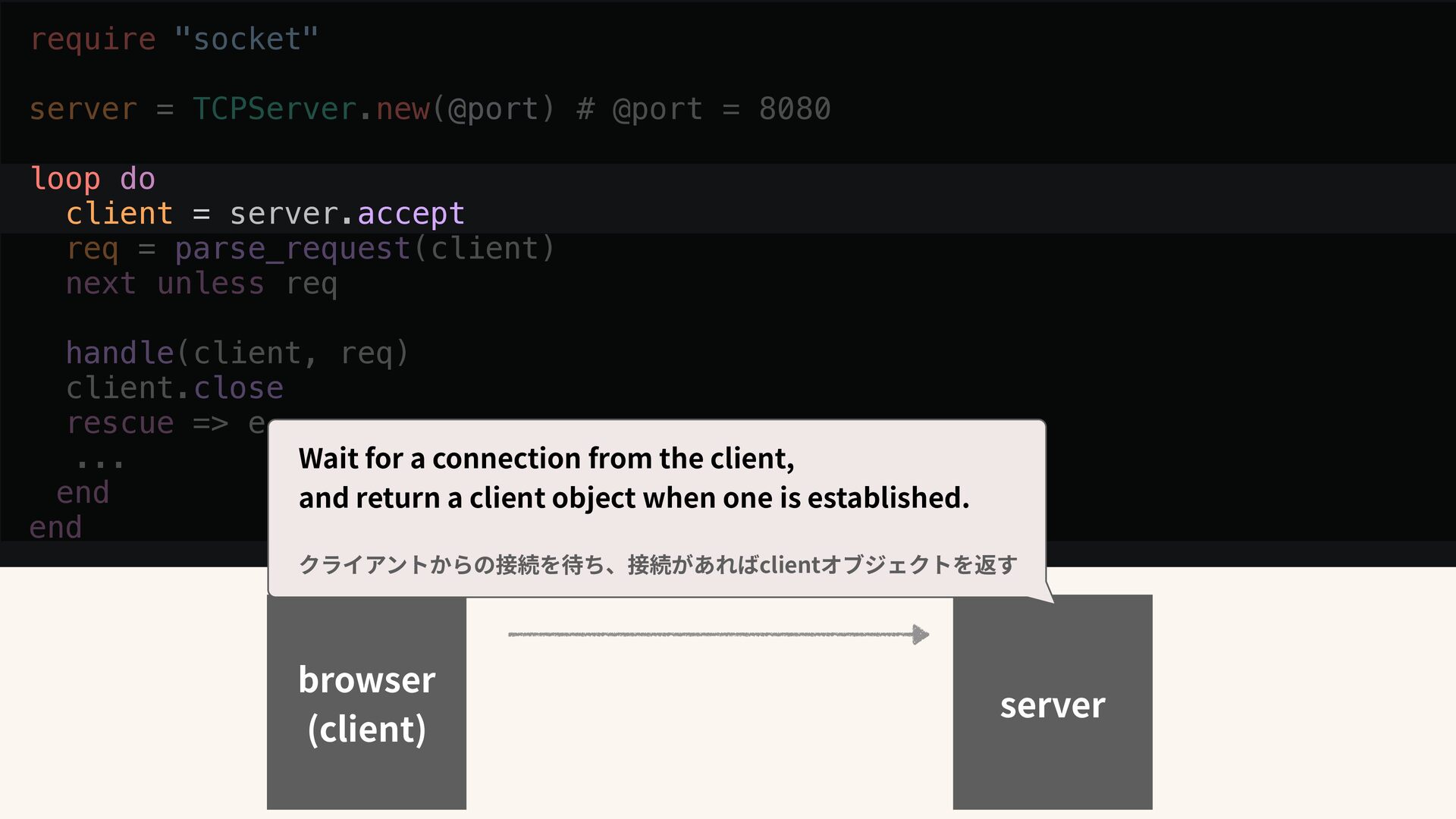
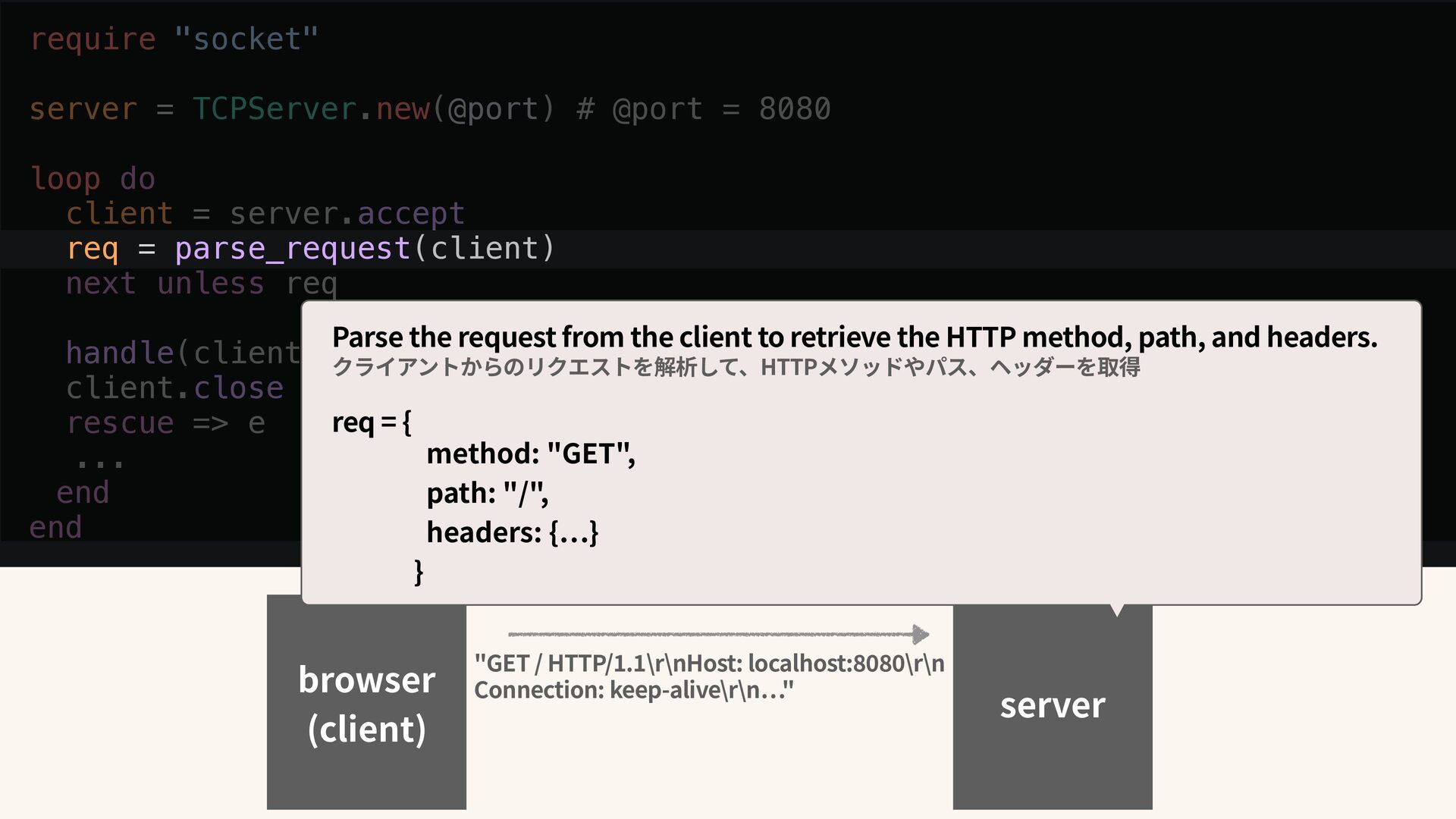
do client = server.accept req = parse_request(client) next unless req handle(client, req) client.close rescue => e ... end end server Introduce the Socket library and start listening for new connections on the speci fi ed port. Socketライブラリを導 入 し、指定したPortに対して新しい接続待ちを始める
do client = server.accept req = parse_request(client) next unless req handle(client, req) client.close rescue => e ... end end server browser (client) Wait for a connection from the client, and return a client object when one is established. クライアントからの接続を待ち、接続があればclientオブジェクトを返す
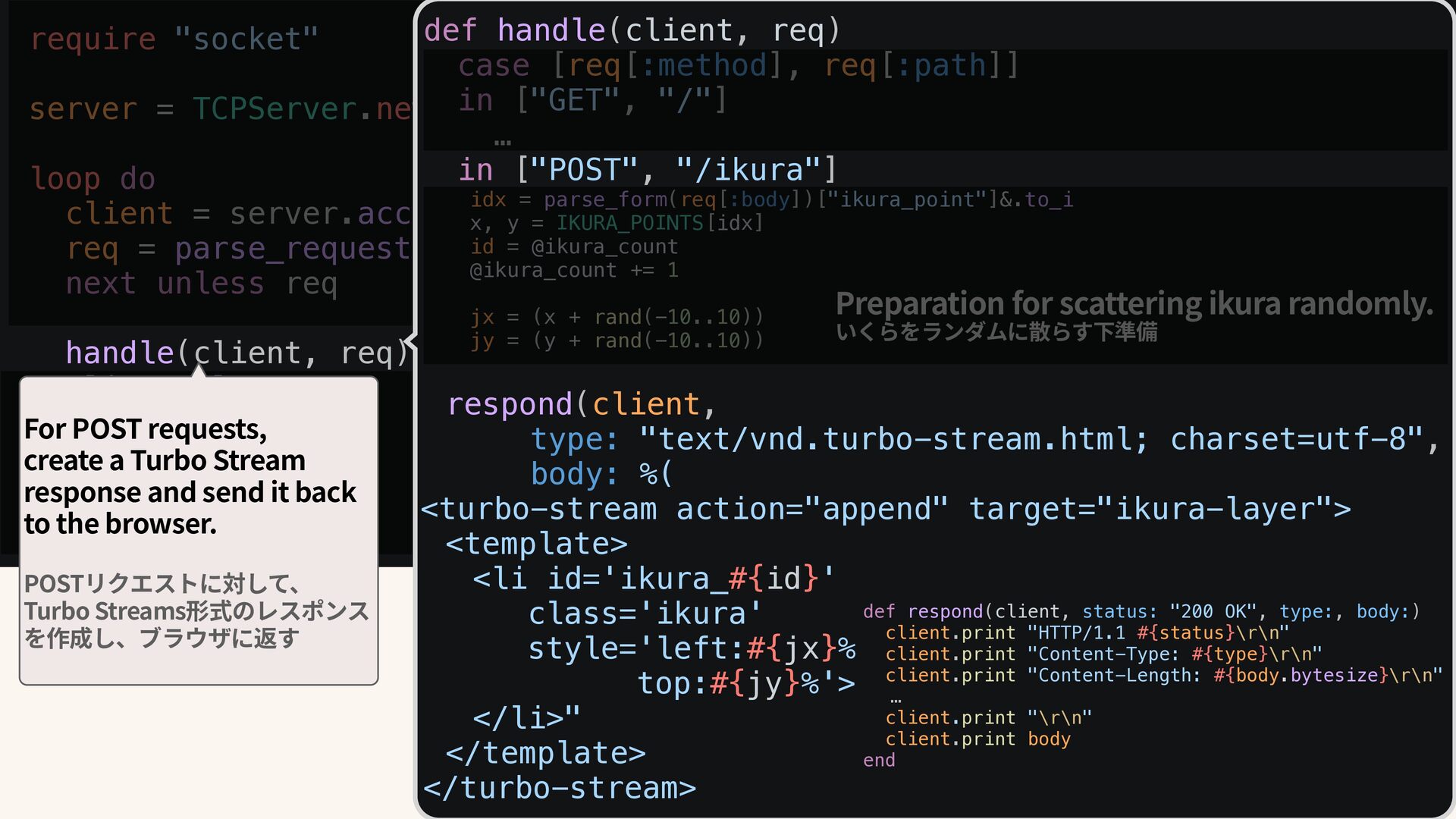
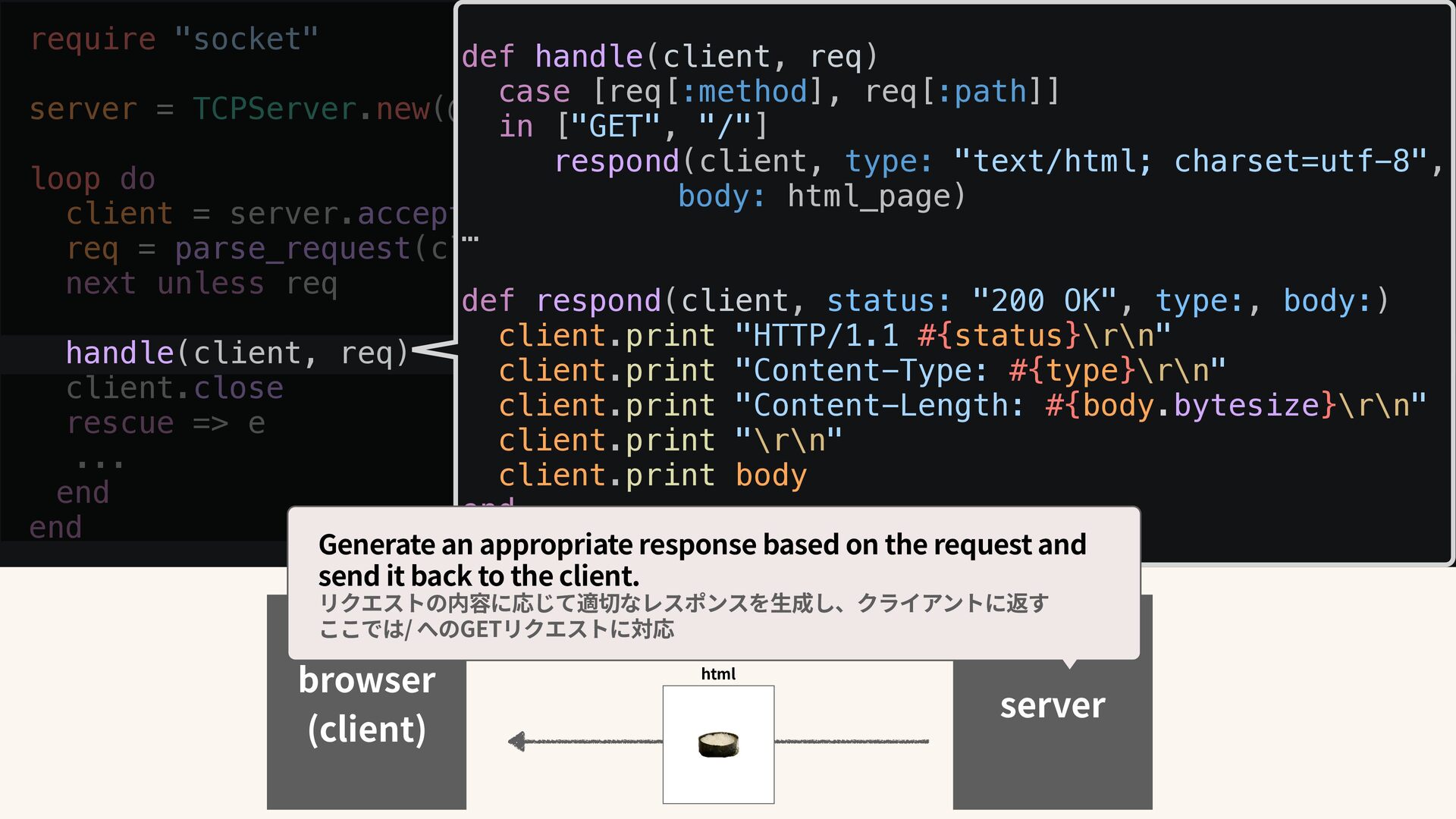
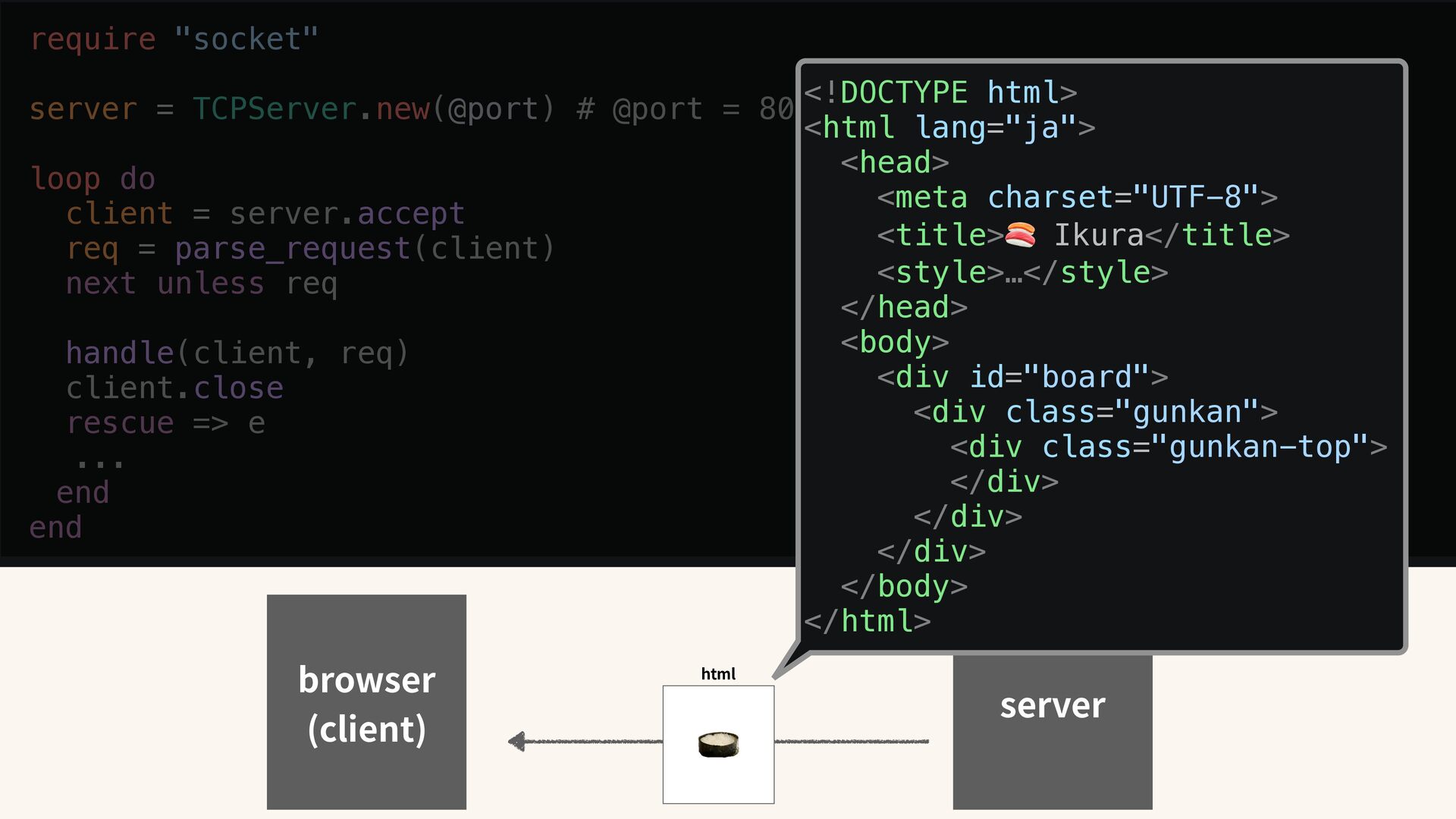
loop do client = server.accept req = parse_request(client) next unless req handle(client, req) client.close rescue => e ... end end browser (client) html def handle(client, req) case [req[:method], req[:path]] in ["GET", "/"] respond(client, type: "text/html; charset=utf-8", body: html_page) … def respond(client, status: "200 OK", type:, body:) client.print "HTTP/1.1 #{status}\r\n" client.print "Content-Type: #{type}\r\n" client.print "Content-Length: #{body.bytesize}\r\n" client.print "\r\n" client.print body end Generate an appropriate response based on the request and send it back to the client. リクエストの内容に応じて適切なレスポンスを 生 成し、クライアントに返す ここでは/ へのGETリクエストに対応
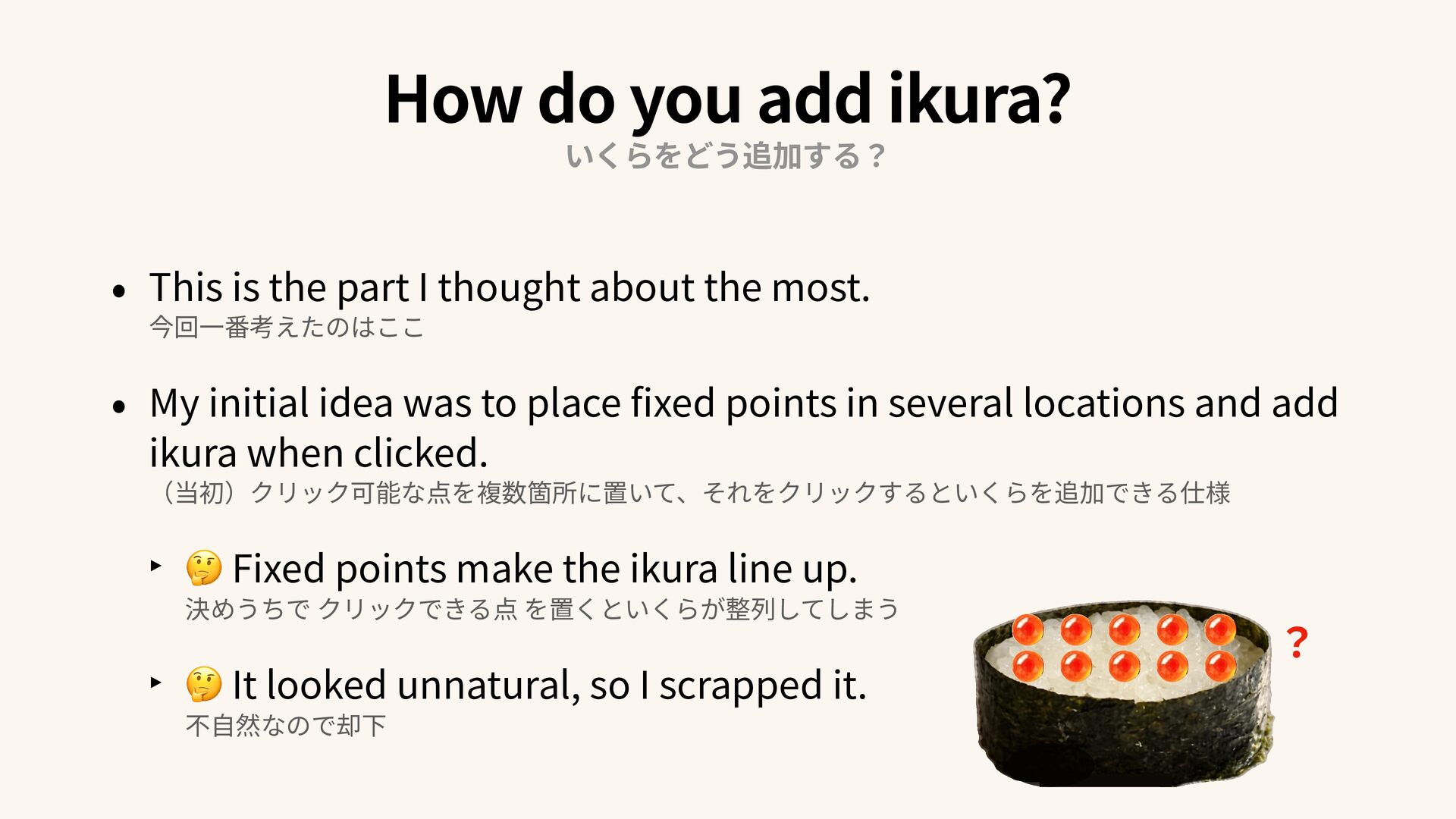
part I thought about the most. 今回 一 番考えたのはここ • My initial idea was to place fi xed points in several locations and add ikura when clicked. (当初)クリック可能な点を複数箇所に置いて、それをクリックするといくらを追加できる仕様 ‣ 🤔 Fixed points make the ikura line up. 決めうちで クリックできる点 を置くといくらが整列してしまう ‣ 🤔 It looked unnatural, so I scrapped it. 不 自 然なので却下 ?
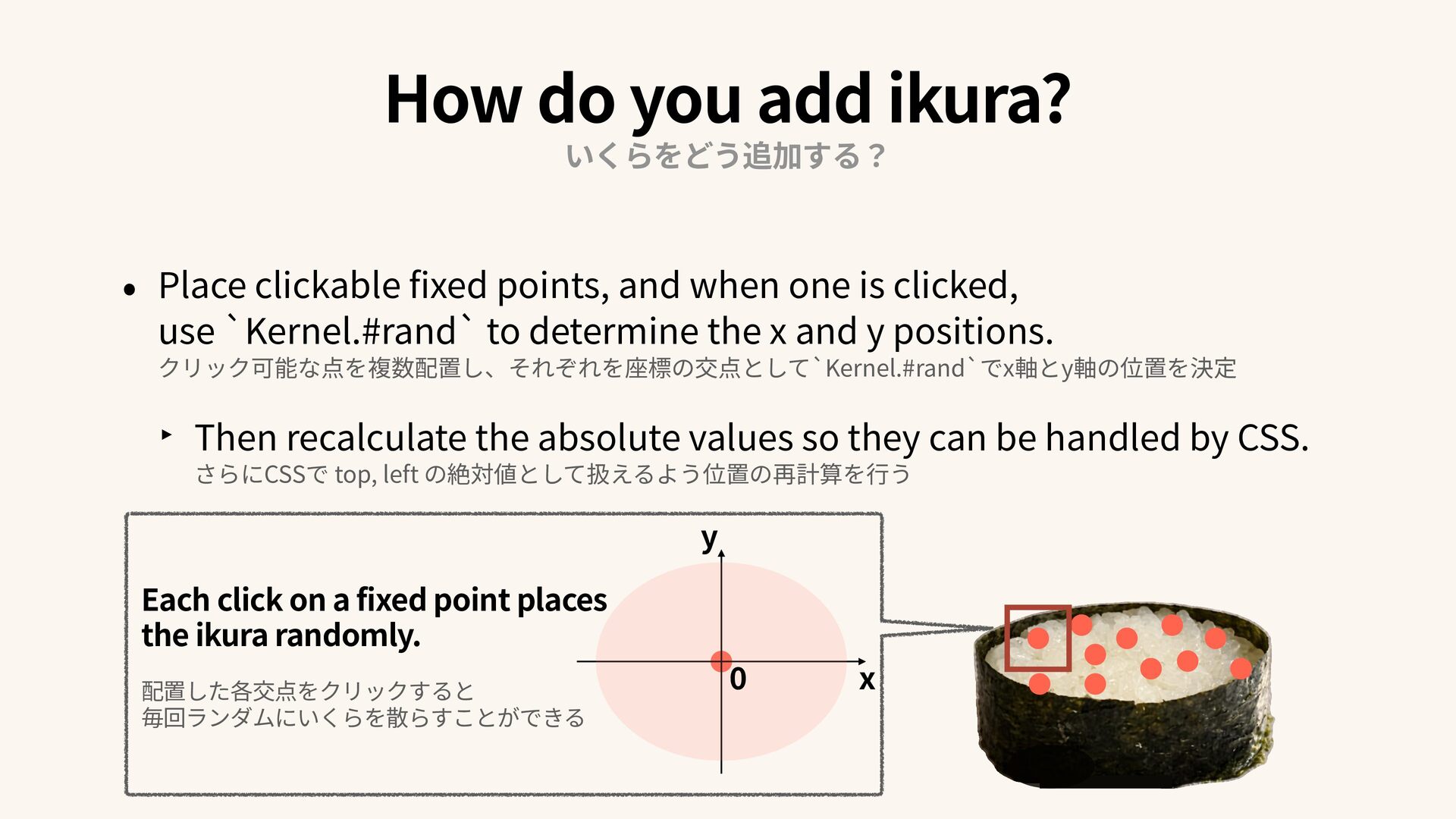
is clicked, use `Kernel.#rand` to determine the x and y positions. クリック可能な点を複数配置し、それぞれを座標の交点として`Kernel.#rand`でx軸とy軸の位置を決定 ‣ Then recalculate the absolute values so they can be handled by CSS. さらにCSSで top, left の絶対値として扱えるよう位置の再計算を 行 う Each click on a fixed point places the ikura randomly. 配置した各交点をクリックすると 毎回ランダムにいくらを散らすことができる y x How do you add ikura? いくらをどう追加する?
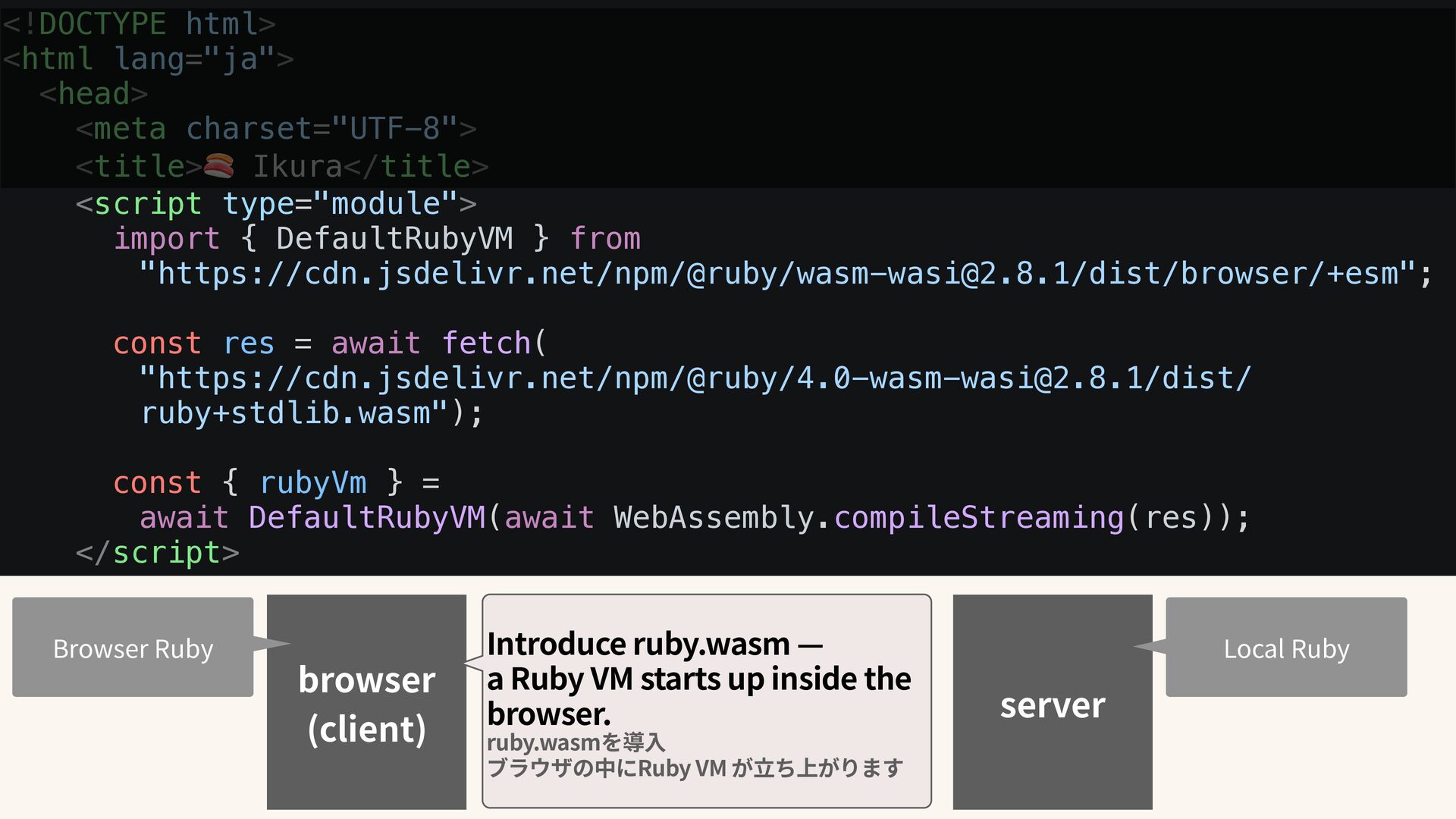
rubyWasmResponse = await fetch("https://cdn.jsdelivr.net/ npm/@ruby/[email protected]/dist/ruby+stdlib.wasm"); const { rubyVm } = await DefaultRubyVM(await WebAssembly.compileStreaming(rubyWasmResponse)); rubyVm.eval(` require "js" … ); </script> browser (client) By launching Ruby VM inside a script tag, you can write Ruby code directly in the browser. This time, though, I couldn't quite make it work, so I ended up doing something completely backwards: requiring JavaScript from within it. scriptタグの中でRuby VMを 立 ち上げると、ブラウザの中にRubyのコードが書けるようになりますが、 今回は私の 力 不 足 で、scriptタグ内のRubyVMでJSをrequireするという本末転倒なことをしています Browser Ruby
nodes = doc.call(:querySelectorAll, ".ikura_point") nodes[:length].to_i.times do |i| node = nodes.call(:item, i) node[:style][:opacity] = "1" node.call(:addEventListener, "click", ->(event) { opts = JS.eval("return { method: 'POST', headers: { 'Content-Type': 'application/x-www-form-urlencoded' }, body: 'ikura_point=#{i}' }")`); </script> browser (client) ・ ・ ・ ・ ・ server Prepare all elements with the .ikura_point class in HTML so that clicking any of them triggers a POST request. 先ほど追加した`.ikura_point`クラスを持つ 全ての要素に対して クリックしたらPOSTできるように下準備
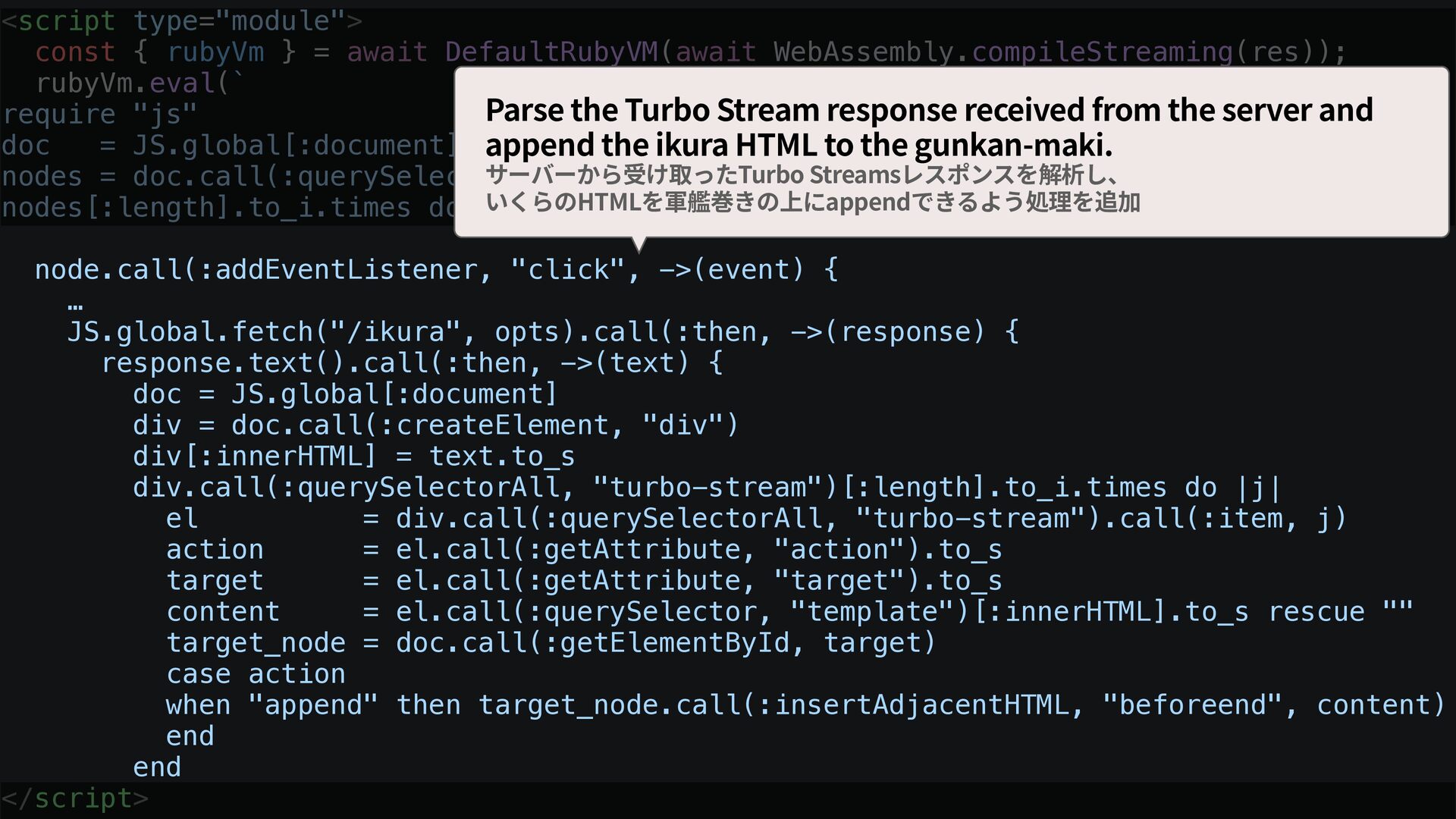
rubyVm.eval(` require "js" doc = JS.global[:document] nodes = doc.call(:querySelectorAll, ".ikura_point") nodes[:length].to_i.times do |i| node.call(:addEventListener, "click", ->(event) { … JS.global.fetch("/ikura", opts).call(:then, ->(response) { response.text().call(:then, ->(text) { doc = JS.global[:document] div = doc.call(:createElement, "div") div[:innerHTML] = text.to_s div.call(:querySelectorAll, "turbo-stream")[:length].to_i.times do |j| el = div.call(:querySelectorAll, "turbo-stream").call(:item, j) action = el.call(:getAttribute, "action").to_s target = el.call(:getAttribute, "target").to_s content = el.call(:querySelector, "template")[:innerHTML].to_s rescue "" target_node = doc.call(:getElementById, target) case action when "append" then target_node.call(:insertAdjacentHTML, "beforeend", content) end end </script> Parse the Turbo Stream response received from the server and append the ikura HTML to the gunkan-maki. サーバーから受け取ったTurbo Streamsレスポンスを解析し、 いくらのHTMLを軍艦巻きの上にappendできるよう処理を追加
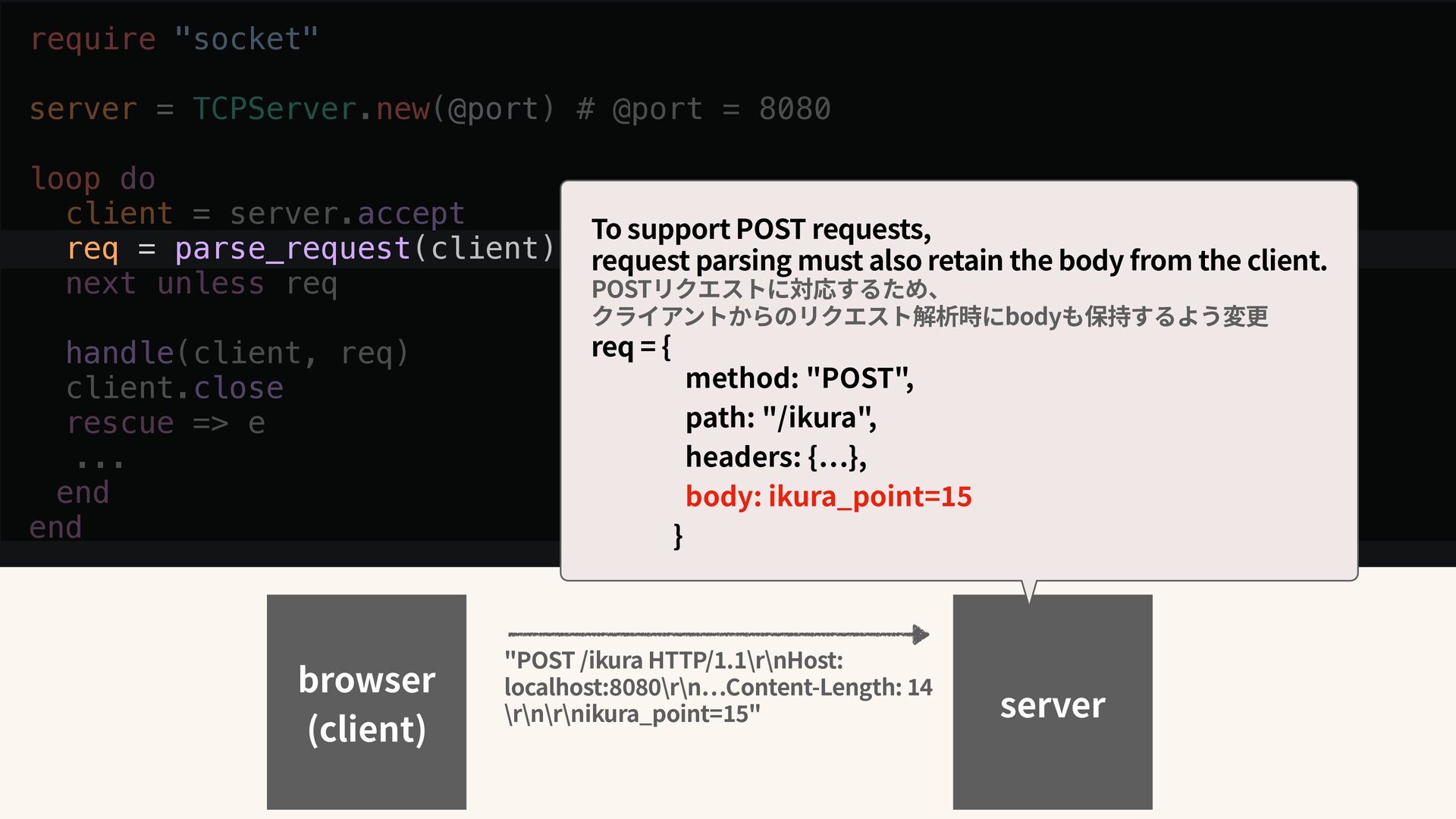
do client = server.accept req = parse_request(client) next unless req handle(client, req) client.close rescue => e ... end end browser (client) "POST /ikura HTTP/ 1 . 1 \r\nHost: localhost: 8 0 8 0 \r\n … Content-Length: 1 4 \r\n\r\nikura_point= 1 5 " server To support POST requests, request parsing must also retain the body from the client. POSTリクエストに対応するため、 クライアントからのリクエスト解析時にbodyも保持するよう変更 req = { method: "POST", path: "/ikura", headers: { … }, body: ikura_point= 1 5 }


 harunatsujita
 kneath
 cassininazir
 inesmontani
 mayatellez
 mlcsv
mlcsv
 csswizardry
 ipullrank
 techseoconnect
.jpg) cargoodrich
cargoodrich
 skipperchong
 jakevdp
 gurzu
gurzu








![<script type="module"> import { DefaultRubyVM } from "https://cdn.jsdelivr.net/npm/ @ruby/[email protected]/dist/browser/+esm"; const](https://files.speakerdeck.com/presentations/2c3a880223174f4395302cdd158834bf/slide_29.jpg)
![<script type="module"> // ruby.wasmىಈ rubyVm.eval(` require "js" doc = JS.global[:document]](https://files.speakerdeck.com/presentations/2c3a880223174f4395302cdd158834bf/slide_30.jpg)