Upgrade to Pro
— share decks privately, control downloads, hide ads and more …
Speaker Deck
Sign up for free
Menu
Search
Features
All features
Private URLs
Password Protection
Custom URLS
Scheduled publishing
Remove Branding
Restrict embedding
Deck Collections
Notes
Features
All features
Private URLs
Password Protection
Custom URLS
Scheduled publishing
Remove Branding
Restrict embedding
Deck Collections
Notes
Explore
Featured decks
Featured speakers
Programming
Technology
Storyboards
Explore
Featured decks
Featured speakers
Programming
Technology
Storyboards
Pricing
Search
Sign in
Sign up for free
Tasking manager の作り方
Search
Sponsored
·
Your Podcast. Everywhere. Effortlessly.
Share. Educate. Inspire. Entertain. You do you. We'll handle the rest.
→
hikarihagiwara
July 03, 2017
110
0
Share
Embed
Copy iframe code
Copy JS code
Copy link
Start on current slide
Tasking manager の作り方
hikarihagiwara
July 03, 2017
More Decks by hikarihagiwara
See All by hikarihagiwara
萩原課題提出物
hikarihagiwara
0
72
Tasking manager の使い方
hikarihagiwara
0
90
Featured
See All Featured
Leveraging LLMs for student feedback in introductory data science courses - posit::conf(2025)
minecr
1
440
First, design no harm
axbom
PRO
2
1.3k
So, you think you're a good person
axbom
PRO
2
2.2k
Deep Space Network (abreviated)
tonyrice
0
370
How to Create Impact in a Changing Tech Landscape [PerfNow 2023]
tammyeverts
56
3.5k
How to Build an AI Search Optimization Roadmap - Criteria and Steps to Take #SEOIRL
aleyda
1
2.2k
The untapped power of vector embeddings
frankvandijk
2
1.9k
How People are Using Generative and Agentic AI to Supercharge Their Products, Projects, Services and Value Streams Today
helenjbeal
2
360
世界の人気アプリ100個を分析して見えたペイウォール設計の心得
akihiro_kokubo
PRO
74
43k
Code Reviewing Like a Champion
maltzj
529
40k
Put a Button on it: Removing Barriers to Going Fast.
kastner
60
4.6k
Speed Design
sergeychernyshev
33
2.2k
Transcript
Tasking managerの作り方 1A117126 萩原ひかり
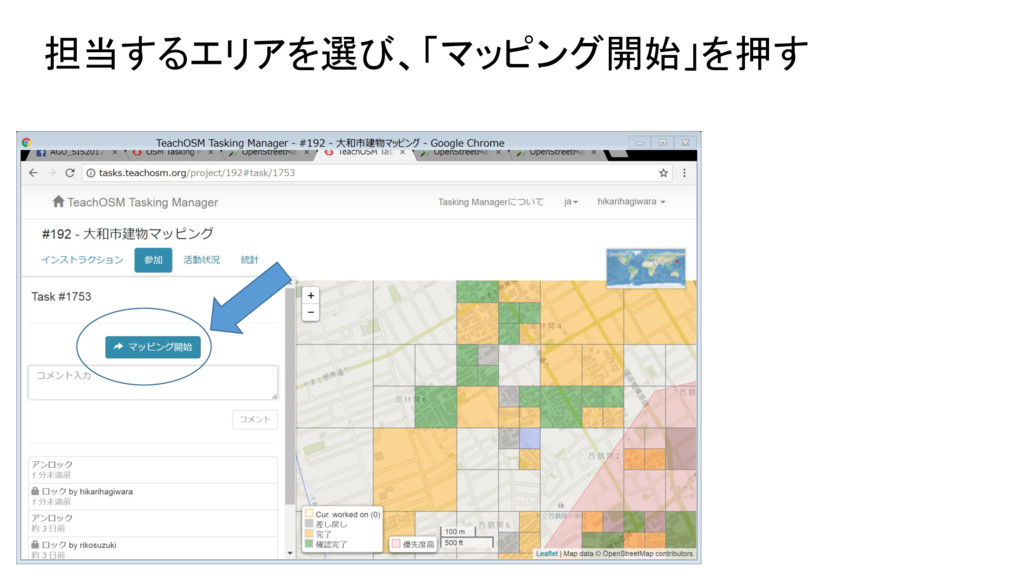
担当するエリアを選び、「マッピング開始」を押す
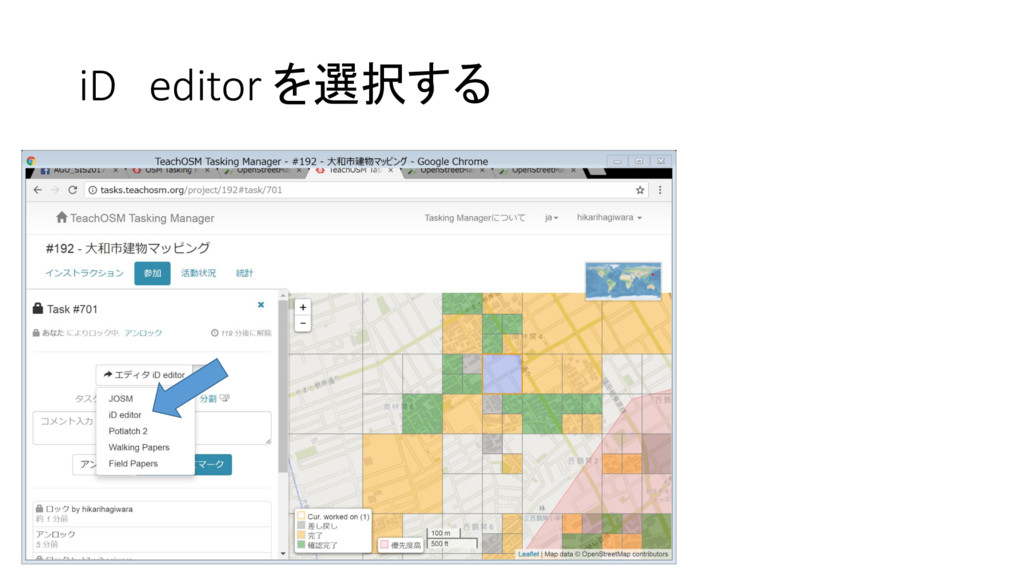
iD editor を選択する
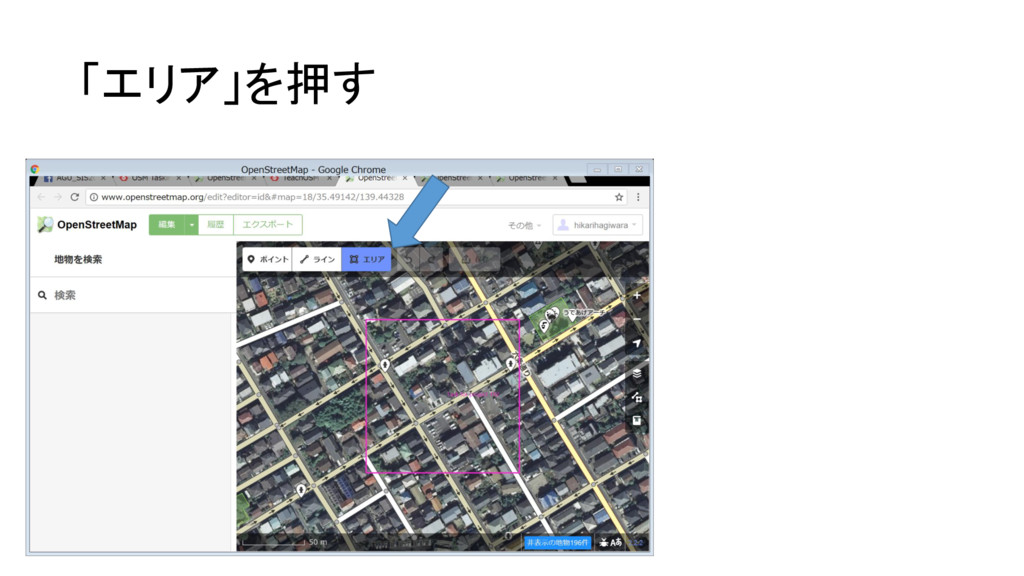
「エリア」を押す
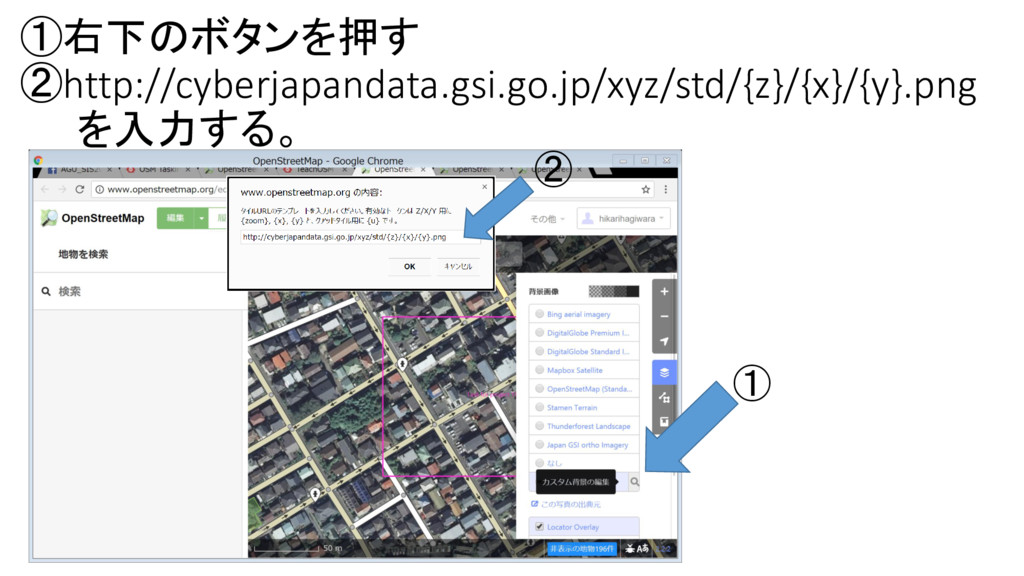
①右下のボタンを押す ②http://cyberjapandata.gsi.go.jp/xyz/std/{z}/{x}/{y}.png を入力する。 ① ②
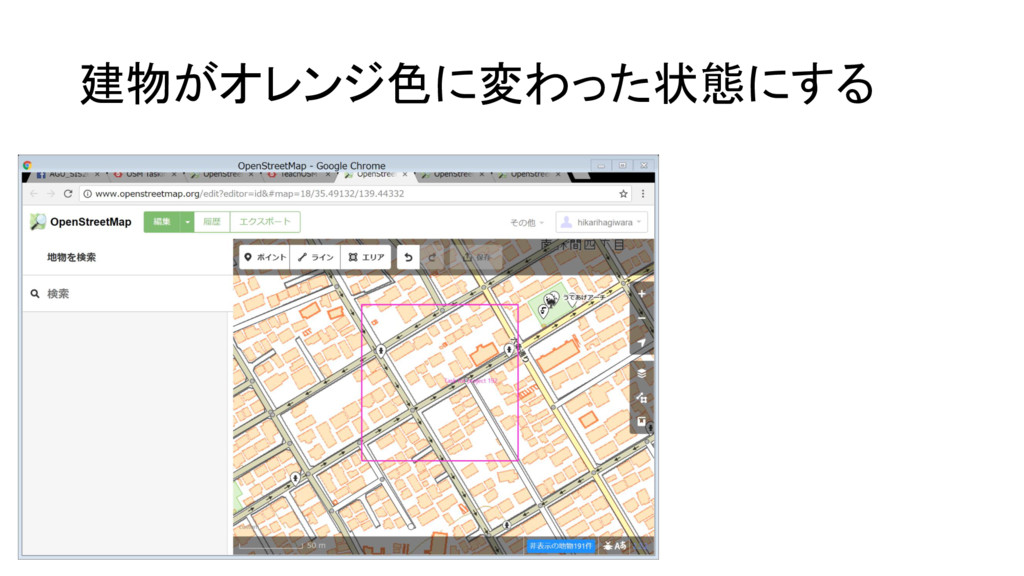
建物がオレンジ色に変わった状態にする
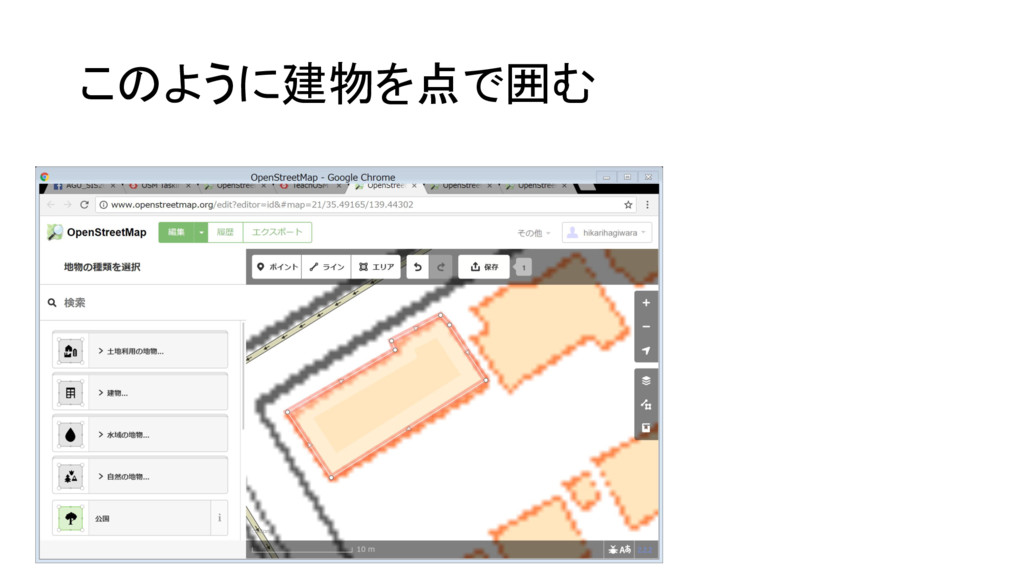
このように建物を点で囲む
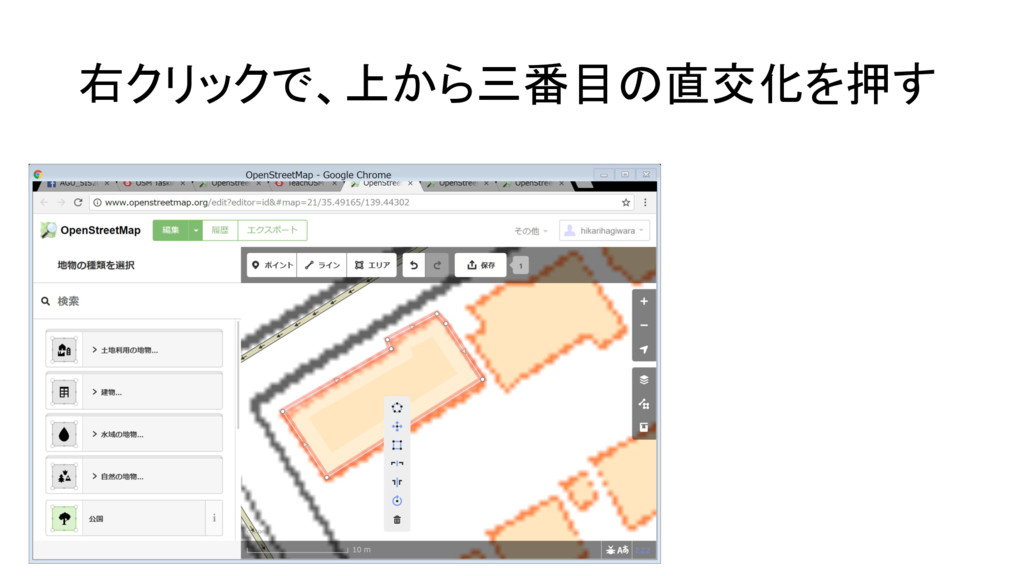
右クリックで、上から三番目の直交化を押す
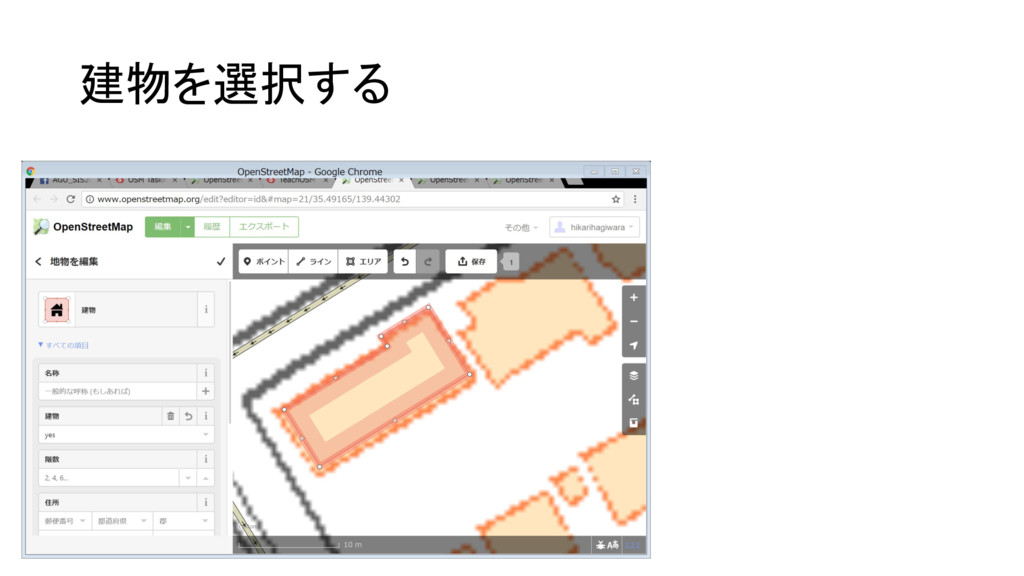
建物を選択する
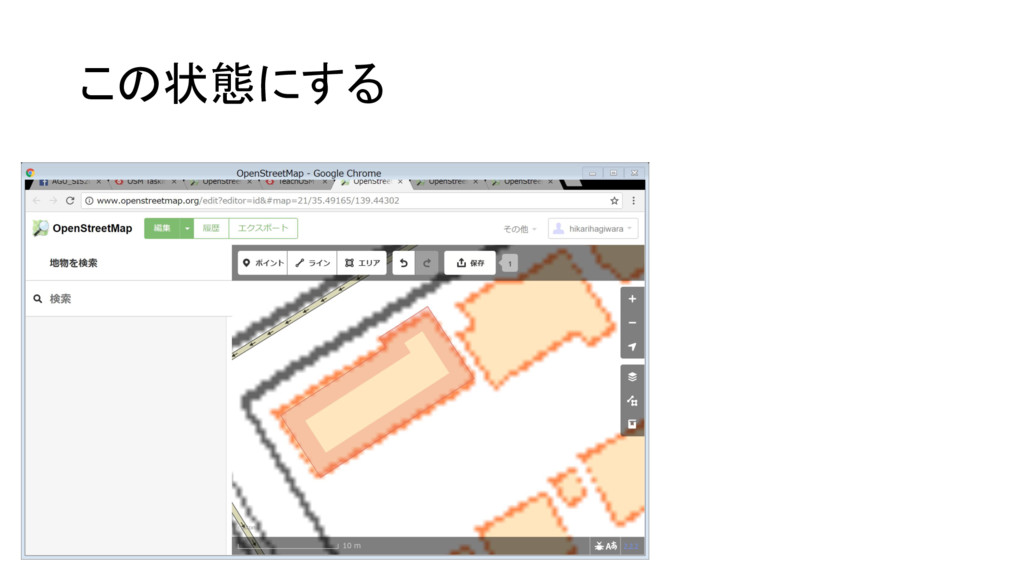
この状態にする
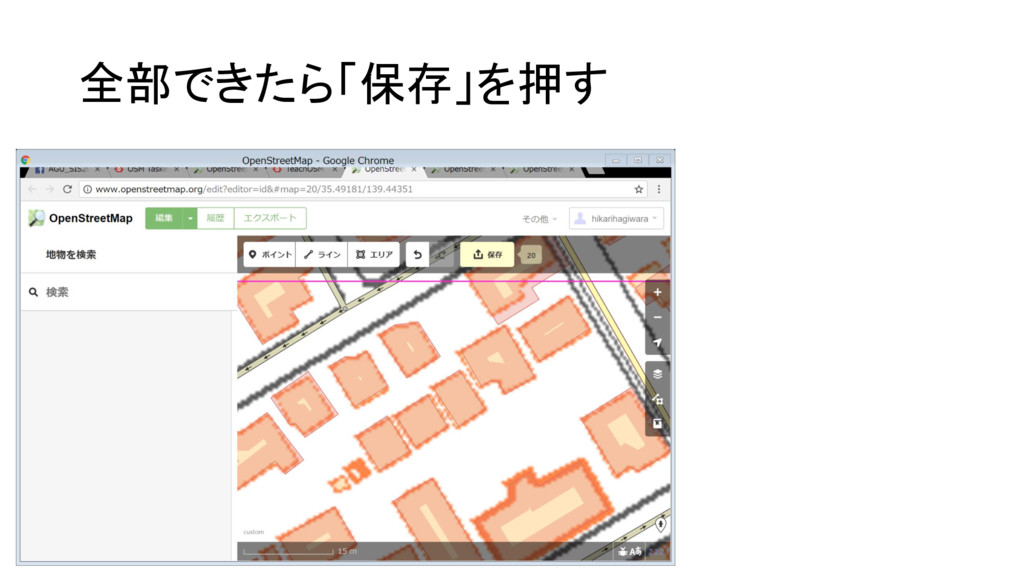
全部できたら「保存」を押す
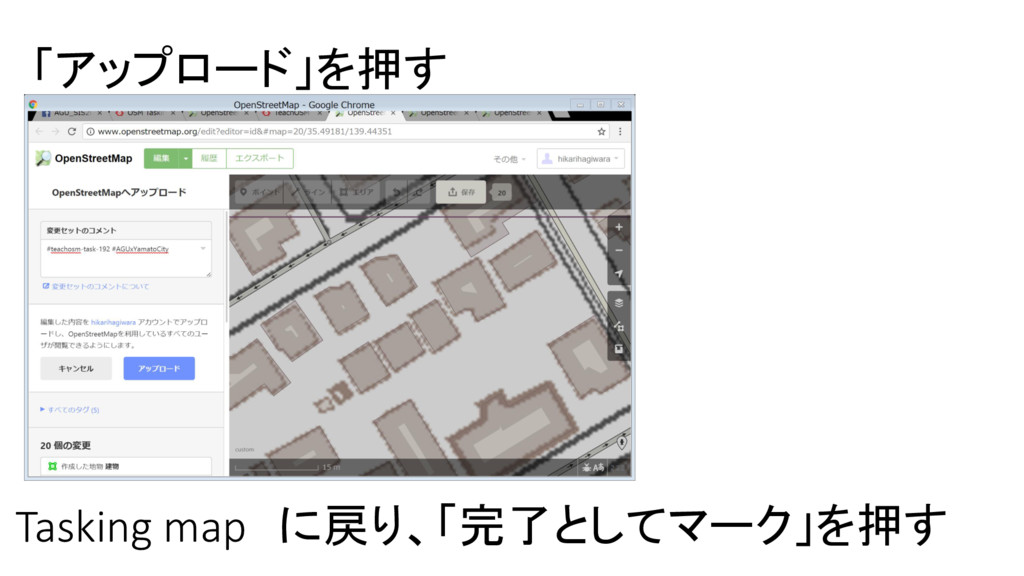
「アップロード」を押す Tasking map に戻り、「完了としてマーク」を押す
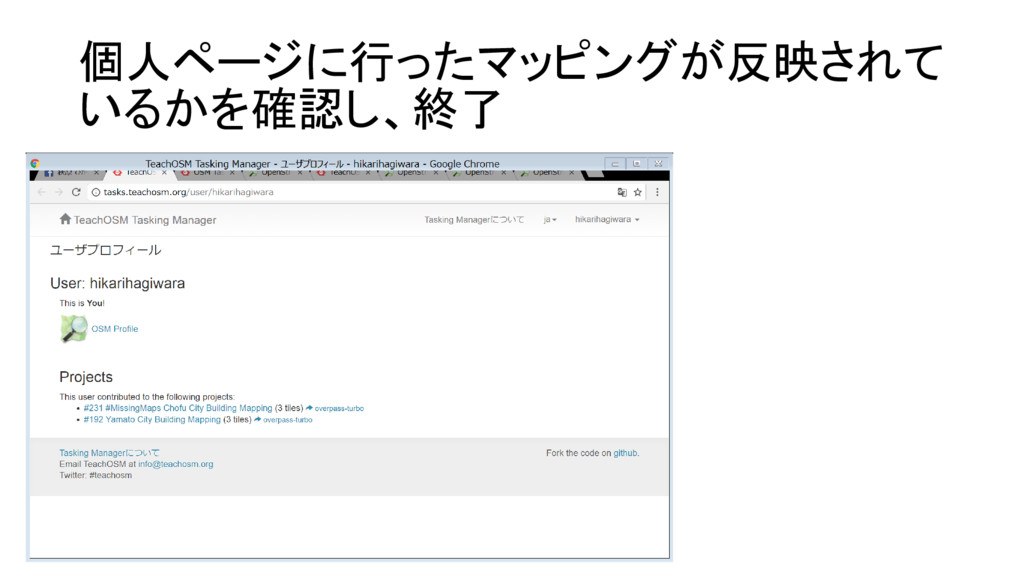
個人ページに行ったマッピングが反映されて いるかを確認し、終了


 hikarihagiwara
 minecr
 axbom
axbom
 tonyrice
 tammyeverts
 aleyda
 frankvandijk
.png) helenjbeal
helenjbeal
 akihiro_kokubo
 maltzj
 kastner
 sergeychernyshev