Upgrade to Pro
— share decks privately, control downloads, hide ads and more …
Speaker Deck
Sign up for free
Menu
Search
Features
All features
Private URLs
Password Protection
Custom URLS
Scheduled publishing
Remove Branding
Restrict embedding
Deck Collections
Notes
Features
All features
Private URLs
Password Protection
Custom URLS
Scheduled publishing
Remove Branding
Restrict embedding
Deck Collections
Notes
Explore
Featured decks
Featured speakers
Programming
Technology
Storyboards
Explore
Featured decks
Featured speakers
Programming
Technology
Storyboards
Pricing
Search
Sign in
Sign up for free
まだ黒い画面で消耗してるの?
Search
Yuichi TANIKAWA
March 06, 2015
Programming
3.2k
0
Share
Embed
Copy iframe code
Copy JS code
Copy link
Start on current slide
まだ黒い画面で消耗してるの?
Yuichi TANIKAWA
March 06, 2015
Other Decks in Programming
See All in Programming
SREの越境 / SRE Collaboration
y0hgi
2
310
全ての永続トークンを、生まれる前に消し去りたい!
sylph01
2
880
dotNET_vulnclicker_intro.pdf
deka_morita
0
140
npm との違いを手がかりにGo の依存管理を理解したい
optim
0
290
Herb in Rails 8.2: Your ERB views, now HTML-aware @ Rails World 2026, Austin, Texas
marcoroth
0
220
ActionController meets Protocol Buffers
sorah
0
520
TechTown - Creating Composable Callables in Contemporary C++
rollbear
0
130
残高管理から台帳サービスへの進化
artoy
1
200
Agents on Rails - Rails at Scale 2026
irinanazarova
0
560
AWSに止められる覚悟してますか?
morizo_1984
2
530
パスワード再設定メールのURLについて知っておこう
uyuki234
0
160
設計次第でAIコードの読む量は減らせる / designing-for-code-reading
minodriven
35
17k
Featured
See All Featured
SEO in 2025: How to Prepare for the Future of Search
ipullrank
3
3.9k
Beyond borders and beyond the search box: How to win the global "messy middle" with AI-driven SEO
davidcarrasco
3
280
Deep Space Network (abreviated)
tonyrice
0
370
My Coaching Mixtape
mlcsv
0
360
The Myth of the Modular Monolith - Day 2 Keynote - Rails World 2024
eileencodes
28
3.7k
HTML-Aware ERB: The Path to Reactive Rendering @ RubyCon 2026, Rimini, Italy
marcoroth
5
820
From Legacy to Launchpad: Building Startup-Ready Communities
dugsong
0
360
Redefining SEO in the New Era of Traffic Generation
szymonslowik
1
480
Producing Creativity
orderedlist
PRO
348
41k
Testing 201, or: Great Expectations
jmmastey
46
8.3k
Leveraging Curiosity to Care for An Aging Population
cassininazir
1
540
Unsuck your backbone
ammeep
672
58k
Transcript
まだ黒い画面で消耗してるの? ~ls の出力をカラフルに~ 谷川 祐一 @itiut 2015/03/06
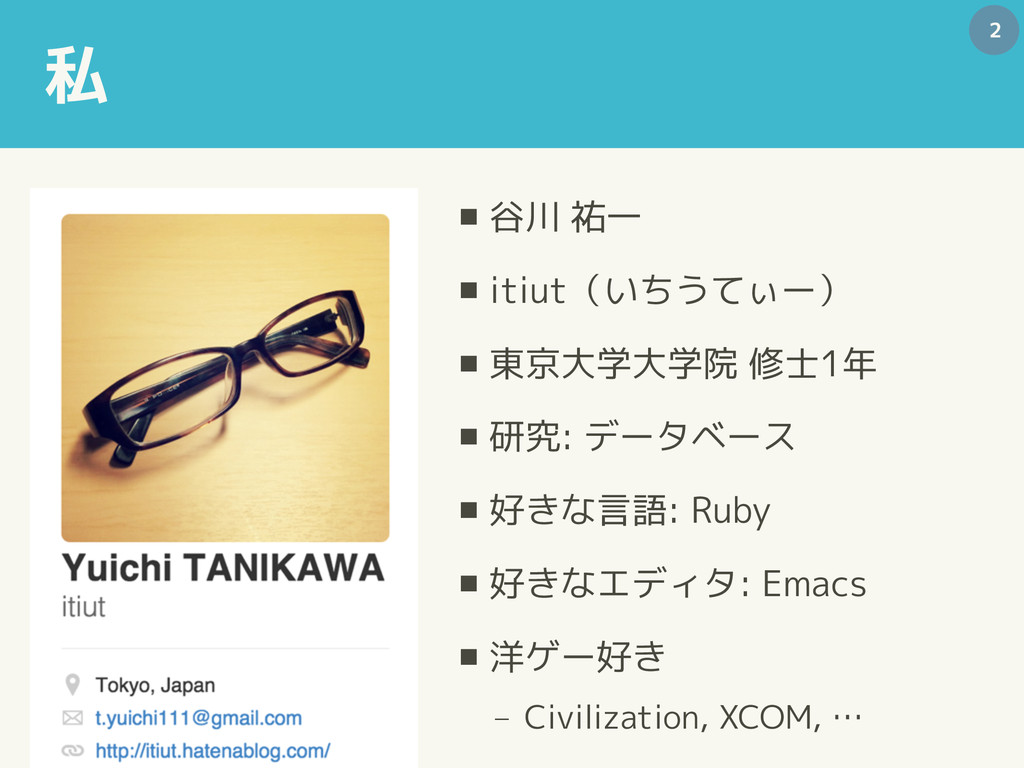
私 ▪ 谷川 祐一 ▪ itiut(いちうてぃー) ▪ 東京大学大学院 修士1年 ▪
研究: データベース ▪ 好きな言語: Ruby ▪ 好きなエディタ: Emacs ▪ 洋ゲー好き − Civilization, XCOM, … 2
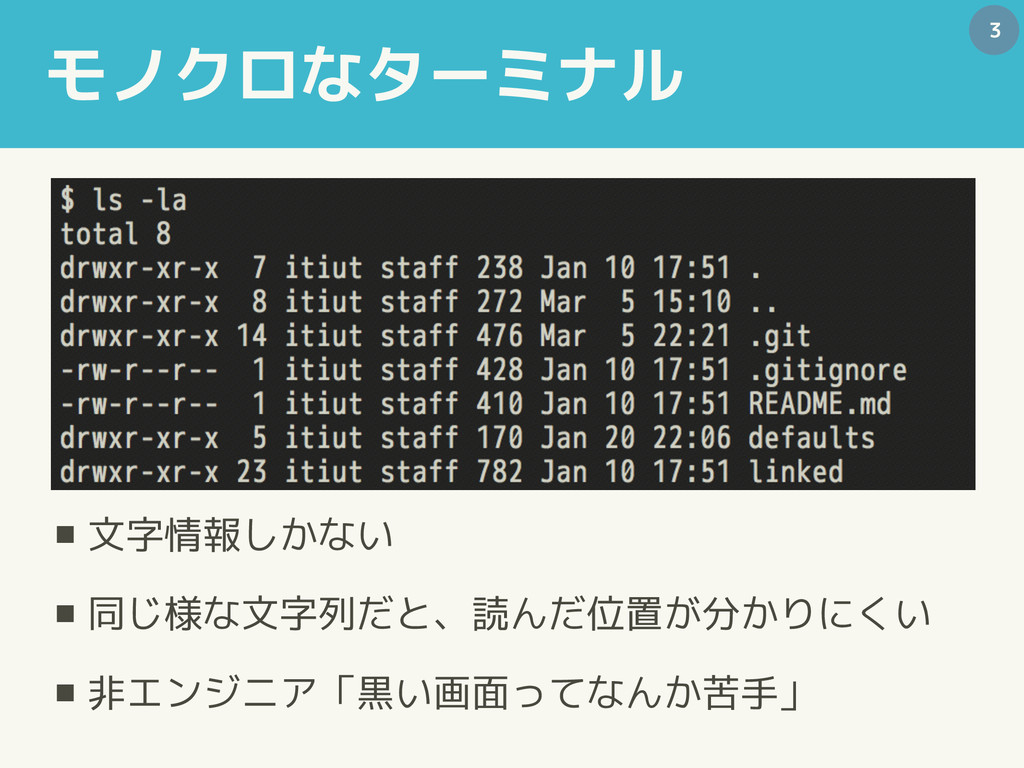
モノクロなターミナル ▪ 文字情報しかない ▪ 同じ様な文字列だと、読んだ位置が分かりにくい ▪ 非エンジニア「黒い画面ってなんか苦手」 3
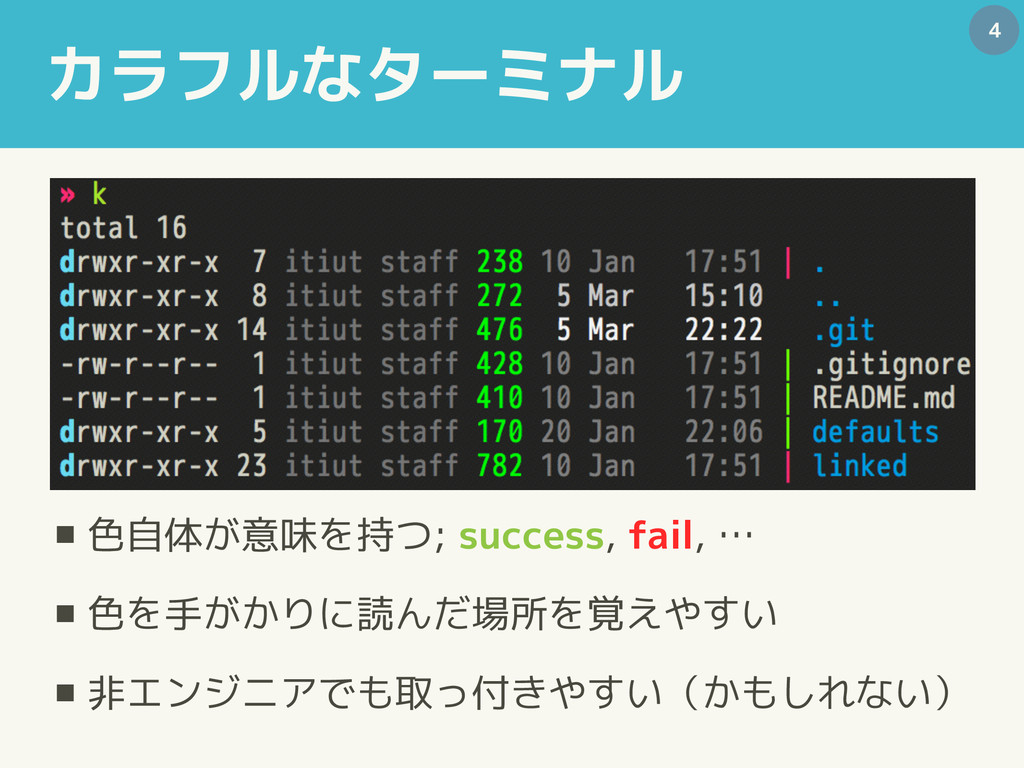
カラフルなターミナル ▪ 色自体が意味を持つ; success, fail, … ▪ 色を手がかりに読んだ場所を覚えやすい ▪ 非エンジニアでも取っ付きやすい(かもしれない)
4
カラフルなターミナル ▪ 色自体が意味を持つ; success, fail, … ▪ 色を手がかりに読んだ場所を覚えやすい ▪ 非エンジニアでも取っ付きやすい(かもしれない)
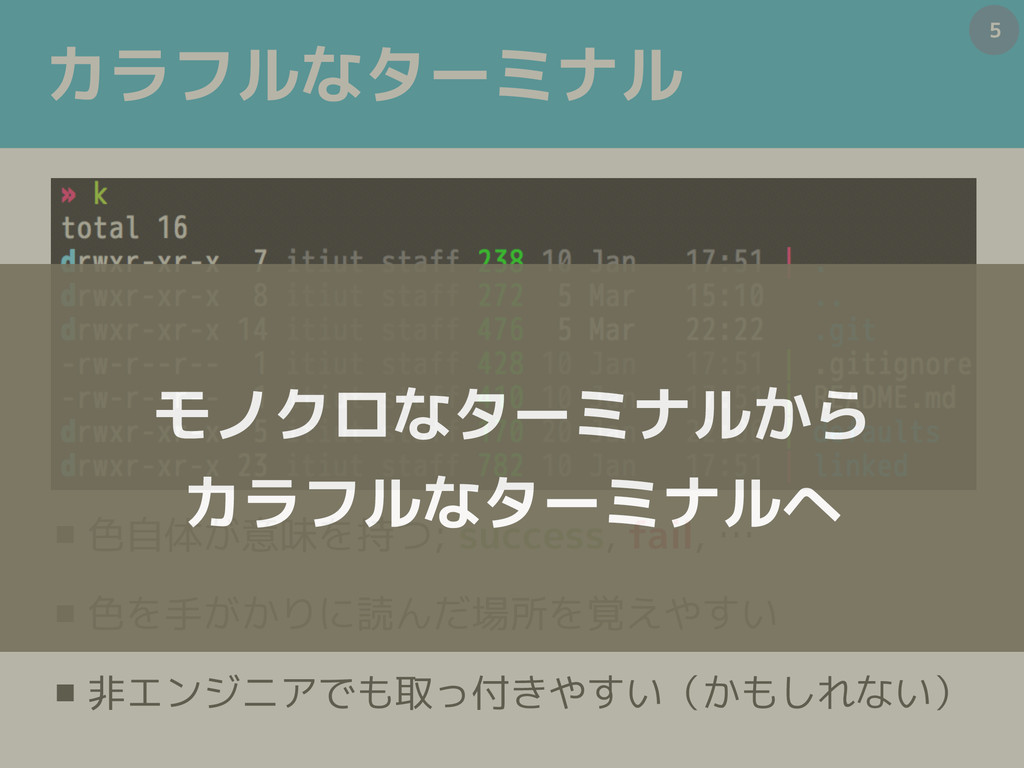
5 モノクロなターミナルから カラフルなターミナルへ
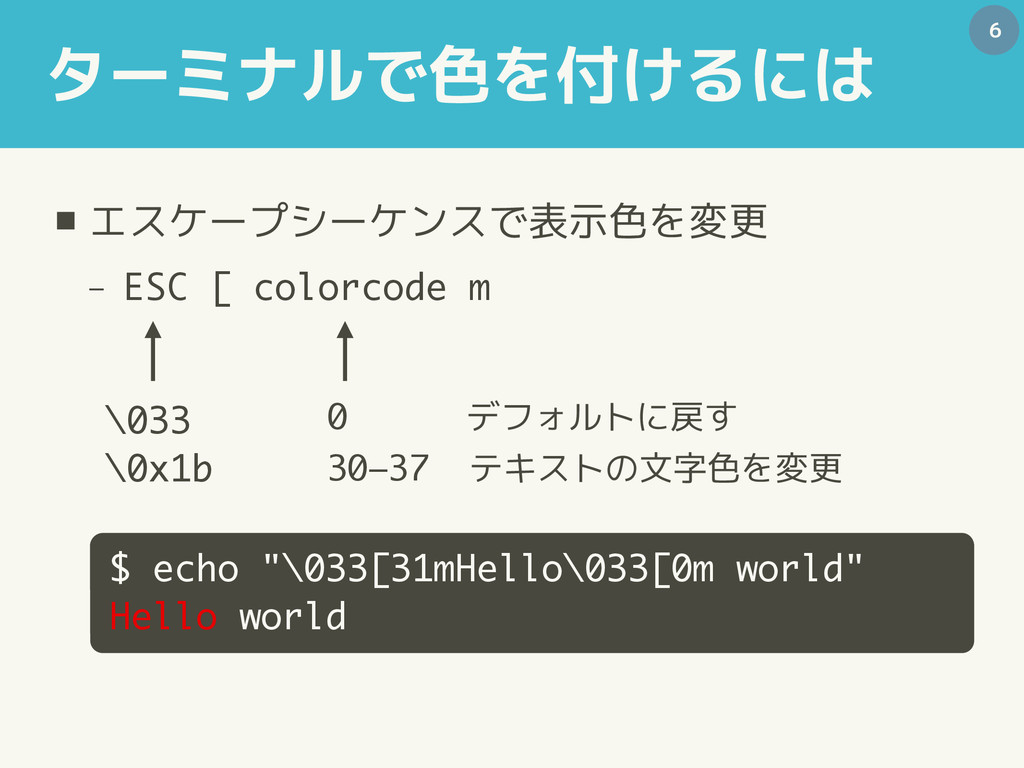
ターミナルで色を付けるには ▪ エスケープシーケンスで表示色を変更 − ESC [ colorcode m 6 $
echo "\033[31mHello\033[0m world" Hello world \033 \0x1b 0 デフォルトに戻す 30–37 テキストの文字色を変更
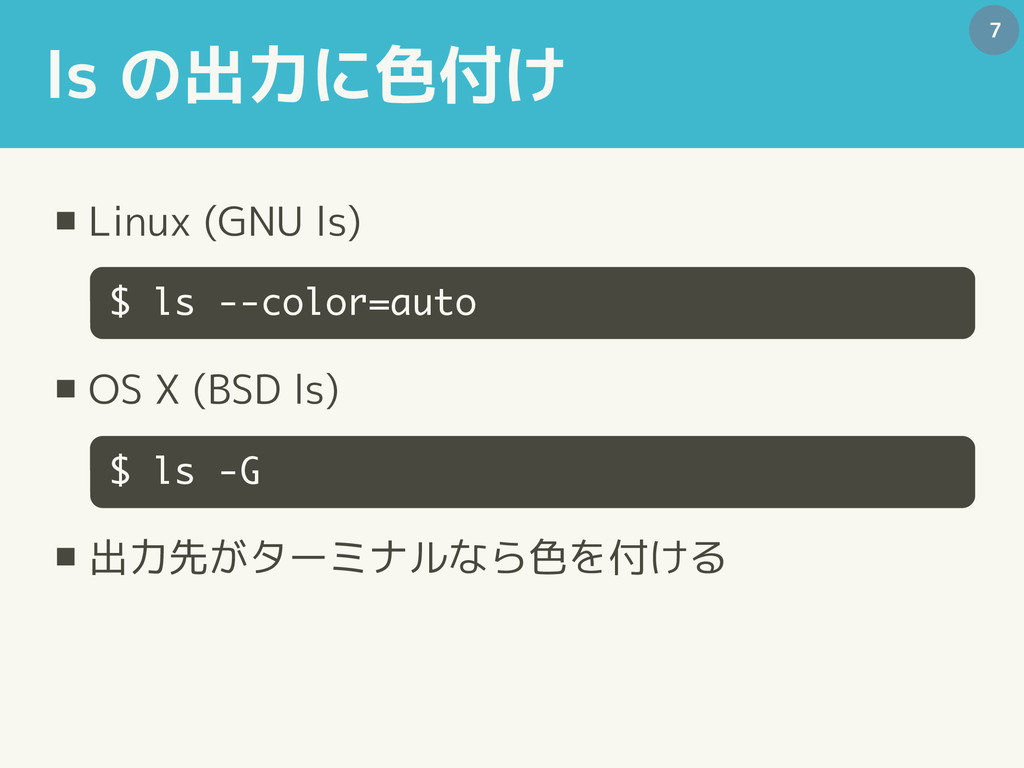
ls の出力に色付け ▪ Linux (GNU ls) ▪ OS X (BSD
ls) ▪ 出力先がターミナルなら色を付ける 7 $ ls --color=auto $ ls -G
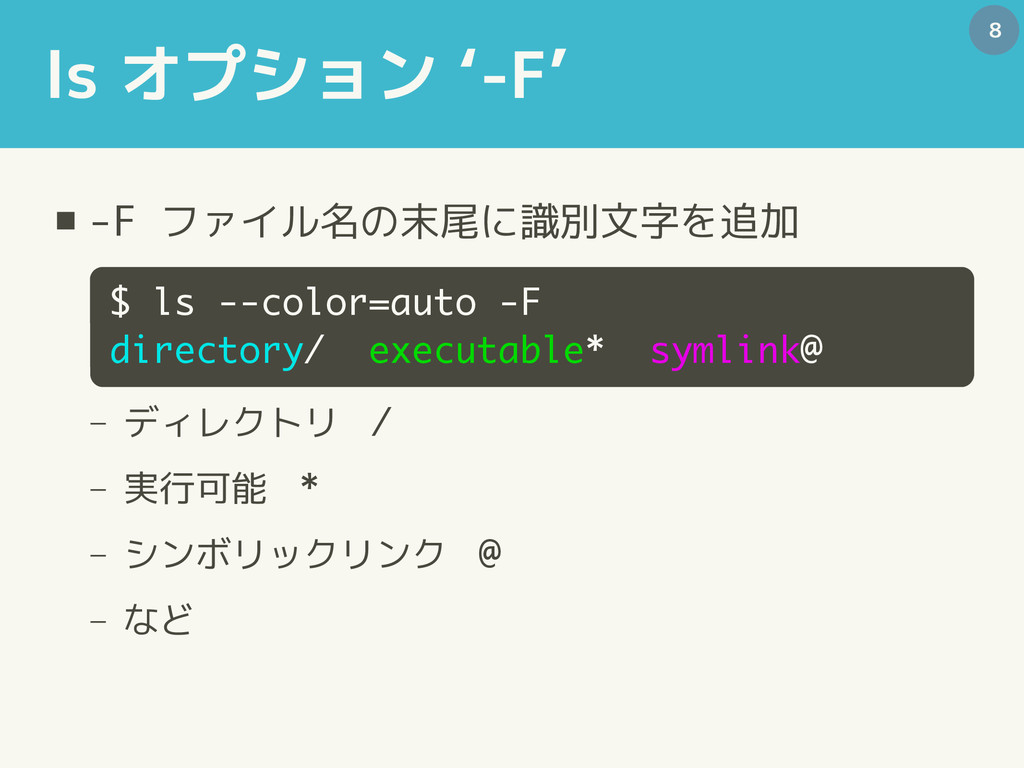
ls オプション ‘-F’ ▪ -F ファイル名の末尾に識別文字を追加 − ディレクトリ / −
実行可能 * − シンボリックリンク @ − など 8 $ ls --color=auto -F directory/ executable* symlink@
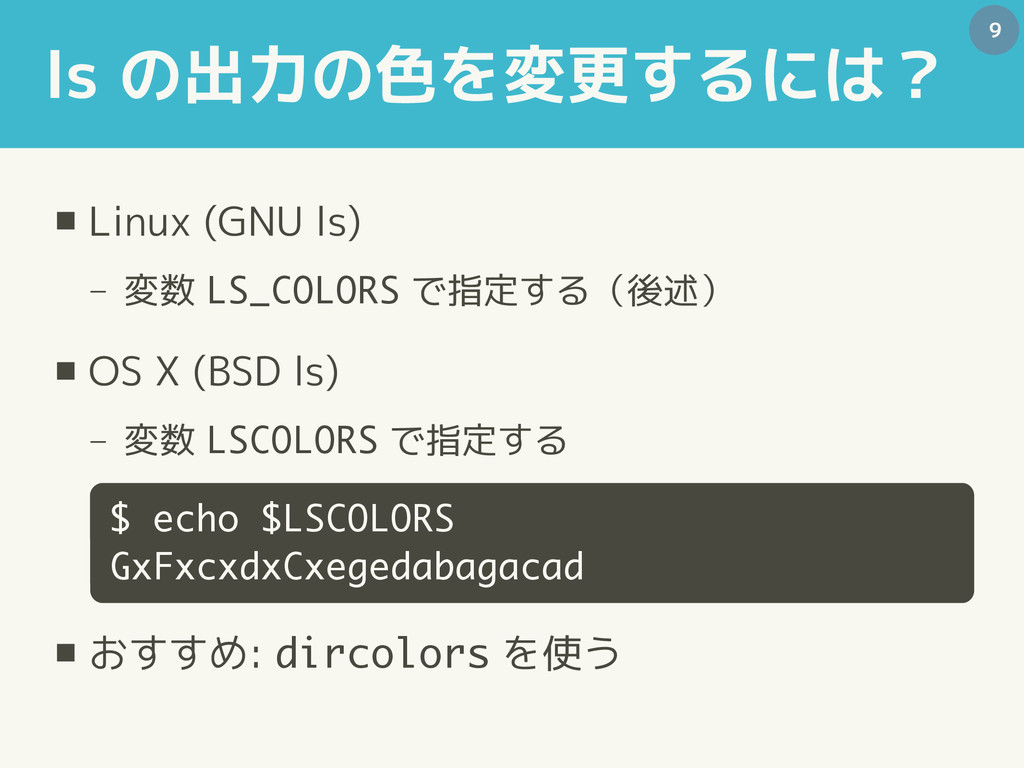
ls の出力の色を変更するには? ▪ Linux (GNU ls) − 変数 LS_COLORS で指定する(後述)
▪ OS X (BSD ls) − 変数 LSCOLORS で指定する ▪ おすすめ: dircolors を使う 9 $ echo $LSCOLORS GxFxcxdxCxegedabagacad
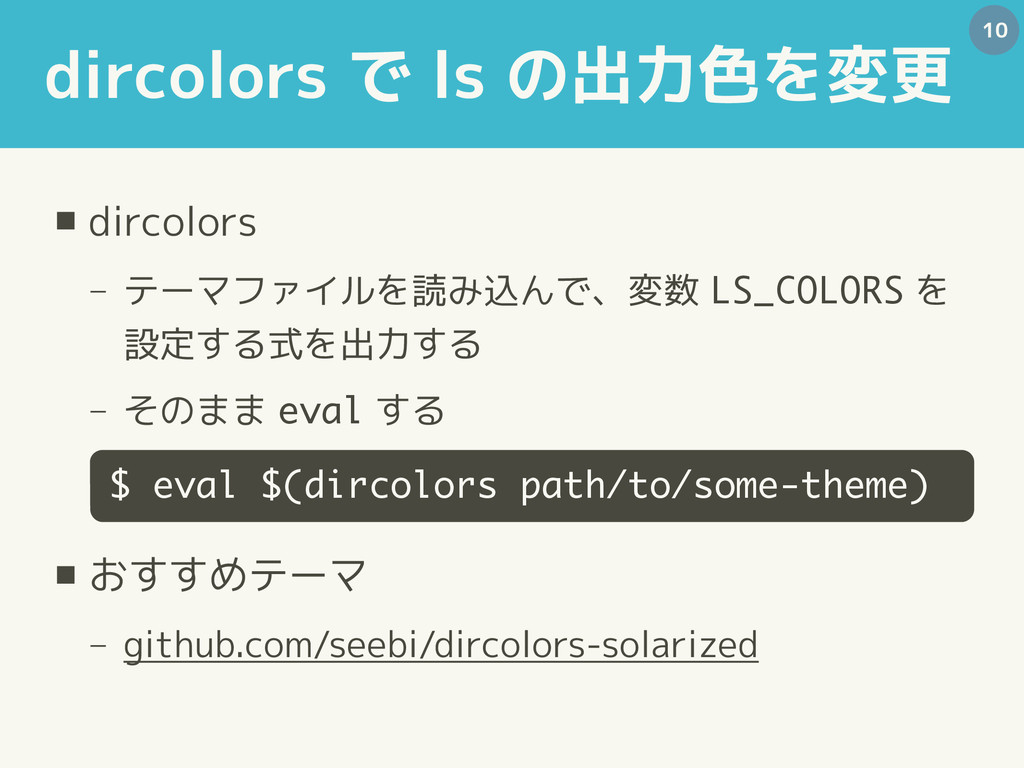
dircolors で ls の出力色を変更 ▪ dircolors − テーマファイルを読み込んで、変数 LS_COLORS を
設定する式を出力する − そのまま eval する ▪ おすすめテーマ − github.com/seebi/dircolors-solarized 10 $ eval $(dircolors path/to/some-theme)
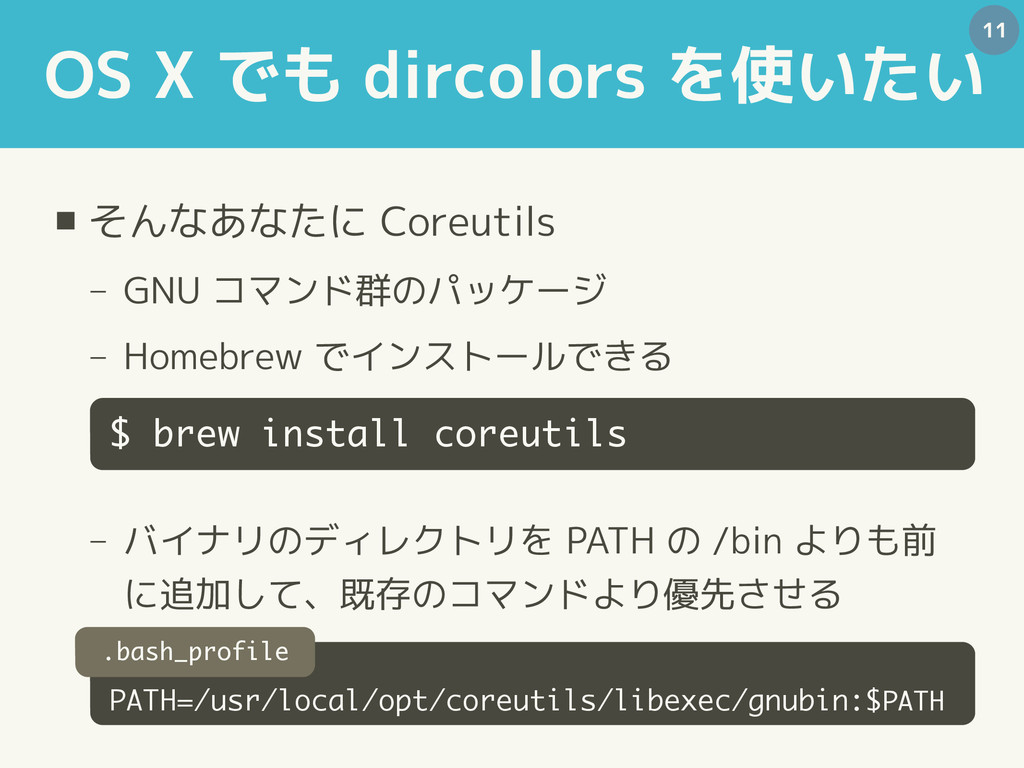
OS X でも dircolors を使いたい ▪ そんなあなたに Coreutils − GNU
コマンド群のパッケージ − Homebrew でインストールできる − バイナリのディレクトリを PATH の /bin よりも前 に追加して、既存のコマンドより優先させる 11 $ brew install coreutils PATH=/usr/local/opt/coreutils/libexec/gnubin:$PATH .bash_profile
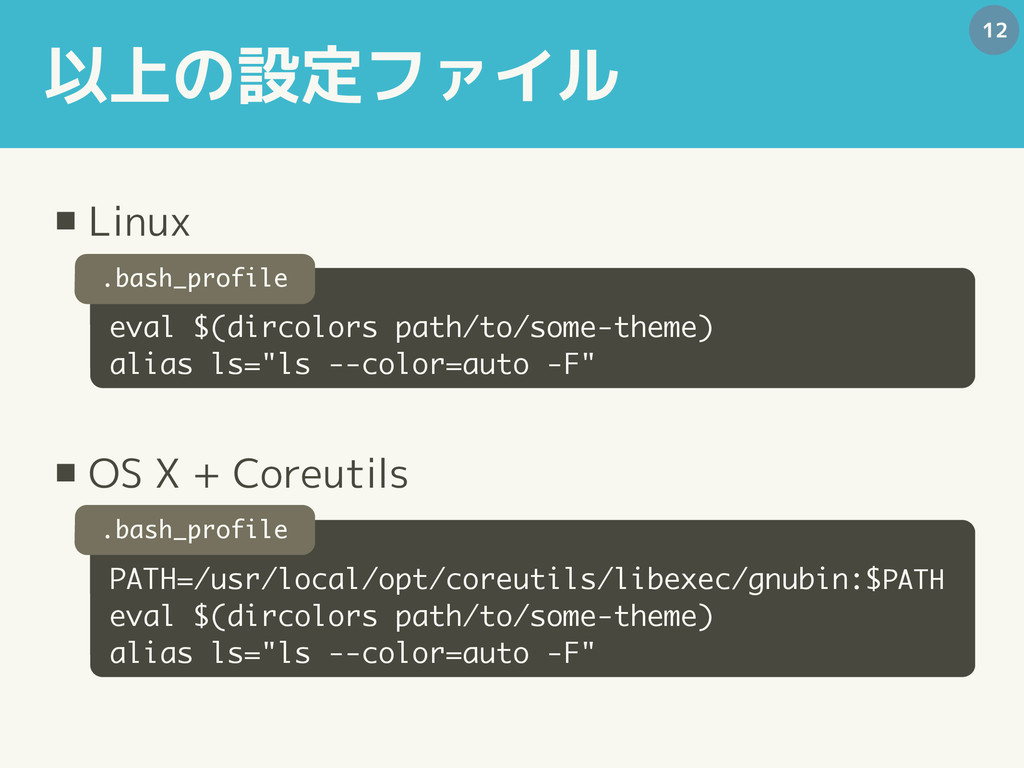
以上の設定ファイル ▪ Linux ▪ OS X + Coreutils 12 PATH=/usr/local/opt/coreutils/libexec/gnubin:$PATH
eval $(dircolors path/to/some-theme) alias ls="ls --color=auto -F" eval $(dircolors path/to/some-theme) alias ls="ls --color=auto -F" .bash_profile .bash_profile
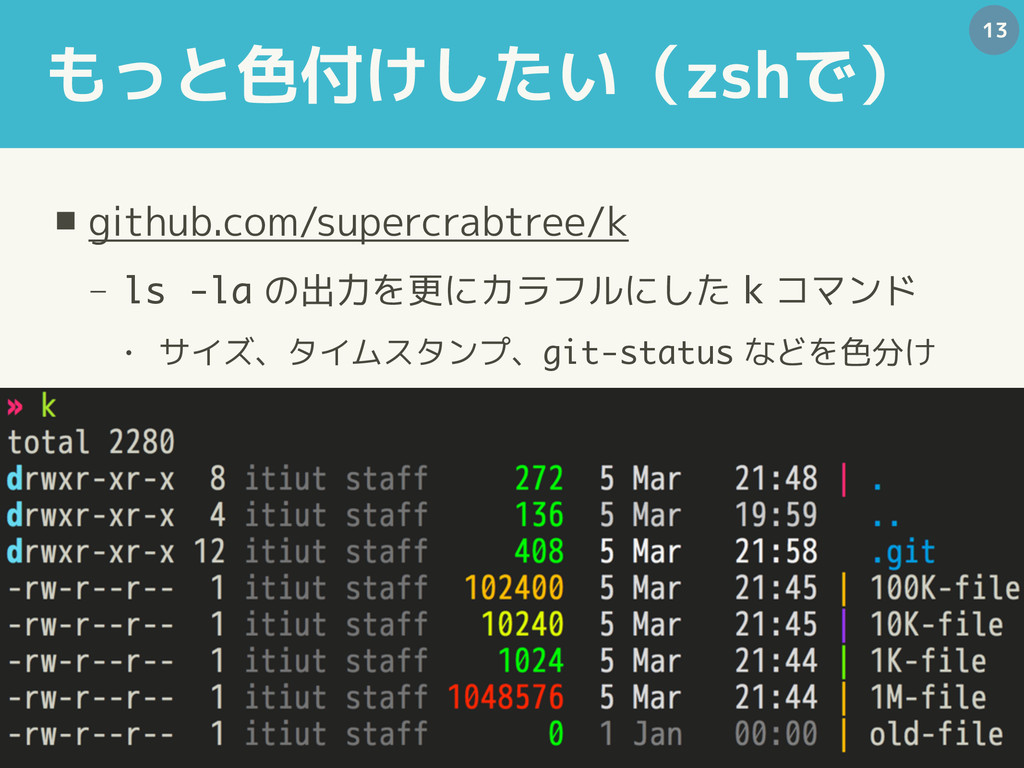
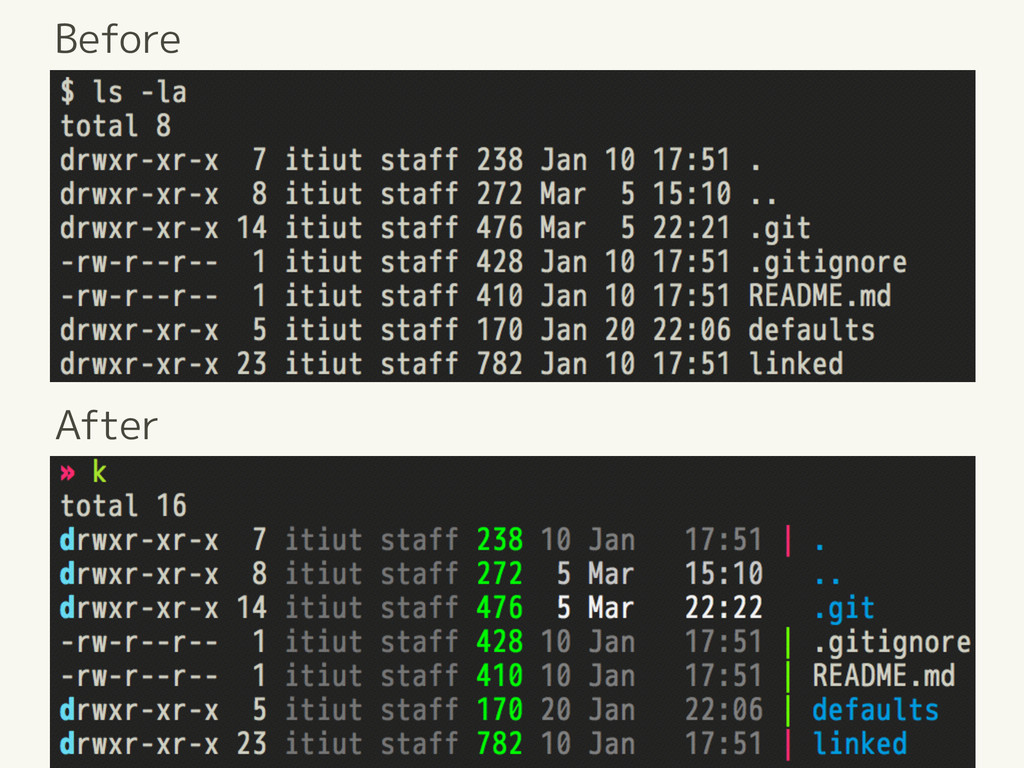
もっと色付けしたい(zshで) ▪ github.com/supercrabtree/k − ls -la の出力を更にカラフルにした k コマンド •
サイズ、タイムスタンプ、git-status などを色分け 13
Before After
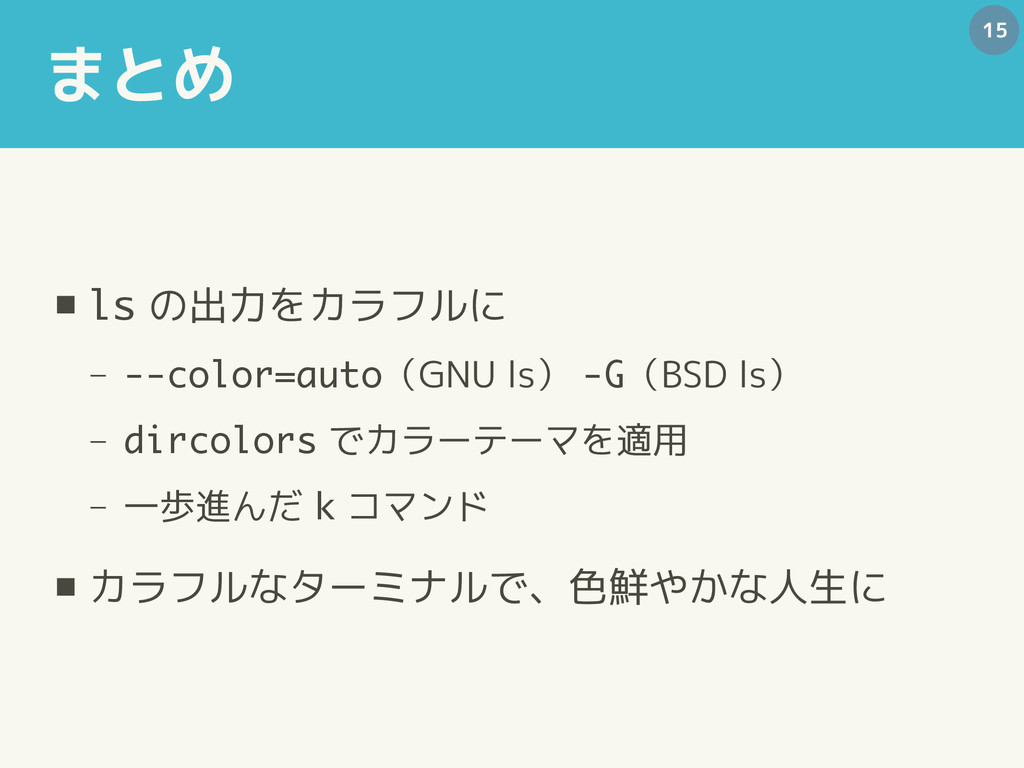
まとめ ▪ ls の出力をカラフルに − --color=auto(GNU ls) -G(BSD ls) −
dircolors でカラーテーマを適用 − 一歩進んだ k コマンド ▪ カラフルなターミナルで、色鮮やかな人生に 15


 y0hgi
y0hgi
 sylph01
 deka_morita
 optim
optim
 marcoroth
 sorah
sorah
 rollbear
 artoy
artoy
 irinanazarova
 morizo_1984
 uyuki234
 minodriven
 ipullrank
 davidcarrasco
 tonyrice
 mlcsv
mlcsv
 eileencodes
 dugsong
 szymonslowik
 orderedlist
 jmmastey
 cassininazir
 ammeep