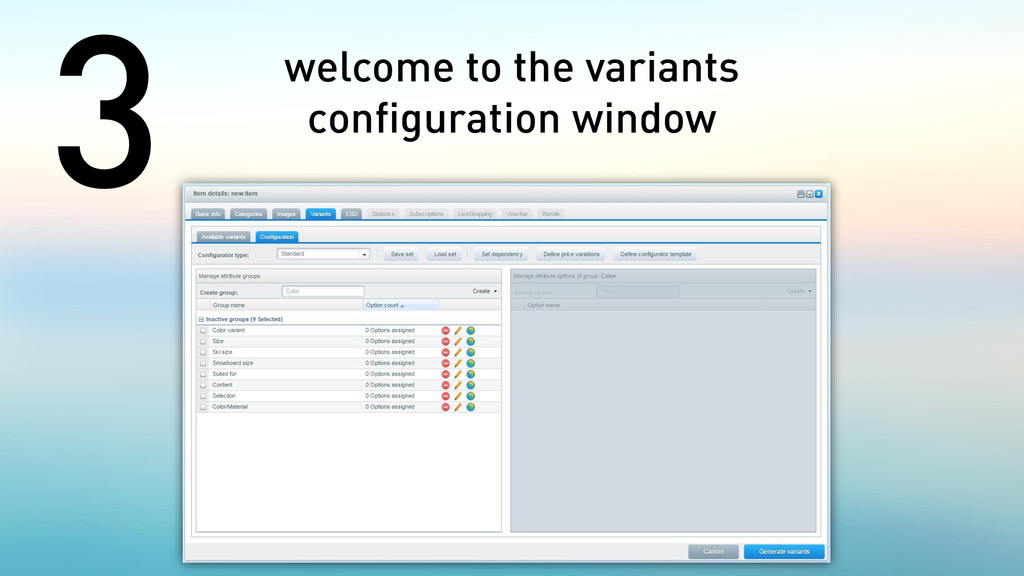
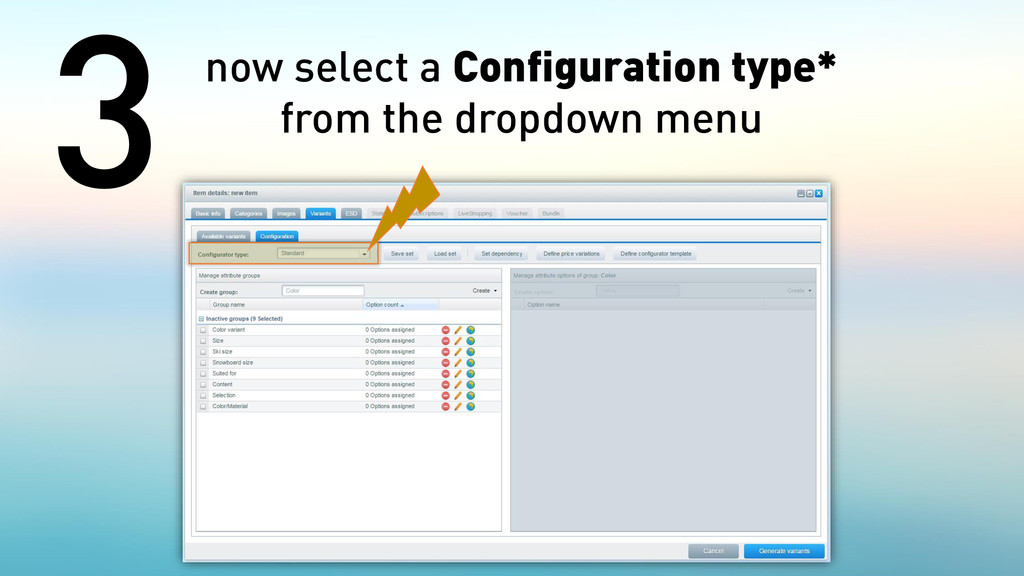
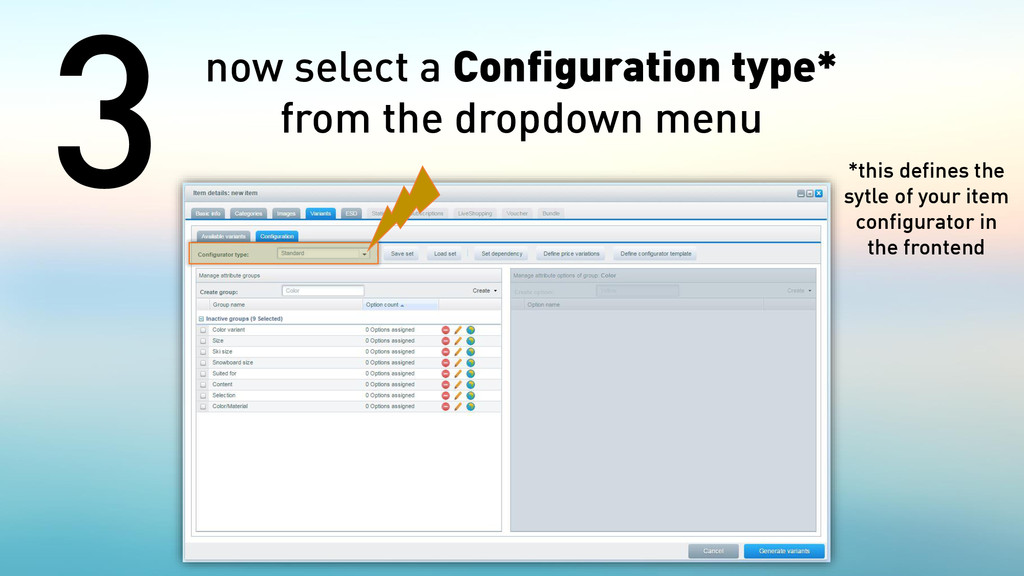
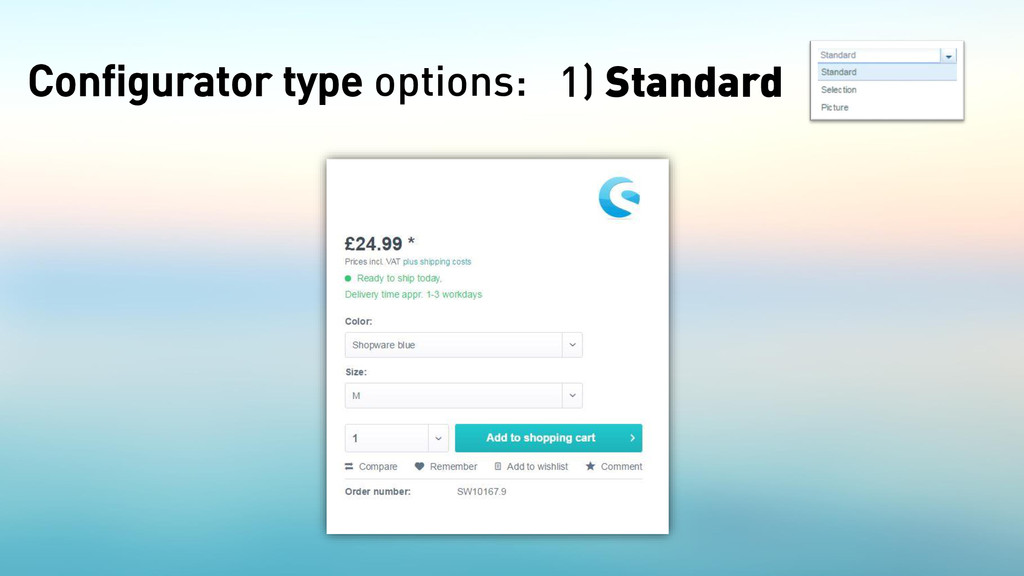
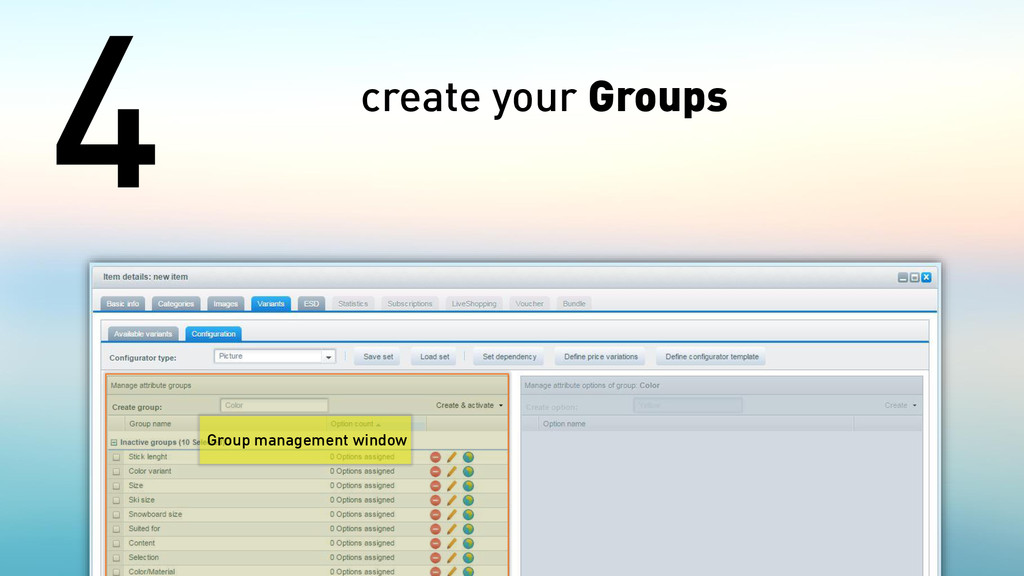
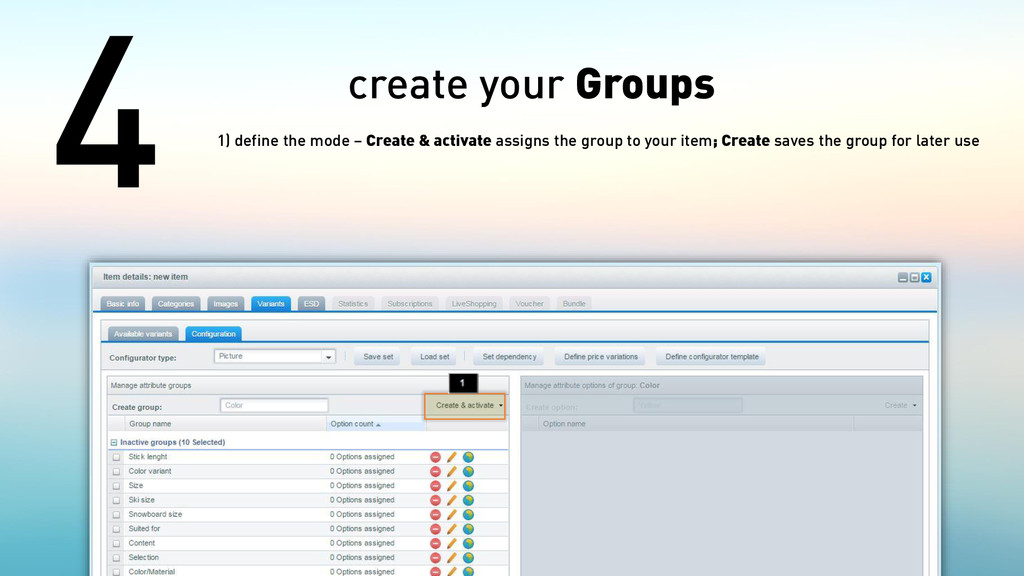
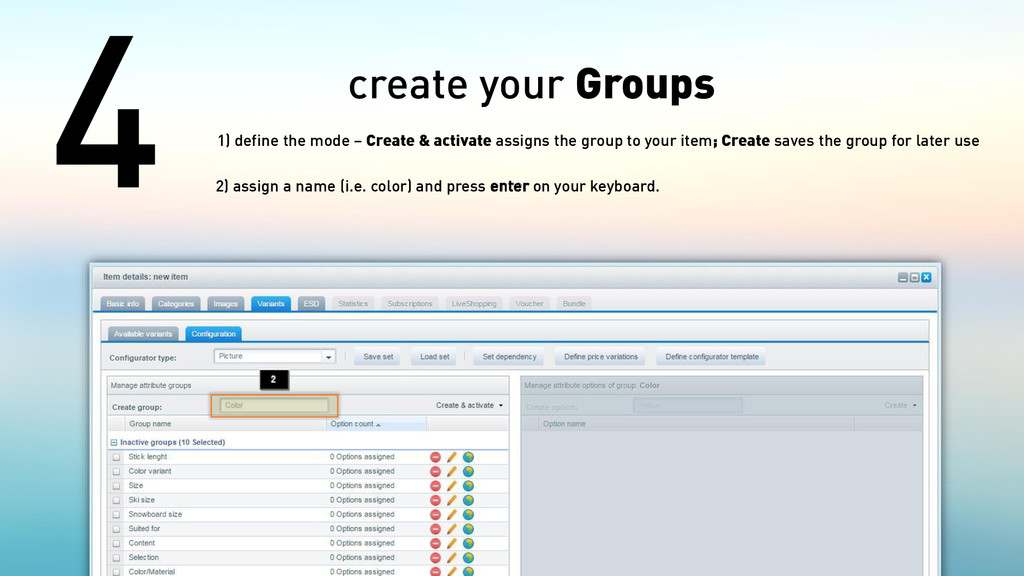
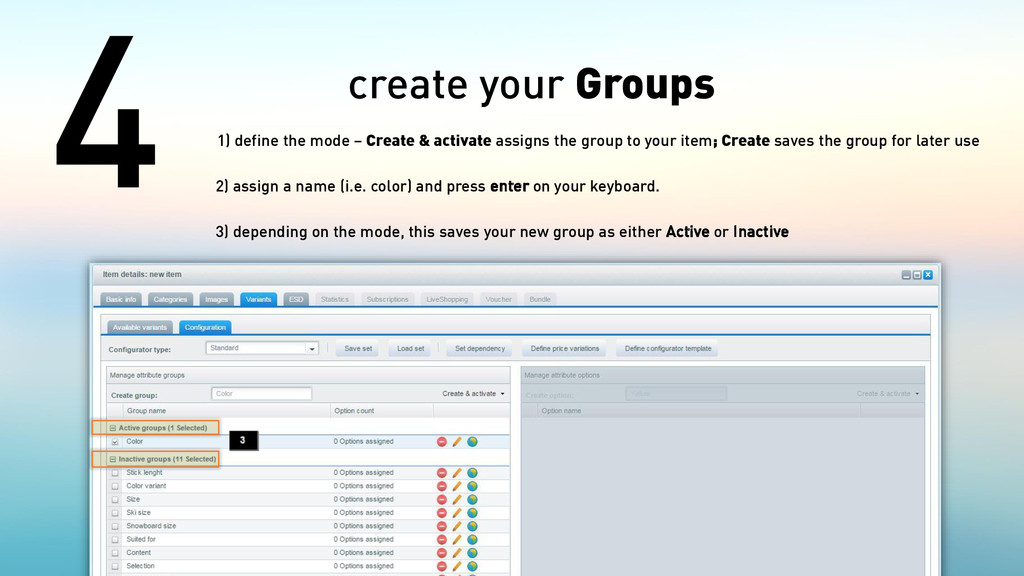
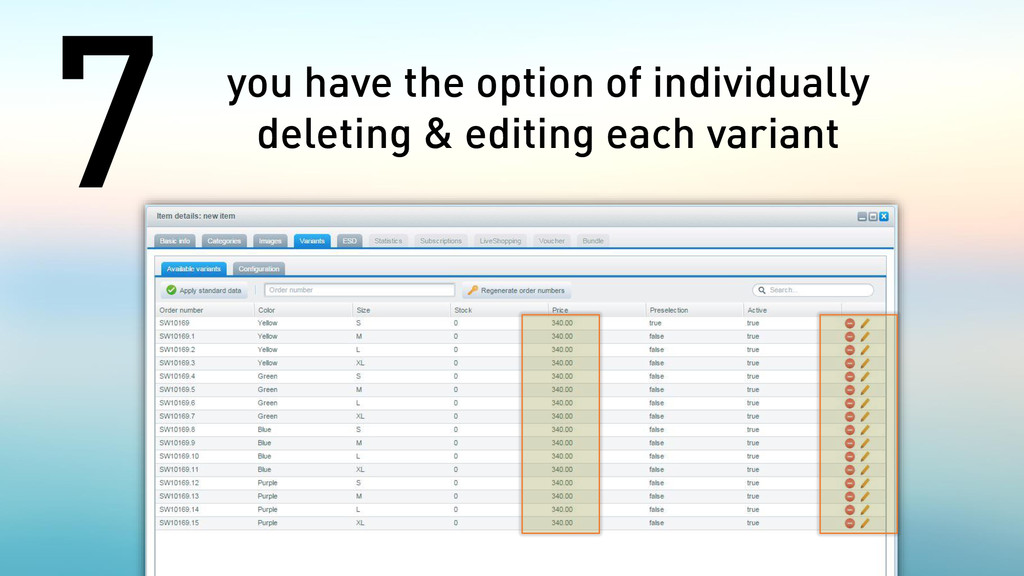
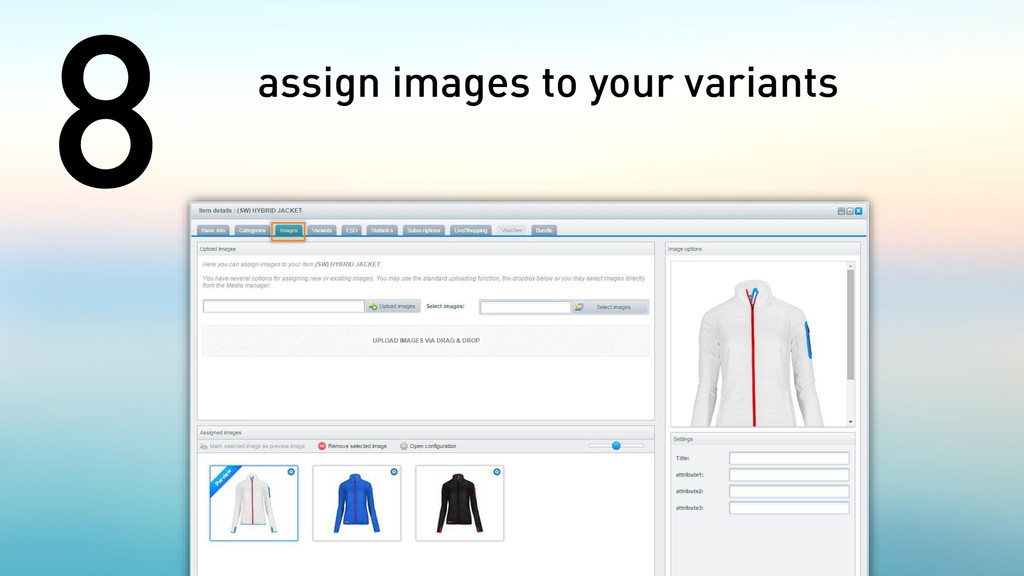
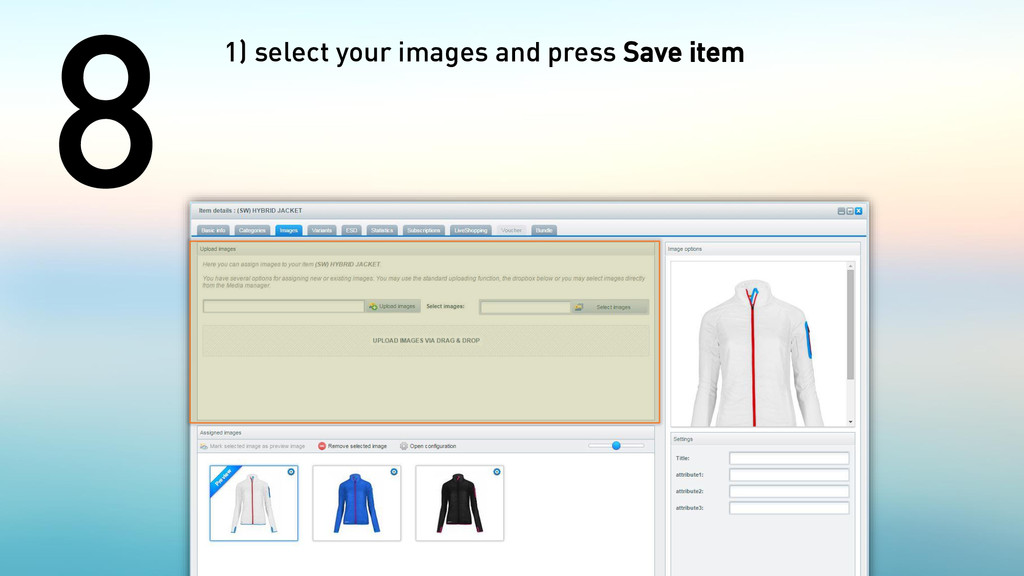
& activate assigns the group to your item; Create saves the group for later use 2) assign a name (i.e. color) and press enter on your keyboard. 3) depending on the mode, this saves your new group as either Active or Inactive
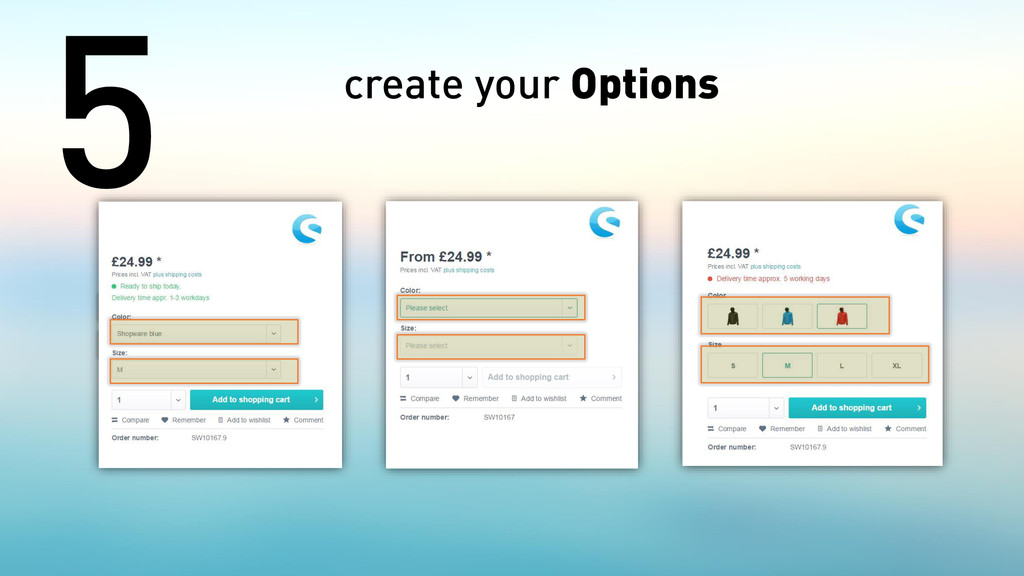
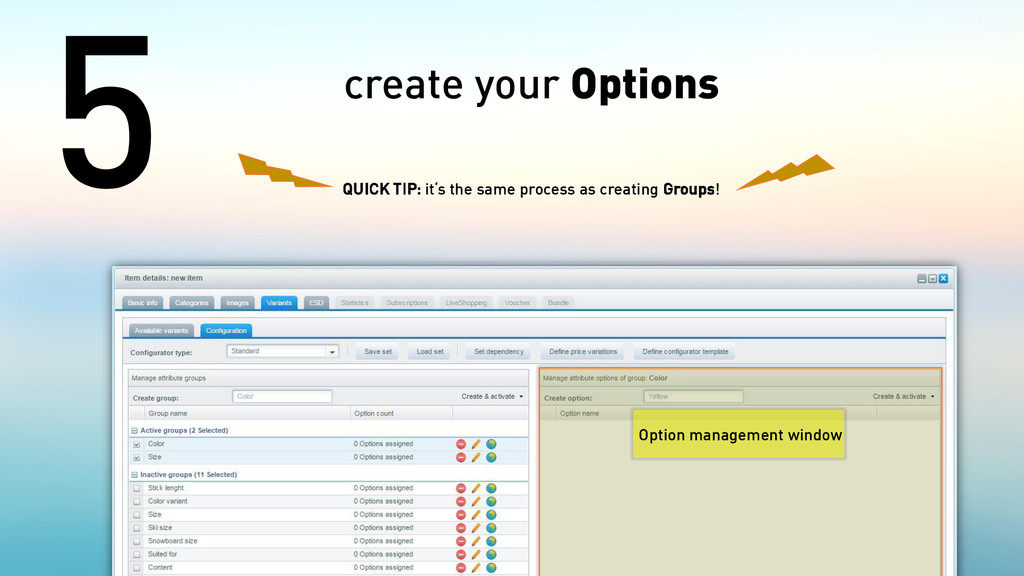
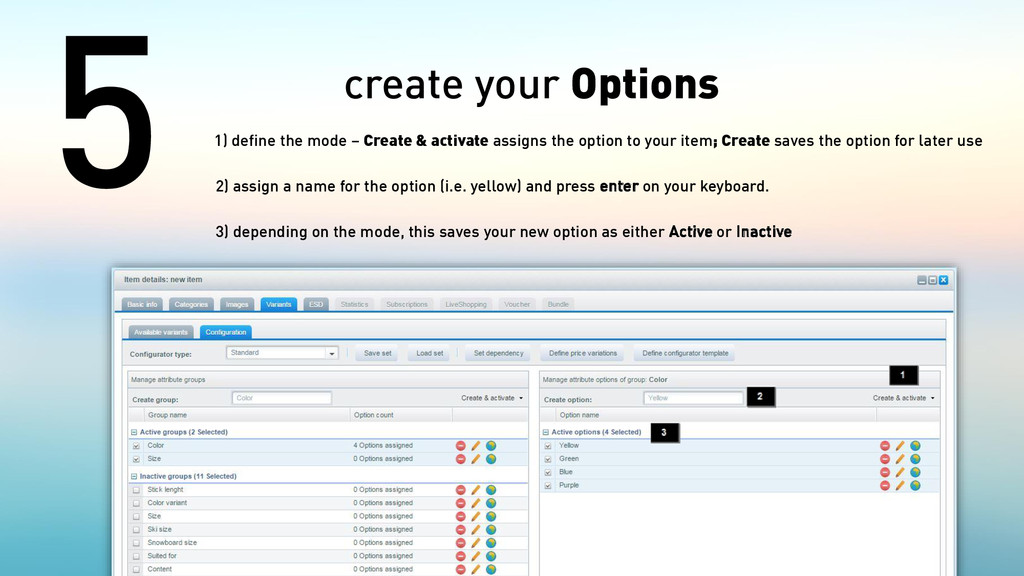
& activate assigns the option to your item; Create saves the option for later use 2) assign a name for the option (i.e. yellow) and press enter on your keyboard. 3) depending on the mode, this saves your new option as either Active or Inactive


 pauljervisheath
 oripsolob
 stephenakadiri
 brad_frost
 rocio
rocio
 aleyda
 livdayseo
 keavy
keavy
 watany
 techseoconnect
 nikkihalliwell
 bluesmoon