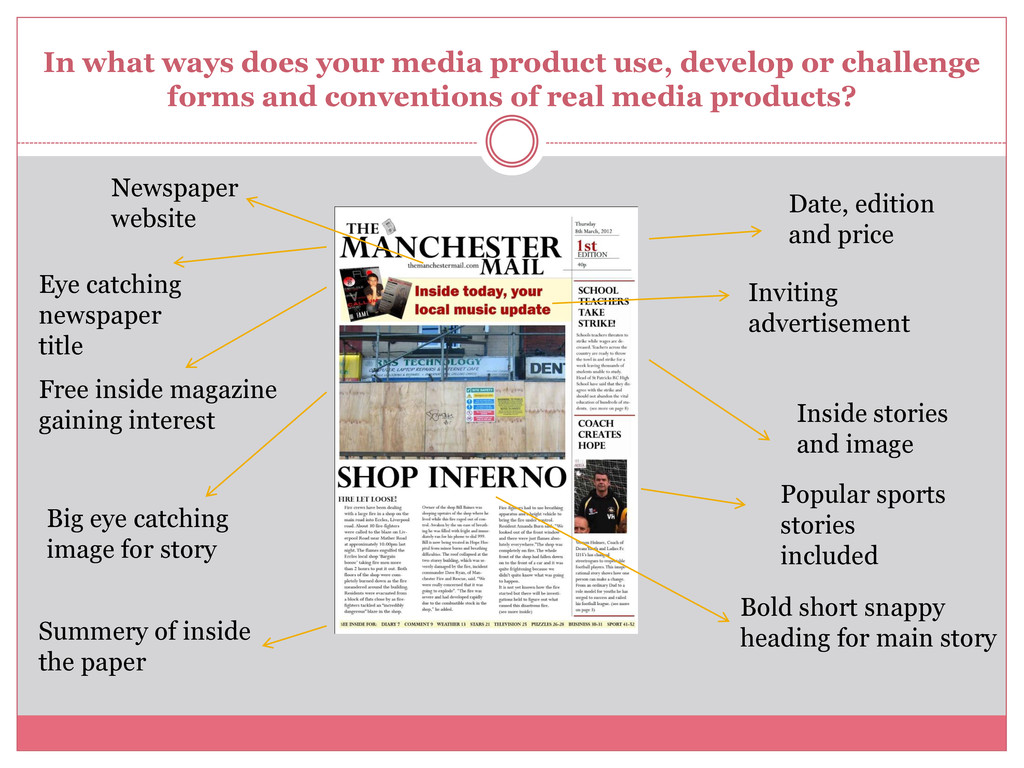
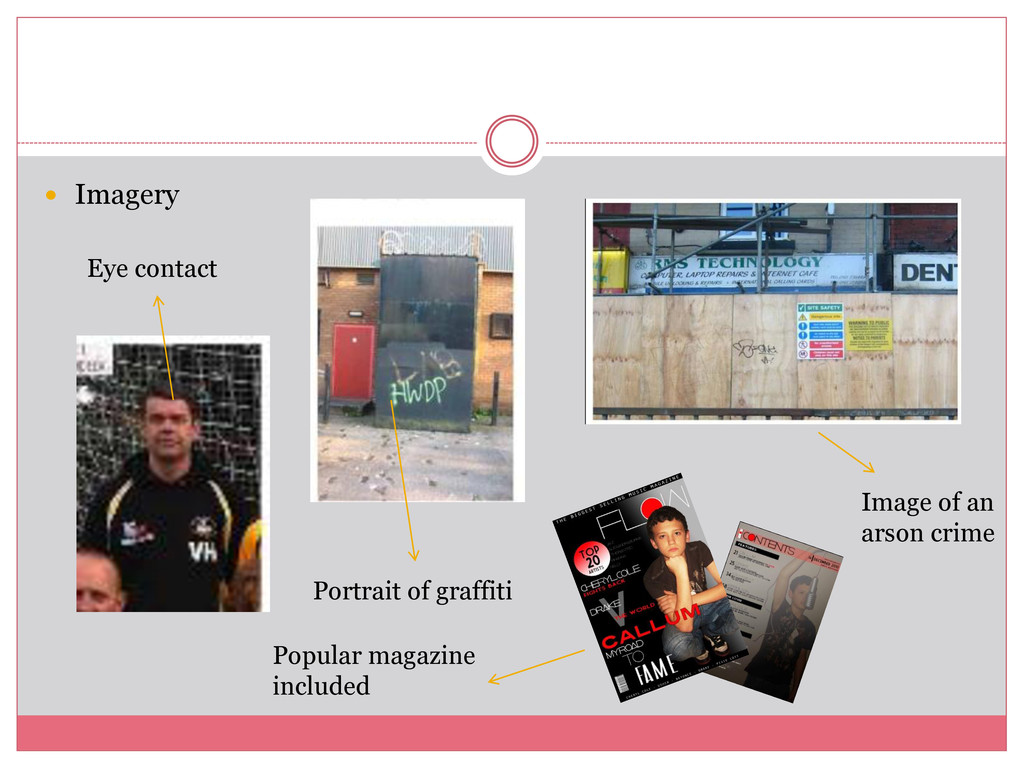
challenge forms and conventions of real media products? Newspaper website Eye catching newspaper title Free inside magazine gaining interest Big eye catching image for story Summery of inside the paper Date, edition and price Inviting advertisement Inside stories and image Bold short snappy heading for main story Popular sports stories included
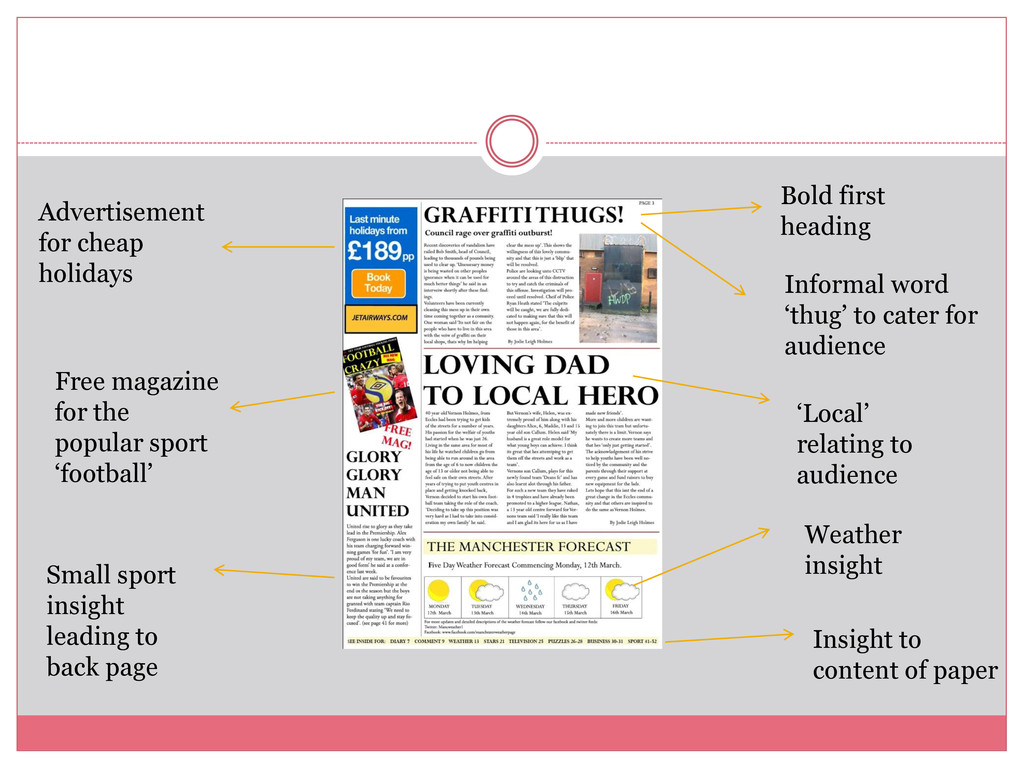
‘football’ Small sport insight leading to back page Bold first heading Informal word ‘thug’ to cater for audience ‘Local’ relating to audience Weather insight Insight to content of paper
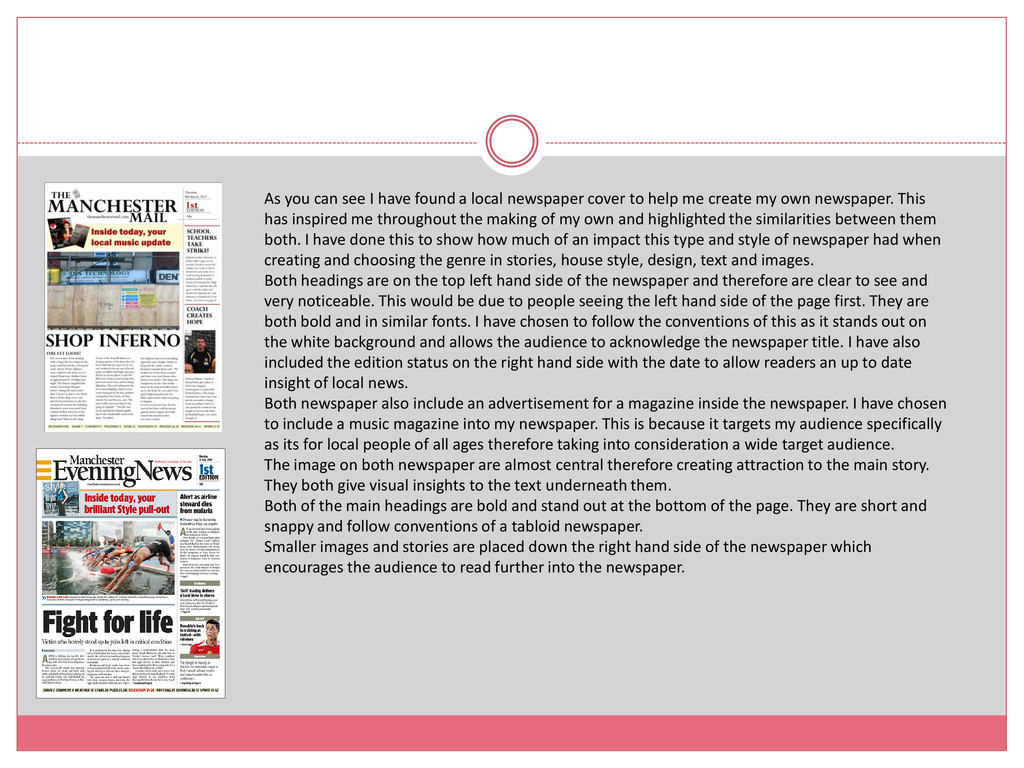
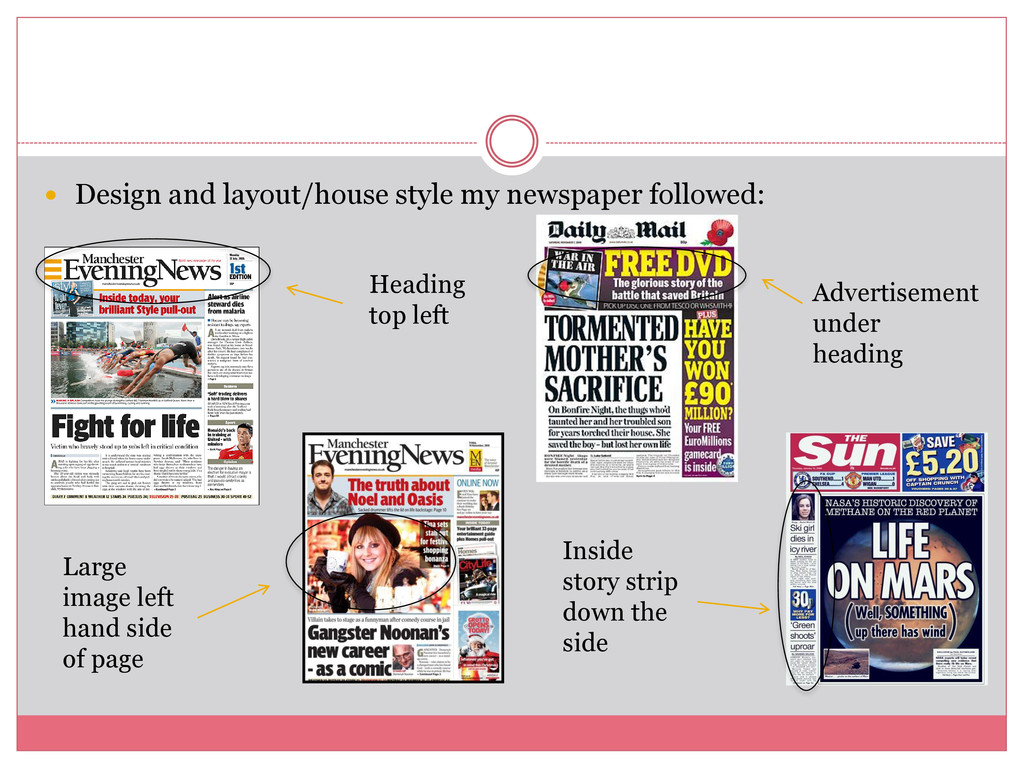
cover to help me create my own newspaper. This has inspired me throughout the making of my own and highlighted the similarities between them both. I have done this to show how much of an impact this type and style of newspaper had when creating and choosing the genre in stories, house style, design, text and images. Both headings are on the top left hand side of the newspaper and therefore are clear to see and very noticeable. This would be due to people seeing the left hand side of the page first. They are both bold and in similar fonts. I have chosen to follow the conventions of this as it stands out on the white background and allows the audience to acknowledge the newspaper title. I have also included the edition status on the right hand side with the date to allow readers an up to date insight of local news. Both newspaper also include an advertisement for a magazine inside the newspaper. I have chosen to include a music magazine into my newspaper. This is because it targets my audience specifically as its for local people of all ages therefore taking into consideration a wide target audience. The image on both newspaper are almost central therefore creating attraction to the main story. They both give visual insights to the text underneath them. Both of the main headings are bold and stand out at the bottom of the page. They are short and snappy and follow conventions of a tabloid newspaper. Smaller images and stories are placed down the right hand side of the newspaper which encourages the audience to read further into the newspaper.
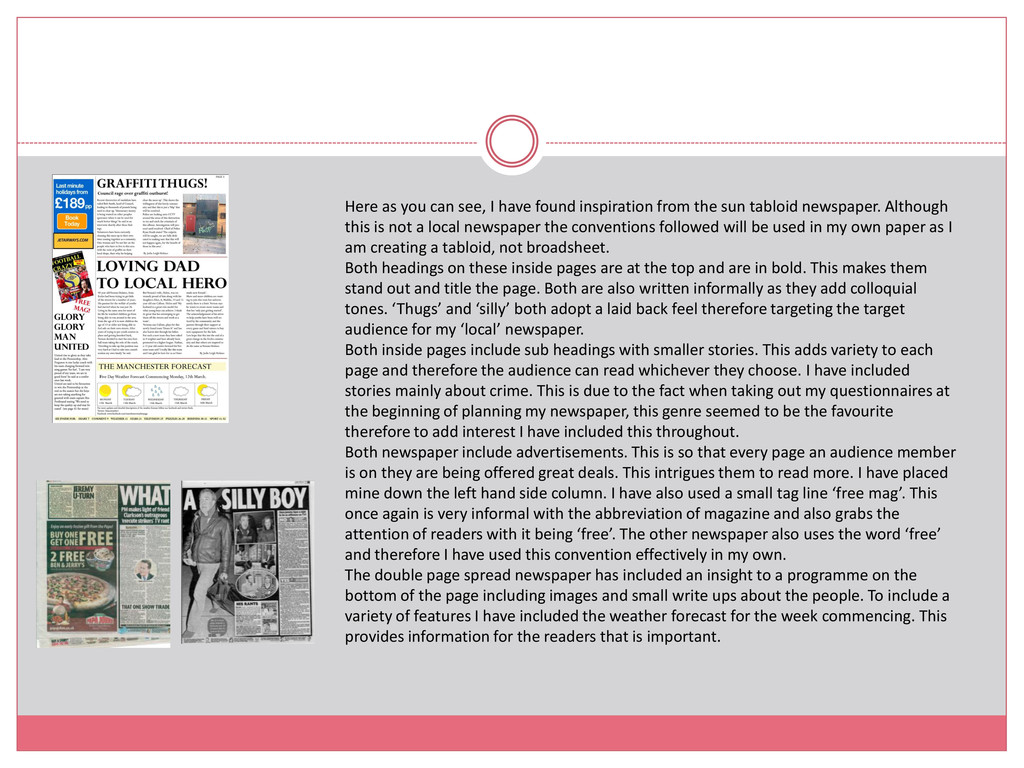
the sun tabloid newspaper. Although this is not a local newspaper the conventions followed will be used in my own paper as I am creating a tabloid, not broadsheet. Both headings on these inside pages are at the top and are in bold. This makes them stand out and title the page. Both are also written informally as they add colloquial tones. ‘Thugs’ and ‘silly’ both adopt a laid back feel therefore targeting the target audience for my ‘local’ newspaper. Both inside pages include sub headings with smaller stories. This adds variety to each page and therefore the audience can read whichever they choose. I have included stories mainly about crime. This is due to the fact when taking out my questionnaires at the beginning of planning my newspaper, this genre seemed to be the favourite therefore to add interest I have included this throughout. Both newspaper include advertisements. This is so that every page an audience member is on they are being offered great deals. This intrigues them to read more. I have placed mine down the left hand side column. I have also used a small tag line ‘free mag’. This once again is very informal with the abbreviation of magazine and also grabs the attention of readers with it being ‘free’. The other newspaper also uses the word ‘free’ and therefore I have used this convention effectively in my own. The double page spread newspaper has included an insight to a programme on the bottom of the page including images and small write ups about the people. To include a variety of features I have included the weather forecast for the week commencing. This provides information for the readers that is important.
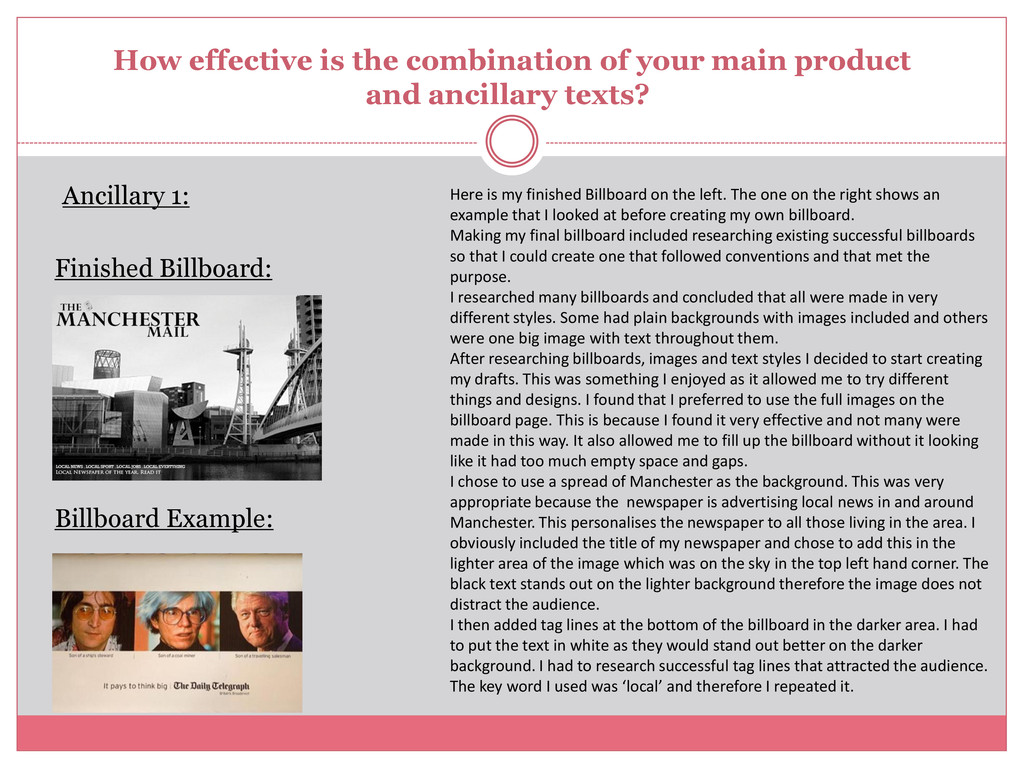
ancillary texts? Ancillary 1: Finished Billboard: Billboard Example: Here is my finished Billboard on the left. The one on the right shows an example that I looked at before creating my own billboard. Making my final billboard included researching existing successful billboards so that I could create one that followed conventions and that met the purpose. I researched many billboards and concluded that all were made in very different styles. Some had plain backgrounds with images included and others were one big image with text throughout them. After researching billboards, images and text styles I decided to start creating my drafts. This was something I enjoyed as it allowed me to try different things and designs. I found that I preferred to use the full images on the billboard page. This is because I found it very effective and not many were made in this way. It also allowed me to fill up the billboard without it looking like it had too much empty space and gaps. I chose to use a spread of Manchester as the background. This was very appropriate because the newspaper is advertising local news in and around Manchester. This personalises the newspaper to all those living in the area. I obviously included the title of my newspaper and chose to add this in the lighter area of the image which was on the sky in the top left hand corner. The black text stands out on the lighter background therefore the image does not distract the audience. I then added tag lines at the bottom of the billboard in the darker area. I had to put the text in white as they would stand out better on the darker background. I had to research successful tag lines that attracted the audience. The key word I used was ‘local’ and therefore I repeated it.
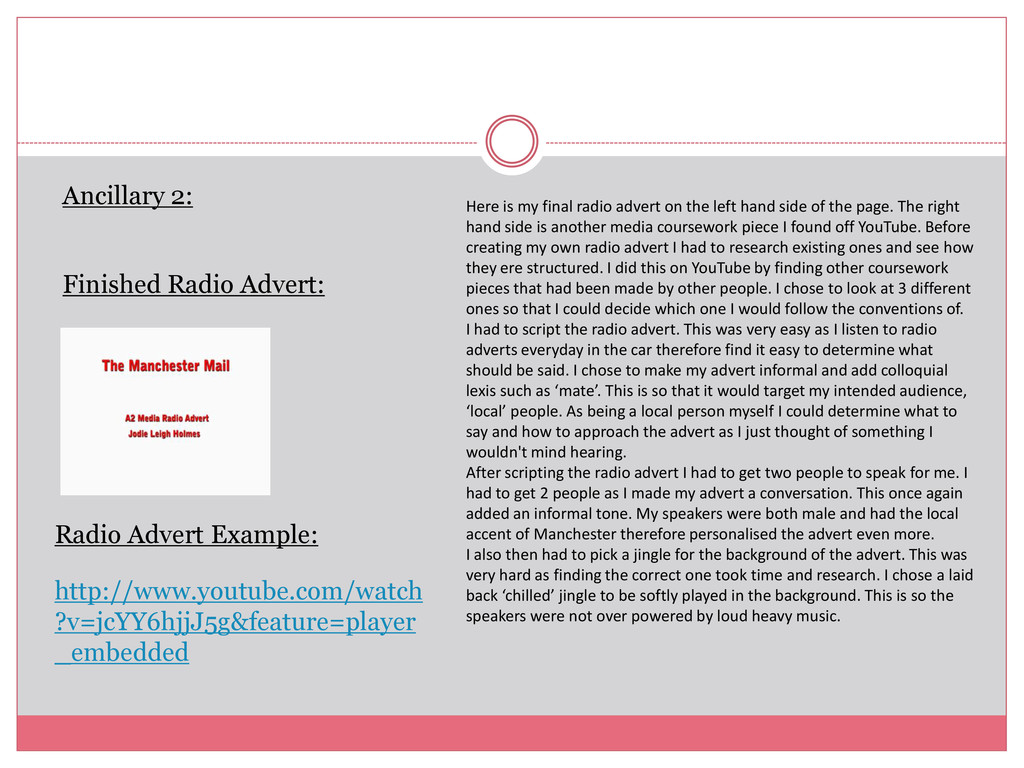
_embedded Here is my final radio advert on the left hand side of the page. The right hand side is another media coursework piece I found off YouTube. Before creating my own radio advert I had to research existing ones and see how they ere structured. I did this on YouTube by finding other coursework pieces that had been made by other people. I chose to look at 3 different ones so that I could decide which one I would follow the conventions of. I had to script the radio advert. This was very easy as I listen to radio adverts everyday in the car therefore find it easy to determine what should be said. I chose to make my advert informal and add colloquial lexis such as ‘mate’. This is so that it would target my intended audience, ‘local’ people. As being a local person myself I could determine what to say and how to approach the advert as I just thought of something I wouldn't mind hearing. After scripting the radio advert I had to get two people to speak for me. I had to get 2 people as I made my advert a conversation. This once again added an informal tone. My speakers were both male and had the local accent of Manchester therefore personalised the advert even more. I also then had to pick a jingle for the background of the advert. This was very hard as finding the correct one took time and research. I chose a laid back ‘chilled’ jingle to be softly played in the background. This is so the speakers were not over powered by loud heavy music.
to add up to date work. I had to use blogger throughout the whole entire project of making my newspaper and ancillary tasks. This is because I had to upload my progression of tasks on to it. This allowed me to keep track of my work and show the stages of making my newspaper such as different drafts. This made my work very organised as i could number pieces of work into different sections such as planning, construction and final product. I was also able to go back to pieces of work that needed to be up dated. This made sure all my work was complete. My tutor could also access my blog account and therefore see my progression of work online. This allowed him to give me feedback throughout my tasks and therefore I could improve my work. It also allowed my tutor to see if I was ahead of behind in outstanding tasks. By adding all my work on Blogger I could gain an organised profile of documents that then could be marked at the end when I had completed all my work. How did you use media technologies in the construction and research, planning and evaluation stages?
areas. Firstly it was used for researching different radio adverts. This was very helpful as it allowed me to see other adverts that had been uploaded so I could gain an understanding of what I needed to include on my own. By using YouTube is allowed me to search anything I wanted without there being any dead ends.
to my blog. I had to add a presentation of initial research at the start of my blog and I will be adding this presentation through slide share too. This was very easy to do and helps me show a variety of different ways that I could show and supply information and research onto my blog.
and edit documents. Adobe Photoshop is a graphics editing program developed and published by Adobe Systems Incorporated. Throughout Photoshop I used many different tools. I had to edit different images, position text and create headings with the correct fonts and colours. To edit images I had to use different tools. I cropped images and made them bigger and smaller. I added plenty of text to my newspaper using the ‘T’ tool. I used different fonts so that it would ad a variety. It was very easy to add text and modify it as all the tools needed were at hand. Photoshop also allowed me to use tools that I hadn't used before. My skills were improved and therefore my products came out better than expected. Photoshop allows you to make drafts and nothing can not be un done. I made lots of drafts and each time my skills improved therefore my final outcomes were better.
advert. Here I added the voice clip from the voice recorder and changed the sound volumes and cut different bits that I did not want to include into the final recording. With this programme I also added the jingle and overplayed this to the recording. I then change the volumes so that they both balanced out well. As my skills improved on this software I was able to add different effects to the sound. I made the ending of the advert fade out instead of suddenly stopping. This made the radio advert more effective. I therefore made the radio advert fade in. This is because I found that the voice recording was quieter in these areas therefore the sound was too loud, By making them fade in and out it added a softer tone and it flowed. I then added a visual to the audio of my name and the name of the newspaper. This is so that it would be ready to upload onto YouTube like the other coursework pieces I had researched.
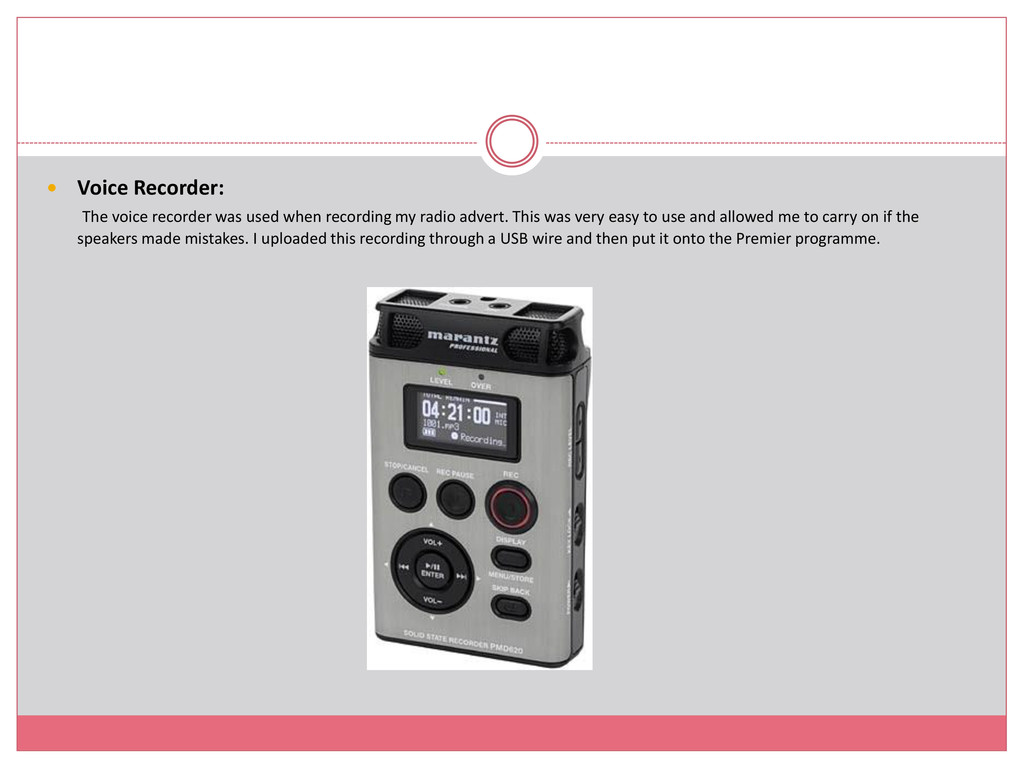
my radio advert. This was very easy to use and allowed me to carry on if the speakers made mistakes. I uploaded this recording through a USB wire and then put it onto the Premier programme.


 axbom
axbom
 morganepeng
 trallard
 lauravandoore
 techseoconnect
 addyosmani
 deanohume
 sugarenia
 chriscoyier
 vanstee
 geoffreycrofte
 samanthasiow