Upgrade to Pro — share decks privately, control downloads, hide ads and more …

Intro to Kotlin Multiplatform (DevFest Melbourn...

Intro to Kotlin Multiplatform (DevFest Melbourne/Sydney)

Kotlin Multiplatform (that you probably refer to as Kotlin Native) is one of the new solution that appeared in the cross-platform toolkit. It is still recent but Kotlin Native hit beta with Kotlin 1.3 back in February 2019.

This talk introduces Kotlin Multiplatform, specifically in the context of sharing code between an iOS and Android application. It will go over a sample project using Kotlin Multiplatform and try to find advantages and drawbacks of the solution.

It was presented at both the Devfest Melbourne and Devfest Sydney.

Avatar for Julien Arzul

Julien Arzul

November 16, 2019

Other Decks in Programming

Transcript

  1. Yet Another Cross-Platform solution? Plenty of cross-platform solutions out there:

    • React Native • Flutter • Ionic/Phone Gap • Xamarin “write once, run anywhere”
  2. Yet Another Cross Multi-Platform solution Kotlin Multiplatform’s goal is to

    share code between platforms. Similar to: • C++ code sharing • J2ObjC “Shared UI is a history of pain and failure. Shared logic is the history of computers.” -Kevin Galligan
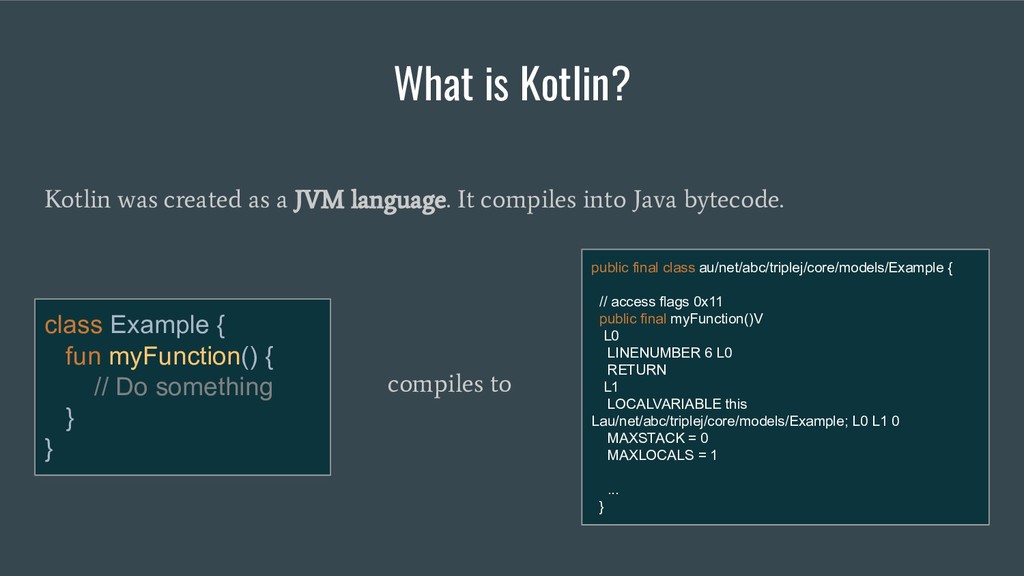
  3. What is Kotlin? Kotlin was created as a JVM language.

    It compiles into Java bytecode. class Example { fun myFunction() { // Do something } } public final class au/net/abc/triplej/core/models/Example { // access flags 0x11 public final myFunction()V L0 LINENUMBER 6 L0 RETURN L1 LOCALVARIABLE this Lau/net/abc/triplej/core/models/Example; L0 L1 0 MAXSTACK = 0 MAXLOCALS = 1 ... } compiles to
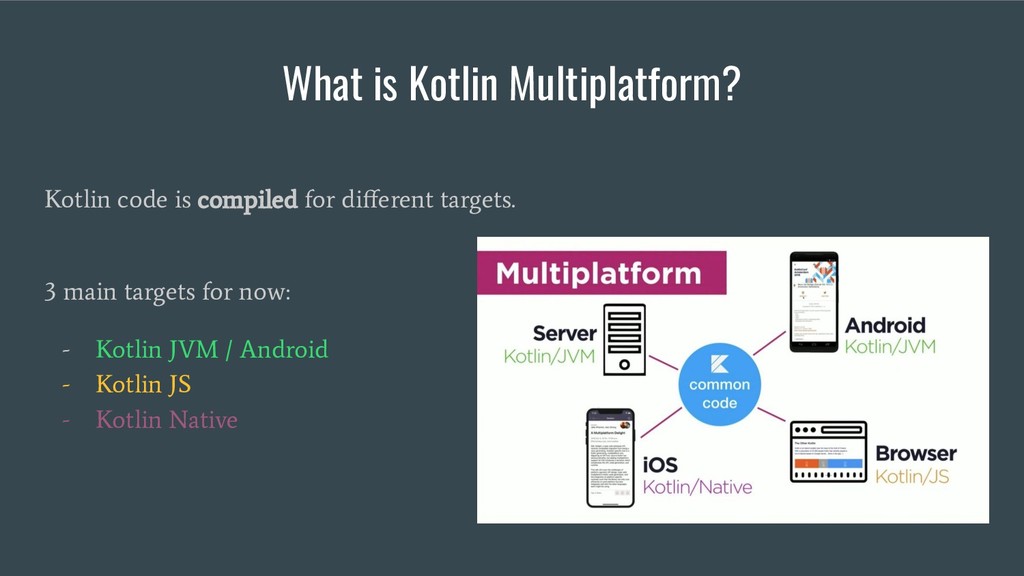
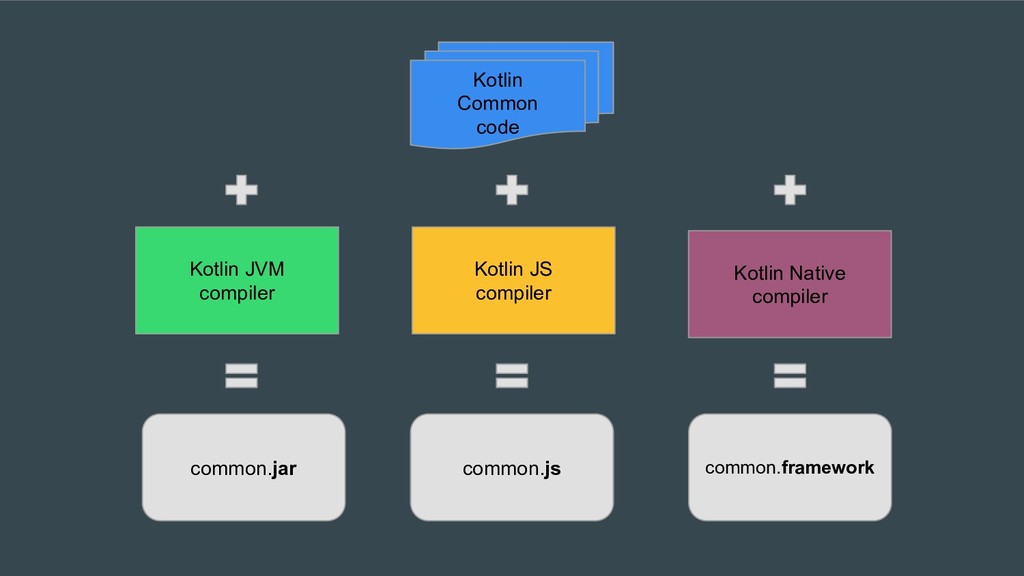
  4. What is Kotlin Multiplatform? Kotlin code is compiled for different

    targets. 3 main targets for now: - Kotlin JVM / Android - Kotlin JS - Kotlin Native
  5. Kotlin Native compiler Kotlin JVM compiler Kotlin Common code common.jar

    common.js common.framework Kotlin JS compiler
  6. The Kotlin standard library is often not enough Common code

    is pure Kotlin and only knows about the Kotlin standard library. Your code will sometimes need some concrete platform/target code to behave correctly. Two solutions: • Regular interface/implementation mechanism • Expect/Actual mechanism
  7. Fortunately... 3rd party libraries are being developed to answer the

    standard library shortcomings and most frequent use cases. - Ktor - Kotlinx Serialisation - OkIo - Klock - SqlDelight
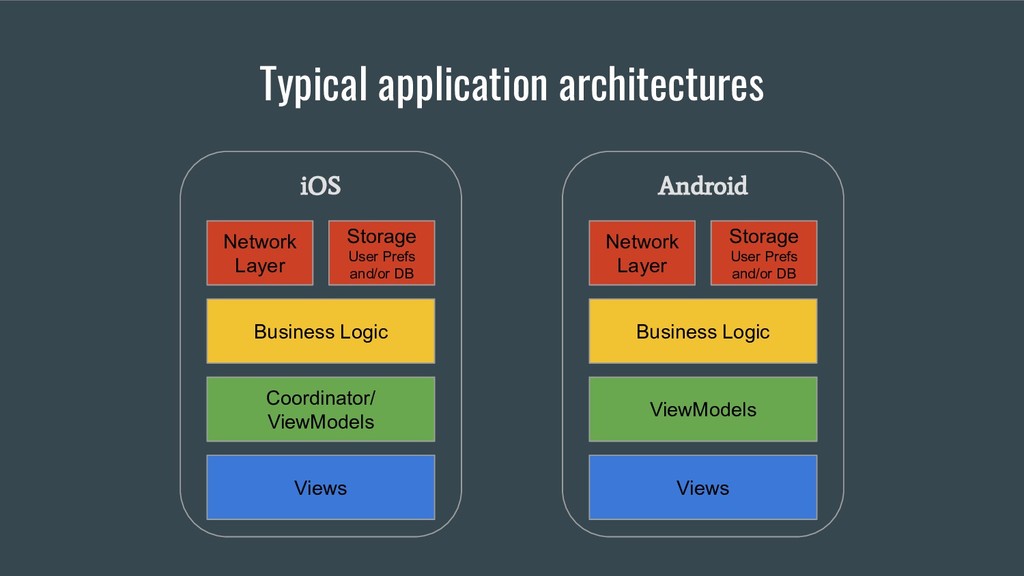
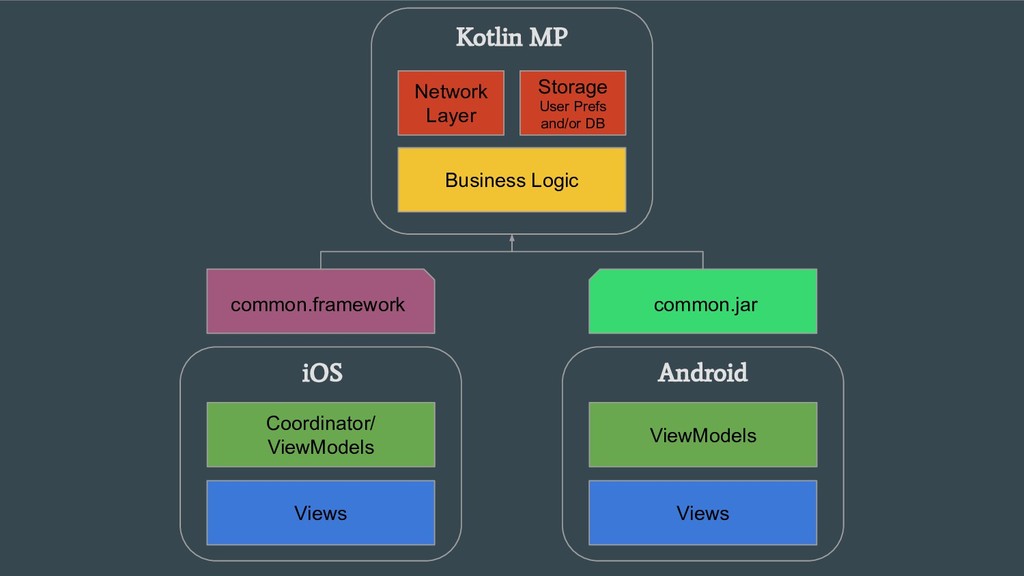
  8. Typical application architectures Network Layer Storage User Prefs and/or DB

    Business Logic Coordinator/ ViewModels iOS Views Network Layer Storage User Prefs and/or DB Business Logic ViewModels Android Views
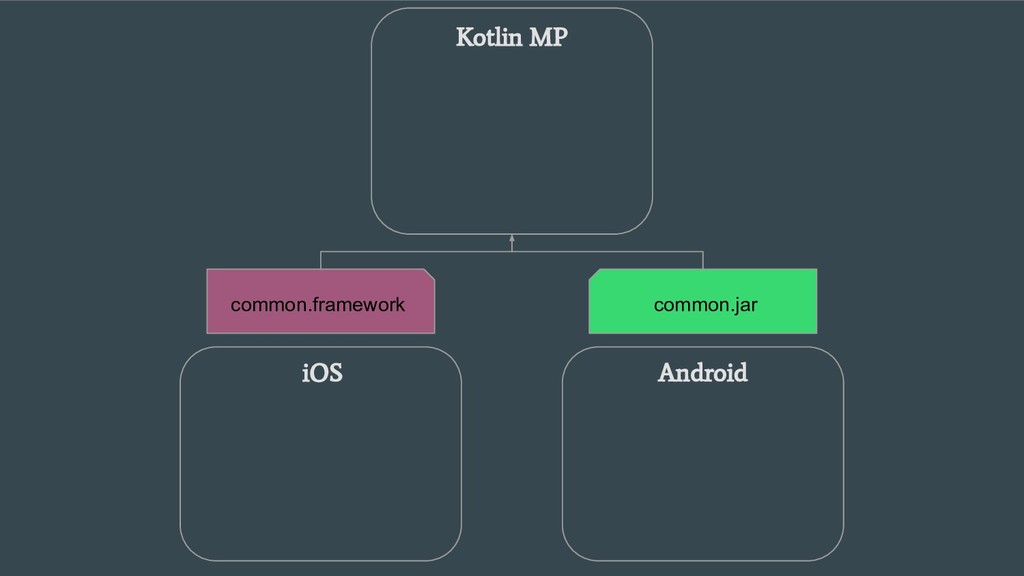
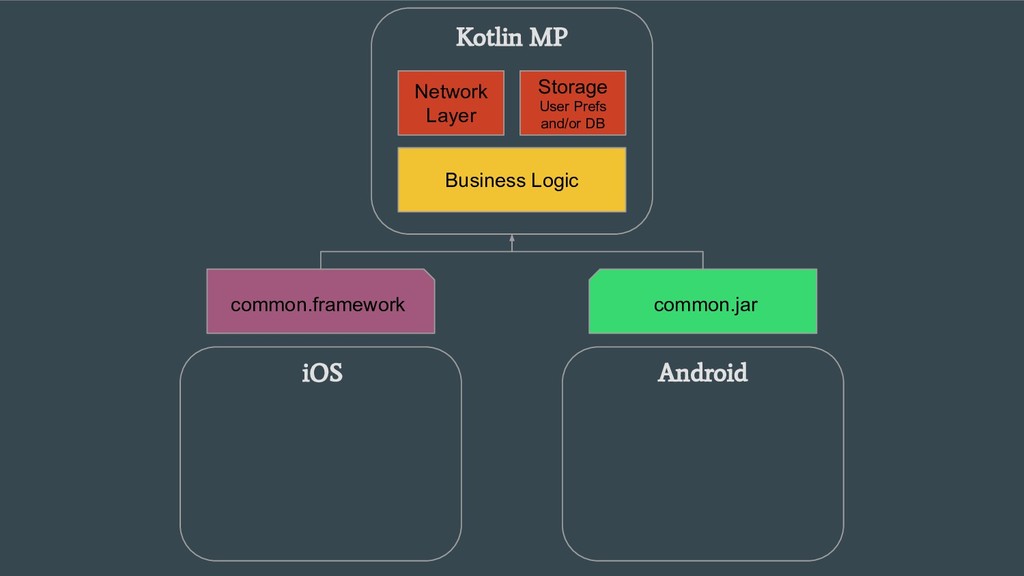
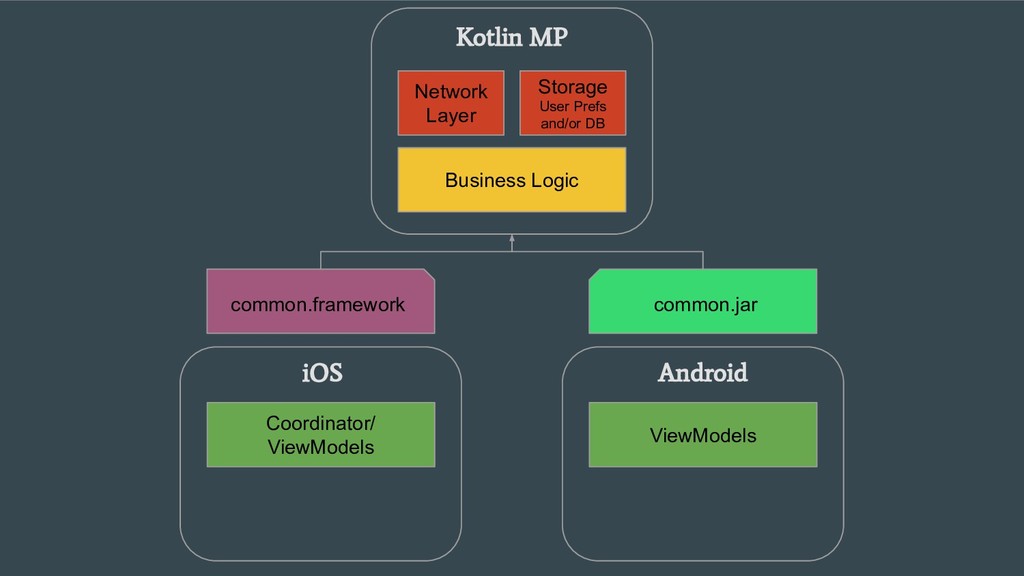
  9. Business Logic Kotlin MP Network Layer Storage User Prefs and/or

    DB Views iOS Coordinator/ ViewModels Views Android ViewModels common.framework common.jar
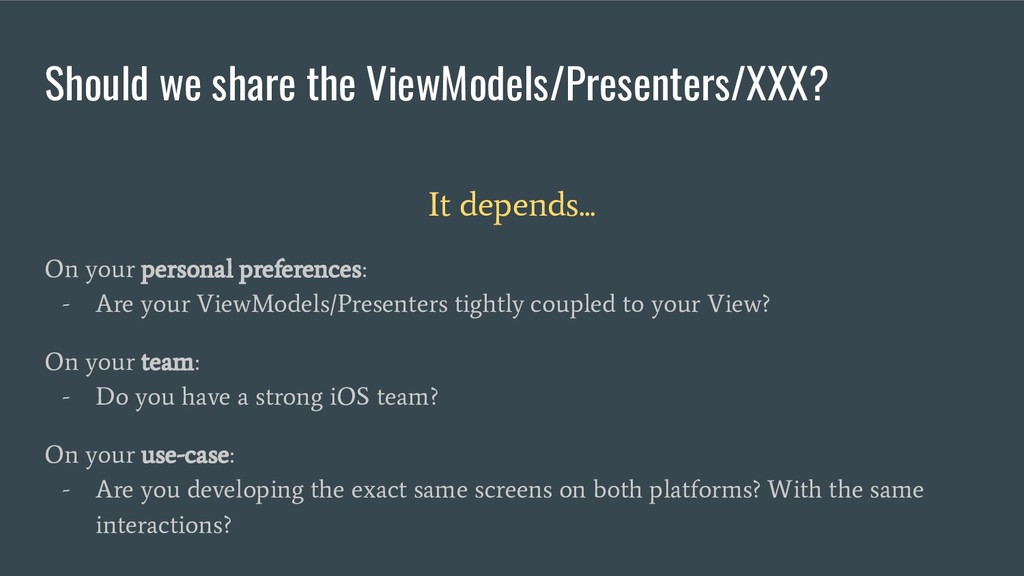
  10. It depends... On your personal preferences: - Are your ViewModels/Presenters

    tightly coupled to your View? On your team: - Do you have a strong iOS team? On your use-case: - Are you developing the exact same screens on both platforms? With the same interactions? Should we share the ViewModels/Presenters/XXX?
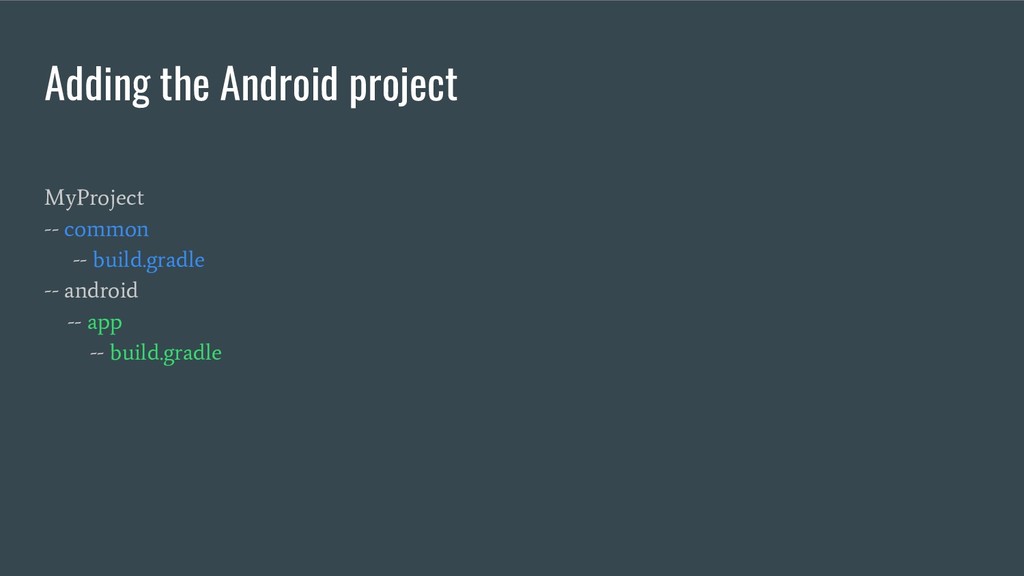
  11. MyProject -- common -- build.gradle -- android -- app --

    build.gradle Adding the Android project
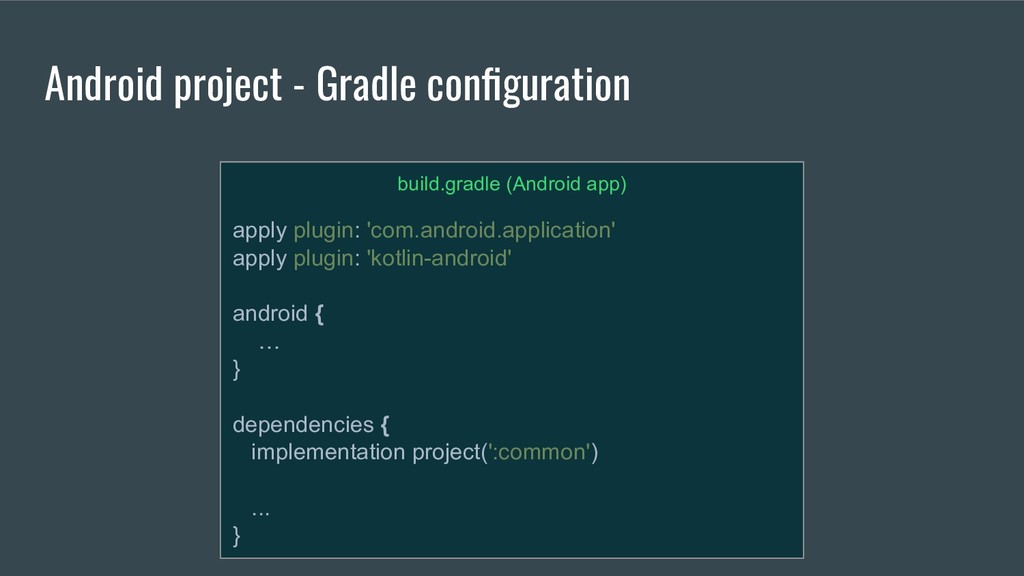
  12. build.gradle (Android app) apply plugin: 'com.android.application' apply plugin: 'kotlin-android' android

    { … } dependencies { implementation project(':common') ... } Android project - Gradle configuration
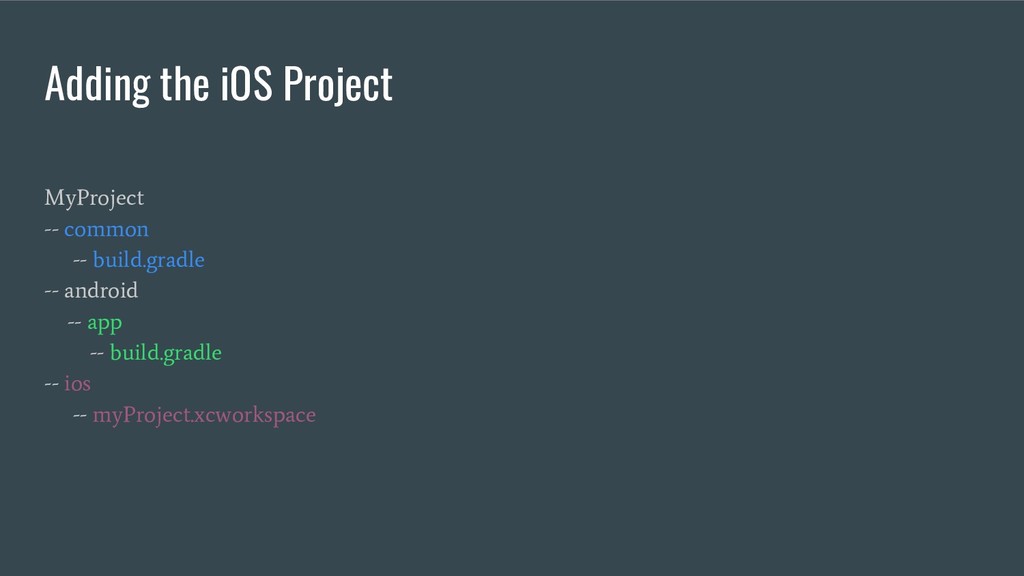
  13. MyProject -- common -- build.gradle -- android -- app --

    build.gradle -- ios -- myProject.xcworkspace Adding the iOS Project
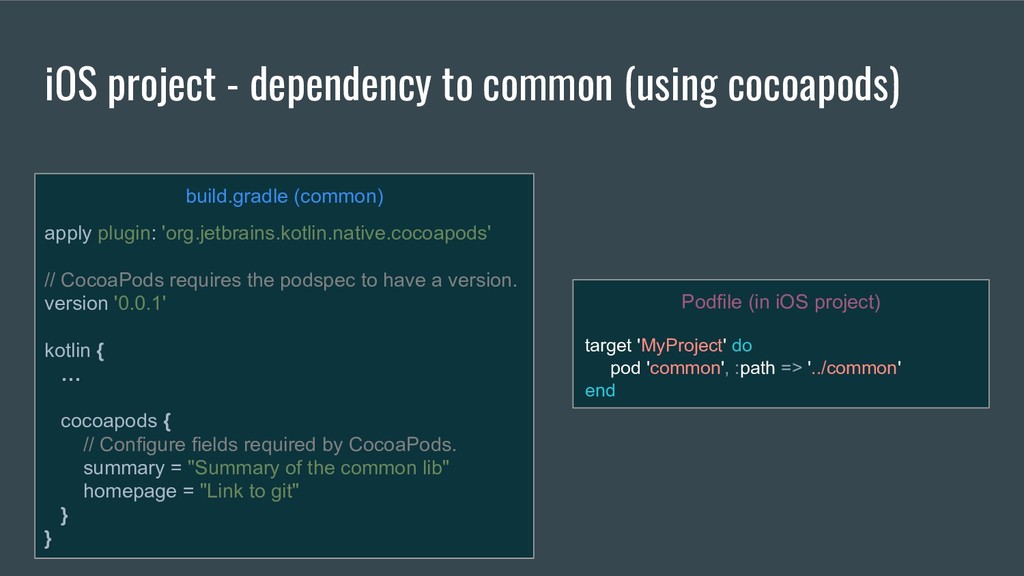
  14. iOS project - dependency to common (using cocoapods) Podfile (in

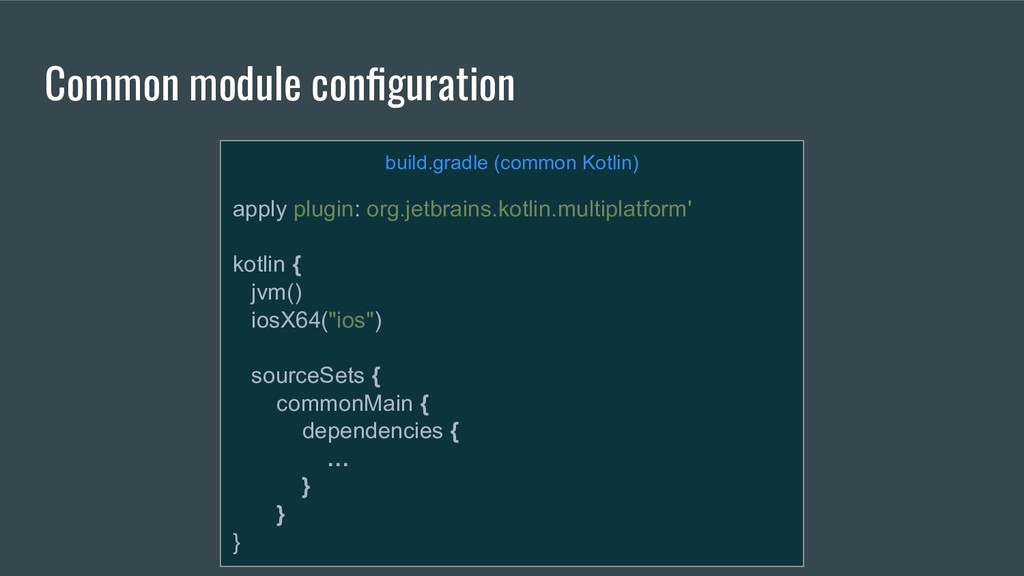
    iOS project) target 'MyProject' do pod 'common', :path => '../common' end build.gradle (common) apply plugin: 'org.jetbrains.kotlin.native.cocoapods' // CocoaPods requires the podspec to have a version. version '0.0.1' kotlin { … cocoapods { // Configure fields required by CocoaPods. summary = "Summary of the common lib" homepage = "Link to git" } }
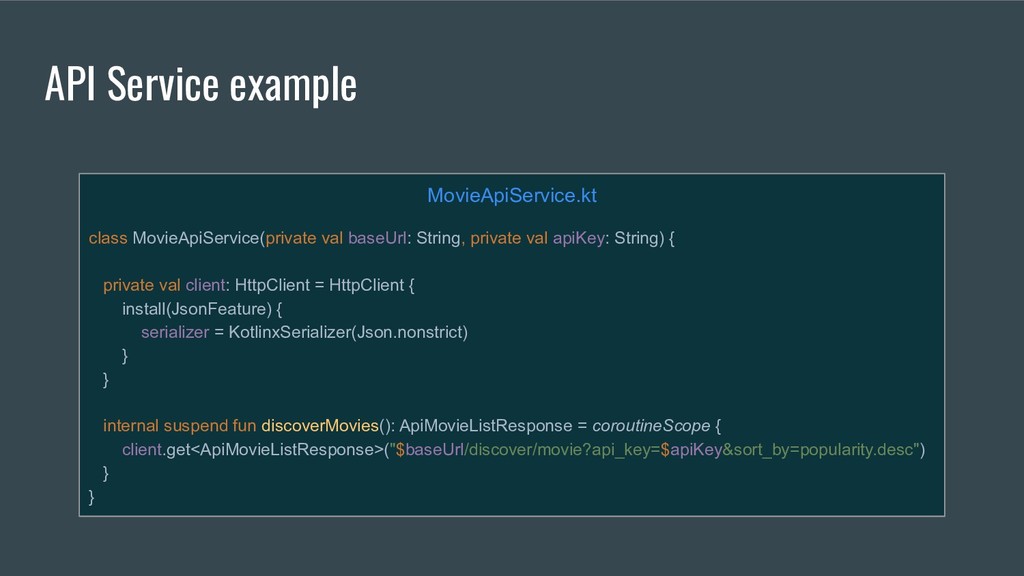
  15. MovieApiService.kt class MovieApiService(private val baseUrl: String, private val apiKey: String)

    { private val client: HttpClient = HttpClient { install(JsonFeature) { serializer = KotlinxSerializer(Json.nonstrict) } } internal suspend fun discoverMovies(): ApiMovieListResponse = coroutineScope { client.get<ApiMovieListResponse>("$baseUrl/discover/movie?api_key=$apiKey&sort_by=popularity.desc") } } API Service example
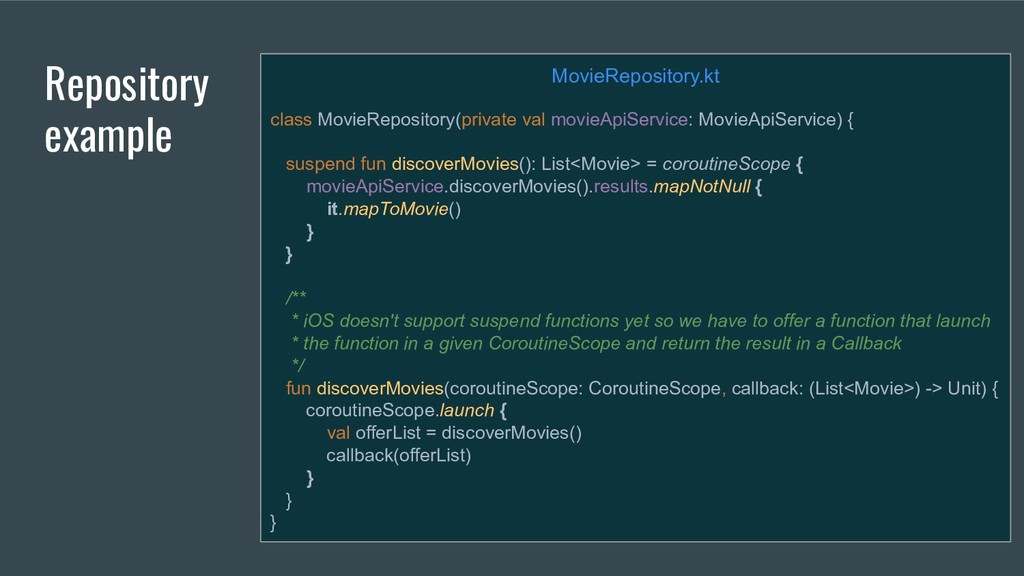
  16. Repository example MovieRepository.kt class MovieRepository(private val movieApiService: MovieApiService) { suspend

    fun discoverMovies(): List<Movie> = coroutineScope { movieApiService.discoverMovies().results.mapNotNull { it.mapToMovie() } } /** * iOS doesn't support suspend functions yet so we have to offer a function that launch * the function in a given CoroutineScope and return the result in a Callback */ fun discoverMovies(coroutineScope: CoroutineScope, callback: (List<Movie>) -> Unit) { coroutineScope.launch { val offerList = discoverMovies() callback(offerList) } } }
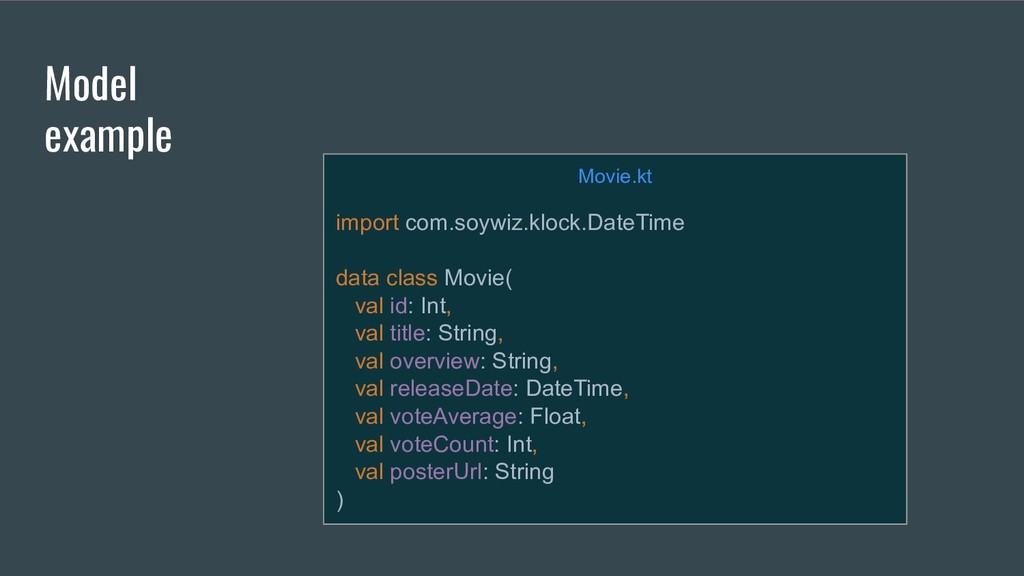
  17. Model example Movie.kt import com.soywiz.klock.DateTime data class Movie( val id:

    Int, val title: String, val overview: String, val releaseDate: DateTime, val voteAverage: Float, val voteCount: Int, val posterUrl: String )
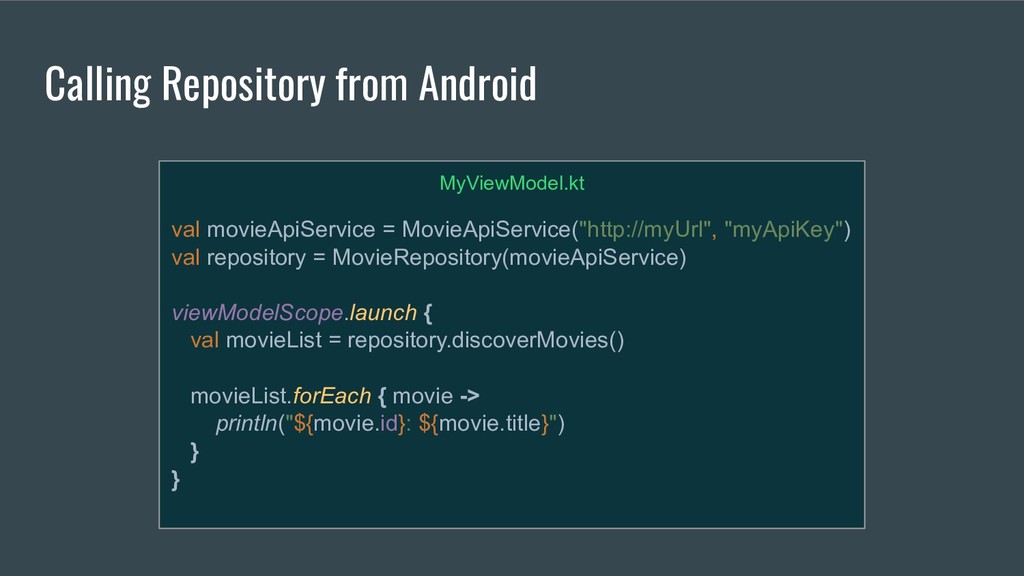
  18. Calling Repository from Android MyViewModel.kt val movieApiService = MovieApiService("http://myUrl", "myApiKey")

    val repository = MovieRepository(movieApiService) viewModelScope.launch { val movieList = repository.discoverMovies() movieList.forEach { movie -> println("${movie.id}: ${movie.title}") } }
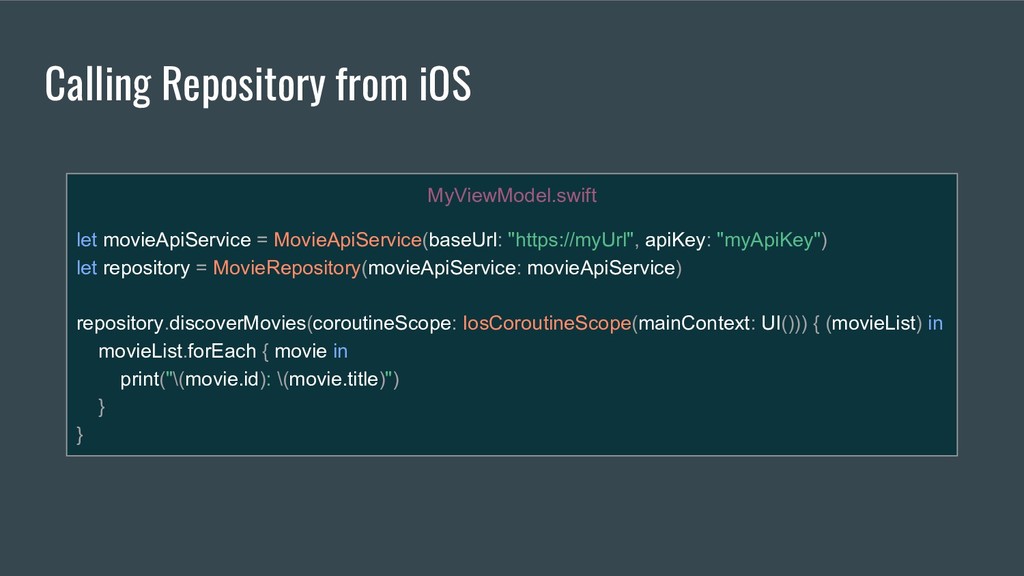
  19. MyViewModel.swift let movieApiService = MovieApiService(baseUrl: "https://myUrl", apiKey: "myApiKey") let repository

    = MovieRepository(movieApiService: movieApiService) repository.discoverMovies(coroutineScope: IosCoroutineScope(mainContext: UI())) { (movieList) in movieList.forEach { movie in print("\(movie.id): \(movie.title)") } } Calling Repository from iOS
  20. Business Logic Kotlin MP Network Layer Storage User Prefs and/or

    DB iOS Coordinator/ ViewModels Android ViewModels common.framework common.jar
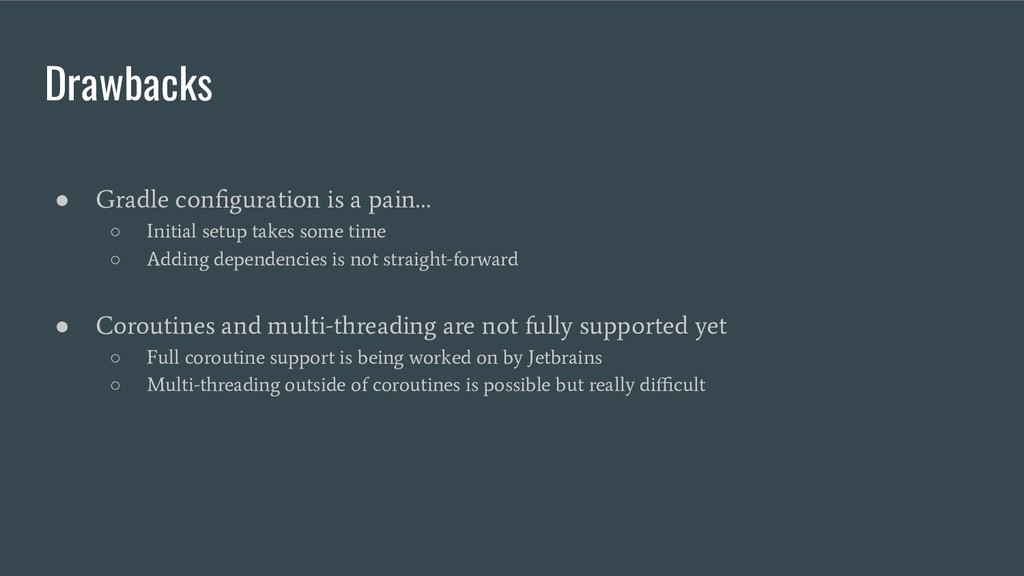
  21. • Gradle configuration is a pain… ◦ Initial setup takes

    some time ◦ Adding dependencies is not straight-forward Drawbacks • Coroutines and multi-threading are not fully supported yet ◦ Full coroutine support is being worked on by Jetbrains ◦ Multi-threading outside of coroutines is possible but really difficult
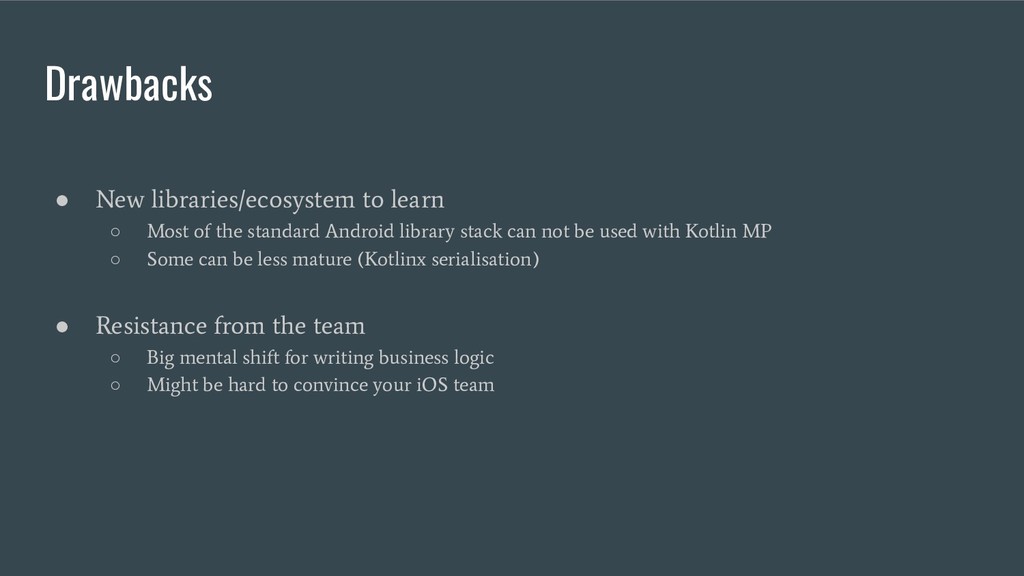
  22. • New libraries/ecosystem to learn ◦ Most of the standard

    Android library stack can not be used with Kotlin MP ◦ Some can be less mature (Kotlinx serialisation) Drawbacks • Resistance from the team ◦ Big mental shift for writing business logic ◦ Might be hard to convince your iOS team
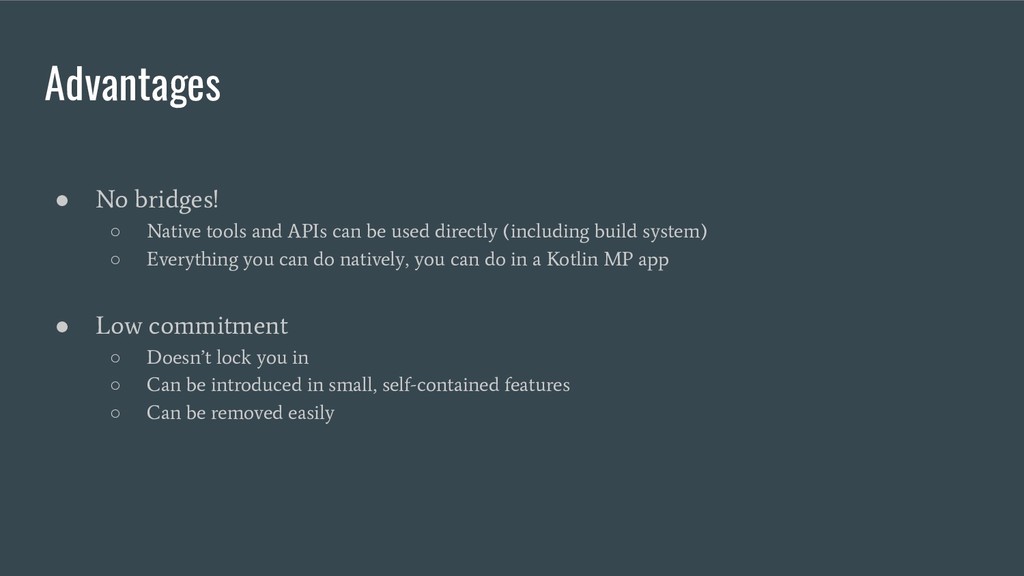
  23. • No bridges! ◦ Native tools and APIs can be

    used directly (including build system) ◦ Everything you can do natively, you can do in a Kotlin MP app Advantages • Low commitment ◦ Doesn’t lock you in ◦ Can be introduced in small, self-contained features ◦ Can be removed easily
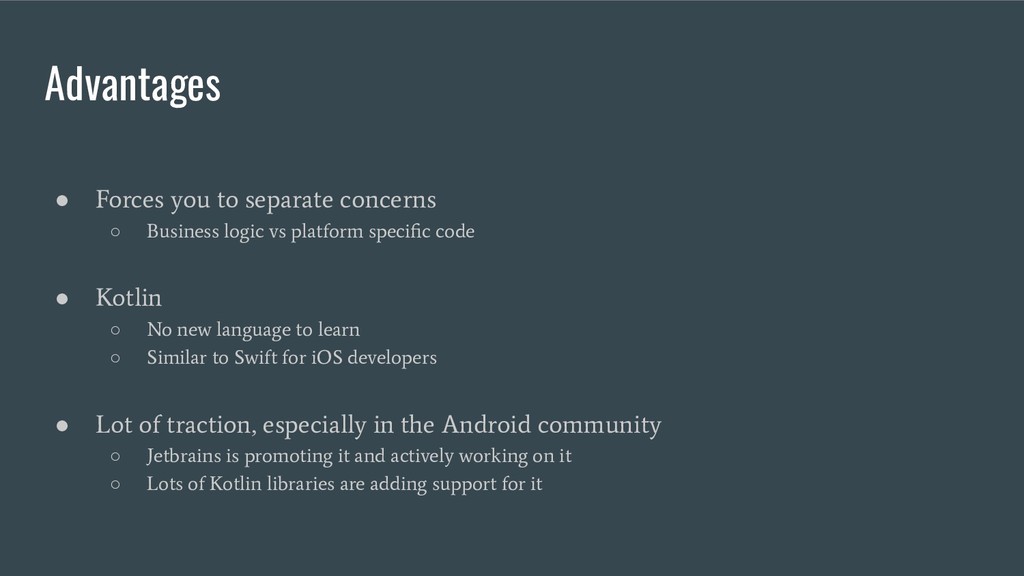
  24. • Forces you to separate concerns ◦ Business logic vs

    platform specific code Advantages • Kotlin ◦ No new language to learn ◦ Similar to Swift for iOS developers • Lot of traction, especially in the Android community ◦ Jetbrains is promoting it and actively working on it ◦ Lots of Kotlin libraries are adding support for it
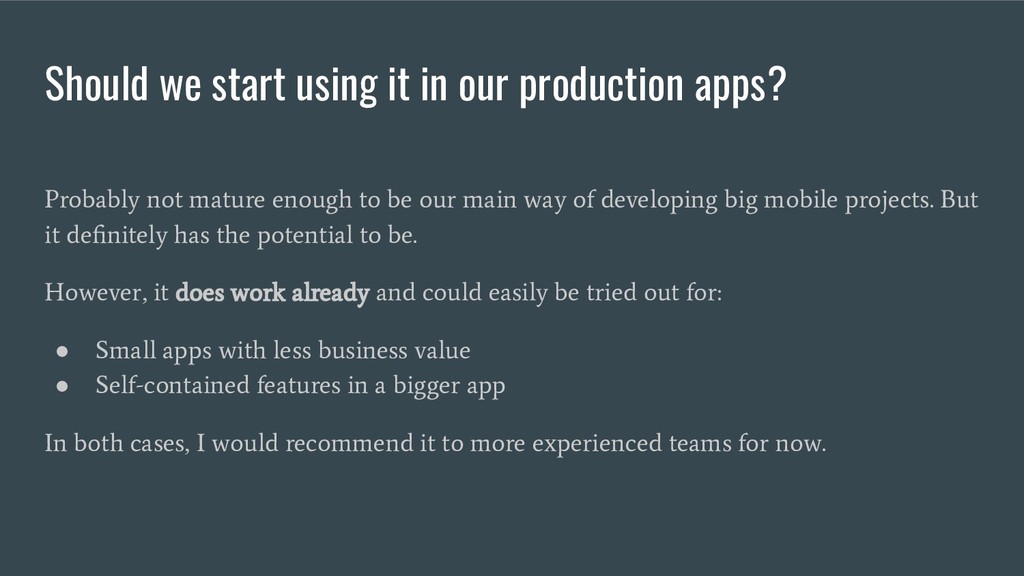
  25. Probably not mature enough to be our main way of

    developing big mobile projects. But it definitely has the potential to be. However, it does work already and could easily be tried out for: • Small apps with less business value • Self-contained features in a bigger app In both cases, I would recommend it to more experienced teams for now. Should we start using it in our production apps?
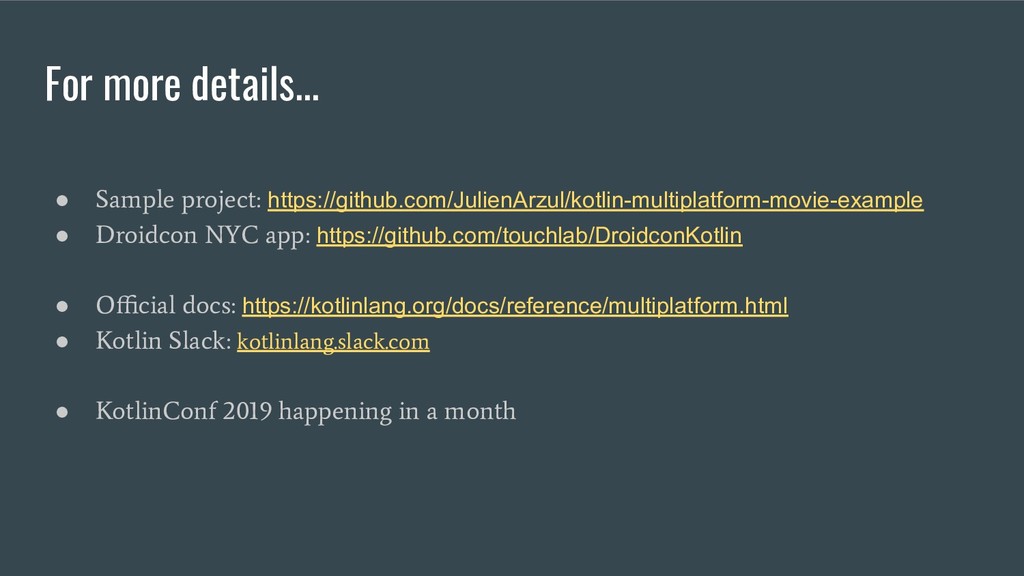
  26. • Sample project: https://github.com/JulienArzul/kotlin-multiplatform-movie-example • Droidcon NYC app: https://github.com/touchlab/DroidconKotlin •

    Official docs: https://kotlinlang.org/docs/reference/multiplatform.html • Kotlin Slack: kotlinlang.slack.com • KotlinConf 2019 happening in a month For more details...