Share
Embed
Drupal Theming 101
An introduction to Drupal theming given at the 2012 UT Austin DrupalCamp.
Michael Caldwell
May 31, 2012
Transcript
48 slides
-
Wha t we’ll cover template files (.tpl.php) CSS template.php (custom
code) theme directory & files -
overrides intercepts template suggestions/candidates J argon wa tch themable functions
& hooks When you’re starting out, all this boils down to… -
Drup al 6 This presentation focuses on D6, but the
concepts carry forward to D7 -
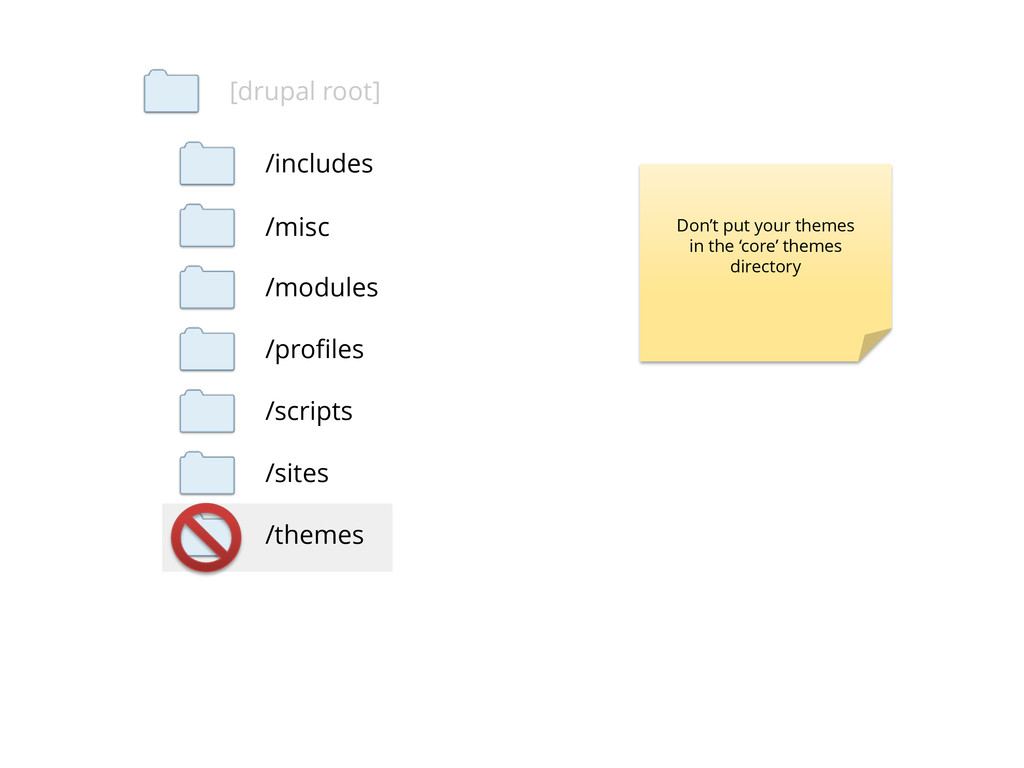
[drupal root] /includes /misc /modules /profiles /scripts /sites /themes Don’t
put your themes in the ‘core’ themes directory -
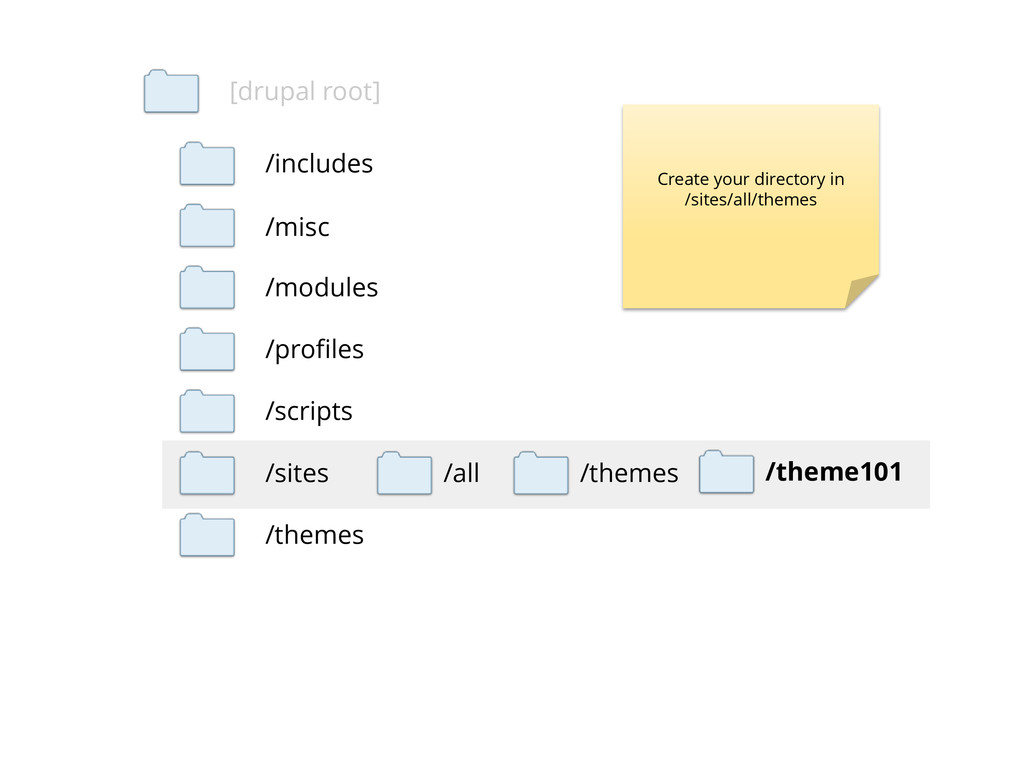
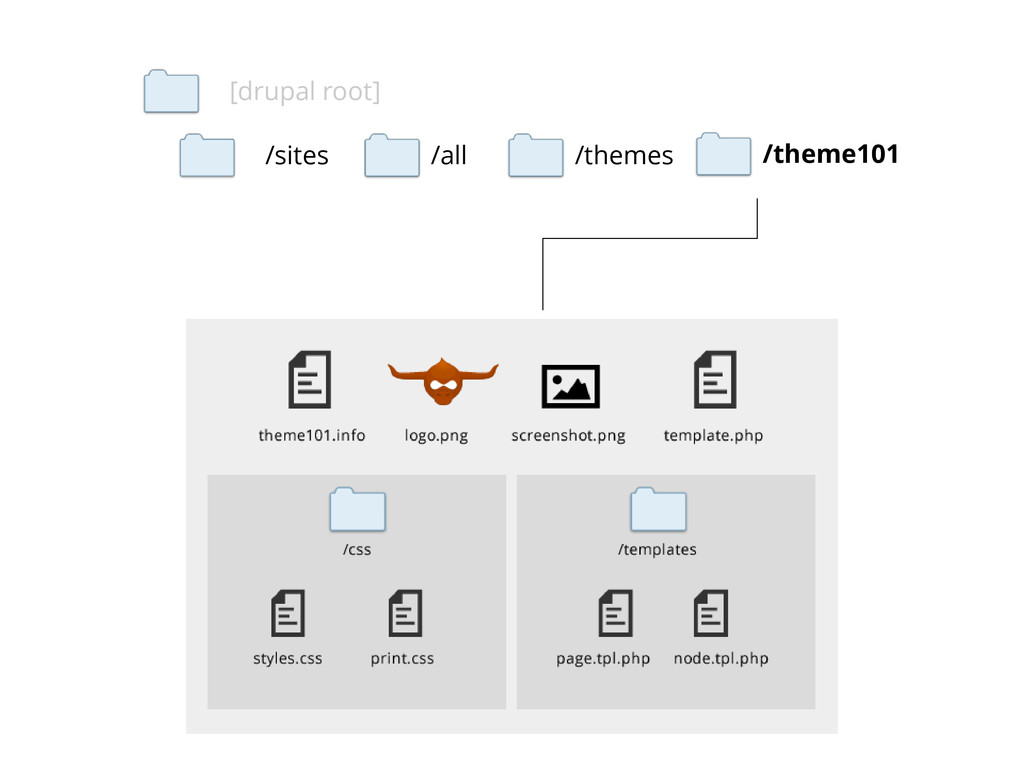
[drupal root] /includes /misc /modules /profiles /scripts /sites /themes /all
/themes /theme101 Create your directory in /sites/all/themes -
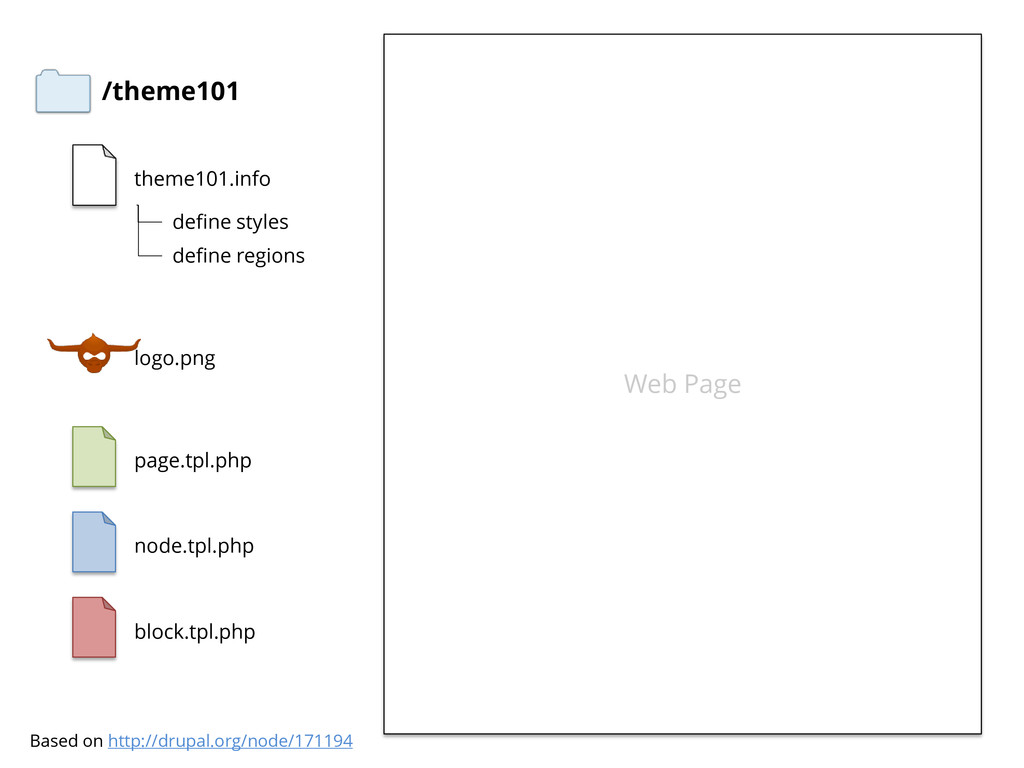
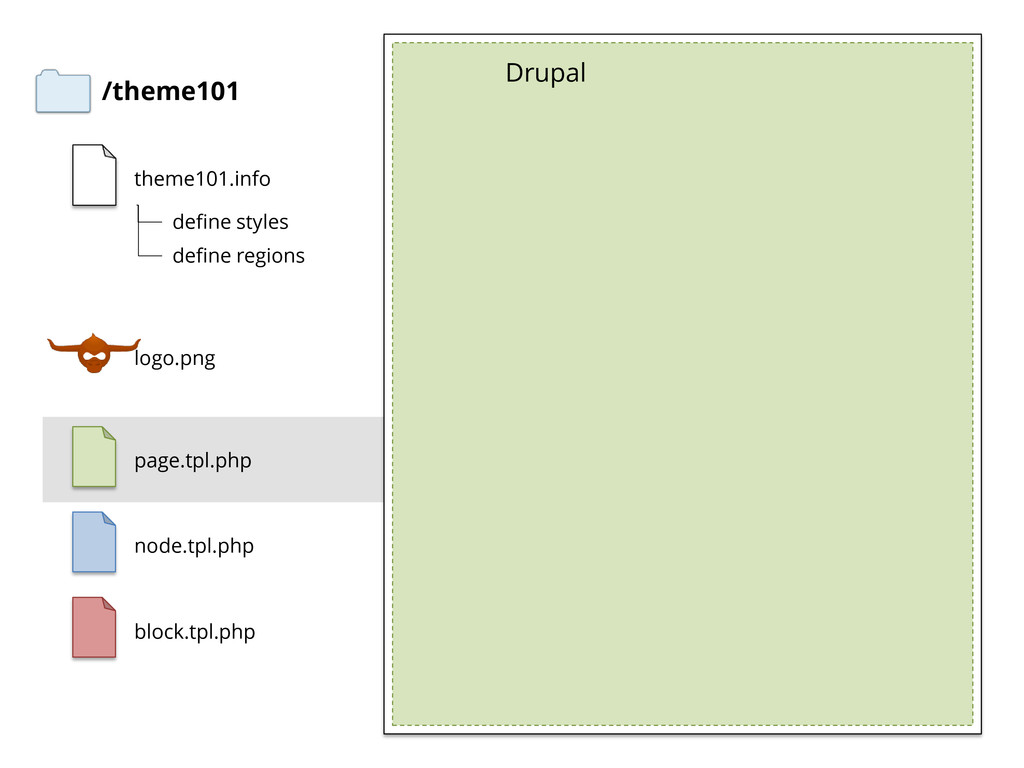
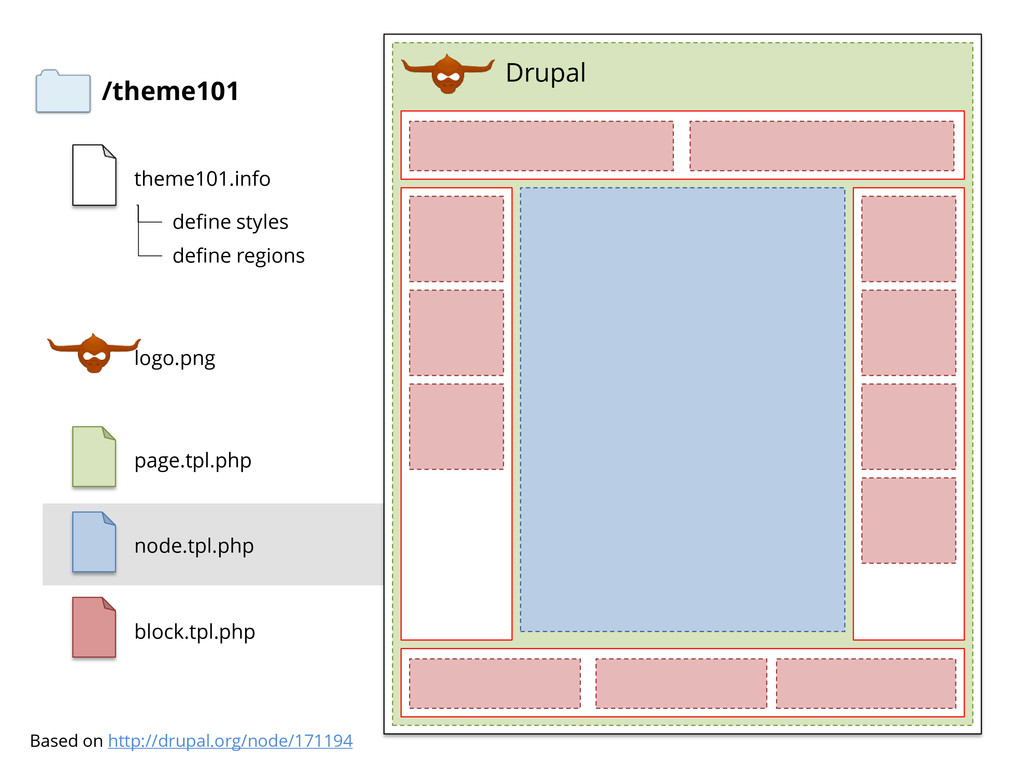
theme101.info Web Page page.tpl.php node.tpl.php block.tpl.php logo.png /theme101 define styles
define regions Based on http://drupal.org/node/171194 -
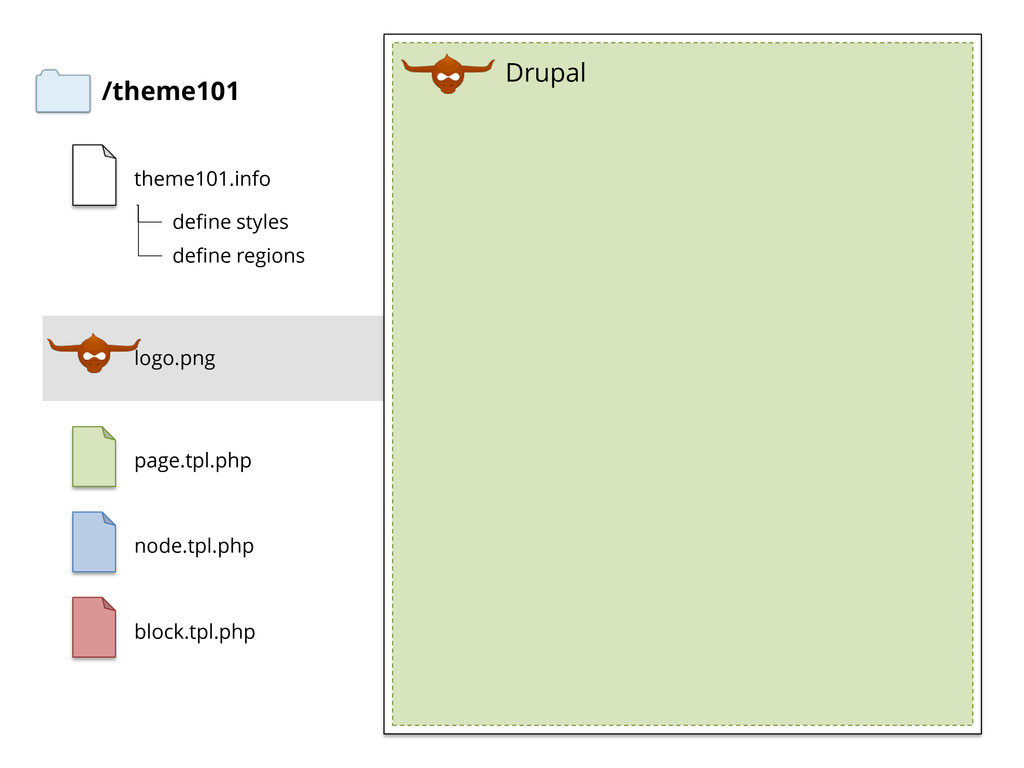
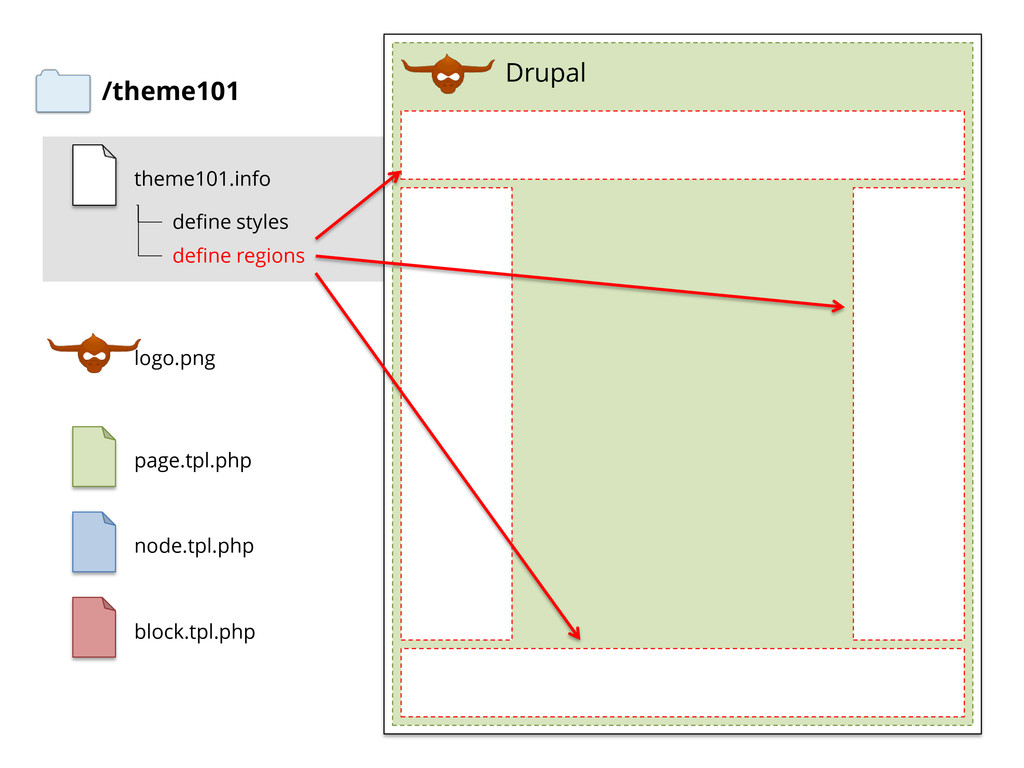
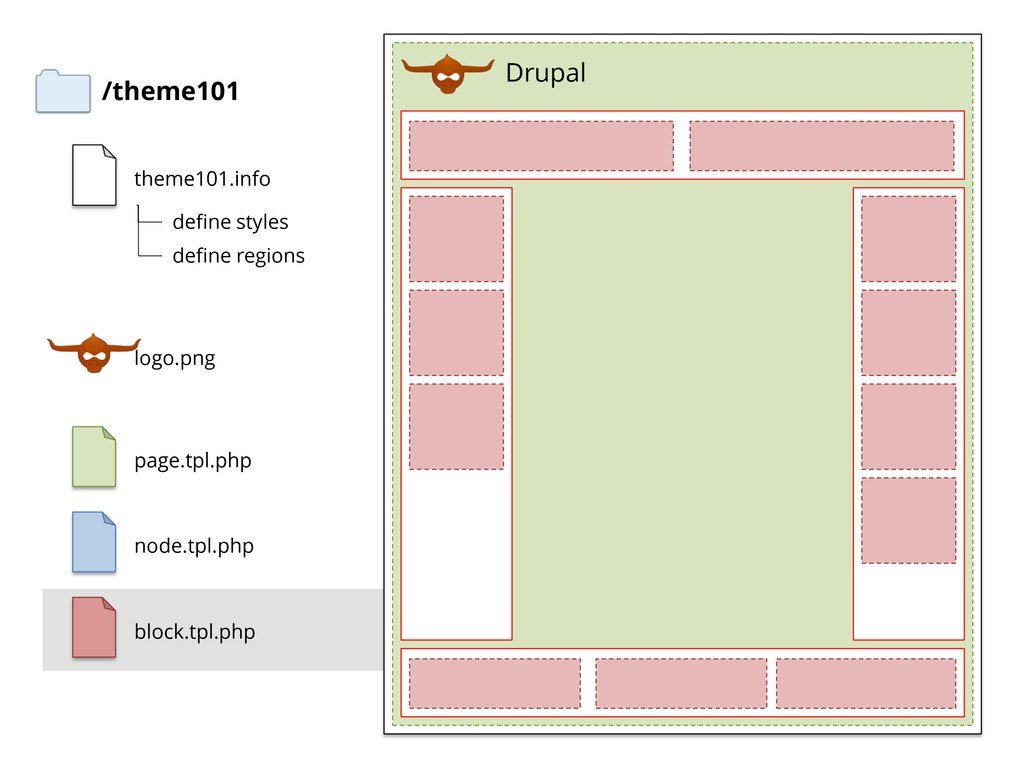
theme101.info Web Page page.tpl.php node.tpl.php block.tpl.php logo.png /theme101 define styles
define regions Drupal Based on http://drupal.org/node/171194 -
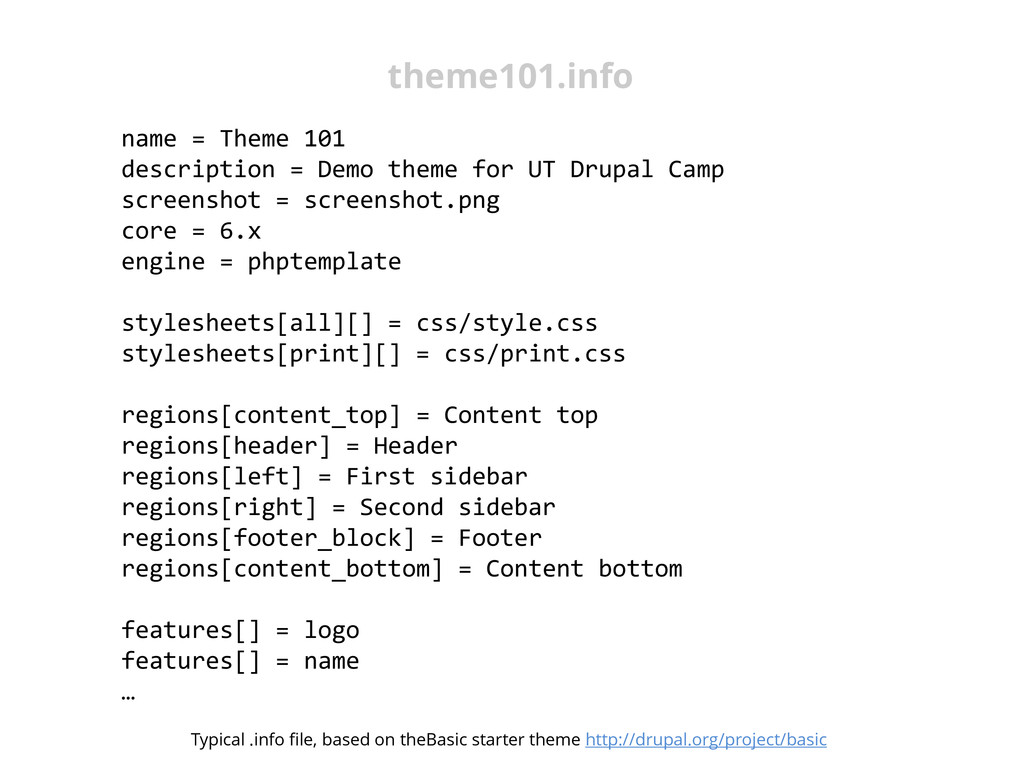
name = Theme 101 description = Demo theme for UT
Drupal Camp screenshot = screenshot.png core = 6.x engine = phptemplate stylesheets[all][] = css/style.css stylesheets[print][] = css/print.css regions[content_top] = Content top regions[header] = Header regions[left] = First sidebar regions[right] = Second sidebar regions[footer_block] = Footer regions[content_bottom] = Content bottom features[] = logo features[] = name … theme101.info Typical .info file, based on theBasic starter theme http://drupal.org/project/basic -
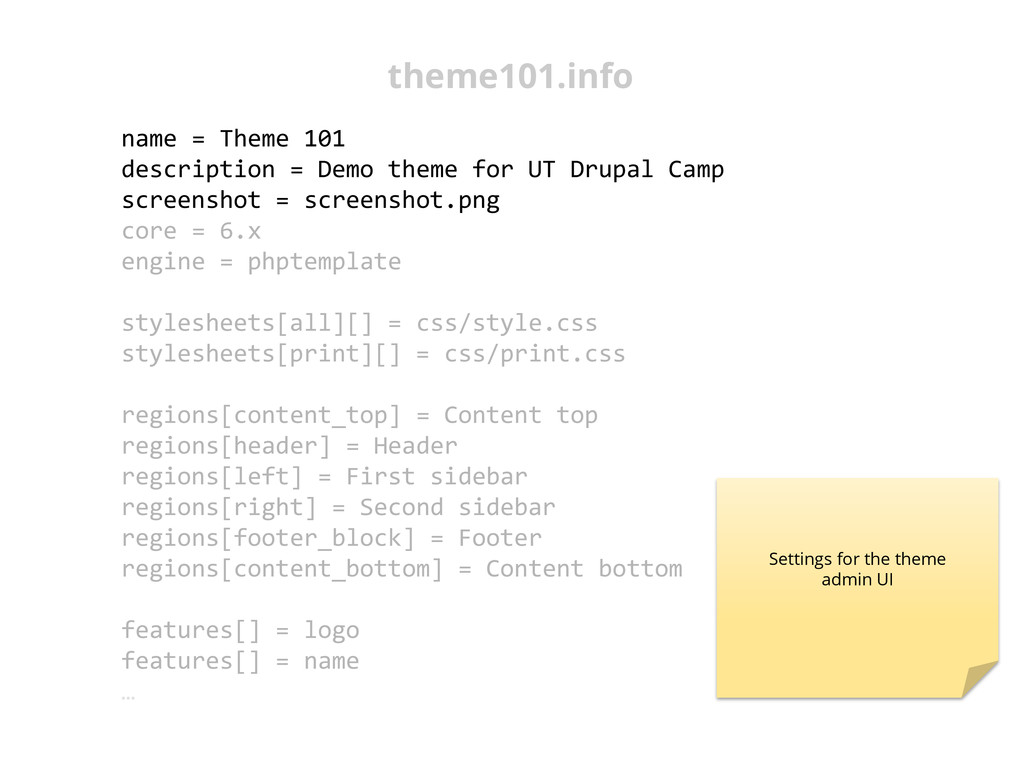
name = Theme 101 description = Demo theme for UT
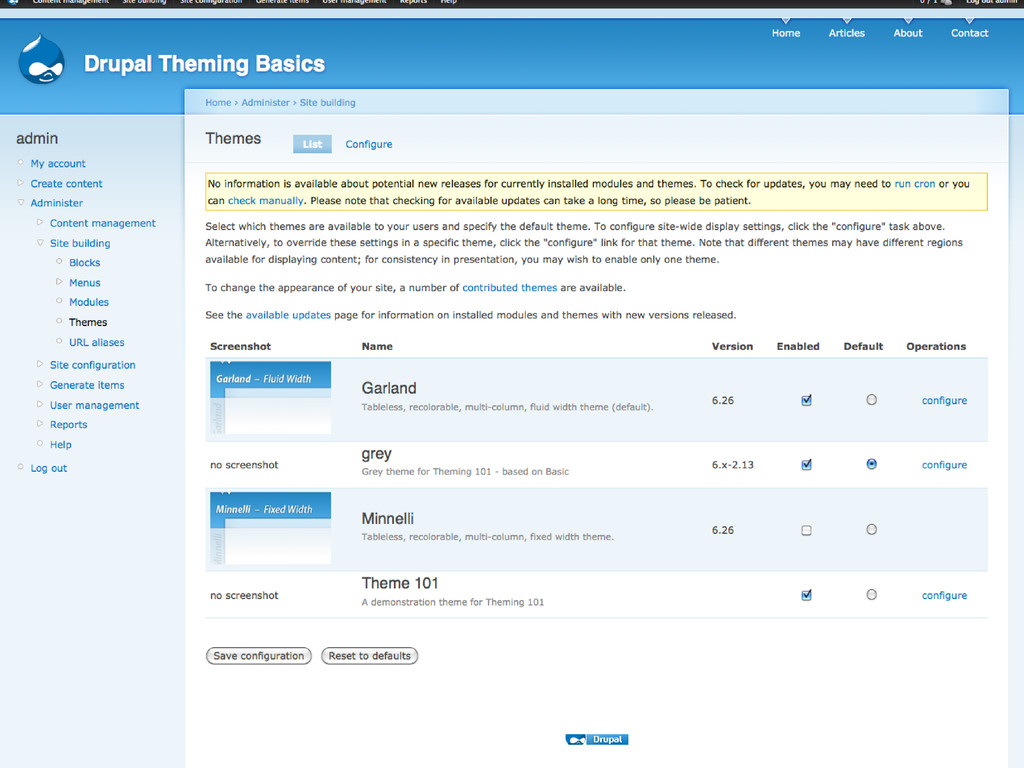
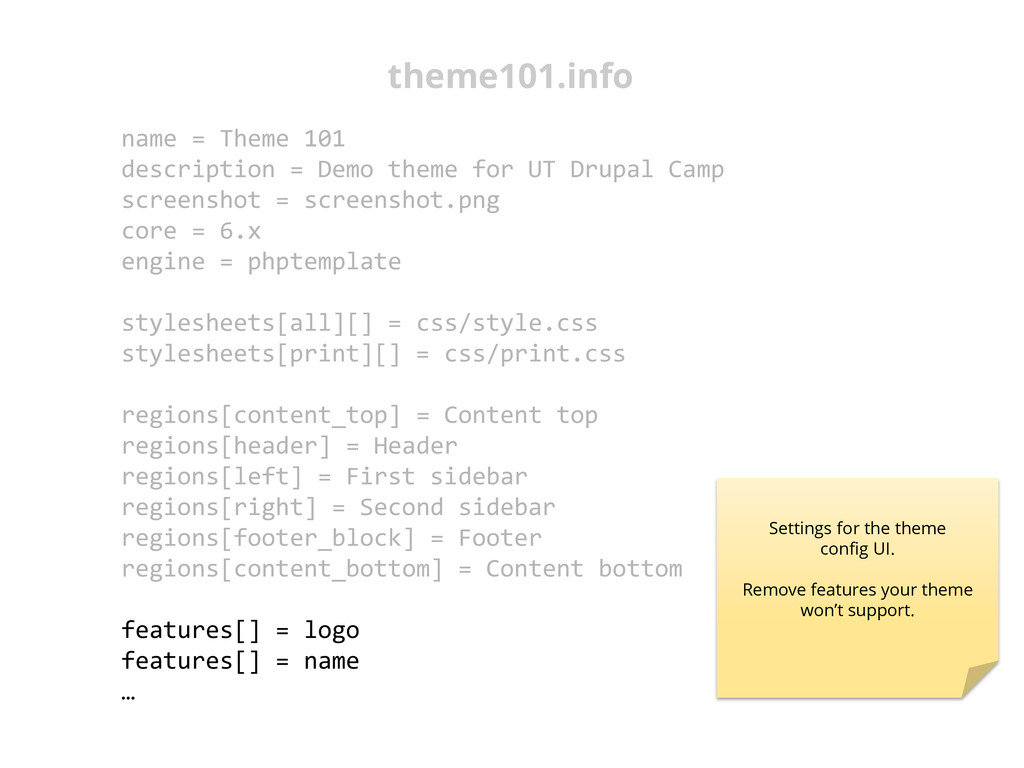
Drupal Camp screenshot = screenshot.png core = 6.x engine = phptemplate stylesheets[all][] = css/style.css stylesheets[print][] = css/print.css regions[content_top] = Content top regions[header] = Header regions[left] = First sidebar regions[right] = Second sidebar regions[footer_block] = Footer regions[content_bottom] = Content bottom features[] = logo features[] = name … theme101.info Settings for the theme admin UI -
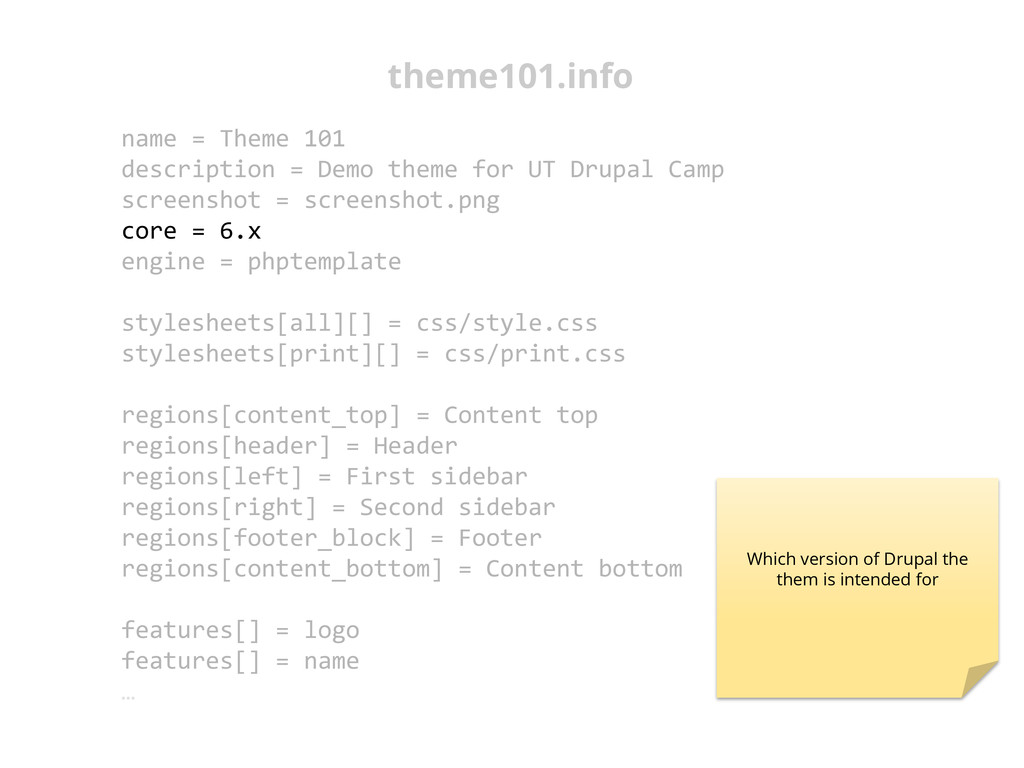
name = Theme 101 description = Demo theme for UT
Drupal Camp screenshot = screenshot.png core = 6.x engine = phptemplate stylesheets[all][] = css/style.css stylesheets[print][] = css/print.css regions[content_top] = Content top regions[header] = Header regions[left] = First sidebar regions[right] = Second sidebar regions[footer_block] = Footer regions[content_bottom] = Content bottom features[] = logo features[] = name … theme101.info Which version of Drupal the them is intended for -
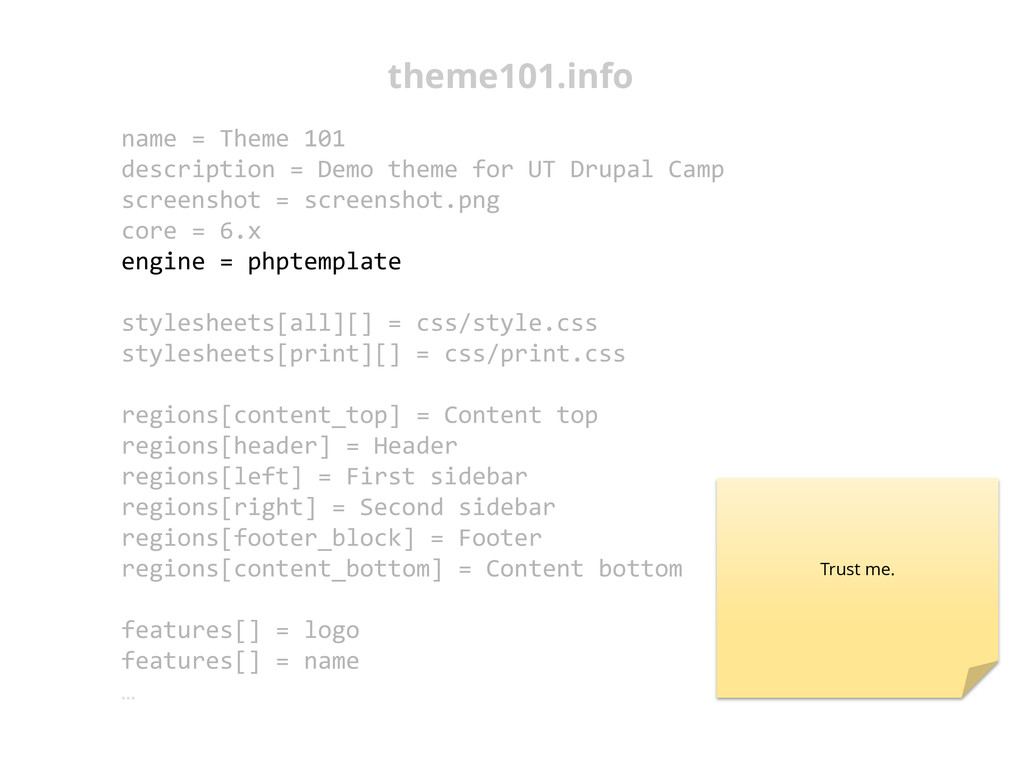
name = Theme 101 description = Demo theme for UT
Drupal Camp screenshot = screenshot.png core = 6.x engine = phptemplate stylesheets[all][] = css/style.css stylesheets[print][] = css/print.css regions[content_top] = Content top regions[header] = Header regions[left] = First sidebar regions[right] = Second sidebar regions[footer_block] = Footer regions[content_bottom] = Content bottom features[] = logo features[] = name … theme101.info Trust me. -
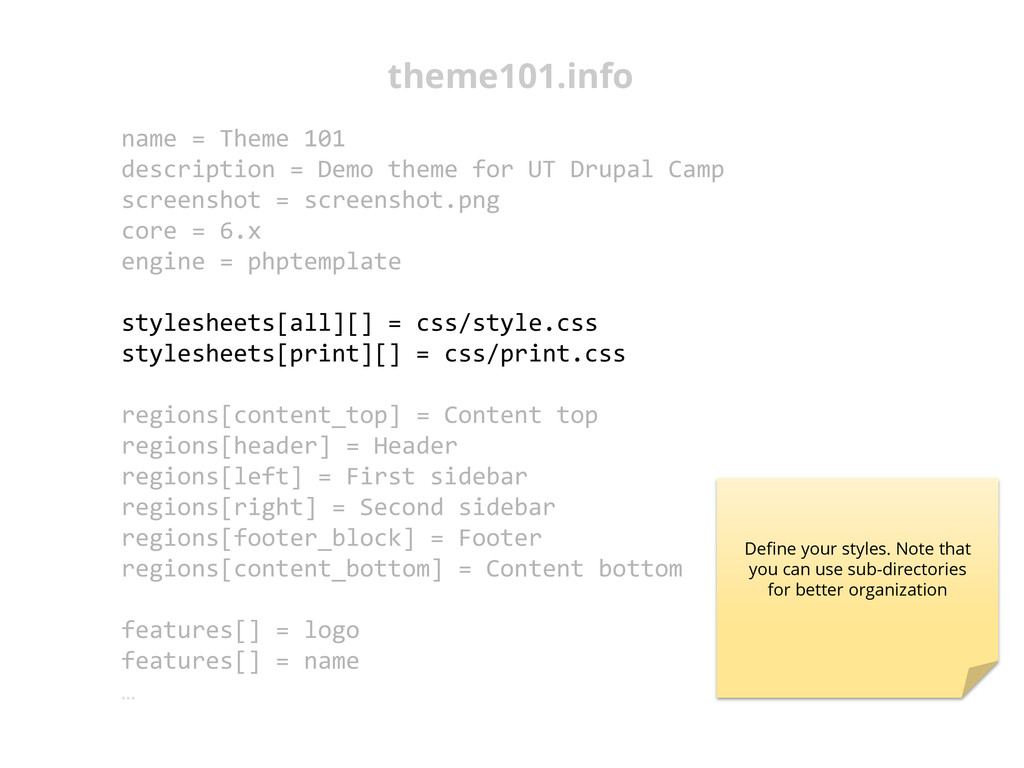
name = Theme 101 description = Demo theme for UT
Drupal Camp screenshot = screenshot.png core = 6.x engine = phptemplate stylesheets[all][] = css/style.css stylesheets[print][] = css/print.css regions[content_top] = Content top regions[header] = Header regions[left] = First sidebar regions[right] = Second sidebar regions[footer_block] = Footer regions[content_bottom] = Content bottom features[] = logo features[] = name … theme101.info Define your styles. Note that you can use sub-directories for better organization -
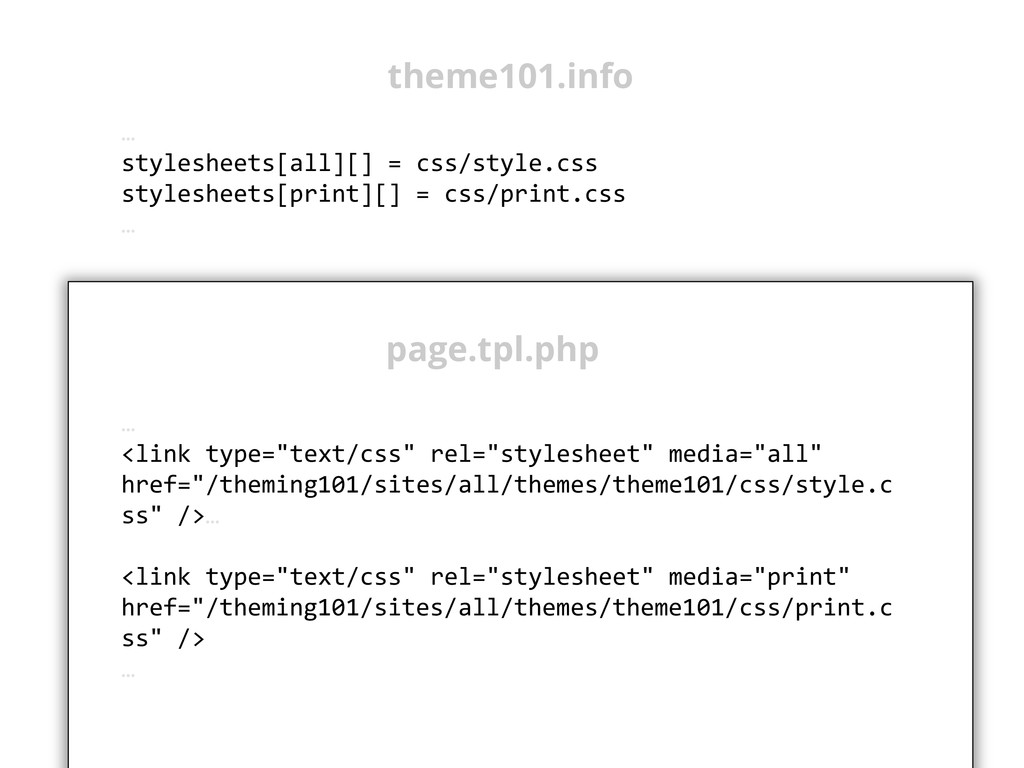
… <link type="text/css" rel="stylesheet" media="all" href="/theming101/sites/all/themes/theme101/css/style.c ss" />… <link type="text/css"
rel="stylesheet" media="print" href="/theming101/sites/all/themes/theme101/css/print.c ss" /> … theme101.info … stylesheets[all][] = css/style.css stylesheets[print][] = css/print.css … page.tpl.php -
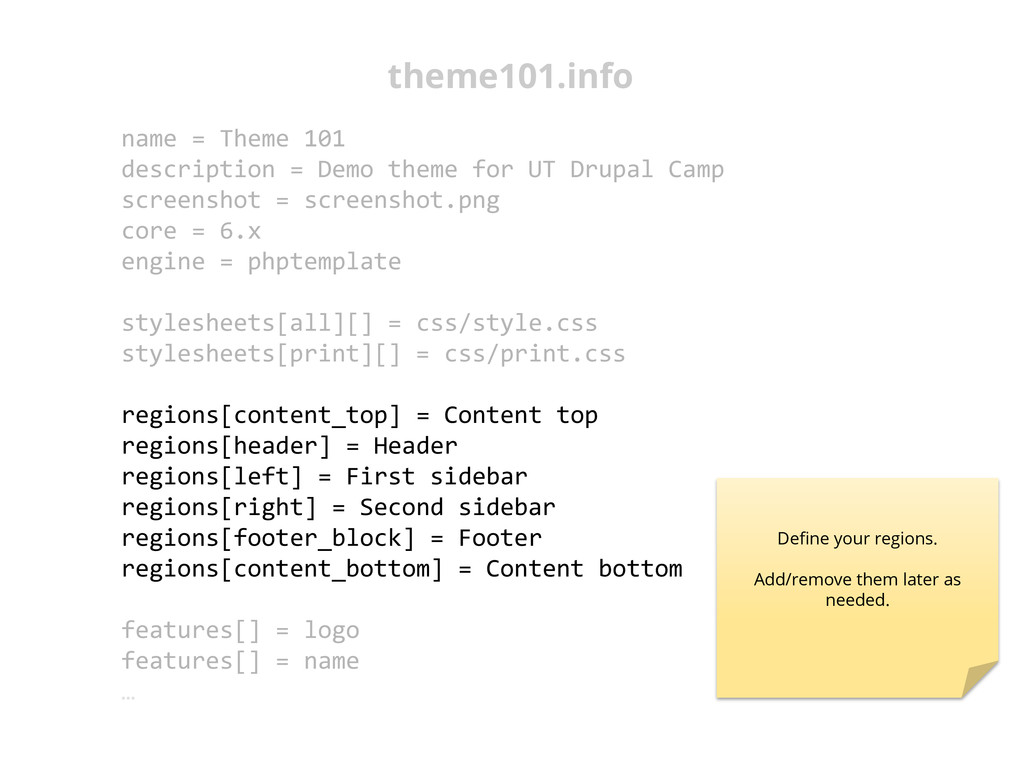
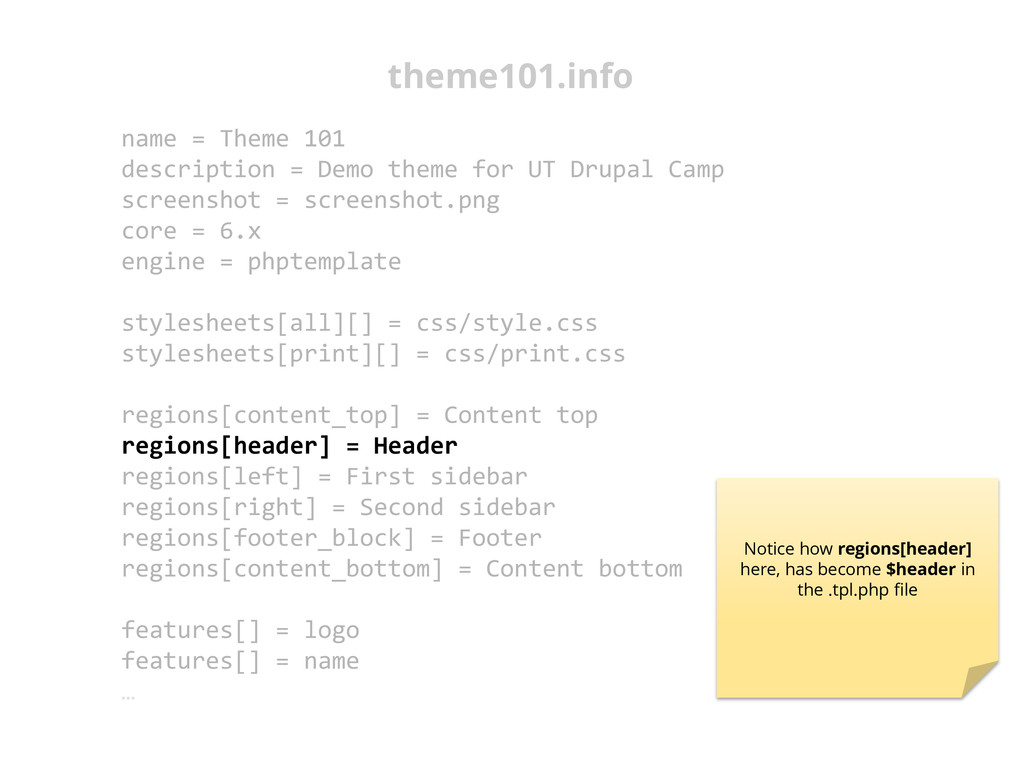
name = Theme 101 description = Demo theme for UT
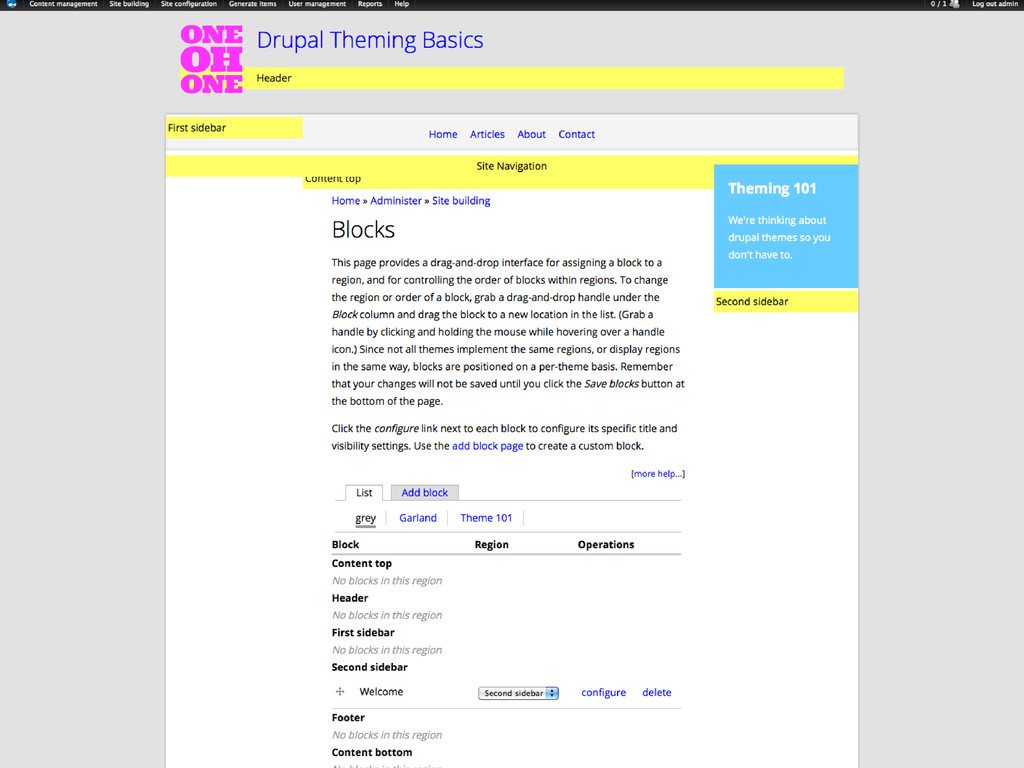
Drupal Camp screenshot = screenshot.png core = 6.x engine = phptemplate stylesheets[all][] = css/style.css stylesheets[print][] = css/print.css regions[content_top] = Content top regions[header] = Header regions[left] = First sidebar regions[right] = Second sidebar regions[footer_block] = Footer regions[content_bottom] = Content bottom features[] = logo features[] = name … theme101.info Define your regions. Add/remove them later as needed. -
name = Theme 101 description = Demo theme for UT
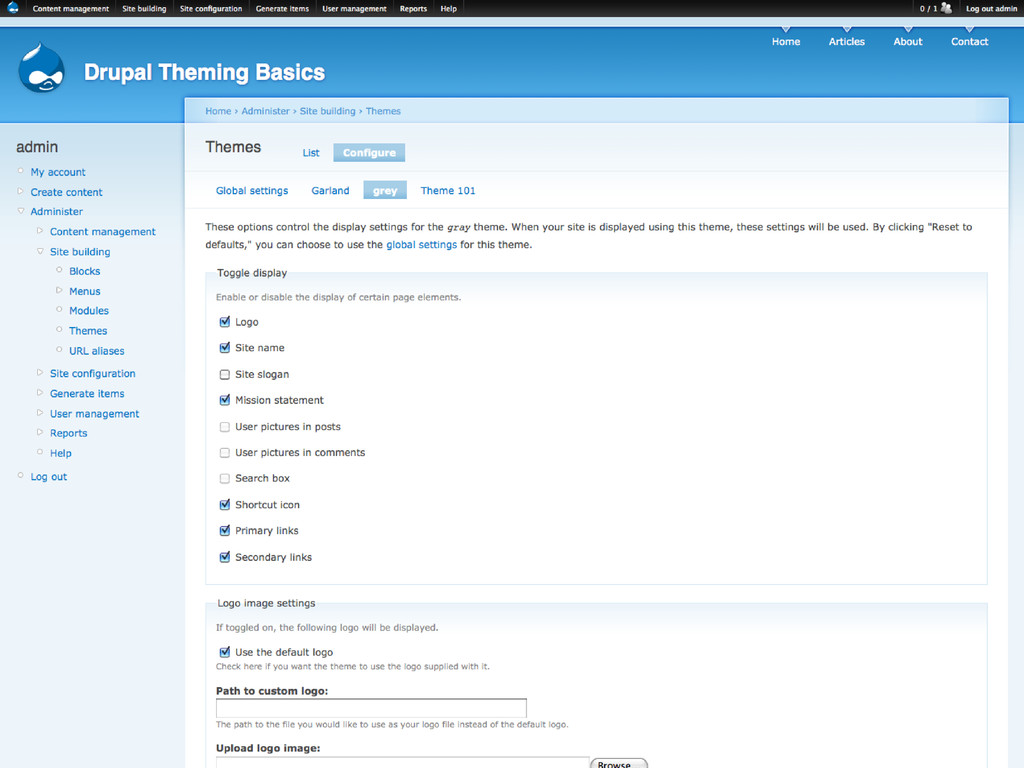
Drupal Camp screenshot = screenshot.png core = 6.x engine = phptemplate stylesheets[all][] = css/style.css stylesheets[print][] = css/print.css regions[content_top] = Content top regions[header] = Header regions[left] = First sidebar regions[right] = Second sidebar regions[footer_block] = Footer regions[content_bottom] = Content bottom features[] = logo features[] = name … theme101.info Settings for the theme config UI. Remove features your theme won’t support. -
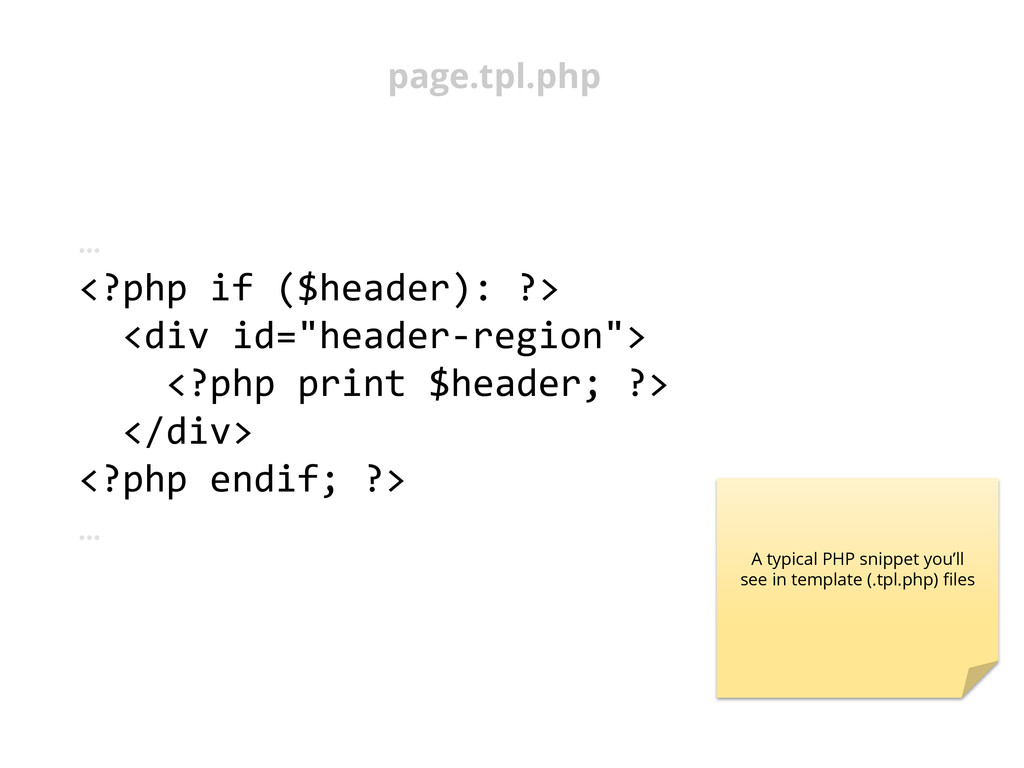
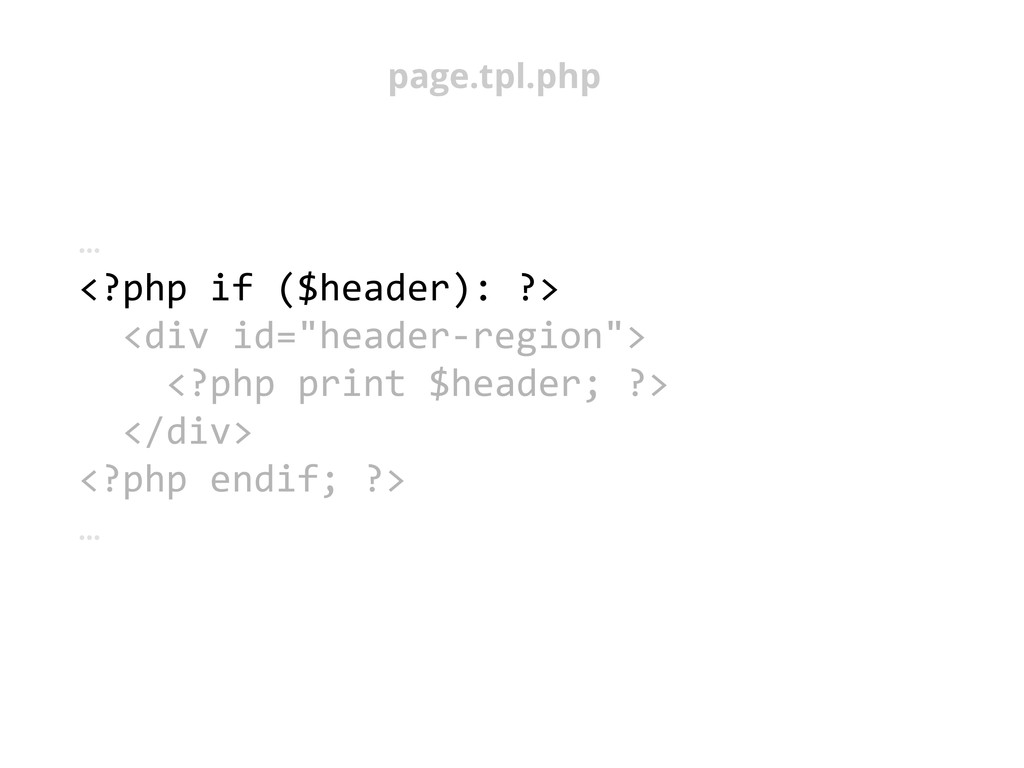
… <?php if ($header): ?> <div id="header-region"> <?php print $header;
?> </div> <?php endif; ?> … page.tpl.php A typical PHP snippet you’ll see in template (.tpl.php) files -
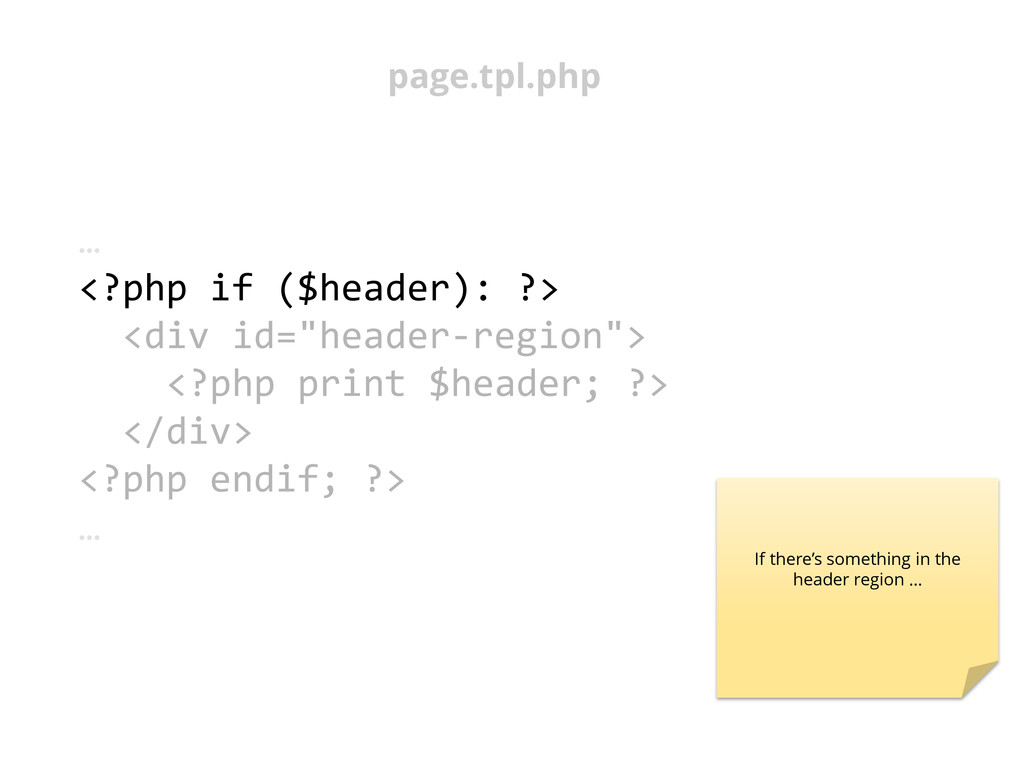
… <?php if ($header): ?> <div id="header-region"> <?php print $header;
?> </div> <?php endif; ?> … page.tpl.php If there’s something in the header region … -
name = Theme 101 description = Demo theme for UT
Drupal Camp screenshot = screenshot.png core = 6.x engine = phptemplate stylesheets[all][] = css/style.css stylesheets[print][] = css/print.css regions[content_top] = Content top regions[header] = Header regions[left] = First sidebar regions[right] = Second sidebar regions[footer_block] = Footer regions[content_bottom] = Content bottom features[] = logo features[] = name … theme101.info Notice how regions[header] here, has become $header in the .tpl.php file -
… <?php if ($header): ?> <div id="header-region"> <?php print $header;
?> </div> <?php endif; ?> … page.tpl.php -
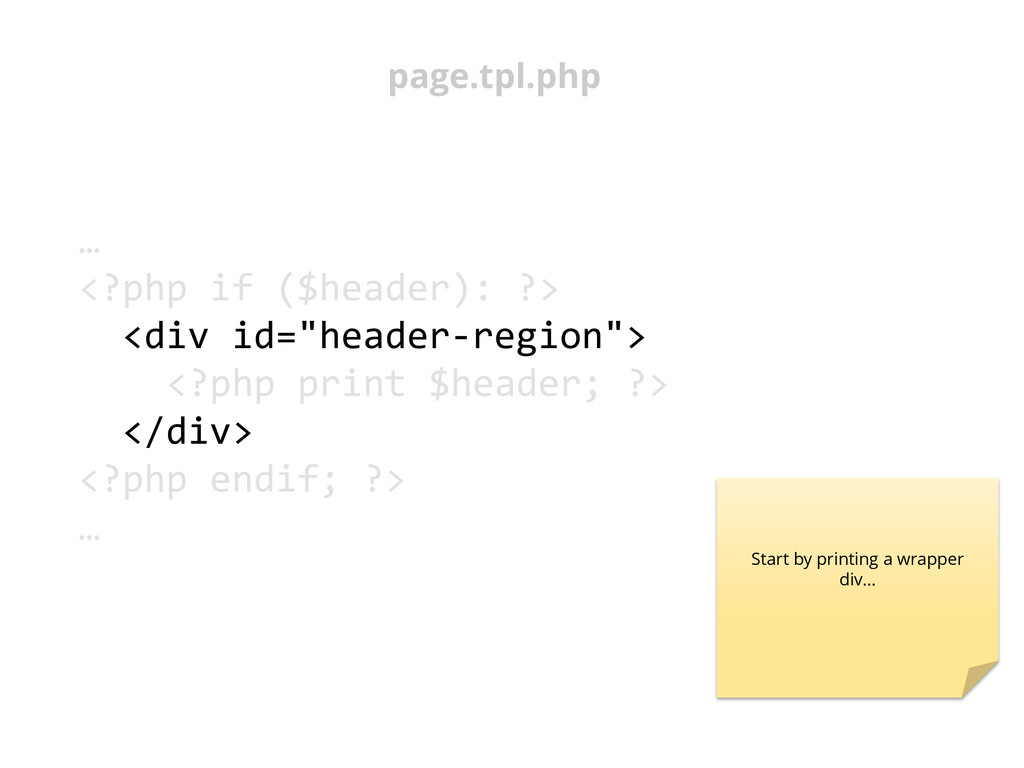
… <?php if ($header): ?> <div id="header-region"> <?php print $header;
?> </div> <?php endif; ?> … page.tpl.php Start by printing a wrapper div… -
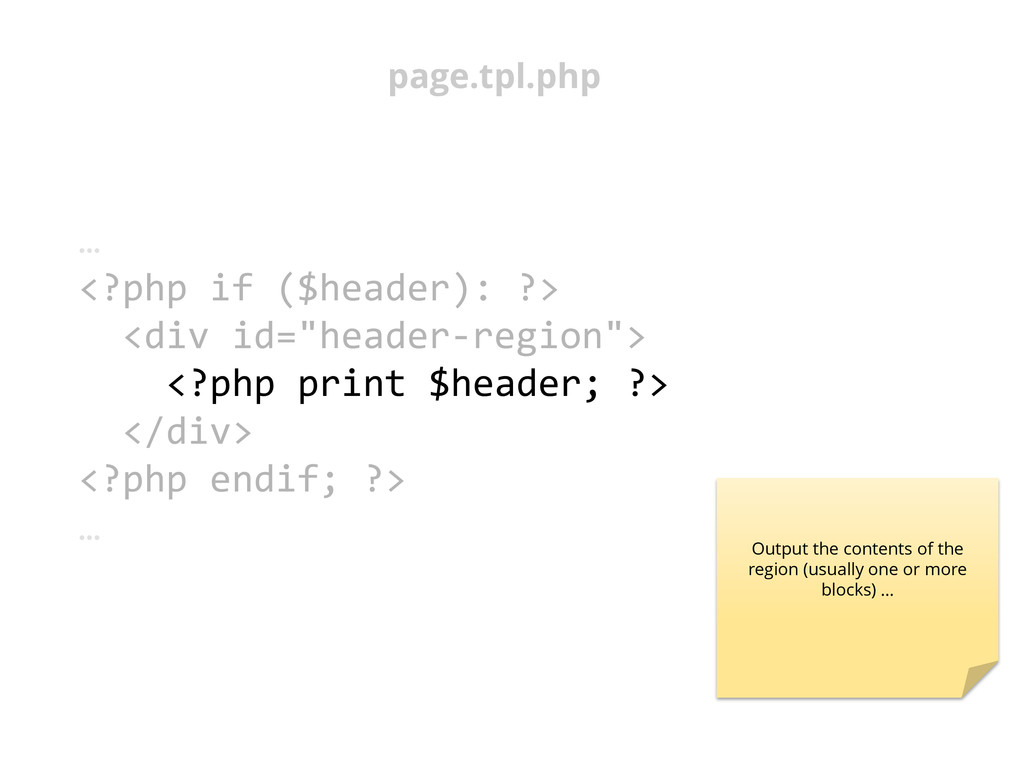
… <?php if ($header): ?> <div id="header-region"> <?php print $header;
?> </div> <?php endif; ?> … page.tpl.php Output the contents of the region (usually one or more blocks) … -
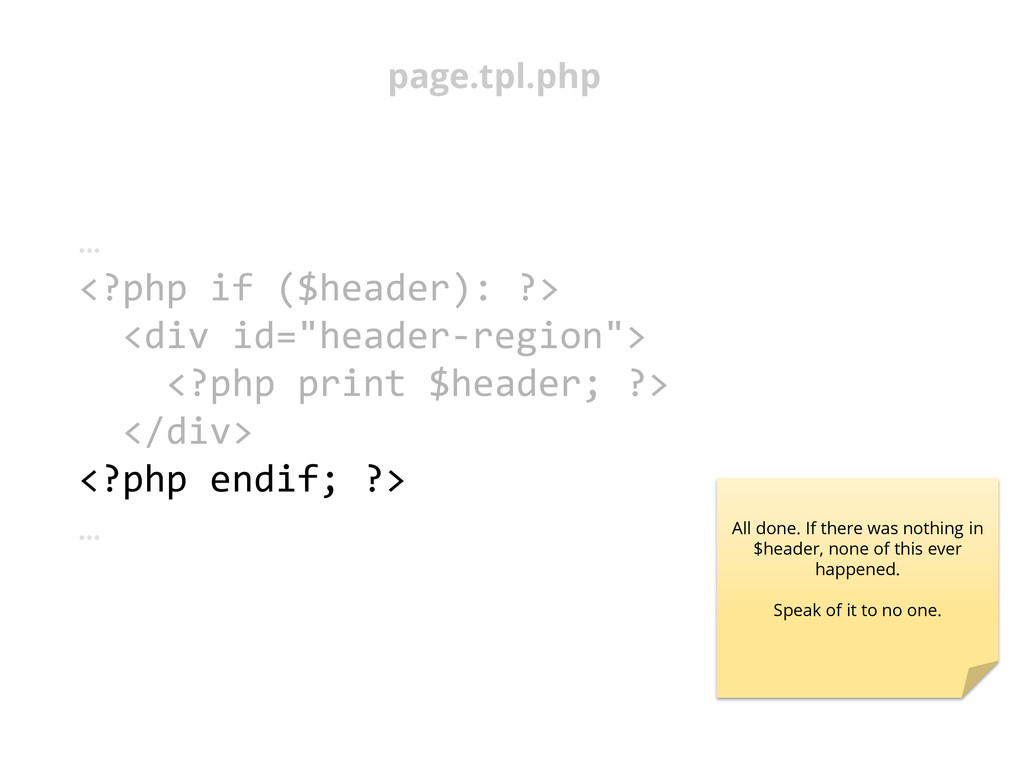
… <?php if ($header): ?> <div id="header-region"> <?php print $header;
?> </div> <?php endif; ?> … page.tpl.php All done. If there was nothing in $header, none of this ever happened. Speak of it to no one. -
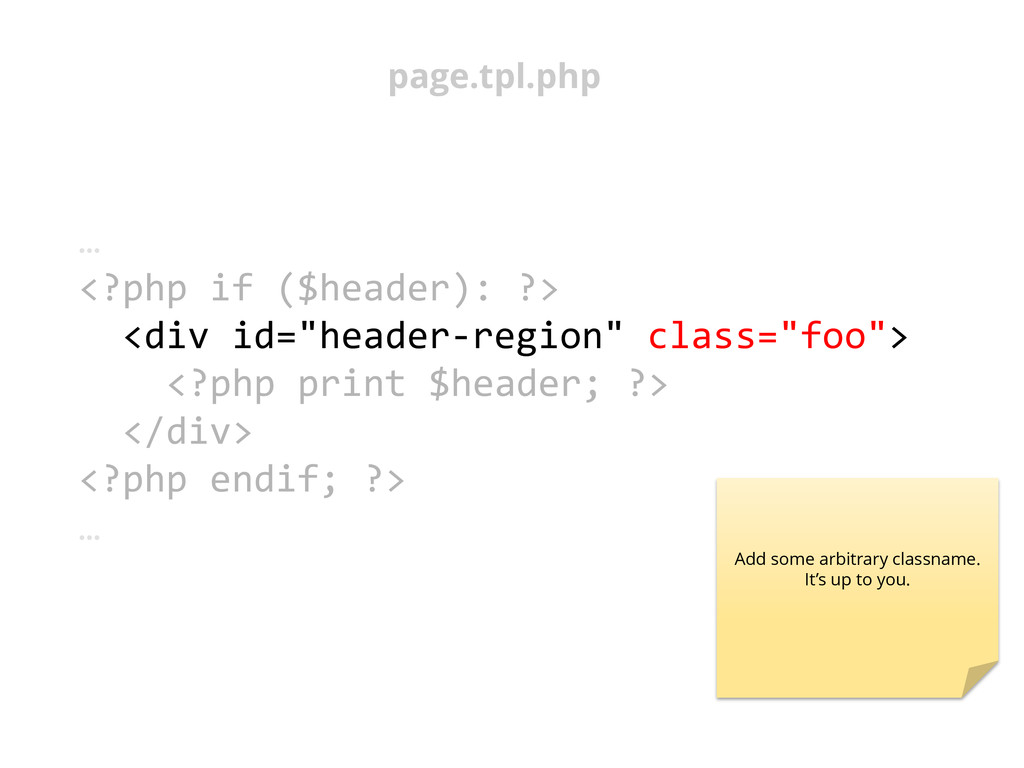
… <?php if ($header): ?> <div id="header-region" class="foo"> <?php print
$header; ?> </div> <?php endif; ?> … page.tpl.php Add some arbitrary classname. It’s up to you. -
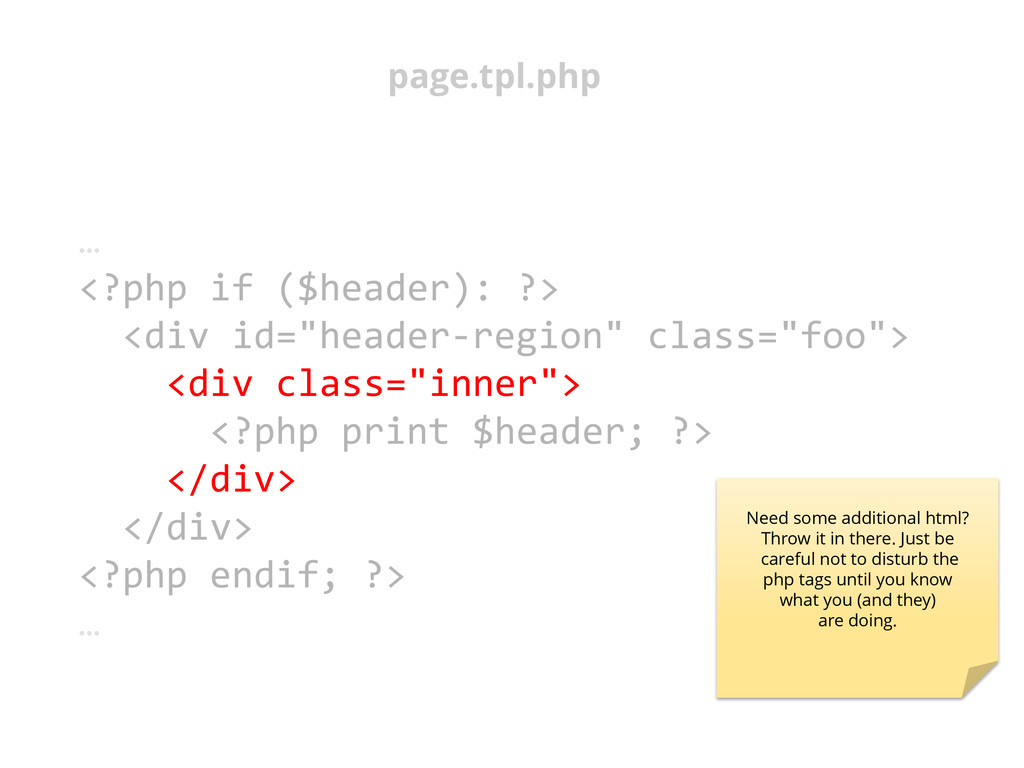
… <?php if ($header): ?> <div id="header-region" class="foo"> <div class="inner">
<?php print $header; ?> </div> </div> <?php endif; ?> … page.tpl.php Need some additional html? Throw it in there. Just be careful not to disturb the php tags until you know what you (and they) are doing. -
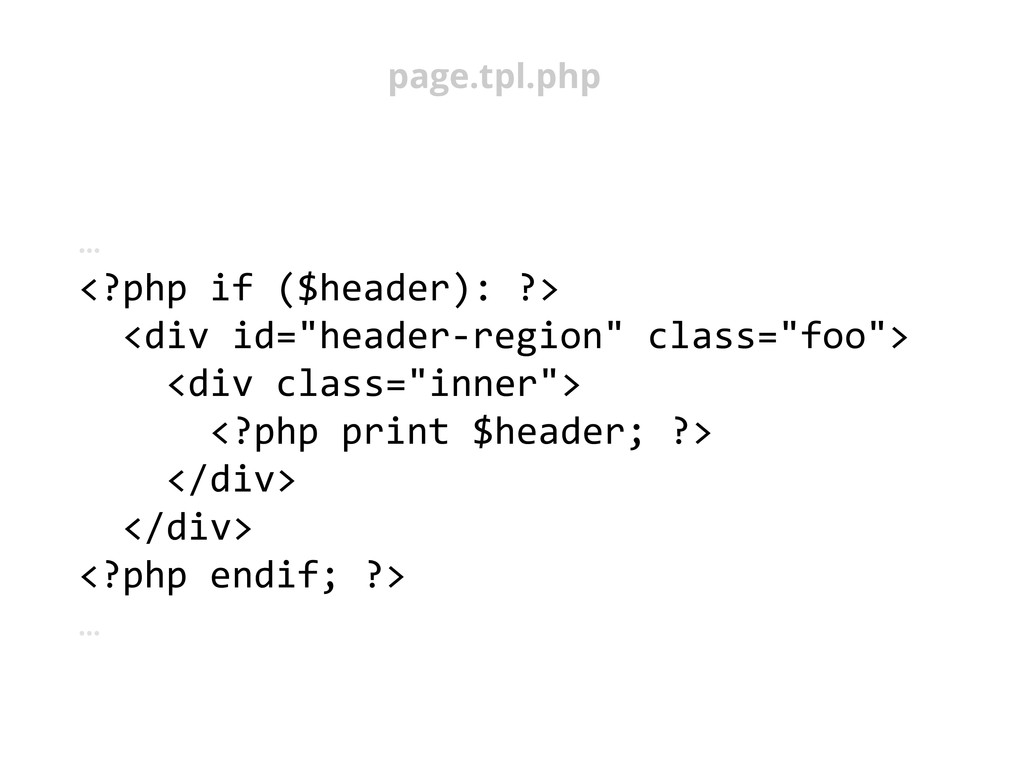
… <?php if ($header): ?> <div id="header-region" class="foo"> <div class="inner">
<?php print $header; ?> </div> </div> <?php endif; ?> … page.tpl.php -
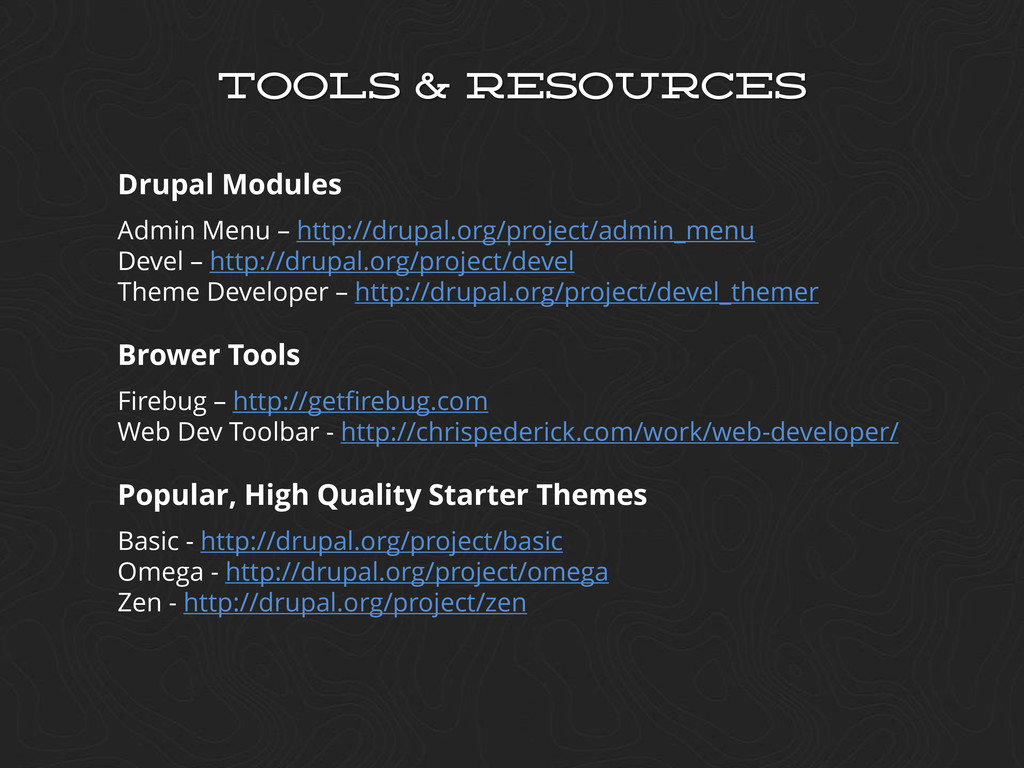
Tools & Resources Drupal Modules Admin Menu – http://drupal.org/project/admin_menu Devel
– http://drupal.org/project/devel Theme Developer – http://drupal.org/project/devel_themer Brower Tools Firebug – http://getfirebug.com Web Dev Toolbar - http://chrispederick.com/work/web-developer/ Popular, High Quality Starter Themes Basic - http://drupal.org/project/basic Omega - http://drupal.org/project/omega Zen - http://drupal.org/project/zen