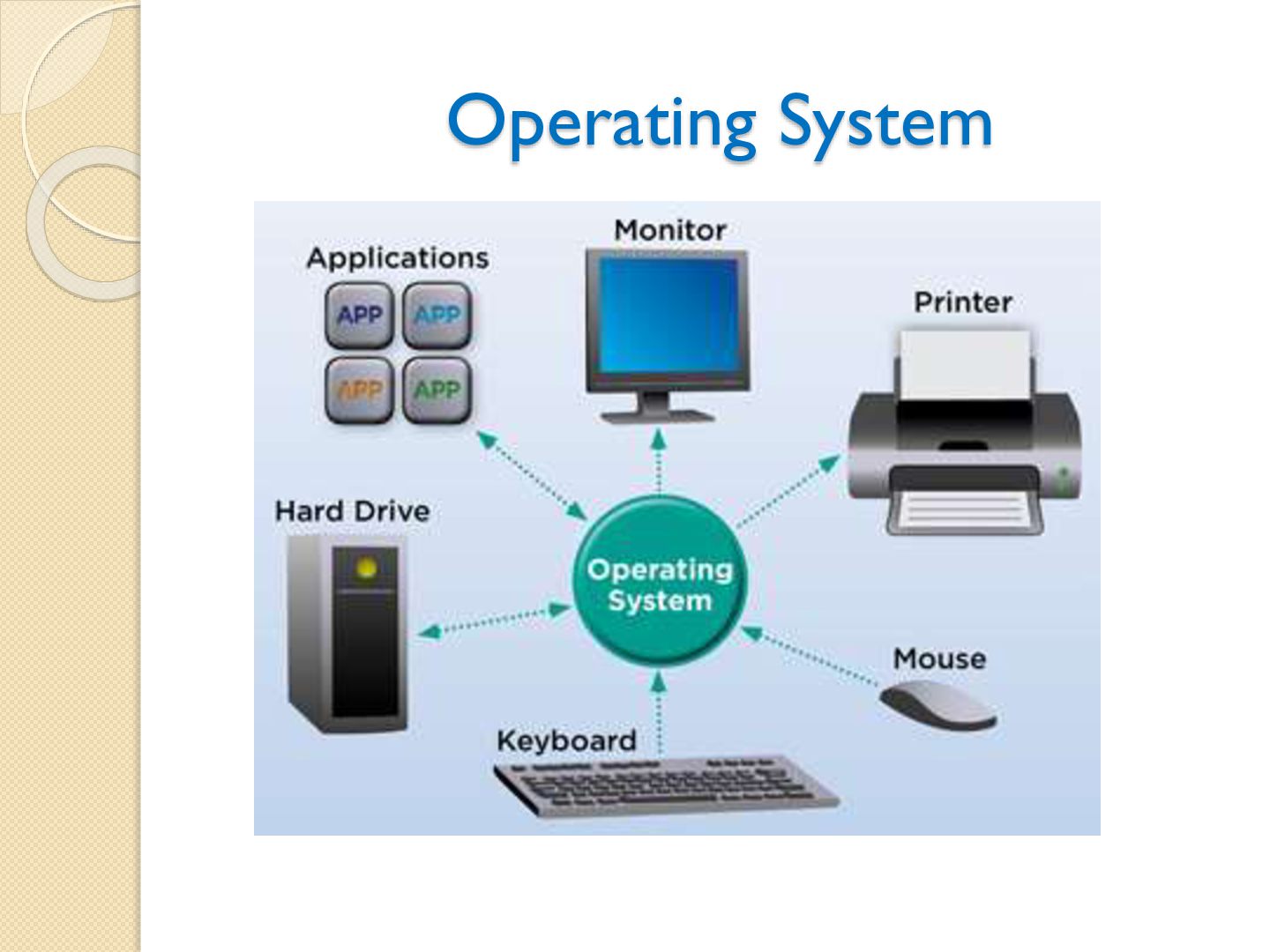
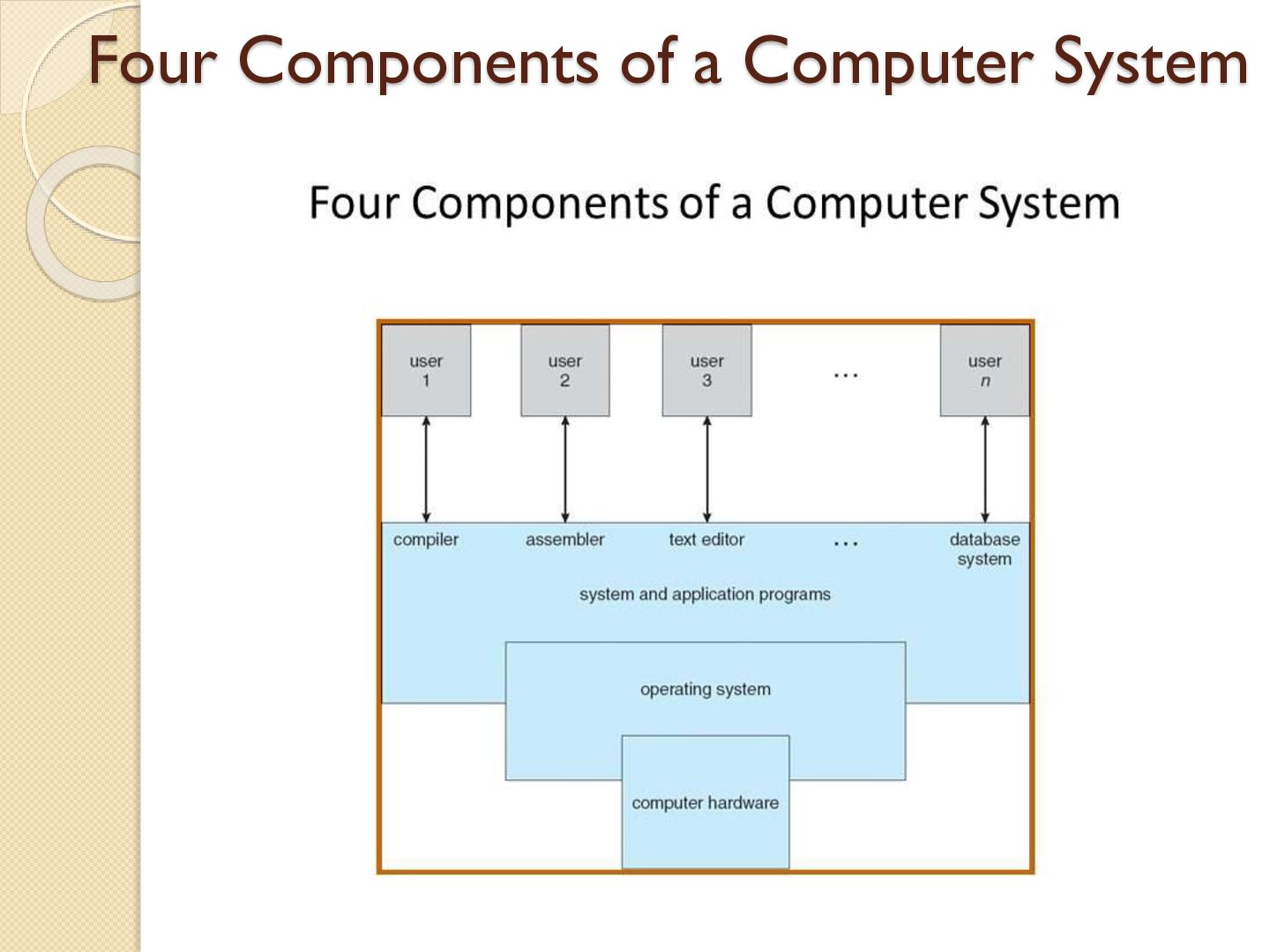
computer system. An OS is a software consisting programs and data that run on computers. A program that acts as an intermediary between a user of a computer and the computer hardware.
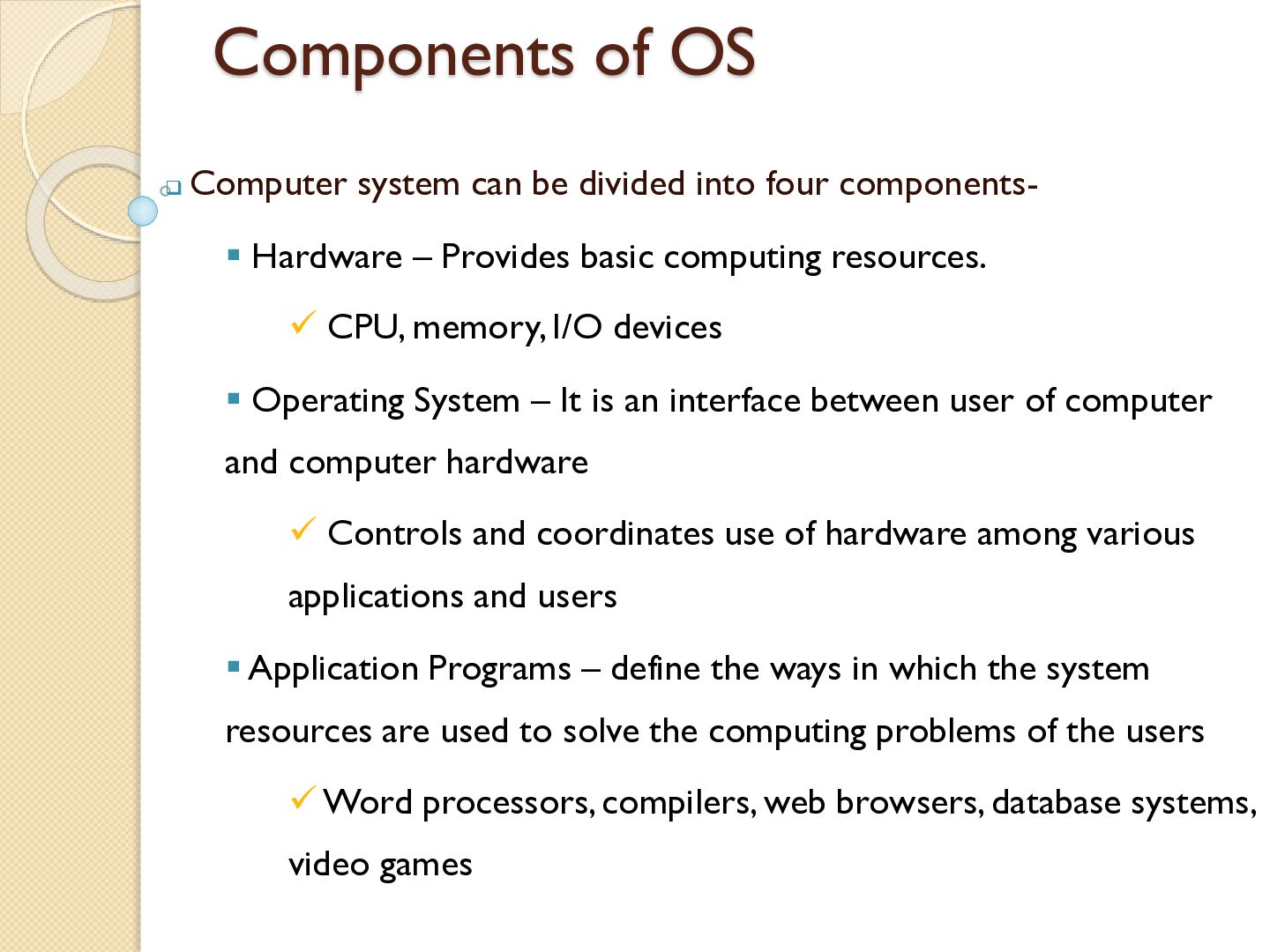
four components Hardware – Provides basic computing resources. CPU, memory, I/O devices Operating System – It is an interface between user of computer and computer hardware Controls and coordinates use of hardware among various applications and users Application Programs – define the ways in which the system resources are used to solve the computing problems of the users Word processors, compilers, web browsers, database systems, video games
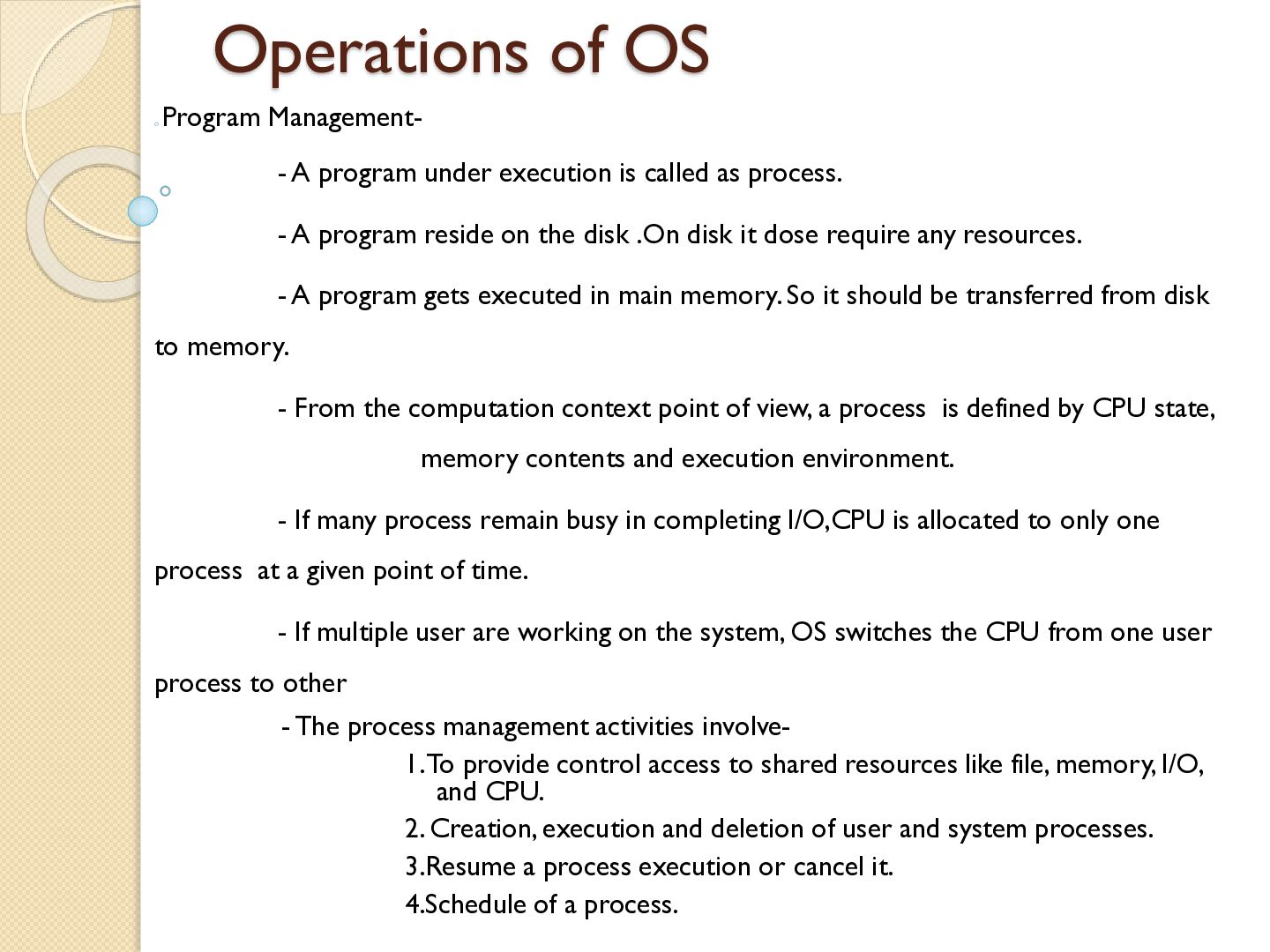
is called as process. - A program reside on the disk .On disk it dose require any resources. - A program gets executed in main memory. So it should be transferred from disk to memory. - From the computation context point of view, a process is defined by CPU state, memory contents and execution environment. - If many process remain busy in completing I/O,CPU is allocated to only one process at a given point of time. - If multiple user are working on the system, OS switches the CPU from one user process to other - The process management activities involve1. To provide control access to shared resources like file, memory, I/O, and CPU. 2. Creation, execution and deletion of user and system processes. 3.Resume a process execution or cancel it. 4.Schedule of a process.
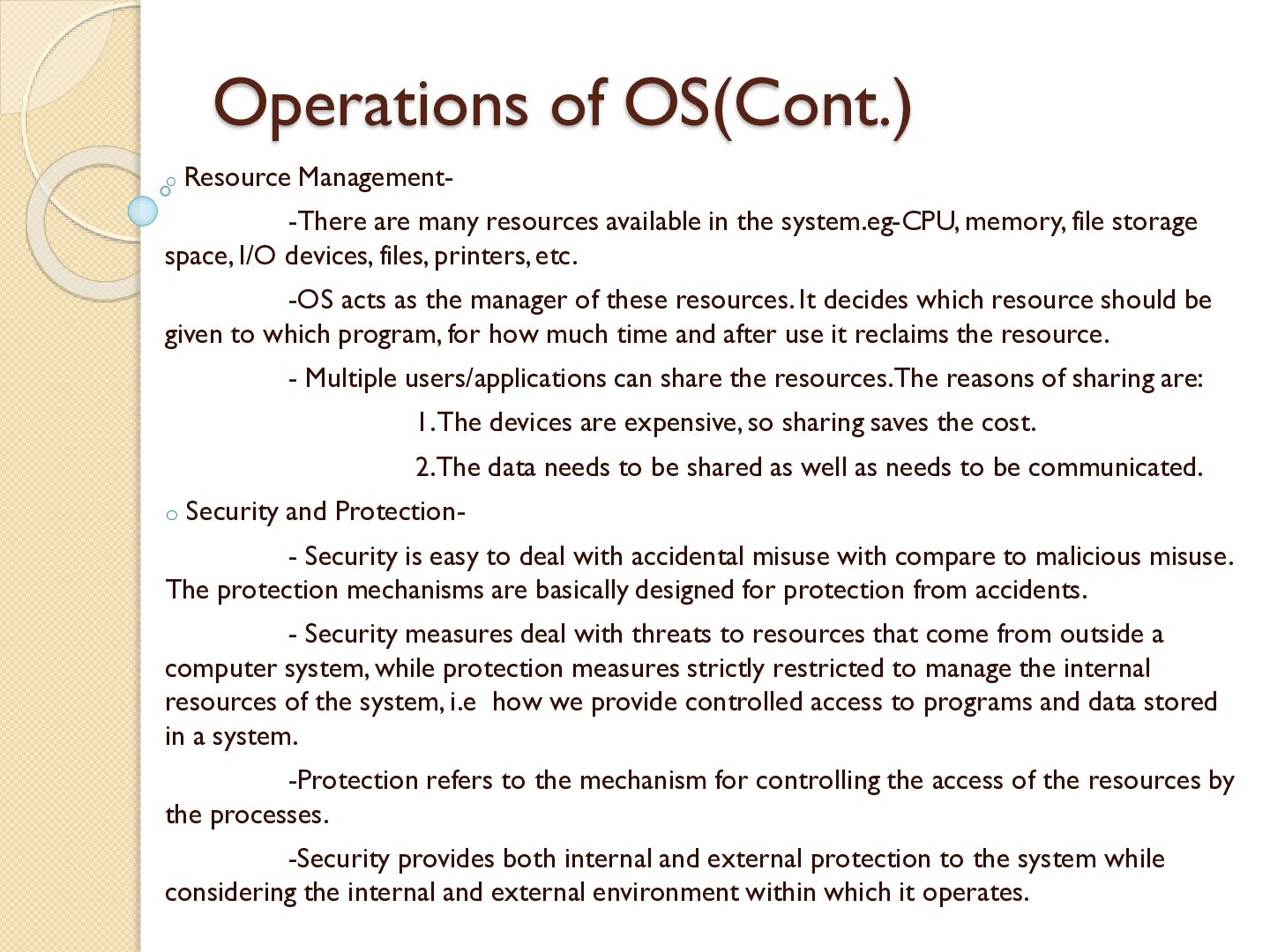
available in the system.eg-CPU, memory, file storage space, I/O devices, files, printers, etc. -OS acts as the manager of these resources. It decides which resource should be given to which program, for how much time and after use it reclaims the resource. - Multiple users/applications can share the resources.The reasons of sharing are: 1. The devices are expensive, so sharing saves the cost. 2.The data needs to be shared as well as needs to be communicated. o Security and Protection- - Security is easy to deal with accidental misuse with compare to malicious misuse. The protection mechanisms are basically designed for protection from accidents. - Security measures deal with threats to resources that come from outside a computer system, while protection measures strictly restricted to manage the internal resources of the system, i.e how we provide controlled access to programs and data stored in a system. -Protection refers to the mechanism for controlling the access of the resources by the processes. -Security provides both internal and external protection to the system while considering the internal and external environment within which it operates.
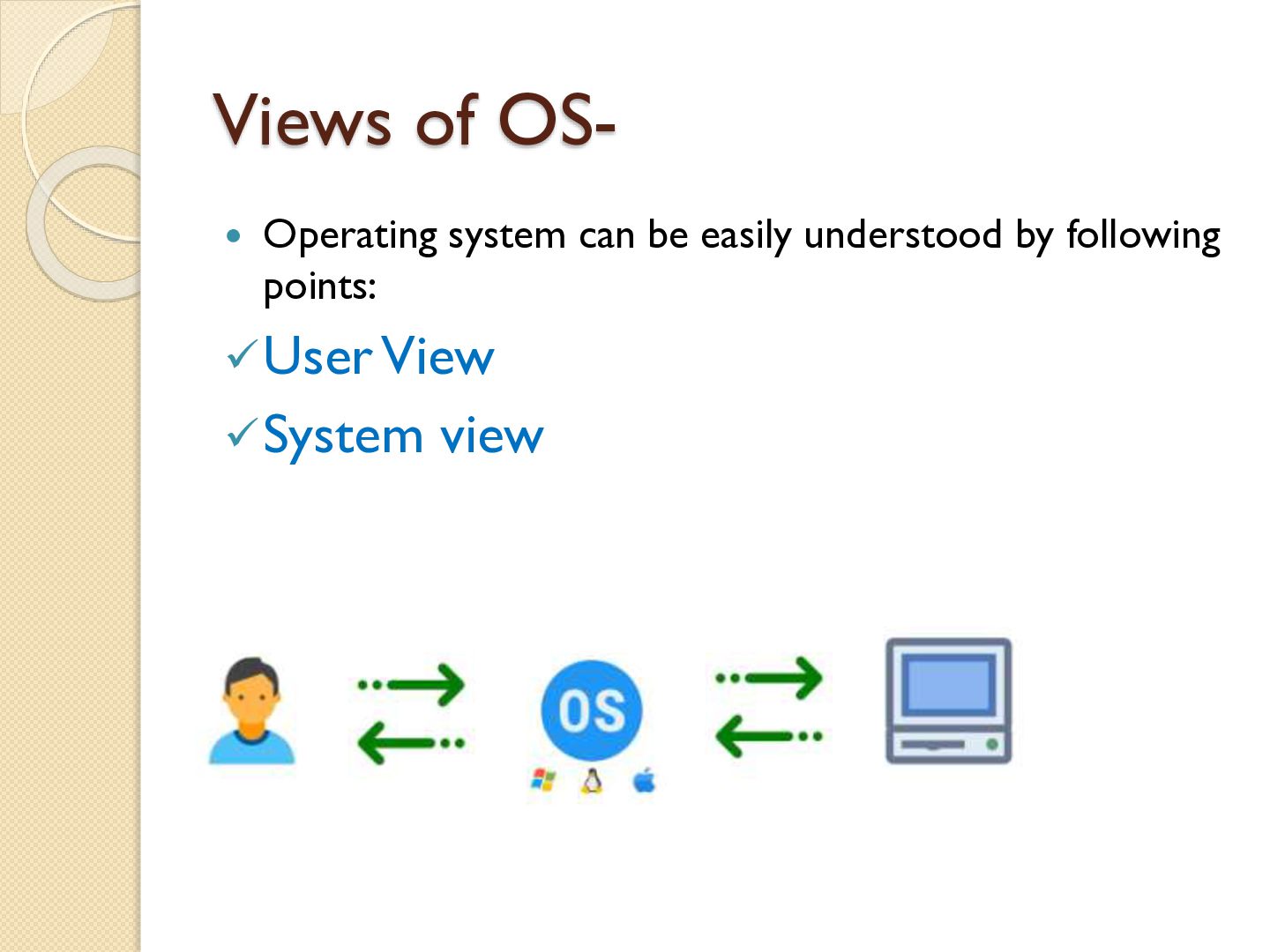
of the computer varies according to the interface being used. - Most computer users sit in front of a PC, consisting of a monitor, keyboard, mouse, and system unit. Such a system is designed for one user to monopolize its resources. - If the user is working on the single autonomous PC for his work, then performance is mostly taken into consideration .OS is designed to give ease of use and gaining performance. -Some users sit at a terminal connected to a mainframe or minicomputer. Other users are accessing the same computer through other terminals. These users share resources and may exchange information. The OS is designed to maximize resource utilization. - Some computers have little or no user view. For example, embedded computers in home devices and automobiles may have numeric keypads and may turn indicator lights on or off to show status, but they and their operating systems are designed primarily to run without user intervention.
of view, the operating system is the program most intimately involved with the hardware. There are two different views* An Operating system is a resource allocator. - Manages all resources. - Decides between conflicting requites for efficient and fair resource use. * The operating system is control program - Controls execution of programs to prevent errors and improper use of computer.
two types1. Single User OSIn which only one user can take the advantages of the various features embedded in it. Ex-MS-DOS 2. Multi User OSIn which multiple users can take the various advantage of the features embedded in it. Ex-Windows XP,Windows-7,LINUX,UNIX etc. The different types of Operating System area) Batch Operating System b) Multiprogramming Operating System c) Time Sharing Operating System d) Multiprocessor Operating System e) Distributed Operating System f) Real Time Operating System
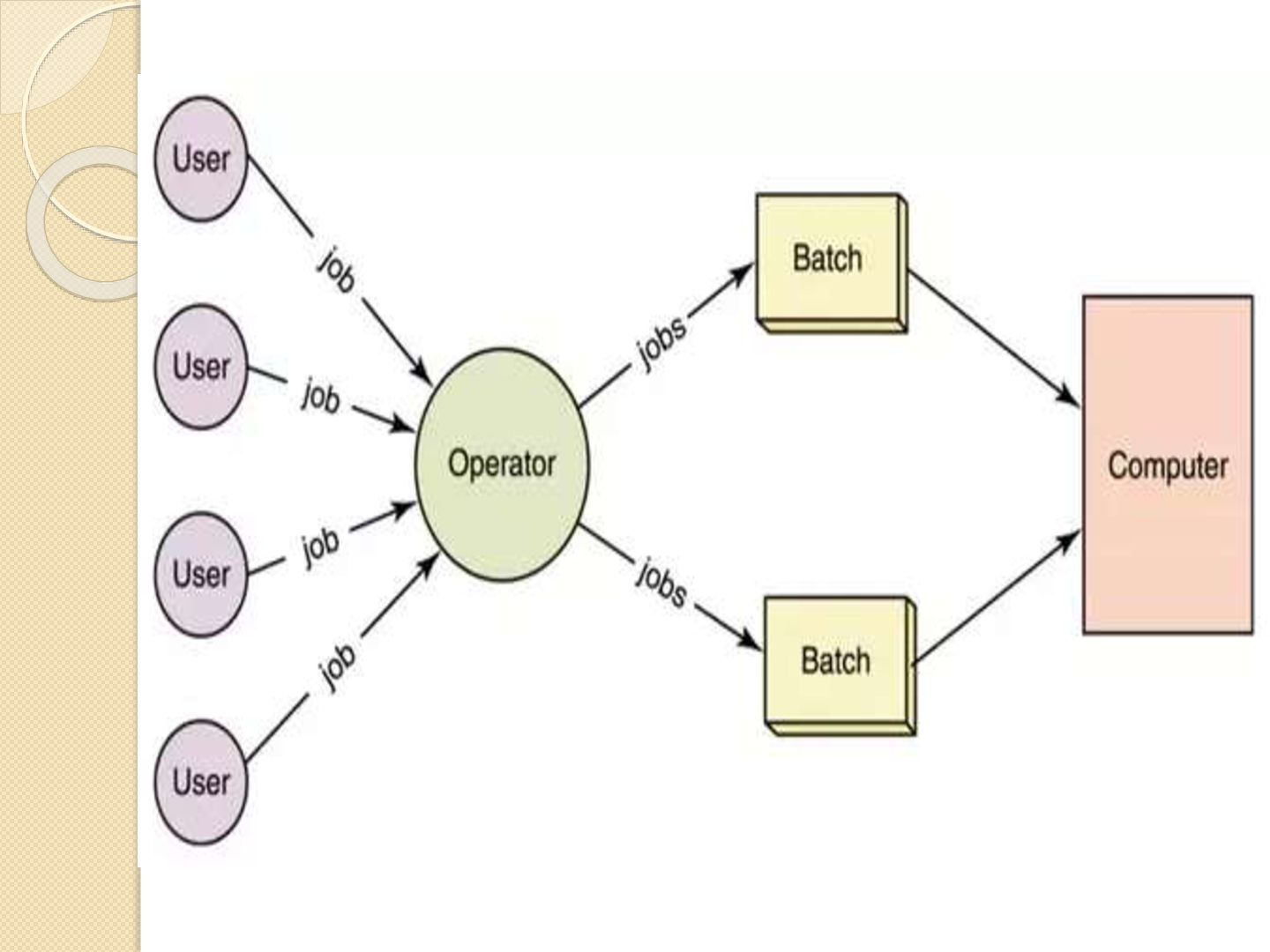
-This type of operating system does not interact with the computer directly. -There is an operator which takes similar jobs having same requirement and group them into batches. - It is the responsibility of operator to sort the jobs with similar needs.
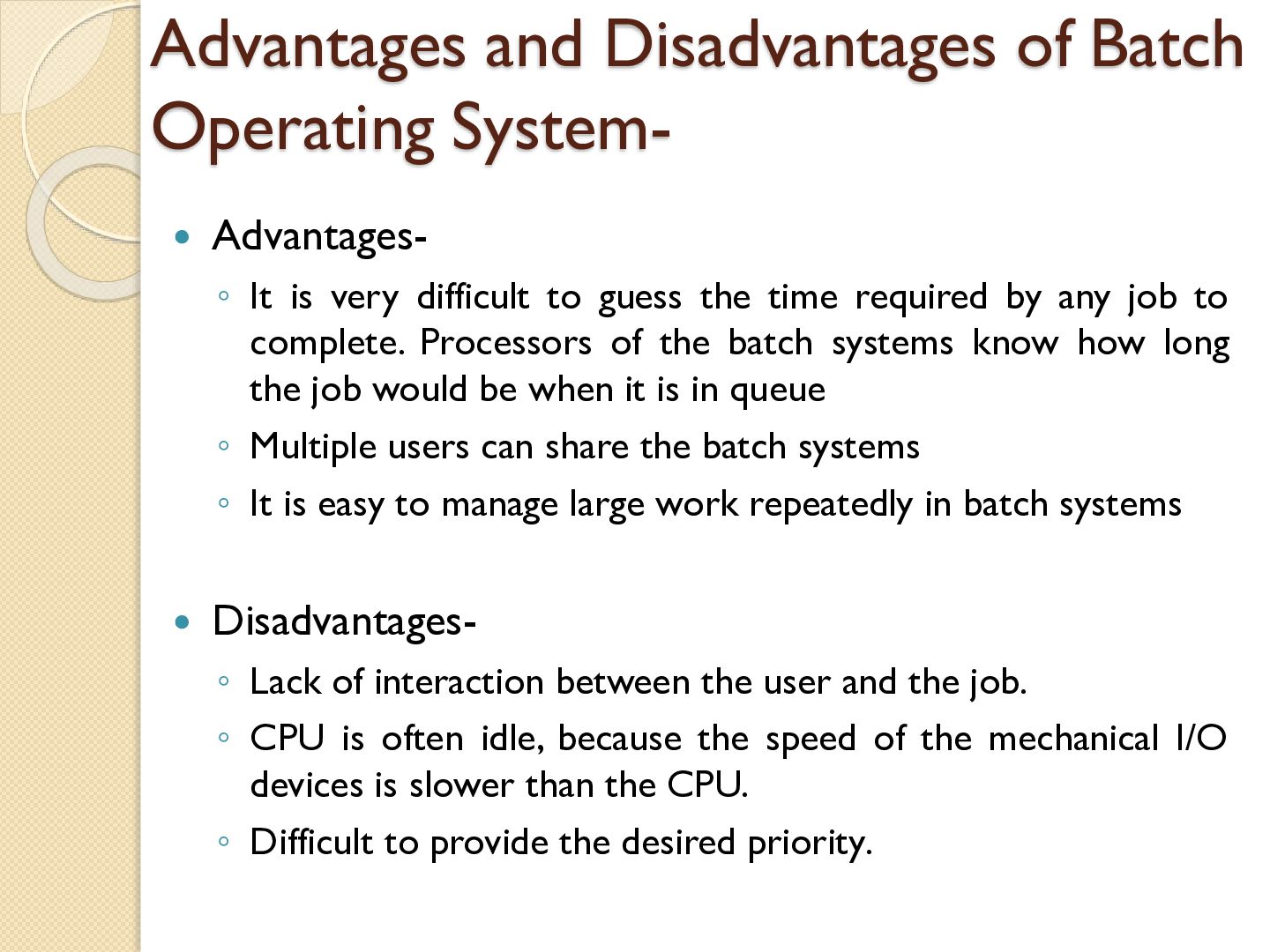
is very difficult to guess the time required by any job to complete. Processors of the batch systems know how long the job would be when it is in queue ◦ Multiple users can share the batch systems ◦ It is easy to manage large work repeatedly in batch systems Disadvantages- ◦ Lack of interaction between the user and the job. ◦ CPU is often idle, because the speed of the mechanical I/O devices is slower than the CPU. ◦ Difficult to provide the desired priority.
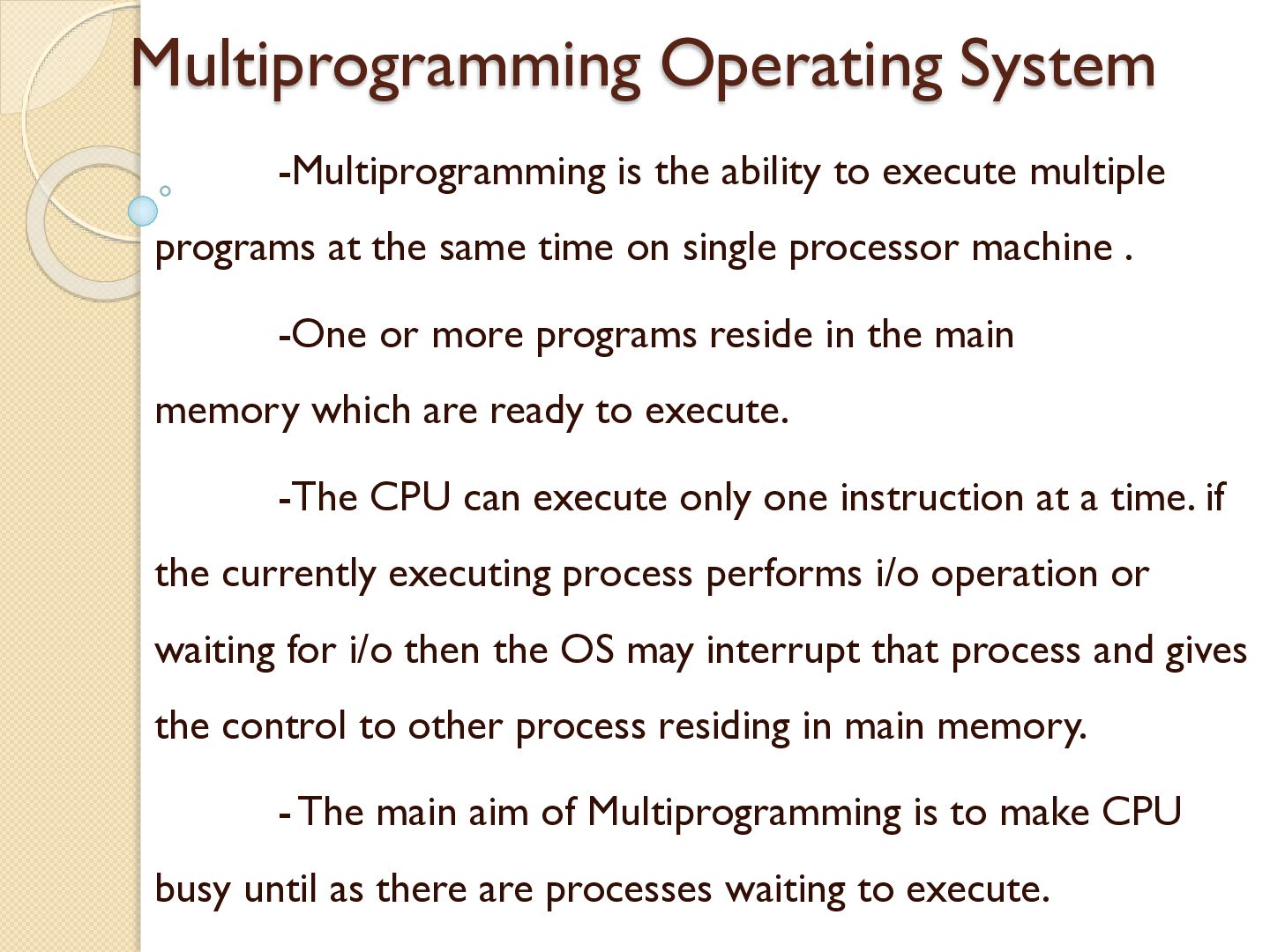
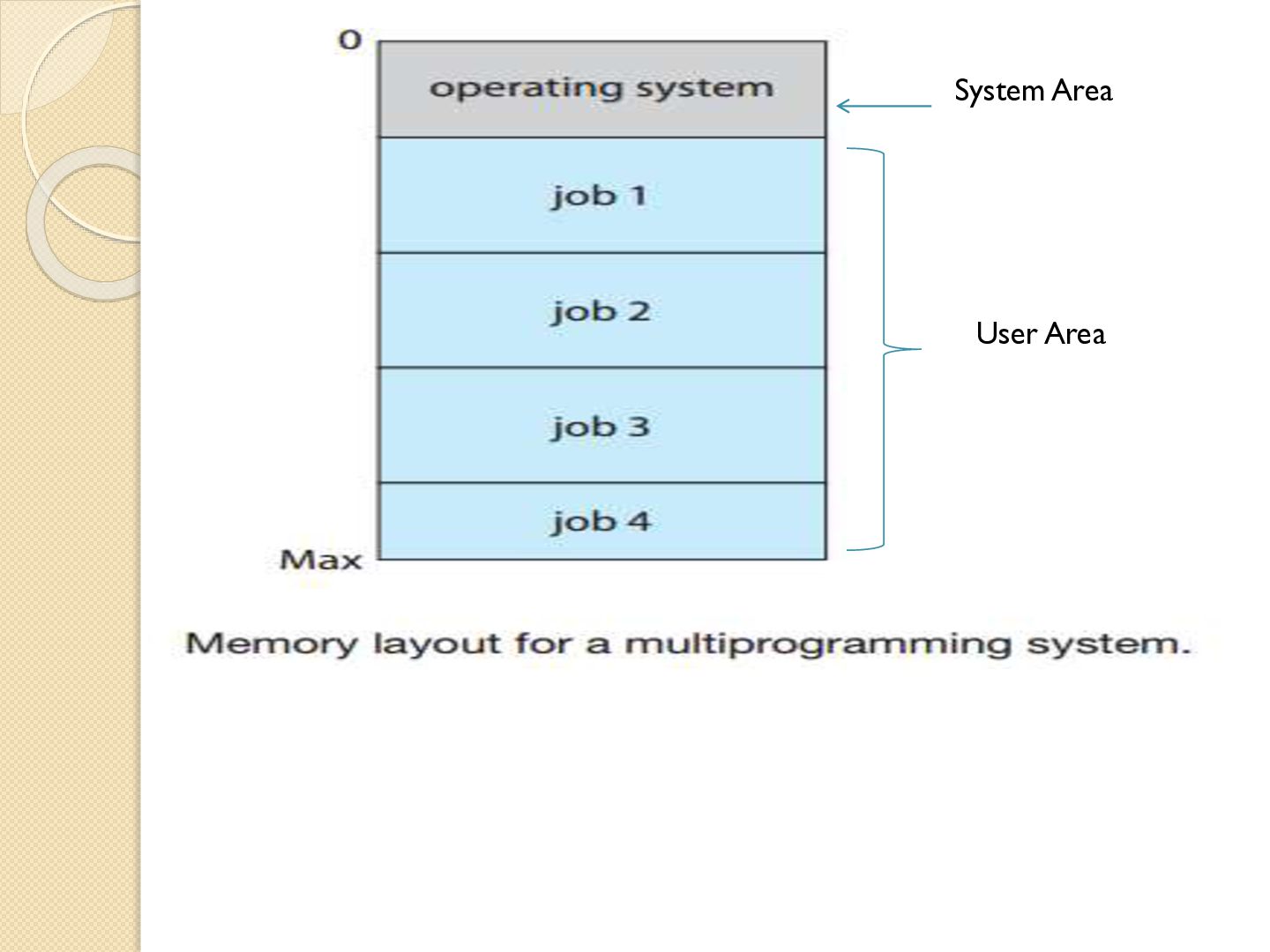
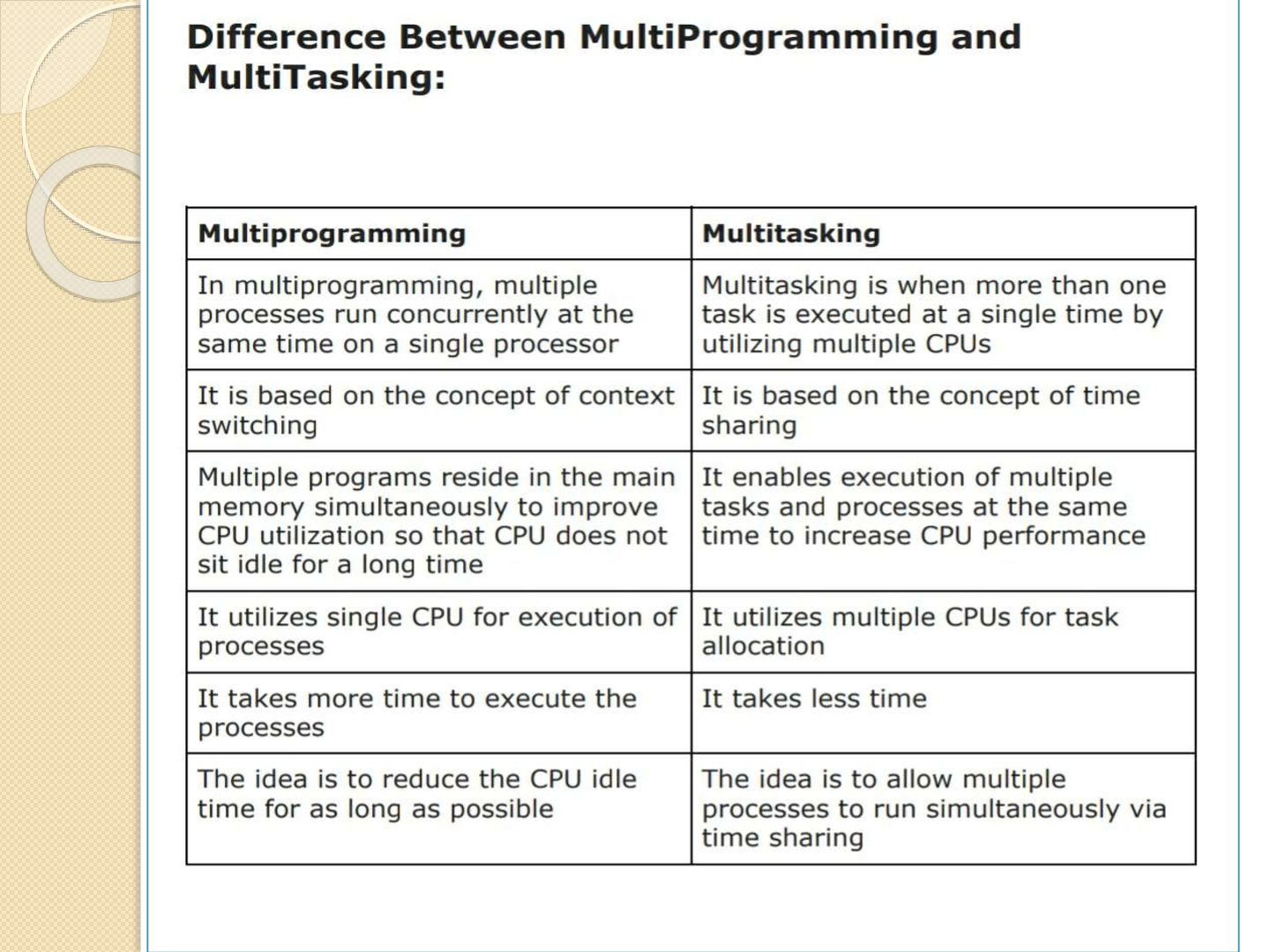
programs at the same time on single processor machine . -One or more programs reside in the main memory which are ready to execute. -The CPU can execute only one instruction at a time. if the currently executing process performs i/o operation or waiting for i/o then the OS may interrupt that process and gives the control to other process residing in main memory. - The main aim of Multiprogramming is to make CPU busy until as there are processes waiting to execute.
efficient CPU utilization. ◦ User feels that many programs are allotted CPU almost simultaneously. Disadvantages◦ CPU scheduling is required. ◦ To accommodate many jobs in memory, memory management is required.
efficient CPU utilization. ◦ User feels that many programs are allotted CPU almost simultaneously. Disadvantages◦ CPU scheduling is required. ◦ To accommodate many jobs in memory, memory management is required.
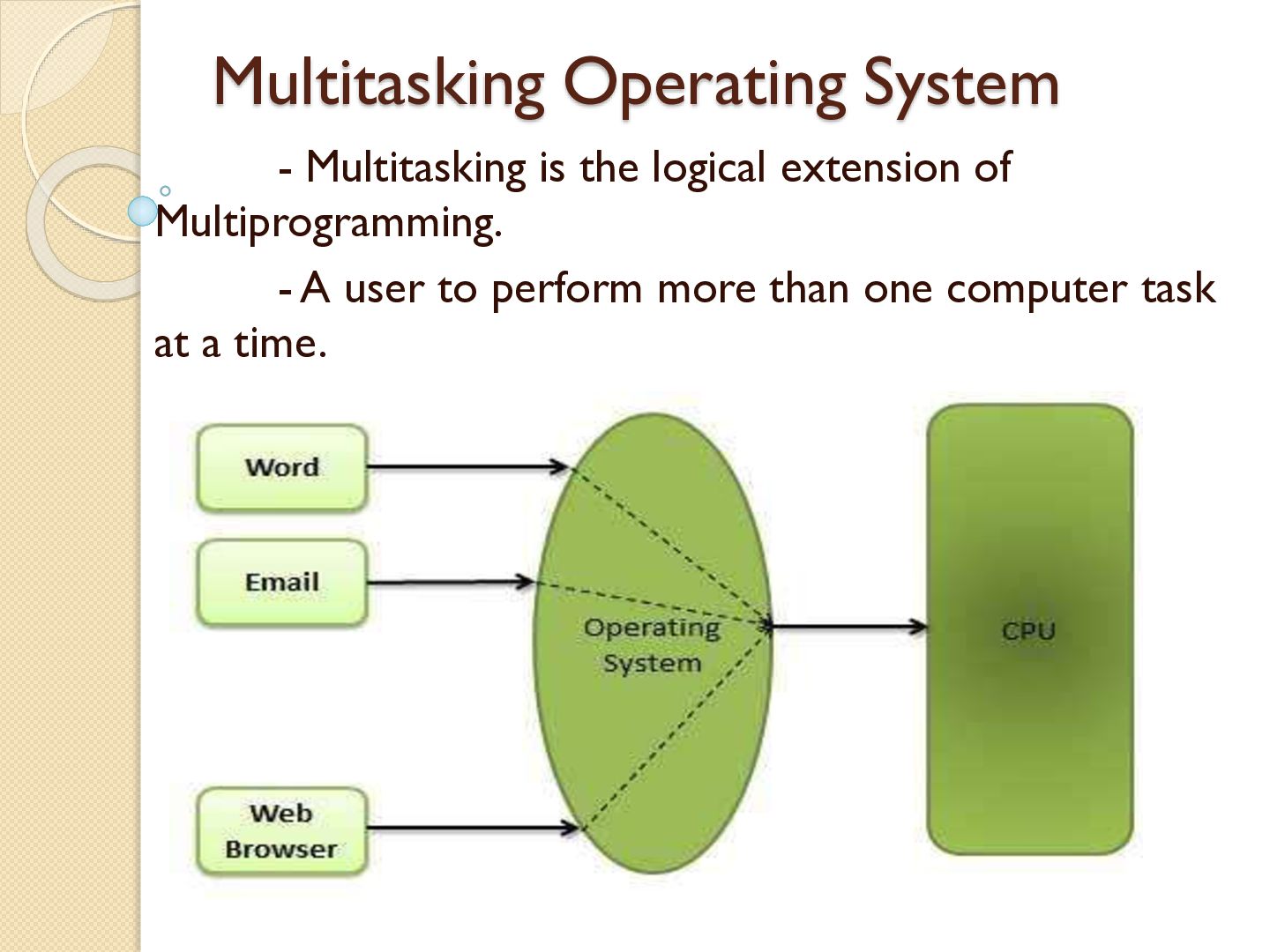
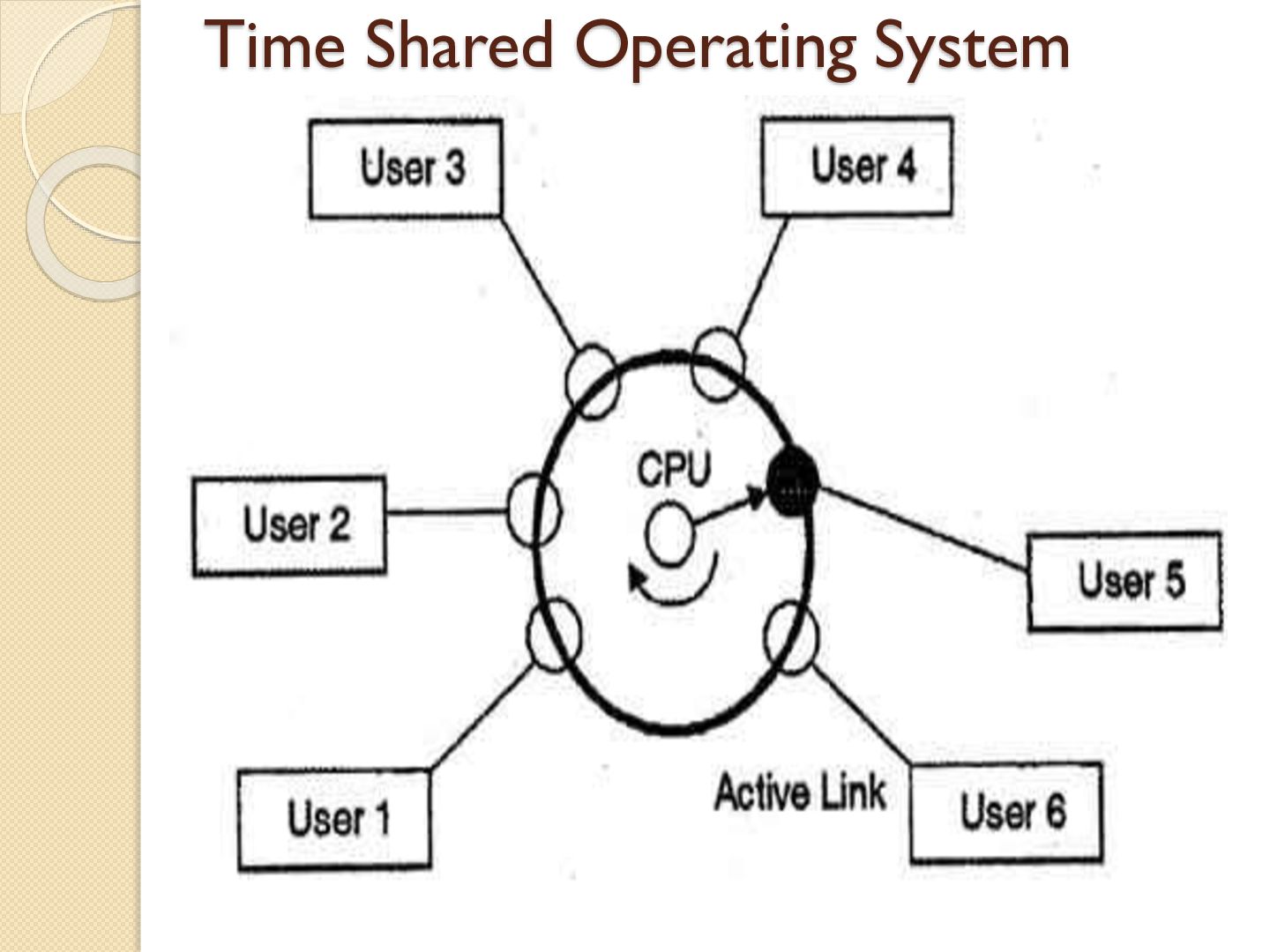
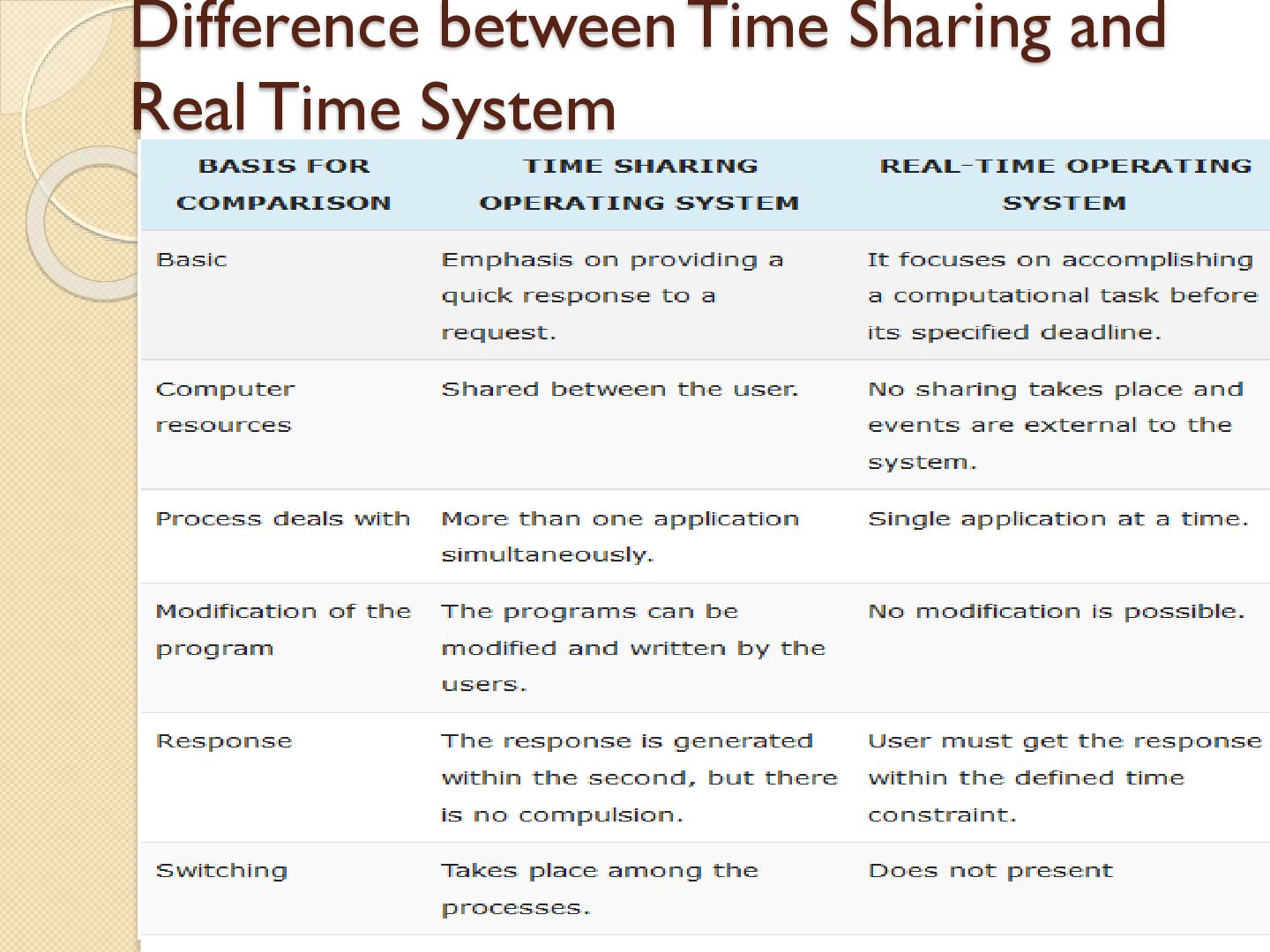
enables many people, located at various terminals, to use a particular computer system at the same time. •Time-sharing or multitasking is a logical extension of multiprogramming. •Processor's time which is shared among multiple users simultaneously is termed as time-sharing. • If n users are present, then each user can get a time quantum. When the user submits the command, the response time is in few seconds at most. • In time sharing system there is a large computer to which a number of terminals are connected as shown in fig.
Provides the advantage of quick response. Avoids duplication of software. Reduces CPU idle time. Disadvantages Problem of reliability. Question of security and integrity of user programs and data. Problem of data communication.
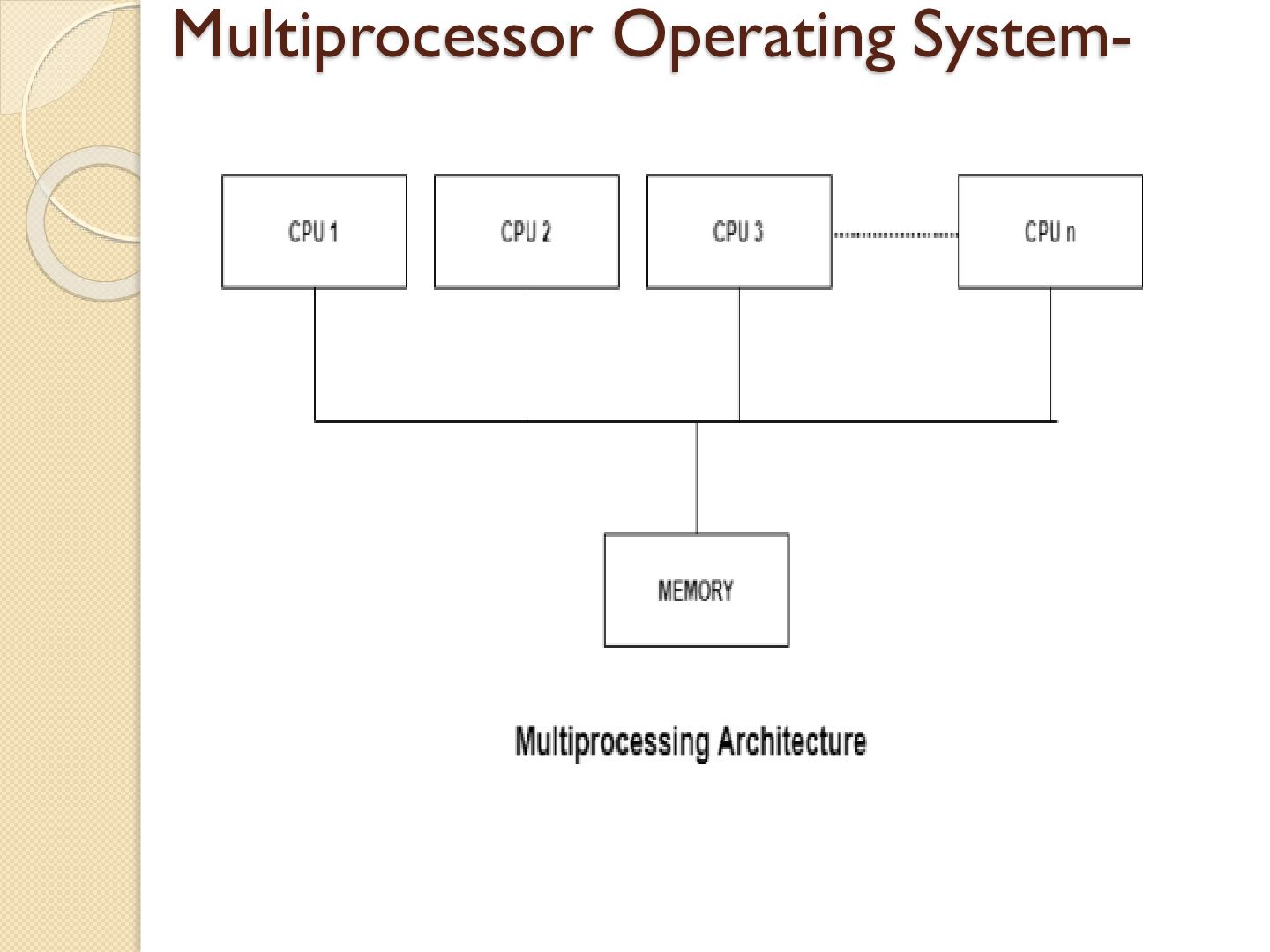
These systems have multiple processors working in parallel that share the computer clock, memory, bus, peripheral devices etc. These system is also called as parallel system or tightly coupled system. The main advantage of multiprocessor system is to get maximum work in shorter period.
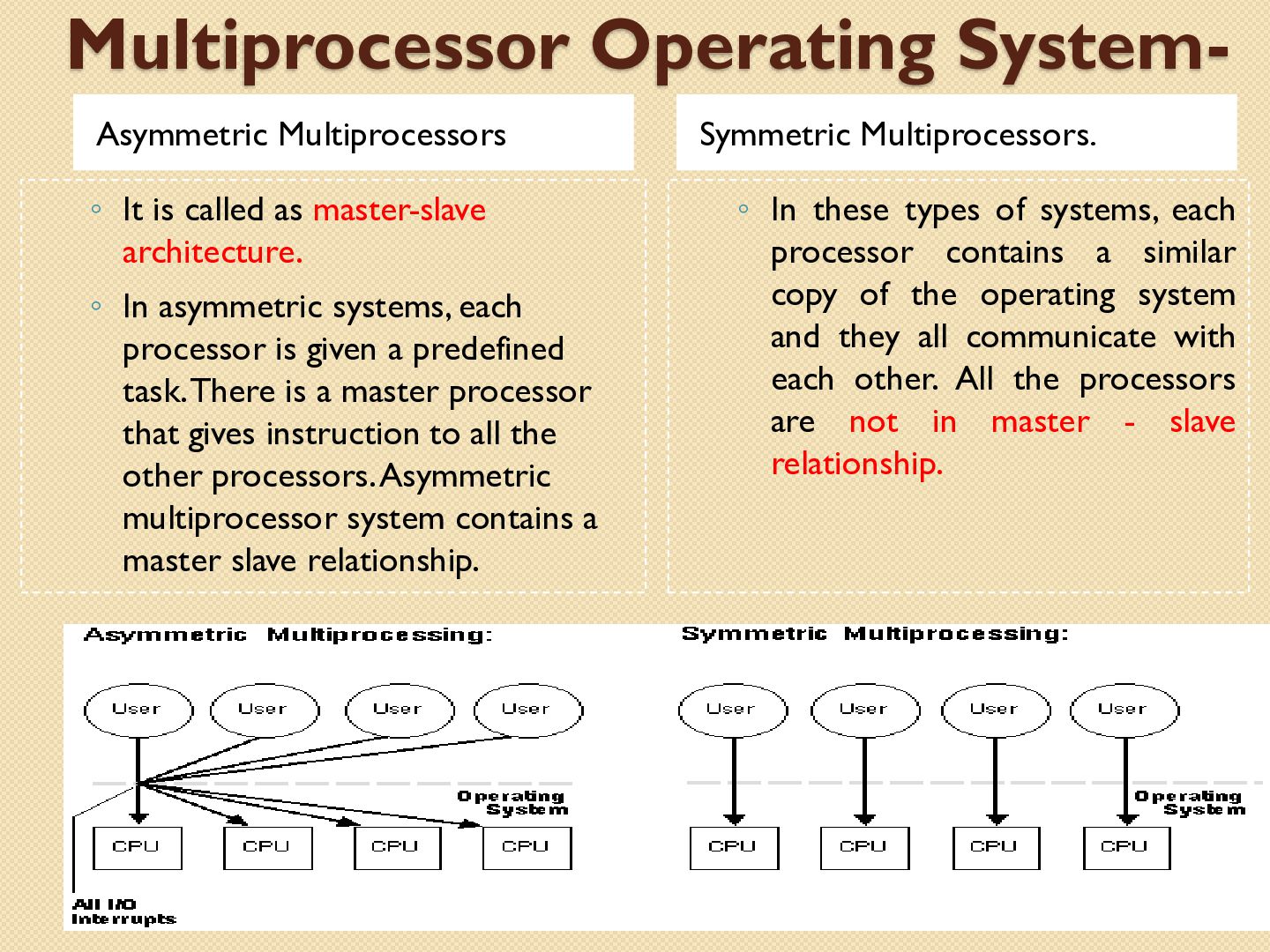
architecture. ◦ In asymmetric systems, each processor is given a predefined task. There is a master processor that gives instruction to all the other processors. Asymmetric multiprocessor system contains a master slave relationship. Symmetric Multiprocessors. ◦ In these types of systems, each processor contains a similar copy of the operating system and they all communicate with each other. All the processors are not in master - slave relationship.
Systems Enhanced Throughput More Economic Systems Disadvantages Increased Expense Complicated Operating System Required Large Main Memory Required
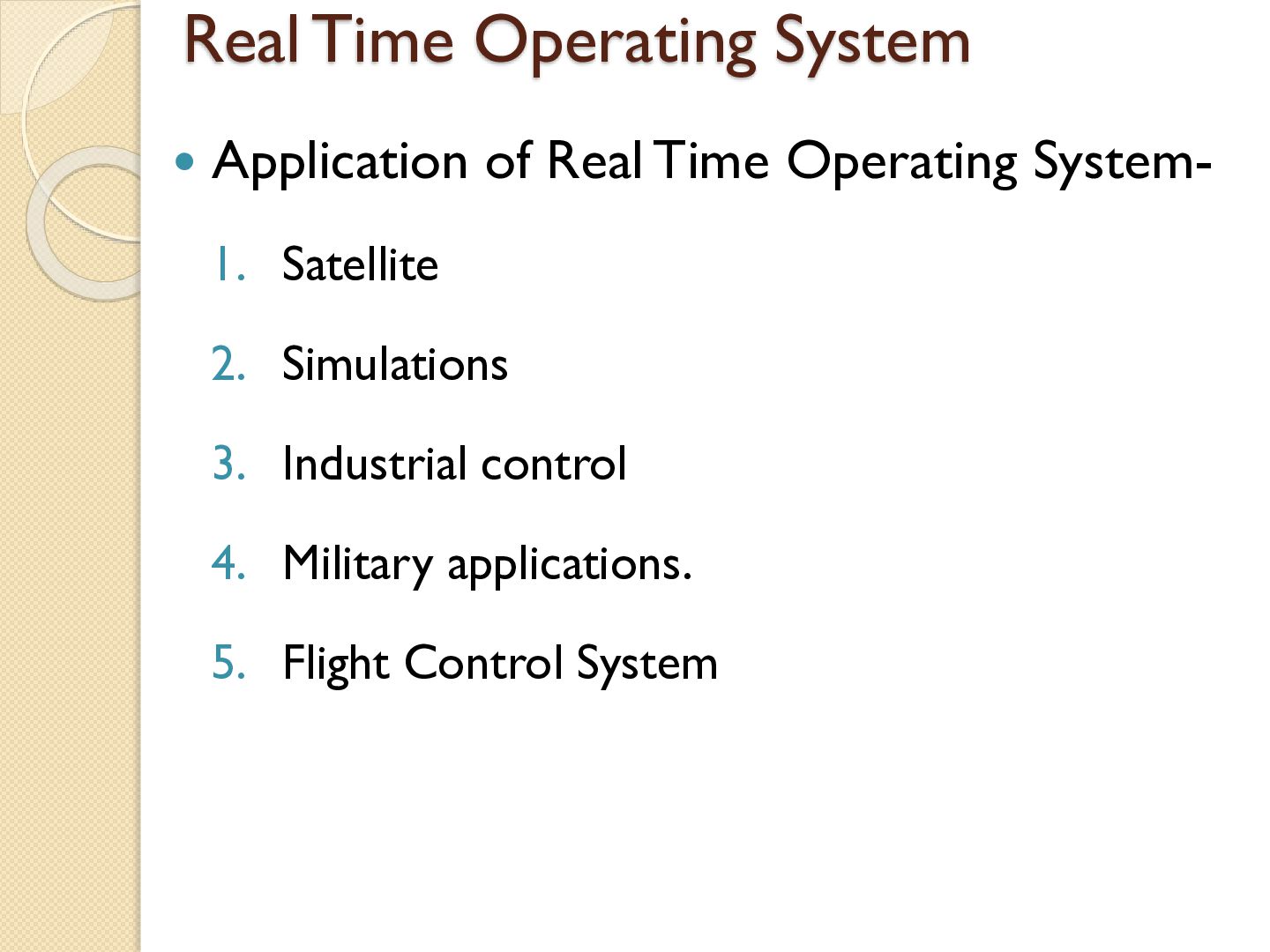
the system is subjected to real time, i.e., response should be guaranteed within a specified timing constraint or system should meet the specified deadline. Example: flight control system, real time monitors, Satellite etc. There are two types of Real Time Operation System- ◦ Hard real time system – This type of system can never miss its deadline. It guaranteeing that critical task be completed within their period. Tardiness means how late a real time system completes its task with respect to its deadline. Example: Flight controller system. ◦ Soft real time system – This type of system can miss its deadline .Real time task will get priority over other task. The usefulness of result produced by a soft real time system decreases gradually with increase in tardiness. Example: Telephone switches, routers, microwave ovens,etc.
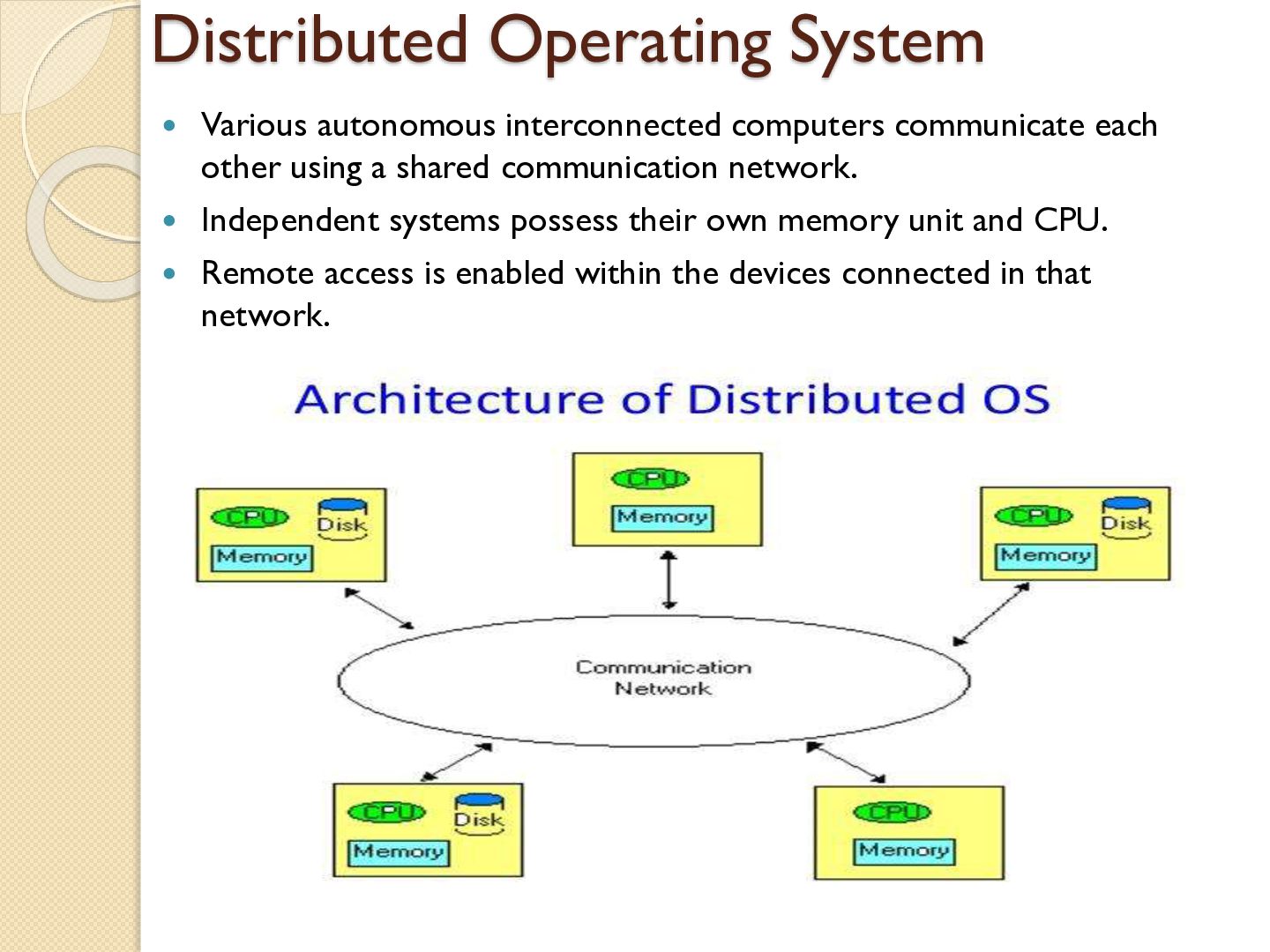
other using a shared communication network. Independent systems possess their own memory unit and CPU. Remote access is enabled within the devices connected in that network.
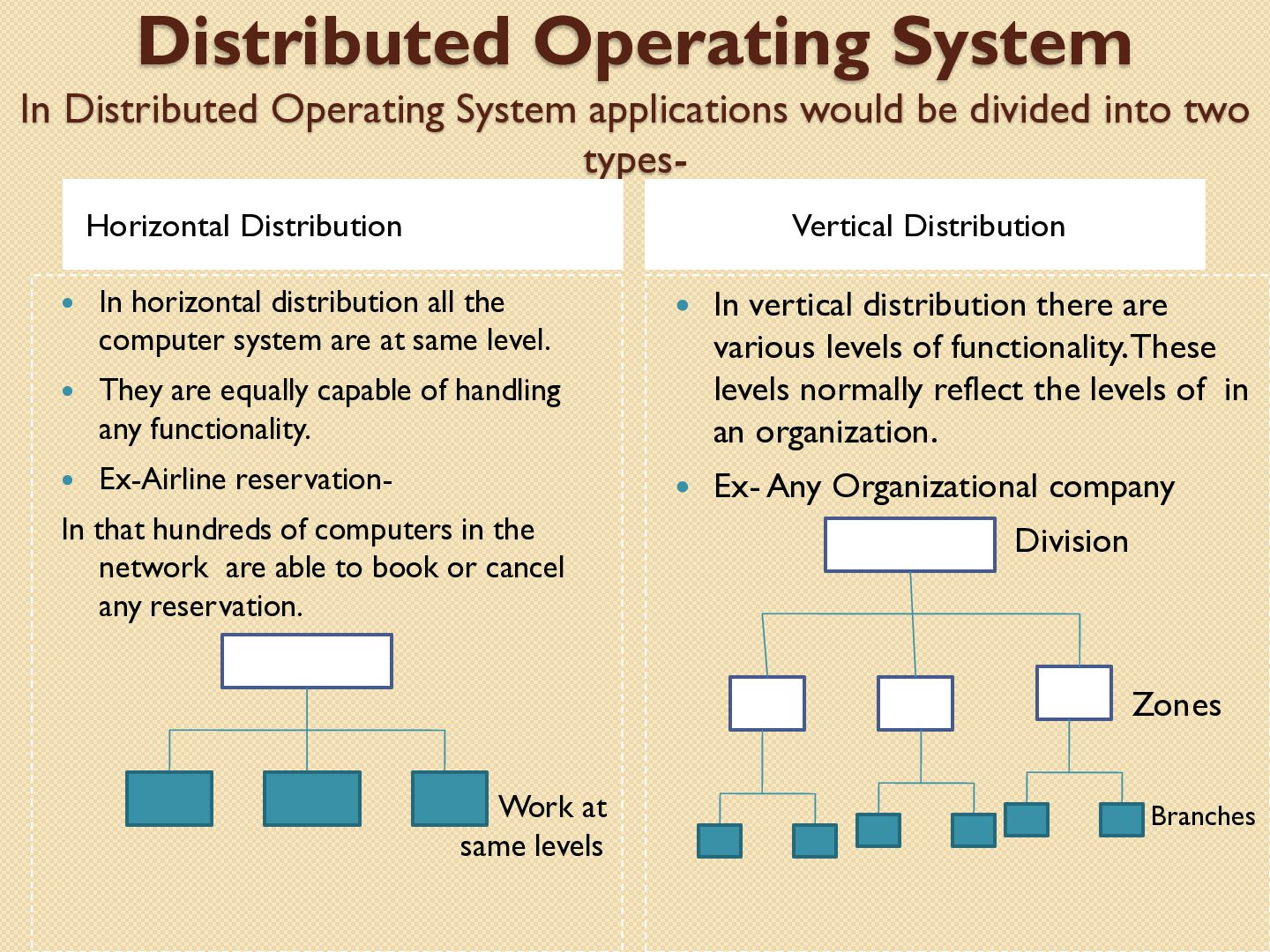
divided into two typesHorizontal Distribution Vertical Distribution In horizontal distribution all the computer system are at same level. They are equally capable of handling any functionality. Ex-Airline reservation- In that hundreds of computers in the network are able to book or cancel any reservation. In vertical distribution there are various levels of functionality. These levels normally reflect the levels of in an organization. Ex- Any Organizational company Division Zones Work at same levels Branches
Advantages ◦ Failure of one will not affect the other network communication, as all systems are independent from each other ◦ Electronic mail increases the data exchange speed ◦ Since resources are being shared, computation is highly fast and durable ◦ Load on host computer reduces ◦ These systems are easily scalable as many systems can be easily added to the network Disadvantages ◦ Failure of the main network will stop the entire communication ◦ To establish distributed systems the language which are used are not well defined yet ◦ These types of systems are not readily available as they are very expensive. Not only that the underlying software is highly complex and not understood well yet


 y0hgi
y0hgi
 satoshi7
 ezaki
ezaki
 greenmidori
 koukihosaka
 pfn
pfn
 odashi
 finengine
 kzkhykw1991
 kash1064
 puhitaku
 codmoninc
 kristinabergwall1
 seathinner
 rakko
rakko
 kneath
 inesmontani
 tamaranovitovic
 moore
moore
 zakiyama
 aleyda
 honzajavorek
 ammeep
 chrislema