Upgrade to Pro
— share decks privately, control downloads, hide ads and more …
Speaker Deck
Sign up for free
Menu
Search
Features
All features
Private URLs
Password Protection
Custom URLS
Scheduled publishing
Remove Branding
Restrict embedding
Deck Collections
Notes
Features
All features
Private URLs
Password Protection
Custom URLS
Scheduled publishing
Remove Branding
Restrict embedding
Deck Collections
Notes
Explore
Featured decks
Featured speakers
Programming
Technology
Storyboards
Explore
Featured decks
Featured speakers
Programming
Technology
Storyboards
Pricing
Search
Sign in
Sign up for free
tanaka kannta
Search
Kanta Tanaka
June 07, 2018
31
0
Share
Embed
Copy iframe code
Copy JS code
Copy link
Start on current slide
tanaka kannta
課題2
Kanta Tanaka
June 07, 2018
Featured
See All Featured
Templates, Plugins, & Blocks: Oh My! Creating the theme that thinks of everything
marktimemedia
31
2.9k
Measuring & Analyzing Core Web Vitals
bluesmoon
9
1k
Helping Users Find Their Own Way: Creating Modern Search Experiences
danielanewman
31
3.4k
Crafting Experiences
bethany
1
380
ラッコキーワード サービス紹介資料
rakko
1
5.4M
Technical Leadership for Architectural Decision Making
baasie
3
600
Designing Powerful Visuals for Engaging Learning
tmiket
1
610
Stop Working from a Prison Cell
hatefulcrawdad
274
21k
AI in Enterprises - Java and Open Source to the Rescue
ivargrimstad
0
1.5k
Beyond borders and beyond the search box: How to win the global "messy middle" with AI-driven SEO
davidcarrasco
3
280
The Hidden Cost of Media on the Web [PixelPalooza 2025]
tammyeverts
2
530
Rebuilding a faster, lazier Slack
samanthasiow
85
9.7k
Transcript
Tasking manager の 使い方 1A118100 田中 寛大
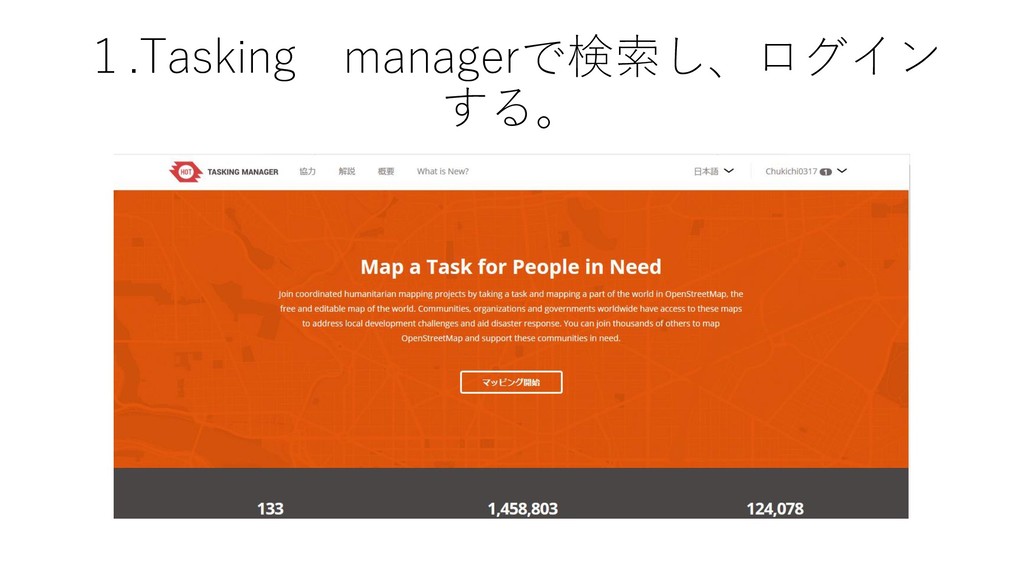
1.Tasking managerで検索し、ログイン する。
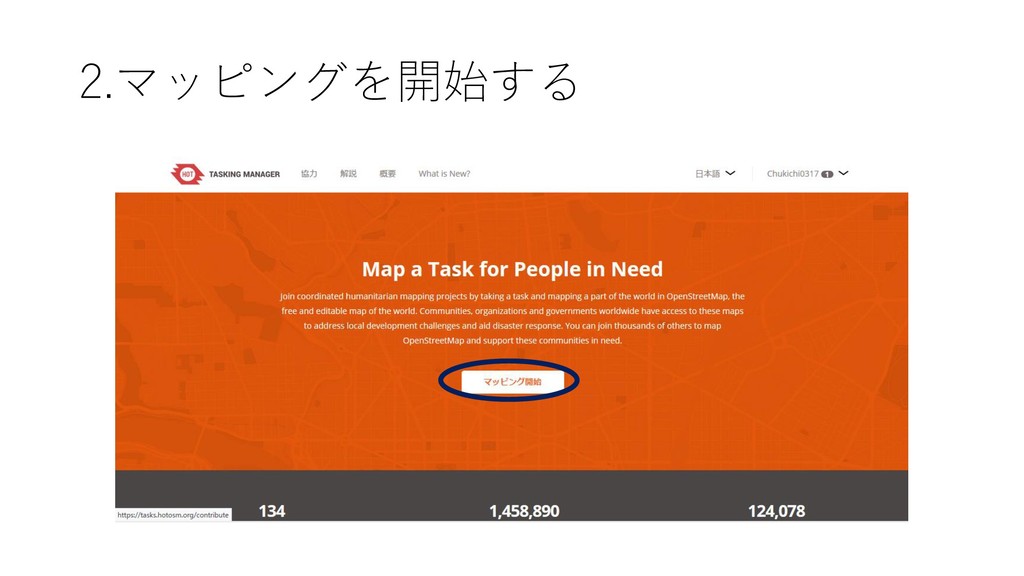
2.マッピングを開始する
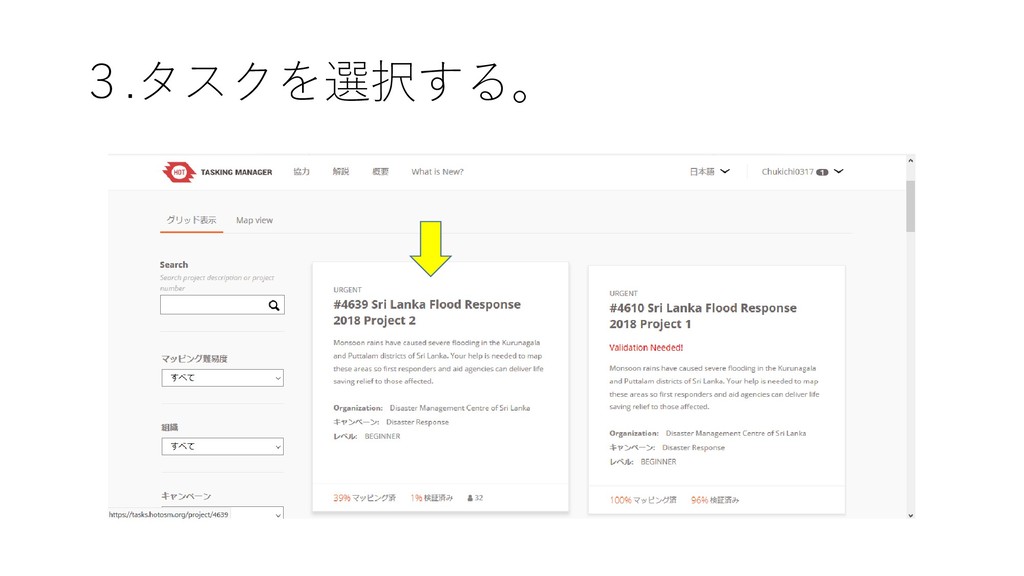
3.タスクを選択する。
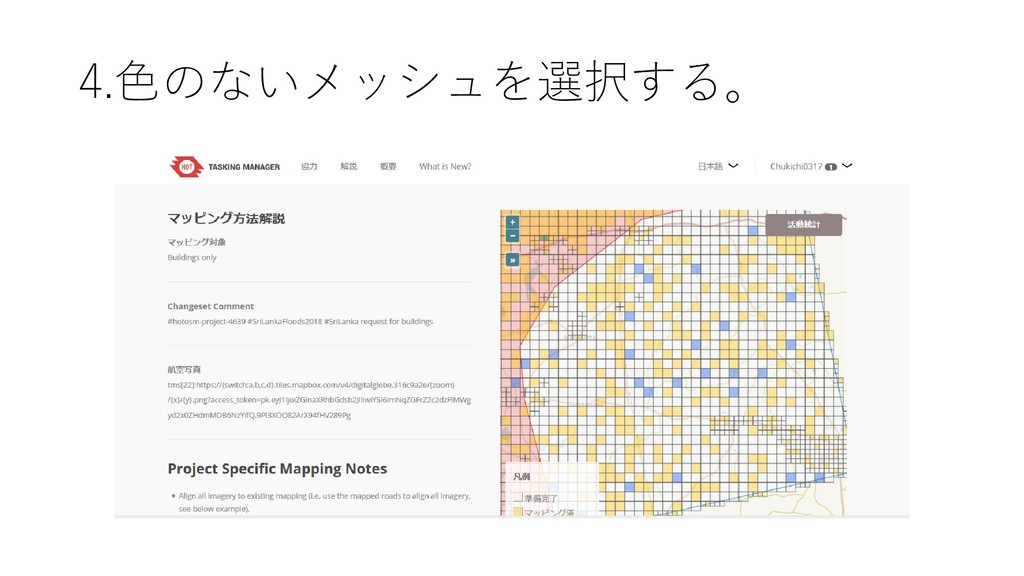
4.色のないメッシュを選択する。
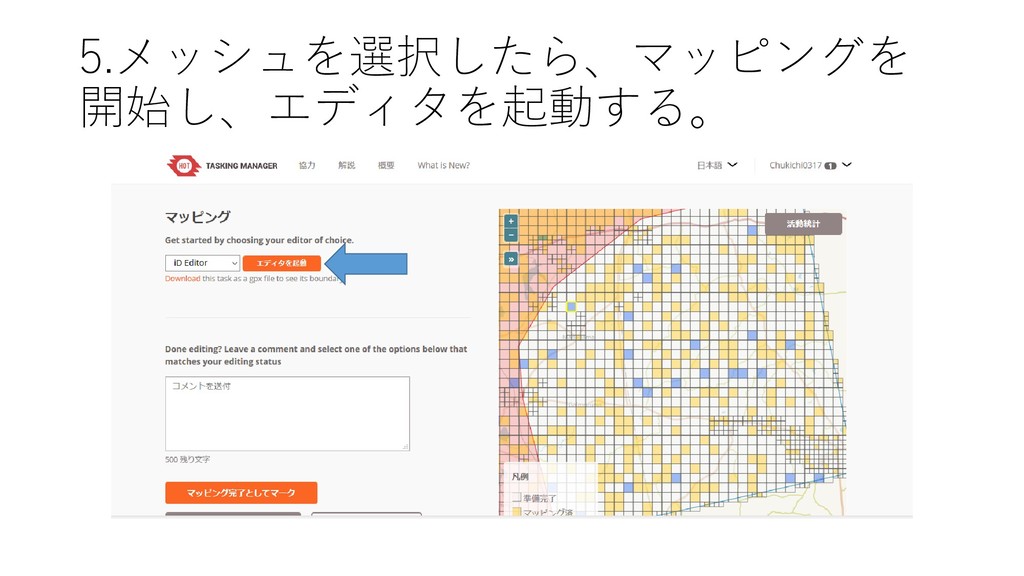
5.メッシュを選択したら、マッピングを 開始し、エディタを起動する。
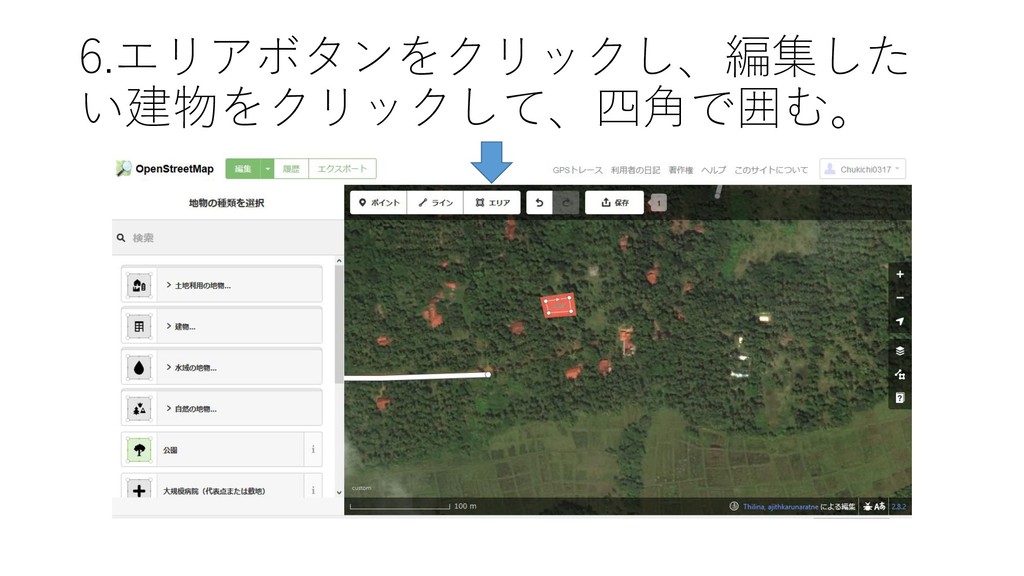
6.エリアボタンをクリックし、編集した い建物をクリックして、四角で囲む。
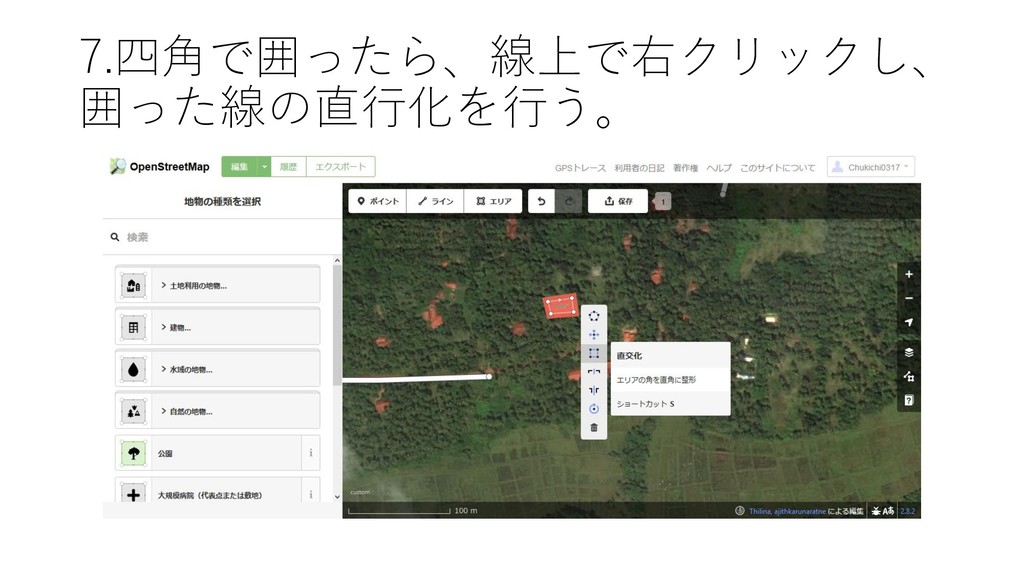
7.四角で囲ったら、線上で右クリックし、 囲った線の直行化を行う。
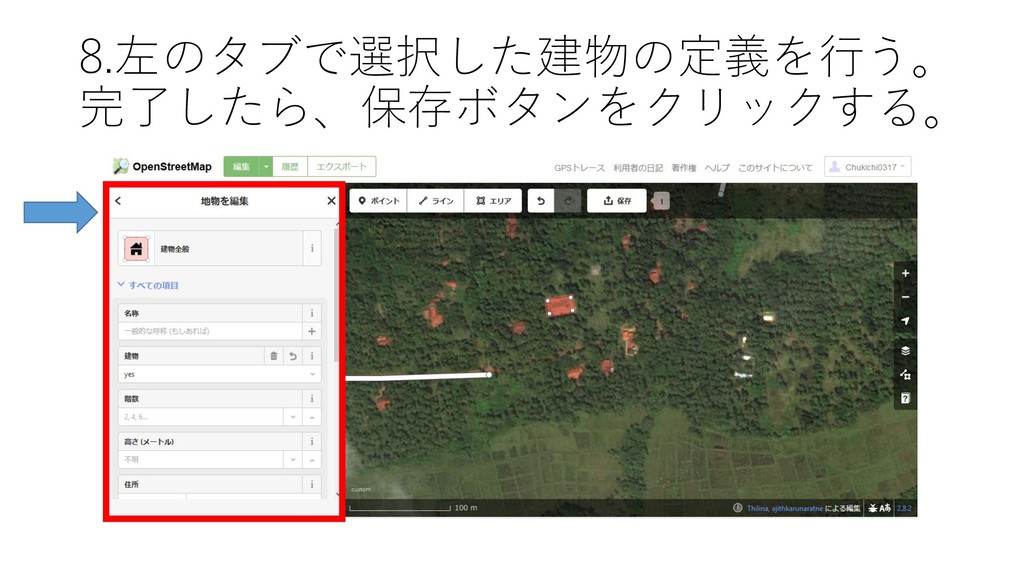
8.左のタブで選択した建物の定義を行う。 完了したら、保存ボタンをクリックする。
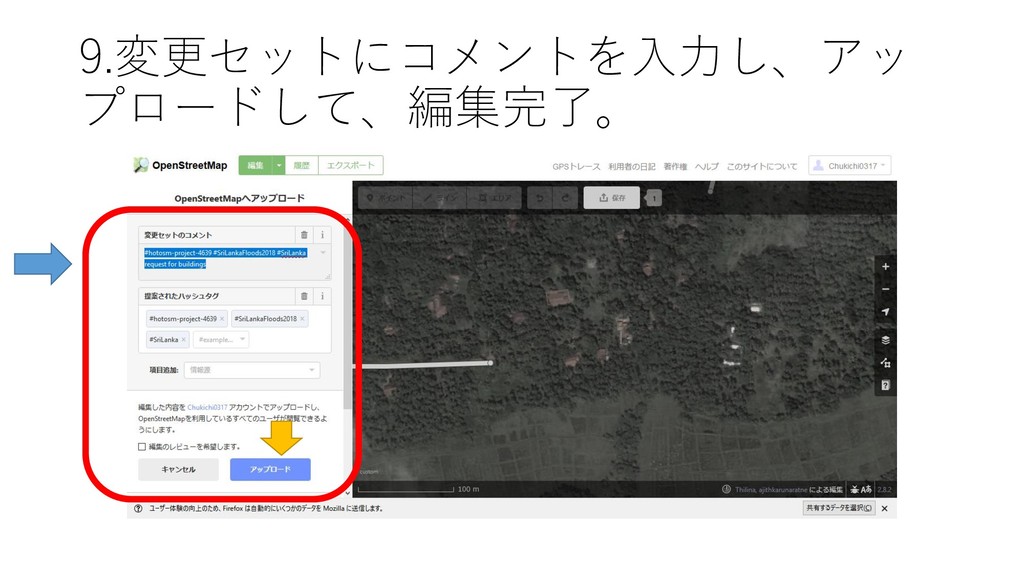
9.変更セットにコメントを入力し、アッ プロードして、編集完了。


 marktimemedia
 bluesmoon
 danielanewman
 bethany
 rakko
rakko
 baasie
 tmiket
 hatefulcrawdad
 ivargrimstad
 davidcarrasco
 tammyeverts
 samanthasiow